HP Uses Intel SMM to Hijack Windows Boot for Outlook Calendar Display
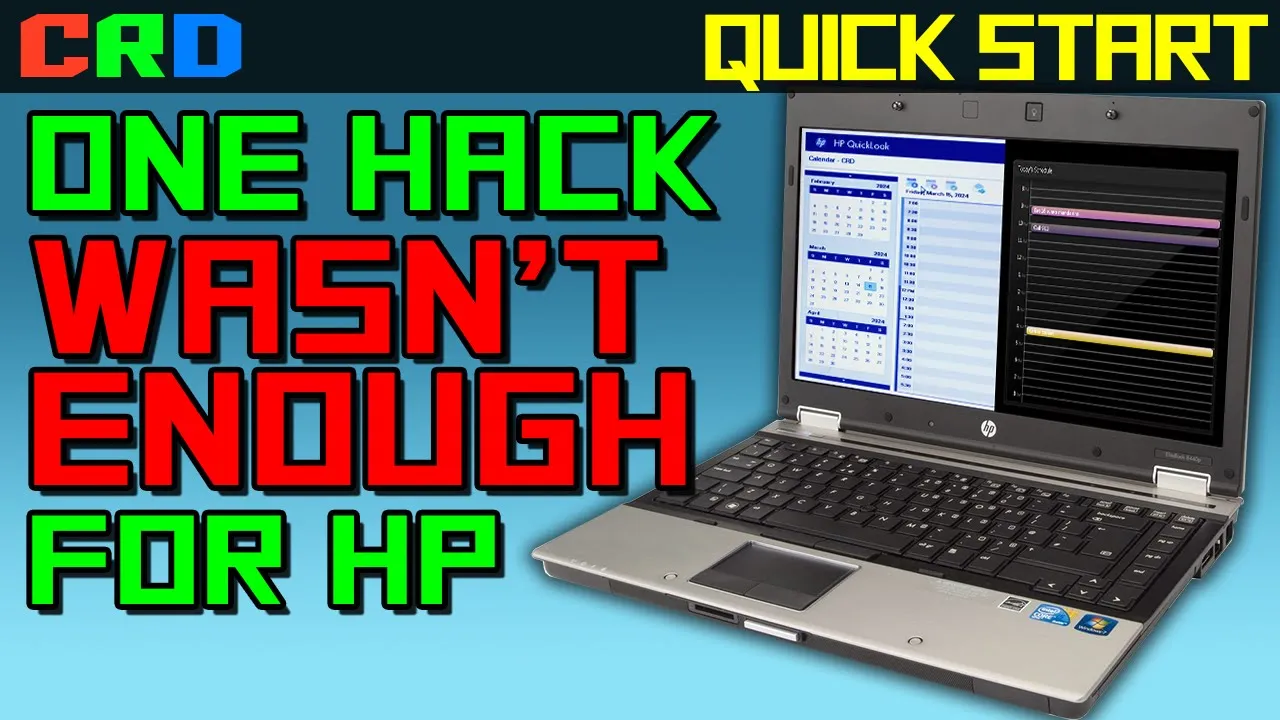
Quick Start, Episode 7: Crimes... And Felonies. — Cathode Ray Dude - CRD

Cathode Ray Dude - CRD

HP resorted to bare-metal EFI applications and risky SMM firmware hijacks because PC hardware commoditization left pre-boot execution as the only proprietary space to invent superficial product differentiation.

AI-assisted summary of Quick Start, Episode 7: Crimes... And Felonies. — original source. Check the original for full context.

Source published:

Key ideas

  • HP's QuickLook utility on the EliteBook 8440p bypassed the complexity of Microsoft Exchange integration by operating entirely offline, using a Windows Outlook plug-in to sync data via flat XML files stored on a dedicated FAT32 partition. (11:27)
  • QuickLook was built as a native EFI application running directly on the system's core platform firmware, utilizing UEFI's native file system awareness and Graphics Output Protocol (GOP) to boot in under eight seconds without an operating system. (15:30)
  • HP's Daystarter utility hijacked the Windows boot sequence to display calendar data by abusing System Management Mode (SMM), a highly privileged 'Ring -2' execution state that preempts the OS kernel to control the display frame buffer. (36:24)
  • The extreme engineering behind these pre-boot environments highlights late-2000s PC market saturation, where OEMs resorted to complex firmware-level hacks to differentiate highly commoditized 'jellybean' hardware. (44:32)

Detailed notes

## Background Published on YouTube by Cathode Ray Dude (CRD) on March 25, 2024, this seventh installment of the Quick Start series examines HP's peculiar entries in the fast-boot computing craze. As the video's description summarizes, HP looked at existing fast-boot implementations across the industry and concluded they could do worse, ultimately delivering on that promise.

## TL;DR The video deconstructs two bizarre firmware-level utilities found on a 2010 HP EliteBook 8440p: QuickLook and Daystarter. QuickLook is revealed to be a custom, offline Microsoft Outlook clone running directly on bare metal as a signed UEFI executable that reads cached XML data from an auxiliary FAT32 partition. Daystarter escalates into a genuine technical horror story, abusing System Management Mode (Ring -2) to hijack the display frame buffer, intercept keyboard input, and pause the Windows boot process just to display static calendar JPEGs. The host uses these astonishingly complex hacks to argue that PC hardware has reached functional saturation, forcing corporate OEMs into reckless firmware gimmicks to fabricate product differentiation.

## Atmosphere & style The presentation blends meticulous low-level technical dissection with acerbic, bewildered humor and escalating disbelief. Viewers are guided through a gripping architectural mystery that shifts from nostalgic amusement over vintage enterprise software into genuine technical dread once the mechanics of System Management Mode are uncovered. Delivered with the energy of a passionate, unhinged whiteboard lecture, the video transforms an autopsy of obscure corporate bloatware into an incisive, existential critique of technology commoditization.

## Bulletin - [11:27](https://www.youtube.com/watch?v=ssob-7sGVWs&t=687s) HP's QuickLook utility on the EliteBook 8440p bypassed the complexity of Microsoft Exchange integration by operating entirely offline, using a Windows Outlook plug-in to sync data via flat XML files stored on a dedicated FAT32 partition. - [15:30](https://www.youtube.com/watch?v=ssob-7sGVWs&t=930s) QuickLook was built as a native EFI application running directly on the system's core platform firmware, utilizing UEFI's native file system awareness and Graphics Output Protocol (GOP) to boot in under eight seconds without an operating system. - [36:24](https://www.youtube.com/watch?v=ssob-7sGVWs&t=2184s) HP's Daystarter utility hijacked the Windows boot sequence to display calendar data by abusing System Management Mode (SMM), a highly privileged 'Ring -2' execution state that preempts the OS kernel to control the display frame buffer. - [44:32](https://www.youtube.com/watch?v=ssob-7sGVWs&t=2672s) The extreme engineering behind these pre-boot environments highlights late-2000s PC market saturation, where OEMs resorted to complex firmware-level hacks to differentiate highly commoditized 'jellybean' hardware.

## Key takeaways - [00:00](https://www.youtube.com/watch?v=ssob-7sGVWs&t=0s) The HP EliteBook 8440p featured three separate physical power triggers mapped to three distinct software environments: Windows 7, QuickWeb (Splashtop Linux), and QuickLook (an offline EFI application). - [00:00](https://www.youtube.com/watch?v=ssob-7sGVWs&t=0s) QuickWeb, a stripped-down Splashtop Linux distribution, booted scarcely faster than Windows 7 on a standard 7200 RPM drive and was rendered obsolete by standard ACPI standby and hibernation states. - [04:02](https://www.youtube.com/watch?v=ssob-7sGVWs&t=242s) QuickLook functioned as an offline, standalone clone of Microsoft Outlook that booted in four to eight seconds but lacked any network stack, Wi-Fi, or Ethernet drivers. - [11:27](https://www.youtube.com/watch?v=ssob-7sGVWs&t=687s) To avoid the liability and complexity of direct Microsoft Exchange synchronization, HP used a Windows Outlook plug-in to export and import data via flat XML files on a FAT32 partition. - [15:30](https://www.youtube.com/watch?v=ssob-7sGVWs&t=930s) QuickLook is a native EFI application (QuickLook.efi) executed directly by the motherboard firmware before any operating system kernel loads. - [18:52](https://www.youtube.com/watch?v=ssob-7sGVWs&t=1132s) The transition from legacy BIOS to UEFI enabled file-system-aware booting (via GPT and FAT32) and provided standard protocols (like GOP) to run sophisticated pre-boot applications. - [24:15](https://www.youtube.com/watch?v=ssob-7sGVWs&t=1455s) HP cryptographically signed the QuickLook.efi binary to prevent unprivileged Windows malware from replacing the pre-boot executable on the accessible FAT32 partition. - [29:50](https://www.youtube.com/watch?v=ssob-7sGVWs&t=1790s) HP Daystarter attempted to display Outlook calendar information during the Windows boot sequence, allowing users to pause the boot process using interactive function keys. - [36:24](https://www.youtube.com/watch?v=ssob-7sGVWs&t=2184s) Because standard operating systems do not allow third-party software to preempt the kernel during boot, HP implemented Daystarter using System Management Mode (SMM), or 'Ring -2'. - [40:26](https://www.youtube.com/watch?v=ssob-7sGVWs&t=2426s) SMM is an incredibly powerful, unmaskable hardware execution state designed for transparent power management that can freeze the operating system kernel without its knowledge. - [41:28](https://www.youtube.com/watch?v=ssob-7sGVWs&t=2488s) Daystarter's SMM implementation used fragile memory-sniffing heuristics to hijack the display frame buffer, risking severe system instability or unbootable states if Windows updates altered memory layouts. - [44:32](https://www.youtube.com/watch?v=ssob-7sGVWs&t=2672s) The creation of complex pre-boot utilities like Daystarter was driven by market saturation and the commoditization of PC hardware, forcing OEMs to seek differentiation through firmware-level gimmicks. - [49:56](https://www.youtube.com/watch?v=ssob-7sGVWs&t=2996s) Because OEMs do not manufacture the core 'jellybean' silicon components, their engineering efforts are often restricted to external chassis design and pre-boot firmware customization. - [56:42](https://www.youtube.com/watch?v=ssob-7sGVWs&t=3402s) Although these pre-boot features represented a massive engineering effort, they were rendered completely obsolete by the rapid rise of modern smartphones like the iPhone 4.

## Detailed walkthrough ### [00:00](https://www.youtube.com/watch?v=ssob-7sGVWs&t=0s) QuickWeb Recap and the Premise of Fast Booting

The host opens by welcoming viewers back to *Quick Start*, a series focused on the fast-booting laptop craze of the late 2000s—though this episode features an HP EliteBook 8440p released in 2010. Looking back across the entire series, the host reflects that “the whole fast booting thing never really got delivered on and also maybe the problem they were trying to solve never really existed to begin with.” Rather than laboring through another formal recap, the host jumps straight in.

The 8440p previously appeared briefly in Episode 2 to demonstrate HP QuickWeb. QuickWeb was simply HP’s custom branding of Splashtop OS: a severely stripped-down Linux distribution that lived inside a file within a folder on the hard drive. About half a dozen PC and motherboard manufacturers licensed Splashtop for a few years before abandoning it entirely because “it was absolutely goddamn useless.”

Activating QuickWeb requires holding an invisible, finicky capacitive button above the keyboard for a full second. Once booted, it presents nothing more than an isolated web browser. Because its built-in TLS root certificates have long since expired, it cannot even safely connect to modern websites, making it impossible to demo anything meaningful.

```mermaid flowchart TD accTitle: Dedicated Hardware Buttons on the HP EliteBook 8440p accDescr: Three separate power triggers launch three distinct software environments on the laptop.

subgraph Controls["Physical Buttons"] B1["Standard Power Button"] B2["Capacitive QuickWeb Button"] B3["Capacitive QuickLook Button"] end

subgraph Targets["Target Environments"] T1["Windows 7 (Full OS)"] T2["QuickWeb (Splashtop Linux Browser)"] T3["QuickLook (Offline EFI Application)"] end

B1 --> T1 B2 --> T2 B3 --> T3 ```

- **Boot Performance:** QuickWeb boots scarcely faster than a standard OS. On a standard 7200 RPM mechanical hard drive, Windows 7 boots in approximately 30 seconds—only about 10 seconds slower than QuickWeb. - **Standby vs. Fast Boot:** In 2010, both Windows 7 and desktop Linux fully supported ACPI standby and hibernation. Resuming Windows from standby on the EliteBook takes a negligible fraction of a second, completely invalidating the need for a secondary browser-only operating system. - **Hardware Configuration:** The test machine ran on its factory-spec 7200 RPM spinning platter hard drive; HP also offered factory SSD options that would have delivered superior boot times regardless of corporate IT bloatware.

---

[04:02](https://www.youtube.com/watch?v=ssob-7sGVWs&t=242s) Feature 1: QuickLook

While searching HP's website for original drivers to restore the bare hard drive on this EliteBook, the host kept encountering references to a separate utility called "QuickLook." Far from being a synonym for QuickWeb, QuickLook had its own dedicated capacitive button alongside the standard power button and the QuickWeb button. This design gave the HP EliteBook 8440p three separate power buttons mapped to launch three entirely different environments.

Pressing the QuickLook button boots the system in four to eight seconds—making it arguably the fastest-booting environment featured across the entire run of *Quick Start*. Yet any hope that it might redeem the hardware is quickly dashed: “It gives me no joy to report that's a lie it gives me great joy to report this but no it will not save this machine.”

QuickLook is essentially a barebones, standalone clone of Microsoft Outlook. The interface boots directly into a split dashboard showing a calendar agenda and a task list. Side tabs allow the user to navigate between classic Outlook categories:

- **Calendar & Contacts:** Users can create calendar events, assign attendees, and add new contacts (demonstrated by the host adding an entry to buy Oracle and adding his three cats to the contact directory). - **Tasks / To-Do:** Standard task creation and checking. - **Email Interface:** Displays cached email, but with severe functional defects. Attachments such as JPEGs, Word documents, or PDFs cannot be opened or interacted with. Large inline images cannot be scaled, resized, or scrolled smoothly; high-resolution photos are cropped into tiny fragments of cat ears and paws. - **Composing Messages:** New messages can only be written in plain text with an optional signature. Clicking "Send" does not dispatch the email; it routes it silently into the Drafts folder.

The most baffling limitation of QuickLook is that it operates completely offline. The user interface has no setup menu, no network configuration screens, and no support for Wi-Fi or Ethernet whatsoever. It is impossible to connect to the internet, receive incoming mail, or send outbound messages directly from the utility.

---

[09:15](https://www.youtube.com/watch?v=ssob-7sGVWs&t=555s) QuickLook Under the Hood

The absence of network drivers and the blinding four-to-eight-second boot time off a 7200 RPM spinning disk eliminate the possibility that QuickLook is running a standard operating system. Even an optimized Linux kernel paired with X11 graphics drivers would struggle to reach an interactive desktop that quickly on mechanical storage.

The host reveals the truth behind this bizarre utility: “The answer is nothing we are running no operating system right now.”

Rebooting into Windows 7 and launching the full Microsoft Outlook client exposes how QuickLook actually works behind the scenes. QuickLook is not an independent application; it is merely an offline staging interface tethered directly to Outlook's local data files. When Windows boots: - The tasks and calendar events created in QuickLook appear immediately inside Outlook. - New contacts created in QuickLook sync straight into the primary Outlook address book. - The unsent draft message composed inside QuickLook sits waiting in the Outlook Outbox, ready to be sent over the network once Windows establishes a live connection.

This architecture was HP's workaround for enterprise mail environments. In corporate settings, Outlook interfaces with Microsoft Exchange—a massive, feature-heavy platform with intricate security policies. Building a standalone third-party client with its own networking stack, Active Directory authentication, and complete Exchange protocol compatibility would have been an astronomical engineering challenge. By stripping networking out entirely and treating the offline utility as an asynchronous cache for Outlook, HP bypassed the complexity of the Exchange server entirely.

[11:27](https://www.youtube.com/watch?v=ssob-7sGVWs&t=687s) Outlook Synchronization and the HP Tools Partition

Attempting to build a completely independent, generic IMAP or Exchange email client for QuickLook would have resulted in an unmanageable synchronization nightmare. Users would be forced to download emails twice, manage separate domain credential resets in two places, and deal with unsent offline outbox messages that vanish between environments. Furthermore, writing a fully featured email client from scratch is notoriously difficult, and reverse-engineering Microsoft Outlook's massive, proprietary data files carries catastrophic risks. As Cathode Ray Dude explains:

> “Also the Outlook profile could be 40 gigs or 100 gigs and I don't know if there's any approved method for a thirdparty app to edit an Outlook data store so if you just try to wing it and screw up you could get sued for billions in damages and probably lose.”

HP circumvented this liability by avoiding direct access to the Outlook profile altogether. Instead, the QuickLook installer attaches a custom plug-in to an existing installation of Outlook 2003 or Outlook 2007. Because Outlook plug-ins utilize Microsoft's approved, safe APIs to read and write profile data, the plug-in cleanly bridges the gap while Windows is running. A dedicated toolbar in Outlook allows users to configure capture frequency and data volume, or manually trigger an "Export Now" command.

```mermaid flowchart TD accTitle: QuickLook Data Flow Architecture accDescr: Flow diagram showing how the Outlook plugin exports data to XML files on the HP Tools partition, which QuickLook reads and writes before syncing back.

subgraph WindowsOS ["Windows Environment"] OL["Microsoft Outlook (2003 / 2007)"] PI["QuickLook Outlook Plug-in"] OL <-->|"Official APIs"| PI end

subgraph DiskPartition ["HP_TOOLS Partition"] DIR["data_directory.xml"] STORE["Email, Calendar, Tasks & Contacts XMLs"] DIR --> STORE end

subgraph PreBoot ["Pre-Boot Environment"] QL["QuickLook Application (EFI)"] end

PI -->|"Export cache (Base64 UTF-16LE)"| STORE STORE -->|"Read cached PIM data"| QL QL -->|"Write queued outgoing edits"| STORE STORE -->|"Import on next launch"| PI ```

The exported data is stored directly on a secondary hard drive partition labeled `HP_TOOLS`. Inside a dedicated `QuickLook` folder, the software generates a collection of plain XML files, indexed by a master file named `data_directory.xml`. This index catalogues distinct files for contacts, tasks, calendar items, and emails (such as `ac93.xml`). Within these files, standard fields like subject lines and sender addresses sit alongside email body text encoded in Base64 (using UTF-16LE formatting).

When a user boots into QuickLook, the application simply reads these flat XML files. If the user composes an email or modifies a task, QuickLook appends those changes back to the XML structure. When Windows boots and Outlook launches next, the plug-in parses those files, generates the queued outgoing messages, and merges updated tasks into the live Exchange profile. Cathode Ray Dude calls this “one of the less disgusting hacks that we've seen in this series.” While offline queuing seems foreign today, it fit the executive landscape of 2010:

> “Quick Look is definitely the dying gasp of a past era it's a fading memory of hot sinking email from your Palm Pilot so you can send it with Eudora but I think it still might have made a whiff of sense at this point.”

---

[15:30](https://www.youtube.com/watch?v=ssob-7sGVWs&t=930s) The Discovery: QuickLook Is an EFI Application

Navigating two directory levels above the XML cache on the `HP_TOOLS` partition reveals the true nature of the QuickLook program itself: it is an `.efi` file. While modern firmware engineers and system enthusiasts are familiar with EFI executables, HP implemented this at a time when most consumer users had never encountered the concept. QuickLook does not run on top of an embedded Linux kernel, nor does it rely on a stripped-down Windows PE environment. It is an application built to run directly on the system's core platform firmware.

Cathode Ray Dude notes that discovering this file demands an explanation of how modern x86 personal computers initialize and boot, because the underlying mechanism represents a complete departure from the historical standard that preceded it for three decades.

---

[16:06](https://www.youtube.com/watch?v=ssob-7sGVWs&t=966s) From Legacy BIOS to UEFI: The Quiet Boot Revolution

To understand what an EFI application is, one must understand that the traditional PC BIOS no longer exists on modern machines:

> “You know the term BIOS yeah those don't exist anymore.”

Starting with the original 1981 IBM PC, the BIOS (Basic Input/Output System) served as the motherboard firmware responsible for bootstrapping the hardware, running initial self-tests, and providing an rudimentary hardware abstraction layer. For the next twenty-five years, that architecture remained fundamentally frozen in time. Even a cutting-edge Core 2 Duo system purchased in 2007 initialized its hardware in roughly the same sequence, using legally distinct but architecturally identical routines, as an IBM machine from 1981 before handing control over to modern 21st-century operating system code.

That paradigm was eventually supplanted by UEFI (Unified Extensible Firmware Interface), a clean-sheet firmware specification that entered consumer personal computers in the late 2000s. The industry engineered this transition to be as invisible as possible: - Motherboard vendors created graphical setup utilities that intentionally mimicked legacy BIOS menus, or hid hardware diagnostic text behind static vendor splash screens. - Compatibility with older operating systems was maintained via the optional CSM (Compatibility Support Module), which emulates traditional BIOS interrupts but is frequently disabled by default on contemporary hardware. - The most overt visual tell for end users was often an aesthetic downgrade: replacement CMOS setup menus morphed from fast, functional text-mode screens into gaudy graphical environments that “looked like the box for a GeForce 4 and was probably much harder to navigate than what you were using before.”

---

[18:52](https://www.youtube.com/watch?v=ssob-7sGVWs&t=1132s) File Systems, GPT, and Motherboard-Executed Binaries

The foundational technical limitation of the legacy PC BIOS was its complete lack of file system awareness. Because an old BIOS had no concept of partitions or file structures, booting required examining raw physical sectors on connected storage media:

> “When you started up your PC in 81 or 2004 the only thing it knew was which mass storage devices were connected and it would try to boot by just looking at each one in turn reading the first sector and seeing if there was bootstrap code there if not then you'd get a message like no bootable devices found and that was it.”

Creating a bootable disk under the legacy model required embedding raw machine code into the Master Boot Record (MBR)—an opaque, brittle procedure. UEFI replaced this entirely by incorporating native, low-level understanding of disk partitioning and file systems. Under UEFI, the firmware reads a GUID Partition Table (GPT), identifies supported file systems (primarily FAT32), and traverses the directory structure directly.

When a modern motherboard powers on, it navigates to `/EFI/BOOT/` to look for `.efi` files: - UEFI `.efi` binaries use the exact same Portable Executable (PE/COFF) container format as standard Windows `.exe` files. - Despite sharing an executable container with Windows programs, the machine code inside targets the UEFI firmware interfaces directly rather than the Win32 subsystem or an operating system kernel. - These binaries are executed natively by the motherboard firmware before any operating system kernel is loaded.

This architectural shift also explains modern boot conveniences, such as selecting named boot options like "Windows Boot Manager" or "Arch Linux" directly in setup instead of guessing between raw hard drive model numbers. While the original 1981 BIOS provided a primitive hardware abstraction layer for serial ports, disks, and basic character displays, it lacked networking, native sound, and modern peripheral protocols. UEFI expanded that concept into a complete pre-boot operating environment capable of executing sophisticated, standalone graphical applications like QuickLook without Windows running at all.

[21:04](https://www.youtube.com/watch?v=ssob-7sGVWs&t=1264s) The Long Tradition of Operating System-Less PC Software

In the earliest days of the PC platform, running software without an underlying operating system was not an insurmountable hurdle. The system BIOS provided built-in routines to communicate with virtually every hardware device expected in a personal computer. Developers could write self-contained software that funneled all input and output through BIOS system calls without ever talking to hardware directly or requiring an operating system like MS-DOS or PC DOS. Some programs—often retroactively labeled "Booter apps"—even bypassed DOS and BIOS abstractions entirely to hit the silicon directly, shipping on self-booting floppy disks. While true Booter applications were relatively rare, PC users interacted with OS-less programs all the time: pressing Delete during a 1998 machine boot loaded a CMOS setup utility contained entirely within the BIOS ROM, and by 2004, computers and storage controllers regularly included built-in firmware-flashing and management tools that ran in bare metal environments.

Modern UEFI continued this tradition of running software without an OS, but vastly expanded the hardware's baseline capabilities. Unlike legacy BIOS, UEFI includes native support for high-resolution video via the Graphics Output Protocol (GOP), mouse input through the Simple Pointer Protocol, USB peripherals, network stacks, storage devices, loadable fonts, and full Unicode text parsing and rendering. Because UEFI can execute stand-alone binaries and directly read filesystems, it blurs the line of what qualifies as an operating system. Cathode Ray Dude reflects on this definitional ambiguity: “Given that the UEFI replaced the BIOS and nobody ever claimed that was an OS, I think we have to conclude that EFI apps are essentially just programs running on bare metal.” Much like the standalone diagnostics common on modern corporate workstations, EFI applications take direct and total control of the hardware without a multitasking kernel sitting beneath them.

- Booter games and utilities bypassed DOS layers completely in the 1980s by booting straight off floppies. - Motherboard CMOS setup screens, storage controller configuration menus, and BIOS flashing utilities are historical examples of OS-less software. - Modern graphical UEFI setup interfaces rely on standard firmware protocols: - **GOP (Graphics Output Protocol)** for drawing display frames and arbitrary resolutions. - **Simple Pointer Protocol** for handling mouse and pointer input. - Native Unicode text parsers and modular font loaders.

---

[24:15](https://www.youtube.com/watch?v=ssob-7sGVWs&t=1455s) QuickLook Under the Hood as an EFI Application

Understanding the nature of EFI binaries demystifies how HP built QuickLook. Pressing the dedicated QuickLook power button triggers customized motherboard firmware hardcoded to traverse the disk, locate a specific file at `HP_TOOLS\QuickLook\QuickLook.efi`, and execute it. In doing so, HP did not merely clone the look of Microsoft Outlook; they produced a custom mail and calendar client entirely decoupled from Windows APIs. Weighing in at roughly three megabytes, the application boots instantaneously because it requires no driver initialization passes, relying solely on services already present in the computer's system memory space.

```mermaid flowchart TD accTitle: HP QuickLook Boot Sequence accDescr: Diagram illustrating how the dedicated button launches the QuickLook EFI app from the FAT32 partition.

subgraph Hardware ["Firmware & Partitioning"] BTN["QuickLook Power Button Pressed"] --> FW["HP Custom UEFI Firmware"] FW -->|"Mounts FAT32 Partition"| PART["HP_TOOLS Volume"] end

subgraph AppExecution ["EFI Application Launch"] PART -->|"Loads binary"| EFI["QuickLook.efi (3 MB Signed Binary)"] EFI -->|"Parses offline cache"| XML["Cached Outlook Data (XML)"] EFI --> GOP["GOP Screen Rendering & Mouse Pointer"] end ```

The design choices behind QuickLook also explain why it depends on a separate Outlook synchronization plugin running inside Windows. In 2010, Windows installations almost universally formatted system drives with NTFS. Although the UEFI specification dictates mandatory FAT32 support, it does not strictly prevent vendors or developers from adding NTFS or ext4 filesystem drivers—as demonstrated by third-party utilities like Rufus—but open-source or commercial NTFS drivers for EFI were not standard in firmware of that vintage. Consequently, the QuickLook binary and its associated cache must reside on a dedicated FAT32 partition labeled `HP_TOOLS`. Aside from the partition label and FAT32 format, there is nothing proprietary about the disk structure; any user can manually recreate it according to HP's published deployment guides.

There is one critical restriction: HP cryptographically signed the `QuickLook.efi` executable. While this prevented Cathode Ray Dude from replacing the launcher with an EFI port of *Doom*, it addresses a glaring security liability. Because the `HP_TOOLS` volume is a standard FAT32 partition accessible from within Windows, any untrusted software running with user privileges could swap the executable. As Cathode Ray Dude observes, “HP has a pretty good argument that the partition is just, you know, there, and any program in Windows could overwrite these files with compromised ones, and then if you booted into QuickLook, they would have total control over your system with literally no way to stop them.”

- The QuickLook binary is located at `HP_TOOLS\QuickLook\QuickLook.efi`. - UEFI natively mandates FAT32 support, requiring HP to store QuickLook on an auxiliary volume separate from the primary NTFS Windows partition. - Similar to modern Linux distribution ISOs (Fedora, Ubuntu) that boot from bare FAT32 USB sticks without specialized write tools like Balena Etcher, UEFI locates bootable binaries through standard directory naming conventions. - Security enforcement requires signed binaries to prevent unprivileged Windows malware from placing malicious, persistent bare-metal payloads into the firmware boot path.

---

[28:13](https://www.youtube.com/watch?v=ssob-7sGVWs&t=1693s) Evaluating QuickLook: Performance Limits and Clean Design

Despite the technical achievement of running an Outlook-style workflow inside system firmware, QuickLook has noticeable operational shortcomings. UEFI protocols are intentionally rudimentary, lacking hardware acceleration frameworks or high-performance graphics pipelines. As a result, screen refreshes in QuickLook feel sluggish, and cursor tracking stutters between 10 and 15 frames per second, mimicking the clunky behavior of graphical motherboard BIOS screens. In the era of solid-state drives, where modern installations of Windows or Linux cold-boot in eight seconds or less, the core rationale of a low-overhead, pre-boot viewing environment has vanished entirely.

Even so, Cathode Ray Dude commends HP for the interface's aesthetic restraint and execution. Unlike messy rapid-boot implementations from competing vendors, QuickLook features sharp typography, well-defined borders, legible black text against white backdrops, and none of the unreadable flat-styling trends that characterized later UI design. Summarizing the effort, Cathode Ray Dude remarks, “It's honestly the least embarrassing thing we've seen in the entire Quick Start series by a long shot.” HP successfully engineered a functional, dignified bare-metal application—setting up a dramatic contrast with the company's next pre-boot endeavor.

- The interface updates at a halting 10 to 15 frames per second due to the lack of hardware acceleration in UEFI GOP rendering. - Modern solid-state drives rendered the fast-boot feature obsolete by allowing complete operating systems to boot in under eight seconds. - The user interface avoided flat design tropes in favor of clean visual framing, consistent borders, readable banners, and crisp typography.

---

[29:50](https://www.youtube.com/watch?v=ssob-7sGVWs&t=1790s) The Nightmare of HP Daystarter

Having produced a remarkably polished tool in QuickLook, HP followed it up with an entirely unhinged pre-boot concept called HP Daystarter. Cathode Ray Dude recalls stumbling across the product description while researching QuickLook documentation: “I saw this on HP's website while looking for QuickLook, and the description made my blood run cold: 'HP Daystarter displays Microsoft Outlook calendar information and custom messages while Windows loads.'”

Rather than offering a distinct alternative boot target or isolated firmware environment, Daystarter attempts to wedge an active Outlook schedule display directly into the Windows startup animation. Cathode Ray Dude reboots the test notebook into a standard Windows boot sequence to demonstrate the tool in real time, capturing how the calendar layout flashes onto the screen during machine startup before abruptly vanishing as soon as the operating system finishes loading its session.

> “QuickLook is the tame feature; it's now time to look at Daystarter: a crime against humanity.” — Cathode Ray Dude

[30:42](https://www.youtube.com/watch?v=ssob-7sGVWs&t=1842s) The Illusion of a Simple Boot Splash Hack

Looking closely at a frame grab of the Daystarter screen, the machine displays a full-screen image of an Outlook calendar. The immediate and intuitive assumption is that HP simply used the venerable trick of replacing the Windows boot splash. Replacing the graphic Windows displays during startup has been practiced for decades—Cathode Ray Dude notes that he first swapped out splash screens on Windows 95 when he was nine years old. Historically, Windows loaded an image file from the disk, and replacing that file with a custom image was even Microsoft’s official recommendation for OEM branding until UEFI provided firmware-level image tables.

The Outlook plugin for Daystarter seems to reinforce this theory: it features a configuration section where users choose how much data to capture and when to start. Clicking OK prompts a snapshot capture. If this were a traditional boot splash hack, the software would convert the calendar into a 256-color bitmap and drop it into the Windows folder to overwrite the default Windows 7 boot splash.

```mermaid flowchart TD accTitle: Expected vs Actual Daystarter Architecture accDescr: Diagram contrasting the expected Windows boot splash replacement with HP's actual implementation saving JPEGs to the HP_TOOLS partition.

subgraph Expected["Expected Approach (Boot Splash Hack)"] A["Outlook Plugin"] -->|"Export bitmap"| B["Windows Folder"] B -->|"Windows Kernel loads"| C["Standard Boot Splash"] end

subgraph Actual["Actual HP Implementation"] D["Outlook Plugin"] -->|"Render calendar"| E["HP_TOOLS Partition\n(/DayStarter/*.jpg)"] E -->|"Intercept boot sequence"| F["Custom Pre-OS / SMM Viewer\n(Pauses boot, accepts F-keys)"] end ```

That, however, is not what HP is doing at all. Instead of generating a single system bitmap, the plugin renders the calendar as a collection of JPEGs directly onto the dedicated `HP_TOOLS` partition inside a folder named `DayStarter`. Windows does not read arbitrary JPEG files from an external utility partition during its early boot phase. More alarmingly, the upper-right corner of the screen displays function key prompts, proving the screen accepts interactive user input in the middle of boot.

Pressing F4 actively pauses the Windows boot process in its tracks, allowing the user to examine their schedule. The interface is even designed to let users flip between multiple days of calendar entries using the arrow keys, though in testing, pressing arrow keys caused the screen to blank and boot to resume. Cathode Ray Dude warns: “If you don’t have a pit in your stomach right now, it’s cuz you don’t know the technical horror on display here.”

---

[32:27](https://www.youtube.com/watch?v=ssob-7sGVWs&t=1947s) The Deterministic Reality of the Boot Process

To understand why this behavior is so shocking, one has to examine the fundamental architecture of personal computers. Modern operating systems give the impression of effortless multitasking, but Cathode Ray Dude explains that true simultaneity on a CPU is an illusion:

> “Your computer is a heavily dressed up version of a Turing machine, a theoretical model for computing in which you have a machine that can do nothing other than look at a strip of tape containing instructions, move forward and backwards along that tape, and then based on the instruction in each cell, it can either write a new value to that cell or halt processing.”

When a system powers on, the CPU is hardwired to jump to a specific memory address and execute whatever code resides there—historically the BIOS, and today the UEFI firmware. The firmware performs basic power-on self-tests, locates a bootable drive, and hands control over to the OS bootloader, which loads the Windows kernel. At this critical juncture, a modern 64-bit multicore processor with hyperthreading behaves essentially like a MOS 6502 from 1979: a deterministic machine executing instructions strictly sequentially off a metaphorical tape.

```mermaid flowchart LR accTitle: Linear CPU Boot Flow accDescr: Sequence diagram illustrating the deterministic handoff from hardware reset to BIOS/UEFI, bootloader, and Windows Kernel.

A["CPU Reset"] --> B["Firmware / UEFI"] B --> C["Storage Boot Code"] C --> D["Windows Kernel Execution"] D --> E["Absolute Kernel Hardware Control"] ```

Once the Windows kernel begins running, it claims absolute, unilateral authority over the machine. Every instruction pointer advance or jump is dictated entirely by Microsoft's code. There are no architectural gaps into which third-party software can inject itself. “Asking a question like how do we run our own program while the kernel is booting is like asking how do I push my hand through this brick wall,” Cathode Ray Dude argues.

Even if an OEM wrote a custom kernel driver to stomp over the display frame buffer, the driver would either crash the system or fail to execute frequently enough to prevent the kernel's native boot-splash code from overwriting it. Nothing is permitted preemptive control over the CPU during this phase of initialization. In practical PC architecture terms, intercepting the boot sequence, rendering JPEGs, and pausing execution for user keyboard input is structurally impossible.

- Alan Turing’s 1936 theoretical machine model remains the foundation of how x86 CPUs consume boot instructions. - Early boot code that renders the Windows animated startup logo is among the lowest-level, most rigid code in the OS. - Under standard operating system constraints, third-party software cannot preempt the kernel before it has initialized core subsystems.

---

[36:24](https://www.youtube.com/watch?v=ssob-7sGVWs&t=2184s) The Horrifying Truth: System Management Mode

Because directly intercepting the Windows boot sequence is impossible by normal means, one might wonder if HP simply hacked Windows system files. However, modifying core files directly is stopped cold by Windows Resource Protection (WRP), which aggressively detects altered system files and restores clean originals. Furthermore, patching system binaries would break every time Microsoft released an OS update, forcing HP into an unsustainable update cycle.

```mermaid flowchart TD accTitle: System Management Mode Ring Hierarchy accDescr: Hierarchy of CPU privilege levels showing User Mode Ring 3, Kernel Ring 0, and the hidden Ring -2 System Management Mode.

subgraph StandardPrivilege["Standard x86 Privilege Levels"] R3["Ring 3: Applications\n(User Mode)"] R0["Ring 0: Operating System Kernel\n(Total OS Authority, Scheduler)"] R3 -->|"Supervised by"| R0 end

subgraph DarkPrivilege["Hidden Hardware Privilege"] SMM["Ring -2: System Management Mode (SMM)\n(Firmware execution, SMI interrupts, preempts Kernel)"] end

SMM -.->|"Completely freezes & preempts"| R0 ```

With file tampering ruled out, HP turned to a mechanism far deeper and more dangerous: System Management Mode (SMM). Cathode Ray Dude reveals that HP placed Daystarter directly into SMM, an architectural feature sometimes colloquially referred to as "Ring -2." Intel originally introduced SMM with the 386SL processor to handle notebook power management transparently.

In standard x86 protected mode, execution privilege is split into rings: - **Ring 3**: Where standard user-space applications live. - **Ring 0**: Where the operating system kernel operates with absolute authority.

Under Ring 0, the kernel scheduler holds total sovereignty over CPU time. If an application attempts unauthorized memory access or hogs cycles, Ring 0 terminates or freezes it. While the kernel can mask standard device hardware interrupts, it cannot mask a Non-Maskable Interrupt (NMI). Yet even NMIs proved insufficient for the complex power orchestration Intel envisioned for battery-powered laptops.

Intel needed a way to dynamically spin down idle hardware—such as spinning down a mechanical hard drive after a period of inactivity—and automatically spin it back up the moment a program requested disk access. Because existing operating systems and software knew nothing about laptop power-saving states, this management had to be completely transparent. When an access occurred, the hardware had to pause everything, wake the peripheral, restore the controller state, and resume execution without the application or operating system ever realizing it had been suspended. This required an execution state that could preempt and freeze even the Ring 0 operating system kernel itself without warning or recourse.

[40:26](https://www.youtube.com/watch?v=ssob-7sGVWs&t=2426s) SMM: The "Star Chamber" of Privilege

System Management Mode (SMM) was created by Intel out of necessity: if an operating system crashed or locked up at a critical hardware juncture, catastrophic hardware damage could occur. SMM was engineered to be more privileged than the OS kernel and higher priority than a Non-Maskable Interrupt (NMI). In computer architecture, it occupies an execution realm often termed "Ring -2." As Cathode Ray Dude frames it:

> “To put it simply, code running in the SMM is more powerful than God.”

SMM holds absolute authority to interrupt execution at any time, overrides all system behavior, ignores NMIs, and cannot be monitored or disabled by the operating system. Because it acts as an uninspected, undetectable "Star Chamber" wielding unchecked control, it poses a profound architectural security risk. Intel eventually introduced even deeper privilege layers, like Active Management Technology (AMT)—often labeled "Ring -3"—which are even less auditable. Should malicious actors slip code into these root-level modes, total compromise follows.

```mermaid flowchart TD accTitle: x86 Privilege Hierarchy and SMM accDescr: Diagram illustrating privilege rings from user mode down to Ring minus 3.

subgraph UserOS["Operating System Domain"] R3["Ring 3: User Space (Applications)"] R0["Ring 0: Kernel Space (OS Drivers / Core)"] end

subgraph FirmwareHardware["Firmware & Hardware Execution Levels"] Rneg1["Ring -1: Hypervisor (Virtualization)"] Rneg2["Ring -2: System Management Mode (SMM)"] Rneg3["Ring -3: Management Engine (Intel AMT)"] end

R3 --> R0 R0 --> Rneg1 Rneg1 --> Rneg2 Rneg2 --> Rneg3 ```

[41:28](https://www.youtube.com/watch?v=ssob-7sGVWs&t=2488s) Deconstructing the DayStarter SMM Exploit

A surviving slide from an internal HP presentation indicates that the laptop's firmware embeds dedicated SMM code designed to detect when supported versions of Windows are booting, hijacking the display frame buffer until initialization completes. While official documentation is sparse, the technical implementation details can be deduced logically from PC architecture. Because Windows 7 lacks native, complete UEFI support on this hardware, it runs through the Compatibility Support Module (CSM). This configuration leaves UEFI active underneath, granting the SMM payload full access to UEFI subsystem capabilities, including the FAT32 filesystem driver, along with unfettered read/write authority across the entire system memory space.

To hijack the display, DayStarter's SMM routine executes at boot and scans memory using fragile heuristics. A programmer likely sat with a low-level debugger to map out which exact sentinel memory values correlate with the Windows boot splash appearing and disappearing. Once these trigger bytes appear, the SMM routine hooks the UEFI Graphics Output Protocol (GOP) driver or the emulated VESA BIOS routines. Every time Windows 7 tries to draw an update, execution redirects into the DayStarter routine instead. The hack checks for user keystrokes, swaps between stored JPEG slides if requested, and overwrites the frame buffer with its custom display output. When the memory scan determines that Windows has finished loading, the code ideally unhooks the video routines and unloads itself from SMM. If the user presses the "pause" key, the routine presumably traps the CPU in an endless tight loop, choking the OS kernel of processor cycles until execution resumes.

```mermaid flowchart TD accTitle: DayStarter SMM Interception Flow accDescr: Step-by-step flowchart of the DayStarter SMM boot heuristic and frame buffer hijack.

subgraph Detection["Boot Monitoring"] A["Machine boots via CSM"] --> B["SMM routine executes"] B --> C["Sniff system memory for Windows boot splash heuristics"] end

subgraph Interception["Display Hijack"] C -->|"Sentinel values detected"| D["Hook UEFI GOP / VESA BIOS routines"] D --> E["Intercept Windows frame buffer writes"] E --> F["Read JPEG from FAT32 via UEFI drivers"] F --> G["Blit calendar/battery image to display"] end

subgraph Exit["Handoff to OS"] G --> H{"OS load complete?"} H -->|"No / Key pressed"| I["Loop or swap slide; choke kernel on pause"] I --> G H -->|"Yes"| J["Unhook video routines & purge from SMM"] J --> K["Hand clear frame buffer to Windows desktop"] end ```

[43:17](https://www.youtube.com/watch?v=ssob-7sGVWs&t=2597s) Fragility, Negligence, and the Pointlessness of DayStarter

Cathode Ray Dude strongly condemns DayStarter as an irresponsible and grotesque misuse of critical low-level hardware registers. Historically, SMM has avoided corporate bloatware abuses, with legacy BIOS-era USB keyboard emulation being one of the few historical exceptions to its strictly low-level role. Pushing consumer-facing application logic into SMM risks severe system instability. Because the entire frame buffer takeover depends on arbitrary heuristic sentinel values, any regular Windows patch from Microsoft altering memory layouts could have permanently broken the logic, causing the SMM code to hold the screen hostage indefinitely and strand users on an unbootable black screen or frozen image.

> “DayStarter is a horrifying abuse of a hardware feature that shouldn't exist, certainly wasn't intended for this, and should never have been used for something so trivial.”

The enormous engineering risk yields negligible practical value. At best, the software gives a business user a roughly ten-second glance at a calendar image before the OS loads—a window so short that a user must pause the boot to read it, rendering the fast boot irrelevant when they could simply wait for the desktop to load Microsoft Outlook. If fast loading was the goal, HP could have bundled a lightweight, 256-kilobyte startup application in user space to display the exact same cached JPEGs immediately upon reaching the desktop, entirely avoiding firmware-level tampering.

[44:32](https://www.youtube.com/watch?v=ssob-7sGVWs&t=2672s) The Cynical Thesis: Consumer Tech Saturation and the "Jellybean" Machine

Why would an enterprise OEM invest significant engineering resources into something so reckless? The speaker considers an innocent hypothesis—an engineer playing with newfound UEFI capabilities without considering safety, which upper management approved without scrutiny—before dismissing it as improbable within a bureaucratic corporate giant like HP. Instead, he presents a broader cultural thesis: modern consumer technology is an era that has largely drawn to a close, with all foundational, life-altering products (like the Sony Walkman or vacuum cleaners) already solved decades ago.

> “The great inventions are invented, and an overwhelming proportion of problems, as far as consumer products go, are solved.”

When a consumer product reaches physical and technological perfection, classical market capitalism struggles to find legitimate vectors for growth. Once everyone owns a vacuum cleaner that functions reliably, manufacturers resort to superficial iterations or convoluted redesigns that often degrade overall product quality. Personal computer OEMs face an even more extreme crisis because they do not manufacture the functional components inside their hardware: - The internal components are commodity "jellybean" parts shared across the entire industry: Intel CPUs and chipsets, Western Digital hard drives, Realtek audio chips, Nvidia graphics cards, and standard rectangular LCD panels. - Screen differentiation is purely an exercise in choosing an objectively better or worse commodity panel (such as choosing a standard 1366×768 panel over a superior resolution), rather than proprietary innovation. - The only bespoke elements an OEM contributes are the external plastic trim, sheet metal chassis, and printed circuit board traces routing identical signals between the same commodity parts. - Motherboard firmware is fundamentally constrained because it must boot standardized operating systems, leading manufacturers to express differentiation through superficial gimmicks, like stylized CMOS setup menus and absurd, firmware-level feature add-ons like DayStarter.

[49:56](https://www.youtube.com/watch?v=ssob-7sGVWs&t=2996s) The Commoditization Trap and the Fable of Executive Features

Laptops offer rare opportunities for hardware distinctiveness compared to desktop motherboards—such as the HP EliteBook line's pop-out keyboard LED. Yet even that feature highlights how little genuine territory hardware makers have left: it is merely a commodity white LED borrowed from an idea IBM already shipped on ThinkPads back in 1999. Beyond standard peripherals like keyboards, mice, speakers, and monitors, nearly every accessory someone could want is already sold over USB or Thunderbolt. The fundamental challenges of personal computing have been reduced to minor conveniences, like port counts and connector placement.

Cathode Ray Dude illustrates the institutional panic of the late 2000s through a satirical narrative of an executive meeting at HP:

```mermaid flowchart TD accTitle: The Corporate Logic of Quick Start Features accDescr: Flow diagram showing how executive bonus structures and commoditized hardware force engineers into bizarre firmware hacks.

subgraph Corporate Pressure VP["VP 'Bob' Demands Differentiation<br/>'Sell $2,500 notebooks with unique executive features!'"] Reality["Engineer Reality Check:<br/>'We sell invisible plinths whose sole purpose is to hold up Microsoft Office.'"] Panic["Bob Threatens Firings<br/>Engineers scramble in a panic"] end

subgraph The Firmware Hack Question["What do executives do?<br/>They run Microsoft Outlook."] Constraint["Microsoft controls Windows and Outlook.<br/>HP can't touch them."] Solution["Touch the only domain HP owns:<br/>Pre-boot UEFI firmware execution."] end

VP --> Reality Reality --> Panic Panic --> Question Question --> Constraint Constraint --> Solution ```

As Cathode Ray Dude frames the exchange: “Our business is selling invisible, unnoticeable plinths whose sole purpose is to hold up a copy of Microsoft Office and that's the truth.” But middle managers—personified by a fictional VP named "Bob"—need visible wins for their bonuses. Corporate executives run Outlook on Core 2 Duo processors with 4 GB of RAM, and throwing faster CPUs or GPUs at them solves no actual workplace problem. Because HP cannot alter Windows or Outlook directly, the only territory left under their direct engineering domain is the pre-boot firmware environment before Windows loads. Under pressure to make email load faster, HP engineers wrote a bare-metal EFI application that executes directly on the bare CPU just to save an executive ten seconds of boot time—an engineering absurdity that users would inevitably bypass anyway.

[53:31](https://www.youtube.com/watch?v=ssob-7sGVWs&t=3211s) Industrial Stagnation, Duplicated Labor, and Market Saturation

Once HP delivered an EFI Outlook clone that boots in eight seconds, middle management immediately needed another milestone. Because firmware cannot speed up the actual Windows boot sequence, the logical leap was to force code execution *during* boot—resulting in the Daystarter display hack. This bizarre engineering occurs because the personal computer industry has effectively finished its core mission. Cathode Ray Dude compares PC makers to automotive giants like Hyundai, Dodge, Honda, and Toyota: legions of skilled engineers perform real, difficult work, but they solve identical problems to identical standards because the underlying recipes for engines, frames, and upholstery are already solved.

Cathode Ray Dude argues that bureaucratic self-preservation keeps this cycle spinning: “Middle management has a vested interest in keeping things unsolved because individuals profit from creating chaos which can then be made to look like progress.” PC hardware has outpaced human utility to the point where modern upgrades feel like dropping 600-horsepower engines into golf carts. A solid-state drive and PC from 2016 still perform everyday consumer tasks just as well as modern machines. Surplus computers of sufficient quality sit in landfills solely because economic models make distribution unprofitable, while manufacturers continually flail about to invent synthetic reasons for consumer upgrades.

- **Duplicated engineering effort**: PC vendors all assemble the same standard commodity parts ("jelly beans") into motherboard trays, creating an illusion of competitive choice where meaningful competition is virtually impossible. - **Silicon saturation**: Chipmakers and OEMs have saturated the market many times over, rendering incremental performance boosts largely unnoticeable to typical users. - **Durable hardware longevity**: Mainstream computing tasks—web browsing, document editing, email—have seen diminishing real-world gains from hardware improvements since the mid-2010s.

[56:42](https://www.youtube.com/watch?v=ssob-7sGVWs&t=3402s) Chronology Realization, Architectural Irony, and Outro

While this brand of desperate product engineering feels emblematic of late-era PC stagnation, Cathode Ray Dude admits an ironic timing discovery late in his research: HP QuickLook originated around 2007. The year 2010 was an era of genuine architectural transition—marked by the broad migration to PCI Express, the introduction of USB 3.0, and the shift toward UEFI—making HP's pre-boot hacks seem uncharacteristically desperate for that exact moment. However, conceived during the late Core 2 Duo doldrums of 2007, an instant-on pre-boot inbox made far more strategic sense, surviving into the 2010 product catalog purely on corporate inertia.

Reflecting on the sheer scale of the engineering involved, Cathode Ray Dude emphasizes the staggering mismatch between effort and outcome: “The actual features here are laughably simple compared to the Titanic effort put in to make them possible.” Developing standalone, bare-metal UEFI applications and patching boot sequences just to display an un-synced calendar was a gargantuan technical undertaking to achieve an outcome already rendered obsolete by the arrival of devices like the iPhone 4 in that very same year.

Wrapping up the episode, he humorously characterizes his breakdown as an hour-long "TED Talk" on the systemic absurdities of modern society and computing, thanking his Patreon supporters for funding his full-time work rescuing bizarre, forgotten technology from scrap heaps to dissect its hidden secrets.

## Notable quotes > [43:17](https://www.youtube.com/watch?v=ssob-7sGVWs&t=2597s) DayStarter is a horrifying abuse of a hardware feature that shouldn't exist, certainly wasn't intended for this, and should never have been used for something so trivial. — Cathode Ray Dude

> [53:31](https://www.youtube.com/watch?v=ssob-7sGVWs&t=3211s) Middle management has a vested interest in keeping things unsolved because individuals profit from creating chaos which can then be made to look like progress. — Cathode Ray Dude

> [44:32](https://www.youtube.com/watch?v=ssob-7sGVWs&t=2672s) The great inventions are invented, and an overwhelming proportion of problems, as far as consumer products go, are solved. — Cathode Ray Dude

> [40:26](https://www.youtube.com/watch?v=ssob-7sGVWs&t=2426s) To put it simply, code running in the SMM is more powerful than God. — Cathode Ray Dude

> [21:04](https://www.youtube.com/watch?v=ssob-7sGVWs&t=1264s) Given that the UEFI replaced the BIOS and nobody ever claimed that was an OS, I think we have to conclude that EFI apps are essentially just programs running on bare metal. — Cathode Ray Dude

## Mentioned HP, HP EliteBook 8440p, QuickWeb, Splashtop OS, Windows 7, QuickLook, Microsoft Outlook, Oracle, Microsoft Exchange, Outlook 2003, Outlook 2007, Palm Pilot, Eudora, IBM PC, Core 2 Duo, UEFI, BIOS, CSM, GeForce 4, Rufus, Doom, Balena Etcher, HP Daystarter, Windows 95, Intel, Intel 386SL, Active Management Technology, Sony Walkman, Western Digital, Realtek, Nvidia, IBM ThinkPad, Hyundai, Dodge, Honda, Toyota, iPhone 4, Cathode Ray Dude, Patreon

## Video description HP took a look at all the other Quick Start products and said "oh, we can do worse." They did.

Support me on Patreon: https://www.patreon.com/cathoderaydude Tip me: https://ko-fi.com/cathoderaydude

Chapters: 00:00 Quickweb recap 04:02 Feature 1: QuickLook 09:15 QuickLook under the hood 15:30 What's an EFI application? 29:15 QuickLook in summary 29:50 Feature 2: Daystarter 32:27 Daystarter: A Horror Story 44:32 But why, though? 58:03 Outro

[Source](https://www.youtube.com/watch?v=ssob-7sGVWs)

中文简报

惠普利用英特尔 SMM 劫持 Windows 启动以显示 Outlook 日历 惠普诉诸裸机 EFI 应用程序和高风险的 SMM 固件劫持,是因为 PC 硬件的大宗化使得开机前执行环境成为虚构肤浅产品差异化的唯一专有空间。 该视频拆解了一台 2010 年款惠普 EliteBook 8440p 上发现的两款奇特固件级实用工具:QuickLook 和 Daystarter。QuickLook 实质上是一个定制的离线版微软 Outlook 仿制品,作为已签名的 UEFI 可执行文件直接在裸机上运行,并从辅助 FAT32 分区读取缓存的 XML 数据。Daystarter 则升级为一个真正的技术噩梦,它滥用系统管理模式(Ring -2)劫持显示帧缓冲区、拦截键盘输入并暂停 Windows 启动过程,仅仅是为了显示静态日历 JPEG 图片。主持人借用这些令人震惊的复杂黑客手段指出,PC 硬件当时已达到功能饱和,迫使企业 OEM 厂商不得不采用鲁莽的固件花招来生造产品差异化。 EliteBook 8440p 上的惠普 QuickLook 工具完全脱机运行,避开了微软 Exchange 集成的复杂性,它借助一个 Windows Outlook 插件,通过存储在专用 FAT32 分区上的平面 XML 文件来同步数据。 (11:27) QuickLook 被构建为直接在系统核心平台固件上运行的原生 EFI 应用程序,利用 UEFI 原生的文件系统感知能力和图形输出协议(GOP),无需操作系统即可在 8 秒内完成启动。 (15:30) 惠普的 Daystarter 工具通过滥用系统管理模式(SMM)来劫持 Windows 启动序列以显示日历数据;SMM 是一种极高权限的“Ring -2”执行状态,能抢占操作系统内核来控制显示帧缓冲区。 (36:24) 这些开机前环境背后极端的工程设计突显了 2000 年代后期 PC 市场的饱和,当时 OEM 厂商不得不诉诸复杂的固件级黑客手段,来对高度大宗化的同质硬件进行差异化包装。 (44:32)

Reading summary

Cathode Ray Dude argues that the late-2000s trend of fast-boot laptop software produced massive engineering overreach to solve problems that barely existed. Through an examination of HP's QuickLook and Daystarter tools on an EliteBook 8440p, he demonstrates how hardware commoditization led engineers to deploy fragile bare-metal firmware applications and deep System Management Mode hacks for trivial executive features. The Flawed Premise of Fast-Boot Add-ons (0:00) During the late 2000s, PC manufacturers heavily promoted "instant-on" pre-boot environments, exemplified by the HP EliteBook 8440p's three distinct physical power triggers mapped to Windows 7, HP QuickWeb, and HP QuickLook. QuickWeb was HP's branded version of Splashtop OS, a stripped-down Linux browser environment housed on the hard drive. However, Cathode Ray Dude notes that QuickWeb scarcely improved upon standard startup times, booting in roughly 20 seconds off a 7200 RPM mechanical drive compared to approximately 30 seconds for Windows 7. More critically, the core premise of instant-on software was already undermined by standard power management features. By 2010, both Windows 7 and desktop Linux supported ACPI standby, allowing the laptop to resume interactive sessions in a fraction of a second. Furthermore, the advent of factory solid-state drives offered immediate boot improvements, rendering secondary, browser-only environments obsolete. QuickLook: Bare-Metal Architecture via UEFI (4:02) Unlike QuickWeb, HP QuickLook booted in four to eight seconds off mechanical storage to display an offline clone of Microsoft Outlook containing cached calendars, tasks, and contacts. To avoid reverse-engineering proprietary Outlook profiles or constructing an Exchange networking client from scratch, HP configured QuickLook as an asynchronous, completely offline cache. An approved Outlook plug-in running inside Windows exported data into plain XML files on a FAT32 partition labeled HP_TOOLS, which QuickLook parsed and modified before syncing changes back on the subsequent Windows boot. This rapid startup was possible because QuickLook ran without an underlying operating system; it was a signed 3 MB .efi binary executed directly by the motherboard's UEFI platform firmware. Operating on bare metal, it relied on UEFI protocols such as the Graphics Output Protocol (GOP) and Simple Pointer Protocol. While Cathode Ray Dude commends its uncluttered user interface, the lack of hardware acceleration in firmware protocols resulted in sluggish frame rates between 10 and 15 frames per second. Daystarter: Hijacking the Boot Sequence via SMM (29:50) HP followed QuickLook with Daystarter, a utility designed to display Outlook schedules directly inside the Windows startup sequence and accept keyboard inputs to pause the boot. Because deterministic PC architecture grants the operating system kernel absolute hardware control once loaded, intercepting early boot routines and pausing execution through standard software or drivers is structurally impossible. To bypass kernel authority, HP embedded Daystarter's display routine into System Management Mode (SMM), an execution realm often termed "Ring -2." Originally engineered by Intel for transparent hardware power management, SMM operates with higher priority than the Ring 0 operating system kernel and cannot be monitored or disabled by the OS. The Daystarter routine sniffed system memory for sentinel values indicating the Windows boot splash, hooked video output routines, and held the CPU in execution loops if paused. Cathode Ray Dude condemns this mechanism as an irresponsible abuse of low-level registers, noting that standard Windows patches could have easily broken the heuristics and locked machines into frozen screens. Commoditization and Synthetic Product Differentiation (44:32) Cathode Ray Dude attributes these bizarre engineering decisions to industrial saturation within the PC market. Because computer manufacturers assemble products from standardized commodity parts—including Intel processors, Realtek audio chips, and off-the-shelf LCD panels—hardware distinctiveness is severely restricted. Furthermore, because OEMs cannot alter Windows or Microsoft Office, pre-boot platform firmware became the only proprietary domain where engineers could force artificial product differentiation. Driven by corporate pressure to justify high notebook price tags for enterprise executives who primarily ran Microsoft Outlook, HP spent significant resources engineering bare-metal environments just to shave seconds off schedule access. Conceived during the Core 2 Duo era around 2007, these features persisted into 2010 machines largely through corporate inertia and managerial incentives to generate visible software milestones. Cathode Ray Dude concludes that the vast engineering effort poured into QuickLook and Daystarter was wildly disproportionate to the trivial functionality delivered. The endeavor to construct bare-metal PIM viewers and manipulate kernel startup was rendered obsolete almost immediately by solid-state storage and contemporary smartphones like the iPhone 4, leaving these utilities behind as cautionary artifacts of late-era PC stagnation.

精炼阅读摘要

博主Cathode Ray Dude指出,惠普在2010年前后为其笔记本开发的QuickLook与Daystarter等快速启动功能,本质上是个人电脑高度同质化背景下,厂商为制造差异化而进行的过度工程与底层固件滥用。 伪命题驱动的快速启动狂潮 (0:00) 在2000年代末期,PC厂商掀起了快速启动软件的热潮,但讲述者认为这一浪潮试图解决的痛点本身可能并不成立。以2010年发布的HP EliteBook 8440p为例,该机配备了机械硬盘与三个独立电源触发按钮,分别对应Windows 7系统、基于Splashtop Linux精简系统的QuickWeb浏览器,以及离线应用QuickLook。然而,QuickWeb在7200转机械硬盘上的启动耗时约20秒,仅比完整启动Windows 7快约10秒,且当时系统已全面支持ACPI待机与休眠,唤醒仅需几分之一秒,使得功能残缺且证书过期的轻量浏览器毫无实际优势。 QuickLook:裸机运行的EFI离线方案 (11:27) QuickLook可以在4到8秒内完成启动,但它并没有运行任何传统操作系统,而是一个存放在FAT32格式HP_TOOLS分区上的原生UEFI应用(QuickLook.efi)。它利用UEFI环境的GOP图形输出协议与指针协议直接接管硬件,避开了驱动初始化的开销;同时通过经加密签名的二进制文件防止在Windows环境下被恶意替换。该应用界面排版清晰但无硬件加速,刷新率仅有10到15帧,且完全不具备网络堆栈以规避直接对接企业级Exchange服务的庞大开发成本与法律风险。 为了呈现数据,QuickLook依靠Windows内运行的Outlook 2003或2007官方插件,通过微软公开API将邮件、日历和任务导出为Base64(UTF-16LE)编码的XML平面文件。QuickLook在固件层仅充当异步离线缓存查看器,用户在此界面撰写的邮件只能暂存为草稿,待重启进入Windows并启动Outlook后,才由插件导入并经网络发送。这种机制类似于早期Palm Pilot通过热同步收发邮件的逻辑,虽属技术妥协,但在当时仍算一种克制的工程实现。 Daystarter:系统管理模式的越界劫持 (29:50) 相较于QuickLook的独立启动,惠普随后推出的HP Daystarter被讲述者称为严重的底层技术滥用。该功能宣称能在Windows加载阶段展示Outlook日历和自定义信息,其实质并非替换Windows开机启动画面的位图,而是在HP_TOOLS分区生成JPEG图片,并将其直接注入到系统管理模式(SMM,即Ring -2)中执行。SMM最初由英特尔在386SL处理器上引入,用于对操作系统完全透明地调度笔记本电源管理,其执行权限超越Ring 0内核,甚至能无视不可屏蔽中断(NMI)。 由于该测试机型通过兼容性支持模块(CSM)引导Windows 7,底层UEFI依然活跃,Daystarter利用SMM扫描内存中的特定特征值以判定开机画面的出现与消失。一旦捕捉到触发信号,SMM例程便劫持UEFI GOP或VESA视频中断,将日历图像强行覆盖到帧缓冲区,甚至支持用户按F4键让CPU陷入死循环以暂停系统引导。讲述者指出,这种依赖脆弱启发式特征值的做法极度危险,一旦微软更新改动了内存布局,整机便可能陷入黑屏或卡死状态;而耗费如此巨大的系统风险,仅仅换来了让用户在开机时匆匆看一眼静态日程图片的鸡肋体验。 硬件同质化与官僚驱动的技术空转 (44:32) 讲述者认为,厂商之所以投入巨大资源开发此类畸形功能,深层根源在于消费电子产品与PC基础硬件的全面饱和。现代PC内部大多由英特尔CPU、西数硬盘、瑞昱声卡和公版液晶屏等标准化公版零部件构成,OEM厂商仅负责外壳制造与主板布线,无法在底层性能上建立实质壁垒。在日常办公早已被主流硬件性能充分满足的背景下,管理层为了争取绩效与产品溢价,迫使工程师在无法改动Windows与Office的前提下,只能向仅存的自主领地——开机预启动固件区域——寻找卖点。 这种机制导致了大量重复劳动与资源浪费,精湛的工程技术被用来解决人为制造的虚假需求。尽管QuickLook的设计构想可追溯到硬件架构相对滞后的2007年,并在当时具备一定合理性,但随着固态硬盘普及将完整系统冷启动时间压缩至几秒内,以及智能手机的爆发,耗费巨资打造的固件层日历与开机画面拦截技术在面世之初便沦为被时代淘汰的技术残片。 该节目总结指出,惠普在预启动环境中的极端尝试揭示了PC工业在成熟期的创新困境:面对标准化公版硬件与用户实际体验的饱和,厂商依赖固件黑客手段追求表面差异化,最终产出了实现代价极高却迅速被技术演进淘汰的边缘功能。

Detailed notes — zh

## Background 该视频由 YouTube 频道 Cathode Ray Dude - CRD 于 2024 年 3 月 25 日发布。作为《Quick Start》系列的第七期,视频简介讽刺地指出惠普审视了市面上所有快速启动方案后,凭借自身产品证明了他们可以把体验做得更加糟糕糟糕。 ## TL;DR 本期节目深度解剖了 2010 年产惠普 EliteBook 8440p 商务本中荒诞的“快速启动”生态。除了套壳 Splashtop Linux 的 QuickWeb 外,主讲人重点拆解了耗时仅 4 到 8 秒的 QuickLook——一个绕过 Windows 和 Exchange、纯靠 Outlook 插件同步 XML 并在 UEFI 环境下脱机运行的裸机 EFI 应用程序。随后,节目揭露了更加骇人听闻的 Daystarter:为了在开机等待的缝隙中强行插播 Outlook 日程,惠普不惜滥用权限高于操作系统的 CPU 系统管理模式(SMM)去劫持帧缓冲区。视频最终上升到对个人电脑产业的行业反思,揭示了 PC 硬件高度同质化后,OEM 厂商在中层管理层政绩焦虑驱动下走入歧途的技术异化死局。 ## Atmosphere & style 整期视频充斥着 Cathode Ray Dude 标志性的讽刺、辛辣吐槽与硬核软硬件逆向剖析。主讲人以一种戏剧性的惊悚叙事带领观众步步深挖,当从看似无害的开机日历一路追踪到底层 SMM 劫持时,氛围从幽默讽刺陡然转变为面对技术越轨的毛骨悚然。后半段借由虚构的产品经理“鲍勃”推演大企业内卷决策,既有黑色幽默的荒诞感,又饱含对消费电子黄金时代落幕与过度工程化的沉重哲学反思。 ## Bulletin - [02:49](https://www.youtube.com/watch?v=ssob-7sGVWs&t=169s) 惠普在 2010 年款 EliteBook 8440p 上集成了三个独立的物理开机按键,分别用于引导 Windows 7、基于 Splashtop Linux 的 QuickWeb,以及基于独立 EFI 应用程序运行的离线邮件看板 QuickLook。 - [09:15](https://www.youtube.com/watch?v=ssob-7sGVWs&t=555s) HP QuickLook 并非独立操作系统或完整客户端,而是一个仅约 3MB 大小、直接在 UEFI 固件上运行的独立 EFI 应用,通过 Windows 下的 Outlook 插件在 FAT32 分区读写 XML 缓存来实现数据镜像。 - [40:26](https://www.youtube.com/watch?v=ssob-7sGVWs&t=2426s) HP Daystarter 为在 Windows 启动内核加载期间插播 Outlook 日程,滥用了 CPU 最底层的系统管理模式(SMM/Ring -2),通过脆弱的内存特征嗅探和挂钩 GOP/VESA 视频例程强行覆盖显示输出并拦截键盘输入。 - [47:50](https://www.youtube.com/watch?v=ssob-7sGVWs&t=2870s) 这类“快速启动”畸形产物折射出成熟期 PC OEM 厂商的深层身份焦虑:由于核心软硬件话语权分别被英特尔和微软把持,厂商为打造独家卖点,被迫将巨大的工程资源消耗在预启动固件缝隙中。 ## Key takeaways - [02:49](https://www.youtube.com/watch?v=ssob-7sGVWs&t=169s) 厂商当年大力宣传的“快速启动”本质上是在解决一个伪痛点,2010 年的主流笔记本通过睡眠模式唤醒仅需不到两秒,且 SSD 的普及足以让任何特化微型系统相形见绌。 - [05:06](https://www.youtube.com/watch?v=ssob-7sGVWs&t=306s) QuickLook 以 4 到 8 秒的冷启动速度成为该系列中最快的系统,但它完全没有网络驱动与协议栈,无法在线收发邮件或解析复杂附件,仅仅是一面单向镜像 Outlook 本地数据的“离线镜子”。 - [11:27](https://www.youtube.com/watch?v=ssob-7sGVWs&t=687s) 为绕过极其庞大复杂的 Microsoft Exchange 协议并避免引发同步冲突,惠普放弃开发完整邮件客户端,转而借由官方 Outlook 插件在后台将数据以 XML 格式导出至 HP_TOOLS 分区。 - [15:30](https://www.youtube.com/watch?v=ssob-7sGVWs&t=930s) QuickLook 在底层是一个标准的 PE 格式 .efi 二进制文件,属于不依赖任何操作系统的原生 EFI 应用程序,继承了早期 PC 时代从软盘引导的 Booter 应用传统。 - [25:08](https://www.youtube.com/watch?v=ssob-7sGVWs&t=1508s) 惠普必须依赖独立的 FAT32 分区(HP_TOOLS),是因为 2010 年时的 UEFI 固件原生强制要求 FAT32,当时缺乏现成稳定的 EFI 版 NTFS 文件系统驱动。 - [25:08](https://www.youtube.com/watch?v=ssob-7sGVWs&t=1508s) 出于固件安全防御机制,QuickLook.efi 受到惠普官方数字签名的严格锁定,防止 Windows 下的恶意软件篡改固件启动项以接管系统,但这也阻止了第三方将其替换为 EFI 版 DOOM 等自定义程序。 - [29:50](https://www.youtube.com/watch?v=ssob-7sGVWs&t=1790s) HP Daystarter 打破了系统引导常规,声称能在 Windows 加载过程中直接展示 Outlook 日历,且并非简单的替换开机静态画面(Boot Splash),而是支持 F4 暂停与方向键翻页的交互式界面。 - [35:10](https://www.youtube.com/watch?v=ssob-7sGVWs&t=2110s) 在传统的 x86 体系中,操作系统内核在引导阶段拥有对 CPU 的绝对独占权,常规驱动或应用软件在物理层面根本无法插手或暂停这一进程。 - [40:26](https://www.youtube.com/watch?v=ssob-7sGVWs&t=2426s) 为了强行抢占开机控制权,惠普将 Daystarter 塞入了权限超越操作系统的 SMM(系统管理模式 / Ring -2),通过硬编码常量的内存启发式扫描来监控 Windows 启动画面并挂钩底层视频输出。 - [43:17](https://www.youtube.com/watch?v=ssob-7sGVWs&t=2597s) 将易碎的应用层业务逻辑塞入本应只用于底层危机处理与硬件电源管理的 SMM 中,是对硬件特权的极度不负责任,微软的微小更新随时可能导致系统黑屏瘫痪。 - [47:50](https://www.youtube.com/watch?v=ssob-7sGVWs&t=2870s) 消费级个人电脑在核心功能上早已趋于完善与同质化,PC 组装商无法在通用的 CPU、显卡或标准 Windows 环境中建立壁垒,只能将研发精力病态地倾泻在由自身掌控的预启动固件狭缝中。 - [56:53](https://www.youtube.com/watch?v=ssob-7sGVWs&t=3413s) QuickLook 与 Daystarter 实际上是 2007 年立项的研发残余,在公司官僚惯性下被一路拖到 2010 年出货,与同一年发售的 iPhone 4 形成了强烈的时代错位感。 ## Detailed walkthrough ### [00:00](https://www.youtube.com/watch?v=ssob-7sGVWs&t=0s) 快速启动的荒谬历史与 HP QuickWeb 回顾 在《Quick Start》系列第七期中,Cathode Ray Dude 再次打破了“专讲 2000 年代末快速启动笔记本”的初衷,拿出一台来自 2010 年的惠普商用机。他直言不讳地指出,贯穿整个系列的残酷现实就是:各大厂商当年许诺的“快速启动”体验从未真正兑现过,更重要的是,他们试图解决的那个“开机太慢”的问题本身甚至根本不存在。Cathode Ray Dude 甚至懒得再复述节目的背景设定:“Who cares anymore? I'm not even going to bother recapping the premise. You can catch up on the old episodes if you want. Let's just go hog wild.” 这台机器是 2010 年产的 HP EliteBook 8440p,曾在第二集短暂登场用于展示 HP 的 QuickWeb 功能。所谓 QuickWeb,实际上就是惠普给 Splashtop OS 套上的马甲——一个精简至极、打包在硬盘单个文件和目录中的 Linux 极简系统。这类系统在当时曾被半打 PC 与主板厂商采用,但没过几年就彻底销声匿迹,因为在现实使用中它完全是“毫无用处的废品”。 为了唤起观众的记忆,Cathode Ray Dude 按住机身上方那个几乎隐形、毫无反馈的电容触控快捷键整整一秒,将机器冷启动进入 QuickWeb。展现在屏幕上的仅仅是一个粗糙的网页浏览器,甚至无法连接现代 Wi-Fi,且自带的 TLS 根证书早已过期,导致任何安全网页都无法打开。在启动速度对比中,普通的 Windows 7 在机械硬盘上的启动时间约为 30 秒,而 QuickWeb 仅仅快了约 10 秒(20 秒左右启动)。Cathode Ray Dude 讽刺道,区区 10 秒的差距根本算不上什么优势,好像有人会在这多出来的 10 秒里活活饿死一样。 - 机器型号:HP EliteBook 8440p(2010 年发布) - QuickWeb 实质:Splashtop OS(基于 Linux 的微型环境) - 硬盘规格:出厂标配 7200 转机械硬盘(测试机搭载该盘,但当年亦可选配 SSD) - 开机耗时对比:QuickWeb 约 20 秒,Windows 7 冷启动约 30 秒 --- ### [02:49](https://www.youtube.com/watch?v=ssob-7sGVWs&t=169s) 并不存在的痛点与三大开机按键 虽然有人可能会辩解,在企业高管访问在线博彩网站导致电脑中招、或者 IT 部门安装臃肿的监控软件后,Windows 的启动时间会恶化,但 Cathode Ray Dude 强调,这台笔记本在 2010 年就配备了 7200 转的高速机械硬盘,甚至允许选配固态硬盘(SSD)。哪怕经过企业 IT 的折腾,SSD 带来的启动速度提升也足以让任何特化微型系统相形见绌。根本不需要任何标新立异的快速开机方案,这台机器本身就足够可用。惠普之所以搞出这些花哨功能,纯粹是“someone at HP wanted to earn a bonus that year”。 在日常使用中,用户完全可以直接使用 Windows 或 Linux,因为当时的操作系统已经对待机(Standby)和休眠(Hibernate)提供了近乎完美的支持。经过实测,从睡眠模式唤醒这台 EliteBook 几乎是瞬时完成的,所需时间连两秒都不到,比所谓的“快速启动”系统冷启动快得多。 更有趣的发现来自于重新安装系统的过程。Cathode Ray Dude 购入这台笔记本时并未附带原装硬盘,他在重装 Windows 并去惠普官网下载驱动与软件时,频繁看到一个名为“QuickLook”的名词。起初他以为这只是 QuickWeb 的别名,直到仔细观察机身才惊愕地发现:机器顶部除了普通电源键、QuickWeb 专用键之外,竟然还有一个专门标记为 QuickLook 的实体触控按键。一台笔记本电脑上,居然堂而皇之地并排排列着三个独立的电源开机按键,分别用来引导启动三个完全不同的“操作系统”。 ```mermaid flowchart TD accTitle: HP EliteBook 8440p 开机路径与对应系统 accDescr: 展示机身三个独立启动按键分别触发 Windows、QuickWeb 和 QuickLook 环境 subgraph HardwareButtons["机身触控面板物理/电容按键"] PwrBtn["常规电源键 (Power)"] QWBtn["QuickWeb 专有按键"] QLBtn["QuickLook 专有按键"] end subgraph OSEnvironments["引导的对应系统/环境"] Win7["Windows 7 (完整桌面环境, 耗时 ~30s)"] Splashtop["HP QuickWeb (Splashtop Linux 浏览器, 耗时 ~20s)"] EFIApp["HP QuickLook (超高速 Outlook 离线看板, 耗时 4-8s)"] end PwrBtn --> Win7 QWBtn --> Splashtop QLBtn --> EFIApp ``` --- ### [05:06](https://www.youtube.com/watch?v=ssob-7sGVWs&t=306s) 初探 QuickLook:极速启动与极其有限的功能 针对这个神秘的第三系统,Cathode Ray Dude 满怀戏剧性地表示:“It gives me no joy to report... that's a lie, it gives me great joy to report this: but no, it will not save this machine.” 不过在速度方面,QuickLook 确实打出了惊人的表现:冷启动只需 4 到 8 秒,这使它一跃成为整个《Quick Start》系列中启动速度最快的一款系统。 但这个快如闪电的系统究竟是用来干什么的?正如其名称所示,QuickLook 就是“Quick Outlook”——一个专门为微软 Outlook 打造的快速预览面板。启动完成后,屏幕直接呈现一个包含今日日程安排和待办任务列表的仪表盘。界面边缘排布着若干图标,对应 Outlook 的传统标签页: - **日历(Calendar)**:允许用户查看日程、添加新事件,甚至能从通讯录中拉取联系人作为参会者并直接保存。 - **联系人(Contacts)**:提供联系人管理界面,Cathode Ray Dude 在其中成功录入了他养的三只猫。 - **任务(Tasks / To-Do)**:标准的待办清单功能。 - **邮件(Email)**:内置收件箱预览。 然而,一旦深入使用邮件模块,整个系统的荒谬与局限性便暴露无遗。观众发送的测试邮件中: 1. **普通附件无法打开**:一封附带康沃尔小母鸡食谱和 JPG 附件的邮件中,附件完全没有内嵌预览,点击该文件图标没有任何反应;系统对 `.doc` 或 `.pdf` 等格式同样无能为力。 2. **内嵌图片无法缩放**:另一封带有高分辨率内嵌图片的猫咪邮件虽然能显示,但由于图片分辨率远超屏幕,且界面窗口完全固定、不可缩放拖动,用户在屏幕上只能看到猫咪的一只耳朵、鼻子或爪子,根本无法看清全貌。 3. **编写邮件形同虚设**:虽然提供了邮件撰写窗口,但仅支持纯文本输入,无法添加任何附件(仅支持预设签名)。更离谱的是,点击“发送”后,邮件并没有进入所谓的发件箱,而是直接滑入“草稿箱”或者消失在虚无之中。 最为致命的是,整个 QuickLook 的界面没有任何“设置”、“选项”或网络配置菜单,没有 Wi-Fi 设置,也没有以太网配置。机器在此状态下根本无法联网,甚至在底层完全不存在任何网络协议栈与网络驱动支持。 - 启动用时:实测仅需 4 至 8 秒 - 邮件阅读缺陷:不支持附件打开与解析,内嵌高分辨率图片无法缩放,窗口尺寸锁死 - 编辑与收发限制:仅支持纯文本,无法在线发送或接收即时邮件 - 网络能力:完全为零,无网卡驱动与网络协议支持 --- ### [09:15](https://www.youtube.com/watch?v=ssob-7sGVWs&t=555s) 剥开外壳:它甚至不是一个操作系统 一个完全无法连接网络、无法真正收发邮件的邮件客户端到底有何意义?它又是如何在短短几秒内从机械硬盘上冷启动,并渲染出完整的图形界面的?Cathode Ray Dude 揭晓了那个令人震惊的事实:“The answer is nothing. We are running no operating system right now. I mean it.” 他预料到会有观众在技术定义上抬杠,但他随后重启进入 Windows 7,演示了 QuickLook 真正的运行逻辑。重新进入微软原版 Outlook 后,他在 QuickLook 中创建的日程、录入的三只猫联系人、以及刚刚点击“发送”的那封邮件,全都整整齐齐地躺在 Outlook 对应的日历、通讯录以及本地发件箱(Outbox)里。 原来,QuickLook 根本就不是一个独立的通讯程序,它只是 Outlook 本地数据库的一面“离线镜像镜子”。在典型的企业环境中,Outlook 通常与 Microsoft Exchange 服务器深度绑定。Exchange 是一个极其庞大复杂、拥有成千上万特性的怪物级产品;第三方软件不仅极难获得微软的连接授权,从头重新实现一套能够与 Exchange 完美兼容的协议栈更是天方夜谭。 Cathode Ray Dude 阐述道,HP 显然很清楚他们不可能为了一个几秒开机的环境去逆向整个 Exchange,因此 QuickLook 根本不尝试与外部世界通信,它所做的一切,就是寄生在 Windows 和 Outlook 的本地缓存之上。 > “You see, QuickLook doesn't really do anything on its own. It's just an interface to Outlook, and that makes a lot of sense if you think about it. In most business environments, Outlook is used with an Exchange server, and Exchange is a monstrously complex product with thousands of features — that's not a joke, it's amazing all the things it can do.” — Cathode Ray Dude ### [11:27](https://www.youtube.com/watch?v=ssob-7sGVWs&t=687s) QuickLook 的设计架构:绕过 Exchange,借力 Outlook 插件 惠普在构思 QuickLook 时面临一个残酷的技术现实:如果试图在主操作系统之外,用通用的 IMAP 客户端去硬啃 Exchange 协议,将带来海量的重复劳动与无数难以收场的同步灾难。用户不仅要在 Windows 和 QuickLook 中各自下载一遍邮件,一旦域凭据重置还得在两边重复登录。更致命的是,若在离线状态下从 Outlook 发送了一封邮件,随后重启进入 QuickLook,由于无法连接服务器,这封邮件根本不会出现在发件箱里。正如主讲人总结的那样: > “I mean I could spend all day listing synchronization issues that this approach would cause, but in short it would be such a mess that it wouldn't be worth the effort and besides all that, writing an email client is just really hard and nobody wants to do it.” 面对“写邮件客户端极难且没人想写”的困境,惠普没有从头造轮子,而是把 QuickLook 做成了一个借力 Windows 版 Outlook 处理所有重活的空壳(Shell)。然而,即便不写完整客户端,最初大家最容易想到的方案——直接读取已有的 Outlook 数据文件(如 `.ost` 或 `.pst`)——同样是一条死路。Outlook 数据格式极其复杂,原本就只为 Outlook 自身设计,涵盖了会议调查(surveys)、Lync 邀请等海量 Exchange 特性,惠普绝不想耗费精力逐一实现。更重要的是,用户的数据文件动辄三四十吉字节甚至上百吉字节,且微软几乎没有提供任何受官方支持的第三方直接编辑途径;若贸然写入并搞崩了企业数据,很可能会惹来数十亿美元的赔偿官司。因此,读取尚且艰难,直接写入更是“完全不用考虑”。 惠普最终选择了一条极其稳妥的正途:安装 QuickLook 时,它会侦测系统中现有的 Outlook 2003 或 2007,并安装一个专属的 Outlook 插件。Outlook 插件拥有合法安全的官方 API 来读写用户配置文件。当用户在 Windows 中运行 Outlook 时,工具栏上的 QuickLook 插件就会按设定频率或在点击“立即导出(Export Now)”时抓取邮件、日历和任务数据,打包导出到本地磁盘。 ```mermaid flowchart TD accTitle: QuickLook 与 Outlook 数据同步流程 accDescr: 展示 Windows 运行环境中的 Outlook 插件与独立 HP Tools 分区之间的 XML 数据流转 subgraph WindowsEnv ["Windows 运行环境"] OL["Outlook 2003 / 2007"] Plugin["QuickLook 插件 (官方 API)"] OL <--> Plugin end subgraph DiskPartition ["HP_TOOLS 分区 (XML 文件群)"] Dir["data_directory.xml<br/>(索引目录)"] DataXML["ac93 (邮件数据)<br/>- 主题 / 发件人 / 收件人<br/>- Base64 正文 (UTF-16 LE)"] Dir -.-> DataXML end subgraph PreBootEnv ["独立启动环境"] QLApp["QuickLook (独立应用)"] end Plugin -->|"同步导出邮件 / 日历 / 任务"| DiskPartition DiskPartition -->|"解析渲染内容"| QLApp QLApp -->|"离线撰写新邮件 / 变更任务"| DiskPartition DiskPartition -->|"下次启动 Windows 时发件并应用更新"| Plugin ``` - **数据存放位置**:数据被导出至硬盘的第二分区(名为 `HP_TOOLS`)中的 QuickLook 专用文件夹下。 - **XML 索引与结构**:文件夹内包含多个 XML 文件,其中 `data_directory.xml` 充当索引,标明联系人、任务、日历和邮件的具体去向。 - **邮件存储细节**:例如邮件存放在类似 `ac93` 的文件中,明文记录主题与收件人,正文则使用 UTF-16 LE 编码并转为 Base64 格式保存。 - **离线回写机制**:在 QuickLook 中撰写邮件或修改任务,实质只是向这些 XML 写入条目;当下一次进入 Windows 启动真实的 Outlook 时,插件会读取这批 XML,提取待发信件并正式发送,同时同步所有变更。 ### [14:45](https://www.youtube.com/watch?v=ssob-7sGVWs&t=885s) 时代交替的产物:掌上电脑时代的黄昏挽歌 主讲人指出,这种机制是整个系列视频中“最不恶心(one of the less disgusting hacks)”的技术妥协之一。尽管 QuickLook 无法复刻 Outlook 的完整功能,也无法保证全天候在线,但 2010 年恰恰是商务人士最后一段“不需要时刻保持在线也能应付工作”的尾声。在那个年代,许多商务差旅人士尚未普及全时蜂窝蜂窝移动网络(Cellular Data),依然需要在各个公共 Wi-Fi 热点之间辗转。 外出时在笔记本上离线回复一堆邮件,等到回到酒店、插上电源线和以太网网线后再把邮件统一发出去,这种使用场景在当时听起来虽然笨拙,但还算合理。主讲人评价道: > “QuickLook is definitely the dying gasp of a past era, it's a fading memory of hot syncing email from your Palm Pilot so you can send it with Eudora, but I think it still might have made a whiff of sense at this point.” 这种设计是旧时代的垂死回音,仿佛人们记忆中当年把 Palm Pilot 插在底座上进行“热同步(HotSync)”,以便通过 Eudora 发送邮件的古早工作流。然而,技术实现层面的整洁并不能解答最核心的疑问:在没有载入 Windows 的情况下,启动屏几秒钟内跳出来的 QuickLook,底层究竟是什么?如果在磁盘目录中向上退两层,就能看到真相:它其实是一个后缀为 `.efi` 的文件。 ### [15:30](https://www.youtube.com/watch?v=ssob-7sGVWs&t=930s) 从 PC BIOS 到 UEFI:隐秘的固件革命与 .efi 的真相 要理解 `.efi` 文件,就必须了解现代 PC 启动机制的演变历程。许多用户耳熟能详的“BIOS”实际上早已不复存在。1981 年最初的 IBM PC 搭载了 BIOS(基本输入输出系统),本质上是一段固件代码,负责整机的自检初始化、基础管理,并充当早期极其薄弱的硬件抽象层(HAL)。此后长达 25 年的时间里,每一台 PC 都背负着 1981 年 BIOS 的残留遗产;即便是 2007 年的一台 Core 2 Duo 电脑开机,其底层代码在执行顺序和结构上,仍与 25 年前的 IBM PC 惊人地相似。 直到 2000 年代末,全新的 UEFI(统一可扩展固件接口)开始逐步走向消费级 PC,并在如今彻底取代了传统 BIOS。如果一台现代电脑还能运行基于 BIOS 的旧代码,也是通过可选的兼容性支持模块(CSM)来实现的,而该模块在许多机器上甚至默认禁用。由于厂商刻意将这一转变隐藏在开机 Splash 图片后,甚至故意将设置界面做得很像老旧 BIOS,很多普通用户并未察觉 2011 年购买的电脑在底层已经脱胎换骨。普通人唯一能感知到的,往往是主板的 CMOS 设置界面从朴素的 1980 年代文本模式,变成了花哨得像“GeForce 4 显卡包装盒”一样的图形界面,反而更难用;但好的一面是启动菜单终于能直接认出“Windows Boot Manager”或“Arch Linux”,而不再是一堆冰冷的硬盘型号代码。 传统 BIOS 与 UEFI 在磁盘启动认知上有本质代差: | 对比维度 | 传统 PC BIOS | 现代 UEFI | |:--- |:--- |:--- | | **文件系统认知** | 完全不具备文件系统概念(仅能按物理扇区寻址) | 内建对特定文件系统的原生支持(如 FAT32) | | **磁盘启动标记** | 仅排查接入的存储设备,强行读取第一个扇区查找引导代码(如 MBR) | 查找 GUID 分区表(GPT)并检查支持的分区 | | **可执行文件载入** | 依赖不透明的主引导记录(MBR)盲读硬件扇区 | 原生寻找 `/EFI/BOOT/` 目录并直接加载运行目标程序 | | **应用程序格式** | 裸机汇编/实模式代码 | 标准 PE 格式的 `.efi` 文件(格式同 Windows `.exe`) | 主讲人强调,那些后缀为 `.efi` 的文件“字面上就是 `.exe` 文件”,它们与 Windows 二进制程序采用完全一致的 PE 格式标准。唯一的区别在于,`.efi` 内部的代码不是给 Windows 运行的,而是由主板上的 UEFI 固件环境直接执行的原生应用程序。 回顾历史,BIOS 最初代表“基本输入输出系统”,其核心使命就是向程序员提供一套极简的抽象工具,用于读取键盘与软驱,或向显示器、串行端口与并行端口输出字符。但它的抽象极其单薄: - 直到 1990 年代初 VESA 规范介入前,BIOS 几乎不具备健壮的图形显示模式支持; - 后来出现的 USB 键盘、鼠标及大容量存储支持,从本质上都是打上去的“丑陋补丁(bolted on hacks)”; - 至于原生音频或网络协议栈,在传统 BIOS 架构中更是彻底的天方夜谭。 ### [21:04](https://www.youtube.com/watch?v=ssob-7sGVWs&t=1264s) 从 Booter 到 UEFI:无操作系统运行的历史 在个人电脑(PC)发展早期,直接操作硬件并不是什么大难题。那时的 BIOS 几乎允许软件与早期平台上能见到的所有硬件直接通信。因此在很长一段时间里,开发者编写程序时完全通过 BIOS 系统调用来处理所有输入和输出,根本无需直接接触底层硬件,甚至有相当一部分软件连 DOS 都不需要。尽管 MS-DOS 和 PC DOS 在 BIOS 之上构建了完整的抽象层,但许多开发者压根懒得用它,他们直接将软件刻在软盘上,让机器开机就直接从软盘引导启动。这些无需操作系统即可独立运行的程序,在后来被称为“Booter 程序”。 这种“无 OS 环境”的传统其实一直在延续。比如在 1998 年打开一台 PC 并按下 Delete 键时,弹出的 CMOS 设置界面本身就是一个没有操作系统支持的程序——它是 BIOS 的一部分,并使用相同的底层代码来驱动硬件。到了 2004 年左右,许多主板甚至内置了 BIOS 刷写工具,硬盘控制器等组件中也嵌入了管理实用程序,它们全都是无操作系统应用。而 UEFI(统一可扩展固件接口)不仅继承了这一血统,更带来了飞跃性的能力扩展:它原生支持高分辨率显示输出、USB 外设、存储设备以及网络通信,还能通过驱动程序框架继续扩展。 现代主板那些带有华丽背景、炫酷超频模拟指针仪表的 UEFI 界面,本质上全都是标准的 EFI 应用程序。画面的渲染依赖 UEFI 的图形输出协议(GOP),鼠标由简单指针协议驱动,内置了支持字体加载的 Unicode 文本解析与渲染功能,甚至可以直接读取大容量存储设备上的实际文件系统。这让 UEFI 在许多方面看起来已经极其接近一个真正的操作系统。 - **早期的 Booter 应用**:绕过 DOS,直接通过软盘引导并借由 BIOS 中断甚至直写硬件运行。 - **固件自带功能**:CMOS Setup 界面、BIOS 刷写工具、RAID/硬盘控制器固件等均属于典型的无 OS 独立程序。 - **UEFI 现代化特性**:内建图形输出协议(GOP)、简单指针协议(鼠标支持)、Unicode 字体引擎及文件系统解析。 --- ### [23:10](https://www.youtube.com/watch?v=ssob-7sGVWs&t=1390s) UEFI 算不算操作系统与 QuickLook 的底层架构 关于 UEFI 到底算不算一个操作系统,Cathode Ray Dude 坦言这是一个容易引发争论的灰色地带。从功能上看,UEFI 提供了极其庞大的基础库,能够加载和执行各种应用程序。尽管它不支持多任务处理,但这在计算机历史上从来都不是操作系统的硬性先决条件。正如主讲人指出:“Given that the UEFI replaced the BIOS and nobody ever claimed that was an OS, I think we have to conclude that EFI apps are OS-less.” 换句话说,EFI 应用程序和 80 年代的 Booter 程序一样,是一个独占整台计算机最高控制权的独立单一程序。在 UEFI 普及后,许多商用电脑得以内置极其复杂的硬件自检诊断工具,而这在以往是极难实现的。 正是在这种背景下,惠普的 QuickLook 作为一个 EFI 应用程序诞生了。当用户按下机身上那个专属的小按键时,惠普定制的系统固件就会直接被硬编码引导至固定路径:`HP_TOOLS\QuickLook\QuickLook.efi`。一旦它加载完毕,整台电脑中运行的就只有这一个程序。惠普不仅克隆了一个 Outlook 界面,而且制造出了一个完全不依赖任何 Windows API、仅依靠系统底层固件运行的独立版本。 初看起来这种做法惊世骇俗,但实际上它并不是什么粗制滥造的黑客手段,工程实现反而相当干净规范。它不加载任何冗余的操作系统内核驱动,仅凭一个大约 3MB 大小的独立可执行文件,完全依赖常驻在计算机内存空间中的固件代码运行,因此实现了极其惊人的冷启动速度。 ```mermaid flowchart TD accTitle: HP QuickLook 启动架构流程 accDescr: 展示按下专用按键后固件直接加载 QuickLook.efi 并读取 FAT32 数据的架构 subgraph Hardware ["硬件触发"] A["按下 QuickLook 专用开机键"] end subgraph Firmware ["UEFI 固件层"] B["HP 定制 UEFI 固件"] C["原生驱动: GOP显示 / USB输入 / FAT32"] end subgraph Partition ["HP_TOOLS (FAT32 分区)"] D["QuickLook.efi (签名二进制)"] E["Outlook 导出的 XML / 缓存数据"] end A --> B B --> C C -->|"定位并执行"| D D -->|"解析读取"| E ``` --- ### [25:08](https://www.youtube.com/watch?v=ssob-7sGVWs&t=1508s) 为什么是 FAT32?签名机制与“DOOM 设想”的破灭 这种全固件驱动的模式也解释了为什么惠普必须依赖那个糟糕的 Outlook 插件,而不是直接在开机时读取原生的 Windows 数据。当时 Windows 安装已经全面普及 NTFS 文件系统,而在 EFI 应用程序中读取 NTFS 极其困难。虽然根据规范,UEFI 强制要求内置对 FAT32 文件系统的支持,并不意味着固件绝对无法挂载其他驱动(例如开源制作的 Rufus 工具就为制作启动盘开发过 UEFI 下的 NTFS 驱动),但在 2010 年这款机型生产时,无论是开源社区还是商业软件市场,都没有稳定现成的 EFI 版 NTFS 驱动可用。 因此,惠普唯一的选择是将相关文件存放在一个 UEFI 能稳定识别的 FAT32 独立分区中,这也就是为何必须单独划分出一个名为 `HP_TOOLS` 的分区。惠普曾公开过一份指导文档,详细说明用户如何自行建立该分区:唯一的硬性要求就是文件系统必须为 FAT32,并且卷标命名为 `HP_TOOLS`。这种基于标准文件路径的设计非常符合现代 UEFI 的精神——不再依赖传统 MBR 时代那种隐藏扇区或打上特殊标记的“特权引导代码”,只要在 FAT32 分区下放置标准路径的 `.efi` 文件就能被识别和启动。 然而,整个机制中唯一受到严密保护的就是 `QuickLook.efi` 自身——它必须带有惠普的数字签名。Cathode Ray Dude 幽默地抱怨道,这直接粉碎了他原本想把 QuickLook 替换成社区移植版 EFI DOOM 的计划。但从安全角度来看,惠普的做法无可厚非:“HP has a pretty good argument that the partition is just you know there and any program in Windows could overwrite these files with compromised ones and then if you booted into QuickLook they would have total control over your system with literally no way to stop them.” 如果不对该二进制进行严格签名验证,Windows 下运行的任何恶意软件都可以随意篡改该文件,从而在固件层接管整台机器。 - **FAT32 依赖性**:UEFI 规范原生强制要求 FAT32,NTFS 缺乏现成可用的 EFI 读取驱动。 - **HP_TOOLS 分区**:普通 FAT32 分区,卷标固定,无需特殊引导扇区,用户可手工重建。 - **数字签名限制**:`QuickLook.efi` 必须有惠普官方数字签名,防止恶意软件通过 Windows 篡改并获取底层全权控制,同时也阻止了第三方可执行文件(如 DOOM)的替换。 --- ### [28:13](https://www.youtube.com/watch?v=ssob-7sGVWs&t=1693s) QuickLook 的功与过:优雅的设计与卡顿的性能 由于它是建立在规范的 UEFI 之上,任何第三方开发者其实都可以写一个脚本,从 Thunderbird 或 Pine 等邮件客户端读取数据并输出同样的 XML,QuickLook 完全能够照单全收。然而在实际使用中,这套系统并没有想象中那么美好。首先是性能问题:UEFI 提供的图形 API 相当原始简单,缺乏高级硬件加速,画面刷新极度迟钝,鼠标移动甚至只有 10 到 15 帧的卡顿感。此外,在现代电脑配合固态硬盘(SSD)可以在 8 秒以内完全启动 Windows 或 Linux 的当下,这种单纯为了缩短启动时间而妥协的独立环境已经失去了意义。 不过平心而论,QuickLook 的视觉呈现和界面审美却出人意料地出色。它没有陷入糟糕的扁平化泥潭,界面采用了高对比度的白底黑字、清晰的边框分割、精致的横幅以及考究的排版。“It's honestly the least embarrassing thing we've seen in the entire Quick Start series by a long shot,” 主讲人高度肯定了这一点,认为惠普在这一产品上基本做到了“平稳落地”。 - **帧率低下**:由于 UEFI 图形输出协议非常基础,没有 GPU 渲染加速,UI 刷新只有约 10-15 FPS,指针拖动十分滞涩。 - **极佳的美学完成度**:界面干净、专业,对比度和排版均十分优秀,是整个“Quick Start”系列评测中少见的体面产品。 --- ### [29:50](https://www.youtube.com/watch?v=ssob-7sGVWs&t=1790s) 恶魔登场:HP Daystarter 的骇人概念 然而,正当人们以为惠普终于做对了一款产品时,他们却以一种不可思议的方式彻底摔了个狗吃屎。Cathode Ray Dude 激动地指出,QuickLook 只不过是开胃小菜,真正的“反人类罪行”是惠普的另一项绝活——HP Daystarter。 主讲人在惠普官网上寻找 QuickLook 资料时偶然发现了 Daystarter 的产品描述,当时的官方说明瞬间让他感到毛骨悚然:“HP DayStarter displays Microsoft Outlook calendar information and custom messages while Windows loads.”(HP DayStarter 在 Windows 正在加载的过程中,显示 Microsoft Outlook 日历信息和自定义消息)。 把原本属于操作系统的日程表强行塞到 Windows 开机内核加载动画的缝隙里,这种匪夷所思的操作让主讲人目瞪口呆。为了展示这个堪称噩梦般的功能,他当场重启了电脑。在机器引导进入 Windows 的那一瞬间,屏幕上赫然跳出了 HP Daystarter 界面,并在系统真正加载完成前一直驻留在显示屏上。 - **Daystarter 的核心定义**:在 Windows 引导启动阶段强行插播 Outlook 日程表与自定义信息的固件级界面。 - **设计逻辑的荒谬**:打破操作系统与固件的界限,为了在开机等待的几十秒内塞入信息而不择手段。 ### [30:42](https://www.youtube.com/watch?v=ssob-7sGVWs&t=1842s) 猜想破灭:不是简单的替换开机画面 在审视屏幕抓取的一帧画面时,屏幕上赫然显示着全屏的 Outlook 日历图像。绝大多数熟悉系统原理的人看到这一幕,第一反应往往都是那个历史悠久的老把戏:替换 Windows 的开机画面(Boot Splash)。这个思路非常符合直觉——Windows 在启动序列期间会从硬盘加载一个特定文件并显示在屏幕上,任何人都可以把该文件替换成自己想要的图片。Cathode Ray Dude 回忆自己 9 岁玩 Windows 95 时就干过这种事;这是一种经过时间检验的古老做法,甚至在 UEFI 在固件中引入可供 Windows 自动加载图片的标准区域之前,这都是微软官方认可的设备品牌化手段。 配套的 Outlook 插件也完美契合这一假象:设置面板里有一个“Daystarter”选项,允许用户选择抓取多少天的数据以及何时启动;点击确定后,它还会询问是否立即捕获数据。表面上看,它似乎只是抓取日历快照,转换成 256 色的位图,然后塞进 Windows 目录覆盖掉 Windows 7 的原生开机动画。然而事实完全不是这么回事。Cathode Ray Dude 指出,自己根本不会为了这么无聊平庸的技术浪费大家的时间。 ```mermaid flowchart TD accTitle: Daystarter 实际实现与传统猜测对比 accDescr: 对比传统替换 bootsplash 做法与 HP Daystarter 实际写入分区的逻辑流 subgraph 传统猜想 A["Outlook 插件"] -->|"生成 256 色 BMP"| B["覆写 Windows 启动画面"] B --> C["Windows 启动时顺带显示"] end subgraph HP 实际行为 D["Outlook 插件渲染日历"] -->|"生成多张 JPEG 图片"| E["HP_TOOLS 分区 /Daystarter 文件夹"] E -->|"开机时固件强行介入"| F["劫持显示输出 & 响应 F4/方向键输入"] end ``` 实际上,该插件将日历以 JPEG 格式渲染到了名为 `HP_TOOLS` 的独立分区中的 Daystarter 文件夹内,而且生成了整整一堆 JPEG 图片。Windows 在启动早期绝不可能去跨分区读取这些文件。更令人震惊的线索藏在画面的右上角:屏幕角落清晰地标注着功能键提示。这意味着它在开机引导期间竟然支持用户交互输入。 - 传统替换 Boot Splash 机制:Windows 核心加载硬盘位图文件,用于展示品牌标志,过程完全静态且不可交互。 - Daystarter 的实际文件存储:日历图片被渲染为多张 JPEG 格式文件,存放于独立的 `HP_TOOLS` 分区,脱离 Windows 目录。 - 交互能力展现:屏幕右上角显示按键绑定提示,支持在引导阶段接收硬件键盘输入。 --- ### [32:15](https://www.youtube.com/watch?v=ssob-7sGVWs&t=1935s) 技术恐怖片:凭空暂停 Windows 开机流程 为了验证交互功能,Cathode Ray Dude 演示了此前面临的一个问题——开机时日历闪过太快看不清。解决办法简单得令人难以置信:只需在开机过程中按下 F4,整个 Windows 的启动进程就硬生生被暂停了。面对这一幕,Cathode Ray Dude 严肃地告诫观众:“如果你此刻胃里没有一阵翻江倒海,那只是因为你根本不知道眼前正在上演一场怎样的技术恐怖片。请听仔细了,千万别以为我是在夸大其词:我们刚才看到的这一切,在原理上是根本不可能发生的。” 这不仅能暂停 Windows 启动,按照设计意图,它甚至允许用户使用键盘方向键在多天的日历条目之间翻页切换。虽然录制时因为某种未知原因,按下方向键屏幕只会黑屏并继续启动流程,但这项交互在此前的确正常工作过。在 PC 体系结构中,没有任何合规途径能允许第三方代码在系统引导中途强行插手并接管外设。 为了讲清楚这到底有多违背常理,必须剥开计算机底层的运作本质。所谓的“多任务处理”在底层其实是一种精心编织的幻觉。现代计算机看似能同时运行上百万个程序,但其物理本质依然是深度伪装的“图灵机”(Turing machine)——1936 年阿兰·图灵提出的这一数学模型中,机器只能面对一条带有指令的纸带,机械地前后移动,读取单元格中的指令,写入新数值或停机。现代计算机的工作方式与图灵机之间的距离,远比普通人愿意相信的要狭窄得多。 在开机阶段更是如此。当电脑通电瞬间,CPU 被硬件硬编码去寻址内存映射中的一个固定位置并执行那里的代码。过去那里放的是 BIOS,如今放的是 UEFI。固件接管硬件,完成自检后开始寻找启动盘,找到后便将 CPU 指针交由引导代码,引导代码再将执行权交给主操作系统内核(Windows 内核)。在这个时刻,哪怕是拥有超线程、多核心的现代 64 位 CPU,在功能逻辑上与 1979 年的 MOS 6502 没有任何区别:它就是一个以极快速度、大口大口吞噬纸带指令的图灵机。 - 图灵机模型对应:CPU 只能顺次读取并执行机器指令,指令指针(IP)的移动与跳转完全由微软内核代码支配。 - Windows 启动时的绝对控制权:“只要 Windows 处于启动阶段,它就对整个系统拥有绝对且彻底的控制权,根本没有任何能让人把手指插进去的缝隙。” - 无法并行的底层限制:在引导内核尚未建立调度器与中断服务体系前,没有任何程序可以在物理层面与内核抢夺 CPU。 --- ### [35:10](https://www.youtube.com/watch?v=ssob-7sGVWs&t=2110s) 为什么“绝无可能”:砖墙般的架构限制 在 Windows 内核引导的过程中,试图运行自己的第三方软件,难度等同于“试图把手掌直接穿透一堵实体砖墙”。开机时绘制动态徽标的代码,是计算机所能运行的最原始、级别最低的底层代码之一。退一步讲,即便惠普工程师编写了一个专属的内核驱动程序企图强行覆写启动帧缓冲区,结果要么立刻引发系统崩溃(BSOD),要么由于内核极少调度该驱动,帧缓冲区瞬间就会被内核自身的绘图代码踩烂覆盖。没有内核的主动让出,任何外部代码都绝无可能抢占 CPU 的执行权。 Cathode Ray Dude 直言:“在物理法则上,你是不被允许这么做的;在 PC 平台的物理架构上,这在结构上完全行不通。CPU 的硬件走线就根本不支持这种操作。”任何能在脑海中构思出的常规解决方案,无一例外都是脆弱且极其糟糕的馊主意。 面对这个不可能的奇迹,人们的第一猜测通常是惠普直接黑掉了 Windows 的系统核心文件。但这在工程实践上完全不成立: 1. **Windows 资源保护(WRP)机制**:核心系统文件被严格看守,一旦检测到任何二进制篡改,系统会立刻将其替换还原。 2. **破坏后续更新**:一旦微软推送常规安全补丁更新,任何未经官方授权的补丁侵入都会立刻粉碎,迫使惠普陷入疲于奔命推送兼容修补的噩梦。 在排除了所有可能性之后,只剩下令人毛骨悚然的盲区。Cathode Ray Dude 坦言自己起初根本毫无头绪,询问过的所有技术专家也无一人能猜中答案——因为实际的真相过于可怕,正常工程师根本不敢想象有人真敢这么干。最终根据惠普官方披露的只言片语进行逆向推导,真相浮出水面:惠普不仅比此前 Phoenix HyperSpace 的方案更激进,他们竟然把 Daystarter 直接塞进了系统的 SMM(System Management Mode,系统管理模式)中。 --- ### [37:28](https://www.youtube.com/watch?v=ssob-7sGVWs&t=2248s) SMM 与权限环体系的黑幕 系统管理模式(SMM)最初于 Intel 386SL 处理器上引入,其诞生的初衷是为了实现硬件级的电源管理。Intel 当时需要一种能让 CPU 自行挂起并执行系统维护代码的机制,且这种中断绝对不能被上层的操作系统所拦截或覆写。 在标准的 x86 保护模式架构下,存在严格的分级权限环(Privilege Rings): - **Ring 3(用户空间)**:普通 Windows 应用程序运行在此处。 - **Ring 0(内核空间)**:操作系统内核拥有绝对权威。如果 Ring 3 应用程序试图越权访问未分配内存,或霸占 CPU 超过允许的时间片,内核会直接强行介入并剥夺其执行权。 系统的多任务处理完全依赖内核调度器(Scheduler)向各个任务切分并分发时间片。如果内核决定让某个程序停摆,该程序就彻底冻结;如果内核自身决定霸占 CPU 执行六分钟的长任务,任何外部软件都无权干涉。打破内核霸权的唯一常规手段是硬件中断(Interrupt),它强制 CPU 停下手头的计算以响应外部设备的物理信号。然而,内核有权屏蔽掉绝大多数普通中断(Maskable Interrupts);唯一不可违抗的只有非屏蔽中断(NMI,Non-Maskable Interrupt),属于最后的物理级紧急求助信号。 ```mermaid flowchart TD accTitle: x86 权限级别与 SMM 的特殊定位 accDescr: 展示从 Ring 3 到 Ring 0 再到超越一切的 SMM 权限层级 subgraph 传统 CPU 运行级别 R3["Ring 3: 用户态应用 (Outlook, 浏览器)"] R0["Ring 0: 操作系统内核 (Windows Kernel)"] R3 -->|"受控于"| R0 end subgraph 硬件电源管理降维打击 SMM["SMM (System Management Mode)\n独立运行空间 / 屏蔽一切 OS 与 NMI"] SMI["SMI 硬件引脚触发"] --> SMM end SMM -.->|"强行挂起并冻结"| R0 ``` 然而,当初笔记本电脑对电源管理的需求打乱了这一切。为了省电,Intel 希望在笔记本硬盘空闲时切断其供电,而当上层软件再次尝试读取硬盘时,必须立刻在底层悄无声息地重新唤醒硬件。在当时的软件生态中,操作系统根本不具备这种先进的电源感知能力,因此所有操作必须对操作系统保持“绝对透明”: 1. 硬件定时器周期性触发底层代码,检测硬件空闲状态并执行断电。 2. 应用程序一旦尝试访问已断电的设备,触发硬件截获机制。 3. 专用维护代码介入,唤醒设备,恢复控制器状态。 4. 控制权交还给应用程序,程序感知不到自身曾被物理冻结了数秒钟。 为了达成这种绝对透明的控制,Intel 面临一个致命漏洞:万一此时操作系统内核正处于禁止中断状态拒不交出控制权,或者在唤醒硬件的关键时刻突然发生了一个非屏蔽中断(NMI)打断了状态恢复流程,整个硬件状态就会彻底崩溃。为了压倒包括内核权威和 NMI 在内的一切系统机制,一个凌驾于所有常规体系之上的特权模式不得不被创造出来。 ### [40:26](https://www.youtube.com/watch?v=ssob-7sGVWs&t=2426s) 系统管理模式(SMM)的恐怖特权与 Daystarter 的底层劫持机制 为了防止系统在发生底层危机时彻底瘫痪,英特尔需要一种比操作系统内核更高、甚至比不可屏蔽中断(NMI)还要强大的机制,于是系统管理模式(System Management Mode,简称 SMM)应运而生。这层通常被称为“Ring -2”的特权级别拥有至高无上的权力。在 SMM 中运行的代码完全凌驾于一切之上:它拥有在任何时刻执行并覆盖任何系统行为的绝对权威,完全无视非屏蔽中断,无法被外部禁用,也无法被常规手段监控。Cathode Ray Dude 将其形容为一个不受任何监督的秘密裁决机构(Star Chamber),以至于在后来的几十年里,英特尔又加入了类似 AMT(被称为 Ring -3)这种更难审查、权力更大的恐怖机制。一旦有人将恶意软件植入其中,系统就会被彻底搞死。 这种本应严格用于系统危机的超高特权,却在惠普(HP)的手中演变成了一场荒谬的固件滥用。根据惠普一份展示演讲中的幻灯片,该笔记本的固件内包含一段特殊的 SMM 代码,专门用来检测受支持的 Windows 版本何时启动,并强制重写帧缓冲区(frame buffer),直到开机过程完成。由于 Windows 7 从未获得完整的 UEFI 原生支持,该机器是通过兼容支持模块(CSM)模式引导启动的。这意味着 UEFI 在整个引导过程中依然掌控全局,SMM 代码不仅享有 FAT32 文件系统驱动等 UEFI 功能,还能为所欲为地读取和修改任意物理系统内存。 ```mermaid flowchart TD accTitle: Daystarter SMM 内存嗅探与屏幕劫持流程 accDescr: 展示惠普 Daystarter 如何利用 SMM 特权嗅探 Windows 引导内存、挂钩视频例程并在开机时强制覆盖画面的过程。 subgraph MemorySniffing["内存嗅探阶段"] A["固件加载 (SMM 代码执行)"] --> B["内存启发式扫描 (查找 Windows 引导特征值)"] B --> C{"检测到开机画面 (Boot Splash)?"} C -- 否 --> B C -- 是 --> D["挂钩 UEFI GOP / VESA 视频例程"] end subgraph DisplayHijack["帧缓冲劫持阶段"] D --> E["Windows 7 尝试更新屏幕"] E --> F["重定向至 Daystarter 代码"] F --> G["检测按键输入 / 读取日历 JPEG"] G --> H["强制重写帧缓冲区 (显示日程)"] H --> I{"Windows 引导完成?"} I -- 否 --> E end subgraph Handover["退出交接阶段"] I -- 是 --> J["解除视频例程挂钩 (期望)"] J --> K["从 SMM 中自我清除 (期望)"] K --> L["Windows 桌面正常接管"] end ``` 这段代码的实际实现手段极其粗糙。由于没有官方接口,它必定依赖脆弱的启发式规则(heuristics)——某位工程师拿着调试器坐在那里逐帧分析 Windows 启动过程,观察特定的内存标志位,以此判断何时出现了开机动画(Boot Splash),以及何时动画消失。一旦嗅探到目标特征值,SMM 代码便会挂钩(hook)UEFI 的图形输出协议(GOP)驱动或其模拟的 VESA BIOS 例程;每当 Windows 尝试刷新屏幕,调用就会被硬生生拦截并转入 Daystarter 代码,去检查用户是否按键、读取并切换日历 JPEG 图像,然后强行把日程画面灌入帧缓冲区。当用户按下暂停键时,推测 SMM 直接陷入了死循环,剥夺内核的一切 CPU 时间。直到它判定 Windows 启动完毕,才(但愿如此)解除挂钩并将自己从 SMM 中清理出去。 - SMM(Ring -2)和 AMT(Ring -3)拥有无视操作系统内核的绝对特权,一旦失控或被植入恶意代码将无法检测。 - 惠普利用 SMM 劫持 GOP/VESA 驱动的手段,是基于内存特征常量的脆弱嗅探,缺乏任何容错设计。 - Cathode Ray Dude 评价这种特权滥用时直言:“To put it simply, code running in the SMM is more powerful than God. It has absolute authority to run any time it likes and to override any system behavior.” --- ### [43:17](https://www.youtube.com/watch?v=ssob-7sGVWs&t=2597s) 荒唐的技术冒险:用最危险的特权解决微不足道的需求 Cathode Ray Dude 愤怒地指出,Daystarter 纯粹是对硬件底层特权令人发指的滥用。历史上 SMM 极少被用作推行企业垃圾功能的跳板,绝大多数时候仅严格用于其最初设定的电源与硬件管理,唯一的历史黑客先例大概就是 BIOS 时代为了兼容 USB 键盘所做的妥协。然而把这样一段完全基于猜测和启发式规则的应用层代码塞入 SMM,其不负责任的程度令人震惊。微软只要在后续补丁中稍微变动一下内存中的常量或标记,整个检测逻辑就会当场崩塌;如果它漏掉了引导完成的信号,甚至会一路霸占帧缓冲区直到系统进入桌面,直接让整台电脑陷入完全无法使用的盲屏状态。 更让人难以理喻的是这套方案在产品层面的毫无价值。冒着系统随时可能死机的巨大风险,用户所换来的不过是在开机过程中多看 10 秒钟模糊不清的日程日历。这短短几秒内根本连文字都看不清楚,除非用户特意按下暂停键中断引导;但既然都要暂停,为什么不直接等待电脑开机完毕去打开正经的 Outlook?退一步说,就算 Outlook 启动慢,惠普完全可以写一个仅有 256 KB 的轻量 Windows 小程序,在进入系统后弹窗展示同一张 JPEG 预览图。这在工程上毫无收益、风险极高,却被耗费巨大的开发精力硬生生塞进了最神圣的系统特权层。 - 这种基于硬编码内存特征的黑客做法,极易因为微软的微小更新而引发不可逆的系统崩溃。 - 功能收益完全不成比例:用户冒着极高风险仅仅换取了开机时几秒钟、几乎看不清的日历静态图。 - 谈及把应用逻辑硬塞进系统管理模式的做法,Cathode Ray Dude 严厉批评道:“Putting application code in the SMM is just plain irresponsible.” --- ### [45:22](https://www.youtube.com/watch?v=ssob-7sGVWs&t=2722s) 技术的黄昏、饱和的吸尘器与无可避免的资本焦虑 面对“惠普为何要造出这种蠢东西”的疑问,Cathode Ray Dude 先是提出了一个轻松但不太可能的假说:也许只是某个底层工程师刚接触 UEFI 时过于兴奋,只顾着研究“能不能做到”而忘了思考“该不该做”,做完向领导演示后高层直接拍板量产。但在惠普这种庞然大物里,更真实、也更令人感到绝望的解释隐藏在工业资本主义的周期性困局中——他阐述了一个长久以来的核心论点:我们所熟知的技术大爆发只是 20 世纪特有的历史现象,如今这个时代正在不可挽回地走向终结。 在消费级产品领域,绝大多数人类生活的基本问题早已被彻底解决。我们很难再看到类似索尼 Walkman 那样彻底颠覆日常生活的跨时代产品。上百年来工业资本主义的运转循环是极具套路化的:行业发明吸尘器,说服大众吸尘器能带来幸福,接着靠卖吸尘器赚取暴利;然而很快市场彻底饱和,人手一台且经久耐用,哪怕坏了也有几十家公司在卖同等品质的竞品。为了破局,厂商只能做微调——改大吸力、降低噪音、减轻重量,声称“新产品能再次带来幸福”。然而,当吸尘器几十年前就已经好到不能再好、达到物理与体验的极致时,整套依靠“持续改进”的资本主义叙事便直接失灵了。整个行业陷入了必须在“逻辑上已无法竞争”的领域强行内卷的癫狂之中,甚至反而把早已解决的问题越做越烂。 - 消费级科技的核心大发明早已在 20 世纪完成,如今能够真正颠覆大众日常生活的硬件产品几乎已经枯竭。 - 资本主义的增长神话依赖于“不断改进”,但当底层物理形态和功能趋于完美时,该循环就会彻底破裂。 - 总结消费科技的时代落幕时,Cathode Ray Dude 阐述道:“I have a thesis that I voiced before in various forms, that technology as we know it is a phenomenon that happened once upon a time, mostly in the 20th century, and is now coming to a close.” --- ### [47:50](https://www.youtube.com/watch?v=ssob-7sGVWs&t=2870s) 零件拼凑商的身份危机:从无聊公版到魔改固件 这种由技术饱和带来的精神错乱,在惠普这类 PC 巨头身上体现得尤为淋漓尽致。回顾二十年前 PC 厂商的生态,惠普根本不生产核心元件,他们只是一家拿公版通用零件(Jelly Bean Parts)拼装机器的组装商:英特尔的 CPU 和主板芯片组、瑞昱(Realtek)的声卡、英伟达(NVIDIA)的独立显卡、西部数据(Western Digital)的机械硬盘。在这些核心硬件完全透明且人人可买的背景下,惠普要如何向消费者证明自己的电脑比竞品更好?他们根本证明不了。 在 PC 的世界里,一台商用电脑的最佳形态从来不存在所谓的“局部最优解”。除去外壳的金属铁皮和塑料饰条,惠普没有任何自主裁量权。屏幕是标准的矩形面板,只要选了劣质的 1366×768 分辨率,它就是客观上的次品,毫无品牌风格可言;而主板为了把这堆通用零件连接起来并运行微软的 Windows 操作系统,在电气和功能上必须与戴尔、联想等所有对手的主板百分之百完全一致。正因为他们在核心硬件上无法做出任何区分,那套毫无用武之地的研发精力和工业表现欲便全被扭曲地倾泻到了唯一能被他们自主控制的狭小缝隙里——这正是为什么那个时代的主板 BIOS/CMOS 设置界面里充斥着花哨诡异的图形背景和令人费解的交互控件,也是惠普最终走火入魔、把一个看日历的 Daystarter 塞进最底层的 SMM 固件的根本原因。 - 惠普等品牌机厂商缺乏真正的核心部件研发能力,其产品本质就是公版零件、金属箱体与塑料贴片的组合。 - 固件与主板设计受到高度标准化软硬件生态的制约,导致厂商在底层功能上缺乏任何合法的差异化空间。 - 在解释厂商为何在无聊的角落极度发力时,Cathode Ray Dude 总结道:“This is why motherboard CMOS setups got those wacky graphical backgrounds and inscrutable controls, because it was literally the only thing they were able to make their own, so they poured all the mustard they had on it because what else can you do?” ### [49:56](https://www.youtube.com/watch?v=ssob-7sGVWs&t=2996s) 硬件创新的死胡同与产品经理的西西弗斯困境 在整台笔记本的硬件设计中,当底层架构被标准化元器件彻底统治时,厂商唯一能展现“独创性”的地方只剩下外壳。例如惠普 EliteBook 笔记本键盘上方有一个弹出式小 LED 灯,可以向下照亮键盘。这设计固然小巧讨喜,但 IBM 早在 1999 年的 ThinkPad 上就已经做过一模一样的“键盘灯”(ThinkLight)了。这类创新本质上只是把通用现成零件(Jelly Bean Part)塞进机壳:“嘿,我们还有白光 LED,找个地方装进去吧。”然而在这之后,厂商还能加什么?绝大多数用户需要的无非是一只鼠标、一个键盘、一组扬声器和一块显示器,而市面上的所有电脑不仅早已标配这些外设,而且体验已经足够好。哪怕惠普想出某种新功能,它也必然只是个通过 USB 或 Thunderbolt 连接的配件,而这类配件早已被第三方厂商卖遍了。个人电脑品类剩下唯一没解决的问题,仅仅是微不足道的便利性细节——接口有几个、放在机身背面还是侧面等鸡毛蒜皮的小事。 这种停滞给大公司的中层管理者带来了荒谬的职场危机。试想在 2000 年代末,你作为惠普的产品设计师正坐在工位上,一位副总裁(VP)气势汹汹地冲进来大吼:“我们必须给企业高管提供专属功能!我们卖给他们 2500 美元的笔记本,但戴尔笔记本的接口和配置跟我们一模一样,我们必须要有独家特性!”面对这种压力,理性的设计师只能鼓起勇气回答:“鲍勃(Bob),我们只是个做主板的装配工,我们做的是交钥匙工程,我们处于产业链中间层,我们根本不配拥有独家功能;我们的生意就是兜售隐形、平庸的底座,其唯一目的就是用来托住一套微软 Office 软件。” ```mermaid flowchart TD accTitle: PC 厂商功能创新死局逻辑链 accDescr: 展示管理层因追求奖金向工程师施压,最终迫使工程团队在预启动阶段写出裸机软件的逻辑流。 subgraph Corporate["管理层压力"] A["高管 Bob 追求年终奖与显赫政绩"] --> B["要求为 2500 美元商务本打造独家卖点"] B --> C{"高管核心需求是什么?"} C -->|"运行 Outlook 发邮件"| D["硬件升级毫无感知:无需额外内存/CPU"] end subgraph Desperation["病急乱投医"] D --> E["盲目施压:谁提不出想法就解雇谁"] E --> F["恐慌中抛出点子:让 Outlook 启动得更快!"] end subgraph FirmwareHack["钻系统空子"] F --> G["无法修改 Windows 与 Office"] G --> H["退守唯一控制权:系统引导前阶段 (Pre-boot)"] H --> I["写出裸机 EFI 独立应用:QuickLook 与 Daystarter"] end ``` 这种大实话是鲍勃绝不能接受的,因为他需要业绩换取年终奖。他接下了一份西西弗斯式的苦差事,并且意识到自己永远不可能负责某个举足轻重的头条特性,因为在这个行业根本就不存在这种特性。鲍勃处于自己的职场地狱中,于是他把这份痛苦转嫁给下属:他开掉敢讲真话的人,转向下一个人重复施压,直到某个员工在极度恐慌中脱口说出有生以来最蠢的点子。企业高管的核心工作就是用 Outlook 发邮件,他们使用的电脑即便倒退回 2004 年的机型也完全能够胜任。给他们加内存毫无意义(Outlook 占 4GB 内存绰绰有余),加 CPU 没意义(双核酷睿 2 毫无压力),加独立显卡更是笑话——难道用来渲染折线图吗?因此,当恐慌的工程师随口嘟囔一句“要是我们能让 Outlook 启动得更快呢?”,鲍勃立刻如获至宝:“好!就干这个!” - 硬件元器件的极度同质化,使得惠普等 OEM 厂商无法在基础性能上拉开差距。 - 企业用户与高管的核心工作负载极度单一,对高端硬件性能几乎处于零感知状态。 - “鲍勃”代表了那些依靠制造混乱来假装推动业务进展的企业中层管理人员。 --- ### [52:39](https://www.youtube.com/watch?v=ssob-7sGVWs&t=3159s) 固件夹缝中的挣扎:裸机 EFI 软件与伪创新的代价 问题在于,惠普根本没有能力让真正的 Outlook 跑得更快。微软掌控了整台机器的操作环境以及 Outlook 软件本身,惠普无法插手篡改体验。他们唯一能够掌控的领地,只有 Windows 启动前的极短暂间隙(Pre-boot 阶段)。在这个阶段,机器依旧由惠普的固件控制运行。这是他们唯一能伸进手指的狭窄夹缝,而整条产品线早已饥肠辘辘。为了一位企业高管不必在看邮件时多等 10 秒钟,耗费巨资在 CPU 上直接写一个完全独立运行的裸机(Bare Metal)EFI 应用,这在技术逻辑上荒谬绝伦。高管们根本不会按那个专用按键,只会直接开机进入 Windows。但这套操作让部门交了差,向公司证明自己推出了“独创功能”,造就了计算机历史上极少数独立的 EFI 应用程序之一。 ```mermaid flowchart LR accTitle: 固件接管与系统启动时间线对比 accDescr: 示意图展示了固件控制的短暂 Pre-boot 阶段与 Windows 掌控的常规系统阶段的区别。 subgraph PreBoot["固件控制区域 (惠普唯一领地)"] direction TB P1["按下特殊按键开机"] --> P2["HP 固件接管 CPU"] P2 --> P3["加载纯 EFI 裸机应用<br/>(QuickLook 伪 Outlook / Daystarter)"] end subgraph WindowsOS["微软控制区域 (厂商无法干预)"] direction TB W1["引导加载程序"] --> W2["Windows 操作系统启动"] W2 --> W3["加载正版 Microsoft Outlook"] end PreBoot -.->|"高管无视特殊按键直接进入系统"| WindowsOS ``` 仅仅过了六个月,鲍勃又需要新的年终奖了。团队已经做出了一个 8 秒内加载的“仿制版 Outlook”,接下来怎么办?“我们没办法让 Windows 启动更快,那能不能在 Windows 启动的同时在后台执行我们的代码?”“不行。”“那大家都得卷铺盖走人,赶紧想办法!”工程师们被逼无奈,最终只能硬生生去拉动这根唯一的杠杆。正如讲述者所剖析的,中层管理人员有一种维持问题不被解决的内在利益驱动: > “Middle management has a vested interest in keeping things unsolved, because individuals profit from creating chaos, which can then be made to look like progress.”(中层管理层有一种不把问题彻底解决的既得利益,因为个人可以通过制造混乱来牟利,而这种混乱随后又能被包装成所谓的‘进步’。) 这种情况与现代汽车工业如出一辙。现代、道奇、本田、丰田都雇佣了优秀的工程师,但所有人都在解决相同的问题,且解决水准几乎一致。若非为了管理层拿奖金而盲目折腾既有成果,根本不需要保留那么多互相复制成果的公司。PC 行业早已严重过饱和,大量 2016 年制造的高品质电脑被直接送进垃圾填埋场,仅仅是因为将它们分发给需要的人缺乏商业利润。如今的 PC 性能已经远远超出了绝大多数人的日常需求,其荒诞程度就像在原本只能坐人的高尔夫球车上塞进一台 600 马力的引擎,再升级到 700 马力对用户而言完全毫无意义。 - 惠普开发 QuickLook 纯粹是因为除固件 pre-boot 阶段外,厂商对系统体验无从下手。 - 固件裸机应用消耗了巨大的软件工程资源,但用户实际使用率趋近于零。 - PC 硬件研发已经进入边际效应递减的死胡同,超标的算力与用户的基本办公需求严重脱节。 --- ### [56:53](https://www.youtube.com/watch?v=ssob-7sGVWs&t=3413s) 荒诞的时代错位与“快启动”系列的终章 这一切发生的时间节点起初令人颇感费解。2010 年本应是个人电脑历史上一个充满生机与活力的转型期:UEFI 正在全面普及,总线技术向 PCI Express 的迁移收尾,USB 3.0 开始大范围铺开。普通电脑在短短一年内获得了前所未有的全新扩展能力,市场迎来了极佳的换机潮。在这样一个大环境下,惠普居然推出如此赤裸裸、病急乱投医的产品,显得极为反常。 直到文稿撰写的后期,讲述者才挖掘出背后的真相:QuickLook 实际上是 2007 年就已经立项并研发出来的产物。放在 2007 年酷睿 2(Core 2)时代末期的沉闷背景下,这项功能的诞生完全合乎逻辑。惠普在 2010 年依然将它搭载在出货产品中,纯粹是由于大型官僚机构的惯性(Momentum)驱动。到了 2010 年,这种通过固件强行搞出来的“伪快速启动”方案,在技术快速迭代和智能手机兴起的浪潮面前显得无比滑稽与落伍: > “The actual features here are laughably simple compared to the Titanic effort put in to make them possible. Maybe to a greater degree than anything else in the series, this was a massive lift to achieve a very simple outcome, and it's particularly absurd when you think that this was being sold in the same year as the iPhone 4.”(相比于为了实现它们所付出的泰坦尼克号般的惊人努力,这些实际呈现出来的功能简单得可笑。或许比本系列中的任何其他产品都更甚,这是一次为了极度简单的结果而发起的技术巨力托举;当你想到它居然与 iPhone 4 诞生在同一年时,这种荒谬感尤为刺眼。) 讲述者幽默地总结道,这段关于惠普产品决策内幕的推论是一出基于行业逻辑拼凑出来的“童话故事”,毕竟外人永远无法从大公司内部拿到公关说辞之外的真正内幕。但他强调,惠普这类产品的绝密往往深埋在底层代码架构中:耗费九牛二虎之力做出的东西,最终却只给用户端带来了蝇头小利。在视频结尾,讲述者感谢了所有观众的耐心聆听,并向 Patreon 上的赞助者表达了由衷谢意,正是这些支持让他能够全职去垃圾堆里抢救这些稀奇古怪的历史硬件,并向世人拆解它们背后荒诞而有趣的工程遗迹。 - QuickLook 最初源自 2007 年的项目积累,在 2010 年被当成卖点继续售卖纯属公司研发惯性。 - 惠普消耗巨大工程力量实现的预启动查看日程与邮件功能,与同一年发售的 iPhone 4 形成了强烈的时代荒诞感。 - 该系列视频揭示了在消费电子技术成熟期,硬件 OEM 厂商在缺乏核心话语权时的畸形创新生态。 ## Notable quotes > [40:26](https://www.youtube.com/watch?v=ssob-7sGVWs&t=2426s) To put it simply, code running in the SMM is more powerful than God. It has absolute authority to run any time it likes and to override any system behavior. — Cathode Ray Dude > [52:39](https://www.youtube.com/watch?v=ssob-7sGVWs&t=3159s) Middle management has a vested interest in keeping things unsolved, because individuals profit from creating chaos, which can then be made to look like progress. — Cathode Ray Dude > [45:22](https://www.youtube.com/watch?v=ssob-7sGVWs&t=2722s) I have a thesis that I voiced before in various forms, that technology as we know it is a phenomenon that happened once upon a time, mostly in the 20th century, and is now coming to a close. — Cathode Ray Dude > [43:17](https://www.youtube.com/watch?v=ssob-7sGVWs&t=2597s) Putting application code in the SMM is just plain irresponsible. — Cathode Ray Dude > [23:10](https://www.youtube.com/watch?v=ssob-7sGVWs&t=1390s) Given that the UEFI replaced the BIOS and nobody ever claimed that was an OS, I think we have to conclude that EFI apps are OS-less. — Cathode Ray Dude ## Mentioned HP (Hewlett-Packard), HP EliteBook 8440p, HP QuickWeb, HP QuickLook, HP Daystarter, Cathode Ray Dude, Splashtop OS, Windows 7, Windows 95, Microsoft Outlook, Microsoft Exchange, Intel, Intel 386SL, Core 2 Duo, BIOS, UEFI, CSM (Compatibility Support Module), GOP (Graphics Output Protocol), SMM (System Management Mode), NMI (Non-Maskable Interrupt), AMT (Active Management Technology), FAT32, NTFS, Palm Pilot, Eudora, IBM PC, ThinkPad, VESA, DOOM, iPhone 4 ## Video description HP took a look at all the other Quick Start products and said "oh, we can do worse." They did.   Support me on Patreon: https://www.patreon.com/cathoderaydude Tip me: https://ko-fi.com/cathoderaydude Chapters: 00:00 Quickweb recap 04:02 Feature 1: QuickLook 09:15 QuickLook under the hood 15:30 What's an EFI application? 29:15 QuickLook in summary 29:50 Feature 2: Daystarter 32:27 Daystarter: A Horror Story 44:32 But why, though? 58:03 Outro [Source](https://www.youtube.com/watch?v=ssob-7sGVWs)

Source quotes

[40:26] Cathode Ray Dude: To put it simply, code running in the SMM is more powerful than God. It has absolute authority to run any time it likes and to override any system behavior. [52:39] Cathode Ray Dude: Middle management has a vested interest in keeping things unsolved, because individuals profit from creating chaos, which can then be made to look like progress. [45:22] Cathode Ray Dude: I have a thesis that I voiced before in various forms, that technology as we know it is a phenomenon that happened once upon a time, mostly in the 20th century, and is now coming to a close. [43:17] Cathode Ray Dude: Putting application code in the SMM is just plain irresponsible. [23:10] Cathode Ray Dude: Given that the UEFI replaced the BIOS and nobody ever claimed that was an OS, I think we have to conclude that EFI apps are OS-less.

Source quotes

[43:17] Cathode Ray Dude: DayStarter is a horrifying abuse of a hardware feature that shouldn't exist, certainly wasn't intended for this, and should never have been used for something so trivial. [53:31] Cathode Ray Dude: Middle management has a vested interest in keeping things unsolved because individuals profit from creating chaos which can then be made to look like progress. [44:32] Cathode Ray Dude: The great inventions are invented, and an overwhelming proportion of problems, as far as consumer products go, are solved. [40:26] Cathode Ray Dude: To put it simply, code running in the SMM is more powerful than God. [21:04] Cathode Ray Dude: Given that the UEFI replaced the BIOS and nobody ever claimed that was an OS, I think we have to conclude that EFI apps are essentially just programs running on bare metal.

Original transcript

[0:00] welcome to quick start the show about [0:02] fast booting laptops from the late 2000s [0:04] and yet another episode about one that [0:06] isn't from the late 2000s but at this [0:08] point what else is new we've seen over [0:11] the course of this series that maybe the [0:13] whole fast booting thing never really [0:15] got delivered on and also maybe the [0:18] problem they were trying to solve never [0:19] really existed to begin with so you know [0:22] who cares anymore I'm I'm not even going [0:24] to bother recapping the premise you can [0:25] catch up on the old episodes if you want [0:27] let's just go Hog Wild this here is an [0:30] HP Elite book 8440p from 2010 and it's [0:33] actually appeared on this series before [0:35] all the way back in episode 2 when I [0:37] briefly demonstrated its quick web [0:39] feature that was hp's branding of [0:42] Splashtop OS a highly limited version of [0:44] Linux that lived in a file and a folder [0:46] on your hard drive and was used by about [0:48] a half dozen PC and motherboard vendors [0:50] over a few years before disappearing [0:53] because it was absolutely godamn useless [0:56] to refresh your memory let's take a look [0:58] at quick web to get to Quick web we just [1:00] press and hold this invisible capacitive [1:03] button here that you can't even really [1:05] see for a full second turns [1:16] [Music] [1:23] on all right and this is quick web it's [1:27] a web browser there's nothing else I'm [1:30] not even going to bother demoing this [1:32] because it's too much effort to even get [1:33] it on the Wi-Fi it is literally nothing [1:35] more than a web browser with expired TLS [1:38] root search so there's nothing to see [1:40] and of course in keeping with the rest [1:42] of the series it doesn't boot any faster [1:44] than a normal operating system by any [1:46] appreciable amount for comparison let's [1:48] take a look at Windows 7 noting of [1:49] course that this is on a spinning disc [1:51] not an SSD [2:03] [Music] [2:36] all right in my tests that was about 10 [2:39] seconds slower for a total of 30 [2:43] seconds oh no you could starve to death [2:46] in the time this machine takes to boot [2:49] now I admit this could get worse once [2:51] the executive attached to it starts [2:53] visiting online gambling sites and loads [2:55] it down with malware and even worse than [2:57] that after the corporate Network gets [2:59] owned and and it reacts by installing [3:01] their own malware but even then I don't [3:03] know that it would be that bad I mean [3:05] this was 2010 after all 7200 RPM hard [3:09] drives were pretty common in laptops [3:10] that's what this shipped with and that's [3:12] what I have in it and you could even [3:14] order it with an SSD and I'm positive [3:17] that would have improved boot times even [3:18] after Enterprise it got their hands on [3:20] it so no exotic solution was needed to [3:24] make this machine usable I think it was [3:26] fine as is it's just that someone at HP [3:28] wanted to earn a bonus that year a topic [3:31] we'll come back to much later in any [3:33] case you were unequivocally better off [3:36] just using Windows or even Linux because [3:38] at this point both of them fully [3:40] supported standby and hibernate and they [3:42] could resume faster than even quick web [3:44] could boot here let's go to [3:48] standby all right and how long does that [3:50] take to [3:56] resume I actually expected a couple of [3:59] seconds there but no it's negligible so [4:02] yeah this feature was deeply [4:04] underwhelming and it didn't rate more [4:06] than a couple minutes of screen time in [4:08] the last episode it was in but that's [4:10] because I didn't show you everything [4:12] else going on with it so I got this [4:15] thing without a hard drive right and I [4:16] had to install the OS from scratch and [4:18] then I had to track down quick web which [4:20] fortunately I was able to get from hp's [4:22] website but while I was there I kept [4:24] seeing mentions of this term quick look [4:28] and at first it wasn't clear if that was [4:29] was just another name for the same thing [4:31] but I realized that it wasn't when I [4:33] learned that certain models including [4:35] mine had a separate button just for [4:37] launching it you see this is the normal [4:40] power button this is the button that [4:42] launches quick web and then this is the [4:44] one that launches quick look that's [4:47] right this laptop has three separate [4:50] power buttons that each launch a [4:53] different operating system so yeah that [4:56] slaps or at least it does if the other [4:59] two OS are any good right and we know [5:02] that Windows 7 is all right but we also [5:04] know that quick web isn't so how about [5:06] quick look can it save this thing for [5:09] mediocrity no it gives me no joy to [5:12] report that's a lie it gives me great [5:14] joy to report this but no it will not [5:16] save this machine to its credit though [5:18] it does boot very quickly let's see it [5:21] in action [5:31] all right in my testing that was about 8 [5:34] seconds and in this case it seems like [5:36] it might have been more like four and [5:38] that might make it the fastest OS in the [5:40] history of quickart so we have a winner [5:44] at least if it's actually useful we do [5:47] so what does this actually do well so um [5:52] it's Outlook I mean as the name implies [5:55] quick look is literally quick Outlook [5:58] that's the whole point so we have all [6:00] the things you'd expect from an email [6:01] client uh we start up into this sort of [6:03] dashboard uh that shows us calendar [6:05] entries for today and a task list I [6:07] don't have anything pending or actually [6:10] no I guess I do need to buy Oracle but [6:12] uh that's that's a whenever thing but [6:14] then if we go to these icons in the [6:15] corner these are all of our other tabs [6:17] from Outlook so this one here this is [6:20] our calendar so we can add an [6:25] event and I can even add an attendee [6:28] from my contact list [6:30] all right and if we save that and then [6:32] go back to our dashboard view there we [6:34] go that shows up there uh the attendee [6:36] of course came from our contact list and [6:38] we can edit that to over here we can add [6:40] a new contact and this is pretty much uh [6:43] everything you'd expect from [6:48] Outlook there I've added my cats all [6:50] three of them there's also the to-do [6:53] list over here and we can add entries to [6:55] that as you'd expect and the last tab [6:58] here is email I had some viewers send me [7:00] some emails to work with so all right [7:02] first off we've got a recipe here for [7:05] cornish gam hens uh we also have a fan [7:09] letter great video thanks for all the [7:11] great content I do try my best thank you [7:15] but then things start to fall apart [7:16] because this has an attachment it's got [7:19] a JPEG but uh it's not in line and if we [7:24] click on [7:25] it nothing happens we just can't view [7:28] that uh and things wouldn't be any [7:30] better if it was a dot doc or a PDF or [7:32] or anything like that we can't do [7:34] anything with attachments in here and [7:35] then if we go click on this last message [7:38] here this one also has an image but it's [7:41] included inline so it actually is [7:44] visible the problem is it's so much [7:46] higher resolution than the screen that I [7:48] can't actually make anything out and [7:50] there's no way to shrink it or to make [7:52] this window bigger there are actually [7:54] some cats in here but at best you can [7:58] make out an ear or a nose or a paw but [8:01] not a whole lot more so this program is [8:04] completely inflexible the user interface [8:05] is totally static the way it is and [8:08] that's pretty weird and limited also we [8:12] can go in here and compose an [8:17] email I can compose an email but only in [8:20] plain text uh I can't attach anything it [8:23] it will let me attach a signature at [8:25] least but obviously most of our normal [8:27] email client functionality is Miss here [8:30] and if I hit [8:32] send well it doesn't really go anywhere [8:34] it just sort of goes into the shadow [8:35] realm there's no outbox there's no scent [8:38] items in fact if we go over to drafts it [8:41] shows up over here that's uh not really [8:44] what I intended and the thing is I can [8:46] tell you if I were to check my phone [8:47] right now I wouldn't find this message [8:49] in my inbox and if I were to send an [8:51] email uh to this account it wouldn't [8:53] show up here because this machine isn't [8:55] online and not for lack of trying it [8:57] can't go online at all ever ever you may [9:00] have noticed that there's no setup [9:02] button in this UI there's no options the [9:05] there's nothing there's just the actual [9:07] interface panes themselves and no no [9:10] meta and certainly no other programs [9:12] nothing like that so there's nowhere to [9:14] configure Wi-Fi or ethernet and that's [9:17] because what we're running right now has [9:19] no networking support whatsoever and [9:21] that raises a whole bunch of very odd [9:23] questions right how does it get email [9:26] what's the point of composing an email [9:27] that you can't send and of course what [9:30] are we actually running here I I mean [9:33] it's obviously not Windows right but [9:35] what else could it be I mean even Linux [9:37] would struggle to boot from a spinning [9:39] disc mind you in just like 6 to 8 [9:42] seconds at least a Linux that actually [9:44] has Graphics drivers and an X [9:45] environment and whatnot so what OS did [9:48] HP dig up that could pull this off the [9:51] answer is nothing we are running no [9:55] operating system right now I mean it and [9:57] I know some people out there are getting [9:59] ran up to argue with whatever I'm going [10:01] to say next because surely I'm just [10:03] being pedantic or using a strained [10:05] definition of the term but I think that [10:07] once I explain what's going on here [10:08] you'll have to agree with me let's uh [10:11] get back into windows and we'll be able [10:13] to see how the back end of this thing [10:14] works all right we're back in Windows 7 [10:16] and the first thing we're going to do is [10:18] open up the real Microsoft Outlook [10:21] because as it turns out quick look is [10:23] not really a complete package it's [10:25] totally dependent on Outlook to function [10:28] so if if we go over and take a look in [10:31] tasks all right there's my tasks that I [10:33] made in quick look and if we go over to [10:35] the [10:35] calendar there's the calendar entry I [10:38] made and if we go over to contacts [10:41] there's my cats and of course if we go [10:43] over to the mail Tab and take a look at [10:45] the outbox here's the email I was trying [10:49] to send and if I were to send a message [10:51] to this account and I received it in [10:53] Outlook and then went back to quicklook [10:56] it would be there as well you see quickl [10:58] doesn't really do anything on its own [11:00] it's just an interface to Outlook and [11:02] that makes a lot of sense if you think [11:04] about it in most business environments [11:07] Outlook is used with an exchange server [11:09] an exchange is a monstrously complex [11:11] product with thousands of features [11:13] that's not a joke it's amazing all the [11:16] things it can do so assuming that [11:18] Microsoft would even let a third party [11:20] connect to it the effort of implementing [11:22] all those features is ridiculous and [11:25] while it is possible I think to talk to [11:27] exchange with a generic IMAP client [11:29] you'd have to duplicate a ton of effort [11:31] I mean do you want to download all your [11:33] emails in Windows and then again in [11:35] quick look and when your credentials get [11:37] reset on the domain do you want to have [11:38] to log in twice in both clients what if [11:40] you send an email from Outlook while [11:42] you're disconnected from the network and [11:43] then you boot up into quicklook that [11:45] email won't be in your outbox because [11:46] the server is unreachable I mean I could [11:48] spend all day listing synchronization [11:51] issues that this approach would cause [11:52] but in short it would be such a mess [11:55] that it wouldn't be worth the effort and [11:57] besides all that writing an email client [11:58] is just just really hard and nobody [12:01] wants to do it so HP didn't they made a [12:04] shell of an email client that leverages [12:06] Outlook to do all the heavy lifting but [12:09] even that isn't as straightforward as it [12:11] might seem see the first Theory you [12:13] might have had uh certainly the one I [12:15] did is that quick look just reads your [12:17] outlook profile but there's a laundry [12:19] list of problems with that it's a [12:21] complicated format it's meant only to be [12:23] consumed by Outlook and it has to [12:25] contain the entirety of its capabilities [12:27] so we're back to the same problem a HP [12:29] didn't want to spend their time [12:30] implementing support for every single [12:32] exchange feature like surveys or link [12:34] invites also the Outlook profile could [12:37] be 40 gigs or 100 gigs and I don't know [12:41] if there's any approved method for a [12:43] thirdparty app to edit an Outlook data [12:45] store so if you just try to wing it and [12:47] screw up you could get sued for billions [12:49] and damages and probably lose so reading [12:53] the file could be hard writing to it is [12:55] completely out of the question like no [12:58] you're not doing that so HP did this the [13:02] right way when you install quick look it [13:04] finds your existing copy of Outlook 03 [13:06] or 07 and installs a plug-in Outlook [13:09] plugins are allowed to read and write to [13:11] your profile through formal safe apis so [13:14] this plugin can see all your emails and [13:15] tasks and whatnot you just have to be in [13:17] windows with Outlook open for it to [13:20] happen this up here is the toolbar for [13:24] the quick look plug-in and if we pull [13:25] this up it asks how often we want to [13:28] capture data data from Outlook and how [13:30] much data we want to capture and if we [13:33] exit this and hit the export Now [13:36] button it says it's collecting data so [13:40] it bundles up all my emails and tasks [13:42] and whatnot and it exports them [13:44] somewhere if we go over to the second [13:46] hard drive partition which is called HP [13:48] tools we have a folder for quick look [13:51] and then inside there we've got a whole [13:53] bunch of XML files we have one called [13:56] data directory which identifies what's [13:58] in the other xmls so we've got contacts [14:01] tasks calendar email so ac93 that's the [14:04] email store let's open that up and [14:07] here's all my emails this is the subject [14:10] uh we have the from email and name uh [14:13] there's a two email in there somewhere [14:15] and then the body is stored here in base [14:18] 64 uh that's a utf16 Le encoding by the [14:21] way and when we fire up quick look it [14:24] just reads these files when we send an [14:26] email it's really just writing it to one [14:28] of the these files and when we next [14:30] start real Outlook the plugin reads [14:33] these xmls and if it finds any messages [14:35] waiting to go out then it copies them [14:36] into new emails and sends them and it [14:39] copies over any new or altered tasks and [14:41] so on and this is a very clean way to do [14:45] things it's actually one of the less [14:46] disgusting hacks that we've seen in this [14:48] series and while quick look can't [14:50] replicate all of outlook's functionality [14:52] nor can it be online all the time 2010 [14:55] was pretty much the last year I'd say [14:58] when a business EX itive could get away [14:59] with not being online all the time a lot [15:02] of business people still didn't have [15:04] Universal cellular data and were still [15:06] hopping between Wi-Fi oases so while it [15:10] might seem completely wild to imagine [15:12] writing a bunch of emails while you're [15:13] out and about and then having to buffer [15:15] them until you can get back to sumwhere [15:16] with a power outlet and ethernet Jack to [15:18] actually send them it wasn't yet totally [15:21] absurd but quick look is definitely the [15:24] dying gasp of a past era it's a fading [15:26] memory of hot sinking email from your [15:29] Palm Pilot so you can send it with udora [15:31] but I think it still might have made a [15:33] whiff of sense at this point it still [15:36] leaves us though with the question of [15:38] what exactly it is and the answer is [15:41] simple enough but only if you have a [15:43] bunch of pre-existing knowledge which I [15:44] will have to attempt to summarize see if [15:47] we just go up two folders here the [15:49] answer is right there this is quick look [15:51] and it's an EFI file now some people [15:54] know what that means you're dismissed [15:56] you can skip to the day starter chapter [15:58] you'll like that but since I had no idea [16:00] what this meant until I researched it [16:02] for this episode I'm going to assume a [16:03] lot of other people don't either so bear [16:06] with me while explain a little bit about [16:08] how modern PCS boot I'm going to explain [16:10] a lot of bit it's going to be a lot of [16:11] talking sorry if you're not much of a [16:14] computer person or if you've tuned out [16:16] of this entire process for which I don't [16:18] blame you this is the short of it you [16:20] know the term BIOS yeah those don't [16:23] exist anymore the original 1981 IBM PC [16:26] had a thing called a bias which is what [16:28] we'd Now call call firmware it was a [16:30] chunk of code responsible for [16:32] bootstrapping the machine performing a [16:33] bunch of housekeeping and even acting as [16:35] a little tiny bit of what we' now call a [16:37] hardware abstraction layer and for the [16:40] next 25 years every PC contained [16:42] vestages of that bios if you got a core2 [16:45] Duo machine in 2007 when you powered it [16:47] up it did pretty much the same things in [16:50] the same order as a 1981 IBM PC using [16:53] Code that was remarkably similar though [16:56] legally distinct uh from what came on [16:58] that machine and only after all that [17:00] finished did it start running code that [17:02] was written in the 21st century but all [17:05] this changed a long time ago it was a [17:07] drawn out process it took eons to fully [17:09] complete and it was deliberately made as [17:11] invisible as possible but there are now [17:14] many computers being sold that have no [17:16] trace of the original PC bios whatsoever [17:18] no support for software that depended on [17:20] it these machines instead run ufi a [17:24] completely new from scratch firmware [17:26] that began shipping in consumer PCS in [17:28] the late 2000s and is now totally [17:30] Universal you can still get computers [17:32] that are capable of running bios code [17:35] but only through something called the [17:36] CSM or compatibility support module [17:39] which is entirely optional and often [17:41] disabled by default but it's very easy [17:43] to not have noticed that this happened [17:45] because it was deliberately invisible [17:47] UEFI firmwares were often designed to [17:49] look nearly identical to Legacy BIOS and [17:52] long before they even began shipping [17:53] bios machines started hiding their [17:55] startup text behind Splash screens so [17:57] most people probably never noticed that [17:59] the PC they bought in 2011 was [18:01] fundamentally different under the hood [18:03] from the one they had 5 years earlier [18:05] the biggest difference you're likely to [18:07] have noticed was when you bought a new [18:08] motherboard and the seos setup instead [18:10] of being a tired 1980s text mode [18:12] interface was instead a graphical one [18:15] that looked like the box for a GeForce 4 [18:17] and was probably much harder to navigate [18:20] than what you were using before these [18:22] garish new setup programs are often a [18:24] step backwards from what we had but they [18:26] do have some advantages one you might [18:28] have noticed is the improved boot [18:30] selector instead of just shuffling raw [18:32] hard drive models around or worse just [18:34] choosing from things like HDD or cdrom [18:38] you can now just pick Windows boot [18:40] manager or Arch Linux and then just pick [18:42] the thing you actually want with no [18:44] guesswork involved this probably isn't a [18:46] huge Improvement to your day-to-day life [18:48] but it's nice and you might have [18:50] wondered how it became possible well the [18:52] old PC bios was very simplistic I mean [18:56] it was made 43 years ago all right and [18:58] even the best enhancements on it were [19:00] still stuck in an 80s mindset so bios [19:03] had no understanding of Concepts like [19:06] file systems when you started up your PC [19:08] in 81 or 2004 the only thing it knew was [19:12] which mass storage devices were [19:14] connected and it would try to boot by [19:15] just looking at each one in turn reading [19:17] the first sector and seeing if there was [19:19] bootstrap code there if not then you'd [19:21] get a message like no bootable devices [19:23] found and that was it to make your hard [19:25] drive bootable you had to add a master [19:27] boot record which required special tools [19:29] and was in general a completely opaque [19:32] process even to most technical people [19:35] UEFI changed all of this it does have an [19:37] intrinsic understanding of file systems [19:39] so when you boot up your PC now the [19:41] firmware checks your discs for a GPT the [19:44] thing that replaced that Master boot [19:45] record and if it finds one then it [19:47] checks each listed partition to see if [19:49] it has a supported file system and if it [19:51] does then it looks for a folder called [19:52] EFI with another folder inside called [19:55] boot the contents of that folder arefi [19:58] files and these are just exe I mean I'm [20:02] not joking they literally use the same [20:04] format as Windows binaries but the code [20:06] inside isn't for Windows it's intended [20:09] for the UEFI firmware itself efis are [20:13] programs they're executed directly by [20:15] your motherboard firmware and this isn't [20:18] a New Concept computers have always had [20:20] software that worked like this going [20:22] back to bios for a moment the term meant [20:24] basic input output system and that's [20:26] exactly what it was it was a set of very [20:28] simple tools to take input from the [20:30] keyboard and dis drives and send output [20:32] to a monitor or serial or parallel ports [20:35] without a software developer needing to [20:36] do all the work themselves to talk to [20:38] that Hardware like I said it was sort of [20:40] like what we now call a how it isolates [20:42] the programmer from the exact details of [20:44] the underlying system but it was very [20:46] thin and very basic indeed it never had [20:49] robust support for graphical display [20:51] modes at least until the Visa [20:52] organization got involved in the early [20:54] '90s things like USB keyboards and mice [20:57] and mass storage were always bolted on [20:59] Hacks more on that later and there was [21:01] nothing like sound or networking support [21:04] but in the early days of the PC this [21:05] wasn't a problem the BIOS let you talk [21:07] to pretty much everything you could [21:08] expect to find in the first few years of [21:10] the platform so for a while people wrote [21:13] programs that did all their input and [21:15] output through bios system calls so they [21:17] never needed to interact directly with [21:19] any hardware and some of this software [21:21] didn't even requireed Doss MS DOS and PC [21:24] Doss offered their own whole abstraction [21:26] layer that sat on top of the BIOS and [21:28] some devs never bothered with that they [21:31] shipped software on floppy discs that [21:33] you booted instead of Doss and I mean [21:35] several of those didn't even bother with [21:37] the BIOS they did touch the hardware [21:38] directly but that's a different story [21:40] the point is these programs didn't need [21:43] an operating system at all in retrospect [21:45] these have been termed Booter apps and [21:47] there were relatively few of them but [21:49] they did exist also when you fired up a [21:51] PC in 1998 for instance and hit delete [21:54] the seos setup program that popped up [21:56] was also a program that ran without an [21:59] OS it was part of the BIOS itself and it [22:01] used the same code to interface with [22:02] hardware and by 2004 you might even have [22:05] had a machine with a built-in bios [22:06] flashing utility those were also OS [22:09] lless applications as were the [22:10] management tools built into hard drive [22:12] controllers among other things so the PC [22:15] has a long history of simple software [22:17] that can run without any OS assistance [22:19] now UEFI has continued this trend but it [22:22] offers much better capabilities it added [22:24] built-in support for high resolution [22:26] video USB peripherals and storage [22:27] devices networking and many other things [22:30] and even more functionality can be added [22:31] through its driver framework it's all [22:33] stuff you could add to a bios system but [22:36] UEFI makes these formal first class [22:38] features that are much easier to work [22:41] with those modern seos setup programs [22:44] with the garish backgrounds and the fake [22:46] analog meters for overclocking and [22:47] whatnot those are EFI applications the [22:50] graphics are drawn with UEFI Graphics [22:52] output protocol or go the mouse works to [22:56] the simple pointer protocol there's rich [22:58] built-in support for things like Unicode [23:00] text parsing and rendering with loadable [23:02] fonts and it can even read the actual [23:04] file systems on any of your mass storage [23:06] devices so in other words UEFI is sort [23:10] of like an operating system I mean okay [23:15] so I said you wouldn't be able to [23:17] nitpick this but I guess this knit could [23:19] be picked is ufi an OS I mean it [23:22] provides a ton of functionality it can [23:24] execute applications I mean as far as I [23:26] know it's not multitasking but that's [23:28] never been a requirement so it really [23:29] gets confusing but when it comes down to [23:32] it operating system is just not that [23:34] firmly defined a concept and it's [23:36] changed over time particularly in the [23:37] mid 90s when protected mode became [23:39] dominant so by any modern interpretation [23:42] for instance MS DOS wasn't an operating [23:45] system given that the UEFI replaced the [23:48] BIOS and nobody ever claimed that was an [23:50] OS I think we have to conclude that EFI [23:52] apps are ESS you have a single program [23:55] with total control over the computer [23:57] just like those Booter apps from the 80s [24:00] those could get as complex as you liked [24:02] and so can these uh for instance the [24:04] UEFI upgrade led to a lot of Business [24:07] Machines including sophisticated self- [24:08] Diagnostics that were possible before [24:11] but much less capable and less common [24:13] because they were much harder to make so [24:15] with all that context it's not all that [24:18] shocking that quicklook is also an EFI [24:20] application when you press that special [24:23] little power button hp's customized [24:25] firmware is hardcoded to look for a file [24:27] with the path HP tools quicklook [24:29] quicklook DFI and boot from it and once [24:32] it starts it's the only thing the [24:34] machine is running HP not only cloned [24:37] Outlook they made a version of it that [24:39] doesn't depend on any Windows apis just [24:42] system firmware and that seems wild at [24:45] first glance but it's not really that [24:46] much of a hack in fact it's quite [24:49] cleanly done there were worse ways to do [24:51] this for sure and it does achieve a [24:52] super fast boot time because it doesn't [24:54] need to load any drivers it's just a [24:56] single 3 megab EX utable that depends [24:59] entirely on code that's literally a [25:01] permanent part of the computer's memory [25:03] space so yeah this is honestly a very [25:06] clever and impressive solution of course [25:08] there are some downsides for one thing [25:11] this is probably to some extent why it [25:13] needs that Outlook plugin and doesn't [25:15] just read your data store directly I [25:17] mean writing that file was still a very [25:18] bad idea but I can imagine HP at least [25:21] trying to read it if they could but at [25:24] this point in time windows installs were [25:25] pretty much universally using the NTFS [25:27] file system which they wouldn't have [25:29] been able to read easily from within an [25:30] EFI app now to be clear there are some [25:33] misconceptions out there about this UEFI [25:36] has built-in support for the fat 32 file [25:38] system for the specifications it's [25:40] mandatory but a lot of people interpret [25:42] that to mean it can only ever read fat [25:44] 32 this isn't strictly true Nothing [25:47] Stops someone from Shipping firmware [25:48] with an NTFS or ext4 driver I believe it [25:51] actually has been done it's also been [25:53] done as a third party thing uh the guy [25:55] who develops Rufus the USB image writing [25:58] to also develops a driver to make [26:00] bootable NTFS flash drives so it was [26:03] feasible for HP to just read the OS [26:05] partition and find the user's Outlook [26:07] profile but I don't know that a driver [26:09] for that would have been available as [26:10] open source software or even commercial [26:12] software in 2010 when this machine was [26:15] made fat 32 is the only reliable file [26:18] system it can depend on so the HP tools [26:20] folder has to live on a FAT32 partition [26:23] so UEFI can see it and that means it has [26:25] to be a separate one from the windows [26:27] drive so the these are all just ordinary [26:29] files and an interesting side effect is [26:31] that you don't technically need Outlook [26:33] to create them you know none of these [26:35] files are special they aren't blessed in [26:38] any way nor is the partition itself HP [26:40] published a document explaining how to [26:42] create that partition yourself and the [26:43] only requirement is that it be fat 32 [26:45] and have the name HP tools that's it and [26:49] you know part of the point of UEFI was [26:52] to get rid of any of that behind the [26:54] scenes you know McKing about any of the [26:56] Blessed files or hidden boot record [26:58] records or anything like that if you [26:59] want to see this in action it's real [27:01] easy just go download any modern Linux [27:03] ISO like Fedora Ubuntu any of them uh [27:06] get a fat 32 USB drive extract the iso [27:09] to it and put it in a machine it'll boot [27:11] just fine doesn't need any special tools [27:13] you don't need to use Rufus you don't [27:14] need to use bolina etcher none of that [27:17] the presence of the files is enough [27:19] because there's a folder called EFI with [27:21] a folder called boot in it with some EFI [27:23] files in it and that's the only thing [27:25] that your firmware looks for and you can [27:27] actually do this with Windows 10 as well [27:29] although it does get a little weirder [27:30] with Windows 11 for reasons that I won't [27:32] go into now there is one thing that has [27:34] to be blessed that's the EFI for quick [27:36] look itself it has to be digitally [27:38] signed by HP and this is irritating [27:41] because it means I wasn't able to [27:42] replace it with the version of Doom that [27:44] someone ported to an EFI executable I [27:47] was irritated about that but HP has a [27:50] pretty good argument that the partition [27:51] is just you know there and any program [27:54] in Windows could overwrite these files [27:57] with compromised ones and then if you [27:58] boot it into quick look they would have [28:00] total control over your system with [28:02] literally no way to stop them which [28:05] maybe suggests that this isn't a great [28:08] way to deliver application software but [28:10] let's not get too sidetracked there all [28:13] of this can be that simple because EFI [28:15] is modern software it's not a taped [28:17] together pile of hacks based on [28:19] 40-Year-Old code that only barely [28:21] understands x64 and thinks it's booting [28:23] from a floppy drive or a cassette UEFI [28:26] doesn't need a hand up from Ab urd [28:28] preboot bodgery this whole Arrangement [28:31] is working as the platform designers [28:33] intended EFI applications are legit so [28:37] there's nothing stopping you from [28:38] writing your own script that reads a [28:40] mail file from Thunderbird or pine and [28:43] produces those same XML files quickl [28:45] won't care I mean not of course that [28:48] you'd want to do that I mean it's not [28:50] good for one thing it's slow for all of [28:53] you efi's benefits the apis are very [28:55] simplistic so just like your graphical [28:57] SE set up the screen updates very [29:01] sluggishly the mouse can't even move [29:03] smoothly it's like 10 or 15 FPS and of [29:06] course the underlying thing that this is [29:07] meant to achieve the quick boot time is [29:09] totally irrelevant now I mean modern [29:11] windows or Linux can cold boot off an [29:13] SSD in 8 seconds or less so you don't [29:16] actually want this and probably nobody [29:19] really wanted it when it was new either [29:21] but it was technically impressive also [29:23] to its credit it looks really good the [29:26] software itself is very clean and [29:28] professionally designed it doesn't [29:29] suffer too badly from Flat UI syndrome [29:32] you've got legible black text on a white [29:35] background um objects have borders [29:37] there's clean banners and nice [29:39] typography it's honestly the least [29:42] embarrassing thing we've seen in the [29:44] entire quick start series by a long shot [29:47] HP more or less stuck the landing on [29:49] this one so obviously it's time for them [29:52] to fall flat on their faces in a pile of [29:53] dog and have their pants fly off [29:55] and show everyone their ass because [29:57] we're not done here quick look is the [30:00] tame feature it's now time to look at [30:02] day starter a crime against [30:05] humanity I saw this on hp's website [30:08] while looking for quick look and the [30:09] description made my blood run cold HP [30:12] day starter displays Microsoft Outlook [30:15] calendar information and custom messages [30:17] while Windows [30:21] loads I'm still reeling from the idea [30:23] that someone would try to do this but if [30:26] you've been paying attention you already [30:27] know that it works I have it installed [30:29] and you saw it briefly earlier but we'll [30:31] take another look I'm going to shut the [30:33] machine down and restart all right we're [30:35] going to boot Windows like [30:37] normal all right that is HP day starter [30:41] and it disappears as soon as the system [30:42] finishes booting so let's take a look at [30:44] a frame grab here so we have a full [30:46] screen image of the Outlook calendar and [30:49] of course a lot of people probably think [30:50] they know how this was achieved already [30:51] and you know I assume the best here as [30:54] well right the obvious guess is that [30:57] they're doing the age old practice of [30:58] replacing the windows boot Splash it's a [31:01] real simple idea Windows loads a file [31:03] from the hard drive and displays it [31:05] during the boot sequence and you can [31:06] replace that file with whatever you want [31:08] I first did this with Windows 95 when I [31:10] was 9 years old it's a venerable [31:13] practice and it's a pretty clever idea [31:14] honestly I think it was even Microsoft's [31:17] official approach to branding a machine [31:19] up until UEFI added a place in firmware [31:21] where you can put an image that windows [31:23] will load automatically so as we'd [31:25] expect the Outlook plugin also has a day [31:27] start section and we can choose how much [31:30] data we want to capture and and when it [31:31] should start and when we hit okay it [31:34] asks if we want to capture data now so [31:37] okay it takes a snapshot of our calendar [31:39] it converts into a 256 color bit map it [31:41] spits into the windows folder overriding [31:43] the Windows 7 bootsplash very simple [31:45] idea and not what they're doing at all I [31:48] mean come on I wouldn't even waste your [31:50] time with that see it actually renders [31:53] your calendar to the HP tools partition [31:56] into the day starter folder [31:58] as a JPEG and in fact a whole bunch of [32:02] jpegs there's no way that Windows is [32:04] reading these files on Startup and if we [32:07] take a look at that boot screen again a [32:08] little bit closer here in the upper [32:10] right corner those are function keys [32:12] this takes user input during boot here [32:15] I'll show you you remember earlier I [32:17] said that the uh day starter goes by too [32:19] fast for us to get a good look at it [32:20] well we can fix that we just press F4 [32:23] and it pauses the Windows boot process [32:27] if you don't have a pit in your stomach [32:29] right now it's cuz you don't know the [32:31] technical horror on display here so [32:34] listen closely and don't mistake this [32:35] for exaggeration what we just saw is not [32:39] possible welcome to Quick Start not only [32:42] have we paused the Windows boot process [32:45] but this is actually supposed to let you [32:47] flip between several days of calendar [32:49] entries I don't know why it isn't [32:50] working right now but when I hit the [32:51] arrow keys the screen just blanks and it [32:53] continues with a boot process but it was [32:55] working before and there's just no way [32:58] to do that in order to communicate to [33:01] you how horrifying this is I really need [33:05] to explain a lot about how computers [33:07] work so bear with [33:10] me okay [33:13] so the kids these days are always [33:16] talking about their ding dang [33:18] multitasking these days it sure seems [33:21] like computers can run a million [33:23] programs at once but they can't it's an [33:26] illusion and it was all always an [33:28] illusion your computer is a heavily [33:30] dressed up version of a turing machine a [33:33] theoretical model for computing in which [33:34] you have a machine that can do nothing [33:36] other than look at a strip of tape [33:38] containing instructions move forward and [33:40] backwards along that tape and then based [33:43] on the instruction in each cell it can [33:44] either write a new value to that cell or [33:46] halt processing that concept was [33:48] developed by Alan Turing in 1936 and the [33:51] distance between it and the way your [33:53] computer works now is narrower than [33:55] anyone would like to imagine it [33:57] certainly true during the boot process [33:59] and even more so in 2010 when your PC [34:02] first starts up the CPU is hardwired to [34:05] look at a specific spot in its memory [34:07] map and execute whatever it finds there [34:09] used to be that's where we put the BIOS [34:11] nowadays it's where we put the UEFI [34:13] either way as soon as the CPU powers on [34:15] the firmware takes over it does a quick [34:17] self check and then it starts looking [34:18] for a boot Drive once it finds one it [34:20] points the CPU to the boot code that [34:22] usually points it to the primary [34:23] operating system in this case the [34:25] windows kernel which it begins consuming [34:27] and executing and at this point in the [34:29] process your multicore 64-bit CPU with [34:33] hyperthreading is functionally no [34:35] different than a moss 6502 from 1979 [34:39] it's a turing machine once again it's [34:41] just a really fast one that takes very [34:43] big bites out of the tape but it's the [34:46] same thing each word of machine code [34:48] from the windows kernel is executed in [34:50] order the CPU does exactly what [34:52] Microsoft tells it to do and nothing [34:55] else and then the instruction pointer [34:56] either advances or jumps to another [34:58] location that is also a place that [35:01] Microsoft told it to go the entire [35:03] process works like this as long as [35:05] Windows is booting it is in absolute and [35:08] total control of the entire system there [35:10] are no cracks into which to get one's [35:12] fingers asking a question like how do we [35:15] run our own program while the colel is [35:17] booting is like asking how do I push my [35:19] hand through this brick wall it's not [35:22] worth discussing because the outcome is [35:24] predetermined the code that draws the [35:26] animated logo while your PC is booting [35:28] is some of the dumbest lowest level code [35:31] your computer will ever run even if HP [35:34] developed a kernel driver that tried to [35:36] overwrite the boot Splash it would [35:38] probably either trigger a crash or it [35:39] wouldn't be able to execute often enough [35:41] to keep the frame buffer from getting [35:42] stomped by the kernel boot Splash code [35:44] because the colonel just wouldn't call [35:46] it very frequently and it can't run [35:48] unless the colel lets it nothing is [35:50] allowed to have preemptive control of [35:52] the CPU at this stage of boot so the [35:55] answer is no you may not do this this [35:57] you are not allowed to by physics it is [36:01] structurally impossible on the PC [36:03] platform the CPU isn't wired in a way [36:06] that permits it I admit I may be [36:08] overstating this a bit but I assure you [36:11] I am close enough to the mark this is in [36:13] every practical sense impossible and any [36:15] solution you can think of is fragile and [36:18] a bad idea and yet HP did it [36:24] somehow how I mean the first guess is [36:26] that they hacked window window no no [36:29] they didn't they they can't that's not [36:31] how this works that's not how any of [36:33] this works for one thing all the [36:35] relevant files are gated behind wrp [36:38] which aggressively replaces any crucial [36:39] OS file the moment it's modified and [36:42] even if HP got past that it would break [36:45] updates forever the moment Microsoft [36:47] patched anything HP would have to rush [36:49] out a new version of their hack so no no [36:51] no they didn't do that no no and that [36:55] doesn't leave very much like honestly I [36:58] had no idea how they pulled this off no [37:00] guesses at all just a total brick wall [37:02] and nobody else that I talked to got [37:04] even close to the answer because the [37:07] answer is so horrifying that you really [37:09] wouldn't think they'd do it we don't [37:11] have full documentation on how this hack [37:13] works but HP published just enough to [37:16] sus out the details and if you could [37:18] believe this it's worse than Phoenix [37:21] hyperspace HP put day starter in the [37:24] goddamn system management mode now you [37:28] may not have heard of smm I had never [37:30] heard of smm before this apparently [37:32] however it was introduced all the way [37:33] back on the 386 SL CPU to implement [37:36] power management features because Intel [37:38] wanted a way for the CPU to interrupt [37:40] itself in a way that couldn't be [37:41] overridden even by the operating system [37:43] to run code to do maintenance on the [37:45] system and that's again not really [37:48] possible in the architecture as they [37:51] developed it 386 class CPUs have a [37:53] permissions system where code is [37:55] separated into different rings of [37:57] privilege I'll leave out the many [37:59] details but in short what you need to [38:01] know is that Windows applications for [38:03] instance live in ring 3 and the colonel [38:06] lives in ring zero and that means the [38:08] colel has absolute Authority if a [38:10] program tries to access memory that it's [38:12] not allowed to touch or to take control [38:14] of the CPU for longer than it's [38:15] permitted the OS colel can simply step [38:17] in and say no you don't do that and [38:20] that's the final word this also affects [38:23] multitasking the only reason computers [38:25] appear to run multiple programs at once [38:26] is because the operating system has a [38:28] scheduler which Parcels out time on the [38:30] CPU to each task in turn if the colonel [38:33] decides that a program isn't getting any [38:35] cycles that program isn't getting them [38:38] it's frozen until the OS decides to give [38:41] it some time and if the colonel decides [38:43] that it wants to just hog the CPU for [38:44] six solid minutes that's its prerogative [38:47] nothing else can argue with it the only [38:50] way to interrupt the colonel in this [38:51] state is with an interrupt a hardware [38:54] signal that forces the CPU to stop what [38:55] it's doing and service a request from a [38:58] device now the colel can mask most of [39:00] those interrupts so that even Hardware [39:02] can't interfere with its plans but there [39:03] is always a thing called a non-maskable [39:06] interrupt which as the name implies is a [39:08] final no questions asked no bailout [39:12] if something triggers an nmi even the [39:14] kernel has to yield to it well the [39:16] trouble is this new power management [39:18] feature demanded a way to run code that [39:20] took precedence over everything else [39:22] including Hardware needs because Intel [39:24] wanted to do meta stuff they wanted to [39:27] turn peripherals on and off on the fly [39:29] to save power this was intended for [39:31] laptops right so if you didn't use your [39:33] hard drive for a while uh they wanted to [39:35] shut it off to save power but then when [39:37] a program tried to access it something [39:39] needed to turn it back on and since no [39:42] software understood these new features [39:44] it needed to be done in a way that was [39:45] completely transparent so Intel added [39:48] code that executes periodically and [39:49] turns off Hardware devices if they [39:51] haven't been used in a while and they [39:53] added code that gets triggered whenever [39:55] a program tries to access those devices [39:57] so if something tries to touch the hard [39:59] drive when it's asleep then that code [40:01] kicks in takes over wakes the drive up [40:03] restores any necessary state to the [40:04] controller and then once it's ready to [40:06] use control is released back to the [40:08] application and it continues operating [40:10] with no idea that it's just been [40:12] suspended and resumed possibly for [40:14] several seconds so this was a great [40:16] solution but what if the kernel doesn't [40:18] relinquish control to the power [40:20] management code or what if an nmi [40:22] happens during the wakeup process and [40:24] the power management code loses control [40:26] of the system really bad things could [40:28] happen so Intel needed something more [40:30] powerful than the konel more powerful [40:32] than an nmi and thus the smm was born a [40:36] new level of privilege often referred to [40:37] as ring minus 2 to put it simply code [40:41] running in the smm is more powerful than [40:43] God it has absolute authority to run any [40:46] time it likes and to override any system [40:48] Behavior it ignores non-maskable [40:50] interrupts it cannot be disabled or [40:52] monitored it is all powerful and answers [40:54] to nobody naturally this worries some [40:56] people the smm is a secret ruling body a [40:59] Star Chamber uninspected undetectable [41:02] and it can control your entire system at [41:03] a whim subject to no oversight that's [41:06] terrifying and in the decades to follow [41:08] Intel has added several more similarly [41:10] terrifying features including AMT which [41:13] people refer to as ring minus 3 even [41:16] more powerful than the smm and even less [41:18] inspectable if someone were to sneak [41:20] malare into these components you would [41:23] be screwed six ways from Sunday [41:26] naturally this has happened but let's [41:28] not dwell on that let's go back to hp's [41:31] malit for this slide in an HP [41:33] presentation it appears that the [41:35] firmware on this laptop includes special [41:37] smm code that detects when supported [41:39] versions of Windows are booting and [41:41] Begins overwriting the frame buffer [41:43] until the boot process has completed and [41:46] that's all we know for sure it's just [41:47] this one slide it's not very detailed [41:50] and I couldn't find any other [41:51] information about it so all I can do is [41:52] speculate but some of this just follows [41:55] right Windows 7 as I understand [41:57] understand it never got full UEFI [41:58] support but this machine boots it in CSM [42:01] mode which means that UEFI is still in [42:03] control throughout the process so the [42:05] code in the smm has access to all of its [42:08] capabilities including the fat 32 file [42:10] system driver but it also has total [42:12] authority to touch any part of system [42:13] memory so when you boot your PC the day [42:16] starter code executes in the smm and it [42:18] starts sniffing memory to see if Windows [42:20] is booting this would have had to have [42:21] been a heris something where a guy sat [42:24] and analyzed the Windows boot process [42:26] with a debugger and said okay we don't [42:27] see these memory values here until the [42:29] boot Splash appears and when we see [42:31] these specific values appear that means [42:33] the boot Splash is gone like there's no [42:35] cleaner way to have done this so it has [42:37] to be like that okay once it detects the [42:40] boot Splash it hooks the UEFI GOP driver [42:42] or the Visa bios routines that it [42:44] emulates and then every time Windows 7 [42:46] tries to update the screen it instead [42:48] diverts into the day starter code that [42:50] checks if the user's pressed any Keys it [42:52] changes the jpeg if need be then it [42:55] updates the frame buffer with its chosen [42:56] graphics eventually when it sees [42:58] whatever convinces it that Windows has [43:00] finished booting it purges itself out of [43:02] the smm we hope unhooks those video [43:04] routines we hope and the Machine [43:06] continues as normal presumably when you [43:08] hit that pause button I don't know I [43:10] guess it just goes into like a tight [43:11] Loop and won't let the colonel get any [43:14] more CPU time not really sure now [43:17] perhaps I got some of that wrong I don't [43:19] think we'll ever know the truth one way [43:20] or another but we can be absolutely [43:22] certain of one thing day starter is a [43:25] horrifying abuse of a hard rare feature [43:27] that shouldn't exist certainly wasn't [43:29] intended for this and should never have [43:31] been used for something so trivial I'm [43:33] told that the smm has largely been [43:35] ignored as a vector for dumb corporate [43:37] it's mostly used only for its [43:40] intended purposes with the exception of [43:42] the BIOS era USB keyboard support that [43:44] apparently was also an smm hack which I [43:47] think explains a lot about it but this [43:49] here this is absurd and uncalled for [43:52] putting application code in the smm is [43:55] just plain irresponsible I can't even be [43:57] begin to enumerate the risks it's it's [43:59] all way above my head to be frank but at [44:01] a bare minimum we can just say that this [44:02] is interfering with a crucial moment in [44:04] the OS boot process with what has to be [44:07] some very sloppy code like I said [44:10] there's no way this isn't based on heris [44:12] which means if Microsoft had patched [44:14] windows in just the right way changed [44:16] some constant that was never meant to be [44:18] used as a sentinel value then this could [44:20] have fallen apart entirely at a bare [44:22] minimum if it missed the end of the boot [44:24] process it could have hung on to the [44:25] frame buffer all the way to the desktop [44:27] rendering the machine unusable and [44:29] that's just what I can think of offhand [44:31] okay the sky is the limit here this is [44:33] wrong this is not what we do this should [44:36] not be done it is a bad way to use the [44:39] computer don't do it but then why would [44:43] you anyway what would motivate someone [44:45] to do this to put this much effort and [44:47] risk into a feature this dumb cuz let's [44:50] be real here this is useless what's it [44:52] getting you an extra 10 seconds to look [44:54] at your calendar you can barely read it [44:56] in time I mean you would have to pause [44:58] the boot process and at that point just [45:00] let it finish and use Outlook and okay [45:04] if Outlook was taking 20 seconds to load [45:07] then they could have just bundled a 256 [45:09] kilobyte application that reads those [45:11] exact same jpegs that just displays them [45:13] on Startup this confers no imaginable [45:16] benefits whatsoever why did they make [45:19] it [45:22] well I have two theories here's number [45:25] one an engineer got excited by UEFI and [45:28] its new capabilities they came up with [45:30] this thing they were too occupied by [45:32] whether they could to ask if they should [45:33] they showed it to their bosses they said [45:35] cool ship it and that's the end of the [45:37] story but that one's boring and I don't [45:39] think it's very likely to be honest [45:40] inside a juggernaut like HP so instead [45:42] here's some cynicism you can skip it if [45:45] you like I won't mind there's nothing [45:46] here to feel good about I have a thesis [45:50] that I voiced before in various forms [45:52] that technology as we know it is a [45:54] phenomenon that happened once upon a [45:56] time mostly in the 20th century and is [45:58] now coming to a close the great [46:00] inventions are invented and an [46:01] overwhelming proportion of problems as [46:03] far as consumer products go are solved [46:06] not everyone can afford those Solutions [46:08] and many solutions won't get made [46:10] because they aren't sufficiently [46:11] profitable these are not in dispute I'm [46:13] not saying there's nothing left for us [46:14] to do as a species I'm saying that we're [46:16] never going to see another Walkman a [46:18] device so deeply altering what you can [46:21] do in your day-to-day life that stores [46:22] can't keep it on the shelves I believe [46:25] that our culture is so deeply formed [46:27] around consumer technology that when we [46:29] run out of new gadgets to buy we won't [46:31] know what to do with ourselves anymore [46:33] and this is already happening the basic [46:35] Loop for over a century went like this [46:38] you industry invent a vacuum cleaner you [46:41] then convince a bunch of people [46:42] hopefully everyone that a vacuum cleaner [46:45] will make them happy you now make a lot [46:46] of profit by selling vacuum cleaners [46:49] oops Market saturation everyone has a [46:52] vacuum nobody needs a new one they work [46:54] for a long time and even when they break [46:56] 's now 30 companies selling equivalent [46:59] cleaners so why would someone buy [47:00] another one of yours well to solve this [47:03] problem you invent a new vacuum with a [47:05] stronger motor or a quieter motor a [47:07] bigger hose a better beater less weight [47:09] Etc you tell everyone the new vacuum [47:11] cleaner will make them happy again and [47:13] if you're lucky they all buy yours and [47:14] not someone else's bam you make a lot of [47:17] profit well what happens when the [47:19] perfect vacuum cleaner is discovered the [47:22] whole theory of capitalism centers [47:23] around the idea of continuous [47:25] Improvement but I argue that this has [47:27] actually happened that vacuums got as [47:29] good as they could conceivably get [47:31] decades ago and nobody has any idea how [47:34] to compete anymore so they're all losing [47:36] their minds it's reached the point where [47:38] you can't buy a good vacuum cleaner [47:40] anymore because they're all so deeply [47:42] entrenched in the drive to compete in a [47:44] space where competition is logically [47:45] impossible that they've trended away [47:48] from the solved problems this gets worse [47:50] when you consider the perspective of a [47:52] company like HP even 20 years ago what [47:55] did their job look like okay you [47:57] assemble a thing out of parts that you [47:59] had nothing to do with an Intel CPU and [48:01] chipset real Tech audio Nvidia GPU [48:03] Western Digital hard drive then you [48:05] convince people that your machine is [48:08] what the cheapest the most [48:11] reliable question marks and then [48:13] hopefully you make profit by selling the [48:16] exact same thing that your competition [48:18] does yeah it's it's broken the whole [48:21] latter part of the loop is missing how [48:23] does HP convince you that their machine [48:25] is better when it can't be [48:27] because HP doesn't make anything they [48:29] can't make anything their product is [48:31] metal boxes plastic trim and [48:33] motherboards everything else they sell [48:35] is a jelly bean a part that some other [48:37] company made that all other vendors also [48:39] have access to CPUs chipsets hard drives [48:42] LCD screens these all do specific things [48:45] that need to work exactly the way they [48:47] all already do nobody wants a round LCD [48:51] so every screen is identical except in [48:53] matters of degree resolution brightness [48:55] color quality size dot pitch Etc but [48:58] there are no local Maxima possible we [49:01] know what the best screen for a business [49:04] machine is and the only difference [49:05] between a given HP and a given Dell is [49:07] whether they did or didn't choose the [49:09] objectively correct part if you buy the [49:12] machine with the 1366 X 768 display you [49:16] got something that is simply worse than [49:18] it could have been the only stuff that [49:21] HP has editorial input on are the metal [49:23] boxes the plastic trim and there's [49:25] really not that much much you can do [49:27] with those and motherboards are even [49:29] worse they have to be exactly the same [49:31] in every machine in existence because [49:33] they're just plugging together Jelly [49:35] Bean parts and then it has to run [49:37] someone else's software so the firmware [49:39] has to be 100% functionally identical to [49:41] every other machine this is why [49:43] motherboard seos setups got those wacky [49:46] graphical backgrounds and inscrutable [49:48] controls because it was literally the [49:50] only thing they were able to make their [49:51] own so they poured all the mustard they [49:54] had on it because what else can you do [49:56] when you're otherwise invisible like at [49:59] least with laptops they could do stuff [50:00] with the case right like the elite books [50:03] have this little pop out LED here that [50:06] illuminates the keyboard it's absolutely [50:08] adorable it's delightful and uh IBM had [50:11] them in like 1999 CU it's a really [50:13] obvious idea it's like one of the most [50:15] obvious ideas possible and it's yet [50:17] another Jelly Bean Part hey you know [50:18] what else we have white LEDs put those [50:20] in there somewhere so what's next after [50:24] that what do you what do you add cuz cuz [50:26] most people don't really want anything [50:27] more than a mouse a keyboard a set of [50:29] speakers and a monitor and everything [50:30] already has those and they're all very [50:32] good already if HP could think of [50:34] something new to add it would just be [50:36] something you could plug in with USB or [50:37] Thunderbolt and virtually everything [50:39] that you can imagine of that sort is [50:41] already being sold basically the only [50:44] problems left to solve with the entire [50:46] category of PCS is minor aspects of [50:50] convenience how many ports where they [50:53] are whether they're on the back or the [50:55] side Etc so [50:57] imagine being a product designer at HP [50:59] in the very late 2000s some VP storms in [51:01] and goes we have to deliver features for [51:04] executives we're selling them $2,500 [51:06] notebooks but Dells have all the same [51:08] ins and outs we need [51:10] features what do you do well there's [51:12] only one thing you can do you stare at [51:14] the guy and you muster up the courage to [51:16] say Bob we're a motherboard we're a [51:18] turnkey we're in the middle we don't get [51:21] to have features our business is selling [51:23] invisible unnoticeable plinths whose so [51:26] purpose is to hold up a copy of [51:28] Microsoft Office and that's the truth [51:30] the trouble is it's not what Bob wants [51:32] to hear because he wants a bonus he got [51:34] hired for a sefian job and he's [51:36] realizing this he will never be in [51:38] charge of an important headline feature [51:40] because there won't ever be one he works [51:43] for a company that makes widgets Bob is [51:46] in hell and he's making it your problem [51:48] so he tells you you're fired and then he [51:50] turns to the next person and he says the [51:51] same thing and fires him if need be and [51:53] he repeats until someone blurts out the [51:55] dumbest idea they've ever had in a cold [51:58] panic because Executives run Outlook [52:01] that's their job the job of a CEO is to [52:03] send emails and Outlook is how you do [52:05] that at a job so you can't sell [52:08] Executives anything I mean what are you [52:11] going to offer them more RAM Outlook [52:12] runs fine in four gigs even now and [52:14] especially then more CPU same answer [52:17] Outlook runs on a core2 Duo a GPU for [52:20] what to render graphs there's nothing to [52:22] sell to a person who could still do [52:25] their job on a computer from 2004 so [52:28] when you blurred out uh what if we made [52:30] Outlook start faster Bob's going to go [52:33] there you go do that it's it's the [52:35] poochie episode from The Simpsons it's [52:37] always been like this but how do you [52:39] make Outlook faster I mean you can't [52:42] it's impossible Microsoft controls the [52:44] whole machine let alone Outlook HP can't [52:47] stick their fingers in and somehow [52:48] enhance that experience so they touch [52:50] the only thing they actually have domain [52:53] over the pre-boot experience up until [52:56] when Windows starts HP is still in [52:58] control their firmware is still [52:59] executing that's the only crack they [53:02] could get their fingers into and they [53:03] were starving does it make sense to [53:06] write a whole Bare Metal application [53:07] that runs Raw on the CPU just so an [53:10] executive doesn't have to wait an extra [53:11] 10 seconds to read their email of course [53:13] not they're not going to use it okay [53:16] they're just going to boot into windows [53:18] they're going to ignore that button [53:19] entirely but HP needs a feature because [53:22] Bob needs a feature so they make one of [53:25] the only standalone fi applications in [53:27] history so that department can say that [53:29] they shipped [53:31] something and then they're out of ideas [53:33] we made quasy Outlook it loads in 8 [53:36] seconds and 6 months later ah Bob [53:38] needs another bonus we got to do [53:40] something well [53:43] um uh well okay we can't make Windows [53:46] boot faster but can can we run code [53:49] while it's booting no well we're [53:52] all out of a job then so someone figure [53:55] it out and so they did it's the only [53:57] lever they could pull there were no [54:00] others so they pulled that one what else [54:02] do you do when your job your industry [54:04] has been obsolete for years I mean don't [54:06] get me wrong there are good Engineers [54:08] doing good engineering at HP okay maybe [54:10] you work there designing motherboards [54:12] terrific someone has to figure out how [54:14] to plug together the jelly beans it's a [54:15] hard job but at the end of the day it's [54:17] the same thing everybody else is doing [54:19] it's no different than the car industry [54:21] Hyundai Dodge Honda Toyota they're all [54:23] employing skilled Engineers to do real [54:26] work but they're all working on the same [54:28] problems and they're going to solve them [54:29] to about the same level of satisfaction [54:31] except where they've been denied access [54:33] to the known ideal Solutions due to [54:36] economics or IP law it's duplicated [54:39] effort on a good day we don't need [54:41] dozens of car manufacturers we know how [54:43] to make good engines sturdy frames and [54:45] comfortable Upholstery and every company [54:47] is within a few points of each other [54:49] except where they're egregiously doing a [54:51] bad job solely because Bob needs a bonus [54:54] and can only achieve that by shaking up [54:56] something that was already fine the way [54:58] it was middle management has a vested [55:00] interest in [55:01] unsolved because individuals profit from [55:04] creating chaos which can then be made to [55:06] look like progress and so it is for the [55:09] dozens of computer companies still in [55:10] business we don't need this many they [55:12] all make the same thing except where [55:14] they've cut Corners in a desperate [55:16] attempt to compete in a market where [55:18] competition is definitionally impossible [55:20] the only actual Innovations come from [55:22] the people making the silicon and they [55:24] themselves are unable to cope with the [55:25] fact that they've saturated the market [55:27] 10 times over and that by and large [55:29] people don't really need new computers [55:31] anymore the industry has stagnated to a [55:34] shocking degree I have computers from [55:36] 2016 that I couldn't actually tell you [55:38] are that old without looking up their [55:40] components because the parts look the [55:42] same the software runs the same the [55:44] increase in speed over the years is [55:45] negligible for most intents and purposes [55:47] and most problems have been solved to [55:49] most people's satisfaction 8 years ago [55:51] your boot Drive could be a half terabyte [55:53] of solid state storage and that same [55:55] drive is still perfectly good today for [55:57] almost everyone and sure not everyone [55:59] has a computer that's even as good as a [56:01] top-of-the-line one from 2016 but it's [56:03] only due to economics enough [56:06] computers of that quality were made for [56:08] everyone yes everyone to have one and [56:11] they're going in landfills because it's [56:13] not profitable to get them to the people [56:15] who would use them and there's nowhere [56:18] to go next PC technology has rocketed [56:21] past what the majority of people [56:22] actually need we're now doing the [56:24] equivalent of putting 600 horsepower [56:26] engines in golf carts and there's simply [56:28] no reason anyone would want or even [56:30] notice a 700 horsepower upgrade how have [56:34] corporations not noticed this and what [56:37] rash decisions will they make once they [56:38] accept this inevitable truth I don't [56:41] like thinking about it because I think [56:42] that this HP thing is a picture of what [56:44] happened the last time they felt this [56:46] cornered in my opinion we can expect to [56:48] see a lot more of this bizarre flailing [56:50] as time goes on I was actually shocked [56:53] that all this happened at the specific [56:54] time that it did really because 2010 was [56:57] a significantly more interesting era in [56:59] the history of the PC the UEFI switch [57:01] over was happening We were finishing the [57:03] migration to PCI Express USB 3 was [57:06] becoming commonplace suddenly the [57:07] average computer could do things that it [57:09] just couldn't do a year earlier it was a [57:12] great time to upgrade your PC if you [57:14] hadn't done so in a few years and a [57:16] great time to be selling upgraded PCS so [57:19] it seemed weird that HP would feel the [57:20] need to produce something [57:22] this baldly desperate well as it turns [57:26] out and I only discovered this very late [57:27] in the script writing process so I [57:29] figured I'd just leave it until now I I [57:31] I I think it makes things weightier a [57:33] quick look is actually a feature from [57:35] 2007 where it makes way more sense and [57:38] it actually does make it fit into the [57:40] series hooray HP was probably still [57:43] shipping this just because of momentum [57:44] but it makes a lot more sense as a 2007 [57:47] feature because Yeah by 2010 HP probably [57:51] did feel a lot of relief from the [57:52] doldrums of the late Core 2 era but that [57:55] relief certainly would have faded later [57:57] on and at this point I wonder just what [57:59] their product designers do all day I [58:01] can't even picture it but anyway that's [58:03] my fairy tale I have no real information [58:06] I made all that up and I have no [58:07] expectation of ever getting any real [58:09] answers I'm sorry this video ended up [58:11] just being an hour of me talking but [58:13] what else can you do when all all the [58:14] secrets are under the hood right the [58:17] actual features here are laughably [58:19] simple compared to the Titanic effort [58:22] put in to make them possible maybe to a [58:24] greater degree than anything else in the [58:25] series Series this was a massive lift to [58:28] achieve a very simple outcome and it's [58:31] particularly absurd when you think that [58:32] this was being sold in the same year as [58:34] the iPhone [58:36] 4 wow but that's all I have to say about [58:40] it so if you made it through all that [58:41] thank you very much for your patience [58:43] and if you enjoyed my TED Talk uh [58:45] consider subscribing to my channel it's [58:46] not always me going off about the death [58:49] spiral of modern society sometimes it's [58:51] just me looking at little computers uh [58:53] but if you really enjoyed this and you [58:54] want to make sure there's more of it [58:55] then consider supporting me on patreon [58:57] like these people here are doing this is [58:59] my full-time job these folks are paying [59:01] for my groceries my gas my rent and for [59:03] me to find weird devices like this pull [59:06] them out of the garbage and bring them [59:07] home to show to you I am incredibly [59:09] grateful to all my supporters for making [59:11] this possible thank you all so much and [59:14] everyone else thanks for watching