C++ Outruns Unity DOTS Tenfold as Custom Engine Triples Labor Cost
Nick Caston
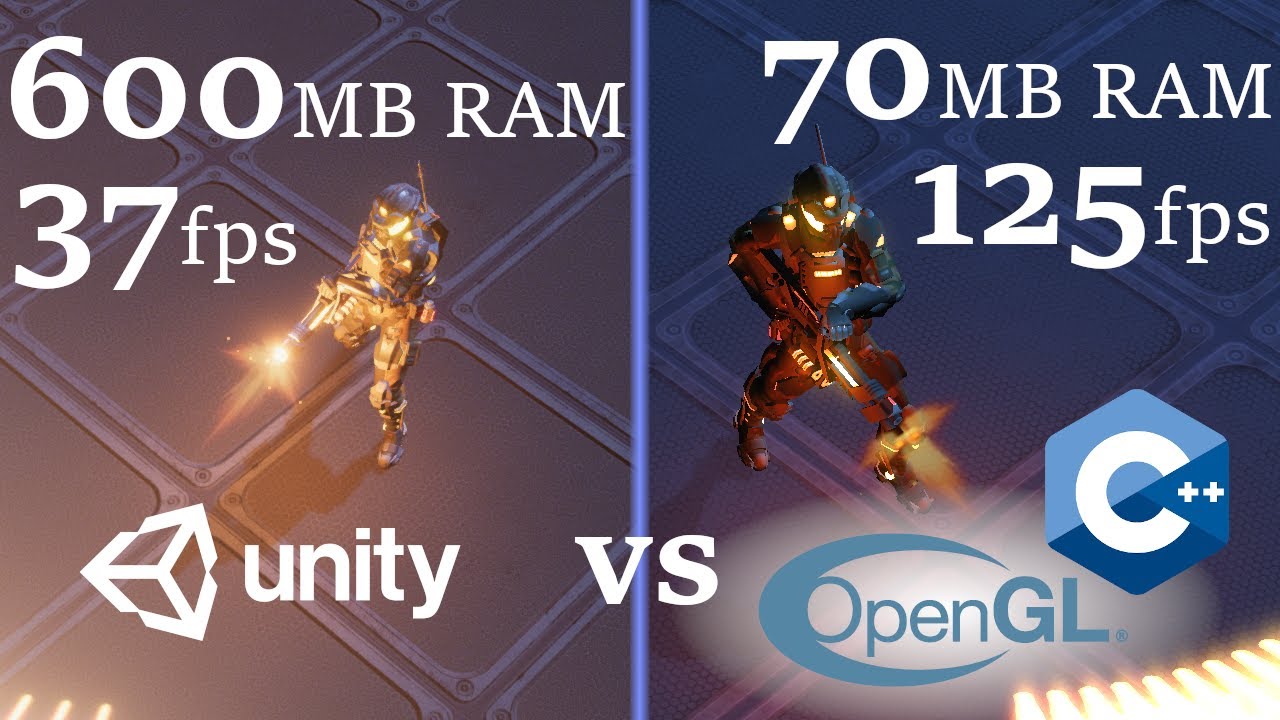
A custom C++ engine delivers up to tenfold entity capacity over Unity DOTS while using nearly 90% less memory, but building basic graphics pipelines from scratch demands more than triple the development effort.
AI-assisted summary of Unity DOTS vs Handbuilt: Sample Project — original source. Check the original for full context.
Source published:
Key ideas
- Nick Caston benchmarked Unity's DOTS sample against a ground-up C++ and OpenGL clone to measure the empirical trade-offs between an off-the-shelf engine and scratch-built code. (0:00)
- The custom C++ engine handled an order of magnitude more projectiles than Unity DOTS, reaching roughly 420,000 bullets per volley before hitting the 100 ms frame time cutoff compared to Unity's ~44,000. (14:40)
- Memory profiling revealed that Unity DOTS allocated approximately 500 bytes per bullet compared to just 40 bytes in C++, maintaining an overall RAM footprint roughly 8 to 9 times larger. (17:09)
- Accounting for non-code editor overhead and GLSL debugging friction, building the game from scratch required an estimated 3.4 times the development effort of the Unity implementation. (25:59)
Detailed notes
## Background Published by Nick Caston on YouTube on December 18, 2019, this video compares Unity's official ECS/DOTS Angry Bots sample project against a scratch-built clone written in C++ and OpenGL. The project aims to provide concrete empirical data on runtime performance and development effort to inform the ongoing custom engine versus off-the-shelf engine debate.
## TL;DR Nick Caston benchmarks Unity's Data-Oriented Technology Stack (DOTS) against a custom-built C++ and OpenGL clone of the Angry Bots arena demo. By stressing both engines with extreme projectile volumes and continuous collision checks, the test reveals that the handbuilt engine delivers 4x to 10x better frame times and uses roughly 11% to 12% of the RAM consumed by Unity. However, Caston also formulates a development effort model incorporating code volume, GLSL debugging challenges, and editor workflows, showing that the C++ clone required roughly 3.4 times the engineering labor to build. He concludes that while a scratch engine offers strictly superior runtime performance and memory efficiency, implementing rendering pipelines and visual polish accounts for the vast majority of development time.
## Atmosphere & style The presentation is measured, analytical, and distinctly pragmatic, replacing ideological game-engine debates with clear-headed empirical data. Caston speaks with the grounded perspective of a practitioner who has directly grappled with low-level graphics code, candidly detailing the friction of debugging GLSL shaders by inspecting pixel colors. The narrative progresses smoothly from architectural theory and stress benchmarks into a thoughtful mathematical evaluation of developer time, leaving viewers with a balanced, unhyped appreciation for the real-world trade-offs between engine productivity and bare-metal control.
## Bulletin - [00:00](https://www.youtube.com/watch?v=tInaI3pU19Y&t=0s) Nick Caston benchmarked Unity's DOTS sample against a ground-up C++ and OpenGL clone to measure the empirical trade-offs between an off-the-shelf engine and scratch-built code. - [14:40](https://www.youtube.com/watch?v=tInaI3pU19Y&t=880s) The custom C++ engine handled an order of magnitude more projectiles than Unity DOTS, reaching roughly 420,000 bullets per volley before hitting the 100 ms frame time cutoff compared to Unity's ~44,000. - [17:09](https://www.youtube.com/watch?v=tInaI3pU19Y&t=1029s) Memory profiling revealed that Unity DOTS allocated approximately 500 bytes per bullet compared to just 40 bytes in C++, maintaining an overall RAM footprint roughly 8 to 9 times larger. - [25:59](https://www.youtube.com/watch?v=tInaI3pU19Y&t=1559s) Accounting for non-code editor overhead and GLSL debugging friction, building the game from scratch required an estimated 3.4 times the development effort of the Unity implementation.
## Key takeaways - [00:00](https://www.youtube.com/watch?v=tInaI3pU19Y&t=0s) The classic industry consensus holds that custom game engines offer superior runtime performance and control, but are rarely worth the substantial engineering investment. - [01:56](https://www.youtube.com/watch?v=tInaI3pU19Y&t=116s) Unity DOTS shifts away from traditional object-oriented GameObjects via three core pillars: the Entity Component System (ECS), the Burst Compiler, and the C# Job System. - [05:26](https://www.youtube.com/watch?v=tInaI3pU19Y&t=326s) In the Angry Bots sample, legacy GameObjects fail under high projectile loads, whereas the DOTS pipeline easily handles thousands of simultaneous bullets inside the Unity Editor. - [08:51](https://www.youtube.com/watch?v=tInaI3pU19Y&t=531s) To keep the comparison fair, the C++ AngryGL clone mimics Unity's constraints: no object pooling, discrete overlap collisions, and frame-rate-dependent simulation. - [10:16](https://www.youtube.com/watch?v=tInaI3pU19Y&t=616s) Minor simplifications were made in the C++ clone to save time, such as replacing the particle system with a sprite sheet and removing smooth follow dampening from the camera. - [11:59](https://www.youtube.com/watch?v=tInaI3pU19Y&t=719s) The benchmark methodology keeps four undying enemy bots in the scene to force continuous collision detection and terminates runs once frame time reaches the 100 ms firing interval. - [14:40](https://www.youtube.com/watch?v=tInaI3pU19Y&t=880s) While both implementations hit the 144 FPS display ceiling at low bullet counts, the custom C++ engine demonstrates a 4x to 5x performance lead in realistic envelopes and a 10x lead under extreme stress. - [17:09](https://www.youtube.com/watch?v=tInaI3pU19Y&t=1029s) Under extreme entity volumes, Unity's CPU and GPU utilization collapse toward near-idle levels, suggesting the engine is bottlenecked by main memory and GPU bus transfers rather than raw compute. - [17:09](https://www.youtube.com/watch?v=tInaI3pU19Y&t=1029s) Entity Debugger inspection indicates Unity DOTS uses roughly 200 bytes for component data per bullet, with an additional 300 bytes absorbed by culling structures, runtime tracking, and metadata. - [20:43](https://www.youtube.com/watch?v=tInaI3pU19Y&t=1243s) To quantify development effort, a baseline metric assigns Unity's 542 lines of functional ECS C# code an editor multiplier of 2.0 to account for non-code work like scene and material setup. - [23:55](https://www.youtube.com/watch?v=tInaI3pU19Y&t=1435s) The C++ implementation totaled 2,619 lines across C++, GLSL shaders, and build scripts, incurring extra development friction due to the difficulty of debugging shaders via pixel colors. - [25:59](https://www.youtube.com/watch?v=tInaI3pU19Y&t=1559s) The resulting effort ratio of 3.4 indicates that building the project from scratch in C++ took roughly 3 to 4 times the labor of building it in Unity DOTS. - [25:59](https://www.youtube.com/watch?v=tInaI3pU19Y&t=1559s) Most engineering hours on the custom engine were consumed by rendering features—dynamic shadows, bloom, and skeletal animation blending—rather than core gameplay mechanics or performance tuning. - [25:59](https://www.youtube.com/watch?v=tInaI3pU19Y&t=1559s) Caston cautions that these empirical results reflect a small sample project and should not be treated as a universal rule across all game genres or team sizes.
## Detailed walkthrough ### [00:00](https://www.youtube.com/watch?v=tInaI3pU19Y&t=0s) Game Engines vs. Building From Scratch
Game engines provide tools designed to streamline development by handling common foundational systems—such as physics, lighting, animation, audio, player input, and cross-platform deployment to targets like Windows or Xbox. Despite these built-in systems, developers continually debate whether to use an established engine or write a game engine from scratch. The standard industry consensus suggests custom engines grant superior runtime performance and control, but are seldom worth the extra development time and effort.
Rather than settling for broad generalizations, Nick Caston set out to evaluate the concrete trade-offs between a modern engine and a scratch-built implementation. Focusing on Unity—a widely adopted, battle-tested platform spanning both indie and AAA productions—the experiment looks specifically at how Unity Technologies' recent push toward data-oriented architectures holds up against bare-metal code.
```mermaid flowchart TD accTitle: Custom Engine vs Off the Shelf Engine accDescr: Diagram contrasting traditional game engine trade-offs with custom scratch-built implementations. subgraph GE["Off-the-Shelf Engine (Unity)"] GE_Pros["Built-in Systems: Physics, Lighting, Cross-platform"] GE_Cons["Layers of Abstraction, Potential Overhead"] end subgraph Scratch["Custom C++ Implementation"] S_Pros["Maximum Control, Direct Memory Access, Higher Speed"] S_Cons["Heavy Development Effort, Reinventing Core Systems"] end GE -->|"Evaluate Trade-offs"| Comp["Empirical Performance & Effort Comparison"] Scratch -->|"Evaluate Trade-offs"| Comp ```
- Standard game engine responsibilities: physics simulation, dynamic lighting, skeletal animation, audio playback, input polling, and multi-platform compilation abstractions. - “The classic answer to this is yeah you can like you can build it yourself you know get better performance and you have more control over your project but it's usually not worth the extra effort,” remarks Nick Caston regarding the traditional dilemma.
---
[01:56](https://www.youtube.com/watch?v=tInaI3pU19Y&t=116s) Unity's DOTS and the Angry Bots Sample
Unity's Data-Oriented Technology Stack (DOTS) shifts the architecture away from traditional object-oriented programming (OOP). In standard OOP architectures, data is often hidden behind deep abstraction layers and scattered across heap memory. In contrast, data-oriented design focuses directly on memory layout and data transformation per tick or frame. Unity implements this philosophy across three primary pillars: the Entity Component System (ECS), the Burst Compiler (which compiles targeted C# subsets into highly optimized native machine code), and the C# Job System for multithreaded processing across available CPU cores.
```mermaid flowchart LR accTitle: Unity DOTS Architecture accDescr: The three core pillars that comprise Unity's Data-Oriented Technology Stack. subgraph DOTS["Unity DOTS Architecture"] ECS["Entity Component System (ECS)"] Burst["Burst Compiler"] Jobs["C# Job System"] end ECS -->|"Data Layout"| Jobs Jobs -->|"Parallel Work"| Burst Burst -->|"Native Code Generation"| Hardware["Multi-core CPU"] ```
To showcase the performance improvements of DOTS prior to its full release, Unity published an open-source sample project derived from *Angry Bots*. The demo features a top-down arena where a player character fights off spawning waves of worm-like robotic monsters using an automatic shotgun-style weapon. Inside the Unity Editor, the sample includes an architectural toggle allowing users to switch dynamically between the legacy GameObject/MonoBehaviour workflow and the DOTS/ECS implementation.
- The three pillars of Unity DOTS: - **Entity Component System (ECS):** Organizes program logic around raw data structs (components) and iterative logic (systems). - **Burst Compiler:** An LLVM-based compiler tailored for high-performance math and memory layout routines. - **Job System:** A safe multithreaded framework designed to saturate multi-core processors. - Player weapons use a `Spread Amount` parameter: firing triggers a grid of bullets equal to the spread value squared (e.g., a spread of 10 fires $10 \times 10 = 100$ bullets per shot). - Baseline firing rate: one volley every $0.1$ seconds ($100\text{ ms}$).
---
[05:26](https://www.youtube.com/watch?v=tInaI3pU19Y&t=326s) Testing Legacy Unity vs. ECS
In the sample running inside the Unity Editor, legacy object-oriented GameObjects handle 100 bullets per volley without immediate failure. However, increasing the spread value to 20 ($20 \times 20 = 400$ bullets per volley) causes severe lag, rendering the game unplayable whenever the trigger is held down.
Flipping the project's internal boolean toggle routes bullet and enemy spawning logic through the ECS pipelines instead. With the ECS path enabled, the game handles the previous 400-bullet workload effortlessly. Caston increases the spread parameter to 50—generating 2,500 bullets per shot fired ten times a second—and the scene continues to update smoothly within the editor without freezing, validating the raw architectural throughput of DOTS compared to classic Unity scripts.
Behind the simplistic gameplay loop, the project implements several visual and rendering details: - Dynamic shadows cast by both the player character and incoming enemies. - Weapon lighting effects, including instantaneous muzzle flashes that illuminate the player's 3D mesh. - Bloom/emissive post-processing, visible on the player's illuminated backpack fixtures. - Directional blend tree animations that transition the character between forward, backward, strafing, and diagonal walk cycles. - A smoothed follow-camera that glides and rotates slightly behind the player rather than snapping rigidly to the player's coordinates.
---
[08:51](https://www.youtube.com/watch?v=tInaI3pU19Y&t=531s) Project AngryGL: A Ground-Up C++ Clone
To test how Unity DOTS compares against custom code, Caston sets out to build an identical clone from scratch in C++ without relying on any third-party game engines. The target is to reproduce the full visual and mechanical fidelity of the Unity sample, including lighting, shadows, blending animations, and particle effects, rather than building a stripped-down prototype.
To keep the benchmark fair, Caston mirrors the deliberate design constraints Unity placed on the original project: 1. **No Object Pooling:** Bullets must be dynamically created and destroyed on demand rather than recycled from a pre-allocated pool. 2. **Frame-Rate Dependent Simulation:** Updates follow raw frame ticks rather than using a decoupled, fixed-timestep physics loop. 3. **Discrete Collisions:** Collision detection runs as discrete overlap checks instead of continuous ray sweeps.
```mermaid flowchart TD accTitle: AngryGL Architecture and Dependencies accDescr: Structural breakdown of the scratch-built C++ AngryGL project. subgraph AngryGL["AngryGL (Custom C++ Implementation)"] Core["Core C++ Codebase"] GL["OpenGL (Rendering)"] Window["Window Management Library"] Math["Matrix/Vector Math Library"] AssetLoad["Asset & File Format Parsers"] end Core --> GL Core --> Window Core --> Math Core --> AssetLoad ```
The scratch implementation relies on minimal dependencies: OpenGL for rendering, an OS window-management library, simple matrix/vector math libraries, and specialized asset parsers to read model and animation files.
- “I'm going to build a clone of that DOTS sample project and I'm going to build it from the ground up so I'm not going to use Unity or any other game engine I'm just going to start with a blank codebase and just make the game,” Caston states when detailing his methodology.
---
[10:16](https://www.youtube.com/watch?v=tInaI3pU19Y&t=616s) Inspecting the Handbuilt C++ Build
Caston presents the finished C++ clone running in real-time. The core gameplay and visuals match the Unity original: the character navigates the platform, enemies track the player, shotgun volleys fire on command, and directional animation blending transitions the character when running diagonally. Emissive bloom glows from the character's backpack, and the depth-based shadow mapping renders clean shadows across the scene.
Due to time constraints during development, Caston made two minor deviations from the original: - **Muzzle Flash:** Rather than writing an entire particle emitter system, the handbuilt version uses an animated sprite-sheet flipbook derived from screenshots of the Unity particle effect. - **Camera Follow:** The camera tracks the character's position directly on a rigid offset without the soft interpolation and rotational dampening found in the original.
These simplifications have negligible impact on raw processing and rendering throughput, though Caston notes they must be factored into the overall development effort calculations. To push the handbuilt engine's stress limits, Caston increases the spread amount to 50 ($2,500$ bullets per volley) and reduces the firing delay from $0.1$ seconds to zero, setting up an immediate stress test.
[11:59](https://www.youtube.com/watch?v=tInaI3pU19Y&t=719s) Benchmark Methodology and Hardware Constraints
To conduct a rigorous head-to-head performance analysis rather than just tinkering inside the editor, the testing environment requires strict constraints. Four undying enemy bots are spawned symmetrically around the player character; keeping them perpetually alive ensures that the spatial collision detection pipelines run continuously every frame without their computational overhead disappearing. In both the Unity DOTS sample and the C++ handbuilt clone, the player shoots in a single fixed direction at a static fire interval of 0.1 seconds (100 milliseconds). The `spreadAmount` variable is gradually scaled up, with the actual bullet count per shot scaling as the square of that number. Tests are stopped once the time required to render and process a single frame reaches the 100-millisecond fire interval. As Nick points out: “We're not framerate independent at all, so we can't actually fire bullets faster than frame rate allows.”
The primary measurement is frame time—the elapsed time between frames—expressed in milliseconds, which provides a cleaner, lower-is-better metric than raw frames per second (FPS) while correlating directly with hardware load. System resource utilization across RAM, CPU, and GPU is tracked using Windows Task Manager on an isolated per-process basis to avoid third-party software interference. Nick closes all non-essential applications during the benchmark runs and deliberately omits application startup times: without an upgraded Unity commercial tier, there is no way to bypass the mandatory splash screen on release builds.
```mermaid flowchart TD accTitle: Benchmark Methodology Flow accDescr: Diagram illustrating the experimental setup and loop used to benchmark Unity DOTS against the handbuilt C++ engine.
subgraph Setup["Test Scenario Setup"] A["4 Undying Enemies<br/>(Forces continuous collision)"] B["Fixed Shooting Direction<br/>(Interval = 0.1s / 100ms)"] end
subgraph Exec["Benchmark Iteration"] C["Increase 'spreadAmount'<br/>(Bullets = spreadAmount²)"] D["Measure Frame Time<br/>& System Resources"] end
subgraph Termination["Stopping Condition"] E{"Frame Time >= 100ms?"} F["Halt Test Run"] end
Setup --> Exec C --> D --> E E -- "No" --> C E -- "Yes" --> F ```
- Enemy targets: 4 enemies arranged evenly around the player, set to never die so collision detection runs constantly. - Firing interval: Exactly 0.1 seconds (100 ms) per burst in a uniform direction across both engines. - Test cutoff threshold: Benchmarking stops when average frame time hits or exceeds the 100 ms interval. - Resource tracking: RAM, CPU, and GPU monitored on a per-process basis via Windows Task Manager. - Omitted metrics: Engine startup time is excluded because the free Unity license forces the engine splash screen.
---
[14:40](https://www.youtube.com/watch?v=tInaI3pU19Y&t=880s) Frame Time Scalability: Unity DOTS vs. Handbuilt C++
Tracking frame times averaged over 100 frames reveals clear scaling tiers. On the test machine, the display and pipeline bottom out at 7 milliseconds (roughly 144 FPS), while 16 milliseconds marks the standard 60 FPS threshold where gameplay feels responsive and fluid. At low bullet densities, both Unity DOTS and the C++ implementation easily saturate the monitor's 144 FPS cap. However, as the entity counts expand exponentially into stress-test territory, their scaling curves diverge sharply.
| Spread Amount | Bullets per Shot | Unity DOTS Frame Time (ms) | Handbuilt C++ Frame Time (ms) | |---|---|---|---| | Low / Initial | Small counts | ~7 ms (144 FPS cap) | ~7 ms (144 FPS cap) | | Extreme scaling | ~44,000 | ~104 ms (Cutoff threshold) | Low / smooth | | Absolute ceiling | ~420,000 | N/A (Failed earlier) | ~100 ms (Cutoff threshold) |
Unity DOTS degrades steadily under heavy projectile loads, climbing through 27 ms and 72 ms until it breaches the unplayable 104 ms mark at approximately 44,000 bullets per shot. At that same volume, the custom C++ engine continues to run effortlessly. The handbuilt solution does not hit the 100 ms ceiling until firing approximately 420,000 bullets per burst—representing an order of magnitude increase in entity handling capacity. As Nick observes regarding real-world relevance: “They start off very similar, and the more extreme you go, the bigger of differences, with around a 10x difference up here, but in these realms that you're probably more likely to care about, it's more of a four to five times difference.”
- 7 ms represents the ~144 FPS display refresh ceiling of the benchmarking setup. - 16 ms represents the standard 60 FPS target for smooth real-time interactive gameplay. - Unity DOTS crosses the unplayable 100 ms threshold (~104 ms) at roughly 44,000 bullets per burst. - Handbuilt C++ clone maintains stability until roughly 420,000 bullets per shot before crossing the same limit. - Performance advantage of the custom engine ranges from identical at low counts, to 4x–5x in practical gameplay envelopes, up to 10x in extreme synthetic conditions.
---
[17:09](https://www.youtube.com/watch?v=tInaI3pU19Y&t=1029s) CPU, GPU, and Memory Footprint Analysis
CPU and GPU tracking exposes the architectural bottlenecks limiting Unity DOTS. While the handbuilt engine maintains a flat, stable CPU utilization hovering around the mid-30% range throughout the test, Unity DOTS displays an initial rise followed by an aggressive plunge. This steep downward slope in CPU activity is mirrored by the GPU utilization, which drops precipitously toward near-idle levels right as frame times cross the 100 ms mark. This drop-off indicates that the Unity DOTS pipeline is not stalling on raw mathematical execution or shader compute. Instead, Nick deduces: “I think this is a pretty strong indication that the Unity version is not at all bound by GPU or CPU usage; I suspect that's probably something to do with I/O between main memory and the GPU memory.”
The RAM comparison demonstrates an even larger delta, maintaining a consistent ratio where the C++ engine consumes only 11% to 12% of the memory used by Unity. When graphed, the slope shows Unity allocating roughly 500 additional bytes of system RAM for every single bullet spawned, compared to just 40 bytes per bullet in the custom C++ engine. Inspecting a bullet entity inside Unity's Entity Debugger shows an assortment of component data fields and duplicate tracking metadata that total roughly 200 bytes per entity. The remaining ~300 bytes per bullet are likely absorbed by adjacent data structures—such as bounding volumes, KD-trees for spatial partitioning and frustum culling, garbage collector tracking references, or JIT runtime allocations:
- RAM consumption ratio: The custom C++ engine uses roughly 11%–12% of the RAM consumed by Unity DOTS (Unity uses ~9x more memory). - Per-bullet memory cost: ~500 bytes per bullet in Unity DOTS versus ~40 bytes per bullet in handbuilt C++. - Entity Debugger breakdown: Direct entity component values account for ~200 bytes in Unity DOTS; the remaining ~300 bytes stem from internal data structures, culling trees, or C# runtime/GC overhead. - Bottleneck behavior: Near-zero GPU and collapsing CPU utilization at high load demonstrate memory bus / dispatch bottlenecks rather than compute saturation.
---
[20:43](https://www.youtube.com/watch?v=tInaI3pU19Y&t=1243s) Quantifying Development Effort: C# DOTS vs. C++ Engine
Evaluating raw engine performance addresses only half the equation; the engineering cost required to achieve that performance from scratch must also be calculated. Nick introduces a mathematical framework to evaluate the relative effort ratio:
$$\text{Effort Ratio} = \frac{E_{\text{HB}}}{E_{\text{Unity}}}$$
where $E_{\text{HB}}$ is the effort spent on the handbuilt C++ implementation and $E_{\text{Unity}}$ is the effort spent on the Unity DOTS project.
To establish an objective baseline, the unit of measurement is defined as the effort required to produce one average line of C# code in the Unity project. The total effort for Unity cannot be measured solely by raw source lines, because an extensive portion of a Unity title's behavior is configured visually through inspector windows, materials, lighting setups, animation state graphs, and scene hierarchies. Nick balances this by introducing a scalar multiplier of 2, doubling the weight of the raw line count to account for editor-side work.
To determine the baseline code size, Nick strips all non-ECS legacy fallback paths, comments, and blank lines from the Unity project while formatting its braces to match the C++ engine's layout. This results in exactly 542 lines of functional C# ECS code. In explaining why he set the editor overhead multiplier to two, Nick remarks: “There are a lot of elements to defining your Unity project that are outside the code, and from my personal experience, I've never worked on large-scale Unity projects, just a little small toy.”
- Baseline metric unit: The effort required to author one average line of C# code in the Unity project. - Unity ECS line count: Exactly 542 lines of clean C# code (excluding comments, blank lines, and non-ECS code paths). - Editor effort coefficient: Set to a factor of 2 to account for non-code assets, scene layout, animation graphs, and material creation. - Handbuilt model adjustments: The C++ effort calculation factors in a relative per-line difficulty coefficient and an additional modifier to compensate for minor omitted features.
[23:55](https://www.youtube.com/watch?v=tInaI3pU19Y&t=1435s) Calculating Development Effort: Unity vs. Handbuilt
Nick Caston wraps up the estimation formula to quantify the relative development effort between the two implementations. For small toy projects like this one, spending roughly half the time on code and the other half on non-code assets and setup maps quite well to reality, bringing the total Unity effort metric to 1,084. Turning to the handbuilt C++ and OpenGL clone, the total codebase comes out to 2,619 lines of code once boilerplate is stripped away. This figure encompasses everything needed to build and run the project: the core C++ code, the build configuration scripts, and the GLSL shader code executed on the GPU.
```mermaid flowchart LR accTitle: Development Effort Estimation Formula accDescr: Diagram showing how lines of code, effort ratios, completion percentage, and non-code multipliers produce final effort values. subgraph Unity ["Unity DOTS"] U_LOC["Base Code Lines"] --> U_Calc["Effort Formula (LOC × Ratio × Multipliers)"] U_Calc --> U_Total["Unity Effort Value: 1,084"] end subgraph Handbuilt ["Handbuilt C++ / OpenGL"] H_LOC["2,619 Lines (C++, GLSL, Build)"] --> H_Boost["Line Effort Ratio (~1.25)"] H_Boost --> H_Comp["90% Completion Adjustment"] H_Comp --> H_Total["Handbuilt Effort Value: 3,638"] end U_Total --> Comp{"Relative Effort"} H_Total --> Comp Comp --> Result["3x to 4x More Effort for Handbuilt"] ```
When deciding on the line-effort ratio for the custom engine, Caston initially considered setting it around 2.0 due to the complex mathematical routines involved—such as manual ray tracing calculations or determining the player's aiming orientation from 2D mouse screen coordinates. However, examining Unity's ECS implementation revealed that ECS code is itself far from trivial, and much of the math in the C++ version naturally spreads across multiple lines. Nonetheless, he gave the handbuilt code a slight multiplier boost because debugging OpenGL and GLSL remains notoriously painful: “I've often found myself just rendering pixels of particular colors to try and figure out what the state was in the GLSL code which it does slow down development a bit.” Factoring in a 90% completion score to account for a few missing polish features, the final calculated effort value for the handbuilt version reaches 3,638.
- **Unity Effort Metric:** 1,084 points (incorporating roughly a 50/50 split between coding and non-code tasks). - **Handbuilt Code Volume:** 2,619 total lines (inclusive of C++, GLSL shader stages, and build scripts). - **Shader Debugging Overhead:** Lack of native inspection tools forced visual debugging via raw pixel color outputs. - **Handbuilt Completion Level:** Graded at 90% due to minor omitted features. - **Handbuilt Effort Metric:** 3,638 points.
---
[25:59](https://www.youtube.com/watch?v=tInaI3pU19Y&t=1559s) Final Comparison and Key Takeaways
Dividing the handbuilt effort score by the Unity score yields a ratio of 3.4. Stripping away false precision, Caston summarizes that building this specific game from scratch in C++ and OpenGL demanded approximately 3 to 4 times the effort of creating it in Unity DOTS. He notes that this matches real-world intuition: an experienced Unity developer could assemble a toy project like this in about a single day, whereas a programmer comfortable with 3D math and modern C++ would likely take roughly a full week to get the custom version running.
```mermaid flowchart TD accTitle: Handbuilt Development Time Breakdown accDescr: Flowchart illustrating where time was spent during the development of the handbuilt engine. Root["Handbuilt Engine Effort"] --> Core["Core Game Mechanics & Optimization (Straightforward & Fast)"] Root --> Polish["Visual Polish & Graphics Pipeline (Consumed Most Development Time)"] Polish --> P1["Dynamic Lighting & Shadows"] Polish --> P2["Bloom Post-Processing"] Polish --> P3["Skeletal Animation Blending"] ```
When evaluating raw runtime results, the handbuilt solution delivered strictly superior performance across every tested benchmark, showing an especially dramatic advantage in memory footprint and notable reductions in frame time. However, that performance came at the cost of substantial labor. Most of the engineering hours on the handbuilt clone were consumed by visual polish—implementing lighting, dynamic shadows, bloom post-processing, and skeletal animation blending—rather than the gameplay loop: “getting the actual game mechanics working and getting it all optimized that was it was actually pretty straightforward.”
Caston closes by urging developers not to over-generalize these findings to every production scenario. “I think it's important just to give out a reminder that, you know, this is not a one-size-fits-all comparison for different projects, different teams—all these different variables are going to change this hugely,” he emphasizes, reiterating that this test serves merely as a single empirical benchmark before inviting viewers to share their feedback in the comments.
- **Effort Ratio:** Handbuilt required ~3x to 4x the labor of Unity DOTS (calculated strictly at 3.4x). - **Estimated Build Times:** ~1 day for an experienced Unity programmer versus ~1 week for a capable C++ developer. - **Performance Verdict:** Handbuilt achieved strictly better performance across memory utilization and frame times. - **Primary Time Sink:** Implementing rendering features (lighting, shadows, bloom, animation blending) took far longer than mechanics or optimization. - **Extrapolation Warning:** The result represents a single toy-project data point and should not be treated as a universal rule for all team sizes or game genres.
## Mentioned Nick Caston, Unity Technologies, Unity, Unity DOTS, Entity Component System (ECS), Burst Compiler, C# Job System, Angry Bots, AngryGL, C++, OpenGL, C#, GLSL, LLVM, Windows Task Manager, Xbox
## Video description Comparison between one of Unity's sample ECS/DOTS projects, and a "from scratch" cloned implementation using C++ and OpenGL. Bringing some data to the game engine discussions. Custom game engine vs Unity DOTS!
Unity sample project repo: https://github.com/UnityTechnologies/AngryBots_ECS
C++ clone source: https://github.com/ntcaston/AngryGL
You can watch me live stream game development at https://www.twitch.tv/nickcaston
OpenGL® and the oval logo are trademarks or registered trademarks of Hewlett Packard Enterprise in the United States and/or other countries worldwide.
"Unity", Unity logos, and other Unity trademarks are trademarks or registered trademarks of Unity Technologies or its affiliates in the U.S. and elsewhere.
The stylized “C++” logo is a trademark of the Standard C++ Foundation.
[Source](https://www.youtube.com/watch?v=tInaI3pU19Y)