## Background
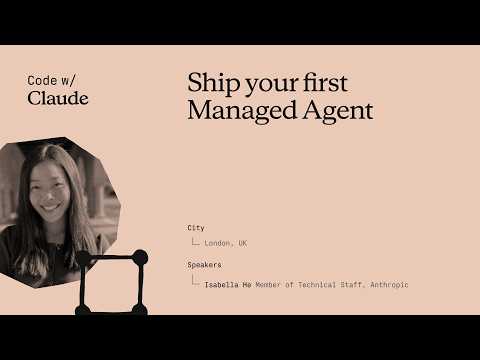
Published on May 26, 2026, by the Claude channel on YouTube, this video walkthrough outlines how to build and deploy a working incident-investigator agent on Anthropic's Managed Agents platform. The video description highlights that the session covers defining an Agent, Environment, and Session, streaming events, and wiring up custom tools across six functions, while providing a roadmap to production features like subagents, vaults, and memory.
## TL;DR
In this hands-on workshop, Isabella He from Anthropic's Applied AI team demonstrates how to build and deploy an automated Site Reliability Engineering (SRE) agent using Claude Managed Agents. The walkthrough explores the architectural benefits of decoupling the agent's cognitive loop (the brain) from its containerized execution space (the hands) to achieve dramatic latency reductions and enhanced security. Viewers learn to configure environments, utilize a files API for log processing, manage session state persistence server-side, and implement local tools to diagnose a live database pool exhaustion incident. Finally, the session reviews advanced production features including native memory via 'dreaming,' multi-agent orchestration, success rubrics, and encrypted credential vaults.
## Atmosphere & style
The presentation feels like a highly technical, engaging, and collaborative developer workshop where viewers are actively encouraged to open their laptops and code along. Isabella He strikes a practical, expert, yet lighthearted tone, jokingly emphasizing the relief of automating away dreaded 3:00 a.m. incident response calls. The narrative moves dynamically from historical context and architectural theory into real-time streaming validation, creating a supportive and empowering environment that makes complex cloud infrastructure feel approachable and seamlessly managed.
## Key takeaways
- [00:15](https://www.youtube.com/watch?v=19HDQ9HppOA&t=15s) Isabella He from Anthropic's Applied AI team introduces a session focused on building, understanding, and deploying an incident response management agent using Claude Managed Agents.
- [02:10](https://www.youtube.com/watch?v=19HDQ9HppOA&t=130s) The evolution of Anthropic's developer tools progressed from raw token access via the Messages API in 2023, to the local execution capabilities of the Agent SDK, and finally to Claude Managed Agents, which abstracts away infrastructure, scaling, and sandboxing.
- [04:36](https://www.youtube.com/watch?v=19HDQ9HppOA&t=276s) Claude Managed Agents allows developers to build production-ready agents 10 to 15 times faster by natively handling low-level complexities like compaction, caching, and model-specific behaviors.
- [04:36](https://www.youtube.com/watch?v=19HDQ9HppOA&t=276s) During development with Sonnet 4.5, Anthropic observed 'context anxiety' where the model wrapped up tasks prematurely despite having ample context window space, necessitating temporary custom harness mitigations that were later made obsolete by Opus 4.5.
- [05:55](https://www.youtube.com/watch?v=19HDQ9HppOA&t=355s) The architecture of Claude Managed Agents is built around three core primitives: the Agent Endpoint (defining persona, prompt, and tools), Environments (the containerized execution space), and Sessions (the stateful glue connecting the agent and environment).
- [07:22](https://www.youtube.com/watch?v=19HDQ9HppOA&t=442s) Decoupling the agent's cognitive loop (the brain) from tool execution (the hands) enhances security via credential encryption and dramatically improves latency, resulting in a 90% reduction in P95 Time to First Token (TTFT).
- [09:15](https://www.youtube.com/watch?v=19HDQ9HppOA&t=555s) The hands-on workshop walks through configuring an automated Site Reliability Engineering (SRE) agent targeting Claude Opus 4.7 to investigate system metrics, deployment logs, and git diffs.
- [13:54](https://www.youtube.com/watch?v=19HDQ9HppOA&t=834s) A major update allows developers to bring their own containers and compute (BYOC) to Claude Managed Agents, enabling execution within private infrastructure alongside features like network allow-lists and MCP tunnels.
- [15:02](https://www.youtube.com/watch?v=19HDQ9HppOA&t=902s) Managing context engineering—such as uploading local logs and metrics via a files API—represents where developers spend the majority of their time when building production-ready agents.
- [16:33](https://www.youtube.com/watch?v=19HDQ9HppOA&t=993s) Sessions operate on an event-driven model rather than traditional request-response, streaming real-time tool calls and responses to the user and logging them in a built-in observability console.
- [18:05](https://www.youtube.com/watch?v=19HDQ9HppOA&t=1085s) Security and data privacy are managed through local execution of tools and proactive session deletion, which completely purges data from the cloud and local infrastructure.
- [19:42](https://www.youtube.com/watch?v=19HDQ9HppOA&t=1182s) In production environments, SRE agents can be equipped with a 'runbook skill' to access postmortems and debugging guides, mimicking human troubleshooting workflows.
- [22:29](https://www.youtube.com/watch?v=19HDQ9HppOA&t=1349s) During the live demonstration, the SRE agent successfully identifies database pool exhaustion caused by a recent code refactor on the order summary builder as the root cause of a latency spike.
- [25:55](https://www.youtube.com/watch?v=19HDQ9HppOA&t=1555s) Robust server-side session persistence automatically maintains conversation state and active histories across browser refreshes, eliminating the need for developers to manage complex external database tracking.
- [27:18](https://www.youtube.com/watch?v=19HDQ9HppOA&t=1638s) The event-log architecture ensures session resilience; if an execution container crashes, it can be restarted and resume the session instantly without interrupting the server-side cognitive loop.
- [31:01](https://www.youtube.com/watch?v=19HDQ9HppOA&t=1861s) CMA's event-driven architecture supports key session states (idle, running, rescheduling, terminated) and integrates with webhooks to trigger or resume sessions from external events.
- [32:35](https://www.youtube.com/watch?v=19HDQ9HppOA&t=1955s) Advanced multi-agent orchestration features allow a primary orchestrator agent to spin up specialized subagents, parallelizing tasks and optimizing context window usage.
- [32:35](https://www.youtube.com/watch?v=19HDQ9HppOA&t=1955s) A native 'dreaming' service enables self-improving agents by allowing Claude to review its own memory logs to determine what user preferences and corrections should persist across future sessions.
- [34:28](https://www.youtube.com/watch?v=19HDQ9HppOA&t=2068s) CMA shifts the agent paradigm from sequential tool calling to goal-oriented execution through 'outcomes,' which evaluate agent performance against a specified developer rubric.
- [34:28](https://www.youtube.com/watch?v=19HDQ9HppOA&t=2068s) Security is bolstered by 'vaults,' an encrypted endpoint storage system for user credentials that leverages the architectural split between the agent's brain and hands to eliminate external secret managers.
## Detailed walkthrough
### [00:15](https://www.youtube.com/watch?v=19HDQ9HppOA&t=15s) Introduction to Claude Managed Agents
Isabella He, a member of the technical staff on the Applied AI team at Anthropic, introduces the session on shipping your first managed agent. Her team sits at the intersection of products, research, and customers, contributing to internal products like Claude Code and Claude harnesses, while also helping external customers build on top of them. The goal of the session is to provide a hands-on understanding of how the managed agents harness works under the hood and to prepare attendees to deploy an incident response management agent.
The agenda begins with a quick refresher on Claude managed agents and their architectural design, which was built to ensure reliability for production-ready agents. This is followed by a hands-on workshop where attendees are encouraged to open their laptops and build an incident response agent alongside He. Finally, the session covers advanced features, including "dreaming"—a feature for self-improving agents and built-in memory.
- **Speaker:** Isabella He (Applied AI team, Anthropic)
- **Key Internal Products Mentioned:** Claude Code, Claude harnesses
- **Workshop Goal:** Build and deploy an incident response management agent
[02:10](https://www.youtube.com/watch?v=19HDQ9HppOA&t=130s) The Evolution of Agent Harnesses
He traces the history of building on Claude, starting in 2023 with the release of the first Claude model alongside the Messages API. This API provided raw model access, allowing developers to programmatically send tokens in and get tokens out. However, it required developers to implement all agent primitives themselves, such as context management, the agent loop, and compaction. While these primitives were simpler when models were less intelligent, the rise of highly capable agents that execute complex tasks and API calls made managing these components much more difficult.
To address this, Anthropic introduced the Agent SDK, a harness that allowed developers to programmatically call Claude Code to take actions within a file system. While powerful, the Agent SDK still required developers to manage hosting, scaling, and container safety on their own. This challenge led to the creation of Claude Managed Agents, which handles scaling, sandboxing, observability, and tool runtimes within a managed infrastructure. This allows developers to focus on custom tool logic and domain expertise rather than core compute infrastructure.
- **2023 Release:** Messages API (raw "tokens in and tokens out" access)
- **Agent SDK:** Programmatic harness for Claude Code, but required self-managed hosting and scaling
- **Claude Managed Agents:** Managed infrastructure handling sandboxing, observability, and scaling
[04:36](https://www.youtube.com/watch?v=19HDQ9HppOA&t=276s) Overcoming "Context Anxiety" and Harness Maintenance
He explains that Claude Managed Agents allow developers to build production-ready agents "10 to 15 times faster" by leveraging a purpose-built harness. A major motivation for building this managed service is that agent harnesses must constantly evolve alongside the models themselves. He shares an anecdote from when Anthropic was building on top of Sonnet 4.5:
> "We noticed that Sonnet 4.5 emitted a particular behavior called context anxiety. This meant that with Sonnet 4.5, Claude started wrapping up tasks early even when it still had room to spare in its context window."
To combat this early stopping behavior, the team had to build specific mitigations into their harness. However, when Opus 4.5 was released, this behavior disappeared entirely, rendering their custom harness work obsolete. This experience highlighted how labor-intensive it is to maintain harnesses. With Claude Managed Agents, Anthropic handles complexities like compaction, caching, and model-specific behaviors automatically.
[05:55](https://www.youtube.com/watch?v=19HDQ9HppOA&t=355s) The Three Core Primitives of Managed Agents
Building on Claude Managed Agents relies on three primary resources:
1. **The Agents Endpoint (The Brain):** Defines the persona, capabilities, model selection, system prompts, MCP (Model Context Protocol) servers, and skills that the agent can leverage during its loop.
2. **Environments (The Hands):** The containerized space where the agent actually takes action and executes tools on behalf of the user.
3. **Sessions:** The glue that ties the agent and the environment together, running a specific agent instance within an environment and streaming events back to the user.
Crucially, the agent loop runs server-side. This design choice abstracts away hosting and scaling. If a developer closes their laptop or refreshes their screen, the agent's state is fully maintained, ensuring durability and reliability.
- **Agent Endpoint:** Persona, system prompt, and tools
- **Environment:** Containerized execution space
- **Sessions:** Connects Agent and Environment; streams events
[07:22](https://www.youtube.com/watch?v=19HDQ9HppOA&t=442s) Decoupling the Brain from the Hands
He highlights a key architectural design decision in Claude Managed Agents: decoupling the agent loop (the brain) from tool execution (the hands). In traditional agent harnesses, these two components are tightly coupled. While coupling makes sense for tools like Claude Code—where the agent needs direct access to a local file system—it introduces significant security and performance challenges for enterprise applications.
By decoupling the agent loop from the sandbox environment, Anthropic introduced distinct sandboxing that prevents the agent from accessing sensitive credentials without encryption. Furthermore, this separation yields massive performance benefits. Previously, spinning up a tightly coupled agent required launching a new container for every single session, causing high latency. Decoupling these components resulted in a "90% reduction in TTFT [Time to First Token] for our P95 metrics on latency."
- **Security Benefit:** Enhanced sandboxing and credential protection
- **Performance Benefit:** Over 90% reduction in P95 Time to First Token (TTFT)
[09:15](https://www.youtube.com/watch?v=19HDQ9HppOA&t=555s) Hands-On Workshop: Setting Up the SRE Agent
The session transitions to the practical workshop. He instructs the audience to open their laptops, navigate to the provided repository URL, and clone the project. The workshop simulates an incident response scenario, a pain point familiar to software engineers who dread being woken up at 3:00 a.m. to debug server failures. The goal is to build an SRE (Site Reliability Engineering) agent that can automatically investigate metrics, logs, and deployments to resolve incidents.
```bash
# Setup commands for the repository
git clone <repository-url>
cd ship-your-first-manage-agent
# For Mac users:
python3 -m venv venv
source venv/bin/activate
# Install dependencies and run
pip install -r requirements.txt
cp.env.example.env # Add Anthropic API key here
streamlit run app.py
```
Once the Streamlit app is running, He demonstrates how to configure the agent by copying code from `agent_complete.py` to `agent.py`. The agent is configured to use "Claude Opus 4.7" and is given a simple system prompt defining its role as an SRE assistant. It is equipped with tools to fetch metrics, view recent deployments, inspect git diffs, and retrieve logs.
- **Target Model:** Claude Opus 4.7
- **Agent Role:** Automated Site Reliability Engineer (SRE)
- **Available Tools:** Metrics, recent deployments, git diff, log fetcher
[13:54](https://www.youtube.com/watch?v=19HDQ9HppOA&t=834s) Configuring the Environment
Moving to step two, He configures the environment where the SRE agent will execute its tasks. She highlights a major update announced at "Code with Claude London," which allows developers to bring their own containers and compute to Claude Managed Agents, enabling execution within their own private infrastructure.
For the workshop, the agent is configured to run within Anthropic's managed cloud with unrestricted network access. He notes that the network configuration uses an allow-list, meaning developers can restrict the agent's access to specific domains and URLs for security. Additionally, she mentions the release of Claude MCP tunnels, which allow developers to run MCP servers securely within their environments.
### [15:02](https://www.youtube.com/watch?v=19HDQ9HppOA&t=902s) Securing the Agent Environment and Context Engineering
To ensure that agents are production-ready and secure, developers can configure their execution environments to run privately rather than on a public network. Once the environment is defined, it is linked to the agent, establishing a unique identifier for both the agent and its environment. This setup serves as the foundation for defining user sessions.
The next critical step is granting the agent the ability to read logs and metrics. Drawing from lessons learned with Cloud Code, where developers first realized the power of giving agents access to a local file system, Cloud Managed Agents leverages a files API. By uploading metrics and logs directly to the agent, it can run code and process these files locally.
- **Context Engineering:** This is where developers spend the majority of their time when building on top of primitives like Cloud Managed Agents. Managing context—such as deciding which files are uploaded and how the agent processes them—is highly customizable and composable.
- **Data Richness:** Providing the agent with as much data as possible is what makes it powerful.
### [16:33](https://www.youtube.com/watch?v=19HDQ9HppOA&t=993s) Defining Sessions and Streaming Event-Based Responses
With the environment and files in place, developers can define the session. The session binds the agent and the environment together while mounting the necessary resources, such as the uploaded log files. By passing the agent ID, environment ID, and resources, the agent gains the ability to interact with the user.
```
Session Definition = Agent ID + Environment ID + Mounted Resources (Logs/Metrics)
```
Crucially, when a Cloud Managed Agent runs within a session, it does not communicate via a traditional request-response model of "tokens in and tokens out." Instead, it operates in units of events. Events include user messages, agent tool calls, and agent responses.
- **Observability and Streaming:** Every event is logged for observability and streamed back to the user in real time. This ensures the user sees the agent's step-by-step progress as it calls tools, rather than waiting for Claude to finish an entire multi-step task.
- **Built-in Console:** Cloud Managed Agents features a built-in observability console designed specifically for monitoring everything the agent is doing in real time.
### [18:05](https://www.youtube.com/watch?v=19HDQ9HppOA&t=1085s) Connecting Local Tools and Managing Session Security
While the agent is defined on the server side and ready to respond to basic inputs like "hi," it cannot perform complex tasks until it is connected to local tools. To debug an incident, developers must expose local tools—such as `get_metrics`, `get_recent_deploys`, and `get_diffs`—so the agent can take action directly on the local computer or infrastructure.
Another vital aspect of agent composition is session lifecycle management, specifically the ability to delete sessions. From a security and privacy perspective, developers must be able to proactively manage data retention.
- **Proactive Deletion:** When a session is deleted, it is completely removed from the cloud, the local infrastructure, and all associated logs. This ensures that sensitive operational data is not retained indefinitely.
- **Local Execution:** Local tools allow the agent to bridge the gap between cloud-based reasoning and local infrastructure execution.
### [19:42](https://www.youtube.com/watch?v=19HDQ9HppOA&t=1182s) Testing the Site Reliability Agent in Real Time
With the entire pipeline configured, the agent can be tested by starting a new session and prompting it to "debug my incident for me." Because the agent has access to tools like sandboxing, bash, and deployment history, it immediately begins executing powerful actions. It runs sandbox commands, inspects the uploaded logs, and calls `get_recent_deploys` to analyze recent system changes.
As the agent runs, the user can monitor the incoming data stream. The UI displays tabs showing the raw JSON data being passed to the agent from the local tools. The event-driven streaming architecture allows the user to watch the agent think, call tools, and output responses incrementally.
- **The Target Incident:** The agent is tasked with debugging a critical site reliability issue where the P99 latency is 10 times above the baseline.
- **Runbook Skills:** In production environments, developers often give SRE agents a "runbook skill." This allows the agent to access documented postmortems and step-by-step debugging guides, mimicking the exact resources a human developer would use to resolve an incident.
### [22:29](https://www.youtube.com/watch?v=19HDQ9HppOA&t=1349s) Resolving the Incident and Analyzing Root Cause
During a live demonstration, the presenter starts a fresh session to showcase the agent's reliability. While the workshop demo pulls metrics from local JSON files, this setup can easily transition to production monitoring systems like Datadog.
The agent successfully diagnoses the root cause of the latency spike:
"This seems to be caused by a database pool exhaustion. Seems like a commit that someone added here from Alice to refactor the order summary builder introduced a query that then caused the pool resources to be exhausted."
- **Root Cause Identified:** A database pool exhaustion triggered by a code refactor committed by "Alice" on the `order_summary_builder`.
- **Beyond Diagnosis:** While the demo stops at recommending actions, developers can integrate tools like Cloud Code to allow the agent to open the codebase, suggest a fix, and submit a pull request (PR), automating the path from incident to resolution.
### [25:55](https://www.youtube.com/watch?v=19HDQ9HppOA&t=1555s) Session Persistence and State Management
Cloud Managed Agents features robust session persistence. Even after a hard refresh of the browser, all previous sessions—including their full history, tool calls, and idle states—are retained in the cloud. Developers do not need to manage databases or deploy complex state-tracking infrastructure; everything is maintained server-side.
- **Session States:** Sessions transition dynamically between states, such as `running` and `idle`.
- **Resuming Sessions:** Because state is managed automatically under the hood, a user can easily resume an idle session at any time by asking a follow-up question (e.g., "Who are you?") within the same session window.
### [27:18](https://www.youtube.com/watch?v=19HDQ9HppOA&t=1638s) Architectural Recap: Separating the Brain from the Hands
Reviewing the workflow, the agent's construction relies on composing simple primitives: defining the persona, establishing the environment, uploading context, binding them into a session, and exposing local tools.
A key architectural lesson of Cloud Managed Agents is the separation of "the hands from the brain." The agent's cognitive loop runs securely on Anthropic's managed cloud infrastructure, while tool execution occurs on the developer's compute environment (whether local or in a private container).
- **Event-Log Architecture:** By appending events to a persistent log rather than relying on standard request-response APIs, the session remains highly resilient. If an execution container goes down, it can be spun back up and resume the session instantly without restarting the agent's cognitive loop.
- **Bring Your Own Compute (BYOC):** Developers can seamlessly swap out where tools are executed—moving from local JSON files to production Datadog clients—using the same underlying wire protocol.
[31:01](https://www.youtube.com/watch?v=19HDQ9HppOA&t=1861s) Event-Driven Architecture and Cloud Persistence in CMA
Cloud Managed Agents (CMA) leverage a robust event-driven architecture that manages session states seamlessly. The system transitions through key states—moving from idle to running, rescheduling if an agent needs to retry an operation, or terminating if a session fails. This design ensures high reliability and resumability. A particularly powerful feature is the integration of webhooks; when an external event triggers a webhook, the agent receives it and can immediately resume a session or kickstart a specific state. This makes it incredibly easy to compose agents that listen and react to both internal and external triggers.
Furthermore, because the agent loops live entirely in the cloud, conversation state and session history are automatically persisted. During the live build of the site reliability agent, a hard refresh of the page demonstrated that the active sessions were perfectly maintained. Developers do not need to manage databases or wire up storage solutions to keep track of where an agent is in its execution loop; CMA handles all of this out of the box, paving a smooth path to production-ready deployments.
- **Key Session States**: Idle, Running, Rescheduling (for retries), and Terminated (for failures).
- **Webhook Integration**: Allows external events to resume sessions or trigger specific state transitions.
- **Zero-Config Persistence**: Conversation history and agent states are saved in the cloud automatically, surviving page refreshes without requiring external database setup.
---
[32:35](https://www.youtube.com/watch?v=19HDQ9HppOA&t=1955s) Advanced Capabilities: Subagents, Memory, and Dreaming
While the basic primitives of CMA make it easy to handle compaction, caching, and tool calling automatically, developers can unlock much more powerful behaviors using advanced built-in components. One such feature is "subagents" (or multi-agent orchestration), where a primary orchestrator agent spins up and manages separate contexts for subagents. This allows for parallelization and highly efficient context engineering, as subagents execute specialized tasks within their own context windows and report back to the main agent.
Another critical pillar is memory, which addresses the common developer challenge of building self-improving agents that learn from user corrections and remember preferences. CMA introduces a native "dreaming" service. During dreaming, Claude reviews its own memory logs to determine what information to retain, allowing it to accurately manage context and remember user preferences or corrections across future sessions.
- **Subagents**: Enables an orchestrator agent to delegate tasks to specialized agents, optimizing context window usage and parallel execution.
- **Memory & Dreaming**: A native service where Claude analyzes its own logs to decide what to memorize, ensuring user preferences and corrections persist across sessions.
---
[34:28](https://www.youtube.com/watch?v=19HDQ9HppOA&t=2068s) Outcomes, Secure Vaults, and the Developer Console
CMA also introduces "outcomes," which shifts the agent paradigm from merely executing sequential tool calls to working toward a defined rubric. Developers can specify the exact final result they want, and the agent dynamically figures out which tools to call and what actions to take to satisfy that rubric. Additionally, security is addressed through "vaults." Managing user credentials safely is a notorious pain point, but CMA solves this by encrypting credentials on a separate endpoint. Because the "brains" (the LLM) and the "hands" (the execution environment) of the agent are architecturally separated, credentials can be securely managed on a per-user or per-session basis without developers needing to set up their own secret stores.
Beyond these features, CMA supports fine-grained permission policies, newly released Model Context Protocol (MCP) server controls, and a comprehensive console agent builder. The developer console features a "beautiful observability dashboard" and intuitive tools to define and monitor Cloud Managed Agents directly from the UI.
- **Outcomes**: Allows developers to define a success rubric so the agent self-directs its tool usage toward a specific goal.
- **Vaults**: Secure, encrypted credential storage that leverages the separation of the agent's brains and hands, eliminating the need for external secret managers.
- **Developer Console**: Includes built-in observability dashboards and visual tools for configuring agents.
---
[36:20](https://www.youtube.com/watch?v=19HDQ9HppOA&t=2180s) Session Recap and Closing
To wrap up the session, the speaker congratulates the audience on building and shipping a fully functioning site reliability agent right from their laptops. This hands-on achievement provides developers with a solid mental model of how managed agents operate under the hood. The speaker jokes that attendees should be proud of themselves for saving future developers from the dreaded "3:00 a.m. or 2:00 a.m." incident response wake-up calls by automating these workflows. With a clear understanding of CMA's core primitives and its advanced capabilities—like dreaming, vaults, and multi-agent orchestration—developers are well-equipped to build highly sophisticated, production-ready AI agents.
## Notable quotes
> [04:36](https://www.youtube.com/watch?v=19HDQ9HppOA&t=276s) We noticed that Sonnet 4.5 emitted a particular behavior called context anxiety. This meant that with Sonnet 4.5, Claude started wrapping up tasks early even when it still had room to spare in its context window. — Isabella He
> [07:22](https://www.youtube.com/watch?v=19HDQ9HppOA&t=442s) 90% reduction in TTFT [Time to First Token] for our P95 metrics on latency. — Isabella He
> [22:29](https://www.youtube.com/watch?v=19HDQ9HppOA&t=1349s) This seems to be caused by a database pool exhaustion. Seems like a commit that someone added here from Alice to refactor the order summary builder introduced a query that then caused the pool resources to be exhausted. — Isabella He
## Mentioned
Isabella He, Anthropic, Applied AI team, Claude Managed Agents, Claude Code, Claude harnesses, Messages API, Claude, Agent SDK, Sonnet 4.5, Opus 4.5, The Agents Endpoint, Model Context Protocol, Environments, Sessions, Code with Claude London, Claude MCP tunnels, Streamlit, Claude Opus 4.7, Datadog, Alice
Anthropic's Claude Managed Agents abstracts away hosting, scaling, and state persistence by decoupling an agent's cognitive reasoning from its execution environment. According to Isabella He of Anthropic's Applied AI team, this managed harness significantly cuts latency and simplifies building production-ready systems.
Evolution and Maintenance of Agent Harnesses (2:10)
Building on Claude evolved from direct Messages API token exchanges in 2023 to the Agent SDK, which enabled programmatic tool execution in file systems but left developers managing their own compute infrastructure, container safety, and scaling. He reported that custom harnesses also require constant maintenance due to shifting model behaviors; for instance, Sonnet 4.5 exhibited 'context anxiety'—stopping tasks prematurely despite remaining context window—which required temporary harness fixes that were rendered obsolete by Opus 4.5.
Claude Managed Agents handles context compaction, caching, and model-specific anomalies natively. He stated that this purpose-built managed infrastructure enables developers to build production-ready agents 10 to 15 times faster while focusing purely on tool logic and domain engineering.
Decoupling Reasoning from Tool Execution (5:55)
Claude Managed Agents relies on three primary building blocks: the Agent Endpoint ('the brain') defining personas, models, and skills; Environments ('the hands') where sandboxed execution occurs; and Sessions, which link the two, stream events, and track state. The cognitive agent loop runs server-side on Anthropic's cloud rather than locally, meaning state is preserved if a user closes their machine or refreshes their browser.
Separating the brain from the execution environment also addresses enterprise security and infrastructure latency. Unlike systems where the agent and local files are tightly coupled, this separation keeps credentials safely sandboxed on dedicated endpoints. Furthermore, avoiding spinning up new containers for every session yielded an over 90% reduction in P95 Time to First Token (TTFT) latency.
Event-Driven Sessions and Incident Response (9:15)
Rather than relying on request-response token cycles, the architecture logs and streams granular events—including tool calls, user inputs, and incremental reasoning—to a built-in observability console. In a workshop demonstration, an SRE agent running on Claude Opus 4.7 analyzed metrics, deployment histories, and git diffs to diagnose an incident where P99 latency spiked tenfold, successfully tracing the root cause to database connection pool exhaustion introduced in an order builder commit.
The framework supports Bring Your Own Compute (BYOC), allowing developers to execute tools in Anthropic's cloud or connect private containers and external monitoring platforms like Datadog. Sessions manage state transitions across idle, running, rescheduled, and terminated states. They can be triggered by external webhooks, resumed at any point, or permanently purged from both cloud and local infrastructure for data governance.
Advanced Memory, Subagents, and Outcomes (32:35)
Beyond basic tool calling, the platform includes architectural extensions for complex workflows. Subagent orchestration enables a primary agent to spin up independent context windows for specialized tasks, optimizing token consumption through parallel execution. For long-term adaptation, a built-in 'dreaming' memory service reviews past session logs so Claude can retain user preferences and corrections across distinct sessions.
The harness also shifts execution patterns through 'outcomes,' where developers supply a rubric of target results rather than procedural instructions, allowing the agent to self-determine necessary tool sequences. Security is further handled by native credential 'vaults' and Model Context Protocol (MCP) server tunnels, which protect sensitive secrets without requiring external secret-management integrations.
By offloading harness maintenance, context engineering, and sandbox scaling to a managed layer, developers can deploy robust autonomous agents. However, developers must still balance configuration complexities such as allow-listed network boundaries, private container setups, and credential vault policies when moving from workshop prototypes to full production environments.
精炼阅读摘要
Anthropic 应用 AI 团队技术专家 Isabella He 介绍了 Claude 托管智能体(Claude Managed Agents),强调该平台通过解耦认知决策与环境执行,旨在化解企业级智能体在底层算力调度、模型适配及安全运维上的工程复杂性。
框架演进与大脑与双手的架构解耦 (2:10)
从 2023 年仅提供原始令牌输入输出的 Messages API,到需要开发者自行管理容器与扩缩容的 Agent SDK,Anthropic 最终演进出了托管智能体架构。该服务将系统拆解为三大原语:定义人设与工具的智能体端点(作为大脑)、执行具体工具的容器化环境(作为双手),以及绑定二者的会话(Sessions)。
Isabella He 强调,将云端决策循环与工具运行环境解耦是核心设计。这种分离不仅避免了凭据在未加密状态下暴露,还显著提升了系统性能。过去紧耦合架构下每次启动会话都需要新建容器,解耦后使得延迟指标中的 P95 首字生成时间(TTFT)降低了 90% 以上。
化解上下文焦虑与框架维护负担 (4:36)
He 宣称,借助专用托管框架,开发者构建生产级智能体的速度可提高 10 至 15 倍。其背后的核心动因在于,智能体框架必须随着基础模型的迭代而持续重构,自行维护成本极高。
Anthropic 团队在基于 Sonnet 4.5 开发时发现,模型会出现一种被称为“上下文焦虑”(Context Anxiety)的现象,即上下文窗口尚有空间却提前终止任务。团队当时为此专门编写了缓解逻辑,但随后发布的 Opus 4.5 完全消除了这一行为,导致此前的适配工作失效。托管智能体接管了上下文压缩、缓存策略及特定模型特性的适配,使工程师无需跟随机型变化重写底层逻辑。
事件驱动机制与SRE排错实战 (16:33)
托管智能体采用基于追加日志的事件驱动架构,以事件而非单纯的令牌交互为基本单位,实时流式传输用户消息、工具调用及执行响应。在现场演示中,He 构建了一个使用 Claude Opus 4.7 的站点可靠性工程(SRE)智能体,用以调查 P99 延迟达到基线 10 倍的生产故障。
该智能体调用本地指标、部署记录和代码差异工具,成功查明根本原因为 Alice 提交的订单摘要构建器重构代码引发了数据库连接池耗尽。由于会话状态在云端自动维护,系统具备高弹性:即使用户强制刷新浏览器或执行容器中断,会话也能基于事件日志无缝恢复,且支持主动删除以保障敏感数据隐私。
子智能体做梦机制与安全金库 (32:35)
在基础原语之上,托管平台集成了多项高阶能力。通过子智能体编排,主调度器可为专注特定任务的子智能体分配独立的上下文窗口,实现任务并行化并优化上下文容量。系统还内置了“做梦”(Dreaming)服务,模型在离线状态下审查历史日志,自主决定保留哪些关键偏好与修正,实现跨会话的持续自我改进。
在执行策略与凭据安全方面,平台引入了“成果”(Outcomes)机制,允许开发者设定成功判定标准,由智能体自主规划工具调用路径,而非遵循固定的线性调用序列。同时,独立端点的“金库”(Vaults)提供加密凭据管理,结合自带算力(BYOC)容器和模型上下文协议(MCP)隧道,使智能体能够在企业私有网络下安全运行。
Claude 托管智能体通过托管认知循环与事件流持久化,消除了构建生产级智能体时的状态管理与基础设施门槛。演讲展现了从指标诊断到定位根因的闭环流程,但将其全面拓展至生产代码的自动提 PR 与自愈执行,仍有赖于开发者在上下文工程、权限边界与私有容器环境上的精细配置。
Source quotes
[4:36] Isabella He: We noticed that Sonnet 4.5 emitted a particular behavior called context anxiety. This meant that with Sonnet 4.5, Claude started wrapping up tasks early even when it still had room to spare in its context window.
[7:22] Isabella He: 90% reduction in TTFT [Time to First Token] for our P95 metrics on latency.
[22:29] Isabella He: This seems to be caused by a database pool exhaustion. Seems like a commit that someone added here from Alice to refactor the order summary builder introduced a query that then caused the pool resources to be exhausted.
Original transcript
[0:15] [music]
[0:19] >> All right. Hello everyone. It's great to
[0:21] see you all here today for our session
[0:23] on shipping your first manage agent.
[0:25] Let's go ahead and get started. My name
[0:27] is Isabella He. I'm a member of
[0:29] technical staff at Anthropic on the
[0:31] Applied AI team.
[0:32] The Applied AI team at Anthropic sits at
[0:34] the intersection of products, research,
[0:36] and our customers, which means that I
[0:38] get to contribute internally to products
[0:39] at Anthropic like Claude code and our
[0:41] Claude harnesses, as well as work
[0:43] externally with our customers that are
[0:45] building on top of Claude and on top of
[0:47] our harnesses.
[0:48] So, my goal today is to get you all
[0:50] hands-on with actually building on top
[0:52] of manage agents, understanding how the
[0:54] harness works under the hood, and
[0:56] getting you ready to actually ship your
[0:57] first incident response management.
[1:00] So, the quick overview of today's
[1:01] agenda. We're going to cover first a
[1:03] quick refresher of Claude manage agents.
[1:06] I want to talk you through a little bit
[1:07] about how this harness works under the
[1:08] hood and what makes it so special. Our
[1:11] team put a lot of thought into the
[1:12] architectural design of Claude manage
[1:14] agents to make sure that it runs ready
[1:16] and reliably for production-ready
[1:18] agents. So, I want to talk you through a
[1:19] little bit of how that works so that
[1:21] then when we transition to the second
[1:23] portion here, which is the hands-on
[1:25] workshop, you'll actually understand
[1:27] what each of the primitives you're
[1:28] building actually mean for your agents
[1:30] under the hood.
[1:32] So, for the majority of today's session,
[1:33] I want you all to actually have your
[1:35] laptops open, building alongside me,
[1:37] actually working inside of a repository,
[1:39] and getting you ready to actually spin
[1:41] up a working incident response agent.
[1:44] Lastly, we'll talk a little bit about
[1:45] beyond the basics. Today's session is
[1:47] the first session of a couple of other
[1:49] ones that will build on top of this on
[1:50] Claude manage agents.
[1:52] Specifically, right after this one, I
[1:53] think there's another session on
[1:54] dreaming, which is one of my favorite
[1:56] new features with Claude manage agents
[1:58] for self-improving agents and memory
[2:00] built into the harness. So, encourage
[2:02] everyone to dive in a little bit deeper
[2:04] into what else is in the box after we
[2:06] set you all up for success today with a
[2:08] quick introduction.
[2:10] So, let's first touch a little bit about
[2:11] how we got here with Claude manage
[2:13] agents.
[2:14] When we first released the very first
[2:16] Claude back in 2023, we released a
[2:19] messages API alongside access to Claude.
[2:22] This provided raw model access to all
[2:24] Claude models. This became the very
[2:27] first way that people could
[2:28] programmatically build on top of Claude
[2:30] and essentially gave a way for people to
[2:32] access tokens in and tokens out via our
[2:35] Claude models.
[2:36] This also meant that for everyone
[2:38] building on top of Claude models, they
[2:40] had to implement all the various
[2:41] primitives themselves. Things like
[2:43] context management, the actual agent
[2:45] loop, compaction, etc. All the
[2:47] primitives that come alongside making
[2:49] the agent work.
[2:50] When models were less intelligent back
[2:52] in the early days of let's say 2023,
[2:55] some of these primitives were much
[2:56] simpler because agents could simply do
[2:57] less. But, as we evolved into now with
[3:00] higher model intelligence and as agents
[3:02] are able to take on more complex tasks
[3:04] and actually take actions within
[3:06] environments and come to actually do
[3:08] entire tasks for humans,
[3:10] the primitives that come alongside
[3:12] context management and managing an
[3:14] agent's ability to execute API calls and
[3:16] tool calls becomes much more complex.
[3:19] So, that's when we moved to the agent
[3:20] SDK, which became a harness that allows
[3:23] you to programmatically call Claude
[3:25] code, one of our agents at Anthropic.
[3:28] So, Claude code is something that an
[3:30] agent has access to a computer and takes
[3:32] actions within file system. So, the
[3:34] agent SDK became a way for you to make
[3:36] Claude much more powerful by leveraging
[3:38] the power of Claude code within a
[3:40] harness.
[3:41] The main thing here though is that with
[3:43] the agent SDK,
[3:45] developers still had to manage hosting
[3:46] and scaling on their own and making sure
[3:49] that the agent SDK would be safe to run
[3:50] within their containers.
[3:53] That's only then evolved into Claude
[3:54] managed agents, which is the first
[3:57] harness to be able to handle scaling and
[3:59] production ready components for you by
[4:01] Anthropic,
[4:02] providing things like a purpose-built
[4:04] harness, sandboxing, observability, tool
[4:06] runtime, all within a managed
[4:08] infrastructure system. This means that
[4:10] developers can focus on task and agent
[4:12] configuration, custom tool logic, the
[4:15] things that actually matter for bringing
[4:17] domain expertise and customizability to
[4:19] your agents, where you're handing off
[4:21] the rest of all the primitives and core
[4:24] compute and primitives of essentially
[4:26] managing the basics of agent running to
[4:28] Anthropic.
[4:30] So, that brings me to managed agents as
[4:33] the fastest way to build production
[4:35] ready agents on Claude.
[4:36] We've seen people build 10 to 15 times
[4:38] faster to production with Claude managed
[4:40] agents by leveraging our purpose-built
[4:43] harness.
[4:44] Part of the reason why we built Claude
[4:45] managed agents is because is because
[4:47] harnesses should evolve alongside your
[4:49] agents.
[4:50] For example, back when we were building
[4:52] ourselves on top of models like Sonnet
[4:54] 4.5, we noticed that Sonnet 4.5 emitted
[4:57] a particular behavior called context
[4:59] anxiety. This meant that with Sonnet
[5:01] 4.5, Claude started wrapping up tasks
[5:03] early even when it still had room to
[5:05] spare in its context window.
[5:07] To manage that in our harness, we then
[5:09] added some mitigations to combat against
[5:12] this early stopping behavior.
[5:14] But, when Opus 4.5 then came out, we
[5:16] actually saw this behavior go away,
[5:18] making all that work we had done inside
[5:20] of the harness essentially obsolete
[5:21] because Claude had evolved beyond that
[5:23] behavior that we had built into the
[5:25] harness to manage.
[5:26] So, the takeaway there is that it's a
[5:28] lot of work to maintain harnesses and
[5:30] make sure that they actually evolve
[5:31] alongside your agents, which is why with
[5:33] Claude managed agents, we want to make
[5:35] it really easy for Claude and Anthropic
[5:37] to handle all the complexities that come
[5:39] with compaction, caching, things like
[5:41] context anxiety, all these various
[5:44] primitives that come with actually
[5:45] making agent production ready and
[5:46] getting the most out of Claude. So
[5:48] again, you can focus on the tasks,
[5:50] tools, and things that actually matter
[5:51] for building agents on Claude.
[5:55] So three primary resources go into
[5:57] building on Claude managed agents.
[6:00] First is the agent's endpoint, which is
[6:02] the persona and capabilities. This is
[6:04] the core system prompt that powers your
[6:06] agent. Essentially here, you're defining
[6:08] the model, the MCP servers, the skills,
[6:11] the various components that your agent
[6:12] can actually leverage when it's able to
[6:14] run in that agent loop.
[6:16] The next is the environments.
[6:18] You can think of this as the hands of
[6:20] the agent, where the previous one is the
[6:22] brain of the agent where the agent is
[6:23] thinking through what to execute, and
[6:25] then it's using an environment to
[6:27] actually have a space and a container to
[6:29] actually take action on your behalf.
[6:32] Sessions are next the way to tie
[6:34] together agents and environments.
[6:36] A single session has a spun up on an
[6:39] agent instance within an environment. So
[6:41] you can connect the two together and
[6:43] actually stream events back to your user
[6:45] and start to take action on behalf of
[6:47] your humans as part of a Claude powered
[6:49] agent.
[6:51] A key thing here, as I alluded to
[6:53] briefly before, Claude managed agent has
[6:56] the agent loop run server side.
[6:58] This means that a lot of the
[6:59] complexities that come with managing
[7:01] hosting and scaling are abstracted away.
[7:03] And when you close your laptop or you
[7:05] hit hard refresh on your agent that
[7:07] you're building on Claude managed
[7:08] agents, everything is maintained and you
[7:10] don't have to worry about durability,
[7:12] reliability, all these various aspects
[7:14] that usually come to bite you when
[7:16] you're trying to turn your agent from a
[7:17] prototype into production.
[7:22] And lastly here, before we dive into the
[7:24] hands-on portion, is I want to talk you
[7:26] through a key design decision that went
[7:28] into Claude managed agents.
[7:32] Previously, with a lot of agent
[7:33] harnesses, we saw the agent loop coupled
[7:35] tightly with tool execution.
[7:38] This design pattern made sense and still
[7:39] makes sense for some agents because you
[7:41] want to give the agent powerful
[7:43] abilities to actually take action within
[7:45] the environment. For instance, with
[7:46] Cloud Code, we want the agent to be able
[7:48] to access various files on your
[7:50] computer, take action within a file
[7:51] system, and therefore it makes sense for
[7:53] the agent to have access to all those
[7:55] tools spun up on every container.
[7:58] But, we also realized there are some
[7:59] constraints for this, especially with
[8:01] some agents where you essentially want
[8:03] to be able to decouple the hands from
[8:06] the brains of the agents.
[8:08] For instance,
[8:09] credentials and uh
[8:11] credentials and security became a huge
[8:13] concern.
[8:14] With the ability to have the agent
[8:16] access your file system, you can
[8:18] actually add very distinct sandboxing by
[8:20] decoupling these two components, where
[8:22] the agent is no longer able to access
[8:24] the actual credentials without
[8:25] encryption by decoupling the hands from
[8:27] the sandbox of the agent.
[8:30] The other aspect here is actually you
[8:32] can see huge benefits by doing these
[8:34] decoupling on things like time to first
[8:36] token and latency.
[8:38] Previously, with the agent loop into
[8:40] execution in the same box, you had to
[8:42] spin up containers for every single
[8:43] session that you're spinning up in the
[8:44] agent, which contributed to additional
[8:47] latency from a time to first time to
[8:48] first token perspective.
[8:50] But, with this now decoupled, our teams
[8:52] actually saw reductions in time to first
[8:53] token along the lines of over 90%
[8:57] reduction in TTFT for our P95 metrics on
[9:01] latency.
[9:02] So, here you can start to see the power
[9:03] of this design decision coming through
[9:05] from the perspective of safety,
[9:07] reliability, latency, and everything
[9:10] else that you care about when it comes
[9:11] to building production-ready agents.
[9:15] All right, so now it's time for the
[9:17] exciting part of today's session, which
[9:19] is where I want you all to open up your
[9:20] laptops and go to this URL here to
[9:23] actually clone a repository, and let's
[9:26] start to actually feel the magic of
[9:27] everything that I just talked through.
[9:29] So, I'm going to give everyone a second
[9:31] to just go over to that URL there
[9:33] and just spin up the repository that we
[9:35] have ready for you.
[9:37] All right, so here are some additional
[9:39] commands that I want you all to run to
[9:40] make sure this is all set up on your
[9:42] computers.
[9:43] So, the first step many of you might
[9:44] have done already, but just take that
[9:46] repository, hit the URL, get clone it,
[9:50] and then I want you to CD into the
[9:52] specific repository for the session,
[9:54] which is ship your first manage agent.
[9:56] And then, if you're on Mac, you'll see
[9:57] those two commands on the side, the
[9:59] Python and the source. Um, there's a
[10:01] command there for Windows as well.
[10:03] And you'll just do the rest there where
[10:04] you want to install the requirements,
[10:06] copy over the environment key into your
[10:08] .env file. Um, here you'll put in the
[10:10] Anthropic API key that hopefully all of
[10:12] you also received from the QR code for
[10:14] free credits earlier. And lastly, we'll
[10:16] just run the app.
[10:17] All right, let's go ahead and dive in,
[10:19] but as I mentioned before, let me just
[10:21] show everyone where these instructions
[10:23] are. If you go into the repository in
[10:25] the link and then go to ship your first
[10:27] manage agents, you scroll down on the
[10:28] read me, you'll see all the setup
[10:30] instructions here. So, feel free to do
[10:32] this, um, as we go along or even in your
[10:34] own time later today and continue
[10:36] playing around with it, but as I
[10:37] mentioned before, everything will be
[10:39] also shown on the screen to follow along
[10:41] with. So, do not worry if you did not
[10:42] have time to fully get it set up on your
[10:44] laptop.
[10:46] Without further ado, let's go ahead and
[10:47] dive in. So, once you run streamlit run
[10:50] app.py, you should be able to see a URL
[10:53] that looks like this and a page that
[10:54] looks like this.
[10:56] What we're doing here is we're going to
[10:58] be simulating an agent, um, interaction
[11:00] here where we have an incident that's
[11:02] going to come up. A lot of you who might
[11:04] be software engineers in the room will
[11:06] be intimately familiar with the pain
[11:08] that comes alongside incident response.
[11:10] If you are software engineer, you might
[11:12] be woken up at, let's say, 3:00 a.m. in
[11:14] the morning, 2:00 a.m. in the morning
[11:15] when you're out around on on vacation as
[11:17] you're on call, and this is usually a
[11:19] very painful portion of a software
[11:21] engineer's life, uh, because when you're
[11:23] on call, it means that if a server goes
[11:24] down or a service goes down, you have to
[11:26] be immediately the one there to respond
[11:28] and tackle the incident. Usually for a
[11:30] human, this means diving into metrics
[11:32] and logs and deployments. You can
[11:35] actually investigate what's going on.
[11:37] And so, what we're going to do is we're
[11:39] going to now have an agent run on Claude
[11:41] manage agents to do all this for us. So,
[11:43] that when we get woken up by 3:00 a.m.,
[11:46] we can hand it off to an agent, or maybe
[11:47] we don't even get woken up at all if
[11:48] Claude is able to do everything for us.
[11:51] Okay. So, let's now go ahead and dive
[11:53] into the code here.
[11:55] What we're going to open up here is we
[11:57] have the agent.py file on the left and
[12:00] the agent complete on the right. If you
[12:02] want to challenge yourself, you can of
[12:03] course try to implement everything
[12:05] yourself here or with Claude. Um but,
[12:07] what we're going to do just for
[12:07] simplicity's sake is just copy over
[12:09] various elements from the completed file
[12:11] onto the incomplete file one by one. So,
[12:14] you can see how these primitives compose
[12:15] our agent one piece at a time.
[12:18] So, let's go ahead and start off with
[12:20] this very first part, which is the
[12:21] agent.
[12:23] We mentioned before that the agent is
[12:24] the one that defines the persona and the
[12:26] capabilities of the agent here. So,
[12:28] that's model, the system prompts, and
[12:30] the tools in our case for our agent
[12:33] here.
[12:34] So, let me go ahead and copy over what
[12:37] we see there on the screen. And you can
[12:39] see here that we're defining the SRE
[12:41] agent. We're going to use Claude Opus
[12:44] 4.7 here. And I've preconfigured a
[12:47] system prompt and tools for the agent.
[12:50] We can actually take a quick look into
[12:51] what that system prompt and tool looks
[12:53] like here.
[12:54] For the system prompt, you can see that
[12:55] it's actually extremely simple for the
[12:57] agent that we're defining today. You can
[12:59] of course add more complexity and
[13:00] constraints here, but we actually see a
[13:02] very simple prompt working for our agent
[13:04] that we're building today. We're just
[13:06] telling it that it's an SRE agent. It's
[13:08] responsible for coming in and debugging
[13:09] incidents, and it has access to various
[13:12] tools like metrics, recent deployments,
[13:14] get diff. These are tools that you would
[13:16] want as a developer if you're actually
[13:18] managing an incident response as well,
[13:20] like the ability to actually fetch logs
[13:22] so you can see exactly what's going
[13:23] wrong.
[13:24] So, we're going to give those same tools
[13:25] and the same instructions over to our
[13:27] agent.
[13:29] So now that we've configured this on the
[13:30] screen and feel free for those of you
[13:32] who are able to spin it up on your own
[13:33] laptops to just follow along with
[13:35] exactly what I'm doing, which is copying
[13:37] over this portion from the right onto
[13:39] the left here.
[13:42] And then when we flip back over to the
[13:43] screen, what we'll see is this wasn't
[13:45] there until I just added that there, but
[13:47] we can now actually have a unique
[13:49] identifier attached to the agent that
[13:51] we're building.
[13:54] Okay, so that's step one. Now let's go
[13:56] ahead and move on to step two,
[13:59] which is the environment where the agent
[14:01] is going to actually do work in.
[14:04] All of you here were very lucky for
[14:05] those of you who were able to come
[14:06] yesterday as well to code with Cloud
[14:08] London. We actually just released
[14:10] yesterday the ability to bring your own
[14:12] containers and your own compute to Cloud
[14:13] Managed Agents, which means that you can
[14:15] actually execute the agent for the tools
[14:17] and the actual ability for the agent's
[14:19] actions to work within your own
[14:20] infrastructure and not just Entropic's
[14:22] managed infrastructure. So that's an
[14:24] exciting update that just came to Code
[14:26] with Cloud London. Um before today's
[14:28] purposes, you can actually see if we
[14:29] copy over this environment configuration
[14:32] here.
[14:33] We're defining our SRE agent to work
[14:35] within the Entropic cloud and here we're
[14:38] just giving it unrestricted access from
[14:40] a networking perspective.
[14:41] We've made Cloud Managed Agents very
[14:43] composable and very customizable. So
[14:46] this networking list here is actually an
[14:48] allowed list. If you want your agent to
[14:50] only be able to access specific sites
[14:52] and URLs, you can restrict this down as
[14:54] much as you would like.
[14:55] We also released um Cloud MCP tunnels,
[14:59] which actually also gives you the
[15:00] ability to run MCP servers within a
[15:02] private environment instead of on the
[15:04] public network as well. So again, just
[15:06] offering various components to help you
[15:08] make sure that your agents are as
[15:10] production ready and as secure as
[15:11] possible.
[15:13] So now that we've defined this
[15:14] environment here, let's flip back over
[15:16] and we just saw that environment piece
[15:18] come into our agent as well. So here we
[15:21] have unique identifier for an agent and
[15:22] an environment.
[15:24] And that will next help us as we go
[15:26] along with setting up the rest of our
[15:28] agents as we start to get into session
[15:29] definitions here.
[15:33] The next thing that we have to do is
[15:34] actually give our agent the ability to
[15:37] look at logs.
[15:39] With Cloud Code, that is one of the
[15:41] first times where we realized the power
[15:42] of giving the agent access to files and
[15:44] a file system. Here with Cloud Managed
[15:47] Agents, we're leveraging essentially the
[15:48] files API by uploading the metrics and
[15:50] logs to the agent. So the agent can
[15:52] start to run code and process through
[15:53] those files.
[15:55] So here we've attached the log here as a
[15:58] file for our agent. So we just also saw
[16:00] that populate and come through. Again
[16:02] here, the key takeaway is as much data
[16:05] as you're able to give the agent um as
[16:07] possible is what makes it so powerful.
[16:09] Context engineering is a huge portion
[16:11] that comes to actually making an agent
[16:13] powerful. And this is where we see the
[16:14] developers spending the majority of
[16:16] their time working on top of primitives
[16:18] like Cloud Managed Agents is managing
[16:20] context and managing what types of files
[16:22] are uploaded, how the agent processes
[16:24] those files. These are components that
[16:26] you compose yourself and are very
[16:27] customizable on top of Cloud Managed
[16:29] Agents to make it work as far and as
[16:31] wide as you want it to.
[16:33] Okay. So now let's go ahead and start to
[16:35] define the session that we have here.
[16:38] The session is going to oops, the
[16:40] session is going to bind the agent and
[16:42] the environment and also mount the log
[16:45] here. So you can see we're passing in
[16:46] the agent ID, the environment ID, and
[16:49] the resources that we're giving to the
[16:51] agent.
[16:52] And this is going to give it the ability
[16:54] to start to actually act and interact
[16:56] with me as a user.
[16:59] Let's go ahead and just complete the
[17:01] rest of this here so that we can
[17:02] actually start to run our agent.
[17:05] What we want to do is now also give the
[17:07] ability for the agent to come in and
[17:09] stream responses to me as we go along.
[17:15] There we go.
[17:19] Okay, and the key portion here is that
[17:22] when our Cloud Managed Agents runs
[17:24] within a single session, instead of
[17:25] responding in tokens in and tokens out,
[17:27] it actually works in units of events.
[17:30] Events here are things like user
[17:31] messages or agent tool calls, agent
[17:33] responses, so that every event can be
[17:35] logged from an observability
[17:37] perspective, as well as streamed back to
[17:38] the user for the user to see the agent
[17:40] responding as it calls tools and as it
[17:42] starts to populate responses. This is
[17:44] crucial for both a user experience
[17:46] perspective, so user starts to see
[17:48] things as they come through and not just
[17:50] when Claude finishes an entire task, and
[17:52] also from an observability perspective,
[17:55] and Claude Managed Agents actually has a
[17:56] very neat console built in for looking
[17:59] at everything the agent is doing, and a
[18:00] lot of observability features built into
[18:02] Claude Managed Agents.
[18:05] Okay, the last step here of just being
[18:07] able to put our agent together, you can
[18:09] start to see that our agent is actually
[18:11] starting to come together. We can start
[18:13] to create sessions and we can start to
[18:15] do things. Um, what we're actually going
[18:17] to see here though is that if I send
[18:19] something like hi to the agent, it can
[18:21] respond, um, but it doesn't actually
[18:23] have the ability to be able to call the
[18:24] various tools that we want it to yet,
[18:26] because we haven't connected that
[18:28] locally to what we want the agent to do
[18:30] when it calls tools like get metrics.
[18:33] So, the agent is ready. The agent is
[18:34] actually defined on the server side
[18:35] already. The missing piece here is just
[18:38] to finally give it our local tools
[18:40] so the agent can start to take action
[18:42] here on my computer or my
[18:43] infrastructure.
[18:47] Okay, so now that we have that copied
[18:49] over, the agent is going to be able to
[18:50] start to call get metrics, get recent
[18:53] deploys, get diffs, so it can truly
[18:55] start to take action in terms of helping
[18:57] us debug this incident.
[19:00] The last thing I'm going to do here is
[19:01] also just to make sure I give my agent
[19:03] the ability to delete sessions.
[19:08] So, that's when I come in, I can start
[19:10] to hit this delete button and delete
[19:12] sessions as I compose my agent. And this
[19:15] is also crucial from a security
[19:17] perspective. If you want to make sure
[19:19] that, you know, nothing is being
[19:21] retained for sessions that you don't
[19:23] want on the cloud or on your
[19:24] infrastructure, you can actually just
[19:26] come in and proactively manage how
[19:28] sessions are deleted. And once they're
[19:30] deleted, they will be also removed from
[19:31] every single log aspect here, so that
[19:34] you can truly make sure that whatever
[19:36] data you want managed is managed
[19:37] actively and proactively via Cloud
[19:40] Manager agents.
[19:42] Okay.
[19:43] So, with that all set up, let's go ahead
[19:45] and give our agent a test run here.
[19:49] I'm going to click the new session here,
[19:51] and I'm going to just go ahead and ask
[19:53] the agent to debug my incident for me.
[20:03] You can see here that because we gave
[20:05] the agent access to tools like
[20:07] sandboxing and bash, and get recent
[20:10] deploys,
[20:11] the agent is starting to really take
[20:13] powerful actions on my behalf here. It's
[20:15] come in, it's run the sandbox command.
[20:17] We can open this up and see what this
[20:19] looks like.
[20:20] Um we can see that it's actually coming
[20:21] in and looking at what the logs were
[20:23] added to.
[20:25] It's then come in and called this tool
[20:27] called get recent deploys,
[20:29] which is coming in and returning results
[20:31] like what the recent deployments look
[20:32] like, the metrics. We can see this from
[20:35] a user perspective if you click on the
[20:37] tabs here, but this is essentially the
[20:39] data that's actually being passed into
[20:41] the agent via these local tools that we
[20:43] define.
[20:46] And again, we can start to see the magic
[20:47] of that streaming that we implemented
[20:49] come through as well, because we saw
[20:51] these tools come in as they were being
[20:53] called from the agent. We saw the user
[20:55] prompt come in as soon as I prompted it
[20:57] to the agent, and the agent is actually
[20:59] streaming responses to me as it comes
[21:01] through with more token response and
[21:03] outputs, as well as as it calls more
[21:05] tool as it goes along as well.
[21:11] Okay, so what we're going to start to
[21:12] see is the agent being able to help us
[21:14] actually debug what's going on here,
[21:16] which we can see here that the incident
[21:17] is that there's something going wrong
[21:19] with our P99 latency that seems to be 10
[21:22] times above the baseline.
[21:24] The agent is coming in and debugging
[21:25] everything for us. Looks like it's
[21:27] taking another second there.
[21:29] So some of the major design decisions
[21:31] that come in here when you're designing
[21:32] a real site reliability site incident
[21:35] response agent for your systems is to
[21:38] think deeply about the various
[21:39] components that go in and the various
[21:41] MCP servers and skills that you want to
[21:43] give your agent. Here we've defined, of
[21:45] course, a very, very simple agent, but
[21:47] for lots of the SRE agents that we
[21:49] build, we actually also think about
[21:50] things like how can we give the agent a
[21:52] skill to actually execute and run
[21:54] runbooks.
[21:55] Runbooks are things where as teams debug
[21:58] incidents, they note down and document
[22:00] how they debug that incident so that
[22:01] they can do it again for a future
[22:03] session or future incident. You want to
[22:05] give the agent the same access to the
[22:07] materials that you would have as a human
[22:09] developer. So something like a runbook
[22:11] skill where the agent is actually able
[22:12] to look at example runbooks or fetch
[22:15] other postmortems from other incident
[22:17] responses. That is something that is
[22:19] very powerful for the agent to be able
[22:21] to understand how to work within your
[22:23] systems and debug incidents
[22:25] successfully.
[22:29] Okay, let's go ahead and take a look at
[22:31] the agent here.
[22:34] Let's see.
[22:38] I'm going to go ahead and just start a
[22:39] new session here to make sure everything
[22:41] is working well.
[22:44] All right, let's say debug
[22:46] my incident for me.
[22:49] Okay, hopefully this one works.
[22:51] Is anyone able to get it working on
[22:52] their laptops better than I have on the
[22:54] screen? Okay, we got some success in the
[22:55] room, so hopefully this will work as it
[22:57] goes along.
[23:08] >> Okay, looks like we are streaming. We're
[23:09] getting everything in.
[23:12] Let the agent go.
[23:14] Okay, agent is checking logs, debugging
[23:16] everything.
[23:19] So, if we just also look through some of
[23:20] the data here as the agent is working,
[23:23] the data that's actually being passed in
[23:25] for our agent here is all local just for
[23:28] our sake of our purposes for our demo
[23:29] now workshop that we're running today.
[23:31] But, with the ability for you to run
[23:33] your agents within a container and
[23:35] infrastructure, you can start to see how
[23:37] things like your get metrics tool that
[23:38] are currently pulling from JSON can be
[23:40] easily moved to something like DataDog
[23:42] or other production systems for your
[23:44] infrastructure from that perspective.
[23:46] So, everything that you see here that is
[23:48] currently local can be something that's
[23:49] easily movable into infrastructure as
[23:51] well via Cloud Manager agents.
[24:04] Okay. Let's all cross our fingers and
[24:06] see if this one works.
[24:17] Oh, there we go. Success.
[24:19] Okay, so the agent has come in. You can
[24:21] see here that if we scroll through all
[24:23] the tool calls, everything is persisted
[24:25] in the cloud from a logs perspective.
[24:27] All of this will also be logged in the
[24:28] observability console.
[24:30] And then the agent has come back to us
[24:32] with the incident response here. It says
[24:34] that this seems to be caused by a
[24:36] database pool exhaustion. Seems like a
[24:39] commit that someone added here from
[24:41] Alice to refactor the order summary
[24:44] builder introduced a query that then
[24:47] caused the pool resources to be
[24:49] exhausted. So, it's looking at and
[24:50] giving us the exact everything that went
[24:52] wrong from all the metrics they were
[24:54] able to call. It ruled out various other
[24:56] causes, and then it's also giving us
[24:58] recommended actions to take.
[25:00] Another key component here in a lot of
[25:01] other incident response management
[25:03] agents that we built is actually giving
[25:05] the agent to actually go ahead and fix
[25:07] everything that it's been able to find.
[25:10] By giving the agent then access to
[25:11] something like Cloud Code for instance,
[25:13] you can actually imagine this agent can
[25:14] then go into your code base, suggest
[25:16] fixes, put up a PR, and essentially do
[25:19] everything that it needs to do to help
[25:21] you go from initial incident all the way
[25:23] to fixing the root cause. So again here
[25:26] for demo purposes, we're stopping at
[25:27] just the agent giving us the recommended
[25:29] actions, but I want you all to imagine
[25:31] the possibilities of where this can go
[25:33] if we give our agent more tools, more
[25:35] ability to take actions, access to your
[25:37] code base, ability to put up PRs,
[25:39] ability to fix incidents, so that you as
[25:42] a human developer can just become the
[25:43] oversight and watch over the agents as
[25:46] they take action, and you no longer have
[25:47] to go through and do manual steps like
[25:50] actually following the agent's
[25:51] instructions here to fix the root cause
[25:53] of the incident.
[25:55] So another key component of what we've
[25:57] built here on Cloud Manage Agents is
[25:59] session persistence. So when I come in
[26:02] and hit hard refresh on the screen,
[26:04] we're seeing that the agent is listing
[26:05] the sessions and everything is retained
[26:08] from all the sessions that we just ran.
[26:11] We also have the previous sessions that
[26:12] we ran all retained in the cloud. Looks
[26:14] like this one actually came back to us
[26:15] as well.
[26:17] Um and the previous sessions where we
[26:18] just said hi, everything is retained in
[26:20] the cloud, and we didn't have to deal
[26:21] with things like database and deployment
[26:23] of our agent and moving it from our
[26:25] laptops to production. Everything is
[26:27] already maintained server side.
[26:30] We can also see the ability to delete
[26:31] sessions come in. So I've run that
[26:33] delete, and now we have that um running
[26:36] the session here. Now we have that
[26:38] removed from our list here.
[26:41] Another thing that I want you to take a
[26:42] note of, which we'll talk through a
[26:43] little bit in just a second, is the
[26:45] states of the session. Here we can see
[26:47] that the sessions are now idle. Just now
[26:49] as they they running, they were in a
[26:50] running state.
[26:52] We have the sessions managed by state
[26:54] here as part of that same durability and
[26:56] maintenance and reliability of the
[26:58] session. So, when I come in and ask the
[27:00] agent something else like, "Who are
[27:02] you?" I was able to easily resume the
[27:05] session and execute as it goes along
[27:07] within that same session window. So,
[27:09] state management here is really
[27:10] important to how manage agents works
[27:12] under the hood.
[27:15] All right.
[27:18] So, now as if we just take a quick step
[27:20] back and look through everything we were
[27:22] able to accomplish. We started with an
[27:24] empty agent here just built on a couple
[27:26] of primitives on Cloud Managed Agents.
[27:28] We then went and defined the agent
[27:30] definition, the persona, the
[27:31] capabilities. We gave the agent an
[27:33] environment. We gave the agent data and
[27:36] context to operate over.
[27:38] We then gave the agent sessions
[27:40] combining the agent definitions to an
[27:42] environment so the agent can think
[27:44] through which tools to call from an
[27:46] agent loop perspective. And then it can
[27:48] actually call those tools and take
[27:49] action on our behalf.
[27:51] We then came in and streamed the
[27:52] responses to the user into our logs,
[27:54] implemented some local tools as well as
[27:56] the ability to delete sessions. And
[27:58] within this Streamlit app here, we saw
[28:01] how that actually affected from a front
[28:02] end perspective how our agent was
[28:04] actually able to be presented to our
[28:05] users by adding all of these primitives
[28:07] together.
[28:10] So, now let's go ahead and move back
[28:12] over to the slides to do a quick recap
[28:14] and talk through some of the lessons of
[28:15] what we learned about how Cloud Managed
[28:17] Agents works under the hood. But
[28:19] hopefully for all of you who were able
[28:20] to actually build on your laptops, you
[28:22] all were able to just build a site
[28:24] reliability agent. So, congrats to you
[28:25] all.
[28:27] But let's go ahead and dive in a little
[28:29] bit here into understanding what
[28:30] actually happened when we put all those
[28:32] pieces together.
[28:34] The first thing we saw is that we saw
[28:36] session speak in events and not
[28:37] responses in and tokens in tokens out
[28:40] from a request response perspective like
[28:42] we see typical with things like message
[28:43] API or other APIs that we see.
[28:46] With Cloud Managed Agents, instead of
[28:48] just having a request response, we
[28:49] actually have events appended to the
[28:51] logs.
[28:52] Again, this is a huge portion of why
[28:54] Cloud Managed Agents is so reliable and
[28:56] secure, because events are coming
[28:58] through and just added into an existing
[29:00] session logs, so that it's easy to then
[29:02] resume a session and kick back off where
[29:04] you left off, and it's easy to then come
[29:06] in and look at everything from a log
[29:08] perspective. This is also really
[29:09] important from a reliability perspective
[29:11] when we separate the hands from the
[29:13] brain of the agent. If a container goes
[29:15] down, we can just spin that container
[29:17] back up again, and we don't have to
[29:18] restart the entire agent loop alongside
[29:21] that container.
[29:24] The next thing here is that we saw the
[29:26] ability to implement local tools.
[29:29] And we implemented in our workshop these
[29:31] local tools defined in JSON and loading
[29:33] them in via our local files here. We
[29:36] were then actually able to see how with
[29:38] our Cloud Managed Agents Harness, the
[29:40] execution of the agent is completely
[29:42] separate from the agent loop.
[29:44] We defined everything that executed
[29:46] locally on our laptops and our scripts,
[29:48] um and our agent loop ran on the cloud
[29:50] inside of Anthropic's managed
[29:51] infrastructure.
[29:53] Again here, especially with what we just
[29:55] released with bring your own compute and
[29:57] bring your own sandboxing here, you can
[29:59] swap out where you want that agent to
[30:01] execute its tools in your own
[30:02] infrastructure or on Anthropic managed
[30:04] infrastructure, but within your own
[30:06] environments and your own containers as
[30:08] well as you spin them up. Moving from
[30:10] things like loading our tools in from
[30:12] JSON into anywhere you want to have your
[30:15] tools run, like a Data Dog client using
[30:17] the same wire protocol, making it very
[30:20] easy to then go from initially building
[30:22] the agent for Cloud Managed Agents to
[30:24] then actually producing it and deploying
[30:26] it on production-ready infrastructure.
[30:31] Next thing we saw here as we thought
[30:33] about how our sessions are being
[30:34] streamed into our users and what we see
[30:37] from a front end perspective
[30:39] is that we saw when our events were
[30:41] being able to be streamed to our users,
[30:43] these were in the forms of actually
[30:44] things we care about as a user. We saw
[30:46] events come in and we saw the agent's
[30:48] ability to actually log everything to
[30:51] its observability console.
[30:53] And another key thing here is that as we
[30:55] think about how sessions are controlled
[30:56] in Cloud Managed Agents, you can
[30:58] actually think about the state as being
[30:59] something very powerful when you can
[31:01] start to take action on behalf of
[31:03] events.
[31:05] What that means is that we saw a couple
[31:07] of key states for sessions in CMA or
[31:09] Cloud Managed Agents.
[31:11] We went from idle to running,
[31:12] rescheduling if the agent needs to retry
[31:14] anything, or terminated if any of the
[31:16] sessions fail.
[31:18] And so the agent is able to restart from
[31:20] a reliability perspective, a
[31:21] resumability perspective, but also it
[31:23] can actually do some very powerful
[31:25] things.
[31:26] For instance, you can actually have a
[31:27] webhook run, and when an event happens
[31:30] from a webhook, the agent receives that
[31:32] webhook in and can then do something
[31:34] like resume a session or kickstart a
[31:35] specific state based on external events.
[31:39] So again, this powerful form of having
[31:41] events and sessions be the core concepts
[31:43] of how Cloud Managed Agents runs means
[31:45] that you can make it very, very easy to
[31:47] compose your agent however you want it
[31:49] to, and have the agent listen for things
[31:51] that happen both internally and
[31:52] externally via webhooks to take actions
[31:55] or resume your agent as you desire.
[31:59] And lastly here, something that we saw
[32:01] come through through the agent that we
[32:02] all built for the site reliability
[32:04] agent, is that everything lives in the
[32:06] cloud from the agent loops perspective.
[32:09] The conversation is persisted. When we
[32:11] hard refresh the page, we saw that those
[32:13] same sessions were maintained. And we
[32:15] saw that if we were able to, let's say,
[32:17] exit out of the agent and come back, we
[32:19] didn't have to manage anything from a
[32:21] database perspective or wire up where
[32:23] the agent is stored. We were just able
[32:25] to have all of that persisted in the
[32:27] cloud, again making it very, very easy
[32:29] to go to production-ready agents.
[32:35] And lastly here, I just want to talk you
[32:36] through we just built the very basic
[32:38] form of Claude managed agents. We saw
[32:40] what was possible with just the very,
[32:42] very simple primitives that we all built
[32:44] with, the basic level of what you can do
[32:46] with Claude managed agents. And already
[32:48] there we were able to have something
[32:49] that would usually take us a lot of time
[32:51] to spin up from a production
[32:52] perspective. All of compaction, caching,
[32:55] tool calling, all of that was handled
[32:57] for us there's via Claude managed
[32:59] agents.
[33:00] And even if we wanted to go beyond that
[33:02] to make our agent much, much more
[33:03] powerful,
[33:04] we can do things like add in skills, add
[33:06] in subagents, add in memory, add in
[33:09] outcomes. These are all core components
[33:11] that we offer to developers out of the
[33:13] box from Claude managed agents.
[33:16] I'll just briefly talk you through a
[33:17] couple of the key components, but want
[33:18] to encourage everyone to check out our
[33:20] documentation, what's publicly available
[33:22] on Claude managed agents, attend the
[33:24] session after this one on dreaming to
[33:26] dive in deeper onto these topics.
[33:29] Subagents or multi-agents is a way for
[33:31] you to have an orchestrator agent spin
[33:33] up context with other agents so that you
[33:35] can manage it from a context engineering
[33:37] perspective where subagents can then
[33:39] handle tasks and have their own context
[33:41] windows and contribute back to the main
[33:42] agent making it much more powerful from
[33:44] a parallelization perspective as well as
[33:47] the ability for context management.
[33:49] Memory is something that's always very
[33:50] important as we're building agents. I
[33:52] hear a lot of questions about how you
[33:54] can build self-improving agents or
[33:55] agents that learn from user corrections,
[33:57] agents that start to remember user
[33:59] preferences. That's where we're offering
[34:01] memory and a dreaming service for Claude
[34:03] managed agents out of box.
[34:05] What dreaming means for managed agents
[34:07] is that Claude can actually come in and
[34:08] also look through its own memory logs
[34:11] and determine what to keep and determine
[34:13] how it can actually start to memorize
[34:15] and manage context for its own memory.
[34:17] So, it can actually be able to really
[34:18] accurately remember which parts of your
[34:20] user preferences matter and which part
[34:22] of user corrections you want to retain
[34:24] for future sessions you run on that same
[34:26] agent.
[34:28] Outcomes is another one of my favorites
[34:29] where for Claude managed agents, this
[34:31] means that you can actually define a
[34:32] rubric for your agent outcomes. So, you
[34:35] can start to think of your agent's tasks
[34:36] as something where you want the agent to
[34:38] reach a desired outcome instead of just
[34:40] executing calls and doing things on your
[34:42] behalf, but not associating that to a
[34:44] result that you want.
[34:46] So, with outcomes, you can define a
[34:48] rubric of exactly what you want the
[34:49] agent to produce, and it'll figure out
[34:51] along the way which tool calls and what
[34:53] it needs to do to execute towards that
[34:55] final result.
[34:57] Vaults is something also that I hear
[34:59] come up a lot as of interest for Cloud
[35:01] Managed Agents because managing user
[35:03] credentials is something that's very
[35:04] painful from an access management
[35:06] perspective, making sure that your
[35:08] agents are secure and safe to run.
[35:10] So, for vaults and Cloud Managed Agents,
[35:11] there's actually an encryption that
[35:13] happens between where the credentials
[35:14] are stored on a separate endpoint and
[35:16] what the agent is actually able to
[35:18] access. So, you can manage these
[35:19] credentials on a per user, per session
[35:21] basis, all very safely and securely. And
[35:24] this relies in large part during to that
[35:26] architecture that I described earlier of
[35:28] how the brains and the hands of the
[35:29] agent are separated, so that credentials
[35:31] can be stored very securely in these
[35:33] vaults. This means that you don't have
[35:35] to set up your own secret stores or your
[35:37] own credential stores, and you can just
[35:39] rely on the built-in capability here.
[35:42] There are a couple other things here
[35:43] that I won't have time to go through in
[35:44] depth. So, again, encourage everyone to
[35:46] check them out in more detail. There are
[35:47] things like the ability to do web hooks
[35:49] and really make this agent run on
[35:51] external events, things like detailed
[35:53] and fine-grained permission policies,
[35:55] the MCP servers that I mentioned where
[35:57] we just released new MCP uh server
[36:00] controls as well. And something that I
[36:02] also love just to briefly touch on is
[36:04] the console agent builder where we have
[36:06] built in a lot of capability and
[36:07] functionality into the default developer
[36:09] console, where you can start to see a
[36:11] beautiful observability dashboard come
[36:13] through and other ways for you to define
[36:15] Cloud Managed Agents right there on your
[36:16] consoles.
[36:20] So, just as a quick recap to end us off
[36:22] here of what we were able to accomplish
[36:24] today, hopefully everyone leaves here
[36:26] with a bit of a mental model about how
[36:27] manage agents actually works under the
[36:29] hood and be proud of yourselves for
[36:31] everyone that was able to come in and
[36:33] build on your laptops and actually ship
[36:35] a site reliability agent so you can all
[36:37] leave here being very happy with
[36:39] yourselves that you were able to come in
[36:40] and save future developers hours of time
[36:42] of being woken up at 3:00 a.m. or 2:00
[36:44] a.m. in the morning and being able to
[36:45] handle incidents for them.
[36:47] And next you also learned a little bit
[36:49] about where to go next for how you can
[36:50] really start to unlock the power that
[36:52] comes with manage agents and think about
[36:53] how your agents can become super powered
[36:56] with all of these additional
[36:57] functionalities.
[36:59] So that is where I'll end up today but
[37:01] thank you all so much for coming. I'll
[37:03] be around on the side.
[37:04] >> [music and applause]