Ori Bernstein Rules Out Plan 9 Commercial Revival on Talent Shortage
BSDTV
Plan 9's unified 9P protocol and per-process namespaces solve distributed composition problems that Unix and container stacks only mimic through bloated abstractions, but the system will remain an academic niche because its user base cannot staff a viable enterprise.
Plan 9 distills the Unix philosophy into approximately 50 core system calls, enforcing uniform interposition where all system interactions and resource sharing route through the 9P file protocol and per-process namespaces. (6:00)
The active fork 9front provides modern hardware support, including native Intel graphics drivers, NVMe storage, a 5,000-line clean TrueType font engine, and a native hypervisor (vmx) capable of running OpenBSD guests. (25:00)
Networking in Plan 9 dispenses with specialized socket APIs in favor of the scriptable /net file system hierarchy, allowing transparent firewalling, proxying via sshnet, or network sharing across hosts via standard mount operations. (40:08)
Plan 9 research directly originated major mainstream computing innovations, including UTF-8 encoding, the /proc filesystem, early window compositing, and per-process containerization models. (11:15)
Detailed notes
## Background
Published on YouTube by BSDTV on October 31, 2019, this video captures the NYC*BUG October 2019 meeting featuring speaker Ori Bernstein. According to the page description, the talk provides an overview of what Plan 9 is, explains why Bernstein ignores his own advice not to use it, reviews modern forks and philosophy, and includes a live demonstration.
## TL;DR
Ori Bernstein examines the history, design, and modern survival of Bell Labs' Plan 9 operating system, with a particular focus on the active 9front fork. He explains how Plan 9 distills computing down to around 50 system calls, per-process namespaces, and the universal 9P protocol, enabling seamless network transparency and scriptable components like Rio, the plumber, and the `/net` hierarchy. Despite its conceptual elegance and contributions to modern tech like UTF-8 and containers, the system remains a minimalist, quirky niche held back by a lack of contemporary web browsers, commercial tooling, and developer mindshare.
## Atmosphere & style
The presentation carries the cozy, informal, and irreverent energy of a grassroots Unix user group meetup, complete with an early false-alarm interruption by the New York City Fire Department. Bernstein presents with self-deprecating humor, deadpan realism, and technical fluency, affectionately framing his daily use of Plan 9 as stubborn self-inflicted masochism rather than zealotry. Audience members chime in frequently with sharp questions, dry banter about Bell Labs alumni at Google, and shared laughs over bizarre hardware bugs, giving the talk the feel of an intimate, highly technical fireside chat among seasoned hackers.
## Bulletin
- [06:00](https://www.youtube.com/watch?v=6m3GuoaxRNM&t=360s) Plan 9 distills the Unix philosophy into approximately 50 core system calls, enforcing uniform interposition where all system interactions and resource sharing route through the 9P file protocol and per-process namespaces.
- [25:00](https://www.youtube.com/watch?v=6m3GuoaxRNM&t=1500s) The active fork 9front provides modern hardware support, including native Intel graphics drivers, NVMe storage, a 5,000-line clean TrueType font engine, and a native hypervisor (vmx) capable of running OpenBSD guests.
- [40:08](https://www.youtube.com/watch?v=6m3GuoaxRNM&t=2408s) Networking in Plan 9 dispenses with specialized socket APIs in favor of the scriptable /net file system hierarchy, allowing transparent firewalling, proxying via sshnet, or network sharing across hosts via standard mount operations.
- [11:15](https://www.youtube.com/watch?v=6m3GuoaxRNM&t=675s) Plan 9 research directly originated major mainstream computing innovations, including UTF-8 encoding, the /proc filesystem, early window compositing, and per-process containerization models.
## Key takeaways
- [00:00](https://www.youtube.com/watch?v=6m3GuoaxRNM&t=0s) Plan 9 departs fundamentally from standard Unix tooling, omitting native X11, Emacs, and classic POSIX assumptions in favor of Rio, Acme, and native 9P services.
- [03:30](https://www.youtube.com/watch?v=6m3GuoaxRNM&t=210s) Web browsing relies on decoupling layout from transport: browsers like Mothra and Abaco render plain HTML while delegating network access and TLS to webfs.
- [06:00](https://www.youtube.com/watch?v=6m3GuoaxRNM&t=360s) Modern Unix-like kernels sprawl across hundreds of system calls, whereas Plan 9 restricts its core interface to roughly 50 calls centered on 9P operations, process management, and namespace binding.
- [08:30](https://www.youtube.com/watch?v=6m3GuoaxRNM&t=510s) Rio turns graphical terminal windows into directly editable text buffers, eliminating traditional terminal line-editing conventions and exposing scrollback via /dev/text.
- [11:15](https://www.youtube.com/watch?v=6m3GuoaxRNM&t=675s) Key technologies foundational to modern computing—such as UTF-8, /proc, compositing windows, and per-process container namespaces—originated directly from Plan 9 research at Bell Labs.
- [15:00](https://www.youtube.com/watch?v=6m3GuoaxRNM&t=900s) The post-Bell Labs ecosystem divided into multiple forks, with 9front maintaining the most practical modern hardware support for contemporary laptops like ThinkPads.
- [20:00](https://www.youtube.com/watch?v=6m3GuoaxRNM&t=1200s) The plumber provides system-wide semantic routing for textual patterns, automatically evaluating clicked or dispatched strings to spawn the correct viewers, editors, or network handlers.
- [25:00](https://www.youtube.com/watch?v=6m3GuoaxRNM&t=1500s) 9front achieves small driver and tooling footprints—such as rapid NVMe implementation, native Intel 2D graphics, and git9—by omitting 3D graphics complexity and bloated specifications.
- [30:00](https://www.youtube.com/watch?v=6m3GuoaxRNM&t=1800s) Plan 9's real power comes from strict architectural minimalism: by standardizing on 9P and namespaces, any resource can be transparently interposed or mounted across the network.
- [33:38](https://www.youtube.com/watch?v=6m3GuoaxRNM&t=2018s) Unix cannot cleanly replicate Plan 9's strengths by piecemeal porting because it lacks a universal mechanism through which all device, input, and network operations flow.
- [40:08](https://www.youtube.com/watch?v=6m3GuoaxRNM&t=2408s) Eliminating socket system calls in favor of the /net file tree enables fully functional networking utilities, including IRC clients and SSH proxies, to be authored purely as shell scripts.
- [45:00](https://www.youtube.com/watch?v=6m3GuoaxRNM&t=2700s) Rio achieves re-entrant, nestable windowing because it virtualizes the physical /dev/draw interface and serves identical device representations back to client applications.
- [46:42](https://www.youtube.com/watch?v=6m3GuoaxRNM&t=2802s) Plan 9 decomposes computing environments into discrete roles—terminals, CPU servers, file servers, and auth servers—that users compose dynamically across machines into a single namespace.
- [55:00](https://www.youtube.com/watch?v=6m3GuoaxRNM&t=3300s) Research forks like Nix explored asymmetric multi-core operating system architectures, dedicating core CPUs purely to system calls while offloading applications to dedicated cores to eliminate scheduler latency.
- [01:00:00](https://www.youtube.com/watch?v=6m3GuoaxRNM&t=3600s) A subtle page-table permission bug on the Raspberry Pi 4 port caused instruction prefetchers to walk off physical RAM, locking system interrupts for exactly 42 seconds until a hardware timer wrapped.
- [01:11:42](https://www.youtube.com/watch?v=6m3GuoaxRNM&t=4302s) Distributed 9P connections handle network instability using aan, which stalls and retries interrupted connections similarly to a persistent multiplexer like tmux.
- [01:13:38](https://www.youtube.com/watch?v=6m3GuoaxRNM&t=4418s) While broad commercial adoption is constrained by a small talent pool, Plan 9 technology historically powered enterprise products including Coraid AoE storage appliances and early Cisco PIX firewalls.
## Detailed walkthrough
### [00:00](https://www.youtube.com/watch?v=6m3GuoaxRNM&t=0s) Introduction and the Realities of Daily Plan 9 Use
The meeting opens with an introduction from BSDTV welcoming viewers to the October 2019 NYC*BUG (New York City BSD Users Group) session featuring Ori Bernstein. The talk is titled *Plan 9: Not Dead, Just Resting*. The host mentions having crossed paths with Ori at BSDCan over the past few years, remarking that the West Coast transplant stopped by the user group to deliver the talk. In true New York fashion, the session was briefly interrupted by a visit from the New York City Fire Department, though it turned out to be a harmless false alarm.
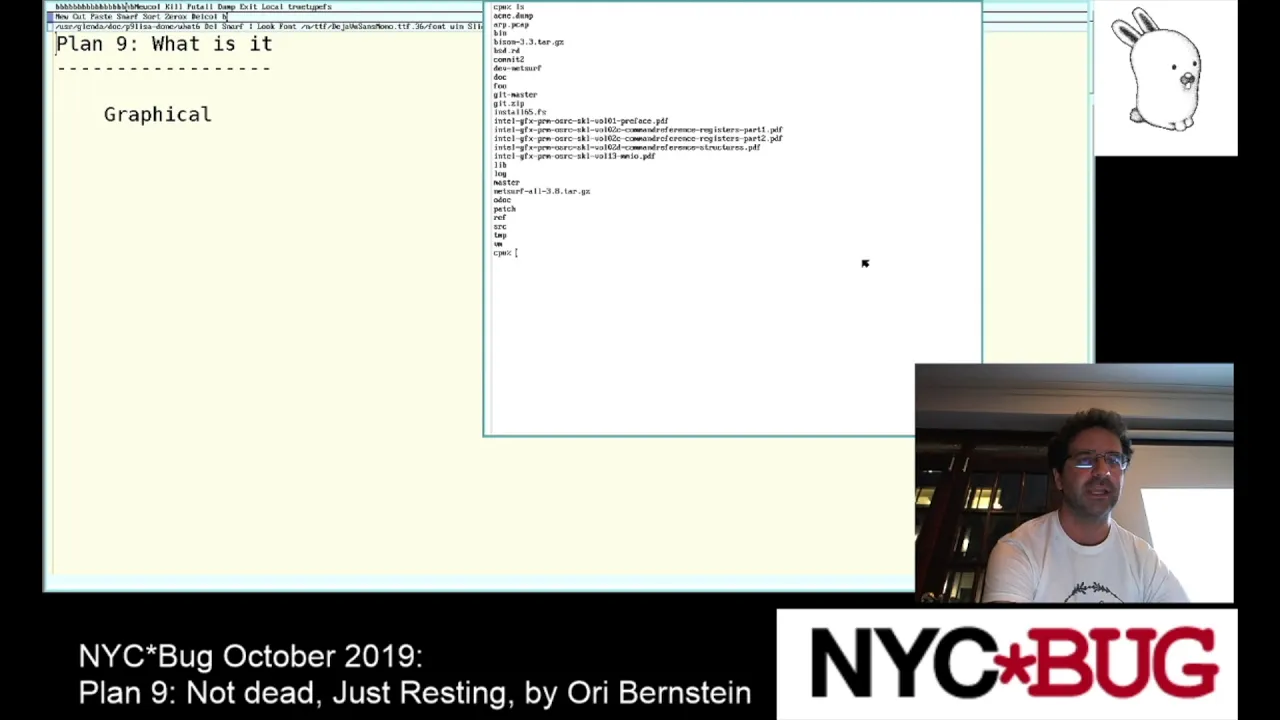
Ori takes the stage and invites the audience to interject whenever they like, preferring lively detours over losing or boring his listeners. He addresses his own setup: while he owns and brought a Plan 9 laptop, he is running his live presentation slides from an OpenBSD laptop because he does not fully trust Plan 9's dual-monitor display output. However, the presentation itself is being driven remotely over Plan 9 via a terminal session. Ori admits that using it daily to develop code and log into other machines means “there is something wrong with me” and that he is “way too stubborn.”
To explain why ordinary users should steer clear of Plan 9, Ori reads a classic post from the `9fans` mailing list capturing a newcomer’s utter bewilderment:
> “Hi, I'm new to Plan 9. I'm really excited to work with this new Linux. I get some questions. How do I run X11? Where is Emacs? The code is weird. It doesn't look like GNU C at all. Do the people who wrote Plan 9 know at all about C? I tried to run Mozilla but it didn't work. How come?”
Ori points out the immediate culture shock:
- There is no native X11; Plan 9 handles display output through devices like `#i` (`/dev/draw`), `/dev/mouse`, and keyboard interfaces, managed by its window system, Rio.
- An exception arose just before the talk in September 2019, when someone revived an old X11 port allowing remote Unix X programs to render onto Plan 9. Amusingly, the community managed to get Google Chrome rendering on Plan 9 before they could even get `xclock` running.
- When an audience member asks about secure X forwarding over Plan 9, Ori clarifies that he does not believe an SSH-style secure X forwarding channel is implemented.
- Emacs does not exist on the system. Instead, an actual manual page for Emacs explicitly documents that the program was intentionally omitted because the authors simply disliked it.
- Running `vi` does not open a text editor; in Plan 9, `vi` is actually a MIPS emulator. While a third-party port of Vim exists, Ori has never touched it.
[03:30](https://www.youtube.com/watch?v=6m3GuoaxRNM&t=210s) Web Browsing in Plan 9: Mothra, Abaco, and WebFS
Browsing the modern web on Plan 9 is an exercise in extreme minimalism. The platform ships with two native browsers: Mothra and Abaco. Neither browser implements the heavy baggage of contemporary web standards—there is no support for CSS, JavaScript, or modern rendering engines like Blink/WebKit.
```mermaid
flowchart LR
accTitle: Plan 9 Web Architecture
accDescr: Diagram showing how Mothra and Abaco delegate network transport and TLS to WebFS via the filesystem interface.
subgraph UserSpace ["User Applications"]
Browser["Browser (Mothra / Abaco)<br>Plain HTML & Layout"]
end
subgraph Filesystem ["Plan 9 Namespace"]
WFS["webfs<br>HTTP / HTTPS / TLS"]
end
subgraph Remote ["Internet"]
Server["Remote Web Server"]
end
Browser -->|"reads/writes files"| WFS
WFS -->|"TCP / TLS"| Server
```
Despite lacking complex web engines, Plan 9 browsers handle HTTPS transparently. This is because the browser binaries do not execute HTTP or network requests directly; instead, they communicate through a file system service called `webfs`, which handles network retrieval and TLS encryption under the hood.
Ori runs a live demo of Mothra visiting Google and the NYC*BUG website (`nycbug.org`). While the pages render without modern formatting, the plain HTML layout proves surprisingly clean and functional, leading an audience member to joke that it resembles a standards-compliant browser simply because it refuses to execute malicious garbage or run JavaScript. Ori notes, however, that the lack of modern web capabilities is what ultimately kills off everyday desktop usage for most people.
- The system lacks POSIX compliance by default; while a POSIX emulation layer (`ape`) exists, porting software remains a chore, and writing native programs from scratch is frequently easier.
- Web browsing relies strictly on the separation of transport logic (`webfs`) from layout logic (Mothra/Abaco).
[06:00](https://www.youtube.com/watch?v=6m3GuoaxRNM&t=360s) Defining Plan 9: Minimalist, Distributed, and Uncanny
Ori gives a comprehensive definition of the platform: it is a “Unix-inspired minimalist distributed graphical text-oriented research operating system.” More facetiously, he summarizes the core appeal:
> “Imagine all the good things they told you about Unix were true.”
Coming out of Bell Labs, Plan 9 shares the original Unix design aesthetic—built around text orientation, minimalism, and strict file hierarchies—but it refines the model ruthlessly:
- While modern Unix-like kernels sprawl across hundreds of system calls, the core Plan 9 kernel exposes only around 50 system calls.
- It sits squarely in the “uncanny valley” of Unix for experienced sysadmins. Ori compares the experience to seeing a close relative after drastic cosmetic changes: “Imagine your mom going for plastic surgery and coming back. She looks kind of similar, but there's a difference.”
- The system is inherently distributed, though not in the sense of fault-tolerant clustering. Instead, different machines contribute specific resources to a per-process namespace.
- Ori explains that his remote terminal session runs through `drawterm`, which operates as a stripped-down, emulated Plan 9 kernel running in user space on his OpenBSD machine, pulling the remote system's namespace directly across the network.
[08:30](https://www.youtube.com/watch?v=6m3GuoaxRNM&t=510s) Rio, the Text-Oriented Graphical Environment
A defining paradox of Plan 9 is that it cannot be used effectively without graphics, yet its graphical user interface exists almost entirely to manipulate text. The raw command-line interface running outside a windowing environment lacks history, line editing, or the ability to move the cursor backward with arrow keys.
All interactive terminal editing features are offloaded directly into the window manager, Rio. Any terminal window is an active, editable text canvas:
- Users edit commands by clicking into the terminal canvas, modifying text anywhere in the scrollback buffer, or copying and sending strings directly to the prompt.
- Shell history is inspected and manipulated by opening and searching `/dev/text`. Ori attempts a live demonstration of a helper script called `quote` that reads `/dev/text` to pull and rerun previous command lines based on prompt detection.
- Because Rio treats every window as an editable stream, text manipulation tools, window management, and terminal interaction share a unified, minimalist interface.
[11:15](https://www.youtube.com/watch?v=6m3GuoaxRNM&t=675s) Research Innovations: From UTF-8 to Namespaces
Plan 9 was created as an unencumbered research operating system, intentionally shedding decades of legacy design to experiment with novel operating system concepts. Ori contrasts standard Unix software components with their native Plan 9 counterparts:
| Unix Standard | Plan 9 Implementation | Architectural Role / Distinction |
|:--- |:--- |:--- |
| **X11** | **Rio** | Window manager driven by `/dev/draw`, `/dev/mouse`, and `/dev/kbd` |
| **Bourne Shell (`sh`/`bash`)** | **`rc`** | Clean syntax with native lists; avoids whitespace word-splitting bugs |
| **Emacs / Vim** | **Sam / Acme** | Structural regular expression and mouse-chord text editors |
| **SSH Agent** | **Factotum** | User-space authentication agent holding keys and credentials |
| **Auth Servers** | **SecStore** | Secure network store for passwords and secrets |
| **NFS / SSHFS** | **`exportfs` over 9P** | Network protocol mapping remote hierarchies into local namespaces |
Beyond its own ecosystem, Bell Labs' research on Plan 9 produced core technologies widely used across the entire computing industry today:
- **UTF-8 Encoding:** Designed by Ken Thompson and Rob Pike in a New Jersey diner in 1992 after reviewing an unsatisfactory multi-byte proposal from an official standards body. They implemented it over a few days so it could be integrated into Plan 9 before the inferior proposal became entrenched.
- **`/proc` Filesystem:** Linux's `/proc` process debugging and inspection hierarchy was directly inspired by Plan 9's uniform file-centric process model.
- **Porter-Duff Compositing & Transparent Windows:** Plan 9 pioneered early compositing window management, explicitly cited as the direct inspiration for the X11 `XRender` extension.
- **Per-Process Namespaces:** The concept of constructing containerized environments by binding and mounting arbitrary file hierarchies under private namespaces directly anticipated Linux containers and modern container engines like Docker.
- **Communicating Sequential Processes (CSP):** While Tony Hoare originated CSP theory, Bell Labs used Plan 9 (through languages like Alef and Newsqueak) as an experimental testbed for concurrency via channels, establishing patterns later popularized in Go and Erlang.
[15:00](https://www.youtube.com/watch?v=6m3GuoaxRNM&t=900s) The Post-Bell Labs Landscape and Major Plan 9 Forks
After Bell Labs effectively died, the original Plan 9 codebase fragmented into a variety of forks and offshoots. Ori Bernstein jokingly notes that there are “probably more forks than users at this point,” quickly adding, “Actually, I don't think that's true. I think there are more users than forks. But I wouldn't bet on it, chick.” To clarify the ecosystem, he outlines the primary descendants:
```mermaid
flowchart TD
accTitle: Bell Labs Plan 9 Forks and Derivatives
accDescr: Diagram illustrating forks emerging from Bell Labs Plan 9, including 9legacy, 9atom, Harvey, Akaros, Inferno, and 9front.
subgraph Origin["Bell Labs"]
BL["Bell Labs Plan 9"]
end
subgraph Forks["Descendants and Forks"]
L9["9legacy\n(Patch collection)"]
A9["9atom\n(Hardware additions)"]
HV["Harvey\n(POSIX, GCC/Clang)"]
AK["Akaros\n(Many-core research, RCU)"]
INF["Inferno\n(Dis VM, Limbo)"]
NF["9front\n(Active, ThinkPad support)"]
end
- **9legacy (Plan 9 Contrib):** Essentially a curated collection of patches maintained on top of the original Bell Labs release. It avoids radical architectural changes, keeping key fixes and hardware support in a Git repo while leaving optional patches for users to apply as needed.
- **9atom:** Maintained primarily by one individual (Richard Miller/cinap_lenrek circle), taking the Bell Labs base and adding specific hardware drivers without touching the core framework heavily. Its website is periodically down.
- **Harvey:** A modernized, Unix-leaning effort trying to provide a sufficiently compliant POSIX environment so standard Unix software can run without weeks of porting effort. Harvey replaces the Plan 9 compilers with GCC and Clang and investigates integrating tools like sanitizers.
- **Akaros:** An operating system research project out of UC Berkeley focusing heavily on many-core scaling. It explores making multi-processing a first-class concept, borrows various concepts and code from Linux, and replaces traditional kernel locks with RCU (Read-Copy-Update) for lock-free multi-reader single-writer concurrency.
- **Inferno:** Designed around Plan 9's principles but built to run either bare-metal (even on MMU-less machines with as little as 1 MB of RAM) or hosted as an application inside Windows, macOS, Linux, or Plan 9 itself. Its software runs inside a virtual machine (Dis) using the Limbo programming language.
- **9front:** The active fork that Ori uses personally. It is notable for having the most practical modern hardware support, allowing users to install it on off-the-shelf laptops like Lenovo ThinkPads without endless driver archaeology. Ori notes he runs it on a ThinkPad X260 with working Wi-Fi and native display resolution using clean, native drivers rather than binary blobs.
When audience members ask whether the hardware drivers are reverse-engineered or ported from open-source drivers, Ori explains that developers write native drivers, often reverse-engineering where needed. Wireless support leans heavily toward Intel chipsets (such as `iwm`/`iwn` families).
---
[20:00](https://www.youtube.com/watch?v=6m3GuoaxRNM&t=1200s) The Plumber and the German Engineering Humor
Most core 9front maintainers are German, which prompts Ori to pull up an image file on his screen titled `German Engineering.png`. When he clicks the text, the system immediately recognizes the target format and spawns the image viewer:
“I said text-oriented. It knows there's—it's a J—sorry, PNG. Knows where the PNG is, and it goes, 'Okay, I should open that in the PNG viewer.'”
An audience member asks whether this is a hard-coded file association or if it examines file contents. Ori explains that the behavior is governed by **the plumber**, an inter-process messaging daemon:
- The plumber receives textual messages (e.g., from a middle-click on selected text) and evaluates them against declarative pattern-matching rules.
- It asks semantic questions about the string: Is this a path to an existing C file? Open it in the text editor. Is it a URL? Open it in the web browser. Is it an email address? Open a compose window. Is it a notification from a mail daemon? Display an incoming mail alert.
- The rules match on regular expressions, file existence in the current directory, or specific application ports.
- It is not tied to a single editor or file manager; it functions globally across the environment, though it relies heavily on mouse-driven actions (such as middle-button clicking an arbitrary piece of text anywhere on screen).
Ori demonstrates the plumber configuration file on screen (showing rule blocks like `type is text`, `data matches '...'`, and `plumb to word`). In the process, he accidentally breaks his console fonts, quickly deleting the bad output state and restarting the font server to recover.
Turning back to `German Engineering.png`, an audience member guesses the photo depicts the Large Hadron Collider. Ori reveals the punchline: “That is the inside of the Hindenburg. No, they have a sense of humor.”
---
[25:00](https://www.youtube.com/watch?v=6m3GuoaxRNM&t=1500s) 9front Hardware Support, Virtualization, and Core Tooling
Ori highlights how capable 9front has become on modern PC hardware. While legacy Plan 9 often required running in basic VESA framebuffers, 9front has native drivers:
- **Intel Native Graphics:** Drivers up through Intel Haswell architectures were written rapidly. Ori explains why Plan 9 graphics drivers are so much smaller than Linux/Xorg/Mesa stacks: “Part of it is that we don't care about 3D graphics. If you don't care about 3D, all you really need to do is tell the graphics card, 'Hey, I want this area of memory to go onto the screen,' and then you draw into that.” Plan 9 does, however, support running `doom`.
- **Virtualization (vmx):** 9front includes `vmx`, an x86 hardware virtualization hypervisor. Ori notes that you can run guest operating systems like OpenBSD inside 9front. Answering an audience member's skeptical “Why?”, Ori says: “Well, if you happen to want a modern web browser that can do JavaScript, then you want to have an OS that can run a modern web browser that can do JavaScript. So for that you need virtualization.” It is also essential for testing and debugging new kernels without physical reboots.
- **Networking and Bridge Daemons:** For networking and bridging Wi-Fi to virtual machines, 9front provides bridging utilities, including the colorfully named `mattdamon` daemon.
- **NVMe Storage:** NVMe support was implemented in a single weekend by a developer named cinap_lenrek (referred to in the transcript as "Sedat" / Greenman Gerald). Ori remarks: “He is insane. He is the machine for turning spec sheets into code.” When the initial NVMe driver failed on Ori's machine, debugging revealed the hardware drive itself violated the NVMe specification rather than the driver being wrong.
- **Typography and TrueType (`ttf`):** 9front features an independent, clean TrueType rendering implementation of roughly 5,000 lines of code that handles font hinting, complex glyph shaping, and Asian text scripts.
- **CWFS (Cached Worm File System):** The standard file system includes continuous daily snapshotting, inherited from Plan 9's historical WORM (Write Once, Read Many) design from the 1980s and 1990s. Ori demonstrates running `local 9fs dump` to mount historical daily snapshots directly into the namespace, allowing him to traverse his personal directory tree exactly as it existed years earlier.
- **git9:** Ori developed a native, clean-room Git implementation specifically for Plan 9. He explains that it provides clean commands (`init`, `push`, `pull`, `export`, `import`) that integrate with Plan 9's file-based paradigms while deliberately throwing out upstream Git's user interface: “The upstream Git's UI is terrible, so let me do something good.” To emphasize the elegance of the Plan 9 toolchain, he displays the complete source implementation of `git/merge`, which fits cleanly on a single screen.
[30:00](https://www.youtube.com/watch?v=6m3GuoaxRNM&t=1800s) The Essence of Plan 9: 9P and Namespaces
```mermaid
flowchart TD
accTitle: Plan 9 System Architecture
accDescr: Diagram illustrating how all operations in Plan 9 flow exclusively through 9P and a per-process namespace.
subgraph AppSpace["Application Layer"]
App["Process / Window"]
end
subgraph NS["Per-Process Namespace"]
DevDraw["/dev/draw"]
DevCons["/dev/cons"]
NetFS["/net (TCP/UDP)"]
ProcFS["/proc"]
end
subgraph Core["9P Protocol Core (Over Network or IPC)"]
Proto["Single Unified 9P Interface<br/>(Open, Read, Write, Stat, Clunk...)"]
end
App --> NS
NS --> Proto
Proto --> LocalDev
Proto --> RemoteMach
Proto --> CustomInterposer
```
Ori demonstrates how simple actions are accomplished in Plan 9 by showing that a branch merge is implemented purely as an ordinary shell script. The script merely mounts the Git file system, examines which branches need merging, traverses the file system representations of both branches, and hands them off to a command-line three-way merge utility like `diff3`. Once data is universally exposed as files accessible from a shell, complex internal tooling becomes unnecessary. Ori anticipates the obvious skeptical audience reaction: “Big yawn. You’ve already got all of these features. Why the hell do you care? Because you’ve got Unix. It does this. What’s the point of all this shit?” He explains that while Unix has accumulated countless convenient features, Plan 9’s real strength cannot be matched by simply tacking on more extensions: “The essence of Plan 9 is 9P and namespaces.”
9P serves as the core file system protocol, while namespaces provide per-process or per-window customized views into those files. In Plan 9, every communication with the system is mapped directly onto a small, bounded set of 9P operations. The actual system calls in Plan 9 are shockingly sparse:
- File data access and manipulation (handled entirely by 9P message types).
- Process management via `fork` and `exec`.
- Namespace management via `mount` and `bind`.
- Time-of-day querying (`nsec`), returning the current time.
Because 9P was engineered from the beginning as a network protocol, every single interaction across the system gains network transparency for free without application-level network awareness. Ori illustrates this using a namespace snippet from a terminal connection (`mount /term`). In that namespace, the remote machine's `/dev/draw` is mounted directly over the local device. When a program requests to open `/dev/draw` to render graphics, its operations are redirected across the wire completely seamlessly: “There’s no code in that program that needs to know.” Similarly, bootstrap pseudo-devices like `#p` (for `/proc`) and `#|` (for pipes) are simply bound into whatever layout the process requires, letting the system view be assembled on demand around the window manager, Rio.
[33:38](https://www.youtube.com/watch?v=6m3GuoaxRNM&t=2018s) Unified Mechanisms, Interposition, and Why Unix Cannot Port It
The core insight of Plan 9 is not a fetishization of the 9P protocol itself, but the architectural principle of having a single universal mechanism that allows interposition. Ori summarizes the design rule: “Pick one way to do something, and then once you’ve picked that way of doing it, you can make sure that you can replace the component and put a layer in front of it and now you’ve got a massive amount of flexibility.” This explains why attempting to cherry-pick Plan 9 features into Unix always fails to replicate its power: adding another mechanism to Unix merely adds to its fragmentation. On Unix, one cannot casually insert an interposing proxy between an arbitrary program and `/dev/draw`, `/dev/mouse`, or `/dev/keyboard` to seamlessly inject Japanese input method editors (IMEs) without needing program-specific hooks or toolkit-level integration, because Unix lacks a unified abstraction through which all input and output flow.
An audience member intervenes to note that BSD systems have ported many Plan 9 userland tools, referencing historical interest in the Plan 9 C compiler when developers sought alternatives to GCC (such as PCC). Ori acknowledges that Plan 9 userland tools are clean and that you can run a desktop theme on Ubuntu or FreeBSD, but insists those are superficial features rather than the core operating system architecture. He points to modern external technologies that attempt to solve similar architectural problems:
- **gRPC**: Widely deployed at Google to present one unified RPC interface across microservices, though it is heavy and opinionated.
- **REST**: Adopted elsewhere as a convention for uniform resource access across distributed systems.
- **Docker**: Provides process isolation and namespace management to package runtimes into neat boxes.
However, Ori highlights a crucial distinction: technologies like Docker and gRPC achieve universality solely through voluntary convention, where developers agree to pretend nothing else exists outside their chosen ecosystem. In Plan 9, 9P is enforced universally by the kernel interface itself. Furthermore, 9P is small enough to be written from scratch by a single developer. Ori recounts implementing a 9P server in roughly 500 lines of C for bare-metal firmware running on an STM32 microcontroller with only 192 KB of RAM, communicating with Linux over a lightweight user space daemon: “This Ori guy has really weird ideas, but they always seem to work out.” His colleagues embraced the approach so thoroughly that the company’s CTO later independently recommended 9P for internal RPC.
An audience member asks what gRPC is, and Ori explains it as Google's Protocol Buffers-backed remote procedure call protocol for declaring service methods and typed payloads. Another attendee mentions how Google's gVisor hypervisor relies on 9P to pass operations between Linux environments. Ori observes that 9P has bizarrely become the de facto protocol for connecting native host OS file systems with virtualized guests (such as QEMU/KVM virtio-9p), albeit running heavily bloated, extended variants of Ken Thompson’s lean original design.
[40:08](https://www.youtube.com/watch?v=6m3GuoaxRNM&t=2408s) The `/net` Hierarchy and Scriptable Networking
Instead of introducing dedicated network system calls like `socket()`, `bind()`, `listen()`, `connect()`, and `accept()`, Plan 9 handles all networking through the `/net` file system hierarchy:
| Operating System | Mechanism for Networking | Control / Data Flow |
|:--- |:--- |:--- |
| **Unix** | Special system calls (`socket`, `ioctl`, `setsockopt`) | Monolithic socket descriptors requiring custom C binaries |
| **Plan 9** | `/net` file tree (`/net/tcp/clone`, etc.) | Read clone file to obtain connection ID; read/write control and data files |
To initiate a TCP connection, a process opens `/net/tcp/clone`, which allocates an unused connection channel (e.g., connection `0`). Reading from that file descriptor returns the connection number and control path, after which the program writes control directives (such as connect strings) into `/net/tcp/0/ctl` and streams payload traffic directly through `/net/tcp/0/data`.
An audience member asks about the security trade-offs of this approach: does granting an application permission to open network files discard the fine-grained sandboxing offered by individual syscall filtering?
- Ori explains that access control is governed cleanly by file permissions and namespace inclusion: if a process should not have network access, the administrator simply omits `/net` from its namespace entirely.
- While the base Plan 9 network stack lacks fine-grained packet-filtering firewall logic directly inside the kernel (e.g., restricting an outbound socket strictly to destination port 443), Ori emphasizes that this is a quality-of-implementation choice rather than a fundamental design flaw.
To prove the power of this abstraction, Ori presents a functional IRC client written as an ordinary shell script using standard Plan 9 utilities. Using simple file descriptor manipulation, the script queries addresses using `ndb/csquery`, opens the connection, and connects standard input/output directly to the network data file descriptor without needing a compiled binary wrapper.
The universal file abstraction also makes network virtualization trivial through proxy interposition:
- **`sshnet`**: A user space file server that presents a synthetic `/net` file hierarchy to an application while tunneling all underlying connections through SSH, serving as a transparent SOCKS-like proxy without requiring application-level proxy awareness or `tun`/`tap` devices.
- **Port Filtering / Firewalls**: A lightweight interposer program can sit in front of `/net` within a namespace, inspecting write commands to `ctl` files and rejecting any destination that is not an authorized port (like port 443) before forwarding approved traffic to the real stack.
- **Network Address Translation Replacement**: Rather than implementing complex NAT gateways, a machine can simply `mount` a remote machine's `/net` directory over its own, routing all local process networking transparently through the remote host's interfaces.
[45:00](https://www.youtube.com/watch?v=6m3GuoaxRNM&t=2700s) Rio Window Multiplexing and the Slideshow Architecture
Ori Bernstein explains how the Plan 9 windowing system, Rio, relies entirely on standard file protocol abstractions. Rio handles graphics through `/dev/draw`. Instead of demanding specialized operating system hooks or custom APIs for windowing, Rio operates through regular mounts. In Plan 9, `/dev/draw` represents the entire physical display. Rio intercepts this device, sub-divides the screen real estate into distinct rectangular boundaries, and serves a virtual `/dev/draw` instance to each hosted application. Every client process believes it owns an entire graphical display, while Rio silently multiplexes and virtualizes the screen, mouse, and keyboard inputs across client boundaries. Because Rio exposes the exact same drawing protocol it consumes, it is fully re-entrant: users can nest Rio inside an existing Rio window without modifications. Ori qualifies this slightly, noting that while client programs do receive a few auxiliary details (such as window names), they generally treat the virtualized device as ordinary `/dev/draw`.
To illustrate how modular this design is, Ori displays the script driving his current presentation. Rather than using specialized presentation software, his slideshow is driven by a minimal shell script that drives his text editor by reading a slide index and writing the slide content directly into the editor's window via file operations.
```mermaid
flowchart TD
accTitle: Rio Window Multiplexing Architecture
accDescr: Diagram illustrating how Rio takes physical screen devices and virtualizes them for client applications.
subgraph RioLayer["Rio Window Manager"]
C["Rio Virtualizer / Multiplexer"]
end
subgraph Clients["Virtual Client Namespaces"]
D["Window 1 (/dev/draw)"]
E["Window 2 (/dev/draw)"]
F["Nested Rio (/dev/draw)"]
end
A --> C
B --> C
C --> D
C --> E
C --> F
```
[46:42](https://www.youtube.com/watch?v=6m3GuoaxRNM&t=2802s) Distributed Topologies and the Cost of Generality
Ori shifts to Plan 9's broader network architecture, outlining the classic distribution of responsibilities across specialized servers:
- **Terminals**: Lightweight, diskless, or stateless machines used for direct local interaction (such as a laptop running `drawterm`). When a user finishes, they can simply flip the machine off and walk away because no vital state resides locally.
- **CPU Servers**: Machines dedicated purely to compute workloads. Processes must be started explicitly on a CPU server, as Plan 9 lacks automatic process migration. Ori notes dryly: “There has been talk of automatic migration, but it's been talk, not implementation—the discussion has had a distinct lack of semicolons.”
- **File Servers**: Dedicated machines handling storage, historically pioneering features like file system snapshotting before mainstream Unix platforms caught up.
- **Auth Servers**: Machines that secure the environment, managing user validation, secret keys, and ticket dispensing (analogous to SSH agents or Kerberos infrastructure via `factotum`).
In response to an audience question asking whether these roles require discrete physical computers, Ori clarifies that all of these services can easily reside on a single computer—just as they do on his demonstration laptop. However, the system's design makes clustering natural: users aggregate resources across the network by mounting remote user lists, file trees, compute capacity, or even a remote machine's keyboard into their local namespace.
This transparent remote composition comes with trade-offs. Because Plan 9 commits entirely to a uniform, universal 9P file abstraction, it foregoes kernel-level shortcuts and platform-specific performance optimizations. As Ori explains: “Now, of course, this has a cost. Because everything is so general, you can't really do special things—hacks like `sendfile` which just use local file descriptors and so on. The generality isn't free, but the composition is.” Rather than walking through the implementation of the `rcpu` remote execution utility line by line, Ori shows the brief remote-login script, emphasizing that the entire setup hinges on mounting a remote machine's devices and namespace bindings into the local session. Concluding this part of his presentation, he jokes: “I hope you have enjoyed your video of OS necrophilia.”
[50:00](https://www.youtube.com/watch?v=6m3GuoaxRNM&t=3000s) Dynamic Languages, Text Editing Lineage, and Software Ports
An audience member involved with Perl smoke testing asks whether Perl or other high-level languages remain viable on Plan 9. Ori explains that Python (historically version 2.5, with a 2.7 port available) ships with the system solely because developers needed it to run the Mercurial version control system. Ori mentions that he is actively trying to eradicate this dependency by replacing it with his own tools and banishing Python to the ports collection: “There's Python shipped, but no one really seems to like it.” A historical Perl port from around 2003 still functions and was recently used by someone to port upstream Git, though it has gone largely unmaintained. Other languages with native support or recent community ports include Go (maintained through Go 1.4 for bootstrapping modern versions), OCaml, and Ori's own programming language, Myrddin.
Another attendee notes that manipulating and updating the Rio desktop feels remarkably like working within a Smalltalk image, where environment changes take effect live. Ori clarifies that while people often connect Rio to Smalltalk, the visual and behavioral model was actually inspired by Niklaus Wirth's Oberon operating system: “Basically, he started doing the dynamic text stuff. Rob Pike kind of looked at it and went, 'I like that. I'm stealing it.'” This dynamic approach defines Acme—the Plan 9 text editor and environment—more than Rio itself.
To verify what languages are currently available, Ori opens his ports directory on-screen and lists the available toolchains:
- **Fortran to C (`f2c`)**: Available for legacy Fortran code.
- **Go**: Available via a bootstrap script that builds Go 1.4 and then uses it to compile newer toolchains.
- **Lua**: Maintained as an embedded scripting tool.
- **Myrddin**: Ori’s own systems programming language.
- **OCaml**: Recently ported to the platform.
- **Scheme / TinyScheme**: Lightweight Lisp environments.
- **Squeak**: A full Smalltalk implementation, confirming the audience's observation about Smalltalk's ongoing presence.
- **Tcl/Tk (`tickle`)**: Ported and functional.
Before the segment ends, an attendee asks about a mention of "NIX" appearing in a slide as a possible Plan 9 fork; Ori clarifies that the NIX being referenced is a specific research fork of Plan 9, unrelated to NixOS or the Nix package manager.
[55:00](https://www.youtube.com/watch?v=6m3GuoaxRNM&t=3300s) Nix, Multicore Latency, and Integrating with Remote Unix Systems
Ori Bernstein describes research done around multi-core architectures, specifically mentioning Nix. Nix is based on Plan 9, but organizes hardware around a dedicated kernel core and separate application cores. In that model, applications execute on application cores while system calls are dispatched to a dedicated CPU kernel core, preventing application cores from being interrupted or affected by scheduling overhead. Designed in the high-performance computing (HPC) research realm—including work done at IBM—the design was built around the expectation of 64- or 128-core CPUs where busy applications could monopolize cores completely, driving latency down to near zero.
```mermaid
flowchart TD
accTitle: Nix Multicore Scheduling Architecture
accDescr: Nix assigns applications to dedicated execution cores while system calls route directly to a kernel core.
subgraph Hardware["Multicore CPU (64-128 Cores)"]
KC["Kernel Core<br/>Handles OS scheduling & syscalls"]
AC1["Application Core 1<br/>Dedicated computation"]
AC2["Application Core 2<br/>Dedicated computation"]
end
The discussion shifts to audience questions about real-world workflows. An audience member observes how powerful it looks to point and click directly on screen items in Plan 9, but asks how one manages tools that cannot be ported. In their current setup, they keep one primary machine, SSHing into another system whenever they need non-portable tools like a document scanner or Inkscape over X11 forwarding. Ori responds that Plan 9 handles remote resources natively via 9P:
> “I mean, you're still talking to a Unix system, so there's only so much... It's 9P. As opposed to everything's a file, it's Plan 9, everything's a server.”
Ori notes that while an OpenBSD user might resort to `sshfs` via FUSE, Plan 9 approaches it differently by implementing its own native SSH stack. Demonstrating Plan 9’s penchant for self-contained software, Ori shares that cinap_lenrek wrote 9front’s custom SSH implementation from scratch in a week or two, clocking in at only roughly 1,500 lines of code. When asked if he runs a public-facing Plan 9 instance on the internet, Ori explains he does not, though shared services such as SDF and 9grid offer public access with shared file servers and free accounts.
---
[01:00:00](https://www.youtube.com/watch?v=6m3GuoaxRNM&t=3600s) 9front, Bell Labs History, and the 42-Second Raspberry Pi 4 Bug
Ori confirms he runs the **9front** fork (“the front fell off”). An audience member asks if the original Bell Labs creators are still involved in the project. Ori pulls up 9front’s FQA (“Frequently Questioned Answers”) tethered over his phone’s internet connection to show the section titled *“Plan 9 is not for you”*. As the page loads, he jokes about the fate of the original developers:
> “Basically, the people that were working on Plan 9, when Bell Labs died, they stopped getting a salary and they went on to work on other things, mostly at Google.”
An audience member quips that Google is where they “went to die,” to which another attendee amends that the preferred phrase is “went on display at Google.” Ori remarks that Ken Thompson is now fully retired, though he still visits Vintage Computer Festival East regularly. Ken had reportedly booted Plan 9 on a Raspberry Pi not long before.
Ori explains that 64-bit ARM (`arm64`) support on the Raspberry Pi had landed in 9front around the end of August. Bringing up the Raspberry Pi 4 proved tricky because the board is surprisingly complex and features real Gigabit Ethernet rather than sharing bus bandwidth with USB. Ori recounts a baffling bug that held up development for weeks: the Pi 4 would boot and run fine, but as soon as random Ethernet traffic occurred, all interrupts would lock completely for precisely 42 seconds before resuming as if nothing had happened.
```mermaid
flowchart LR
accTitle: Raspberry Pi 4 Prefetch Bus Stall
accDescr: Memory page marked executable causes CPU instruction prefetching to fall off valid RAM, locking the bus for a 32-bit counter overflow.
A["Instruction Execution<br/>near memory boundary"] --> B["CPU Prefetcher<br/>requests subsequent bytes"]
B --> C{"Page Table Config<br/>Executable bit set?"}
C -->|"Yes (Typo in driver)"| D["Prefetch past valid RAM<br/>Bus hardware stalls"]
D --> E["100 MHz Timer<br/>ticks across 32 bits"]
E -->|"42 seconds elapse"| F["Bus Recovers & System Resumes"]
```
After extensive debugging and consultations with Broadcom engineers, developers uncovered the root cause:
- A page table typo set the executable permission bit on a data memory mapping.
- The CPU branch predictor/prefetcher attempted to fetch instructions past the end of valid physical memory.
- Walking off the end of memory caused the internal bus to lock up entirely until a 100 MHz 32-bit hardware counter wrapped around ($2^{32} / 10^8 \text{ s} \approx 42.95\text{ s}$).
- The porting engineer (cinap) had initially anticipated this hazard, but a typo in the documentation or code had flipped the wrong bit.
When asked whether anyone would be masochistic enough to port 9front to RISC-V, Ori notes that C compilers must be written first. While compilers are likely buggy since they see little active production use, Charles Forsyth and Richard Miller have contributed foundational work: “If it exists, the bugs can be fixed and someone can do a port. It's just a matter of someone wiggling fingers.”
---
[01:05:00](https://www.youtube.com/watch?v=6m3GuoaxRNM&t=3900s) Mouse UI Realities, POSIX Compatibility, and Porting Software
The conversation turns to programming languages and community perceptions. An audience member contrasts the obscurity of Plan 9 with the popularity of Go:
> “Nobody uses Plan 9, everyone uses Go. I'm sure that a lot of people will hate Plan 9 if they had to actually use it.”
Questions arise regarding the text and window system interface (Rio and Acme). Attendees express anxiety over having no visual borders or cues to indicate what text is clickable:
- Right-clicking any plain text string executes a search for the next occurrence of that word.
- Middle-clicking a string attempts to execute it as a command; accidentally middle-clicking `rm` or typing an unintended command will delete files or run processes without a confirmation prompt.
- As an audience member cautions: “All right, don't put the loaded gun at yourself.”
The topic turns to porting software to Plan 9. Ori explains that bringing Windows software over is an immediate non-starter, but POSIX applications can often run using Plan 9’s POSIX emulation layer (`APE`, the ANSI/POSIX Environment), depending on how much system-call surface area is needed:
- **`mmap`**: Plan 9 has no direct `mmap` equivalent. Read-only `mmap` calls are typically shimmed by simply allocating a buffer with `malloc()`, reading the file into memory, and swapping `munmap()` for `free()`.
- **`pthreads`**: There is no native POSIX thread support in 9front trunk because none of the software ported so far has required it. Experimental patches exist, and Ori notes he would happily merge `pthreads` if someone actively ports software that depends on it.
- **Ported tools**: Classic console utilities (such as `ncurses`-style tools or basic C command-line programs) run with minimal difficulty as long as they avoid exotic Linux- or BSD-specific kernel calls.
- **FFmpeg**: An audience member asks about porting FFmpeg. Ori highlights it as a major missing piece that community members would love to have, though porting it requires handling extensive architecture-specific assembly routines.
[01:10:00](https://www.youtube.com/watch?v=6m3GuoaxRNM&t=4200s) Multimedia Support and Running Linux Under Plan 9
An audience member asks about getting video playback working on Plan 9, suggesting that while VLC might be out of the question, something simpler like `mplayer` might be possible. Ori Bernstein points out that the primary hurdle is codecs: "Well, first off, you need the codecs." Beyond decoding, someone would also need to write a custom windowing backend for it, even if the player is invoked directly from the command line to pop open a basic output window. While that might be theoretically doable, Ori highlights a different route being pursued: integrating virtual machines. Since X11 was recently ported to 9front, his ultimate ambition is building something analogous to Windows Subsystem for Linux (WSL).
Ori envisions running a Linux kernel directly alongside the Plan 9 kernel inside an emulated or lightweight environment, complete with the appropriate hooks so users can seamlessly execute Linux software without leaving Plan 9. An attendee compares this idea to FreeBSD jails—having a self-contained environment that can be called upon like an application when necessary and then exited. Ori agrees with the conceptual similarity, seeing virtualization and containment as a pragmatic way to bring heavy external software stacks into Plan 9.
[01:11:42](https://www.youtube.com/watch?v=6m3GuoaxRNM&t=4302s) Network Reliability: 9P Protocol Reconnection and AAN
The discussion shifts to distributed networking. An audience member asks how the 9P protocol copes with network interruptions and disconnections when operations depend heavily on remote file systems. Ori explains that network drops are addressed using an existing utility called `aan`: “There is a tool called AAN, which is basically kind of like screen or tmux, but for 9P instead of for terminal sessions, and that will kind of transparently just stall the connection and try reconnecting periodically until it starts working again.” While it handles pausing and reconnecting, Ori notes that he believes it also triggers reinitialization and redraw events when connectivity is restored, though there is no underlying magic beyond persistent retries.
An attendee then asks whether Ori is running Plan 9 from User Space (plan9port) on OpenBSD to communicate with the CPU servers, or if he uses a different architecture. Ori clarifies that he uses `drawterm`. He explains that `drawterm` is not simply plan9port; rather, it is essentially a stripped-down Plan 9 kernel and user space running on a host OS that contains just enough functionality to mount a remote 9P server, launch the initialization shell script, import resources from the host machine, and manage the local display and input hardware. When asked if he has any use for plan9port at all, Ori admits he uses it sparingly, with the notable exception of `plumber`. Running the plumber utility locally allows him to right-click URLs or file paths inside his terminal emulator and launch appropriate actions or inspect remote namespaces seamlessly.
```mermaid
flowchart LR
accTitle: Architecture of drawterm Connection to 9front
accDescr: Diagram illustrating how drawterm links a host OS to a remote Plan 9 CPU server using 9P and AAN.
subgraph Host["Host Machine (e.g., OpenBSD)"]
direction TB
App["Terminal / Plumber"]
DT["drawterm\n(Plan 9 kernel & user space stub)"]
App <--> DT
end
subgraph Remote["Plan 9 Environment"]
CPU["9front CPU Server\n(Remote Namespace & Applications)"]
end
DT <-->|"9P traffic"| AAN
AAN <-->|"9P reconnect"| CPU
```
[01:13:38](https://www.youtube.com/watch?v=6m3GuoaxRNM&t=4418s) Future Viability and Commercial History: Coraid and Cisco PIX
Asked whether Plan 9 will ever see broader commercial adoption over the next five to ten years or remain an academic curiosity, Ori offers a blunt prediction: “Okay, so basically I don't see it taking off in a commercial sense. I think it's basically going to be the same niche as Haiku maybe. People like the system, they'll probably keep using it.” He points out that the sheer size of the talent pool is a fatal bottleneck: “You can hire the entire user base of Plan 9 and still not have enough people to actually fund it or to staff a reasonable-sized company, I think.”
Despite that reality, Ori and attendees note that Plan 9 has repeatedly surfaced in commercial environments throughout computing history:
- An attendee recalls a lawyer who famously claimed to run his entire law firm on Plan 9 infrastructure.
- The storage company **Coraid** built its commercial AoE (ATA over Ethernet) appliances on top of a customized Plan 9 distribution.
- Early **Cisco PIX** firewalls originated from Plan 9; Ori reminds the audience that the name "PIX" reflects Roman numerals: "You might notice that PIX is Roman numerals P-I-X... P9." Cisco acquired PIX and, although the codebase may have been rewritten down the line, early units ran heavily modified Plan 9 code.
[01:15:39](https://www.youtube.com/watch?v=6m3GuoaxRNM&t=4539s) Plumbing into Simple Terminal and Wrap-Up
In the final audience exchange, an attendee follows up on Ori's mention of running the Plan 9 plumber alongside host terminal applications, asking if it enables users to adopt Plan 9 tools without having to migrate their entire environment. Ori confirms that this is how he operates, though he notes that he had to patch `st` (the suckless simple terminal) to wire up plumbing integration properly. He mentions that there might be an updated or cleaner patch circulating in the community and offers to track it down. With no further questions remaining, Ori thanks the audience, bringing the presentation to a close.
## Notable quotes
> [06:00](https://www.youtube.com/watch?v=6m3GuoaxRNM&t=360s) Imagine all the good things they told you about Unix were true. — Ori Bernstein
> [46:42](https://www.youtube.com/watch?v=6m3GuoaxRNM&t=2802s) The generality isn't free, but the composition is. — Ori Bernstein
> [30:00](https://www.youtube.com/watch?v=6m3GuoaxRNM&t=1800s) The essence of Plan 9 is 9P and namespaces. — Ori Bernstein
> [33:38](https://www.youtube.com/watch?v=6m3GuoaxRNM&t=2018s) Pick one way to do something, and then once you’ve picked that way of doing it, you can make sure that you can replace the component and put a layer in front of it and now you’ve got a massive amount of flexibility. — Ori Bernstein
## Mentioned
Plan 9, Ori Bernstein, NYC*BUG, Bell Labs, OpenBSD, Rio, Mothra, Abaco, WebFS, drawterm, Ken Thompson, Rob Pike, UTF-8, Sam, Acme, Factotum, SecStore, 9P, 9legacy, 9atom, Harvey, Akaros, Inferno, 9front, plumber, vmx, mattdamon, CWFS, git9, gRPC, Docker, sshnet, Mercurial, Myrddin, Niklaus Wirth, Oberon, Nix, Broadcom, Raspberry Pi 4, APE, AAN, Coraid, Cisco PIX, st
## Video description
NYC*Bug October 2019 Meeting:
Plan 9: Not dead, Just Resting, by Ori Bernstein
Ori will give an overview of what Plan 9 is, and tell you not to use it. He'll then launch into why he ignores his own advice, give a description of what the system is and how it's put together, and talk about what's happened since Bell Labs. He'll then engage in some philosophy, and talk about what can be learned from the approach the system takes, and how it can be applied to new systems.
A live demo will be included.
More Info:
https://www.nycbug.org/index?action=view&id=10672
Ori Bernstein称因人才短缺Plan 9难迎商业复兴
Plan 9统一的9P协议和每进程命名空间解决了分布式组合问题,而Unix和容器技术栈只能通过臃肿的抽象来模仿该方案;但由于其用户群无法为可行的企业提供充足人力,该系统仍将局限于学术小众圈子。
Ori Bernstein审视了贝尔实验室Plan 9操作系统的历史、设计以及在现代的存续现状,并重点探讨了活跃的分支9front。他解释了Plan 9如何将计算精简至大约50个系统调用、每进程命名空间以及通用的9P协议,从而实现无缝的网络透明性,以及如Rio、plumber和`/net`层级等可脚本化组件。尽管它在概念上十分优雅,并为UTF-8和容器等现代技术做出了贡献,但由于缺乏现代网络浏览器、商业工具和开发者关注度,该系统仍局限于极简且独特的利基市场。
Plan 9将Unix哲学精简为大约50个核心系统调用,强制实现统一介入,使所有系统交互和资源共享均通过9P文件协议和每进程命名空间进行路由。 (6:00)
活跃分支9front提供了现代硬件支持,包括原生Intel显卡驱动程序、NVMe存储、一个仅5000行的精简TrueType字体引擎,以及能够运行OpenBSD客户机的原生虚拟机监控器(vmx)。 (25:00)
Plan 9中的网络省去了专用的套接字API,转而采用可脚本化的/net文件系统层级,从而可以通过标准挂载操作实现透明防火墙、通过sshnet进行代理或跨主机共享网络。 (40:08)
Plan 9的研究直接催生了主流计算领域的重大创新,包括UTF-8编码、/proc文件系统、早期窗口合成技术以及每进程容器化模型。 (11:15)
Reading summary
In an October 2019 presentation for NYC*BUG, developer Ori Bernstein argued that while Plan 9 lacks commercial viability and broad consumer adoption, its radical architectural commitment to a unified file protocol (9P) and per-process namespaces provides unmatched flexibility and continues to influence modern operating systems.
Architectural Foundation: 9P, Namespaces, and Interposition (30:00)
Plan 9 strips the operating system down to roughly 50 core system calls by routing virtually all communication, hardware interfaces, and network resources through 9P messages within per-process namespaces. Unlike Unix, which relies on hundreds of specialized syscalls and disparate abstractions, Plan 9 exposes devices such as the display (/dev/draw), network connections (/net), and process tables (/proc) strictly as file hierarchies. Because 9P was conceived from inception as a network protocol, operations gain network transparency without requiring specialized application-level network awareness. Mounting a remote machine's device directly into a local namespace lets applications consume remote compute, displays, or storage seamlessly.
Bernstein emphasized that the power of Plan 9 stems from selecting a single universal mechanism that permits interposition. By routing operations through a uniform file protocol, developers can insert lightweight proxy layers in front of arbitrary interfaces to inject functionality without patching the targeted applications. Examples include sshnet, which provides transparent SOCKS-like proxying by serving a synthetic /net hierarchy over SSH, and synthetic firewalls that inspect write operations to network control files. Bernstein noted that modern industry solutions like gRPC, REST, and Docker achieve universality only through voluntary user-level conventions, whereas Plan 9 enforces it at the kernel interface.
Minimalist Desktop Model: Rio, Plumber, and Browsing Realities (3:30)
Plan 9 couples a graphical environment with a strictly text-oriented workflow. The native window manager, Rio, lacks traditional shell command-line editing or history outside a graphical canvas. Instead, terminal windows operate as active text canvases where commands can be edited, copied, or re-executed directly, while history can be searched via /dev/text. Rio virtualizes /dev/draw for each window, allowing the window manager to nest recursively within itself. System-wide inter-process messaging is coordinated by the plumber, a daemon that matches mouse clicks on arbitrary text against declarative regular expressions to route strings to appropriate programs, such as opening URLs in a browser or file paths in an editor.
Desktop usability remains deliberately spartan. Native web browsers like Mothra and Abaco delegate HTTP and TLS handling to webfs but omit modern rendering engines, CSS, and JavaScript. While this ensures clean rendering of raw HTML without malicious code execution, Bernstein acknowledged that the inability to navigate the modern JavaScript-heavy web serves as the primary obstacle preventing broader adoption for daily personal computing.
Bell Labs Research Legacy and Modern Forks (11:15)
Although commercial installations of Plan 9 remained niche, research from Bell Labs pioneered foundational technologies widely deployed across computing today. Thompson and Pike designed UTF-8 encoding specifically for Plan 9 in 1992. Additionally, Plan 9's namespace architecture directly anticipated Linux containers, its /proc model influenced Linux debugging hierarchies, its early compositing informed the XRender extension, and its concurrency experiments in languages like Alef helped shape modern patterns in Go.
Following Bell Labs' decline, the ecosystem divided into multiple specialized forks. These include 9legacy for curated patch maintenance, Harvey for POSIX compliance via GCC and Clang, Akaros for UC Berkeley multicore RCU research, and Inferno for virtualized environments running the Dis VM. Bernstein focuses on 9front, the most actively maintained fork supporting modern off-the-shelf PC hardware, including native Intel graphics, NVMe storage, and x86 hardware virtualization (vmx). Modern porting efforts have tackled platforms such as 64-bit ARM on the Raspberry Pi 4, where developers resolved a subtle 42-second bus lockup caused by CPU instruction prefetching over an executable-marked data boundary.
Distributed Workflows, POSIX Gaps, and Hardware Emulation (45:00)
Plan 9 distributes compute roles across terminals, CPU servers, file servers (such as CWFS with automated daily snapshotting), and authentication servers (SecStore and Factotum). Network drops in remote 9P sessions are managed via aan, a utility that transparently stalls and retries interrupted connections. Remote access from external operating systems is frequently handled via drawterm, which runs a stripped-down Plan 9 user-space stub on hosts like OpenBSD to connect to remote CPU servers.
Software porting remains constrained by Plan 9's rejection of POSIX norms. While an ANSI/POSIX environment (APE) exists, missing interfaces like mmap and pthreads require workarounds or reimplementation. Bernstein demonstrated native alternatives designed around Plan 9 semantics, such as git9, a clean-room Git implementation with an overhauled user interface and an IRC client built as an ordinary shell script. To circumvent missing multimedia stacks and complex web tools, Bernstein highlighted virtualization as the most practical path forward, envisioning lightweight Linux kernels hosted inside Plan 9 to execute incompatible software.
Bernstein concluded that Plan 9 will not experience commercial expansion over the next decade, likening its trajectory to alternative hobbyist systems like Haiku. While earlier commercial ventures like Coraid's AoE appliances and early Cisco PIX firewall iterations derived value from the codebase, the contemporary user and developer pool remains too small to support enterprise backing, leaving Plan 9 primarily as an ongoing vehicle for operating systems research and minimalist software experiments.
精炼阅读摘要
Ori Bernstein在NYC*BUG演讲中指出,Plan 9并未消亡,其核心价值在于由9P协议与独立进程命名空间构成的极简统一架构;尽管因生态匮乏和现代Web标准缺失无法实现主流商业普及,但它仍在特定分支维护与现代计算基础设施中发挥着深远影响。
极简哲学:9P协议与进程命名空间 (30:00)
Plan 9由贝尔实验室研发,被Ori Bernstein定义为兼具极简主义与分布式特性的研究型操作系统。与庞大的现代Unix内核相比,Plan 9的核心内核仅保留约50个系统调用。系统的所有通信均被映射为9P协议的有限操作,文件不仅用于本地持久化,更涵盖了图形显示(如/dev/draw)、网络栈(/net)及进程间通信。通过结合每个进程独有的命名空间,系统无需应用层具备专门的网络感知能力,即可在本地和远程机器间透明挂载与重定向硬件及服务资源。
这种统一性带来了强大的组件拦截(Interposition)能力。开发者可在应用程序与底层资源之间无缝插入代理层,例如通过sshnet将网络请求透明转换为SSH通道,或在/net前构建轻量级端口过滤防火墙,而完全无需依赖tun/tap设备或修改应用源码。Bernstein指出,Unix无法通过简单移植单项特性来复制这种灵活性,因为Unix缺乏统领所有输入输出的统一抽象;而Docker、gRPC等现代技术虽试图解决类似问题,却仅能在人为约定的框架协议内生效,无法像Plan 9那样由内核底层强制统一。
文本导向的图形环境与交互创新 (8:30)
Plan 9在人机交互上呈现出一种独特设计:系统运行高度依赖图形界面,但图形界面Rio的存在几乎完全是为了操作文本。原始命令行缺乏命令历史与行编辑快捷键,这些交互功能全部移交至窗口管理器Rio中。每个终端窗口本质上都是可编辑的文本流,用户可直接点击修改回滚缓冲区中的文字,或通过读取/dev/text重放历史命令。此外,系统内置的plumber消息守护进程通过模式匹配规则统一处理文本事件,能依据正则匹配或文件存在性,在全局范围内将点击的文本直接路由到编辑器、浏览器或邮件程序。
虽然现代主流用户对这种缺乏视觉按钮提示的鼠标交互机制(例如中键执行指令可能带来误操作风险)感到不适,但贝尔实验室在Plan 9中探索的技术已广泛渗透至主流系统。其中包括Ken Thompson与Rob Pike于1992年设计的UTF-8编码规范、Linux广泛采用的/proc进程文件系统、受Plan 9启发的X11 XRender透明合成窗口机制、预示了现代Docker容器模型的私有命名空间,以及为Go语言并发模式奠定实践基础的CSP(通信顺序进程)管道探索。
分支演进:9front与现代硬件适配 (15:00)
贝尔实验室项目终结后,原版代码分裂为多个分支,包括侧重补丁集合的9legacy、追求POSIX与现代编译器支持的Harvey、探索多核低延迟调度的Akaros与Nix,以及轻量虚拟机环境Inferno。其中最为活跃的分支是9front,Bernstein日常即在一台联想ThinkPad X260笔记本上运行该系统。由于放弃了对复杂3D图形加速栈的依赖,9front的显示驱动极为精简,原生实现了Intel核显支持、无固件依赖的无线网卡驱动,以及由开发者cinap_lenrek仅用一个周末实现的NVMe存储支持。
9front还在系统内整合了自研的x86硬件虚拟化管理程序vmx,允许运行OpenBSD等宿主系统以弥补现代浏览器的不足;引入了包含历史版本快照回溯能力的CWFS文件系统;并搭载了Bernstein独立编写的git9工具集。在移植到树莓派4(Raspberry Pi 4)的arm64架构期间,团队曾遭遇一段导致所有中断锁定整整42秒的离奇故障,经与博通工程师排查,最终查明系页表配置中误将数据内存页标记为可执行,引发CPU预取器越界访问无效物理地址,导致总线持续挂起直至100MHz的32位硬件计数器溢出归零。
日常使用短板与网络可靠性方案 (3:30)
在日常桌面使用层面,Plan 9面临着不可忽视的现实阻碍。其原生浏览器Mothra与Abaco虽然通过webfs文件服务实现了网络传输与TLS加密的分离,布局纯净且占用极低,但由于完全不包含JavaScript执行引擎、CSS及现代Blink/WebKit排版引擎,导致其无法承载当今绝大多数桌面Web业务。此外,系统缺少开箱即用的POSIX环境,既没有原生的X11环境与Emacs,也缺乏完整的pthreads支持与现代多媒体编解码库,移植主流复杂软件往往极为繁重。
针对网络中断与分布式连接的脆弱性,Plan 9采用了名为aan的实用工具。Bernstein将其比作9P协议层面的tmux或screen,当网络连接异常时,aan会透明挂起当前的9P调用并在后台持续重试重连,连接恢复后自动触发重绘与状态重建,从而维系分布式会话的连续性。在跨平台混合工作流中,用户常通过轻量级的drawterm工具,在OpenBSD等宿主系统上运行定制化的Plan 9内核桩与用户空间,借由网络直接引入远程CPU服务器的资源和命名空间。
Bernstein预测,Plan 9未来无法在商业层面上大规模普及,人才储备极度匮乏是其致命瓶颈,其生态生态地位可能类似于Haiku等小众系统。尽管历史上曾有Coraid存储设备及早期Cisco PIX防火墙基于Plan 9构建商业产品,但该系统目前更现实的发展路径仍聚焦于作为爱好者工具与研究平台,并通过轻量级虚拟化方案(如类似WSL的Linux兼容容器)逐步缓解其在多媒体与网络应用生态上的断层。
Detailed notes — zh
## Background
本视频由 BSDTV 频道于 2019 年 10 月 31 日发布在 YouTube 上,记录了纽约 BSD 用户组(NYC*Bug)2019 年 10 月的月度技术例会。演讲由资深开发者 Ori Bernstein 主讲,围绕《Plan 9: Not dead, Just Resting》这一主题展开,详细探讨了 Plan 9 操作系统的架构哲学、历史遗产、社区现状以及他本人为何仍在使用该系统的原因。
## TL;DR
Ori Bernstein 首先向听众提出反直觉的“劝退警告”,指出 Plan 9 缺少现代浏览器、常用编辑器及 POSIX 兼容性,根本不适合日常桌面办公。然而,正是其将一切系统资源彻底抽象为 9P 协议、私有命名空间组装以及网络透明度的纯粹设计,构成了它无可替代的极简美学与强大扩展能力。演讲随后系统梳理了贝尔实验室解体后以 9front 为代表的活跃分支、Plumber 消息机制、原生 Git9 等现代演进,并分析了该系统对 UTF-8、Linux 容器及 Go 语言等现代技术的深远启发。最终 Ori 客观指出,Plan 9 商业化空间极小,但其统一机制与正交分层的架构思想依然是操作系统探索中的宝贵财富。
## Atmosphere & style
整场演讲洋溢着硬核黑客圈子独有的幽默、自嘲与通透,开场 FDNY 误报火警的小插曲更添了几分真实的线下聚会烟火气。Ori 的叙述不端架子,既毫不客气地用“恐怖谷”和“操作系统恋尸癖”自黑玩梗,又能在现场崩溃时波澜不惊地秒级重启字体服务,展现出对底层系统掌控的极度自如。台下观众频频互动打趣、技术追问犀利热烈,整场氛围既像是一场老极客们对逝去纯粹计算时代的温情回望,又是一堂充满反思精神的系统架构实战研讨课。
## Bulletin
- [30:00](https://www.youtube.com/watch?v=6m3GuoaxRNM&t=1800s) Plan 9 凭借 9P 分布式协议与进程私有命名空间,将一切操作与网络接口抽象为文件服务,其架构思想直接催生了现代容器技术、/proc 虚拟文件系统与 UTF-8 编码。
- [20:00](https://www.youtube.com/watch?v=6m3GuoaxRNM&t=1200s) 主流分支中 9front 最为活跃且硬件支持最完备,已独立实现包含原生 Wi-Fi、NVMe 固态硬盘驱动、TTM 字体排版系统及极简 Git9 工具链。
- [40:00](https://www.youtube.com/watch?v=6m3GuoaxRNM&t=2400s) 在网络架构上,Plan 9 彻底摒弃了传统 Unix 的 Berkeley Sockets API,全盘采用 /net 文件系统,仅凭基础 Shell 脚本即可实现复杂的网络连接控制与无 NAT 穿透。
- [01:12:00](https://www.youtube.com/watch?v=6m3GuoaxRNM&t=4320s) 虽然历史上曾孵化出 Cisco PIX 防火墙及 Coraid 存储系统,但演讲者直言因用户社群极度小众,Plan 9 未来大概率维持类似 Haiku 的个人极客利基定位,难以实现大规模商业化落地。
## Key takeaways
- [01:30](https://www.youtube.com/watch?v=6m3GuoaxRNM&t=90s) Plan 9 绝非适合普通开发者的日常操作系统,其原生缺乏 X11 图形系统、POSIX 兼容层、现代排版浏览器以及 Vim/Emacs 等主流工具。
- [06:08](https://www.youtube.com/watch?v=6m3GuoaxRNM&t=368s) Plan 9 的本质是受 Unix 启发的极简主义分布式系统,内核总共仅约 50 个系统调用,但在架构逻辑上与现代 Linux 存在显著的“恐怖谷”差异。
- [07:54](https://www.youtube.com/watch?v=6m3GuoaxRNM&t=474s) 通过 drawterm 机制,Plan 9 实现了极轻量的网络透明图形访问,且系统将行编辑与命令历史完全剥离给 Rio 窗口系统接管,实现文本与图形的原生深度融合。
- [10:37](https://www.youtube.com/watch?v=6m3GuoaxRNM&t=637s) Plan 9 的技术遗产深远影响了现代计算机工业界,包括 UTF-8 编码、/proc 虚拟文件系统、Porter-Duff 图像合成、Linux 命名空间容器技术以及 Go 语言的 CSP 并发模型。
- [15:00](https://www.youtube.com/watch?v=6m3GuoaxRNM&t=900s) 贝尔实验室解体后社区涌现了众多分支,目前以 9front 最为活跃,并提供无需二进制固件的英特尔显卡及无线网卡开源驱动。
- [20:00](https://www.youtube.com/watch?v=6m3GuoaxRNM&t=1200s) 消息传递系统 Plumber 并非简单的文件后缀名关联,而是基于纯文本消息规则的语义级路由机制,可随处中键触发对应程序处理。
- [25:00](https://www.youtube.com/watch?v=6m3GuoaxRNM&t=1500s) 9front 包含了支持快照历史回溯的 CWFS 文件系统,以及基于文件系统哲学重构、核心合并逻辑极简的 Git9 工具。
- [30:00](https://www.youtube.com/watch?v=6m3GuoaxRNM&t=1800s) Plan 9 的设计精髓在于 9P 分布式协议与私有命名空间,所有数据访问收敛为 9P 网络消息,使任何系统调用天然具备网络透明性。
- [34:57](https://www.youtube.com/watch?v=6m3GuoaxRNM&t=2097s) 该系统的核心经验在于建立统一步调的交互机制并允许随时插入中间拦截层(interpose),这种理念在现代体现为 Docker 容器与 gRPC 微服务范式。
- [40:00](https://www.youtube.com/watch?v=6m3GuoaxRNM&t=2400s) 网络栈完全由 /net 文件系统呈现,取代了繁琐的套接字 API,开发者无需编译工具即可通过读写 clone、ctl 与 data 文件完成网络控制与代理转发。
- [45:00](https://www.youtube.com/watch?v=6m3GuoaxRNM&t=2700s) 标准 Plan 9 网络拓扑由无状态终端(Terminal)、CPU 服务器、快照文件服务器与集中认证服务器四种角色自由组装拼接而成。
- [50:00](https://www.youtube.com/watch?v=6m3GuoaxRNM&t=3000s) Acme 文本编辑器的“文本即命令”动态交互范式直接源自 Niklaus Wirth 的 Oberon 系统,而非 Smalltalk。
- [01:10:00](https://www.youtube.com/watch?v=6m3GuoaxRNM&t=4200s) 针对分布式网络可能出现的丢包与闪断,Plan 9 依赖 AAN(Always Available Network)工具在 9P 连接层实现透明挂起与周期性自动重连。
- [01:15:00](https://www.youtube.com/watch?v=6m3GuoaxRNM&t=4500s) Cisco 早期的大获成功的 PIX 防火墙路由器,其名称中的“P”和罗马数字“IX”暗示了其最初直接魔改自 Plan 9 源码的历史渊源。
## Detailed walkthrough
### [00:00](https://www.youtube.com/watch?v=6m3GuoaxRNM&t=0s) 开场与演讲背景:为什么有人还在用 Plan 9
在纽约 BSD 用户组(NYC\*Bug)2019 年 10 月的例会上,常年活跃于 BSDCan 的西海岸开发者 Ori Bernstein 带来了题为《Plan 9: Not Dead, Just Resting》的演讲。现场主持人风趣地提到,当晚还遭遇了纽约特有的“真实体验”——纽约市消防局(FDNY)因为火警警报造访了会场,所幸只是一场虚惊。Ori 登台后直奔主题,表示这场演讲旨在梳理 Plan 9 的前世今生:它究竟遭遇了什么、为什么普通人绝对不要去用它、为什么他自己却执迷不悟地坚持在用、当前社区的整体现状,以及即使你不使用 Plan 9,又能从它的架构设计中汲取哪些经验教训。Ori 鼓励现场观众随时打断提问,他直言:“我宁愿偏离主题或者绕点圈子,也不愿让大家听得一头雾水或昏昏欲睡。”
谈及自己的日常工作流,Ori 坦白自己确实拥有一台搭载原生 Plan 9 系统的笔记本电脑,但台上用于投屏演讲的这台机器实际运行的是 OpenBSD,原因是他对 Plan 9 处理笔记本双屏幕输出的稳定性缺乏信心。不过,现场展示的演示文稿完全是通过网络远程连接到另一台 Plan 9 机器上运行的。Ori 平时经常使用 Plan 9 编写代码,或者从 Plan 9 登录到其他操作系统进行开发。面对台下听众好奇的目光,他打趣自嘲道:“是的,这大概说明我脑子确实有点毛病,我陷得实在太深了。”
### [01:30](https://www.youtube.com/watch?v=6m3GuoaxRNM&t=90s) 劝退指南:为什么你绝对不要用 Plan 9
```mermaid
flowchart TD
accTitle: Plan 9 经典软件缺失与替代体系
accDescr: 对比传统 Unix/Linux 常见软件与 Plan 9 对应的替代方案或缺失状态
subgraph Unix["传统 Unix / Linux 生态"]
U_X11["X11 图形系统"]
U_Browser["现代浏览器 (Chrome/Firefox)"]
U_Editor["文本编辑器 (Emacs / Vim)"]
U_Posix["POSIX 兼容环境"]
end
subgraph Plan9["Plan 9 对应环境"]
P_Draw["devdraw / Rio / mouse / kbdfs"]
P_Browser["Mothra / Abaco (通过 WebFS 处理 HTTP)"]
P_Editor["Sam / Acme (vi 实际上是 MIPS 模拟器)"]
P_Posix["POSIX 模拟层 (极其简陋,移植难度极高)"]
end
U_X11 -.->|"缺失"| P_Draw
U_Browser -.->|"极简替代"| P_Browser
U_Editor -.->|"原生哲学替代"| P_Editor
U_Posix -.->|"不兼容"| P_Posix
```
Ori 首先向观众解释为什么普通开发者绝不应该尝试使用 Plan 9:最核心的原因在于,它根本无法运行你所习惯的现代程序。Ori 引用了多年前 9fans 邮件列表里一封极具代表性的新手求助邮件,生动地复刻了 Linux 用户初入 Plan 9 时的崩溃心路:“嗨,我是 Plan 9 新人,非常兴奋能用上这款新 Linux!我有几个问题:请问 X11 怎么运行?Emacs 在哪里?这里的代码看起来很怪异,一点都不像 GNU C,写 Plan 9 的人到底懂不懂 C 语言啊?我试着跑 Mozilla 结果失败了,这是怎么回事?”
Ori 逐一针对这些疑问做了解答:
- **没有 X11 图形系统**:Plan 9 的图形渲染走的是完全不同的路线,直接依托于 `/dev/draw`、`keyboardfs`、`/dev/mouse` 以及窗口系统 Rio。虽然在 2019 年 9 月有人移植了一个老旧的 X11,实现了在 Unix 机器上运行 X 程序并在 Plan 9 终端上显示,甚至令人啼笑皆非地“在跑通 xclock 之前先跑通了 Chrome”,但系统并不支持安全的 X11 转发通道。
- **不存在 Emacs 与真正的 Vim**:在 Plan 9 中执行 `man emacs` 会跳出真实的系统手册页,但内容通篇都在言辞激烈地嘲讽并申明设计者故意将其排除在外;而输入 `vi` 启动的根本不是文本编辑器,而是一个 MIPS 架构模拟器(虽然社区后来有人移植了 Vim,但 Ori 从未用过)。
- **浏览器极为原始**:系统自带的两款浏览器分别为 Mothra 和 Abaco。Ori 坦言它们的体验“相当局促”,完全不支持 CSS、JavaScript,更不用提现代排版引擎。有趣的是,由于 Plan 9 将网络传输解耦为文件服务,浏览器本身甚至不实现 HTTP 协议,而是统统交由后台的 `webfs` 代理,因此所有浏览器反而天然支持 HTTPS。
Ori 在现场启动了 Mothra,尝试访问 Google 和 NYC\*Bug 官网进行即兴演示。由于没有 CSS 和 JavaScript,页面退化为最原始的超文本排版。现场观众打趣道,这种只能渲染纯粹 HTML 的浏览器在某种意义上反而是最严格遵循标准的。然而不可否认的是,缺乏现代网页渲染能力使得 Plan 9 彻底与现代日常办公绝缘。
### [06:08](https://www.youtube.com/watch?v=6m3GuoaxRNM&t=368s) Plan 9 的本质:Unix 的“恐怖谷”与极简哲学
在厘清了 Plan 9“不是什么”之后,Ori 剖析了它的真实身份。它不仅缺乏现代 Unix 应用程序,也并不兼容 POSIX 规范。虽然系统内提供了一套简陋的 POSIX 模拟层,但使用体验极差,以至于在 Plan 9 上移植外部代码极其痛苦,多数时候重写一个软件反而比移植容易得多。
Ori 将 Plan 9 正式定义为:“一个受 Unix 启发、极简主义、分布式、面向文本的图形化研究型操作系统。”为了通俗地向大家传达这种感觉,他半开玩笑地打了个比方:“从略带诙谐的角度来说,不妨想象一下:他们曾经对你吹嘘过的关于 Unix 的一切优点,在这里全都是真的。”
- **贝尔实验室血统**:Plan 9 诞生于贝尔实验室,与 Unix 共享最初的设计美学——极简主义、面向文本、一切围绕文件树层级展开。
- **极致的极简设计**:与现代 Unix 相比,Plan 9 的内核极其小巧,总共只有大约 50 个系统调用,系统自带的基础工具数量也非常克制,所有组件都是通过动态组装命名空间来协同运作的。
- **Unix 的“恐怖谷”效应**:由于它承袭自 Unix 但底层逻辑大相径庭,许多习惯了 Linux/BSD 的人在刚上手时会产生强烈的违和感。Ori 对此作出了极为传神的比喻:“就像你的妈妈去做了整容手术后回到家,看起来确实差不多,但你知道有些地方绝对不一样了。”
### [07:54](https://www.youtube.com/watch?v=6m3GuoaxRNM&t=474s) 分布式架构与图形交互设计
谈及架构设计,Ori 着重强调了“分布式”与“图形化”在 Plan 9 中的独特定义。通常现代语境下的“分布式”往往意味着高可用、容错与负载均衡,但 Plan 9 的分布式是指系统的各个物理组件原本就设计为分布在不同的机器上:
- **`drawterm` 远程连接机制**:Ori 本次演示所用的工具正是 `drawterm`。它并不是像 SSH 那样单纯转发终端字符流,而是在客户端主机的用户空间里运行一个被裁剪、模拟的轻量级 Plan 9 内核。通过 9P 协议,它把远程宿主机的命名空间挂载到本地,并将本地的屏幕、键盘、鼠标设备暴露给远程环境,从而以极低开销拼装出一套完整的运行环境。
- **图形系统作为一等公民**:Plan 9 无法在纯命令行终端下正常使用。离开图形界面,命令行体验会极其痛苦——没有输入历史记录,没有行内光标移动编辑。这是因为行编辑和历史回溯的所有功能被完全剥离出了 Shell 和终端,转而由 Rio 窗口系统全权接管。
- **文本与图形的融合**:Rio 窗口系统内的任何文本区域(包括终端输出滚动缓冲区)都可以直接用鼠标选中、修改和回车执行。Ori 在现场演示了查看 `/dev/text` 以及使用名为 `quote` 的工具来从窗口系统中检索并重新运行历史命令,印证了“窗口系统负责文本调度,Shell 仅负责执行管道”的模块化分离哲学。
### [10:37](https://www.youtube.com/watch?v=6m3GuoaxRNM&t=637s) 架构组件对比与外溢技术遗产
```mermaid
flowchart LR
accTitle: Plan 9 核心组件与传统 Unix 架构对照
accDescr: 左右对比传统 Unix/Linux 组件在 Plan 9 中的替代实现
subgraph Traditional["传统 Unix / Linux 组件"]
T_X11["图形: X11"]
T_Shell["Shell: Bourne Shell / Bash"]
T_Editor["编辑器: Emacs / Vim"]
T_Auth["认证: ssh-agent"]
T_Share["共享: NFS"]
end
subgraph Plan9System["Plan 9 原生实现"]
P_Rio["图形: Rio 窗口系统 + /dev/draw"]
P_RC["Shell: rc (原生列表支持/无单词拆分陷阱)"]
P_Edit["编辑器: Sam / Acme"]
P_Factotum["认证: Factotum + SecStore"]
P_Export["共享: exportfs over 9P"]
end
T_X11 <---> P_Rio
T_Shell <---> P_RC
T_Editor <---> P_Edit
T_Auth <---> P_Factotum
T_Share <---> P_Export
```
Ori 系统梳理了传统 Unix 核心工具链与 Plan 9 的对应关系:
- **Shell**:由 `rc` 取代了 Bourne Shell。`rc` 的语法更加规整,天然支持列表数据类型,彻底消除了传统 Shell 脚本因变量中含有空格而引发词法拆分(word-splitting)崩溃的历史恶疾。
- **编辑器**:舍弃了 Emacs 和 Vim,代之以 Rob Pike 开发的 Sam 和 Acme 结构化文本编辑器。
- **认证机制**:由 `factotum`(角色类似于 `ssh-agent`)负责向应用程序提供密钥凭证,搭配认证服务器上的 `secstore` 安全持久化存储密码。
- **资源共享**:通过 `exportfs` 将本地目录树转换为 9P 协议服务向外广播。
Plan 9 作为操作系统实验田,虽然自身未能在商业市场上大放异彩,但其孕育出的技术理念深刻影响了后世的计算机工业界:
- **UTF-8 编码**:由 Ken Thompson 与 Rob Pike 在新泽西的一家小餐馆里构思发明。当时他们看到了标准化组织(如 IBM 等机构)提出的多字节编码提案,直呼其糟糕,并抢在标准正式批准前通宵设计出了优雅的 UTF-8。
- **`/proc` 虚拟文件系统**:Linux 核心的进程调试与自省机制直接继承自 Plan 9 的设计。
- **Porter-Duff 图像合成与透明通道渲染**:Plan 9 率先在操作系统窗口中普及了图形合成技术,X11 后续引入的 XRender 扩展便在规范文档中明确致谢了 Plan 9 的启发。
- **命名空间与容器技术**:现代 Linux 容器及 Docker 赖以生存的命名空间(namespaces)隔离概念,最早便脱胎于 Plan 9 进程独占命名空间的架构设计。
- **通信顺序进程(CSP)模型**:作为 Erlang 与 Go 语言并发基石的通道(channel)与协程模型,其在贝尔实验室的大量早期原型探索与实践,正是植根于 Plan 9 研究环境之中。
### [15:00](https://www.youtube.com/watch?v=6m3GuoaxRNM&t=900s) 贝尔实验室之后:Plan 9 的各大分支与衍生系统
演讲者 Ori Bernstein 提到贝尔实验室解体后,社区并没有停止探索,而是涌现出了大量的 Plan 9 分支。他幽默地调侃道:“Probably more forks than users at this point.”(眼下分支的数量可能比用户还要多)。不过他随即修正说,虽然他不至于拿这个打赌,但用户确实可能稍微多一点点。随后,他系统性地梳理了几个主要分支的现状与定位。
首先是 **9legacy**,它本质上是一个针对贝尔实验室原版 Plan 9 的补丁合集(patch collection)。维护者并没有大动干戈地重写系统,只是收集错误修复、新工具和一些硬件支持。重要补丁保存在 Git 仓库中,其余则由用户自行选择性应用。**9atom** 走的是类似路线,主要在贝尔实验室原版代码的基础上增补硬件支持。Ori 提到 9atom 似乎只有一个人在维护,目前网站处于宕机状态,不过这类小项目的网站频繁上线和下线也是常态。
**Harvey** 则更加现代且偏向 Unix 风格。它的目标是提供足够完善的 POSIX 兼容环境,让开发者不必耗费数周时间移植,就能直接运行 Unix 软件。Harvey 正在将底层编译器工具链迁移到 GCC 和 Clang,并尝试集成各种内存检测工具(如 Sanitizers)。另一个引人注目的研究分支是加州大学伯克利分校(UC Berkeley)维护的 **Akaros**,该分支探索多核架构与原生多进程理念,甚至为了性能在内核中放弃传统锁机制,引入了类似 Linux 的 RCU(Read-Copy-Update,无锁单写多读并发机制)。
Ori 还提到了 **Inferno**。严格来说它不算直接的系统分支,而是围绕 Plan 9 设计哲学全新构建的系统。它不仅能直接运行在裸机上(甚至支持 1MB 内存且没有 MMU 的嵌入式机器),还能作为应用程序寄生运行在 Windows、macOS、Linux 或 Plan 9 之上。Inferno 使用类似 JVM 的虚拟机架构,配套一门带 JIT 编译的语言 Limbo。
最后则是 Ori 本人正在使用的主力分支——**9front**。9front 是目前最活跃、硬件支持最完善的分支。Ori 举例说,开发者只要挑一台普通的 ThinkPad(例如他现场演示用的 ThinkPad X260),就能直接获得屏幕原生分辨率支持和可用的 Wi-Fi,无需耗费数年去满世界翻找特定的古董硬件。
```mermaid
flowchart TD
accTitle: Plan 9 衍生分支家族
accDescr: 展示从贝尔实验室 Plan 9 发展出的各大主要分支及其核心特点
subgraph BellLabs["源头:贝尔实验室"]
P9["Plan 9 原始系统"]
end
subgraph Conservative["保守修复与硬件维护"]
LEG["9legacy<br/>(官方补丁收集库)"]
ATM["9atom<br/>(个人维护/硬件扩充)"]
end
subgraph Modernization["现代化与学术改造"]
HAR["Harvey<br/>(POSIX兼容/Clang/GCC)"]
AKA["Akaros<br/>(多核研究/RCU无锁架构)"]
end
subgraph DistinctSystems["独立运行环境与日常主力"]
INF["Inferno<br/>(虚拟机/Limbo语言/跨平台)"]
NFR["9front<br/>(最活跃分支/极佳硬件支持/现场演示系统)"]
end
P9 --> LEG
P9 --> ATM
P9 --> HAR
P9 --> AKA
P9 --> INF
P9 --> NFR
```
- 现场观众询问 9front 的驱动是原生编写还是使用了二进制固件块(binary blobs),Ori 回答全由开发者自行逆向工程编写开源驱动。
- 针对支持的无线网卡芯片,Ori 证实目前主要支持英特尔(Intel)系列芯片(如 `iw` 驱动)。
---
### [20:00](https://www.youtube.com/watch?v=6m3GuoaxRNM&t=1200s) 消息传递神器 Plumber、字体服务与“德国工程”玩笑
现场进入演示环节。9front 的主要开发者大多来自德国,Ori 调侃说必须展示一下所谓的“德国工程”(German engineering)。他在终端里用鼠标点击了一个名为 `german engineering.png` 的文件,系统立即自动调出了图像查看器并渲染出图片。
Ori 借此展开解释了 Plan 9 核心的文本路由工具——**Plumber**(管道工)。Plumber 绝非简单的桌面文件后缀名关联,而是一套基于纯文本消息的机制。当用户在任何地方对一段文本执行中键点击(middle-click)时,该文本被发送给 Plumber,Plumber 根据规则集去分析它的语义:如果这是一个 C 语言源码文件路径,就用代码编辑器打开它;如果这是一个网址,就用浏览器加载;如果收到邮件程序的文本,就弹窗通知。Plumber 的规则甚至可以识别文本格式、调用外部脚本或根据文件头内容进行智能派发。
Ori 现场展示了 Plumber 的配置文件规则(例如匹配邮件地址打开新窗口、针对 Word 文档触发 `word2doc` 转换等)。在演示过程中,字体渲染意外崩溃,Ori 毫不慌乱,现场通过删除对应文件并直接重启字体服务(font server),屏幕字体瞬间无缝恢复正常。随后 Ori 揭晓了刚才那张“德国工程”图片的真相:有观众猜测那是大型强子对撞机(LHC),Ori 笑着揭秘那是兴登堡号飞艇(Hindenburg)失事前内部龙骨的骨架结构,感叹 9front 开发者特有的黑色幽默。
随后讨论转向 Plan 9 的显示驱动支持。Ori 指出只要不在乎 3D 加速,Plan 9 在现代 PC 上的运行表现好得惊人。英特尔核显的原生图形驱动最高支持到 Haswell 架构,而且整个驱动“大概只用了一周就写出来了”。Ori 解释道:
> “Part of it is that we don't care about 3D graphics... all you really need to do is tell the graphics card, 'Hey, I want this area of memory to go onto the screen,' and then you draw into that.”
正因为彻底剥离了现代显卡极其繁琐庞大的 3D 渲染管线,驱动程序仅需将显存映射并推送到屏幕,编写难度大幅缩减。
---
### [25:00](https://www.youtube.com/watch?v=6m3GuoaxRNM&t=1500s) 9front 硬件生态、虚拟机、CWFS 快照与独立实现的 Git9
谈及现代系统的妥协,Ori 介绍了 9front 上的虚拟机支持(VMX)。虽然在这个系统上虚拟化性能较慢,但它真实可用,甚至能直接在 Plan 9 上跑 OpenBSD。现场有观众不解地发出“为什么要这么做?”的疑问,Ori 直言:如果你想要使用一个支持现代复杂 JavaScript 的完整 Web 浏览器,在 Plan 9 里面运行包含该浏览器的虚拟机是最务实的选择;此外,虚拟机也是调试内核而不用反复冷重启物理硬件的利器。Ori 还提到网络桥接工具 `mattdaemon`(观众因与影星马特·达蒙同音而发笑),用于网络转发和以太网桥接。
在硬件支持方面,Ori 盛赞了网名为 Cinap(真名 Richard Miller / cinap_lenrek)的 9front 核心黑客,称其为“将规格说明书转化成代码的疯狂机器”(The machine for turning spec sheets into code)。Cinap 仅用一个周末就独立写出了完整的 NVMe 固态硬盘驱动。Ori 回忆道,自己在测试这个 NVMe 驱动时发现设备罢工,大家联合排查后才发现是硬件制造商没有严格遵守 NVMe 官方电气规格,而非驱动逻辑有误。
Ori 紧接着展示了系统中的各项现代特性:
- **TTM 字体渲染器**:仅用约 5,000 行独立编写的代码,支持字体微调(hinting)与包含东亚字符(CJK 亚洲文字)的高质量文字排版。
- **CWFS 文件系统**:9front 的默认文件系统,天生支持快照与文件历史回溯。Ori 现场输入 `local 9fs dump` 命令,将每日自动快照挂载后,直接查看到了自己 2018 年和 2019 年在系统里存放的历史代码。他指出这种快照机制早在 1980 年代末到 90 年代初就已经是 Plan 9 的原生特性。
- **Git9 工具**:Ori 亲自为 Plan 9 从零编写的完整 Git 原生实现。由于厌恶原版 Git 混乱晦涩的命令行体验,他在 Git9 中设计了一套基于 Plan 9 文件系统哲学、更加简洁直观的命令行界面(包含 init、push、pull、export、import 等命令)。Ori 骄傲地向观众展示了 Git9 内部合并(merge)操作的源代码,其核心逻辑极短,寥寥几行调用即完成了整个分支合并操作。
### [30:00](https://www.youtube.com/watch?v=6m3GuoaxRNM&t=1800s) 9P 协议与命名空间:Plan 9 的设计精髓
Ori Bernstein 解释了上一部分提到的 Git 分支合并脚本:它本质上只是一个极其简单的 shell 脚本。它首先挂载 Git 文件系统,查看用户想要合并的分支,然后遍历文件系统所呈现的一个分支的数据视图与另一个分支的数据视图,最后调用 `diff3` 命令行工具完成三方合并。在能够直接从命令行访问文件系统数据的前提下,整个操作根本不需要编写复杂的专用工具。
```mermaid
flowchart LR
accTitle: Plan 9 System Architecture via 9P and Namespaces
accDescr: All process operations in Plan 9 map to 9P operations across network boundaries via per-process namespaces.
subgraph UserSpace["用户空间进程 (Process)"]
P["应用程序 / 窗口"]
NS["私有命名空间 (Namespace)"]
end
subgraph Protocol["统一协议层"]
NineP["9P 协议消息\n(T-message / R-message)"]
end
subgraph Resources["系统资源与服务"]
DevDraw["/dev/draw (显示设备)"]
Proc["/proc (进程状态)"]
Remote["远程机器 (/net, 远程文件)"]
end
P --> NS
NS --> NineP
NineP --> DevDraw
NineP --> Proc
NineP --> Remote
```
然而,听众可能会打个哈欠觉得:“Unix 早就具备了所有这些功能,这有什么大不了的?搞这一套的意义到底何在?”Ori 指出,Unix 的各类特性的确很棒,但 Plan 9 真正的威力来自于一种你无法单纯通过“堆砌功能”而获得的特质。正如 Ori 所强调的:“The essence of Plan 9 is 9P and namespaces.”(Plan 9 的本质就是 9P 和命名空间)。系统正是依靠这两者严密组装在一起的:9P 是 Plan 9 的分布式文件系统协议,而命名空间则是每个进程观察文件系统的独立视图,甚至每一个图形窗口都拥有自己的命名空间。
Ori 展示了 9P 协议所支持的完整操作列表,并明确指出除此之外没有任何其他操作:所有的系统调用要么映射为这些 9P 消息,要么属于进程管理(如 `fork`、`exec`)、命名空间管理(如 `mount`、`bind`),或是获取时间的系统调用。由于 9P 本质上是一个网络协议,当所有与系统的交互都收敛到这一套网络协议时,所有操作就“免费”获得了网络透明性(network transparent)。
在展示的命名空间片段中,Ori 演示了如何将远程终端设备挂载覆盖在本地设备之上:如果远程系统 `Mount Turn` 将其设备挂载在本地,那么无论是在本地机器还是远程机器上打开 `/dev/draw`,绘图请求都会直接透明地重定向到本地屏幕上,试图绘制界面的程序完全不需要做任何特殊编码。诸如 `#p` 之类的 hash 设备是用于系统自举(bootstrap)的底层机制,可以直接 `bind` 进命名空间来访问管道(pipe)或 `/proc`,而 Rio 窗口管理器也是借由拼接这些命名空间来为每个进程构建各自的运行环境。
- 9P 协议覆盖了所有数据访问与操控需求,彻底替代了 Unix 繁杂的各类专用系统调用。
- 每一个图形窗口与进程都拥有独立的命名空间视图,系统资源通过 `mount` 和 `bind` 进行组合。
- 绝大多数特殊设备(如 `#p` 设备节点)均通过神奇的引导语法直接绑定进入命名空间供进程读写。
---
### [34:57](https://www.youtube.com/watch?v=6m3GuoaxRNM&t=2097s) 统一机制与介入层:为何无法把 Plan 9 特性直接搬到 Unix
Ori 进一步升华了这一哲学:哪怕是 9P 协议本身,也不是核心秘密所在;使用哪一个具体的通信协议并不重要,核心在于“拥有一个统一的机制,并且能够随时在中间插入代理层(interpose)”。这就是可以从 Plan 9 汲取并移植到其他系统的真正经验。系统设计者应当选定唯一的交互方式,一旦确立,就能随意替换底层组件,或在其前方插入中间层来拦截、重写或审查,从而获得极致的灵活性。
这也正是为什么人们无法单纯将 Plan 9 的某些“好特性”挑选出来硬塞进 Unix。在 Unix 中增加一种新的实现方式,绝不会赋予你拦截或重写程序全部操作的能力。例如在 Unix 下,你无法轻易给 `/dev/draw`、`/dev/mouse` 或 `/dev/keyboard` 插入一个中间拦截层,将键盘输入无缝转译并加入日文输入法(IME);由于缺乏统一的机制,输入法必须专门针对每个 GUI 框架和程序进行繁琐的特殊适配。
现场听众介入讨论,指出 BSD 系统很早就移植了 Plan 9 的用户态工具,包括十多年前大家热衷寻找 GCC 替代品时(如 PCC 时代)备受推崇的 Plan 9 C 编译器。Ori 回应道,虽然在 Ubuntu 或 FreeBSD 上套个 Plan 9 主题或使用其编译器工具链确实可行,但这只是搬运表层特性,完全没有触及核心:“No, it's a fundamentally different operating system.”(不,它是一个从根本上不同的操作系统)。
Ori 将这种思想与现代技术进行类比:
- **gRPC 与 Protocol Buffers**:Ori 调侃道:“gRPC sucks, but it's great.”(gRPC 很烂,但它确实很棒)。它在 Google 内部像 9P 一样为所有系统提供了统一的服务调用界面,REST 也在某些公司扮演类似角色。
- **Docker 容器**:Docker 通过命名空间将资源关进独立小盒子里,虽然也存在不少设计缺陷,但理念与 Plan 9 一脉相承。
- **协议的通用性对比**:gRPC 和 Docker 在常规操作系统上只能依靠“人为约定”来实现通用——人们假装其他调用方式不存在;而在 Plan 9 中,9P 是与系统对话的**唯一物理途径**。
- **极简可实现性**:9P 协议极其轻量,人类程序员可以手工实现。Ori 分享了他在上一家公司的经历:他们在裸机 ARM 微控制器(STM32,仅 192KB RAM)的固件上编写了 9P 服务器,用大约 500 行 C 代码就完成了固件访问与动态调试接口,宿主 Linux 系统则通过用户态客户端与其通信。同事们起初觉得 Ori 想法古怪,但每次都能奇迹般奏效;以至于后来讨论纯 Linux 内部 RPC 方案时,CTO 甚至在 Ori 不在场的情况下主动提议使用 9P。
- **虚拟化与沙箱**:听众提到 Google 的安全沙箱运行时 gVisor 就构建在 9P 实现之上。Ori 补充道,9P 如今已戏剧性地成为虚拟机(如 QEMU/KVM)与宿主机原生文件系统共享文件的默认方案(9pfs/VirtFS),尽管虚拟机所用的版本为了兼顾 mmap、复杂 stat 等 POSIX 语义,已经被扩充得极其庞大,远不再是 Ken Thompson 当年追求的极其简练的纯粹形式。
---
### [40:00](https://www.youtube.com/watch?v=6m3GuoaxRNM&t=2400s) 用网络文件替代 Sockets:`/net` 体系与脚本化网络控制
在网络编程接口上,Plan 9 展现了彻底摒弃 Berkeley 套接字(Sockets)后的优雅设计。Unix 引入了 `socket()`、`bind()`、`connect()`、`listen()`、`accept()` 等大量专有系统调用,而 Plan 9 将网络栈完全投影为文件系统 `/net`。
```mermaid
flowchart TD
accTitle: Plan 9 Network Stack Dialing Flow via /net
accDescr: Process opens clone file to allocate a connection, reads directory id, then reads/writes data file.
Clone["打开 /net/tcp/clone 获取空闲连接"]
Alloc["系统分配连接目录\n(例如 /net/tcp/0/)"]
Ctl["向 ctl 文件写入控制命令\n(如 'connect 1.2.3.4!80')"]
Data["读写 data 文件收发网络载荷"]
Clone --> Alloc
Alloc --> Ctl
Alloc --> Data
```
当程序需要建立 TCP 连接时,只需打开并读取 `/net/tcp/clone` 文件,系统便会自动分配一个独立的连接通道目录(例如 `/net/tcp/0/`),并返回该通道的控制文件描述符。程序只需向该目录下的 `ctl` 文件写入控制指令(如目标地址与端口),并读写对应的 `data` 文件,就能收发原生 TCP 数据。
现场听众提出质疑:Unix 通过系统调用实现细粒度控制,而在 Plan 9 这种文件模型下,如果一个程序需要访问 TCP,就必须开放文件访问权限,这是否会导致权限控制过粗、“一下子交出全部控制权”?Ori 回应称,在 Plan 9 中,如果你不想让程序访问 TCP 网络,只需完全不把 `/net` 挂载进该进程的命名空间。虽然系统原生没有内置像 iptables 那样直接限制特定端口(如只放行 443 端口)的防火墙,但这仅仅是实现质量(quality of implementation)的问题,而非架构设计的根本缺陷。
Ori 随后展示了一段震撼的 Plan 9 纯 rc shell 脚本代码:该脚本完全没有调用任何编译型网络工具,仅利用文件描述符重定向、读取 `/net/tcp/clone` 并操控 `ctl` 与 `data` 文件,就直接实现了向远程服务器发起 TCP 握手并实时进行 IRC 聊天。由于 Unix 缺乏将套接字表现为普通文件的能力,在没有特殊工具协助下,单凭基础 shell 根本无法完成类似操作。
更重要的是,这种文件系统层面的抽象赋予了极其强大的网络介入(interposition)能力:
- **透明 SSH 代理(`sshnet`)**:该程序通过在命名空间中模拟本地网络栈结构,将所有网络连接通过 SSH 通道静默转发,底层程序毫无察觉,其作用类似于 Unix 下复杂的 SOCKS 代理或 TUN/TAP 虚拟网卡,但实现仅依靠 9P 挂载。
- **自定义安全过滤**:如果需要限制程序只能访问 443 端口而拦截 444 端口,开发者只需编写一个微型的 9P 拦截服务挂载在 `/net` 前方,当进程试图写入非授权端口时直接拒绝连接。
- **免 NAT 网络共享**:在 Plan 9 下无需复杂的网络地址转换(NAT),一台没有外网连接的机器只需远程 `mount` 另一台联网机器的 `/net` 文件树并覆盖在本地网络栈上,就能直接借用远程机器的网络通道实现全局网络穿透。
### [45:00](https://www.youtube.com/watch?v=6m3GuoaxRNM&t=2700s) Rio 窗口系统与通过 9P 实现的典型网络架构
Ori Bernstein 继续探讨 9P 协议在图形环境中的优雅运用。在 Plan 9 中,窗口系统 Rio 实际上遵循着完全相同的挂载哲学:它基于设备接口 `/dev/draw` 工作。整个物理屏幕表现为一个 `/dev/draw`,而 Rio 所做的工作就是将其在几何上切分成若干个矩形子区域。对运行在其中的每个程序而言,它们都以为自己独占了完整的屏幕和 `/dev/draw` 设备,Rio 只是在底层创建虚拟的分割线,并将键盘、鼠标事件按窗口进行多路复用。这意味着系统天生支持嵌套——用户完全可以在 Rio 内部再运行一个 Rio 实例。Ori 坦言,说程序完全不在意底层环境是“稍微夸大了一点点”,因为 Rio 确实会提供窗口名称等元数据,但核心绘图协议与机制是完全通用的。他甚至当场展示了自己的幻灯片演示工具:那并不是什么复杂的排版软件,而是一个极简脚本,它直接读取幻灯片列表,并操控文本编辑器窗口中的文本内容来完成翻页。
```mermaid
flowchart TD
accTitle: Plan 9 Network Architecture
accDescr: A diagram showing how terminal, CPU server, file server, and auth server interact via 9P.
subgraph UserNodes["用户端"]
TERM["Terminal / drawterm<br/>(无状态终端 / 本地输入输出)"]
FACTOTUM["factotum<br/>(密钥与认证管理代理)"]
TERM --- FACTOTUM
end
subgraph ServiceNodes["后端服务集群"]
AUTH["Auth Server<br/>(用户账户与密钥验证)"]
FILE["File Server<br/>(快照存储 / 核心数据)"]
CPU["CPU Server<br/>(纯算力池 / 远程进程执行)"]
end
TERM -->|"9P 挂载网络资源"| FILE
TERM -->|"9P 挂载算力"| CPU
FACTOTUM -.->|"身份认证握手"| AUTH
CPU -->|"9P 共享存储"| FILE
```
在理清 9P 的机制后,Ori 介绍了典型的 Plan 9 网络拓扑结构。一个标准的 Plan 9 网络由四种角色的机器构成:
1. **终端(Terminal)**:充当类似哑终端的设备,仅负责本地输入输出设备(屏幕、键盘、鼠标)的接入。Ori 当时用于远程连接的 `drawterm` 本质上就是这种角色。正如他所说,这种机器完全是无状态的,“关掉电源,完事走人,上面没有任何重要的东西”。
2. **CPU 服务器(CPU Server)**:纯粹对外提供计算能力。需要注意的是,Plan 9 原生不支持进程自动迁移;用户必须手动在 CPU 服务器上启动程序,它就会一直驻留运行。Ori 幽默地调侃道,虽然学界一直有人讨论自动进程迁移,“但那只是夸夸其谈,讨论中极度缺乏实际的分号代码(the discussion has had a distinct lack of semicolons)”。
3. **文件服务器(File Server)**:负责长期存储数据。在历史上,Plan 9 的文件系统在支持快照(snapshotting)方面曾远超时代,不过如今现代操作系统已经赶了上来。
4. **认证服务器(Auth Server)**:集中管理全网的用户账户、加密私钥与凭证。
现场有听众提问这些服务器是否必须是独立的物理机器。Ori 澄清说,所有的角色都可以合并在一台单机上运行(例如他当场演示的笔记本就本地运行了全部所需组件),但架构的设计初衷是自由组装:你可以拥有多台 CPU 服务器,任意拉取“那台机器的键盘、那台机器的用户列表、那台机器的文件系统”。而在客户端本地,运行着名为 `factotum` 的守护程序,它类似于 UNIX 世界里的 SSH agent,专门负责身份认证与密钥协商。Ori 总结指出,这种由全局统一模型带来的无缝远程资源访问完全是“免费”得来的,但代价是失去了某些专有优化的可能:“因为一切都如此通用,你无法搞一些花哨的小技巧,比如利用本地文件描述符实现的 `sendfile` 之类的 hack;这种极度通用性或许不适合特定极致场景,但它带来的系统组合性是无可替代的。” 紧接着,Ori 快速展示了远程登录机器的核心脚本 `rcpu`,证明其底层骨架实质上就是一系列通过命名空间(namespace)和 `mount`、`bind` 将远端设备叠加到本地的操作。演示完架构后,Ori 甚至开玩笑说:“希望你们喜欢这部‘操作系统恋尸癖’视频(OS Necrophilia)。”
- 核心组件分工:Terminal(本地 I/O)、CPU Server(计算池)、File Server(存储与快照)、Auth Server(身份凭证与密钥)。
- 密钥与认证管理:用户态工具 `factotum` 扮演类似 ssh-agent 的角色,与 Auth Server 协同完成鉴权。
- 架构优缺点权衡:牺牲了平台专有的零拷贝(如 Linux 的 `sendfile`)等低级优化手段,但换取了极简统一的 9P 资源编织能力。
---
### [50:00](https://www.youtube.com/watch?v=6m3GuoaxRNM&t=3000s) 编程语言生态、Acme 编辑器的渊源与系统端口
在问答环节,一位参与 Perl 冒烟测试(smoke testing)的听众提问,想了解 Plan 9 目前对 Perl 或其他主流动态编程语言的支持状况。Ori 详细盘点了系统目前的语言生态:
- **Python**:虽然系统自带 Python,但版本较为陈旧(官方镜像中包含 2.5 版,也有社区移植的 2.7 版)。Ori 直言大家保留 Python 纯粹是因为需要运行 Mercurial 版本控制系统,而他自己目前正在努力干掉 Mercurial,“希望将其移出基础系统,扔到第三方 ports 里面”。
- **Perl**:存在一个大约在 2003 年移植的老版本,多年来未见维护,不过近期有人用它成功移植了官方上游的 Git。
- **Go**:Go 语言对 Plan 9 提供了良好的移植与支持,最初甚至有语言作者亲手维护的成分。系统还保留了 Go 1.4 用于环境自举(bootstrapping),之后通过包装脚本编译更新的 Go 版本。
- **OCaml**:近期社区刚完成了 OCaml 的全新移植。
随后,一位听众指出,在 Rio 中随时修改环境、即时生效的体验,给人一种类似 Smalltalk 动态持久化环境的即视感。Ori 纠正并澄清了这一血统渊源:大家在屏幕上看到的动态文本交互界面其实不是 Rio 窗口管理器本身,而是运行在其内部的著名文本编辑器 **Acme**。Acme 的灵感来源并非 Smalltalk,而是源于 Niklaus Wirth 开发的 **Oberon** 系统。当年 Rob Pike 接触到 Oberon 中将文本指令与执行动态结合的设计理念后大为欣赏,“直接把它偷了过来”。因此,那种在界面上任意点击文字即可就地执行、修改系统各组件并即时生效的交互方式,最直接的精神源头是 Oberon。
为了全面解答关于编程语言生态的疑问,Ori 在终端中翻阅了 Plan 9 的 ports 树目录并当场朗读:系统不仅有将 Fortran 转换为 C 的 `f2c` 工具,还移植了 Lua、Scheme、TinyScheme、Tcl/Tk,以及他自己编写的系统级编程语言 Myrddin。甚至在列表里,大家惊喜地发现居然存在一个名为 **Squeak** 的移植包——这恰恰是一个正统的 Smalltalk 实现,引得现场听众一阵轻笑。最后,有观众追问早先幻灯片中提到的 NIX 是否是指某款 Linux 衍生版,Ori 澄清道,那是一个不同的项目,它是基于 Plan 9 针对现代多核与实验性架构展开的一个特定研究分支(Fork)。
- 语言与环境支持列表:Go(包含用于 bootstrap 的 Go 1.4)、Python(主要用于支撑 Mercurial)、Perl(2003 年遗留移植版本)、OCaml、Lua、Scheme、TinyScheme、Tcl、Myrddin(Ori 自身开发的语言)以及 Squeak(Smalltalk-80 的开源衍生系统)。
- 设计血统考证:Acme 编辑器的“文本即命令”动态交互范式直接借鉴自 Niklaus Wirth 的 Oberon 系统,而非 Smalltalk。
- 概念澄清:Plan 9 社区语境下的“NIX”是基于 Plan 9 内核的实验性多核演进系统,与 NixOS/Nix 包管理器并非同一事物。
### [55:00](https://www.youtube.com/watch?v=6m3GuoaxRNM&t=3300s) Nix 分布式调度与跨机器协作探讨
观众就多核调度系统展开提问,Ori Bernstein 解释了 Nix 系统的核心设计:它源自高性能计算(HPC)领域,当时的 IBM 正在研究超导与超算架构。Nix 的思路是在 Plan 9 基础上划分“内核核心”(Kernel Core)与“应用核心”(Application Cores)。当现代 CPU 拥有 64 核甚至 128 核时,繁忙的应用能够独占计算核心而无需经历常规的上下文切换与调度损耗;系统调用则被路由至专属的内核 CPU,从而实现极低的响应延迟。
随后,一位习惯了非图形界面的观众提出实操痛点:虽然他渐渐感受到鼠标点击界面的威力,但自己的工作流仍高度依赖混搭环境——平时用一台主力机,无法移植的软件则扔在远端机器上,比如通过 SSH 调用远端机器驱动扫描仪,或者用 Inkscape 处理矢量图并通过模板通信。他询问在 Plan 9 中是否有比单纯 SSH 更好的协作模式。Ori 说明道,在常规 Unix 下通常会使用 SSHFS 挂载远程目录,但本质上仍受制于 Unix 语义;而在 Plan 9 中,通信原生依托 9P 协议,系统哲学的核心从“一切皆文件”演进为“一切皆服务”。
```mermaid
flowchart TD
accTitle: Plan 9 与 Unix 远程协作模型对比
accDescr: 对比传统 Unix 的 SSH/SSHFS 模式与 Plan 9 基于 9P 协议的服务挂载模型
subgraph Unix["传统 Unix 模型"]
UA["本地主机"] -->|"SSH 隧道 / SSHFS"| UB["远程 Unix 主机"]
UB -->|"POSIX 文件系统抽象"| UC["特定服务 / 硬件设备"]
end
subgraph Plan9["Plan 9 模型"]
PA["本地客户端"] -->|"9P 协议原生挂载"| PB["远程 9P 服务端"]
PB -->|"服务即文件接口"| PC["扫描仪 / 远端 CPU / 绘图服务"]
end
```
谈及网络工具链时,Ori 强调了 Plan 9 极度激进的自主实现风格。当现场有人提起 OpenBSD 喜欢“重新发明轮子”时,Ori 笑称 Plan 9 简直将其推向了另一个极端:Plan 9 拥有自己独立的 SSH 实现。该项目由社区开发者 cinap 操刀,仅耗时一到两周写成,代码总量仅仅只有大约 1500 行。
- 观众询问 Ori 是否在公网上架设过 Plan 9 节点;Ori 表示自己未曾搭建,但公网上存在此类服务,如 SDF 社区以及提供免费共享文件服务器账号的 9grid。
- 确认当前演示所使用的系统分支为 **9front**(派生自原版 Plan 9,名字戏谑自澳洲知名喜剧短剧“front fell off”)。
- Ori 现场打开 9front 的 FQA(Frequently Questioned Answers,即“频遭质疑的解答”),展示该分支独特的极客与反叛风格。其中第一章节便直白地赫然写道:“Plan 9 不适合你(Plan 9 is not for you)”,以此劝退跟风者。
---
### [01:00:00](https://www.youtube.com/watch?v=6m3GuoaxRNM&t=3600s) 贝尔实验室的落幕与树莓派 4 的 42 秒硬锁死 Bug
观众询问 Plan 9 最初的元老开发者目前是否仍参与项目维护。Ori 借着手机热点缓慢加载 FQA 页面,借此聊起贝尔实验室解体后人员的流向:“基本上,那些当年开发 Plan 9 的人,在贝尔实验室完蛋之后就拿不到薪水了,于是便转去做其他事情,大部分去了 Google。”现场观众调侃那是“去 Google 等死”,Ori 则打趣回应:“我记得更中听的说法是‘去 Google 展览馆陈列展示’。”尽管 Ken Thompson 和 Rob Pike 后来开创了 Go 语言,但 Ken 目前已完全退休。现场有观众补充道,不久前在复古计算机聚会上还见过 Ken Thompson,老先生一年依然会现身三次,且前阵子还在树莓派上把 Plan 9 跑了起来。
话题随即转到新硬件移植。Ori 透露 ARM64 架构的树莓派 4(Raspberry Pi 4)移植补丁刚刚在 2019 年 8 月底合入 9front。他分享了移植期间 cinap 遭遇的一个极其折磨人的底层硬件 Bug:树莓派 4 不再像初代那样让 USB 与以太网挤占同一总线,而是拥有真正的独立网络硬件。但在调试过程中,一旦网络产生流量,整台机器就会毫无预兆地完全挂起,中断全部失效;不多不少硬生生冻结整整 **42 秒** 之后,系统又像什么都没发生过一样彻底恢复正常。
为了抓出这个幽灵 Bug,移植团队反复排查内存访问并联系博通(Broadcom)工程师索取文档提示。最终查明的原因令人啼笑皆非:在 100MHz 的时钟频率下,一个 32 位无符号定时器从零递增至溢出回绕(wrap-around)所需的时间恰好就是 42 秒。
实际执行时,CPU 预取指令(prefetch)跨越了合法可执行内存的边界。原本这属于常规行为,但在页表配置阶段,由于手民之误或对博通硬件文档的理解偏差,相关内存页被错误地配置了可执行属性位。这导致 CPU 预取机制一路越界探入总线未知区域,总线控制器瞬间陷入混乱无响应状态,直到 42 秒后定时器计数器溢出,系统硬件才强行复位并恢复运行。
---
### [01:05:00](https://www.youtube.com/watch?v=6m3GuoaxRNM&t=3900s) 文本交互哲学、软件移植与 POSIX 兼容性边界
现场关于 Plan 9 与 Go 语言的关系展开了热烈探讨。针对“大家都吹捧 Plan 9 却没人真用,大家都在骂 Go 却都在疯狂写 Go”的流行调侃,Ori 坦率地指出两者的实际反差:“没人用 Plan 9,大家都在用 Go……我相信如果真得在日常中被逼着用 Plan 9,很多人绝对会恨死它。”
紧接着,观众将焦点转向图形界面的交互安全机制。Plan 9 的 Acme 和 Rio 环境允许用户对屏幕上任意文本进行三键操作:
- 右键点击任意文字会直接将其当作搜索关键字定位下一个匹配项;
- 中键点击文字则会直接将其当作可执行命令执行(例如中键点击文本中的 `rm` 或其他脚本就会直接触发删除);
观众担忧这种缺乏明确 UI 边界、完全依靠文本的交互方式极易导致误操作,如同“拿着上了膛的枪乱晃”;Ori 则幽默承认这种灵活性确实要求用户必须清楚自己在点什么。
随后,讨论深入到将主流开源软件移植到 Plan 9 的实际可行性。现场针对 POSIX 兼容层展开了一问一答:
| 机制 / 库组件 | Plan 9 / 9front 支持现状 | 移植适配方案与限制 |
|:--- |:--- |:--- |
| **Windows 专有 API** | 完全不支持 | “Windows 绝无可能(Windows isn't happening)” |
| **基础 POSIX API** | 提供 APE(ANSI/POSIX Environment)模拟层 | 只要调用的系统调用范围较小,通常有希望直接编译 |
| **内存映射 `mmap`** | 仅部分模拟 | 许多软件使用的只读 `mmap`,在 Plan 9 中通过直接 `read` 读取数据进内存、后续用 `free` 替代 `munmap` 来模拟 |
| **多线程 `pthreads`** | 9front 官方主线默认未集成 | 历史上无被移植软件强依赖它;社区存在零散补丁,若有重要应用需要,Ori 乐意将其合并入 9front |
| **FFmpeg 等多媒体库** | 尚未完成移植 | 内部包含大量针对特定架构的手写汇编,且涉及复杂的音视频处理,目前有人尝试但尚未完工 |
面对移植难度,Ori 总结道,只要软件没有依赖那些怪异的 Unix 专有系统调用或庞大复杂的外部库,在 APE 模拟层支撑下通常都可以跑起来。对于新兴的 RISC-V 架构,Ori 表示关键在于底层的 C 编译器(如 Richard Miller 和 Charles Forsyth 维护的 Plan 9 原生编译器工具链)何时能够成熟跟进,只要有人愿意敲击键盘写代码,平台移植本身只是时间问题。
### [01:10:00](https://www.youtube.com/watch?v=6m3GuoaxRNM&t=4200s) 媒体播放支持、虚拟化设想与 9P 网络断连处理
现场听众就多媒体播放与软件移植向 Ori Bernstein 提问,探讨在 Plan 9 上运行诸如 mplayer 之类软件的可能性。Ori 指出,尽管从命令行直接调用 mplayer 弹出一个简单窗口在理论上或许可行,但实际移植的最大瓶颈在于编解码器(codecs)的缺失,此外还需要为它重新编写一套专属的图形窗口后端。谈到跨平台运行软件的痛点,Ori 透露了他们长期的探索方向:“The goal that I'm-- hoping we can eventually get to is something kind of like Windows for Linux. where basically you have a Linux kernel sitting beside the Pliny kernel in an emulated environment, and whatever hooks are needed to... make it not start using it.”(我希望我们最终能实现类似 WSL 甚至类似 Windows Subsystem for Linux 那样的形态,让 Linux 内核在仿真环境中与 Plan 9 内核并排运行,并配齐所需的钩子)。听众将这种构想类比为类似 BSD 系统的 jail 机制——平时静默待命,有特定应用需求时调出独立容器环境运行,完成后直接退回宿主系统。
紧接着,一位听众就底层协议提出疑问:既然 Plan 9 系统的所有通信与资源访问都依赖 9P 协议,那么在真实网络环境下,分布式系统必然面临的网络闪断、丢包与重连问题在 9P 层面是如何被解决的。Ori 解释道,社区开发了一个名为 `aan`(Always Available Network)的工具:“There is a tool called AAN. which is basically kind of like screen. but for nine or a PMUX. but for 9p instead of 4. proper sessions. and that will kind of transparently just stall the connection. and try reconnecting periodically until it starts working again.” 该工具的作用类似于终端会话中的 tmux 或 screen,只不过它专用于 9P 连接;当网络中断时,它会透明地挂起(stall)连接并周期性尝试重连,连接恢复后还会指示界面或系统重新绘制与初始化,底层机制其实非常纯粹,并没有过多不可思议的黑魔法。
```mermaid
flowchart TD
accTitle: AAN Fault Tolerance in Plan 9
accDescr: Diagram showing how the AAN utility maintains 9P connections across network disruptions.
subgraph ClientSide["客户端环境"]
ClientApp["应用程序 / 本地命名空间"] -->|"9P 挂载请求"| AANClient["aan 代理客户端"]
end
subgraph Network["不稳定网络环境"]
AANClient -.->|"网络中断时挂起并轮询重连"| AANServer["aan 代理服务端"]
end
subgraph ServerSide["远端服务器"]
AANServer -->|"持续维持状态"| CPU["CPU 服务器 / 文件服务"]
end
```
- **多媒体播放难点**:在 Plan 9 下移植 mplayer,最棘手的问题在于编解码库(codecs)的移植以及专属窗口后端的实现。
- **WSL 类似思路**:借由已移植的 X11 与虚拟机能力,使 Linux 运行时与 Plan 9 共存,按需调用 Linux 应用程序。
- **AAN 工具职能**:类似网络层面的 tmux/screen,针对 9P 连接提供断线挂起与自动重试机制,屏蔽分布式网络通信波动。
---
### [01:12:00](https://www.youtube.com/watch?v=6m3GuoaxRNM&t=4320s) Plan 9 Ports 实用价值与未来商业前景探讨
现场话题转向了主机与 Plan 9 的日常混用。有人问及 Ori 在 OpenBSD 主机上与 Plan 9 交互时是否完全依赖 plan9port。Ori 澄清说,自己在 OpenBSD 上跑的并不是完整的 Plan 9 移植,而是一个精简的 Plan 9 用户空间运行时,里面仅包含足够挂载 9P 服务并运行对应 Shell 脚本的基础组件。至于移植组件中最离不开的功能,Ori 直言是 Plumber(管道分发机制),他可以通过右键点击终端中的 URL 或文本,直接无缝触发相应程序进行处理。听众随即探讨了将本地文件系统命名空间导出给 CPU 服务器的双向协作方式。
随后,现场有人提出了一个尖锐的核心问题:面向未来 5 到 10 年,Plan 9 究竟有可能迎来更广泛的应用落地,还是注定永远只是一场学术探索。Ori 恰好在此时轻微咳嗽了一下,随即幽默地化解道:“Sorry. I'm actually slightly sick. That wasn't just sarcastic on purpose. It was just well timed.”(抱歉,我确实有点着凉,刚才那下可不是故意讽刺,只是时机赶得太巧了)。谈及对生态的客观判断,Ori 坦诚地给出了极具现实感的评估:
> “Okay, so basically I don't see it taking off in a commercial sense. I think it's basically going to be the same niche as Haiku maybe. People like the system, they'll probably keep using it. They might use the personal stuff. Maybe one crazy company will try to do something, but probably not.” —— Ori Bernstein
Ori 进一步打趣说,除非自己跳出去带头创办一家公司,否则整个生态连支撑一家像样规模的企业都极难办到,因为“把目前全球所有 Plan 9 的用户加起来招进公司,可能都不足以凑齐一支规模合理的研发团队”,这种极其小众的用户体量本身就是商业化的巨大屏障。
- **Plumber 的高频运用**:在宿主系统中通过 plan9port 的 Plumber,实现鼠标右键解析 URL 及联动调用原生应用。
- **与 Haiku 的生态生态类比**:Plan 9 的生态位更接近于 Haiku,主要由极度热爱该系统的小圈子出于个人兴趣维护并使用,难以形成商业闭环。
- **生态基数劣势**:用户社群总量极其有限,单薄的开发者数量从根本上限制了大型商业工程落地的可能性。
---
### [01:15:00](https://www.youtube.com/watch?v=6m3GuoaxRNM&t=4500s) 历史上的商业先例、Cisco PIX 轶事与尾声致谢
尽管对未来的商业化不抱幻想,Ori 和现场听众也一同回顾了 Plan 9 在历史上确实出现过的一些商业化足迹。Ori 提及曾有一位律师向他声称,自己的整座律所后台居然完全是运行在 Plan 9 之上的。而在硬核工业界,也有真实案例:曾经的存储初创公司 Coraid,其 AoE(ATA over Ethernet)存储网络架构就是基于 Plan 9 深度打造的。
不仅如此,Ori 还抛出了一个著名的硬件历史趣闻——Cisco PIX(Private Internet eXchange)防火墙路由器。他笑着向台下解释名字里暗藏的彩蛋:“PIX”中的“P”和罗马数字“IX”(9)组合起来,其实就是暗示着“Plan 9”。这款最初在市场上大获成功的安全防火墙设备,起初正是直接基于 Plan 9 的代码大刀阔斧修改而来的。听众就此展开了讨论,有人好奇 Cisco 经典的 IOS 难道不是基于 System V 或 BSD 衍生的系统吗?现场随即澄清,PIX 最初是一家独立公司的产品,随后才被 Cisco 正式收购进旗下;在收购后 Cisco 沿用了 PIX 品牌,但其底层很可能在后续岁月里被全部推倒重写了。
交流的最后,一位听众提到对利用 Plumber 机制联动外部终端非常感兴趣,询问是否能免去安装庞大套件直接轻量级调用。Ori 表示自己当时是通过对 st(simple terminal)打补丁来实现这一工作流的,并补充道社区里可能已经有写得比自己那套补丁更好的实现方式,回头可以提供参考。在热烈的答疑与致谢掌声中,全场技术演讲正式收尾。
- **Coraid 案例**:专注于以太网存储(AoE)的初创企业 Coraid,其核心系统架构完全植根于 Plan 9。
- **Cisco PIX 起源**:“PIX”一名巧妙借用了罗马数字 IX 代指 Plan 9,该早期硬件防火墙的初始代码由 Plan 9 深度魔改而来,后随收购并入 Cisco 阵营。
- **轻量终端补丁**:Ori 通过给 suckless 开发的极简终端 `st` 编写补丁,实现了在宿主终端环境下直接调度 Plan 9 Plumber 的功能。
## Notable quotes
> [30:00](https://www.youtube.com/watch?v=6m3GuoaxRNM&t=1800s) The essence of Plan 9 is 9P and namespaces. — Ori Bernstein
> [01:05:00](https://www.youtube.com/watch?v=6m3GuoaxRNM&t=3900s) 我相信如果真得在日常中被逼着用 Plan 9,很多人绝对会恨死它。 — Ori Bernstein
## Mentioned
Ori Bernstein, Ken Thompson, Rob Pike, Richard Miller, Charles Forsyth, Niklaus Wirth, NYC*Bug, Bell Labs, Plan 9, 9front, 9legacy, 9atom, Harvey, Akaros, Inferno, OpenBSD, FreeBSD, Linux, Haiku, Oberon, Smalltalk, Squeak, Go, Python, Perl, OCaml, Lua, Myrddin, 9P, Rio, Acme, Sam, Plumber, CWFS, Git9, drawterm, factotum, secstore, webfs, aan, Coraid, Cisco PIX, Docker, gRPC, Raspberry Pi 4, Broadcom
## Video description
NYC*Bug October 2019 Meeting:
Plan 9: Not dead, Just Resting, by Ori Bernstein
Ori will give an overview of what Plan 9 is, and tell you not to use it. He'll then launch into why he ignores his own advice, give a description of what the system is and how it's put together, and talk about what's happened since Bell Labs. He'll then engage in some philosophy, and talk about what can be learned from the approach the system takes, and how it can be applied to new systems.
A live demo will be included.
More Info:
https://www.nycbug.org/index?action=view&id=10672
[Source](https://www.youtube.com/watch?v=6m3GuoaxRNM)
Source quotes
[30:00] Ori Bernstein: The essence of Plan 9 is 9P and namespaces.
[65:00] Ori Bernstein: 我相信如果真得在日常中被逼着用 Plan 9,很多人绝对会恨死它。
Source quotes
[6:00] Ori Bernstein: Imagine all the good things they told you about Unix were true.
[46:42] Ori Bernstein: The generality isn't free, but the composition is.
[30:00] Ori Bernstein: The essence of Plan 9 is 9P and namespaces.
[33:38] Ori Bernstein: Pick one way to do something, and then once you’ve picked that way of doing it, you can make sure that you can replace the component and put a layer in front of it and now you’ve got a massive amount of flexibility.
Original transcript
[0:00] Hello and welcome to BSD TV. This is a video of Ori Bernstein's October 2019 Nice Bug Meeting entitled, Plan 9, Not Dead, Just Resting. Ori is someone I've been running into at BSD Cans over the last few years. This current West Coaster was nice enough to stop by the New York BSD Users Group, and for the true New York experience, we got a visit from the New York City Fire Department during his talk. Thankfully, it was a false alarm and Ori's talk was a success. well attended with lots of new faces and engaging questions. Enjoy. I'm going to be talking about Plan 9, as you can see. So a summary of what's happened to it or what's happened with it, why you don't want to use it, why I use it anyways, and generally the state of the union. And, of course, what people can learn from it if they're not using Plan 9. So, it's already been covered but feel free to interrupt me at any time. If there are any questions, I'd rather go off track or go and beat around the bush a little bit rather than just lose people or bore people. So just feel free to stop me and ask questions So who am I what do I do why Plan 9 So yes I do have a Plan 9 laptop it that one over there This one actually running OpenBSD because I don trust Plan 9's dual launcher output working on it. This one, but I am running this presentation remotely over Plan 9. So you're getting the real deal. I use it regularly. I actually write code on it. I log into other systems and develop code from Plan 9 sometimes. And yes, that probably means there is something wrong with me. I am definitely way too stuck. Okay, so why don't you want to use Plan 9? Well, it doesn't have the programs you want. This came from the 9th Hans mailing list years and years ago, and it details a typical new user's experience with Plan 9. Hi, I'm new to Plan 9. I'm really excited to work with this new Linux. I get some questions. How do I run X11? Where is Emacs? The code is weird. It doesn't look like GNUCI at all. Do the Plan people who wrote Plan 9 know at all about C? I tried to run Mozilla but it didn work How come You can tell this is an old post because it refers to Mozilla Anyways sorry there is no X11 Plan9 does its graphics through the DevDraw device KeyboardFS DevMouse and Reel I'll go into a bit more detail on that. So that star actually is because the slide went out of date this September. Someone actually got an old port of X11 working, and you can now basically run X programs on a Unix machine and have them display on Time 9. Although amusingly enough, we got Chrome working before we got XClock. Yes. So, yes? So, is Time 9 a safe plan? Yes. Yes. Can you do a safe x-forwarding or a safe? I don't believe so. I don't think the x-forwarding channel has been implemented. So this is the Emacs methodology. And I'm not joking. That is the actual man page. There is no Emacs. There is a man page for Emacs making it very clear that they do not like Emacs and it was intentionally left out There is VI That's not the right VI. VI is a MIPS emulator. Someone has ported Vim, but I've never actually tried using that. The web browsers are, to be blunt, cramped. You have two web browsers shipped with the system. One is called Mothra, one is called Abacode. I will show them to you. They don't do Chrome, they don't do CSS, they don't do JavaScript. Does it do HTTPS? Yes, they do. Everything does HTTPS because the browsers don't actually do HTTP. You have WebFS that does HTTP for them. This is Mothra. Oh, I have not started WebFX on this thing. This is how Google looks on Plan 9. I add a set of code. Well, that's pretty good. It's actually kind of usable. It eats Dillow because it has a lot of
[5:00] See you next time. Yeah. That's the, like all the... In order to use the internet, do you need one of those? garbage browsers like firepots because the young things don't support TLS while they like this bus. Yeah. What a nice book, really. Yeah, sure. Thank you. I don't know what they could love me. Nicebook.org. Yeah. That's not going to work for sure. Thank you. That's actually not bad. Yeah. Yeah, I can actually use that. It's a simple HTML, it won't register anything. So it's actually a standards compliant browser. - Relatively, for both standards. Yeah. Okay. Peace. Thank you. Thank you. All right. Oh wow. Wow. They've got a version that if you try to turn it off, it'll explain something. Well, they have no JavaScript version. Anyways, so that's the web browser situation. You probably don't. That probably kills a lot of the usage. So that's what Sine9 isn't. It's not a system that runs your modern programs that you expect on Unix. It's not POSIX. Anything you want will probably be There is a positive simulation layer, but it's not very good. Porting is a chore. a lot of the time it's easier to run your own. or to write your own. So, It's not. a Unix C system, but it is a Unix-inspired minimalist distributed graphical text oriented research operating system. that kind of covers most of it, but it's a bit of a mouthful. So let's break it down. Uh... Well, the short summary. slightly more facetiously, it's imagine all the good things they told you were true. the good things they told you about eunuchs were true. Well, So, First off, it came from Belop. So it's got the same sort of design aesthetic as Unix. Very minimalist, very text-oriented, everything's designed around. hierarchies of files. But it's also... Yeah, it's minimalist, so much more minimalist than units. You've got 50 system calls, you've got a much smaller number of programs. Uh, And things are kind of put together by assembly namespace. Um... It's Unix inspired. So Yeah. For many people, it ends up kind of in the uncanny value of Unix. It's kind of like... Thank you. familiar but not really. Imagine your mom going for plastic surgery and coming back. She looks kind of similar, but... There's a difference. So, Distributed. Most of the time people use the word distributed to imply fault tolerance, resilience, and so on. So I kind of hesitated using this word here, but it is a distributed system. The parts of it are not all on the same machine. So draw term is actually is what I'm using to remote into that box. And the way it works is actually by... Sorry, I'm a little bit sick. - Thank you. by pulling in parts of that system's namespace into this machine. It's actually basically a... stripped down emulated Platin 9 kernel running in a user space that does the remote logging. So it's kind of a crazy way to do it. But it works. And of course you're pulling you build the system. by pulling in resources from other systems. - Shit. I'll go into more detail on that later. Graphics. So you can't actually use Plan 9 effectively without graphics. The way that Plan 9 is designed, you really want to have some sort of graphical terminal so that you can actually do things. The command line without graphics is extremely, extremely variable. It doesn't give you command line history. it doesn't give you Line editing, so you can't actually mouse arrow back and forth to edit the text you've already typed. It doesn't give you really anything because that's all being pushed into the Windows system. So, any text. is managed by the Windows system. So, for example, You can see-- ls i have got back listed I can
[10:00] Click back here and Edit the--scroll back. and that's how you do the line editing. If you want to Let's pull up. I should... I don't care, I'm just getting some stuff into the history from outside the program. And then quote, quote, Quote pulls up history. Not easy. laughter Yes. Thank you. Yeah. Thank you. And you can see I'm actually looking through dev text and I can find the previous lines. The QuoteScript is used for rerunning command line programs. I forgot that it actually looks for the prompt in the front so it filters out the So the demo didn't quite do what I wanted. But you can actually look through all the command line history, poke at it, and that's done through the Windows system, not through... the shell itself. Thank you. Okay, so graphical, text-oriented. As you can see, everything's graphics. but all the graphics that it's showing right now are text. Everything is designed around manipulating text splitting lines through text and so on. and it's kind of designed around Well, The entire point of all the graphics is to make it easier to deal with text. Thank you. It's also a research operating system. So the design of it is Part of the reason it's so simple is because it's a lot easier to mess with the system if you don't have tons and tons of ossified history. It comes with a bunch of research papers. Here I can actually make the flock bigger more easily. uh, Oops. Let me just type a new button. Thank you. Thank you. Oh yeah, yeah sure, you can type buttons here. If I want to type a new window, Thank you. Thank you. You're doing the formatting up there. My kids. Yeah, so the... Thank you. Yeah, this is annoying. I accidentally deleted my font size setting. Thank you. Okay, so it comes with a bunch of research papers. Um And so just to summarize the differences, For graphics. Instead of X11, you've got Rio, which is the Windows system. Um, instead of born shell you've got RC Or C is... has a lot of useful features. on top of Born, like having lists so you don't have to worry about word-splitting killing your killing any script that has space that's Thank you. This is probably the most useful change in RC, but Overall, it's a much more regular and less quirky syntax. The editors, you get Sam and Acme instead of Emacs and Vim. For password management you get Factotum, which is kind of the equivalent of SSH agent and SecStore on an Office server, which actually securely stores your password. X11 is replaced with keyboard to pass, draw, mouse. And you get export FS over 9p. So that's the details of that. and a whole bunch of innovations that came out of research on Planet I include UTF-8, which was apparently done in a diner in New Jersey. Um, Seriously? Yes. Yeah, seriously. Wow. Which is what it says. basically they kind of The story is There's a much better summary of it than I can give right now. online but in A minute or so, they basically looked at what some standards body, I think IBM was proposing went, "This isn't very good. Let's do it better before they actually ratify the standard. So they did, and now we have UTF-8. The proc file system on Linux, that came from Plan 9 indirectly, ported up compositing, which is the whole drawing transparency and so on, Plan 9 did that first. the X11 XRender extension explicitly mentions Plan 9 as the inspiration. namespaces like you'd use in Docker, Those came from Plan 9. communicating sequential processes. So for example, the communication model of Erlang and Go. a lot of the initial implementation came from. the planning research environment. It's not the only place that that happened. Tonya Kaur did not work on Plan 9. but it's one of the places where they really started experimenting with it. And it looks like you're taking a picture, so I will pause. Okay. So, cool. And that's what --
[15:00] - Happened at Bell Labs. Bell Labs died. So what's happened since. Thank you. Thank you. Thank you. Thank you. Well, Thank you. there are a bunch of forks. There's 9 Legacy or Plan 9 Contra, which is really eight collection patches, nine item, Harvey, Ninth Front, Aperos, Nyx, Plan B, Inferno, uh Probably more fortunate users at this point. Uh, Maybe. Actually, I don't think that's true. I think there are more users than Forks. But I wouldn't bet on it, Chik. Anyways, so quick summary of what these forks are. There is 9Legacy, which is essentially a patch collection for the lab's version of the plan. So they're not taking-- and really modifying it too much, but they are collecting fixes. new toys, New hardware support and so on. They're keeping the most important patches in the Git repo, the rest are just kind of apply as you like. Thank you. Light Atom is again, sigma. taking the Bell Lodge stuff. they're not really touching the artwork. Uh... but they are just adding some hardware support to it. I'm not sure what the current status of that is. The psych seems to be down, but it's... but these things come up and go down as-- and I believe 9 Adam is just one person. There's Harvey, which is more modern. modern, more Unix-y. They're trying to actually make the POSIX environment good enough to run Unix programs. without spending weeks porting them. They're trying to... to move the compiler suite to GCC and Clang. hook it up to I don't remember. I think they're trying to add the sanitizer of the nice toys. There's ACRDOS, which is a research work that the University of Berkeley maintains. and they're basically trying to do multi-core, multi-core, multi-core, exploring a bunch of new ideas, trying to figure out how to make multiprocess a more native concept. They're doing some neat stuff and pulling in a whole bunch of Linux ebits as well. I think they've started using RCU for performance sake within the-- - Apply night curl. instead of locking. RC is essentially read copy update is just lock free multi-reader, single-reader concurrency. I can go into more detail about that later if people have questions, but I'm not going to. go too deep into that. there's Inferno, which is... Another, it's not really a fork. It's another interesting OS system. designed Thank you. around Plan 9. But it's... runnable on top of other operating systems too. So if you want a Plan 9-ish system that can that you can run on top of Windows, Mac OS, Linux, Plan 9, and so on. as well as on bare metal. even down to machines with one mega RAM and no MMU. They do that. They've written that in which is a JIT compiland language, kind of like, which runs on something vaguely like the JVM. Thank you. Um... It's a neat system. I haven't done too much of it, but it's Yeah, so that exists. And then there's Nifront, which is the one that I use. It's actively maintained. It has great hardware support as far as these things go. So by great hardware support, I mean I can pick... say ThinkCats and not spend years and years of digging to find some sort of supportive hardware Like, I'm using an X260, I've got Wi-Fi, I've got native resolution and so on. Thank you. I think writing nervous drivers or using binary gloves? Naked drivers. So they barely have enough. but they have developers who are writing Yes. Reverse engineering. Thanks. We're taking open source drivers? Is that open source hardware? The hardware support is It's not giant. But as far as-- So I'm sorry, what are the chips that's not the drilling to this, but I'm just curious. Which ones do you support, do you know? Which chip? Bi-Fi? Yeah, why could I have them? It's basically the Intel chips. - Do you count? - Yeah. - Tide of you with? Yeah, I think it's IW. There are some ancient ones that are supported. I've got a slide on that too. uh oh i should show you uh so most of the nine front developers or the main ones are german So of course I have to show you the German engineer. it. Oh yeah, I made a click on that. I said text-oriented. It knows there's-- it's a J-- sorry, PNG.
[20:00] knows where the PNG is. Thank you. and it goes, "Okay, I should open that in the PNG viewer." I thought it was a hard copy picture you put on the picture. No, no, no. So basically, the plumber is a neat piece of Another neat piece of engineering. Basically what you do is you send it messages, it looks at the message and goes, So, "What can I do with this text?" Is it a C file in my current directory or a C file that I can know about? Let me open it in the editor. Is it a... Let me open it in the browser. Is it a message from the email program? Okay, I should show a notification that you've received mail. And so on and so forth. So it's all text-based. and you just-- In this case, middle click on it and it just says, "Okay, do your thing." Can you do it without a mouse? Uh... No, not really. Thank you. There's not just file associations. It's actually looking at the file header. It can, yeah. Beyond just like, oh, this is a PNG open-edged picture. It's more than that, right? You can do that, I believe. You can basically attach any arbitrary script. But you can do it in your own restaurant. Yes. But it's at the level of the-- like the way the existing that are recognized as a Okay. It turns into a-- the final name. Thank you. It's not with an editor. It's not within the editor. It's not. And it's not strictly half. specific is it? Like as long as it goes through the file system and finds it a file system German engineering got me a chance and says, "Okay, I found it." Thank you. Thank you. Thank you. It's just like using magic point as an operator. It's like you literally modify it right there on the spot and just add new things to it. Okay, here we go. So here are the rules for the plumber. Oh, and I just broke my font. Oops! Anyways, you can see the kind of how they do it, type is text, destination is ms word, plumbtand is word start, word2doc, Uh Thank you. Email addresses get a new window, thumb start, etc. etc. So it can match email addresses and say do that. OK. So let me... I'm going to restart my font server. Let me delete this file and then restart my font server. And now fonts are back. Okay, so, oh yeah, so German Engineering PNG. Anyone know what the photo is? I'm guessing. Is that the LHC? No. That is the inside of the Hindenburg. Oh, wow. No. They have a sense of humor. Thank you. Anyways. to fly with the Germans. It wasn't very nice. And we're going to actually go to the . Hardware support. It's actually got pretty good hardware support. Thank you. It was literally just the chemistry method. Yeah. So -- Yeah. I was going to -- no, I was going to ask -- -- It's better or worse than the middle? I've heard rumors that it's better. I don't know for sure, but it actually has hardware support. I can run it on my hardware. Most of the time-- As long as I don't care about Wi-Fi, I can toss it on most hardware and it'll just work, at least with Visa drivers. So going into specifics. There are Wi-Fi drivers working on multiple cards, mostly Intel lines. and I'm using them right now to talk to that machine. in telegraphic native graphics drivers. up to Haslak. They were written in, I believe, a week. Wow. Why is it easier? Part of it is that we don't care about 3D graphics. So-- Yeah. Yeah, if you don't care about 3D, all you really need to do is tell the graphics card, "Hey, I want this... this area of memory to go onto the screen and then you draw into that. So I'm guessing this means that Playdine does not back run do? Uh... Bye. Thank you. Thank you. I don't have any data for it. but it does have to do. It's a habit. It shifts with it. Thank you. Is there a quick portion?
[25:00] Oh, that's not surprising. This is so 1994. VNX, virtual machines. You can run OpenBSD on Climb 9 if you want. It's slow, but it exists. I see someone going, "Why?" Well, if you happen to want a modern web browser that can do JavaScript, then you want to have an OS that can run a modern web browser that can do JavaScript. So for that you need virtualization. There are other reasons too. You want to be able to test your kernel without actually rebooting the machine. and debugging it and so on. Yeah, having a virtual machine is super useful. and it even runs -- ancient versions of Wendland was that thing. Um... And the forwarding for for Wi-Fi bridging? Let's start with Matt Damon. The map data. It bridges your Ethernet for you. Don't ask me why it's called that. NVMe is supported. That was done in one weekend. The Synapse... His actual name is Greenman Gerald, but Thank you. I think everyone calls me Sedat. because that's his nickname. He is insane. He is the machine for turning spec sheets into code. Thank you. When I tested out his NVMe driver, Thank you. and started using it. It didn't work. we started debugging it. I figured out why. The drive didn't conform to spec. . Right, but wireless is probably worse. Wireless is X versus right of the file, right? Well, yes. Wireless is, well... complicated and also there's a ton of chipsets. TTM. So I'm using that right now for this display. It works, hinting and all. It's independently developed. It's about 5,000 lines of code. It does... a whole bunch of Oh, sorry. Why is this not telling me? Oh, it probably is plumbing to the other window. Yeah. But... It's loading it. So, you know, you can shape it. Thank you. You can do-- It's this. Thank you. Okay. How about that? Why is that not plumbing? Thank you. Thank you. Let me just try one more time. Thank you. Yes, no, maybe. Thank you. Thank you. Thank you. Thank you. Thank you. Thank you. No, okay. Let me figure out why that... I might not have had that file in that Okay, maybe I forgot to copy this part, I'll dig into that later. But it does Asian text too. So, Nicely laid out. CWFS is the default file system. It does snapshotting and lets you look through the history of your files. So for example, I can do local 9FS dump, that loads up--that Mount the dump, and then I can look at my files from 2018 or 2019. Thank you. I don't know. Thank you. And. Yeah, well they've got support for it. And here's my code. Way back then, I didn't have that much code sitting on that. uh system. But yeah, you can dig through the history of your files. By default, it takes a snapshot every night. Thank you. And it's had this since probably about the '80s. Thank you. or early 90s, I guess. Git 9, that's my baby. So I've implemented a complete... I've done a complete Git implementation for Plan 9 from scratch. It lets you do all of the the usual source code management stuff that you need. Thank you. uh it's kind of file system based that's the init pushable export import It's got a clean, easier to use command line interface than upstream git. I'm not doing the clone. The upstream git's UI is terrible, so Let me do something good. Thank you. To give you an idea of the kind of things that you can do internally, here is the full implementation of Git Merch. That's all. Thank you.
[30:00] It's just a shell script. All it's doing is looking at which branch you want to... well, it starts by mounting your git file system Thank you. decides which branches you want to merge, then walks through the file systems view of the data on that branch, what you, the GIFHouse view, the other branch and just uses the GIF3 command line utility to merge Okay. Thank you. You don't need that much once you can actually access the data from your commander. Okay, so cool. Thank you. Um... But... Big yawn. You've already got all of these features. Why the hell do you care? Because You've got units. It does this. What's the point of all this shit? Well, The thing is that... All the features that Unix has are nice, but the power of Plan 9 actually comes from something else, that you can't get by adding features. The essence of Plan 9 is 9p in namespaces. And that's-- essentially how you put it. the system together. So 9P is the Plan 9 file system protocol, and namespaces are essentially views into the files. Every window has its own namespace. So, Here is the full list of operations you can do in IP. There isn't anything else. All your communication with the system. It goes through this. The only things you used for Thank you. Thank you. The only things you can... so all the system calls map to this. or process management. or namespace management. So we have your data access and manipulation, You have fork exec, and you have mountain buy. And basically that's, oh, and which gives you the current time. Those are your system calls. Everything else was done through this. There is no other way to talk to the system. Thank you. Now this is a network protocol. And because the only way you talk to the system is through the network protocol, everything becomes network transparent. for free. Thank you. Thank you. Namespaces are the way that you manage the view for all your programs. This is essentially the way that--this is a view--well, a short snippet of the-- namespace for the current process. for a no longer curve process. So you take the And this is from a remote blog. So, Mount Turn is your remote system. Mount Terms devices are mounted over your local devices. in this case, which means that opening dev draw On this machine, or on that machine. opens it on this machine. So a program that says, I want to draw something to the screen over there, gets redirected here for free. There's no code in that program that needs to know. Uh, /proc is /proc. Hash devices like this are magical bootstrap things. So you basically get a magical hashp device which you can bind into your namespace and start using it. Same with the pipes. Rio is your window system. Thank you. Thank you. And you kind of assemble... any processes viewed in the system around it from these namespaces. Thank you. Thank you. But even then, this is cool, but it's not above 90. Who cares that you're using this specific protocol? It's about using unified mechanisms that you can interpose. And that's really the lesson that you can take from Plan 9 and port to other systems. Pick one way to do something, and then once you've picked that way of doing it, You can... make sure that you can replace the component and put a layer in front of it and now you've got a massive amount of flexibility. This is also why you can't take features from Plan 9 and move it to Unix. Because adding one more way to do things to Unix, will not give you the ability to put a layer in between and intercept or rewrite or view all the operations that a program can do. So, on Unix, I can't put in an intraposer for dev draw. Thank you. or a deaf mouse or a deaf keyboard. and rewrite or change the thing, change the dev keyboard to
[35:00] They add in input methods for Japanese input easily. That has to be specially hooked into all the programs because there is no unified way of doing it. and all the features you want, unless you manage to guarantee that no one's using them anymore, MR. Thank you. then you just can't. So, Well, so yeah, that level, yeah. But there's other things that people have. I mean, all the BSDs have a bunch of play line ports. I mean, there's other user land layer tools that are out there that are important, including the seed compiler. Sure. I mean, you can definitely get into Ubuntu with a Plan 9 theme. Yeah, well... Okay, so the essence is really... You can get a free PSD with a plan. Well, I mean, no, but I mean, I brought this up earlier, but like, I know when everybody was all hot on PCC, as a replacement for GCC years ago, 15 years ago, whatever. There was a lot of talk about how Plan 9C compile was. doing a lot of wonderful things that people would love to have. And sure. That's true, there's a lot of good stuff in Platinum User Space. And that's... But those are just features that you can put. I don't think that they're really the core idea of Pyreneur. No, it's a fundamentally different operating system. I agree. Yeah, yeah, of course. Yeah. But anyway, that's my point. So, you know so things that are happening outside the plan 9 world grpc It sucks. but it's great. And Google is using it everywhere and it gives you the same kind of at least if you're at Google. It gives you the same kind of one interface to all your systems. Some places do the same thing with REST, and that kind of thing is, you know, really helpful. Docker. It's got the same kind of thing. It's a really nice way of managing your namespace is putting things into little boxes. But it also sucks. Nike I still think it's better than these guys because it's universal. So... Docker, gRPC, all the other systems. tools on other systems are universal by convention. In other words, people kind of shut their eyes and go, "No, no, no, nothing else exists." Yes. But our Plan 990 is actually the only way you can talk to the system. And the other nice thing is that it's actually implementable by you. So when I was working at my last job, we ended up using 9P for some... for some firmware interfaces. Uh, And yeah, we didn't get the universality, but it's a nice way of actually... connecting to firmware and modifying it. And it's was something like 500 lines of code to implement. Sit. But right now, just to clarify, you're talking about 9P, not on Plan 9. I'm talking about 9p. Well, 9p being universal is on Plan 9. 9p being implemented by humans, That's all over the place. Huh? For work, I was not using the LLM. sitting directly on STM32 And bare metal implementation, 192 kilobytes of RAM, etc. etc. And then we were talking to we were talking to that firmware through Linux. using a user space implementation thing. Thank you. Um... Any of the colleagues know what you're doing? Yes. So, I think that's the one thing that made them go... "This Ori guy has really weird ideas, "but they always seem to work out." And then they just started letting me do what I wanted. At one point, we were trying to figure out how to do RPC, within Linux, ignoring the whole, not to the firmware. and I wasn't even in the room when the CTO suggested we use 9P. . Sorry? - What is gRPC? - Oh, okay, gRPC is Google's RPC protocol, so, . Yeah, it's basically Protobuffs, can you hear those? Okay, it's a way of describing this service takes these messages and has these functions you can call them. Thank you. Yeah. The main secure letter holds the U.S. hypervisor, Gvisor, sitting on top of the 9D implementation. So the protocol is going to be used in this kind of way. Oh, yeah. It's actually kind of weird how 9PCs have become the traditional default implementation for connecting the Native OSS file system with a virtualized machines file system. Now, to be fair, it
[40:00] It's a very heavily extended 9P. So 9P is basically Ken's idea of, Ken Thompson's idea This is what the FS should look like. And then So it's got these many operations. Thank you. 9P for virtual machines has got these many operations. And it's all the stat stuff, all of the end map, etc., etc., Thank you. But it's still there. So for example, You've got /net instead of sockets. So, On Unix, you have a whole bunch of special system calls for creating sockets. On Plan 9 you have NetTCP clone which creates a new connection. and then that gives you a night. reading the clone file descriptor Thank you. lets you control the connection, also tells you Okay, so your data is sitting over here. in the NetTCP 0 data. And you open that file and start doing that to do your TCP information. which is nice. As opposed to Cisco? As opposed to Cisco. Okay, so is there a real problem with giving fine-range control over says calls that There aren't that many syscalls, but... Right, but so I need to give an application... you know, needs to talk TCP for anything, all of a sudden, I'm giving one SIS-12 commission. Sorry? It's a fire, so it's a permission base. Right, but I'm giving away everything. I'm giving it a lot more less fibering. control than I would with syspulse, right? MR. The assumption is that you have limited cyscalls, One system does a lot more than a unit system. One syscall lets you do more things, but you have the control to, you know, to basically allow open a TCP socket. If you don't want TCP sockets, don't put it into the processes namespace. Now at the same time, Thank you. there's no firewall so you can't say I'm only allowing TCP on port 443 But that's an implementation issue, not a-- or quality of implementation issue, not a fundamental limitation. What you could do, if you really wanted to, was write-- well, I'll talk a little bit more about that in a second. It might even be the next slide. Okay, no. So this is actually a shell script. that opens TCP connections. and starts talking on IRC. What you're doing here is a whole bunch of file descriptor manipulation saying you know, Dial, well, start by figuring out who you're talking to, so the address is the second connection. /net as a network stack you happen to want to use. DoIRC and nickname. DoIRC would be your script that actually does IRC. And so you start by dialing it using ngvcsquery, which basically looks it up. And then you basically run your command. I think There's nothing too special. trickery here is that you need to actually keep the script running so that the files file descriptors don't go away when the command disappears. You can do something vividly like this on Unix Exit. you can. open net data, you'd need to write a special program that does TCP. This is manipulating entirely through the shell script. There's more. You can actually interpose your own network site. So SSHnet is a program that takes You are... Well, it's a file search. What it does is it takes the network stack Sorry, it emulates a network stack. but instead of doing networking locally, it tunnels it through TCP. So this is a Tc-- sorry, an SSH proxy. that programs don't know about. Um, Basically SOX. Tuntap, I guess, is the closest script we have on Unix, and you can do SSH through that. This is just namespaces and nine people. Thank you. and if you wanted to restrict ports, Well, I would do it through something like this. where you'd have a program that basically puts itself between the network stack and your programming says, "No, no, no, no, no. You're trying to talk on port 444. You're only allowed 443." Goodbye. Um, Thank you. So, There's more. if you want to use Instead of network address translation, you can just mount someone else's network stack and put it on top of yours. So now you can just tunnel your network through it. Thank you. Again.
[45:00] In this case, it's 9p. you don't need any special support in your program if you don't need any special support in your operating system. All it is is Mount. Thanks. Um, Thank you. So, Rio is doing the exact same thing, except with DevDraw. So dev draw. is actually the entire screen. And what Rio does is it says, "Okay, let me split that up into rectangles." Each program thinks it's got its full depth draw, full screen. real just kind of creates a virtual line. splits things up. It does the same with mouse and keyboard and multiplexes in between windows. It's emulating, so you can actually run Rio within Rio, and it doesn't have Thank you. programs don't have to Well, Yeah. It's a slight lie to say programs don't care. There's extra information that Rio gives them, like the window name and so on, which you can set. But for the most part, it's the same dev draw, same drawing protocol as anything else. And hell, even this slide. uh... so my script here, this is my slideshow program. I have a text editor that actually looks at the slide list and manipulates the text editors. contents of the window. So, Here is the entire slideshow program I'm using here. to present to you. Yes. So... Thank you. Thank you. So that gives you the whole 9p overview. Now what do you do with So how do you actually put things together? Well, typically a Plan 9 network has several machines. You've got a terminal, you've got a CPU server, you've got a file server, and you've got an office server. Thank you. So, oops, wrong slide, wrong direction. So the terminal is just a dumb terminal, local device access. draw a term, which is what I'm using to remote into that system, is basically that. Flick it off, walk away when you're done. There's nothing important on it. It's a downturn. Thank you. CPU servers, basically serve compute power. Remember, they don't do any process migration. You have to manually start a program on the CPU server and it stays there until it's There has been talk of automatic migration. But it's been top-knocked implementation. the discussion has had a distinct lack of semicolonies. Um, The file server stores data. Historically, it's ahead of the curve on snapshotting, but the rest of the world's caught up. Uh, And-- The author server basically manages user accounts, secret keys, etc. - Awesome. Yes. When you say "siritive," do you actually mean physical machining? You can run them all on one machine if you don't have that many. So that laptop's running basically everything it needs to locally. but you can assemble a network out of multiple machines. You can have multiple CPU servers and so on. And basically what you're doing is you're pulling resources "Hey, I want that machine's keyboard. Hey, I want that machine's user list. Hey, I want that machine's file system and that machine's files. And then... Taktotem is basically your... user SSH agent. It's nothing too special. And that's basically your secret management stuff. So basically, you can post things into a network by gluing things together with things mixed Thank you. Seamless access to remote resources, it falls out of the whole model. It come up. The The way that you administer and use the system, it basically comes for free with the-- unified model. Now, of course, this has a cost. Because everything is so general, you can't really do special things. hacks like send file which just use local file descriptors and so on. the generality isn't for you, but the composition is. Thank you. Okay. I'm going to skip going through our CPU, because I feel like we've been taking long enough. Actually, I'll just show you roughly how long it is. Um, This is the... Thank you. Thank you. script that you actually use to remotely log into a machine. The core of it is really just the mount. I've been talking about namespaces and Vines basically all it does is go to this machine, take this thing's devices, put them on top of it. and you're done. Cool. So That's that. Um, Anyways. That's it. Thank you. I hope you have enjoyed your video of OS Necrophilia. Yes. I do
[50:00] book test referral and I believe that at some point in the past, Pearl supported Plan 9, but we haven't had a smoke Thank you. many years So I'm wondering if you have any information on the usability of the referral or other programming languages. There is Python that ships with the system. Really normal Python. Yes. 2.5 or something. Yes, there is a 2.7 that's been ported, but really Python's only around because people want Mercurial. which I am working to kill. The idea there is that we're hopefully going to just move that to ports and get rid of the base system hypothesis. There is a Pearl Port from 2003, I think. And that is... I don't think it's been touched since. Uh I would be interested in seeing someone updated, but yeah, most of it's just RC and There's Python shift, but no one really seems to like it. Um, Go is actually... it's not really a dynamic language but it is supported and Thanks. is ported. Bye. Yeah? by the author. Thank you. Thank you. Yes, I believe the author. or I don't know if it is the author of government. But there's definitely no port that's actually maintained enough to take it. And then there's an O'Canel port that happened recently. Wow. Okay. - In some ways, I always kind of look at the way you can edit the real environment, for some reason, reminds me of a small top of my head. a dynamic ever-teaching, like, you can update it right there on Apply, and the changes will apply more or less immediately. I mean, When they were developing Plan 9 in Rio, they'd look at small talk and say, "Hey, this is a pretty awesome idea. Let's do this." So this is actually not for you. ACME, which is the text editor. Rio is the Windows system around the editor. But if you want to, so the inspiration for the editor was not small talk, but it was Cobra, which is-- Nicholas Wurtz or VRT system. Basically, he... Thank you. He started doing the dynamic tech stuff, Rob Pike kind of looks at you and went, "I like that." I'm stealing it. It does remind me a lot of small talk. It's basically changed an aspect of the environment. It takes place immediately and you can just get from right to using it. Yeah, so Oberon is really the place that that came from here. Yeah. Sorry, to add on really quickly. Go ahead. Are there other languages available on Plan 9, besides the ones you mentioned, Python and Go and OCaml? Yes. That's about it. My language is ported. There are a couple. Do I have ports on this system? Amen. I think I do. Thank you. because you're like, I'm ready. Sorry, what was it? I'll type it up here. It's also... 15 inches. Yeah, so that's my language. Yeah. Oops. uh, Thank you. undo and here is Thank you. Thank you. Thank you. Thank you. Okay, so not too much. Thank you. There's a TCL port. So, let's go. - All right, squeak. squeak. Oh, there is a squeak. Ha! So it is still small, huh? Yeah. Which means it's a stretcher. Yeah. Can you read those aloud? Yeah, yeah. So there's Fortran to see. For all those Fortran programmers, go. Go 1.4, which is used for bootstrapping. and a wrapper around it that pulls in Go 1.4 and then builds in UIS Code. Bootstrap. There's Lula. There's Mirdun. There's OCaml, there's Scheme, there's Squeak, which is Smalltalk. There's Tickle. And then there's tiny schemes. The Perl port is not in this list. It does exist. It seems to work. Someone used it for porting Git, actually, fairly recently, so the upstream Git. not my re-implementation. So, um, Yeah. The rub by Grayland would call squeak. Uh... Yes, I don't think this is true. Oh, yeah, so... Yeah. I think an early slideshow of NICS as a fork of Plan 9. Is that? That is a different NICS. There is a fork of Plan 9 that is experiment.
[55:00] - with scheduling. So what Nix does is basically trying to It's Plan 9, but with the idea having a kernel core and application cores. And then-- You're saying that's not been mixed? That's not the money. Probably not. They were doing some interesting stuff where basically the idea is that you can have cores that the application only runs on top of and the system calls go to the kernel of the CPU, which is not going to affect schedule. And the idea behind it was-- the CPUs start to have 64, 128 cores. You're going to have enough of all the busy applications can just... consume enough core to themselves and don't need to be scheduled. So if something needs to happen, it's going to be super little latency. And that was coming out of the high-performance computing world. So IBM, I think during that era, was doing a bunch of research on supercomputers with Thank you. Yes. First, I'm very-- I was For a long time, I've been-- seem like you need to use a mouse. But now I see that it's very powerful to be able to put on things. So... make me want to May it be regonsum. But you want to pick on the map. Yeah. No. But-- But I don't find that I made the master useful something. Now I'm wondering, of course the issue is that like all the software you can kind of work. very well, oh yeah. So I'm wondering if there's an easier way See you with this problem. Currently I have one main computer, and then anything that I can't, that I've given up on porting to that computer, I run somewhere else and I have to switch. But for example, for a time I added that, Now I have the scanner working, but for a time I had to have SSH to another computer, I have a program, let's say I call it standard, and that would log into another computer and scan into another computer. and then to get the result back. or like Peakscape running on another computer they communicate with templates. So if I'm doing that, is there a better way to plan on doing that than doing the exact same thing? I mean, you can necessarily change do things directly like i just have stitched into uh my OpenBSD box. You can do SSHFS, which mounts SSH. I mean, you're still talking to a Unix system, so there's only so much... So it's Fuse support, or...? No, I mean, it's... As I say, it's 9P. It's a different kind of state of this. Yeah, it's a different SSH client. It's plan 9, everything's a server. Yeah. As opposed to everything's a file. Yeah, and basically... I mean, Plan 9, If you thought OpenBSD reinvented, it would be almost bad. Client 9 kind of takes it to the next level. We've got our own SSH with our SSH implementation. Uh, That was another-- CYNAP project, I think it took a week or two. and it's 1500 lines of code. Would you? Would you, or have you run a public box on the internet with plan 9. I have not I might but there are public boxes I believe SDF, there's also 9Grid. where basically there's a shared file server Someone's giving out free accounts to whoever asks, I believe. and - Which is the fork you're using? - I'm using Ninefront. not in front. Yeah. the front fell off. What about, I mean what I'm actually most curious about is, I mean I know the origins of the developers about the beginning. Are any of them still involved? Or is this just like Let me see if I can find the FQA really quickly. Thank you. Thank you. frequently questioned answers. God bless you. Bye. I didn't know this game, not much in shock about that. I had no idea what the end was. I didn't know they did it. Yeah, so, by the way, that gives you an attitude of the deal. Everyone knows him with the formats. Okay. Thank you. So section one, plan nine is not for you. Just to emphasize it, in case the start of my presentation was not enough. uh Alright, let's go back. this is not the fastest network. I'm tethered through my phone. So, actually. Why did Plan 9's creators give up on Plan 9? Thank you. . Thank you.
[60:00] I can't read either. Yeah, I'm waiting for the pictures to load. There are pictures. The text itself is way too small. I see a contrast in colors with it. Yeah. So, for the people that can't read, I was your pilot. Basically, the people that were working on Plan 9, When Bell Labs died, they stopped getting a salary and they went on to work on other things, mostly at Google. When they went to die at Google, yeah. Yeah. The preferred phrase, I believe, is went on display. When did I say it? Specifically went on display at Google. Yeah. So basically, yeah. So Google is where bad folks go when they die, and say they're like a player on the ride. The best recording Google will have. To be fair, it was like Ken Townsend or Rob Pike working on Plan 9, and in particular I think he's single, you know. Yeah, yeah. Not dead yet. Yeah. Well, Ken is now fully, I believe fully retired. Yeah, Ken is retired. I did see Ken though, earlier this year, at Venture Computers. From the over here as usual Of course He comes three times a year as usual Oh nice They said he fired up a Pi 9 on a Raspberry Pi that a long ago Oh, nice. Yeah, so Raspberry Pi with ARM64 support just landed in Plan 9, I believe, at the end of August. Doesn't Inferno also have a problem? I don't know. There's a port but it's not really updated. Yeah. So a port for what? It's the Inferno. Yeah, the Afro-Aid system. For the Pi. Yeah. So the Raspberry Pi was interesting to watch happen, mainly because the Raspberry Pi 4 is ridiculously complex, And the bug that really caught people for a long time, by the way, feel free to just go talk amongst yourselves because at this point I'm just telling stories. But basically what happened the bug that really hung things up for a few weeks was the Raspberry Pi would work and then randomly some Ethernet traffic would happen and all interrupts everything would freeze for exactly 42 seconds and then it would resume. Which Raspberry Pi? Pi 4. It's not sharing the bus anymore with USB and everything else? No, it's got real internet. Okay. So, sitting there debugging, trying to figure out everything that's going on. getting well trying to get people at Broadcom to give some hints and so on and so forth and eventually they kind of after enough banging they figure out exactly what's happening if you walk off the end of executable memory you end up getting well the bus kind of goes wonky long enough for a 100-megahertz timer to tick over 32 bits, which is 42 seconds. Now, none of the memory accesses that they were doing were wrong. So they were looking over that to find the code. But it turned out that the memory had been mapped in the page tables with an executable bit So what was happening was the CPU was going okay you running along these instructions let me prefetch the next ones. And that fell off the end of valid memory. The bus kind of went, ah, my head's on fire! And the whole thing locked up for 42 seconds. Eventually the timer wrapped around and everything started working again. And it turned out that they had actually thought of this, or the reporting people had initially thought of this, so Synab. But there was a typo, a misread of the documentation, I'm not sure. So he was setting the wrong bit on the page table. So, yeah. So has anyone, or do you think will anyone, be masochistic enough to try and import this to RISC-5 architecture? Compilers have to happen first. Why not compilers? I can see somebody import Fubis 5 recently. Yeah, I think there was... I don't know, but if like this,
[65:00] They added equipment in the climate ecosystem. Okay. So then it's possible. I think Richard Miller was doing some stuff around that. I'm not sure. And Charles Forsyth is usually the compiler guy, so he might use that stuff too. Um, It's probably buggy because nothing's really using it at the moment. But if it exists, The bugs can be fixed and someone can do a port. It's just a matter of someone wiggling fingers. I'm intrigued by the point about goat, not flinging. Everyone seems to like Plan 9 and everyone seems to And go. Amen. What should we make of this? - I don't know if you've got a reply from it. of slave-minded conductions. Nobody uses Plan 9, everyone uses Go. Thank you. I'm sure that a lot of people will hate Plan 9 if they had to actually use it. Thank you. You had a question about that. Um... - Could I play that with different sized fonts and different windows? Yeah, sorry, I probably should have been changing the fonts more, but... it was a bit annoying to switch them around. Yeah, sure. We're talking a little bit about the words and the times being clickable. But I think I guess I'm worried that I can't tell what's applicable and what isn't. There's no UI. What does that mean like? If you click on a word that doesn't correspond to... What if you click on the word that's like "your" up in there? When is the past night? Oh, let me see your Thank you. I don't see yours, so let me just type it. Yeah, sure. Okay, so you can right click and nothing and it'll just search. for the next one. Middle click will just do nothing. You might be able to put Rn in there or something like that. Oh, RM will delete it. Or not the LS or something. Oh, sure. uh Okay. Like it just seems like there's like a lot of potential unintended consequences. Yeah. It's not like a terminal here. You could accidentally do something. I could accidentally enter... - You're terrible. - Yeah. - All right, don't put the loaded gun at yourself. - Okay, so we went over the languages that are available in Plan 9, or available for Plan 9. - Yeah. - So let's get to the next subject, which is porting software to Plan 9. how easy or how difficult or how pulling and seeing is it? to bring any kind of software over to Pan9, whether it's UNIX, Windows, Mac, whatever. Windows isn't happening. Well, I don't believe this is bad. But I guess I did anything like-- you know, maybe posits compliance. I mean, does Plan 9 have POSITUS compliance in it? - It has an information there, yes. - Okay, so by bringing anything POSITUS compliant to Plan 9, how easy would it be to just compile it and run in plan nine? There's a chance it will work. Ah. It depends on how much... how much the surface area you use is. So for example, there's no-- Emma, I believe the closest that we do is If you try to map something Yes. A lot of places will do a read-only M-map, which you can just emulate by doing a read of the data. Okay. And with melatonin. Freed it instead of M on map. Um, There is... Well, none of the software that's been ported so far has needed Pthreads. so there was no key thread support, at least not in Ninefront. There are patches floating around that implement pthreads, so if someone actually tried porting stuff, I would be happy to import pthreads into 9Front. So I guess anything that doesn't really mean any kind of wiring system calls and other units or units like operating system um should generally be okay to win and not yes? Yeah. So it's like, if I wanted to do like a what? I'll throw this one up in the air. Let's say if I'm going to do like, um, or it's. For example, Oh, I think we have this. We have ourselves? Yeah. Uh... Again, console on. Again here. Yeah, those are there. Alright, what about 5P code, 5P code. Got it. All the two? Yeah, so anything that's like I guess I get it. Does it need any kind of wacky system calls or any kind of wacky libraries? Hold on, okay, if I can call them on plan 9. Yeah. Now, the one that we would like, which no one's actually done yet, is FFmpeg. Yeah. That one, I believe there's a bunch of assembly that might need to be afforded. But I think someone started looking at it. I'm not sure what the status is. don't think they finished looking at it. So on that note, you mentioned FFM-Pink. Let's try the
[70:00] - You'll see it's probably out of the question, but let me say mplayer. something simpler. Um... I wonder if that-- Well, first off, you need the codex. Yeah, those are the hard part, I think. employer you'd probably want to write a new window backend. Yeah. Even if you hold it from like-- from the command line because I know you can do that with with them. You can call them the command line. So like, mplayer, run this file name, and it launches it in a simple window. Not sure. Might be doable. the other thing that we'd like to do. Uh, is, you know, when Well, I mentioned that you can run VMs. I mentioned that X11 has recently been ported. The goal that I'm-- hoping we can eventually get to is something kind of like Windows for Linux. where basically you have a Linux kernel sitting beside the Pliny kernel in an emulated environment, and whatever hooks are needed to... make it not start using it. So I guess you can almost be like, it almost sounds like what you're saying is like the BSD jails. Yes. Kind of, I guess. Kind of like have it sitting there, it's a little contained environment, call it necessary, call it some more like an application, and then just like, once it's done, just say, okay, go back. Yeah, something like that. And you had a question. My question is about an IP protocol. So I see like every communication to the system. because that's a different protocol, right? - Yeah. Makes me wonder like, then we resolve the problem of this. distributed systems by this network. under the roof. Yeah. How does this harigas might be handled in somebody? If it does, reconnect. There is a tool called AAN. which is basically kind of like screen. but for nine or a PMUX. but for 9p instead of 4. proper sessions. and that will kind of transparently just stall the connection. and try reconnecting periodically until it starts working again. I believe it does some stuff to tell everything to redraw, reinitialize. stuff if you lose the connections, but I'm not entirely sure. Yeah. But there's nothing magical in there. Are you using the Plan 9 port of the Open BSD machine to talk to the or some other structure. Okay. which is not a plan for it. It's basically a um It's-- kind of a plan nine kernel user space. that has just enough in it to mount a 19 server and run the shell script that it uses to import the-- stuff from that machine and pull them. And do the driving. So tiny follow-up question, are you just using that on all? Do you have any use for Plan 9.4 at all, or do you just get in a while to have a plan? but not too much. The main one I use is the plumber. So in my terminal I can right click on a URL or an open stuff up from there. - to manage the local file system to that namespace on that CPU server that you're running in. So you could open up an app and actually explore it to them and work on your local files. Okay. What's that? Or play for your clients. Yeah. - Right. - Yep. Do you see Plan 9 like, you know, five or ten years from now being a sort of more adopted level, or is it always going to be a kind of Yes. academic exercise. Sorry. I'm actually slightly sick. That wasn't just sarcastic on purpose. It was just well timed. Okay, so basically I don't see it taking off in a commercial sense. I think it's basically going to be the same niche as Haiku maybe. People like the system, they'll probably keep using it. They might use the personal stuff. Maybe one crazy company will try to do something, but probably not. Unless I started and do it on the first. Yeah. But, I mean... You can hire the entire user base to find that and still not have enough people to actually fund it or to staff a reasonable-sized company, I think. So I don't see it. I see that alone as being a barrier. It has been used commercially because we have some of them available. who had used to worked as a lawyer and he ran his law for, he told me, I don't know if it's true, he said he ran his law for money. Bye. There are a number of places that's been used. No, just... He's on talk, but this is not on talk. So there are a lot of places
[75:00] have use of commercially in the past. or a lot, there are places that have used it commercially in the past. For example, there was a startup called Co-raid, which was built on that. Um, There is... the Cisco PIX routers. You might notice that PIX is Roman numerus P9. Thank you. So they were based off of Plan 9. How? What is happening? They took the Plan 9 code hacked it up like Helen. It's all the Pix platform? Yes. Thank you. Yeah. Yeah, that was plant-eye. At least initially, I'm guessing that at some point Cisco re-roll it, but that's a guess. I always thought the old Cisco OS is back in those days, iOS and so on, the real iOS, based, don't they're all System 5 or PSD? possible. So PIX was actually acquired by Cisco. So, yeah. Yeah, I'm guessing at some point after acquisition, they kept the brand, but-- So Reese is totally-- Yeah. in first place. Thank you. Cool. Anyone else have-- yeah. Your comment on using Plum and 500 Quarters is interesting to me. Is that maybe I can start using something else without installing a car thing? I had to pass my term to make that work, but... We started. ST. Well, I'll try to see. OK. There might actually be a patch floating around that's better than the one I have. I'll look around. Thank you. Thank you. OK, now I have questions. Awesome. Thank you. All right. That was the thing.