Dan Ingalls Revives Xerox Alto Smalltalk-76 to Demo Modern IDE Origins
Computer History Museum
Ingalls demonstrates how Smalltalk-76 traded raw execution speed for dynamic message passing, cutting programming turnaround times by 90% and establishing the archetype for modern interactive development.
AI-assisted summary of Yesterday's Computer of Tomorrow: The Xerox Alto │Smalltalk-76 Demo — original source. Check the original for full context.
Source published:
Key ideas
- Smalltalk-76 served as the foundational archetype for modern Integrated Development Environments (IDEs), integrating interactive multi-font text, dynamic pop-up menus, class browsers, inspectable execution contexts, and debuggers into a single unified system. (0:33)
- The reflective architecture of Smalltalk-76 allowed live modification and instant recompilation of running code without relinking, enabling rapid development turnaround times estimated at one-tenth of competing contemporary systems. (7:20)
- Beyond graphical interfaces, Xerox PARC pushed the Alto hardware to support real-time 30-sprite animations, FM audio synthesis, and custom-wired organ hardware interfaces before industry standards like MIDI existed. (12:27)
- Educational research driven by Alan Kay and Adele Goldberg demonstrated that middle school students could master Smalltalk-76 to program their own authoring tools rather than just consuming software. (14:48)
Detailed notes
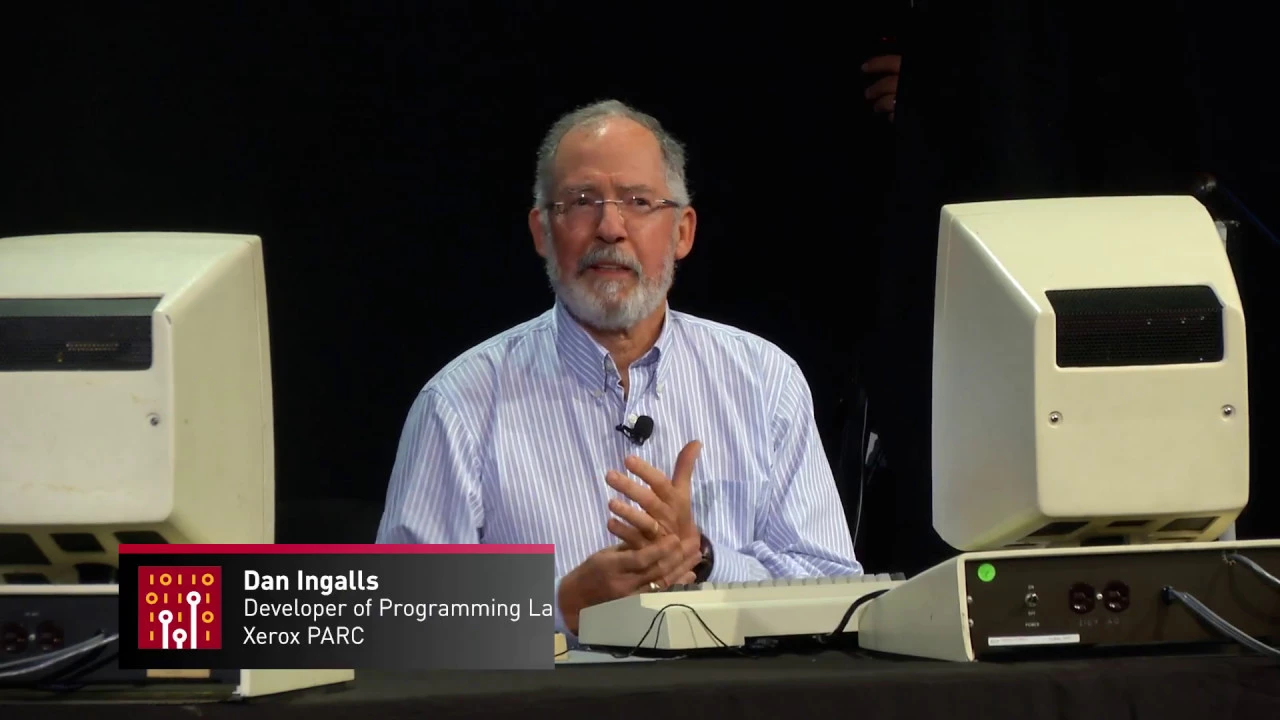
## Background Published by the Computer History Museum on YouTube on December 14, 2017, this video captures a presentation and live demonstration recorded on November 10, 2017. The session features Dan Ingalls demonstrating and discussing Smalltalk-76, the revolutionary programming language and development environment developed at Xerox PARC.
## TL;DR Software pioneer Dan Ingalls demonstrates Smalltalk-76 operating on restored Xerox Alto hardware, showcasing how it established the foundational model for modern integrated development environments. Through live coding, he illustrates the system's pure object-oriented message-passing architecture, reflective virtual machine inspection, arbitrary-precision arithmetic, and instant turnaround time when modifying graphics routines live. The presentation also surveys groundbreaking multimedia achievements at Xerox PARC's Learning Research Group, including early bitmap painting with 'fat bits,' multi-sprite animation, real-time FM sound synthesis, and Adele Goldberg's classroom initiatives teaching junior high students to author their own software tools.
## Atmosphere & style The presentation carries an affectionate, reverent, and quietly astonishing tone, blending masterclass technical depth with the warm nostalgia of computing's golden age of discovery. Watching Ingalls interact with a four-decade-old operating system feels remarkably fresh and fluid, punctuated by relaxed developer humor about CPU-saving black screens and rapid-fire live patching. The session evokes a genuine sense of wonder at how modern and cohesive Xerox PARC's vision was, culminating in a joyful, celebratory mood as jaunty organ tunes like 'The Happy Hacker' bring the historic lab back to vibrant life.
## Bulletin - [00:33](https://www.youtube.com/watch?v=NqKyHEJe9_w&t=33s) Smalltalk-76 served as the foundational archetype for modern Integrated Development Environments (IDEs), integrating interactive multi-font text, dynamic pop-up menus, class browsers, inspectable execution contexts, and debuggers into a single unified system. - [07:20](https://www.youtube.com/watch?v=NqKyHEJe9_w&t=440s) The reflective architecture of Smalltalk-76 allowed live modification and instant recompilation of running code without relinking, enabling rapid development turnaround times estimated at one-tenth of competing contemporary systems. - [12:27](https://www.youtube.com/watch?v=NqKyHEJe9_w&t=747s) Beyond graphical interfaces, Xerox PARC pushed the Alto hardware to support real-time 30-sprite animations, FM audio synthesis, and custom-wired organ hardware interfaces before industry standards like MIDI existed. - [14:48](https://www.youtube.com/watch?v=NqKyHEJe9_w&t=888s) Educational research driven by Alan Kay and Adele Goldberg demonstrated that middle school students could master Smalltalk-76 to program their own authoring tools rather than just consuming software.
## Key takeaways - [00:00](https://www.youtube.com/watch?v=NqKyHEJe9_w&t=0s) Dan Ingalls, principal architect of five generations of Smalltalk, demonstrated Smalltalk-76 running on reconstructed Xerox Alto hardware. - [00:33](https://www.youtube.com/watch?v=NqKyHEJe9_w&t=33s) Smalltalk-76 established the modern IDE archetype by unifying a multi-font text editor, source-level browser, debugger, and object inspector in one environment. - [00:33](https://www.youtube.com/watch?v=NqKyHEJe9_w&t=33s) To accelerate compilation, the Xerox Alto temporarily blanked its display refresh cycles to free up processor cycles for code execution. - [02:28](https://www.youtube.com/watch?v=NqKyHEJe9_w&t=148s) Arithmetic in Smalltalk supports automatic promotion from standard integers to arbitrary-precision large integers through uniform polymorphic message passing. - [02:28](https://www.youtube.com/watch?v=NqKyHEJe9_w&t=148s) Everything in Smalltalk operates via dynamic message passing to objects, enabling methods like factorial to function identically regardless of the receiver's concrete numeric type. - [04:25](https://www.youtube.com/watch?v=NqKyHEJe9_w&t=265s) Stack frames ('contexts') are treated as first-class objects within the virtual machine, greatly simplifying the creation of reflective debugging tools. - [04:25](https://www.youtube.com/watch?v=NqKyHEJe9_w&t=265s) Smalltalk-76 was bootstrapped by initially simulating its virtual machine bytecode dispatcher in Smalltalk-74 before optimizing it in microcode. - [07:20](https://www.youtube.com/watch?v=NqKyHEJe9_w&t=440s) Dynamic message resolution eliminates static relinking phases, resulting in rapid code recompilation and turnaround times approximately a tenth of competing labs. - [11:11](https://www.youtube.com/watch?v=NqKyHEJe9_w&t=671s) Smalltalk-76 introduced virtual workspace containers known as 'doors' or projects to organize distinct task environments and windows. - [11:11](https://www.youtube.com/watch?v=NqKyHEJe9_w&t=671s) The integrated bitmap editor featured a 'fat bits' zoomed view that updated actual-size illustrations concurrently in real time. - [12:27](https://www.youtube.com/watch?v=NqKyHEJe9_w&t=747s) Xerox Alto microcode powered complex animation systems capable of handling 30 simultaneous sprites and frame-by-frame onion skinning. - [14:02](https://www.youtube.com/watch?v=NqKyHEJe9_w&t=842s) The Learning Research Group implemented software-based FM synthesis and interactive timbre editing to render polyphonic real-time music on the Alto. - [14:48](https://www.youtube.com/watch?v=NqKyHEJe9_w&t=888s) Adele Goldberg and Alan Kay conducted classroom trials with local junior high students, proving children could write custom software authoring tools using object-oriented principles. - [15:36](https://www.youtube.com/watch?v=NqKyHEJe9_w&t=936s) Prior to the creation of MIDI, the PARC team integrated musical instruments by directly hardwiring an organ keyboard into the Alto's input bus registers.
## Detailed walkthrough ### [00:00](https://www.youtube.com/watch?v=NqKyHEJe9_w&t=0s) Introduction of Dan Ingalls
The presentation begins with an introduction of Dan Ingalls, celebrated as the principal architect of five generations of the Smalltalk programming language and environment. His foundational work began at Xerox PARC (Palo Alto Research Center) and has extended through decades of software design, including his recent work at Y Combinator on the Lively Kernel and Lively Web environments.
[00:33](https://www.youtube.com/watch?v=NqKyHEJe9_w&t=33s) Live Demo of Smalltalk-76 and the Archetypal IDE
Dan Ingalls begins his live demonstration of Smalltalk-76 running on reconstructed hardware. He explains that Smalltalk-76 evolved from earlier versions of the language to become the archetype for what we now know as an Integrated Development Environment (IDE). The system seamlessly integrates interactive multi-font text, a source-level code browser, a debugger, and object inspectors. To demonstrate the "live" nature of the environment, Ingalls shows that any text on the screen can be selected and evaluated on the fly using pop-up menus.
During the evaluation of a simple expression, the screen briefly flashes black. Ingalls explains this quirky behavior with a bit of developer humor: "the Alto runs faster when it's not displaying its full screen," meaning the processor was freed from display-refresh cycles to compile and execute the code faster. The system successfully compiles the text, enters it as a method, and evaluates it. To show the system's robustness, Ingalls evaluates `20 factorial`. Smalltalk handles this easily because, unlike many languages of its era, it supports both standard small integers and arbitrary-precision large integers, returning a massive, exact numerical result.
* **Key Features of Smalltalk-76 IDE:** Multi-font text editor, source-level browser, debugger, and object inspectors. * **Hardware Optimization:** The Alto's screen is temporarily blanked during compilation to save CPU cycles and speed up execution. * **Integer Support:** Automatic promotion from small integers to extended-precision large integers.
[02:28](https://www.youtube.com/watch?v=NqKyHEJe9_w&t=148s) Message Passing and the Factorial Method
Ingalls navigates the system's online source code to show how the factorial method is actually implemented. Using the system browser, he selects the `Number` class and points out its subclasses, which include standard `Integer`, `LargeInteger` (used for the previous calculation), and even classes like `Date` and `Time` which inherit numerical properties like comparison.
```mermaid flowchart TD accTitle: Smalltalk Factorial Message Flow accDescr: Flowchart showing how the factorial message is processed recursively using message passing. A["Receiver (self)"] --> B{"self = 0?"} B -->|True| C["Return 1"] B -->|False| D["Calculate self - 1"] D --> E["Send 'factorial' to (self - 1)"] E --> F["Multiply self by result"] F --> G["Return product"] ```
He opens the `factorial` method under the arithmetic category to explain its syntax. In Smalltalk, everything is accomplished by sending messages to objects. The expression checks if `self` (the receiver of the message) is equal to `0`. If true, it returns `1`; otherwise, it multiplies `self` by the factorial of `self - 1`. Ingalls emphasizes that this elegant, unified approach was revolutionary for the time.
> “What's notable about this is that in conventional programming at the time none of this would have worked for both small integers and large integers but in this case each of these things that's like the equal test the multiplication the subtraction those were all sent as messages so that this method actually works regardless of what the type of the receiver is”
[04:25](https://www.youtube.com/watch?v=NqKyHEJe9_w&t=265s) Probing the Meta-System and the Virtual Machine
Ingalls demonstrates the power of Smalltalk's modeless text editor and its fully exposed meta-system. Because the entire system is live and reflective, a developer can probe into any running method. He demonstrates this by extracting and displaying the raw bytecodes of the `factorial` method directly on the screen.
He explains that every procedure execution in Smalltalk creates a live stack frame, which the system refers to as a "context." Because these contexts are first-class objects, developers can inspect and manipulate them directly, which made building an interactive debugger incredibly straightforward. Ingalls opens the `Simulation` category to show the `step` method of the virtual machine. This method simulates the execution of the system by advancing the program counter, fetching the next bytecode from the method, and dispatching it. He shares a historical anecdote about how Smalltalk-76 was bootstrapped.
> “And this is actually how Smalltalk-76 was created because we first wrote this method in Smalltalk-74 and we got it all working it was very slow but we got it all working and then then we wrote micro code for it and it runs the way it does now...”
[07:20](https://www.youtube.com/watch?v=NqKyHEJe9_w&t=440s) Live Graphics and Rapid Turnaround Time
To demonstrate the ease of graphics programming, Ingalls evaluates a simple line of code: `Rectangle fromUser comp`. This prompts the user with a cursor to draw a rectangle anywhere on the screen, which then complements (inverts) the pixels beneath it. By drawing a second rectangle with a slight offset, he shows a "cheap way to put a border around a rectangle."
This leads to an insightful story about user experience. When normal end-users made large selections in early Alto systems, they often got scared by the "big black hole" that appeared on their screen. Ingalls decides to modify the system live so that selections draw an outline instead of a solid black block. He navigates to the `Selection` category of `TextImage` and modifies the `compRect` method. He adds a line of code to copy the rectangle, translate it by an offset of `-2 @ -2` (using the `@` operator to create a Point object), and complement it.
Upon recompiling, the change takes effect instantly. Ingalls explains that compilation in a message-oriented system is incredibly fast because there is no need for a slow relinking phase—messages resolve dynamically.
> “We often said that the Smalltalk systems ran at about a quarter the speed of other systems that are competing labs were building but the turnaround time for change was like a tenth or less.”
[11:11](https://www.youtube.com/watch?v=NqKyHEJe9_w&t=671s) Overlapping Windows, Projects, and Bitmap Editing
In addition to overlapping windows and pop-up menus, Smalltalk-76 featured a project-organizing concept that some users referred to as "doors." These "doors" allow users to step into entirely separate virtual workspaces or "worlds" to keep different projects organized. Ingalls enters one of these projects to demonstrate a graphics and bitmap editor that was built long before most commercial paint programs existed.
The bitmap editor features a "fat bits" mode, which displays a zoomed-in pixel grid. Ingalls notices that a finger on an instrument in the drawing looks a bit too flat, so he uses the mouse to edit the pixels in the fat-bits view. True to Smalltalk's philosophy of liveness, the main, actual-size illustration updates in real-time as he clicks individual pixels.
[12:27](https://www.youtube.com/watch?v=NqKyHEJe9_w&t=747s) Animation, Sprites, and Music Synthesis
Ingalls transitions from the live demo to showing historical video clips of other advanced systems built on the Alto. The first is an animation system that utilizes the power of the Alto's microcode. A user draws a ball, uses an iconic menu to trace a path, and watches the ball bounce along the curve. To make the animation more realistic, the system supports a "step mode" (onion skinning) where the user can see the previous frame on the left while drawing a squashed version of the ball on the right.
He then shows a full-speed demo of the animation system running about 30 sprites simultaneously, featuring a flying horse and the Cookie Monster gobbling up cookies. This system was built by Alan Kay and some collaborators from Canada. Finally, Ingalls highlights their work on music synthesis. Because the team loved music, they implemented real-time wavetable synthesis using the Alto's microcode, successfully generating ten voices in real-time, with contributions from Steve Saunders.
[14:02](https://www.youtube.com/watch?v=NqKyHEJe9_w&t=842s) FM Synthesis and the Timbre Editor in Smalltalk-76
Dan Ingalls transitions from graphics to audio capabilities on the Alto, highlighting the work done to expand the machine's sonic palette. A student working with the Learning Research Group figured out how to implement frequency modulation (FM) synthesis, which opened up an entirely new realm of complex acoustic textures and synthesized instruments. Ingalls shows an interactive timbre editor running on screen, which allows the user to adjust and select various modulation ratios to produce diverse timbral qualities. To showcase the real-time processing capabilities of the system, he displays a real-time visual score while the Alto synthesizes a Bach fugue across four distinct polyphonic voices.
```mermaid flowchart LR accTitle: Real-Time Audio Synthesis in Smalltalk-76 accDescr: Pipeline showing frequency modulation ratio selection in the timbre editor leading to real-time four-voice polyphonic playback. subgraph Editing["Timbre Editing"] A["User Input / Modulation Ratios"] --> B["Timbre Editor Interface"] end subgraph Synthesis["Audio Synthesis Engine"] B --> C["FM Sound Generator"] C --> D["4-Voice Bach Fugue Playback"] C --> E["Real-Time Visual Display"] end ```
- A visiting student devised a method to run software frequency modulated (FM) sound synthesis directly on the Alto architecture. - The dedicated timbre editor provided direct visual control over modulation ratios to shape the harmonic spectrum of synthesized voices. - The demonstration featured a live four-voice polyphonic synthesis running concurrently with a real-time animated display of a Bach fugue.
---
[14:48](https://www.youtube.com/watch?v=NqKyHEJe9_w&t=888s) Teaching Smalltalk: Adele Goldberg and the Jordan Junior High Classroom
Moving to the pedagogical roots of the project, Ingalls emphasizes that educational experimentation was central to the entire endeavor at Xerox PARC. Alan Kay and Adele Goldberg shared an intense dedication to discovering how children could grasp and shape computing environments. Ingalls presents historical footage of seventh- and eighth-grade girls from Jordan Junior High School working in a dedicated computer lab set up in the basement of the Hillview facility. Adele Goldberg is seen actively guiding the students through projects, serving as a demanding yet supportive mentor. The students became deeply engrossed in creating interactive graphics and music, moving beyond simply consuming software to constructing their own authoring applications. Pointing out a student named Marian, Ingalls notes that she was not merely drawing geometric shapes, but was actively programming her own polygon-construction tool to use for digital artwork. As Dan Ingalls puts it:
> “And a big part of our focus and Alan's passion and Adele's also was to teach and learn what we could from kids learning to use Smalltalk.”
- Alan Kay and Adele Goldberg directed classroom research projects to evaluate the expressive limits of Smalltalk when put into the hands of young learners. - The lab occupied the basement of the Hillview building, populated with Xerox Alto workstations and middle school students from nearby Jordan Junior High. - Adele Goldberg acted as both instructor and coach, pushing students to think systematically about object-oriented construction. - Student projects quickly evolved from basic procedural drawings into reusable authoring tools, such as custom polygon generators programmed from scratch.
---
[15:36](https://www.youtube.com/watch?v=NqKyHEJe9_w&t=936s) "The Happy Hacker" and the Alto Organ Interface
To conclude the presentation, Ingalls takes the audience on a visual and musical tour of the Hillview basement lab, underscored by the Learning Research Group's informal anthem, "The Happy Hacker." The piece was composed, programmed, and performed live by group member Chris Jeffers. As the jaunty track plays, Ingalls asks the audiovisual crew to crank up the volume and points out an electric organ keyboard in the footage. Rather than using an off-the-shelf MIDI standard—which did not yet exist—the team had custom-wired the keyboard's key switches directly into the Alto's input bus, mapping keyboard presses straight into the machine's bit registers to trigger synthesis routines in real time. The session wraps up with the song concluding to enthusiastic applause from the audience.
- The group's lighthearted theme piece, "The Happy Hacker," was composed and performed by Learning Research Group member Chris Jeffers. - The musical setup featured an organ keyboard wired directly into the Alto's hardware bit registers to capture key presses with low latency. - The demonstration wraps up the Smalltalk-76 retrospective by highlighting how deeply integrated interactive graphics, live sound synthesis, and end-user programming were in PARC's early environment.
## Notable quotes > [07:20](https://www.youtube.com/watch?v=NqKyHEJe9_w&t=440s) We often said that the Smalltalk systems ran at about a quarter the speed of other systems that are competing labs were building but the turnaround time for change was like a tenth or less. — Dan Ingalls
## Mentioned Dan Ingalls, Alan Kay, Adele Goldberg, Chris Jeffers, Steve Saunders, Johann Sebastian Bach, Xerox PARC, Xerox Alto, Smalltalk-76, Smalltalk-74, Learning Research Group, Jordan Junior High School, Computer History Museum, Y Combinator, Lively Kernel, Lively Web, The Happy Hacker, Cookie Monster
## Video description Demonstration and discussion of the programming language and environment "Smalltalk-76” with Dan Ingalls. Recorded November 10, 2017. A recording of the full event is available here: https://youtu.be/4m_GhapEBLQ
[Source](https://www.youtube.com/watch?v=NqKyHEJe9_w)