Last Symbolics Developer Shows Custom Silicon Sped Lisp Workstations
SymbolicsTalk28June2012 — Mike Lambert

Mike Lambert

Shifting runtime type checking and memory tracking from software into dedicated hardware gates enabled Symbolics to deliver live system patching and real-time execution that conventional computing architectures failed to replicate.

AI-assisted summary of SymbolicsTalk28June2012 — original source. Check the original for full context.

Source published:

Key ideas

  • The Symbolics 3600 achieved a 4x performance gain over the LM-2 at identical clock rates by using a 36-bit word layout that ran integer, floating-point, and tag evaluations concurrently with only a 10% gate overhead. (6:36)
  • Developing the single-chip 40-bit Ivory VLSI processor took Symbolics roughly 10 to 12 person-years using custom Lisp CAD tools, compared to an estimated 70 to 80 person-years spent by DEC on the MicroVAX. (21:21)
  • The Genera operating system eliminated distinction between debug and optimized builds by persistently retaining all symbol, argument, and local variable metadata across all running processes, enabling live patching and debugging across both Lisp and compiled C code. (41:20)
  • Following Symbolics' bankruptcy, the Virtual Lisp Machine (VLM) emulator preserved the Ivory architecture on 64-bit systems by decoupling 40-bit tagged words into parallel 32-bit data and 8-bit tag arrays, ultimately outperforming physical Ivory hardware. (26:31)

Detailed notes

## Background This video was uploaded to YouTube by Mike Lambert on July 25, 2015, documenting a presentation given at the June 28, 2012 Boston Lisp Meeting at MIT. The session is introduced by Faré and Gerald Jay Sussman, featuring Kalman Reti, recognized as the last developer at Symbolics.

## TL;DR Kalman Reti delivers an exhaustive technical retrospective on the engineering achievements and architecture of Symbolics Lisp machines. He covers the evolution from the MIT CADR to the 3600, G-machine, and custom Ivory VLSI processor, detailing how hardware-level type tagging and copying garbage collection enabled fluid interactivity. Reti then demonstrates Open Genera running inside an emulator, highlighting features ahead of their time, such as Dynamic Windows presentations, contextual command completion, integrated hypertext documentation, and live patch debugging across multiple languages.

## Atmosphere & style The presentation carries the intimate, intellectually charged vibe of an old-school hacker salon, balancing academic reverence with dry, seasoned engineering humor. Reti speaks with casual mastery, guiding the audience through decades of technical minutiae with the relaxed confidence of someone who lived through the architectural trenches. The live Open Genera demonstration feels like peering into an alternate timeline of computing, where unexpected debugger popups are welcomed as natural opportunities to showcase the system's live-patching resilience.

## Bulletin - [06:36](https://www.youtube.com/watch?v=OBfB2MJw3qg&t=396s) The Symbolics 3600 achieved a 4x performance gain over the LM-2 at identical clock rates by using a 36-bit word layout that ran integer, floating-point, and tag evaluations concurrently with only a 10% gate overhead. - [21:21](https://www.youtube.com/watch?v=OBfB2MJw3qg&t=1281s) Developing the single-chip 40-bit Ivory VLSI processor took Symbolics roughly 10 to 12 person-years using custom Lisp CAD tools, compared to an estimated 70 to 80 person-years spent by DEC on the MicroVAX. - [41:20](https://www.youtube.com/watch?v=OBfB2MJw3qg&t=2480s) The Genera operating system eliminated distinction between debug and optimized builds by persistently retaining all symbol, argument, and local variable metadata across all running processes, enabling live patching and debugging across both Lisp and compiled C code. - [26:31](https://www.youtube.com/watch?v=OBfB2MJw3qg&t=1591s) Following Symbolics' bankruptcy, the Virtual Lisp Machine (VLM) emulator preserved the Ivory architecture on 64-bit systems by decoupling 40-bit tagged words into parallel 32-bit data and 8-bit tag arrays, ultimately outperforming physical Ivory hardware.

## Key takeaways - [03:05](https://www.youtube.com/watch?v=OBfB2MJw3qg&t=185s) MIT AI Lab researchers developed dedicated Lisp machines like CONS and CADR to eliminate PDP-10 virtual address bottlenecks and software dynamic type checking overhead. - [06:36](https://www.youtube.com/watch?v=OBfB2MJw3qg&t=396s) The Symbolics 3600 architecture implemented parallel tag checking alongside integer and floating-point ALUs, executing in a single cycle and trapping only on mixed or complex types. - [08:46](https://www.youtube.com/watch?v=OBfB2MJw3qg&t=526s) Ephemeral Garbage Collection on the 3600 was accelerated in hardware via page-table tracking bits set whenever pointers to ephemeral objects were written into older pages. - [17:47](https://www.youtube.com/watch?v=OBfB2MJw3qg&t=1067s) Symbolics developed an in-house VLSI CAD toolchain in Lisp that supported multi-level simulations and automated compaction to target diverse foundry rule sets, catching bugs that Unix-based tools missed. - [15:53](https://www.youtube.com/watch?v=OBfB2MJw3qg&t=953s) The 40-bit Ivory architecture eliminated separate per-function constant tables and microcode RAM, repurposing list CDR codes to control instruction sequencing around inlined full-word constants. - [22:21](https://www.youtube.com/watch?v=OBfB2MJw3qg&t=1341s) The LMFS file system used embedded block-level check words for structural validation, enabling live operational patches to recover from failing disk controllers without system downtime. - [33:00](https://www.youtube.com/watch?v=OBfB2MJw3qg&t=1980s) Genera's Dynamic Windows presentation system maintained a bidirectional link between on-screen text and in-memory Lisp objects, allowing contextual mouse interactions and type-restricted command inputs. - [36:38](https://www.youtube.com/watch?v=OBfB2MJw3qg&t=2198s) Command completion in Genera utilized transient noise words and dynamic keyword filtering, directly inspiring the subsequent design of the Common Lisp Interface Manager (CLIM). - [38:28](https://www.youtube.com/watch?v=OBfB2MJw3qg&t=2308s) Genera operated an incremental, real-time copying garbage collector backed by hardware traps that intercepted accesses to old space and resolved interior pointers using forwarding addresses. - [55:06](https://www.youtube.com/watch?v=OBfB2MJw3qg&t=3306s) The integrated patch system tracked source provenance per definition, allowing incremental patch bundles to be compiled, distributed, and loaded into running systems without full recompilations. - [57:14](https://www.youtube.com/watch?v=OBfB2MJw3qg&t=3434s) Symbolics supported simultaneous execution of ZetaLisp, Symbolics Common Lisp, ANSI Common Lisp, and co-processor Chloe Lisp under identical package names without semantic collisions. - [01:02:25](https://www.youtube.com/watch?v=OBfB2MJw3qg&t=3745s) Dynamic Windows minimized garbage collection overhead by aggressively allocating presentation objects on the execution stack and evacuating them to the heap only if retained past the stack frame. - [01:05:22](https://www.youtube.com/watch?v=OBfB2MJw3qg&t=3922s) Symbolics Genera integrated an optimizing C compiler that mapped ANSI C runtime frames directly into the interactive debugger and Zmacs editor for live code modification and process resumption.

## Detailed walkthrough ### [00:00](https://www.youtube.com/watch?v=OBfB2MJw3qg&t=0s) Introduction to the Boston Lisp Meeting and the Lisp Machine Concept

The June 28, 2012 Boston Lisp Meeting at MIT opened with host François-René Rideau (“Faré”) thanking Professor Gerald Jay Sussman for hosting before introducing Kalman Reti, widely recognized as the last developer at Symbolics, to speak about and demonstrate Symbolics Lisp machines. Reti took the podium warning the audience with self-deprecating humor that both his slide deck and planned software demonstrations were “probably way too long” and that he would move quickly, inviting anyone with lingering questions to reach out via Gmail.

Reti grounded the talk by defining what a Lisp machine fundamentally was: an early single-user workstation engineered specifically to optimize the development of Lisp software. While modern observers might find its individual interface specifications familiar, in its day it was radically forward-looking, featuring a dedicated high-resolution black-and-white bitmap display, a three-button mouse, and an expansive keyboard with numerous extra modifier keys. Beyond the hardware console, the true differentiation of the Symbolics platform lay in its immense, tightly integrated software environment and a series of custom hardware architectures designed to execute Lisp with unprecedented efficiency.

> “So what's the Lisp machine? Well, it's a single-user workstation... whose basic goal in life was to optimize the development of software in Lisp.” — Kalman Reti

- Host: François-René Rideau (Faré); Venue host: Professor Gerald Jay Sussman, MIT. - Workstation interface: High-resolution monochrome bitmap display, three-button mouse, and custom keyboards with extensive modifier and control keys.

---

[01:44](https://www.youtube.com/watch?v=OBfB2MJw3qg&t=104s) The Four Generations of Symbolics Hardware

Reti outlined the architectural progression across four distinct generations of Symbolics hardware. The first model, the LM-2, was a commercial repackaging of MIT’s experimental CADR machine, laid out onto standard printed circuit boards in an industrial chassis. Symbolics then engineered the 3600, a clean-sheet 36-bit architecture where the trailing zeroes were intended to denote future model variants. The next iteration was known internally as the “G machine”; while it preserved the 3600’s instruction set and architecture, it transitioned discrete logic to gate arrays and adopted off-the-shelf commodity parts for networking and serial I/O, yielding a smaller, cheaper, and faster implementation.

In parallel with the G machine, Symbolics pursued VLSI miniaturization, creating the Ivory—a single-chip Lisp processor that introduced yet another distinct architecture. As the original Symbolics corporate entity reached its end, engineers developed an Ivory instruction set emulator targeted at the DEC Alpha processor. Reti highlighted an “absolutely marvelous hack” created by Brad Parker (who was seated in the audience) that ported the Alpha emulator to run on arbitrary 64-bit platforms, enabling Reti to conduct live demonstrations directly from his laptop.

```mermaid flowchart LR accTitle: Symbolics Hardware Lineage accDescr: Evolution of Symbolics hardware generations from the LM-2 to the 64-bit emulator.

subgraph Discrete["Discrete & TTL Logic"] LM2["LM-2\n(Packaged CADR)"] S3600["3600\n(36-bit Architecture)"] end

subgraph ASIC["ASIC & VLSI"] GMachine["G-Machine\n(Gate Arrays & Commodity I/O)"] Ivory["Ivory Chip\n(Single-Chip Processor)"] end

subgraph Emulation["Emulation Era"] Alpha["Alpha Ivory Emulator"] Generic64["Parker 64-bit Port\n(Modern Laptops)"] end

LM2 --> S3600 S3600 --> GMachine S3600 -.-> Ivory GMachine -.-> Ivory Ivory --> Alpha Alpha --> Generic64 ```

- **LM-2:** MIT CADR repackaged for commercial production. - **3600:** Proprietary 36-bit architecture; replaced discrete board logic in subsequent revisions. - **G-Machine:** Gate-array reimplementation of the 3600 with commodity serial and Ethernet controllers. - **Ivory:** Single-chip VLSI Lisp microprocessor. - **Alpha Emulator / Parker Hack:** Software-emulated Ivory running on DEC Alpha, later adapted by Brad Parker to execute on modern 64-bit CPUs.

---

[03:05](https://www.youtube.com/watch?v=OBfB2MJw3qg&t=185s) The MIT AI Lab Roots: From the PDP-10 to the CADR

Reti retraced the origins of Lisp machines to resource bottlenecks encountered by MIT Artificial Intelligence Laboratory researchers in the 1970s. AI research relied on mainframe environments like the DEC PDP-10, but the PDP-10 suffered from a cramped address space. Furthermore, the CPU overhead required to perform runtime dynamic type checking frequently eclipsed the computational cost of the operations themselves. Because an individual researcher could monopolize an entire multi-hundred-thousand-dollar PDP-10, single-user specialized hardware became an economic and engineering imperative.

The first prototype effort, the CONS machine, was designed but never fully realized; its concepts instead materialized in 1979 as the CADR machine. MIT built approximately 8 to 12 CADR units at a cost of roughly $50,000 to $60,000 per researcher. Because the machines offered vastly superior Lisp development productivity compared to the PDP-10, visiting scientists immediately clamored for their own units. MIT, unwilling to become a commercial computer manufacturer, licensed the CADR design to two separate spinoff startups: Symbolics (founded by Russell Noftsker, Tom Knight, David A. Moon, Dan Weinreb, Mike McMahon, and Bernie Greenberg) and Lisp Machines Inc. (LMI, founded by Richard Greenblatt and associates).

```mermaid flowchart TD accTitle: Origin of Dedicated Lisp Machines accDescr: Progression from PDP-10 bottlenecks to the commercial split between Symbolics and LMI.

PDP["PDP-10 Mainframes\n(Scarce address space, heavy type-check overhead, $100k+ cost)"] CONS["CONS Machine Design\n(Unbuilt architectural prototype)"] CADR["MIT CADR (1979)\n(8-12 built, ~$50k-$60k per researcher)"]

Split{MIT Licensing} Symbolics["Symbolics\n(Noftsker, Knight, Moon, Weinreb, McMahon, Greenberg)"] LMI["Lisp Machines Inc. (LMI)\n(Greenblatt and colleagues)"]

PDP --> CONS CONS --> CADR CADR --> Split Split --> Symbolics Split --> LMI ```

- PDP-10 constraints: Severe virtual address limitations, prohibitive timesharing costs, and software-driven type-checking overhead that dwarfed actual ALU execution. - CADR deployment: Built at MIT around 1979, producing an estimated 8 to 12 operational units at $50,000–$60,000 each. - Spinoff entities: Both Symbolics and LMI initially commercialized the CADR design before branching into divergent architectural successors.

---

[05:04](https://www.youtube.com/watch?v=OBfB2MJw3qg&t=304s) CADR Architecture, Micro-Compilation, and Post-Mortem Recovery

The CADR was structured around a 32-bit word size and incorporated two defining hardware features: a large writable microcode store and generous scratchpad memories. The expansive microcode store permitted the instruction set to function directly as a Lisp interpreter, implementing core Lisp primitives—such as `CAR`—as discrete hardware-level macro-instructions, while the scratchpads provided the rapid table lookups necessary for tag inspection.

A notable architectural innovation was the CADR's hardware microcode call stack, which was four levels deep. This return stack allowed a micro-compiler to compile critical inner loops directly into native microcode. The resulting micro-compiled functions could branch into the exact same micro-subroutines that implemented primitive macro-instructions (such as the execution routines of `CAR`) without incurring instruction-fetch or macro-dispatch penalties. Furthermore, the CADR exposed its memory through external parallel diagnostic cables. If a machine crashed or entered a halted state where macro-instruction fetch ceased, a remote debugger on another CADR could inspect the call stack, traverse physical memory, and reliably salvage unwritten file buffers from the crashed system's Zmacs editor.

> “You had a debugger on another CADR that could look at the stack and poke around in memory and figure out why you crashed, but it could also find your Zmacs modified buffers and write them out, which was pretty pretty amazing.” — Kalman Reti

- **Microcode Store:** Allowed core Lisp operations (such as `CAR`) to execute as hardware macro-instructions. - **Hardware Return Stack:** 4-deep call stack in the micro-engine facilitating micro-compilation of user functions directly to microcode. - **Out-of-Band Memory Bus:** Parallel debugging cables enabled an external CADR to inspect memory, diagnose crashes, and recover unwritten Zmacs editor buffers from halted machines.

---

[06:36](https://www.youtube.com/watch?v=OBfB2MJw3qg&t=396s) The Symbolics 3600: Parallel Tag Evaluation in the Data Path

When LMI and Symbolics set out to build successor machines, LMI preserved the existing CADR architectural model while utilizing faster semiconductor components. Symbolics chose instead to redesign the central processing pipeline. A major defect in the CADR had been its handling of single-precision floating-point numbers: to fit inside 32 bits, numbers were stored unboxed without tags, forcing the garbage collector and register allocators to track types through out-of-band state, occasionally resulting in corruption.

Symbolics solved this by moving to a 36-bit word, guaranteeing that every word in physical memory carried dedicated type tags. Rather than executing sequential microcode cycles to test tags before invoking an ALU, the 3600 integrated tag decoding logic directly alongside parallel arithmetic units in the data path. On an instruction such as `ADD`, operands were simultaneously fed to an integer adder, a single-precision floating-point adder, and the tag-checking logic. Within a single cycle, the hardware determined which result was valid or flagged a trap to coerce types and restart the instruction. By paying an overhead of roughly 10% more silicon gates, the 3600 moved runtime type dispatch entirely from the time domain to the hardware domain, achieving a fourfold performance improvement over the LM-2 using the same component technology and clock speeds.

> “You basically moved the overhead for the runtime type checking from the time domain into the hardware domain. You had to spend 10% more gates... the upshot was that the 3600 was almost exactly the same technology and number of gates as the LM-2, but was four times faster.” — Kalman Reti

```mermaid flowchart TD accTitle: Symbolics 3600 Parallel Execution Data Path accDescr: Pipeline executing integer, floating-point, and tag verification logic in parallel.

Operands["Operand A & Operand B\n(36-bit tagged words)"]

subgraph ParallelExecution["Simultaneous Single-Cycle Hardware Execution"] IntALU["Integer Adder / ALU"] FloatALU["Single-Precision Float Adder"] TagCheck["Hardware Tag Checking Logic"] end

Decision{"Tag Logic Decision"} IntOut["Commit Integer Result"] FloatOut["Commit Float Result"] Trap["Coerce Operands & Restart Instruction"]

Operands --> IntALU Operands --> FloatALU Operands --> TagCheck

IntALU --> Decision FloatALU --> Decision TagCheck --> Decision

Decision -->|"Both Operands Fixnum"| IntOut Decision -->|"Both Operands Float"| FloatOut Decision -->|"Mixed / Complex Types"| Trap ```

- **CADR Limitation:** 32-bit untagged floating-point values required out-of-band register tracking that burdened the garbage collector. - **3600 Tag Architecture:** Every memory word carried dedicated tag bits; operands were evaluated in parallel across integer and floating-point ALUs alongside tag-validation logic. - **Efficiency Metric:** 10% gate overhead eliminated sequential tag-testing micro-cycles, providing a 4× speedup over the LM-2 on equivalent hardware fabrication technology.

---

[08:46](https://www.youtube.com/watch?v=OBfB2MJw3qg&t=526s) Word Formatting, Ephemeral GC Hardware, and the Address Space Register

To retain full 32-bit integers (fixnums) and IEEE single-precision floats within a 36-bit word while supporting distinct tag identifiers, Symbolics engineered an overlapping tag scheme. The architecture dedicated 16 specific tag ranges each to fixnums and single floats, allowing the lower 4 bits of the 6-bit tag field to represent the uppermost 4 bits of the 32-bit numeric value. Tagging every word simplified memory management and laid the groundwork for specialized garbage collection mechanisms.

The 3600 incorporated hardware support for Ephemeral Garbage Collection (EGC). When a pointer to an ephemeral object was stored in a non-ephemeral page, hardware automatically set a dedicated tracking bit in the memory management page table. The garbage collector did not need to trace the entire object graph to discover ephemeral references; it consulted the page table as an oracle indicating exactly which subset of physical pages required scanning.

Hardware support for method-dispatch hashing was also implemented, though it proved ineffective in practice and was abandoned. Finally, Symbolics incorporated an 8-bit Address Space Number (ASN) register, extending virtual addressing beyond the system-wide single address space. The single address space unified all device drivers, system services, compilers, and user applications, enabling frictionless data sharing but providing no memory isolation. A key customer adamantly demanded hardware support for address-space segmentation and promised to write the supervisory software; however, neither the customer nor Symbolics ever implemented software support for the ASN register.

> “One of our customers wanted to be able to do that and encouraged us, and in fact almost demanded that we add this address space register, and they were going to write the software to support it. They never did; we never did.” — Kalman Reti

- **36-Bit Layout:** 16 reserved tag ranges allowed 4 bits of the tag to double as the top 4 bits of 32-bit fixed-point and floating-point numbers. - **Ephemeral GC Tracking:** Hardware-maintained page-table dirty bits flagged older pages storing pointers to newly allocated ephemeral objects, eliminating full-heap root traversals. - **Single Address Space vs. ASN:** All system utilities, compilers, device drivers, and user code shared one contiguous memory space; an 8-bit Address Space Number register was added under customer pressure for process isolation, but the supporting software was never written.

[10:44](https://www.youtube.com/watch?v=OBfB2MJw3qg&t=644s) The 3600 Hardware Architecture and the IFU

Kalman Reti describes the physical construction of the Symbolics 3600 hardware, noting that it required five large circuit boards simply to implement the central processor. Surrounding that processor core was a separate set of large boards dedicated to system memory. At the outset, memory boards were remarkably constrained, offering around 16 Kwords of 36-bit words, though by the end of the machine's life cycle Symbolics produced boards holding up to 512 Kwords. Depending on the physical enclosure—which ranged from half-height boxes to massive cabinets—users could install anywhere from three or four up to six or eight memory boards, eventually accumulating a respectable memory footprint after starting out with machines that were painfully tiny.

From the inception of the 3600 design, one of those five core processor boards was dedicated to the IFU (Instruction Fetch Unit). The IFU was intended to act as an aggressive pipelining engine: it prefetched instructions, pre-decoded them, grabbed operands in advance, and staged them into fast scratchpad registers for zero-latency execution. However, building and verifying this unit proved extraordinarily tricky and delayed the schedule. As Kalman Reti explains:

> “It was late and it was very very very complicated and very very tricky to debug so it actually didn't ship with the first 3600 models.”

When Symbolics later refreshed the line, models ending in a zero (such as the 36x0 series) omitted the unit, whereas models designated with a five (the 36x5 series) integrated the operational IFU board and delivered significantly faster execution speeds.

- Processor implementation: five large discrete logic circuit boards. - Memory modules: 36-bit wide words, growing over time from 16 Kwords to 512 Kwords per board. - Model numbering scheme: `36x0` machines ran without the IFU; `36x5` machines included the operational IFU board.

---

[12:07](https://www.youtube.com/watch?v=OBfB2MJw3qg&t=727s) Graphics, Custom Hardware, and Transition to Gate Arrays

Beyond the core compute engine, Symbolics manufactured a variety of specialized peripheral boards. Color graphics required a dedicated secondary display monitor. The company produced 8-bit color framebuffers targeted at CAD and technical drawing applications, alongside 24-bit and 32-bit boards designed for paint programs, 3D rendering, and video animation. The graphics hardware was developed in Westwood, California, by a specialized color division that maintained deep connections to Hollywood. A standout technical capability was their ability to genlock the video output directly to an external house sync generator—a rare feat among computer graphics hardware of that era. Because they could reload microcode and lock cleanly to 24 frames per second, Symbolics systems were chosen to drive the live on-set computer display props seen in several early *Star Trek* feature films without flickering on movie cameras.

Other specialized add-in hardware included high-throughput array processor boards for computational fluid dynamics, interface cards for GPIB and SCSI bus instrumentation, and even an Intel 386 daughterboard used to load and test 3600 program binaries. The physical packaging of the 3600 varied from towering full-height industrial rack cabinets down to compact half-height enclosures, with cabinet size primarily dictating backplane expansion capacity. In the earliest revisions, virtually every peripheral subsystem was constructed out of discrete TTL logic gates; the Ethernet interface and the serial controller were each pieced together entirely from individual gate chips. Over time, engineering recognized that commodity silicon and semi-custom gate arrays could radically reduce system footprint. This effort culminated in the "G-machine" generation, which preserved the identical instruction set architecture of the 3600 while compressing the entire five-board processor onto just two gate-array boards inside a dramatically smaller enclosure.

```mermaid flowchart TD accTitle: Symbolics 3600 Architecture and Peripheral Ecosystem accDescr: Diagram showing the 3600 CPU boards, memory, and specialized add-in hardware options.

subgraph CPU["3600 Processor Core (5 Boards)"] ALU["Processor Logic (4 Boards)"] IFU["Instruction Fetch Unit (Optional Board)"] end

subgraph MEM["System Storage"] MemoryBoards["3 to 8 Memory Boards (16KW - 512KW)"] end

subgraph AddOns["Specialized Add-In Hardware"] ColorGFX["Color Boards (8-bit CAD / 24-32 bit Animation)"] ArrayProc["Array Processor (Fluid Calculations)"] HostPC["386 Daughterboard (Testing / Bootstrapping)"] IOInterfaces["GPIB & SCSI Instrument Control"] end

CPU --- MEM CPU --- AddOns ```

---

[14:06](https://www.youtube.com/watch?v=OBfB2MJw3qg&t=846s) The Ivory Chip: Architecture, Microcode Constraints, and BARs

Concurrently with the G-machine project, Symbolics undertook the design of the Ivory chip, a full 32-bit Lisp machine compressed onto a single piece of custom silicon. The Ivory introduced major architectural advances, most notably shifting to a 40-bit word structure. This format supplied a full 32 bits of address space—specified in 32-bit addressable words, representing a massive memory space for 1986–1987—alongside dedicated tag bits for types and garbage collection. However, fitting a Lisp machine onto a single VLSI chip forced painful compromises with the microcode architecture. First, microcode could no longer be dynamically loaded into writable control store memory from disk; it had to be permanently etched into on-chip ROM, meaning microcode bugs could not be patched after fabrication. Second, die real estate severely capped the size of the microcode store. Heavyweight algorithmic routines that had previously resided in microcode on the 3600—such as BitBLT raster graphics pipelines and arbitrary-precision bignum arithmetic—had to be evicted from the microcode ROM and pushed out to macro-instructions.

Because BitBLT and bignum operations demand continuous, high-speed memory streaming, evicting them threatened to severely degrade performance. To solve this, system architect Dave Moon designed Bus Address Registers (BARs). Kalman Reti explains the underlying bus dynamics:

> “When you fetch the word of instruction data from memory you got to two instructions so that was at minimum two cycles and so you had some idle cycles there hopefully that you could you know send the data through.”

Operating like autonomous, single-word read-ahead or write-behind channels, a BAR was initialized with a target memory pointer. During the bus idle cycles created while the processor chewed through paired half-word instructions, the BAR quietly prefetched the next data word into a local register or flushed an outgoing word to memory, maintaining memory throughput without dedicated microcode execution blocks.

---

[15:53](https://www.youtube.com/watch?v=OBfB2MJw3qg&t=953s) Instruction Stream Tagging and CDR-Code Sequencing

Another major innovation in the Ivory was the total elimination of traditional per-function constant tables. On earlier Lisp machine architectures, whenever code needed to push an immediate value or an object reference to pass to a function, the instruction used a narrow bitfield index pointing into an auxiliary table attached to the function header. That index field had very few bits, meaning moderately complex functions frequently overflowed their constant capacity. The compiler tried to compensate by carving oversized functions into artificial subfunctions with disjoint constant pools, but the heuristic was brittle and frequently broke down.

For the Ivory, the designers discarded the table altogether by taking advantage of the tagged memory architecture. Every instruction word carried a tag identifying it as executable code; if the CPU encountered any memory cell in the instruction stream lacking that instruction tag, hardware automatically interpreted the item as literal data and pushed it directly onto the runtime evaluation stack. While elegant, this introduced an alignment mismatch: immediate constants occupied full 40-bit words, whereas instructions were packed as two half-words per word. To interleave half-word instructions with full-word data without wasting cycles or memory, Dave Moon devised a clever control trick utilizing the CDR-code bits within the instruction words to dictate program counter progression:

```mermaid flowchart LR accTitle: Ivory Instruction Stream Constant Interleaving accDescr: Flow diagram showing how CDR-code bits steer PC sequencing around interleaved full-word constants.

subgraph Word1["Word N (Instruction Pair)"] InstA["Instruction 1 (Half-word)"] InstB["Instruction 2 (Half-word)"] end

subgraph Word2["Word N+1 (Immediate Data)"] ConstVal["Tagged Full-Word Constant"] end

subgraph Word3["Word N+2 (Next Instruction Pair)"] InstC["Instruction 3 (Half-word)"] end

InstA -->|"1. Fetch & push operand"| ConstVal ConstVal -->|"2. Return execution"| InstB InstB -->|"3. Skip constant word"| InstC ```

The processor could execute the top half of a word, drop down to load the subsequent full-word constant onto the stack, return to run the bottom half of the original word, and then jump past the constant to resume sequential execution. Reti notes that CDR-code bits had originally been designed for compact list storage, allowing an $n$-element list to occupy exactly $n$ consecutive memory words without pointer overhead—even permitting arrays to point directly at the same underlying memory blocks so that data could be indexed as an array or traversed as a list. On Ivory, those same bits provided the control logic to steer PC advancement around interleaved immediate data.

---

[17:47](https://www.youtube.com/watch?v=OBfB2MJw3qg&t=1067s) Custom VLSI CAD Tools and Dynamic Lisp Development

Kalman Reti spent the majority of his career at Symbolics designing the custom VLSI computer-aided design (CAD) toolchain that made the Ivory chip possible. He points to this project as the quintessential demonstration of why the Lisp machine environment was unparalleled: commercial CAD tools available on Unix systems at the time were entirely inadequate for VLSI complexity of this scale. Instead, Symbolics built their own design software in Lisp. Each hardware engineer ran an individual Lisp machine hosting the entire Ivory layout in memory. The team adopted a process-independent layout methodology: rather than drawing polygons locked to a single foundry's design rules, engineers drew generic geometric layouts based on an abstract two-level metal CMOS topology without rigid spacing constraints. An automated compaction tool was then supplied with the target foundry's design rule deck—specifying pitch, spacing, and surround constraints—and the tool squeezed the generic geometry into the densest possible DRC-clean layout. Thanks to this decoupling, Symbolics pushed five successive revisions of the Ivory chip across four distinct semiconductor fabrication technologies with minimal manual re-layout.

The development environment featured an exhaustive suite of simulators spanning multiple levels of abstraction: - An instruction-level architectural simulator verifying instruction set semantics. - A gate-level digital logic simulator. - A switch-level transistor simulator modeling MOS devices with resistive and capacitive RC network models. - An integrated port of SPICE, the Fortran-based analog circuit simulator used to verify waveform timing and analog characteristics.

Porting SPICE to the Lisp machine yielded an unexpected benefit. Because the Lisp machine hardware continuously checked tags on every memory fetch, accessing an uninitialized variable triggered an instantaneous processor trap. Standard Fortran compilers simply operated on whatever random garbage happened to be in uninitialized stack or heap locations. Running SPICE on Symbolics hardware immediately flagged numerous uninitialized variable traps, exposing latent bugs in the industry-standard SPICE source code itself.

Furthermore, the dynamic runtime of the Lisp machine revolutionized developer workflow. As CAD software engineers refined the toolchain, chip designers loaded system software patches directly into their running environments every morning. These live patches updated running code, instantiated new software tools, and dynamically transformed thousands of live in-memory design objects by altering class definitions, adding slots, and migrating data structures on the fly. Hardware designers never had to shut down their sessions, dump state, or restart their workstations; they loaded patches and continued laying out the chip without interruption.

---

[20:16](https://www.youtube.com/watch?v=OBfB2MJw3qg&t=1216s) Ergonomics, Input Systems, and First-Silicon Success

Reti highlights the distinctive ergonomics of the Symbolics console as a key reason chip designers could achieve such high productivity. The custom mechanical keyboards featured dual sets of "bucky keys"—not merely Control, but Meta, Super, and Hyper modifier keys duplicated on both sides of the layout—paired with a three-button optical mouse. The VLSI CAD interface was designed around rich chorded input: any mouse click on any geometry or UI element could be modified by any combination of Control, Meta, Super, or Hyper, invoking hundreds of specialized editing commands with minimal keystrokes. Once engineers built the muscle memory for these chords, they navigated and edited complex chip floorplans at remarkable speed.

The rigor of the custom toolchain was proven when the first physical prototype silicon of the Ivory chip returned from the foundry. Fabricated on a massive, experimental die that would have been commercially cost-prohibitive to mass-produce, the first-revision silicon was functionally complete on day one. Reti highlights the outcome:

> “The very very first prototype rev of the chip which was on a really huge die and would have been ruinously expensive to actually make almost completely worked.”

The only flaw detected on the entire prototype die was a single transistor driving the virtual memory control bus line. Because this control trace had to traverse the entire length of the chip, the transistor driving it had been sized too small during layout. By the time the control signal reached the far physical perimeter of the die, signal degradation and ambient electrical noise corrupted the line, preventing the engineering team from enabling virtual memory on that first spin. Beyond that isolated sizing issue, the complex processor logic executed correctly on its maiden pass.

[21:21](https://www.youtube.com/watch?v=OBfB2MJw3qg&t=1281s) Engineering Efficiency: The Ivory Chip vs. MicroVAX and Unix Pipes

Kalman Reti reflects on the early prototypes of the Ivory-based machine, noting that for trade shows, they simply packed the hardware full of memory to bypass limitations while everything else ran smoothly. Comparing Symbolics' engineering output to mainstream industry giants, Reti notes that developing the Ivory chip required roughly ten to twelve person-years. In contrast, contemporaneous estimates from his acquaintances at Digital Equipment Corporation (DEC) indicated that the MicroVAX took 70 to 80 person-years. Reti asserts that this massive productivity gap explains the core advantage of the Lisp Machine environment: “that in a nutshell is the reason that the oldest machine was great in the symbolics lisp machine.”

Reti contrasts the software design philosophies of Unix and the Symbolics environment. Under standard Unix toolchains, an internal data structure must be threaded through an eight-bit serialized byte stream (pipes) to pass it to another tool, which then re-parses the stream into its own memory structure. On the Lisp Machine, tools bypassed serialization entirely: one program simply handed a memory pointer to another, allowing the receiving tool to traverse and annotate the live data structure directly.

[22:21](https://www.youtube.com/watch?v=OBfB2MJw3qg&t=1341s) Symbolics Software Ecosystem and the Resilient File System

When Symbolics inherited the original operating system from MIT, it included Common Lisp, Lisp listeners, the ZMACS editor (an Emacs clone written in Lisp), and utility tools such as an object inspector and band-transfer utilities. Symbolics expanded this foundation substantially by introducing a dedicated command processor and a sophisticated input/output system created by Mike McMahon for Dynamic Windows, which later served as the foundation for CLIM (Common Lisp Interface Manager).

A key achievement was the local file system (FEP/LMFS) designed by Bernie Greenberg. Every block written to disk had specialized "check words" at the start and finish that tracked the unique file ID and the word offset within that file. If the drive fetched an incorrect block, the system detected it immediately. Reti shares an anecdote from the Chatsworth manufacturing plant, where a central file server developed a hardware flaw that returned block $M$ instead of block $N$ roughly ten percent of the time. Rather than taking the system offline or suffering data corruption, Reti patched the live machine on the fly:

> “all it took was two lines of code while the machine was running to have it retry a few times so we got the right thing and then all it took was another six or so lines of code to basically every time it touched something on the bad disk write the same contents to a new disk that we hooked up and so just by reading all the files in the file system everything I migrate to the new disk and then you just change the configuration they pointed a new disk and everything was fine there's not many file systems that you can say something like that about”

```mermaid flowchart TD accTitle: Symbolics On-The-Fly Disk Recovery Process accDescr: Diagram illustrating how live code patches caught disk read errors and migrated data to a fresh disk transparently.

subgraph ErrorDetection["Hardware Level & Check Words"] REQ["Read Request: Block N"] --> DISK["Faulty Disk (10% Error Rate)"] DISK --> RET["Block M Returned"] RET --> CW{"Check Words Match File ID & Offset?"} end

subgraph LivePatches["Runtime In-Memory Patches"] CW -- "No (Mismatch)" --> RETRY["2-Line Patch: Retry Block Fetch"] RETRY --> DISK CW -- "Yes (Correct Block)" --> COPY["6-Line Patch: Write-Through on Read"] end

subgraph Recovery["Transparent Migration"] COPY --> NEWD["New Target Disk"] NEWD --> SWAP["Update Config to Point to New Disk"] end ```

[24:26](https://www.youtube.com/watch?v=OBfB2MJw3qg&t=1466s) Compilers, Documentation, and Advanced Subsystems

Beyond core operating system services, Symbolics developed a wide catalog of software: - **Compilers**: A shared compiler architecture supported C, Fortran, and Pascal, while Ada was implemented with an independent compiler framework; Prolog was also supported alongside deep debugger integration. - **Documentation System**: Symbolics workstations shipped with roughly four linear feet of printed reference manuals, but the entire documentation base lived inside the machine's interactive documentation system. In the 1980s, having fully cross-referenced documentation where users could click on code examples and execute them directly was revolutionary. - **Maxima & Joshua**: Symbolics acquired the Macsyma/Maxima computer algebra system, rewrote it in Common Lisp, added features, and later spun it off. They also developed Joshua, an object-oriented rule-based expert system tool where users could swap in custom database backends and Truth Maintenance Systems (TMS). - **Defsystem**: Symbolics heavily re-engineered the original MIT system definition tool into a sophisticated construction tool capable of managing system hierarchies, dependency resolution, local patches, and patch distribution over email.

[26:31](https://www.youtube.com/watch?v=OBfB2MJw3qg&t=1591s) Corporate History and the Virtual Lisp Machine (VLM)

Reti outlines the corporate history through three distinct iterations of Symbolics: 1. **Symbolics, Inc.**: The original public company, which entered Chapter 11 bankruptcy around 1992 before liquidating under Chapter 7. 2. **Symbolics Technology, Inc.**: Formed by the Princeton investment firm Princeton Capital after purchasing the bankrupt company's assets. Reti was hired as the principal software developer to stabilize their product offerings. 3. Subsequent operations supporting legacy hardware and software maintenance.

Reti's primary mandate was to deliver a production-grade release of the Virtual Lisp Machine (VLM) emulator on DEC Alpha systems. The original Symbolics team had released version 1.0, but it remained rough and lacked support for major subsystems like Statice, the object-oriented relational database.

```mermaid flowchart LR accTitle: Virtual Lisp Machine VLM Architecture accDescr: Separation of the C life support runtime and parenthesized assembly emulating 40-bit tagged words on 64-bit hosts.

subgraph HostArchitecture["Host System (64-Bit Alpha / C)"] direction TB LS["C Life Support Code"] CB["Contiguous Memory Layout"] CB --> TAGS["8-bit Tags Array"] CB --> DATA["32-bit Values Array"] end

subgraph EmulationEngine["VLM Instruction Core"] direction TB MAC["Lisp Macro Layer"] --> PASM["Parenthesized Assembler"] PASM --> TRANS["Host Target Translation"] TRANS --> GC["Co-Processor: Scanning & Pointer Transport"] end

LS <-->|"Natural C Integers & Fast IPC"| CB TRANS <--> GC ```

The VLM introduced key architectural techniques: - **Co-processor Registers**: The emulator disguised native C runtime routines (the "life support" layer) as specialized coprocessor registers on a hypothetical revision of the Ivory chip, bypassing instruction-level Lisp emulation for expensive tasks like scanning memory pages and transporting old-space pointers during garbage collection. - **Split Virtual Memory Layout**: Instead of mapping 40-bit tagged Ivory words directly into the Alpha's 64-bit virtual memory address space, memory was bifurcated: 32-bit data fields were mapped contiguously, while the corresponding 8-bit type tags were stored contiguously in a parallel array. This allowed C communication buffers and integer ranges to be accessed natively without stripping tags. - **Parenthesized Alpha Assembler**: The instruction engine was written in a Lisp-based macro language expanding into S-expressions representing Alpha assembly, which were mechanically transcribed to DEC Alpha assembly syntax. MIT attempted to adapt this pipeline to target the 64-bit PowerPC, but the port was never stabilized. Brad Parker later devised a different approach: modifying the macro expander to emit C subroutine calls directly to a small virtual backend simulating Alpha registers, producing an emulator running on contemporary laptops that surpassed the speed of any physical Ivory hardware ever produced.

[30:03](https://www.youtube.com/watch?v=OBfB2MJw3qg&t=1803s) Live Demonstration: Open Genera, Activities, and Custom Keyboards

Reti launches an X11 terminal to boot Symbolics Open Genera 2.0 within the Brad Parker emulator, loading a personalized world image containing his accumulated tools and hacks. In the corner of the display, the cold load stream window appears; Reti explains that on bare-metal hardware, this window shared the primary bitmap display buffer like a Linux console, offering a low-level, character-mode debugger to rescue the machine when the window manager crashed.

As the mouse moves across the UI, contextual prompts dynamically reflect available operations on the status bar: - The status line indicates the current package (`CL-USER`), process state (`User Run`), date, and system clock. - The mouse documentation line dynamically displays click bindings (e.g., clicking left to open a program menu or select the Document Examiner). - Holding modifier keys prompts the UI to display alternative bindings. Reti points out that key labels displayed on screen (such as the `Select` lozenge) mirrored the physical Symbolics keyboard layout, which included dedicated keys for `Select`, `Function`, and `Symbol` (for entering mathematical symbols and Greek letters directly), alongside `Control`, `Meta`, `Super`, and `Hyper` modifiers. Reti notes that mapping this expressive, multi-modifier hardware interface onto conventional modern PC keyboards remains a difficult challenge.

[33:00](https://www.youtube.com/watch?v=OBfB2MJw3qg&t=1980s) Output Presentations and Screen-to-Data Object Mapping

Kalman Reti begins by setting up his environment, explaining that modern keyboard layouts and desktop GUIs usurp too many modifier keys. Logging in under his own user profile restores the keyboard mappings he expects on the Lisp Machine.

```mermaid flowchart TD accTitle: Presentation Object Architecture accDescr: Hierarchy showing how displayed screen elements map directly to recursive Lisp data objects. subgraph Presentation["Displayed Presentation Object"] Whole["Whole List: (A 'B' 123)"] A["Symbol: A"] B["String: 'B'"] Num["Number: 123"] end

Whole --> A Whole --> B Whole --> Num

subgraph Interaction["User Action via Mouse"] AcceptStr["accept 'string'"] -.->|"highlights only"| B AcceptExpr["accept 'expression'"] -.->|"highlights all / sub-parts"| Whole end ```

Moving the cursor across the screen while holding the `Control` key immediately updates the status text at the bottom: it informs the user that `Control-Mouse-Left` will mark a region starting from that cursor position. Furthermore, the highlighting narrows down precisely to a single letter. As Kalman explains:

> “On the Lisp machine, the connection between the characters that appear on the output display and the objects that engender them are not broken; that connection is remembered.”

He demonstrates this by entering a form at the Command Processor prompt to evaluate a heterogeneous list containing the symbol `A`, the string `"B"`, and the number `123`. Because the prompt operates as a read-eval-print loop (REPL), typing the closing parenthesis instantly completes and evaluates the form without needing an extra newline. When he invokes `accept` for a `string`, only the `"B"` becomes mouse-sensitive and highlighted, while `A` and `123` remain unhighlightable. When he instead calls `accept` for an `expression`, each sub-part—and the surrounding list itself—becomes selectable. Middle-clicking on the output inspects the underlying `displayed presentation object`, exposing a recursive tree where every visible on-screen element retains a live, bidirectional pointer to the in-memory Lisp object it represents. This allows direct modifications: by hitting `Control-Meta-Right-Click`, he replaces an element with `42`, and a subsequent acceptance of the whole expression reflects the mutated form.

[36:38](https://www.youtube.com/watch?v=OBfB2MJw3qg&t=2198s) Intelligent Command Completion and Noise Words

Reti moves on to the interactive Command Processor, which continuously inspects screen objects to determine whether visible elements can serve as valid commands or arguments.

```mermaid flowchart LR accTitle: Command Processor Guided Input Flow accDescr: Step-by-step auto-completion from prefix typing to keyword arguments. A["Type 'st '"] --> B["Expands common prefix 'sta'"] B --> C["Type 'g '"] C --> D["Resolves to 'Start GC'"] D --> E["Displays Noise Words (prompts)"] E --> F["Type 'Ctrl-/' to display remaining options"] ```

When he types `st` followed by a space, the system automatically expands the input to `sta`, recognizing that every candidate beginning with `st ` includes an `a`, though it pauses because multiple command choices remain. Adding `g ` instantly disambiguates the command to `Start GC`. The system immediately prompts him with trailing explanatory text for expected arguments:

> “Now this prompting keywords is what's called a noise word; it's a prompt, but it's not really part of the output because if I hit rubout it goes away, if I type it again it comes back.”

These noise words guide user input without cluttering the command stream. If a user is unsure what keywords are accepted, pressing `Control-/` lists every valid option. Because the system knows it is parsing an argument slot, the listed candidate options are mouse-sensitive: clicking one inserts it directly into the prompt. Once a keyword (such as `:Ephemeral`) is supplied, pressing `Control-/` again displays only the remaining, unsupplied keywords. Reti emphasizes the sophistication of this interaction:

> “This type of intelligent command completion, it's very hard to explain, but it quickly gets very automatic to use.”

He notes that while the Common Lisp Interface Manager (CLIM) offers similar mechanisms, CLIM derived those design concepts directly from Genera.

- Command completion automatically resolves unambiguous prefixes and presents contextual noise words as transient guidance. - Pressing `Rubout` cleanly unwinds noise words without leaving residual text in the input buffer. - `Control-/` dynamically displays only the subset of valid keyword arguments that have not yet been supplied.

[38:28](https://www.youtube.com/watch?v=OBfB2MJw3qg&t=2308s) Real-Time Copying Garbage Collector and Hardware Traps

Reti initiates an active garbage collection cycle (`Start GC:Dynamic:Yes`) to illustrate how Genera reclaims memory without disrupting concurrent system processes. Under the run indicator at the bottom of the screen, various status indicators flicker into view: the *run bar*, the *disk bar* (positioned near the active package name, `COMMON-LISP-USER`), the *transport bar*, and the *scavenging bar*.

Because the entire operating system and GC are implemented in Lisp and must run concurrently without pausing interactive operations, Genera cannot employ a "stop-the-world" collector. Instead, it relies on an incremental copying garbage collector:

```mermaid flowchart TD accTitle: Genera Copying Garbage Collector with Hardware Traps accDescr: Memory relocation mechanism using Old Space, New Space, Hardware Traps, and GC Forwarding Pointers. subgraph Memory["Memory Spaces"] Old["Old Space (to be collected)"] New["New Space (active allocations)"] end

subgraph TrapMechanism["Pointer Access & Relocation"] Touch["Running process accesses pointer in Old Space"] Trap["Hardware Trap Triggered"] Copy["Trap handler copies object to New Space"] Forward["GC Forwarding Pointer left in Old Space"] end

Touch --> Trap Trap --> Copy Copy --> New Copy --> Forward Forward -.->|"Redirects future reads/locatives"| New ```

When collection begins, a region matching the size of the target memory is allocated as `new space`, while existing objects reside in `old space`. The architecture configures hardware-level traps so that the moment any running process touches a pointer residing in old space, a trap handler intercepts the reference and transparently transports the object into new space.

Reti emphasizes that Genera supports low-level pointer arithmetic and interior references: - **Interior Pointers (Locatives):** The runtime allows locatives that point directly into the middle of arrays or complex structures. - **GC Forwarding Pointers:** When an object is moved, the GC leaves a forwarding pointer behind at its previous address in old space. If an active locative references that old address, the hardware recognizes the forwarding marker and fetches the true data from new space. - **Background Scavenger:** Concurrently, an asynchronous background thread traverses all root paths and references. Once traversal finishes, all live objects have migrated to new space, old space is reclaimed as free memory, and all subsequent consing operations proceed in new space.

[41:20](https://www.youtube.com/watch?v=OBfB2MJw3qg&t=2480s) Asynchronous Notifications and Deep Documentation Lookup

While Reti explains the GC mechanics, bracketed asynchronous notifications appear on the screen to signal that the collection process has completed. Genera manages asynchronous output intelligently: if a user is idle at a prompt, the system displays the text and redraws the prompt cleanly; if the user is typing, the notification interrupts, prints, and then immediately redraws the user's incomplete command input without losing keystrokes. For full-screen applications where inline text would disrupt the interface, notifications are rerouted to a dedicated log buffer or popped up in a temporary window.

Reti then highlights Genera's comprehensive introspective metadata. In typical programming environments, symbol names and local variable names are stripped during optimization phases, but Genera maintains total reflection across the entire environment:

> “All of the names of local variables and arguments are always saved; there is no such thing as a difference between a debug build and an optimized build on the Lisp Machine, you always have symbols for everything.”

Pressing `Control-Shift-A` instantly displays the arglist and slot names of any function or structure at the cursor. Middle-clicking any displayed slot inspects it recursively, enabling rapid pointer-chasing through system state.

Moving beyond basic parameter lists, entering `Meta-Shift-A` bypasses brief summaries and pulls full reference documentation directly from the manual into the Document Examiner. Demonstrating a query for `present`, Reti searches candidates across the manual. Because a general search returns an extensive hierarchy of matches, middle-clicking any candidate renders an interactive structural diagram showing exactly where that topic resides in the documentation tree. The viewer tracks the user's conceptual depth, displaying immediate sub-topics while eliding distant branches to prevent cognitive overload on smaller display resolutions.

[44:21](https://www.youtube.com/watch?v=OBfB2MJw3qg&t=2661s) Documenting Systems with Concordia and Live Demos

Kalman Reti demonstrates how the Symbolics documentation system functions as a dynamic, hyperlinked environment rather than a collection of flat help files. Users can browse graphically and select relevant documentation within the local context. Individual sections behave as interactive links; hovering over a data argument highlights it, and clicking through takes the user straight into the documentation for that symbol (such as `present`). Beyond static text, the system incorporates drawings, graphics, and interactive code examples that can be evaluated on the spot.

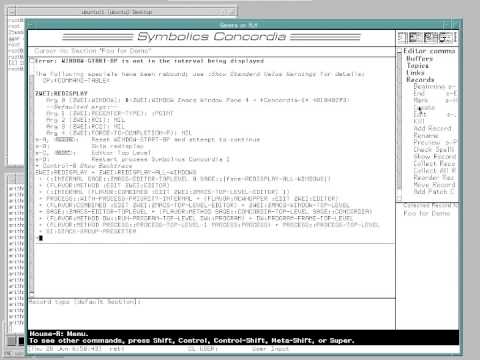
The authoring environment behind this documentation is an internal Symbolics tool named Concordia. Reti attempts to demonstrate markup generation using an editor command (`Meta-X Add Section` or `Create Section`), though he encounters friction on his laptop keyboard because many original Genera keyboard shortcuts relied on the dedicated numeric keypad, requiring awkward `Function` modifier chords. While creating a test record with a demo title, the system throws an unhandled error, dropping him into the Genera debugger ahead of schedule. As Reti jokes:

> “Ah well, at least we get to see the debugger, so I was going to show you the debugger in a different way, but why not?”

[46:05](https://www.youtube.com/watch?v=OBfB2MJw3qg&t=2765s) The Genera Debugger and Scrollbar Design

Taking advantage of the unexpected error, Reti highlights why the Genera debugger remains uniquely powerful. Like the rest of the user interface, it is integrated into the presentation type system. Pressing `Control-B` yields an interactive stack backtrace where every single frame, argument, and function call is mouse-sensitive. Users can directly inspect any caller up and down the activation chain or jump straight into the corresponding source code.

While returning to the bug he originally planned to demonstrate, Reti points out an intentional piece of user-interface ergonomics built into the Genera scrollbars. Moving the mouse over the vertical scrollbar brings up a dashed horizontal line. Clicking on that indicator moves that exact point in the buffer directly to the top or bottom of the screen in a single operation, bypassing the lag and overshoot common to continuous dragging over network connections.

> “Modern user interfaces, you have to scroll, and of course there's this feedback loop, and if you're doing it over X or slow network connection or the CPU got way faster, you know, it's sometimes hard to get it to go exactly right... but here you say directly, move this to here... I really like that; it's not very common, and of course it works in the horizontal scrollbar as well.”

[47:47](https://www.youtube.com/watch?v=OBfB2MJw3qg&t=2867s) Debugging an Unclaimed Message: FEP vs. UNIX Pathnames

Reti demonstrates the planned bug by mousing over the text reading `loaded from` alongside a world load path. Hovering over this element crashes straight into the debugger due to an unhandled message (an unclaimed method). Pressing `Control-E` on the offending stack frame immediately pulls up the source code for the function `pathname-real-host` in Zmacs.

```mermaid flowchart TD accTitle: Pathname Host Resolution Breakdown accDescr: Diagram illustrating how real Lisp Machine FEP pathnames resolve hosts versus how UNIX pathnames fail under emulation.

subgraph Hardware["Native Lisp Machine (Historic)"] FEP["68000 Front-End Processor (FEP)"] FEPFS["FEP File System\n('fep0:', 'fep1:')"] LMHost["Host: Real Lisp Machine Host"] FEPFS -->|"host message (indirection 1)"| FEP FEP -->|"host message (indirection 2)"| LMHost end

subgraph Emulated["Open Genera Emulator (Current)"] UnixPath["UNIX Pathname\n(Linux host file system)"] Crash["Crash: Unclaimed host message\n(Cannot resolve double indirection)"] UnixPath -->|"host message"| Crash end ```

The underlying failure stems from architectural differences between native hardware and modern software emulation: - On original Symbolics hardware, the Front-End Processor (FEP) was a Motorola 68000 processor responsible for bootstrapping microcode and hosting low-level disk files on simple partitions named `fep0:`, `fep1:`, etc. - A FEP pathname answered a `:host` message with an internal host object, which in turn accepted another `:host` message pointing back to the main Lisp Machine network host. - Inside the Linux-based Open Genera emulator, the world file lives directly on a standard UNIX file system. The UNIX pathname abstraction does not implement this double indirection, causing the second `:host` message dispatch to fail.

[49:48](https://www.youtube.com/watch?v=OBfB2MJw3qg&t=2988s) Examining Tester Methods and Patching Code Live

Reti tracks the error further down the stack to the caller: a dynamic presentation translator's tester method defined within a macro. In Genera, when the cursor moves across screen objects, all active presentation translators evaluate their tester methods to decide whether an object can transform into an actionable command. In this instance, the UI is deciding whether to offer the command `Copy World to this machine`. If the world file already resides on the local machine, copying it makes no sense, and the tester returns `nil`. However, the tester blindly assumes every world path name is a FEP path name without first validating its type.

Reti demonstrates the interactive inspection tools available inside the environment: - Inspecting local variables and data structures in the debugger frame by clicking the middle mouse button. - Typing `Control-Shift-M` inside Zmacs to expand the macro and expose the underlying tester clause: checking `pathname-real-host` against the local host. - Dropping into an interactive Lisp command loop directly inside the editor buffer to test candidate code on live objects: `(type-of (parse-pathname "fep0:>foo>bar"))`. - Using `Control-Mouse-Click` to strip away the structured presentation object wrapper and select raw characters to copy directly onto the kill ring.

Reti modifies the macro tester clause using `when (typep pathname 'fep-pathname)...`, re-evaluating and compiling the modified macro on the fly using `Control-Shift-C`. When audience members spot a missing clause and an unclosed parenthesis, Reti fixes the logic interactively, noting that the editor's live delimiter-blinking and compile-time warnings catch structural syntax issues before code is committed to disk.

[55:06](https://www.youtube.com/watch?v=OBfB2MJw3qg&t=3306s) The Symbolics Patch System: Private and Official Patches

Reti explains how software maintenance was managed in production at Symbolics through its integrated patch system. The operating system continuously tracks the provenance of every loaded function, the source files that defined them, and the specific subsystem packages they belong to. In normal Symbolics engineering workflows, resolving a bug involves running `Meta-X Start Patch`, which automatically allocates the next incremental patch version number for that subsystem (for example, offering to create patch `123` for the appropriate system).

Because official patch systems enforce ownership controls that restrict modification outside of Symbolics' authoritative source repositories, Reti demonstrates the local mechanism instead:

- Running `Meta-X Start Private Patch` to create an isolated patch file that can be loaded from the user's personal initialization file (`lispm-init`). - Defining the local patch system (such as `demo-patch`), assigning an explanatory comment (`"fix world mouse over blowout"`), and running `Meta-X Add Patch This Function` to bind the updated function into the patch buffer. - Running `Meta-X Finish Patch`, which launches an interactive Genera form interface for confirming author attribution, patch dependencies, and comments.

Reti highlights the UI design of the patch-closing form: metadata attributes are active presentation objects. Clicking on an author name allows immediate in-place editing if a developer is working from another user's logged-in session, and toggling interactive boolean options automatically adds or removes dependent parameter fields in real time without requiring screen refreshes or manual form redraws.

[57:14](https://www.youtube.com/watch?v=OBfB2MJw3qg&t=3434s) Private Patches, Attribute Lists, and Multi-Dialect Coexistence

Kalman Reti wraps up the patch creation demonstration by explaining how the system writes out the patch file and how users can manage it. Once written, the patch file can be loaded directly from an `init` file. Running a command like `Show Herald` outputs a list of all active private patches, revealing that Reti's system already has many loaded. Inspecting the generated patch file reveals extensive metadata: comments document which patches were loaded on the author's machine at generation time, giving anyone debugging a failure on another machine a clear clue as to why it might behave differently.

```mermaid flowchart TD accTitle: Patch Structure and Dialect Hierarchy accDescr: Diagram showing how a single patch aggregates definitions across multiple source files and distinct Lisp dialects.

subgraph PatchFile["Patch File Structure"] PF["Patch Metadata<br/>(Files patched, comments, loaded patches)"] PS1["Patch Section 1<br/>(Source file A, dialect attributes)"] PS2["Patch Section 2<br/>(Source file B, dialect attributes)"] PF --> PS1 PF --> PS2 end

subgraph Dialects["Coexisting Lisp Dialects & Syntaxes"] ZL["ZetaLisp<br/>(Original system dialect)"] SCL["Symbolics Common Lisp<br/>(CLtL1 with extensions)"] FCL["Future Common Lisp<br/>(ANSI / CLtL2 evolution)"] CLO["Chloe Lisp<br/>(Compiled for 386 co-processor)"] end

PS1 -.-> ZL PS2 -.-> SCL ```

The top form in the file records the patched files and the source files from which each modified function originated. If a single patch pulls functions from five distinct files, all five source files are explicitly listed. Crucially, each individual patch section contains an entire attribute list. Reti explains that this design was necessary because the Symbolics Lisp Machine permitted multiple Lisp dialects and syntaxes to coexist simultaneously, even when different dialects shared identical package names with divergent semantics. The base operating system was authored in ZetaLisp, but when Guy Steele's *Common LISP: The Language* (CLtL1) emerged, Symbolics adopted it with proprietary extensions as Symbolics Common Lisp. Consequently, identically named functions could exist in the same user package across both dialects with entirely different behaviors.

As language specifications evolved through CLtL2 and toward ANSI Common Lisp, Symbolics created "Future Common Lisp" to incorporate ANSI directions, though the company did not survive long enough to finish a complete implementation. Beyond native dialects, Paul Robertson wrote "Chloe," a Common Lisp dialect for the 386 co-processor board; a developer could designate a Chloe buffer, and code compiled there would execute exactly as if targeting the 386 board. Because a single patch file might combine fixes across three different Common Lisp packages from different source files, each patch section has to capture its exact language environment and package attributes.

- The system stores comments detailing all active patches at build time to facilitate cross-machine troubleshooting. - Patch headers link directly back to the original source files, tracking multi-file fixes in a single patch file. - Attribute lists are maintained per patch section to disambiguate identical symbol names across ZetaLisp, Symbolics Common Lisp, Future Common Lisp, and Chloe. - Reflecting on the interface, Reti observes: “It’s very different from the current model user interface interaction but a very powerful one it’s much more cumbersome to explain than to learn to do.”

---

[01:00:20](https://www.youtube.com/watch?v=OBfB2MJw3qg&t=3620s) Patch Workflows and Versioned File Systems

Checking the clock and noticing he has exhausted his scheduled time, Reti pauses to ask the audience if they have preferences for what to explore next, before stepping back to clarify the developer workflow behind patching. In the demonstration, he notes that he had actually invoked the patch command inside the wrong function. When you invoke `Add Patch`, the editor simply copies the surrounding function definition from the modified buffer into the patch buffer.

Under normal development practices, a developer saves a new version of the modified source file to ensure future software releases inherit the fix, while simultaneously generating a patch file containing only the isolated modification. Sites running an existing deployment simply load the patch to stay up to date without recompiling entire systems. Reti explains that if a release shipped at version 42 and patches accrued up to patch 101 over six months, customers received patch bundles rather than an entire major system rebuild. New distributions were built from scratch as clean releases (for instance, version 43 with zero patches). This mechanism relied on the Lisp Machine’s versioned file system, which automatically incremented a file's version number with every write, guaranteeing that the recorded source version for any patch remained globally unique.

- Adding a patch extracts the active function directly from the editor buffer into the patch file. - Routine workflows couple a full source file version save (for future major releases) with an incremental patch generation (for immediate deployment). - Software versions advanced via patch streams (e.g., from patch 42 to 101) before rolling into a fresh, unpatched release base. - Built-in file system versioning ensured that recorded file version numbers provided a globally unique provenance for every patch.

---

[01:02:25](https://www.youtube.com/watch?v=OBfB2MJw3qg&t=3745s) Non-Text Presentations and Low-Level Hardware Optimization

Reti demonstrates that presentations in Dynamic Windows are not restricted to text or alphanumeric characters. Calling a presentation form with `object circle`, `type string`, and drawing an unfilled graphical circle via `graphics:draw-circle` with coordinates `40, 40, 20`, he renders a visible circle directly into the stream. When the system subsequently invokes a prompt to accept a string, the graphic behaves as a sensitive presentation: clicking on the drawn circle inputs the text string `"circle"`. Any visual object can be rendered and tied directly to typed underlying data.

Reti explains that Dynamic Windows was originally considered machine-specific because it relied heavily on hardware-level architectural mechanisms for performance. As complex presentations and nested transient menus are constructed, large volumes of temporary presentation objects are allocated on the stack. Many of these objects are discarded as soon as an interaction ends (such as choosing an option to finish defining a patch), but certain objects must survive beyond the local activation.

To handle this efficiently without incurring heavy garbage collection overhead, stack-allocated objects that needed to outlive their frame were tagged using CDR codes. The stack frame cleanup handler recognized these CDR codes during frame exit and evacuated the surviving structures into the heap. Reti notes that on 1982-era hardware characterized by slow processors, tight physical RAM, and severe virtual memory paging penalties, this hybrid stack-and-heap management was exceptionally fast, even if modern machines with gigabytes of RAM make such micro-optimizations unnecessary. He points out that the Ivory microprocessor similarly used CDR codes to mark the beginnings of stack frames, allowing the runtime to scan the call stack rapidly.

- Presentations can encapsulate raw vector graphics (such as circles) while retaining underlying semantic types (like strings) that feed into `accept` prompts. - Temporary presentation objects were allocated locally within execution frames to minimize garbage collection thrashing. - Hardware-supported CDR codes tagged stack objects that required promotion, enabling the stack unwinder to copy them directly to the heap. - The Ivory architecture used CDR codes along call boundaries to facilitate rapid hardware stack traversal.

---

[01:05:22](https://www.youtube.com/watch?v=OBfB2MJw3qg&t=3922s) Generic Pathnames, Network Protocols, and Cross-Language C Debugging

Moving on to networking and storage, Reti describes Symbolics' generic pathname subsystem. Different operating systems had drastically divergent path conventions, from TOPS-20 to Genera's native File System (LMFS). The Symbolics network system parsed machine-specific syntax into abstract, generic pathname objects. Applications like ZMACS interacted strictly with these generic pathnames, and the system dynamically serialized them back into whatever syntax the destination host expected. Host capabilities were tracked in a network namespace: a remote machine might expose storage via FTP, NFS, or the Symbolics-native File System protocol (`LMFS`/`FILE` protocol, often accessed via an `NFILE` server). The system automatically evaluated the available protocol drivers loaded into memory and dynamically negotiated the optimal protocol to communicate with that host.

```mermaid flowchart LR accTitle: Generic Pathname and Remote Protocol Architecture accDescr: Flow showing how application buffers interact with abstract pathnames and dispatch to remote systems over various protocols.

ZMACS["ZMACS Editor / User Code"] --> GP["Generic Pathname Object<br/>(Parsed components)"]

subgraph HostDispatch["Namespace & Protocol Resolution"] GP --> HostCheck{"Resolve Host in<br/>Namespace"} HostCheck -->|"LMFS native"| NFILE["NFILE / File Protocol"] HostCheck -->|"Unix / NFS"| NFS["NFS Client"] HostCheck -->|"Standard TCP"| FTP["FTP Client"] end

subgraph RemoteHosts["Target Filesystems"] NFILE --> LM["Remote Lisp Machine"] NFS --> UNIX["Unix Host"] FTP --> T20["TOPS-20 Host"] end ```

For his final demonstration, Reti illustrates Genera’s multi-language interoperability and process control using its C environment. Symbolics had an optimizing C compiler that integrated fully into the Lisp runtime. Reti initiates a JPEG image read operation, setting the special variable `*using-independent-jpeg-group*` to `T` to engage the C-based Independent JPEG Group decoder. Switching into the Peek system monitor, he demonstrates that any executing process can be intercepted and forced into the interactive debugger.

After an initial attempt where the decode completed before he could catch it, Reti catches the active JPEG decompression loop. The Genera debugger drops directly into an ANSI C stack frame, exposing native C variables and stack values. Reti attempts to jump directly from the debugger into the underlying C source code in ZMACS using `Ctrl-E`. Although the source navigation fails because the files reside on an LMFS server one floor down that blocks his current demo subnet, he explains that in normal use, the editor buffer immediately displays the C source code, allowing a developer to modify the C code, recompile it live into the running environment, and resume execution without restarting the process.

- The pathname subsystem mapped disparate foreign formats (such as TOPS-20 and Unix) into uniform generic pathnames, letting ZMACS manipulate files transparently across platforms. - The namespace system dynamically selected the best available network protocol (such as NFILE, NFS, or FTP) supported by both the local machine and the remote host. - The Symbolics C compiler supported full native runtime debugging, allowing developers to pause running C threads and inspect local C variables inside the standard Lisp debugger. - Reti concludes the presentation by highlighting that C code could be edited, recompiled, and resumed interactively within the live machine image without requiring an external toolchain or restart.

## Notable quotes > [33:00](https://www.youtube.com/watch?v=OBfB2MJw3qg&t=1980s) On the Lisp machine, the connection between the characters that appear on the output display and the objects that engender them are not broken; that connection is remembered. — Kalman Reti

> [41:20](https://www.youtube.com/watch?v=OBfB2MJw3qg&t=2480s) All of the names of local variables and arguments are always saved; there is no such thing as a difference between a debug build and an optimized build on the Lisp Machine, you always have symbols for everything. — Kalman Reti

## Mentioned Kalman Reti, François-René Rideau (Faré), Gerald Jay Sussman, Brad Parker, Russell Noftsker, Tom Knight, David A. Moon, Dan Weinreb, Mike McMahon, Bernie Greenberg, Richard Greenblatt, Guy Steele, Paul Robertson, Symbolics, Symbolics, Inc., Symbolics Technology, Inc., Lisp Machines Inc. (LMI), Digital Equipment Corporation (DEC), Princeton Capital, MIT, MIT AI Lab, Boston Lisp Meeting, Independent JPEG Group, LM-2, MIT CADR, Symbolics 3600, G-machine, Ivory chip, Virtual Lisp Machine (VLM), CONS machine, DEC PDP-10, DEC Alpha, MicroVAX, Motorola 68000, Genera, Open Genera, Dynamic Windows, CLIM, ZMACS, Document Examiner, Concordia, Statice, Macsyma/Maxima, Joshua, FEP, LMFS, TOPS-20, NFILE, NFS, FTP, Peek, BitBLT, SPICE, Common Lisp, ZetaLisp, Symbolics Common Lisp, Future Common Lisp, Chloe Lisp, Star Trek

## Video description Kalman Reti the last Symbolics developer.

[Source](https://www.youtube.com/watch?v=OBfB2MJw3qg)

中文简报

最后一位Symbolics开发者解析定制芯片如何加速Lisp工作站 将运行时类型检查与内存跟踪从软件转移到专用硬件门电路,使Symbolics实现了传统计算架构未能复现的热补丁和实时执行能力。 Kalman Reti对Symbolics Lisp机的工程成就和架构进行了详尽的技术回顾。他梳理了从MIT CADR到3600、G-machine以及定制Ivory VLSI处理器的演进历程,详细介绍了硬件级类型标记与复制垃圾回收如何实现流畅的交互性。随后,Reti演示了在模拟器中运行的Open Genera,展示了超越那个时代的诸多特性,例如Dynamic Windows展示体系、上下文感知的命令补全、集成超文本文档,以及跨多语言的热补丁调试。 Symbolics 3600在相同时钟频率下比LM-2实现了4倍的性能提升,它采用36位字长布局,仅以10%的门电路开销就实现了整数、浮点与标记求值的并发执行。 (6:36) Symbolics使用定制的Lisp CAD工具,仅耗费约10到12人年就开发出了单芯片40位Ivory VLSI处理器,而据估算DEC开发MicroVAX耗费了70到80人年。 (21:21) Genera操作系统在所有运行进程中持久保留所有符号、参数和局部变量元数据,消除了调试版本与优化版本之间的界限,从而实现了对Lisp和编译型C代码的热补丁应用与调试。 (41:20) Symbolics破产后,虚拟Lisp机(VLM)模拟器通过将40位带标记字解耦为并行的32位数据数组与8位标记数组,在64位系统上保留了Ivory架构,其性能最终超越了Ivory物理硬件。 (26:31)

Reading summary

Speaking at the Boston Lisp Meeting, former Symbolics developer Kalman Reti argued that specialized Lisp machines achieved historic engineering productivity by deeply integrating custom hardware architectures, tagged memory, and a reflective, presentation-based software ecosystem. Hardware-Level Acceleration for Dynamic Lisp Execution (6:36) Dedicated Lisp machines originated at the MIT AI Laboratory in the 1970s to overcome DEC PDP-10 bottlenecks, where runtime dynamic type-checking overhead often exceeded operation runtimes. Symbolics advanced beyond MIT's CADR prototype by re-engineering data paths to evaluate types in hardware rather than time. The 36-bit Symbolics 3600 ran tag-checking logic, integer adders, and floating-point adders concurrently within a single cycle at a cost of roughly 10% more silicon gates, achieving four times the throughput of the LM-2 at equivalent clock speeds. Memory was fully tagged, enabling hardware-tracked Ephemeral Garbage Collection (EGC) that recorded references via page table bits rather than full object traversals. Symbolics transitioned these architectures from discrete boards to custom silicon with the 40-bit Ivory microprocessor. Due to die-size constraints, the Ivory eliminated writable microcode in favor of on-chip ROM, using Bus Address Registers (BARs) to stream data across bus idle cycles while instructions decoded in pairs. It also eliminated auxiliary per-function constant tables by tagging memory cells directly: un-tagged cells in an instruction stream were automatically recognized as immediate data, with execution flow steered across interleaved 40-bit words via CDR-code bits. Development Velocity via In-Memory Data Sharing (17:47) Reti credited the Lisp machine environment with outperforming standard industry productivity, estimating that Symbolics developed the Ivory chip with 10 to 12 person-years compared to contemporaneous reports of 70 to 80 person-years for DEC's MicroVAX. Symbolics bypassed the Unix model of serializing and re-parsing byte streams through pipelines, opting instead to pass direct memory pointers between tools. Engineers built their own VLSI CAD toolchain directly on Lisp machines, using a process-independent compaction engine that re-targeted layouts across four semiconductor foundry generations with minimal manual intervention. The prototype Ivory silicon worked almost completely on its first fabrication run, crippled only by an undersized transistor driving the virtual memory control bus. Genera's Presentation System and Ergonomic Interaction (33:00) The Open Genera operating environment maintained an unbroken connection between graphical screen elements and the underlying in-memory Lisp data objects that engendered them. Under Dynamic Windows, displayed items functioned as interactive presentation objects rather than dead pixels: an input prompt accepting an expression permitted mouse selection of individual sub-elements or the enclosing list, whereas a prompt accepting a string highlighted only string components. The system dynamically updated available operations across status bars and mouse documentation lines, incorporating chording via dedicated modifier keys (Control, Meta, Super, and Hyper). This typed presentation architecture unified system diagnostics and error handling. Genera retained variable names and symbols across all builds without distinguishing between debug and optimized modes. In the interactive debugger, stack backtraces exposed live data frames that could be inspected, modified, or traced back to source code in the Zmacs editor with a single keystroke. Temporary user interface objects were allocated on the stack and selectively evacuated to the heap via CDR-code tagging, limiting garbage collection overhead during rapid interactive sessions. Resilience, Live Patching, and Multi-Dialect Coexistence (22:21) Genera provided fault resilience and ongoing maintenance mechanisms designed for nonstop production. Disk blocks in the native file system incorporated check words that tracked unique file identifiers and offsets, enabling live runtime code patches to bypass flaky hardware and migrate live data to fresh media transparently. Software deployment relied on built-in patch systems that tracked function provenance across versioned file systems. Incremental private or distribution patches isolated modified functions without rebuilding entire system worlds, storing explicit dialect attribute lists to let distinct dialects such as ZetaLisp, Symbolics Common Lisp, and Future Common Lisp coexist within the same running image. While Symbolics eventually succumbed to bankruptcy and commercial pressure from general-purpose microprocessors, its architectural concepts survived through the Virtual Lisp Machine (VLM) emulator. The presentation-based interaction model later influenced the Common Lisp Interface Manager (CLIM), though mapping the system's chorded input model and single-address-space design onto commodity operating systems remains a modern usability challenge.

精炼阅读摘要

在前 Symbolics 核心开发者 Kalman Reti 于 2012 年的技术演讲中,他系统阐述了 Symbolics Lisp 机的软硬件演进历程与开发哲学,指出其通过定制硬件并行类型检查、对象级交互展现系统与全环境动态热修,实现了远超同时代通用计算架构的工程开发效率。 硬件体系演进与并行标签求值 (6:36) Symbolics 硬件历经了从基于麻省理工学院(MIT)CADR 重新包装的 LM-2,到全新设计的 36 位架构 3600、门阵列与通用 I/O 实现的 G-machine,再到单芯片 Ivory 处理器的四代演进。早期的 DEC PDP-10 大型机因地址空间狭小且运行时动态类型检查严重占用 CPU 算力,催生了单人专用 Lisp 机的需求。与 CADR 采用非装箱且易导致内存损坏的 32 位浮点数不同,Symbolics 3600 转向 36 位字长设计,在数据通路中为每个字分配专属类型标签。在执行加法等指令时,操作数被同步送入整数加法器、单精度浮点加法器与标签检查逻辑中,硬件仅凭约 10% 的额外门电路开销,将运行时类型分发从时间域转移到硬件域,在同等半导体工艺下实现了相较 LM-2 四倍的性能提升。 Ivory 芯片集成与定制 CAD 工具链 (14:06) 为了将 32 位 Lisp 机器压缩到单颗 VLSI 芯片上,Ivory 采用了 40 位字长(提供完整的 32 位寻址空间与类型标签),但受限于芯片面积,微代码必须永久固化于片上 ROM 中,且无法容纳 BitBLT 栅格图形或大数运算。为此,系统架构师 Dave Moon 设计了总线地址寄存器(BAR),利用处理器执行指令间的总线空闲周期自动预取数据,并通过利用指令字内部的 CDR 代码位来控制程序计数器步进,从而在指令流中直接交错嵌入完整的 40 位常量数据。Reti 强调,Ivory 芯片的研发仅耗费了 10 到 12 人年,远低于 DEC 研发 MicroVAX 所需的 70 至 80 人年。这种生产力的差距源自 Symbolics 自身在 Lisp 机上构建的一整套独立于工艺规则的定制 VLSI CAD 工具链,使得 Ivory 首版大芯片原型在送厂流片后第一天便几乎完全可用,仅排查出一颗负责虚拟内存控制总线驱动的晶体管尺寸设计偏小。 对象级展现系统与渐进式内存回收 (33:00) 在 Open Genera 软件环境中,屏幕显示字符与底层 Lisp 数据对象之间的内存链接被完整保留。通过 Dynamic Windows 的“展现类型(Presentations)”系统,用户在命令行中键入的数据结构、打印的输出、甚至是使用绘图命令绘制的非文本几何图形(如矢量圆圈),均能在鼠标交互时保留其类型信息,支持根据所处上下文执行高亮、多级参数补全与直接提取。在内存管理方面,Genera 依赖于硬件陷阱支持的增量复制垃圾收集器(GC)。当运行进程尝试触碰位于“旧空间(old space)”的指针时,硬件陷阱会透明地介入并将该对象搬移到“新空间(new space)”,并在旧空间留下转发指针。这使得由 Lisp 本身编写的操作系统即使在回收动态内存时,也无需停顿世界(stop-the-world),配合短暂对象垃圾回收(EGC)在页表中记录的跟踪位,保证了交互操作的实时性。 全环境自省、动态热修与版本化文件体系 (22:21) Genera 环境不区分调试构建与优化构建,运行时全程保留全部局部变量与参数名称元数据,不仅能通过键盘快捷键直接调出带完整参数提示的交互式文档系统(Concordia),还能在任何未捕获错误发生时调出对象化堆栈回溯。在一次生产现场案例中,Chatsworth 制造厂的中央文件服务器出现硬件缺陷导致约 10% 的概率读错块,Reti 仅通过在线注入两行重试代码与六行数据迁移代码,便在不停机的情况下将数据安全转移至新磁盘。通过版本化文件系统与集成的补丁系统,开发者能将修复代码打包为局部私有补丁或系统级公有补丁,在单一补丁内不仅记录各修改函数所属的原始源文件,还附带属性列表以支持 ZetaLisp、Symbolics Common Lisp 等多种方言在同一进程内共存,并直接在运行中的机器上动态热加载生效。 Reti 总结道,通过规避标准 Unix 管道对数据结构的频繁序列化与反序列化,Lisp 机器使得工具与程序间能够直接传递内存指针并协作。但随着通用 64 位商用处理器性能的大幅跃升与原公司的破产清算,这种将操作系统、语言运行时与定制硬件深度绑定的架构体系最终演变为运行在现代主机环境中的软件仿真器(如 VLM 与 Parker 端口),其在专用硬件上所做的堆栈 CDR 编码微优化在内存巨大的当代硬件上也逐渐失去了最初的工程必要性。

Detailed notes — zh

## Background 该视频由 Mike Lambert 于 2015 年 7 月 25 日发布在 YouTube 平台,记录了 2012 年 6 月 28 日在麻省理工学院(MIT)举办的波士顿 Lisp 聚会。页面简介指出,主讲人 Kalman Reti 是前 Symbolics 公司的“最后一位开发者”。 ## TL;DR 前 Symbolics 核心开发者 Kalman Reti 详细回顾了 Lisp 机器从 MIT CADR 到商业化 3600、G-Machine 及 Ivory 单芯片架构的演进历程,重点剖析了 36 位/40 位带标签硬件架构对类型检查与垃圾回收的极致硬件加速。演讲随后聚焦于 Symbolics 软件生态与 Open Genera 2.0 操作系统的创新,揭示了其磐石般的校验字文件系统、支持热更新与多语言共存的增量补丁架构。最后,Reti 在现代 64 位模拟器上进行了实机演示,展示了颠覆性的表现系统(Presentation System)、实时复制式垃圾回收、深度自省在线文档系统,以及在纯 Lisp 环境下无缝拦截和热修复 C 语言代码的强大能力。 ## Atmosphere & style 整场讲座弥漫着浓厚的黑客文化底蕴与纯粹的技术乡愁,现场兼具工程沙龙的随意与传奇计算时代的史诗感。Kalman Reti 的讲述坦诚而幽默,不时与台下的听众互动自嘲,甚至在演示遭遇意外崩溃时也能从容不迫地借机现场打补丁并深入排查。观看这场实机操作,能真切感受到 20 世纪 80 年代那座高度软硬件协同的“失落计算文明”所带来的纯粹震撼,与当下充满妥协的现代操作系统形成了极为鲜明且发人深省的对比。 ## Bulletin - [00:00](https://www.youtube.com/watch?v=OBfB2MJw3qg&t=0s) 前 Symbolics 核心开发者 Kalman Reti 在 MIT 深度回顾了 Lisp 机器的演进史,强调其本质是软硬件协同设计以彻底解决动态语言的运行时类型检查与垃圾回收瓶颈。 - [06:45](https://www.youtube.com/watch?v=OBfB2MJw3qg&t=405s) Symbolics 3600 通过全字硬件类型标签与单周期并行执行单元,将类型检查开销从时间域转移至硬件域,仅增加 10% 逻辑门便实现 4 倍于前代 LM-2 的运行速度。 - [21:21](https://www.youtube.com/watch?v=OBfB2MJw3qg&t=1281s) 单芯片 Ivory 处理器仅耗时 10 至 12 个人年即完成研发,相比 DEC MicroVAX 的 70 至 80 个人年展现了 Lisp 专用 CAD 与全自省工作流的极致效率。 - [33:00](https://www.youtube.com/watch?v=OBfB2MJw3qg&t=1980s) Genera 操作系统的表现系统(Presentation System)使屏幕文本与底层 Lisp 对象持久双向绑定,配合带版本号的文件系统与 SCT 工具实现了细粒度的增量私有热补丁发布。 ## Key takeaways - [00:00](https://www.youtube.com/watch?v=OBfB2MJw3qg&t=0s) 通用硬件在运行动态语言时,运行时类型检查指令的开销往往大幅压倒实际计算操作本身,促使 MIT 启动 CONS 与 CADR 专用硬件的研发。 - [04:46](https://www.youtube.com/watch?v=OBfB2MJw3qg&t=286s) MIT CADR 机器将 car/cdr 等 Lisp 原语直接映射为微指令并原生支持微编译,其带外调试线缆更可在机器停机状态下直接转储崩溃内存及未保存的编辑器缓冲区。 - [06:45](https://www.youtube.com/watch?v=OBfB2MJw3qg&t=405s) Symbolics 3600 采用 36 位字长并给每个字挂载硬件类型标签,在单周期内并行执行整数加法、浮点加法与标签判定,从而彻底抹平了类型检查的时间损耗。 - [06:45](https://www.youtube.com/watch?v=OBfB2MJw3qg&t=405s) 3600 硬件深度集成了瞬态垃圾回收(Ephemeral GC)支持,当非瞬态页写入瞬态对象指针时硬件自动标记页表变更位,免除了全局根集合回溯。 - [12:07](https://www.youtube.com/watch?v=OBfB2MJw3qg&t=727s) Symbolics 的彩色显示系统具备硬件级 Genlock 功能,可通过重载微代码锁相到电影工业标准的 24 FPS 主同步信号,被直接应用于《星际迷航》等电影的特效屏幕驱动。 - [15:53](https://www.youtube.com/watch?v=OBfB2MJw3qg&t=953s) Ivory 单芯片采用 40 位字长并取消独立常量表,利用非指令类型标签与 CDR-Code 控制流水线跳跃步进,将常量直接内嵌于半字指令流中。 - [17:47](https://www.youtube.com/watch?v=OBfB2MJw3qg&t=1067s) 基于 Lisp 机器自主构建的芯片 CAD 压实工具链实现了通用版图设计,无需重画版图即可自适应 4 种半导体制造工艺,并在首版流片(Revision A)中即实现核心逻辑全通。 - [21:21](https://www.youtube.com/watch?v=OBfB2MJw3qg&t=1281s) 与 UNIX 将结构体序列化为 8 位字节流的管道哲学截然相反,Lisp 机器在系统级工具与进程间直接传递内存对象指针,免除了序列化与反序列化开销。 - [22:21](https://www.youtube.com/watch?v=OBfB2MJw3qg&t=1341s) Bernie Greenberg 设计的文件系统为每个磁盘块附加包含文件 UID 和字偏移量的校验字,使得数据读写错误可被实时拦截并通过数行热修代码完成故障盘在线迁移。 - [26:31](https://www.youtube.com/watch?v=OBfB2MJw3qg&t=1591s) 面向 DEC Alpha 架构的 Ivory 模拟器(VLM)将 40 位字拆分为连续的 32 位数据段与 8 位标签段,使得宿主 C 代码可免格式转换直接读写 Lisp 内存数组。 - [33:00](https://www.youtube.com/watch?v=OBfB2MJw3qg&t=1980s) Genera 操作系统的表现系统(Presentation System)始终维系屏幕字符与生成它们的底层 Lisp 对象的双向绑定,使得命令行与 UI 能根据接收类型自动实现上下文敏感的高亮与拾取。 - [38:22](https://www.youtube.com/watch?v=OBfB2MJw3qg&t=2302s) 系统的实时复制式垃圾回收器依赖硬件陷阱介入:前台程序访问旧空间对象时自动触发复制并留下转发指针,分配与清扫并发进行且全无停顿。 - [42:17](https://www.youtube.com/watch?v=OBfB2MJw3qg&t=2537s) Symbolics 系统彻底消除了调试构建(debug build)与优化构建(optimized build)的界限,全栈任何函数与对象的完整符号及结构元数据在生产运行时全程保留。 - [55:06](https://www.youtube.com/watch?v=OBfB2MJw3qg&t=3306s) Genera 补丁管理系统(Patch System)依托自带版本号的文件系统,能够追踪到每个函数的精确源文件与版本,支持开发者无需重启即可在生产环境编译并动态增量分发私有补丁。 - [57:14](https://www.youtube.com/watch?v=OBfB2MJw3qg&t=3434s) 系统底层通过属性列表与独立作用域,允许 ZetaLisp、Symbolics Common Lisp 以及未来 ANSI Common Lisp 等多种截然不同的 Lisp 方言在同一平坦地址空间中共存。 - [01:05:22](https://www.youtube.com/watch?v=OBfB2MJw3qg&t=3922s) Genera 统一将各异构系统的主机路径映射为通用逻辑路径名,并在网络层透明协商 FTP、NFS 或 QFILE/NFILE 协议,上层编辑器与工具链无需修改即可无缝访问异构网络资产。 - [01:07:00](https://www.youtube.com/watch?v=OBfB2MJw3qg&t=4020s) 系统原生支持 C 与 Fortran 等语言的深度融合与调试,开发者在 Lisp 交互式调试器中可直接截获原生 C 语言调用栈,并在 Zmacs 中原位修改 C 源码后热重载继续执行。 ## Detailed walkthrough ### [00:00](https://www.youtube.com/watch?v=OBfB2MJw3qg&t=0s) 开场介绍与 Lisp 机器的诞生背景 2012 年 6 月 28 日,波士顿 Lisp 聚会在 MIT 举行。主持人 Farhad 对场地提供者 Gerald Jay Sussman 教授表示感谢,并隆重引出当天的演讲嘉宾——前 Symbolics 核心开发者 Kalman Reti。Reti 一开场便幽默地坦白,自己准备了极长且可能不得不快速跳过的幻灯片和演示内容,若大家意犹未尽,随时可以通过 Gmail 与他线下交流。他直奔主题解释什么是 Lisp 机器(Lisp Machine):它本质上是一种老式的单用户工作站,“其一生的根本目标,就是为了优化 Lisp 软件的开发效率”(“its basic goal in life was to optimize the development of software in Lisp”)。在当时看来,这种机器拥有极具前瞻性的硬件形态——高分辨率黑白位图显示器、带有大量修饰键(extra keys)的专用键盘、以及在当时极罕见的三键鼠标。尽管这些外设在今天已司空见惯,但在当年却极具革命性。 Symbolics 机器之所以能拉开与其他厂商 Lisp 机器的差距,最关键的核心在于其内部积累的庞大软件生态,以及在硬件架构层面实施的一系列独特创新。回顾历史,在 20 世纪 70 年代的 MIT,人工智能研究正遭遇严峻瓶颈:原本用于 AI 实验的 PDP-10 小型机地址空间极为局限,而且在通用硬件上运行动态语言时,“为了执行运行时类型检查所需的指令开销,往往远远压倒了真正执行计算操作本身的成本”(“the instructions necessary for doing runtime type checking often dwarfed the actual cost of doing the operation”)。一台价值数十万美元的 PDP-10 动辄被单个研究员霸占,成本高昂且效率低下。为了打破僵局,MIT 首先提出了名为 CONS 机器的构想(未正式量产),并在 1979 年演化落地为著名的 CADR 机器。 - MIT 内部制造了大约 8 到 12 台 CADR 机器。 - CADR 为每位研究员分摊的硬件成本降至 5 万至 6 万美元之间,大幅优化了 Lisp 交互式开发效率。 - 到访 MIT 的客座学者对这种高效的工作站赞不绝口,迫切希望采购,促使不愿意从事硬件量产的 MIT 将 CADR 架构对外授权。 - 授权催生了两家直接竞争的创业公司:Lisp Machines Inc. (LMI) 与 Symbolics。 - Symbolics 聚集了包括 Tom Knight、David A. Moon、Dan Weinreb、Mike McMahon 以及 Bernie Greenberg 等 MIT 顶尖黑客;而 Richard Greenblatt 等人则创建了 LMI。 ### [04:46](https://www.youtube.com/watch?v=OBfB2MJw3qg&t=286s) 从 MIT CADR 到商业化重构 两家初创企业成立后,最初都在销售基于 MIT CADR 的变体,并同步着手研发各自的下一代 Lisp 架构。Symbolics 推出的第一代商业产品命名为 LM-2,本质上是将 CADR 设计重新排版走线在标准印刷电路板(PC Board)上,并封装进工业机箱中的产物。CADR 是一台 32 位机器,这在当时并不多见,它具备两大革命性硬件特性:极其庞大的微代码存储器(microcode store)与大容量暂存器(scratchpad memories)。巨大的微代码空间使得整套微指令集可以直接作为 Lisp 解释器运行,像 `car`、`cdr` 这样的 Lisp 原语直接映射为单条硬件机器指令;而暂存器则被微代码用于极速检索类型信息。 ```mermaid flowchart TD accTitle: CADR架构核心特性 accDescr: 展示CADR机器由大容量微代码存储和大容量暂存器构成的硬件执行与调试结构 subgraph HardwareCore["CADR 核心硬件"] MCS["大容量微代码存储<br/>(Large Microcode Store)"] SPM["大容量暂存器<br/>(Scratchpad Memories)"] HWStack["硬件调用栈<br/>(4层深度硬件微代码栈)"] end subgraph Capabilities["技术能力与特性"] LispPrim["Lisp 原语指令化<br/>(如 car/cdr 直接执行)"] TypeCheck["快速类型检查加速"] MicroCompile["微编译 (Micro-compile)<br/>将计算内层循环编译进微码"] RemoteDebug["停机带外调试 (Bus Debugging)<br/>并行电缆读取内存并刷出 Zmacs 缓存"] end MCS --> LispPrim SPM --> TypeCheck HWStack --> MicroCompile ``` 更神奇的是,CADR 允许用户将 Lisp 函数“微编译”(micro-compile)到微代码中。由于微代码硬件原生内置了深度为 4 层的函数调用栈,微编译出的用户函数可以直接以内联子例程的方式调用实现 `car` 等操作的底层微指令,免去了宏指令(macro instruction)的取指、解码和派发开销,用户甚至可以将复杂运算的内层循环直接烧录编译到底层微代码中以榨取极致性能。另一个令人称道的工程奇迹在于带外远程调试:当 CADR 机器停机(Halt,即停止取指但保持通电)时,另一台工作站可以通过并行线缆直接读写其物理内存。程序员不仅能远程分析崩溃调用栈排查 Bug,甚至还能直接将崩溃机器内存里处于修改状态的 Zmacs 编辑器缓冲区(buffers)完整提取并写入磁盘。 - Symbolics 历经四代硬件:LM-2(CADR 商业重构版)、3600(全新 36 位微架构)、G Machine(3600 的门阵列与集成化降本版本),以及单芯片架构 Ivory。 - Ivory 芯片时代末期,Symbolics 为 DEC Alpha 开发了 Ivory 架构仿真器。 - 现场观众 Brad Parker 编写了通用 64 位运行时转换层,使得 Alpha 模拟器得以无缝运行在现代 64 位 x86 笔记本上并进行现场演示。 - LMI 的升级路径较为保守,主要是在 CADR 原有架构下换用更高速的元器件来提升主频;而 Symbolics 则选择从根本上推翻并重写整个系统架构。 ### [06:45](https://www.youtube.com/watch?v=OBfB2MJw3qg&t=405s) Symbolics 3600 的 36 位带标签硬件架构创新 当 Symbolics 规划其第二代主力机型 3600 时,决定将精力投入到彻底解决类型检查瓶颈上。在老一代 CADR 上,部分 32 位浮点计算是不带标签(untagged)的原生数值,为了管理它们,垃圾回收器(GC)和寄存器必须在复杂逻辑中小心跟踪,极易引发致命错误。3600 引入了划时代的创新:给内存中的“每一个字”都挂载硬件类型标签(Tags in every word in memory),并在整个数据通路(data path)中全程保留该标签,配备专门的硬件标签检测分支逻辑。 Reti 详细拆解了 3600 这一设计的精妙之处:在执行一条简单的加法(`add`)指令时,硬件会同时将两个操作数兵分两路送入整数加法逻辑与单精度浮点加法逻辑中并行计算;与此同时,专用的标签检测硬件立即在单时钟周期内判定操作数类型。硬件依据判定结果当即决定:是采纳整数加法结果,还是采纳浮点加法结果;若遇到混合类型,则立刻触发硬件陷阱(trap),将其中一个操作数进行类型强制转换(coercion)后再重新恢复执行。在传统的 CADR 机器上,即使摆脱了宏指令取指开销,依然需要消耗微指令周期“先检查标签、再执行运算”;而在 3600 上,这一过程变成了完全单周期并行的“边检查标签、边执行操作”。正如 Reti 所总结的: > “你基本上是将运行时类型检查的开销,从时间域搬移到了硬件域;为此你多付出了大约 10% 的逻辑门开销,但带来的结果是:3600 采用了与 LM-2 几乎完全相同的工艺技术和逻辑门规模,运行速度却整整快了 4 倍。”(“you basically moved the overhead for the runtime type checking from the time domain into the hardware domain you had to spend 10% more gates so the upshot was that the 3600 was almost exactly the same technology and number of gates as at the lm-2 but was four times faster.”) ```mermaid flowchart LR accTitle: 3600单周期并行加法硬件逻辑 accDescr: 展示两个操作数同时送入整数加法器、浮点加法器与标签检测逻辑,由标签决定最终输出或触发转换陷阱 subgraph Inputs["输入操作数 (带类型标签)"] OpA["操作数 A"] OpB["操作数 B"] end subgraph ParallelExec["单周期并行硬件通路"] IntALU["整数加法单元<br/>(Integer Adder)"] FltALU["浮点加法单元<br/>(Float Adder)"] TagLogic["标签检测硬件<br/>(Tag Checker)"] end subgraph Output["判定与输出"] Mux["结果多路选择器"] Trap["强制类型转换陷阱<br/>(Type Coercion Trap)"] end OpA --> IntALU OpA --> FltALU OpA --> TagLogic OpB --> IntALU OpB --> FltALU OpB --> TagLogic TagLogic -->|"两整数"| Mux TagLogic -->|"两浮点"| Mux IntALU --> Mux FltALU --> Mux TagLogic -->|"混合类型/异常"| Trap ``` - 3600 采用 36 位字长设计,为了能原生完整容纳 32 位定点整数(fixnum)和 32 位 IEEE 单精度浮点数,硬件划拨了 16 个标签区间,将标签值的低 4 位借用为 32 位数值的高 4 位,从而兼顾了全 32 位精度与充沛的标签位。 - 内存全字带标签极大地简化了垃圾回收器(GC)的复杂度,GC 再也不必猜测或借助复杂的外部状态来区分指针与原生数据。 - 硬件中曾尝试加入用于加速面向对象方法分发(method dispatch)的哈希运算支持模块,但实测收益不明显,后在后续架构中被移除。 - 硬件深度集成了瞬态垃圾回收(Ephemeral GC)支持:当程序尝试在非瞬态(即老年代/成熟代)内存页中写入一个指向瞬态对象的指针时,硬件会自动在页表项中标记特定的变更位;这使得 GC 在扫描瞬态指针时完全无须全局回溯根集合,只需扫描硬件页表指示的脏页集,极大地缩减了 GC 停顿。 - 整个 Lisp 系统的全部组件——包含所有操作系统内核服务、设备驱动、编译器、用户编写的代码以及所有后台工具进程——全部运行在同一个平坦虚拟地址空间中,共享数据极其便利。 - 3600 在虚拟地址上预留了一个 8 位的“地址空间编号寄存器”(Address Space Number Register),这是某大客户为了实现严格的数据隔离而强烈要求加入的硬件接口,并声称会自行编写软件支持;然而该客户最终未写出一行配套代码,Symbolics 也从未正式启用它。 ### [10:44](https://www.youtube.com/watch?v=OBfB2MJw3qg&t=644s) 3600 系列的硬件演进与指令预取单元(IFU) Symbolics 3600 系列初期的硬件体积极其庞大。单是实现中央处理器本身,就需要足足五块类似尺寸的大型电路板;除了这五块 CPU 板之外,还需要另一组大板来承载内存。刚开始时,内存板的容量只有 16K 个 36 位字,而到了后期,单块内存板的容量达到了 512K 字。视机柜尺寸的不同,一台机器可以插上三到四块甚至六到八块内存板。虽然到产品周期末期系统能拥有相当可观的内存容量,但在早期,机器的实际可用内存非常狭小。 在这五块构成 CPU 的电路板中,有一块从最一开始就计划做成指令预取单元(IFU, Instruction Fetch Unit)。IFU 负责预取指令、预解码并提前抓取操作数,将其存入类似暂存器(scratchpad)的本地存储区中以便即时访问。然而,这项技术严重延期,且内部逻辑极其复杂、调试极为棘手。Kalman Reti 指出:“so it actually didn't ship with the first 3600 models so in it in the later models there was 36 xx at 36 X 0 and there was a 36 X 5 and the 5 meant that you had an eye a few and it was quite a bit faster.”(因此它并没有随第一批 3600 型号一起出货;在后来的型号中出现了 36x0 和 36x5,型号末尾的 5 就代表配备了 IFU,速度快了相当多。) - 初期内存规格为每板 16K 字(36-bit words),后期升级至最高 512K 字/板。 - 机柜分为大型、中型和半高型(half-sized),差异主要在于扩展槽位的容量。 - IFU 的加入使机器执行效率大幅提升,并在型号编号上以末尾数字“5”(如 3675 等)与普通型号区分。 --- ### [12:07](https://www.youtube.com/watch?v=OBfB2MJw3qg&t=727s) 彩色显卡系统与影视行业应用 除了处理器与内存,Symbolics 还制造彩色显示板。在当时,彩色显示需要外接独立的专用监视器。公司推出了用于 CAD 绘图类应用的 8 位彩色板,以及专为计算机动画、图像渲染和绘图软件设计的 24 位或 32 位彩色板。该彩色系统由位于加利福尼亚州韦斯特伍德(Westwood)的色彩部门主导开发。由于地处洛杉矶,该团队与好莱坞电影工业建立了紧密的业务联系。 这套彩色系统具备一个在当时计算机图形硬件中极不寻常的杀手级特性:能够对齐并锁相到演播室主同步信号(Genlock to a house sync)。此外,由于机器可以直接在底层重载微代码(microcode),系统能够精准同步到电影标准的每秒 24 帧主同步信号。正因为能与摄影机快门完全同步而不出现画面滚屏走样,早期几部《星际迷航》(Star Trek)电影中的飞船屏幕特效画面,都是由 Symbolics Lisp 机直接生成和驱动的。 - 提供面向 CAD 的 8 位板卡,以及面向动画与渲染的 24/32 位真彩色板卡。 - 具备硬件级 Genlock 视频同步功能,支持 24 FPS 电影工业标准同步。 - 衍生硬件还包括用于高速流体动力学计算的阵列处理机板(Array Processor)、用于加载和测试 3600 程序的 386 子板,以及用于工业仪器控制的 GPIB 和 SCSI 接口板。 --- ### [13:22](https://www.youtube.com/watch?v=OBfB2MJw3qg&t=802s) 从分立逻辑到 G-Machine,再到 Ivory 单芯片革命 早期的 3600 系列周边外设几乎全部采用分立门电路实现,以太网控制器由大量离散逻辑门拼成,串行接口也是如此。但随着时间推移,采用商用通用芯片缩小设备体积的路径变得清晰可行。通过将处理器逻辑移植到门阵列(Gate Arrays)并采用商用芯片重新布局,原本占据五块大板的 CPU 在 G-Machine 系列中被浓缩成了两块板,整机机柜也变得比以往任何 3600 机型都要小巧得多,同时完整保留了原有的处理器架构。 与此同时,Symbolics 启动了代号为 Ivory 的划时代单芯片 Lisp 机器研制。Ivory 带来了当时极其惊人的创新:它采用了 40 位字长(40-bit words),不仅能提供 32 位的完整数据位(用于定点数与浮点数),还带来了整整 32 位的字寻址空间(在 1986 至 1987 年代,按“字”寻址的 32 位地址空间规模庞大到不可思议)。然而,将整台机器集成至单颗硅片也迫使团队放弃了前代机器的两大特性:第一,芯片无法再支持可动态加载的微代码,只能将微代码作为 ROM 直接烧录在芯片上,因此微代码必须一次性编写正确;第二,芯片内部的控制存储空间极为有限,前代 3600 机器上由大容量微代码实现的复杂指令(如 BitBLT 图形位块传输和大数 BigNum 算术)必须移出微代码。 为了解决大块数据高速搬运的需求,Dave Moon 提出了“总线地址寄存器”(Bus Address Registers, BAR)的精妙设计。BAR 就像一个单字的预取或后写通道:向其加载地址后,它会在总线空闲周期自动从内存预取并缓存到本地寄存器,或者执行异步写出。由于 Ivory 指令集采用了半字指令(half-word instructions),每次从内存读取一个 40 位字就会带回两条指令,至少消耗两个时钟周期,从而为总线地址寄存器创造了利用总线空闲周期调度数据的绝佳窗口。 ```mermaid flowchart TD accTitle: Ivory 架构演进与总线地址寄存器机制 accDescr: 展示从 3600 分立逻辑到 Ivory 单芯片的演进,以及 40 位字中两条半字指令执行时 BAR 如何利用空闲周期传输数据。 subgraph HardwareEvolution["硬件集成化演进"] M3600["3600 早期架构<br/>(5块CPU大板 / 分立逻辑门)"] GMachine["G-Machine<br/>(门阵列集成 / 2块CPU板)"] IvoryChip["Ivory 单芯片<br/>(40位字长 / ROM微码)"] M3600 --> GMachine --> IvoryChip end subgraph BusCycleExecution["BAR 总线穿插机制"] FetchWord["内存取入 40位指令字"] --> DecHalf["包含 2 条半字指令 (各 18位)"] DecHalf --> ExecCycle["执行指令:最少占用 2 个 CPU 周期"] ExecCycle --> IdleBus["总线出现空闲时钟周期 (Idle Cycles)"] IdleBus --> BARTransfer["BAR (总线地址寄存器)<br/>自动执行后台数据预取 / 异步写回"] end ``` --- ### [15:53](https://www.youtube.com/watch?v=OBfB2MJw3qg&t=953s) 常量内嵌设计与 CDR-Code 调度技巧 在 Ivory 之前的所有架构中,函数调用传参或执行常量操作时,指令中包含一个固定位宽的索引,用于指向挂载在函数头部的常量表(constant table)。但该索引的比特位数极少,程序员稍不留神就会写出导致常量表溢出的超长函数。虽然编译器试图把超标函数拆分成若干具有不重叠常量子集的子函数,“but it's pretty easy to you know defeat that and it got it wrong a lot.”(但这种优化很容易被打破,编译器也经常搞错。) 为了彻底解决常量表限制,Ivory 引入了一项极为大胆的创新:取消所有独立的常量表。系统给指令打上一个“我是指令字”的类型标签(Tag),而在指令执行流中遇到的任何其他非指令标签数据,一律被默认解释为“将我压入堆栈”(Push me onto the stack)。这样一来,常量可以直接以全字形式混编在指令流中。但这也引发了新的不对齐问题:常量是完整的 40 位全字,而指令则是半字。 为解决跳转与指令指针推进问题,Dave Moon 构想了一种极为巧妙的寻址跳跃机制: 1. 处理器执行当前指令字的前半部分(半字)。 2. 下一条操作若是常量,程序计数器(PC)跳跃至下一个完整的常量字,将整字压入堆栈。 3. 处理器折返回来执行前一个字中被暂存的后半部分指令。 4. 执行完毕后,跳过中间已经压栈的完整常量字,直接进入后续指令字的前半部分。 控制这种曲折 PC 前进路径的,正是底层数据结构中的 CDR-Code 位。CDR-Code 最初的用途是实现紧凑型列表(CDR-coding),让 $N$ 个元素的列表正好只占用 $N$ 个字,同时还允许数组直接指向相同的底层连续内存,使得程序员既能将其视为数组随机索引,又能按 Lisp 列表高效遍历;在 Ivory 指令流中,它被巧妙挪用成了控制流水线跳转步进的硬件微指令元数据。 --- ### [17:47](https://www.youtube.com/watch?v=OBfB2MJw3qg&t=1067s) 领先时代的芯片 CAD 工具链与 SPICE 纠错轶事 Kalman Reti 当时在 Symbolics 主要负责为 Ivory 芯片设计开发 VLSI(超大规模集成电路)软件工具链。由于 1980 年代中期的 UNIX 工业级 EDA 工具完全无法满足设计需求,整个芯片设计完全构建在 Lisp 机自身的环境之上。每个芯片设计师各自拥有一台高配 Lisp 机器,整颗 Ivory 芯片的设计数据库直接常驻在每台机器的内存中。 Symbolics 放弃了针对特定制造工艺直接布线的传统方法,提出了一种“通用版图”(generic layout)设计理念。设计系统假定目标是通用的双层金属 CMOS 工艺,但不写死具体的几何设计规则。团队开发了一个强大的压实工具(Compactor):只需向该工具输入晶圆代工厂具体的间距(spacings)、重叠余量(surrounds)等工艺约束参数,Compactor 就会自动对版图进行全局压缩收拢,在满足公差的前提下将电路面积挤压到极致。得益于这种抽象化设计方法,Symbolics 在未重画版图的情况下,成功将 Ivory 芯片跨工艺移植到了 4 种不同的半导体工艺上,先后流片了 5 个不同版本。 整个仿真工具链极其完备,自上而下覆盖了全流程: - **指令级模拟器(Instruction-level Simulator)**:用于验证 ISA 行为定义。 - **门级逻辑模拟器(Gate-level Logic Simulator)**:验证数字逻辑正确性。 - **晶体管级模拟器(Transistor-level Simulator)**:将晶体管等效为电阻网络进行通路与时序仿真。 - **SPICE 模拟器**:用于仿真模拟电路部分的精确电压波形。 SPICE 本身是一个用 Fortran 编写的经典仿真程序,Symbolics 将其移植到了 Lisp 机自带的 Fortran 编译器上。这引发了一则戏剧性的插曲:因为 Lisp 机的底层硬件对每一个内存单元都带有类型标签(Tags),一旦代码试图读取一个未经初始化的变量,硬件会立即触发陷阱(Trap)中断。当把行业通用的 SPICE 源代码在 Lisp 机器上编译运行时,它频频崩溃中断,团队借此在成熟的 SPICE 官方源码里揪出了一大堆多年未被发现的未初始化变量 bug。 --- ### [19:44](https://www.youtube.com/watch?v=OBfB2MJw3qg&t=1184s) 动态热补丁开发、Bucky 键交互与首版流片验证 得益于 Lisp 语言极其强大的动态内省与运行时更新能力,VLSI 设计师的工作流展现出前所未有的敏捷度。软件开发人员在系统运行时动态发布热补丁(patches),设计师每天上班只需在运行中的机器里直接加载补丁,无需重启或重新编译大型项目。甚至在补丁剧烈重构了底层数千个活动对象(内存中的对象动态增加了新槽位、改变了类型定义),或者整套绘图工具被彻底替换升级的情况下,设计师的设计会话依然不会中断,他们加载完补丁就能直接继续设计工作。 在硬件交互层面,Symbolics 键盘配备了极具特色的两组辅助修饰键(Bucky keys)——除了常见的 Control 键外,键盘两侧还排布着 Meta、Super 与 Hyper 键,辅以三键鼠标。芯片设计系统允许设计师通过任意修饰键与任意鼠标按键的组合单击(如 `Hyper-Super-Right-Click`)触发极其丰富的功能。一旦掌握这套深度绑定的键盘鼠标交互体系,芯片布图速度快得惊人。 这一整套开发范式在首批物理样片交付时得到了极佳的验证。Ivory 芯片的第一个原型版本(Revision A)是在一块巨大的芯片晶圆上试产的,若量产其成本将高到难以承受,但这颗试制芯片几乎完美工作。整颗芯片唯一的硬件 Bug 极其微小:负责驱动横跨整颗芯片的虚拟内存控制信号的一个晶体管尺寸被设计得偏小了。Kalman Reti 描述道:“one of the transistors driving the virtual memory control signal that had to cross the entire chip was size too small so that you know basically out in the boonies it got noise and so we couldn't turn on virtual memory but”(导致该长线信号传导到芯片边缘偏远地带时受到了噪声干扰,所以我们无法开启虚拟内存,但除此以外整颗芯片完全正常工作)。在首版流片中即达到如此高的功能完备度,在当时芯片工程领域堪称奇迹。 - 键盘修饰键包括 Control、Meta、Super、Hyper,配合三键鼠标构建了极高吞吐的操作快捷体系。 - 架构高度抽象使得一次设计能够覆盖 4 种半导体制造工艺并完成 5 次版本迭代。 - Revision A 试产芯片逻辑几乎全部可用,仅因单颗晶体管驱动力不足而使虚拟内存功能在极边缘区域受噪声影响。 ### [21:21](https://www.youtube.com/watch?v=OBfB2MJw3qg&t=1281s) 人力奇迹:Ivory 芯片对比 MicroVAX 与 UNIX 管道哲学 Kalman Reti 回忆起早期带着原型机参加行业展会时的情景,由于除了极少数瑕疵外机器的一切功能运转正常,工程团队便索性“把整台机器插满了内存”去参展。在谈到硬件研发成本时,他指出开发 Ivory 芯片总共只耗费了大约 10 到 12 个人年(man-years);作为同时代唯一具有可比性的芯片,DEC 公司的 MicroVAX 研发团队据其内部工程师估计耗费了整整 70 到 80 个人年。 不仅在硬件效率上悬殊巨大,Lisp 机器在工具协同的底层逻辑上也与 UNIX 截然不同。UNIX 的经典做法是将工具内部生成的数据结构强行“穿过针眼”,序列化输出为单字节的 8 位字节流(管道),下游工具接收到这串字节后再费力重建数据结构并进行操作。而在 Lisp 机器上,工具之间直接传递指向该数据结构的内存指针,每个工具可以按照自己的意愿任意遍历、就地添加批注,完全免去了冗余的序列化和反序列化开销。对此,Kalman Reti 总结道:“简而言之,这就是旧机器之所以卓越、Symbolics Lisp 机器之所以卓越的原因。”(“that in a nutshell is the reason that the oldest machine was great in the symbolics lisp machine.”) - **芯片研发人力对比**:Symbolics Ivory 芯片仅耗资 10 至 12 个人年,而 DEC 的 MicroVAX 耗费了 70 至 80 个人年。 - **数据交互范式**:UNIX 工具依赖 8 位字节流管道传输并重新解析对象;Lisp 机器直接在进程和工具间传递对象指针,支持就地遍历与注释。 --- ### [22:21](https://www.youtube.com/watch?v=OBfB2MJw3qg&t=1341s) 软件栈爆发与磐石般的文件系统 虽然 Symbolics 最初从麻省理工学院(MIT)接手系统时,已经具备了 Common Lisp 监听器、基于 Lisp 编写的类 Emacs 编辑器 ZMACS,以及对象检查器(Inspector)和磁带镜像传输(band transfer)等独立工具,但 Symbolics 随后在其上构建了极为庞大的软件生态。Mike McMahon 为 Dynamic Windows 发明了一套功能强劲的输入输出模型,该模型后来也被移植并应用于跨平台的通用 Lisp 界面标准 CLIM 中。此外,系统还配备了崭新的命令处理器。 更令人称道的是由 Bernie Greenberg 编写的本地文件系统。该文件系统拥有一个独特的设计:写入磁盘的每一个数据块,其首尾都包含被称为“校验字”(check words)的特殊字段。它并非简单的校验和,而是记录了文件的唯一标识符(UID)以及该数据块在文件中的字偏移量。这意味着,一旦系统从磁盘读错了块,它会立刻察觉。Kalman Reti 讲述了他在制造厂所在地加利福尼亚州查茨沃思(Chatsworth)遭遇的一场惊心动魄的险情:厂里一台主力文件服务器的磁盘发生了严重故障,每次请求块 $n$ 时,有约 10% 的概率会返回完全无关的块 $m$。 面对这种随时可能导致数据全毁的灾难,Reti 在机器保持运行的状态下,仅现场注入了两行热修代码,让底层遇到错误校验字时自动重试几次直至拿到正确数据;紧接着,他又追加了大约六行代码,使得只要系统读取坏盘上的任何内容,就顺便将相同数据原样同步写入挂载的新磁盘中。随后,他们只需遍历读取文件系统中的所有文件,整张故障盘的数据便完美无损地迁移到了新盘上,最后修改配置指针完事。Reti 自豪地感叹道:“能够让你做到这种事的文件系统,世上可真没有几个。”(“there's not many file systems that you can say something like that about”) ```mermaid flowchart TD accTitle: Symbolics 磁盘热迁移与校验恢复机制 accDescr: 展示坏盘读取遇到错误块时通过校验字重试,并热修复实时写入新盘的迁移流程。 subgraph ReadRetry["实时校验与重试机制 (2行代码)"] A["读取磁盘块 n"] --> B{"首尾校验字是否匹配?\n(检查文件UID与偏移量)"} B -- "错位块 m (约10%概率)" --> C["自动触发重试"] C --> A B -- "校验匹配成功" --> D["获取正确数据块"] end subgraph DynamicMigration["无缝写入与配置重定向 (6行代码)"] D --> E["热写入连接的全新硬盘"] E --> F["系统遍历读取旧盘全量文件"] F --> G["修改配置指针重定向到新盘"] end ``` --- ### [24:20](https://www.youtube.com/watch?v=OBfB2MJw3qg&t=1460s) 全栈编译器生态、在线文档革命与应用矩阵 Symbolics 在软件层面的投入远不止底层系统。他们构建了一套支持 C、Fortran 和 Pascal 的多语言共享编译器框架;针对 Ada 语言则开发了一套完全独立的特种编译器,同时系统内还包含完整的 Prolog 实现。随机器附带的纸质手册厚达四英尺,但这些文档全部由 Lisp 机器上原生开发的文档系统排版生成,并且系统内建了完整的在线文档查阅环境。Reti 指出,虽然在线帮助在今天司空见惯,但在 20 世纪 80 年代这是一项颠覆性的创举——用户不仅可以直接在文档中查阅函数,甚至可以直接点击文档中的示例代码立即原地运行。 在应用软件与工程工具链层面,Symbolics 同样构建了极高的壁垒: - **Macsyma 符号计算系统**:Symbolics 收购了 Macsyma 计算机代数系统,将其彻底重写为 Common Lisp 版本并大幅扩充功能,后续将其拆分为独立公司运营。 - **Joshua 专家系统开发平台**:团队开发了完全面向对象的基于规则推理系统 Joshua。它的核心优势在于高度模块化,开发者能够随心所欲地替换和接入底层的自定义数据库或真值维护系统(Truth Maintenance System, TMS)。 - **SCT 与补丁分发系统**:MIT 原本的 `defsystem` 机制被 Symbolics 彻底推倒重写,升级为功能强大的系统构建工具(System Construction Tool, SCT)。该工具允许开发者将系统定义为子系统集合,原生支持局部补丁生成,甚至能够直接通过电子邮件分发软件更新补丁。 --- ### [26:31](https://www.youtube.com/watch?v=OBfB2MJw3qg&t=1591s) 公司重组与 VLM:Alpha 模拟器的黑科技 Kalman Reti 梳理了 Symbolics 历史上的三次公司形态更迭:第一代 Symbolics 是一家上市公司,因深陷财务困境于 1992 年左右申请了第 11 章破产重组(Chapter 11),勉强支撑一段时日后最终转入第 7 章破产清算(Chapter 7)。随后,来自普林斯顿的投资机构 Princeton Capital 从破产法庭手中收购了其全部核心资产,成立了第二代公司“Symbolics Technology Inc.”,而 Reti 本人则被返聘为该公司的核心软件开发者。新公司的首要任务,就是完成并发布下一代基于 DEC Alpha 架构的 Ivory 处理器虚拟机/模拟器(即 Open Genera 背后的 VLM,Virtual Lisp Machine)。原 Symbolics 虽然曾发布过 1.0 版本,但遗留了大量粗糙的毛刺,甚至连 Statice 关系型数据库等核心套件都无法在其上运行。 这款模拟器的底层设计蕴含了多项极具创造性的巧思: 1. **伪装新版硬件与协处理器卸载**:模拟器在软件层伪装成 Ivory 芯片的新版本修订版,借此“虚构”出一批协处理器寄存器。这样一来,像内存页扫描和将旧指针迁移至新空间(GC 核心步骤)这类极度耗时的垃圾收集与内存管理任务,无需在虚拟机循环中逐条抓取并模拟 Lisp 微指令,而是直接卸载给宿主端用 C 语言编写的“生命维持代码”(Life Support Code)以本地代码全速运行。 2. **巧妙的分离式 40 位内存映射**:Alpha 是一款 64 位处理器,而 Ivory 采用 40 位字长(32 位数据 + 8 位类型标签)。模拟器并没有将 40 位字强行打包连续存放在 Alpha 的虚拟内存中,而是将所有 32 位数据部分连续排列在一段内存,把对应的 8 位标签连续排列在另一段内存。这种数据结构的绝妙之处在于:当 C 语言代码需要访问整数数组或通信缓冲区以实现宿主与 Lisp 机之间的数据交换时,32 位数据恰好天然符合 C 语言的原生格式,完全免除了格式转换开销。 ```mermaid flowchart TD accTitle: VLM 模拟器架构与 40 位字内存布局 accDescr: 展示加括号汇编生成的执行核心与 C 语言生命维持系统的配合,以及 40 位字拆分为数据与标签的映射方式。 subgraph MemoryMapping["40位字长虚拟内存映射"] Word["Ivory 40-bit 内存字"] Word --> D32["32-bit 数据部分 (连续存储)"] Word --> T8["8-bit 类型标签 (连续存储)"] D32 -.->|"天然对齐,免序列化转换"| LifeSupport end subgraph VLMArchitecture["VLM (虚拟Lisp机) 架构"] LifeSupport["C 语言宿主系统 (Life Support)\n- 承担 I/O 与通信缓冲\n- 协处理器寄存器级 GC 扫描与指针搬移"] EmulatorCore["加括号 Alpha 汇编 (Parenthesized Alpha)\n- Lisp 宏展开定义指令行为\n- 机械翻译为目标机器指令/C调用"] LifeSupport <-->|"协同调度"| EmulatorCore end ``` 在工程实现上,模拟器核心采用了 Reti 称为“加括号的 Alpha 汇编”(parenthesized Alpha assembler)的技术实现:开发者在 Lisp 中编写了一套庞大的指令宏系统,这些宏展开为 S 表达式形式的汇编操作码,再经由机械转换输出为 Alpha 汇编器能识别的汇编文件,编译链接进最终的二进制执行体中。MIT 曾试图利用这套体系将模拟器移植到 64 位 PowerPC 芯片上,虽然几乎实现了大部分指令流,但最终未能彻底成功。而坐在台下的 Brad 提出了一个绝妙构想:与其费力将其展开为原生机器指令,不如直接展开为调用轻量级 C 语言后端的子程序调用,由该 C 后端来伪装 Alpha。Reti 指出,当前演示所采用的正是这种技术方案,它的运行速度超越了历史上真实存在过的任何一台物理 Lisp 机器。 --- ### [30:06](https://www.youtube.com/watch?v=OBfB2MJw3qg&t=1806s) 实机演示启动:Open Genera 2.0、冷加载流与 Symbolics 键盘哲学 Kalman Reti 在他的笔记本电脑上启动了一个新的 Xterm 终端,输入定制参数引导他自己的 Lisp 机世界映像(World Image)。系统启动后,屏幕左下方首先出现了一个最小化的独立小窗口,Reti 解释称这是“冷加载流窗口”(Cold Load Stream Window)。在实体 Lisp 机器上,冷加载流直接复用位图显示器的同一批物理像素,工作模式非常类似于现代 Linux 系统的虚拟控制台(TTY 控制台)。冷加载流是一个纯字符界面,当上层的图形窗口系统彻底崩溃或尚未加载完成时,工程师仍可以在冷加载流中呼出底层调试器,排查硬件故障并执行系统级底层指令。 随后,完整的图形操作环境 Open Genera 2.0 展现在屏幕上。Reti 展示了 Genera 界面独特的鼠标悬停交互: - 屏幕最底部驻留着系统状态栏,清晰标明了系统当前的日期时间、当前前台进程所处的包(演示中为 `CL-USER`)以及进程当前的状态(`User input`)。 - 状态栏紧贴着的上方,有两条黑白分明的横向提示栏,被称为“鼠标文档提示条”(Mouse Documentation Line)。当鼠标光标在屏幕上滑过不同界面元素时,提示条会实时发生动态变化,详细告知用户当前点击鼠标左键、中键或右键将触发什么动作。例如,鼠标在空闲区域时提示点击左键显示程序列表;当移至特定文档活动区上方时,提示条立刻变为“左键选择 Document Examiner(文档查看工具)”。 - 提示条下方还时刻给出组合键提示:“若要查看其它命令,请按下 Shift、Control 或 Meta”(“to see other commands press shift control meta”)。 在讲解过程中,Reti 指向屏幕光标下方伴随显示的一个菱形“Select”图标。他解释说,那代表着 Symbolics 专用物理键盘上的一个实体按键。Symbolics 键盘配备了大量现代普通 PC 键盘完全不复存在的专用功能按键:不仅拥有独立的 `Select` 键、`Function` 键,修饰键除了常见的 Control 和 Meta 之外,还拥有 `Super`、`Hyper` 以及 `Symbol` 键。按下 `Symbol` 键可以让程序员直接从键盘键入希腊字母或类似 “$\le$” 这样紧凑的单字符数学符号。这些特殊的物理按键与按键组合构成了 Genera 顺滑工作流的基石,以至于在现代普通 PC 键盘上很难找到完美的键位映射方案。 - **冷加载流(Cold Load Stream)**:基于字符的后备系统流,在视窗管理器宕机时提供终端调试与系统恢复能力。 - **动态鼠标文档提示**:Genera 标志性的双行状态反馈机制,实时预览当前指针所在对象对左、中、右键点击的响应行为。 - **物理专属按键体系**:包含 Select、Function 等独立动作键,以及 Control、Meta、Super、Hyper、Symbol 五重修饰键体系。 ### [33:00](https://www.youtube.com/watch?v=OBfB2MJw3qg&t=1980s) 键盘映射与表现系统(Presentation System)的核心机制 由于现代图形界面往往会占用大量键位,导致留给用户的组合键所剩无几,Kalman Reti 首先登录了自己的个人账户,以此加载符合个人使用习惯的键盘配置。接着,他演示了 Lisp Machine 极具特色的屏幕高亮与交互行为:按住 `Control` 键时,屏幕底部黑条中的提示文本立即更新,显示“`Control-Mouse-Left` 将从该位置开始标记一个区域”,同时光标高亮范围自动缩窄,仅框选中单个字母“P”。 这种精确交互背后的核心在于 Symbolics 的表现系统(Presentation System)。在 Lisp 机器上,屏幕上显示的字符与生成它们的底层 Lisp 对象之间的内在关联始终被完整保留。Kalman Reti 强调: > “On the Lisp Machine, the connection between the characters that appear on the output display and the objects that engender them is not broken; that connection is remembered.” 当在 REPL(读取-求值-打印循环)中键入一个包含符号 `A`、字符串 `"B"` 和数字 `123` 的列表对象,并将其作为泛用类型 `expression` 呈现到屏幕上时,解释器在检测到闭括号闭合的瞬间即自动完成表单并触发求值。 ```mermaid flowchart TD accTitle: Symbolics 表现系统对象映射机制 accDescr: 展示屏幕文本与底层 Lisp 数据对象之间的动态上下文绑定 subgraph Screen["屏幕呈现层"] T["文本显示: (A \"B\" 123)"] H["鼠标悬停高亮匹配项"] end subgraph PresObj["递归表现对象 (Presentation Object)"] DPO["displayed presentation object"] DPO --> P1["节点 A (Symbol)"] DPO --> P2["节点 \"B\" (String)"] DPO --> P3["节点 123 (Number)"] end subgraph Data["底层 Lisp 内存对象"] LispData["内存中的 List / 表达式"] end Screen <--> PresObj PresObj <--> Data ``` - **上下文敏感的对象接收(Accepting Objects)**:当系统调用 `accept` 要求输入类型为 `string` 的参数时,鼠标滑过该区域仅有字符串 `"B"` 会产生高亮,可直接点击拾取;符号 `A` 和数字 `123` 则完全不响应。 - **复合对象的多级响应**:若重新将接收类型设为 `expression`,不仅各个子项各自响应,整个列表对象亦作为一个整体被鼠标激活。 - **屏幕对象的递归数据结构**:通过鼠标中键点击呈现结果,系统会展示其底层递归构建的 `displayed presentation object`,它忠实记录了屏幕片段与底层数据之间的双向映射。 - **就地修改与交互传递**:用户甚至可以通过特定的快捷鼠标操作(如 `Control-Meta-Right`)在屏幕上直接修改该对象(例如将值改为 `42` 或 `FOO`),后续调用 `accept expression` 点击该屏幕区域时,返回的便已是更新后的对象。 --- ### [36:38](https://www.youtube.com/watch?v=OBfB2MJw3qg&t=2198s) 智能命令补全与非侵入式提示(Noise Words) 命令提示符在交互时会持续分析屏幕上所有可见的对象,判断其能否被解析为合理的命令或命令参数。当在终端中输入 `st `(带空格)时,系统会自动补全部分字符,因为它知晓所有以 `st ` 开头的命令后都跟随字符 `a`;继续键入 `g `(带空格),系统判定唯一匹配的指令为 `start gc`,随即自动补全为启动垃圾回收的完整指令。 在此过程中,系统打印出了指示参数类型的提示词(如提示输入 keywords),Kalman Reti 指出这在交互设计中被称为“引导性噪音词”(noise word):它并非真正的输出内容,只是帮助用户在交互路径中了解所需参数;按下退格键(Rubout)它会即刻消失,再次键入又会重新显现,绝不阻碍正常输入。如果用户不清楚当前上下文允许哪些关键字,按下 `Ctrl-/` 即可列出全部候选关键字,且每个候选项本身都是可被鼠标点击的有效对象。当用户点击并启用了 `ephemeral` 垃圾回收后,再次按下 `Ctrl-/` 查看,该关键字便自动从列表中消失,因为系统识别到该参数已被消费。对于这种高度上下文感知的命令行体验,Kalman Reti 评价道: > “This type of intelligent command completion, it's very hard to explain, but it quickly gets very automatic to use.” 当现场有人询问是否有其他系统具备类似能力时,Reti 回应称虽然 Common Lisp 接口管理器(CLIM)也支持,但“CLIM 也是从这里吸收的灵感”,在主流操作系统中几乎见不到同类设计。 --- ### [38:22](https://www.youtube.com/watch?v=OBfB2MJw3qg&t=2302s) 动态双空间复制式垃圾回收与并发运行 在启动垃圾回收时,Reti 详细解释了 Symbolics 操作系统的底层垃圾回收架构。Lisp 机器的垃圾回收器本身是用 Lisp 编写的,且必须在系统运转的同时并发执行,无法采用“全停顿”(stop-the-world)的方式。因此,它被设计为一个实时复制式垃圾回收器(Copying Garbage Collector)。 ```mermaid flowchart LR accTitle: Lisp 机器复制式垃圾回收与硬件陷阱流转 accDescr: 展示硬件陷阱、转运区复制以及转发指针的工作机制 subgraph Old["Old Space (旧空间)"] ObjA["未访问对象"] ObjB["GC Forwarding Pointer<br/>(转发指针)"] end subgraph Trap["硬件支持与陷阱"] HT["硬件指针解引用陷阱<br/>(Hardware Trap)"] end subgraph New["New Space (新空间)"] ObjB_New["已复制对象 (真实数据)"] NewCons["程序并发分配新内存<br/>(New Consing)"] end ObjA -->|"程序访问触发"| HT HT -->|"复制并留存转发标记"| ObjB ObjB -.->|"重定向至新地址"| ObjB_New ``` 当启动回收时,系统会在内存中开辟一块与当前待回收空间等大的新空间(分别称为 `old space` 和 `new space`)。硬件层面对指针访问设置了陷阱(trap):一旦运行中的程序触碰到指向 `old space` 的指针,陷阱处理程序(trap handler)便会立刻介入,先将该对象安全复制到 `new space`。针对指向对象内部结构或数组内部的定位器(locative pointer),垃圾回收器会在旧空间原地址留下“GC 转发指针”(GC forwarding pointer);当程序顺着旧地址定位器访问时,转发指针会将其重定向到新空间的真实数据位置。与此前台程序运行分配的新内存(Consing)全部直接在 `new space` 中建立,后台清扫进程则遍历所有已知对象的引用路径,直至旧空间所有可达对象被完全转移,随后直接释放整块旧空间。 - **底部运行指示条(Status Bars)**:当输入闭括号触发求值后,底部状态文本变为 `RUN`,并显示出一组动态指示条。其中紧贴 `RUN` 文本下方的是“运行条”(run bar);其右侧在 `Common Lisp SI` 状态之间的区域为“磁盘读写条”(disk bar);垃圾回收期间可见用于标识对象转移的“转运条”(transport bar)与在其左侧动态显现的“清扫条”(scavenging bar)。 - **异步通知机制(Notifications)**:垃圾回收完成时,屏幕上打出了带有方括号的异步通知消息。在 Lisp Listener 交互界面中,即便用户正在输入命令,系统打印完通知后也会自动重绘用户已键入的内容而不会造成干扰;此类通知亦可统一重定向至专用的通知窗口供后续查阅。 --- ### [42:17](https://www.youtube.com/watch?v=OBfB2MJw3qg&t=2537s) 零剥离符号系统与 Document Examiner 在线文档系统 Kalman Reti 随后演示了系统的在线自省(introspection)能力。在调用函数时按下 `Ctrl-Shift-A`,系统会立刻打印出该函数所有的参数列表与局部变量名。在 Symbolics 体系中,代码从未存在开发版与生产优化版的断裂,Reti 斩钉截铁地说明: > “There is no such thing as a difference between a debug build and an optimized build on the Lisp Machine; you always have symbols for everything.” 在检查对象时,所有槽位(slots)的符号名称完全保留,用户只需使用鼠标中键点击任意槽位,即可层层展开、沿指针链条以极快速度逐级探查对象全貌。 此外,按下 `Meta-Shift-A` 则可以直接调出该函数在系统手册中的详细文档。Reti 随即切入 Document Examiner(文档阅览器)界面。在该工具中检索函数名(如 `present`),系统不仅会完整罗列所有包含该术语的候选条目,通过鼠标中键点击还能呼出一张局部图形结构图,展示该条目在整套技术文档层级中的具象树状拓扑位置。文档浏览器具备记忆上下文能力,它不仅呈现高层章节的整体概貌,还会智能省略无关分支,使用户在受限的屏幕分辨率下也不会迷失在庞杂的超文本网格之中。 ### [44:21](https://www.youtube.com/watch?v=OBfB2MJw3qg&t=2661s) 文档系统、Concordia 与滚动条细节 Kalman Reti 继续介绍 Symbolics 的图形化文档系统。文档界面的核心目标是让用户能够在当前语境下极其方便地定位所需信息:章节之间通过超链接紧密相连,例如在文档中看到 `present` 函数及其参数时,鼠标悬停即可高亮,点击就能直接跳转到该函数的详细说明;文档不仅支持嵌入矢量图形和图表,甚至还能直接包含并运行可执行的代码示例。制作这些富文本文档的底层系统被称为 Concordia,它完全由 Symbolics 自主研发,内置了丰富的结构化标记指令。 在现场演示 Concordia 时,Kalman 尝试输入 `Meta-X Add Section`(或 `Create Section`)来新建文档章节。然而由于当前演示使用的是一台普通笔记本电脑,键盘布局缺少 Symbolics 原生控制台键盘特有的独立数字小键盘和专用功能键,他不得不频繁借助 Fn 组合键来模拟输入,打字显得有些笨拙卡顿。当他尝试输入示例标题 `foo for demo` 时,系统意外抛出了一个未捕获的错误并弹出调试器(Debugger)。Kalman 随性地接受了这次小插曲:“至少我们能提前看看调试器了,我本来打算用另一种方式演示它的,但择日不如撞日。” ```mermaid flowchart LR accTitle: Concordia 富文档与交互结构 accDescr: 展示 Concordia 文档系统如何将富文本、超链接与实时运行示例串联 subgraph DocEnv["Concordia 文档环境"] Text["结构化标记文本"] Links["交互式超链接<br/>(Present 规格)"] LiveCode["内嵌可执行示例"] end subgraph UIInteraction["用户操作"] Click["鼠标悬停高亮 / 点击"] Nav["跳转至对应符号与源码"] end Text --> Links Links --> LiveCode Links --> Click Click --> Nav ``` 在正式深入排查错误前,Kalman 还特别指出系统界面中一个极其优雅却在现代 UI 中近乎绝迹的细节设计——滚动条机制。当鼠标悬停在滚动条上时,光标旁会出现一条由点阵构成的水平虚线,它允许用户直接指定“将当前这一行精确移动到屏幕顶端”或“将当前这一行精确对齐到屏幕底端”。针对现代界面在这一交互上的退化,Kalman 进行了尖锐的对比和感慨: > “现代用户界面中,你必须硬拖着滚动条滚,而且中间还夹杂着实时反馈循环;如果你是通过 X11 或者慢速网络连接来操作,或者 CPU 突然变快了,有时你很难把它精确地停在想要的位置;但在这里,你可以直接指定‘把这里移动到那儿’,我真的非常喜欢这个设计。” --- ### [47:43](https://www.youtube.com/watch?v=OBfB2MJw3qg&t=2863s) 崩溃现场:FEP 路径名与 Linux 模拟器的冲突 Kalman 带领观众回到他原本预备好的“故障现场”。此前他在演示界面上移动鼠标时,一直在小心翼翼地避开一行文字——显示世界映像文件加载来源的 `loaded from` 路径信息。当他故意将鼠标移到该路径上时,系统立刻抛出异常进入了调试器。系统报错的原因是对象接收到了一个“未声明的消息”(Unclaimed Message),即向一个未定义该行为的对象发送了方法调用。通过按下 `Ctrl-B`,调试器列出了完整的调用栈(Backtrace),每一层调用帧(Stack Frame)本身都是具备 Presentation 特性的对象,支持鼠标点击深入查看。 通过调用栈定位,Kalman 使用快捷键 `Ctrl-E` 直接跳回 Zmacs 编辑器查看出错的底层函数 `pathname-real-host`。该函数接收一个路径名作为参数,并期望通过向该路径名发送 `host` 消息获取一个主机对象,再对该主机对象发送二次 `host` 消息以解析出真实的 Lisp Machine 宿主标识。Kalman 解释了该历史遗留逻辑的硬件背景:在原版 Symbolics 硬件架构中,前端处理器(FEP,Front-End Processor)是一颗独立的 Motorola 68000 芯片,专门负责加载微码。为了让那颗性能孱弱的 68000 芯片能够理解,磁盘上运行着一种极其简单的文件系统,被称为 FEP 文件系统。一台机器可能有多个物理磁盘,分别命名为 `FEP0:`、`FEP1:` 等,每个 FEP 路径名返回的主机对象确实能够响应进一步的 `host` 查询。 然而当前演示所运行的 Open Genera 是基于 UNIX/Linux 环境的模拟器,世界映像文件(World File)存放在底层 Linux 宿主系统的文件系统上。此时传入该函数的路径名是一个原生的 UNIX 路径名,它根本不支持这种双重间接寻址(Double Indirection),因而直接引发了崩溃。Kalman 进一步分析指出,`pathname-real-host` 函数本身没有写错,因为它明确就是设计给 FEP 路径名使用的;真正的元凶是调用栈上一层的使用者,它在没有验证路径名类型的情况下盲目调用了该函数。 - **原版硬件架构**:Motorola 68000 作为前端处理器(FEP),各磁盘卷标划分为 `FEP0:`、`FEP1:`、`FEP2:`。 - **模拟器架构冲突**:Linux 模拟器采用 UNIX 文件系统映射,其路径对象缺乏原版 FEP 特有的嵌套 host 消息处理逻辑。 - **调用帧检查能力**:调试器内支持通过鼠标中键(Middle Click)点击任何局部变量执行 `Describe`,展开底层复杂数据结构。 --- ### [50:04](https://www.youtube.com/watch?v=OBfB2MJw3qg&t=3004s) 交互式补丁修复与 Presentation 字符级切片 Kalman 深入调用栈的上一层函数,通过 `Ctrl-Shift-M` 展开宏定义,揭示了引发问题的测试子句(Tester Clause)。在 Genera 的呈现转换体系中,当光标在屏幕对象上掠过时,后台大量潜在的命令转换器(Translators)都在活跃轮询;Tester 的职责就是迅速判断当前鼠标悬停的对象是否适用于该操作。这一段代码原本意在提供一个“将世界映像复制到本机”的快捷命令:如果路径原本就在本机,该命令没有意义,Tester 应返回假;如果来自远程机器,则返回真允许复制。但代码原作者想当然地假定所有世界映像的路径名必定是 FEP 路径名,从而直接调用了 `pathname-real-host`。 为了修复这个 Bug,必须加入一层类型检查。Kalman 记不清 FEP 路径名在系统内部的具体类型符号,但他没有去翻查冗长的手册,而是直接在编辑器内调出命令交互循环进行实时实验:调用 `(parse-namestring "fep0:>foo>bar")` 并对其求值 `type-of`,立即获取了其底层精确类型。在这个过程中,他向观众演示了 Presentation 类型体系的一项绝技——`Ctrl` 键修饰点击。平时鼠标悬停时,系统会将终端输出视作一个整体对象;但只要按住 `Ctrl` 键,系统就会突破对象的封装边界,允许用户像在传统无类型字符终端上一样,将任意输出文本切分成纯粹的字符级片段(Slice and dice)。 Kalman 将类型符号复制到剪贴板环(Kill Ring),按 `Resume` 键返回编辑器,在测试逻辑中加入 `(when (typep pathname 'fep-pathname)...)` 的条件保护。台下敏锐的观众立刻出声提醒他语法细节中的逻辑缺陷与漏掉的括号。Kalman 笑着自嘲道:“是的,你说得完全对……一边打代码一边对大家做演讲确实太考验人了。” --- ### [55:06](https://www.youtube.com/watch?v=OBfB2MJw3qg&t=3306s) Genera 补丁管理系统与私有补丁分发 代码修改完毕后,Kalman 演示了 Genera 冠绝一时的软件工程与发布基础设施——补丁管理系统(Patch System)。系统具备深度的源码级元数据追踪能力:它精确记录着内存中的每一个函数来自哪个源码文件、属于哪个系统模块(System),以及该模块是由谁维护加载的。 在正常的 Symbolics 内部工作流程中,工程师如果修复了此类缺陷,只需在编辑器中调用 `Meta-X Start Patch`。系统会自动识别目标系统组件并为其生成递增的补丁修订版本号(例如针对某模块的 `Patch 123`)。但由于当前机器并不处于具有中心代码库写权限的 Symbolics 官方网络环境中,系统权限机制会阻止正式发布。为此,系统提供了专为现场工程师和独立开发者设计的 `Start Private Patch`(私有补丁)机制。Kalman 现场调用该命令,将补丁命名为本地 Lisp 实例持有的 `demo-patch`,并附上清晰的说明注释:“修复世界映像鼠标悬停崩溃问题(fix world mouse-over blowout)”。 ```mermaid flowchart TD accTitle: Genera 补丁构建流程 accDescr: 展示从编辑器启动私有补丁到最终编译写出文件的生命周期 StartPatch["M-X Start Private Patch<br/>(绑定本地实例 demo-patch)"] AddFunc["Add Patch This Function<br/>(捕获修复后的宏/函数与说明)"] ReviewAttr["Finish Patch<br/>(弹出交互式元数据确认表单)"] WriteFile["生成自包含 Patch 文件<br/>(供启动时动态增量载入)"] StartPatch --> AddFunc AddFunc --> ReviewAttr ReviewAttr --> WriteFile ``` Kalman 紧接着执行 `Add Patch This Function` 将修正后的函数纳入补丁,并注明“仅检查特定路径名(check only specific pathnames)”。当他键入 `Finish Patch` 准备完成补丁输出时,系统弹出了一个高度交互式的属性配置表单(Accept Percent 表单)。这里再次贯彻了深度面向对象的 UI 思想: - **作者与环境分离**:表单自动填入当前登录的开发者身份作为 Patch Author,但若开发者是在客户机或他人账户下排查问题,只需用鼠标点击该字段即可原地覆写实际责任人姓名。 - **反应式动态重绘(Reactive Redisplay)**:表单内部具备动态依赖逻辑。用户每点击修改一个布尔开关或特定参数,表单就会在后台实时计算约束;一旦某项设置需要后续衍生参数,相关的输入框与选项会立刻无缝浮现在界面中,无需弹窗阻断操作。这种在 1980 年代即已高度成熟的增量自省式软件发布工具,令现场听众由衷叹服。 ### [57:14](https://www.youtube.com/watch?v=OBfB2MJw3qg&t=3434s) Symbolics 补丁系统的元数据与多 Lisp 语法共存 Kalman Reti 演示了补丁(Patch)生成后在系统中的记录方式。当补丁文件写入磁盘后,用户可以直接在初始化文件(init file)中加载它。通过执行 `Show Herald` 命令,系统会列出当前加载的所有私有补丁(private patches)。检查生成的补丁文件源码可以发现,文件开头会以注释形式记录当前系统已经加载了哪些补丁,这样一旦补丁在其他机器上运行失败,维护人员能迅速追溯系统环境差异。紧随其后的是 `files-patched` 表达式,精确记录了该补丁所修改函数的原始源文件来源;如果一个补丁合并了来自五个不同源文件的函数,这里就会明确列出这五个来源。 更深层的系统设计在于对多种 Lisp 方言的兼容共存机制。Symbolics Lisp 机允许完全不同的 Lisp 语法和语义在同一个系统内并存,甚至允许不同语法的环境使用相同的包名(Package Name)。Kalman 解释道,系统最早使用 ZetaLisp 编写,拥有自己的一套函数语义;随后 CLtL1(Common Lisp: The Language 第一版)诞生,Symbolics 采纳并扩展出 Symbolics Common Lisp;后来又经历了 CLtL2 以及 ANSI Common Lisp 标准的演进。因为 Symbolics 未能坚持到 ANSI 标准彻底定稿,系统内将这种前瞻性实现称为 Future Common Lisp。此外,针对 386 协处理器板卡,Paul Robertson 还编写了名为 Chloe 的 Lisp,用户甚至可以直接在 Chloe 缓冲区中编写并编译代码,使其表现得如同在 386 机器上运行一样。由于一个补丁文件可能同时包含来自不同 Lisp 方言和不同包的代码片段,补丁中的每个独立小节(Patch Section)都必须完整保留专属的属性列表,记录各自的包环境与语言规范。 ```mermaid flowchart TD accTitle: Symbolics 多方言共存与补丁结构架构 accDescr: 展示补丁文件如何封装来自不同 Lisp 方言的源文件及其环境元数据 subgraph Dialects ["共存的 Lisp 方言与环境"] Zeta["ZetaLisp 原生系统"] SCL["Symbolics Common Lisp (CLtL1 扩展)"] FCL["Future Common Lisp (走向 ANSI 标准)"] Chloe["Chloe (面向 386 协处理器板)"] end subgraph PatchStructure ["补丁文件元数据与段落"] Meta["全局头信息: 系统已载补丁列表、files-patched 源文件映射"] Sec1["补丁小节 1: 继承 ZetaLisp 语义与包属性"] Sec2["补丁小节 2: 继承 Common Lisp 语义与包属性"] end Dialects --> PatchStructure ``` - “It records as comment so what patches are loaded in the system that you've currently got so that in case it doesn't work on somebody else's system they might have a clue to knowing why,” Kalman Reti 说明了补丁头部为何记录详细的已加载补丁状态。 - “Instead of picking one and restricting you to one, it allows you to choose any one you want,” Kalman Reti 总结了 Symbolics 允许 ZetaLisp、Symbolics Common Lisp、Future Common Lisp 与 Chloe 并存的设计哲学。 --- ### [01:00:20](https://www.youtube.com/watch?v=OBfB2MJw3qg&t=3620s) 增量补丁发布机制与带版本号的文件系统 Kalman 注意到时间流逝,开始梳理补丁机制的工作流。当他在缓冲区中执行 `Add Patch` 时,系统会自动截取光标所在的函数代码并存入补丁缓冲区。在实际的商业开发流程中,工程师通常会做两件事:一是将修改后的完整文件保存出一个新版本,确保未来的大版本构建能继承修改;二是生成独立的补丁文件,补丁仅包含发生变动的函数。系统通过内置的修补机制让其他站点无需重新拉取几百兆的系统镜像,只需加载补丁即可。比如一个系统的 X 版本最初打到了第 42 号补丁,半年后官方累计更新到第 101 号补丁,用户端只需增量加载这些新补丁,而不需要升级系统主版本号;直到下一次正式大版本发布时,才会从零开始构建一个全新的无补丁版本(例如版本 43)。 这一机制的核心基石是 Lisp 机自带版本号的文件系统。在 Genera/Symbolics 文件系统中,每次向磁盘写入或保存文件,其版本号(Version Number)都会自动递增。补丁元数据中记录的“修改自某文件的某具体版本号”,在整个系统的所有者命名空间中具备全局唯一性,这使得源码追溯与增量修补能够做到绝对严密,杜绝了版本混淆的可能。 - “If you had version number X of a system and it had went off to patch 42, and then, you know, six months later we release the same system and now we're up to patch 101, you didn't make a new major version of the system, you would just get the new patches,” Kalman Reti 阐述道。 - “The Lisp Machine had version number file system, so every time you wrote a file the version number incremented, and so the fact that they remember that I was editing version XYZ of the file is unique globally for the owner of that system,” Kalman Reti 强调了版本化文件系统对精准打补丁的底层支持。 --- ### [01:02:25](https://www.youtube.com/watch?v=OBfB2MJw3qg&t=3745s) 动态图形呈现系统与 CDR 代码的硬件级优化 Kalman 回顾了前文提到的 Dynamic Windows(动态窗口)呈现机制(Presentations),指出对象的呈现形式绝不仅限于纯字符文本。他当场输入代码演示:将一个字符串类型的对象 `circle` 绑定到底层绘图命令 `graphics:draw-circle` 上,指定其坐标与半径参数(40, 40, 20)。在交互界面上,该对象直接被渲染为一个实心圆形图形;而当系统执行接受字符串输入(`accept 'string`)的命令时,用户只需用鼠标点击屏幕上的这个几何圆圈,系统便直接捕捉并返回底层对应的对象。 Kalman 揭示了为何 Dynamic Windows 在最初被认为高度绑定 Lisp 硬件:界面的大量交互与图形呈现会瞬间产生海量的临时呈现对象(Presentation Objects),许多对象在弹窗关闭后立即失去生命周期。为了避免频繁在全局堆(Heap)中分配内存进而引发高昂的垃圾回收和虚拟内存换页(Paging),系统采用了极致的硬件级优化。对象优先在调用栈(Stack Frame)的局部变量中创建;如果某些对象在栈帧退出时必须保留给外部系统,则利用 36 位字长架构中的硬件 CDR 代码(CDR-codes)打上特殊标记。当栈帧清理处理程序(Cleanup Handler)执行时,硬件与微码能够快速扫描这些标记,仅将需要持久化的对象拷贝到堆内存中。同样地,在 Ivory 处理器中,调用栈帧的起始位置也是由 CDR 代码标记的,使系统能够飞速遍历调用栈。在 1982 年硬件性能极为有限、物理内存昂贵且缺页开销巨大的技术背景下,这种软硬协同的设计将系统运行效率榨取到了极致。 - “You can present anything any way you want,” Kalman Reti 强调动态窗口呈现系统的灵活性,无论外观呈现为字符还是几何图形,其底层语义对象始终不变。 - “Basically the cleanup handler for cleaning up a stack frame knew to find those and copy them into the heap, and this was a this made it fairly efficient to do a lot of things that you would not want to do,” Kalman Reti 解释了基于 CDR 代码从栈到堆的按需提升机制。 - “This is efficient in the context of 1982 machines when they were slow and there was not much memory, and when you did things that took a lot of memory you were likely to do paging. These days, you know, who cares,” Kalman Reti 感慨当年的极端软硬件权衡与如今计算资源过剩的对比。 --- ### [01:05:22](https://www.youtube.com/watch?v=OBfB2MJw3qg&t=3922s) 通用网络与路径名架构:多协议下的无缝互联 Kalman 深入介绍了 Genera 极其强大的网络与文件抽象层。在 Symbolics 体系中,文件被建模为完全通用的对象(Generic Objects)。当时各大操作系统的主机路径语法截然不同——例如 DEC 的 TOPS-20 拥有自己独特的路径名规范,而 Genera 本身的 LMFS(Lisp Machine File System)和 UNIX 等系统也各不相同。Genera 的做法是将各主机的特定路径语法解析转换为统一的“逻辑路径名”(Logical Pathname / Generic Format);Zmacs 编辑器等上层工具完全面向这一通用对象进行操作,只在需要向用户展示或发送到底层主机时,才将其转译回对应的具体语法。这意味着系统一旦引入对一种新型主机语法的支持,Zmacs 等所有工具链便在毫无感知的情况下自动获得了跨平台访问该系统的能力。 在网络传输协议层面,这种设计同样被抽象到了极致。Genera 与远程主机通信时,底层文件服务既可以通过标准 FTP 协议提供,也可以使用 NFS,或者是专为 Lisp 机器优化的高性能专用协议(如 QFILE / NFILE)。当网络管理员在系统的通用命名空间服务(Namespace System)中配置一台主机时,只需声明该主机支持的所有网络服务协议。系统在发起连接时,会根据当前本地已加载的协议驱动与远程主机的能力集,动态协商并自动挑选最优协议进行通信。在异构网络极为割裂的早期计算时代,这种透明的动态自适应网络架构极为超前。 - “So even if you had never seen a TOPS-20 pathname, as soon as you added that to the system, now Zmacs could use it,” Kalman Reti 解释通用路径名抽象为编辑器带来的无缝跨平台能力。 - “When you described a host to the namespace system, you said all the possible ones that you could and you had all the possible ones loaded that you knew how to do, and it figured out what was the best one it could use sort of dynamically,” Kalman Reti 阐述了系统对网络文件传输协议的动态自适应协商机制。 --- ### [01:07:00](https://www.youtube.com/watch?v=OBfB2MJw3qg&t=4020s) 混合语言调试体验与现场演示收尾 Kalman 准备在讲座尾声展示 Genera 运行与调试 C 语言程序的独特能力。他指出,系统内置了完整的 C 语言编译器,C 代码在编译后与 Lisp 环境深度融合。为了演示,他调用了一个读取 JPEG 图像文件的程序,该功能底层依赖于 IJG(Independent JPEG Group)的 C 库实现。Kalman 将全局符号 `*using-independent-jpeg-group*` 显式设为 `T`,触发图像加载过程。由于图像解码是一个耗时任务,他迅速切换到进程监视工具 Peek 中,利用操作系统的实时拦截机制挂起该进程,并强行将其载入交互式调试器中。 在调试器界面中,系统直接呈现出了原生 C 语言的调用栈帧(C frame)与局部 C 变量。Kalman 解释,在正常的开发环境下,工程师可以直接在调试器中敲击 `Ctrl-E`,系统便会自动定位到引发中断的 C 源文件行,并在 Zmacs 缓冲区中打开源代码供开发者现场修改、重新编译并原地继续执行(Continue),体验与纯 Lisp 开发毫无二致。略显遗憾的是,由于当天现场演示所用的机器处于未授权的子网段,无法穿透访问楼下文件服务器上的 C 语言源码文件,导致未能现场拉起编辑器查看源码。Kalman 随后向全场致谢,结束了这场横跨 Symbolics 历史与 Genera 深度技术的演示。 - “I can debugger any process while it's running, I can interrupt any process while it's running, I can continue,” Kalman Reti 展示了 Genera 极为强悍的无缝进程拦截与运行时调试能力。 - “Notice we're in a C frame and we're seeing C variables and I can type Ctrl-E... it would show me the C in the editor buffer, I could recompile it and continue from it the same way,” Kalman Reti 解释了在 Lisp 机器上利用交互式环境调试与热更 C 语言代码的流畅流程。 - “The sources for this are on our Lisp Machine file server just in the floor below, but unfortunately I'm coming in from a subnet that it doesn't know that I'm allowed to use... so I think I'm gonna stop there,” Kalman Reti 解释了现场网络隔离的小插曲并向听众致意结语。 ## Notable quotes > [33:00](https://www.youtube.com/watch?v=OBfB2MJw3qg&t=1980s) On the Lisp Machine, the connection between the characters that appear on the output display and the objects that engender them is not broken; that connection is remembered. — Kalman Reti > [42:17](https://www.youtube.com/watch?v=OBfB2MJw3qg&t=2537s) There is no such thing as a difference between a debug build and an optimized build on the Lisp Machine; you always have symbols for everything. — Kalman Reti > [00:00](https://www.youtube.com/watch?v=OBfB2MJw3qg&t=0s) the instructions necessary for doing runtime type checking often dwarfed the actual cost of doing the operation — Kalman Reti ## Mentioned Kalman Reti, Farhad, Gerald Jay Sussman, Tom Knight, David A. Moon, Dan Weinreb, Mike McMahon, Bernie Greenberg, Richard Greenblatt, Brad Parker, Paul Robertson, Symbolics, Lisp Machines Inc., DEC, MIT, Princeton Capital, Symbolics Technology Inc., Independent JPEG Group, CONS 机器, CADR 机器, LM-2, Symbolics 3600, G-Machine, Ivory 芯片, MicroVAX, PDP-10, Motorola 68000, Alpha 处理器, Open Genera, Virtual Lisp Machine, ZMACS, Document Examiner, Concordia, Dynamic Windows, CLIM, Macsyma, Joshua, Statice, System Construction Tool, ZetaLisp, Symbolics Common Lisp, Future Common Lisp, Chloe, SPICE, LMFS, FEP, 星际迷航 ## Video description Kalman Reti the last Symbolics developer. [Source](https://www.youtube.com/watch?v=OBfB2MJw3qg)

Source quotes

[33:00] Kalman Reti: On the Lisp Machine, the connection between the characters that appear on the output display and the objects that engender them is not broken; that connection is remembered. [42:17] Kalman Reti: There is no such thing as a difference between a debug build and an optimized build on the Lisp Machine; you always have symbols for everything. [0:00] Kalman Reti: the instructions necessary for doing runtime type checking often dwarfed the actual cost of doing the operation

Source quotes

[33:00] Kalman Reti: On the Lisp machine, the connection between the characters that appear on the output display and the objects that engender them are not broken; that connection is remembered. [41:20] Kalman Reti: All of the names of local variables and arguments are always saved; there is no such thing as a difference between a debug build and an optimized build on the Lisp Machine, you always have symbols for everything.

Original transcript

[0:00] hi I am foreigner IDO and welcome to the [0:03] Boston is meeting of two 2012 June 28 at [0:08] MIT I'd like to thank professor Sussman [0:11] for having us here at MIT and today our [0:14] speaker is Cal minority who will [0:17] demonstrate for us simple access [0:20] machines so Cal man thanks a lot for [0:22] coming and the floor is yours thank you [0:27] so I have a bunch of slides which are [0:31] probably way too long and I'm gonna skip [0:34] some and go through them quickly I'm [0:37] also going to demo some stuff which is [0:40] also probably way too long and which [0:42] I'll probably go through quickly but if [0:44] anybody has any questions or wants to [0:46] know more you can contact me at my gmail [0:49] address so what's the list machine well [0:51] it's a single user workstation an old [0:55] sink where you go to workstation that's [0:57] basic goal in life was to optimize the [1:00] development of software analyst and it [1:03] for its day was a very forward-looking [1:05] thing that it sounds prosaic these days [1:07] but you know it had a high resolution [1:09] black and white did map display and a [1:11] keyboard with lots and lots of extra [1:13] keys a mouse you know three button Mouse [1:15] all of that stuff was new and but the [1:20] most important stuff about the symbolic [1:21] switch machine and which wasn't shared [1:23] by the other variants of list machines [1:25] was that there was an incredible amount [1:27] of software and developed at symbolics [1:31] and there were several hardware [1:33] innovations in the architectures of the [1:35] symbolic versions of those machines that [1:37] were also pretty unusual and interesting [1:40] so that's what I'm going to concentrate [1:42] on in this talk so we had at symbolics [1:44] we had it's actually four models of this [1:48] machine the first was called the lm-2 [1:49] it was a repackaging of MIT scatter [1:52] which I'll talk about in a little bit [1:54] the second one was called the 36-hundred [1:57] because it was a 36 bit machine and we [1:59] the zero zeros were for the fact we had [2:01] planned had multiple models they have [2:04] different digits down there the next one [2:07] was called the G machine internally it [2:09] was the same architecture as the 3600 [2:12] but it mostly was [2:13] intended to make use of gate arrays and [2:17] commodity parts for serial and Ethernet [2:19] and stuff like that all of that logic [2:21] had been done in discrete logic in the [2:23] 3600 and so now there were chips [2:26] available and we could therefore build [2:28] it smaller and cheaper and hopefully a [2:30] little faster but at the same time we [2:33] started working on a single chip list [2:34] machine which closed the ivory which was [2:36] yet another architecture and then the [2:41] very last thing of the original [2:42] symbolics company was the emulator for [2:45] the alpha for the ivory on the rent on [2:47] the Alpha and then Brad Parker sitting [2:50] back there wrote this absolutely [2:52] marvellous hack that allowed that alpha [2:55] emulator to run on any 64-bit machine [2:58] and so that's how I'm gonna show on my [3:00] laptop so how did MIT sort of how did [3:05] this machines come about at all well in [3:06] the 70s and people like Jerry can tell [3:09] more detail about that research was [3:12] running into a problem a I research [3:14] because the Lisp resources were limited [3:17] p10 didn't have a lot of address space [3:19] the instructions necessary for doing [3:22] runtime type checking often dwarfed the [3:25] actual cost of doing the operation so it [3:28] wasn't very efficient and a p10 could a [3:31] researcher could easily use up a whole [3:33] PB 10 for hundreds of thousands of [3:35] dollars and you know that was a little [3:36] too expensive so the first attempt was a [3:39] machine called cons which wasn't ever [3:41] built some of this ideas from it were [3:45] put into a machine called the catter [3:46] which got built [3:48] notice the name it was built in 79 and I [3:54] don't know exactly how many were built [3:56] at MIT I've heard numbers anywhere from [3:57] 8 to 12 or so right and they cost [4:05] between 50 and 60 K per researcher and [4:08] they were much better at doing with [4:10] software development than the PT 10 so [4:12] they were a big win but visiting [4:15] researchers saw them and said hey we'd [4:17] like some of these and MIT didn't want [4:18] to be in the business of manufacturing [4:20] computers so they licensed the Katter [4:23] designed to to startup companies this [4:25] machine zinc and symbolics [4:28] Russell enough skirt you know Tom Knight [4:31] Dave moon Dan Weinreb Mike McMahan and [4:33] Bernie Greenberg were all at symbolics [4:35] and Richard Greenblatt and some other [4:38] people but I I'm hazy on the names [4:41] because I only worked in Symbolics were [4:44] at LMI and each company started out [4:46] selling essentially the quatre and each [4:49] company also immediately started on a [4:53] successor Atlas machine I think the [4:55] quatre that that symbolics did was [4:57] repackaged we laid it out on PC boards [5:00] and put it into an industrial you know [5:02] box but it was essentially the same [5:04] design the quatre was more or less of [5:07] there's no ups 32-bit word machine which [5:09] wasn't the most usual thing at the time [5:12] but it had two great features one was a [5:15] very large microcode store and that [5:17] meant you could make a micro code [5:19] instruction set that was essentially a [5:21] lisp interpreter so car was an [5:22] instruction you know as were lots of [5:24] Lisp primitives and it had large scratch [5:28] pad memories so that this micro code [5:30] could look up lots of stuff and that was [5:31] used for the type checking parts and the [5:34] the other interesting feature was that [5:35] you could micro compile analyst function [5:38] into micro code and the reason that [5:40] worked was that there was a hardware [5:42] stack function call stack in the micro [5:45] code so I think it was only four deep [5:48] and so you could call the exact same [5:51] micro instructions that implemented the [5:52] car instructions after you had you know [5:54] fetched it decoded it and then [5:56] dispatched off to those things as a [5:58] subroutine called by your micro compiled [6:01] larger functions so you could take your [6:02] your inner loop of some you know [6:05] computation and compile it directly into [6:07] the micro code the other really cool [6:09] thing about the quatre was that when it [6:11] was halted that is not fetching macro [6:13] instructions and interpreting them but [6:16] you know still powered on you could [6:18] actually access its memory through these [6:20] parallel cables from another machine so [6:22] you had a debugger on another cat or [6:24] they could look at the stack and poke [6:26] around in memory and figure out why you [6:27] crashed but it could also find your zmax [6:30] modified buffers and write them out [6:32] which was pretty pretty amazing so both [6:36] companies as I said started successful [6:38] machines and LM i's successor machine [6:40] was more or less the same [6:41] sure with faster technology so they got [6:43] a performance boost anyway symbolic [6:45] successor machine was an attempt to do [6:48] an improvement on the architecture and [6:51] the main improvement there were many [6:54] little ones and I'll talk about some [6:55] more of them but the main improvement [6:56] was to take the tags and put them in [7:00] every word in memory some of the [7:01] Ketterer floating-point manipulations [7:03] use 32-bit floating points with no tags [7:05] and the trouble is keeping track of [7:07] those in registers and in the garbage [7:09] collector where was the pain and it [7:10] sometimes got it wrong but by having the [7:14] tags in every single word in memory and [7:16] by carrying the tags through the data [7:18] path and having special logic in the [7:20] data paths they could look up these tags [7:22] so what you had is let's say you were [7:25] doing an add instruction you took the [7:26] two operands and presented it to the [7:28] integer adder logic you presented the [7:30] 240 the operands to the single float you [7:34] know adder logic and the tag checking [7:36] hardware basically gave you looked it up [7:39] and gave you an answer saying either [7:41] use the integer as result use the [7:43] flowing point result or take a trap so [7:44] you could coerce one to the other and [7:46] then restart the instruction correctly [7:49] they the important feature of that was [7:53] that even by having elided out the [7:57] instruction fetch overhead for [8:00] instructions to do tag manipulation in [8:03] the cat or you know didn't have to do it [8:06] as macro instructions it but it did it [8:08] is micro instructions so they in terms [8:12] of micro-cycles you did some tag [8:13] checking and then you did some operating [8:14] tag checking then operating whereas the [8:17] 3600 was tagged to can operate tag to be [8:20] an operate every cycle cycle so you [8:22] basically moved the overhead for the [8:25] runtime type checking from the time [8:28] domain into the hardware domain you had [8:30] to spend 10% more gates so the upshot [8:34] was that the 3600 was almost exactly the [8:38] same technology and number of gates as [8:40] that the lm-2 but was four times faster [8:44] so one of the other things about the so [8:49] we had 36 bit words that was what [8:51] allowed us to put tags on every word but [8:53] we wanted to have 32 bit fixed [8:55] and single floats so that meant [8:58] something had to give and what gave is [9:01] that there were 216 tag ranges a [9:03] set-aside for fixed numbers and for [9:06] single floats so that low order for bits [9:09] of the tag value were actually the [9:12] higher two four bits of the the data [9:14] value that's still left you know a [9:16] goodly number of tag bits around and as [9:20] I said before every word in memory had [9:23] tags which made the garbage collection a [9:24] lot simpler [9:26] there was hardware support for hashing [9:28] that was used in method dispatch that [9:30] turned out to be not all that useful and [9:33] was dropped but there was also hardware [9:36] support for ephemeral GC and the that [9:38] took the nature of if you stored in a [9:40] ephemeral pointer in a page that was not [9:42] ephemeral you remembered in a page table [9:46] bit that you had done that and so [9:49] instead of having to chase routes and [9:50] find all of these things you had this [9:52] article that said this is the set of [9:54] pages you have to scan for such things [9:56] and that was a very big win there was [10:00] also a support for what was called an [10:02] address space number register which was [10:04] basically another eight bits tacked on [10:07] to the virtual address all of the [10:09] software and list machine was in one [10:11] address space including all of the [10:12] operating system routines all of your [10:14] device drivers your compiler your own [10:16] code all of the the weather couldn't you [10:18] know would be considered utility [10:20] processes everything was in one address [10:22] space which made it very easy to share [10:24] data among processes and things but it [10:26] made it hard to separate data and one of [10:32] our customers wanted to be able to do [10:34] that and and you know encouraged us and [10:37] in fact so almost demanded that we add [10:40] this address space register and they [10:41] were going to write the software to [10:42] support it they never did we never did [10:44] it got dropped from later architectures [10:46] so the 36 hardware itself was five large [10:49] boards like this just to implement the [10:51] processor and then in addition to those [10:55] five boards there were another set of [10:58] large boards for the memory and at the [11:00] beginning the memory was like 16 K words [11:02] 36 bit words and by the end we had [11:05] boards that were as high as 512 K were [11:09] depending on the size cabinet you could [11:12] put you know anywhere from you know [11:13] three or four to six or eight memory [11:16] boards in your your machine so you at [11:19] the end you could get a decent amount of [11:20] memory but at the beginning the machines [11:23] were really really tiny [11:25] there were color boards oh sorry the ifu [11:29] what one of the those five boards that [11:32] implemented the processor itself was [11:34] intended to be the ifu from the very [11:36] beginning this is an instruction fetch [11:38] unit that prefetch instructions pre [11:40] decoded them and you know prefetch them [11:42] operands and put them in sort of [11:44] scratchpad memory so you could access [11:45] them but it was late and it was very [11:47] very very complicated and very very [11:49] tricky to debug so it actually didn't [11:53] ship with the first 3600 models so in it [11:56] in the later models there was 36 xx at [12:00] 36 X 0 and there was a 36 X 5 and the 5 [12:03] meant that you had an eye a few and it [12:05] was quite a bit faster [12:07] we also made color boards color at the [12:10] time was a separate monitor we made [12:12] 8-bit color boards for CAD you know [12:13] drawing type applications and 24th or [12:16] 32-bit color for animation and rendering [12:19] paint the one of the things about the [12:23] color system which was developed by the [12:25] color division out in Westwood [12:26] California was that they had ties to the [12:29] movie industry and so we had the ability [12:30] to Gen lock to a house sync which was [12:33] unusual at the time for computer [12:34] graphics systems and moreover we could [12:39] basically did lower microcode easily so [12:41] some of the displays that you saw on [12:43] some of the early Star Trek movies were [12:45] done by lists machines because we could [12:48] Gen lock to a 24 frames per second house [12:51] Inc so they would be in sync with the [12:54] cameras we made an array processor board [12:57] for doing high-speed flow calculations [12:59] we did a 386 daughter board that you [13:02] could basically use to load and test 36 [13:05] programs we did various interface ports [13:07] the different universe GPIB scuzzy for [13:10] controlling various instruments the 3600 [13:14] came in really tall cabinets like you [13:16] know this tall and then slightly smaller [13:18] cabinets and then half sized cabinets [13:19] and more or less the only difference was [13:21] the [13:22] amount of expansion you had so as I said [13:24] before all the peripherals were discrete [13:28] logic so the ethernet was done I love [13:30] logic gates in the serial controller was [13:34] done of logic gates but after a while it [13:37] became clear that you could get a much [13:38] smaller product by using commodity chips [13:42] so while the biggest 36-hundred were [13:45] this size the biggest of the G machines [13:47] were this size yeah and there were [13:48] smaller ones than any possible 3600 but [13:51] it was exactly the same architecture so [13:53] and it by putting the logic for the [13:56] processor on gate arrays and by using [13:59] you know commodity chips rearranging [14:02] things a little bit we got it down to [14:04] two boards for a processor and then at [14:06] the same time that the G machine was [14:08] being designed we made the ivory chip [14:09] which was a single chip list machine it [14:12] had several absolutely amazing [14:15] innovations for the time it had 40 bit [14:19] words which meant that now you could [14:20] have not only 32 bits of data for fixed [14:24] numbers and floats but you could have 32 [14:26] bits of address space and this was 32 [14:27] bits of words which was significantly [14:30] large for 1986-87 whatever but because [14:34] it was a single chip there were two [14:35] features of the previous machines that [14:37] we had to lose one was we couldn't have [14:39] a loadable microcode it had to be [14:41] basically ROM burned onto the chip so I [14:44] had to write the first time and secondly [14:46] it couldn't be very big it couldn't have [14:48] all of the stuff that the the large [14:50] microcode stores of the predecessor [14:52] machines had in it so things like bit [14:53] blit and big gnome arithmetic which had [14:56] been in the micro code on the 36 [14:57] hundreds had to be moved out of micro [15:00] code on the ivory chip and the problem [15:03] with that was that they were really [15:05] wanted a very high speed access to [15:06] moving lots of data around so Dave moon [15:08] came up with this idea called bus [15:10] address registers which were sort of [15:12] like a a single word fetch ahead or [15:15] right behind channel you know you you [15:20] loaded it with an address and in idle [15:23] cycles on the bus it would either fetch [15:25] that and stored in a local register or [15:28] write it out and there were idle cycles [15:30] on the bus because the instruction set [15:33] consisted of half word instructions [15:36] when you fetch the word of instruction [15:37] data from memory you got to two [15:40] instructions so that was at minimum two [15:42] cycles and so you had some idle cycles [15:45] there hopefully that you could you know [15:47] send the data through another innovation [15:53] and the ivory was that we didn't have [15:55] any constant tables in in all the [15:56] previous architectures for every [15:58] function if you wanted to push a [16:00] constant to either pass to a function [16:03] call or to use you know some operation [16:06] on it you had an index in the [16:08] instruction which was some number of [16:09] bits wide that was an index into a table [16:11] of constants that was attached to the [16:14] function trouble is that that wasn't [16:17] very many bits and it was very easy to [16:20] write a function that overflowed it the [16:21] compiler tried to break up such [16:23] functions into sub functions that had [16:25] non overlapping subsets of the constants [16:28] in their tables but it's pretty easy to [16:30] you know defeat that and it got it wrong [16:34] a lot so for the ivory instead of having [16:36] a constant table we said okay [16:38] instructions have a tag that says I'm an [16:41] instruction word anything else that's in [16:43] the instruction stream means push me [16:45] onto the stack so if you wanted a [16:48] constant on the stack you just included [16:50] it in the instruction stream but that [16:52] caused a slight problem because the [16:54] constants were all full words and the [16:55] instructions were all half words so now [16:58] you had to have this cute again this [17:01] wasn't intended by David moon cute trick [17:04] to for example do the first half of an [17:08] instruction skip down to the next word [17:11] push that whole word go back to do the [17:14] second half of the previous word and [17:15] then skip over the full word to do the [17:17] first instruction of the next word and [17:20] the encoding of those the how to advance [17:23] the PC was done by the CUDA code bits [17:25] the original use of the CUDA code bits [17:28] was to allow you to store n words of a [17:31] list in n words and not only that you [17:33] could store n words of a listing in [17:35] words and have an array that pointed to [17:37] the same storage so that you could index [17:40] it as an array or operate on it as a [17:43] list as you saw fit I was mostly [17:47] involved in designing the VLSI tools [17:49] that [17:49] led to the ivory chip so that most of [17:51] this time that I worked for some bugs so [17:53] I know a lot about the whole design [17:55] process and it was sort of an example of [17:58] what was great about the list machine [17:59] each designer had a list machine with [18:03] his the entire design of the chip loaded [18:05] up and he was working on pieces of it [18:07] using tools that were built none of the [18:10] tools on UNIX at that time would were up [18:13] to it so and wherever we used a [18:17] methodology that was different instead [18:19] of doing a layout that was specific to a [18:21] particular process we did what we called [18:24] sort of generic layout and then it it [18:27] knew there was a two levels metal CMOS [18:30] process but it didn't know anything [18:31] about the constraints and we had a [18:33] compactor tool that you fed it the exact [18:36] dimensions that you needed for spacings [18:38] and surrounds and all of that and it [18:41] would take your design and squeeze in [18:43] all the space and and and get it to the [18:45] little smallest layout given those [18:47] constraints and because of this [18:49] methodology we were able to do five [18:52] different revs of the chip on four [18:55] different technologies which was pretty [19:00] amazing we also had all sorts of [19:02] simulators so we had a an instruction [19:04] level simulator where you know somebody [19:05] said this is how the instructions should [19:07] work we had a gate level simulator logic [19:10] simulator and we had a transistor level [19:12] simulator that you know trying to [19:14] simulated the transistors as resistors [19:16] and and figured out what the thing was [19:18] and we even had spice which is a Fortran [19:21] program that actually figures out the [19:23] waveforms for the analog parts and in [19:26] fact one of the cute things about spice [19:27] was that we had a Fortran compiler on [19:29] the list machine but because the list [19:32] machine has tags for everything if you [19:34] don't initialize a variable you get a [19:35] trap and we found that there were a [19:37] whole bunches of bugs in spice because [19:39] there were a whole bunch of initialized [19:41] variables that God used anyway the the [19:44] designers would come in every day load [19:47] patches and work on their designs but [19:50] many times when they loaded patches that [19:54] would change radically you know [19:55] thousands of objects that they had you [19:57] know they grew new slots they changed [19:59] you know types they we we loaded whole [20:02] new [20:03] tools we replaced ol new to old tools [20:06] you know and the designers just didn't [20:08] care they would come in little patches [20:09] and continue working and you know that [20:12] was pretty amazing the other thing the [20:16] other strengths of the list machine was [20:18] that we had super in addition to control [20:22] we had met a super and hyper Bucky keys [20:25] on both sides of the keyboard and we had [20:28] a 3 button mouse and the design system [20:30] allows you to draw and you could click [20:32] on any mouse button with any combination [20:34] of these things and they do different [20:36] stuff [20:36] so once the designers had actually [20:38] learned how to use this they could go [20:40] really fast and and just do amazing [20:42] stuff in a very short amount of time not [20:46] that the modern day spell at all anyway [20:51] so as a validation of this design [20:54] process the very very first prototype [20:57] reveled the chip which was on a really [21:01] huge dying and would have been ruinously [21:03] expensive to actually make almost [21:06] completely work the only real bug was [21:08] that one of the transistors driving the [21:10] virtual memory control signal that had [21:13] to cross the entire chip was size too [21:15] small so that you know basically out in [21:18] the boonies it got noise and so we [21:20] couldn't turn on virtual memory but [21:21] everything else worked and so for the [21:23] trade shows that we went to with this [21:24] you know the the first few prototypes of [21:26] this machine we just packed it full of [21:28] memory so the only other thing I want to [21:32] say about this is that we took about ten [21:36] to twelve men years to do the ivory chip [21:39] and the only comparable chip at you know [21:42] contemporaneous to that was the micro [21:44] vex at deck and I knew some people who [21:46] worked on that and their estimates were [21:48] that it was 70 to 80 man years to do the [21:51] micro vex that in a nutshell is the [21:53] reason that the oldest machine was great [21:55] in the symbolic slist machine so another [21:57] point is that if you were using UNIX [22:00] tools that the standard thing is you [22:02] take some internal structure that you've [22:04] created in your tool you thread it [22:06] through the needle of piping it out to a [22:07] single 8-bit stream to pass to another [22:10] tool which is going to take these 8-bit [22:11] bytes and create some data structure and [22:13] then operate on that whereas analyst [22:15] machine we just handed a pointer to the [22:16] structure and each tool just walked [22:18] traversed it the way it wanted to and [22:19] made annotations wherever it wanted to [22:21] and that was it so so symbolics added a [22:27] lot of software when we got the original [22:30] system from MIT it had you know come and [22:32] listen listen listen errs and ahead zmax [22:35] which is a Emacs like editor written in [22:37] Lisp and lots of individual tools like [22:40] an inspector and band transfer and you [22:43] know various things but and I'm gonna [22:46] demonstrate some of these things [22:48] symbolic sighted a command processor and [22:50] it has a fairly powerful model of how to [22:54] do input/output which was invented by [22:57] Mike McMahan for dynamic Windows but [22:59] which is also used in Klim which was [23:01] intended to be a portable equivalent and [23:04] it has a robust local file system [23:08] Bernie Greenberg wrote that and it had [23:11] the interesting feature that every word [23:16] every block written to disk had a couple [23:19] words at the beginning and end that were [23:21] called check words they weren't like a [23:23] checksum but the point was they gave the [23:25] unique ID of the file and the word [23:27] displacement into the file so if you [23:30] read the wrong block off disk you knew [23:31] it and in fact I was once working in [23:36] chatsworth where the manufacturing [23:38] facility was when one of their main file [23:40] servers had a disk that would give you [23:44] block m when you asked for block in with [23:47] about a 10% you know probability and all [23:51] it took was two lines of code while the [23:53] machine was running to have it retry a [23:55] few times so we got the right thing and [23:57] then all it took was another six or so [24:00] lines of code to basically every time it [24:04] touched something on the bad disk write [24:07] the same contents to a new disk that we [24:10] hooked up and so just by reading all the [24:13] files in the file system everything I [24:15] might get to the new disk and then you [24:17] just change the configuration they [24:18] pointed a new disk and everything was [24:19] fine [24:20] there's not many file systems that you [24:22] can say something like that about more [24:26] software [24:29] I'm not gonna say anything detail about [24:31] them but suffice it to say there was [24:34] lots there was a compiler framework that [24:36] was used to do C Fortran and Pascal [24:39] there was a whole separate kind of [24:41] compiler that did ADA III I believe that [24:44] the the first three shared a lot and the [24:48] ADA compiler was a totally separate [24:50] entity and of course there was a [24:52] prologue as well at some of the debugger [24:56] stuff I'll show you there was a whole [24:58] thing for the documentation when you got [25:00] a small exclusive oisin there was about [25:01] four feet of manuals those manuals came [25:04] from the documentation system that was [25:06] written on the list machine and more was [25:10] available on this machine now again [25:11] these days online documentation isn't [25:13] much of a big deal but back then in the [25:16] 80s it was a big deal yes and not only [25:20] that you could click on examples and [25:23] they would run and of course we had [25:28] other outside programs we Symbolics [25:31] acquired maxima and could you know [25:33] converted it to Common Lisp and added [25:36] lots of more features [25:38] it was then spun off to another company [25:41] we wrote a rule-based system called [25:44] Joshua that its main claim to fame was [25:46] it it was totally object oriented and [25:48] you could plug in pieces for the [25:50] database and for the truth maintenance [25:52] system and you basically you could hook [25:54] up it hook it up any way you wanted and [25:56] it was a very powerful system B there [26:00] was a def system facility in the [26:01] original MIT 'list machine but it was [26:04] totally rewritten and it intensified the [26:10] system construction tool and the basic [26:12] idea is that you you could define [26:14] systems that were collections of systems [26:16] and local patches and you know [26:17] distribute them and distribute patches [26:20] over email just whole lots of hair I'm [26:25] not gonna say anything about that so the [26:31] last thing that the original symbolics [26:33] wrote so there were 3 symbolic PSA's the [26:36] first symbolics was a public company and [26:38] in about 92 it filed for chapter 11 [26:40] bankruptcy and then [26:42] it's sputtered on for a while and then [26:44] finally had filed for chapter 7 its [26:47] assets were bought from the Bankruptcy [26:49] Court by a a Princeton firm called [26:53] Princeton capital and they started a [26:57] company called symbolics technology Inc [26:59] and I was hired as the developer for [27:02] that company and our main job was to [27:05] bring out the next version of the Mu [27:06] Alpha emulator the old symbolics had had [27:09] gotten 1.0 out the door but it had many [27:12] rough edges and didn't support things [27:13] like status which is the relational [27:16] database and didn't support a whole [27:17] bunch of stuff and so that the emulator [27:23] though had a couple of cute features one [27:25] cute feature was that it it pretended it [27:28] was a newer rep of the alpha chip so [27:31] that meant are the IRA chips so they it [27:33] could pretend to have these Co processor [27:36] registers which really represented stuff [27:38] that was done on the sea side in the [27:41] life support code rather than done in [27:42] fetched and emulated Lisp instructions [27:46] and the most important part of that was [27:48] the scanning pages and transporting old [27:51] pointers to new space and the only cute [27:56] trick was that instead of mapping the [27:59] forty bit words directly as 40 bit words [28:01] into the virtual memory address of the [28:04] Alpha it mapped the 32 bit parts [28:06] contiguously and the eight bit parts all [28:09] the tags continuously [28:10] so when you needed to in C code access a [28:14] range of integers for example like in [28:17] the communications buffers that allowed [28:18] life support and the the list machine to [28:21] exchange data it was in the natural [28:24] format that's he expected it so that was [28:26] a cute idea [28:28] so the VL M stands for virtual machine [28:32] the life support was written in C and [28:35] the emulator was written in what I call [28:37] parenthesized alpha assembler the idea [28:39] there was these this fairly large Lisp [28:41] system that had lots of macros for [28:44] little sub pieces of what had to be [28:46] implemented to to do the instructions [28:49] and those macros expanded to basically [28:52] parenthesized alpha instructions and [28:54] then there was a McCann [28:56] translation into the format that the [28:58] alphas and the assembler wanted and then [29:00] you assembled them and included that as [29:01] an object in the actual executable the [29:06] intention was that if you wanted to port [29:09] it to another architecture you would [29:12] change those macro expansions to expand [29:14] into parenthesize something else [29:15] instructions and in fact there was an [29:17] attempt at MIT to do that exactly that [29:20] for the PowerPC 64-bit chip and it got [29:23] far enough I got mostly done it got far [29:26] enough that you could actually run some [29:28] things in the code stream but it never [29:30] quite worked but Brad back here at the [29:35] brilliant idea to instead of expanding [29:38] into instructions for the native thing [29:41] he just expanded to subroutine calls to [29:43] a little C back-end at pretending this [29:45] alpha and so that's the emulator that [29:48] we're gonna see running on this laptop [29:51] and it's faster than any list machine [29:53] that ever existed on the planet any real [29:57] list machine not on this laptop but [30:00] believe me it's it's pretty impressive [30:03] so so now we're going to go to the demo [30:06] and the first thing I want to do is [30:10] start up another X term and boot the [30:15] list machine [30:28] so I'm booting a particular world of [30:31] mine that I have to type the right [30:37] things that has a whole bunch of my own [30:43] hacks in it but that's because I know [30:50] that's why I typically use all the time [30:53] notice in the top bottom left appear to [30:56] a minimized little window that's the [30:58] cold load stream window on a real life [31:01] list machine it used the same bits as [31:04] the bitmap display in a mode that's very [31:07] much like the consoles on Linux that is [31:09] you know you could switch to this area [31:11] of the the bitmap or switch to this [31:13] other one and the cold load stream was a [31:15] character only interface and if the [31:20] Windows system wasn't working you could [31:22] you know get get into the drugger there [31:25] figure things out do a lot of commands [31:27] let me scroll back before you think so [31:29] you can see this symbol it's open [31:30] general 2.0 the notice that as I move my [31:34] mouse around here different things [31:37] highlight and underneath so at the very [31:41] bottom you'll see there's a date and [31:42] time clock and that's where it says CL [31:44] user that's the package that the current [31:46] process is in and where you see user in [31:48] back put that's the state that the [31:50] current process is in but above that [31:53] you'll see this - two black lines that [31:56] show what mouse clicking certain clicks [31:58] will do so it says right now Mouse left [32:01] would show a list of programs but if I [32:03] move it up to here Mouse left will [32:05] select the document examiner activity [32:07] which is the activity that lets you view [32:10] the documentation and the one of the [32:13] main points I want to make in the demo [32:14] is how that works but even so as I move [32:18] over here and you see lots of different [32:20] things going + underneath it says to see [32:23] other commands press shift control meta [32:26] so here I am I'm over this [32:28] select D to select the document by the [32:31] way the lozenge select that's right [32:34] under the cursor that represents a key [32:36] on the [32:37] symbolics keyboard there was a whole [32:38] bunch of the keys so there was a select [32:40] key a function key [32:42] and there were bunches of modifiers I [32:44] already mentioned super meta and hyper [32:46] but there was also symbol and that [32:48] allows you to type like Greek letters or [32:50] less than or equal as one character and [32:54] all of those keys did things that it's [32:58] very hard to map those to modern systems [33:00] because there's just not enough keys and [33:02] moreover most gooeys usurp enough of [33:05] them that you don't have enough left [33:06] over to do it so one of the things I [33:08] first have to do is log in as me and [33:12] that will set up the keyboard the way I [33:18] want and so again I'm gonna go up here [33:24] and and notice I'm highlighted here I'm [33:26] gonna push down the ctrl key and notice [33:29] what two things happen one they the text [33:32] at the bottom and the black changed it [33:34] now says control mouse left will mark a [33:36] region starting with this position but [33:38] the the highlighting also changed [33:40] because now it's only highlighting the [33:42] the letter P and the reason for that is [33:47] that on the list machine the connection [33:51] between the characters that I play this [33:54] appear on the output display and the [33:56] objects that engender them are not [33:58] broken that connection is is remembered [34:01] and so for example if I make a simple [34:06] list if I can type keyboard is being a [34:14] little pokey it's also not the angle I'm [34:16] used to typing at it lists the symbol a [34:20] the string B and the number 1 2 3 well [34:24] it would have been 1 2 3 so I have I [34:27] have this nice low object if I present [34:29] that object as an expression which is a [34:33] very general purpose type notice one [34:36] thing as soon as I typed the closed [34:38] parenthesis it finished the form because [34:41] we're sitting at a command prompt which [34:43] is waiting for either a command or a [34:45] list form to evaluate this is a read [34:47] eval print loop and so because I typed [34:51] open parenthesis and some stuff it knew [34:53] I was typing a form and as [34:55] as I typed the closed parentheses it [34:56] knew the form was finished so it [34:57] evaluated it so the presentation started [35:01] exactly to the right of that parentheses [35:03] if I try to accept now something of type [35:07] string notice when I move over here the [35:11] string is highlighted by the mouse and I [35:13] can click on it to accept that string [35:15] but the a and the 1 to 23 aren't let's [35:19] click on the string and get it if I [35:22] instead say I want to accept an [35:25] expression again now not only is the be [35:32] highlighted [35:33] but the 123 and the a and indeed the [35:36] whole thing and the reason the this when [35:41] I did the the present I got back this [35:44] displayed presentation object and so I'm [35:46] going to describe that by clicking [35:48] middle and you'll see that it has a [35:51] recursive structure and each little text [35:54] displayed presentation object represents [35:56] a little piece of that presentation that [35:58] was displayed on the string and keeps [36:00] the mapping between what's on the screen [36:02] and the data and that allows me to do [36:06] cute tricks like if I go up here and do [36:08] control matter right-click I can type 42 [36:12] and now if I type foo it's been changed [36:17] when I got what if I type accept [36:23] expression and click on the whole object [36:27] up here where I presented it [36:30] it is indeed fool so the the what the [36:38] command prompt is doing is it's it's [36:40] trying to see are there objects that are [36:43] visible on the screen which can be [36:45] translated into reasonable commands or [36:47] reasonable arguments to commands so I [36:50] can type the beginning of a clan so I'm [36:53] going to type st space and it completed [36:57] for me because it knows that all of the [36:59] things that start with st space have an [37:02] a following them but it didn't complete [37:03] very far because there's multiple [37:04] possibilities but if I type G space it [37:07] now knows that [37:09] it's a start GC command that I was [37:11] trying to do because that's the only [37:13] command that that fits all those [37:15] criteria and then it prompts me for some [37:18] keywords now this pregnant keywords is [37:20] what's called a noise word it's it's a [37:22] prompt but it's not really part of the [37:24] output because I if I hit rub out it [37:28] goes away if I type it again it comes [37:30] back so it's there to help you you know [37:33] guide you along the the path of getting [37:36] the command arguments but it doesn't get [37:38] in your way if you don't know what [37:40] keywords it's wanting you can type ctrl [37:42] slash and it lists for them all and in [37:45] fact I can click on one to supply it [37:48] because remember now I'm in a context [37:50] where I want a keyword and so it knows [37:52] that those things are mouse sensitive [37:55] and and can be used and so I'll say yes [37:58] I want to turn on the ephemeral GC now [38:00] if I type ctrl slash to see what [38:02] keywords are available notice the [38:03] ephemeral one isn't there anymore [38:05] because it knows I've actually supplied [38:07] it to this command so this type of [38:09] intelligent command completion it's very [38:14] hard to explain but it it it quickly [38:17] gets very automatic to use and so I'm [38:21] gonna say dynamic yes [38:22] so I yes it is there's nothing I don't [38:26] know of any other system that has [38:27] anything like this [38:28] Klim does too but Clint got its ideas [38:31] from this so now I turned on the garbage [38:36] collector but nothing happened well [38:37] that's because usually we don't garbage [38:39] collect until we need to so I'm gonna [38:41] actually turn actually cause it to [38:43] garbage clip and I want to show you [38:45] another feature yeah except I can spell [38:50] and talk so as soon as I type the [38:54] closing parenthesis user input and [38:57] notice it changes to run because now [39:00] we're in the run state but we got these [39:01] little bars underneath there's a bar [39:03] underneath the run that's called the run [39:04] bar of course it's lien off there's a [39:06] bar between the run bar and the one [39:08] that's under Common Lisp si which is the [39:10] package that we're currently running in [39:12] that's the disk bar which we don't see [39:14] and the the bar that we're seeing right [39:16] now is is the transport bar and there's [39:19] a scavenging bar that comes to the left [39:21] that should appear [39:23] momentarily as we start garbage [39:24] collecting so the that the idea of the [39:28] garbage collector on the list machine is [39:30] that it's written in Lisp it has to run [39:33] while you're running so I can't stop the [39:36] world so it's a copying garbage [39:37] collector and what you do is you take [39:39] all of the memory that you've got [39:41] objects in that you want a garbage [39:43] collect and you create another space [39:44] that's the same size in case all of them [39:46] happen to be non garbage and you called [39:49] the old one old space and you call the [39:51] new one new space and then you arrange [39:53] for the hardware to make a trap so that [39:55] every time you touch a pointer in the [40:00] old space it gets copied to new space by [40:05] the trap and ler so anything that [40:07] touches any object in old space will [40:09] copy it to new space now the the list [40:13] machine has a fairly large array of [40:15] primitives including locative z' into [40:17] the middle of objects and arrays so you [40:20] can have a pointer that points into the [40:21] middle of something so that has to keep [40:24] working because remember you have lots [40:26] of programs running so what the garbage [40:28] collector does is at least behind what [40:31] are called GC forwarding pointers so [40:33] when the locative pointing to the [40:35] address that was the address of the [40:37] object in old space hits one of those it [40:40] says don't look here look over there and [40:43] so then the data gets actually fetched [40:46] from the new space location and so in [40:49] the background all you have to do is [40:51] have something that wanders through all [40:53] over the possible paths to known objects [40:55] and once it's gotten all the way to the [40:58] end of that process you know that [41:00] everything's been copied from old space [41:02] to new space that's accessible and you [41:04] just declare oops the old spaces is done [41:07] it's free and the new space now is is [41:10] and while you're doing this new programs [41:13] new Consing happens in new space of [41:17] course so programs can continue to run [41:19] while the garbage collecting is [41:20] happening so notice while I was talking [41:23] it finished it gave us these little [41:25] things in square brackets these are [41:27] called notifications they're [41:29] asynchronous and for a lisp listener it [41:32] doesn't hurt to have them pop up because [41:33] if if you were sitting just at a command [41:36] prompt [41:36] it'll repaint the command prompt and you [41:38] haven't lost anything if you were in the [41:40] middle of typing a command and one of [41:41] these happens it blasts the notification [41:45] and then retype s' what you typed [41:46] because it knows how much you type so [41:48] that doesn't hurt anything but for other [41:50] programs you might not want those to [41:52] happen so they can be turned off and [41:53] there's a separate notification window [41:55] if I did type that they're all collected [41:59] in so you can go back and find out about [42:01] these later or if you're in a context [42:04] where they can't be blasted to the [42:07] screen that you're looking at you can [42:08] get a pop-up notification window let's [42:09] create it on the fly with them at the [42:11] notification so one of the other things [42:17] about this machine that I wanted to [42:20] demonstrate is that so when I said [42:22] present before I could have typed ctrl [42:25] shift a and that gives me the list of [42:27] all the the you know our arguments all [42:32] of the names of local variables and [42:34] arguments are always saved there is no [42:37] such thing as a difference between a [42:39] debug build and an optin built Andalus [42:41] machine you always have symbols for [42:43] everything so when you're describing an [42:45] object you get the names of the slots [42:46] you can click middle on any slot and [42:49] you'll get the description of that thing [42:51] and you know kids so you can go click [42:52] click click click click chasing a chain [42:54] of pointers faster than I can describe [42:56] it but in addition to this which is you [43:01] know there are the systems that can do [43:02] that you can do measure shift day which [43:04] instead of just giving you the the short [43:07] description gives you the actual [43:09] documentation from the manual so I'm [43:13] gonna actually go to the document [43:14] examiner which because this is a smaller [43:18] screen than usual so anyway so these [43:23] things down here are the document [43:25] sections and we can search for them so [43:28] so show candidates for present let's say [43:31] and it lists all of the things that [43:33] match present and so there's there's a [43:39] lot of a lot of choices here many of [43:41] which you probably have no idea what [43:43] they mean certainly I don't know what [43:45] all of them mean so you can what you can [43:47] do is you can go click middle on them [43:48] and you get [43:49] little graphic that says where these [43:52] guys are so you can find the location [43:55] and the documentation that that actually [43:57] matches you know what you're interested [43:59] in now this is better with a bigger [44:02] screen I apologize and notice when you [44:05] do this it remembers the level that you [44:07] came from and it shows you the detail of [44:10] the next higher level but it it it it [44:12] elides some so if I click middle here I [44:16] won't be seeing all of the stuff so it [44:18] doesn't get infinitely complicated [44:20] because the whole point of this [44:21] graphical display is to make it easy for [44:24] you to select locally in the context of [44:26] the documentation to get to the right [44:27] place for and then of course when you [44:30] when you get there you just click on it [44:32] and you you read the documentation now [44:34] as I said before this documentation has [44:37] you know graphics drawings in it it has [44:39] links to other you know so each section [44:41] is basically a link to the other one [44:43] just like so using data arguments [44:47] present it highlights and I click on [44:50] there I go to the documentation of [44:52] present but it also can have examples [44:55] that that it can run so and the the [45:01] program that allows you to create those [45:03] is called Concordia and it again with [45:05] written at Symbolics and it allows you [45:09] to have markup so if I say Maddox add [45:11] section if I could spell section it will [45:15] help [45:22] this keyboard is being blocky well okay [45:27] maybe it's create section one of the [45:32] other problems is that because this is a [45:34] laptop many of the keyboard layout keys [45:37] are intended to be used on the keypad [45:39] and of course now I have to type [45:41] functions something to get those anyway [45:44] I can create a record like your title [45:49] foo for demo and it's just say oops [45:54] well that's not good ah well at least we [45:56] get to see the debugger so I was going [45:58] to show you the debugger in a different [46:00] way but why not so once we get an error [46:04] we go into the debugger [46:05] and the debugger is really one of the [46:07] more powerful aspects again it uses the [46:10] same presentation type thing so if I [46:12] type control B I showed the back trace [46:14] and so this this is the you know this [46:16] guy down here at the bottom called this [46:18] guy who called this guy who called this [46:19] guy and they're all mouse sensitive [46:21] because I can go to any particular one [46:23] so this is not actually a particularly [46:27] interesting one so let me let me go to [46:30] the one that I was going to demonstrate [46:32] the debugger on because I have some so [46:37] the the way I was going to demonstrate [46:39] going to debugger is that there's [46:40] actually a bug in this remember when I [46:42] was mousing over it over these things [46:45] oops somehow I'm not in the right [46:47] context when I was mouth oh one of the [46:50] other things I wanted to show is notice [46:51] as I move over the scrollbar there's [46:54] this horizontal line of short dots this [46:57] allows me to say I want this line up at [47:00] the top of the screen or I want that [47:04] line at the bottom of the screen and it [47:10] does it directly modern user interfaces [47:13] you have to scroll and of course there's [47:14] this feedback loop and if you're doing [47:16] it over X or slow network connection or [47:19] the CPU got way faster you know it's [47:21] sometimes hard to get it to go exactly [47:23] right and you know but here you say [47:25] directly move this to here you know I [47:28] move that to there I really like that [47:29] it's not very common and of course it [47:31] works in the horizontal scrollbar as [47:34] well so [47:35] it's it's less useful for text than it [47:38] is for graphics but anyway the that was [47:43] just an aside because what I was trying [47:45] to do is get back to the beginning so [47:47] when I was [47:47] mousing over these things I was [47:48] carefully avoiding mousing over this see [47:51] where it says loaded from and it gives [47:53] me a path from the world name if I mouse [47:56] over that I go into the debugger - and [47:58] this is a slightly more interesting [48:00] thing to look at so the error we got was [48:03] we got an unclaimed message that is we [48:05] sent a message to an object they didn't [48:07] handle it so these first three are all [48:11] for handling that so this is the guy who [48:13] did it so ctrl e will take us to the [48:16] editor with the function there and we [48:18] can look at it and we'll see that this [48:21] is a function called path name real host [48:23] and it's given a path name and we send [48:25] that path name a host message which [48:27] gives us back something that we also [48:29] sent a host message to and you're on the [48:31] on the original list machines the SEP [48:33] the front end processor was the 68000 [48:36] that loaded the microcode and all the [48:39] world files load were on the file system [48:42] that was a very simple file system that [48:44] that little brain 68000 could understand [48:47] which was called the Thep file system [48:48] and so there was one file system per [48:52] disk so you had fevzi row for the first [48:54] disk step 1 for the second disk Sept 2 [48:56] for and all of them of course resided on [48:59] one machine so when you have a fat path [49:02] name and you send it a host you get one [49:05] of these steps up one things that indeed [49:08] can support having a host message sent [49:11] to them to tell them the real list [49:13] machine host right but what we were [49:15] given if we look at the frame is we're [49:20] again this path name which is a UNIX [49:22] path name because this is a UNIX [49:24] emulator a Linux emulator so and the [49:27] world is on Linux and so one of those [49:29] doesn't know how to do this double [49:31] indirection so we can fix it [49:34] but it's probably not the fault of this [49:37] guy because this guy is clearly [49:40] expecting only a set path name so [49:42] whoever is calling him is the one in an [49:46] error so [49:48] just said go down to the next secretary [49:50] notice we have all the local variables [49:53] with values we could click middle on [49:55] them to describe them to look at the [49:57] data structures and I can type control e [49:59] to go to its source which is in a [50:01] different file and notice this is [50:04] actually only a piece this is a macro [50:07] control shift M shows us the macro [50:09] expansion and this is the test or method [50:11] that's the middle part here that we're [50:14] looking at and it comes from these this [50:19] tester clause here and what it's doing [50:22] is it's saying if you take the path name [50:25] get it's real host and see if that's not [50:28] the local host and if so make the tester [50:31] method return true what the tester is [50:33] doing is as you're moving the mouse [50:35] around that over these objects there's [50:37] all these possible translators that are [50:39] live that could translate into a command [50:42] and the the testers job is to see if [50:45] this particular object is applicable to [50:48] this translator and so the if the world [50:52] was on your own machine the command that [50:56] it's trying to do which is copy world to [50:58] this machine wasn't making any sense so [50:59] the tester should return no but if the [51:03] world is a path name on some other [51:05] machine you might want to copy it here [51:06] right so so it makes sense to put you [51:09] know make that a possible command so the [51:13] the issue here is of course that this [51:15] assumes that all our world path names [51:18] are path names so we can fix it type P [51:21] path name and let's say I don't remember [51:24] exactly what the type of a path name is [51:26] one of the nice things about the editor [51:29] is that you can always go into a command [51:31] loop so we can just perform an [51:32] experiment parse path name step 0 foo [51:40] bar and then do type of that and there [51:46] we have it now I'm going to use that [51:49] control mouse click that we saw before [51:51] because that allows me to actually mark [51:53] the characters that are that [51:56] presentation notice before I did control [51:58] the whole thing was highlighted because [52:00] I had a connection to the object [52:02] but by pressing down control I'm not [52:04] talking about the individual characters [52:06] so I can I can slice and dice whatever [52:09] way I want you know the the individual [52:12] characters is the only thing you'd get [52:13] on it on a traditional output and then I [52:17] just put it on the killer ring I can hit [52:20] resume which is a hard one to type on [52:22] this keyboard I think it's this one you [52:25] know and yank that back in and add a [52:31] closing parenthesis now ctrl shift C [52:33] will recompile it and so it compiled it [52:36] a new version of this whole macro [52:39] expansion which included several [52:40] functions and going back to the debugger [52:45] sorry what [52:46] Oh you right it should be if or when [52:55] right yes you're right it would have a [52:58] way to made a problem which we would [52:59] have found in the debugger and we want [53:02] to fix it but okay [53:03] yes you're right it's hard doing this [53:05] and talking at the same time anyway so [53:08] now we're back here I can just [53:09] reinvention and it's going to invoke the [53:12] newly created one so I do that and it [53:15] didn't work [53:18] sorry what ah you're right [53:28] so when I think it's correct because I [53:32] want to say nil in all cases except if [53:34] it's a Feb oh yeah when it's a fete [53:38] pathname then this test is the answer [53:41] otherwise it's always no and I did leave [53:46] out a friend what I don't know what I [53:54] just did [53:55] oh it does it's blinking the matching [54:03] one I I if I were to save it out it [54:08] would have told me I didn't have [54:09] balanced parentheses and I'm not going [54:12] to save it out but the next step that [54:15] I'm going to demonstrate would have also [54:16] told me so anyway we can go down to the [54:21] presentation Handler and run it again [55:00] yeah anyway yes sorry about that but the [55:06] the the the next thing I wanted to show [55:08] also sort of depends on getting it right [55:10] if this were Symbolics and I was [55:13] actually in charge of fixing this bug I [55:16] would just say start patch medics start [55:17] patch in the editor and I would create a [55:20] new patch version for this particular [55:21] system it knows which system it [55:23] remembers which files you know each [55:26] function comes from and it remembers [55:28] which systems loaded those files and so [55:30] when I say medic start patch it would [55:32] tell me that this needs to be patched 1 [55:34] 2 3 2 the particular system but there [55:37] were each system had a notion of who [55:39] owned it and since I'm not at the [55:41] symbolic site I can't do that but I can [55:44] do start private patch which means my [55:47] own local patches which I can load from [55:49] my own list man I'm in it ok say local [55:52] demo helps [55:55] demo patch which is a lymphocyte in this [55:59] list machine and then I give it a [56:01] comment fix world [56:06] mouse over blowout and so now it's [56:14] opened up a file for me and then I add [56:16] add this add patch this function I can [56:20] say what this function is there's only [56:23] check only specific path names and then [56:36] when I say finish patch it will write [56:39] out that file for me this is another [56:41] example of the object-oriented except [56:44] percent thing this is a set of values I [56:46] can click on any of them I it's already [56:48] got me as the patch author but a lot of [56:51] times if you were logged in as somebody [56:52] else and you wanted to record that that [56:54] it was you who made the patch not the [56:55] person you were logged in is you could [56:57] change right you click on one of these [56:59] you type in the new value every time [57:02] you've changed something it gets [57:04] redisplayed sort of behind your back and [57:06] so if you click on one of these yes/no [57:09] things that means now there's needs to [57:11] be more parameters they just [57:13] we appear or if you click on something [57:14] that means fewer they magically [57:16] disappear it's a very common it's very [57:19] different from the current model user [57:22] interface interaction but a very [57:24] powerful one it's much more cumbersome [57:26] to explain than to learn to do and so it [57:30] writes out the file and now I can put [57:32] load that file into my init file if you [57:36] do a show Herald command it lists all [57:38] the private patches you can see I [57:40] already have lots of them so yes that [57:46] was going to be the next thing so like [57:53] so the patch demo patch and this brings [57:56] up another point so it it records as [58:00] comment so what patches are loaded in [58:02] the system that you've currently got so [58:05] that in case it doesn't work on somebody [58:07] else's system they might have a clue to [58:08] knowing why but then it has this first [58:11] form here is the fehb files patched the [58:13] files patched in this patch file tells [58:15] you the source file that the function [58:17] came out of so if you took made a patch [58:21] file that was functions from five [58:22] different things you'd have five [58:23] different files in here and the note [58:25] private patch is the comment that I gave [58:27] for the whole overall patch and then [58:29] each patch section has more or less an [58:32] entire attribute list again and the [58:34] reason for that is that the symbolic [58:36] list machine allowed multiple lisps in [58:38] texas to co-exist even ones that used [58:41] the same package name for different [58:43] semantics so so the original function [58:46] the system was written in Zeta Lisp and [58:50] it has a whole bunch of functions that [58:51] have one semantics and then Common Lisp [58:53] came along the CLT l1 common list came [58:56] along and symbolics [58:58] adopted that and made some extensions to [59:01] that and called it symbolic Common Lisp [59:02] so now there's the exact same functions [59:05] but they have different semantics and [59:07] there's the exact same user package that [59:09] inherits from the two of different ones [59:12] with different semantics so the package [59:14] system is is fairly elaborate then there [59:19] was you know CLT l2 and ANSI Common Lisp [59:23] Symbolics never was around long enough [59:25] to actually implement all of and [59:27] comment-list so it was called future [59:28] common list you know what the directions [59:30] that NC was going but but they all exist [59:32] at the same time the there was for that [59:34] 386 board there was a lisp written by [59:37] Paul Robertson called Chloe [59:39] it also has different syntaxes you can [59:42] say I want to be in a Chloe buffer and [59:44] now the the code that you compiled there [59:47] will act as if it were running on that [59:48] 386 machine as well so it allowed [59:52] instead of picking one and restricting [59:56] you to one it allows you to choose any [59:57] one you want [59:58] and because you can make a patch that [60:00] comes from different files each patch [60:02] section has to remember all of that [60:03] stuff so you can be putting together one [60:06] single patch file that has you know [60:09] pieces from the user package in three [60:11] different common lips so I think what [60:20] time is it oh so I I think I've used up [60:26] all my time there are plenty more things [60:28] I can show [60:29] does anybody have a preference well so [60:34] it the so what I what I patched was I [60:43] actually patched the wrong thing it [60:48] copies in the the Mott the this when I [60:51] said add patch I was in the middle of a [60:54] function it just copies that function in [60:56] the modified buffer so normally if I [60:58] were a developer I would both save out a [61:01] new version of the file that I modified [61:04] so that future releases would get that [61:06] fix and I would make a patch the patch [61:09] would only include the modifications if [61:12] that was an official patch for that [61:14] system you just say loads and loads and [61:17] it would get get included and everybody [61:19] in at your facility if it got released [61:23] later it could be released as still as a [61:27] patch so if you had version number X of [61:29] a system and it had went off the patch [61:31] 42 and then you know six months later we [61:34] were the least system the same system [61:37] and now we're up to patch 101 you [61:40] didn't make a new major version of the [61:42] system you would just get the new [61:43] patches and then people out at the other [61:46] sites that got the distributions would [61:48] get that patch but not most normally [61:50] when you distributed something I knew [61:52] you would build it a new version from [61:54] scratch so then you'd have version 43 [61:56] with no patches but in any case it would [61:59] remember which version of the file the [62:02] the code came from the list machine hide [62:05] version number file system so every time [62:06] you wrote a file the version number [62:08] incremented and so that the fact they [62:10] remember that I was editing version XYZ [62:13] of the file is unique globally for the [62:16] owner of that system so let me I so one [62:25] of the things that I wanted to just [62:30] describe before is that when when you [62:37] present something you don't actually [62:39] have to have it only be characters so I [62:42] can say object circle type string and do [62:51] graphics with room for graphics graphics [63:05] circle and if I don't if I don't [63:08] remember exactly what the draw circle [63:10] arguments are 40-40-20 [63:14] filled no I've presented the string [63:22] circle as this graphics thing and if I [63:26] say accept a string notice it's not [63:33] sensitive if I click on it I get circle [63:38] so you can present anything any way you [63:41] want and it's [63:46] one of the the reasons that dynamic [63:49] windows was originally thought to be [63:54] less machine specific is that it it like [63:57] many other features of those machine [63:58] made use of the hardware when it could [64:00] so in the middle of drawing things and [64:02] creating these presentation objects [64:04] there's there's lots of them created [64:06] which may not survive the interaction so [64:09] when we did that menu at the end of [64:11] defining the patch there were lots of [64:13] little bits and pieces created that when [64:15] I said end all all by the way but some [64:18] of them might have had to survive so [64:21] those are all created as local variables [64:23] but they're the ones that might have to [64:27] be copied out when you exit the stack [64:28] frame can be marked with the cooter [64:31] codes and the basically the cleanup [64:35] handler for cleaning up a stack frame [64:37] new to find those and and and copy them [64:41] into the heap and this was a this made [64:44] it fairly efficient to do a lot of [64:46] things that you would you know not want [64:50] to do again this is efficient in the [64:53] context of nineteen eighty two machines [64:55] when they were slow and there was not [64:57] much memory and when you did things that [64:59] took a lot of memory you were likely to [65:00] do paging these days you know who cares [65:04] but but that that's not the only example [65:08] for example when you when you mark stack [65:11] frames on the ivory those are also [65:13] marked with cooter codes the beginning [65:15] of a stack frame so you can quickly scan [65:16] and find the stack frames there is a [65:22] fairly powerful networking facility so [65:28] we could talk to to you know different [65:32] hosts in different ways files were [65:36] objects that were generic and the syntax [65:40] is you know you you knew from this host [65:42] that it's a let's say tops-20 host so it [65:47] had this kind of path name syntax and [65:49] this host was an IPS host and they had [65:50] this kind of path name syntax and so you [65:52] could parse them specifically and put [65:55] them in a generic format and then all of [65:58] the usages like the [66:00] would take the generic format and piece [66:03] together what it needed and then display [66:05] them in the the pathname specific syntax [66:08] so II even if you had never seen a [66:13] tops-20 pathname as soon as you added [66:16] that to the system now zmax could use it [66:18] and moreover the file system service [66:21] could be given by FTP it could be given [66:24] by f TS f n FS it could be given by the [66:28] list machine files specific file system [66:32] thing called an N file and so when you [66:36] described a host to the namespace system [66:39] you said all the possible ones that you [66:41] could and you had all the possible ones [66:44] loaded that you knew how to do and it [66:45] figured out what was the best one it [66:47] could use sort of dynamically and again [66:51] in the early days this was this was [66:54] quite unusual read image file so I'm [67:00] gonna show one more thing and I think I [67:04] want to quit but before I do that so I [67:08] mentioned before that we had we had the [67:16] C compiler I'm going to I had a more [67:22] elaborate version of this plan but so [67:26] I'm going to read this image file it's a [67:28] JPEG notice when it starts reading I I [67:35] got the value of this using I [67:38] independent JPEG group star variable [67:41] which was nil and then I set that symbol [67:44] to T because I wanted to have it use [67:46] this I'm gonna go to peak and I'm going [67:50] to interrupt that this process I hope [67:58] with the debugger so I can I can [68:01] debugger any process while it's running [68:02] I can interrupt any process while it's [68:04] running I can continue but [68:08] so I waited too long so let's do it [68:13] again [68:29] I whoops [68:45] yes so notice we're in Asti si frame and [68:51] we're seeing sea variables and I can [68:53] type ctrl e oops well if if I had [69:02] prepared correctly I could have actually [69:04] gotten the sources for this are on our [69:06] list machine file server just in the [69:09] floor below but unfortunately I'm coming [69:11] in from a subnet that it doesn't know [69:14] that I'm allowed to use so I can't okay [69:16] but anyway it would show me to see in [69:17] the editor buffer I could recompile it [69:19] and continue from it the same way so I [69:24] think I'm gonna stop there