Apple Vision Pro Sets Tracking Benchmark as $3,500 Developer Tool
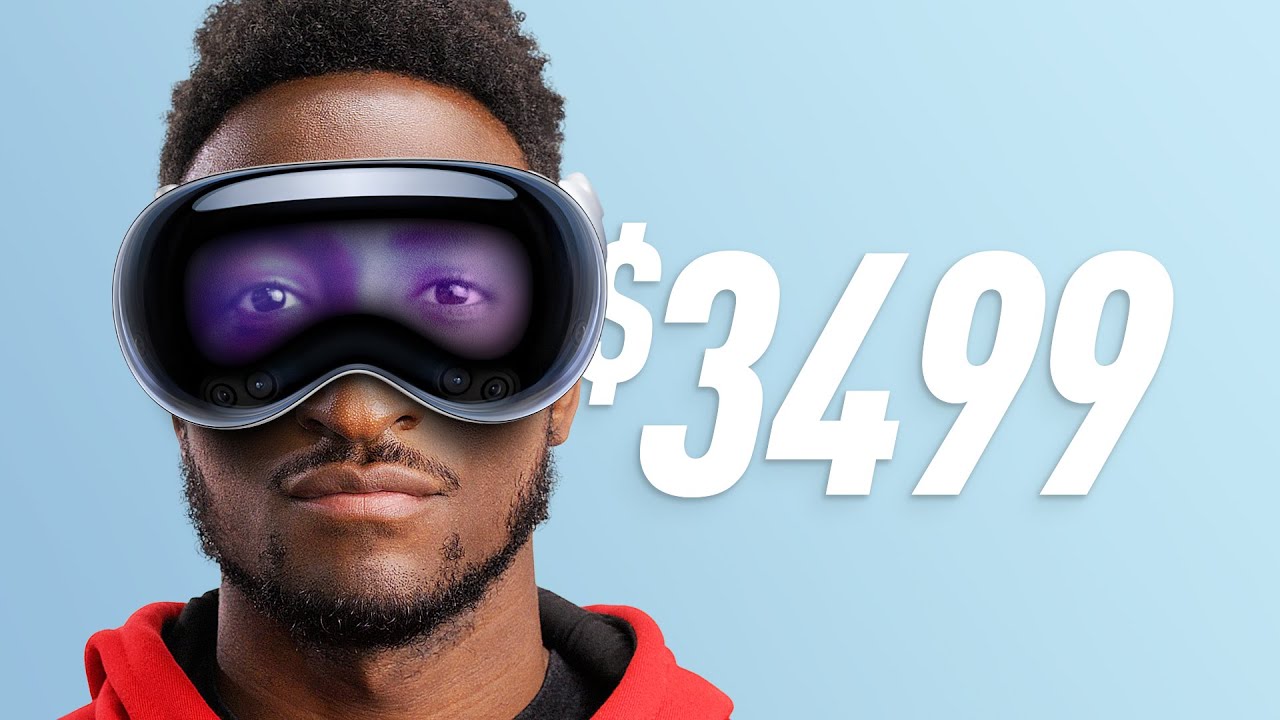
Marques Brownlee
Superior eye tracking and macOS integration make Apple's headset a technical milestone, but physical heft, a two-hour battery life, and a $3,500 price tag restrict the device to an experimental platform for developers and wealthy early adopters.
AI-assisted summary of Apple Vision Pro Impressions! — original source. Check the original for full context.
Source published:
Key ideas
- Apple announced the Vision Pro, an ultra-premium $3,500 standalone spatial computer launching in early 2024 powered by an M2 compute chip alongside a dedicated R1 real-time sensor co-processor. (0:00)
- The headset completely abandons handheld physical controllers, relying instead on high-precision internal eye tracking and subtle lap-level pinch gestures that Brownlee describes as bordering on magic. (1:22)
- Hardware highlights include class-leading full-color passthrough and an exterior curved OLED 'EyeSight' display, though its synthetic 3D Digital Personas for FaceTime remain in the uncanny valley. (5:22)
- Major ergonomic and hardware trade-offs include significant facial heft from machined aluminum and glass, zero tactile haptic feedback, and an external battery tethered for roughly two hours of runtime. (14:43)
- Positioned like the original 2015 'Series 0' Apple Watch, the device is tailored as an expensive developer platform and early adopter showcase to define killer spatial apps before mainstream hardware arrives. (18:10)
Detailed notes
## Background Published on YouTube by Marques Brownlee on June 6, 2023, this video covers his first hands-on impressions of Apple's newly revealed spatial computer. According to the description, Brownlee provides his honest thoughts after testing the $3,500 mixed-reality headset following its unveiling at WWDC.
## TL;DR Marques Brownlee breaks down his 30-minute demonstration of the Apple Vision Pro, highlighting its class-leading eye tracking, fluid gesture navigation, and ultra-sharp 4K micro-OLED passthrough. While celebrating Mac virtual display mirroring and immersive sports entertainment, he critiques the uncanny valley of digital personas, the complete absence of physical haptics, and the social awkwardness of recording 3D spatial video. He also underscores significant ergonomic challenges, notably the heavy glass-and-aluminum chassis and a tethered external battery with a two-hour runtime. Brownlee concludes that the $3,500 device is an exploratory 'Series 0' platform built primarily as a muse for developers and affluent tech enthusiasts rather than mainstream consumers.
## Atmosphere & style The presentation is measured, analytical, and refreshingly pragmatic, balancing genuine awe at boundary-pushing hardware with grounded consumer skepticism. Brownlee communicates with calm, articulate authority, methodically dissecting the headset's engineering triumphs against its unmistakable physical compromises. Watching the video feels like receiving an objective, backstage debriefing that punctures Silicon Valley hype to confront the real-world friction of wearing a computer on your face.
## Bulletin - [00:00](https://www.youtube.com/watch?v=OFvXuyITwBI&t=0s) Apple announced the Vision Pro, an ultra-premium $3,500 standalone spatial computer launching in early 2024 powered by an M2 compute chip alongside a dedicated R1 real-time sensor co-processor. - [01:22](https://www.youtube.com/watch?v=OFvXuyITwBI&t=82s) The headset completely abandons handheld physical controllers, relying instead on high-precision internal eye tracking and subtle lap-level pinch gestures that Brownlee describes as bordering on magic. - [05:22](https://www.youtube.com/watch?v=OFvXuyITwBI&t=322s) Hardware highlights include class-leading full-color passthrough and an exterior curved OLED 'EyeSight' display, though its synthetic 3D Digital Personas for FaceTime remain in the uncanny valley. - [14:43](https://www.youtube.com/watch?v=OFvXuyITwBI&t=883s) Major ergonomic and hardware trade-offs include significant facial heft from machined aluminum and glass, zero tactile haptic feedback, and an external battery tethered for roughly two hours of runtime. - [18:10](https://www.youtube.com/watch?v=OFvXuyITwBI&t=1090s) Positioned like the original 2015 'Series 0' Apple Watch, the device is tailored as an expensive developer platform and early adopter showcase to define killer spatial apps before mainstream hardware arrives.
## Key takeaways - [00:00](https://www.youtube.com/watch?v=OFvXuyITwBI&t=0s) Vision Pro is an independent, first-generation spatial computer featuring dual 4K micro-OLED displays per eye, powered jointly by Apple's M2 and R1 processors. - [01:22](https://www.youtube.com/watch?v=OFvXuyITwBI&t=82s) Navigation is entirely hands-free and controller-free, operating through internal infrared eye tracking, downward and side cameras, and voice dictation. - [01:22](https://www.youtube.com/watch?v=OFvXuyITwBI&t=82s) Gaze tracking operates with telepathic precision, allowing users to execute selections via subtle finger pinches while resting their hands naturally at waist level. - [01:22](https://www.youtube.com/watch?v=OFvXuyITwBI&t=82s) Fitting requires an iPhone TrueDepth scan for custom light seals, magnetic ZEISS prescription inserts for spectacle wearers, and Optic ID iris scanning for authentication. - [05:22](https://www.youtube.com/watch?v=OFvXuyITwBI&t=322s) The EyeSight curved exterior OLED renders a reconstructed 3D view of the wearer's eyes to maintain eye contact, shifting to an ambient glow when in full VR. - [05:22](https://www.youtube.com/watch?v=OFvXuyITwBI&t=322s) The internal real-time video passthrough provides zero-lag, full-color stereo vision that ranks as the sharpest passthrough experience on any consumer headset. - [07:28](https://www.youtube.com/watch?v=OFvXuyITwBI&t=448s) visionOS organizes spatial computing around computing, content, and connection, borrowing floating-window interface paradigms from iPadOS. - [08:57](https://www.youtube.com/watch?v=OFvXuyITwBI&t=537s) Foveated rendering concentrates full 4K graphical fidelity strictly where the user's pupil focuses while downscaling peripheral zones to reduce eye strain and power consumption. - [08:57](https://www.youtube.com/watch?v=OFvXuyITwBI&t=537s) Mac continuity allows users to simply look at a physical Mac laptop to instantly mirror macOS into an expandable, floating 4K virtual display compatible with Bluetooth accessories. - [10:35](https://www.youtube.com/watch?v=OFvXuyITwBI&t=635s) FaceTime employs 3D Digital Personas mapped from an initial facial scan, though current real-time tracking nuances still sit noticeably inside the uncanny valley. - [11:56](https://www.youtube.com/watch?v=OFvXuyITwBI&t=716s) Media consumption and prospective virtual courtside sports broadcasting provide compelling immersion, easily dialed between real-world passthrough and VR using the Digital Crown. - [11:56](https://www.youtube.com/watch?v=OFvXuyITwBI&t=716s) Recording 3D spatial photos and home videos while wearing a visor in front of family members carries a jarring social stigma reminiscent of Google Glass. - [14:43](https://www.youtube.com/watch?v=OFvXuyITwBI&t=883s) The absence of physical controllers results in zero haptic feedback, breaking sensory immersion when virtual objects interact with the user's hands. - [14:43](https://www.youtube.com/watch?v=OFvXuyITwBI&t=883s) Dense aluminum and curved glass construction makes the unit noticeably heavy on the face, while the tethered external battery lasts only about two hours. - [18:10](https://www.youtube.com/watch?v=OFvXuyITwBI&t=1090s) Apple's entrenched ecosystem provides continuity and cross-device integration that competing hardware manufacturers cannot replicate point-for-point. - [18:10](https://www.youtube.com/watch?v=OFvXuyITwBI&t=1090s) At a starting price of $3,500, the Vision Pro is not built for the mass market, functioning instead as a 'Series 0' exploratory device for developers and wealthy early adopters.
## Detailed walkthrough ### [00:00](https://www.youtube.com/watch?v=OFvXuyITwBI&t=0s) First Impressions and Hardware Specs
Marques Brownlee shares his immediate thoughts following a hands-on, 30-minute demonstration of the newly unveiled Apple Vision Pro. Emphasizing that he walked into the briefing with “about a trillion questions” to pepper Apple with, he sets out to unpack everything currently known about the hardware, especially since no external media cameras were permitted to film the device in active use. At its foundation, Vision Pro represents a rare occurrence in modern consumer tech: an entirely brand-new, first-generation product category from Apple that will retail for a starting price of $3,500 when it ships early next year.
Unlike previous accessory-driven peripherals, the headset is not a tethered display meant to pair continuously with an iPhone or a Mac. It is a completely independent spatial computer packed with top-tier silicon. Processing is split between an Apple M2 chip running compute tasks and a dedicated, real-time co-processor dubbed the R1 chip, which is tasked with handling the continuous flood of data streaming from its dense array of onboard sensors. Visuals are powered by dual micro-OLED displays—roughly 4K resolution per eye—paired with custom spatial audio speakers integrated directly into the strap above each ear, alongside dedicated Wi-Fi connectivity.
- **Starting Price:** $3,500, slated for release in early 2024. - **Compute Architecture:** Apple M2 processor paired with a new custom R1 real-time sensor processing chip. - **Display Tech:** Dual micro-OLED displays outputting approximately 4K resolution per eye. - **Audio & Networking:** Integrated dual-driver audio pods positioned right above each ear; standalone Wi-Fi. - **Device Category:** Standalone augmented reality (AR) and virtual reality (VR) spatial computer built with premium glass and aluminum.
“This is a first generation device from Apple, which we don't see very often, but it is an augmented reality/virtual reality headset with a bunch of cameras and sensors inside that you strap to your face,” Marques Brownlee explains.
---
[01:22](https://www.youtube.com/watch?v=OFvXuyITwBI&t=82s) Sensor Suite and the "Magical" Eye Tracking
Traditional VR headsets rely on external shells with a handful of tracking cameras alongside dedicated handheld physical motion controllers. Apple, however, has discarded physical controllers entirely. There are no pack-in controllers, no optional first-party accessories planned, and no designs in development; every single interaction is navigated using hand gestures, eye movements, and voice commands. To achieve this, the chassis is loaded with an extensive sensor array: two primary forward-facing cameras, two downward-facing cameras to monitor lap and hand movement, two side-facing cameras, two infrared illuminators, a LiDAR scanner, and an external TrueDepth camera module. On the interior, surrounding the lenses, sits an array of infrared cameras and illuminators focused entirely on tracking the user’s pupils.
Getting fitted for the device requires a custom facial scan using an iPhone's TrueDepth sensor—a process designed to be conducted in Apple Stores—to tailor a light-blocking facial seal and breathable, contoured fabric headband. For spectacle wearers, custom magnetic ZEISS optical inserts snap in place. Once fitted and booted through a brief calibration routine where the user simply follows a pattern of glowing dots, the eye tracking proves astonishingly precise. Brownlee describes the gaze detection as bordering on telepathy, highlighting minute interface targets instantaneously across the operating system without needing deliberate head orientation. Selecting an item requires only a subtle tap of the index finger and thumb together. Because the exterior cameras capture a wide field of view downward and sideways, hands can rest comfortably on one’s lap or armrests without being held up in the air. For text input, users can gaze at a virtual floating keyboard, dictate directly via the onboard microphones, or authenticate instantly upon donning the unit via Optic ID iris scanning.
```mermaid flowchart TD accTitle: Vision Pro Interaction Pipeline accDescr: Sensor inputs processed by M2 and R1 chips resulting in hands-free OS actions.
subgraph Sensors["Hardware Sensor Arrays"] A["External Cameras & LiDAR<br/>(Forward, Downward, Side)"] B["Internal IR Illuminators<br/>& Eye Cameras"] C["Array Microphones"] end
subgraph Processing["Apple Silicon"] D["R1 Real-Time Chip<br/>(Sensor Fusion)"] E["M2 Chip<br/>(visionOS Engine)"] end
subgraph Interaction["Interaction Output"] F["Gaze Selection"] G["Fingertip Pinch Click"] H["Optic ID & Voice Input"] end
A --> D B --> D C --> E D --> E E --> F E --> G E --> H ```
- **Exterior Sensor Package:** 2 forward cameras, 2 downward cameras, 2 side cameras, 2 infrared illuminators, 1 LiDAR scanner, and 1 TrueDepth camera. - **Interior Eye Tracking:** Dedicated internal IR illuminators and high-speed infrared cameras. - **Fitting and Ergonomics:** Face scan for custom light-seal cutouts, magnetic ZEISS prescription inserts, and a breathable, stretchable rear fabric headband. - **Gesture Control:** Subtle index-to-thumb pinch clicks that register even when hands rest relaxed at waist level. - **Biometric Security:** Optic ID, which identifies unique iris patterns immediately upon putting on the headset.
“I'm not even kidding, this eye tracking is sick,” Marques Brownlee emphasizes, adding that “the eye tracking in this headset as it looks at your eyes and keeps track of where your eyes move around, is the closest thing that I've experienced to like magic.”
---
[05:22](https://www.youtube.com/watch?v=OFvXuyITwBI&t=322s) Two-Way Passthrough and the EyeSight Display
A striking visual element of the Vision Pro is the apparent transparency of its front curved glass, showing the wearer's eyes to anyone in the room. In reality, the visor is completely opaque; the effect is powered by an exterior-facing curved OLED panel running what Brownlee calls a "two-way passthrough" system dubbed EyeSight. While traditional VR headsets remain solid plastic blocks that occasionally pipe low-resolution monochrome or stereo feeds into internal screens so users avoid bumping into walls, Apple’s internal video passthrough is in full color, high-resolution stereo, zero-lag real time, and easily ranks as the sharpest passthrough experience on the market.
Simultaneously, the outer OLED renders a synthetic, real-time 3D representation of the wearer's eyes reconstructed from the internal infrared cameras. When the wearer is in standard AR mode looking at the room, their eyes appear visible to outsiders to maintain social connection. When the user turns the Digital Crown into a fully immersed VR environment—such as watching a feature film or playing an immersive game—the exterior display fades out the eyes and projects a continuous bluish, shimmering light pattern across the front glass to signal that the wearer cannot see out. While Brownlee finds the visual aesthetic bold and slightly uncanny, he doubts competitors will follow suit due to the immense cost of adding an external display.
- **Exterior Display:** Curved outward-facing OLED panel designed to project the wearer's eye perspective to bystanders. - **Internal Passthrough Quality:** Real-time, stereo color video feed with high fidelity and ultra-low latency. - **Contextual EyeSight States:** Displays rendered eyes when AR passthrough is active; switches to an ambient luminous graphic when fully immersed in VR. - **Market Viability:** Exterior displays are uniquely cost-prohibitive, making it unlikely for lower-cost consumer VR headsets to imitate.
“The passthrough on Apple's headset is again the best I've ever seen in a headset,” Marques Brownlee observes, while noting that seeing someone's eyes light up through a headset on an airplane remains “a really interesting look, it's a bold look.”
---
[07:28](https://www.youtube.com/watch?v=OFvXuyITwBI&t=448s) Core Capabilities and Spatial Computing in visionOS
To evaluate the utility of the hardware, Brownlee breaks down its functions into three primary buckets: computing, content, and connections. Because the headset is being previewed many months before its retail launch, the current software interface strictly features Apple's first-party applications, paralleling the original 2007 iPhone launch before the App Store existed. Apple announced the platform well ahead of launch primarily to give third-party developers a runway to build dedicated, high-utility spatial software.
The first pillar, computing, takes direct aim at enterprise-oriented hardware like Meta's $1,500 Quest Pro, though Brownlee suspects standard desktop computing may end up being the least common everyday use case for average buyers. The system runs on visionOS, a new operating system that feels spiritually adjacent to iPadOS. Users can spawn, arrange, resize, and pin multiple floating 4K windows throughout physical room space, navigating between Safari tabs and native utilities through gaze-targeting and finger pinches. Throughout the demo, the speed, fluidity, and responsiveness of window management significantly outpaced any competing standalone headset.
- **Three Core Pillars:** Computing, Content, and Connections. - **First-Party Baseline:** Launch ecosystem currently limited to Apple’s core application suite to jumpstart third-party developer creation. - **Platform OS:** visionOS, drawing interface metaphors from iPadOS adapted for spatial eye-and-gesture manipulation. - **Enterprise Target:** Directly challenges hardware like the $1,500 Meta Quest Pro via persistent, floating 4K multi-window workspaces.
“Now, actually I should preface this all by saying this is a first gen product,” Marques Brownlee reflects, noting that “the reason this is coming out, or at least getting announced so early, but it's not coming out till next year, is to give this window for developers to start developing their own apps and making cool things for this headset to do that are way more interesting and way more functional.”
[08:57](https://www.youtube.com/watch?v=OFvXuyITwBI&t=537s) Hand Gestures, Selective Rendering, and Mac Mirroring
Interacting with windows inside visionOS feels remarkably natural and fluid. To scroll through a webpage in Safari, you simply bring your fingers together in mid-air and drag; the window responds nearly in real time. Marques found himself tossing windows across his field of view, catching them, tossing them back, flicking to scroll through feeds, and grabbing edges to resize windows with pure finger gestures. Addressing concerns about whether a headset could realistically replace a monitor for prolonged computer work without causing severe eye strain, Marques explains Apple’s implementation of foveated rendering. The system leverages its internal eye tracking to concentrate graphical computing power entirely on the exact micro-target of the display you are looking at, rendering that spot in razor-sharp 4K fidelity while dropping resolution in the peripheral regions to conserve power.
The rendering transitions occur so instantaneously that the process is completely invisible in practice. Marques notes that while any display strapped to your face will eventually trigger fatigue, the combination of high pixel density and a refresh rate that subjectively felt around 120Hz made the experience far easier on the eyes than competing headsets. For heavier productivity tasks, the integration with the broader Apple ecosystem stands out: a user wearing Vision Pro can simply look at their physical Mac laptop, and the headset instantly recognizes the machine, mirroring macOS as a floating 4K display in the virtual room. From there, users can pair a standard Bluetooth keyboard and trackpad to navigate full desktop applications within an expansive, customizable workspace.
```mermaid flowchart TD accTitle: Vision Pro Selective Rendering Flow accDescr: How eye tracking drives foveated rendering to deliver sharp visuals while preserving system compute power. subgraph Detection["Gaze Detection"] A["High-Speed Eye Tracking Sensors"] --> B["Pinpoint Focal Target"] end subgraph Rendering["Selective Rendering Engine"] B --> C["Render Focused Area in Sharp 4K"] B --> D["Conserve Power on Peripheral Regions"] end subgraph Output["Visual Experience"] C --> E["Seamless Low-Fatigue Image"] D --> E end ```
- High-resolution dual 4K micro-OLED displays eliminate visible pixel grids. - Refresh rate felt smoothly calibrated, subjectively around 120Hz. - Full macOS integration automatically detects Macs and mirrors their display into a floating virtual monitor. - Supports native pairing with external Bluetooth keyboards and trackpads for full computing workflows.
As Marques Brownlee summarized regarding visual optimization: “So the computing power is basically focusing on sharply rendering the part of the screen that you're actually looking at, while saving power on the rest.”
---
[10:35](https://www.youtube.com/watch?v=OFvXuyITwBI&t=635s) Communication and the Uncanny Valley of Digital Personas
Beyond desktop computing, communication is central to the Vision Pro pitch. Users can type out messages in floating iMessage windows just as they would on a Mac, but FaceTime presents a unique hardware puzzle: without holding an external camera up to your face, what do call recipients see? Apple’s answer is the Digital Persona, an interactive 3D digital recreation generated by scanning the user’s face in advance using an iPhone’s TrueDepth camera. When a call connects, the headset's internal cameras and sensor arrays track facial expressions and eye movements in real time, mapping those nuances directly onto the 3D model.
Testing the FaceTime feature revealed both the technical marvel and its current social limitations. While dynamic and far more expressive than a cartoon Memoji, the digital recreation falls into the uncanny valley. Marques likens the experience to Google's Project Starline telepresence experiments, noting that while the technology successfully transmits facial expressions, you are still acutely aware that you are conversing with a synthesized simulation rather than looking directly into another human being's eyes.
- Users can position multiple FaceTime call windows anywhere in their spatial environment for hands-free conversations. - Personas are initially created by enrolling the user's face via an iPhone scan. - Onboard headset sensors match micro-movements, mouth shapes, and eye blinks onto the 3D persona in real time.
Evaluating the social realism of the feature, Marques Brownlee concluded: “It feels sort of in that like uncanny valley, you know, moving 3D model territory, instead of looking at an actual person.”
---
[11:56](https://www.youtube.com/watch?v=OFvXuyITwBI&t=716s) Entertainment Immersion and the Awkwardness of 3D Video Capture
Media consumption is the category Marques believes is poised to explode now that Apple has entered spatial computing. Backed by its massive brand influence, Apple has the leverage to rally Hollywood studios, sports leagues, and independent filmmakers to craft bespoke high-resolution formats. During his hands-on demo, Marques was completely sold on virtual sports broadcasting, enthusiastically noting that while it cannot replicate the physical roar and tactile energy of an in-person stadium crowd, he would gladly pay a $10 to $20 ticket price or a monthly subscription to watch NBA games from an ultra-crisp, courtside perspective. Standard 2D entertainment also benefits significantly; sitting back on an airplane with the headset and a pair of headphones creates a personal, private cinema. By rotating the hardware Digital Crown clockwise, users can dial up environmental immersion to completely replace their real-world room with virtual scenery, or turn it counterclockwise to dial back passthrough video and remain aware of their physical surroundings.
However, the headset's spatial camera feature drew sharp skepticism. Vision Pro allows wearers to record stereoscopic 3D photos and spatial videos using its outward-facing cameras, which can later be replayed to recreate past moments with genuine depth. While reviewing a prerecorded clip of a child blowing out birthday candles proved technically impressive, Marques found the social reality of recording such events deeply alienating. The prospect of an adult pacing around a family party wearing a piece of glass and metal over their eyes invokes the exact social stigma that doomed Google Glass a decade earlier.
- The physical Digital Crown smoothly balances full VR environments against real-world video passthrough. - Front-facing stereoscopic cameras allow users to record three-dimensional video memories with spatial audio. - High-resolution playback simulates sitting front row at sporting events or inside private theater environments.
Reflecting on the social optics of recording home videos with a headset on, Marques Brownlee questioned: “What kind of memory is that for the other people around you?”
---
[14:43](https://www.youtube.com/watch?v=OFvXuyITwBI&t=883s) Strengths, Missing Haptics, Weight, Battery Life, and the $3,500 Price Tag
When answering the primary question of whether the Apple Vision Pro is actually good, Marques emphasizes that its foundational tracking tech is exceptional. The precision of the eye tracking combined with gesture inputs outclasses anything else on the market. However, ditching physical hand controllers introduces notable sensory trade-offs. During an interactive demo, a wall in front of Marques opened to reveal a dinosaur, followed by a virtual butterfly fluttering across the room to rest directly on his outstretched finger. Although the volumetric lighting and positional tracking executed the moment flawlessly, the complete lack of physical haptic feedback immediately broke the illusion, starkly reminding him that he was merely wearing a screen.
Physical ergonomics and hardware constraints also present challenges. Much like the aluminum-and-steel AirPods Max, the Vision Pro abandons lightweight plastic in favor of machined aluminum and glass, resulting in a distinctly heavy chassis. Even during a 30-minute demonstration, the physical heft was noticeable, raising concerns about facial fatigue over several hours of continuous use. To keep excess weight off the head, Apple offloaded the battery into an external aluminum pack tethered by a proprietary locking braided cable. That battery pack provides only about two hours of standalone runtime—barely enough to finish a feature-length film without plugging into a wall via USB-C. Additionally, visible vent grills suggest active internal cooling fans that might get audible or pull significant wattage under sustained load. Finally, there is the staggering $3,500 price point: while undeniably steep, Marques observes that Apple has once again built a device with no direct one-to-one equivalent, packing advanced sensor and display engineering that no competing consumer headset currently matches.
- Eye tracking and hand tracking are the most responsive Marques has encountered in any VR or mixed reality device. - Lack of physical controllers means there is zero haptic feedback when touching virtual objects. - High-end metal and curved glass construction makes the unit noticeably heavier than conventional plastic VR headsets. - External battery pack connects via a tethered proprietary cable and yields roughly two hours of untethered runtime. - The battery bank features a USB-C port for continuous pass-through power when seated near an outlet. - Priced at $3,500 at launch, placing it in an ultra-premium niche similar to the Pro Display XDR.
Summing up the standard-setting hardware controls, Marques Brownlee stated: “Some of the parts of this headset that I tried are actually the best I have ever seen in any VR headset by a mile, specifically, the eye tracking and the hand tracking.”
[18:10](https://www.youtube.com/watch?v=OFvXuyITwBI&t=1090s) The Ecosystem Moat and the "Series 0" Verdict
Marques Brownlee highlights that the true differentiator for Apple Vision Pro isn’t merely the hardware or software execution, but rather Apple’s deeply entrenched ecosystem. Even if a rival tech company built an identical spatial headset that matched every single capability point-for-point, it still would lack core Apple continuity features. A third-party competitor wouldn’t have native FaceTime integration or the frictionless experience of looking over at a Mac to have its high-resolution virtual display instantly pop up in mid-air. As Marques summarizes the competitive landscape, “So this is kind of something that only Apple could pull off.”
Looking at the product as a whole after testing it, Marques emphasizes that while it is an undeniably impressive piece of technology, it is unequivocally not meant for average consumers. With a staggering price tag of $3,500 and the word "Pro" baked directly into the branding, it occupies the exact same cultural and functional space as the original Apple Watch "Series 0." Just like that first watch in 2015, this initial iteration is an exploratory hardware platform where early adopters and third-party developers will be responsible for defining its killer use cases and steering the software trajectory. Over time, that foundational testing could pave the way for a drastically more accessible consumer device—something akin to a hypothetical $400 "Vision SE" that achieves mainstream, mass-market adoption. For the immediate future, Marques frames the device with sharp clarity: “It's the rich person's toy and the developer's muse for right now.”
- **Release and Positioning**: Priced at $3,500 and launching the following year, the device is aimed strictly at high-end enthusiasts, affluent early adopters, and software developers rather than the mass market. - **The Series 0 Analogy**: The original Apple Watch also launched without a fully proven single purpose; user and developer feedback over successive generations shaped watchOS into the fitness and health juggernaut it became. - **Wrap-up and Outro**: Marques closes out by noting that Vision Pro was only one part of a massive WWDC keynote, encouraging viewers to check out his upcoming video recap covering the rest of Apple's software and hardware announcements, as well as tuning into the next episode of the *Waveform* (*WVFRM*) podcast.
## Notable quotes > [05:22](https://www.youtube.com/watch?v=OFvXuyITwBI&t=322s) The passthrough on Apple's headset is again the best I've ever seen in a headset — Marques Brownlee
## Mentioned Apple Vision Pro, Marques Brownlee, Apple M2, Apple R1, Optic ID, EyeSight, visionOS, ZEISS, Meta Quest Pro, FaceTime, Google Project Starline, Google Glass, AirPods Max, Pro Display XDR, Apple Watch, Waveform Podcast
## Video description I tried Apple's first ever spatial computing device, a $3500 VR headset. These are my honest thoughts.
Google Project Starline: https://youtu.be/J1oEWiUsKgU
The podcast: https://youtube.com/waveform
That shirt! http://shop.MKBHD.com
Tech I'm using right now: https://www.amazon.com/shop/MKBHD
Intro Track: Jordyn Edmonds http://smarturl.it/jordynedmonds Playlist of MKBHD Intro music: https://goo.gl/B3AWV5
~ http://twitter.com/MKBHD http://instagram.com/MKBHD http://facebook.com/MKBHD
[Source](https://www.youtube.com/watch?v=OFvXuyITwBI)