Microsoft is Forcing me to Buy MacBooks - Windows Modern Standby
Linus Tech Tips
AI-assisted summary of Microsoft is Forcing me to Buy MacBooks - Windows Modern Standby — original source. Check the original for full context.
Source published:
Key ideas
- Windows Modern Standby (S0 sleep) is causing laptops across major brands to suffer severe battery drain and dangerous overheating when stored inside bags. (0:00)
- The persistent battery drain often stems from an OS state desynchronization where a laptop put to sleep while plugged in fails to switch out of 'Network Connected' standby when subsequently unplugged. (8:34)
- While native S3 sleep is supported by modern Intel and AMD silicon, Microsoft updates and OEM firmware implementations have systematically removed workarounds that allow users to disable Modern Standby. (6:04)
- Linus Tech Tips issued an ultimatum stating they will not recommend Windows laptops over MacBooks until Microsoft fixes Modern Standby or restores S3 sleep support. (10:06)
Detailed notes
## Background Published by Linus Tech Tips on YouTube on December 3, 2022, this video addresses a persistent flaw plaguing modern portable PCs. According to the video description, Windows laptops have suffered from severe idle battery drain for over three years, leading the channel to withhold recommendations for Windows portables due to the failures of Windows Modern Standby.
## TL;DR Linus Tech Tips investigates why modern Windows laptops frequently overheat and drain their batteries to zero inside bags, tracing the issue to the industry-wide shift from legacy ACPI S3 sleep to Modern Standby (S0 Low Power Idle). While Apple provides a simple macOS toggle to limit network wake events exclusively to AC power, Microsoft and laptop OEMs have systematically patched out user workarounds and failed to support S3 sleep in firmware. The team discovers a crucial state desynchronization bug where closing a laptop lid while plugged into AC power locks the device into a persistent 'Network Connected' state, even after being unplugged and packed away. Linus issues an ultimatum that he will not recommend Windows laptops over MacBooks until Microsoft fixes Modern Standby or restores S3 sleep support, advising users in the interim to always unplug their laptops before shutting the lid.
## Atmosphere & style The presentation is charged with exasperation, righteous consumer advocacy, and biting humor, opening with dramatic indignation toward Microsoft for driving loyal users to Apple hardware. Linus balances technical diagnostic breakdowns with personal grievances, creating an engaging, investigative narrative that validates the widespread frustrations of his audience. Alex's firsthand account of an overheating backpack adds relatable, high-stakes workplace tension, making the video feel like a cathartic, no-holds-barred consumer rights critique aimed squarely at tech giants.
## Bulletin - [00:00](https://www.youtube.com/watch?v=OHKKcd3sx2c&t=0s) Windows Modern Standby (S0 sleep) is causing laptops across major brands to suffer severe battery drain and dangerous overheating when stored inside bags. - [08:34](https://www.youtube.com/watch?v=OHKKcd3sx2c&t=514s) The persistent battery drain often stems from an OS state desynchronization where a laptop put to sleep while plugged in fails to switch out of 'Network Connected' standby when subsequently unplugged. - [06:04](https://www.youtube.com/watch?v=OHKKcd3sx2c&t=364s) While native S3 sleep is supported by modern Intel and AMD silicon, Microsoft updates and OEM firmware implementations have systematically removed workarounds that allow users to disable Modern Standby. - [10:06](https://www.youtube.com/watch?v=OHKKcd3sx2c&t=606s) Linus Tech Tips issued an ultimatum stating they will not recommend Windows laptops over MacBooks until Microsoft fixes Modern Standby or restores S3 sleep support.
## Key takeaways - [00:00](https://www.youtube.com/watch?v=OHKKcd3sx2c&t=0s) Modern Standby issues have driven long-time Windows users and reviewers to switch to MacBooks due to reliability problems with mobile hardware. - [00:00](https://www.youtube.com/watch?v=OHKKcd3sx2c&t=0s) The widespread problem involves laptops going to sleep fully charged and being pulled from backpacks completely dead and excessively hot. - [01:25](https://www.youtube.com/watch?v=OHKKcd3sx2c&t=85s) The issue is platform-wide and observed across major manufacturers, including Dell, HP, Lenovo, LG, Acer, and Microsoft Surface devices. - [01:25](https://www.youtube.com/watch?v=OHKKcd3sx2c&t=85s) Traditional ACPI S3 sleep cuts power to the CPU while keeping data in volatile RAM, whereas modern S0 sleep leaves the CPU powered to mimic smartphone-style instant-on connectivity. - [03:30](https://www.youtube.com/watch?v=OHKKcd3sx2c&t=210s) Intel's Project Athena push accelerated the adoption of mandatory S0 sleep across the Windows portable PC market. - [04:57](https://www.youtube.com/watch?v=OHKKcd3sx2c&t=297s) macOS utilizes a similar background wake feature, but unlike Windows, it provides a straightforward toggle to restrict background network wake exclusively to AC power. - [06:04](https://www.youtube.com/watch?v=OHKKcd3sx2c&t=364s) Microsoft has systematically patched out GUI toggles, command-line overrides (like PlatformAoAcOverride), and registry hacks that previously allowed users to enforce S3 sleep. - [06:04](https://www.youtube.com/watch?v=OHKKcd3sx2c&t=364s) Modern Intel 12th Gen and AMD Ryzen 7000 mobile processors natively support S3 sleep, but laptop OEM firmware often fails to properly configure it. - [06:04](https://www.youtube.com/watch?v=OHKKcd3sx2c&t=364s) Among the laptops tested by the channel, only ASUS and Framework consistently preserved proper S3 standby support in their firmware. - [08:34](https://www.youtube.com/watch?v=OHKKcd3sx2c&t=514s) Windows reports Modern Standby as 'Network Disconnected' on battery power and 'Network Connected' when tethered to AC power. - [08:34](https://www.youtube.com/watch?v=OHKKcd3sx2c&t=514s) Disconnecting a laptop from power after shutting the lid leaves the machine trapped in the 'Network Connected' state, enabling background tasks like Windows Update to run unrestricted inside closed bags. - [08:34](https://www.youtube.com/watch?v=OHKKcd3sx2c&t=514s) A simple temporary workaround to avoid state desynchronization is to always unplug the power cable before closing the laptop lid. - [10:06](https://www.youtube.com/watch?v=OHKKcd3sx2c&t=606s) Linus declares an outright refusal to recommend Windows laptops over MacBooks until Microsoft either fixes Modern Standby or restores reliable S3 sleep support.
## Detailed walkthrough ### [00:00](https://www.youtube.com/watch?v=OHKKcd3sx2c&t=0s) The Modern Standby Nightmare and Switching to Mac
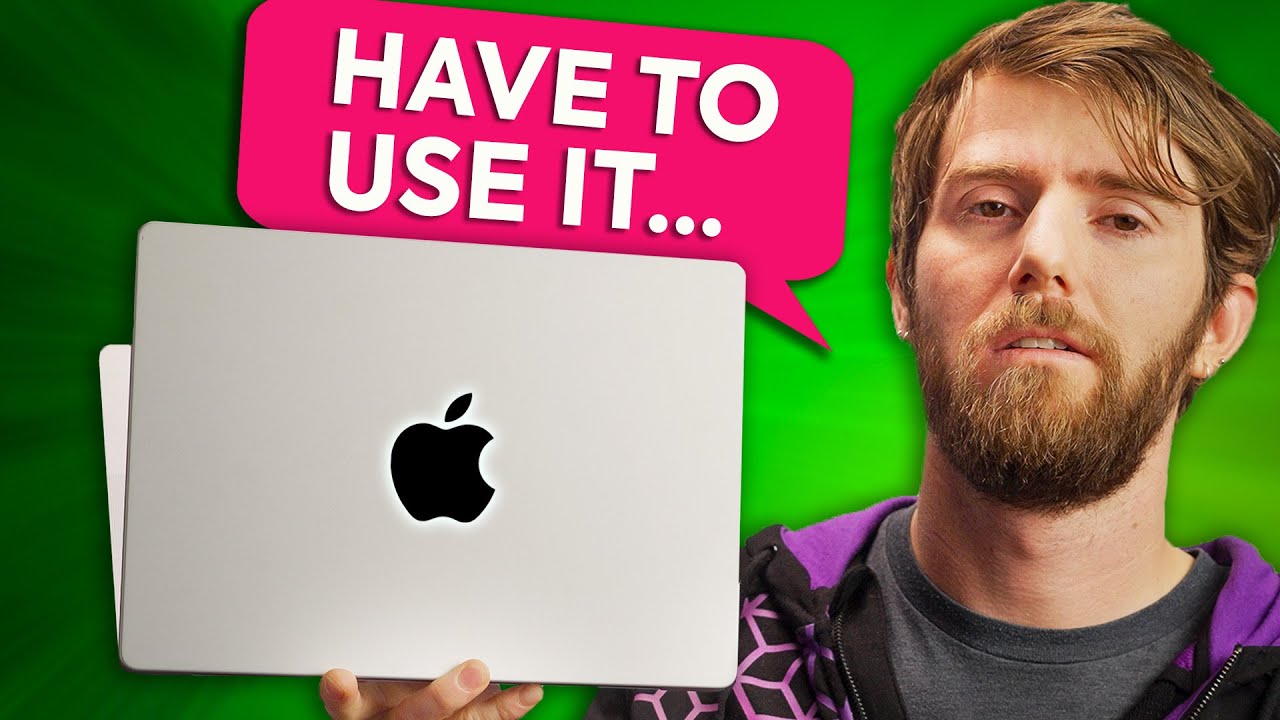
Linus opens with dramatic indignation, confronting Microsoft directly over how their broken software has alienated their most loyal core audience. He reveals that a lifelong Windows user on the team has been driven straight into the arms of Apple, forced to switch to a MacBook simply because he has critical daily work to accomplish and desperately needs hardware that is actually reliable. This is not hyperbole or an isolated grievance; Linus emphasizes that this exodus is happening across the industry because Microsoft refuses to fix a core operating system mechanism that everyday users might not even know by name: Modern Standby. Having voiced frustrations about this issue in virtually every laptop review on the channel for over a year, the team set out to thoroughly investigate what they consider the single most destructive flaw afflicting modern Windows portables.
Almost every portable PC user has encountered the phenomenon firsthand. An owner plugs in their laptop, charges it to 100%, packs it away neatly into a backpack or briefcase, and pulls it out the next morning only to discover that the battery is completely drained to zero—accompanied by an alarming chassis temperature hot enough to physically burn their hands. While untangling the problem presented enormous diagnostic hurdles, including the revelation that macOS hardware can technically fall prey to the very same underlying trap, the team believes they have finally pinpointed the elusive glitch that has baffled Microsoft engineers for over three years.
- Thousands of users across social media and forums report pulling dead, scolding-hot Windows machines out of bags after charging them the previous evening. - Sponsoring this investigation is Build Redux, offering custom PC configurations, guided support, and competitive pricing for builders seeking an alternative to assembling their own systems. - As Linus asserts regarding their ongoing investigation: “After complaining about it in every single laptop video for the last year, we're finally doing a deeper dive into what we consider to be the biggest problem with Windows laptops.”
[01:25](https://www.youtube.com/watch?v=OHKKcd3sx2c&t=85s) Diagnosing the Mystery Drain and the S3 vs. S0 Shift
Linus admits that he spent a considerable amount of time gaslighting himself into believing the issue was user error or just an isolated lemon of a notebook failing to hold a charge when needed. However, testing across dozens of hardware lines revealed an unmistakable, platform-wide pattern across Dell, HP, Lenovo, Microsoft Surface, LG, and Acer hardware alike. When the channel posted an inquiry on Twitter asking if viewers had endured similar experiences, they received thousands of replies detailing stories of fully charged, supposedly sleeping machines cooking themselves inside bags. Troubleshooting proved maddeningly difficult because the battery drain has no steady, predictable cadence—a machine might behave flawlessly one night, completely discharge the next, and drain so gradually over several hours that bench testing each scenario consumed vast amounts of lab time. Notably, the drain is far more severe on high-performance machines with brawnier processors, implying that the background wake cycles (suspected to stem from Windows Update) scale their energy draw directly with CPU power.
```mermaid flowchart TD accTitle: Comparison of Traditional S3 Sleep versus Modern Standby S0 Sleep accDescr: Diagram illustrating the functional differences between legacy S3 suspend-to-RAM sleep and modern S0 connected sleep states.
subgraph S3["Legacy S3 Sleep (Suspend to RAM)"] A["Close Laptop Lid"] --> B["CPU Completely Powered Down"] B --> C["Power Maintained to RAM Only"] C --> D["Instant Resume from Memory"] end
subgraph S0["Modern Standby / S0 Sleep (Intel Project Athena)"] E["Close Laptop Lid"] --> F["CPU Remains in Low-Power State"] F --> G["Network Connected Background Tasks"] G --> H["Battery Drain & Heat in Enclosed Bags"] end ```
The underlying technical culprit is the transition away from legacy ACPI S3 sleep (Suspend to RAM) to Modern Standby, otherwise known as S0 Low Power Idle or Connected Sleep. Under traditional S3 sleep, the CPU shuts off entirely while trickle power is sustained solely to the RAM, allowing the machine to instantly restore its session without reading data off the storage drive upon lifting the lid. While S0 sleep has been baked into Windows since Windows 8, it was historically optional, easy to disable, and never the out-of-the-box default. That changed around 2020 when Intel launched Project Athena, pushing original equipment manufacturers (OEMs) to deliver smartphone-like instant wake, high responsiveness, and all-day battery life. Under S0 sleep, the CPU never fully powers down and stays tethered to the network to conduct housekeeping tasks, such as fetching background messages, maintaining Bluetooth audio playback, and executing silent Windows updates. Yet while continuous background connectivity makes sense for an ultra-efficient ARM processor inside a smartphone that rests on a nightstand charger every evening, Linus points out that x86 architectures operate under completely different thermal and electrical constraints.
- S3 sleep maintains system data entirely in volatile memory with the CPU powered off, preventing background execution while enabling near-instant waking. - Intel Project Athena mandated S0 Modern Standby across modern laptop designs to mimic smartphone instant-wake behaviors. - Modern Standby permits background network activity, incoming chat notifications, audio streaming, and scheduled OS updates while the screen is off. - Highlighting the fundamental difference in user expectations, Linus observes: “With a laptop, I expect to close it, stuff it in my bag at the end of a Friday, and then on Monday morning when I come back to work I expect to take it out and have roughly the same amount of battery left.”
[04:57](https://www.youtube.com/watch?v=OHKKcd3sx2c&t=297s) Alex's Boiling Backpack and the macOS Comparison
Alex steps forward to recount the specific breaking point that drove him to abandon Windows laptops entirely. On the morning of a major live broadcast for the Intel Arc launch, he arrived at the office facing a frantic environment where high-priority technical issues demanded an immediate mobile fix. Having deliberately charged his laptop the night before in anticipation of a chaotic schedule, Alex unzipped his backpack only to discover a machine that was completely drained and radiating extreme heat. Because the laptop had drained itself to absolute zero, Alex found himself physically tethered to the nearest wall outlet by a charging cable while attempting to troubleshoot critical production issues on the move.
Fed up with the platform, Alex purchased a 14-inch MacBook Pro, experiencing several weeks of flawless, predictable reliability—until the exact same issue struck Apple's hardware out of nowhere. Upon opening his bag, the MacBook was unexpectedly dead, revealing that macOS utilizes a similar background-wake mechanism. However, the crucial divergence between Apple and Microsoft lies in user control: navigating into macOS battery settings reveals an explicit toggle labeled "Wake for network access." By switching that option to "Only on power adapter," Alex resolved the problem permanently, allowing the MacBook to manage maintenance and system updates when plugged in while guaranteeing it sleeps soundly on battery.
- Alex's boiling laptop incident occurred right before the high-stakes Intel Arc livestream. - Recounting the thermal state of his laptop in the bag, Alex jokes that it was “warmer than our retro polar fleece, lttstore.com, but it was completely dead.” - The resulting loss of mobility forced Alex into wall-tethered troubleshooting during a rapid-response live production environment. - In macOS, switching the "Wake for network access" setting to "Only on power adapter" successfully restricts background network polling to AC wall power alone. - As Alex summarizes regarding Apple's functional execution: “This Mac has been able to run and update and such while it's sleeping, so long as it's connected to power just as it should be.”
[06:04](https://www.youtube.com/watch?v=OHKKcd3sx2c&t=364s) Microsoft's Broken Workarounds and Firmware Failures
Linus contrasts Apple's straightforward toggle with Microsoft's persistent campaign to eliminate workarounds. When Connected Standby first arrived in Windows, users could disable it directly in the graphical power settings menu. Once Microsoft removed that option, users turned to a command-line utility called `PlatformAoAcOverride` to force the OS back to S3 sleep. Microsoft subsequently patched that workaround out, leaving users with registry edits—which the operating system developer eventually neutralized in subsequent Windows updates as well. Linus explains that Microsoft's hostility toward S3 overrides is driven largely by laptop OEM firmware development. Major manufacturers like Dell, HP, and Lenovo often neglected to support both S0 and S3 sleep states simultaneously within their BIOS, meaning that when enthusiasts forced an S3 state on an unsupported system, the laptop would simply crash outright upon attempting to sleep.
```mermaid flowchart LR accTitle: Microsoft Elimination of S3 Sleep Workarounds accDescr: Flowchart documenting how Microsoft systematically removed user controls and hacks that restored legacy S3 sleep on Windows.
GUI["Windows GUI Power Toggle"] -->|"Deprecated"| CMD["PlatformAoAcOverride Command"] CMD -->|"Patched Out"| REG["Registry Edit Workarounds"] REG -->|"Disabled in Updates"| BIOS["OEM BIOS & ACPI Lockdown"] ```
This state of affairs is particularly infuriating because modern hardware platforms—including Intel 12th Gen Core mobile processors and AMD Ryzen 7000 mobile chips—fully support S3 sleep at the silicon level. The failure rests on lazy firmware implementation by laptop vendors. Users can inspect their machine's supported sleep modes by opening a terminal and running `powercfg /a`. If the output reads that the system firmware does not support S3 standby, the machine is stuck. Across the wide array of laptops tested at the LTT office, only Framework and ASUS consistently implemented proper S3 sleep support in their latest firmware. For laptops that do support it, entering the BIOS (by tapping F1, F2, or Delete during boot) may reveal a Sleep State toggle offering "Windows" versus "Linux" modes; setting this toggle to Linux frequently enables S3 sleep, after which the old registry modifications can be successfully applied. Linus notes that while users can configure lid closure to trigger hibernation rather than sleep—thereby storing RAM state to the SSD and preventing battery drain—it is significantly slower to resume, defeating the entire instant-on objective of Modern Standby.
- Running the command `powercfg /a` lists all supported and unsupported sleep states provided by the device's ACPI firmware. - Silicon from both Intel 12th Gen and AMD Ryzen 7000 mobile series retains full native hardware support for legacy S3 sleep states. - In office hardware trials, only ASUS and Framework retained valid S3 standby support within their modern platform firmware. - Switching BIOS "Sleep State" options from Windows to Linux often unmasks ACPI S3 sleep capability for subsequent OS-level registry tweaks. - Hibernation writes active RAM contents to non-volatile storage, curing power draw at the cost of resume latency. - Denouncing the manufacturer shortcuts, Linus laments: “It's just that the laptops have crappy firmware that doesn't.”
[08:34](https://www.youtube.com/watch?v=OHKKcd3sx2c&t=514s) The "Unplug Before Closing" Lightbulb Moment
The channel's investigation uncovered a baffling contradiction in how Windows handles Modern Standby states. When querying power states on battery power, Windows explicitly reports its status as "Standby (S0 Low Power Idle) Network Disconnected," which should theoretically prevent the OS from polling for updates, pinging servers, or downloading messages. However, when the laptop is plugged into a wall outlet, that state shifts to "Standby (S0 Low Power Idle) Network Connected," deliberately granting Windows permission to conduct background network maintenance. This discovery led the team to their core hypothesis regarding why laptops drain in transit.
```mermaid flowchart TD accTitle: The Modern Standby State Desynchronization Bug accDescr: Sequence diagram illustrating how closing a laptop on AC power causes a persistent connected state when unplugged into a backpack.
A["Laptop Charging on Desk (AC Power)"] --> B["User Closes Lid"] B --> C["Enters 'Standby Network Connected' State"] C --> D["User Unplugs Power Cable"] D --> E["Laptop Stuffed into Bag"] E --> F["OS Fails to Transition to 'Network Disconnected'"] F --> G["Windows Update / Background Task Fires"] G --> H["Battery Drains to 0% and Overheats Inside Bag"] ```
The bug appears to occur during a very specific, commonplace routine: a user charges their laptop at their desk, closes the lid, and *then* unplugs the charging cable before tossing the machine into their bag. Because the laptop entered its sleep state while attached to AC power, the internal power manager registered the session as "Network Connected." When the power cable is removed while the system is already asleep, Windows fails to register the change in power source, remaining indefinitely in connected mode. If Windows Update or another CPU-demanding background task initiates while the notebook is enclosed in a bag, the machine works full-bore without adequate airflow until the battery is entirely spent. Consequently, the team identified a rudimentary, temporary workaround: users must ensure they disconnect the power cable *before* shutting the display lid. Linus expresses profound annoyance that consumers are forced to employ such absurd rituals because a multi-billion dollar corporation refuses to rectify fundamental power architecture.
- Windows switches Modern Standby to "Network Disconnected" when on battery, but shifts to "Network Connected" when charging. - The state desynchronization occurs when a sleeping, charging laptop is disconnected from AC power without first being awakened to acknowledge the power source transition. - Trapped in connected standby inside an insulated bag, unrestricted background update tasks cause heavy thermal throttling and complete power depletion. - As Linus prescribes for a temporary workaround: “So the incredibly stupid temporary fix if you don't want to do anything else that we said is to always unplug your laptop before closing the lid.”
[10:06](https://www.youtube.com/watch?v=OHKKcd3sx2c&t=606s) The Ultimatum: Fix Modern Standby or Bring Back S3 Sleep
Exasperated by years of unaddressed power management flaws, Linus issues a direct demand to Microsoft to step up and resolve the problem once and for all. He points out that Windows Modern Standby has remained a crippling issue across the laptop ecosystem for the past three years, turning everyday notebook ownership into a frustrating gamble of dead batteries and overheating bags.
Because Microsoft has allowed the issue to linger for so long without a reliable user-facing solution or a toggle to revert back to legacy sleep states, Linus draws a strict line in the sand regarding laptop purchasing advice. He makes his stance unequivocally clear: “I'm not gonna be recommending a Windows laptop over a MacBook until you've either fixed it or re-enabled S three sleep.”
[10:21](https://www.youtube.com/watch?v=OHKKcd3sx2c&t=621s) Sponsor: Vessi and Video Outro
Linus pivots smoothly from his ultimatum into a segue for the video's sponsor, Vessi footwear. The ad highlights Vessi's 100% waterproof sneakers, pitched as an everyday solution for keeping feet completely dry in erratic weather conditions like sudden snow or downpours. Linus emphasizes that the lightweight sneakers are easy to pack, simple to slip on and off, and constructed entirely from cruelty-free materials, right down to the adhesive glue. For traction on slippery city sidewalks or uneven, rocky trails, the outsoles feature a specialized herringbone tread pattern designed to prevent slips and falls. Viewers are offered a $25 discount on Vessi footwear by visiting vessi.com/linustechtips and entering the promo code "Linus Tech Tips."
Closing out the video over upbeat outro music, Linus quips that viewers who enjoyed watching an in-depth breakdown of fundamentally broken technology will likely appreciate another deep dive into troubled hardware: part one of the channel's Intel Arc 30-Day Challenge.
- **Vessi Footwear Features**: - 100% waterproof construction designed for rain and snow - Lightweight and easy to pack for travel - 100% cruelty-free materials, including all glues - Herringbone tread pattern for traction on both wet city pavement and rocky outdoor trails - Promotion: $25 off at vessi.com/linustechtips using code **Linus Tech Tips** - **Recommended Follow-up Viewing**: Part one of the Intel Arc 30-Day Challenge series covering Intel's discrete GPU launch struggles.
## Notable quotes > [01:25](https://www.youtube.com/watch?v=OHKKcd3sx2c&t=85s) With a laptop, I expect to close it, stuff it in my bag at the end of a Friday, and then on Monday morning when I come back to work I expect to take it out and have roughly the same amount of battery left. — Linus
## Mentioned Acer, Alex, AMD Ryzen 7000, Apple, ASUS, Build Redux, Dell, Framework, HP, Intel Arc, Intel Core (12th Gen), Intel Project Athena, Lenovo, LG, Linus, Linus Tech Tips, MacBook Pro, macOS, Microsoft, Microsoft Surface, Modern Standby, Vessi, Windows
## Video description Vessi is giving away a pair of socks of your choice to the first 100 shoes sold using code SocksLinusTechTips at http://Vessi.com/LinusTechTips
Create your build at https://www.buildredux.com/linus
For the last THREE years Windows laptops have been plagued by terrible battery drain while the user ISN'T EVEN DOING ANYTHING. It's gotten to the point where we can't recommend using a Windows laptop because of Windows Modern Standby.
Discuss on the forum: https://linustechtips.com/topic/1471711-microsoft-is-forcing-me-to-buy-macbooks-windows-modern-standby/
► GET MERCH: https://lttstore.com ► SUPPORT US ON FLOATPLANE: https://www.floatplane.com/ltt ► AFFILIATES, SPONSORS & REFERRALS: https://lmg.gg/sponsors ► PODCAST GEAR: https://lmg.gg/podcastgear
FOLLOW US --------------------------------------------------- Twitter: https://twitter.com/linustech Facebook: http://www.facebook.com/LinusTech Instagram: https://www.instagram.com/linustech TikTok: https://www.tiktok.com/@linustech Twitch: https://www.twitch.tv/linustech
MUSIC CREDIT --------------------------------------------------- Intro: Laszlo - Supernova Video Link: https://www.youtube.com/watch?v=PKfxmFU3lWY iTunes Download Link: https://itunes.apple.com/us/album/supernova/id936805712 Artist Link: https://soundcloud.com/laszlomusic
Outro: Approaching Nirvana - Sugar High Video Link: https://www.youtube.com/watch?v=ngsGBSCDwcI Listen on Spotify: http://spoti.fi/UxWkUw Artist Link: http://www.youtube.com/approachingnirvana
Intro animation by MBarek Abdelwassaa https://www.instagram.com/mbarek_abdel/ Monitor And Keyboard by vadimmihalkevich / CC BY 4.0 https://geni.us/PgGWp Mechanical RGB Keyboard by BigBrotherECE / CC BY 4.0 https://geni.us/mj6pHk4 Mouse Gamer free Model By Oscar Creativo / CC BY 4.0 https://geni.us/Ps3XfE
CHAPTERS --------------------------------------------------- 0:00 - The biggest problem with Windows Laptops 1:10 - Build Redux! 1:25 - The Problem with Modern Standby 3:30 - Project Athena & Instant Wake 4:57 - Why Alex switched to MacOS 6:04 - Potential Fixes 8:35 - But... Why? 10:25 - Vessi! 10:55 - Outro
[Source](https://www.youtube.com/watch?v=OHKKcd3sx2c)