Linus, Shroud Test Shows 240Hz Displays Aid Casual Gamers Over Pros
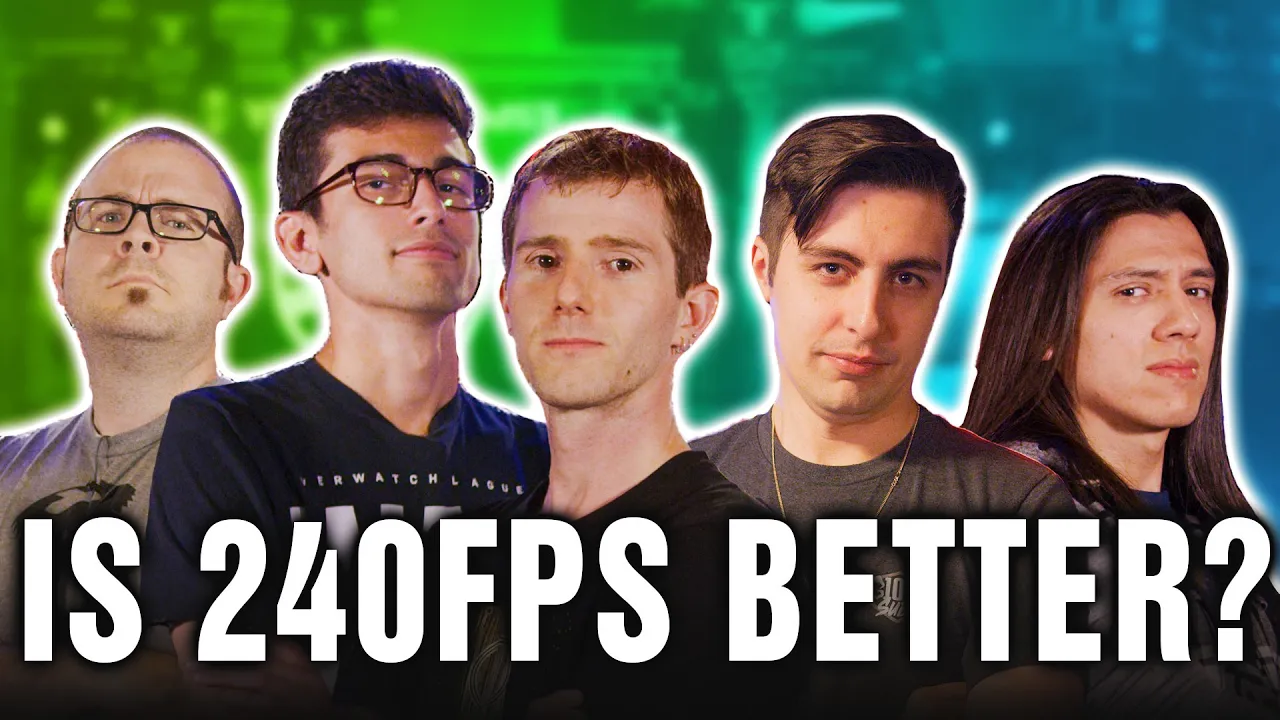
Does High FPS make you a better gamer? Ft. Shroud - FINAL ANSWER — Linus Tech Tips

Linus Tech Tips

Higher refresh rates cut rendering and input latency to supply fresher target data, delivering the largest accuracy gains to casual players who lack the predictive muscle memory pros use to mask hardware delay.

AI-assisted summary of Does High FPS make you a better gamer? Ft. Shroud - FINAL ANSWER — original source. Check the original for full context.

Source published:

Key ideas

  • Blind testing across casuals and esports professionals revealed that 60 Hz at 60 FPS produced the worst performance and lowest consistency across every benchmark scenario. (33:16)
  • Missed shots at 60 Hz were driven by compounding latency: delayed display rendering showing stale target positions combined with mouse click input lag back to the 128-tick server. (10:21)
  • Running uncapped high frame rates (300 FPS) on a 60 Hz monitor reduced engine rendering latency and eliminated floaty mouse feel, outperforming native 60 FPS even without higher display refresh rates. (18:03)
  • Casual gamers lacking ingrained muscle memory and predictive habits gained the largest and most predictable performance improvements from upgrading to 144 Hz and 240 Hz hardware. (33:16)

Detailed notes

## Background Published by Linus Tech Tips on YouTube on November 21, 2019, this video serves as a large-scale follow-up experiment sponsored by Nvidia to determine whether high frame rates and high refresh rate displays actually improve competitive gaming performance. Filmed on location at the Santa Ana Esports Arena, the production features benchmark map suites in Counter-Strike: Global Offensive to test players across a wide range of skill levels, from casual hardware enthusiasts to elite FPS pros like Shroud and Corey.

## TL;DR Linus Tech Tips tests five different aim and reaction benchmarks across three blind system configurations—60 Hz (low FPS), 144 Hz (mid FPS), and 240 Hz (uncapped high FPS)—to quantify the mechanical impact of display refresh rate and rendering latency. Five players, ranging from casual creators Linus and Paul to top-tier streamers and esports pros Grimmmz, Shroud, and Corey, ran repeated trials recorded with high-speed cameras up to 1,000 FPS. While 60 Hz severely degraded hit registration and tracking due to stale visual information, high-speed camera analysis confirmed that moving to 144 Hz and 240 Hz dramatically slashed input lag, eliminated floaty mouse response, and enabled far cleaner aim micro-corrections. Ultimately, the data demonstrated that while high refresh hardware cannot replace raw mechanical talent or game sense, it reliably boosts consistency and hit rates for every participant, with casual players experiencing the most pronounced performance gains.

## Atmosphere & style The video blends the energetic, humorous tone of an esports LAN party with the methodical, gear-nerd rigor typical of high-end hardware benchmarking. Banter between the self-deprecating 'filthy casuals' and the razor-sharp professionals keeps the mood lighthearted, even as high-stakes flick tests and head-to-head duels induce genuine competitive tension and frustration with missed shots. As the team pivots from live arena testing to forensic high-speed camera analysis, the pacing shifts from chaotic fun to a crisp, analytical tech deep dive.

## Bulletin - [33:16](https://www.youtube.com/watch?v=OX31kZbAXsA&t=1996s) Blind testing across casuals and esports professionals revealed that 60 Hz at 60 FPS produced the worst performance and lowest consistency across every benchmark scenario. - [10:21](https://www.youtube.com/watch?v=OX31kZbAXsA&t=621s) Missed shots at 60 Hz were driven by compounding latency: delayed display rendering showing stale target positions combined with mouse click input lag back to the 128-tick server. - [18:03](https://www.youtube.com/watch?v=OX31kZbAXsA&t=1083s) Running uncapped high frame rates (300 FPS) on a 60 Hz monitor reduced engine rendering latency and eliminated floaty mouse feel, outperforming native 60 FPS even without higher display refresh rates. - [33:16](https://www.youtube.com/watch?v=OX31kZbAXsA&t=1996s) Casual gamers lacking ingrained muscle memory and predictive habits gained the largest and most predictable performance improvements from upgrading to 144 Hz and 240 Hz hardware.

## Key takeaways - [01:14](https://www.youtube.com/watch?v=OX31kZbAXsA&t=74s) To evaluate the impact of refresh rate and frame rates, Linus Tech Tips tested five benchmark scenarios across three blind hardware tiers: 60 Hz (GTX 750), 144 Hz (GTX 1650), and 240 Hz (RTX 2060 Super). - [00:00](https://www.youtube.com/watch?v=OX31kZbAXsA&t=0s) The participant pool spanned various skill tiers, including esports pro Corey, top streamers Shroud and Grimmmz, and casual creators Linus and Paul. - [07:16](https://www.youtube.com/watch?v=OX31kZbAXsA&t=436s) On synthetic stationary reaction tests, hardware refresh rate made virtually no difference because the player's crosshair and screen remained completely still. - [10:21](https://www.youtube.com/watch?v=OX31kZbAXsA&t=621s) High-speed camera analysis at 1,000 FPS showed that 60 Hz displays present outdated target positions, turning visually accurate hits into misses on a 128-tick server. - [12:00](https://www.youtube.com/watch?v=OX31kZbAXsA&t=720s) Playing at 60 Hz forces gamers to rely on artificial timing rhythms and predictive muscle memory rather than true visual reaction times. - [15:50](https://www.youtube.com/watch?v=OX31kZbAXsA&t=950s) In the Dust II double doors sniper test, hit rates leaped from 2 out of 30 or 110 at 60 Hz up to 8 or 9 out of 10 at 240 Hz with no change in player technique. - [18:03](https://www.youtube.com/watch?v=OX31kZbAXsA&t=1083s) Jumping from 144 Hz to 240 Hz yielded diminishing returns on stationary angle-holding tasks compared to the massive leap from 60 Hz to 144 Hz. - [18:03](https://www.youtube.com/watch?v=OX31kZbAXsA&t=1083s) High FPS on a 60 Hz panel substantially cut internal frame rendering latency and removed the gelatinous, floaty mouse feel compared to true 60 FPS. - [20:14](https://www.youtube.com/watch?v=OX31kZbAXsA&t=1214s) In a head-to-head reaction gallery against Linus, Shroud proved that superior core gaming mechanics can still overcome a 60 Hz hardware handicap against a casual player on 240 Hz. - [26:53](https://www.youtube.com/watch?v=OX31kZbAXsA&t=1613s) Grimmmz outperformed other participants at 60 Hz due to years of experience playing fighting games and shooters on low-refresh setups, retaining familiarity with input delays. - [30:23](https://www.youtube.com/watch?v=OX31kZbAXsA&t=1823s) High refresh rates provide their greatest benefit during camera movement and rapid flicks, where 60 Hz panels suffer from severe motion blur, ghosting, and slower sweeps. - [34:17](https://www.youtube.com/watch?v=OX31kZbAXsA&t=2057s) Aiming operates as a continuous loop of flicking, visual feedback, trajectory calculation, and micro-corrections, all of which are disrupted by the stale data and blur of lower refresh rates. - [35:16](https://www.youtube.com/watch?v=OX31kZbAXsA&t=2116s) While high frame rates and refresh rates cannot automatically make someone a great gamer, they undeniably make players better and more consistent across the board.

## Detailed walkthrough ### [00:00](https://www.youtube.com/watch?v=OX31kZbAXsA&t=0s) Setting Up the Rematch at the Esports Arena

Following up on their previous experiment using a high-speed camera to analyze how high refresh rate monitors affect gaming performance, Linus acknowledges the extensive viewer feedback regarding both their testing methodology and personal gaming skills. To address these concerns properly for round two, they secured sponsorship from Nvidia and set up camp at the Santa Ana Esports Arena. The venue allowed them to deploy a far wider variety of test systems and recruit a spectrum of talent ranging from casual players to top-tier professionals.

```mermaid flowchart TD accTitle: Testing Rosters and System Configurations accDescr: Participants split into casual and pro tiers, testing three distinct hardware setups across 5 benchmarks.

subgraph Participants["Test Subjects"] Casual["Filthy Casuals<br/>Linus & Paul (Paul's Hardware)"] Streamers["Content Creators<br/>Grimmmz & Shroud"] Pro["Esports Pro<br/>Corey (Washington Justice)"] end

subgraph Rigs["Hardware Configurations (Core i9-9900K + Predator 240Hz Display)"] Rig1["Rig 1: RTX 2060 Super<br/>240 Hz | 250–300 FPS"] Rig2["Rig 2: GTX 750<br/>60 Hz | 70–85 FPS"] Rig3["Rig 3: GTX 1650<br/>144 Hz | 150–200 FPS"] end

subgraph Benchmarks["Test Suite & Capture"] Suite["5 Test Scenarios (YPrac Map Suite)"] Cameras["High-Speed Cameras<br/>Chronos (1,000 FPS) + RED Epic-W (240 FPS)"] end

Participants --> Benchmarks Rigs --> Benchmarks Benchmarks --> Cameras ```

Representing the self-described "filthy casuals" are Linus and Paul from Paul's Hardware, who anticipate getting thoroughly outclassed. The lineup of competitive talent includes: - Corey, an Overwatch damage dealer from the Washington Justice. - Grimmmz, veteran Twitch streamer who notes that going from 144 Hz to 240 Hz felt like a slight upgrade for him. - Shroud, the widely requested FPS icon, who observes that “going from 60 to 144 is like night and day for me obviously right, but 144 to 240…”

[01:14](https://www.youtube.com/watch?v=OX31kZbAXsA&t=74s) The Three Blind Test Rigs and Camera Rigs

To evaluate how refresh rate and frame rates alter performance, Linus introduces a suite of five tests stepping from raw synthetic reaction tasks to complex flick shots and integrated shooting galleries. The subjects will run these tests on three identical base systems equipped with Intel Core i9-9900K CPUs and Acer Predator 240Hz monitors, but with distinct GPU and refresh rate profiles to isolate the effects of frame pacing and display updates:

- **High-End (240 Hz / Uncapped):** Fitted with an Nvidia GeForce RTX 2060 Super, running test games between 250 and 300 FPS with the panel set to its full 240 Hz refresh rate. - **Low-End (60 Hz / Low FPS):** Stepped down to a GeForce GTX 750 and capped at 60 Hz, outputting roughly 70 to 85 FPS. Linus highlights that pairing a fast GPU with a 60 Hz screen still cuts input latency due to newer frame deliveries, so dropping the card itself was essential to recreate a true budget baseline. - **Mid-Tier (144 Hz / Mid FPS):** Configured with a GeForce GTX 1650 pushing around 150 to 200 FPS, paired with the display dialed to 144 Hz to serve as the community's favorite sweet spot.

The participants test each configuration blindly, unable to see the system settings until they start moving and shooting. To look past software metrics and track micro-movements, aim accuracy, and technique, the crew deployed two prototype Chronos high-speed cameras capable of recording 1080p footage at 1,000 FPS for 10 seconds each (yielding 20 continuous seconds of ultra-slow-motion). As backup for longer runs, a RED Epic-W 8K camera recorded high-speed 1080p footage at 240 FPS.

[03:40](https://www.youtube.com/watch?v=OX31kZbAXsA&t=220s) Testing Hypotheses and the YPrac Suite

Linus walks through the software methodology with Shroud. Rather than using browser-based reaction tests, the team had custom training scenarios built inside *Counter-Strike: Global Offensive* via yesber's YPrac workshop map. This allowed them to capture reaction speed, flick targeting, and flow-state target acquisitions directly within the game engine. Each test is repeated until individual data points reach statistical convergence.

When Shroud asks whether the test isolates pure monitor hertz or game FPS, Linus agrees on the importance of the distinction: running at 300 FPS on a 60 Hz monitor still supplies significantly fresher data to the screen than running at 70 FPS. Shroud reflects on his early competitive Counter-Strike days when he could not afford high-end gear: > “I swapped to 120, honestly it didn't really change that much, so I do really think that if somebody played on a 60Hz long enough they would play just the same as playing as 144 long enough.”

Corey shares a different path, explaining that he did not transition to high-refresh panels until he began playing Overwatch. Anticipating the margins, Corey estimates that jumping from 60 Hz to 144 Hz feels massive—around a 70% perceptible improvement—while 144 Hz to 240 Hz offers a much subtler boost, perhaps another 20%. Grimmmz also outlines his path, having started with fighting games before moving into shooters like *H1Z1* and *PUBG*. Meanwhile, Paul from Paul's Hardware jokes that he represents the enthusiast tier of user who spends significantly more time building high-end gaming rigs than actually playing games on them.

[07:16](https://www.youtube.com/watch?v=OX31kZbAXsA&t=436s) Test 1: Synthetic Reaction Time

The first benchmark focuses solely on raw reaction times. The user clicks to initiate the benchmark, waits for the screen to flash green, and clicks as quickly as humanly possible upon detecting the color shift.

Before diving in, Shroud considers having an energy drink or a coffee, but the crew has to deny the request because an earlier test run had already been logged without caffeine, requiring them to keep his physiological state consistent. Shroud remains skeptical that hardware will influence this specific test: > “I just don't think for this test specifically, I don't think 60, 240, 144—I don't think it's gonna make a difference, because you're… I mean the only time you feel 60 versus 240 is when you're moving around… but when you're standing still it's all the same, so I don't think anyone knows the difference.”

He concedes that 60 Hz always feels terrible to play on subjectively, but admits he has never collected rigorous data on whether his actual frag counts drop because of it. Linus marvels at Shroud's near-robotic consistency during the trials, noting his response times hovering steadily around 170 ms (compared to the ~150 ms averages Shroud recalls from his prime). Linus then asks Corey whether being young gives him an edge over older competitors in reaction-based tasks. When Corey frankly agrees, Linus jokes, “Wow, what a dick. You know what, this interview is over.” Corey quickly adds that familiarity and daily repetitions hold far more weight than raw age alone.

[09:34](https://www.youtube.com/watch?v=OX31kZbAXsA&t=574s) Test 2: Dust II Double Doors Sniper Duel

The second trial adapts reaction time into a practical in-game CS:GO challenge: holding the sniper pick through the double doors from T spawn on Dust II. An automated Counter-Terrorist bot crosses the opening at randomized intervals, leaping past the doorway seam near the second line of the parked truck.

The test eliminates crosshair tracking and flicking, demanding only that the player hold their line, track the gap, and fire the AWP the moment the bot enters the slit. Despite the predictable path, the extreme speed of the crossing immediately sparks frustration. Players battle to register hits through the narrow crack, second-guessing their timing and jokingly blaming the server tick rate after missed shots: “How am I missing right now? This is—are we on 64-tick? I'm telling you I hit this guy at least three times.”

[10:21](https://www.youtube.com/watch?v=OX31kZbAXsA&t=621s) The Mechanics of Missed Shots at 60 Hz

After reviewing a series of missed attempts where a player scored zero hits, confusion sets in over how shots that visually appeared on target failed to connect. Linus Sebastian checks to make sure server performance was not the culprit, confirming that the server tick rate was set to 128 ticks per second. When asked to explain the underlying science of why those shots appeared to land on-screen but never registered in-game, an expert explains that running at 60 frames per second and 60 Hz creates latency on both sides of the interaction. First, there is a display delay between the current game state and what gets rendered onto the monitor; because rendering takes longer to reach the display, the opponent is physically in a slightly different position than what the player sees. Second, input delay means that clicking the mouse takes longer to register back into the game state, compounding the discrepancy in both directions.

```mermaid flowchart LR accTitle: Two-Way Latency at 60 Hz accDescr: Diagram showing delay between the game state, display render, player action, and input registration at 60 Hz. subgraph Display_Delay["Display Latency"] A["True Game State"] -->|"Render & Display Delay"| B["Monitor Frame (60 Hz)"] end subgraph Input_Delay["Input Latency"] B -->|"Player Clicks"| C["Mouse Input"] C -->|"Input Transmission Delay"| A end ```

Footage captured using a 1,000 FPS high-speed camera illustrates the problem clearly: multiple high-speed frames elapse for a single screen refresh at 60 Hz. Stepping through the high-speed footage reveals that while one shot was an outright miss, another showed the crosshair directly over the character's rear ("kind of hit him in the tush"). The subtle positional discrepancy caused by display lag and input latency was enough to turn what looked like a hit into a clean miss on the server.

- Server tick rate: 128 ticks per second. - Camera frame rate: 1,000 FPS recording monitor refreshes at 60 Hz. - The two primary components of missed hit registration at lower refresh rates: - Game state to display rendering delay (the player sees an outdated enemy position). - Mouse click input lag (the command takes longer to arrive back at the game engine).

---

[12:00](https://www.youtube.com/watch?v=OX31kZbAXsA&t=720s) Mastering Delay vs. Reaction Time

The conversation shifts to how players adapt to the sluggish responsiveness of 60 Hz. Drawing on a background in fighting games where players must account for platform-specific latency differences between Xbox and PlayStation—particularly when executing tight three-frame inputs—one tester explains that playing at 60 Hz requires learning a rhythm rather than purely reacting. If you click too quickly based on immediate visual confidence, the shot lands well before the target aligns with the crosshair on the server side. As the tester puts it:

> “High refresh rate doesn't make you a better gamer, but it makes it easier to be a better gamer I would say so yeah.”

At 60 Hz, success requires mastering artificial delay, whereas higher refresh rates allow players to rely directly on visual reaction time.

Meanwhile, Linus jokes about getting older and having dad reflexes, though he admits his sleep wasn't terrible aside from getting up twice during the night to change diapers. The difficulty of the door-crossing tracking test at 60 Hz is highlighted by how poorly elite talent performed: Shroud scored only 2 out of 30, and Overwatch professional Corey scored similarly low. By contrast, Grimmmz managed to consistently land 4 out of 10, living up to his reputation for sharp reflexes. Testers agree that at such low refresh rates, tracking visual targets becomes nearly impossible, forcing players to abandon their eyes and rely purely on muscle memory.

---

[13:48](https://www.youtube.com/watch?v=OX31kZbAXsA&t=828s) Reflex Aim and Flick Challenges

The testing protocol progresses to Test 3, an aim challenge giving players just 0.45 seconds to acquire and hit red-dot targets appearing across the screen over a one-minute span. When one participant scores 13 hits while feeling confident—noting that having their own mouse made a noticeable difference despite missing nearly half the targets—others note that even increasing target uptime to 0.5 seconds would make a massive difference, as many misses were separated by mere fractions of a second.

The suite then moves to Test 4, the shooting gallery flick test, which challenges players to register 15 bot kills as quickly as possible. The map requires quick identification and decisive flick shooting before bots despawn. When asked who would dominate this format, the participant points to elite Counter-Strike professionals, particularly players from Team Liquid such as Stewie2K.

Individual baseline reaction tests show that upgrading from 60 Hz to 240 Hz delivers immediate, measurable gains across the board. One participant's baseline reaction time improved cleanly from roughly 210 ms at 60 Hz down to approximately 180 ms at 240 Hz, even peaking with a personal best between 142 ms and 146 ms.

---

[15:50](https://www.youtube.com/watch?v=OX31kZbAXsA&t=950s) Dramatic Leaps on Higher Refresh Rates

Retesting the maps at high refresh rates produces night-and-day performance leaps. On the CS:GO double door test, a tester who previously scraped by with 2 out of 110 (or 2 out of 30) at 60 Hz scores 8 out of 10 and 9 out of 10 at 240 Hz. Despite feeling like they executed the exact same mechanical motion—waiting for the model to cross the opening and clicking—the success rate jumped exponentially:

> “I can't accept responsibility myself it's the technology that has given me this skill.”

Interestingly, while the player's measured raw biological reaction time in milliseconds did not change dramatically, the hardware latency reduction—combining frame rendering pipeline speed and reduced input lag—allowed identical reflexes to register cleanly.

| Test / Scenario | 60 Hz Result | High Refresh (144 / 240 Hz) Result | |:--- |:--- |:--- | | Reaction Time Benchmark | ~210 ms | ~180 ms (best: 142–146 ms) | | Double Doors Test (Participant A) | 2 / 110 (or 2 / 30) | 8 / 10 to 9 / 10 | | Double Doors Test (Participant B) | Very low / struggled | 7 / 10 | | Shooting Gallery (15 Kills) | ~30–35 s (best 19 s) | Consistent sub-20 s (19.16 s) |

In the shooting gallery, clearing 15 targets had previously hovered around 33 to 35 seconds at 60 Hz, but dropped to a consistent 19.16 seconds on the faster setup, with the player confident they could push it down to 15 seconds.

---

[18:03](https://www.youtube.com/watch?v=OX31kZbAXsA&t=1083s) 144 Hz vs. 240 Hz and High FPS on a 60 Hz Panel

Players describe high refresh rates as creating a subjective illusion of time dilation: it feels as though they have significantly more time to react. In reality, the worst-case frame-time difference between 60 Hz and high refresh rates is only around 12 milliseconds, but when coupled with reduced input latency, the perceived margin for error expands dramatically.

When testing the double doors scenario at 144 Hz, a participant posts a 9 out of 10 score. Comparing 144 Hz to 240 Hz in this specific stationary aiming task reveals little practical difference. Because the crosshair remains static while holding an angle, and both 144 FPS and 240 FPS exceed the server's 128-tick update rate, jumping from 144 Hz to 240 Hz yields diminishing returns for holding a door angle compared to the massive leap from 60 Hz to 144 Hz.

Finally, the team tests an intermediate configuration: running high frame rates (300 FPS) on a 60 Hz monitor, compared to running 80 FPS on a 60 Hz monitor. The tester notes that 300 FPS at 60 Hz is noticeably easier than native 60 FPS / 60 Hz:

> “There's not as much I guess input lag is what I'd explained, yeah I'd call it like jello yeah like it's weird it does it doesn't float as much as, yeah floaty floating that's a really good word for it.”

While 300 FPS on a 60 Hz panel does not match the clarity of a true 240 Hz display, reducing the game engine's internal frame rendering latency substantially cuts down the "floaty," gelatinous mouse feel, landing performance squarely between pure 60 Hz and full 240 Hz.

[20:14](https://www.youtube.com/watch?v=OX31kZbAXsA&t=1214s) Test 5: Shooting Gallery – Linus vs. Shroud

Before test five gets underway, Linus realizes he has miscalculated his odds: “So I had I think I had misunderstood this test. I have to play against Shroud just for the first one.” Shroud takes time dialing in his mouse DPI and in-game sensitivity settings until he feels completely comfortable. While Shroud normally uses a Logitech G Pro Wireless at home, he uses a wired Logitech G Pro for this test, though the identical sensor keeps input behavior largely consistent.

Test five takes the evaluation out of synthetic bot scenarios and puts it into a competitive human setting via the custom Linus Shooting Gallery map. Both competitors spawn at the far end of a long hallway, looking down at Seth from NVIDIA, who crouches behind a half-height wall. Seth pops up at random intervals, and whoever reacts and headshots him first earns a point. The matchup is played as a best-of-five, after which the players swap PCs to invert the hardware advantage. Before the first round begins, Linus asks whether weapon cycling is how pros shake off physical tension: “Is that what the pros do they switch switch to their weapons real fast? I gotta get the jitters out the LAN jitters.”

```mermaid flowchart LR accTitle: Shooting Gallery Human Reaction Test Flow accDescr: Flow diagram showing the head-to-head shooting gallery setup between two competitors facing a popping target.

subgraph Hardware["Hardware Setups"] P1["PC A: 240 Hz / High FPS"] P2["PC B: 60 Hz / Struggle Bus"] end

subgraph Arena["Shooting Gallery"] T["Target: Seth (Random Peeks)"] end

subgraph Scoring["Round Outcome"] W["First Headshot Wins Point (Best of 5)"] Swap["Swap PCs & Repeat Matchup"] end

P1 -->|"Compete"| T P2 -->|"Compete"| T T --> W W --> Swap ```

In round one, Linus is positioned on the low-refresh 60 Hz "struggle bus" computer while Shroud plays on the 240 Hz rig. Even with target silhouette spawn protection briefly causing confusion, Shroud effortlessly sweeps Linus 5–0 with blistering reaction speeds. The players then swap setups, putting Linus on 240 Hz and Shroud on 60 Hz. Linus manages to steal a single shot, but Shroud's fundamentals overwhelm the hardware deficit to close out the match. Experiencing the 60 Hz handicap firsthand leaves Linus humbled: “That was hard that was actually noticeably harder I still lost.”

- Hardware used: Logitech G Pro wired mouse (Hero sensor), comparing a 240 Hz display setup against a 60 Hz rig. - Test format: Linus Shooting Gallery, head-to-head first-kill reaction test against a crouching human target (best-of-five per machine configuration). - First matchup outcome: Shroud sweeps Linus 5–0 while on 240 Hz; Shroud closes out the reverse match 5–1 on 60 Hz.

---

[24:04](https://www.youtube.com/watch?v=OX31kZbAXsA&t=1444s) Shooting Gallery: Corey vs. Grimmmz

Next, professional player Corey squares off against streamer Grimmmz in the same shooting gallery challenge. In the initial leg, Corey establishes early dominance with quick reaction flicks, leading 5–2. Grimmmz notes the difficulty of readjusting on the fly, admitting, “I don't think I played Counter-Strike in like an absurd amount of time it's crazy.”

After switching machines, the competition tightens considerably. With Grimmmz now holding the hardware advantage, round after round ends in near-simultaneous trigger pulls, missed sniper shots, and sudden-death trades. Both players laugh through a series of errant AWP shots against Seth as the score climbs to a 2–2 tie, prompting Grimmmz to joke, “We kind of suck at the AWP to be honest.” With the match reaching match point, Seth warns the shooters that he will be as tricky as possible with his peek timing. Corey ultimately lands the deciding headshot. When asked if the 240 Hz display made a palpable difference in competitive head-to-head peeking, Corey confirms: “Definitely does for sure yeah especially in like the middle one you pick up and you go down I think that matters the most.”

---

[26:53](https://www.youtube.com/watch?v=OX31kZbAXsA&t=1613s) Post-Testing Reflections and Player Perceptions

Sitting down after four hours of rigorous testing, Grimmmz reflects on his expectations versus reality. Coming into the arena, he believed an exceptional player on a 60 Hz monitor could match a 240 Hz user, but the data showed him that hardware dependencies fluctuate drastically depending on the title and mechanical demands. He was particularly surprised by his own synthetic reaction times. While casual players might view his speed as impressive, the tracking software revealed a clear gap: the esports pros easily averaged around 1.4 seconds on the test, whereas Grimmmz averaged roughly 1.67 seconds.

Grimmmz explains that high refresh rates provide their greatest benefit during rapid camera motion rather than while staring at stationary angles: “That's where I'd say it helps you the most because when you're moving the faster you move the harder it is to see on 60 Hertz.” However, when asked whether internal game sense or external hardware matters more to a player's skill, Grimmmz stays firm on the value of raw talent: “I would say it's way more important that's like what you need to be a top tier gamer hardware and peripherals and stuff of course does matter but you got to be good at the game you know.”

Grimmmz emerged as the "60 Hz king" of the day, hitting more double-door sniper shots at 60 Hz than Shroud and Corey combined and posting matching bomb site defense scores across 60 Hz and 144 Hz. He attributes this resilience to his gaming history: having played on 60 Hz setups for years prior to upgrading, the display delays, frame pacing, and button timings felt instantly familiar rather than jarring. Conversely, Paul observes that average and casual players might actually gain proportionally *more* from a hardware upgrade than professionals. Elite players instinctively employ predictive mitigation strategies to mask hardware delays, whereas casual players lack those compensation habits and scale directly with the smoothness and reduced input latency of better gear.

- Shroud's test run pairing a 60 Hz monitor with an RTX 2060 Super versus an aging GTX 750 revealed that high frame rates reduce input lag and mouse latency even when the display refresh rate remains low. - Grimmmz registered a 1.67-second benchmark on target acquisition reaction tests compared to the ~1.4-second averages achieved by the professional players.

---

[30:23](https://www.youtube.com/watch?v=OX31kZbAXsA&t=1823s) Data Analysis and High-Speed Breakdown

A week after the live testing in Santa Ana, the team analyzes the recorded telemetry and high-speed camera footage to evaluate whether high refresh monitors and flagship GPUs like the GeForce RTX 2080 Ti genuinely improve player performance. Breaking down the suite test-by-test reveals distinct mechanical advantages:

```mermaid flowchart TD accTitle: Technical Degradation at 60 Hz vs High Refresh Rate accDescr: Flowchart illustrating how lower refresh rates cause input latency, stale visual information, and increased motion blur.

subgraph LowRefresh["60 Hz / 60 FPS Limitations"] A["Slower Screen Updates"] --> B["Outdated Target Position on Screen"] B --> C["Missed Moving Targets by Milliseconds"] D["Display Ghosting & Image Displacement"] --> E["Increased Motion Blur"] E --> F["Forced Slower Sweeps & Aim Readjustments"] end

subgraph HighRefresh["144 Hz / 240 Hz Advantages"] G["Frequent Visual Updates"] --> H["Accurate Trajectory Tracking"] I["Reduced System Latency"] --> J["Faster Flick Confirmation & Higher Hit Rates"] end ```

In the Double Doors test, synthetic stationary reaction times were identical across all refresh rates, but hit rates against moving targets dropped dramatically at 60 Hz / 60 FPS. High-speed analysis shows that because 60 Hz updates its image far less frequently, the frame displayed to the player's eye was already out of date by the time the shot registered on the server, causing near-misses by tiny fractions of an inch. While Grimmmz's background in rhythm games helped him predict movement intervals at 60 Hz, every participant landed significantly more shots when frame rates exceeded 60 FPS. When Shroud ran the double doors on a 60 Hz screen driven at 200+ FPS, his scores improved due to slashed input latency, but he still could not match his hit consistency on a true high-refresh 144 Hz or 240 Hz panel.

In the Overwatch flick test at 60 Hz, aim mechanics deteriorated noticeably: player flicks were slower, required secondary corrective adjustments, and suffered from shots being fired milliseconds after targets had already despawned. Furthermore, motion blur and ghosting displacement were far more severe at 60 Hz, forcing players to sweep their crosshairs slower simply to parse their surroundings. In the bomb site defense flow state test, 60 Hz crippled target tracking and target-to-target transitions. While Shroud recorded the fastest sweep runs overall, his single fastest run unexpectedly occurred at 144 Hz rather than 240 Hz, an anomaly driven primarily by a training effect as he adapted to the map layout over multiple runs.

[33:16](https://www.youtube.com/watch?v=OX31kZbAXsA&t=1996s) Training Effects and Casual Versus Pro Scaling

Analyzing the broader patterns in the data, Linus observes how familiarity with *Counter-Strike: Global Offensive* dramatically influenced the test outcomes. For players like Grimmmz and Paul, neither of whom had put significant hours into *CS:GO*, unfamiliarity made the underlying hardware differences much more obvious. In their cases, performance scaled cleanly: as refresh rate and frame rate went up, their runs became visibly faster and far more consistent. Linus himself became an unintentional study in the "training effect." Because he ran the 144 Hz/FPS station first, dropped down to 60 Hz/FPS second, and finished on 240 Hz/FPS, his familiarity with the course steadily accumulated, naturally boosting his times as he progressed.

Across the entire participant pool, 60 FPS at 60 Hz produced the worst outcomes in every single test. While an occasional outlier run yielded a decent score, run-to-run consistency was markedly superior at 240 Hz. Furthermore, the data showed that high refresh rates yielded the clearest, most predictable gains not for top-tier pros with deeply ingrained game sense, but for casual gamers. As Linus explains, “The most predictable improvements were actually found in the more casual players who didn't have as much game sense and muscle memory to rely on.”

- Casual players who lacked pre-existing muscle memory showed the most direct correlation between higher refresh rates and better performance. - 60 FPS / 60 Hz consistently delivered the poorest results across every test condition. - Run-to-run consistency improved dramatically at 240 Hz, even when individual 60 Hz runs occasionally produced passable scores.

---

[34:17](https://www.youtube.com/watch?v=OX31kZbAXsA&t=2057s) The Mechanics of Aim and Lower Refresh Rate Penalties

To explain why frame rate and display speed matter so decisively, Linus breaks in-game aiming down into a continuous sensory feedback loop governed by muscle memory, response, prediction, and visual confirmation. When an enemy target appears on screen, a player snaps toward it based on existing muscle memory and positional awareness. During the mouse swipe, the eyes register updated visual feedback, prompting micro-corrections until the crosshair rests on the target. If the target is moving, the brain calculates its speed and projected trajectory using a mix of situational experience and incoming visual data.

```mermaid flowchart TD accTitle: The In-Game Aiming Cycle accDescr: A diagram illustrating how muscle memory, visual feedback, and trajectory prediction interact during aiming.

subgraph S1["Detection & Initial Snap"] A["Target Appears"] --> B["Initial Flick via Muscle Memory"] end

subgraph S2["Visual Feedback Loop"] B --> C["Visual Confirmation on Display"] C --> D{"Target Moving?"} D -- "Yes" --> E["Calculate Speed & Trajectory"] D -- "No" --> F["Fine Micro-Correction"] E --> F F --> G["Crosshair Hits Target"] end ```

Lower refresh rates and low frame rates disrupt this cycle at every link. Frames remain static on the screen for longer intervals, delivering stale, out-of-date spatial information. The physical transition between screen redraws introduces severe motion blur during rapid panning, and the sparse visual updates degrade the brain's ability to estimate movement trajectory accurately. Linus notes, “These effects can be overcome to a great degree with training, but there's going to be a limit to the situations where that training can be applied.”

- **Stale target information:** Slower frame presentation forces players to react to where a target was rather than where it currently is. - **Motion blur:** Slower pixel and refresh transitions obscure visual clarity during high-speed tracking and flick shots. - **Compromised trajectory tracking:** Fewer visual updates per second make it significantly harder for the brain to calculate the lead distance needed for moving targets.

---

[35:16](https://www.youtube.com/watch?v=OX31kZbAXsA&t=2116s) Final Verdict: Does High FPS Make You a Better Gamer?

Reflecting on the comprehensive benchmark results, Linus admits he was not surprised to see 60 FPS players operate at an extreme disadvantage against competitors using high-refresh gear. What did take him off guard, however, was just how noticeable and impactful the jump from 144 Hz up to 240 Hz proved to be across the board.

Linus boils down the core question behind the entire experiment: “So then, all other things being equal, will high FPS and a high refresh rate monitor make you a great gamer? No. But will it make you a better gamer? Undoubtedly so.” Backed by powerful graphics hardware such as Nvidia's flagship RTX 2080 Ti, seeing game states sooner translates directly into higher hit probabilities and faster reactions. Wrapping up the test series, Linus points toward the horizon of competitive display technology, eager to see what 300 FPS and 300 Hz panels will bring, teasing: “Is that a teaser for a part three? I will let you be the judge.”

## Notable quotes > [35:16](https://www.youtube.com/watch?v=OX31kZbAXsA&t=2116s) So then, all other things being equal, will high FPS and a high refresh rate monitor make you a great gamer? No. But will it make you a better gamer? Undoubtedly so. — Linus Sebastian

> [03:40](https://www.youtube.com/watch?v=OX31kZbAXsA&t=220s) I do really think that if somebody played on a 60Hz long enough they would play just the same as playing as 144 long enough. — Shroud

> [33:16](https://www.youtube.com/watch?v=OX31kZbAXsA&t=1996s) The most predictable improvements were actually found in the more casual players who didn't have as much game sense and muscle memory to rely on. — Linus Sebastian

## Mentioned Acer Predator, Chronos, Corey, Counter-Strike: Global Offensive, GeForce GTX 1650, GeForce GTX 750, GeForce RTX 2060 Super, GeForce RTX 2080 Ti, Grimmmz, H1Z1, Intel Core i9-9900K, Linus Sebastian, Linus Tech Tips, Logitech G Pro, Logitech G Pro Wireless, Nvidia, Overwatch, Paul's Hardware, PUBG, RED Epic-W, Santa Ana Esports Arena, Seth, Shroud, Stewie2K, Team Liquid, Washington Justice, YPrac

## Video description Thanks to Nvidia for sponsoring this video! For more information on how high frames and refresh rate help in competitive gaming visit https://www.nvidia.com/en-us/geforce/news/geforce-gives-you-the-edge-in-battle-royale/

To get the best GeForce graphics card for competitive gaming visit http://www.frameswingames.com

Subscribe to GeForce YouTube! https://www.youtube.com/channel/UCL-g3eGJi1omSDSz48AML-g?sub_confirmation=1

#FramesWinGames @NVIDIAGeForce

Want to see how you stack up in our test suite? Download the maps from the workshop! Reflex Aim Trainer: http://bit.ly/348QyQV Doors and Flow State Test: http://bit.ly/2O6dVF5 Flick shot test: Map code - 4TR99 Linus Shooting Gallery: http://bit.ly/2Oac4io

Thanks to the Santa Ana Esports Arena for hosting us! Learn more about their awesome facility at https://www.esportsarena.com/

Shroud: http://mixer.com/shroud Grimmmz: https://www.twitch.tv/grimmmz Corey: http://twitch.tv/corey PaulsHardware: http://youtube.com/paulshardware

[Source](https://www.youtube.com/watch?v=OX31kZbAXsA)

中文简报

Linus与Shroud测试显示240Hz显示器对休闲玩家的提升大于职业选手 更高刷新率降低了渲染和输入延迟,提供更新的目标数据,为缺乏职业选手用以掩盖硬件延迟的预测性肌肉记忆的休闲玩家带来最大的命中率提升。 Linus Tech Tips在三种盲测系统配置(60 Hz低帧率、144 Hz中等帧率和240 Hz不限帧率的高帧率)下测试了五项不同的瞄准与反应基准,旨在量化显示器刷新率和渲染延迟对操作技术的影响。五名玩家——涵盖休闲创作者Linus和Paul,以及顶尖主播与电竞职业选手Grimmmz、Shroud和Corey——进行了由高达1,000 FPS的高速摄像机记录的多次重复测试。尽管60 Hz因视觉信息陈旧而严重影响了命中判定与跟枪,但高速摄像机分析证实,升级至144 Hz和240 Hz大幅削减了输入延迟,消除了鼠标飘忽感,并实现了更清晰精准的瞄准微调。数据最终表明,高刷新率硬件虽无法替代硬核的操作天赋或游戏意识,但能切实提高每位参与者的稳定性和命中率,且休闲玩家获得的性能提升最为显著。 在休闲玩家与电竞职业选手的盲测中,60 Hz搭配60 FPS在所有基准测试场景下均表现出最差的性能和最低的稳定性。 (33:16) 60 Hz下的脱靶是由复合延迟造成的:显示渲染延迟呈现了过时的目标位置,叠加鼠标点击输入延迟反馈至128-tick服务器。 (10:21) 在60 Hz显示器上运行不设上限的高帧率(300 FPS)降低了引擎渲染延迟并消除了鼠标漂移感,即使没有更高的显示刷新率,表现也优于原生60 FPS。 (18:03) 缺乏根深蒂固肌肉记忆和预测习惯的休闲玩家,在升级至144 Hz和240 Hz硬件后获得了最大且最可预测的性能提升。 (33:16)

Detailed notes — zh

## Background 该视频由知名科技频道 Linus Tech Tips 于 2019 年 11 月 21 日发布在 YouTube 平台上。视频由 NVIDIA 赞助支持,团队联合多位顶尖电竞选手与主播在圣安娜的 Esports Arena 进行严谨测试,旨在探究高帧率(FPS)与高刷新率(Hz)对竞技游戏玩家实战表现的实际影响。 ## TL;DR Linus Tech Tips 团队集结了普通科技博主(Linus 与 Paul)、顶尖射击主播(Grimmmz)以及职业电竞选手(Shroud 与 Corey),构建了涵盖 60Hz、144Hz 与 240Hz 的多重盲测实验。通过《CS:GO》中门架狙、极限甩枪与真人对抗等五项定制测试,结合 1000 FPS 高速摄像机分析,实验证明 60Hz 下的双向延迟(渲染滞后与输入延迟)和运动拖影会导致玩家胜率暴跌,而 240Hz 则能带来显著的操作稳定性和命中率飞跃。最终结论指出,虽然高刷新率无法直接将新手变成职业大神,但它能消除硬件瓶颈,毫无疑问能让所有水平的玩家都发挥出更优秀的竞技水准。 ## Atmosphere & style 整部视频兼具硬核实验的严谨性与游戏圈整活的幽默感。Linus 和 Paul 作为“菜鸟代表”时常自嘲并被公开处刑,而 Shroud、Corey 等职业哥在面对 60Hz 诡异延迟时的抓狂与质疑,让观感极具戏剧张力。现场气氛在高规格高速摄影机的精密数据回放和紧张激烈的真人打靶对抗之间自由切换,节奏明快、笑点不断且充满说服力。 ## Bulletin - [00:00](https://www.youtube.com/watch?v=OX31kZbAXsA&t=0s) 团队在 Esports Arena 搭建双盲测试平台,邀请普通玩家与职业选手 Shroud、Corey 对比 60Hz、144Hz 与 240Hz 硬件环境对电竞发挥的实际影响。 - [10:21](https://www.youtube.com/watch?v=OX31kZbAXsA&t=621s) 测试证实 60Hz 存在“双向延迟”问题,因渲染延迟滞后且输入响应过慢,导致视觉看似命中但系统判定擦身而过的落差。 - [19:38](https://www.youtube.com/watch?v=OX31kZbAXsA&t=1178s) 在 60Hz 显示器上单纯依靠强力显卡跑出 300 FPS 虽能降低输入延迟、缓解“果冻感”,但整体实战表现依旧不及高刷新率屏幕的物理显示优势。 - [35:16](https://www.youtube.com/watch?v=OX31kZbAXsA&t=2116s) 测试最终得出定论:高刷新率与高 FPS 不会直接将人变成职业高手,但能通过消除感知隔阂、缩短反应闭环,切实让每一位玩家表现得更优秀。 ## Key takeaways - [01:13](https://www.youtube.com/watch?v=OX31kZbAXsA&t=73s) 测试设置了 240Hz/RTX 2060 Super、144Hz/GTX 1650 以及 60Hz/GTX 750 三套盲测系统,以彻底拉开渲染延迟与输入延迟的差距。 - [00:00](https://www.youtube.com/watch?v=OX31kZbAXsA&t=0s) 受试者涵盖从休闲玩家(Linus、Paul)到顶尖主播(MrGrimmmz)及职业哥(Shroud、Corey),以验证不同水平玩家对刷新率的依赖度。 - [07:16](https://www.youtube.com/watch?v=OX31kZbAXsA&t=436s) 纯静态反应时间测试中刷新率影响微弱,受试者在镜头静止凝视时各刷新率数据基本一致,职业选手在动态移动与甩枪时才能拉开差距。 - [10:21](https://www.youtube.com/watch?v=OX31kZbAXsA&t=621s) 60Hz/60 FPS 模式让玩家承受端到端双向延迟:屏幕画面是对手的过去状态,而点击输入的指令又需要更长时间送达引擎。 - [10:21](https://www.youtube.com/watch?v=OX31kZbAXsA&t=621s) 1000 FPS 高速摄像机逐帧分析揭示,绝大多数 60Hz 下的脱靶实际上仅差数毫秒,视觉误导让玩家误以为已成功命中。 - [12:00](https://www.youtube.com/watch?v=OX31kZbAXsA&t=720s) MrGrimmmz 指出高刷新率不会直接让人变成更好的玩家,但它消除了延迟代偿的门槛,让玩家更容易展现出真实水平。 - [15:50](https://www.youtube.com/watch?v=OX31kZbAXsA&t=950s) 在 CS:GO 中门架枪测试中,受试者从 60Hz 下的 10 投 2 中跃升至 240Hz 下的 10 投 9 中,命中率获得了数倍提升。 - [15:50](https://www.youtube.com/watch?v=OX31kZbAXsA&t=950s) 静止架狙等极端静态场景下 144Hz 与 240Hz 表现差距微弱,两者均已超越了 CS:GO 官方 128 Tick 服务器的更新频率上限。 - [19:38](https://www.youtube.com/watch?v=OX31kZbAXsA&t=1178s) 60Hz 显示器搭配 300 FPS 虽能缓解输入延迟与“果冻般的黏滞感”,但由于画面采样频率过低,表现仍无法媲美纯 240Hz 环境。 - [20:14](https://www.youtube.com/watch?v=OX31kZbAXsA&t=1214s) 在真人打靶长廊 Bo5 换机对决中,设备劣势难以弥补顶尖技术鸿沟,但高刷新率配置在同水平对抗的关键时刻起到了胜负手作用。 - [26:53](https://www.youtube.com/watch?v=OX31kZbAXsA&t=1613s) 职业选手拥有极强的游戏意识与延迟代偿能力,普通玩家反而能从高帧率和低延迟硬件升级中获得更大比例的胜率提升。 - [34:17](https://www.youtube.com/watch?v=OX31kZbAXsA&t=2057s) 瞄准是由预判、微操与视觉确认构成的闭环,60Hz 下的拖影与信息滞后迫使选手放慢射击节奏并频繁进行二次修正拉枪。 - [35:16](https://www.youtube.com/watch?v=OX31kZbAXsA&t=2116s) Linus 最终总结指出高 FPS 和高刷新率虽不能凭空打造出顶尖选手,但它无疑能通过物理优势切实让每一位玩家变得更强。 ## Detailed walkthrough ### [00:00](https://www.youtube.com/watch?v=OX31kZbAXsA&t=0s) 实验升级:集结顶尖电竞阵容与现场背景 Linus 提到,观众对上一期利用高速摄影机探究高刷新率显示器对实际游戏表现影响的视频反响非常热烈,但同时也对测试方法以及团队糟糕的游戏技术提出了不少意见。为了进行第二轮更加严谨的终极测试,他们联系到了英伟达(NVIDIA)提供赞助,并将测试场地搬到了加州圣安娜的 Esports Arena 线下电竞场馆。 本次测试涵盖了更丰富的硬件配置与测试项目,并邀请了横跨不同层级的重磅嘉宾阵容: - **普通玩家代表(Filthy Casuals)**:由 Linus 本人以及来自 Paul's Hardware 的 Paul 出席,Linus 开玩笑称他们今天就是来被公开处刑的; - **职业电竞选手(Pro Gamer Tier)**:来自《守望先锋联赛》(Overwatch League)华盛顿正义队(Washington Justice)的输出位选手 Corey; - **顶尖游戏主播(Twitch Streamers)**:知名主播 MrGrimmmz,以及呼声最高的重磅嘉宾——前职业选手 Shroud(Mike)。 在谈到帧率体感时,嘉宾们分享了各自的初步看法。MrGrimmmz 表示:“going from 144 to 240 kind of felt like a slight upgrade for me”(对我来说从 144Hz 升到 240Hz 感觉只是略微提升),而 Shroud 则直言:“going from 60 to 144 is like night and day for me obviously right but 144 to 240”(从 60Hz 到 144Hz 对我来说显然是天壤之别,但 144Hz 到 240Hz 究竟怎样就得看测试了)。 ```mermaid flowchart TD accTitle: 测试人员梯队架构 accDescr: 本图展示了参与高刷新率对比测试的五位受试者分类,包含普通休闲玩家组与职业高玩主播组。 subgraph Casual["普通玩家 / 科技爱好者"] L["Linus (LTT)"] P["Paul (Paul's Hardware)"] end subgraph Pro["职业选手 / 顶尖主播"] C["Corey (华盛顿正义队职业选手)"] G["MrGrimmmz (知名主播)"] S["Shroud (顶尖前职业选手/主播)"] end ``` --- ### [01:13](https://www.youtube.com/watch?v=OX31kZbAXsA&t=73s) 实验平台规格与盲测摄录方案 Linus 详细介绍了测试平台的软硬件配置。为了测定显示器刷新率(Hz)与游戏内帧率(FPS)对玩家实战表现的影响,团队构建了一套涵盖 5 项测试的评测体系。现场并排摆放了 3 套核心规格完全相同的系统,所有机器均搭载 Intel Core i9-9900K 处理器并外接 Acer Predator 240Hz 显示器,唯一的变量是显卡及其对应的刷新率与帧率设置: | 系统编号 | 显卡配置 | 显示器刷新率 | 游戏内实测帧率 | 定位与测试目的 | |:--- |:--- |:--- |:--- |:--- | | **系统 1** | NVIDIA RTX 2060 SUPER | 240Hz(完全解锁) | 250 ~ 300 FPS | 顶级电竞最佳工况(Best case scenario) | | **系统 2** | NVIDIA GTX 750 | 60Hz | 70 ~ 85 FPS | 模拟低端入门极限环境,压低渲染响应 | | **系统 3** | NVIDIA GTX 1650 | 144Hz | 150 ~ 200 FPS | 主流中端玩家甜蜜点(Middle ground) | Linus 特别解释,在系统 2 中之所以不用强力显卡搭配 60Hz 显示器,是因为高算力显卡即使在 60Hz 屏幕上也会因更低的渲染延迟带来更好的输入响应;为了彻底拉开差距,必须把显卡降级到 GTX 750。 测试全程采用严格的双盲机制:受试者在坐下开玩前,完全不知道自己面对的是哪一台机器和什么刷新率。此外,为了记录玩家视线定位、微操瞄准轨迹及击发瞬间,团队部署了极高规格的摄像阵列: - 两台来自 Kronos 的原型高速摄影机,支持在 1080p 分辨率下以 1000 FPS 拍摄,每台支持录制 10 秒(合计 20 秒千帧超高速抓拍); - 一台 RED EPIC-W 8K 摄影机作为长时跟拍备用机,以 1080p 240 FPS 持续录制。 --- ### [03:40](https://www.youtube.com/watch?v=OX31kZbAXsA&t=220s) 测试地图设计与硬件经验讨论 为了保证数据具有代表性,团队避免使用网页端反应测试工具,而是依托《CS:GO》的游戏引擎进行实操测试。他们专门联系了创意工坊地图创作者 Yesber,针对其著名的 YPrac 练习地图进行定制开发,以便精确提取所需的实战技能数据。Linus 指出,每个玩家都会在 60 FPS、144 FPS 和 240 FPS 三种状态下反复运行 5 项测试,直到数据达到统计学收敛(statistical convergence)。 在交谈中,Shroud 敏锐地提出了一个核心问题:“is it fps difference or and hertz or is it just fps you know what i'm saying”(这到底是由于刷新率 Hertz 和帧率的复合影响,还是纯粹只是高 FPS 带来的差异?)。Linus 对此大为赞赏,解释称如果在 60Hz 显示器上以 300 FPS 运行游戏,由于画面撕裂和更新机制,显示器每次扫描刷新时抓取的都是最新的显卡帧,所获信息必然比 70-75 FPS 时更新鲜。 随后两人聊起了各自的硬件升级史: - **Shroud 的经历**:早年打《CS:GO》时因为年纪小没钱,身边顶尖高手全换上了刚出的 120Hz,而他只能坚持用 60Hz 且依然乱杀。后来换到 120Hz 时,他当时觉得“honestly it didn't really change that much”,因此他曾认为只要适应够久,60Hz 和 144Hz 表现差不多; - **Corey 的经历**:作为华盛顿正义队选手,直到玩《守望先锋》才接触 144Hz 和 240Hz。Corey 预测:“60 to 144 is like a huge jump like 70% like you feel the difference”(从 60 到 144 感觉是巨大飞跃,能提升 70% 的体感),而从 144 到 240 则微弱得多,大约只有 20% 的细微改善; - **MrGrimmmz 的经历**:4 年多前在 Twitch 开播,早先主玩格斗游戏,一年后转战射击游戏,完整经历了《H1Z1》到《绝地求生》(PUBG)等射击游戏的演化; - **Paul 的自嘲**:Paul 开玩笑承认自己代表的是那种“builds more gaming computers than actually plays video games”(装机比玩游戏还勤快)的技术狂热爱好者阶层。 --- ### [07:16](https://www.youtube.com/watch?v=OX31kZbAXsA&t=436s) 测试一:纯反应时间测试(Reaction Time) 第一项测试为纯粹的反应时间基准测试。受试者点击屏幕确认准备就绪,画面由红变绿的瞬间立刻再次点击,以此测量纯生理反应延迟。 现场出现了一个关于咖啡因变量的有趣插曲。Shroud 询问能否喝 Red Bull 或咖啡,团队果断拒绝了他,因为前面的盲测是在他体内没有咖啡因摄入的情况下录制的,为了排除生理变量,必须维持他的“biological steady state”(生物学基态恒定)。Shroud 开玩笑为自己的疲态道歉:“I'm slow, I'm sorry, I'm slow.” 对于这项测试,Shroud 给出了明确的理论预判:“I don't think 60, 240, 144, I don't think it's gonna make a difference because you're... the only time you feel 60 versus 240 is when you're moving around... but when you're standing still it's all the same”(我认为在 60、144 或 240Hz 下测试这个没有任何区别,因为只有在镜头晃动时你才会感受到 60 对比 240 的撕裂与生涩;静止凝视画面时大家都是一样的)。 测试结果展示了 Shroud 令人咋舌的稳定性,其反应时间精准稳定在 172 毫秒左右。Linus 惊叹道:“And with that kind of consistency, I can't say that I'm sure”——观众此前一直怀疑 Shroud 到底是不是人类,这种变态的精确度让人难以置信。Shroud 则略带遗憾地表示,换作他巅峰状态时,大概可以稳定在 150 毫秒(0.15 秒)。 随后 Linus 询问 20 岁出头的年轻人 Corey 是否觉得年轻是应对反应测试的巨大资本(调侃 30 岁以上的玩家如 33 岁的自己已经“半截入土”)。Corey 笑称年龄确实有一点点优势,但更重要的其实是肌肉记忆和长期针对性练习。 --- ### [09:34](https://www.youtube.com/watch?v=OX31kZbAXsA&t=574s) 测试二:沙二中门狙击实战反应(Dust II Double Doors) 第二项测试依然考查反应速度,但转为了极具实战意义的场景:经典的《CS:GO》Dust II(炙热沙城 II)匪家中门架狙视角。受试者需要架住中门缝隙,当扮演反恐精英(CT)的 Bot 在随机时间间隔横跳穿越中门时,受试者必须以最快速度开枪击中目标。 Linus 介绍道,这个项目并非考察大幅度甩枪瞄准能力,因为 Bot 穿越的位置是完全固定的(正好在卡车第二条线附近),玩家只需要屏息凝神稳住准星,在敌人越过门缝的瞬间扣动扳机。 然而在实测过程中,受试者立刻感受到了严苛的考验与不适。面对高速闪过的目标,有受试者连续失手,忍不住大声抱怨:“How am I missing right now? This is... are we on 64-tick? I'm telling you, I hit this guy at least three times!”(我现在怎么可能空枪?这难道是 64-tick 服务器吗?我向你保证我至少击中了那家伙三次!)。在不同的硬件与刷新率交替下,极度考验神经极限的中门对狙立即将不同帧率环境下的容错率差距暴露了出来。 ### [10:21](https://www.youtube.com/watch?v=OX31kZbAXsA&t=621s) 60Hz 的双重延迟谜题:为什么明明打中了却不判定? 在 60Hz 测试中,测试者屡屡空枪,甚至打出了尴尬的 0 中命中率。现场确认了《反恐精英:全球攻势》(CS:GO)的服务器 Tick 率为 128 Tick,排除了网络环境问题后,Linus 面对满屏打空的惨状调侃道:“别向我道歉,向数百万观众道歉吧。”随后,现场技术专家向众人拆解了画面看似打中却无法命中的底层科学原理:在 60Hz / 60 FPS 模式下,玩家实际上同时承受着“双向延迟”(latency in both directions)。 ```mermaid flowchart LR accTitle: 60Hz 双向延迟原理 accDescr: 展示渲染延迟与输入延迟如何导致画面击中却无法判定命中 subgraph DisplayDelay["画面端延迟"] A["游戏世界真实状态 (Game State)"] -->|"渲染耗时传至显示器"| B["屏幕显示画面 (对手已移位)"] end subgraph InputDelay["操作端延迟"] C["玩家瞄准开火点击"] -->|"较长传输/排队时间"| D["指令抵达服务器/游戏引擎"] end B -.->|"视觉误导:看着打中了"| E["判定结果:MISS (空枪)"] D -.->|"时间错位:打在过去的位置"| E ``` 技术人员进一步调取了 1000 FPS 高速摄像机的慢动作画面进行逐帧比对。由于显示器每秒仅刷新 60 次,高速相机拍下的多帧画面在显示器上只能对应同一个画面静止帧。在慢放中,大家清晰地看到准星在开火瞬间其实已经落在了角色后方或仅仅擦过边缘。这种由于渲染慢加上输入慢产生的毫秒级偏差,直接造成了“视觉上自以为打中,系统判定却擦身而过”的落差。 - 服务器 Tick 率实测为 128 Tick,排除了服务端丢包或低刷新率问题。 - 高速相机拍摄帧率为 1000 FPS,展示了 60Hz 显示器单帧画面的明显视觉停滞。 - 专家总结双向延迟机制:“在 60 帧和 60Hz 下,你承受着两个层面的延迟:一是游戏状态传到屏幕显示之间的延迟,因为渲染耗时过长,对手在真实数据里早已移动了位置;二是你的输入也有延迟,当你点击鼠标时,指令需要更长时间才能送达游戏系统。”(“So at 60 frames and Hertz, you're kind of getting delay in two areas: you're getting delay from the game state to what's actually being shown on screen... additionally, your input is also delayed.”) --- ### [12:00](https://www.youtube.com/watch?v=OX31kZbAXsA&t=720s) 格斗游戏经验与 60Hz 节奏补偿:高刷新率的真正意义 Grimmmz 在 60Hz 测试中的表现反常地强劲,成绩直接碾压了 Shroud 和 Corey。Linus 询问他是否能通过专门训练,在 60Hz 下达到与高刷新率相同的水平。Grimmmz 结合自身深厚的格斗游戏背景,给出了非常深刻的见解:他在主机平台(Xbox 与 PlayStation)上打格斗游戏时,经常要处理类似 3 帧输入窗口的硬性延迟。在 60Hz 射击测试中,他发现玩家不能仅凭视觉直觉去点,否则“按得太快反而会打偏在目标前方”,必须在脑海中建立一套克服延迟的预判节奏。 正是在这段探讨中,Grimmmz 提炼出了一句切中整场实验核心的论断:“高刷新率不会直接让你变成更好的玩家,但它让你更容易成为更好的玩家。”(“High refresh rate doesn't make you a better gamer, but it makes it easier to be a better gamer.”)在他看来,低刷新率逼迫玩家去“掌握和适应延迟的模式”,而高刷新率则消除了中间隔阂,让玩家专注于纯粹的即时反应。 随后,现场对照了其他选手的惨烈数据: - 作为职业选手的 Shroud 和 Corey,在此项测试中 30 次射击仅命中 2 次。 - Grimmmz 却能稳定打出 10 投 4 中的水准。 - Paul(Paul's Hardware)打趣称自己昨晚只起夜换了两次尿布,当得知职业选手也才打出 30 投 2 中时,他笑称那自己也可以自称职业选手了。 - 选手们一致承认:在低帧率下,眼睛看到的画面完全不可信,纯粹是在依赖肌肉记忆进行机械式抽奖,“根本无法做跟枪追踪,实在太难了”。 --- ### [13:50](https://www.youtube.com/watch?v=OX31kZbAXsA&t=830s) 测试三与测试四展开:极限微秒压榨与射击靶场挑战 团队推进至第三项测试(Reflex Aim Trainer)与第四项测试(Shooting Gallery 靶场)。测试三的机制极其苛刻:玩家只有 0.45 秒的极短窗口去命中弹出的红点,测试时间为 1 分钟。Corey 展现出了职业选手的自信,在此项目中轰出了 13 次命中的高分。虽然他嘴上谦虚表示“自己漏掉了一半”,但 Linus 忍不住吐槽他这种属于顶级选手的傲娇。面对质疑,Corey 霸气回应这是他日常吃饭的看家本领,必须打出统治级表现。 紧接着是测试四——射击靶场挑战。该项目要求玩家凭借顶尖的反应速度定位突然冒出的 Bot,并迅速通过甩枪(flick shot)击杀,目标是以最快速度完成 15 次击杀。在被问及职业圈谁能完全打爆这个项目时,选手直言几乎所有 CS:GO 职业选手都能轻松统治,并特别提到了 Team Liquid 战队的 Stewie2K。测试结果印证了硬件的绝对增益:一名受试者在从 60Hz 切换至 240Hz 后,原生反应时间出现了全场最干净、最稳定的提升: | 刷新率与硬件配置 | 实测原生反应时间表现 | 靶场 15 杀耗时 / 命中反馈 | |:--- |:--- |:--- | | **60Hz 状态** | 反应时间约 210ms | 出现 33 秒、35 秒甚至更慢的耗时,准星像被胶水黏住 | | **240Hz 状态** | 反应时间骤降至 180ms,最佳达 142ms~146ms | 稳定缩短进 19.16 秒左右,甚至自信能挑战 15 秒极速 | --- ### [15:50](https://www.youtube.com/watch?v=OX31kZbAXsA&t=950s) 胜率飙升十倍:144Hz 与 240Hz 的边际效应探讨 当设备切回高刷新率后,实测数据迎来了惊人的爆发。一名测试者在 60Hz 下仅能拿到 10 投 2 中,切换后瞬间飙升至 10 投 8 中甚至 10 投 9 中。对比此前 30 投 2 中的狼狈,测试者惊呼在 240Hz 下简直是降维打击,“在那边就跟切菜一样简单,一个接一个搞定,而在 60Hz 时我根本连一枪都打不中”。 ```mermaid flowchart TD accTitle: 刷新率跨度体验与收益对比 accDescr: 展示从 60Hz 跃升至 144Hz 和 240Hz 的手感质变与边际效益 A["60Hz 状态 (极度困难)"] -->|"跨越式质变:输入延迟削减,摆脱果冻感"| B["144Hz 状态 (巨大提升)"] B -->|"边际递减:静止架枪场景下差异微弱"| C["240Hz 状态 (极致响应)"] subgraph DoubleDoors["中门架枪场景 (Double Doors)"] D["144Hz: 命中率 9/10"] E["240Hz: 命中率类似"] D <-->|"帧率/刷新率均已超 128 Tick 服务端"| E end ``` 在最具代表性的 CS:GO 中门架枪测试中,选手从 60Hz 的几近绝望,跃升到高刷下的 10 投 7 中甚至 10 投 9 中,成绩实现了接近十倍的翻盘。选手感慨这绝不是自身水平在一瞬间顿悟,而是“纯粹是这项技术赋予了我这种能力”。 随后,团队针对“144Hz 升至 240Hz 是否依然有明显提升”展开了细致探讨。在 CS:GO 中门定点架枪这类准星几乎静止、完全依赖瞬间反应的极端场景中,选手在 144Hz 下拿到了 10 投 9 中的成绩,直言 144Hz 与 240Hz 的体感差距微乎其微。Linus 分析指出:当显示帧率和屏幕刷新率都达到了 144Hz 以上时,它们其实都已经超越了服务器自身的 128 Tick 限制。 - 高刷模式消除了视觉延迟,选手在主观感受上“仿佛多出了一整秒的反应时间”,但理论物理差值可能只有 12 毫秒左右,其余差距均来自端到端输入延迟的缩减。 - 选手总结道:“我没法把功劳揽在自己身上,这完全是这项硬件技术赋予我的技术实力。”(“I can't accept responsibility myself, it's the technology that has given me this skill.”) --- ### [19:38](https://www.youtube.com/watch?v=OX31kZbAXsA&t=1178s) 破除“60Hz 300帧”迷思:高帧率与低刷新率混合下的“果冻手感” 测试的最后一部分进入了一个极具现实意义的对比分支:许多电竞玩家受限于显示器,经常在 60Hz 显示器上以 300 FPS 超高帧率运行游戏。测试者现场对比了“60Hz 显示器跑 80 FPS”与“60Hz 显示器跑 300 FPS”的具体手感。 测试者指出,60Hz 配 300 帧的操作难度明显高于纯粹的 240Hz 环境,但由于高帧率显著削减了渲染管道中的输入延迟(input lag),整体表现确实好于 60Hz 配低帧率。现场讨论精准地描摹了低帧率下鼠标准星的微操手感:那是一种如同在“果冻”(jello)中搅拌的黏滞与漂浮感(floaty)。 - **手感阶梯**:纯 240Hz/240FPS 最优且最利落;60Hz 配 300 FPS 介于两者之间,延迟有所缓解但画面刷新依旧受限;原生 60Hz 低帧率体验最差,带有强烈的黏滞漂浮感。 - 选手对这种混合状态给出了生动的总结:“它虽然不如 240Hz 那么顺畅,但绝对比原生的 60Hz / 60 帧容易得多。那种输入延迟的感觉,我形容它就像是果冻一样,鼠标晃起来没有那么强的漂浮感了。”(“There's not as much I guess input lag is what I'd explain... I'd call it like jello, yeah, it doesn't float as much... floaty, that's a really good word for it.”) ### [20:14](https://www.youtube.com/watch?v=OX31kZbAXsA&t=1214s) 真人打靶对决:Linus 正面挑战 Shroud 在完成了前面的合成测试后,团队进入了第五项测试——“真人打靶长廊”(Shooting Gallery Test)。在此之前,所有测试都是针对系统预设的目标或机器人,而这一轮则是要验证高帧率与高刷新率是否能在真人对抗的真实竞技场景中带来优势。Linus 发现自己必须在第一场正面迎战 Shroud 时感到十分无奈,他坦言自己最初选定 Shroud 并不是觉得自己有任何胜算。Shroud 在赛前仔细微调鼠标 DPI 与游戏内灵敏度,直到找到舒适的手感;虽然他平时惯用罗技 G Pro 无线鼠标,而现场使用的是有线版 G Pro,但两者的传感器一致,影响被降到了最低。 该测试的规则十分硬核:两名选手分别坐在长廊一端的两台电脑前,NVIDIA 的 Seth 则蹲在长廊另一端的半高掩体后方,以随机的人类反应间隔探头。两位选手谁先爆头击杀 Seth,谁就拿下一分。比赛采取五局三胜制(Bo5),打完一轮后双方交换电脑,以消除机器配置差异的影响。其中一台电脑是 240Hz 搭配顶级显卡的高配机,另一台则是被称为“受难大巴”(struggle bus)的 60Hz 限制机。 比赛刚开打,坐在 60Hz 低配电脑上的 Linus 就感受到了降维打击。Shroud 凭借惊人的定位速度和设备优势,毫无悬念地打出了一波 5:0 剃光头。交换机器后,Linus 换到了高刷新率电脑,而 Shroud 则被换到了 60Hz 机器上。尽管 Linus 在这一轮勉强拿到了一分,但最终还是以惨败收场。Linus 赛后感叹道:“That was hard that was actually noticeably harder I still lost.”(那太难了,真的明显难了很多,我还是输了。) - 比赛机制:半高掩体随机探头、首发爆头得分、五局三胜制,首轮结束后双方互换电脑。 - 第一轮比分:Shroud 坐镇高配机,以 5:0 完胜 60Hz 机器上的 Linus。 - 第二轮比分:换机后 Linus 仅勉强偷得 1 分,Shroud 凭借过硬的职业底子即使在 60Hz 机器上也迅速扳回并终结对决。 --- ### [24:04](https://www.youtube.com/watch?v=OX31kZbAXsA&t=1444s) 职业对决:Corey 激战 Grimmmz 紧接着登场的是前守望先锋职业选手 Corey 与知名射击游戏主播 Grimmmz 之间的直接对话。作为同样拥有职业级反应速度的顶尖玩家,他们在这项测试中的竞争异常胶着。由于两人使用的是《反恐精英:全球攻势》(CS:GO)中的狙击枪(AWP),长时间没有系统性练习该游戏的生疏感让他们在开局阶段都略显挣扎,但也正因如此,微小的延迟差异对开枪时机的影响被成倍放大。 第一回合中,Corey 展现出了恐怖的瞬狙爆发力,以 5:2 赢下首轮。随后两人交换机位,原本处于 60Hz 劣势电脑上的 Grimmmz 换到了 240Hz 高配电脑,局势瞬间变得难解难分。双方你来我往,比分一路打到 2:2 平,并在最后来到了决胜赛点。Seth 在掩体后使出浑身解数试图用各种假动作迷惑两人,最终高刷新率带来的视界清晰度和反应窗口再次成为了胜负手。 赛后 Linus 询问 Grimmmz 是否觉得 240Hz 在这场对决中起到了决定性作用,Grimmmz 毫不犹豫地回答:“Definitely does for sure yeah especially in like the middle one you pick up and you go down I think that matters the most.”(绝对有影响,毫无疑问,尤其是中间那种他探头出来又迅速缩回去的时候,我认为那是影响最大的。) ```mermaid flowchart TD accTitle: CSGO Shooting Gallery Test Flowchart accDescr: 真人打靶测试两轮对决流程图展示选手与机器切换 subgraph Round1["第一轮对抗"] P1A["选手 A (高配 240Hz)"] P1B["选手 B (低配 60Hz)"] Target1["真人目标: Seth 随机探头"] P1A -->|"击杀判定"| Target1 P1B -->|"击杀判定"| Target1 end Round1 -->|"打满 Bo5 后互换电脑"| Round2 subgraph Round2["第二轮对抗"] P2A["选手 A (低配 60Hz)"] P2B["选手 B (高配 240Hz)"] Target2["真人目标: Seth 随机探头"] P2A -->|"击杀判定"| Target2 P2B -->|"击杀判定"| Target2 end ``` --- ### [26:53](https://www.youtube.com/watch?v=OX31kZbAXsA&t=1613s) 赛后选手深度复盘:硬件提升 vs 游戏意识 在长达四小时的高强度测试结束后,参赛者们就这一整天的体验进行了深度复盘。Paul(Paul's Hardware)在谈及纯反应时间测试时感叹,虽然自己的反应速度在普通或休闲玩家中看似不错,但与这些职业选手相比差距悬殊——职业选手平均反应时间轻松达到 1.4 左右,而他只能维持在 1.67 秒上下。谈到高刷新率最立竿见影的场景,Paul 认为是大范围移动索敌,因为在高速甩动视角时,60Hz 屏幕会产生极其严重的动态模糊,目标极难辨认,而高刷新率则能让画面在运动中保持清晰。 在探讨“硬件设备”与“游戏意识/心理训练”哪个更重要时,Grimmmz 直言不讳地指出:“I would say it's way more important that's like what you need to be a top tier gamer.”(我认为游戏意识要重要得多,那是成为顶尖玩家必不可少的东西。)他补充道,虽然外设和硬件确实有影响,但核心前提依然是玩家本身必须精通游戏,而且从 144Hz 到 240Hz 的边际收益并没有从 60Hz 到 144Hz 那么巨大。 有趣的是,Grimmmz 在当天的测试中被戏称为“60Hz 之王”:他不仅在双门穿烟测试中命中的子弹比 Shroud 和 Corey 加起来还要多,还在包点防守测试中于 60Hz 与 144Hz 下拿到了近乎相同的分数。Grimmmz 解释称,这是因为他过去有很长一段时间主力设备就是 60Hz,因此对 60Hz 下的画面延迟和按键节奏肌肉记忆深刻。 Linus 进一步指出,Corey 和 Shroud 这类职业哥拥有极强的代偿补偿机制,无论在 144Hz 还是 240Hz 下都能通过经验把表现微调到接近水平;相比之下,普通玩家缺乏这种代偿能力,硬件升级所带来的帧率与延迟红利,对普通玩家的发挥反而有着比职业选手更显著的边际放大效应。此外,还有一个意外的关键发现:即使只使用 60Hz 显示器,单纯将显卡从老旧的 GTX 750 升级到 RTX 2060 Super 也能带来极大的操作提升,因为超高帧率能显著降低系统底层的输入延迟(Input Lag)。 - 反应时间鸿沟:普通高阶玩家在测试中平均约 1.67 秒,而顶尖职业选手能稳定进入 1.4 秒区间。 - 硬件边际效应差异:职业选手凭借预判与代偿策略,受低配硬件的下限影响较小;普通玩家反而能从硬件提升中获得更大幅度的百分比增益。 - 纯高帧率对 60Hz 屏幕的价值:显卡性能飞跃即使不换显示器,也能通过压低输入延迟带来明显的射击命中率改善。 --- ### [30:23](https://www.youtube.com/watch?v=OX31kZbAXsA&t=1823s) 数据挖掘与高速影像分析:逐项测试拆解 经过一周的数据分析与高速摄影机回放,团队正式对高刷新率显示器与顶级显卡(如 RTX 2080 Ti)能否让玩家变强做出了实证解析: 1. **双门预瞄测试(Double Doors Test)** 虽然合成测试中纯静态反应时间在不同刷新率下差距不大,但在面对高速移动物体时,60Hz/60fps 下的命中率断崖式下跌。高速摄影显示,绝大多数脱靶其实仅仅相差几毫秒。更关键的是,在 60fps 下由于目标位置刷新频率过低,摄像机和肉眼看到的目标影像在玩家开枪命中判定时实际上已经是“过时信息”(Out of date)。Grimmmz 依靠多年节奏/音乐游戏(Rhythm games)的底子,能够通过视觉提示出现的时间点在脑中打节拍预判落点,从而在 60Hz 下拿下高分;但包括他在内的所有人,在超过 60fps 的环境下表现均显著提升。测试还让 Shroud 在 60Hz 显示器上以 200+ fps 运行该项目,结果输入延迟的降低让他击中数明显上涨,但依然达不到“高帧率 + 高刷新率显示器”双重加持下的巅峰水平。 2. **守望先锋甩枪测试(Overwatch Flick Test)** 在 60Hz/60fps 下,选手的瞄准轨迹呈现出截然不同的特征:拉枪动作更慢,且在初始甩枪后需要进行更多的二次微调;许多选手的开火甚至发生在目标方块消失后的数毫秒。此外,显示器的拖影(Ghosting)在 60Hz 下尤为严重,刷新间隔内的画面位移更大,使得物体在高速运动时模糊不清,迫使选手不得不主动放慢开火节奏。 3. **包点防守心流测试(Bombsite Defense / Flow State Test)** 在 60Hz/60fps 环境下,选手无法精确获知准星的实时位置,导致目标轨迹追踪与开火时机的预测全面恶化,目标间的转火既缓慢又不准确。Shroud 在该项测试中展现出了全场最快的通关速度,不过令人意外的是,他的历史最快纪录出现在 144Hz/144fps 下而非 240Hz。数据分析显示这主要归因于“训练效应”(Training Effect),因为他在熟悉机制的过程中逐渐找到了最佳过关路径。 - 60Hz 的致命伤:“位置信息滞后”与“运动拖影”,导致高速甩枪后需要额外消耗时间进行二次修正。 - 动态击杀核心:更高的刷新率不仅降低操作延迟,更提供了密集的运动轨迹采样,大幅减轻人脑对运动物体的脑补负担。 ### [33:16](https://www.youtube.com/watch?v=OX31kZbAXsA&t=1996s) 测试中的训练效应与新手表现 随着测试轮次的推进,数据中呈现出了明显的“训练效应”(training effect)。在测试中,选手们逐渐熟悉了地图路线和机制,例如在进行到 144Hz 测试台时,选手就已经能辨识出测试中的固定模式。对于像 Grimmmz 和 Paul 这类平时不太玩 CS:GO 的玩家来说,数据展现出了一个非常有趣的现象:玩家对测试内容越不熟悉,测试结果反而越符合最初的预期。随着刷新率和帧率的提升,他们的通关时间不仅更快,而且表现也更加稳定。Linus 本人更是训练效应的绝佳范例——他最先进行的是 144FPS/144Hz 测试,接着是 60Hz,最后才是 240Hz,而他的通关耗时正好随着测试次数的增加一路稳步提升。 整体数据表明,60FPS @ 60Hz 在各项测试中的表现毫无疑问是最差的。尽管在个别轮次中有选手打出过不错的单次成绩,但多次测试之间的稳定性在 240Hz 下显然要优异得多。Linus 指出,最符合预期的成绩提升恰恰出现在那些没有深厚游戏意识(game sense)与肌肉记忆可以依赖的休闲玩家身上。 - 对游戏越陌生的玩家,测试成绩随刷新率/帧率提升而改善的线性关系越明显。 - 60FPS @ 60Hz 在全部测试项目中垫底,数据波动极大。 - 240Hz 提供了最强的成绩一致性与稳定性。 --- ### [34:17](https://www.youtube.com/watch?v=OX31kZbAXsA&t=2057s) 瞄准的心理与生理机制及低刷新率的劣势 Linus 深入剖析了游戏内瞄准的底层逻辑,将其归纳为一个由“肌肉记忆、反应、预判与确认”共同构成的复杂闭环。当屏幕上出现目标时,玩家首先依靠当前鼠标位置和目标位置的认知开始转动视角;在移动过程中,眼睛接收到视觉画面反馈,并不断修正或继续移动,直到准星精确落在目标上。而当目标处于移动状态时,大脑则会结合以往对速度的认知,并通过显示器上呈现的画面实时计算物体的速度与运动轨迹,从而预判目标未来会出现在何处以及何时到达。 ```mermaid flowchart TD accTitle: 游戏瞄准的视觉与动作反馈闭环 accDescr: 展示从目标出现、预判移动到视觉确认并修正准星的完整循环过程 subgraph Sense ["认知与预判"] A["目标出现"] --> B["基于现有知识预判位置与速度"] B --> C["启动鼠标移动"] end subgraph Feedback ["视觉反馈循环"] C --> D["接收屏幕视觉画面"] D --> E{"准星是否命中目标?"} E -- "否 / 存在偏差" --> F["视觉修正运动轨迹"] F --> D E -- "是" --> G["确认击中"] end ``` 在较低的帧率和刷新率下,玩家会面临三重严重劣势:由于单帧画面停留在屏幕上的时间更长,玩家获取到的目标位置信息相对滞后;在刷新过渡的过程中画面更容易产生运动模糊;而信息的缺失又反过来劣化了大脑对目标移动速度和运动轨迹的估算精度。Linus 强调:“These effects can be overcome to a great degree with training, but there's going to be a limit to the situations where that training can be applied.”(这些负面影响在很大程度上可以通过训练来克服,但这种训练所能适用的场景终归是有极限的。) | 劣势类型 | 产生原因 | 对玩家操作的影响 | |:--- |:--- |:--- | | 信息滞后 | 较低帧率下每帧在屏幕停留时间更长 | 获取的敌人位置不是最新状态,反应被迫延迟 | | 画面模糊 | 刷新间隔期间画面过渡不清 | 快速拉枪或视角剧烈晃动时丢失细节 | | 轨迹估算失真 | 缺乏连续、平滑的视觉帧数支撑 | 大脑对移动目标的预期落点计算出现偏差 | --- ### [35:16](https://www.youtube.com/watch?v=OX31kZbAXsA&t=2116s) 最终结论:高刷新率究竟能否让你变强? 对比测试结果后,Linus 直言 60FPS 玩家在面对高刷新率玩家时处于巨大的劣势之中,而更让他吃惊的是 144Hz 与 240Hz 之间竟然也存在如此显著的差距。针对整个系列的核心疑问——在其他条件完全相同的情况下,高 FPS 和高刷新率显示器究竟能不能让你成为一名顶尖游戏玩家?Linus 给出了极为干脆的回答:“No.”(不能。) 但紧接着他锋芒一转,抛出了关键的追问与结论:“But will it make you a better gamer? Undoubtedly so.”(但它会让你成为一名更优秀的玩家吗?毫无疑问会的。)借助像英伟达 GeForce RTX 2080 Ti 这样强劲的显卡,更早看清战场动态、大幅提升命中目标的几率是切实存在的物理优势。Linus 在片尾对本次视频的赞助商英伟达表示了感谢,并对未来的技术演进充满了期待,表示自己迫不及待想要见识 300FPS、300Hz 甚至更高规格在竞技游戏中的威力,并半开玩笑地向观众抛出悬念:这是否意味着第三部测试视频即将来袭?这就留给观众自行判断了。 ## Notable quotes > [12:00](https://www.youtube.com/watch?v=OX31kZbAXsA&t=720s) High refresh rate doesn't make you a better gamer, but it makes it easier to be a better gamer. — Grimmmz ## Mentioned Linus Tech Tips, Linus, Shroud, Corey, MrGrimmmz, Paul, Paul's Hardware, Seth, NVIDIA, GeForce RTX 2060 SUPER, GeForce RTX 2080 Ti, GeForce GTX 750, GeForce GTX 1650, Intel Core i9-9900K, Acer Predator, Kronos, RED EPIC-W 8K, CS:GO, Overwatch, Overwatch League, Washington Justice, Dust II, YPrac, Yesber, Logitech G Pro, Stewie2K, Team Liquid, Esports Arena ## Video description Thanks to Nvidia for sponsoring this video! For more information on how high frames and refresh rate help in competitive gaming visit https://www.nvidia.com/en-us/geforce/news/geforce-gives-you-the-edge-in-battle-royale/ To get the best GeForce graphics card for competitive gaming visit http://www.frameswingames.com Subscribe to GeForce YouTube! https://www.youtube.com/channel/UCL-g3eGJi1omSDSz48AML-g?sub_confirmation=1 #FramesWinGames @NVIDIAGeForce Want to see how you stack up in our test suite? Download the maps from the workshop! Reflex Aim Trainer: http://bit.ly/348QyQV Doors and Flow State Test: http://bit.ly/2O6dVF5 Flick shot test: Map code - 4TR99 Linus Shooting Gallery: http://bit.ly/2Oac4io Thanks to the Santa Ana Esports Arena for hosting us! Learn more about their awesome facility at https://www.esportsarena.com/ Shroud: http://mixer.com/shroud Grimmmz: https://www.twitch.tv/grimmmz Corey: http://twitch.tv/corey PaulsHardware: http://youtube.com/paulshardware [Source](https://www.youtube.com/watch?v=OX31kZbAXsA)

Source quotes

[12:00] Grimmmz: High refresh rate doesn't make you a better gamer, but it makes it easier to be a better gamer.

Source quotes

[35:16] Linus Sebastian: So then, all other things being equal, will high FPS and a high refresh rate monitor make you a great gamer? No. But will it make you a better gamer? Undoubtedly so. [3:40] Shroud: I do really think that if somebody played on a 60Hz long enough they would play just the same as playing as 144 long enough. [33:16] Linus Sebastian: The most predictable improvements were actually found in the more casual players who didn't have as much game sense and muscle memory to rely on.

Original transcript

[0:00] you guys loved our last video using a [0:02] high-speed camera to investigate the [0:04] real-world performance impact of [0:06] upgrading to a high refresh rate gaming [0:08] monitor but you also had some feedback [0:11] on both our testing methodology and our [0:14] gaming skills so for round two we [0:16] reached out to nvidia for the [0:18] sponsorship we needed to take our test [0:20] to the next level thanks to them we are [0:23] on location in the santa ana esports [0:25] arena we've got a much wider variety of [0:27] tests and systems and we were able to [0:30] get some very special guests to come and [0:32] participate representing the filthy [0:34] casuals we've got yours truly and paul [0:37] from paul's hardware and we are going to [0:38] get truly embarrassed today because in [0:41] the pro gamer tier we've got corey here [0:44] from the washington justice esports team [0:46] i've kind of a general idea of what i'm [0:48] doing today then we've got a couple of [0:50] outstanding twitch streamers mr grimms [0:53] going from 144 to 240 kind of felt like [0:56] a slight upgrade for me and as so very [1:00] many of you requested the one and only [1:03] shroud going from 60 to 144 is like [1:06] night and day for me obviously right but [1:09] 144 to 240. [1:11] so let's get down to business shall we [1:14] so to measure the impact of monitor [1:16] refresh rate and fps in game on our [1:19] subjects we've built a suite of five [1:22] tests going from synthetic reaction time [1:24] tests to aiming tests to putting the [1:27] whole thing together so behind me i have [1:30] three identical systems except that [1:33] they've got one key trait modified so [1:36] they're all running core i9 9900k [1:39] processors they're all running the same [1:41] acer predator 240hz displays [1:45] but their graphics cards have been [1:47] altered system number one is running an [1:50] rtx 2060 super which is capable of [1:52] running our test games today at anywhere [1:54] from around 250 to 300 frames per second [1:57] and its monitor has been completely [2:00] uncapped to 240 hertz this is our best [2:04] case scenario for competitive gamers [2:06] or so we think we'll see how the results [2:08] go today system number two is at the [2:10] other end of the spectrum so our monitor [2:12] refresh rate has been turned all the way [2:14] down to 60 hertz but we went even [2:17] further than that because having a very [2:19] high performance graphics card on a 60hz [2:22] display still does actually give you [2:25] better responsiveness than if you had a [2:27] lower performance graphics card so we [2:29] have dropped our gpu all the way down to [2:32] a gtx 750. this is going to give us [2:35] anywhere from 70 to 85 fps in our games [2:39] and finally by popular request [2:42] representing the middle ground we've got [2:43] our third monitor dialed into 144 hertz [2:46] and hooked up to a gtx 1650 that is [2:50] going to push anywhere from around 150 [2:52] to 185 200 fps now just like last time [2:56] our test subjects are going to have no [2:58] idea what hardware they're sitting down [2:59] in front of until they actually start to [3:01] game and we're going to be using [3:03] high-speed cameras to record not just [3:06] their test scores that we could get out [3:07] of the software but also the exact [3:10] points they're aiming at and even how [3:13] they aim so pulling that duty we've got [3:15] a couple of prototype cameras from our [3:17] homeboys chronos that are capable of [3:20] 1080p capture at a thousand fps for 10 [3:23] seconds at a time each giving us a total [3:25] of 20 seconds of thousand fps capture [3:28] now because that's not long enough for [3:30] some of our tests pulling backup duty [3:32] today is our red epic w 8k camera that [3:36] is going to be running at 1080p 240 fps [3:40] hey how's it going dude [3:42] it's good [3:44] yeah okay so [3:46] we set it up so that while we are [3:49] running in engine tests [3:51] in game tests rather than just like a [3:54] web browser-based skills trainer the [3:56] tests are really designed to test your [3:59] skills as opposed to test your ability [4:01] at a game we actually had some special [4:03] development done for this video in the [4:06] yprac game trainer so that we could get [4:07] exactly the data that we were after okay [4:09] and what is ypak it's a workshop map by [4:12] jasper that's basically like a [4:13] combination of a whole bunch of [4:15] different skills training things that [4:16] you can do testing your reaction time [4:18] testing your flick shot aiming [4:20] capabilities uh your your flow [4:23] kill rates as you have enemies popping [4:25] up in a shooting gallery all kinds of [4:26] cool stuff okay so we got a lot of tests [4:28] we've got five different tests and we're [4:30] gonna run them until we start to see [4:32] statistical convergence and we can be [4:34] confident in our results per gamer so [4:37] you'll be trying at three different [4:39] frame rates 60 fps 240 fps and 144 fps [4:45] to determine where is that point of [4:47] diminishing returns or [4:49] does fps make a difference at all are [4:51] great gamers just great gamers is it fps [4:54] difference or and hertz or is it just [4:56] fps you know what i'm saying what a [4:58] wonderful question i am so glad to be [5:01] working with people who get it today [5:02] this is awesome so [5:04] that matters because if you're running a [5:07] 60hz display but your graphics card is [5:10] pumping out 300 frames per second in cs [5:12] go and your frame rate capped you are [5:14] effectively getting much newer [5:17] information on screen than you would be [5:19] if your graphics card was only [5:20] outputting let's say [5:22] 70 75 frames per second so i was [5:25] actually really late to the 120 hertz [5:28] uh monitor change so when i played [5:29] counter-strike i played on 60 hertz and [5:31] all the top players i had no money at [5:34] the time because i was really young and [5:35] all the top players [5:37] had 120 hertz they were on that new new [5:39] right [5:40] and i was sitting there and i was on 60 [5:42] and i was still doing great i swapped to [5:43] 120 honestly it didn't really change [5:45] that much so i do [5:47] really think that if somebody played on [5:49] a 60hz long enough they would play just [5:51] the same as playing as 144 long enough i [5:53] guess we'll find out [5:55] well there's a lot of that today uh so [5:57] i'm cory i go by corey inside of [6:00] game and i'm a damage dealer for the [6:02] washington justice in overwatch uh i [6:04] didn't really start using like 144 240 [6:06] until i started playing overwatch [6:08] interesting so that was quite recent for [6:10] you then you're a late converter [6:12] how much of an improvement are you [6:13] expecting to see going from 60 frames [6:15] per second to 144 and then from 144 to [6:18] 240. 60 to 144 is like a huge jump like [6:21] 70 like you feel the difference yeah you [6:23] immediately see it yeah uh you really [6:25] have to be looking for that 144 to 240 [6:27] yeah to really notice it but i'd say [6:29] there's definitely a jump like a smaller [6:31] jump to the other maybe like 20 okay [6:34] started on twitch about like four plus [6:36] years ago i got really into i actually [6:38] started with fighting games believe it [6:39] or not got into shooters about like a [6:41] year later and then i just kind of [6:43] basically just rode the wave of like all [6:45] the fps [6:46] uh you know evolution from like h1z1 to [6:49] like pubg and all the games that you [6:50] know today i understand i'm supposed to [6:52] be representing a certain class of gamer [6:56] uh you told me it was probably the best [6:57] the best of the best the technology [6:59] enthusiast class of gamer [7:01] someone someone who builds more gaming [7:04] computers than actually plays video [7:05] games [7:06] yes we've got five different tests and [7:09] we're gonna run them until we start to [7:11] see statistical convergence and we can [7:13] be confident in our results per gamer [7:16] test number one today is pure reaction [7:18] time [7:19] shroud clicks in order to indicate that [7:21] he's ready for the test to begin and as [7:23] soon as it turns green [7:25] he clicks again as quickly as he can [7:27] this tells us his raw reflexes do you [7:29] want a red bull [7:31] what about coffee [7:33] have coffee but have a little bit of [7:35] coffee sips it at every stage yeah you [7:37] sip it at every stage [7:39] so this is a great discussion mike was [7:40] hankering for a coffee and we actually [7:43] turned them down because we shot the [7:45] tests out of order and we've already [7:47] done one without caffeine in the system [7:50] so now we're just gonna have to see [7:52] just that's this is it your biological [7:55] steady state i'm slow [7:57] i'm sorry i'm slow [7:58] yeah i just don't i don't think for this [8:00] test specifically i don't think 60 240 [8:02] 144 i don't think it's gonna make a [8:04] difference because you're [8:05] i mean the only time you feel 60 versus [8:07] 240 is when you're moving around like so [8:09] and you can feel like the tear and [8:11] everything and it's just something that [8:13] you're not used to but when you're [8:14] standing still it's all the same so i [8:16] don't think anyone knows the difference [8:18] in my mind i know that it does not feel [8:20] good right because i'm on 60 and i'm [8:22] like oh this feels terrible but i [8:24] actually haven't done legitimate like [8:26] stats and break it down and like maybe i [8:28] did get less kills no i haven't [8:31] wow so [8:32] one of the things our audience asked us [8:34] to figure out is whether you are in fact [8:37] human [8:38] and with that kind of consistency yes i [8:40] can't say that i'm sure [8:43] that's really good is it [8:45] yeah i mean [8:47] so consistent back in my glory days [8:51] maybe 1.5 consistent 1.72 [8:56] now some of our tests are purely [8:57] synthetic and a couple of them are [8:59] really focused on your reaction time now [9:02] everyone knows that gamers are basically [9:04] over the hill by the time they turn 30. [9:06] are you expecting your youth to be an [9:09] advantage in those kinds of tests versus [9:11] someone like me i'm 33 [9:12] i would say yeah a little bit wow what a [9:15] dick you know what this interview is [9:16] over [9:17] i mean it helps a little bit i'd say a [9:19] lot of it comes down to practice in the [9:21] game because being used to be able to [9:22] see like certain things like i was [9:24] watching sure i'll do the off in the [9:26] middle of the double doors and if you're [9:28] not familiar with doing that every [9:29] single day then [9:30] uh it would kind of make a little bit of [9:32] a difference sure [9:34] test number two is still a reaction time [9:37] test but this time it's a practical one [9:40] the classic double doors sniper position [9:44] on dust2 so once you shoot to start [9:47] at random intervals [9:49] a counter-terrorist player is going to [9:51] run across the door and jump across now [9:54] these are bots so it will be in exactly [9:56] the same location every time so right [9:58] there on the second line on the truck [10:00] there is about where he's gonna cross [10:02] okay so this isn't about aiming it's not [10:04] about just keeping it steady clicking [10:06] when i can correct okay how how am i [10:08] missing right now this is are we on 64 [10:11] take [10:13] i'm telling you i hit this guy at least [10:14] three times okay that was a whiff but [10:16] this is bad i guess this is a hard man [10:21] i'll get him eventually [10:24] oh boy [10:25] i got nothing [10:27] zero [10:28] how is that even possible [10:32] i it looks to me like he's hitting it [10:34] just so you guys know we double checked [10:35] the server tick it's 128 that's not the [10:37] issue it's not good [10:39] i'm sorry linus [10:41] well don't apologize to me apologize to [10:42] the millions of viewers oh okay [10:46] can you explain to both of us the [10:48] science behind why those shots looked [10:50] like they were hitting [10:51] but did not register yeah so at 60 [10:54] frames and hertz you're kind of getting [10:56] delay in two areas you're getting delay [10:58] from the game state to what's actually [11:00] being shown on screen so the guy is [11:01] actually in a little bit different spot [11:03] because the rendering took long enough [11:04] to reach your monitor additionally your [11:06] input is also delayed so when you click [11:10] that is going to take a little bit [11:11] longer time to actually reach the game [11:12] site so you're getting [11:14] you're getting kind of latency in both [11:16] directions [11:17] that's pretty cool is there anything i [11:18] don't know [11:21] and you can see we have multiple frames [11:23] of our thousand frame per second camera [11:24] that correspond to a single [11:26] frame on the monitor because it's only [11:28] refreshing 60 times a second right so i [11:29] go scroll through pretty quick here so [11:31] that was a clear miss yeah [11:34] but [11:35] this one up here how uh how tippy toes [11:37] can you get cause we can't really adjust [11:38] this right now i'm good okay [11:41] so this one right here [11:43] there's your crosshair [11:45] that one's more arguable [11:47] you kind of hit him in the tush [11:50] so that [11:51] tiny difference could be exactly what [11:53] was just explained to us then maybe [11:56] interesting hey i hope so because that [11:58] makes me look real bad [12:00] so i'm going to tell you something you [12:01] absolutely smoked shroud and corey in [12:04] that test at 60 hertz do you think you [12:06] could train up at 60 and hit as many [12:08] targets as you did at a higher [12:09] refreshment yeah definitely yeah i can't [12:11] because honestly like when i was kind of [12:14] like going through the test and i was [12:15] kind of feeling [12:16] like you know that slight delay it's [12:18] almost like a pattern right you don't [12:20] want to press it too fast otherwise [12:22] you're just going to come up short [12:24] so like i mentioned before like i came [12:26] from fighting games right we had like a [12:27] big uh delay between like xbox and [12:30] playstation [12:31] especially when it comes down like three [12:32] frame inputs and stuff like that for [12:34] this one it's a little similar if you [12:36] press it too soon even though you feel [12:38] like you're confident you're gonna hit [12:39] it right on the target you're gonna hit [12:40] it way before so you have to like kind [12:42] of enter in your head that it's it's [12:43] like a slight pattern because this one [12:45] you have to like master a delay with the [12:47] higher refresh rate you just have to [12:48] master more of a reaction time i would [12:50] say like it it's more on towards that [12:53] aspect high refresh rate doesn't make [12:56] you a better gamer but it makes it [12:58] easier to be a better gamer i would say [12:59] so yeah uh i am older now i'm a dad [13:04] not that that affects your reaction time [13:06] it shouldn't get through your reaction [13:07] did you get a good night's sleep last [13:08] night [13:09] you know it wasn't bad it wasn't bad i [13:11] only got up twice to change diapers [13:13] if it makes you feel any better shroud [13:15] only hit 2 out of 30 on this really yeah [13:19] and same for corey the legitimate actual [13:21] professional gamer oh [13:23] so the reason you're saying that i [13:25] should also be a legitimate professional [13:27] gamer no that's not what i'm saying uh [13:29] grimm's hit four out of ten [13:31] wow consistently [13:33] he does have a reputation for being [13:35] pretty quick [13:36] so you had mentioned something really [13:37] interesting to me you said that [13:39] because we're running at such a low [13:41] frame rate you can't really trust your [13:43] eyes and you're just going off muscle [13:44] memory [13:45] pretty much [13:47] interesting i can't track either it's [13:48] too hard test number three we change [13:50] things up again your reaction time still [13:52] matters a lot because you've only got [13:54] .45 seconds to hit each target at least [13:58] this is your game [14:00] how you feeling about this one you got [14:02] one minute to hit as many red dots as [14:03] you can yeah i mean i feel pretty good [14:06] so you just put up a 13 yeah in this one [14:09] that's really good i mean i'm missing [14:10] like half of them so like [14:13] true [14:14] listen to this guy missing half of them [14:16] so is that just pure muscle memory [14:18] you've got your own mouse today you just [14:20] yeah i mean [14:21] go yeah i think i'll own on that one [14:23] probably [14:24] hopefully oh yeah [14:26] this guy [14:27] he will he definitely definitely will [14:29] for sure [14:30] yeah but he's like a cocky [14:32] so i don't want to root for him it's my [14:33] game i play this game professionally i [14:35] have to [14:36] this is a hard test yeah [14:38] even 0.4 even 0.5 seconds would make a [14:43] big difference because i could tell [14:44] there were ones where you in your room [14:46] it was so close [14:49] next up is test number four so you need [14:51] great reaction time so you can spot the [14:53] bots popping up in our shooting gallery [14:55] and you need to make your flick shots [14:57] because they're not going to stand still [14:58] for long [14:59] we're looking for your best time to make [15:01] 15 kills this makes me look like i don't [15:04] know how to play the game [15:06] i swear it's the settings in the flow [15:08] test can you name a name for someone [15:10] that you think would just destroy that [15:12] i would say [15:15] i probably could name every every [15:17] counter-strike professional you know [15:19] they're all so good but if i was to name [15:21] anybody i would name like [15:23] somebody from team liquid so maybe like [15:25] stewie your [15:26] raw reaction time improvement going from [15:28] 60 to 240 was the cleanest out of anyone [15:32] we tested today it was very noticeable [15:34] to me and it was very consistent on the [15:37] 60 hertz i was about 210 [15:39] immediately dropped down to around 180 [15:41] and i even i think i hit 142 or 146 at [15:44] best which apparently makes me as good [15:46] or better than shroud [15:47] i've been told [15:48] i'm not sure if [15:50] wow [15:51] 8-10 and how many did you get on 60 2 [15:54] out of 110 i think if like i feel like [15:57] i'm doing the exact same same thing and [16:00] watching for him to just appear in the [16:01] doorway and i'm clicking but incredible [16:03] difference in in how effective i was at [16:06] this test on this test i got nine out of [16:08] ten in comparison [16:10] to the last test where i could barely [16:12] get two out of 30. i could [16:15] how [16:16] sorry [16:17] does it make a difference i guess the [16:18] answer is [16:21] yeah [16:22] well mind you this is just one task one [16:24] test just one test so what's interesting [16:26] though is that when i was here looking [16:28] at your [16:29] reaction times in milliseconds [16:31] they weren't [16:32] that different [16:35] so then it comes down to that delay [16:36] between the frame being prepared and [16:38] when it's drawn on the screen [16:40] and [16:41] registering the click too it's great [16:43] it's crazy i was sitting there it was [16:45] just a piece of cake i was just like [16:46] done [16:47] done done and then the other one [16:50] i just couldn't i couldn't land a shot [16:52] he feels the same way right now [16:55] you guys got the exact same result [16:57] that's a low bar that's all i have to [16:59] beat [17:00] hey i love it [17:02] it's way harder than that i feel like i [17:03] think i'm mindful then just keep the [17:05] time [17:06] this is the first time i'm actually [17:08] trying out like flick like programs or [17:11] like yeah modes i feel actually pretty [17:13] good about it um [17:15] like i mentioned i regret not doing this [17:16] earlier because i feel like i was [17:18] getting better and better [17:19] so i definitely um i definitely feel way [17:22] better than i thought it was so you're [17:23] definitely more comfortable shooting at [17:26] human targets yeah like straight [17:28] absolutely 100 [17:29] that was a completely different level [17:33] yeah it feels very different [17:35] 19.16 [17:38] seconds yeah compared to weren't you [17:40] more in the neighborhood of 30 [17:42] at 60 hertz yeah i had two 19s on 30 and [17:45] i had like 35 one time and like 33. it's [17:48] so much harder on the other setup [17:50] so much harder all right so that's [17:52] another under 20. yep [17:54] i think i could get a 15. you think so i [17:57] i'm confident i can this one feels so [17:59] weird though i'm actually just like [18:01] just hoping i hit it in time because i [18:03] feel like i have a whole second delay as [18:05] if you would have a whole second more on [18:06] that one yeah yeah you can definitely it [18:09] feels it's weird it feels like you [18:10] actually have so much more time to react [18:13] even though it's this in theory it's the [18:14] same amount of time but it's 12 [18:16] milliseconds worst case scenario but [18:19] then plus the actual [18:21] uh input delay as well so in terms of [18:24] the actual like refresh rate of the [18:26] monitor it's very little but it actually [18:28] is more than that so yeah it's great [18:29] very interesting so you just put up a 9 [18:32] out of 10 in the double doors at 144. [18:34] yep so are you comfortable saying that [18:36] 144 to 240 didn't really make a [18:38] difference for you here in this exact [18:40] situation now because it feels it [18:43] i think the reason why this feels so so [18:45] much the same is that it's [18:48] it's kind of like a still you're not [18:49] really moving right you're just they're [18:51] looking for the cross [18:52] you got the good frames you got 144 very [18:55] very similar and both your frame rate [18:57] and your refresh rate are exceeding the [18:59] tick rate of the server yeah so you [19:01] literally 10xed your result [19:03] in the flick shooting challenge going [19:05] from 60 to 240 did it feel that much [19:07] better yes i i was hitting more shots uh [19:10] in particular the the the doorway on cs [19:13] go like [19:15] i could barely touch it before like such [19:17] poor performance and then suddenly i'm [19:19] hitting seven like seven out of ten so i [19:22] can't accept responsibility myself it's [19:24] the technology that's that has given me [19:26] this skill no it's great the difference [19:29] the frame rate and the hurts on the guy [19:30] crossing the door it's so weird how on [19:33] that that okay [19:35] it's the same thing but it's just not [19:37] it's weird [19:38] okay so right now i'm doing 60 hertz but [19:41] on 300 frames [19:42] instead of 60 hertz on like 80 frames [19:44] yes it's harder than the 240 hertz but [19:48] it's [19:49] not quite as hard as the 60 60. you know [19:51] what i mean but it definitely is easier [19:53] for sure there's not as much [19:55] i guess input lag is what i'd explained [19:57] yeah i'd call it like jello yeah like [19:59] it's weird it does it doesn't float as [20:01] much as yeah floaty floating that's a [20:04] really good word for it [20:06] that result is exactly like you'd [20:08] describe the feel right in between a [20:10] natural 60 fps and 240 240. [20:14] so i had i think i had misunderstood [20:16] this test i have to play against shroud [20:18] just for the first one [20:21] you say that like it makes it a lot [20:22] better [20:24] so test number five is going to be a [20:25] good one and we've just got shroud [20:27] dialing in his mouse dpi and in-game [20:29] sensitivity settings until he's at the [20:31] point where he feels like yeah this is [20:34] pretty good ready to go now he does [20:36] usually use a g-pro wireless instead of [20:38] a g-pro with a wire so that might [20:40] introduce a little bit of variability [20:42] but at least it's the same [20:44] basic sensor so [20:46] yep hopefully it's all right so test [20:48] number five is the shooting gallery test [20:51] obviously everything we've seen so far [20:54] is still synthetic in the sense that [20:56] you're playing against bots now it's [21:00] time to see if those skills translate [21:01] into the real world and take on a human [21:04] opponent i sure wish i could have picked [21:06] my opponent here but i don't get to [21:10] i did pick him but like not because i [21:12] thought it would give me a chance to win [21:13] hey you could beat me here yeah i don't [21:15] think so so the way this test works is [21:17] both competitors are going to be at the [21:19] far end of a long hallway and seth from [21:22] nvidia is going to be crouched behind a [21:24] half-height wall and just [21:27] popping up [21:28] at random human [21:30] intervals whoever kills them first [21:33] gets a point we play the best of five [21:35] then [21:36] we get to switch computers [21:40] so you're on the struggle bus computer [21:42] we'll see [21:44] is that what the pros do they switch [21:46] switch to their weapons real fast i [21:47] gotta get the jitters [21:49] gotta get the jitters out the land [21:50] jitters [21:53] what man we're competing i would wish [21:55] you luck but you don't need it [21:59] yeah yeah we're ready i guess wait oh [22:02] what the hell i was still talking wait a [22:04] minute when he's a silhouette is he [22:06] hittable [22:07] oh yeah he's got spawn [22:10] protection it [22:17] damn it [22:21] oh come on we both lived [22:26] yeah [22:28] okay oh that's five nothing [22:32] how do you like that machine [22:33] [Music] [22:35] this is rough it's okay i'll be fine [22:38] i still don't think i'm going to win he [22:39] was so fast [22:42] i'm ready i'm ready all right let's try [22:44] this [22:46] oh there you go [22:50] crap [22:50] i got one [22:56] damn [22:57] holding a shot [22:58] i'm slow [23:02] oh no crap [23:04] you're faster than me [23:06] fact [23:09] i overshot [23:12] oh no [23:16] yes [23:16] no [23:25] okay fine okay okay [23:36] oh no [23:37] unreal come on baby [23:39] [Music] [23:44] no [23:47] oh come on that's what i'm saying there [23:50] we go [23:51] that was hard that was actually [23:54] noticeably harder i still lost [24:04] now what you guys are going head-to-head [24:06] oh so nice to see who can headshot me [24:09] first [24:11] i didn't even shoot [24:20] there's one [24:25] nice that was quick [24:31] oh [24:33] hold on nice [24:35] we kind of suck at the off to be honest [24:40] oh boy [24:43] there's one damn [24:48] there's one [24:50] [Music] [24:56] so that's it [24:58] 5-2 for corey but [25:00] now they have to change places i don't [25:02] think i played counter-strike in like an [25:04] absurd amount of time it's crazy i mean [25:06] this whole thing's hard because [25:08] monitor fresh rate frames everything is [25:11] that's what we're trying to do to you [25:12] it's it's rough you guys ready [25:15] yep yep all right [25:19] [Music] [25:22] okay it's just better [25:24] that was quick [25:27] [Music] [25:31] oh thai game ladies and gentlemen [25:37] hold on nice right in the center [25:44] jeez [25:50] we'll get him eventually yeah i'm not [25:52] gonna lie [25:53] i suck at this [25:56] it's two two [25:58] red d ready [26:01] damn [26:06] nice still tied [26:10] oh what a shot [26:14] oh my god we're terrible yeah actually [26:19] oh boy you're embarrassing us [26:23] nice so no pressure or anything boys but [26:26] next one wins [26:30] i'm gonna be as trixie as i can [26:38] shoot [26:41] that's it [26:43] did you feel like 240 hertz made a [26:45] difference in that challenge definitely [26:47] does for sure yeah especially in like [26:48] the middle one you pick up and you go [26:50] down i think that matters the most [26:53] do you feel [26:54] four hours smarter [26:56] nope [26:57] no did you already know everything that [26:59] we saw today [27:01] i [27:02] so i want to say everything because i'm [27:04] still under the impression that somebody [27:05] on 60 hertz can be just as good as [27:08] somebody on 240 but now i'm starting to [27:09] think [27:10] that it might vary based on games [27:13] i didn't expect my reaction time to be [27:16] so bad because in reality my reaction [27:18] speed might look good [27:21] compared to i don't know maybe like a [27:23] casual player or something yeah but in [27:25] comparison to these pros and i've seen [27:26] their reaction time they're doing like [27:28] 1.4 easy on average [27:31] and i'm at like [27:32] 1.67 or something [27:35] when you're scanning around a map [27:37] do you think having a higher refresh [27:39] rate monitor helps you identify a target [27:41] more quickly that's where i'd say it [27:43] helps you the most because when you're [27:45] moving the faster you move the harder it [27:47] is to see on 60 hertz if you're i mean [27:50] the reaction time is [27:52] kind of a good way to put it i guess [27:54] because like when you're looking at a [27:55] still image nothing's going to change [27:57] but once everything's moving around it's [27:58] going to get a lot harder so yeah [28:00] absolutely do you think that compared to [28:03] the gear you use your game sense and [28:06] training your mind [28:07] is more important less important or [28:09] equally important [28:10] i would say it's way more important [28:12] that's like [28:13] what you need to be a top tier gamer [28:16] hardware and peripherals and stuff of [28:18] course does matter but you got to be [28:19] good at the game you know [28:21] 144 and 248 does have a difference but [28:23] the difference is not [28:25] like huge i would say [28:27] so you were the 60 hertz king today not [28:30] only did you nail more double door shots [28:32] than shroud and corey combined i think [28:35] um [28:36] you also scored equally on your bomb [28:38] site defense between 60 and 144 i don't [28:41] know like i mean like i mentioned before [28:43] like 60 hertz was you know pretty much [28:45] like my main thing for a while and then [28:47] finally moving on it like when i [28:50] switched to 60 hertz um it all kind of [28:52] felt familiar with like the delays and [28:55] you know button timing and all that [28:56] stuff so i was kind of able to just pick [28:57] it up right away [28:59] so um and with 144hz i mean pretty much [29:02] that was like my main thing back at home [29:04] so it for me it wasn't really too tough [29:06] to transition going back into the past [29:08] and then kind of back to the present [29:11] cory and shroud had a lot of mitigation [29:14] strategies to compensate particularly [29:17] between 144 and 240 their results were [29:19] usually very close do you think that the [29:22] lack of those strategies made it so that [29:24] the hardware affected your ability to [29:27] perform better [29:28] i would say definitely um just looking [29:31] at the scaling of my testing and i [29:34] wasn't i wasn't trying to do anything [29:35] like that i was trying to be very [29:36] straightforward from test to test [29:39] so i wasn't trying to figure out the ai [29:42] too much or anything like that [29:45] but i [29:46] so i think that maybe goes to show that [29:49] the hardware is going to have more of an [29:51] impact on a casual gamer versus somebody [29:53] who's professional where those little [29:56] those little gains you get from the [29:57] hardware are gonna have less of effect [29:58] because they're already playing at such [29:59] a high level one really interesting [30:01] takeaway based on shroud's much better [30:03] performance at 60 hertz with the rtx [30:06] 2060 super versus that aging 750 [30:10] was that even if you're still running a [30:13] 60hz monitor there is something to be [30:15] gained from a graphics card upgrade and [30:17] running at much higher fps because [30:19] there's just so much less delay even on [30:21] your inputs [30:23] okay so it's been about a week and we've [30:25] had some time to dig into our data and [30:27] our high speed footage and see if using [30:30] a high refresh rate monitor and a [30:32] powerful graphics card like a geforce [30:34] rtx 2080 ti can make you a better gamer [30:38] it's worth going through test by test [30:40] here [30:41] while raw reaction times in our [30:43] synthetic test were similar across [30:44] refresh rates when it came to reacting [30:47] to moving objects and timing in our [30:50] double doors test [30:51] hit rates were way lower at 60 fps 60 [30:55] hertz than at our higher refresh rates [30:58] with most of our shots actually being [31:00] just a few milliseconds off [31:02] we also have a couple of shots here [31:04] where they look like they could have [31:06] been hits but ended up missing because [31:08] at 60 frames per second the target's [31:11] location doesn't update as often which [31:13] meant that what our camera and therefore [31:15] your eyes was seeing was already out of [31:18] date by the time the shot landed [31:21] mr grimm showed us that with enough [31:23] practice you can actually overcome some [31:25] of this disadvantage his experience with [31:28] beat and rhythm games allowed him to [31:29] quickly familiarize himself with the [31:31] speed of the queue so that's the [31:33] appearance of the opponent and then [31:35] predict when they would cross his [31:37] crosshair [31:38] but [31:39] everyone including brims performed [31:41] better with frame rates over 60 fps [31:44] showing that with more information to [31:46] predict trajectory and speed everyone [31:49] will perform better we actually had [31:52] shroud repeat this test at 60 hertz on [31:54] his monitor but with a frame rate well [31:57] above 200 and the result was much better [31:59] because the input lag and overall [32:01] latency is reduced but he still didn't [32:03] land as many hits as when he had both [32:06] high fps and a high refresh rate display [32:09] in the overwatch flick test at 60 frames [32:11] and 60 hertz we definitely saw [32:13] differences in aim movement it was [32:16] slower and with more corrective movement [32:18] after the initial flick furthermore [32:20] shots would often be taken a few [32:22] milliseconds after the target [32:24] disappeared [32:25] the ghosting effect which occurs [32:27] regardless of refresh rate is also [32:29] greater at 60 hertz and the displacement [32:31] of the image between refreshes is larger [32:34] making everything look blurrier at speed [32:36] which necessitates slowing down [32:38] onto our bombsite defense or flow state [32:41] test at 60 frames and hertz movement is [32:44] slower because the position of in-game [32:46] aim is less clear the timing of the [32:48] shots and movement prediction and [32:50] tracking is worse and a movement between [32:52] targets ends up being slower and less [32:55] accurate because the subject has to [32:56] readjust [32:58] unsurprisingly shroud's runs in the [33:00] bombsite defense flow state test were [33:02] the fastest though not actually the most [33:05] consistent [33:06] what was surprising was that his fastest [33:09] runs were at 144 frames and hertz [33:12] this appears to have been due to the [33:14] training effect where he had started to [33:16] recognize patterns in the test by the [33:18] time he got to the 144hz station [33:21] with mr grims and paul neither of whom [33:23] have played much cs go we actually found [33:26] that the less familiar you are with the [33:28] activity the more the results line up [33:30] with our expectations so their runs were [33:33] both faster and more consistent as the [33:36] refresh rate and frame rate increased [33:38] we also found that i ended up being a [33:40] great example of the training effect as [33:42] well i did my 144 frame and hertz test [33:45] first then i did 60 then 240 and my [33:49] runtimes ended up improving as i went [33:52] so overall 60 fps at 60 hertz clearly [33:56] had the worst results in every test [33:59] while some individual runs did have [34:01] better scores the consistency between [34:04] runs was usually much better at 240hz [34:08] and the most predictable improvements [34:10] were actually found in the more casual [34:12] players who didn't have as much game [34:14] sense and muscle memory to rely on [34:17] so aim in game then could be described [34:19] as a function of muscle memory response [34:22] prediction and confirmation when a [34:25] target appears you begin to aim towards [34:27] it based on your existing knowledge of [34:29] where your mouse is and where it needs [34:31] to be as you're moving you receive a [34:33] visual and correct or continue your [34:35] movement until you've reached your [34:36] target when your target moves you [34:39] predict where the target will be and [34:41] when based on a combination of [34:42] pre-existing knowledge of speed and your [34:45] brain calculating the speed and [34:46] trajectory based on what you see on the [34:48] monitor [34:49] so with lower frame and refresh rates [34:51] the following disadvantages are present [34:53] you've got less up-to-date target [34:55] information due to frames being [34:56] displayed for longer your movement is [34:59] blurrier thanks to the transition of [35:01] frames between refreshes and you've got [35:03] a worse speed and trajectory estimation [35:06] due to that lack of information [35:08] these effects can be overcome to a great [35:11] degree with training but there's going [35:13] to be a limit to the situations where [35:14] that training can be applied [35:16] so i wasn't surprised to find out that [35:19] 60 fps gamers are at a significant [35:21] disadvantage compared to high refresh [35:23] rate gamers [35:24] but i was surprised at how big the [35:26] difference was between 144 and 240. so [35:30] then all other things being equal will [35:33] high fps and a high refresh rate monitor [35:35] make you a great gamer [35:37] no [35:38] but will it make you a better gamer [35:40] undoubtedly so using a powerful graphics [35:43] card like an nvidia rtx 2080 ti thanks [35:46] again to our sponsor for making this [35:48] whole video happen to see things sooner [35:50] and to have a better chance of hitting [35:53] what you're aiming at does help and i [35:55] can't wait to see how this translates to [35:57] 300 fps 300 hertz and beyond [36:02] is that a teaser for a part 3 [36:05] i will let you be the judge