Godot Expands Beyond Gaming Into Desktop Creation, Productivity Apps
Godot Engine
Godot's rendering engine and UI framework support full-fledged non-game desktop applications, powering specialized 3D tools, education software, and office utilities.
AI-assisted summary of Godot Engine - Apps & Tools - 2022 Showreel — original source. Check the original for full context.
Source published:
Key ideas
- Godot Engine's 2022 Apps & Tools showreel highlights the framework's expansion beyond game development into standalone desktop utilities, digital content creation tools, and productivity suites. (0:00)
- Complex digital art workflows—such as 3D retopology (CozyBlanket), procedural PBR texturing (Material Maker), and pixel art processing (PixelOver)—can be fully authored and deployed natively in Godot. (0:25)
- Developers are using Godot to build lightweight desktop productivity and media tools, including kanban boards (G-Kanban), local audio players (Turpial Music Player), and VTubing software (Gazo Tuber). (1:23)
Detailed notes
## Background Published on YouTube by the official Godot Engine channel on October 6, 2022, this showreel compiles notable non-game applications and tools developed with the Godot Engine. Edited by Emilio Coppola and set to music by Octomuse, the video description lists fourteen featured projects ranging from educational software and artistic utilities to productivity tools.
## TL;DR The showcase demonstrates the versatility of Godot's UI system and rendering framework outside conventional game development. The presentation highlights creative and technical software including CozyBlanket for 3D retopology, Material Maker for procedural PBR textures, and PixelOver for pixel art manipulation, alongside educational platforms like GDQuest's Learn GDScript From Zero. It also displays general desktop productivity and media utilities such as Whiteboard, Mad Productivity, Gazo Tuber, G-Kanban, and the Turpial Music Player before concluding with a call to support engine development.
## Atmosphere & style The showreel moves at a brisk, rhythmic pace driven by Octomuse's upbeat instrumental track 'Tango.' Devoid of spoken voiceover, the presentation lets clean user interfaces, responsive workflows, and diverse visual styles speak for themselves. The resulting mood is energetic, inspiring, and focused, demonstrating an impressive breadth of software craftsmanship within the open-source Godot ecosystem.
## Bulletin - [00:00](https://www.youtube.com/watch?v=9kKp0oguzr8&t=0s) Godot Engine's 2022 Apps & Tools showreel highlights the framework's expansion beyond game development into standalone desktop utilities, digital content creation tools, and productivity suites. - [00:25](https://www.youtube.com/watch?v=9kKp0oguzr8&t=25s) Complex digital art workflows—such as 3D retopology (CozyBlanket), procedural PBR texturing (Material Maker), and pixel art processing (PixelOver)—can be fully authored and deployed natively in Godot. - [01:23](https://www.youtube.com/watch?v=9kKp0oguzr8&t=83s) Developers are using Godot to build lightweight desktop productivity and media tools, including kanban boards (G-Kanban), local audio players (Turpial Music Player), and VTubing software (Gazo Tuber).
## Key takeaways - [00:00](https://www.youtube.com/watch?v=9kKp0oguzr8&t=0s) The showreel showcases non-game applications, illustrating Godot's UI system and rendering flexibility for standalone software. - [00:00](https://www.youtube.com/watch?v=9kKp0oguzr8&t=0s) Textreme 2 showcases a stylized terminal and text interface built inside Godot. - [00:12](https://www.youtube.com/watch?v=9kKp0oguzr8&t=12s) GDQuest's Learn GDScript From Zero uses Godot to host an interactive desktop coding curriculum. - [00:25](https://www.youtube.com/watch?v=9kKp0oguzr8&t=25s) CozyBlanket proves Godot's capability to run high-performance 3D retopology and mesh manipulation tools. - [00:37](https://www.youtube.com/watch?v=9kKp0oguzr8&t=37s) PixelOver provides specialized 2D and 3D pixel art scaling, dithering, and animation workflows. - [00:49](https://www.youtube.com/watch?v=9kKp0oguzr8&t=49s) Project Heartbeat Chart Editor exemplifies specialized rhythm game beatmap authoring tools created with Godot. - [01:00](https://www.youtube.com/watch?v=9kKp0oguzr8&t=60s) RPG in a Box is an all-in-one voxel RPG creation suite built entirely using Godot. - [01:13](https://www.youtube.com/watch?v=9kKp0oguzr8&t=73s) Material Maker leverages Godot's shading engine to deliver node-based procedural PBR texture authoring and 3D painting. - [01:23](https://www.youtube.com/watch?v=9kKp0oguzr8&t=83s) Whiteboard demonstrates lightweight digital sketching and visual note-taking applications on the engine. - [01:35](https://www.youtube.com/watch?v=9kKp0oguzr8&t=95s) Shaderblocks presents a modular visual block editor for shader development. - [01:45](https://www.youtube.com/watch?v=9kKp0oguzr8&t=105s) Mad Productivity integrates task tracking and routine planning with gamified interactive elements. - [01:57](https://www.youtube.com/watch?v=9kKp0oguzr8&t=117s) Gazo Tuber enables audio-reactive 2D VTuber avatar streaming via Godot's runtime. - [02:07](https://www.youtube.com/watch?v=9kKp0oguzr8&t=127s) World Maker functions as an interactive landscape and level design environment. - [02:18](https://www.youtube.com/watch?v=9kKp0oguzr8&t=138s) G-Kanban and Turpial Music Player demonstrate standard desktop utility roles such as project management and local media playback.
## Detailed walkthrough ### [00:00](https://www.youtube.com/watch?v=9kKp0oguzr8&t=0s) Creative and Educational Tools Showcase
The 2022 Godot Engine showreel highlights non-game software built with the engine, set to the track "Tango" by Octomuse and edited by Emilio Coppola. The reel demonstrates the versatility of Godot's UI system and rendering framework across professional digital content creation, educational interactive platforms, and specialized editors. The showcase opens with Textreme 2, a stylized terminal and text tool, followed immediately by GDQuest's interactive educational platform, Learn GDScript From Zero, designed to teach introductory programming directly inside a custom Godot-powered desktop interface.
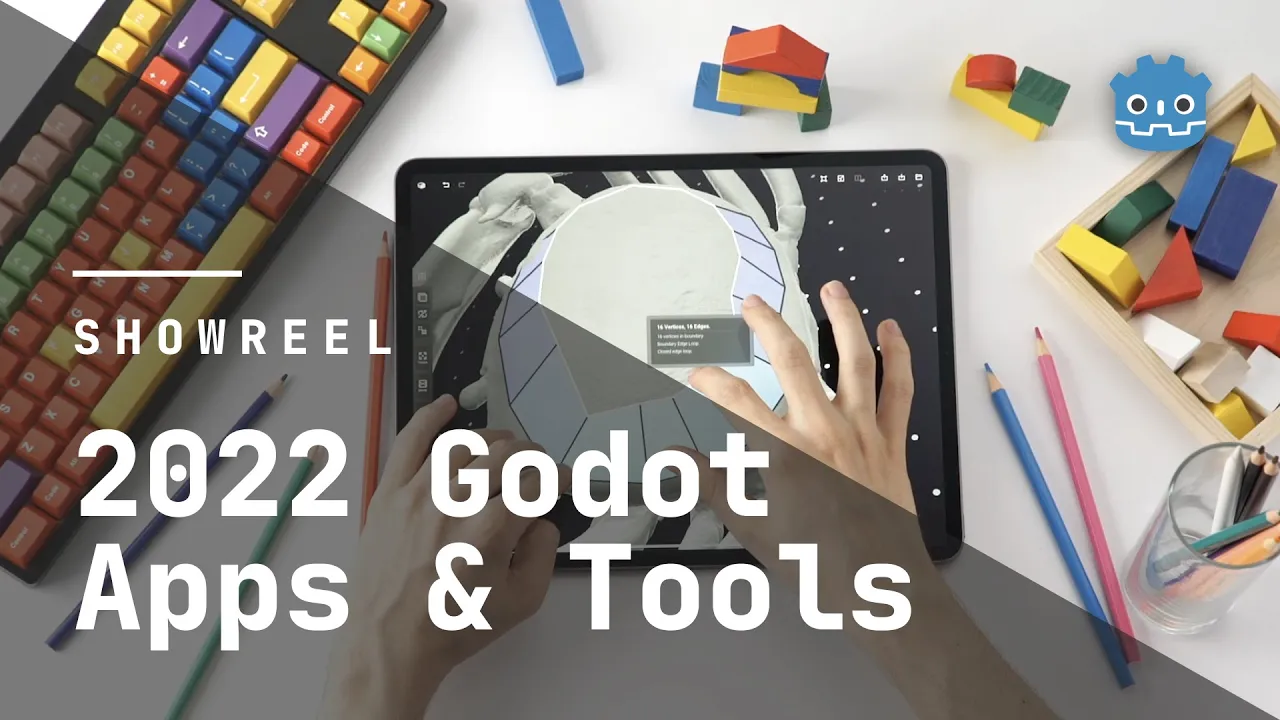
The presentation continues by spotlighting specialized 3D and 2D artistic workflows. CozyBlanket demonstrates real-time manual retopology and mesh preparation, followed by PixelOver, an art utility focused on pixel art scaling, animation, and image post-processing. The reel then highlights custom in-game creation tools with the Project Heartbeat Chart Editor, used for rhythm game beatmap charting. This section wraps up with RPG in a Box, an all-in-one voxel RPG creation suite, and Material Maker, a node-based procedural texture authoring and 3D PBR painting tool built natively in Godot.
- Textreme 2: Stylized terminal and text application - Learn GDScript From Zero: Interactive coding curriculum and practice environment developed by GDQuest - CozyBlanket: Specialized 3D retopology and mesh manipulation tool by Sparseal - PixelOver: Pixel art filtering, dithering, and 2D/3D animation software by Deakcor - Project Heartbeat Chart Editor: Custom rhythm game authoring tool - RPG in a Box: Voxel-based 3D role-playing game creation tool - Material Maker: Procedural PBR texture and 3D paint tool powered by Godot's shading engine
[01:23](https://www.youtube.com/watch?v=9kKp0oguzr8&t=83s) Design, Productivity, and Media Applications
The second half of the reel broadens the scope of Godot applications into general desktop productivity, content streaming, and media consumption. It begins with Whiteboard, a lightweight digital canvas tool for freehand sketching and visual ideation, followed by Shaderblocks, a modular visual tool for crafting shaders. The reel then focuses on desktop organization and gamified task tracking, displaying Mad Productivity, an application integrating routine planning with interactive feedback systems.
VTubing and world-building utilities follow, featuring Gazo Tuber, a streamlined 2D VTuber avatar utility that synchronizes sprite reactions with audio input, and World Maker, an interactive level and terrain design tool. The showcase concludes its software lineup with project management and media playback via G-Kanban, an open-source Kanban board interface, and Turpial Music Player, a clean desktop audio player. The reel closes with an outro encouraging community support via the Godot Engine donation portal.
- Whiteboard: Freehand canvas and visual note-taking app by Arcane Energy - Shaderblocks: Block-based visual shader editor by intakeovr - Mad Productivity: Task tracking and workflow management application by Mad Cookies Games - Gazo Tuber: Audio-reactive 2D VTubing software by Risun - World Maker: Procedural and custom landscape generation tool by ChunkyDev - G-Kanban: Desktop Kanban productivity board created by kidando - Turpial Music Player: Local media playback interface by Icterus Games - Music: "Tango" composed by Octomuse; video edited by Emilio Coppola for the Godot Engine project
## Mentioned Godot Engine, Textreme 2, Learn GDScript From Zero, GDQuest, CozyBlanket, Sparseal, PixelOver, Deakcor, Project Heartbeat Chart Editor, RPG in a Box, Material Maker, Whiteboard, Arcane Energy, Shaderblocks, intakeovr, Mad Productivity, Mad Cookies Games, Gazo Tuber, Risun, World Maker, ChunkyDev, G-Kanban, kidando, Turpial Music Player, Icterus Games, Emilio Coppola, Octomuse, Tango
## Video description Apps & Tools in order of appearance: 0:00 - Textreme 2 - https://ash-k.itch.io/textreme-2 0:12 - Learn GDScript From Zero - https://gdquest.mavenseed.com/courses/learn-to-code-from-zero-with-godot 0:25 - CozyBlanket - https://sparseal.com/cozyblanket/ 0:37 - PixelOver - https://deakcor.itch.io/pixelover 0:49 - Project Heartbeat Chart Editor - https://ph.eirteam.moe/ 1:00 - RPG in a Box - https://www.rpginabox.com/ 1:13 - Material Maker - https://www.materialmaker.org/ 1:23 - Whiteboard - https://arcaneenergy.itch.io/whiteboard 1:35 - Shaderblocks - https://intakeovr.itch.io/shaderblocks 1:45 - Mad Productivity- https://www.madcookies.games/game.php?id=5 1:57 - Gazo Tuber - https://risunz.itch.io/gazo-tuber 2:07 - World Maker - https://chunkydev.itch.io/world-maker 2:18 - G-Kanban - https://github.com/kidando/gkanban 2:25 - Turpial Music Player - https://icterusgames.itch.io/turpial 2:33 - Outro
⭐️ If you like what you see, make sure to visit: https://godotengine.org/donate 🎬 Editing: Emilio Coppola - https://www.youtube.com/emiliotube 🎶 Song: Tango by Octomuse – https://www.octomuseproduction.com/
[Source](https://www.youtube.com/watch?v=9kKp0oguzr8)