SRI's Engelbart Debuts Mouse, Live Hypertext to Link Remote Workers
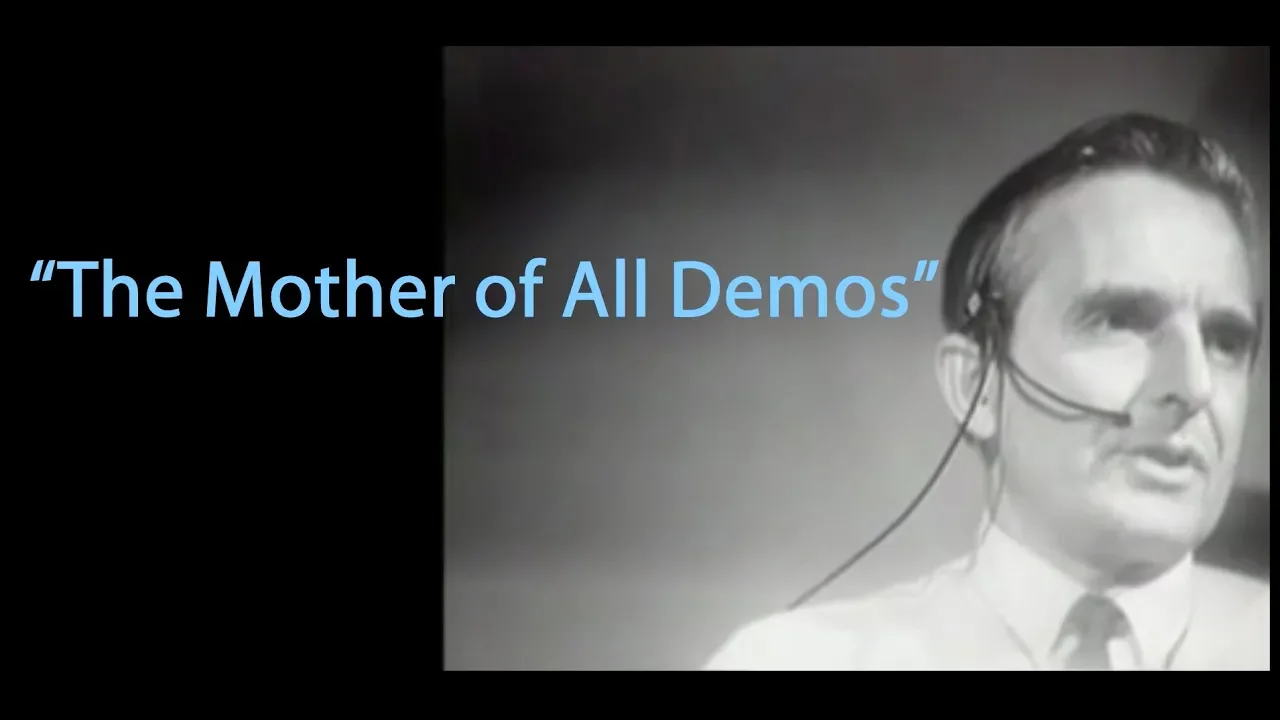
1968 “Mother of All Demos” by SRI’s Doug Engelbart and Team — SRI

SRI

Supplying intellectual workers with instantly responsive, networked workstations transforms collaborative production by merging real-time editing, teleconferencing, and nonlinear document navigation.

AI-assisted summary of 1968 “Mother of All Demos” by SRI’s Doug Engelbart and Team — original source. Check the original for full context.

Source published:

Key ideas

  • Douglas Engelbart and SRI's Augmented Human Intellect Research Center publicly demonstrated the foundations of modern personal and interactive computing in December 1968. (0:00)
  • The presentation marked the public debut of the computer mouse alongside real-time hierarchical text editing and non-linear hypertext link traversal. (0:43)
  • SRI demonstrated shared-screen collaborative teleconferencing, featuring dual independent cursors and live video overlaid directly onto the shared document. (2:58)
  • Engelbart outlined SRI's upcoming participation in ARPANET, preparing to establish the Network Information Center to catalog services across roughly 20 interconnected host machines. (4:08)

Detailed notes

## Background Published on YouTube by SRI on December 7, 2018, this video presents highlights of the landmark December 9, 1968 demonstration by Douglas Engelbart and his team at the Stanford Research Institute. According to the description, this historic event marked the public debut of personal and interactive computing, introducing the computer mouse alongside networked hypertext, real-time text editing, multiple windows, and shared-screen teleconferencing.

## TL;DR In the demonstration, Douglas Engelbart showcases a responsive personal workstation developed at SRI to augment intellectual labor, beginning with the live operation of a wooden computer mouse. He illustrates hierarchical text manipulation, statement structuring, and dynamic hypertext linking that transitions seamlessly between illustrative route maps and textual notes. Expanding the session into real-time collaboration, Engelbart connects with remote colleague Don Andrews via dual-cursor screen sharing, audio communication, and live video overlay before concluding with his vision for the impending rollout of ARPANET and the Network Information Center.

## Atmosphere & style The presentation carries a calm, visionary, and quietly astonishing tone, marked by Engelbart's measured cadence and unassuming demeanor as he introduces revolutionary concepts. Rather than grandstanding, the demonstration unfolds with deliberate technical clarity and gentle humor, visible in Engelbart's self-deprecating remarks about the mouse's name and the playful 'bug fight' cursor duel with Don Andrews. Watching the interplay between the stage and the remote Menlo Park lab creates a compelling sense of witnessing modern digital life being conjured out of the late 1960s.

## Bulletin - [00:00](https://www.youtube.com/watch?v=B6rKUf9DWRI&t=0s) Douglas Engelbart and SRI's Augmented Human Intellect Research Center publicly demonstrated the foundations of modern personal and interactive computing in December 1968. - [00:43](https://www.youtube.com/watch?v=B6rKUf9DWRI&t=43s) The presentation marked the public debut of the computer mouse alongside real-time hierarchical text editing and non-linear hypertext link traversal. - [02:58](https://www.youtube.com/watch?v=B6rKUf9DWRI&t=178s) SRI demonstrated shared-screen collaborative teleconferencing, featuring dual independent cursors and live video overlaid directly onto the shared document. - [04:08](https://www.youtube.com/watch?v=B6rKUf9DWRI&t=248s) Engelbart outlined SRI's upcoming participation in ARPANET, preparing to establish the Network Information Center to catalog services across roughly 20 interconnected host machines.

## Key takeaways - [00:00](https://www.youtube.com/watch?v=B6rKUf9DWRI&t=0s) Engelbart defined the core mission of his research as augmenting human intellect through dedicated, highly responsive computer displays. - [00:00](https://www.youtube.com/watch?v=B6rKUf9DWRI&t=0s) The Augmented Human Intellect Research Center prioritized live system demonstrations over abstract theoretical research to validate their interactive paradigm. - [00:43](https://www.youtube.com/watch?v=B6rKUf9DWRI&t=43s) The mouse was introduced as an intuitive physical pointing device that directly controlled a digital cursor on a cathode-ray tube display. - [00:43](https://www.youtube.com/watch?v=B6rKUf9DWRI&t=43s) Text in the NLS system was organized into structured entities, allowing users to copy, move, and nest words and statements into hierarchies. - [02:21](https://www.youtube.com/watch?v=B6rKUf9DWRI&t=141s) Hypertext linking was demonstrated as a mechanism to jump seamlessly across disparate files without manual file retrieval. - [02:21](https://www.youtube.com/watch?v=B6rKUf9DWRI&t=141s) The system integrated interactive vector graphics with structured text, allowing users to click diagram nodes to reveal associated data entries. - [02:58](https://www.youtube.com/watch?v=B6rKUf9DWRI&t=178s) Shared-screen teleconferencing allowed remote participants in Menlo Park and San Francisco to view and edit the same electronic workspace concurrently. - [02:58](https://www.youtube.com/watch?v=B6rKUf9DWRI&t=178s) Multi-user cursor collaboration introduced the 'bug fight,' where operators could negotiate control and point to screen elements simultaneously. - [02:58](https://www.youtube.com/watch?v=B6rKUf9DWRI&t=178s) SRI combined real-time audio, text editing, and live composite video feeds into a single workstation interface. - [04:08](https://www.youtube.com/watch?v=B6rKUf9DWRI&t=248s) Engelbart anticipated driving remote host computers across transcontinental networks with zero perceptible loss in CRT display responsiveness. - [04:08](https://www.youtube.com/watch?v=B6rKUf9DWRI&t=248s) The upcoming ARPA computer network was projected to interconnect approximately 20 experimental machines nationwide within a year. - [04:08](https://www.youtube.com/watch?v=B6rKUf9DWRI&t=248s) SRI was tasked with developing the Network Information Center (NIC) to manage technical documentation, protocols, and system availability for the nascent network.

## Detailed walkthrough ### [00:00](https://www.youtube.com/watch?v=B6rKUf9DWRI&t=0s) Augmenting Human Intellect: A Live Computer in the Office

Douglas Engelbart opens the presentation by posing a foundational question about the future of intellectual labor and computing. He asks the audience to imagine an intellectual worker equipped with a dedicated, highly responsive workstation:

> “If in your office you as an intellectual worker were supplied with a computer display backed up by a computer that was alive for you all day and was instantly responsive to every action you had, how much value could you derive from that?”

Engelbart explains that answering this challenge has been the central mission of the Augmented Human Intellect Research Center at the Stanford Research Institute (SRI) for many years. Rather than merely describing their research conceptually, he emphasizes that the team intends to demonstrate the live system directly to the audience.

[00:43](https://www.youtube.com/watch?v=B6rKUf9DWRI&t=43s) Introducing the Mouse and Interactive Text Editing

The demonstration begins by cutting to a remote view of Don Andrews' hand in Menlo Park, showing how physical input translates into digital control on the display. Engelbart tracks Andrews manipulating a small wooden pointing device, noting how the on-screen cursor responds directly to its movement. Reflecting on the unusual terminology, Engelbart remarks:

> “I don't know why we call it a mouse; sometimes I apologize, it started that way and we never did change it.”

Engelbart then models the creative process, sitting before a digital equivalent of a blank sheet of paper where he can draft and manipulate structured information. He inputs text broken into discrete entities called statements, which are themselves composed of word entities. If typing errors occur, he simply backs up to amend them. The system allows swift operational commands: Engelbart copies individual words, replicates single statements, and duplicates entire blocks of text. He demonstrates reorganizing unstructured notes into a structured hierarchy, creating a high-level category called "produce" and indenting specific items like carrots, bananas, and oranges underneath it.

```mermaid flowchart TD accTitle: NLS Text Hierarchy and Editing Operations accDescr: Diagram showing how raw text entities are structured into statements, categories, and reorganized items. subgraph Input ["Data Entities"] W["Words"] --> S["Statements"] end subgraph Editing ["Operations"] S --> OP["Copy / Move / Delete"] OP --> CAT["Hierarchical Category (e.g., 'Produce')"] end subgraph Structured ["Reorganized List"] CAT --> I1["Carrots"] CAT --> I2["Bananas"] CAT --> I3["Oranges"] end ```

[02:21](https://www.youtube.com/watch?v=B6rKUf9DWRI&t=141s) Hypertext Links and Graphics Integration

Engelbart proceeds to demonstrate non-linear document navigation using a mechanism he terms jumping on a link, which connects disparate files and displays across the system. He activates a link that opens an illustrative route map showing a commute from work to home, detailing various stops required to collect materials. Interactivity is maintained directly on the visual drawing: by pointing at a specific node representing the library, the system instantly traverses the reference and displays the associated text statement revealing a reminder about overdue books.

- **Link traversal:** Connecting separate files dynamically through interactive pointers without manual file retrieval. - **Mixed-media integration:** Transitioning smoothly between geographic diagrammatic maps and textual errand lists. - **Object reference:** Pointing directly to a graphic element on screen to invoke its underlying textual data.

[02:58](https://www.youtube.com/watch?v=B6rKUf9DWRI&t=178s) Shared-Screen Teleconferencing and the "Bug Fight"

Expanding beyond individual document manipulation, Engelbart establishes a collaborative session connecting the presentation stage directly with Don Andrews in the Menlo Park laboratory. Both operators view the same display simultaneously while Andrews is given an independent cursor—a secondary tracking marker—to indicate items on screen. Describing the control hierarchy and the resulting cursor duels, Engelbart explains:

> “We've carefully reserved for me the right to control and operate on this, so my bug is more powerful than yours, but we can have an argument—that's what they call a bug fight.”

With full audio coupling enabled, both participants can converse in real time while pointing to and revising shared material, functioning like an interactive digital blackboard where control can be handed back and forth. Engelbart then takes the collaborative setup a step further by bridging visual communication directly into the workspace. A live video feed from the Menlo Park laboratory is piped into the console, overlaying Andrews' face alongside the active shared document. This combined audio, video, and real-time screen sharing allows both operators to talk, observe facial expressions, and co-author content collaboratively across physical distances.

[04:08](https://www.youtube.com/watch?v=B6rKUf9DWRI&t=248s) The Vision for the ARPA Network and Network Information Center

Engelbart looks toward the immediate horizon of computing, introducing SRI's upcoming involvement in the experimental ARPA computer network scheduled to debut within a year. He envisions the network expanding to interconnect approximately 20 experimental machines, enabling a user in California to interactively drive a computer located in Cambridge with the same rapid cathode-ray tube (CRT) display responsiveness demonstrated locally. Anticipating future conventions, he notes plans to operate the system remotely from Boston during subsequent conferences.

Beyond basic connectivity, Engelbart highlights SRI's designated role in pioneering a dedicated network information service designed to help participants navigate the distributed environment. Regarding the scope of this endeavor, Engelbart states:

> “That's going to be a very interesting challenge for us to utilize our tools for organizing and treating information.”

- **Scale of ARPANET rollout:** Transitioning from an initial experimental setup within one year toward approximately 20 networked host computers across the country. - **Remote interactive responsiveness:** Operating distant computational resources across transcontinental distances with zero perceptible degradation in CRT display feedback. - **Network Information Center (NIC) functions:** Cataloging available network services, defining communication protocols, tracking system availability and uptime, distributing user documentation, and organizing technical papers describing host capabilities.

## Notable quotes > [00:00](https://www.youtube.com/watch?v=B6rKUf9DWRI&t=0s) If in your office you as an intellectual worker were supplied with a computer display backed up by a computer that was alive for you all day and was instantly responsive to every action you had, how much value could you derive from that? — Douglas Engelbart

## Mentioned Douglas Engelbart, Don Andrews, Stanford Research Institute (SRI), Augmented Human Intellect Research Center, ARPA (ARPANET), Network Information Center (NIC), Menlo Park, Cambridge, Boston, NLS

## Video description Highlights and descriptions of the December 9, 1968 demo by Douglas Engelbart and his team at SRI (at the time called Stanford Research Institute). It was the first public demonstration of the computer mouse and fundamentals of modern computing. The demo included the world debut of personal and interactive computing, featuring a computer mouse that controlled a networked computer system to demonstrate hypertext linking, real-time text editing, multiple windows with flexible view control, cathode display tubes, and shared-screen teleconferencing.

[Source](https://www.youtube.com/watch?v=B6rKUf9DWRI)

中文简报

SRI恩格尔巴特首秀鼠标与实时超文本,连接远程协作者 为脑力工作者配备即时响应的网络工作站,通过融合实时编辑、远程会议与非线性文档导航,彻底改变了协同生产模式。 在演示中,道格拉斯·恩格尔巴特展示了由SRI开发、旨在增强智力劳动的即时响应个人工作站,并从现场操作一款木质计算机鼠标开始。他演示了分层文本操作、语句结构化,以及在说明性路线图与文本注释之间无缝过渡的动态超文本链接。为了将演示拓展至实时协作,恩格尔巴特通过双光标屏幕共享、音频通信和实时视频叠加与远程同事唐·安德鲁斯取得联络,最后展望了即将在ARPANET推行的部署以及网络信息中心的规划。 1968年12月,道格拉斯·恩格尔巴特与SRI的人类智力增强研究中心公开展示了现代个人计算与交互式计算的基石。 (0:00) 该演示标志着计算机鼠标的公开首秀,同时展出了实时分层文本编辑和非线性超文本链接跳转。 (0:43) SRI展示了共享屏幕协同远程会议,其特点包括双独立光标以及直接叠加在共享文档上的实时视频。 (2:58) 恩格尔巴特概述了SRI即将参与ARPANET的计划,准备建立网络信息中心,以编目大约20台互联主机上的各项服务。 (4:08)

Reading summary

Douglas Engelbart and the Augmented Human Intellect Research Center at SRI presented a live computing system designed to enhance intellectual labor through continuous, responsive digital workstations. The 1968 demonstration showed that integrating novel hardware inputs, structured digital text, dynamic hyperlinks, real-time remote collaboration, and planned computer networking could fundamentally transform knowledge work. Interactive Input and Hierarchical Document Editing (0:43) To demonstrate direct intellectual manipulation, the team introduced a wooden pointing device termed the mouse, showing how physical movements translated into direct on-screen cursor navigation. Operating on digital text structured into discrete word entities and statements, the system allowed immediate editing commands, including copying individual words, duplicating statements, and amending errors on demand. Hypertext Navigation and Mixed-Media Integration (2:21) The presentation modeled non-linear navigation using linked references, allowing users to jump directly between disparate files without manual retrieval. In one demonstration, an interactive route map of a commute linked graphical nodes directly to underlying textual notes, such as opening a reminder about overdue books by pointing to a library icon. Shared-Screen Teleconferencing and Shared Cursors (2:58) Expanding beyond individual workstations, the system supported remote collaborative sessions connecting the presentation stage to SRI's Menlo Park laboratory. Participants viewed an identical display with independent cursors—leading to what the team termed 'bug fights' over on-screen control—while communicating via synchronized audio and a live video feed overlaid directly onto the shared document space. Distributed Infrastructure and the Network Information Center (4:08) Looking toward future infrastructure, Engelbart detailed plans for SRI's participation in the upcoming ARPA network, which was slated to connect approximately 20 host computers nationwide within a year. SRI was designated to lead the Network Information Center, tasked with indexing network services, establishing communication protocols, monitoring uptime, and compiling technical documentation to maintain responsive remote interaction across transcontinental distances. Engelbart anticipated that distributed networks would enable users to operate distant computers across the country without losing CRT responsiveness, though fulfilling that vision depended on solving the broader challenge of cataloging and structuring shared information across emerging network hosts.

精炼阅读摘要

在斯坦福研究所(SRI)1968年的演示中,道格拉斯·恩格尔巴特(Douglas Engelbart)展示了其实验室研发的人机智力增强系统,主张通过全天候即时响应的个人工作站、结构化输入设备及协同网络,从根本上重塑知识工作者的劳动方式与信息组织范式。 物理交互创新与结构化文本操作 (0:43) 恩格尔巴特首先展示了新型物理输入装置与文本操作机制。演示实时转接至位于门洛帕克(Menlo Park)的唐·安德鲁斯(Don Andrews),展示其操纵一款小型木质定位装置——即计算机鼠标——以直接控制屏幕光标的即时移动,打破了传统键盘指令输入的局限。恩格尔巴特在数字化“空白纸张”上呈现了非线性文本录入,将内容拆解为由“词”(words)组成的离散“语句”(statements)实体,并允许操作者随时退格修正输入错误。 该系统支持高效的对象化编辑与层级组织功能。操作者能够快速执行针对单个词汇、单行语句或整块文本的复制、迁移与复用指令。恩格尔巴特还演示了将杂乱笔记重组为结构化清单的过程,例如建立名为“农副产品”(produce)的高级分类条目,并将胡萝卜、香蕉与橙子等具体项目缩进归类于其下,体现了面向结构化思维的数据操作模式。 超文本链接与跨模态图文关联 (2:21) 在基础文本处理之上,恩格尔巴特演示了名为“跳转链接”(jumping on a link)的非线性文档导航技术。该机制允许操作者在无需手动检索底层文件的情况下,通过屏幕上的交互式指针在不同文件和显示界面之间实现动态穿梭,使分散的数据形成网状关联。 演示进一步展示了混合媒介的深度集成能力。系统呈现了一幅描绘从工作单位至居所的通勤路线示意图,标明沿途提取物品的各个经停点。操作者直接将光标指向代表“图书馆”的图形节点,系统便会即时跳转并展示关联的文本语句,呈现关于超期未还图书的备忘提醒。这种通过图形要素直接调用文本数据的机制,消除了空间拓扑图景与任务清单之间的模态壁垒。 双光标协作与音视频多模态会话 (2:58) 恩格尔巴特将系统能力从个人处理扩展至跨地域协同办公,在现场演讲台与门洛帕克实验室之间建立了实时协作会话。两地操作者能够同步查看相同的显示界面,安德鲁斯在远端被分配了一个独立的屏幕跟踪标记(第二光标),双方可将其作为交互式数字黑板共同标定与修改内容。虽然恩格尔巴特保留了主控权限并称其光标效力更高,但双方对光标控制权的争端被戏称为“光标争夺战”(bug fight)。 在此基础上,该系统深度整合了全双工音频与实时视频信号传输。门洛帕克实验室的实时摄像画面被直接叠加到主控制台屏幕上,使安德鲁斯的面部影像与共享文档并置呈现。参与者不仅能在语音交流中同步推敲文本,还能观察彼此的面部神态,在物理隔离状态下实现了视觉、听觉与文本操作高度集成的异地协同创作。 ARPA分布式网络与信息中心规划 (4:08) 恩格尔巴特着眼于计算基础设施的前景,介绍了SRI即将参与的实验性ARPA计算机网络计划。该网络预计在一年内投入试验,并规划逐步扩展至连接全美约20台实验性主机系统。恩格尔巴特预期,加利福尼亚州的用户将能远程交互式驱动位于剑桥的主机,且阴极射线管(CRT)显示屏的反馈速度不会产生感知延迟,从而使跨越大陆的计算资源具备本地操作般的即时响应性能。 除了底层通信互联外,SRI还被指定牵头组建网络信息中心(NIC)。恩格尔巴特强调,利用既有工具组织和处理网络信息将是一项关键挑战。NIC的核心职能涵盖编目全网可用服务、定义通信协议标准、监控系统可用性与运行状态、向用户分发操作文档,以及归档阐释各主机系统特性的技术论文,为早期分布式计算生态提供了基础服务支撑。 恩格尔巴特的演示完整勾勒出即时响应式个人工作站、超文本网络与多模态远程协作的技术图景,但在当时仍面临依赖复杂硬件调优及网络扩展环境下的响应一致性等技术约束。该系统对知识工作增强的软硬件一体化探索,为现代人机交互与分布式信息网络的演进确立了长期的功能参照。

Detailed notes — zh

## Background 该视频由SRI(斯坦福研究所)于2018年12月7日发布在YouTube平台。视频回顾并精选了道格拉斯·恩格尔巴特及其团队在1968年12月9日进行的划时代公开演示,展示了计算机鼠标的首次亮相以及现代交互式计算的核心雏形,涵盖超文本链接、实时文本编辑、多窗口显示和屏幕共享远程会议等突破性技术。 ## TL;DR 道格拉斯·恩格尔巴特在演示中阐述了通过交互式计算增强人类智力、赋能知识工作者的宏大愿景。他现场展示了通过外部移动装置“鼠标”精准操控光标,对文档进行分层组织、实时编辑,并利用超链接在文本与路线地图之间实现平滑跳转。此外,演示还展示了跨越两地的双人屏幕协同操作、多光标互动以及集成音视频的远程会议系统,并在最后展望了阿帕网(ARPANET)的构建与网络信息中心(NIC)的信息管理构想。 ## Atmosphere & style 整场演示充满先驱探索的前瞻性与从容自信的学术幽默,恩格尔巴特语气平缓坚定,在解释“鼠标”命名和演示双光标“打架”时流露出轻松风趣的人格魅力。黑白CRT屏幕上的实时画面虽然原始质朴,但当光标追逐、图文跳转与跨地域音视频流画面接连呈现时,营造出一种见证计算时代历史转折点的震撼感。随着最后对互联网络的畅想娓娓道来,整体氛围从严谨的工程演示升华到了对数字未来充满激情的远见展望之中。 ## Bulletin - [00:43](https://www.youtube.com/watch?v=B6rKUf9DWRI&t=43s) 1968年12月9日,道格拉斯·恩格尔巴特与SRI团队公开演示了现代个人交互计算的原型,首次亮相了控制屏幕光标的计算机鼠标及即时响应系统。 - [00:43](https://www.youtube.com/watch?v=B6rKUf9DWRI&t=43s) 演示现场展现了革命性的文档结构化处理与超文本链接机制,实现了基于语句和词汇的层级重组以及从图形地图直接跳转到底层关联文本的功能。 - [03:00](https://www.youtube.com/watch?v=B6rKUf9DWRI&t=180s) 系统成功实现了跨越地理距离的多模态远程协同,在同一屏幕上同步集成了双人独立光标操作、实时双向语音以及画中画视频画面。 - [04:08](https://www.youtube.com/watch?v=B6rKUf9DWRI&t=248s) 恩格尔巴特团队预告了即将成型的阿帕网(ARPANET),并宣布计划建立网络信息中心(NIC)以统一管理全网服务目录、协议与主机状态元信息。 ## Key takeaways - [00:00](https://www.youtube.com/watch?v=B6rKUf9DWRI&t=0s) 交互式计算愿景的核心是为知识工作者配备全天候待命、对每一次人类操作都能即时响应的专属计算机终端。 - [00:00](https://www.youtube.com/watch?v=B6rKUf9DWRI&t=0s) 该研究由斯坦福研究所(SRI)下属的人类智力增强研究中心主导,旨在通过人机协同全面提升人类解决复杂问题的能力。 - [00:43](https://www.youtube.com/watch?v=B6rKUf9DWRI&t=43s) 演示首次公开展示了名为“鼠标”(Mouse)的外部硬件控制设备,实现了外部位移与屏幕光标移动的实时同步。 - [00:43](https://www.youtube.com/watch?v=B6rKUf9DWRI&t=43s) 系统将文本细分为“陈述”与“词语”等实体,支持对文字内容进行撤销、成组剪切、层级分类与快速重组操作。 - [00:43](https://www.youtube.com/watch?v=B6rKUf9DWRI&t=43s) 演示了超文本链接(Jump on a link)概念,用户点击矢量地图上的节点可直接穿梭跳转至关联的具体事务文本。 - [03:00](https://www.youtube.com/watch?v=B6rKUf9DWRI&t=180s) 系统支持跨地域双人屏幕共享协同,远程协作者拥有独立控制的光标标记点,便于在同一份文档中实时指划互动。 - [03:00](https://www.youtube.com/watch?v=B6rKUf9DWRI&t=180s) 系统设计了主控权限机制,支持在协同工作中解决光标竞争问题并实现操作权限的动态移交。 - [03:00](https://www.youtube.com/watch?v=B6rKUf9DWRI&t=180s) 在阴极射线管(CRT)屏幕上实现了共享文本、独立指示标记、双向语音及单色画中画实时视频的深度多模态集成。 - [04:08](https://www.youtube.com/watch?v=B6rKUf9DWRI&t=248s) 恩格尔巴特前瞻性地预告了ARPA计算机网络(ARPANET),预计一年内初见雏形并逐步扩展至约20台实验性计算机规模。 - [04:08](https://www.youtube.com/watch?v=B6rKUf9DWRI&t=248s) 设想通过阿帕网实现跨地理距离的远程交互,使异地参会者在远程CRT终端上获得与本地完全一致的即时计算体验。 - [04:08](https://www.youtube.com/watch?v=B6rKUf9DWRI&t=248s) 规划建立网络信息中心(NIC),专职管理和分发包括各节点服务列表、连接协议规范、主机在线状态及技术文档索引等元信息。 ## Detailed walkthrough ### [00:00](https://www.youtube.com/watch?v=B6rKUf9DWRI&t=0s) 增强人类智慧:交互式计算愿景的开启 道格拉斯·恩格尔巴特(Douglas Engelbart)首先抛出了一个前瞻性的思考,向在场观众描绘了未来知识工作者的日常工作图景。他设想,如果每一位脑力劳动者在办公室里都能拥有一台专属的计算机显示终端,背后连接着一台全天候随时待命、对人类一切操作都能做出即时响应的计算机,那么人类能从中获取多么巨大的价值。恩格尔巴特指出,这正是斯坦福研究所(Stanford Research Institute,SRI)下属的“人类智力增强研究中心”(Augmented Human Intellect Research Center)多年来坚持探索的核心目标。为了让大家直观领会这一愿景,他决定不再做枯燥的口头报告,而是全力以实际操作来展示这一系统的全貌。 > 道格拉斯·恩格尔巴特强调:“if in your office you as an intellectual worker were supplied with a computer display backed up by a computer that was alive for you all day and was instantly responsive to every action you had how much value could you drive from that” - **核心研究机构**:斯坦福研究所(SRI)的人类智力增强研究中心(Augmented Human Intellect Research Center)。 - **核心理念**:提供“即时响应”(instantly responsive)的人机交互计算系统,全面赋能知识工作者。 --- ### [00:43](https://www.youtube.com/watch?v=B6rKUf9DWRI&t=43s) 鼠标亮相、文本结构化编辑与超链接跳转 镜头切换到位于门洛帕克(Menlo Park)实验室的唐·安德鲁斯(Don Andrews),展示了他的手部操作以及屏幕上光标(tracking spot)跟随名为“鼠标”(Mouse)的设备移动的实时画面。恩格尔巴特在此幽默地插话表示,自己也不知道当年为什么要把它叫做“鼠标”,甚至开玩笑为此道歉,解释说项目最初就是这么随口叫起来的,之后便一直沿用了下来。紧接着,恩格尔巴特以模拟面对一张白纸开始新项目为由,演示了系统的文档处理能力。他将输入的文本划分为称为“陈述”(statement)的实体,每个陈述中又包含词语实体,不仅能随时回退撤销错误,还能自由对单个词或整个语句进行复制、追加与成组迁移。 为了说明结构化重组能力,恩格尔巴特将杂乱的购物清单按类别整理,新建了“农产品”(produce)分类,把胡萝卜、香蕉甚至成组的橙子等条目整体剪切并移动到该分类之下。随后,他展示了一项关键创新——“跳转链接”(jump on a link),这是一种允许在不同文件间穿梭的机制。他在屏幕上调出一幅手绘矢量地图,显示从工作单位下班回家并沿途采购物资的路线规划;当他将光标指向地图上的“图书馆”(library)节点时,系统立刻通过超链接跳转到了具体文本,展示出提示归还逾期图书(overdue books)的清单条目。 ```mermaid flowchart TD accTitle: 文档编辑与超链接工作流 accDescr: 演示从文本录入、层级组织到跨文件超链接跳转的操作流程 subgraph TextOps ["文本与结构操作"] A["录入语句 (Statement)"] --> B["词级/语句级复制与修改"] B --> C["层级分类整理 (如将胡萝卜、香蕉归入农产品)"] end subgraph Hyperlink ["超文本链接机制"] C --> D["点击跨文件链接 (Jump on a link)"] D --> E["图形视图 (路线规划地图)"] E --> F["定位特定节点 (如图书馆 Library)"] F --> G["展开底层关联文本 (提示逾期图书)"] end ``` - **光标设备**:首次向大众展示了通过移动外部装置同步控制屏幕光标的“鼠标”(Mouse)。 - **层次化文本对象**:系统将内容组织为“语句”(statement)和“词”(word),支持成块复制、层级移动与快速归类。 - **超链接(Hyperlink)能力**:实现了跨文本与图形文件的即时跳转。 --- ### [03:00](https://www.youtube.com/watch?v=B6rKUf9DWRI&t=180s) 双人屏幕协同、光标对抗与音视频会议集成 在接下来的协同演示中,远在门洛帕克的唐·安德鲁斯能够在自己的屏幕上同步查看恩格尔巴特编辑的文本。为了使安德鲁斯也能参与讨论并表达意见,系统为他分配了一个由他独立控制的光标跟踪标记点。当两个光标在同一屏幕上追逐移动时,恩格尔巴特戏称这是“光标打架”(bug fight),并打趣道系统仍保留了主控者的特权,因此自己的光标拥有更高的操作权限。 随着双向音频连接的打通,两人不仅能对着同一块共享“黑板”实时指划交流,还可以在需要时移交控制权。恩格尔巴特随即进一步展示了显示硬件的高级功能:他将门洛帕克实验室摄录的安德鲁斯实时视频画面直接切入、画中画叠加传输到演示屏幕上,达成了“既能看到工作文本,又能使用各自光标指点,同时还能看到对方容貌并进行语音通话”的完整远程协作形态。 > 面对屏幕上两个光标的交锋与协作权限控制,道格拉斯·恩格尔巴特风趣地评论道:“we've carefully reserved for me the right to control and operate on this so my bug is more powerful than yours but we can have an argument” - **协同光标机制**:远程协作者拥有独立指示光标(tracking spot),支持屏幕实时批注与指引。 - **音视频与数据多模态同步**:在同一CRT显示器上同步整合了实时共享文本、双向语音通话以及远程单色视频流。 --- ### [04:08](https://www.youtube.com/watch?v=B6rKUf9DWRI&t=248s) 展望阿帕网(ARPANET)与网络信息中心(NIC) 演示最后,恩格尔巴特展望了即将到来的重大工程——ARPA计算机网络(ARPANET,即阿帕网)。他透露,这一实验性网络将在大约一年后初具雏形,并在随后的时间里扩展到由约20台实验性计算机组成的分布式网络。他畅想,未来凭借这样的网络基础设施,即使远在波士顿或剑桥参加学术会议,也能跨越遥远地理距离远程运行本地系统,并在阴极射线管(CRT)屏幕上获得完全一致的即时交互体验。 恩格尔巴特进一步指出,他的团队正计划在阿帕网中建立一项特殊的服务职能(即后来的网络信息中心 Network Information Center,NIC),专门管理和分发维持网络运转所需的各类元信息。这些信息包括:网络中各节点提供了哪些服务、连接需要使用何种协议、哪些主机当前在线、用户操作指南、以及获取系统技术白皮书的索引等。他坚信,利用他们开发的信息组织与处理工具来解决大型计算机网络的信息管理问题,将是一项极具吸引力的新挑战。 > 针对未来网络所扮演的角色与信息处理的挑战,道格拉斯·恩格尔巴特指出:“in that network we're going to try to develop a special service to provide network information relevant network information for people for the kind of information that it takes to operate such a network” - **网络预期规模**:阿帕网预计在一年内初见雏形,随后逐步互联约20台实验性计算机。 - **网络信息服务中心(NIC)构想**:集中统一管理各节点服务目录、网络协议说明、主机在线状态及技术文档索引。 ## Notable quotes > [00:00](https://www.youtube.com/watch?v=B6rKUf9DWRI&t=0s) if in your office you as an intellectual worker were supplied with a computer display backed up by a computer that was alive for you all day and was instantly responsive to every action you had how much value could you drive from that — 道格拉斯·恩格尔巴特 ## Mentioned 道格拉斯·恩格尔巴特, 唐·安德鲁斯, 斯坦福研究所, 人类智力增强研究中心, 阿帕网, 网络信息中心, 鼠标 ## Video description Highlights and descriptions of the December 9, 1968 demo by Douglas Engelbart and his team at SRI (at the time called Stanford Research Institute). It was the first public demonstration of the computer mouse and fundamentals of modern computing. The demo included the world debut of personal and interactive computing, featuring a computer mouse that controlled a networked computer system to demonstrate hypertext linking, real-time text editing, multiple windows with flexible view control, cathode display tubes, and shared-screen teleconferencing. [Source](https://www.youtube.com/watch?v=B6rKUf9DWRI)

Source quotes

[0:00] 道格拉斯·恩格尔巴特: if in your office you as an intellectual worker were supplied with a computer display backed up by a computer that was alive for you all day and was instantly responsive to every action you had how much value could you drive from that

Source quotes

[0:00] Douglas Engelbart: If in your office you as an intellectual worker were supplied with a computer display backed up by a computer that was alive for you all day and was instantly responsive to every action you had, how much value could you derive from that?

Original transcript

[0:00] if in your office you as an intellectual [0:03] worker were supplied with a computer [0:06] display backed up by a computer that was [0:09] alive for you all day [0:11] and was instantly responsible responsive [0:15] instantly responsive to every action you [0:18] had how much value could you drive from [0:20] that well this basically characterizes [0:22] what we've been pursuing for many years [0:24] in what we call the Augmented human [0:26] intellect Research Center at Stanford [0:28] Research Institute we're going to try [0:31] our best to show you rather than tell [0:33] you about this program [0:36] [Music] [0:43] okay there's Don Andrews hand in Menlo [0:46] Park and in the second we'll see the [0:49] screen that he's working and the way the [0:50] tracking spot moves in conjunction with [0:52] movements of that Mouse I don't know why [0:56] we call it a mouse [0:57] sometimes I apologize it started that [0:59] way and we never did change it this [1:03] characterizes the way I could sit here [1:04] and look at a blank piece of paper [1:06] that's the way I start many projects so [1:09] with my system that's a good start [1:12] I'll sit here and say I'd like to load [1:13] that in so I'm putting in an entity [1:18] called a statement and that's full of [1:20] other entities called words and if I [1:24] make some mistakes I can back up a [1:26] little bit [1:26] so I have a statement with some entities [1:30] words and I can do some operations on [1:32] these I can copy a word could say that [1:34] word like copy after it so this make [1:37] more statements I'll say copy that [1:39] statement and only hold add another one [1:41] copy that one another one I can even [1:45] copy groups of statements I can say [1:46] after that one copy to move from there [1:48] to there it does so let me jump back to [1:52] the head of the list and I can do things [1:54] like begin to reorganize it a little bit [1:56] well I say after bananas it's more [1:58] likely that I'll take the carrots there [2:02] so let me organize it by saying just [2:07] generally produce right products I've [2:11] got carrots and I'll move under there [2:13] also bananas in fact I could move a [2:16] whole group under they're saying oranges [2:21] I'm going to do something called jump on [2:24] a link and a link is something that'll [2:27] go between files so what it's going to [2:30] do and says I'm going to go to your file [2:32] name and see an hour old [2:34] so here's what I do with a picture [2:35] drawing capability it's a slight and map [2:37] if I start from work and here's the [2:39] route I seem to have to go to to pick up [2:41] all the materials and that's my plan for [2:43] getting home tonight but if I want to I [2:46] can say the library what am I supposed [2:48] to pick up there I can just point to [2:50] that and oh I see overdue books and all [2:53] while there was sustainment there with [2:55] that name over so in his display he sees [2:58] my text so I'll execute it and sure [3:00] enough it does but what's that running [3:03] around well he's looking at my text he'd [3:05] like to have something to say about it [3:07] so we put on a marker a tracking spot [3:10] that he controls so he's sitting there [3:11] middle park looking at this text and he [3:13] can point to it but we've carefully [3:15] reserved for me the right to control and [3:17] operate on this so my bug is more [3:19] powerful than yours but we can have an [3:23] argument yeah [3:26] that's they call a bug fight so we set [3:31] up now audio coupling and we're both [3:33] looking at the same display and that'd [3:34] be very handy to work we can talk to [3:36] each other in point and maybe later I [3:38] could hand you the chalk on this [3:39] blackboard like saying here you control [3:41] it but let's stay this mode now and add [3:43] another feature that hardware wise is [3:45] available to the kind of display we have [3:46] I'd like to see you while I'm working on [3:49] it and we're going to go for a picture [3:51] down in our laboratory in Menlo Park and [3:53] pipe it up come in Menlo Park I know [3:57] that's great now we're connected audio [4:01] and you can see my work you can point [4:02] out it I can see your face and we can [4:04] talk so let's do some collaborate and a [4:08] forthcoming involvement is this aqua [4:11] computer network to experimental network [4:13] that's going to come into being in his [4:16] first form in about a year and end up [4:18] sometime later with some 20 experimental [4:21] computers in a network which would be [4:22] enough so that I could be running a [4:25] system in Cambridge over the network and [4:27] getting the same kind of response on a [4:29] CRT and it may be that people there yeah [4:32] the next time we have a conference in [4:34] Boston I'll try this from there and in [4:37] that network we're going to try to [4:39] develop a special service to provide [4:41] network information relevant network [4:44] information for people for the kind of [4:47] information that it takes to operate [4:49] such a network who's got what services [4:52] what protocol are used to get there [4:53] who's up today how much towards the [4:55] users guide what can I find a paper that [4:56] describes this system that so-and-so [4:59] offers that's going to be a very [5:03] interesting challenge for us to utilize [5:05] our our tools for organizing and [5:08] treating information [5:10] [Music] [5:34] you