Branta Games Releases Noise Shader Concealing 3D Motion in Static
Branta Games
Shifting pixels across directional noise patterns conceals geometric shapes until playback stops, while lateral motion produces stereoscopic depth through the Pulfrich effect.
AI-assisted summary of This game DISAPPEARS if you pause it! — original source. Check the original for full context.
Source published:
Key ideas
- Branta Games demonstrates an open-source motion camouflage shader where 3D shapes vanish entirely into static noise when paused, revealing the underlying image solely through active movement. (0:00)
- The shader avoids visual smear artifacts by requiring moving pixels to adopt a random value if their adjacent target pixel is not also slated to move. (0:22)
- Color channel separation isolates rendering properties: the red channel dictates brightness value steps while the green channel modulates chromatic hue. (1:04)
- The lateral motion of the shader can trigger the Pulfrich effect, producing a stereoscopic 3D pop-out illusion when viewed with a single sunglass lens over the right eye. (3:23)
Detailed notes
## Background Published on YouTube by Branta Games on November 24, 2024, the video demonstrates a motion-based shader illusion that disappears upon pausing. The video description advises watching in 1080p to prevent video compression from degrading the effect and provides links to an open-source GitHub demo and resources on the Pulfrich effect.
## TL;DR Jack showcases a custom shader illusion where 3D shapes like a spinning donut are visible solely through continuous motion camouflage and instantly dissolve into static noise when paused. He details the two pixel-sliding rules used to prevent visual smearing, as well as the channel-based logic governing hue and value cycling in color mode. After demonstrating various emergent effects—such as silhouette outlines, stroboscopic freezing, and shimmying—he concludes by showing how viewers can exploit the Pulfrich effect using a single sunglass lens to see the moving noise pop out in stereoscopic 3D.
## Atmosphere & style The presentation is brisk, playful, and visually hypnotic, evoking the feeling of an interactive optical illusion exhibit. Jack guides viewers through technical game development and shader mechanics with casual curiosity and infectious enthusiasm. Watching the footage feels like participating in a live perceptual experiment, shifting effortlessly from an intriguing visual puzzle to clear engineering logic and ending on an unexpected real-world party trick.
## Bulletin - [00:00](https://www.youtube.com/watch?v=Bg3RAI8uyVw&t=0s) Branta Games demonstrates an open-source motion camouflage shader where 3D shapes vanish entirely into static noise when paused, revealing the underlying image solely through active movement. - [00:22](https://www.youtube.com/watch?v=Bg3RAI8uyVw&t=22s) The shader avoids visual smear artifacts by requiring moving pixels to adopt a random value if their adjacent target pixel is not also slated to move. - [01:04](https://www.youtube.com/watch?v=Bg3RAI8uyVw&t=64s) Color channel separation isolates rendering properties: the red channel dictates brightness value steps while the green channel modulates chromatic hue. - [03:23](https://www.youtube.com/watch?v=Bg3RAI8uyVw&t=203s) The lateral motion of the shader can trigger the Pulfrich effect, producing a stereoscopic 3D pop-out illusion when viewed with a single sunglass lens over the right eye.
## Key takeaways - [00:00](https://www.youtube.com/watch?v=Bg3RAI8uyVw&t=0s) Pausing the video completely conceals the spinning donut because the object is defined solely by relative motion within the noise field. - [00:00](https://www.youtube.com/watch?v=Bg3RAI8uyVw&t=0s) The project is released as open-source code on GitHub for Godot developers. - [00:22](https://www.youtube.com/watch?v=Bg3RAI8uyVw&t=22s) Moving pixels copy the value of an adjacent neighbor, shifting noise smoothly in any chosen direction. - [00:22](https://www.youtube.com/watch?v=Bg3RAI8uyVw&t=22s) A fallback random value assignment prevents a single pixel from moving across consecutive cycles and smearing the screen. - [01:04](https://www.youtube.com/watch?v=Bg3RAI8uyVw&t=64s) The red color channel of 3D objects governs value cycling to manipulate noise brightness without changing hue. - [01:04](https://www.youtube.com/watch?v=Bg3RAI8uyVw&t=64s) The green color channel directly drives hue cycling to modulate chromatic properties independently of brightness. - [01:04](https://www.youtube.com/watch?v=Bg3RAI8uyVw&t=64s) Composite colors like yellow trigger both hue and value cycling simultaneously because they combine red and green wavelengths. - [01:04](https://www.youtube.com/watch?v=Bg3RAI8uyVw&t=64s) Value steps are restricted to two increments in the shader parameters to prevent the visual output from appearing muddy. - [02:08](https://www.youtube.com/watch?v=Bg3RAI8uyVw&t=128s) Clearing the noise buffer while observing the rotating donut leaves behind a visible silhouette tracing its movement. - [02:20](https://www.youtube.com/watch?v=Bg3RAI8uyVw&t=140s) Matching the noise update frequency to the donut's rotation rate of one revolution per second produces a stroboscopic effect where rotation appears frozen. - [02:36](https://www.youtube.com/watch?v=Bg3RAI8uyVw&t=156s) Adding rapid alternating directional shifts creates a distinct oscillating shimmy effect across the noise texture. - [03:02](https://www.youtube.com/watch?v=Bg3RAI8uyVw&t=182s) Adjusting hue steps and hue offset produces spontaneous chromatic geometric patterns across the screen canvas. - [03:23](https://www.youtube.com/watch?v=Bg3RAI8uyVw&t=203s) Covering the right eye with a dark sunglass lens delays optical signal processing to turn lateral 2D sliding noise into perceived 3D depth via the Pulfrich effect.
## Detailed walkthrough ### [00:00](https://www.youtube.com/watch?v=Bg3RAI8uyVw&t=0s) The Disappearing Donut and the Sliding Noise Rules
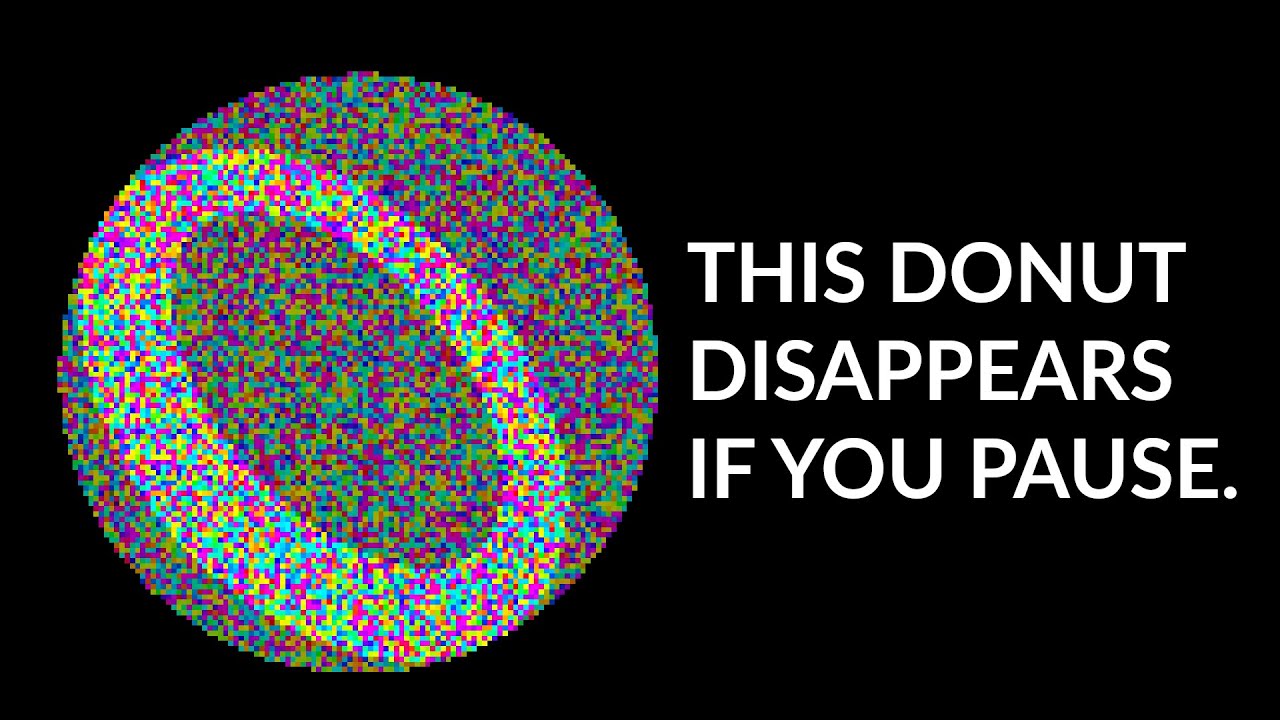
Jack kicks off the video with a striking visual premise: “If you go ahead and pause the video right now, the spinning donut will disappear.” The entire illusion relies on active motion camouflage within a shader. Because the underlying image is concealed inside shifting noise, pausing any individual frame reduces the scene to pure visual static, making the spinning 3D shape completely invisible. Jack notes that all project code is open source and hosted in a GitHub repository linked in the description, and promises a 3D pop-out trick at the very end of the video.
The fundamental mechanic behind this sliding noise illusion is straightforward and governed by two specific pixel rules. First, whenever a pixel is scheduled to move, it takes the value of an adjacent neighbor pixel. Second, if that neighboring pixel is not also slated to move, the shader assigns a random value instead. This critical secondary check ensures that a single pixel cannot be moved repeatedly across consecutive cycles. Without this rule, the screen would devolve into long, repeating smear patterns. By altering which adjacent neighbor is sampled, the shader can slide the noise across the screen in any arbitrary direction. Comparing this technique to his earlier work, Jack explains: “I like this effect a lot more than the one I showed off my previous video because it's a lot easier to look at.”
```mermaid flowchart TD accTitle: Pixel Sliding Decision Logic accDescr: Flowchart illustrating how moving pixels either copy an adjacent pixel or generate random noise to prevent visual artifacts. A["Pixel Scheduled to Move"] --> B{"Is neighboring pixel also moving?"} B -->|"Yes"| C["Copy Neighbor's Value"] B -->|"No"| D["Assign Random Value"] C --> E["Shift Display in Chosen Direction"] D --> E ```
[01:04](https://www.youtube.com/watch?v=Bg3RAI8uyVw&t=64s) Hue and Value Cycling with Color Channels
Jack expands the mechanic from monochrome noise into full color, noting that the underlying cycling logic closely mirrors the black-and-white shader covered in his previous video. The primary difference lies in the introduction of two separate cycling variables: value, which governs perceived brightness, and hue, which determines the color.
The shader maps these two variables directly across incoming color channels. The red channel controls value alone; pointing the camera at a pure red cube causes only the brightness values of the noise pixels to cycle while leaving the hue unchanged. Conversely, the green channel governs hue; pointing at a pure green cube shifts only the pixel colors without modifying brightness. When observing a yellow cube, both color and brightness cycle simultaneously because yellow light is composed of both red and green wavelengths. Users can fine-tune several properties within the shader settings, though Jack advises restraint: “There are also a few parameters that you can adjust, like the number of value steps, which I keep at two cuz any higher makes it look muddy.”
- **Value Modulation**: Driven strictly by the red color channel to shift pixel brightness. - **Hue Modulation**: Driven strictly by the green color channel to cycle chromatic hue. - **Composite Colors**: Objects reflecting multiple channels (like yellow) trigger both value and hue shifts simultaneously. - **Step Count**: Value steps are intentionally restricted to two steps to avoid visual muddiness.
[01:58](https://www.youtube.com/watch?v=Bg3RAI8uyVw&t=118s) Visual Demos: Outlines, Rate Matching, and Shimmying
With the core mechanics established, Jack showcases various visual behaviors and patterns that can be produced using the downloadable demo project. A striking phenomenon occurs when clearing the noise buffer while fixating on the spinning donut: the object appears to trace a persistent silhouette or outline of itself against the static field, which Jack describes as deeply satisfying to watch.
Movement perception can also be manipulated by adjusting how frequently the noise slides. Because the test donut rotates at a steady rate of exactly one revolution per second, setting the noise slide update rate to match that exact one-second interval creates a stroboscopic effect where the donut appears entirely stationary. Adding just a few lines of code enables directional oscillation—a rapid back-and-forth "shimmying" motion. Clearing the noise canvas under the colorful cycling mode causes complex geometric and chromatic patterns to emerge spontaneously, and tweaking the shader's hue steps and hue offset produces diverse palettes and vivid interference textures.
[03:23](https://www.youtube.com/watch?v=Bg3RAI8uyVw&t=203s) The Pulfrich 3D Effect with Sunglasses
To conclude the demonstration, Jack reveals a simple physical trick to transform the 2D sliding noise into a true stereoscopic 3D image using nothing more than a standard pair of sunglasses. Viewers are instructed to hold a single sunglass lens over their right eye while keeping both eyes open. As the scene plays, foreground text visibly pops out from the background screen plane.
This phenomenon is known as the Pulfrich effect, an optical illusion where a dark filter over one eye introduces a slight neural transmission delay to the brain, causing lateral motion across the visual field to be perceived as depth displacement. Jack highlights how cleanly the shader interacts with this optical quirk: “This is called the Pulfrich effect, and I found it works really well here.” The illusion functions effectively whenever the noise slides horizontally to the left, allowing viewers to rewind the video and observe the pop-out depth across earlier sections of the footage.
## Mentioned Branta Games, Jack, Pulfrich effect, Godot, GitHub, Baba Is You
## Video description DISCLAIMER: please watch this video on 1080p, even if your screen can't display resolutions this high. On lower resolutions the effect may not work.
The video has some artifacting because of video compression sadly. Luckily it doesn't hurt the effect and there is no issue when the effect is running on your pc.
Download the demo here: https://github.com/brantagames/noise-shader
More about the effect: https://youtu.be/TdTMeNXCnTs?feature=shared https://youtu.be/MuVqbnEXXIg?feature=shared
Cool video about the Pulfrich Effect: https://youtu.be/Q-v4LsbFc5c?feature=shared
Music used: Wall Is Stop - Baba Is You Soundtrack
#gamedev #godot #shaders
00:00 Intro 00:22 Sliding effect 01:04 Colorful cycling effect 01:58 Demos 02:08 Donut outline 02:20 Slow sliding 02:36 Shimmying 02:47 Colorful noise patterns 03:02 Hue steps and hue offset 03:23 The Very End
[Source](https://www.youtube.com/watch?v=Bg3RAI8uyVw)