Apple Unveils Siri Voice Assistant to Automate Daily iPhone Tasks
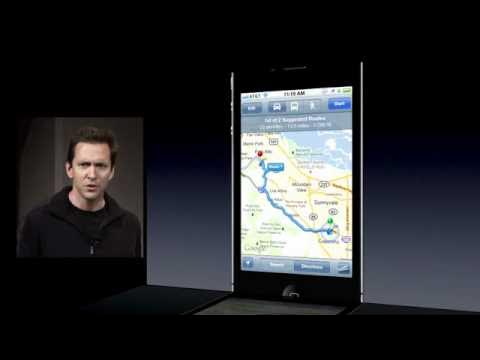
Siri Demo by Scott Forstall at Apple Special Event Oct. 4, 2011 — McLeonida

McLeonida

By interpreting user intent rather than rigid syntax and preserving context across core apps, Siri enables complete hands-free navigation and scheduling on the iPhone.

AI-assisted summary of Siri Demo by Scott Forstall at Apple Special Event Oct. 4, 2011 — original source. Check the original for full context.

Source published:

Key ideas

  • Apple unveiled Siri as a built-in intelligent assistant on iOS, activated via a long-press of the home button from any screen, including the lock screen. (0:00)
  • Siri moves beyond rigid keyword matching to infer semantic meaning and conversational context, handling multi-turn hands-free workflows across Messages and Calendar. (4:05)
  • Deep system integrations include Yelp for ranked local business search, Maps for turn-by-turn routing, and geofenced Reminders triggered upon departing specific locations. (2:00)
  • Computational and factual knowledge queries are directly powered by Wolfram Alpha and Wikipedia, providing instant definitions, currency conversions, and date calculations. (6:20)

Detailed notes

## Background Published on YouTube by McLeonida on October 5, 2011, this video captures Scott Forstall, Apple's Senior Vice President of iOS Software, demonstrating Siri during the Apple Special Event on October 4, 2011. The video description frames Siri as an intelligent personal assistant designed to help users accomplish daily tasks simply by asking.

## TL;DR Scott Forstall introduces Siri on stage, illustrating how holding the iPhone home button activates natural-language voice interactions that focus on context and meaning rather than rigid keywords. The live demonstration walks through everyday queries—including weather forecasts, world clocks, stock market updates, Yelp-ranked restaurant searches, and Maps navigation. Forstall also highlights hands-free workflows like reading incoming messages, checking calendar openings, and scheduling meetings, alongside geofenced reminders and computational knowledge powered by Wolfram Alpha.

## Atmosphere & style The presentation carries the polished, high-energy optimism of a classic Apple keynote, balanced by Scott Forstall's warm, conversational stage presence. The audience reacts with genuine amusement and applause when Siri delivers contextually clever answers, such as verifying the need for a raincoat on a rainy Cupertino morning. Watching the live demo feels like stepping into a pivotal historical turning point in consumer technology, where the boundary between robotic voice dictation and conversational artificial intelligence first began to dissolve.

## Bulletin - [00:00](https://www.youtube.com/watch?v=SpGJNPShzRc&t=0s) Apple unveiled Siri as a built-in intelligent assistant on iOS, activated via a long-press of the home button from any screen, including the lock screen. - [04:05](https://www.youtube.com/watch?v=SpGJNPShzRc&t=245s) Siri moves beyond rigid keyword matching to infer semantic meaning and conversational context, handling multi-turn hands-free workflows across Messages and Calendar. - [02:00](https://www.youtube.com/watch?v=SpGJNPShzRc&t=120s) Deep system integrations include Yelp for ranked local business search, Maps for turn-by-turn routing, and geofenced Reminders triggered upon departing specific locations. - [06:20](https://www.youtube.com/watch?v=SpGJNPShzRc&t=380s) Computational and factual knowledge queries are directly powered by Wolfram Alpha and Wikipedia, providing instant definitions, currency conversions, and date calculations.

## Key takeaways - [00:00](https://www.youtube.com/watch?v=SpGJNPShzRc&t=0s) Siri interprets natural language meaning rather than exact phrasing, answering conceptual weather questions such as whether an umbrella or raincoat is needed. - [01:00](https://www.youtube.com/watch?v=SpGJNPShzRc&t=60s) Native iOS integrations allow instant interaction with the World Clock for live international time cards and automated morning alarm configuration. - [01:30](https://www.youtube.com/watch?v=SpGJNPShzRc&t=90s) Financial market tracking supports real-time index monitoring, including the NASDAQ Composite and the Dow, as well as individual equity tickers. - [02:00](https://www.youtube.com/watch?v=SpGJNPShzRc&t=120s) Apple integrated Yelp data into Siri to return localized points of interest automatically ranked by customer reviews and ratings. - [03:00](https://www.youtube.com/watch?v=SpGJNPShzRc&t=180s) Maps integration parses natural destination queries, providing instant turn-by-turn routing and real-time traffic condition updates. - [04:05](https://www.youtube.com/watch?v=SpGJNPShzRc&t=245s) Siri supports hands-free operation suitable for Bluetooth headsets, enabling incoming message readouts without unlocking the device. - [05:00](https://www.youtube.com/watch?v=SpGJNPShzRc&t=300s) Conversational context retention allows Siri to infer recipient identity when a user says 'reply' following an incoming text. - [05:30](https://www.youtube.com/watch?v=SpGJNPShzRc&t=330s) Multi-step workflows enable checking calendar availability, sending responses, and creating scheduled events in a continuous voice exchange. - [06:20](https://www.youtube.com/watch?v=SpGJNPShzRc&t=380s) Reminders utilize relationship recognition, resolving familial terms like 'wife' based on previously learned contact associations. - [06:50](https://www.youtube.com/watch?v=SpGJNPShzRc&t=410s) Geofencing technology within Reminders triggers voice notifications when the device physically crosses a location perimeter, such as leaving a workplace. - [07:50](https://www.youtube.com/watch?v=SpGJNPShzRc&t=470s) A partnership with Wolfram Alpha equips Siri to solve complex computational queries, including live currency conversions and countdown calculations. - [09:25](https://www.youtube.com/watch?v=SpGJNPShzRc&t=565s) A built-in help guide outlines supported voice commands across Phone, Music, Mail, Notes, and Timers. - [11:00](https://www.youtube.com/watch?v=SpGJNPShzRc&t=660s) Apple positioned Siri's persona as a 'humble personal assistant' designed to travel everywhere with the user across iOS.

## Detailed walkthrough ### [00:00](https://www.youtube.com/watch?v=SpGJNPShzRc&t=0s) Natural Language Weather, Clocks, Stocks, and Local Search

Scott Forstall takes the stage to introduce Siri, describing how users can access the assistant at any time simply by holding down the home button on an iPhone for a couple of seconds. To demonstrate how the system moves beyond rigid voice commands, Forstall begins by asking, “What is the weather like today?” Siri immediately replies with the forecast, prompting Forstall to highlight that the assistant does not merely parse individual vocabulary words, but understands the actual meaning behind them: “Not only did it understand the words I said, it understands the meaning and it goes and gives me this weather forecast, but the exact words I say aren't important, it's the meaning behind the words.” To prove that the phrasing does not matter, he asks an alternative query, “What is the hourly forecast?”, and Siri successfully pulls up the daily breakdown. Pushing into more conceptual understanding, he asks, “Do I need a raincoat today?” Siri responds, “It sure looks like rain today,” which draws laughter and applause from the audience because it was raining outside the venue when attendees arrived. As Forstall explains, Siri understands the relationship between concepts like raincoats or umbrellas and the weather itself.

Forstall moves on to iOS application integrations, beginning with the World Clock and Alarms. When he asks, “What time is it in Paris?”, Siri immediately identifies Paris, France, reports that it is 8:16 p.m., and displays a live digital clock ticking down the seconds on-screen. Next, he requests, “Wake me up tomorrow at 6:00 a.m.,” and Siri automatically configures and toggles on the morning alarm. He highlights that Siri is accessible from anywhere on the device, including the lock screen. When querying the financial markets with “How is the NASDAQ doing today?”, Siri answers that the NASDAQ Composite is down at 2,321.7, showing the full stock card. Users can track broad indices like the NASDAQ or Dow, as well as specific individual tickers.

Turning to local search, Forstall announces Apple’s integration with Yelp. He queries, “Find me a great Greek restaurant in Palo Alto.” Siri returns 14 Greek restaurants, notes that five are located within Palo Alto, and automatically ranks them by Yelp review ratings. Forstall reflects on his own background to convey the engineering achievement: “Now I've been in the AI field for a long time, and this still blows me away: the fact that it understands the words, the concept, and even how now ranks it by Yelp's ordering.” Finally, he shows the Maps integration by asking, “Give me directions to Hoover Tower.” Siri parses the destination on the Stanford campus and opens Maps with turn-by-turn routing ready, noting that users can also ask for current traffic conditions around their location.

- **Trigger mechanism:** Long-press the home button for a couple of seconds from any screen, including the lock screen. - **Weather queries:** Siri interprets direct inquiries, hourly requests, and conceptual questions (e.g., raincoat or umbrella needs). - **Clock integration:** Shows live ticking World Clock interfaces for international cities and configures morning alarms on voice command. - **Stocks & Markets:** Displays real-time market indices (NASDAQ Composite, Dow) and individual equities. - **Yelp & Maps:** Surfaces localized POI searches ranked by ratings and generates directions to landmarks like Stanford’s Hoover Tower.

[04:05](https://www.youtube.com/watch?v=SpGJNPShzRc&t=245s) Hands-Free Contextual Messaging and Calendar Scheduling

Forstall highlights how Siri operates in scenarios where the iPhone remains locked inside a pocket, such as when using a Bluetooth headset. Simulating headset interaction via the home button, he asks, “Read my message.” Siri speaks out loud: “New message from Phil Schiller: when can we have lunch?” Rather than immediately typing or dictating a blind reply, Forstall decides he wants to see if Friday is open on his schedule before committing. Still operating completely hands-free, he asks, “Do I have any meetings Friday at noon?” Siri checks his iOS Calendar database and confirms, “You don't have anything on your calendar for this Friday at 12:00 p.m.”

Confident in his availability, Forstall issues the command, “Reply, I can do Friday.” Siri transcribes the message, displays the draft, and prompts, “Here's your reply to Phil Schiller, ready to send it?” Forstall emphasizes the conversational context retention of the assistant: “Siri is following along the conversation just like a human does and knows when I said 'reply', I meant Phil.” Once he confirms by voice, Siri sends the message. To wrap up the thread, Forstall tells Siri, “Schedule lunch on Friday at noon with Phil Schiller.” Siri structures a calendar invite titled lunch with Phil Schiller for Friday at 12:00 p.m., asks for confirmation, and posts the event directly to the calendar. Forstall underscores the fluid productivity of this multi-step flow: “I had it read me my message, I checked my calendar, I dictated my response, and scheduled it, all hands-free just by talking to my iPhone, just by talking to Siri.”

```mermaid flowchart TD accTitle: Hands-Free Messaging and Calendar Flow accDescr: Step-by-step diagram showing Siri processing an incoming message, checking calendar availability, sending a reply, and scheduling an event.

subgraph Incoming ["Step 1: Message Notification"] A["Incoming iMessage/SMS from Phil Schiller"] --> B["User presses Bluetooth button: 'Read my message'"] B --> C["Siri reads message: 'When can we have lunch?'"] end

subgraph Context ["Step 2: Checking Schedule"] C --> D["User asks: 'Do I have any meetings Friday at noon?'"] D --> E["Siri queries iOS Calendar: Confirms free slot"] end

subgraph Action ["Step 3: Replying & Scheduling"] E --> F["User says: 'Reply, I can do Friday'"] F --> G["Siri infers Phil Schiller as recipient and sends message"] G --> H["User says: 'Schedule lunch on Friday at noon with Phil Schiller'"] H --> I["Siri schedules event on Calendar with confirmation"] end ```

[06:20](https://www.youtube.com/watch?v=SpGJNPShzRc&t=380s) Geofenced Reminders, Wikipedia, and Wolfram Alpha Computations

Transitioning to task management, Forstall explains how Siri deeply ties into the newly announced Reminders application, specifically utilizing relationship knowledge and location-based geofences. He instructs, “Remind me to call my wife when I leave work.” Because Siri previously learned who his wife was in an earlier setup conversation, it maps the contact relationship without requiring a specific name. It then establishes a geofence perimeter around his office at Apple headquarters: when his phone detects him physically departing the campus, it triggers the reminder notification.

Forstall also shows Siri's search and knowledge integrations. A quick query—"Search Wikipedia for Neil Armstrong"—launches Safari directly into the Wikipedia entry for the astronaut. Beyond basic web scraping, Apple partnered with computational knowledge engine Wolfram Alpha to answer technical, factual, and mathematical queries. Forstall demonstrates vocabulary definitions by asking, “Define mitosis.” Siri consults Wolfram Alpha and reads the definition: “Cell division in which the nucleus divides into nuclei containing the same number of chromosomes.”

Next, Forstall explores currency conversions and dates. He poses a travel scenario where an item in Europe costs €45 and asks, “How many dollars is 45 euros?” Siri retrieves real-time exchange rates, announces that €45 equals $59.50, and displays a graphical card showing historical exchange trends alongside conversion rates for other major currencies. Forstall then shares a common parenting dilemma: “Now, one of my favorite things is, you know, sometimes your kids will ask how many days is it until my birthday or how many days is it until Christmas? It's not an easy thing to calculate, but now you just ask your phone.” Asking “How many days are there until Christmas?”, Siri returns the exact answer of 82 days, prompting Forstall to joke that it is time to get shopping.

- **Relationship resolution:** Identifies contacts through familial tags (e.g., “wife”) saved from previous user interactions. - **Geofenced Reminders:** Establishes automatic location triggers (e.g., departing Apple’s campus). - **Wolfram Alpha computations:** Provides dictionary definitions (mitosis), live currency conversions (€45 to USD), and calendar countdown calculations. - **Web references:** Launches deep-linked searches directly into Safari and Wikipedia articles.

[09:25](https://www.youtube.com/watch?v=SpGJNPShzRc&t=565s) Siri Help Guide, Broad System Capabilities, and Closing Persona

Addressing the sheer scope of the assistant, Forstall acknowledges that users might wonder how to navigate everything Siri can do. While noting that the system is not capable of answering every question in existence, Apple built a visual guide into the interface to assist users. When activating Siri, a small "info" (`i`) button appears on the right edge of the interface. Tapping it opens an overview listing the assistant's supported domains and example commands.

Forstall scrolls through the guide, detailing the breadth of voice control across iOS: - **Phone:** Voice dialing contacts by speaking their names. - **Music:** Playing specific artists, albums, and genres (such as rap or classical), as well as streaming or downloading tracks stored in iTunes in the Cloud. - **Messages & Mail:** Dictating, sending, and reading SMS, iMessages, and emails. - **Calendar & Reminders:** Reviewing, creating, moving, and canceling appointments and to-do items. - **Maps, Weather & Stocks:** Checking traffic conditions, driving routes, weather forecasts, and stock market portfolios. - **Clock & Timers:** Configuring alarms and setting countdown timers (e.g., setting a 30-minute baking timer). - **Notes, Contacts & Web:** Creating text notes, looking up address book details, running Wikipedia searches, and querying computational knowledge from Wolfram Alpha.

To conclude the demonstration, Forstall addresses the personality of the software. He activates the microphone and asks, “Who are you?” Siri answers through the speaker: “I am a humble personal assistant.” Forstall smiles and closes the presentation: “Siri is your humble, intelligent personal assistant that goes everywhere with you and can do things for you just by you asking.”

## Notable quotes > [09:25](https://www.youtube.com/watch?v=SpGJNPShzRc&t=565s) Siri is your humble, intelligent personal assistant that goes everywhere with you and can do things for you just by you asking. — Scott Forstall

## Mentioned Apple, Scott Forstall, Siri, iPhone, Phil Schiller, Yelp, Wolfram Alpha, Wikipedia, Neil Armstrong, Hoover Tower, Stanford University, NASDAQ, Dow Jones Industrial Average, Safari, iTunes in the Cloud

## Video description Siri Demo by Scott Forstall (Senior Vice President iOS Software) at Apple Special Event 2011.10.4

Siri: your intelligent assistant that helps you get things done just by asking.

[Source](https://www.youtube.com/watch?v=SpGJNPShzRc)

中文简报

苹果推出Siri语音助手以实现日常iPhone任务自动化 通过理解用户意图而非僵硬语法,并保留跨核心应用的上下文,Siri让iPhone实现全程免提导航与日程安排。 Scott Forstall在舞台上介绍了Siri,演示了如何通过按住iPhone主屏幕按钮激活自然语言语音交互;该交互注重语境与含义,而非死板的关键词。现场演示涵盖了日常查询场景——包括天气预报、世界时钟、股市行情、基于Yelp排名的餐馆搜索以及地图导航。Forstall还重点展示了免提工作流,如朗读收到的信息、查看日历空闲时间、安排会议,以及基于地理围栏的提醒事项和由Wolfram Alpha支持的计算知识功能。 苹果推出Siri作为iOS的内置智能助手,用户可在包括锁屏在内的任意界面长按主屏幕按钮将其激活。 (0:00) Siri突破了死板的关键词匹配限制,能够推断语义与对话语境,并支持跨信息与日历的多轮免提操作流程。 (4:05) 其深度系统集成包括支持本地商户排名搜索的Yelp、提供逐步路线导航的地图,以及在离开特定位置时触发的地理围栏提醒事项。 (2:00) 计算与事实知识查询由Wolfram Alpha和维基百科直接支持,可即时提供词汇定义、汇率换算以及日期推算。 (6:20)

Reading summary

At Apple's October 4, 2011 Special Event, Scott Forstall introduced Siri as a natural-language assistant designed to discern semantic meaning and context rather than depend on rigid voice commands. Through integrations across iOS core tools and external web services, the system was presented as a hands-free personal assistant capable of executing multi-step tasks. Natural Language Processing and Semantic Search (0:00) Siri was designed to move beyond rigid keyword parsing to interpret the underlying meaning of spoken phrasing. In weather queries, Forstall demonstrated that phrasing variations—from standard daily or hourly requests to conceptual questions such as asking if a raincoat is needed—reliably return relevant forecasts based on context. Forstall, citing his background in artificial intelligence, argued that understanding conceptual intent represents a major engineering milestone. Beyond basic device queries, the assistant pairs semantic parsing with external domain databases. Demonstrating local search via a partnership with Yelp, Siri parsed a request for Greek restaurants in Palo Alto, filtered results by city boundaries, and automatically sorted the venues by Yelp review ratings. In navigation, Siri resolved landmark queries like Stanford's Hoover Tower and passed them to the Maps app to prepare turn-by-turn routing. Conversational Context in Hands-Free Workflows (4:05) Forstall demonstrated Siri's ability to retain context across sequential actions, highlighting scenarios where an iPhone remains locked in a pocket while accessed through a Bluetooth headset. When presented with an incoming message from Phil Schiller asking about lunch, Forstall checked his Friday calendar availability through Siri without manually launching the Calendar application or typing. Because the assistant tracked the ongoing conversational context, Forstall was able to state "Reply, I can do Friday" without re-identifying Schiller as the recipient. Siri transcribed the response, inferred the correct contact, and then scheduled a matching calendar appointment for Friday at noon upon voice confirmation, executing a multi-step communication and productivity workflow purely through voice. Relational Data, Geofencing, and Computational Intelligence (6:20) Siri incorporates relational contact knowledge and device sensors to handle task automation. By mapping previously designated familial roles, the assistant can execute instructions like reminding a user to call their wife without requiring a specific contact name. Combined with location tracking in the Reminders application, Siri can establish geofences around physical coordinates—such as Apple's campus—to trigger reminders precisely when the device departs. For computational and factual requests, Apple integrated the computational knowledge engine Wolfram Alpha alongside standard Wikipedia lookups. Forstall showed that Siri can provide dictionary definitions for scientific terms like mitosis, calculate real-time foreign exchange conversions (determining that €45 equaled $59.50 alongside historical trend data), and compute calendar countdowns such as the exact 82 days remaining until Christmas. Core System Coverage and Discoverability (9:25) Siri integrates across primary iOS apps, supporting voice dialing in Phone, genre- or artist-based playback in Music via iTunes in the Cloud, email dictation, alarm and timer setup in Clock, and stock tracking for major indices and equities. To help users navigate these voice capabilities without having to guess supported syntax, Apple embedded a visual guide accessible via an info button on the Siri interface, which outlines sample commands across each supported system application. Forstall concluded by positioning Siri as a "humble, intelligent personal assistant" that travels with the user across daily environments. While the keynote demonstrated broad competence across scheduling, navigation, and computation, the presentation did not address how consistently the natural-language processing functions when confronted with background noise, diverse accents, or weak network connectivity.

精炼阅读摘要

在2011年10月4日的苹果特别发布会上,Scott Forstall正式介绍了智能个人助理Siri。他展示了Siri如何超越死板的语音指令,通过理解自然语言、保留对话上下文以及深度整合iOS系统与外部服务,协助用户完全免提地处理日常任务。 自然语言理解与上下文关联能力 (0:00) Forstall强调,Siri的核心优势在于能够理解用户的真实意图,而非仅仅匹配特定的关键词。例如,当用户询问“今天需要雨衣吗?”时,Siri能够理解雨衣与下雨之间的逻辑关联,并结合当地天气给出“今天看起来确实要下雨”的智能回答。此外,Siri还具备出色的上下文保留能力。在短信互动中,当用户在查询日程后发出“回复,我周五可以”的指令时,Siri能够像人类对话一样,自动推断出“回复”的对象是上一条短信的发件人Phil Schiller,从而实现流畅的连续对话。 免提多步骤工作流与系统深度集成 (4:05) 演示展示了Siri在手机锁屏或放于口袋(如使用蓝牙耳机)等场景下的完全免提操作能力。Forstall演示了一个连贯的高效工作流:首先让Siri朗读Phil Schiller发来的短信,接着查询周五中午是否有会议,在确认日程空闲后口头回复短信,并直接创建周五中午与Phil共进午餐的日历日程,整个过程无需任何手动操作。此外,Siri还深度集成了世界时钟(可显示巴黎时间并设置早上6点的闹钟)、股市(查询纳斯达克指数及个股)和地图导航(提供前往斯坦福胡佛塔的路线并支持查询路况)。 关系解析与地理围栏智能提醒 (6:20) Siri与iOS的“提醒事项”应用深度结合,支持基于人际关系和地理位置的智能提醒。Forstall演示了“在我下班离开时提醒我给妻子打电话”的指令。Siri能够通过此前设置的联系人关系,自动识别“妻子”对应的具体联系人,而无需用户说出具体姓名。同时,Siri利用GPS定位在苹果总部办公室周围建立地理围栏,一旦检测到用户物理上离开该区域,就会自动触发电话提醒,展示了极高的实用性。 外部知识检索与计算引擎集成 (6:20) 为了扩展知识问答能力,苹果将Siri与Yelp、维基百科及计算知识引擎Wolfram Alpha进行了集成。在本地搜索中,Siri能查找帕罗奥图的希腊餐馆,并自动按Yelp评分进行排序。在知识查询方面,Siri可以直接调用维基百科展示宇航员阿姆斯特朗的信息,或通过Wolfram Alpha提供学术定义(如“有丝分裂”)、实时汇率换算(如45欧元折合59.50美元并展示历史走势图)以及复杂的日期计算(如计算距离圣诞节还有82天)。 尽管Siri功能广泛,涵盖电话、音乐、邮件、日历等多个iOS原生应用,但Forstall也坦承它并非无所不知。为此,苹果在界面中设计了帮助指南(点击“i”图标即可查看支持的指令范围)。Siri最终被定位为一个随身携带、随时待命的“谦逊且智能的个人助理”。

Detailed notes — zh

## Background 该视频由 YouTube 频道 McLeonida 于 2011 年 10 月 5 日发布,记录了苹果公司 2011 年 10 月 4 日秋季新品发布会的现场片段。根据页面介绍,内容为 iOS 软件高级副总裁斯科特·福斯托尔(Scott Forstall)亲自演示智能语音助手 Siri,介绍其如何通过语音交互帮助用户高效处理各项日常事务。 ## TL;DR 在本次发布会演示中,福斯托尔全方位展示了 Siri 的核心能力与技术突破。演示从理解“今天需要雨衣吗”这类自然语言隐性需求切入,展示了 Siri 与系统时钟、股市、地图及 Yelp 等第三方服务的无缝协同。随后,福斯托尔展示了全免提模式下的短信读取、上下文连续对话与日程新建,以及结合地理围栏的离职提醒功能。最后,福斯托尔演示了 Siri 整合 Wolfram Alpha 进行知识计算与词汇释义的强大功能,并系统盘点了其支持的各类系统任务,标志着智能手机交互进入自然语言驱动的新时代。 ## Atmosphere & style 整个演示洋溢着划时代创新带来的惊叹与前沿科技感。福斯托尔的演讲风格从容自信、逻辑严密,带着多年深耕 AI 领域的真诚热情与难以掩饰的自豪感。伴随着现场一次次即时流畅的语音交互与 Siri 富有人性化的机智应答,台下不断爆发热烈的掌声与笑声,现场氛围既像是一场颠覆人机交互的奇迹见证,又充满了苹果经典发布会标志性的严谨与温度。 ## Bulletin - [00:00](https://www.youtube.com/watch?v=SpGJNPShzRc&t=0s) 苹果在 2011 年秋季发布会上正式推出智能个人助理 Siri,通过长按 Home 键激活,强调突破机械式关键词匹配,实现基于自然语言意图的上下文理解。 - [01:35](https://www.youtube.com/watch?v=SpGJNPShzRc&t=95s) Siri 实现了与 iOS 原生应用(时钟、股市、地图、日历、提醒事项)及 Yelp、Wolfram Alpha 等外部数据服务的端到端深度整合。 - [04:05](https://www.youtube.com/watch?v=SpGJNPShzRc&t=245s) 演示展示了佩戴蓝牙耳机下的全免提闭环操作,Siri 能够跨应用维持对话上下文,串联信息读取、日历排查、短信回复与会议创建流程。 - [06:20](https://www.youtube.com/watch?v=SpGJNPShzRc&t=380s) 结合关系链与地理围栏(Geo-fence)技术,Siri 具备在特定位置(如离职离开园区)触发精准提醒事项的位置感知能力。 ## Key takeaways - [00:00](https://www.youtube.com/watch?v=SpGJNPShzRc&t=0s) 长按 Home 键随时呼出 Siri,确立了语音助理在移动操作系统中的全局一级交互入口地位。 - [00:00](https://www.youtube.com/watch?v=SpGJNPShzRc&t=0s) 从单纯字面语音识别转向自然语言理解(NLU),能将“需要雨衣吗”等隐性提问自动映射为降雨概率与天气预报需求。 - [01:35](https://www.youtube.com/watch?v=SpGJNPShzRc&t=95s) 系统级原生应用深度协同,涵盖跨时区动态时钟展示、语音设定闹钟以及纳斯达克大盘与个股实时查询。 - [01:35](https://www.youtube.com/watch?v=SpGJNPShzRc&t=95s) 接入 Yelp 结构化数据,支持基于品类与地理位置的自然语言餐馆检索,并自动按商户评分排序呈现。 - [01:35](https://www.youtube.com/watch?v=SpGJNPShzRc&t=95s) 集成苹果地图实现一键地标路线导航与实时路况查询,打通语音指令到地理出行的操作链路。 - [04:05](https://www.youtube.com/watch?v=SpGJNPShzRc&t=245s) 构建全免提交互闭环,配合蓝牙耳机即可在不看屏幕的情况下完成短信收听、日程确认与短信发送。 - [04:05](https://www.youtube.com/watch?v=SpGJNPShzRc&t=245s) 具备跨轮次对话上下文追踪能力,在说出“回复”时能自动绑定前序发信人 Phil Schiller 而无需用户重复姓名。 - [06:20](https://www.youtube.com/watch?v=SpGJNPShzRc&t=380s) 结合通讯录关系链与地理围栏(Geo-fence),实现基于位置变动(如离开公司)触发的智能提醒。 - [06:20](https://www.youtube.com/watch?v=SpGJNPShzRc&t=380s) 深度整合 Wolfram Alpha 计算知识引擎,支持即时生物学词典定义查询、实时汇率计算及日期倒计时推算。 - [06:20](https://www.youtube.com/watch?v=SpGJNPShzRc&t=380s) 支持维基百科语音直达搜索,免去手动输入与翻查步骤,快速呈现实体知识词条。 - [09:22](https://www.youtube.com/watch?v=SpGJNPShzRc&t=562s) 界面内置“i”信息指南,系统化盘点语音拨号、音乐控制、邮件起草、倒计时定时器等全套能力边界。 - [09:22](https://www.youtube.com/watch?v=SpGJNPShzRc&t=562s) 将 Siri 定位为拟人化的“谦逊的个人助理”,确立了随身陪伴、语音直达行动的服务型 AI 助手愿景。 ## Detailed walkthrough ### [00:00](https://www.youtube.com/watch?v=SpGJNPShzRc&t=0s) 天气与自然语言理解演示 iOS 软件高级副总裁斯科特·福斯托尔(Scott Forstall)登台,向现场观众正式展示 Siri。福斯托尔介绍道,用户在任何时候只需长按 Home 键数秒,Siri 就会启动并开始倾听。他随即进行了第一个演示,询问当前天气:“今天天气怎么样?”(What is the weather like today?)。Siri 迅速响应并调出了当天的天气预报。福斯托尔强调,这不仅仅是字面识别,更关键在于理解背后的含义。 为了证明 Siri 并非单纯匹配死板的预设关键词,福斯托尔换了一种表达方式提问:“每小时天气预报是怎样的?”(What is the hourly forecast?),Siri 同样准确给出了当天的天气。随后,他进一步抛出了更具概念性的问题:“我今天需要雨衣吗?”(Do I need a raincoat today?)。Siri 结合现场正在下雨的实际情况回答:“今天看起来确实会下雨”(It sure looks like rain today)。福斯托尔对此总结道:“Not only did it understand the words I said, it understands the meaning and it goes and gives me this weather forecast but the exact words I say aren't important, it's the meaning behind the words.” 他指出,Siri 能理解“雨衣”、“雨伞”等概念与天气之间的关联,从而直接回答用户的隐性需求。 ### [01:35](https://www.youtube.com/watch?v=SpGJNPShzRc&t=95s) 系统工具与第三方服务深度整合(时钟、股市、Yelp 与地图) 除了天气,Siri 还与 iOS 系统的诸多核心功能以及外部服务进行了深度集成。福斯托尔首先演示了时钟功能,询问:“巴黎现在几点?”(What time is it in Paris?)。Siri 播报时间为晚上 8 点 16 分,并在屏幕上呈现出带有跳动秒针的实时动态时钟。接着,他直接通过语音设定闹钟:“明天早上 6 点叫醒我”(Wake me up tomorrow at 6:00 a.m.),Siri 随即确认已设定好清晨 6 点的闹钟。在股市应用方面,福斯托尔在锁屏等任意界面下查询:“今天纳斯达克表现如何?”(How is the NASDAQ doing today?),Siri 立即回报纳斯达克综合指数当前下跌至 2321.7 点;用户不仅能查大盘指数,还能查询具体个股。 随后,福斯托尔展示了与 Yelp 的合作成果。他向 Siri 发出指令:“在帕洛阿尔托给我找一家很棒的希腊餐厅”(Find me a great Greek restaurant in Palo Alto)。Siri 检索后回复找到了 14 家希腊餐厅,其中 5 家位于帕洛阿尔托,并已自动按照评分高低排序。长期从事人工智能研究的福斯托尔由衷感叹道:“Now I've been in the AI field for a long time and this still blows me away.” 紧接着,他演示了地图集成功能,请求前往斯坦福大学校园的地标:“给我去胡佛塔的路线”(Give me directions to Hoover Tower)。Siri 准确识别意图,直接跳转至地图界面规划好路线,福斯托尔补充说明用户同样可以随时向其查询周边的路况。 ### [04:05](https://www.youtube.com/watch?v=SpGJNPShzRc&t=245s) 全程免提交互:短信读取、日程确认与回复发送 福斯托尔重点演示了在手机放在口袋中、佩戴蓝牙耳机时的全免提使用场景。当收到短信或 iMessage 时,用户无需掏出手机,只需按下蓝牙耳机的按键即可发出指令。福斯托尔在现场模拟了这一流程,向 Siri 发出指令:“读我的信息”(Read my message)。Siri 播报:“收到来自菲尔·席勒(Phil Schiller)的新信息:我们什么时候一起吃午饭?”(New message from Phil Schiller: when can we have lunch?)。 收到邀约后,福斯托尔希望约在周五,便在免提状态下直接查询日历:“我周五中午有会吗?”(Do I have any meetings Friday at noon?)。Siri 检查日程后回应当前周五中午 12 点没有任何安排。福斯托尔随即发出指令回复菲尔·席勒,他并没有重复对方的全名,仅仅说了一句:“回复,周五可以”(Reply, I can do Friday)。Siri 成功将该上下文与菲尔·席勒绑定,并生成好短信内容等待确认。福斯托尔点评道:“Siri is following along the conversation just like a human does and knows when I said reply, I meant Phil.” 最后,福斯托尔口述指令:“安排周五中午和菲尔·席勒吃午饭”(Schedule lunch on Friday at noon with Phil Schiller),经口头确认后,会议被完整记录在日历中,整个过程无需手动触控。 ```mermaid flowchart TD accTitle: 全免提交互工作流 accDescr: 展示用户通过语音与 Siri 进行收信、查日历、回复与安排日程的全过程 subgraph STAGE1["接收与查阅"] A["蓝牙耳机/Home 键触发"] --> B["指令:'读我的信息'"] B --> C["Siri 朗读来自 Phil 的午餐邀约"] end subgraph STAGE2["上下文与日历协同"] C --> D["指令:'我周五中午有会吗?'"] D --> E["Siri 确认日历中午无安排"] E --> F["指令:'回复,周五可以' (自动关联上下文)"] end subgraph STAGE3["确认与日程创建"] F --> G["语音确认发送短信"] G --> H["指令:'安排周五中午和 Phil 的午餐'"] H --> I["日历日程创建完毕"] end ``` ### [06:20](https://www.youtube.com/watch?v=SpGJNPShzRc&t=380s) 地理围栏提醒、维基百科与 Wolfram Alpha 知识库集成 接着,福斯托尔展示了提醒事项(Reminders)与 Siri 的结合。利用上下文与位置感知能力,福斯托尔下达指令:“当我离开公司时提醒我给妻子打电话”(Remind me to call my wife when I leave work)。Siri 结合此前已知的家庭关系信息,并针对工作地点(苹果园区)建立了一个地理围栏(Geo-fence),确认在福斯托尔离职离开苹果园区时触发通知。在网络搜索方面,福斯托尔演示了语音检索维基百科:“在维基百科上搜索尼尔·阿姆斯特朗”(Search Wikipedia for Neil Armstrong),Siri 迅速打开 Safari 并直接跳转至对应页面。 福斯托尔随后重点介绍了与计算知识引擎 Wolfram Alpha 的深度合作: - **词典查询**:福斯托尔发出指令“定义有丝分裂”(Define mitosis),Siri 调出 Wolfram Alpha 的内置词典,朗读并展示了生物学定义:“有丝分裂:细胞分裂过程中细胞核分裂成含有相同数量染色体的子细胞核”。 - **实时汇率换算**:模拟在欧洲购物的情境,提问“45 欧元是多少美元?”(How many dollars is 45 euros?),Siri 实时查询汇率,给出约 59.05 美元的计算结果,同时附带了历史汇率走势图及转换为其他主流货币的对照表。 - **倒计时推算**:针对孩子们常问的节假日倒计时,福斯托尔询问“距离圣诞节还有多少天?”(How many days are there until Christmas?),Siri 立即计算并作答:“距离圣诞节还有 82 天”。 ### [09:22](https://www.youtube.com/watch?v=SpGJNPShzRc&t=562s) 内置功能指南与 Siri 的自我介绍 为了让用户了解 Siri 的能力边界,苹果在界面中内置了帮助指南。用户在呼出 Siri 界面后,只需点击右侧的信息图标(“i”按钮),即可浏览完整的功能说明列表。福斯托尔在现场逐一盘点了 Siri 支持的各种任务与场景: - **语音拨号**:直接呼叫通讯录中的联系人名字。 - **音乐控制**:按艺术家、专辑播放音乐,从 iTunes 云端下载并播放单曲,或直接按流派播放(例如播放说唱音乐或古典音乐)。 - **信息与日程管理**:收发短信与 iMessage;通过语音安排、查看、移动或取消日程会议。 - **系统工具协同**:集成提醒事项与地图(查询路线与路况);通过语音口述与起草电子邮件;查询天气与股票;时钟应用中除了设置闹钟外,还支持倒计时定时器(如烤箱烘焙设定 30 分钟计时);查阅通讯录与创建备忘录;结合维基百科与 Wolfram Alpha 回答各类知识问题。 在演示的尾声,福斯托尔向这位全新的语音助手问出了极具标志性的问题:“你是谁?”(Who are you?)。Siri 用拟人的语调回答道:“我是一名谦逊的个人助理”(I am a humble personal assistant)。福斯托尔以此为演示收尾,面向全场观众总结道:“Siri is your humble, intelligent personal assistant that goes everywhere with you and can do things for you just by you asking.” ## Notable quotes > [00:00](https://www.youtube.com/watch?v=SpGJNPShzRc&t=0s) Not only did it understand the words I said, it understands the meaning and it goes and gives me this weather forecast but the exact words I say aren't important, it's the meaning behind the words. — Scott Forstall > [09:22](https://www.youtube.com/watch?v=SpGJNPShzRc&t=562s) Siri is your humble, intelligent personal assistant that goes everywhere with you and can do things for you just by you asking. — Scott Forstall ## Mentioned Scott Forstall, Siri, Phil Schiller, iOS, Apple, Yelp, Hoover Tower, Wolfram Alpha, Wikipedia, Neil Armstrong, Safari, iTunes, NASDAQ ## Video description Siri Demo by Scott Forstall (Senior Vice President iOS Software) at Apple Special Event 2011.10.4 Siri: your intelligent assistant that helps you get things done just by asking. [Source](https://www.youtube.com/watch?v=SpGJNPShzRc)

Source quotes

[0:00] Scott Forstall: Not only did it understand the words I said, it understands the meaning and it goes and gives me this weather forecast but the exact words I say aren't important, it's the meaning behind the words. [9:22] Scott Forstall: Siri is your humble, intelligent personal assistant that goes everywhere with you and can do things for you just by you asking.

Source quotes

[9:25] Scott Forstall: Siri is your humble, intelligent personal assistant that goes everywhere with you and can do things for you just by you asking.

Original transcript

[0:00] [Applause] [0:05] I'm really excited to show you [0:10] Siri you can get to Siri uh at any time [0:13] just by holding down the home button for [0:15] a couple seconds and then Siri's [0:17] listening to you so let's go ahead and [0:19] ask Siri about the [0:22] weather what is the weather like [0:26] [Music] [0:28] today here's the the forecast for [0:31] today it is that [0:39] easy not only did it understand the [0:42] words I said it understands the meaning [0:45] and it goes and gives me this weather [0:47] forecast but the exact words I say [0:49] aren't important it's the meaning behind [0:52] the words so I could ask this in a [0:54] completely different way something [0:56] like what is the hourly forecast [1:00] [Music] [1:02] here's the weather for today again [1:06] different words Siri figures out the [1:08] meaning in fact you can even ask more [1:10] conceptual questions things [1:13] like do I need a raincoat [1:18] today it sure looks like rain [1:27] today and you saw as you came in it was [1:29] raining so it understands the concept of [1:31] raincoat and umbrella and other thing [1:33] and it knows how that relates to weather [1:35] and answers the question so we've [1:37] integrated in with weather we've [1:39] integrated in with all sorts of things [1:42] an iOS so let me go and ask you a [1:44] question using the clock something [1:47] like what time is it in [1:52] Paris the time in Paris France is 8:16 [1:55] p.m. so again it recognized the words [1:59] understood the mean meaning and then [2:00] comes back with this live clock ticking [2:03] down the seconds showing what time it is [2:05] in Paris but you can ask other questions [2:08] like let's say you need to set an alarm [2:10] clock just ask [2:12] Siri wake me up tomorrow at 6:00 [2:18] a.m. okay I set it 4 6 [2:21] a.m. it's that [2:28] easy again we've integrated with lots of [2:31] things we've integrated with the stocks [2:32] so you can ask it about the stock market [2:34] something like how is the NASDAQ doing [2:40] today NASDAQ Composite is down right now [2:43] at [2:45] 23217 and again you can ask this from [2:47] the lock screen anywhere just press the [2:49] button ask you can ask about you know [2:50] the NASDAQ the Dow or any specific stock [2:52] as well we've also partnered with Yelp [2:56] and so you can ask questions about [2:57] businesses or restaurants something [3:00] like find me a great Greek restaurant in [3:05] [Music] [3:08] paloalto I found 14 Greek restaurants [3:11] five of them are in paloalto I've sorted [3:13] them by [3:22] rating now I've been in the AI field for [3:24] a long time and this still blows me away [3:27] the fact that it understands the words [3:29] the concept [3:30] and even how now ranks it by yelp's [3:33] ordering we've also integrated in with [3:35] maps so you can just ask Siri for [3:38] directions let's say I want to go to [3:40] Hoover tower on the Stanford campus all [3:42] I say [3:44] is give me directions to Hoover [3:48] [Music] [3:50] Tower here are directions to Hoover [3:54] Tower so again it recognized what I [3:57] meant it found Hoover Tower takes me [3:59] right to maps shows me the directions [4:01] you can even ask for things like you [4:02] know what's the traffic around here now [4:05] sometimes your phone is is locked in [4:07] your pocket and you're in a hands-free [4:09] environment so you might have a [4:10] Bluetooth headset on and you receive a [4:13] text message or an iMessage and you hear [4:16] it come in but it's in your pocket and [4:18] you don't want to take it out of your [4:20] pocket so with Siri you can just ask [4:23] Siri to read it to you so you can just [4:26] press on that button on the Bluetooth [4:27] headset I'll simulate it by pressing the [4:28] home button here but this can all be [4:30] done handsfree and just ask [4:33] Siri read my [4:37] message new message from Phil [4:40] Schiller when can we have lunch so it [4:43] reads it handsfree to me you can reply [4:47] or read it again so before I reply I [4:50] think I want to have lunch on Friday [4:52] handsfree now I can just ask Siri about [4:54] my calendar I can ask [4:57] it do I have any meetings Frid Friday at [5:02] noon you don't have anything on your [5:04] calendar for this Friday at 12: p.m. [5:07] fantastic so let me go ahead and reply [5:09] to Phil now that I can make [5:10] it reply I can do [5:15] Friday here's your reply to Phil [5:18] Schiller ready to send it I can uh [5:21] respond with my voice or I just tap on [5:23] the buttons so I'll go ahead and respond [5:24] okay I'll send your message now you [5:27] noticed I said reply I didn't say reply [5:29] to Phil Schiller Siri is following along [5:32] the conversation just like a human does [5:34] and knows when I said reply I met [5:36] Phil now let me go ahead again all [5:39] handsfree and schedule that lunch just [5:41] by talking to my [5:44] phone schedule lunch on Friday at noon [5:46] with Phil [5:50] Schiller okay I set up your meeting with [5:52] Phil Schiller for this [5:55] Friday are you ready for me to schedule [5:57] it Go and confirm that [6:00] okay I scheduled your meeting with Phil [6:02] Schiller for this Friday now again this [6:04] is blowa away I had it read me my [6:07] message I checked my calendar I dictated [6:10] my response and scheduled it all [6:13] handsfree just by talking to my iPhone [6:15] just by talking to Siri but there's [6:20] more I told you about the reminders app [6:22] earlier the reminders is integrated [6:24] perfectly with Siri so you can create a [6:26] reminder just like this [6:29] remind me to call my wife when I leave [6:33] [Music] [6:35] work here's your reminder for when you [6:37] leave [6:38] work shall I create it sure let's [6:41] confirm that okay I'll remind you so [6:44] again in an earlier conversation it [6:46] asked me who my wife was and now it [6:47] knows and so I just say you know remind [6:50] me about my wife it's now set up a [6:52] geofence around work in this case Apple [6:55] for me when I leave Apple it'll put up [6:57] an alert reminding me to call my wife [7:00] it's amazing we've also integrated in [7:03] with web searches you can search things [7:05] like Wikipedia just by talking to it so [7:07] let's say you're learning about the [7:09] space program and you want to look up [7:10] Neil Armstrong just take out your phone [7:13] and ask [7:14] Siri search Wikipedia for Neil [7:19] Armstrong searching for Neil [7:24] Armstrong so again it's that fast to [7:27] look something up it takes me right to [7:29] Safari right to the article in [7:32] Wikipedia now we've also partnered with [7:35] wolf from Alpha and they have all sorts [7:37] of information you can ask questions [7:39] about in fact they have an entire [7:41] dictionary built in so now to define a [7:43] word it's as easy as asking Siri to [7:46] Define it like [7:49] this Define [7:53] [Music] [7:54] mitosis let me think about that I found [7:57] this for you it's mitosis cell division [8:00] in which the nucleus divides into nuclei [8:02] containing the same number of [8:03] chromosomes again it is that easy now to [8:05] look anything up in a dictionary you [8:08] just ask your personal assistant Siri [8:11] now let's say you're off in Europe and [8:14] you see something and it costs 45 and [8:17] you're wondering well how many dollars [8:18] is that well just ask [8:21] Siri how many dollars is [8:25] [Music] [8:27] $45 let me check on that [8:30] this might answer your [8:32] question so what Siri does is it goes it [8:35] looks out figures out the current [8:37] exchange rate and tells me that €45 is [8:41] $595 right now it even gives me a [8:43] history of the exchange rates and you [8:45] know for extra measure translates it [8:47] into a number of other currencies as [8:49] well now one of my favorite things is [8:52] you know sometimes your kids will ask [8:53] how many days is it until my birthday or [8:55] how many days is it until Christmas it's [8:57] not an easy thing to calculate but now [9:00] you just ask your phone like [9:03] this how many days are there until [9:07] [Music] [9:09] Christmas let me check on [9:14] that I found this for you 82 days until [9:18] Christmas get offing [9:22] so it's just that easy you can ask I [9:25] mean you can ask so many questions of [9:27] Siri now you can't ask everything and [9:29] it's not perfect but there's so much you [9:31] can ask it that we decided to build a [9:33] guide right into the user interface so [9:36] it's quick and easy for you to see what [9:37] kind of questions you can ask so when [9:39] you hold down the button and the Ser UI [9:41] comes up there's an ie button an [9:43] information button on the right hand [9:44] side tap on that to build bring up the [9:46] guide let me go ahead and show you that [9:48] so press and hold tap on that eye button [9:51] now here's all the sorts of things you [9:52] can do with Siri you can voice dial so [9:55] call someone just by saying their name [9:58] you can control your music you can [10:00] control playing you know an artist or an [10:02] album but now you can also play any song [10:05] you want including any song you might [10:07] have on iTunes in the cloud you'll [10:08] download it and start playing it for you [10:10] or even a genre you can say please you [10:12] know play some rap music for me play [10:13] some classical music and it [10:15] automatically start playing that for you [10:17] you can use it for messages send and [10:20] receive text messages [10:22] iMessages you can manage your calendar [10:24] now with your voice schedule meetings [10:26] check check on meetings move meetings [10:28] around cancel Mee meetings all just with [10:30] your [10:32] voice it's integrated with reminders as [10:34] you saw and with maps you can ask for [10:37] traffic and [10:39] directions email you can compose and [10:42] dictate emails right to Siri you can ask [10:45] questions about the weather and about [10:47] stocks with a clock there's a lot of [10:50] things you can do in addition to things [10:51] like uh the alarm clock you can set [10:54] timers so let's say you're you stick [10:56] something in the oven you're going to [10:58] bake it you need to take it out in 30 [10:59] minutes just take your phone and ask [11:02] Siri to set a timer for 30 minutes and [11:04] you're [11:05] done you can look up things for contacts [11:09] you can create notes you can search the [11:10] web you can search Wikipedia and all the [11:13] other questions you can ask of wolf from [11:15] alpha it is absolutely Blow Away now you [11:19] might ask well who is Siri let's just [11:21] ask who are [11:25] you I am a humble personal assistant [11:37] and that is Siri Siri is your humble [11:41] intelligent personal assistant that goes [11:43] everywhere with you and can do things [11:46] for you just by you asking thank you