Harry Potter By Balenciaga | Step by Step Tutorial
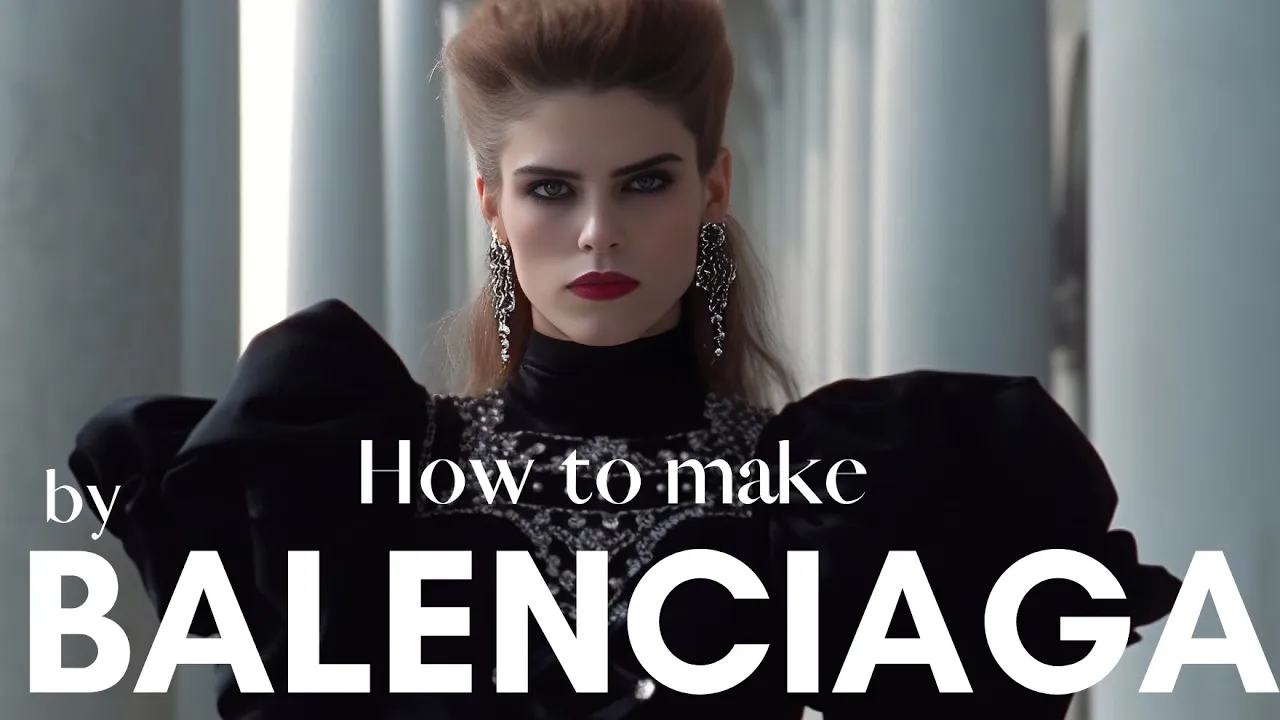
PromptJungle
AI-assisted summary of Harry Potter By Balenciaga | Step by Step Tutorial — original source. Check the original for full context.
Source published:
Key ideas
- The Balenciaga-style AI meme production workflow relies on a multi-tool pipeline integrating ChatGPT for prompting, Midjourney for visuals, ElevenLabs for voice cloning, and D-ID for animation. (0:00)
- Midjourney image quality can be maintained by using specific parameters like --ar 3:2 and --v 5, while aesthetic consistency is managed by injecting thematic keywords like 'grotesque' into the prompt. (1:51)
- D-ID animation tasks are split into two categories: lip-synced audio files for dialogue and 3-second silent loops generated via manual pause-insertion for runway b-roll. (4:02)
- Final polish in CapCut requires adding 'Camera Shutter' sound effects and 'Flash' transitions on the beat to mimic a runway photography experience, paired with slow-zoom keyframes to animate the static AI portraits. (5:16)
Detailed notes
## Background This tutorial was published on YouTube by the channel PromptJungle on April 3, 2023. According to the page description, it is a free, step-by-step guide explaining how to recreate the viral Balenciaga-style AI meme using a pipeline of ChatGPT, Midjourney, ElevenLabs, D-ID, and CapCut.
## TL;DR The video outlines an end-to-end workflow for creating a 'Harry Potter by Balenciaga' fashion spoof video without paid courses or complex setups. Viewers learn to engineer formatted Midjourney prompts using ChatGPT, upscale the generated portraits via Upscale.media, and clone actor voices using YouTube audio samples in ElevenLabs. The tutorial then demonstrates how to generate both speaking animations and silent runway loops in D-ID before assembling the final cut in CapCut with dynamic zooms, camera flash transitions, and shutter sound effects.
## Atmosphere & style The presentation is crisp, generous, and utilitarian, driven by the creator's philosophy of democratizing viral creative techniques that others monetize behind paywalls. The pacing feels swift and frictionless, systematically unlocking each AI tool with practical workarounds like pause-scripting silent video loops and manual keyframe zooms. Watching it feels like a rapid creative sprint, turning static internet images into stylish, rhythmic, high-fashion satire with minimal overhead.
## Bulletin - [00:00](https://www.youtube.com/watch?v=TGD8zKvRxc4&t=0s) The Balenciaga-style AI meme production workflow relies on a multi-tool pipeline integrating ChatGPT for prompting, Midjourney for visuals, ElevenLabs for voice cloning, and D-ID for animation. - [01:51](https://www.youtube.com/watch?v=TGD8zKvRxc4&t=111s) Midjourney image quality can be maintained by using specific parameters like --ar 3:2 and --v 5, while aesthetic consistency is managed by injecting thematic keywords like 'grotesque' into the prompt. - [04:02](https://www.youtube.com/watch?v=TGD8zKvRxc4&t=242s) D-ID animation tasks are split into two categories: lip-synced audio files for dialogue and 3-second silent loops generated via manual pause-insertion for runway b-roll. - [05:16](https://www.youtube.com/watch?v=TGD8zKvRxc4&t=316s) Final polish in CapCut requires adding 'Camera Shutter' sound effects and 'Flash' transitions on the beat to mimic a runway photography experience, paired with slow-zoom keyframes to animate the static AI portraits.
## Key takeaways - [00:00](https://www.youtube.com/watch?v=TGD8zKvRxc4&t=0s) The workflow is designed to be accessible to beginners by leveraging free-tier versions of standard AI tools. - [00:45](https://www.youtube.com/watch?v=TGD8zKvRxc4&t=45s) ChatGPT is used to generate a consistent 1990s fashion show theme by assigning specific high-fashion attributes to a list of characters. - [01:25](https://www.youtube.com/watch?v=TGD8zKvRxc4&t=85s) Prompt structure is vital for Midjourney; using a consistent template ensures that style parameters like --ar 3:2 and --v 5 remain uniform across the character set. - [01:51](https://www.youtube.com/watch?v=TGD8zKvRxc4&t=111s) If character resemblance is weak, users should simplify the prompt by removing specific gender identifiers or adjusting the descriptive clothing adjectives. - [02:58](https://www.youtube.com/watch?v=TGD8zKvRxc4&t=178s) Upscale.media is recommended to perform bulk 2x upscaling on character stills to ensure high-resolution video output. - [03:24](https://www.youtube.com/watch?v=TGD8zKvRxc4&t=204s) ElevenLabs Instant Voice Cloning requires a clean, high-fidelity audio sample of the target voice to create an accurate speech model. - [03:38](https://www.youtube.com/watch?v=TGD8zKvRxc4&t=218s) MP3 cutter tools are essential for isolating the cleanest segments of audio from source material before cloning. - [04:02](https://www.youtube.com/watch?v=TGD8zKvRxc4&t=242s) D-ID generates talking animations by syncing a portrait with an audio file, using a text-to-video processing engine. - [04:25](https://www.youtube.com/watch?v=TGD8zKvRxc4&t=265s) Silent ambient animation in D-ID can be achieved by using the clock icon to inject 3 seconds of pause, providing reaction shots for the edit. - [04:53](https://www.youtube.com/watch?v=TGD8zKvRxc4&t=293s) Users are advised to secure music licensing through platforms like Epidemic Sound to avoid copyright issues during monetization. - [05:16](https://www.youtube.com/watch?v=TGD8zKvRxc4&t=316s) CapCut is favored for this project due to its mobile-first interface, which allows for precise timing of transitions and audio sync. - [05:53](https://www.youtube.com/watch?v=TGD8zKvRxc4&t=353s) Keyframes are the primary tool for creating a sense of movement within static AI-generated images, adding a 'push-in' effect to improve visual interest.
## Detailed walkthrough ### [00:00](https://www.youtube.com/watch?v=TGD8zKvRxc4&t=0s) Overview and Prompt Generation with ChatGPT
The tutorial opens by breaking down how to create the viral Balenciaga-style AI animations that have taken over social media platforms. While many online creators charge fees for their prompt engineering recipes, the creator commits to providing the entire workflow for free, asking only for a like to help the video reach more viewers. Beginners need not worry, as short introductory tutorials for every software utilized are provided in the video's description. The showcase project chosen to guide viewers step-by-step through the pipeline is a recreation of the iconic "Harry Potter by Balenciaga" meme.
The process begins with generating character descriptions and structured prompts using ChatGPT. Opening a fresh chat session, the first step is to ask the AI for a clean roster of names: "Give me the 10 most popular Harry Potter characters, just the names." Once the roster is generated, the persona instructions are applied. The creator feeds in a tailored prompt directing ChatGPT: “Now, act as a Balenciaga fashion designer with 20 years of experience. I want you to dress each of these 10 characters in a unique Balenciaga piece for a runway show. Just write the name of the character and the piece. Remember, it's a 1990 fashion show.”
After ChatGPT pairs every character with its high-fashion runway ensemble, it must be trained on the exact output format required by Midjourney. The user provides a master template prompt: “Ok, now this is a prompt that I use to generate images from another AI image generation tool called Midjourney: '1990 screengrab of female model Hermione Granger wearing a grotesque black Balenciaga dress, fashion movie scene, Balenciaga commercial --ar 3:2 --v 5'. Just say 'Y' if you understand.” Once ChatGPT confirms, a follow-up prompt instructs it to rewrite this exact format for all ten characters, maintaining the parameters (`--ar 3:2 --v 5`) while adapting only the gender, character name, and runway attire.
```mermaid flowchart TD accTitle: AI Video Production Pipeline accDescr: Step-by-step flow from ChatGPT prompt creation down to the final edit in CapCut.
subgraph PreProduction ["Pre-Production"] A["ChatGPT: Generate Characters & 1990s Runway Outfits"] B["ChatGPT: Format Midjourney Prompts (--ar 3:2 --v 5)"] A --> B end
subgraph AssetGeneration ["Asset Generation"] C["Midjourney: Image Generation & Selection"] D["Upscale.media: 2x Batch Upscaling"] E["YouTube to MP3 + MP3 Cutter: Voice Extraction"] F["ElevenLabs: Instant Voice Cloning & Speech Synthesis"] C --> D E --> F end
subgraph AnimationAudio ["Animation & Assembly"] G["D-ID: Talking Animation (Audio Upload)"] H["D-ID: Silent Poses (0.5s Pause Script Blocks)"] I["CapCut: Assembly, Flashes, Audio FX & Dynamic Zooms"] D --> G D --> H F --> G G --> I H --> I end ```
[01:51](https://www.youtube.com/watch?v=TGD8zKvRxc4&t=111s) Midjourney Image Generation and Upscaling
With the formatted prompt list ready, the workflow moves to Discord to generate the base portraits via Midjourney. Heading into one of the `rookie` channels, the creator executes `/imagine` and pastes the prompts one after the other. When rendering stylized characters, likeness and aesthetic consistency can occasionally drift. If Midjourney generates faces that do not sufficiently match the original actor or character traits, the creator explains: “If you start getting images that don't resemble the character's facial features, you can always delete the part where it says male or female model.” Similarly, if the clothing veers too far from the desired mood, users can return to ChatGPT and guide the aesthetic by injecting specific thematic keywords like "goth", "grotesque", or a constrained palette such as "only black and white".
Curating the generated results requires creative foresight: “Always envision the video while you are choosing your images for the best outcome and a higher quality content.” After picking the best generations and upscaling them within Discord, some outputs may still lack crisp detail for video production. To solve resolution issues without expense, the workflow turns to Upscale.media: - Sign up for an account under the free tier to unlock bulk image processing. - Navigate to the upload area, add all generated character stills, and view them under **Storage**. - Select all images, click **Transform**, and navigate to the upscale controls. - Set the scale factor to **2x**, which the creator notes is plenty for final output clarity. - Export and download the processed stills bundled into a single ZIP archive.
[03:13](https://www.youtube.com/watch?v=TGD8zKvRxc4&t=193s) Audio Sourcing and Voice Cloning with ElevenLabs
Once visual stills are secured, production shifts to generating dialogue. The creator chooses Harry Potter as the initial speaking subject and heads to YouTube to find reference audio, entering the search query `Daniel Radcliffe voice for 1 minute`. The goal is to locate a clean, high-fidelity sample of the actor's natural speaking voice without background music or heavy distortion.
The selected YouTube URL is pasted into an online YouTube-to-MP3 converter to extract the raw audio track. Because long files are cumbersome and may include unwanted artifacts, the file is routed through an online MP3 cutter tool to isolate the cleanest section of clean speech. The isolated sample is then brought into ElevenLabs: - Open ElevenLabs and select the **VoiceLab** tab. - Choose **Add Voice** and select **Instant Voice Cloning**. - Upload the trimmed MP3 sample, name the profile, and click **Add Voice**. - Use the newly cloned vocal model inside the speech synthesizer to generate the intended fashion-spoof script lines. - Download the generated speech audio files and repeat the sample-and-clone sequence for any other character scheduled to speak.
[04:02](https://www.youtube.com/watch?v=TGD8zKvRxc4&t=242s) Animating Characters with D-ID
To animate the static portraits into subtle moving figures and lip-synced speakers, the video relies on D-ID, which grants new users 20 free trial credits. The creator points out that every video requires two distinct types of animations: characters that speak their lines aloud, and ambient, non-speaking runway poses to cut between during the edit.
For speaking characters: - Select **Create Video** and click **Add** to upload the upscaled character portrait. - Switch the panel toggle from **Script** over to **Audio**. - Upload the cloned ElevenLabs speech file, click **Generate Video**, and download the resulting MP3-synced visual once processing finishes.
For silent runway reactions: - Upload the character image into a fresh D-ID project canvas, including figures who also have speaking lines so you have alternative reaction footage. - Leave the toggle set to **Script**. - Instead of typing text, click the small clock icon, which injects an artificial pause duration of 0.5 seconds per click. - Click the icon six consecutive times to build an empty 3-second block of ambient motion: “no need to do anything else, just hit generate video.” - Download all silent animated portrait files once rendered.
For the soundtrack, the tutorial suggests the classic track popular in other viral Balenciaga spoofs ("Lightvessel" by Thip Trong). The creator warns that creators hoping to monetize must obtain licensing permissions via Epidemic Sound or choose alternative royalty-free cuts.
[05:16](https://www.youtube.com/watch?v=TGD8zKvRxc4&t=316s) Final Editing and Camera Effects in CapCut
The final assembly takes place inside CapCut, chosen because it is free, supports browser and mobile platforms, and handles rhythmic fashion-show transitions smoothly. The creator personally prefers the mobile interface for pacing and timeline precision.
The editing sequence unfolds as follows: - Import all speaking clips and 3-second ambient loops into the project timeline, arranging their playback sequence to match the pacing of the runway show. - Layer the background music track across the timeline beneath the video clips. - Generate runway flash photography effects by splitting the video track at major rhythmic beats, tapping **Transition**, navigating to the **Light** category, and choosing **Flashes**. - Go to the **Audio** menu, open **Effects**, locate the **Camera Shutter 2** sound effect, and align it precisely beneath every flash transition cut. - Inject continuous movement into the AI clips: “Make sure to have a dynamic zoom in every clip as it makes the scene more alive.” - Apply an initial keyframe at the start of a clip at normal framing, place a second keyframe at the end of the clip, and scale the image up slightly to create a smooth, subtle push-in throughout the shot.
Wrapping up the walkthrough, the creator invites viewers to share any alternate tools, shortcuts, or workflow optimizations in the comments below, reminding the audience to like and subscribe before closing out the tutorial.
## Notable quotes > [05:16](https://www.youtube.com/watch?v=TGD8zKvRxc4&t=316s) Make sure to have a dynamic zoom in every clip as it makes the scene more alive. — PromptJungle
> [01:53](https://www.youtube.com/watch?v=TGD8zKvRxc4&t=113s) Always envision the video while you are choosing your images for the best outcome and a higher quality content. — PromptJungle
## Mentioned PromptJungle, ChatGPT, Midjourney, Upscale.media, ElevenLabs, D-ID, CapCut, Epidemic Sound, YouTube, Harry Potter, Balenciaga, Discord, Synthesia, HeyGen, Colossyan, Thip Trong, Lightvessel, Dan Henig, Danger Snow
## Video description 🔎 Have a question or an issue? 🎉 Join our community on Discord for in-depth discussions, tips on AI tools, and more! 🚀 Here's your invitation: https://discord.gg/v9zRyn8smW Looking forward to seeing you there! 👋
Alternative to D-ID. Try https://bit.ly/412eNx0 😊 And here is a comparison of the two tools: https://www.youtube.com/watch?v=2gqHaOkkQ5c
🔹 Music track for the video - Thip Trong - Lightvessel Get 30 days for free and the copyright for it with epidemicsound if you gonna use it for monitization on youtube. https://share.epidemicsound.com/fez7yf/?playlist=fguxfkbxipdhm3sh8hyu9ogtlf5vnezo
Here is How to make Harry Potter by Balenciaga Video: The actual video - https://www.youtube.com/watch?v=_N8RX3lIQDU
Lets start:
🔹 Generate the image prompts with ChatGPT
ChatGPT - https://chat.openai.com/chat ChatGPT prompts:
1. "Give me the 10 most popular Harry Potter characters, just the names."
2. "Now, act as a Balenciaga fashion designer with 20 years of experience. I want you to dress each of these 10 characters in a unique Balenciaga piece for a runway show. Just write the name of the character and the piece. Remember, it's a 1990 fashion show."
3. "Ok, now this is a prompt that I use to generate images from another AI image generation tool called Midjourney: '1990 screengrab of female model Hermione Granger wearing a grotesque black Balenciaga dress, fashion movie scene, Balenciaga commercial --ar 3:2 --v 5'. Just say 'Y' if you understand."
4. "I want you to rewrite the prompt but for every character, with the clothes you chose for them. Remember to write the prompt exactly as I pasted it, with the same format and parameters. Only change the gender of the model, the name of the character, and the description of the clothing. Do you understand? Please ask if you need more information."
If you are very new to ChatGPT this 2 min video will help you get started. https://www.youtube.com/watch?v=AXn2XVLf7d0
🔹 Generate the images with MidJourney MidJourney (click join the beta) - https://www.midjourney.com/
If you are new to MidJourney this 5min tutorial is a great start. https://www.youtube.com/watch?v=90tXPbyRGS8
🔹 Upscale your images if they have poor resolution with Upscale.media Upscale.media - https://www.upscale.media/
🔹 Generate the voiceovers with Elevenlabs. Elevenlabs - https://beta.elevenlabs.io/
If you are lost in the cloning part watch this 1min video. https://www.youtube.com/watch?v=3AtAiGtPi4s
Youtube to MP3 converter - https://en.onlymp3.to/164/ MP3 cutter - https://mp3cut.net/
🔹 Generate the AI animation with D-ID D-ID - https://www.d-id.com/
If you want to use an alternative to D-ID. Try https://bit.ly/412eNx0 😊 And here is a tutorial on how to use it. https://www.youtube.com/watch?v=2gqHaOkkQ5c
🔹 Music track for the video - Thip Trong - Lightvessel Get the copyright for it with epidemicsound if you gonna use it for monitization on youtube. https://share.epidemicsound.com/fez7yf/?playlist=fguxfkbxipdhm3sh8hyu9ogtlf5vnezo
Altenative copyright free song : (follow artist's terms&con) Dan Henig | Danger Snow https://www.youtube.com/watch?v=X4KYTFEJuFI&t=0s
🔹 Edit with capcut https://www.capcut.com/
In this step-by-step tutorial, learn how to create AI animated Harry Potter characters in the meme Balenciaga style. I will walk you through the entire process, from generating images using AI tools like ChatGPT and text-to-image tools like Midjourney, to creating immersive voiceovers with ElevenLabs, and finally, animating your characters with D-ID's text-to-video AI technology. And I also show you how to put all togother at the end.
‐------------------
- BACKGROUND MUSIC OF THIS VIDEO https://share.epidemicsound.com/fez7yf/?playlist=au0ut0ba17wivw3ipbbg1f9abaq4cba5
- VOICEOVER OF THIS VIDEO Synthesia - https://bit.ly/3yKHmDa
-------------------
🤖 OTHER AI TOOLS that I HAVE REVIEWED before*
Synthesia - https://bit.ly/3yKHmDa HeyGen (Movio)- https://bit.ly/412eNx0 Colossyan Studio: https://bit.ly/3M6kKoC Elai - https://bit.ly/400pJvb D-ID - https://bit.ly/D-IDPromptJungle DEEPBRAIN - https://bit.ly/HumanAIPromptJungle
My Other AI Animated Avatars videos:
How To Create a Talking AI Avatar for FREE (better than synthesia) https://www.youtube.com/watch?v=kYueHEcqdmM
Top 5 AI Generated Talking Avatar Tools (D-ID Alternatives) https://www.youtube.com/watch?v=U0HNdsxC8YU
If my work speaks to you, hit the share button and spread the love on your socials. And if you're feeling extra kind, a coffee from you would be the cherry on top of my creative sundae! 🎶🌞☕️ https://linktr.ee/promptjungle *The AI links above are PromptJungle's affiliate links. If you make a purchase with my link there is no additional cost to you and in return PromptJungle makes a small commission. #tutorial #ai #harrypotter #balenciaga
[Source](https://www.youtube.com/watch?v=TGD8zKvRxc4)