Modded Nvidia Mining Cards Match Retail Gaming Speeds, Tests Show
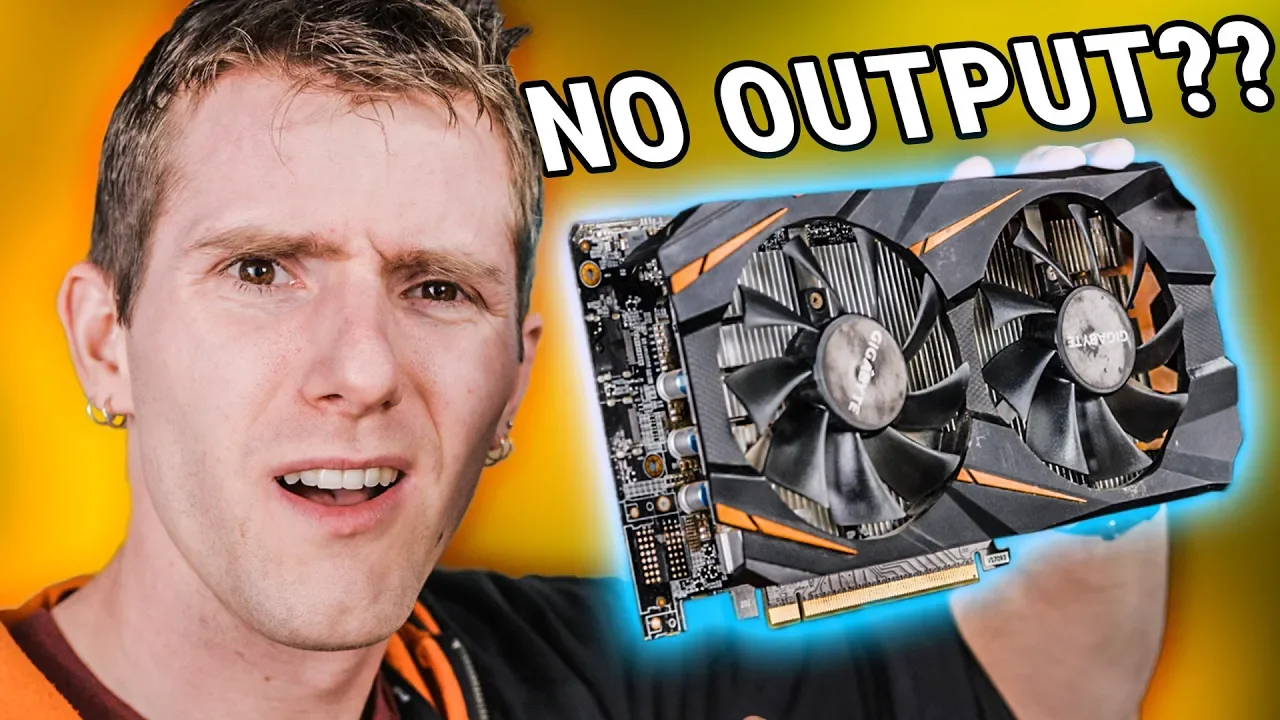
Nvidia Said We Couldn't Game On This Crypto Mining Card... — Linus Tech Tips

Linus Tech Tips

Modified drivers allow discarded P106 cards to route gaming workloads through motherboard outputs with minimal frame loss, though severe security risks from unsigned code undermine their viability as a solution to cryptocurrency e-waste.

AI-assisted summary of Nvidia Said We Couldn't Game On This Crypto Mining Card... — original source. Check the original for full context.

Source published:

Key ideas

  • Modded third-party drivers allow headless Nvidia P106-100 crypto mining cards to render PC games by routing video signals across the PCIe bus through a CPU's integrated graphics. (4:10)
  • Acquired for $67 on Taobao, the modified P106-100 performed within 4 FPS average of a retail EVGA GTX 1060 SC in Shadow of the Tomb Raider at 1080p High. (11:03)
  • Enabling the hardware requires disabling Secure Boot and activating Windows Test Signing mode to install unsigned drivers, exposing users to major security and malware risks. (7:00)
  • Linus criticized Nvidia for intentionally driver-locking mining cards from gaming workloads, pointing out that the restriction turns tens of thousands of functional GPUs into e-waste. (13:38)

Detailed notes

## Background Published on YouTube by Linus Tech Tips on January 14, 2019, this video explores whether surplus cryptocurrency mining cards without display outputs can be repurposed for gaming instead of going straight to the landfill. The page description highlights how dedicated mining hardware became practically useless after the crypto market drop, questioning whether modified software from Chinese modders can truly turn them into functional gaming GPUs.

## TL;DR Following the 2018 cryptocurrency market crash, Linus and Anthony test a $67 headless Gigabyte P106-100 mining card sourced from Taobao to see if it can game like a standard GTX 1060. Because the card lacks video ports, they pass the rendered frame buffers through an Intel CPU's integrated graphics output on the motherboard. After disabling Secure Boot, toggling Windows Test Signing mode, and running DDU to install an unsigned community-modified driver, the card successfully launches Shadow of the Tomb Raider. Benchmarks show the mining card performing within 3 to 4 FPS of an EVGA GTX 1060 SC, though Linus warns viewers about the serious security risks of untrusted drivers while calling out Nvidia for creating avoidable e-waste.

## Atmosphere & style The video carries an energetic, improvisational tech-lab vibe, epitomized by Linus's admission that they are running the benchmark entirely 'seat of our pants' while a live broadcast is already waiting for them. The banter between Linus and Anthony is casual and geeky, blending humorous procurement anecdotes—like the card being shipped under the customs guise of a computer mouse—with genuine hands-on troubleshooting in BIOS and PowerShell. As the experiment pays off, the mood shifts from playful skepticism to passionate indignation at Nvidia's artificial software locks and the resulting piles of electronic waste.

## Bulletin - [04:10](https://www.youtube.com/watch?v=TY4s35uULg4&t=250s) Modded third-party drivers allow headless Nvidia P106-100 crypto mining cards to render PC games by routing video signals across the PCIe bus through a CPU's integrated graphics. - [11:03](https://www.youtube.com/watch?v=TY4s35uULg4&t=663s) Acquired for $67 on Taobao, the modified P106-100 performed within 4 FPS average of a retail EVGA GTX 1060 SC in Shadow of the Tomb Raider at 1080p High. - [07:00](https://www.youtube.com/watch?v=TY4s35uULg4&t=420s) Enabling the hardware requires disabling Secure Boot and activating Windows Test Signing mode to install unsigned drivers, exposing users to major security and malware risks. - [13:38](https://www.youtube.com/watch?v=TY4s35uULg4&t=818s) Linus criticized Nvidia for intentionally driver-locking mining cards from gaming workloads, pointing out that the restriction turns tens of thousands of functional GPUs into e-waste.

## Key takeaways - [00:00](https://www.youtube.com/watch?v=TY4s35uULg4&t=0s) The massive 2018 cryptocurrency crash left millions of specialized crypto mining cards stranded without functional secondary market use. - [00:00](https://www.youtube.com/watch?v=TY4s35uULg4&t=0s) The Gigabyte P106-100 shares identical GP106 silicon and 6GB VRAM with the GeForce GTX 1060, but lacks physical display outputs and has gaming workloads disabled by Nvidia drivers. - [00:00](https://www.youtube.com/watch?v=TY4s35uULg4&t=0s) Purchased for $67 on Taobao, the P106 cost less than one-third of the going rate for a standard retail 6GB GTX 1060. - [01:48](https://www.youtube.com/watch?v=TY4s35uULg4&t=108s) Sourcing the card required custom customs labeling to bypass shipping restrictions, arriving heavily coated in dust from industrial mining use. - [01:48](https://www.youtube.com/watch?v=TY4s35uULg4&t=108s) A stock EVGA GTX 1060 SC 6GB established a baseline benchmark of 68 FPS average and 56 FPS minimum in Shadow of the Tomb Raider at 1080p High. - [04:10](https://www.youtube.com/watch?v=TY4s35uULg4&t=250s) Rendering requires a host system with an integrated GPU (iGPU) and motherboard video outputs, mimicking hybrid graphics switching used in laptops. - [04:10](https://www.youtube.com/watch?v=TY4s35uULg4&t=250s) Stock Nvidia drivers recognize the hardware in Device Manager as a P106-100 but block 3D acceleration and deny access to the Nvidia Control Panel. - [07:00](https://www.youtube.com/watch?v=TY4s35uULg4&t=420s) Installing the modified driver requires disabling Secure Boot in the UEFI/BIOS and running bcdedit /set testsigning on in Windows PowerShell. - [11:03](https://www.youtube.com/watch?v=TY4s35uULg4&t=663s) Display Driver Uninstaller (DDU) was necessary to clean previous driver files before Windows Graphic Settings would expose the P106-100 as a selectable high-performance GPU. - [11:03](https://www.youtube.com/watch?v=TY4s35uULg4&t=663s) In Shadow of the Tomb Raider, the P106-100 achieved performance nearly identical to a standard GTX 1060, losing only 4 FPS on average and 3 FPS in minimums. - [11:03](https://www.youtube.com/watch?v=TY4s35uULg4&t=663s) The minor performance penalty is attributable to PCIe bus pass-through overhead combined with the reference clocks of the mining card versus the factory-overclocked EVGA SC card. - [13:38](https://www.youtube.com/watch?v=TY4s35uULg4&t=818s) Running modified drivers from internet forums poses severe malware risks, as typical users cannot audit system-level unsigned driver code. - [13:38](https://www.youtube.com/watch?v=TY4s35uULg4&t=818s) Linus urged Nvidia to stop actively driver-locking mining cards from standard gaming use to prevent tens of thousands of usable GPUs from becoming electronic waste. - [13:38](https://www.youtube.com/watch?v=TY4s35uULg4&t=818s) Because the P106 PCB shares significant layout similarities with standard GTX 1060 boards, manually soldering display ports and SMD components onto the board remains a theoretical hardware modification.

## Detailed walkthrough ### [00:00](https://www.youtube.com/watch?v=TY4s35uULg4&t=0s) The $67 Mining GPU Gamble

Following the massive cryptocurrency market crash in 2018, secondhand marketplaces like eBay were flooded with heavily discounted graphics cards. However, purpose-built mining cards appeared destined for scrap heaps to salvage precious metals like gold. Linus shows off a Gigabyte P106 mining card—a board nearly identical to a standard GeForce GTX 1060 with a dual-fan cooler and a single 6-pin power connector, but handicapped by two massive issues: it possesses zero display outputs, and Nvidia intentionally locked the drivers to prevent gaming workloads.

Despite those hurdles, a vendor on the Chinese marketplace Taobao claimed to have cracked the restriction with modified software, offering modified P106 units for just $67 USD—less than a third of the market price of a legitimate 6GB GTX 1060. Linus resolves to test whether this dirt-cheap e-waste can genuinely be repurposed into a functioning gaming card.

- **GPU model:** Gigabyte P106-100 (mining variant of the GP106 core) - **Power connector:** 6-pin PCIe - **Price paid:** $67 USD on Taobao - **Price comparison:** Under one-third the going rate of a retail 6GB GTX 1060

---

[01:48](https://www.youtube.com/watch?v=TY4s35uULg4&t=108s) Procurement Shenanigans and Baseline Benchmarks

Anthony joins Linus to walk through the experiment, having managed the logistics behind sourcing the card. Sourcing it proved remarkably difficult because the Taobao vendor refused to ship directly to Canada. Dennis had to intervene, communicating directly with the seller in China, who ultimately skirted shipping restrictions by labeling the package as a humble “computer mouse.” When unboxed, the P106 arrived coated in a thick layer of dust and grime, pointing to months of nonstop mining inside an industrial warehouse.

Before touching the mining hardware, Linus establishes a performance baseline using an EVGA GeForce GTX 1060 SC (Superclocked) 6GB inside their high-end test bench equipped with an Intel Core i9-9900K processor. Both the standard 1060 and the P106 share the same underlying silicon and 6GB VRAM pool, meaning they should theoretically feature identical CUDA core counts. Testing *Shadow of the Tomb Raider* at 1080p on High settings (with motion blur disabled because Linus considers it stupid), the retail GTX 1060 delivers an average frame rate of 68 FPS with a minimum of 56 FPS.

- **Import customs workaround:** Declared and shipped as a computer mouse - **Baseline GPU:** EVGA GeForce GTX 1060 SC 6GB - **CPU:** Intel Core i9-9900K - **Benchmark game:** *Shadow of the Tomb Raider* (1920×1080, High preset, Motion Blur off) - **Baseline performance:** 68 FPS average, 56 FPS minimum

---

[04:10](https://www.youtube.com/watch?v=TY4s35uULg4&t=250s) The Display Pipeline Problem

Cameraman Brandon voices the obvious hardware paradox: how can anyone game on a graphics card that lacks display outputs? Linus explains that the technique relies on the host PC having a motherboard video output and a CPU with an integrated GPU (iGPU). The system routes the discrete card's rendering output through the motherboard's display connection. Linus notes they previously used a similar pass-through trick to enable FreeSync on Nvidia GPUs using a secondary card, comparing the underlying architecture to laptop hybrid graphics where an efficient integrated chip handles display output while a discrete GPU handles heavy 3D rendering.

```mermaid flowchart LR accTitle: Hybrid Graphics Pass-Through Architecture accDescr: Rendering data flows from the headless P106 GPU through the motherboard and CPU iGPU to reach the monitor.

subgraph GPU["Discrete Mining Card"] P106["P106-100 Mining GPU<br>(Performs 3D Rendering)"] end

subgraph Host["Host Motherboard & CPU"] PCIe["PCIe Bus Interface"] iGPU["Intel CPU iGPU<br>(Frame Buffer / Display Pass-Through)"] MBPort["Motherboard Video Out<br>(HDMI / DisplayPort)"] end

Display["Monitor Display"]

P106 -->|"Rendered Frames"| PCIe PCIe --> iGPU iGPU --> MBPort MBPort --> Display ```

Linus boots the system using official Nvidia driver 416.16 (from October 2018) via the motherboard video port. While Windows recognizes the card in Device Manager as a "P106-100", the driver will not treat it as a valid 3D accelerator. Venturing into Windows Graphic Settings to assign the game to a high-performance GPU reveals that the OS does not offer the P106 as an option. Furthermore, attempting to launch the Nvidia Control Panel throws an error stating: “You are not currently using a display attached to an Nvidia GPU.”

- **Hardware requirement:** CPU with integrated graphics and a motherboard with video outputs - **Display mechanism:** Frame rendering on the headless GPU, outputted through the CPU's iGPU - **Initial driver tested:** Nvidia Geforce Driver 416.16 (October 2018 release) - **Error encountered:** Nvidia Control Panel blocks access due to lack of a direct display connection

---

[07:00](https://www.youtube.com/watch?v=TY4s35uULg4&t=420s) Bypassing Windows Security for the Modded Driver

Anthony steps in to take over the software modification, pointing out a desktop folder named "Mining" that contains a modified driver package. Because the driver has had its signatures tampered with, attempting a standard installation results in an immediate failure unless system-level protections are removed. First, they reboot into the UEFI/BIOS settings to disable Secure Boot by clearing the Secure Boot keys. Linus recalls his frustration encountering this design previously:

> “I remember the first time I encountered this I was just absolutely furious because it doesn't even register as a change to the BIOS... I was so mad, I was like, 'What do you mean that's how you disable it? I don't want to delete them forever necessarily.'”

Anthony reassures him that the factory default keys can easily be reloaded later. Once back in Windows PowerShell, Anthony executes `bcdedit /set testsigning on` to enable Test Signing mode, which allows unsigned, modified, or experimental drivers to run.

```mermaid flowchart TD accTitle: Driver Modification and Installation Steps accDescr: Step-by-step workflow to prepare Windows for modified unsigned mining card drivers.

subgraph BIOS["Firmware Configuration"] A["Enter Motherboard UEFI/BIOS"] --> B["Navigate to Key Management"] B --> C["Clear Secure Boot Keys (Disable Secure Boot)"] end

subgraph WindowsConfig["Windows OS Adjustments"] D["Open PowerShell"] --> E["Execute: bcdedit /set testsigning on"] E --> F["Reboot System into Test Signing Mode"] F --> G["Temporarily Disable Windows Update"] end

subgraph DriverSetup["Driver Modification"] H["Uninstall Stock Driver in Device Manager"] --> I["Execute Modified Driver Installer"] I --> J["Acknowledge Unsigned Driver Security Warning"] J --> K["Driver Successfully Installs to P106-100"] end

C --> D G --> H ```

Anthony temporarily disables Windows Update so the OS does not automatically overwrite the driver with standard WHQL packages. He uninstalls the previous driver through Device Manager, noting that while using DDU (Display Driver Uninstaller) is always best practice for stubborn driver problems, they can cut corners here. They launch the modified driver installer; thanks to Test Signing mode, Windows bypasses the hard block, flashes a warning about unsigned software, and installs the driver without crashing. Linus explicitly reminds viewers that running unsigned driver packages sourced from online forums carries significant malware risks:

> “To be clear what we're doing here, we are actually not recommending that you try it at home.”

Once the installer finishes, the card still reports itself as a P106-100 in Device Manager, leading Anthony to inspect the driver details to see if the modified payload took hold.

- **PowerShell command used:** `bcdedit /set testsigning on` - **Security trade-offs:** Disabling Secure Boot and enabling Test Signing exposes the system to unsigned kernel-level software - **Recommended utility mentioned:** DDU (Display Driver Uninstaller) for cleanly purging display drivers

[11:03](https://www.youtube.com/watch?v=TY4s35uULg4&t=663s) Testing the Modded Driver and Running Shadow of the Tomb Raider

With the driver installed, the system confirms it is not digitally signed, which is exactly what was expected for the modified software. Linus and Anthony navigate Windows display settings to set the card as the default graphics processor. Linus admits their testing setup is being assembled on the fly, mentioning that he only developed the methodology two hours prior and the live WAN Show stream had already started three minutes earlier. As Linus puts it: “We're like 1,000% seat of our pants right now.” After running Display Driver Uninstaller (DDU)—which proved to be a necessary step—the Nvidia P106-100 appears in Windows as the selectable high-performance GPU.

```mermaid flowchart LR accTitle: Mining GPU Render Pipeline accDescr: Rendering path from the headless P106-100 mining card across the PCIe bus to the motherboard integrated graphics display output. subgraph Compute ["Compute Stage"] A["Nvidia P106-100<br/>(Headless Mining Card)"] B["Rendered Frames<br/>(Game Engine)"] end subgraph Output ["Display Output"] C["Motherboard DisplayPort / HDMI<br/>(Intel iGPU)"] D["Monitor Display"] end A --> B B -->|"PCIe Bus Transfer"| C C --> D ```

Linus sets the P106-100 as the default device and launches *Shadow of the Tomb Raider*. He underscores that the card cost under $70 USD on Taobao and was originally bound for the scrap heap because it had no video outputs. While the chip could theoretically handle compute workloads, its GTX 1060-tier performance makes it barely worth taking up a PCIe slot for standard compute. To prove there are no visual tricks, Linus traces the physical connection on camera, showing the HDMI cable running directly from the motherboard's rear I/O into the monitor with no connections attached to the mining GPU itself.

The benchmark runs smoothly, yielding performance very close to a standard graphics card: - The mining card averaged just 4 FPS lower than the EVGA SuperClocked GTX 1060 reference run. - Minimum frame rates fell short by only 3 FPS. - The slight performance loss is entirely consistent with the overhead of rendering on a dedicated GPU and routing frame buffers across the PCIe bus through an integrated GPU, combined with the factory clock difference of a SuperClocked model versus stock frequencies.

---

[13:38](https://www.youtube.com/watch?v=TY4s35uULg4&t=818s) Driver Sourcing, Security Risks, and the E-Waste Dilemma

Although the hack works, Linus explicitly warns viewers against replicating the setup. When Linus asks where the required software came from—since the Taobao vendor provided no guidance—Anthony explains that he actually retrieved it from the Linus Tech Tips community forum. A forum member had compiled detailed documentation alongside a Google Drive link containing the modified, unsigned driver files.

Linus stresses the significant security concerns of using third-party modified drivers. Installing unsigned system-level software poses inherent dangers because regular users cannot verify whether malicious modifications were bundled alongside the display unlock tweaks unless they possess the specialized knowledge to audit the driver code themselves.

``` +------------------------------------+------------------------------------------+ | Factor | Assessment / Detail | +------------------------------------+------------------------------------------+ | Acquisition Cost | Under $70 USD on Taobao | | Driver Status | Unsigned, third-party modified | | Video Outputs | None on card; routed through motherboard | | Shadow of the Tomb Raider Delta | -4 FPS average, -3 FPS minimum vs. SC | | Primary Barrier to Widespread Use | Security hazards of untrusted drivers | +------------------------------------+------------------------------------------+ ```

Linus argues that responsibility for these cards ultimately lies with Nvidia, especially given the massive e-waste footprint of tens of thousands of retired P106 and GTX 1070-class mining boards sitting idle after the crypto market crash:

> “So I'm not asking them to support it, I'm just asking them to not specifically disable it, because this is a serious e-waste problem—literally thousands, tens of thousands of these cards just useful for absolutely nothing anymore when gamers could be gaming on them.”

Looking ahead, Linus and Anthony entertain the idea of obtaining a precision soldering station like Louis Rossmann uses to manually solder physical HDMI connectors and missing SMD components directly onto the board's traces, speculating that the board layouts were likely not altered drastically from standard retail GTX 1060 graphics cards.

---

[15:43](https://www.youtube.com/watch?v=TY4s35uULg4&t=943s) Sponsor and Sign-off

Linus transitions to the video sponsor, Private Internet Access (PIA) VPN. He highlights how the service allows users to protect their browsing privacy, bypass regional censorship, access geoblocked media content, and change regions to find lower rates on travel and airline tickets. Linus points out that the service maintains a strict no-logging policy and operates thousands of servers across numerous countries.

In closing, Linus reminds viewers to like or dislike the video based on their reaction, subscribe to the channel, check the video description for hardware links, visit the LTT Store for branded apparel, and participate in the community discussion on the LTT forums.

## Mentioned Anthony, Brandon, Dennis, Display Driver Uninstaller (DDU), eBay, EVGA GeForce GTX 1060 SC, FreeSync, Gigabyte P106-100, Google Drive, Intel Core i9-9900K, Linus Sebastian, Linus Tech Tips, Louis Rossmann, Nvidia, Nvidia Control Panel, Private Internet Access, Shadow of the Tomb Raider, Taobao, WAN Show, Windows

## Video description Sign up for Private Internet Access VPN at https://lmg.gg/pialinus2

Check out the Thermaltake A500 case on Amazon at https://lmg.gg/tta500

It’s a shame that so many of those dedicated mining GPUs are useless now, isn’t it? But even with no outputs, Chinese hackers made it so they can still game! Or have they…

Buy a mining "GTX 1060" on Taobao: https://lmg.gg/8KV6L

Buy a real GTX 1060: On Amazon: http://geni.us/rveAUH On Newegg: https://lmg.gg/8KV6B

Discuss on the forum: https://linustechtips.com/main/topic/1021372-nvidia-said-we-couldnt-game-on-this/

Our Affiliates, Referral Programs, and Sponsors: https://linustechtips.com/main/topic/75969-linus-tech-tips-affiliates-referral-programs-and-sponsors Get Private Internet Access today at http://geni.us/7lLuafK

Linus Tech Tips merchandise at http://www.LTTStore.com/ Linus Tech Tips posters at http://crowdmade.com/linustechtips Our Test Benches on Amazon: https://www.amazon.com/shop/linustechtips Our production gear: http://geni.us/cvOS

Twitter - https://twitter.com/linustech Facebook - http://www.facebook.com/LinusTech Instagram - https://www.instagram.com/linustech Twitch - https://www.twitch.tv/linustech

Intro Screen Music Credit: Title: Laszlo - Supernova Video Link: https://www.youtube.com/watch?v=PKfxmFU3lWY iTunes Download Link: https://itunes.apple.com/us/album/supernova/id936805712 Artist Link: https://soundcloud.com/laszlomusic

Outro Screen Music Credit: Approaching Nirvana - Sugar High http://www.youtube.com/approachingnirvana

[Source](https://www.youtube.com/watch?v=TY4s35uULg4)

中文简报

测试显示魔改英伟达矿卡游戏性能媲美零售版显卡 修改版驱动使废弃的P106矿卡能够以极小帧率损失通过主板接口输出游戏画面,但未签名代码带来的严重安全隐患削弱了其作为加密货币电子垃圾解决方案的可行性。 2018年加密货币市场暴跌后,Linus和Anthony测试了一张从淘宝以67美元购入的无显示输出接口技嘉P106-100矿卡,以观察它能否像标准GTX 1060一样运行游戏。由于该卡缺少视频接口,他们将渲染好的帧缓冲区通过主板上的英特尔CPU核显输出。在禁用安全启动(Secure Boot)、开启Windows测试签名模式并运行DDU安装了未签名的社区修改版驱动后,该卡成功运行了《古墓丽影:暗影》。基准测试显示,这款矿卡的表现与EVGA GTX 1060 SC的差距在3到4帧以内,不过Linus警告观众不可信驱动存在严重安全风险,同时指责英伟达制造了原本可以避免的电子垃圾。 第三方修改版驱动允许无显示接口的英伟达P106-100加密矿卡通过PCIe总线借由CPU核显路由视频信号,从而渲染PC游戏。 (4:10) 在1080p高画质下的《古墓丽影:暗影》测试中,这张以67美元购自淘宝的修改版P106-100与零售版EVGA GTX 1060 SC的平均帧率差距在4帧以内。 (11:03) 启用该硬件需要禁用安全启动并激活Windows测试签名模式以安装未签名驱动,这会使用户面临重大安全和恶意软件风险。 (7:00) Linus批评英伟达故意通过驱动限制矿卡进行游戏渲染,指出该限制将数以万计功能完好的GPU变成了电子垃圾。 (13:38)

Reading summary

Following the 2018 cryptocurrency crash, Linus Tech Tips demonstrated that Nvidia's headless P106-100 mining card can be repurposed for gaming at a fraction of a retail GPU's price, though doing so requires bypassing critical operating system security protections. Hardware Obstacles and the Sourcing Gamble (0:00) After the 2018 crypto market crash, purpose-built cryptocurrency mining cards flooded secondary markets as potential scrap metal. Linus acquired a Gigabyte P106-100 on Taobao for $67 USD—less than a third of the going price for a standard 6GB GeForce GTX 1060. Sourcing the hardware required custom shipping workarounds, with the seller labeling the grimy, heavily used card as a "computer mouse" to reach Canada. While physically equipped with the GP106 core, 6GB of VRAM, and a 6-pin power connector, the card presented two design limitations for typical consumers: it entirely lacked video output ports, and Nvidia had deliberately locked its drivers to block gaming workloads. The Hybrid Display Pass-Through Mechanism (4:10) To circumvent the complete absence of physical video outputs on the P106-100, the test setup relied on hybrid graphics pass-through architecture similar to laptop graphics pipelines. Operating inside a system powered by an Intel Core i9-9900K, the headless discrete mining GPU handled the heavy 3D rendering before routing completed frame buffers across the PCIe bus to the motherboard's video port via the CPU's integrated graphics processor (iGPU). Initial attempts using official Nvidia drivers (version 416.16) failed, as Windows blocked the card from being assigned high-performance tasks and the Nvidia Control Panel refused to open without a display directly attached to an Nvidia GPU. Security Downgrades and Driver Modifications (7:00) Enabling the hardware required system-level software workarounds and the installation of an unsigned, modified driver sourced from the Linus Tech Tips community forums. Anthony cleared the motherboard's Secure Boot keys in UEFI/BIOS and executed "bcdedit /set testsigning on" in Windows PowerShell to force the operating system into Test Signing mode. Windows Update was temporarily disabled to avoid driver overwrites, and the team ran Display Driver Uninstaller (DDU) to properly clear driver states. Linus strongly cautioned viewers against replicating this process at home, noting that disabling Secure Boot and running unverified, unsigned driver packages creates severe malware and system vulnerabilities. Gaming Benchmarks and the E-Waste Dilemma (11:03) Once configured as the high-performance processor in Windows settings, the modified P106-100 ran Shadow of the Tomb Raider at 1080p on High settings with Motion Blur disabled. The card delivered an average of 64 FPS and a minimum of 53 FPS—trailing an EVGA GeForce GTX 1060 Superclocked baseline (68 FPS average, 56 FPS minimum) by only 4 FPS and 3 FPS respectively. The minor performance deficit aligned with factory clock differences and the PCIe transfer overhead of passing frames through the host iGPU. Linus criticized Nvidia's policy of locking out gaming workloads, arguing that actively disabling rendering creates tens of thousands of units of unnecessary electronic waste when functional hardware could otherwise serve budget gamers. While the modified P106-100 proves that headless mining silicon can achieve near-identical gaming performance to a standard GTX 1060, the setup remains impractical for mainstream users due to severe software security compromises and the ongoing requirement of a host CPU with integrated graphics.

精炼阅读摘要

Linus Tech Tips 团队测试了以 67 美元从淘宝购入的英伟达 P106-100 矿卡,验证了在没有物理显示接口且官方驱动设限的情况下,利用第三方修改驱动与核显透传进行游戏的可行性。实验证实其游戏性能接近零售版 GTX 1060,但操作过程涉及重大的系统安全隐患,并引发了对硬件厂商人为限制导致海量电子垃圾的质疑。 矿难硬件与低成本游戏卡改造设想 (0:00) 在 2018 年加密货币市场崩盘后,二手市场涌现出大量打折显卡,但专用矿卡通常因缺乏显示接口而被视作只能回收贵金属的废料。Linus 展示了一块技嘉 P106-100 矿卡,该卡基于与标准 GeForce GTX 1060 相同的 GP106 核心并配备 6GB 显存、双风扇散热器及单 6-pin 供电,但没有任何视频输出端口,且英伟达在驱动层面屏蔽了游戏加速功能。 尽管存在双重障碍,中国淘宝卖家宣称已通过软件修改破解了游戏限制,整卡售价仅为 67 美元,不到当时 6GB 零售版 GTX 1060 市场价的三分之一。由于卖家拒绝直邮加拿大,团队成员 Dennis 协助沟通并将包裹申报为“电脑鼠标”才完成清关。开箱时该卡积满灰尘,带有长期在工业厂房高负荷运转的痕迹。Linus 随后在搭载英特尔酷睿 i9-9900K 的测试平台上,使用 EVGA GeForce GTX 1060 SC 6GB 建立了基准性能参考。 基于核显透传的无接口输出架构 (4:10) 针对无物理输出端口的硬件限制,Linus 解释该方案依赖主板视频接口以及具备集成显卡(iGPU)的 CPU。其原理类似于笔记本电脑的混合显卡技术:由无显示接口的独立矿卡承担底层 3D 渲染,渲染完成的帧缓冲数据通过主板 PCIe 总线传输至 CPU 的集成显卡,最后由主板的 HDMI 或 DisplayPort 接口向显示器输出画面。 在初始测试中,团队接入主板视频接口并安装了 2018 年 10 月发布的英伟达官方 416.16 版驱动程序。虽然 Windows 设备管理器能够识别出“P106-100”设备,但官方驱动拒绝将其作为有效的 3D 图形加速器。在 Windows 图形设置中无法将游戏指定给该卡运行,英伟达控制面板也弹出“当前未使用连接到 NVIDIA GPU 的显示器”错误并拒绝启动。 绕过系统安全限制与修改版驱动部署 (7:00) 为了让系统识别并启用该卡,团队成员 Anthony 介入处理软件修改。由于修改版驱动篡改了数字签名,直接安装会被系统拦截。团队首先重启进入主板 UEFI/BIOS,通过清除 Secure Boot 密钥禁用了安全启动功能;随后在 Windows PowerShell 中执行“bcdedit /set testsigning on”指令,强制开启测试签名模式,使操作系统允许运行未签名的修改驱动。 在部署过程中,Anthony 暂时关闭了 Windows Update 以防系统自动覆盖驱动,并使用 DDU(Display Driver Uninstaller)彻底清理了旧驱动。安装包含修改文件的驱动包后,系统成功将 P106-100 识别为可选的高性能图形处理器。Linus 明确提醒观众切勿在家尝试该操作,因为这些修改文件源自 LTT 论坛用户分享的网盘链接,普通用户无法审计驱动代码,在内核层运行来源不明的未签名软件存在巨大的恶意代码感染风险。 实机性能表现与电子垃圾伦理反思 (11:03) 在完成配置后,Linus 将 P106-100 设为默认高性能 GPU,并运行了《古墓丽影:暗影》(1080p 高画质,关闭动态模糊)。测试数据显示,这块不足 70 美元的矿卡平均帧率仅比 EVGA GTX 1060 SC 基准低了 4 FPS,最低帧率仅低了 3 FPS。这一轻微性能差距完全符合通过 PCIe 总线跨芯片传输帧画面的损耗,以及超频零售版与默频核心之间的频率差异。 Linus 对测试结果表示认可,但将批评矛头指向了英伟达。他指出,随着加密货币退潮,成千上万块 P106 和 GTX 1070 级别的退役矿卡被闲置并沦为电子垃圾。Linus 认为英伟达不应特意在软件端封锁这些硬件,普通玩家本可以利用这些低成本硬件进行游戏。此外,团队还探讨了未来通过精密焊接工具在显卡空焊位补齐物理 HDMI 接口及外围 SMD 元器件的硬件改造可能性。 该实验证明 P106-100 矿卡在硬件性能上完全能够胜任主流游戏,帧缓冲透传造成的损耗极低。然而,其严重依赖第三方未签名驱动,且必须牺牲操作系统的 Secure Boot 等核心安全机制,这使其无法成为普通消费者的实用方案,也暴露了硬件厂商通过驱动人为制造硬件报废所引发的环境与资源浪费争议。

Original transcript

[0:00] so cryptocurrency mining experienced [0:03] let's call it a downturn [0:06] no let's be honest [0:07] a huge crash in 2018 so there is no [0:11] shortage of great deals to be had on [0:14] graphics cards that were used for [0:15] cryptocurrency mining on sites like ebay [0:19] but [0:20] one class of cards that there appears to [0:22] be no use for other than to melt them [0:25] down and salvage the gold and other [0:27] valuable elements is crypto specific [0:31] cards like this one from gigabyte this [0:34] is a p106 it's actually very similar to [0:39] a gtx 1060 six pin power dual fan cooler [0:43] except for oh one small problem [0:45] it doesn't have any display outputs and [0:48] not only that but the drivers have been [0:51] locked down by nvidia so it can't be [0:53] used for gaming because these were [0:55] designed only for cryptocurrency mining [0:59] but could this card be used for gaming [1:03] well [1:04] chinese site taobao has a seller who [1:07] says they can and [1:09] is selling them [1:10] with a modified firmware [1:13] that they claim will work [1:15] for 67 us dollars that is under a third [1:19] the price of a gtx 1066 gig [1:22] will it work [1:25] well be damned if i know but i'm sure [1:26] gonna find out [1:29] oh after this message from our sponsor [1:32] thermaltake thermaltakes a500 has a [1:34] modern minimalistic design and brushed [1:36] aluminum panels with dual hinge swing [1:38] tempered glass doors check it out today [1:40] at the link in the video description [1:43] [Music] [1:48] so we're not going to go through the [1:50] whole process yet because we won't know [1:52] anything that oh by the way anthony's [1:54] gonna be joining me for this video hi uh [1:56] he arranged the whole thing which was [1:58] apparently like a big hassle getting [2:01] this thing yeah apparently the seller [2:02] wouldn't actually ship to canada i don't [2:04] know what the reason was not not sure if [2:07] it's legal or whatever but [2:08] anyway long story short dennis had to [2:10] contact them directly [2:12] and in order to get it shipped they had [2:13] to put it down as a computer mouse but [2:15] it's here and it seems to be exactly [2:18] what we were expecting it's as [2:19] advertised including all the dust and [2:22] grime that's built up on it from [2:24] presumably months of cryptocurrency [2:27] mining in a dirty warehouse somewhere [2:29] anyway back to what i was saying before [2:31] we're not ready to rock on that just yet [2:34] because we won't know how it compares to [2:36] a regular gtx 1060 unless we go ahead [2:39] and run one so this is a run-of-the-mill [2:42] evga geforce gtx 1060 super clock okay [2:46] it's not quite run in the middle so [2:47] we're gonna run just a quick shadow of [2:49] the tomb raider benchmark so that we [2:50] have a before to compare to our after [2:53] now we don't need to run a whole suite [2:55] of benchmarks because we're not [2:56] comparing cards across different [2:59] architectures different brands or even [3:01] different gpus these are both running [3:04] the same graphics core on them [3:07] so all we need to know is [3:09] did they it in some meaningful [3:11] way or is it all just a software lock [3:13] and we need to get our drivers installed [3:15] for this puppy speaking of which both [3:17] the cards should be six gigs so we [3:19] should be looking at the the full cuda [3:21] core count so i've installed driver [3:23] version [3:24] 416.16 which is from october and i'll [3:26] explain why i did that a little bit [3:28] later on but we're gonna go ahead and [3:30] fire up shadow of the tomb raider we're [3:32] running at 1920 by 1080 and at all high [3:35] except i turned off motion blur because [3:37] it's stupid so here we have it [3:39] average fps 68 okay you can oh you can [3:42] see the specs of our test bench here so [3:43] this is kind of a best case scenario for [3:45] the 1060. we've got a 9900k in here [3:48] and our minimums were oh [3:53] wow like [3:54] oh yeah 56 okay that makes more sense [3:57] okay there we go so minimums of 56 [3:59] that's very playable [4:02] here comes [4:03] the chinese mining card [4:07] [Music] [4:10] yeah isn't that a great question you [4:11] guys probably couldn't hear that because [4:13] brandon was like kind of mumbling come [4:15] on over here brandon come on come on [4:16] come on come on [4:17] this is cool [4:18] how are you going to plug it in if it [4:21] doesn't have io so we're not saying that [4:24] this technique is going to work for [4:25] everyone because [4:27] if [4:29] your motherboard [4:31] does not have [4:33] graphics outputs and your cpu doesn't [4:36] have an igpu built into it you will not [4:39] be able to do this but remember how we [4:41] got freesync [4:43] running off of an nvidia card before by [4:47] passing the gpu power through the other [4:50] card that interfaced with the display [4:53] well with the modified driver the theory [4:55] is we'll be able to do the same thing [4:57] here not with presync mind you but with [4:59] the performance of our graphics card [5:02] being passed through the output of our [5:05] onboard graphics [5:09] this is a technology that didn't really [5:11] have any reason to exist on desktops on [5:13] their own but it's kind of a carryover [5:16] from laptops that have onboard graphics [5:18] that they run when they're trying to [5:20] save power and then high performance [5:22] graphics that they switch to in games so [5:25] but because the feature exists well we [5:27] can take advantage of it here so we're [5:29] gonna go ahead and install our [5:31] 416.16 drivers [5:34] at least we're going to try [5:37] uh is this supposed to work [5:39] i did install that driver there's a [5:41] different driver that we need to install [5:44] but if this works then did it work if [5:47] this works then i'm [5:49] a little confused [5:52] i mean this driver is theoretically [5:53] already installed on the system no okay [5:56] so we do have a problem it's showing up [5:58] as p106 100 in device manager instead of [6:01] gtx 1060. well let's go ahead and let's [6:04] let's try [6:05] uh but this is not supposed to work so i [6:08] may have jumped the gun here yet like [6:09] yeah it's showing up as a p106 but [6:12] the driver fully installed okay nvidia [6:15] control panel is there but it's in [6:17] display settings that i would switch to [6:19] it correct right under gpu or graphics [6:23] graphic settings down at the bottom [6:24] there [6:24] graphic settings there we go [6:26] okay so [6:28] let's browse for an app [6:32] options here we go high performance save [6:35] okay [6:38] oh [6:43] so it doesn't pick up a p106 [6:47] as a high performance gpu option [6:50] well what happens if we pop open the [6:52] nvidia control panel here [6:55] you are not currently using a display [6:57] attached to an nvidia gpu all right [7:00] anthony come on in here what do we need [7:04] to do okay and talk to the camera so [7:06] okay i'll move here okay let's just yeah [7:09] okay okay okay okay what do i need to do [7:12] there's this little folder on the [7:14] desktop that you missed which is fine [7:15] because it's like in this honeycomb [7:16] pattern which is great it's called [7:18] mining okay [7:20] and in there is the actual driver we [7:22] need [7:23] it is modified but if you try to install [7:25] that right now yeah [7:28] chances are it will error out okay so we [7:31] need to disable secure boot [7:33] okay so that we have to restart for [7:36] okay now [7:37] the benefit of secure boot [7:39] is theoretically that it prevents [7:42] malware from attacking your pre-boot [7:44] environment is that about right yeah but [7:46] there's been an exploit on that so [7:48] so this is the boot options menu in the [7:50] advanced on the bios it's gonna change [7:53] depending on what motherboard or [7:54] computer you have [7:55] but long story short we're going to go [7:57] into key management [7:58] then we're going to go to clear secure [8:00] boot keys [8:02] and it'll be like do you really want to [8:03] delete them yeah we do [8:05] so now if we go out it's disabled [8:10] i remember the first time i encountered [8:11] this i was just absolutely furious [8:13] because it doesn't even register as a [8:15] change to the bible nothing like i was i [8:17] was so mad i was like what do you mean [8:19] that's how you disable it i don't want [8:21] to delete them forever necessarily like [8:23] it's not really a very clear terminology [8:25] anyway [8:26] yeah i know and you can put them back [8:27] it's it's [8:29] it's ridiculous anyway long story short [8:31] you can turn it off it's perfectly fine [8:33] you can put it back if you want [8:35] but uh we need to turn it off for now [8:37] okay now we're back in the powershell [8:38] we're going to try that command again so [8:40] it's pc edit [8:42] hello [8:43] slash windows still hasn't figured out [8:45] how to not take the focus away from a [8:48] window that i'm actively working on how [8:50] is that even possible it's very rude [8:53] anyway slash set [8:55] test signing [8:57] on [8:59] completed successfully yay now we need [9:01] to reboot [9:02] what this allows you to do is install [9:04] drivers that have not been signed [9:06] so that means that they may have been [9:08] modified it might be [9:09] corrupted it might cause instability in [9:11] your system so it's not generally a good [9:13] idea [9:14] but it is required in this case [9:16] one thing i am doing here is i'm going [9:18] to disable windows update [9:19] and there's no particular reason other [9:23] than it annoys me when it tries to [9:24] reinstall the driver [9:26] so i'm just going to go ahead and do [9:27] that you should probably turn it back on [9:28] afterwards if you're doing this [9:31] now we're going to go to device manager [9:33] we're going to [9:35] delete this driver that we installed [9:37] earlier yep [9:38] do we have to ddu it or is that good [9:40] enough i think this is good enough [9:43] we can ddu it it's probably best [9:46] practice to ddu it but [9:48] yellow [9:49] uh anyway for those not familiar ddu is [9:51] a third-party driver removal utility [9:54] that's actually freaking awesome uh go [9:56] check it out if you ever have a stubborn [9:58] driver issue and feel free to throw some [10:00] support those guys away they've been at [10:01] it for a very long time it's a really [10:03] useful tool i've used it many many times [10:06] here it is [10:07] so [10:08] this is what happens normally you would [10:10] get an error saying that the driver is [10:11] corrupted or modified or something like [10:13] that but [10:15] go ahead you can still explain it okay [10:17] but now what it came up with is [10:19] this software is unsigned so it just [10:21] came up with a warning because you're [10:23] you've got test signing mode on it means [10:25] that you're basically for windows [10:26] overall windows knows a driver developer [10:29] so you're installing that driver anyway [10:31] again if you see that under normal [10:33] circumstances you should probably not do [10:34] that [10:36] but it is required here do we have any [10:38] way of knowing that this driver is not [10:41] installing malware on this system no [10:44] okay yeah i haven't actually looked at [10:45] it so to be clear what we're doing here [10:49] we are actually not recommending that [10:50] you try it at home [10:52] graphics drivers installed [10:54] so we'll just close that [10:56] now we want to do is look at this [10:58] it still looks like p106 [11:01] but if we go into driver [11:03] it'll say not digitally signed here okay [11:05] so that's what we expect that's what we [11:06] expect this is the not signed driver [11:08] it's running [11:10] so now we go into our display settings [11:13] shadow of the tomb raider [11:15] shadow of the tomb raider [11:17] oh we might need to reboot yeah i came [11:19] up with the methodology here [11:21] about two hours ago [11:24] and wan show started three minutes ago [11:26] oh that's we're like [11:28] 1 000 seat of our pants right now so we [11:31] ddu'ed it this time which it turns out [11:34] was probably a necessary step and we're [11:36] ready to go again so we're going into [11:38] here and [11:40] there it is [11:41] high performance gpu nvidia p106 100 so [11:44] let's make that [11:47] the default and [11:49] shadow of the tomb raider here we go [11:51] remember guys [11:52] it's like under 70 us dollars okay [11:56] that's the important part of this [11:59] i'm so excited right now [12:01] it's worth remembering that this card [12:04] was basically destined for the recycling [12:06] bin exactly like it could not game there [12:09] was no possible way well could it be [12:11] used for compute other than game or [12:13] other than mining yeah but it's a 1060 [12:16] class ppu so like it's not even worth [12:18] the pci express slot you put it in for [12:20] that kind of a workload yeah but here it [12:22] is maybe a new lease on life and just so [12:24] you guys know there's no uh there's no [12:26] smoke and mirrors [12:28] here's our hdmi cable [12:30] there it is [12:32] going into the bottom of our monitor and [12:35] directly into the back of the [12:36] motherboard there is nothing on this car [12:38] that is looking pretty good actually [12:41] that might actually have been higher [12:42] than the uh super clone oh that is [12:44] looking real nice gaming on a graphics [12:47] card with no outputs [12:51] feels good [12:53] well we missed the moment when it came [12:55] up but uh that's fine we've got our [12:58] result and actually this is [13:01] as good as i [13:02] would have expected so we fell 4 fps [13:06] short in our averages [13:09] and then for our minimums we only fell 3 [13:11] fps short now [13:13] you will see a slight difference in [13:15] performance when you're running the [13:17] compute or the the the rendering of the [13:19] game on one gpu and then outputting it [13:21] via another one and this is pretty much [13:23] consistent with what i would expect from [13:25] either that or the difference in clock [13:27] speed between a super clocked and just a [13:30] regular 1060 [13:32] card [13:34] so it worked yeah pretty sweet but [13:38] we are not saying [13:40] at all that we would recommend this so [13:43] anthony [13:44] um there weren't really instructions [13:46] from the seller on taobao [13:48] where did you end up getting the driver [13:50] you used shockingly enough from our [13:53] forum [13:54] there are actually a lot of different [13:56] forum posts about this [13:58] long story short there was one person [14:00] who included a doc [14:02] and a link to a google drive folder with [14:04] all the stuff we needed which was great [14:05] thank you very much [14:07] with all that said [14:10] that is not a recommendation for any of [14:12] you to go download that because there's [14:14] no way of knowing when you're installing [14:16] an unsigned driver if anything has been [14:19] changed other than the things that they [14:22] said they changed unless you're [14:23] qualified to go through and examine [14:25] exactly what it is they changed in which [14:27] case you could just go and do it [14:29] yourself so [14:31] right now [14:32] there's really [14:33] no path [14:35] to avoiding the scrap heap for these [14:38] p106 and if i recall correctly there [14:40] were gtx 1070 equivalents as well yeah i [14:43] think so cards [14:45] so really the onus is on nvidia to do [14:47] something about it because while i'm not [14:49] expecting them to run out and make this [14:51] a supported use case for any motherboard [14:54] with onboard video there's no reason [14:57] that this couldn't work if they weren't [14:58] specifically locking it out so i'm not [15:01] asking them to support it i'm just [15:04] asking them to not specifically disable [15:06] it because this is a [15:08] serious e-waste problem literally [15:10] thousands tens of thousands of these [15:12] cards just useful for absolutely nothing [15:15] anymore when gamers could be gaming on [15:18] them [15:19] now the next stage is getting ourselves [15:21] one of those fancy [15:23] solder alignment things that rosman has [15:26] and putting like an hdmi port on it i [15:29] wonder if it would work [15:31] i can't think of any reason it wouldn't [15:33] like does it have the uh the actual [15:35] chips for it [15:37] i'm sure there's i don't think these [15:39] guys modified their boards very much [15:42] so all that's left now is to thank pia [15:44] for sponsoring this video private [15:46] internet access lets you use the [15:48] internet privately [15:50] it allows you to get around government [15:52] censorship access geolocked content and [15:55] even do things you might not think of [15:56] like save money on flights so you can [15:58] set your vpn to make it seem like you're [16:01] shopping for tickets from somewhere else [16:03] they've got tons of great features they [16:05] don't log user data they've got servers [16:07] and i forget how many countries it is [16:09] but it's like hundreds or thousands of [16:10] servers or something like that whatever [16:11] i'm sure all these talking points are [16:13] being shown to you guys it's freaking [16:15] awesome and it's affordable so check out [16:17] pia today at the link in the video [16:19] description so thanks for watching guys [16:20] if you disliked this video you know [16:22] where that button is but if you liked it [16:23] hit like get subscribed or maybe [16:24] consider checking out where to buy the [16:25] stuff we featured [16:27] at the link in the video description [16:29] also down there is our merch store which [16:30] has cool shirts [16:32] like that one and our community forum [16:34] which you should totally join