Neonode Preempts Apple IPhone With Swipe Gestures on Optical Screen
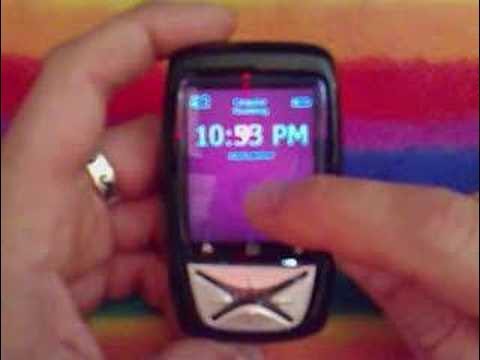
Neonode N1m review — Mobile Tech Podcast

Mobile Tech Podcast

The Neonode N1m established finger-driven swipe navigation and swipe-to-unlock controls years before Apple's handset debut by tracking gestures through an infrared diode grid.

AI-assisted summary of Neonode N1m review — original source. Check the original for full context.

Source published:

Key ideas

  • Reviewed on the eve of the original iPhone release, the Neonode N1m was highlighted as a direct touch-interface pioneer, introducing finger-based navigation and swipe-to-unlock gestures years ahead of mainstream adoption. (0:01)
  • Instead of resistive or capacitive touch panels, the N1m detects input through an optical 9x9 infrared diode matrix that registers touch coordinates when a finger breaks intersecting light beams. (0:01)
  • Built on Windows CE 5.0 with Neonode's proprietary Neno shell, the operating system incorporates haptic vibration feedback for typing and supports true background multitasking. (1:43)
  • The handset was severely constrained by its connectivity, lacking both Wi-Fi and Bluetooth while relying strictly on 2G GPRS data speeds over triband GSM. (4:32)

Detailed notes

## Background Published on YouTube by Mobile Tech Podcast (reviewer tnkgrl) on June 29, 2007, this video was released on the eve of the original Apple iPhone launch. The page description frames the Neonode N1m as an appropriate pre-iPhone review subject, pointing out that both devices share an intuitive, touch-based user interface powered by gesture recognition.

## TL;DR Reviewer tnkgrl showcases the Neonode N1m as a pioneering ancestor of the modern touchscreen smartphone, highlighting its finger-first interface operated by an optical 9x9 infrared sensor matrix rather than a conventional touch panel. Running the custom Neno shell over Windows CE 5.0, the device demonstrates swipe-to-unlock mechanics, directional navigation gestures, haptic virtual typing, and true background multitasking. The review also candidly addresses hardware constraints of its era—including the absence of Wi-Fi or Bluetooth and reliance on 2G GPRS data—before demonstrating built-in tools like the media player, touch-based Tetris, and GPRS web browsing.

## Atmosphere & style The presentation carries an authentic, intimate late-2000s tech blog atmosphere, marked by palpable excitement and prescience as the mobile industry stood on the brink of the iPhone revolution. Delivering a steady, hands-on hardware tour, tnkgrl speaks with seasoned technical curiosity, delighting in tactile nuances like haptic feedback and optical beam tracking. Watching the video feels like stepping into a pivotal historical time capsule where quirky, experimental mobile platforms were actively laying the groundwork for the future of mobile interaction.

## Bulletin - [00:01](https://www.youtube.com/watch?v=Tj-KS2kfIr0&t=1s) Reviewed on the eve of the original iPhone release, the Neonode N1m was highlighted as a direct touch-interface pioneer, introducing finger-based navigation and swipe-to-unlock gestures years ahead of mainstream adoption. - [00:01](https://www.youtube.com/watch?v=Tj-KS2kfIr0&t=1s) Instead of resistive or capacitive touch panels, the N1m detects input through an optical 9x9 infrared diode matrix that registers touch coordinates when a finger breaks intersecting light beams. - [01:43](https://www.youtube.com/watch?v=Tj-KS2kfIr0&t=103s) Built on Windows CE 5.0 with Neonode's proprietary Neno shell, the operating system incorporates haptic vibration feedback for typing and supports true background multitasking. - [04:32](https://www.youtube.com/watch?v=Tj-KS2kfIr0&t=272s) The handset was severely constrained by its connectivity, lacking both Wi-Fi and Bluetooth while relying strictly on 2G GPRS data speeds over triband GSM.

## Key takeaways - [00:01](https://www.youtube.com/watch?v=Tj-KS2kfIr0&t=1s) The Neonode N1m served as an early precursor to modern smartphones by implementing a finger-only gesture interface without requiring a stylus. - [00:01](https://www.youtube.com/watch?v=Tj-KS2kfIr0&t=1s) Touch detection is powered by an optical frame of 9 horizontal and 9 vertical infrared diodes that detect coordinates when light beams are broken. - [00:01](https://www.youtube.com/watch?v=Tj-KS2kfIr0&t=1s) Hardware provisions include a 1-megapixel rear camera, SD card expansion up to 4 GB, a 2.5 mm headset jack, and physical Yes/No buttons flanking a directional pad. - [01:43](https://www.youtube.com/watch?v=Tj-KS2kfIr0&t=103s) The device runs Windows CE 5.0 beneath Neonode's proprietary Neno interface, which restructures the OS for finger-friendly touch navigation. - [01:43](https://www.youtube.com/watch?v=Tj-KS2kfIr0&t=103s) The bottom USB port functions as a direct mass-storage SD card reader when powered off, but automatically switches to Windows CE ActiveSync mode when turned on. - [01:43](https://www.youtube.com/watch?v=Tj-KS2kfIr0&t=103s) Core system navigation is standardized around directional swipes: right-to-left confirms or accepts ('Yes'), while left-to-right cancels or goes back ('No'). - [01:43](https://www.youtube.com/watch?v=Tj-KS2kfIr0&t=103s) Three bottom-screen drawers swipe upward to reveal the main application launcher, contextual app settings, and a numeric keypad with haptic vibration feedback. - [01:43](https://www.youtube.com/watch?v=Tj-KS2kfIr0&t=103s) The handset features an early swipe-to-unlock mechanism, waking with the power button and unlocking with a right-to-left sweep across the bottom bezel. - [04:32](https://www.youtube.com/watch?v=Tj-KS2kfIr0&t=272s) Local and cellular connectivity are limited, omitting Wi-Fi and Bluetooth while restricting data connectivity to 2G GPRS on triband GSM frequencies. - [04:32](https://www.youtube.com/watch?v=Tj-KS2kfIr0&t=272s) Neonode designed the upcoming N2 successor to resolve these hardware limits by adding Bluetooth, EDGE data, quad-band GSM, and an upgraded 2 MP camera. - [05:35](https://www.youtube.com/watch?v=Tj-KS2kfIr0&t=335s) A diagonal swipe from the top-left to the bottom-right corner acts as a universal force-close gesture to terminate running background applications. - [05:35](https://www.youtube.com/watch?v=Tj-KS2kfIr0&t=335s) The system provides genuine multitasking, allowing Windows Media Player-based music to continue playing in the background while navigating other apps. - [05:35](https://www.youtube.com/watch?v=Tj-KS2kfIr0&t=335s) An Internet Explorer-based web browser enables mobile web surfing and vertical finger-scroll navigation over GPRS networks.

## Detailed walkthrough ### [00:01](https://www.youtube.com/watch?v=Tj-KS2kfIr0&t=1s) Hardware Tour and Optical Touch Technology

On the eve of the original iPhone launch, reviewer tnkgrl introduces the Neonode N1m as a direct predecessor to modern touchscreen smartphones. As she explains: “The reason I'm reviewing the Neonode N1m is because it is an ancestor of the iPhone it is one of the first devices to use purely a finger based interface um for navigation.”

The Neonode N1m is a compact handset featuring a 1-megapixel rear camera alongside an external speaker. Storage expansion is handled through an SD card slot supporting cards up to 4 GB in capacity. The SIM card bay is hidden behind a manual sliding release lever. Along the bottom edge sits a 2.5 mm stereo audio jack with microphone headset support, as well as a multi-purpose proprietary USB connector. The front face houses physical "Yes" (call/talk) and "No" (end/hang-up) buttons flanking a directional navigation pad (d-pad), placed just beneath a large touchscreen display.

Unlike contemporary resistive touchscreens or Apple's capacitive design, the N1m utilizes an optical infrared matrix. An array of nine infrared diodes running vertically and nine diodes running horizontally frames the screen perimeter, tracking input coordinates whenever a finger breaks the intersecting beams. Because it relies entirely on optical beam obstruction rather than electrical conductivity or mechanical pressure, styluses do not work, but bare fingers track reliably across the glass.

- 1-megapixel rear-facing camera and integrated speaker - SD card expansion slot supporting capacities up to 4 GB - Sliding lever mechanism for SIM card tray access - Proprietary bottom USB port and 2.5 mm stereo audio/microphone headset jack - Front hardware controls: "Yes" button, "No" button, and directional pad - Touch sensor: 9x9 infrared diode array intersecting beams along the X and Y axes

```mermaid flowchart LR accTitle: Neonode Infrared Touch Matrix accDescr: Diagram showing how vertical and horizontal infrared diodes detect finger position through intersecting beams. subgraph Emitters["Optical Grid"] V["9 Vertical Diodes"] H["9 Horizontal Diodes"] end subgraph Detection["Touch Processing"] B["Intersecting IR Light Beams"] F["Finger Breaks Beams"] C["Touch Coordinate Registered"] end V --> B H --> B B --> F F --> C ```

---

[01:43](https://www.youtube.com/watch?v=Tj-KS2kfIr0&t=103s) Operating System, Dual USB Modes, and Core Gesture System

Powering on the unit reveals an operating system built on Windows CE 5.0, running a proprietary front-end shell named Neno. The underlying Windows CE core allows the handset to run modified Windows Mobile software, though applications require user interface adaptations to accommodate the finger-driven input scheme. The bottom USB connector functions dynamically depending on power status: while the handset is switched off, plugging it into a PC exposes the SD slot directly as a USB Mass Storage card reader; when powered on, it defaults to a Windows CE ActiveSync data connection.

Once booted and registered to the Cingular Wireless network, the home interface serves as the launchpad for a suite of Windows CE-adapted applications, including a web browser derived from Internet Explorer and a music player built on Windows Media Player components.

The Neno interface relies on standardized directional finger swipes. Swiping horizontally from right to left serves as "Yes" (accept/confirm), while swiping from left to right executes "No" (cancel/back/hang up). Swiping upward from the bottom of the display activates three contextual drawers mapped to bottom-screen anchor icons: 1. **Left anchor swipe up:** Opens the main applications menu. 2. **Center anchor swipe up:** Pulls up the on-screen numeric keypad. Every screen tap on this keypad engages the internal vibrator motor, delivering tactile haptic feedback to confirm text entry without physical buttons. 3. **Right anchor swipe up:** Accesses contextual settings panes specific to the running foreground application.

The lock screen mechanism also mirrors early gesture designs. Sliding down reveals a lock icon; tapping it locks the display. Tapping the top power button wakes the device, prompting a right-to-left unlock sweep across the bottom of the glass. Remarking on the swipe-to-unlock mechanism on the eve of the iPhone release, she highlights the similarity: “Look at that does this look familiar you sweep from right to left and it unlocks let me do that again I lock it Wick it up left right to left sweep and there it is so that's very iPhone like and and I think see most more the other way around.”

---

[04:32](https://www.youtube.com/watch?v=Tj-KS2kfIr0&t=272s) Network Specifications and Hardware Limitations

Examining the radio hardware highlights the compromises of its era. The primary omission is local wireless connectivity: the device lacks Bluetooth entirely, as well as Wi-Fi. Cellular data relies strictly on 2G GPRS rather than faster 2.5G EDGE networks. The internal cellular radio operates on triband GSM frequencies, utilizing the 1900 MHz band for North America alongside European 900 MHz and 1800 MHz bands. While unlocked for any compatible GSM carrier worldwide, the network speeds remain constrained.

She notes that Neonode has an upgraded successor in development, the Neonode N2, designed to address these hardware shortcomings. The upcoming N2 model promises quad-band GSM support, EDGE data speeds, built-in Bluetooth, a thinner physical chassis, and an upgraded 2-megapixel camera sensor.

- Triband GSM connectivity: 900 / 1800 / 1900 MHz - Cellular data: 2G GPRS only (no EDGE, no 3G UMTS) - Missing wireless protocols: No Bluetooth, no Wi-Fi - Fully carrier-unlocked for worldwide GSM network use - Successor details (Neonode N2): Quad-band GSM, EDGE, Bluetooth, slimmer profile, and 2 MP camera

---

[05:35](https://www.youtube.com/watch?v=Tj-KS2kfIr0&t=335s) Built-In Application Walkthrough and Web Browsing

A tour of the onboard software highlights gesture-based task control. Dragging a diagonal line across the display from the top-left corner down to the bottom-right corner acts as a force-close command, terminating an active process entirely so it stops consuming background memory.

The software suite includes: - **Camera:** Direct viewfinder interface for capturing 1 MP still photos. - **Contacts & Phone Dialer:** Swiping across horizontally placed tab dots along the top banner switches between address book views. Calling her voicemail demonstrates in-call controls, where swiping left-to-right immediately ends the active call using the "No" gesture. - **Recent Calls & SMS:** Quick access to the call history list is tied to a quick press of the hardware power button, alongside a dedicated SMS messaging utility. - **Media Player & Multitasking:** An MP3 audio player powered by Windows Media Player. The N1m supports true multitasking; starting audio playback and sweeping up to the main menu keeps the track playing continuously while navigating into other tools, verified inside the system Task Manager. - **Utilities & Entertainment:** Built-in apps include Notes, a File Manager, Calendar, an Alarm Clock, a vibrating Calculator with haptic feedback, and a touch-controlled port of *Tetris* that lets the player tap and swipe to rotate and slide falling tetromino blocks.

The demonstration wraps up with the Internet Explorer-based web browser. Using Cingular's MediaNet APN over GPRS, she opens Google and uses the on-screen text pad to type out a search query for "tankgirl mobile." Once submitted, search results populate the window, allowing the user to scroll through web pages by sweeping up and down on the display. She concludes the demo by urging viewers to remember the Neonode's gestural innovations as the iPhone arrives in stores.

## Notable quotes > [00:01](https://www.youtube.com/watch?v=Tj-KS2kfIr0&t=1s) The reason I'm reviewing the Neonode N1m is because it is an ancestor of the iPhone it is one of the first devices to use purely a finger based interface um for navigation. — tnkgrl

## Mentioned Neonode N1m, iPhone, tnkgrl, Mobile Tech Podcast, Neonode, Windows CE 5.0, Neno, Windows Mobile, Microsoft ActiveSync, Internet Explorer, Windows Media Player, Cingular Wireless, Neonode N2, Google, Tetris

## Video description On this iPhone eve, I bring you a video review of the Neonode N1m - how appropriate!

After all, both devices feature an intuitive touch-based user interface with gesture recognition...

For more information visit http://tnkgrl.wordpress.com/2007/06/29/neonode-n1m-video-review/

[Source](https://www.youtube.com/watch?v=Tj-KS2kfIr0)

中文简报

Neonode早于苹果iPhone在光学屏幕上实现滑动触控手势 Neonode N1m通过红外二极管网格追踪手势,早在苹果手机问世数年前就开创了手指驱动的滑动导航和滑动解锁控制。 评测者tnkgrl将Neonode N1m展示为现代触屏智能手机的先驱始祖,重点强调其采用9x9红外光学传感器矩阵而非传统触控面板来实现以手指操作为核心的界面。该设备在Windows CE 5.0上运行定制的Neno界面,展示了滑动解锁机制、方向导航手势、触觉反馈虚拟打字以及真正的后台多任务处理。评测还坦率指出了其所处时代的硬件局限——包括缺乏Wi-Fi和蓝牙功能,且仅依赖2G GPRS数据网络——随后演示了媒体播放器、触控版俄罗斯方块和GPRS网页浏览等内置工具。 在初代iPhone发布前夕接受评测的Neonode N1m被视作直接触控界面的先驱,比主流普及提前数年引入了手指导航与滑动解锁手势。 (0:01) N1m并未采用电阻式或电容式触控面板,而是通过9x9红外二极管光学矩阵检测输入,当手指阻断交叉光束时即可记录触控坐标。 (0:01) 该操作系统基于搭载Neonode专有Neno界面的Windows CE 5.0打造,集成了用于打字的触觉震动反馈,并支持真正的后台多任务处理。 (1:43) 该手机在连接性能上受到严重限制,既缺乏Wi-Fi也缺乏蓝牙功能,完全依赖三频GSM下的2G GPRS数据速率。 (4:32)

Reading summary

Reviewing the Neonode N1m on the eve of Apple's first smartphone release, Mobile Tech Podcast reviewer tnkgrl positions the handset as a direct, finger-driven predecessor to the iPhone. She argues that its optical touch technology and gestural user interface introduced foundational concepts to modern mobile interaction. Optical Infrared Touch and Hardware Layout (0:01) Unlike contemporary resistive touchscreens or Apple's capacitive approach, the Neonode N1m relies on an optical infrared grid. The display frame houses nine vertical and nine horizontal infrared diodes that project intersecting light beams across the screen. Input coordinates register when a finger breaks these beams. This optical design tracks bare fingers reliably without requiring electrical conductivity or pressure, though it prevents the use of styluses. The Neno Shell and Gesture Controls (1:43) Powered by Windows CE 5.0 beneath a custom interface shell called Neno, the N1m substituted directional finger sweeps for standard hardware keys. Swiping horizontally from right to left serves as an affirmative 'Yes' or call command, while swiping left to right acts as 'No' or cancel. Swiping upward from the bottom edge pulls up three anchor menus: an applications launcher on the left, a contextual settings pane on the right, and a center numeric keypad featuring haptic feedback powered by an internal vibration motor. Early Swipe-to-Unlock and Task Gestures (1:43) The operating system also implements gesture patterns that tnkgrl directly compares to the impending iPhone. Waking the handset prompts a right-to-left sweep across the bottom of the display to unlock the device, which she notes predates Apple's similar unlock mechanism. For process management, the shell utilizes a diagonal stroke from the upper-left corner to the lower-right corner to force-close active background applications and free memory. Networking Limitations and Software Multitasking (4:32) The hardware reflects substantial connectivity trade-offs of its era. Cellular communication is restricted to 2G GPRS across triband GSM frequencies (900, 1800, and 1900 MHz), omitting faster EDGE or 3G data, while Bluetooth and Wi-Fi are missing entirely. Despite these constraints, the underlying Windows CE core supports true multitasking, demonstrated by playing MP3 audio in the background while browsing the web via an Internet Explorer shell, editing notes, or playing a touch-controlled port of Tetris. While acknowledging the device's hardware compromises, tnkgrl notes that the upcoming Neonode N2 aims to address them with quad-band GSM, EDGE, Bluetooth, and an upgraded 2-megapixel camera. She concludes by urging viewers to recognize the N1m's gestural and finger-focused innovations before attributing the smartphone interaction model entirely to the iPhone.

精炼阅读摘要

在初代 iPhone 发布前夕,评测者 tnkgrl 介绍了 Neonode N1m 智能手机,并将其视为现代触屏手机的直接先驱,重点展示了其独特的红外矩阵触摸技术和完全基于手指的手势交互系统。 红外矩阵触摸技术与硬件配置 (0:01) Neonode N1m 采用了一种独特的红外矩阵触摸技术,这与当时主流的电阻屏或后来苹果的电容屏设计截然不同。屏幕边缘配有横竖各 9 个红外发光二极管,通过检测手指阻断红外光束的位置来确定触摸坐标。这种设计使得用户无法使用手写笔,但裸指操作非常可靠。在基础硬件方面,该机配备了 100 万像素后置摄像头、内置扬声器、支持最高 4 GB 的 SD 卡插槽、隐藏式 SIM 卡槽,以及底部的 2.5 mm 耳机接口和专用 USB 接口。屏幕下方还保留了物理拨号键、挂断键和方向键。 基于 Neno 界面的核心手势交互 (1:43) 该设备搭载基于 Windows CE 5.0 的定制 Neno 界面,其交互完全依赖标准化的手指滑动。向左滑动代表“确认”(Yes),向右滑动代表“取消”或“返回”(No)。从屏幕底部向上滑动可拉出三个上下文抽屉,分别对应应用程序菜单、带震动反馈的虚拟数字键盘以及设置面板。tnkgrl 特别指出,其从右向左滑动的解锁机制与 iPhone 的滑动解锁高度相似。此外,该机支持双 USB 模式:关机时连接电脑可作为 SD 卡读卡器,开机时则默认使用 ActiveSync 数据连接。 2G 网络局限性与硬件短板 (4:32) 尽管 Neonode N1m 在交互上具有前瞻性,但其无线连接性能受限于时代。该设备完全缺失了蓝牙和 Wi-Fi 功能,蜂窝数据仅支持 2G GPRS,不支持更快的 EDGE 或 3G 网络。其内置的三频 GSM 射频芯片支持 900/1800/1900 MHz 频段,虽然在全球范围内解锁,但网络速度受到极大限制。据评测者透露,Neonode 正在开发其继任者 Neonode N2,计划通过加入四频 GSM、EDGE 支持、蓝牙、更薄的机身和 200 万像素摄像头来解决这些硬件短板。 内置应用生态与多任务处理 (5:35) N1m 的软件套件展示了手势控制在日常应用中的应用。例如,从左上角向右下角划对角线可强制关闭后台程序以释放内存。内置应用包括 100 万像素相机、联系人、短信、带触觉反馈的计算器以及支持手势操作的《俄罗斯方块》。得益于 Windows CE 内核,该机支持真正的多任务处理,用户可以在后台播放音乐的同时浏览其他应用。通过 Cingular 的 GPRS 网络,用户可以使用内置的 Internet Explorer 浏览器进行网页搜索,并通过上下滑动屏幕进行页面滚动。 tnkgrl 总结认为,Neonode N1m 的手势创新在智能手机发展史上具有重要意义。尽管该设备在网络连接(缺乏 Wi-Fi 和蓝牙)和硬件性能上存在明显的时代局限性,但其在 iPhone 问世之前就已经实现的“纯手指”手势操作和滑动解锁设计,为现代触屏交互提供了极具价值的早期探索。

Detailed notes — zh

## Background 该视频由 YouTube 频道 Mobile Tech Podcast(评测者 tnkgirl)于 2007 年 6 月 29 日发布。视频简介指出,在初代 iPhone 发售前夕评测 Neonode N1m 格外应景,因为两款设备都采用了直观的触控手势识别界面。 ## TL;DR 在初代 iPhone 正式开售前夜,评测者详细回顾并演示了被视作触控手机精神先驱的 Neonode N1m。视频深入解析了其独特的红外光束感应触控技术、基于 Windows CE 5.0 打造的 Neno 手势交互界面,以及包括滑动手势解锁、上扫抽屉菜单和对角线划动结束后台任务在内的创新系统设计。此外,评测者还实测了该机在后台音乐播放、多任务管理、自带工具应用以及移动网页浏览方面的表现,并在指出其缺少蓝牙与仅支持 GPRS 慢速网络等短板的同时,展望了即将推出的下一代产品 N2。 ## Atmosphere & style 整期评测洋溢着数码极客在时代转折点上的兴奋感与历史审视视角。评测者的讲解清晰专业、节奏紧凑,在昏暗的特写镜头下把玩这款罕见的小众设备,营造出一种开箱探索科技“失落遗迹”的仪式感。每当演示滑动手势解锁或震动触觉反馈时,言语间都不自觉流露出对前瞻交互设计的惊叹与怀旧敬意。 ## Bulletin - [00:01](https://www.youtube.com/watch?v=Tj-KS2kfIr0&t=1s) 在初代 iPhone 发售前夕,评测者回顾了全手势交互先驱 Neonode N1m,该机在多年前就已实现纯手指操作与滑动解锁交互。 - [01:10](https://www.youtube.com/watch?v=Tj-KS2kfIr0&t=70s) Neonode N1m 既未采用电容屏也未采用电阻屏,而是通过屏幕四周各 9 组红外二极管构建的光学网格来检测手指遮挡并精确定位触控坐标。 - [02:44](https://www.youtube.com/watch?v=Tj-KS2kfIr0&t=164s) 系统基于 Windows CE 5.0 并深度定制了 Neno 手势界面,提供滑动解锁、底部抽屉式菜单及带触觉震动反馈的数字拨号键盘。 - [04:33](https://www.youtube.com/watch?v=Tj-KS2kfIr0&t=273s) 受限于发布年代,该机仅支持 GSM 三频与慢速 GPRS 网络,且缺乏蓝牙和 Wi-Fi,后续机型 N2 将针对这些短板进行全面升级。 ## Key takeaways - [00:01](https://www.youtube.com/watch?v=Tj-KS2kfIr0&t=1s) Neonode N1m 是智能手机纯手指触控与手势交互的重要先驱,历史地位与初代 iPhone 形成鲜明呼应。 - [00:01](https://www.youtube.com/watch?v=Tj-KS2kfIr0&t=1s) 硬件外观极为小巧紧凑,机身正面仅保留接听、挂断及方向键三组实体按键,大面积区域均留给屏幕。 - [01:10](https://www.youtube.com/watch?v=Tj-KS2kfIr0&t=70s) 触控机制采用创新的红外发光二极管阵列网格,无需手写笔即可实现极为灵敏的手指触控响应。 - [01:10](https://www.youtube.com/watch?v=Tj-KS2kfIr0&t=70s) 底层运行 Windows CE 5.0 系统,但通过定制的 Neno UI 彻底摒弃了传统 Windows Mobile 依赖手写笔的交互逻辑。 - [01:10](https://www.youtube.com/watch?v=Tj-KS2kfIr0&t=70s) USB 接口具备双模特性:开机状态下作为 ActiveSync 同步设备,关机状态下则直接充当 SD 读卡器。 - [02:44](https://www.youtube.com/watch?v=Tj-KS2kfIr0&t=164s) 系统确立了高度统一的手势语言,屏幕底部向左滑代表确认/接听(Yes),向右滑代表取消/挂断(No)。 - [02:44](https://www.youtube.com/watch?v=Tj-KS2kfIr0&t=164s) 屏幕唤醒后采用横向滑动手势进行解锁,这一交互逻辑与后来 iPhone 的滑动解锁极为神似。 - [02:44](https://www.youtube.com/watch?v=Tj-KS2kfIr0&t=164s) 屏幕底部三个常驻图标支持向上扫动呼出抽屉菜单,且拨号盘输入具备每次按压的马达触觉反馈。 - [04:33](https://www.youtube.com/watch?v=Tj-KS2kfIr0&t=273s) 通信能力存在明显时代局限,缺少蓝牙和 Wi-Fi 支持,且仅能通过 GPRS 进行慢速数据传输。 - [04:33](https://www.youtube.com/watch?v=Tj-KS2kfIr0&t=273s) 下一代机型 N2 将弥补前代遗憾,带来更轻薄的机身、蓝牙支持、四频 GSM/Edge 网络及 200 万像素相机。 - [05:35](https://www.youtube.com/watch?v=Tj-KS2kfIr0&t=335s) 具备对角线划动彻底杀死后台进程的快捷手势,有效解决了移动设备多任务资源占用的问题。 - [05:35](https://www.youtube.com/watch?v=Tj-KS2kfIr0&t=335s) 得益于 Windows CE 底层架构,设备支持真正的后台多任务处理,在后台播放音乐的同时可流畅操作其他系统工具。 - [08:25](https://www.youtube.com/watch?v=Tj-KS2kfIr0&t=505s) 内置基于 Internet Explorer 内核的浏览器,用户可直接通过手指在屏幕上拖拽滚动网页并使用虚拟键盘搜索。 ## Detailed walkthrough ### [00:01](https://www.youtube.com/watch?v=Tj-KS2kfIr0&t=1s) 历史渊源与外观硬件设计 评测者 tnkgirl 在节目开篇指出,今晚是一个特殊的时刻——正值第一代 iPhone 正式发售的前夕。她之所以选择在此时评测 Neonode N1m,是因为它是 iPhone 真正的精神先驱:“The reason I'm reviewing the Neonode N1m is because it is an ancestor of the iPhone it is one of the first devices to use purely a finger based interface um for navigation.” 随后,她展示了机身外观与接口布局:机身非常小巧,后置配有一颗 100 万像素的摄像头和独立扬声器;机身侧面设有一个支持最高 4GB 容量的 SD 卡槽,以及一个带有推拉滑块拨杆的 SIM 卡槽。 机身底部配备了一个专有 USB 接口(用于充电和数据同步传输)和一个 2.5 毫米立体声耳机插孔(兼容麦克风标准通话耳机)。机身正面的物理按键极为克制,仅有左侧“Yes”与右侧“No”(分别对应接通和挂断功能)两枚按键,中间辅以一个方向键(d-pad),其余大面积区域全部被屏幕占据。 - **摄像头与音频**:后置 100 万像素摄像头、独立外放扬声器、2.5mm 立体声耳机接口 - **存储与卡槽**:支持最高 4GB 扩展的 SD 卡插槽、采用机械滑块固定的 SIM 卡插槽 - **实体控制**:正面仅设“Yes/接听”、“No/挂断”按键与一组方向键(d-pad) --- ### [01:10](https://www.youtube.com/watch?v=Tj-KS2kfIr0&t=70s) 红外触控专利与 Windows CE 核心架构 Neonode N1m 的触控实现原理与当时的主流设备完全不同。它既不像即将上市的 iPhone 那样采用电容屏,也不是当时 Windows Mobile 常见的压感电阻屏,而是利用了极为精妙的光学网格技术。屏幕四周分布着上下各 9 个、左右各 9 个红外发光二极管(diode),通过红外光束在屏幕表面交织形成不可见的网格,手指遮挡光束交叉点即可精准定位触控坐标。这种设计虽然无法使用传统手写笔(stylus),但手指操作响应极为敏锐。 在开机过程中,评测者介绍了其底层软件系统:机器运行的是 Windows CE 5.0 核心,但覆盖了一套名为“Neno”的深度定制 UI。尽管可以运行经过适配的 Windows Mobile 应用程序,但为了贴合手指触控,原本的界面必须经过大幅重构。此外,底部的 USB 接口设计也十分独特:在关机状态下连接电脑会作为外置 SD 读卡器(U 盘模式)工作,而在开机状态下则会以 ActiveSync 数据同步设备运行。 ```mermaid flowchart TD accTitle: Neonode N1m 红外光束定位原理 accDescr: 屏幕边框四周的红外发射管交织形成光线网格,手指阻断 X/Y 轴交叉光束判定坐标 subgraph Hardware["屏幕边缘红外二极管阵列"] XAxis["横向 9 组红外二极管 (X 轴发射/接收)"] YAxis["纵向 9 组红外二极管 (Y 轴发射/接收)"] end subgraph Detection["触控定位交互"] Finger["手指点击/滑动屏幕"] Intersect["红外光束交叉点被手指遮断"] Coords["计算 X/Y 坐标并触发震动马达反馈 (Haptic)"] end XAxis --> Intersect YAxis --> Intersect Finger --> Intersect Intersect --> Coords ``` - **触控技术**:红外发光二极管阵列(纵向 9 组 + 横向 9 组),通过遮蔽光束定位 - **操作系统**:Windows CE 5.0 核心,搭载 Neno 定制手势 UI - **连接机制**:关机连电脑识别为大容量存储读卡器,开机状态识别为 ActiveSync 同步设备 --- ### [02:44](https://www.youtube.com/watch?v=Tj-KS2kfIr0&t=164s) 创新的滑动与解锁手势交互 设备开机后接入了 Cingular 移动网络。系统底层自带的多媒体与上网组件分别基于 Windows Media Player 和 Internet Explorer 打造。针对手指操作,Neno UI 建立了一套高度统一的手势语言:在屏幕底部自右向左滑动代表“Yes”(接听/确认),自左向右滑动代表“No”(挂断/取消),与正面的两颗物理按键功能完全对齐。 屏幕下方常驻三个图标,手指从不同图标位置向上扫动(sweep),即可呼出不同的全屏菜单:左侧向上扫动进入应用程序主菜单(App Menu);中间向上扫动呼出拨号数字键盘(Keypad),此时每按下一个数字,机身内部的震动马达都会触发震动,提供极具沉浸感的触觉反馈(Haptic feedback);右侧向上扫动则呼出当前应用对应的设置菜单(Settings)。最令人惊叹的是屏幕锁机制:在菜单中点击锁定后,设备进入休眠,按下电源键唤醒时,屏幕底部出现滑动条,手指自右向左一扫便解开屏幕锁。评测者对此情景赞叹道:“Look at that does this look familiar you sweep from right to left and it unlocks... that's very iPhone like and and I think see most more the other way around.” - **基础确认手势**:底部自右向左滑为“Yes/接听”,自左向右滑为“No/挂断” - **底部上扫三合一抽屉**: - 左图标上扫:呼出主应用列表 - 中图标上扫:呼出拨号盘(带每次按压震动的触觉反馈) - 右图标上扫:呼出当前应用的上下文设置 - **锁屏滑动**:电源键唤醒后通过自右向左横向滑动手势解锁 --- ### [04:33](https://www.youtube.com/watch?v=Tj-KS2kfIr0&t=273s) 网络通信规格与下一代 N2 展望 从通信技术角度审视,评测者指出了这台机器在当下的显著短板:整机完全没有配备蓝牙模块(Bluetooth),数据网络也仅支持速度较慢的 GPRS,缺失了高速 Edge 网络和 Wi-Fi。虽然支持 GSM 三频(涵盖美国 1900 MHz 与欧洲 900/1800 MHz 频段),能作为全球漫游手机在已解锁的 GSM 网络中使用,但考虑到它已经是两到三年前发布的产品,这些规格在当下已显落伍。 评测者顺带透露了 Neonode 正在研发的下一代机型 Neonode N2。新机型将全面弥补 N1m 的硬件遗憾,升级为四频网络,加入对 Edge 高速数据网络和蓝牙的支持,机身会更加小巧轻薄,摄像头也会提升至 200 万像素,令人十分期待。 - **蜂窝网络**:GSM 三频(900 / 1800 / 1900 MHz),仅支持 GPRS 数据传输,无 Edge/Wi-Fi - **无线互联**:缺少蓝牙无线传输功能 - **网络锁状态**:出厂无锁(SIM-unlocked),支持全球主流 GSM 运营商 - **后继机型 N2 参数**:升级 GSM 四频、Edge 支持、内置蓝牙、机身更轻薄、升级 200 万像素相机 --- ### [05:35](https://www.youtube.com/watch?v=Tj-KS2kfIr0&t=335s) 系统内置应用生态与多任务运行 评测者随后对系统内的软件进行了深度演示。应用的彻底退出机制独具特色:用手指从屏幕左上方沿对角线划向右下方,即可彻底杀死当前任务,避免后台占用。她随后打开联系人列表(Contacts),演示了点击呼叫语音信箱,并在通话建立后通过自左向右滑动(“No”手势)利落地挂断通话。而在界面顶部的小圆点则是分页标签(Tabs),只要在顶部左右滑动,即可在联系人、最近通话记录等标签之间迅速切换。 接着,评测者展示了短信(SMS)、备忘录(Notes)、文件管理器(File Manager)、日历(Calendar)、闹钟(Alarm Clock)以及支持按键震动反馈的计算器(Calculator)。系统甚至还内置了一款纯手势触控玩的俄罗斯方块(Tetris)游戏,滑动与旋转反应灵敏。她还重点展示了音乐播放器,证明基于 Windows CE 的 Neonode N1m 支持真正的后台多任务运行——音乐在后台持续播放的同时,她调出任务管理器(Task Manager),系统流畅度并未受到影响。 - **手势杀后台**:从屏幕左上方向右下方拉对角线划过,完全结束应用进程 - **顶部横向标签切屏**:在屏幕顶端指示圆点区域左右轻扫切换视图标签 - **多任务能力**:多媒体播放器基于 Windows Media Player,支持音乐在后台持续多任务播放 - **预装工具与娱乐**:备忘录、文件管理器、日历、闹钟、震动计算器、触控版俄罗斯方块 --- ### [08:25](https://www.youtube.com/watch?v=Tj-KS2kfIr0&t=505s) 移动网络浏览与全片总结 在视频最后的剩余时间里,评测者展示了基于 Internet Explorer 内核的 Web 浏览器。由于装载了 Cingular SIM 卡,系统在连接时弹窗确认选用“Media Net”网络接入点。她在书签收藏夹中点开 Google 首页,随后呼出屏幕键盘进行输入搜索。 尽管虚拟全键盘在狭窄的红外屏幕上敲击需要格外小心(评测者在输入自身网站名称“tnkgrl mobile”时经历了一次退格修正与空格键调整),但输入确认后顺利将关键字填入搜索框。点击搜索按钮后,页面顺利加载出网页结果,且手指可以直接在屏幕表面上下拖拽滑动网页内容。随着录制时间临近上限,评测者快速收尾,并提醒大家在明天迎来划时代的 iPhone 时,不要忘记这款早已探索过全手势滑动界面的先驱产品。 - **浏览器核心**:基于移动版 Internet Explorer 开发,支持收藏夹与自定义 APN 接入点 - **触控输入与滚动**:内置软键盘完成网页输入,支持手指直接触控拖拽网页上下滚动 - **历史定位**:在 iPhone 正式开售之日,以 Neonode N1m 为例证回顾了手势交互与指尖触控的原型探索 ## Notable quotes > [00:01](https://www.youtube.com/watch?v=Tj-KS2kfIr0&t=1s) The reason I'm reviewing the Neonode N1m is because it is an ancestor of the iPhone it is one of the first devices to use purely a finger based interface um for navigation. — tnkgrl ## Mentioned Neonode N1m, iPhone, Neonode N2, tnkgrl, Neonode, Windows CE 5.0, Neno UI, ActiveSync, Cingular, Windows Media Player, Internet Explorer, Google, Media Net ## Video description On this iPhone eve, I bring you a video review of the Neonode N1m - how appropriate! After all, both devices feature an intuitive touch-based user interface with gesture recognition... For more information visit http://tnkgrl.wordpress.com/2007/06/29/neonode-n1m-video-review/ [Source](https://www.youtube.com/watch?v=Tj-KS2kfIr0)

Source quotes

[0:01] tnkgrl: The reason I'm reviewing the Neonode N1m is because it is an ancestor of the iPhone it is one of the first devices to use purely a finger based interface um for navigation.

Source quotes

[0:01] tnkgrl: The reason I'm reviewing the Neonode N1m is because it is an ancestor of the iPhone it is one of the first devices to use purely a finger based interface um for navigation.

Original transcript

[0:01] hi this is TL mobile and tonight I'm [0:03] going to give you a quick video review [0:05] of the neonode n1m tonight is also a [0:08] special night it is the eve of the [0:10] iPhone release and the reason I'm [0:12] reviewing the neonode n1m is because it [0:14] is an ancestor of the iPhone it is one [0:16] of the first devices to use purely a [0:19] finger based [0:20] interface um for navigation so let me [0:23] give you a quick tour of the outside um [0:26] it's a pretty small device it has a 1 [0:28] megapixel camera here and a speaker [0:31] there an SD card slot over [0:35] here with up to 4 GB capacity and the [0:38] SIM card is here there's a little lever [0:41] I can slide to get to it there's a SIM [0:44] card [0:46] and at the bottom there is a USB for [0:50] connector for charging and for uh data [0:53] transfer as well as a 2.5mm audio jack [0:56] for stereo audio with microphone headset [0:59] standard connection [1:00] uh in the front you can see here there's [1:02] two buttons um a yes and a no [1:05] essentially talk and and hang up kind of [1:07] buttons and then a d-pad as well as a b [1:10] large touch screen now the touch screen [1:12] on this device is not capacitive like [1:14] the iPod uh sorry the iPhone it's not um [1:18] pressure like the Windows mobile device [1:20] It's actually an array of nine diodes up [1:24] and down as well as nine diodes left to [1:27] right they're infrared and they detect [1:30] the position of the Finger by [1:32] intersecting the beams um and it's it's [1:35] very clever and and so obviously you [1:37] can't use a pen but uh like a stylist [1:39] but it works very well so let me boot [1:41] this [1:43] up when uh it's booting it's uh actually [1:46] running uh uh it's currently running [1:49] windows [1:50] c5n with a custom user interface called [1:53] Nino so you can run Windows mobile apps [1:55] on this but it is based on the same core [1:59] and it has a bunch of apps available for [2:01] it uh you need to do some UI rework if [2:03] you want to use existing uh Windows [2:06] mobile apps um the uh uh connector down [2:10] here becomes a master storage USB device [2:13] uh card reader SD card reader when the [2:15] power is off and when the power is [2:18] on it is a uh active sync data device [2:22] because it's Windows uh mobile well [2:24] sorry Windows C based now as you can see [2:28] it's connected to singular this is the [2:30] the main screen and um all the apps are [2:35] based on Windows c apps so the wind the [2:37] music player is based on Windows Media [2:39] Player and the internet the web browser [2:41] is based on Internet Explorer let me [2:44] quickly run through the gestures that [2:46] are available [2:48] so the first two gestures turn our right [2:51] to left which is yes and then at the [2:54] bottom like this right to left yes and [2:56] the second gesture is left to right like [2:58] that which is no left to right right no [3:00] so when you want to take a call right to [3:02] left when you want to hang up a call [3:03] left to right you can also use the yes [3:05] and no buttons on the sides as well um [3:08] there's three menus that are sweeped [3:10] from the bottom to the top um for [3:14] starting at each of these icons the [3:16] first sweep brings up the apps menu and [3:19] I'm going to go no the Second Sweep [3:22] brings up the keypad now what's [3:23] interesting about the keypad is if you [3:25] tap on this you feel the vibration of [3:28] the vibrator the motor inside for a um [3:32] silent um alarm and it it actually uh [3:36] vibrates touch every time you touch the [3:38] screen and so you know that you you've [3:40] got some feedback it's kind of hoptic so [3:43] here I'm going to go [3:44] no the last sweep is for the settings so [3:48] each app is the main menu is always [3:50] available in each app and then the [3:51] settings these are apps specific so and [3:54] the middle is always the keypad so it's [3:55] pretty easy to remember if I sweep back [3:58] go back to the main menu now let me show [4:01] you how you lock it it's really cool you [4:03] slide it like this and this button the [4:05] little lock here I tap on it and the now [4:08] the the device is locked uh to go back I [4:11] need to wake it up again with the power [4:12] button and look at that does this look [4:15] familiar you sweep from right to left [4:18] and it unlocks let me do that again I [4:21] lock it Wick it up left right to left [4:25] sweep and there it is so that's very [4:28] iPhone like and and I think see most [4:31] more the other way around now from a [4:33] tech point of view um this is the big [4:37] lacking feature on this device is is [4:39] Bluetooth there's no Bluetooth um there [4:41] is however uh GPRS which is also a bit [4:44] of a let down it's it's not Edge uh or [4:46] no Wi-fi either um it's a triband device [4:49] but you have to keep in mind it's it's a [4:51] 2 to threey Old device now so um it has [4:55] the one US frequency 1900 and the [4:57] European 800 and um sorry 900 and 18800 [5:01] MHz frequency so it is a world phone [5:04] although it's only triban and only uh [5:07] GPRS but it's unlocked and you can use [5:10] it on any gsm [5:12] network um so technically speaking a NE [5:17] note is coming out with an N2 which will [5:19] have Edge and be quad band and have [5:21] Bluetooth and be a bit small and a bit [5:23] thinner so it's it's kind of looking [5:25] very exciting I think I I'll probably be [5:27] picking one up also the new neonode has [5:29] a better camera I believe a 2 megapixel [5:31] camera so now that we've kind of talked [5:35] about most of the basics let me run [5:36] through the apps quickly with you um so [5:40] the first uh is I show you the lock this [5:42] is to go back to the main [5:44] menu now here's the [5:47] camera as you can see there's the [5:50] camera and to close an app you go like [5:54] completely closing it you can go from [5:58] top left to bottom right like this this [6:00] actually completely closes an app so it [6:02] doesn't run in the background [6:04] anymore um the next set of apps is um [6:09] this is the uh the contact list so you [6:12] can go like this and then you know tap [6:14] to [6:14] call um I'm not going to call anyone but [6:17] I'm going to actually call my voicemail [6:19] so you can look at [6:21] it making a [6:25] call uh let's see here [6:30] so there you go it's making a call now [6:32] and and if I swipe left right left to [6:34] right it it hangs up because that's a no [6:37] gesture um the little dots at the top [6:39] here are tabs so um it tells me that if [6:42] I go left to right or right to left at [6:44] the top I'm going between the tabs very [6:46] clever um the next screen is the recent [6:50] calls which you can also get by pushing [6:52] the power button really [6:54] quickly um and then you have an SMS app [7:01] and then you [7:03] have a media [7:05] player app [7:10] which there you go it's playing music [7:14] right now so it's actually pretty nice [7:16] mp uh M player uh MP3 player it's based [7:19] on Windows U media [7:21] player and it can multitask I'm going to [7:23] show you by going back to the main menu [7:25] and going to another [7:28] app so here is the task manager as you [7:31] can see it's [7:33] running I'm going to shut down out of [7:36] this [7:38] the next stop I wanted to show you was [7:41] the [7:46] notes file [7:51] manager [7:55] calendar a game of Tetris very very fun [7:59] so you can just you know rotate move to [8:01] the right move to the left down [8:04] Etc [8:06] and then there is an alarm [8:11] clock [8:13] and let's see uh cal calculator sorry [8:18] so again touch feedback on [8:22] this by vibration and the last item I [8:25] wanted to show you in a bit more depth [8:27] I've got about another minute to go here [8:29] is the web [8:30] browser so this is Internet Explorer [8:33] based and I'm going to bring up my [8:35] favorites and I'm going to go to [8:37] Google and it wants to connect ask me [8:39] which access point I'm using mediet [8:41] since we're connected with a a singular [8:44] SIM [8:45] card and I'm going to type in a search [8:49] for my own website in Google in a [8:54] second so I tap on this and I type tank [9:03] girl Space Mo oops I didn't do a [9:10] space Space [9:14] Mo [9:19] B [9:24] oops there we go and I go yes and it [9:27] puts it in there [9:30] and now I want to tap the search button [9:34] at that point it's going to go search [9:35] for my [9:37] uh for that page and the interesting [9:40] thing is I can then scroll up or down [9:44] through that page so anyway uh I think [9:47] I'm up for my time but I wanted to show [9:49] you that quickly and you can remember [9:51] that as you see the iPhone anyway take [9:54] care and I'll catch you later