Commodore Debuts Amiga With PC Emulation to Challenge IBM Dominance
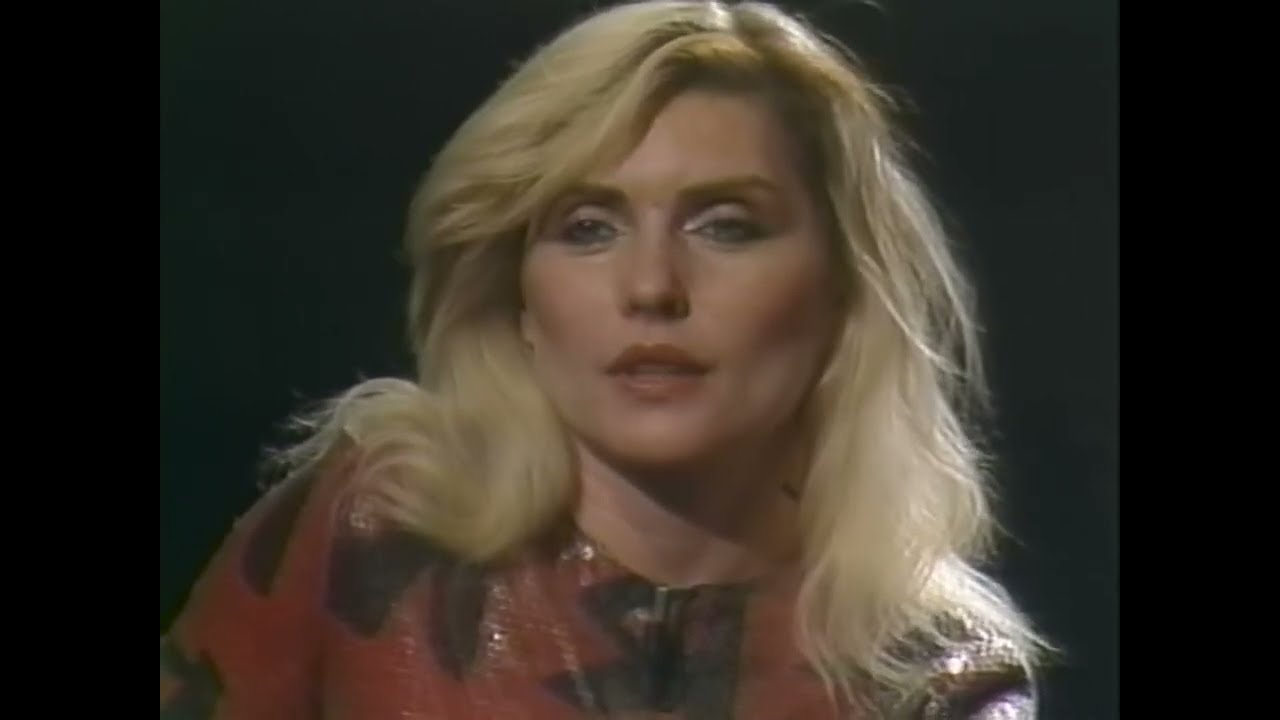
The World Premiere of the Amiga (1985, Andy Warhol, Debbie Harry) — Generation X Video Archive

Generation X Video Archive

Commodore argues dedicated coprocessors for graphics and audio allow the Amiga to outpace rivals through real-time multitasking while maintaining full compatibility with IBM PC business software.

AI-assisted summary of The World Premiere of the Amiga (1985, Andy Warhol, Debbie Harry) — original source. Check the original for full context.

Source published:

Key ideas

  • Commodore officially debuted the Amiga computer at Lincoln Center's Vivian Beaumont Theater, highlighting over 100 man-years of research and development since 1982. (1:28)
  • The Amiga demonstrated advanced preemptive multitasking and custom chipset offloading, playing 4-channel DMA audio and complex graphics while keeping the Motorola 68000 CPU completely idle. (5:31)
  • Commodore introduced 'Amiga Transformer,' a pure software emulator capable of booting vanilla IBM PC DOS and running Lotus 1-2-3 without auxiliary hardware. (8:43)
  • Pop art icon Andy Warhol and Debbie Harry demonstrated live digital painting on stage using a video digitizer and ProPaint, marking Warhol's first time working on a computer. (12:05)

Detailed notes

## Background Published on YouTube by the Generation X Video Archive on May 14, 2023, this restored archival video documents the black-tie world premiere of the Amiga 1000 held at the Vivian Beaumont Theater at Lincoln Center in New York City on July 23, 1985. The description highlights Commodore's ambitious effort to rival Apple's 1984 Macintosh launch through demonstrations of preemptive multitasking, multichannel sampled audio, IBM PC software emulation, and a live digital art demonstration by Andy Warhol featuring Blondie's Debbie Harry.

## TL;DR The launch event kicks off with Commodore Vice President of Marketing Bob Truckenbrode framing the Amiga as a revolutionary milestone in personal computing. A comprehensive technical demonstration exhibits the Workbench interface, dynamic 4,096-color graphics, hardware-driven true multitasking, 4-channel DMA audio playback, animated bitplane graphics via 'Robo City,' and an MS-DOS software emulator running Lotus 1-2-3 before concluding with the iconic 'Boing Ball' demo. The evening peaks with pop art icon Andy Warhol live-painting a digitized video frame of Debbie Harry using ProPaint, followed by a dramatic theatrical acrobatics finale representing the computer's creative power.

## Atmosphere & style The presentation exudes the grand, theatrical optimism of mid-1980s corporate tech reveals, blending sophisticated gala ambiance with pioneering computer wizardry. The technical presenters maintain a confident, slightly mischievous banter as they effortlessly demonstrate capabilities that surpassed contemporary competitors, earning genuine delight and chuckles from the audience. A surreal cultural crossover occurs when Andy Warhol's soft-spoken, deadpan artistic detachment collides with cutting-edge software glitches on stage, ending the night on an almost operatic, celebratory high.

## Bulletin - [01:28](https://www.youtube.com/watch?v=_QST1ZAJ29o&t=88s) Commodore officially debuted the Amiga computer at Lincoln Center's Vivian Beaumont Theater, highlighting over 100 man-years of research and development since 1982. - [05:31](https://www.youtube.com/watch?v=_QST1ZAJ29o&t=331s) The Amiga demonstrated advanced preemptive multitasking and custom chipset offloading, playing 4-channel DMA audio and complex graphics while keeping the Motorola 68000 CPU completely idle. - [08:43](https://www.youtube.com/watch?v=_QST1ZAJ29o&t=523s) Commodore introduced 'Amiga Transformer,' a pure software emulator capable of booting vanilla IBM PC DOS and running Lotus 1-2-3 without auxiliary hardware. - [12:05](https://www.youtube.com/watch?v=_QST1ZAJ29o&t=725s) Pop art icon Andy Warhol and Debbie Harry demonstrated live digital painting on stage using a video digitizer and ProPaint, marking Warhol's first time working on a computer.

## Key takeaways - [00:00](https://www.youtube.com/watch?v=_QST1ZAJ29o&t=0s) Commodore position the Amiga premiere at Lincoln Center as a major milestone intended to redefine personal computing. - [01:28](https://www.youtube.com/watch?v=_QST1ZAJ29o&t=88s) The Intuition GUI and Workbench operating environment emphasize user control over machine control, paired with productivity software like Textcraft. - [02:59](https://www.youtube.com/watch?v=_QST1ZAJ29o&t=179s) The custom graphics hardware natively renders all 4,096 colors simultaneously and supports 640×400 high-resolution static photographic displays across overlapping windows. - [03:48](https://www.youtube.com/watch?v=_QST1ZAJ29o&t=228s) Preemptive multitasking allows simultaneous operation of printing spoolers, data sorting, text editing, and geometric rendering without redraw latency. - [03:48](https://www.youtube.com/watch?v=_QST1ZAJ29o&t=228s) Hardware-accelerated dynamic 3D business graphics render complex bar and pie charts directly from disk data in real time. - [05:31](https://www.youtube.com/watch?v=_QST1ZAJ29o&t=331s) Four direct-memory-access (DMA) audio channels output arbitrary waveform polyphonic stereo sound and synthesized speech without utilizing CPU cycles. - [07:37](https://www.youtube.com/watch?v=_QST1ZAJ29o&t=457s) The 'Robo City' simulation showcases complex layered sprite and blitter animation, with independent system tasks running proximity checks between graphical elements. - [08:43](https://www.youtube.com/watch?v=_QST1ZAJ29o&t=523s) Commodore tackled enterprise software lock-in by executing standard IBM PC DOS and Lotus 1-2-3 via pure software emulation. - [11:04](https://www.youtube.com/watch?v=_QST1ZAJ29o&t=664s) The historic 1984 'Boing Ball' demo demonstrated smooth animation, dynamic drop shadows, and synchronized stereo sound impacts. - [12:05](https://www.youtube.com/watch?v=_QST1ZAJ29o&t=725s) A live monochrome video frame capture of Debbie Harry was digitized and painted live on stage by Andy Warhol using ProPaint. - [12:05](https://www.youtube.com/watch?v=_QST1ZAJ29o&t=725s) Warhol embraced accidental digital artifacts on stage, keeping a leaky flood fill that washed yellow across the background of Harry's portrait. - [13:44](https://www.youtube.com/watch?v=_QST1ZAJ29o&t=824s) The gala concluded with a theatrical, acrobatic dance performance chosen as the living symbol to represent the Amiga's classic beauty and performance.

## Detailed walkthrough ### [00:00](https://www.youtube.com/watch?v=_QST1ZAJ29o&t=0s) Welcome to Lincoln Center: The Debut of the Amiga

Following dramatic introductory music and audience applause, Bob Truckenbrode, Vice President of Marketing for Commodore, steps forward to welcome the audience to the Vivian Beaumont Theater at Lincoln Center. Setting an ambitious tone for the evening, Truckenbrode frames the event as a landmark milestone in personal computing: “Good evening ladies and gentlemen, Commodore welcomes you to Lincoln Center. My name is Bob Truckenbrode, Vice President of Marketing for Commodore, and I will be your host for what promises to be a very exciting exhibition, for tonight is the world premiere of Amiga.”

```mermaid flowchart LR accTitle: Amiga System Architecture Flow accDescr: Diagram illustrating how custom Amiga hardware chips process sound and graphics independently from the Motorola 68000 CPU.

subgraph CPU["Main Processor"] M68K["Motorola 68000 CPU"] end

subgraph CustomChips["Amiga Custom Chipset"] GfxEngine["Graphics Hardware\n(Area Fill, Blitter, 4096 Colors)"] SoundEngine["Sound Hardware\n(4 Independent 8-bit DMA Channels)"] end

subgraph Outputs["System Output"] Display["Multitasking Windows\n& Workbench GUI"] AudioOut["Polyphonic Arbitrary\nWaveform Audio & Speech"] end

M68K -.->|"Idle during DMA playback"| SoundEngine M68K -->|"Dispatches tasks"| GfxEngine GfxEngine --> Display SoundEngine --> AudioOut ```

[01:28](https://www.youtube.com/watch?v=_QST1ZAJ29o&t=88s) Research Origins and the Workbench Interface

A technical demonstrator takes over the presentation, noting that what the audience is about to see is the culmination of an intensive research and development journey that began in 1982 and has consumed over 100 man-years of top-tier engineering talent. Turning to the projection display, the demonstrator showcases the Intuition graphical user interface running the Workbench operating environment. In the upper right sits the Workbench disk icon used to boot the machine, adjacent to an open window revealing the top-drawer icons, including the system clock and preferences tools, along with drawers containing further projects and utility programs. Emphasizing the system's human-centric philosophy, the demonstrator remarks, “At Amiga the user controls how he uses his time, not the computer.”

To illustrate practical productivity, the presenter launches Textcraft, the flagship word processor developed for the Amiga. The application exhibits an advanced graphical interface featuring pull-down menus, clear graphic layouts, and dynamic cursor icons that intelligently morph shape based on the specific region of the screen the user is hovering over, ensuring that the operator always understands the current operational context.

[02:59](https://www.youtube.com/watch?v=_QST1ZAJ29o&t=179s) High-Resolution Color Graphics and Windowing

The demonstration shifts focus to the Amiga's graphical prowess, beginning with a full-color calibration screen that renders all 4,096 colors of the Amiga color palette simultaneously on display. Moving to static photographic imaging, the presenter brings up the graphics community's standard benchmark image, the infamous mandrill baboon, displayed in sharp 640×400 pixel resolution.

The presenter highlights that these high-resolution graphics are not simply full-screen image dumps; they operate inside movable, overlapping screens and windows. To prove the point, he brings up two independent windows, each running a live copy of the mandrill image side by side, joking to the audience, “I wouldn't want to meet that in a dark alley.”

[03:48](https://www.youtube.com/watch?v=_QST1ZAJ29o&t=228s) True Multitasking and Dynamic Business Graphics

Transitioning from static displays to moving imagery, the presenter explains that the machine's true breakthroughs lie in dynamic graphics powered by custom hardware area fill. The firmware-level area fill handles complex polygons effortlessly, managing crossing edges and internal transparent "islands" without burdening the host system. The presenter demonstrates that the Amiga is a genuine preemptive multitasking computer by arranging four distinct workloads operating simultaneously on screen: - A live printing spooler running in the upper-left window. - A high-speed sorting application utilizing variable typography and fonts on the right. - Dynamic geometric graphics animating smoothly in the center. - Active text editing and word processing running across the bottom.

From a practical business perspective, this architecture means users can process and visualize computational problems far faster than on competing architectures, navigating freely through complex business analytics. The demonstrator pulls up live 3D business graphics—first a three-dimensional bar chart, followed by an exploded 3D pie chart—both rendering directly from raw disk data in real time within independent, overlapping window screens. The user can switch focus between either analytical view at will without application pauses or redraw lag, underscoring the presenter's principle: “Anything that can be displayed on the Amiga can be created on the Amiga.”

[05:31](https://www.youtube.com/watch?v=_QST1ZAJ29o&t=331s) Four-Channel Polyphonic Audio and Speech Synthesis

The presenter directs attention to the machine's sound hardware. The Amiga features four direct-memory-access (DMA) hardware sound channels capable of outputting arbitrary waveform, polyphonic audio across stereo channels. Crucially, the presenter points out that while all four channels are playing back complex sampled sounds simultaneously, “the 68,000 is idle.”

Demonstrating the onboard Sound Sampler utility, the presenter cycles through sampled instrumentation: - A clean clavinet phrase ("Clovis"). - Deep acoustic percussion via a dynamic tom-tom roll, prompting the presenter to boast that “the base capabilities of the Amiga computer exceed the reproduction capabilities of most people's stereos.” - An aggressive, distorted rock power chord.

Beyond instrumental synthesis, the computer demonstrates native robotic speech synthesis, with the Amiga synthesized voice announcing itself directly to the audience through its built-in software narrating routines.

[07:37](https://www.youtube.com/watch?v=_QST1ZAJ29o&t=457s) Synchronized Animation: The Robo City Demo

Moving into dynamic simulations, the presenter argues that the Amiga's true technical power comes together in synchronized animation—a capability that, depending on professional context, can be understood as real-time dynamic analysis or physical simulation. This capability couples synchronized high-performance moving graphics, audio output, and operating system multitasking into a single framework.

To demonstrate, the presenter loads "Robo City," an animated sequence of a futuristic streetscape. The sequence showcases multilayered sprite and blitter animation occurring over complex city backgrounds, with the machine flawlessly saving and restoring the background bitplanes beneath moving objects. Highlighting the OS architecture running under the hood, the demonstrator points out a robotic dog and a fire hydrant: “You see multitasking going on here; the fire hydrant and the dog that don't like each other are separate tasks doing a proximity check.” All of this is executed using the standard graphics and animation support libraries included with every Amiga.

[08:43](https://www.youtube.com/watch?v=_QST1ZAJ29o&t=523s) The IBM PC Software Emulator Running Lotus 1-2-3

Addressing the broader personal computer landscape, the presenter acknowledges the commercial hurdle of entering a market entrenched in standard office architecture: “You know it's hard, it's hard to be innovative in an industry which has been dominated by one technology for so long. We at Commodore Amiga knew that to do this we would have to be at least an order of magnitude better than anything anyone had ever seen. We've done that, and then we decided, why stop there? Why not include that older technology in what we had already done? And so we did that too.”

With that, the presenter reveals the Amiga software emulator ("Amiga Transformer"), which runs standard MS-DOS without added hardware: - The system boots standard vanilla IBM PC DOS from a 5.25-inch disk drive. - When asked how the software emulation achieves full PC compatibility, the presenter teases: “How does it work? That's a secret. How well does it work? Judge for yourself.” - The presenter boots Lotus 1-2-3 directly from a standard retail system disk, quipping through the drive access pause: “I apologize for the delay, but it takes exactly as long to load 1-2-3 on an Amiga computer as it takes on an IBM PC.” - A financial spreadsheet file is loaded for the fictional "Acme Widget Corporation," showing a projected corporate net loss for 1985. By adjusting the cost of goods sold cell and executing a recalculation, the spreadsheet shifts instantly into a healthy net profit.

[11:04](https://www.youtube.com/watch?v=_QST1ZAJ29o&t=664s) The Iconic Bouncing Boing Ball

Closing the technical software demonstration, the presenter pulls up the historical graphics benchmark created during the system's secretive development: “Traditionally we end all demos of the Amiga computer with one of our original graphic demos produced way back in '84. It's an old standby, but still one of my favorites: in living color on multiple screens, follow the bouncing ball.”

The red-and-white checkered "Boing Ball" bounces smoothly across the screen, casting an accurate dynamic drop shadow against the back grid while producing crisp stereo audio impacts each time it strikes the walls of the display area. The presenter issues an open challenge to the computing community: “Well there you have it, the Amiga computer. We've lived our dream and seen it come to life. Now it's your turn. What will you do with the Amiga computer? Thank you.”

[12:05](https://www.youtube.com/watch?v=_QST1ZAJ29o&t=725s) Andy Warhol and Debbie Harry: Live Digital Art

Amiga resident graphic artist Jack Jaeger joins pop art icon Andy Warhol on stage alongside Blondie lead singer Debbie Harry to create a digital portrait live using ProPaint. Jaeger explains the process to the audience as Warhol operates the mouse: an attached camera captures a live monochrome video frame of Debbie Harry seated beside the system, which is instantly digitized and pulled onto the Amiga screen canvas.

```mermaid flowchart TD accTitle: Warhol Live Portrait Process accDescr: Sequential steps taken by Andy Warhol and Jack Jaeger to digitize Debbie Harry and create pop art live on stage.

A["Live Video Camera Feed\nof Debbie Harry"] --> B["Amiga Video Digitizer Capture"] B --> C["Import Frame into ProPaint Canvas"] C --> D["Warhol Selects Tools\n(Flood Fill & Brush Overlays)"] D --> E["Accidental Leaky Flood Fill\nCovers Screen Background"] E --> F["Finished Warhol Pop Art Piece\nLive on Lincoln Center Stage"] ```

Warhol, mesmerized by the screen, works the paint tools with minimalist banter: - Asked how he finds working on the medium, Warhol mutters, “Yeah, it's great, it's such a great thing. What more can you say?” - Andy navigates to the menu bar to select the digital fill tool and selects a vibrant bright yellow for Harry's hair. - As the fill algorithm executes, the digital paint spills past the line work in an accidental "leaky flood fill" that washes yellow across the backdrop. Rather than undoing the error, Warhol embraces the unexpected visual artifact, observing, “Well, this is kind of pretty I think,” to which Jaeger responds, “It's beautiful.” - Upon wrapping the impromptu piece, Jaeger asks Warhol what computer systems he had previously worked on, prompting Warhol’s candid deadpan admission: “Oh, I haven't worked on anything, I've waited for this one, really.”

[13:44](https://www.youtube.com/watch?v=_QST1ZAJ29o&t=824s) The Amiga Emblem and Theatrical Finale

Bob Truckenbrode returns to the podium to reflect on the diversity of capabilities showcased throughout the evening. He explains that Commodore struggled to find a single visual metaphor that could adequately represent a machine possessing such sweeping artistic, computational, and animated range: “It's obvious that Amiga will be many things to many people. So many things in fact that we had to think long and hard to come up with a symbol, an emblem worthy of such a talented computer. In order to communicate Amiga's phenomenal animation components and color capabilities, we focused on classic beauty and truly superior performance.”

Truckenbrode introduces the machine's living symbol—a live, costumed acrobatic performer who appears on stage under theatrical lighting. Accompanied by dramatic operatic vocals and orchestral music, the dancer performs an expressive routine celebrating the debut of the Amiga 1000 before the audience breaks into sustained applause to conclude the evening's launch gala.

## Notable quotes > [03:48](https://www.youtube.com/watch?v=_QST1ZAJ29o&t=228s) Anything that can be displayed on the Amiga can be created on the Amiga.

> [01:28](https://www.youtube.com/watch?v=_QST1ZAJ29o&t=88s) At Amiga the user controls how he uses his time, not the computer.

> [05:31](https://www.youtube.com/watch?v=_QST1ZAJ29o&t=331s) The base capabilities of the Amiga computer exceed the reproduction capabilities of most people's stereos.

## Mentioned Amiga 1000, Commodore, Bob Truckenbrode, Andy Warhol, Debbie Harry, Jack Jaeger, Intuition, Workbench, Textcraft, ProPaint, Lotus 1-2-3, IBM PC, Motorola 68000, Amiga Transformer, Vivian Beaumont Theater, Lincoln Center

## Video description Possibly wanting to one-up the Apple Macintosh launch in 1984, the Amiga 1000 debuted at a black-tie event held at the Vivian Beaumont Theater at Lincoln Center in New York City on July 23rd, 1985. The demonstration had several cute moments for those familiar with vintage computer history, such as showing realtime multitasking, multichannel sampled sound, and emulating an IBM PC through software (albeit quiet slowly). But the standout demonstration of the evening is when Andy Warhol used the Amiga to create a Warhol-esque artwork of Debbie Harry, live for the audience.

Restoration notes: NeatVideo, QTGMC, NNEDI2. (No AI this time; the mixture of natural and computer-screen footage was too confusing for any single ESRGANS model to produce decent results.)

[Source](https://www.youtube.com/watch?v=_QST1ZAJ29o)

中文简报

Commodore推出搭载PC仿真功能的Amiga,挑战IBM的主导地位 Commodore认为,专用的图形和音频协处理器使Amiga能够通过实时多任务处理超越竞争对手,同时保持与IBM PC商业软件的完全兼容性。 发布会由Commodore营销副总裁Bob Truckenbrode拉开帷幕,他将Amiga定性为个人计算领域的革命性里程碑。全面的技术演示展示了Workbench界面、动态4,096色图形、硬件驱动的真正多任务处理、4通道DMA音频播放、通过“Robo City”展现的位平面动画图形,以及运行Lotus 1-2-3的MS-DOS软件模拟器,最后以标志性的“Boing Ball”演示收尾。晚会的高潮是波普艺术偶像Andy Warhol使用ProPaint对Debbie Harry的数字化视频帧进行现场数字绘画,随后是一场极具戏剧性的杂技表演终场,象征着该计算机的创造力。 Commodore在林肯中心的Vivian Beaumont剧院正式推出了Amiga计算机,重点介绍了自1982年以来投入的100多人年研发成果。 (1:28) Amiga展示了先进的抢占式多任务处理和定制芯片组卸载能力,在播放4通道DMA音频和复杂图形的同时,使Motorola 68000 CPU保持完全空闲状态。 (5:31) Commodore推出了“Amiga Transformer”,这是一款纯软件模拟器,无需辅助硬件即可引导原生IBM PC DOS并运行Lotus 1-2-3。 (8:43) 波普艺术偶像Andy Warhol与Debbie Harry在舞台上使用视频数字化仪和ProPaint进行了现场数字绘画演示,这也是Warhol首次使用计算机进行创作。 (12:05)

Reading summary

At its 1985 Lincoln Center premiere, Commodore introduced the Amiga as an advanced computing platform designed to surpass prevailing personal computer standards through custom coprocessors, preemptive multitasking, and integrated multimedia capabilities. Dedicated Coprocessors and Preemptive Multitasking (3:48) The Amiga architecture divides workloads between a Motorola 68000 central processor and dedicated custom coprocessors handling graphics and audio. Presenters demonstrated that this design enables true preemptive multitasking without saturating the CPU, running four active operations at once: an active print spooler, a high-speed data-sorting task, dynamic geometric vector animation, and active word processing in separate desktop windows. Audio operations similarly bypass central processing through four independent direct-memory-access (DMA) channels delivering arbitrary waveform polyphonic stereo sound. While the machine played complex sampled instrumentation—including a clavinet phrase, acoustic tom-tom percussion, and electric guitar chords—alongside native speech synthesis routines, demonstrators emphasized that the 68000 processor remained idle. Advanced Color Graphics and Fluid Animation (2:59) The platform’s display engine supports all 4,096 palette colors simultaneously at a resolution of 640×400 pixels across movable, overlapping screens. Firmware-level hardware area fill accelerates complex polygon rendering, transparent cutouts, and dynamic edge-crossing calculations, enabling the system to render live 3D bar and exploded pie charts directly from disk data without pause or redraw delay. Dynamic animation was highlighted through the 'Robo City' simulation and the 1984 red-and-white checkered 'Boing Ball' benchmark. The system’s custom blitter and sprite hardware update moving objects while continuously saving and restoring underlying background bitplanes. Demonstrators noted that in the Robo City sequence, different moving graphical elements, such as a dog and a fire hydrant, operated as isolated software tasks performing independent proximity checks in real time. Desktop Productivity and MS-DOS Emulation (8:43) Representing over 100 man-years of engineering begun in 1982, the Intuition graphical user interface and Workbench operating environment emphasize user control through dynamic cursors and pull-down menus in tools like the Textcraft word processor. To overcome market hesitation in an enterprise software landscape dominated by older architectures, Commodore also debuted 'Amiga Transformer,' a pure software emulator. The demonstration showed the Amiga booting standard vanilla IBM PC DOS from a 5.25-inch disk drive with no extra hardware installed. Demonstrators loaded a standard retail copy of Lotus 1-2-3, acknowledging equivalent load times to standard IBM hardware, and recalculated a financial spreadsheet for a model company from a projected net loss to a net profit directly on screen. Digital Art Creation with Andy Warhol (12:05) To showcase real-time creative production, artist Andy Warhol and singer Debbie Harry joined resident graphic artist Jack Jaeger on stage to create a live digital portrait using ProPaint. A video digitizer captured an image of Harry directly into the system canvas, allowing Warhol to manipulate the portrait with paint tools and color fills. During the live demonstration, an accidental leaky flood fill covered the canvas backdrop with bright yellow, an artifact Warhol accepted as part of the composition. Remarking that he had not previously worked on computers because he was waiting for a system like the Amiga, Warhol's performance framed the machine as a bridge between high-performance computing and contemporary fine art. Commodore framed the Amiga premiere as an effort to unify dynamic creative media, home stereo-level audio, and enterprise PC compatibility in a single architecture. However, the presentation centered on curated software demos, leaving open how the custom hardware would fare against entrenched office standards under sustained commercial deployment.

精炼阅读摘要

1985年,Commodore在纽约林肯中心举行发布会推出Amiga计算机,主打由专用硬件芯片组支撑的多任务图形与音频架构,并试图兼顾传统商业兼容性与先锋创意表达。 定制芯片组与抢占式多任务架构 (1:28) Amiga的技术演示者指出,该系统的研发历时自1982年起、投入了超过100人年的工程力量。其核心硬件特征在于主处理器Motorola 68000与专用图形及声音硬件芯片的分工:在声音方面,系统配备4个独立的直接内存访问(DMA)音频通道,可在CPU完全空闲的状态下同时回放立体声多音轨复杂采样波形并执行语音合成;在图形方面,固件级硬件区域填充(area fill)与Blitter芯片能够独立处理复杂多边形绘制与图层重绘,使系统能够在640×400分辨率下同时渲染全彩4,096色调色板。 依托这一硬件协同体系,Amiga在Intuition图形界面的Workbench环境中实现了真正的抢占式多任务。现场展示同时运行了四个处于活跃状态的任务窗口,包括后台打印排队系统、采用动态字体的变频高速数据排序工具、平滑运行的几何动画,以及正在录入的Textcraft文字处理软件。演示还通过实时渲染3D条形图与爆炸饼图证明,多任务窗口在相互重叠和动态切换焦点时不会出现界面停顿或重绘延迟,试图证明该架构不仅能应对专业动态仿真,也能显著加速高负载的商业数据可视化。 办公软件兼容与MS-DOS仿真方案 (8:43) 针对当时由IBM PC主导并根深蒂固的商业计算市场,演示者坦言要在被单一技术长期垄断的行业立足,新技术必须在体验上带来跨越式的提升,同时不能割裂既有生态。为此,Commodore展示了名为“Amiga Transformer”的纯软件模拟器方案。该方案无需额外添加硬件扩展卡,便能直接驱动5.25英寸软盘启动标准的IBM PC DOS操作系统。 在兼容性演示中,演示者直接插入市售零售版软盘,成功在Amiga系统内加载了主流电子表格软件Lotus 1-2-3。现场展示了为虚构的“Acme Widget Corporation”计算财务数据的过程,当在表格中修改商品销售成本单元格并重新计算时,原本预计亏损的财务报表即时刷新为净利润。演示者借此向商业市场证明,Amiga既拥有领先的音画架构,也具备完全继承既有PC办公流程的实用能力。 实时动画生成与先锋数字艺术创作 (7:37) 为了证明图形与多任务在复杂场景下的整合水平,演示者展示了经典动画“Robo City”与1984年秘密研发期诞生的“Boing Ball”。“Robo City”利用多层精灵图(sprite)与Blitter技术在复杂的城市位图背景上流畅重构图层,机器狗与消防栓之间的互动在操作系统底层被拆分为独立的碰撞检测任务;而投射动态阴影并在边界碰撞时发出立体声音效的红白相间弹跳球,则成为Amiga高性能图形管线的标志性技术标杆。 在发布会的艺术创作环节,波普艺术大师Andy Warhol与Blondie乐队主唱Debbie Harry登台进行了现场数字化创作。通过外接摄像设备捕捉Harry的单色静态帧并导入ProPaint后,Warhol使用鼠标与油漆桶工具进行着色。在给头发填充亮黄色时,算法溢出导致黄色铺满了背景画面,但Warhol保留了这一视觉偶发效果并表示认可。Warhol在台上直言自己此前从未在任何计算机上创作过艺术,一直在等待这样一台机器的出现,这为Amiga奠定了连接前沿技术与视觉创意的先锋形象。 发布会以杂技表演者作为象征机器技术与古典美感的隐喻收尾,但演示过程中展示的纯软件MS-DOS兼容方案(如加载耗时)以及在既有市场中的普及前景,仍有待日后消费市场的实际检验。

Detailed notes — zh

## Background 该视频由 YouTube 频道 Generation X Video Archive 于 2023 年 5 月 14 日发布。视频记录了 1985 年 7 月 23 日在纽约林肯中心举办的 Amiga 1000 盛大首发会,页面简介提及此举意在超越苹果麦金塔(Macintosh)的发布声势,并展示了实时多任务、纯软件 PC 仿真以及安迪·沃霍尔(Andy Warhol)为黛比·哈利(Debbie Harry)现场作画的经典名场面。 ## TL;DR 发布会由 Commodore 营销副总裁鲍勃·特拉肯布罗德开场,介绍了耗时 100 人年研发的 Amiga 计算机。现场全面演示了 Amiga 的图形用户界面 Workbench、同屏同时显色 4096 色的高分辨率图形能力、硬件区域填充算法,以及由专用协处理器驱动的 4 通道高保真采样声音与语音合成。随后,演示人员展示了不依赖外接硬件卡、纯软件仿真的 IBM PC 模式以运行 Lotus 1-2-3,并重温了著名的“红白弹跳球(Boing Ball)”演示。整场活动的高潮由波普艺术大师安迪·沃霍尔与 Blondie 乐队主唱黛比·哈利联手呈现,沃霍尔使用现场视频捕捉与油漆桶工具即兴创作数字肖像,最终发布会在古典音乐与舞蹈演绎中圆满落幕。 ## Atmosphere & style 整场活动洋溢着 1980 年代高规格黑领结盛典特有的庄重、优雅与时代探索感,管弦乐伴奏与剧院舞台将原本冰冷的技术宣讲提升为一场先锋数字艺术盛宴。主讲团队从容自信,在展现颠覆性技术指标的同时穿插着冷幽默,面对软件溢漏和加载延迟等意外也能化解为令人捧腹的即兴插曲。当安迪·沃霍尔用极度淡然的语气坦言“我一直在等这台机器”时,前沿工程技术与当代流行文化完成了历史性的交汇,全场气氛走向极致的震撼与共鸣。 ## Bulletin - [00:00](https://www.youtube.com/watch?v=_QST1ZAJ29o&t=0s) Commodore 在纽约林肯中心正式发布 Amiga 1000 计算机,该产品历经自 1982 年起超过 100 人年的工程研发,主打跨时代的图形与多媒体性能。 - [01:47](https://www.youtube.com/watch?v=_QST1ZAJ29o&t=107s) Amiga 展示了同屏 4096 种显色能力、640×400 高分辨率,以及依托底层固件的硬件区域填充与真抢占式多任务并行处理架构。 - [05:31](https://www.youtube.com/watch?v=_QST1ZAJ29o&t=331s) 系统通过专用协处理器提供 4 通道硬件立体声采样与语音合成,并在不加装外部硬件卡的前提下通过纯软件成功仿真运行 IBM PC DOS 及 Lotus 1-2-3。 - [12:05](https://www.youtube.com/watch?v=_QST1ZAJ29o&t=725s) 波普艺术大师安迪·沃霍尔现场使用数字化视频捕捉与 Amiga 绘图工具为歌手黛比·哈利创作肖像,展现计算机在数字艺术创作领域的先锋地位。 ## Key takeaways - [00:00](https://www.youtube.com/watch?v=_QST1ZAJ29o&t=0s) Amiga 项目始于 1982 年,历时多年消耗逾 100 人年顶尖工程智慧,定位于突破当时单一技术主导的个人计算机市场格局。 - [01:47](https://www.youtube.com/watch?v=_QST1ZAJ29o&t=107s) Workbench 操作系统采用现代图形用户界面,倡导‘用户掌控时间而非计算机掌控用户’的设计理念。 - [01:47](https://www.youtube.com/watch?v=_QST1ZAJ29o&t=107s) 硬件支持同屏同时显示 4096 色,并通过经典的 640×400‘山魈’图像展现多窗口、可重叠的高清静态渲染能力。 - [01:47](https://www.youtube.com/watch?v=_QST1ZAJ29o&t=107s) 固件层内置硬件区域填充(Area Fill)算法,可快速流畅处理动态图元的交叉边缘与复杂轮廓。 - [01:47](https://www.youtube.com/watch?v=_QST1ZAJ29o&t=107s) 系统展现真正的多任务并发处理能力,能同屏并行执行后台打印、字体排序、动态图形渲染及文字排版四大任务。 - [05:31](https://www.youtube.com/watch?v=_QST1ZAJ29o&t=331s) 内置 4 个独立的硬件声音通道与专有音频 DMA 调度,令 Motorola 68000 主处理器在多通道音频全负荷播放时几乎保持完全空闲。 - [05:31](https://www.youtube.com/watch?v=_QST1ZAJ29o&t=331s) 演示 Sound Sampler 软件的真实乐器高保真采样,其低音回放能力在当时宣称超越了大多数家用音响系统的还原极限。 - [05:31](https://www.youtube.com/watch?v=_QST1ZAJ29o&t=331s) 通过‘机器之城’(Robo City)动画展现高帧率声画同步、复杂背景图层实时擦写恢复,以及基于距离检测的并发后台交互系统。 - [08:43](https://www.youtube.com/watch?v=_QST1ZAJ29o&t=523s) 开发纯软件 IBM PC 仿真器,直接读取标准 PC 格式软盘运行商业标杆软件 Lotus 1-2-3,实现向后兼并传统 PC 生态。 - [08:43](https://www.youtube.com/watch?v=_QST1ZAJ29o&t=523s) 重现诞生于 1984 年的招牌图形演示‘红白弹跳球’(Boing Ball),展示多屏幕分层与色彩轮替实现的高性能立体声动态动画。 - [12:05](https://www.youtube.com/watch?v=_QST1ZAJ29o&t=725s) 安迪·沃霍尔与黛比·哈利联袂登台,通过现场视频数字化捕捉与油漆桶填充进行即兴艺术创作,化解‘油漆溢漏’意外并认可其数字化美感。 - [12:05](https://www.youtube.com/watch?v=_QST1ZAJ29o&t=725s) 沃霍尔在采访中公开表示此前从未使用其他计算机创作, Amiga 是其长期等待的数字化创作工具,确立了该机在先锋艺术界的号召力。 ## Detailed walkthrough ### [00:00](https://www.youtube.com/watch?v=_QST1ZAJ29o&t=0s) 开场:林肯中心的世界首发会 发布会在宏大的管弦乐与掌声中拉开序幕。Commodore 营销副总裁鲍勃·特拉肯布罗德(Bob Truckenbrod)走上纽约林肯中心 Vivian Beaumont 剧院的舞台,向全场嘉宾致以热烈欢迎。他庄重地宣布:“今晚是 Amiga 的世界首发(for tonight is the world's premiere of Amiga)。” 特拉肯布罗德向现场观众介绍,Amiga 绝非一朝一夕之功,而是源自 1982 年开启的一项深入研发与工程壮举。截至当晚,该项目已汇聚消耗了超过 100 人年的顶尖工程智慧,最终凝聚成眼前的这台跨时代计算设备。 - **活动地点**:纽约市林肯中心(Lincoln Center)Vivian Beaumont 剧院 - **主讲人**:鲍勃·特拉肯布罗德(Bob Truckenbrod,Commodore 营销副总裁) - **研发投入**:始于 1982 年,耗资并投入逾 100 人年(man-years)的工程师心血 --- ### [01:47](https://www.youtube.com/watch?v=_QST1ZAJ29o&t=107s) 界面与图形:Workbench、4096 色与硬件区域填充 演示人员直接切入 Amiga 的图形用户界面 Workbench。屏幕右上角清晰陈列着启动系统所用的“Workbench 磁盘”图标;在其旁边展开的窗口中,展示着该磁盘顶层抽屉(drawer)里的各类图标,包括时钟(Clock)、系统偏好设置(Preferences)等系统工具,以及分类存放项目和其他实用程序的抽屉体系。演示者指出:“在 Amiga 上,是用户掌控自己的时间,而不是计算机掌控用户(at Amiga the user controls how he uses his time, not the computer)。”随之上线的是字处理软件 Textcraft,该软件展现了极为丰富的图形交互设计:不仅包含顶层菜单栏,其光标图标还会根据鼠标移入的屏幕区域动态变换形状。 在图形色彩与分辨率方面,Amiga 展示了无与伦比的技术指标。屏幕首先呈现出一幅测试图案,完整展示了硬件能够同时在屏呈现的全部 4096 种色彩。紧接着,计算机图形界著名的经典测试图“山魈(Mandrill)”以 640×400 像素的高分辨率震撼亮相。演职人员特别强调,这些复杂的画面不仅仅运行在各自独立的“屏幕(screens)”层中,更运行在可自由叠加的“窗口(windows)”里——舞台屏幕上甚至同屏打开了两个山魈窗口,引来演讲者调侃:“我可真不想在黑巷子里碰上这玩意儿。” 在展示静态图像后,Amiga 进一步揭示了其杀手锏——硬件级动态图形与区域填充(Area Fill)系统。系统底层的硬件固件原生支持高级区域填充算法,能够流畅处理动态移动图元中的交叉边缘(crossing edges)和孤岛轮廓(islands)。不仅如此,Amiga 展现了货真价实的多任务操作系统:左上角执行后台打印任务,右侧运行带可变字体的排序应用,中央展示动态图形,底部则持续处理文字排版。演示人员指出,这种多任务并发意味着用户能够以惊人的速度调出所需界面,随心所欲地控制自己在商业分析或工程问题上的解决路径。现场随后展示了从内置数据即时构建的 3D 柱状图与 3D 饼图,两个图表同屏并发渲染,用户可在窗口之间随意切换。 ```mermaid flowchart TD accTitle: Amiga 架构与展示模块 accDescr: 展示 Amiga 在图形、声音、多任务与兼容性上的核心架构组成 subgraph Graphics["图形与显示管线"] A["Workbench GUI 与多窗口"] B["4096 色同时显色"] C["硬件区域填充 (Area Fill)"] end subgraph MediaAndOS["核心系统与媒体处理"] D["抢占式多任务操作系统"] E["4 通道硬件采样声音 (DMA)"] F["Motorola 68000 CPU (高负荷免除)"] end subgraph SimulationAndLegacy["扩展与仿真"] G["复杂动画与仿真 (Robo City)"] H["纯软件 PC 仿真器 (运行 Lotus 1-2-3)"] end Graphics --> MediaAndOS MediaAndOS --> SimulationAndLegacy ``` - **显色能力**:支持同屏同时显示 4096 色 - **高分辨率静态图像**:640×400 像素 Mandel/Mandrill(山魈)图像 - **多任务同屏并发**:打印、文字处理、字体排序、动态图形四任务并行 - **核心论断**:“任何能在 Amiga 上显示的内容,都能在 Amiga 上创造出来(anything that can be displayed on the Amiga can be created on the Amiga)。” --- ### [05:31](https://www.youtube.com/watch?v=_QST1ZAJ29o&t=331s) 音频、语音合成与动态多任务仿真 除了颠覆性的图形能力,Amiga 的音频子系统同样震撼全场。该机内置 4 个独立的硬件声音通道,每个通道都能够硬件回放任意波形的复音立体声。演示者骄傲地指出,即使让这 4 个通道全负荷同时输出,系统的 Motorola 68000 主处理器依然处于几乎完全空闲的状态,因为音频搬运完全由专用协处理器负责。 演示人员启动了 Sound Sampler 软件,现场测试各种不同乐器的高保真数字音频采样: 1. **Claves(响棒)**:清脆的高频木质打击乐敲击声; 2. **Tom-Tom(通通鼓)**:深沉饱满的低频共鸣。演示者直言,Amiga 计算机的低音下潜与还原表现“甚至超过了绝大多数人手头音响系统的回放极限(The base capabilities of the Amiga computer exceed the reproduction capabilities of most people's stereos)”; 3. **Power Chord(强力电吉他扫弦)**:极具冲击力的失真电吉他音色,掀起现场的一阵高潮。 随后,系统展示了先进的语音合成引擎(Speech Synthesis),Amiga 用其独有的机器声调当场发声,戏谑地向现场听众证明这是一个“真正会为自己说话(truly speaks for itself)”的系统。紧接着是高阶动画演示——计算机生成了高帧率、声画精准同步的动态场景。在名为“机器之城(Robo City)”的演示中,画面多层图元相互叠合,并实时正确擦写和恢复复杂的背景图素。场景中的消防栓与小狗甚至各自作为独立的后台任务在并发运行,通过碰撞距离检测(proximity check)进行交互。 --- ### [08:43](https://www.youtube.com/watch?v=_QST1ZAJ29o&t=523s) 创新的跨越:纯软件 IBM PC 仿真器与经典的“弹跳球” 面对个人电脑市场的旧有格局,演示者发表了深思熟虑的行业见解:“要知道,在一个被单一技术统治了如此之久的行业里,保持创新是极其困难的(you know it's hard, it's hard to be innovative in an industry which has been dominated by one technology for so long)。”他指出,开发团队深知若要打破僵局,Amiga 必须在综合性能与体验上做到比所有人见过的任何机器“至少好上一个数量级(at least an order of magnitude better)”。不仅如此,团队还决定将传统世界兼并进来——打造了开创性的“PC 仿真器(The Emulator)”。 在全场屏息注视下,演示者证实该仿真完全基于纯软件构建,并半开玩笑地表示“它是怎么工作的?这可是商业机密”。他随后将一张标准的 IBM PC DOS 系统软盘放入驱动器,接着插入 IBM 格式的数据盘,直接在 Amiga 上启动了当时商业世界不可或缺的行业标杆软件——Lotus 1-2-3。虽然磁盘载入稍显耗时,演示者幽默致歉:“很抱歉有些延迟,但在 Amiga 上加载 1-2-3 所用的时间,跟在原装 IBM PC 上分秒不差。”进入电子表格后,他载入了虚构的 Acme Widget 公司的财务损益表,演示了修改销货成本后通过公式重新计算,当场让一家原本预期亏损的企业扭亏为盈。 在演示环节尾声,团队搬出了该机最负盛名、诞生于 1984 年的招牌图形演示——“红白弹跳球(Boing Ball)”。巨大而平滑的红白格子球体伴随着沉重有力的立体声撞击回响,在带有透视网格的屏幕上来回弹跳扭转,再次引来现场雷鸣般的喝彩。 - **兼容突破**:不依赖外接硬件插件卡,完全利用纯软件仿真运行 IBM PC DOS 及 x86 程序 - **演示软件**:IBM PC 版 Lotus 1-2-3,读取标准 PC 格式软盘数据 - **经典压轴**:1984 年原版 Boing Ball(多屏幕分层、硬件色彩轮替平滑动画) --- ### [12:05](https://www.youtube.com/watch?v=_QST1ZAJ29o&t=725s) 波普艺术与科技交汇:安迪·沃霍尔与黛比·哈利现场创作 舞台灯光流转,迎来整场发布会的高潮。Commodore 邀请了波普艺术教父安迪·沃霍尔(Andy Warhol)与 Amiga 专职驻场艺术家杰克·哈格(Jack Hager)同台,为著名摇滚乐队“金发女郎(Blondie)”的主唱黛比·哈利(Debbie Harry)现场绘制电脑肖像画。 | 环节 | 操作与事件详情 | |:--- |:--- | | **视频捕捉** | 现场摄像机将黛比·哈利的实时动态影像捕捉并送入 Amiga 视频数字化系统,按下截取键瞬间定格在屏幕上。 | | **艺术涂色** | 沃霍尔使用 Amiga 绘图工具选取高亮色,直接对黛比的头发部分施加纯黄色(Yellow)油漆桶填充(Fill)。 | | **意外事件** | 填充时遭遇了经典的“油漆溢漏(leaky flood fill)”,黄色大范围漫出头发轮廓,溢满了整个背景区域。 | | **沃霍尔反应** | 沃霍尔不仅未惊慌,反而欣然接纳这种数字化偶然性,即兴评价:“嗯,我觉得这其实挺好看的(well this is kind of pretty I think)。” | 在肖像绘制大功告成后,杰克·哈格对沃霍尔进行了一段言简意赅的即兴采访。哈格借机开起双关玩笑:“这幅作品完成后,安迪,我被委托来对你进行一次采访(interview,同时暗指沃霍尔创办的《Interview》杂志)——你以前在什么电脑上创作过吗?”沃霍尔带着他一贯淡然平和的语调回答道:“噢,我以前从没在任何电脑上搞过创作,我一直在等这台机器(oh I've worked on anything, I've waited for this one really)。” 发布会主持人重新收拢全场目光,总结指出 Amiga 将成为面对不同人群的多面体:对于专业用户、工程师和艺术家,它都具备独当一面的惊人素养。为了能够向世人传达这台机器划时代的动画、色彩与极致性能,Commodore 提炼出代表古典美与卓越表现力的图腾。在悠扬的现场伴奏音乐与全场起立鼓掌中,模特与舞者登台演绎象征 Amiga 灵动的品牌图腾,首发盛典在热烈的掌声与欢呼声中落下帷幕。 ## Notable quotes > [01:47](https://www.youtube.com/watch?v=_QST1ZAJ29o&t=107s) at Amiga the user controls how he uses his time, not the computer > [08:43](https://www.youtube.com/watch?v=_QST1ZAJ29o&t=523s) you know it's hard, it's hard to be innovative in an industry which has been dominated by one technology for so long > [01:47](https://www.youtube.com/watch?v=_QST1ZAJ29o&t=107s) anything that can be displayed on the Amiga can be created on the Amiga > [05:31](https://www.youtube.com/watch?v=_QST1ZAJ29o&t=331s) The base capabilities of the Amiga computer exceed the reproduction capabilities of most people's stereos ## Mentioned Amiga, Amiga 1000, Commodore, 鲍勃·特拉肯布罗德(Bob Truckenbrod), 安迪·沃霍尔(Andy Warhol), 黛比·哈利(Debbie Harry), 杰克·哈格(Jack Hager), 金发女郎(Blondie), Vivian Beaumont 剧院, 林肯中心(Lincoln Center), Workbench, Textcraft, Motorola 68000, Sound Sampler, Robo City, IBM PC, Lotus 1-2-3, Boing Ball, Apple Macintosh ## Video description Possibly wanting to one-up the Apple Macintosh launch in 1984, the Amiga 1000 debuted at a black-tie event held at the Vivian Beaumont Theater at Lincoln Center in New York City on July 23rd, 1985. The demonstration had several cute moments for those familiar with vintage computer history, such as showing realtime multitasking, multichannel sampled sound, and emulating an IBM PC through software (albeit quiet slowly). But the standout demonstration of the evening is when Andy Warhol used the Amiga to create a Warhol-esque artwork of Debbie Harry, live for the audience. Restoration notes: NeatVideo, QTGMC, NNEDI2. (No AI this time; the mixture of natural and computer-screen footage was too confusing for any single ESRGANS model to produce decent results.) [Source](https://www.youtube.com/watch?v=_QST1ZAJ29o)

Source quotes

[1:47] at Amiga the user controls how he uses his time, not the computer [8:43] you know it's hard, it's hard to be innovative in an industry which has been dominated by one technology for so long [1:47] anything that can be displayed on the Amiga can be created on the Amiga [5:31] The base capabilities of the Amiga computer exceed the reproduction capabilities of most people's stereos

Source quotes

[3:48] Anything that can be displayed on the Amiga can be created on the Amiga. [1:28] At Amiga the user controls how he uses his time, not the computer. [5:31] The base capabilities of the Amiga computer exceed the reproduction capabilities of most people's stereos.

Original transcript

[0:00] foreign [0:04] [Music] [0:36] [Applause] [0:45] [Music] [0:54] good evening ladies and gentlemen [0:57] Commodore welcomes you to Lincoln Center [1:00] my name is Bob truckenbrode vice [1:03] president of marketing for commodore [1:05] and I will be your host for what [1:07] promises to be a very exciting [1:09] exhibition [1:11] for tonight [1:13] is the world's premiere of Amiga [1:16] [Music] [1:17] [Applause] [1:24] [Music] [1:28] good evening [1:30] what you are about to witness [1:32] is the result of an effort of research [1:35] and Engineering that began in 1982 [1:40] and which to date has consumed over 100 [1:44] man years of engineering Talent [1:47] the Amiga computer [1:49] on this screen at the upper right you [1:52] see the icon for the workbench disk [1:54] which we used to start the system [1:58] to the side of it you find a window [2:00] containing the icons of the top drawer [2:03] of that disk [2:05] you see the clock and preferences tools [2:08] utility programs available under the [2:11] workbench [2:12] and you see a selection of drawers [2:14] containing other tools [2:17] projects or other drawers at Amiga the [2:21] user controls how he uses his time [2:24] not the computer [2:26] to give you another perspective I'd like [2:29] to bring up textcraft the word processor [2:32] of the Amiga computer [2:34] textcraft has a very rich user interface [2:39] involving menus [2:42] cursor icons which change shape [2:44] depending upon what portion of the [2:46] screen you're operating in [2:50] and a very rich graphical display to [2:53] make sure [2:55] that the user always understands what is [2:57] going on [2:59] let's talk a little bit more about the [3:01] graphics that the Amiga computer can [3:03] produce we're going to bring up a test [3:05] pattern showing all [3:08] 4096 colors of the Amiga computer on [3:11] screen simultaneously [3:17] I'd like to bring up one more static [3:19] image [3:20] this is an image that's been in the [3:23] graphics Community for some time the [3:25] infamous mandrel [3:27] shown here in 640 by 400 pixel [3:30] resolution [3:31] now for one other item all of these [3:33] pictures you've been seeing have not [3:35] only been brought up in screens they've [3:37] been brought up in Windows in fact there [3:39] are two copies of the mandrel up there [3:44] I wouldn't want to meet that in the dark [3:46] alley [3:48] the static Graphics of the Amiga [3:51] computer are impressive [3:53] but the real exciting thing on the Amiga [3:56] is its dynamic or moving graphical [3:59] images [4:00] operating in screens Hardware area fill [4:03] as you can see the screen system works [4:05] even with Dynamic Graphics firmware [4:08] support for the area fill system handles [4:11] the general case including Crossing [4:13] edges and Islands the Amiga computer is [4:16] a true multitasking computer [4:19] in the upper left a printing application [4:23] on the right a sorting application with [4:26] variable fonts [4:27] Graphics in the middle [4:30] and word processing at the bottom [4:33] what does this mean from a practical [4:36] standpoint [4:37] it means that a user can bring up [4:39] displays faster than ever before [4:42] it means that a user can control his own [4:46] path through an analysis of a business [4:48] or engineering problem [4:51] we're going to bring up a couple of [4:52] three-dimensional charts for you now to [4:55] show you what I mean [4:56] the interesting thing about these charts [4:58] is that they're being built from data [5:00] built into the program this really is [5:03] how long it takes to build a chart like [5:05] this once the data has come in off the [5:07] disk [5:08] there a bar chart [5:11] now a pie chart [5:14] all running in Windows in screens [5:17] they're both there at the same time you [5:20] can switch back and forth between them [5:21] at will [5:22] until you get all of the information you [5:24] need to out of them anything that can be [5:27] displayed on the Amiga can be created on [5:30] the Amiga [5:31] equally exciting is the sound generating [5:34] capability of the machine [5:36] the Amiga contains four hardware sound [5:39] channels each capable of reproducing [5:42] arbitrary waveform polyphonic sound [5:46] and with all four of these channels [5:48] going simultaneously [5:50] the 68 000 is idle [5:53] but let me give you just a taste of the [5:55] types of sounds the Amiga computer can [5:57] produce here we have a sound sampler [6:00] program [6:01] let's try the Clovis [6:11] the base capabilities of the Amiga [6:14] computer [6:14] exceed the reproduction capabilities of [6:17] most people's stereos [6:19] this is best demonstrated with a [6:21] percussion sound like the TomTom [6:24] [Music] [6:35] we even have a few outrageous sounds on [6:38] here my favorite is the power cord [6:41] [Music] [6:53] the sound system of the Amiga computer [6:55] is capable of generating many more [6:58] sounds than those you just heard [7:00] it's also capable of generating speech a [7:04] system which truly speaks for itself [7:22] [Music] [7:25] voice [7:29] [Music] [7:33] just like are you a computer [7:37] the real power of the Amiga computer [7:41] comes in what we would call animation [7:45] depending upon your perspective [7:47] you might call it real-time Dynamic [7:50] analysis or simulation [7:53] what it involves is the generation of [7:56] synchronized high performance Dynamic [7:59] graphics [8:00] synchronized with sound and multitasking [8:07] [Music] [8:08] I'd like to bring up one more animation [8:10] now [8:12] this one Robo City [8:15] there's quite a lot going on in this [8:16] image if you look at the right times [8:18] you'll see animation on top of animation [8:21] on top of animation with correct saving [8:23] and restoring of the background [8:26] you see multitasking going on here the [8:29] fire hydrant and the dog that don't like [8:30] each other are separate tasks doing a [8:32] proximity check [8:34] again [8:36] all written on top of the standard [8:38] support routines given away with every [8:41] Amiga computer [8:43] you know it's hard [8:45] it's hard to be innovative [8:47] in an industry which has been dominated [8:49] by one technology [8:51] for so long [8:54] we at Commodore Amiga knew that to do [8:57] this we would have to be at least an [8:59] order of magnitude better than anything [9:01] anyone had ever seen [9:04] we've done that [9:06] and then we decided why stop there [9:10] why not include that older technology in [9:13] what we had already done [9:15] and so we did that too [9:17] the result is this [9:20] the emulator [9:22] which turns your Amiga computer into an [9:25] IBM personal computer [9:34] yes it's done in software [9:37] how does it work that's a secret [9:42] how well does it work [9:44] judge for yourself [9:46] this is an IBM PC dos system disk and [9:50] this is a data disk from an IBM PC [9:52] and this is a program that I think at [9:54] least a few of you in the room are [9:56] probably familiar with [9:58] lotus123 [10:04] standard vanilla IBM dos [10:13] at this point we'll swap in the Lotus [10:15] system disk and switch over to Lotus [10:26] I apologize for the delay but it takes [10:28] exactly as long to load one two three on [10:30] an Amiga computer as it takes on an IBM [10:33] PC [10:38] now we're going to load in a data file [10:40] off of that IBM data disk I showed you a [10:43] moment ago [10:47] this is an income statement of the [10:49] famous acti widget Corporation [10:53] as you can see they're anticipating a [10:55] loss in 1985 but we've changed the cost [10:57] of goods sold for them and with a simple [10:59] recalculation [11:02] they make a profit [11:04] traditionally we end all demos of the [11:07] Amiga computer with one of our original [11:09] graphic demos produced way back in 84. [11:18] it's an old standby but still one of my [11:21] favorites [11:22] In Living Color on multiple screens [11:27] follow the bouncing ball [11:31] [Music] [11:42] well there you have it [11:44] the Amiga computer [11:47] we've lived our dream and seen it come [11:50] to life [11:51] now it's your turn [11:53] what will you do [11:55] with the Amiga computer [11:57] thank you [12:05] the invest our resident Amiga artist [12:08] Jack Hager to sit in with him [12:13] ladies and gentlemen I'm here tonight to [12:15] help assist Andy do his first computer [12:18] portrait using the Amiga computer first [12:21] off Andy is going to [12:23] take a digital snapshot of Debbie which [12:26] is running on this system and you can [12:28] see the image up there on that screen [12:31] and we just select the image and it [12:33] comes down [12:37] you found it to be very spontaneous here [12:40] yeah it's great it's such a great thing [12:47] what more can you say yeah [12:49] [Music] [12:51] there's a lot of things [12:53] oh that looks very good so now we'll [12:56] we'll do the hair [12:59] so we'll go up to color and pick yellow [13:02] Andy is selecting from the menu bar [13:04] which gives you all the features of the [13:06] the paint system and he's selecting fill [13:10] and this is a slow version of The Fill [13:12] just so you can see how Andy decides to [13:15] work [13:16] now this is an instance of a leaky flood [13:19] film [13:21] well this is kind of pretty I think okay [13:26] it's beautiful [13:27] [Music] [13:29] well with that piece being finished Andy [13:31] I've been asked to give you an interview [13:33] forgive the pun [13:35] um what computers have you worked on [13:37] before oh I've worked on anything I've [13:39] waited for this one really [13:44] well it's obvious that Amiga will be [13:47] many things to many people [13:50] so many things in fact that we had to [13:53] think long and hard to come up [13:55] with a symbol an emblem worthy of such a [13:58] talented computer in order to [14:00] communicate amiga's phenomenal animation [14:03] components and color capabilities [14:06] we focused on classic Beauty [14:09] and truly Superior performance [14:12] and tonight on this stage that emblem [14:16] is about to come to life [14:19] [Music] [14:41] foreign [14:43] [Music] [15:24] no no no no [15:26] no [15:28] no no no [15:32] foreign [15:36] [Music] [16:04] foreign [16:11] [Applause] [16:15] star denied [16:18] [Applause] [16:21] [Music]