Microsoft Blocks 'CON' File Names in Windows to Protect Legacy Code
Tom Scott
Microsoft retains decades-old MS-DOS device file restrictions in Windows because breaking backwards compatibility risks crashing mission-critical enterprise software built in the 1980s.
AI-assisted summary of Why You Can't Name A File CON In Windows — original source. Check the original for full context.
Source published:
Key ideas
- Windows operating systems block users from naming files or folders 'CON' (or variations like 'con.txt'), a restriction applying to a blacklist of legacy terms including AUX, PRN, NUL, COM0-9, and LPT0-9. (0:00)
- The restriction originates in 1980s MS-DOS device files, which let applications interact with hardware peripherals via standard file write commands intercepted by device drivers rather than disk storage. (1:29)
- Because early MS-DOS lacked subdirectories, device filenames were reserved globally across the entire operating system, a architectural rule that persisted when hierarchical folder trees were introduced. (1:29)
- Microsoft deliberately maintains this restriction and other historical quirks—such as Excel's intentional replication of a 1900 leap year bug—to ensure decades-old enterprise software continues to run without breaking. (4:19)
Detailed notes
## Background Published on YouTube on April 20, 2020, by educational creator Tom Scott, this video explores why modern Windows systems refuse to let users name files or folders 'CON'. According to the description, the short answer to this curious quirk is 'backwards compatibility,' while the video itself unpacks the full historical context behind that choice.
## TL;DR Tom Scott explains that the prohibition against naming files or folders 'CON' in Windows stems from MS-DOS device files, which acted as direct bridges between software and hardware peripherals like consoles and printers. Because these reserved names were applied globally in early DOS, Windows continues to block them across every directory to maintain strict backwards compatibility for legacy software. Scott illustrates how this commitment to compatibility extends to preserving decades-old bugs—such as Lotus 1-2-3's 1900 leap year error in Microsoft Excel—to avoid breaking vintage documents and enterprise tools. The video contrasts Microsoft's deeply conservative preservation philosophy with Apple's rapid forced obsolescence, framing the reserved names as a testament to the balance between technological innovation and familiarity.
## Atmosphere & style Filmed against a lockdown-era green screen, the presentation carries Tom Scott's trademark blend of energetic, conversational clarity and engaging technical breakdown. Scott grounds an obscure, frustrating computing quirk in relatable metaphors, shifting smoothly from lighthearted trivia to philosophical reflections on software evolution. The vibe feels both intimate and informative, giving viewers an accessible look beneath the modern user interface into the unseen architectural history of personal computing.
## Bulletin - [00:00](https://www.youtube.com/watch?v=bC6tngl0PTI&t=0s) Windows operating systems block users from naming files or folders 'CON' (or variations like 'con.txt'), a restriction applying to a blacklist of legacy terms including AUX, PRN, NUL, COM0-9, and LPT0-9. - [01:29](https://www.youtube.com/watch?v=bC6tngl0PTI&t=89s) The restriction originates in 1980s MS-DOS device files, which let applications interact with hardware peripherals via standard file write commands intercepted by device drivers rather than disk storage. - [01:29](https://www.youtube.com/watch?v=bC6tngl0PTI&t=89s) Because early MS-DOS lacked subdirectories, device filenames were reserved globally across the entire operating system, a architectural rule that persisted when hierarchical folder trees were introduced. - [04:19](https://www.youtube.com/watch?v=bC6tngl0PTI&t=259s) Microsoft deliberately maintains this restriction and other historical quirks—such as Excel's intentional replication of a 1900 leap year bug—to ensure decades-old enterprise software continues to run without breaking.
## Key takeaways - [00:00](https://www.youtube.com/watch?v=bC6tngl0PTI&t=0s) Modern versions of Windows refuse to allow users to create or rename any file or folder to 'CON', regardless of file extensions like .txt or .jpg. - [00:00](https://www.youtube.com/watch?v=bC6tngl0PTI&t=0s) 'CON' is part of an entire blacklist of reserved device names in Windows, which also includes AUX, PRN, LST, NUL, COM0 through COM9, and LPT0 through LPT9. - [01:29](https://www.youtube.com/watch?v=bC6tngl0PTI&t=89s) MS-DOS introduced device files as an architectural shortcut so developers could interact with peripherals using standard file reading and writing routines rather than writing custom hardware code. - [01:29](https://www.youtube.com/watch?v=bC6tngl0PTI&t=89s) Device drivers intercepted data sent to reserved device files, directing output to physical hardware like keyboards, displays, or printers while bypassing storage disks entirely. - [01:29](https://www.youtube.com/watch?v=bC6tngl0PTI&t=89s) In MS-DOS, redirecting output from the command line—such as 'dir > LPT1'—streamed directory listings directly through the parallel port driver to print onto physical paper. - [01:29](https://www.youtube.com/watch?v=bC6tngl0PTI&t=89s) Early MS-DOS lacked subdirectories and stored all files in a single flat structure, requiring device names to be permanently reserved across the entire system. - [01:29](https://www.youtube.com/watch?v=bC6tngl0PTI&t=89s) When hierarchical folders were later introduced, device files had to remain accessible from any folder location, permanently cementing the name reservation throughout the filesystem. - [01:29](https://www.youtube.com/watch?v=bC6tngl0PTI&t=89s) Modern Windows maintains a direct architectural lineage back to MS-DOS, still harboring legacy components such as the 1992 Windows 3.1 file selection dialog box. - [04:19](https://www.youtube.com/watch?v=bC6tngl0PTI&t=259s) Backwards compatibility varies by industry: gaming console manufacturers often abandon older physical media compatibility due to shifting hardware architectures and the commercial appeal of remasters. - [04:19](https://www.youtube.com/watch?v=bC6tngl0PTI&t=259s) True backwards compatibility often requires preserving bugs; Microsoft Excel deliberately emulates a Lotus 1-2-3 calculation error that incorrectly treats 1900 as a leap year. - [06:01](https://www.youtube.com/watch?v=bC6tngl0PTI&t=361s) Microsoft built its enterprise market dominance on backwards compatibility, guaranteeing that proprietary corporate tools and legacy documents function indefinitely across operating system upgrades. - [06:01](https://www.youtube.com/watch?v=bC6tngl0PTI&t=361s) While Apple frequently enforces planned obsolescence by retiring software architectures and hardware ports, Microsoft's conservative model preserves digital history at the cost of carrying decades-old quirks.
## Detailed walkthrough ### [00:00](https://www.youtube.com/watch?v=bC6tngl0PTI&t=0s) The Mystery of Naming a File CON in Windows
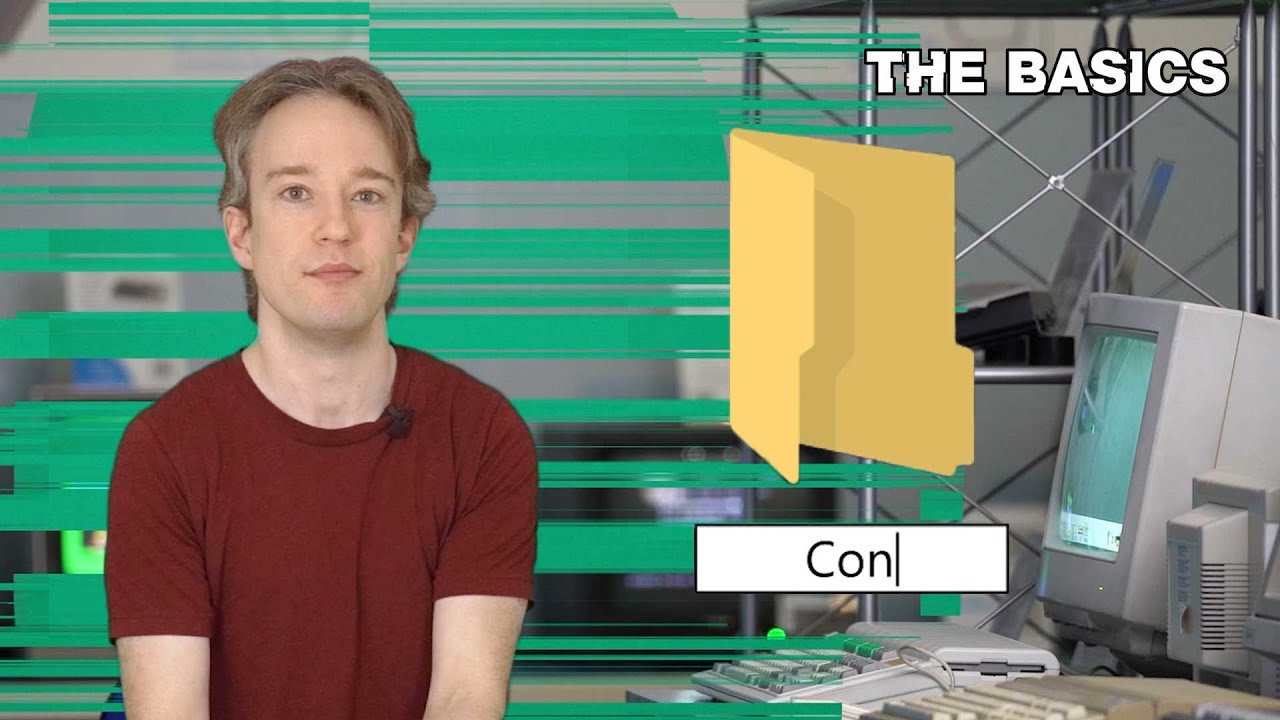
Filming under lockdown in April 2020, Tom Scott explains that he would normally be recording at the Centre for Computing History in Cambridge, but has instead been forced to make do with a green screen. While a green screen theoretically allows any backdrop, shifting the style too drastically risks alienating viewers: people naturally crave an exact blend of novelty and familiarity. This balance between holding onto the familiar and adopting the new leads directly into a bizarre, longstanding quirk of modern computing: Windows 10 will not permit anyone to name a file or folder "Con".
Anyone on a Windows machine can verify this restriction immediately. Opening File Explorer and trying to create a folder named `CON` (or saving an image as `con.jpg` or a document as `con.txt`) results in an immediate refusal from the operating system. While "Con" is a recognizable given name—often short for Cornelius, Conrad, Connor, or Konstantinos—Windows users are entirely unable to label a photograph after someone with that name. As Tom points out, "Con" is only one member of an entire blacklist of forbidden terms embedded within the operating system.
- Forbidden names in Windows include: `CON`, `AUX`, `PRN`, `LST`, `NUL`, `COM0` through `COM9`, and `LPT0` through `LPT9`. - The prohibition applies universally to folders, files, and filenames bearing extensions like `.txt` or `.jpg`. - The roots of this behavior trace back directly to MS-DOS in the 1980s, which itself inherited the concept from earlier operating systems.
---
[01:29](https://www.youtube.com/watch?v=bC6tngl0PTI&t=89s) Device Files, Drivers, and the MS-DOS Legacy
The origin of these blocked names lies in MS-DOS "device files," an architectural shortcut designed to let software interact with computer hardware—printers, keyboards, and auxiliary ports—without custom code for every peripheral. Rather than burdening every application developer with writing low-level hardware routines, the operating system relied on a device driver to handle the machinery. Programmers simply recycled their standard file reading and writing routines. Saving data into a reserved device file bypassed the storage disk entirely; the corresponding device driver intercepted the stream and did the heavy lifting. When hardware manufacturers released updated printers with complex new features, they bundled a new driver, ensuring older applications continued functioning untouched.
```mermaid flowchart TD accTitle: Routing of Standard Files versus Device Files in DOS accDescr: Diagram showing normal files saving to disk while reserved filenames are intercepted by device drivers.
subgraph UserAction ["User Command or Software Output"] CMD["Write File Command"] end
subgraph OSCheck ["DOS / Windows Path Handling"] CHECK{"Is Filename Reserved?<br>(CON, LPT1, etc.)"} end
subgraph Destinations ["Target Destination"] DISK[("Hard Disk / Storage")] DRIVER["Device Driver"] HARDWARE["Hardware Peripheral<br>(Console, Printer, COM Port)"] end
CMD --> CHECK CHECK -->|"Standard Name (e.g., report.txt)"| DISK CHECK -->|"Reserved Name (e.g., LPT1, CON)"| DRIVER DRIVER --> HARDWARE ```
This interaction worked directly from the command line. Entering `dir` displayed a directory listing on the screen; adding an angle bracket redirected that output to a file. Typing `dir > LPT1` instructed the system to bypass the hard drive and stream the directory text directly through the parallel port driver labeled LPT1, instantly printing the listing onto paper. Consequently, these names had to be permanently reserved to avoid collisions. Because early iterations of MS-DOS lacked subdirectories and dumped all files into a single flat heap, reserved names were protected globally. When hierarchical directories and folder structures were eventually introduced, the device files had to remain accessible from anywhere, permanently reserving those names across every folder on the system.
- `CON` represented the "console" (the display and keyboard interface). - `LPT1` targeted the parallel port typically hooked to a physical printer. - Windows 10 retains a direct lineage back through 1990s MS-DOS: hidden within modern Windows releases, one can still locate the Windows 3.1 file selection dialog box from 1992.
---
[04:19](https://www.youtube.com/watch?v=bC6tngl0PTI&t=259s) Backwards Compatibility, Console Gaming, and the 1900 Leap Year Bug
The persistence of these ancient reserved terms stems from backwards compatibility—the operating principle that upgrading a computer should not force an owner to trash existing peripherals or software. Tom observes that while the idea makes sense in theory, “The trouble is that different companies have very different definitions of ‘within reason’.” In console video gaming, backwards compatibility is fleeting. A modern PlayStation 4 will not play a physical PlayStation 1 disc because internal hardware has radically diverged. Achieving compatibility requires software emulation—either translating system calls on the fly or spinning up a virtual PlayStation in memory—which offers poor economic incentive when publishers can instead sell remastered editions of older titles.
Furthermore, backwards compatibility demands emulating quirks and outright flaws. Tom points out: “And if you want to emulate an earlier system, you'll need to emulate everything. Even the bugs.” A prime example is Microsoft Excel, which to this day treats February 29, 1900, as a valid date. While turn-of-the-century leap years must be divisible by 400 to count, Excel’s 1987 launch rival, Lotus 1-2-3, contained a bug that erroneously recognized 1900 as a leap year. Excel deliberately duplicated the glitch so spreadsheets could transition over seamlessly. Decades later, that calculation error remains part of Excel's formal specification, preserved to prevent breaking legacy financial spreadsheets across the globe.
---
[06:01](https://www.youtube.com/watch?v=bC6tngl0PTI&t=361s) The Philosophy of Compatibility: Microsoft vs. Apple
Microsoft built its enterprise empire around the promise of backwards compatibility. Corporate clients remain loyal to Windows precisely because operating system updates rarely disrupt established workflows; a Microsoft Word document generated three decades ago can still be opened in the latest version today. If an enterprise depends on proprietary software whose original vendor collapsed in the 1980s, and that software relies on polling a virtual device file named `CON`, Windows guarantees it still runs. Microsoft refuses to free up the filename `CON` because doing so could silently crash a mission-critical tool.
By contrast, companies like Apple lean heavily toward forced obsolescence and swift innovation, abandoning old paradigms by terminating legacy software support on macOS, locking older phones out of new apps, or physically stripping out hardware features like the headphone jack. Navigating technology requires striking a delicate compromise: changing nothing causes users to grow bored and leave, while changing everything breaks user habits and causes them to abandon the platform in frustration. While nobody expects a modern iPhone to accept punch cards, Tom concludes that Microsoft's conservative commitment to legacy preservation ensures our digital history and vintage documents remain accessible long after the original machines have vanished.
## Notable quotes > [04:19](https://www.youtube.com/watch?v=bC6tngl0PTI&t=259s) And if you want to emulate an earlier system, you'll need to emulate everything. Even the bugs. — Tom Scott
## Mentioned Apple, Centre for Computing History, Lotus 1-2-3, Microsoft, Microsoft Excel, Microsoft Word, MS-DOS, PlayStation 1, PlayStation 4, Sean Elliott, Tom Scott, Windows, Windows 10, Windows 3.1
## Video description The short answer is "backwards compatibility". The long answer is... well, it's the rest of this video.
MORE BASICS: https://www.youtube.com/playlist?list=PL96C35uN7xGLLeET0dOWaKHkAlPsrkcha
Written with Sean Elliott https://twitter.com/SeanMElliott/ Graphics by Willow Marler https://wmad.co.uk Audio mix by Graham Haerther https://haerther.net/
🟥 MORE FROM TOM: https://www.tomscott.com/ (you can find contact details and social links there too) ❓ LATERAL, free weekly podcast: https://lateralcast.com/ https://youtube.com/lateralcast/ 👥 THE TECHNICAL DIFFICULTIES: https://youtube.com/techdif
[Source](https://www.youtube.com/watch?v=bC6tngl0PTI)