Microsoft Windows 8 Interface Traps Users Without Start Button
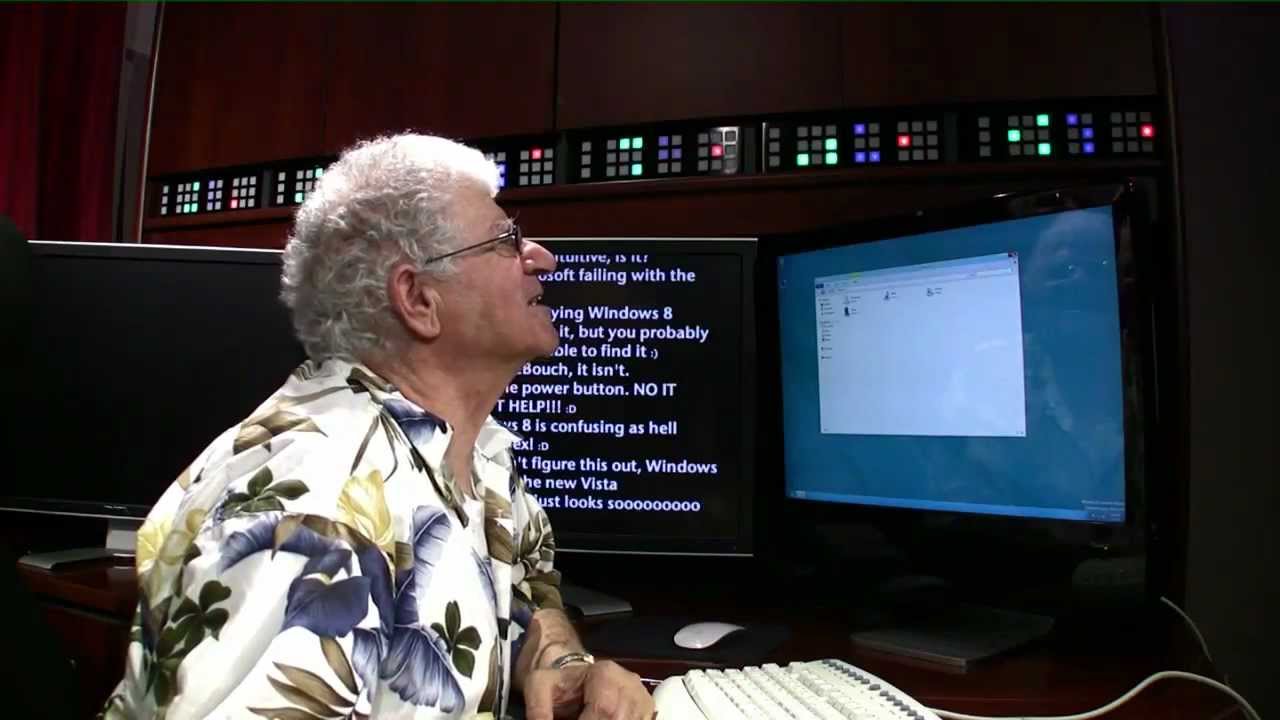
Chris Pirillo
Eliminating the persistent Start button breaks basic operating system navigation for everyday users who cannot discover Microsoft's hidden desktop edge controls.
AI-assisted summary of How Real People Will Use Windows 8 — original source. Check the original for full context.
Source published:
Key ideas
- Tech enthusiast Chris Pirillo tests Windows 8's redesigned interface with his father to demonstrate the usability barriers everyday users face without a familiar Start button. (0:00)
- Transitioning from the modern Start screen to the traditional desktop leaves an uncoached user unable to figure out how to return to the tile interface. (0:45)
- Without discoverable visual cues or affordances, common desktop troubleshooting tactics like clicking tray icons or dragging along edges fail to trigger the hidden hot corners. (1:46)
- The experiment highlights that removing foundational UI anchors like the Start menu severely impairs intuitive navigation for long-time Windows users. (2:52)
Detailed notes
## Background This video was published on YouTube by tech content creator Chris Pirillo on March 8, 2012. According to the video description, the upload documents Chris's dad trying Windows 8 for the very first time.
## TL;DR In this informal usability experiment, Chris Pirillo places his father in front of a Windows 8 preview build running in Parallels Desktop to demonstrate how everyday users handle the radically redesigned interface. After starting on the new tile-based Start screen, his dad clicks the Windows Explorer tile to reach the classic desktop, but instantly becomes trapped when he cannot find a way back. Because Microsoft removed the traditional Start button in favor of invisible hot corners, his father fruitlessly clicks system tray icons, launches Internet Explorer by accident, and drags the mouse across the screen searching for hidden menus. Chris refuses to assist him, highlighting that Microsoft's lack of discoverable visual affordances creates immediate confusion for traditional PC users.
## Atmosphere & style The video features a candid, lighthearted, yet quietly exasperating father-son dynamic that blends playful teasing with genuine user frustration. Chris maintains an amused, hands-off stance as an observer eager to prove a usability critique, while his father transitions from polite curiosity to utter bewilderment at the absent Start button. Watching the awkward, silent pauses as the cursor drifts helplessly across the desktop wallpaper evokes the relatable, authentic feeling of watching a family member struggle with an unintuitive piece of technology.
## Bulletin - [00:00](https://www.youtube.com/watch?v=v4boTbv9_nU&t=0s) Tech enthusiast Chris Pirillo tests Windows 8's redesigned interface with his father to demonstrate the usability barriers everyday users face without a familiar Start button. - [00:45](https://www.youtube.com/watch?v=v4boTbv9_nU&t=45s) Transitioning from the modern Start screen to the traditional desktop leaves an uncoached user unable to figure out how to return to the tile interface. - [01:46](https://www.youtube.com/watch?v=v4boTbv9_nU&t=106s) Without discoverable visual cues or affordances, common desktop troubleshooting tactics like clicking tray icons or dragging along edges fail to trigger the hidden hot corners. - [02:52](https://www.youtube.com/watch?v=v4boTbv9_nU&t=172s) The experiment highlights that removing foundational UI anchors like the Start menu severely impairs intuitive navigation for long-time Windows users.
## Key takeaways - [00:00](https://www.youtube.com/watch?v=v4boTbv9_nU&t=0s) Chris Pirillo runs Windows 8 in Parallels Desktop to observe his father's raw reactions without providing any navigational coaching. - [00:15](https://www.youtube.com/watch?v=v4boTbv9_nU&t=15s) The father's initial impression of the tile-based Start screen is skeptical, scanning the unfamiliar modern interface cautiously. - [00:35](https://www.youtube.com/watch?v=v4boTbv9_nU&t=35s) Clicking the Windows Explorer tile provides brief relief by returning the user to the familiar classic desktop environment. - [00:45](https://www.youtube.com/watch?v=v4boTbv9_nU&t=45s) A severe navigation disconnect occurs immediately upon reaching the desktop, as there is no apparent way to return to the Start screen. - [00:55](https://www.youtube.com/watch?v=v4boTbv9_nU&t=55s) Chris intentionally refuses to assist, explaining the goal is to show Microsoft how real, non-technical people navigate the new operating system. - [01:06](https://www.youtube.com/watch?v=v4boTbv9_nU&t=66s) Attempting to locate the Start tiles leads the father to mistakenly launch Internet Explorer from the taskbar. - [01:25](https://www.youtube.com/watch?v=v4boTbv9_nU&t=85s) The lack of visible controls prompts erratic guessing, including contemplating whether clicking the betta fish wallpaper might trigger navigation. - [01:55](https://www.youtube.com/watch?v=v4boTbv9_nU&t=115s) Exploring the system tray yields only standard flyouts like volume and network controls, creating further confusion on how to close them. - [02:15](https://www.youtube.com/watch?v=v4boTbv9_nU&t=135s) The father articulates the fundamental usability problem: the complete disappearance of the long-standing Start menu. - [02:35](https://www.youtube.com/watch?v=v4boTbv9_nU&t=155s) Assuming the omission must simply be an unfinished preview quirk, the user is surprised to learn Microsoft considered this consumer-ready. - [03:15](https://www.youtube.com/watch?v=v4boTbv9_nU&t=195s) The user anticipates hidden drawers or pop-up menus when dragging the cursor across the screen, but misses the precise hot-corner triggers. - [03:30](https://www.youtube.com/watch?v=v4boTbv9_nU&t=210s) After prolonged failed attempts, the father concludes the point is proven because the interface cannot be deciphered through normal intuition. - [03:55](https://www.youtube.com/watch?v=v4boTbv9_nU&t=235s) The extreme lack of discoverability leads the user to humorously question whether Microsoft is deliberately trying to drive users crazy.
## Detailed walkthrough ### [00:00](https://www.youtube.com/watch?v=v4boTbv9_nU&t=0s) First Impressions of the Windows 8 Start Screen
Tech enthusiast Chris Pirillo seats his father in front of a computer running a preview build of Windows 8 inside Parallels Desktop, eager to observe how an average user navigates Microsoft's radically overhauled operating system without any coaching. As the video opens, Chris points out the vibrant tile interface, announcing, “This is Windows 8, Dad.” His dad stares at the screen with understated skepticism, responding simply, “That's it. That's Windows 8.” Scanning the Start screen, his dad notes various news feeds, apps, and utilities Chris previously installed. Spotting a familiar name, he notices the tile labeled Windows Explorer and asks if he should just click it. Chris encourages him to try it.
Clicking the Explorer tile instantly transitions the system out of the Start screen and drops the father onto the traditional Windows desktop. Seeing the familiar taskbar and environment, he breathes a sigh of relief: “Oh, okay. So, that's like what I had before. Okay. Yeah.” However, the relief is short-lived. Wanting to return to the modern tile interface, he asks his son, “Now, how do I go back?” Chris refuses to hand over the answer, playfully telling him, “You figure it out.” As seconds tick by in silence, his father quickly grows exasperated, remarking that they might be stuck there all day if he has to solve the mystery himself. Chris explains the purpose of the experiment, stating plainly, “I just want Microsoft to kind of understand this is how real people are going to be using it.”
```mermaid flowchart TD accTitle: Windows 8 User Confusion Flow accDescr: Diagram illustrating Dad's navigation loop from Start screen to desktop and the resulting confusion. subgraph MetroUI["Modern UI"] A["Windows 8 Start Screen"] -->|"Clicks Windows Explorer"| B["Classic Desktop Interface"] end subgraph DesktopTrap["Desktop Confusion"] B -->|"Wants to return to tiles"| C{"Search for Start Button"} C -->|"Not found"| D["Clicks Taskbar / Tray Icons"] D -->|"Launches IE / Opens Volume"| B C -->|"Attempts edge dragging"| E["Fails to trigger invisible hot corners"] end ```
[01:06](https://www.youtube.com/watch?v=v4boTbv9_nU&t=66s) The Missing Start Menu and Desktop Confusion
Stuck on the desktop interface, Chris's father begins clicking around the taskbar in an attempt to recover the tile screen, accidentally launching Internet Explorer in the process. When Chris points out that he just opened a web browser, his father explains his goal: “Well, I didn't know. I'm trying to find out how to get that all them boxes.” He glances across the default Windows beta wallpaper—which prominently features a betta fish—and briefly contemplates clicking directly on the fish before deciding against it.
Hunting for clues, he moves his cursor over to the system tray in the lower-right corner of the taskbar. He clicks through various system icons, stumbling onto the network connection flyout and the volume slider, muttering, “Oops. Now, how do I close that?” After poking around the taskbar, he arrives at the central realization that baffled millions of traditional Windows users upon the operating system's debut: “There's no menu. There's no like There's no start menu. There's no place to—” Chris offers no rescue, teasing, “You're on your own. Welcome to Windows 8.” His dad tries to rationalize the glaring omission by assuming it must be an unfinished draft, but Chris counters that this preview reflects exactly what Microsoft believes is ready for everyday consumer release.
[02:52](https://www.youtube.com/watch?v=v4boTbv9_nU&t=172s) Trying to Prove a Point to Microsoft
Seeing the virtual machine's host integration icon, Chris's dad asks if clicking the Parallels icon will break anything. Chris reassures him that it will not harm the machine, but reiterates the sole objective of the test: figure out how to get back to the Start tiles. Left to hunt for hidden gestures without any visual cues, the father's frustration mounts. After several awkward seconds of clicking empty spaces and sliding the mouse across the glass, he pleads with Chris, “Don't make me just sit here and keep trying.” Chris insists that he is trying to prove an important usability point, to which his father replies, “I think you proved it. I can't find it.”
He explains his intuitive troubleshooting logic: “What I'm looking for when I drag this around is I'm looking for a like a hidden menu that'll come up when I drag this across here.” He attempts to drag across the screen in hopes of exposing a pop-up drawer or hidden control, yet nothing triggers because Windows 8's invisible hot corners and Charms bar required precise, non-obvious mouse placements. Completely mystified by how hostile the interface feels to someone accustomed to twenty years of the Windows Start button, he asks Chris who conceived the software. Upon hearing Microsoft's name confirmed, he begins to wonder aloud whether the company is deliberately trying to drive its user base crazy.
- The user interface provides no visible button, icon, or persistent affordance on the desktop to guide users back to the modern Start screen. - Standard troubleshooting behaviors observed include randomly clicking desktop artwork, opening system tray tray flyouts, and blindly dragging the cursor along borders. - The test demonstrates that without prior instruction or discoverable visual anchors, intuitive desktop-to-Metro navigation fails for everyday PC users.
## Mentioned Chris Pirillo, Chris Pirillo's dad, Windows 8, Microsoft, Parallels Desktop, Windows Explorer, Internet Explorer, Charms bar
## Video description http://www.lockergnome.com / - My dad tries Windows 8 for the first time.
Dad uses Mac OS X for the first time: http://www.youtube.com/watch?v=XeeOkH...
Windows 8 vs OS X: http://www.youtube.com/watch?v=Qbjnbh...
Will Windows 8 suck? Take the "dad" challenge: http://www.youtube.com/watch?v=1o7KLz...
Big Windows 8 Changes: http://www.youtube.com/watch?v=DCo_BE...
Windows 8 Should be Awesome: http://www.youtube.com/watch?v=fpFsBw...
Windows 8 Thoughts: http://www.youtube.com/watch?v=yB3upQ...
Will you upgrade to Windows 8? http://www.youtube.com/watch?v=SlD0Vb...
Windows 8 Review: http://www.youtube.com/watch?v=zALHdz...
You can watch the entire live TLDR episode here: http://youtu.be/XV9YYsE-yEk
Become a Patron for Bonuses ASAP: http://ChrisPirillo.com/ Don't miss a video, Subscribe to Chris Pirillo! ► http://bit.ly/SubChrisPirillo Geek out with Product Reviews ► http://go.tagjag.com/cpu #GeekFather Vlogs! ► http://go.tagjag.com/geekfathervlogs
SUBSCRIBE TO MY OTHER CHANNELS LockerGnome's Geek Lifestyle ► https://www.youtube.com/user/GeekLife... Pirillo Vlogs ► https://www.youtube.com/channel/UC0K8... Vader Fun ► https://www.youtube.com/channel/UC3R0... Diana's Channel ► https://www.youtube.com/thedianapirillo
FOLLOW ME EVERYWHERE Official site: http://ChrisPirillo.com/ IG: @chrispirillo Twitter: @ChrisPirillo FB: https://www.facebook.com/chrispirillo Tumblr: http://chrispirillo.tumblr.com/
Is your daughter's name Jedi? http://go.tagjag.com/jedipirillo
Here's how we get FREE Gift Cards on iOS & Android: http://go.tagjag.com/freepoints http://go.tagjag.com/freeapps
Chris & Diana Pirillo 1420 NW Gilman Blvd #2543 Issaquah, WA 98027
TLDR Podcast: https://soundcloud.com/chris-pirillo Tech Blog: http://pirillo.com/ Social "Chris Pirillo" Blog: http://chris.pirillo.com/ Fun Stuff Blog: http://www.lockergnome.com / Deals Blog: http://deals.lockergnome.com/
[Source](https://www.youtube.com/watch?v=v4boTbv9_nU)