OpenAI Launches WebMCP Standard to Let AI Agents Control Web Apps
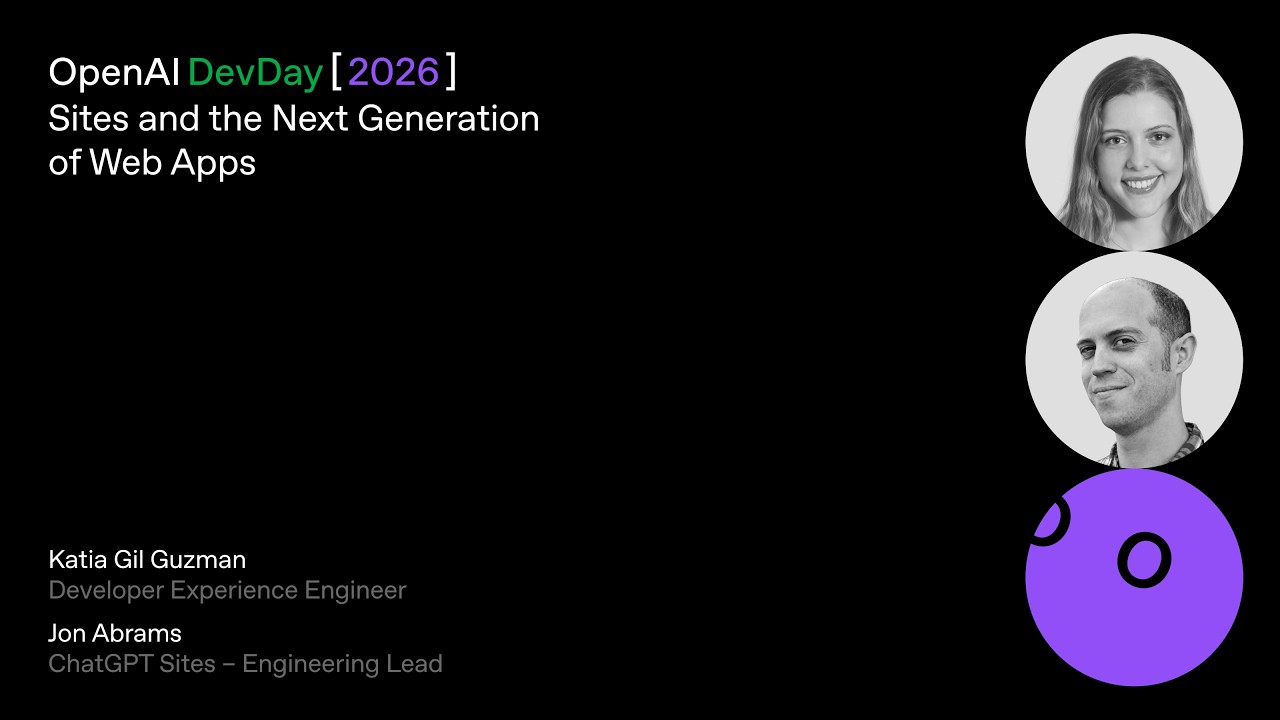
OpenAI
By exposing programmatic backend tools directly to AI agents, the new WebMCP standard makes agentic web browsing faster and cheaper than traditional vision-based computer use.
AI-assisted summary of Sites and the Next Generation of Web Apps | DevDay 2026 — original source. Check the original for full context.
Source published:
Key ideas
- OpenAI's Sites platform has scaled to over 8 million hosted web applications externally, with over 70% of OpenAI employees actively building on it internally. (0:20)
- Sites officially launched Scheduled Tasks alongside embedded SQLite databases, allowing applications to synchronize data automatically via plugins without triggering code rebuilds or redeployments. (4:22)
- Through 'Sign-in with ChatGPT' and client plugin forwarding, hosted Sites dynamically load each authenticated user's private third-party data—such as Linear tickets or Slack history—with zero custom API integration. (5:56)
- OpenAI introduced WebMCP, a browser standard that lets AI agents interact with web applications via exposed programmatic tools instead of slow and brittle vision-based clicking. (14:22)
Detailed notes
## Background Published by OpenAI on YouTube on November 11, 2026, this DevDay session introduces Astra, ChatGPT Sites, and WebMCP. According to the page description, the presentation demonstrates how to transform ideas into interactive web experiences while building new kinds of collaborative interfaces alongside colleagues and AI agents.
## TL;DR OpenAI's Katia and John showcase the evolution of ChatGPT Sites from an internal deployment hack into a hosting platform powering over 8 million sites with deep adoption across technical and non-technical teams. Through live demonstrations, they show how simple natural language prompts generate full-stack applications complete with embedded SQLite storage, scheduled background syncs, and native ChatGPT authentication that automatically personalizes data using viewers' individual plugin connectors. John highlights HTML-native annotation tools that allow collaborators to prompt Codex to safely modify live UI components, while Katia debuts a consumer gift application powered by WebMCP. Rather than relying on fragile vision-based scraping, WebMCP allows autonomous agents to invoke programmatic website endpoints directly, establishing an agentic web optimized equally for human browsing and autonomous agent interaction.
## Atmosphere & style The presentation delivers a crisp, pragmatic developer-conference vibe marked by effortless tag-team chemistry between Katia and John. Grounded by relatable anecdotes about internal engineering friction, the session builds an engaging, hands-on momentum through live coding and browser demonstrations where real-time prompts generate functional software before the audience's eyes. It feels candid, tech-forward, and casually confident, demystifying complex architectural concepts like agent tool-calling and zero-trust auth into approachable, practical daily workflows.
## Bulletin - [00:20](https://www.youtube.com/watch?v=QRm7VNMnurA&t=20s) OpenAI's Sites platform has scaled to over 8 million hosted web applications externally, with over 70% of OpenAI employees actively building on it internally. - [04:22](https://www.youtube.com/watch?v=QRm7VNMnurA&t=262s) Sites officially launched Scheduled Tasks alongside embedded SQLite databases, allowing applications to synchronize data automatically via plugins without triggering code rebuilds or redeployments. - [05:56](https://www.youtube.com/watch?v=QRm7VNMnurA&t=356s) Through 'Sign-in with ChatGPT' and client plugin forwarding, hosted Sites dynamically load each authenticated user's private third-party data—such as Linear tickets or Slack history—with zero custom API integration. - [14:22](https://www.youtube.com/watch?v=QRm7VNMnurA&t=862s) OpenAI introduced WebMCP, a browser standard that lets AI agents interact with web applications via exposed programmatic tools instead of slow and brittle vision-based clicking.
## Key takeaways - [00:20](https://www.youtube.com/watch?v=QRm7VNMnurA&t=20s) Sites began as an internal engineering hack to deploy full-stack apps directly from Codex without slow infrastructure friction, eventually spreading across non-technical company departments. - [00:20](https://www.youtube.com/watch?v=QRm7VNMnurA&t=20s) Over 70% of OpenAI employees build on Sites, using it to replace static slide decks and spreadsheets with interactive dashboards and operational tools. - [02:26](https://www.youtube.com/watch?v=QRm7VNMnurA&t=146s) Codex can transform raw spreadsheets into multi-view interactive applications (list, Kanban board, calendar) using custom UI design system libraries from a single natural language prompt. - [04:22](https://www.youtube.com/watch?v=QRm7VNMnurA&t=262s) Plugins serve as unified connectors allowing Codex and ChatGPT to interface directly with external platforms like Google Drive, Linear, Slack, and GitHub without bespoke webhook scaffolding. - [04:22](https://www.youtube.com/watch?v=QRm7VNMnurA&t=262s) Each Site comes with an embedded, zero-configuration SQLite database that decouples background data syncs from code rebuilds and deployments. - [04:22](https://www.youtube.com/watch?v=QRm7VNMnurA&t=262s) Scheduled Tasks for Sites enables recurring background loops (hourly, daily, or weekly) to automatically refresh application data dependencies. - [05:56](https://www.youtube.com/watch?v=QRm7VNMnurA&t=356s) Sites defaults to a zero-trust posture powered by 'Sign-in with ChatGPT', intercepting unauthenticated traffic before the site payload loads. - [05:56](https://www.youtube.com/watch?v=QRm7VNMnurA&t=356s) Client-side plugin forwarding allows visitors to bring their personal ChatGPT plugin credentials into a Site, enabling personalized data views and read/write capabilities per user. - [07:26](https://www.youtube.com/watch?v=QRm7VNMnurA&t=446s) Workspace permissions like 'Editor' allow designated team members to prompt Codex directly to push collaborative modifications to production code. - [11:05](https://www.youtube.com/watch?v=QRm7VNMnurA&t=665s) Annotation extensibility embeds suggested prompts and component options directly into HTML markup, establishing safe guardrails for Codex modifications. - [14:22](https://www.youtube.com/watch?v=QRm7VNMnurA&t=862s) Sites supports secure server-side environment variables, allowing full-stack web applications to safely call APIs such as the OpenAI Image API. - [14:22](https://www.youtube.com/watch?v=QRm7VNMnurA&t=862s) WebMCP establishes a structured tool execution standard for in-browser agents, replacing expensive and fragile vision-based scraping or automated clicking. - [14:22](https://www.youtube.com/watch?v=QRm7VNMnurA&t=862s) User agents operating over WebMCP can safely reference personal context across internal tools (like Slack DMs) to automate external web interactions while keeping humans in the loop. - [19:13](https://www.youtube.com/watch?v=QRm7VNMnurA&t=1153s) Sites automatically formats and exposes WebMCP endpoints in application logic, enabling developers to build sites optimized for both human users and AI agents.
## Detailed walkthrough ### [00:20](https://www.youtube.com/watch?v=QRm7VNMnurA&t=20s) The Origin and Viral Internal Adoption of Sites
Katia from Developer Experience and John, the lead engineer for Sites, introduce the session by reframing what Sites actually is. While originally launched earlier in the year as a simple web hosting service, John reveals that it began as an answer to his personal engineering friction. When he initially joined OpenAI to build internal web applications for researchers, deploying full-stack tools into OpenAI's production infrastructure was slow and frustrating. To fix this, he hacked together an internal prototype that allowed engineers to spin up and deploy full-stack web applications straight from Codex.
The tool caught fire inside the company. What began as a prototype passed among software engineers quickly crossed over to non-technical teams, sparking an organic, company-wide wave of app creation. A dedicated team was formed—several of whom were sitting in the DevDay audience—and Sites was officially shipped as a product just a few months later. John shares striking adoption metrics: within months of launch, Sites is already hosting 8 million sites externally, while internally at OpenAI, over 70% of employees actively build their own. Teams across go-to-market, IT, product management, design, and engineering use it to replace static slide decks with interactive presentations, transform spreadsheets into tailored UIs, jam on creative ideas, deploy production workflows, and build bespoke games without sweating infrastructure details.
As John puts it: > “At OpenAI, there's now a site for everything.”
- **Hosting Scale**: Over 8 million Sites hosted within months of external availability. - **Internal Saturation**: Greater than 70% of all OpenAI employees have built their own Sites. - **Primary Use Cases**: Ideation, interactive presentations instead of slide decks, custom spreadsheet replacements, team-bespoke operations tools, rapid prototyping, and games. - **Session Roadmap**: Katia outlines the three stages of the presentation: generating a site from a single natural language prompt, layering in collaborative and personalized features, and finally making the app agent-friendly.
---
[02:26](https://www.youtube.com/watch?v=QRm7VNMnurA&t=146s) Transforming a DevDay Launch Tracker from a Spreadsheet into a Site
Katia transitions to a live demonstration on her laptop to illustrate how OpenAI teams manage projects using Sites. She displays an internal Google Sheet used by the team to track DevDay launches. While functional for high-level overviews—containing columns for launch features, statuses, milestones, and links to drive briefs—she points out that spreadsheets are visually boring, awkward to parse for granular project updates, and difficult to navigate when deep-diving into individual launch assets.
To upgrade this workflow, Katia captures the sheet and prompts Codex to construct an interactive "Launch Radar" web application inside a new folder and publish it directly as a Site. In her prompt, she specifies using their shared DevDay UI design system library, presenting launch items on the first screen with milestones and attention-needed indicators, providing filterable controls by product area, and implementing multiple layout modes including list, board, and calendar views with direct hooks into underlying project documentation and assets. To ensure the application does not become stale, she issues a follow-up instruction asking Codex to automatically update the site every morning by scraping the detailed launch briefs in Google Drive referenced within the spreadsheet.
```mermaid flowchart TD accTitle: Spreadsheet to Automated Site Flow accDescr: A diagram illustrating how raw sheet data and briefs are transformed into an interactive site via Codex, scheduled tasks, and plugins.
subgraph DataSources["Data Sources"] A["DevDay Launch Spreadsheet"] B["Google Drive Launch Briefs"] end
subgraph CodexEngine["Codex & Infrastructure"] C["Codex Site Generator"] D["Scheduled Task (Daily Cron)"] E["Drive & Linear Plugins"] F[("Embedded SQLite DB")] end
subgraph Output["Hosted Web Application"] G["Interactive Launch Radar Site\n(List / Board / Calendar Views)"] end
A -->|"Prompt + DevDay UI Library"| C C --> G B --> E D -->|"Daily Sync"| E E -->|"Direct Write (No Redeploy)"| F F --> G ```
---
[04:22](https://www.youtube.com/watch?v=QRm7VNMnurA&t=262s) Keeping Sites Fresh: Plugins, SQLite, and Scheduled Tasks
While the application compiles and deploys live, John steps in to explain the underlying mechanics that keep Sites continuously synchronized with enterprise data: plugins and scheduled tasks. Plugins serve as unified bundles of connectors and operational skills that allow ChatGPT and Codex to authenticate and interact with external third-party software environments. Rather than requiring bespoke webhook scaffolding or custom API glue code, plugins allow Codex to perform actions such as inspecting Linear backlogs, querying Slack communication channels, reading Google Drive repositories, or publishing pull request comments onto GitHub repositories.
To solve the freshness problem, OpenAI combines plugins with scheduled execution loops and native data storage. Users can establish recurring background tasks directly within their conversational thread, setting Codex to refresh an app on an hourly, daily, or weekly cadence. When a task triggers, Codex runs the relevant plugin to retrieve updated assets. Because every Site includes a zero-config, embedded SQLite database out of the box, data updates write straight to SQLite without modifying the application source code or triggering a rebuild and redeployment cycle. As part of DevDay, John announces that Scheduled Tasks for Sites is officially launching, giving users unified lifecycle management where Codex automatically recognizes dynamic data dependencies and proactively suggests automated refresh schedules.
John summarizes the core architectural benefit of decoupling data writes from app deployments: > “The task will update the database directly, updating the site instantly, skipping the need to redeploy.”
---
[05:56](https://www.youtube.com/watch?v=QRm7VNMnurA&t=356s) Auth Architecture and Personalized Views via Client Plugins
John shifts the discussion to access control and data personalization for end users. Sites comes equipped with native authentication powered directly by "Sign-in with ChatGPT." While applications can be toggled public with an optional anonymous landing page and a secondary ChatGPT sign-in button for gated features, every newly created site defaults to strictly private. In this zero-trust posture, unauthenticated visitors are intercepted before reaching the application payload, authenticated via their ChatGPT identity, verified against the access list, and passed through into the authenticated session.
Beyond gatekeeping, John introduces a major feature launching that day: client-side plugin forwarding. When team members log into a private Site using Sign-in with ChatGPT, they bring their personal ChatGPT plugin credentials with them into the hosted web application. This architecture means that rather than all users viewing a generic static dashboard, the application dynamically pulls contextual data mapped to the logged-in user's identity across tools like Google Drive, Slack, Linear, or internal bespoke corporate connectors. If Katia loads the dashboard, the interface queries Linear through her credentials to present her assigned issues; when John visits the identical URL, the interface queries through his connectors and loads his unique assignments instead.
```mermaid flowchart LR accTitle: Authenticated User Personalization Architecture accDescr: Flow diagram showing how Sign-in with ChatGPT enables personalized plugin data loading per user on the same Site.
subgraph AuthBarrier["Sign-in with ChatGPT"] U1["User: Katia"] U2["User: John"] GW{"Auth & Plugin Check"} end
subgraph PrivateSite["Hosted Private Site"] APP["Launch Radar Web App"] end
subgraph UserDataSources["Third-Party Connectors"] L1["Katia's Linear Tickets"] L2["John's Linear Tickets"] end
U1 --> GW U2 --> GW GW -->|"Authenticated Session"| APP APP -->|"Katia's Token"| L1 APP -->|"John's Token"| L2 ```
---
[07:26](https://www.youtube.com/watch?v=QRm7VNMnurA&t=446s) Live Deployment, Workspace Permissions, and Validating Linear Data
Katia returns to her terminal thread to add this personalization layer into the newly built Launch Radar. She submits a prompt instructing Codex to integrate the Linear connector with both read and write capabilities, display each team member's assigned tickets right alongside relevant DevDay launch tracks, and allow users to modify ticket descriptions or advance task statuses directly from the Site UI back to Linear's database.
While the updates compile, Katia opens the initially requested application in full screen. In just a few minutes, Codex generated a complete web app utilizing OpenAI’s internal DevDay design system, featuring toggleable calendar, Kanban board, and list views, milestone cards, and linked assets extracted from the spreadsheet. Katia points out that this workflow is not an artificial stage demo; internal teams used these exact automated Sites to coordinate the DevDay launch itself. She demonstrates sharing permissions by searching for John and granting him "Editor" access—explaining that Editor status permits authorized workspace peers to push code updates to the production deployment.
Katia emphasizes how low the barrier to entry has become for anyone wanting to deploy software: > “So whether it's for yourself, your team, or to share an idea publicly in just a few minutes with zero, you know, zero skills or knowledge needed, you can just prompt it and have a link that you can share.”
She checks the app's settings panel, verifying that the daily scheduled sync with Google Drive has successfully linked. By the time she completes the permission walkthrough, the Linear connector implementation finishes deploying. Opening the live site, the ChatGPT authentication layer instantly recognizes her account and populates the dashboard with her personal Linear tickets without requiring manual API configurations or local environment setups, setting up the handoff to test John's personalized view.
[11:05](https://www.youtube.com/watch?v=QRm7VNMnurA&t=665s) Collaborative Sites, Linear Connectors, and Custom Annotations
When John Abrams switches over to present his screen, he accesses the exact same site, but it immediately renders personal context tailored to his account: it displays his own Linear tickets. The application fetches this data on load using John’s pre-existing Linear connector in ChatGPT. There is no need to write third-party integrations, manage API keys, read external API documentation, or configure bespoke user permissions, because ChatGPT Sites leverages each authenticated user's connectors directly out of the box. John tests the site's write permissions by opening a ticket marked "Canceled," changing its status to "In Progress," and saving it directly back to Linear.
```mermaid flowchart LR accTitle: User Connector and Annotation Workflow accDescr: Diagram showing how ChatGPT Sites loads personal connector data and commits design edits via Codex. subgraph PersonalContext["User Context"] A["User loads Site"] --> B["ChatGPT Linear Connector"] B --> C["Personal Tickets Loaded"] end subgraph AnnotationLoop["In-App Browser Custom Annotations"] D["Select UI Element"] --> E["Preview Component Variant"] E --> F["Send instruction to Codex"] F --> G["HTML & Codebase Updated"] end ```
To modify the application itself, John turns to the ChatGPT in-app browser’s annotation tools, highlighting a newly launched feature called annotation extensibility. This allows web developers to embed custom annotation controls directly inside a site's HTML markup, providing guidance and guardrails for Codex. Developers can define suggested prompts and custom visual selectors within their design systems and component libraries so that collaborators understand exactly what can be modified. Demonstrating this live, John selects an "Edit UI" button, activates annotation mode on a status bar that might be difficult for audience members in the back of the room to read, and previews an enlarged variant before handing the edit off to the model:
> “Codex is grinding away on it.”
- **Zero-Setup Integrations**: Sites automatically inherit the viewer's active ChatGPT connectors (such as Linear), eliminating integration boilerplate and token configuration. - **HTML-Native Signals**: Custom annotations live right in the web app's HTML code to supply suggested prompts and component options to Codex. - **Collaborative Site Editing**: “If you share a site meant to be edited by other people, this makes contributing much easier,” making component design systems approachable for non-technical team members.
---
[14:22](https://www.youtube.com/watch?v=QRm7VNMnurA&t=862s) Gift Studio, WebMCP, and Agentic Browser Interaction
While internal organizational dashboards demonstrate personalized team workflows, Sites also supports public-facing full-stack consumer applications. To show this, Katja introduces *Gift Studio*, a bespoke web app created with Sites to design a custom commemorative gift box for John. The app connects to the camera, snaps a photo, and sends it to OpenAI’s newest image model via the OpenAI Image API to generate a personalized box design. Because Sites supports secure server-side environment variables, developers can store OpenAI API keys or any third-party credentials just as they would in any traditional production stack.
```mermaid flowchart TD accTitle: WebMCP Tool-Based Architecture accDescr: Flow comparing direct WebMCP tool calling versus traditional vision-based computer use. subgraph WebMCPFlow["WebMCP Browser Execution"] Agent["User Agent"] -->|"1. Inspect DMs"| Slack["Slack Integration"] Agent -->|"2. Invoke exposed WebMCP tools"| SiteBackend["Site API / Backend"] SiteBackend -->|"3. Direct DOM/State Update"| LiveUI["Live Gift Studio UI"] end subgraph Collaboration["Human In The Loop"] User["User Katja"] -->|"Adjust budget (<$100)"| LiveUI end ```
Rather than manually browsing the product catalog to fill the gift box, Katja leverages WebMCP, a browser standard allowing AI agents to interact with websites through structured programmatic tools rather than raw browser automation. Unlike vision-based "computer use"—which forces an agent to visually click through buttons, open individual modals, and scrape rendered metadata—WebMCP allows the agent to call the site's exposed backend tools directly, making tasks faster, more reliable, and significantly cheaper. Because the user's agent carries context across personal tools, Katja asks it to check her direct messages with John on Slack, deduce his interests, and query the catalog via WebMCP:
> “WebMCP is a new browser standard that lets your agent interact with the site via exposed tools.”
- **Agent Tool Execution**: WebMCP exposes application endpoints directly to the agent running within the ChatGPT in-app browser. - **Data Privacy & Context**: The user's personal agent references connected workspace apps (e.g., Slack history showing John loves his dog) to populate the third-party app with curated recommendations (dog toys). - **Human-Agent Collaboration**: The user retains full control to inspect, add, or delete items within the visual UI—Katja removes items to keep the total expense under $100. - **Automated Messaging**: Prompting ChatGPT with the request to draft a note based on prior conversations fills the site's input field without requiring tedious manual typing.
---
[19:13](https://www.youtube.com/watch?v=QRm7VNMnurA&t=1153s) The Future of the Agentic Web
Katja and John conclude by framing WebMCP and Sites as the foundation for the next generation of web applications, where human users and their personal software agents browse the web together. Developers building on Sites do not need to construct WebMCP interfaces manually from scratch; the Sites plugin automatically structures and exposes WebMCP-compliant endpoints wherever relevant in the application logic.
> “As we evolve towards a world where users bring their agents with them to navigate the web, you can adapt by building your apps in a way that works well with agents.”
Modern Sites combine automatic server scaling, integrated authentication, and managed databases with agent-friendly capabilities: - **Teammate Data via Connectors**: Applications dynamically personalize data using plugins without requiring separate authentication flows or API tokens. - **Dual Optimization**: Web applications are constructed to serve both human users clicking on a display and autonomous agents executing tool payloads under the hood. - **Custom Annotations**: Embedded component hints make it seamless for human editors to direct AI coding agents to adjust live production designs safely.
## Notable quotes > [19:13](https://www.youtube.com/watch?v=QRm7VNMnurA&t=1153s) As we evolve towards a world where users bring their agents with them to navigate the web, you can adapt by building your apps in a way that works well with agents. — Katja and John
## Mentioned OpenAI, Astra, ChatGPT, ChatGPT Sites, WebMCP, Codex, John Abrams, Katia, Google Sheet, Google Drive, Linear, Slack, GitHub, SQLite, Gift Studio, OpenAI Image API
## Video description Turn an idea into an interactive web experience with Astra, ChatGPT Sites, and WebMCP. Learn how to build new kinds of interfaces alongside your colleagues and agents.
[Source](https://www.youtube.com/watch?v=QRm7VNMnurA)