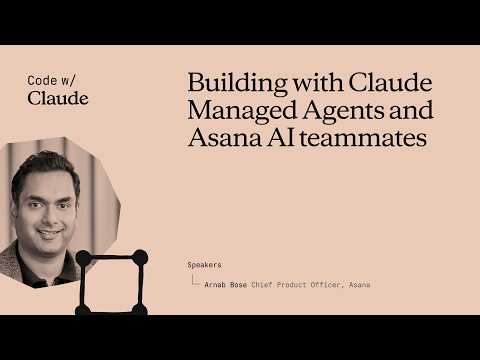
Asana Integrates Claude Managed Agents to Launch Multiplayer AI Teammates
Claude
By shifting from single-player prompts to persistent, shared enterprise memory, AI agents maintain organizational knowledge even after human creators depart.
## Background
Published on May 8, 2026, by the Claude channel on YouTube, this video explores the vision of the 'Agentic Enterprise' where AI helps organizations ideate, orchestrate, and complete work rather than just providing isolated support. The presentation details how combining Asana's established platform context with Anthropic's Claude Managed Agents unlocks true multiplayer, multi-step collaboration.
## TL;DR
The video details Asana's integration of Claude Managed Agents into its 17-year-old 'work graph' to create multiplayer AI teammates that possess persistent enterprise memory and role-based access control. Through practical demonstrations and internal dogfooding examples, the speakers showcase pre-built marketing and product agents executing workflows like campaign planning and landing page prototyping with automated human-in-the-loop verification loops. The session concludes with a detailed engineering and product Q&A addressing topics like outcomes grader rubrics, skill maintenance, and dual-level third-party integrations via the Model Context Protocol.
## Atmosphere & style
The presentation carries a collaborative, forward-thinking, and highly professional corporate vibe, balancing ambitious technological visions with practical product deployment realities. Arnauld delivers the core concepts with engaging enthusiasm, sharing personal anecdotes about former employees and actual daily 'dogfooding' practices that ground the high-level concepts in real-world utility. The atmospheric energy shifts into an interactive, communal dialogue during the Q&A section, highlighted by lighthearted, good-natured humor when the speaker playfully calls out engineering team member Bradley from the audience to co-anchor technical answers.
## Key takeaways
- [00:14](https://www.youtube.com/watch?v=BrpB-h1e--k&t=14s) Asana's vision for the "agentic enterprise" centers on "multiplayer mode" AI teammates that collaborate with multiple humans, building a compounding shared memory over time.
- [00:14](https://www.youtube.com/watch?v=BrpB-h1e--k&t=14s) Unlike isolated "single player" AI interactions, multiplayer AI teammates remain active and retain historical context even after their human creators leave the organization.
- [00:14](https://www.youtube.com/watch?v=BrpB-h1e--k&t=14s) Asana's AI teammates have been generally available since March 2026, featuring role-based access control and persistent enterprise memory.
- [03:07](https://www.youtube.com/watch?v=BrpB-h1e--k&t=187s) The 17-year-old "work graph" provides crucial context to AI teammates, mapping organizational structure and workflows while strictly preserving security boundaries.
- [03:07](https://www.youtube.com/watch?v=BrpB-h1e--k&t=187s) Integrating Claude managed agents allows Asana to delegate manual agent loops, file management, and code execution entirely to Anthropic's infrastructure.
- [03:07](https://www.youtube.com/watch?v=BrpB-h1e--k&t=187s) Claude managed agents utilize a built-in verification loop and grader that iteratively refines outcomes to ensure high-quality, reliable outputs.
- [07:32](https://www.youtube.com/watch?v=BrpB-h1e--k&t=452s) Asana offers over 21 pre-built AI teammates tailored to specific roles like PMO, marketing, IT, HR, and R&D to aid with operational tasks.
- [10:12](https://www.youtube.com/watch?v=BrpB-h1e--k&t=612s) In multiplayer environments, human feedback and adjustments left as comments are permanently recorded into the agent's memory to optimize future tasks.
- [10:12](https://www.youtube.com/watch?v=BrpB-h1e--k&t=612s) Human "sponsors" manage the AI agents, holding the ultimate authority to delete memories or restrict the agent's access to the Asana context graph.
- [16:25](https://www.youtube.com/watch?v=BrpB-h1e--k&t=985s) Asana is developing proactive capabilities that allow AI teammates to actively monitor boards and automatically offer assistance without waiting for manual assignment.
- [17:40](https://www.youtube.com/watch?v=BrpB-h1e--k&t=1060s) Proprietary domain context is passed directly into the outcome definition, which compounds and improves over time through human-in-the-loop interactions.
- [20:08](https://www.youtube.com/watch?v=BrpB-h1e--k&t=1208s) The outcomes grader rubric is treated like standard prompting, requiring distinct evaluations tailored to specific goals to iterate quickly and confidently.
- [21:32](https://www.youtube.com/watch?v=BrpB-h1e--k&t=1292s) Asana curates pre-designed, "shrink-wrapped" skills for its AI teammates to tightly control quality, lifecycles, and releases for knowledge workers.
- [23:27](https://www.youtube.com/watch?v=BrpB-h1e--k&t=1407s) Asana manages third-party integrations both within the internal AI teammate agent loop and at the Model Context Protocol (MCP) level with managed agents.
## Detailed walkthrough
### [00:14](https://www.youtube.com/watch?v=BrpB-h1e--k&t=14s) The Vision of the Agentic Enterprise and Multiplayer AI
Arnauld, representing Asana, introduces the company's vision for the "agentic enterprise," where human beings and AI agents work hand-in-hand to complete complex, multi-step workflows. Built on Claude's managed agents, these AI teammates are designed to act as true participants within an organization—whether in IT, operations, product, or marketing. Rather than functioning in a "single player" mode where an individual interacts with an AI in isolation and manually passes the output to the next person, Asana's AI teammates operate in a "full multiplayer mode." This setup allows multiple humans to interact with, nudge, and collaborate with the same agent, building a compounding "shared enterprise memory" over time.
To illustrate this concept, Arnauld shares an anecdote about a former Asana employee who now works at Anthropic. Before leaving, this employee built an AI teammate to serve as a competitive intelligence researcher. Even though the creator has left the company, the agent remains active at Asana, retaining all historical context and knowledge used for responding to RFPs. As new human team members join and interact with the agent, its ingrained memory and utility continue to grow.
- **General Availability:** Asana's AI teammates have been generally available since March.
- **Key Capabilities:** Multiplayer human-in-the-loop interactions, role-based access control (RBAC) sharing, and persistent enterprise memory.
- **Core Philosophy:** Treating AI agents like actual onboarded human teammates with specific skills, context, and security boundaries.
[03:07](https://www.youtube.com/watch?v=BrpB-h1e--k&t=187s) The Work Graph and Integrating Claude Managed Agents
A critical foundation of Asana's approach is its "work graph," a structure the company has been developing for over 17 years. This graph maps how an enterprise operates by linking a company's mission and vision to goals, portfolios, projects, and individual tasks (including approvals and workflows). By feeding this rich context to AI teammates while strictly preserving security, guardrails, and auditability, Asana ensures that agents understand "who does what by when and why" without leaking sensitive information across different projects or users.
To execute complex, multi-step actions within this graph, Asana leverages Claude's managed agents capability. This integration allows Asana to focus on its core strengths—the human interface layer, coordination, and security—while relying on Anthropic's infrastructure to handle the heavy lifting of execution and quality control.
- **Contextual Mapping:** The work graph provides a user interface for humans and a structured context graph for agents.
- **Prototyping and Quality:** Claude's managed agents feature a built-in verification loop and grader that iterates on outcomes to ensure high-quality outputs.
- **Development Efficiency:** Transitioning from the standard Messages API to Claude managed agents eliminated the need for Asana to build manual agent loops, file management, and code execution environments from scratch.
[07:32](https://www.youtube.com/watch?v=BrpB-h1e--k&t=452s) Pre-Built Teammates and Internal "Dogfooding"
Asana currently offers over 21 pre-built AI teammates tailored to ideal customer profiles across PMO, marketing, IT, HR, and R&D. These agents assist with launch planning, spec writing, goal management, and capacity planning. They can ingest data from downstream systems like Google Drive and Office 365, and output deliverables such as slide decks, comments, and raw HTML.
Arnauld highlights how his own product management team "dogfoods" these tools daily. They use a "product thought buddy" agent that holds the context of their product strategy and historical trade-off decisions. When the marketing team was drafting a keynote speech for the upcoming Work Innovation Summit in London, they assigned a task to this agent in Asana. The agent analyzed the draft against the real-time product roadmap and returned highly optimized, accurate feedback. Because this occurred in a multiplayer space, the entire product team could view, react to, and refine the agent's response.
[10:12](https://www.youtube.com/watch?v=BrpB-h1e--k&t=612s) Live Demo: Campaign Planning and Landing Page Prototyping
Arnauld demonstrates a live workflow featuring a marketer launching a new campaign. Working from a Kanban board in Asana, the marketer creates a task to write a campaign brief and prototype a landing page. They navigate to the teammate gallery, select a pre-built marketing AI teammate, and customize it. The agent automatically pulls in relevant historical campaign projects and portfolios from the work graph to populate its memory.
The agent generates both a written campaign brief and an HTML file containing a landing page mock-up. Behind the scenes, Asana passes the desired outcome to Claude managed agents, which runs a verification loop to grade and refine the output. When the marketer wants to make changes—such as changing the primary color of the landing page from green to blue—they simply leave a comment. The agent updates the asset and permanently records this preference in its memory so future marketers won't have to repeat the correction.
- **Multiplayer Review:** A second team member joins the task and requests a "minimalistic" version of the page via a standard comment, which the agent executes.
- **Auditability and Approvals:** The entire back-and-forth history between the humans and the AI agent is preserved in the task thread, allowing managers to review the decision-making process before granting final approval.
- **Agent Sponsorship:** Human "sponsors" manage each AI agent, giving them the authority to delete memories or adjust which parts of the Asana context graph the agent can access.
- **Future Outlook:** Asana is partnering with Anthropic to expand these capabilities into even larger workflows, such as dynamic dashboard generation, risk reporting, and automated remediation alerts.
[16:25](https://www.youtube.com/watch?v=BrpB-h1e--k&t=985s) Proactive AI Teammates and Human-Like Collaboration
Asana is actively developing proactive capabilities for its AI teammates. Instead of waiting to be assigned a task, an Asana AI teammate can monitor a project or a Kanban board and "automatically wake up" to offer assistance. For example, the agent might say, "Hey, I can pick that up," or point out that it has seen a similar issue in a different project and explain how to resolve it. This proactivity shifts the AI from a passive tool to an active collaborator.
This setup allows users to interact with AI teammates in a highly human-readable and intuitive way, whether they are defining multi-step processes for marketing, IT, or a project management office (PMO). Onboarding an AI teammate feels remarkably like onboarding a real person: users provide context through projects and documents, offer feedback, and collaborate across multiple team members. Crucially, this creates a system of "reusable memories." Even if a human team member leaves the company, the work they did and the memories accumulated by the AI teammate remain accessible, allowing the rest of the team to continue working faster and better.
[17:40](https://www.youtube.com/watch?v=BrpB-h1e--k&t=1060s) Q&A: Verification and Domain Knowledge
The presentation transitions into a Q&A session with the audience. The first questioner asks about the verification process, specifically how Asana manages the contract between managed agents and expected outputs, and whether Asana's proprietary domain knowledge is injected into the verification that occurs on the Anthropic side.
The speaker explains that Asana passes its domain context directly as part of the "outcome definition." Before any pre-built capability is released to customers, Asana's engineering team conducts an internal layer of quality assurance. In real-world usage, the system relies heavily on being "human in the loop." If a customer's initial context is sparse, the quality of the output might start lower, but the system compounds improvements over time. Every nudge and piece of feedback given by various team members is recorded back within Asana and pushed into the call to run the managed agent every single time.
[20:08](https://www.youtube.com/watch?v=BrpB-h1e--k&t=1208s) Q&A: Designing the Outcomes Grader Rubric
An audience member asks for insights and learnings regarding the design of the rubric that the outcomes grader uses to iterate on generated outputs. The speaker turns to Bradley, a member of the Asana engineering team sitting in the audience, jokingly calling him out to the amusement of the crowd.
Bradley explains that the team approaches writing a rubric for the outcomes grader just like they would approach any other prompt. Ultimately, all text provided to the model is simply a different form of prompting. The key to success is creating distinct evaluations tailored to the specific goals they want to achieve. By instrumenting these evaluations properly, the team is able to "iterate quickly and make confident decisions."
[21:32](https://www.youtube.com/watch?v=BrpB-h1e--k&t=1292s) Q&A: Skill Maintenance and Product Strategy
Another audience member asks how Asana approaches "skill maintenance" over time, particularly for markdown files. The speaker addresses this from a product strategy perspective, emphasizing that Asana's goal is to make deployment as simple and straightforward as possible for knowledge workers.
To achieve this, Asana acts as a curator, deciding which skills are baked into the finished, generally available (GA) product. They design these skills by working backward from their ideal customer profiles and aligning them with the latest advancements from underlying model providers. This allows Asana to offer a highly controlled, "shrink-wrapped" product. While they may eventually open up the platform to allow customers to design and customize their own highly specialized AI teammates, keeping the skills pre-designed and shrink-wrapped for now allows the R&D team to tightly control quality, lifecycles, and releases.
The final question comes from a developer who is also building a product using managed agents and struggles with integrating third-party tools. They ask whether these integrations should be managed at the platform level (the Asana level) or directly at the agent level.
The speaker brings Bradley back into the conversation to share Asana's technical approach. Bradley explains that Asana actually integrates third-party tools at both levels:
- They integrate them directly within their own AI teammates' agent loop.
- They integrate them at the Model Context Protocol (MCP) level with managed agents.
This dual-integration strategy ensures that when managed agents are running, they have access to all the necessary external context, while still allowing Asana to supply context even when managed agents are not actively being utilized. The speaker wraps up the session by thanking the audience and encouraging everyone to give Asana AI teammates a try.
Asana has integrated Claude managed agents with its enterprise work graph to deploy "multiplayer" AI teammates that collaborate across shared workflows and accumulate persistent organizational memory. According to Asana, this architecture moves artificial intelligence past isolated single-user prompts into auditable, multi-stakeholder operations governed by role-based security.
Multiplayer Collaboration and Compounding Enterprise Memory (0:14)
Rather than confining AI to single-player chat interfaces where users must manually pass outputs to colleagues, Asana structures AI teammates to operate directly within shared project environments. Multiple human team members can assign tasks to, interact with, and refine the work of the same agent. Through these interactions, the agent builds a compounding enterprise memory. To illustrate this retention, Asana presenter Arnauld highlighted a competitive intelligence agent built by an employee who later departed for Anthropic; the agent remained active at Asana, utilizing historical context to respond to requests for proposals (RFPs) for new team members.
To ensure governance, Asana assigns human "sponsors" to each AI teammate. These sponsors hold administrative authority to delete stored memories and restrict which segments of the enterprise context graph the agent can access. All back-and-forth interactions between humans and agents are preserved in task comment threads, providing an auditable decision trail for managers before granting final approvals.
Work Graph Context and Claude Managed Agent Execution (3:07)
Asana roots its agent workflows in its proprietary "work graph," a relational model developed over 17 years that maps organizational objectives down to portfolios, projects, tasks, and approvals. By exposing this structured map to AI teammates, the system provides context on operational relationships—specifically who is responsible for what, by when, and why—while enforcing role-based access control (RBAC) to prevent cross-project data leakage.
To execute complex multi-step tasks across this graph, Asana migrated from standard Messages API configurations to Claude managed agents. This integration offloads code execution environments, file handling, and manual agent loops to Anthropic's infrastructure. Claude managed agents employ an automated verification loop and outcomes grader to evaluate and refine deliverables against specified goals before returning finished assets to human users.
Curated Capabilities, Proactivity, and Technical Integration (7:32)
Asana offers more than 21 pre-built AI teammates tailored for IT, marketing, human resources, project management, and R&D. Ingesting data from systems such as Google Drive and Office 365, these agents generate deliverables including slide decks and HTML prototypes. Beyond responding to explicit task assignments, Asana is developing proactive agents designed to monitor Kanban boards, identify bottlenecks, volunteer for assignments, and suggest resolutions derived from historical project patterns.
Addressing technical architecture in a Q&A session, Asana engineer Bradley explained that domain context is injected directly into target outcome definitions, with evaluation rubrics treated as targeted prompts to grade output quality. To support external tools, Asana implements a dual integration model: tools are linked both within Asana's internal agent loop and at the Model Context Protocol (MCP) level via Claude managed agents. Product leadership noted that capabilities currently remain "shrink-wrapped" and curated by Asana to maintain quality control, though customer-designed custom teammates may be supported in the future.
While Asana positions multiplayer AI teammates as durable repositories of institutional knowledge, early output quality remains dependent on the depth of user-provided context and iterative human feedback. Asana plans to expand its collaboration with Anthropic into broader operational domains, including automated remediation alerts, risk reporting, and dynamic dashboard generation.
精炼阅读摘要
Asana 结合 Claude 托管代理(managed agents)推出了多人协作 AI 队友,旨在将企业工作图谱沉淀的组织上下文与自动化执行能力深度融合,实现跨成员协作与可复用的组织记忆。
多人在环模式与企业共享记忆 (0:14)
Asana 的 AI 队友打破了传统单人隔离使用 AI 的模式,转而采用“多人模式”(multiplayer mode)。团队中多名成员可以在任务看板中对同一个 AI 代理提出需求、修正方向并展开协作。这类交互将不断沉淀为“企业共享记忆”,即使创建该代理的员工离职,其积累的历史背景、知识储备和 RFP 应答经验仍可保留在系统中,供新入职成员继续调用。
该能力自 3 月起已正式进入公测(GA)。Asana 将 AI 队友视同正式入职的员工,为其配置了具体的专业技能、基于角色的访问控制(RBAC)以及安全边界,从而使多人在环(human-in-the-loop)的协作过程完全可追溯,并由指定的“赞助人”(sponsor)负责管理权限与记忆清理。
工作图谱结合 Claude 托管代理 (3:07)
Asana 构建了超过 17 年的“工作图谱”(work graph),该架构将企业的使命、目标、项目组合、具体任务、审批流与工作流串联成网。工作图谱一方面为人类提供交互界面,另一方面为 AI 代理提供结构化上下文,确保代理理解“谁在什么时间、出于何种原因、做什么事”,同时通过严格的权限护栏防止跨项目敏感数据泄露。
在底层执行上,Asana 放弃了直接基于标准 Messages API 手动搭建循环、文件管理和代码执行环境的方案,全面接入 Claude 托管代理。这一架构分工使 Asana 专注于上层的人机交互、协调与安全治理,而将复杂的任务执行、验证循环(verification loop)及结果评分交由 Anthropic 基础设施完成,有效降低了研发开销。
开箱即用套件与营销落地页实操 (7:32)
Asana 目前针对项目管理办公室(PMO)、市场营销、IT、人力资源与研发等核心客群,提供了 21 种以上预构建的 AI 队友。这些代理能够整合来自 Google Drive 与 Office 365 的下游数据,直接输出幻灯片、富文本评论或 HTML 代码。Asana 内部产品团队也在日常进行“自产自销”(dogfooding),借助“产品思考伙伴”代理对照实时路线图来校对营销主题演讲稿。
在现场演示中,营销人员利用看板任务指派预构建的营销代理,代理调取工作图谱中的历史营销活动,生成了营销策划案与落地页 HTML 原型。Claude 托管代理在后台通过评估标准对产出进行打分与迭代。团队成员若在评论中提出将主色调从绿变蓝或改用极简风格,代理会实时修改原型,并将这些偏好作为长期记忆保存,避免后续重复纠错。
主动协作与技能管理的工程实践 (16:25)
在交互形态上,Asana 正研发主动型(proactive)AI 队友。代理不再被动等待分配任务,而是主动监控看板并在发现已知问题时自主唤醒以提供解决方案。针对结果评估标准的制定,Asana 工程师 Bradley 指出,用于输出打分的标准在本质上仍是 Prompt 工程,团队通过建立针对具体目标的明确评测集,实现了敏捷迭代与高确定性决策。
在技能维护与第三方集成方面,Asana 目前选择扮演“策展人”角色,推出预先封装的标准技能以严密把控发布生命周期与交付质量。在技术层面,Asana 采取双层集成机制:一方面在内部 AI 队友的代理循环中直接挂载第三方工具,另一方面在 Claude 托管代理层借助模型上下文协议(MCP)接入外部工具,确保代理在运行全程及非运行状态下均能准确获取外部上下文。
Asana 与 Anthropic 正计划将该协作框架拓展至动态看板生成、风险预警报告及自动化修复等更复杂的业务流。目前平台主要提供由官方封装和把控的高成熟度技能,尚未全面开放允许客户随意自定义高度特化的底层代理技能。
Source quotes
[0:14] Arnauld: agentic enterprise
[0:14] Arnauld: full multiplayer mode
[0:14] Arnauld: shared enterprise memory
[3:07] Arnauld: who does what by when and why
[7:32] Arnauld: product thought buddy
[16:25] Arnauld: automatically wake up
[16:25] Arnauld: Hey, I can pick that up
[16:25] Arnauld: reusable memories
[17:40] Arnauld: human in the loop
[20:08] Bradley: iterate quickly and make confident decisions
[21:32] Arnauld: shrink-wrapped
Original transcript
[0:14] Hi everyone. I'm Arnauld from Asana and
[0:17] I'm here to talk to you about how we've
[0:18] built Asana's AI teammates on Claude
[0:22] managed agents.
[0:25] Our vision at Asana is to bring forward
[0:28] this promise of the agentic enterprise
[0:30] where human beings and AI agents can
[0:33] work together to get complex multi-step
[0:36] work done. Whether you're in IT or
[0:38] operations or product or marketing, our
[0:41] vision is the AI agent is an actor in
[0:44] the system. It's got a deep set of
[0:46] skills. It's got all of the context
[0:48] required and it can work hand-in-hand
[0:50] with other human beings to get
[0:53] multi-step work done. Things like
[0:54] approvals, complete end-to-end
[0:56] workflows, getting to real-world
[0:58] outcomes.
[1:00] So, that's what we've been building and
[1:01] AI teammates within Asana are generally
[1:03] available as of March.
[1:06] What we see today though in the
[1:07] enterprise is
[1:09] almost everybody is experimenting with
[1:11] AI agents. They're building AI agents.
[1:13] There's a lot of like utilization of
[1:15] them. But, most most companies are still
[1:18] using AI agents in the single player way
[1:21] where an individual can go ahead and
[1:22] interact with the agent, get an outcome,
[1:25] and then they pass it on to someone else
[1:27] to complete those multi-step processes.
[1:29] You don't end up with compounding
[1:31] knowledge. You don't end up with this
[1:32] concept of a a shared enterprise memory.
[1:36] Uh you don't end up with concepts like
[1:39] uh true multiplayer multiple
[1:40] human-in-the-loop interactions.
[1:43] And uh throughout this presentation I'll
[1:44] showcase like what have we done that's
[1:46] sort of set this up and how does
[1:48] Claude's managed agents capability help
[1:51] us complete these complex multi-step uh
[1:53] multi-step workflows. So, our vision is
[1:56] like full multiplayer mode. You have
[1:58] agents that are real actors in the
[1:59] system. They've got sharing and our back
[2:03] controls just like you would be
[2:04] onboarding a new teammate, a new human
[2:06] teammate into the system. They have the
[2:08] contacts. Uh they can work with multiple
[2:11] people. They can get nudges and
[2:12] interactions with multiple people and
[2:15] they can complete uh complete these
[2:17] end-to-end jobs to be done. In fact,
[2:20] like one funny anecdote is I was just
[2:21] chatting with Hannah before I got on
[2:23] stage and there are a bunch of like
[2:25] former Asanas who are now at Anthropic
[2:27] and one of them had built an AI uh
[2:29] teammate for us uh that's a competitive
[2:32] intelligence researcher. And so now,
[2:34] even though they're no longer at Asana,
[2:36] uh we still use it on a day-to-day basis
[2:38] and all of the historical interactions
[2:40] that he had to set up the context and
[2:42] the knowledge when, you know, we were
[2:44] doing competitive responses to RFPs, is
[2:47] ingrained in that agent and it's just
[2:49] getting better and better as more people
[2:51] join the team and keep using it. So,
[2:53] that con- that concept of uh enterprise
[2:56] memory
[2:57] uh and then the shared ability of the
[2:59] the ability for multiple people to use
[3:02] agents has been phenomenal for us
[3:03] internally in our use.
[3:07] The The other concept that we've been
[3:08] working on and, you know, again, is
[3:10] available is this ability to ensure that
[3:13] the agent gets
[3:14] complete context about how your
[3:16] enterprise works. Who does what by when
[3:19] and why, historical decisions,
[3:21] approvals, ways in which people have had
[3:23] back and forth on a particular campaign
[3:25] brief or a project plan that have
[3:27] finally led to its approval, those
[3:31] decisions are tracked inside Asana and
[3:34] we provide those to the teammate in a
[3:36] way, again, that preserves security,
[3:39] guardrails, auditability, so you can get
[3:41] real-world results and action.
[3:44] So, Asana is the system of action for
[3:46] work and it's that so binding layer
[3:49] where, once you start introducing
[3:51] agents, you can treat them like human
[3:53] beings in your team. You know, like we
[3:56] have a work graph that we've been
[3:57] building for over 17 years. And it's
[4:00] this idea that every company has a
[4:01] mission and vision that is tracked by
[4:04] goals. Goals are in portfolios.
[4:07] Portfolios are delivered by a multitude
[4:09] of projects. Each project has a set of
[4:11] tasks. And those tasks could have
[4:13] approvals, workflows, and other things
[4:15] embedded in them. And as you build out
[4:17] this context graph that is uh designed
[4:20] for both human beings and AI agents,
[4:22] human beings have a easy to comprehend
[4:25] way, a UI, to interact with like how
[4:27] your work gets done. And then agents
[4:29] have a way to represent themselves and
[4:31] get that uh get that context they need
[4:34] to get work done and perform in a true
[4:36] multiplayer way across multiple human
[4:38] beings following the right security and
[4:41] guardrails required by your enterprise.
[4:44] So, we've been building all of this out
[4:46] for context, shared memory, and ensuring
[4:48] agents are real actors in the system.
[4:50] The place where we leverage Claude's
[4:53] managed agents capability is to complete
[4:55] those multi-step actions in a way where
[4:58] where Anthropic's tooling is allowing us
[5:00] to go complete the task. So, in the demo
[5:02] that I'll showcase, what you'll see is a
[5:05] multi-step interaction between a
[5:07] marketer who's releasing uh a new
[5:10] campaign as well as multiple people on
[5:12] their team. And that campaign requires
[5:15] them to not only write a brief, but also
[5:18] start producing a few mock-ups for what
[5:20] that landing page is going to look like
[5:22] so that the human beings on the team can
[5:24] get to a shared understanding of whether
[5:25] that's good to go or not.
[5:27] So, it involves creating, you know, a
[5:29] complex document using the right set of
[5:32] enterprise context uh required to
[5:34] produce it, as well as creating multiple
[5:37] iterations of what that landing page,
[5:39] the public website, should look like.
[5:41] So, it's like generating HTML. It's a
[5:42] multi- It's a multi-step action.
[5:45] So, with the managed agents capability,
[5:47] there's a few different things that that
[5:49] uh we use to make AI teammates far more
[5:52] powerful. So, it helped us reduce our
[5:55] prototyping costs. Like, we got much
[5:57] faster prototyping for these actions and
[5:59] skills.
[6:00] It comes built in with a verification
[6:02] loop, so we know that the quality of the
[6:04] content we'll get at at the end of the
[6:06] process is high. And then it has this
[6:08] built-in grader, where once Asana passes
[6:12] in the outcome it wants to Claude
[6:14] managed agents, you know, we know that
[6:17] the grader will go ahead and iterate
[6:18] through that outcome multiple times to
[6:20] ensure that we're getting a high-quality
[6:21] output. So, again, this is allowing us
[6:24] to focus on the things that is unique to
[6:25] Asana, the human interface layer to go
[6:28] ahead and coordinate across multiple
[6:30] people, the system of context that we're
[6:33] building out, the security that we're
[6:35] building out, so that if you're using
[6:36] the same agent as me or Nigel or Tony,
[6:39] and we are, you know, we're in different
[6:42] work graph objects or different
[6:43] projects, the agent won't leak
[6:45] information across the other. So, we
[6:47] focused on that, and the quality of the
[6:49] output is something we're leveraging
[6:51] Claude managed agents for.
[6:53] So, again, like if I compare and
[6:54] contrast the way in which uh
[6:57] AI teammates is working today with
[6:59] Claude managed agents versus the
[7:01] messages API that we're previously
[7:03] using,
[7:04] uh we're getting, again, faster
[7:05] prototyping because we're not having to
[7:07] build a manual agent loop, file
[7:10] management, code execution.
[7:12] Uh the verification process has gotten
[7:14] way better with this uh with this sort
[7:16] of built-in product. And then we can
[7:18] also enable multiple agents in parallel
[7:20] to work independently, because a lot of
[7:22] these like knowledge worker actions like
[7:24] require multiple agents to work in
[7:26] parallel to produce a full plan and to
[7:29] iterate through it.
[7:32] So, uh again, like as of today, there
[7:34] are over 21 pre-built agents uh called
[7:37] AI teammates within Asana. Uh we
[7:39] designed the pre-built ones to match our
[7:42] ideal customer profiles across the uh
[7:44] office of the PMO within marketing,
[7:47] within IT, within HR, within R&D, and
[7:50] they can do things like they can help
[7:52] you with launch planning, they can help
[7:53] you with
[7:55] writing specs, they can help you with
[7:57] goal management, they can help you with
[7:58] resource management and capacity
[8:00] planning. And so they're using all of
[8:02] these existing constructs within Asana
[8:05] for tracking portfolio goals, for
[8:07] tracking timeline updates, and they're
[8:10] taking real action within them as well
[8:12] as in downstream systems. So they can
[8:13] pull in data from Google Drive and
[8:16] Office 365, and we're adding a whole
[8:18] bunch more integrations over the coming
[8:20] weeks, and they can take action within
[8:22] them as well. They can produce slides,
[8:24] they can add comments, they can create
[8:26] full HTML, and a lot of those like
[8:28] capabilities are possible because we've
[8:31] invested in managed agents, and it sort
[8:33] of allowed us to run that verification
[8:34] loop and and multi-step multi-step
[8:37] workflow.
[8:38] Um
[8:40] So like another example I'll give you is
[8:42] we've been obviously dogfooding this
[8:43] internally at Asana for months now, and
[8:46] over over those months I have an agent
[8:49] for the product management team, which
[8:51] is me and my directs, and it's like a
[8:53] it's the product or thought buddy, and
[8:55] it's got all of the context around you
[8:57] know why we made certain trade-off
[8:58] decisions, what the strategy is, and
[9:01] things like that. And so when our
[9:04] marketing team for example has questions
[9:05] about hey, we are planning Work
[9:08] Innovation Summit London, which is our
[9:09] next event that's coming up. Here is a
[9:11] draft of the keynote speech. Could we
[9:14] get the product team's input on it? The
[9:16] first thing they do is actually they
[9:18] create a task in Asana and they assign
[9:19] that to the product or thought buddy,
[9:21] and it has all of the trade-offs, the
[9:23] current roadmap, all the
[9:26] context for how our roadmap works within
[9:29] Asana, and it produces a plan, and it
[9:31] produces
[9:32] a set of feedback on that on that
[9:36] keynote speech that is like highly
[9:38] optimized for the way in which we work
[9:39] and is
[9:40] is correct and is accurate from the
[9:41] perspective of it's using all of the
[9:44] real-time context.
[9:46] And again, it's done in a multiplayer
[9:48] way. So, everybody in the product team
[9:49] can see that response and they can react
[9:51] to it. They can give it nudges and it'll
[9:53] remember that across multiple runs.
[9:56] So, that's a lot of talking about like
[9:58] what we've done with pre-built agents,
[10:00] the multi-step workflows, and outcomes
[10:02] that are possible with Claude managed
[10:04] agents,
[10:06] enterprise memory, shared memory. We
[10:08] should see it in action to like really
[10:10] get you a sense for what we're talking
[10:11] about.
[10:12] So, let's let's roll the video and I'll
[10:15] talk you through it. So, in this video,
[10:17] the the human the human being is is a
[10:19] marketer and they're trying to launch a
[10:22] new campaign and they're going to use AI
[10:24] teammates that are leveraging Claude's
[10:26] managed agents under the covers. And the
[10:28] way they'll kick it off is you'll see
[10:31] them in a Kanban board inside Asana and
[10:32] they'll just create a new task saying,
[10:34] "Hey, I'm going to go ahead and and plan
[10:37] for a new campaign brief." So, let's
[10:40] roll the video and see that in action.
[10:42] Yep. So, this is a person.
[10:45] They're like, "Okay, I've got this like
[10:47] task to go ahead and create a campaign
[10:48] brief and prototype a landing page."
[10:50] Like, it's not only a document, but it's
[10:51] also a product for a landing page. And
[10:53] perhaps they haven't used AI teammates
[10:55] before. They go to the teammate gallery.
[10:58] They choose one of the pre-built
[10:59] teammates that have all of their
[11:01] behavior guidance and description in it.
[11:03] And when they go in over here and they
[11:05] customize it for their use, it will
[11:07] automatically pick up the right work
[11:09] graph objects, like the previous
[11:11] campaign projects or portfolios
[11:14] to add to that teammate's memory so that
[11:17] it can it can go ahead and produce
[11:19] better content. So, it's the teammate
[11:22] has gone ahead and and sort of first
[11:23] planned out its response
[11:26] and it's created a
[11:28] a document which is its campaign brief.
[11:30] And you'll notice it's also created
[11:33] an HTML file, which is the landing page
[11:36] mock-up for this new campaign.
[11:39] And again, because if you track all of
[11:41] your processes in Asana, it'll
[11:43] automatically pick up that context. This
[11:45] is showcasing what you would see in the
[11:47] cloud console, right? So, in the console
[11:49] we pass in the outcome as to the manage
[11:52] agents product. And then
[11:55] what we can see is
[11:57] the runs in within the console to to
[11:59] highlight that manage agents is is
[12:01] actually running the greater to to
[12:04] ensure that the verification loop is
[12:06] complete and the outcome is is as
[12:08] appropriate. So, again, like the
[12:11] combination has an allowed our
[12:13] development team to ensure that we're
[12:15] getting high quality outcomes. That's
[12:17] delivering on the customer promise that
[12:18] we have, which is you're getting all the
[12:21] security benefits of our back controls
[12:23] and app actors, like agents is a true
[12:25] actor within the system. You're getting
[12:27] the enterprise context, and then manage
[12:29] agents is delivering on the outcome. So,
[12:32] they've gone from just an idea or a
[12:34] task, which would have taken them a
[12:35] bunch of time to create the brief, maybe
[12:37] send it over to creative, and get a
[12:39] mock-up in place for what that landing
[12:41] page should look like, down to a land to
[12:44] to a a page immediately.
[12:46] Um and then interacting with the agent
[12:48] and asking to iterate on it is as simple
[12:50] as talking to it via comments, right?
[12:52] So, let's say
[12:54] it picked up green as the primary color,
[12:57] but the primary color has now changed
[13:00] based on the summer
[13:02] whatever team. You can say this is
[13:04] great, but let's make the primary color
[13:06] blue,
[13:07] and you can give it some feedback that
[13:09] this is our new company sort of primary
[13:11] color. This will actually get ingrained
[13:14] into the agent's memory, so if a
[13:15] different marketer picks up and uses
[13:17] that agent, it will not make that same
[13:19] mistake again. It will remember that the
[13:22] new color scheme is blue.
[13:25] Uh and so you can see that the campaign
[13:26] brief writer is working on behalf of
[13:28] Sushi admin.
[13:29] Um,
[13:30] and you'll notice that the memory is
[13:32] getting created. That's the reason why
[13:33] we're sort of expanding that. It's not
[13:35] something that an end user has to go
[13:36] care about, but we highlight that the
[13:38] memory is getting created. And boom,
[13:40] you've got like a blue uh, campaign
[13:42] brief landing page.
[13:45] Now, I want to showcase multiplayer in
[13:47] action. So, uh, this is great. So, maybe
[13:50] the marketer feels like this is a a good
[13:52] starting point. They've got a brief.
[13:54] They've got a mock-up of the page. Now,
[13:56] they want to bring in uh, somebody else
[13:57] on their team who can review it and give
[13:59] them feedback. And you'll notice the
[14:01] teammate is going to work in multiplayer
[14:03] mode. So, this new person comes in um,
[14:06] and they're like, "Okay, uh, teammate,
[14:08] uh, thank you for doing this, but I
[14:10] would pref- I would love to see a- an
[14:12] iteration of it that is more
[14:13] minimalistic in its uh, in its look and
[14:15] feel." So, again, just just type it out
[14:18] as if it's a it's a comment, and it is a
[14:20] real comment. You can hit go, and then
[14:23] again, like the cloud manager agent's
[14:25] functionality will run in the background
[14:27] and create that minimalistic view.
[14:29] The other things to call out is because
[14:31] this is a shared workspace, everything
[14:34] that's happened, the interactions
[14:35] between the human beings and the AI
[14:37] agent is also tracked in the task, and
[14:39] it's fully auditable. So, at some point
[14:42] in time, if you need to like bubble this
[14:43] up to your manager or your lead and get
[14:45] their approval, you can simply convert
[14:47] it to an approval. They'll see all the
[14:49] prompts that have gone in. They'll see
[14:51] the back and forth between the AI agent
[14:53] and the multiple humans, and it gives
[14:55] them that much more confidence that
[14:56] confidence that the right questions have
[14:59] been answered, and they're getting the
[15:01] the best possible outcome without a
[15:02] bunch of back and forth, right? Like,
[15:04] "Did you consider a minimalist version?
[15:06] Did you consider that the the decision
[15:08] was made to go ahead and move to the
[15:10] blue color, etc."
[15:12] Um,
[15:13] and again, I'm not showing it here in
[15:15] the demo, but if you go into the the
[15:17] teammate's detail page, uh, there is
[15:20] also a concept of uh, who owns or
[15:23] manages that AI agent. So, these are
[15:25] back controls and calling out mean that
[15:27] there's a definition of the human beings
[15:30] who are the agent sponsors and who can
[15:32] manage it. And so, those human beings
[15:34] get a chance to delete memories or
[15:36] change the parts of the Asana context
[15:39] graph that the agent has access to to
[15:41] ensure that it continues to behave
[15:43] consistently going forward.
[15:45] Okay.
[15:46] So, again, like what you're seeing here
[15:47] is what we have generally available
[15:48] today. It's using uh it's using these
[15:51] sort of multi-step actions. It's
[15:52] documenting everything. It's working in
[15:54] a multiplayer way. The future for us is
[15:57] thinking about more capable, more more
[16:00] multi-step workflows, right? Like uh
[16:02] what what about entire launch planning
[16:04] processes? What about resource
[16:07] management and capacity planning across
[16:08] hundreds of people? How do you make that
[16:10] better? How do you how do you generate
[16:12] dynamic dashboards? How do you generate
[16:14] risk reports? How do you automatically
[16:16] alert uh end users on what remediation
[16:20] steps they could take to go fix issues
[16:22] and things like that. Uh we're
[16:23] partnering with Anthropic on learning
[16:25] faster from team patterns and agent
[16:26] skills. And we're also identifying
[16:29] opportunities to move work forward more
[16:32] proactively. So, proactivity is
[16:33] something we're working on where if an
[16:35] agent is uh or an Asana AI teammate is
[16:39] part of a project or is like looking at
[16:41] your Kanban board, even if you haven't
[16:43] assigned it any task, it can
[16:44] automatically wake up and be like, "Hey,
[16:46] I can pick that up." or "I've seen uh
[16:49] this particular issue in a different
[16:51] project before and this is how you go
[16:53] ahead and resolve it.
[16:55] So, what this has allowed us to do as a
[16:57] company is, you know, we've been able to
[16:59] focus on all of the aspects that make
[17:01] Asana great, like the fact that you can
[17:03] define in a human-readable way what your
[17:06] multi-step processes as a marketing team
[17:09] or the office of the PMO or in IT.
[17:12] And you can interact with these agents
[17:14] in a way that is very human. It feels
[17:16] like you're onboarding a new person onto
[17:18] the team. You're giving them the context
[17:20] with these projects or documents. You're
[17:22] giving them feedback. And multiple
[17:24] people can use them. So,
[17:26] even in my example of like this person
[17:28] who's like no longer at Asana, all of
[17:30] the work that they've done and those
[17:32] memories are reusable by people on the
[17:34] team to keep doing that work faster and
[17:37] doing that work better going forward.
[17:40] Okay. So, that was
[17:43] a primer on how we're using managed
[17:45] agents to deliver Asana AI teammates.
[17:49] We have about five-ish minutes left, so
[17:51] I can open it up and take some questions
[17:52] if there's any in the audience.
[17:56] Yeah.
[17:57] Yeah.
[17:59] Thank you.
[18:04] Cool, there's a person in the back.
[18:09] >> Great talk again.
[18:10] Um, just quick question for you. You
[18:12] mentioned earlier that the validation of
[18:14] the like the agent itself happens on the
[18:16] Anthropic side of things. Just curious
[18:18] what that looks like and what you folks
[18:20] would encode in there. Like you
[18:21] mentioned that Asana has a bunch of
[18:22] domain knowledge. Does that go into the
[18:24] verification? Sorry, I didn't realize I
[18:26] was talking outside of it. Does that go
[18:28] into the verification process also?
[18:30] >> So, I I only heard parts of the question
[18:32] about how do we run the verification
[18:34] process. Do you Do you mind just
[18:35] >> Yeah, I can rephrase the whole thing.
[18:37] So, you mentioned the verification
[18:39] process happens on the Anthropic side of
[18:41] things where with they're looking at the
[18:42] outputs of the managed agents and seeing
[18:45] if it's in alignment with what like the
[18:47] spec is for the output. Is there Asana
[18:49] domain knowledge being injected there as
[18:51] well? How do you folks go about managing
[18:54] the contract between the managed agents
[18:56] and what you folks want it to actually
[18:57] providing you?
[18:58] >> Yeah, it's a good question. I think at a
[19:00] high level what we're doing is we are
[19:01] passing in the Asana context as part of
[19:03] the outcome definition.
[19:05] Uh, as well as um, yeah, yeah, that's
[19:08] the place we're doing that. And then as
[19:10] we've been testing it out internally
[19:12] before we release like a pre-built uh,
[19:15] capability to our customers, that the
[19:18] there's like there's like another level
[19:19] of QA that happens obviously within
[19:21] Asana like with by our engineering team.
[19:23] And then in the the the real world use
[19:25] case and utilization of this is again
[19:28] because we are a very like human in the
[19:29] loop system, if there's any issues with
[19:31] the quality of the output for a
[19:33] particular customer because perhaps
[19:35] their context stuff isn't as fully
[19:37] fleshed out or isn't as detailed, the
[19:40] more you use it and the more nudges you
[19:41] give it across multiple people, all of
[19:43] that compounds and just keeps getting
[19:45] better. So because we record that back
[19:47] within Asana and we put it put push it
[19:48] back as part of the call to run the
[19:51] managed agent every single time.
[19:54] >> Yeah, makes sense. Thanks again, great
[19:55] talk.
[19:55] >> Yeah. Yeah.
[20:08] >> Hey, thanks for your talk. Uh
[20:10] really insightful. Uh could you speak a
[20:11] bit more about how you designed the
[20:14] rubric uh on like your like the rubric
[20:17] that your grader sees to iterate uh on
[20:20] the uh outputs that it generates?
[20:23] Were there any learnings there?
[20:24] >> Were there any learnings about on the
[20:26] rubric that the grader sees?
[20:29] Um
[20:31] I'm curious like do you have a do you
[20:32] have thought Bradley on our engineering
[20:33] team? Hi Bradley.
[20:35] >> [laughter]
[20:36] >> Um do you have any thoughts on that
[20:37] Bradley that I mean I don't know if you
[20:39] learned anything unique as part of that.
[20:41] >> Sorry, could you repeat the question
[20:42] again?
[20:43] >> Uh the question was
[20:45] um
[20:46] the question was if I understood it
[20:47] correctly like uh
[20:48] the the grader exact how do are there
[20:51] any unique ways in which you've been
[20:53] using that? Is that correct?
[20:55] >> Yeah, how was your experience writing a
[20:57] a rubric for the outcomes grader uh and
[20:59] having it iterate on problems?
[21:01] >> I I think we want to approach it like we
[21:03] approach any other prompt. So it I think
[21:05] in the end uh all the text that you
[21:07] provide to the model is a different form
[21:09] of prompt and you want to have different
[21:10] evaluations for the outcomes for
[21:12] different things that we're trying to
[21:14] achieve. So, if you're able to
[21:16] instrument that just like anything else,
[21:17] you're able to iterate quickly and make
[21:19] confident decisions.
[21:22] >> Great.
[21:28] Any more questions?
[21:32] Right.
[21:35] There's one over here.
[21:40] >> Thank you.
[21:41] Um thanks for the talk today. I was
[21:43] curious how you're thinking of skill
[21:45] maintenance over time.
[21:47] >> Uh how are we thinking about scaling
[21:49] teams or
[21:49] >> Skill maintenance. So, skill maintenance
[21:52] for mock-down files.
[21:53] >> Yeah, so uh again like we're a product
[21:56] for like knowledge workers. We want to
[21:57] make it as simple and straightforward
[21:59] for our customers to deploy and use this
[22:00] as possible. And so, the way in which
[22:03] I'm thinking about it from a product
[22:04] strategy perspective is Asana will
[22:06] decide what skills get baked into the
[22:10] uh the finished like generally available
[22:11] product and we're adding more
[22:14] and we're designing those based off like
[22:16] working backwards from our ideal
[22:17] customer profiles and the the advances
[22:20] we're seeing in the in the underlying
[22:21] sort of model provider.
[22:23] Um and that allows us to be very like
[22:25] prescriptive about okay, here are the
[22:27] additional capabilities that will be
[22:29] available in a GA way, like a generally
[22:31] available way, that to the end user,
[22:34] like if you're in IT or operations,
[22:36] you're thinking about the job to be done
[22:39] for the teammate. Like I'm trying to go
[22:41] ahead and produce perhaps like a Figma
[22:43] design output or something of that sort.
[22:46] And so, it'll be marketed and messaged
[22:47] in that way and it's a shrink-wrapped
[22:48] product. So,
[22:51] again like over time we might open it up
[22:53] so that customers can design their own
[22:54] skills and like highly customize their
[22:56] AI teammates, but the the
[22:59] sort of primary go-to-market motion and
[23:01] the primary sort of use cases, we
[23:04] pre-design these AI teammates and the
[23:07] value from a skills perspective. So,
[23:08] they're like shrink-wrapped.
[23:11] And then that way we get we get to
[23:13] control on the R&D side the quality
[23:15] level, which ones get released,
[23:18] how that what the life cycle is, and so
[23:20] on and so forth.
[23:21] >> Thank you.
[23:21] >> Yeah.
[23:27] Great.
[23:28] We have one more, okay. So, maybe this
[23:30] is the last one because I see the
[23:31] counter clock is showing about a minute.
[23:37] >> So,
[23:38] I'm also also building my my product
[23:40] with the CMA as well. And one of the
[23:43] problem I'm facing is
[23:45] integrating with the third-party tools.
[23:48] Like customer always want to integrate
[23:50] to some other things beside beyond our
[23:52] platform. How do you manage that? Like
[23:55] you integrate that with the Asana level
[23:57] or at the agent level or how do you
[23:59] manage the third-party integration?
[24:01] >> Third-party integrations for the grader.
[24:04] Um Bradley, what's what's been our
[24:06] experience so far? Like we've we've got
[24:08] a few of those built out, so I'm kind of
[24:09] curious, yeah.
[24:10] >> Yeah, in terms of third-party
[24:11] integrations and managed agents, we
[24:13] integrate them at actually both levels.
[24:14] So, we integrate them directly with our
[24:17] own AI teammates agent loop, and we also
[24:19] integrate them at the MCP level with
[24:21] managed agents. So, we want to make sure
[24:22] that the managed agents when we're using
[24:24] them have the you know, all of the
[24:26] context that they need
[24:28] and that we're also supplying context
[24:30] when we're not using managed agents.
[24:33] >> Awesome. Well, thanks everybody for
[24:35] joining us. We're at the end of our time
[24:37] today. And yeah, if you have a chance,
[24:40] give AI teammates a try.
[24:42] Thank you.