Anthropic Moves Coding Scaffolding Into Claude, Slashing Developer Workloads
Claude
Developers must pivot from building reliability workarounds to integrating proprietary data because the model will soon absorb all infrastructure code.
## Background
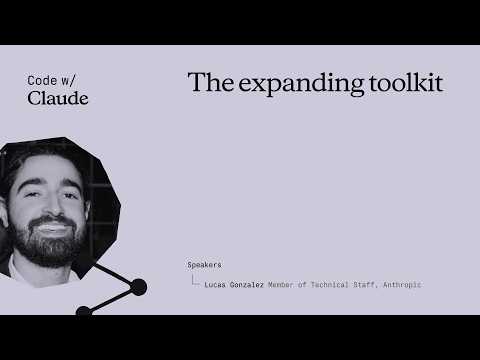
Published on YouTube on May 8, 2026, by the Claude channel, this presentation titled "The expanding toolkit" explores how advanced capabilities like reliable tool use, context management, and computer use have moved directly into the model. According to the description, the session details what changed between model generations and demonstrates how these integrated features compose into highly capable, autonomous agents.
## TL;DR
In this presentation, Lucas from Anthropic explains a major paradigm shift in AI development, asserting that scaffolding previously built by developers is now natively integrated into Claude. He breaks down advancements in autonomous tool routing, a 1-million-token flat-priced context window, and a hosted code execution sandbox that completes debugging loops within a single API turn. Furthermore, Lucas highlights Claude 4.7's breakthrough 78% score on the OS World benchmark due to native 1440p resolution scaling, culminating in a live demo of Claude autonomously fixing a dashboard via Chrome. Ultimately, developers are urged to stop writing short-lived compensatory code for reliability and instead focus on high-value integration code for proprietary systems.
## Atmosphere & style
The presentation carries an innovative, tech-forward, and authoritative vibe, blending the excitement of cutting-edge AI breakthroughs with grounded architectural advice. Lucas delivers the talk with a collaborative and peer-to-peer energy, transforming a technical lecture into an engaging visionary narrative about the future of software development. The momentum builds smoothly from practical 'before-and-after' comparisons to an impressive, high-stakes live debugging demonstration that feels both practical and futuristic. By the end, the atmosphere shifts to an inspiring call to action, leaving the audience energized and eager to connect during the warm concluding applause.
## Key takeaways
- [00:15](https://www.youtube.com/watch?v=KLCuxMDZSDg&t=15s) The fundamental paradigm shift in AI development is that previous scaffolding built in code is now shipping directly within the model itself.
- [00:15](https://www.youtube.com/watch?v=KLCuxMDZSDg&t=15s) By moving the burden of retries, wrappers, and coordinate math from the codebase to the model, developers can focus entirely on outcomes rather than infrastructure.
- [03:04](https://www.youtube.com/watch?v=KLCuxMDZSDg&t=184s) Brittle, manual string-matching routers and retry decorators are obsolete, as Claude can now autonomously select tools and recover from tool errors.
- [03:04](https://www.youtube.com/watch?v=KLCuxMDZSDg&t=184s) Including a detailed description of the expected output schema in a tool's definition allows Claude to perform downstream reasoning and saves API round trips.
- [06:45](https://www.youtube.com/watch?v=KLCuxMDZSDg&t=405s) Anthropic has simplified context management by providing a 1-million-token context length at flat pricing, augmented by server-side compaction and context editing.
- [06:45](https://www.youtube.com/watch?v=KLCuxMDZSDg&t=405s) To optimize context in real time, developers should actively prune stale, heavy tool outputs like screenshots and file reads while preserving Claude's reasoning transcript.
- [09:58](https://www.youtube.com/watch?v=KLCuxMDZSDg&t=598s) The native code execution tool provides a hosted, server-side sandbox that acts as Claude's private calculator, completing debugging loops in a single API turn.
- [09:58](https://www.youtube.com/watch?v=KLCuxMDZSDg&t=598s) Claude intelligently alternates between its hosted sandbox for stateless compute and the local bash terminal for interacting with local repositories.
- [12:35](https://www.youtube.com/watch?v=KLCuxMDZSDg&t=755s) Opus 4.7 introduces native computer use support up to 1440p with one-to-one pixel coordinate mapping, completely eliminating manual coordinate scaling math.
- [12:35](https://www.youtube.com/watch?v=KLCuxMDZSDg&t=755s) Claude's performance on the OS World benchmark improved from under 50% to 78% with Opus 4.7 in less than a year.
- [16:03](https://www.youtube.com/watch?v=KLCuxMDZSDg&t=963s) Computer use allows Claude to test software in a human-like way via a browser, closing the development and QA loop without manual intervention.
- [19:36](https://www.youtube.com/watch?v=KLCuxMDZSDg&t=1176s) Any code written to compensate for model unreliability—such as custom routers, planners, or retry loops—has a half-life of just months before being absorbed by the model.
- [19:36](https://www.youtube.com/watch?v=KLCuxMDZSDg&t=1176s) Integration code connecting the model to unique business logic, proprietary data, authentication, and custom tools compounds in value over time.
- [20:36](https://www.youtube.com/watch?v=KLCuxMDZSDg&t=1236s) The future of software involves providing an 'agent front door' as a standard interface, allowing external AI agents to interact seamlessly with proprietary systems.
## Detailed walkthrough
### [00:15](https://www.youtube.com/watch?v=KLCuxMDZSDg&t=15s) Introduction to the Expanding Toolkit
Lucas, a research Product Manager at Anthropic, welcomes attendees to the "Code with Claude" conference. He introduces the core theme of his presentation: "the scaffolding that you had to build last year actually ships with the model today." Developers should no longer view large language models (LLMs) as simple input-output boxes. Instead, they should view them as an expanding toolkit of integrated capabilities that drive better performance and simplify development.
The presentation is structured as a series of "befores and afters" comparing previous development paradigms with the streamlined 2026 workflow. By shifting the burden of retries, wrappers, and coordinate math from the developer's codebase directly into the model, developers can focus entirely on outcomes rather than infrastructure.
- **Speaker:** Lucas, Research PM at Anthropic.
- **Core Theme:** Scaffolding has moved from the developer's codebase to the model itself. "The point isn't really that the work went away, it's that you don't have to own it anymore."
- **Key Topics Covered:** Tool use, context management, code execution, computer use, and Claude Code tips.
---
[03:04](https://www.youtube.com/watch?v=KLCuxMDZSDg&t=184s) Tool Use: Routing and Retries
A year ago, building an agent required extensive scaffolding around the model, including brittle routers built on string matching and heuristics (e.g., "if the model mentions SQL, give it the database tool"). Developers also had to write custom retry decorators with back-off logic to handle frequent tool failures. Today, this pre-filtering is obsolete. Claude is intelligent enough to search through a full toolset and select the correct tool autonomously. In fact, pre-filtering and manual routing often degrade performance rather than improve it. When a tool errors, Claude can now observe the error, recover on its own, and retry the call without external developer intervention.
Lucas shares a powerful tip for optimizing tool use: instead of only providing the tool's input parameters, developers should include a detailed description of the expected output schema in the tool's definition. For example, a `search_docs` tool description can explicitly state that it returns an ID, title, snippet, and score. This allows Claude to anticipate the output structure and perform downstream reasoning (like ranking results) without needing an extra round trip through the harness.
- **Old Paradigm:** Brittle string-matching routers, manual retry decorators, and pre-filtering.
- **New Paradigm:** Autonomous tool selection, self-recovery from tool errors, and zero manual routing.
- **Developer Tip:** Define the output schema in the tool description to save round trips.
- **Claude Code Tip:** Use pre- and post-tool use hooks in Claude settings to programmatically block calls or log outputs.
---
[06:45](https://www.youtube.com/watch?v=KLCuxMDZSDg&t=405s) Context Management and the "Infinite" Window
Long-running agents previously required complex, custom-built memory systems. Developers relied on chunking, Retrieval-Augmented Generation (RAG), and secondary LLMs to summarize conversations every few turns to prevent context window overflow. Additionally, developers had to manually manage cache breakpoints to control API costs. Anthropic has simplified this landscape by offering a 1-million-token context length at flat pricing, combined with server-side compaction and context editing. This reduces context window pressure and turns complex memory management into a few lines of configuration.
To optimize context in real time, Lucas recommends pruning stale tool outputs—such as large screenshots, search dumps, or file reads—every few turns. Developers can clear these heavy payloads while preserving the core decisions and analyses that Claude recorded in its transcript. For Claude Code users, typing `/context` displays a live, color-coded grid breakdown of the context window, showing exactly how much space is occupied by messages, system prompts, tool results, and Model Context Protocol (MCP) definitions, alongside optimization suggestions.
- **Context Length:** 1 million tokens at flat pricing.
- **Context Features:** Server-side compaction and context editing replace manual RAG/summarization scaffolding.
- **Best Practice:** Prune heavy, stale tool outputs (screenshots, file reads) while keeping the model's reasoning and decisions.
- **Claude Code Command:** `/context` provides a visual grid breakdown of context window usage.
---
[09:58](https://www.youtube.com/watch?v=KLCuxMDZSDg&t=598s) Code Execution in a Hosted Sandbox
Previously, the "write, run, and fix" loop was a tedious developer-managed cycle. Developers had to spin up a virtual machine (VM) sandbox, write code to deploy the model's output to the VM, run it, parse the traceback errors, and feed them back to the model. Anthropic now offers a native code execution tool that provides Claude with a hosted, server-side sandbox. This entire loop now occurs within a single API turn, eliminating round trips between the developer's harness and an external VM.
Lucas explains the mental model for this feature: the sandbox acts as Claude's private "calculator" or computer. It can perform stateless compute, run data analysis, and install custom libraries without cluttering or disrupting the developer's local file system. When Claude needs to interact with local files, a repository, or a local Python virtual environment, it intelligently switches back to the local bash terminal.
- **Code Execution Tool:** Automatically provisions a hosted, server-side sandbox.
- **Efficiency Gain:** Eliminates harness round trips; debugging loops happen within a single API turn.
- **Sandbox Capabilities:** Safe, stateless compute, data analysis, and library installation.
- **Claude Code Tip:** Use `/schedule` to set up cron-triggered, autonomous runs on a timer.
---
[12:35](https://www.youtube.com/watch?v=KLCuxMDZSDg&t=755s) Computer Use and Native Resolution Scaling
Computer use has historically been a difficult capability to implement. To make Claude interact with a standard 1080p laptop screen, developers previously had to write a "pile of image glue" to downscale screenshots to fit the model's pixel limits, track the downscaling ratio, and scale the model's click coordinates back up to the native resolution. This brittle process required extensive retries and verification steps. With Opus 4.7, Claude natively supports screenshots and returns one-to-one pixel coordinates up to 1440p, completely eliminating the need for coordinate math.
Anthropic's primary benchmark for this capability is OS World, which evaluates how well an agent completes complex tasks on professional and consumer software. Less than 12 months ago, Claude scored below 50% on this evaluation. With Opus 4.7, Claude has reached 78%, nearing the 80% milestone. Lucas notes that while resolutions up to 1440p are natively supported, developers working with 4K screens should still downscale on their side. He also encourages experimenting with different image formats (JPEG, PNG, WebP) to see how compression artifacts affect performance on specific user interfaces.
- **Resolution Support:** Native support up to 1440p with one-to-one pixel coordinate mapping.
- **OS World Benchmark:** Claude's performance improved from under 50% to 78% (Opus 4.7) in less than a year.
- **Image Formats:** Developers should test JPEG, PNG, and WebP to optimize compression for their specific UI automation tasks.
- **Claude Code Integration:** Claude Code can leverage local Chrome browser sessions via the Claude in Chrome extension (`claude.ai/chrome`) to navigate the web and local development servers.
---
[16:03](https://www.youtube.com/watch?v=KLCuxMDZSDg&t=963s) Demo: Agentic Debugging with Claude Code and Chrome
The presentation transitions to a pre-recorded demonstration of an agentic coding loop using Claude Code and the Claude in Chrome extension. In the demo, Claude is tasked with fixing bugs on a project management dashboard. The first issue is that clicking the "New" button fails to add a card to the board. Claude is instructed to open the application in Chrome to reproduce and diagnose the issue.
The video shows Claude launching Chrome, interacting with the live dashboard, and attempting to type in the input field. Recognizing that the card creation is broken, Claude inspects the codebase, writes a code change to wire up the card creation logic, and successfully verifies the fix in the browser. Claude then tests the drag-and-drop functionality. When it attempts to drag a "Review PR" card to the "Done" column, the card mistakenly lands in "To Do." Claude identifies this as a bug, diagnoses the drag-and-drop container logic, writes a real-time fix, and retests the entire flow from scratch before summarizing its changes.
- **Demo Scenario:** Debugging a project management dashboard using Claude Code and Chrome.
- **Bugs Fixed:** Broken "New" card button and faulty drag-and-drop column targeting.
- **Workflow:** Claude autonomously reproduces the bug in the browser, modifies the source code, retests the UI, and provides a summary of the fixes.
- **Key Takeaway:** "Most software today is created for humans, and so it has to be tested in a human-like way." Computer use allows Claude to close the development loop without manual QA intervention.
[19:36](https://www.youtube.com/watch?v=KLCuxMDZSDg&t=1176s) The Half-Life of Compensatory Code
Lucas returns to the core theme and the most critical takeaway of his presentation: a warning about where developers choose to spend their engineering efforts. He introduces a guiding rule of thumb for anyone building with AI: "any code that you are writing that is compensating for model unreliability will have a half-life of just months." Instead of spending valuable time building complex workarounds, developers should leave that heavy lifting to Anthropic. The company is committed to making Claude progressively more reliable and capable by expanding the toolkit built directly into the model itself.
Over time, the model naturally absorbs the scaffolding that developers currently build manually. Features like retry logic, routers, planners, and verification loops are increasingly being integrated directly into Claude's native capabilities, as demonstrated in earlier parts of the talk. In contrast, the code that connects the model to a developer's specific world—such as custom tools, proprietary data, authentication systems, and unique context—is where the real value lies. This type of integration code compounds in value over time because "the model can't absorb what it can't see."
- **Compensatory Code (Short Half-Life):** Retry logic, routers, planners, and verification loops. These are rapidly being absorbed into the model itself.
- **Integration Code (Compounding Value):** Custom tools, proprietary data, authentication (auth), and specific business context that the model cannot access on its own.
[20:36](https://www.youtube.com/watch?v=KLCuxMDZSDg&t=1236s) The Agent Front Door and the Future of Software
Looking ahead, Lucas shares Anthropic's vision for how the broader software ecosystem is evolving. The industry is moving toward a future where "every agent every piece of software will be getting a front door for agents." In this new paradigm, the engineering challenge shifts away from the tedious task of trying to make the underlying model more reliable. Instead, the truly interesting and competitive work becomes deciding what unique capabilities, data, and services you place behind your agent's front door "that nobody else can."
Lucas wraps up his presentation by thanking the audience for attending his talk and participating in the "Code with Claude" conference. He invites attendees to find him afterward, noting that he will be walking around the venue and is happy to say hello and answer any lingering questions. The talk concludes to a warm round of applause from the audience.
- **The "Agent Front Door":** The predicted standard interface for future software, allowing external AI agents to interact seamlessly with proprietary systems.
- **Speaker:** Lucas, who welcomed further discussion and Q&A offline after the presentation.
## Notable quotes
> [00:15](https://www.youtube.com/watch?v=KLCuxMDZSDg&t=15s) the scaffolding that you had to build last year actually ships with the model today. — Lucas
> [00:15](https://www.youtube.com/watch?v=KLCuxMDZSDg&t=15s) The point isn't really that the work went away, it's that you don't have to own it anymore. — Lucas
> [03:04](https://www.youtube.com/watch?v=KLCuxMDZSDg&t=184s) if the model mentions SQL, give it the database tool — Lucas
> [16:03](https://www.youtube.com/watch?v=KLCuxMDZSDg&t=963s) Most software today is created for humans, and so it has to be tested in a human-like way. — Lucas
> [19:36](https://www.youtube.com/watch?v=KLCuxMDZSDg&t=1176s) any code that you are writing that is compensating for model unreliability will have a half-life of just months. — Lucas
> [19:36](https://www.youtube.com/watch?v=KLCuxMDZSDg&t=1176s) the model can't absorb what it can't see. — Lucas
> [20:36](https://www.youtube.com/watch?v=KLCuxMDZSDg&t=1236s) every agent every piece of software will be getting a front door for agents. — Lucas
> [20:36](https://www.youtube.com/watch?v=KLCuxMDZSDg&t=1236s) that nobody else can. — Lucas
## Mentioned
Lucas, Anthropic, Code with Claude, Claude, Claude Code, Model Context Protocol, Opus 4.7, OS World, Chrome, Claude in Chrome
Anthropic将编程脚手架融入Claude,大幅减轻开发者负担
开发者必须从构建可靠性变通方案转向集成专有数据,因为模型很快将吸纳所有基础设施代码。
在本次演讲中,来自Anthropic的Lucas阐释了AI开发中的重大范式转变,指出此前由开发者构建的脚手架现已原生集成到Claude中。他详细剖析了自主工具路由、统一计费的100万token上下文窗口,以及能够在单次API交互中完成调试闭环的托管代码执行沙盒等进展。此外,Lucas重点提及得益于原生1440p分辨率缩放,Claude 4.7在OS World基准测试中取得了78%的突破性得分,并通过现场演示展示了Claude通过Chrome自主修复仪表盘。最后,他呼吁开发者停止为了弥补可靠性而编写寿命短暂的补偿性代码,转而专注于面向专有系统的高价值集成代码。
AI 开发正在经历根本性范式转移:过去需要开发者在代码库中构建的重型脚手架(如重试机制、字符串匹配路由等)现已直接内置于模型本身,开发者得以将精力集中于业务结果而非基础设施。 (0:15)
在工具使用方面,脆弱的手工路由和重试装饰器已被淘汰;在工具定义中详细描述预期输出 Schema,可让 Claude 直接进行下游推理并节省 API 往返调用。 (3:04)
Anthropic 提供统一计价的 100 万 token 上下文窗口,并配合服务端压缩与上下文编辑功能;建议定期清理截图或文件读取等陈旧大体量输出,同时保留模型的推理轨迹。 (6:45)
原生代码执行工具为 Claude 提供了托管的服务端沙盒,能够像私有计算器一样在一个 API 轮次内闭环完成代码编写与调试循环。 (9:58)
任何旨在弥补模型不可靠性的补偿性代码(如重试逻辑、规划器)半衰期只有几个月;开发者的核心价值在于编写连接专有数据、工具及鉴权系统的集成代码。 (19:36)
Reading summary
At Anthropic's 'Code with Claude' conference, Research Product Manager Lucas argued that developers should stop building compensatory scaffolding around language models, as native capabilities—including autonomous error recovery, sandboxed execution, and direct UI interaction—are absorbing infrastructure tasks directly into the model.
Absorbing Tool Routing and Context Scaffolding (3:04)
Previously, developers maintained brittle string-matching routers, manual retry decorators, and complex memory systems like retrieval-augmented generation (RAG) to prevent context overflows. Lucas reported that Claude now autonomously navigates complete toolsets and self-recovers from tool execution errors without external pre-filtering. To further eliminate unnecessary round trips, he recommended adding detailed output schemas directly into tool descriptions—such as specifying ID, title, and score fields for a search tool—allowing the model to anticipate and reason about result structures immediately.
For memory management, custom summarization pipelines are replaced by a 1-million-token context window at flat pricing, supported by server-side compaction and context editing. Developers can inspect token distributions via Claude Code's /context command and optimize performance by periodically pruning heavy, stale tool outputs like file reads or screenshots while preserving the model's core decision trail.
Native Sandboxed Compute and Pixel-Level Computer Use (9:58)
The developer loop of writing, running, and fixing code previously required external virtual machine sandboxes, traceback parsers, and multi-turn API calls. Anthropic now provisions a hosted, server-side sandbox that acts as a stateless execution environment for data analysis and library installation within a single API turn, switching to the local bash terminal only when accessing repository files.
Similarly, early computer-use implementations required manual coordinate scaling to map model actions back to native displays. With Opus 4.7, Claude natively maps one-to-one pixel coordinates up to 1440p, though Lucas noted that 4K displays still require client-side downscaling. On the OS World benchmark evaluating agent performance across consumer and professional software, Lucas highlighted that Claude's task completion rate advanced from below 50% to 78% in less than a year.
Closing the Software Loop with Agentic Verification (16:03)
Demonstrating these integrated capabilities, Lucas presented an agentic debugging workflow using Claude Code and the Claude in Chrome extension on a project management dashboard. Rather than relying on human QA, the agent opened a browser session, reproduced a broken card-creation button, updated the underlying application code, and confirmed the fix in the browser.
It repeated this cycle for a faulty drag-and-drop container bug, diagnosing container logic and testing the end-to-end flow. Lucas maintained that because modern software is designed for human interaction, automated agents must test applications visually to reliably close the development loop without developer intervention.
Compensatory Code Versus Compounding Integration (19:36)
Lucas warned that engineering efforts dedicated to compensating for model deficiencies—such as custom retries, planners, and manual verification loops—carry a half-life of just months because model updates steadily absorb this functionality. Instead, he argued that sustainable engineering value lies in integration code: custom tool definitions, proprietary enterprise data, authentication barriers, and domain-specific context that external models cannot access independently.
Looking forward, Lucas forecast that software architectures will converge around an 'agent front door.' In this model, competitive advantage shifts away from scaffolding reliability toward curating unique internal capabilities, data, and services accessible through standard agent interfaces.
While native model updates reduce the burden of building custom orchestration layers, Lucas noted practical boundaries remain: developers must still downscale 4K displays, evaluate image compression artifacts (JPEG, PNG, WebP) on user interfaces, and decide which proprietary assets to expose behind their agent interfaces.
精炼阅读摘要
Anthropic 研究产品经理 Lucas 在“Code with Claude”大会上指出,开发者过去必须在模型外部搭建的大量脚手架(如重试机制、硬编码路由和坐标计算)已被模型原生功能取代。他建议开发者停止编写弥补模型不可靠性的临时性补偿代码,转而将工程重心投向具有长期复合价值的私有数据与业务系统集成。
工具调用与长上下文管理的原生化 (3:04)
在过去,构建 AI 智能体需要依赖基于字符串匹配的脆弱路由规则和带有退避逻辑的重试装饰器。Lucas 表示,如今这一外部预过滤层已成为过去,Claude 已经能够自主在完整工具集中检索并选择合适的工具,且具备在工具报错后自我纠错并重新调用的能力;实验表明手动路由与预过滤反而可能导致性能下降。针对工具优化,Lucas 建议在工具描述中直接明确输出 Schema(例如声明返回 ID、标题、摘要及匹配分数),使模型能提前预判结果结构并进行后续推理,从而省去额外的往返交互。在 Claude Code 中,开发者还可以通过配置前置与后置钩子实现程序化拦截或日志记录。
在上下文管理方面,长程智能体以往高度依赖切块、检索增强生成(RAG)以及多轮对话后的次级摘要,以防上下文溢出。Anthropic 目前提供了按固定价格计费的 100 万 token 上下文长度,并引入服务端压缩与上下文编辑功能,将复杂的记忆管理简化为配置参数。Lucas 提出的实时优化实践是:每隔几轮清除截图、文件读取或搜索结果等庞大的陈旧工具输出,同时保留模型的核心分析与决策记录。Claude Code 用户还可以输入 /context 调出彩色网格,直观监控消息、系统提示词、工具结果和 MCP 定义所占用的空间与优化建议。
托管沙箱消除代码执行与调试往返 (9:58)
以往的“编写、运行、修复”循环是一个繁琐的混合架构流程。开发者通常需要自行启动虚拟机沙箱,编写管道将模型生成的代码部署进虚拟机,运行并解析报错追踪信息,再传回给模型。Anthropic 推出的原生代码执行工具则为 Claude 配备了由官方托管的服务端沙箱,使整套编写与调试闭环能够在单次 API 轮次内完成,消除了本地框架与外部虚拟机之间的往返等待。
Lucas 将该沙箱定义为 Claude 的专属计算器,专门用于执行无状态计算、数据分析和第三方库安装,不会污染开发者的本地环境。当模型需要处理本地仓库、读写文件或使用本地 Python 虚拟环境时,它会自动切换回本地 bash 终端。开发者还可以配合 Claude Code 的 /schedule 命令,设定定时运行的自主监控和自动化维护任务。
原生分辨率计算机使用与界面自动化测试 (12:35)
早期实现模型操作计算机界面时,开发者需要维护复杂的图像处理胶水代码:将屏幕截图缩放到模型支持的像素限制内,记录缩放比例,再将模型返回的操作坐标等比放大映射回原生分辨率。而在 Opus 4.7 中,Claude 已原生支持高达 1440p 分辨率下的 1:1 像素坐标输入与输出,消除了外部坐标换算逻辑(若使用 4K 屏幕仍需在客户端进行缩放)。在评估复杂软件交互能力的 OS World 基准测试中,Claude 的表现从不到一年前的 50% 以下提升至 78%,逼近 80% 的关键门槛。Lucas 建议开发者在 JPEG、PNG 和 WebP 等不同格式间进行压缩测试,以评估图像伪影对特定界面自动化的实际影响。
在现场演示中,Claude 配合 Claude in Chrome 扩展程序展示了端到端的前端调试能力。针对项目管理仪表板中“新建卡片”按钮失效以及任务卡片拖放目标列错误的缺陷,Claude 能够自行打开 Chrome 浏览器操作 live 页面复现问题,随后检查源代码并提交补丁,最终再次操作网页验证功能修复,以贴近人类用户的方式完成质量验证闭环。
补偿性代码的淘汰与“智能体前门”愿景 (19:36)
Lucas 在演讲中提出了评估 AI 开发投入的核心准则:任何为了弥补基础模型不可靠性而编写的代码(包括重试包装器、硬编码路由、规划器及验证循环),其半衰期往往只有数个月,这些脚手架随着模型能力的进化最终都会被内生化。相反,将模型与特定业务连接的代码——如自定义工具协议、专属数据孤岛、企业认证(auth)体系及独特业务上下文——其价值会随时间持续复合,因为“模型无法吸收它看不到的东西”。
面向未来,Lucas 预测整个软件生态都将演进为“为智能体设立前门”(Agent Front Door)的架构标准。未来的工程竞争重点将不再是如何修补底层大模型的缺陷,而是如何决定在智能体前门后接入哪些对手无法复制的核心数据、服务与专有能力。
Lucas 强调开发者应转变将大语言模型仅视为黑盒输入输出接口的传统观念,全面利用其内生化的工具能力以降低架构负担。不过在具体工程落地中仍存局限:例如 4K 高分辨率环境仍需开发者自行维持下采样处理,且不同图像格式在具体 UI 自动化中的压缩损耗差异依然需要工程师手动权衡与调优。
Source quotes
[0:15] Lucas: the scaffolding that you had to build last year actually ships with the model today.
[0:15] Lucas: The point isn't really that the work went away, it's that you don't have to own it anymore.
[3:04] Lucas: if the model mentions SQL, give it the database tool
[16:03] Lucas: Most software today is created for humans, and so it has to be tested in a human-like way.
[19:36] Lucas: any code that you are writing that is compensating for model unreliability will have a half-life of just months.
[19:36] Lucas: the model can't absorb what it can't see.
[20:36] Lucas: every agent every piece of software will be getting a front door for agents.
[20:36] Lucas: that nobody else can.
Original transcript
[0:15] [snorts]
[0:21] [snorts]
[0:26] >> Hello everybody.
[0:28] How are folks doing today? My name is
[0:30] Lucas. I'm a research PM here at
[0:33] Anthropic.
[0:35] And today I'll be talking about the
[0:37] expanding toolkit. But first of all, I
[0:39] want to say thank you everybody for
[0:41] joining us at our code with Claude
[0:43] conference. We're very grateful you're
[0:45] here and we love speaking directly to
[0:47] our users.
[0:50] Cool. So, what am I going to talk about
[0:52] today?
[0:53] The overarching theme of today's talk is
[0:57] that the scaffolding that you had to
[0:59] build last year actually ships with the
[1:01] model today.
[1:03] So, I want you all to think of the model
[1:06] no longer as just an input-output LLM
[1:10] box, but rather as a series of tools
[1:12] around that model that expands its
[1:15] capabilities and leads to better
[1:16] performance.
[1:18] So, in other words, we see the model
[1:20] itself as an expanding toolkit.
[1:25] And so, this talk will be a series of
[1:27] befores and afters. On the left side,
[1:30] you'll see basically what things look
[1:33] like previously.
[1:35] And on the right side, you'll see what
[1:37] that same task looks like, but now in
[1:39] 2026.
[1:42] Most of this will be heavily like
[1:44] heavily simplified. And so, what you'll
[1:46] notice is that not just you know, not
[1:48] just better reliability,
[1:50] but you also get much simpler
[1:53] development as well. So, you have to
[1:55] focus less on the actual retries,
[1:59] wrappers, and so forth, and more so on
[2:01] just getting the outcome that you're
[2:02] looking for.
[2:05] And so, we'll be covering things like
[2:07] tool use, context management, code
[2:09] execution, and computer use.
[2:12] Then I'll be sharing some practical tips
[2:14] for each of those.
[2:16] And then for the Cloud Code fans in the
[2:18] audience, I'll also have quick tips
[2:20] specific to Cloud Code.
[2:23] So, a year ago building an agent really
[2:25] meant building around the model.
[2:28] You know, you might have routers to pick
[2:29] the right tools. You might have retry
[2:32] loops. You might have output validators,
[2:34] context compaction. You might even have
[2:37] to do some coordinate math if you're
[2:38] doing computer use.
[2:40] You'd have a hundred lines of code,
[2:43] hundreds of lines of scaffolding before
[2:45] you even build any product.
[2:47] Now, that scaffolding hasn't
[2:48] disappeared, but it moved. It now ships
[2:51] with the model itself.
[2:55] So, the point isn't really that the work
[2:56] went away, it's that you don't have to
[2:58] own it anymore.
[3:04] Cool. So, now the first capability that
[3:06] I want to talk about is tool use.
[3:09] Specifically tool routing and retries.
[3:13] On the left side, you can see what this
[3:14] looked like previously.
[3:16] You couldn't really trust the model with
[3:18] the full tool set.
[3:19] It would eat into the context window,
[3:21] and so you'd have to build a router.
[3:24] And the way you might build this router
[3:25] is through things like string matching,
[3:28] heuristics. You know, you might say,
[3:30] "Oh, if the model mentions SQL, then
[3:33] give it the database tool."
[3:35] And then you also needed a retry
[3:36] decorator on top of that because the
[3:38] tools failed often enough that you
[3:40] actually needed back off.
[3:43] Well, routers like those are basically
[3:45] guesses about the user intent written in
[3:48] conditional if statements.
[3:51] They're brittle, and they're sort of the
[3:53] first thing that breaks when you try
[3:54] actually adding a new tool.
[3:57] Now, on the right, we have what the new
[4:00] paradigm is.
[4:01] The model can actually search through
[4:03] tools and pick the right tool itself.
[4:06] The model's intelligent enough and tool
[4:09] selection accuracy is now high enough
[4:11] that tool routers and pre-filtering
[4:14] usually makes things worse, not better.
[4:16] We want the model to make decisions
[4:18] about what tools are relevant in the
[4:20] context it's working in.
[4:23] And now, when a tool errors, you can
[4:25] actually trust that Claude will see that
[4:27] error, recover on its own, and call the
[4:30] tool again.
[4:31] So, no more pesky tool re-routers, no
[4:34] more heuristics around when to bring in
[4:37] certain tools. That's all built into the
[4:39] model today.
[4:45] Now, as promised, uh oh,
[4:48] can we go back one slide?
[4:51] Now, as promised, a quick tip for uh
[4:54] tool use. And this one is very powerful
[4:56] and one that I actually use uh quite
[4:59] frequently.
[5:00] And so,
[5:02] uh when you're giving when you're giving
[5:04] a tool to Claude, most developers
[5:06] typically give the input to that tool to
[5:10] Claude.
[5:11] So, you might tell Claude, you know,
[5:13] here are the parameters you need in
[5:14] order to call this tool and to use this
[5:16] function.
[5:17] But actually, what you can do is give
[5:20] Claude a description of the output
[5:23] schema as well. And so, you can see in
[5:26] the example I have here in the
[5:27] description, I actually outlined,
[5:30] you know, this search docs tool will
[5:31] search the docs and it'll return the ID,
[5:34] title, snippet, and score.
[5:38] And so, by doing this, um you can
[5:41] actually let Claude know what to expect
[5:44] from this tool call. So, for example, if
[5:46] Claude wanted to rank the outputs of
[5:48] this tool, it already knows that a score
[5:51] will be returned by this tool,
[5:52] effectively saving it a round trip from
[5:55] the harness.
[5:57] And so, by doing this, you get more
[5:59] efficient and more intelligent outputs
[6:01] from Claude when using this tool.
[6:05] And now for a Claude code quick tip,
[6:07] this is another one that I like to use
[6:08] frequently. You can actually use pre-
[6:11] and post-tool use hooks defined in your
[6:13] Claude settings. So, what this means is
[6:16] Claude calls a specific tool or after
[6:19] Claude calls a specific tool, you can
[6:21] actually have something happen
[6:22] programmatically.
[6:23] And so, you might do this to block
[6:26] certain tool calls in specific
[6:28] situations, or you might use this to
[6:30] like analyze and log outputs
[6:32] programmatically after the tool call's
[6:34] made.
[6:38] Um can we go forward one on the speaker
[6:40] notes?
[6:45] Cool. So, next I'll be speaking about
[6:49] context management.
[6:52] You know, long-running agents previously
[6:54] meant that you had to build your own
[6:57] memory system.
[6:58] You might do something like chunking.
[7:01] You might even do rag, something that's
[7:04] uh very, very popular, especially to
[7:06] manage those pesky context windows.
[7:08] You might even call another model to
[7:10] summarize what's going on after every
[7:13] end turns or end tokens.
[7:16] So, again, the the idea is you were
[7:18] building a scaffolding so that you could
[7:20] practically extend the model's context
[7:23] window.
[7:24] And then you might even also have cash
[7:26] breakpoints that you had to then move by
[7:28] hand in order to save on cost and cash
[7:31] previous turns.
[7:33] Well, now we've simplified all of that
[7:35] tremendously.
[7:37] And by offering 1 million context length
[7:40] at flat pricing, that already reduces
[7:42] most of the window pressure.
[7:45] And then you pair that with server-side
[7:47] compaction as well as context editing,
[7:50] and it basically turns the rest of that
[7:53] all into just a few lines of config,
[7:55] which you can see on that right side.
[7:58] And this is how we get much closer to
[8:00] the feeling of an infinite context
[8:02] window that was mentioned at the morning
[8:04] keynote today.
[8:07] And so again, this is just another
[8:08] example of how a lot of scaffolding that
[8:10] you had to previously build in order to
[8:13] make the model work in the ways that you
[8:14] want is now just completely built into
[8:17] the API and is just a single API call
[8:20] away.
[8:23] So now for a quick tip on context
[8:25] management.
[8:27] So we actually recommend that every end
[8:30] turn you actually clear tool results.
[8:34] And by pruning stale tool outputs, think
[8:37] about things like screenshots or search
[8:40] results or file reads, you can actually
[8:42] save tremendously on on context while
[8:45] keeping the decisions that they
[8:47] informed, which Claude mentions in its
[8:49] transcript.
[8:51] And so you can imagine you have a
[8:53] transcript here where the model read a
[8:56] huge file, it also had to get a
[8:58] screenshot, then it made some decision
[9:00] based on that, and then it had a search
[9:02] that dumped a ton of text.
[9:06] By clearing those results and just
[9:08] keeping the core task, the decision that
[9:10] was made based on those tool results,
[9:13] and the results that the agent analyzed
[9:15] itself, you can save on tokens in real
[9:18] time.
[9:21] And now for the Claude Code fans, uh
[9:24] this quick tip, um I I suspect a lot of
[9:26] you might already know this one, but I
[9:28] like it a lot, and if you have Claude
[9:30] Code open right now, I suggest you try
[9:32] it. Do {slash} context to actually get
[9:35] this live colored grid breakdown of
[9:38] what's filling your context window.
[9:40] And that's a great way to kind of
[9:42] viscerally see what I'm describing here
[9:44] in terms of how much space messages,
[9:46] tool results, systems, and MCP
[9:48] definitions takes in your context
[9:50] window. And you'll also see some
[9:52] optimization suggestions there as well.
[9:58] Cool. Next up is code execution.
[10:01] So, previously the write, run, and fix
[10:04] loop used to be the developer's job.
[10:07] You might find a VM provider,
[10:11] spin up a sandbox in the VM they
[10:13] provide. You would then have to have the
[10:16] model output some code, put that code on
[10:18] the VM, run that model's code, parse the
[10:21] feedback, parse the traceback from
[10:23] running that code, feed it back into the
[10:25] model, and then you'd have to run that
[10:28] on repeat until the model succeeded at
[10:30] the task it wanted to do on that VM.
[10:34] Well, we wanted to massively simplify
[10:36] that. And so, now we actually offer a
[10:38] code execution tool, which automatically
[10:40] gives Claude a hosted sandbox on the
[10:43] server side.
[10:45] So, this means that that entire loop
[10:47] that I just described effectively
[10:49] happens inside a single API turn. So, no
[10:52] more harness round trips between Claude
[10:54] and whatever VM you're using.
[10:57] Claude can just in the back end on the
[10:58] API side tap into that separate computer
[11:02] that's being used just for Claude's
[11:04] scratch pad and work.
[11:12] And now, this one is maybe a little less
[11:14] of a tip and more so a mental model as
[11:16] to how to think about code execution and
[11:19] versus your local bash.
[11:21] So, when we give Claude the code
[11:22] execution tool, it basically gets its
[11:24] own computer to do stuff on. So, think
[11:27] about this in a way of like giving
[11:28] Claude a little calculator or something,
[11:31] except it's an entire computer that it
[11:32] can actually use. And so, this means
[11:34] that Claude can use this computer for
[11:37] things like stateless compute, data
[11:39] analysis. It can, you know, install
[11:42] custom libraries here. But basically, it
[11:44] can do all this work without actually
[11:46] disrupting or cluttering your local file
[11:49] system and your local computer.
[11:51] Then, when Claude does need to access
[11:53] something that only exists on your local
[11:56] computer, maybe it's your repo or a
[11:59] Python MV that you have installed, or
[12:01] just any other local context you have,
[12:04] it can then go back to the real bash on
[12:06] your computer, and it intelligently
[12:08] knows which of the two to use.
[12:12] Now, for another Claude code quick tip,
[12:15] um
[12:16] you can actually use /schedule to
[12:19] schedule cron-triggered autonomous runs.
[12:22] And so, think about this self-iteration
[12:24] loop I described on the previous slide,
[12:27] but now on a timer, happening exactly
[12:29] when you need it, and completely
[12:30] autonomously done by Claude.
[12:35] And now, last but certainly not least,
[12:39] this is an area where I spend a lot of
[12:41] my time uh working with Claude, um is
[12:44] computer use.
[12:46] So, previously for a computer use, let's
[12:48] say you wanted uh Claude to drive your
[12:51] laptop, most laptops have a 1080p
[12:54] screen, and you had to send that image
[12:56] to Claude.
[12:57] So, in order to have reliable clicks,
[12:59] you needed a pile of image glue. So,
[13:01] what that would look like is you first
[13:02] take your 1080p image, you downscaled it
[13:06] to what fit Claude's pixel limits, you
[13:09] tracked the factor of that downscaling,
[13:12] then when the model would sample a
[13:13] click, you would then need to scale that
[13:15] click back up to your original
[13:17] resolution.
[13:19] So, you'd have to write all that code,
[13:21] and then wrap it in retries and verify
[13:24] statements as well.
[13:27] Well, this was very big pain point and
[13:29] we've heard the feedback and so Opus 47
[13:32] can now actually take native resolution
[13:34] screenshots and return one-to-one pixel
[13:37] coordinates up to 1440p,
[13:39] which captures the vast majority of
[13:42] display resolutions.
[13:44] So now that means that the scaling math
[13:45] is completely gone and you can simply
[13:48] send your image and trust that Claude
[13:50] will click exactly where it needs to.
[13:54] And we're really excited about this uh
[13:56] capability as well because computer use
[13:59] as a capability is something that over
[14:01] the last 12 months has made great leaps
[14:03] and bounds.
[14:04] So our headline evaluation here is
[14:06] called OS World. And that's basically um
[14:10] an eval that tracks how well the model
[14:12] can complete complicated tasks on
[14:15] professional software as well as
[14:17] consumer-grade software.
[14:19] And so less than 12 months ago, Claude
[14:21] was scoring below 50% on this eval. So
[14:24] it could not complete half the tasks
[14:26] that was at that was asked of Claude.
[14:29] Now we're about to hit 80% on this eval
[14:32] and we just reported 78% on Opus 47.
[14:36] So making computer use easier to use is
[14:39] something that's very exciting for us as
[14:40] we see it as a as an aspiring capability
[14:43] that is just now at the cusp of broad
[14:45] usability.
[14:49] So as I mentioned, um
[14:51] you know, we support resolutions up to
[14:53] 1440p, but we actually really encourage
[14:56] developers uh to experiment across
[14:58] resolutions and formats. Now if you're
[15:01] doing really high-res stuff like 4K, we
[15:03] still recommend that you downscale on
[15:05] your side.
[15:07] However, you're doing anything up to
[15:08] 1440p, we recommend that you try
[15:10] different resolutions to see what works
[15:11] best for you as well as different image
[15:14] formats like JPEG, PNG, or WebP.
[15:17] Each of these compresses images
[15:19] differently and creates different
[15:20] compression artifacts. And so by testing
[15:23] it on your use case and the kinds of
[15:25] UI's that you're trying to automate, you
[15:27] can find what works best for you.
[15:30] Now, a Claude code quick tip here is
[15:34] that Claude code can actually leverage
[15:37] your Chrome browser session itself. So
[15:40] if you're in Claude code and you have
[15:43] Claude in Chrome installed, which you
[15:44] can get on claude.ai/chrome,
[15:47] this means that your Claude code session
[15:50] that that agent's harness can actually
[15:52] start to use and navigate the web. And
[15:55] this includes local development as well.
[15:58] And I'll show you something really cool
[15:59] that you could do uh with that in a
[16:01] second.
[16:03] So now we're actually going to do a
[16:06] short demo. I'll show a short
[16:07] pre-recorded demo of an agentic coding
[16:09] loop with Claude code and you'll see
[16:12] computer used in action while with the
[16:15] Claude in Chrome extension.
[16:26] Cool.
[16:27] So basically we what we'll have what we
[16:30] have here is a uh Claude code session
[16:33] and we've been working on a project
[16:34] management dashboard, but it has a
[16:36] couple bugs.
[16:37] The first bug is that the new button
[16:40] isn't actually adding a card. And the
[16:42] new button should be adding a card. So
[16:44] we asked Claude to open it in Chrome and
[16:47] try it itself.
[16:49] And so we'll see this dashboard load as
[16:51] soon as Claude decides to open the
[16:53] browser.
[16:54] Cool. So you can see Claude is connected
[16:56] through Claude in Chrome here.
[16:58] And so the first thing that Claude's
[16:59] going to try to do is to reproduce the
[17:01] issue.
[17:02] So you could see it spun up Claude in
[17:04] Chrome and it's going to test this live
[17:06] board itself.
[17:09] So first Claude is now trying to type
[17:11] something. You could see in the bottom
[17:13] left of the uh dashboard there. Claude's
[17:16] trying to type something, but it's
[17:17] seeing some issues.
[17:19] And so, in real time, Claude is both
[17:21] testing and debugging side by side, same
[17:24] way that you might do uh, QA and eng in
[17:28] order to fix these bugs.
[17:31] So, now you can see it tried typing
[17:33] something.
[17:38] Didn't work.
[17:41] And now Claude will actually go into the
[17:43] code and make the code changes to wire
[17:46] up the card creation successfully.
[17:51] And now you can see that Claude has
[17:52] successfully created the card. So, it
[17:54] found the issue by actually testing it,
[17:57] tried it, and fixed it.
[17:59] But now with creation working, Claude is
[18:02] also going to check some other features.
[18:04] For example, whether these cards can be
[18:06] correctly uh, dragged across columns.
[18:10] So, Claude can actually do drag actions
[18:12] as well.
[18:13] And so, Claude just tried to drag the
[18:15] review PR into done, but it accidentally
[18:17] landed in to do.
[18:20] It recognizes that that's a bug, has the
[18:22] insight within Claude code,
[18:25] and then it diagnoses that drag-and-drop
[18:27] box, and it's going to actually write
[18:29] the fix in real time.
[18:31] Then it retests the flow
[18:34] by once again creating It retests the
[18:36] flow from the ground up, so it'll once
[18:37] again create the new item.
[18:42] Great, thank you, Claude. That's
[18:43] working. And now it'll test the
[18:45] drag-and-drop flow with that review PR
[18:48] now correctly going into the done
[18:50] section.
[18:52] From there, Claude will recap the fixes
[18:54] it made, and will summarize all its
[18:57] changes.
[19:01] Now, we think that this is a really
[19:03] powerful loop because most software
[19:05] today is created for humans, and so it
[19:07] has to be tested in a human-like way.
[19:10] So, giving Claude the capability to do
[19:12] browser use and computer use during its
[19:15] development cycle allows it to close
[19:18] that loop where it can create
[19:19] human-focused software and actually
[19:21] solve bugs itself directly
[19:24] without the developer needing to come in
[19:26] and handhold Claude to the bug and the
[19:28] solution.
[19:33] So, now to wrap up the call and bring it
[19:36] back to the main theme and the main
[19:37] point that we really want to get across.
[19:40] The rule that you should have in your
[19:42] mind is any code that you are writing
[19:44] that is compensating for model
[19:46] unreliability will have a half-life of
[19:49] just months.
[19:51] You should leave that work to us.
[19:53] We will continue to make Claude more
[19:54] reliable and more capable through this
[19:57] expanding toolkit that comes with the
[19:59] model.
[20:00] So, things like retry logic, routers,
[20:03] planners, verification loops, all of
[20:06] these are going to get absorbed in the
[20:07] model and they have been getting
[20:09] absorbed in the model as I've shown you
[20:11] in the prior slides in this talk.
[20:14] Versus code that connects your model to
[20:17] your world, that code tends to compound.
[20:21] Your custom tools, your data, your off,
[20:25] your specific context.
[20:27] The model can't absorb what it can't
[20:28] see.
[20:29] So, giving it that is much more valuable
[20:32] as opposed to compensating for any model
[20:34] shortcomings today.
[20:36] And we believe that the ecosystem is
[20:38] moving in the same direction.
[20:41] So, we believe that in the near future
[20:42] every agent every piece of software will
[20:46] be getting a front door for agents.
[20:49] And so, the interesting work is no
[20:51] longer making the model more reliable.
[20:53] The interesting work is what you put on
[20:56] the other side of your agent front door
[20:58] that nobody else can.
[21:03] Thank you very much for coming to my
[21:05] talk and for coming to the Code with
[21:08] Cloud conference. Uh my name is Lucas
[21:10] and I'll be walking around if you have
[21:12] any additional questions, definitely
[21:13] feel free to come say hi. Uh thank you
[21:16] all very much.
[21:17] >> [applause]