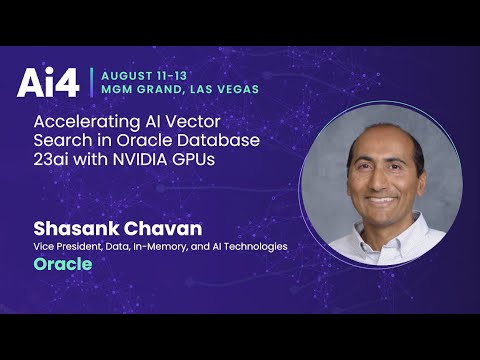
Oracle Couples Database 23ai with NVIDIA GPUs to Speed Vector Builds
Ai4
Integrating NVIDIA cuVS and CAGRA algorithms into Oracle Database 23ai resolves memory bandwidth bottlenecks and accelerates vector index construction up to 3.5 times over standard CPU servers.
## Background
This presentation was published on YouTube by the channel Ai4 on August 29, 2025. It features Shasank Chavan, Vice President at Oracle, discussing how Oracle AI vector search in Oracle Database 23ai utilizes NVIDIA GPUs and NVIDIA cuVS to accelerate vector index build times.
## TL;DR
Shasank Chavan explains how Oracle Database 23ai integrates AI Vector Search to support Retrieval-Augmented Generation (RAG) directly alongside operational structured data. He details how vector search relies on mathematical distance metrics and how building HNSW graph indexes becomes bottlenecked by system memory bandwidth. To eliminate this bottleneck, Oracle teamed up with NVIDIA to offload index construction to GPUs running NVIDIA cuVS and the CAGRA algorithm, resulting in up to 3.5x faster index builds.
## Atmosphere & style
The presentation is fast-paced, highly dense, and technical, delivered with the intense energy of a speaker racing against a strict 20-minute clock. Chavan speaks with clear authority and enthusiasm, combining geographic metaphors with architectural diagrams to make complex database performance concepts accessible. The tone is professional, collaborative, and forward-looking, highlighting a strong engineering partnership between Oracle and NVIDIA.
## Key takeaways
- [00:04](https://www.youtube.com/watch?v=154K5SrD42A&t=4s) Vector search transforms information retrieval by searching based on data relevancy rather than literal raw column values using high-dimensional floating-point vectors.
- [00:04](https://www.youtube.com/watch?v=154K5SrD42A&t=4s) The degree of similarity in vector search relies on mathematical distance metrics, such as Euclidean distance, cosine distance, dot product, and Hamming distance.
- [00:32](https://www.youtube.com/watch?v=154K5SrD42A&t=32s) Vector search forms the core engine for Retrieval-Augmented Generation (RAG) by pairing natural language prompts with proprietary enterprise data inside the database.
- [00:15](https://www.youtube.com/watch?v=154K5SrD42A&t=15s) Oracle Database 23ai uses a converged database model, allowing unstructured vector embeddings to sit alongside traditional operational business data.
- [00:15](https://www.youtube.com/watch?v=154K5SrD42A&t=15s) In-database vector generation allows users to load pre-trained embedding models in ONNX format and generate embeddings directly via SQL functions like VECTOR_EMBEDDING.
- [00:22](https://www.youtube.com/watch?v=154K5SrD42A&t=22s) Hierarchical Navigable Small World (HNSW) vector graph structures allow 100x to 1,000x faster query execution by trading a small amount of accuracy for speed.
- [00:22](https://www.youtube.com/watch?v=154K5SrD42A&t=22s) HNSW graph construction is computationally intensive and heavily bound by system memory bandwidth rather than pure CPU processing power.
- [00:34](https://www.youtube.com/watch?v=154K5SrD42A&t=34s) Oracle teamed up with NVIDIA to integrate cuVS and the single-layer GPU-optimized CAGRA graph algorithm to replace the heavy bottom layer of HNSW graphs.
- [00:34](https://www.youtube.com/watch?v=154K5SrD42A&t=34s) Offloading vector graph builds to NVIDIA GPUs enables substantial speedups over high-end enterprise CPU systems like Oracle Exadata X9M and X10M.
- [18:40](https://www.youtube.com/watch?v=154K5SrD42A&t=1120s) Oracle supports full on-premises data privacy through local in-database embedding generation, external vector loading, and dedicated private AI containers.
## Detailed walkthrough
### [00:04](https://www.youtube.com/watch?v=154K5SrD42A&t=4s) Introduction and the Fundamentals of AI Vector Search
Shasank Chavan, Vice President of Data, In-Memory, and AI Technologies at Oracle, opens the presentation by introducing his role leading the Oracle database development team responsible for delivering the AI Vector Search feature in Oracle Database 23ai. Acknowledging that vector search has become a hot industry topic, he sets out an ambitious agenda for the brief 20-minute talk: explaining vector search, examining why vector indexes are crucial, detailing how Oracle builds vector indexes on GPUs, and outlining their close collaboration with NVIDIA to dramatically accelerate vector queries. Because of the strict time constraint, Chavan promises a fast-paced overview and invites audience members to connect with him afterward for deeper discussions.
```
+------------------------+
| Unstructured Content |
| (Images, Docs, JSON) |
+-----------+------------+
|
v
+------------------------+
| Pre-trained Embedding |
| Model (e.g., ONNX) |
+-----------+------------+
|
v
+------------------------+
| Array of Numbers |
| (Vector Embedding) |
+------------------------+
```
Vector search fundamentally transforms information retrieval by searching based on data relevancy rather than literal, raw column values. Unstructured content—such as images, documents, audio, and JSON files—is passed through a domain-specific pre-trained embedding model that maps the content into an array of floating-point numbers. To ground this in a real-world enterprise context, Chavan presents an example of a support incident ticket stored as a JSON document:
- **Support Ticket Attributes:** Information like customer representative name ("Jane Doe"), product issue ("laptop rebooting"), resolution state ("resolved"), and fix action ("apply OS update") is mapped to numerical values in a vector.
- **Mathematical Similarity:** When these high-dimensional vectors are conceptualized on a two-dimensional plane, support tickets reporting similar problems (e.g., laptops running slowly) cluster close together. In contrast, unrelated issues (e.g., a crashing desktop) sit far apart.
- **Distance Metrics:** The degree of similarity relies on mathematical distance calculations between vectors. While Chavan highlights Euclidean distance as a primary example learned in elementary school, he notes that other metrics like cosine distance, dot product, and Hamming distance are widely used depending on the workload.
[00:32](https://www.youtube.com/watch?v=154K5SrD42A&t=32s) Vector Search Pipelines and Retrieval-Augmented Generation (RAG)
Chavan walks through the standard end-to-end pipeline for similarity search. It begins when a user submits a natural language query or an image. That query is processed by an embedding model to generate a query vector. The database then compares this query vector against a corpus of stored vectors by calculating distance metrics across the dataset. The system filters and ranks the results, ultimately returning the top $K$ most similar matches—the items sitting at the shortest mathematical distance.
```
+---------------+ +-----------------+ +-----------------+
| User Query / | --> | Embedding Model | --> | Query Vector |
| Image Input | +-----------------+ +--------+--------+
+---------------+ |
v
+---------------+ +-----------------+ +-----------------+
| Top-K Matches | <-- | Distance Calc | <-- | Vector Corpus |
| Returned | | (Scan/Index) | | in Database |
+---------------+ +-----------------+ +-----------------+
```
Beyond standard semantic search, vector search serves as the engine for Retrieval-Augmented Generation (RAG). By combining natural language prompts with proprietary, enterprise-grade data stored inside the database, RAG delivers precise, context-aware answers without relying on a large language model's (LLM) static training memory. Chavan illustrates a support desk scenario:
1. **User Prompt:** A customer asks, "Why does my laptop keep rebooting?"
2. **Vector Generation & Search:** The question is converted into a vector and matched against similar incident reports stored in the database.
3. **Enterprise Data Fusion:** Oracle retrieves matching unstructured incident logs alongside structured operational data—such as customer location, hardware model, and warranty status—all managed within the same system.
4. **Augmented Prompting:** This combined operational context forms an augmented prompt sent to the LLM.
5. **Tailored Answer:** The LLM responds with exact, tailored troubleshooting steps (e.g., "The issue is with the fan firmware; apply this specific OS update").
[00:15](https://www.youtube.com/watch?v=154K5SrD42A&t=15s) Convergence Advantage and Key SQL Features in Oracle Database 23ai
Addressing why Oracle added AI Vector Search alongside specialized standalone vector databases like Pinecone and Weaviate, Chavan emphasizes the immense power of a converged database model. Because most of the world's operational business data already resides inside Oracle databases, keeping vectors alongside operational tables yields immediate enterprise benefits:
- **Security:** Vector embeddings inherit existing fine-grained database security and access control policies.
- **Data Consistency:** Eliminating network transfers to external vector databases avoids stale data and sync lag; modifying a record instantly updates its searchable vector representation.
Chavan details the core functional capabilities introduced in Oracle Database 23ai, which has received continuous enhancements every three months since its announcement:
- **In-Database Vector Generation:** Users can load pre-trained embedding models (such as `all-MiniLM-L6-v2`) directly into the database in ONNX format. A SQL function, `VECTOR_EMBEDDING(model_name, text)`, converts unstructured text directly into a vector.
- **Native Data Type:** A dedicated `VECTOR` data type functions just like traditional `NUMBER` or `VARCHAR2` columns, allowing straightforward schema definitions.
- **Vector Distance SQL Queries:** Developers can perform similarity queries in a few lines of SQL by pairing `VECTOR_DISTANCE()` with `ORDER BY` and `FETCH FIRST K ROWS ONLY`. Chavan gives an example query: "Find the top 5 customers based on similarity to a photo vector of me living in San Francisco."
- **Enterprise Capabilities:** Vector operations integrate seamlessly with existing database features, including transactions, partitioning, parallel execution, and Oracle Exadata hardware offloading.
[00:22](https://www.youtube.com/watch?v=154K5SrD42A&t=22s) Vector Indexing Mechanics: The HNSW Graph and Memory Bandwidth Bottlenecks
While brute-force flat searches compute distances across every vector in a database to guarantee exact accuracy, scaling to millions or billions of high-dimensional vectors requires approximate nearest neighbor (ANN) vector indexes. Vector indexes trade a small degree of accuracy for 100x to 1,000x faster query execution. However, building these indexes—particularly popular graph-based structures like Hierarchical Navigable Small World (HNSW)—is extremely computationally expensive due to intense distance calculations and random memory access patterns.
```
+---------------------------------------------------------------+
| HNSW Graph Structure |
| |
| Layer 2 (Top) [ Node A ] ------------- [ Node B ] |
| | | |
| v v |
| Layer 1 [ Node A ] --- [ Node C ] - [ Node B ] |
| | | | |
| v v v |
| Layer 0 (Bottom) [ Entry 1 ] [ Entry 2 ] [ Entry 3 ] [... ] |
+---------------------------------------------------------------+
```
Chavan provides an intuitive geographic metaphor to explain how multi-layer HNSW graphs function during vector insertion and search:
- **Top Layer (Continents):** Represents a zoomed-out view with few nodes. Search begins here to quickly locate the general neighborhood of the query vector.
- **Middle Layers (Countries and Cities):** As search moves down layer by layer, graph density increases, zooming into smaller geographic regions.
- **Bottom Layer (Roads and Local Streets):** Contains every vector entry in the dataset. Search terminates here to pinpoint the exact local cluster where the vector should reside.
Because graph construction requires evaluating distance metrics for millions of high-dimensional vectors across scattered memory locations, performance is bound by system memory bandwidth rather than pure CPU throughput. Benchmarks across Oracle Exadata systems highlight this relationship:
- **Exadata X9M vs. Exadata X10M:** Index creation on Exadata X10M is approximately **2.2x faster** than on Exadata X9M.
- **Hardware Driver:** This performance leap corresponds directly to X10M providing roughly **2.5x higher memory bandwidth** than X9M.
- **NVIDIA GPU Scaling:** Transitioning from CPUs to enterprise GPUs—such as NVIDIA A10, A100, H100, and H200—provides massive memory bandwidth gains, enabling near-instantaneous index builds and rapid index rebuilds whenever underlying data changes.
[00:34](https://www.youtube.com/watch?v=154K5SrD42A&t=34s) Accelerating Graph Builds with NVIDIA cuVS, CAGRA, and Offload Architecture
To resolve the memory bandwidth bottleneck, Oracle partnered with NVIDIA to integrate cuVS—NVIDIA's library for accelerated vector search—and its specialized CAGRA graph index algorithm. CAGRA is NVIDIA's highly optimized, single-layer graph structure specifically designed for GPU execution. Both HNSW's bottom layer and CAGRA share key structural properties: they contain all data points in the dataset, enforce a fixed out-degree (a fixed number of outgoing directional edges per node), and utilize directed graph traversal. Oracle's architectural solution directly replaces the heavy bottom layer of the HNSW graph with a GPU-generated CAGRA graph, merging the two seamlessly.
Chavan explains that this hybrid build architecture is completely transparent to the database user:
1. **User Command:** The user issues a standard SQL `CREATE INDEX` statement for an HNSW vector index inside Oracle Database.
2. **Offload Redirection:** Instead of relying entirely on host CPU cores, the database redirects the build plan and vector dataset to a dedicated compute offload server running on a GPU-enabled Virtual Machine (VM).
3. **GPU Construction:** The offload server leverages NVIDIA cuVS and GPU memory bandwidth to construct the CAGRA graph at lightning speed.
4. **Serialization & Merging:** The resulting serialized CAGRA graph is transferred back to the database, where Oracle seamlessly attaches it as the foundational bottom layer of the database's HNSW index structure.
Initial performance evaluations demonstrate dramatic acceleration compared to high-end enterprise CPU hardware:
- **NVIDIA A10 GPU:** Completes index creation **3.5x faster** than Exadata X9M CPUs and **1.75x faster** than Exadata X10M CPUs.
- **NVIDIA A100 GPU:** Delivers an additional **1.5x speedup** over the A10 GPU, drastically reducing wait times for large-scale enterprise vector index builds.
Chavan concludes by inviting attendees to Oracle AI World in October for further architectural deep dives and benchmark updates on Oracle and NVIDIA's joint GPU acceleration efforts.
[18:40](https://www.youtube.com/watch?v=154K5SrD42A&t=1120s) Q&A: Generating and Managing AI Vectors On-Premises
With two minutes remaining in the presentation, Shasank Chavan opens the floor to audience questions. A participant asks how users can build and manage AI vector embeddings specifically for an on-premises Oracle database environment, rather than relying on cloud infrastructure.
Chavan explains that Oracle provides full flexibility for on-premises deployments without forcing data to leave the local environment. Users can load pre-trained embedding models directly into the Oracle Database to generate vectors locally on-prem, ensuring end-to-end data privacy. Alternatively, organizations can bring their own vectors generated outside the database and load them directly into tables. Additionally, Chavan previews an upcoming announcement for "Oracle CloudWorld" regarding a private AI container. This container can be deployed within an organization's own data center, allowing teams to host embedding models and generate vectors completely isolated from the outside internet.
- **Embedded Models in Database:** Users can load embedding models straight into the on-premises database to run in-database vector generation.
- **BYOV (Bring Your Own Vectors):** Supports loading externally generated vectors directly into Oracle Database tables.
- **Private AI Container:** An upcoming solution for local data centers that runs embedding models inside a secure container to prevent external data exposure.
## Notable quotes
> [00:15](https://www.youtube.com/watch?v=154K5SrD42A&t=15s) Find the top 5 customers based on similarity to a photo vector of me living in San Francisco. — Shasank Chavan
> [00:32](https://www.youtube.com/watch?v=154K5SrD42A&t=32s) The issue is with the fan firmware; apply this specific OS update — Shasank Chavan
## Video description
Shasank Chavan, Vice President, Data, In-Memory, and AI Technologies, Oracle
Abstract
Oracle AI vector search allows you to index and query vector embeddings using the full power of SQL. A critical part of vector search is building in-memory vector indexes. Vector indexes are computationally intensive to build. As data size grows, index build times grow progressively longer. We discuss how the computational and memory bandwidth performance of NVIDIA GPUs and NVIDIA cuVS can be used to accelerate vector index build times.
Oracle Database 23ai integrates native vector search directly alongside enterprise relational data to streamline retrieval-augmented generation and offload computationally heavy vector indexing to NVIDIA GPUs.
Native Vector Operations and Converged Architecture (0:15)
Rather than relying on standalone vector databases, Oracle embeds vector processing directly into Oracle Database 23ai to operate on enterprise data where it already resides. Vice President Shasank Chavan emphasizes that this converged approach eliminates data sync lag and maintains native transactional consistency and security policies across relational, JSON, and vector attributes. The database supports in-engine vector generation by executing pre-trained ONNX embedding models via the `VECTOR_EMBEDDING()` SQL function. In addition, a dedicated `VECTOR` data type allows similarity queries to run using `VECTOR_DISTANCE()` combined with standard SQL clauses like `ORDER BY` and `FETCH FIRST K ROWS ONLY`.
Retrieval-Augmented Generation Workflows (0:32)
Vector search transforms information retrieval by converting unstructured content—including text, images, and JSON support tickets—into high-dimensional numerical arrays evaluated via distance metrics such as Euclidean distance, cosine distance, dot product, or Hamming distance. In retrieval-augmented generation (RAG) pipelines, natural language user prompts are vectorized to identify mathematically close incident records. Oracle Database combines these matching unstructured logs with structured operational attributes, such as hardware models and warranty status, to compile an augmented prompt for a large language model. This operational context allows the model to output specific, grounded troubleshooting instructions without retraining.
Addressing HNSW Index Memory Bandwidth Constraints (0:22)
Scaling vector queries across millions of entries requires approximate nearest neighbor (ANN) indexes, such as Hierarchical Navigable Small World (HNSW) graphs, which sacrifice a small margin of accuracy to provide 100x to 1,000x faster query execution. However, building HNSW graphs involves evaluating distance metrics across scattered memory locations, creating severe memory bandwidth bottlenecks rather than pure CPU throughput limits. Chavan reports that Oracle Exadata X10M creates indexes approximately 2.2 times faster than Exadata X9M, driven by roughly 2.5 times higher memory bandwidth.
GPU Acceleration via NVIDIA cuVS and CAGRA (0:34)
To overcome host CPU memory constraints, Oracle integrated NVIDIA's cuVS library and its single-layer CAGRA graph algorithm. When a user executes a standard SQL `CREATE INDEX` statement, the database offloads the build plan and vector dataset to a GPU-enabled virtual machine. The offload server builds the CAGRA graph using high GPU memory bandwidth and returns a serialized graph that Oracle merges as the foundational bottom layer of the multi-layer HNSW index. According to benchmark figures presented by Chavan, an NVIDIA A10 GPU completes index creation 3.5 times faster than Exadata X9M CPUs and 1.75 times faster than Exadata X10M CPUs, while an NVIDIA A100 GPU delivers an additional 1.5 times speedup over the A10.
On-Premises Deployment and Privacy Options (18:40)
Addressing data privacy and sovereign hosting requirements, Chavan explains that vector search capabilities operate fully on-premises without transferring data to external clouds. Organizations can load embedding models directly into their local Oracle database or import externally generated vectors into database tables. Furthermore, Oracle previewed a private AI container intended for local data centers, designed to run embedding models in an isolated environment that prevents proprietary data from reaching the external internet.
While GPU offloading addresses the memory bandwidth limits of large-scale graph builds, Chavan notes that architectural refinements and further performance benchmarks between Oracle and NVIDIA remain subject to ongoing joint development and upcoming event disclosures.
## Detailed walkthrough
### [18:40](https://www.youtube.com/watch?v=154K5SrD42A&t=1120s) 本地部署(On-Prem)数据库中的向量生成与私有 AI 容器解决方案
演讲进入提问环节,现场观众针对如何在本地部署(On-Premises)的 Oracle 数据库中构建与处理向量(Vectors)提出了疑问。主讲人 Shasank Chavan 详细解答了企业在本地数据中心环境下生成与管理向量的具体路径,强调用户完全无需依赖云端环境,即可在保证数据绝对隐私与安全的前提下实现完整的 AI 向量化工作流。
针对本地数据库,Oracle 提供了非常灵活且多样化的选择:
* **内置嵌入模型(In-Database Embedding Models)**:用户可以将预训练的嵌入模型直接加载到 Oracle 数据库内部,所有向量生成的计算逻辑均在本地数据库中运行,数据无需出域。
* **自定义向量导入(Bring Your Own Vectors)**:如果企业已经在数据库外部生成了向量,也可以直接将这些向量数据批量加载并存储到 Oracle 数据库中。
* **私有 AI 容器(Private AI Container)**:主讲人透露,Oracle 还计划在即将举行的 AI 展会/发布会上宣布推出一款专门面向本地部署的私有 AI 容器。企业只需在自己的数据中心内部署该容器,即可在本地加载各类嵌入模型并高效生成向量,彻底杜绝数据外泄风险,非常适合对数据合规性与隐私有严苛要求的企业场景。
---
<ElicitationsGroup message="如果您想深入了解 Oracle 数据库与 GPU 加速向量搜索的更多细节,可以探索以下方向:">
<Elicitation label="了解 Oracle Database 23ai 的 AI Vector Search 工作原理" query="请详细介绍 Oracle Database 23ai 中 AI Vector Search 的核心架构与工作原理。"/>
<Elicitation label="探索 NVIDIA cuVS 在向量索引构建中的 GPU 加速机制" query="NVIDIA cuVS 是如何通过 GPU 加速 HNSW 和 CAGRA 等向量索引构建的?"/>
</ElicitationsGroup>
## Video description
Shasank Chavan, Vice President, Data, In-Memory, and AI Technologies, Oracle
Abstract
Oracle AI vector search allows you to index and query vector embeddings using the full power of SQL. A critical part of vector search is building in-memory vector indexes. Vector indexes are computationally intensive to build. As data size grows, index build times grow progressively longer. We discuss how the computational and memory bandwidth performance of NVIDIA GPUs and NVIDIA cuVS can be used to accelerate vector index build times.
[Source](https://www.youtube.com/watch?v=154K5SrD42A)
Source quotes
[0:15] Shasank Chavan: Find the top 5 customers based on similarity to a photo vector of me living in San Francisco.
[0:32] Shasank Chavan: The issue is with the fan firmware; apply this specific OS update
Original transcript
[0:04] All right. Hi everyone. Uh let's go
[0:06] ahead and get started. Uh so my Shang
[0:09] Chavan uh I lead the development team in
[0:13] Oracle in the Oracle database group. Uh
[0:16] responsible for delivering the AI vector
[0:19] search feature. So I'm assuming many of
[0:22] you know what vector search is, but
[0:23] we're going to spend some slides talking
[0:24] about it. and I want to talk about how
[0:26] we're working with Nvidia to accelerate
[0:28] vector search uh using their GPU cards.
[0:34] Okay, so the agenda really quickly again
[0:36] I'm going to talk quickly about what is
[0:37] AI vector search and then I'm going to
[0:40] jump quickly into why are vector indexes
[0:43] really important. Um, and I'll explain
[0:45] what are vector indexes and then I'll
[0:47] talk about how are we going to
[0:48] accelerate this search really fast and
[0:51] building vector indexes on GPUs and how
[0:54] we're going to uh work closely with
[0:56] NVIDIA to accelerate vector search in
[0:58] general. Okay. Uh, we only have 20
[1:01] minutes and so I'm going to be rushing
[1:03] through some slides potentially, but I'm
[1:05] happy to talk to anybody afterwards uh
[1:07] for any questions that they have. So,
[1:09] first and foremost, what is vector
[1:11] search? And so at this point, I think
[1:13] most people know that vector search is
[1:15] really meant to uh significantly enhance
[1:18] information retrieval in a way that's
[1:21] never been done before. It's doing
[1:23] search based off of the relevancy of
[1:25] your data and not on the raw values that
[1:29] databases are known to search for. So if
[1:32] you look at the left hand side, you have
[1:34] all sorts of unstructured content like
[1:37] pictures and images and excuse me,
[1:39] pictures, images, documents, videos,
[1:41] etc. And that unstructured content
[1:44] basically gets mapped into a vector
[1:47] using a uh embedding model that's
[1:50] pre-trained for a specific domain. And
[1:53] each of the values in that vector
[1:56] represents some attribute of that
[1:58] content. And so I have an example over
[2:01] here, a real enterprise like example.
[2:04] Suppose in your company or whatever,
[2:05] there's a support incident ticket, a
[2:07] JSON document if you will. And in this
[2:10] case, it's a support instant ticket. The
[2:12] representative, her name is Jane Doe.
[2:14] The issues about a laptop. Uh the the
[2:17] issue has been resolved. You need to
[2:19] apply this OS update. Well, conceptually
[2:22] you can think of each of those
[2:23] attributes in that JSON document mapping
[2:27] to some number in that vector, right? As
[2:30] a representation of the the
[2:32] characteristics of that support incident
[2:34] ticket.
[2:36] Now if you imagine those support instant
[2:39] tickets being mapped or collapsed if you
[2:41] will into a two-dimensional plane then
[2:44] you can see that support incidents for
[2:46] laptops running slowly are very close
[2:49] together because they're very similar
[2:52] and the support incident for a desktop
[2:54] that's crashing is very far away and
[2:57] which means that they're very
[2:58] dissimilar. So it basically just comes
[3:01] down to the mathematical distance
[3:04] between vectors as an indication of how
[3:07] similar two things are or dissimilar
[3:09] they are. And we all learned this in
[3:12] elementary school about how you can
[3:14] compute distance. This is one example
[3:16] using the uklidian distance. But there
[3:18] are many different ways. There's cosine,
[3:20] there's hamming, there's dotproduct and
[3:22] so on.
[3:25] Now if we look at uh what the typical
[3:28] pipeline looks like that involves
[3:30] similarity search. So you basically
[3:32] begin with a user query. Someone is
[3:34] asking a question or providing a picture
[3:37] that they're looking for something
[3:38] similar to.
[3:40] That query then goes through an
[3:42] embedding model and that embedding model
[3:44] generates a vector as I described
[3:47] earlier.
[3:49] Now we use that vector to search in the
[3:52] corpus of vectors in the database to
[3:55] find vectors which are similar to it.
[3:58] And you can think of it as just going to
[4:00] every single vector performing that
[4:02] distance computation and computing the
[4:05] distance. And as a result after that's
[4:07] done the top k matches that is the most
[4:10] similar matches the closest distance is
[4:14] what gets returned. This is the most
[4:16] typical pipeline as you can imagine for
[4:19] doing similarity search.
[4:22] Now the other thing not just semantic
[4:24] search but with vector search it helps
[4:27] you power generative AI in a way that
[4:29] you can now act ask natural language
[4:32] questions and provide that
[4:35] enterprisegrade proprietary data that
[4:37] you have in the database and combine the
[4:40] two in a technique called rag which
[4:41] again I think many of you are familiar
[4:43] with to be able to give you very
[4:45] specific accurate answers and not depend
[4:48] or rely on the large language model to
[4:50] be able to answer your question.
[4:54] So, as an example, again, let's walk
[4:56] through this flow. Imagine there's a
[4:58] user, and I know you can't read that,
[5:00] but the user says, "Why does my laptop
[5:02] keep rebooting?"
[5:05] And when the user asks that question,
[5:07] the first thing we do, as I mentioned,
[5:08] is we take that question and we generate
[5:10] a vector out of it. And then we use that
[5:13] vector to now search again in our
[5:15] database to find all of the similar
[5:18] documents that match that question.
[5:22] But it doesn't stop there. What we want
[5:24] to do again is because this is the
[5:25] Oracle database, right? We keep all of
[5:27] your operational data in there. So it's
[5:30] not just your unstructured content. It's
[5:32] your structured content too, like the
[5:34] product type or the customer location,
[5:37] all of the relevant information to best
[5:39] answer this question. So you know you
[5:41] take all of that the product and cons
[5:44] customer data the incident reports that
[5:46] match to the question that's being asked
[5:48] and then you send that to the large
[5:49] language model and now with an augmented
[5:53] prompt the large language model can do a
[5:55] much better job answering this question
[5:57] and they can say something like the
[5:59] issue with is with the firmware applying
[6:01] to the fan apply this OS update and it's
[6:05] very very much tailored to the customer
[6:08] and the product because we're using both
[6:10] structured data and unstructured data in
[6:13] this search.
[6:15] So now a quick slide on why is Oracle
[6:17] adding AI vector search. So those of you
[6:19] who are familiar with vector search, you
[6:21] know about Pine Cone and Weev8 and
[6:24] there's a whole bunch that are out
[6:25] there. So what value does a database
[6:28] have in supporting vector search
[6:30] functionality?
[6:32] It's very simple. It's a single slide
[6:34] that I have here. Again, as I mentioned,
[6:37] most of the world's data sits in an
[6:39] Oracle database. All of your business
[6:42] data is already there. And so, if you
[6:45] combine your business data with your
[6:47] business vectors under one database, you
[6:51] get a lot of benefits. The most
[6:53] important, of course, is security. The
[6:55] next most important thing is your data
[6:58] stays uh synchronous. You're not moving
[7:00] data across different, you know, across
[7:03] the network. you're not dealing with
[7:04] consistency issues. As soon as you make
[7:06] a change to one table, the search gets
[7:09] immediately reflected. So all of those
[7:12] benefits under one converge database is
[7:15] the the power of including vector search
[7:17] in the Oracle database.
[7:19] Okay, so now I'm going to really quickly
[7:21] talk about the highlights of AI vector
[7:24] search. We announced this feature um
[7:27] almost a year and a half ago and every
[7:30] three months we uh add new um new
[7:32] updates, new enhancements. So this is
[7:35] just the core foundational set. The
[7:37] first is being able to generate vectors.
[7:40] So you got to start someplace, right?
[7:42] You have your unstructured data and you
[7:44] want to be able to generate a vector.
[7:46] Well, the simple way of doing it is you
[7:49] can load one of these embedding models
[7:52] directly into the database in an Onyx
[7:56] representation. This is just an example
[7:58] of how you would do it with this all
[7:59] mini model. And now you see this new
[8:03] function that we have called vector
[8:05] embedding. It's a SQL function. It takes
[8:08] the model name and your unstructured
[8:10] content, in this case the instant text,
[8:12] and out pops a vector. Okay, so that's
[8:15] how you generate vector. Number two is
[8:17] you need to be able to store these
[8:18] vectors. So to store the vectors, we
[8:21] have a new vector data type just like a
[8:24] number column or a a varchar column. Now
[8:27] you have a vector type and you can just
[8:30] store your vectors directly in it,
[8:32] right? Super flexible, super easy. Okay,
[8:36] number three from the highlights and
[8:37] this is the crux of the talk today is
[8:39] vector index creation. And vector
[8:43] indexes, as I mentioned, is really meant
[8:46] to greatly accelerate your search. If
[8:49] you went through all of the vectors, the
[8:51] billions of vectors in your database and
[8:53] do this distance computation for each
[8:55] one, you're going to spend a lot of time
[8:58] uh computing that that distance
[8:59] computation and finally finding the top
[9:01] K matches. With vector indexes, you can
[9:03] accelerate that search 100x, even a
[9:06] thousandx faster. It's a trade-off, of
[9:08] course, between accuracy and
[9:10] performance. So we allow you to create a
[9:13] vector index and different types of
[9:16] vector indexes depending on the uh your
[9:18] use case.
[9:21] Um what I'm showing here is a graph
[9:23] vector index one of the most popular
[9:25] ones and it's an in-memory based graph
[9:27] index called HNSW and I'll talk a lot
[9:30] more about that in the next coming
[9:31] slides. Now from a vector search
[9:34] standpoint we have new SQL function. I
[9:37] mentioned vector distance already. So
[9:39] you can see in just I don't know was it
[9:42] five lines of code you can basically say
[9:45] find the top five customers based on
[9:47] similarity to a photo vector of me
[9:51] living in San Francisco. So very simple
[9:54] add your wear clauses in add vector
[9:56] distance in and do an order by to get
[9:59] your top K. Okay so that's kind of the
[10:01] highlights. Now the summary slide here
[10:04] is vector search works with all of the
[10:06] enterprisegrade functionality that you
[10:08] know of in the Oracle database security
[10:11] of course transactions
[10:13] partitioning parallel processing all of
[10:15] that exodata if any of you have exodated
[10:17] systems um completely built in and in
[10:20] integrated
[10:22] okay now why are vector indexes
[10:25] important so I talked about this before
[10:28] in that vector indexes are there to
[10:31] greatly accelerate ate your search and
[10:32] it's a trade-off between accuracy and
[10:34] speed. What I'm showing you on the right
[10:36] hand side is the HNSW graph. It's a
[10:40] technical graph. I'm not going to get
[10:41] into the details of it. Um, but the main
[10:44] point again with these indexes is that
[10:45] you can get an orders of magnitude
[10:47] faster search. Um, the problem is the
[10:51] creation of these vector indexes is very
[10:53] expensive and it's because it involves
[10:56] distance computations of large vectors.
[10:59] It involves random memory access. So
[11:02] quite expensive.
[11:04] Um so let me just go through an example
[11:06] of how the graph the search works. So if
[11:09] you look at the top layer the top layer
[11:11] is like a zoomed out picture of all of
[11:14] your vectors just a like continents if
[11:16] you will if you're looking at a map. And
[11:18] as you go to the next layer down you're
[11:20] drilling into the picture and you're
[11:22] saying from continents to countries. And
[11:24] as you go down to the next layer you're
[11:26] going from countries to cities. And at
[11:28] the very bottom now you're going to
[11:29] roads and you know towns or whatever. So
[11:32] you begin your search from the top when
[11:35] you're trying to insert a vector. You
[11:37] search in the topmost layer say which
[11:39] continent am I in? And then you drill
[11:42] down further. You say okay well which
[11:44] country am I nearest by? And you keep
[11:46] drilling down, drilling down, drilling
[11:48] down until you eventually find the right
[11:51] place in the lowest layer where this
[11:53] vector should reside because it's most
[11:56] similar to that cluster of vectors of
[11:58] where we placed it at. Okay, hopefully
[12:01] that makes sense and if if not I can ask
[12:03] more questions later. Okay, so now let's
[12:05] talk about performance really quickly.
[12:07] So again for those of you familiar with
[12:09] Exadata Exodata X10 and X9 the time it
[12:13] takes to create this index is very
[12:15] expensive and the difference is like if
[12:18] you see from X10 to X9 excuse me X9 from
[12:22] X10 you see about two 2 and a half 2.2x
[12:26] uh faster performance for creating the
[12:27] index. Now why the rationale here is
[12:31] that the memory bandwidth in the X10M
[12:35] is almost 2 1/2x more than the X9. And
[12:39] so you see this correlation index
[12:42] creation speed and memory bandwidth.
[12:45] They're tied together.
[12:47] And so that's where the limiting factor
[12:49] is is on memory bandwidth. And so now we
[12:52] transition to Nvidia GPUs. If you look
[12:55] at these GPUs as I listed out here, the
[12:58] A10, the A100, H100, H200, you see how
[13:02] much bandwidth you go from the A10 all
[13:05] the way to the H200. And so with more
[13:08] bandwidth, you have faster index
[13:11] creation. And we want that faster index
[13:13] creation because you want to get up and
[13:15] running quickly. Whenever your data
[13:18] changes, you want that index to quickly
[13:20] reflect it. And so you want to be able
[13:22] to build it really fast.
[13:24] So this is just another slide that just
[13:26] shows the you know what's supported in
[13:28] OCI and Oracle cloud infrastructure
[13:30] today and the bandwidth that we have
[13:32] available.
[13:34] So now we're going to jump into Nvidia
[13:37] and specifically talk about something
[13:38] called Kagra. So Nvidia has this library
[13:42] called KVS and KVS is meant for vector
[13:45] search and you can build indexes with
[13:48] this library. And the main thing I want
[13:50] to harp on is this thing called Kagra.
[13:54] So if we talk more about Kagra, what is
[13:57] Kagra? Kagra is Nvidia's implementation
[14:00] of a single layer graph structure, a
[14:03] graph index. And it's highly optimized
[14:06] to be built on the Nvidia GPUs. And it's
[14:10] a very simple search where it's a single
[14:12] layer unlike the HNSW algorithm or index
[14:16] I showed which is multilayer but it's
[14:19] very similar. The two indexes are very
[14:22] similar. They both have what's called a
[14:23] fixed out degree. That means every node
[14:26] in the graph has a fixed number of out
[14:28] edges going to it and they have
[14:30] directional edges. Now I won't go into
[14:33] the details of this but I just want to
[14:35] show you again how the two are similar.
[14:37] So the bottom layer of the graph index
[14:40] that I showed you, the HNSW index I
[14:42] showed you, it contains all of the data
[14:45] points. That means all of the vectors.
[14:47] It has fixed out edges as we talked
[14:50] about. And the Kagger index, it's the
[14:52] same thing. That index has all of the
[14:55] data points and it has fixed out edges.
[14:59] So they are very very similar. And so
[15:03] our solution is to replace the bottom
[15:08] layer of the HSW graph with the Kagra
[15:12] graph. Basically merging the two
[15:14] together. Okay.
[15:18] Why do customers want this? So I kind of
[15:20] explained this briefly before. We want
[15:22] to make this completely transparent to
[15:24] the end user. you will say build me a
[15:26] vector index and underneath it all we
[15:29] will do all the hard work to uh build
[15:32] the kagger index and then merge it
[15:33] together fully integrated again that's
[15:35] our story with Oracle we want to make
[15:37] sure it's super u uh integrated with all
[15:40] of our capabilities and features okay so
[15:43] let's walk through the architecture at a
[15:45] high level uh and then I think I might
[15:47] end early for questions so that's great
[15:49] um so we have this early evaluation of
[15:51] how this works and we're calling this uh
[15:53] compute offload server
[15:55] So let's look at the user right now. And
[15:57] there's the Oracle database. And the
[16:00] user says, "Create me this HSW vector
[16:04] index." And so today it's very simple.
[16:06] We'll go ahead and build it all within
[16:08] the database. We'll leverage the CPU
[16:11] cores, the memory, and we'll build it.
[16:13] It'll take a little while. And then out
[16:16] comes back the index. We say you're
[16:18] done. Right? So what are we doing
[16:20] differently with this evaluation? We're
[16:23] saying okay the user says create the HSW
[16:26] index in the database. We are basically
[16:30] saying okay I'm going to redirect this
[16:34] to an offload server that's sitting
[16:38] running on CPU cores on a GPU VM. Okay.
[16:42] So I'm basically sending off a plan that
[16:47] says build the index the Kagra index and
[16:50] along with it is all the vectors that we
[16:52] need to build the index off of. Right
[16:55] now, what that does is it's just going
[16:58] to communicate with KVS on the NVIDIA
[17:02] GPUs and builds that KAGRA index, sends
[17:05] all the vector data out there, builds it
[17:07] lightning fast. Out comes a serialized
[17:10] result and we then send that serialized
[17:14] graph back to the offload server which
[17:17] then makes its way back to the database.
[17:20] And now we use that Kagra graph as the
[17:23] last layer of our HSSW index and we
[17:28] return back. Right? So super simple. I
[17:32] hope conceptually it makes a lot of
[17:33] sense without going into the details
[17:35] from a performance standpoint. Um if we
[17:38] take a look at this here we are again
[17:41] with the X9 and X10 comparison. Again
[17:43] those are CPU Oracle Exodata systems.
[17:47] X10 is faster than X9 because of the
[17:50] additional bandwidth. If we look at the
[17:54] the farthest right side, you'll see A10
[17:57] GPUs and A100 GPUs. And you'll see that
[18:00] the A10 GPU is almost 3 and 1/2x faster
[18:04] than X9, about one and a 1.75x faster
[18:07] than the X10. And if you look at the
[18:10] A100, the A100 is about almost one and a
[18:13] halfx faster than the A10s. So you're
[18:16] getting down to faster and faster and
[18:18] faster index creation again primarily
[18:21] because of the added bandwidth.
[18:23] Okay. So that's pretty much it. Stay
[18:26] tuned for more uh development on this
[18:28] front with Oracle and Nvidia. Um Oracle
[18:31] AI world that's happening soon in
[18:33] October. We'll have a session on this.
[18:35] You'll learn a lot more a lot more
[18:36] details on it. Um I have a little bit
[18:40] time for questions. Two more minutes. If
[18:41] anybody has any questions I'm help happy
[18:43] to answer them. question over here.
[18:55] >> So how do we build these vectors for
[18:58] on-prem database?
[19:00] Yeah. So for on-prem database, you can
[19:04] uh load. So we we make available
[19:06] embedding models for you to load into
[19:10] the database and you run everything in
[19:12] the database on prem to generate the
[19:14] vectors. So you don't need to go outside
[19:19] uh you don't need to be in a cloud
[19:20] environment or anything. You can run it
[19:21] all within the database. If you the
[19:24] other thing is you can also bring your
[19:25] own vectors that you generated outside
[19:28] of database and you can load them into
[19:30] the database. So we give you multiple
[19:32] options. Uh and one more thing that
[19:34] we're going to be announcing at at AI
[19:36] world is we are also going to provide a
[19:38] container that you can run on prem. It's
[19:41] a private AI container that allows you
[19:44] to again load embedding models and
[19:47] generate vectors all within your data
[19:50] center not exposed outside anywhere
[19:52] else.
[19:54] Is that it? My time? Okay. If you have
[19:56] any more questions, I'll be out here.
[19:57] Thank you very much.