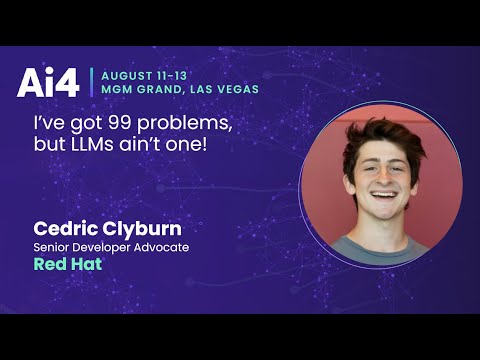
Red Hat Demonstrates FP8 Quantization Cuts GPU Memory Needs 50%
Ai4
Compressing foundation models from FP16 to FP8 doubles inference speed and cuts GPU memory requirements in half while retaining 99.14% of benchmark accuracy.
## Background
Published on YouTube by Ai4 on August 29, 2025, this talk features Cedric Clyburn, Senior Developer Advocate at Red Hat. The page description highlights how open-source runtimes and quantization techniques like vLLM enable organizations to self-host, compress, and scale foundation models efficiently on private cloud or on-premises infrastructure.
## TL;DR
Cedric Clyburn demonstrates how to quantize a foundational LLM from FP16 to FP8 using `lm-compressor`, cutting GPU resource demands by half while retaining 99.14% of its benchmark accuracy on the GSM8K dataset. He outlines the progression from local developer prototyping with lightweight tools like Ollama or RamaLama to enterprise-scale production using Kubernetes and vLLM. Ultimately, the session underscores that open models and quantization give organizations full sovereignty over privacy, costs, and infrastructure without sacrificing performance.
## Atmosphere & style
The presentation feels fast-paced, practical, and highly encouraging, blending live technical validation with clear architectural frameworks. Clyburn maintains an approachable, developer-focused narrative style, keeping the energy focused and engaging even under time constraints. Watching the talk conveys a sense of empowerment, assuring tech teams that hosting and scaling AI locally is entirely manageable.
## Key takeaways
- 83% of organizations are moving workloads back to private cloud or on-premises environments due to privacy and cost concerns.
- Open-source AI tools and runtimes are leading the movement toward private, local, and large-scale model deployments.
- [15:28](https://www.youtube.com/watch?v=_FF-piswIvQ&t=928s) Quantizing a model from FP16 to FP8 cuts GPU memory and hardware resource requirements roughly in half while doubling inference performance.
- [15:28](https://www.youtube.com/watch?v=_FF-piswIvQ&t=928s) Using lm-compressor on the GSM8K math benchmark, FP8 compression reduced accuracy from 88.93% to 88.17%, retaining 99.14% of original model capabilities.
- [16:46](https://www.youtube.com/watch?v=_FF-piswIvQ&t=1006s) Local prototyping and testing can be conducted using lightweight tooling like llama.cpp, Ollama, or RamaLama.
- [16:46](https://www.youtube.com/watch?v=_FF-piswIvQ&t=1006s) Enterprise production deployment scales out local models onto Kubernetes using vLLM for high-throughput serving and GPU utilization.
- [16:46](https://www.youtube.com/watch?v=_FF-piswIvQ&t=1006s) Production AI infrastructure provides operational controls such as dynamic auto-scaling, request rate limiting, load balancing, and monitoring.
- [17:33](https://www.youtube.com/watch?v=_FF-piswIvQ&t=1053s) Deploying private and sovereign AI gives organizations full authority over data privacy, operational costs, and infrastructure control without relying on proprietary APIs.
## Detailed walkthrough
Sorry, something went wrong. Please try your request again.
[15:28](https://www.youtube.com/watch?v=_FF-piswIvQ&t=928s) Model Quantization and Benchmarking with lm-compressor
Cedric Clyburn demonstrates a live practical demonstration using a quantization recipe to compress a foundational model from FP16 (floating-point 16) to FP8 (floating-point 8). Running `python quantize.py`, the script converts the model into an 8-bit representation, effectively cutting memory and resource requirements in half. To evaluate the performance impact of this compression, the model is tested against standard benchmarks using `lm-eval`, specifically testing performance on the GSM8K (GSM8000) math dataset.
The initial baseline evaluation on the uncompressed FP16 model yields an accuracy score of 88.93%. Upon re-running the benchmark for the newly compressed FP8 model, it achieves a score of 88.17%. This minimal drop means the model retains 99.14% of its original accuracy and capabilities while delivering double the inference speed and utilizing half the GPU resources. This quantization process is powered by `lm-compressor`, an open-source library that operates as part of the broader vLLM ecosystem.
- **Compression target:** Converted weights from FP16 down to FP8, reducing resource footprints by approximately 50%.
- **Benchmark dataset:** GSM8K (GSM8000).
- **Original FP16 score:** 88.93%.
- **Compressed FP8 score:** 88.17%.
- **Accuracy retention:** 99.14% relative capability retention at half the hardware footprint.
---
[16:46](https://www.youtube.com/watch?v=_FF-piswIvQ&t=1006s) From Local Prototyping to Enterprise Production Scaling
Transitioning back to the slides with a two-minute remaining prompt from the stage host, Clyburn maps out the journey of taking AI workloads from local developer environments to enterprise-grade production. Developers can initiate early testing using lightweight tools like llama.cpp, Ollama, or RamaLama on local machines without requiring dedicated server GPUs. Once models are quantized and prompt-engineering iterations prove successful, organizations can scale out their workloads.
```
+-------------------------------------------------------------+
| LOCAL / PROTOTYPING |
| llama.cpp | Ollama | RamaLama |
+-------------------------------------------------------------+
|
v
+-------------------------------------------------------------+
| PRODUCTION / SCALED AI |
| vLLM | Kubernetes | Auto-scaling |
+-------------------------------------------------------------+
```
When scaling up becomes necessary, Kubernetes and vLLM provide the infrastructure required to maximize GPU utilization across clusters. Moving to this architecture provides production-ready capabilities such as dynamic auto-scaling, request rate limiting, rigorous model evaluations, and enterprise monitoring.
- **Local tooling:** llama.cpp, Ollama, and RamaLama for developer iterations.
- **Production platform:** Kubernetes and vLLM for high-throughput serving.
- **Operational controls:** Load balancing, request throttling, dynamic auto-scaling, and performance benchmarks.
---
[17:33](https://www.youtube.com/watch?v=_FF-piswIvQ&t=1053s) Key Takeaways: Private, Sovereign, and Compressed AI
Clyburn wraps up the session by summarizing the central themes of the talk. First, open models are rapidly advancing, achieving impressive benchmark scores that compete directly with proprietary alternatives. Second, deploying private and sovereign AI gives enterprises direct authority over data privacy, maintenance schedules, and operational costs instead of relying entirely on external API vendors.
Finally, quantization techniques allow organizations to maximize their existing hardware investments by compressing models with virtually zero noticeable quality degradation. Local serving allows teams to experiment on standard hardware before scaling out high-throughput deployments with vLLM. As Clyburn quips in his closing sentence, "Even if you might have 99 problems, LLMs ain't one."
- **Open models:** High benchmark performance competitive with closed APIs.
- **Sovereign AI:** Full ownership over deployment costs, privacy posture, and infrastructure lifecycle.
- **Quantization impact:** Compression enables rapid scaling with minimal quality loss.
- **Closing quote:** "Even if you might have 99 problems, LLMs ain't one."
## Notable quotes
> [17:33](https://www.youtube.com/watch?v=_FF-piswIvQ&t=1053s) Even if you might have 99 problems, LLMs ain't one. — Cedric Clyburn
## Video description
Cedric Clyburn, Senior Developer Advocate, Red Hat
Abstracts
With 83% of organizations moving workloads back to private cloud or on-premises for privacy and cost concerns, AI is no different. But while many of us have explored running local LLMs on our own machine, scaling things up can be quite difficult. From the difficulty of sourcing hardware, to effective model serving and inference, it’s not always quite clear how to self-host models in production.
Fortunately, open source has been leading the AI wave, from models to now the serving runtimes underneath. Curious as to how Meta, Google, DeepSeek, and many others support both small-scale and large-scale model deployments on Linux, Kubernetes, and beyond? Join us as we start from a foundation model, compress it to cut GPU requirements by half and boost performance, and inference it with vLLM, a UC Berkeley-based project that’s leading the private and local AI revolution. You might still have 99 other problems, but LLMs won’t be one!
Cedric Clyburn demonstrates that enterprises can deploy and scale open large language models efficiently by combining FP8 quantization with open-source tooling across local and Kubernetes environments.
Quantization Performance and Benchmark Accuracy (15:28)
Using lm-compressor from the vLLM ecosystem, Clyburn demonstrated compressing a foundational model from FP16 to FP8 via a Python script. This conversion cuts memory and GPU resource requirements by approximately 50% while doubling inference speed. Evaluated against the GSM8K math dataset using lm-eval, the model's accuracy shifted marginally from a baseline of 88.93% to 88.17%, preserving 99.14% of its relative capabilities despite running at half the hardware footprint.
Bridging Local Prototyping to Scaled Production (16:46)
Workloads typically begin in local developer setups utilizing lightweight tools such as llama.cpp, Ollama, or RamaLama, which operate on standard hardware without dedicated server GPUs. Once models are quantized and prompt workflows are established, organizations can transition workloads to enterprise infrastructure powered by Kubernetes and vLLM. This production platform enables operational controls including dynamic auto-scaling, request rate limiting, performance evaluations, and cluster monitoring to maximize GPU utilization.
Data Sovereignty and Operational Ownership (17:33)
Clyburn argues that high-performing open models allow enterprises to deploy sovereign, private AI architectures that compete with proprietary API vendors. Managing deployments internally gives organizations direct control over operational costs, data privacy, and maintenance schedules while utilizing hardware more efficiently through model compression.
Clyburn asserts that the combination of competitive open models, hardware-saving quantization, and local-to-production pipelines eliminates core architectural bottlenecks for organizations seeking private AI deployment.
[17:33] Cedric Clyburn: Even if you might have 99 problems, LLMs ain't one.
Original transcript
[0:04] All right. So, yes, uh, thanks for
[0:06] coming to the talk. I hope you enjoy the
[0:07] title. I'm from, uh, well, I live in
[0:09] Brooklyn now, so I was like, I got to
[0:11] represent the the burrow. Um, but we're
[0:13] going to be mainly talking about
[0:15] language models. Um, and essentially
[0:18] what the big issue is now and what the
[0:20] trend is now is being able to run our
[0:22] own language models. And I work at Red
[0:23] Hat, which is a fully open source
[0:25] company. We've been working in Linux and
[0:26] Kubernetes for years. And now we're
[0:28] working heavily and and a lot of my work
[0:30] is helping organizations run their own
[0:32] LMS, right? And so why would they do
[0:34] this, right? One is the data governance
[0:37] and privacy, being able to keep all of
[0:38] our data secure running on our own
[0:41] premise. And secondly is the cost,
[0:43] right? Uh does anyone hear vibe code as
[0:45] an example? Okay, so no one told me that
[0:48] vibe coding is like super expensive. Um
[0:51] I'm just watching the tokens go in cloud
[0:53] code and I'm like what is happening
[0:54] here? So two things is securing your
[0:57] data, your privacy of the data uh and
[1:00] being able to maintain those models and
[1:02] secondly being able to control the cost.
[1:03] And that's why a lot of people are
[1:04] looking at, hey, how do we self-host our
[1:07] own LLMs?
[1:09] And why would you do so, right? Because
[1:11] with private and local AI, you have the
[1:12] ability to control the model
[1:14] maintenance, right? So if chat GBT goes
[1:16] from four to five, you don't have to
[1:18] rewrite your application or fix bugs
[1:20] that happen because you're not in
[1:22] control of the model. And at the same
[1:24] time, you have predictability, right?
[1:25] Right? Now, if you go to a thirdparty
[1:27] LLM provider, you're being charged per
[1:29] token, right? So if you have rag, you're
[1:31] pulling in all those documents, all
[1:32] those input tokens. If you have
[1:34] reasoning models, you know, you have all
[1:36] those thinking tokens as output, right?
[1:38] And that can add up very quickly. So I'm
[1:40] going to show you how you can run these
[1:41] on both Linux and Mac here on my Mac
[1:43] today. I've got some live demos for you.
[1:45] We're going to have some fun. And then
[1:47] we're also going to show how to move
[1:48] this to Kubernetes. I have a live demo
[1:50] for a blackjack blackjack application.
[1:53] Uh you guys are all going to be able to
[1:54] join this here in a second. I'll give
[1:56] you the QR code, uh, which is going to
[1:58] have a little bit of, um, AI
[2:01] capabilities, right? Because I'm not
[2:03] good at blackjack, but I know how to ask
[2:05] the dealer what the right move should
[2:06] be. So, I'm going to show you how you
[2:08] can run a model not only on GPU, but
[2:10] also on CPU, which is really cool, like
[2:12] this one right here, which is running
[2:14] entirely uh, on CPU. So, let's go back
[2:17] to the slides. Uh my name is Cedric and
[2:19] what I do is uh essentially uh help out
[2:22] developers online with uh different
[2:24] concepts around AI. So I make these fun
[2:27] little YouTube videos. You should check
[2:28] them out. Uh but I also organize uh in
[2:31] New York City and I I just love working
[2:33] in the AI space because it's
[2:35] dramatically changed how I work as a
[2:37] developer and I hope it can help you
[2:39] guys too. So let's go ahead and get
[2:41] started. Um, we're going to be talking
[2:43] about a few different topics,
[2:44] specifically open source models, uh, and
[2:46] why run your own open source models and
[2:48] how to actually deploy them. So, we're
[2:50] going to go from my laptop here using
[2:52] some open source tools to run models to
[2:54] going to, uh, VLM, which is a
[2:56] productionready runtime, which allows me
[2:58] to use multiple GPUs to batch those
[3:00] requests and have multiple concurrent
[3:01] requests at the same time, which is
[3:03] something that you can't do right now
[3:05] with Olana, right? So, Ola is great as a
[3:07] developer tool. We're going to show how
[3:08] to move to the next stage. And then
[3:10] finally, cut your cost by half by using
[3:12] a technique known as quantization, which
[3:14] you might have already used before, but
[3:15] we'll dive deep into that. When we talk
[3:18] about open- source models, right,
[3:19] there's been an explosion in the past
[3:21] year, pretty much since DeepSeek. We've
[3:23] seen so many cool model labs releasing
[3:25] models, and I'm spending like half my
[3:27] day on YouTube right now trying to catch
[3:29] up with what's being released. But it's
[3:31] also very exciting of a time. So if you
[3:33] actually go over to huggingface/models,
[3:36] you can actually see there's almost 2
[3:37] million open source models that you can
[3:39] download right now that you can run on
[3:40] your own machines, your own clusters,
[3:42] your own home labs, uh across all
[3:45] different types of modalities, right? So
[3:47] there's text to text, right? So I want
[3:49] you to translate this into SQL, right?
[3:51] Or vision or audio, for example. One of
[3:54] the really cool tools I enjoy using is
[3:56] Whisper, uh which is a really good model
[3:58] even though it was released a few years
[4:00] ago. So what I have here is an open
[4:02] source tool. It's part of the CNCF. It's
[4:03] Podman desktop and I have a audio detect
[4:06] application. So, let me just show you
[4:08] the source code really quickly. And
[4:10] don't worry, it's super simple. What
[4:11] we're having here is a client. So, this
[4:13] is connecting to a local model on
[4:15] localhost. We're uploading awave mp3 and
[4:18] then processing processing that to a
[4:21] local model and we're going to
[4:22] containerize that so we can run it in a
[4:23] variety of applications. So, I'm going
[4:25] to start that. What we're doing is we're
[4:26] building that container. We're running
[4:28] that on our local machine with an open-
[4:30] source model. So, I'm gonna open this up
[4:32] in my browser. And what we're going to
[4:34] go do is actually Oh, sorry. I just got
[4:37] a new laptop. Here we go. So, we're over
[4:40] here at AI4. We're having a great time.
[4:42] Uh, I speak a tiny bit of French
[4:46] AI4,
[4:49] right? So, hopefully that works. What's
[4:50] really cool is these models can work for
[4:52] a lot of different use cases. So, for
[4:54] example, you could talk in 80 different
[4:56] languages for this whisper model, right?
[4:58] And this is just a really cool example
[5:00] of, hey, how can we build these cool
[5:02] applications using models running
[5:03] locally. Now, let's go back to the
[5:05] slides because there's a huge ecosystem.
[5:07] I just showed you one of them which is
[5:09] built on top of llama C++. Uh, but we're
[5:11] going to get into all of this different
[5:13] terminology right now. Um, and show how
[5:15] you can actually deploy and serve these
[5:17] in a reliable fashion. Right? So, we
[5:19] work at Red Hat. We're completely
[5:21] focused on enterprise, but I'm going to
[5:22] show you as a developer how you can do
[5:24] it too and how you can scale things up
[5:25] reliably. So let's talk about the
[5:28] options to use LLM today. How many of us
[5:30] uh are working with claude or GPT or one
[5:33] of these models, right? Awesome. Me too.
[5:35] I use it every single day. But the thing
[5:37] is when I'm actually trying to build an
[5:40] application, if I have sensitive data
[5:42] which might be HIPPA or you know part of
[5:44] the EU act, I can't send that data to a
[5:46] model, right? That model needs to be
[5:47] running in-house, right? So maybe we go
[5:50] with a hyperscaler and a lot of
[5:51] organizations do this but then the you
[5:53] know the pricing can skyrocket and we
[5:56] also locked into that provider. So if I
[5:58] want to move from Google cloud to AWS
[5:59] this can be a little tricky with egress.
[6:01] So what we're showing today is private
[6:03] and sovereign AI where you have control
[6:05] over the releases of your model. So I
[6:07] can know that I'm releasing a specific
[6:09] version of Quen or Llama. Uh and then I
[6:12] have that cost control and that data
[6:14] control which is really nice. And we're
[6:16] going to show some of the tools to work
[6:18] with this. So let's hop over to private
[6:20] and sovereign AI which is the focus
[6:22] right. So whether you're on Linux uh
[6:25] Kubernetes whether you have GPUs or not
[6:27] you can run your own models which is
[6:28] really cool and you have control over
[6:30] say a 0.5 billion parameter model on my
[6:32] Raspberry Pi which is running right now
[6:34] at home or maybe a one you know
[6:38] 100 uh you know 100 billion parameter
[6:41] model or one what is the what is the
[6:43] word after billion trillion. All right
[6:45] thank you guys. Sorry, brain's not
[6:48] working today. One trillion model like
[6:50] uh one of the first tools that you're
[6:51] going to encounter is of course the
[6:52] transformers library which is an
[6:54] implementation of the original
[6:55] transformers paper. Uh and this is kind
[6:57] of the Jupyter notebook type of tool in
[6:59] order to hey download a model from
[7:01] hugging face and test it with this
[7:02] prompt. It's also really good for
[7:04] fine-tuning. So if you want to do uh
[7:06] customization of a model so it knows
[7:08] about medical terminology or can read
[7:10] your spreadsheets better, you can do
[7:11] that here as well with oneshot um
[7:14] training. And I'll show how to do that
[7:15] here in a second. Now, the second tool
[7:17] is what's really popular right now is
[7:20] Llama C++, which is a C compiler for
[7:22] running these models in GGUF. GGUF is a
[7:25] quantized or compressed version of a
[7:27] model. So, if you're using Olama, by the
[7:29] way, anyone Olama maybe? Okay, cool.
[7:32] Yeah. So, if you're using Olama, uh what
[7:34] you're actually using behind that is
[7:35] Llama C++, uh which is this kind of
[7:38] utility in order to do local serving of
[7:41] models. So think on that Raspberry Pi or
[7:43] on my machine today. Uh and when we
[7:45] actually want to go to production, I'll
[7:47] talk about the next tool there. But
[7:48] let's get a little bit of a demo here
[7:50] because uh when I actually want to use
[7:53] um
[7:55] uh llama.c++,
[7:56] what I'm actually going to use is a
[7:58] wrapper on top of that. I could use the
[8:00] project itself. Um but I'd have to do a
[8:02] little bit of configuration. Today I'm
[8:04] going to show what's called Rama Llama.
[8:06] The name is very funny, but it's
[8:07] essentially a way to run models in a OCI
[8:10] format so that if it's running on my
[8:11] machine, I could actually go and move
[8:13] that to another machine as well. And we
[8:15] don't have to worry about configurations
[8:16] and we have more security. So really
[8:18] quickly, I'm just going to do that
[8:19] command here. Rama llama and I'll make
[8:22] this much big much bigger. And then
[8:24] we're going to run llama 3.2 1 billion
[8:26] parameters. So super small model. Uh and
[8:28] you're going to see the tokens per
[8:30] second is quite high even on a MacBook
[8:31] like this. So, say hi to my awesome
[8:35] crowd at AI4 in Vegas. Um, one thing
[8:40] about me is I used to work at Taco Bell.
[8:41] So, let's say um speak like
[8:46] a Taco Bell cashier.
[8:49] I always like to do this one. Oh, yeah.
[8:52] Yeah. What's up, everybody? Bellagio and
[8:54] Oh, close enough. Crunch Supreme is good
[8:56] to go. Good to go. So it's a quick
[8:59] example of hey, how fast can you run
[9:00] these models? And with these models, you
[9:02] can enable features such as multimodel.
[9:04] So I could process an image as well as
[9:06] text or maybe I could use a model that's
[9:08] been trained for tool calling and
[9:10] integrate that with MCP and agentic
[9:12] functionality as we're going to see here
[9:13] in a second. And the final step is hey
[9:16] once we've done some experimentation VLM
[9:18] and this is a project that myself and a
[9:21] lot of employees at Red Hat contribute
[9:22] to uh which came out of UC Berkeley and
[9:25] it allows for multiple throughput
[9:27] concurrent requests uh and a unique
[9:30] algorithm called page detention which
[9:31] treats the GPU like virtual memory. So
[9:34] instead of wasting space between
[9:35] requests to the LLM you're actually able
[9:37] to batch that all in together. Um and
[9:40] we'll see this in action here in a
[9:41] little bit. Now I talked to you guys
[9:43] about a demo earlier and I'm going to
[9:44] show you both uh Llama C++ which is kind
[9:48] of that local development you know
[9:50] standard one node machine inference
[9:52] engine as well as uh VLM in action. So
[9:55] if you guys don't mind we're going to
[9:58] head over to I wish I had a a QR I can
[10:00] get you a QR code but if you have a
[10:02] laptop head to this URL we're all going
[10:04] to join this blackjack game that I made
[10:07] last night at like 2 a.m. and uh we're
[10:10] going to have some fun. So, uh, quick
[10:13] story as you're either getting to this
[10:14] or I'll give you the QR code in a second
[10:17] is I'm really bad at blackjack actually.
[10:19] Um, I look happy, but I wasn't happy in
[10:21] that photo, you know, and I'm always
[10:23] always asking, hey, what does the book
[10:25] say to the dealer? And in some casinos,
[10:27] they'll be like, hey, you should hit
[10:28] this or you shouldn't hit this. So, I
[10:31] decided, what if we could use a large
[10:33] language model that's running locally in
[10:34] order to make those decisions for us? So
[10:37] if I go over here, this is Open Shift
[10:38] which is a distribution of Kubernetes.
[10:41] What I have here though is a front end
[10:43] connected to an API which handles our
[10:45] MCP servers for Agentic but also our
[10:48] inference capabilities. It's called
[10:49] Llama Stack. It's created by Meta. I
[10:51] think some of the Meta people are here
[10:52] today. Um but let's actually head over
[10:54] to this application and I'm going to
[10:56] give you the QR code if you'd like to
[10:57] join from your phone.
[11:00] So QR code. Hopefully that's big enough.
[11:03] But if you'd like to join, guys, I
[11:05] haven't tested this app more than like
[11:07] two people and there's like a 100 people
[11:10] here today. Um so feel free to join
[11:13] that. And uh let's I guess test these
[11:17] models. Um so if you're on a laptop,
[11:21] you're going to be able to see there's
[11:22] this function on the right side. And
[11:24] here you can actually select whether
[11:25] you're using Llama C++ or VLM. I think
[11:29] the default might be llama C++ if you're
[11:32] on mobile. Um but so if we have you know
[11:35] a question here about hey should I hit
[11:37] or should I stand. Um right now we're
[11:40] using the rama llama llama C++ working
[11:43] on CPU. So this is really cool because I
[11:45] can ask the model question and hopefully
[11:47] it's going to go through uh you know
[11:50] about what I should do in this specific
[11:51] instance and it's probably maxing out
[11:55] right now is what I have to guess. Like
[11:57] we could go to the logs here and we
[11:59] could actually check it. Um
[12:03] yeah, it might not be working on on on
[12:06] CPU right now, but uh yeah. So, okay.
[12:09] So, it's doing a bunch of completions
[12:11] post request to get the data back if
[12:13] you're getting responses. Um if you're
[12:16] on MacBook, oh yeah, a response timeout.
[12:20] So, this is where we would essentially
[12:21] switch to a provider like VLM in order
[12:24] to do high throughput, right? So now
[12:26] when we ask the same question, hit to
[12:28] get closer to 21 without going over. All
[12:30] right. Should we hit?
[12:32] >> All right. Let's hit it. Yes. All right.
[12:35] Now this is tricky. See, I'm a
[12:37] conservative guy. I always try to stand
[12:39] on this. But should we ask the model
[12:40] again, maybe? Okay. Model is always
[12:44] going to Okay, stand. All right, let's
[12:47] stand. Drum roll. Damn.
[12:52] >> That's okay. You know what? We're going
[12:53] to double it. We're going to get our
[12:54] money back.
[12:57] >> No, I'm playing. Uh, actually, yeah. No,
[13:00] if you want to try at the demo, um, feel
[13:02] free to. But one thing I also added is
[13:05] really cool is some agentic
[13:07] functionality. Right. Everyone's talking
[13:09] about MCP. What I'm going to do here is
[13:11] share my screen on my phone and we're
[13:13] actually going to uh Oh, hold on. There
[13:16] we go. We're actually going to check the
[13:18] notifications that are coming out of
[13:20] this app right now. Um, so any of you
[13:23] guys, if you guys are currently uh using
[13:25] this blackjack app, uh whenever you
[13:27] actually make a hit or you um make
[13:30] money, virtual money, I'm sorry, I don't
[13:32] have extra to give out. Uh what's
[13:34] actually happening is that's making a
[13:35] request to uh the model. The model is
[13:38] then using its tool calling capabilities
[13:40] to call the MCP server, which is um it's
[13:43] called uh net um notify, and that is
[13:47] then making a request to my phone. So
[13:49] every time you guys are playing, I can
[13:50] see your scores. Someone's at 24, so
[13:53] good job for them. Um, but it's a cool
[13:55] way to, you know, use a local model like
[13:57] this, even though it's one or three
[13:59] billion parameters to still do that tool
[14:01] call instead of using a huge model like
[14:04] GPT5, which is, you know, trillions of
[14:06] of parameters, trillions of, you know,
[14:09] uh, of of compute, right? You could do
[14:11] something with a small model like this
[14:13] and save a lot of resources. All right,
[14:15] so we've got about five minutes left.
[14:17] Um, we're going to talk next about
[14:19] cutting cost, right? Because one of the
[14:20] big concerns is, hey, I want to use a 70
[14:23] billion or 130 billion parameter model,
[14:25] but I don't have these A100s, these
[14:27] H100s. And what I tell people is, hey,
[14:30] look at quantization, right? Because you
[14:31] can use a lot of these machine learning
[14:33] approaches uh to do active or
[14:36] weight-based quantization and compress
[14:38] the model weights in half. So instead of
[14:40] needing two GPUs to serve that model,
[14:42] you only need one. And this is really
[14:44] cool because you only take a small hit
[14:46] to accuracy. It's actually in most cases
[14:49] less than 1% of the accuracy uh is taken
[14:51] a hit to uh to have that very similar
[14:54] performance, faster throughput, and only
[14:56] use half the GPU resources. So I'll
[14:59] quickly show you a demonstration of how
[15:01] this works. Um I'm just going to show a
[15:03] recording of this uh just because um uh
[15:06] you know this this is a lot of of um of
[15:09] stuff to include. But what we're doing
[15:11] is we're, you know, installing a LM
[15:13] compressor. And I I'll show you what
[15:14] this project is here in a second, but
[15:16] it's open source. And in this Python
[15:18] file, uh, we're actually first loading
[15:21] in a model from HuggingFace or maybe
[15:23] something that we've already fine-tuned.
[15:24] And then we're going to spread it out on
[15:26] two different GPUs. And now we're going
[15:28] to use what's known as a recipe uh, in
[15:30] order to compress it to floating point
[15:32] 8. So from floating point 16 to floating
[15:34] point 8. So compressing it about in
[15:36] half. And then we're going to save it
[15:38] here. So when we actually run this, so
[15:40] I'll do this Python quantiz.py. Uh there
[15:42] we have that model saved with that
[15:44] quantization and we're going to evaluate
[15:46] it on some benchmarks. So this is GSM
[15:49] 8000. Uh so we're going to do an LME val
[15:52] and we're going to do uh this evaluation
[15:54] first off on the original model. So once
[15:57] we actually go through this processing,
[15:59] I'll show you down at the bottom. Uh
[16:00] what we've gotten is a score of 88.93.
[16:04] Right? when we go ahead and do this
[16:06] evaluation again, check this out.
[16:09] Um, so I've ran it for the compressed
[16:12] model, right? So we got 88.93.
[16:15] This one is 88.17. So we're essentially
[16:19] keeping 99.14%
[16:20] of the accuracy and capabilities of that
[16:23] model with double the speed and half the
[16:26] resources that we're going to utilize.
[16:28] So, it's a quick and easy way to uh use
[16:31] a quantization for um your um for your
[16:36] models. And so, that's called the LM
[16:38] compressor. Feel free to check it out.
[16:39] It's part of the VLM project. Uh and
[16:42] it's an open source library that you can
[16:43] use for your models. So, we've talked
[16:46] about a lot of things today, but let me
[16:48] come back to the slides. Uh and I'll
[16:50] share these slides with you at the end
[16:51] via QR code. Um and yes, two minutes.
[16:55] Awesome. Uh so, feel free to check this
[16:57] out.
[16:58] But the idea is here that hey, you can
[17:00] go from local to production by using
[17:02] open source tools and models, right? So
[17:05] start from llama C++ or O Lama or Rama
[17:07] Lama, right? Use these quantized models
[17:09] and iterate, right? And then when you're
[17:11] ready to scale things up, that's when
[17:13] Kubernetes comes in. That's when VLM
[17:16] comes up to be able to fully utilize
[17:18] these GPUs and be able to bring in
[17:20] things such as autoscaling and uh be
[17:22] able to uh you know limit your request
[17:25] or for example be able to do evaluations
[17:28] and all of these production ready
[17:31] capabilities that's when you can really
[17:32] scale up. So the takeaways one open
[17:35] models are here and open models have
[17:37] amazing benchmarks and capabilities.
[17:39] Secondly, private and sovereign AI gives
[17:41] you control of the cost of the
[17:43] maintenance uh of so many factors uh
[17:46] when you're able to run your own models.
[17:47] And then you can serve locally on your
[17:49] own machine, right, without even needing
[17:51] GPU access or then scale up with VLM. Um
[17:55] quantization can compress those models
[17:58] and allow you to scale things up without
[18:01] quality loss. And even if you might have
[18:03] 99 problems, LLMs ain't one. So, thank
[18:07] you very much. I appreciate it.