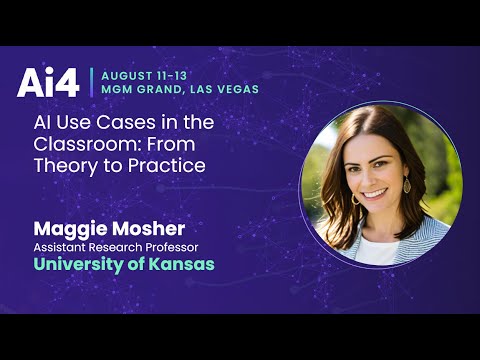
Kansas Researcher Deploys AI Tools to Aid Special-Ed Students
Ai4
Generative AI enables neurodiverse students to self-advocate and customize their own learning materials while freeing educators from unsustainable administrative paperwork.
## Background
Published by the Ai4 channel on YouTube on August 28, 2025, this presentation features Dr. Maggie Mosher, Assistant Research Professor at the University of Kansas. According to the page description, the session explores practical, research-backed applications of free artificial intelligence tools to streamline administrative tasks, support personalized instruction, and establish ethical implementation frameworks across K–12 and higher education.
## TL;DR
Drawing on her personal journey as a twice-exceptional learner using assistive technology like Meta smart glasses, Dr. Maggie Mosher demonstrates how generative AI can empower neurodiverse students and assist educators. She presents real-world case studies showcasing tools such as Magic School AI, Goblin.tools, Napkin AI, and NotebookLM, which help students modulate tone, adapt text levels, organize thoughts, and overcome public speaking anxiety. Mosher emphasizes that AI reclaims valuable instructional time from administrative burdens while underscoring that algorithms can never replace human mentorship. She concludes with concrete implementation frameworks focused on student privacy, FERPA compliance, and age-tiered rollouts across grade levels.
## Atmosphere & style
The presentation is candid, fast-paced, and deeply encouraging, driven by Dr. Mosher's grounded vulnerability as she openly demonstrates how AI aids her own cognitive pacing in real time. Blending pragmatic tech demos with moving anecdotes of student self-advocacy, her delivery turns potentially dry educational policy into an inspiring, human-centered mission. It feels less like a detached academic lecture and more like an authentic, empowering field guide for educators seeking compassionate, accessible solutions.
## Key takeaways
- [00:04](https://www.youtube.com/watch?v=P_A_Z6tslhI&t=4s) Assistive AI tools, such as smart glasses and language models, can provide personalized cognitive coaching and real-time pacing support for twice-exceptional individuals.
- [03:11](https://www.youtube.com/watch?v=P_A_Z6tslhI&t=191s) Educators can avoid app overload by identifying a single zero-cost AI tool that resolves an immediate workflow bottleneck for themselves or a specific student.
- [03:11](https://www.youtube.com/watch?v=P_A_Z6tslhI&t=191s) AI video summarization tools allow teachers to quickly vet instructional YouTube content for curriculum alignment, bypassing misleading titles and thumbnails.
- [04:44](https://www.youtube.com/watch?v=P_A_Z6tslhI&t=284s) Generative AI reclaims critical instructional time in special education by rapidly drafting compliance documentation, rubrics, and differentiated lesson plans.
- [05:56](https://www.youtube.com/watch?v=P_A_Z6tslhI&t=356s) Classroom AI platforms like Magic School and Napkin AI foster student self-advocacy by allowing learners to independently level text and generate custom visual mind maps.
- [09:29](https://www.youtube.com/watch?v=P_A_Z6tslhI&t=569s) Tone-modulation tools, such as Goblin.tools Formalizer, scaffold social communication for neurodivergent students during peer collaborative work.
- [11:42](https://www.youtube.com/watch?v=P_A_Z6tslhI&t=702s) Grounded research tools like NotebookLM help students overcome public speaking anxiety through synthesized source summaries and interactive audio Q&A.
- [11:42](https://www.youtube.com/watch?v=P_A_Z6tslhI&t=702s) Creative multimodal tools like Suno provide alternative assessment pathways, allowing students to demonstrate literary comprehension through music composition.
- [11:42](https://www.youtube.com/watch?v=P_A_Z6tslhI&t=702s) AI functions as a cognitive amplifier and learning medium, but it cannot replace the essential mentorship, validation, and emotional support of human teachers.
- [14:54](https://www.youtube.com/watch?v=P_A_Z6tslhI&t=894s) Schoolwide AI integration requires robust prompt engineering frameworks, FERPA data compliance, and teacher-monitored student dashboards.
- [14:54](https://www.youtube.com/watch?v=P_A_Z6tslhI&t=894s) Developmental AI rollout frameworks recommend keeping K–3 engagement teacher-facilitated, introducing autonomous chatbot interactions only starting in 4th grade.
## Detailed walkthrough
### [00:04](https://www.youtube.com/watch?v=P_A_Z6tslhI&t=4s) Personal Experience with AI and Twice-Exceptionality
Dr. Maggie Mosher introduces herself from the University of Kansas to discuss practical, actionable ways to integrate artificial intelligence across all grade levels, from kindergarten through higher education. Opening with a visualization exercise, she asks the audience to imagine an educational reality where every student possesses a private mentor and personal assistant constantly on call. For Mosher, this was not merely a thought experiment but a necessity rooted in her own upbringing near the Navajo Nation, where teacher turnover was persistently high and mentorship was rare until high school.
She reveals that she is wearing Meta smart glasses on stage as an assistive tool. Diagnosed as twice-exceptional—possessing high giftedness alongside multiple disabilities—her thoughts move faster than she can naturally articulate. The AI in her glasses acts as an individualized cognitive coach, speaking directly into her ear to regulate her pacing, prevent digressions, and keep her presentation on schedule.
Mosher traces her relationship with artificial intelligence back to 2000 with the early chatbot A.L.I.C.E. (Artificial Linguistic Internet Computer Entity). While primitive and clunky by modern standards, A.L.I.C.E. served as her private sounding board to clarify and structure her thinking. That early access allowed her to articulate complex concepts, eventually leading her to present alongside George Lucas on an Academy of Achievement technology panel and become the first national Wendy's High School Heisman winner from New Mexico.
```mermaid
flowchart TD
accTitle: Dr. Mosher's Assistive AI Feedback Loop
subgraph CognitiveSupport["Cognitive & Assistive Feedback"]
MG["Meta Smart Glasses"] -->|"Real-time pacing cues"| SP["Speaker Delivery"]
AL["A.L.I.C.E. / LLMs"] -->|"Idea structuring & rehearsal"| VO["Articulated Voice"]
end
subgraph Outcomes["Academic & Professional Impact"]
SP --> OP["Accessible Presentations"]
VO --> AC["High-Level Achievement"]
end
```
[03:11](https://www.youtube.com/watch?v=P_A_Z6tslhI&t=191s) AI Advocates and Free Classroom Resources
Mosher highlights the resource materials provided via a presentation QR code, as well as the work she co-produces with Dr. Greer on their podcast and YouTube channel, *AI Advocates*. The initiative tests and documents zero-cost, classroom-ready AI tools, demonstrating real-world implementations for educators. Rather than overwhelming teachers with hundreds of apps, Mosher urges educators to identify a single tool that solves an immediate bottleneck for themselves or a specific learner.
She also shares a practical tip for digital workflow management: using browser-based AI video summarization tools (such as Gist) to preview YouTube instructional videos. Because titles and thumbnails are often misleading or clickbait, automated summaries allow educators to determine whether media aligns with their curriculum before wasting valuable prep time watching full videos.
[04:44](https://www.youtube.com/watch?v=P_A_Z6tslhI&t=284s) Reclaiming Instructional Time in Special Education
Drawing on her background as a special education teacher since 2001 across K–12 and university settings, Mosher addresses the primary deficit in modern classrooms: time. Educators enter the field to cultivate relationships and teach, but disproportionate amounts of their day are consumed by paraprofessional management, compliance documentation, and administrative paperwork.
She recounts an administrator who demanded three-hour, exhaustive lesson plans for every single differentiated lesson—an unsustainable requirement for an experienced educator. Generative AI allows teachers to generate compliant, customized lesson plans, rubrics, and administrative templates in seconds, restoring instructional time where it belongs: directly with students.
[05:56](https://www.youtube.com/watch?v=P_A_Z6tslhI&t=356s) Student Superheroes: Magic School AI and Napkin AI in Action
Mosher presents case studies of neurodiverse and disabled students—whom she refers to as "superheroes"—demonstrating how tailored AI tools amplify student independence. She describes a sixth-grade student diagnosed with Down syndrome who collaborated with a second-grade buddy classroom. To teach her younger peers about her class curriculum, the student uploaded complex instructional PDFs into Magic School AI, adjusted the reading Lexile level to second grade, and prompted Google Gemini to generate accompanying visuals.
She also introduced the student to Napkin AI to automatically transform raw text into structured graphic organizers, mind maps, and formatted data tables with customizable color schemes. Empowered by these tools, the student approached her classroom teacher the next day with newfound self-advocacy, declaring:
> "I don't need your guided notes anymore... I can just take what you give the normal kids and put it into Magic School and I can make it exactly how I want it. Besides, your guided notes weren't that helpful."
- **Magic School AI**: Used for real-time text leveling, differentiated instructional scaffolding, and automated study aids.
- **Google Gemini**: Deployed for generating explanatory imagery and context-rich visuals.
- **Napkin AI**: Automatically converts unstructured text into diagrams, comparison tables, and visual mind maps.
[09:29](https://www.youtube.com/watch?v=P_A_Z6tslhI&t=569s) Tone Modulation and Executive Function: Goblin.tools and Custom Bots
Mosher details the case of Hector, a fourth-grade student diagnosed with Level 3 autism. Possessing exceptional analytical intelligence—to the point where Mosher predicts he will one day solve green AI sustainability challenges—Hector struggled socially during collaborative group work, often being dismissed by peers as "bossy" because of his blunt communication style.
```mermaid
flowchart LR
accTitle: Hector's Social Communication Pipeline
H["Hector's Direct Thought"] --> GT["Goblin.tools Formalizer"]
GT --> NC["Polite Cue Cards"]
NC --> PW["Peer Group Interaction"]
```
To bridge this gap, Mosher worked with Hector using Goblin.tools, specifically the Formalizer function. Hector typed out exactly what tasks he wanted his group members to execute, converted the harsh language into constructive, polite phrasing, and transcribed the output onto index cards. During the group project, he constrained his dialogue to the scripted cards. The intervention was immediately successful, with classmates remarking that Hector was remarkably pleasant to work with. Mosher notes that while students can build custom GPTs, she routes classroom interactions through FERPA-compliant platforms like Magic School to maintain oversight of student inputs and data privacy.
[11:42](https://www.youtube.com/watch?v=P_A_Z6tslhI&t=702s) Overcoming Anxiety and Enhancing Creativity: NotebookLM and Suno
Addressing presentation anxiety, Mosher shares how Grace, a student with severe public speaking apprehension, used NotebookLM and Brisk AI. Grace aggregated her project research—including web links, source PDFs, and YouTube videos—into NotebookLM to synthesize a grounded summary strictly tied to her source materials. She then generated a two-host audio overview ("Deep Dive" podcast) and utilized the interactive audio features so her classmates could ask the AI hosts questions about her research, relieving Grace of the panic associated with live Q&A.
In another instance, a student named Jada combined Google Gemini and Suno to analyze Shakespeare's *Macbeth*. Instead of writing a traditional essay, Jada fed character analyses and themes into the AI music generator to produce a full rap track that captured the literary nuances of the play.
Mosher reflects on her own formative English teacher, Melody Wick, emphasizing that AI is not a substitute for educators. Technology provides the medium, but teachers provide the human encouragement and validation necessary for students to realize their potential:
> "Teachers aren't going away, nor should they ever. She changed my life. Alice was a great tool that also changed my life. But I needed her to give me confidence and to help me to know I could do anything."
- **NotebookLM**: Synthesizes curated research documents into grounded summaries and interactive audio podcasts.
- **Suno**: Translates thematic analysis and creative writing into complete musical compositions and raps.
- **Gemini Pro**: Applied by students and educators alike for rapid synthesis of complex reading and inbox management.
[14:54](https://www.youtube.com/watch?v=P_A_Z6tslhI&t=894s) Prompting Frameworks, FERPA Compliance, and Grade-Level Rollout
Mosher surveys key institutional frameworks necessary for AI integration, starting with rigorous prompting literacy that requires students to define clear roles, context, and explicit output constraints. When evaluating AI tools, school districts must base their selection on student safety, utility metrics, and strict FERPA compliance. She champions platforms like Magic School because they provide free teacher dashboards that offer real-time visibility into all student chatbot exchanges.
During the concluding Q&A, Mosher explains the developmental rollout strategy employed by the University of Kansas Center for Reimagining Education:
- **Kindergarten through 3rd Grade**: AI is utilized in structured, teacher-facilitated settings (such as after-school clubs for recipe design or collaborative story writing). Direct conversational AI and unconstrained chatbots are avoided because early learners cannot reliably distinguish AI personas from real humans.
- **4th Grade through College**: Students are formally introduced to conversational chatbots, tone modulators, and self-directed personalized learning tools, paired with explicit digital citizenship instruction.
## Notable quotes
> [05:56](https://www.youtube.com/watch?v=P_A_Z6tslhI&t=356s) I don't need your guided notes anymore... I can just take what you give the normal kids and put it into Magic School and I can make it exactly how I want it. Besides, your guided notes weren't that helpful. — Sixth-Grade Student
> [11:42](https://www.youtube.com/watch?v=P_A_Z6tslhI&t=702s) Teachers aren't going away, nor should they ever. She changed my life. Alice was a great tool that also changed my life. But I needed her to give me confidence and to help me to know I could do anything. — Dr. Maggie Mosher
## Mentioned
Dr. Maggie Mosher, University of Kansas, Meta smart glasses, Navajo Nation, A.L.I.C.E. (Artificial Linguistic Internet Computer Entity), George Lucas, Academy of Achievement, Wendy's High School Heisman, Dr. Greer, AI Advocates, Gist, YouTube, Magic School AI, Google Gemini, Napkin AI, Goblin.tools, NotebookLM, Brisk AI, Suno, Macbeth, Melody Wick, Center for Reimagining Education, FERPA
## Video description
Maggie Mosher, Assistant Research Professor, University of Kansas
Abstracts
In this focused 20-minute presentation, Dr. Maggie Mosher shares practical applications of artificial intelligence (AI) drawn from her extensive research and real classroom implementation. Through concrete examples and demonstrations, participants will discover how free AI tools transform everyday teaching and learning experiences. Key areas of exploration include: - Live demonstrations of effective AI tools for lesson planning, assessment, and personalized learning - Strategic implementation of generative AI and large language models (LLMs) in daily instruction - Step-by-step examples of how AI can streamline administrative tasks while enhancing student engagement - Essential guidelines for ethical AI use, including proper citation and academic integrity - Practical solutions for common implementation challenges Drawing from her experience as Co-PI on AI-driven educational projects and work with educators across 64 school districts, Dr. Mosher provides clear, actionable strategies for meaningful AI integration. Participants will leave with: - Access to free, classroom-ready AI resources - Practical frameworks for ethical implementation - Quick-start guides for immediate classroom use - Clear understanding of what works (and what doesn't) in real classrooms Perfect for educators seeking to enhance their instruction through practical and ethical AI implementation, this session bridges the gap between AI's potential and its everyday classroom applications.
堪萨斯研究人员应用AI工具辅助特殊教育学生
生成式AI赋能神经多样性学生进行自我倡导并定制学习材料,同时使教育工作者摆脱不可持续的行政文书负担。
结合自身作为双重特殊学习者使用Meta智能眼镜等辅助技术的亲身经历,Maggie Mosher博士展示了生成式AI如何赋能神经多样性学生并辅助教育工作者。她通过真实案例展示了Magic School AI、Goblin.tools、Napkin AI和NotebookLM等工具的应用,这些工具有助于学生调节语气、调整文本难度、整理思路以及克服公开演讲焦虑。Mosher强调,AI能够减轻行政负担并挽回宝贵的教学时间,但她同时指出算法永远无法替代人类导师。最后,她提出了聚焦于学生隐私、FERPA合规性以及按不同学段分阶段推进的具体实施框架。
智能眼镜和语言模型等辅助性 AI 工具可为双重特殊(twice-exceptional)人群提供个性化认知辅导与实时演讲节奏把控。 (0:04)
教育工作者无需陷入众多应用的繁琐选择,只需锁定一款能解决自身或特定学生即时工作流程痛点的零成本 AI 工具即可。 (3:11)
生成式 AI 能在数秒内起草合规文档、评分标准和差异化教学方案,有效为特殊教育教师抢回宝贵的课堂教学时间。 (4:44)
Magic School AI 和 Napkin AI 等课堂平台支持学生自主调节文本难度并生成可视化思维导图,从而显著提升特殊学生的自我倡导能力。 (5:56)
Goblin.tools Formalizer 等语气调节工具可协助神经多样性学生规范沟通措辞,而 NotebookLM 与 Suno 则能缓解演讲焦虑并提供替代性的创意评估途径。 (9:29)
Reading summary
Dr. Maggie Mosher of the University of Kansas presents artificial intelligence as an assistive cognitive coach designed to empower neurodiverse learners and reclaim lost instructional time for educators. Rather than viewing AI as a substitute for human teachers, her framework emphasizes deploying targeted, privacy-compliant tools that eliminate specific cognitive and administrative bottlenecks.
Assistive Scaffolding and Student Self-Advocacy (0:04)
Mosher frames AI as an individualized cognitive prosthetic, drawing on her lived experience as a twice-exceptional learner. She uses Meta smart glasses as an auditory pacing coach during public presentations to regulate rapid thoughts, tracing her reliance on conversational tools back to the early chatbot A.L.I.C.E. in 2000. In K–12 environments, Mosher argues that these tools transform students with disabilities into active, self-directed learners who can independently modify instructional materials to meet their personal cognitive needs.
To illustrate, Mosher details a sixth-grade student diagnosed with Down syndrome who prepared curriculum materials for a second-grade buddy class. The student used Magic School AI to convert complex PDF text down to a second-grade Lexile level, Google Gemini to generate explanatory visuals, and Napkin AI to render unstructured text into structured diagrams and mind maps. By mastering these tools, the student gained the autonomy to bypass generic guided notes and independently adapt general education materials to her learning style.
Modulating Social Communication and Presentation Anxiety (9:29)
Beyond academic comprehension, Mosher demonstrates how generative applications assist neurodiverse students with executive function and social-emotional hurdles. In the case of Hector, a fourth-grade student diagnosed with Level 3 autism whose direct communication style alienated peers, Mosher deployed Goblin.tools' Formalizer function. Hector converted blunt operational directives into polite, constructive phrasing, transcribing the output onto cue cards to guide his collaborative group interactions, which immediately resolved interpersonal friction.
AI also offers alternatives for managing speech anxiety. A student named Grace synthesized research links, source PDFs, and instructional videos within NotebookLM to produce a two-host audio overview, allowing classmates to direct questions to the interactive audio hosts and sparing Grace debilitating presentation panic. Similarly, a student named Jada utilized Google Gemini and Suno to analyze Shakespeare's Macbeth through an original rap track rather than a standard essay. While Mosher highlights these creative avenues, she stresses that technology provides the operational medium, but teachers—recalling the profound validation provided by her own English teacher, Melody Wick—remain indispensable for cultivating student confidence.
Reclaiming Instructional Time from Administrative Burden (4:44)
Reflecting on her career as a special educator since 2001, Mosher identifies administrative overhead as the primary drain on instructional efficacy. Compliance documentation, paraprofessional management, and excessive planning requirements routinely detach educators from direct student interaction. She cites an administrator requiring three-hour lesson plans for every differentiated lesson as an unsustainable demand that generative AI can resolve by drafting compliant lesson plans, rubrics, and administrative templates in seconds.
To avoid tool fatigue, Mosher and her collaborator Dr. Greer advocate on their AI Advocates platform for adopting single, high-impact utilities that solve discrete problems. For routine prep work, Mosher highlights browser-based summarization extensions like Gist, which extract the contents of YouTube videos so educators can verify curricular alignment without losing time to misleading titles, clickbait thumbnails, or lengthy runtimes.
Developmental Rollout and Institutional Privacy Safeguards (14:54)
Institutional integration requires strict adherence to student privacy and cognitive development. Mosher advises districts to enforce prompt literacy—requiring defined roles, context, and clear output boundaries—and to prioritize FERPA-compliant platforms. She favors tools like Magic School because their teacher dashboards provide real-time visibility into student chatbot interactions, avoiding unmonitored data exposure.
To match AI capabilities to developmental maturity, the University of Kansas Center for Reimagining Education applies a tiered rollout model. In kindergarten through third grade, AI usage is confined to teacher-facilitated collaborative projects, such as shared recipe design or story generation, because early learners cannot reliably distinguish artificial personas from human reality. Direct conversational chatbots, tone formalizers, and independent study aids are formally introduced only from fourth grade through higher education, accompanied by explicit digital citizenship instruction.
Mosher concludes that artificial intelligence succeeds in education when deployed as an adaptive prosthetic for student self-advocacy and educator efficiency rather than an automated teaching surrogate. Sustainable adoption hinges on school districts enforcing rigorous privacy safeguards and restricting autonomous chatbot access until students possess the developmental maturity to interact with synthetic personas critically.
[5:56] Sixth-Grade Student: I don't need your guided notes anymore... I can just take what you give the normal kids and put it into Magic School and I can make it exactly how I want it. Besides, your guided notes weren't that helpful.
[11:42] Dr. Maggie Mosher: Teachers aren't going away, nor should they ever. She changed my life. Alice was a great tool that also changed my life. But I needed her to give me confidence and to help me to know I could do anything.
Original transcript
[0:04] Hi, I'm Maggie Moer from the University
[0:06] of Kansas and I'm here to talk to you
[0:09] today about how you can use AI with your
[0:11] students in all classrooms, kindergarten
[0:13] through college. I'm going to do that in
[0:15] a lot of different ways. The QR code for
[0:18] the whole presentation is up there for
[0:20] you at any point in time. So, if I'm
[0:22] going too fast or talking about too many
[0:25] different kinds of technology, guess
[0:27] what? You can go back to it at any time
[0:29] and go through it at a slower pace when
[0:32] it works for you. I'm going to keep it
[0:34] on this page for a second because I want
[0:36] you to just imagine if you can close
[0:38] your eyes for just a moment
[0:41] and imagine a world in which a student
[0:44] has both a mentor, a personal assistant,
[0:49] and someone at their beck and call who
[0:51] knows everything about them that they
[0:53] share with them privately.
[0:58] Now I want you to think about that
[0:59] student and no longer consider it, you
[1:01] can open your eyes as abstract but as
[1:04] reality.
[1:06] That was my reality for a period of time
[1:08] growing up at a school K through 12 in
[1:12] the middle of nowhere near the Navajo
[1:14] reservation where most of ours were
[1:17] either firstear teachers or essentially
[1:20] teachers who would come and leave after
[1:22] a few years. And it wasn't really until
[1:25] high school that I got a teacher who was
[1:26] a mentor.
[1:29] You'll notice I had these objects on my
[1:31] head. These are metagasses. And I use
[1:34] them during presentations because I am a
[1:36] person that was diagnosed at one time as
[1:38] being twice exceptional. Meaning I am
[1:41] gifted, but I also have multiple
[1:43] disabilities. And so my mind goes so
[1:46] fast that I have to slow it down by
[1:49] someone talking to me. So throughout the
[1:52] presentation, essentially AI's talking
[1:54] to me and reminding me, don't talk too
[1:56] quickly. Don't say this before you're
[1:58] ready. Slow down your pace. It's my own
[2:01] personal mentor because my mind goes so
[2:04] fast that if I don't tell you what I'm
[2:06] thinking next, I might forget it. So AI
[2:10] from since 2000 has been helping me.
[2:14] Anyone here remember Alice? Raise your
[2:16] hand if you remember Alice. Yeah, it was
[2:19] super clunky. But Alice was my very
[2:22] first AI. I used Alice as my personal
[2:26] feedback board. I used Alice to help me
[2:29] take my ideas and make them make sense
[2:32] to someone else. And it's because of
[2:34] Alice that this little girl from the
[2:36] middle of nowhere on a reservation was
[2:40] able to be at the achievement and
[2:43] academy with someone like George Lucas
[2:46] on a technology panel. It's because of
[2:49] technology like Alice that I was a
[2:52] Heisman winner for the nation for the
[2:54] first time from the state of New Mexico
[2:56] because I could finally say what I
[2:58] wanted to say in the words I needed to
[3:01] say it. So, if these metal glasses
[3:04] aren't doing enough for you, I'm going
[3:06] to introduce you to something that might
[3:08] be helpful.
[3:11] Again, that QR code will take you to
[3:13] where you're going. But myself and Dr.
[3:15] Deer sitting in the first second row
[3:17] here. We have a podcast called AI
[3:20] Advocates. It's available on all AI
[3:23] platforms. We also have a YouTube
[3:25] station that essentially will walk you
[3:27] through a free piece of AI that you can
[3:30] use with students immediately, how to
[3:32] use it, what ways we've used it, how
[3:35] it's worked for us, and that's all
[3:37] available for free. So, each of the AI
[3:39] pieces I'm going to take you through
[3:41] today, they are going to be a little
[3:44] quick because I want you to see how my
[3:46] students are using it. But I also want
[3:49] you to take the time later to choose one
[3:51] AI that you think is going to transform
[3:54] one of your students or yourself and
[3:56] make your life easier. I also give you
[3:59] this little piece on the side. It's
[4:01] called that needle gist. Anybody raise
[4:03] your hand if you use that needle gist?
[4:05] Not very many people. It's an extension.
[4:08] It's free, but it will summarize all
[4:10] your YouTube videos. So, I use it to
[4:12] figure out, do I really want to watch
[4:14] this or not? Is it really going to
[4:16] address what I think it's going to
[4:18] address? Cuz titles are really exciting,
[4:21] but titles are often wrong in it. When
[4:24] it comes to YouTube, especially, I'll
[4:25] watch through a whole YouTube video and
[4:26] then get to the end and be like, "Wait,
[4:28] I thought it was supposed to be on some
[4:30] gymnast and none of it had the gymnast
[4:33] in it." So, it will essentially
[4:35] summarize them for you. So, if you're
[4:36] not sure if you want to watch any of our
[4:38] YouTube videos, that needle gist will
[4:40] help you figure out if it's worth your
[4:41] time.
[4:44] What we're mostly going to talk about is
[4:45] how AI both gave me a voice and my
[4:48] students a voice. But I'm going to start
[4:50] out with the very first thing, the
[4:51] commodity in the classroom that we have
[4:54] the least amount of, time.
[4:57] I was a special education teacher since
[4:59] 2001.
[5:01] I've taught in every grade K through
[5:04] university level.
[5:06] I've co-taught with every age level.
[5:09] I've had students with multiple
[5:10] disabilities. And I will tell you, I got
[5:13] into education for relationships. I did
[5:16] not get into education to be an
[5:18] administrator, to manage paras, or to do
[5:21] paperwork.
[5:23] And most of my job became paperwork. At
[5:26] one point in time, I had an
[5:27] administrator who wanted lesson plans so
[5:29] detailed from our special education
[5:31] department that it would have taken me
[5:33] three hours to write each of those.
[5:37] I wanted to spend time with students. I
[5:39] taught forever. I knew how to teach. I
[5:41] didn't need to be writing all of this,
[5:42] but administrators thought I did. So AI
[5:47] was able to do those same things for me
[5:49] in seconds and gave me back that time to
[5:51] be with my students. Now, I'm going to
[5:54] introduce you to some of my students.
[5:56] with this. These students
[6:00] all have a specific gift and a specific
[6:03] struggle. These superheroes, their names
[6:06] were protected or were deidentified to
[6:09] protect their identities. Um, but I'm
[6:13] going to start with Grace down in the
[6:14] corner. Grace was diagnosed with Down
[6:16] syndrome. She's a middle school student.
[6:20] She is one of the most creative
[6:23] and the most loving people I've ever
[6:26] met. She will always tell me anytime
[6:29] there is a student in that classroom
[6:31] that needs someone to talk to or that
[6:33] feels alone, Grace is the first person
[6:35] to come up and let me know. I co-e in
[6:38] Grace's classroom. I'm not her main
[6:40] teacher, but I came into Grace's
[6:42] classroom essentially to show her all of
[6:45] the pieces
[6:47] AI could do for her and her team
[6:50] buddies. She has a buddy classroom.
[6:52] She's a sixth grader. Her buddy
[6:54] classroom is kinderg or second grade.
[6:56] She's a second grade buddy classroom.
[6:58] Her buddy classroom currently has uh
[7:01] these second graders and she wanted to
[7:03] be able to tell them about what she was
[7:05] doing in her classroom. And so I said,
[7:08] you know, if I were using AI and I just
[7:09] put it up on the board, I would go up
[7:11] and I would put in what you're learning
[7:13] right now and I would put those PDFs
[7:15] into Magic School AI and I would change
[7:18] the level to second grade and then I
[7:22] would have Magic School create a
[7:24] presentation that's at a second grade
[7:25] level. I would have Gemini make pictures
[7:28] and that's how I would create for those
[7:30] second graders.
[7:32] I also showed her napkin AI which
[7:34] essentially takes that concept and will
[7:37] map it for me but will also give
[7:39] specific graphs those things I used to
[7:41] make forever in PowerPoint. Those tables
[7:44] I just put in the text and my tables
[7:46] already made for me. I can choose fonts.
[7:48] I can choose colors. And Katie loved the
[7:50] ability to choose colors. She has very
[7:53] specific ideas on what colors things
[7:55] should be. So I just showed Katie that.
[7:57] I came back the next day to teach in her
[8:00] classroom and Katie was up at her
[8:02] teacher's desk or Grace. I changed the
[8:04] name so it's hard. Katie's the one at
[8:06] the bottom. Grace is the one at the top.
[8:07] So Katie was actually the one who came
[8:09] into her teacher's classroom. And she
[8:11] was standing at the desk and essentially
[8:14] she said to her teacher as I'm walking
[8:16] in, I don't need your guided notes
[8:18] anymore. I was like, uhoh, what did I
[8:21] create? She said, well, I don't need
[8:23] them cuz I can just take what you give
[8:25] the normal kids. This is literally
[8:27] Katie's words. I was like, "What are we
[8:29] saying here?" And I can put it into
[8:31] magic school and I can make it exactly
[8:34] how I want it. Besides, your guided
[8:37] notes weren't that helpful.
[8:40] I thought we need to have Katie have her
[8:42] own chatbot to talk about how to talk to
[8:44] teachers. That was our next plan. But
[8:47] Katie figured out something she could
[8:49] take with her for the rest of her life.
[8:51] She was able to from then on modify
[8:54] everything in every class to what grade
[8:56] level she wanted. She was able to create
[8:58] images and graphs and pictures just by
[9:01] putting in a few words in seconds. Katie
[9:04] figured out what she could do that would
[9:06] help her to learn. I as her teacher, her
[9:10] actual teacher and as a co-teer, I am
[9:13] not going to be with Katie when she goes
[9:15] to high school. But Katie will have that
[9:18] available to her in one form or another.
[9:20] and it's only going to get smarter. It's
[9:22] not like the chatbot's going to get any
[9:24] worse than it is right now. So, her
[9:26] capabilities are pretty endless. The
[9:29] next person I'm going to introduce you
[9:30] to is Hector. He actually was a fourth
[9:35] grade student who um was diagnosed on
[9:38] the autism 3 level. And Hector
[9:42] had some struggles with what his group
[9:45] peers would say being extremely bossy.
[9:49] Um, Hector though has a mind that goes
[9:53] so fast that I think one day he's going
[9:55] to solve the sustainability problem with
[9:58] most of our green AI for all of us. He
[10:00] is brilliant. But no one will listen to
[10:03] Hector because Hector is, as they say,
[10:06] bossy. So Hector goes into his specific
[10:10] groups and starts telling them, no
[10:12] matter what his job task is, what they
[10:15] should do.
[10:17] I pulled Hector aside and I showed him
[10:20] goblin tools. I said, "Okay, let's write
[10:23] down what you want to tell each of your
[10:25] friends in your group tomorrow.
[10:26] Everything that you've decided they need
[10:28] to know about this project. Let's put it
[10:30] in Goblin Tools and make it sound more
[10:33] polite.
[10:34] We just put in exactly what he wanted to
[10:36] say." And they were right. It sounded
[10:38] very bossy.
[10:40] And we turned it into a polite
[10:42] conversation. He then made note cards
[10:45] and I said,"I want you to really think
[10:47] about not using any words except the
[10:49] ones on the note cards. You can say them
[10:51] in whatever order you want. You can give
[10:53] them any ideas, but stick to the words
[10:55] on the note cards."
[10:58] And he did. And I actually had one of
[11:00] the students come to me afterwards and
[11:01] say, "Guess what?" And I didn't tell
[11:03] them I was doing this with Hector.
[11:04] You'll not believe this. Hector was
[11:06] really nice today. I was like, "Well,
[11:08] I'm so glad to hear Hector was nice. Did
[11:09] you tell Hector that?" She's like, "No."
[11:11] Oh, I said go tell Hector how nice he
[11:13] was. Um, Hector also tends to use custom
[11:17] GPT, not only to help him check his
[11:21] tone, but to also help him create
[11:23] essentially custom GPT, his own chatbot.
[11:26] We don't tend to use the custom GPT chat
[11:28] bots in our classroom, and I'll tell you
[11:30] why as we get towards the end. We use
[11:32] the magic school chat bots. A lot of
[11:35] that has to do with FUPA compliance and
[11:36] what I don't know those students are
[11:38] going to put into their specific bots.
[11:42] The next student I'm going to bring to
[11:43] you is Grace. And Grace actually uses
[11:46] Notebook LM and Brisk AI. And Grace has
[11:50] high anxiety. Grace does not like to
[11:53] present to classrooms. It actually makes
[11:55] her super nervous. And so what we had
[11:57] Grace do is take what she wanted to say,
[12:01] put it into, you can write, you can put
[12:03] PDFs, you can put websites, you can put
[12:05] YouTube videos. We had her put a YouTube
[12:07] video that she liked, a website that she
[12:10] thought really said what she wanted to
[12:12] say, and we had her type in some words.
[12:15] It would then summarize all of that for
[12:17] her only using her sources. And then she
[12:20] clicks the button and it turns it into a
[12:22] podcast. She can decide how long or
[12:25] short that podcast is going to be in
[12:27] seconds.
[12:29] But what she also did is it has a beta
[12:31] interactive. She clicked that button and
[12:33] she presented using that summary to the
[12:36] class and she stuck with the summary and
[12:38] it sounded very summarized. But then she
[12:40] said, "And you can talk to my podcast
[12:43] hosts if you have any questions because
[12:45] I filled them in on everything."
[12:48] And so they clicked a button and
[12:49] essentially the students talked back and
[12:51] forth to two podcast hosts that sounded
[12:54] like real podcast hosts. And the
[12:56] students weren't aware that they weren't
[12:58] real podcast hosts. So they thought she
[13:00] was pretty amazing. I'm not going to go
[13:03] through too many more, but my last
[13:05] student, he used Gemini and or she used
[13:07] Gemini and Sunno. And what she did is
[13:10] what I wish I had been able to do with
[13:12] McBTH when I was in high school. I had a
[13:15] teacher that I told you about, Melody
[13:17] Wick, who was the one teacher who really
[13:19] saw me and kind of gave me a voice. She
[13:22] wanted to know what I wanted to know.
[13:24] She wanted to be able to share with the
[13:27] class and the world what I had to share
[13:29] with the world in ways that I didn't
[13:31] have the ability to do on my own. That's
[13:33] the one thing I want you to remember
[13:34] today is that teachers aren't going
[13:36] away, nor should they ever. She changed
[13:39] my life. Alice was a great tool that
[13:42] also changed my life. But I needed her
[13:45] to give me confidence and to help me to
[13:47] know I could do anything. And I needed
[13:50] Alice to be that tool.
[13:52] So between those two things, similar
[13:54] thing happened for our last student,
[13:56] Jada. And Jada used Sunno to write in
[14:00] and she's a brilliant songwriter to
[14:03] write in specific words and then she
[14:05] turned that into a song, a rap, but it
[14:09] was a song that was beautiful and took
[14:11] McBTH and shared it with all of us as a
[14:14] rap.
[14:16] All of these students, she also uses
[14:19] Gemini Pro. I guess I should add this to
[14:21] do something I do with Gemini Pro, which
[14:23] is take all of my emails and summarize
[14:25] them. I tell her she's not allowed to
[14:27] tell her teachers that because that's
[14:28] not ideal, but she summarizes her emails
[14:32] and um figures out who she has to
[14:33] respond to. I also use that tool. So,
[14:37] these students are just some examples.
[14:40] It's not because of AI that they became
[14:42] superheroes. It's because they were
[14:44] already superheroes. They just needed AI
[14:48] to help them get to the next level and
[14:50] to help people to listen to their voices
[14:52] because their voices were powerful.
[14:54] These next few slides aren't anything
[14:57] specific or helpful if you don't need
[14:58] them. They're just telling you how you
[15:00] as an educator, if you're a university
[15:02] professor, if you're in industry, how
[15:04] you can use each of these tools in
[15:05] different ways to help you. The next
[15:09] slide is going to be how you prompt AI
[15:11] because I always start teaching students
[15:12] that way. How do I prompt AI? What are
[15:15] the most effective ways? I have to tell
[15:17] it what output I want. I have to tell it
[15:19] what um role I have. So, how do I prompt
[15:23] AI?
[15:25] What are the landscape of education
[15:27] coming up?
[15:29] What are the frameworks in education?
[15:31] Because those are important. These are
[15:32] going fast. Don't worry. You have the
[15:33] whole slides. It's on the app. What are
[15:36] the metrics and the evaluations we
[15:37] should use to see if AI is really
[15:39] helping us or if it's just getting in
[15:41] the way. It's a tool. We don't have to
[15:43] use it.
[15:45] and how to figure out what is compliant
[15:47] and students should use in the
[15:48] classroom. With Magic School, I can see
[15:50] exactly what my students are saying in
[15:52] the classroom in real time. So, I can
[15:54] see every chatbot they're talking to.
[15:56] And all of this is free. None of the AI
[15:58] I gave you today is not free. So, even
[16:00] the ability to see everything they say
[16:02] is completely free.
[16:05] Here's a quick chart on which specific
[16:08] AIS are FERPA compliant and safe for
[16:11] students and which aren't and why. And
[16:13] there's another one in there as well on
[16:15] the next slide. And what their strengths
[16:17] are.
[16:19] That's all I have for you today except
[16:21] for one thing. I want you to consider
[16:24] that you if you're educators, which most
[16:27] of you are, even if you're in industry,
[16:29] you are teaching someone at some point
[16:30] in time. If you put the power, the
[16:34] strength, the collaboration, the
[16:36] creativity, you are the ones who give us
[16:40] voices.
[16:43] But you also need to know what's out
[16:45] there so you can give us the tools to
[16:48] continue the rest of our lives to learn,
[16:51] to reimagine, to share what we know, and
[16:53] to be able to do it in an effective and
[16:55] timely manner. Thank you.
[17:03] What grade level do I start with AI? We
[17:05] actually are part of a center called the
[17:07] Center for Reimagining Education. We
[17:09] start with kindergarten, but we started
[17:11] in a different way with kindergarten. We
[17:13] don't let students have chat bots till
[17:14] fourth grade because they really can't
[17:17] differentiate sometimes that they're not
[17:18] real people. So with the kindergarten
[17:20] through fourth graders, we actually use
[17:22] the AI to help them after school clubs.
[17:25] So they use the AI to help them with
[17:26] cooking. They use the AI to help them
[17:28] write books, but they don't converse
[17:30] back and forth with AI till fourth