Google Cloud Urges Developers to Strip Database Access From AI Agents
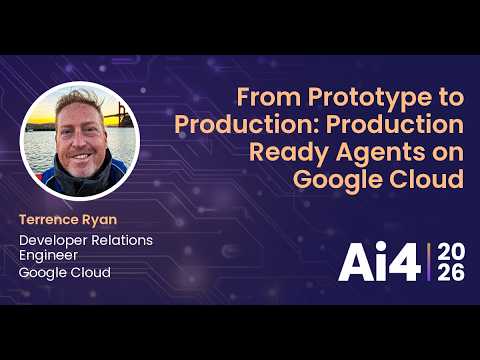
From Prototype to Production: Production Ready Agents on Google Cloud — Ai4

Ai4

Reliable enterprise deployment requires isolating AI agents behind standard user-level APIs and offloading deterministic math to external tools to eliminate data corruption and hallucination risks.

AI-assisted summary of From Prototype to Production: Production Ready Agents on Google Cloud — original source. Check the original for full context.

Source published:

Detailed notes

## Background Published on YouTube by Ai4 on August 14, 2026, this presentation features Terrence Ryan, a Developer Relations Engineer at Google Cloud. The session covers practical enterprise agent development, contrasting low-code visual prototyping in Agent Studio with code-first control using the Agent Development Kit (ADK) to bring agents into production.

## TL;DR Terrence Ryan details architectural best practices for taking generative AI agents from quick local prototypes to hardened, production-grade enterprise systems on Google Cloud. Championing the philosophy 'augment, don't rebuild,' he explains how to target high-friction bottlenecks within existing applications, isolate agents behind standard user-level APIs instead of granting direct database access, and split monoliths into specialized sub-agents. The talk also outlines converting deterministic logic into dedicated tool calls, moving beyond standard chatbot interfaces toward structured form and voice UIs, and deploying containerized multi-language ADK workloads to Google Cloud Run and the Gemini Enterprise Agent Platform.

## Atmosphere & style The presentation has a grounded, pragmatic, and hands-on developer tone that strips away generative AI hype in favor of architectural reality. Ryan speaks with conversational warmth, using relatable personal projects—such as automating his boat charter logbook and hiking trail planning—to illustrate design trade-offs and operational pitfalls. It feels like an engaging, high-signal engineering briefing from a practitioner sharing real-world lessons learned from the software trenches.

## Key takeaways - [00:04](https://www.youtube.com/watch?v=iptVTpWWcI8&t=4s) Moving from prototype to production requires validating ideas quickly, exporting prompts into a code-first framework like ADK, isolating tool calls, and hardening enterprise infrastructure. - [01:49](https://www.youtube.com/watch?v=iptVTpWWcI8&t=109s) Adopt an 'augment, don't rebuild' strategy: target narrow, high-friction bottlenecks in existing legacy applications rather than rewriting entire systems from scratch. - [04:48](https://www.youtube.com/watch?v=iptVTpWWcI8&t=288s) Decouple agent services from core databases by enforcing communication strictly through standard, user-parity application APIs to prevent catastrophic hallucinations or state corruption. - [05:50](https://www.youtube.com/watch?v=iptVTpWWcI8&t=350s) Never expose agent backends directly to untrusted user traffic; keep front-end applications as authenticated proxies to control execution and prevent unbounded token bills. - [08:00](https://www.youtube.com/watch?v=iptVTpWWcI8&t=480s) Avoid monolithic mega-agents by decomposing workflows into specialized multi-agent personas, keeping context windows small, accelerating reasoning, and simplifying evaluations. - [10:36](https://www.youtube.com/watch?v=iptVTpWWcI8&t=636s) Draw strict architectural boundaries between probabilistic LLM reasoning and deterministic execution, delegating fixed rules to dedicated tools or local math functions. - [12:51](https://www.youtube.com/watch?v=iptVTpWWcI8&t=771s) When an agent intermittently produces valuable calculation-heavy outputs, extract that logic into a deterministic function tool to guarantee 100% reproducibility and eliminate token waste. - [13:24](https://www.youtube.com/watch?v=iptVTpWWcI8&t=804s) 'Kill the chatbot mentality' by embedding agentic capabilities directly into native user experiences like form auto-completion, spatial map filters, and voice checklists. - [16:22](https://www.youtube.com/watch?v=iptVTpWWcI8&t=982s) Use 'meta agent debugging' by pasting failing prompts and target schemas into external conversational models (such as gemini.google.com) to diagnose prompt weaknesses independently of code bugs. - [17:39](https://www.youtube.com/watch?v=iptVTpWWcI8&t=1059s) Select agent frameworks (such as ADK for Python, Go, or TypeScript) matching your team's existing core competencies rather than relying on AI assistants to maintain unfamiliar languages. - [19:41](https://www.youtube.com/watch?v=iptVTpWWcI8&t=1181s) Containerize agent logic so local prototypes can deploy seamlessly to cloud infrastructure like Google Cloud Run, GKE, or the Gemini Enterprise Agent Platform without architectural rewrites. - [20:15](https://www.youtube.com/watch?v=iptVTpWWcI8&t=1215s) Sustain production-grade systems by optimizing context windows, enforcing strict API isolation, and structurally walling off probabilistic model behavior from core business rules.

## Detailed walkthrough ### [00:04](https://www.youtube.com/watch?v=iptVTpWWcI8&t=4s) Introduction and the Road to Production-Ready Agents

Terrence Ryan introduces himself as a Developer Relations Engineer at Google Cloud, noting his recent work shipping releases for the Go and JavaScript/TypeScript editions of ADK (Agent Development Kit). While readily acknowledging his personal enthusiasm and bias toward ADK and Google Cloud tooling, he emphasizes that the architectural principles of the talk apply broadly across any agentic framework. His daily toolkit revolves around various Gemini models, ADK Go, and Antigravity 2.0, alongside past experience with Claude models, test harnesses, and customized open-source coding agents.

Rather than rehashing toy prototypes or basic getting-started tutorials, the session zeroes in on what it actually takes to build reliable, hardened, production-grade agent systems. The foundational pattern follows a clear progression: validate an agent quickly on a prototyping surface, export the resulting prompts into a code-first framework like ADK, isolate and implement tool calls, and finally lock down configuration and hardening for enterprise infrastructure.

```mermaid flowchart LR accTitle: Agent Development Workflow subgraph Proto["1. Prototyping"] A["Rapid Validation Platform"] --> B["Prompt & Intent Extraction"] end subgraph Code["2. Framework Integration"] B --> C["Export to ADK"] C --> D["Isolate & Code Tools"] end subgraph Prod["3. Production Hardening"] D --> E["Hardened Configuration & Deployment"] end ```

[01:49](https://www.youtube.com/watch?v=iptVTpWWcI8&t=109s) Core Development Lifecycle: Augment, Don't Rebuild

The primary architectural mantra for production agents is "augment, don't rebuild." While industry tutorials frequently focus on greenfield applications, developers should resist the urge to rewrite entire legacy codebases from scratch just to make them agentic. Finding targeted, high-friction pain points inside established applications allows developers to build tightly constrained, highly focused agents. Starting with narrow scopes teaches engineering teams how to craft reliable agent behaviors before tackling fully autonomous systems.

Terrence illustrates this with an entry form from a personal sailing logbook app he created to track specifications and statistics for boats he charters. Filling out the form manually was a tedious two-to-three-minute chore per vessel, requiring external web searches, cross-referencing disparate specs, and converting imperial and metric units. By wiring ADK's search tooling and semantic disambiguation into a single "Research" button at the bottom of the existing form, the data-entry workflow dropped from several minutes of manual hunting to "as few as two seconds."

- **Augment over Greenfield**: Target isolated bottlenecks in existing apps to build tighter, more deterministic agent boundaries. - **Sailing Log Case Study**: A manual 2–3 minute multi-step spec lookup was compressed into a 2-second agentic tool execution. - **Controlled Scope**: Constraining early agents to specific tasks prevents open-ended failures and establishes solid development patterns.

[04:48](https://www.youtube.com/watch?v=iptVTpWWcI8&t=288s) Isolating Agent Logic: APIs over Direct Database Access

Production agents require strict decoupling from core application systems. In development and deployment alike, the application front-end and the agent backend should run as completely separate executables communicating exclusively across well-defined API boundaries. A crucial design question is whether an agent should be granted direct database access or be restricted to calling the system's public/internal APIs like a standard authenticated user.

```mermaid flowchart TD accTitle: App and Agent Isolation Architecture subgraph Client["User Space"] U["End User"] --> FE["Frontend Application (Cloud Run)"] end subgraph Secure["Private VPC / Backend"] FE -- "Authorized API Call" --> AG["Agent Service (Cloud Run)"] AG -- "Standard User-Level APIs" --> FE FE --> DB[("Database")] end classDef locked stroke-dasharray: 5 5; class AG locked; ```

Direct database access introduces immense operational risk: if a language model hallucinates an API request, the system simply returns a harmless HTTP error, whereas a hallucinated database command could alter or corrupt critical state. In Terrence's sailing planning architecture, the main web application and the agent service run in independent, containerized Cloud Run instances. Direct user traffic cannot touch the agent; only the authenticated front-end application holds IAM permissions to invoke the agent service. This isolation shields against accidental state destruction and prevents malicious actors from directly hitting the agent endpoint to run up catastrophic token bills.

- **Fault Domain Isolation**: Hallucinated API calls fail safely with standard error codes, while hallucinated database queries risk data corruption. - **User-Parity APIs**: Agents should interact with the platform using the same API endpoints and permission boundaries available to human users. - **Zero Direct User Access**: Front-end applications act as a protective proxy, ensuring no raw user queries can execute unbounded model workloads.

[08:00](https://www.youtube.com/watch?v=iptVTpWWcI8&t=480s) Breaking Monoliths: Multi-Agent Specialization

Developers should avoid building monolithic mega-agents tasked with handling an entire operational domain. Monoliths degrade performance, make targeted evaluations impossible, and cause context windows to balloon. Narrowly scoped multi-agent systems allow developers to test and evaluate individual sub-agents in complete isolation. Furthermore, tightly constrained context windows accelerate model reasoning, reduce circular thought loops, and drastically cut token consumption, delivering both higher accuracy and lower operational costs.

```mermaid flowchart TD accTitle: Specialized Multi-Agent Sailing Planner Planner["Sailing Planning Orchestrator"] Planner --> Commodore["The Commodore<br/>(Global & Regional Spots)"] Planner --> Pilot["The Pilot<br/>(Navigation & Routing)"] Planner --> Lookout["The Lookout<br/>(Real-Time Alerts & Weather)"] ```

In Terrence's multi-agent sailing planner, tasks are divided among specialized, persona-driven agents: - **The Commodore**: Handles high-level macro planning, analyzing global sailing regions and seasonal suitability without getting bogged down in micro-level navigation. - **The Pilot**: Focuses exclusively on local waypoint routing, navigation constraints, and passage timing. - **The Lookout**: An active background monitor run during voyages that continuously evaluates hour-by-hour weather and tidal data to trigger safety alerts—such as warning the skipper if a planned heading points directly into the wind, an impossible point of sail for a sailboat.

[10:36](https://www.youtube.com/watch?v=iptVTpWWcI8&t=636s) Tools vs. Agents: Managing Deterministic Execution

A vital architectural boundary in agent design is distinguishing between agentic reasoning and deterministic tool usage. Tools—whether exposed as custom ADK functions or standard MCP (Model Context Protocol) servers—handle operations that follow strict, predictable rules. When an LLM repeatedly generates ad-hoc code to perform predictable logic, it burns massive numbers of tokens unnecessarily. Anything deterministic should be extracted from the agent's prompt reasoning and converted into a dedicated tool call.

```mermaid flowchart TD accTitle: Pilot Agent Tool and Sub-Agent Architecture Pilot["Pilot Navigation Agent"] Pilot --> WeatherTool["Weather Tool (External API)"] Pilot --> TidesTool["Tides Tool (External API)"] Pilot --> PlacesTool["Places Tool (Google Places API)"] Pilot --> SunriseTool["Sunrise / Sunset Tool (Deterministic Math)"] ```

In the Pilot navigation system, external data lookups like real-time forecasts, tidal tables, and place points of interest are explicitly delegated to deterministic API tools. Leaving weather forecasts to an LLM's imagination leads straight to hallucinated weather reports. Conversely, calculations such as sunrise and sunset times do not even require an external API network call; because they depend strictly on latitude, longitude, and day of the year, they can be solved instantly through deterministic local mathematics.

[12:51](https://www.youtube.com/watch?v=iptVTpWWcI8&t=771s) Offloading Deterministic Tasks to External Tools

Relying on a probabilistic model to execute pure math or static computations is fundamentally counterproductive. When an agent calculates something fixed like sunrise and sunset times, the model itself should never run or reason through that raw code internally. Instead, developers should expose a dedicated external tool, allowing the model to simply call out to the function and ingest the returned payload. Identifying every deterministic slice of a workflow and decoupling it from the generative model directly narrows the active context window, slashes token overhead, and yields substantially more reliable outcomes.

```mermaid flowchart TD accTitle: Transitioning Deterministic Logic to Tools subgraph AgenticLayer["Agentic Workflow"] A["Agent Reasoning"] --> B{"Requires Exact Math?"} end subgraph ExecutionLayer["Deterministic Tools"] B -- "Yes: Call Tool" --> C["Deterministic Function<br/>(e.g., Distance / Sunset Math)"] C --> D["Fixed Result Payload"] D --> A B -- "No: LLM Logic" --> E["Generative Synthesis"] end ```

Terrence illustrates this with a concrete scenario from his own hiking "lookout" agent, which continuously scans meteorological data along trails. Occasionally, the agent would surface an extraordinarily helpful insight: calculating that the user had 21 miles left to hike that day, estimating the required speed, and prescribing the exact departure time necessary to arrive before dusk. Ryan realized this output was invaluable:

> "That's awesome. That's incredibly useful. And I absolutely need that. But it wouldn't do it every time. I spent a little bit of time trying to get it to like always spit that out and sometimes it would and sometimes it wouldn't. And then it dawned on me, I mean, it's just math."

Rather than prompt engineering against probabilistic inconsistency, he extracted the underlying arithmetic into a standalone function, registered it as an agent tool, and instructed the agent to invoke it whenever timing and distance calculations were needed.

- **Token and Context Efficiency**: Offloading rigid computations prevents the model from bloating its context with intermediate calculation steps. - **Reliability over Prompting**: If an agent produces a high-value deterministic output intermittently, converting that logic into an executable tool guarantees 100% reproducibility.

---

[13:24](https://www.youtube.com/watch?v=iptVTpWWcI8&t=804s) Killing the "Chatbot Mentality" for Modern Agent UX

A persistent antipattern across modern enterprise implementations is the reflex to package every generative model as a standard conversational interface. While tech company demos lean heavily on chat boxes because they provide the simplest demonstration of a model's natural language comprehension, production applications demand richer modalities. Developers must "kill the chatbot mentality" and design interfaces tailored to structured tasks where open-ended text fields are unnecessary hurdles.

Forms represent an ideal target for generative enhancement: instead of forcing users through tedious data entry and external research, an agent can perform the legwork in the background to automatically populate complex fields. Geographic representations provide another compelling alternative, using location coordinates and bounded radius parameters as inputs for agents to discover and summarize regional entities. Ryan also highlights a voice-enabled checklist utility he built, which eliminates chat dialogue entirely. Users speak naturally to check off single items or whole categories without rigid syntax, providing the user experience of having a human assistant walking behind them carrying a clipboard and marking off completed tasks.

- **Form Augmentation**: Offload tedious research-heavy inputs by allowing background agents to populate structured forms. - **Spatial / Map Interactions**: Anchor agent reasoning to concrete spatial parameters (such as lat/long coordinates and search radiuses) rather than vague open-ended queries. - **Voice Checklists**: Implement invisible, voice-driven state machines that interpret casual speech to check off structured operational tasks.

---

[16:22](https://www.youtube.com/watch?v=iptVTpWWcI8&t=982s) Meta Agent Debugging with External Models

When an agent fails to return expected outputs within an application workflow, developers should avoid getting stuck in iterative guesswork inside their standard code editor. Ryan recommends an approach termed "meta agent debugging": copying the failing prompt and the desired target schema out of the source code and dropping them directly into an external conversational model interface, such as `gemini.google.com`.

```mermaid flowchart LR accTitle: Meta Agent Debugging Loop A["Failing Agent Prompt<br/>in Codebase"] --> B["Extract to External Interface<br/>(e.g., gemini.google.com)"] B --> C["Prompt LLM to Critique<br/>& Refine Prompt"] C --> D["Evaluate Suggested Tweaks"] D --> E["Port Refined Prompt Back to Code"] ```

By explicitly asking the external model why a given prompt is falling short and requesting specific phrasing improvements, developers receive actionable structural enhancements roughly "nine out of 10 times." This deliberate manual detour outside the automated testing harness forces the engineer to focus closely on the phrasing mechanics, context boundaries, and structural constraints that cause the underlying agent to miss the mark.

- **Cross-Model / External Consultation**: Using a web chat interface as an external sounding board highlights prompt weaknesses that are easily overlooked within inline code files. - **Focused Attention**: Isolating the prompt from runtime dependencies forces engineers to evaluate language precision independently of code bugs.

---

[17:39](https://www.youtube.com/watch?v=iptVTpWWcI8&t=1059s) The Essential Agent Development Stack: ADK, CLI, and Harnesses

Building production-grade agents requires a cohesive trio of components: an agentic development framework, a suite of operational command-line skills, and an effective coding harness. Within Google Cloud, the Agent Development Kit (ADK) provides the foundational programmatic layer. While the Python SDK currently leads in terms of feature maturity and runtime support, Google also offers multi-language SDKs across Go, TypeScript, Java, and Kotlin. Ryan cautions against the prevailing trend of relying blindly on AI harnesses to write unfamiliar languages, urging developers to build production agents in stacks they intimately understand.

Alongside ADK sits the Agent CLI—an evolved utility pairing specialized agentic skills with command-line tools to streamline local development, packaging, and smooth deployment to Google Cloud Platform. Finally, engineers should complement their framework with a coding harness such as Antigravity to accelerate iteration.

| Stack Layer | Tool / Implementation | Primary Purpose | |:--- |:--- |:--- | | **Agentic Framework** | **Google Agent Development Kit (ADK)** | Orchestrates agent loops, tool bindings, and state handling in Python, Go, TypeScript, Java, or Kotlin. | | **Tooling & Operations** | **Agent CLI** | Bundles custom skills and CLI executables to manage agent lifecycles and deploy components into GCP. | | **Coding Harness** | **Antigravity** | Provides context-aware pair-programming and scaffolding inside the local developer environment. |

- **Language Competency**: Choose an ADK flavor matching existing team expertise rather than depending entirely on AI coding assistants to generate foreign language code. - **Integrated Skills**: Ensure the development environment actively incorporates pre-packaged framework commands and skills to minimize deployment friction.

---

[19:41](https://www.youtube.com/watch?v=iptVTpWWcI8&t=1181s) Production Deployment and Architectural Principles on Google Cloud

Transitioning an agent from a local machine to production requires containerizing its core logic. Once packaged into standard containers, prototypes can cleanly target Google Cloud Run, the Gemini Enterprise Agent Platform, or Google Kubernetes Engine (GKE) without architectural refactoring. Cloud Run serves as a standard workhorse for lightweight agent logic and application front ends, while the Gemini Enterprise Agent Platform delivers specialized enterprise telemetry, audit logging, and deep agent monitoring capabilities.

```mermaid flowchart TD accTitle: Production Deployment Topology on Google Cloud User["End-User / Client"] --> Frontend["Web Front End<br/>(Google Cloud Run)"] Frontend -- "Decoupled APIs" --> Ingress["Containerized Agent Ingress"]

subgraph GCP["Google Cloud Compute Targets"] Ingress --> CR["Google Cloud Run"] Ingress --> GEAP["Gemini Enterprise Agent Platform<br/>(Rich Telemetry & Observability)"] Ingress --> GKE["Google Kubernetes Engine (GKE)"] end

GCP --> ToolCalls["External APIs & Deterministic Tools"] ```

Ryan concludes with four guiding architectural pillars for long-term agent maintenance:

1. **Prototype Fast**: Move rapidly from conceptual ideas to running code. 2. **Optimize for Production**: Eliminate unnecessary token burn, prune context windows, and demand high prompt and tool specificity. 3. **Isolate Systems via APIs**: Decouple core platform logic from direct dependencies on internal agent state; all components should communicate through clean, standard API boundaries. 4. **Adapt Application Architecture**: Structure system designs around modularity, ensuring that probabilistic model behavior is safely walled off from deterministic business requirements.

Wrapping up the session, Ryan points attendees to his contact details on the presentation slides and invites anyone with follow-up architecture questions to visit Google booth #701 on the exhibition floor.

## Notable quotes > Building a single AI agent is easy; scaling it reliably across an enterprise is hard. — Terrence Ryan

> [01:49](https://www.youtube.com/watch?v=iptVTpWWcI8&t=109s) augment, don't rebuild — Terrence Ryan

> [01:49](https://www.youtube.com/watch?v=iptVTpWWcI8&t=109s) as few as two seconds — Terrence Ryan

> [12:51](https://www.youtube.com/watch?v=iptVTpWWcI8&t=771s) That's awesome. That's incredibly useful. And I absolutely need that. But it wouldn't do it every time. I spent a little bit of time trying to get it to like always spit that out and sometimes it would and sometimes it wouldn't. And then it dawned on me, I mean, it's just math. — Terrence Ryan

> [13:24](https://www.youtube.com/watch?v=iptVTpWWcI8&t=804s) kill the chatbot mentality — Terrence Ryan

> [16:22](https://www.youtube.com/watch?v=iptVTpWWcI8&t=982s) meta agent debugging — Terrence Ryan

> [16:22](https://www.youtube.com/watch?v=iptVTpWWcI8&t=982s) nine out of 10 times — Terrence Ryan

> [19:41](https://www.youtube.com/watch?v=iptVTpWWcI8&t=1181s) Prototype Fast — Terrence Ryan

> [19:41](https://www.youtube.com/watch?v=iptVTpWWcI8&t=1181s) Optimize for Production — Terrence Ryan

> [19:41](https://www.youtube.com/watch?v=iptVTpWWcI8&t=1181s) Isolate Systems via APIs — Terrence Ryan

> [19:41](https://www.youtube.com/watch?v=iptVTpWWcI8&t=1181s) Adapt Application Architecture — Terrence Ryan

## Mentioned Terrence Ryan, Google Cloud, Agent Development Kit (ADK), Agent Studio, Gemini, Antigravity 2.0, Claude, Cloud Run, Google Places API, Model Context Protocol (MCP), Agent CLI, Gemini Enterprise Agent Platform, Google Kubernetes Engine (GKE), Ai4

## Video description Terrence Ryan - Developer Relations Engineer, Google Cloud

Building a single AI agent is easy; scaling it reliably across an enterprise is hard. This session explores the practicalities of agent development using our comprehensive toolset. We'll cover the benefits of low-code visual building with Agent Studio versus code-first control using our Agent Development Kit (ADK). You’ll learn how to use both our low code, and code framework tools, how to construct them for eventual usage in production systems, and navigate the journey from a local prototype to a production-ready system capable of delivering your agentic system to the masses.

[Source](https://www.youtube.com/watch?v=iptVTpWWcI8)

中文简报

Google Cloud 敦促开发者剥离 AI Agent 的数据库访问权限 可靠的企业级部署需要将 AI Agent 隔离在标准用户级 API 之后,并将确定性计算分流至外部工具,以消除数据损坏和幻觉风险。 Terrence Ryan 详细介绍了在 Google Cloud 上将生成式 AI Agent 从快速本地原型转变为稳健企业级生产系统的架构最佳实践。他倡导“增强而非重构”的理念,阐述了如何针对现有应用中高摩擦的瓶颈环节进行优化,通过标准用户级 API 隔离 Agent 而非授予其直接数据库访问权限,并将单体架构拆分为专门的子 Agent。本次演讲还概述了如何将确定性逻辑转换为专用工具调用、超越传统的聊天机器人界面转向结构化表单和语音 UI,以及将容器化多语言 ADK 工作负载部署到 Google Cloud Run 和 Gemini Enterprise Agent Platform。 将智能体从原型推向生产环境应遵循“增强而非重构”的策略,优先针对遗留应用中高摩擦的狭窄痛点进行改造,而非推倒重写整个系统。 (1:49) 必须将智能体后端与核心数据库完全解耦,统一通过标准且与普通用户权限对等的前端 API 交互,防止模型幻觉破坏数据库状态或被外部直接调用产生失控的 Token 账单。 (4:48) 避免构建单体大型智能体,应拆分为专精的多智能体系统以缩小上下文窗口并加快推理;同时划清确定性执行与概率推理的边界,将固定数学计算和外部数据查找抽离为独立工具。 (8:00) 抛弃“聊天机器人思维”,通过表单自动填充、空间地图筛选或语音清单等原生交互深度融入应用;当智能体在开发中输出不稳时,可将 Prompt 提取到外部模型进行元调试优化。 (13:24) 生产级智能体技术栈应由多语言 ADK、Agent CLI 以及 Antigravity 等编码工具组成,并通过容器化无缝部署至 Google Cloud Run、Gemini Enterprise Agent Platform 或 GKE。 (17:39)

Reading summary

Terrence Ryan, Developer Relations Engineer at Google Cloud, argues that moving agents from prototypes to production requires augmenting existing software architectures rather than rebuilding them, isolating probabilistic reasoning behind strict user-parity APIs, and delegating all deterministic logic to external tools. Augmenting Existing Applications and Decoupling Architectures (1:49) Rather than rewriting systems from scratch to be agentic, production systems should target isolated, high-friction bottlenecks within existing applications. In his sailing logbook application, Ryan replaced a manual, multi-step boat specification search that took two to three minutes with a single agentic research button that executes in as few as two seconds. Constraining an agent's initial scope prevents unbounded failures and builds operational reliability before deploying wider autonomous features. Architecturally, agent backends must remain strictly isolated from application front ends and underlying storage. Deploying agents and applications as separate containerized services on Google Cloud Run creates safe failure boundaries: if a language model hallucinates an API request, the system returns a standard HTTP error, whereas direct database access risks state corruption. End users should never access the agent endpoint directly; instead, the authenticated web application acts as a proxy, and the agent interacts back with system resources exclusively through the same API endpoints and permission boundaries available to human users. Specialized Multi-Agent Roles and Deterministic Tool Offloading (8:00) To prevent context windows from ballooning and reasoning from degrading, architectures should divide complex domains across specialized sub-agents rather than relying on monolithic models. In a sailing navigation planner, responsibilities are split between persona-driven units: a macro-level orchestrator for seasonal region analysis, a pilot agent for waypoint routing, and an active background lookout evaluating real-time weather and tidal conditions to flag safety issues like sailing directly into the wind. Critical to this division is distinguishing probabilistic reasoning from deterministic computation. Any logic that follows fixed rules should be extracted from prompts and converted into dedicated tool calls or Model Context Protocol (MCP) servers. For example, leaving weather forecasting to LLM reasoning causes hallucinated reports, while calculations like sunrise times or remaining hiking travel times rely strictly on distance, latitude, longitude, and day of the year. Offloading static arithmetic into deterministic tools slashes token overhead, shrinks context bloat, and replaces intermittent probabilistic outputs with 100 percent reproducible results. Alternative Modalities and External Prompt Debugging (13:24) Ryan cautions against the reflex to present every generative application as a conversational chatbot, advocating instead for specialized interfaces matched to specific operational tasks. Background agents can populate complex input forms or query regional entities via spatial boundaries like geographic coordinates and search radiuses. Similarly, voice-driven interfaces can interpret unstructured speech to mark off checklist items without requiring conversational back-and-forth. When prompts fail within complex code loops, developers should step outside automated harnesses to perform what Ryan calls 'meta agent debugging.' Copying a failing prompt and target schema into an external model interface like gemini.google.com and asking it to critique and refine the prompt yields actionable phrasing enhancements roughly nine out of ten times. This manual detour isolates language precision and structural context boundaries from runtime code dependencies. Stack Selection and Cloud Deployment Targets (17:39) The agent development stack centers on three tiers: the Agent Development Kit (ADK) for managing loops and tool bindings across languages such as Python, Go, TypeScript, Java, and Kotlin; an Agent CLI bundled with operational skills for packaging and deployment; and local harnesses like Antigravity. Ryan cautions against relying on AI assistants to generate code in unfamiliar languages, urging teams to deploy production agents using stacks they already understand thoroughly. Once encapsulated in containers, agent prototypes can transition into production on Google Cloud Run, Google Kubernetes Engine (GKE), or the Gemini Enterprise Agent Platform. While Cloud Run functions as a lightweight compute runner for both front-end and agent logic, the Gemini Enterprise Agent Platform provides dedicated enterprise observability, telemetry, and audit logging required for large-scale operations. Ryan concludes that long-term agent maintenance relies on four ongoing practices: prototyping rapidly, optimizing production token efficiency, isolating components behind clean API boundaries, and modularizing application architectures to wall off probabilistic models from deterministic business requirements.

精炼阅读摘要

Google Cloud 开发者关系工程师 Terrence Ryan 指出,企业构建生产级 AI 智能体应遵循“增强而非重构”的渐进原则,通过严格的 API 边界隔离、专业化多智能体分工,以及将确定性计算剥离至独立工具,以消除不可控的幻觉并降低运行成本。 改造既有系统与API故障域隔离 (1:49) 在系统架构层面,Ryan 强调开发者应避免从头重构既有系统,而应将切入点放在定位高摩擦业务环节并开发边界明确的智能体。以其航海日志应用为例,手动录入船只规格原本需要跨多源搜索并换算公英制单位,单次耗时 2 至 3 分钟;而在既有表单中引入基于 ADK 的搜索与语义消除歧义工具后,该流程被压缩至最低 2 秒。 为了保障生产安全,智能体后端必须与前端应用完全解耦并独立容器化部署(如运行在 Google Cloud Run 上),严禁赋予智能体直接访问底层数据库的权限。智能体仅能作为具备权限的普通用户调用标准内部或公开 API。这一隔离机制构建了安全的故障域:若模型在调用中发生幻觉,系统仅返回标准 HTTP 错误代码;反之,若直接执行模型幻觉生成的数据库指令,则可能引发不可逆的数据破坏。此外,前端作为代理层拦截未鉴权流量,可防止恶意请求直接打在智能体端点造成失控的 Token 账单。 瓦解单体:专业化多智能体协同 (8:00) 构建覆盖全业务域的单体“超级智能体”(monolith)会导致上下文窗口迅速膨胀、推理延迟增加并诱发循环思考回路,同时令针对性的单元评估无法落地。Ryan 主张将复杂系统按业务角色拆分为职责狭窄的子智能体集群,在缩小上下文范围、加速模型推理并降低 Token 消耗的同时,支持对每个子智能体进行独立评估测试。 在其多智能体航海规划器中,业务被解构为三个专业化角色:负责宏观规划的“准将”(The Commodore),专门分析全球航行区域与季节适宜性,不卷入微观导航细节;“引航员”(The Pilot)专注于计算具体航路点、航行耗时与通道限制;而持续在后台运行的“瞭望员”(The Lookout)则在航行期间持续监控逐小时的气象与潮汐,并在航向直面逆风等危险航行状态时主动向船长触发预警。 确定性逻辑外置:工具取代模型计算 (10:36) 智能体系统设计必须严格区分概率性推理与确定性规则执行。Ryan 指出,让大语言模型反复生成临时代码以运行数学计算或确定性逻辑是高成本且脆弱的反模式。例如将实时气象与潮汐查询完全交由模型推断,会直接导致虚假天气报告;而日出日落时间等依据经纬度与日期的固定计算,则属于纯数学范畴,无需消耗模型算力。 在徒步“瞭望员”智能体的研发中,模型偶发性输出极具价值的推断——依据剩余 21 英里行程与预估步行速度计算出避免夜间赶路的最晚出发时间,但该输出无法稳定复现。Ryan 认为不应试图通过提示词工程去逼近一致性,而应将底层算术逻辑提取为独立的外部工具函数(基于 ADK 或 MCP 标准构建)。通过把确定性任务从模型提示词中剥离,既能将执行可靠性提升至 100%,又能大幅削减上下文 Token 开销。 突破对话框局限与元调试落地 (13:24) 针对用户交互,Ryan 呼吁开发者“消除聊天机器人思维”。对话框虽是展示自然语言理解能力的最简演示载体,却往往不符合生产任务的交互效率需求。实际落地应根据业务场景设计形态:利用后台智能体自动化填充复杂的结构化表单;基于地理坐标与半径范围直接进行空间数据检索;或设计免除严格语法的语音清单工具,让用户如同拥有一位随行记录的助理般通过日常口语完成状态标记。 在工程调试与开发技术栈方面,Ryan 建议采用“元智能体调试”(meta agent debugging):当代码中的智能体未能产出预期结果时,应将有缺陷的提示词及目标 Schema 复制到外部模型对话界面(如 gemini.google.com)中,让模型审查并优化措辞。据其经验,这种跳出本地工程环境的方法在约 90% 的情况下能迅速诊断提示词缺陷。此外,团队应选用自身最熟悉的语言版本(ADK 覆盖 Python、Go、TypeScript、Java 和 Kotlin),并配合 Agent CLI 与 Antigravity 等开发工具加速交付。 Ryan 总结了生产级智能体工程的四大支柱:快速原型验证、针对 Token 与上下文的生产优化、基于标准 API 的系统解耦,以及隔离概率性行为与确定性业务逻辑的模块化架构。虽然这套方案依托 Cloud Run、Gemini Enterprise Agent Platform 或 GKE 提供了平滑的部署路径,但演说并未深入探讨极高并发调用下的成本弹性控制,以及分布式工具链在部分网络分区时的容错与状态一致性保障。

Detailed notes — zh

## Background 本视频由 Ai4 于 2026 年 8 月 14 日发布在 YouTube 平台上。视频记录了 Google Cloud 开发者关系工程师 Terrence Ryan 的技术演讲,主要探讨如何利用 Agent Studio 与 Agent Development Kit (ADK) 等工具链,将 AI Agent 从本地原型平稳演进并扩展为高可靠性的企业生产级系统。 ## TL;DR 演讲围绕 AI Agent 从原型探索走向企业生产环境的工程化实践展开,重点提出了四大核心架构原则:在现有系统中做局部增强而非重构、将 Agent 逻辑与核心业务及数据库严格物理隔离、构建高度专用的多 Agent 系统以收敛 Context、以及将确定性计算剥离为独立函数工具。Terrence 倡导开发者“彻底摒弃聊天机器人思维”,通过智能表单、地图交互与语音清单等丰富形态赋能业务。在工具链与部署层面,他推荐利用 ADK 与 Agent CLI 编写精益逻辑,并最终借助 Docker 容器化方案将服务无缝发布至 Cloud Run、GKE 或 Gemini Enterprise Agent Platform。 ## Atmosphere & style 整场演讲呈现出务实、生动且极具极客色彩的工程技术分享氛围。演讲者以帆船应用等亲身研发案例切入,幽默地自嘲科技从业者对对话界面的路径依赖,拉近了与听众的距离。叙述节奏明快且极具实战导向,既有对业界浮躁风气的清醒反思,也传递出对生产级工程规范与底层掌控力的严谨追求。 ## Key takeaways - [00:04](https://www.youtube.com/watch?v=iptVTpWWcI8&t=4s) Agent 研发的标准生产范式包含四个阶段:快速验证原型、将有效 Prompt 导出至 ADK 等标准框架、识别并开发确定性工具,以及面向生产基础设施进行加固与硬编码部署。 - [02:30](https://www.youtube.com/watch?v=iptVTpWWcI8&t=150s) 企业 Agent 落地应遵循“增强现有系统,而非推倒重构”(Augment, don't rebuild)原则,优先选择表单调研等局部高痛点环节切入,见效快且约束边界更清晰。 - [04:51](https://www.youtube.com/watch?v=iptVTpWWcI8&t=291s) 主业务逻辑与 Agent 必须实现物理隔离与微服务化,两者仅通过标准 API 通信,严禁 Agent 直连核心数据库,以防止模型幻觉引发不可逆的数据破坏。 - [04:51](https://www.youtube.com/watch?v=iptVTpWWcI8&t=291s) 在云端部署中应实施严格的 IAM 权限控制,确保 Agent 容器仅对主应用暴露私有访问权限,杜绝外部公网直接调用造成的越权与 Token 账单风险。 - [06:53](https://www.youtube.com/watch?v=iptVTpWWcI8&t=413s) 生产系统应坚决避免单体 Agent(Monolithic Agent),拆解为引航员(Pilot)、瞭望员(Lookout)等职责单一的专业子 Agent,能有效提升可测性、收窄 Context 窗口并大幅削减 Token 成本。 - [10:36](https://www.youtube.com/watch?v=iptVTpWWcI8&t=636s) 严格区分确定性工具与 Agent 决策:凡是输入输出确定的任务(如天气查询、日出日落等纯数学公式计算)必须封装为固定工具,禁止让大模型自由推算以杜绝幻觉。 - [12:51](https://www.youtube.com/watch?v=iptVTpWWcI8&t=771s) 必须“摒弃聊天机器人思维”(Kill the chatbot mentality),跳出单调的对话框形态,探索智能表单增强、地图半径空间检索和自然语音清单等多维度的交互范式。 - [14:55](https://www.youtube.com/watch?v=iptVTpWWcI8&t=895s) 当 Agent 在推理中偶发涌现出有价值但难以通过 Prompt 稳定复现的规律或数学结论时,应果断将其提取并固化为确定性代码工具供模型调用。 - [14:55](https://www.youtube.com/watch?v=iptVTpWWcI8&t=895s) 采用“元 Agent 调试法”(Meta Agent Debugging),将难以调优的 Prompt 与样例提取至独立的外部大模型环境中进行诊断,利用外部视角快速找出逻辑盲区。 - [17:39](https://www.youtube.com/watch?v=iptVTpWWcI8&t=1059s) Google Cloud 的 ADK 框架已跨语言覆盖 Python、Go、TypeScript、Java 与 Kotlin;开发者应坚持在自身精通的语言中编写可靠控制流,而非过度依赖 AI 编程助手。 - [17:39](https://www.youtube.com/watch?v=iptVTpWWcI8&t=1059s) 现代 Agent 工程化体系依赖三要素协同:完备的 Agent 框架(ADK)、配套的 Agent CLI/技能扩展包,以及高效的代码辅助环境(Coding Harness)。 - [19:41](https://www.youtube.com/watch?v=iptVTpWWcI8&t=1181s) Agent 上线生产的标准路径是业务逻辑容器化,可平滑部署至提供高弹性的 Cloud Run、具备强大遥测审计能力的 Gemini Enterprise Agent Platform 或 GKE 集群。 ## Detailed walkthrough ### [00:04](https://www.youtube.com/watch?v=iptVTpWWcI8&t=4s) 个人背景、工具偏好与 Agent 开发流程 演讲者 Terrence Ryan 首先介绍了自己的背景与技术偏好。作为 Google Cloud 的开发者关系工程师(Developer Relations Engineer),他刚刚结束了 ADK(Agent Development Kit)Go 语言版本以及 ADK JavaScript / TypeScript 版本的发布工作。谈及个人技术栈偏好时,他坦言自己对 ADK 充满热情,主要日常工具链围绕 Gemini 各型号模型、ADK(特别是 ADK Go)以及 Antigravity 2.0 展开;同时他也拥有使用 Claude 系列模型与相关测试框架的经验,并研究过一些开源模型的定制版本。尽管市面上存在各类 Agent 框架,但他本次分享的核心并不局限于特定的 Google 工具细节,而是聚焦于通用的工程原则——如何构建真正适用于生产环境、高可靠性的 Agent 系统。 在 Agent 的具体研发流程上,Terrence 分享了一套经过实战检验的标准范式: 1. **快速验证原型**:首先在某个平台上快速搭建最小原型,测试核心逻辑与基本可用性; 2. **导出并迁移至框架**:将验证有效的 Prompt 导出到正式的 Agent 框架(如 ADK)中; 3. **识别并实现工具调用**:梳理业务流程中需要工具(Tool)介入的环节,编写具体的工具函数并接入框架; 4. **面向基础设施加固投产**:通过严密的硬编码配置与基础设施加固,使 Agent 具备承载生产流量的稳定性。 ```mermaid flowchart LR accTitle: Agent 从原型到生产的研发流程 A["快速验证<br/>平台搭建与Prompt测试"] --> B["迁移入框架<br/>导出Prompt至ADK"] B --> C["工具隔离与开发<br/>实现确定性Tool Calls"] C --> D["生产加固部署<br/>基础设施硬编码与配置"] ``` --- ### [02:30](https://www.youtube.com/watch?v=iptVTpWWcI8&t=150s) 架构模式一:在现有应用中增强,而非推倒重构 针对 Agent 的架构设计,Terrence 提出的首要原则是“增强现有系统,而非推倒重构”(Augment, don't rebuild)。当前很多技术教程往往偏向从零开始构建全新的“绿地项目”(Greenfield project),但在实际企业场景中,绝大部分应用都是高度成熟的遗留系统。寻找现有业务系统中的痛点进行局部 Agent 增强,不仅见效快,还能迫使开发者编写出边界更清晰、约束更严谨的 Agent,为未来开发端到端的全 Agent 应用打下坚实基础。 为了说明这一点,Terrence 分享了一个切身体验的实际案例。他自嘲是个“帆船极客”,平时喜欢记录自己租赁或驾驶过的每一艘帆船的技术参数。在他早期开发的一款帆船应用中,手动录入船只规格表单极其痛苦:用户需要去 Google 搜索数据、手动记录、换算不同的度量单位,并且信息往往还不完整,每条记录平均需要耗费 2 到 3 分钟。为此,他利用 ADK 内置的搜索工具与语义消歧能力,在表单底部仅增加了一个“智能调研”(Research)按钮。点击后,Agent 会自动联网检索、解析并标准化填入所有船只规格,将原本耗时数分钟的人工调研压缩至短短 2 秒钟完成。这一改造生动证明了局部 Agent 化改造对现有业务流程的赋能价值。 --- ### [04:51](https://www.youtube.com/watch?v=iptVTpWWcI8&t=291s) 架构模式二:隔离 Agent 逻辑与生产权限控制 在系统架构层面,必须将 Agent 逻辑与主应用的核心逻辑进行严格物理隔离。在开发与运行阶段,主业务程序与 Agent 程序应作为独立的进程或微服务运行,两者仅通过标准 API 进行通信。 关于 Agent 是否应该直接访问底层基础设施(如业务数据库)这一常见争议,Terrence 明确主张“让 Agent 模拟普通用户,仅通过 API 访问系统”,而不是赋予其直连数据库的权限。其核心逻辑在于防范灾难性风险: - 如果大模型发生幻觉并生成了错误的 API 调用,API 层的校验机制会直接拦截并抛出常规错误; - 但如果赋予 Agent 直接操作数据库的权限,一旦模型发生严重幻觉或执行异常 SQL,可能导致不可逆的数据破坏或灾难性后果。 ```mermaid flowchart TD accTitle: 主应用与 Agent 的生产隔离与权限控制架构 subgraph ClientLayer["客户端"] User["终端用户"] end subgraph AppService["Cloud Run:主应用容器"] App["业务前端与后端服务"] AppAPI["内部业务 API 接口"] end subgraph AgentService["Cloud Run:Agent 容器(私有访问)"] Agent["Agent 决策系统"] end User -->|"发起请求"| App App -->|"受限通信(权限鉴权)"| Agent Agent -->|"模拟用户调用"| AppAPI AppAPI -->|"安全读写"| DB[(业务数据库)] ``` 这一模式在生产部署中尤为重要。以其基于 Google Cloud Run 容器构建的航海规划应用为例,前端主业务与 Agent 分别运行在两个独立的 Cloud Run 容器服务中。架构上实施了严格的 IAM 权限封锁,确保前端应用是唯一有权调用 Agent 服务的实体,外部公网用户绝无法直接向 Agent 发送请求。这种设计极大缩减了攻击面,防止恶意用户绕过业务层直接打满 Agent 接口造成巨额 Token 账单或越权风险。 --- ### [06:53](https://www.youtube.com/watch?v=iptVTpWWcI8&t=413s) 架构模式三:拒绝单体 Agent,构建专门的多 Agent 系统 构建生产级系统必须坚决避免编写无所不包的“单体 Agent”(Monolithic Agent),而应拆分为职责高度单一的专用子 Agent 系统。将大任务拆解至多 Agent 架构具有显著优势: 1. **可维护性与可评测性**:能够针对单个子任务 Agent 独立排障并进行单独的 Eval 评测,而不是面对黑盒系统无从下手; 2. **精准收敛 Context 窗口**:上下文越狭窄、越聚焦,模型推理的效果就越出色,能够在更少的反思循环中快速得出正确结果; 3. **经济性与响应效率**:Context 的精简直接大幅减少了每次交互消耗的 Token 数量,显著降低企业调用成本并提升 API 响应速度。 Terrence 展示了其航海规划系统中的多 Agent 协同架构。系统为每个 Agent 赋予了形象的专属角色定位: - **引航员(Pilot)**:专注于具体航线规划与导航逻辑; - **船队司令(Commodore)**:站在宏观维度评估全球与区域级别的航行海域分布,不关注微观局部细节; - **瞭望员(Lookout)**:在实际航行过程中持续运行的监控 Agent,实时监测逐小时的天气预报与潮汐动态。当发现潜在危险(例如航线直接迎风逆行导致帆船无法正常行驶)时,它会主动发出告警:"嘿,不知道你注意到了没有,现在的气象条件意味着你正迎风航行,帆船可做不到这一点,你最好调整一下。" --- ### [10:36](https://www.youtube.com/watch?v=iptVTpWWcI8&t=636s) 架构模式四:清晰区分确定性工具与 Agent 决策 在工程落地时,明确划分“工具(Tool)”与“Agent”的边界至关重要。工具本质上是一段确定性的功能代码,例如遵循 MCP(Model Context Protocol)规范的外部服务接口,或是 ADK 中注册的原生函数。 如果一个计算或检索任务具有完全确定的输入输出规则,决不能任由大模型自由发挥。Terrence 指出,模型在解决复杂任务时可能会自动编写一段代码并执行返回,这虽然展现了模型的通用能力,但在生产中却会浪费海量 Token,且极易引入幻觉。例如在航海场景中: - 天气预报、潮汐数据、地点检索等必须交由确定性的 API 工具获取。如果放任 Agent 自行推测天气,它必然会产生严重的天气幻觉; - 计算日出日落时间看似需要依赖外部 API,但实际上只要掌握经纬度与一年中的日期,这完全是一个纯数学公式计算,直接封装为确定性数学函数工具即可,既准确又零 Token 消耗。 ```mermaid flowchart TD accTitle: 引航员 Agent(Pilot)与确定性工具交互拓扑 subgraph AgentCore["Agent 决策层"] Pilot["引航员 Agent (Pilot)"] SubAgent["专业子 Agent"] end subgraph ExtAPITools["确定性 API 工具(外部数据源)"] T_Weather["天气查询 Tool"] T_Tides["潮汐查询 Tool"] T_Places["地点检索 Tool"] end subgraph MathTools["确定性算法工具(本地计算)"] T_Sun["日出日落计算 Tool<br/>(经纬度 + 日期纯数学计算)"] end Pilot --> SubAgent Pilot --> T_Weather Pilot --> T_Tides Pilot --> T_Places Pilot --> T_Sun ``` ### [12:51](https://www.youtube.com/watch?v=iptVTpWWcI8&t=771s) 剥离确定性计算与告别“聊天机器人思维” 在构建 Agent 系统时,必须明确区分哪些是概率性的智能推理,哪些是确定性的数值运算。例如在行程规划中计算日出日落时间,底层逻辑完全由物理公式和天文算法决定,Agent 根本不需要在上下文窗口中运行这类计算代码。最优雅的做法是直接提供一个现成工具,让模型按需调用并取回确定结果。将确定性流程从模型生成中剥离,不仅能大幅收窄上下文窗口、显著削减 Token 开销,更能从根本上提升响应的准确性和稳定性。 面对当前的 AI 交互形态,开发者必须打破固有藩篱,“彻底摒弃聊天机器人思维”(Kill the chatbot mentality)。虽然科技公司的各类官方 Demo 和示例清一色都是对话窗口——因为这是展现大模型能力最直观的方式,作者也坦言自己作为科技公司员工同样“难逃其咎”——但现实业务绝不应局限于文本框。多样化的交互界面能激发 Agent 更强大的实用价值: - **智能表单增强(Augmenting Forms)**:找到那些流程冗长、必须进行背景调研才能填写的痛苦表单,将繁重的调研与信息抽取任务直接委托给模型代劳。 - **地理空间与地图集成(Maps & Geo Data)**:以特定地理位置和辐射半径作为交互起点,交由 Agent 快速扫描、分析并检索范围内的各类目标与关联资源。 - **无聊天界面的清单应用(Checklist App)**:完全摒弃对话框形态,仅以清单呈现。用户可通过自然语音下达指令(例如“将整类项目标记为已完成”,无需拘泥于特定的确认词),整个体验就像“身边跟着一位拿着写字夹板和清单的助理”。 ```mermaid flowchart TD accTitle: 交互界面与计算职责分离架构 subgraph UI["交互形态革新(跳出单一 Chatbot)"] Form["表单自动调研填充"] Map["地图半径空间检索"] List["自然语音清单勾选"] end subgraph Core["Agent 处理核心"] Agent["AI Agent (推理与决策)"] end subgraph Tools["确定性工具集成"] Calc["天文/数学计算服务"] API["业务系统 API"] end UI --> Agent Agent --> Tools Tools --> Agent ``` --- ### [14:55](https://www.youtube.com/watch?v=iptVTpWWcI8&t=895s) 从偶发灵感到确定性工具:Lookout Agent 与元 Agent 调试法 如果观察到 Agent 在推理过程中偶尔涌现出极具价值的确定性结论,就应该立刻将其固化并写成独立工具。在名为 Lookout 的天气与行程监控 Agent 中,模型在持续扫描气象数据时,偶尔会输出一条令人惊艳的提示:“今天剩余行程为 21 英里,根据当前配速及所需耗时,如果希望在日落前赶到目的地,最晚必须在此时出发。”这种提醒对徒步或户外场景极其有用,但大模型的输出并不稳定,作者尝试过多次调优 Prompt 试图让它每次都给出该建议,结果却时灵时不灵。此时他突然醒悟:这本质上就是几道纯数学算式,何必强求概率模型去反复拟合?于是他将逻辑提炼成一个确定性的数学函数,包装为专用 Tool 绑定给 Agent,此后每次运行 Agent 便会自动调用工具获取精确结果。 面对 Agent 开发过程中的效果调优瓶颈,采用“元 Agent 调试法”(Meta Agent Debugging)是一种极为高效的实操手段。当一段复杂提示词无法稳定产生预期结果时,不要死磕原有的开发调试环境,而是将该 Prompt 以及目标输出样例单独提取出来,切换到另一个模型环境(例如直接打开网页端的 gemini.google.com),向大模型发问:“这是我正在使用的 Prompt 以及它目前不尽如人意的表现,请帮我分析如何修改 Prompt 才能稳定达成目标?”这种借助外部独立模型审视自身代码的做法,在十有八九的情况下都能给出立竿见影的优化建议;这种脱离代码 Harness 的手动中转过程,反而能让开发者更专注地审视 Prompt 本身的逻辑漏洞。 - **确定性规则固化**:一旦模型偶发的优秀逻辑属于纯数学计算或固定规则,立即将其提取为独立函数工具,避免依赖模型推理的不确定性。 - **元 Agent 提词诊断**:借助外部大模型(如 Gemini Web 端)作为 Prompt 评审员,利用独立上下文找出提示词中的逻辑盲区。 --- ### [17:39](https://www.youtube.com/watch?v=iptVTpWWcI8&t=1059s) 生产级开发工具链:ADK、Agent CLI 与代码 Harness 构建生产级 Agent 离不开体系化的工具链支持。作为 Google Cloud 体系的核心组件,Agent Development Kit (ADK) 提供了跨语言的开发支持。虽然 Python 版本的 ADK 目前演进速度和成熟度略领先于其他运行时,但官方同时提供了 ADK Go、ADK TypeScript、ADK Java 以及 ADK Kotlin。针对业界“有了 AI 编程助手就不再需要掌握具体语言”的流行论调,作者表达了鲜明的反对态度:开发者唯有在自己真正精通的语言环境下工作,才能编写出最可靠的控制流与生产级逻辑;依赖工具不等于放弃语言基本功。 在 ADK 之上,Google 还推出了 Agent CLI 工具。它由一套封装好的 Agent 技能集(Skills)和命令行可执行程序组合而成,不仅大幅简化了本地 ADK 应用的构建与调试,还能打通从本地原型直通 Google Cloud Platform (GCP) 的自动化部署流程。针对现代开发者必备的开发环境,作者幽默地调侃自己日常主力使用的是 AnyGravity 代码辅助工具,并打趣称“希望它能越做越好,反正今天台下没有公司高管在场”。完善的 Agent 工程化体系必须由三大部分拼装而成:强大的 Agent 框架(如 ADK)、与其配套的命令与技能扩展包(Agent CLI),以及不可或缺的 AI 代码辅助环境(Coding Harness)。 - **多语言运行时覆盖**:ADK 现已支持 Python、Go、TypeScript、Java 和 Kotlin,开发者应首选自己最熟练的语言构建业务。 - **现代化工具三要素**:完备的 Agentic 框架、深度集成的 CLI/技能包、高效的代码辅助 Harness。 --- ### [19:41](https://www.youtube.com/watch?v=iptVTpWWcI8&t=1181s) 生产环境部署架构与总结:容器化与系统解耦 原型验证通过后,将 Agent 部署至生产环境的标准范式是全面推行**业务逻辑容器化(Containerize the logic)**。通过将 Agent 及其运行依赖打包为标准容器镜像,开发者可以根据并发规模与架构诉求,平滑部署至三大 Google Cloud 核心计算平台:Google Cloud Run、Gemini Enterprise Agent Platform 以及 Google Kubernetes Engine (GKE)。其中,Gemini Enterprise Agent Platform 具备极其强大的内置遥测(Telemetry)与可观测性监控能力,非常适合对追踪审计要求苛刻的企业级应用;而 Cloud Run 凭借无服务器的轻量高弹性,成为了驱动 Web 前端与微服务交互的高频底座。 ```mermaid flowchart LR accTitle: Google Cloud 生产部署与系统解耦流程 subgraph Dev["本地开发与构建"] ADK["ADK 原型开发"] --> Pack["容器化封装 (Docker)"] end subgraph Target["Google Cloud 生产环境目标"] Pack --> CR["Cloud Run (轻量/前端)"] Pack --> GEAP["Gemini Enterprise Agent Platform (遥测审计)"] Pack --> GKE["Google Kubernetes Engine (大规模集群)"] end subgraph Arch["企业级架构原则"] GEAP -. 统一 API 解耦.-> Enterprise["企业级遗留/核心系统"] end ``` 在演讲结语阶段,作者系统梳理了从原型到生产的关键路径演进法则: - **快速原型验证,专项生产优化**:早期允许粗糙探索,但在迈向生产阶段时必须狠抓细节,严厉收缩上下文窗口,削减不必要的 Token 消耗,提高指令与工具调用的确定性与针对性。 - **系统强隔离与全面解耦**:严禁企业底层核心系统直接与 Agent 产生硬编码绑定或脆弱依赖;必须通过标准的 API 契约进行通信隔离,将大模型的非确定性严格约束在特定边界之内。 - **架构主动适配隔离性**:重塑应用程序顶层设计,使其天生具备容错、降级以及应对隔离约束的能力。 演讲最后,作者公布了个人的联络方式,并热情邀请参会者前往会场第 701 号 Google 展台进行面对面的技术交流与深入探讨。 ## Notable quotes > [02:30](https://www.youtube.com/watch?v=iptVTpWWcI8&t=150s) 增强现有系统,而非推倒重构 — Terrence Ryan > [04:51](https://www.youtube.com/watch?v=iptVTpWWcI8&t=291s) 让 Agent 模拟普通用户,仅通过 API 访问系统 — Terrence Ryan > [06:53](https://www.youtube.com/watch?v=iptVTpWWcI8&t=413s) 嘿,不知道你注意到了没有,现在的气象条件意味着你正迎风航行,帆船可做不到这一点,你最好调整一下。 — Terrence Ryan > [12:51](https://www.youtube.com/watch?v=iptVTpWWcI8&t=771s) 彻底摒弃聊天机器人思维 — Terrence Ryan > [12:51](https://www.youtube.com/watch?v=iptVTpWWcI8&t=771s) 身边跟着一位拿着写字夹板和清单的助理 — Terrence Ryan > [14:55](https://www.youtube.com/watch?v=iptVTpWWcI8&t=895s) 今天剩余行程为 21 英里,根据当前配速及所需耗时,如果希望在日落前赶到目的地,最晚必须在此时出发。 — Terrence Ryan > [14:55](https://www.youtube.com/watch?v=iptVTpWWcI8&t=895s) 这是我正在使用的 Prompt 以及它目前不尽如人意的表现,请帮我分析如何修改 Prompt 才能稳定达成目标? — Terrence Ryan > [17:39](https://www.youtube.com/watch?v=iptVTpWWcI8&t=1059s) 希望它能越做越好,反正今天台下没有公司高管在场 — Terrence Ryan > [19:41](https://www.youtube.com/watch?v=iptVTpWWcI8&t=1181s) 业务逻辑容器化 — Terrence Ryan ## Mentioned Terrence Ryan, Google Cloud, ADK, ADK Go, ADK TypeScript, ADK Java, ADK Kotlin, Agent Studio, Agent CLI, Gemini, Antigravity 2.0, Claude, Cloud Run, Google Kubernetes Engine (GKE), Gemini Enterprise Agent Platform, Model Context Protocol (MCP), Docker ## Video description Terrence Ryan - Developer Relations Engineer, Google Cloud Building a single AI agent is easy; scaling it reliably across an enterprise is hard. This session explores the practicalities of agent development using our comprehensive toolset. We'll cover the benefits of low-code visual building with Agent Studio versus code-first control using our Agent Development Kit (ADK). You’ll learn how to use both our low code, and code framework tools, how to construct them for eventual usage in production systems, and navigate the journey from a local prototype to a production-ready system capable of delivering your agentic system to the masses. [Source](https://www.youtube.com/watch?v=iptVTpWWcI8)

Source quotes

[2:30] Terrence Ryan: 增强现有系统,而非推倒重构 [4:51] Terrence Ryan: 让 Agent 模拟普通用户,仅通过 API 访问系统 [6:53] Terrence Ryan: 嘿,不知道你注意到了没有,现在的气象条件意味着你正迎风航行,帆船可做不到这一点,你最好调整一下。 [12:51] Terrence Ryan: 彻底摒弃聊天机器人思维 [12:51] Terrence Ryan: 身边跟着一位拿着写字夹板和清单的助理 [14:55] Terrence Ryan: 今天剩余行程为 21 英里,根据当前配速及所需耗时,如果希望在日落前赶到目的地,最晚必须在此时出发。 [14:55] Terrence Ryan: 这是我正在使用的 Prompt 以及它目前不尽如人意的表现,请帮我分析如何修改 Prompt 才能稳定达成目标? [17:39] Terrence Ryan: 希望它能越做越好,反正今天台下没有公司高管在场 [19:41] Terrence Ryan: 业务逻辑容器化

Source quotes

Terrence Ryan: Building a single AI agent is easy; scaling it reliably across an enterprise is hard. [1:49] Terrence Ryan: augment, don't rebuild [1:49] Terrence Ryan: as few as two seconds [12:51] Terrence Ryan: That's awesome. That's incredibly useful. And I absolutely need that. But it wouldn't do it every time. I spent a little bit of time trying to get it to like always spit that out and sometimes it would and sometimes it wouldn't. And then it dawned on me, I mean, it's just math. [13:24] Terrence Ryan: kill the chatbot mentality [16:22] Terrence Ryan: meta agent debugging [16:22] Terrence Ryan: nine out of 10 times [19:41] Terrence Ryan: Prototype Fast [19:41] Terrence Ryan: Optimize for Production [19:41] Terrence Ryan: Isolate Systems via APIs [19:41] Terrence Ryan: Adapt Application Architecture

Original transcript

[0:04] A little bit about me. I'm a developer relations  engineer for Google. I just got off a stint doing [0:11] um the the releases for 80K Go and 80K JavaScript  or 80K TypeScript, depending on who you're talking [0:18] to. Um and so I kind of do that kind [snorts] of  flavor uh what my biases are. I really like 80K. [0:26] I'm pretty passionate about it, but I  recognize there are other frameworks out there. [0:31] Little context on the session. Um the official  title is from photo prototype to production [0:36] production ready agents on Google Cloud. You  notice I kind of would really like to really work [0:43] on the production ready agents part of it and and  not so much on the rest of it. Um I had another [0:48] talk where I talked a little bit more about uh  Google tools and technology, but what I really [0:54] want to talk about is how to how to make better  agents on in production. And hopefully um a lot [1:01] of these uh maybe some of the the the semantics  of the the the configurations to use might be [1:07] different, but the general principles should  work wherever you're trying to build agents. [1:13] So um a little bit more just to make sure you [1:18] this is what this is being filtered through. Uh my  primary toolkit is uh various flavors of Gemini, [1:24] uh agent development kit, uh 80K Go specifically,  and uh I spend a lot of my time using Any Gravity [1:31] 2.0. Uh I do have some experience using mostly  Claude uh products and models and uh harnesses, [1:38] um but I have worked around with some customized  versions of open code. So that kind of gives you [1:44] These are where my biases are going to  be. So agent development. All right. Um [1:51] this is the pattern that I use for developing  agents. Um first I validate quickly. I create [1:57] an agent somewhere on some platform, test it out,  get the basics of it working, and then export it [2:04] usually just the prompt into an agent framework,  specifically for me 80K. I go through, [2:10] I isolate possible tool calls, I write those  tools, I base it in the framework system, [2:17] and then I bring it to production using the  ability to really hardcode and configure things [2:24] to make it a little bit hard more hardened  for infrastructure. So, let's talk about some [2:30] architectural patterns for reliable agents. So,  the first thing I say is augment, don't rebuild. [2:37] A lot of times people coming to this agent  space, and it makes sense a lot of the [2:41] the tutorials and the the getting started  guides kind of talk about greenfield stuff, [2:46] but don't forget that just because your app may be  older or it may be established and pre-existing, [2:53] there are opportunities for you to augment with  agentic work. And in fact, doing so will make [3:03] you write tighter, better agents so when you  do go and build your entire agentic app. So, [3:11] I highly recommend finding pain points in  your existing apps where it makes sense [3:15] to augment agentically, focus on solving that  problem there, and write really tight confined and [3:22] constrained agents at first so that you get a feel  for how best to write these. Um I won't belabor [3:28] this too much in case you were at the previous  session, but one of my early kind of works into [3:35] jumping into agentic workflows was this. This  form manually is a big pain cuz it requires doing [3:43] Google search, writing stuff down, converting it  to different units. It's not complete. I got to go [3:49] find Basically, this is a form for the statistics  or the specifications for individual boats I sail [3:56] and I like to record all the different boats that  I have rented or been on cuz I'm a nerd and so um [4:04] having to do this form especially when I was  writing this app and having to put all of them [4:08] in at once it was two to three minutes per entry  just because of how much research you have to do [4:14] that was a case where I was like oh well 80K  has a search tool and it has the ability to [4:20] uh kind of disambiguate between you know different  semantic phrasings of things and different [4:25] different qualities of data and so I used  it to basically add a little research button [4:32] down at the bottom of the form and it took a  process that usually took me about two minutes [4:36] and can fire off in as few as two seconds  so um you know I think a good example of [4:43] taking something that exists and augmenting it  identically Now when you build your agents I [4:51] highly recommend that you isolate  agent logic from everything else you do [4:57] So in development that means I have an executable  that's my app and I have an executable that's my [5:02] agent code and they call each other through they  talk to one another through an API surface Um and [5:10] then some questions that you will want to consider  is um should the agent access your view database [5:20] I like to point out this is proof that I wrote  this myself [snorts] because I have typos in [5:26] it still um should the basically should you allow  the agent direct access to bits and pieces of your [5:34] infrastructure like database and other storage or  should your agent kind of mimic a user and use the [5:42] API of the system you're building in it I opt  for that second version The way I look at it is [5:50] one, I should know what what I want to have  happen in my larger app. Um the universe of [5:57] things that can go wrong when you have a model  that's hallucinating, like basically if a model [6:02] hallucinates an API call, it just errors, right?  If a model hallucinates a database call, in theory [6:09] it could do it could do uh devastating things.  Now, I'm not saying it happens, but like this is [6:16] more about protecting yourself from what you don't  think will happen. And so, um I like that pattern [6:25] of basically in most of my apps, I have an agentic  system. The agentic system is called from the [6:32] um from the main app, and if the agentic system  needs to respond or get more information, [6:38] it's calling the API. So, if it needs a list of  things in my app, it calls the same list uh APIs [6:46] that my users use when they you know, they see  the um they see those results in their front ends. [6:53] And so, here's an example of this. Um I  wasn't lying about being a nerd about sailing. [6:58] Here's a different sailing app I wrote that  is for planning, and you'll see that um [7:02] I have a Cloud Run uh serverless app  running. It's a containerized app. [7:07] Um and then in another container, uh another Cloud  Run service is running um this uh agent system, [7:17] and uh a very important piece here is that uh  the way I have this architected in production is [7:25] the front end app is the only app that can call  the agent. Like it's locked down with permissions, [7:31] so that um no direct user call ever hits the  agent. Um again, it's not so much that I'm, [7:39] you know, afraid that my agent is going to go  someone is going to go crazy and and hack my [7:44] agent endpoints and drive up giant costs, but  I'm not not afraid about that. Right? So, that [7:51] kind of make sure that the window of what this app  can do and what the agent can do is constrained. [8:00] All right? Next thing is avoid  writing monolithic agents. Um [8:09] So, this kind of comes from that same mentality  of let's isolate individual pieces to do the [8:16] piece they do best. I'll show a diagram of in  a second of uh an app that I have architected. [8:23] This does multiple things. One, it kind of makes  it easier to troubleshoot individual pieces of [8:28] your agentic workflow. Isolate, do evals on just  individual agents as opposed to a giant system. [8:35] Two, it keeps context smaller. Which is important  for both a uh like success and productivity [8:43] standpoint. Like, the smaller the the more I  shouldn't say smaller, the more narrowly focused [8:47] the context is, more on point the context is, the  better results you'll get from your agent. The [8:53] quicker you'll get the right answer if it's got to  loop through and think about things. And then uh [9:01] the second part of that is that the smaller with  that context being smaller, um and with it getting [9:08] the answers faster, that means less tokens.  Right? So, that means a more efficient uh uh [9:15] call and a better uh economic performance for  your system. So, here's a good example of a [9:22] multi-agent system that I have written. Again,  this is a sailing planning app. Each um each agent [9:31] has like a cute label that kind of makes it easy  for me to understand what it does. Um and so uh [9:38] with this app, I'm looking at Google search  results, Google Place results, weather data, [9:44] title data, and sunrise sunset information. And so  each one of these only looks at a certain bit of [9:51] that. So the pilot is focused just on navigation  and routing. The Commodore is only focused on [9:58] global sailing spots. It's not worried about  local conditions. It's worried about regions in [10:03] the world. The lookout is actually something that  I run during a sailing trip where it goes and it's [10:09] continuously looking at the hour-to-hour weather  forecast and and tidal information to come up with [10:17] alerts. You know, like one of the things it'll  catch is, "Hey, I don't know if you noticed this, [10:22] but your your the weather is set up so that  you're going directly into the wind, which [10:27] is just not something a sailboat can  do. You might want to fix that." Um, [10:31] and the agent does give me those alerts  when it spots those sort of conditions. [10:36] All right. And this is an important  distinction of tool versus agent. [10:43] So typically a tool is a deterministic bit of  functionality that you add to your app. Um, [10:52] what you do is you give it to the agent and  and MPC MCP servers are an example of this, but [10:59] ATK has another version of this where you're  just writing functions that do things. Um, [11:05] and so what you do is if you find that your agent  is kind of frequently doing a deterministic thing. [11:14] Um, for example, I'll I'll show this later,  but like one of my agents was doing wrote a [11:20] function and called, you know, ran the function  and then returned the results in the answer. [11:26] Um, that's great. That's awesome that it can  do that. Can figure out that that's the way [11:29] it needs to solve a problem, but the problem  with that is that um that's a lot of tokens. [11:36] Uh it's a lot of tokens to do something  deterministic. So, when you find things like tools [11:42] um that uh you definitely split them out and kind  of make them uh their own. So, wait. Two in the [11:49] same slot? Okay. Um so, here's an example of that  pilot agent system. One of those agents that I was [11:55] showing you, you'll see that it's actually built  using both an agent, a sub agent, and then tools. [12:03] And I kind of have them color-coded to kind of  understand what's going on here. So, the weather [12:07] tool, the tides tool, and the places tool are all  calling an external API. Well, that's definitely [12:11] deterministic and someone else's problem, right?  So, um I want them to be tools and say uh get [12:19] the latest weather updates, use this tool to do  that, and it does that. And again, that'll save uh [12:26] if you let an agent hallucinate the weather, I  have found it will absolutely hallucinate the [12:30] weather. So, um make sure that you're giving  it a deterministic tool for doing things like, [12:35] you know, places and tides and weather. Uh  sunrise is a really interesting case. I turns out [12:42] uh I kind of figured that that would also be an  API call like to a service or something, but um [12:46] that's just math. If you know a lat  long and you know the day of the year, [12:51] you actually can figure out the sunrise sunset,  which is kind of cool. But, that doesn't Again, [12:55] that doesn't need to be, you know, the the  agent doesn't need to be running that code. [13:00] You can just hand it a tool and say, "Fire  off to this and get the results back." And so, [13:06] figuring out those places where there are things  parts of this process that are deterministic and [13:11] that I can separate them out instead of  just having the agent do everything um [13:15] will again narrow your context, uh reduce  token usage, and get better results. [13:24] Oh. This is one that's near and  dear to me. Kill the chatbot [13:29] uh mentality. Like all of our demos and all of  our samples and and as a tech company employee, [13:33] um we're guilty of this. All of our examples  are chatbots. Because it's like one of the [13:38] easiest ways to show how a model works well,  but there are other interfaces. As I said, um I [13:45] really like augmenting forms. Find a form that's  really a pain to fill out and if it requires [13:51] research, just have the model do the research  for you. Um I uh also do a lot with maps using [13:58] um geographic data um as starting points. So,  something like a, you know, a particular place [14:05] and a radius is really great um for handing  to an agent cuz they can do things like, [14:10] you know, finding all the things in there and  and whatnot. And then another [clears throat] uh [14:15] app I really enjoyed writing was it's a  checklist app where it's just a checklist, [14:20] so there's no chat component to it, but I can tell  it uh to check off either individual items or like [14:28] a whole category of items and I don't have to just  say that's checks out. I can I can use different [14:34] uh words with the with the chat with the the  the voice input. So, that it's almost like [14:41] I have a human being following me around with a  checkboard a checklist and a check on a clipboard. [14:47] So, um really kind of stretch yourself on  how you're interfacing with agents. So, um [14:55] This is something I discovered. So, if you start  seeing deterministic results from your agents, [15:02] hard code them and turn them into  tools. And I kind of said that before, [15:05] but I want to kind of show a real example of this.  Um so, my lookout uh agent was constantly scanning [15:11] weather data and coming up with stuff and then  every once in a while, not every single time, [15:17] obviously, not deterministic, it would spit this  out. Which is it determined that like, "Hey, you [15:23] probably on this particular day need to be worried  about when you get in." So, it actually says [15:29] um I've you've got 20 20 mi 21 mi to go today.  Here is the uh speed and the time it'll take to [15:37] get there. You if you want to be there by the end  of before sunset, you want to leave by this time. [15:44] I was like, "That's awesome. That's incredibly  useful. And I absolutely need that." [15:48] But it wouldn't do it every time. I spent a  little bit of time trying to get it to like [15:52] always spit that out and sometimes it would and  sometimes it wouldn't. And then it dawned on me, [15:56] I mean, it's just math. It's not, you know, [15:59] uh it's not anything too crazy. So, I extracted  that all that all out, wrote a function, and then [16:05] made sure my agent had it included as a tool. And  then anytime I needed this content or basically [16:11] every time it just knows it has to call this tool,  get this data, and include it in its results. [16:22] Um Sorry, I'm looking at the clock and it's  flashing and I'm trying to figure out how much [16:26] time I have left. So, meta agent debugging. All  right, this may be drop-dead simple and obvious [16:32] to everybody, uh but sometimes I talk to people  and brought this up as an idea and they kind of [16:37] oh it's that's a really good idea. So, uh let  me um just uh say it and, you know, you'll tell [16:44] me if you like it. So, a lot of times when I'm  having problems with getting results from agents, [16:49] um what I'll do is I'll extract out the prompt  and extract out what I want to get from it. [16:55] And I'll go to a different agent or a different  model, you know, I'll I'll typically go [16:59] uh to gemini.google.com, drop it in, and say,  "Hey, can you tell me how to get this results [17:04] with a prompt? This is the prompt I'm using and  it's not working." And almost every single time, [17:09] I'd say nine out of 10 times, it gives me a  suggestions and improvements that'll actually make [17:14] it better. Um and what I like about this is that  because I'm not doing it in my coding harness, [17:20] I tend to pay a little bit more attention to it  cuz I'm the one that has to grab it out of one and [17:24] put it in the other. But, basically putting that  manual step in between uh writing and debugging uh [17:29] kind of uh gets better results for me. So, uh some  essential agent development tools. [snorts] So, [17:39] again, I work for Google. Uh so, I'm a big fan  of ADK. Um, and I'll point out that ADK Python [17:45] is uh a little bit ahead of all of the rest  of the runtimes, but we also have ADK Go, [17:51] ADK TypeScript, and ADK Java, and ADK Kotlin. Um,  I highly recommend picking the language that I I [18:00] know in this day and age kind of people have this  like, "Oh, we'll just have a coding harness do it [18:03] for me and I don't need to know the language." I  don't fully agree with that. I think you should [18:08] like you're going to get better results from  working in a language you know, and so um you [18:13] know, I would focus on picking a a language that  you know, and if you don't know one, you know, uh [18:18] uh pick one um and start delving into it because  it will make you better at this whole process. [18:25] In addition to ADK, we have a tool called Agent  CLI, which is uh a combination of skills and [18:32] uh CLI executable that helps you with tasks uh  in ADK and also on getting your ADK work into [18:40] um the uh into Google Cloud Platform. Um, what I  like about this it's kind of evolved from the ADK [18:48] executable that we first started working with.  Um, and the skills really make a difference [18:53] for how successful you are kind of working with  these tools. And then I for my coding harness, [18:59] uh I'm using AnyGravity. Um, I I use  it in the hopes it becomes better. Um, [19:08] no nobody nobody from corporate is is in the room.  Um, but this is to say, these are the pieces that [19:15] you need, right? So, that's the Google stuff, but  like you need an agentic framework. Um, you'll be [19:19] much more productive with it. Um, each of those  frameworks should have a bundle of relevant [19:24] skills and commands, and if they don't have them,  find them and install them and use them. And then [19:29] finally, you should be using using a cart coding  harness. Um, uh, if you're not, I don't know [19:35] what to tell you at this point. Uh, I feel like  uh, I don't have to tell people too much that. [19:41] So, production deployment on Google Cloud, um, I  recommend this pattern, containerize the logic. [19:47] Um, and that way you can move your prototypes to  either Google Cloud Run, uh, Gemini Enterprise [19:53] Agent Platform, or Kubernetes Engine. Um, I'm  a big fan of the telemetry you get out of uh, [19:59] Gemini Enterprise Agent Platform, so I'm I'll  recommend that. But, Cloud Run is also uh, [20:04] I do a lot of my work in Cloud Run as well. Almost  all the front ends for my apps are in that anyway, [20:11] so I'm working with it anyway. So, to wrap up, um,  I highly recommend you kind of follow this pattern [20:17] of uh, prototyping fast, optimize for prod, you  know, kind of reduce the amount of tokens you're [20:23] going to be using, increase specificity, all of  that, isolate systems, decouple your systems from [20:30] direct dependencies on agents, and have it  all talking through APIs, and then finally, [20:35] um, adapt your architectures uh, in your in your  apps to deal with that restriction and isolation. [20:42] So, with that, I'm going to wrap up. Um, if you  have any questions or want any follow-ups, uh, [20:47] there is my contact information, and I  will be at the Google booth number 701 [20:52] for the rest of the day. Um,  so thank you guys very much.