Apple Designer Kare Details How Pixel Limits Built Original Mac UI
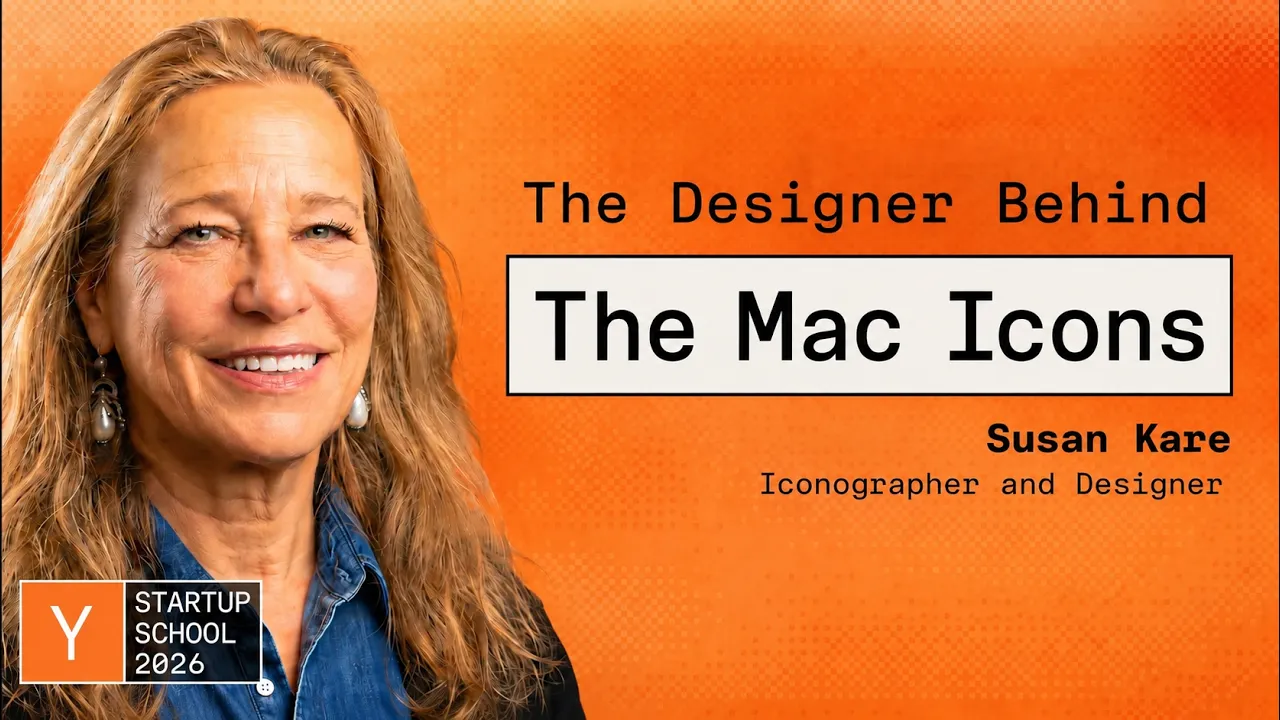
Susan Kare: Designing Icons & Graphics For the Original Mac — Y Combinator

Y Combinator

Enduring user interfaces rely on simple, abstract metaphors rather than hyper-specific hardware depictions that quickly become obsolete.

AI-assisted summary of Susan Kare: Designing Icons & Graphics For the Original Mac — original source. Check the original for full context.

Source published:

Key ideas

  • Susan Kare designed the visual language of the original Macintosh by treating severe 1-bit display constraints as creative prompts, hand-sketching initial pixel grids in a notebook now held in MoMA's permanent collection. (1:51)
  • Following Paul Rand's maxim to make designs 'meaningful and memorable,' Kare prioritized universal abstraction over literal hardware representation, creating enduring icons like the Happy Mac and Chicago system font. (15:26)
  • Steve Jobs eliminated keyboard shortcut clutter by banning repeated Apple logos—which he derided as an 'Apple farm'—prompting Kare to discover the Nordic looped heritage symbol for the Command key (⌘). (22:15)
  • Kare's post-Apple work showed that digital metaphors must favor emotional resonance over literal physical skeuomorphism: Facebook virtual gifts proved that 'cute trumped everything,' with kisses and penguins vastly outselling luxury status items. (29:56)

Detailed notes

## Background This talk was published by the Y Combinator channel on YouTube on August 14, 2026. Captured at Startup School 2026, the presentation features iconic graphic designer Susan Kare sharing the origin stories of the original Macintosh's visual identity—including the Happy Mac, Chicago typeface, and Command key—alongside enduring design philosophies learned from working with Steve Jobs, Paul Rand, and early Apple engineers.

## TL;DR Art historian turned pioneer iconographer Susan Kare recounts entering Apple with no computer background and sketching bitmap fonts and icons onto graph paper to humanize early personal computing. She details the creation of landmark interface elements like the Chicago font, MacPaint tools, the Happy Mac, and the Borgholm Castle-inspired Command symbol, highlighting how tight hardware constraints fueled enduring visual shorthand. Kare traces her post-Apple trajectory through Windows 3.0, General Magic, and Facebook virtual gifts, illustrating why simplicity, universal metaphors, and iterative discipline consistently outperform ornate realism. She concludes with candid reflections on startup culture, pitching strategies for Steve Jobs, and design wisdom from mentors like Paul Rand on embracing resilience and letting go of preciousness.

## Atmosphere & style The presentation carries a warm, self-effacing, and deeply nostalgic tone, blending fireside reminiscence with practical masterclass insights. Kare speaks with relaxed humility and dry wit, chuckling over early design missteps like the literal bomb crash icon while recounting legendary episodes like hoisting a pirate flag over Apple headquarters. Listening feels intimate and grounding, stripping away the tech industry's self-important veneer to reveal personal computing's foundational breakthrough as an earnest, human-scaled craft project driven by empathy, curiosity, and playful experimentation.

## Bulletin - [01:51](https://www.youtube.com/watch?v=YEvLKzsEwMw&t=111s) Susan Kare designed the visual language of the original Macintosh by treating severe 1-bit display constraints as creative prompts, hand-sketching initial pixel grids in a notebook now held in MoMA's permanent collection. - [15:26](https://www.youtube.com/watch?v=YEvLKzsEwMw&t=926s) Following Paul Rand's maxim to make designs 'meaningful and memorable,' Kare prioritized universal abstraction over literal hardware representation, creating enduring icons like the Happy Mac and Chicago system font. - [22:15](https://www.youtube.com/watch?v=YEvLKzsEwMw&t=1335s) Steve Jobs eliminated keyboard shortcut clutter by banning repeated Apple logos—which he derided as an 'Apple farm'—prompting Kare to discover the Nordic looped heritage symbol for the Command key (⌘). - [29:56](https://www.youtube.com/watch?v=YEvLKzsEwMw&t=1796s) Kare's post-Apple work showed that digital metaphors must favor emotional resonance over literal physical skeuomorphism: Facebook virtual gifts proved that 'cute trumped everything,' with kisses and penguins vastly outselling luxury status items.

## Key takeaways - [00:07](https://www.youtube.com/watch?v=YEvLKzsEwMw&t=7s) Effective iconography begins with a strong conceptual idea rather than visual embellishment, adhering to Paul Rand's rule to keep work meaningful and memorable. - [01:51](https://www.youtube.com/watch?v=YEvLKzsEwMw&t=111s) Kare transitioned from sculpting to computing without technical training, borrowing typography books from the library and sketching bitmap concepts on graph paper before interviewing at Apple. - [05:01](https://www.youtube.com/watch?v=YEvLKzsEwMw&t=301s) The early Mac software team focused on immediate accessibility, replacing confusing labels like 'Do it' with 'OK' and restricting early icons to 16-by-16 and 32-by-32 pixel grids. - [08:26](https://www.youtube.com/watch?v=YEvLKzsEwMw&t=506s) Chicago introduced proportional screen typography on low-resolution displays, eliminating monospaced compromises and visually foreshadowing the physical layout of the first Apple iPod. - [11:47](https://www.youtube.com/watch?v=YEvLKzsEwMw&t=707s) Andy Hertzfeld's interactive Icon Editor replaced paper sketching by allowing bit-toggling on an enlarged grid with a live 72 DPI preview that automatically outputted hexadecimal code. - [15:26](https://www.youtube.com/watch?v=YEvLKzsEwMw&t=926s) Applying Scott McCloud's comic theory, stripping an icon of granular detail transforms it into a universal vessel that any user can relate to, whereas excessive detail limits resonance. - [18:22](https://www.youtube.com/watch?v=YEvLKzsEwMw&t=1102s) Designing icons based on literal contemporary hardware, such as the ImageWriter printer with tractor-feed holes, leads to premature obsolescence compared to broader metaphors. - [22:15](https://www.youtube.com/watch?v=YEvLKzsEwMw&t=1335s) Steve Jobs rejected menus cluttered with Apple logos as an 'Apple farm,' leading Kare to research symbol reference books and adopt the Swedish roadside marker depicting Borgholm Castle for the Command key. - [25:20](https://www.youtube.com/watch?v=YEvLKzsEwMw&t=1520s) Bitmapped interface design sits on a historical continuum with ancient pixel-like media, drawing structural parallels from Egyptian hieroglyphs, mosaic tiles, and needlework samplers. - [27:32](https://www.youtube.com/watch?v=YEvLKzsEwMw&t=1652s) Introducing color in Windows 3.0 required pixel dithering across a restricted 16-color palette to create textured, muted tones and reserve stark red for critical system alerts. - [29:56](https://www.youtube.com/watch?v=YEvLKzsEwMw&t=1796s) General Magic's ultra-literal skeuomorphic office metaphors, including virtual hallways and literal 'jars of text,' failed to anticipate how quickly digital abstractions would outpace physical office objects. - [29:56](https://www.youtube.com/watch?v=YEvLKzsEwMw&t=1796s) Facebook's digital gift store demonstrated that human purchasing behavior favored emotional symbols like lipstick kisses and penguins over high-status items like diamond earrings and Rolex watches. - [37:18](https://www.youtube.com/watch?v=YEvLKzsEwMw&t=2238s) Paul Rand rejected Steve Jobs's proposed spec-work design contest for NeXT, demanding $100,000 to deliver a single logo that integrated the concept directly into the company's name. - [44:24](https://www.youtube.com/watch?v=YEvLKzsEwMw&t=2664s) Alan Kay's concept of nested hierarchy guided the Mac UI team to tuck technical complexity away so that initial interactions remained clean and effortless. - [45:54](https://www.youtube.com/watch?v=YEvLKzsEwMw&t=2754s) The Mac team embraced Steve Jobs's countercultural motto that 'it's better to be a pirate than join the navy,' prompting Kare and Steve Capps to hoist a hand-painted pirate flag atop Apple's Bandley 3 building. - [48:25](https://www.youtube.com/watch?v=YEvLKzsEwMw&t=2905s) Andy Hertzfeld taught Kare never to pitch Steve Jobs a single design concept, as Jobs would reflexively reject it; presenting multiple alternatives allowed him to critique weaker options while approving the preferred design. - [48:25](https://www.youtube.com/watch?v=YEvLKzsEwMw&t=2905s) Early startup teams operate most effectively below a threshold of roughly 15 people, beyond which consensus hiring and single-room cultural alignment inevitably require formal trade-offs. - [49:46](https://www.youtube.com/watch?v=YEvLKzsEwMw&t=2986s) Dennis Hwang's early Google Doodles proved that breaking orthodox brand guidelines to alter a corporate logo can generate deep audience engagement rather than brand dilution.

## Detailed walkthrough ### [00:07](https://www.youtube.com/watch?v=YEvLKzsEwMw&t=7s) Introduction and Paul Rand's Guiding Advice

Susan Kare introduces herself as an iconographer and designer who has worked on numerous tech projects over decades. She frames her experience working on the Macintosh team inside Apple as being effectively part of a tech startup, noting that many of the core issues and themes resonate directly with modern tech developments like artificial intelligence.

Looking back at her career, Kare highlights a foundational design philosophy she received from legendary graphic designer Paul Rand (creator of the UPS, IBM, and NeXT identities), with whom she was fortunate to work. Rand advised her to focus on making things "meaningful and memorable." For Kare, the essence of that maxim is simple: start with a strong idea, and the visual form will naturally follow.

[01:51](https://www.youtube.com/watch?v=YEvLKzsEwMw&t=111s) From Welding Sculptures to the Apple Interview

Kare entered personal computing from an entirely non-technical background: she was a fine art major with a PhD in art history who knew nothing about computers. Immediately before joining Apple, she had been working out of her garage welding a life-sized razorback hog sculpture for an Arkansas museum. While building the sculpture felt like living a creative dream, the solitary routine grew lonely and left her eager to collaborate with a team.

An opening presented itself through Andy Hertzfeld, her high school friend from Pennsylvania who was working as a system software programmer on the nascent Macintosh project at Apple. Hertzfeld reached out because he remembered she loved art and had worked on their high school yearbook. He showed her a bare Macintosh display chassis without a plastic casing and asked if she would interview to design small screen symbols and digital typefaces.

Prior to that point, Kare's typographical background consisted of hands-on mechanical tasks: operating a label-making machine at Philadelphia's Franklin Institute Science Museum and working with Letraset rub-down dry-transfer lettering, where she had developed an eye for spacing and kerning. To prepare for the interview: - She visited the Palo Alto public library to borrow font specimen books and typography volumes, bringing them under her arm to the interview so she would look like she knew the field. - Following Hertzfeld's advice, she bought a grid notebook and hand-sketched early bitmap concepts using graph paper, sketching out items like a pond with a boot, sheets of paper, and prototype letterforms. - The interviewers never asked her a single technical question about font design, and she got the job. - Her original graph paper sketch notebook was later acquired by the Museum of Modern Art (MoMA) for its permanent collection—prompting her advice to designers to "hang on to your stuff."

[05:01](https://www.youtube.com/watch?v=YEvLKzsEwMw&t=301s) First Days on the Mac and Designing Under Constraints

On her first day at Apple, the team showed Kare a prototype system screen and told her it was her job to improve it. The interface displayed early five-and-a-quarter-inch floppy disk graphics with rounded rectangles ("round rects") that users could click and drag with a mouse. Even in that primitive state, the tactile interaction felt magical to her.

```mermaid flowchart TD accTitle: Early Mac Interface Evolution accDescr: Progression from primitive system prototypes to refined friendly bitmap UI

subgraph Primitive ["Early System Prototype"] P1["Rough jagged display fonts"] P2["Button text: 'Do It' (misread as 'Don't' / off-color)"] P3["Crude floppy disk icons"] end

subgraph Refined ["Susan Kare's UI Overhaul"] R1["Chicago proportional system font"] R2["Button text: 'OK' (clear, unambiguous)"] R3["Standardized 16x16 & 32x32 tool icons"] end

Primitive --> Refined ```

One immediate editorial change was replacing the confirmation button label "Do it" with "OK"—"Do it" struck people as slightly off-color and users frequently misread it as "Don't."

The Mac software team was driven by a sincere, evangelical desire to create an approachable computer that anyone could use without ever opening an instruction manual. Kare appreciated this ethos because she herself was a complete novice. Rather than chafing at hardware limitations, she embraced them as creative prompts, comparing it to making art out of found beach trash: - Icons were initially constrained to tiny 16-by-16 black-and-white pixel grids. - Working pixel-by-pixel, she crafted foundational tool symbols like the lasso tool (designed to surround irregular screen regions) and various art implements. - Kare observed that these early 1-bit icons have lived on in popular culture, noting that the French mosaic street artist Invader (Space Invader) has liberally incorporated early Mac iconography into his public street art across Paris.

[08:26](https://www.youtube.com/watch?v=YEvLKzsEwMw&t=506s) The Invention of Chicago, City Font Names, and the First iPod

The default screen text Kare encountered was uneven and jagged. She realized legibility could be improved by designing a system font adhering strictly to horizontals, verticals, and clean 45-degree angles. This resulted in Chicago, a bold, sans-serif typeface with a nine-pixel cap height. Although she admits she still winces when looking at Chicago's lowercase "x," the typeface solved the readability problem across early low-resolution displays.

Crucially, the Macintosh supported proportional spacing, moving beyond the ugly compromises of monospaced screen typography where the letter "M" was squished and the letter "I" floated in excessive whitespace. Chicago was deployed throughout the Mac OS title bars alongside horizontal structural lines. Looking back at the Mac's modular onscreen calculator application, Kare points out that its graphical layout and Chicago typography effectively previewed the physical design of the original Apple iPod two decades later.

Kare also developed a range of companion typefaces: - **New York and Geneva**: Proportional bitmap equivalents designed to serve the roles of Times New Roman (serif) and Helvetica (sans-serif). - **Ransom**: A novelty font styled after ransom notes made from mismatched letters clipped out of newspapers. - **Naming the fonts**: Kare and Hertzfeld originally named the fonts after suburban stops along the Pennsylvania Railroad's Paoli Local commuter line near their hometown (such as Bryn Mawr, Rosemont, and Wynnewood). When Steve Jobs dropped by the software area during his regular end-of-day walkthrough, he approved of using city names but declared they needed to be "world-class cities"—prompting the pivot to names like Chicago, New York, and Geneva.

[11:47](https://www.youtube.com/watch?v=YEvLKzsEwMw&t=707s) MacPaint, the Icon Editor, and 32x32 Pixel Portraits

Kare worked closely with Bill Atkinson, the lead programmer behind MacPaint, which became her favorite application. She collaborated with Atkinson on creating tools, visual brushes, and fill patterns. Atkinson also built an early flatbed-style scanner mechanism, which the team used to digitize an authentic Japanese geisha woodcut print owned by Steve Jobs.

To help users understand system configurations without reading text, Kare designed a graphical Control Panel. It used animated icons, sound, and visual speed indicators to demonstrate slider settings so the interface would work internationally without localization text changes.

```mermaid flowchart LR accTitle: Bit-Toggling Icon Editor Workflow accDescr: The feedback loop inside Andy Hertzfeld's custom icon editing tool

A["Andy Hertzfeld's Icon Editor"] --> B["Toggle bits individually"] B --> C["Simultaneous views: Enlarged grid + 72 DPI preview"] C --> D["Auto-generated Hexadecimal code"] D --> E["Implemented into System Software"] ```

Moving away from paper sketches, Hertzfeld built a dedicated Mac-based Icon Editor that allowed Kare to interactively toggle pixels on and off. The tool displayed both a magnified pixel-editing grid and an actual-size 72 DPI live preview, automatically outputting the corresponding hexadecimal code to paste into system builds. The ability to iterate endlessly on screen without an eraser felt revolutionary to her.

Outside of standard UI work, Kare used the 32-by-32 pixel canvas to create digital portraits of colleagues and visitors who sat for her, as there was no straightforward way to capture or import photos. She remarks that it remains astonishing how recognizable a human face can become in a grid of just over 1,000 dots (1,024 pixels) with enough iteration—a craft she still enjoys, pointing to a recent 32x32 portrait she made of Pharrell Williams.

[15:26](https://www.youtube.com/watch?v=YEvLKzsEwMw&t=926s) The Genesis of the Happy Mac and Universal Simplicity

One of the very first icon assignments Susan Kare tackled was the startup screen for the original 128K Macintosh. Because the hardware was limited and took a noticeable amount of time to boot—audibly "sitting there kind of grinding while it started up"—the team needed an image to reassure users that everything was functioning normally. Kare was constrained to a tight 32-by-32 pixel canvas. Wanting to communicate that "everything was okay," she settled on a smiling face, drawing inspiration from her childhood memory of a smiley button she owned around age fourteen. Her instinct favored warmth: "I like smiling and happy things."

Kare connects the philosophy behind the Happy Mac to Scott McCloud’s seminal book *Understanding Comics*, published a decade after the Mac's launch. While ostensibly about comic books, McCloud's work offers profound insights into user interface design. As McCloud demonstrated, when a human face is rendered with high detail, it represents a specific, external person; when stripped down to basic lines, it becomes an abstract vessel onto which any user can project themselves. The fewer the details, the more universal the icon becomes.

To Kare, this principle explains why a humble pencil drawing represents the act of writing far better than a rendering of a high-end chrome pen complete with polished reflections. The ornate pen is simply too particular to resonate universally. Her design philosophy has always leaned toward choosing "a salient detail or two, but don't lard it with a lot of extra stuff." She likens effective iconography to municipal street signs: a school crossing sign depicts a clean silhouette of two children holding hands. Technically, an illustrator could add plaid lunchboxes, visible shoelaces, or render them singing, but such details would only distract the viewer and erode the split-second clarity the sign must convey.

[18:22](https://www.youtube.com/watch?v=YEvLKzsEwMw&t=1102s) Glitches and Misunderstandings: The Bomb, Wristwatch, and Over-Detailed Icons

Alongside the Happy Mac, Kare was tasked with designing visual states for failure, under the assumption that these states would practically never be witnessed by the public. Told that in the "extremely unlikely event" something went wrong there should be an alternative, she designed an Unhappy Mac that looked sickly and "a little hungover." Operating under the belief that she could be irreverent because "no one was going to see this," she drew an icon for total system crashes: a cartoon bomb with a burning fuse reminiscent of Bugs Bunny.

That irreverence backfired when system crashes inevitably occurred in the real world. One afternoon, working inside the glass-walled "fishbowl" where the software group sat, Kare witnessed the Apple receptionist field a frantic call from an upset customer. The user insisted on speaking directly to the software team because she was staring at a bomb on her screen and was terrified that her computer was literally about to explode, leaving Kare with lingering design guilt.

Beyond handling errors, the team needed to establish a visual architecture for the Mac's applications. With only about half a dozen programs slated for release, Kare designed an intuitive paired system treating applications as verbs and files as nouns. She created an active, process-oriented icon for MacPaint, which was then mirrored in the document icons it generated. Other system assets pushed against legacy physical metaphors:

```mermaid flowchart TD accTitle: Mac Application and Document Pairing Model accDescr: Diagram showing how applications representing actions pair directly with corresponding document nouns. subgraph ConceptualModel["Visual System: Action & Result"] Verb["Application Icon (Verb)<br/>e.g., MacPaint in active state"] --> Result["Document Icon (Noun)<br/>Visually mirrors the tool"] end subgraph Metaphors["Everyday Metaphors"] Alert["Alert Dialog Icon<br/>Tightly cropped, ageless & genderless"] Wait["Wait State Cursor<br/>Modern wristwatch replacing hourglass"] end ```

- **Alert Figures**: Instead of drawing an explicitly detailed person, Kare tightly cropped a generic face into the frame, obscuring age, gender, and hairstyle to prevent any specific demographic bias. - **The Wristwatch Cursor**: Rather than using a traditional hourglass—which she only ever associated with boiling eggs—Kare decided personal computing in the 1980s called for an update, replacing the sand timer with an analog wristwatch. - **The Pitfall of Product Specificity**: For the print icon, Kare meticulously drew an ImageWriter printer complete with tractor-feed sprocket holes and a side platen knob. She considers this a misstep: capturing ephemeral hardware quirks severely shortens an icon’s shelf life. The same obsolescence struck the 3.5-inch floppy disk save icon, proving that enduring interface design requires broad metaphors rather than literal representations of contemporary gadgets.

[22:15](https://www.youtube.com/watch?v=YEvLKzsEwMw&t=1335s) Steve Jobs and the "Apple Farm": Discovering the Command Symbol

The Macintosh user interface originally relied heavily on Apple's corporate silhouette. Drop-down menus were filled with keyboard shortcuts that featured the Apple logo beside individual letters. Steve Jobs walked into the software room at the end of a workday and immediately banned the layout, deriding the cluttered menu screen as an "Apple farm." Jobs insisted, "Our logo is precious and we have to respect it. So, you know, we just can't have a bunch of apples."

Given the task of replacing the logo on what was designated the Command or Feature key, Kare initially brainstormed literal concepts of commanding, but found them harsh and militaristic, noting that depicting the Ten Commandments felt like an absurd visual pun. Turning to an art and symbol reference book in the library, she spotted an ancient looping motif labeled simply as a mark for a "feature."

```mermaid flowchart LR accTitle: Command Key Symbol Evolution accDescr: Flow showing the evolution from Steve Jobs rejecting repeated Apple logos to Susan Kare discovering the Swedish feature symbol. A["Initial Menus:<br/>Apple logo shortcuts"] -->|"Jobs: 'Apple farm'<br/>Devalues precious logo"| B["Redesign Mandate:<br/>Find abstract symbol"] B -->|"Library Research"| C["Looped Nordic Sign:<br/>Cloverleaf / Feature"] C -->|"16x16 Grid Adaptation"| D["Command Key (⌘)"] D -->|"Later Swedish Visit"| E["Origin: Borgholm Castle<br/>Four-turret ruin aerial view"] ```

The looped design felt promising: rendered in the restricted 16-by-16 pixel space, it suggested a lucky four-leaf clover or an aerial view of a highway cloverleaf interchange, evoking speed and navigation. Although she worried that its abstract nature lacked an intuitive metaphor to help users remember its function, the team adopted it, and it remains on Apple keyboards to this day.

Years later, Kare flew into Gothenburg, Sweden, and was stunned to spot the exact symbol on local roadside markers. A Swedish companion explained that the symbol had marked cultural heritage and sightseeing monuments across the Nordic countries for centuries. It directly depicts a top-down aerial silhouette of the four-turreted Borgholm Castle, an architectural ruin dating back to roughly 1200 AD. Decades after shipping the keyboard, Kare was delighted to learn her abstract graphic was an architectural depiction after all.

[25:20](https://www.youtube.com/watch?v=YEvLKzsEwMw&t=1520s) Ancient Grids: From Stone Carvings and Samplers to 1984 Emojis

Reflecting on her art history doctorate, Kare observes that visual interface design sits on a historical continuum: "there's not much new under the sun. People have been making little symbols for a long time." Bitmapped typography and constrained icon sets closely mirror Egyptian hieroglyphics, stone tablets, and centuries-old cross-stitch samplers.

Historical embroidery and mosaic patterns frequently solved the exact pixel-grid puzzles digital designers face. Kare highlights early historical examples where craftspeople constructed legible, proportional alphabets within tiny grids—such as capital letter heights restricted to a mere seven or ten units—more than two centuries before personal computing arrived. She jokingly traces her own comfort with coordinate grids back to childhood crafting kits where children were encouraged to assemble ceramic mosaic ashtrays for their parents.

This appreciation for symbolic shorthand led directly to her work on decorative fonts like Cairo for the 1984 Macintosh. Long before modern smartphone text messaging popularized emojis, Kare embedded hieroglyphic-inspired dingbats directly into system typography, enabling users to intersperse pictures with standard text. For Kare, the heart of digital design has never been the technical grid of pixels itself, but rather the underlying metaphor, intention, and clarity embedded within the marks.

[27:32](https://www.youtube.com/watch?v=YEvLKzsEwMw&t=1652s) Design Iteration at Swatch and Introducing Color in Windows 3.0

Icon design is far from an exact science; it requires relentless, exploratory variation. Illustrating her iterative process, Kare reviews a suite of concept sketches created for a Swatch digital device interface alarm function. Her initial instinct was an analog alarm clock face, which she steadily modified to look louder by layering vibrating sound waves. Realizing a clock icon displayed on a physical watch face was redundant and "way too self-referential," she pivoted toward alternate metaphors for waking up, testing everything from acoustic horns to roosters. She emphasizes that good UI ideas often emerge from taking a client's offhand suggestion or an engineer's crude temporary placeholder graphic and systematically refining it.

Following her tenure at Apple, Kare was hired by Microsoft to design the iconography and graphical elements for Windows 3.0. Stepping into the PC ecosystem introduced the challenge and opportunity of color. While the palette was initially constrained to sixteen standard system shades—many of which were harsh and unflattering—color offered powerful functional benefits. Red could finally be deployed specifically for critical warning dialogs, enabling instant visual prioritization.

Rather than allowing the Windows interface to resemble a "garish jet chessboard" of clashing primary tiles, Kare applied subtle dithering techniques, blending complementary pixels across the 16-color palette to create textured, subdued tones that were far easier on the user's eyes.

[29:56](https://www.youtube.com/watch?v=YEvLKzsEwMw&t=1796s) Life After Apple: Metaphors at General Magic and Facebook Virtual Gifts

Reflecting on her career after the Macintosh, Susan Kare notes how early digital graphics unexpectedly entered popular culture. In the 1990s, countless people spent hours playing Windows Solitaire—for which she designed the original pixel-art cards. Kare laughs that she eventually had to delete Solitaire off her own machine because it was too addictive, recalling that *Slate* once remarked the game had truly "made a dent." Moving through decades of client work that ranged from playful to corporate, she points out how design metaphors evolved over time.

One prominent post-Apple project was creating the identity and interface graphics for General Magic. The team attempted an ultra-literal desktop metaphor where users navigated virtual hallways lined with doors, opened virtual filing cabinet drawers to store documents, and encountered literal "jars of text" on shelves—an idea she looks back on with amusement: "the very worst thing we had was jars of text, because why?" While the interface relied on familiar physical tropes like Rolodexes, desk phones, and postcards, it failed to anticipate how quickly email and abstract software paradigms would render those physical office objects obsolete.

```mermaid flowchart LR accTitle: Evolution of Kare's Digital Metaphors accDescr: Progression from General Magic physical skeuomorphism to Facebook microtransaction digital gifts. subgraph General_Magic["General Magic (Physical Analogies)"] A["Hallways & Doors"] B["Filing Drawers & Rolodexes"] C["Jars of Text"] end subgraph Facebook["Facebook Virtual Gifts (Digital Economy)"] D["Daily Midnight Launches"] E["Predictable 15-Minute Velocity"] F["Emotional / Cute Micro-Goods"] end General_Magic -->|"paradigm shift"| Facebook ```

Later, Kare spent nearly four years designing virtual gifts for Facebook. Users could purchase small graphic illustrations for one real dollar to display on friends' profiles. Operating essentially as a digital gift shop, the team released a new gift daily at midnight Eastern Time. They could reliably predict whether an item would become a runaway bestseller within the first fifteen minutes based on sales volume. While Kare initially theorized that status items like diamond earrings or Rolex watches would feel more valuable for a dollar, human behavior proved otherwise: - **"Cute trumped everything"**: Teddy bears, heart-shaped items, and kiss marks consistently outsold luxury symbols. - **The Lipstick Kiss Mark**: The all-time bestselling virtual gift on the platform. - **The Power of Penguins**: Kare jokes that if her life ever depended on selling a drawing for a dollar, she would immediately draw a penguin, as every limited-edition run sold out instantly. - **Collaborations**: The project featured high-profile partnerships, including custom drops with Britney Spears and other entertainers, before Facebook shut the gift shop down to avoid competing with third-party app developers.

---

[34:13](https://www.youtube.com/watch?v=YEvLKzsEwMw&t=2053s) Diverse Graphic Work: From Subtly Animated Pins to Amtrak Maps

Kare's portfolio in the decades following Apple spanned small consumer devices, web platforms, and editorial illustrations. At Pinterest, she collaborated with a skilled animator to build icons with gentle, looped motions designed carefully so they "wouldn't get really irritating over time." For stealthmil.com—a project dealing with waste—she crafted an interim logo featuring a "trash panda" (raccoon) before their permanent identity launched. Editorial work included a commission for Amtrak's quarterly magazine, *The National*, where artists were asked to reimagine train route maps; Kare embraced the opportunity to return to her pixelated roots, crafting discrete 8-bit vignettes representing rail destinations across the United States.

Her enthusiasm extends naturally to play, games, and hardware customization: - **Game Logos**: Developing the branding for *Magic Puzzle*—jigsaw puzzles designed to perform an optical magic trick once assembled—as well as logo studies for Niantic's *Pikmin Bloom* and *Paradot*. - **Avatars**: Designing avatar suites remains a favorite pursuit because of their open-ended representational freedom: "Avatars are so freeing because they can stand for anything." - **Hardware Badging**: Designing retro-styled collectible badges for a Ledger hardware crypto wallet, engineered to snap directly into a front-facing slot on the physical device. - **Outdoor VC Branding**: Designing a fast-turnaround visual identity over a single weekend for a venture firm organized by Dave Morin, built around the philosophy of escaping corporate cubicles to work outside in the mountains.

---

[37:18](https://www.youtube.com/watch?v=YEvLKzsEwMw&t=2238s) Paul Rand and Steve Jobs: The NeXT Logo Story

Turning to enduring advice from creative mentors, Kare highlights the legendary graphic designer Paul Rand, who began illustrating magazines around age 15. Rand was famously brusque about modern design trends, especially the explosion of digital type: "You don't need that many fonts. You just have to know how to use them well." Kare found comfort in his disciplined palette and typography, noting that whenever she designs, "if PMS 354 green is good enough for Paul Rand, it's good enough for me."

When Steve Jobs departed Apple to found NeXT, Kare was eager to bring in Rand, her design hero. Jobs was initially unfamiliar with Rand's stature and proposed holding a spec-work contest—offering five different designers or agencies $15,000 each, after which NeXT would pick a winner. Kare reached out to Rand anyway, who delivered an uncompromising ultimatum: > "You will pay me $100,000. I will do one logo and you will like it."

Jobs agreed, NeXT paid the fee, Rand delivered the iconic tilted cube logo, and Jobs loved it. Rand strongly advocated integrating the concept directly into the product's actual name rather than relying on detached visual marks. He criticized the contemporary AT&T globe mark as an example of what *not* to do, arguing that unless a corporation has limitless money to artificially burn an arbitrary shape into the public consciousness, logos should clearly express an intrinsic idea. He illustrated this through his own masterworks: the rising sun in Morningstar, the crisp business pinstripes of IBM, and his classic UPS shield. When Rand tested the UPS logo on his six-year-old daughter Catherine, asking her what she saw, she answered: "It's a present, Daddy." To Rand, that unprompted recognition was the ultimate proof of clarity. Kare laments that UPS later modernized the mark to strip away the string-tied package because executives wanted to signal they did more than just ship boxes.

---

[41:40](https://www.youtube.com/watch?v=YEvLKzsEwMw&t=2500s) Creative Philosophy and Wisdom from Mentors

Kare draws continuous inspiration from maxims shared by colleagues, family, and collaborators across various disciplines: - **Paul Saffo (Futurist)**: Reminded her about the persistent fallacy of estimation. Kare admits she always falls into the trap of assuming a visual problem can be solved in a single hour, when genuine design exploration invariably requires generous runway. - **Dr. Morley Kare (Father & Director of the Monell Chemical Senses Center)**: Directed Philadelphia's premier research institute on taste and smell. Kare introduced her father to Paul Rand, who designed Monell's corporate mark. From her father's demanding fundraising campaigns, she absorbed pragmatic, unvarnished advice on resilience and coping with rejection when hearing "no." - **Daniel Nord (Architect)**: An architect who worked under the Mayor of London, Nord grew weary of committee meetings where teams talked in circles. His guiding rule was simply to force visual alignment: "Make it visual... do the drawing... show, don't tell." - **Jean-Paul Goude**: The boundary-pushing French graphic artist, photographer, and early digital enthusiast whom Kare met through Steve Jobs.

[44:24](https://www.youtube.com/watch?v=YEvLKzsEwMw&t=2664s) Lessons in Simplicity from Alan Kay and the Mac Pioneers

Susan reflects on the camaraderie and wisdom shared across the original Macintosh team, highlighting a photograph featuring Andy Hertzfeld, Bill Atkinson, Bud Tribble, Steve Jobs, and computer science pioneer Alan Kay. She recalls a foundational user interface philosophy that Bud Tribble often quoted from Alan Kay: the importance of nesting and hierarchy. Rather than flattening every control and command onto the same visual level, interfaces should tuck complexity away so that things surface only when needed, making true ease of use feel attainable to the user.

Beyond interface architecture, Susan cherishes a personal validation she received from Alan Kay regarding her typographic work on the Mac. Looking at the system's screen typography, Kay remarked to her with genuine surprise, "Yeah, it's like, who knew? Proportionally spaced fonts can actually look pretty good." Coming from a foundational figure in modern computing, the compliment brought her tremendous joy, confirming that moving beyond rigid monospaced terminal fonts was well worth the effort.

- **Interface Tenet**: Keep interface complexity nested rather than exposing everything on a single level, ensuring that initial interaction feels intuitive and effortless. - **Proportional Fonts Validation**: Alan Kay’s affirmation that proportional screen typography could look visually refined helped validate Apple's departure from traditional monospaced computer type.

---

[45:54](https://www.youtube.com/watch?v=YEvLKzsEwMw&t=2754s) Flying the Pirate Flag and the Spirit of the Mac Team

Showing an image of Steve Jobs lounging casually inside her Apple cubicle, Susan recalls his advice during the 1980s to appreciate the present moment and savor the rare energy they shared. At the very first offsite retreat she attended, Jobs presented three guiding tenets to the team. The second of those goals—championing the rebellious counterculture ethos that it was better to be a pirate than to join the navy—inspired an immediate, practical response from the group.

Teaming up with software engineer Steve Capps, Susan helped turn Jobs's pirate metaphor into tangible team folklore. Capps sewed a large black fabric flag, and Susan hand-painted a skull and crossbones across it, substituting a rainbow-striped Apple logo for the traditional eye patch. Under the cover of darkness, taking advantage of Apple’s relatively relaxed 1980s security, the two climbed onto the roof of the Bandley 3 building in the middle of the night and hoisted the flag overhead. It remained flying as a proud rejoinder to the rest of the company that the Mac group operated by its own rules.

Susan explains that this same empathy shaped how they tested and demonstrated the computer. When introducing the Mac to newcomers, the team took deliberate care with framing: rather than boasting that anyone could instantly master the machine, they presented it gently so that testers who struggled would never feel foolish, and those who succeeded felt empowered and genuinely smart.

---

[47:24](https://www.youtube.com/watch?v=YEvLKzsEwMw&t=2844s) Steve Jobs' Advice: Bits, Stock, and NeXT

While Jobs offered many visionary insights, Susan candidly notes that not all of his guidance was infallible. When it came to financial matters, Jobs once gave her what turned out to be terrible stock advice, expressing skepticism about Apple stock that led her to follow his lead and refrain from buying shares herself—reasoning that if Steve was not investing, he must know best.

Jobs also pushed her on career ambitions, warning her against staying too close to low-level craft: "Susan, you can twiddle bits and never make more than $20,000, or it's better to be a creative director." When Jobs founded NeXT, Susan joined him as Creative Director, which gave her the invaluable opportunity to collaborate directly with legendary graphic designer Paul Rand. Yet despite the prestige of creative leadership, she discovered where her true passion lay:

> "Ultimately I was a bit twiddler at heart, and I went back to it—and maybe not always bits, but..."

She also recalls Jobs's idiosyncratic cultural tastes, noting that he would regularly take visiting business executives out to watch *Flashdance*—a film Susan herself enjoyed primarily because the main character was a welder.

---

[48:25](https://www.youtube.com/watch?v=YEvLKzsEwMw&t=2905s) Startup Culture, Team Scale, and How to Present to Steve Jobs

Working conditions during the crunch of the Macintosh software rollout bore little resemblance to contemporary notions of work-life balance. Jay Chiat, the founder of Apple's iconic advertising agency Chiat/Day, set a blistering pace, and virtually every software engineer in Susan's group kept a sleeping bag stashed inside their cubicle for overnight coding marathons. Susan observes that early startup teams operate best at a specific threshold: up to about 15 people, an entire company can fit in a single room, preserve consensus hiring, and maintain shared alignment. Once headcount expands beyond that magic number, organizational trade-offs inevitably emerge.

Susan also recounts a crucial survival tactic taught to her by Andy Hertzfeld for pitching design work to Steve Jobs. Hertzfeld warned her never to present Steve with only a single design option, because Jobs's instinct would be to reject it outright to force another iteration. By presenting several alternatives, Jobs could vent his critical instincts on the weaker options while still feeling ownership over selecting the best one.

```mermaid flowchart TD accTitle: Pitching Steve Jobs Decision Strategy accDescr: Comparison between showing Steve Jobs a single design option versus presenting multiple options to guide approval.

subgraph Trap["The Single-Option Trap"] A["Present 1 Design Concept"] --> B["Jobs rejects it automatically"] B --> C["Designer sent back to iterate"] end

subgraph Strategy["The Hertzfeld Rule"] D["Present 3-4 Distinct Concepts"] --> E["Jobs critiques & dismisses weaker drafts"] E --> F["Jobs feels involved in the process"] F --> G["Selects preferred winning design"] end ```

---

[49:46](https://www.youtube.com/watch?v=YEvLKzsEwMw&t=2986s) Breaking the Rules: From Google Doodles to Moving to the Next Idea

Looking across tech generations, Susan highlights lessons from subsequent design leaders, including Pinterest co-founders Evan Sharp and Ben Silbermann, as well as Dennis Hwang, who began illustrating the very first Google Doodles while still an undergraduate at Stanford University. Classic design dogma dictated that corporate logos must remain pristine and uncompromised, cautioning designers against ever altering a brand mark's colors or backgrounds until the company achieved decades of household familiarity. Hwang and Google disregarded that conventional wisdom early on, playfully reshaping the search engine's identity for holidays and historic anniversaries with immense success.

Concluding her talk with a photograph of an accordion player, Susan shares a favorite piece of life advice from a friend's father about creative persistence. When an idea fails to take root, rejection should not be seen as a cue for despair or a reason to quit trying altogether. Instead, it serves as a straightforward, practical prompt to let go of preciousness and move forward to the next idea. She wraps up with heartfelt appreciation for Y Combinator and Startup School, noting the infectious energy of the founders in the room and expressing admiration for everyone building new projects.

- **Consensus Scaling**: Small teams under 15 people can operate on complete consensus and shared cultural context; growing beyond that size requires formalizing communication. - **Brand Heresy Turned Staple**: Dennis Hwang proved that breaking sacrosanct branding rules by altering the Google logo created deep emotional resonance rather than brand dilution. - **Creative Resilience**: Rejection of a creative concept is not a verdict on talent—it is simply the signal to pivot quickly toward the next iteration.

## Notable quotes > [00:07](https://www.youtube.com/watch?v=YEvLKzsEwMw&t=7s) meaningful and memorable — Paul Rand

> [01:51](https://www.youtube.com/watch?v=YEvLKzsEwMw&t=111s) hang on to your stuff. — Susan Kare

> [15:26](https://www.youtube.com/watch?v=YEvLKzsEwMw&t=926s) I like smiling and happy things. — Susan Kare

> [15:26](https://www.youtube.com/watch?v=YEvLKzsEwMw&t=926s) a salient detail or two, but don't lard it with a lot of extra stuff. — Susan Kare

> [22:15](https://www.youtube.com/watch?v=YEvLKzsEwMw&t=1335s) Our logo is precious and we have to respect it. So, you know, we just can't have a bunch of apples. — Steve Jobs

> [25:20](https://www.youtube.com/watch?v=YEvLKzsEwMw&t=1520s) there's not much new under the sun. People have been making little symbols for a long time. — Susan Kare

> [29:56](https://www.youtube.com/watch?v=YEvLKzsEwMw&t=1796s) the very worst thing we had was jars of text, because why? — Susan Kare

> [37:18](https://www.youtube.com/watch?v=YEvLKzsEwMw&t=2238s) You don't need that many fonts. You just have to know how to use them well. — Paul Rand

> [37:18](https://www.youtube.com/watch?v=YEvLKzsEwMw&t=2238s) You will pay me $100,000. I will do one logo and you will like it. — Paul Rand

> [44:24](https://www.youtube.com/watch?v=YEvLKzsEwMw&t=2664s) Yeah, it's like, who knew? Proportionally spaced fonts can actually look pretty good. — Alan Kay

> [47:24](https://www.youtube.com/watch?v=YEvLKzsEwMw&t=2844s) Susan, you can twiddle bits and never make more than $20,000, or it's better to be a creative director. — Steve Jobs

> [47:24](https://www.youtube.com/watch?v=YEvLKzsEwMw&t=2844s) Ultimately I was a bit twiddler at heart, and I went back to it—and maybe not always bits, but... — Susan Kare

## Mentioned Susan Kare, Steve Jobs, Paul Rand, Andy Hertzfeld, Bill Atkinson, Bud Tribble, Alan Kay, Steve Capps, Jay Chiat, Scott McCloud, Dennis Hwang, Evan Sharp, Ben Silbermann, Paul Saffo, Dr. Morley Kare, Daniel Nord, Jean-Paul Goude, Pharrell Williams, Britney Spears, Invader, Apple, Macintosh, MacPaint, Happy Mac, Unhappy Mac, Chicago (font), Geneva (font), New York (font), Cairo (font), Ransom (font), Command Key (⌘), ImageWriter, iPod, NeXT, Windows 3.0, Windows Solitaire, General Magic, Facebook, Pinterest, Google, Google Doodles, Swatch, Ledger, Amtrak, Y Combinator, Museum of Modern Art (MoMA), Franklin Institute Science Museum, Borgholm Castle, Understanding Comics, Flashdance

## Video description Susan Kare joined Apple as an art history PhD who barely knew anything about computers. She went on to design many of the icons, typefaces, and symbols that helped make the original Macintosh feel understandable and human, defining a visual language for personal computing that still influences software today.

At Startup School 2026, Susan shares the stories behind the Happy Mac, Command key, Chicago font, and more, along with the design lessons she learned from Steve Jobs, Paul Rand, and the original Mac team: make things meaningful and memorable, embrace constraints, iterate constantly, and use just enough detail to make an idea instantly clear.

Transcript: https://www.ycrootaccess.com/p/susan-kare-on-designing-the-original

Apply to Y Combinator: https://www.ycombinator.com/apply Work at a startup: https://www.ycombinator.com/jobs

Chapters: 00:00 — Making Things Meaningful and Memorable 01:51 — How Susan Joined Apple 05:01 — Designing the Original Macintosh 06:35 — A Computer Anyone Could Use 08:26 — Creating Chicago and the Mac Typefaces 11:47 — MacPaint and the First Icons 14:45 — The Story Behind the Happy Mac 17:08 — Why Simple Icons Work Better 18:25 — The Icons That Didn’t Work 21:23 — Designing Symbols That Last 22:44 — How the Command Key Got Its Symbol 25:20 — What Ancient Symbols Can Teach Designers 30:18 — Designing After Apple 36:32 — Lessons From Steve Jobs, Paul Rand, and More

[Source](https://www.youtube.com/watch?v=YEvLKzsEwMw)

中文简报

Apple设计师Kare详述像素限制如何造就初代Mac界面 经久不衰的用户界面依赖于简洁抽象的隐喻,而非很快就会过时的超具体硬件描摹。 艺术史学者出身的先锋图标设计师Susan Kare回顾了自己在毫无计算机背景的情况下加入Apple,在方格纸上手绘位图字体和图标以赋予早期个人计算人性化色彩的历程。她详细讲述了Chicago字体、MacPaint工具、Happy Mac以及受博霍尔姆城堡启发的Command符号等标志性界面元素的诞生,强调了严格的硬件限制如何催生出历久弥新的视觉表达。Kare还回顾了离开Apple后在Windows 3.0、General Magic以及Facebook虚拟礼物等项目中的经历,阐明了为何简洁性、通用隐喻和迭代自律始终胜过华丽的写实主义。最后,她坦率反思了初创企业文化、向Steve Jobs汇报方案的策略,以及来自Paul Rand等导师关于保持韧性与放下自恋的设计智慧。 Susan Kare将极其严苛的1位(1-bit)显示限制视为创意灵感,在笔记本上手绘了最初的像素网格,确立了初代Macintosh的视觉语言;该笔记本现已被MoMA永久收藏。 (1:51) 遵循Paul Rand让设计“既有意义又令人难忘”的格言,Kare优先考虑普适的抽象表达,而非照搬硬件的字面呈现,创作出了Happy Mac和Chicago系统字体等经久不衰的图标。 (15:26) Steve Jobs为消除键盘快捷键的杂乱感,禁止重复使用被他嘲讽为“苹果农场”的Apple标志,这促使Kare发现了北欧环状遗产标志,并将其用作Command键符号(⌘)。 (22:15) Kare在离开Apple后的工作表明,数字隐喻必须更侧重情感共鸣,而非字面上的物理拟物化:Facebook虚拟礼物证明了“可爱压倒一切”,飞吻和企鹅的销量远远超过了彰显地位的奢侈品。 (29:56)

Reading summary

Drawing on her decades-long career shaping the visual language of personal computing, designer Susan Kare argues that enduring interfaces rely on universal simplicity, clear metaphors, and embracing constraints. Guided by mentor Paul Rand's maxim to make work "meaningful and memorable," she shows how strong conceptual ideas naturally dictate visual form. Designing Within the Pixel Grid (5:01) Kare entered Apple from an entirely non-technical background, holding a PhD in art history and welding a razorback hog sculpture before high school friend Andy Hertzfeld invited her to interview for the Macintosh team. Tasked with making an approachable computer that required no manual, Kare treated the Mac's severe hardware limits like making art from found beach trash. Using Hertzfeld's custom Icon Editor—which paired a magnified bit-toggling grid with a live 72 DPI preview—she crafted 16-by-16 and 32-by-32 black-and-white icons, and simplified ambiguous button labels like "Do it" to "OK." Rather than viewing bitmap constraints as a modern burden, Kare connected pixel grids to a historical continuum of Egyptian hieroglyphics, mosaics, and cross-stitch samplers. To fix jagged screen text, she restricted letterforms to horizontals, verticals, and 45-degree angles, creating the proportional Chicago font with a nine-pixel cap height—a breakthrough Alan Kay praised for proving proportional screen typography could look refined. Originally named after Pennsylvania commuter train stops, her fonts were renamed Chicago, New York, and Geneva after Steve Jobs demanded "world-class cities," while her 1984 Cairo font embedded hieroglyphic-style dingbats that anticipated emojis. Universal Simplicity Versus Literal Metaphors (15:26) For Kare, effective iconography requires stripping away clutter so users grasp meaning instantly, much like municipal street signs. Referencing Scott McCloud's Understanding Comics, she notes that fewer details make an image more universal: a basic pencil signifies writing better than an ornate chrome pen, and the 32-by-32 "Happy Mac" reassured users during slow 128K boot times through a simple smiley face. When Jobs banned repeated Apple logos in menus as a cluttered "Apple farm," Kare adapted a Nordic heritage symbol—an aerial silhouette of Sweden's four-turreted Borgholm Castle—into the 16-by-16 Command key (⌘). Conversely, overly literal or product-specific metaphors age poorly or backfire. Designing a cartoon bomb for system crashes under the assumption nobody would see it left Kare with lingering guilt when a frantic customer called Apple terrified her computer was about to explode. Similarly, rendering the print icon as a specific ImageWriter printer with sprocket holes shortened its shelf life, much like the 3.5-inch floppy save icon and General Magic's post-Apple interface of virtual hallways and literal "jars of text." Iteration, Color, and Emotional Resonance (27:32) Translating concepts across platforms demanded relentless iteration and sensitivity to human psychology. While designing a Swatch watch alarm icon, Kare realized an analog clock on a wristwatch was too self-referential, pivoting to acoustic horns and roosters. Designing Windows 3.0 icons and its Solitaire card deck at Microsoft introduced a 16-color palette; while red enabled instant prioritization for warning dialogs, she used pixel dithering to soften harsh shades so the screen would not resemble a "garish jet chessboard." Later, spending nearly four years designing one-dollar virtual gifts for Facebook taught her how emotion drives digital economies. Daily midnight launches revealed within fifteen minutes whether an item would be a bestseller. Although Kare initially expected luxury items like Rolexes to dominate, "cute trumped everything," with teddy bears, instant-sellout penguins, and the all-time bestselling lipstick kiss mark outperforming status symbols. Startup Culture and Creative Leadership (37:18) Kare likens the Mac group to a startup, noting that teams of up to 15 people can fit in one room and maintain consensus before scale forces trade-offs. Embodying Jobs's pirate ethos, Kare and engineer Steve Capps painted a skull-and-crossbones flag with a rainbow Apple eye patch and hoisted it atop their building at night. Navigating Jobs's standards required tactical foresight: Hertzfeld taught Kare never to present a single design option, which Jobs would automatically reject, but to show multiple drafts so he could critique weaker choices and select the winner. Only Paul Rand bypassed this dynamic at NeXT, rejecting Jobs's $15,000 spec contest to charge $100,000 for one cube logo with the ultimatum, "You will like it." Although Jobs gave Kare skeptical advice that kept her from buying Apple stock and warned her against staying a $20,000 "bit twiddler," serving as NeXT's Creative Director confirmed she remained a "bit twiddler at heart." Ultimately, Kare emphasizes that creative estimates and rigid rules are constantly tested by reality. Citing futurist Paul Saffo on the fallacy of assuming visual problems take an hour to solve, and pointing to Dennis Hwang's Google Doodles as proof that breaking static logo dogma can build emotional resonance, she urges creators not to treat rejection as defeat. When a concept fails to land, designers should shed their preciousness and move directly to the next idea.

Source quotes

[0:07] Paul Rand: meaningful and memorable [1:51] Susan Kare: hang on to your stuff. [15:26] Susan Kare: I like smiling and happy things. [15:26] Susan Kare: a salient detail or two, but don't lard it with a lot of extra stuff. [22:15] Steve Jobs: Our logo is precious and we have to respect it. So, you know, we just can't have a bunch of apples. [25:20] Susan Kare: there's not much new under the sun. People have been making little symbols for a long time. [29:56] Susan Kare: the very worst thing we had was jars of text, because why? [37:18] Paul Rand: You don't need that many fonts. You just have to know how to use them well. [37:18] Paul Rand: You will pay me $100,000. I will do one logo and you will like it. [44:24] Alan Kay: Yeah, it's like, who knew? Proportionally spaced fonts can actually look pretty good. [47:24] Steve Jobs: Susan, you can twiddle bits and never make more than $20,000, or it's better to be a creative director. [47:24] Susan Kare: Ultimately I was a bit twiddler at heart, and I went back to it—and maybe not always bits, but...

Original transcript

[0:07] Hello. [0:08] I'm Susan Kare and [0:12] now for something completely different. [0:14] Um I've been an iconographer and [0:18] designer [0:19] of um worked on a lot of tech projects [0:23] and [0:24] I want to talk about [0:26] a tech startup I worked for when even [0:29] though the Macintosh group was part of [0:31] Apple, but I think a lot of the [0:35] experiences resonate with some of the [0:38] um topics that I've heard here today. [0:44] So, I've been doing this for a while and [0:48] love it. Here's a few things that I [0:51] designed over the years. [0:54] And it's funny because [0:57] this was really a North Star [1:01] for the Macintosh group, [1:03] but when I reread it in the last couple [1:06] of days, it just kind of reminded me [1:09] of [1:10] AI and so many things that are being [1:13] developed now. And Paul Rand is a [1:16] celebrated graphic designer, no longer [1:19] with us, who did the UPS logo and IBM [1:22] logo and so many images that [1:27] have persisted [1:29] and [1:30] I was lucky to work with him and [1:33] something he told me was always focus on [1:37] making things meaningful [1:39] and memorable. And I think the heart of [1:42] that is have a good idea and then the [1:46] form will follow. [1:50] Um [1:51] I was a total art major, didn't know [1:54] anything about computers, and was lucky [1:58] enough to work at Apple on the Macintosh [2:01] as the Macintosh artist and [2:06] um before I went to Apple I was welding [2:09] a life-size razorback hog for a museum [2:13] in Arkansas [2:15] and [2:16] I thought I was living my dream [2:19] going out to my garage [2:22] welding all day but in truth it was a [2:26] little bit lonely [2:28] and I was glad I had the experience but [2:31] it kind of made me hungry for working [2:34] with a team [2:35] and my high school friend Andy Hertzfeld [2:39] was a system [2:41] software programmer at Apple [2:43] and he knew I had worked on the yearbook [2:45] and liked art and he said he needed some [2:48] images to display on a new computer that [2:52] was being worked on and he showed me the [2:55] display which didn't have a case and [2:58] said could I come in for an interview [3:01] to work on some small symbols and some [3:05] typefaces [3:06] and I said sure I thought it sounded [3:10] great and really interesting and [3:12] something I hadn't done before [3:14] so [3:15] I thought about it I had a little bit [3:19] of typographical experience from working [3:22] at the Franklin Institute Science Museum [3:24] in Philadelphia I used a machine like [3:27] this to make labels for exhibits [3:31] and I was pretty good at Letraset [3:35] rub-down type I could do it really [3:37] straight and get the kerning right [3:40] but I went to the and I had a PhD in art [3:43] history so um those were my credentials [3:48] and I went to the library in Palo Alto [3:51] and took out some books about typography [3:54] and some [3:56] font sample books and I actually brought [3:58] them to my interview under my arm so I [4:03] would seem as if I knew what I was [4:05] talking about. [4:07] And [4:09] Andy also suggested to me that it would [4:13] be good if I could make some examples of [4:16] essentially bitmap graphics but using [4:21] graph paper and he didn't really specify [4:25] what to make so some things I made like [4:28] a pond with a boot and some pieces of [4:32] paper and you could see I on this slide [4:36] there's a little bit of an ABC [4:39] but I just [4:41] tried to make some examples [4:43] and [4:45] um these are more of the examples. Sort [4:48] of funny because [4:50] some of these really random things [4:53] slightly influenced what we ended up [4:56] using in the software. [5:01] So I I spoiled the surprise but I got [5:04] the job and um I don't think anybody [5:08] even asked me any questions about uh [5:10] font design despite my prep. [5:15] And [5:17] in a funny twist of fate as much as I [5:20] had wanted to be an artist um now that [5:24] notebook with those early icons that I [5:27] took to my interview is in the permanent [5:29] collection of MoMA. So it just So hang [5:32] on [5:36] definitely hang on to your stuff. So [5:40] um [5:41] when I got to Apple [5:44] um the first day [5:46] this screen was shown to me to say this [5:49] is what it's your job to improve. And [5:54] um fonts and the the round rects that [5:59] are on the 5 and 1/4 inch floppy drawing [6:02] are um [6:05] could become icons, but they were able [6:07] with a cursor to click and drag those [6:10] around. So, it already had a little [6:13] seemed kind of magical to me, and we [6:17] definitely changed do it to okay, [6:21] because do it was a little off-color, [6:24] and people read it as don't. So, um [6:28] I wanted to make a new system font and [6:32] make some icons. [6:35] So, and it was um told to me, it was [6:39] very sincere, [6:41] that [6:42] um [6:43] we were [6:45] trying to make a computer that anyone [6:48] could use. So, I felt good about that [6:50] cuz I was in that group, [6:52] even though I am happy to work on and [6:55] have worked on many projects that [6:56] weren't for me, but I like that about [7:00] this project. And we wanted it to be as [7:03] understandable as possible, so you [7:05] wouldn't necessarily need a manual, [7:09] and that it should be friendly, because [7:13] there were so many [7:15] people there who in the Mac software [7:18] group, where I was, who were just [7:20] passionate about computers, but and kind [7:23] of wanted to be evangelical about that. [7:28] So, there were a few constraints, and [7:31] usually I think you can be creative in [7:34] any constraints. You can make some [7:36] pretty fun art with beach trash while [7:39] you're walking around. [7:41] And [7:42] this [7:44] you can be creative, but it's good to [7:46] understand what the constraints are, and [7:49] then [7:50] be excited about that as opposed to [7:53] being upset that you don't have [7:56] a thousand colors. So, [7:59] this is 16 by 16 black and white, and I [8:02] think [8:04] the first images that I made [8:07] using those constraints were things like [8:10] this, and um we thought about you know, [8:15] thought maybe a lasso would be a good [8:18] way to [8:19] surround an irregular region, and um [8:23] some other art tools. [8:26] And it's funny to me because [8:29] I went to Paris for the first time [8:31] fairly recently, and there's a street [8:35] artist known as Space Invader, and he [8:38] does a lot of mosaic work, and he has [8:42] borrowed liberally from um early [8:45] Macintosh stuff, which made me really [8:47] happy. [8:50] So, the first font I designed was [8:52] Chicago. It's nine pixels tall cap [8:56] height, and [8:59] I looked at the stuff that was on the [9:01] screen, and it just seemed as if it was [9:03] all jaggedy, and it didn't seem as if it [9:06] would be that big a deal to make it look [9:08] tidier by using [9:11] horizontals and verticals and 45° [9:13] angles. So, [9:15] I still wince when I look at especially [9:18] at that lower case X, [9:20] but um [9:22] but the others I could pretty much fit [9:24] into the system, [9:26] and we were so lucky on the Macintosh to [9:29] be able [9:30] to do proportionally spaced fonts, um [9:35] because I could remember just seeing [9:38] displays where the M was really squished [9:41] and then the I was really wide. So, um I [9:45] didn't realize what a big deal this [9:47] advancement was, but it seemed to make [9:50] it look a lot better. [9:53] And so, we used Chicago. We put it in [9:56] the title bar, experimented a lot with [9:59] till we came up with those lines. [10:02] And what we didn't realize was that when [10:05] we designed the calculator, [10:07] that um we were designing the first [10:10] iPod. So, which also used Chicago, which [10:14] made me happy. [10:18] And we shipped some other fonts [10:21] with the Mac, including a mono space [10:24] font, but [10:25] I was able to kind of think, well, we [10:28] should probably have a Times Roman kind [10:30] of thing and a Helvetica kind of thing. [10:34] So, that's where New York and Geneva [10:36] came from. [10:39] And then I made a font that [10:43] I called ransom because it was what [10:46] kidnappers used to do by cutting letters [10:49] out of the newspaper so they wouldn't [10:52] have to reveal their handwriting and get [10:54] caught. [10:55] And [10:57] um [10:58] like the other fonts, [11:01] Andy and I gave them city names. And [11:05] because we had gone to high school near [11:07] Philadelphia, we gave them names of [11:10] towns on the Paoli local through the [11:14] suburbs into the city. [11:16] And Steve Jobs came by one afternoon. He [11:20] usually came by at the end of the day [11:23] and walked around Software Group to see [11:25] what was new. And he said, well, city [11:29] names aren't bad, but at least call them [11:32] a world-class cities. So, that's how we [11:35] ended up with New York and Geneva [11:37] instead of Pal Alto and Winwood and [11:40] Rosemont where our high school was. [11:47] And [11:48] um Bill Atkinson [11:50] was the programmer who wrote MacPaint, [11:53] and that was my favorite program, of [11:56] course, and was happy to collaborate on [12:00] the [12:00] icons and the patterns, [12:03] and he [12:05] um developed an early scanner, and [12:08] that's how we got this geisha image from [12:10] a woodcut that Steve Jobs owned. [12:15] And we made a control panel [12:17] that had animation for when you change [12:21] the settings, hoping to communicate what [12:24] would happen, [12:25] and what your choices were. And we [12:28] tried, obviously, not [12:30] we could use sound, we could use speed, [12:33] but we tried not to have any [12:36] any text so that it could be [12:39] international without having to make a [12:42] different version. [12:46] And you know, we didn't have that many [12:48] really great tools for art, but [12:52] whatever, we forged ahead. Andy wrote, [12:55] "I did not have to design on graph paper [12:58] once I got to Apple." Andy wrote an icon [13:00] editor, and this is an image writer a [13:03] picture of an image writer print of what [13:06] the screen looked like with the icon [13:09] editor, and there were no tools. You [13:13] could just toggle the bits, and um you [13:17] could see a greatly enlarged image as [13:19] well as what the icon looked like at 72 [13:23] DPI, and I thought this was just [13:27] magical, even though it didn't have 20 [13:30] levels of undo and you couldn't draw any [13:33] shapes. You could You could iterate [13:36] without an eraser. It just [13:38] um it's hard to overstate how great this [13:41] was and it automatically [13:44] generated the hex code for an icon, [13:48] which I could then type in and see the [13:52] image on the screen. So, um [13:56] it was a marvel. [13:59] This This icon isn't crying. It was [14:01] probably me counting pixels for some [14:05] reason down the edge. [14:08] And you can see in the title bar, we [14:11] tried a bunch of different types of [14:13] things during the time we were [14:15] experimenting. [14:18] And sometimes I liked to people came and [14:21] sat and I would do their portrait in 32 [14:24] by 32. [14:26] Um so, [14:28] people seemed to enjoy that and [14:32] um there wasn't really a way [14:36] to get a photo in there at the time or [14:39] even a drawing. So, just had to do it [14:42] from life. [14:45] And I still uh enjoy making those [14:48] portraits and I think it's kind of [14:51] amazing that in a thousand dots, if you [14:55] iterate a lot, you can get an image with [14:58] some semblance of resemblance. You can [15:01] see Pharrell Williams is at the top on [15:03] the right and Ashton Kutcher under him. [15:07] They did not sit for their portrait. [15:10] Um and [15:12] um [15:14] some people that [15:16] aren't super well known and John Maeda, [15:19] who's a [15:20] um a design leader. [15:25] Um, [15:26] the one thing that [15:29] one of the first icons I was assigned [15:32] was it took a while for the computer to [15:35] boot when it got turned on. So, [15:39] everybody wanted an image on the screen [15:41] and it had to be 32 by 32 cuz it was [15:44] only a 128 K Macintosh. [15:47] Um, [15:49] so, [15:51] because the computer was sitting there [15:53] kind of grinding while it started up, [15:57] um, we wanted something that showed that [16:00] everything was okay. So, I thought a [16:03] smile was good. [16:06] I'm pretty sure [16:08] it came from my memory of a button I got [16:11] when I was about 14. [16:13] And, [16:14] um, [16:17] I like smiling and happy things. [16:19] Understanding Happy Mac is a play on the [16:22] title of this [16:23] excellent book by Scott McCloud, which [16:27] is about comics, but really has so many [16:31] good insights about user interface, too. [16:35] It came out 10 years after the Mac [16:38] originally did. [16:39] And, [16:40] I I pulled two illustrations from that [16:43] book, um, by Scott McCloud, that kind of [16:48] explains some of the thinking behind our [16:51] icons, which is that when a [16:55] a face, in particular, has a lot of [16:57] detail, [16:59] it looks like somebody else. But, if you [17:02] make it really simple, everyone can [17:05] project themselves onto it. And, I love [17:09] that idea. [17:11] And, he expressed a similar thing with [17:14] the less detail you have, [17:17] um the more universal something is, [17:20] which is why I think like a simple [17:23] drawing of a pencil [17:25] can stand for writing in some ways [17:28] better than [17:29] a chrome pen with a reflection, which is [17:33] real very fancy, but it's a very [17:36] particular kind of pen that not [17:38] everybody might write with. So, [17:42] I my bias in icons is [17:45] the [17:46] a salient detail or two, but don't lard [17:50] it with a lot of extra stuff. Kind of [17:53] similar to [17:55] street signs, like [17:57] the sign where two kid there's [17:59] silhouette of two kids holding hands at [18:01] a school crossing, and there's not a [18:04] technical reason that they couldn't have [18:07] plaid lunchboxes and shoelaces or be [18:11] singing a song, but it would probably be [18:14] more distracting [18:15] and just take away from that instant [18:18] recognition that you're aiming for. [18:22] Uh we made some mistakes, too. I was [18:25] told that as an alternative to the happy [18:29] Mac, if in the extremely unlikely event [18:32] something went wrong with the Mac, there [18:34] should be an unhappy Macintosh. So, I [18:37] thought maybe a sick Macintosh or looks [18:41] a little hungover. Um [18:44] and [18:45] um again, that [18:47] I could be irreverent because no one was [18:50] going to see this, at least that's what [18:52] I was told. Same thing with this icon. [18:56] Um they needed an image for total system [19:00] failure, which of course again, no one [19:03] would ever see. So, I thought maybe it [19:05] would be kind of funny to have a bomb, [19:07] like a Bugs Bunny type of bomb, but [19:11] unfortunately, [19:13] um people did see this and one time I [19:17] was working in the the software group [19:19] with was a glass room the fishbowl [19:23] and [19:24] the receptionist from the front said a [19:27] call had come through to Apple [19:29] from a person who really needed to talk [19:32] to someone in the software group not me [19:35] um about her Macintosh because [19:40] um [19:41] the caller was worried that she was [19:43] looking at a bomb and was her computer [19:46] going to explode so I felt [19:50] a little guilt. [19:52] But the moral of the story is lots of [19:55] iteration [19:56] and we [19:58] started [20:00] um with [20:03] the handful of applications that we had [20:06] and so I did MacPaint first I remember [20:08] that and I like the idea that [20:11] since it was a process it looked kind of [20:14] active [20:15] and [20:16] um and then it could be paired with a [20:19] document that resembled it so our system [20:24] was kind of a verb and a noun and it [20:27] seemed like this could hold up pretty [20:29] well for the because we only had maybe [20:33] half a dozen applications and didn't [20:36] really have the mindset that there would [20:40] be thousands of applications [20:42] um same with alerts I I tried to crop a [20:46] person it's not a person with a little [20:48] square head it's the idea is it's a crop [20:52] so you don't know the gender or the age [20:55] or the hair do or really anything about [20:59] this [21:00] glimpse of a person. [21:03] And [21:04] I had only seen [21:06] a sand [21:08] timer as an egg timer. [21:11] It seemed like, "Hey, we're in the '80s. [21:14] Let's like update these things." So, [21:16] that's we made a watch cursor instead of [21:20] an hourglass. [21:22] Um this was the icon for print. And it's [21:27] it's kind of a trap. The ImageWriter did [21:31] have paper with holes up the sides that [21:34] would fit on the sprockets [21:36] to attach when you turn the big knob on [21:38] the side. But again, too much detail. It [21:43] would have had a much longer lifespan if [21:46] I had just stopped and made it simpler. [21:51] So, in general, I think it's not good in [21:53] icons to show [21:55] pictures of a particular [21:58] product design because like the 3 and [22:01] 1/2 in floppy [22:03] for save. [22:05] Um [22:06] even though some there's still a few of [22:08] those kicking around, but obviously [22:11] it it didn't age well. Better to use a [22:13] metaphor. [22:15] Um just enough detail. [22:18] So, this is what our drop-down menus [22:20] looked like. And we had that Apple we [22:23] called it the Apple menu and there was [22:26] an Apple going to be an Apple key for [22:28] these keyboard shortcuts, but Steve came [22:31] in one day at the end of the day and [22:34] said, "You cannot do this." I think he [22:37] called it an Apple farm and said, "Our [22:41] logo is precious and we have to respect [22:44] it. So, [22:45] you know, we just can't have a bunch of [22:47] apples." So, [22:49] then the idea was I was told that that [22:53] key was a command key or a feature key. [22:58] And so, I began thinking about [23:01] commanding and it seemed kind of mean. [23:05] The 10 Commandments seem like a pun. [23:09] Um, so [23:11] back to the library [23:13] and [23:14] um, I came across this image in a book [23:18] with that was called a feature. [23:22] So, I thought, "Okay, it kind of looks [23:25] like a four-leaf clover. That's sort of [23:27] lucky and it kind of looks like a [23:29] cloverleaf highway which might be [23:33] a way to get somewhere fast. So, we [23:36] ended up and it had the bonus of being [23:40] really easy to draw in 16 by 16. So, we [23:46] used that and [23:48] it's still on the keyboard, but I felt [23:52] like a little bit [23:54] bad that [23:56] it didn't it was abstract and sometimes [24:00] abstract things can be harder to [24:02] remember [24:04] and then something that has a metaphor [24:06] that reinforces the concept. [24:09] But, [24:10] um [24:12] I I went to Sweden [24:15] and I was so excited to get off the [24:18] plane in Gothenburg and there is there's [24:22] the feature key um, because it it's used [24:25] there to um, indicate that you're near [24:29] um, like for sightseeing, like a [24:32] monument or [24:34] something [24:36] else and [24:38] someone from Sweden must have heard me [24:42] comment on this [24:44] and said, "Actually, that symbol that's [24:48] on the signs derive is taken from um, a [24:53] 1200 [24:55] AD [24:57] castle called the Borgholm Castle and [25:01] it's a a ruin, but when you see it from [25:04] above, you see that [25:06] it's like a castle with four turrets. [25:09] And so, that's actually what that symbol [25:12] represents. So, I thought it was fun to [25:14] find out even after the fact it did look [25:17] like something after all. [25:20] And you know, you study art history, you [25:22] know, there's not much new under the [25:24] sun. [25:25] People have been making little symbols [25:28] for a long time. And no, I did not [25:31] design this. [25:34] Hieroglyphics [25:36] um had their day. [25:38] This is a cartoon kind of showing that [25:41] hieroglyphics are sort of back. [25:45] And there's some really pretty nice [25:48] bitmap fonts [25:50] um [25:51] pretty long developed pretty long ago. [25:54] This has only It's like a seven pixel [25:57] capital height. So, I thought that was [26:01] I wish we had that person. [26:03] And there's a lot of carvings with [26:05] symbols and text and [26:08] um illustration that like resembles some [26:13] of the things that we were doing on the [26:14] computer. [26:16] Um and again, like another extremely [26:20] nice bitmap font [26:23] 200-plus years before we sat down to [26:26] make our proportionally spaced fonts. [26:29] Here's a very nice example. [26:32] Um this has about a character height of [26:35] like 10 pixels. [26:39] And [26:40] I realized that maybe I was destined or [26:44] trained from a young age to want to make [26:47] things on a grid because it used to be [26:51] acceptable to get little kits so your [26:53] kids could make the parents an ashtray. [26:57] And I loved making this type of thing. [27:01] And we [27:04] I like to think that there were emojis [27:08] in the [27:09] 1984 Macintosh um that you could combine [27:13] pictures with text before there was [27:15] texting. [27:17] And there's a few things hidden in here. [27:20] It obviously had a hieroglyphic [27:23] um [27:25] antecedent and I hid some hieroglyphic [27:29] type symbols in there. [27:32] But um I think the whole point of that [27:35] project and the graphics was [27:38] it isn't really just about a grid of [27:40] pixels. It's the metaphor and the idea [27:44] and the meaning behind everything. So, [27:47] this is just a super quick run through [27:49] of some icon options that I did for [27:53] Swatch and they wanted an alarm. So, of [27:56] course I started with a clock [27:59] and made it noisier. [28:01] And then made it look a little bit more [28:04] literal. [28:06] And then a little louder. [28:09] And simpler maybe. [28:12] And or maybe it should look like, "Oh, [28:15] it's a travel alarm clock." would be in [28:17] your head if you saw this. And then I [28:20] thought [28:21] way too self-referential. Why would you [28:24] want a clock on a clock? So, I was [28:27] making other things that looked a little [28:30] bit noisy [28:31] as options. [28:35] And like the alpha alarm clock. [28:39] The The point just being this is so not [28:43] an exact science. And I always like to [28:46] show either what a client asks for or [28:50] what a programmer might have used as a [28:53] placeholder because I've gotten so many [28:57] good ideas that way. [28:59] And then maybe refine them a little bit. [29:02] But um after I worked at Apple, I did a [29:05] job for Microsoft on Windows 3.0. [29:10] And [29:11] color, even if 16 colors, and some of [29:15] them weren't very good colors, but it [29:18] was still so nice to have to be able to [29:21] use red for alerts and to differentiate [29:25] at a glance a little easier when you had [29:28] color as another [29:30] option. [29:32] And [29:33] I wanted to make something that didn't [29:36] look like a garish jet chessboard. You [29:39] know, there were a lot of illustrations [29:40] like that. So, this is [29:43] all those 16 colors but dithered so that [29:46] they appear a little more subtle. [29:50] And I also did something that I guess [29:54] there's always a way to get addicted to [29:56] something on your screen. And in the [29:59] '90s, a lot of people played Solitaire. [30:03] I had to take it off my computer so I [30:05] didn't play too much. [30:07] And [30:08] um Slate of the time [30:12] thought that um Solitaire made a dent. [30:17] And I'm just going to show a few images [30:22] that I made in the decades after Apple [30:26] and before um [30:29] some examples of good advice that I [30:31] wanted to share with you. So, [30:37] I've worked for a lot of clients and [30:40] we're not going to [30:42] talk about them all and I feel so [30:44] grateful. [30:45] Um [30:46] again, some [30:48] some things that were fun and some [30:51] things that were serious and some things [30:54] that wanted self-consciously [30:57] to seem like business. [30:59] But, [31:00] um [31:01] I worked on a project for General Magic. [31:03] I did the logo. [31:05] And we had a different kind of desktop [31:07] metaphor that was a little more literal [31:10] and hallways with doors and I think the [31:13] very worst thing we had was jars of text [31:17] because why? But, um the idea was that [31:21] you could remember where things were by [31:24] going and finding them in a logical way [31:27] and I kind of [31:29] laugh once like all these things are [31:32] gone. Like no Rolodexes, [31:35] no [31:36] no phones that look like that. But, at [31:39] the time it yeah, no file ca- I mean [31:42] there still are file cabinets, but [31:45] at the time you could um [31:48] tap on those drawers and they would come [31:50] out and you could put whatever you [31:51] wanted in there and [31:53] um [31:54] that was kind of a fun project that just [31:57] didn't we could send postcards, [32:01] but it didn't quite anticipate email. [32:06] I worked for Facebook on [32:09] a project that that you couldn't just [32:11] upload images, but you could buy images [32:15] for a dollar, like a real dollar and [32:18] send them to people. So, I thought this [32:21] was a wonderful project of kind of [32:24] having a gift shop and what could you [32:26] draw [32:28] that someone would want enough either to [32:30] have or to share with someone [32:33] that it was worth spending a dollar on. [32:36] So, did [32:37] we did this for not quite 4 years and [32:41] had a new gift every day that launched [32:45] at midnight on the East Coast and we [32:48] could kind of tell by maybe quarter [32:50] after [32:52] if it was going to be a successful best [32:54] seller by just how many sold in that [32:57] first 15 minutes. And we had some [33:00] limited editions and we had some I [33:03] thought maybe [33:05] if you made something that cost [33:07] thousands of dollars like diamond [33:10] earrings and a Rolex and did fancy [33:14] things that it would seem more worth a [33:17] dollar because it was so expensive. But [33:22] what I learned was that cute trumped [33:25] everything. It just um teddy bears, [33:29] anything heart-shaped, [33:31] the kiss mark was the best seller of all [33:33] time. Um and I would say if my life [33:38] depended on selling [33:40] a drawing for a dollar, [33:42] I now know I would draw a penguin [33:45] because we had we had multiple limited [33:48] edition limited editions of penguins and [33:51] they all sold out. So, [33:53] um [33:54] but it was just interesting. We did some [33:56] collabs with Britney Spears and other [34:00] entertainers and ultimately Facebook uh [34:04] ended this program because they didn't [34:06] want to compete with third parties. But [34:09] it was good while it lasted. [34:13] Then I did some [34:16] icons for Pinterest where a terrific [34:20] animator helped me with these. I thought [34:23] just a little bit of motion [34:26] so that it wouldn't get really [34:27] irritating over time. [34:31] And I made many icons there. This isn't [34:35] all for Pinterest, but some of them [34:36] were. [34:38] Um, I made a a a logo for a [34:42] stealthmil.com, [34:45] which um, terrific company, but before [34:49] they had their real logo, we did a trash [34:52] panda. [34:53] And but like because it dealt with trash [34:57] in a similar way. [35:00] And this is an illustration, The [35:03] National, which is Amtrak's magazine, [35:06] um, invites artists. I think it's a [35:09] quarterly magazine, and they have [35:12] artists interpret their route map. So, I [35:15] thought it might be fun to go back and [35:17] do pixelated icons for [35:20] places that [35:22] um, [35:23] where you could take the train. [35:25] And I love doing logos. This is for [35:28] Magic Puzzle, which really does make [35:30] these great jigsaw puzzles that then [35:33] after you finish, they perform a magic [35:36] trick, not levitating, but [35:40] um, I I was an artist doing studies for [35:45] the logo, which is pretty close to this [35:48] for Picman Bloom game. [35:51] And Paradot, which is a game. [35:54] And [35:55] love doing avatars. You know, it's just [35:58] kind of avatars are so freeing because [36:02] they can stand for anything. So, it like [36:06] kind of made me feel like gifts. You [36:08] just want to have an array that someone [36:10] can find something that speaks to them. [36:14] And I just did these badges for [36:20] um, [36:20] a new fairly new Ledger crypto wallet, [36:25] and it has a little um [36:27] attachment opening in the front so that [36:30] you can personalize it and they really [36:32] wanted to have something a little bit [36:34] retro-looking. [36:37] And [36:39] this is an a logo for a VC firm where [36:43] the idea is get out of the office and [36:46] work work in the mountains. Work [36:48] somewhere outdoors was the idea of this. [36:53] And Dave Morin, a friend, called and [36:57] said [36:58] on a Friday, I think, and wanted to have [37:02] an image and t-shirts and hats like by [37:05] Monday. So, kind of a quickie project, [37:08] but it was fun to [37:11] um [37:12] get to have a little bit of experience [37:15] with something that was new. [37:18] And now, I wanted to share some advice [37:23] that I've been given by people that I [37:25] met. Not It's not a Google project. Um [37:29] and I'm always looking to add to it. So, [37:33] I welcome any [37:35] any good advice that you want to send [37:37] along. Um [37:40] by people that really influenced me. And [37:43] this Paul Rand I mentioned earlier, um [37:46] just a terrific designer who started [37:49] working, I think, for magazines when he [37:52] was around 15. And [37:55] he [37:56] said that um he was kind of like uh all [38:01] this stuff with all these new fonts. [38:03] It's like you don't need that many He He [38:05] was kind of brusque. You don't need that [38:07] many fonts. You just have to know how to [38:10] use them well. [38:12] And this is some of his work. Um [38:16] I got to work with him at a company [38:19] called NeXT where Steve Jobs went after [38:23] he had to leave Apple [38:25] and [38:26] I of course wanted to hire Paul Rand for [38:28] the logo because he was my hero. [38:31] And Steve hadn't really heard of him and [38:34] he thought we should have a contest. [38:36] Like probably [38:38] which I would never think is the best [38:40] way to get good creative, but [38:43] he said we could hire five people or [38:45] firms and pay them each 15k and then we [38:49] would pick the best and continue to work [38:52] with them. [38:54] I invited some people and then I invited [38:57] Paul Rand and he said [39:00] you will pay me $100,000. [39:04] I will do one logo and you will like it. [39:07] And that is actually what happened and [39:12] um [39:12] we did like it and we did pay him and it [39:15] was [39:16] it was such a great learning experience [39:19] for everybody to work with him. [39:22] Among other advice he gave me, these are [39:25] the fonts that he tended to use a lot [39:28] and I noticed in his work he also tends [39:31] to use the same colors and I kind of [39:34] thought, "Okay, if PMS 354 green is good [39:39] enough for Paul Rand, it's good enough [39:40] for me." And I still tend to [39:43] um look in his books and use some of the [39:47] colors that he recommended for NeXT. Um [39:51] he did and and [39:54] just as an offhand remark say that. [39:58] And but when we were talking about logos [40:02] he [40:03] really advocated [40:06] um trying hard to think of a way to do [40:10] something to the name of the product, [40:12] kind of the way he put NeXT in the cube. [40:16] Um [40:17] he showed He showed this as what not to [40:20] do. This is a couple AT&T logos ago [40:24] because he said, "If you can spend a ton [40:28] of money to make some random symbol [40:31] associated that doesn't really mean [40:33] anything much." I mean, I guess it's the [40:36] world [40:37] um with your logo. [40:39] Um you know, you can do whatever you [40:41] want, but most people don't have [40:43] unlimited money. So, these are some [40:46] logos that he did and you can kind of [40:48] get the idea that [40:51] um [40:52] you know, Morningstar has a rising sun [40:55] and [40:56] um IBM is pinstriped and businesslike. [41:01] And [41:02] I love that UPS logo and he said, "When [41:04] he was doing it, he showed it to his [41:07] 6-year-old daughter and said, [41:09] 'Catherine, what is this?'" And [41:12] reportedly, she said, "It's a present, [41:14] Daddy." And he thought that that was [41:17] such great justification that it was [41:19] understandable. But really, it had [41:22] it had a shield and a package and [41:27] sadly, they modernized it cuz I'm sure [41:31] there were people sitting around a table [41:33] who said, "Well, we're not just about [41:35] packages anymore." But I keep hoping [41:38] they'll bring it back. [41:40] And this is a futurist named [41:44] Paul Saffo and I just loved this quote [41:48] that he [41:50] mentioned one day [41:52] and [41:54] I kind of get this in a metaphorical way [41:57] and [41:58] I mean, I know I always think, "I can do [42:01] this in an hour." [42:03] When really, nothing takes an hour. And [42:07] um so many projects I've worked on [42:10] you optimistically [42:12] think you know exactly what you want to [42:14] do, but it's still allow extra time. [42:19] This is my dad, who was the director of [42:22] the Monell Chemical Senses Center in [42:24] Philadelphia, which studied taste and [42:27] smell. And I introduced my dad to Paul [42:30] Rand, and he made that logo for Monell, [42:34] which I felt pretty happy about, and [42:36] they got along really well. [42:38] But my dad, I think, always had good [42:42] advice. It wasn't the most cheerful [42:44] advice, but it was realistic. [42:47] And he had to raise a lot of money for [42:51] the science center, so he knew what he [42:53] was talking about. And I try to remember [42:57] that because [42:58] well, I get depressed when I hear no. [43:02] And he also said this, which I think is [43:07] like a really realistic way to think [43:09] about things and not be kidding [43:12] yourself. [43:16] This is Daniel Nord, who was born in [43:19] Sweden, [43:20] now lives in Portugal, and worked in [43:22] London for the mayor. He's an architect, [43:26] and he told me how they used to just sit [43:29] around tables and have endless [43:32] discussions about things. And [43:36] this is how [43:37] he said, [43:40] "Make it visual." I mean, I guess this [43:42] is a metaphor, too, but do the drawing. [43:45] Really, [43:46] um [43:48] um [43:50] show, don't tell, I think is what he [43:52] meant. [43:54] And this is a guy [43:57] maybe well known in some circles named [44:00] Jean-Paul Goude, who I met through Steve [44:02] Jobs. He was kind of an Apple fan. [44:05] He [44:07] maybe invented the selfie, [44:09] but um [44:11] had a lot of celebrity friends, [44:13] and his father, he was Italian or [44:16] Italian, and his father started the [44:18] Simca car company, so that you know, he [44:22] said, "So that I could like spend my [44:24] life doing whatever I wanted." And he [44:27] collects African art, and [44:31] he said, and this amused me, [44:35] um [44:36] cuz [44:37] it just it does seem like a long time [44:40] ago and a lot of fun that we worked on [44:42] the Macintosh. And he also said this, [44:45] which I think like [44:47] I try to do. I think it's good advice. [44:52] And this is Andy Hertzfeld on the left, [44:54] Bill Atkinson, Bud Tribble, and Steve [44:57] Jobs, and Alan Kay on the right, who's [45:02] a really [45:03] who's in his 80s now, unbelievably [45:07] accomplished computer scientist, and [45:10] this is Bud quoting Alan Kay [45:14] as a kind of [45:16] tenet about user interface and maybe not [45:21] having everything at the same level, [45:24] and [45:25] nesting things so that things can just [45:28] appear that ease of use seems possible. [45:32] And I always try and think about that. [45:36] And Alan Kay said this to me, and I [45:39] thought that was I I took great joy [45:43] hearing that because um [45:46] he just said, "Yeah, it's like, who [45:48] knew? Proportionally spaced fonts can [45:51] actually look pretty good." [45:54] And this guy, pretty well known, he's [45:56] sitting in my cubicle at Apple, [45:59] and [46:01] he did say in the '80s [46:05] like appreciate what you have right now. [46:10] And the first offsite I went to, [46:13] um, [46:14] he put up these three, [46:16] um, [46:18] goals. [46:19] And because of the second goal, a [46:23] programmer named Steve Caps and I, Steve [46:26] Caps sewed a black flag and I painted a [46:29] skull and crossbones on it and put a [46:33] striped Apple as the eye patch and we [46:36] went to work in the middle of the night [46:38] and climbed up on the roof cuz obviously [46:40] security was a lot more lax back then [46:43] and we flew that flag and it was really [46:47] just as a rejoinder to this that we were [46:51] the pirates. [46:54] And, um, [46:58] this, too, I remember. We used to show [47:01] the Mac to lots of people and I still [47:03] think of this now because [47:07] um, obviously say, like, some people can [47:11] figure out how to use this, but not [47:12] everybody and then there was great joy [47:15] because they could feel smart or they [47:17] wouldn't feel dumb [47:19] if you said it was easy and they still [47:21] had trouble with it. [47:24] This is the only piece of really bad [47:26] advice I got from Steve Jobs, [47:29] um, [47:31] he said, "If Apple [47:34] And I thought, "Well, I'm not going to [47:35] buy my stock if he's not buying his. He [47:38] would know." And he also said, [47:42] like, "You Susan, you can twiddle bits [47:47] and never make more than $20,000 [47:50] or like you it's better to be a creative [47:53] director." He was talking about NeXT and [47:56] I was a creative director and I got to [47:59] work with Paul Rand. That was fantastic, [48:02] but ultimately [48:04] I was a bit Twiddler at heart, and I [48:06] went back to it, and [48:08] maybe not always bits, but [48:11] um [48:12] and I think this is [48:14] debatable, but um he took lots of [48:18] visiting executives to see this movie. [48:22] And I liked it cuz it had Welder in it. [48:25] Jay Chiat started the ad agency that [48:27] Apple used, Chiat Day. [48:31] And this was kind of the [48:34] it was not work-life balance at the [48:36] time, and everybody I worked with in the [48:39] software group had a sleeping bag in [48:41] their cube. [48:44] And [48:45] um [48:46] I think this is really good to remember. [48:48] It's [48:49] I know a couple companies I've worked [48:51] for, we kind of decided that 15 people, [48:55] you could still have consensus hiring, [48:58] and everybody in a room, and be on the [49:01] same page, and then you start to get [49:04] more people, and it [49:06] there's a plus and a upside and a [49:08] downside. [49:11] And Andy said this. He gave me this [49:13] advice showing stuff to Steve. He's [49:16] like, "Don't show him one thing because [49:20] he'll say he doesn't like it because it [49:24] maybe forces you to go try and do it [49:28] again and be better. And but if you show [49:31] a few things, then he can be involved [49:34] and say that something is terrible, but [49:37] still pick something." [49:40] And this is advice from my mom, and I [49:42] think it's very good advice. [49:46] This is Evan Sharp and Ben Silbermann [49:48] who started Pinterest, and they had a [49:52] lot of good ideas, but Evan used to say [49:56] this. [50:00] This is Dennis Hwang who started working [50:03] at Google when he was an undergrad at [50:08] Stanford [50:09] and he's a terrific computer scientist [50:12] and artist and he told me this [50:17] that [50:18] was the prevailing wisdom at Google and [50:23] I would [50:24] probably preach the same thing like [50:26] don't mess around with the logo and put [50:28] it in a different color and put it on a [50:31] crazy background until people know it so [50:33] well that you can play with it, but [50:36] obviously they did Dennis made these. [50:40] Um, they did pretty well with this. [50:43] And this is something [50:46] um, the a friend's dad [50:49] told me. [50:52] This is not political. It's just a fun [50:55] picture I found with an accordion. [50:58] And you know this guy, he has a lot of [51:01] truly good advice including this. [51:06] But I don't think it means be [51:08] discouraged and quit trying. It just [51:11] means [51:12] oh, maybe it's time to go on to the next [51:14] idea. [51:17] And [51:18] thank you. [51:20] But also [51:21] um, really [51:22] thank you to Y Combinator. [51:25] I kind of had an amazing day today and [51:28] everything ran so smoothly and everyone [51:31] was so gracious. So and it just seemed [51:34] like I felt envious of everybody taking [51:37] part in this event cuz it just seemed so [51:40] cool. Thank you.