Riley Brown Automates Video Packaging With Codex to Shun Mass Batching
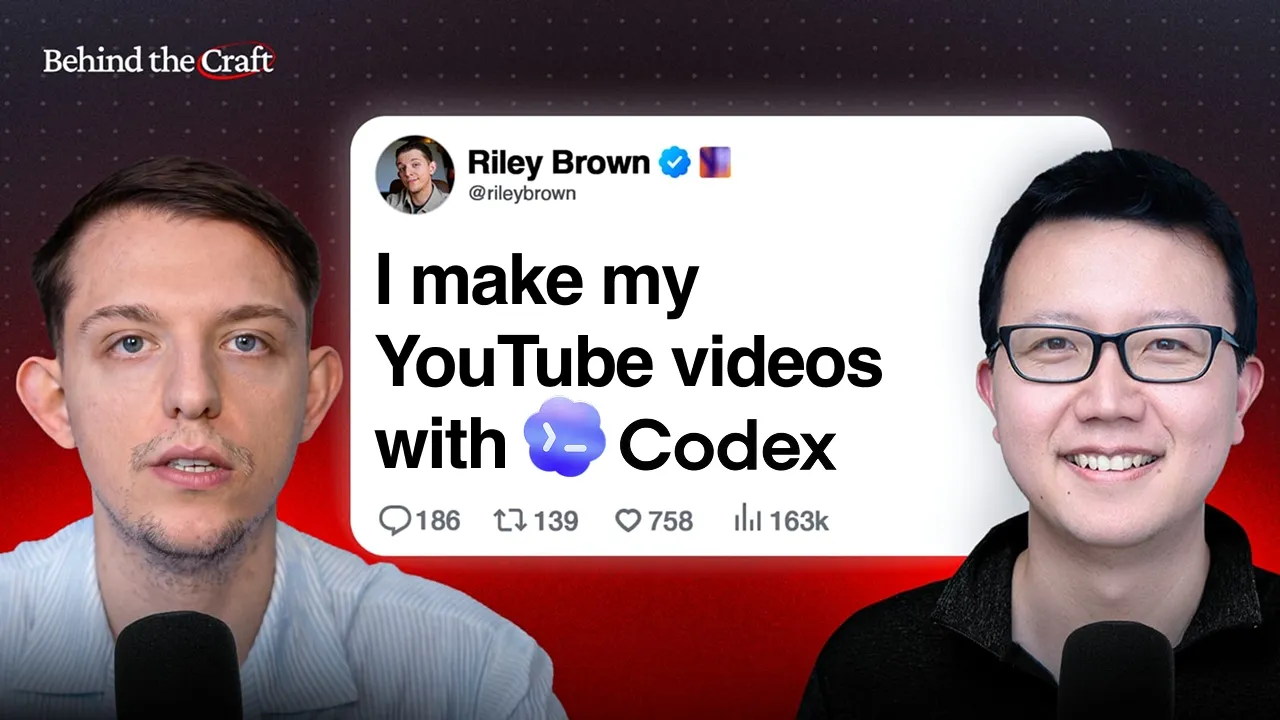
How I Run My 1.5M+ Follower Content Business With Codex | Riley Brown — Peter Yang

Peter Yang

Batch-generating content with AI creates a soulless commodity, requiring creators to deploy agents for deep research and packaging while anchoring credibility in real-world product engineering.

AI-assisted summary of How I Run My 1.5M+ Follower Content Business With Codex | Riley Brown — original source. Check the original for full context.

Source published:

Key ideas

  • Batch-producing content with AI is a trap that degrades audience trust; creators should instead treat agents as modular skills to accelerate deep research and build a defensible quality moat. (0:00)
  • Using fast API scrapers like Supadata alongside parallel sub-agents allows creators to analyze an entire competitor video archive and reverse-engineer structural hooks in under 30 seconds. (7:14)
  • Packaging should follow organic content rather than dictate it: recording unscripted, curiosity-driven insights first and automating hook and thumbnail packaging afterward protects creative energy. (15:09)
  • Pairing voice dictation via Wispr Flow with automated Excalidraw skills and AI-native design tools like Paper accelerates storyboard creation and viral thumbnail face-swapping. (23:57)
  • Active product development provides the technical substance required to produce credible AI tutorials, preventing creators from devolving into shallow news aggregators. (38:16)

Detailed notes

## Background Published by Peter Yang on YouTube on August 16, 2026, this video features AI creator Riley Brown breaking down how he runs his 1.5M+ follower content business using Codex. According to the description, Brown showcases his end-to-end production stack, demonstrating workflows for drafting viral video hooks, building animations, drawing diagrams, and designing thumbnails.

## TL;DR Riley Brown explains his philosophy of prioritizing sustained content quality over mass AI batching, demonstrating how he chains modular desktop skills within Codex to automate research, motion graphics, and thumbnail creation. He reveals his tactical toolchain—pairing Wispr Flow dictation with Excalidraw diagrams, using SerpAPI and Remotion for programmatic B-roll, and applying his BRENS framework to reverse-engineer high-retention hooks. Brown also showcases his multi-agent platform Chorus for collaborative Slack workflows and argues that continuing to build real software products is the ultimate defense against becoming a generic content aggregator.

## Atmosphere & style The interview feels like an intimate, over-the-shoulder screen-share between two technical peers, marked by an authentic workshop energy rather than rehearsed presentation. Riley speaks with casual, rapid-fire transparency, freely sharing live desktop tools, laughing about cosmetic thumbnail prompts, and openly detailing agent limitations. Peter provides a grounded, curious sounding board, fostering a conversational dynamic that balances hands-on technical tinkering with pragmatic reflections on creator burnout and craftsmanship.

## Bulletin - [00:00](https://www.youtube.com/watch?v=N34zz1-RSGw&t=0s) Batch-producing content with AI is a trap that degrades audience trust; creators should instead treat agents as modular skills to accelerate deep research and build a defensible quality moat. - [07:14](https://www.youtube.com/watch?v=N34zz1-RSGw&t=434s) Using fast API scrapers like Supadata alongside parallel sub-agents allows creators to analyze an entire competitor video archive and reverse-engineer structural hooks in under 30 seconds. - [15:09](https://www.youtube.com/watch?v=N34zz1-RSGw&t=909s) Packaging should follow organic content rather than dictate it: recording unscripted, curiosity-driven insights first and automating hook and thumbnail packaging afterward protects creative energy. - [23:57](https://www.youtube.com/watch?v=N34zz1-RSGw&t=1437s) Pairing voice dictation via Wispr Flow with automated Excalidraw skills and AI-native design tools like Paper accelerates storyboard creation and viral thumbnail face-swapping. - [38:16](https://www.youtube.com/watch?v=N34zz1-RSGw&t=2296s) Active product development provides the technical substance required to produce credible AI tutorials, preventing creators from devolving into shallow news aggregators.

## Key takeaways - [00:00](https://www.youtube.com/watch?v=N34zz1-RSGw&t=0s) Mass-batching content degrades creative soul and audience trust; the true moat for creators in the AI era is compounding quality over time. - [00:28](https://www.youtube.com/watch?v=N34zz1-RSGw&t=28s) Long-form video editing remains the single stage Riley keeps in human hands because automated AI video editing tools are not yet mature enough. - [03:16](https://www.youtube.com/watch?v=N34zz1-RSGw&t=196s) Local desktop agent environments like Codex outperform browser chatbots by directly accessing the native file system to produce automated B-roll via Remotion and SerpAPI. - [07:14](https://www.youtube.com/watch?v=N34zz1-RSGw&t=434s) Extracting video transcripts in real time via the Supadata API lets concurrent sub-agents map high-performing narrative structures onto new topics in seconds. - [07:14](https://www.youtube.com/watch?v=N34zz1-RSGw&t=434s) Rigid teleprompter scripts fail to build audience trust, making conversational expertise essential after locking in the opening 30-second retention hook. - [11:06](https://www.youtube.com/watch?v=N34zz1-RSGw&t=666s) Claude reliably handles transcript processing and content extraction, whereas GPT-based models frequently trigger copyright guardrails that substitute summaries for raw transcripts. - [13:24](https://www.youtube.com/watch?v=N34zz1-RSGw&t=804s) The BRENS framework (Big, Relatable, Easy, New, Safe) structures long-form hooks to immediately assure viewers that investing 30+ minutes will be worth their time. - [15:09](https://www.youtube.com/watch?v=N34zz1-RSGw&t=909s) Dictating packaging and thumbnails before filming forces creators into trend-chasing; shooting authentic tangents first and automating packaging afterward preserves originality. - [17:24](https://www.youtube.com/watch?v=N34zz1-RSGw&t=1044s) Any repetitive task in Codex can be converted into a reusable skill, creating an integrated desktop workspace spanning Excalidraw, Notion, and Typefully. - [23:57](https://www.youtube.com/watch?v=N34zz1-RSGw&t=1437s) Rambling stream-of-consciousness thoughts into Wispr Flow enables Codex to generate nine-slide Excalidraw storyboards that dictate roughly 80% of a video's narrative arc. - [25:41](https://www.youtube.com/watch?v=N34zz1-RSGw&t=1541s) Programmatically controlling AI design tool Paper allows creators to swap their likeness onto proven thumbnail compositions rather than generating inconsistent images from scratch. - [28:49](https://www.youtube.com/watch?v=N34zz1-RSGw&t=1729s) Visual prompting—selecting reference frames directly on an AI design canvas—replaces complex prompt engineering and manual text style guides. - [31:15](https://www.youtube.com/watch?v=N34zz1-RSGw&t=1875s) Skills should be refined through conversational feedback and fresh-session testing rather than manually editing code or micro-optimizing fragile syntax. - [33:55](https://www.youtube.com/watch?v=N34zz1-RSGw&t=2035s) Team-based multi-agent architectures are moving toward specialized domain colleagues within Slack rather than relying on a single monolithic system. - [38:16](https://www.youtube.com/watch?v=N34zz1-RSGw&t=2296s) Building real-world software products provides the hands-on engineering experience needed to deliver educational content with genuine technical substance.

## Detailed walkthrough ### [00:00](https://www.youtube.com/watch?v=N34zz1-RSGw&t=0s) The Quality Moat vs. Batching Content

When creators first discover AI automation tools, their immediate instinct is almost always to scale production through sheer volume: churning out dozens of scripts, batch-generating posts, and flooding platforms. Riley Brown rejects this approach outright. While he demonstrates how easily an AI can scrape a hundred viral thumbnails and adapt them to his own brand, he emphasizes that treating AI as a factory for mass-produced assets is a trap. "What I want is better, because I think the moat is quality over a long period of time versus batching. Batching will make it soulless over time."

Instead of using AI to replace taste, Riley approaches agentic workflows as a composable library of distinct "skills." The real leverage comes when a creator learns to chain these skills together, combining modular capabilities—like competitive research, style matching, and graphic generation—to produce a single piece of high-craft content that cuts through the noise.

---

[00:28](https://www.youtube.com/watch?v=N34zz1-RSGw&t=28s) Inside Riley Brown's 1.5M+ Follower Content Engine

Peter Yang introduces Riley Brown, an AI educator who has grown an audience of nearly 1.7 million followers across platforms over the past three years. Beyond content, Riley’s ecosystem includes building software products like Vibecode and Chorus, as well as enterprise consulting to help businesses implement autonomous agents. Across all of this, content creation remains his primary craft, and AI agents assist with virtually every phase of his pipeline: ideation, competitive research, hook development, and thumbnail design.

The single exception in Riley's production line is long-form video editing. He still relies on human video editors because AI video editing simply "isn't there yet." His distribution strategy treats YouTube as an intellectual anchor, but he refuses to rely on lazy cross-posting. While he originally started on Instagram and TikTok, he prefers long-form storytelling and finds that in-depth videos perform just as strongly natively on X (Twitter) as they do on YouTube. Rather than relying heavily on automated clipping tools—a workflow he is only recently beginning to explore—he prefers crafting native formats tailored to each channel.

---

[03:16](https://www.youtube.com/watch?v=N34zz1-RSGw&t=196s) Local Control & Automated B-Roll with Remotion and SerpAPI

Opening his workspace, Riley highlights a fundamental distinction between browser-based AI chatbots and desktop agent environments like Codex or Claude Code. Traditional tools like ChatGPT run entirely in the cloud, requiring users to manually upload files into remote environments. Codex runs locally, interacting directly with the user’s operating system and native file system, and includes built-in computer-use tools.

```mermaid flowchart TD accTitle: Automated B-Roll and Motion Graphics Workflow accDescr: Shows how video transcripts are converted into animated B-roll using Codex skills, SerpAPI, and Remotion. subgraph S1["Asset Discovery"] A["Video Transcript"] --> B["Internet Image Puller Skill"] B --> C["SerpAPI Google Images"] C --> D["Relevant Logos & Assets"] end subgraph S2["Motion Generation"] D --> E["@remotion Plugin"] F["Remotion Best Practices Skill<br>(Brand Colors & Aesthetics)"] --> E E --> G["Custom Motion Graphic / B-Roll"] end ```

To create the polished animations that open his videos, Riley avoids cumbersome after-effects workflows by combining two specific Codex skills: - **@remotion Plugin**: A built-in code-to-video plugin that generates animated graphic overlays and dynamic flowcharts directly inside the environment. - **Remotion Best Practices**: A personalized brand skill that injects Riley's specific design aesthetic, layout rules, and signature color palette into the generated code so every animation matches his visual identity. - **Internet Image Puller**: A custom skill integrated with SerpAPI's Google Images endpoint. It analyzes Riley's draft script, determines which software logos or visual assets are needed for B-roll, fetches the correct high-res image files from the web, and feeds them directly into the Remotion composition.

By chaining these skills together in a single prompt, the agent autonomously inspects the script, pulls the required partner or platform logos, and exports a branded motion graphic ready to drop straight into the timeline.

---

[06:20](https://www.youtube.com/watch?v=N34zz1-RSGw&t=380s) Sponsor: Rapid Prototyping with Google AI Studio

Peter Yang highlights Google AI Studio as the fastest way to take an idea from prompt to a live prototype. To demonstrate, Peter describes using AI Studio to generate three distinct landing page concepts for a bakery called "Corgi Confections," using visuals produced by Google's built-in image models. Each concept explored a different marketing angle: one centered on artisanal fresh bread, another highlighted specialty cakes, and a third focused on the bakery's founder narrative.

With one click, AI Studio allows creators and product managers to publish a live, shareable URL to gather instant feedback from users and stakeholders, illustrating why it served as Peter's go-to sandbox during his career in product management.

---

[07:14](https://www.youtube.com/watch?v=N34zz1-RSGw&t=434s) Reverse-Engineering Viral Hooks with Supadata and Sub-Agents

Turning to ideation, Riley reveals his favorite research tool: a custom "YouTube Researcher" skill powered by the Supadata API. While standard open-source tools like `yt-dlp` require downloading massive video files locally just to extract an audio track and transcript, Supadata performs an instant API call that pulls a complete transcript in roughly one second.

Codex can also orchestrate concurrent sub-agents. By instructing the model to parallelize the task, Codex will spin up six sub-agents simultaneously, allowing a creator to scrape and synthesize the entire archive of a competitor’s channel in under 30 seconds.

Riley's philosophy on scripting centers on an asymmetry: the first 30 seconds demand obsessive structural discipline, while the rest of the video should remain loose and conversational: - **The "Hook Outline" Skill**: Riley feeds high-performing videos—such as an upload by Alex Hormozi—into his system to extract the structural mechanics of their opening hook and core narrative spine. The agent maps his own topic ideas directly onto that proven psychological blueprint. - **Why Full Scripts Fail in the AI Era**: Riley argues that fully scripted, teleprompter-style videos will lose audience trust as AI tools proliferate. Instead, the enduring moat for creators is showing authentic human passion and deep domain expertise off-the-cuff, while using AI strictly to nail the opening retention hook. - **Current Codex Limitations**: As he runs the live demo, Riley notes a frustrating issue where GPT-backed models in Codex occasionally stall or refuse to trigger the external transcript-pulling tool, a recurring reliability issue that has pushed him to explore alternative agent frameworks.

[11:06](https://www.youtube.com/watch?v=N34zz1-RSGw&t=666s) Model Guardrails, Educational Positioning, and the Substance-First Hook

When examining how different AI models handle YouTube transcripts and hooks, Riley explains why he prefers Claude over GPT models for reverse-engineering content. GPT models often refuse to reproduce transcripts directly, summarizing an intro instead due to strict copyright filters. Claude's models, by contrast, complete the task without hesitation, while open models like GLM-4 don't care at all and will process whatever text they are fed.

Peter observes that Riley's video intros take a noticeably educational, substance-heavy approach—calmly previewing what the video covers rather than relying on hyperactive "Codex is the most freaking amazing" hype. Riley confirms this is an intentional philosophical choice:

```mermaid flowchart TD accTitle: Substance-First Content Strategy accDescr: Visual flow showing how Riley designs content around transferable outcomes before packaging. subgraph Ideation["1. Topic Selection"] A["Focus on the core topic<br/>(e.g., Nine Codex Workflows)"] B["Ensure tool-agnostic value<br/>(works in Claude Code / Cowork)"] end subgraph Production["2. Execution & Hook"] C["State specific outcomes upfront"] D["Deliver deep, uncompromised substance"] end A --> B --> C --> D ```

- **Tool-Agnostic Value**: Riley builds videos around the underlying topic rather than locked-in tooling. Even in his top-performing Codex video—which garnered roughly 300,000 views covering nine practical use cases—he explicitly told viewers upfront that most techniques could be duplicated inside Claude Desktop or Claude Cowork. - **Outcome-Oriented Intros**: Instead of sensationalist hype, he leads by defining the concrete outcomes viewers will walk away with, establishing early value before diving into technical walk-throughs.

---

[13:24](https://www.youtube.com/watch?v=N34zz1-RSGw&t=804s) The BRENS Framework: Engineering Hooks That Keep Viewers Safe

Turning to tactical advice for creators, Peter and Riley discuss how to structure long-form video introductions. While Peter typically splices highlight clips from the interview to form a teaser before rolling into the guest introduction, Riley recommends systematically testing opening formats until finding a winning structure. He shares the core mental model he uses for hook architecture: the **BRENS** framework.

```mermaid flowchart LR accTitle: The BRENS Hook Framework accDescr: Five pillars of Riley Brown's BRENS hook methodology. B["Big<br/>(World-class / Massive impact)"] R["Relatable<br/>(Affects everyone's daily work)"] E["Easy<br/>(Clear framework / X steps)"] N["New<br/>(Novel models / Fresh tech)"] S["Safe<br/>(Respects viewer time)"] B --- R --- E --- N --- S ```

The acronym breaks down into five levers: - **Big**: Frame the development as massive (e.g., "A brand new model just dropped, and it's the best in the world"). - **Relatable**: Connect the advance directly to the audience's daily reality (e.g., "This is going to impact every single business and creator"). - **Easy**: Remove friction by introducing a digestible structure (e.g., "Here is a 6-step method or 9 simple tips that guarantee results"). - **New**: Leverage novelty, as audiences naturally gravitate toward fresh developments. - **Safe**: Riley highlights safety as the make-or-break factor for long-form videos over 30 minutes. Viewers need explicit reassurance that watching won't waste their time. The creator must establish authority and promise a high return on attention: *"By the way, this guy's an expert, he's going to talk about these things, and I promise you by the end of the video you will get value out of it."*

---

[15:09](https://www.youtube.com/watch?v=N34zz1-RSGw&t=909s) Gut-Driven Content vs. Soulless Packaging

Addressing the perennial YouTube debate—whether to design the thumbnail and title before filming or build them after—Riley pushes back against the conventional wisdom of packaging first. While many creators abandon video ideas if a thumbnail concept doesn't immediately look viral, Riley follows an organic, backwards-engineered workflow:

1. **Follow Curiosity First**: Riley picks topics purely by instinct ("I feel it in my heart, like my gut tells me what I should talk about"). About 90% of his process is getting deep into the technical weeds and documenting how he actually uses tools day to day. 2. **Accept Creative Tangents**: Often his best videos involve 30-minute unscripted tangents. Because the content evolves naturally during shooting, filming the hook beforehand would misrepresent the final piece. 3. **Automate the Packaging (The Final 10%)**: After filming, Riley feeds the raw video transcript into an AI agent running a custom YouTube researcher skill. The agent scrapes YouTube for high-performing formats, patterns, and structure, then generates an optimized hook tailored precisely to the tangents and takeaways actually covered. 4. **Preserving Creator Energy**: Riley emphasizes that letting packaging dictate what gets made turns content into a "soulless game." Making viral packaging the sole criterion leads inevitably to chasing trends for the sake of views: *"Then I'll end up making dance videos on TikTok, which is something I don't want to do."*

---

[17:24](https://www.youtube.com/watch?v=N34zz1-RSGw&t=1044s) The Codex AI Stack: Dynamic Skills, In-App Browser, and Workflow Automation

Riley transitions back to his Codex setup to demonstrate how he automates daily operations. Rather than trying to design complex agents in the abstract, his rule of thumb is simple: whenever he catches himself doing a repetitive task with AI, he instructs Codex to *"turn this into a skill."*

```mermaid flowchart TD accTitle: Riley's Codex Skill and Automation Stack accDescr: Interconnected AI skills managed within the Codex platform. subgraph Skills["Codex Custom Skills"] E["Excalidraw Skill<br/>(Generates diagram links)"] T["Thumbnail Skill<br/>(Scrapes patterns & swaps faces)"] P["Typefully Skill<br/>(Drafts tweets from ideas)"] end subgraph Browser["Codex In-App Browser Workspace"] N["Notion Video Database<br/>(Short/Long-form scripts)"] G["Google Docs & Calendar<br/>(Schedule & document management)"] M["Email Automation<br/>(Composes draft replies)"] end Skills --> Browser ```

Riley highlights the core skills and workspace features that anchor his daily routine:

- **Excalidraw Diagrams**: When explaining complex AI workflows, Riley uses an Excalidraw skill inside Codex. He asks the agent for a visual diagram; Codex builds it and generates a clickable link that opens directly in Excalidraw with fully editable flowcharts. - **Thumbnail Swapping**: His thumbnail workflow scrapes top-performing thumbnails across the niche, replaces the subject with his own face using image models, and fine-tunes color grading to match his visual style. - **Typefully Twitter Integration**: Codex connects directly to Typefully. Whenever Riley encounters an interesting concept or tool, he commands the agent to draft a tweet. He lets drafts accumulate throughout the week, then logs into Typefully every Monday to review and schedule them. - **Frictionless In-App Browser & Notion**: Riley emphasizes Codex's built-in web browser as one of its most productive features, eliminating the context-switching penalty of jumping across browser tabs.

To demonstrate live, Riley prompts Codex: *"Hey, I want to make a short-form video on the latest Meta Ray-Bans. Please add a new short form in progress to Notion and give me the link."* The agent writes directly to his Notion video database, generates a link, and renders the Notion page right inside the Codex workspace. He then instructs it to draft an outline and a hook focusing on the massive opportunity for building third-party smart-glasses apps—handling scriptwriting, calendaring, and drafting emails without ever leaving the single desktop interface.

[22:10](https://www.youtube.com/watch?v=N34zz1-RSGw&t=1330s) Quality Over Batching: Building a Moat Through Deeper Research

When creators first get access to powerful automation and AI tools, their initial instinct is almost always to batch produce mass quantities of content. Riley actively resists that temptation. For him, the real objective is not churning out volume, but making every piece noticeably better. Instead of writing dozens of mediocre scripts at once, he uses Codex as an always-on research assistant running in the background. While he writes, he expects Codex to open background tabs, bring up relevant documentation, fact-check every claim in his script line-by-line, or analyze competitor content. He will frequently tell Codex to review a creator who excels at video pacing, analyze why their retention works, and figure out how to weave those specific pacing techniques into the video at hand. Codex runs off for ten minutes, does the deep analysis, and returns with concrete recommendations.

Riley firmly believes that the true competitive advantage for creators is sustained high quality over time rather than pure volume, warning that "batching will make it soulless over time." By accelerating research by 10x, Codex simply allows a creator to pour far more total research and polish into a single video. When Peter asks about his current production targets, Riley shares that his ultimate cadence goal is four long-form videos and five high-quality short-form videos per week. Peter laughs that producing just one or two videos a week leaves him completely exhausted, to which Riley emphasizes that leaning heavily on Codex is the only reason such a schedule is sustainable and enjoyable for him.

- **Quality vs. Volume:** Riley warns against batching content just to fill a queue, emphasizing that high research density is what creates a defensible creator moat. - **Background Research Agents:** Codex operates asynchronously, spending five to ten minutes fact-checking claims, fetching source links, and reverse-engineering pacing structures from top creators. - **Publishing Goals:** Riley targets five high-polish short-form videos and four long-form videos per week, contrasting sharply with creators who burn out making one or two.

[23:57](https://www.youtube.com/watch?v=N34zz1-RSGw&t=1437s) Dictating Structure: Wispr Flow, AirPods Max, and Excalidraw

Turning high-level concepts into a structured visual video outline does not start with typing at a keyboard. Riley reveals that he rarely types his thoughts; instead, he relies almost entirely on Wispr Flow for voice dictation. He slips on his AirPods Max specifically for their superior microphone clarity, starts Wispr Flow, and simply paces around his space for ten minutes rambling about whatever topic is on his mind. He talks through the overarching premise of the video, the key problems he has been pondering that week, and the specific visual diagrams he wants to explain.

During this stream-of-consciousness brain dump, Riley will explicitly instruct his custom Excalidraw skill to produce a nine-slide diagram deck structured into distinct logical sections. Once he finishes pacing and talking, he triggers the skill and walks away. When he returns, Codex has rendered clean Excalidraw diagrams that represent roughly 80% of what will appear in the final video. Rather than generating a script and then illustrating it, these visual slides serve as the structural anchor for the entire production, establishing the narrative arc before Riley spends 20 to 30 minutes fine-tuning the diagrams and shooting demos.

- **AirPods Max + Wispr Flow Setup:** Riley uses high-quality headphone mics to wander around hands-free while dictating continuous, unstructured thoughts into Wispr Flow. - **Visual-First Storyboarding:** Rather than writing scripts first, Riley prompts Codex to produce nine structured Excalidraw slides that dictate the pacing, demonstrations, and narrative beats of the video. - **80/20 Generation Efficiency:** The automated skill delivers roughly 80% finished visual diagrams, requiring only 20 to 30 minutes of manual human tweaking.

[25:41](https://www.youtube.com/watch?v=N34zz1-RSGw&t=1541s) The Thumbnail Engine: Automating Concept Boards with Codex and Paper

Thumbnail design often stymies creators because generative image tools tend to distort facial expressions or mangle likenesses when prompted to change a smile into an exaggerated reaction. Riley circumvents this by using Paper, an AI-native design tool that functions like an AI-first alternative to Figma. Because Paper is designed from the ground up to integrate with AI models and external scripts, Codex has complete programmatic control over the canvas, creating a fluid bridge between competitor research and image editing.

```mermaid flowchart TD accTitle: "Thumbnail Creation Workflow with Codex and Paper" accDescr: "Flowchart showing how Riley scrapes inspiration, brings it into Paper, prompts visual changes, and iterates."

subgraph Research ["Inspiration & Ingestion"] A["Codex YouTube Scraper Skill"] -->|"Fetch Top Thumbnails"| B["Competitor References<br>(Hormozi, Martell, Jikh)"] B -->|"Auto-populate canvas"| C["Paper Canvas Board"] end

subgraph Generation ["Canvas Image Manipulation"] C --> D["Select Reference Thumbnail<br>& Creator Headshot"] D -->|"Prompt In-Painting Model"| E["Generate Batch Variations<br>(Face Swap & Styling)"] end

subgraph Refinement ["Visual Iteration & Testing"] E --> F["Canvas Tweaks:<br>Smoothing, Glow & Contrast"] F --> G["Human Designer Polish<br>& Continuous A/B Testing"] end ```

In a live walkthrough, Riley demonstrates a workflow from an upcoming video where he instructed Codex to scrape top-performing YouTube thumbnails from Alex Hormozi and Dan Martell and arrange them across a Paper board. With the competitor benchmarks laid out alongside transparent headshots of himself, Riley drags an Alex Hormozi thumbnail onto the workspace and uses Paper's built-in generative canvas tools to execute an in-place face swap. He types a plain-English prompt: "Please replace the guy with a beard with the guy that doesn't have a beard, just replace the guy, except make his shirt white, and make him wearing a chain." When Peter chuckles and asks why he specifically requested a chain, Riley jokes that because the podcast appearance is important, wearing a chain in the thumbnail is naturally essential.

Riley repeatedly taps Enter to generate seven rapid variations simultaneously. He points out his natural design progression across the board: taking a high-converting layout from Andrei Jikh or Hormozi, swapping in his own likeness, and letting the AI inherit the emotional composition of the original without having to build graphics manually from scratch. Once a decent baseline appears, he zooms in and issues localized refinement prompts—smoothing out the face while preserving character consistency, adding an orange-white rim glow to pop from the background, and boosting the brightness of accent elements.

- **Paper as AI-Native Figma:** Paper allows direct programmatic API access, letting Codex autonomously fetch image assets and populate working boards without manual file downloads. - **Face Swapping Over Fresh Generation:** Instead of prompting a thumbnail entirely from scratch, Riley maps his face onto proven, high-performing thumbnail templates from creators like Alex Hormozi and Andrei Jikh. - **Rapid In-Painting Iterations:** Riley generates seven variants in parallel, then applies targeted prompt edits to adjust rim lighting, facial smoothing, and color saturation.

[28:49](https://www.youtube.com/watch?v=N34zz1-RSGw&t=1729s) Visual Prompting, Reference Boards, and Continuous A/B Testing

Rather than relying on tedious written style guides describing exact hex codes, fonts, and text placement, Riley relies entirely on "visual prompting." Modern multi-modal models (which Riley mentions under shorthand names like Nano Banana) allow creators to pass visual references directly into the prompt context. On his Paper canvas, Riley simply selects an existing thumbnail that already has his preferred visual styling alongside his working draft, prompting the tool to make the subject in image A look like image B, and borrow the typography treatment from image C. Pointing directly to visual assets replaces hundreds of words of descriptive prompt engineering.

Despite having an automated pipeline, Riley still works with a dedicated thumbnail designer. The AI outputs generated in Paper serve as high-fidelity concepts and starting assets that he hands off to his designer for final execution. Riley considers YouTube packaging critical enough to warrant extensive A/B testing: if a superior thumbnail doubles the click-through rate, the resulting distribution payoff dwarfs the cost of both the tools and human design support.

- **Visual Prompting Paradigms:** Creators no longer need complex style sheets; multi-modal tools allow users to select multiple visual reference frames on a canvas and tell the model to match their aesthetic and typography. - **Human-in-the-Loop Optimization:** Riley uses AI to generate strong foundational variants rapidly, which his thumbnail designer then polishes and loads into continuous A/B test splits. - **Payoff of Packaging:** Riley highlights that doubling a video's performance through aggressive thumbnail experimentation easily justifies paying for premium design workflows and external tools.

[31:15](https://www.youtube.com/watch?v=N34zz1-RSGw&t=1875s) Stacking Skills and Natural Language Debugging

Riley explains that the true power of an AI-driven workflow emerges when seemingly unrelated skills are chained together. His thumbnail system was born out of an accidental realization: he originally built a YouTube research skill that downloaded thumbnails as raw image files to his computer, which he found cumbersome to inspect. Because he had already built a separate Paper skill to create software mockups, he wondered if he could instruct Codex to direct the output of the YouTube scraper straight onto a Paper canvas. Connecting those two separate skills immediately eliminated the friction of local file management and unlocked a whole new creative canvas workflow.

When Peter asks whether Riley ever opens and manually edits the underlying code or prompt instructions inside the skill files, Riley gives an emphatic "no." He treats skill creation as an entirely test-driven, conversational process. He asks the AI agent to perform an action using a skill. If the output succeeds, the skill remains as is; if the agent makes a mistake, Riley gives direct natural language feedback: "Hey, you didn't do a good job, please change the skill so that you don't do that again." The AI modifies its own instructions, and Riley starts a fresh session to confirm the fix works.

- **Skill Stacking:** Breakthrough workflows occur when disparate tools intersect, such as piping scraped YouTube assets straight into an AI canvas design tool. - **Zero Manual Code Editing:** Riley never writes or inspects the skill files directly, keeping the entire skill development and maintenance loop strictly in plain natural language. - **Conversational Test-Driven Development:** When an agent produces flawed output, Riley tells it what went wrong, instructs it to update its own instructions, and verifies the update in a fresh environment.

[32:28](https://www.youtube.com/watch?v=N34zz1-RSGw&t=1948s) Testing Codex Skills and Outcome-Based Iteration

Riley explains his exact feedback loop for developing and refining skills in Codex. Rather than manually nitpicking or hardcoding instructions, the most effective process is to clear the chat context, spin up a fresh session, and test the agent again. If it executes the task successfully, the skill is solid; if it fails, you prompt the AI to correct the skill based on that failure. Riley dismisses rigid prescriptive advice from people claiming a skill must be written in one exact syntax to perform well, pointing out that such quirks are only true for a specific model on that specific day. Because frontier models update constantly, micro-optimizing prompt syntax is fragile. Instead, creators should remain strictly outcome-based: set a standard for the finished output, convert working logic into a skill, and continuously benchmark it against actual results.

Peter observes that this high level of personalization is precisely why custom skills are displacing traditional SaaS products—standard software simply cannot adapt to an individual user's exact creative preferences. Riley agrees, though he clarifies that his freewheeling approach applies specifically to creative workflows where the stakes are essentially zero: "Just realize that there's no risk, just let your AI cook and tell it to do a better job." By contrast, when his company handles high-stakes, mission-critical operations—such as handling client deliverables, payments, or sensitive data—they enforce a rigorous review protocol where team members analyze and audit skills before deployment.

[33:55](https://www.youtube.com/watch?v=N34zz1-RSGw&t=2035s) Multiplayer Workflows and Slack-Based AI Agents

The conversation shifts to the current boundary of AI tooling: moving beyond individual workflows into collaborative team environments. Both hosts observe that while desktop environments like Codex excel at local, single-player productivity, they do not naturally scale into multiplayer experiences outside of traditional Git pull requests. Anthropic and OpenAI are both racing to solve this collaborative layer, with Anthropic heavily targeting Slack as the shared interface. Riley remains intrigued by Slack, though he admits he is not entirely sold on it being the ultimate UI.

```mermaid flowchart TD accTitle: AI Agent Architecture Comparison accDescr: Comparing Anthropic's centralized single-agent approach to the multi-agent specialist approach in Slack. subgraph Centralized ["Anthropic Model: Unified Agent"] U1["Team Member"] --> C1["Single Central Agent<br/>'Mini God' System"] C1 --> O1["Handles All Company Domains"] end subgraph Specialist ["Chorus Model: Team of Specialists"] U2["Team Member"] --> S1["@CMO Agent"] U2 --> S2["@Dev Agent"] U2 --> S3["@Content Man"] S1 --> D1["Marketing Context"] S2 --> D2["Code Context"] S3 --> D3["Ideation Context"] end ```

To run automations without needing his personal computer running around the clock, Riley avoids local Codex instances and instead relies on cloud-based Claude agents integrated directly into Slack. He reveals a dedicated Slack channel called `#my-agents`, which houses custom automated personas: - **Chief Marketing Officer (CMO) Agent:** Delivers regular marketing updates, metrics, and automated summaries. - **Content Man:** Continuously analyzes external creator content and spits out fresh concepts for short-form videos. - **Peter Yang Bot:** An agent Riley whipped together in five minutes right before the recording by feeding it transcripts of Peter's YouTube channel.

These agents run on Riley's own platform, Chorus, though he emphasizes that the multiplayer agent space remains an open problem. While Anthropic approaches the problem by constructing what Riley characterizes as a centralized "mini god that knows everything," platforms like Chorus treat agents as distinct colleagues. Team members mention specific specialist agents—tagging the CMO agent or company developer agent—with each bot adapting its tone and responses based on who is addressing it.

[37:01](https://www.youtube.com/watch?v=N34zz1-RSGw&t=2221s) Cloud Automations, Browser Agents, and Local Trade-offs

When Peter asks how cloud-based Claude agents handle authentications or actions inside password-protected web apps, Riley predicts rapid progress. Driven by advancements in browser-use models, he anticipates that by the end of the year, agents will operate cloud browsers seamlessly while staying logged into a user's standard SaaS suite without requiring constant manual intervention. Major research labs are aggressively prioritizing autonomous browser control in the cloud specifically because it unlocks reliable cron jobs and automated web workflows.

Currently, running local automations involves frustrating trade-offs: - **Main desktop limitations:** Running automations locally through Codex requires keeping the primary computer powered on and awake 24/7. - **Dedicated hardware workarounds:** Riley keeps a headless Mac mini running local Codex automations, but Peter points out that a secondary machine lacks direct access to the user's primary files and credentials. - **Cloud isolation:** Cloud agents solve the uptime problem but struggle with local file access and authenticated session states.

Riley acknowledges that every agent paradigm currently carries frustrating trade-offs, describing the friction as a universal "pain in the ass" that the industry will spend the next six months attempting to iron out.

[38:16](https://www.youtube.com/watch?v=N34zz1-RSGw&t=2296s) Staying in the Trenches: Why Building Products Trumps Pure Content

Peter brings up the broader creator business model. In the AI niche, high-margin revenue is abundant: brand sponsorships, mid-roll ads, and corporate consulting/training for enterprises desperate to adopt agents offer an easy path to wealth. Riley affirms that ad revenue and brand sponsorships alone form an "insane business," and that he could easily "ride off into the sunset and make a very good living" doing nothing but posting videos. However, he deliberately avoids that trap, warning that pure content creators inevitably run dry when they turn into glorified news aggregators.

Instead, Riley views real-world development as the engine that fuels compelling content. The only reason he possesses deep, practical knowledge about Codex is that he spends every day working alongside software engineers, picking up three or four technical lessons daily. By building products and deploying agents for clients, his tutorials deliver actionable substance rather than theoretical commentary. Peter agrees, citing indie hacker Pieter Levels as the archetype of someone whose content remains endlessly engaging precisely because he builds in public, launches products, and talks through real-world lessons—including the four dozen ventures that failed before finding hits. Riley’s long-term operational objective is to build a high-performing product team that handles the operational engineering, allowing his content to serve as the top-of-funnel engine for genuine business utility.

[41:02](https://www.youtube.com/watch?v=N34zz1-RSGw&t=2462s) Chorus and the Future of Team-Based Agents

To conclude the interview, Peter invites Riley to share what he is building with Chorus. While Anthropic's native Claude Slack integration centers on skills tied directly to their proprietary models, Chorus takes an agnostic approach: - **Model Flexibility:** Connects to any underlying foundation model, not just Anthropic. - **Omnichannel Interfaces:** Lives where users actually communicate, including Slack, iMessage, and shared group messages. - **Group Dynamic Support:** Group chat integration has proven to be the single most popular feature among early users.

Riley explains that rather than aggressively pitching Chorus purely as self-serve SaaS software, the company pairs the platform with white-glove implementation services. Enterprise appetite for agent deployment is so strong that setting up Chorus to automate client operations has become a massive commercial driver. Peter wraps up by thanking Riley for his transparency across his entire technical stack, calling his workflows a genuine inspiration for modern builders.

## Notable quotes > [00:00](https://www.youtube.com/watch?v=N34zz1-RSGw&t=0s) What I want is better, because I think the moat is quality over a long period of time versus batching. Batching will make it soulless over time. — Riley Brown

> [13:24](https://www.youtube.com/watch?v=N34zz1-RSGw&t=804s) By the way, this guy's an expert, he's going to talk about these things, and I promise you by the end of the video you will get value out of it. — Riley Brown

> [15:09](https://www.youtube.com/watch?v=N34zz1-RSGw&t=909s) I feel it in my heart, like my gut tells me what I should talk about — Riley Brown

> [15:09](https://www.youtube.com/watch?v=N34zz1-RSGw&t=909s) Then I'll end up making dance videos on TikTok, which is something I don't want to do. — Riley Brown

> [17:24](https://www.youtube.com/watch?v=N34zz1-RSGw&t=1044s) turn this into a skill. — Riley Brown

> [17:24](https://www.youtube.com/watch?v=N34zz1-RSGw&t=1044s) Hey, I want to make a short-form video on the latest Meta Ray-Bans. Please add a new short form in progress to Notion and give me the link. — Riley Brown

> [25:41](https://www.youtube.com/watch?v=N34zz1-RSGw&t=1541s) Please replace the guy with a beard with the guy that doesn't have a beard, just replace the guy, except make his shirt white, and make him wearing a chain. — Riley Brown

> [31:15](https://www.youtube.com/watch?v=N34zz1-RSGw&t=1875s) Hey, you didn't do a good job, please change the skill so that you don't do that again. — Riley Brown

> [32:28](https://www.youtube.com/watch?v=N34zz1-RSGw&t=1948s) Just realize that there's no risk, just let your AI cook and tell it to do a better job. — Riley Brown

> [33:55](https://www.youtube.com/watch?v=N34zz1-RSGw&t=2035s) mini god that knows everything — Riley Brown

> [38:16](https://www.youtube.com/watch?v=N34zz1-RSGw&t=2296s) ride off into the sunset and make a very good living — Riley Brown

## Mentioned Riley Brown, Peter Yang, Codex, Claude Code, Claude Desktop, Claude Cowork, Anthropic, OpenAI, GPT, GLM-4, Vibecode, Chorus, Remotion, SerpAPI, Google Images, Google AI Studio, Corgi Confections, Supadata, yt-dlp, Alex Hormozi, Dan Martell, Andrei Jikh, Pieter Levels, Excalidraw, Typefully, Notion, Google Docs, Google Calendar, Meta Ray-Bans, Wispr Flow, AirPods Max, Paper, Figma, Slack, iMessage, Mac mini

## Video description Copy my best AI workflows to save time and automate busywork: https://www.behindthecraft.com 🤝 Subscribe to my practical AI newsletter read by 150K+ professionals: https://creatoreconomy.so

Riley is a top AI creator who reaches 1.5M+ followers. In this episode, he showed me how he uses Codex to run his entire content business from generating engaging thumbnails to writing incredible video hooks. Riley also shared his full AI stack including some lesser known AI tools to edit videos, draw diagrams, and more.

We talked about: (00:00) How Codex runs Riley’s 1.5M+ follower content business (03:16) Demo: Using Codex to create animations and B-roll (07:28) Demo: How Codex can reverse-engineer a top YouTube hook (13:24) The BRENS framework to turn an idea into a strong hook (17:24) Demo: Riley’s AI stack for diagrams, thumbnails, and posts (22:01) How Riley creates so much content every week (25:41) Demo: Using Codex and Paper to create viral YouTube thumbnails (35:01) How to set up AI agents to find content ideas quickly

Thanks to our sponsors: Google AI Studio: The fastest way to go from prompt to production https://aistudio.google.com/?utm_source=peteryang&utm_medium=partner&utm_campaign=26Q3-peteryang_ais Riverside: All-in-one AI studio for podcasts and video https://creators.riverside.com/PeterYang

📌 Get the takeaways: https://creatoreconomy.so/p/how-i-run-my-content-business-with-codex-riley-brown

Where to find Riley: X: https://x.com/rileybrown Website: https://agentnative.inc/

Subscribe to this channel - more interviews coming soon!

[Source](https://www.youtube.com/watch?v=N34zz1-RSGw)

中文简报

Riley Brown借助本地Codex实现调研自动化,拒绝批量化视频制作 大规模内容批量化会产出缺乏灵魂的媒介并削弱创作者壁垒,这意味着AI智能体应被用于压缩调研流程和提升制作工艺,而非单纯追求产量自动化。 Riley Brown拆解了他是如何将Codex等本地AI环境与专用工具相结合,在不陷入机械化批量生产的前提下,运营其拥有170万粉丝的内容与咨询业务。他展示了具体的工作流,包括渲染程序化Remotion动态图形、使用Supadata抓取爆款视频逐字稿并通过BRENS框架构建视频钩子,以及在Paper中快速迭代缩略图。Riley还阐述了自己的理念:内容包装应次于深层且真实的好奇心,通过Slack智能体实现团队运营自动化,并始终扎根于现实世界的软件咨询业务,以此确保其教学内容保持真正的价值。 Riley Brown在其拥有170万粉丝的业务中,通过Codex进行本地AI运行来自动化处理调研、动画B-roll及缩略图重混,同时严格避免使用AI剪辑视频和批量生产,以保护制作工艺。 (0:00) 通过在Codex内部运行Supadata API子智能体,Riley可以在约30秒内为整套YouTube创作者视频库建立索引,从而反向推导头部频道成熟有效的30秒视频钩子结构。 (7:28) Riley将Codex与AI原生画布Paper相结合,抓取竞品的爆款缩略图,并通过Nano Banana执行视觉提示词换脸、光影调整以及快速生成用于A/B测试的变体。 (25:21) Riley并未单纯依赖媒体赞助,而是将业务立足于企业AI咨询及其初创公司Chorus;他认为,在实战一线部署真实智能体,才能避免内容创作陷入枯竭。 (38:16)

Reading summary

Riley Brown argues that the lasting competitive advantage for digital creators lies in high-craft quality over automated batch production, using modular desktop agents to multiply research depth while grounding content in active software development. The Quality Moat and Deep Research (0:00) When creators first adopt AI automation tools, their default instinct is often to churn out high-volume batches of scripts and posts. Riley Brown rejects this model, warning that batching inevitably turns content soulless over time. Instead, he treats agentic environments like Codex as always-on research assistants that operate asynchronously in the background. While drafting, he tasks agents with fact-checking claims, fetching source documentation, and analyzing the retention mechanics of top creators for five to ten minutes at a time, effectively accelerating research density by 10x. This research leverage allows Brown to target an aggressive cadence of four long-form videos and five short-form videos per week without burning out. Rather than using AI to generate full teleprompter scripts—which he warns erodes audience trust as artificial content proliferates—he scripts only the opening hook and delivers the remainder off-the-cuff from direct technical experience. Modular Skills and Visual Storyboarding (3:16) Rather than relying on isolated chat prompts, Brown structures Codex into composable "skills" that chain distinct capabilities together. To automate video intros and B-roll, an agent analyzes draft scripts, calls SerpAPI's Google Images endpoint to pull high-resolution software logos, and feeds those assets directly into Remotion code to export branded motion graphics matching his visual style guide. When maintaining these tools, Brown never manually edits underlying code; he provides natural-language feedback on errors, instructing the model to revise its own instructions before verifying them in fresh sessions. Brown also bypasses manual scriptwriting by dictating unstructured thoughts into Wispr Flow using AirPods Max while pacing around his room. A custom Excalidraw skill transforms this continuous brain dump into a nine-slide diagram deck that establishes roughly 80% of the final video's visual and structural pacing, anchoring the production visually before he spends 20 to 30 minutes fine-tuning diagrams and filming demos. Curiosity-Driven Packaging and the BRENS Framework (13:24) Brown pushes back against conventional advice to finalize titles and thumbnails before shooting, arguing that letting packaging dictate creation drains creator energy. Instead, 90% of his effort goes into following personal curiosity and documenting unscripted technical tangents. After filming, he backwards-engineers the packaging: the raw transcript is fed to an agent running a custom Supadata-powered YouTube research skill, which scrapes high-performing channel formats in seconds and designs hooks tailored to what was actually covered. For long-form retention, he applies the BRENS framework—making hooks Big, Relatable, Easy, New, and Safe, reassuring viewers that investing 30 or more minutes will not waste their time. For visual packaging, Brown uses Paper, an AI-native design tool programmatically linked to Codex. The system scrapes top thumbnail layouts from creators like Alex Hormozi and Andrei Jikh onto a canvas board, executes in-painting face swaps to insert Brown's likeness, and generates batch variants in parallel. By pointing the model directly to visual references on the canvas to match typography and rim lighting, he skips complex written style prompts, handing high-fidelity concepts to a human designer for final polish and continuous A/B testing. Multiplayer Agents and Real-World Product Building (33:55) To coordinate automations beyond a single desktop, Brown utilizes cloud-based agents hosted on his platform, Chorus, integrated directly into Slack. Rather than building a centralized agent that attempts to manage every business domain, Chorus deploys specialist personas—such as dedicated CMO, developer, and content ideation bots—that converse with team members in shared channels. Brown notes that automation currently involves operational friction: local desktop agents require hardware like a headless Mac mini to stay online 24/7, while cloud agents struggle with persistent authentication and local file access, though he anticipates advancements in cloud browser-use models will resolve automated login workflows within the year. Addressing creator monetization, Brown argues that relying purely on sponsorships, ad revenue, and corporate training turns creators into superficial news aggregators. By actively building software products like Chorus and Vibecode alongside engineers, he learns multiple technical lessons daily. This frontline engineering work supplies the practical substance and failure-tested lessons required to produce credible, differentiated educational content. Brown emphasizes that despite heavy agentic automation across ideation, graphics, and research, long-form video editing remains entirely human-driven because AI video editing capabilities are not yet sufficient. Furthermore, scaling agents across teams remains constrained by unresolved trade-offs between local file access, continuous machine uptime, and cloud session authentication.

Source quotes

[0:00] Riley Brown: What I want is better, because I think the moat is quality over a long period of time versus batching. Batching will make it soulless over time. [13:24] Riley Brown: By the way, this guy's an expert, he's going to talk about these things, and I promise you by the end of the video you will get value out of it. [15:09] Riley Brown: I feel it in my heart, like my gut tells me what I should talk about [15:09] Riley Brown: Then I'll end up making dance videos on TikTok, which is something I don't want to do. [17:24] Riley Brown: turn this into a skill. [17:24] Riley Brown: Hey, I want to make a short-form video on the latest Meta Ray-Bans. Please add a new short form in progress to Notion and give me the link. [25:41] Riley Brown: Please replace the guy with a beard with the guy that doesn't have a beard, just replace the guy, except make his shirt white, and make him wearing a chain. [31:15] Riley Brown: Hey, you didn't do a good job, please change the skill so that you don't do that again. [32:28] Riley Brown: Just realize that there's no risk, just let your AI cook and tell it to do a better job. [33:55] Riley Brown: mini god that knows everything [38:16] Riley Brown: ride off into the sunset and make a very good living

Original transcript

[0:00] I will just scrape a hundred thumbnails  that performed really well and I'll [0:03] put my face on it. I took this and  then I converted it into one for me, [0:07] and here are my thumbnails. Turn this [music]  into a skill. The more skills you use, the more [0:12] you'll realize that you can mix and match.  That's where everyone's brain goes at first, [0:15] is to like batch and create more. What I want  is better, because I think the moat is quality [0:21] over a long period of time versus batching.  Batching will make it soulless over time. [0:28] Hey everyone, my guest today is the one and only  Riley Brown. Riley makes AI education content for [0:33] over 1.5 million followers. So super excited to  get him to show us how he uses Codex and other AI [0:39] tools to run his entire creative business and  more. So welcome, sir. Thanks for having me. [0:43] This is this is going to be a lot of fun. Yeah,  you know, I feel like you're pretty much on all [0:47] the platforms, YouTube, X, Instagram, and so on so  forth, like can you talk about your business at a [0:52] high level and how do you use AI tools at a high  level to kind of like create all this content? [0:57] Yeah, so at the center of everything that I do  personally, uh, I like to educate people on AI, [1:03] and I've been doing this for the past  three years. That's how I've gained almost, [1:07] uh, I'm almost at like 1.7 million followers  across all the different platforms. And obviously, [1:13] like, we've, uh, released a couple products, um,  including Vibecode and now Chorus. Um, and then [1:19] we're also doing, uh, a lot of like consulting,  uh, helping companies implement agents in their [1:23] business. And it's just been so fun over the  past three months talking to people, seeing how, [1:30] um, people are using AI agents in their business.  And you know me, I'm a content creator, that's [1:36] like my profession, and I use it for almost  every part of, uh, of my content business, [1:45] except for, like, video editing. I hire a lot  of video editors, and video editing isn't there [1:53] yet. But like for all of the ideation, planning,  coming up with good hooks, um, YouTube thumbnails, [2:01] um, doing all of my research, it's all grounded  in YouTube. So I have like a YouTube researcher [2:06] skill that my agent will use whenever I ask it  to do research. Um, and so like I have a list [2:12] of a ton of skills that just make creating  content at scale a lot easier using agents. [2:18] Got it. So so YouTube's kind of like the hub  of your content, and then like all the other [2:21] platforms you kind of make clips and share  social posts and so on and so forth. Um, [2:25] I make dedicated content on Instagram and TikTok.  That's actually how I got my start. I just prefer [2:31] longer form content, and I think Twitter  is a great place to post long form content [2:35] as well. My long form content does as well on  Twitter as it does on YouTube. Um, and so yeah, [2:40] I like making content native to all the different  platforms. Uh, clipping is actually one thing [2:46] I'm just now getting into, especially with AI,  but we can talk about that a little bit later. [2:50] Okay. So so can you actually show us how you do  this end to end? Uh, you don't have to make the [2:56] content, but like I would love to see the skills  and workflows that you have. Absolutely. And I [3:01] guess what I'll start with here is kind of how I  think about Codex in general, and platforms like [3:10] Codex. So right here we have Codex open. Normally  when you come to Codex, it looks like this, [3:16] right? It looks like ChatGPT. Um, but when you  go to ChatGPT, everything that you upload to it, [3:22] if you were to upload an image, many people have  done that, uploaded images or PDFs, etc, all of [3:26] that's stored in the cloud. When you use Codex,  all of it's stored locally. And so Codex, just [3:32] like Claude Code, can fully control your computer,  and in fact it has a computer use skill built [3:39] into the platform. It can actually control your  computer for you, which is really cool. And one [3:45] really useful thing that I do for my videos, if  you watch my videos, you'll see at the beginning [3:50] there has like really high quality animations. And  the way I do all of my planning for this is I use [3:56] this Remotion plugin. And so this Remotion plugin,  I actually have it open right here. This was one [4:02] of my best performing videos on Codex. This was  the opening frame. It was me saying, like, "Today [4:06] we're talking about Codex and all of the different  things that it can do." This graphic right here, [4:13] um, can you see it? Yeah, yeah. So this graphic  right here is a graphic that I just generated, [4:20] and you can very easily export this graphic,  and then I just placed it on top of my video [4:25] when editing it. And all you need to do to do  this, you can, this isn't my skill, this is a [4:31] built-in plugin into Codex. And whenever I want to  use it, I can just type in @remotion. Um, I also [4:39] have a Remotion best practices skill, which, uh,  it has like my creator brand kind of infused into [4:46] it. So whatever it generates will be in my own  like style, if that makes sense. But yeah, colors, [4:53] the colors and stuff. And so that's basically  how I use it for creating these little graphics. [4:59] So to make this graphic, you just, hey @remotion,  make the flowchart Codex logo, and then do you [5:05] have to provide the assets, or it just goes  off and finds the stuff? So this is another [5:10] thing that, um, I've set up. So I have a skill,  I actually, I think it's called, um, image pull [5:22] um, internet image puller. There it is. So this  internet image puller is one where it'll go off, [5:28] it'll actually use something called the  SerpAPI. Um, and so it uses Google Images [5:34] within the SerpAPI, and it will actually find  the relevant logos related to whatever video [5:39] it is. So if I say, "Hey, I need some B-roll for  this," it'll automatically look at my transcript [5:45] of the video that it's creating B-roll for,  and it will find the logos and it will just [5:50] pull them. And you can use multiple skills for a  prompt. So I would probably say something like, [5:56] uh, please pull the relevant logos and then make  a graphic for this, and then I would just use the [6:02] Remotion skill, um, which I call Remotion best  practices, and it will just generate it and pull [6:09] the relevant logos. Um, but you can manually just  drop them in as well. Okay, so you're basically [6:15] chaining multiple skills together, right? Is  that kind of, yes, I guess you could say that. [6:20] This episode is brought to you by Google AI  Studio, the easiest and fastest way to build [6:25] and share your idea with real users. For  example, I use AI Studio to create three [6:31] different landing pages for this bakery using  images generated by Google's built-in Nano [6:37] Banana model. One highlights fresh bread, another  highlights awesome cakes, and the last highlights [6:43] the bakery story. I can publish the website  easily and get a custom URL. In this case, [6:48] Corgi Confections dot AI Studio, to share all  three variations with potential customers for [6:54] feedback in one tap. When I was a product manager,  Google AI Studio was my go-to tool for building [7:00] prototypes like this. And it really is an easy  and free way to share ideas with your team, [7:07] customers, and everyone else. Check it out at  aistudio.google.com. Now back to our episode. [7:14] Let's go to the beginning, actually, like, we  actually still brainstorm ideas for the video that [7:18] you can make next. Do you do like a competitive  analysis, or like some sort of, what are people [7:21] talking about, skill? Yeah, so one thing that I  like to do, so my favorite skill is this YouTube [7:28] researcher skill, if you want to set this up.  Um, and I also, like, have a link to a lot of [7:33] the skills that I've created on my website, if you  guys want to check that out. It's free, I don't [7:37] charge for that. Um, great. But it uses this thing  called Supadata, which is one of my favorite APIs. [7:43] It allows you to pull the full transcript  from your videos, from any YouTube video, [7:49] like in one second. So I can scrape an entire  channel if I wanted to. I could just say, like, [7:54] "YouTube researcher, create a Peter Yang bot,"  um, and or skill, and it can scrape all of your [8:01] videos and it can act like you or something like  that. Um, and so this is my YouTube researcher [8:05] skill. And oftentimes when I use it, for me,  when I create content, the intro is the most [8:11] important part, and then the rest of the video is  kind of free flowing. I'm naturally good at kind [8:16] of explaining how to do things once the video,  once I'm into the video, but the intro is really [8:22] important. So another prompt that I have is called  a hook outline. So hook outline will create a very [8:28] specific type of document for me. And so I'm going  to say, like, um, please, uh, look at the latest [8:36] Alex Hormozi video and write a hook outline for  it. And, like, whenever I find a good YouTube [8:45] video, you can condense it down to a hook outline.  What is the intro, and then, what, and then just [8:50] outline the rest of the video. And what it'll do  is it'll allow you to, like, you can take that [8:54] exact format and apply it to a different video.  And so that's what I do a lot, is I'll create [8:59] a hook outline based on someone else's really  well-performing video, and then I'll tell AI to [9:04] take all of my ideas for a new video and convert  it into that structure, if that makes sense. [9:10] Oh, that's interesting, yeah, I'm following  it, yeah. So I've been using yt-dlp, but you're [9:15] saying that this other thing can just pull the  transcript in one second? Yeah, I mean it's just [9:20] like a quick API call, like yt-dlp, if I'm not  mistaken, it'll download the full video and then [9:28] pull the transcript, that is super data-intensive.  And, yeah, Supadata will just, you know, you can [9:36] say spin up sub-agents, that's one thing you can  do with Codex, and they have a really cool UI. [9:42] You can just ask it to use sub-agents, and it'll  split off into like six agents, and it will scrape [9:50] it all in like 30 seconds. You can scrape an  entire channel in like 30 seconds. [laughter] Got [9:56] it. Not, I'm not promoting that you do this,  but it is really good for research. So yeah, [10:01] I mean it is a fact that the first 30 seconds,  if it's boring, people will check out, right? [10:05] So basically you don't do a full voiceover  guide when you make a video, you just have [10:10] the intro scripted out and then you have like an  outline for the rest, is that right? Yes, exactly. [10:14] Yeah, I mean, I think with AI the  fully scripted videos are going to [10:23] go down in value. I think what will go up in value  over time with AI is you have to hook the viewer, [10:30] you have to play the game to some degree, but  you also just want to get good at talking about [10:34] the thing that you're super passionate about. And  so that's what I like to do, I like to show the [10:39] human side, and then having guests on is like  a really good way to do it, like your podcast, [10:42] you have a structured intro and then you just  talk to someone for the rest of the time, [10:45] and that's, I think, why people are here. And  so you can see here, this is a very specific, [10:51] um, format. Um, yeah, and one thing that's really  annoying about Codex, and one of the reasons why [10:58] I've been moving off of it, is because the GPT  models won't pull the transcript. You can see here [11:06] that it summarized his intro, and the reason it  did that is because of copyright infringement. Um, [11:14] it didn't want to, because it doesn't, yeah,  it doesn't. But Claude's models will do it [11:19] without thinking. So that's why I've been using  Claude for this use case. Yeah, interesting, [11:24] um, that's funny that Claude is actually more  open than GPT, it's the other way around. So, [11:29] it's task dependent. Um, the open models don't  care either, like GLM 5.2 will do it any time. [11:36] So let's talk about hooks a little bit. I actually  watched a couple other Codex videos, and I [11:40] actually like how they're more educational. Even  the hook is like, here's what I'm going to cover [11:45] in this video, as opposed to, you know, Codex  is like the most freaking amazing, like super [11:50] hype stuff. So is that like a choice, or, yeah, I  kind of feel like you have more substance. Yeah, [11:56] I mean, I try, when I make videos I try to make  it about the topic rather than any specific tool, [12:04] right. I always like to make it clear that even  if someone uses Claude Code, they're going to get [12:09] value out of the video. And so the best video  that I did on Codex, which got 300,000 views, [12:14] which I think is the one you're referring to,  um, that was like the nine ways to use Codex. [12:20] But I made it clear in the beginning, by the way,  you can do all of this in Claude Desktop as well, [12:25] most of the things you can do in Claude Cowork as  well. And I like to focus on the specific outcomes [12:31] that they'll get from the video, um, which I  think is really useful to establish in an intro. [12:36] So okay, so if you have some tips for, you  know, for like newbie YouTubers like me, [12:40] talk about the outcomes first and then get  into the content, right, is that kind of, [12:44] yeah, talk about the outcome. In fact, I would,  I don't know, did we film the intro already, [12:48] or do you do a separate intro? Are you going to  film a separate intro? I usually cut a separate [12:54] intro from the best parts of our conversation.  Yeah, okay, that's what I do. Yeah, yeah, okay, [12:59] that makes sense. And then do you do like  another little intro where you say, like, [13:03] today you're going to learn this, this, and  this, or do you just kind of go straight into [13:06] the video? When I was introducing you,  like, that was kind of my intro, like, [13:11] talk about how you're going to use it  to run your creator business and so on. [13:14] Yeah, I mean, for me, if I were you, I would be  doing testing. Like obviously you want to get [13:19] really good guests that are really knowledgeable  on certain things, and that's something that you [13:24] can, and probably already are, trying to improve,  but I would just test different intro types until [13:29] you find the winning format. You will find that,  um, you know, there's actually a really good [13:40] acronym, it's called BRENS, which is big,  relatable, easy, let me see, zoom in here, easy, [13:53] uh, new, and safe. The more of these you can  include in your intro, the better, right. Big, [13:58] like, there's a brand new model that just came  out, it's the best in the world, make it big. Um, [14:03] relatable is you find some theme, so,  like you say, like there's this new model, [14:07] it's absolutely insane, it just came  out and it's going to affect everyone, [14:10] or it's going to go into every business, right,  that's relatable. Uh, easy is, like, by the way, [14:16] I have a six step method that you can follow that  will guarantee that you will be successful, right, [14:22] like when you introduce some sort of methodology,  here are these nine tips that you can follow that [14:28] will guarantee, easy. Uh, new, obviously people  like things that are new, so like this brand new [14:34] model is also big and new. And then safe is the  one that's really important. Um, safe, is, good, [14:42] is important, this is only really important for  videos like over 30 minutes, it's like you want [14:47] to make sure the user feels safe watching, that  they're not going to waste their time watching [14:51] the video. And the way that you do that is you  say, like, "By the way, this guy's an expert, [14:55] he's going to talk about these things, and I  promise you by the end of the video you will [15:02] get value out of it." And you want to make sure  that they feel like their time is, yes, got it. [15:09] And how do you think about, so do you start with  the hook, or how do you think about the title and [15:13] the thumbnail? Right, because some, I don't think  about any of that, I think about that after. So, [15:16] like, I think about the thing that I want to talk  about in the video, which is like Codex tips, [15:21] right. This is something that I would want, like  I don't do a lot of research on what I should talk [15:26] about, I feel it in my heart, like my gut tells  me what I should talk about, and for 90% of the [15:32] video it's just me, like I'll outline it, but  it's just me getting into the weeds and talking [15:37] about how I actually use this tool on a day-to-day  basis. But then the last 10% is like, okay, how do [15:43] we get people to watch it, and that's where the  science goes in. And so, um, I start with a list [15:49] of everything that I'm going to talk about in the  video, and I just outline that, and then I film [15:53] the whole video, and then oftentimes I'll film the  hook after. Um, like a completely separate video, [16:00] because sometimes I'll go off on a tangent in one  of my videos, like some of my best videos I end [16:04] up on like a 30-minute tangent, [laughter], but I  want to make sure that my intro talks about that [16:10] thing that I do. So that's why I just do my intros  at the end, and I use AI to analyze everything I [16:16] talk about, and then that informs my transcript,  and then I'll have the YouTube researcher say, [16:21] like, "Here's the transcript for my video, I need  a good intro, scrape YouTube until you find a [16:27] good format, and then copy it and make it about  what I'm talking about," if that makes sense. [16:33] Oh, that's super interesting, dude, 'cause like  I know a bunch of other YouTubers who make the [16:38] thumbnail first, and if the thumbnail is not  good, then they would not even make the video. [16:41] But I guess, um, yeah, well, I mean, maybe, you  know, like for me the most sustainable strategy [16:47] for content is just to keep doing things that I  like. And if I let packaging and how many views [16:53] it'll get dictate what content I make, then it  just becomes a soulless game to me. Like I would [16:59] much rather make what I want and then package  it after the fact, than to just be, you know, [17:06] only about viral ideas. Then I would end up, you  know, it's like, why not, then I'll end up making [17:12] dance videos on TikTok, which is something I  don't [laughter] want to do, you know. Yeah, [17:16] yeah, so yeah, yeah, yeah, you got to think about  what gives you energy, right, and follow your own [17:19] curiosity. If you can make content following your  own curiosity, that's the best, you know? 100%. [17:24] Yeah, yeah, and then, um, to kind of continue  talking about Codex, you know, like I have a [17:30] lot of skills in here, um, one thing that's really  fun to do is I use Excalidraw in my videos a lot. [17:36] A lot of people watch my videos, like, I diagram  things out a lot of the time. So there's a skill [17:42] called Excalidraw diagrams that you can use,  and you can literally just tell Codex, "Hey, [17:46] I need an Excalidraw diagram skill," or "make  an Excalidraw diagram," and it'll just make it, [17:51] and then the link, you can just paste it into  Excalidraw. Um, it'll actually open it in the [17:57] browser, and it makes really good diagrams of  different ideas. That's one that's really useful. [18:03] I also have a YouTube thumbnail skill. This  one will get me into trouble a little bit, [18:08] because literally my YouTube ideation strategy,  when I have to come up with a YouTube thumbnail, [18:14] is I will just scrape a hundred thumbnails that  performed really well and put my face on it, [18:19] and then I'll ask AI to just, like, replace  those, with my face, and then I'll have AI edit [18:26] the color. Um, which, some people would get mad  at me for that, but that's been a really useful [18:34] skill. Um, and yeah, I just have a ton of things  that I've ended up using over and over again. [18:41] Um, also there's a Typefully skill. So if I get  an idea for content, um, this can control my [18:49] Typefully, which is connected to my Twitter.  So it can, like, really quickly draft up my [18:53] tweet ideas. Like if I'm working on something,  or come across something, I'll be like, "Hey, [18:57] draft a tweet on this." And then every Monday I  check my Typefully and fire off those tweets. Oh, [19:03] interesting. And so what I'm trying to get at  is, like, all of these skills did not come from [19:10] me sitting down and thinking, "Okay, what skills  do I need to create?" I just use AI to do stuff, [19:16] and then everything that's useful that I  do over and over again, I just tell Codex, [19:20] "Turn this into a skill," and then over time  I get in the habit of using certain skills, [19:25] and sometimes I'll stop using skills. But that's  kind of the thing, and the reason why I love Codex [19:30] so much is they have so many built-in plugins,  and their in-app browser is really cool. Um, [19:35] in fact, right before we were filming this  video, I was working on a short form script, [19:42] and the way that I write all my short form  scripts is I just start a new Notion page, [19:47] um, in Codex. And so I have this video database,  this is where I keep track of everything, right, [19:57] this is my long form videos, here are my short  form videos that I keep track of. Because it's [20:02] in-app browser is becoming a full in-app  browser, I can use it directly inside Codex. [20:06] And so what I want to show you really  quickly, right, I could say, "Hey, I [20:13] want to make a short form video  on the latest, uh, Meta Ray-Bans. [20:23] Please add a new short form in progress to Notion  and give me the link." Right, I'll often do this, [20:32] I'll usually say more stuff, like more ideas. I'm  just trying to illustrate the point that, like, [20:36] right now the agent is going to go into my Notion,  it's going to add it into the database correctly, [20:41] and then it's going to give me a link, and I'll be  able to open that up directly in the app, I won't [20:46] have to leave Codex, it'll just open directly  inside Codex, which is such a fun workflow. Like, [20:52] I love not having to leave the app, I get lost  when I switch from tab to tab. You see here it [20:57] gave me a Notion link, I can just click open in  browser, and look at that, it added this. So it [21:03] added the notes in here, which is fine, but it did  create the Notion database. And I can say, like, [21:09] um, "Please make the outline in the body,  and please make it with a good hook." I would [21:22] normally use, um, say that this will be a huge  opportunity if they take off, for creating [21:38] apps on these glasses, I don't know. And yeah,  you just control the Notion, which is really fun. [21:45] And this is how I use Google Docs and Notion,  and my calendar as well, like I'll just say, [21:52] give me a link to the calendar event, and I'll  open it in the in-app browser so I can just see [21:55] it right there. And it can also write all of  my emails, which I have it do all the time. [22:01] Yeah, I have it write my emails too. Yeah, okay,  so so basically then, one day you can just wake up [22:05] and, like, you have a bunch of scripts already,  and you can just batch process, you can just [22:10] record them in batches, right, or something. Yeah,  yeah, I think that's where everyone's brain goes [22:15] at first, is to like batch and create more. What I  want is better, I like whenever I create content, [22:22] I'm always thinking about how to create  stuff that's better. And what I want is, [22:26] like, I want multiple tabs to open up, you know,  in the background, of relevant things that might [22:31] be useful. Like Codex would be like, "Hey, by  the way, I opened up this link, you may want to, [22:36] in this one specific line, you should do this."  And so I will actually use it to just get AI to [22:42] fact-check everything that I'm talking about in  this video, or I'll just send it off and say, [22:46] like, "Hey, can you go and check this creator's  videos, he has really good pacing in his videos, [22:51] can you please figure out a way that we can  implement that into this video?" It'll go [22:55] off for 10 minutes and come back. And that's  kind of how I see this, is, like, you can do [23:00] research so much faster, so it allows you to put  more total research into one video. Um, because [23:06] I think the moat is quality over a long period  of time versus batching. Batching will make it [23:14] soulless over time. So that's kind of how I think  about it, and I would encourage others to do so. [23:18] Got it. At this point in your creative journey,  like, how many short forms are you publishing [23:21] every week, one or two that are high quality?  Yeah, I mean, I would like to create a video [23:26] once a day, honestly, like five days a week I  would love to create a high quality short form [23:30] video. Um, yeah, as of late I'm trying to get  my long form to like four videos a week first, [23:36] and I think four long form, five  short form is my goal for sure, [23:41] I think that would be good. And it  won't be too hard. I make one or two [23:46] videos a week and I'm already exhausted, so  [laughter], I have to use Codex more. Yeah, [23:51] I use Codex more. Yeah, I don't know, I like  it, it's fun to make content, I don't know. [23:57] Yeah, dude, I have to ask you, okay, so let me  ask a few more questions about the skills that [24:00] you kind of showed. So the Excalidraw skill,  do you use that after you have the script, [24:05] or before you have the script, like,  you make the diagrams? Yeah, I mean, [24:09] I think I will just blabber, so, 99%, I'm not, I  know I'm typing now because this is a podcast, and [24:15] I don't want to use Wispr Flow, I use Wispr Flow  for everything. And so what I will do sometimes, [24:21] um, I got these AirPods Max because they have  a better mic, I'll just turn on Wispr Flow [24:27] and I'll just walk around for 10 minutes,  just speaking all of my ideas, like, "Oh, [24:32] I'm gonna make a video on Codex, the things that  I've been thinking about this week are this, [24:36] this, and this, and this. I want you to  create an Excalidraw diagram of this, this, [24:40] and this." I have, you know, um, and then  I'll literally tell it, I want nine slides, [24:46] and my Excalidraw diagram skill does it in a very  specific style, which has just sections to them. [24:53] And yeah, I'll just blabber for 10 minutes,  and then I'll be done, and I'll just run it, [24:58] and then I'll come back, and it will have like  80% of the diagrams that I'll actually use in [25:02] my videos, and I'll edit them. I'll take 20, 30  minutes to edit them, but it's like a really good [25:07] starting point. Um, it just organizes my ideas,  and yeah, huge fan of Wispr Flow for that reason. [25:14] Okay, so so okay, so the slides actually  kind of frame the rest of the video, [25:17] right, because you want to cover like eight  slides, and do some demos and stuff. Yes, [25:21] yes, got it. So then I have to ask you about  the thumbnail skill, because I have a lot of [25:24] trouble using AI to make thumbnails for  some reason. So, sure. So what I found is [25:28] that it's actually really bad at changing your  face, or maybe I don't know how to prompt it, [25:32] if I give it like a picture of me smiling and  tell it to change to a frown or like a surprise, [25:36] it totally distorts my face, dude, so, like,  do you mostly apply your face afterwards? [25:41] So, um, one of my most popular tools that I talk  about that I use with Codex is a tool called [25:48] Paper. Paper is an AI-native Figma, and when I say  AI-native I mean that it is an application built [25:56] for AI first, this, they basically took a lot of  the good stuff about Figma and made it really easy [26:03] to connect to any tool. And so when I'm using my  thumbnail skill, I will say, "Hey, I need you to [26:11] scrape," this is a short form video that I'm  releasing in a couple days, uh, where I ask AI [26:17] to scrape Alex Hormozi and Dan Martell's YouTube  thumbnails and place them on the Paper board. [26:22] Codex will go off for 10 minutes finding his most  popular videos for each one, and then it will [26:28] place them on this board. Now all I have to do is  I can come here, and since I have images of me, [26:32] right, this is a thumbnail of me, I can duplicate  it, and then I will just come here and do a lot [26:37] of it manually. So, like, I'll grab this one of  Alex Hormozi, I'll drag this over here, and then, [26:43] um, Paper has AI image generation built in.  And so, watch this, I can just go like this, [26:49] select this, uh, "Please replace the guy with  a beard with the guy that doesn't have a beard, [26:56] just replace the guy, except make his  shirt white, and make him wearing a chain." [27:04] And then, you want to wear a chain? Yeah, just  because, you know, this podcast is important, [27:11] it's important that I'm wearing a chain in  this thumbnail. Yes, it's quite important. [27:15] But it looks like it's generating multiple  thumbnails. Oh yeah, I just spam-pressed enter, [27:20] so it's creating uh, seven versions of it. And  then I'll just kind of select the right one. [27:25] And you can see kind of my natural progression,  right, you can see that this says "game changer," [27:30] I took this and then I converted it into  one for me, um, and here are my thumbnails. [27:35] And it's kind of fun to see the progression  of the thumbnails that I've created, over the, [27:44] you know, I created this one right here, which  was based on this one. This is Andrei Jikh, [27:48] he has great thumbnails. And so that's kind of  how my thumbnail process, I don't like to think [27:54] about thumbnails for that long, I despise making  thumbnails manually, so this is great for me. [27:59] Oh dude, this is amazing, so okay, so it basically  just replaced it, it kept his hand, it looks like, [28:05] yeah, it kept his hand, I could have specified  to change it. But then at any time, you know, [28:10] like what I like to do, I'll zoom in on this one,  right, you know, this is not bad. I can come in, [28:15] oops, and come in again and make it small, I  like to make it smaller. And then I'll just [28:20] make more variations, like, "Hey, please smooth  out the face without changing what the character [28:26] looks like." And then also add, like, an outline  glow that is kind of whitish orange around him to [28:33] separate him from the background, and make the  green line brighter. And then I'll just kind of [28:41] iterate on it. Um, and this gives you this kind  of starting point. But the useful part about [28:49] Codex is Codex has full control over Paper. Um,  and so it can just add useful thumbnails to it, [28:55] because again, you know, going back to what you  were saying about, uh, what did you call it, [28:59] chain prompting or something. Um, yeah, it can go  off, do a thing, and then it can use a different [29:04] skill and place it on the board, because  it has that access. And yeah, and do you [29:10] have some sort of, uh, okay, so right now you're  just prompting in Paper, right, with Wispr Flow, [29:15] yeah. Do you have some sort of like a style  guide, or, you know, your text is always white [29:18] or something? You don't need that. Like, so, I  actually have a YouTube thumbnail designer too, [29:25] and he uses AI all the time, and he helps me  with this, and I'll actually send him these. [29:30] I could use these and it would do pretty well.  I love having someone who is constantly doing [29:35] the A/B testing and everything. Like, I do  a lot of A/B testing because, like, why not, [29:41] it's worth paying for, because, yeah, like if  your video does twice as good, that's a big deal. [29:47] See, it kind of made the outline here. Um, but in  terms of style guide, if I want it to look like [29:53] something, I'll just use it as a reference. So  here I have, somewhere I have all my thumbnails, [30:00] um, I don't know where I put it, but, like, let's  say I wanted it to look like this, I would just [30:04] copy this thumbnail, bring it up here, and then I  would say, and you can very easily copy multiple, [30:11] so I can literally copy, select this  one, and then I can select this one, [30:15] and I could say, like, "Please make the guy  look more like this, and make the text match [30:20] the one that says Miss Mythos and Fable," and  that's how you do style references, you know, [30:27] and you don't need to do any prompting, you  just, um, you know a lot of these image models [30:33] are called Nano Banana. And so you can just  think of prompting, you can prompt in visuals, [30:38] you can say, "Look, make it look like this,  make the text look like this." And so that's, [30:41] that's why I like the board, it's like I can  just be like, "Oh yeah, I want it to look like [30:45] this." And then I'll just use AI to make it  look more like that, if that makes sense. [30:49] Dude, this is like super educational for me, okay,  I think I'm going to become a Paper customer now [30:53] too. Yeah, you should 100% do this. Yeah, you  should 100% do this, and get all of your top 10 [30:58] performing thumbnails and toss them on the board,  right, you don't need to use Codex, if you had [31:01] my YouTube thumbnail skill, you could just say  Codex, do that, and it would be done. All right, [31:06] dude, well, you definitely blew my mind with  this thumbnail thing, this helps a lot. Yeah, [31:11] I don't even know what other question to ask  you, that's something, so mind-blowing, you know? [31:15] Yeah, I mean, and then, I think what it all comes  down to, if I were to summarize, is just find [31:21] useful workflows and turn them into skills, and  the more skills you use, the more you'll realize [31:28] that you can mix and match. Like this here is a  mix between my YouTube researcher skill, I just [31:32] had an idea one day, I'm like, "Hey, can you pull  all these images?" And then it gave it to me in [31:37] this list, and then I had to go into my downloads  and see it, and I couldn't visualize it. I was [31:41] like, "Oh wait, you can add it to Paper." And,  because I'd been using the Paper skill to create [31:45] designs, right, this is, Paper's not made for  images really, it's made to, like, you can ask [31:50] it to create full designs, and it'll do that.  And then I was like, "Wait, can you add this [31:55] to Paper?" And then it unlocked this whole new  workflow for me. And you'll, the biggest unlocks [32:01] you'll find when using AI will come from this  experimentation process, that's just really fun. [32:08] Do you look at the skill files manually,  no, you just look at the output, right? No, [32:11] I've never looked at a skill file once, like, it's  test-based, it's like, ask AI to do a thing, use a [32:18] skill, if it does properly, great. If it doesn't,  you tell the AI, "Hey, you didn't do a good job," [32:22] and then, uh, "please change the skill so that you  don't do that again." Then you want to go to a new [32:28] chat, so the context is cleared, so you can test  it again. Test the agent in a new chat, see if it [32:33] does it successfully. If it does it successfully,  great, right, and once it does it incorrectly, you [32:37] update the skill, right. That is the way better  way to do it than to manually edit the skill. And [32:45] there's a lot of people saying, like, "Oh, you  need to write your skill like this, or else it's [32:49] not going to perform well." It's like, first of  all, that's only true with that model, and it's [32:53] only true with that model today, right, as soon as  there's model updates. So I think you just want to [32:59] be outcome-based, right, hold your AI to a certain  standard, and then you can turn it into a skill [33:05] and improve it by measuring their outcomes. That's  basically how I do it for most creative workflows. [33:10] Yeah, and I feel like a lot of these skills  are just super personalized for you, or for me, [33:14] that's kind of the power, right? I feel like  that's why skills is kind of taking over a lot [33:18] of the SaaS stuff, because, you know, you can't  make a SaaS product as personalized as this. Yes, [33:24] and actually, I will caveat that with, this  is for my creative workflows, right, they're [33:28] very low risk. You know, if we were doing some  mission-critical thing, which we actually do, like [33:36] when we're dealing with clients, or when it has to  do with anything that has to do with payments or [33:40] sensitive documents, yes, we'll go in and analyze  the skills, and there's kind of like a process, [33:44] we'll get someone else to analyze the skill  if it's super high impact. But for my creative [33:49] workflows, just realize that there's no risk, just  let your AI cook and tell it to do a better job. [33:55] Um, and then, yeah, the next thing for  me is figuring out how to make this [34:02] for my team. And that's what I think  Codex and Claude, or Anthropic and OpenAI, [34:07] they're trying to figure out, it's like, how do  you enable this process with teams? And that's [34:14] going to be a really interesting situation. And it  feels like Anthropic's going after Slack. Um, and [34:20] so that's kind of the next wave, maybe, I'm not  fully sold on Slack as the interface, but there's [34:28] something really interesting going on there that,  um, yeah, I find it to be really interesting. [34:33] Yeah, I think you're right, I think, like, as  good as the Codex app is, it's like a single [34:36] player experience, right, other than, like,  putting PRs up and stuff, it's pretty much a [34:41] single player experience. It is single player,  and it's really hard to create these creative [34:45] workflows in a multiplayer way, which is something  I think about a lot. So yeah. Do you have, like, [34:50] a bunch of automation setups that kind of do work  for you? Like, yes, I have a lot of automation set [34:55] up. I don't use Codex for my automations, simply  because I don't want my computer to have to be on [35:01] to run those. Um, and so I have Claude agents.  Yeah, and so, like, I have a lot of Claude agents. [35:06] In fact, I created a Peter Yang bot right before  this episode. I didn't, I was going to show you, [35:12] but, like, I created it in like five minutes.  So, like, I have my chief marketing officer [35:19] agent that I have in Slack, he sends me, um,  this guy, he sends me updates. And then I have [35:28] another guy named Content Man, who analyzes a  bunch of other people's content, and it'll just [35:33] give me video ideas for short form content. And  so I have this little channel called My Agents, [35:38] and I have three agents in here, [laughter], one  of them is Peter Yang bot, which is trained on [35:42] all your YouTube videos, but I didn't finish it  in time to make it good. No problem, no problem. [35:48] So so these agents are based on your own  product, Chorus, or is it based on, like, [35:52] uh, something else? No, we've been testing it with  a bunch of different products. These three agents [35:58] are, um, created on Chorus, um, but there's a lot  of products out there that you can create agents, [36:03] and I just recommend trying it, because  no one's figured this out yet, you know, [36:07] no one's figured out how to create a team of  agents running in Slack that your whole team can [36:16] use. It's like a really tough problem to solve.  The way Anthropic is trying to do it is they're [36:21] trying to build like a little mini, for lack of  a better term, god that knows everything, where, [36:27] uh, other companies, including us, we think of  it like each one will be team members. So you'll [36:33] tag your marketing agent, and you'll also tag  your developer agent, company developer agent, [36:37] um, and you'll kind of have a relationship  with the agent, um, like each person, it'll [36:44] react differently to each person based on what it  knows about the person. There's like a whole bunch [36:49] of problems that need to get solved. But you  can very easily export your Codex skills into, [36:56] um, these Claude agents, which are really fun. And  so yeah, it's just been a lot of experimentation. [37:01] But Claude agents, uh, tell me, if I want to tweak  something where I'm signed into some sort of app, [37:06] Claude agents can't do that, right, or, like,  they need your credentials. Yeah, I mean, there's, [37:10] with browser use, I predict by the end of the  year you'll be able to be signed in to all of [37:17] your apps, and your agent will be able to use a  browser, and you won't even be aware of it, like, [37:21] it'll just be able to use a browser, um, almost  perfectly, and it'll be able to be signed in. Um, [37:28] and I think this is something that the  big labs companies want to do as well, [37:30] like a browser being able to control a browser in  the cloud. Um, is much better for automations and [37:36] cron jobs as well. Like, I don't know if  you have any automations set up in Codex, [37:40] but it is kind of annoying. Um, like I have  none set up right now. I have Codex running [37:44] on my little Mac mini, I have some automations  there, that's kind of how I get around it. But, [37:49] um, yeah. Yeah, that makes sense. But then, if  it's a separate computer, it doesn't have access [37:53] to your core files, which might be important.  Yeah, like, it's a pain in the ass. Yeah, [37:59] pain in the ass in so many different ways. Like  every agent type has its trade-offs, um, which [38:07] we're seeing right now, we're trying to, all the  companies are trying to figure out the right way [38:11] to do agents, and, yeah, maybe it'll take another  six months to figure out the best way to do it. [38:16] Cool, all right, dude, well, let me ask you one  last question on kind of the overall business, [38:21] right. So I feel like the content,  from one content creator to another, [38:25] I feel like just growing the audience and getting  more sponsorships, that's kind of a surefire path, [38:30] because there's a lot of AI companies who  want distribution and attention. Sure. And [38:34] then there's also a lot of demand, you know, like  you said, there's a lot of demand from companies [38:37] that want to build agents, train their employees,  right, [laughter], but, like, in terms of actually [38:42] building a product, that's a lot more difficult,  just being like a SaaS product. It is a lot more [38:46] difficult to do. And I do brand sponsorships, and  I run mid-roll ads, and it's a great business, [38:51] I mean, it's an insane business. Um, yeah, and  it is, I could very easily just kind of ride off [38:59] into the sunset and make a very good living making  content. Um, I think my content would run dry if I [39:05] did so, because I learn being in the trenches, you  know, like, I enjoy, the only reason I know a ton [39:13] about Codex is I spend time with developers  every day who teach me really cool things, [39:17] you know, like every day I'm learning three  or four things, and we're actually, you know, [39:22] in the content that I make, I actually want to  help people implement agents into their business. [39:27] You know, I want to be a very useful creator and  a motivating creator, and I don't think I could [39:32] do that if I was just making content. Um, and so,  yeah, I think doing, like, especially consulting [39:39] stuff, I think it really does help, especially  if you build a really talented team. You know, [39:44] my goal is to only be making content, I can still  contribute to the business through top of funnel. [39:49] Um, but ideally, all I'm doing is making content,  and you just have to surround yourself with a [39:55] really good team, and there's a lot of talented  people who would love to partner with you and [40:00] do all of the work in creating a product,  and I think you would learn a lot from it, [40:04] um, or anyone in your position. Um, there's  just a lot of upfront work that goes along. [40:10] Yeah, I don't want to just, same here,  I don't want to only make content or be [40:14] like some sort of news aggregator, you know, I  want to actually learn how to build the stuff, [40:18] talk about the building process. So, 100%, I mean,  yeah, like, you know, Peter Levels on Twitter, [40:24] yeah, you know, like he could never be a content  creator, like, he's only interesting because he [40:29] talks about the things he's built and the  experiences he goes through. And so that's [40:32] kind of how I think about it, it's like,  you know, that's the creator I want to be, [40:35] is someone actually trying to build and use this  technology. And yeah. Yeah, he's one of the few [40:40] folks who actually have a bunch of successful  SaaS companies, because his distribution is so [40:44] high, [laughter], and a lot of failed companies  as well, he's failed like 40 times. Um, [40:52] he just takes a ton of swings at bat, which is  also something that makes him really interesting. [40:58] Cool, all righty, well, I think people know where  to find you online, do you want to do a pitch [41:02] for your new product, Chorus, or should we talk  about it next time? I mean, yeah, we're building, [41:07] you know, Claude Tag just came out, Claude, uh, is  a product that allows you to tag Claude in Slack. [41:13] Um, and then you have all your skills built into  Claude. We're building a product that allows you [41:17] to use any model. Um, you can message it  in iMessage, you can message it in Slack, [41:21] you can add it to group messages, which is what  our users like the most. And we're constantly [41:25] iterating, trying to help businesses. Right now  I'm not even really selling the product as much [41:29] as selling our services, because companies want  to work with us, and then we're using Chorus [41:34] to implement agents for their business, and  that's been just like an insane driver for us. [41:38] Cool, all right, well, you're an inspiration, man,  thanks for being so open and sharing your whole [41:42] process, and I personally learned a ton, so thanks  so much. Amazing, yeah, thanks for having me.