xAI and Cursor Deliver Grok Bot Cloud Computer to Rival ChatGPT
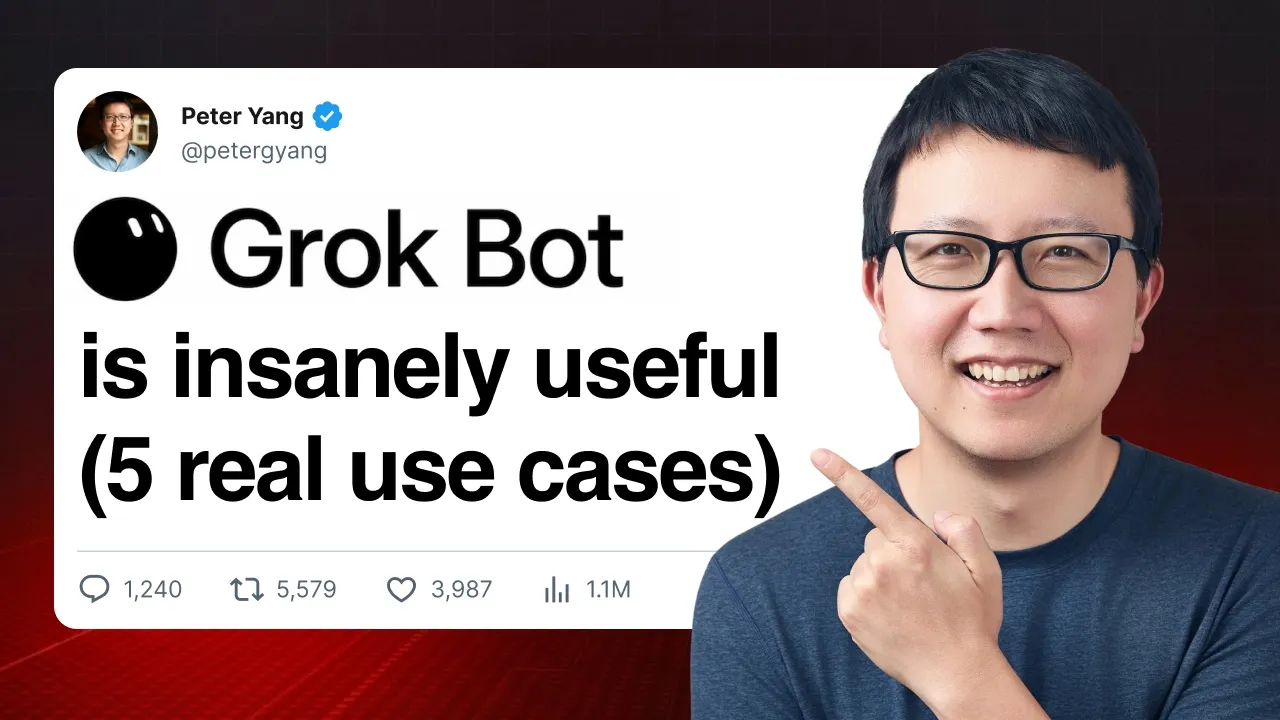
Peter Yang
Grok Bot introduces a persistent cloud computer operating system that replaces manual browser tabs with voice-driven agents, though its steep two hundred dollar monthly price tag prevents it from replacing ChatGPT as a daily driver.
AI-assisted summary of Grok Bot: 5 Must-Try Use Cases for Work and Life (Full Tutorial) — original source. Check the original for full context.
Source published:
Key ideas
- Grok Bot runs autonomous agents inside persistent cloud computers hosted on SpaceX/xAI infrastructure, eliminating the session disconnects of ChatGPT Work and the hardware maintenance required by local setups like Hermes. (1:38)
- By understanding holistic travel itineraries rather than monitoring rigid routes, Grok Bot identified an alternative round-trip flight booking to Japan that saved approximately $2,700 compared to an open-jaw plan. (15:09)
- Equipped with a full virtual desktop operating system, Grok Bot can autonomously download, install, and execute native software like retro PC games, though virtual mouse drivers and input latency currently hinder real-time playability. (17:26)
- Despite a superior and less cluttered UI than ChatGPT, Grok Bot's steep $200 per month cost for heavy use and user hesitation around entering primary credentials into a cloud OS remain major barriers to replacing daily driver assistants. (21:27)
Detailed notes
## Background Published on YouTube by creator and founder Peter Yang on August 17, 2026, this tutorial explores Grok Bot as the emerging future of personal AI agents. According to the video description, the guide covers five practical bot workflows—including an orchestrating advisor, a YouTube researcher, an X scout, a digital Marie Kondo email and subscription cleaner, and a travel concierge—alongside retro gaming tests and an evaluation of privacy, pricing, and whether it can replace ChatGPT.
## TL;DR Peter Yang demonstrates the practical power of Grok Bot, emphasizing its persistent cloud computer architecture on SpaceX/xAI servers compared to local setups like Hermes or fragmented tools like ChatGPT Work. Through a core three-step prompting workflow, he builds autonomous agents to curate niche content, declutter inboxes and cancel unused subscriptions, and structurally optimize flight itineraries to save thousands of dollars. After testing its full operating system capabilities by running retro DOS games, he concludes with an honest critique of user trust barriers regarding remote credentials and notes that a steep $200 monthly price tag keeps it from immediately replacing ChatGPT as his everyday driver.
## Atmosphere & style The presentation carries the polished, energetic tone of an experienced product builder delivering a hands-on live demo to fellow power users. Yang balances genuine, geeky excitement—laughing at retro gaming quirks and delighting in custom UI coworker animations—with sharp, pragmatic skepticism about cloud security and pricing models. Watching it feels like looking over the shoulder of an early adopter who is eager to push frontier technology to its limits while keeping viewers grounded in real-world utility.
## Bulletin - [01:38](https://www.youtube.com/watch?v=MkVcHbviYOw&t=98s) Grok Bot runs autonomous agents inside persistent cloud computers hosted on SpaceX/xAI infrastructure, eliminating the session disconnects of ChatGPT Work and the hardware maintenance required by local setups like Hermes. - [15:09](https://www.youtube.com/watch?v=MkVcHbviYOw&t=909s) By understanding holistic travel itineraries rather than monitoring rigid routes, Grok Bot identified an alternative round-trip flight booking to Japan that saved approximately $2,700 compared to an open-jaw plan. - [17:26](https://www.youtube.com/watch?v=MkVcHbviYOw&t=1046s) Equipped with a full virtual desktop operating system, Grok Bot can autonomously download, install, and execute native software like retro PC games, though virtual mouse drivers and input latency currently hinder real-time playability. - [21:27](https://www.youtube.com/watch?v=MkVcHbviYOw&t=1287s) Despite a superior and less cluttered UI than ChatGPT, Grok Bot's steep $200 per month cost for heavy use and user hesitation around entering primary credentials into a cloud OS remain major barriers to replacing daily driver assistants.
## Key takeaways - [00:00](https://www.youtube.com/watch?v=MkVcHbviYOw&t=0s) Grok Bot shifts personal computing to persistent cloud machines on SpaceX/xAI servers, avoiding the need to run local hardware 24/7 or suffer browser session logouts. - [01:38](https://www.youtube.com/watch?v=MkVcHbviYOw&t=98s) Compared to ChatGPT Work's fragmented interface across Chat, Work, and Codex tabs, Grok Bot offers a unified coworker-style UX designed with distinct animated avatars. - [03:27](https://www.youtube.com/watch?v=MkVcHbviYOw&t=207s) A meta-agent Advisor can be used to orchestrate an entire personal AI ecosystem by generating, configuring, and combining specialized sub-bots. - [04:42](https://www.youtube.com/watch?v=MkVcHbviYOw&t=282s) Effective agent orchestration relies on a three-step cycle of initial prompting, iterative output formatting, and scheduled automated execution rather than one-shot prompting. - [07:12](https://www.youtube.com/watch?v=MkVcHbviYOw&t=432s) First-party integration with X allows Grok Bot to aggregate niche viral trends and bookmarks, summarize them into actionable ideas, and email digests directly upon voice command. - [10:26](https://www.youtube.com/watch?v=MkVcHbviYOw&t=626s) Implementing strict guardrails and numbered approval lists enables an autonomous agent to safely audit inboxes and cancel bank-linked subscriptions in roughly five minutes. - [15:09](https://www.youtube.com/watch?v=MkVcHbviYOw&t=909s) Context-aware agents outperform traditional price trackers by analyzing entire itinerary documents to uncover structural routing optimizations that save thousands of dollars. - [17:26](https://www.youtube.com/watch?v=MkVcHbviYOw&t=1046s) Having an operating system inside the agent's environment allows it to install native desktop software and retro games, signaling potential for cloud-streamed software management. - [20:20](https://www.youtube.com/watch?v=MkVcHbviYOw&t=1220s) Entering sensitive credentials into a remote virtual OS triggers psychological resistance, making user trust the critical bottleneck for mainstream cloud agent adoption. - [20:20](https://www.youtube.com/watch?v=MkVcHbviYOw&t=1220s) Grok Bot addresses privacy by adopting Cursor SSO authentication, encrypting sessions in transit and at rest, and excluding user cloud activity from model training. - [21:27](https://www.youtube.com/watch?v=MkVcHbviYOw&t=1287s) A steep price gap—$200 per month for heavy Grok Bot usage versus $20 per month for ChatGPT—prevents it from immediately displacing existing mass-market AI subscriptions. - [21:27](https://www.youtube.com/watch?v=MkVcHbviYOw&t=1287s) Cursor's model-agnostic strategy positions it as an agile front-runner in personal computing agents against closed ecosystems from OpenAI and Anthropic.
## Detailed walkthrough ### [00:00](https://www.youtube.com/watch?v=MkVcHbviYOw&t=0s) Introduction and the Cloud Computer Advantage
Peter Yang opens by declaring that "Grok Bot is the future of personal agents" and previews the five core bots he will build in this tutorial: an advisor to create and manage other bots, a YouTube researcher to spot outlier videos, an X Scout to surface insightful and funny posts, a digital Marie Kondo to clean up email and cancel paid subscriptions, and a personal travel concierge to hunt down cheaper vacation prices. As a fun bonus, he also plans to build a gamer bot to test whether Grok Bot can play classic titles like *Doom* and *Red Alert*, before wrapping up with an honest evaluation of privacy and whether Grok Bot can serve as a new daily driver.
The backstory of how Peter got his hands on Grok Bot began a few weeks prior, when he tweeted that ChatGPT was just one feature away from building his dream AI product: "a dedicated personal computer in the cloud for running AI agents." Shortly after that post, Lee from the Cursor team sent him a DM inviting him to test Grok Bot. Peter jokes about the well-known meme of people walking around with their laptops half-open just to keep their local agents running. With Grok Bot, that hassle disappears because the bot lives inside a persistent computer sitting on SpaceX/xAI servers rather than in your home, complete with its own operating system and a browser where you can stay logged into your favorite applications.
[01:38](https://www.youtube.com/watch?v=MkVcHbviYOw&t=98s) Comparing Hermes, ChatGPT Work, and Grok Bot
To illustrate why a dedicated cloud computer matters, Peter compares his experiences across Hermes, ChatGPT, and Grok Bot. He currently runs Hermes 24/7 on a Mac Mini at home; while that provides a persistent machine, it requires buying physical hardware and configuring everything yourself (or doing heavy setup work on a virtual private server). Meanwhile, ChatGPT Work relies on plugins and a cloud browser, which suffers from two major drawbacks: the cloud browser currently cannot stay signed in to your favorite apps, and the user interface feels fractured across Chat, Work, and Codex tabs. Displaying his screen, Peter notes that the interface is "just kind of like a mess of chat threads" that is confusing even for a power user like him.
In contrast, Grok Bot provides a persistent cloud computer right out of the box and is by far the easiest of the three to set up. Its interface feels focused and delightful, featuring small bot avatars that play subtle, charming animations when they start working—such as when looking up the weather. Each bot has its own distinct personality and visual style, which Peter credits to Cursor's design team, specifically calling out Jenny Wen and her colleagues whom he has interviewed in the past. Overall, he remarks that the UX "feels more like talking to a coworker than getting lost in a hundred chat threads," setting up the central test of whether it can dethrone his current daily driver combination of ChatGPT and Codex.
| Feature / Platform | Hermes | ChatGPT Work | Grok Bot | |:--- |:--- |:--- |:--- | | **Hosting & Hardware** | Local Mac Mini running 24/7 (or manual VPS) | Cloud browser and plugins | Out-of-the-box persistent cloud computer on SpaceX/xAI servers | | **Setup Difficulty** | High (requires buying hardware or configuring a VPS) | Medium | Easiest of the three to get running | | **App Sessions** | Persistent local sessions | Cannot stay signed in to favorite apps | Full OS and browser that stays logged in | | **User Experience (UX)** | Standard local setup | Scattered across Chat, Work, and Codex tabs; messy threads | Focused, delightful coworker-like UI with custom animations by Jenny Wen's team |
[03:27](https://www.youtube.com/watch?v=MkVcHbviYOw&t=207s) Bot #1: The Advisor Bot (Orchestrating Other Bots)
The very first bot anyone should create after installing Grok Bot is an Advisor, which Peter keeps pinned to the top of his bot list. The strategy is to tell the Advisor about your work and personal life, and then ask it to brainstorm other bots to build. Peter shares the exact prompt he fed his Advisor: he introduced himself as a creator and founder of Behind the Craft living in the Bay Area with two daughters, noted that he publishes newsletter posts, practical AI YouTube tutorials, and podcast interviews alongside running a membership portal, and asked for five bot suggestions (with a few sentences explaining each) that could save him time or money.
The Advisor immediately responded with five tailored ideas: - **Daily AI News Scout** - **YouTube Comment Miner** - **Membership Concierge** - **Social Media Poster** - **Podcast Preparer**
Crucially, Peter points out a hidden superpower that many users miss: "you can actually get one bot, in this case our advisor bot, to help us create the rest of our bots." Rather than building them manually from scratch, he instructed his Advisor to combine two of its suggestions into a single bot that both researches other channels and mines viewer comments, christening it the "YouTube Researcher."
[04:42](https://www.youtube.com/watch?v=MkVcHbviYOw&t=282s) Bot #2: YouTube Researcher (Iterative Prompting in Action)
Once the Advisor spun up the YouTube Researcher with an initial instruction to send a morning intel brief, Peter stepped in to refine it. He first asked the bot to monitor specific competing channels in his niche. While the bot successfully pulled his YouTube comments and identified viewer themes, its first attempt at a brief was "very verbose and hard to follow"—a wall of text that was simply too much to process over morning coffee.
Instead of trying to "one-shot" the prompt, Peter demonstrates how to iteratively refine AI output. He gave the bot strict formatting rules and a tighter time window, since AI YouTube content moves fast and is highly topical: - List the **top 3 content ideas** first. - Show the **top 5 outlier videos** from other channels (defined as videos that beat that channel's average performance over the last 14 days). - List the **top performing videos overall** (limited strictly to the last 14 days). - Include the **top comment themes** from his own viewers at the end.
The revised report came back much more concise and actionable. Among the top three content ideas, the bot actually suggested making a video on "Spec Scale" (which Peter plans to film soon) and a video on Grok Bot—the exact video he is currently recording. After verifying the refined full report, Peter set it up as a recurring daily job that automatically delivers fresh angles, watch lists, and comment feedback every morning. He highlights this three-step loop as the core blueprint for every bot in the tutorial:
```mermaid flowchart LR accTitle: Core Grok Bot Creation Workflow accDescr: The three-step iterative process for building and automating bots in Grok Bot. subgraph Setup["1. Initialization"] A["Kick off with initial prompt"] end subgraph Refine["2. Iteration"] B["Review output & refine formatting back-and-forth"] end subgraph Automate["3. Automation"] C["Schedule proactive routine (daily, weekly, or monthly)"] end A --> B B --> C ```
[07:12](https://www.youtube.com/watch?v=MkVcHbviYOw&t=432s) Bot #3: X Scout (Mining Viral Posts and Automating Email Digests)
Applying the same three-step process, Peter builds an X Scout bot. Because Grok Bot is part of SpaceX/xAI, it enjoys first-party access to X (formerly Twitter) data. Peter admits that despite having an "unhealthy addiction to X," he still misses great posts and constantly bookmarks tweets that he never looks at again. To fix this, he prompted the X Bot to find the most viral X posts from the last 7 days in his niche and compile a weekly report of the top 10 tweets from people he follows, engages with, or bookmarks. He asked for the tweets to be grouped into categories—complete with full tweet copy, links, and analysis—and to conclude with three content ideas for him to tweet next.
The bot automatically located his X account, set up a morning routine, and generated a categorized report featuring three main themes: - **Playbooks that people save (not just like):** Highlighting posts from Greg ("23 ways I use AI agents to grow my startup") and a Chinese developer discussing "from Loop to graph engineering." - **Grok Bot, Codex, and ChatGPT Work compared in practice:** Surfacing tweets from Riley and from Ben (who works on the Cursor team) sharing the most loved internal Grok Bot use cases. - **Creator workflows:** Posts tailored to Peter's content production interests, followed by three suggested tweet ideas at the bottom.
Just for fun, Peter also asked the bot to pull the top five funniest tweets from his timeline; naturally, the number-one spot went to OpenAI and Anthropic sniping and joking at each other, alongside other AI-niche humor. Finally, because Peter doesn't want to open the Grok Bot app every time just to read his digest, he turns on voice mode and speaks directly to the bot: *"Can you send me this report to peter@behindthecraft.com? And also, make sure you include a full tweet copy in your report. Send to my email right now."* Seconds later, the formatted report lands directly in his Gmail inbox, complete with full tweet text and three next-tweet ideas—allowing him to wake up and consume the best of X right from his email.
[10:26](https://www.youtube.com/watch?v=MkVcHbviYOw&t=626s) Digital Marie Kondo: Email Cleanup and Subscription Cancellation
Grok Bot can act as a personal decluttering assistant—dubbed the "Marie Kondo" bot—designed to tackle digital chaos across the three primary places it accumulates: email inboxes, Google Drive storage, and recurring paid subscriptions. To set this up, Grok Bot is connected to the Gmail and Google Drive plugins, as well as an MCP (Model Context Protocol) integration for Mercury, a business bank account. The initial prompt instructs the bot to audit Gmail, Google Drive, and inbound email receipts to formulate a comprehensive cleanup plan. Specifically, it searches for newsletters that are rarely opened, large or abandoned Drive files, and active subscriptions flagged from receipts and Mercury banking records. Crucially, the prompt includes a strict safeguard: Grok Bot is explicitly forbidden from deleting, moving, unsubscribing, or canceling anything without explicit prior approval. Reviewing planned deletions beforehand is an essential security measure when letting an autonomous agent manage personal files.
```mermaid flowchart TD accTitle: Marie Kondo Cleanup Agent Workflow accDescr: Diagram illustrating how Grok Bot audits data sources, presents a numbered approval list, and executes deletions and cancellations on a cloud computer. subgraph Sources ["Connected Integrations"] A["Gmail Plugin"] B["Google Drive Plugin"] C["Mercury MCP (Bank)"] end subgraph Audit ["Audit & Approval"] D["Grok Bot Scans & Audits"] E["Refined Numbered Plan<br/>(Max 10 Items per Category)"] F["User Approval<br/>(Action Selected Numbers)"] end subgraph Execution ["Autonomous Execution on Cloud VM"] G["Unsubscribe Email Senders"] H["Trash Drive Files"] I["Cloud VM Automation<br/>(Lovable, Equip Foods)"] end Sources --> Audit Audit --> Execution A --> D B --> D C --> D D --> E E --> F F --> G F --> H F --> I ```
After authenticating on its dedicated cloud computer, Grok Bot successfully establishes connections to Drive, Gmail, and Mercury MCP. Its first output is a massive, sprawling list that proves overwhelming. AI agents rarely deliver the perfect format on the first try, so an iterative prompt is required: restrict the output to a maximum of ten items per category, strip out extraneous labels, and isolate only actionable items—emails to unsubscribe from, Drive files to delete, and subscriptions to cancel. Structuring the report as a clean numbered list is a crucial prompting workflow because it allows the user to issue batch execution instructions simply by referencing numbers rather than retyping names or URLs.
Once the numbered review is finalized, simple commands trigger execution: unsubscribing from emails numbered 3 through 8, deleting large files and an old tax return from Drive, and canceling subscriptions 11 and 15. The bot executes these actions autonomously on its cloud environment, unsubscribing from senders and trashing three Drive files. For account-level cancellations, the user signs into the cloud computer session: - **Lovable**: Upon logging in, the bot verifies that the account was already scheduled for cancellation, requiring no further action. - **Equip Foods**: The user manually signs into the protein powder service, after which the bot completes the cancellation process. As an aside, Equip Foods is an excellent brand, but the cancellation was necessary simply because too much protein powder had piled up at home.
The entire audit and cancellation process wraps up in approximately five minutes, replacing what would normally take thirty minutes to an hour of manual effort. To complete the experience, the bot's persona is updated with a prompt asking it to adopt Marie Kondo's tone. Grok Bot embraces the character immediately, reporting that completed files have been thanked and placed into the trash to rest, while noting that Equip Foods "no longer sparks joy" and releasing the Prime Protein subscription "with gratitude." The bot can be scheduled to run weekly or monthly to keep digital clutter at bay.
- Connected services: Gmail plugin, Google Drive plugin, and Mercury MCP. - Strict guardrail: Grok Bot is instructed never to execute deletions or cancellations without explicit approval. - Prompting best practice: Requiring a numbered list allows rapid execution commands via index numbers (e.g., "unsubscribe to 3, 4, 5... cancel 11 and 15"). - Time efficiency: Cut down an estimated 30–60 minutes of tedious administrative maintenance to roughly 5 minutes.
---
[15:09](https://www.youtube.com/watch?v=MkVcHbviYOw&t=909s) Personal Travel Concierge: Flight Tracking and Route Optimization
The Personal Concierge bot handles end-to-end vacation and travel logistics. For a family vacation planned for December in Japan, an AI-generated itinerary is already saved in a planning document. Rather than manually monitoring flights, Grok Bot is tasked with reading the vacation document, analyzing the exact flight legs, checking Google Flights on a recurring schedule, and surfacing alerts whenever pricing improves.
While standard flight tracking tools exist, Grok Bot offers a clear structural advantage over standard Google Flights price alerts: it understands the broader context and flexibility of the overall travel itinerary. Standard trackers only watch fixed, predetermined routes. Grok Bot, however, evaluates the entire route network against the vacation document.
The initial itinerary outlined open-jaw flights: departing San Francisco (SFO) to Tokyo, traveling onward from Tokyo to Fukuoka, and flying back from Fukuoka to SFO. When analyzing the options, Grok Bot uncovered that booking a standard round-trip ticket between SFO and Tokyo was approximately $2,700 cheaper than the open-jaw routing listed in the document. A basic flight tracker could never identify that level of structural savings because it lacks awareness of the traveler's overall destination plans.
Following the initial analysis, Grok Bot is scheduled to run automated checks every Monday at 9:00 AM to see if fares fluctuate. Beyond ongoing price monitoring, the agent can expand into a full-service travel assistant capable of completing flight check-ins, purchasing airline tickets, securing theme park admissions, and organizing daily on-the-ground activities.
- Core capability: Reads unstructured itinerary documents and queries Google Flights autonomously. - Contextual flight optimization: Discovered a round-trip route to Tokyo saving ~$2,700 over the open-jaw route (SFO → Tokyo → Fukuoka → SFO). - Scheduled automation: Configured for weekly price monitoring recurring every Monday at 9:00 AM. - Long-term utility: Serves as a persistent concierge for booking excursions, activities, and logistics during the trip.
---
[17:26](https://www.youtube.com/watch?v=MkVcHbviYOw&t=1046s) Retro Gamer Test: Cloud Computer Gaming and System Capabilities
Because Grok Bot operates on a dedicated virtual cloud machine, it can execute arbitrary local tasks beyond standard web browsing and APIs, including installing and playing retro PC games. In a direct test of the agent's system capabilities, Grok Bot is instructed to source and install *Command & Conquer: Red Alert*, *Doom*, and *Commander Keen*.
The agent successfully locates the required files, installs them inside the cloud environment, and launches the games on command: - **Doom**: Launching Doom inside the virtual computer allows selection of the classic episode menu and the "Hurt Me Plenty" difficulty setting. However, the experience falls short due to control limitations: the virtual mouse driver is improperly configured within the cloud session, causing the player camera to stay locked pointing directly at the floor without any way to pitch up. - **Commander Keen**: The classic DOS platformer fares slightly better than *Doom*. Using the Control key to jump, the platformer mechanics load up and run, but noticeable latency and input lag on both the keyboard and mouse make precise platforming controls difficult.
While Grok Bot is by no means ready to replace a dedicated gaming PC or cloud gaming platforms like GeForce NOW, the experiment illustrates the remarkable flexibility of having an AI agent operating inside its own persistent OS. Exploring the file manager reveals a desktop environment reminiscent of Windows 3.1 or a lightweight Linux desktop, complete with Chrome, a system terminal, the newly installed retro games, and travel files from the Japan flight search. Having an autonomous assistant that can install desktop software, configure environments, and manipulate local programs points to substantial potential—hinting at a future where xAI data centers could eventually stream full desktop applications and AAA games straight through cloud-hosted virtual agents.
[20:20](https://www.youtube.com/watch?v=MkVcHbviYOw&t=1220s) The Trust Hurdle: Virtual Cloud Computers and Privacy Concerns
The single biggest roadblock to widespread Grok Bot adoption comes down to user trust. Peter shares a candid moment of hesitation during his testing: while seeing a standard Google authentication prompt on a personal laptop rarely raises an eyebrow, encountering that exact login screen inside a remote, virtual cloud computer feels entirely different. He found himself pausing and wondering, "how do I know that nobody else is seeing the screen on the virtual cloud computer?" Handing over primary credentials to a machine running in the cloud introduces a psychological barrier that most everyday software never triggers.
```mermaid flowchart TD accTitle: Traditional vs Cloud Agent Workflows accDescr: Diagram comparing traditional manual computing on a local machine with the voice-driven cloud agent paradigm and its associated trust friction.
subgraph Local["Traditional Paradigm"] A["User Input: Keyboard & Mouse"] --> B["Local Laptop Machine"] B --> C["Direct App Login: Established Trust"] end
subgraph CloudAgent["Grok Bot Cloud Paradigm"] D["User Input: Voice Orchestration"] --> E["Virtual Cloud Computer"] E --> F["Automated Agent Execution"] F -.-> G{"Trust Barrier: Credential Entry in Cloud"} end ```
Looking for answers, Peter points to the privacy disclosures on the official Grok Bot website under the section addressing "How does Grokbot handle my privacy?" The documentation specifies that the service relies on the same Cursor SSO authentication and privacy mode that developers already trust. Furthermore, the virtual cloud computer environment is encrypted both in transit and at rest, and user data is explicitly excluded from AI model training. While Peter is comfortable granting these broad permissions as an early AI adopter, he emphasizes that mainstream users will likely struggle to grasp the concept of an ephemeral cloud desktop and will hesitate before logging into sensitive personal accounts. Ultimately, the AI agent platform that successfully solves this trust and verification problem will be the one that unlocks mass adoption.
- **Authentication and security architecture:** Grok Bot implements Cursor SSO authentication, utilizing end-to-end encryption for the cloud computer both in transit and at rest. - **Data privacy policy:** User activity, sessions, and data on the virtual cloud machine are not used for AI model training. - **Adoption bottleneck:** Mainstream non-technical users face friction when asked to enter primary credentials (such as Google or email logins) inside an unfamiliar virtualized cloud OS.
---
[21:27](https://www.youtube.com/watch?v=MkVcHbviYOw&t=1287s) The Shift to Cloud Agents, Pricing Realities, and Final Verdict
Grok Bot represents a fundamental shift in personal computing. Rather than manually clicking through tabs with a mouse and keyboard on a physical laptop, users are moving toward using natural voice instructions to orchestrate teams of agents operating across dedicated cloud instances. Grok Bot stands out as the very first consumer-facing product to make that autonomous multi-agent vision usable in practice. However, Peter notes that it is not quite ready to replace ChatGPT as his daily driver. Cost remains the primary reason: ChatGPT provides a vast toolkit for $20 per month, whereas running Grok Bot on an ongoing basis demands a steep $200 per month subscription tier.
Despite the prohibitive price tag for heavy regular use, Peter praises Grok Bot's interface, noting that it features a "much cleaner UI than ChatGPT right now" while delivering remarkable execution power. He finds it refreshing to see companies like Cursor and xAI emerge as serious front-line competitors against OpenAI and Anthropic. Cursor in particular may hold an edge in the agent race if it maintains its model-agnostic approach by supporting top-tier foundation models from every major provider. Wrapping up, Peter strongly encourages viewers to try the free tier to catch a glimpse of where computing is heading, noting that "the team really cooked here," and teases an upcoming deep-dive interview with the Cursor engineering team detailing how they engineered the platform.
- **Pricing comparison:** ChatGPT offers broader daily value at $20/month, compared to the $200/month commitment required for intensive, continuous Grok Bot usage. - **User experience:** Grok Bot delivers a cleaner, more focused user interface than ChatGPT while managing automated browser and desktop tasks seamlessly. - **Competitive landscape:** Cursor's ability to remain provider-agnostic and support multiple frontier models gives it a strategic advantage against OpenAI and Anthropic in the agent race. - **Availability:** A free tier of Grok Bot is available for users to test cloud computer agent workflows before committing to high-tier plans.
## Notable quotes > [00:00](https://www.youtube.com/watch?v=MkVcHbviYOw&t=0s) Grok Bot is the future of personal agents — Peter Yang
> [00:00](https://www.youtube.com/watch?v=MkVcHbviYOw&t=0s) a dedicated personal computer in the cloud for running AI agents. — Peter Yang
> [01:38](https://www.youtube.com/watch?v=MkVcHbviYOw&t=98s) just kind of like a mess of chat threads — Peter Yang
> [01:38](https://www.youtube.com/watch?v=MkVcHbviYOw&t=98s) feels more like talking to a coworker than getting lost in a hundred chat threads — Peter Yang
> [03:27](https://www.youtube.com/watch?v=MkVcHbviYOw&t=207s) you can actually get one bot, in this case our advisor bot, to help us create the rest of our bots. — Peter Yang
> [04:42](https://www.youtube.com/watch?v=MkVcHbviYOw&t=282s) very verbose and hard to follow — Peter Yang
> [07:12](https://www.youtube.com/watch?v=MkVcHbviYOw&t=432s) Can you send me this report to peter@behindthecraft.com? And also, make sure you include a full tweet copy in your report. Send to my email right now. — Peter Yang
> [10:26](https://www.youtube.com/watch?v=MkVcHbviYOw&t=626s) no longer sparks joy — Grok Bot
> [20:20](https://www.youtube.com/watch?v=MkVcHbviYOw&t=1220s) how do I know that nobody else is seeing the screen on the virtual cloud computer? — Peter Yang
> [21:27](https://www.youtube.com/watch?v=MkVcHbviYOw&t=1287s) much cleaner UI than ChatGPT right now — Peter Yang
> [21:27](https://www.youtube.com/watch?v=MkVcHbviYOw&t=1287s) the team really cooked here — Peter Yang
## Mentioned Peter Yang, Grok Bot, ChatGPT, ChatGPT Work, Codex, Hermes, YouTube, X, Marie Kondo, Gmail, Doom, Command & Conquer: Red Alert, Commander Keen, Lee, Cursor, SpaceX, xAI, Mac Mini, Jenny Wen, Behind the Craft, Spec Scale, Greg, Riley, Ben, OpenAI, Anthropic, Google Drive, Mercury, Lovable, Equip Foods, Google Flights, GeForce NOW, Windows 3.1, Linux, Chrome, Google
## Video description Copy my best AI workflows to save time and automate busywork: https://www.behindthecraft.com 🤝 Subscribe to my practical AI newsletter read by 150K+ professionals: https://creatoreconomy.so
I think Grok Bot is the future of personal AI agents. In this tutorial, I show you how to build five useful bots, including an advisor that creates other bots, a YouTube researcher, an X scout, a digital Marie Kondo that cleans up Gmail and saves money, and a travel concierge that finds cheaper flights. I also test using Grok Bot to play retro games and share my honest take on privacy, pricing, and whether it can replace ChatGPT as my daily driver.
Timestamps: (00:00) How Grok Bot is different from ChatGPT and Hermes (03:30) Advisor: Create and orchestrate other bots (04:30) YouTube Researcher: Find outlier videos and content ideas (07:00) X Scout: Surface the best posts from your feed and bookmarks (10:30) Marie Kondo: Clean your email and save money on paid subscriptions (15:00) Personal Concierge: Get alerts for better flight prices for your trips (17:30) Gamer: Install and play retro games (20:30) My honest take on privacy, pricing, and whether GrokBot replaces ChatGPT
Try Grok Bot here: https://x.ai/bot
Where to find me: Newsletter: https://creatoreconomy.so/ X: https://x.com/petergyang LinkedIn: https://www.linkedin.com/in/petergyang/
📌 Subscribe to this channel for more practical AI tutorials.
[Source](https://www.youtube.com/watch?v=MkVcHbviYOw)