Strzibny Details Kamal Engine to Replace Complex Kubernetes Clusters
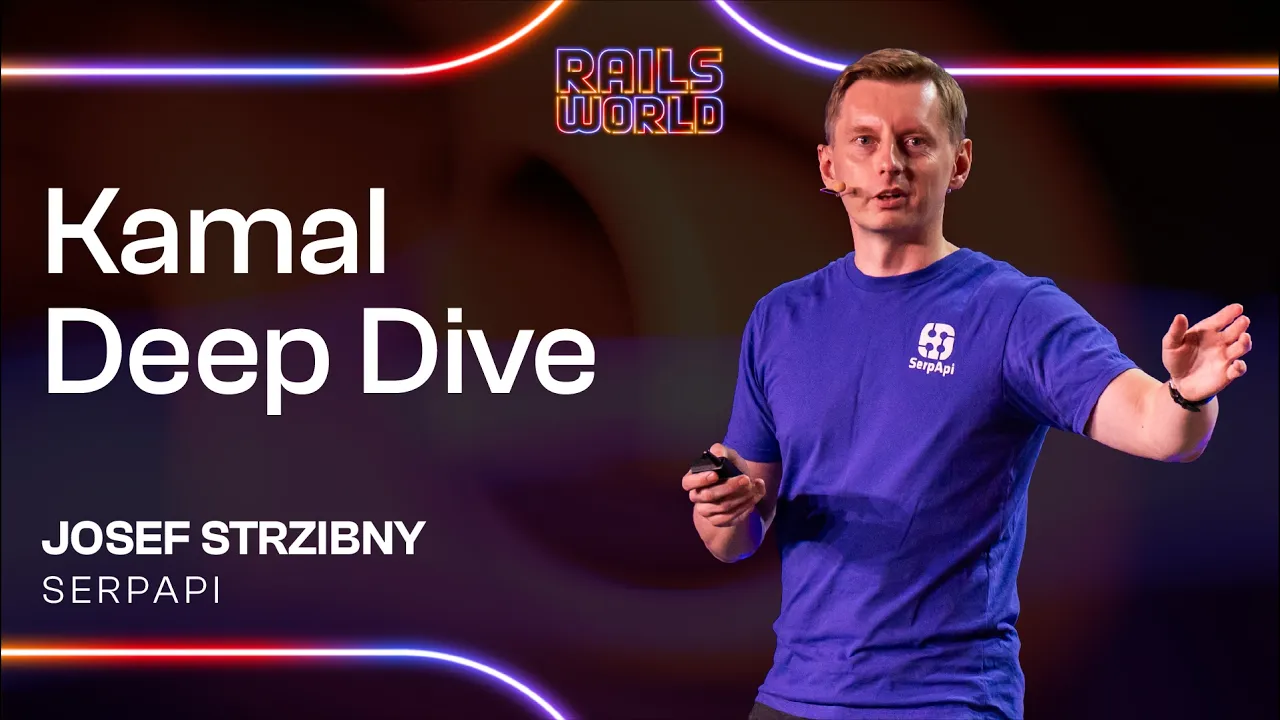
Ruby on Rails
Kamal coordinates zero-downtime blue-green deployments through SSHKit command arrays and an imperative Go proxy, enabling development teams to avoid the infrastructure costs of Kubernetes.
AI-assisted summary of Kamal Deep Dive - Josef Strzibny — original source. Check the original for full context.
Source published:
Key ideas
- Kamal orchestrates Ruby on Rails deployments from a local machine over SSH using Thor and SSHKit, constructing commands as structured Ruby arrays before dispatching them to remote server hosts. (6:21)
- Images are compiled via Docker Buildx inside isolated BuildKit containers and pushed to remote servers securely using an SSH reverse tunnel connected to a lightweight local registry. (13:08)
- Kamal Proxy runs on remote hosts as a Go-based proxy that handles service registration, zero-downtime blue-green switches, request buffering, and connection draining via goroutines and channels. (15:33)
- Multi-host coordination relies on a deployment 'barrier' invariant that gates background worker deployment until the first primary web server successfully passes health checks. (19:29)
Detailed notes
## Background Published by the official Ruby on Rails channel on YouTube on October 1, 2026, this presentation features Josef Strzibny speaking at Rails World 2026. The session traces what actually happens under the hood across remote infrastructure when executing the 'kamal deploy' command.
## TL;DR Josef Strzibny walks step-by-step through the lifecycle of a deployment orchestrated by Kamal, starting from Thor-based CLI commands and SSHKit execution over pooled SSH connections. He details how Docker Buildx compiles images using isolated BuildKit containers and explains how local registries distribute images across remote hosts via reverse SSH port forwarding. The talk then explores host-level operations, examining how Kamal Proxy manages imperative routing, zero-downtime blue-green switches, shared asset directories, and synchronization barriers across multi-server fleets. Finally, Josef unpacks the internal Go architecture of Kamal Proxy, covering request buffering, maintenance mode coordination, and connection draining primitives.
## Atmosphere & style The presentation blends rigorous, deep-seated technical analysis with self-deprecating comedy and cultural observations from Josef's travels across the United States. His delivery is charismatic and approachable, interweaving explanations of Go channels and concurrency loops with anecdotes about fast-food gluttony, signing reckless Ferrari waivers, and preaching container architecture at a Wendy's counter. Watching the talk feels like an energetic, informative technical seminar where hard-edged systems engineering is enlivened by genuine enthusiasm and playful showmanship.
## Bulletin - [06:21](https://www.youtube.com/watch?v=CsWQD81i5-c&t=381s) Kamal orchestrates Ruby on Rails deployments from a local machine over SSH using Thor and SSHKit, constructing commands as structured Ruby arrays before dispatching them to remote server hosts. - [13:08](https://www.youtube.com/watch?v=CsWQD81i5-c&t=788s) Images are compiled via Docker Buildx inside isolated BuildKit containers and pushed to remote servers securely using an SSH reverse tunnel connected to a lightweight local registry. - [15:33](https://www.youtube.com/watch?v=CsWQD81i5-c&t=933s) Kamal Proxy runs on remote hosts as a Go-based proxy that handles service registration, zero-downtime blue-green switches, request buffering, and connection draining via goroutines and channels. - [19:29](https://www.youtube.com/watch?v=CsWQD81i5-c&t=1169s) Multi-host coordination relies on a deployment 'barrier' invariant that gates background worker deployment until the first primary web server successfully passes health checks.
## Key takeaways - [04:52](https://www.youtube.com/watch?v=CsWQD81i5-c&t=292s) Kamal provides an alternative to complex orchestration tools like Kubernetes by managing deployments via direct SSH communication and Docker containers. - [06:21](https://www.youtube.com/watch?v=CsWQD81i5-c&t=381s) The Kamal CLI uses Thor for subcommand organization and SSHKit for remote host execution, leveraging a customized DSL to execute commands partitioned by roles. - [06:21](https://www.youtube.com/watch?v=CsWQD81i5-c&t=381s) Command instructions are retained as structured Ruby arrays (e.g., [:docker, "-v"]) as long as possible before passing to Net::SSH, ensuring clean logs without shell prefixing issues. - [10:53](https://www.youtube.com/watch?v=CsWQD81i5-c&t=653s) Kamal monkey-patches SSHKit's concurrency loop to accumulate exceptions across all threads rather than aborting instantly, ensuring full visibility into multi-host deployment errors. - [10:53](https://www.youtube.com/watch?v=CsWQD81i5-c&t=653s) Persistent TCP connection pooling across server hosts significantly reduces SSH setup latency during multi-step deployment operations. - [11:53](https://www.youtube.com/watch?v=CsWQD81i5-c&t=713s) Kamal utilizes the 'docker-container' buildx driver to unlock advanced capabilities such as multi-architecture container compilation and isolated builder instances. - [13:08](https://www.youtube.com/watch?v=CsWQD81i5-c&t=788s) Remote servers pull images over an SSH reverse tunnel connected to a local registry container on the developer's machine, eliminating the need for external public registries. - [15:33](https://www.youtube.com/watch?v=CsWQD81i5-c&t=933s) Kamal Proxy is configured imperatively via `docker exec` commands rather than dynamic file watchers, persisting routing state inside a dedicated Docker volume. - [17:09](https://www.youtube.com/watch?v=CsWQD81i5-c&t=1029s) Zero-downtime blue-green deployments run new and old Puma containers in parallel until health checks pass and existing connections are cleanly drained. - [17:09](https://www.youtube.com/watch?v=CsWQD81i5-c&t=1029s) Asset integrity across concurrent container versions is preserved using a shared asset volume with non-overwriting copy semantics (cp -n). - [17:09](https://www.youtube.com/watch?v=CsWQD81i5-c&t=1029s) Concurrent deployment collisions are prevented using a lightweight, filesystem-based mutual exclusion lock on the target server. - [19:29](https://www.youtube.com/watch?v=CsWQD81i5-c&t=1169s) The deployment barrier acts as an invariant synchronization flag, unlocking background worker containers as soon as the first web container passes its health checks. - [19:29](https://www.youtube.com/watch?v=CsWQD81i5-c&t=1169s) Fleet-wide rollouts can be throttled using batch limits configured as absolute integer counts or percentages to prevent simultaneous restarts. - [21:29](https://www.youtube.com/watch?v=CsWQD81i5-c&t=1289s) Kamal Proxy leverages Go goroutines and channels to implement concurrent HTTP middleware routing, periodic ticker-driven health checks, and request buffering. - [25:10](https://www.youtube.com/watch?v=CsWQD81i5-c&t=1510s) In-flight connection draining distinguishes between standard HTTP requests—which are given a parallel waiting grace period—and WebSockets, which are terminated immediately. - [25:10](https://www.youtube.com/watch?v=CsWQD81i5-c&t=1510s) Maintenance mode is efficiently implemented in Kamal Proxy using a synchronization channel whose closure simultaneously unblocks and notifies all waiting request goroutines.
## Detailed walkthrough ### [00:12](https://www.youtube.com/watch?v=CsWQD81i5-c&t=12s) Introduction and Confessions of a "Kamalholic"
Josef Strzibny introduces himself to the Rails World audience with an admission: "Hi, I'm Josef and I'm a Kamalholic." What started out innocently enough—deploying a few applications and writing an initial blog post—quickly escalated. The condition grew into authoring the first-ever book on Kamal, releasing a dedicated video course, getting an article published in *iX* magazine, and delivering talks at conferences such as Wrocław Ruby, where he shared lesser-known operational details about Kamal.
That journey ultimately led him to Austin, Texas, driven in part by his new role at SerpApi. SerpApi provides real-time search engine data for AI workflows, returned cleanly formatted as JSON or Markdown. Josef also works on SerpTrail, an SEO-checking application that he proudly notes remains built on Ruby on Rails—not rewritten in Rust—and comes pre-configured out of the box with Kamal deployment settings.
[01:44](https://www.youtube.com/watch?v=CsWQD81i5-c&t=104s) First Time in America: In-N-Out, Gordon Ramsay, and Hollywood
Reflecting on his first trip to the United States, Josef humorously contrasts the extremes of American coffee portion sizes and recounts attending an unnamed conference in Los Angeles, California. As an unabashed devotee of celebrity chef Gordon Ramsay—not for high-end Michelin-starred dining, but "for all the wrong reasons"—Josef was aware of Ramsay’s well-known appreciation for American fast food, particularly the West Coast staple In-N-Out Burger. Josef made a point to visit In-N-Out and ordered an enormous spread intended for a single person, though he admitted he needed help from his SerpApi colleagues to actually finish it.
Following the conference, he headed to Hollywood Boulevard to view the Walk of Fame. There he encountered a tourist attraction offering rides in a Ferrari California. Despite initially dismissing it as a classic tourist trap, the specific California model won him over. Confronted with a terrifying liability waiver, he realized that reading the fine print would prevent him from signing it, so he signed it unread and took the wheel. The experience made him wonder if he had developed an expensive habit for luxury sports cars. However, after consulting ChatGPT regarding his personal finances, he decided to stick to an addiction he could actually afford: Kamal.
[04:52](https://www.youtube.com/watch?v=CsWQD81i5-c&t=292s) Overview of the Kamal Architecture
Josef outlines the scope of the deep dive, focusing on Kamal's centerpiece command: `kamal deploy`. The walkthrough traces the process from initial SSH execution all the way through to request routing via the proxy. For attendees new to the tool, Josef provides a high-level conceptual model of how Kamal structures applications using Docker containers:
```mermaid flowchart TD accTitle: Kamal Deployment Architecture accDescr: Diagram showing local laptop deploying via SSH to server containers and proxy.
subgraph LocalMachine["Local Machine"] CLI["Kamal CLI ('kamal deploy')"] end
subgraph TargetServer["Server Host"] Proxy["Kamal Proxy"]
subgraph Roles["Application Roles (Shared Docker Image)"] Web["Primary / Web Role (e.g. Puma)"] Worker["Background Jobs / Worker Role"] end
subgraph Accessories["Accessories (Independent Lifecycle)"] DB["Database Container"] Browser["Headless Browser Container"] end end
CLI -->|"SSH Commands"| TargetServer Proxy -->|"Forward Traffic"| Web ```
- **Application Roles**: Containers built from the primary Docker image that share deployment cycles. The primary role is typically the `web` role (such as a Puma application server handling HTTP traffic), alongside optional auxiliary roles such as worker processes for background jobs. - **Accessories**: Long-lived services such as databases (PostgreSQL/MySQL) or headless browser runners. These run on separate life cycles and are managed outside standard application rolling updates. - **Kamal CLI vs. Kamal Proxy**: The CLI operates locally on the operator's laptop, orchestrating actions across remote infrastructure over SSH, while Kamal Proxy runs directly on target hosts to manage traffic cutover.
[06:21](https://www.youtube.com/watch?v=CsWQD81i5-c&t=381s) Deep Dive 1: Under the Hood with Thor, SSHKit, and Command Construction
Executing `kamal deploy` outputs a real-time log of every underlying operation before it takes effect on the infrastructure. Josef breaks down how Kamal translates high-level deployment instructions into shell actions:
1. **CLI Layer via Thor**: Just like the Rails framework itself, Kamal subclasses `Thor` to define its CLI subcommands. When running `kamal deploy`, Thor invokes an internal sequence of nested subcommands via the `invoke` method, all of which are independently runnable directly from the command line. 2. **SSH Execution via SSHKit**: For remote management, Kamal relies on `SSHKit`, the battle-tested library originating from Capistrano. Kamal builds a customized domain-specific language (DSL) on top of SSHKit to run commands locally or across remote server targets partitioned by roles. 3. **Structured Array Commands in `Kamal::Commands`**: Rather than generating raw shell strings directly, Kamal formats command instructions as structured Ruby arrays under the `Kamal::Commands` namespace. - For example, a version check compiles into an array like `[:docker, "-v"]`. - By prepending `:docker` as a distinct symbol, Kamal registers Docker as an explicit SSHKit command runner. This bypasses prefixing commands with `/usr/bin/env`, ensuring remote execution logs remain clean and legible. - Operations that require piping or subshells leverage explicit helpers (e.g., `pipe` or `sh -c`) that still resolve into manageable token arrays. 4. **Handling Sensitive Parameters**: Passwords and secrets (such as container registry credentials) are wrapped in a dedicated `Sensitive` class. When inspected during command logging, the value automatically renders redacted, but delegates to the raw unredacted string when passed to execution. 5. **Dispatching via Net::SSH Backend**: Commands remain in array form for as long as possible before passing to SSHKit's `Net::SSH` backend `execute(*cmd)` method using splat arguments. Because both Thor and SSHKit employ `instance_exec` (which overrides `self`), global context and settings are stored under the top-level `Kamal` namespace constant.
[10:53](https://www.youtube.com/watch?v=CsWQD81i5-c&t=653s) Concurrency, Error Handling, and Connection Pooling
Running commands across fleets of hosts introduces edge cases around failure handling and network overhead:
- **SSHKit Concurrency Patch**: In standard SSHKit, threads are joined simultaneously (`threads.each(&:join)`). If a command errors on one node, standard implementations may abort instantly. Kamal monkey-patches this loop to rescue and accumulate exceptions from all threads. This ensures every host in the deployment role executes the command to completion, providing a full inventory of host failures rather than halting prematurely. - **TCP Connection Pooling**: Constantly opening and closing new SSH connections across multi-step processes—from `docker login` to `docker stop`—incurs high TCP latency. Kamal maintains and reuses an internal connection pool across multiple command invocations for each distinct server host.
[11:53](https://www.youtube.com/watch?v=CsWQD81i5-c&t=713s) Deep Dive 2: Building and Pushing Images with Buildx
The second operational phase covers container compilation and image publishing:
- **BuildKit and Docker Buildx**: Kamal relies on Docker's upstream Moby project tooling, specifically `docker buildx build`. Because `buildx` functions as a Docker CLI plugin, it manages builds through modular driver architectures. - **Docker vs. Docker-Container Driver**: While the standard `docker` driver functions like legacy `docker build`, Kamal explicitly prefers the `docker-container` driver. This spins up an isolated BuildKit container, unlocking advanced features: - Multi-architecture container compilation (e.g., building ARM64 and AMD64 targets). - Multi-node and advanced cache exporter configurations. - **Named Builder Instances**: In Kamal's configuration file, defining a custom `builder` setting maps directly to an isolated, named instance of this `docker-container` driver runtime.
[13:08](https://www.youtube.com/watch?v=CsWQD81i5-c&t=788s) BuildKit and Local Registries: The Remote Forwarding Trick
Josef addresses the initial confusion developers often feel around the build terminology in Kamal. When you run `kamal deploy`, Docker runs `docker buildx build`. Because Buildx uses an underlying builder instance running as a separate container, it is literally called a "docker container" driver. Inside that isolated container, BuildKit executes the project's Dockerfile to produce the image. This entire workflow operates identically whether it takes place on a local development machine or on a designated remote builder server; Kamal simply orchestrates the process remotely as long as Docker is already installed on the remote host.
```mermaid flowchart LR accTitle: Image Build and Registry Forwarding Architecture accDescr: Flow diagram showing Buildx pushing an image to a local Docker registry and hosts pulling it over an SSH reverse tunnel. subgraph LocalDev["Local Machine"] Build["docker buildx\n(BuildKit Container)"] Reg["kamal-docker-registry\n(Local Registry Container)"] end subgraph RemoteHost["Remote Host Server"] Tunnel["Reverse SSH Tunnel\n(Remote Port Forwarding)"] Pull["Docker Engine\n(Pulls Image)"] end Build -->|"push image"| Reg Reg <-->|"forwards registry port"| Tunnel Tunnel -->|"pull image"| Pull ```
The next logistical question is how images reach remote servers without always paying for or configuring third-party hosted registries like Docker Hub. Kamal supports running a lightweight, local in-memory registry—essentially spinning up a standard `registry` container on your local machine. However, this creates a networking challenge: how can remote production servers pull image layers directly from a port residing on your development laptop?
Josef points out that while developers are accustomed to local SSH port forwarding (running `ssh -L` to inspect a remote production database on `localhost`), Kamal uses the inverse mechanism: remote port forwarding (comparable to `ssh -R`), implemented directly through Ruby SSH libraries rather than by shelling out. Remote servers can view and hit the laptop's local registry port through the encrypted tunnel as if it were accessible over their own network, allowing them to pull newly built images seamlessly without ever publishing them to a public registry.
- `docker buildx build` executes inside a dedicated BuildKit container, ensuring identical build mechanics on local machines or remote builder hosts. - Local registries run via a standard `kamal-docker-registry` container. - Remote hosts pull images from the local registry over an SSH reverse tunnel (remote port forwarding) without requiring external exposure.
---
[15:33](https://www.youtube.com/watch?v=CsWQD81i5-c&t=933s) Imperative Service Registration via Kamal Proxy
Once the image arrives on the host, Kamal moves to service registration. Unlike traditional reverse proxies that continuously poll static configuration files or service discovery backends, Kamal Proxy does not have a dedicated configuration file on disk. Instead, Kamal operates purely imperatively: every routing adjustment is issued directly from the Kamal CLI via `docker exec`.
``` docker exec kamal-proxy kamal-proxy deploy web --target <container_id>:<port> [flags...] ```
Every operational parameter—including TLS termination settings, request buffering rules, and logging configurations—is passed directly as CLI flags within that single execution call. The deploy command tells the `kamal-proxy` binary to attach incoming traffic for a given service role (such as `web`) to a specific target consisting of the new container ID and its internal private port. Because pure imperative in-memory state would vanish if the proxy container crashed or restarted, Kamal Proxy mounts a persistent named volume (`kamal-proxy-config`) where it serializes its active state. Beyond initial deploys, the proxy exposes additional lifecycle operations including maintenance mode, stopping, removing, and resuming backends.
- Configuration is pushed imperatively via `docker exec` commands rather than dynamic file watchers. - Active routing targets are defined by dynamic container IDs and internal published ports. - Proxy routing configurations persist across proxy restarts inside the `kamal-proxy-config` named Docker volume. - Supported proxy service operations include `deploy`, `remove`, `stop`, `pause` (maintenance mode), and `resume`.
---
[17:09](https://www.youtube.com/watch?v=CsWQD81i5-c&t=1029s) Zero-Downtime Deployments, Asset Overlap, and Locking
Josef transitions into the core mechanics of zero-downtime blue-green deployments on a single host. When deploying a fresh release, Kamal starts the new container running Puma on an isolated private port alongside the old, currently serving container. Once the new container boots, Kamal signals Kamal Proxy to register the new container ID as the target. The proxy runs internal health checks against the new instance. Once the checks pass, it cleanly shifts routing to the green container and drains existing in-flight connections on the old blue container before decommissioning it.
```mermaid flowchart TD accTitle: Blue-Green Switchover and Asset Sharing accDescr: Flow diagram showing parallel asset directory extraction, proxy health check, and request draining during container cutover. subgraph Storage["Shared Asset Volume"] Assets["/shared/assets\n(Extracted with cp -n)"] end subgraph Routing["Kamal Proxy Routing"] Proxy["kamal-proxy"] Old["Old App Container\n(Draining)"] New["New App Container\n(Passing Health Check)"] end Assets -.->|"serves old assets"| Old Assets -.->|"serves new assets"| New Proxy -->|"drains connections"| Old Proxy -->|"switches live traffic"| New ```
Simultaneously running two application generations introduces an asset problem: active clients might request asset fingerprints generated by either the outgoing or incoming deploy. Kamal resolves this by extracting asset bundles from both container images into a shared asset volume. By utilizing non-overwriting copy semantics (`cp -n`), assets from the prior version remain intact while new fingerprinted files are added alongside them. As long as the assets have unique fingerprints, both containers can serve requests across deploy boundaries without 404 errors.
To prevent catastrophic collisions when multiple engineers or CI pipelines attempt to deploy at the same moment, Kamal uses a lightweight, filesystem-based mutual exclusion lock on the target server. Acquiring the deployment lock is as straightforward as atomically creating a designated lock directory on the server filesystem; if the directory already exists, concurrent deployments halt immediately.
- Blue-green zero-downtime deploys run old and new Puma containers in parallel until health checks pass and connections drain. - Asset integrity across versions is maintained via a shared volume using `cp -n` to prevent asset clobbering. - Concurrent deploy safety relies on atomic server-side directory locking.
---
[19:14](https://www.youtube.com/watch?v=CsWQD81i5-c&t=1154s) Multi-Host Coordination and the Deploy Barrier
When scaling across multiple servers, coordinating rollouts requires more orchestrational rigor than simply looping through hosts one by one. Josef dives into what Kamal calls the deployment "barrier" (or "web barrier"), comparing the deep architectural exploration to navigating the "Great Barrier Reef." The barrier functions as an invariant synchronization flag within Kamal's health-check namespace that can only transition from false to true once.
```mermaid flowchart TD accTitle: Multi-Host Web Barrier Coordination accDescr: Flow diagram showing how web containers gatekeep background worker deployment across multiple hosts. subgraph WebHosts["Web Role Servers"] WebBoot["Boot New Web Container"] Health["Perform Health Check"] Release["Open Web Barrier\n(Set Invariant = true)"] end subgraph WorkerHosts["Worker Roles"] Wait["Worker Roles\nWait at Barrier"] Proceed["Release Worker\nContainer Boots"] end WebBoot --> Health Health -->|"First Web Pass"| Release Wait -.->|"blocked until open"| Release Release --> Proceed ```
The primary role of the barrier is acting as a gatekeeper. Non-web roles (such as background workers or queues) are told to wait at the barrier while web roles begin spinning up. The deployment does not wait for every single web server to be green; as soon as the first web container passes its health checks, it releases the barrier. The moment that single invariant flips, the remaining web servers finish switching over and the waiting background worker containers are unlocked to deploy. For fleet-wide operations, deploys can be batched using rolling limits (expressed either as an absolute integer of hosts or a percentage), preventing an entire fleet from restarting simultaneously.
- The deployment barrier uses an immutable invariant variable that transitions to open exactly once. - The first successfully booted and health-checked web container opens the gate for the rest of the rollout. - Worker roles are blocked behind the barrier until initial web traffic validation succeeds. - Rolling deployments across large server fleets are throttled using batch limits configured as counts or percentages.
---
[21:29](https://www.youtube.com/watch?v=CsWQD81i5-c&t=1289s) Under the Hood of Kamal Proxy: Goroutines, Channels, and Draining
Josef shifts into the internal mechanics of Kamal Proxy itself, which is written in Go. For the Ruby on Rails audience, he explains Go’s core concurrency primitives: goroutines (lightweight functions managed by Go's runtime scheduler across operating system threads) and channels (typed, first-in-first-out communication queues used to pass data between goroutines). While typical Go HTTP servers call `go srv.Serve()`, Kamal Proxy uses standard Go HTTP middleware handlers to intercept, inspect, buffer, and route requests down to backend targets.
```go ticker:= time.NewTicker(interval) for { select { case <-ticker.C: runHealthCheck() case <-ctx.Done(): return } } ```
Channels are heavily utilized throughout Kamal Proxy's internals. Health checking is orchestrated by monitoring a `time.Ticker` channel (`ticker.C`). Inside an infinite loop, a Go `select` statement waits on incoming values: each time the interval timer ticks, a health-check goroutine executes against the backend target.
Kamal Proxy also provides request buffering to protect application workers from slow clients; it buffers incoming payloads in memory and overflows larger requests to disk before handing them off to Puma in a clean burst.
Finally, Josef explains connection draining during zero-downtime cutovers. When an old container is retired, Kamal Proxy must drain in-flight requests. Using context deadlines combined with `select` statements, the proxy monitors whether active requests finish within the grace period (`ctx.Done()`) or whether their deadlines expire, gracefully completing open transactions while terminating hung connections.
- Goroutines and Go channels handle concurrent HTTP traffic, middleware inspection, and background tasks. - Periodic health checks are driven by Go's `time.Ticker` channel via non-blocking `select` loops. - Request buffering absorbs slow client uploads in memory and disk before proxying to Puma. - Connection draining allows existing in-flight connections to finish cleanly under bounded cancellation deadlines.
[25:10](https://www.youtube.com/watch?v=CsWQD81i5-c&t=1510s) Request Draining and Maintenance Mode in Kamal Proxy
Diving into the mechanics of connection draining during deployment, Josef Strzibny explains how Kamal Proxy differentiates between types of in-flight traffic when retiring an old container instance. Persistent connections such as WebSockets—which power Rails features like Action Cable—are handled bluntly: the proxy terminates them immediately without attempting any graceful wait. For standard HTTP requests, however, the proxy enters a dedicated waiting routine that processes in-flight requests in parallel.
```mermaid flowchart TD accTitle: Kamal Proxy Request Draining Flow accDescr: Flowchart illustrating how Kamal Proxy handles WebSockets, standard HTTP requests, deadlines, and maintenance mode.
subgraph Draining["Connection Draining"] Req["In-flight Connection"] Req -->|"WebSocket / Action Cable"| Terminate["Kill Immediately"] Req -->|"Standard HTTP"| WaitBlock["Wait Block (Parallel)"] WaitBlock -->|"Request completes"| Done["Clean Finish"] WaitBlock -->|"Hits deadline"| Cancel["Cancel with Error Draining"] end
subgraph Maintenance["Maintenance Mode"] PauseChan["Pause Channel Created"] -->|"Goroutines wait"| SelectLoop["Select Block"] CloseChan["Close Channel"] -->|"Notifies all workers"| Resume["Unblock & Proceed"] end ```
The proxy tracks in-flight requests concurrently until either all requests finish or a specified timeout deadline is hit. If requests fail to finish before the deadline expires, execution exits the waiting block, and any lingering connections are canceled outright with an `error draining` state.
Josef also highlights the elegant way Kamal Proxy handles maintenance mode using native Go concurrency primitives. Rather than passing specific values or polling state flags across threads, the proxy uses a synchronization channel acting as a pause signal: - Goroutines representing incoming requests wait on a select statement listening to the channel. - Once maintenance mode ends, the channel is closed. - Closing a Go channel instantly notifies every listening goroutine simultaneously, unblocking all requests at once so they can proceed cleanly.
---
[26:20](https://www.youtube.com/watch?v=CsWQD81i5-c&t=1580s) Summary, Kamal Addiction, and Fast Food in America
Wrapping up the technical architecture, Josef recaps the core layers underpinning a deployment. Kamal relies on Ruby gems like Thor for the command-line interface and SSHKit for remote command execution, carefully keeping bash commands as arrays right up until the point they are sent over the wire. Once on the target host, Kamal Proxy takes center stage, registering new container ports and coordinating seamless blue-green zero-downtime rollouts across multiple servers. In the process, the audience got an impromptu deep dive into Go internals, which Josef jokes has probably left everyone's brains completely fried "like a chicken sandwich."
Josef confesses that his obsession with Kamal borders on an addiction. He shares an anecdote from a trip to California where he struck up a conversation with a woman and enthusiastically pitched her on deployment tooling, explaining how Kamal lets developers ditch complex Kubernetes clusters to save massive amounts of infrastructure money. Her deadpan reaction was the classic internet meme: "Sir, this is a Wendy's." Acknowledging that people tell him he has been "doing America wrong" by subsisting on fast food chains, he promises to pivot strictly to Texas barbecue and trade in his figurative Ferrari for a true American muscle car. He concludes his talk with a rousing "Long live Kamal and God bless America!" before walking off stage to warm applause.
- **Foundational Architecture:** Kamal builds CLI workflows with Thor and remote execution via SSHKit, preserving command arguments as arrays until runtime. - **Kamal Proxy Coordination:** Handles automated port discovery, health checks, and traffic shifting to execute zero-downtime blue-green deployments across fleets of servers. - **The Wendy's Pitch:** Josef's running joke about explaining Kubernetes displacement to confused fast-food employees.
## Notable quotes > [00:12](https://www.youtube.com/watch?v=CsWQD81i5-c&t=12s) Hi, I'm Josef and I'm a Kamalholic. — Josef Strzibny
> [01:44](https://www.youtube.com/watch?v=CsWQD81i5-c&t=104s) for all the wrong reasons — Josef Strzibny
> [13:08](https://www.youtube.com/watch?v=CsWQD81i5-c&t=788s) docker container — Josef Strzibny
> [19:14](https://www.youtube.com/watch?v=CsWQD81i5-c&t=1154s) Great Barrier Reef — Josef Strzibny
> [25:10](https://www.youtube.com/watch?v=CsWQD81i5-c&t=1510s) error draining — Josef Strzibny
> [26:20](https://www.youtube.com/watch?v=CsWQD81i5-c&t=1580s) like a chicken sandwich — Josef Strzibny
> [26:20](https://www.youtube.com/watch?v=CsWQD81i5-c&t=1580s) Sir, this is a Wendy's. — Josef Strzibny
> [26:20](https://www.youtube.com/watch?v=CsWQD81i5-c&t=1580s) doing America wrong — Josef Strzibny
> [26:20](https://www.youtube.com/watch?v=CsWQD81i5-c&t=1580s) Long live Kamal and God bless America! — Josef Strzibny
## Mentioned Josef Strzibny, Gordon Ramsay, Ruby on Rails, Rails World, Shopify, SerpApi, SerpTrail, Kamal, Kamal Proxy, Docker, Docker Buildx, BuildKit, Moby, Thor, SSHKit, Capistrano, Net::SSH, Puma, PostgreSQL, MySQL, Go, Action Cable, Kubernetes, ChatGPT, In-N-Out Burger, Wendy's, Ferrari California, iX
## Video description What actually happens when you type 'kamal deploy'? At Rails World 2026, Josef Strzibny, a self-described "Kamalholic" follows a deploy from start to finish.
#RailsWorld #RubyOnRails #Kamal #Docker #DevOps #Deployment
Thank you Shopify for sponsoring the editing and post-production of these videos. Check out insights from the Engineering team at: https://shopify.engineering/
[Source](https://www.youtube.com/watch?v=CsWQD81i5-c)