RubyEvents Finds Small AI Models Beat Frontier Rivals With Rails Tools
Ruby on Rails
Pairing compact language models with prescriptive command-line generators eliminates hallucinations and yields zero-error codebase updates at a fraction of frontier model costs.
AI-assisted summary of Custom Rails Generators in RubyEvents - Rachael Wright Munn — original source. Check the original for full context.
Source published:
Key ideas
- Empirical benchmarking demonstrates that smaller language models paired with custom Rails generators and an AI Skill achieve zero errors at a cost of $0.39, outperforming unconstrained frontier models that incurred four errors and cost $1.83. (23:50)
- Teams do not need to choose between CLIs and the Model Context Protocol; Rails generator class options and type metadata can be metaprogrammed directly into dynamic MCP tools to serve both human contributors and AI agents. (20:06)
- Rails generators built on Thor provide self-documenting CLI flags and USAGE files that serve as low-token, dynamic context injection vectors for autonomous coding agents. (7:53)
- Generator test flakiness in parallel test suites stems from the default shared tmp/generators directory, which can be permanently resolved by isolating runs in dynamic temporary directories via Dir.mktmpdir. (15:10)
Detailed notes
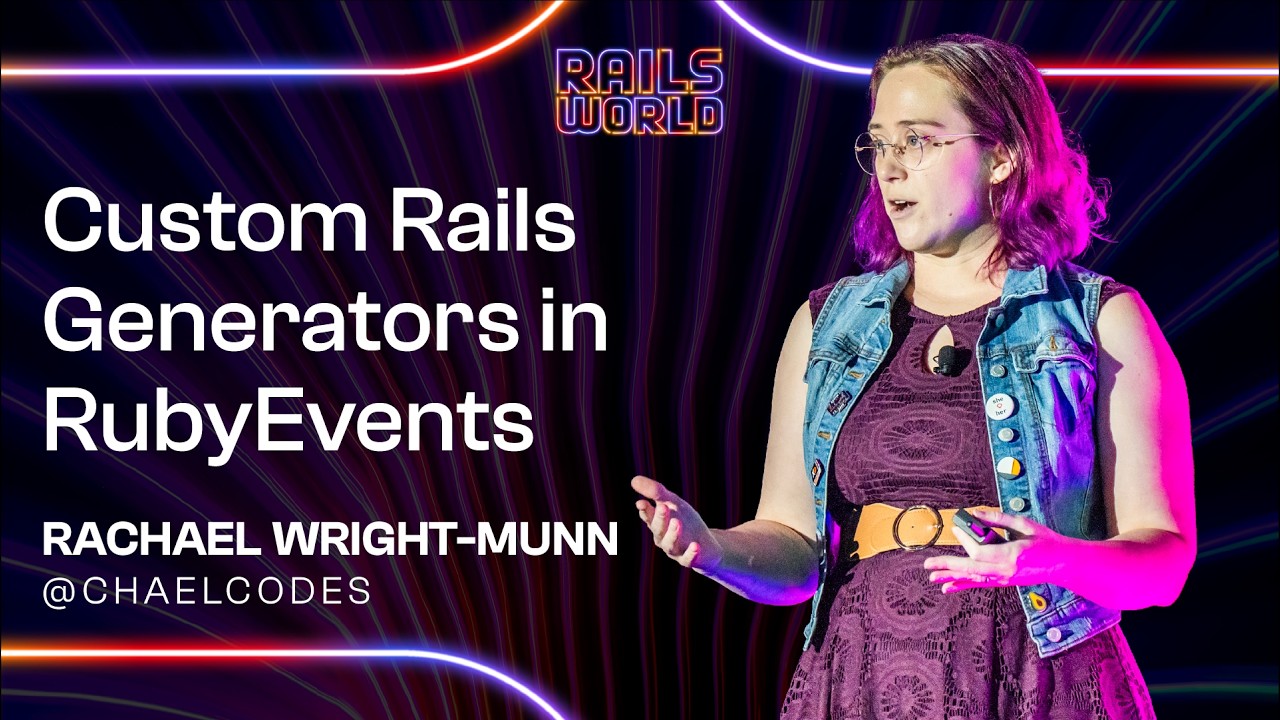
## Background Published by the Ruby on Rails YouTube channel on October 1, 2026, this presentation features RubyEvents.org maintainer Rachael Wright-Munn speaking at Rails World 2026. According to the video description, the talk covers building custom Rails generators from scratch, fixing flaky generator test suites, converting generators into MCP tools, and benchmarking AI models to demonstrate that smaller models with well-designed tools can match or exceed frontier models at lower costs.
## TL;DR Facing schema consistency challenges across both human open-source contributors and AI coding agents on RubyEvents.org, Rachael Wright-Munn implemented custom Rails generators built on Thor to standardize YAML data generation. She demonstrates how to structure generator classes, configure self-documenting class options, leverage ERB templates, and isolate generator test suites to prevent parallel execution flakiness. The talk concludes with empirical benchmarks comparing raw frontier models against generator-assisted runs, AI skills, and MCP tools, revealing that smaller, budget-friendly models paired with structured CLI tools can achieve flawless task execution for pennies.
## Atmosphere & style The session is pragmatic, engaging, and punctuated with dry developer humor, as Rachael casually jokes about acquired tech stacks and quirks in LLM behavior. Her presentation style is brisk and hands-on, transitioning smoothly from granular code walkthroughs and terminal debugging quirks to hard empirical benchmarking data. The atmosphere feels like an honest dispatch from the open-source trenches, balancing technical precision with accessible, hype-free insights on modern AI-assisted engineering.
## Bulletin - [23:50](https://www.youtube.com/watch?v=aornGet-EoI&t=1430s) Empirical benchmarking demonstrates that smaller language models paired with custom Rails generators and an AI Skill achieve zero errors at a cost of $0.39, outperforming unconstrained frontier models that incurred four errors and cost $1.83. - [20:06](https://www.youtube.com/watch?v=aornGet-EoI&t=1206s) Teams do not need to choose between CLIs and the Model Context Protocol; Rails generator class options and type metadata can be metaprogrammed directly into dynamic MCP tools to serve both human contributors and AI agents. - [07:53](https://www.youtube.com/watch?v=aornGet-EoI&t=473s) Rails generators built on Thor provide self-documenting CLI flags and USAGE files that serve as low-token, dynamic context injection vectors for autonomous coding agents. - [15:10](https://www.youtube.com/watch?v=aornGet-EoI&t=910s) Generator test flakiness in parallel test suites stems from the default shared tmp/generators directory, which can be permanently resolved by isolating runs in dynamic temporary directories via Dir.mktmpdir.
## Key takeaways - [00:06](https://www.youtube.com/watch?v=aornGet-EoI&t=6s) RubyEvents.org relies on flat YAML files in version control for spam prevention and open community archiving, but this creates high submission friction for external contributors. - [01:11](https://www.youtube.com/watch?v=aornGet-EoI&t=71s) AI coding agents and human open-source contributors experience identical friction in unfamiliar codebases, including schema errors, missing required comments, and ignored file lifecycle transitions. - [03:15](https://www.youtube.com/watch?v=aornGet-EoI&t=195s) Combining an AI Skill with a CLI generator provides an accessible interface for both automated agents and human contributors without requiring proprietary tool SDKs or token budgets. - [05:10](https://www.youtube.com/watch?v=aornGet-EoI&t=310s) Inheriting from Rails::Generators::Base instead of NamedBase allows developers to bypass mandatory positional name arguments and inflection helpers when generating files with predetermined paths. - [06:48](https://www.youtube.com/watch?v=aornGet-EoI&t=408s) Using class_option flags instead of positional arguments eliminates ordering mistakes and provides flexible defaults for both human users and AI agents. - [07:53](https://www.youtube.com/watch?v=aornGet-EoI&t=473s) Rails automatically appends generator USAGE file contents to --help output, allowing AI agents to discover syntax, flag schemas, and realistic edge-case examples through a single CLI command. - [12:21](https://www.youtube.com/watch?v=aornGet-EoI&t=741s) ERB trim tags (<%- and -%>) are necessary in Thor templates to suppress extraneous whitespace and blank lines when generating strict flat data formats like YAML. - [15:10](https://www.youtube.com/watch?v=aornGet-EoI&t=910s) Default generator test harnesses wipe out a shared tmp/generators directory between tests, introducing race conditions in parallel test runs unless isolated temporary directories are used. - [15:10](https://www.youtube.com/watch?v=aornGet-EoI&t=910s) Interactive debuggers like Pry and IRB freeze silently during generator tests because Rails suppresses standard output redirection by default. - [20:06](https://www.youtube.com/watch?v=aornGet-EoI&t=1206s) Metaprogramming Thor class_options directly into Model Context Protocol schemas allows generators to serve as dynamic MCP servers that update automatically whenever CLI options change. - [21:57](https://www.youtube.com/watch?v=aornGet-EoI&t=1317s) Unassisted frontier models produced high error rates, including hallucinated sponsor logos, casing errors, and unauthorized web requests, consuming 136k tokens and costing $1.83. - [23:50](https://www.youtube.com/watch?v=aornGet-EoI&t=1430s) Smaller sibling models beat massive frontier models when equipped with structured tools because they strictly followed CLI constraints instead of rewriting content or deviating from prompts. - [25:14](https://www.youtube.com/watch?v=aornGet-EoI&t=1514s) Ultra-budget models like Luna completed an entire experimental suite across multiple configurations for under $0.25, demonstrating viability for scoped, generator-backed automation. - [26:15](https://www.youtube.com/watch?v=aornGet-EoI&t=1575s) Benchmarking revealed that concerns over MCP token costs are largely unfounded, as MCP configurations consistently produced among the lowest token expenditures across models.
## Detailed walkthrough ### [00:06](https://www.youtube.com/watch?v=aornGet-EoI&t=6s) Preserving Community History: Why RubyEvents.org Runs on YAML
Rachael Wright-Munn, one of four maintainers of RubyEvents.org, opens her presentation by explaining the foundational architecture of the project. RubyEvents.org is an open-source platform indexing Ruby events worldwide entirely through YAML files. Showing the concise YAML file representing Rails World 2026, she quips to the audience, "You are here."
Anticipating the obvious question of why an application would rely on flat YAML files rather than a standard relational database, she walks through four explicit reasons. First, it is an inherited architectural decision. Second, managing data through version control allows maintainers to thoroughly review every submission for spam. Third, it lowers the barrier of entry by enabling any developer in the community to submit updates directly via pull requests. Lastly, and most critically for community longevity: if the application ever goes offline or gets acquired by Meetup.com, the event data will persist forever as an open, accessible historical record of the Ruby community.
```mermaid flowchart TD accTitle: RubyEvents Data Pipeline accDescr: Visual representation of how external community updates flow from social feeds into YAML git commits.
subgraph Sourcing["Event Discovery"] A["Bluesky / Web Announcements"] end
subgraph Automation["AI Agent Processing"] B["GitHub Copilot / Agent Session"] C["Parse Unstructured Event Info"] end
subgraph Repository["Git Version Control"] D["YAML File Index"] E["Community Spam Review & Merge"] end
A --> B B --> C C --> D D --> E ```
[01:11](https://www.youtube.com/watch?v=aornGet-EoI&t=71s) The Unstructured Data Challenge: AI Agents and 180+ Human Contributors
Relying on YAML introduces a major friction point: every data change requires a git commit. For maintainers looking to automate updates, taking unstructured web text and turning it into clean commits was an uphill battle before modern AI tools. Rachael shares her ideal workflow: while scrolling Bluesky, she spots an event announcement, kicks off an agent session using GitHub Copilot, and receives a clean pull request ready to merge into the repository. This exact approach was used to add the Rails World 2026 CFP, but making it work reliably required solving several subtle hurdles.
Initially, AI agents struggled with the specific conventions of the codebase. Despite being capable, the models had no internal mental model of RubyEvents.org. They frequently hallucinated non-existent keys, reused deprecated attributes (such as `event_name`, which is reserved exclusively for recurring meetups), and omitted required `# TODO` comments. Furthermore, intermediate document states proved nearly impossible for AI to deduce; for instance, the `videos.yml` file transitions through three distinct phases across an event’s lifecycle—first when speakers are announced, second when the schedule is published, and third when talk recordings are uploaded. Because agents primarily encounter completed files, they consistently neglected intermediate lifecycle states as well as valuable niche keys like `cancelled` or `original_title` (used for talks given in languages other than English). Furthermore, feeding full YAML examples to agents burned an excessive number of tokens.
Crucially, this was not just an AI issue. RubyEvents.org has more than 180 open-source contributors who face identical frustrations. Contributors know when local events update and have the raw information, but they do not know the repository's internal schema. They misspell keys, miss required fields, and spend hours parsing existing examples just to submit a single event.
- **Intermediate Data States**: AI fails to navigate files with progressive lifecycles, such as `videos.yml` evolving from speaker announcements to schedules to video URLs. - **Neglected Schema Keys**: Useful metadata fields like `cancelled` and `original_title` were frequently overlooked. - **Token Inefficiency**: Having models inspect existing YAML files consumed massive token budgets just to deduce schemas.
[03:15](https://www.youtube.com/watch?v=aornGet-EoI&t=195s) Architecture Dilemma: MCP Tools vs. Skill + CLI
To address both AI and human contributors simultaneously, Rachael evaluated two primary paradigms for teaching agents how to interact with the project: Model Context Protocol (MCP) tooling versus an AI Skill paired with a Command Line Interface (CLI). An MCP tool is an AI-native SDK designed to fetch context and execute actions directly on behalf of a model. Conversely, an AI Skill consists of discoverable Markdown documentation paired with a conventional CLI utility.
While AI agents naturally prefer and reach for native MCP tools, Rachael points out that a Skill paired with a CLI bridges the gap between machines and humans: "anybody can use that. We can all read markdown and then CLI... anybody can call them." A common critique of MCP tools is the significant context window overhead required simply to register and describe the tool schemas—and in LLMs, "context is tokens is money." Choosing the Skill plus CLI route offered a unified interface that supports both automated agents and human contributors who may not have access to paid AI tokens.
```mermaid flowchart LR accTitle: Tooling Architecture Tradeoff accDescr: Comparison of MCP tools against a Skill plus CLI approach for agents and human contributors.
subgraph MCPOption["MCP Tooling"] M1["Model Context Protocol"] --> M2["AI-Native SDK"] M2 --> M3["Heavy Context Token Overhead"] M3 --> M4["AI Agents Only"] end
subgraph SkillOption["Skill + CLI (Chosen)"] S1["Markdown Skill File"] --> S2["Standard Rails CLI Generator"] S2 --> S3["Low Token Usage via Help Docs"] S3 --> S4["AI Agents & 180+ Human Contributors"] end ```
[04:17](https://www.youtube.com/watch?v=aornGet-EoI&t=257s) Choosing Rails Generators Built on Thor
When deciding on a CLI framework, Rails generators stood out as an intuitive choice that every Rails developer already understands from running migrations or scaffolding resources. Beyond familiarity, adopting Rails generators eliminated the burden of designing CLI boilerplate from scratch. Built-in solutions already existed for:
- Argument and option parsing - File templating and directory generation - Self-generating help documentation - Automated test suites - Interactive file conflict resolution (an edge case Rachael admits was not even on her radar initially)
Rails generators achieve this by building directly on top of Thor, the battle-tested Ruby toolkit designed for authoring sophisticated command-line applications.
[05:10](https://www.youtube.com/watch?v=aornGet-EoI&t=310s) Generating a Generator: `NamedBase` vs. `Base`
To scaffold a generator for Call for Proposals (CFP) YAML files, Rachael starts with Rails' own meta-tooling: "I'm going to generate a generator because of course there's a generator to generate your generators." Running `bin/rails generate generator cfp` creates three core files:
1. `lib/generators/cfp/cfp_generator.rb` (the executable generator class) 2. `lib/generators/cfp/USAGE` (the documentation and help file) 3. `test/lib/generators/cfp_generator_test.rb` (the test suite)
By default, the scaffolded class inherits from `Rails::Generators::NamedBase`. Under `NamedBase`, the generator requires a single mandatory positional argument (`name`) and generates a vast suite of inflection helper methods based on that name (e.g., `singular_name`, `plural_name`, `file_name`), which are implemented under the hood with straightforward string interpolation.
However, because RubyEvents.org already has rigid, predetermined file paths and does not need name inflections, Rachael discarded the scaffolded defaults: "Let's throw all of that away... I know where I want my file to be and I don't need any of those helper methods." She swapped the superclass from `Rails::Generators::NamedBase` to `Rails::Generators::Base`, choosing a clean slate without forced positional arguments.
| Generator Superclass | Positional Name Argument | Inflection Helpers | Typical Use Case | |:--- |:--- |:--- |:--- | | `Rails::Generators::NamedBase` | Required by default (`name`) | Included (`singular_name`, `plural_name`, etc.) | Scaffolding models, controllers, and resources | | `Rails::Generators::Base` | None (inherited parent) | None included | Standalone utility and configuration generators |
[06:48](https://www.youtube.com/watch?v=aornGet-EoI&t=408s) Arguments vs. Options: Designing the CLI Interface
When designing how users pass input to a generator, Rails provides two approaches: `argument` (positional arguments) and `class_option` (named flags). Positional arguments are declared as `argument:event, type::string, desc: "event slug"` and invoked via `bin/rails g cfp rails-world-2026`. Like positional parameters in standard Ruby methods, their meaning depends strictly on order.
Class options, on the other hand, behave like keyword arguments: ```ruby class_option:event, type::string, desc: "event slug" ``` Users call them explicitly with flags: `bin/rails g cfp --event rails-world-2026`. Class options can be marked as required, given fallback defaults, or treated as optional, and they remain completely order-independent. Rachael opted for class options across the CFP generator because they eliminate ordering mistakes for both human contributors and AI agents while providing flexibility over which values are supplied or omitted.
- **Positional Arguments**: Order-dependent, invoked without flags, functionally equivalent to positional method arguments. - **Class Options**: Order-independent, flag-driven (`--event`), support explicit flags, defaults, and optional flags.
[07:53](https://www.youtube.com/watch?v=aornGet-EoI&t=473s) Self-Documenting CLIs and Context Injection via `USAGE`
Rails generators provide built-in documentation that Rachael had never fully utilized before this project: calling `bin/rails g cfp --help` dynamically displays all configured `class_option` flags alongside their types, aliases, and descriptions. Whenever maintainers adjust class options in the generator code, the CLI help documentation updates automatically.
Even more powerfully, Rails appends the contents of the generator's `USAGE` file directly to the end of the `--help` output. Rachael recognized this as an ideal vector for context injection when guiding AI agents: "one of the things I find is that AI is reluctant to actually call documentation and files that I reference, but it's pretty good at running commands." By executing `--help`, the agent receives both syntax definitions and rich practical examples in a single command output.
The current `USAGE` file for the RubyEvents CFP generator contains four targeted examples designed to prevent common errors: 1. **Minimal example**: The baseline configuration required to generate a valid CFP file. 2. **Ongoing meetup CFP**: Demonstrates how to handle recurring meetups that do not feature an end date. 3. **Lightning talks**: Illustrates fields specific to talk tracks and open mic formats. 4. **Updating or extending a CFP**: Guides agents and humans on how to mutate an existing file when deadlines shift, addressing the difficulty AI models face with evolving lifecycle states.
[10:05](https://www.youtube.com/watch?v=aornGet-EoI&t=605s) Thor Templates (.tt) and ERB
With inputs defined and documentation in place, the generator needs to render actual files. Rails generators rely on Thor templates, designated by the `.tt` file extension. Thor templates are standard ERB templates, making file definition simple. Rachael took the raw YAML from the Rails World 2026 CFP, placed it directly into the `.tt` template file, and replaced static values with ERB tags reading from the generator's `options` hash.
As an aside, she highlights that this templating mechanism is not limited to custom generators: developers can customize Rails' built-in default generators (such as scaffold or model templates) by placing customized `.tt` templates under the application's `lib/templates` directory, as outlined in Section 6 of the official Rails Generators Guide.
[10:49](https://www.youtube.com/watch?v=aornGet-EoI&t=649s) Wiring the Template to Generator Methods
With the ERB template written, the next step is wiring it directly into the generator class by introducing two core methods: `cfp_file_path` and `create_cfp_file`. The implementation of `create_cfp_file` is clean and declarative: it invokes Thor's `template` method, passing the template source file and the destination path where the resulting file should live. Rails generators automatically handle where to locate template files via a boilerplate snippet placed at the top of generated generator classes: `source_root File.expand_path("templates", __dir__)`. Capturing this kind of repetitive glue code automatically is precisely where generator tooling shines.
```mermaid flowchart LR accTitle: Rails Generator File Execution Flow accDescr: Flow diagram showing how templates and options resolve into generated files in RubyEvents. subgraph Inputs["Inputs & Templates"] direction TB SR["source_root: templates/cfp.yml.erb"] OPT["Generator Options: --event, --open-date, etc."] end subgraph Engine["Generator Execution"] direction TB TMPL["template helper"] DEST["cfp_file_path(destination_root)"] end subgraph Output["Target Filesystem"] direction TB OUT["data/{event_series}/{event}/cfp.yml"] end SR --> TMPL OPT --> TMPL TMPL --> DEST DEST --> OUT ```
For the target destination, RubyEvents organizes its file tree by placing CFP data under the directory path `data/{event_series}/{event}/`. The generator relies on `destination_root`, a value provided by Rails that defaults to whichever working directory the command was invoked from. Running the generator for the first time with all required inputs yields instant gratification: it executes, injects all passed values into the template, and outputs a complete, valid CFP file.
- `template` helper: Takes the source ERB template filename and destination path as arguments. - `source_root`: Configures Thor's lookup path using `File.expand_path("templates", __dir__)`. - `destination_root`: Contextual root path supplied by Rails that defaults to the invocation directory.
[12:21](https://www.youtube.com/watch?v=aornGet-EoI&t=741s) Handling File Conflicts, Optional Fields, and ERB Whitespace
Calling the generator a second time without start and end dates exposes two real-world edge cases. First, because a `cfp.yml` already exists on disk from the previous execution, Rails triggers an interactive file conflict prompt. Thor's `template` helper handles this automatically out of the box, allowing the developer to inspect the diff or confirm an overwrite directly from the command line. Second, RubyEvents enforces strict schema validations: if `open_date` and `close_date` keys are present in the YAML file, they cannot be blank and must be formatted as valid dates. For open-ended community meetups with rolling CFPs, those keys need to be omitted entirely when omitted on the command line.
The template needs conditional ERB logic wrapping both date attributes: `<% if options[:open_date] %>` and `<% if options[:close_date] %>`. While standard ERB works as expected, it leaves behind unwanted blank newlines in the raw text output. In browser HTML rendering, extraneous blank lines are invisibly collapsed, but in structured data formats like YAML, messy whitespace creates visual noise and formatting inconsistencies. By switching from standard ERB tags to ERB trim tags (`<%-` and `-%>`), trailing and leading whitespace are stripped out cleanly, leaving behind properly formatted YAML with exactly one terminal newline.
- Thor handles existing file collisions natively by pausing execution and asking the user whether to overwrite, skip, or diff the file. - Optional YAML attributes require conditional guard clauses around keys to prevent empty values from failing application data validations. - ERB hyphen/trim tags (`<%-... -%>`) suppress formatting gaps and blank lines that would otherwise pollute generated flat data files.
[13:51](https://www.youtube.com/watch?v=aornGet-EoI&t=831s) Testing Generators with `run_generator` and `assert_file`
With conditional logic living inside the template, the generator requires automated test coverage. Rails provides a generator test harness out of the box (`CFPGeneratorTest`). Simply uncommenting the default generated test and executing it immediately results in a failing test reporting that no value was provided for the required `--event` option.
```ruby # Passing CLI flags to the generator test harness run_generator(["--event", "rails-world-2026", "--open-date", "2026-06-01"]) ```
To exercise the generator correctly in tests, arguments are passed to the `run_generator` helper as an array of strings that mirror exact CLI flags and arguments. Pairing flag names and values explicitly into paired elements makes test setup clear and readable. Once executed, Rails provides assertions such as `assert_file` to verify file creation. Assertions can match raw file contents directly or check output using regular expressions. While tests might produce a passing green dot, verification feels incomplete without checking the generated disk output directly. Digging into the file tree reveals that generated files actually persist on disk under `tmp/generators/` even after the test suite completes.
- `run_generator`: Accepts an array representing command-line invocation tokens (e.g., `["--event", "rails-world"]`). - `assert_file`: Validates the existence of a file at a specified relative destination path and verifies its contents via regex or string matching. - Persisted test output is stored by default inside the application's `tmp/generators` directory.
[15:10](https://www.youtube.com/watch?v=aornGet-EoI&t=910s) Taming Test Flakiness and Silent Debugging Failures
Investigating why files persist in `tmp/generators` without triggering file conflict prompts reveals the internal mechanics of Rails' generator test harness:
```mermaid flowchart TD accTitle: Generator Test Isolation Architecture accDescr: Comparison of naive default generator setup versus isolated temporary directory approach. subgraph DefaultHarness["Default Setup (Flaky in Parallel)"] D1["Fixed directory: tmp/generators"] D2["setup:prepare_destination"] D3["Entire tmp/generators wiped and recreated"] D1 --> D2 --> D3 end subgraph IsolatedHarness["Recommended Isolated Setup"] I1["Dir.mktmpdir created per test run"] I2["destination = isolated_temp_dir"] I3["teardown: FileUtils.remove_entry temp_dir"] I1 --> I2 --> I3 end ```
The standard generator test template sets `destination File.expand_path("../tmp/generators", __dir__)` and invokes `prepare_destination` inside a `setup` block. Under the hood, `prepare_destination` recursively deletes the entire directory and recreates it before every test. While simple, this shared-folder approach creates dangerous race conditions whenever tests run across parallel workers—one thread wipes out `tmp/generators` while another is actively writing or asserting against it.
To eliminate flaky generator specs completely, the test class should allocate a unique temporary directory via `Dir.mktmpdir` for each test run and clean it up inside `teardown`, omitting `prepare_destination` entirely.
Attempting to inspect intermediate generator state by inserting a `binding.irb` or `binding.pry` triggers an unnerving freeze: the test hangs silently, displaying no prompt or terminal output until the user blindly types `quit` and hits enter. Rails suppresses standard output during generator runs by default. As documented in Section 10 of the official Rails Generator Testing guide, standard output redirection must be explicitly overridden:
- Configure `Rails.application.config.rails_log_to_stdout = true` (or pass standard out logging flags) to enable interactive terminal debuggers like IRB and Pry. - Leaving stdout uncaptured in normal runs will flood test suites with generator terminal noise, which is why Rails silences output in the first place. - Replace static destination paths with isolated dynamic temp directories to guarantee parallel test isolation. - Essential generator resources: Garrett Dimon's blog, the official Rails Guides, and source code from Rails itself and production open-source apps like RubyEvents.org.
[19:11](https://www.youtube.com/watch?v=aornGet-EoI&t=1151s) Structuring AI Skills for CLI Generators
Having hardened the CLI interface, the focus turns to the other half of the agent integration equation: the AI "Skill". A skill acts as an instructional markdown document that guides an AI coding agent on how to interact with the repository. It begins with YAML front matter detailing when and how the agent should activate the skill, followed by markdown instructions highlighting codebase conventions and edge cases that LLMs frequently botch. Because RubyEvents functions as an archive and index of global community events, maintaining exact accuracy in event metadata and CFP timelines is non-negotiable.
The skill document outlines concrete checklist items for the agent's workflow: 1. Run `bin/rails g cfp --help` first so the model parses the auto-generated documentation, flag descriptions, and usage examples directly into its context window. 2. Formulate and execute the specific `bin/rails g cfp` invocation matching the user request. 3. Generate a screenshot or run data verifications to confirm visual and functional correctness before finishing.
By structuring the document around CLI help discovery, the model discovers its own parameters dynamically rather than hallucinating options.
[20:06](https://www.youtube.com/watch?v=aornGet-EoI&t=1206s) From "CLI or MCP" to "CLI AND MCP": Generating Model Context Protocol Tools
The original design question was framed as an either/or dilemma: use a skill with a CLI, or build custom Model Context Protocol (MCP) servers. However, during a presentation at RubyConf, Andy Croll demonstrated techniques for leveraging OpenAI JSON schemas through metaprogramming to build dynamic Ruby LLM MCP tools. This sparked an immediate realization: the exact same `class_option` metadata, type contracts, descriptions, and required flags already defined on the Rails generator can be metaprogrammed into an MCP tool automatically.
Rather than maintaining separate tools, RubyEvents uses a tool-generation script that reflects over Rails generator classes (such as `CFPGenerator`), extracts their Thor `class_options`, and synthesizes corresponding MCP tool definitions for a Ruby LLM MCP server. Any time an engineer or open-source contributor updates a generator's flags or validations and merges the PR, the corresponding MCP tool updates automatically upon server restart.
This bridge allows direct empirical benchmarking between the two paradigms: testing Skill + CLI versus native MCP tools across real models, starting tests against frontier models by rolling back manual codebase improvements to measure raw tool efficacy.
[21:57](https://www.youtube.com/watch?v=aornGet-EoI&t=1317s) Benchmarking Frontier Models: Raw AI vs. Generators, Skills, and MCP
To measure the real-world value of custom generators and AI tooling, Rachael established a rigorous benchmarking suite centered on a single end-to-end task: adding Rails World 2026 to the RubyEvents repository. To isolate the effects of the tools and prevent network fluctuations from skewing the data, she provided each run with a static Markdown source file rather than allowing live web scraping. After each run completed, the resulting output was checked against the test suite using `bin/rails validate:all`. She began by putting a frontier model through four distinct environments: purely unconstrained AI with zero specialized tooling, an AI instructed to use custom Rails generators, an AI running with an explicit skill wrapping the CLI generator, and finally an AI operating via the Model Context Protocol (MCP).
```mermaid flowchart TD accTitle: Frontier Model Benchmark Configurations accDescr: Comparison of four tooling approaches tested with a frontier AI model adding event data. subgraph Raw["No Tooling"] A["Frontier Model (Raw)"] -->|"Unconstrained Web & Edits"| E1["4 Errors / $1.83<br/>136k tokens"] end subgraph Generator["Generator Only"] B["Frontier + CLI Generator"] -->|"Standard CLI Execution"| E2["2 Errors<br/>131k tokens"] end subgraph SkillCLI["Skill + CLI"] C["Frontier + Skill + CLI"] -->|"Scoped Workflow Guide"| E3["1 Error (Em Dash)"] end subgraph MCPTool["MCP Integration"] D["Frontier + MCP"] -->|"Direct Tool Protocol"| E4["Quit Prematurely<br/>Lowest Token Count"] end ```
The baseline test—relying entirely on the frontier model with no generators, no custom skills, and no MCP—proved chaotic. Lacking structural guardrails, the model pulled in stale historical context from the existing repository. It hallucinated old 2023 sponsor logos instead of the 2026 roster, introduced casing blunders such as lowercasing "1Password" and splitting "TableCheck" into two words, and performed an unauthorized web fetch to grab a URL for the Palmer Events Center. All told, the raw approach notched four distinct errors while burning through 136,000 tokens and costing $1.83.
Adding the custom generator without a dedicated skill immediately halved the failure rate. Prompted simply to "add Rails World 2026" using custom generators, the model dropped to two errors: it omitted PlanetScale and replaced em dashes (—) with standard hyphens in talk descriptions—leading Rachael to joke dryly that "the big AI companies are really listening to us." This run consumed 131,000 tokens. When she layered the AI skill on top of the CLI generator, accuracy climbed higher still, producing only a single error (the recurring em dash substitution).
The MCP evaluation, however, yielded an unexpected stumbling block: the frontier model simply gave up midway through execution, leaving behind no videos, no schedule, and no sponsors. While that made it technically the cheapest run with the lowest token footprint, it was an outright operational failure.
- **Baseline (No Tools):** 4 errors (2023 sponsor logos reused, casing mistakes on 1Password and TableCheck, unauthorized URL fetch for Palmer Events Center), 136,000 tokens, $1.83 cost. - **Generator Only:** 2 errors (missed PlanetScale, converted em dashes to hyphens), 131,000 tokens. - **Skill + CLI:** 1 error (em dash converted to hyphen). - **MCP Tooling:** Premature termination without writing videos, sponsors, or schedule; lowest token count and cost, but failed execution.
[23:50](https://www.youtube.com/watch?v=aornGet-EoI&t=1430s) Smaller Models Outperform Frontier Giants with Better Tools
Turning her attention to the frontier model’s smaller sibling, Rachael discovered an even more compelling trend. When left completely unassisted without tools, the smaller model failed spectacularly: it renamed keynote speeches, stripped talk descriptions entirely, and assigned the formatting normally reserved for lunch breaks and coffee pauses to all the speaker sessions, ensuring none of them would link properly. When allowed to use generators alone, it struggled with repo-level context—copying over historical involvements (including former MCs and volunteers), wiping out `TODO` comments, and inserting an unnecessary event name parameter.
The tables turned completely once structured tooling entered the picture. With MCP, the smaller sibling performed admirably, making only two mistakes: an erroneous involvement addition (which was at least the Rails Foundation) and the ubiquitous em dash conversion. But the breakthrough came with the **Skill + CLI** configuration: the smaller model executed the entire Rails World 2026 addition with **zero errors** at a total cost of just **$0.39**.
This stark result exposed an architectural reality of modern LLMs: smaller models paired with well-defined tools consistently beat massive frontier models on scoped, repeatable coding chores. Because the smaller model lacked the conversational ambition of a flagship model, it followed instructions obediently. It never went "off script," never tried to rewrite speaker descriptions according to its own editorial tastes, and did not waste tokens inspecting adjacent files to second-guess whether the generated scaffolding was correct.
| Tooling Approach | Smaller Sibling Performance | Key Errors & Behavior | |:--- |:--- |:--- | | **No Tools** | Catastrophic failure | Renamed keynotes; stripped talk descriptions; formatted talks like lunch breaks | | **Generator Only** | High hallucination | Duplicated old volunteers/MCs; wiped `TODO` comments; added invalid CLI flags | | **MCP** | Moderate success | Converted em dashes; added redundant Rails Foundation involvement | | **Skill + CLI** | **Flawless run** | **0 errors; perfectly formed files at a cost of only $0.39** |
[25:14](https://www.youtube.com/watch?v=aornGet-EoI&t=1514s) Ultra-Budget Testing: The Luna Evaluation
Encouraged by these results, Rachael extended her experiment to include Luna, an ultra-low-cost model highlighted in a recent Rails Foundation AI model report for its surprisingly high accuracy score relative to its rock-bottom operating expense.
Luna showed acute weaknesses when dealing with complex scheduling logic. In earlier, less constrained configurations, it populated incorrect timestamps across the timetable, and when running under MCP, it failed to produce a schedule at all. When paired with the Skill + CLI pipeline, however, its only structural omission was dropping Day 0 from the event schedule. Its remaining slip-ups mirrored the other models: replacing full-length talk descriptions with clipped, one-line summaries and turning em dashes into hyphens under MCP.
What made the Luna benchmark remarkable was the economics. Despite running through the entire gamut of multi-step evaluation setups, the cumulative bill for every single Luna run combined came in under twenty-five cents. For high-volume maintainers and automated CI pipelines, such extreme cost efficiency demonstrates that budget models can handle substantial code generation workloads if paired with robust validation and generators.
- **Baseline / Early Configurations:** Inaccurate schedule timestamps, talk descriptions compressed into one-liners. - **MCP Configuration:** Failed to output a schedule; swapped em dashes for hyphens. - **Skill + CLI Configuration:** Omitted Day 0, but completed the rest of the generation cleanly. - **Total Suite Cost:** Less than $0.25 across all experimental variations combined.
[26:15](https://www.youtube.com/watch?v=aornGet-EoI&t=1575s) Key Findings and Actionable Takeaways for Rails Developers
Synthesizing her data across all three model tiers and four tooling configurations, Rachael drew two major analytical conclusions. First, while custom skills delivered the lowest aggregate error rates, they came with higher token overhead and financial expense. Second, the widespread anxiety that MCP tooling is inherently cost-prohibitive is overblown; across all benchmarks, MCP runs consistently ranked among the lowest in token consumption and raw expenditure.
To close out the talk, Rachael left the Rails World audience with five core recommendations:
1. **You are now dangerous enough to write custom generators:** Building generators using `Rails::Generators::Base` or `NamedBase` requires minimal code, handles file conflicts elegantly, and generates its own help documentation. 2. **Explicitly instruct your agents to use generators:** Reminding AI assistants in system prompts and skill instructions to lean on native Rails generators dramatically boosts output reliability while suppressing token costs. 3. **Reach for small models with superior tools:** Instead of defaulting to flagship, expensive engines like Claude Opus for every software engineering task, deploy compact models backed by prescriptive CLIs and generators. 4. **Tailor existing generator templates to corporate standards:** Maintainers and teams should customize the default templates shipped with Rails to match company style guides, eliminating tedious code review iterations on first-pass PRs. 5. **Build for humans and AI alike:** Open-source contributors and autonomous agents face the exact same challenge: stepping into an unfamiliar codebase without context. Tooling that makes human onboarding effortless will make AI agents significantly more effective, and vice versa.
Rachael concluded her presentation to applause, introducing herself as Rachael Wright-Munn (often going by "Chael" or "Rachael"), pointing attendees to her social presence at `@chaelcodes`, and inviting everyone to catch her regular live streams on Twitch and YouTube every Sunday at 18:00 UTC.
## Notable quotes > [00:06](https://www.youtube.com/watch?v=aornGet-EoI&t=6s) You are here. — Rachael Wright-Munn
> [03:15](https://www.youtube.com/watch?v=aornGet-EoI&t=195s) anybody can use that. We can all read markdown and then CLI... anybody can call them. — Rachael Wright-Munn
> [03:15](https://www.youtube.com/watch?v=aornGet-EoI&t=195s) context is tokens is money. — Rachael Wright-Munn
> [05:10](https://www.youtube.com/watch?v=aornGet-EoI&t=310s) I'm going to generate a generator because of course there's a generator to generate your generators. — Rachael Wright-Munn
> [05:10](https://www.youtube.com/watch?v=aornGet-EoI&t=310s) Let's throw all of that away... I know where I want my file to be and I don't need any of those helper methods. — Rachael Wright-Munn
> [07:53](https://www.youtube.com/watch?v=aornGet-EoI&t=473s) one of the things I find is that AI is reluctant to actually call documentation and files that I reference, but it's pretty good at running commands. — Rachael Wright-Munn
> [21:57](https://www.youtube.com/watch?v=aornGet-EoI&t=1317s) the big AI companies are really listening to us. — Rachael Wright-Munn
> [26:15](https://www.youtube.com/watch?v=aornGet-EoI&t=1575s) You are now dangerous enough to write custom generators — Rachael Wright-Munn
## Mentioned 1Password, Andy Croll, Bluesky, Claude Opus, Garrett Dimon, GitHub Copilot, Luna, Meetup.com, Model Context Protocol (MCP), OpenAI, Palmer Events Center, PlanetScale, Rachael Wright-Munn, Rails Foundation, Rails World 2026, Ruby on Rails, RubyConf, RubyEvents.org, Shopify, TableCheck, Thor, Twitch, YouTube
## Video description How do you teach both AI agents and 180+ open-source contributors to work with a codebase they don't know? At #RailsWorld 2026, RubyEvents.org maintainer Rachael Wright-Munn shows how custom Rails generators became the answer. She walks through building one from scratch, covering NamedBase vs. Base, arguments vs. options, auto-generated help docs, Thor templates, and file conflicts. She also shares practical fixes for flaky generator tests. Rachael then pairs the CLI with an AI skill, turns the same generators into MCP tools, and benchmarks every approach across models. The results show that smaller models with better tools can match or outperform frontier models on scoped, repeatable tasks for a fraction of the cost.
Slides found here: https://speakerdeck.com/chaelcodes/custom-rails-generators-in-rubyevents-rails-world-2026
***
Thank you Shopify for sponsoring the editing and post-production of these videos. Check out insights from the Engineering team at: https://shopify.engineering/
[Source](https://www.youtube.com/watch?v=aornGet-EoI)