Meta Muse Agent Calls Customer Support to Cut Household Bills
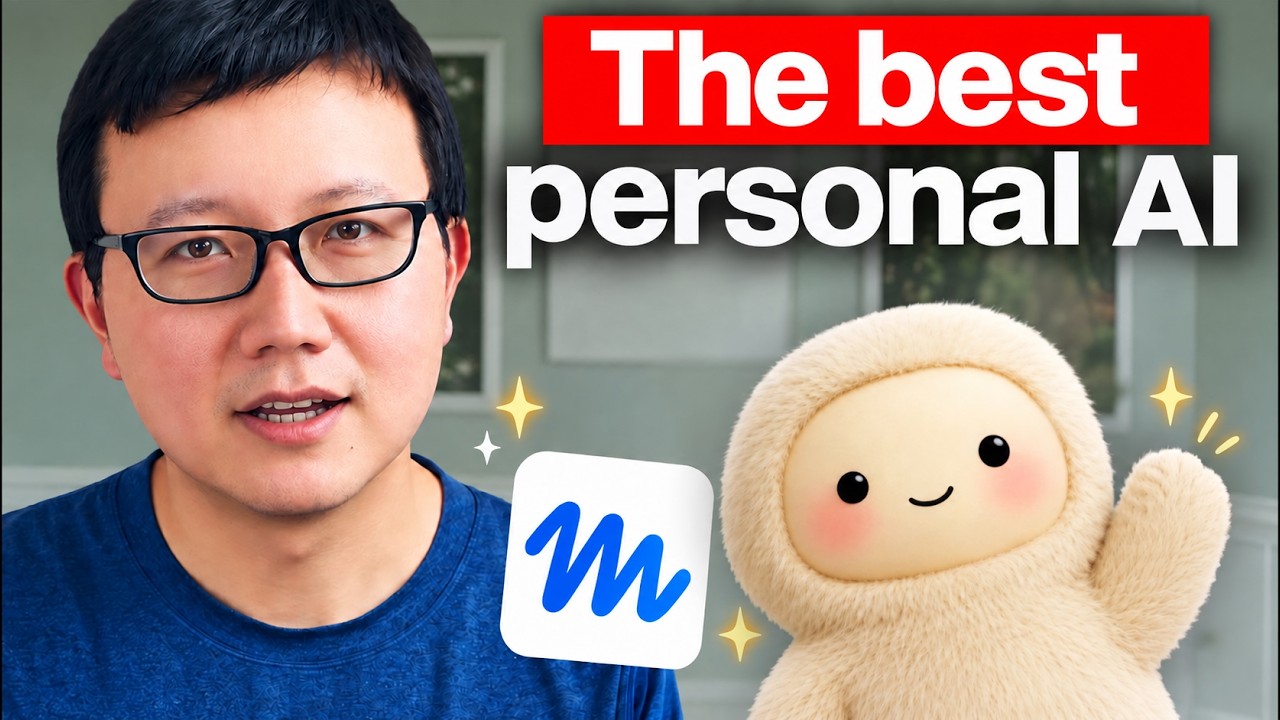
Peter Yang
Meta's existing reach across billions of social media users gives Muse an unmatched distribution moat to become the first mainstream consumer AI agent.
AI-assisted summary of Meta’s Muse AI Agent Saved Me $800+ a Year on My Bills (10 Real Use Cases) — original source. Check the original for full context.
Source published:
Key ideas
- Meta's free AI agent Muse demonstrates direct real-world utility by autonomously calling customer support lines to negotiate bills, securing an Xfinity internet rate drop from $84/month to $60/month. (13:03)
- An in-app billing audit reduced an AT&T cellular plan from $200 to $160 per month, generating $480 in annual savings by transitioning autopay to a checking account with secure manual credential handoffs. (0:46)
- Deep integration with Meta's consumer ecosystem allows Muse to automate Facebook Marketplace commerce, including listing items, sourcing products, and haggling with sellers over Messenger. (5:48)
- Propelled by Meta's massive user distribution moat, Muse surged into the top three on the App Store within one week of its consumer launch. (15:47)
Detailed notes
## Background Published on YouTube by Peter Yang on September 18, 2026, this video demonstrates ten practical use cases for Meta's personal AI agent, Muse. The description highlights how the free agent saved Yang over $800 annually on his cable and phone bills, specifically by autonomously placing calls to customer support to negotiate lower rates on his behalf.
## TL;DR In this walkthrough, Peter Yang showcases Meta's Muse personal AI agent as a powerful tool for streamlining daily life logistics. He demonstrates how Muse delivered over $800 in annual recurring savings by reconfiguring his AT&T billing settings and autonomously calling Xfinity customer support to negotiate a discounted internet rate. Yang also covers how Muse aggregates social messages, facilitates buying and selling on Facebook Marketplace, curates an ad-free morning news feed, enforces personal habit tracking, and discovers local weekend events. Ultimately, he argues that Meta's unparalleled consumer distribution gives Muse a decisive advantage in bringing autonomous AI agents to mainstream users.
## Atmosphere & style The video feels like an engaging, hands-on desktop screenshare led by an enthusiastic and practical early adopter. Yang strikes an authentic, casual tone, effortlessly blending analytical cost-benefit breakdowns with humorous personal confessions about bedtime doomscrolling and designing animated red panda avatars. The narrative arc moves briskly from tangible financial wins to broader lifestyle optimizations, leaving viewers with a tangible sense of excitement about the near future of consumer-facing automation.
## Bulletin - [13:03](https://www.youtube.com/watch?v=eU1ICyI9bCs&t=783s) Meta's free AI agent Muse demonstrates direct real-world utility by autonomously calling customer support lines to negotiate bills, securing an Xfinity internet rate drop from $84/month to $60/month. - [00:46](https://www.youtube.com/watch?v=eU1ICyI9bCs&t=46s) An in-app billing audit reduced an AT&T cellular plan from $200 to $160 per month, generating $480 in annual savings by transitioning autopay to a checking account with secure manual credential handoffs. - [05:48](https://www.youtube.com/watch?v=eU1ICyI9bCs&t=348s) Deep integration with Meta's consumer ecosystem allows Muse to automate Facebook Marketplace commerce, including listing items, sourcing products, and haggling with sellers over Messenger. - [15:47](https://www.youtube.com/watch?v=eU1ICyI9bCs&t=947s) Propelled by Meta's massive user distribution moat, Muse surged into the top three on the App Store within one week of its consumer launch.
## Key takeaways - [00:00](https://www.youtube.com/watch?v=eU1ICyI9bCs&t=0s) Meta's Muse sets a precedent for consumer AI agents by delivering measurable financial returns, saving over $800 annually on household bills at zero software cost. - [00:46](https://www.youtube.com/watch?v=eU1ICyI9bCs&t=46s) Muse identified a $10 per line autopay discount on a 4-line AT&T account, cutting monthly expenses from $200 to $160 and securing $480 in recurring annual savings. - [00:46](https://www.youtube.com/watch?v=eU1ICyI9bCs&t=46s) To protect user privacy and sensitive financial data, Muse yields control within its cloud browser so users manually input bank and routing details rather than storing them in the agent. - [02:45](https://www.youtube.com/watch?v=eU1ICyI9bCs&t=165s) The agent features deep UI customization, allowing users to replace generic chat boxes with responsive, animated avatars that feature dynamic idle and processing animations. - [04:11](https://www.youtube.com/watch?v=eU1ICyI9bCs&t=251s) Muse prioritizes personal consumer communications—integrating Instagram, Threads, Messenger, and iMessage—to filter promotional noise and conduct daily cross-platform triage. - [05:48](https://www.youtube.com/watch?v=eU1ICyI9bCs&t=348s) Facebook Marketplace capabilities extend beyond basic search: Muse can create sale listings and autonomously negotiate pricing with prospective buyers and sellers via Messenger. - [06:44](https://www.youtube.com/watch?v=eU1ICyI9bCs&t=404s) The dedicated Feed tab offers an ad-free, high-signal alternative to algorithmic social media feeds, aggregating focused topic digests and personal project updates. - [08:01](https://www.youtube.com/watch?v=eU1ICyI9bCs&t=481s) The Goals tab implements structured habit tracking, combining diagnostic questioning, timed nightly reminders, and morning check-ins to build persistent streak data. - [10:05](https://www.youtube.com/watch?v=eU1ICyI9bCs&t=605s) The Ideas tab bypasses the empty chat prompt problem by proactively analyzing user context to suggest actionable tasks, such as reporting municipal potholes or comparing consumer products. - [12:11](https://www.youtube.com/watch?v=eU1ICyI9bCs&t=731s) As a local lifestyle scout, Muse automates itinerary planning, date night reservations, and recurring event discovery across local community calendars. - [13:03](https://www.youtube.com/watch?v=eU1ICyI9bCs&t=783s) Muse's standout capability is placing outbound voice calls to live customer support agents using a transparent AI persona that discloses call transcription while advocating on the user's behalf. - [13:03](https://www.youtube.com/watch?v=eU1ICyI9bCs&t=783s) During an autonomous Xfinity call, Muse bypassed IVR phone trees and hold queues to discover unadvertised promotional rates and autopay discounts without manual user effort. - [15:47](https://www.youtube.com/watch?v=eU1ICyI9bCs&t=947s) Meta holds a unique structural advantage in the AI agent race, leveraging its multi-billion-user ecosystem across Facebook, Instagram, and WhatsApp to scale Muse rapidly. - [15:47](https://www.youtube.com/watch?v=eU1ICyI9bCs&t=947s) Effective personal AI workflows are stratifying across specialized tools: ChatGPT for cognitive knowledge work, Grokbot for background cloud execution, and Muse for personal administration and phone automation.
## Detailed walkthrough ### [00:00](https://www.youtube.com/watch?v=eU1ICyI9bCs&t=0s) Introduction: Why Muse Is a Game-Changing Personal Agent
Meta's Muse stands out as the single best personal AI agent on the market to date. The tool delivers "insane value" for software that is completely free to use, demonstrating concrete real-world utility by saving over $800 annually across cable and phone bills. Rather than merely offering suggestions, Muse's standout capability is taking direct action—including autonomously calling customer support lines to negotiate contracts and rates on the user's behalf.
Across ten primary use cases, Muse handles diverse everyday tasks that range from triaging communications across platforms like Messenger and iMessage to curating customized morning news feeds, tracking personal habits, booking dinner reservations and event tickets, and aggressively cutting recurring household expenses.
---
[00:46](https://www.youtube.com/watch?v=eU1ICyI9bCs&t=46s) Saving $480 a Year on AT&T and Expanding into Insurance
The money-saving workflow begins inside the Muse desktop application with a dedicated finances chat thread aimed at reducing an AT&T cellular bill. To initiate the audit, Muse directs the user to log into the carrier's portal. The user inputs their credentials into Muse's built-in secure store, allowing the agent to navigate the AT&T website via a cloud browser. Muse inspects the account structure and spots an immediate billing inefficiency: switching the payment method from an existing credit card to direct bank account autopay yields a discount of $10 per line each month. With four active lines on the plan, this single tweak represents an ongoing savings of $40 per month.
```mermaid flowchart TD accTitle: AT&T Bill Optimization Flow accDescr: Muse identifies payment method savings and guides the user through secure bank linking. subgraph Audit ["Account Audit"] A["Store Login in Secure Vault"] --> B["Cloud Browser Logs Into AT&T"] B --> C["Identify Autopay Discount:<br/>$10/line/month across 4 lines"] end subgraph Execution ["Execution & Handoff"] C --> D["User Manually Enters Bank & Routing Info<br/>(Privacy/Security Protection)"] D --> E["Autopay Switched to Checking Account"] end subgraph Outcome ["Financial Impact"] E --> F["Monthly Bill Drops: $200 to $160"] F --> G["Total Annual Savings: $480/year"] end ```
After being instructed to apply the discounts without disrupting existing phone lines, the agent guides the user through the enrollment sequence. When it reaches the sensitive step requiring bank account and routing numbers, Muse intentionally yields control to the user inside the cloud browser view rather than storing or typing financial credentials itself—a deliberate security measure to prevent privacy risks. Once the user submits their Bank of America checking details, Muse finalizes the setup, confirming that the monthly statement immediately drops from $200 down to roughly $160. Within a five-to-ten-minute chat interaction, Muse locks in $480 in annual savings. Building on this momentum, the user taps the finances thread to audit their Tesla auto insurance, prompting Muse to gather vehicle details and garaging locations to begin cross-shopping competitive quotes against Geico, Progressive, and State Farm.
- **Carrier & Lines**: AT&T account with 4 lines. - **Immediate Arbitrage**: Shifting autopay from a credit card to a bank account cuts $10 per line ($40/month total). - **Net Bill Impact**: Lowers monthly payment from $200 to $160, producing $480 in recurring yearly savings. - **Security Guardrail**: Cloud browser lets the user manually type bank and routing data for complete privacy. - **Insurance Pipeline**: Automated quote discovery initiated across Geico, Progressive, and State Farm.
---
[02:45](https://www.youtube.com/watch?v=eU1ICyI9bCs&t=165s) App Orientation and Customizing an Animated Red Panda Avatar
Muse defaults to an out-of-the-box avatar, but the desktop experience is built to be deeply customized. As a self-professed red panda enthusiast, the user begins setup by asking Muse to completely restyle its visual persona into an animated red panda. Through an interactive iterative loop in chat, Muse generates four initial concept renderings. Prompted to "make it cuter," it produces a second batch of four refined options, one of which the user selects.
Once chosen, Muse instantly applies the new look and generates reactive idle animations right away, allowing the red panda avatar to naturally look around the interface. To expand on this polish, the user prompts it for additional dynamic behaviors. By default, Muse provides animations for directly facing the user and typing while processing answers, but Muse is also able to generate standalone preview clips such as the red panda waving hello or munching on bamboo. While Muse admits it cannot currently inject custom custom-generated video clips directly into the static interactive profile slot, the seamless process of transforming an AI into an expressive, moving companion highlights the software's overall refinement. Having a responsive animated character feels markedly warmer and more personal than staring at an empty chat text box.
---
[04:11](https://www.youtube.com/watch?v=eU1ICyI9bCs&t=251s) Connecting Everyday Apps and Unified Message Monitoring
Muse's broader software ecosystem is tailored explicitly around personal life rather than generic enterprise productivity. While common tools support email and calendar synchronization, Muse’s key competitive edge is native integration across the Meta product suite: Instagram, Threads, Facebook, and Messenger.
To manage communication overload, the user configures a dedicated "messages thread," directing Muse to review incoming communications across chatting services while excluding standard email clutter. After linking services including iMessage, Instagram, and Threads, Muse conducts an inbox scan. Although the initial DM triage reveals that inbound messages on Instagram and Threads consist almost entirely of junk and promotional spam, the utility of the feature is clear. Juggling disparate channels like WhatsApp, Messenger, and iMessage is universally exhausting. Automating a daily scheduled check-in allows Muse to silently surface truly critical notifications without requiring the user to manually open and clean out every single app. When tested against workplace tools like Linear, Muse fails to connect, but this limitation reflects an intentional design philosophy: ordinary consumers benefit far more from one-click consumer app integrations than from wrestling with developer API keys and enterprise webhooks.
- **Native Meta Ecosystem**: Direct access to Instagram DMs, Threads, Facebook profiles, and Messenger. - **Message Aggregation**: Unifies cross-app triage across iMessage, WhatsApp, and social chat apps into a single monitoring routine. - **Daily Scheduled Briefing**: Flags urgent follow-ups while filtering out social media promotional spam. - **Consumer Focus**: Prioritizes seamless plug-and-play access over developer tools or API configurations.
---
[05:48](https://www.youtube.com/watch?v=eU1ICyI9bCs&t=348s) Automating Facebook Marketplace Buying, Listing, and Negotiating
Thanks to deep Facebook integration, Muse functions as an autonomous commerce assistant on Facebook Marketplace, handling both sides of the transaction: buying and selling.
When tasked with finding single golf clubs locally, Muse parses Marketplace listings and delivers a curated summary of three targeted options, complete with links to inspect each item's full posting. On the selling side, offloading an old iPhone 13 Pro is equally frictionless: the user provides the item photos, target listing price, and descriptive criteria, and Muse publishes the listing directly to Marketplace. Crucially, because Muse links directly into Facebook Messenger, it can negotiate deals autonomously. The agent can message sellers to confirm whether an item is still available, align on specific terms, and haggle on price to close purchases at the best possible rate.
---
[06:44](https://www.youtube.com/watch?v=eU1ICyI9bCs&t=404s) Building an Ad-Free Personalized Morning News Feed
In contrast to the standard Facebook news feed—which has become increasingly cluttered with low-effort "AI slop junk and ads"—Muse features a dedicated **Feed** tab on the left sidebar that functions as a high-signal, bespoke intelligence dashboard. Setup requires nothing more than asking Muse to monitor core topics of interest, such as major breakthroughs from leading AI research laboratories.
Every morning, the agent compiles an uncluttered digest that can be skimmed over coffee, with clickable entries that launch straight into the browser for deeper reading. The feed is fully modular; users can blend external industry news with personal project alerts, such as subscriber trends or draft updates for a newsletter. Most importantly, the feed currently operates completely ad-free, creating an uninterrupted morning reading ritual focused entirely on what the user cares about.
---
[08:01](https://www.youtube.com/watch?v=eU1ICyI9bCs&t=481s) Habit Tracking in the Goals Tab: The Phone-Free Bedroom Challenge
Muse pairs information consumption with personal accountability through its **Goals** tab. The agent automatically maintains a living to-do list derived from ongoing conversational context—tracking items like booking an upcoming flight to Japan, finalizing a YouTube video script about Muse, or negotiating cable contracts. Underneath these task items lies a proactive behavioral goal-tracking system designed to modify daily habits.
The user uses this system to address a persistent bad habit: bringing their smartphone into the bedroom at night. Despite maintaining disciplined routines around daily exercise and clean eating, late-night phone browsing often causes the user to wake up around 5:00 a.m. only to fall into an addictive doomscrolling loop instead of going back to sleep. When prompted to help break this cycle, Muse asks diagnostic questions about what draws the phone into the bedroom and what alternate activity could replace it. The user shares that their bedtime target is between 10:00 and 10:30 p.m. ("kind of like an old man") and that their aspiration is to replace late-night phone scrolling with reading books.
```mermaid flowchart LR accTitle: Habit Tracking Architecture accDescr: Morning and evening interactive check-ins feed a persistent streak-tracking UI artifact. subgraph Routine ["Daily Cadence"] A["10:00 PM Bedtime Reminder:<br/>Leave phone outside bedroom"] --> B["Morning Check-In:<br/>Audit adherence"] end subgraph Interface ["Sidebar Artifact"] B --> C["Log Success / Failure"] C --> D["Update Habit Charts & Streaks"] end ```
Muse converts this challenge into a dedicated interactive UI artifact in the left-hand workspace: - **Bedtime Intervention**: Muse triggers a targeted alert around 10:00 p.m. to remind the user to leave their phone outside the bedroom. - **Morning Audit**: A daily morning follow-up asks whether the user successfully honored the rule. - **Streak Visualization**: Responses populate visual habit charts and consecutive streak tallies within the interface.
Though the initial results show a rocky start—with the user admitting they still succumbed to bringing the phone to bed two nights in a row—the automated daily reminders, persistent visual artifact, and structured accountability offer an effective framework for targeting personal health and lifestyle goals.
[10:05](https://www.youtube.com/watch?v=eU1ICyI9bCs&t=605s) Proactive Ideas and Side-by-Side Product Comparisons
When starting a new habit or routine, Muse does not leave the user staring at an empty prompt; if you indicate that you want to start a health goal, it actively guides you through selecting and structuring the right targets. This leads into what Peter considers one of the software’s standout interfaces: the proactive suggestions found in the "Ideas" tab. In stark contrast to standard ChatGPT-style interfaces—where users are confronted with an empty chat box and often have no idea what to type—Muse draws on prior conversations and personal context to surface proactive recommendations. It suggests staging video shoot packets, locking in lower utility bills, triaging email inboxes, or analyzing meal photos to calculate calories. It even surfaces creative civic actions, such as drafting a message to a local government agency to fix a nearby pothole or a broken street light.
```mermaid flowchart TD accTitle: Proactive Ideas to Automated Tasks accDescr: Flowchart illustrating how Muse turns user context into proactive ideas and automated tasks. subgraph ContextEngine["User Context Engine"] A["Chat History & Personal Context"] --> B["Ideas Tab (Proactive Engine)"] end subgraph SuggestedTasks["Suggested Automations"] B --> C["Personal Tasks<br/>• Meal calorie tracking<br/>• Inbox triaging"] B --> D["Civic Actions<br/>• Report street lights<br/>• Report potholes"] B --> E["Research & Commerce<br/>• Product comparisons<br/>• Ticket booking"] end ```
To test its shopping capabilities live, Peter asks Muse to compare electronic razors side by side: *"give me a side byside comparison of the best options and let's see what it comes up with."* After roughly five minutes of browsing product listings on Best Buy, Muse delivers a ranked list of five options with detailed rationale, giving top recommendation honors to a Panasonic model. While Peter notes a minor limitation—wishing the agent had consulted dedicated editorial review publications like *Wirecutter* in addition to retail storefronts—he emphasizes that the agent is capable of handling the entire transaction on the spot via its integrated browser tool.
- **Sample proactive prompt categories in Ideas:** - Production workflows: Staging a video shoot packet. - Financial optimizations: Locking in discounted utility and service rates. - Daily productivity: Inbox triaging and message prioritization. - Health tracking: Snapping photos of meals to log macronutrients and calories. - Civic engagement: Contacting municipal public works departments for road maintenance and street repairs.
---
[12:11](https://www.youtube.com/watch?v=eU1ICyI9bCs&t=731s) Event Discovery, Date Night Planning, and "Weekend Scout"
Muse functions exceptionally well as a localized research assistant. Peter demonstrates how it aggregates upcoming concerts and ticketing events across the San Francisco Bay Area. Narrowing down the query, he asks it to identify highly rated performances for September 30th—his wedding anniversary—along with nearby dinner recommendations.
The agent highlights a performance at the Magic Theatre alongside suitable restaurants in close proximity. From that screen, purchasing tickets requires only a single instruction: selecting two general admission tickets prompts Muse’s autonomous browser to initiate the booking flow. Beyond planning specific occasions, users can set up automated recurring routines like a "weekend scout," which regularly monitors community calendars. In Peter's case, this feature uncovered an upcoming Comedy Day event in Golden Gate Park that he otherwise would have missed.
---
[13:03](https://www.youtube.com/watch?v=eU1ICyI9bCs&t=783s) Autonomous Customer Support Calls: Negotiating an Xfinity Cable Bill
The definitive "killer feature" of Muse—and one Peter predicts competitors will inevitably clone—is its capability to place outbound voice calls to negotiate bills with live customer service representatives. Peter tasks Muse with lowering his Xfinity Comcast internet bill. Before dialing, the software prompts the user for setup parameters, asking whether to use a male or female voice persona and requesting the user's full legal name and phone number for account verification.
While Peter is eating breakfast, Muse dials Xfinity autonomously. It successfully secures an offer dropping the bill down to a promotional rate of $60 per month, plus an additional $10 discount upon enrolling in autopay. Reviewing the call log, Muse handled the conversation transparently rather than spoofing identity:
> *"Hey, this is Haley calling on Peter's behalf. I'll transcribe his call for notes. I'm calling to see if Peter can keep the same internet plan but lower the $84 monthly bill. Can you help me with that?"*
```mermaid flowchart LR accTitle: Muse Autonomous Bill Negotiation Call Flow accDescr: Sequence diagram style flowchart showing Muse negotiating an Xfinity bill. subgraph Setup["Configuration"] A["Set Voice & Identity<br/>(Voice: Haley)"] --> B["Account Details<br/>(Peter Yang)"] end subgraph LiveCall["Live Interaction"] B --> C["Dials Xfinity Call Center"] C --> D["Identifies as Personal Agent<br/>(Discloses transcription)"] D --> E["Negotiates $84/mo rate down"] end subgraph Outcome["Resolution"] E --> F["Promotional Rate: $60/mo"] F --> G["Autopay Discount: -$10/mo"] end ```
The support agent asked to verify the account holder's name and ultimately indicated that the primary account owner would need to finalize the discount personally. Nevertheless, Peter highlights the massive value delivered: skipping the interactive voice response (IVR) tree, bypassing hold music, and discovering available promotional discounts with zero manual effort. Peter playfully adds that he originally gained early access to this feature by instructing Muse to file feedback directly to the Meta product development team on his behalf, which was approved that very morning.
---
[15:47](https://www.youtube.com/watch?v=eU1ICyI9bCs&t=947s) Meta’s Distribution Playbook and Peter's Everyday AI Stack
Reflecting on all ten use cases, Peter argues that Meta has taken the lead in the personal AI agent race. Beyond product polish, Meta holds a structural moat through distribution. Just as the company leveraged its existing platforms to outmaneuver Snapchat with Instagram Stories and challenge X with Threads, it can effortlessly market and deploy Muse to billions of active users across Facebook, Instagram, and WhatsApp. Within just one week of launch, Muse surged into the top three apps on the App Store.
Peter explains how he has consolidated his personal workflow to avoid constant migration between AI tools:
| Platform | Primary Use Case in Peter's Stack | |:--- |:--- | | **ChatGPT** | Daily cognitive work and professional desktop tasks | | **Grokbot** | Cloud-based background work tasks executing while the computer is shut down | | **Muse** | All personal life logistics, habit monitoring, local event research, and automated phone calls |
Peter concludes that Muse represents the first consumer AI agent with a realistic path toward reaching a billion mainstream users, a development that makes him decidedly bullish on Meta stock. He encourages viewers to take advantage of the free tool to lower their monthly expenses, curate feeds, and automate life administration.
## Notable quotes > [00:00](https://www.youtube.com/watch?v=eU1ICyI9bCs&t=0s) insane value — Peter Yang
> [02:45](https://www.youtube.com/watch?v=eU1ICyI9bCs&t=165s) make it cuter — Peter Yang
> [06:44](https://www.youtube.com/watch?v=eU1ICyI9bCs&t=404s) AI slop junk and ads — Peter Yang
> [08:01](https://www.youtube.com/watch?v=eU1ICyI9bCs&t=481s) kind of like an old man — Peter Yang
> [10:05](https://www.youtube.com/watch?v=eU1ICyI9bCs&t=605s) give me a side byside comparison of the best options and let's see what it comes up with. — Peter Yang
> [13:03](https://www.youtube.com/watch?v=eU1ICyI9bCs&t=783s) Hey, this is Haley calling on Peter's behalf. I'll transcribe his call for notes. I'm calling to see if Peter can keep the same internet plan but lower the $84 monthly bill. Can you help me with that? — Muse
## Mentioned AT&T, Bank of America, Best Buy, ChatGPT, Comedy Day, Facebook, Facebook Marketplace, Geico, Golden Gate Park, Grokbot, Instagram, Linear, Magic Theatre, Messenger, Meta, Muse, Panasonic, Peter Yang, Progressive, San Francisco Bay Area, State Farm, Tesla, Threads, WhatsApp, Wirecutter, X, Xfinity Comcast, iMessage
## Video description Copy my best AI workflows to save time and automate busywork: https://www.behindthecraft.com 🤝 Subscribe to my practical AI newsletter read by 150K+ professionals: https://creatoreconomy.so
Muse from Meta is the best personal agent I’ve used to date. It actually saved me over $800 a year in my cable and phone bills, which is just insane value for an AI tool that you can use for free. And the craziest part is that it did this by calling customer support to negotiate my bills for me.
In this video, I walk through 10 of my favorite Muse use cases, including checking for important messages, building a personalized morning news feed, tracking and fixing bad habits, booking restaurants and shows, and of course, negotiating all my bills.
What I cover: (00:00) Why Muse is my favorite personal agent (01:00) Lower my phone bill with Muse (03:00) Personalize Muse and connect my apps (06:00) Shop Facebook Marketplace with Muse (07:00) Build a personalized morning Feed (08:00) Track a phone-free bedroom goal (10:30) Use Ideas to shop and plan a night out (13:00) Have Muse call to negotiate my cable bill
Try Muse: [https://muse.ai](https://muse.ai)
Where to find me: X: [https://x.com/petergyang](https://x.com/petergyang) LinkedIn: [https://www.linkedin.com/in/petergyang/](https://www.linkedin.com/in/petergyang/)
Subscribe to this channel - more tutorials coming soon!
[Source](https://www.youtube.com/watch?v=eU1ICyI9bCs)