Claude Opus 5.5 Sheds Preachy Tone, Automates Video and 3D Code Tasks
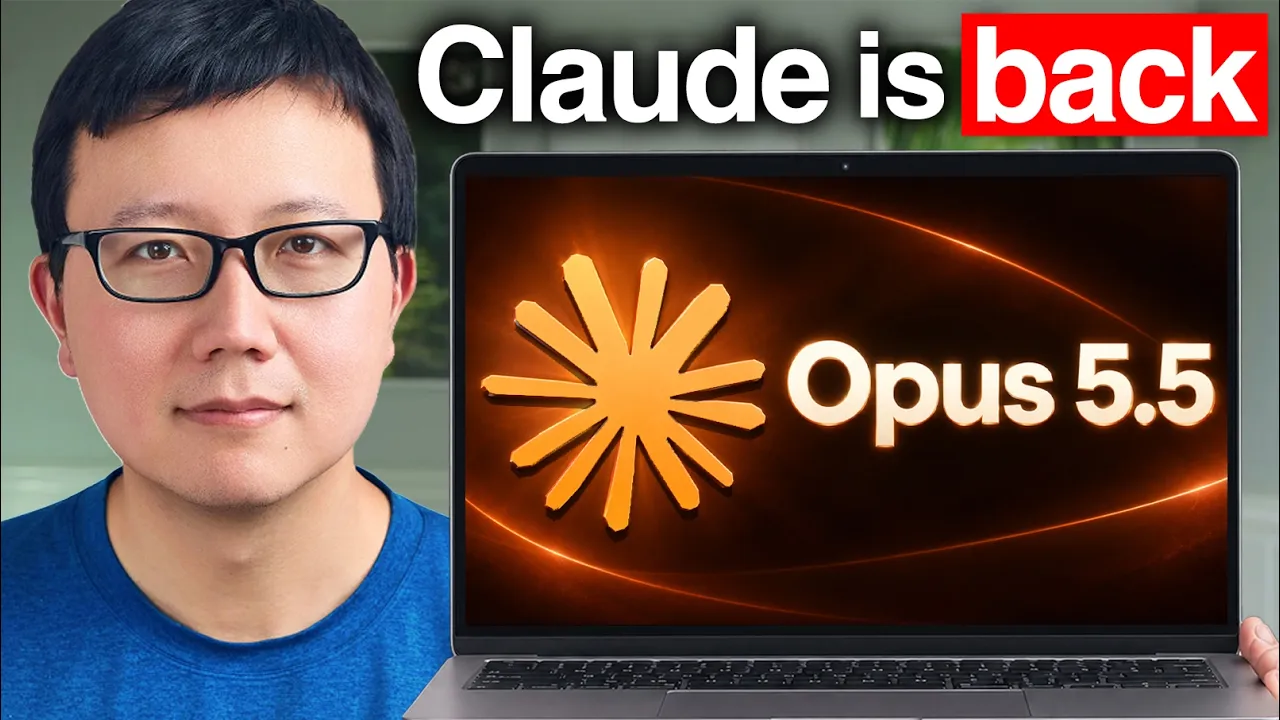
Claude Opus 5.5 is Here! Is Claude Finally Back? (5 Use Cases Tested) — Peter Yang

Peter Yang

While Claude Opus 5.5 demonstrates strong code-driven video editing and 3D modeling, its most critical breakthrough is stripping out the judgmental clichés and slop that previously drove users to ChatGPT.

AI-assisted summary of Claude Opus 5.5 is Here! Is Claude Finally Back? (5 Use Cases Tested) — original source. Check the original for full context.

Source published:

Key ideas

  • Claude Opus 5.5 demonstrates major technical leaps, successfully scripting Blender 3D flyovers, procedural anime drawing, and interactive browser-based simulations like a multi-scene Disney ride artifact. (1:03)
  • Anthropic integrated Claude Design directly into Claude Code, allowing developers to generate and refine UI canvases via terminal commands without manual file exports. (8:41)
  • Video editing automation reached practical utility via conversational prompts and the open-source Hyperframes repo, handling frame-by-frame asset swaps and sensitive data blurring. (11:32)
  • Opus 5.5 eliminates the judgmental tone, word salad, and repetitive rhetorical crutches that plagued Opus 5, passing user personality tests with direct, actionable insights. (13:48)

Detailed notes

## Background Published on YouTube by Peter Yang on September 22, 2026, this video tests Anthropic's Claude Opus 5.5 across five practical use cases to see if the model has redeemed itself. The video description outlines hands-on demonstrations ranging from generating 3D Blender flyovers and an interactive Disney ride to stroke-by-stroke digital painting, mobile app UI redesigns, video editing, and a dedicated personality evaluation.

## TL;DR Peter Yang puts Claude Opus 5.5 through its paces after having defaulted to ChatGPT for months due to Opus 5's judgmental tone and repetitive phrasing. The model demonstrates impressive code-driven capabilities, generating a realistic 3D Golden Gate Bridge flyover in Blender, a browser-playable recreation of Disney's Soaring ride, procedural anime drawing web apps, and automated video intro edits using Hyperframes. While live browser computer use in MS Paint remains clumsy and Claude still lacks a native image generation model for UI mockups, Opus 5.5 succeeds decisively on its personality test. By replacing generic, preachy word salad with direct, actionable product insights, the model proves that Claude has regained its conversational charm and practical utility.

## Atmosphere & style The presentation carries a pragmatic, builder-focused atmosphere that blends technical curiosity with candid, real-world product critique. Yang's delivery is conversational, clear, and grounded, guiding viewers through terminal workflows, interactive code artifacts, and visual render timelines without unnecessary hype. The overarching emotional arc moves from cautious skepticism born of prior model disappointments to genuine excitement and relief as Claude finally sheds its preachy clichés and feels enjoyable to work with again.

## Bulletin - [01:03](https://www.youtube.com/watch?v=UhBqorWNwlU&t=63s) Claude Opus 5.5 demonstrates major technical leaps, successfully scripting Blender 3D flyovers, procedural anime drawing, and interactive browser-based simulations like a multi-scene Disney ride artifact. - [08:41](https://www.youtube.com/watch?v=UhBqorWNwlU&t=521s) Anthropic integrated Claude Design directly into Claude Code, allowing developers to generate and refine UI canvases via terminal commands without manual file exports. - [11:32](https://www.youtube.com/watch?v=UhBqorWNwlU&t=692s) Video editing automation reached practical utility via conversational prompts and the open-source Hyperframes repo, handling frame-by-frame asset swaps and sensitive data blurring. - [13:48](https://www.youtube.com/watch?v=UhBqorWNwlU&t=828s) Opus 5.5 eliminates the judgmental tone, word salad, and repetitive rhetorical crutches that plagued Opus 5, passing user personality tests with direct, actionable insights.

## Key takeaways - [00:00](https://www.youtube.com/watch?v=UhBqorWNwlU&t=0s) The host previously switched from Claude to ChatGPT due to Opus 5 developing an overly judgmental tone and repetitive 'Claude speak' clichés. - [01:03](https://www.youtube.com/watch?v=UhBqorWNwlU&t=63s) Opus 5.5 and OpenAI's Astra have effectively solved code-driven 3D scene generation, producing realistic 30-second Blender flyovers of the Golden Gate Bridge with dynamic lighting and moving traffic. - [03:01](https://www.youtube.com/watch?v=UhBqorWNwlU&t=181s) Claude generated an interactive, playable browser artifact replicating Disney's 'Soaring Over the World' ride with procedural 3D terrain, animated birds, and custom audio across six global locations. - [05:00](https://www.youtube.com/watch?v=UhBqorWNwlU&t=300s) Procedural rendering code enables Claude to mimic human artistic workflows, drawing oil paintings and anime illustrations stroke-by-stroke with customizable speeds and stylistic presets. - [07:32](https://www.youtube.com/watch?v=UhBqorWNwlU&t=452s) Autonomous computer use in browser GUIs remains a weak point; both Claude and Astra produced crude, distorted drawings when tasked with using MS Paint via mouse control. - [08:41](https://www.youtube.com/watch?v=UhBqorWNwlU&t=521s) Claude Design inside Claude Code allows direct terminal-driven UI exploration, though open-ended variations without a design system still tend to produce cluttered layouts. - [09:37](https://www.youtube.com/watch?v=UhBqorWNwlU&t=577s) Claude excels at UI refinement when provided with targeted feedback on existing flows, such as drastically simplifying complex onboarding screens down to primary OAuth options. - [09:37](https://www.youtube.com/watch?v=UhBqorWNwlU&t=577s) The lack of native image generation remains a significant bottleneck for Claude's design workflows, forcing users to switch to ChatGPT for visual asset placeholders. - [11:32](https://www.youtube.com/watch?v=UhBqorWNwlU&t=692s) Integrating Claude with the open-source Hyperframes repository enables conversational video editing, including adding animations, zoom effects, and relevant contextual overlays. - [11:32](https://www.youtube.com/watch?v=UhBqorWNwlU&t=692s) Claude effectively automated tedious video production tasks by inspecting footage frame-by-frame to accurately blur sensitive personal phone and account data. - [13:48](https://www.youtube.com/watch?v=UhBqorWNwlU&t=828s) In a direct personality prompt comparison, Opus 5.5 delivered specific, highly actionable personal feedback, whereas Opus 5 offered generic, pseudo-profound word salad. - [13:48](https://www.youtube.com/watch?v=UhBqorWNwlU&t=828s) The removal of judgmental phrasing, preachy lecturing, and rhetorical crutches makes Opus 5.5 significantly more pleasant and reliable for daily writing and planning workflows.

## Detailed walkthrough ### [00:00](https://www.youtube.com/watch?v=UhBqorWNwlU&t=0s) Why Claude Opus 5.5 Feels Like Claude Again

The showcase begins with an opening visual that appears to be real footage of the Golden Gate Bridge at dusk, only for the reveal that it was generated entirely through code by the latest Claude Opus model. Reflecting on his personal AI workflow, the host notes that while he relied on Claude for almost everything at the beginning of the year, he had defaulted to ChatGPT for the past four to five months. The primary reason was a noticeable personality regression: Claude Opus had become overly judgmental and frequently lapsed into awkward "Claude speak" phrases like *"Here's the honest truth."*

Claude Opus 5.5 aims to correct these behavioral flaws while introducing remarkable technical capabilities. The host outlines the agenda for the video, which includes generating a 3D Golden Gate Bridge flyover, recreating an interactive Disney ride from scratch, functioning as a digital painter and anime artist drawing stroke-by-stroke, tackling real-world tasks like mobile app redesign and video editing, and finally putting Opus 5.5 through the personality test that Opus 5 previously failed.

[01:03](https://www.youtube.com/watch?v=UhBqorWNwlU&t=63s) Generate a Golden Gate Bridge Flyover in Blender

The experiment was inspired by a demo from Sherif at OpenAI, who used Astra to generate a 3D model flyover of San Francisco's Palace of Fine Arts. Taking that prompt as a foundation, the host challenged Claude and Astra to move away from the Palace of Fine Arts and instead tackle a different iconic landmark: the Golden Gate Bridge. Claude approached the task by scripting scenes inside Blender, the open-source 3D modeling suite.

```mermaid flowchart TD accTitle: Blender 3D Flyover Generation Flow accDescr: Claude iteratively writes Blender scripts, configures environment settings, and renders out a final 30-second camera sequence. subgraph Setup["1. Scene Setup"] A["Input Prompt & Landmark Choice"] --> B["Claude writes Blender Python scripts"] end subgraph Tuning["2. Iterative Tuning"] B --> C["Adjust skybox & dusk lighting"] C --> D["Set tower geometry & traffic"] D --> E["Frame-by-frame camera keyframing"] end subgraph Output["3. Final Render"] E --> F["30-min generation + 30-min render"] F --> G["Final 30-second flyover video"] end ```

The model iteratively configured the environment: tuning sky colors, positioning tower lighting, placing moving cars across the bridge deck, and adjusting camera keyframes across frames. The entire process required approximately 30 minutes for Claude to generate the code and another 30 minutes to render, resulting in a 30-second cinematic flyover at dusk. The cars driving across the span add tangible realism, and only on close inspection does it become apparent that the geometry is AI-generated rather than recorded video. When tested against GPT Astra using the identical prompt, Astra produced an equally impressive daytime flyover with moving bridge traffic, leading to the conclusion that state-of-the-art models have effectively solved code-driven 3D scene generation.

[03:01](https://www.youtube.com/watch?v=UhBqorWNwlU&t=181s) Build a 3D Disney "Soaring Over the World" Ride from Scratch

Pushing 3D capabilities further, the host attempted to recreate Disney's theme park simulator *Soaring Over the World*—a ride where passengers sit in front of a curved screen and glide over global landmarks. The prompt asked Claude to build an interactive, playable browser artifact containing several world scenes and birds flying alongside the camera. Claude wrote Blender 3D assets for terrain and topography, created procedural birds, and packaged the entire ride inside a playable Claude Artifact.

The resulting browser experience includes fully modeled, sequentially navigable legs accompanied by AI-generated background music: - **The Swiss Alps:** The initial takeoff segment gliding past alpine mountain ranges. - **Greenland:** Icy landscapes under animated green northern lights. - **The Pyramids of Egypt:** Desert dunes populated by hot air balloons. - **The Islands of Fiji:** Tropical ocean flyovers complete with flying seagulls. - **The Great Wall of China:** Detailed stonework winding over steep ridges. - **Paris at Night:** A nighttime finale over the city skyline featuring an animated fireworks display.

Although building the ride required a few iterative adjustments—such as refining the bird models—and ran for nearly an hour (consuming a significant token budget), the interactive simulation runs smoothly directly inside the browser.

[05:00](https://www.youtube.com/watch?v=UhBqorWNwlU&t=300s) Paint and Draw Art and Anime Stroke by Stroke

Turning toward generative canvas applications, the host explored whether Claude could mimic human art techniques rather than simply returning static images. Being a fan of Impressionism, he prompted Claude to create an interactive web app named **"Watch Claude Paint."** When an image of the Golden Gate Bridge is uploaded, the app renders an oil painting stroke-by-stroke in real time, allowing users to toggle stylistic presets between Claude, Claude Monet, and Vincent van Gogh before signing the bottom corner with a digital "Claude" signature.

Following the Impressionist demo, the host tested whether Claude could apply traditional Japanese anime illustration workflows to uploaded reference imagery: - **Golden Gate Bridge Anime Pass:** The tool laid down broad pencil construction circles, added sharper line art over the geometry, and gradually filled in flat anime cell colors. - **Tokyo Street Figure:** When tasked with illustrating a human subject following anime conventions, the app sketched the silhouette of a girl holding a red umbrella on a rainy Tokyo street.

The tool includes a playback speed slider (such as setting completion time to 1 minute) to accelerate rendering. While the character rendering produced minor layering artifacts—such as duplicated hair segments—both experiments demonstrate real-time procedural drawing directly rendered via code.

[07:32](https://www.youtube.com/watch?v=UhBqorWNwlU&t=452s) Test Computer Use by Drawing in MS Paint

Claude's computer use capabilities have historically lagged behind competitors like Codex when interacting with live GUI elements and browser tabs. To evaluate this directly, the host tasked Claude with taking his profile photo and recreating it using primitive geometric shapes inside a live web-based Microsoft Paint interface.

The experiment did not go smoothly: - **Claude's Live Attempt:** Claude clicked into the browser canvas and dragged basic circular outlines for the head, but the finished portrait remained crude, flat, and visually unimpressive. - **Astra's Comparison:** Astra's recreation attempted more facial modeling, but ended up looking like a *"zombie or a ghoul."*

Both models struggled significantly with mouse-driven freehand coordination in a browser environment, underscoring that autonomous computer GUI manipulation for complex visual tasks remains an unsolved frontier.

[08:41](https://www.youtube.com/watch?v=UhBqorWNwlU&t=521s) Redesign My Fitness App with Claude Design in Claude Code

Transitioning to practical production workflows, the host demonstrated how the newly integrated **Claude Design** features operate inside **Claude Code**. Using his personal fitness workout tracking application as a testbed, he initiated the workflow directly from the terminal by running:

`/design can you come up with three alternative designs for my fitness app focusing on the main screens and open a canvas showing me what you have.`

Claude processed the codebase and generated a comparative UI canvas showcasing the baseline production app alongside multiple alternate themes: - A minimalist layout built around a lighter color palette. - A high-contrast dark mode design. - Additional dense dashboard variants.

Evaluating the output from a product perspective, the host observes that while several layouts still suffer from crowded spacing, the bolder UI variations provide a strong starting point for rapid interface prototyping directly within the developer's local coding environment.

[09:37](https://www.youtube.com/watch?v=UhBqorWNwlU&t=577s) Simplifying App Onboarding with Claude Design in Claude Code

Looking at the rest of the generated design variations, Peter notes that they pack in way too much information. While he considers Claude pretty good at design overall, getting it to generate great designs from scratch without a design system or reference images is tough, and he isn't super happy with these initial open-ended variations. However, Claude Design and the new model shine when given specific feedback on existing work. To demonstrate, he pulls up the onboarding flow for his fitness app, pointing out how overly complicated and overwhelming it currently is for users due to having way too many login screens and too much information.

He simply prompted Claude: "Hey, pull up my onboarding flow and can you try to simplify the onboarding screens?" In the resulting output, the first few screens remain the same, but the sign-in screen is drastically simplified down to just three clean options: "Continue with Apple," "Continue with Google," and "Sign in with email." As Peter puts it, this obviously looks a lot better than "this nonsense down here." Having Claude Design integrated directly inside Claude Code makes the workflow seamless—instead of constantly importing and exporting between tools, he can simply tell Claude, "Hey, refer to simple 1–4 inside this canvas and update the app to match it."

Whether this comes down to a harness upgrade or a model upgrade, Peter's verdict is that Claude remains very strong at design when guided by a specific design system and targeted feedback, rather than being asked to blindly explore options. However, one major limitation holding Claude back is the lack of a native image generation model. If he wants to replace an AI-generated placeholder image in his app with one that looks a little less obviously AI-generated, he has to leave Claude, go over to ChatGPT to generate the new image, and then bring it back for Claude to implement. At some point, he warns, this missing capability will restrict Claude's overall design potential.

[11:32](https://www.youtube.com/watch?v=UhBqorWNwlU&t=692s) Editing Video Intros with Claude and Hyperframes

Moving on to one of the most impressive capabilities of the latest model, Peter shows how he uses Claude to edit his videos. He maintains a custom "video intro skill" that adds animations to his intros, and he is always looking to upgrade it. After seeing a launch video from Claude packed with crazy animation effects, he asked Claude to examine that video and add more effects to his own video intro skill. He then put the updated skill to the test by having Claude edit the entire intro for his video covering Meta's Muse agent.

Playing back the resulting edit, the video features dynamic animations, zoom effects, bottom captions, and even contextually relevant animated GIFs that Claude found and inserted on its own—such as money raining down on the Muse mascot to make the segment more visually interesting. While it isn't groundbreaking cinema, Peter notes it is more than good enough for a basic YouTube video, and it was accomplished entirely through conversational prompts:

```mermaid flowchart LR accTitle: Conversational Video Editing Workflow with Claude and Hyperframes subgraph Setup["1. Skill & Tooling"] A["Claude Launch Video"] -->|"Extract effects"| B["Video Intro Skill"] H["Hyperframes Repo (HTML Overlays)"] --> B end subgraph Editing["2. Iterative Conversational Edits"] B --> C["Initial Edit (Zooms, Captions, GIFs)"] C -->|"Swap hard-to-see tweet"| D["Insert Muse Sasquatch Clip"] D -->|"Frame-by-frame inspection"| E["Blur Phone # & AT&T Info"] end ```

- **Swapping visual assets:** When Claude initially inserted a small tweet overlay that was hard to read, Peter told it, "Instead of doing this, can you go ahead and actually add the Sasquatch making a phone call that I generated using Muse itself?" Claude immediately swapped in the animated Sasquatch clip. - **Automated frame-by-frame blurring:** Peter asked Claude to go through the footage frame by frame and blur out sensitive personal details, specifically his phone number and AT&T plan information. Claude tracked and blurred the data with high accuracy—a tedious task that would take a human editor forever. - **Hyperframes integration:** To replicate this workflow, Peter recommends installing the free, open-source **Hyperframes** repository, which uses HTML to render overlays and animations (and which Claude already knows how to use out of the box), though creators can also connect other tools like DaVinci Resolve.

[13:48](https://www.youtube.com/watch?v=UhBqorWNwlU&t=828s) The Personality Test and Final Verdict on Opus 5.5

Last but not least, Peter tests whether Claude's personality has actually improved. He shares a favorite prompt that he encourages everyone to try on their own AI assistants: *"Review all of your chats, relevant sources, and your memory, and then tell me something unique that you notice about me but you think I haven't realized about myself yet. Doesn't have to be something positive. You don't have to be nice, just be truthful."*

When he ran this prompt on the older Opus 5 model, the output was a generic, hard-to-understand "word salad" full of AI slop that offered nothing actionable. Running the exact same prompt on the new Opus 5.5 model yielded a sharp, genuinely insightful takeaway: *"The one thing that you haven't noticed: your irritation is your best product strategy, you aren't using it on the product that pays you."* It pointed out that all of Peter's successful open-source projects started because he was annoyed by a specific problem, and it gave concrete ideas for applying that same irritation-driven principle to his paid membership. When Peter had a separate Claude thread analyze both outputs side by side, the differences were stark:

| Dimension | Opus 5 (Old Model) | Opus 5.5 (New Model) | |:--- |:--- |:--- | | **Tone & Approach** | Judgmental; judges the user | Explanatory; explains what is actually going on | | **Writing Style** | Heavy "slop" and fake-profound phrases (e.g., *"Nobody copies a finished system, they copy someone's mid-mistake"*) | Clean, direct, and conversational with minimal AI clichés | | **Rhetorical Crutches** | Overuses *"This is not X, this is Y"* structures | Still has occasional quirks, but vastly reduced | | **Utility** | Generic, vague word salad | Specific, insightful, and highly actionable |

For Peter, this personality fix is arguably the single biggest improvement in the release. Even more than flashy 3D modeling or video editing, Claude is finally enjoyable to talk to again without lecturing the user or drowning responses in "Claude-isms" and slop. Previously, he had been relying almost exclusively on Fable for planning and design, but Opus 5.5 makes Claude genuinely useful again across 3D generation, video editing, and writing. While Anthropic still has catching up to do—specifically improving browser and computer use inside the Claude Code harness, and exploring new interaction patterns like the cloud-based persona agents seen in Grok Bot—"for the first time in a long time, I think Claude feels like Claude again."

## Notable quotes > [00:00](https://www.youtube.com/watch?v=UhBqorWNwlU&t=0s) Here's the honest truth. — Peter Yang

> [05:00](https://www.youtube.com/watch?v=UhBqorWNwlU&t=300s) Watch Claude Paint — Peter Yang

> [07:32](https://www.youtube.com/watch?v=UhBqorWNwlU&t=452s) zombie or a ghoul — Peter Yang

> [08:41](https://www.youtube.com/watch?v=UhBqorWNwlU&t=521s) /design can you come up with three alternative designs for my fitness app focusing on the main screens and open a canvas showing me what you have. — Peter Yang

> [09:37](https://www.youtube.com/watch?v=UhBqorWNwlU&t=577s) Hey, pull up my onboarding flow and can you try to simplify the onboarding screens? — Peter Yang

> [09:37](https://www.youtube.com/watch?v=UhBqorWNwlU&t=577s) Hey, refer to simple 1–4 inside this canvas and update the app to match it. — Peter Yang

> [11:32](https://www.youtube.com/watch?v=UhBqorWNwlU&t=692s) Instead of doing this, can you go ahead and actually add the Sasquatch making a phone call that I generated using Muse itself? — Peter Yang

> [13:48](https://www.youtube.com/watch?v=UhBqorWNwlU&t=828s) Review all of your chats, relevant sources, and your memory, and then tell me something unique that you notice about me but you think I haven't realized about myself yet. Doesn't have to be something positive. You don't have to be nice, just be truthful. — Peter Yang

> [13:48](https://www.youtube.com/watch?v=UhBqorWNwlU&t=828s) The one thing that you haven't noticed: your irritation is your best product strategy, you aren't using it on the product that pays you. — Claude Opus 5.5

> [13:48](https://www.youtube.com/watch?v=UhBqorWNwlU&t=828s) Nobody copies a finished system, they copy someone's mid-mistake — Claude Opus 5

> [13:48](https://www.youtube.com/watch?v=UhBqorWNwlU&t=828s) This is not X, this is Y — Peter Yang

> [13:48](https://www.youtube.com/watch?v=UhBqorWNwlU&t=828s) for the first time in a long time, I think Claude feels like Claude again. — Peter Yang

## Mentioned Anthropic, Apple, AT&T, Blender, ChatGPT, Claude, Claude Artifacts, Claude Code, Claude Design, Claude Monet, Claude Opus 5, Claude Opus 5.5, Codex, DaVinci Resolve, Disney, Fable, Golden Gate Bridge, Google, GPT Astra, Grok Bot, Hyperframes, Meta, Microsoft Paint, Muse, OpenAI, Palace of Fine Arts, Peter Yang, Sherif, Soaring Over the World, Vincent van Gogh

## Video description Copy my best AI workflows to save time and automate busywork: https://www.behindthecraft.com

🤝 Subscribe to my practical AI newsletter read by 150K+ professionals: https://creatoreconomy.so

Claude Opus 5.5 is here! In this video, I show you how I got it to build a Golden Gate Bridge flyover and a 3D Disney ride, paint and draw anime line by line, design mobile apps, and edit my videos. Then I test whether it passes the personality test Opus 5 failed.

What I cover: (00:00) Why Claude Opus 5.5 feels like Claude again (01:03) Generate a Golden Gate Bridge flyover in Blender (03:01) Build a 3D Disney "Soaring Over the World" ride from scratch (05:00) Paint and draw art and anime stroke by stroke (07:32) Test computer use by drawing my picture in MS Paint (08:41) Redesign my fitness app with Claude Design in Claude Code (11:32) Edit my video intros with Claude and Hyperframes (13:48) The personality test and my verdict on Opus 5.5

Play the Soaring ride artifact: https://claude.ai/artifact/Hi7MEja5UatydYDay2hkoc Hyperframes for video editing: https://github.com/heygen-com/hyperframes

Where to find me: X: https://x.com/petergyang LinkedIn: https://www.linkedin.com/in/petergyang/

Subscribe to this channel - more tutorials coming soon!

[Source](https://www.youtube.com/watch?v=UhBqorWNwlU)

中文简报

Claude Opus 5.5摆脱说教语气,实现视频与3D代码任务自动化 尽管Claude Opus 5.5展现出强大的代码驱动型视频剪辑和3D建模能力,但其最关键的突破在于摒弃了此前促使用户转向ChatGPT的说教式陈词滥调和废话。 由于Opus 5说教的语气和重复的措辞,Peter Yang此前数月一直默认使用ChatGPT,如今他对Claude Opus 5.5进行了全面测试。该模型展现了令人印象深刻的代码驱动能力,包括在Blender中生成逼真的金门大桥3D飞越效果、在浏览器中可玩的迪士尼“翱翔”飞艺复刻版、程序化动漫绘制网络应用,以及利用Hyperframes自动编辑视频片头。尽管在MS Paint中通过浏览器进行实时电脑操作仍显笨拙,且Claude仍缺乏用于UI原型的原生图像生成模型,但Opus 5.5在个性测试中取得了决定性的成功。通过用直接、可落地的产品见解取代泛泛而谈且好为人师的废话,该模型证明Claude已重新赢回其对话魅力和实用价值。 Claude Opus 5.5展现出重大的技术飞跃,成功通过脚本实现Blender 3D飞越、程序化动漫绘制以及多场景迪士尼游乐项目交互式浏览器模拟。 (1:03) Anthropic将Claude Design直接集成到Claude Code中,允许开发者通过终端命令生成和调整UI画布,无需手动导出文件。 (8:41) 通过对话式提示和开源Hyperframes代码库,视频剪辑自动化已具备实用价值,可处理逐帧素材替换和敏感数据模糊。 (11:32) Opus 5.5消除了困扰Opus 5的说教语气、废话连篇和重复的修辞套路,以直接、可落地的见解通过了用户的个性测试。 (13:48)

Reading summary

Testing Claude Opus 5.5 across design, code-based 3D generation, and video editing, Peter Yang argues that the release repairs the model's degraded conversational tone while delivering robust technical capabilities, despite lingering gaps in autonomous computer use and native image generation. Code-Driven 3D Generation and Procedural Canvas Art (1:03) Opus 5.5 demonstrates strong competence when generating visual media via code rather than raw pixel output. In one test, Claude wrote Blender Python scripts, adjusted lighting, added traffic geometry, and rendered a 30-second dusk flyover of the Golden Gate Bridge in an hour-long total cycle. Yang noted that both Claude and GPT Astra produced realistic results, indicating that scripted 3D generation is largely a solved problem for flagship models. Claude also built a browser-based, multi-scene simulator inspired by Disney's Soaring Over the World inside a Claude Artifact, modeling varied environments such as the Swiss Alps, Greenland, and Paris alongside animated elements. For canvas applications, Claude built an interactive web app that procedurally paints uploaded images stroke-by-stroke in styles like Claude Monet and Vincent van Gogh, as well as anime-style construction passes. However, autonomous visual execution via browser GUI remains a hurdle: when tasked with recreating a photo inside a live Microsoft Paint web interface, both Claude and Astra produced crude, poorly coordinated drawings, illustrating that freehand mouse manipulation remains an unsolved challenge. App Prototyping and Conversational Video Editing (8:41) In developer workflows, Claude Design integrated within Claude Code enabled rapid UI iterations for Yang's personal fitness tracking app. While open-ended exploratory layouts often suffered from crowded information density, the model excelled when provided with focused prompts—such as streamlining a complex onboarding flow into three clean sign-in options. Yang observed that Claude thrives when guided by an existing design system and targeted feedback, though its lack of a native image generator still forces users to rely on external tools like ChatGPT for non-code graphic assets. Video editing proved to be another practical application. Using a custom video intro skill integrated with the open-source Hyperframes repository, Claude edited a YouTube intro entirely through conversational prompts. It incorporated zooms, captions, context-aware animated GIFs, swapped out unreadable visual assets, and carried out automated frame-by-frame blurring of sensitive personal phone numbers and plan details with high accuracy. Behavioral Shift and Personality Test Results (13:48) Beyond technical benchmarks, Yang highlighted the correction of Claude's conversational behavior as the model's most significant upgrade. Previous iterations like Opus 5 had developed an overly judgmental posture and relied heavily on generic "AI slop," pseudo-profound clichés, and rigid phrasing like "Here's the honest truth." When evaluated with a diagnostic self-reflection prompt, Opus 5 returned vague, unusable output, whereas Opus 5.5 delivered direct and actionable product analysis—identifying that Yang's personal frustration historically fueled his successful open-source projects and suggesting he apply the same principle to his commercial membership. A comparative analysis showed that Opus 5.5 shifted from a judgmental tone to an explanatory one, substantially curbing AI rhetorical crutches. Yang concludes that Opus 5.5 successfully restores the collaborative, conversational feel that initially defined Claude, making it viable once again for end-to-end design, scripting, and writing. Nonetheless, he notes Anthropic still faces competitive ground to cover against rivals regarding autonomous computer and browser navigation, native image generation, and cloud persona agents.

Source quotes

[0:00] Peter Yang: Here's the honest truth. [5:00] Peter Yang: Watch Claude Paint [7:32] Peter Yang: zombie or a ghoul [8:41] Peter Yang: /design can you come up with three alternative designs for my fitness app focusing on the main screens and open a canvas showing me what you have. [9:37] Peter Yang: Hey, pull up my onboarding flow and can you try to simplify the onboarding screens? [9:37] Peter Yang: Hey, refer to simple 1–4 inside this canvas and update the app to match it. [11:32] Peter Yang: Instead of doing this, can you go ahead and actually add the Sasquatch making a phone call that I generated using Muse itself? [13:48] Peter Yang: Review all of your chats, relevant sources, and your memory, and then tell me something unique that you notice about me but you think I haven't realized about myself yet. Doesn't have to be something positive. You don't have to be nice, just be truthful. [13:48] Claude Opus 5.5: The one thing that you haven't noticed: your irritation is your best product strategy, you aren't using it on the product that pays you. [13:48] Claude Opus 5: Nobody copies a finished system, they copy someone's mid-mistake [13:48] Peter Yang: This is not X, this is Y [13:48] Peter Yang: for the first time in a long time, I think Claude feels like Claude again.

Original transcript

[0:00] This looks like a video of the Golden [0:02] Gate Bridge at dusk, but it's actually [0:04] entirely generated using code by the [0:07] latest Claude Opus model. [0:09] You know, my journey with Claude has [0:11] been interesting one. At the start of [0:12] this year, I used it for almost [0:14] everything. But for the past 4 or 5 [0:16] months, I've been using Chat GPT as my [0:19] default. And this is largely because [0:21] Claude Opus became too judgmental in his [0:24] personality and started using Claude [0:26] speak like, "Here's the honest truth." [0:28] way too much. [0:30] Well, I'm happy to share the latest [0:31] Claude Opus model fixes a lot of these [0:34] problems. And some of what it can do is [0:36] just amazing to see. [0:38] In this video, I'm going to show you how [0:40] I got it to generate the Golden Gate [0:41] Bridge flyover, [0:43] build a 3D Disney ride from scratch, and [0:46] even act like a painter or anime artist [0:49] drawing things line by line. [0:52] Then I'll show you how I use it to do [0:53] real work like designing mobile apps and [0:56] editing my videos. [0:58] And at the end, I'll tell you if the new [1:00] Opus passes the personality test that [1:02] Opus 5 totally failed at. [1:05] Okay, so let's go back to the Golden [1:06] Gate Bridge. So, I came across this [1:10] video from Sherif who works at OpenAI [1:12] where he made a 3D model of the Palace [1:15] of Fine Arts that just looks incredible [1:17] using Astra. [1:18] So, I was inspired by this and I [1:20] thought, "Why don't we get Claude and [1:22] Astra to generate a similar video for [1:25] the Golden Gate Bridge?" [1:27] So, I did was I pasted in his video and [1:30] prompt and I say, "Let's do something [1:32] crazy. [1:33] Let's not do the Palace of Fine Arts. [1:34] Let's pick another recognizable [1:35] landmark." [1:37] And eventually we landed on the Golden [1:39] Gate Bridge. Okay? [1:41] So, it's going to go ahead and use [1:43] Blender which is a 3D modeling software [1:45] to generate the Golden Gate Bridge. [1:47] And you can see it working through the [1:49] scene. It's tuning the sky, the lighting [1:51] of the tower, looking at the key frames. [1:54] And it's looking frame by frame to see [1:56] what works and what doesn't work. [1:58] And eventually it generated a 30-second [1:59] flyover. Now, this took probably around [2:02] 30 minutes to generate and another 30 [2:04] minutes to render, but I want to show [2:06] you the final product. [2:08] This is Claude's flyover of the Golden [2:10] Gate Bridge. I think it looks amazing. I [2:12] love all the cars driving on the bridge. [2:15] And only after like getting close to the [2:17] bridge, can you actually tell that maybe [2:20] it's a little bit AI-generated and not a [2:22] video. [2:23] But overall, I think this looks great. [2:25] Now, I also want to test what GPT [2:29] Astra's generation looks like. So, let [2:30] me show you right now. [2:32] So, I gave GPT Astra the exact same [2:34] prompt, and here's the video that it [2:36] made. [2:37] Now, this is uh during the day instead [2:39] of at dusk, and it also has the cars [2:42] driving on the bridge. And overall, I [2:44] think it looks equally impressive. [2:47] I think the TLDR here is that both [2:49] Claude and GPT have essentially solved [2:52] 3D model generation. [2:54] Um maybe it's a little bit better than [2:55] this, but I think this is really to me. [2:58] Okay, next I wanted to push Claude a [2:59] little bit further. My kids love this [3:02] Disney ride called Soaring Over the [3:03] World, where you sit down, you get [3:06] lifted in front of a giant screen, [3:08] and fly with the birds around the world. [3:09] I want to see if Claude can use 3D [3:11] modeling and generate this entire ride. [3:14] So, the prompt was very simple. Soaring [3:16] Over the World, can you show a bunch of [3:18] different scenes, and let me play it in [3:19] my browser. [3:21] This one did take a little bit more [3:22] work. I had to ask it to make the birds [3:24] more realistic, but you can see here [3:26] that it started generating all these [3:28] different scenes like Great Wall, Paris [3:30] at night, [3:31] and it started showing me all the 3D [3:33] assets that it's making in Blender for [3:35] the mountains, and so on so forth. Let's [3:38] go ahead and skip down to the result. [3:40] Here it is. This is generated as a [3:42] Claude artifact. So, I'm actually going [3:44] to link it in the description and the [3:46] comments for you guys to play it. But [3:48] let's go ahead and board and take off. [3:50] And it starts with the Swiss Alps, [3:53] right? You hit next leg. [3:56] And uh here we have the uh Greenland. [4:00] Uh [4:01] you know, northern lights. [4:03] Looks pretty good. [4:04] And now we have the pyramids of Egypt [4:08] with the hot air balloons. [4:10] And let's keep going, and this one is [4:13] the islands of Fiji. [4:15] Right? [4:16] Um [4:18] You got some seagulls flying around. [4:20] And one more, you got the Great Wall of [4:23] China. I think they did a pretty good [4:25] job with the wall itself. [4:27] And last but not least, we have the [4:29] flyover of Paris at night [4:33] with fireworks even. Right? So Yeah, so [4:36] I think this was pretty good. You can't [4:37] hear it now, but Claude also generated [4:39] some music to go with this. [4:41] And overall, I'm really impressed. [4:44] Now, this did take about an hour to [4:46] generate, so it probably burns a lot of [4:48] tokens. [4:49] But I think it looks really good. [4:51] And there we have the zoom out [4:53] and all the fireworks. [4:55] All right. [4:56] So again, I'm going to link this in the [4:58] description for you guys to play it. [5:00] But now let me actually show you some [5:02] other fun apps that I got Claude to [5:03] generate. [5:05] I'm a huge fan of impressionist art. I [5:07] don't actually like modern art, but [5:09] impressionist art I think looks [5:11] beautiful. So I want to see if Claude [5:13] can actually generate impressionist art [5:16] if I give it a photo. And I want it to [5:18] generate like a painter does, stroke by [5:20] stroke. So that's the prompt that I gave [5:22] it. [5:23] And the idea is to watch Claude paint. [5:26] And let me show you the app that it [5:27] created. [5:28] Okay, so this is the app. It's called [5:29] watch Claude paint. And I'm going to [5:31] upload a photo of the Golden Gate Bridge [5:33] again. [5:34] You can see here that Claude has started [5:37] painting my Golden Gate Bridge photo. [5:39] It's painting it stroke by stroke. [5:41] And over here I can also change from [5:43] Monet to Van Gogh and other artists. [5:45] And now it's adding finer brush strokes. [5:48] And it's about to take a minute to [5:49] finish this. So, let's skip ahead and [5:50] see what the finished result is. [5:53] All right. So, this is the finished [5:54] result and it's even signed Claude here. [5:56] Let's zoom in a little bit. And you can [5:57] see all the little brushstrokes. And [5:59] obviously this is not a masterpiece [6:02] impressionist painting, but I think it's [6:04] pretty good start. Now, I also really [6:06] like watching Japanese anime. So, I want [6:08] to see if Claude can actually draw anime [6:11] from scratch given a photo as well. [6:14] So, let me open that artifact for you [6:15] guys to take a look at. [6:17] Okay. So, once again we're going to [6:18] upload a picture of the Golden Gate [6:19] Bridge. [6:21] And here we go. Claude is drawing it. [6:23] It's starting by drawing some rough [6:25] circles. [6:26] And now it's adding finer details. [6:29] And it's just really fascinating and [6:30] soothing to watch AI draw the stuff. [6:33] Why don't we skip ahead and actually see [6:34] what the end result is. [6:37] Okay, there we go. So, believe it or not [6:38] this is the end result. It's drawn all [6:40] the lines, added colors, and again it's [6:43] signed Claude here. I actually wanted to [6:45] draw a picture of a person and see if it [6:47] follows anime drawing conventions. [6:49] Okay. So, here I think it's drawing a [6:52] girl with a red umbrella on a rainy [6:54] Tokyo street. [6:55] And first it drew the outline of the [6:57] girl and the umbrella [6:59] and then it's going to fill in the [7:00] details. Let's speed up a little bit. [7:01] Let's pick 1 minute here. [7:04] So, it draws faster. [7:05] So, you can see it's adding the face and [7:07] the eyes [7:08] and adding the hair. [7:10] Let's see what the final girl looks [7:11] like. [7:13] And there you go. There's some issues [7:14] with the hair and everything. It looks [7:15] like it got duplicated, but I think this [7:17] is a pretty decent start. So, again [7:18] those are two quick demos of really [7:20] creative apps that you can get Claude to [7:22] do. [7:23] I just wanted to see if it could [7:25] actually draw stuff like this. And [7:27] obviously it's not as good as a human [7:28] artist yet, but I think it's improving [7:30] very very fast. [7:32] All right. Speaking of drawing, one [7:34] thing that Claude has historically not [7:36] been as great at as Codex is computer [7:38] use, which is just using the browser, [7:40] clicking around, and making stuff. [7:42] So, I want to test [7:44] computer use with Claude [7:46] live right now by asking it to draw my [7:49] profile picture here using a Microsoft [7:52] Paint product that's available online. [7:54] So, I'm asking it to redraw this picture [7:56] using basic shapes in my open browser [7:59] tab. And hopefully we can actually take [8:00] a look at what it's doing. All right, so [8:02] now we're in the browser and you can see [8:04] that Claude has drawn my basic face [8:07] shape. So far it doesn't look very [8:09] impressive. [8:10] Let's see if it can draw the eyes and [8:11] everything well. [8:13] All right, so skipping ahead, this is [8:14] the final drawing from Claude. This one [8:16] I think is actually not very impressive. [8:19] But I also got Astra to draw me and it [8:21] looks like this. Let me paste it in [8:23] here. [8:24] And yeah, Astra basically made me look [8:26] like a zombie or a ghoul. So, [8:28] it looks a little bit more realistic, [8:29] but it looks a lot worse. [8:31] So, I'm not sure actually which one I [8:33] prefer. I actually don't think I prefer [8:35] any of these. They both look kind of [8:36] bad. Maybe this stuff will improve in [8:38] the future. [8:40] All right, so enough drawing demos. Now [8:41] I want to show you how I use Claude to [8:44] do real work. So, the first thing is I [8:46] have a personal fitness app that I built [8:49] to track my workouts. And now Claude [8:51] Design, I'm not sure if you guys know [8:53] this, is actually integrated into Claude [8:55] Code. So, basically what I did was I [8:57] opened my fitness app project and I [8:59] typed /design [9:01] and can you come up with three [9:03] alternative designs for my fitness app [9:05] focusing on the main screens and open a [9:07] canvas showing me what you have. [9:10] And this is what Claude came up with. [9:11] So, this is the current design of my [9:13] fitness app. [9:15] And here are some variations that Claude [9:17] made. [9:18] So, this is a variation with a lighter [9:19] tone. [9:20] Here's another one with a dark tone. [9:22] And here are some more and there's more [9:25] down here. Now, from a pure design point [9:27] of view, [9:29] in my personal opinion, I'm not a [9:30] designer, but I think these designs are [9:32] just okay. They still feel crowded. [9:34] This This I think I actually really [9:35] like. It's very bold. [9:37] But these other ones there's just like [9:38] way too much information on them. So, I [9:41] think just getting Claude to generate [9:42] designs without design system or some [9:45] reference images is hard to do. Even [9:47] though I think Claude is actually pretty [9:48] good at design overall. [9:50] In this case, I'm not super happy with [9:52] the variations that it came up with. [9:54] Now that being said, I think Claude [9:56] design and this new model is much better [9:58] if you can give it specific feedback. [10:00] So, here I have my onboarding flow for [10:03] my fitness app. And you can over here it [10:05] gets really complicated. There's way too [10:06] many login screens and info here. It's [10:09] overwhelming for the user. [10:11] So, I basically just asked Claude, "Hey, [10:13] pull up my onboarding flow and can you [10:15] try to simplify the onboarding screens?" [10:18] And it came up with something like this. [10:21] So, the first few are still the same. [10:24] And then you can see here the sign-in [10:25] screen is much simpler, right? Now you [10:28] just have continue with Apple, continue [10:29] with Google, and sign with email. [10:32] So, this obviously looks a lot better [10:33] than this nonsense down here. [10:36] And again, [10:37] having Claude design actually in Claude [10:40] code is just incredibly useful cuz now I [10:42] can just say, "Hey, refer to simple 1 4 [10:45] inside this canvas and update the app to [10:48] match it." instead of having to import [10:49] stuff from Claude design and vice versa. [10:52] Okay, so I'm not sure if this is a [10:54] hardness upgrade or a model upgrade, but [10:56] my verdict on design is I think Claude [10:58] overall is still very good at design. [11:00] If you give it a specific design system [11:02] and specific feedback, it tends to [11:03] better than just asking it to explore [11:05] some like I did down here. [11:08] One thing about design though that is [11:10] missing from Claude is, you know, it [11:12] doesn't have an image model. So, if I [11:14] want to, for example, replace this AI [11:16] generated image [11:17] with another AI generated image that [11:19] maybe looks a little bit less AI [11:20] generated, I have to go back to ChatGPT [11:22] to get the image and then get Claude to [11:24] implement it. [11:26] So, at some point I think the lack of [11:27] image model [11:29] is going to restrict Claude's design [11:31] abilities. [11:32] All right, next I want to show you one [11:34] of the more impressive capabilities of [11:36] this latest model, which is using Claude [11:38] to edit my videos. [11:40] So, I have a video intro skill that I [11:42] use to add animations to my video [11:44] intros. [11:46] And I'm always trying to improve the [11:47] skill. So, for example, I saw this [11:49] launch video from Claude and they have [11:52] all these crazy animation effects. And I [11:54] said, "Hey, can you improve the video [11:55] intro skill by looking at this video and [11:58] adding more effects to the skill?" [12:00] And they went off and started adding [12:01] more stuff. And let me show you Claude's [12:03] edit of the intro for one of my videos. [12:07] Okay, so my video covering Meta's Muse [12:10] agent, I basically had Claude edit [12:13] entirely. And let's go ahead and play [12:15] it. [12:16] So, it added these animations and zoom [12:18] effects. It added the captions on the [12:20] bottom. [12:21] And it even found and added animated [12:23] GIFs, [12:24] uh [12:26] you know, like this money raining down [12:27] on the Muse mascot that made it more [12:30] interesting. This isn't crazy video [12:32] editing, but I think it's good enough to [12:34] have a basic video up here. [12:36] And basically Claude did all of this [12:38] through these conversations. So, let me [12:39] show you some of the actual [12:40] conversations that we had. [12:42] So, for example, it added this little [12:45] tweet thing here that is hard to see. [12:47] So, I told it, "Instead of doing this, [12:49] can you go ahead and actually add the [12:52] Sasquatch making a phone call that I [12:54] generated using Muse itself?" [12:57] And then they added this animated clip [12:58] to the intro instead. [13:00] I also asked Claude to go frame by frame [13:03] and blur out sensitive information like [13:05] my phone number and AT&T plan [13:08] information in the video itself. And it [13:10] did that very accurately. You know, for [13:13] a human editor to do this kind of stuff [13:15] frame by frame would take forever. These [13:17] models are now good enough to edit [13:18] videos for you. One suggestion I do have [13:21] is to install this hyperframes [13:23] open-source repo for all kinds of video [13:25] editing needs. It uses HTML to add the [13:28] overlays and other things that you saw [13:31] in my Muse video. You can also use other [13:33] editing tools like DaVinci Resolve and [13:36] more, but personally I'm still using [13:38] HyperFrames right now and it's free and [13:41] Claude knows how to use it. [13:43] I'll include a link to HyperFrames in [13:45] the video description as well for you to [13:47] install. [13:48] Okay, last but not least, [13:50] I want to show you if Claude improves [13:52] its personality. So, I have this prompt [13:54] that you should all try for yourself. It [13:56] says, "Review all of your chats, [13:58] relevant sources, and your memory, and [14:00] then tell me something unique that you [14:02] notice about me but you think I haven't [14:04] realized about myself yet. Doesn't have [14:06] to be something positive. [14:08] You don't have to be nice, just be [14:09] truthful." And this is Opus 5, so the [14:12] old model's output [14:13] based on this prompt. [14:15] So, you can see here that it's pretty [14:16] much just a word salad. There's a lot of [14:19] slop. It's kind of hard to understand [14:22] and it just feels very generic and not [14:23] very actionable. [14:25] And then I submitted the same prompt [14:27] with the new model [14:28] and here we have something that is much [14:31] more actionable. The one thing that you [14:33] haven't noticed, your irritation is your [14:34] best product strategy, you aren't using [14:36] it on the product that pays you. So, [14:39] all the open source stuff that I built [14:40] started with being annoyed by a problem [14:43] and then once you apply the same [14:45] principle to your paid membership as [14:46] well and here are some ideas. And I [14:49] actually got another Claude thread to [14:51] analyze both Opus 5 and the new model's [14:53] outputs [14:54] and you can see that there is clear [14:56] improvements here. So, basically Opus 5 [14:58] judges you while the new model explains [14:59] to you what's going on. Opus 5 has more [15:02] slop words like, "Nobody's copy a [15:04] finished system, they copy someone's [15:06] mid-mistake." These fake profound [15:07] phrases [15:09] and this this is not X this is Y things [15:11] and the new model has some of this [15:12] stuff, but overall it's much improved. [15:15] So, yeah, this is probably actually the [15:16] biggest improvement I think with the new [15:17] model. It's not as crazy as 3D modeling [15:20] and some of this other stuff that I [15:20] showed you, but Claude is actually more [15:23] enjoyable to talk to again instead of [15:24] being judgmental or using Claude-isms [15:26] and slop all over the place. [15:29] So, overall, I think the new Claude [15:31] model is a big improvement. Previously, [15:34] I was pretty much only using Fable for [15:37] planning and design, and now I think [15:39] Opus is actually useful again. It's a [15:42] joy to talk to. It can generate great 3D [15:44] models. It can help you edit your [15:46] videos, edit your writing, and more. [15:48] There's still a good amount of stuff [15:49] that I think Anthropic needs to catch up [15:51] on. I think Claude code, the harness, [15:54] needs to, for example, still improve on [15:56] browser and computer use. [15:59] And I also love to see Anthropic think [16:01] through new interaction patterns like [16:04] the cloud-based persona agents that Grok [16:07] Bot has. [16:08] But for the first time in a long time, I [16:10] think Claude feels like Claude again. [16:12] So, I definitely recommend you give this [16:14] model a spin. [16:16] All right, so I hope you enjoyed this [16:17] walk-through, and please like and [16:18] subscribe if you want more practical AI [16:21] tutorials like this.