OpenAI Dots Finds Missed Ad Revenue but Stumbles on Multistep Workflows
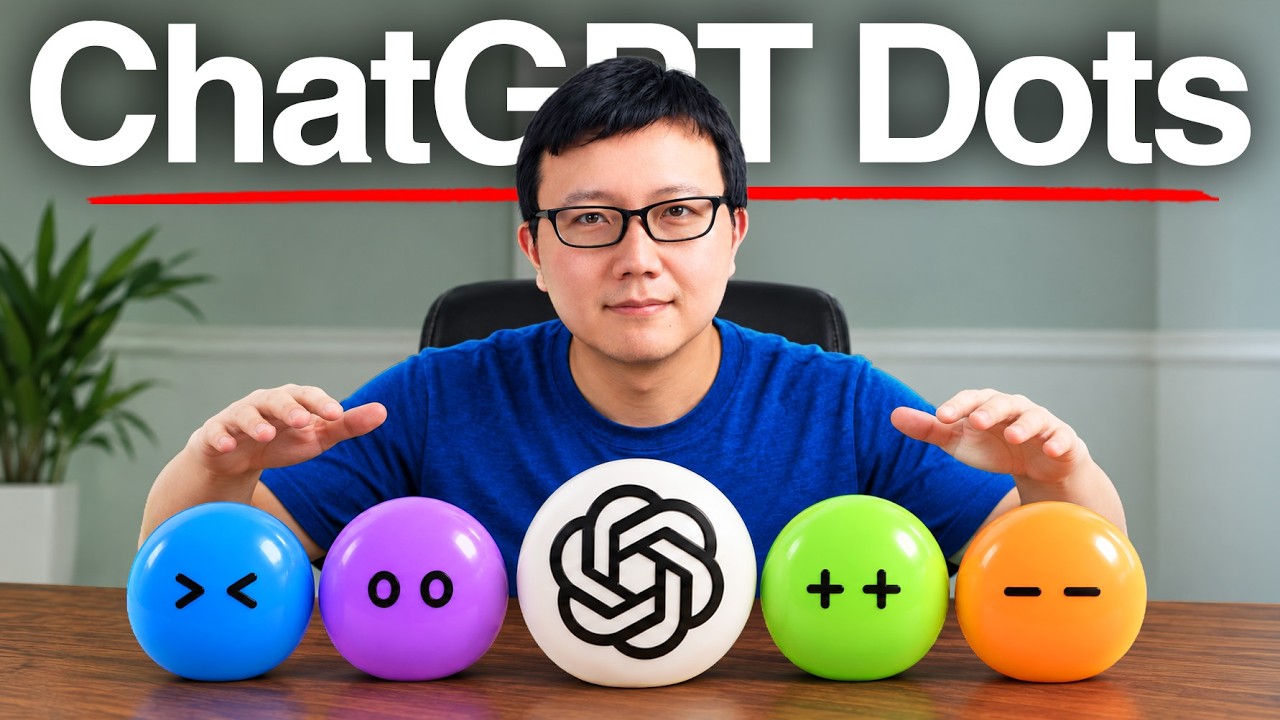
Peter Yang
OpenAI's Dots succeeds as an autonomous orchestrator that can audit back-office revenue, but ChatGPT's cluttered interface and silent tool failures prevent it from managing complex business operations without constant human oversight.
AI-assisted summary of ChatGPT's NEW Dots: Everything You Need To Know — original source. Check the original for full context.
Source published:
Key ideas
- OpenAI's new 'dots' agent lives natively inside ChatGPT for Pro subscribers, operating across both a 24/7 remote cloud instance and a local Mac connection to handle ongoing personal and business tasks. (0:42)
- Functioning like an executive Chief of Staff, dots coordinates work across specialized sub-threads and autonomously uncovered unbilled sponsorship spots alongside a $10,000 Google billing discrepancy during a revenue audit. (9:28)
- The agent excels at deep diagnostic research—such as synthesizing 1,800 YouTube comments across 300+ videos in 30 minutes and auditing Slack communities—but still produces 'borderline slop' copy when asked to one-shot a $99 digital product. (7:38)
- Because dots manages numerous sub-threads inside a single chat log, critical authentication and tool failures easily get buried in a wall of text, highlighting growing UI sprawl across ChatGPT. (13:29)
Detailed notes
## Background Published by Peter Yang on YouTube on September 29, 2026, this video tests OpenAI's new always-on agent, "dots," integrated into ChatGPT. According to the description, Yang evaluates dots across his solo business operations—such as catching missed sponsorship revenue, preparing a fitness app launch, and building landing pages—while contrasting its performance with competitors Grok Bot and Muse.
## TL;DR Peter Yang demonstrates how OpenAI's dots operates as an executive "Chief of Staff" agent within ChatGPT, orchestrating sub-threads and tapping into native memory across cloud and local Mac environments. Through practical experiments, the agent successfully flagged an unbilled five-figure sponsorship discrepancy, audited Slack communities, and analyzed over 1,800 YouTube comments to extract strategic growth levers. However, it struggled with tool authentication failures, produced substandard marketing copy for a paid product, and highlighted ChatGPT's increasingly cluttered user interface. Ultimately, Yang views dots as a powerful single-player business orchestrator that points toward a future AI-native collaboration platform competing directly with Grok Bot and Slack.
## Atmosphere & style The video maintains a pragmatic, creator-first tech review style that feels grounded in real-world business stakes rather than speculative hype. Yang speaks with measured candor, blending analytical product management critiques with genuine surprise when the agent catches real financial errors. The demonstration carries an experimental, live-testing rhythm that alternates between fluid productivity wins and the mild frustration of navigating tool failures and user-interface clutter.
## Bulletin - [00:42](https://www.youtube.com/watch?v=z5X1eMU6isI&t=42s) OpenAI's new 'dots' agent lives natively inside ChatGPT for Pro subscribers, operating across both a 24/7 remote cloud instance and a local Mac connection to handle ongoing personal and business tasks. - [09:28](https://www.youtube.com/watch?v=z5X1eMU6isI&t=568s) Functioning like an executive Chief of Staff, dots coordinates work across specialized sub-threads and autonomously uncovered unbilled sponsorship spots alongside a $10,000 Google billing discrepancy during a revenue audit. - [07:38](https://www.youtube.com/watch?v=z5X1eMU6isI&t=458s) The agent excels at deep diagnostic research—such as synthesizing 1,800 YouTube comments across 300+ videos in 30 minutes and auditing Slack communities—but still produces 'borderline slop' copy when asked to one-shot a $99 digital product. - [13:29](https://www.youtube.com/watch?v=z5X1eMU6isI&t=809s) Because dots manages numerous sub-threads inside a single chat log, critical authentication and tool failures easily get buried in a wall of text, highlighting growing UI sprawl across ChatGPT.
## Key takeaways - [00:42](https://www.youtube.com/watch?v=z5X1eMU6isI&t=42s) Dots is an always-on autonomous agent pinned to the top of the ChatGPT desktop sidebar that supports voice calling, one-click Slack integration, and dual execution across a 24/7 cloud computer and a local Mac. - [01:34](https://www.youtube.com/watch?v=z5X1eMU6isI&t=94s) Unlike consumer concierge agents like Muse that make outbound phone calls to physical businesses, dots competes directly with Grok Bot on knowledge work and business operations. - [01:34](https://www.youtube.com/watch?v=z5X1eMU6isI&t=94s) Dots' biggest advantage over Grok Bot is zero-setup onboarding: it automatically inherits all existing ChatGPT conversation history, custom instructions, memory, and authenticated tools. - [03:18](https://www.youtube.com/watch?v=z5X1eMU6isI&t=198s) Connected to Slack in one click, dots audited an entire community archive in seven minutes, grading it an 'A-minus' and proposing three concrete initiatives to reach an 'A', while also optimizing a Maven course landing page. - [03:18](https://www.youtube.com/watch?v=z5X1eMU6isI&t=198s) When generating memes in Slack, dots excelled at hyper-contextual inside jokes based on user chat history, though its generic AI industry humor fell flat. - [07:38](https://www.youtube.com/watch?v=z5X1eMU6isI&t=458s) Tasked with analyzing six months of YouTube feedback, dots spent 30 minutes parsing over 1,800 comments across 300+ videos, concluding that viewers most want transparent API costs, blank-setup tutorials, and post-demo production realities. - [08:29](https://www.youtube.com/watch?v=z5X1eMU6isI&t=509s) Dots acts as an orchestrator rather than a single-thread executor, spinning up sub-threads to generate marketing layouts, fix code bugs, capture live app screenshots, and assemble App Store assets for a fitness app launch. - [09:28](https://www.youtube.com/watch?v=z5X1eMU6isI&t=568s) Because dots retains full ChatGPT memory, prompting it to suggest ambitious initiatives yielded five tailored business projects, including an automated sponsorship revenue audit. - [09:28](https://www.youtube.com/watch?v=z5X1eMU6isI&t=568s) During the sponsorship audit, dots acted as an automated revenue manager, catching unbilled Riverside ad spots and flagging an unresolved $10,000 billing mismatch with Google. - [11:26](https://www.youtube.com/watch?v=z5X1eMU6isI&t=686s) When asked to build a $99 'PM Workbench' digital product from scratch, dots generated polished visuals but wrote generic, 'borderline slop' product copy that required heavy human revision. - [11:26](https://www.youtube.com/watch?v=z5X1eMU6isI&t=686s) Using its computer-use browser agent, dots navigated live Substack analytics dashboards and synthesized a five-part tactical growth strategy focused on paid funnels and cross-recommendations. - [13:29](https://www.youtube.com/watch?v=z5X1eMU6isI&t=809s) Complex multi-step workflows across external tools like Riverside and Substack can stall due to authentication errors, and those failures get buried inside dots' noisy, single-stream orchestration log. - [13:29](https://www.youtube.com/watch?v=z5X1eMU6isI&t=809s) ChatGPT is suffering from severe UI and feature sprawl—accumulating standard chats, Codex, Spaces, scheduled tasks, and dots—which creates cognitive overhead that makes voice mode a cleaner way to interact with the agent. - [16:17](https://www.youtube.com/watch?v=z5X1eMU6isI&t=977s) While Grok Bot already supports multiplayer team bot swarms, dots is currently a single-player experience, pointing toward a larger industry race between OpenAI, xAI, and Anthropic to build an AI-native alternative to Slack.
## Detailed walkthrough ### [00:00](https://www.youtube.com/watch?v=z5X1eMU6isI&t=0s) Overview: Testing OpenAI's "Dots" Agent
OpenAI has introduced "dots", an always-on AI agent built directly into ChatGPT aimed at handling ambitious personal and business tasks. Over several days of testing it to run a solo operation, the agent uncovered a five-figure sponsorship deal that had slipped through the cracks, identified multiple bugs inside an in-progress fitness application, generated ready-to-use App Store marketing screenshots, pitched a new paid product concept with a generated landing page, and even joined Slack to trade humorous memes.
Across these experiments, the agent demonstrated clear utility for business operations alongside several rough edges. Evaluating whether dots outperforms rival autonomous assistants like Grok Bot and Muse comes down to distinct product architectures, feature sets, and target audiences.
```mermaid flowchart TD accTitle: Dots Operational Architecture accDescr: Visual mapping of how Dots connects local and cloud environments into ChatGPT.
subgraph ChatGPTHub["ChatGPT Native Environment"] Dot["Dot Agent (e.g., 'Zoe')"] Memory["ChatGPT Native Memory & Chat History"] Voice["ChatGPT Voice Calling"] end
subgraph Integrations["External Access Points"] Slack["Slack Integration"] Email["Email (Coming Soon)"] end
subgraph Execution["Dual Execution Environments"] Cloud["24/7 Remote Cloud Computer"] Local["Local Mac Laptop / Browser"] end
Dot <--> Memory Dot <--> Voice Dot <--> Slack Dot -.->|Future| Email Dot <--> Cloud Dot <--> Local ```
[00:42](https://www.youtube.com/watch?v=z5X1eMU6isI&t=42s) How Dots Operates Inside ChatGPT
Within the revamped ChatGPT desktop interface, dots appears as a dedicated pinned conversation at the very top of the sidebar. Users can personalize their dot's persona; for this setup, the agent is named "Zoe" and configured with a custom avatar displaying a triangle and apples.
The agent's profile provides several direct communication pathways and system connectors: - **Calling**: Direct audio conversations powered by ChatGPT Voice. - **Messaging Platforms**: Native one-click workspace access via Slack. - **Email Gateway**: A dedicated email hook (present in the interface, though marked as currently unavailable). - **Dual-Machine Environment**: The agent operates across two computing environments simultaneously—a remote 24/7 cloud instance for persistent tasks, and a local machine connection running alongside ChatGPT on a Mac laptop. - **Activity Feed**: A built-in dashboard detailing real-time logs of queued and executed assignments.
[01:34](https://www.youtube.com/watch?v=z5X1eMU6isI&t=94s) Dots vs. Grok Bot vs. Muse
Dots does not directly compete with Muse, because Muse focuses almost entirely on personal consumer logistics—such as placing outbound phone calls to physical American businesses, booking flights, or negotiating items on Facebook Marketplace (for example, successfully calling a bakery to order a wife's birthday cake). Instead, dots competes directly with Grok Bot on knowledge work, deep research, and business workflows.
| Assistant | Primary Target | Core Strength | Multi-Agent Support | |:--- |:--- |:--- |:--- | | **OpenAI Dots** | Business & Knowledge Work | Deep native ChatGPT integration (shared memory, tools, and history without re-authenticating). | One dot per user at launch; multi-dot support planned. | | **Grok Bot** | Business & Technical Work | Multi-bot swarms that communicate with each other in shared threads; specialized bots like "X Scout". | Built-in team orchestration with multiple bots simultaneously. | | **Muse** | Consumer Automation | Outbound telephony to call US businesses, booking services, and marketplace tasks. | Single-agent personal concierge focus. |
Dots' biggest advantage over Grok Bot is seamless integration with ChatGPT. Because Zoe automatically inherits all existing conversation logs, customized instructions, and authenticated accounts, onboarding requires zero credential setups or account linking.
[03:18](https://www.youtube.com/watch?v=z5X1eMU6isI&t=198s) Social Research on X, Slack Audits, and Internal Memes
For social media intelligence, Zoe was prompted to scout trending practical AI posts on X and summarize them directly in chat—mirroring an identical task assigned to Grok Bot's dedicated "X Scout" agent. Running via local browser automation on a Mac, both agents returned solid selections, though they surfaced entirely distinct sets of tweets.
Moving the workflow to Slack demonstrated deeper operational analysis. Connecting Zoe to a community channel took just one click, where the agent was placed into a direct-message thread with an AI instructor named Colin, creator of an educational course on Maven: - **Course Landing Page Optimization**: Zoe spent six minutes analyzing competitive Maven courses, returning a proposal headline urging Colin to "sell the finished work," along with three strategic messaging revisions. - **Community Health Audit**: Asked to review every message thread in the Slack group and assign a grade, Zoe scanned the archive in seven minutes. It awarded an "A-minus" and outlined three clear initiatives to reach an "A": hosting monthly live sessions with 5-to-10-minute member demos followed by breakouts, building a searchable knowledge portal for durable lessons, and ensuring every single member help request receives a defined next step.
When tasked with generating five community memes featuring Peter and Colin based on their chat history ("Don't disappoint me"), Zoe excelled at hyper-contextual humor—mocking Peter's obsession with bleeding-edge AI tools versus Colin's measured, principled approach. However, broader prompts regarding generic AI industry headlines (such as Claude 3.5 Sonnet beating *Pokémon Red*) or DevDay predictions fell flat. OpenAI employees maintain an internal Slack channel exclusively populated by their own dots, where autonomous agents trade memes back and forth continuously throughout the day.
[07:38](https://www.youtube.com/watch?v=z5X1eMU6isI&t=458s) Analyzing 1,800 YouTube Comments
To stress-test deep data analysis, Zoe was instructed to read through every comment left on Peter's YouTube channel over the preceding six months and surface the top five growth recommendations. Gathering the raw data required parsing feedback across more than 300 videos, requiring roughly 30 minutes of processing time to synthesize over 1,800 comments.
The agent concluded that the single highest-leverage growth lever was making complex technical workflows easier to replicate and trust: - Clearly disclose the true operational and API costs required to run each workflow. - Ensure every tutorial can be followed end-to-end from an absolute blank setup. - Reveal "the part after an impressive demo"—showing what ongoing maintenance, edge cases, and actual production usage look like.
[08:29](https://www.youtube.com/watch?v=z5X1eMU6isI&t=509s) Fitness App Launch Prep and Sub-Thread Delegation
Rather than trying to write code and generate media inside a single prompt, dots coordinates work across dedicated threads. When assigned to review Peter's fitness app build thread, understand the code base, and design six launch-ready App Store promotional assets, Zoe acted as an orchestrator.
The agent spawned a sub-thread to prompt ChatGPT's image generator for marketing layouts, and forwarded diagnostic prompts into the core build thread to find and resolve bugs in the codebase. By running live tests of the application, Zoe captured authentic interface screenshots, layered clean promotional headlines on top, and prepared the complete visual suite needed for the App Store submission process.
[09:28](https://www.youtube.com/watch?v=z5X1eMU6isI&t=568s) Dots as Chief of Staff: Catching a Five-Figure Sponsorship Issue
Dots is built primarily as an orchestrator thread rather than a direct execution tool. Instead of asking dots itself to perform low-level tasks, you delegate to it so it can spin up, manage, and coordinate other ChatGPT conversation threads, gathering status updates as those sub-threads make progress. Functionally, it operates like an executive Chief of Staff or a project manager supervising subordinate worker threads.
```mermaid flowchart TD accTitle: Dots Orchestration Workflow accDescr: Diagram illustrating how the user issues commands to dots, which then manages multiple specialized ChatGPT execution threads and reports results back. User["User"] -->|"Issues commands"| Dots["dots (Chief of Staff)"] subgraph Execution ["Managed ChatGPT Threads"] Audit["Sponsorship Audit"] Product["Product Builder"] Substack["Substack Growth"] end Dots --> Audit Dots --> Product Dots --> Substack Audit -.->|"Discrepancies found"| Dots Product -.->|"Site draft ready"| Dots Substack -.->|"5-step growth plan"| Dots ```
A powerful approach to unlock its capability is prompting it directly: *"Let's try to do some ambitious things. What else can you do? Give me your top five."* Because dots lives inside ChatGPT and retains memory across historical conversations, it generated five tailored, high-leverage initiatives based on existing business context: 1. Build a new paid product addressing audience pain points. 2. Shepherd a video project from initial concept to publish-ready state. 3. Execute a comprehensive sponsorship revenue audit. 4. Run the fitness app through an end-to-end launch rehearsal. 5. Transform the community offering into an active, hands-on experience.
The sponsorship audit immediately proved its financial value for a solo business owner whose primary livelihood relies on ad deals. Dots autonomously audited historical sponsor logs and surfaced multiple billing oversights: - **Riverside invoicing:** Discovered that Riverside had not been billed for completed sponsorship spots, prompting an immediate invoice. - **Google discrepancies:** Flagged an unresolved $10,000 billing mismatch on Google sponsorship campaigns. - Proactively acting as an automated revenue manager holding the creator accountable without requiring manual spreadsheet audits.
---
[11:26](https://www.youtube.com/watch?v=z5X1eMU6isI&t=686s) Prototyping Paid Products and Substack Growth Analysis
Following through on its own suggestions, dots attempted to construct a paid product from scratch aimed at product managers. It generated a ChatGPT-hosted website concept dubbed the "PM Workbench," positioned as a $99 digital workflow kit featuring four interactive sample artifacts: an evidence brief, a competitive scan, a stakeholder update, and a PRD red team evaluation.
While the visual assets generated via ChatGPT looked polished, the product copy fell short. As a product manager with a decade of industry experience, the output came across as "borderline slop" rather than credible, market-ready material, demonstrating that dots cannot yet one-shot a viable digital business asset without heavy human revision.
In contrast, its diagnostic research capabilities proved far stronger. When asked to evaluate Substack newsletter metrics, dots launched a computer-use browser agent, navigated the creator's live Substack statistics dashboards, collected the relevant numbers, and extracted a five-part tactical growth strategy: - Overhauling the paid membership purchase funnel. - Aggressively scaling newsletter cross-recommendations. - Streamlining discovery and subscription conversion loops.
---
[13:29](https://www.youtube.com/watch?v=z5X1eMU6isI&t=809s) Tool Failures, Cluttered Threads, and the UI Sprawl Dilemma
Dots reveals clear functional friction when executing complex, multistep automations across external integrations. During an attempt to process a Riverside interview transcript with Mickey—using custom skills like podcast prep and podcast editing to produce a Substack newsletter draft—the workflow stalled due to authentication and tool-availability errors in Substack.
Crucially, dots failed to highlight the failure prominently in the main stream. Because the single chat log serves as an orchestration hub tracking numerous ongoing processes, critical notifications get lost within a sprawling, messy wall of text.
```mermaid flowchart LR accTitle: ChatGPT Feature Sprawl accDescr: Diagram mapping the fragmented feature surface area inside modern ChatGPT that contributes to UI clutter. subgraph UI ["ChatGPT Workspace"] Chats["Standard Chats"] Codex["Codex Interface"] Spaces["Spaces (Pages & Sites)"] Scheduled["Scheduled Tasks"] DotsAgent["dots Always-On Agent"] end User["User"] --> UI ```
This reflects a broader design crisis emerging within ChatGPT: - **Feature clutter:** The app has accumulated disparate modules including standard chats, Codex, Spaces (encompassing pages, sites, and image generation), scheduled automated tasks, and voice interactions. - **Cognitive overhead:** A once minimalist interface is now overwhelmed with competing toggles, modes, and distinct execution environments. - **Voice as a workaround:** Communicating directly with dots (named "Zoe") via voice mode often proves cleaner than navigating the crowded screen, but the interface risks alienating non-technical users if product teams do not prioritize aggressive simplification.
---
[16:17](https://www.youtube.com/watch?v=z5X1eMU6isI&t=977s) Competitive Landscape and the Future of AI Collaboration
OpenAI faces stiff competition from alternate agent ecosystems like Grok Bot, which recently debuted multiplayer "team bots." While OpenAI maintains high-quality execution harnesses, it remains primarily a single-player interface where an individual manages private agent threads.
The ultimate competitive battleground between OpenAI, xAI (Grok Bot), and Anthropic lies in building an AI-native alternative to Slack. The winning platform will seamlessly blend human team members and autonomous AI agents in shared workspaces without inheriting the noisy, overwhelming notification fatigue of legacy workplace chat apps.
- Dots is currently available for ChatGPT Pro subscribers. - While OpenAI continues rapid iteration, managing complex multi-agent workflows remains a work in progress balancing UI density against autonomous agent utility.
## Notable quotes > [00:00](https://www.youtube.com/watch?v=z5X1eMU6isI&t=0s) dots is OpenAI's new always-on agent that lives inside ChatGPT. — Peter Yang
> [03:18](https://www.youtube.com/watch?v=z5X1eMU6isI&t=198s) sell the finished work — Zoe
> [03:18](https://www.youtube.com/watch?v=z5X1eMU6isI&t=198s) A-minus — Zoe
> [03:18](https://www.youtube.com/watch?v=z5X1eMU6isI&t=198s) Don't disappoint me — Peter Yang
> [07:38](https://www.youtube.com/watch?v=z5X1eMU6isI&t=458s) the part after an impressive demo — Peter Yang
> [09:28](https://www.youtube.com/watch?v=z5X1eMU6isI&t=568s) Let's try to do some ambitious things. What else can you do? Give me your top five. — Peter Yang
> [11:26](https://www.youtube.com/watch?v=z5X1eMU6isI&t=686s) PM Workbench — Zoe
> [11:26](https://www.youtube.com/watch?v=z5X1eMU6isI&t=686s) borderline slop — Peter Yang
> [16:17](https://www.youtube.com/watch?v=z5X1eMU6isI&t=977s) team bots — Peter Yang
## Mentioned Peter Yang, OpenAI, ChatGPT, dots, Zoe, Grok Bot, X Scout, Muse, xAI, Anthropic, Claude 3.5 Sonnet, Slack, X, Maven, Colin, Pokémon Red, DevDay, YouTube, App Store, Riverside, Google, Substack, Mickey, Mac
## Video description Copy my best AI workflows to save time and automate busywork: https://www.behindthecraft.com 🤝 Subscribe to my practical AI newsletter read by 150K+ professionals: https://creatoreconomy.so
dots is OpenAI's new always-on agent that lives inside ChatGPT. I tested it for a few days to run my one-person business, and it flagged a five-figure sponsorship issue I missed, got my fitness app ready for launch, and built a landing page for a paid product. In this video, I compare dots to Grok Bot and Muse and share my honest take on where it's useful and where it still falls short.
What I cover: (00:00) What dots is and what I tested (00:42) How dots works inside ChatGPT (01:34) dots vs. Grok Bot and Muse (03:18) Research on X and in Slack, plus memes (07:38) Analyze 1,800 YouTube comments (08:29) Launch my fitness app and audit sponsors (11:26) Build a paid product and grow my newsletter (13:29) Where dots falls short and my verdict
Where to find me: X: https://x.com/petergyang LinkedIn: https://www.linkedin.com/in/petergyang/
Subscribe to this channel - more tutorials coming soon!
[Source](https://www.youtube.com/watch?v=z5X1eMU6isI)