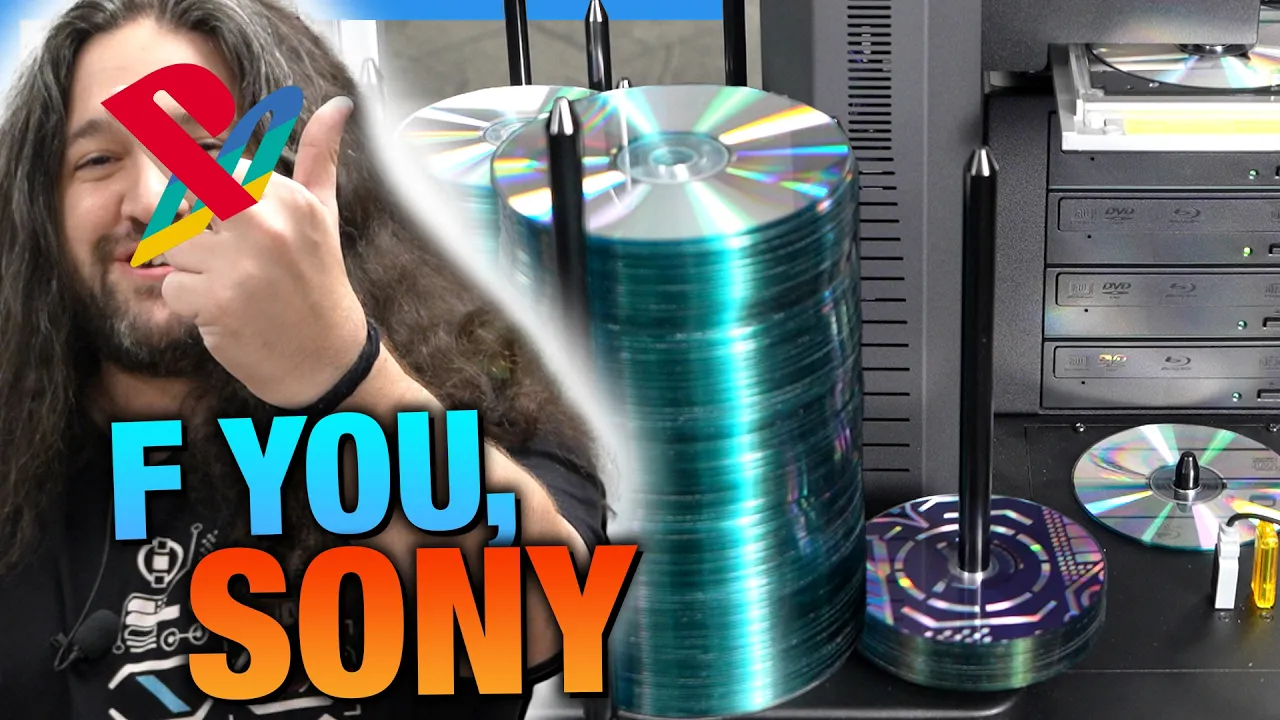
Gamers Nexus Produces Discs In-House to Counter Platform Takedowns
Gamers Nexus
Independent creators must return to physical disc duplication because streaming platforms and hardware makers revoke digital licenses, silently alter media, and enforce arbitrary copyright strikes.
Gamers Nexus invested in an automated optical disc duplicator and thermal printer to produce DRM-free physical Blu-rays and CDs, responding to industry digital license revocations and copyright takedowns. (0:00)
The initial production run of the Cyberdystopia audio CD completed 361 finished discs over an unattended 12-hour overnight shift with only 7 disc rejections. (33:20)
To avoid breaking playback on legacy CD and automotive players while preserving song metadata, the team authored Red Book audio using CD-Text cue sheets rather than data disc formatting. (26:05)
Early Blu-ray authoring tests revealed that NVENC GPU hardware encoding causes severe stutter on retail PlayStation 5 consoles, necessitating CPU-based software encoding for documentary releases. (33:20)
Detailed notes
## Background
Published on YouTube by Gamers Nexus on August 14, 2026, this video marks the one-year anniversary of their AI GPU Black Market documentary being copyright-struck by Bloomberg. The channel documents their initiative to push back against streaming DRM, corporate license revocations, and YouTube compression by building an in-house physical media production setup utilizing an automated Cronus disc duplicator, thermal disc printing, and custom 3D-printed packaging.
## TL;DR
Frustrated by platform copyright strikes and corporate erosion of media ownership, Steve Burke details Gamers Nexus's venture into producing their own line of Blu-ray documentaries, special reports, and audio CDs. The team unboxes and sets up a commercial multi-drive disc duplicator and thermal printer, navigating legacy hardware interfaces, robotic arm calibrations, and custom 3D-printed jewel cases engineered by Andrew Coleman. After testing Red Book audio standards with CD-Text metadata for Aaron Pauley's Cyber Dystopia soundtrack album, the automated system successfully completes an unattended 361-disc overnight production run with minimal rejects. The episode concludes by previewing the upcoming, far more technically demanding hurdles of video authoring, chaptering, and CPU-based Blu-ray encoding.
## Atmosphere & style
The video carries Steve Burke's trademark blend of dry, biting sarcasm and hands-on technical curiosity, opening with visceral, deadpan jabs aimed at corporate giants like Sony and Bloomberg. As the hardware comes together, the mood shifts into a nostalgic yet pragmatic lab workshop, highlighted by spontaneous banter with camera operator Vitalii and designer Andrew Coleman. Watching the automated robotic arm whir into motion and successfully churn through hundreds of discs evokes a satisfying, defiant triumph of DIY engineering over modern streaming enshittification.
## Bulletin
- [00:00](https://www.youtube.com/watch?v=0_9CgZZry5c&t=0s) Gamers Nexus invested in an automated optical disc duplicator and thermal printer to produce DRM-free physical Blu-rays and CDs, responding to industry digital license revocations and copyright takedowns.
- [33:20](https://www.youtube.com/watch?v=0_9CgZZry5c&t=2000s) The initial production run of the Cyberdystopia audio CD completed 361 finished discs over an unattended 12-hour overnight shift with only 7 disc rejections.
- [26:05](https://www.youtube.com/watch?v=0_9CgZZry5c&t=1565s) To avoid breaking playback on legacy CD and automotive players while preserving song metadata, the team authored Red Book audio using CD-Text cue sheets rather than data disc formatting.
- [33:20](https://www.youtube.com/watch?v=0_9CgZZry5c&t=2000s) Early Blu-ray authoring tests revealed that NVENC GPU hardware encoding causes severe stutter on retail PlayStation 5 consoles, necessitating CPU-based software encoding for documentary releases.
## Key takeaways
- [00:00](https://www.youtube.com/watch?v=0_9CgZZry5c&t=0s) Gamers Nexus launched an in-house physical media initiative as an educational project and a direct protest against corporate digital media enshittification and arbitrary copyright strikes.
- [02:00](https://www.youtube.com/watch?v=0_9CgZZry5c&t=120s) The physical media lineup includes the AI GPU Black Market documentary, a collection of factory tours and reports, and a cyberpunk audio album by Aaron Pauley, all provided completely DRM-free.
- [08:07](https://www.youtube.com/watch?v=0_9CgZZry5c&t=487s) Handling long-form video masters exceeding 100 GB requires aggressive re-encoding down to 25 GB or 50 GB discs, as 100 GB BDXL media carries steep costs and poor standalone player compatibility.
- [11:25](https://www.youtube.com/watch?v=0_9CgZZry5c&t=685s) The team designed custom 3D-printed jewel cases engineered with heavy-duty hinges, finger grip cutouts, and concentric elevation ridges to protect media surfaces from abrasion.
- [12:38](https://www.youtube.com/watch?v=0_9CgZZry5c&t=758s) Industrial replication via glass masters remains inaccessible to independent creators, forcing small-scale operations to rely on automated optical duplication burning.
- [15:36](https://www.youtube.com/watch?v=0_9CgZZry5c&t=936s) The duplication setup utilizes a four-drive robotic Cronus tower tethered to a thermal disc printer, running legacy VinPower duplication and alignment software.
- [20:38](https://www.youtube.com/watch?v=0_9CgZZry5c&t=1238s) Robotic picker arm calibration requires fine sub-millimeter software adjustments across optical drive trays, the thermal printer bay, and the output spindle chute.
- [24:12](https://www.youtube.com/watch?v=0_9CgZZry5c&t=1452s) Authoring the audio project as a data disc was rejected because older CD decks and car stereos cannot read raw audio files arranged in standard file systems.
- [26:05](https://www.youtube.com/watch?v=0_9CgZZry5c&t=1565s) By mastering cue sheets in ImgBurn, the team embedded CD-Text metadata into the sub-channels of a standard Red Book audio disc without compromising legacy playback.
- [30:14](https://www.youtube.com/watch?v=0_9CgZZry5c&t=1814s) Thermal printing directly onto hub-printable media allows black resin graphics to cover the disc surface up to the center spindle hole, mimicking authentic 1990s retail releases.
- [33:20](https://www.youtube.com/watch?v=0_9CgZZry5c&t=2000s) An automated 12-hour overnight duplication run yielded 361 verified audio CDs with a remarkably low defect rate of only 7 rejected discs.
- [33:20](https://www.youtube.com/watch?v=0_9CgZZry5c&t=2000s) Preliminary Blu-ray testing showed that NVENC GPU encoding fails on retail PlayStation 5 hardware, requiring CPU software encoding and color-space recalibration.
- [36:11](https://www.youtube.com/watch?v=0_9CgZZry5c&t=2171s) Menu creation, chaptering, and disc structure authoring have become lost arts due to an aging and fragmented legacy software ecosystem.
## Detailed walkthrough
### [00:00](https://www.youtube.com/watch?v=0_9CgZZry5c&t=0s) The War on Media Ownership and "Copyright Strike This"
Gamers Nexus introduces their newest endeavor with a sharp rebuke of modern streaming platforms and tech conglomerates. Steve Burke opens with deadpan sarcasm, imagining an ideal world where videos could be viewed instantaneously globally inside a web browser, "until Bloomberg takes it down." Reaching the one-year mark since Bloomberg hit Gamers Nexus with a copyright strike over their *AI GPU Black Market* documentary, the team delivers their definitive retort: "Copyright strike this!"
Holding up an automated disc duplicator equipped with four optical drives, Steve explains that the machine—which once sold for around $15,000—uses simple robotics rather than modern artificial intelligence to solve a pure computer science problem: moving optical media through burning and printing stages. The project was catalyzed by corporate trends, particularly Sony’s retreat from physical media and the alarming modern practice of revoking access to previously purchased digital licenses. Steve lambasts the broader "enshittification" of modern media driven by companies like Sony and Rockstar, where subscriptions replace ownership and legacy consoles like the NES or Game Boy stand as relics of an era where consumers actually owned what they paid for. This initiative serves as both a cultural statement on game and video preservation (aligning with campaigns like "Stop Killing Games") and a practical educational journey into media authoring, encoding, compression standards, and thermal disc printing.
[02:00](https://www.youtube.com/watch?v=0_9CgZZry5c&t=120s) Unboxing the Hardware and the In-House Physical Media Lineup
As Steve struggles through layers of packaging and tape, bantering with camera operator Vitalii Makhnovets about needing better box-cutting tools, he announces Gamers Nexus's plan: despite operating almost exclusively as a YouTube channel, they are launching their own line of DVDs, Blu-rays, and audio CDs. Joking about living on the street inside the duplicator’s massive shipping box after spending $6,000 on blank optical media inventory, Steve unpacks the units, taking particular pleasure in violently stabbing and dismantling the styrofoam packing blocks as a stand-in for Sony.
```mermaid
flowchart TD
accTitle: Gamers Nexus Physical Media Release Pipeline
accDescr: Diagram illustrating the three distinct physical media products and their contents being produced by Gamers Nexus.
subgraph Products["Gamers Nexus Physical Media Editions"]
direction TB
P1["AI GPU Black Market Documentary<br/>(1-Year Anniversary Edition)"]
P2["GN Documentaries & Tours<br/>(EVGA Finale, Intel Fab, etc.)"]
P3["Cyberdystopia Audio CD<br/>(Custom GN Backing Tracks)"]
end
subgraph BlackMarketFeatures["Black Market Packaging"]
direction TB
BM1["Blu-ray Feature Disc + Bonus Content Disc"]
BM2["Magazine-Style Printed Text Adaptation Booklet"]
BM3["Optional High-Bitrate MP4 on USB Drive"]
end
subgraph DocFeatures["Special Reports Packaging"]
direction TB
DF1["Custom 3D-Printed Case"]
DF2["Retro Floppy Disk Aesthetic with Spinning Knob"]
end
subgraph AudioFeatures["Audio CD Details"]
direction TB
AF1["Music by Aaron Pauley (Of Mice & Men)"]
AF2["Genre: 'Human-Crafted' Cyberpunk / Chiptune"]
AF3["3D-Printed Jewel Case with Dystopia Smiley"]
end
The physical offerings announced on store.gamersnexus.net span three major products, produced over an upcoming three-month window:
- **AI GPU Black Market and Smuggling Documentary:** Commemorating its one-year anniversary, this release features a custom 3D-printed case, a primary Blu-ray disc of the documentary, a second disc packed with bonus features (including peak-irony Bloomberg takedown screenshots), and an accompanying magazine-style printed booklet adapting the report. Select tiers include a USB drive loaded with pristine, non-YouTube-compressed MP4 files.
- **Factory Tours and Documentaries Collection:** Packaged in a retro floppy disk-inspired enclosure featuring a functional mechanical spinning knob, containing high-profile coverage such as the Intel Fab tour and the multi-part EVGA closure series.
- **Cyberdystopia Audio CD:** An album compiling all custom backing tracks composed by Aaron Pauley (lead vocalist/bassist of *Of Mice & Men*). When asked to classify the fusion of chiptune and cyberpunk synths, Pauley dubbed the genre "human-crafted."
All media comes completely DRM-free with an open license permitting consumers to rip discs to home media servers, play them in classrooms, or sample the music in personal gaming edits.
[08:07](https://www.youtube.com/watch?v=0_9CgZZry5c&t=487s) Media Standards, Thermal Printing, and Dual-Layer Capacities
After unboxing the companion unit—an exceptionally dense thermal disc printer—Steve details the technical hurdles ahead. He reflects on his early background working with analog consumer formats, noting his parents' old VHS video tape recorder and later a MiniDV camcorder, while admitting his authoring knowledge back then amounted to firing up Nero Burning ROM and picking default export profiles. Modern video production relies heavily on basic H.264 MP4 exports tailored solely to YouTube's ingestion guidelines, whereas pressing standalone discs requires mastering legacy standards, containers, bitrates, frame rates, and authoring tools.
Steve explains the real battle will be compression and disc capacity limits:
- Standard single-layer Blu-ray discs (BD-R) hold **25 GB** and are widely available and cost-effective.
- Master cuts of their long-form documentaries (such as the Computex/Taiwan coverage and the GPU black market film) exceed **100 GB** to **107 GB**, demanding aggressive, precise re-encoding to fit standard media without visible degradation.
- Dual-layer Blu-rays (BD-R DL) provide **50 GB** of capacity and are supported by their duplicator, but the blank discs carry a significantly higher price multiplier per unit.
- Triple/quad-layer BDXL discs can reach **100 GB**, but Steve rules them out due to steep media costs and poor hardware compatibility with typical consumer players.
The primary duplicator unit has an input capacity of up to 500 blank discs, utilizing a central motorized mechanical robotic pickup arm that selects discs from spindles and drops them sequentially into four high-speed read/write optical drives before feeding them to the thermal printer.
[10:35](https://www.youtube.com/watch?v=0_9CgZZry5c&t=635s) 3D-Printed Cases and Prototyping
Steve walks over to GN 3D artist Andrew Coleman to check on custom packaging prototypes. The team inspects freshly printed prototype jewel cases intended for CDs, DVDs, and Blu-rays. Coleman demonstrates variations in build finishes, contrasting a textured build plate against a smooth-plate print finish displaying an embossed "Dystopia Smiley" motif. Steve reiterates that aside from the bare media manufactured in disc factories, every element of the assembly—the disc encoding, optical burning, thermal face-printing, and jewel case fabrication—is being executed directly in-house.
[11:25](https://www.youtube.com/watch?v=0_9CgZZry5c&t=685s) 3D-Printed Case Prototyping
Steve inspects the physical 3D-printed case prototype designed by Andrew. The layout integrates a dedicated slot for a USB drive alongside a central mounting hub where a CD securely snaps in and pops out with ease. Examining the structural design, Steve points out the "massive hinge," which Andrew notes is engineered to be significantly more robust than the fragile hinges found on standard retail jewel cases. Andrew explains that the most demanding aspect of the project has been dialing in the tolerances—taking precise measurements to ensure every component fits flush without friction.
```mermaid
flowchart TD
accTitle: Case Prototype Features
accDescr: Key physical engineering elements designed into the custom 3D-printed media case.
subgraph CaseDesign["3D-Printed Case Architecture"]
Hinge["Heavy-Duty Reinforced Hinge"]
Cutouts["Finger Recesses for Disc Removal"]
Rims["Concentric Protection Ridges"]
USBSlot["Integrated USB Drive Bay"]
end
Rims -->|"Elevates disc off floor"| SafeZone["Scratch-Free Data Surface"]
Cutouts -->|"Enables pry-free extraction"| SafeZone
```
Andrew integrated specific relief geometry into the tray to protect the media:
- A raised outer circular ridge keeps the underside of the disc elevated off the flat plastic floor.
- A matching raised inner ridge circles the hub to keep the recording layer completely clear of abrasive contact.
- Dual edge cutouts give fingers room to grip the disc edge from underneath, eliminating the need to pry it loose.
The front lid shown is an early developmental revision, with further design refinements and alternate cover variants planned before final production.
---
[12:38](https://www.youtube.com/watch?v=0_9CgZZry5c&t=758s) Unboxing Media and Duplication vs. Replication
Steve takes a utility knife to an incoming mountain of wholesale media packages. Sourcing blank discs in bulk has become unexpectedly challenging, forcing him to track down supplies across multiple specialty vendors. Unboxing the shipments stirs up nostalgia over brand names like Verbatim that he had not encountered in two decades. Among the boxes are packs of thermal-printable Blu-ray media with printable hubs, 50-count packs of standard DVDs, 8.5 GB dual-layer DVD-Rs, 25 GB BD-Rs, and spindles of 100-count CMC Pro CD-Rs designated for the Aaron Pauley audio collaboration.
While researching disc manufacturing, Steve dug into the fundamental divide between commercial *replication* and automated *duplication*:
| Process Metric | Replicators (Stamping / Pressing) | Duplicators (Optical Burning) |
|:--- |:--- |:--- |
| **Manufacturing Method** | Injection-molded plastic from a glass master stamper | Optical laser burning pits into a dye/recording layer |
| **Surface Physicality** | Physical microscopic pits and lands molded directly into disc | Flat surface with thermally altered chemical dye layer |
| **Hardware Compatibility** | Near 100% universal across legacy consoles and standalone players | Variable; sensitive to laser calibration, media quality, and firmware |
| **Accessibility / Cost** | Industrial-scale machinery; discontinued for small-scale operations | Desktop-accessible automated towers and robotic arms |
Steve initially hoped to use a replicator to eliminate the historical playback issues Blu-ray and DVD formats suffer on finicky consumer players and consoles. However, because small-scale glass mastering and pressing equipment is completely inaccessible to independent creators, Gamers Nexus opted for high-grade optical burning via an automated duplicator tower.
---
[15:36](https://www.youtube.com/watch?v=0_9CgZZry5c&t=936s) Duplicator Setup and Rigging the Hardware
The hardware is unpacked and staged inside the Gamers Nexus server room, where it is intended to live permanently so staff can monitor runs through the corridor viewing window. However, high ambient fan noise from the server racks forces Steve to haul the intensely dense, heavy unit down into the studio workspace for filming. Steve jokes about handling the frame carefully: "If I fall, I'll impale myself 20-some times."
The rig's robotic arm is seated onto its chassis mounts, designed to pivot freely until digital alignment zeroes its operating envelope against the disc trays. The surrounding I/O is cabled up directly:
- Mouse and keyboard routed to native USB 2.0 ports.
- Host PC communication tethered via a heavy-duty USB Type-B to USB 3.0 link.
- Display fed via an old-school legacy VGA port.
When the system fires up, the monitor flashes an ASUS splash screen, prompting Steve to nervously joke about RMA policies: "Oh god. Send it back. Oh, I hope this never has a warranty issue. I'll be really screwed."
---
[18:10](https://www.youtube.com/watch?v=0_9CgZZry5c&t=1090s) Software Toolchain and Tron Backstory
As the attached thermal printer whirs through its initialization sequence, Steve outlines the software running on the machine. To sidestep standard Windows Media Player bloat, foobar2000 is installed for audio verification and playback management, paired with ImgBurn to author clean red-book audio master images.
Steve navigates the system's retro utility interface, spotting a "BPR2000" banner and software menus from VinPower, an automated duplicator specialist whose vintage Windows XP-styled UI elements feature literal power icons as system buttons.
The physical disc run kicks off with music composed by Aaron Pauley for GN's investigative features. The album features a stylistic mashup:
- Moody, synthesizer-heavy cyberpunk soundscapes representing a dystopian corporate setting.
- An intentional bridge transition mimicking being digitized and pulled into a machine—a direct *Tron* reference.
- Upbeat 8-bit chiptune compositions inspired by classic Sega console sound chips.
---
[20:38](https://www.youtube.com/watch?v=0_9CgZZry5c&t=1238s) Calibrating the Robotic Automation
Before burning media, the system requires robotic alignment routines to register the physical offsets of the drives, the thermal printer tray, and the storage spindles. Steve runs the automated calibration suite:
```mermaid
flowchart LR
accTitle: Robotic Arm Calibration Workflow
accDescr: Sequential alignment steps needed to configure the duplicator's physical arm.
Drives["Drive Calibration"] -->|"Adjust X/Y axis"| Center["Center-Drop Test"]
Center -->|"Save offset & eject"| Printer["Printer Bay Alignment"]
Printer -->|"Calibrate grab tension"| Bins["Storage Spindle Drop Zone"]
Bins -->|"Verify gravity release"| Ready["Ready for Spindle Loading"]
```
During drive alignment, the robotic picker descends toward the open tray. Steve hastily slots a blank disc in place to check centering:
- Fine-tuning software buttons nudge the robotic arm in fractions of a millimeter closer to or further from the tray center.
- Once zeroed, saving the setting causes the mechanical arm to cycle and reliably reject the calibration disc.
- The robotic hand moves over to the printer station, its channel-mounted gripping fingers flexing outward to test the grab clearance.
- The arm centers above the vertical output bin, ensuring that when the gripper releases, the finished disc falls clean down the spindle guide.
---
[23:06](https://www.youtube.com/watch?v=0_9CgZZry5c&t=1386s) Loading the Spindles and Nostalgic Disc Handling
With calibration complete, Steve prepares the machine for its production run. Handling the initial batch without gloves leaves noticeable skin oils across the top lacquer, which risks ruining the heat transfer of the thermal print head: "That is some fingerprints on the top. That's not going to look great on the print."
Steve and the crew reminisce about handling blank media in the 1990s and 2000s, recalling old playground myths about rubbing scuffed disc bottoms against denim jeans in the belief that the coarse fabric would polish down scratches and re-flatten the optical surface. Setting aside the rituals of the past, Steve carefully handles the blanks strictly by the inner hub hole and the outer rim "like a civilized human." The duplicator's tall input spindle is loaded to the top with pristine silver discs, ready to begin its automated burning and printing cycle.
[24:12](https://www.youtube.com/watch?v=0_9CgZZry5c&t=1452s) Data Discs vs. Audio Discs and Compatibility Dilemmas
Reminiscing about the era when full games like *Caesar III* weighed around 700 megabytes, Steve prepares to duplicate their audio CD project without accidentally burning a flawed master across a thousand blanks. Looking through the duplication options—disc-to-transfer, disc-to-image, burn image, verify, and print-only—he highlights the fundamental issue: data disc modes treat the media like a read-only flash drive.
```mermaid
flowchart TD
accTitle: Audio Disc Format Strategy
accDescr: Decision path choosing Red Book audio with CD-Text over data disc formats.
A["Burn Strategy Choice"] --> B["Data Disc"]
A --> C["Standard Red Book Audio"]
A --> D["Enhanced / Mixed Mode Disc"]
B --> B1["USB-style file layout"]
B1 --> B2["Modern players show filenames"]
B1 --> B3["Breaks older standalone CD players"]
C --> C1["Pure audio stream"]
C1 --> C2["Universal playback compatibility"]
C1 --> C3["No native metadata (tracks show as Track 1, 2...)"]
D --> D1["Red Book Audio + CD-Text Layer"]
D1 --> D2["100% legacy playback intact"]
D1 --> D3["Metadata displays on supported car/home decks"]
```
While modern players and Windows can read audio files directly off a data disc and effortlessly pull embedded file tags, doing so sacrifices playback support on legacy hardware and older car stereo systems. To make the project authentic and broadly compatible, they decide to author a proper Red Book audio CD rather than taking the simpler data disc shortcut.
[26:05](https://www.youtube.com/watch?v=0_9CgZZry5c&t=1565s) Mastering the Cue Sheet and CD-Text Metadata
Firing up ImgBurn—software Steve admits he hasn't touched in nearly two decades—the team preps the tracklist composed by Aaron Pauley for the *Cyber Dystopia* album. The compilation includes unreleased tracks such as "Neon Style" and "Thriving and Growing", the latter featuring a comedic, legally distinct parody sample of Jensen Huang speaking at the GeForce GTX 1080 Ti launch.
Standard Red Book audio streams carry no inherent text metadata, causing discs played in standalone players or older cars to simply read "Track 01" and "Track 02." To resolve this without breaking CD audio architecture, Steve and Patrick researched the extension known as CD-Text, contrasting pure Red Book specifications with Blue Book (Enhanced CD) and historical mixed-mode disc formats. Mixed-mode discs famously allowed early PC and console games—like *Castlevania*—to double as music CDs in standard decks while keeping data tracks hidden. By utilizing a properly configured `.cue` file in ImgBurn, Steve successfully injects the CD-Text metadata (performer, album name, and song titles like "Hanukkah the Sledgehog", "Streets of How Old Is This Reference", and "Tactical Sneak"). The resulting compilation clocks in at roughly 40 minutes across 16 tracks.
[30:14](https://www.youtube.com/watch?v=0_9CgZZry5c&t=1814s) Burning and Thermal Printing the Master Disc
With the master cue sheet assembled, Steve places a blank disc into Drive 1 to burn and verify the gold master. The burn process finishes far quicker than the burner drives of his high school days. Once written and verified, the disc is moved over to the automated thermal printer.
Steve loads the custom *Cyber Dystopia* smiley graphic onto the template. Because the stock media consists of hub-printable discs, the thermal print head can lay down black resin across both the main surface and the clear inner clamping ring up to the center void. Testing both raw silver-topped hub-printable discs and matte white-topped blanks, Steve evaluates the visual outcome:
- **Silver hub-printable blanks:** Leave the metallic polycarbonate base exposed beneath the black graphic, delivering an authentic 1990s industrial CD aesthetic.
- **White label blanks:** Provide a high-contrast matte appearance, though procurement depends heavily on fluctuating media supply stock.
- Steve jokingly asks viewers to submit suggestions for the robotic duplicator's official name, strictly prohibiting the name "Discy" in favor of something fitting a serious worker.
[33:20](https://www.youtube.com/watch?v=0_9CgZZry5c&t=2000s) First Playback Test and Overnight Production Run
To ensure the CD-Text metadata successfully made it onto the burned spiral, Steve slots the freshly printed CD into an optical drive player. The player instantly queries the sub-channel text data, displaying the artist, album title, and full track names rather than blank track numbers. Playing the audio out loud through his lavalier microphone confirms clean audio output across Aaron Pauley's synth tracks.
Leaving the Cronus automated robot to run overnight:
- The duplicator completed **361 finished discs** over an unattended 12-hour shift.
- The machine recorded only **7 total rejections** in the reject hopper, establishing a remarkably low discard rate.
With the automated music CD burn run verified, Steve prepares to relocate the machine into the studio server room to begin the far more challenging phase of the series: video authoring. Early encoding trials for their Blu-ray documentaries revealed that NVENC hardware acceleration produces severe stutter and playback failures on retail PlayStation 5 consoles, pointing toward CPU software encoding and custom color-space calibrations as mandatory hurdles for part two.
[36:11](https://www.youtube.com/watch?v=0_9CgZZry5c&t=2171s) Reviving a Lost Art: Authoring Software, Physical Media Preservation, and Next Steps
Reflecting on the digital workflow ahead, Steve explains that the team has started hunting down authoring software to handle tasks like creating disc chapters and designing Blu-ray menus. Much of the available software in this space feels ancient today. Steve admits that menu design and disc layout are things he completely took for granted growing up: while he used to burn discs back in the day using classic tools like Nero Burning ROM, it has been roughly twenty years since he was heavily engaged in disc burning, and he does not readily remember how to execute the entire authoring pipeline anymore.
Despite the steep learning curve, he views the project as an exciting and deeply educational dive into legacy hardware and standards that remain vital today. Within the Gamers Nexus team, Tannon has already embraced physical media from a collector's perspective, actively purchasing physical discs to serve as uncompromised "sources of truth"—archival copies of movies and video content that have not been quietly edited, censored, or compressed after the fact by publishers or streaming platforms.
Wrapping up Part 1, Steve invites viewers to follow along with the upcoming installments of the series as the team pieces together the workflow and revives what has essentially become a lost art. Viewers wanting to support the independent production or pick up the team's custom physical releases can visit the Gamers Nexus store or Patreon.
- **Authoring Hurdles:** Finding and mastering vintage authoring utilities required to build proper Blu-ray menus, chapters, and disc structures.
- **Physical Media as Ground Truth:** Tannon’s personal collection highlights the archival advantage of physical media over streaming catalogs, which are subject to silent post-release edits, bit-rate degradation, or licensing takedowns.
- **Community Support:** The custom Blu-rays and companion media are funded and made available via store.gamersnexus.net and patreon.com/gamersnexus.
## Notable quotes
> [00:00](https://www.youtube.com/watch?v=0_9CgZZry5c&t=0s) until Bloomberg takes it down. — Steve Burke
> [00:00](https://www.youtube.com/watch?v=0_9CgZZry5c&t=0s) Copyright strike this! — Steve Burke
> [15:36](https://www.youtube.com/watch?v=0_9CgZZry5c&t=936s) If I fall, I'll impale myself 20-some times. — Steve Burke
> [15:36](https://www.youtube.com/watch?v=0_9CgZZry5c&t=936s) Oh god. Send it back. Oh, I hope this never has a warranty issue. I'll be really screwed. — Steve Burke
> [23:06](https://www.youtube.com/watch?v=0_9CgZZry5c&t=1386s) That is some fingerprints on the top. That's not going to look great on the print. — Steve Burke
> [23:06](https://www.youtube.com/watch?v=0_9CgZZry5c&t=1386s) like a civilized human — Steve Burke
> [30:14](https://www.youtube.com/watch?v=0_9CgZZry5c&t=1814s) Discy — Steve Burke
## Mentioned
Gamers Nexus, Steve Burke, Vitalii Makhnovets, Andrew Coleman, Aaron Pauley, Tannon, Sony, Bloomberg, Rockstar, Of Mice & Men, Cronus, VinPower, Verbatim, CMC Pro, ImgBurn, foobar2000, Nero Burning ROM, PlayStation 5, Jensen Huang, Castlevania, Caesar III, Stop Killing Games
## Video description
GRAB THE DISCS ON THE STORE! They will begin shipping by December 1. https://store.gamersnexus.net/
We're going back to the physical media age as an educational exercise to learn how discs used to be duplicated for small-scale productions, how they're printed on with thermal printers, and the software needed for encoding and chaptering. As a one-year anniversary of getting Bloomberged for our AI GPU Black Market documentary, this multi-part series brings us some safety from the one-click copyright strike takedowns and YouTube compression as we research how to launch in-house burned Blu-Ray discs, audio CDs, and more. Features a Cronus automated disc duplicator that we bought.
Get our Blu-Ray version of factory tours, educational videos, engineering interviews, and special reports here: https://store.gamersnexus.net/products/gn-factory-tours-and-special-reports-blu-ray-discs-4k-case
And our Blu-Ray version of the AI GPU Black Market here: https://store.gamersnexus.net/products/blu-ray-ai-gpu-black-market-gamersnexus-movie-with-booklet
And finally, the Music CD for GN backing tracks here: https://store.gamersnexus.net/products/cyberdystopia-music-audio-cd-w-3d-printed-case-by-aaron-pauley
The best way to support our work is through our store: https://store.gamersnexus.net/
Like our content? Please consider becoming our Patron to support us: http://www.patreon.com/gamersnexus
TIMESTAMPS
00:00 - I Got Ya Copyright Strike Right Here
02:00 - Opening the Duplicator
08:07 - Challenges of Blu-Ray Discs
10:35 - 3D Printing Cases
12:36 - SO MANY DISCS
15:36 - THE MACHINE
23:06 - The First Run
31:46 - IT'S ALIVE
** Please like, comment, and subscribe for more! **
Links to Amazon and Newegg are typically monetized on our channel (affiliate links) and may return a commission of sales to us from the retailer. This is unrelated to the product manufacturer. Any advertisements or sponsorships are disclosed within the video ("this video is brought to you by") and above the fold in the description. We do not ever produce paid content or "sponsored content" (meaning that the content is our idea and is not funded externally aside from whatever ad placement is in the beginning) and we do not ever charge manufacturers for coverage.
Follow us in these locations for more gaming and hardware updates:
Our policies, processes, and ethics statements relating to review samples, advertising, travel, errors, and more are transparently and publicly available on this page: https://gamers.nexus/ethics-statements
Steve Burke: Host
Vitalii Makhnovets: Camera, Editing
Andrew Coleman: 3D Artist
Gamers Nexus is establishing an in-house optical media duplication line to counter platform copyright takedowns and the digital erosion of consumer media ownership. Host Steve Burke frames the initiative as both an archival effort for independent media and an educational exploration of legacy disc authoring and manufacturing.
Preservation Motive and DRM-Free Physical Lineup (0:00)
The initiative was catalyzed by corporate trends revoking purchased digital licenses and a copyright strike from Bloomberg against Gamers Nexus's AI GPU documentary. Burke criticizes modern digital distribution models as consumer-unfriendly enshittification, contrasting ephemeral streaming access with legacy physical media that cannot be quietly edited, degraded, or revoked post-purchase. Physical copies are framed as durable archival records that serve as uncompromised sources of truth.
The initial catalog spans three physical releases planned over a three-month window: a two-disc Blu-ray edition of the AI GPU black market documentary accompanied by a printed booklet, a collection of factory tours packaged in floppy-disk-themed cases, and a 16-track synth and chiptune audio CD composed by Aaron Pauley. All physical media will be released completely DRM-free with open licenses permitting home backups, classroom screenings, and non-commercial sampling.
Duplication Hardware and Custom Packaging Engineering (11:25)
Because industrial glass-master disc replication is economically out of reach for small independent outfits, the studio invested $6,000 in wholesale blank media and deployed a refurbished automated duplicator tower originally valued around $15,000. The hardware integrates a central motorized robotic pickup arm, an input capacity of up to 500 discs, four high-speed optical drives, and a direct-to-disc thermal resin printer.
Rather than relying on fragile standard retail jewel cases, 3D artist Andrew Coleman engineered custom enclosures in-house. The 3D-printed design features a reinforced hinge, an integrated slot for companion USB drives, and raised protective rims circling the tray floor and center hub. These ridges elevate the disc to prevent surface abrasion, while dual-edge perimeter cutouts allow users to lift the media out without prying.
Red Book Audio Standards and Production Yields (24:12)
When authoring the Cyber Dystopia soundtrack album, the team bypassed standard data-disc burning—which formats media like read-only USB storage—because it breaks compatibility on older car decks and legacy CD players. To retain universal hardware playback while still showing track titles, they configured cue sheets in ImgBurn to burn Red Book audio accompanied by CD-Text metadata into the disc's sub-channels.
Following calibration tests on both silver and white hub-printable blanks, the duplicator completed its first unattended 12-hour production shift. The automated run produced 361 fully burned and thermally printed CDs with only seven discs rejected by the mechanical sorting system.
Video Compression Limits and Authoring Hurdles (8:07)
Preparing documentary video for disc replication presents steep capacity and compression bottlenecks. Uncompressed master cuts exceed 100 GB to 107 GB, requiring significant re-encoding to fit standard 25 GB single-layer (BD-R) or 50 GB dual-layer (BD-R DL) discs. Triple-layer 100 GB BDXL blanks were eliminated due to high per-unit media costs and limited compatibility with standard consumer standalone players.
Early encoding experiments demonstrated that modern NVENC hardware acceleration produces severe stuttering and playback failures when tested on retail PlayStation 5 consoles, making CPU software encoding necessary. Moving into the project's next phase, the production team must navigate vintage authoring tools to build Blu-ray menus, chapter indices, and color-space calibrations.
While Gamers Nexus proved the viability of unattended CD duplication and custom packaging, their larger ambition of distributing high-bitrate video hinges on solving console playback compatibility and mastering legacy Blu-ray authoring software in subsequent installments.
Source quotes
[0:00] Steve Burke: until Bloomberg takes it down.
[0:00] Steve Burke: Copyright strike this!
[15:36] Steve Burke: If I fall, I'll impale myself 20-some times.
[15:36] Steve Burke: Oh god. Send it back. Oh, I hope this never has a warranty issue. I'll be really screwed.
[2:00] Aaron Pauley: human-crafted
[23:06] Steve Burke: That is some fingerprints on the top. That's not going to look great on the print.
[23:06] Steve Burke: like a civilized human
[30:14] Steve Burke: Discy
Original transcript
[0:00] We've never had a way for people all
[0:03] around the world to watch our videos.
[0:05] And you'd like for it to be
[0:07] instantaneous, available on a click,
[0:10] maybe just through like a a browser for
[0:13] the web, and then it's just there all
[0:16] the time until Bloomberg [music] takes
[0:19] it down. But well, we can all dream. And
[0:22] until that day,
[0:25] copyright strike this, you
[0:34] >> [music]
[0:47] >> This was once a $15,000 disc duplicator
[0:50] equipped with four Blu-ray drives and
[0:52] the simplest of robotics. No
[0:54] intelligence of any kind, artificial or
[0:57] real. It's just a computer science
[0:59] problem to move discs around the machine
[1:01] as they're duplicated. With Sony's
[1:04] abandonment of physical media and its
[1:05] recent demonstration of how it'll take
[1:07] away digital streamed content that
[1:09] you've bought and paid for, we became
[1:11] enamored with the format that our team
[1:13] grew up with, media on disk. But just
[1:16] because we grew up using it doesn't mean
[1:18] any of us knew the technicals of how it
[1:21] works. With all the dystopian music in
[1:22] this video made by Aaron Pauly for us,
[1:25] join us on our adventure to learn and
[1:27] understand an art being lost to time. In
[1:30] this multi-part series, we're going back
[1:32] in time to the pre-streaming era to
[1:34] learn about digital formats and coding
[1:37] optimal containers and file sizes and
[1:39] frame rates. How disc burning works, how
[1:42] thermal printing works, and more.
[1:43] [music] We're even exploring 3D printing
[1:45] to make Blu-ray and CD cases for this
[1:48] project. Sony's decision to finally kill
[1:50] physical media gave us the cue we
[1:53] needed. That it's time to learn [music]
[1:54] how it used to be done and learn one
[1:56] more method of protecting your ownership
[1:58] of content.
[2:01] you, Sony. Sony says that people
[2:04] don't want to own their media anymore.
[2:06] They don't want to have discs or ways to
[2:09] store and keep their games and their
[2:12] media. No, they want internet only for
[2:16] their devices and their games. and uh
[2:18] Rockstar and Sony and it seems like
[2:20] increasingly companies are really trying
[2:22] to move you away from any kind of
[2:24] ownership of any kind of well really
[2:27] anything but especially media. And uh
[2:30] unfortunately what that means is you
[2:32] know long term if they turn the service
[2:33] off or the PlayStation 6 or whatever
[2:36] then you might not be able to get that
[2:37] nostalgia trip going back and playing
[2:39] old games. You might not be able to show
[2:41] your kids what it was like like you
[2:43] could with something say an NES or a
[2:45] Game Boy. And so there's kind of there's
[2:47] a game preservation problem like talked
[2:50] about with Stop Killing Games, but
[2:53] there's also just the general
[2:54] initification problem of paying monthly
[2:57] for everything and continuing to reduce
[3:01] the ability of ownership for the
[3:02] consumer. You know, Natalia, this is
[3:04] going to take forever. Can you help out
[3:08] a little bit with removing some of this?
[3:10] That's
[3:15] okay. I that's that's probably on me. I
[3:19] probably should have given you a better
[3:21] tool for that. But
[3:23] uh
[3:25] well, I guess your hands are kind of
[3:26] full. So anyway, the concern of not just
[3:30] games preservation, but yeah, it becomes
[3:32] like a cultural thing. It's important
[3:34] nostalgia for people. It's memories. And
[3:36] so this is Our [music]
[3:40] disc duplicator. That's right. These
[3:44] things used to go for tens of thousands
[3:46] of dollars. This is a four dis
[3:49] duplicator. It does Blu-ray. It does
[3:52] DVD. It does CD. We're going to have
[3:55] actual music on actual CDs in cases that
[3:58] we 3D printed where we partnered with
[4:00] Aaron Paulie for making the music for a
[4:02] lot of our videos. And uh we're going to
[4:05] bring back physical media in our own
[4:07] way. That's right. You heard it here
[4:09] first. Gamers Nexus, the technology
[4:13] coverage channel that operates basically
[4:15] exclusively on YouTube,
[4:17] is going to sell
[4:20] DVDs and Blu-rays.
[4:23] It's still in there. I haven't
[4:25] completely lost it yet. It's kind of
[4:28] wandering right now, but
[4:31] bear with me. We're going to learn the
[4:33] process. I I remember NTSC and PAL, pal.
[4:38] I couldn't tell you how I should render
[4:39] a video to it. This whole thing is going
[4:41] to be a a legacy media retrolearning
[4:44] process with some really cool machines.
[4:47] In this case, a duplicator.
[4:52] Okay,
[4:55] that didn't work like I wanted it to.
[4:57] That was supposed to go on the bottom.
[4:59] Oh, look. Wait. If the CDs don't work
[5:02] out, then this can double as my house
[5:04] when I uh live on the street.
[5:07] because I bought $6,000 of blank discs
[5:10] from uh everyone who still had them on
[5:14] the internet.
[5:16] Round two. Maybe with this out.
[5:25] Why do they stop flapping?
[5:28] Okay.
[5:31] Am I an unboxing channel now? Are you
[5:34] happy?
[5:36] I've become what I hated. I'm opening a
[5:39] box on camera. You know what? On a
[5:42] second thought, cut all this from the
[5:43] video.
[5:47] I hate styrofoam. This right here, this
[5:51] represents Sony.
[5:56] That's right.
[5:59] I I actually still need that. So, I'm
[6:01] just going to
[6:07] That looks cool.
[6:16] Cool. We brought you this video with
[6:17] store.gamersac.net
[6:19] and our upcoming actually humancrafted
[6:21] music videos, documentaries, and movies
[6:23] on CD and Blu-ray listed now on the
[6:25] store. These include a special black
[6:27] market disc version with a booklet
[6:29] containing a written text adaptation
[6:31] available in magazine style print. We
[6:33] also have another disc case with
[6:35] retroofio floppy internal styling that
[6:37] we designed and 3D print for each order,
[6:39] including a spinning knob for mechanical
[6:41] functionality. We're using this one for
[6:43] our EVGA finale series, educational
[6:45] factory tour episodes and documentaries
[6:47] like our Intel Fab Tour. Finally, our
[6:49] third version is an audio CD that
[6:51] features all of the custom music, we
[6:53] hired Aaron Pauly from of Mits and Men
[6:55] 4. When we asked him what genre to
[6:57] categorize the mix of cyberpunk and chip
[6:59] tune, he told us human crafted. Every
[7:01] track in this video is from the music
[7:03] CD. In this upcoming educational series,
[7:05] we're trying to really elevate actual
[7:07] artists, editors, camera operators, and
[7:09] writers who contribute to the pieces.
[7:11] You'll get to see us stumble through and
[7:12] learn how to bring back old media for
[7:14] our most popular videos. The AIGP Black
[7:16] Market and Smuggling documentary just
[7:18] turned one year old. So, we're launching
[7:19] a special disc version of our Bloomberg
[7:21] upload. It features an in-house and
[7:23] human-designed 3D printed custom case, a
[7:25] Blu-ray disc with the documentary on it,
[7:27] a second disc included with bonus
[7:29] videos, and our Bloomberg screenshot and
[7:31] peak irony, and several of our disc
[7:33] collections also include options with
[7:35] USB drives containing high-quality MP4s
[7:37] that beat our YouTube quality while
[7:39] still making it physical. The license
[7:41] for all of these is that as long as it's
[7:43] for personal watching or public school
[7:44] use and not for commercial use, you can
[7:46] do whatever the you want with it.
[7:48] Rip it to your own server at home if you
[7:50] want. Use the music in your sick gaming
[7:51] edits to share with your friends,
[7:53] whatever. We're not putting DRM on it.
[7:54] This is a great way to support us
[7:56] directly and get physical media in
[7:57] return. We're entering production for
[7:58] these now. We'll be burning the discs in
[8:00] house and printing the cases in house
[8:01] over the next 3 months, at which point
[8:03] we'll begin shipping them. Head to
[8:04] store.gamesex.net to learn more. [music]
[8:07] This can take 500 discs concurrently.
[8:10] There's an arm that can grab them and
[8:12] deposit them into these writers, these
[8:15] read writers. We copy to the discs for
[8:17] movies on Blu-ray. We did our, for
[8:19] example, black market on USB drives
[8:22] previously with the 128 GB drives. Now
[8:24] we'll have them on discs unironically.
[8:27] No DRM, no Buy it, rip it to
[8:30] your server. I don't care as
[8:32] long as it's for personal use. If you
[8:34] want to store it on your media server
[8:36] and just use it there or whatever, then
[8:39] go for it.
[8:42] Ah, those are just loose. Perfect.
[8:48] This is heavy. This is a lot heavier
[8:50] than the other one. This is a printer.
[8:55] Specifically, a printer for discs. And I
[8:59] just take this out of Sony's neck one
[9:01] more time.
[9:04] Soul stain for me is going to be an
[9:05] exercise in
[9:07] learning something I should have learned
[9:10] a long time ago which is like proper
[9:12] media standards beyond render H.264 264
[9:16] MP4 put on YouTube uh looks good to me.
[9:19] And so, you know, I I'd worked with some
[9:22] of them in the very early days, mostly
[9:25] when I was doing hobby stuff. I had a
[9:26] VHS, actually a tape camera was the
[9:30] first one I'd used. Wasn't mine. It was
[9:31] my parents, but that was the first one I
[9:33] had used. I had a mini DV camera at some
[9:35] point. Couple other weird ones. Uh
[9:40] but it's been a while. And I just used
[9:42] Nero and whatever [music] profiles Nero
[9:45] had loaded at the time. So compression
[9:47] is going to be the real challenge. It's
[9:49] like Blu-ray discs you can get. I've
[9:51] learned I'm not an expert in any of
[9:52] this. I've so far learned. Feel free to
[9:54] add more info. 25 GB readily available.
[9:58] Our Terrace movie, our black market
[10:00] movie on GPUs, those are both 100 or
[10:04] more gigabytes, like 107. Uh so that'll
[10:08] be a challenge. There's 50 GB dual layer
[10:11] Blu-ray drives which this can also do.
[10:13] Those are very expensive though
[10:14] comparatively. I don't remember the
[10:16] exact multiplier, but it's a lot more.
[10:17] And then there's 100 GB, which I didn't
[10:19] know existed, I don't think. Uh, Blu-ray
[10:22] drives. I think they're quad layer, but
[10:24] we're not going to get those. Those are
[10:26] Nobody will buy those. I'm not even sure
[10:29] like they have to have compatibility
[10:30] issues. We got a couple more boxes,
[10:32] though. I'm going to need this again.
[10:34] Oh, wait.
[10:37] There you go. Don't run with that.
[10:39] >> Holding a weapon in the head.
[10:40] >> Don't run with this
[10:41] >> and you're charging at me. [laughter]
[10:47] >> Actually, speaking of I came here for
[10:48] something else. But speaking of CDs,
[10:50] Andrew has been working on the design
[10:53] for the top case. Damn, that's pretty
[10:58] cool. Which one's the new one?
[11:01] >> This one or both?
[11:02] >> Yeah, this one's the smooth plate.
[11:03] >> Cool. Yeah. So, we're working on getting
[11:05] the uh Dystopia Smiley on there. been
[11:08] prototyping some jewel cases for
[11:11] Blu-rays, DVDs, and CDs. We're We're
[11:14] going to make everything here. It'll all
[11:15] be made in house. The discs, the uh
[11:17] Well, I mean, those will be made in a
[11:18] factory, but then I'll write to them
[11:19] here. And the uh Unless you have a skill
[11:22] I don't know about.
[11:23] >> Uh not that I know about.
[11:25] >> All right. So, let's look at the the
[11:27] case so far, the prototype.
[11:29] >> Yeah. So, it's pretty straightforward.
[11:31] just has the uh USB in there and the CD
[11:34] is easy to uh
[11:37] pop out and put back in.
[11:40] >> It has a massive uh
[11:43] >> hinge. I guess
[11:46] >> much more sturdy than most other CD
[11:48] cases for the hinge at least.
[11:50] >> This is what Andrew's been working on.
[11:52] What was the most uh challenging part so
[11:55] far?
[11:55] >> Definitely just all the measurements,
[11:56] getting everything fitted together
[11:58] properly.
[12:00] Oops.
[12:02] >> This outer ridge to stop the bottom of
[12:05] the CD from rubbing on the plastic.
[12:07] >> Yeah. The center one too. Just to keep
[12:08] the whole like where all the data is
[12:11] kept safe from scratching. Yeah.
[12:13] >> Yeah. And then you did these cutouts so
[12:15] it can be removed easily.
[12:16] >> Yeah. To fit your finger underneath.
[12:18] >> So there's a lot of small things.
[12:21] >> We have some other ideas, too. I don't
[12:22] know. It might be done by the time this
[12:24] video is up, but you're getting to see
[12:25] the early stages of it. So, and then
[12:27] this is going to be the uh some version
[12:29] of the front of this particular one and
[12:32] then we'll do others. So,
[12:34] thank you.
[12:35] >> Yes, thank you.
[12:38] >> Okay, this is most of the boxes.
[12:43] It's knife time.
[12:45] There's a bunch of stuff. Uh there's
[12:47] even more boxes out there, but see what
[12:50] this one is.
[12:52] They're going to be mixed. So, it's
[12:55] actually kind of difficult to get like
[12:58] large quantities of the same disc right
[13:00] now. Can't imagine why. And uh I bought
[13:05] a couple different suppliers. It's
[13:07] pretty fun. I did research like verbatim
[13:09] versus a bunch of others. Um
[13:13] funny seeing names of companies I
[13:14] haven't seen for 20 years or more. All
[13:17] right, so this is this is Blu Ray. I
[13:21] couldn't get an RW that made any sense.
[13:23] thermal printable with a hub.
[13:28] Cool. I'm gonna have a lot of learning
[13:29] to do on these. [clears throat] Learned
[13:31] something pretty cool about duplicators
[13:32] versus replicators. We have a
[13:34] duplicator. The duplicator uh
[13:38] well, it duplicates, but the replicator
[13:42] that process when I was doing research,
[13:44] it's like I know Blu-ray and DVDs have
[13:47] had compatibility issues over the years,
[13:49] different players and consoles and
[13:50] whatever. was trying to figure out how
[13:54] do we basically guarantee universal
[13:56] compatibility and I came across
[13:57] replicators after finding the duplicator
[14:00] and I was like oh okay this would
[14:02] guarantee that it's 100% compatible with
[14:04] everything how much is that this is
[14:07] mostly
[14:09] abandoned technology other than the
[14:11] major companies that are still making
[14:12] stuff but you know consumer is not as
[14:14] much anymore [music] and it it turns out
[14:16] it's not possible for me to do that so
[14:19] replication from what I understand and
[14:21] this is my Wikipedia page entry read is
[14:25] they basically make like a glass mold of
[14:28] the disc and then make the disc with
[14:31] [music] that mold. And what that does is
[14:33] gives it some physicality like height
[14:35] differences so that the layers can be
[14:38] read on every device in a particular way
[14:40] as opposed to writing on a flat surface
[14:43] and then you're just hoping that the
[14:44] compatibility lines up for everything.
[14:46] So uh anyway, we're not doing molds,
[14:48] we're doing duplication.
[14:52] Four packs of 50.
[14:56] Those are the same. Those are DVDs.
[15:00] Let's see what this is.
[15:04] This good packaging. I'm impressed. 8.5
[15:07] DVDR dual layer.
[15:11] More BDRs. 25 gigabyte.
[15:15] Okay, I think we kind of get the
[15:17] picture. So, there's 50s in here. And
[15:19] then there's a lot of
[15:21] CDs. Yes, these are uh we bought a few
[15:23] different kinds. These are CMC Pro uh
[15:25] 100 piece CDs. Um we will do those for
[15:29] the CD with Aaron Pauly. Cool. All
[15:33] right. This will get us started. All
[15:36] right. my next steps in the uh I guess
[15:39] GN
[15:41] GN media factory build that we're doing
[15:43] between the 3D printable stuff, the the
[15:47] drive, you know, the dual cases and the
[15:49] media and the USB drives. My next step
[15:51] is going to be learning this. So, I
[15:54] don't think we want to lift by that.
[15:55] Well, if I fall, I'll impale myself
[15:57] 20ome times. [laughter]
[16:07] Sick. Look at that. That's awesome.
[16:12] [music]
[16:20] Day two.
[16:24] I'm excited about this. We're going to
[16:25] set it up. Look at all the Look at all
[16:27] the discs. Isn't it great? This is a mix
[16:30] of Blu-ray, DVD, CDs. This room is where
[16:34] it's going to end up. So, it's going to
[16:36] stay here. We'll be able to see the
[16:38] machine from the window walking down the
[16:39] hallway, which will be good. Keep an eye
[16:41] on it. Is very loud in this room because
[16:43] the server. So, for this video, we're
[16:45] going to move it down to the studio
[16:46] temporarily. So, let me do that before
[16:48] we finalize the setup.
[16:54] All right. We're going to drop it right
[16:55] here. I need some other stuff.
[17:02] We're definitely [music] not leaving
[17:03] this like this
[17:05] video. Can't convey
[17:08] how dense this is.
[17:11] Okay, it is on there, right? And when I
[17:14] read the instructions, it said just put
[17:17] it on there and then pivot it later for
[17:19] um zeroing out how the arm interacts
[17:21] with it. So, we've done that. Uh mouse
[17:24] and keyboard. We'll just run those into
[17:26] USB 2 over here.
[17:29] And then USB
[17:32] typeB.
[17:34] I think this one is what they
[17:35] recommended. USB 3. Okay. Monitor. Let's
[17:38] go. It does have VGA. That's nice and
[17:40] convenient.
[17:46] It's going to do. We got a red light. We
[17:49] got ASUS. Oh. Oh god. Send it back.
[17:54] Oh, I hope this never has a warranty
[17:56] issue. I'll be really screwed.
[18:03] It's time. I'm hearing printer noises
[18:06] over there
[18:08] or dying noises. All right, time to
[18:10] figure this out. So, I have put a few
[18:13] things on here for software. Uh I was
[18:16] doing some research on writing discs.
[18:20] The first one I'm going to do because
[18:21] the easiest is a CD audio disc, not a
[18:25] data disc. So, I think most people in
[18:27] our audience know, but there's audio
[18:29] discs, there's data discs, there's also
[18:31] Blue Book, and there's like multi-ype
[18:33] where technically you can hide audio
[18:37] disc properties in a data disc on a
[18:39] separate track like track one. And
[18:41] anyway, we're not doing all of that. So,
[18:43] uh, so I put FUBAR 2000 on here, which
[18:46] will, uh, basically be our Windows media
[18:49] player kind of replacement.
[18:52] And, uh, then I also put image burn on
[18:56] here, which will let us write our audio
[18:59] CDs.
[19:01] And, uh, then we're going to probably
[19:02] duplicate from that. So, let's start
[19:04] figuring this out. So, the printer is
[19:07] still initializing, I guess.
[19:10] Oh, yeah. That's uh that's what I'm
[19:12] talking about. Look at that. BPR2000. Is
[19:15] that when the software was written or is
[19:16] that when it was last updated?
[19:19] Oh, VinPower. Okay. I think they're
[19:21] still around. Look at that. The logo
[19:26] is the menu.
[19:29] Oh, that's a that's an XP power icon
[19:33] right there. Oh,
[19:35] it's alive.
[19:39] It's going to grab you and shove you
[19:41] into the disc drive, Vitali,
[19:43] and transport you into the Tron world,
[19:46] which is fitting because that is
[19:48] actually the story behind the disc we're
[19:51] going to write today. So, Aaron Paulie,
[19:53] who authored all the music for a lot of
[19:56] our investigations, we've got two types
[19:59] of music.
[20:01] We have cyberpunk and we have chip tune.
[20:06] Nice. Okay. So, it's checking the uh
[20:09] it's zeroing out.
[20:12] So, the two types of music basically, I
[20:14] contacted him. I was like, "We need a
[20:16] transition. They're two different. So,
[20:17] we need like a you got sucked into a
[20:19] computer in the cyberpunk dystopic world
[20:21] or something, and then it turns into
[20:23] like an 8-bit chip tune music." And so,
[20:24] he does a slow fade from the cyberpunk
[20:27] style um like electronic music into the
[20:30] 8-bit style Sega music. So, okay. So,
[20:33] that was
[20:35] zero in, I think. So, we're going to go
[20:38] to
[20:40] uh the instructions said to calibrate it
[20:43] first. So, I calibrate the drives. Okay.
[20:48] Oh. Uh-oh. Oh, I probably should
[20:49] have put stuff there. Hang on. Wait.
[20:53] Wait. No, I'm not ready yet.
[20:59] Okay, we're going to I can head it off.
[21:02] I can head it off at the pass.
[21:05] [laughter]
[21:07] Are they right side up?
[21:09] Yes.
[21:14] Nice.
[21:16] So, if you look top down, what this is
[21:18] doing right now is waiting for us to
[21:20] tell it if that is aligned or not for
[21:23] the automation. So, it needs to line up.
[21:26] And if it doesn't, these buttons will
[21:27] move the arm a little bit. So, I'm going
[21:29] to click this and we can pen over to the
[21:31] arm first. I click click this arrow.
[21:35] Give it a second.
[21:38] And so, that moves closer to the camera.
[21:40] And if I click it back,
[21:44] and the amount it's moving right now is
[21:46] like I don't know, it's like fractions
[21:47] of a millimeter. It's It's very small.
[21:49] So, that adjustment the manual is saying
[21:51] is to get the disc to line up on the
[21:53] center. So, let's save.
[21:57] And it's going to reject the disc.
[22:00] Yeah. Cool. It's working.
[22:03] This is very exciting.
[22:05] Okay. Uh, next we're going to calibrate
[22:09] the printer.
[22:12] Nice.
[22:14] Oh, it remembers where they are. How
[22:16] does it do that?
[22:19] Is it like a pressure sensor?
[22:21] How does it know where they are? So, I
[22:23] think those clips grab it. They like
[22:25] move in this channel that they're in.
[22:28] So, they've got a little bit of room.
[22:31] That looks like it'll grab. I'm gonna
[22:34] leave that one alone and hope we just
[22:35] got it right.
[22:37] Let's save. Just going to reject that
[22:40] disc now. Bin to align the bin position.
[22:43] All right. Well, let's figure that out.
[22:46] Yeah, it knows where they are.
[22:53] Okay. I think we're trying to see if
[22:55] when it lets go up here, does it fall
[22:58] onto the the
[23:01] storage tower. Let's just save it and
[23:04] see what happens in use, I guess. All
[23:07] right, let's load it up. Let's get them
[23:09] all on there.
[23:12] I need to handle these with gloves next
[23:14] time.
[23:16] Oh, that is some uh that is some
[23:18] fingerprints on the top. That's not
[23:20] going to look great on the print.
[23:26] Oh yeah, I remember. I used to do it
[23:28] this way. Oh, it's been a long time
[23:29] since I've done that.
[23:33] You too.
[23:34] >> I Yeah, I think I start remembering that
[23:36] as well.
[23:37] >> Yeah, it's all coming back. It's been a
[23:39] long time.
[23:40] >> Jeans would do something as well. Like
[23:43] if you like wipe it on them.
[23:45] >> Yeah, cuz the the I don't know if this
[23:47] was true. the rumor. The story was that
[23:49] something like jeans would araid the
[23:51] surface and like reflatten it. Let's do
[23:54] this without touching [music] the top or
[23:55] the bottom this time like a civilized
[23:58] human.
[24:00] All right, let's load [music] the whole
[24:02] thing up. Let's do all silver.
[24:08] This was the good stuff. If you got a
[24:10] spindle that tall,
[24:12] that was like you were you were eating
[24:16] good. You keep those for more video
[24:19] games. The
[24:20] >> good old days when the games used to
[24:22] [music] weigh around 700 megabytes.
[24:25] >> Yeah.
[24:27] >> Yeah, that's about right. Caesar 3.
[24:30] Let's just start with that first before
[24:31] I commit to a mistake that we write
[24:33] across like a thousand CDs. It's the
[24:35] problem with automation, I guess. First,
[24:37] we need a disc that we can copy from.
[24:40] So, we've got discto transfer. So, it
[24:42] copy from one and I'm thinking it'll
[24:44] store that in memory right to
[24:45] everything. Hopefully, it doesn't
[24:46] continue occupying a drive slot. It can
[24:50] do disk to image. That's not going to
[24:51] help us for a music CD. We can burn an
[24:53] image. It's not going to help us. Maybe
[24:55] more [music] of an operating system
[24:56] thing. Verify is useful. Print only dis
[24:59] label we need to do later. So, the
[25:01] problem is
[25:03] this is all data. So, like this says
[25:05] data to disk image or image. The data is
[25:09] not what we want. We don't want data to
[25:11] disk. That treats the disc kind of like
[25:13] a USB drive. She can't write to it. I
[25:15] mean, if it were RW, you could, but it's
[25:18] not. It's read. Patrick and I were
[25:19] talking about this. The The question was
[25:24] most players, modern especially, can
[25:26] just treat a data disc like an audio CD,
[25:30] except you have more space and it's kind
[25:33] of easier to work with. And in Windows,
[25:35] you get all the names of the tracks
[25:37] instead of just track one, track two,
[25:38] track three, whatever.
[25:40] But you lose compatibility with the
[25:42] really old devices or with cars or
[25:45] whatever. Uh, and so I think, you know,
[25:48] if we're making CDs, I think we go I
[25:50] think we do it the right way. I think we
[25:52] do an audio disc for this. And the idea
[25:54] is you are able to play it and hopefully
[25:58] I can't guarantee this, but hopefully
[26:00] any CD player from any era that could
[26:03] play, you know, like a a modern CD. So
[26:05] we need to do right. So, this is image
[26:07] burn, which I have not used in
[26:11] 20 years. And uh
[26:14] source, I've already got our music on
[26:16] here. All right, so these are our
[26:18] tracks. So, Erin Polly, he has some new
[26:20] ones on here we haven't put in videos
[26:21] yet. Neon Style, I haven't put in one as
[26:23] of right now. Thriving and Growing is
[26:25] really fun. This one's got Jensen Juan
[26:28] sampled in it from the 1080 Ti launch. I
[26:31] want to be clear, that's a parody. He is
[26:34] not a musical artist. There are laws
[26:37] about that. This is a parody of Jensen
[26:40] Juan. That's okay.
[26:43] Okay, I think I got it. Q file. That's
[26:45] what we want. Okay, so here's the
[26:46] problem. The problem with all this is we
[26:48] need the names of the tracks to show up
[26:52] when you put it in like a car CD player
[26:54] or in an actual CD player and it can
[26:56] display the track names. I'd really like
[26:58] the artist to show up cuz we want to
[27:00] make sure Aaron Pauliey's name is, you
[27:02] know, he made the music. like I'd like
[27:03] it to be there and also the album and
[27:05] all that stuff. Uh problem is when I
[27:07] burned this, I'd forgotten that the
[27:10] metadata doesn't show up in an audio CD.
[27:12] It'll show up in a data CD, but not an
[27:14] audio CD. But then you put common CDs
[27:17] you buy at a store in a disc drive and
[27:19] it shows up. And so Patrick and I were
[27:21] doing some research on it and using uh
[27:24] CD players to test. And so this is all
[27:27] I'd either forgotten or I maybe
[27:29] never learned some of it. But we have
[27:31] our properties here. This is our
[27:33] metadata. So we've got the song author,
[27:36] the album, cyberpunk,
[27:39] all that stuff.
[27:42] And uh and it doesn't show up when you
[27:44] burn. And what we found in our research
[27:46] is the ancient art of CD-ext,
[27:50] which is what allows this data to show
[27:53] up on devices that support it even
[27:56] though it's not a data disc. And so I'
[27:58] I've learned there's two formats to
[28:00] this. I guess primarily I'm not an
[28:01] expert in any of this. So like if you
[28:02] want to actually know this stuff, I'm
[28:04] sure there's people in the comments who
[28:05] tell you better. But what I've learned
[28:07] in my couple hours of research is
[28:09] there's red book and then there's a
[28:11] couple others like blue book. And these
[28:12] are I guess standards or formats. And so
[28:15] Aaron wrote all this stuff to the
[28:17] redbook standard which as I understand
[28:19] it is like the bug standard. there's
[28:22] basically no data on your audio CD and
[28:25] you just burn the tracks to a disc and
[28:27] you get track one through 16 or
[28:29] whatever. Uh, and then there's kind of
[28:31] like a not standardized
[28:34] way that everyone just kind of agreed to
[28:35] do that some people have called Blue
[28:37] Book where it combines some data and
[28:39] some audio CD. And then there were mixed
[28:41] standards that Patrick reminded me of
[28:44] where with some games you could take a
[28:46] video game disc and you should try this
[28:48] if you haven't and you can put it in a
[28:51] CD player like a disc that has an .exe
[28:54] on it. You put in a CD player and if the
[28:58] authors of the disc wrote it such that
[29:00] it was both an audio and a data disc
[29:04] which I think is called a mix to disc
[29:05] [music]
[29:09] including music and sound effects in a
[29:11] CD player. This is also how you got
[29:13] hidden tracks like Castlevania has one
[29:16] where if you put in a different device
[29:18] suddenly you get a song that's not
[29:19] actually in the game or vice versa. So
[29:22] pretty cool like they did a lot of
[29:24] clever things to isolate stuff and make
[29:27] use of the formats. It's it's really
[29:29] intriguing history. I think we can tag.
[29:31] Yeah, we want tag. So, there we go. So,
[29:33] we got performer and title now. Just
[29:35] click okay.
[29:38] Nice. Cyber dystopia. Okay, cool. Wow,
[29:41] look at that. Nice. We got all the
[29:42] actual disc information in there. Gives
[29:44] us the time. So, we got 40 minutes of
[29:45] music on here. That's more than I
[29:46] thought. That's pretty good.
[29:49] Oh, yeah. That's got the names Hanukkah
[29:51] the Sledgehog, [music] which I want to
[29:52] be very clear is legally distinct.
[29:55] Streets of not Rage, but Streets of How
[29:58] old is this reference? We have Genesis.
[30:02] That one's a little less creative, I
[30:04] guess. I don't think they're going to I
[30:06] don't think they're going to chase us
[30:07] for that one. Cruising, Tactical Sneak,
[30:10] Hackor. Okay, cool. Looks good. Okay, we
[30:12] can close. No, we need to write a disc
[30:14] still.
[30:16] How do I I guess I need to put a disc on
[30:18] the drive, don't I? Go for drive one.
[30:24] This is going to be our master. I want
[30:26] to verify.
[30:28] Go. So, our completion bar. This is
[30:30] quick, man. [laughter]
[30:32] This is quicker than I ever saw when I
[30:33] was writing my own music CDs to drive to
[30:37] school with. All right. Did it work?
[30:39] Let's find out. It worked. Look at that.
[30:44] New written
[30:49] to label. Let's print on it.
[30:53] I'm going to put it back on the top
[30:54] there. Disc label. Let's go for the
[30:58] black background. Smiley.
[31:00] Okay, that worked. All right. All right.
[31:02] So, we've got our circle here. That's
[31:05] our keep out zone. I mean, you can put
[31:06] stuff there. It just won't print. So, we
[31:09] have hub printable discs, which means
[31:13] it can print on this plastic rain.
[31:16] Uh, and the, uh, the thermal printer can
[31:19] hub print. Obviously, it can't print in
[31:21] the void. There's nothing there to print
[31:22] on, but the transparent rain we can. So,
[31:26] I'm not exactly sure where the cut off
[31:28] is for what, but I'm going to try to
[31:30] size this so that we can like see most
[31:33] of the smiley face. This is our cyber
[31:36] dystopia smiley we made. It's on a
[31:37] shirt, too. So, there we go. We're going
[31:39] to try and print this now. Oh, enable
[31:42] printer.
[31:56] We got printer noises for real this
[31:58] time.
[32:00] Oh, the gears are turning.
[32:05] We have our first
[32:07] audio CD.
[32:11] How's it look on silver? Cool. So,
[32:14] that's on silver. I'm liking that. I'm
[32:16] liking the uh feels like a real CD where
[32:20] you can actually see the CD itself. But
[32:22] let's um let's We have some white label
[32:26] ones. So, let's see how those look. So,
[32:27] this is what it looks like going in.
[32:31] And this
[32:33] is what it looks like coming out. The
[32:35] robot needs a name with if everybody
[32:37] could please help me pick a name for
[32:40] don't. His name is not Disy. Okay, we
[32:44] need a serious name for a very serious
[32:48] worker here. So, those are our options.
[32:50] I think I'm going to do both and not
[32:53] necessarily guarantee one because the
[32:56] supply is a little tricky to get. So, it
[32:58] might be one of those like if the
[33:00] suppliers only have the white label
[33:02] ones, we buy those. If they have silver,
[33:04] we buy those. I don't know. You can let
[33:06] me know what you think in the comments.
[33:07] Right now,
[33:09] I'm thinking default to silver. Uh and
[33:13] then, you know, if if this is what we
[33:15] get for supply, we'll use these. So, I'm
[33:17] not going to promise a specific coin,
[33:18] but let me know what you prefer and I'll
[33:19] try to at least lean that way whenever
[33:21] we can. Very cool. Does it work? That is
[33:27] the question.
[33:29] Does it play music?
[33:33] There we go. Oh, yeah. Night. Sick. Look
[33:36] at that. Everything up here we can
[33:38] ignore.
[33:40] That's cool.
[33:42] Oh, yeah. It's got the uh the artist tag
[33:45] and the album art tag or album tag. It's
[33:47] got the track names. Wow, this is sick.
[33:50] I'm surprised it actually pulled that
[33:51] data in. I guess CD text is working.
[33:58] Oh, wait. The microphone's on my chest.
[34:03] Very cool.
[34:21] >> [music]
[34:25] >> Cool. All right, this is a good spot to
[34:28] cut for now.
[34:30] Let's see how many it can do after we
[34:33] walk out of here. [music]
[34:44] [music]
[34:47] I come in 12 hours later.
[34:50] It has completed 361 discs and out of
[34:54] that it had seven rejected. So, not bad.
[34:58] I [music] can't do that math off the top
[35:00] of my head, but pretty low failure rate.
[35:03] Uh, all the rejects do look like actual
[35:04] rejects. I don't know, some supply issue
[35:06] or whatever. But with that done, our
[35:09] first production run of these is now
[35:11] time for me to move this into the server
[35:14] room and get it set up.
[35:22] >> [music]
[35:28] >> W.
[35:37] We have a ton more to learn in this
[35:39] series. It's been really interesting.
[35:40] The rendering side has been an absolute
[35:43] nightmare so far, and we haven't even
[35:44] gotten into that yet. We're learning
[35:45] about color space. Never needed to know
[35:47] that for YouTube. You just kind of hit
[35:49] render with the settings. MP4 and it all
[35:52] works. So, we're learning that. We've
[35:54] realized that using Nvidia's hardware
[35:56] encoder is causing tons of problems for
[35:58] playback on the PS5. As I'm recording
[36:00] this, we don't have a solution to that.
[36:02] We're going to record that tomorrow with
[36:04] Patrick to try and find a solution to
[36:06] the problem. We'll have to go CPU
[36:08] encoding probably. We also need to
[36:09] figure out how to get chaptering onto
[36:11] this. So, we found some software to try.
[36:13] A lot of it's really ancient, but
[36:15] building chapters and Blu-ray menus and
[36:17] all kinds of stuff that I just took for
[36:20] granted growing up. And in some cases, I
[36:22] did it in the past, like with the Nero
[36:24] burners and things. But damn, it's been
[36:26] a long time, and I don't really remember
[36:28] how I should do any of that at this
[36:29] point. It's been probably close to 20
[36:31] years since I was really heavily burning
[36:32] discs. Anyway, it'll be a fun journey.
[36:34] Really educational. I am excited to
[36:36] learn new stuff about important
[36:38] standards that are still relevant today.
[36:40] Clearly, Tannon on the team has been on
[36:42] the other side of it where he's been
[36:43] buying a bunch of discs to use as a
[36:46] source of truth for videos that haven't
[36:49] been altered by the publisher or the
[36:52] streaming platform. So, you can check
[36:54] back for the series as we figure out how
[36:57] to do this stuff and try to try to bring
[37:00] back a bit of a lost art at least for
[37:02] our team. So, go to the store if you
[37:04] want to support store.gamersex.net or
[37:06] patreon.com/gamersex
[37:07] and subscribe for more. We'll see you
[37:09] all next