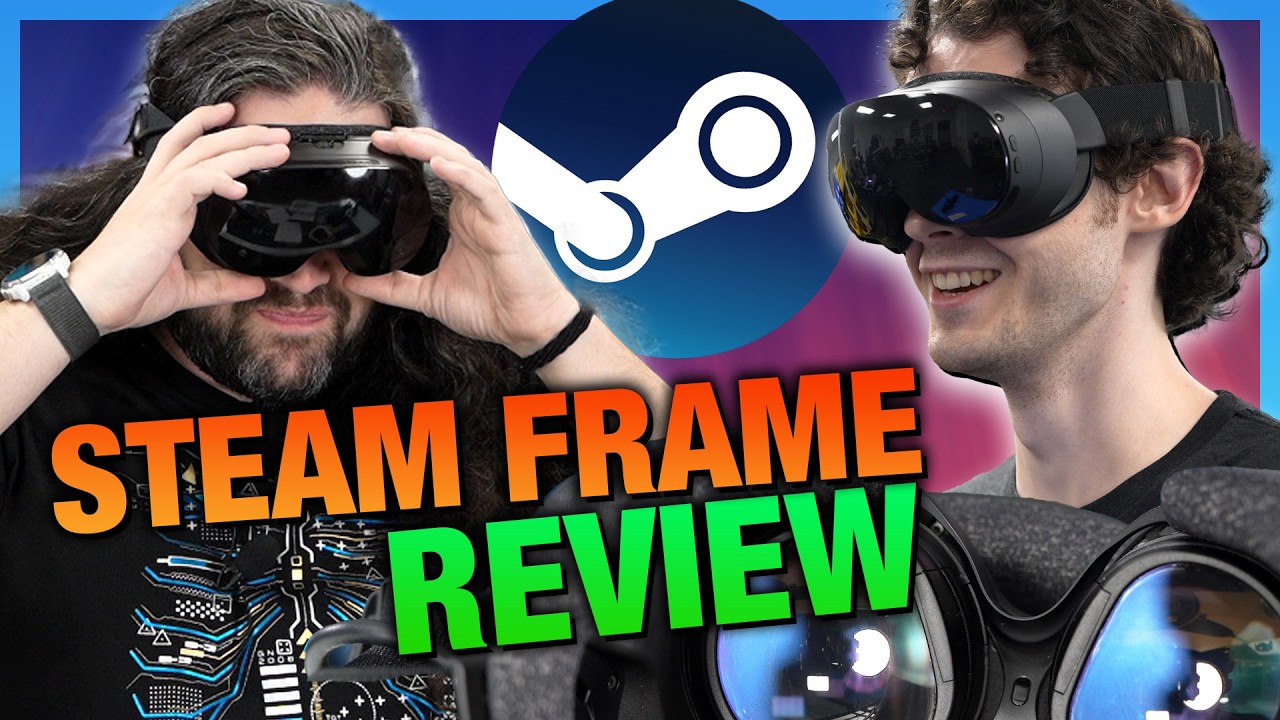
Valve Steam Frame Defeats Quest 3 on Privacy but Fails on Value
Gamers Nexus
Valve's Steam Frame delivers superior privacy and lower thermal facial temperatures than Meta's Quest 3, but its $1,060 entry price and poor stock passthrough prevent mainstream market adoption.
Valve launched the Steam Frame VR headset at $1,060 (256 GB) and $1,300 (1 TB), breaking its target sub-$1,000 price point after industry memory and flash storage costs surged up to 600%. (0:00)
The Steam Frame demonstrated substantial wireless streaming latency advantages over the Meta Quest 3, delivering 46.1 ms in LDAT benchmarks via its dedicated 6 GHz PC adapter compared to 72.5 ms on the Quest 3. (20:21)
Privacy evaluation revealed a stark divide: Valve processes all camera and eye-tracking telemetry locally on-device without cloud harvesting, whereas Meta extracts extensive biometric, room geometry, and voice telemetry. (8:28)
Testing uncovered a major charging issue on the Steam Frame, which took 215 minutes to reach full charge at under 12 W, failing to replicate Valve's claimed fast charge of 0 to 65% in under 40 minutes. (34:50)
Detailed notes
## Background
Published on YouTube by Gamers Nexus on September 14, 2026, this technical review evaluates the Valve Steam Frame VR headset ($1,060 to $1,300) against the Meta Quest 3. According to the page description, the comprehensive benchmark suite covers privacy and data harvesting, latency, worn thermal comfort, battery endurance, charging behavior, software bugs, camera passthrough quality, control inputs, and subjective team impressions.
## TL;DR
Gamers Nexus pits the Valve Steam Frame against the Meta Quest 3 across an extensive technical benchmarking battery, measuring latency, thermal dissipation, battery endurance, and software stability. The Steam Frame excels in low-latency wireless PC streaming, comfortable facial thermals, and an uncompromising, on-device local privacy model that avoids biometric harvesting. However, its unexpectedly high launch pricing, erratic charging speeds, poor stock monochrome passthrough cameras, and the broader VR software drought prevent an enthusiastic recommendation, while the Quest 3 is formally disqualified due to Meta's aggressive household and biometric surveillance policies.
## Atmosphere & style
Methodical, uncompromising, and deeply analytical, the review carries Gamers Nexus's signature investigative rigor and consumer-advocate skepticism. The hosts balance clinical, laboratory-grade data collection—utilizing thermal imaging cameras, acoustic latency triggers, and motorized turntables—with candid, exasperated critiques of broken pricing promises and VR ecosystem stagnation. Steve Burke's sharp moral indignation regarding corporate data harvesting clashes with the team's pragmatic weariness over ergonomic quirks and buggy software, creating a grounded, no-nonsense viewing experience.
## Bulletin
- [00:00](https://www.youtube.com/watch?v=vcerOYY_K1g&t=0s) Valve launched the Steam Frame VR headset at $1,060 (256 GB) and $1,300 (1 TB), breaking its target sub-$1,000 price point after industry memory and flash storage costs surged up to 600%.
- [20:21](https://www.youtube.com/watch?v=vcerOYY_K1g&t=1221s) The Steam Frame demonstrated substantial wireless streaming latency advantages over the Meta Quest 3, delivering 46.1 ms in LDAT benchmarks via its dedicated 6 GHz PC adapter compared to 72.5 ms on the Quest 3.
- [08:28](https://www.youtube.com/watch?v=vcerOYY_K1g&t=508s) Privacy evaluation revealed a stark divide: Valve processes all camera and eye-tracking telemetry locally on-device without cloud harvesting, whereas Meta extracts extensive biometric, room geometry, and voice telemetry.
- [34:50](https://www.youtube.com/watch?v=vcerOYY_K1g&t=2090s) Testing uncovered a major charging issue on the Steam Frame, which took 215 minutes to reach full charge at under 12 W, failing to replicate Valve's claimed fast charge of 0 to 65% in under 40 minutes.
## Key takeaways
- [00:00](https://www.youtube.com/watch?v=vcerOYY_K1g&t=0s) The Steam Frame entered the market at $1,060 for 256 GB and $1,300 for 1 TB, failing to beat the Valve Index on price and requiring separate purchases for essential accessories like a wall charger and ergonomic hand straps.
- [04:38](https://www.youtube.com/watch?v=vcerOYY_K1g&t=278s) Core hardware includes a Qualcomm Snapdragon 8 Gen 3 SoC, 16 GB of unified LPDDR5X RAM, dual 2160x2160 LCD pancake panels up to 144 Hz, and a 21.6 Wh rear counterweight battery, but omits a 3.5 mm audio jack.
- [08:28](https://www.youtube.com/watch?v=vcerOYY_K1g&t=508s) Valve confines setup legalities to roughly 12,600 words covering basic billing while keeping biometric and visual telemetry strictly on-device, in contrast to Meta's 83,000 words across 12 tracking-heavy agreements.
- [10:17](https://www.youtube.com/watch?v=vcerOYY_K1g&t=617s) Meta's telemetry agreements ingest ambient background audio, spatial room dimensions, and underage movement data to feed cloud-based avatars and advertising profiles while enforcing mandatory arbitration.
- [17:22](https://www.youtube.com/watch?v=vcerOYY_K1g&t=1042s) Radiometric thermal imaging confirmed the Steam Frame runs 1.5°C to 2.0°C cooler against the brow, cheeks, and nose than the Quest 3 by actively venting heat outward through the front chassis.
- [20:21](https://www.youtube.com/watch?v=vcerOYY_K1g&t=1221s) Using an acoustic trigger and internal photon sensors, Gamers Nexus found the Steam Frame achieved 46.1 ms latency over its dedicated PC adapter versus 72.5 ms on the Meta Quest 3 over Wi-Fi.
- [27:55](https://www.youtube.com/watch?v=vcerOYY_K1g&t=1675s) Steam Frame's Multi-Link architecture allows concurrent streaming across 5 GHz and 6 GHz bands with real-time dynamic packet routing, supplemented by eye-tracked foveated video compression.
- [31:39](https://www.youtube.com/watch?v=vcerOYY_K1g&t=1899s) In comparative battery torture tests, the Meta Quest 3 outlasted the Steam Frame by 20% to 40%, with the Frame depleting in just 47 to 84 minutes under high-stress performance presets.
- [34:50](https://www.youtube.com/watch?v=vcerOYY_K1g&t=2090s) Recharging the Steam Frame with Valve's official 45 W adapter required 215 minutes due to an 11–12 W power ceiling, contradicting official specs promising a sub-40-minute fast charge to 65%.
- [39:17](https://www.youtube.com/watch?v=vcerOYY_K1g&t=2357s) The headset runs ARM-based SteamOS with FEX x86 emulation and VKD3D translation, launching with roughly 130 verified standalone titles alongside early software quirks like unclosed host PC processes.
- [42:53](https://www.youtube.com/watch?v=vcerOYY_K1g&t=2573s) Stock monochrome passthrough on the Steam Frame suffers from severe distortion, text illegibility, and nauseating 30 FPS jitter, though an optional $150 Arcturus RGB add-on upgrades it to full color.
- [47:01](https://www.youtube.com/watch?v=vcerOYY_K1g&t=2821s) Controllers offer nuanced capacitive finger tracking and physical IPD adjustment, but streaming defaults to emulating Oculus Touch controllers and buries rebinding across six confusing software layers.
- [49:53](https://www.youtube.com/watch?v=vcerOYY_K1g&t=2993s) Gamers Nexus testers praised the Steam Frame's balanced halo strap and breathable face gasket over the front-heavy Quest 3, though most testers deemed the optional top strap essential for stability.
- [01:09:01](https://www.youtube.com/watch?v=vcerOYY_K1g&t=4141s) Gamers Nexus refuses to recommend the Meta Quest 3 regardless of price due to extensive spatial surveillance and corporate data-harvesting policies.
- [01:08:04](https://www.youtube.com/watch?v=vcerOYY_K1g&t=4084s) Despite superior privacy and wireless latency, the Steam Frame represents poor value at $1,060+ amid an ongoing VR content drought and costly proprietary add-ons.
Valve's new standalone virtual reality headset, the Steam Frame, launches at $1,060 for the 256 GB SKU and $1,300 for the 1 TB variant. This pricing represents a direct reversal of Valve's earlier promises. Prior to launch, the only public details regarding pricing and availability were that the headset would target an "early 2026" window, cost "less than $1,000," and undercut the maximum price point of the original Valve Index. With the release slipping to September and a starting price exceeding a grand, neither commitment held up.
The primary market alternative is the Meta Quest 3, which retails at $600. However, that lower upfront monetary price comes with severe compromises to user privacy. Purchasing the Quest 3 effectively demands access to intimate personal data from inside the household. Users face roughly 80,000 words of legal agreements covering extensive tracking terms:
- Video and voice recordings within the home.
- Spatial scans of the room, including the size of walls, surfaces, and furniture.
- Body kinematics and facial expressions.
- Children's voice recordings, physical traits, headset locations, social links, activity metrics, and gameplay habits.
When Gamers Nexus questioned Valve about whether the Steam Frame engages in similar behavioral profiling and sensor scraping, Valve answered with a concise "No." Hardware privacy has grown increasingly critical given the density of room-scanning infrared depth sensors, tracking cameras, and microphone arrays on modern head-mounted displays (HMDs).
Beyond privacy concerns, comprehensive technical benchmarks highlight competing trade-offs between both units. The Steam Frame exhibits lower motion-to-photon latency, whereas the Meta Quest 3 maintains an advantage in battery runtime. Objective thermal evaluations were also conducted using a tripod-mounted Fluke RSE600 radiometric thermal imaging camera routed over Power over Ethernet (PoE) to a capture system. Rather than measuring outer chassis shell temps, the testing evaluated the facial skin contact interface instantly upon removing the HMD to assess real-world human comfort factors.
The Frame's ergonomics rated favorably in thermal and physical wearing assessments, with team members noting it felt far superior to wear out of the box compared to the Quest 3. However, Valve's high pricing is exacerbated by essential accessories sold separately:
- **Ergonomic Hand Straps Kit:** $60 (practically required to enable open-palm finger tracking).
- **USB Type-C AC Adapter:** $30 (identical to the 45W Steam Deck charger, but omitted from the box).
- **Replacement Face Cushion, Gasket, & Light Blocker:** $50.
Valve's pricing escalation occurred against severe industry tailwinds following the November announcement: memory prices surged 350% to 600% depending on module specifications, while flash storage costs more than doubled.
---
[04:38](https://www.youtube.com/watch?v=vcerOYY_K1g&t=278s) The Specs and What's Included
While headsets from Pimax, Bigscreen, and legacy models like the HTC Vive or Oculus Rift occupy parts of the PC VR ecosystem, Gamers Nexus centered testing on the Quest 3 and Steam Frame due to their commanding share in the Steam Hardware Survey. The Steam Frame's hardware architecture leverages modern mobile silicon and optical stacks inside a modular chassis.
```mermaid
flowchart TD
accTitle: Valve Steam Frame Hardware Architecture
accDescr: Diagram illustrating the components of the Frame core module and its detachable head strap.
subgraph CoreModule["Frame Core Module (~445g)"]
SOC["Qualcomm Snapdragon 8 Gen 3 (8650)"]
RAM["16 GB LPDDR5X (Unified Memory)"]
Storage["256 GB or 1 TB NVMe Storage\n+ microSD Expansion"]
Displays["Dual 2160x2160 LCDs\nPancake Optics (72-144 Hz)"]
Sensors["4x External IR Tracking Cameras\n2x Internal Eye Tracking Cameras"]
Expansion["PCIe Gen 4 (x1) + MIPI (8 lanes @ 2.5 Gbps)"]
end
subgraph HeadStrap["Modular Head Strap"]
Battery["21.6 Wh Battery"]
Speakers["Integrated BMR Speakers"]
end
The Steam Frame weighs approximately 445 grams. The core computing enclosure houses the mainboard, optics, display panels, and tracking suites, while the detachable rear strap holds the speakers and the 21.6 Wh counterweight battery.
Noticeably absent from the package is an AC wall adapter, requiring either a third-party charger or Valve’s standalone $30 brick. The frame lacks an integrated 3.5 mm auxiliary audio port, meaning analog headsets require an external USB-C adapter. Valve announced a future enthusiast-grade head strap featuring off-ear Index-style speakers and a hot-swappable battery system, planned as a standalone accessory rather than an upgraded base package.
Testing revealed distinct ergonomic disagreements concerning the optional $60 ergonomics kit. The controller hand knuckle straps are essential to allow users to release their grip entirely for finger tracking. However, face interfaces showed variable milage: Steve required the extended light blocker to prevent ambient light leakage around the nose, while Patrick did not need it. The optional overhead cross-strap reduced vertical inertia and slippage over long hair during rapid head movements, though other team members found it obtrusive.
---
[08:28](https://www.youtube.com/watch?v=vcerOYY_K1g&t=508s) PRIVACY and DATA SALE: Meta Quest 3 vs Steam Frame
Spurred by their previous investigative findings into connected smart TV surveillance, Gamers Nexus established a dedicated hardware privacy methodology to evaluate the invasive capabilities of tracking-heavy VR equipment.
To complete a Steam Frame transaction, Valve requires consenting to two core documents: the standard Valve Privacy Policy and the Steam Subscriber Agreement, which combined comprise 12,616 words. For anyone with an existing Steam library, these exact terms have typically already been accepted. Valve's data collection remains restricted to transactional billing credentials, aggregate system hardware surveys, and basic platform engagement metrics, avoiding continuous biometrics and domestic sensor scanning.
[09:04](https://www.youtube.com/watch?v=vcerOYY_K1g&t=544s) Valve's Stance on Data vs. Meta's Massive Legal Wall
Valve's data collection policy under the standard Steam agreements covers routine platform usage—such as comments, chat interactions within the Steam client, and analytics cookies or tracking pixels used for account services and store recommendations. However, when pressed directly regarding the Steam Frame hardware, Valve clarified that the physical sensors operate under strict local-processing boundaries. Valve confirmed that camera and eye tracking data are handled exclusively on the device itself, stating: "Camera and eye tracking data is processed on device, and we don't collect it, nor do we collect byproducts of it." Valve noted that the only time any related telemetry leaves the system is if a customer explicitly chooses to submit a hardware diagnostic ticket through Steam Support to troubleshoot issues, at which point text logs containing sensor diagnostics would be attached. Crucially, Valve reiterated that it does not sell user data to third-party advertising brokers.
```mermaid
flowchart TD
accTitle: Valve vs Meta Data Handling Flow
accDescr: Comparison of local on-device processing versus cloud telemetry collection between Valve and Meta VR headsets.
subgraph Valve["Valve Steam Frame"]
V_Sensors["Camera & Eye Tracking"] -->|"Processed 100% on-device"| V_Local["Local Device"]
V_Local -.->|"Optional User Support Ticket Only"| V_Logs["Text System Logs"]
end
By comparison, stepping into the Meta Quest 3 ecosystem involves navigating an immense legal labyrinth. Buying a Quest 3 involves seven checkout agreements totaling over 36,000 words, including Shopify terms and privacy policies that Meta pushes buyers to agree to. Once the headset arrives, setting it up requires the Meta Horizon app, which stacks on another five agreements comprising 46,579 words. In total, a user must consent to nearly 83,000 words of legal terms before ever powering on the display. Meta's App Store disclosure openly enumerates an extensive inventory of data linked directly to personal identities: health and fitness stats, financial information, precise location, contacts, user-generated content, search and browsing history, diagnostics, and "sensitive information."
- Valve processes camera and eye-tracking telemetry strictly on-device, uploading text logs only during opt-in customer support troubleshooting.
- Meta Quest 3 onboarding demands agreeing to nearly 83,000 words of legal agreements across purchase checkout and the Horizon app.
- Meta's disclosures confirm collection of identity-linked browsing history, search history, purchase records, and sensitive personal data.
[10:17](https://www.youtube.com/watch?v=vcerOYY_K1g&t=617s) Meta's Deep Environmental, Audio, and Biometric Telemetry
Beyond traditional digital footprint tracking, Meta aggressively logs the user's immediate physical environment. The headset's voice services record and process all vocal interactions—including exchanges with built-in AI features—and explicitly retain audio even when voice commands are triggered mistakenly or capture ambient background noise. Gamers Nexus likens this pervasive audio harvesting to past smart TV controversies seen with LG, albeit with more carefully drafted legal disclaimers. Furthermore, Meta ingests video and audio created on the system alongside precise timestamps, plus environmental dimension maps captured during room-boundary scans.
Biometrics are handled through what Meta terms "abstracted data." While raw camera feeds of a user's face or body are analyzed locally, the resulting motion frameworks—capturing hand, body, gaze, and natural facial expressions—are designated as abstracted telemetry. This data can be routed directly to Meta's servers to animate avatars in multiplayer spaces. In virtual environments like Horizon Worlds, Meta continuously buffers rolling audio and video recordings of the user and surrounding participants in the event of an abuse report, maintaining them on company servers. Additionally, Meta assigns hardware-level advertising IDs by default and binds users to mandatory arbitration clauses. Valve, on the other hand, removed its mandatory arbitration clause and class-action waiver from the Steam Subscriber Agreement in late 2024 after facing mass arbitration filings.
- Meta captures voice recordings, including ambient background noise and accidental activations of voice assistants.
- Room-scale boundaries, physical object scans, and room dimensions are gathered during spatial configuration.
- Facial and eye tracking are converted into "abstracted data" that can be processed off-device on Meta servers for multiplayer animations.
- Horizon Worlds retains rolling recordings of recent audio and video interactions on remote servers.
- Valve previously eliminated its mandatory arbitration clause in late 2024 following an avalanche of individual dispute demands.
[12:21](https://www.youtube.com/watch?v=vcerOYY_K1g&t=741s) Underage Data Harvesting and Senate Testimony
Meta’s parental privacy disclosures reveal an equally aggressive data collection model applied to children aged 10 to 12 using Meta VR hardware. When permissions are granted, Meta records the child’s voice, stores microphone and camera data, tracks physical body and hand telemetry, logs geographical location, and catalogs their social graph and app activity. This includes tracking every app downloaded, gameplay statistics, content creation history, session frequency, and even the dimensions of physical walls and objects inside the child’s bedroom. Gamers Nexus strongly warns against giving any corporation access to such intimate spatial data of minors, pointing specifically to Meta’s troubled history with youth safety.
This concern is backed by recent congressional testimony. Former Meta researchers who studied youth safety on Meta VR products testified before a U.S. Senate subcommittee that the platform frequently exposed minors to mature content. The researchers revealed that company leadership repeatedly minimized their findings, blocked further investigations, and actively scrubbed internal documentation of youth harassment. In sworn testimony, one researcher laid out the underlying corporate incentive: "Children drive profits. If Meta invests more in safety to get kids off of there, engagement goes down, monetization goes down, ad revenue goes down. They need them, they need them young... But Meta's smart, they know that too. They need them, they need children." In contrast, Valve operates without third-party advertising incentives or behavioral data monetisation, helping illustrate why Meta can subsidize hardware costs while Valve sells the Steam Frame at a premium hardware margin.
- Meta parent disclosures acknowledge gathering child voice recordings, physical body tracking, and precise bedroom room-dimension scans.
- Senate testimony from former Meta researchers accused the company of suppressing safety studies and deleting evidence of youth harassment.
- Former researchers highlighted that Meta relies on younger demographics to fuel engagement, monetization, and future ad revenue.
[14:31](https://www.youtube.com/watch?v=vcerOYY_K1g&t=871s) Comfort, Ergonomics, and Lens Clearance
Moving past software policies to the physical hardware, the Gamers Nexus team found the Valve Steam Frame to be exceptionally comfortable out of the box. Testers across the board noted that it was far easier to put on and wear than the Meta Quest 3, presenting an enormous ergonomic leap forward from older-generation headsets like the original HTC Vive. Several team members ranked the Frame as the single most comfortable VR headset they had ever tested. A major ergonomic advantage is the open cut-out around the nose. Unlike the Quest 3, which features an enclosed nose overhang that obstructs the lower face, the Frame leaves enough clearance to easily drink from a can while wearing the display. The trade-off is that this opening can allow ambient light bleed around the nose bridge depending on facial geometry.
The mechanical construction relies on magnetic attachments for the facial gasket and eye spacer, while the rear head cushion fastens with hook-and-loop fabric patches. While convenient, the magnets hold somewhat lightly, causing the gasket to detach with very little pulling force. Another mechanical quirk involves the default lens distance: the stock lens position sits close enough to the eyes to brush against eyelashes. Although users cannot physically feel their eyelashes hitting the lenses, the glass accumulates facial oils quickly, forcing the team to run the included eye spacer permanently, even for users without corrective eyewear. For glasses wearers, the headset officially supports frames up to 140 mm wide, though the team successfully fit a 145 mm pair. Thermal management is aided by prominent, open exhaust vents situated directly across the top chassis, a design choice the team strongly preferred over the Quest 3’s concealed chassis seams.
- Multiple testers rated the Steam Frame as the most comfortable headset tested to date, easily outperforming the Quest 3 and older hardware like the Vive.
- An open nose cavity allows wearers to drink from cans without taking the headset off, though it can permit light leakage.
- The facial gasket and eye spacer attach via magnets that pull off very easily during handling.
- The stock lens profile sits within eyelash range, necessitating frequent cleaning unless the included spacer is installed.
- Official glasses width limit is 140 mm, but frames measuring up to 145 mm fit during testing.
Evaluating long-term comfort requires monitoring heat dissipation, prompting the team to benchmark facial temperatures. While Steve originally attempted to track thermals by affixing arrays of direct contact thermocouples across his face—joking that the setup looked like an unhinged beauty tutorial—the sensor probes repeatedly peeled off during movement. Consequently, the team pivoted to high-resolution radiometric thermal imaging utilizing a professional-grade Fluke RSE600 infrared camera.
```mermaid
flowchart LR
accTitle: Thermal Benchmark Methodology
accDescr: 30-minute stationary VR testing protocol followed by rapid Fluke thermal imaging capture.
A["Stationary Seated Setup"] --> B["30-Minute Gameplay Run"]
B --> C["Careful Headset Removal"]
C --> D["Fluke RSE600 Thermal Capture"]
```
The testing methodology was designed to maintain rigorous repeatability. Steve sat in a fixed, stationary position relative to the Fluke RSE600 camera and played VR titles continuously for a full 30-minute soak period on both the Meta Quest 3 and the Valve Steam Frame. Remaining stationary was vital to ensure the target stayed aligned within the calibrated focal plane of the thermal lens. At the conclusion of the 30-minute run, Steve executed a rapid, tightly controlled removal of the headset to immediately image heat retention on his skin and the internal contact surfaces before the hardware could cool down.
- Thermocouple facial adhesion proved unreliable, leading to the use of a Fluke RSE600 high-resolution infrared camera.
- The thermal protocol used a standardized 30-minute stationary gameplay session to maintain an identical focal distance.
- Headset removal was strictly controlled to capture maximum thermal saturation across the face gasket and user skin before heat dissipated.
To evaluate thermal comfort objectively, testing captured the user's face immediately upon removing the headset—within one-third of a second—before the skin could cool down. By simultaneously flipping the head-mounted display (HMD) toward the thermal camera, the team mapped the internal hotspots of the unit directly against the hottest contact points on the wearer's face. To establish a worst-case thermal load, both devices ran games locally (not streamed) while actively charging over a 30-minute span. The tests used *Moss* locked to 90 Hz on both the Valve Steam Frame and the Meta Quest 3. Settings were matched out of the box rather than normalizing for power draw. A blue baseline control was established on the tester's bare face on the same day after a cooldown period at identical ambient room temperatures.
Across the contact zones, the Steam Frame proved measurably cooler on the skin than the Quest 3:
| Measurement Point | Valve Steam Frame (°C) | Meta Quest 3 (°C) | Notes / Observations |
|:--- |:--- |:--- |:--- |
| **Brow Line (Hottest Point)** | 33.0 | 35.0 | Located beneath gasket; 2.0°C delta unlikely to be variance |
| **Brow Line (Marks 2–4)** | Favored Frame by ~0.5°C | — | Consistent slight advantage across forehead |
| **Brow Line (Mark 5)** | 34.2 | 35.0 | Cooler on Frame |
| **Eye Temperature** | 33.9 – 34.2 | 34.7 – 35.1 | Quest 3 eye area trapped more heat |
| **Cheek Contact Point** | 33.6 | 35.1 | Area directly beneath the eye where gasket presses |
| **Nose Hotspot** | 32.8 | 34.6 | Frame's geometry leaves the nose bridge less covered |
Palm temperatures were also captured by flashing hands to the thermal camera right after putting the controllers down, though this proved too inconsistent to be reliable. Interestingly, the Steam Frame's lenses and front outer housing measured hotter than the Quest 3. This indicates superior active ventilation: the Frame successfully pulls thermal energy away from the user's face and radiates it out through the front chassis where it does not contact human skin.
```mermaid
flowchart LR
accTitle: Thermal Dissipation Comparison
accDescr: Diagram showing how heat is dissipated on the Steam Frame versus the Quest 3.
subgraph SF["Valve Steam Frame"]
SF_Face["Face & Eyes: 32.8°C – 34.2°C"] -->|"Internal Airflow"| SF_Front["Front Housing & Lenses (Hotter)"]
end
subgraph Q3["Meta Quest 3"]
Q3_Front["Front Housing (Cooler)"]
Q3_Face["Face & Eyes: 34.6°C – 35.1°C (Heat Trapped)"]
end
```
---
[20:21](https://www.youtube.com/watch?v=vcerOYY_K1g&t=1221s) Latency Test Setup & Acoustic Triggering
Measuring true system latency in VR requires capturing "click-to-photon" delay—the exact duration from an input being triggered to the display updating with illuminated pixels—while excluding human reaction time. Normally, Gamers Nexus solders hardware leads directly to controller switch traces to intercept physical electrical signals. However, the Steam Frame controller relies heavily on internal adhesives. With only a single review unit in the lab and subsequent testing still pending, disassembly risked destroying the device. Attempting to bypass this by wiring an external gamepad directly over USB-C into the headset also ran into functional hurdles.
The team engineered an acoustic trigger workaround using an ultra-close microphone. While sound waves through air (~343 m/s) do not match the near-instantaneous speed of electrons in copper, the microscopic physical travel distance makes acoustic capture plenty precise for millisecond latency testing. The microphone records the physical click sound of the button switch, feeding that signal directly into the LDAT (Latency Display Analysis Tool) capture hardware. A photonic sensor mounted inside the headset detects the light pulse on the panel to close the loop.
All streaming latency was driven by the standard Gamers Nexus GPU test bench equipped with an overclocked AMD Ryzen 7 9800X3D and an Nvidia GeForce RTX 5090. Headsets were tested at 120 Hz (matching the Quest 3, while ignoring the Steam Frame’s experimental 144 Hz option). As Patrick Lathan explains, standard 2D desktop LDAT testing inside a VR theater mode does not reflect true VR streaming performance, as the rendering pipelines differ completely and advanced features like Valve's Multi-Link are inactive outside native VR workloads.
---
[23:40](https://www.youtube.com/watch?v=vcerOYY_K1g&t=1420s) Latency Benchmarks: Synthetic 2D vs. Native VR Streaming
Initial controlled benchmarks were conducted using the LDAT 2D test suite forced to 120 Hz V-Sync over a PC mouse input (1080p, "Beautiful" quality preset, unlimited bandwidth, 240 FPS remote play cap, and 350 Mbps cap in SteamVR). Across 300 control baseline samples on a 360 Hz gaming monitor, response times sat between 24.3 ms and 25.6 ms. The Steam Frame over its dedicated wireless adapter scored 46.1 ms, while standard Wi-Fi scored 47.1 ms. By comparison, the Quest 3 over Wi-Fi lagged behind at 72.5 ms—requiring 57% more time to complete the round trip.
For true VR gameplay, the team tested the rhythm game *Thumper*, which features high-contrast photonic flashes on specific player actions and runs both natively on the headsets and streamed from the PC host:
- **360 Hz Monitor Control:** 24.8 ms baseline.
- **Steam Frame Native (Local, 120 Hz):** 56.5 ms response time.
- **Steam Frame Native (Local, 72 Hz):** 61.2 ms (higher frame intervals add roughly 4.7 ms of delay).
- **Steam Frame Streamed via Multi-Link (120 Hz):** 65.7 ms (adding only 9.2 ms, or a 16% latency penalty over native local rendering).
- **Steam Frame Streamed via Wireless Adapter Only (120 Hz):** 68.4 ms (an additional 2.7 ms / 4% slower than Multi-Link).
Multi-Link demonstrates a measurable latency benefit over streaming via the standalone wireless adapter alone. The Meta Quest 3 native baseline begins around default 72 Hz operation, operating from a distinct Meta Store build. Overall, the Steam Frame held a clear latency advantage across comparable wireless scenarios.
[26:24](https://www.youtube.com/watch?v=vcerOYY_K1g&t=1584s) Latency Benchmarks and Display Persistence
Testing latency when running from a host PC rather than natively on the headset introduces an expected performance penalty. Measuring the Steam Frame at 72 Hz streaming from the host yielded 75.2 ms, representing a roughly 23% latency increase over the 61.2 ms measured when running locally on the Frame (bearing in mind differences between software builds). To test the Meta Quest 3, the team opted into the beta version of the Steam Link app on the Quest to enable plug-and-play USB streaming using the bundled cable. Assuming the beta functioned as intended, this wired approach had virtually no impact on latency, posting 82.9 ms. However, the stock Quest 3 cable is not rated for high-speed data transfers, and Meta charges $80 for its official Link cable, which Gamers Nexus did not receive in time for this test. Over Wi-Fi at 120 Hz, the Quest 3 clocked in at 83.5 ms, while the Steam Frame on Wi-Fi at 120 Hz landed at 86.2 ms. Steve stresses that wireless latency depends heavily on home networking setups; all GN tests kept the Wi-Fi router and physical positioning strictly identical for like-for-like consistency.
Measuring VR latency with traditional tools like NVIDIA's LDAT or luminance-based sensors is notoriously tricky due to low-persistence displays. Because these panels rapidly strobe to minimize motion blur, standard light-sensitive sensors struggle with the rapid luminance shifts, an artifact plainly visible when filming directly through the headset's lenses. Valve disclosed that the Steam Frame's LCD panels operate at a fixed 8% duty cycle across all refresh rates. At 120 Hz, each panel is illuminated for a mere ~0.67 milliseconds out of every 8.3-millisecond refresh cycle. This aggressive strobing cuts down perceived blur dramatically and explains why Valve ultimately chose LCD panels over OLED for the Steam Frame.
- **Steam Frame (Local, 72 Hz):** 61.2 ms
- **Steam Frame (Streaming, 72 Hz):** 75.2 ms (+23% latency vs. local)
- **Quest 3 (Beta Steam Link via Stock USB Cable):** 82.9 ms
- **Quest 3 (Wi-Fi, 120 Hz):** 83.5 ms
- **Steam Frame (Wi-Fi, 120 Hz):** 86.2 ms
- **Display Strobing:** Locked 8% duty cycle on the Frame (0.67 ms illuminated per 8.3 ms frame at 120 Hz)
---
[27:55](https://www.youtube.com/watch?v=vcerOYY_K1g&t=1675s) Wireless Architecture: Multi-Link and Foveated Streaming
The Steam Frame is currently an exclusively wireless headset, shipping with a dedicated wireless adapter that provides an immediate leg up over the Quest 3 for users plagued by weak home Wi-Fi or outdated routers. In testing, the adapter proved optimized for same-room play: walking roughly 8 meters away from the test bench and facing backward triggered connection drops, though turning back toward the bench instantly restored signal quality to "excellent." In contrast, the Quest 3 handles poor wireless setups by letting users tether directly over a USB cable, supported by a plug-and-play update pushed to the beta Steam Link app on August 31st.
The Steam Frame incorporates two discrete internal radios. When connecting to home Wi-Fi, the headset allows users to reserve its Wi-Fi 6E band exclusively for the bundled PC wireless adapter. Users can even bypass internet connectivity entirely by pairing the headset only to the adapter, streaming PC VR titles locally while keeping the headset completely air-gapped from the web for privacy. When both links are active, the Frame utilizes "multi-link" streaming, concurrently transmitting over 5 GHz Wi-Fi and 6 GHz via the adapter. As Valve explained to Gamers Nexus:
> "All the links are always active and competing for the lowest latency on a per packet basis, acting as a single robust connection with built-in redundancy that adapts in real time. This means your streaming connection is always as powerful as the strongest link and often better than any single link."
Valve is also pushing "foveated streaming," which leverages the Frame's onboard eye-tracking hardware to concentrate maximum video bitrate directly where the user's pupils are looking. While difficult to demonstrate on flat video recordings because the compression falloff is engineered to match human peripheral vision, a debug visualization overlay confirms the system dynamically follows the gaze. Valve noted that "the angular size of the foveated area is a function of game resolution and the encoded video size." For all testing across the review, the encoded video size slider was locked at its maximum default of 1344 pixels.
```mermaid
flowchart TD
accTitle: Valve Steam Frame Dual Radio Multi-Link Architecture
accDescr: Diagram showing how the PC transmits packets across simultaneous 5 GHz and 6 GHz links to the Steam Frame.
subgraph HostPC["Host PC"]
Game["Game Engine & Video Encoder"]
Adapter["Dedicated 6 GHz Wireless Adapter"]
Game --> Adapter
Game --> Router["Home Wi-Fi Router (5 GHz)"]
end
[30:04](https://www.youtube.com/watch?v=vcerOYY_K1g&t=1804s) Battery Capacities and the Torture Workload Setup
Battery specifications present another point of contrast. Meta does not list official watt-hour capacities on the main Quest 3 product page, citing only an estimated 2.2 to 2.4 hours of general battery life. Teardowns from iFixit reveal battery labeling that points to roughly 19.12 to 19.4 Wh (effectively 19–20 Wh). Valve rates the Steam Frame battery at 21.6 Wh, though measurement methodologies between manufacturers may vary. According to Valve, power draw swings drastically based on load:
> "Highly optimized games and streaming may use less than 10 watts, while some unoptimized or higher spec games may draw up to 25 watts peak."
At 10 watts of consumption, the Frame's 21.6 Wh battery yields an estimated 2.16 hours of streaming uptime, closely tracking Quest 3 estimates on paper. Valve also claims the Frame pulls roughly 3 watts while idling with screens off and around 250 mW in long-term deep sleep.
To benchmark battery longevity, Gamers Nexus selected *Moss* (noting with regret that the development studio shut down just two days prior to the Frame's launch). Because the Quest 3 exposes very few hardware toggles beyond volume and brightness, GN turned off Meta's battery saver mode and normalized display brightness across headsets using an LDAT sensor to match the Frame's default output, which lands at roughly 50% on the Quest 3 slider. For streaming runs, headsets were configured to 120 Hz via Steam Link with per-eye resolution set to 150% (2528 × 2704 on the Quest 3; 2644 × 2644 on the Frame). To completely eliminate human inconsistencies, the headsets were placed onto a motorized rotating turntable (a "lazy Susan") inside the opening level of *Moss*, spinning continuously until the battery drained completely. While this constant rotational tracking is an abusive torture workload, it provides fully repeatable, objective baseline numbers.
---
[31:39](https://www.youtube.com/watch?v=vcerOYY_K1g&t=1899s) Moss Battery Benchmarks: Local Play vs. Streaming
The synthetic turntable battery test revealed massive gaps between performance profiles and hardware implementations. Running the native Meta build of *Moss* locally on the Quest 3—which locks resolution and graphics behind the scenes while running at 90 Hz—the headset survived for 120.2 minutes, and held out for 118.0 minutes when streaming via Steam Link at 120 Hz. By contrast, running the Steam Frame under maximum stress (Performance profile, GPU pinned to 903 MHz, 120 Hz refresh rate, and 150% resolution scaling) caused it to die in just 84.1 minutes while streaming. In that like-for-like high-refresh streaming matchup, the Quest 3 lasted roughly 40% longer.
The Frame suffered even worse when attempting to run *Moss* locally under that same aggressive performance profile at 100% resolution (2160 × 2160): it died in a flat 47.0 minutes. Dialing the local refresh rate back to 90 Hz to match the Quest 3 native experience only extended runtime to 55.8 minutes, demonstrating that unconstrained local rendering rapidly consumes the Frame's battery. Steve strongly advises switching to the headset's 72 Hz "Playtime" mode for standalone mobile play.
Enabling Playtime mode shifted the dynamics substantially. Streaming *Moss* in Playtime mode at native resolution (2160 × 2160) with a 230 Mbps default bandwidth cap brought Frame runtime up to 111.0 minutes, despite minor tracking hiccups near the end of the discharge. Most impressively, running *Moss* locally in Playtime mode pushed the Frame to 124.6 minutes—surpassing its streaming figures because Playtime aggressively scales down multiple system settings beyond just the display refresh rate.
[33:27](https://www.youtube.com/watch?v=vcerOYY_K1g&t=2007s) Real-World Testing with Half-Life: Alyx and Charging Quirks
To validate whether the automated lazy-Susan test mirrored real gameplay, Gamers Nexus tasked Mike with playing *Half-Life: Alyx* for an entire day across both devices. For this real-world trial, settings were normalized to a balanced middle ground: both headsets ran at 72 Hz, per-eye resolution stayed at the default 150%, target streaming bandwidth was restricted to 200 Mbps, and the Frame operated in Playtime mode. As a control, the Steam Frame ran on the turntable under these identical settings, lasting 123.6 minutes.
With Mike actually wearing the headset and actively playing through the campaign, the Frame survived for 115.8 minutes. That small ~8-minute reduction confirmed the synthetic test was representative, with the slight drop attributed to human body heat warming the chassis and battery pack. (The Frame used single-link Wi-Fi for Mike's run, which would theoretically extend rather than penalize runtime). Under the exact same real-world gameplay conditions, Mike's run on the Meta Quest 3 clocked in at 139.2 minutes—outlasting the Steam Frame by 20%. Across all configurations, the Quest 3 delivers definitively longer battery longevity.
Following battery drain tests, the team transitioned to charging speed benchmarks, where the Steam Frame exhibited several odd behaviors. The standard protocol required allowing both headsets to completely exhaust their batteries until they powered down, then connecting them to an inline power meter without turning them back on. The team expanded this suite to measure charge curves under fully powered-off states, idle standby, charging while actively gaming, and behaviors observed below the fast-charge threshold.
[34:50](https://www.youtube.com/watch?v=vcerOYY_K1g&t=2090s) Charging Benchmark Issues & Discrepancies with Valve
To get to the bottom of the headset's charging behavior, Gamers Nexus conducted an exhaustive matrix of tests: charging while gaming, charging above the fast-charge range, using the Meta Quest 3 stock charger, and testing across multiple Steam Deck power bricks. The Meta Quest 3 recharged fully in 146 minutes using its included 18 W stock power adapter (9 V at 2 A). Its charging curve initially oscillated between 12 W and 17 W before stepping up to 13–19 W. At the 77-minute mark, the draw smoothed out and trailed downward to under 2 W until finished. Switching to the higher-capacity Steam Frame charger showed virtually identical behavior on the Quest 3, landing right next to Meta's official spec of 2.3 hours (138 minutes).
```mermaid
flowchart TD
accTitle: Headset Charging Time Comparison
accDescr: Comparison between Meta Quest 3 charging performance and the observed Valve Steam Frame behavior.
subgraph Quest["Meta Quest 3 (18 W Stock Adapter)"]
Q1["Initial: Oscillates 12 W - 17 W"] --> Q2["Peak: 13 W - 19 W"]
Q2 --> Q3["77 min: Curves down to < 2 W"]
Q3 --> Q4["Total Time: 146 min (Spec: ~138 min)"]
end
subgraph Frame["Valve Steam Frame (45 W Official Supply)"]
F1["Initial Draw: ~11 W"] --> F2["Peak Draw: 12 W"]
F2 --> F3["Taper: Curves down to 3 W"]
F3 --> F4["Total Time: 215 min (Spec: 90 - 120 min)"]
end
```
The Valve Steam Frame told a radically different story. Valve provided an official 45 W Frame and Steam Deck power supply (an optional accessory sold separately, not included in the box). Rather than utilizing that wattage, the Frame pulled just under 11 W at the start, crested at a mere 12 W peak, and slowly dropped down to 3 W. Reaching a full charge took a massive 215 minutes—nearly an hour longer than the Quest 3. Valve's documentation claims that *"a dead battery takes around 2 hours to charge to full capacity. However, the charging is not linear. There's fast charging from 0 to 65% and regular charging from 65 and up. Charging to 65% is expected to take less than 40 minutes."* Testing failed to replicate this anywhere. Draining the Frame below 65% and shutting down the device resulted in an 11 W draw; putting it into sleep mode drew 9 W; leaving it idle with screens off drew 13 to 14 W.
Gamers Nexus contacted Valve directly to compare notes, confident in their own calibrated test bench. Valve acknowledged the methodology, writing back: *"From everything shared, it sounds like your experiment is valid. However, we are seeing different results on our end."* Valve shared data from 100 internal charge cycles across four headsets in standby (panels off, SteamVR stopped), showing full charges between 90 and 120 minutes with a sharp inflection point ending fast charging at 35 minutes (compared to the 143 minutes logged by GN). Valve hypothesized the issue might stem from initial *"battery capacity learning"*—a phenomenon where new cells take multiple cycles to establish accurate maximum capacity estimates before creeping up slowly. However, GN had already cycled the review unit extensively past any burn-in window. Valve conceded that a software regression might have slipped into the charging stack, leaving open the possibility of a firmware bug or a defective retail review sample.
- Controller battery life was essentially a non-issue for both ecosystems; testing ran for two full work weeks (roughly 40 hours of operational time) on the included disposable AA batteries without depletion.
On the software architecture side, the Steam Frame represents a major technical shift: it runs SteamOS on ARM via the FEX emulation layer paired with native ARM builds of DXVK and VKD3D. The highest praise offered is that this translation layer is functionally invisible during use. The interface mirrors the familiar Steam Deck and Big Picture environments. At launch, Valve confirmed roughly 130 titles as "Standalone Verified" under the "Great on Frame" library filter. While this native ARM catalogue is modest, the device is positioned heavily as a wireless PC VR streaming unit, meaning ordinary 2D desktop games and larger PC VR experiences stream over the network. Sideloading non-Steam software is officially supported; Valve confirmed that standard Android APKs will function as long as they do not rely on proprietary Meta or Google APIs.
For titles with separate PC and native Frame builds (such as *Moss*), users can manually force the download of the Windows binary by digging into per-game compatibility settings and selecting Proton. This is helpful when native ports strip away visual options, though GN critiqued Valve for burying this workaround instead of exposing clean toggles inside the standard betas and versions drop-down. Streaming directly from a Steam Machine console is slated for a post-launch update—currently, 2D titles stream fine, but VR streaming does not work. The Linux Desktop mode functions just like the Steam Deck, and transferring installed games between devices via a MicroSD card worked immediately without friction.
```mermaid
flowchart LR
accTitle: Settings Menu Complexity in Steam Frame
accDescr: The labyrinth of host and client configuration menus required when running PC VR streaming.
subgraph HostPC["Host PC Hierarchy"]
H1["Host Steam Settings"]
H2["Host SteamVR Settings"]
H3["Host PC OS / Display"]
H4["In-Game Graphics"]
end
The user interface suffers from excessive complexity when streaming PC VR. Because the Frame runs an instance of Steam locally while also connecting to a host PC running Steam, users face a convoluted web of menus: host Steam settings, host SteamVR, PC OS settings, in-game options, client SteamOS, client SteamVR, and physical hardware dials. An in-headset SteamVR menu toggle lets players switch between viewing local Frame options and remote PC options, but the layout is unintuitive for newcomers. On the hardware connectivity side, the bundled wireless streaming dongle enumerates in Windows as a Realtek 8832CU Wi-Fi 6 USB NIC.
Several early bugs were identified during testing:
- Quitting a streamed VR title from the headset frequently failed to close the process on the host PC.
- Certain native titles crashed at the launch screen after several seconds with zero error messaging or crash reporting.
- Unplugging the wireless USB transceiver occasionally caused driver hangs that required a full PC reboot, though leaving it seated proved stable.
- Streaming *Open Brush* initially resulted in severe visual corruption and a nauseating smear on the lenses, though a pre-launch patch from Valve explicitly resolved this rendering glitch.
[42:53](https://www.youtube.com/watch?v=vcerOYY_K1g&t=2573s) Camera Quality and Passthrough: Frame vs. Meta Quest 3
In the past, VR passthrough cameras were rudimentary tools meant only to keep users from smashing their shins into furniture; the original HTC Vive, for example, defaulted to ghostly outlines of objects. With the Meta Quest 3, however, cameras take center stage. The Quest 3 functions as an AR headset by default, constantly presenting the real world with overlaid interface menus. The Valve Steam Frame attempts to emulate that setup out of the box, but its stock cameras simply "suck." The passthrough feed is choppy and monochromatic, inducing nausea for some team members. While monochrome helps in the dark, real-world objects like wristwatches, phones, and printed text are entirely illegible from more than a couple of inches away, even for testers with 20/20 vision.
```mermaid
flowchart TD
accTitle: Passthrough Quality Comparison
accDescr: Visual pipeline comparing Valve Steam Frame stock cameras against Meta Quest 3 and Arcturus upgrade.
subgraph ValveStock["Valve Steam Frame (Stock)"]
A["Dual IR / Mono Cameras"] --> B["30 FPS Capture"]
B --> C["Heavy Distortion Zone<br/>(~2 ft in front)"]
C --> D["Monochrome, Low Readability"]
end
subgraph MetaQ3["Meta Quest 3"]
E["Dual RGB Cameras<br/>(18 PPD / 1920x1728 calc)"] --> F["60 Hz Passthrough<br/>(20-40 ms latency)"]
F --> G["Superior Post-Processing Correction"]
end
subgraph ArcturusUpgrade["Arcturus $150 Add-on"]
H["Dual Color RGB (MIPI 4-lane)"] --> I["Up to 2464x2464 @ 72 Hz<br/>(Default 60 FPS)"]
I --> J["High Text Legibility<br/>(OpenXR Integrated)"]
end
```
A severe optical distortion occurs directly in front of the headset between the two lenses, creating a flickery, warped zone right where a user naturally holds objects to inspect them. Gamers Nexus measured the passthrough refresh rate by shooting high-speed 120 FPS footage inside the lens: moving objects register at a sickening 30 FPS. While Meta's Quest 3 has minor warping of its own, its post-processing image-correction math is far superior—Steve jokes that this is "probably because they're stealing all of your data." The Quest 3 succeeds in making VR feel less isolating by letting the user actually see their surroundings, whereas the Frame locks wearers back into an isolated VR bubble. On the flip side, the Frame's infrared illumination allows it to track and see in total darkness, functioning almost as an accidental detector for IR emissions from security cameras, remotes, and smartphones.
- **Meta Quest 3 specs:** Dual RGB cameras rated at 18 PPD (pixels per degree), calculating to 1920×1728 per eye across a 110° horizontal by 96° vertical field of view; validated at 1280×1280 at 60 Hz with 20–40 ms capture latency.
- **Valve Steam Frame stock capture:** Hard-locked to approximately 30 FPS for moving objects in passthrough mode, producing visible hand jitter.
- Both headsets display noticeable visual flickering under mixed LED lighting environments.
[45:39](https://www.youtube.com/watch?v=vcerOYY_K1g&t=2739s) Arcturus Camera Upgrade and Computer Vision Limits
To address the stock camera limitations, Valve alerted the team to two launch accessories: prescription lens inserts from Zenni Optical and a $150 dual-camera RGB module from Arcturus. The Arcturus add-on significantly improves image resolution and brings full color into the mix, making phone screens readable and drastically improving the passthrough experience, though frame rates remain somewhat modest and battery consumption increases. The module leverages the Frame’s high-speed MIPI interface (four lanes running at 2 GHz) to output up to 2464×2464 per eye at up to 72 Hz.
By default, passthrough runs at 60 FPS, with special configurations reaching 72 to 144 Hz. Because the cameras hook directly into Valve’s OpenXR API implementation, all computer vision processing is offloaded to the headset, and AR applications function seamlessly. The Arcturus module cannot see in pitch black like the stock IR sensors, though a future software update could potentially toggle between sensors dynamically. When asked about controller-free hand and gesture tracking, Valve confirmed to Gamers Nexus that computational overhead prevented it from being a launch priority, though the company remains interested in developing it down the line.
[47:01](https://www.youtube.com/watch?v=vcerOYY_K1g&t=2821s) Controls, Hardware Ergonomics, and the Rebinding Nightmare
On a hardware level, the Steam Frame shares basic layout principles with the Quest 3—power, volume, and an IPD adjustment dial. The Frame’s physical IPD slider is notably better, featuring fine UI readouts and a lockable wheel. The Frame also introduces a dedicated auxiliary button that summons a cursor for point-and-click UI navigation, as well as an integrated D-pad, which Steve strongly prefers over conventional VR laser-pointer menus. Dedicated finger tracking works surprisingly well, offering analog gradient detection across individual fingers and capacitive on/off tracking for the thumb.
However, software input mapping is an absolute catastrophe. Valve had not finalized tracking support for the standard Steam Controller by review time—a questionable design given the gamepad only features a single tracking LED compared to dozens on VR motion controllers. Worse, controller rebinding across streamed PC VR titles is deeply convoluted. When streaming a PC VR game, the Frame controllers emulate Oculus touch devices by default. If a game behaves erratically, users are forced to troubleshoot across a dizzying maze of conflicting settings menus:
Navigating whether an input requires system-level bindings, VR link bindings, or app-specific profiles is bewildering—especially when handling capacitive touch triggers, physical clicks versus touches, and mismatched buttons compared to Oculus hardware. Gamers Nexus encountered repeated "gamepads do not yet work in VR mode" tooltips, yet managed to get a hardwired Steam Controller functioning once before being completely unable to reproduce the magic sequence of settings that enabled it. Titles like *Star Wars: Squadrons* that expect standard gamepad inputs fail out of the box because the Frame controllers report as Oculus VR controllers over streaming links. Unless a user is an extreme input-binding enthusiast, the advice is blunt: do not touch the controller configuration menus unless strictly necessary.
[49:53](https://www.youtube.com/watch?v=vcerOYY_K1g&t=2993s) Conclusion: Subjective Team Impressions
Wrapping up an exhaustive week of testing—coming off massive multi-part investigative coverage into LG right into one of their largest hardware reviews of the year—Steve hands the floor over to colleagues Mike Gaglione and Patrick Lathan. Emphasizing that VR comfort and usability are inherently subjective, Steve specifically instructed them to set aside rigid technical reviewer mindsets and speak candidly as everyday consumers.
The group discussion kicks off with some physical comedy: both Patrick and Mike realize their headsets have completely drained of battery power during filming, leaving them staring at pitch-black screens. Meanwhile, another crew member is spotted still wearing their headset with four cameras pointing straight at the hosts, joking that the privacy testing was meant for their own benefit. Shifting focus to personal experiences, the team begins evaluating the physical build of the Steam Frame, noting right away that it feels considerably more comfortable to wear than the competition and avoids excessive facial heat buildup during extended sessions.
[51:16](https://www.youtube.com/watch?v=vcerOYY_K1g&t=3076s) Team Comfort Impressions: Headset Weight and Top Strap Debates
The discussion shifts into subjective impressions from team member Mike Gaglione, following a day of testing in an environment maintained at strictly consistent ambient temperature and humidity since morning—a nod to standard Gamers Nexus testing methodology. Comparing his experience wearing both headsets, Mike observes that his face felt substantially cooler in the Valve Steam Frame, noting it was lighter overall and simply more comfortable. He remarks that while one never completely forgets a piece of hardware strapped to their face, he found himself forgetting the Steam Frame was there far more frequently. When asked where the superior comfort stems from, Mike pinpoints either the outright weight or the weight distribution: the Meta Quest 3 has always felt front-heavy and difficult to balance, leaving intense pressure on the bridge of his nose through his eyeglasses and visible red marks on his forehead after long play sessions ("proof of work"). In contrast, the Steam Frame was quick to dial in over his glasses and sat comfortably on his face.
The conversation turns to head strapping, where Mike reveals he holds "pretty strong strap opinions." Having previously bought an aftermarket replacement strap on Amazon for his wife's Quest 2 to gain overhead support, he strongly favors the optional Valve top strap (sold separately) on the Steam Frame. Suspending the unit across the crown of the head significantly alleviates facial clamping force. When asked how the Steam Frame felt without the optional top strap, Mike states he did not even want to play it that way after an initial fit check with Patrick Lathan; stripped of the overhead band, the headset felt insecure and drove heavy downward pressure onto his nose and glasses. Despite this, Mike praises both units for accommodating eyeglasses straight away without fussy focal adjustments.
[54:00](https://www.youtube.com/watch?v=vcerOYY_K1g&t=3240s) Controller Grips, Battery Endurance, and Privacy Concerns
Moving from fit to the overall interaction model while playing *Half-Life: Alyx*, Mike highlights a distinct advantage for the Steam Frame controllers. Thanks to their hand-strap design, players can slip their hands through and completely let go of the physical controller when performing in-game grasping motions. While both the Quest 3 and Steam Frame controllers support capacitive finger detection, the Quest requires keeping pinky pressure clamped around the grip so the unit does not drop, creating an unnatural and "obnoxious" grabbing sensation. Steve notes that Valve's knuckle-style straps are also separate, optional accessories—a disappointment given that natural grabbing is "the feature of VR games" outside of niche genres like sim racing.
Evaluating overall endurance, Mike explains that conducting the battery run-down benchmark was the longest continuous VR session he had ever experienced without a break. While the Quest 3 was merely "tolerable" and left him actively waiting for the battery to drain so he could remove it, the Steam Frame remained genuinely enjoyable up until the low-battery notifications popped up. Addressing the price gap—roughly $600 for the tested Quest setup versus $1,050 or higher for the Steam Frame—Mike confirms that privacy makes the price hike worthwhile. He jokes that he plans to talk to his wife that evening about getting rid of her Quest due to data practices. Immediately after participating in Meta testing for the review, Mike noticed his personal mobile devices getting relentlessly bombarded with targeted ads for Meta smart glasses and Quest hardware. He describes Meta's omnipresent data tracking not as a constant friend, but "like a virus."
[56:53](https://www.youtube.com/watch?v=vcerOYY_K1g&t=3413s) Patrick's Perspective: Ergonomics, Visual Parity, and Facial Interface Design
Steve transitions to Patrick Lathan, who co-wrote the script and executed the core testing. Owning a Quest 3 at home, Patrick shares a contrasting take on head straps: while the out-of-the-box Quest 3 cloth strap is notoriously poor—prompting many, including Patrick and Vitalii Makhnovets, to upgrade to bulky third-party options like the BOBOVR strap—he actually dislikes Valve's optional top strap. Patrick prefers the stock Steam Frame configuration without any overhead band. He appreciates that even without the battery functioning as a counterweight, the rear mechanism allows users to grab the headset, slip it on with one hand, tighten the rear dial, and be ready. Although walking around can cause slight vertical bounce, it remains remarkably lightweight and pleasant for seated VR.
```mermaid
flowchart TD
accTitle: Headset Comfort and Ergonomics Comparison
accDescr: Contrasting design approaches between Valve Steam Frame and Meta Quest 3 across mounting, weight, and materials.
subgraph SF["Valve Steam Frame"]
SF_Fit["Balanced weight / rear battery"]
SF_Strap["Single-dial halo (Top strap optional)"]
SF_Face["Open nose cavity & softer foam"]
SF_Pros["Cooler face, easy nose scratch, one-handed mount"]
end
Discussing in-game visual fidelity, Patrick admits that despite spec sheet variations—with refresh rates scaling high on paper while both realistically cap out around 120 Hz in standard practice—the visual presentation inside games looks practically indistinguishable between the two headsets. Thermal comfort and physical fit, however, diverge sharply:
- **Thermal comfort:** The Quest 3 gets noticeably hot, heavy, and sweaty over long play sessions. The Steam Frame stays cooler and feels lighter.
- **Nose gap:** The Steam Frame features a more open lower design around the nose, making it feel less claustrophobic and allowing players to quickly scratch an itch without removing the unit.
- **Facial interface:** The padding on the Steam Frame is noticeably softer than the Quest's gasket. While a pull-to-replace magnetic or clip design allows easy swapping, Patrick and Steve note that softer foam could potentially have long-term durability trade-offs, though only long-term ownership will prove that out.
[01:00:23](https://www.youtube.com/watch?v=vcerOYY_K1g&t=3623s) Tracking Similarities and Input Layering Complexities
Wrapping up their multi-week review period of daily on-and-off use, Patrick and Steve evaluate how the Valve Steam Frame compares to the Meta Quest 3 in basic tracking. Patrick notes that the core tracking and physical inputs feel remarkably similar, observing that Meta's hardware design clearly influenced the Steam Frame's form factor. While Patrick had not formally tested the Quest 3 in total darkness, both confirm that the Steam Frame's infrared tracking works seamlessly with the lights out—a scenario Gamers Nexus verified directly inside their sound chamber.
The discussion pivots to the device's control architecture, which Patrick describes as deeply layered and potentially confusing. Because the Steam Frame is essentially running an onboard instance of Steam while streaming from a host PC running Steam, users are confronted with overlapping settings across both environments:
```mermaid
flowchart TD
accTitle: Steam Frame Control and Streaming Architecture
accDescr: Diagram illustrating the separate software layers and input remapping on the headset versus the host PC.
subgraph Headset["Steam Frame Headset"]
HS_Steam["Steam Client & SteamVR"]
HS_Bindings["VR Link Streaming Bindings"]
end
The complexity extends directly into controller bindings:
- In VR streaming mode, the controllers emulate Oculus Touch controllers to ensure widespread game compatibility.
- In 2D desktop or flat-game streaming, they emulate a standard gamepad.
- Physical inputs feature granular sensitivity stages, where touching a surface, a light grip, a firm squeeze, and a full squeeze can each be bound to distinct actions.
- Binding menus are bifurcated: VR Link streaming bindings must be modified inside the headset, whereas individual software profiles (like *Half-Life: Alyx*) must be configured through the PC client.
Steve emphasizes that their criticism is not about having extensive customization options—which is inherently positive—but rather the overwhelming complexity of where and how those settings must be configured across multiple software layers.
[01:03:25](https://www.youtube.com/watch?v=vcerOYY_K1g&t=3805s) The Broken Price Promise and Team Pessimism
Asked for broad closing thoughts on the hardware, Patrick admits feeling sympathetic toward the engineering team: "I feel like there's a bunch of engineers out there that didn't think that this was going to be the price that they landed on." Valve had previously signaled to the team that the headset would launch at a price lower than the Valve Index. Instead, the final retail pricing ($1,060 for the 256GB base model and $1,300 for 1TB) missed that mark by hundreds of dollars, failing to even come in cheaper than the complete Index bundle.
While Patrick is glad the hardware made it to market, he remains pessimistic about its ecosystem trajectory. Steve agrees, pointing out that mainstream adoption will inevitably stall when a device demands an upfront investment exceeding $1,000.
[01:04:33](https://www.youtube.com/watch?v=vcerOYY_K1g&t=3873s) Steve's Subjective Impressions: Comfort, Headstraps, and Privacy
As Patrick puts the headset back on to return to "VR land," Steve shares his personal hands-on conclusions:
- **Facial Interface & Thermals:** Steve praises the hardware ergonomics, particularly the face gasket material. Compared to past headsets he has used dating back to the original HTC Vive and Oculus Rift, the Steam Frame's contact pad breathes far better and feels substantially cooler against the skin.
- **The Top Strap Divide:** Steve and Mike found the optional top head strap absolutely mandatory to stop the unit from pressing down on the nose bridge or glasses, and to prevent it from sliding on hair. Patrick, conversely, used the headset without the top strap for his entire testing period without issue. Adding the strap also noticeably improved thermal comfort on the forehead.
- **Privacy Practices:** Contrasting sharply with Meta's extensive data harvesting policies, Steve commends Valve for transparent and privacy-respecting answers. Valve proactively clarified that they do not track biometric identifiers, hashes, or fingerprints, a refreshing stance following Gamers Nexus's recent reporting on smart TV spyware.
[01:06:13](https://www.youtube.com/watch?v=vcerOYY_K1g&t=3973s) The Passthrough Camera Controversy
Steve delivers his sharpest critique of the entire review against the Steam Frame's built-in passthrough cameras, calling them "unusable and intolerable." Despite having perfect vision and never suffering from motion sickness or vertigo in any VR headset—even when running early, poorly optimized headsets on underpowered GPUs—the default passthrough video induced rapid headaches and disorientation:
- The feed suffers from a low frame rate and noticeable latency.
- Stereo reconstruction algorithms create spatial warping, shimmering, and unnatural "teleporting" artifacts around fixed objects like shelves.
- Walking around while wearing the headset creates an aggressive, disorienting bounce.
While the optional add-on camera upgrade noticeably reduced latency and distortion, and the top strap stabilized the physical bounce, Steve felt the stock camera passthrough was so poor that he would sooner take the headset completely off than look through it to inspect his surroundings. He clarifies that this issue disappears entirely once immersed in native VR games, where the passthrough is deactivated.
[01:08:04](https://www.youtube.com/watch?v=vcerOYY_K1g&t=4084s) Value Verdict: Pricing vs. Market Realities
Steve concludes that the Steam Frame delivers poor overall value. Valve objectively failed to hit its own stated target of launching below the Index price point, and the necessity of purchasing add-on accessories (such as the top strap and upgraded camera module) pushes the total cost even higher.
While acknowledging that skyrocketing memory and storage costs over the past year squeezed hardware margins across the tech industry, Steve argues that macroeconomic context does not soften the blow for the consumer. When stacked against the Meta Quest 3, which offers comparable standalone functionality and solid PC streaming at a fraction of the price, the Steam Frame's premium price tag becomes a tough sell.
[01:09:01](https://www.youtube.com/watch?v=vcerOYY_K1g&t=4141s) Privacy as a Disqualifying Factor: Meta Quest 3 vs. Steam Frame
Steve Burke brings the comparison back to what he views as the critical, under-discussed elephant in the room: user privacy and data harvesting. While many hardware reviews bypass this topic, Burke insists that it is impossible to evaluate a device made by Meta without scrutinizing their corporate history with user data. He addresses the standard contrarian pushback—the common fatalistic retort that smartphones are already tracking everyone anyway—by arguing that phones do not necessarily track people to this invasive physical and spatial extent, and that past compromises are no excuse to abandon all standards. Recalling an encounter from a town council hearing regarding Flock automated license plate reader cameras, Burke quotes a community member who bluntly summarized privacy fatalism: "Just because we've been fucking it up, doesn't mean we need to keep fucking it up for the rest of time."
On these principles alone, Burke explains that Gamers Nexus cannot recommend the Meta Quest 3. The sheer volume and nature of the data Meta discloses that they collect and monetize makes the device fundamentally disqualifying on personal privacy grounds. While some telemetry toggles can technically be switched off in software, Burke notes that the broader privacy landscape surrounding the headset is so fraught that they intend to dedicate a separate, standalone deep-dive investigation to it rather than squeezing it into this hardware review.
- Meta's documented tracking and data monetization policies make the Quest 3 impossible for Gamers Nexus to recommend on privacy grounds alone.
- The defeatist argument that "smartphones already track everything" is rejected; consumers still have the right to draw a definitive boundary against biometric and spatial surveillance.
- While software options exist to disable select telemetry features on the Quest 3, the baseline policies remain disqualifying.
[01:09:54](https://www.youtube.com/watch?v=vcerOYY_K1g&t=4194s) The VR Content Ecosystem Dilemma and Buyer Advice
Transitioning to the Valve Steam Frame, Burke cautions that rejecting Meta on privacy grounds does not automatically mean the Steam Frame justifies its steep $1,060+ asking price. Virtual reality remains mired in an enduring "chicken and egg" trap: mass-market consumers wait for compelling software before buying expensive headsets, while software studios wait for high hardware adoption rates before committing development budgets to ground-up VR titles. Consequently, the software catalog available on the Steam Frame breaks down into a handful of narrow, predictable buckets:
```mermaid
flowchart TD
accTitle: VR Software Landscape on Steam Frame
accDescr: Categorization of available software types for the Steam Frame headset.
A["Steam Frame Ecosystem"] --> B["Established VR Staples"]
A --> C["Genre Niches"]
A --> D["Compromised / Inaccessible"]
B --> B1["Half-Life: Alyx"]
B --> B2["VRChat"]
B --> B3["Superhot VR"]
C --> C1["Racing Sims"]
C --> C2["Spaceship / Flight Sims"]
C --> C3["Adult Entertainment"]
D --> D1["2D Flat Games with Token VR Modes"]
D --> D2["Flat Desktop Game Streaming"]
D --> D3["Locked Meta Quest Exclusives"]
```
Burke points out that while genuine gems like *Superhot VR* and *Half-Life: Alyx* exist, the broader library is dominated by uneven, unpolished experiences or titles exclusive to Meta's walled garden. He believes this software drought is precisely why Valve placed so much marketing and functional emphasis on streaming traditional 2D flat-screen games to a virtual display inside the Steam Frame. His buying advice is simple: seasoned VR enthusiasts likely already know their preferred niche applications and can weigh the investment accordingly, but newcomers must scrutinize the current catalog before dropping over a grand on hardware during an ongoing industry hardware crisis.
[01:11:10](https://www.youtube.com/watch?v=vcerOYY_K1g&t=4270s) Future High-End VR Testing and Channel Wrap-Up
Looking ahead, Burke observes that the premium $1,000-plus tier of virtual reality headsets is surprisingly crowded with specialized PC VR hardware that Gamers Nexus has yet to evaluate. Given his reluctance to recommend Meta hardware due to data privacy practices, he asks the audience for community recommendations on which high-end headsets to review next. He specifically expresses interest in exploring devices in the Steam Frame's price tier, noting that the team has never tested headsets from brands like Bigscreen VR (such as the Bigscreen Beyond) or Pimax.
Wrapping up the massive review, Burke thanks the viewers for their ongoing support through the channel store and Patreon. He reflects on what an exhausting, relentless production sprint the week has been for the Gamers Nexus team—transitioning back-to-back from deep investigations into LG, to handling the subsequent corporate responses, directly into this massive, highly complex, and technical VR benchmarking suite.
- Burke solicits audience input on testing competing premium headsets next, explicitly naming Bigscreen VR and Pimax as potential candidates.
- Viewer support can be directed to `store.gamersnexus.net` and `patreon.com/gamersnexus` to fund in-depth, independent consumer hardware testing.
## Notable quotes
> [09:04](https://www.youtube.com/watch?v=vcerOYY_K1g&t=544s) Camera and eye tracking data is processed on device, and we don't collect it, nor do we collect byproducts of it. — Valve
> [12:21](https://www.youtube.com/watch?v=vcerOYY_K1g&t=741s) Children drive profits. If Meta invests more in safety to get kids off of there, engagement goes down, monetization goes down, ad revenue goes down. They need them, they need them young... But Meta's smart, they know that too. They need them, they need children. — Former Meta Researcher
> [28:40](https://www.youtube.com/watch?v=vcerOYY_K1g&t=1720s) All the links are always active and competing for the lowest latency on a per packet basis, acting as a single robust connection with built-in redundancy that adapts in real time. This means your streaming connection is always as powerful as the strongest link and often better than any single link. — Valve
> [30:04](https://www.youtube.com/watch?v=vcerOYY_K1g&t=1804s) Highly optimized games and streaming may use less than 10 watts, while some unoptimized or higher spec games may draw up to 25 watts peak.
> [34:50](https://www.youtube.com/watch?v=vcerOYY_K1g&t=2090s) a dead battery takes around 2 hours to charge to full capacity. However, the charging is not linear. There's fast charging from 0 to 65% and regular charging from 65 and up. Charging to 65% is expected to take less than 40 minutes.
> [34:50](https://www.youtube.com/watch?v=vcerOYY_K1g&t=2090s) From everything shared, it sounds like your experiment is valid. However, we are seeing different results on our end.
> [42:53](https://www.youtube.com/watch?v=vcerOYY_K1g&t=2573s) probably because they're stealing all of your data. — Steve Burke
> [54:00](https://www.youtube.com/watch?v=vcerOYY_K1g&t=3240s) like a virus. — Mike Gaglione
> [01:03:25](https://www.youtube.com/watch?v=vcerOYY_K1g&t=3805s) I feel like there's a bunch of engineers out there that didn't think that this was going to be the price that they landed on. — Patrick Lathan
> [01:06:13](https://www.youtube.com/watch?v=vcerOYY_K1g&t=3973s) unusable and intolerable — Steve Burke
> [01:09:01](https://www.youtube.com/watch?v=vcerOYY_K1g&t=4141s) Just because we've been fucking it up, doesn't mean we need to keep fucking it up for the rest of time. — Steve Burke
## Mentioned
Valve, Meta, Gamers Nexus, Valve Steam Frame, Meta Quest 3, Meta Quest 2, Valve Index, HTC Vive, Oculus Rift, Pimax, Bigscreen, Bigscreen Beyond, Steam, SteamVR, Steam Link, Steam Deck, Steam Machine, SteamOS, Meta Horizon, Horizon Worlds, Qualcomm Snapdragon 8 Gen 3, Fluke RSE600, Nvidia GeForce RTX 5090, AMD Ryzen 7 9800X3D, LDAT, Thumper, Moss, Half-Life: Alyx, Open Brush, Star Wars: Squadrons, VRChat, Superhot VR, Flock, LG, Arcturus, Zenni Optical, BOBOVR, Realtek, iFixit, FEX, DXVK, VKD3D, Proton, OpenXR, Steve Burke, Patrick Lathan, Mike Gaglione, Vitalii Makhnovets, Tim Phetdara, Andrew Coleman, Tannen Williams
## Video description
SPONSOR: Lexar Play MicroSD Cards on Amazon: https://geni.us/fUQYvq and Play Pro on Amazon https://geni.us/WC89AO
The Valve Steam Frame's launch price is $1060 USD for the 256GB model and $1300 for the 1TB model. Our review and benchmarks primarily compare the Valve Steam Frame vs. the Meta Quest 3 headsets, including sections on privacy and data security, latency benchmarks, thermal benchmarks from a comfort (worn) standpoint), battery life testing, charge time testing, software quality, bugs in software, camera quality comparison, control quality, foveated streaming, and more. These devices are complicated and we're starting from scratch with our VR testing, as it's been a long time, so we decided to lump it all into one huge technical review; however, VR is very subjective and personal, so we added a section for some subjective opinions from the team.
Watch our video about the Smart TV Spyware: https://www.youtube.com/watch?v=6IFVTcM28KA
The best way to support our work is through our store: https://store.gamersnexus.net/
Like our content? Please consider becoming our Patron to support us: http://www.patreon.com/gamersnexus
TIMESTAMPS
00:00 - Valve Steam Frame VR Price and Review
04:38 - The Specs and What's Included
08:28 - PRIVACY and DATA SALE: Meta Quest 3 vs Steam Frame
14:31 - Comfort and Fit
16:17 - Thermal Imaging
20:21 - Latency Test Setup
23:40 - Latency Benchmarks
27:55 - Foveated Streaming and Multi Link
30:04 - Battery Life Benchmarks
34:34 - Charging Benchmark Issues
39:17 - Software and Bugs
42:44 - Camera Quality Comparison
47:01 - Controls Pros and Cons
49:53 - Conclusion: Team Subjective Thoughts
** Please like, comment, and subscribe for more! **
Links to Amazon and Newegg are typically monetized on our channel (affiliate links) and may return a commission of sales to us from the retailer. This is unrelated to the product manufacturer. Any advertisements or sponsorships are disclosed within the video ("this video is brought to you by") and above the fold in the description. We do not ever produce paid content or "sponsored content" (meaning that the content is our idea and is not funded externally aside from whatever ad placement is in the beginning) and we do not ever charge manufacturers for coverage.
Follow us in these locations for more gaming and hardware updates:
Our policies, processes, and ethics statements relating to review samples, advertising, travel, errors, and more are transparently and publicly available on this page: https://gamers.nexus/ethics-statements
Steve Burke: Host, Writing, Testing, Editing
Patrick Lathan: Host, Testing, Writing
Mike Gaglione: Testing, Host, Editing
Vitalii Makhnovets: Camera, Editing
Tim Phetdara: Camera, Editing
Andrew Coleman: Additional Camera Work
Tannen Williams: Writing
Gamers Nexus concludes that while the Valve Steam Frame delivers superior hardware privacy, lower latency, and better ergonomics than the Meta Quest 3, its $1,060 starting price and defective stock passthrough severely undermine its value. Conversely, Gamers Nexus treats the $600 Quest 3 as disqualified from recommendation due to Meta's invasive domestic data-harvesting policies.
Contrasting Data Privacy and Sensor Telemetry (8:28)
Meta requires Quest 3 users to accept roughly 80,000 words of legal terms authorizing extensive data collection within the home. Meta's telemetry captures room geometry, continuous ambient audio, accidental voice assistant activations, biometrics abstracted from gaze and facial tracking, and behavioral data from children aged 10 to 12. Citing congressional testimony from former Meta researchers regarding leadership deprioritizing child safety to protect ad engagement, Gamers Nexus rejects the Quest 3 purely on privacy grounds.
In contrast, Valve relies on standard Steam agreements totaling 12,616 words and confirmed that camera and eye-tracking telemetry operate strictly on-device without cloud ingestion or third-party broker sales. Diagnostic logs leave the device only if a user manually submits a support ticket. Valve also allows users to air-gap the headset entirely from the internet by pairing solely to the included wireless PC adapter, and the company removed mandatory arbitration clauses from its subscriber agreement in late 2024.
Broken Pricing Promises and Software Bottlenecks (0:00)
Valve reversed prior pre-launch guidance that targeted an early 2026 release below $1,000 and undercutting the Valve Index. Instead, the Steam Frame launched in September at $1,060 for 256 GB and $1,300 for 1 TB. Gamers Nexus argues that this premium stalls mainstream adoption, particularly because essential comfort and utility items—such as the top head strap and upgraded passthrough cameras—are sold as separate accessories.
This pricing barrier collides with an enduring software drought. Outside established titles like Half-Life: Alyx, niche flight or racing simulators, and flat 2D games streamed to virtual screens, standalone VR content remains limited. Although the Frame's ARM-based SteamOS translation layer (via FEX, DXVK, and VKD3D) runs transparently across roughly 130 launch-verified titles, Gamers Nexus found controller remapping across headset and host-PC menus deeply convoluted.
Ergonomic and Thermal Gains Versus Passthrough Flaws (14:31)
The Steam Frame's physical chassis proved exceptionally comfortable in testing. Its open nose cut-out and breathable gasket prevented the intense facial clamping and heat retention observed on the Quest 3. Controlled radiometric benchmarking using a Fluke RSE600 infrared camera after 30-minute gaming sessions confirmed the Frame ran cooler against the skin, recording 33.0°C at the brow line versus 35.0°C on the Quest 3, alongside lower temperatures across the cheeks and nose.
However, Gamers Nexus labeled the Frame's stock monochrome passthrough cameras intolerable and nausea-inducing. The feed operates at a choppy 30 FPS with heavy optical distortion and spatial warping that renders text and phone screens unreadable. Resolving this requires Valve's optional $150 Arcturus dual-RGB add-on module, which outputs full color at up to 2464×2464 per eye over a 4-lane MIPI interface, though at the expense of higher battery consumption.
Latency Advantages, Battery Limits, and Charging Quirks (20:21)
Using an acoustic-trigger LDAT capture methodology, Gamers Nexus measured lower motion-to-photon latency on the Steam Frame than on the Quest 3. In native testing of Thumper at 120 Hz, the Frame clocked 56.5 ms, while streaming via its dual-band Multi-Link setup added only 9.2 ms (65.7 ms total), noticeably outpacing the Quest 3's wireless streaming (83.5 ms). Valve also implemented an aggressive 8% duty cycle on its displays, illuminating pixels for just 0.67 ms per frame at 120 Hz to minimize persistence blur.
Conversely, the Quest 3 demonstrated superior battery longevity. In native Moss sessions, the Quest 3 lasted 120.2 minutes compared to just 47.0 minutes on the Frame under maximum local performance, though the Frame reached 124.6 minutes when restricted to its 72 Hz Playtime profile. During real-world Half-Life: Alyx gameplay, the Quest 3 outlasted the Frame by 20% (139.2 versus 115.8 minutes). Furthermore, the Frame exhibited anomalous charging: connected to an official 45 W supply, it drew only 11–12 W peak and required 215 minutes to recharge, falling far short of Valve's 90-to-120-minute specification.
Gamers Nexus presents consumers with an unresolved market dilemma: the $600 Meta Quest 3 offers solid standalone performance but is disqualified by invasive corporate data harvesting, while the Valve Steam Frame provides commendable local data privacy and low latency but asks an uncompetitive $1,060-plus price burdened by flawed stock passthrough and erratic battery charging.
Source quotes
[9:04] Valve: Camera and eye tracking data is processed on device, and we don't collect it, nor do we collect byproducts of it.
[12:21] Former Meta Researcher: Children drive profits. If Meta invests more in safety to get kids off of there, engagement goes down, monetization goes down, ad revenue goes down. They need them, they need them young... But Meta's smart, they know that too. They need them, they need children.
[28:40] Valve: All the links are always active and competing for the lowest latency on a per packet basis, acting as a single robust connection with built-in redundancy that adapts in real time. This means your streaming connection is always as powerful as the strongest link and often better than any single link.
[30:04] Highly optimized games and streaming may use less than 10 watts, while some unoptimized or higher spec games may draw up to 25 watts peak.
[34:50] a dead battery takes around 2 hours to charge to full capacity. However, the charging is not linear. There's fast charging from 0 to 65% and regular charging from 65 and up. Charging to 65% is expected to take less than 40 minutes.
[34:50] From everything shared, it sounds like your experiment is valid. However, we are seeing different results on our end.
[42:53] Steve Burke: probably because they're stealing all of your data.
[54:00] Mike Gaglione: like a virus.
[63:25] Patrick Lathan: I feel like there's a bunch of engineers out there that didn't think that this was going to be the price that they landed on.
[66:13] Steve Burke: unusable and intolerable
[69:01] Steve Burke: Just because we've been fucking it up, doesn't mean we need to keep fucking it up for the rest of time.
Original transcript
[0:01] The Valve Steam Deck costs $1,060 for
[0:04] the 256 GB model and $1,300 for the 1 TB
[0:08] model. For this virtual reality headset,
[0:10] the only information we had about
[0:12] Valve's pricing and release date until
[0:13] now was less than $1,000, less than the
[0:17] maximum price of the Index, and early
[0:19] 2026.
[0:21] $1,050 is not less than $1,000 and
[0:26] I was just checking, it's September.
[0:28] Now, the Quest 3 is the big competition.
[0:31] And the Meta Quest 3 costs $600
[0:36] and your firstborn. We paid $600 for
[0:38] this Quest 3 last week. Also, we gave up
[0:40] our firstborn alongside video and voice
[0:42] data from inside of the house, scans of
[0:44] the room, body movements, facial
[0:45] expressions, reading around 80,000 words
[0:47] of agreements, and depending on how much
[0:48] you spam agree to, quote, audio
[0:50] recordings of your child's voice,
[0:51] physical information about or related to
[0:53] your child, headset location, your
[0:54] child's connections to others, your
[0:55] child's activity in Meta Quest devices
[0:57] and apps, and quote, like apps
[0:58] downloaded, gameplay activity stats,
[1:00] content created, as well as the time,
[1:01] frequency, and duration of activities,
[1:03] and with approval, quote, the size of
[1:04] walls, surfaces, and objects in your
[1:05] child's room, and quote. We asked Valve
[1:07] if it did those things, and they didn't
[1:09] need 83,000 words to respond. In fact,
[1:12] Valve only needed one word.
[1:14] No.
[1:16] Maybe a second word, which would have
[1:17] been
[1:18] What? Why? That's two more words.
[1:21] Three still a lot shorter than 83,000,
[1:23] so. Just seemed like a good time to add
[1:25] privacy testing to our reviews for
[1:27] hardware considering the big LG
[1:28] investigation and, you know, VR and its
[1:31] presence of multiple cameras,
[1:33] microphones, sensing information, and
[1:35] ability to know lots of things about
[1:38] your room.
[1:39] But we have other tests, too. Including
[1:40] latency testing, where Valve overall had
[1:42] a favorable position as compared to the
[1:44] Quest 3. However, the Quest 3 had a
[1:46] favorable position as compared to Valve
[1:47] in battery life testing. Thermal testing
[1:49] also came into play. One of the big
[1:51] tests we did for this was thermals to
[1:53] represent comfort in an objective sense,
[1:54] so we used a Fluke RSE 600 thermal
[1:56] imaging camera that is stationed on a
[1:59] tripod. This is connected via a special
[2:02] cable that's adapted into PoE that goes
[2:05] through a box that goes into the laptop.
[2:07] The laptop captures, and you can see one
[2:09] of the captures here. So, the purpose of
[2:12] this test is to look at not just the
[2:14] external temperature of the headset,
[2:16] which that's not too important. What's
[2:18] really important is the temperature of
[2:20] your face when you're wearing it. And
[2:21] so, we get the removal temperature on
[2:23] the instant it's removed. What's the
[2:25] temperature of different points on your
[2:26] face? Then I take that data, I compare
[2:28] it between the Frame and the Quest, and
[2:30] we get kind of an objective read on the
[2:33] human factors skin temperature. And
[2:35] thermal results position the Frame as
[2:36] having some objective advantages in
[2:38] comfort alongside the subjective
[2:40] opinions from our team.
[2:41] >> The Frame definitely felt a lot more
[2:43] comfortable just as a whole.
[2:45] >> This out of the box is a lot more
[2:47] comfortable.
[2:48] >> The price is the worst part of the
[2:49] Frame, especially considering Valve
[2:50] broke its only promises, which were
[2:52] related to price. But the Frame itself
[2:54] is not the only part that's relatively
[2:56] expensive for Valve. The accessories kit
[2:58] is $60 for straps that we think are
[3:01] mandatory, seeing as you need them to
[3:03] make full use of some of the advertised
[3:04] features. The charging cable $30, not
[3:06] included. The cushion replacement with
[3:08] gasket and light blockers $50. So, the
[3:10] price is the rough part with the Frame,
[3:12] but the price is also the rough part
[3:14] with the far cheaper Meta. It's just
[3:16] that you're paying for it
[3:18] with like literally everything about
[3:20] you.
[3:21] This is like
[3:23] you thought LG's terms were bad? Jesus
[3:26] [ __ ]
[3:27] That's just the all I have to say about
[3:28] this one.
[3:30] The market started to get bad right when
[3:31] Valve announced these in November of
[3:33] last year. And in the time since memory
[3:35] prices have gone up on average 350 to
[3:38] 600% depending on which spec of memory
[3:40] you look at, and storage has increased
[3:41] by more than double. It's changed a lot.
[3:44] So, price is going to be the contention
[3:46] point, but we also have a lot to talk
[3:48] about on technology, benchmarks, and and
[3:50] else. Let's get into it. Before that,
[3:52] this video is brought to you by Lexar's
[3:53] Play series of microSD cards, available
[3:55] in capacities 256 GB and up, and acting
[3:59] as a portable memory card that can
[4:00] easily move games between compatible
[4:02] Linux systems that support portable
[4:04] hot-swap game installs, especially on
[4:06] handheld and small gaming devices. Why?
[4:08] Because per device storage needs during
[4:11] our dystopian times of consumer
[4:12] shortages and pricing require creative
[4:15] solutions, like allowing fewer portable
[4:17] cards at a lower total cost that enable
[4:19] moving games from one device to another.
[4:21] Again, particularly with Linux builds
[4:23] that are compatible with portable games.
[4:25] We've been using Lexar's Play series
[4:27] microSD cards for some of our smaller
[4:29] high FPS action cameras that we use for
[4:31] counting frames in benchmarking
[4:33] processes and haven't had any issues
[4:35] with them. Learn more at the link in the
[4:36] description below. All right, so there
[4:38] are other VR headsets than these two,
[4:40] obviously. There's the Index for Valve's
[4:42] predecessor. We actually did some of the
[4:43] original VR benchmarks with the Vive and
[4:46] the Oculus Rift like 10 years ago. And
[4:48] of course, there's companies like
[4:50] Bigscreen and Pimax and others. Today,
[4:53] we're focusing on these two for the one
[4:55] key reason being that by numbers, the
[4:57] most popular VR solution on Steam's own
[4:59] hardware survey, and time.
[5:02] Because in the couple weeks we had to
[5:04] work on these, there was an enormous
[5:06] amount of test to do, and we wanted to
[5:08] go for depth on each of these
[5:10] individually rather than kind of
[5:12] spreading ourselves shallow across a
[5:13] whole lot of devices and rather really
[5:15] drill into two. Maybe we'll look at
[5:17] those in the future if you're
[5:18] interested. If so, leave a comment let
[5:20] us know which one you'd like to see cuz
[5:21] each one of these takes a massive amount
[5:23] of time. All right, Meta completely
[5:24] dominates the VR market, even on Valve's
[5:26] own PC hardware survey, and the Quest 3
[5:28] is its flagship. The specs are public,
[5:30] but here's a rundown. The frame has a
[5:32] Snapdragon 8 Gen 3 8650 SOC, 16 GB of
[5:35] LPDDR5X, which is expensive now, serving
[5:38] as both the CPU and the GPU memory
[5:40] combined, 256 GB or 1 TB of onboard
[5:44] storage with a microSD card slot for
[5:46] expansion, 2160 by 2160 LCDs with
[5:50] pancake lenses, refresh rates from 72 to
[5:53] 144 Hz with 144 Hz being marked as
[5:56] experimental, field of view or FOV up to
[5:58] 110°, four external IR sensitive
[6:00] monochrome cameras, two internal eye
[6:03] tracking cameras, an expansion port with
[6:05] both of single PCIe Gen 4 lane and quote
[6:08] eight lanes at 2.5 gigabits per second
[6:10] MIPI and quote Wi-Fi 7, Bluetooth 5.4
[6:14] and a 21 .6 watt-hour battery on the
[6:16] head strap. The whole thing weighs about
[6:18] 445 g plus or minus a gram or so by our
[6:21] own measurements. The core module
[6:23] containing the computer, optics, screen
[6:25] and all the other expensive stuff locks
[6:28] into the modular head strap which only
[6:30] contains the battery and the speakers.
[6:32] The frame comes with the headset, a
[6:34] spacer for glasses, two controllers with
[6:36] lanyards, the special wireless adapter,
[6:39] a USB type-C cable and a cleaning cloth.
[6:42] You don't get this AC adapter included.
[6:44] This is a $30 optional accessory that
[6:47] matches the Deck Charger. Although any
[6:50] USB power supply will work such as the
[6:52] one that comes with the Quest 3. A
[6:53] replacement kit for the stock cushions
[6:56] and rubber nose piece run $50 in the
[6:58] event they deteriorate or if you just
[7:00] think they get nasty over time. The
[7:02] single USB type-C port is used for
[7:03] charging and data but only at USB 2
[7:05] speed so 480 megabits per second. Unlike
[7:08] the Quest 3, the frame lacks a 3.5 mm
[7:11] headphone jack. The type-C port however
[7:13] can be used with 3.5 mm adapters. The
[7:15] stock headphones were designed to be
[7:17] lightweight and portable Valve said, but
[7:19] an enthusiast head strap kit will be
[7:21] launching in a few months with index
[7:23] style headphones and a hot-swappable
[7:25] battery. This will be an add-on kit not
[7:27] another frame SKU. So the kit will only
[7:30] include the accessories. Valve has a
[7:32] number of DLC add-ons like the ergonomic
[7:34] accessories kit for $60 US with
[7:36] controller hand straps, a headset top
[7:37] strap and an extended light blocker.
[7:39] Some all feel necessary. The hand straps
[7:41] are important for finger tracking since
[7:43] they let you fully open your hands to
[7:45] actually utilize that feature. And the
[7:47] default light blocker may leave a
[7:49] significant open gap depending on your
[7:51] face shape. It's very dependent on the
[7:53] person. Patrick found the light blocker
[7:55] accessory unnecessary while I personally
[7:58] found it necessary because the extreme
[8:00] amount of light coming in at least for
[8:02] me. The optional top strap just got in
[8:04] the way for some of us. For me, it
[8:06] helped with headset bounce when walking
[8:08] possibly because it also helps keep the
[8:10] strap secure over long hair, which is
[8:12] something I've always had trouble with
[8:14] for VR headsets. We think some of
[8:16] Valve's first-party accessories should
[8:17] be included with the Frame. For example,
[8:19] the hand straps that are necessary to
[8:21] actually fully utilize the advertised
[8:22] finger tracking feature on the
[8:24] controllers beyond taking one or two
[8:26] fingers off the controller. Up next,
[8:28] thanks to our LG deep dive, we have a
[8:29] new section that we've never had in
[8:31] reviews before. A review of the privacy
[8:33] settings, the extent of the device's spy
[8:35] capabilities, and the privacy policies.
[8:38] After all, both the Frame and Quest are
[8:40] loaded with cameras, microphones, and
[8:42] motion tracking, and Meta's involved.
[8:45] Starting from checkout, Valve requires
[8:47] users to accept two agreements when
[8:48] purchasing its hardware. Valve's privacy
[8:50] policy and the Steam Subscriber
[8:51] Agreement totaling a collective 12,616
[8:54] words. If you have a Steam account,
[8:55] you've likely already accepted these.
[8:57] Valve's privacy policy explains how it
[8:59] collects account data, gaming activity
[9:01] and statistics, device information,
[9:02] transaction payment data, posts,
[9:04] comments, chats on Steam, interactions
[9:06] on the Steam client, and tracking
[9:08] cookies and pixels, which it claims it
[9:10] uses to provide both its services and
[9:12] content recommendations. We asked Valve
[9:13] about the Frame specifically, and it
[9:15] told us this, quote, "Camera and eye
[9:17] tracking data is processed on device,
[9:19] and we don't collect it, nor do we
[9:21] collect byproducts of it. Steam Support
[9:23] has long had the ability for users to
[9:25] choose to submit a system report to help
[9:27] us troubleshoot problems they may be
[9:28] having. For a Steam Frame, that report
[9:30] would contain text logs that include
[9:32] some camera and eye tracking systems
[9:34] data. As always, at Valve, it never
[9:36] sells user data to third-party
[9:38] advertisers." End quote. Now we get to
[9:39] Meta, which will take longer. Meta's
[9:42] Quest 3 checkout, on the other hand, had
[9:43] seven user agreements totaling over
[9:45] 36,000 words. That includes Shopify's
[9:47] terms and privacy policy that Meta
[9:48] attempts to getting users to
[9:49] unnecessarily agree to. Then the Meta
[9:51] Horizon app that Meta claims is required
[9:53] to complete the Quest 3 setup requires
[9:54] users to accept an additional five
[9:56] agreements containing 46,579 words. So
[9:58] you're now at almost 83,000 words of
[10:00] agreements before using the headset.
[10:01] Meta's app store page says, quote, "The
[10:03] following data may be collected and
[10:04] linked to your identity, health and
[10:06] fitness, purchases, financial
[10:07] information, location, contact
[10:08] information, contacts, user content,
[10:10] search history, browsing history,
[10:11] identifiers, usage data, sensitive
[10:13] information, diagnostics, and other
[10:15] data." End quote. In addition to
[10:17] collecting all the same types of
[10:18] information as Valve, Meta also records
[10:21] and processes all voice interactions
[10:23] using its voice services, quote,
[10:25] "including conversations with AI-powered
[10:27] features." End quote. And they say,
[10:28] quote, "including if you mistakenly
[10:30] invoke our voice services, as well as
[10:33] any background sound that happens." End
[10:35] quote. So they're pulling an LG, but
[10:37] they've actually written it a little bit
[10:38] better. Meta claims that voice dictation
[10:40] recordings aren't stored. Meta also
[10:42] collects all video and audio content you
[10:45] create, including, quote, "video or
[10:47] audio content and information about this
[10:48] content, such as the date and time you
[10:50] created it." End quote. And also, quote,
[10:52] "environmental information and
[10:53] dimensions." End quote. Like when you
[10:54] scan your room, and what it calls,
[10:56] quote, "abstracted" and quote, "hand and
[10:57] body data, gaze data, facial expressions
[10:59] data, and fit adjustment data." Meta
[11:01] claims that raw image data is processed
[11:03] locally, but says it processes what it
[11:05] calls the abstracted data, and that it
[11:06] collects and retains certain data
[11:08] collected from those interactions,
[11:09] explaining in its natural facial
[11:10] expressions privacy notice, quote, "When
[11:12] you choose to enable natural facial
[11:14] expressions on the headset or in a
[11:15] specific app, software on the Meta Quest
[11:17] Pro headset analyzes images of your
[11:19] face, raw image data, to create an
[11:20] estimate of how your face is moving,
[11:22] producing a set of generic facial
[11:24] expressions, like a broad smile or
[11:25] frown. The abstracted facial expression
[11:27] data is generated and overwritten in
[11:28] real time on your headset and processed
[11:30] on device or Meta servers [music] to
[11:32] animate your avatars expressions. The
[11:34] abstracted facial expressions data may
[11:36] be processed on meta servers in order to
[11:38] animate your avatars facial movement in
[11:40] a multiplayer scenario. Meta notes,
[11:42] quote, "Additionally, when you use
[11:43] worlds, the last few minutes of your and
[11:45] other users most recent audio, video,
[11:47] and other interactions in worlds are
[11:49] recorded [music] in case you want to
[11:51] report anything you've encountered.
[11:52] These recordings may be stored on our
[11:54] servers." End quote. But, they do say
[11:55] that they don't review them unless you
[11:57] report it. And, they say that the
[11:58] recordings are deleted on a rolling
[12:00] basis. Meta also assigns users
[12:02] advertising IDs because obviously,
[12:04] enabled by default, and also has
[12:05] significantly more user agreements and
[12:07] includes a forced arbitration clause in
[12:10] its terms. Valve actually removed its
[12:11] mandatory arbitration clause previously
[12:13] and class action waiver from its Steam
[12:15] subscriber agreement in late 2024 after
[12:17] getting, quote, "threatened with an
[12:18] avalanche of individual dispute
[12:19] resolution demands." End quote, as
[12:21] reported by Reuters. In Meta's parent
[12:23] privacy disclosure, the company tells
[12:25] parents what information it collects
[12:26] about their children aged 10 to 12 years
[12:28] old when using Meta VR products,
[12:30] listing, quote, "Audio recordings of
[12:32] your child's voice." End quote, if voice
[12:34] services are enabled. And, quote, "Video
[12:36] and audio information recorded when
[12:37] cameras and microphones are enabled.
[12:39] Physical information about or related to
[12:40] your child." End quote, if hand and body
[12:42] tracking's enabled. Headset location, if
[12:44] location services are enabled, quote,
[12:45] "Your child's connections to others,
[12:47] your child's activity and Meta Quest
[12:49] devices and apps." End quote, like apps
[12:51] downloaded, gameplay activity and stats,
[12:52] content created, as well as the time,
[12:55] frequency, and duration of activities.
[12:56] And, with approval, quote, "The size of
[12:59] walls, services, and objects in your
[13:01] child's room." End quote. We wouldn't
[13:03] want literally anybody having access to
[13:06] that much of a child's information. And,
[13:08] certainly not a company with Meta's
[13:09] track record. And, this isn't
[13:11] theoretical. Only a year ago, two former
[13:13] Meta researchers, quote, "studying the
[13:14] welfare of underage users on Meta VR
[13:16] products." End quote, told a Senate
[13:18] subcommittee that Meta's VR products
[13:20] exposed children to adult content and
[13:22] claimed that, quote, "Meta disregarded
[13:23] their findings, censored their attempts
[13:25] to do further research, and in at least
[13:27] one instance deleted evidence of youth
[13:29] being harassed, and quote with words
[13:31] that YouTube doesn't like, as reported
[13:33] by NBC. As for why Meta needs so much of
[13:36] your child's information, one of the
[13:38] researchers explained,
[13:39] >> Children drive profits. If Meta invests
[13:42] more in safety to get kids off of there,
[13:44] engagement goes down, monetization goes
[13:46] down, ad revenue goes down. They need
[13:48] them, they need them young, and we know
[13:49] that younger audiences drive later
[13:51] engagement across many types of
[13:53] products. But Meta's smart, they know
[13:54] that too. They need them, they need
[13:56] children.
[13:56] >> And back to Valve, as we said, it's the
[13:58] two Steam agreements. They don't
[14:00] exfiltrate data for room, object, or
[14:03] body off of device, and they don't sell
[14:05] data to third-party advertisers. As far
[14:08] as we can tell, the only time Valve uses
[14:10] data is in its optional cases where
[14:12] users submit support tickets. For
[14:14] example, if you complain about eye
[14:15] tracking or head tracking issues, or the
[14:17] data that it already uses for your Steam
[14:19] account for things like content
[14:20] recommendations, and things that are on
[14:22] the Steam store, rather than just the VR
[14:23] headset. So, pretty big difference
[14:25] between the two products, and maybe a
[14:27] bit of an explanation as to how Meta can
[14:29] price their headset low. Out of the box,
[14:32] almost our entire team found the Frame
[14:33] easier to put on and more comfortable on
[14:36] the face than the Quest 3, a massive
[14:38] improvement over the original Vive.
[14:40] Multiple members of our team consider
[14:41] the Frame the most comfortable VR
[14:43] headset they've used. The openness of
[14:45] the nose area on the Frame makes it
[14:46] easier to, for example, drink from a can
[14:48] while using it, versus a Quest 3 with
[14:51] its nose overhang and enclosure.
[14:53] However, some people may find this
[14:54] positive to be the reason light bleeds
[14:56] into the headset, depending on face
[14:58] shape. The comfort and casual nature of
[15:00] the Frame is probably its biggest
[15:01] advantage over the Quest, we think, but
[15:03] we also haven't tried any of the
[15:05] ultra-light weight headsets, like the
[15:07] Big Screen Beyond 2. So, leave some room
[15:09] for, obviously, what those may provide.
[15:12] We haven't looked at them. The face
[15:13] gasket and eye spacer use magnets, and
[15:16] the rear cushion uses hook and loop
[15:18] patches. The magnets take some getting
[15:20] used to, as the face gasket pulls off
[15:22] extremely easily. The stock position of
[15:24] the lenses is potentially an eyelash
[15:26] brushing range, meaning that the inner
[15:28] glass gets dirty relatively easily, even
[15:30] if not touching it, just from eyelash
[15:32] contact. Although, just to be clear, we
[15:34] couldn't physically feel that contact,
[15:37] it did involve more frequent cleaning.
[15:39] We left the spacer on even without
[15:42] glasses for this reason. Maximum claimed
[15:44] width for glasses is 140 mm, but we were
[15:47] able to squeeze in a pair with arms out
[15:49] to 145 mm. We'll cover this in the
[15:52] thermal section, but anecdotally, we
[15:54] didn't feel unpleasantly hot, for what
[15:55] it's worth, or uncomfortable with the
[15:57] weight and balance of the frame. There's
[15:59] a very obvious exhaust vents on the top,
[16:01] which we prefer to the hidden cracks on
[16:03] the Quest 3. For cleaning, Valve says to
[16:05] use their microfiber cloth and water, no
[16:08] chemicals. They were clear about that.
[16:10] We found it difficult to keep the lenses
[16:11] clean, even if not touching them with
[16:13] our hands, although this didn't
[16:15] noticeably affect vision. So, our next
[16:17] test is going to be for thermal imaging,
[16:18] and for this test, and we're actually
[16:21] basically going to be using a thermal
[16:22] camera for one of its only actual real
[16:25] uses that works really well, which is
[16:28] imaging people. So, originally, I was
[16:31] trying to test this with thermal
[16:33] couples, which um
[16:35] you you almost got a uh
[16:38] like a makeup tutorial with me, except
[16:40] it was going to be me attaching these
[16:42] all over my face.
[16:44] And then they wouldn't stay on. Uh and
[16:46] so, what we resorted to instead is
[16:48] thermal imaging. And the test
[16:50] methodology for this is pretty simple.
[16:52] So, we have a Fluke RSE 600 camera.
[16:56] Um these are pretty high-end, by thermal
[16:58] imaging standards, high-resolution
[16:59] cameras. I played games on the Quest and
[17:02] in the Steam Frame, stationary only, so
[17:04] that I could stay basically fixed on the
[17:06] camera, and did that for 30 minutes. So,
[17:09] basically, set up here,
[17:11] uh played through the games,
[17:12] and then, after the 30-minute test
[17:15] period,
[17:16] I was pretty controlled with how I
[17:17] removed the headset and doing two
[17:19] things. One was making sure everywhere
[17:22] my face was visible immediately on
[17:23] removing the headset so we can get a
[17:25] couple frames there right on removal to
[17:28] see where were the hottest points on the
[17:29] face
[17:30] and then flipping the headset around at
[17:31] the same time so we can see internally
[17:33] where the hottest points in the headset
[17:35] and map those two things together. So
[17:38] basically what this does is it allows us
[17:40] to get kind of a an objective
[17:42] measurement of comfort from a thermal
[17:44] standpoint on the wearer's face and by
[17:47] taking that measurement instantly on
[17:49] removal we're able to capture sort of
[17:51] those last moments before your skin
[17:52] starts cooling down again to see what it
[17:55] feel like inside the headset. To create
[17:57] the most thermal load for it we ran all
[17:58] the test locally and then we also ran it
[18:01] while charging so it's a worst case
[18:03] scenario of local run not streamed and
[18:05] charging and we used moss for the
[18:07] capture. I basically did an as like for
[18:09] like version of the test as I could
[18:11] across the 30 minute span and then we
[18:14] matched the game's settings so it was
[18:16] running at 90 hertz on both devices so
[18:19] that the Quest and the Frame were as
[18:20] close as we can reasonably get them to
[18:22] each other. We're not normalizing for
[18:24] power draw we're normalizing for
[18:25] basically how does it actually just
[18:27] function out of the box. So let's take a
[18:29] look at the results. Here's the chart.
[18:30] These numbers represent the immediate
[18:32] removal of the headset. This is within
[18:33] 1/3 of 1 second after taking the headset
[18:36] off. We captured brow line numbers which
[18:38] land right beneath the gasket for each
[18:40] headset at five different points. Those
[18:42] had the Frame at 33 degrees to the Quest
[18:44] 35 at the hottest point. This is our
[18:46] most useful figure because the larger
[18:48] gap seems more likely a real impact
[18:50] rather than some kind of variance that
[18:51] could be influenced by human factors.
[18:52] Relating to those I did all these tests
[18:54] on the same day. I had a brief cool down
[18:56] period in between the two tests. The
[18:58] room temperature was the same and we
[19:00] also have a control test shown in blue
[19:01] where I captured basically my face
[19:03] temperature without any headset mounted
[19:06] and after a period of cool down leading
[19:07] up to it. Brow line marks two to four
[19:09] also favored of Frame by about half a
[19:11] degree in some cases. The brow line 5
[19:13] measurement had the frame at 34.2 to
[19:15] 35.0 of the Quest 3. So, objectively,
[19:17] it's cooler here. Again, with the kind
[19:19] of asterisk of larger variance due to
[19:21] human factors. Eye temperature also ran
[19:23] warmer on the Quest 3 at 34.7 to 35.1° C
[19:27] versus 33.9 to 34.2° C for the frame.
[19:31] The Quest 3 ran noticeably warmer on the
[19:33] cheek right below the eye and at a
[19:35] physical contact point with the headset.
[19:37] 33.6 is an advantage against the Quest
[19:39] 35.1. The nose hotspot was also
[19:41] noticeably higher with the Quest at 34.6
[19:44] to 32.8 on the frame. Given the headset
[19:46] shape, that makes sense. The nose is
[19:48] less covered with the frame. We also
[19:50] captured palm temperature hotspots by
[19:52] holding hands up to the camera
[19:53] immediately after setting the
[19:55] controllers down, but the imperfect
[19:56] nature of this measurement makes it
[19:58] unreliable. The headset lenses ran
[19:59] warmer on the frame, which indicates to
[20:01] us that its internal ventilation must
[20:03] just be working better than the Quest
[20:04] given the internal face temperature was
[20:06] lower. HMD or head-mounted display front
[20:09] external temperatures were also higher
[20:10] on the frame, but those are areas that
[20:12] don't contact the skin. Also, those are
[20:14] the areas you want it to be warmer
[20:16] because otherwise, I mean, it's got to
[20:17] go somewhere. It's better for it to be
[20:19] on the very front of the headset than
[20:20] further back. For latency testing, so as
[20:22] I mentioned in the intro, we normally
[20:24] would like to wire into the controller
[20:26] physically. The reason we do this, so
[20:28] this is a lead and uh these leads are
[20:33] used for basically giving us a a signal
[20:35] response from just the actual literal
[20:38] electrons when you push the button, it
[20:40] will send that signal both to the system
[20:42] where as the player it's being received,
[20:44] but also to our capture device, uh which
[20:47] allows us to then measure the response.
[20:49] And latency's very challenging to test
[20:51] generally cuz there's different
[20:52] understandings of the meaning. What we
[20:54] want today is the VR system latency and
[20:59] eliminate all other sort of unnecessary
[21:01] latency in the pipeline. The point of
[21:03] testing is from press to that signal
[21:07] then going to the system if it's
[21:09] streaming for example so it goes to the
[21:11] host computer it hitting the headset and
[21:13] the headsets displays showing some kind
[21:16] of physical response with light. So you
[21:18] normally call this a click to photon
[21:20] latency. The problem we ran into was
[21:23] this uses adhesive and uh we only have
[21:26] one Steam Frame. Normally I'm not really
[21:29] worried about pulling stuff apart for
[21:31] purposes of testing it is our job in
[21:33] this instance we started to pull it
[21:34] apart and then we just became worried
[21:36] that we would damage something because
[21:39] uh we need this stuff to finish the rest
[21:40] of the testing. So we had some
[21:42] solutions. One of them was to wire into
[21:44] a controller instead forget the Steam
[21:46] Frames included controllers and use this
[21:49] and then run this via USBC directly into
[21:52] the headset. We faced problems with that
[21:54] as well and so we gave up on both those
[21:57] ideas and then what we did was this this
[21:59] microphone rig.
[22:01] So this is not quite as fast as the
[22:04] speed of electrons in wires but the
[22:07] speed of sound is still pretty [ __ ]
[22:08] good for purposes of latency testing for
[22:10] video games. It's like 343 m per second
[22:12] I think. And so uh you can push the
[22:15] button next to a microphone and if it
[22:17] were an LG microphone it'd be even
[22:19] better. That's our next upgrade. You
[22:21] push it here the the sound obviously is
[22:23] picked up by the mic that transmits down
[22:25] to our L dot solution
[22:28] uh and then we also measure the photonic
[22:29] response in the headset meaning when
[22:32] something flashes in the headset we know
[22:35] that the input from the press has been
[22:37] received by the system processed and the
[22:39] user can now see it uh and the only
[22:41] thing we don't measure there is human
[22:43] latency cuz it doesn't matter for this
[22:44] test. The host system it's streaming
[22:45] from is our GPU test bench this is our
[22:48] standard bench it's published on the
[22:49] website if
[22:50] it has a 9800X3D overclocked and a 5090
[22:53] so this should be about the best option
[22:55] you can get uh and we're isolating down
[22:58] to basically the headset at this point
[23:00] that's obviously still in the chain and
[23:02] then for the settings for the headset
[23:04] we're testing at 120 hertz for the
[23:05] games. Technically the frame can do 144,
[23:07] it's marked as experimental. The Quest
[23:10] can technically also do pretty high
[23:12] refresh rates that are optional through
[23:14] other means, but we matched them both to
[23:16] 120 for testing purposes. And then as
[23:18] for additional notes on the software
[23:19] side, I'll throw it over to Patrick.
[23:20] >> The easiest test would be to stream this
[23:22] regular L.D.A.T. test application in
[23:24] theater mode in VR, but the pipelines
[23:27] for VR streaming and non-VR 2D streaming
[23:30] are different things. Uh for example,
[23:32] multi-link streaming doesn't work with
[23:34] non-VR software. So, we did some initial
[23:37] tests like this, but the numbers don't
[23:39] apply to that VR.
[23:40] >> Here's the first chart with controlled
[23:42] testing using the L.D.A.T. software
[23:43] Vsync to 120 hertz on the PC side.
[23:45] Otherwise, it was hit or miss whether
[23:47] we'd stream the white frame needed to
[23:48] trigger the L.D.A.T. These tests were
[23:50] done at 1920 by 1080 with video quality
[23:52] set to the beautiful setting, unlimited
[23:54] bandwidth, a 240 FPS cap set for remote
[23:57] play, and a 350 megabit per second cap
[23:59] in Steam VR. Inputs were issued by a
[24:01] mouse connected to the host PC, so the
[24:03] controllers aren't part of these
[24:05] numbers. This is controlled testing.
[24:07] Throughout testing, we recorded three
[24:08] baselines with 100 samples each on the
[24:10] 360 hertz monitor, so 300 samples, which
[24:13] fell between 24.3 milliseconds and 25.6
[24:15] milliseconds. At 120 hertz, the frame
[24:18] over the wireless adapter averaged 46.1
[24:20] milliseconds, and the frame over Wi-Fi
[24:22] averaged 47.1. That these figures are so
[24:26] close is an achievement on its own, and
[24:28] the adapter is technically better here.
[24:29] The Quest 3 on Wi-Fi averaged 72.5
[24:32] milliseconds in the same test. The Quest
[24:34] 3 therefore required 57% more time in
[24:37] the latency measurement to make the trip
[24:39] as compared to the Frame's best result.
[24:41] That's an incredibly strong start for
[24:43] the Steam Frame and a rough one for the
[24:45] Quest, but VR game streaming is the real
[24:47] test. We're using Thumper as a test
[24:49] scenario since it can run natively on
[24:51] both the Frame and the Quest, and it can
[24:52] be played locally on the PC to stream.
[24:55] We're also using it because Thumper has
[24:56] clear actions that are photonically
[24:59] observable. The disclaimer of test
[25:01] limitations is that we're testing one
[25:02] action in one game. So, these are not
[25:05] the set in stone latency numbers for
[25:06] each device, and it will change based on
[25:08] the game and the game's load. The point
[25:10] here was trying to keep it as
[25:11] like-for-like as possible between the
[25:13] two devices. Here's the chart. Big
[25:14] picture, the Steam Frame's latency in
[25:16] this specific test is superior to the
[25:18] Quest 3 with the exception of the Steam
[25:20] Frame on Wi-Fi without the wireless
[25:22] adapter or Multilink. We kept the same
[25:24] 120 Hz refresh rates and maxed out
[25:26] stream settings since the point of the
[25:27] Frame is supposed to be that it can
[25:29] reliably handle high-quality streaming.
[25:31] Our control test with the monitor
[25:33] measured 24.8 ms. Running Thumper local
[25:36] to the Frame at 120 Hz, we measured a
[25:38] 56.5 ms response time to what the player
[25:42] would see. At 72 Hz, predictably, that
[25:44] got worse with fewer cycles and climbed
[25:47] to 61.2 ms. With Multilink streaming
[25:50] from a host non-local and at 120 Hz, we
[25:52] measured a 65.7 ms latency. Versus
[25:55] local, the streamed test added 9.2 ms,
[25:59] increasing the time measured by 16%.
[26:01] Using only the wireless adapter pushed
[26:03] that to 68.4 ms, another 2.7 ms or 4% on
[26:07] top of Multilink. Multilink does seem to
[26:10] be better than just the adapter in at
[26:11] least this specific test and by a
[26:13] measurable amount. The Quest shows up at
[26:15] this point locally, which uses a
[26:17] different build via the Meta Store, but
[26:18] we have no control over that, so there
[26:20] may be some variance from them. The
[26:22] response with a default 72 Hz refresh
[26:24] was 75.2 ms. Like-for-like against the
[26:27] 72 Hz Frame locally, that's about a 23%
[26:31] increase in measured latency versus the
[26:33] 61.2 ms result of the Frame. Noting
[26:35] again the build difference. Running from
[26:37] the host computer rather than locally,
[26:39] we obviously see some slowdown. We opted
[26:41] into the beta version of the Steam Link
[26:43] app on the Quest to get plug-and-play
[26:45] streaming over USB using the cable that
[26:47] shipped with the headset. Assuming the
[26:49] beta feature is was correctly, it didn't
[26:51] have much of an effect and landed at
[26:53] 82.9 milliseconds. That was with the
[26:55] cable that ships with the Quest 3, which
[26:56] isn't good for high-speed transfers, and
[26:58] Meta wants to sell you an $80 link cable
[27:00] instead, which we didn't have in time
[27:02] for testing. With the Quest 3 over Wi-Fi
[27:05] and 120 Hz, we measured 83 and 1/2
[27:07] milliseconds. The Steam Deck on Wi-Fi
[27:09] and 120 Hz ran at 86.2 milliseconds.
[27:12] Keep in mind that specific results for
[27:14] Wi-Fi will depend on your router
[27:16] solution. Our tests were conducted with
[27:17] like-for-like hardware and in the same
[27:19] spot. So, the Wi-Fi solution was fixed
[27:21] for all tests. The low-persistence
[27:23] displays of the VR headsets make it hard
[27:25] to use the LDAT or other latency
[27:27] measurement devices, since they rely on
[27:29] changes in luminance and the screens are
[27:31] rapidly strobing. You can see this
[27:33] effect easily by filming from within the
[27:35] headset. In the original announcement,
[27:37] Valve told us that the duty cycle for
[27:39] its LCD panels was locked at 8% at all
[27:42] frame rates, meaning that at 120 Hz, the
[27:44] panels are illuminated for approximately
[27:46] 0.67 milliseconds out of every 8.3
[27:49] millisecond refresh. This reduces blur
[27:52] and is part of the reason Valve opted
[27:53] for LCD over OLED. Up next, we'll
[27:55] explain how foveated streaming and
[27:57] multi-link work. The Frame is presently
[27:58] wireless only. Valve's included wireless
[28:00] adapter gives the Frame an advantage
[28:02] over the Quest 3 in households with bad
[28:04] wireless signal strength or old routers.
[28:06] We found the wireless adapter mostly
[28:07] suited to streaming in the same room.
[28:09] Walking about 8 m away from the test
[28:11] bench and facing directly away after
[28:13] that made the signal start dropping out.
[28:15] While facing towards the bench set it
[28:17] back to excellent status. So, it's
[28:19] decent range, but you'd have trouble
[28:20] piercing through walls. The Quest 3's
[28:22] solution to bad Wi-Fi is that it can be
[28:24] used wired. As of August 31st, Valve
[28:27] updated the beta version of the Steam
[28:28] Link app on the Quest to make it plug
[28:31] and play. The Frame can connect to
[28:32] normal Wi-Fi, and it can also connect to
[28:34] the included wireless adapter. It has
[28:36] two radios. When you connect the Frame
[28:37] to Wi-Fi, it gives the option to reserve
[28:39] its 6E connection specifically for the
[28:42] wireless adapter. If you connect the
[28:43] Frame to the wireless adapter, but not
[28:45] to Wi-Fi, you can still stream games
[28:47] locally through the adapter, but your
[28:50] headset won't be connected to the
[28:51] internet. If you wanted to, this would
[28:53] be the way to isolate your headset away
[28:55] from the internet while still being able
[28:56] to use it wirelessly. The frame can do
[28:58] multi-link streaming as well with the
[29:00] simultaneous 5 GHz Wi-Fi and 6 GHz
[29:02] wireless adapter connections. Valve told
[29:05] us, quote, "All the links are always
[29:07] active and competing for the lowest
[29:08] latency on a per packet basis, acting as
[29:11] a single robust connection with built-in
[29:13] redundancy that adapts in real time.
[29:16] This means your streaming connection is
[29:17] always as powerful as the strongest link
[29:20] and often better than any single link."
[29:21] End quote. Foveated streaming is the new
[29:23] concept Valve's been pushing that
[29:24] utilizes the frame's eye tracking to
[29:26] prioritize high bit rate streaming
[29:28] directly in front of your pupils, but
[29:30] there's not much we can do to
[29:31] demonstrate it unfortunately in video
[29:33] recordings because of the nature of how
[29:34] it works. There is a debug tool that
[29:36] highlights the foveated area that gets
[29:38] the highest quality stream, so we know
[29:40] it's active, we can show that, but by
[29:42] design it's hard to notice what's going
[29:45] on and you'd really need your eyes in
[29:47] the headset, not looking at a YouTube
[29:48] video on a screen, to see it. Valve
[29:50] says, quote, "The angular size of the
[29:52] foveated area is a function of game
[29:54] resolution and the encoded video size."
[29:57] End quote. We kept the encoded video
[29:59] size slider maxed out at its default
[30:01] value of 1344 pixels for everything in
[30:04] this review. Battery life and charge
[30:05] testing's next. Meta doesn't have a
[30:06] battery capacity listed on its main
[30:08] Quest page, it just says it should last
[30:10] 2.2 to 2.4 hours overall. The most
[30:13] common number we found is 19.4 watt
[30:15] hours from an iFixit teardown, but the
[30:16] label on the battery in that video looks
[30:17] like it says 19.12 watt hours. Either
[30:19] way, it's probably somewhere around 19
[30:20] to 20. Valve's battery claim is 21.6
[30:23] watt hours, although there could be
[30:24] differences in measurement between the
[30:25] companies. Valve told us that, quote,
[30:28] "Highly optimized games and streaming
[30:29] may use less than 10 watts, while some
[30:31] unoptimized or higher spec games may
[30:32] draw up to 25 watts peak." End quote.
[30:34] That works out to about 2.16 hours of
[30:36] streaming at 10 watts, so on par with
[30:38] the Quest on paper by claim. Valve also
[30:41] claims that idle screens off power draw
[30:43] should be about 3 watts and the
[30:44] long-term low power state draws about
[30:46] 250 mW. For our first battery test, we
[30:48] picked Moss, whose developers sadly shut
[30:50] down 2 days before the Frame launch.
[30:52] Starting with the Quest 3, we have
[30:53] control over very few variables on the
[30:55] headset itself, basically brightness and
[30:57] volume. There is a battery saver mode,
[30:59] but we kept it toggled off for all
[31:01] testing and we used the L dots luminance
[31:03] measurement to roughly equalize the
[31:05] Quest 3 to the Frame's default
[31:06] brightness, which is about 50% on the
[31:08] Quest slider. So, these tests are
[31:11] brightness normalized. For streaming, we
[31:12] set a 120 Hz refresh rate through Steam
[31:15] Link and left the per eye resolution
[31:16] slider at its default of 150% or 2528 by
[31:20] 2704. We then loaded into the first
[31:22] level and let the headset spin around in
[31:24] circles until it died. This is a
[31:25] relatively abusive test because of the
[31:27] constant motion, but it allows us to
[31:28] perfectly repeat the test and it doesn't
[31:30] have human factors. Now, where human
[31:32] factors would affect this would
[31:33] definitely largely be heat generated by
[31:36] a person wearing it, so we'll look at
[31:37] that next. Here's the chart. Running the
[31:40] meta build of Moss locally, we lose
[31:42] direct control over refresh rate,
[31:44] resolution, and in-game graphics
[31:45] settings, but we know it's running at 90
[31:47] Hz. The Quest 3 lasted 120.2 minutes
[31:49] locally and 118 when streamed, but with
[31:51] a higher refresh rate of 120 Hz. We did
[31:54] multiple rounds of tests for the Frame.
[31:56] First, a high-end streaming test with
[31:58] system profile set to performance, GPU
[32:00] maxed at 903 MHz, all refresh rates game
[32:03] and display set to 120 Hz, and
[32:05] resolution per eye still at default 150%
[32:07] or 2644 by 2644 on the Frame. With those
[32:10] settings, the Frame died in 84.1
[32:12] minutes, so the Quest 3 lasted 40%
[32:14] longer in as close to a like-for-like
[32:17] comparison as we can get without the
[32:18] real-world test, which is next. Running
[32:20] at 120 Hz in performance mode on battery
[32:22] is obviously harsh and creates a stress
[32:24] test. We then ran Moss locally with the
[32:27] same high settings on the Frame other
[32:28] than resolution, which defaulted to 100%
[32:30] or 2160 by 2160. The headset died in 47
[32:33] minutes flat. If you're playing games
[32:34] locally, you should switch to the 72 Hz
[32:37] playtime mode instead, and preferably
[32:39] stick to lightweight games. We also
[32:40] tried running locally with a 90-Hz
[32:42] refresh rate to match the Quest 3, and
[32:44] the frame lasted 55.8 minutes. Streaming
[32:46] in playtime mode with the default
[32:47] resolution, so still 2160 x 2160, and a
[32:50] bandwidth cap of 230 megabits per second
[32:53] at the time for default, resulted in a
[32:55] 111-minute run time. We saw some
[32:58] tracking glitches towards the end of
[32:59] this run, but overall, it basically 111
[33:01] minutes for that one. With playtime
[33:03] settings running Moss locally, the frame
[33:05] lasted a more impressive 124.6 minutes,
[33:07] a lot longer than its best streaming
[33:09] time. Streaming can be fairly intensive
[33:10] on its own, but playtime as a setting
[33:12] affects multiple settings, not just the
[33:14] refresh rate. So, it's not purely
[33:16] like-for-like on the settings. The Quest
[33:18] broadly has better battery life than our
[33:20] Steam Frame. We have limited control
[33:22] over Quest 3 settings for local play, so
[33:24] we can't get a perfect match for them on
[33:25] that, but we can look at one more test.
[33:27] All right, so that was the torture
[33:28] workload with a lazy Susan. We needed
[33:30] some real-world testing, so we paid Mike
[33:31] to play video games for a entire day,
[33:33] and stream Half-Life Alyx to the
[33:35] headsets. We wanted a reasonable middle
[33:37] ground that would give both the headsets
[33:38] a decent chance at beating each other.
[33:40] So, we set the Frame to playtime mode,
[33:43] locked both headsets to 72 Hz, which is
[33:45] on the low side, capped the target
[33:47] bandwidth to 200 megabits per second,
[33:49] and kept resolution per eye at the
[33:51] default 150%. We set the Frame on the
[33:53] turntable again as a control. It lasted
[33:56] 123.6 minutes. With Mike wearing the
[33:58] Frame and playing his way through the
[34:00] story, it lasted 115.8 minutes. Close
[34:02] enough to make us confident in the
[34:04] turntable method, and actually slightly
[34:06] more intensive, which we think is
[34:07] probably because of the human factors
[34:08] involved, where now it's possible that
[34:10] something like heat from being worn by a
[34:12] real user likely affects the battery
[34:14] life. The Frame was in single link on
[34:16] Wi-Fi for Mike's test, but if that had
[34:19] any effect, it would be to lengthen the
[34:20] battery life. Mike's session with the
[34:22] Quest 3 lasted 139.2 minutes, 20% beyond
[34:26] the Frame in a like-for-like scenario.
[34:28] This makes us pretty confident that the
[34:30] Quest 3 has better battery life, at
[34:32] least as we've tested it and for the
[34:33] unit we have for the Frame. The charging
[34:35] test where we ran into some maybe issues
[34:37] with the Frame. The first test involves
[34:38] waiting until headsets shut themselves
[34:40] off due to low battery and then plugging
[34:41] them into a meter without turning them
[34:43] on. We also tested the Frame in several
[34:45] other conditions including fully powered
[34:47] off, idle and standby charge, charging
[34:49] while gaming and below the fast charge
[34:50] range, charging while gaming and above
[34:51] the fast charge range, charging with the
[34:53] Quest charger, charging with other Steam
[34:54] Deck chargers. The reason we did so many
[34:56] extra tests is because of what you're
[34:57] about to see. Recharging the Quest 3
[34:59] took 146 minutes stock 18-W charger, 9 V
[35:02] at 2 A.
[35:03] Starting with a rate that oscillated
[35:04] between 12 W and 17 W,
[35:06] increasing to a point where it was
[35:08] charging at 13 to 19 W. At 77 minutes
[35:10] in, the rate smoothed out and decreased
[35:13] in a curve down to under 2 W before
[35:15] finishing. There was no real difference
[35:16] in charging behavior for the Quest when
[35:18] using the Frame's higher capacity
[35:19] charger and 146 minutes is pretty close
[35:22] to the 2.3 hours or 138 minutes that
[35:24] Meta claims. Valve sent us an official
[35:26] Frame and Deck power supply that maxes
[35:28] out at 45 W. This is sold separately,
[35:31] it's not included. The Frame used just
[35:33] under 11 W of that capacity to start
[35:35] with, which only increased up to a peak
[35:37] of 12 W, then curved down to 3 W before
[35:39] finishing. This process took 215
[35:42] minutes, significantly more than the
[35:44] Quest, and the bulk of the charging took
[35:46] place over roughly the first 2 and 1/2
[35:48] hours versus roughly 1 and 1/2 on the
[35:50] Quest. We confirmed the charging
[35:52] behavior with another known good 45-W
[35:55] Steam Deck charger and tested again with
[35:57] a Quest charger. We don't have those
[35:58] numbers on this chart cuz they look
[36:00] identical, it would just make it a mess.
[36:01] Valve stated that, quote, "A dead
[36:03] battery takes around 2 hours to charge
[36:05] to full capacity. However, the charging
[36:07] is not linear. There's fast charging
[36:09] from 0 to 65% and regular charging from
[36:11] 65 and up. Charging to 65% is expected
[36:14] to take less than 40 minutes." End
[36:16] quote. We didn't see that. With that in
[36:17] mind, we drained the battery below 65%,
[36:19] did some spot checks, manually shut down
[36:21] the Frame instead of letting it die, and
[36:22] then plugged it in and it drew 11 W. We
[36:24] then put it to sleep and it drew even
[36:25] less at 9 W. We also tested it simply
[36:27] leaving the headset idle with the
[36:28] displays inactive and that drew 13 to 14
[36:30] watts. We're confident in our equipment.
[36:31] We've tested every variation,
[36:32] permutation, combination and the
[36:34] equipment has been professionally
[36:35] calibrated and the methods are known.
[36:37] So, that means either Valve is wrong,
[36:38] there's a bug with the charging behavior
[36:40] they don't know about, or there's a
[36:41] defect with our review unit. We only
[36:43] have one and we can only represent what
[36:44] they sent to us. So, we have no way to
[36:46] verify beyond that. We emailed Valve
[36:47] about all this. You're seeing the
[36:48] response on the screen now as we were
[36:50] trying to compare notes and we're
[36:51] confident in our findings and methods
[36:52] and we ran everything. Valve said,
[36:54] quote, "From everything shared, it
[36:55] sounds like your experiment is valid.
[36:57] However, we are seeing different results
[36:58] on our end. Below are test results from
[36:59] last month where we measured 100 charge
[37:01] cycles across four Steam Frame headsets
[37:03] with panels off and Steam VR stopped
[37:05] simulating standby and they took between
[37:07] 90 and 120 minutes to fully charge. One
[37:10] hypothesis our team has for this
[37:11] discrepancy is that it could be an
[37:13] effect of battery capacity learning. In
[37:15] this battery tech, a few full charge
[37:17] cycles and discharge cycles are required
[37:18] to have an accurate estimate of max cell
[37:20] capacity after initial power on." And
[37:23] quote there for a second. We did have a
[37:25] lot of full charge and discharge cycles.
[37:27] So, not sure this is the case. We're
[37:29] well past the learning period. But
[37:30] anyway, let's keep going. Quote, "Prior
[37:31] to going through such a cycle, we have
[37:32] seen Steam Frame hit over 90% after the
[37:35] usual 90 to 120 minutes, but then creep
[37:38] up slowly after that until hitting
[37:39] termination at the new higher max
[37:40] capacity. It's also possible, of course,
[37:43] that there's been a regression in our
[37:44] charging software and we'll try to
[37:46] double check that next week. But we're
[37:48] confident the hardware can do a full
[37:50] charge in standby or off in the
[37:52] originally quoted times." End quote.
[37:54] Valve also shared this chart. Quote,
[37:56] "These are plots of the raw data from
[37:58] our most recent charging tests. You can
[38:00] observe the inflection point where fast
[38:02] charging ends after 35 minutes versus
[38:04] 143 minutes you observed and charging
[38:06] asymptotically completes in the 90 to
[38:08] 120 minute range. Also, note that the
[38:10] battery charge levels in these graphs
[38:11] are not directly visible to the end user
[38:13] in the UX. Our charging protocol uses
[38:15] the standard approach to leave a bit of
[38:18] headroom at the top to extend battery
[38:19] lifetime." End quote. Now, we think
[38:21] Valve's information and testing as they
[38:23] present it makes sense. Valve thinks our
[38:25] information and testing makes sense. Our
[38:27] numbers disagree. Without a second unit,
[38:29] we can't verify and we're left with
[38:32] either a regression in the software that
[38:34] Valve did leave as a possibility based
[38:36] that they'll check this week or a
[38:38] defective unit and it's not the charger
[38:40] because we tried several. So, it's not
[38:42] the biggest deal in the world. Something
[38:43] screwy is going on. At this point, I'm
[38:45] very confident it's not us. We've spent
[38:48] an ungodly amount of time trying to
[38:49] verify this. So, as for the controllers
[38:52] for both the Quest 3 and the Frame, the
[38:53] controller battery life is so far beyond
[38:55] the headsets that we don't have an easy
[38:57] way to test them. We got through the
[38:58] entirety of this review and many headset
[39:00] charge cycles with the stock disposable
[39:02] double A's for both brands of
[39:03] controller. These were running for about
[39:05] 2 weeks or so during the work hours,
[39:07] work days. So, in our opinions, it's a
[39:09] non-issue. Valve claims 40 hours
[39:11] depending on the batteries used and we
[39:13] only just started considering replacing
[39:15] the double A's. That's true for both the
[39:16] Quest and for the Frame. Time to get
[39:18] into the software and user experience.
[39:19] The Frame uses SteamOS running on ARM
[39:21] using the FEX emulation layer with ARM
[39:24] native builds of DXVK and VKD3D. It's a
[39:27] completely new frontier for Valve, so
[39:28] the most impressive thing that we can
[39:30] say about it is we didn't really notice.
[39:32] The Frame SteamOS interface is familiar
[39:34] for anyone who's used a Steam Deck or
[39:36] Big Picture Mode within the last couple
[39:38] years. As of this writing, Valve has
[39:39] only confirmed 130 games to be
[39:41] standalone verified great on Frame, so
[39:43] there are compatibility limitations.
[39:44] However, Valve is marketing this as a
[39:46] streaming headset and all 2D games and
[39:49] many VR games should stream equally
[39:51] well. Standalone verified is the program
[39:53] and great on Frame is the library filter
[39:55] that shows those verified games. Valve
[39:57] previously also told us, quote, "APKs
[40:00] can also be sideloadable just like any
[40:02] non-Steam applications on Steam Deck. We
[40:04] expect VR APKs that don't leverage
[40:06] proprietary APIs to just work." end
[40:09] quote. We haven't tested standalone APKs
[40:11] yet. For VR games that have separate
[40:13] windows and great on Frame ARM builds,
[40:15] you can force download the Windows
[40:16] version by going into the per game
[40:18] settings and overriding the
[40:20] compatibility mode to proton. This may
[40:22] be worth doing for games like Moss where
[40:24] the frame build removes the graphics
[40:26] quality settings that we see in Windows.
[40:28] This is already the method needed for
[40:30] downloading Windows builds on Linux and
[40:32] it's messy. This needs to be integrated
[40:34] into the game versions and betas tab and
[40:36] devs need to actually make use of that
[40:38] tab. Valve stated that streaming from
[40:40] the Steam machine wouldn't be enabled
[40:42] until after launch. We tried it anyway.
[40:44] Streaming 2D games works currently.
[40:46] Streaming VR does not. Desktop mode is
[40:48] still present. By default, it's the same
[40:50] Linux desktop environment as the Deck
[40:52] and machine, just in VR. Being able to
[40:55] plug in a keyboard and work on a virtual
[40:56] desktop is neat, but like the Deck,
[40:59] you'll need a hub if you want to plug in
[41:01] more than one peripheral at a time. We
[41:03] downloaded a game on our Steam machine,
[41:05] moved it to a micro SD card, and then
[41:07] stuck that micro SD card into the frame,
[41:10] and it just launched. It worked fine.
[41:11] So, that was pretty cool. Like with
[41:13] inputs, Valve needs to streamline its
[41:14] UI. The frame is different from past VR
[41:17] headsets in that it can stream from
[41:18] Steam while also running Steam. So,
[41:21] there are two full sets of options to
[41:22] check. Just from battery tests, we had
[41:24] to check a confusing web of host Steam
[41:26] settings, host Steam VR settings, host
[41:27] PC settings, host game settings, client
[41:29] Steam settings, client Steam VR
[41:30] settings, and headset settings. While
[41:32] streaming, there's a toggle in the Steam
[41:33] VR menu on the headset that switches
[41:36] from showing the local frame Steam VR
[41:38] settings to the remote PC Steam VR
[41:40] settings. The audience that's kept up
[41:42] with VR over the last 10 years may be
[41:43] familiar with all of this. For
[41:44] newcomers, this will be a learning curve
[41:46] and we do think that the UI and software
[41:49] layout here is a mess, just like some of
[41:51] the past Valve launches. The frame
[41:52] wireless adapter shows up as a Realtek
[41:55] 8832CU Wi-Fi 6 USB NIC in Windows, and
[41:59] it can technically connect to home Wi-Fi
[42:01] like any other wireless NIC, except when
[42:03] Steam is using the adapter. Moving on to
[42:05] the bugs, on the frame, the most common
[42:06] issue was that exiting games from the
[42:08] headset while streaming wouldn't close
[42:10] the game on the host side. When running
[42:11] games locally, sometimes the launch
[42:13] screen would open, then go away after a
[42:15] few seconds without feedback about what
[42:17] went wrong. Sometimes unplugging and
[42:19] reconnecting the wireless adapter
[42:20] required rebooting, but as long as we
[42:21] left it installed, it worked
[42:23] consistently. We also experimented with
[42:25] using the wireless adapter to connect to
[42:26] Wi-Fi and then opening Steam, which
[42:28] caused a conflict that might be
[42:29] confusing. Several times when we tried
[42:31] to stream Open Brush, it worked normally
[42:33] on the host PC, but turned into a
[42:34] nauseating flickering smear on the
[42:36] headset side. But, it looks like this
[42:38] was patched with a note from Valve
[42:40] stating quote, "Fixed video corruption
[42:42] in some cases while streaming VR." End
[42:44] quote. On to the camera quality on the
[42:45] accessory camera. We think Valve may
[42:47] have made a miscalculation with the
[42:48] cameras. In Valve's lineage of VR
[42:50] headsets, the passthrough cameras exist
[42:52] to tell you when you're about to smash
[42:53] your shins into something and not much
[42:55] else. The original Vive defaulted to
[42:57] showing ghostly outlines of objects, for
[42:59] example. With the Quest 3, the cameras
[43:01] are at the forefront. It acts as an AR
[43:03] headset by default, constantly showing
[43:06] you the real world with menus
[43:07] superimposed. The frame creates that
[43:09] same feeling when you first put it on,
[43:11] except the cameras suck. The frame rate
[43:13] is low and choppy, which left some of us
[43:15] feeling sick when using it in
[43:16] passthrough mode, not helped by the
[43:18] monochromatic coloring, although that is
[43:20] useful when the lights are out.
[43:21] Likewise, real world watch, phone
[43:23] screen, and text are illegible from more
[43:25] than a couple inches away, even for
[43:27] those of us with 20/20 vision. There's
[43:29] also distortion as objects come towards
[43:31] the front of the headset between the
[43:32] cameras with a clear area where they get
[43:35] distorted. Monitors showing the headset
[43:37] viewport represent this pretty well for
[43:39] a two-dimensional YouTube video, where
[43:41] you can see the same type of flickery
[43:42] warbliness that the wearer is actually
[43:44] experiencing. Depending on how used to
[43:47] VR you are, this can range from
[43:49] sickening to simply just a minor
[43:51] annoyance. The Quest 3 has some of this
[43:53] as well, but whatever image correction
[43:55] math Meta is doing in post-processing
[43:57] works a lot better than Valve's right
[43:58] now, probably because they're stealing
[44:00] all of your data. It affects the exact
[44:02] area a couple feet in front of the frame
[44:04] where you'd naturally hold an object to
[44:05] look at it. The Quest 3 takes a big step
[44:08] towards making VR feel less isolating
[44:09] and burdensome by just letting you
[44:11] [ __ ] see. While the Frame goes back
[44:13] to locking you into the VR zone as long
[44:16] as you have it on. Besides, with the
[44:17] Quest 3, you're never truly alone
[44:19] because Meta's right there with you.
[44:22] >> It happens.
[44:22] >> We stuck a camera inside the lens and
[44:24] recorded at 120 FPS to get an estimate
[44:26] of frame rate for the passthrough
[44:28] cameras by counting the frames. Moving
[44:30] objects appear at a sickening 30 FPS,
[44:33] which is extremely obvious when moving
[44:35] your hands. It's a lot different than 30
[44:36] FPS on a screen. It feels worse when
[44:38] it's strapped to your face. The coolest
[44:40] feature of the stock cameras is that
[44:42] they can see and track in complete
[44:43] darkness using the infrared illumination
[44:45] from the headset, which also means that
[44:47] they can pick up infrared light from
[44:49] security cameras, phones, and remote
[44:51] controls. As stupid as this sounds, it'd
[44:54] be a good device for hidden camera
[44:55] detection. This has no effect on camera
[44:58] frame rate. Both the Frame and the Quest
[45:00] showed flickering in situations with
[45:02] mixed LED lighting. According to Meta's
[45:04] product page, the Quest 3's dual RGB
[45:06] cameras give 18 PPD, or pixels per
[45:09] degree, which at 110° horizontal and 96°
[45:12] vertical would calculate to 1920 by 1728
[45:16] each. Meta's API page states that
[45:18] passthrough can do 60 Hz, which we
[45:20] validated at 1280 by 1280 per camera
[45:23] with 20 to 40 ms of capture latency. All
[45:26] of those numbers are painfully low for
[45:28] reproducing reality, but we find it
[45:31] easier walking around in AR using the
[45:33] Quest 3 than in the Frame. And AR gaming
[45:36] is feasible on the Quest, if that's your
[45:39] thing. Valve made us aware of two
[45:40] third-party accessories before launch,
[45:42] prescription lenses from Zenni Optical
[45:44] and an RGB camera from Arcturus. The
[45:46] camera, technically two cameras, is
[45:48] $150. And besides being color, it
[45:50] significantly improves image resolution.
[45:53] The Arcturus camera made it
[45:54] substantially easier to look at a phone
[45:56] while in VR and solved some of my issues
[45:58] with Valve's cameras. Although it still
[46:00] has a relatively low frame rate, it just
[46:03] feels a lot better. Of course, this will
[46:04] also draw on the battery a little bit.
[46:06] As for the color dual Arcturus cameras,
[46:08] they take advantage of the high-speed
[46:09] MIPI interface, four lanes at 2 GHz on
[46:12] the headset, and operate up to 72 Hz at
[46:14] the maximum resolution of 2464 by 2464
[46:16] each. The fine print notes that
[46:18] passthrough is 60 FPS by default, 72 to
[46:21] 144 with special config. End quote. All
[46:24] processing is handled by the frame. The
[46:25] cameras are just cameras, and the only
[46:27] function they replace is camera
[46:28] passthrough. Passthrough works
[46:30] immediately without configuration. The
[46:32] cameras interface with the OpenXR API
[46:35] implemented by Valve, so anything that
[46:37] uses onboard cameras for passthrough,
[46:38] like AR games, should work exactly the
[46:41] same. The Arcturus cameras can't see in
[46:43] the dark like Valves can, although it is
[46:45] possible in the future that Valve could
[46:47] update the headset to switch to the
[46:49] onboard cameras in low-light conditions.
[46:50] We asked Valve about hand or gesture
[46:52] recognition as seen on other headsets.
[46:55] The company told us that it's not a
[46:56] priority due to the computational costs,
[46:59] but they did say that they're interested
[47:01] in it. Let's talk controls. The external
[47:02] controls for the headset are similar to
[47:03] the Quest 3. Volume, power, and IPD
[47:06] adjustment. The Frames IPD adjustment is
[47:08] superior, we think, as the UI shows
[47:09] finer adjustments, and the wheel can be
[47:11] locked. The Frame also has a separate
[47:13] aux button, which brings up a cursor
[47:15] that can be used for basic menu
[47:17] navigation. The Quest 3 combines this
[47:19] with the power button, and also has
[47:20] controller-free hand gestures. The
[47:22] addition of a D-pad also gives an
[47:23] alternative for those who don't like the
[47:25] usual point-and-shoot VR menu
[47:26] navigation. I actually prefer the D-pad
[47:28] personally. Unfortunately, VR tracking
[47:30] for the Steam controller wasn't ready in
[47:32] time for this review. Valve has not
[47:34] finished that feature. We don't know how
[47:36] well it'll work in general since the
[47:37] Steam controller has a single tracking
[47:39] LED versus dozens on the dedicated VR
[47:42] controllers. The controller must be
[47:44] connected via Bluetooth or through the
[47:46] Frames USB port currently. If you're
[47:48] streaming, it may make sense to have the
[47:50] Steam controller if using it connected
[47:52] directly to the host PC via the puck
[47:54] instead. The finger tracking worked
[47:55] better than we expected with gradients
[47:56] for fingers and on and off for the
[47:58] thumb. The biggest limitation here will
[48:00] be dev support. Finger tracking isn't
[48:02] universal across VR hardware, so it'll
[48:05] rely on developers to build games around
[48:07] it. The biggest positive is that the
[48:09] tracking makes it very convenient to
[48:11] flip someone off in VR chat, which is
[48:12] the most we'd really ask of it. The
[48:14] rebinding situation is insane and not in
[48:18] an easy to understand way. Maybe it has
[48:21] to be, but we don't recommend engaging
[48:23] with it unless you need to. Consider a
[48:25] situation where you're streaming a VR
[48:27] game from PC to headset and the game is
[48:29] using an Oculus controller profile
[48:31] because your SteamVR controllers emulate
[48:33] Oculus controllers by default. Your
[48:34] options are to change bindings in the
[48:35] in-game settings, your headset per game
[48:37] settings, your headset controller
[48:38] settings, your PC Steam client
[48:39] controller settings, PC Steam client
[48:41] game settings, or PC SteamVR controller
[48:42] settings, and it's not clear where to do
[48:44] that. You also might not know whether
[48:45] you want system-level bindings or VR
[48:46] link bindings or app-specific bindings,
[48:48] and the buttons don't even match up to
[48:49] the Oculus anyway, and a click can mean
[48:50] a literal click or just pressing the
[48:51] button even if it doesn't click, and
[48:53] everything has a capacitive touch
[48:54] sensor, and you have to do half of this
[48:55] with the VR headset on, and we were
[48:57] frequently greeted by a game pads do not
[48:58] yet work in VR mode tool tip, but we
[49:00] were able to get a Steam controller
[49:01] hardwired to the headset and working in
[49:02] VR at least once, and then we went to
[49:04] reproduce it and we couldn't easily
[49:06] figure out whatever the [ __ ] combination
[49:07] of factors we used and/or mistakes we
[49:09] used that allowed that to begin with. If
[49:11] you don't open the controller menus,
[49:14] generally, things kind of just work. The
[49:17] biggest problem we foresee is with VR
[49:19] games that already expect a normal
[49:21] gamepad. For example, Star Wars:
[49:23] Squadrons wants gamepad inputs, but the
[49:26] Frame VR controllers show up as Oculus
[49:28] controllers by default when streaming,
[49:30] so even though they should be able to
[49:31] work by default, they don't, and we
[49:32] don't think it's intuitive to figure out
[49:34] how to resolve these issues. So really,
[49:36] the binding situation is a mess. If
[49:38] you're
[49:39] a bindings enthusiast, you have lots of
[49:40] experience messing around with bindings
[49:42] beyond just whether you're using a
[49:43] keyboard or gamepad, then this is a
[49:45] little more navigable, but it's still a
[49:47] mess. For mainstream users, this is a
[49:49] big mess, and you really just want to
[49:51] use everything as default as you can.
[49:53] All right, home stretch. We're in the
[49:55] conclusion now. It's been a long [ __ ]
[49:56] week with the two ginormous LG videos
[49:58] investigation straight into one of the
[50:00] biggest review videos we'll make this
[50:02] year. Ultimately, VR headsets are very
[50:04] subjective and so to do something a
[50:07] little different, I asked Mike and
[50:08] Patrick to give some of their subjective
[50:11] thoughts for the conclusion here just to
[50:13] get some more voices in the video, some
[50:15] different perspectives, things like
[50:16] that. I specifically said to them,
[50:18] "Don't worry too much about like being a
[50:20] reviewer. Just give me the consumer
[50:22] perspective purely." And so if that
[50:24] means they've got some opinions that
[50:26] they don't know what the internet will
[50:27] think. I was like, "Just just say it.
[50:28] Just tell everybody cuz someone out
[50:30] there will agree with different pieces."
[50:31] So we're going to hear from them for a
[50:33] second here and then we'll jump back to
[50:35] the close out. Mike, the battery on this
[50:37] headset is dead so I'm only seeing
[50:38] blackness.
[50:39] >> [laughter]
[50:39] >> Same here.
[50:40] >> Okay.
[50:41] >> Mine just died.
[50:41] >> We should probably take these off.
[50:43] Um there is however someone
[50:45] who who is still wearing his headset.
[50:48] >> Hey, wait, I still need that.
[50:50] >> Wait, what does that say on your privacy
[50:52] testing
[50:53] and you have four cameras pointed at me.
[50:58] What do you have to say for yourself?
[51:00] >> Uh
[51:01] the privacy's for me.
[51:03] >> [laughter]
[51:04] >> What are your general thoughts here
[51:06] starting with the frame in terms of
[51:07] maybe start with comfort?
[51:09] >> Um the frame definitely felt a lot more
[51:11] comfortable just as a whole. Um it
[51:14] didn't really get hot. We've had a
[51:16] consistent temperature and humidity in
[51:17] here all day since this morning. So
[51:20] um
[51:21] it was pretty consistent across the
[51:23] board.
[51:24] >> That's definitely the GN testing
[51:25] methodology coming into play.
[51:26] >> Yes, see I just I needed I needed to
[51:28] preface that.
[51:29] >> Yeah, I don't think you're going to hear
[51:30] other
[51:30] >> climate. But it was yeah, it I the my
[51:33] face definitely felt cooler in the the
[51:36] frame and it was just in general a
[51:38] little bit more comfortable. It's not as
[51:40] heavy.
[51:41] Um I like the the top strap and this
[51:44] like I just kind of forgot it was on
[51:46] there a little bit more often.
[51:48] Obviously, you don't forget that
[51:49] something's strapped to your face all
[51:50] the like
[51:51] >> Right. What do you think uh what do you
[51:53] think the comfort mostly is coming from
[51:55] in terms of what's making it feel better
[51:57] than the Quest?
[51:58] >> To me, it's the weight.
[51:58] >> Weight, okay.
[51:59] >> Yeah, it's either the weight or weight
[52:00] distribution. I don't know what they
[52:02] have going on in the backpack, but um
[52:04] the Quest has always felt a little front
[52:06] heavy. Um and it it always seemed a
[52:09] little bit harder to get it to sit um
[52:11] exactly where I wanted it on my face,
[52:13] whereas
[52:14] uh I was very able to or I was very
[52:16] quickly able to get this positioned
[52:19] uh optimally on my glasses and just on
[52:21] the front of my face so that it was
[52:23] sitting comfortably. Whereas, at the end
[52:25] of the playtest on this, I could feel a
[52:26] lot of kind of pressure on the bridge of
[52:27] my nose through the glasses and stuff.
[52:29] So,
[52:29] >> have the marks on your forehead.
[52:30] >> Yeah,
[52:31] >> [laughter]
[52:31] >> yeah, I could just
[52:33] playing games
[52:34] >> It's a proof of proof of work. The uh
[52:37] so, I noticed you put the top strap on
[52:38] this, which is an optional thing they
[52:40] sell separately.
[52:41] >> Yes.
[52:41] >> How do you feel about it without the
[52:43] strap?
[52:43] >> I've got pretty strong strap opinions.
[52:45] So, um on my wife's Quest 2, we ordered
[52:49] some second-hand Amazon one that had
[52:51] [clears throat] more substantial
[52:52] strapping up top and more adjustment um
[52:55] because I really prefer having the top
[52:58] strap. For me, personally, like being
[53:00] able to kind of suspend the headset and
[53:02] put the pressure over kind of the crown
[53:04] of my head is so much more comfortable
[53:07] than just kind of like ratcheting it
[53:09] down across, you know, the sides of my
[53:11] face.
[53:12] >> What if you take the strap off of it,
[53:14] the top strap?
[53:15] >> Uh I didn't even want to play with it
[53:16] like that. It felt very unsecure.
[53:19] >> Okay.
[53:19] >> Right. We when we were prepping for the
[53:21] test uh yesterday, uh Patrick had the
[53:24] the top strap off and I put it on to
[53:27] look where settings were, you know, for
[53:29] to setting up the test environment, and
[53:31] um he it was it felt very unsecure and
[53:34] there was a lot of pressure on the
[53:35] bridge of my nose. And that might be
[53:36] because of like the force driving down
[53:38] to the glasses.
[53:39] >> Mhm, right.
[53:40] Right. So, for you, it
[53:42] uh
[53:43] you you would really only want to play
[53:44] it with the strap if you have one.
[53:46] >> Yeah, and I it's credit to both of them.
[53:49] Uh, I didn't really have to mess with
[53:51] the adjustment much at all, actually, to
[53:54] make it fit my glasses. So, as a glasses
[53:56] user, they both they both worked great.
[53:59] >> Right. Including the controllers, like
[54:00] the full system, do you notice
[54:02] differences between the two?
[54:03] >> Yeah, for Half-Life Alyx specifically,
[54:06] um, the Steam frame was definitely uh, a
[54:10] lot easier to use because you were able
[54:12] to
[54:13] string your hand through it and like
[54:15] almost like let go of
[54:18] of the controller, right? When you're
[54:20] doing grabbing motions, whereas, um,
[54:23] both controllers have like that finger
[54:24] detection, but obviously, I can only
[54:26] like I have to still like hold on to a
[54:28] pinky, so it's a little bit more
[54:31] obnoxious and unnatural to try to grab
[54:33] things in the game with the with the
[54:35] Quest.
[54:35] >> Not sure if Patrick told you, but these
[54:37] are also optional accessories that you
[54:38] have to buy separately.
[54:41] >> That's a bummer.
[54:41] >> Yeah.
[54:42] Especially considering, you know, it's
[54:44] like a a major feature.
[54:45] >> Yeah. I would say the feature of VR
[54:48] games.
[54:49] >> Yeah.
[54:49] >> Unless you're into sim racing, but
[54:51] >> Performance, tracking, you know, stuff
[54:53] like that.
[54:54] >> Uh, I was just impressed with the
[54:55] experience overall. Uh,
[54:56] >> For both?
[54:57] >> For both. So, so doing the battery test
[54:59] was definitely the longest I've ever
[55:00] spent in VR in like one like given
[55:03] stretch where I didn't take a break.
[55:04] >> Right.
[55:05] >> Um, and I would say they were the Quest
[55:08] was tolerable. The frame was definitely
[55:11] still enjoyable. Or like when it started
[55:14] giving me the battery warnings, I was
[55:16] like, "Oh, okay, you know, like I'd like
[55:17] I could take this off soon." whereas
[55:19] like I was kind of waiting a little bit
[55:21] for the battery to die with the Quest,
[55:22] so.
[55:24] >> Right. Okay, cool. Any other, uh,
[55:26] closing thoughts?
[55:27] >> I think that's it. I mean, it's it's
[55:29] it's unextraordinary in a good way.
[55:31] There was no like major major flaws and
[55:36] or downfalls that I experienced while
[55:38] while playing with it. So, it was a good
[55:39] experience.
[55:40] >> 600 for the setup you were testing today
[55:41] with the Quest, 1050 or more for the
[55:44] Steam Frame. If you're buying today with
[55:46] the information, you know, if you went
[55:48] and did this in a Best Buy and then you
[55:49] made your decision there.
[55:51] >> Ignoring Facebook privacy
[55:53] >> No, everything you know about both
[55:55] companies.
[55:55] >> Oh, yeah, I mean, I I would never
[55:58] I'm going to talk to my wife about her
[56:00] Quest 3
[56:01] tonight [laughter]
[56:02] due to due to the privacy concerns and
[56:04] stuff and everything going on with that.
[56:06] Yeah, it's worth it. The the extra extra
[56:08] money is definitely worth it to me to
[56:10] have a little bit more security over my
[56:12] information.
[56:13] >> Yes, Mike was the one who I don't know
[56:15] if we showed in the video or not, but
[56:17] you immediately got a ton of ads for
[56:20] Meta devices as soon as on your personal
[56:22] device.
[56:23] >> Yeah, I I this was my first involvement
[56:25] in the Frame review today. And as well
[56:28] as the like any of the Meta Quest stuff
[56:31] we've been doing and my phone's been
[56:33] getting pumped full of Meta glasses and
[56:35] Meta
[56:37] you know, Quest ads, so
[56:39] um they got me.
[56:40] >> Yeah.
[56:41] >> [laughter]
[56:41] >> I'm in there. They know where I live and
[56:44] yeah, I'm getting them at home, too, so
[56:46] it comes with me
[56:47] right through my phone.
[56:48] >> It's like a like a friend that's there
[56:50] all the time.
[56:51] >> Or a virus.
[56:51] >> Right.
[56:52] >> Yes.
[56:53] >> All right, so talking with Patrick now
[56:55] about subjective opinions. Patrick's
[56:58] been working on the testing and the
[56:59] script, so a lot of your words are
[57:01] already in the rest of this video,
[57:04] but we kind of filter for some of the
[57:06] opinion stuff. So,
[57:08] from an opinion, you know, subjective
[57:10] user
[57:11] experience scenario, not necessarily
[57:13] strictly the review style,
[57:15] >> Mhm.
[57:16] >> what what's your big picture feeling
[57:18] between the two, you know, the
[57:21] Quest and the
[57:22] Frame?
[57:23] >> Well, I have a Quest 3 at home, so I
[57:26] have some experience with it.
[57:28] Um
[57:28] I think this out of the box is a lot
[57:31] more comfortable.
[57:32] I think the head strap for the Quest 3
[57:35] is uncomfortable enough that a lot of
[57:37] people, myself included, just
[57:38] immediately swap it out for something
[57:40] else.
[57:41] That said, the the Bobo VR strap that
[57:45] Battalion and I have, um,
[57:47] is kind of bulky for me and I honestly
[57:50] this is the most comfortable. Like this
[57:52] this is the best
[57:53] feeling VR headset that I've had
[57:56] including the, um,
[57:57] aftermarket head strap.
[57:58] >> What
[57:59] um what aspects of it or where
[58:01] specifically is it like noticeably more
[58:03] comfortable?
[58:04] >> Uh, I I know Mike likes the top strap. I
[58:07] don't I don't really like it. Um,
[58:09] I kind [snorts] of
[58:10] like it more just the way it comes.
[58:12] >> Yeah, you haven't even been using it,
[58:13] right? The top strap.
[58:15] >> Yeah, I've been leaving it off. Um,
[58:17] I think even if this back part wasn't a
[58:19] battery, I would like the way that it
[58:22] just kind of like you you can just grab
[58:24] it and put it on and then it
[58:27] it takes you can do it with one hand if
[58:29] you want to and then you can tighten it
[58:31] here and then it's pretty much done. If
[58:33] you're walking around, I know it's kind
[58:34] of bouncy, but, um,
[58:36] it feels fine for like
[58:38] seated VR and stuff and it's pretty
[58:40] lightweight.
[58:41] Um,
[58:43] I think that's the best part of it.
[58:46] Um, this takes some getting used to.
[58:48] Grabbing it and having it slip off.
[58:50] >> easily. Yeah.
[58:51] >> Uh,
[58:53] I would say that actually looking at
[58:55] stuff in the headset, like using it for
[58:57] a long time, this the Quest 3 gets hot
[59:00] and it's kind of heavy.
[59:02] But, actually looking at games, I I
[59:05] don't know that I could tell the
[59:06] difference. Like if you if you put this
[59:07] on me without telling me which one it
[59:09] was,
[59:10] um,
[59:11] you know, they have similar max
[59:13] >> From a game standpoint, not from a fit
[59:14] standpoint. Yeah.
[59:15] >> the refresh rates, um,
[59:17] this technically is goes up to 144. This
[59:19] technically goes up to like 270 or
[59:21] something, but 120 is the realistic max
[59:23] for both of these and at that refresh
[59:25] rate it,
[59:26] you know, they look pretty similar.
[59:29] >> He You mentioned he So, how does it feel
[59:32] in the headset for somewhat extended
[59:35] use?
[59:36] >> I I guess sweaty in the Quest 3. This
[59:38] This I feel like is
[59:41] lighter. It's potentially less hot, but
[59:43] it's also kind of open at the bottom. I
[59:45] mean, I I like this shape more.
[59:47] >> that nose hole.
[59:48] >> Yeah, and I I this doesn't seem like it
[59:52] would be as big a deal as it is because
[59:53] it's the headset itself is not that much
[59:56] smaller than the Quest 3, but just
[59:57] having this open like even just being
[60:00] able to scratch your nose or whatever is
[60:01] like it just feels like less of a thing
[60:04] over your face.
[60:05] >> The material is pretty different, too. I
[60:07] feel like that is the same material.
[60:08] >> softer for sure. Maybe they can get away
[60:10] with that if they're saying like, "Oh,
[60:11] you can replace it by just, you know,
[60:12] yanking on it."
[60:13] >> Right. That's true. I hadn't thought
[60:15] about that. Yeah, that that might be
[60:16] less durable, I guess. But, we're not
[60:19] Obviously, we haven't had it long enough
[60:20] to know. I don't know exactly how long
[60:21] we've been actually working on this,
[60:23] maybe around 2 weeks.
[60:25] >> Yeah.
[60:25] >> It's a relatively long review window.
[60:27] Normally, we don't get that much time,
[60:28] but
[60:30] So, obviously, all the opinions here,
[60:33] it's like max a couple weeks of kind of
[60:35] on and off use. Pretty much daily,
[60:37] though. So, I guess tracking, do they
[60:39] feel about the same for head tracking to
[60:42] you?
[60:43] >> Yeah.
[60:44] Um
[60:45] they have very clearly like
[60:48] in terms of tracking and the
[60:51] the device and the inputs and what it
[60:53] is, they
[60:56] like these are so similar.
[60:57] >> [laughter]
[60:57] >> Yeah.
[60:58] >> They they they very clearly like the
[60:59] design of the of the Quest stuff
[61:02] influenced the way the frame looks.
[61:05] Uh so,
[61:07] in terms of tracking, I haven't I
[61:09] haven't actually tried turning out the
[61:10] lights and using the Quest 3 in the
[61:12] dark. I mean, theoretically, the
[61:15] uh Valve headset is, you know, you can
[61:17] see in the dark. You can game in the
[61:19] dark. Um
[61:20] >> Well, we did test that right in the
[61:21] sound chamber, and you can
[61:22] >> Yeah, you you can definitely see in the
[61:24] dark with the with the frame, yeah.
[61:26] >> It's kind of funny, yeah. It's a little
[61:27] a little weird. The input we talk about
[61:29] in the script for the greater review,
[61:31] it's probably worth mentioning again, so
[61:33] the input setup and um
[61:35] you know, managing the control options.
[61:38] >> Yeah, so that stuff gets complicated
[61:40] because this is it I mean, as far as
[61:43] I can think of, this is the first time
[61:45] that there's a VR headset that is
[61:47] running Steam
[61:49] and streaming Steam.
[61:50] >> Mhm.
[61:51] >> So, you have the Steam client and Steam
[61:55] VR on the headset, and you have the
[61:57] Steam client and Steam VR on the host
[61:59] PC, and you got a full suite of settings
[62:03] for both of those plus the in-game
[62:04] settings plus the computer's settings,
[62:07] and
[62:08] uh that complication carries over to the
[62:10] bindings as well, because if you think
[62:12] about it, you know, you've got your
[62:14] controllers that if you're streaming a
[62:16] VR game, they're pretending to be Oculus
[62:18] controllers because that's widely
[62:19] compatible, but if you're streaming a 2D
[62:21] game, they're pretending to be a
[62:22] gamepad, and then
[62:25] you're streaming, so it's you know,
[62:27] you're passing through inputs to a
[62:30] remote device. Like, you could be
[62:32] plugging input devices into the host PC
[62:35] as well, so there's a lot of layers of
[62:38] the um binding stuff as well as the fact
[62:41] that like
[62:42] all of this stuff is rebindable, like
[62:44] touching any part of this or grabbing or
[62:48] squeezing it or squeezing it a lot, like
[62:50] all of those are separate binds.
[62:51] >> And to be clear for people, too,
[62:54] it's not the having options to change
[62:57] bindings
[62:59] that we have uh any any complaints
[63:02] about.
[63:02] >> No.
[63:02] >> It's the complexity of the places that
[63:05] you can do that.
[63:05] >> Yeah.
[63:06] >> And you do it per game even, so
[63:08] >> Right.
[63:08] >> And and if you're in the headset, you're
[63:10] changing bindings for
[63:12] uh like the VR link streaming, and if
[63:16] you're on the PC, you're changing
[63:17] bindings for
[63:19] the specific piece of software, like
[63:21] like Half-Life Alyx or whatever, uh uh
[63:23] it gets complicated.
[63:25] >> Any um any kind of closing thoughts on
[63:27] the frame in general, like just
[63:29] broad thoughts on how Valve did with it?
[63:32] >> Um
[63:35] >> [laughter]
[63:37] >> I I feel like I need to like
[63:40] I feel bad for them over the price. Like
[63:43] I feel like there's a bunch of engineers
[63:43] [laughter] out there that didn't think
[63:45] that this was
[63:47] going to be the price that they landed
[63:48] on.
[63:49] >> They told us less than the Index.
[63:51] >> And it's not less than the [laughter]
[63:52] Index.
[63:53] >> not even less than the Index bundle. So,
[63:55] they're off by
[63:57] >> Yeah.
[63:57] >> hundreds of dollars.
[63:58] >> So,
[64:00] um
[64:01] I'm I'm happy that it's out, and I hope
[64:03] it doesn't stop them from
[64:05] further development, but I'm a little
[64:08] pessimistic about where this is going.
[64:10] >> Yeah, depends on adoption, which will be
[64:12] a lot lower at over a thousand dollars.
[64:14] >> Yeah.
[64:15] >> So.
[64:16] Okay, cool. We'll go over to the next
[64:17] section.
[64:19] All right, that should be good.
[64:21] >> And he's
[64:24] He's gone back into the Matrix.
[64:26] He's a [snorts] He's
[64:28] Patrick has had enough talking to
[64:29] humans. He's gone back to
[64:32] VR land.
[64:33] >> Actually, subjective opinions for me,
[64:35] they boil down pretty simply. On the
[64:36] hardware side, I found the frame to be
[64:38] very comfortable, just like the other
[64:39] guys. I was impressed with the weight
[64:41] and the materials, the material
[64:43] specifically of the pad that contacts
[64:45] your face, I found to just breathe a lot
[64:47] better than stuff like, for example, the
[64:49] Meta one or the past VR headsets that
[64:51] I've used, which have mostly been the
[64:52] older models
[64:54] dating all the way back to the HTC and
[64:56] the Oculus Rift. Those were the first
[64:57] two that I tried.
[64:58] So, definitely the best material for the
[65:00] face contact that I've felt. Thermally,
[65:02] it it did feel like overall cool. I
[65:05] would say that head strap definitely
[65:06] affects the temperature that my forehead
[65:09] was getting, where adding the strap does
[65:11] help keep some of the heat off your
[65:12] head. I also find the strap, personally,
[65:15] to be necessary. And Mike felt the same
[65:17] way Patrick did not. So, Patrick has
[65:19] been using the headset without the strap
[65:21] on the top for basically his entire
[65:23] period of testing, no problems. Mike and
[65:25] I were basically like, "This is
[65:26] mandatory." Uh just because it either
[65:28] pushes down on the bridge of the nose or
[65:30] the glasses for him. And then for me, I
[65:32] mean, it's I think it's just it slides
[65:34] too much on my hair or something. I
[65:35] don't know. But anyway, I found it
[65:36] necessary. Um Valve's privacy policy and
[65:40] privacy practices, by comparison to what
[65:43] they could collect on the device, are
[65:45] excellent. They were very clear with us
[65:47] in saying, "No." When we asked them if
[65:50] they do, here's this big list of
[65:51] horrible things that Meta does. Uh and
[65:54] then they were really clear in answering
[65:55] our questions about what they do with
[65:57] the data and to what extent they can use
[65:59] it. They even got ahead of our questions
[66:01] by saying, "And we don't Meaning
[66:06] some form of fingerprint or hash or
[66:07] whatever. Uh and so that was awesome.
[66:10] That was That was really happy to see
[66:11] that coming off the LG story.
[66:13] Things I don't like. I absolutely hate
[66:16] the cameras that are in the frame. This
[66:18] is going to be the most opinionated
[66:19] thing [laughter] you'll hear me say for
[66:21] pretty much any review.
[66:23] Um because it's a purely subjective
[66:25] thing. I find it unusable and
[66:27] intolerable. The add-on camera was
[66:29] better, but man, for me,
[66:33] it's a low speed. It has these weird
[66:35] sort of re-projections in space where I
[66:36] feel like if I'm looking at a fixed
[66:38] object like a shelf in a room, it just
[66:41] There's just enough lag there where it
[66:43] feels like it's kind of warping and
[66:45] shimmering and teleporting. Some of
[66:47] that's because of the
[66:48] uh
[66:49] the math issues we were talking about
[66:51] earlier where it just gets some stuff
[66:53] wrong center screen. But beyond that, um
[66:56] I mean, I just I found it bouncy to walk
[66:58] around in without the head strap and
[67:00] with the passthrough cameras active. I
[67:02] didn't have the bounciness problem in
[67:04] games. And I didn't have a camera
[67:06] problem in games cuz you're in games,
[67:08] but with the passthrough, I wouldn't use
[67:10] I would sooner take the headset off than
[67:12] I would like look at something through
[67:13] the passthrough. I just found it
[67:14] completely useless personally.
[67:16] Um it's a pretty strong opinion, I
[67:18] recognize that. Not everyone's going to
[67:19] agree with me. Some people are going to
[67:20] be like, "Wow, this guy's overreacting."
[67:21] It's fine. Just telling you what I
[67:23] think. Um for some reference, I I have
[67:25] perfect vision. Nothing makes me dizzy.
[67:27] I don't get any kind of vertigo. I've
[67:29] used a lot of VR over the years,
[67:30] including some of the worst ones ever
[67:32] made with the worst video cards at the
[67:33] time. Uh and I didn't get sick from any
[67:36] of those. Um I don't get sick playing
[67:38] the games. I don't feel dizzy playing
[67:39] the games. But man, walking around with
[67:41] that passthrough camera, that gave me a
[67:44] headache pretty fast. So, um some
[67:46] physiological reason, I couldn't tell
[67:48] you. I just have a strong reaction to
[67:49] it. Uh
[67:50] but anyway, it was improved
[67:51] substantially with the optional head
[67:52] strap for the bouncing and then the
[67:54] camera was improved by the add-on, which
[67:56] unfortunately, of course, costs more
[67:57] money. So, that's my thoughts on that.
[67:58] Strongest opinion I have uh on the
[68:00] negative side. In VR mode, that goes
[68:02] away. All right, so pricing is the big
[68:04] discussion. The value is bad. bad
[68:05] period. The price is high. The frame is
[68:07] expensive. Valve objectively failed to
[68:09] hit its only target it gave on price,
[68:11] which was cheaper than the Index, and
[68:12] it's not. Uh and also, optional
[68:15] accessories that don't feel so optional
[68:16] to us cost even more money. So, they've
[68:18] objectively failed to hit that price
[68:20] marker. Now, yeah, the market's changed.
[68:22] They knew that at the time they said
[68:23] that it was starting to change. I don't
[68:24] think anyone, including Valve, including
[68:26] us, knew it would get this bad for the
[68:28] memory, but you know, it did. And so,
[68:32] here we are. I think we're pretty
[68:33] empathetic to the price situation given
[68:35] our coverage over the last year. Uh we
[68:37] get it. I know exactly what's going on
[68:39] with memory and storage prices. Um and
[68:43] that's that's fine, but at the end of
[68:45] the day, it doesn't change the fact that
[68:46] the device is expensive for a consumer,
[68:48] and uh you know, that's
[68:51] it looks worse because of things like
[68:54] this.
[68:55] The Meta Quest, where depending on which
[68:57] one of these you buy, they run
[68:58] substantially cheaper than Valve.
[69:01] Except for the one key factor, which is
[69:04] the privacy, that no one ever really
[69:06] seems to talk about. And Meta is the
[69:08] company, out of all the companies, that
[69:10] you need to be talking about it with. I
[69:12] don't think you can review this device
[69:15] that I'm holding, the Quest, without
[69:17] thinking about what Meta does with
[69:19] privacy,
[69:20] uh just because of their history. So,
[69:21] the contrarian comment you'll see to
[69:23] that sometimes is, "Yeah, but your
[69:24] phone's tracking you, too." One, maybe
[69:25] not to this extent.
[69:27] So, you shouldn't just throw it all away
[69:28] because of that. Uh and two, to quote a
[69:31] viewer of ours who was at a town council
[69:33] hearing I went to about flock cameras,
[69:35] talking about privacy, he said, "Just
[69:37] because we've been [ __ ] it up,
[69:39] doesn't mean we need to keep [ __ ] it
[69:41] up for the rest of time."
[69:42] Uh so, you can always draw a line
[69:43] somewhere. And we wouldn't recommend the
[69:45] Quest at all purely on the privacy
[69:46] grounds, because the things that they're
[69:47] telling you that they collect and do are
[69:51] disqualifying on their own for me. So,
[69:54] um now, that doesn't mean the frame is
[69:55] worth over a thousand dollars. One of
[69:57] the biggest problems with VR is that
[69:59] there remains a sort of chicken and egg
[70:00] problem, where there still has to be
[70:02] hardware adoption before developers will
[70:04] really commit to making games. As a
[70:05] result, the categories of VR games on
[70:08] the frame are something like VR Chat,
[70:10] racing game, spaceship game, 2D game
[70:12] with token VR mode, uh adult content,
[70:14] and Meta exclusives you can't play, and
[70:16] then, of course, Half-Life Alyx. Those
[70:18] are the main options. There's some gold
[70:20] out there. Superhot VR, as an example,
[70:23] is one of those, and is a big part of
[70:26] the reason we think that Valve
[70:28] emphasized the ability to stream 2D
[70:30] games on the frame. For people super
[70:33] into VR, you already have your games you
[70:35] like, uh or applications you like, and
[70:37] you have your reasons to like them. For
[70:39] people who are new to it, what I would
[70:41] caution is that because these devices
[70:42] are so expensive, specifically now with
[70:44] the
[70:45] hardware crisis,
[70:47] um really look into the games that are
[70:49] available, and make sure they're going
[70:50] to work for you. Because VR, it's got
[70:52] kind of a different selection of
[70:54] categories that are done really, really
[70:56] well. And then a lot that's really
[70:58] unpolished still. So, just make sure
[71:00] that's compatible with what you're
[71:02] looking for in a game before you commit
[71:03] to over a grand, I think. Um and uh
[71:06] that'll pretty much wrap it up for us.
[71:07] So, we'll leave the review there for
[71:09] now.
[71:10] The thousand plus dollar price category
[71:12] of VR headsets has more options than the
[71:15] sub $1,000 category in terms of things
[71:18] we haven't looked at yet. So, uh I've
[71:20] never used a big screen VR solution or a
[71:23] Pimax solution. I would love to hear
[71:25] recommendations from those of you who
[71:26] are really into this stuff to know what
[71:29] maybe we should consider testing next.
[71:31] Um if there's something that you think
[71:32] would make sense that closer to the
[71:33] Valve frame price probably makes the
[71:35] most sense for the next one for us to
[71:37] look at. Um just because of how I I feel
[71:39] about the Quest with its privacy issues.
[71:41] You can turn some of that stuff off. Uh
[71:43] there are a lot of
[71:45] I'm not going to get into it in this
[71:46] video. Um we're going to do a full deep
[71:47] dive on this. So, I'll leave that there.
[71:49] Anyway, thanks for watching. Subscribe
[71:51] for more as always. You can go to
[71:52] store.gamersnexus.net to support our
[71:53] efforts like this. This has been a very
[71:56] hard week rolling from LG into LG
[71:59] response into gigantic review of very
[72:03] complicated and technical but also very
[72:05] interesting hardware. So,
[72:07] uh thank you for the support as always.
[72:09] And you can go to store.gamersnexus.net
[72:11] or patreon.com/gamersnexus.
[72:12] We'll see you all next time.