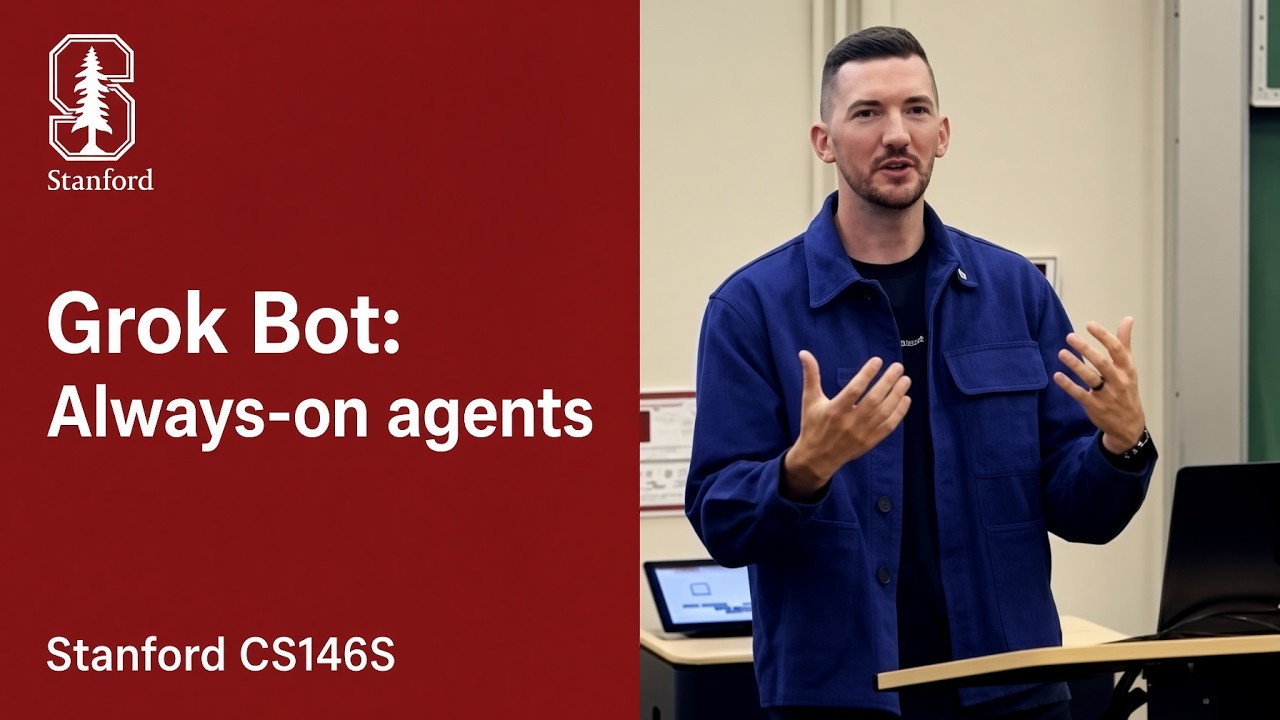
Decoupling orchestrator loops from ephemeral virtual machines allows background agents to operate as autonomous colleagues while secondary models eliminate human review bottlenecks.
Always-on agents shift AI from ephemeral local terminal scripts to cloud-native digital colleagues operating inside isolated Linux environments and waking dynamically on ambient triggers like Slack messages or scheduled meetings. (0:00)
Human-in-the-loop approval creates a bottleneck that secondary auto-review models effectively solve, catching more security oversights than fatigued human reviewers when inspecting continuous streams of shell commands. (2:37)
Running continuous compute for every agent is economically unfeasible, requiring systems to decouple server orchestrators from ephemeral Firecracker microVMs and use durable execution frameworks like Temporal to resume failed tasks deterministically. (9:04)
Production agent economics hinge on prompt caching discipline, where harnesses proactively compact context within the GPU cache time-to-live window (10 to 60 minutes) to dramatically lower inference costs. (31:33)
Detailed notes
## Background
Published on YouTube by leerob on October 11, 2026, this lecture for Stanford's CS146S course breaks down the product, infrastructure, and harness details behind Grok Bot. According to the description, the session covers the foundational architecture required to build a new category of always-on and proactive autonomous agents.
## TL;DR
Lee Robinson traces the evolution of AI coding into an era of ambient, cloud-native agents that run inside dedicated Linux environments rather than dying when a developer closes their laptop. He details a decoupled architecture that pairs thin clients and thick orchestration servers with ephemeral AWS Firecracker microVMs and Temporal workflows to achieve durable execution and fault tolerance. Robinson covers critical context engineering techniques, including prompt caching discipline, multi-tiered flat-file memory, and sub-agent delegation to simulate infinite context. Ultimately, he advises engineers to avoid over-engineering brittle scaffolding, embrace the philosophy of 'deleting the product' as models advance, and cultivate deep mechanical intuition for token economics.
## Atmosphere & style
The presentation carries the polished, direct feel of a high-level systems engineering briefing delivered from the front lines of production AI deployment. Robinson speaks with pragmatic, accessible authority, punctuating technical distributed systems concepts with grounded war stories, clear diagrams, and candid design philosophies. The arc moves smoothly from immediate implementation challenges to broad architectural predictions, leaving the listener with an energizing sense of technical clarity about where software engineering primitives are heading next.
## Bulletin
- [00:00](https://www.youtube.com/watch?v=L1OBRtfPS34&t=0s) Always-on agents shift AI from ephemeral local terminal scripts to cloud-native digital colleagues operating inside isolated Linux environments and waking dynamically on ambient triggers like Slack messages or scheduled meetings.
- [02:37](https://www.youtube.com/watch?v=L1OBRtfPS34&t=157s) Human-in-the-loop approval creates a bottleneck that secondary auto-review models effectively solve, catching more security oversights than fatigued human reviewers when inspecting continuous streams of shell commands.
- [09:04](https://www.youtube.com/watch?v=L1OBRtfPS34&t=544s) Running continuous compute for every agent is economically unfeasible, requiring systems to decouple server orchestrators from ephemeral Firecracker microVMs and use durable execution frameworks like Temporal to resume failed tasks deterministically.
- [31:33](https://www.youtube.com/watch?v=L1OBRtfPS34&t=1893s) Production agent economics hinge on prompt caching discipline, where harnesses proactively compact context within the GPU cache time-to-live window (10 to 60 minutes) to dramatically lower inference costs.
## Key takeaways
- [00:00](https://www.youtube.com/watch?v=L1OBRtfPS34&t=0s) Moving beyond the developer laptop, always-on agents operate in dedicated cloud Linux environments, persisting state across crashes and interacting like asynchronous colleagues rather than synchronous chat utilities.
- [02:37](https://www.youtube.com/watch?v=L1OBRtfPS34&t=157s) AI software engineering has advanced across four eras, moving from manual copy-pasting to terminal loops, multi-agent workspaces with approval bottlenecks, and now ambient background agents that work autonomously.
- [02:37](https://www.youtube.com/watch?v=L1OBRtfPS34&t=157s) Automated AI command review frequently outperforms manual human review in blind security testing because human reviewers inevitably experience approval fatigue.
- [05:40](https://www.youtube.com/watch?v=L1OBRtfPS34&t=340s) Six core foundation model breakthroughs enable modern autonomous bots: extended instruction following, sub-agent delegation, visual computer use, reliable tool calling, flat-file memory, and in-context skill synthesis.
- [09:04](https://www.youtube.com/watch?v=L1OBRtfPS34&t=544s) Because keeping dedicated compute running 24/7 for every user is impossible at scale, always-on agents remain dormant in cold storage until background triggers wake them to spin up on demand.
- [12:20](https://www.youtube.com/watch?v=L1OBRtfPS34&t=740s) Decoupling the agent server loop from the ephemeral execution sandbox (such as AWS Firecracker microVMs) enables independent operating system patching and zero-downtime upgrades without interrupting active user workflows.
- [15:27](https://www.youtube.com/watch?v=L1OBRtfPS34&t=927s) Unlike standard job queues that restart from step one upon crashing, durable execution engines like Temporal persist event state at each boundary, allowing interrupted multi-day workflows to resume exactly at the point of failure.
- [17:56](https://www.youtube.com/watch?v=L1OBRtfPS34&t=1076s) The thin-client thick-server architecture relies on a singular `send_user` tool contract, allowing any front-end client to render rich interactions like authentication and payment flows while the server handles privileged compute.
- [20:01](https://www.youtube.com/watch?v=L1OBRtfPS34&t=1201s) To prevent token bloat, modern harnesses implement dynamic tool discovery off disk and follow an action escalation ladder from cheap conversation history to direct APIs, web search, headless browsing, and finally human escalation.
- [22:37](https://www.youtube.com/watch?v=L1OBRtfPS34&t=1357s) Delegating compute-intensive tasks to helper sub-agents wrapped in durable workflows isolates execution failures and provides effectively infinite working context for the primary orchestrator.
- [27:16](https://www.youtube.com/watch?v=L1OBRtfPS34&t=1636s) Maintaining high prompt cache hit rates requires keeping system prompts and tool schemas statically ordered at the top of the prompt prefix, as any mid-turn mutation invalidates the cache and spikes inference costs.
- [31:33](https://www.youtube.com/watch?v=L1OBRtfPS34&t=1893s) Harnesses can exploit model providers' 10- to 60-minute GPU cache time-to-live windows to proactively compress conversational context before it goes cold, securing cheap compaction at scale.
- [32:56](https://www.youtube.com/watch?v=L1OBRtfPS34&t=1976s) Cognitive persistence is most robust when organized into four distinct tiers: core facts, short-lived scratchpad notes, dated session logs, and greppable filesystem records.
- [36:34](https://www.youtube.com/watch?v=L1OBRtfPS34&t=2194s) Agent engineering relies on an inner loop of daily bug fixes and evals combined with an outer loop of periodic foundation model updates that absorb logged failure modes.
- [37:45](https://www.youtube.com/watch?v=L1OBRtfPS34&t=2265s) Developers should avoid over-engineering brittle user interfaces and instead 'design for the next model,' anticipating that upcoming foundation model capabilities will render elaborate scaffolding obsolete.
- [40:22](https://www.youtube.com/watch?v=L1OBRtfPS34&t=2422s) Multi-week autonomous task horizons create an evaluation paradox, as teams cannot wait thirty days to verify a workflow when new foundation models are released every month.
- [42:05](https://www.youtube.com/watch?v=L1OBRtfPS34&t=2525s) Just as basic web servers, databases, and CRUD apps defined the web foundation in 2005, persistent sandboxes, durable execution, and dynamic agent harnesses represent the baseline primitives of modern software.
## Detailed walkthrough
### [00:00](https://www.youtube.com/watch?v=L1OBRtfPS34&t=0s) Moving Beyond the Laptop: Architecture of Always-On Agents
Lee Robinson introduces the core topic of the lecture: the transition from ephemeral terminal scripts to a new category of always-on, proactive, and persistent agents. Drawing from ongoing engineering work at SpaceX, he reflects on the foundational harness students constructed in week one. That basic setup established the core loop of modern agent architecture: a large language model calling tools iteratively. While this basic loop unlocks powerful capabilities, it is inherently fragile and tethered to the local development environment—the moment a developer shuts their laptop lid, the process terminates and the agent ceases to exist.
The goal of this lecture is to extend that simple loop into a robust, cloud-native system that survives process crashes, system restarts, and disconnected sessions. Rather than being confined to a developer's terminal, an always-on agent operates within its own dedicated Linux environment in the cloud. It is provisioned with its own files, desktop interface, web browser, and potential access to specialized graphical software like 3D applications. Because it maintains long-term persistence, it can track incremental project progress, build an evolving memory of user preferences, and execute workflows asynchronously.
Crucially, an always-on agent shifts the human-agent relationship from a rigid request-response pair to something resembling a human colleague. In a standard terminal harness, every user input demands an immediate response; an always-on agent, by contrast, "knows when to be quiet." It can silently perform multi-step tasks in the background and only message the user when an actionable milestone or critical update is reached. Furthermore, invocation is no longer restricted to manual terminal prompts: incoming Slack messages, automated emails, or arbitrary event webhooks can wake the agent up. This paradigm allows tasks to span not just minutes or hours, but days, weeks, or months.
```mermaid
flowchart TD
accTitle: Architecture Comparison Between Terminal Agents and Always-On Cloud Agents
accDescr: A flow diagram showing how traditional terminal agents are interrupted by local disconnections versus cloud agents that run persistently with their own OS and triggers.
subgraph LocalHarness["Week 1: Ephemeral Local Agent"]
direction TB
UserPrompt["User Prompt"] --> LocalLoop["Terminal Tool Loop"]
LocalLoop --> LocalExit["Laptop Closed / Crash: Process Terminates"]
end
subgraph AlwaysOnAgent["Always-On Cloud Architecture"]
direction TB
subgraph Triggers["Event Triggers"]
direction LR
EvPrompt["User Chat"]
EvSlack["Slack / Email"]
EvHook["Event Webhooks"]
end
Triggers --> AgentCore["Agent Core (Compacted Context)"]
AgentCore --> Env["Dedicated Linux Environment (Desktop, Browser, Files)"]
AgentCore --> SubAgents["Helper Sub-Agents"]
AgentCore --> LongTerm["Persistent Files & Daily Logs"]
end
```
- **Persistence over Ephemerality:** Unlike local terminal loops that die on disconnect, always-on agents operate on independent remote infrastructure capable of recovering from host reboots and software crashes.
- **Dedicated Virtual Workstation:** The agent is given a full virtual Linux environment—including a virtual desktop, browser, and local filesystem—rather than an isolated shell pipe.
- **Ambient Event Driven Execution:** Execution loops are triggered by asynchronous real-world events (Slack messages, incoming emails, scheduled cron events) in addition to direct user texting.
- **Colleague-Like Interaction:** Instead of streaming a continuous feed of minor tool updates, the agent operates quietly in the background and only alerts the user when significant milestones occur.
---
[02:37](https://www.youtube.com/watch?v=L1OBRtfPS34&t=157s) The Evolution of AI Coding: The Four Eras and Auto-Review
To understand the mechanics of always-on agents, Lee frames the history of AI-assisted software engineering into four distinct eras. The first era, which feels distant despite occurring only a few years ago, was defined by manual copy-pasting of code snippets between ChatGPT and local code editors. The second era emerged when models learned to interface with tool harnesses, enabling them to autonomously modify files and execute shell commands inside the terminal. The third era scaled this paradigm into dedicated multi-agent desktop and cloud applications, where developers orchestrated multiple coding agents concurrently. However, this third era introduced a severe human bottleneck: developers were forced to manually review and approve every single shell command, closely monitoring execution out of concern for security and correctness.
The industry is now entering the fourth era, defined by ambient, background-running agents. These agents possess their own compute, maintain their own long-term memory, learn workflows on the job, and continue working autonomously while the user sleeps. This transition fundamentally changes how users communicate with models: instead of a synchronous "prompt and wait" workflow where users sit in an approval queue, developers now steer agents dynamically.
Lee notes that earlier models struggled with conversational steering; interrupting an in-progress agent with a clarifying instruction or a schedule change (such as "actually, go do that on Thursday") would cause it to become confused. Modern models and harnesses, however, can handle conversational rambling and dynamically revise their plans mid-stream. Furthermore, the human review bottleneck has been mitigated by "auto-review"—a secondary, dedicated AI safety model tasked with vetting commands before execution. Lee highlights an empirical paradox: in blind tests comparing human manual reviews against automated AI reviews, the AI model frequently catches more security oversights because human reviewers inevitably suffer from approval fatigue when inspecting hundreds of consecutive shell commands.
- **The Four Eras of AI Development:**
- *Era 1:* Manual copy-pasting between chat interfaces and text editors.
- *Era 2:* Simple terminal-based agent harnesses executing file edits and shell commands.
- *Era 3:* Dedicated multi-agent cloud/desktop applications with heavy human-in-the-loop approval.
- *Era 4:* Ambient, always-on bots running autonomously in dedicated cloud environments with continuous memory.
- **Dynamic Steering vs. Blocking Prompts:** Developers can interject, interrupt, and stream asynchronous instructions without breaking the model's operational context.
- **Auto-Review Mechanics:** Command security is handed over to a dedicated secondary LLM inspector, outperforming fatigued human reviewers in blind testing scenarios.
---
[05:40](https://www.youtube.com/watch?v=L1OBRtfPS34&t=340s) The Six Model Breakthroughs Powering Autonomous Bots
The shift toward always-on agents is reflected in their product surfaces: increasingly, these systems are packaged as "bots" accessible via standard text messaging and mobile chat interfaces. As Lee observes, "everyone knows how to text." By reducing the interface to conversational messaging while backing it with autonomous task execution, users can delegate substantive, long-horizon work to AI in the same manner they would delegate tasks to a remote colleague.
This user experience is made possible by six specific architectural and algorithmic breakthroughs in large language models over the past two years:
1. **Extended Instruction Following and Compaction:** Models can now follow complex constraints over days without drifting off task, provided the harness implements proper context compression and state compaction.
2. **Sub-Agent Delegation:** Rather than letting a single context window exhaust its token budget, the primary agent can spin up specialized helper sub-agents with fresh working memory. These sub-agents perform token-heavy tasks (such as extensive web research or large codebase searches) and return distilled summaries to the main orchestrator, effectively yielding infinite operational context.
3. **Computer Use and Headless SaaS Interaction:** Models have moved beyond basic terminal scripting to direct graphical interaction. Using visual computer-use capabilities, bots can click through web interfaces and take screenshots. This allows them to autonomously operate SaaS platforms and web portals that lack native APIs or Model Context Protocol (MCP) servers.
4. **Reliable Tool Calling without Hallucinations:** Tool calling reliability has improved to the point where hallucinated arguments and invalid schema outputs are largely solved problems in top-tier foundation models.
5. **Flat-File Knowledge Systems:** Systems can serialize memory, state, and historical logs directly into plain files on the operating system, making it straightforward for models to search, grep, and retrieve context.
6. **In-Context Skill Synthesis:** Models can observe a human performing a novel workflow once and synthesize the procedure into a persistent skill, routine, or reusable internal memory.
Lee illustrates the mechanics of file-based memory with an everyday example. Beneath the surface, an always-on agent maintains a set of persistent configuration and log files. One file might capture a profile of user preferences—such as a request to always use lowercase text in chat messages—which is automatically injected into the system prompt for every interaction. Simultaneously, the bot maintains a daily running work log. Just as a human colleague logs daily progress and architectural decisions, the bot records its ongoing actions into local files, providing a durable, easily indexable record of work across extended engagements.
[09:04](https://www.youtube.com/watch?v=L1OBRtfPS34&t=544s) Skills, Routines, and the Mind of an Always-On Agent
Modern language models excel at interacting with Linux environments, executing shell commands to run `grep` and search directly through local log files and memory archives. If a user asks, "Hey, what did I do last week?", the model can query and parse those files on demand. Beyond ad-hoc command execution, agent behavior is structured around "skills"—the practice of taking domain-specific operational knowledge and encoding it into Markdown files. This includes explicit step-by-step procedures, edge cases, and criteria defining whether an execution was successful or unsuccessful. An entire ecosystem of third-party developers and companies now produces standardized skills for tasks like drafting high-converting emails or constructing robust APIs. In Grok Bot, this architecture manifests as an extensible plugin system where tools map directly to skills, external servers, and scheduled routines (conceptually identical to cron jobs executing prompts on fixed schedules).
```mermaid
flowchart TD
accTitle: Always-on Agent Lifecycle
accDescr: Diagram illustrating how an always-on agent transitions from sleep to awake state, interacts with an isolated VM, and persists state back to storage.
subgraph Core ["Agent Server Runtime"]
R["Router & Deduplicator"]
AL["Agent Loop (LLM + Tools)"]
DB[("Database & Memory Storage")]
end
subgraph VM ["Firecracker VM (Ephemeral Computer)"]
CMD["Shell Execution"]
BRW["Browser / Virtual Desktops"]
FS["Local File System"]
end
Triggers --> R
R --> AL
AL <--> DB
AL -->|"Spin up on demand"| VM
VM -->|"Snapshot & Sleep"| DB
```
The core illusion of an "always-on" agent relies on a state machine that rests dormant until triggered. Both the orchestration server and the dedicated agent computer start in a sleeping state. When a message or background trigger arrives, the agent loads its persisted state—conversation history, active memories, scheduled routines—out of the database and spins up on the host server. If the task demands interactive system actions like navigating web pages or clicking through a user interface, the agent dynamically boots an underlying machine. Once execution finishes, both layers are placed back to sleep. Operating continuous 24/7 dedicated compute for every user would be cost-prohibitive and computationally unsustainable:
> "There's not enough computers in the world to just have those computers running all of the time for everyone, as well as that's a lot of server usage too."
Persisting conversational state and snapshots to cold storage makes always-on responsiveness viable at scale.
[11:14](https://www.youtube.com/watch?v=L1OBRtfPS34&t=674s) Waking the Agent: Background Triggers and Meeting Stand-Ins
While direct user prompts naturally wake an agent, autonomous value comes from asynchronous background triggers. External events—such as being pinged in a Slack channel, receiving an incoming email, or attending a scheduled video conference—can awaken the agent independently. Inside SpaceX, it has become increasingly common for employees to dispatch bot agents into meetings they cannot attend themselves, assigning the bot to listen, take comprehensive notes, and report back with key takeaways.
To prevent runaway alert spam from long-running background tasks, the system routes all incoming signals through a deduplication layer before appending them to the conversation context. Critically, the agent applies an internal notification heuristic: "Do I need to bug the user about this or not?" Because most operational steps do not require immediate human intervention, the agent behaves like a courteous coworker rather than an intrusive monitor:
> "It would be pretty annoying if every single time they made progress on something they came and bugged me like, 'Hey, check it out. Like I made progress on this thing.' You really only need a status update maybe, I don't know, every day depending on the task."
- **Background triggers:** Inbound Slack messages, emails, phone calls, and automated calendar invitations.
- **Deduplication router:** Normalizes events, resolves concurrent updates, and inserts context into the conversation thread.
- **Selective attention:** Heuristic filtering prevents notification fatigue by surfacing only actionable blockers or final summaries.
[12:20](https://www.youtube.com/watch?v=L1OBRtfPS34&t=740s) The Ephemeral Computer: Firecracker MicroVMs and Virtual Desktops
When an agent needs to execute code, browse the web, or manipulate local files, it interacts with an isolated Linux environment powered by AWS Firecracker microVMs. Firecracker makes it fast and lightweight to snapshot running machine state, shut it down completely, and resume execution without losing context. Users can inspect this sandbox via a live visual feed or take over manual control directly when needed. Running commands inside this VM ensures untrusted shell invocations stay isolated from the user's local machine in a hardened security boundary.
For browser automation, the sandbox runs Google Chrome and can spin up isolated virtual desktops. If an agent orchestrates five or ten sub-bots in parallel, each worker receives its own dedicated virtual display to interact with websites simultaneously. The underlying virtualization tier acts as shared, poolable infrastructure across all bot operations.
Architecturally, the system cleanly separates the **Server** (hosting the agent loop and tool-calling logic) from the **Computer** (the Firecracker microVM executing the tools):
```mermaid
flowchart LR
accTitle: Separation of Server and MicroVM
accDescr: Flow diagram showing decoupling between the Agent Server Loop and the ephemeral Firecracker VM.
subgraph ServerSide ["Agent Server (Orchestrator)"]
Q["Priority Message Queue"]
Loop["Agent Loop (Model + Tools)"]
State[("Persistent DB")]
Q --> Loop
Loop <--> State
end
Decoupling the server from the worker VM follows the classic "thin client, thick server" architectural pattern. Pushing bug fixes or agent behavior updates via mobile app stores would cause severe release lag, whereas deploying backend server updates takes minutes. Server infrastructure also handles compute-heavy workloads like media transcription and image synthesis more efficiently than client devices.
Most importantly, if the agent loop resided inside the microVM itself, the VM could never be rebooted or torn down independently without dropping active conversations. By keeping the agent loop on a decoupled server, engineers can rapidly patch zero-day Linux vulnerabilities on underlying virtual machines, rebuilding them cleanly without introducing system-wide application downtime.
[15:27](https://www.youtube.com/watch?v=L1OBRtfPS34&t=927s) Durable Execution and Priority Queues with Temporal
Managing back-and-forth interactions introduces distributed systems challenges surrounding consistency. When a user submits a prompt, the client provides immediate local acknowledgment before opening the agent's turn. As the agent loop coordinates tool calls and writes checkpoints to the database, client applications maintain active server subscriptions, fetching updates when new event signals fire while deduplicating any replayed messages.
A fundamental distinction exists between conventional job queues and durable workflows:
| Infrastructure Primitive | Failure Behavior | Consequence |
|:--- |:--- |:--- |
| **Standard Job Queue** | Crashes midway through a multi-step job (e.g., at Step 3). | Must restart from Step 1, replaying previous side-effects. |
| **Durable Workflow (Temporal)** | Persists event state at each step; resumes directly at the point of failure (Step 3). | Deterministic retry without repeating completed operations. |
To manage complex, multi-day operations safely, the architecture uses the open-source durable execution engine Temporal. Temporal guarantees that if an infrastructure outage interrupts an agent during step three of a multi-part process, recovery resumes exactly at step three rather than re-executing steps one and two from the beginning.
Finally, inbound tasks are governed by strict priority queues. Direct messages sent by the bot's owner receive top priority and can actively preempt running tasks:
- **Direct User Preemption:** If an owner sends a real-time message—such as "Oh actually, change the date for this event"—the active agent loop halts its current routine immediately to service the owner's instruction.
- **Background De-prioritization:** Messages from shared group chats, ambient Slack threads, or scheduled routines are placed into the back of the queue, ensuring human direct input always takes precedence over autonomous operations.
[17:56](https://www.youtube.com/watch?v=L1OBRtfPS34&t=1076s) Thin-Client Architecture and the `send_user` Pattern
When a user fires off three or four messages in rapid succession, the agent harness batches them together into a single conversational turn using whatever heuristic makes sense, rather than triggering multiple fragmented executions. Building upon the foundational harness concepts, Grok Bot uses a distinctive thin-client, thick-server architecture. Instead of exposing a sprawling matrix of remote procedure calls between the client and the backend, there is only a single tool that communicates between them: `send_user`. Architecturally, this simplicity means the client essentially just "texts" the server, while the server shoulders all the heavy, privileged machinery—executing shell commands, inspecting files, invoking cloud agents, recording screens, or running interactive demos.
```mermaid
flowchart TD
accTitle: Thin Client and Thick Server Architecture
accDescr: Diagram illustrating how thin clients connect to a thick server orchestrator and specialized sub-agents via a single send_user tool.
subgraph Server["Thick Server Harness"]
O["Main Agent Orchestrator"]
T["Heavy Server Tools<br/>(Shell, Files, Cloud Agents)"]
H["Durable Sub-Agent Helpers<br/>(Video, Coding, Scraping)"]
end
Clients <-->|"send_user tool"| O
O --> T
O <--> H
```
This single-interface contract provides immense leverage across platforms. Whether spinning up a client on a mobile device, a desktop app, an email gateway, or a Slack channel, every client implementation speaks that identical interface. However, receiving that tool call does not restrict the client to plain text. The client can unpack the intent and render rich, interactive UI components tailored to the user's immediate needs:
- **Authentication Flows:** Rendering dedicated sign-in interfaces that link directly to password managers like 1Password.
- **Payment Handling:** Triggering embedded payment sheets via Stripe Link, X Money, or alternative checkout rails.
- **Irreversible Actions:** Intercepting high-stakes operations (like sending an email or posting to Slack) to force an approval or draft-editing stage before execution.
- **Lightweight Acknowledgments:** Allowing the user or bot to simply leave an emoji reaction when no textual reply is warranted.
[20:01](https://www.youtube.com/watch?v=L1OBRtfPS34&t=1201s) Dynamic Tool Discovery and the Action Escalation Ladder
Every language model operates within the boundaries of its context window—its working memory defined by token limits. Cramming every conceivable tool definition, schema, and parameter block for installed integrations (such as Model Context Protocol servers for Google Drive, Gmail, or YouTube) directly into the system prompt leaves almost no room for actual conversational reasoning. To combat this, modern agent harnesses employ dynamic context engineering, colloquially termed the "tool search tool." Instead of passing complete schemas in every turn, the harness injects only the names of available tools. When the model determines it needs a capability, it reads the specific tool schema dynamically off the disk—following the Unix philosophy where "it's kind of files and a file system all the way down."
```mermaid
flowchart TD
accTitle: Tool Escalation Ladder
accDescr: The ladder of problem-solving methods from cheapest and most reliable to most expensive.
L1["1. Immediate Conversation History"] --> L2["2. MCP Plugin / Direct API Call"]
L2 --> L3["3. Web Search Query"]
L3 --> L4["4. Browser on Linux Machine"]
L4 --> L5["5. Full Desktop Shell & Scripts"]
L5 --> L6["6. Request Human User Assistance"]
```
To optimize cost and reliability, the agent behaves like an autonomous human coworker, following a strict escalation ladder from the cheapest, most deterministic path up to human interruption:
- **Conversation Context:** Answer immediately if the information already exists in working memory.
- **Structured APIs and Plugins:** Query a dedicated MCP server or API (for instance, pulling financial records through Plaid).
- **Web Search:** Execute an automated search query for dynamic facts (such as sports scores).
- **Headless Browser Navigation:** Launch a browser on an isolated Linux instance, traversing pages via the accessibility tree (which strips out token-heavy HTML to expose interactive elements), raw DOM inspection, or pixel-based coordinate clicks for custom pop-up dialogs.
- **Full Desktop Interaction:** Run bespoke terminal scripts, execute shell pipelines, and compile code on the dedicated Linux environment.
- **User Intervention:** Escalate to the human only when completely blocked by hard gates, such as a two-factor authentication (2FA) prompt or a CAPTCHA.
[22:37](https://www.youtube.com/watch?v=L1OBRtfPS34&t=1357s) Orchestration, Sub-Agent Helpers, and "Infinite Context"
To create the illusion of an agent with "infinite context," Grok Bot keeps the conversation history of the central orchestrating agent as sparse as possible. Rather than running multi-step bash commands or complex screen-scraping passes inside the primary conversation thread—which quickly bloats token usage and degrades reasoning—the orchestrator delegates intensive tasks to specialized sub-agents known as helpers. These helpers tackle the gritty execution in separate context sandboxes and report back only the final synthesized outcome.
Because each sub-agent is wrapped in a durable workflow framework rather than an ephemeral queue, failures do not cause catastrophic state loss. If a dedicated video-processing helper crashes or exhausts container memory halfway through rendering, the durable runtime restarts the step and resumes execution without discarding the overall task state. Meanwhile, the main agent functions like an engineering lead tracking an internal to-do list: the user can pop in to check progress, redirect priorities, or cancel active sub-agents mid-flight without breaking conversational continuity.
[25:14](https://www.youtube.com/watch?v=L1OBRtfPS34&t=1514s) Harness Optimization, Agent DX, and Security Boundaries
Several pragmatic harness engineering lessons emerge from deploying autonomous agents at scale:
- **Prompt Caching Discipline:** Avoid adding, mutating, or stripping tool schemas mid-turn, as constant schema churn invalidates the provider's prompt cache and dramatically spikes latency and inference bills.
- **Dedicated Tools vs. Universal Shells:** While an agent *can* theoretically perform all tasks through a generic bash tool, building dedicated tools for workflows that consume 90% of execution time drastically improves execution reliability and makes operational logs legible to human engineers.
- **Agent Developer Experience (DX):** Just as human software engineers need clear, actionable error messages with remedy links, models depend on expressive diagnostic errors to self-correct during runtime failures.
- **Autonomous Isolation and Defense:** Because the agent operates long-running tasks autonomously, safety boundaries must be enforced natively. The agent runs on a sandboxed remote machine to keep user environments clean, evaluates prospective shell invocations through a secondary model-based auto-review gate, and aggressively sanitizes untrusted inputs—such as inbound webhook payloads or phishing emails—to prevent indirect prompt injections from posing as legitimate user instructions.
[27:16](https://www.youtube.com/watch?v=L1OBRtfPS34&t=1636s) Context and Harness Engineering: The Mechanics of Prompt Caching
Context engineering and harness engineering are fundamentally two sides of the same coin. Over time, the discipline has evolved around a central question: what architectural tricks can be used to minimize context consumption inside agent harnesses to maximize efficiency and drive down operational costs? At the center of this challenge lies prompt caching. When interacting with an agent—especially a coding agent—the vast majority of tokens passed to the model across a session should ideally be cached. In an iterative conversation, every new instruction appends a small delta to the thread, after which the entire history must be resubmitted. Because model providers offer dramatic pricing discounts on cached tokens, maintaining high cache hit rates across an extended session is essential.
Achieving high hit rates requires treating prompt construction with mathematical discipline. Developers must keep foundational prompt layers—such as system instructions, environment context, and tool definitions—strictly static and anchored at the very beginning of the prompt window. By placing all unchanging metadata at the top, developers ensure that additions at the bottom (the user's latest turn) represent the only uncached tokens billed at full price. If arbitrary changes break the ordering at the top of the prompt, the cache invalidates completely, forcing the system to pay full token price on every subsequent call.
```mermaid
flowchart TD
accTitle: Prompt Caching Layout
accDescr: Visual representation of static prompt prefixes versus dynamic deltas for prompt caching efficiency.
subgraph StaticPrefix["Static Prefix (Cached Tokens - Discounted)"]
direction TB
A["System Prompt & Personas"]
B["Tool Definitions & Schemas"]
C["Base Environment Context"]
A --> B --> C
end
subgraph DynamicSuffix["Dynamic Suffix (Uncached Tokens)"]
direction TB
D["Prior Conversation History"]
E["Newest User Message / Delta"]
D --> E
end
StaticPrefix --> DynamicSuffix
```
- **Tool and prompt stabilization**: Keeping tool definitions and system prompts frozen at the top of the prompt prevents cache invalidation across turns.
- **Cost reduction via caching**: Capitalizing on model providers' steep cache discounts ensures that massive conversational loops remain economically viable.
---
[28:47](https://www.youtube.com/watch?v=L1OBRtfPS34&t=1727s) Context Gardening, File Offloading, and Cache-Warming Tricks
A persistent primary agent must handle very long conversations, quietly compacting and summarizing its context over and over without interrupting the user. Because context windows are finite, keeping the active working memory lean requires active "gardening and trimming" to purge stale tokens. Whenever a tool produces an extraordinarily verbose output, the harness should avoid dumping raw logs into the prompt. Instead, the data should be written directly to a file on disk. Agents excel at reading files, so writing large outputs to the filesystem and treating them like external memories or skill lookups keeps the prompt lean. Similarly, expensive modalities like image analysis and screenshots should be offloaded entirely to specialized helper sub-agents, shielding the main coordinator's context window from token bloat.
In persistent agent architectures, a cache miss is treated like an outright bug. Looking back to January, when early agent workflows gained mainstream popularity through consumer subscription plans, model providers were unprepared for these continuous, long-running agent loops. Harnesses suffered frequent cache misses because providers had not yet tuned their systems for continuous execution. Preventing these failures inspired several production engineering optimizations:
- **Order-preserving prompt hashing**: When running A/B tests or deploying experimental system prompt tweaks, prompt sections can be hashed and strictly ordered so that introducing a new test block does not scramble prompt prefixes or bust the cache for all other active users.
- **Speculative cache warming**: When a user opens an agent interface and begins typing, the backend can immediately pre-assemble and dispatch the prompt prefix to warm the cache. This mirrors web performance optimizations where hovering over a hyperlink triggers an early prefetch of the destination page.
- **Sub-agent isolation**: Offloading screen capture inspections and heavy computational workloads to worker helpers prevents transient artifacts from polluting the primary agent's token history.
---
[31:33](https://www.youtube.com/watch?v=L1OBRtfPS34&t=1893s) Context Compaction and the Warm-Cache Window
As an always-on agent operates across days and weeks, it inevitably runs into hard context boundaries—such as a 200,000-token limit. Because "all compression is lossy," the algorithm chosen to compress conversational state without discarding critical operational detail is a major engineering hurdle. Developing a summarization routine that extracts salient state while dropping ephemeral banter is an active area of deep research.
A clever optimization relies on the model provider's cache time-to-live (TTL). When a user finishes an intensive multi-turn session exceeding 100,000 tokens, the context remains cached in GPU memory for a provider-specific window—typically ranging from 10 to 60 minutes. Instead of waiting for the user to return hours later to trigger a summary, the harness performs the compaction proactively while the cache remains warm. Generating the summary against warm tokens costs a fraction of doing so against cold tokens. When the user returns 30 minutes later, the harness loads a compact summary, giving the user a lightweight, inexpensive context window to build upon.
Designing an agent's memory requires structuring compaction into distinct cognitive tiers rather than treating memory as a uniform text dump. The human brain serves as an apt analogy: people do not constantly think about a soccer match while engaged in deep work, yet that memory remains indexed for when it becomes relevant. An agent's persistent memory can be separated into four primary tiers:
```mermaid
flowchart TD
accTitle: Multi-Tiered Agent Memory Hierarchy
accDescr: Flow diagram showing how memory tiers range from permanent core traits to files on disk.
subgraph WorkingContext["Active Working Context"]
direction TB
M1["Core Facts<br/>(Style rules, permanent preferences)"]
M2["Scratchpad Notes<br/>(Ephemeral task state, 30–60 min TTL)"]
M3["Dated Conversation Logs<br/>(Historical session summaries)"]
M1 --- M2 --- M3
end
subgraph StorageTier["External Storage"]
M4["Filesystem & Tool Lookups<br/>(Greppable logs, raw dumps, disk artifacts)"]
end
WorkingContext <-->|"On-demand lookup via shell/commands"| StorageTier
```
1. **Core Facts**: Foundational user preferences that must inject into every interaction. If a user dictates that they want all outputs written in lowercase text—"going like full Sam Altman style"—that directive must persist across every message to prevent jarring stylistic regressions.
2. **Scratchpad Notes**: Ephemeral, working-memory notes outlining immediate subtasks. These notes are designed to stay active for 30 to 60 minutes before being garbage-collected once the task concludes.
3. **Dated Logs**: Structured chronological summaries detailing historical interactions, milestones, and past decisions over extended periods.
4. **Filesystem Records**: Raw data, command outputs, and detailed task artifacts stored on disk. The agent accesses these dynamically using terminal commands, grep, or file-reading tools whenever deeper context is required.
---
[34:27](https://www.youtube.com/watch?v=L1OBRtfPS34&t=2067s) The Training and Inference Flywheel: Pre-training, SFT, and RL
Building reliable always-on agents requires aligning model training with the execution harness. The development path follows the three classic stages of large language model training, each tuned for agentic environments:
1. **Pre-training**: The foundational stage where the base model absorbs broad real-world reasoning and world knowledge from large corpora of web text and proprietary data.
2. **Supervised Fine-Tuning (SFT)**: The model is shown curated demonstrations of how to navigate the specific harness. It learns the schemas of system-provided tools, the structure of context memory, and how to operate within harness constraints.
3. **Reinforcement Learning (RL)**: Analogous to teaching a model to win a game, RL reinforces complex instruction-following capabilities. It trains the agent to select the correct tool when faced with hundreds of candidate skills, and teaches browser-automation policies how to locate and click UI elements accurately.
This pipeline also informs inference optimization. The main conversational agent requires ultra-low latency to provide immediate responses to the user, meaning the inference stack and harness must be tuned for fast time-to-first-token. In contrast, background sub-agents handling long-running, asynchronous tasks operate under relaxed timing constraints where "the difference between 10 minutes and 12 minutes is kind of negligible."
This setup powers an engineering feedback flywheel. Whenever an agent misbehaves in production—such as triggering an incorrect tool or failing an instruction—that regression is captured and turned into an automated evaluation benchmark. Engineers then patch the harness prompt, fix backend bugs, or address inference edge cases, verify the resolution against the evaluation suite, and deploy the fix to production.
[36:34](https://www.youtube.com/watch?v=L1OBRtfPS34&t=2194s) The Inner and Outer Loops of Agent Iteration
Product teams building agentic harnesses operate along two concurrent development loops. The "inner loop" runs day in and day out: engineers monitor agent behavior in real time, uncover edge cases, fix bugs, and track performance improvements against automated evaluation benchmarks. In parallel, an "outer loop" plays out every few weeks or months on the model-training side. As base models are retrained, they digest datasets informed by previous failure modes and climb evaluation leaderboards, allowing teams to drop updated model weights directly into existing product harnesses to unlock immediate capability jumps.
```mermaid
flowchart TD
accTitle: Inner and Outer Loops of Agent Engineering
accDescr: Diagram contrasting daily harness iteration against monthly foundational model training cycles.
subgraph InnerLoop["Inner Loop (Daily Product Engineering)"]
A["Find Bugs in Production"] --> B["Patch Harness & Context"]
B --> C["Measure Against Evals"]
C --> A
end
subgraph OuterLoop["Outer Loop (Monthly Model Training)"]
D["Collect Failure Modes"] --> E["Train Next-Gen Models"]
E --> F["Achieve Capability Jumps"]
F --> G["Drop Model into Product"]
end
C -.->|"inform training data"| D
G -.->|"upgrades runtime"| A
```
These model capability jumps enable fundamentally new interaction paradigms. The speaker points out that until recently, almost no training data existed for bots participating in group chats or interacting in multi-agent environments. When agents collaborate with other agents and humans simultaneously, unhandled dynamics can quickly spiral out of control—referencing incidents like Moltbook or runaway behaviors seen in Hugging Face demos. Training models specifically on multi-agent conversational etiquette and coordination is essential to building safe and stable harnesses.
[37:45](https://www.youtube.com/watch?v=L1OBRtfPS34&t=2265s) "Delete the Product" and Designing for Model Evolution
A core philosophy developed at Cursor and carried into work at SpaceX and xAI is the willingness to "delete the product." Teams building on cutting-edge AI must internalize a fundamental truth: "the models today are the worst they'll ever be." An elaborate, deeply nested user interface or hand-crafted scaffolding created today may be completely obsolete six months from now when the next model leap renders that complexity redundant. Compared to just six or twelve months prior, the standard playbook for context engineering and harness design has already transformed dramatically.
The best strategic approach is to actively design for the *next* generation of models rather than over-engineering for the limitations of the current one. Developers should build as little brittle UI scaffolding as possible, opting for lightweight, flexible interfaces that give the underlying model room to reason and act directly on behalf of the user.
[38:36](https://www.youtube.com/watch?v=L1OBRtfPS34&t=2316s) Predictions: Multi-Week Horizons, Voice Hardware, and On-the-Job Learning
Looking ahead over the next 6 to 12 months, the speaker outlines several shifts that represent "decently safe bets" for the trajectory of autonomous agents:
- **Extended Execution Horizons:** While today's agents generally handle tasks lasting a few hours to a day, future agents will likely sustain autonomous operations over weeks or months.
- **Advanced Memory Representations:** Research is rapidly exploring whether past conversational recall is best represented as knowledge graphs, flat files, vector stores, or novel data structures.
- **Digital Colleagues with Full Tool Access:** Organizations will begin treating agents like human hires, granting them comprehensive access to internal productivity software, communication channels, and developer tools.
- **Ambient Voice Interfaces:** Interaction patterns will tilt heavily toward real-time speech-to-speech, potentially powered by dedicated consumer hardware like the upcoming Jony Ive AI device.
- **Codifying Skills on the Fly:** Models will dynamically acquire specialized skills on the job and encode them into persistent instruction files, while companies actively rewrite bespoke internal processes to make them fully machine-legible.
[40:22](https://www.youtube.com/watch?v=L1OBRtfPS34&t=2422s) Open Challenges: Long-Horizon Evals, Security, and Proactivity Heuristics
Extended agent runtimes introduce distinct engineering paradoxes. If an autonomous agent is built to execute a workflow spanning an entire month, but frontier AI labs release new base models every month, traditional evaluation cycles completely break down. Teams cannot afford to wait thirty days to verify whether a newly shipped model regresses on long-running tasks, forcing the industry to invent faster, higher-fidelity simulation environments.
Harness security remains an urgent, unsolved problem. Giving agents access to shells, filesystems, and external web APIs creates substantial attack surfaces for bad actors seeking to hijack execution environments.
Equally challenging is the user-experience problem of tuning proactivity heuristics. Developers have yet to find the sweet spot between an agent staying silent and an agent interrupting too often. An agent that interrupts a student to say, "Oh, hey, like I saw that you missed class yesterday. Like I had a recording there and I took the notes and like here's the thing," might be perceived as a lifesaver by one user and an obnoxious nuisance by another.
Finally, because global token consumption will expand by orders of magnitude over the coming year, driving down inference costs, optimizing prompt caching, and squeezing maximum efficiency out of context windows will remain critical engineering priorities.
[42:05](https://www.youtube.com/watch?v=L1OBRtfPS34&t=2525s) The New Agentic Primitives and Alex from OpenRouter’s 2005 Analogy
Addressing complaints that modern AI software has become repetitive—consisting almost entirely of a sidebar, an agent workspace, and a chat window—the speaker cites a perspective shared on X by Alex from OpenRouter. Alex noted that back in 2005, critics made the exact same observation about the web: every company was just spinning up a web server, attaching a database, and building basic CRUD interfaces. In reality, these patterns were simply the foundational building blocks of the web era.
Today, agentic interfaces represent the new baseline architecture. Every future software application will either integrate an autonomous agent directly into its user experience or expose itself as a headless API for other agents to consume.
Each component of this new architecture has quickly evolved into an independent, multi-billion-dollar infrastructure market:
- Durable execution engines and workflow orchestration
- Cloud sandboxes and isolated virtual machines
- Persistent memory engines and dynamic skill registries
- Real-time voice layers, agent payment rails, and autonomous identity systems
- Comprehensive evaluation suites and full-stack agent observability
[43:25](https://www.youtube.com/watch?v=L1OBRtfPS34&t=2605s) Engineering Takeaways: Architecture, Harness Experiments, and LLM Intuition
To close the lecture, the speaker offers three parting pieces of advice for engineering students preparing to build in the AI ecosystem:
1. **System Architecture Still Trumps Everything:** As automated coding tools advance, high-level system design and structural choices matter more than ever. The speaker advocates strongly against blindly trusting generated code: "I'm still pro looking at code... I still think it's helpful, especially to understand the architecture that you're shipping."
2. **Experiment Hands-On with Real Harnesses:** Students should dive into open-source agent implementations, noting that community forks like Open Grok Bot on GitHub provide ready-made blueprints for wiring up execution GUIs, sandboxed virtual machines, and tool harnesses.
3. **Build Strong Mechanical Intuition for LLMs:** Developers do not need deep theoretical machine learning backgrounds to be exceptional AI engineers, but they must understand model mechanics. Just as web engineers must grasp database indexing, locking, and query planning to design robust backends, agent engineers must understand context limits, token economics, and model reasoning tendencies to build reliable production harnesses.
## Notable quotes
> [00:00](https://www.youtube.com/watch?v=L1OBRtfPS34&t=0s) knows when to be quiet. — Lee Robinson
> [05:40](https://www.youtube.com/watch?v=L1OBRtfPS34&t=340s) everyone knows how to text. — Lee Robinson
> [09:04](https://www.youtube.com/watch?v=L1OBRtfPS34&t=544s) There's not enough computers in the world to just have those computers running all of the time for everyone, as well as that's a lot of server usage too. — Lee Robinson
> [11:14](https://www.youtube.com/watch?v=L1OBRtfPS34&t=674s) Do I need to bug the user about this or not? — Lee Robinson
> [11:14](https://www.youtube.com/watch?v=L1OBRtfPS34&t=674s) It would be pretty annoying if every single time they made progress on something they came and bugged me like, 'Hey, check it out. Like I made progress on this thing.' You really only need a status update maybe, I don't know, every day depending on the task. — Lee Robinson
> [20:01](https://www.youtube.com/watch?v=L1OBRtfPS34&t=1201s) it's kind of files and a file system all the way down. — Lee Robinson
> [31:33](https://www.youtube.com/watch?v=L1OBRtfPS34&t=1893s) all compression is lossy — Lee Robinson
> [32:56](https://www.youtube.com/watch?v=L1OBRtfPS34&t=1976s) going like full Sam Altman style — Lee Robinson
> [34:27](https://www.youtube.com/watch?v=L1OBRtfPS34&t=2067s) the difference between 10 minutes and 12 minutes is kind of negligible. — Lee Robinson
> [37:45](https://www.youtube.com/watch?v=L1OBRtfPS34&t=2265s) the models today are the worst they'll ever be. — Lee Robinson
> [40:22](https://www.youtube.com/watch?v=L1OBRtfPS34&t=2422s) Oh, hey, like I saw that you missed class yesterday. Like I had a recording there and I took the notes and like here's the thing, — Lee Robinson
> [43:25](https://www.youtube.com/watch?v=L1OBRtfPS34&t=2605s) I'm still pro looking at code... I still think it's helpful, especially to understand the architecture that you're shipping. — Lee Robinson
## Mentioned
Stanford CS146S, Lee Robinson, SpaceX, Grok Bot, Open Grok Bot, Linux, Slack, ChatGPT, Model Context Protocol (MCP), AWS Firecracker, Google Chrome, Temporal, 1Password, Stripe Link, X Money, Google Drive, Gmail, YouTube, Plaid, Sam Altman, Cursor, xAI, Moltbook, Hugging Face, Jony Ive, Alex from OpenRouter, OpenRouter, GitHub
## Video description
Learn more about the product, infrastructure, and harness details used to build Grok Bot, a new type of always-on and proactive agent.
Lee Robinson argues that software development is shifting from ephemeral terminal scripts to cloud-native, always-on AI agents that function as persistent digital colleagues. This transition relies on decoupling orchestration from isolated execution environments, implementing durable state tracking, and rigorously managing context windows to sustain autonomous, multi-day operations.
Decoupled Orchestration and Ephemeral Sandboxes (12:20)
Running continuous compute for every user 24/7 is economically and computationally unsustainable. To solve this, the agent architecture functions as a dormant state machine, maintaining orchestration on a persistent server while spinning up isolated AWS Firecracker microVMs on demand for code execution, browser automation, and graphical workflows. Both the server process and the VM snapshot back into cold storage when execution finishes.
Decoupling the 'thick server' orchestrator from the ephemeral worker VM allows engineers to reboot, tear down, or patch underlying Linux environments against security vulnerabilities without dropping conversational state. To survive system crashes during multi-step tasks, background processes rely on durable workflow engines like Temporal rather than traditional job queues. This ensures interrupted workflows resume deterministically from the exact point of failure without repeating already completed operations.
Prompt Caching Discipline and Tiered Memory (27:16)
Context engineering requires treating prompt cache misses as system bugs because sustained agent loops depend on steep provider discounts for cached tokens. Harnesses maintain high cache hit rates by freezing static system prompts, environment variables, and tool declarations at the top of the prompt window, ensuring only new user inputs represent uncached tokens. Tool bloat is mitigated by dynamic tool discovery, which loads schemas from disk on demand rather than preloading hundreds into working memory.
To manage finite context windows over extended horizons, harnesses proactively compact conversational history during the provider's 10-to-60-minute warm-cache window. Durable agent memory is organized into four tiers: permanent core facts (such as user style directives), 30-to-60-minute scratchpad notes for active tasks, chronological session summaries, and raw filesystem logs that the model inspects dynamically using standard shell commands like grep.
Ambient Event Triggers and Sub-Agent Delegation (17:56)
Always-on agents expand beyond manual user prompts by waking up in response to asynchronous external events, including Slack mentions, inbound emails, and scheduled calendar meetings. Signals pass through a deduplication layer, and the agent applies selective attention heuristics to prevent alert spam, contacting the user only when significant milestones or actionable blockers occur. Clients communicate through a single, thin interface—the `send_user` tool—leaving complex UI rendering, credential management, and execution entirely to the server.
To preserve the orchestrator's context window, the central agent functions as a project lead, delegating token-intensive tasks like web scraping, code verification, or media rendering to specialized helper sub-agents. Safety approval bottlenecks are handled by automated secondary AI review models ('auto-review'), which Robinson reports outperform fatigued human operators in catching security oversights across high volumes of shell commands.
Engineering Loops and Unsolved Operational Paradoxes (36:34)
Agent development operates along two parallel rhythms: a daily product 'inner loop' where teams debug harnesses and evaluate performance against regression suites, and a monthly 'outer loop' driven by foundation model retraining. Robinson advocates a 'delete the product' philosophy, urging engineers to avoid over-scaffolding complex interfaces that future base-model capabilities will render obsolete.
However, extending operational horizons across weeks or months introduces unresolved engineering paradoxes. When frontier foundation models are updated on monthly cadences, verifying whether a model update regresses 30-day workflows becomes impossible without accelerated, high-fidelity simulation benchmarks. Additionally, organizations face ongoing vulnerabilities from indirect prompt injections embedded in web data, alongside the user-experience challenge of tuning proactivity heuristics so agents provide autonomous value without becoming intrusive nuisances.
Robinson concludes that while foundational agent primitives—such as sandboxed virtual machines, durable execution, and persistent memory—are crystallizing into standard infrastructure markets, success still depends on sound system architecture and mechanical intuition regarding token limits, caching economics, and failure recovery rather than blind trust in generated code.
精炼阅读摘要
Lee Robinson在斯坦福CS146S课程中指出,AI辅助开发正从终端瞬时脚本迈向云端常驻、具备自主持久性的“全天候智能体”(Always-On Agents);要构建这种类似人类同事的系统,关键在于解耦编排服务与轻量虚拟机、采用持久化工作流,并结合严格的提示词缓存与多层记忆架构。
架构演进与解耦计算环境 (0:00)
Lee Robinson将AI辅助编程分为四个发展阶段:从最初在聊天窗口与编辑器之间手动复制粘贴代码(第一阶段),到终端智能体自主执行文件修改与命令(第二阶段),再到重度依赖人工逐条审核命令的多智能体桌面应用(第三阶段)。当前行业正迈入第四阶段——智能体拥有专属算力与长期记忆,能够在云端后台自主运行。传统的本地终端Agent在开发者合上笔记本电脑屏幕时进程就会终止,而全天候智能体运行在云端独立的Linux环境(如AWS Firecracker微虚拟机)中,配备专属文件系统、虚拟桌面与浏览器。
在架构设计上,系统采用“瘦客户端、厚服务端”模式,客户端与服务端之间仅通过单一的`send_user`工具调用交互,将复杂的Shell命令执行、文件检索和屏幕录制完全留给服务端。更重要的是,编排服务端(承载模型循环与工具调度逻辑)与底层的Firecracker微虚拟机实现了解耦。这种解耦避免了因虚拟机重启而中断活跃对话,使工程团队能够在不导致系统停机的前提下,独立销毁、重置虚拟机并快速修补底层Linux的安全漏洞。
事件触发、持久化执行与安全审查 (11:14)
全天候智能体并非持续消耗计算资源,其底层依托于休眠状态机机制。服务端和虚拟环境平时保持休眠,仅在接收到直接提示、Slack消息、电子邮件或预设日程等外部异步事件时,才从数据库读取持久化上下文并唤醒运行。在SpaceX的日常协作中,员工已开始派遣智能体代为出席视频会议、记录要点并汇报结论。为了避免过度打扰用户,系统通过去重路由过滤冗余信号,并内置通知启发式规则,仅在遭遇阻碍或达成重要里程碑时主动向用户汇报。
针对跨越数小时甚至数天的长周期任务,架构引入了开源持久化执行引擎Temporal,而非普通作业队列。普通队列在执行到中间步骤崩溃后必须从头重启并重复产生副作用,而Temporal会持久化每一步的事件状态,故障恢复后可直接从中断处继续执行。所有输入任务受严格优先级队列控制,主人的实时私聊指令享有最高优先级,可主动抢占并中断后台正在运行的例程。对于命令执行的安全边界,盲测实验显示,疲劳的人类审核员面对连续数百条Shell命令容易产生审批疲劳,而专门用于前置拦截审查的二级AI“自动审查”模型往往能捕捉到更多的安全疏漏。
工具发现阶梯与子智能体委托 (20:01)
大语言模型的上下文窗口容量有限,若将所有已安装集成的完整参数架构全部写入系统提示词,将迅速挤占推理空间。为此,智能体系统采用动态上下文工程(即“工具搜索工具”),在初始提示词中仅注入工具名称,模型判定需要时再动态从磁盘加载具体的架构定义,践行“一切皆文件”的设计理念。在执行具体任务时,智能体遵循严格的“工具升级阶梯”以平衡成本与稳定性:从直接利用已有对话上下文出发,依次升级为调用结构化API与MCP插件、发起网络搜索、启动无头浏览器(优先通过无障碍树提取交互元素)、使用Linux桌面Shell执行脚本,仅在遇到双重验证(2FA)或验证码等无法逾越的关卡时才请求人类介入。
为了营造“无限上下文”的体验,主编排智能体致力于保持核心对话历史的极简,避免在主线程中堆叠冗长的Bash输出或屏幕解析记录。重度计算、网页深度检索与代码搜索任务被委托给拥有独立工作记忆的专门辅助子智能体(Helpers)。这些子智能体在沙箱中完成消耗大量Token的执行后,仅将提炼出的最终摘要回传给主智能体,既防止了主上下文膨胀退化,又确保了长任务的可控性。
提示词缓存纪律与四层记忆分级 (27:16)
上下文工程与执行底座优化在本质上紧密相连,其核心目标是提升提示词缓存(Prompt Caching)命中率以降低推理成本与延迟。在工程实践中,必须对提示词结构施加数学般的纪律:将系统人设、工具定义和基础环境等静态前缀严格锚定在窗口最前端,动态的用户新消息始终追加在末尾;任何前缀顺序的错乱都会导致整段缓存失效并被收取全额Token费用。在交互结束后,利用模型提供商通常为10至60分钟的GPU显存热缓存生存时间(TTL),系统可在缓存过期前低成本地主动执行上下文压缩归纳,让用户在稍后返回时直接基于精简后的上下文继续对话。
智能体的长效持久记忆被划分为四个清晰的认知层级,避免作为统一的文本堆砌:第一层是必须注入每次交互的“核心事实”(如用户要求始终使用全小写文字输出等永久偏好);第二层是生命周期为30至60分钟的“便签笔记”,用于跟踪当前子任务的即时状态并在完成后回收;第三层是按时间顺序记录历史里程碑与决策的“结构化日志”;第四层则是保存在操作系统磁盘上的“文件系统记录”,智能体可通过grep等Shell命令按需搜索历史归档,在控制主提示词体积的同时保留完整审计线索。
面向模型演进设计与长周期挑战 (37:45)
Lee Robinson结合在Cursor、SpaceX与xAI的工程经验提出,团队必须建立“删除产品”的思维定势。鉴于“当下的模型是未来最差的模型”,工程师不应为当前基础模型的局限性过度设计脆弱而复杂的UI界面,而应尽量精简脚手架,设计面向下一代模型的灵活架构。团队日常演进由两条循环驱动:日复一日修复Bug、监控边缘用例并跑通评测的“内循环”,以及每隔数月基座模型训练迭代、直接将新权重无缝接入现有底座以获取能力跃迁的“外循环”。
针对未来6至12个月的发展,演讲者预测智能体的任务周期将从目前的数小时扩展至数周甚至数月,语音原生交互将加速普及,且企业内部流程将全面重写以适应机器可读。然而,这也带来了未解的工程挑战:当基础模型每月迭代一次,而智能体任务执行长达一个月时,传统评测体系难以承受耗时30天的验证周期,迫使行业寻求高保真快速仿真方案;此外,开放权限下的环境安全防护、防范间接提示词注入攻击,以及在智能体“保持安静”与“主动打扰”之间权衡通知启发式阈值,仍是业界亟待攻克的难题。
全天候智能体标志着软件应用正经历从传统CRUD界面向自主代理模式的底层架构转变,这一变革正在催生持久化执行、云端沙箱和记忆引擎等独立基础设施赛道;但在基座模型高速演进与任务周期延展至数周的现实下,如何构建快速仿真长周期评测、防范间接注入风险,并精准校准主动介入阈值,仍是行业必须解决的核心难题。
Detailed notes — zh
## Background
该视频由 leerob 于 2026 年 10 月 11 日在 YouTube 平台发布,记录了斯坦福大学课程 CS146S 的讲座内容。视频简介指出,本次分享深入探讨了构建 Grok Bot 时所采用的产品设计、基础设施架构以及测试套件(Harness)实现细节,全面解析了一种新型全天候常驻且具备主动协作能力的 Agent 原理。
## TL;DR
讲座系统梳理了从本地临时终端进程向全天候持久化 Agent 的范式演进,揭示了常驻智能体如何依托独立的云端 Linux 机器、Firecracker 虚拟机沙箱以及持久化工作流(Temporal)实现长效稳定运行。主讲人详细拆解了“瘦客户端、胖服务端”架构、主协调 Agent 与专业子助手的分工机制,并重点阐述了通过 Prompt Caching、文件分层记忆与动态工具发现来极致优化上下文工程的实战秘诀。最后,分享展望了支撑长周期任务的基础设施生态与内外部双循环迭代飞轮,强调工程师应秉持“为下一代模型构建”的前瞻理念,并提炼了系统设计与亲手搭建 Harness 的核心建议。
## Atmosphere & style
整场讲座洋溢着前沿工程实践所独有的硬核与极客感,节奏明快紧凑且毫无冗余废话,散发着硅谷一线顶尖团队在技术荒原上快速攻坚的探索热情。主讲人娓娓道来,将原本抽象复杂的分布式系统、内存管理与 LLM 训练哲学,自然地拆解为一个个具象生动的职场同事隐喻与系统架构图,既有工业级实战沉淀的冷峻敏锐,又不失对下一代人机协作范式的远见与激情。
## Bulletin
- [00:00](https://www.youtube.com/watch?v=L1OBRtfPS34&t=0s) 全天候常驻 Agent 正在从本地终端循环转变为运行在独立云端 Linux 机器(如 Firecracker 沙箱)上的持久化协作伙伴,能够支持跨越数天至数月的长程异步任务。
- [17:56](https://www.youtube.com/watch?v=L1OBRtfPS34&t=1076s) Grok Bot 架构采用极度克制的“瘦客户端、胖服务端”模式,双向通信收敛至单一的 `send_user` 接口,而将繁重的 Shell 执行、桌面录制与持久化工作流完全卸载至云端。
- [20:01](https://www.youtube.com/watch?v=L1OBRtfPS34&t=1201s) 面对长上下文膨胀,工程上依靠“动态工具发现”与“主协调者 + 持久化子助手”拓扑,主 Agent 仅维护待办清单,重度操作由子 Agent 在独立上下文中完成并仅回传摘要。
- [27:16](https://www.youtube.com/watch?v=L1OBRtfPS34&t=1636s) Prompt Caching 命中率成为全天候 Agent 的生命线,团队通过固定前缀顺序、输入时预热(Prefetch)以及在厂商温缓存窗口内主动触发压缩来控制成本与延迟。
- [37:45](https://www.youtube.com/watch?v=L1OBRtfPS34&t=2265s) “为下一代模型而构建”是核心工程哲学,工程师应避免过度硬编码业务补丁,随时准备淘汰当前产品架构,以迎接每隔数月底层模型能力跃迁带来的降维打击。
## Key takeaways
- [02:39](https://www.youtube.com/watch?v=L1OBRtfPS34&t=159s) 开发者与 AI 的协作经历四个阶段:网页复制粘贴、简易终端脚本、专用 IDE 多 Agent 并发审查,以及当前具备独立操作系统与 Auto-Review 机制的全天候常驻 Bot。
- [06:15](https://www.youtube.com/watch?v=L1OBRtfPS34&t=375s) 全天候 Agent 的落地依赖六大模型能力演进:长周期指令遵循、子 Agent 移交机制、高阶工具调用、计算机视觉与键鼠操作、纯文件记忆持久化及动态技能习得。
- [10:06](https://www.youtube.com/watch?v=L1OBRtfPS34&t=606s) “全天候(Always-on)”本质上是按需唤醒与休眠调度:机器默认休眠,仅在被 Slack 消息、代席会议或定时例程唤醒时拉起虚拟机,并在任务完成后迅速快照休眠以节省算力。
- [13:17](https://www.youtube.com/watch?v=L1OBRtfPS34&t=797s) Agent 循环必须与执行代码的虚拟机物理隔离,避免当底层 Linux 虚拟机因打补丁或环境崩溃而重建时,将正在运行的会话状态连带抹除。
- [15:27](https://www.youtube.com/watch?v=L1OBRtfPS34&t=927s) 分布式长链路任务依赖 Temporal 等持久化工作流(Durable Workflows),而非传统作业队列,确保节点崩溃后能够安全断点续传而无重复执行副作用。
- [21:32](https://www.youtube.com/watch?v=L1OBRtfPS34&t=1292s) 工具调用的升级阶梯遵循最小扰动原则:依次检索对话记忆、调用专用 API、执行通用网络搜索、操控 Linux 桌面环境,仅在全部受阻时才阻断请求用户介入。
- [21:32](https://www.youtube.com/watch?v=L1OBRtfPS34&t=1292s) 在图形界面自动化中,提取无障碍辅助功能树(A11y Tree)的语义相比全屏截图或原始 HTML 能大幅节省 Token,像素级点击仅作为无法解析时的兜底方案。
- [25:14](https://www.youtube.com/watch?v=L1OBRtfPS34&t=1514s) 上下文工程即 Harness 工程:在连续调用中频繁增删工具签名会破坏服务商提供的 Prompt Caching,导致 API 成本与首字延迟剧烈飙升。
- [31:33](https://www.youtube.com/watch?v=L1OBRtfPS34&t=1893s) 记忆管理采用分层结构:顶部是必须每轮注入的核心持久事实,中间是带时间戳的历史日志,底部是限时清理的临时便签本,更深细节全部分流至文件系统供按需查找。
- [36:34](https://www.youtube.com/watch?v=L1OBRtfPS34&t=2194s) 工程演进由内循环(日常 Bad Case 转化为 Eval 修复)与外循环(周期性基础模型再训练与能力跃迁)共同驱动,持续探索多智能体协作与群体行为规范。
- [38:36](https://www.youtube.com/watch?v=L1OBRtfPS34&t=2316s) 长周期智能体面临评测时钟失调的挑战:当 Agent 任务需要一个月才能验证完成,而底层基模型每月都在更新时,传统的评测基准将与模型迭代周期产生严重冲突。
- [42:05](https://www.youtube.com/watch?v=L1OBRtfPS34&t=2525s) 软件行业正在进入 Agentic 原语时代,持久化工作流、沙箱、跨会话记忆、动态技能与评测追踪等模块正成为类似数据库与服务器的下一代通用基础设施。
## Detailed walkthrough
### [00:00](https://www.youtube.com/watch?v=L1OBRtfPS34&t=0s) 从终端运行到全天候常驻 Agent 的演进
主讲人 Lee 介绍了本次讲座的主题:一种全新类别的“全天候(always-on)、主动型(proactive)、持久化(persistent)Agent”。他提到在 xAI 内部正在推进该领域的部分前沿实践。在课程的第一周,学生们已经构建过一种极其精简的基础 Agent 测试套件(harness),其核心逻辑非常纯粹:大语言模型在循环(loop)中自主调用工具。这种范式虽然极大释放了模型的能力,但存在一个致命的物理局限——一旦合上笔记本电脑屏幕,本地进程便随之终止,任务全部中断。
真正的全天候 Agent 彻底打破了这一瓶颈。它不再寄生于本地终端,而是常驻于云端服务器。即使用户关机、网络中断甚至云端实例发生崩溃,它也能自动重启并维持运行状态。更关键的是,它拥有完全属于自己的“电脑”:一台云端独立运行的 Linux 机器,内置独立桌面环境、文件系统、无头浏览器、甚至可以渲染 3D 应用。
```mermaid
flowchart TD
accTitle: 本地终端 Harness 与全天候云端 Agent 对比
accDescr: 展示从易中断的本地终端 Agent 演变为具备独立云端电脑的全天候常驻 Agent 的架构差异
subgraph Local["旧架构:本地终端 Harness"]
L1["模型循环调用工具"] --> L2["依赖开发者笔记本"]
L2 --> L3["盖上电脑即刻终止"]
end
subgraph Cloud["新架构:全天候持久化 Agent"]
C1["云端持久服务 / 崩溃自愈"] --> C2["独立云端 Linux 电脑"]
C2 --> C3["桌面环境 / 文件系统 / 浏览器"]
C3 --> C4["支持长周期异步协作(数周至数月)"]
end
```
这种 Agent 改变了交互哲学:终端 harness 往往死板地“有问必答”,而全天候 Agent 更像真实的职场同事——它“知道何时该保持沉默(knows when to be quiet)”,在后台默默推进复杂任务,只有在获得关键成果或需要决策时才向人类汇报。其唤醒方式也从单纯的终端文本输入拓展至 Slack 消息、传入邮件或其他 Webhook 外部事件。系统的最终目标是支持跨越数小时、数天乃至数周到数月的长期自主任务执行。
### [02:39](https://www.youtube.com/watch?v=L1OBRtfPS34&t=159s) 开发者与 AI 协作的四个时代
回顾开发者使用 AI 的演进史,Lee 将其划分为四个截然不同的发展阶段:
```mermaid
flowchart LR
accTitle: 开发者与 AI 协作演进的四个时代
accDescr: 从手动复制代码到云端全天候自主协作的四个发展阶段
E1["第一阶段<br/>手动复制粘贴<br/>(从 ChatGPT 拷代码)"] --> E2["第二阶段<br/>简易终端 Harness<br/>(自主修改文件/跑命令)"]
E2 --> E3["第三阶段<br/>专用 IDE 应用<br/>(多 Agent 并行/人类审查)"]
E3 --> E4["第四阶段<br/>全天候常驻 Bot<br/>(独立电脑/Auto-Review)"]
```
第一阶段是早期的“剪贴板时代”,开发者在 ChatGPT 等网页端生成代码片段,再手动复制到本地编辑器中。第二阶段伴随着模型能力的提升,进入“终端命令行时代”,模型通过轻量 harness 获得了直接读取修改本地文件和执行 Shell 脚本的能力,生产力初次爆发。第三阶段演进为“专用应用时代”,出现了围绕 Agent 打造的专用开发环境与客户端,开发者开始在本地或云端并行启动多个 Agent 协作开发;但此时开发者本人成了效率瓶颈,必须时刻盯着屏幕审批每一条 Shell 命令。
目前技术已经跨入第四阶段:“全天候常驻 Agent 时代”。Agent 如环境音(ambiently)一般隐匿在后台运作,拥有独立算力空间、长效记忆,并能在实战中习得新技能。开发者的角色从步步审批的看护人转变为宏观意向的掌舵者(steering)。即便人类像日常聊天那样中途插入指令打断——比如刚让它“去检查这个讨论串”,紧接着又发一句“顺便说一下,周四再去处理”——现代模型与 harness 也能精准理顺语义上下文,不再像早期模型那样陷入逻辑混乱。
关于安全审批,行业正在普遍采用以模型审查模型(Auto-Review)的机制:由独立的 AI 审查模型拦截并评估目标 Agent 即将执行的每一条系统命令。在面对连续数百条底层命令时,人类肉眼审查极易产生认知疲劳而盲目放行,双盲测试表明由独立安全模型执行审查比人类直觉更加严密可靠。随着底层智能的飞跃,人机接口不仅没有变复杂,反而回归到了极简的“发短信”模式——如同通过即时通信软件给真人同事派发长周期工作。
- **第一阶段(网页交互)**:从 ChatGPT 复制代码并粘贴到编辑器,形态受限但开启了初次认知。
- **第二阶段(终端 Harness)**:Agent 可以自主编辑文件、运行 Shell 指令,工具调用初步成型。
- **第三阶段(专用桌面 App / 云端矩阵)**:开发者并行管理多个 Agent,但必须人工审批每一步命令(人类成为吞吐量瓶颈)。
- **第四阶段(全天候 Bot)**:通过“Auto-Review”自动安全审查模型替代人类疲劳审查,利用自然语言直接调度具备独立操作系统的常驻 Bot。
### [06:15](https://www.youtube.com/watch?v=L1OBRtfPS34&t=375s) 支撑全天候 Agent 的六大底层模型突破
Lee 指出,近一到两年内基础模型能力的六项关键突破,真正让长效运行的 Bot 成为现实:
1. **长周期指令遵循(Long-term Instruction Following)**:模型在长时间跨度内保持逻辑一致,不再轻易偏离提示词或迷失方向;结合上下文压缩(compression)与紧凑化(compaction)技术,可稳定运行数天。
2. **子 Agent 移交机制(Sub-agents Handoff)**:主 Agent 的工作记忆(working memory)随着调用链延长必然面临容量上限。主模型现在可以将高消耗或繁重子任务派发给拥有“全新工作记忆”的辅助子 Agent(sub-agent),待其完成后汇总核心结果,变相实现了近乎无限的有效上下文。
3. **高阶工具与环境权限(Advanced Tooling)**:模型调用工具的幻觉问题“在当下已基本被解决(mostly a solved problem)”。除了读写文件和命令行,模型获得了对一整台 Linux 云端主机的原生控制权,甚至能够自主录制演示视频。
4. **计算机使用(Computer Use)**:模型能够像人类一样识别图形界面、定位坐标、移动鼠标并进行点击。这彻底打破了 API 的壁垒——任何没有开放公开 API 或 MCP(Model Context Protocol)服务的第三方 SaaS 工具与网页,Agent 都能通过图形界面无头自主操作。
5. **基于纯文件的记忆存储(File-based Persistence)**:将用户画像、偏好、历史会话与上下文沉淀为标准文件系统中的数据,使得模型通过检索与查阅文件构建认知变得极其低成本且高效。
6. **动态技能沉淀(Skill Acquisition)**:用户只需带教演示一遍任务,Bot 就能自动将操作步骤转化为长期记忆、标准工作流(routines)或模块化技能库供后续复用。
```mermaid
flowchart TD
accTitle: 主 Agent 与子 Agent 移交机制架构
accDescr: 主 Agent 将高消耗任务委派给子 Agent 以刷新工作上下文空间并汇总结果
Main["主 Agent(拥有核心任务上下文)"]
Sub1["子 Agent A<br/>全新工作记忆 / 执行繁重任务"]
Sub2["子 Agent B<br/>全新工作记忆 / 外部工具密集调用"]
Main -->|"派发任务 1"| Sub1
Main -->|"派发任务 2"| Sub2
Sub1 -->|"汇总摘要输出"| Main
Sub2 -->|"汇总摘要输出"| Main
```
在系统底层,这种记忆结构被极其朴素地映射到了文件上。例如,系统会持久化一份用户个性化配置(如用户偏好全小写发信风格),并作为基准注入到每一次的系统提示词中;与此同时,Bot 会像日常打卡写日志的员工一样,将每天推进的工作进度和琐碎细节全部写入工作日志(working log)文件中,形成可供随时语义检索的长久知识沉淀。
### [09:04](https://www.youtube.com/watch?v=L1OBRtfPS34&t=544s) 技能、例程与“一切皆计算”
模型在理解和操作底层系统方面表现出了极高的天然适应性。当用户询问“嘿,我上周做了什么?”时,模型不仅能理解语义,还极擅长运行 Linux 终端命令,通过 `grep`、文件检索等经典 shell 工具在本地历史记录与文件中翻查出确切信息。这种将特定领域流程编码下来的逻辑同样延伸到了“技能(skills)”机制中:所谓技能,本质上就是把人类完成某项具体任务的知识与操作细节编码为一个 Markdown 文件,写明具体的操作步骤以及判定成功或失败的准则。目前已经涌现出一个庞大的开发者与企业生态,大家都在撰写诸如“如何写出一封完美的邮件”或“如何构建出色的 API”等各类技能模块。
在 Grok Bot 的设计架构中,围绕这一思想建立起了一套插件(plugins)与例程(routines)系统。只要有想要使用的工具,用户就可以安装对应的插件,其底层依靠技能脚本或远程服务器驱动。而例程则类似于定时任务(Cron jobs),允许系统在特定时间周期内自动运行预设的 Prompt。这种“万物皆计算机(everything is computer)”的统一抽象,构成了后续自主代理运作的底层基石。
- **技能定义**:将人类的操作流程、规范与评判标准直接沉淀为 Markdown 文件供模型执行。
- **扩展生态**:Grok Bot 依托插件系统整合第三方工具与服务器。
- **定时例程**:结合 Cron 机制,使智能体能够按计划自主触发提示词并执行工作流。
---
### [10:06](https://www.youtube.com/watch?v=L1OBRtfPS34&t=606s) “全天候(Always-on)”智能体的生命周期与唤醒机制
要理解一个始终在线的 Agent(智能体),关键在于看清其幕后的休眠与生命周期调度逻辑。“始终在线”并不意味着一台计算机器永不停歇地通电空转——在默认状态下,负责承载智能体的服务器是处于休眠状态的,供智能体调用的计算机环境同样也是休眠的。无论是用户发送了一条新消息,还是外部事件触发器被激活,系统才会加载并启动该 Agent 的所有上下文状态(state)。一旦 Agent 判定当前任务需要使用实体机器(例如需要启动浏览器网页冲浪或进行界面点击操作),它便会即时唤醒那台专属计算机;任务完成后,系统会迅速将计算机与服务器重新置于休眠状态。
之所以必须引入这种动态启停机制,原因非常现实:世界上没有足够的计算设备允许每台机器 24 小时为每个人持续空转,而且长期的云端服务器闲置开销极为昂贵。为了让状态不丢失,所有的对话日志、记忆数据和定时例程都会被持久化存入数据库。当 Agent 被唤醒时,触发源除了直接的 Prompt 提示外,更多来自后台常驻的各类监听器:
- **即时通讯与协作软件**:智能体可以直接驻留在 Slack 中响应提及或私聊。
- **电话与会议代席**:在 SpaceX 内部已经形成一种有趣的普遍现象——当员工无法亲自参会时,他们会指派自己的 Bot 代为加入会议做记录并生成汇报总结。
- **长时间后台任务**:某些耗时数小时乃至数天的后台计算任务完成后自动回传简报。
所有这些外部输入都会流经一个专门的路由器(Router)进行去重(dedup)并整合进对话流。此外,系统内置了一套关键的人性化启发式规则(Heuristic)——“这件事是否真的重要到需要打扰用户?”。就如同现实工作中的同事一样,若对方每取得一点微小的进展就跑来敲桌汇报“看,我又有新进展了”,会让人不堪其扰;绝大多数情况下,用户往往只需每天获取一次聚合的状态更新即可。
```mermaid
flowchart TD
accTitle: Agent Lifecycle and Wake-up Pipeline
accDescr: 展示从外部事件触发到智能体唤醒、执行并最终休眠持久化的完整流转架构。
subgraph Inputs ["触发源 (Wake-up Sources)"]
A["用户主动输入"]
B["Slack 消息 / 电话"]
C["会议代席笔记"]
D["长时间后台例程"]
end
subgraph RouterStage ["路由与过滤"]
E["消息路由器 (Router)"]
F{"启发式规则过滤<br/>(是否需要打扰用户?)"}
end
subgraph Runtime ["执行生命周期 (按需唤醒)"]
G["唤醒 Agent 服务器<br/>(加载上下文状态)"]
H["按需拉起计算环境<br/>(Firecracker 虚拟机)"]
I["执行任务 / 浏览器操作"]
J["任务完成 & 状态持久化<br/>(写入数据库)"]
K["服务器与虚拟机休眠"]
end
A --> E
B --> E
C --> E
D --> E
E --> F
F -->|判定重要/需要处理| G
G --> H
H --> I
I --> J
J --> K
```
---
### [12:20](https://www.youtube.com/watch?v=L1OBRtfPS34&t=740s) 计算机沙箱:Firecracker 虚拟机与虚拟桌面
为智能体提供安全可控的操作载体是核心工程环节。Grok Bot 让智能体运行在一个专属的 Linux 沙箱环境中,其底层由 Firecracker 轻量级虚拟机驱动。Firecracker 的核心优势在于能够以极低的开销瞬间对整机状态进行快照(snapshot),从而支持极速的关闭与恢复。在安全方面,由于模型需要直接执行 Shell 命令,在隔离加固的云端沙箱中执行能够彻底避免对用户个人本地笔记本电脑造成破坏或带来安全隐患。
这套沙箱还支持交互式实时画面透传,用户如果愿意,随时可以直接切入虚拟机界面接管控制权。在处理多任务与多智能体并发时,系统内置了 Chrome 浏览器并为其配置了虚拟桌面机制。当用户同时并发运行 5 个甚至 10 个不同的 Bot,且每个 Bot 都需要独占浏览器环境时,它们可以在各自独立的虚拟屏幕中并行操作,所有这些都建立在 Bot 之间高度弹性的共享计算基础设施之上。
- **Firecracker 虚拟机**:毫秒级启动与休眠快照能力,隔离高危命令执行。
- **人机无缝协作**:提供环境的实时交互视图,允许人类在必要时接管机器。
- **虚拟桌面支持**:为多 Bot 并发场景提供隔离的多屏幕/浏览器执行上下文。
---
### [13:17](https://www.youtube.com/watch?v=L1OBRtfPS34&t=797s) 瘦客户端与胖服务端:解耦 Agent 循环与虚拟机的考量
整个系统在宏观上呈现为三段式架构:最左侧是唤醒 Agent 的各类触发器(App、Slack 消息、邮件等),中间是 Agent 服务端,最右侧则是负责跑文件和终端命令的计算虚拟机。当指令输入服务端后,首先进入调度队列,随后进入核心的 Agent 循环(Agent loop)——即模型在循环中不断调用外部工具,待任务终止后再把最新状态落盘保存。
业界在“瘦客户端与胖服务端(thin client and thick server)”的架构取舍上历史悠久,而将 Agent 循环放置在独立的服务端具有至关重要的系统优势:
1. **免发版热更新**:业务逻辑或 Agent 核心代码调整时,团队无需走漫长的移动端应用商店(App Store)审核流程,直接在服务端完成秒级热更新。
2. **重度计算加速**:语音转录、图像生成等高负载算力需求在云端服务器的执行效率远超各类终端设备。
3. **架构解耦与防灾容错**:这是最致命的技术约束——**绝对不能将 Agent 循环直接跑在虚拟机内部**。如果两者耦合在同一台 VM 中,当底层的 Linux 虚拟机遇到需要打零日漏洞(Zero-day)热补丁、重启或环境损坏而必须重建时,一旦推倒虚拟机,就会连带将整个 Agent 循环与会话状态全部抹除,造成大面积的服务中断。将状态保存在独立的服务端,使得虚拟机可以在不破坏 Agent 执行上下文的情况下随时随地被销毁并重建。
---
### [15:27](https://www.youtube.com/watch?v=L1OBRtfPS34&t=927s) 分布式状态、持久化工作流(Temporal)与抢占优先级
在深入到底层分布式系统时,消息一致性与任务恢复构成了另一大技术挑战。当用户在前台点击发送时,客户端需要第一时间感知并给出响应确认(ACK)。在具体的交互轮次(Turn)中,模型与工具的循环执行结果会被写入数据库,而客户端则通过与各服务器建立的长连接订阅(Subscription)实时监听变更信号;一旦捕获到信号,客户端便去拉取服务器端的最新数据,并在端上配合去重逻辑防止重试时造成消息重复显示。
针对复杂长链路任务的可靠性保障,关键在于厘清“普通作业队列(Job Queue)”与“持久化工作流(Durable Workflow)”的本质差异:
| 架构模式 | 故障发生时的行为表现 | 系统缺陷 / 适用场景 |
|:--- |:--- |:--- |
| **传统作业队列 (Job Queue)** | 若任务从步骤 1、步骤 2 执行到步骤 3 时遭遇网络或节点崩溃,重启后必须从头重新重放步骤 1 到 3。 | 存在重复执行副作用的巨大风险,难以支撑长周期、多步骤的 Agent 任务。 |
| **持久化工作流 (Durable Workflow)** | 借助持久化机制,故障重启后能够安全重试,直接从崩溃前的步骤 3 原地断点续传。 | 分布式故障恢复的理想解法;项目采用开源工具 **Temporal**,免去从零自研的复杂性。 |
当新消息涌入时,调度队列还必须处理严格的优先级与抢占机制。用户的个人交互享有绝对的最高特权——如果用户正在直接与自己的 Bot 通信,随后突然发送了一条“等等,把这个事件的日期改掉”,系统必须立刻打断并挂起当前的 Agent 循环,将用户的输入置于最高优先级处理;而来自群聊提及、Slack 讨论串或低优先级的后台定时例程,则会被有序排入队列后方排队等待。
### [17:56](https://www.youtube.com/watch?v=L1OBRtfPS34&t=1076s) 批处理与瘦客户端/胖服务端架构(Thin Client, Thick Server)
当用户在极短时间内连续发送三四条消息时,系统如果为每条消息都单独触发一次模型交互,不仅浪费资源,还会导致上下文碎片化。因此,Harness 会利用启发式规则(Heuristics)将这些连续消息快速打包(Batching)为一个单次回合(Turn),随后逐个回合有序推进。在此基础上,讲者深入剖析了 Grok Bot 整体架构的核心演进:相较于市面上其他同类产品,Grok Bot 采用了极度克制的“瘦客户端、胖服务端”(Thin Client, Thick Server)设计。
```mermaid
flowchart LR
accTitle: Thin Client and Thick Server Architecture
accDescr: 瘦客户端与胖服务端之间的单一通信接口架构示意图
subgraph ClientLayer["客户端生态 (Thin Client)"]
Mobile["移动端"]
Desktop["桌面端"]
Chat["Slack / Email"]
end
subgraph Interface["通信边界"]
Tool["单一工具: send_user"]
end
subgraph ServerLayer["云端胖服务器 (Thick Server)"]
Shell["Shell 命令 / 文件读写"]
CloudAgent["云端智能体协作"]
Screen["屏幕录制与演示环境"]
end
ClientLayer <--> Tool
Tool <--> ServerLayer
```
在客户端与服务器之间,用于通信的工具仅有唯一一个——`send_user`。这种极简设计的妙处在于,从系统拓扑来看,客户端在很大程度上就像是在和服务器“发短信”,而将真正繁重的执行逻辑全部卸载到服务器端。服务器端承载着丰富且重量级的工具集,包括直接执行 Shell 脚本、读写底层文件系统、唤起云端辅助智能体、进行屏幕录制以及运行演示 Demo。无论接入前端是移动端 App、独立服务器、桌面客户端,抑或是邮件和 Slack,双向交互都统一收敛到这一个通信入口上。
客户端虽然仅接收这一种工具调用,但在渲染表现层却拥有极高的自主权。当服务器返回需要用户处理特定流程时,客户端可以根据上下文将其渲染为丰富而沉浸的交互组件:
- **认证与登录**:若用户需要授权,客户端会弹出定制登录表单,并无缝对接 1Password 等密码管理器。
- **支付闭环**:触发交易时,直接调用 Stripe Link 或接入 X 支付(X Money)等结算通道。
- **不可逆操作的安全确认**:当涉及发送外部邮件或在 Slack 发言等“覆水难收”的操作时,系统会拦截并展示可编辑的草稿卡片,要求用户显式审查并批准后再执行。
- **轻量反馈**:在许多无需回复长篇大论的通知节点,客户端直接允许用户点击一个 Emoji 表情进行回应。
### [20:01](https://www.youtube.com/watch?v=L1OBRtfPS34&t=1201s) 动态工具发现与上下文工程(Dynamic Tool Discovery)
大语言模型的上下文窗口(Context Window)本质上就是它的工作内存(Working Memory),受制于严格的 Token 上限。如果开发者把所有可能用到的工具定义一股脑全塞进上下文,模型的可支配空间将迅速被挤压。每个工具不仅包含工具名称,还附带复杂的 JSON Schema 参数描述和使用约束;一旦接入 Google Drive、Gmail、YouTube 等各类 MCP(Model Context Protocol)服务器,系统提示词中的“方块积木”很快就会被填满,导致模型根本没有足够的剩余空间来展开深度的对话与推理。
为了解决这一痛点,当下主流 Harness 普遍采用被称为“动态上下文”(Dynamic Context)或“工具搜索工具”(Tool Search Tool)的上下文工程方案。其核心逻辑极为精炼:在每一轮发给模型的默认上下文中,系统仅仅提供工具的名称清单。模型根据任务诉求主动判断是否需要某项工具;一旦需要,再通过专门的文件读取接口从底层文件系统中动态拉取该工具的完整 Schema 和说明文档。正如讲者所概括的那样,底层实际上是“一路向下的文件与文件系统架构”(files and a file system all the way down)。这种按需挂载的模式大幅缩减了静态上下文开销,不仅直观地降低了调用成本,还释放了模型的长程规划能力。
### [21:32](https://www.youtube.com/watch?v=L1OBRtfPS34&t=1292s) 工具调用的升级阶梯与数字环境交互(The Escalation Ladder)
在工具调度策略上,智能体遵循的核心哲学是:**永远优先尝试成本最低、最可靠的路径,逐步向上升级,非必要绝不打扰用户**。这就像一位靠谱的人类初级同事,绝不会遇到一点小事就立刻甩手问主管,而是会穷尽手中的各种手段先自行尝试。
```mermaid
flowchart TD
accTitle: Agent Escalation Ladder
accDescr: 智能体在解决问题时从低成本到高成本逐步升级的调用阶梯
subgraph Step1["阶段 1: 零额外开销"]
A["对话历史记忆检索"]
end
subgraph Step2["阶段 2: 结构化 API 调用"]
B["MCP 插件 / 专用 API (如 Plaid 银行数据)"]
C["搜索引擎查询 (如赛事比分)"]
end
subgraph Step3["阶段 3: Linux 桌面环境操作"]
D["无头浏览器 (A11y 树 / HTML / 截图)"]
E["底层桌面环境 / 执行 Shell 脚本"]
end
subgraph Step4["阶段 4: 人工兜底"]
F["请求用户介入 (输入 2FA 验证码 / 人机验证 / 审批)"]
end
A -->|"未命中"| B
B -->|"无对应接口"| C
C -->|"需复杂交互"| D
D -->|"网页受阻"| E
E -->|"全部失败 / 敏感阻断"| F
```
智能体解决问题的逐级升级阶梯涵盖了四个清晰阶段:
- **记忆与历史**:首先依赖上下文历史中已经具备的已知事实回答。
- **轻量 API / 插件**:如果上下文缺失,优先调用 MCP 插件或金融/数据 API(例如通过 Plaid 读取银行账单)。
- **通用网络检索**:若无结构化接口,则触发网页搜索(例如查询芝加哥小熊队昨晚的比赛比分)。
- **宿主机环境执行**:若公开搜索无法解决,则直接接管 Linux 计算机环境,唤起浏览器或在桌面运行原生脚本与构建命令。
- **用户阻断介入**:仅当前面所有自动化路径均受阻时,才向用户发出提醒请求协同。
在让智能体操控 Linux 机器时,如何从图形界面提取信息同样存在效率分级。直接对全屏进行截图(Screenshot)发送给多模态模型最为粗暴且耗费 Token;稍微好一点的方法是解析网页 HTML。而最为高效的方案是抓取浏览器的**无障碍辅助功能树(Accessibility Tree / A11y Tree)**。辅助功能树高度浓缩了页面中按钮、超链接和输入框等交互节点的语义,剥离了海量的无用样式标签,能以极低的 Token 成本指导模型精准定位交互目标。当然,面对某些通过 Canvas 渲染或复杂弹窗 Modal,辅助功能树也会失效,此时模型必须具备回退到“像素级点击”(Pixel-clicking)的能力;若遇到双重认证(2FA)或验证码(CAPTCHA),智能体则会将其作为最后的兜底手段抛回给人类用户。
### [23:30](https://www.youtube.com/watch?v=L1OBRtfPS34&t=1410s) 主协调智能体与子助手模式(Main Orchestrator and Helpers)
为了让系统拥有看似“无限上下文”(Infinite Context)的体感,Grok Bot 采用了“主协调智能体(Main Agent)+ 垂直子助手(Helpers)”的协作拓扑。在真实的物理定律下,所有模型都存在硬性的上下文窗口边界,长上下文还会导致模型注意力和输出质量逐渐衰减(Degradation)。规避这一问题的工程绝招,就是让主智能体始终保持“极简的对话上下文”。
```mermaid
flowchart TD
accTitle: Main Orchestrator and Sub-Agent Helpers
accDescr: 主智能体调度具备持久化工作流特性的子助手执行任务
User["用户输入"] --> Main["主协调智能体 (Main Agent)\n管理待办清单 / 保持极简上下文"]
subgraph Helpers["专业子助手集群 (Durable Workflows)"]
H1["Shell / 脚本执行助手"]
H2["视频处理助手 (Video Helper)"]
H3["深度工具调研助手"]
end
Main -->|"派发复杂子任务"| Helpers
H1 -.->|"多轮交互/内部消耗大量 Token"| H1
Helpers -->|"仅回传最终摘要与执行结果"| Main
```
主智能体扮演的是类似工程经理(EM)的角色,专注维护一份待办任务清单(To-do list),负责监控全局、下发指令以及在必要时叫停。而那些需要执行大量底层 Shell 命令、调用昂贵工具链或翻阅成百上千行日志的繁重工作,全部分发给专门的子智能体(Helper)。子智能体在自己的独立会话中反复折腾、消耗成千上万个 Token,最终**只把提炼后的结论或结果数据返回给主智能体**。主上下文绝不会被中间过程的碎片输出污染,从而彻底避免了上下文膨胀。
更为关键的是,每一个子助手的生命周期都是一个独立的**持久化工作流(Durable Workflow)**,而非简单的消息队列任务:
- **故障隔离与自愈**:例如专门跑音视频转码的“视频助手”(Video Helper)因内存暴涨(OOM)崩溃,工作流引擎会自动原地重启该节点,且不会丢失此前已经执行完成的任务进度。
- **状态不丢失**:即使外部进程中断,持久化状态仍能驱动流程平滑衔接,主智能体无需推倒重来。
- **协作拟人化**:这套体系几乎完美映射了一支高水平人类软件工程团队的协作范式——面对复杂系统工程,负责人将任务拆解下发,专员独立攻坚并只汇报 Milestone 交付件。
### [25:14](https://www.youtube.com/watch?v=L1OBRtfPS34&t=1514s) Agent 开发经验与安全防护机制(Harness Tips & Security)
在构建这套 Agent Harness 的实战过程中,团队积累了多项极具参考价值的工程与 DX(开发者体验/智能体体验)洞察:
- **提示词缓存(Prompt Caching)与工具集稳定性**:在连续的模型对话轮次(Turns)之间,尽量不要动态增删底层工具列表。频繁修改工具签名会导致服务商提供的提示词缓存彻底失效,使 API 成本与延迟大幅飙升。
- **精简 Schema 描述**:过长、过冗余的工具描述字段是上下文杀手。工程团队必须花精力精简、裁切工具的元数据定义。
- **专用工具 vs 万能 Shell 工具**:业内常有人鼓吹“只要给智能体一个执行 Shell 命令的 Bash 工具就万事大吉”。理论上确实一切皆可映射为命令行,但如果在可观测性监控中发现模型有 90% 的时间都在为了同一件事拼装复杂的 Shell 管道命令,将其提炼为专用的独立工具(Dedicated Tool)会高效得多,且便于人类开发者调试与审计系统行为。
- **面向 Agent 的报错设计(Agent DX)**:在传统软件工程中,写出极其清晰、指明下一步操作的错误信息(“某某模块报错,请点击链接修改该配置”)是优秀的人类 DX;事实证明,语言模型同样极度依赖这类具备行动指引的高质量错误信息。
随着智能体被赋予长时间自主运行的权限,系统的安全与信任防护变得生死攸关。即使智能体运行在隔离的独立 Linux 虚拟机中、无法污染用户的本机系统,依然必须构筑严密的防御工事:
- **Shell 命令自动安全审查**:在任何高危 Shell 脚本实际命中终端执行前,引入专门的安全审查模型(Auto Review)对其意图进行二次校验。
- **非受信输入(Untrusted Inputs)隔离**:收件箱中的钓鱼邮件或外部 Webhook 回调绝不能直接作为“用户指令”喂给模型,否则会极易引发提示词注入(Prompt Injection)攻击,使模型误将攻击载荷当作系统顶层指令执行。
- **不可逆操作拦截**:针对发邮件、转账等破坏性与不可逆行为,必须始终保留严格的人机协同批准机制。
### [27:16](https://www.youtube.com/watch?v=L1OBRtfPS34&t=1636s) 上下文工程与 Prompt Caching 优化
在构建常驻智能体(always-on agent)时,必须严格保护敏感数据,例如处理电子邮件等场景时,需先向用户确认,并通过在产品中构建工作流,将密码等机密信息完全隔离在模型对话之外。在此基础上,所谓的“上下文工程(Context Engineering)”本质上就是“外壳工程(Harness Engineering)”,其核心目标是通过各种技巧最小化外壳中消耗的上下文体积,从而大幅提升效率并压低成本。
```mermaid
flowchart TD
accTitle: Prompt Caching 结构示意图
accDescr: 展示静态系统提示词保持缓存命中,只有最新消息作为增量计算的机制
subgraph StaticPrefix ["静态前缀 (保持缓存命中 / 享受大幅折扣)"]
A["工具定义 (Tool Definitions)"]
B["系统提示词 (System Prompts)"]
C["过往对话历史 (Past Conversation)"]
end
subgraph Delta ["动态增量 (支付未缓存费用)"]
D["最新用户消息 (Newest Message Delta)"]
end
StaticPrefix --> Delta
Delta --> E["大语言模型推理 (LLM Inference)"]
```
使用编码智能体或任何对话 Agent 时,理想情况下大部分 Token 都应当命中 Prompt Caching(提示词缓存)。Agent 的工作机制通常是发送已有对话,追加一条新改动后重新将整段对话发回。模型厂商对命中缓存的 Token 提供了极大幅度的折扣,因此必须让 Prompt 尽量长时间留在缓存窗口中。为了避免破坏缓存导致每次都要为未缓存 Token 付全款,必须让顶部的前缀——包括工具定义、系统提示词等信息——在不同调用之间保持绝对静态。这样一来,只有末尾新增的消息差量(Delta)才需要支付未缓存费用。
- **Prompt Caching 的成本红利**:由于对话是不断追加重传的,保持静态前缀能让绝大多数输入 Token 享受厂商的缓存折扣。
- **缓存失效等同于系统 Bug**:在持续运行的智能体场景中,Prompt Cache Miss 意味着直接拉高延迟和开销,应当视作系统缺陷来排查。
- **长输出剥离至文件**:遇到极长的输出内容时,不要塞进主上下文,而是直接写入文件;模型非常擅长读取文件,这与读取技能(Skill)或记忆的操作完全一致。
- **昂贵任务委派给子 Agent**:类似屏幕截图(Screenshot)等多模态或极耗 Token 的任务,委派给辅助子 Agent 处理,防止污染主 Agent 的上下文。
- **持续修剪(Gardening & Trimming)**:不断修剪并移除上下文中不必要的内容,这不仅能降本,还能显著提高模型的记忆召回准确率。
### [29:53](https://www.youtube.com/watch?v=L1OBRtfPS34&t=1793s) 缓存工程细节与预热机制
回顾当年 OpenClaw 等工具开始流行并被接入各家模型订阅服务时,这种全天候高频调用的 Agent 工作模式对模型供应商来说属于前所未有的新型负载,当时的外壳机制完全没有针对此类工作流进行优化,导致了大量的缓存未命中。为了让 Agent 能够 24 小时健壮运行,工程团队对底层外壳做了密集的稳定性修复。
外壳设计中存在许多精巧的工程技巧:
1. **哈希与固定顺序排布**:为了防止破坏缓存,Prompt 的各个模块必须严格保持固定顺序。在进行 A/B 测试或尝试上线新的系统提示词、新增工具时,可以对每个 Prompt 片段进行哈希处理,并将其固定在特定位置,绝不能因为新增片段而打乱其余用户的 Prompt 顺序。
2. **打字时预热缓存(Prefetch)**:当用户在客户端打开聊天窗口并开始键入内容时,服务端即可提前生成并装配好固定的前缀 Prompt 去调用模型,实现“缓存预热(Cache Warming)”。这类似于网页端在鼠标悬停在链接上时提前预加载下一页资源(Prefetch),能在用户真正敲下回车时大幅缩短首字延迟。
### [31:33](https://www.youtube.com/watch?v=L1OBRtfPS34&t=1893s) 智能压缩策略与 Agent 记忆分层
当智能体在长达 200,000 Token 的上下文窗口中长时间连续运转时,最终必然会触及上下文上限并被迫执行压缩(Compaction)与摘要(Summarization)。然而,"所有压缩都是有损的(all compression is lossy)",如何设计算法保留关键细节是极高难度的课题。一个极其划算的工程诀窍在于利用厂商的温缓存窗口(Warm Cache Window,通常为 10 到 60 分钟):当用户完成了一轮超过 10 万 Token 的长对话并转去处理其他事务时,系统应当趁着该会话在模型端依然处于温缓存状态(调用成本最低)的窗口期,立即在后台主动触发压缩。这样一来,当用户在 30 分钟后返回时,Agent 已经平滑过渡到了极简的摘要上下文,后续继续追加交互的成本显著降低。
```mermaid
flowchart TD
accTitle: Agent 记忆分层架构
accDescr: 展示从核心用户偏好到临时工作台的三层记忆体系以及底层文件支撑
subgraph MemoryLayers ["智能体记忆分层体系"]
L1["第 1 层:核心持久事实 (Core Facts)<br/>如用户的格式偏好、核心设定,每轮必带"]
L2["第 2 层:带时间戳的历史日志 (Dated Logs)<br/>过往对话与事件的结构化记录"]
L3["第 3 层:临时便签本 (Scratchpad Notes)<br/>仅在未来 30-60 分钟内生效的临时状态"]
end
Files["底层文件系统 (File System / Shell)<br/>海量详情模型可自主查找"]
L1 --> Files
L2 --> Files
L3 --> Files
```
在决定将哪些信息纳入智能体的记忆时,外壳采用了类似人类大脑注意力的分层架构与“垃圾回收(Garbage Collection)”机制:
- **核心持久事实(Core Facts)**:例如用户要求“始终使用全小写输入输出”(调侃如“完全是 Sam Altman 的写作风格”),这类事实必须在每一次交互中注入,否则风格突然跳变会极度突兀;
- **带时间戳的日志(Dated Logs)**:对过往对话历史和里程碑事件按日期归档,提供长周期的背景追踪;
- **临时便签本(Scratchpad Notes)**:用于记录当前正在推进的细碎任务,专为短期生命周期设计,可能仅在接下来的 30 到 60 分钟内有价值,随后即会被自动垃圾回收;
- **文件检索兜底**:其余所有更深度的细节全部存放于文件系统之中。得益于现代模型强大的 Bash 命令执行与文件阅读能力,Agent 可以在需要时精准地自发检索并提取所需信息。
### [34:27](https://www.youtube.com/watch?v=L1OBRtfPS34&t=2067s) 训推一体与 Eval 驱动的持续进化飞轮
为了让常驻 Agent 更好地融入产品形态,需要构建一个从模型训练到线上外壳维护的完整飞轮。回顾大语言模型训练的三个核心阶段:
1. **预训练(Pre-training)**:通过海量互联网文本与私有数据,赋予模型对世界的通用认知;
2. **监督微调(SFT, Supervised Fine-Tuning)**:塑造模型的具体行为模式(例如对话助理或特定智能体);在常驻 Agent 场景中,SFT 阶段让模型学习外壳环境的具体示例,理解在特定外壳中如何协同以及有哪些工具可用;
3. **强化学习(RL, Reinforcement Learning)**:如同教模型玩游戏并通过反馈不断变强。在常驻 Agent 中,RL 用于大幅强化指令遵循能力,让模型在面对数百个技能(Skills)时能精准抉择调用哪一个,或在复杂网页浏览器环境中准确找到该点击的交互坐标。
```mermaid
flowchart LR
accTitle: Agent 错误修复与评测飞轮
accDescr: 展示 Agent 出现 Bug 后转换为 Eval 并上线修复的闭环流程
Bug["Agent 线上行为异常<br/>(例如:误调用非预期工具)"] --> Eval["构建评测用例<br/>(Evaluation Benchmark)"]
Eval --> Fix["修复底层组件<br/>(修补外壳 / 提示词 / 推理层)"]
Fix --> Verify["运行 Eval 验证修复"]
Verify --> Deploy["上线发版并持续循环"]
Deploy --> Bug
```
在推理服务(Inference)层面,系统对不同角色的智能体采用了差异化的延迟与资源配置。直接面对用户的“主 Agent”被调优为追求极致的低延迟,必须能够瞬时返回响应;而负责接管耗时子任务的“辅助助手(Helper)”通常需要连续执行极其繁重的工作,此时耗时“10 分钟还是 12 分钟的差异基本上微不足道”,工程团队可以借此在吞吐量与成本上做深度优化。当 Agent 线上表现不佳(例如误调用了错误的工具)时,该坏例会被立即转化为一个评测用例(Eval),研发团队随后在后台修补外壳逻辑、微调提示词或排查推理配置,经由 Eval 测试验证无误后再发布更新,从而推动系统在飞轮驱动下持续迭代。
### [36:34](https://www.youtube.com/watch?v=L1OBRtfPS34&t=2194s) 内循环与外循环:多智能体系统的持续演化
在构建 Agent 产品的工程实践中,团队的工作节奏本质上由两个相互啮合的飞轮驱动:内循环(Inner Loop)与外循环(Outer Loop)。内循环是产品工程团队每天都在进行的微观迭代——发现系统中的 Bad Case 与 Bug、编写修补逻辑、将其纳入评测集(Eval)并量化改进。而外循环则是以数周或数月为周期的宏观演进:底层基础大模型不断重新训练或微调,模型在吞吐了大量历史错误与长尾案例后,在基准评测上实现跃迁,随后被无缝替换进现有的产品架构中。
这种双循环架构最引人入胜之处在于,每当外循环带来底层模型能力的大幅跳跃,产品端就会解锁全新的交互形态与应用场景。以“群聊中的 Bot”为例,业界目前缺乏足够的高质量多智能体群聊交互训练数据,这完全是一个正在被摸索出的全新领域。一旦缺乏正确的行为规范训练,多智能体系统极易发生严重失控,例如业内已出现过的 Hugging Face 智能体互锁或死循环事故(多个 Bot 彼此无休止地响应对方的输出)。因此,利用内外循环不断训练模型在多智能体系统(Multi-Agent System)中举止得体、边界清晰,是当前 AI 产品团队最核心的攻坚方向。
```mermaid
flowchart TD
accTitle: 智能体系统双循环迭代架构
accDescr: 展示产品层内循环与模型层外循环的交互与演进机制
subgraph InnerLoop["产品层内循环 (日级迭代)"]
A["发现缺陷与 Bad Case"] --> B["修复 Harness 与上下文逻辑"]
B --> C["运行回归评测 (Evals)"]
C --> A
end
subgraph OuterLoop["模型层外循环 (月级迭代)"]
D["收集历史失败样本与交互数据"] --> E["新一代基模型训练 / 微调"]
E --> F["模型能力跃迁与基准突破"]
F --> G["将新模型部署接入产品 Harness"]
end
C -.->|"将失败数据反馈给训练"| D
G -.->|"赋能产品新交互能力"| InnerLoop
```
- **日常内循环**:工程团队聚焦于 Harness 调试、Prompt/Context 工程优化、边界用例捕获与自动化评测。
- **周期外循环**:模型训练团队利用真实世界暴露的缺陷数据进行强化学习与预训练,推动能力指标爬坡。
- **群体协作挑战**:群聊多智能体缺乏现成监督数据,若没有严格的行为策略,Bot 之间极易陷入死循环对话或无效竞态。
---
### [37:45](https://www.youtube.com/watch?v=L1OBRtfPS34&t=2265s) “随时准备删掉产品”:为下一代模型而构建
在 Cursor 以及当前开发 Grok Bot 的过程中,团队奉行的一条颠覆性核心工程哲学是:“做好准备彻底删掉当前的产品(Delete the product)”。工程师必须从心智上彻底内化一个客观规律:“今天的模型永远是你未来所能用到的最差的模型。” 这意味着开发者今天为了弥补模型智商缺陷而写下的复杂补丁、规则分支甚至整套 UI 交互,在六个月之后很可能变得毫无价值,甚至必须被连根拔起全部重构。
与半年前或一年前相比,整个行业在构建 Harness、管理上下文工程(Context Engineering)方面的最佳实践已经发生了剧烈变化。因此,极为明智的产品构建策略是**“为下一代模型而构建”**:在当前阶段尽可能少写硬编码逻辑,用尽可能极简的抽象界面来承载模型,给予模型充分思考与行动的自由空间,而不是用过度设计的业务规则把模型禁锢在当下的局限里。
- **减法原则**:不要为当前模型的临时缺陷过度设计复杂的控制流,优先构建极薄、极简的脚手架代码。
- **认知刷新**:当六个月前的代码被更强的新模型降维打击时,毫不犹豫地抛弃旧架构与旧交互。
- **长期主义**:让架构保持弹性,确保底层模型发生能力跳跃时,整个系统能零摩擦地接纳更高级的自主思考行为。
---
### [38:36](https://www.youtube.com/watch?v=L1OBRtfPS34&t=2316s) 未来 6 到 12 个月的预测与开放性研究难题
展望未来的半年到一年,智能体的演进将跨越多个关键里程碑。目前的 Agent 大多只能连续运行数小时到一天,但很快业界就会迎来能够自主连续运行数周乃至数月的长周期智能体。这种长程任务能力将彻底重塑人机协作:未来的“数字同事”应该像新入职的真人员工一样,拥有获取公司全部工具和系统访问权限的资格。此外,交互界面正朝着极简甚至无形的方向演化,部分用户会更倾向于使用纯粹的端到端语音交互(Speech-to-Speech),甚至是搭载在类似 Jony Ive 所设计的全新独立 AI 硬件上。在能力沉淀方面,模型将学会在实际工作中动态习得新技能,并将其固化、编码为指令技能文件(Skill Files);同时企业自身也必须将大量原本非结构化的私有业务流程系统化地文档化,使其对 Agent 具备可读性与可执行性。
这些预测也引出了一系列亟待学术界与工业界破解的重大开放性难题:
1. **评测时钟失调(Eval Horizon Mismatch)**:如果一个智能体需要连续运行一个月才能完成复杂目标,但基础大模型每个月都在迭代发布新版本,工程师该如何在模型更新之前完成有效、充分的长期评测?当前的模型发布节奏与长周期评测周期之间存在巨大冲突。
2. **记忆系统与数据表示(Memory Architecture)**:在超长上下文对话与长期协作中,如何高效召回历史记忆?底层数据结构究竟应该采用知识图谱、分层文件树,还是尚未被探索出的新型存储模式?
3. **安全与 Harness 防御(Agent Infrastructure Security)**:长周期、高权限的自主智能体极易成为恶意攻击者的利用目标,如何构建能够绝对防御权限越权、提示词注入与恶意接管的高安全 Harness 是当务之急。
4. **主动性与沉默的启发式边界(Proactivity Balance)**:Agent 在什么时候该保持沉默,什么时候该打扰人类?如果 Agent 主动提示:“嗨,我发现你昨天翘课了,我录了音并整理好了笔记,这是重点”,用户会觉得这是无微不至的帮助,还是令人毛骨悚然的冒犯?这种主动性的分寸感至今没有完美的解决方案。
5. **Token 经济学与吞吐优化**:明年全球范围内流动的 Token 总量将呈指数级爆发,无论是模型推理加速、模型量化,还是从 Harness 层尽可能压榨上下文冗余,提高单位 Token 的生产力都将是极具价值的研究方向。
---
### [42:05](https://www.youtube.com/watch?v=L1OBRtfPS34&t=2525s) Agentic 原语时代与基础设施生态
针对“当前市场上所有 AI 产品都长得一模一样——一个左侧边栏、一个中间 Agent 窗口、一个底部聊天输入框”的同质化抱怨,OpenRouter 的 Alex 在社交媒体上给出了极具洞察力的反驳:这就像在 2005 年抱怨所有 Web 网站都千篇一律地包含服务器、数据库和一套用于增删改查的 CRUD 界面一样。这种界面形态并非缺乏想象力,而是标志着一种“新常态”(New Normal)的到来——从今往后,任何产品要么自身内置一套面向用户的 Agentic 能力,要么退居幕后成为无头数据源(Headless API),供外部生态中的其他智能体调度调用。
围绕这个新常态,整个行业已经裂变出一整套全新的基础设施构建块(Primitives)。每一个独立的功能切片,背后都承载着数十家创业公司与巨额风险投资的激烈竞争:
| 基础设施积木 (Building Block) | 核心职责与工程定位 |
|:--- |:--- |
| **持久化工作流 (Durable Workflows)** | 保障长生命周期任务在故障、崩溃或重启后的状态持久化与断点续跑 |
| **云端沙箱 / 计算环境 (Sandboxes & Cloud VMs)** | 为代码执行、文件分析与危险系统操作提供完全隔离的虚拟化环境 |
| **长短期记忆 (Memory Systems)** | 负责跨会话上下文沉淀、向量检索与长期状态维护 |
| **动态技能系统 (Skills & Tooling)** | 让 Agent 在运行期间可扩展地挂载专业技能包与外部 API 工具 |
| **语音交互 (Voice & Speech-to-Speech)** | 提供超低延迟、具备情感起伏的双向自然语音交互流 |
| **智能体身份与支付 (Identity & Payments)** | 为自主 Agent 赋予独立身份鉴权体系与自动资金结算/扣费能力 |
| **可观测性与评测 (Observability & Evals)** | 追踪复杂推理链、工具调用轨迹,对长程自主行为进行自动化打分监控 |
上述这些关键原语并非孤立存在,它们最终都必须被紧密集成并汇聚到 Agent 的 Harness 之中,构成了下一代软件产品不可或缺的技术基座。
---
### [43:23](https://www.youtube.com/watch?v=L1OBRtfPS34&t=2603s) 给工程师的三大核心建议与总结
在演讲进入尾声、开启全场问答之前,主讲人结合自身工程经历,为在座的斯坦福计算机系学生及未来软件工程师提出了三条至关重要的实践建议:
* **高度重视整体系统设计与代码架构**:尽管各类辅助编程工具层出不穷,但工程师绝不能放弃“阅读代码与审视代码”。对于复杂的 Agent 基础设施而言,宏观层面的架构决策具有极强的复利效应。不深入代码细节去理解系统架构,就无法把握长周期演进中的隐性技术债。
* **亲自动手构建并实现自己的 Harness**:不要仅仅停留在理论层面。社区中已经有人在 GitHub 上复刻或开源了各类类似 Grok Bot 的实现(例如 Open Grok Bot 类项目)。主讲人鼓励大家亲自尝试把沙箱环境(Sandbox)、云虚拟机(VM)、前端 GUI 与大模型上下文组装在一起,只有在亲手搭建并遭遇真实边界情况时,才能真正洞察 Harness 内部齿轮的运转方式。
* **建立对底层 LLM 工作原理的直接直觉**:虽然无需人人都成为深入前沿数学与理论科学的机器学习博士,但软件工程师必须透彻理解大模型的预训练、微调与推理机制。正如构建高性能 Web 应用程序必须懂得关系型数据库的底层索引与事务原理一样,你在 Harness 和产品层做出的每一个架构决策,都在受到底层模型行为特性的深刻影响。建立对模型能力的敏锐直觉,将是在未来智能化浪潮中立于不败之地的核心竞争力。
## Notable quotes
> [00:00](https://www.youtube.com/watch?v=L1OBRtfPS34&t=0s) knows when to be quiet — Lee
> [06:15](https://www.youtube.com/watch?v=L1OBRtfPS34&t=375s) mostly a solved problem — Lee
> [09:04](https://www.youtube.com/watch?v=L1OBRtfPS34&t=544s) everything is computer — Lee
> [13:17](https://www.youtube.com/watch?v=L1OBRtfPS34&t=797s) thin client and thick server — Lee
> [20:01](https://www.youtube.com/watch?v=L1OBRtfPS34&t=1201s) files and a file system all the way down — Lee
> [31:33](https://www.youtube.com/watch?v=L1OBRtfPS34&t=1893s) all compression is lossy — Lee
> [37:45](https://www.youtube.com/watch?v=L1OBRtfPS34&t=2265s) Delete the product — Lee
> [37:45](https://www.youtube.com/watch?v=L1OBRtfPS34&t=2265s) 今天的模型永远是你未来所能用到的最差的模型。 — Lee
> [37:45](https://www.youtube.com/watch?v=L1OBRtfPS34&t=2265s) 为下一代模型而构建 — Lee
## Mentioned
Stanford CS146S, Lee Robinson (leerob), xAI, Grok Bot, ChatGPT, Slack, SpaceX, Firecracker, Temporal, Google Drive, Gmail, YouTube, MCP (Model Context Protocol), Plaid, 1Password, Stripe Link, X Money, OpenClaw, Sam Altman, Cursor, Hugging Face, Jony Ive, OpenRouter, Alex
## Video description
Learn more about the product, infrastructure, and harness details used to build Grok Bot, a new type of always-on and proactive agent.
[Source](https://www.youtube.com/watch?v=L1OBRtfPS34)
Source quotes
[0:00] Lee: knows when to be quiet
[6:15] Lee: mostly a solved problem
[9:04] Lee: everything is computer
[13:17] Lee: thin client and thick server
[20:01] Lee: files and a file system all the way down
[31:33] Lee: all compression is lossy
[37:45] Lee: Delete the product
[37:45] Lee: 今天的模型永远是你未来所能用到的最差的模型。
[37:45] Lee: 为下一代模型而构建
Source quotes
[0:00] Lee Robinson: knows when to be quiet.
[5:40] Lee Robinson: everyone knows how to text.
[9:04] Lee Robinson: There's not enough computers in the world to just have those computers running all of the time for everyone, as well as that's a lot of server usage too.
[11:14] Lee Robinson: Do I need to bug the user about this or not?
[11:14] Lee Robinson: It would be pretty annoying if every single time they made progress on something they came and bugged me like, 'Hey, check it out. Like I made progress on this thing.' You really only need a status update maybe, I don't know, every day depending on the task.
[20:01] Lee Robinson: it's kind of files and a file system all the way down.
[31:33] Lee Robinson: all compression is lossy
[32:56] Lee Robinson: going like full Sam Altman style
[34:27] Lee Robinson: the difference between 10 minutes and 12 minutes is kind of negligible.
[37:45] Lee Robinson: the models today are the worst they'll ever be.
[40:22] Lee Robinson: Oh, hey, like I saw that you missed class yesterday. Like I had a recording there and I took the notes and like here's the thing,
[43:25] Lee Robinson: I'm still pro looking at code... I still think it's helpful, especially to understand the architecture that you're shipping.
Original transcript
[0:00] So, as mentioned, I'm Lee. We're going
[0:02] to talk a little bit today about how
[0:03] this new category of always on proactive
[0:07] persistent agents work and kind of give
[0:10] you some of the understandings of the
[0:11] building blocks for how these are made.
[0:13] Um, just as a, you know, fun statement
[0:16] up here, some of the things we'll talk
[0:17] about are in progress. We're working on
[0:19] at SpaceX. Um, and in week one, you all
[0:23] built this very kind of simple harness
[0:27] that helps you understand the core idea,
[0:29] which is that you have a model. It can
[0:30] call tools in a loop. And that's
[0:32] actually very powerful. It unlocks a lot
[0:34] of new capabilities for the models. Um,
[0:37] but it does come with some drawbacks.
[0:38] Notably, you close your laptop and the
[0:41] process stops. It's no longer running.
[0:43] Uh, and I want to talk about how you can
[0:45] take this simple idea, it's very
[0:47] powerful for how to get more out of
[0:48] models and extend it to this new type of
[0:51] agent which is an always on agent. So
[0:54] rather than just running in your
[0:55] terminal, this can run on a server, it
[0:57] can run in the cloud, you can close your
[0:58] computer, uh, it can restart, it can
[1:00] survive crashes, for example. This agent
[1:03] has its own computer. So not just your
[1:06] laptop, but a Linux machine in the cloud
[1:08] where it has its own desktop files,
[1:10] browser, and more. maybe some 3D apps.
[1:13] Um, it can save files on the machine. It
[1:16] can understand more about your progress
[1:19] over time and build up a memory of how
[1:21] you work with it. Um, unlike a harness
[1:25] in the terminal that is responding to
[1:27] every message that you send, this type
[1:29] of always on agent is more like a
[1:31] colleague where it doesn't always
[1:33] immediately send you a message. It knows
[1:34] when to be quiet. Sometimes it might
[1:36] just want to work in the background a
[1:37] little bit and only come back to you
[1:39] when there's an important update. Uh,
[1:41] and it can be triggered more than just
[1:43] you typing. So, it's not just you
[1:45] prompting it in the terminal. Maybe
[1:46] there was a Slack message or an email or
[1:49] some other type of event that wakes up
[1:51] this agent to go do work. Um, and
[1:54] ideally
[1:56] the hope with these type of always on
[1:57] agents is that they can do work over
[1:59] very long periods of time. Not just
[2:01] hours or days, but maybe even weeks or
[2:03] months. And that just requires a little
[2:05] bit of a different architecture, which
[2:07] we'll get into. So, we're going to go uh
[2:10] decently in depth on how we built this
[2:12] architecture, how we built the harness,
[2:15] um kind of what's got us here today and
[2:17] where we're going in the future. And
[2:19] we'll get into some of the specifics of
[2:21] how we've engineered this system to be
[2:24] proactive, to be persistent, and to
[2:26] follow instructions very well. And of
[2:28] course, time at the end for questions if
[2:30] you all want to ask anything about this
[2:31] or uh anything outside of uh what we've
[2:34] covered today. So, first, how we got
[2:37] here.
[2:39] There's kind of been four eras of
[2:42] developers working with AI so far. I
[2:44] would say the first one was uh copy
[2:47] pasting code out of chat GBT and putting
[2:49] it into your editor of choice which
[2:51] feels like you know decades ago at this
[2:54] point but it was really only a few years
[2:55] ago. Uh and then once the model started
[2:59] to get better at being able to have kind
[3:01] of that simplified harness we talked
[3:03] about uh in you know in the last uh
[3:05] lecture uh they were able to edit files,
[3:08] run shell commands, kind of have this
[3:10] very simple interface for how you work
[3:12] with them in the terminal. And this
[3:14] really took off because all of a sudden
[3:16] the model had this new capability where
[3:18] it could go do more proactive work for
[3:20] you and be more you know productive.
[3:22] Then this third era was taking the
[3:25] coding agents and where they were kind
[3:28] of simple to start and giving them these
[3:29] dedicated apps. And at this point,
[3:31] people were starting to run many agents
[3:33] in parallel. Maybe they're running them
[3:35] in the cloud, not just on their machine.
[3:37] Uh but still at this point, you were
[3:39] kind of the bottleneck in that you were
[3:41] reviewing every command that they were
[3:43] running. You wanted to make sure every
[3:44] shell command was just right. You're
[3:46] kind of really watching them and being
[3:47] in the loop on everything. And now with
[3:50] improvements in models, in harnesses, in
[3:52] products, we're now in this new era
[3:54] where you're starting to have these
[3:56] always on agents and they can kind of
[3:57] run ambiently in the background where
[3:59] they have their own computer. They have
[4:01] their own memory. They learn new skills
[4:03] on the job and they keep working after
[4:05] you go, you know, go to bed or go do
[4:07] other work. A good example of this is
[4:10] we've kind of moved away from this world
[4:12] of prompting an agent every single day.
[4:14] Although we still do that sometimes, but
[4:16] you can set up agents where it will kind
[4:18] of just run in the background. So maybe
[4:20] in the the before times it was you would
[4:22] prompt an agent, you would wait. You
[4:23] prompt an agent, you would wait, and if
[4:25] it asked you to run a shell command,
[4:27] you'd have to approve or, you know,
[4:29] disallow that command. Uh and now
[4:31] instead of kind of queuing commands, you
[4:34] can steer the agent and you might say,
[4:36] "Hey, go check this thread." and then
[4:37] immediately after, oh, by the way, you
[4:39] know, actually go do that on Thursday.
[4:41] And prior generations of models would
[4:43] get kind of confused when you would
[4:45] immediately interrupt it and give it
[4:46] some other command. But now they kind of
[4:48] understand just like how you might
[4:50] ramble on talking to a friend and they
[4:51] can kind of parse that these two things
[4:53] are related. The models and the
[4:55] harnesses can now handle that. And if
[4:57] you say, "Hey, go send this email, go
[4:59] send this Slack message." Um there are
[5:02] additional safety checks in place which
[5:04] a lot of companies are calling
[5:05] autoreview which is essentially a
[5:08] separate AI model that's checking all of
[5:10] the commands that get run. So you know
[5:13] kind of funnily enough that's actually
[5:15] more secure than the fatigue of having
[5:18] to watch hundreds of shell commands and
[5:20] approve each one. We've kind of reached
[5:21] the point where if you did a blind test
[5:23] with what the AI model's checking on the
[5:25] commands and what a human's checking on
[5:26] the commands. Most of the time the the
[5:28] model's actually doing a better job.
[5:30] um kind of paradoxically, but as the
[5:34] models have gotten better, the interface
[5:36] has gotten quite a bit more simple
[5:38] actually. And this type of always on
[5:42] agent we're calling a bot. But as you'll
[5:44] notice, there's actually quite a few of
[5:46] these new types of products popping up
[5:48] right now and gaining a lot of traction.
[5:50] And I think the main reason is because
[5:52] we all know how to text. You know,
[5:54] everyone knows how to text. Everyone is
[5:55] pretty proficient with using their
[5:57] phones. And we've kind of distilled down
[5:59] this way of working with AI that feels
[6:01] like you're just texting a friend, but
[6:03] it can actually go and do real work for
[6:05] you. It's not just answering questions
[6:06] in a Q&A style setting anymore. It's
[6:09] actually going and doing longer tasks
[6:11] like you would hand off to a co-orker,
[6:13] for example. Um, so there's been a few
[6:15] changes specifically in the models that
[6:18] have enabled this to happen. Um, I'll go
[6:21] over six, but there's, you know, quite a
[6:23] bit more. The first one is that the
[6:25] models just over the past year or two
[6:27] years have really gotten better at being
[6:29] able to follow instructions over a
[6:30] longer period of time where they don't
[6:32] get confused or make mistakes and now
[6:35] models can pretty confidently run for
[6:37] hours or days with the right uh
[6:39] compression and compaction which we'll
[6:41] talk about in a little bit. Two, models
[6:44] now can essentially hand off to helpers
[6:47] and those helpers are called sub aents.
[6:49] And the reason why a sub aent is helpful
[6:51] is the the model has kind of its working
[6:54] memory of the process that it's on and
[6:57] that's going to fill up eventually. Uh
[6:59] so it's nice if it can hand off to these
[7:01] helpers that have a fresh set of working
[7:03] memory and that effectively can give it
[7:06] unlimited context basically where it can
[7:08] go and do work that might be expensive
[7:10] in terms of the tokens it's using or the
[7:12] tools that it's calling and then come
[7:13] back to the main agent and report its
[7:15] updates. And I'll have some diagrams of
[7:17] that later. Um, models now not only are
[7:20] just better at calling tools. I mean,
[7:22] just a few years ago, they basically
[7:23] couldn't call tools very well and they
[7:25] would hallucinate all the time. It's
[7:26] funny, you don't really hear people talk
[7:27] about hallucinations anymore because
[7:29] it's kind of a solved problem mostly.
[7:31] Um, but not only can they call tools,
[7:34] but you can give them very powerful
[7:36] tools the same way as if you onboarded
[7:38] somebody onto your team. So, obviously
[7:40] running shell commands and files, but
[7:42] also you give them a full computer, a
[7:43] full Linux uh computer. uh you allow
[7:46] them to make demo videos and such. Um
[7:48] they can click around on a screen just
[7:51] like a human would and they're getting
[7:52] increasingly better at doing that,
[7:54] otherwise known as computer use, which
[7:56] basically means that any SAS product or
[7:59] any website that didn't expose an API or
[8:02] an MCP server can be used headlessly
[8:05] basically so autonomously through uh
[8:07] computer use by these models and these
[8:09] bots. um you can store all of the
[8:12] information in files and the reason you
[8:14] can do that is because it's actually
[8:15] very easy for the models then to recall
[8:17] and search this information which we'll
[8:18] talk about and then finally you can just
[8:20] kind of show the bot how to do some work
[8:23] and it will kind of turn that into
[8:25] skills or memories or routines or things
[8:28] that it can reuse later. So on the file
[8:31] thing for example, this is kind of a
[8:32] simplified example, but you might
[8:34] remember or you might uh imagine that
[8:37] when you're working with a bot under the
[8:38] hood, it might look something like this.
[8:40] You build up this profile or this
[8:42] understanding of the user and that's
[8:44] going to be included in every single
[8:45] prompt. Maybe you like, you know,
[8:48] lowercase text like messaging and every
[8:50] single message should have that. Also,
[8:53] as you're working with these bots over
[8:54] time, you're building up a kind of like
[8:56] a working log, just like if you were
[8:58] working with a colleague and they were
[8:59] writing down notes every day of the work
[9:01] that they've done. That's all being put
[9:03] into files that the model can then
[9:04] decide to search or use later. If you
[9:07] say, "Hey, what did I do last week?" It
[9:08] just can can go and look that up. And
[9:11] the models are very good at using Linux
[9:13] commands, running shell commands to go
[9:15] grap and search and look through these
[9:17] files. Um, similarly, um, with skills,
[9:20] you are essentially
[9:22] taking your knowledge of how to do a
[9:24] specific task and encoding it into a
[9:26] markdown file. The very specific process
[9:28] you need to do the things that you
[9:30] believe make that uh you know successful
[9:32] or unsuccessful. And that's not just
[9:34] your skills. There's a whole ecosystem
[9:36] now of companies and developers um
[9:39] writing these skills for how to send a
[9:41] great email or you know how to build a
[9:43] great API or many different things. Uh
[9:45] and and for example in Grockbot there is
[9:48] a whole system of plugins. So basically
[9:49] any tool that you want to use there's a
[9:51] plugin you can install which uses skills
[9:53] or servers and then also routines which
[9:55] if you're familiar with cron jobs you
[9:56] know you're running some prompt
[9:59] basically on some kind of schedule which
[10:01] is pretty useful as well. So basically
[10:03] everything is computer um part three. So
[10:06] let's go a little bit further into the
[10:09] kind of the mind of this always on agent
[10:11] or going behind the scenes. Um what does
[10:14] it mean for the agent to be always on?
[10:17] You can kind of read this chart from
[10:19] left to right, but it starts out with
[10:22] the server being asleep and also this
[10:24] computer that the agent can use being
[10:26] asleep. And so whether you send in a
[10:29] message or some kind of trigger uh
[10:31] decides to make the agent start up,
[10:33] which we'll talk about in a second,
[10:35] that's basically loading up and booting
[10:37] up all of the state for this agent. And
[10:39] it's running on a server. if it decides
[10:41] that it needs to use a computer, maybe
[10:43] it wants to go use the computer's
[10:44] browser or, you know, go click around in
[10:46] the computer, it can start up the
[10:48] computer as well. And then once you're
[10:50] done using it, it also has the ability
[10:52] then to basically put those to sleep.
[10:54] Why is this important? It would be, you
[10:55] know, expensive and also uh there's not
[10:59] enough computers in the world to just
[11:00] have those computers running all of the
[11:02] time uh for everyone as well as that's a
[11:04] lot of server usage too. And so this
[11:06] state can then be persisted to you know
[11:08] a database the the conversation logs the
[11:11] memories the routines all of that. Um
[11:14] how does the agent get woken up then?
[11:16] Well obviously you can prompt it
[11:17] directly but I think what's increasingly
[11:19] interesting is having other things
[11:22] running in the background that can then
[11:24] decide when you want to go reach out to
[11:25] your bots. Uh maybe that is somebody
[11:27] pinging you on Slack and your bots can
[11:29] live in Slack. Maybe that's a phone call
[11:31] or a meeting that you put your bot in.
[11:33] It's increasingly common now at SpaceX
[11:36] where we see bots joining meetings for
[11:38] employees where they couldn't make it to
[11:39] the meeting, but they want their bot to
[11:41] go and just take notes and come back to
[11:43] them, which is kind of funny. Um, maybe
[11:46] you had some routine or some background
[11:48] work that was taking, you know, hours or
[11:50] days to do and then you want to come
[11:51] back and give you a summary. That all
[11:53] happens. Then we have basically a router
[11:55] that ddupes that and figures out how to
[11:57] put it into the conversation. And then
[12:00] it's has this heristic of do I need to
[12:03] bug the user about this or not? Because
[12:04] not everything is actually important.
[12:06] Just like if you have a co a co-orker
[12:08] working on something, it would be pretty
[12:09] annoying if every single time they made
[12:11] progress on something they came and
[12:12] bugged me like, "Hey, check it out. Like
[12:13] I made progress on this thing." You
[12:14] really only need a status update maybe,
[12:16] I don't know, every day depending on the
[12:18] task.
[12:20] Um, so I talked about how the agent has
[12:22] this computer, this Linux box. Um, this
[12:24] is running a firecracker virtual
[12:27] machine. And the reason this is really
[12:28] helpful is because it's it's very easy
[12:30] then to essentially snapshot the state
[12:32] of the machine and shut it down and
[12:34] start it back up. And on this machine
[12:36] you of course have files, but you can
[12:39] kind of connect into the machine and
[12:41] have a live view of the machine and
[12:42] actually control it yourself if you
[12:44] want. Um the machine can of course run
[12:46] commands which is great if you're going
[12:48] to run some shell commands. Maybe you
[12:49] don't want it on your personal laptop.
[12:50] You want it in this other environment
[12:52] that is you know secured and locked
[12:54] down. And then another interesting thing
[12:56] is of course it has Chrome and it can
[12:58] use a browser but you can also make it
[13:00] essentially have like virtual desktops.
[13:02] So if you're running five bots, 10 bots
[13:05] and each one of them needs their own
[13:06] browser you can essentially let them
[13:08] have different screens. And all of this
[13:10] again is kind of shared infrastructure
[13:12] between these [clears throat] bots where
[13:13] they can go call on these computers.
[13:15] Um so we talked about kind of the the
[13:17] triggers that will wake up the agent
[13:19] that's kind of on the left. So different
[13:21] apps or Slack messages or emails. Um
[13:23] then you have this middle piece which is
[13:25] the server and then on the right is the
[13:27] computer that we just talked about where
[13:28] you can run files and commands and other
[13:31] things. So let's talk a little bit more
[13:32] about the server. I already mentioned
[13:34] you know commands will come in they get
[13:36] put into this queue and then it calls
[13:38] the purple box which is the agent loop
[13:40] and this is what we covered last week
[13:42] like this is a model calling tools in a
[13:46] loop and then when you shut it down you
[13:48] can kind of save the state to the
[13:50] database or storage. Um, so it's like
[13:52] it's it's interesting, I think, to look
[13:53] at this and realize there's this one
[13:55] kind of small piece that can then have
[13:57] all of these abstractions built on top
[13:58] to create uh a very powerful product uh
[14:01] when you give it all of these helpful
[14:03] tools and you connect it to all of these
[14:04] different services.
[14:07] The reason agent runs on the server is
[14:10] uh a pretty common practice in computing
[14:12] where you want to have kind of a thin
[14:14] client and a thick server. And computing
[14:16] has kind of oscillated between these
[14:18] things over the years. But for example,
[14:20] a few good reasons for this is let's say
[14:22] you need to push an update to the, you
[14:24] know, the agent code. It would, you
[14:26] know, kind of suck if you had to push an
[14:27] app store update just to get that code
[14:29] out there versus just pushing a bunch of
[14:30] server updates very quickly. Um, also
[14:33] sometimes you need to do heavy
[14:34] computation work, you know, like
[14:36] transcription or image generation or
[14:38] something. And that's probably going to
[14:39] be faster on a server than on device
[14:41] depending on uh what the devices are.
[14:44] Um, and you know, it's there's very
[14:46] established ways that we know how to
[14:48] scale servers, especially with variable
[14:50] traffic and variable growth. Um, but the
[14:53] most critical thing here is that if you
[14:56] put the agent loop on the virtual
[14:59] machine, then you can't shut down the
[15:01] virtual machine independently from the
[15:04] uh from the agent server. So yeah, you
[15:06] want to save everything on the server.
[15:08] Um, so you can always kind of rebuild
[15:10] that virtual machine. For example, let's
[15:12] say you need to do some critical zero
[15:15] day Linux uh update on the on the VM.
[15:18] Well, it would be great to be able to
[15:20] rebuild that and not, you know, blow
[15:21] away the entire agent loop and have
[15:23] downtime in the application. Um
[15:27] um when you hit send, this is maybe a
[15:29] little in the weeds, so I'll just kind
[15:31] of gloss through it, but basically um if
[15:33] you want to dig more into learning more
[15:35] about distributed systems and thinking
[15:37] about um you know, strong versus
[15:40] eventual consistency, which are just fun
[15:42] topics to get into, you know, you send a
[15:44] message and you kind of want the client
[15:46] to immediately identify that and
[15:48] acknowledge it. Then when you go into
[15:50] the turn, you're obviously putting these
[15:52] um tools in a loop with the model,
[15:54] saving that to the database, and then
[15:56] the clients are essentially putting
[15:59] subscriptions with all of the servers.
[16:01] So they know if something changed and
[16:02] they're listening for these signals, and
[16:04] if they get a signal, then they can go
[16:05] and essentially fetch the latest
[16:07] information from the server. And there's
[16:09] some fancy dduping you can do to make
[16:11] sure if you know if there were some kind
[16:12] of retries um that you would not show,
[16:15] you know, multiple messages in the the
[16:17] list. And so, uh, the like underlying
[16:20] infrastructure primitives to think about
[16:21] here, um, is a workflow versus a job
[16:25] queue. And the main difference here is
[16:28] with a job queue, let's say you're kind
[16:29] of going along on steps, you ask your
[16:31] agent to go and do some kind of
[16:33] complicated task, uh, and it's making
[16:35] its way from step one to step two to
[16:37] step three, but then for some reason
[16:39] there was an infrastructure issue. Um,
[16:41] there was some problem with a normal
[16:44] queue. If that crashes and you go to
[16:46] restart it, well, now you have to replay
[16:48] steps one, two, and three, which is
[16:50] obviously that that could be pretty
[16:51] problematic. So, what you really want
[16:53] here is you want a durable workflow,
[16:54] which means that it's safe for you to
[16:56] actually retry that. And when you retry
[16:59] after a failure, it picks right up on
[17:01] step three. And this is like kind of a
[17:04] solved problem in some ways in
[17:06] distributed systems and in
[17:08] infrastructure. So, we use an open
[17:09] source uh tool called Temporal, which is
[17:11] interesting to look into if you're if
[17:13] you're curious, so that we don't have to
[17:14] rebuild a lot of this very complicated
[17:16] stuff from scratch. Of course, you still
[17:17] have to run the infrastructure for it,
[17:19] but some of the pieces to put together
[17:20] there. Um, so let's say a new message
[17:25] comes in. There's different priorities
[17:28] based on whether I'm messaging my agents
[17:30] or messaging my bots versus if it's in a
[17:33] group chat or a Slack thread or some
[17:36] background routine for example. So if I
[17:39] say oh actually you know change the date
[17:41] for this event, we actually want that
[17:43] agent loop to stop and my message is
[17:45] going to have priority over everything
[17:46] else that's happening which kind of
[17:48] makes sense. Um, for everybody else,
[17:50] you're kind of putting things into the
[17:52] queue in the back of the line. And if
[17:54] you're if the the agent gets, you know,
[17:56] three or four messages very quickly,
[17:57] it's able to kind of batch those
[17:59] together. So, it's just one turn. You
[18:01] can kind of figure out whatever heristic
[18:02] you want there. Um, and then it kind of
[18:04] goes through and does each turn at a
[18:06] time.
[18:08] Okay. So, let's talk about the the
[18:10] harness itself. And this is going to
[18:13] kind of take the the basic harness that
[18:15] we talked about last week and add some
[18:17] some new tools, some new concepts to it.
[18:21] The biggest difference with the Grockbot
[18:23] harness um and probably some of the
[18:26] other tools like this uh on the market
[18:28] is
[18:30] the way we've done the thin client fix
[18:33] server architecture is there's only one
[18:34] tool that communicates between the
[18:36] client and the server and it's just send
[18:39] user. And the great thing about this is
[18:41] that it's actually very architecturally
[18:44] simple where the client is just texting
[18:47] the server in some ways and you're
[18:49] putting a lot of these heavier tools on
[18:50] the server. And there's many of those
[18:52] tools. There's running shell commands,
[18:54] reading files, but also calling on a
[18:56] cloud agent or recording your screen or
[18:58] doing demos for example. Um, and this I
[19:01] I think has worked pretty well because
[19:03] now regardless of where you spin up a
[19:05] new client, whether it's a mobile app, a
[19:07] server, um, a desktop app, email, Slack,
[19:10] it all just has this one single tool
[19:12] that communicates back and forth with
[19:13] the server. On the client though, even
[19:16] though it just has this one tool, when
[19:18] it receives the tool, it can decide how
[19:20] it wants to display that in a rich and
[19:22] interactive way that makes the most
[19:23] sense for the user. So if it gets uh
[19:26] information back from the server that
[19:28] the user is trying to log into
[19:29] something, it can kind of show these
[19:30] unique sign-in forms and connect to
[19:32] tools like one password. It can go and
[19:34] call on services like uh stripe link or
[19:37] use X money or uh other services to go
[19:40] and allow people to pay for their
[19:42] services. You can if you're trying to do
[19:44] something that is non you can't reverse
[19:47] it sending an email or a Slack message,
[19:49] it might come back and ask you to you
[19:51] know edit and approve a draft before you
[19:53] send it. And then sometimes it just you
[19:56] know you can just leave an emoji
[19:57] reaction if you don't actually need to
[19:58] send a message. Um so going back to what
[20:01] I was saying with dynamic tool
[20:03] discovery. So for uh for any model
[20:06] there's a context window which is kind
[20:08] of its working memory and that's some
[20:10] limit in tokens. And if you just jam
[20:14] every single tool possible into that uh
[20:17] context window, you're not going to have
[20:19] a lot of space. And the way the tools
[20:21] work is you have kind of the the name of
[20:24] the tool, you have the schema, you have
[20:26] all these different details. And if you
[20:28] start installing your Google Drive
[20:31] connector, your Gmail connector, your
[20:33] YouTube connector, like all these
[20:35] different services that use MCP servers,
[20:38] which all have tools, you're going to
[20:40] start looking at something like the top
[20:41] where a lot of the blocks are already
[20:43] filled. Uh, and the problem with that is
[20:46] it doesn't give the model as much space
[20:47] to actually do the work of the
[20:49] conversation. Um, so one kind of context
[20:53] engineering or harness trick um that a
[20:55] lot of the the popular harnesses now use
[20:57] is uh it's called dynamic context or I
[21:00] think uh some other folks call it the
[21:02] tool search tool which is a fun name but
[21:06] basically you're only putting the names
[21:08] of the tools into the every message that
[21:11] gets sent to the model and then the
[21:12] model can decide okay I actually want to
[21:16] go use this tool. I can go read the
[21:17] information from a file. It's kind of
[21:19] files and a file system all the way down
[21:21] for all of these things. Uh, and that
[21:24] just helps you save on your context
[21:26] usage, which then also helps save on
[21:28] cost, save on usage, just better for
[21:30] everybody. In general, the principle
[21:32] here really is to try the cheapest
[21:35] option or the most reliable option first
[21:37] and kind of work your way up the ladder
[21:39] here. So, the easiest one is just what
[21:42] you know what the agent or what the bot
[21:44] already knows based on the conversation
[21:46] history. uh if it doesn't if it's not in
[21:48] the immediate context, maybe there's a
[21:50] plugin, an MCP server, some kind of API
[21:53] that it can go and pull, you know, your
[21:55] uh your banking information from Plaid,
[21:58] for example. Uh maybe that doesn't work
[22:00] and it needs to go do some kind of web
[22:01] search to see, you know, what was the
[22:03] score of the Cubs game last night. Um
[22:07] maybe if it doesn't have that, it
[22:09] actually needs to go to the computer and
[22:12] open up the browser and do some searches
[22:13] on there. And finally, like maybe it
[22:15] needs to go and actually use the entire
[22:17] desktop. So run scripts or run commands
[22:19] or build things on that Linux computer.
[22:21] And only if all of those fail, then go
[22:23] bug the user and ask them to go give
[22:25] input or approve something. And this
[22:27] really helps it feel like what it would
[22:29] be like to work with a colleague is like
[22:30] they're not going to bug you for all
[22:32] these different things. Ideally, they're
[22:33] going to try a lot of these options
[22:35] first.
[22:37] um on that computer. So the the Linux
[22:40] machine that the agent is able to use,
[22:43] there's kind of three different ways
[22:44] that it can retrieve information from
[22:47] it. Um of course it can just take a
[22:49] screenshot of the screen, but there's
[22:51] more efficient ways of doing this. Um it
[22:53] could also look at the HTML of the page,
[22:55] but you can also look at the
[22:56] accessibility tree, which is a nice way
[22:58] of like cutting down a lot of the uh
[23:01] token usage and basically to help you
[23:03] find the buttons or links or other
[23:05] elements that you want. uh the browser
[23:07] to click on. Uh, of course, if none of
[23:09] that works, you can just click on
[23:10] pixels. So, some websites, for example,
[23:13] have modals or dialogues that pop up
[23:15] that you need to click. Uh, and so your
[23:18] model, your agent needs to have that
[23:19] functionality as well. Or again, kind of
[23:21] worst case on that ladder is you go back
[23:23] to the user and like, oh, there's like a
[23:25] two-factor off code or there's some kind
[23:27] of capture or or something like that.
[23:30] Um, so the idea is that kind of putting
[23:34] the pieces together, you have this main
[23:36] agent and it's kind of like your
[23:39] orchestrator
[23:41] and the main agent you want to keep the
[23:44] conversation as sparse as possible
[23:46] because it now has the ability to go
[23:49] call on all of these different helpers.
[23:51] And the helpers are just sub agents. And
[23:53] so this is helpful because if you hand
[23:55] it off to a helper to go run a bunch of
[23:57] shell commands or do a lot of expensive
[23:59] tool calls, all of that work that
[24:02] ultimately is ending up in some answer
[24:03] to a question or a task. None of that is
[24:06] bloating the conversation in the context
[24:08] of the main agent. It's only coming back
[24:10] with the result. And this is how you get
[24:12] to a product that feels like it has
[24:15] infinite context. Obviously there
[24:17] infinite context is not a real thing.
[24:19] Every model has a context limit. But
[24:20] there are these tricks and workarounds
[24:22] such that especially when you train
[24:24] models to get better at this that it
[24:25] doesn't feel like you're running up
[24:27] against the limits of the context window
[24:29] and you don't feel a degradation of the
[24:31] model's quality as you get further along
[24:33] that as well. So we have these different
[24:35] helpers each with different skills. Each
[24:38] one of these is its own durable
[24:40] workflow. So, going back to the cues
[24:42] versus workflows thing, that means if it
[24:44] fails, the video helper crashes uh
[24:46] something, you know, uses up too much
[24:48] memory or something that can restart and
[24:50] keep going without losing progress along
[24:52] the way. And then the main agent, it is
[24:56] kind of like a co-orker where it's
[24:58] managing a to-do list. You have a few
[24:59] things you can do. You can go check on
[25:01] it. You can send it a message, you know,
[25:03] you can stop the helpers, for example.
[25:05] Um, and so a lot of this is modeled
[25:07] after the ideal way you would scale, you
[25:09] know, a team of engineers working on a
[25:11] very complicated problem. So, uh, like
[25:14] just a few little interesting tidbits
[25:16] from building this out on the team. Um,
[25:18] I think we'll talk a little bit more
[25:20] about prompt caching here, but um,
[25:23] ideally you don't add or remove new
[25:25] tools during turns. Um, and just like I
[25:28] mentioned with the slide with all of the
[25:30] uh boxes, if you have extremely long
[25:32] tool descriptions or schemas, that's
[25:34] going to take up a lot of space in the
[25:36] context window, which is bad for
[25:38] pricing. It's bad for usage. Ideally,
[25:40] you want to minimize that. So, there's
[25:41] plenty of optimizations you can make
[25:43] here on the engineering side to just
[25:45] trim that down. Um, another interesting
[25:48] one is like you might hear people talk
[25:50] about how, oh, like we can have a
[25:51] harness, it just has one tool and that
[25:53] one tool is like running shell commands.
[25:55] And this is true and you can model a lot
[25:57] of things this way, but if you see the
[25:59] model doing, you know, 90% of its time
[26:01] doing shell commands for this one thing,
[26:03] it actually can be more efficient to
[26:04] make a dedicated tool for some of that
[26:06] stuff. Um, and it's it's a bit more
[26:08] legible for people actually reviewing
[26:10] [clears throat] how the product is
[26:11] working. Uh, and the last one's kind of
[26:13] funny, too. Uh obviously if you're
[26:15] writing errors for humans it's helpful
[26:17] to make it very descriptive like okay
[26:18] this thing failed like click on this
[26:20] link or here's what you need to do next.
[26:22] Turns out that's also very helpful for
[26:23] agents. So there there is some DX in
[26:25] designing um good error messages for
[26:27] agents too.
[26:30] And when you're trusting your bots to go
[26:33] and do work over a long period of time
[26:35] it is very important that you trust them
[26:38] to be secure with your information to be
[26:40] secure with how it operates. So even
[26:43] working on its own separate machine not
[26:45] polluting anything on your machine still
[26:47] you would like it if you know a model
[26:50] reviews every shell command before it
[26:52] goes. So auto review it would be great
[26:54] if you know when these untrusted inputs
[26:56] like a email in your inbox could be a
[26:58] fishing email or some web hook. You
[27:00] don't want to send that to the model and
[27:02] act like it was a user instruction. And
[27:03] there's plenty of work to do here uh in
[27:05] the industry on just making sure that
[27:07] that is uh properly protected from um
[27:10] prompt injections. um for these kind of
[27:14] uh non-reversible things like sending
[27:16] emails, right? You want to really ask
[27:17] the user first and then also you can
[27:19] build in some workflows into the product
[27:21] to keep passwords and other things
[27:23] outside of the model conversations.
[27:26] Okay, context engineering is
[27:30] also known as harness engineering. Like
[27:32] I feel like it's kind of the same thing.
[27:33] they've evolved over time, but basically
[27:35] what are some tips and tricks we can do
[27:37] to minimize the amount of context that's
[27:39] being used in these harnesses. Um, which
[27:42] is good for efficiency, for reducing
[27:44] costs, um, and other reasons. I talked
[27:47] about prompt caching. Um, this is a good
[27:50] example of why it's really important. So
[27:52] if you think about when you're working
[27:53] with a coding agent or any agent, most
[27:56] of the tokens used are actually ideally
[27:59] cached tokens because you're sending it
[28:02] a conversation and then you're doing a
[28:03] change. You're you're adding one more
[28:05] message and then you're basically
[28:06] resending the entire conversation over
[28:08] again. So if you look at the pricing for
[28:10] models, there's huge discounts of course
[28:12] on if a token is cached and you want to
[28:14] keep them in the cache window as long as
[28:16] possible. And so a way to do this is you
[28:19] try to keep the tool definitions, the
[28:22] system prompts, all of this information
[28:24] as static as possible between different
[28:27] calls so that you don't break the cache
[28:29] and then have to pay for the uncashed
[28:31] tokens every single time. So if you have
[28:34] that fixed part at the top, then you
[28:36] know when you get down to the bottom and
[28:37] you only have the newest message that
[28:38] comes in, that's the only delta that
[28:40] you're paying the uncashed tokens for.
[28:42] And there's a a whole art and science uh
[28:45] to this as well.
[28:47] basically because that main agent in the
[28:50] most ideal sense, this is the one you're
[28:51] having this very very very long
[28:53] conversation with that's compacting or
[28:56] compressing so summarizing the context
[28:58] many many times over uh without you even
[29:01] noticing sometimes which we'll show an
[29:03] example of. So you really want to keep
[29:05] that context small. Um some ways of
[29:08] doing that is anytime there's a very
[29:10] long output rather than stuffing that in
[29:13] the context you can just put it in a
[29:14] file and the agents are very good at
[29:16] reading files. Uh so this actually works
[29:19] pretty well which is just like reading a
[29:20] skill or reading a memory for example.
[29:22] If you give the model a screenshot um or
[29:26] some other very expensive work you just
[29:28] delegate that out to a helper again so
[29:30] it goes to the sub agent and it doesn't
[29:33] affect the main agents context. Um, and
[29:36] then also in an ideal world, you want to
[29:39] kind of be always gardening and trimming
[29:42] and removing unnecessary stuff from this
[29:44] conversation, from this context window
[29:46] as you're going, both for cost, but for
[29:49] also recall and just making sure the
[29:51] model is performing well. So, if there's
[29:53] a cash cache miss, it's kind of like a
[29:55] bug in the system really. Um, and if if
[29:59] you go all the way back to uh all the
[30:02] way back to January of this year, uh
[30:04] when OpenClaw was really getting popular
[30:06] and people were using it uh inside of
[30:08] subscription plans for uh model
[30:11] providers, this was a very new usage
[30:13] pattern that model providers hadn't
[30:15] really seen and the the harness hadn't
[30:18] really yet been optimized for this type
[30:20] of workflow. So, there was a lot of
[30:22] cache misses. And when you're doing
[30:23] something like this where agents are
[30:25] running all the time, that's obviously
[30:27] problematic. So, lots of fixes uh had to
[30:29] go in to make that robust to keeping the
[30:32] cache uh uh keeping the prompt cached as
[30:34] much as possible. Um, so like a fun uh a
[30:37] fun trick here is just trying to keep
[30:40] everything in the prompt in order such
[30:43] that even if you deploy a new change
[30:45] where you want to test out some new
[30:46] change to the system prompt or add a new
[30:48] tool, you can you can almost hash each
[30:51] section and always keep a fixed order.
[30:53] Like let's say you're doing a AB test
[30:55] and you want to put a new piece of the
[30:56] prompt in there. You really don't want
[30:58] that to screw up the prompt order for
[31:00] everybody else. Otherwise, you just
[31:01] busted the cache. Uh, and then that's
[31:03] that's problematic. Um, another fun one
[31:06] is when you open the chat and you start
[31:08] typing, um, the server can actually go
[31:11] and prepare the prompt early, uh, to
[31:13] basically warm the cache. Almost like if
[31:15] you're on a website and you go to hover
[31:17] on a link, it can go and prefetch the
[31:18] next page. Um, so there's like tons and
[31:21] tons of little engineering optimizations
[31:24] that compound how far these models can
[31:27] go in terms of token usage, uh, and how
[31:29] smart they can be when you use them for
[31:31] very long periods of time. And the key
[31:33] thing is that when you're working over a
[31:35] very long period of time, you
[31:37] essentially have to get very good at
[31:39] compaction or summarization because
[31:41] let's say the model has a 200,000 token
[31:44] context window. You're going and going
[31:45] and going. Eventually, it's going to hit
[31:47] a point where it needs to summarize and
[31:49] all compression is lossy. So, you have
[31:52] to figure out the best algorithm to do
[31:54] the compression and not lose important
[31:56] details. And there's, I'm sure, entire
[31:59] uh PhDs just for this problem. like it's
[32:01] it's very very tough to do, right? But
[32:03] just to show an example, like let's say
[32:04] you're going back and forth with your
[32:06] with your bot. Uh you have over 100,000
[32:09] tokens uh and then you go and do
[32:11] something else. Well, there is this time
[32:13] period where the model providers have uh
[32:15] like a cache window when the cache is
[32:17] still warm. Maybe it's 10 minutes, maybe
[32:19] it's 60 minutes. Uh one trick that we do
[32:22] which I think is really helpful is while
[32:23] you're still within the warm cache
[32:25] period, you should probably do the the
[32:27] compaction right now because it's you
[32:29] have this long conversation. it's going
[32:30] to be much cheaper. So just go ahead do
[32:33] the compaction and now when the user
[32:35] comes back in 30 minutes or whatever
[32:37] they're starting from this summary and
[32:40] the summary now is going to be much
[32:42] cheaper for them to continue adding
[32:43] messages on. So lots of work to do there
[32:45] to make it u to make the algorithm very
[32:48] high quality for how you do the
[32:50] summarization. When you talk about
[32:52] compaction and what information you
[32:54] choose to include in the agent's memory,
[32:56] I kind of think about it in a few
[32:58] different layers. The first one is like
[33:02] facts about the user that are very
[33:04] important to be included every single
[33:06] time. Going back to earlier when I said,
[33:07] "Oh, like the user always wants to have
[33:10] lowercase text." That probably needs to
[33:12] be in every single message. Otherwise,
[33:13] it would be really weird if one message
[33:15] now has uppercase letters. Uh if you're
[33:17] going like full Sam Alman style, um then
[33:20] uh you probably also have some prompts
[33:22] that you want or some facts that you
[33:23] want to include in there. And there's
[33:26] many different ways you can make this
[33:28] algorithm to determine what are the most
[33:30] important facts to keep. So ideally
[33:32] there's this kind of garbage collection
[33:34] of this fact. And like if you think
[33:36] about it, this is kind of how our brains
[33:37] work. It's like this fact right now is
[33:39] important to keep. It's relevant for
[33:41] this conversation today. You're probably
[33:43] not thinking about, you know, a soccer
[33:45] match right now. Uh and your brain is
[33:47] very good at keeping those ones in
[33:49] context right now and kind of
[33:50] remembering them for later. We try to
[33:52] model some of that here where the the
[33:55] the harness has of course these core
[33:57] facts. It also has these dated logs of
[34:00] kind of your past conversation history
[34:03] essentially and then also these kind of
[34:05] scratchpad notes. So just like little
[34:07] things that you've been working on right
[34:09] now that are designed to be ephemeral
[34:10] and they will go away but they might be
[34:12] relevant just for the next 30 minutes or
[34:14] an hour. And everything else can be
[34:17] found through files. This is the magic
[34:19] of files of the models being good at
[34:22] running commands is like they can always
[34:23] just go look stuff up and they're
[34:25] actually very good at doing that. So
[34:27] where where is this going? There is this
[34:30] flywheel of training the model to get
[34:33] better at the product and just as a
[34:36] highle refresher on kind of the stages
[34:38] of training a large language model. Uh
[34:40] first you have pre-training where the
[34:42] model learns uh a general understanding
[34:45] of the world from large amounts of
[34:47] internet text or other private data.
[34:50] Then you have supervised fine-tuning
[34:52] where you're teaching the model how to
[34:54] behave uh in a certain way maybe as a
[34:56] chat assistant or as an agent. And then
[34:59] finally you have reinforcement learning
[35:01] where it's kind of like teaching the
[35:02] model how to play games and get better
[35:04] at those games. Um, and in the context
[35:07] of these always on agents, it's very
[35:09] helpful, for example, to train the model
[35:12] to see examples of the harness and to
[35:14] know how to work inside of the harness
[35:16] in SFT. Um, so it can understand the
[35:19] tools that you have available. It's
[35:20] helpful to train the model to be better
[35:23] at instruction following during
[35:25] reinforcement learning. How to
[35:26] understand the right skill to call when
[35:28] there's hundreds of skills, for example.
[35:30] how to click on the right spots when
[35:32] you're given in a browser and it needs
[35:34] to kind of click around. Um, and not
[35:37] only the training itself, but also how
[35:39] you serve the model, the inference that
[35:41] you do. The main agent you're talking
[35:43] with, you know, ideally you want it to
[35:45] have very low latency. You want it to
[35:46] come back to you right away, give you
[35:47] really fast replies, and you can tune
[35:49] the harness and the inference to do
[35:51] that. But then when you go hand it off
[35:52] to a helper and you're asking it to go
[35:54] do some work for a very very long period
[35:57] of time, the difference between 10
[35:58] minutes and 12 minutes is kind of
[36:00] negligible at that point. So that allows
[36:02] you to kind of control uh how you
[36:04] optimize things. Um the way that this
[36:07] kind of flywheel works is that let's say
[36:10] your agent gets something wrong. Um
[36:13] ideally then that gets turned into some
[36:15] kind of evaluation. So, uh, the model,
[36:17] you know, accidentally, uh, called this
[36:20] tool and it wasn't supposed to. Um, then
[36:22] on the back end, you can go and fix the
[36:24] harness. You can fix the bug, you can
[36:26] fix the prompt, maybe it's an inference
[36:28] issue. Um, you can check and make sure
[36:30] it's actually fixed in the eval, and
[36:31] then ship the change. Uh, and you know,
[36:34] the teams uh, and the products uh, the
[36:36] teams working on these products, they're
[36:38] kind of doing this every single day.
[36:39] They're finding bugs, they're fixing it,
[36:40] they're measuring it with eval. That's
[36:42] kind of this inner loop that you're
[36:43] always getting better at. But then
[36:44] there's this outer loop which is like
[36:46] every few months or every month or
[36:47] however long um you're training new
[36:49] models and ideally the new models are
[36:51] learning from all of these bugs and
[36:53] these failures and they're kind of
[36:55] climbing on the evals to get better at
[36:56] the things that you care about and you
[36:58] can drop the new versions into the
[37:00] product and make sure that they're
[37:01] improving at all these different things.
[37:03] And the fun thing about this is then
[37:04] when the new models come out they have
[37:06] new capability jumps. Um it allows you
[37:08] to use the product in new ways. So there
[37:11] hasn't really been a lot of training
[37:12] data for example on using bots in a
[37:15] group chat. This is kind of an emergent
[37:17] thing that's being figured out. Uh and
[37:19] it's important to get it right.
[37:20] Obviously if you've seen things like
[37:22] multbook or the hugging face incident
[37:24] like there are ways that that goes
[37:25] poorly. So it's important to be able to
[37:27] train the models how to behave well in a
[37:29] multi- aent system where uh different
[37:32] bots are talking to each other for
[37:33] example. Um, and so ideally you're
[37:37] always kind of running these inner loops
[37:38] and outer loops as a product team
[37:40] building these type of harnesses at a
[37:42] company uh working on on AI together.
[37:45] Um, one of the principles that we had at
[37:48] Cursor uh and now at SpaceX is to delete
[37:52] the product. And what we mean by this is
[37:54] you kind of have to internalize and
[37:56] assume that the models today are the
[37:58] worst they'll ever be. which means that
[38:00] in six months uh you might need to
[38:02] completely rebuild the UI. Like most of
[38:04] the stuff that I've talked about today,
[38:06] uh it's a pretty big update from if I
[38:08] would have given this talk six months
[38:10] ago or definitely a year ago because
[38:12] we've learned a lot of uh new practical
[38:14] ways of building harnesses and doing
[38:17] context engineering. So a good strategy
[38:20] here is you really want to try to build
[38:22] for the next generation of the model.
[38:24] like how do you build as little as
[38:26] possible and get by uh while making just
[38:29] a really really simple interface to work
[38:30] with these models and allow them to uh
[38:33] to to think and act for you. So um some
[38:36] things that I think will happen in the
[38:38] next 6 to 12 months. We'll see. I think
[38:41] these are decently safe bets. But uh you
[38:44] know right now let's say you have your
[38:45] agents or your bots working for maybe a
[38:48] few hours, maybe a day depending on how
[38:50] tough it is. I think it's very possible
[38:52] that pretty soon um your agents will be
[38:55] working for weeks or months. Uh and it
[38:58] does bring up some kind of interesting
[39:00] questions in terms of how we train and
[39:02] evaluate those models. I think the
[39:04] models are going to get better and
[39:05] better about how they recall on past
[39:08] information in in conversations. Plenty
[39:11] of different approaches in research here
[39:13] for the type of algorithms used or the
[39:16] representation of the data under the
[39:17] hood. Maybe it's a graph, maybe it's
[39:19] files, maybe something else. Um, I think
[39:22] ideally if you have this digital
[39:23] colleague, you give it literally all the
[39:25] tools that you have if you were
[39:27] onboarding a real human. And so I think
[39:29] organizations are still warming up to
[39:31] that idea, of course. So there's a more
[39:33] to do there. I think the interfaces uh
[39:36] will maybe get even easier. I think some
[39:38] people will prefer to just talk to their
[39:40] kind of bots or agents uh as a in a
[39:44] speech-toech way. Maybe they'll have
[39:45] their like uh Johnny IV device that is
[39:48] hopefully really cool and they can like
[39:50] talk to that uh all day. Um I think the
[39:53] models and the products will get really
[39:55] good at um learning skills on the job
[39:58] and then encoding that into files in
[40:01] instructions skills uh and taking that
[40:04] raw intelligence and actually making it
[40:05] useful for whatever uh whatever task
[40:08] you're asking it to do. and people and
[40:11] companies um are going to get much
[40:13] better I think about uh writing down how
[40:16] all of these kind of bespoke processes
[40:18] work so that they're legible for agents
[40:20] to use. So some interesting problems I
[40:22] think that like could just spark ideas
[40:25] for you all to to research or to look
[40:27] into. The first one is like going back
[40:28] to this idea of agents that run for a
[40:30] month. What do you do when you need to
[40:32] evaluate an agent that runs for a month
[40:35] but the models ship every month? you
[40:37] know, it's like [laughter]
[40:38] you can't fully evaluate that the model
[40:40] is uh sufficiently uh behaving as
[40:44] expected. So, you either have to figure
[40:46] out how to do a better eval or you know
[40:47] not ship models as fast and I think
[40:50] that's going to be a problem that the
[40:52] industry has to figure out in the next
[40:53] six months. Um memory obviously we
[40:56] talked about the different algorithms. I
[40:57] think there's so much to do on the
[40:59] security side for how to make a secure
[41:02] harness, how to make the infrastructure
[41:04] [clears throat] around these agents um
[41:06] very secure uh and so they can't be
[41:08] taken over by bad actors. I think we
[41:11] didn't really talk about it too much,
[41:12] but the heristics around when the agent
[41:15] is silent or when it kind of bugs you,
[41:18] uh I don't think that we have it perfect
[41:20] yet. And I think trying to thread the
[41:22] needle between being proactive and
[41:24] suggesting like, "Oh, hey, like I saw
[41:26] that you missed class yesterday. Like I
[41:28] I had a recording there and I took the
[41:31] notes and like here's the thing." Like
[41:32] maybe that's helpful or maybe that's
[41:33] kind of annoying, you know? And like
[41:35] trying to figure out the right the right
[41:36] balance there.
[41:38] Um, I also think that it's a pretty safe
[41:42] bet to assume that at this time next
[41:44] year there will be significantly
[41:46] significantly more tokens flowing in the
[41:49] world which means that optimizing the
[41:51] inference optimizing the models
[41:53] optimizing the harnesses trying to drive
[41:55] down the tokens to uh be more efficient
[41:59] will also the token usage to be more
[42:01] efficient I think will also be very
[42:03] important. So there's kind of these new
[42:05] building blocks to think about. I
[42:07] believe it was Alex from Open Router
[42:09] that I saw on on X. He had a really good
[42:12] take on this. There was people saying
[42:14] like, "Oh, every app today it looks the
[42:15] same. You've got the sidebar, you know,
[42:17] you've got the agent when you got the
[42:19] chat box. Like everybody's building the
[42:20] same thing." And he was like, "Yeah,
[42:22] that's like in 2005 you said everybody's
[42:24] building the same thing. They've got a
[42:26] server, you got a database, they've got
[42:28] some like CRUD interface to like update
[42:31] and delete things." And the reality is
[42:33] this is just kind of the new normal now
[42:35] where every new product is going to have
[42:38] to have some kind of uh agentic side to
[42:40] it either integrating or it will become
[42:43] a uh a you know a headless piece of data
[42:46] for another agent to use. Um, and so
[42:48] we've talked about a lot of these
[42:50] products today. Durable workflows, um,
[42:52] sandboxes, computers in the cloud,
[42:54] memory, skills, uh, connecting
[42:56] [clears throat] to other services, doing
[42:58] voice, payments, identity, evals,
[43:00] observability. Each one of those boxes
[43:02] is like multiple billions of dollars of
[43:04] VC capital, you probably trillions.
[43:07] There's 20 startups for each one of
[43:09] those. And there's so many different
[43:11] things to explore and all of those
[43:12] because they kind of are the new
[43:13] primitives for the next generation of
[43:15] companies, the next generation of
[43:17] products, and they all have to integrate
[43:19] and be part of harnesses. So there's
[43:21] there's definitely a lot to do there. A
[43:23] few things uh to take away and then
[43:25] we'll have time for questions.
[43:26] Obviously, you all are engineers. You're
[43:28] thinking about how to write software.
[43:30] It's more important than ever to think
[43:31] about the broader system design and the
[43:34] architecture of the code that you're
[43:35] working on because that the decisions
[43:38] you make there will really compound. Um,
[43:40] so I'm still I'm still pro looking at
[43:42] code. You know, I still look at the code
[43:44] that I'm writing. Some people not
[43:45] looking to code. I still think it's
[43:47] helpful, especially to understand the
[43:48] architecture that you're shipping. Uh,
[43:50] it's crazy how much that's changed in
[43:51] just a couple years. Um, secondly, you
[43:54] know, it sounds like y'all were kind of
[43:55] messing around with building own
[43:57] versions or understanding of how the
[43:58] harness worked in uh, last week. Uh, I
[44:02] encourage you to think about some of the
[44:04] things that I did today and try to apply
[44:06] that and think about how you might build
[44:08] a version uh, for yourself. I'm pretty
[44:11] sure there's like open grobbot on GitHub
[44:13] somewhere where somebody's like, you
[44:15] know, slot forked our code and made and
[44:18] made a version. Uh, and you could
[44:20] probably set up like the the guey for
[44:22] that with, you know, a sandbox somewhere
[44:25] and, uh, you know, a a VM and like all
[44:28] sorts of different things. Um, so that
[44:30] could be interesting if you want to
[44:31] learn a little bit more about how these
[44:32] pieces work. And then finally, um, I
[44:36] would not shy away from just learning a
[44:37] little bit more about how LLMs work. You
[44:39] know, we gave a little bit of the TLDDR
[44:42] here of how they're trained, but there's
[44:44] so much more you can go into here
[44:46] without necessarily going deep in ML or
[44:48] deep into the science part of it. But I
[44:50] think it's helpful to understand just
[44:52] like when you're building a web app,
[44:54] it's helpful to know how databases work
[44:56] because increasingly the there are so
[44:58] many decisions you make at the product
[45:00] in the harness uh level that are
[45:02] influenced by the models themselves. And
[45:04] having an intuition of how that works, I
[45:06] think will make you very well positioned
[45:08] for uh whatever role you're operating
[45:10] in. And uh that's all I have today.
[45:13] [applause] Thank you.