Claude Enters Microsoft Word to Resolve Conflicting Edits via Box
Claude
Direct integration into Word allows Claude to resolve conflicting reviewer feedback and verify claims against external data while maintaining native tracked changes for full auditability.
AI-assisted summary of Claude for Word: Turn a draft into a finished document — original source. Check the original for full context.
Source published:
Key ideas
- Claude for Word integrates into Microsoft Word across Web, Windows, and Mac as a side panel capable of reading entire documents and resolving complex multi-reviewer feedback. (0:00)
- Users can enforce document governance by instructing Claude to execute all edits as native Word tracked changes, requiring explicit permission for major document mode shifts. (1:12)
- The tool connects to external repositories like Box to cross-verify claims and metrics against source data, presenting proposed corrections as interactive review cards. (1:35)
- Claude for Word supports automated skills invoked with a forward slash, such as built-in copy editing and custom brand guideline enforcement, and is included across all paid Claude plans via Microsoft AppSource. (4:57)
Detailed notes
## Background Published by Claude on YouTube on August 26, 2026, this video demonstrates how Claude operates inside Microsoft Word across Web, Windows, and Mac environments. According to the description, the demonstration showcases Claude reading a draft, resolving reviewer comments, fact-checking claims, trimming length, and performing copy edits as tracked changes that require user approval.
## TL;DR Facing an afternoon deadline for a product announcement, a writer uses the Claude for Word side panel to synthesize six comments from four reviewers and pinpoint conflicting editorial priorities. After enforcing Word's Track Changes mode, the writer directs Claude to verify performance metrics against an external document stored in Box and rewrite technical spec tables into customer-facing bullet points. Claude trims the draft to fall below a 1,000-word limit while preserving essential social proof metrics in the introduction. The workflow concludes with an automated copy-editing skill that catches subtle errors before recursively accepting all revisions while leaving comment threads open for team transparency.
## Atmosphere & style The presentation carries a calm, methodical, and pragmatic corporate tone, grounded in the familiar tension of preparing an executive-facing document on a tight deadline. It feels like an efficient, step-by-step masterclass in editorial triage, transforming disorganized reviewer threads and raw engineering tables into crisp, structured prose. Rather than positioning AI as an unchecked replacement for the writer, the workflow conveys an empowering sense of governance, emphasizing human control through auditable redlines, interactive review cards, and explicit confirmation prompts.
## Bulletin - [00:00](https://www.youtube.com/watch?v=x80HVKbZrno&t=0s) Claude for Word integrates into Microsoft Word across Web, Windows, and Mac as a side panel capable of reading entire documents and resolving complex multi-reviewer feedback. - [01:12](https://www.youtube.com/watch?v=x80HVKbZrno&t=72s) Users can enforce document governance by instructing Claude to execute all edits as native Word tracked changes, requiring explicit permission for major document mode shifts. - [01:35](https://www.youtube.com/watch?v=x80HVKbZrno&t=95s) The tool connects to external repositories like Box to cross-verify claims and metrics against source data, presenting proposed corrections as interactive review cards. - [04:57](https://www.youtube.com/watch?v=x80HVKbZrno&t=297s) Claude for Word supports automated skills invoked with a forward slash, such as built-in copy editing and custom brand guideline enforcement, and is included across all paid Claude plans via Microsoft AppSource.
## Key takeaways - [00:00](https://www.youtube.com/watch?v=x80HVKbZrno&t=0s) Claude for Word functions directly inside a side panel across Microsoft Word on the Web, Windows, and Mac. - [00:18](https://www.youtube.com/watch?v=x80HVKbZrno&t=18s) Claude synthesizes fragmented reviewer comments into a structured summary grouped by reviewer with direct jump links. - [00:18](https://www.youtube.com/watch?v=x80HVKbZrno&t=18s) The tool proactively detects conflicting editorial demands among reviewers before edits are made. - [01:12](https://www.youtube.com/watch?v=x80HVKbZrno&t=72s) Writers can lock Claude into Track Changes mode, ensuring all insertions and deletions remain completely auditable. - [01:12](https://www.youtube.com/watch?v=x80HVKbZrno&t=72s) Invasive actions, such as altering document modes or accepting permanent revisions, trigger explicit user confirmation prompts. - [01:35](https://www.youtube.com/watch?v=x80HVKbZrno&t=95s) Claude performs semantic fact-checking against external files in connected storage like Box rather than simple keyword matching. - [02:26](https://www.youtube.com/watch?v=x80HVKbZrno&t=146s) Proposed edits are displayed as interactive review cards with expandable rationale tabs before being applied to the document canvas. - [02:26](https://www.youtube.com/watch?v=x80HVKbZrno&t=146s) Structural issues like broken numbered lists and raw tables can be cleaned up, renumbered, and converted according to precise constraints. - [02:26](https://www.youtube.com/watch?v=x80HVKbZrno&t=146s) Technical engineering jargon can be converted into customer-focused language that highlights user benefits over internal feature names. - [03:18](https://www.youtube.com/watch?v=x80HVKbZrno&t=198s) Word count reduction can be executed selectively, trimming background text while protecting required proof points, quotes, and dates. - [04:57](https://www.youtube.com/watch?v=x80HVKbZrno&t=297s) Users can invoke built-in or custom skills using a forward-slash command to perform specialized tasks like copy editing or style guide enforcement. - [04:57](https://www.youtube.com/watch?v=x80HVKbZrno&t=297s) Claude can recursively accept all pending tracked changes while preserving open comment threads for team transparency. - [04:57](https://www.youtube.com/watch?v=x80HVKbZrno&t=297s) Claude for Word is accessible via Microsoft AppSource as part of Claude for Microsoft 365 across all paid Claude subscription tiers.
## Detailed walkthrough ### [00:00](https://www.youtube.com/watch?v=x80HVKbZrno&t=0s) Overview and Triage of Reviewer Comments
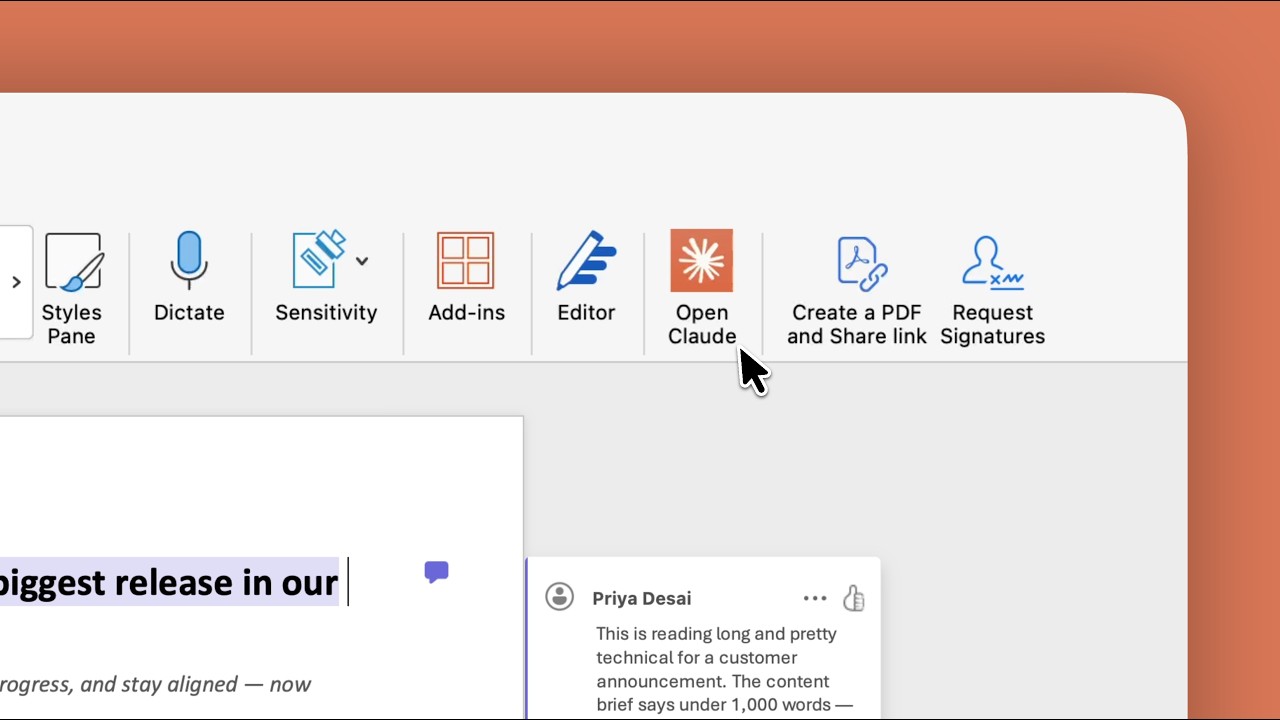
Claude for Word integrates Claude directly into a side panel within Microsoft Word, operating across Word on the Web, Windows, and Mac. The tool handles everything from drafting from scratch to navigating complex revisions by reading the full context of the open document.
In a typical scenario, a product launch announcement for an upcoming release is due to the team's VP by the afternoon. The draft has already circulated across the team, returning with six comments from four separate reviewers. Rather than manually clicking through disjointed comment threads, the user asks Claude to provide a synthesized overview: "Summarize the open comments in this document. Who's asking for what and do any of them conflict with each other?"
Claude analyzes each comment thread and its highlighted text, delivering a structured summary grouped by reviewer with direct jump-links to each referenced section. Critically, it identifies conflicting editorial directions: Priya wants the draft significantly shorter and less technical for customers, whereas Daniel insists on preserving in-depth integration details. Surfacing this friction early enables the writer to knock out straightforward factual fixes before resolving subjective editorial tensions.
```mermaid flowchart TD accTitle: Reviewer Feedback Triage Workflow accDescr: Flow showing how Claude analyzes open Word comments and highlights reviewer conflicts.
A["Draft with 6 Comments<br/>(4 Reviewers)"] --> B["Claude Word Panel<br/>'Summarize open comments'"] B --> C["Reviewer-Grouped Summary<br/>with direct jump links"] C --> D{"Detect Editorial Conflict"} D --> E["Priya: Shorter & less technical"] D --> F["Daniel: Retain integration details"] ```
[01:12](https://www.youtube.com/watch?v=x80HVKbZrno&t=72s) Enforcing Tracked Changes and Verifying Claims with Box
Before modifying text, the writer sets a baseline governance rule: "Turn on Track Changes and keep it on for everything you do in this document." Because switching document modes is an invasive action, Claude prompts for user confirmation. Selecting "Allow once" ensures every subsequent suggestion, deletion, and insertion arrives as an auditable redline.
The writer first tackles Morgan's feedback, which asks for validated performance figures that the company can stand behind. These metrics are stored externally in an Early Access results document located in Box. The user directs Claude: "Check Box for the Rockpool 3.0 Early Access Results doc, and compare every performance and speed claim in this post against it. Fix any that don't match the doc."
Claude reads the external file and semantically evaluates the draft's claims—going far beyond a rudimentary keyword search. It matches claims to their actual data sources, leaves verified numbers untouched, and serves proposed corrections as interactive review cards before modifying the Word canvas. Once applied, these edits appear as standard Word tracked changes.
[02:26](https://www.youtube.com/watch?v=x80HVKbZrno&t=146s) Structural Cleanup and Customer-Centric Rewriting
Attention turns to the "What's new in Rockpool 3.0" section, which suffers from messy collaborative handoffs. An inserted update broke the list numbering, causing it to restart at one, while the product lead pasted a raw specification table directly into the draft. The writer instructs Claude to clean up the section: - Renumber the feature list continuously from 1 to 5. - Convert the spec table into a concise bulleted list where each bullet stays under 20 words. - Strip out the "status" column and delete the original table once converted. - Leave all other text untouched.
Claude generates the restructured list as tracked changes. However, the resulting bullet points remain laden with internal engineering jargon. Resolving the conflict between Priya and Daniel, the writer prioritizes non-technical end users over technical depth. Selecting the new bullets, the writer prompts: "Rewrite these in customer language. Lead with what the reader gets. Drop the version numbers and internal feature names."
Claude returns a stack of individual review cards for each bullet point, complete with expandable rationale tabs explaining the reasoning behind each phrasing choice. The writer tweaks the guest access bullet by appending "Currently in beta," instructs Claude to accept the reviewed formatting changes, and confirms the permanent acceptance modal.
[04:06](https://www.youtube.com/watch?v=x80HVKbZrno&t=246s) Trimming Word Count While Retaining Key Social Proof
Priya's feedback also mandates a strict length reduction. The writer prompts Claude: "We need to get this under 1,000 words, but don't cut any more than you need to. Don't touch the customer quote or availability dates. Start with the background section. Most readers already know what Rockpool is."
Claude suggests substantial cuts via review cards, but one deletion cuts a critical proof point. The writer pushes back: "Cutting the background is right, but keep the line about 9,000 teams and the Fortune 500. That's the social proof the VP wants. Work it into the intro instead." Claude restages the edit by weaving the metric smoothly into the introduction while eliminating the fluff. Upon accepting the redline, the Word status bar confirms the total document length has dropped safely under 1,000 words.
[04:57](https://www.youtube.com/watch?v=x80HVKbZrno&t=297s) Copy Editing with Skills and Final Acceptance
With structure and length resolved, the draft undergoes a final polish to eliminate common collaborative errors like duplicated words and typos. Claude for Word supports automated, repeatable skills—both built-in and user-configured (such as a custom `/brand-guidelines` skill designed to enforce corporate style guides).
Typing a forward slash (`/`) opens the skills menu, where the user triggers the built-in copy edit skill to scan for spelling, grammar, punctuation, and phrasing consistency. Claude surfaces several subtle oversights in a single pass: - A duplicated "at" within the availability section. - A misused "their" inside the integrations paragraph.
The final instruction ties up the review: "Accept all the tracked changes, keep going until there are no revisions left, and leave the comment threads open so the team can see what changed." Claude checks for confirmation, recursively resolves nested revisions until the document is clean, and leaves the discussion threads intact for team transparency.
Claude for Word is distributed through Microsoft AppSource as part of Claude for Microsoft 365, included across all paid Claude plans: Pro, Max, Team, and Enterprise.
## Notable quotes > [00:00](https://www.youtube.com/watch?v=x80HVKbZrno&t=0s) Summarize the open comments in this document. Who's asking for what and do any of them conflict with each other? — Writer
> [01:12](https://www.youtube.com/watch?v=x80HVKbZrno&t=72s) Turn on Track Changes and keep it on for everything you do in this document. — Writer
> [01:12](https://www.youtube.com/watch?v=x80HVKbZrno&t=72s) Allow once
> [01:12](https://www.youtube.com/watch?v=x80HVKbZrno&t=72s) Check Box for the Rockpool 3.0 Early Access Results doc, and compare every performance and speed claim in this post against it. Fix any that don't match the doc. — Writer
> [02:26](https://www.youtube.com/watch?v=x80HVKbZrno&t=146s) What's new in Rockpool 3.0
> [02:26](https://www.youtube.com/watch?v=x80HVKbZrno&t=146s) Rewrite these in customer language. Lead with what the reader gets. Drop the version numbers and internal feature names. — Writer
> [02:26](https://www.youtube.com/watch?v=x80HVKbZrno&t=146s) Currently in beta — Writer
> [04:06](https://www.youtube.com/watch?v=x80HVKbZrno&t=246s) We need to get this under 1,000 words, but don't cut any more than you need to. Don't touch the customer quote or availability dates. Start with the background section. Most readers already know what Rockpool is. — Writer
> [04:06](https://www.youtube.com/watch?v=x80HVKbZrno&t=246s) Cutting the background is right, but keep the line about 9,000 teams and the Fortune 500. That's the social proof the VP wants. Work it into the intro instead. — Writer
> [04:57](https://www.youtube.com/watch?v=x80HVKbZrno&t=297s) Accept all the tracked changes, keep going until there are no revisions left, and leave the comment threads open so the team can see what changed. — Writer
## Mentioned Box, Claude, Claude Academy, Claude Enterprise, Claude for Microsoft 365, Claude for Word, Claude Max, Claude Pro, Claude Team, Daniel, Fortune 500, Mac, Microsoft AppSource, Microsoft Word, Morgan, Priya, Rockpool 3.0, Windows, Word on the Web
## Video description See exactly how Claude works inside Microsoft Word. Reading a document, resolving reviewer comments, fact-checking claims, cutting length, and copy editing, all as tracked changes you approve along the way.
Claude Academy → https://claude.com/learn
Chapters: 0:00 Claude in the Word panel 0:18 Summarize the open comments 1:12 Turn on tracked changes 1:35 Check claims against the source doc in Box 2:26 Fix formatting and rewrite for the customer 3:18 Get under the word count 4:57 Run a final copy-edit pass with a skill
[Source](https://www.youtube.com/watch?v=x80HVKbZrno)