Corsair Warthog Lags $90 Sibling on Cooling at Double the Price
Gamers Nexus
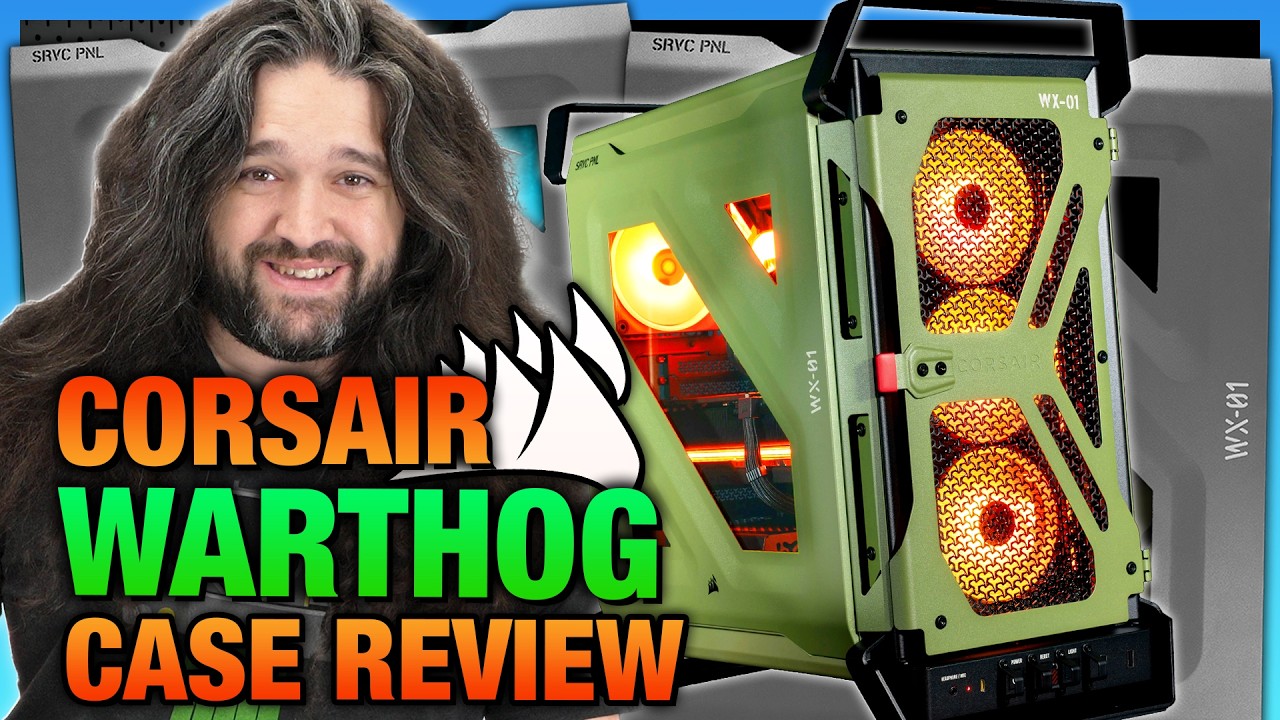
Corsair's $200 military-themed Warthog trails cheaper airflow competitors and its own $85 donor chassis in thermal tests, leaving retro nostalgia as the sole justification for the price premium.
AI-assisted summary of Corsair WARTHOG Gaming PC Case Review | Thermals, Noise, & Throwback — original source. Check the original for full context.
Source published:
Key ideas
- Corsair has launched the Warthog chassis at $180 ($200 for the RS version with dual 200 mm front fans), styled as a military throwback inspired by Halo and the classic Corsair Vengeance C70. (2:50)
- Beneath its rugged exterior, the chassis relies on Corsair Frame 4000D tooling, meaning buyers pay nearly double the Frame 4000D's ~$85-$90 price primarily for aesthetic styling and handle hardware. (17:48)
- Noise-normalized thermal testing reveals mediocre cooling performance: the Warthog RS matched the Frame 4000D RS at 47°C over ambient for CPU thermals, but ran warm on the GPU at 48°C over ambient, trailing competitors like the Cooler Master HAF II 500. (10:54)
- Official 3D-printable accessories offered by Corsair, such as the triple 3.5-inch drive cage, physically clash with the stock 200 mm front fans on the RS variant. (7:41)
Detailed notes
## Background Published by Gamers Nexus on YouTube on September 22, 2026, this review tests the Corsair Warthog gaming PC chassis. The video description highlights the case as an unapologetic throwback to an older era of PC building, noting that while it carries over the solid foundations of the Corsair Frame 4000D, its $180 to $200 price tag faces stiff market competition unless buyers specifically seek out its distinct retro look.
## TL;DR Gamers Nexus thoroughly analyzes the Corsair Warthog, a chassis visually inspired by both Halo and Corsair's classic military-themed Vengeance C70. Underneath its olive-drab exterior, heavy-duty steel handles, toggle switches, and retro styling, the case relies on the core internal tooling and 3D-printable mod ecosystem of the Corsair Frame 4000D. In noise-normalized thermal testing, the Warthog posts mediocre CPU numbers and warm GPU temperatures, lagging behind rivals like the Cooler Master HAF II 500 and Fractal Torrent that feature deeper, more optimized high-flow intake fans. Steve Burke concludes that while the Warthog loses on pure acoustic and thermal value metrics against its own Frame 4000D sibling, it succeeds as an entertaining, well-equipped nostalgia piece for builders yearning for late-2000s PC DIY personality without paying inflated eBay prices for vintage hardware.
## Atmosphere & style The review strikes Gamers Nexus's signature balance between rigorous, no-nonsense benchmarking and dry, tongue-in-cheek humor. Steve Burke delivers an affectionate, nostalgic monologue on the golden age of PC building—fondly reminiscing about cold cathodes, single-color LEDs, and classic military chassis—while cracking jokes about past Corsair typos and modern case privacy policies. Beneath the playful banter, the tone remains technically uncompromising, scrutinizing bare-frame chassis flex and underwhelming fan thickness with clinical objectivity.
## Bulletin - [02:50](https://www.youtube.com/watch?v=zgPOenXO7Vg&t=170s) Corsair has launched the Warthog chassis at $180 ($200 for the RS version with dual 200 mm front fans), styled as a military throwback inspired by Halo and the classic Corsair Vengeance C70. - [17:48](https://www.youtube.com/watch?v=zgPOenXO7Vg&t=1068s) Beneath its rugged exterior, the chassis relies on Corsair Frame 4000D tooling, meaning buyers pay nearly double the Frame 4000D's ~$85-$90 price primarily for aesthetic styling and handle hardware. - [10:54](https://www.youtube.com/watch?v=zgPOenXO7Vg&t=654s) Noise-normalized thermal testing reveals mediocre cooling performance: the Warthog RS matched the Frame 4000D RS at 47°C over ambient for CPU thermals, but ran warm on the GPU at 48°C over ambient, trailing competitors like the Cooler Master HAF II 500. - [07:41](https://www.youtube.com/watch?v=zgPOenXO7Vg&t=461s) Official 3D-printable accessories offered by Corsair, such as the triple 3.5-inch drive cage, physically clash with the stock 200 mm front fans on the RS variant.
## Key takeaways - [00:02](https://www.youtube.com/watch?v=zgPOenXO7Vg&t=2s) The Warthog channels 2008-2013 enthusiast PC culture with military styling, steel top carrying handles, toggle switches, and a retro metal-framed window. - [00:02](https://www.youtube.com/watch?v=zgPOenXO7Vg&t=2s) Corsair delayed the case from an initial August release due to excessive empty space inside the shipping foam inserts, later releasing it in September. - [02:50](https://www.youtube.com/watch?v=zgPOenXO7Vg&t=170s) Priced at $180 for the base chassis and $200 for the RS trim, it includes two 200 mm front intake fans and a 120 mm rear exhaust fan in olive drab or matte black. - [02:50](https://www.youtube.com/watch?v=zgPOenXO7Vg&t=170s) The chassis incorporates a dedicated push-button LED illuminating the rear motherboard I/O, reviving a convenience feature from the NZXT H440 era. - [04:43](https://www.youtube.com/watch?v=zgPOenXO7Vg&t=283s) While the outer 3.4 mm handles and panels feel exceptionally sturdy, the bare inner frame flexes noticeably under diagonal torque once panels are detached. - [06:39](https://www.youtube.com/watch?v=zgPOenXO7Vg&t=399s) Panel removal requires a strict mechanical sequence: snap-fit side panels must be taken off before the top panel can be detached. - [06:39](https://www.youtube.com/watch?v=zgPOenXO7Vg&t=399s) An outward-stamped right panel increases cable management clearance by approximately 1.5 cm over the standard Frame 4000D, complemented by a pegboard-style tray supporting reverse-connector motherboards. - [07:41](https://www.youtube.com/watch?v=zgPOenXO7Vg&t=461s) Corsair hosts free downloadable CAD files for DIY 3D printing, but the printed triple hard drive cage is incompatible with the front 200 mm fans on the RS model. - [08:40](https://www.youtube.com/watch?v=zgPOenXO7Vg&t=520s) Liquid cooling compatibility on the RS is constrained: fixed 200 mm front fans eliminate front radiator mounting, leaving the top mount as the practical alternative, ideally capped at 280 mm. - [10:54](https://www.youtube.com/watch?v=zgPOenXO7Vg&t=654s) Noise-normalized CPU thermals at 27 dBA reached 47°C over ambient, matching the Frame 4000D RS but falling behind the Cooler Master HAF II 500 (43°C) and Fractal Torrent (46°C). - [13:26](https://www.youtube.com/watch?v=zgPOenXO7Vg&t=806s) GPU thermals noise-normalized to 48°C over ambient, lagging behind the Frame 4000D RS (45°C) and HAF II 500 (42°C) due to fan geometry and the lack of an internal airflow scoop. - [13:26](https://www.youtube.com/watch?v=zgPOenXO7Vg&t=806s) Corsair's 200 mm fans measure 30 mm deep, providing lower static pressure and airflow efficiency than the 38 mm to 40 mm thick fans used on competing high-airflow chassis. - [18:38](https://www.youtube.com/watch?v=zgPOenXO7Vg&t=1118s) At $180-$200, the Warthog commands double the price of the mechanically similar Frame 4000D, though it serves as a modern alternative to vintage Corsair C70 cases that sell for over $200 on eBay. - [19:47](https://www.youtube.com/watch?v=zgPOenXO7Vg&t=1187s) Gamers Nexus concludes that the Warthog loses on pure price-to-performance metrics, making it recommendable exclusively for buyers prioritizing retro military sci-fi aesthetics and modding potential.
## Detailed walkthrough ### [00:02](https://www.youtube.com/watch?v=zgPOenXO7Vg&t=2s) Halo Throwback, the "Corsier" Typo, and Release Delays
The Corsair Warthog is pitched as an unapologetic throwback to a freer, less sterile era of PC building—roughly the 2008 to 2013 window—when hardware had personality and "enthusiast meant stuff that looked more like this and less refined like we see today." Visually inspired by both the iconic M12 FAV Warthog from *Halo* and Corsair's own military-themed Vengeance C70 chassis from 2012, the case immediately stands out with green panels, exposed handles, and ruggedized details. Steve Burke jokes that Corsair has already resolved one of its longest-running manufacturing hurdles by dropping vowels from the branding entirely, referencing an infamous historical shipping incident where real Corsair boxes were printed with the misprint "Corsier."
On the outside, the Warthog embraces tactile, mechanical novelties: a flip-up toggle switch on the front panel, protective finger covers shielding the front I/O ports, a firmly latching front door, and thick steel top handles designed to comfortably bear the full weight of a fully built system. To balance airflow and structure, Corsair brought back its distinctive Y-pattern 3D mesh, engineered to boost ventilation porosity while preserving panel rigidity. However, the case faced a chaotic journey to store shelves. Originally slated for launch on August 11th—with Gamers Nexus having already finalized their written review by that point—Corsair abruptly delayed the release until October after discovering several inches of empty space inside the shipping foam that risked transit damage. They subsequently pulled the date forward again to September.
- **Design roots:** Blends styling from *Halo*'s Warthog and the classic ammo-can Corsair Vengeance C70. - **Top handles:** Heavy-duty steel handles capable of moving and supporting the entire system with zero flex. - **Ventilation:** Y-pattern 3D mesh maximizes intake airflow porosity without degrading steel sheet rigidity. - **Launch delays:** Pushed from August 11 to October due to packaging gaps, then moved forward to a September release.
---
[02:50](https://www.youtube.com/watch?v=zgPOenXO7Vg&t=170s) Specs, Pricing, and Military Aesthetic Nostalgia
Priced at $180 for the bare chassis and $200 for the RS variants equipped with two massive 200 mm front intake fans and a single 120 mm rear exhaust fan, the Warthog comes in both an olive drab and a standard black finish. While the military-truck namesake exists in real-world combat vehicles, Steve notes "come on, that's got to be Halo." The retro styling serves as a welcome counterweight to modern PC pricing realities, where dropping $200 on an elaborate case just to populate it with an empty DDR4 motherboard feels like the only affordable fun left in a market stricken by hardware markups.
The aesthetic flourishes—stenciled military lettering, switch guards, visible chassis bolts, and an authentic fabric "REMOVE BEFORE BUILD" flight tag—offer zero functional advantage, existing purely because "they're just cool." It harkens back to mid-2010s aggressive styling, such as the Antec GX700 or early Gigabyte enthusiast boards sporting heatsinks shaped like ammo magazines and bullet cartridges. Steve recounts a memorable industry anecdote about someone traveling by air with a sample Gigabyte G1.Sniper board; airport security agencies in multiple countries pulled the traveler aside in panic over the realistic shell casing heatsink mounted directly to the motherboard chipset. Moving to legitimate functional retro features, Corsair integrated an LED illuminating the rear motherboard I/O—a much-appreciated utility originally popularized by the NZXT H440 and Noctis N450 that never saw widespread industry adoption.
```mermaid flowchart TD accTitle: Corsair Warthog Case Lineup and Pricing accDescr: Diagram illustrating the two Warthog configurations, fan inclusions, and color choices.
subgraph Variants["Corsair Warthog Configurations"] Base["Base Warthog ($180)<br/>Sold without fans"] RS["Warthog RS ($200)<br/>Includes 2x 200mm Front Fans<br/>+ 1x 120mm Rear Fan"] end
subgraph Finishes["Aesthetic Options"] OD["Olive Drab Green"] BLK["Matte Black"] end
Base --> Finishes RS --> Finishes ```
---
[04:43](https://www.youtube.com/watch?v=zgPOenXO7Vg&t=283s) Shared Frame 4000D Tooling and Structural Rigidity
Underneath the military shell, the Warthog's skeleton is nearly identical to the Corsair Frame 4000D, sharing the vast majority of its core tooling outside of specialized areas like the power supply shroud. Gamers Nexus reviewed the Frame 4000D very favorably, which bodes well for the Warthog's fundamental layout, expandability, and modularity. This shared DNA also extends to Corsair's dedicated 3D-printing ecosystem: owners can download official CAD models directly from Corsair's website for free to print modular parts at home, essentially allowing builders to "print the DLC instead of buying it."
However, full hands-on testing revealed an unwelcome surprise regarding frame rigidity. While the case felt exceptionally solid when previewed on display tables at Computex, stripping off the outer panels exposes the bare internal frame's inherent flimsiness. Without panels installed, the bare chassis flexes noticeably under moderate diagonal torque—enough that opposing diagonal corners will lift clean off the bench when twisted. The structural rigidity is predominantly carried by the outer panels and the heavy-duty steel handles and feet. The carrying handles and feet measure approximately 3.4 mm thick (or around 3.0 mm prior to powder-coating), while the primary sheet metal measures 1.4 mm painted (roughly 1.0 mm raw), relying on strategic stamping and layering to achieve its perceived heft.
---
[06:39](https://www.youtube.com/watch?v=zgPOenXO7Vg&t=399s) Build Quality, Panel Design, and Cable Clearance
The side panels eschew traditional thumb screws altogether, instead relying on snap-fit push pins that interlock beneath the top panel. This mechanical arrangement enforces a strict order of disassembly: the side panels must always be popped off before the top panel can be removed, and the top panel must be installed first when closing the system. While Gamers Nexus initially suspected the packaging redesign may have been triggered by tool-less panels dislodging in shipping, Corsair's actual packaging revision was centered on eliminating several inches of dead space between the internal foam inserts and the case. The side window departs from modern all-glass trends, featuring a small, metal-framed trapezoidal aperture shaped reminiscent of the *Dota 2* logo, styled to mimic old-school acrylic side cutouts.
On the builder-friendly side, Corsair largely abandoned single-use plastics, packaging accessories inside recyclable paper pouches alongside a reusable compartmentalized plastic screw sorter. System specifications and dimensions are printed on an informative identification label placed directly on the rear chassis. Because the stamped side panel bulges slightly outward, cable management clearance behind the tray is improved by up to 1.5 cm compared to the standard 4000D. Cable management flexibility is further bolstered by a pegboard-patterned motherboard tray that allows tie-down brackets to be repositioned anywhere along the tray, supported by two extra anchor points included in the box and full support for back-connect (reverse-connector) motherboards.
- **Panel assembly sequence:** Sides must be removed prior to the top panel; the top panel must be mounted before snapping side panels into place. - **Window styling:** Small metal-framed window evoking retro acrylic side panels rather than edge-to-edge tempered glass. - **Cable room:** Stamped panel profile provides an additional ~1.5 cm of routing depth behind the motherboard tray. - **Eco packaging:** Paper bags for screws and mounting hardware, accompanied by a reusable organized plastic hardware case.
---
[07:41](https://www.youtube.com/watch?v=zgPOenXO7Vg&t=461s) 3D-Printed DLC Accessories and Drive Compatibility
Corsair host a library of official 3D-printable accessories designed for the Frame 4000D platform, most of which carry over to the Warthog with the exception of lower PSU shroud mounts (due to venting differences on the Warthog's side panel). Gamers Nexus printed and evaluated two files from the repository: a triple hard drive cage and an upper dust filter retention bracket. The 3D-printed triple 3.5-inch drive cage was an extensive build requiring one to two full days of printer uptime, along with builder-supplied nuts, bolts, and TPU dampeners for optimal isolation.
While functional, testing the printed drive cage uncovered a critical compatibility conflict: the printed cage physically clashes with the massive 200 mm intake fans found on the front of the Warthog RS model. Consequently, the add-on drive cage is only compatible with the non-RS SKU running smaller front fan configurations. This is a vital caveat for storage-heavy builds, as out-of-the-box storage without 3D-printed expansions is limited to just two 2.5-inch SSDs and a single 3.5-inch hard drive. The secondary print—a retention frame for a top fan filter—was also successfully produced, though Gamers Nexus bypassed the mid-print pause required to sandwich a custom mesh layer inside. Despite some finicky assembly steps, Corsair earns praise for publishing comprehensive, step-by-step guides for making these modular accessories at home.
[08:40](https://www.youtube.com/watch?v=zgPOenXO7Vg&t=520s) Radiator Support, Front I/O, and Hardware Accessories
The discussion dives into the specific hardware limitations and layout quirks of the Warthog RS. The 200-millimeter intake fans occupy a fixed position and cannot be relocated anywhere else in the chassis; users wishing to mount a radiator in the front are advised to purchase the non-RS variant instead. The side mount features two possible positions, but the team had to shift it forward to accommodate non-back-connect power cables, placing it directly beneath the front intake fans. When paired with a standard ATX motherboard on the Warthog RS, the side mount is rendered effectively unusable. Furthermore, because the stock fans obstruct the front mount for radiators, only the top mount remains viable. While theoretically supporting radiators up to 360 millimeters, the stock fans make it an extremely tight fit, rendering a 280-millimeter radiator a much more practical maximum. Additional cooling provisions include space for two fans on top of the power supply shroud and a single 120-millimeter mount directly on the floor.
The front I/O remains unremarkable apart from its distinct aesthetic and the dedicated button controlling the rear I/O light, alongside a fun covered reset button. An accessory kit includes a splitter, allowing builders with clever external use cases to reconnect the reset button to control other devices. Corsair's fasteners receive a humorous nod for having a "super cool name with a missing letter": Quick Mount, spelled without a "c," presumably to dodge another trademark incident. These secure the expansion slots and optionally the motherboard. Another set of quick-turn fan screws also drops the "c," though Corsair bypasses them for the stock fans, showing an incomplete commitment to the quick-screw concept despite its neat spelling.
Closing out the minor structural notes, the bottom filter uses an unusually fine mesh compared to the standard front filter, prompting permeability concerns since the case floor consists of perforated steel layered underneath. Additionally, the GPU support arm is described as "barely present." Much of the core DNA remains identical to the Frame 4000D, sharing internal components. Gamers Nexus notes that while the Frame 4000D possesses a standard and relatively robust layout, its external structure loses rigidity without the side panels attached.
- Fixed 200 mm front intake fans preclude front radiator installation; users must choose the non-RS model for front liquid cooling. - Side mount compatibility is constrained with standard ATX boards, forcing a forward shift under the front intake fans. - Top radiator mount officially fits up to 360 mm, but 280 mm is recommended due to tight clearances with stock fans. - Included accessories feature a reset button splitter and "Quick Mount" screws spelled without the letter "c."
---
[10:54](https://www.youtube.com/watch?v=zgPOenXO7Vg&t=654s) Thermal Testing Methodology and Comparative Lineup
Thermal evaluations follow a straightforward setup: since the 200 mm front fans cannot be moved, they remain in their stock intake positions alongside the included 120 mm rear exhaust fan. Testing heavily leans on comparisons against the Frame 4000D RS—which retails at roughly half the price of the Warthog—allowing the team to isolate the impact of Corsair's chosen fan configuration and throwback aesthetics. Anyone purchasing the Warthog does so primarily for nostalgia or its "futuristic combat evolved military look," making the Frame 4000D RS the logical budget-conscious alternative sharing 90% of the same tooling. Other key market competitors include the Cooler Master HAF II 500 (matching the Warthog precisely in price and bulky form factor), the HAVN BF 360 Flow, and the older Fractal Torrent.
Running tests inside the hemi-anechoic chamber with system fans tuned down to a 27 dBA SPL threshold, the Warthog's CPU performance averaged 47 degrees Celsius above ambient on the performance cores, tying the Frame 4000D RS. The Fractal Torrent averaged 46 degrees, the BF 360 Flow hit 45 degrees, and the Cooler Master HAF II 500 led the chart with a 43-degree average. Conventional wisdom suggests larger fans move greater air volumes at slower, quieter speeds, but the Warthog fails to demonstrate this advantage as effectively as the Torrent, BF 360 Flow, or HAF II 500. Those competing models feature heavily engineered large fans built with comically deep profiles. Corsair's fans, much like the case itself, feel like a retro throwback despite being slightly thicker than standard. While cases featuring dual massive intakes have grown common—such as the Lancool 217 series, past Cooler Master H500s, and Lian Li Lancool 215—the Warthog's thermal results are merely reassuring rather than impressive, especially given its $180 to $200 price tag.
- **Testing Environment:** Hemi-anechoic chamber with all system fans noise-normalized to a 27 dBA SPL threshold. - **CPU Thermal Results (Noise-Normalized):** - Cooler Master HAF II 500: 43°C over ambient - HAVN BF 360 Flow: 45°C over ambient - Fractal Torrent: 46°C over ambient - Corsair Warthog RS & Frame 4000D RS: 47°C over ambient
---
[13:26](https://www.youtube.com/watch?v=zgPOenXO7Vg&t=806s) Noise-Normalized GPU Thermals and Full-Speed Analysis
While CPU thermals were merely mediocre, GPU performance places the Warthog definitively on the warm side of the charts. In the same noise-normalized test, the Warthog RS averaged 48 degrees Celsius above ambient on the GPU and 53 degrees on the VRAM. By comparison, the Frame 4000D RS averaged 45 degrees, the BF 360 Flow recorded 43 degrees, and the HAF II 500 hit 42 degrees. Because these are noise-normalized figures, the wide temperature gaps stem from inherent design efficiency rather than raw fan power deficits, making the Warthog an underperformer here. The team expresses hope that Corsair will release dedicated 3D printable accessories for the Warthog, noting it would greatly benefit from a front airflow scoop on the power shroud to redirect air upward into the graphics card, similar to solutions seen on other cases.
Pushing the system to full throttle, the Warthog RS fans reached 39 dBA, proving quieter than most comparison cases. Under full speed, its CPU thermals outperformed the Frame 4000D RS and tied the Torrent at 42 degrees on the performance cores, trailing the BF 360 Flow (41 degrees) and HAF II 500 (40 degrees). However, Cooler Master's HAF II 500 achieved significantly superior thermals while running only about 2 dBA louder. Examining the hardware differences, both cases utilize 200 mm fans spinning around 1,000 RPM, but Cooler Master employs "Monster Mighty" 40 mm thick fans paired with an oversized 180 mm rear exhaust and an optimized front panel design. Corsair's 200 mm fans measure a modest 30 mm in thickness—thicker than standard 25 mm models, but dwarfed by Cooler Master, Torrent (38 mm), and BF 360 Flow (40 mm) fans.
GPU temperatures at full speed remained weak, averaging 47 degrees above ambient and 51 on the VRAM, whereas the Fractal Torrent excelled at 39 degrees. Adapting community 3D-printed airflow scoops would require modifying existing Frame 4000D files since the Warthog's shroud and side panels differ.
```mermaid flowchart TD subgraph Testing["Thermal Evaluation Modes"] A["Noise-Normalized Test (27 dBA)"] --> B["Warthog CPU: 47°C / GPU: 48°C"] C["Full Speed Test (39 dBA)"] --> D["Warthog CPU: 42°C / GPU: 47°C"] end subgraph Competitors["Key Competitor Comparison"] B --> E["HAF II 500 leads with better thermal efficiency & 40mm thick fans"] D --> F["Torrent dominates GPU cooling at 39°C over ambient"] end style Testing fill:#222,stroke:#555,stroke-width:2px style Competitors fill:#222,stroke:#555,stroke-width:2px ```
---
[15:43](https://www.youtube.com/watch?v=zgPOenXO7Vg&t=943s) Privacy Policy Humor and Final Verdict
Transitioning into a humorous new review segment—jokingly attributed to regulations brought on by LG—Steve examines the case's privacy policy. Noting that the product is a metal computer case devoid of hidden microphones or recording screens to beam data back to corporate headquarters, the privacy policy essentially boils down to buying the enclosure and placing it on a furniture surface or floor. This sparks a lighthearted tangent warning builders about Paul from Paul's Hardware: while described as the calmest, nicest guy in the world, "as soon as he sees a computer on a floor, it's game over... he will murder you." The banter wraps up by reiterating that the privacy policy is delightfully simple: "Buy case, put stuff in case."
Concluding the evaluation, strict thermal numbers and build comparisons favor alternative offerings. The Cooler Master HAF II 500 delivers vastly superior performance at the exact same price point, featuring heavy-duty, high-end fans that justify a large portion of that case's cost. In contrast, Corsair's included fans feel like a retro throwback "in not a good way"—evoking the "cheap shitty plastic old 200 mm fans" common in older eras of PC building. The Fractal Torrent likewise offers superior performance at an identical price point. While the Torrent's aesthetic design is aging, prospective buyers drawn to the Warthog are specifically seeking that vintage, long-in-the-tooth military look anyway.
[17:48](https://www.youtube.com/watch?v=zgPOenXO7Vg&t=1068s) Market Positioning and the Aesthetic Value Proposition
When evaluating the Corsair Warthog against the current chassis landscape, value depends entirely on how heavily an individual weighs aesthetics versus pure thermal and acoustic performance. Competitors like the HAVN BF 360 Flow sit at $230, which prices them slightly out of this specific tier, but inside Corsair’s own product catalog, the comparison becomes much sharper. The Corsair Frame 4000D RS shares essentially the exact same core internal chassis with the Warthog, yet it routinely outperforms it thermally while selling for dramatically less money—sitting at just $85 on sale, or $90 for the RS ARGB version.
Stripping away styling, the Warthog is fundamentally a Frame 4000D with a custom cosmetic dress-up kit that doubles the cost. However, a customer looking at the Warthog is not shopping for an anonymous black mesh box; they are buying it for visual character that is almost entirely missing from modern retail shelves. The closest visual peer currently available is the Cooler Master HAF II 500, but even that case leans heavily into an indistinct, generic "space type of future look." The Warthog, by contrast, captures a gritty, military-grade sci-fi silhouette—channeling what Steve characterizes as an unmistakable "Combat Evolved type of look."
- **Price comparison against direct chassis siblings**: Corsair Frame 4000D RS retails around $85 on sale; Frame 4000D RS ARGB retails around $90. - **HAVN BF 360 Flow comparison**: Sits slightly higher at $230, somewhat separating it into a different pricing bracket. - **Visual styling distinction**: Military sci-fi aesthetic vs. the Cooler Master HAF II 500's glossy futuristic space motif.
---
[18:38](https://www.youtube.com/watch?v=zgPOenXO7Vg&t=1118s) Case Pricing Realities and the Corsair C70 Nostalgia Factor
A $180 to $200 asking price reflects a frustrating trend in modern case manufacturing economics. The market has polarized into two stark tiers: ultra-budget enclosures around $60 where manufacturers cut corners aggressively—slashing steel thickness by an extra 0.1 millimeters and stripping front I/O or fan hardware to save pennies—and premium cases hovering near $200 that still make quiet compromises, just less overtly. Steve notes that the feature set and material feel of the Warthog resemble what enthusiast builders expected from a $140 or $150 chassis only a year prior, remarking that "$200 just seems to be the new $150."
```mermaid flowchart TD accTitle: Retro Military Case Buying Decision accDescr: Decision flow between buying a used Corsair C70 on eBay versus a new Corsair Warthog.
A["Desire Military / Retro PC Aesthetic"] --> B{"Current Options"} B -->|"Option 1"| C["Vintage Corsair C70 (eBay)"] B -->|"Option 2"| D["Corsair Warthog ($180-$200)"]
C --> C1["$200+ Buyout Cost"] C1 --> C2["Heavy Shipping Fees + Used Condition"]
D --> D1["Modern Frame 4000D Chassis"] D1 --> D2["Pegboard Tray + Modern Modding Support"] ```
For builders chasing this exact vintage aesthetic, the price tag is surprisingly defensible due to secondary market inflation. Original military green Corsair Vengeance C70 cases frequently command upwards of $200 on eBay, plus exorbitant shipping fees due to their heavy, bulky steel frames. From that perspective, buying a modern Warthog provides a brand-new, warrantied alternative with updated cable routing and component clearances. Corsair also walks a delicate line between fostering community modification by distributing free 3D printable accessory files and simply omitting physical hardware from the box. Nevertheless, the inclusion of the rear pegboard motherboard tray stands out as a genuine asset, making the Frame platform a significantly better base for custom modifications than typical off-the-shelf towers.
- **Market pricing shift**: The modern $200 bracket mirrors the features and expectations previously found in the $140–$150 category. - **Corsair Vengeance C70 market rates**: Vintage green C70 enclosures regularly exceed $200 on eBay before freight/shipping. - **Platform strength**: The modular pegboard motherboard tray provides structural flexibility that outclasses standard competing interior frames for maker projects.
---
[19:47](https://www.youtube.com/watch?v=zgPOenXO7Vg&t=1187s) Final Verdict: Novelty, Modding Potential, and 2000s PC Era Tribute
Gamers Nexus ultimately recommends the Corsair Warthog solely for its novelty and nostalgic styling. From an objective benchmarking standpoint, there are superior options at or below $200 in virtually every performance metric, particularly regarding noise-normalized thermals and out-of-the-box airflow. If the Warthog were skinned like a generic modern chassis—with flat tempered glass, standard steel side panels, and plain mesh filtration—"it loses basically in every matchup," leaving no practical reason to purchase it over cheaper alternatives.
The entire appeal rests on how effectively it pays homage to the golden age of PC DIY culture between 2008 and 2013. Steve fondly recalls the era of Danger Den acrylic cases, installing dual cold cathode lighting or UV reactive fluorescent tubes, and selecting case fans that offered only a single fixed LED color—forcing builders to commit entirely to blue, red, white, or occasionally green. The Warthog successfully recreates the spirit of that pre-ARGB enthusiast culture without requiring builders to sacrifice modern conveniences. Behind the stylized exterior panels sits a proven, reliable Corsair Frame 4000D skeleton, meaning that as long as a buyer loves the combat-ready aesthetic and understands the thermal tradeoffs, the case delivers a competent and uniquely memorable building experience.
- **Target era tribute**: Emulates late-2000s and early-2010s hardware culture (2008–2013: Danger Den, UV cold cathodes, single-color LED fans). - **Thermal reality**: Underperforms cheaper airflow-focused mid-towers; purchased strictly for design rather than thermal efficiency. - **Structural base**: Retains the well-reviewed interior skeleton and layout of the Corsair Frame 4000D line. - **Channel support**: Coverage is directly subsidized via customer purchases at store.gamersnexus.net and community backers on Patreon.
## Notable quotes > [00:02](https://www.youtube.com/watch?v=zgPOenXO7Vg&t=2s) enthusiast meant stuff that looked more like this and less refined like we see today. — Steve Burke
> [02:50](https://www.youtube.com/watch?v=zgPOenXO7Vg&t=170s) come on, that's got to be Halo. — Steve Burke
> [02:50](https://www.youtube.com/watch?v=zgPOenXO7Vg&t=170s) they're just cool. — Steve Burke
> [04:43](https://www.youtube.com/watch?v=zgPOenXO7Vg&t=283s) print the DLC instead of buying it. — Steve Burke
> [08:40](https://www.youtube.com/watch?v=zgPOenXO7Vg&t=520s) super cool name with a missing letter — Steve Burke
> [08:40](https://www.youtube.com/watch?v=zgPOenXO7Vg&t=520s) barely present. — Steve Burke
> [10:54](https://www.youtube.com/watch?v=zgPOenXO7Vg&t=654s) futuristic combat evolved military look — Steve Burke
> [15:43](https://www.youtube.com/watch?v=zgPOenXO7Vg&t=943s) as soon as he sees a computer on a floor, it's game over... he will murder you. — Steve Burke
> [15:43](https://www.youtube.com/watch?v=zgPOenXO7Vg&t=943s) Buy case, put stuff in case. — Steve Burke
> [15:43](https://www.youtube.com/watch?v=zgPOenXO7Vg&t=943s) cheap shitty plastic old 200 mm fans — Steve Burke
> [17:48](https://www.youtube.com/watch?v=zgPOenXO7Vg&t=1068s) Combat Evolved type of look. — Steve Burke
> [18:38](https://www.youtube.com/watch?v=zgPOenXO7Vg&t=1118s) $200 just seems to be the new $150. — Steve Burke
> [19:47](https://www.youtube.com/watch?v=zgPOenXO7Vg&t=1187s) it loses basically in every matchup — Steve Burke
## Mentioned Steve Burke, Patrick Lathan, Vitalii Makhnovets, Tim Phetdara, Paul (Paul's Hardware), Gamers Nexus, Corsair, NVIDIA, Lexar, Fractal Design, Cooler Master, HAVN, Hyte, Lian Li, Antec, Gigabyte, NZXT, Danger Den, LG, Corsair Warthog, Corsair Warthog RS, Corsair Frame 4000D, Corsair Frame 4000D RS, Corsair Frame 4000D RS ARGB, Corsair Vengeance C70, Fractal Summit, Cooler Master HAF II 500, Cooler Master H500, HAVN BF 360 Flow, Hyte X50, Fractal Torrent, Fractal Pop 2 Vision, Lian Li O11 Vision Compact, Fractal Meshify 3 Ambience Pro RGB, Antec Flux Pro, Antec GX700, Lian Li Lancool 207, Lian Li Lancool 215, Lian Li Lancool 217, Gigabyte G1.Sniper, NZXT H440, NZXT Noctis N450, M12 FAV Warthog (Halo), Dota 2, Lexar Play MicroSD
## Video description Sponsor: Lexar Play MicroSD Cards on Amazon: https://geni.us/fUQYvq and Play Pro on Amazon https://geni.us/WC89AO The Corsair Warthog gaming PC case is a true throwback to an older era of PC building -- when RAM was affordable and NVIDIA hadn't begun its descent into AI psychosis -- and the case does well to bring it back. It has its downsides, but the biggest upside is that it's based on the already well-received Corsair Frame 4000D. We liked the Frame 4000D case in testing, so all of those aspects carry over. The Warthog stops making sense if you're not into its look, especially with the $180 to $200 price point that brings it into competition with a ton of other cases.
Watch our Fractal Summit review here: https://www.youtube.com/watch?v=yEb_4Y58jaY
The best way to support our work is through our store: https://store.gamersnexus.net/
Like our content? Please consider becoming our Patron to support us: http://www.patreon.com/gamersnexus
RELATED PRODUCTS [Affiliate Links]
Corsair Warthog on Amazon: https://geni.us/6Iizt95 Fractal Summit on Amazon: https://geni.us/IWVxy Cooler Master HAF II 500 on Amazon: https://geni.us/iNYDYB HAVN BF 360 Flow on Amazon: https://geni.us/PRsOyke Hyte X50 on Amazon: https://geni.us/CEBL Fractal Torrent on Amazon: https://geni.us/A2S4z Fractal Pop 2 Vision on Amazon: https://geni.us/maKH1H Lian Li O11 Vision Compact on Amazon: https://geni.us/S0Wl Fractal Meshify 3 Ambience Pro RGB on Amazon: https://geni.us/BjOq5 Antec Flux Pro on Amazon: https://geni.us/CaPv Lian Li Lancool 207 on Amazon: https://geni.us/HILbWU Corsair FRAME 4000D RS ARGB on Amazon: https://geni.us/mfBx6F
TIMESTAMPS
00:00 - Corsair Warthog Case Review 02:50 - The Basics 03:44 - The Fun Parts 06:39 - Build Quality 07:41 - 3D Printed Accessories 10:54 - Thermal Test Methodology 12:17 - CPU Thermals: Noise-Normalized 13:26 - GPU Thermals: Noise-Normalized 14:17 - CPU Thermals: Full Speed 15:17 - GPU Thermals: Full Speed 15:43 - Conclusion
** Please like, comment, and subscribe for more! **
Links to Amazon and Newegg are typically monetized on our channel (affiliate links) and may return a commission of sales to us from the retailer. This is unrelated to the product manufacturer. Any advertisements or sponsorships are disclosed within the video ("this video is brought to you by") and above the fold in the description. We do not ever produce paid content or "sponsored content" (meaning that the content is our idea and is not funded externally aside from whatever ad placement is in the beginning) and we do not ever charge manufacturers for coverage.
Follow us in these locations for more gaming and hardware updates:
t: http://www.twitter.com/gamersnexus f: http://www.facebook.com/gamersnexus w: http://www.gamersnexus.net/
Our policies, processes, and ethics statements relating to review samples, advertising, travel, errors, and more are transparently and publicly available on this page: https://gamers.nexus/ethics-statements
Steve Burke: Host, Writing, Test Lead Patrick Lathan: Testing, Writing Vitalii Makhnovets: Camera, Editing Tim Phetdara: Camera
[Source](https://www.youtube.com/watch?v=zgPOenXO7Vg)