Stanford AA274A Principles of Robotic Autonomy | Autumn 2019 | Sensors & Intro to CV
Stanford AA274A Principles of Robotic Autonomy | Autumn 2019 | Sensors & Intro to CV — Stanford Online

Stanford Online

AI-assisted summary of Stanford AA274A Principles of Robotic Autonomy | Autumn 2019 | Sensors & Intro to CV — original source. Check the original for full context.

Source published:

Key ideas

  • Stanford AA274A transitions into its robot perception module, focusing on converting raw sensor data from cameras and LiDAR into geometric features and semantic classifications for localization and control. (0:05)
  • Inertial dead reckoning inherently suffers from monotonic error accumulation due to single integration of angular velocity and double integration of acceleration, requiring external beacon updates to prevent catastrophic drift. (26:53)
  • Proprioceptive sensors face severe mechanical vulnerabilities in the field, including odometry failure from wheel slip on loose terrain and structural shear of silicon cantilevers in MEMS accelerometers under physical shock. (16:39)
  • Projective geometry and homogeneous coordinates reformulate nonlinear perspective depth divisions into linear matrix operations, laying the mathematical foundation for camera calibration and 3D scene reconstruction.

Detailed notes

## Background Published on YouTube by Stanford Online on October 9, 2026, this video features Lecture 8 of Stanford University's Autumn 2019 course AA274A, 'Principles of Robotic Autonomy.' Taught by Associate Professor Marco Pavone, the lecture covers robotic sensor taxonomies and provides an introduction to computer vision.

## TL;DR Prof. Marco Pavone marks the transition to the course's robotic perception module by introducing sensor taxonomy, distinguishing between proprioceptive, exteroceptive, active, and passive sensors alongside specifications like accuracy, precision, and systematic error calibration. The lecture details the mechanics and failure modes of wheel encoders, gyroscopes, and mass-spring-damper MEMS accelerometers, illustrating the dangers of pure dead reckoning drift through historical events like the downing of Korean Air Flight 007. Pavone also covers active ranging methods such as time-of-flight before introducing camera models. He concludes by demonstrating how perspective projection can be reformulated into a linear transformation using homogeneous coordinates for 3D reconstruction and calibration.

## Atmosphere & style The lecture is conversational, encouraging, and academically grounded, opening with a reassuring note to students that the course difficulty eases following the optimization module. Prof. Pavone balances formal mathematical modeling with lighthearted practical anecdotes, from smartphone durability to sensor calibration quirks. The classroom mood briefly turns somber and reflective when exploring the fatal real-world consequences of navigation drift in aviation history, effectively connecting foundational engineering principles to high-stakes applications.

## Bulletin - [00:05](https://www.youtube.com/watch?v=emb_KF3OSu0&t=5s) Stanford AA274A transitions into its robot perception module, focusing on converting raw sensor data from cameras and LiDAR into geometric features and semantic classifications for localization and control. - [26:53](https://www.youtube.com/watch?v=emb_KF3OSu0&t=1613s) Inertial dead reckoning inherently suffers from monotonic error accumulation due to single integration of angular velocity and double integration of acceleration, requiring external beacon updates to prevent catastrophic drift. - [16:39](https://www.youtube.com/watch?v=emb_KF3OSu0&t=999s) Proprioceptive sensors face severe mechanical vulnerabilities in the field, including odometry failure from wheel slip on loose terrain and structural shear of silicon cantilevers in MEMS accelerometers under physical shock. - Projective geometry and homogeneous coordinates reformulate nonlinear perspective depth divisions into linear matrix operations, laying the mathematical foundation for camera calibration and 3D scene reconstruction.

## Key takeaways - [00:05](https://www.youtube.com/watch?v=emb_KF3OSu0&t=5s) Robot perception bridges raw hardware measurements and downstream planning by translating sensory inputs into spatial coordinates and semantic understanding. - [04:23](https://www.youtube.com/watch?v=emb_KF3OSu0&t=263s) Robotic sensors are categorized as proprioceptive versus exteroceptive based on internal or external focus, and passive versus active based on whether they emit their own energy. - [07:29](https://www.youtube.com/watch?v=emb_KF3OSu0&t=449s) In-situ sensor evaluations must account for cross-sensitivity, where orthogonal environmental factors like electric motor fields distort unrelated measurements such as magnetic compass headings. - [11:26](https://www.youtube.com/watch?v=emb_KF3OSu0&t=686s) Sensor precision reflects variance across repeated trials, whereas systematic errors with high precision can be mathematically characterized and calibrated out to achieve high accuracy. - [14:05](https://www.youtube.com/watch?v=emb_KF3OSu0&t=845s) Stochastic random errors cannot be eliminated via deterministic calibration and must be handled using probabilistic models and error propagation laws. - [16:39](https://www.youtube.com/watch?v=emb_KF3OSu0&t=999s) Wheel odometry fails during wheel slip on low-traction terrain, motivating the use of visual odometry to compute vehicle motion directly from successive camera images. - [19:54](https://www.youtube.com/watch?v=emb_KF3OSu0&t=1194s) Mechanical gyroscopes accumulate rotational drift over time due to gimbal bearing friction, necessitating periodic realignments with external references. - [22:48](https://www.youtube.com/watch?v=emb_KF3OSu0&t=1368s) Accelerometers operate as second-order mass-spring-damper systems where steady-state proof mass displacement is linearly proportional to external acceleration. - [25:06](https://www.youtube.com/watch?v=emb_KF3OSu0&t=1506s) MEMS accelerometers rely on fragile micro-machined silicon cantilever beams that can snap under repeated mechanical impacts. - [26:53](https://www.youtube.com/watch?v=emb_KF3OSu0&t=1613s) Dead reckoning compounds measurement bias monotonically through single and double time integrations of angular velocity and acceleration. - [28:45](https://www.youtube.com/watch?v=emb_KF3OSu0&t=1725s) The Korean Air Flight 007 disaster demonstrates the real-world operational hazard of relying on uncorrected inertial dead reckoning without external reference updates. - [31:39](https://www.youtube.com/watch?v=emb_KF3OSu0&t=1899s) Active time-of-flight ranging sensors determine target distance by measuring the round-trip signal propagation time of light or acoustic waves. - Homogeneous coordinates resolve the mathematical nonlinearity caused by perspective depth division, enabling linear matrix algorithms for camera calibration.

## Detailed walkthrough ### [00:05](https://www.youtube.com/watch?v=emb_KF3OSu0&t=5s) Course Transition: Welcome to Robotic Perception

Professor Marco Pavone opens the lecture by signaling a major transition in the course. The class moves out of its initial segment and dives straight into its second module: robotic perception. Reviewing the overarching structure of the curriculum, Pavone reminds the class that the syllabus is broadly split into four core modules: 1. Trajectory optimization and optimal control 2. Robot perception 3. Localization and mapping 4. Reasoning, state machines, stochastic decision making, and related topics

Pavone jokes with the students that trajectory optimization is traditionally the hardest module of the entire course, so they "should be happy that from now on, it will be downhill in terms of difficulty."

Over the next two weeks, the focus shifts to how a robot gathers raw environmental information and extracts key features. This perceptual process serves two critical downstream tasks: allowing the robot to localize itself within the environment, and helping it decide which control action to execute next.

```mermaid flowchart LR accTitle: Four Modules of AA274A accDescr: The four core sequential modules of the course curriculum. M1["1. Trajectory Optimization\n& Optimal Control"] --> M2["2. Robotic Perception\n(Current Module)"] M2 --> M3["3. Localization\n& Mapping"] M3 --> M4["4. Reasoning, State\nMachines & Decisions"] ```

[01:11](https://www.youtube.com/watch?v=emb_KF3OSu0&t=71s) The Perception Roadmap: From Raw Pixels to Semantic Understanding

Setting the agenda, Pavone explains that the current lecture begins with a high-level survey of common robotic sensors before turning to cameras. While autonomous platforms rely on diverse sensing modalities, this course primarily emphasizes cameras and LiDARs (laser rangefinders). The physical robot platforms students program in the lab are equipped with both a LiDAR and an optical camera.

The lecture roadmap outlines the next several classes: - **Current lecture:** High-level sensor taxonomy and an introduction to camera models. - **Thursday lecture:** Deep dive into cameras, covering camera calibration, 3D scene reconstruction, and depth estimation from 2D images. - **Following week:** Extracting high-level geometric properties (detecting walls, lines, surfaces) and inferring semantic meaning (identifying whether a detected bounding box is a human, a car, or a cat).

Using an autonomous car driving along a highway as a canonical example, Pavone illustrates how advanced robotics packages combine multiple modalities: cameras, LiDAR units for high-precision 3D geometry, long-range radars for tracking distant obstacles, ultrasonic sensors for short-range obstacle proximity, and GPS for global positioning. Referencing an earlier seminar video from week one shown by Jur van den Berg, Pavone emphasizes that the fundamental ambition of robot perception is transforming noisy, low-level sensor signals into structured semantic understanding and 3D bounding boxes.

[04:23](https://www.youtube.com/watch?v=emb_KF3OSu0&t=263s) Sensor Taxonomies: Proprioceptive vs. Exteroceptive, Active vs. Passive

Robotic sensors are categorized across two primary operational dimensions:

- **Proprioceptive vs. Exteroceptive:** - *Proprioceptive sensors* measure internal robotic states, such as wheel motor velocities, joint encoder angles on an articulated manipulator arm, or battery levels. - *Exteroceptive sensors* acquire measurements from the external world, such as distance returns captured by a LiDAR or acoustic reflections from an obstacle.

- **Passive vs. Active:** - *Passive sensors* detect ambient environmental energy without altering the scene. A standard camera is a classic passive sensor; it simply gathers photons arriving at its photoreceptive surface. Passive sensors are generally inexpensive and widely available, but they are vulnerable to harsh or shifting ambient conditions (e.g., standard cameras degrade severely in darkness). - *Active sensors* inject controlled energy into the surroundings and monitor the reflected interaction. Examples include LiDAR systems emitting pulsed laser beams and ultrasonic sensors pulsing high-frequency sound waves. Active sensors operate across a broader spectrum of illumination conditions, but they usually carry higher price tags and higher energy demands.

A student in the audience asks whether mounting an external flash or illumination rig to a camera turns it into an active sensing system. Pavone clarifies that while sensor classifications are broad categories rather than rigid definitions, in his view, adding a camera flash indeed operates as an active sensor setup because energy is deliberately emitted into the scene to facilitate the perception task.

[07:29](https://www.youtube.com/watch?v=emb_KF3OSu0&t=449s) Sensor Performance Specifications: Design Specs vs. In-Situ Metrics

Pavone divides the evaluation of sensor performance into two main categories: design specifications and in-situ specifications.

```mermaid flowchart TD accTitle: Sensor Performance Specification Categories accDescr: Division between benchtop design specifications and real-world in-situ specifications. subgraph Design["Design Specifications (Benchtop / Factory)"] D1["Dynamic Range\n(Max to Min measurable input)"] D2["Resolution\n(Smallest detectable increment)"] D3["Linearity\n(Proportional input-output curve)"] D4["Bandwidth / Frequency\n(Sampling rate: Hz to kHz)"] end subgraph InSitu["In-Situ Specifications (Field Deployments)"] I1["Sensitivity\n(Output change vs. input change)"] I2["Cross-Sensitivity\n(Susceptibility to orthogonal variables)"] I3["Error\n(Measured value minus true value)"] I4["Accuracy vs. Precision\n(Systematic offset vs. measurement spread)"] end ```

**Design Specifications** can be measured on a laboratory bench or at the manufacturing facility: - **Dynamic Range:** The ratio between the maximum and minimum operational input values measurable by the device (such as the upper and lower temperature limits of a thermal probe). - **Resolution:** The smallest incremental difference between two detectable values (for instance, reading $0.1^\circ\text{C}$ versus $1^\circ\text{C}$). - **Linearity:** The degree to which the sensor's output curve responds proportionally to changes in the input. Linear responses are strongly preferred because they simplify calibration routines and signal interpretation. - **Bandwidth / Update Frequency:** The operational refresh rate of incoming data packets. Certain sensors stream at kilohertz frequencies, whereas mechanical LiDARs update at only a few hertz.

**In-Situ Specifications** depend heavily on the operating environment and must be characterized in the field (for instance, deploying a rover on a Mars analogue terrain or inside a cave): - **Sensitivity:** The ratio of output signal change relative to a unit change in input. While high sensitivity is typically desirable, sensors must balance responsiveness against noise. - **Cross-Sensitivity:** The degree to which an output reacts to unwanted environmental parameters unrelated to the target phenomenon. For example, a magnetic compass measures heading relative to Earth's magnetic field, but mounting it inside an autonomous ground vehicle close to metal components or electrical motors causes severe magnetic perturbations. In an ideal sensor, cross-sensitivity is zero, but in practice, real-world hardware always exhibits some parasitic coupling. - **Error:** The raw mathematical difference between the measured sensor reading and the ground-truth state of the underlying physical quantity.

[11:26](https://www.youtube.com/watch?v=emb_KF3OSu0&t=686s) Demystifying Accuracy vs. Precision

Pavone concludes this segment by distinguishing between accuracy and precision—two terms that engineers often conflate.

- **Accuracy** reflects how closely a measured value matches the true physical value. It is defined quantitatively as: $$\text{Accuracy} = 1 - \frac{|\text{Error}|}{\text{True Value}}$$ When the measurement error is zero, the accuracy reaches $100\%$. - **Precision** measures repeatability and reproducibility across repeated trials, regardless of whether those measurements are centered on the truth.

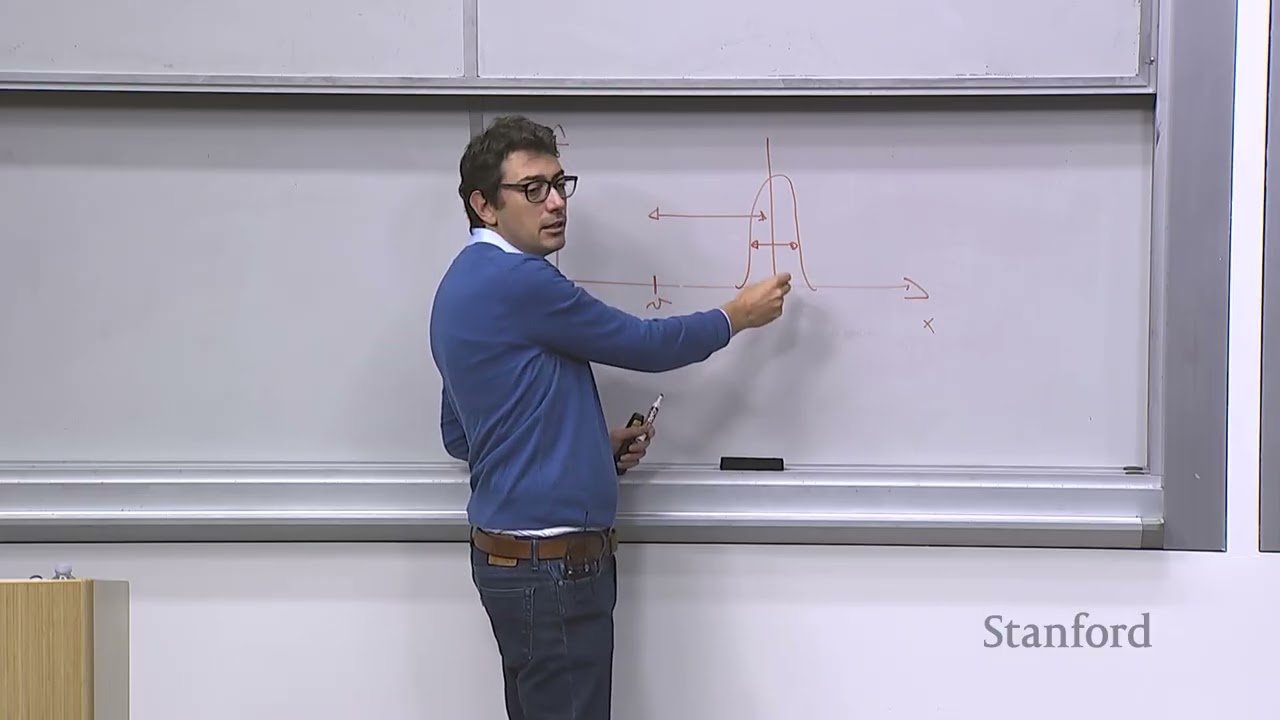
Illustrating the concept on the board with target quantity $x$ and output $y$, Pavone shows that a persistent bias or distance between the true value $v$ and the empirical measurement reflects poor accuracy. In contrast, the statistical spread or variance across repeated observations defines precision: tight clustering indicates high precision, even if a systematic calibration bias keeps those points far from the actual truth.

[12:52](https://www.youtube.com/watch?v=emb_KF3OSu0&t=772s) Precision vs. Accuracy and Sensor Calibration

Precision and accuracy represent fundamentally distinct properties of a sensor. A sensor can be highly inaccurate yet exceptionally precise, meaning that every single time it takes a measurement, it consistently delivers the wrong number. Conversely, a sensor can be accurate but imprecise; its measurement distribution forms a Gaussian centered directly over the true value, but the curve is "pretty fat" due to high variance. While an engineer ideally wants a sensor that is both precise and accurate, a sensor that is merely precise without being accurate is "not the worst thing in the world."

```mermaid flowchart LR accTitle: Sensor Calibration Pipeline accDescr: Diagram showing how systematic bias in a precise sensor is estimated and subtracted to produce calibrated accuracy. subgraph RawMeasurement["Raw Sensor Output"] A["Precise but Biased Measurement"] end subgraph CalibrationProcess["Calibration"] B["Estimate Reproducible Bias"] C["Subtract Bias from Reading"] end subgraph CalibratedMeasurement["Calibrated Output"] D["Accurate & Precise State Estimate"] end A --> B B --> C C --> D ```

During a class interaction, a student points out that if a sensor is consistent, one can simply figure out the error and correct for it. Pavone confirms this practical insight: if a sensor's readings are tightly peaked around an offset value rather than the truth, roboticists can characterize this repeatable offset as a bias. Once the bias is estimated and verified to be reproducible, it can simply be subtracted from incoming readings. This process produces a calibrated sensor that gains accuracy while maintaining its original precision.

- **Precise but Inaccurate**: Narrow probability distribution peaked away from ground truth; repeatedly outputs the same offset value. - **Accurate but Imprecise**: Wide ("fat") probability distribution centered on the true value; high variance across trials. - **Bias Estimation**: Deterministic offsets can be measured and subtracted in software, converting a purely precise sensor into a calibrated, highly accurate tool.

---

[14:05](https://www.youtube.com/watch?v=emb_KF3OSu0&t=845s) Systematic vs. Random Errors and Error Propagation

No physical sensor is completely immune to errors, which fall into two primary categories: systematic errors and random errors. Systematic errors are deterministic discrepancies that can be captured with mathematical models—even if those models are complex—and eliminated through calibration procedures, such as camera calibration. Because they are solvable, Pavone refers to systematic errors as the "benign errors."

```mermaid flowchart TD accTitle: Sensor Error Types and Compounding Pipeline accDescr: Categorization of sensor errors into systematic and random, highlighting propagation through the autonomy stack. subgraph ErrorTypes["Sensor Error Classes"] SE["Systematic Errors<br/>(Deterministic / Calibratable)"] RE["Random Errors<br/>(Stochastic / Outliers)"] end subgraph AutonomyPipeline["Autonomous Software Stack"] F["Raw Sensor Filtering"] P["Perception & Estimation"] D["Downstream Control & Planning"] end SE -.->|"Corrected via Calibration"| F RE -->|"Error Propagation Law"| F F --> P P --> D ```

Random errors, on the other hand, represent the far more troublesome category. These stochastic fluctuations cannot be predicted even by sophisticated models, meaning they can only be bounded by probabilistic distributions. A classic example occurs with range-finding sensors like LiDAR: unpredictable optical reflections in the environment can cause a returned point's distance to be wildly mischaracterized, creating extreme outliers that must simply be treated as noise. In an autonomous robot, data from multiple imperfect sensors are continually filtered and combined along the perception pipeline, causing random errors to compound across downstream estimation and planning layers. The mathematical framework describing how these uncertainties accumulate through the autonomy stack is known as the *error propagation law*.

- **Systematic Errors**: Deterministic and predictable; resolved using calibration routines. - **Random Errors**: Unpredictable; modeled strictly through probability distributions. - **LiDAR Outliers**: Erroneous range returns triggered by optical surface reflections that are too complex to model deterministically. - **Error Compounding**: Filtered sensor outputs feed downstream autonomy tasks, governed mathematically by the error propagation law.

---

[16:39](https://www.youtube.com/watch?v=emb_KF3OSu0&t=999s) Wheel Encoders and the Pitfalls of Wheel Odometry

The wheel encoder is one of the foundational proprioceptive sensors on wheeled mobile robots, functioning as a device that converts mechanical rotational motion into a stream of digital pulses. The hardware setup involves a patterned disk rigidly attached to the wheel axle, featuring a series of radial slits around its outer ring. An optical light source shines through the spinning disk toward a photoreceptive surface on the other side. As the wheel turns, the disk alternately permits and interrupts the light beam, generating a pulse train whose frequency corresponds directly to the angular velocity of the wheel.

By integrating this angular velocity over time, a robot estimates how far it has traveled—a process known as wheel odometry. While straightforward, wheel odometry can fail catastrophically under slippery ground conditions. When asked for failure cases, students suggest speed fluctuations and slipping. Pavone highlights planetary exploration: wheel odometry famously breaks down on Mars rovers because sandy Martian regolith frequently causes the wheels to spin in place. The encoder continues to register rotational velocity correctly, but the rover makes zero forward progress. To circumvent this vulnerability, rovers rely on *visual odometry*, where ego-motion is tracked by comparing successive frames captured by onboard cameras. In response to another student asking how a simple encoder detects the direction of motion, Pavone clarifies that practical encoders employ multiple offset tracks (quadrature encoding) to resolve forward versus reverse rotation, though the high-level principle remains light interruption.

- **Encoder Operation**: Uses an optical emitter, a slotted rotating disc attached to the wheel, and a photodetector to emit square-wave pulses proportional to rotation speed. - **Wheel Odometry**: Integrates rotational velocity over time to calculate linear distance traveled. - **Traction Failure Mode**: Wheel slip on loose terrain (e.g., Martian sand) causes encoders to report movement while the robot remains stationary. - **Visual Odometry Countermeasure**: Uses sequential camera imagery to calculate true ego-motion independently of wheel traction.

---

[19:54](https://www.youtube.com/watch?v=emb_KF3OSu0&t=1194s) Heading Sensors, Gyroscopes, and Mechanical Drift

Heading sensors determine an autonomous vehicle’s orientation relative to an established coordinate reference frame, and they encompass both proprioceptive and exteroceptive designs. An exteroceptive heading sensor measures external environmental signals directly, as seen in magnetic compasses. Conversely, the quintessential proprioceptive heading sensor is the mechanical gyroscope, which leverages conservation of angular momentum: a spinning, high-inertia rotor naturally resists changes to its spin axis, keeping it inertially stable in free space.

When this spinning rotor is mounted inside low-friction gimbals, external torques acting on the robot frame cannot transfer to the rotor, allowing the axis to maintain a constant orientation against an inertial frame. While modern high-end systems use optical gyroscopes that bypass mechanical parts entirely, standard mechanical gyroscopes suffer from pivot friction at the gimbal bearings. This slight friction generates mechanical drift—a slow, persistent accumulation of orientation error. Over extended operations, dead-reckoning relying solely on a drifting gyroscope will cause the robot's internal heading belief to diverge completely from reality. Consequently, autonomous systems must periodically incorporate fixes from external or exteroceptive sensors (such as compasses, beacons, or cameras) to reset accumulated heading drift.

- **Heading Definition**: The angular orientation of the robot's local body frame relative to a global or local reference frame. - **Mechanical Gyroscope**: Relies on a high-inertia spinning rotor isolated by gimbals to preserve an inertially fixed rotational axis. - **Optical Gyroscope**: Advanced, solid-state alternative to mechanical gyroscopes that eliminates moving components, though at significantly higher financial cost. - **Gimbal Friction and Drift**: Microscopic frictional torques cause uncorrected angular drift to compound, demanding periodic corrections from external sensors.

---

[22:48](https://www.youtube.com/watch?v=emb_KF3OSu0&t=1368s) Accelerometers and the Mass-Spring-Damper Model

Accelerometers measure applied forces, capturing everything from dynamic vehicle acceleration to the constant downward acceleration of Earth's gravity. The fundamental operating principle of an accelerometer is modeled as a classic second-order mass-spring-damper mechanical system. Inside the sensor housing sits a designated proof mass $m$, suspended by a spring characterized by elastic stiffness coefficient $k$, alongside a damper providing resistance coefficient $c$.

```mermaid flowchart LR accTitle: Accelerometer Mechanical Operation accDescr: Physical progression from applied force to steady-state displacement readout in a mass-spring-damper accelerometer. subgraph Input["Dynamic Excitation"] A["Applied Force / Acceleration"] end subgraph Dynamics["Internal Mass-Spring-Damper"] B["Mass $m$ Oscillates"] C["Damper $c$ Suppresses Transient Motion"] end subgraph Readout["Steady-State Output"] D["Spring Extension $x$ Becomes Constant"] E["Calculate: $a = \frac{k}{m} x$"] end A --> B B --> C C --> D D --> E ```

When an external force (such as gravity or linear acceleration) acts upon the sensor housing, the equation of motion for the proof mass is governed by the second-order differential equation:

$$m \ddot{x} + c \dot{x} + k x = F_{\text{applied}}$$

Under a constant applied force, the proof mass initially oscillates, but the viscous damper gradually dissipates the kinetic energy, driving the mass toward a stable steady-state position. In this steady-state regime, the velocity and acceleration of the proof mass relative to the housing drop to zero ($\dot{x} = 0$, $\ddot{x} = 0$), reducing the dynamic equation to:

$$\frac{k}{m} x = a_{\text{applied}}$$

Here, $x$ represents the steady-state linear displacement of the proof mass away from its resting equilibrium position. Because the mass $m$ and the spring stiffness $k$ are known physical constants of the sensor, measuring the steady-state deflection $x$ directly yields the applied external acceleration.

- **Proof Mass ($m$)**: Known internal test mass that shifts relative to the sensor casing during acceleration. - **Spring ($k$) and Damper ($c$)**: The spring supplies a restorative force proportional to deflection, while the damper attenuates transient mechanical oscillations. - **Steady-State Derivation**: Setting dynamic derivative terms to zero yields a direct proportionality where applied acceleration $a$ equals $(k/m)x$.

[25:06](https://www.youtube.com/watch?v=emb_KF3OSu0&t=1506s) MEMS Accelerometers and Their Fragility

The mechanical principle underlying an accelerometer relies on suspending a proof mass whose displacement is governed by external forces. If an applied external force is constant—or at least slowly time-varying relative to the natural time constant of the internal spring-mass system—measuring the physical deflection of that mass directly yields the acceleration or force acting on the body. While gravity itself exerts such a force, in robotics the goal is not to measure gravity (which is already known), but rather to measure the dynamic accelerations impacting the robot as it maneuvers.

In modern hardware, these mechanical systems are miniaturized into Micro-Electro-Mechanical Systems (MEMS). A MEMS accelerometer features a micro-machined cantilever beam holding a microscopic mass, with tiny deflections registered through capacitive or photoelectric sensing. This silicon-scale architecture makes them extraordinarily compact, but their microscopic moving parts come with a major physical drawback: fragility.

Professor Pavone illustrates this vulnerability with a familiar household anecdote about young children playing with smartphones. If a toddler repeatedly drops a phone onto the floor, the delicate internal cantilever beams inside the MEMS accelerometer and gyroscope package will eventually shear or snap. Pavone shares that on his own phone—as well as his wife's phone—the screen no longer auto-rotates when turned sideways because the internal MEMS sensors were battered from repeated drops: "That's because basically, these MEMS sensors are nice. But if you abuse them, they are the first ones to fail. So treat your phone with care."

- **Sensing principle**: A suspended proof mass deflects under external force; force is proportional to deflection if external dynamics are slow relative to the spring-mass time constant. - **MEMS implementation**: Micro-cantilever beam with a miniature mass, read out via photoelectric or capacitive measurement. - **Failure mode**: Severe physical shocks (such as dropping a smartphone multiple times) easily destroy the delicate silicon flexures.

---

[26:53](https://www.youtube.com/watch?v=emb_KF3OSu0&t=1613s) Inertial Measurement Units and Dead Reckoning

Once a roboticist can measure angular velocity using gyroscopes and linear acceleration using accelerometers, combining them into a single package yields an Inertial Measurement Unit (IMU). The IMU serves as the fundamental workhorse of robotic and aerospace navigation. By integrating angular velocity readings over time, the system continuously tracks its orientation or heading. By integrating linear acceleration once, the system obtains velocity; integrating velocity a second time produces an estimate of translational position.

```mermaid flowchart TD accTitle: IMU Dead Reckoning Integration Pipeline accDescr: Diagram showing how gyroscopic and accelerometer readings integrate into heading, velocity, and position.

subgraph Gyroscope["Angular Tracking"] G["Gyroscope: Angular Velocity (ω)"] H["Heading / Orientation (θ)"] G -->|"Integrate dt"| H end

subgraph Accelerometer["Translational Tracking"] A["Accelerometer: Acceleration (a)"] V["Velocity (v)"] P["Position (p)"] A -->|"Integrate dt"| V V -->|"Integrate dt"| P end

Init["Initial Conditions (p₀, v₀, θ₀)"] -.-> H Init -.-> V Init -.-> P ```

Given accurate initial conditions for starting position and velocity, an IMU allows an autonomous platform to infer where it is in three-dimensional space purely through internal sensing. IMU technology matured and spearheaded navigation advances after World War II, quickly becoming the cornerstone of aircraft instrumentation. However, this process of estimating current position solely from internal, proprioceptive measurements without external landmarks is known as dead reckoning.

Because dead reckoning relies entirely on cumulative mathematical integration, any infinitesimal sensor noise, bias, or numerical error inevitably compounds over time. Without external corrections, the estimated trajectory drifts away from physical reality, eventually putting the vehicle in a completely different location than what the onboard computer believes.

- **Sensor combination**: Gyroscopes measure angular velocity ($\omega$); accelerometers measure linear acceleration ($a$). - **Integration steps**: Single integration of $\omega$ yields orientation; double integration of $a$ yields position via intermediate velocity. - **Dead reckoning vulnerability**: Proprioceptive drift compounds monotonically over time, requiring external fixes to maintain accuracy.

---

[28:45](https://www.youtube.com/watch?v=emb_KF3OSu0&t=1725s) The Peril of IMU Drift: The Korean Air Tragedy

To illustrate the catastrophic stakes of uncorrected dead reckoning drift, Pavone recounts the historical tragedy of Korean Air Lines Flight 007 in the 1980s. At the time, commercial airliners lacked the fuel capacity to fly non-stop from New York to Seoul, requiring a refueling stopover in Anchorage, Alaska. The prescribed flight path from Anchorage to Seoul required navigating around the heavily guarded airspace of the Soviet Union, specifically avoiding the Kamchatka Peninsula.

Shortly after taking off from Anchorage into the night sky, the airliner's inertial navigation system began to drift. Because it was dark and the aircraft was flying over open ocean waters, the flight crew had no external visual landmarks to recognize that their trajectory had deviated significantly to the west. Unbeknownst to the pilots, the aircraft crossed directly over the Soviet Kamchatka Peninsula. Soviet fighter interceptors were scrambled.

Although the plane briefly re-entered international airspace over the Sea of Okhotsk, it drifted back across Soviet airspace over Sakhalin Island. There, a Soviet military interceptor intercepted the commercial airliner and shot it down. Pavone underscores that while inertial measurement units are capable of remarkable precision, this aviation disaster demonstrates why dead reckoning cannot operate in isolation: inertial systems must be periodically augmented by external references—such as GPS or radio beacons—to eliminate accumulating drift.

- **Flight route**: New York to Seoul with an intermediate refueling stopover in Anchorage, Alaska. - **Failure cause**: Undetected drift in the aircraft's onboard inertial navigation unit during night flying without external references. - **Geographic deviation**: Strayed off course across the Kamchatka Peninsula and Sakhalin Island airspace into Soviet territory, resulting in the aircraft being intercepted and shot down. - **Takeaway**: Pure proprioceptive integration must be anchored with periodic exteroceptive updates.

---

[30:58](https://www.youtube.com/watch?v=emb_KF3OSu0&t=1858s) External Referencing: Beacons and GPS

To curb the cumulative error inherent in inertial drift, robots rely on beacons. In navigation, a beacon is defined as any signaling device placed at a precisely known geographic location. If a mobile platform possesses sensors that can measure its relative distance or bearing to one or more known beacons, it can compute its exact global position through geometric trilateration or triangulation.

Pavone notes that the traditional, historical archetype of a beacon is a coastal lighthouse, which guided mariners safely past hazardous shorelines. In the modern era, the preeminent beacon network on Earth is the Global Positioning System (GPS). GPS consists of a dedicated constellation of orbital satellites broadcasting precisely timed signals. Any mobile robot or receiver equipped with a GPS antenna can measure signal time delays from multiple satellites simultaneously to pinpoint its physical coordinates nearly anywhere on the planet.

- **Beacon definition**: A signaling landmark operating from an accurately predetermined reference coordinate. - **Localization principle**: Measuring ranges or bearings to multiple fixed beacons constrains the robot's unknown position. - **Historical example**: Maritime lighthouses providing coastal line-of-sight bearing cues. - **Modern standard**: The GPS satellite constellation, acting as orbiting radio beacons for global outdoor trilateration.

---

[31:39](https://www.youtube.com/watch?v=emb_KF3OSu0&t=1899s) Active Ranging Sensors: Time-of-Flight and LiDAR

Turning to exteroceptive perception, Pavone introduces active ranging sensors—devices that intentionally emit energy into the environment and detect the reflected signals to calculate distances to surrounding obstacles. Active ranging primarily divides into two categories: time-of-flight (ToF) sensors and geometric sensors. Time-of-flight devices emit a burst of acoustic or electromagnetic energy and measure the precise elapsed time required for that wave to travel to an obstacle, bounce off its surface, and return to the receiver.

The mathematics governing time-of-flight ranging is straightforward: knowing the propagation speed of the wave $c$ (such as the speed of sound for sonar or the speed of light for lasers) and measuring the total round-trip travel time $t$, the total distance traversed by the pulse is $c \cdot t$. Because this represents a two-way round trip, the actual distance $d$ from the sensor to the obstacle is simply half of that total path:

$$d = \frac{c \cdot t}{2}$$

When Pavone asks the lecture hall how to compute the obstacle distance from the round-trip time, the students hesitate, prompting him to joke: "Yeah. This was not supposed to be particularly difficult questions. That's it."

```mermaid flowchart LR accTitle: Time of Flight Working Principle accDescr: Diagram illustrating an active sensor emitting a pulse at speed c, reflecting off an obstacle, and calculating distance d = (c * t) / 2.

Sensor["Active Sensor<br/>(Transmitter / Receiver)"] PulseOut["Emitted Wave (Speed c)"] Obstacle["Target Obstacle"] PulseIn["Reflected Wave"]

Sensor -->|"t = 0"| PulseOut PulseOut -->|"Travels distance d"| Obstacle Obstacle -->|"Reflects back"| PulseIn PulseIn -->|"Arrives at t = round-trip time"| Sensor

Calc["Distance: d = (c · t) / 2"] Sensor -.-> Calc ```

Because electromagnetic waves travel at the speed of light ($3 \times 10^8\text{ m/s}$), the time intervals involved are extraordinarily brief—often in the nanosecond or picosecond range. Building circuitry capable of resolving these minuscule time differences makes high-performance time-of-flight sensors, such as LiDAR (Light Detection and Ranging), technically complex and expensive. Pointing to the research-grade LiDAR mounted on the students' lab robots, Pavone deadpans about its high replacement cost: "For example, the one that you use on your robot is about $8,000. So do not bring it home." Beyond clock accuracy, real-world LiDAR performance is also bounded by target interactions, including multi-path reflections and surface reflectivity.

- **ToF formula**: Obstacle distance equals half the product of propagation speed and round-trip time: $d = \frac{c \cdot t}{2}$. - **Hardware challenge**: Detecting the exact arrival time of light pulses requires specialized, high-bandwidth timing electronics. - **Hardware cost**: The specific LiDAR sensors installed on the course lab robots cost roughly $8,000 each. - **Performance constraints**: Sensor precision is limited by timing resolution and target reflection properties (surface absorption, multi-path bounce).

---

[35:31](https://www.youtube.com/watch?v=emb_KF3OSu0&t=2131s) Geometric Sensors vs. LiDAR: Eye Safety and Power Constraints

The second broad class of active ranging systems uses geometric principles rather than direct time-of-flight timing. Prototypical geometric sensors project structured light patterns—often invisible grids of infrared dots—onto the environment. An offset camera observes how those projected patterns deform across the surfaces of objects; by analyzing the perspective distortion of the known pattern, the sensor's software reconstructs the three-dimensional geometry of the scene. Common commercial examples include the original Microsoft Xbox Kinect and Intel RealSense depth cameras.

Comparing the two approaches, structured light systems are significantly less expensive to manufacture than LiDAR because they rely on conventional CMOS image sensors rather than sub-nanosecond timing circuits. However, they serve very different operational markets. Structured light depth sensors are primarily optimized for dense, short-range indoor mapping within roughly 3 to 4 meters. Conversely, autonomous vehicles rely on LiDAR to generate dense, panoramic point clouds spanning dozens or hundreds of meters outdoors.

Achieving long-range LiDAR detection requires pumping substantial optical energy into laser pulses so that sufficient photons bounce back from distant targets. However, optical power is constrained by a strict physical ceiling: human eye safety. Standard commercial LiDARs operate at wavelengths (such as 905 nm) that pass through the human cornea and lens straight to the retina; pumping enough power to see hundreds of meters ahead at these wavelengths risks permanently blinding pedestrians. Pavone notes that numerous autonomous vehicle startups in the Silicon Valley Bay Area are actively engineering LiDAR systems operating at alternative infrared frequencies (such as 1550 nm), where light is absorbed in the eye's outer layers before reaching the retina. Operating in these eye-safe bands allows engineers to dramatically boost laser output power, though manufacturing reliable lasers at those non-standard frequencies remains significantly more difficult and expensive.

- **Structured light mechanism**: Emits an infrared dot pattern and extracts surface depth by measuring pattern deformation through a parallax camera. - **Commercial examples**: Microsoft Xbox Kinect and Intel RealSense. - **Range comparison**: Structured light excels indoors at close range (3–4 meters); LiDAR targets long-range outdoor perception across tens or hundreds of meters. - **Eye-safety limit**: Laser emission power at common wavelengths (e.g., 905 nm) is capped by the threshold for retinal damage. - **Research frontier**: Bay Area mobility startups are shifting toward eye-safe laser wavelengths (such as 1550 nm) to allow higher transmission power and extended detection range, despite higher fabrication difficulty.

[38:06](https://www.youtube.com/watch?v=emb_KF3OSu0&t=2286s) Sensors for Autonomy: Radars, Emerging Sensing, and the Transition to Vision

The ongoing engineering challenge in solid-state range sensing is embedding lasers directly onto silicon wafers at specific frequencies that are completely eye-safe for humans. While several commercial companies are pursuing this technology, these silicon-based sensors are primarily suited for short-range applications and are considerably cheaper than traditional mechanical time-of-flight range sensors. For truly long-range perception, autonomous systems turn instead to radar. Historically, radar was engineered for aerospace applications—tracking distant airplanes across open skies—rather than detecting pedestrians or vehicles within structured urban streetscapes. Today, automotive radars are being redesigned specifically to meet the distinct demands of robotic autonomy in clutter-rich city environments.

Beyond optical and radio sensors, robotic perception encompasses tactile sensing and emerging physical interfaces such as artificial skins—flexible surfaces fitted across a robot's chassis to register fine-grained contact pressure and temperature changes. Another novel sensing paradigm includes neuromorphic or event-based cameras, which register asynchronous pixel-level changes in illumination in a manner far closer to the biological retina than standard shuttered frames. Wrapping up the broad sensor overview, Professor Pavone quips to the class that they should savor the respite: "You should be glad that for 40 minutes, you didn't have differential equations on the board. Now, we go to mathematical formulas."

- **Short-range vs. Long-range sensing**: Silicon-embedded laser sensors target low-cost short-range needs; time-of-flight lidar covers intermediate ranges; radar dominates very long-range observation. - **Emerging sensor modalities**: Tactile skins (measuring pressure and temperature) and neuromorphic cameras (event-based bio-mimetic sensing).

---

[40:00](https://www.youtube.com/watch?v=emb_KF3OSu0&t=2400s) Introduction to Cameras and Foundations of Computer Vision

Cameras represent one of the most vital sensing modalities in robotics, designed to mimic biological vision. Human eyes capture an enormous volume of spatial and semantic detail by processing ambient light in the visible spectrum reflected off surfaces. While robotic cameras attempt to reproduce that functionality, their internal mechanics differ drastically from biological sight. A physical camera utilizes an optical lens to collect ambient illumination, focuses that light onto a photosensitive detector to produce a digital array of pixels, and then relies on downstream computational algorithms to decipher semantic meaning.

The curriculum for camera perception is split into two distinct halves: first, establishing the physical and geometric models of how cameras capture light and form two-dimensional images (covered across the current and following lecture), and second, developing computer vision algorithms to extract actionable state information from those images. For students seeking deeper foundational mathematical rigor, Professor Pavone highlights three standard literature references: 1. *Introduction to Autonomous Mobile Robots* by Siegwart, Nourbakhsh, and Scaramuzza. 2. *Computer Vision: A Modern Approach* by Forsyth and Ponce. 3. *Multiple View Geometry in Computer Vision* by Hartley and Zisserman.

---

[42:02](https://www.youtube.com/watch?v=emb_KF3OSu0&t=2522s) The Pinhole Concept: From Blurry Scattering to One-to-One Mapping

To appreciate how a camera forms an intelligible image, one must examine why a bare photoreceptive sensor cannot work on its own. Consider sunlight striking an object, such as a tree. Because natural surfaces are diffuse reflectors, every physical point on that tree scatters incident photons outward in countless directions across the hemispherical field. If an unshielded photoreceptive plate—a surface capable of measuring light intensity and converting it to digital electrical charges—is placed in front of the tree, every single location on the sensor is simultaneously bombarded by overlapping rays coming from dozens of disparate parts of the tree and background.

```mermaid flowchart TD accTitle: Image Formation with and without an Aperture accDescr: Diagram illustrating how unshielded light produces blur whereas an aperture isolates rays into a crisp 1-to-1 projection.

subgraph Diffuse["Unshielded Photoreception (Blur)"] Obj1["Physical Object Point"] -->|"Scattered rays"| Sensor1["Pixel A"] Obj2["Adjacent Object Point"] -->|"Scattered rays"| Sensor1 Sensor1 --> Result1["Severe Blur / Averaged Light"] end

subgraph Pinhole["Aperture Shielding (Crisp Image)"] ObjA["Object Point A"] -->|"Single selected ray"| Aperture["Pinhole Aperture"] ObjB["Object Point B"] -->|"Single selected ray"| Aperture Aperture --> SensorA["Pixel A (Isolated)"] Aperture --> SensorB["Pixel B (Isolated)"] SensorA & SensorB --> Result2["1-to-1 Mapping / Crisp Image"] end ```

The resulting recording is an unintelligible blur—a physical spatial average of all incoming rays where no independent feature can be resolved. To correct this, the optical system must establish a strict one-to-one mapping between discrete points on the observed object and discrete points on the photosensitive surface. This is achieved by inserting an opaque screen with an infinitesimal aperture—a pinhole—directly between the scene and the sensor plane. The opaque barrier blocks nearly all scattered rays, permitting only the single ray traversing the exact geometric line of sight through the pinhole to strike the sensor behind it. In the theoretical limit where the aperture shrinks to an ideal geometric point, each photoreceptor location receives illumination from exactly one unique physical object point, yielding a perfectly sharp, crisp depiction.

---

[45:17](https://www.youtube.com/watch?v=emb_KF3OSu0&t=2717s) Camera Obscura: History, Leonardo da Vinci, and Real-World Examples

The realization that a tiny aperture creates an inverted image represents one of the foundational milestones of optics. "As many good ideas in engineering, this idea came from an Italian, Leonardo da Vinci, 1502," who penned the first precise technical explanation of how a pinhole aperture could function as an image-forming instrument. The earliest known formal scientific diagram of the pinhole phenomenon followed in a publication in 1544.

This optical configuration is historically termed the *camera obscura* (literally, "dark chamber"). In a camera obscura, light from a sunlit outdoor scene passes through a small hole in the wall of a darkened room or enclosed box, projecting an inverted, scaled-down replica of the exterior world onto the opposing back surface. Professor Pavone points out that students can experience this phenomenon firsthand in the San Francisco Bay Area: visiting the Cliff House restaurant near Ocean Beach and the Golden Gate, one can walk down the exterior stairs to inspect a historic, working public camera obscura installation.

---

[47:01](https://www.youtube.com/watch?v=emb_KF3OSu0&t=2821s) Pinhole Geometry: Focal Length, Image Planes, and Virtual Projections

Formalizing the pinhole camera requires defining its core physical and mathematical dimensions: - **Pinhole**: The tiny opening through which light rays pass, acting as the optical center of projection. - **Image Plane**: The physical photoreceptive surface placed behind the aperture at which light is collected. - **Focal Length**: The perpendicular distance separating the aperture barrier from the physical image plane.

Because light rays travel in straight trajectories through the central pinhole aperture, the projected real image on the physical sensor plane is naturally scaled down and vertically and horizontally inverted (flipped upside down and mirrored).

```mermaid flowchart LR accTitle: Physical vs Virtual Image Plane Geometry accDescr: Schematic comparing the real inverted image plane behind the pinhole with the upright virtual image plane in front.

Scene["Physical 3D World Point P"] -->|"Passes through"| Virtual["Virtual Image Plane (Distance +f, Upright)"] Virtual --> Center["Pinhole Center (Origin O)"] Center --> Real["Real Image Plane (Distance -f, Inverted)"] ```

Working with inverted image coordinates complicates algebraic geometric derivations. To eliminate negative signs without altering the underlying projective physics, computer vision literature frequently constructs an equivalent **virtual image plane**. This virtual plane is conceptualized as sitting at the identical focal distance directly *in front* of the pinhole, between the aperture and the physical environment. The geometric projection intercepted by this virtual plane is identical in scale and perspective to the real sensor image, but remains upright rather than inverted. This mathematical convenience simplifies coordinate transformations across 3D computer vision.

---

[49:14](https://www.youtube.com/watch?v=emb_KF3OSu0&t=2954s) Mathematical Setup: Camera Reference Frame and Perspective Projection

Translating physical three-dimensional coordinates into two-dimensional pixel locations requires defining a canonical camera coordinate frame: - The origin $O$ of the camera reference system is fixed at the center of the pinhole aperture. - The optical axis is defined as the line passing orthogonally through the pinhole and intersecting the image plane perpendicular to its surface. - The camera frame's $z$-axis is aligned directly along this optical axis, pointing forward toward the scene / image plane. - The $x$-axis and $y$-axis are oriented parallel to the horizontal and vertical coordinate axes of the image plane, completing a right-handed orthogonal triad. - The **image center** (or principal point) is the specific coordinate where the optical axis pierces the image plane.

The central problem of perspective projection can then be formulated algebraically. Given an arbitrary point $P$ in the three-dimensional physical world with coordinates $(X, Y, Z)$ defined relative to the camera reference frame, the objective is to determine the exact coordinates $(x, y, z)$ of the projected point $p$ on the image plane. Deriving this mapping from intrinsic camera parameters like focal length provides the foundational perspective transformation governing all single-view camera geometry.

[52:01](https://www.youtube.com/watch?v=emb_KF3OSu0&t=3121s) Perspective Projection Derivation for the Pinhole Camera

Deriving the mathematical mapping between points in the physical world and points on the image plane begins with the definition of the focal length $f$, which is the distance separating the pinhole from the image plane. To model the projection, consider the vector $\mathbf{Op}$ from the origin of the camera reference frame (located at the pinhole) to the projected image point $p = (x, y, z)$ on the image plane, and the vector $\mathbf{OP}$ from the pinhole to the actual physical object point $P = (X, Y, Z)$ in 3D space. Because both vectors lie on the exact same line of sight, they are collinear and parallel by definition.

Mathematically, two vectors $\mathbf{v}_1$ and $\mathbf{v}_2$ are parallel if and only if $\mathbf{v}_1 = \lambda \mathbf{v}_2$ for some real scalar $\lambda$. Here, $\lambda$ represents both a scaling factor and, via its sign, the relative orientation of the vectors. Because the physical scene lies on one side of the pinhole while the inverted image plane lies on the opposite side, the vectors point in opposite directions, meaning $\lambda$ is negative. Evaluating the relationship $\mathbf{Op} = \lambda \mathbf{OP}$ componentwise gives:

$$x = \lambda X, \quad y = \lambda Y, \quad z = \lambda Z$$

Solving each component for $\lambda$ yields $\lambda = \frac{x}{X} = \frac{y}{Y} = \frac{z}{Z}$. Substituting $\lambda = \frac{z}{Z}$ back into the expressions for the lateral coordinates results in $x = \frac{z}{Z} X$ and $y = \frac{z}{Z} Y$. By construction, the coordinate $z$ of any point on the image plane equals the focal length $f$, giving the classic perspective projection equations:

$$x = \frac{f}{Z} X, \qquad y = \frac{f}{Z} Y$$

A quick consistency check on signs confirms the derivation: if a scene point has positive $X$ and negative $Z$ relative to the camera origin, the projected coordinate $x$ is negative, causing the negative signs to cancel out cleanly. While $f$ is treated as a known constant for this derivation, it must in practice be estimated through camera calibration.

- **Vector formulation:** $\mathbf{Op} = \lambda \mathbf{OP}$ where $\lambda \in \mathbb{R}$ captures scale and directional inversion. - **Perspective mapping equations:** $x = \frac{f}{Z} X$ and $y = \frac{f}{Z} Y$. - **Camera calibration:** Focal length $f$ is assumed known here, with formal calibration methods discussed in the subsequent lecture.

---

[57:07](https://www.youtube.com/watch?v=emb_KF3OSu0&t=3427s) The Pinhole Dilemma: Aperture Trade-offs and Diffraction

While the pinhole model provides a clean, one-to-one mathematical abstraction between scene points and image points, translating it into a physical device introduces a fundamental physical dilemma. In an ideal pinhole with an infinitesimal aperture, only a single light ray from any given scene point reaches the sensor plane, producing an extremely crisp image. Demonstrating this with an aperture comparison sequence across decreasing pinhole sizes—from $2\text{ mm}$ down to $1\text{ mm}$, $0.6\text{ mm}$, and $0.35\text{ mm}$—shows that shrinking the aperture steadily sharpens the image by enforcing that true one-to-one geometric mapping.

```mermaid flowchart LR accTitle: Pinhole Aperture Trade-off accDescr: Diagram illustrating how shrinking pinhole aperture leads to crisper images but causes dark exposure and diffraction artifacts. subgraph Aperture["Pinhole Aperture Size"] L["Large Aperture (e.g. 2 mm)"] S["Small Aperture (e.g. 0.35 mm)"] end subgraph Tradeoffs["Physical Consequences"] L -->|"Broad light bundle"| Blur["Blurry image / overlaps"] S -->|"Single light ray limit"| Crisp["Crisp projection"] S -->|"Photons restricted"| Dark["Image becomes too dark"] S -->|"Wave nature of light"| Diff["Diffraction limits"] end ```

The physical catch is illumination. As the aperture shrinks toward zero, the number of photons passing through drops precipitously. The image grows darker and darker until the photoreceptive surface receives insufficient light to register anything useful: "In principle, you have a very crisp image. In practice, you don't see anything." Furthermore, shrinking the aperture toward the wavelength of light encounters the diffraction limit, introducing interference patterns that degrade image sharpness regardless of geometric optics. Engineers face a conflicting trade-off: a tiny pinhole delivers crispness at the expense of light throughput and diffraction, whereas a large pinhole admits sufficient light but blurs the scene due to overlapping rays.

- **Aperture progression observed:** $2\text{ mm} \to 1\text{ mm} \to 0.6\text{ mm} \to 0.35\text{ mm}$. - **Core trade-off:** Geometric sharpness versus photon flux and diffraction limits. - **Engineering bottleneck:** Pinhole cameras are conceptually elegant, but physically impractical for dynamic, real-time autonomous robotics.

---

[59:02](https://www.youtube.com/watch?v=emb_KF3OSu0&t=3542s) Introduction to Lenses and the Thin Lens Model

To resolve the pinhole trade-off, practical imaging systems introduce an optical lens. Rather than discarding almost all light rays to force a single ray through a pinhole, a lens uses refraction—the bending of light as it passes across optical media governed by Snell's law—to collect a wide bundle of diverging rays originating from a single scene point and refocus them onto a single point on the sensor. This achieves the desired one-to-one mapping while capturing vastly more light, yielding images that are both sharp and bright.

```mermaid flowchart TD accTitle: Lens Collection Mechanism accDescr: Flowchart contrasting the pinhole light rejection with the lens light collection and refraction mechanism. subgraph PinholeApproach["Pinhole Approach"] P1["Point P in World"] -->|"Rejects almost all rays"| Hole["Tiny Aperture"] Hole -->|"Single ray passes"| Sensor1["Dim, sharp image"] end subgraph LensApproach["Lens Refraction Approach"] P2["Point P in World"] -->|"Emits broad cone of rays"| Lens["Refractive Lens"] Lens -->|"Bends and focuses all rays"| Sensor2["Bright, sharp image"] end ```

A student raises a critical concern: if a lens collects light rays across a wide surface, wouldn't light reflecting from other parts of the scene hit the same area and produce overlapping blur, just like an oversized pinhole? This identifies the primary complication of refractive optics: a given lens only focuses objects perfectly at a specific distance from the lens plane. Objects located closer or farther away do not converge to a single sharp point on the sensor plane and appear out of focus. However, as long as objects remain within an acceptable range known as the depth of field, optical blurring remains minimal.

- **Primary role of the lens:** Collects a cone of rays from each scene point and refracts them to converge at a single sensor location. - **Core advantage:** Retains the geometric projection of a pinhole while vastly increasing light gathering power. - **The focusing limitation:** Complete sharpness is strictly depth-dependent; objects outside the nominal focal distance produce blur circles.

---

[01:02:16](https://www.youtube.com/watch?v=emb_KF3OSu0&t=3736s) Ray Tracing Properties and Similar Triangles Geometry

Analyzing how a lens projects 3D space onto an image plane relies on the thin lens approximation, which assumes the thickness of the lens is negligible relative to its radii of curvature. Applying Snell's law under this assumption produces three geometric ray-tracing rules:

1. **Center ray:** Any ray passing through the exact optical center of a thin lens undergoes zero net refraction, continuing straight along its original path—behaving identically to a ray in a pinhole camera. 2. **Parallel ray:** Any ray traveling parallel to the lens's optical axis is bent through the focal point $f'$ on the opposite side. 3. **Point convergence:** All rays originating from a specific scene point $P$ intercept at a common conjugate focal point $p$. Placing the photoreceptive surface at this convergence plane preserves a one-to-one spatial mapping.

Because the point of convergence moves along the optical axis as the physical distance of point $P$ shifts, camera geometry must relate the object distance, the image distance, and the focal length $f$. This relationship is derived using similar triangles formed by the rays. Two triangles are similar if their interior angles are identical, guaranteeing that their corresponding side lengths are proportional. In the thin-lens ray diagram, two pairs of triangles are examined: a pair of blue triangles and a pair of red triangles. Taking the blue triangles first, they share matching opposite vertical angles at the lens center, both contain a $90^\circ$ right angle to the optical axis, and therefore share their third remaining angle, establishing the geometric basis for the thin lens equation.

- **Thin lens definition:** Lens thickness is negligible compared to the radius of curvature. - **Key ray properties:** - Center ray: passes through completely unrefracted. - Parallel ray: refracts directly through the focal point $f'$. - Image point: intersection where all refracted rays from object point $P$ meet. - **Geometric method:** Similar right triangles establish proportionality between object distance, sensor distance, and focal length.

[01:06:01](https://www.youtube.com/watch?v=emb_KF3OSu0&t=3961s) Deriving the Thin Lens Equation via Similar Triangles

Prof. Pavone derives the fundamental thin lens equation using geometric optics and similar triangles. Looking at the geometry of light rays passing through a thin lens, he considers a point $P = (X, Y, Z)$ in 3D space mapped to an image point $p = (x, y, z)$. By analyzing the primary set of triangles formed by the chief ray passing through the optical center, the ratio of the vertical image height $y$ to the physical object height $Y$ equals the ratio of the image distance $z$ to the physical object distance $Z$:

$$\frac{y}{Y} = \frac{z}{Z}$$

Next, by considering the rays refracted through the lens focal point (the red triangles in the lecture diagram), the ratio between the same vertical edges $y$ and $Y$ can also be written in terms of the focal length $f$ and the remaining distance to the image plane, $z - f$:

$$\frac{y}{Y} = \frac{z - f}{f}$$

Equating the two expressions yields $\frac{z}{Z} = \frac{z - f}{f} = \frac{z}{f} - 1$. Dividing both sides of the equation by $z$ produces the classic thin lens equation:

$$\frac{1}{Z} + \frac{1}{z} = \frac{1}{f}$$

This relationship links three core quantities: the lens focal length $f$ (an intrinsic geometric property of the lens assumed to be known), the distance $Z$ from the physical object to the lens, and the distance $z$ behind the lens where all rays converge in sharp focus. If a photoreceptive sensor or film is positioned at this distance $z$, the resulting captured image will be completely in focus.

```mermaid flowchart LR accTitle: Thin Lens Similar Triangles Derivation accDescr: Derivation steps showing how similar triangles lead to the thin lens equation. subgraph Geometry["Similar Triangle Relations"] A["Chief Ray: y / Y = z / Z"] B["Focal Ray: y / Y = (z - f) / f"] end subgraph Equation["Thin Lens Formula"] C["z / Z = z / f - 1"] D["1 / Z + 1 / z = 1 / f"] end A --> C B --> C C --> D ```

[01:08:56](https://www.youtube.com/watch?v=emb_KF3OSu0&t=4136s) Thin Lens Approximations, Depth of Field, and Pinhole Equivalence

Pavone highlights a crucial practical regime: when an object is very far away in the scene, its distance $Z$ is vastly larger than both the focal length $f$ and the sensor distance $z$ ($Z \gg z, f$). As $Z \to \infty$, the term $1/Z \to 0$, forcing the focal plane distance $z$ to be approximately equal to the focal length $f$ ($z \approx f$). In everyday cameras, physical object distances are typically far greater than the tiny millimeter-scale lens dimensions inside the device, making this far-field approximation exceptionally accurate. Pavone jokes about the practical utility of lens optics, noting that this predictable refraction behavior is the reason "I can use my glasses, and I'm not a blind person."

Because points at a distance $Z$ are only sharply focused at an exact distance $z$ satisfying the thin lens equation, an object placed at an arbitrary distance would theoretically produce a blur circle if the sensor is fixed. In practice, however, cameras have a tolerance window known as the depth of field (or depth of focus), over which scene points remain acceptably sharp. When objects get extremely close to a simple lens, focusing fails without complex, multi-element optical assemblies.

Crucially, because a thin lens focuses distant scene points onto a plane at distance $f$ behind the center of the lens, its projective geometry becomes mathematically identical to the idealized pinhole camera model. This equivalence provides theoretical justification for robotics and computer vision: rather than modeling complex lens refractions, researchers can use the simple pinhole camera model for algorithm design, confident that physical cameras with lenses implement the exact same geometric projection.

- Under the pinhole perspective model, the mapping equations are identical when substituting the lens focal length $f$ for the sensor distance. - Depth of field / depth of focus defines the physical distance range over which blur is imperceptible to the sensor. - The pinhole camera model is mathematically convenient and serves as the primary foundational model throughout the remainder of the course.

[01:12:14](https://www.youtube.com/watch?v=emb_KF3OSu0&t=4334s) The Three-Step Camera Projection Pipeline

With the pinhole model justified, Pavone outlines the end-to-end geometric pipeline needed to project a 3D physical point into 2D image coordinates. The full transformation maps a point $P_w$, defined relative to an arbitrary world inertial reference frame, all the way to discrete pixel indices $(u, v)$ on a digital sensor. This mapping is structured into three sequential stages:

```mermaid flowchart LR accTitle: End-to-End Camera Projection Pipeline accDescr: Three-step process transforming 3D world coordinates to 2D pixel coordinates. A["World Point P_w<br>(World Frame)"] -->|"Step 1: Extrinsics<br>[R | t]"| B["Camera Point P_c<br>(Camera Frame)"] B -->|"Step 2: Pinhole Perspective<br>Division by Z_c"| C["Continuous Image (x, y)<br>(Image Plane)"] C -->|"Step 3: Sensor Discretization<br>Pixel Scaling & Offset"| D["Pixel Coordinates (u, v)<br>(Discrete Pixels)"] ```

The first step converts the world coordinates $P_w$ to camera-centric coordinates $P_c = (X_c, Y_c, Z_c)$ using the camera's extrinsic pose (rotation and translation relative to the world). The second step projects $P_c$ onto the continuous image plane coordinates $(x, y)$ using standard perspective projection:

$$x = f \frac{X_c}{Z_c}, \quad y = f \frac{Y_c}{Z_c}$$

The third step converts continuous metric coordinates $(x, y)$ on the image plane into discretized pixel coordinates measured by camera hardware grids.

Pavone notes a major mathematical complication inherent in this pipeline: the perspective projection step involves dividing by the depth coordinate $Z_c$, making the transformation fundamentally nonlinear. Because nonlinear mappings are difficult to manipulate and invert directly, the lecture will introduce homogeneous coordinates (projective geometry) in the following class to express this entire perspective projection as a clean linear matrix multiplication. This linear representation will unlock camera calibration techniques for recovering intrinsic camera parameters (such as focal lengths and principal points) and enable full 3D scene reconstruction from camera imagery. Rather than rushing through the remaining slides, Pavone concludes the session and defers the detailed matrix derivations and computational computer vision topics to Thursday.

## Notable quotes > [00:05](https://www.youtube.com/watch?v=emb_KF3OSu0&t=5s) should be happy that from now on, it will be downhill in terms of difficulty. — Marco Pavone

> [12:52](https://www.youtube.com/watch?v=emb_KF3OSu0&t=772s) pretty fat — Marco Pavone

> [12:52](https://www.youtube.com/watch?v=emb_KF3OSu0&t=772s) not the worst thing in the world. — Marco Pavone

> [14:05](https://www.youtube.com/watch?v=emb_KF3OSu0&t=845s) benign errors. — Marco Pavone

> [25:06](https://www.youtube.com/watch?v=emb_KF3OSu0&t=1506s) That's because basically, these MEMS sensors are nice. But if you abuse them, they are the first ones to fail. So treat your phone with care. — Marco Pavone

> [31:39](https://www.youtube.com/watch?v=emb_KF3OSu0&t=1899s) Yeah. This was not supposed to be particularly difficult questions. That's it. — Marco Pavone

## Mentioned Marco Pavone, Jur van den Berg, Korean Air Lines, Global Positioning System (GPS), Soviet Union, Kamchatka Peninsula, Sakhalin Island, Sea of Okhotsk

## Video description For more information about Stanford’s graduate programs, visit: https://online.stanford.edu/graduate-education

Lecture 8 — Robotic Sensors and Introduction to Computer Vision

Note: This lecture was recorded as part of the 2019 edition of the course. Course content, structure, assignments, and other materials may have changed since this recording. The course links below point to the most recent edition and may therefore differ from what is presented in the video.

Read the companion textbook, Principles of Robot Autonomy, free online: https://porabook.com

Follow along with the latest course schedule and syllabus: https://stanfordasl.github.io/PoRA-I

Speaker: Prof. Marco Pavone

Dr. Marco Pavone is an Associate Professor of Aeronautics and Astronautics at Stanford University and a Senior Director of Autonomous Vehicle Research at NVIDIA. Prior to joining Stanford, he was a Research Technologist in the Robotics Section at NASA’s Jet Propulsion Laboratory. Dr. Pavone received his Ph.D. in Aeronautics and Astronautics from the Massachusetts Institute of Technology in 2010. His research focuses on the analysis, design, and control of autonomous systems, with particular emphasis on self-driving cars, autonomous aerospace vehicles, and future mobility systems. He has been recognized with numerous awards, including the Presidential Early Career Award for Scientists and Engineers from President Barack Obama, the Office of Naval Research Young Investigator Award, the NSF CAREER Award, the NASA Early Career Faculty Award, the IEEE Kiyo Tomiyasu Award, the CSS Award for Technical Excellence in Aerospace Control, and the Early-Career Spotlight Award from the Robotics Science and Systems Foundation.

Full playlist: https://www.youtube.com/playlist?list=PLR9iNyexfIkk

#StanfordOnline #RobotAutonomy #Robotics #PhysicalAI

[Source](https://www.youtube.com/watch?v=emb_KF3OSu0)

中文简报

斯坦福 AA274A 机器人自主性原理 | 2019秋 | 传感器与计算机视觉导论 Marco Pavone 教授通过介绍传感器分类,标志着课程正式转向机器人感知模块;他区分了本体感受与外感受传感器、主动与被动传感器,并讲解了精度、准度以及系统误差标定等技术指标。讲座详细阐释了轮式编码器、陀螺仪以及质量-弹簧-阻尼 MEMS 加速度计的力学原理与失效模式,并通过大韩航空007号班机被击落等历史事件展示了纯航位推算漂移的危险性。Pavone 还涵盖了飞行时间法等主动测距技术,随后引入了相机模型。最后,他演示了如何利用齐次坐标将透视投影重新表述为线性变换,以用于三维重建与标定。 斯坦福 AA274A 课程转向机器人感知模块,重点研究如何将相机和激光雷达的原始传感器数据转化为几何特征与语义分类,以用于定位和控制。 (0:05) 惯性航位推算因对角速度的一次积分和对加速度的二次积分,本质上面临单调的误差累积,需要依靠外部信标更新以防止灾难性漂移。 (26:53) 本体感受传感器在实际应用中面临严重的机械脆弱性,包括松软地面上车轮打滑导致的里程计失效,以及 MEMS 加速度计中的硅悬臂梁在物理冲击下发生结构剪切。 (16:39) 射影几何和齐次坐标将非线性透视深度除法重新表述为线性矩阵运算,为相机标定和三维场景重建奠定了数学基础。

Reading summary

Professor Marco Pavone introduces robotic perception by establishing how autonomous systems measure their surroundings, balance sensor error dynamics, and model optical image formation. Sensor Classification and Error Dynamics (4:23) Robotic sensors are categorized along two operational dimensions: proprioceptive (measuring internal states like motor velocity and joint angles) versus exteroceptive (measuring the external world), and passive (monitoring ambient environmental energy) versus active (emitting controlled energy into the surroundings). Sensor performance is evaluated through benchtop design metrics—including dynamic range, resolution, linearity, and bandwidth—alongside in-situ field metrics like sensitivity, cross-sensitivity, accuracy, and precision. Pavone emphasizes that precision (measurement repeatability) and accuracy (closeness to ground truth) are distinct properties. A sensor can be precise yet inaccurate; in such cases, repeatable systematic errors can be modeled as deterministic bias and subtracted via calibration routines. Conversely, random errors cannot be eliminated through modeling and must be bounded by probabilistic distributions, which compound across the autonomy stack according to the error propagation law. Proprioceptive Sensing and Dead Reckoning Drift (26:53) Proprioceptive sensors track internal vehicle motion without relying on external landmarks. Wheel encoders measure rotational velocity to compute odometry, but they fail during wheel slip—such as Mars rovers losing traction on sand regolith, requiring visual odometry as a backup. Gyroscopes track angular velocity through conservation of angular momentum, though gimbal friction induces mechanical drift over time. Accelerometers model dynamic forces using a suspended proof mass governed by second-order mass-spring-damper dynamics, commonly implemented as micro-electro-mechanical systems (MEMS). Combining gyroscopes and accelerometers yields an Inertial Measurement Unit (IMU). Integrating angular velocity tracks orientation, while double-integrating linear acceleration yields translational velocity and position through dead reckoning. Because integration continually compounds sensor noise and bias, pure dead reckoning eventually diverges from reality. Pavone cites the Korean Air Lines Flight 007 disaster—where uncorrected inertial drift steered an airliner into Soviet airspace—to demonstrate why dead reckoning must be periodically reset using external reference beacons like GPS. Active Ranging Modalities and Operating Trade-offs (31:39) Active exteroceptive sensors emit energy to determine obstacle distances. Time-of-flight (ToF) sensors, such as LiDAR, emit wave pulses and measure round-trip elapsed time t to calculate range as d = (c · t) / 2, where c is wave propagation speed. In contrast, geometric sensors project structured light patterns—such as infrared dot grids used in Kinect and RealSense devices—and infer depth by observing pattern deformation with an offset camera. Structured light depth cameras offer inexpensive solutions optimized for dense, short-range indoor mapping within 3 to 4 meters, whereas outdoor autonomous driving relies on LiDAR for long-range point clouds. However, long-range LiDAR is physically constrained by eye safety: standard 905 nm lasers risk retinal damage at high optical power, leading developers toward 1550 nm wavelengths that absorb in outer ocular tissue. For even longer ranges, platforms utilize radar, alongside emerging modalities like tactile artificial skins and event-based neuromorphic cameras. Optical Projection and the Thin Lens Model (59:02) Cameras rely on aperture shielding to prevent scattered diffuse light from creating overlapping blur on photoreceptors. The idealized pinhole camera produces an inverted projection modeled by collinear perspective equations: x = (f / Z) X and y = (f / Z) Y, where f is focal length. However, shrinking a pinhole to sharpen image formation creates an engineering trade-off: severe photon restriction causes darkness, and light diffraction limits resolution. Practical cameras overcome this trade-off using refractive lenses, which collect broad cones of light and refocus them to conjugate points. Under the thin lens approximation, Snell's law yields 1/Z + 1/z = 1/f, relating object distance Z, image convergence plane z, and focal length f. In standard robotics regimes where physical scene distance is far greater than lens focal length (Z >> f), image distance z approximately equals f. This ensures that lens-based cameras remain geometrically equivalent to the pinhole model within their depth of field. Because perspective projection divides spatial coordinates by depth Z, the conversion from 3D world points to 2D pixel coordinates is fundamentally nonlinear. Pavone notes that subsequent lectures must reformulate this pipeline using homogeneous coordinates to linearize projection matrices for camera calibration and 3D reconstruction.

Source quotes

[0:05] Marco Pavone: should be happy that from now on, it will be downhill in terms of difficulty. [12:52] Marco Pavone: pretty fat [12:52] Marco Pavone: not the worst thing in the world. [14:05] Marco Pavone: benign errors. [25:06] Marco Pavone: That's because basically, these MEMS sensors are nice. But if you abuse them, they are the first ones to fail. So treat your phone with care. [31:39] Marco Pavone: Yeah. This was not supposed to be particularly difficult questions. That's it.

Original transcript

[0:05] So today, we're going to transition [0:07] into the second module of this class. [0:10] And in particular, we're going to talk [0:11] about robotic perception. [0:14] As you remember, the class is roughly divided [0:17] into four modules. [0:19] The first one is on trajectory optimization and optimal [0:22] control, traditionally the hardest module. [0:27] So you should be happy that from now on, it will be downhill [0:30] in terms of difficulty. [0:32] Second module, robot perception. [0:35] Third module, localization and mapping. [0:37] And finally, reasoning, state machines, stochastic decision [0:42] making, and so on. [0:43] In particular, for the next couple of weeks, as I mentioned, [0:48] we will be covering robot perception, basically [0:50] the process of gathering information [0:52] about the environment and try to extract relevant features [0:58] about the environment that allowed the robot, on the one [1:01] hand, to localize itself within the environment, [1:04] and on the other hand, decide what [1:07] is the best action to do next. [1:11] So in this lecture today, first I'm [1:13] going to give you a broad overview of the sensors [1:16] out there that the robot can use in order [1:19] to perceive the environment. [1:20] And then we're going to focus on specific sensor that [1:24] is of pivotal importance, which is the camera. [1:28] And in particular, for most of this class, [1:31] we'll be focusing either on cameras or on LiDARs. [1:37] And indeed, the robotics platform [1:39] you'll be working with as both a LiDAR, so a laser [1:44] sensor and a camera. [1:47] So in the second part of this lecture, [1:49] I'm going to give you an introduction [1:51] to cameras, camera models. [1:54] And then on Thursday, we're going to go deeper into cameras. [1:58] And in particular, we're going to cover [1:59] the topic of camera calibration and how [2:02] to reconstruct the scene. [2:05] And in particular, how to measure distances [2:08] by using a camera images. [2:10] The following week, we will be then focusing [2:12] on how to extract the higher level [2:15] information, such as geometrical properties of an environment, [2:20] lines, walls, and so on, and also semantic information [2:24] about environment. [2:25] How do we detect whether there is a person, a cat, and so on? [2:29] So let's start from the foundations. [2:32] So here, I'm showing you a self-driving car. [2:35] Self-driving car is a prototypical autonomous system [2:38] that showcases a number of sensors that are widely used [2:41] in the field of robot autonomy. [2:44] For example, a self-drivinng car has a number of cameras, [2:49] has a LiDAR or multiple LiDARs or laser sensors, [2:53] as we will see next, to perceive the environment [2:58] with a high accuracy as radars to perceive distant obstacles, [3:05] ultrasonic sensors sometimes in order to perceive objects that [3:12] are close by, GPS, and so on. [3:15] So you can see how an autonomous robot [3:17] is a machine that entails a number of very [3:20] different sensors. [3:23] Once you have the entire sensing pipeline setup, [3:27] and you already saw some of these images [3:29] during the seminar of your VandeBerg during week one, [3:34] and it's a video that already showed you, [3:36] that's how a prototypical robot obstructs the environment. [3:43] So for example, this is the case of a self-driving car [3:45] that is driving on the highway. [3:47] This is the image from a camera. [3:49] From the point of view of the robot, [3:51] that's how the word looks like. [3:54] Oops. [3:55] You have bounding boxes representing [4:00] the objects that are perceived. [4:02] So everything that-- [4:05] There is some text here, some commentary. [4:10] But anyway, so you already saw this video. [4:12] So the idea is to go from raw measurements [4:17] all the way to semantic understanding. [4:19] This is really the goal of robot perception. [4:23] Now the sensors can be classified [4:25] in many different ways. [4:28] One fundamental way is whether the sensors [4:30] are proprioceptive or exteroceptive. [4:33] A proprioceptive sensor is a sensor [4:35] that measures values that are internal to the robot. [4:39] Like for example, the speed of the motor or the position [4:43] of the joint angles for a robotic arm [4:45] and so on and so forth. [4:47] In contrast, an exteroceptive sensor [4:50] is a sensor that acquires information [4:52] from the robot's environment. [4:55] Like for example, distance measurements [4:59] acquired through a LiDAR. [5:01] Another important distinction for sensors [5:03] is whether they are passive or active. [5:06] A passive sensor is a sensor that [5:08] measure energy in environment, say, for example, a camera that [5:13] measures the amount of light that [5:16] arrives at a photoreceptive surface within the camera, [5:21] while an active sensor is a sensor that emits energy [5:24] into the environment and measure the reactions. [5:28] And then from that measurement, the sensor [5:31] tries to deduce some information about environment. [5:35] Typical active sensors are laser rangefinders that shoot a laser [5:40] and then measure the signal that is received back [5:44] or ultrasonic sensors, whereby what you shoot out [5:48] is an ultrasound signal. [5:54] Now, one of the advantages of the passive sensors [5:58] is that they are broadly relatively cheap and very widely [6:05] available. [6:06] But the disadvantage is that they [6:08] are sensitive to the environmental conditions. [6:12] For example, a camera works well if you [6:14] have good lighting conditions. [6:16] But then if you are in a dark situation, [6:19] then you don't have a signal anymore. [6:21] In contrast, an active sensor is capable of working [6:26] on a wide array of conditions. [6:28] For example, you emit light in order to illuminate the scene. [6:32] But generally, they tend to be more expensive. [6:36] So as always, there is a trade-off [6:37] in terms of how you architect the sensing package [6:40] for your robot. [6:45] In terms of the performance, broadly, sensors are-- yes. [6:51] Classification system that would say, like I'm thinking a camera [6:54] flash. [6:56] Would that be considered an active sensor system [7:00] if you had lights on, and then you [7:01] have the camera viewing the environment with that light you [7:05] added to it? [7:05] So this is a relatively broad categorization of sensors. [7:13] So there are not very strict guidelines. [7:15] But from my point of view, the flash of a camera [7:18] is an example of active sensing. [7:20] Whereby you are emitting energy into the environment in order [7:23] to help with the perception process. [7:27] Yeah. [7:29] So another important way of reasoning about sensors [7:33] is how do we specify the performance of those sensors? [7:36] And basically, the performance of sensors [7:38] can be specified in terms of design [7:41] specs and in-situ performance. [7:43] Design specs are characteristics of a sensor that can be measured [7:50] in a laboratory environment. [7:51] So basically in the plant where the sensors are produced. [7:58] In-situ specifications are those that [8:00] can only measured when you filled the sensor [8:05] in a real world application. [8:07] Let's start with the design specs. [8:09] The four main ones are the dynamic range, [8:12] meaning the ratio between the maximum and minimum input values [8:15] that your sensor can measure. [8:17] Say for a thermometer, the maximum-minimum temperature [8:22] that you can measure. [8:23] The resolution. [8:24] So the minimum difference between two values, [8:27] like 1 degree Celsius or 0.1 degrees Celsius and so on. [8:32] The linearity, whether the output response [8:35] is linear with respect to the input signal. [8:39] Usually, for a sensor, you would like to have a linear response. [8:42] Because it simplifies the number of operations from calibration [8:47] to the interpretation of the signal and so on. [8:50] And finally, the bandwidth of frequency. [8:51] So how quickly you get measurement updates [8:54] from the sensors. [8:57] In some cases, you can go up to kilohertz. [8:59] But from other sensors, you have a much slower updates. [9:03] For example from LiDAR, usually, you [9:04] have updates in the order of a few hertz. [9:09] Another interesting set of specifications [9:11] are, as I mentioned before, the in-situ specification. [9:14] So those that are needed to be characterized in the target [9:18] environment. [9:19] Basically, if you have a robot, you [9:21] feed it on something that emulates the surface of Mars [9:25] or on a cave. [9:26] And then you really see how your sensor performs. [9:30] In particular, two very important-- well, [9:32] that are all very important. [9:33] So the first one is the so-called sensitivity. [9:36] So the ratio of output change to input change. [9:40] So if you change the input, say the amount of light [9:44] that is coming at your camera, what [9:47] is the change in the signal that is coming out of your camera? [9:51] Ideally, you would like to have a high sensitivity. [9:55] But in some cases, that is not the case. [9:57] An even more important, specification [10:00] is cross sensitivity. [10:01] Basically how the output of your sensor [10:05] is related to quantities that are not related to your target [10:10] quantity. [10:11] For example, assume that you have a compass [10:15] to measure your heading. [10:16] And so what you want to measure with a compass [10:20] is basically the deviation between your heading [10:23] and the magnetic field of Earth. [10:25] But now, let's assume that I put some magnets around the compass. [10:29] Then the output of the compass is [10:31] going to be perturbed by the fact [10:32] that you have a magnet around you, which [10:35] means that your sensor has a high cross [10:37] sensitivity with respect to quantities [10:40] that are not really related to what you want to really measure. [10:45] Of course, in general, you would like [10:47] to have a sensitivity that is 0. [10:50] But all sensors somehow are coupled [10:52] with the quantities that are not directly related to those [10:55] that you want to measure. [10:56] So you have to be careful about it. [10:58] For example, a compass might be difficult to work [11:01] with on an autonomous, robot where you have [11:04] a number of metallic parts. [11:06] Because that sensor might exhibit high sensitivity. [11:10] The third in-situ specification is the error. [11:13] This is probably the most obvious one, [11:15] which is the difference between what you measure [11:18] and the true value of the underlying quantity [11:21] that you're trying to measure. [11:26] And finally, two other specifications [11:28] that oftentimes are conflated are the notion of accuracy [11:32] and the notion of precision. [11:33] Accuracy refers to the degree of conformity [11:39] between what you measure and the true value in the percentages. [11:44] So is defined as 1 minus the magnitude [11:48] of the error over the true value that you're trying to measure. [11:53] Of course, if the error is 0, it means [11:56] that your accuracy is 100%. [11:59] Precision instead quantifies the degree of reproducibility [12:05] of the results. [12:06] So to be clear, say that x represents the target quantity [12:17] that you want to measure. [12:18] Y is the output. [12:22] So say that this is the true value v, [12:30] and this is what you measure. [12:32] So this difference is related to accuracy. [12:37] In particular, 1 minus this distance over the value [12:40] is the accuracy. [12:41] While if you carry out multiple measurements [12:45] and you get a spread of measurements, [12:48] this spread is related to precision. [12:52] So you might have a sensor that is highly inaccurate but very [12:56] precise, which means that every time, it gives you [12:59] the wrong information. [13:01] Likewise, you can have a sensor that is accurate [13:04] but imprecise, which means that basically, these [13:08] are sort of Gaussian, is centered around the true value, [13:12] but is pretty fat. [13:14] So the key point here is that the precision and accuracy [13:17] are two distinct concepts. [13:19] And in general, you want to have a sensor that [13:21] is both precise and accurate. [13:24] The sensor that was just precise but not accurate [13:27] is not the worst thing in the world. [13:29] So you can figure out what the error was, [13:30] and you can practice-- [13:31] Exactly. [13:34] It's a very good point. [13:35] So if you have something that is very precise. [13:37] So it's very peaked around a given value, that does not [13:41] reflect the true value. [13:42] Then what you can do, and that's actually [13:44] what is done oftentimes in practice, [13:46] is to estimate the bias. [13:49] See if the bias is very reproducible. [13:51] And then subtract it out from the value that you get. [13:54] And now, you have a calibrated sensor, [13:57] which is also very accurate. [13:58] Yes, absolutely. [13:59] And that is often done in practice. [14:05] So your question brings us to the topic of errors. [14:08] So no matter how accurate and precise your sensor is, [14:12] you're going to have errors. [14:14] In particular, errors are divided [14:15] into two main categories. [14:18] Systematic errors. [14:19] So those as you were referring to that are deterministic, [14:23] and in principle, they can be modeled maybe [14:26] with some sophisticated models. [14:27] But actually, they can be modeled. [14:29] And they can be corrected for through a procedure referred [14:32] to as calibration. [14:34] And we will talk in particular about the camera calibration [14:37] on Thursday. [14:38] So in a way, these are the benign errors. [14:41] Stuff that you can correct for. [14:43] The other class of errors, those are the more annoying ones, [14:47] are the random errors. [14:48] Those that cannot be predicted with even sophisticated models. [14:52] So they appear as random errors. [14:55] For which maybe you can provide a distribution, [14:59] a probabilistic distribution to characterize them [15:02] but not much more than that. [15:03] And this is typically the case, for example, [15:06] of outliers in range-finding sensors such as LiDAR. [15:10] Sometimes, you get a point whose distance [15:14] is completely mischaracterized. [15:16] It's very difficult to-- and that [15:18] has to do with some maybe reflection in your scene [15:22] that are very difficult to model. [15:23] So you just treat that as a random error. [15:27] Now, much more could be said on how we characterize [15:30] these errors, and we will come back to this topic [15:35] later on when we talk about localization. [15:37] But an important task for the roboticist [15:41] is to characterize the errors as other systematic and random. [15:48] And specifically for those errors that are random, [15:51] understand how these randomness propagate [15:55] through your autonomous stack. [15:57] In general, you are putting together sensor measurements [16:00] from several sensors, and they are filtered, [16:03] and then they are used for downstream applications. [16:06] So basically, these errors compound [16:08] along the perception pipeline. [16:12] So the question is how this compounding happens. [16:15] And if you start with some raw sensors that [16:19] have some random errors, what do you get as an output [16:23] after you start compounding all these errors? [16:27] The main result in this area is referred to [16:31] as the error propagation law. [16:33] We will come back to this later on. [16:35] But for now, I will leave it at that. [16:39] So having said that, let's look at some representative sensors, [16:43] such as encoders having sensors, accelerometers, and IMU, [16:47] beacons, active ranging, and finally cameras, [16:50] which are really the sensor we're [16:51] going to focus on for the next two, three lectures. [16:56] So first of all, an encoder is one of the most basic sensors [16:59] that you can have on an autonomous [17:01] robot, in particular a wheeled autonomous robot. [17:04] An encoder is, in a nutshell, a device [17:07] that converts a motion into a sequence of digital pulses. [17:13] The way it works is that you have [17:16] a light that shines through a disk that has [17:21] some slits on the outer ring. [17:24] As this disk moves, think of this disk being rigidly attached [17:27] to the wheel, then the light either goes through [17:32] or it's blocked. [17:34] And on the other end of the disk, [17:37] you have a photoreceptive surface that [17:40] receives a sequence of pulses. [17:43] The frequency of which is related to how quickly [17:46] this disk is rotating. [17:48] So you can now think how basically you [17:51] can translate the frequency at which you measure these pulses [17:56] to the speed of the wheel. [17:58] And once you know how quickly your wheels are spinning, then [18:04] by integration, you can also infer [18:06] how long you have traveled, which [18:09] refers to the process of wheel odometry. [18:12] Now, in many situations, this is accurate, [18:15] when many other situations, this is very inaccurate. [18:17] So can you imagine a situation where wheel odometry [18:20] can be very inaccurate? [18:24] Yeah. [18:26] Lots of rapidly changing speeds maybe? [18:29] So you have to keep changing your integration. [18:33] In principle, if that is done correctly, is not a problem. [18:36] Yeah. [18:37] [INAUDIBLE] [18:37] Exactly. [18:38] So for example, notoriously, a wheel [18:41] odometry is not really useful, for example, in Mars Rovers. [18:47] Because on Mars, you have a lot of sand. [18:50] So you may have wheels that spin in place, which [18:53] means that your encoder correctly is measuring [18:55] that your wheel is spinning and give you the right angular [18:57] speed at which it's spinning, but that [18:59] is not related to the distance you're traveling. [19:02] Maybe you're just spinning in place. [19:04] That's why there is another technique [19:06] that we're going to cover later on, which is referred [19:08] to as a visual odometry, whereby you try to estimate your ego [19:13] motion by looking at the camera images, which is, [19:16] by the way, what is done on Mars Rovers? [19:19] Yeah. [19:19] That explanation doesn't explain how [19:21] you can tell which direction it's going. [19:23] So there are additional leads, for example, here, [19:28] and additional devices that also allow [19:32] you to infer the direction. [19:35] But here, for this lecture, I want to give you the high level [19:38] idea. [19:39] I don't want to go into the details of each sensor. [19:43] There is a few things more to make encoders work. [19:47] But in a nutshell, this is the basic idea. [19:49] But that's a good point. [19:53] All right. [19:54] Second class of sensors, referred to as heading sensor. [19:57] Basically what is the orientation [19:59] of your robot with respect to some reference coordinate [20:03] system? [20:04] Heading sensors can be both proprioceptive or exteroceptive. [20:09] A proprioceptive sensor, a very important example [20:14] of proprioceptive heading sensor is this so-called gyroscope. [20:19] The way that gyroscope works is that the angular momentum [20:26] associated with a spinning wheel keeps [20:31] the axis of rotation of that wheel inertially stable. [20:34] So if you know about angular momentum, [20:36] this is a well known fact. [20:37] If you don't know what this is, just [20:39] to give you a high level idea. [20:41] But the idea is that consider this disk. [20:44] Assume that this disk has a substantial inertia. [20:46] As this disk is rotating, then the angular momentum [20:51] keeps the axis of rotation initially stable. [20:56] What that means is that if you mount this spinning wheel [20:59] within a gimbal system, no torque can be transmitted [21:03] from the outer gimbal to the wheel, which [21:05] basically means that this axis stays initially stable. [21:08] So it doesn't move. [21:10] So that allows you to infer what is your heading with respect [21:16] to a fixed reference system. [21:19] The other example of a heading sensor that is receptive [21:22] is the sensor that I mentioned before, which is the compass. [21:30] Gyroscopes are what are used, and as we will see later [21:33] on, they're used particularly in the context of an IMU, [21:37] inertial measurement unit. [21:40] There are more advanced versions of gyroscopes, [21:41] for example, optical gyroscopes that [21:43] do not rely on other mechanical devices, [21:48] but they're much more expensive. [21:49] One of the issues with gyroscopes [21:52] is that there may still be some friction [21:56] on the pivots of the gimbals, which basically creates [22:00] a drift basically inaccurate, slowly inaccurate measurements [22:05] in your heading. [22:07] Now, this is a problem because if you rely only on gyroscope [22:11] in order to infer the trajectory that you have executed [22:15] since the drift, meaning the error that you [22:18] have at each instant in time accumulates. [22:21] After a while, you may end up in a situation [22:23] whereby you think you're in a position, but you are-- [22:26] well, you think that you have a heading, [22:28] but you are currently country have a completely different [22:30] heading, which basically means that from time to time, [22:33] you have to periodically get fixes with other sensors [22:36] in order to fix the drift in your proprioceptive sensor. [22:46] All right. [22:48] So we talked about the heading sensors. [22:51] Another important class of sensors [22:52] is referred to as accelerometers. [22:54] So these are sensors that measure forces. [22:58] Say force of gravity is the most basic one [23:01] but all sorts of forces. [23:03] The way they work is remarkably simple. [23:06] So the whole idea is to have a spring damper [23:10] system with a proof mass m. [23:14] So m is a proof mass inside your sensor. [23:18] And then you have a damper. [23:19] And then you have this spring. [23:23] So the question of motion of this proof mass [23:28] is simply given by second order differential equation, whereby [23:33] the acceleration of the proof mass is equal to the force [23:42] that you apply to the system. [23:44] And then you have to account also [23:45] for the damping force due to the damper [23:48] and to the elastic force due to the spring. [23:51] So that's a prototypical spring mass [23:53] system with an external force. [23:58] The interesting aspect of this device [24:00] is that assume that the applied force, say gravity, [24:04] is a constant. [24:06] So what this will cause is that initially, this mass [24:10] will start to oscillate. [24:11] But since you have a constant driving force, [24:16] and you have a damper, damping term, [24:19] then this oscillation will dampen out. [24:21] And it will reach a steady state condition. [24:25] The steady state condition is the condition whereby x, [24:29] meaning the displacement between where the mass is [24:32] and the equilibrium position for the mass. [24:36] The steady state is when that x is a constant. [24:38] So if you plug x equal a constant here [24:40] in this differential equation, you [24:42] see that the steady state value for x [24:44] has to satisfy the kx over m equal to the acceleration [24:48] applied. [24:49] Which basically means that if you can measure the steady state [24:52] displacement of the proof mass from the equilibrium position, [24:56] and if you know the mass or the proof mass [24:59] and the elastic coefficient for your spring, [25:03] then you can measure the acceleration [25:06] that has been applied. [25:08] So for example, if it is gravity then you can measure gravity. [25:11] Obviously, you know gravity. [25:12] So you wouldn't use this in general to measure gravity. [25:15] But you would use it to measure other forces that [25:17] are impacting your robots. [25:20] Does it make sense? [25:22] So the idea is very simple. [25:23] To just use a proof mass whose motion is [25:28] influenced by external forces. [25:30] With the idea that if the external force is constant, [25:35] or more specifically, is slowly time-varying with respect [25:39] to the time constant of the spring mass system, [25:42] then you can measure the force that is applied. [25:45] In practice, nowadays, this is implemented [25:48] by using a MEMS, micromechanical systems, whereby [25:53] you have a cantilever with a very small mass, [25:56] and the deflection of this cantilever beam [25:58] is measured with either photoelectric or capacitive [26:01] sensors. [26:02] So this can be made extremely compact. [26:11] So MEMS are great. [26:12] The only problem is that they tend to be fragile. [26:15] And one of the issues with that is [26:17] that, for example, if you have a child [26:21] and she likes to play with your phone. [26:24] Then she likes to drop your phone on the ground. [26:27] And then after four or five times, [26:29] the accelerometer gyroscope system is gone. [26:35] For example, my phone, when you turn it, doesn't turn anymore, [26:39] and the of my wife, the image doesn't turn anymore. [26:43] That's because basically, these MEMS sensors are nice. [26:46] But if you abuse them, they are the first ones to fail. [26:50] So treat your phone with care. [26:53] So we know how to measure headings. [26:55] We know how to measure acceleration. [26:58] Then we can put everything together. [27:00] And we then are able to measure both our translational motion [27:06] and our rotational motion. [27:07] In particular, the sensor whereby [27:10] you combine both accelerometer measurements [27:13] and gyroscopic measurements is referred [27:16] to as IMU, inertial measurement unit. [27:18] So this is a sensor that you will hear a lot as you work [27:21] with the autonomous robots. [27:24] So the idea is to use a gyroscope that allows you [27:28] to infer angular velocity, and then through integration, [27:31] the orientation of your robot. [27:33] Then you have an accelerometer. [27:35] And then through repeated integration [27:37] of your acceleration, then you get the velocity estimates. [27:42] And then you get an estimate of your position. [27:46] You know the velocity is the integral of acceleration. [27:49] Position is the integral of velocity. [27:54] So this is great because assume that I give you [27:57] initial condition about your position, about your velocity. [28:02] Then by using IMU, basically measuring the accelerations [28:10] to which your robot is-- [28:14] destination that your robot is undergoing [28:17] and the angular velocities that your robot is undergoing, [28:20] I can estimate where I am. [28:23] And for example, IMUs are widely used in the context [28:25] of aircraft navigation. [28:29] So that at any point in time, you know more or less [28:33] where you are. [28:36] IMUs spearheaded after the Second World War. [28:43] But again, this procedure of only relying [28:46] on proprioceptive information is referred to as dead reckoning. [28:56] What you have to be cautious because errors compound, [29:00] and at some point, you may end up [29:02] in a situation that is very different from where you are. [29:05] For example, in the '80s, there was an airplane from Korean [29:12] Airlines. [29:14] So basically, this is Russia. [29:16] This is the Kamchatka Peninsula. [29:18] So this is Soviet Union. [29:23] So here, there is Korea, more or less. [29:26] Here there is Alaska, United States, Alaska. [29:32] So a plane going from New York to, I think, [29:34] from New York to Seoul and then stopover in Alaska. [29:39] At the time, there was not enough capacity [29:41] to go in one shot from New York to Seoul [29:44] and then going to Korea. [29:46] So the flight plan was to stay out [29:50] of the airspace of the Soviet Union. [29:53] But due to an issue with the inertial measurement unit, [29:56] right after taking off from Anchorage, [30:01] the airplane started drifting. [30:03] And it was night. [30:04] So the pilots didn't have any other external reference [30:08] in order to understand that the plane was drifting. [30:11] So finally, they crossed a peninsula, [30:15] and then the Soviet planes were scrambled. [30:17] Then they got out of the peninsula. [30:18] So they were again in international waters. [30:20] But then they crossed another peninsula, [30:22] and here they were intercepted by a military airplane [30:27] from the Soviet Union and shot down. [30:29] So unfortunately, this is an example [30:31] of an accident that happened because of-- well, sort [30:36] of accident. [30:37] That happened because of a drift in the inertial measurement [30:39] unit. [30:40] But having said that, inertial measurement units [30:43] can be remarkably accurate. [30:45] But the key point is that they often [30:46] need to be augmented with some procedure [30:51] to fix the drift from time to time. [30:54] GPS, other beacons, and so on. [30:58] In particular, beacons are a signal devices with a precisely [31:02] known position. [31:03] So if you can measure the distance between your robot [31:06] and those beacons, then you know exactly where [31:08] your robot is, assuming that you have a precise knowledge [31:14] about where those sensors are. [31:17] One of the most prototypical beacon is a lighthouse. [31:22] But of course, the most important beacon system [31:25] out there is represented by GPS. [31:28] A constellation of satellites that allow you, [31:31] assume that you have a GPS receiver [31:33] to pinpoint your position almost anywhere on Earth. [31:39] The last class of sensors that I want to discuss [31:41] is the class of active ranging sensors. [31:44] So those sensors that emit energy into the environment [31:48] in order to gather information about the environment, [31:50] for example, in terms of the distances to objects. [31:54] There are two main types of ranging sensors. [31:58] The first one is the so-called time [32:00] of flight active ranging sensors. [32:02] So these are sensors that emit electromagnetic waves or sound [32:09] waves. [32:10] And they measure how long it takes [32:13] for that wave to come back to the sensor itself. [32:18] The second class of active sensors [32:20] are those sensors that use geometric properties [32:23] in the measurements in order to reconstruct the environment. [32:27] For example, emitting some pattern in environment. [32:32] See how this pattern is deformed. [32:34] And then from that, infer properties [32:36] about the environment. [32:37] So let's discuss each sensor in turn. [32:41] The idea, as I said, of a time of flight ranging sensor, [32:45] is to make use of the propagation [32:46] of the speed of sound or of an electromagnetic wave and measure [32:49] how long it takes for that way comes back to the sensor [32:54] once it is reflected by an object. [32:58] So assuming that you know the speed of propagation [33:00] of that wave, let's call that speed c. [33:05] So the time it takes for that wave [33:08] to travel to do the round trip from the sensor to the object [33:11] and back is equal to d, the distance over c. [33:16] Or the distance traveled is equal to the speed [33:19] of the wave times the time it takes for the signal [33:22] to go back and forth. [33:31] So here's your sensor. [33:34] This is an object, so you emit an electromagnetic wave. [33:39] It comes back. [33:41] So the round trip distance is equal to d. [33:44] And this round trip distance is equal to c time t. [33:48] C is the speed. [33:49] T is the time it takes from the time it [33:51] was emitted to the time it is a reflection is measured back. [33:56] So then assuming that you are able to measure the round trip [34:03] time t, how do you estimate the actual distance [34:06] from an obstacle? [34:09] So what is the obstacle, this distance here? [34:20] Yeah. [34:21] This was not supposed to be particularly difficult [34:24] questions. [34:27] That's it. [34:28] Of course, with the electromagnetic waves, [34:32] they go fast. [34:32] So these times are, in general, extremely short. [34:36] So the circuitry needed in order to make this idea work [34:39] is relatively complicated. [34:40] But by now, this technology is widely available. [34:44] Prototypical sensors in this class [34:46] is represented by LiDARs, laser rangefinders. [34:52] Now, the performance of this sensor [34:54] depends on a number of properties of the sensor itself [34:59] and of the environment. [35:00] In particular, you need to be able to determine [35:03] the exact time of arrival, which is not easy in general. [35:05] That's why LiDAR are still relatively expensive. [35:08] For example, the one that you use on your robot is about [35:13] $8,000. [35:14] So do not bring it home. [35:17] And the performance of the sensor [35:23] also depends on the interaction with the target. [35:26] Meaning if you have several different reflections and so on. [35:31] The second class of active ranging sensor [35:33] is represented by geometric active ranging sensors, which [35:36] are fairly interesting sensors. [35:38] The idea is, as I said, that to exploit [35:40] geometric properties of the readings in order [35:43] to infer structure. [35:44] Like for example, a particular important class [35:50] of sensor in this class, in particular, sensor in this class [35:53] is represented by sensors that emit structured light. [35:58] So basically light with a pattern, say like dots. [36:01] You may not see them because maybe they [36:03] are in the infrared wavelength, but they emit a pattern. [36:07] And then you measure, you observe [36:09] how this pattern is deformed. [36:11] And from that, you can infer the shape of the objects that [36:16] are in the environment. [36:18] So this is, for example, the technique [36:20] that is used by the Xbox and also by the Intel RealSense [36:24] sensor. [36:30] One of these two classes of sensors [36:32] more or less expensive on average than geometric [36:34] versus the time of flight. [36:37] So this sensor tend to be-- they are still [36:39] more expensive than cameras, but in general, much less expensive [36:42] than time of flight. [36:43] Time of flight have this very complicated circuitry in order [36:46] to exactly measure time. [36:49] And also, they try to address two different markets. [36:56] These sensors is more to reconstruct structure close [36:59] by, say 3 to 4 meters. [37:02] While with LiDARs, you want to have a dense point [37:05] cloud representing your environment several meters away. [37:09] Which means that you have to pump more energy in order [37:13] to get some signal back. [37:16] Indeed, one of the limitation about pumping energy [37:21] is that you don't want to have this sensor being [37:25] harmful for the human eye. [37:26] So that's actually the upper limit. [37:28] In principle, you could have LiDARs [37:30] that allow you to see farther than what is currently possible, [37:34] but that would imply that you have to pump more energy, [37:36] and that will make them dangerous for the human eye [37:39] because of the frequency at which these LiDAR operate. [37:42] So one of the current research directions in this topic [37:47] and what several startups are now in the Bay Area [37:50] are working on is to try to use LiDARs [37:53] at different frequencies that do not interfere [37:56] with the operation of the human eye, [37:59] so that you can pump more energy. [38:01] Unfortunately, those different frequencies [38:04] are difficult to generate with lasers [38:06] that are embedded in silicon. [38:08] So that's the engineering challenge, [38:10] to be able to embed lasers on silicon wafers [38:13] at the frequencies that are not harmful for the human eye. [38:17] And there are a number of companies out there [38:19] that try to do that. [38:20] So these are cheaper than time of flight range sensors. [38:26] And these sensors also address two different markets. [38:28] This is more for short range sensing. [38:30] The other one is for more long range sensing. [38:33] For very long range sensing, then you would use radar. [38:38] And an interesting thing that radars [38:41] are currently being designed specifically [38:44] for the purposes of robot autonomy. [38:47] Before, was more for seeing objects at very long distances, [38:52] like airplanes and so on, but not [38:53] so much for observing objects in structured environments [38:56] like cities. [38:58] Now, there are many other sensors like radars, [39:01] as I just mentioned, tactile sensors. [39:04] And there are many other sensors that are currently [39:06] emerging, like for example, artificial skins, [39:09] basically skins that you can put on a robot [39:11] and allows the robot to measure pressure, [39:13] to measure temperature and so on. [39:16] Or also neuromorphic cameras. [39:18] So cameras that work in a way that [39:23] is more similar to how the human eye works as [39:27] opposed to what your current camera works. [39:31] Anyway, so this discussion was meant [39:33] to only provide a general overview of what [39:36] are the sensors out there. [39:37] What are the benefits and disadvantages of each one. [39:41] Now, we're going to focus on very important sensor [39:44] for robots, which is the camera. [39:47] Any questions so far? [39:52] You should be glad that for 40 minutes, [39:54] you didn't have differential equations on the board. [39:57] Now, we go to mathematical formulas. [40:00] Cool. [40:00] So cameras. [40:02] Objective for today is to give you [40:04] an introduction to computer vision, [40:06] and in particular, to cameras and cameras models. [40:10] So my discussion about cameras is [40:13] taken by three main references. [40:15] One is a book from Siegwart, Nourbakhsh, and Scaramuzza, [40:19] and the two additional books that [40:21] are considered references for computer vision [40:25] are the Foryth and Ponce and the Hartley and Zisserman. [40:30] These books go into much more details [40:33] than what is needed for this class, [40:35] but I just provide the references for you [40:37] in case you want to get more detail about the material [40:40] that I'm going to explain. [40:43] In particular, a camera is basically [40:46] a sensor that tries to replicate the sense of vision. [40:50] Whereby through our eyes, we're able to interpret [40:54] the surrounding environment using light [40:56] in the visible spectrum that is reflected [40:58] by objects in the environment. [41:00] Through our eyes, amazingly, we can capture an enormous amount [41:04] of information. [41:05] Cameras try to do so in a similar [41:11] But of course, the inner workings of a camera [41:14] is very different from the inner working of a human eye. [41:17] In particular, the way the camera works [41:19] is that you have a lens through which you capture [41:23] the ambient light, and this ambient light [41:25] is converted into a digital image. [41:28] That is then processed in order to extract [41:30] the relevant information. [41:31] So today and on Thursday, we are going [41:34] to talk about how a camera goes from capturing light [41:40] into converting that light into an image [41:43] that we can extract information from. [41:45] Next week, we'll talk about how to extract information [41:49] from a camera image. [41:51] That's the plan. [41:53] So let's try to get a little better understanding of how [41:58] an image of the world is captured through a camera. [42:02] So the idea is as follows. [42:04] So here, there is the sun. [42:06] The light is reflected by an object, say a tree. [42:11] And it is scattered in many different directions. [42:14] So let's assume that we place a photoreceptive surface [42:18] somewhere. [42:19] A photoreceptive surface is a surface [42:21] that is capable of capturing light and translating [42:25] that light into a digital signal that can be then stored [42:29] in your camera. [42:32] Now, the problem with this approach, so basically, [42:36] just placing a photoreceptive surface, [42:39] is that a point on the tree is going to scatter light [42:45] in many different directions, which [42:47] means that a point on the photoreceptive surface [42:51] is going to be impinged by light rays that [42:57] come from several different points on the object [43:01] that you're trying to image. [43:03] Which means that it's not possible to correlate one to one [43:09] the light that you get at a given [43:11] position of your photoreceptive surface [43:13] with a point on the image. [43:15] Physically, this means that your image is extremely blurred. [43:20] It's basically the averaging of rays of light coming [43:25] from several different points. [43:27] What you get is basically something [43:28] that is not intelligible. [43:31] So the whole idea of a camera is to, in a nutshell, [43:34] establish a one to one mapping between points on an object [43:39] and points on your photoreceptive surface. [43:43] And the idea to do so is to place in [43:47] between your photoreceptive surface and the environment [43:49] that you're trying to visualize a screen with a very [43:55] small aperture. [43:59] The idea is that this screen is going to block almost all [44:03] of the light, except for those rays, light rays that [44:09] go through the aperture. [44:14] So in the limits that this hole is very, very small, [44:20] only one light ray from each point [44:23] is going to go through this hole, which [44:26] means that on the photoreceptive surface, for each point [44:31] on that surface, you only have a corresponding point [44:34] on the object. [44:35] So basically, you're now able to establish a one to one [44:38] mapping between points on an object and a point [44:41] on a photoreceptive surface, that from a physical standpoint, [44:47] allows your image to be very crisp [44:49] and a faithful representation of your environment. [44:57] Does this make sense? [45:00] This is probably the simplest possible way [45:02] you can explain how vision works. [45:06] This hole is usually referred to as a pinhole. [45:10] And it's literally how, at least in most foundational level, [45:15] a camera works. [45:17] So now, the engineering challenge [45:19] is to be able to translate these concepts into a device. [45:25] As many good ideas in engineering, [45:28] this idea came from an Italian, Leonardo da Vinci, 1502. [45:35] So he was the first one to provide a very clear description [45:42] about how a camera could work. [45:45] The first known drawing of the concept of a pinhole camera. [45:51] So this idea of placing a surface that [45:58] reflects most of the light except for the light that [46:01] goes through a pinhole, and then that light [46:03] goes into a photoreceptive surface. [46:05] So the first image was published in 1544. [46:11] And this is basically the idea. [46:13] So you have an object. [46:14] You have a surface that reflects almost all [46:17] the light except the one that goes through the hole. [46:19] And then you get a photoreceptive surface, [46:22] the image inverted. [46:26] So this device is also referred to as a camera obscura. [46:30] If you go to San Francisco, close to the Golden Gate, [46:33] there is a restaurant called The Cliff. [46:37] If you go down the stairs, there is a small camera obscura [46:40] that you can visit, just in case you happen to swing by there. [46:47] So let's get a little bit more into the technical definition [46:51] of a pinhole camera. [46:54] So a camera whereby you visualize the environment [46:58] as through this notion of a pinhole. [47:01] The hole, as I said, is referred to as the pinhole. [47:05] The distance between the surface that [47:10] blocks most of the light and the photoreceptive surface [47:14] is referred to as the focal length. [47:19] The photoreceptive surface, that is [47:22] the surface where you record the image, [47:24] is referred to as the image plane. [47:29] Now, the way that this works is that an object [47:37] in the physical space gets imaged on the image plane [47:42] in a way that is a scaled down version and is inverted. [47:49] Oftentimes, to make the analysis a simpler, [47:53] one imagines a virtual image plane, [47:57] which is placed a distance equal to the focal length in front [48:04] of the plane that is blocking the light. [48:14] Now, this is a virtual image plane. [48:15] The advantage of this virtual image plane [48:17] is that in this virtual image plane, what [48:19] you get is an image that is exactly the same as the one that [48:23] is actually imaged by your camera but is not inverted. [48:27] So for mathematical conveniences, [48:30] sometimes, we'll be using the notion of. [48:36] Virtual image plane. [48:38] I just want to make sure that nobody is confused by it. [48:45] The process through which an image is referred to [48:51] as a prospective projection. [48:54] And this is a very important concept [48:55] because it allows you to relate an image in the physical world [48:59] into the image plane, which means [49:02] that we had to dig a little bit deeper in how the perspective [49:05] projection works in order to go to the next step. [49:08] That is really what we care about. [49:10] Meaning how do we extract information from images? [49:14] So let's get a little bit deeper on how [49:17] a perspective projection works. [49:20] Here is a bit of notation, but the underlying idea [49:23] is relatively simple. [49:26] So this is the mathematical abstraction of a pinhole camera. [49:31] O is what we refer to as the pinhole. [49:34] And we assume that we attach a reference system [49:37] to the camera that has the origin centered at the pinhole. [49:43] The z-axis oriented along the axis [49:52] that goes through the pinhole and is [49:55] orthogonal to the image plane. [49:56] This axis is referred to as the optical axis. [50:00] And the z-axis for the camera reference frame [50:05] has the same direction of the optical axis. [50:08] And the direction is in the direction of the image plane. [50:14] And then we have the x-axis that is parallel to the x-axis, [50:20] the image plane, and then the y-axis that [50:22] completes the orthogonal turn. [50:25] This is the camera reference system. [50:29] The point whereby the optical axis intersects the image plane [50:37] is referred to as the image center. [50:41] Now, the question is assume that we [50:45] have a point that has coordinates x, y, z, [50:49] with respect to the camera reference frame. [50:53] How is this point, capital P, imaged into the image plane? [50:58] Meaning what are the coordinates of p, small p, [51:03] the point that is imaged in the image plane with respect [51:08] to the camera reference frame? [51:11] So this transformation is really what [51:13] is referred to as the perspective transformation. [51:16] Is this set up clear? [51:18] We have a camera reference frame. [51:20] We have a point P. That is the point in the physical world. [51:23] We want to understand how those coordinates translate [51:26] into the coordinates for the point that [51:29] is the representation in the image [51:31] plane at that point in the physical space. [51:36] Or in other words, if I give you information [51:39] about the key parameters of the camera, [51:42] how do I find a mapping between uppercase XYZ and lowercase xyz? [51:49] Again, lowercase xyz are the coordinate of lowercase p. [51:54] Uppercase XYZ are the coordinate of uppercase P, the point [51:57] in the physical space. [52:01] As before, the distance between the pinhole and the image plane [52:05] is referred to as the focal length. [52:11] Is it set up clear? [52:14] All right. [52:16] So this mapping is indeed relatively simple to derive. [52:23] In particular, let's look at the vectors Op and the vectors [52:29] of O capital P. So O small p is the vector [52:37] that goes from the origin of the camera reference frame [52:40] to the point small p, the projected point in the image [52:47] plane. [52:49] The vector O capital P is the vector [52:53] that goes from the pinhole to the point in the real space, [52:59] in the real obstacle. [53:01] Now, as you can see, since these two [53:05] vectors lie on the same line, these two vectors are parallel. [53:11] So by definition, two vectors, V1 and V2, [53:17] are parallel if they can be written [53:19] as V1 equal to lambda V2 for some lambda in the reals. [53:27] That's how you represent mathematically [53:29] the fact that the two vectors are parallel to each other. [53:33] In particular, lambda represents a scaling factor, [53:37] and its sign represents whether the vectors [53:40] are pointing in the same direction [53:41] or in opposite directions. [53:43] In this case, these two vectors are pointing [53:45] in opposite directions. [53:47] So the sign will be negative. [53:49] So in order to find the transformation then, [53:51] what you do is simply to represent [53:56] all Op with its coordinates, xyz, or capital P [54:02] with its coordinates XYZ, all uppercase. [54:07] Since these two vectors are parallel, [54:09] then all small p has to be equal to lambda or capital [54:16] P for some lambda, which implies, [54:20] by taking this equality componentwise, [54:23] that x, small x is equal to lambda big X, [54:29] y is equal to small lambda big Y, z is [54:33] equal to small lambda big Z. [54:39] Which means that lambda is equal to small x over capital X, [54:52] lambda is equal to small y over capital Y, [54:56] and lambda is equal to small z over capital Z. [55:02] And now, we can then write x as lambda big X. [55:14] But let's plug this in. [55:16] So what we get is small x is equal to small z over big Z [55:25] times capital X. [55:28] The last step is to recognize that the vertical coordinates [55:35] for the point that is image, so small z, [55:38] is equal to the focal length f, by definition. [55:43] So this would be f. [55:45] A parameter that we assume we know. [55:47] In reality, it has to be calibrated for. [55:50] We'll discuss on Thursday how to calibrate for the focal length. [55:54] But for now, let's assume that the parameters of the camera [55:56] are known, and in particular, the focal length is known. [55:59] So in this way, we have found the mapping. [56:04] And for example, small y is equal to f over big Z times y. [56:14] So these equations allow us to find a one to one [56:18] mapping between points in the physical space [56:22] to points in the image plane. [56:26] This mapping is referred to as the perspective projection. [56:31] Very important, as you'll see in a second. [56:36] So assuming that this is how we define the reference frame, [56:40] the answer is yes. [56:42] Yeah. [56:45] So just to make a consistency check, [56:47] so here, this x will be positive. [56:50] Here, the big Z will be negative, as you said. [56:54] The x would also be negative. [56:56] And then the two signs cancel out. [56:58] So actually, everything is. [57:01] As I said, a little bit of symbols, but the concept [57:04] here is very simple. [57:07] Now, this is great. [57:08] So basically now, we know how to relate-- [57:11] so we know that we can capture images [57:13] by using the notion of a pinhole. [57:15] And we know how a point in the physical space [57:18] is imaged in the image plane. [57:22] So it seems that everything is set. [57:24] Now we can start talking about how to extract information [57:30] and so on. [57:30] But there is a caveat. [57:32] The problem with the pinhole camera as it is defined [57:36] is that if you have a very small aperture, then [57:42] in the limit you only have one ray of light [57:44] going through the hole. [57:46] So you have in principle, very crisp images. [57:50] So here, I'm showing a sequence of images that depend [57:54] on the aperture of the pinhole. [57:56] 2 millimeters, 1 millimeter, 0.6, 0.35. [58:00] As the radius of the pinhole decreases, [58:03] the image becomes crisper and crisper. [58:06] Because we basically recover increasingly the one to one [58:09] mapping that I referred before. [58:11] The problem though is that as we make that radius smaller [58:14] and smaller, an increasingly smaller amount of light [58:18] goes through the pinhole. [58:20] The point is that the image gets darker and darker. [58:24] So in the limits that the radius gets smaller and smaller, [58:27] you have a very little light that [58:29] goes into your photoreceptive surface. [58:31] So in principle, you have a very crisp image. [58:33] In practice, you don't see anything. [58:35] Second of all, you approach the diffraction limit of light. [58:40] So you may have other effects that perturb your image. [58:45] So basically, you have a tradeoff. [58:47] On the one hand, you would like to make [58:48] the radius of the pinhole smaller and smaller, [58:51] approaching 0 theoretically. [58:53] On the other hand, you can't do it because otherwise, the image [58:57] becomes very dark. [58:59] And on top of that, you run into diffraction issues. [59:02] How do you fix it? [59:04] You fix it by introducing a notion of a lens. [59:08] The other question? [59:11] So a lens is an optical element in a nutshell that focuses light [59:16] by means of refraction. [59:20] So the idea is instead of placing a plane with a pinhole, [59:28] actually, the idea is to place a lens that [59:33] captures the rays of light coming out of a point, [59:37] and focuses all those rays into a single point [59:41] in a photoreceptive surface. [59:43] So the idea is the same as before. [59:45] Try to come up with a one to one mapping between points [59:48] on the photoreceptive surface and points [59:50] in the physical world. [59:53] But the way it works is different. [59:54] Instead of forcing all the rays to go through the pinhole [59:58] or actually selecting only the ray that [60:00] goes through the pinhole, the day [60:01] is to actually consider all the rays but then focus them. [60:05] In that way, you have the same one to one mapping, [60:08] but now you can harness many more [60:11] rays of light, which means that your image is much shinier. [60:17] Any questions about this? [60:19] So what we're trying to discuss now [60:22] is the pinhole is conceptually appealing but practically [60:27] difficult to make it work. [60:29] The idea is to introduce the concept of a lens [60:31] in order to have something that approximate [60:33] how a pinhole camera works, but at the same time [60:37] is implementable. [60:38] That's the whole idea. [60:40] But doesn't this have the same problem as before, [60:42] where you have other parts of the object that are also [60:46] reflecting, also hitting the same parts of the [INAUDIBLE]. [60:50] Yeah. [60:51] So each lens is capable of focusing images [60:55] at a certain distance from a lens. [60:57] And the geometry of this will become clear in a second. [61:00] But not only that, but objects at a different [61:07] distance from the lens may not focus perfectly [61:10] on a given point. [61:11] So it may look blurred. [61:12] So that's a problem. [61:13] In practice, that's not so much of a problem [61:15] as I will discuss next, but that's a very good point. [61:20] So in order to answer the question [61:22] that your colleague just asked, we [61:24] have to understand a little bit better [61:25] how points are projected on an image plane through a lens. [61:32] The construction here is slightly more complicated, [61:35] but it's still relatively simple. [61:39] So the idea is as follows. [61:40] So we have a point in the physical space. [61:45] We have a photoreceptive surface, and we have a lens. [61:52] So the geometry of how points are [61:56] mapped onto a photoreceptive surface [62:00] obeys the three main laws that comes [62:02] from the Snell law for light propagation through medium. [62:06] We're not going to go into Snell's law. [62:08] So I'm just going to give you the results of the application [62:12] of Snell laws to thin lenses. [62:16] In particular, the rays passing through a lens [62:19] obey three key properties. [62:20] Again, they're not obvious, and we're not [62:22] doing derivation right now. [62:24] I just state these properties as facts. [62:27] The first property is that rays that [62:29] go through the center of a thin lens-- a thin lens [62:33] is a lens which is very thin. [62:35] So the thickness of the lens is very small [62:38] compared to the radius of curvature. [62:40] A ray that goes through the center of the lens [62:43] is not refracted. [62:45] So for that specific ray that goes [62:48] through the center of the lens, the geometry [62:50] is the very same geometry of a pinhole camera. [62:54] Rays that are parallel to the optical axis [62:58] are focused on a point referred to as a focal point f prime [63:03] here. [63:05] And third, all rays that are emitted by p [63:11] are focused by the thin lens on a point p. [63:13] So they intercept on a point p, which [63:16] means that if you place the photoreceptive surface here, [63:20] then you have a one to one mapping between capital P [63:23] and this point here. [63:31] So the question now is how is the distance between these image [63:37] plane and the plane that contains the lens related [63:43] to the position of the object and the focal length? [63:48] The key issue here is that as I change the position of the point [63:53] capital P, the point at which the rays intersect would change. [63:59] And that's annoying because if the point at which the image [64:02] focuses differs for each point in the physical [64:05] object, then where should you place [64:07] the photoreceptive surface? [64:09] Here or here, that's an issue. [64:11] So what we're going to see is that for typical cameras, [64:16] there is a range of distances for which the point, the image [64:21] is in focus. [64:25] And besides those range, then the image [64:28] is actually out of focus or blurred. [64:29] But for more typical applications, [64:31] out of focus images are not so important. [64:34] So let's first understand the relation between the distance [64:39] from the lens at which a point becomes in-focus, [64:43] the position of capital P, and the geometry of the thin lens, [64:47] in particular in terms of the focal length. [64:49] In order to do so, we use the property of similar triangles. [64:55] Two triangles are similar if the angles are equal, [65:04] which means that the corresponding edges need to be [65:08] in a proportionality factor. [65:15] Well, more or less, I hope. [65:23] So these triangles are similar in that the corresponding angles [65:26] are equal, which means that the corresponding edges that have [65:30] to be in a proportionality factor. [65:33] So what triangles I'm going to consider here? [65:38] I'm going to consider these two blue triangles and these two [65:43] red triangles. [65:45] Let's consider the blue one first. [65:48] These two blue triangles are indeed similar. [65:51] This angle is equal to this one. [65:53] This angle is equal to this one, is equal to 90 degree. [65:57] And this one is equal to this one, as you should easily see. [66:01] Then we apply the property of similar triangles as follows. [66:13] The ratio between these edge here, [66:22] which will be a small y, the y-coordinate of p, [66:27] and this edge here, which will be big Y. So y over y over big Y [66:36] has to be equal to the ratio between the length of this edge [66:40] and the length of this edge. [66:42] This is a small z. [66:43] This is a big Z. [66:51] Then apply the same reasoning to the red triangles, [66:55] which means that the ratio between this edge and this edge. [67:00] So y over big Y has to be equal to the ratio between this edge [67:10] and this edge here. [67:12] So this edge is the focal length. [67:17] So here, we have the focal length. [67:20] And this edge here is equal to the length of the overall edge [67:27] minus the focal length. [67:29] So this is a z minus f. [67:37] So then we can insert this here. [67:48] So we have that z over capital z is [67:55] equal to z over f minus 1, which means by dividing by small z, [68:06] that one over z is equal to 1 over f minus 1 over small z. [68:14] Or in other words, we have this equation here, [68:18] which is referred to as the thin lens equation. [68:21] So what this equation tells you? [68:23] Let f be the focal length, which is [68:27] a property of a thin lens, something [68:29] that you assume you know. [68:30] Let z be the distance of the point [68:35] in the physical space from the lens and the small z the point [68:39] at which the physical point becomes [68:43] in focus, meaning that all the light rays intersect. [68:47] And if you were to place a photoreceptive surface here, [68:50] then the image would be in focus. [68:52] That's the relation between these quantities. [68:56] Interestingly, if an object is very far, [69:01] so capital Z is much larger than the small z and small f, [69:06] then objects that are very far away [69:10] would focus at a length small z equal to the focal length. [69:16] So what's the key point here? [69:17] Is that in a camera, the z and f are, in general, much smaller [69:24] than a capital Z, which means that this approximation [69:27] that objects at infinity focus at the focal length [69:31] is usually well-verified. [69:34] Which means that I can use my glasses, [69:35] and I'm not a blind person. [69:40] So all of this to say that a thin lens is [69:46] a very smart way of creating a device that [69:50] works in a way that is very similar to a pinhole camera. [69:53] And the reason why it works in a way very similar [69:56] to the pinhole camera, is through this thin lens equation [70:00] that relates the position of a point in the physical space [70:04] to where the point will be focused within the camera. [70:09] In particular, the equations relating the position [70:12] of capital P and small p are exactly the same [70:16] under pinhole perspective if one consider [70:19] small c as the focal length. [70:21] This is clearer because the joint is exactly the same. [70:26] And if capital Z goes to infinity, [70:29] then the small z is equal to the focal length. [70:31] So basically, we will have the same exact equations as before [70:35] by using as f the focal length of the lens. [70:42] Points located at distance minus Z from the origin of the lens [70:46] will be in sharp focus only when the image plane is located [70:49] at a distance of small z from the origin [70:51] on the other side of the lens that satisfies thin lens [70:53] equation. [70:54] We already discussed this. [70:56] In practice, objects within some range [70:58] of distances, called depth of field or depth of focus [71:00] will be in acceptable focus. [71:03] So if you have, for example, an object that [71:05] is extremely close by, and that is the case, [71:09] it will be difficult for me to put it in focus. [71:12] There are more complicated lenses with multiple foci. [71:17] But for normal lenses, that is not possible. [71:20] Assuming it goes to infinity, f becomes the distance [71:24] between the center of the lens at the plane where [71:27] distant object focus. [71:29] And this idea allow us to treat cameras [71:36] with lenses in the same way that we model a pinhole cameras. [71:41] So for the rest of this class, what we will do [71:44] will be to develop computer vision by using as a model [71:51] a pinhole camera model with the understanding [71:54] that in reality that model will be realized [71:57] through the notion of lens. [71:59] But thanks to this correspondence between cameras [72:04] with lenses and pinhole cameras, we can equivalently [72:07] talk about the two. [72:08] And it's just mathematically more convenient to talk [72:10] about pinhole cameras. [72:13] Great. [72:14] So a couple of more things before we leave for today. [72:17] So now that I hope you agree with me that even [72:21] though every camera has a lens, it's not a pinhole camera, [72:24] we can use a pinhole camera model [72:26] to model the process whereby we gather images. [72:29] Now, the first task that we want to understand [72:32] is how a point in the physical space [72:36] is mapped into the image plane. [72:40] And in particular, this entails three steps. [72:44] First of all, we want to understand [72:48] how a point, which is expressed in terms coordinate, [72:52] with respect to the camera reference system, [72:54] is mapped into the image plane. [72:58] Then we want to understand how that coordinates can be [73:02] mapped into pixel coordinates. [73:03] Cameras actually measure points in pixels, not [73:08] in continuous distances. [73:11] And finally, we want to understand [73:13] the relation between the pointing in the physical space [73:18] as expressed in the camera reference system [73:21] to the same point as expressed in a world inertial reference [73:24] system. [73:25] So that once we do that, we have a complete end [73:28] to end mapping between a point that is expressed in a world [73:32] reference frame, w means world inertial reference frame, [73:36] c means a camera reference system. [73:38] We have a mapping from Pw all the way to P in pixels. [73:42] Again, built into three phases. [73:44] We go from a Pw to Pc. [73:46] We go from Pc to P. And then we go from P to pixels. [73:53] Is the procedure clear? [73:56] All right. [73:56] So the first step is assume that we [73:59] start from a point whose coordinates are given [74:02] in the camera reference system. [74:04] How do we get the points for the coordinates for the projected [74:09] point in the image plane? [74:10] We have already seen that. [74:12] And in particular, x is equal to the focal length Xc over Zc, [74:16] y is equal to f Yc over Zc. [74:18] Here I just made explicit that x, y, and z are with respect [74:22] to the camera reference system. [74:30] The second step is OK, so we have [74:33] the point in the image plane with respect [74:36] to the camera reference system. [74:38] How do those coordinates relate to the coordinates [74:44] that a camera really uses which are basically pixels? [74:49] So I don't want to rush it. [74:50] So I will do next time. [74:52] But basically, the idea is simply [74:54] to translate a continuous quantity [74:56] into discretized quantity through pixels. [74:58] So that's something that we will do next time. [75:01] And finally, we have the final step [75:04] that we will do next time about how to go from a Pw to Pc. [75:08] The only difficulty in doing all of this [75:12] will be that, as we will see, well, it's also clear from here [75:15] that this mapping entails a division by Zc. [75:19] So this mapping is nonlinear. [75:21] And dealing with nonlinear maps in general is difficult. [75:25] So we'll find a trick referred to [75:27] as homogeneous coordinates that allow us to represent [75:30] this mapping as a linear one. [75:33] Once we do that, we'll be able to talk [75:35] about camera calibration. [75:38] So how do we infer all the intrinsic parameters of a camera [75:43] such as the focal length. [75:44] And at that point, we talk a little bit [75:46] about how to then reconstruct the scene by measuring distances [75:49] to objects by using images. [75:51] And that will be the lecture on Thursday. [75:54] So we just had the four or five slides left, [75:58] but I don't want to rush them. [75:59] So we will start from here on Thursday. [76:03] And then we will move into the lecture on Thursday, [76:05] which is about computation.