Peter Yang Releases Open-Source Tool to Automate Short-Form Video Cuts
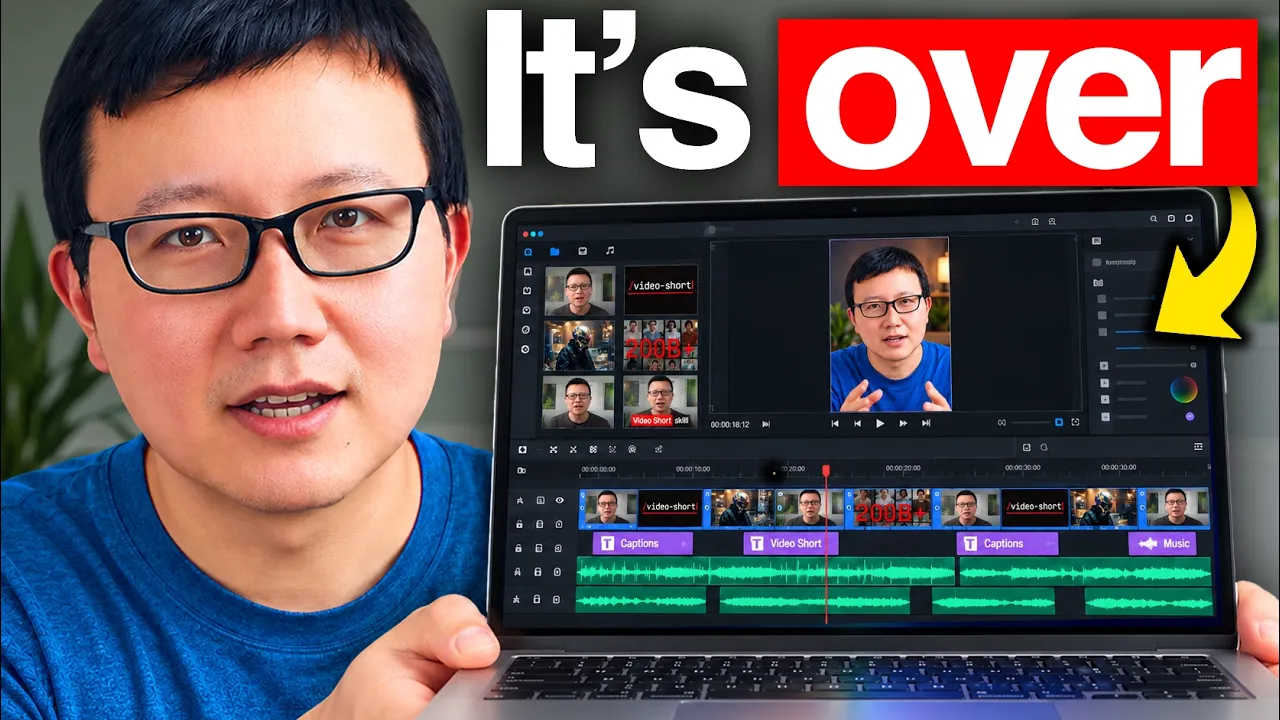
Peter Yang
AI cannot produce polished short-form video in a single prompt, requiring iterative human review loops and automated self-evaluation rubrics to replace manual post-production.
AI-assisted summary of I Fully Automated My Shorts Editing (Get My Free Skill) — original source. Check the original for full context.
Source published:
Key ideas
- Peter Yang has released `/video-short`, an open-source AI skill that automates turning raw talking-head footage into vertical shorts complete with B-roll, motion graphics, captions, and generative media. (0:00)
- The local editing pipeline combines open-source CLI tools FFmpeg, yt-dlp, and Hyperframes, with optional cloud integrations for Google Veo video generation and Lyria music scoring via the Gemini API. (1:31)
- Rather than relying on one-shot generation, the workflow introduces an interactive browser-based review tool where creators provide frame-by-frame visual and framing feedback back to the agent. (7:43)
- The skill enforces mobile retention rules inside skill.md—such as a 3-second hook rule and a ban on low-contrast UI captures—and executes an automated self-evaluation pass before presenting edits. (11:34)
Detailed notes
## Background Published on YouTube on October 21, 2026, by creator Peter Yang, this video tutorial introduces his free, open-source `/video-short` skill designed to automate vertical short-form video production. Sponsored by Google, the video explains how creators can leverage frontier AI models within harnesses like Antigravity to transform raw, unedited footage into dynamic shorts complete with captions, B-roll, motion graphics, and background music.
## TL;DR Peter Yang demonstrates a four-step pipeline using his `/video-short` skill, which pairs open-source utilities like FFmpeg, yt-dlp, and Hyperframes with Gemini APIs to streamline short-form video editing. The workflow automatically drafts an edit plan, cuts verbal filler and awkward pauses, curates B-roll, and spins up a dedicated local web player where creators provide frame-by-frame feedback on framing and motion graphics. Built-in rules and self-evaluations inside the skill enforce mobile retention principles, such as securing a visual hook within the opening three seconds. Rather than promising one-click magic, Yang highlights an iterative review loop that delegates tedious post-production tasks so creators can focus on ideation and storytelling.
## Atmosphere & style The presentation is pragmatic, transparent, and grounded in real-world creative workflows rather than breathless AI hype. Yang speaks in a calm, conversational cadence, openly pointing out his own verbal tics, framing mistakes, and the reality that AI requires iterative human guidance rather than a flawless one-shot prompt. Watching him interact with the custom review UI feels like looking over the shoulder of an experienced product builder testing practical automations in real time.
## Bulletin - [00:00](https://www.youtube.com/watch?v=NWll-9p84b4&t=0s) Peter Yang has released `/video-short`, an open-source AI skill that automates turning raw talking-head footage into vertical shorts complete with B-roll, motion graphics, captions, and generative media. - [01:31](https://www.youtube.com/watch?v=NWll-9p84b4&t=91s) The local editing pipeline combines open-source CLI tools FFmpeg, yt-dlp, and Hyperframes, with optional cloud integrations for Google Veo video generation and Lyria music scoring via the Gemini API. - [07:43](https://www.youtube.com/watch?v=NWll-9p84b4&t=463s) Rather than relying on one-shot generation, the workflow introduces an interactive browser-based review tool where creators provide frame-by-frame visual and framing feedback back to the agent. - [11:34](https://www.youtube.com/watch?v=NWll-9p84b4&t=694s) The skill enforces mobile retention rules inside skill.md—such as a 3-second hook rule and a ban on low-contrast UI captures—and executes an automated self-evaluation pass before presenting edits.
## Key takeaways - [00:00](https://www.youtube.com/watch?v=NWll-9p84b4&t=0s) Short-form video has become an essential distribution format, with YouTube Shorts surpassing 200 billion daily views and platforms offering cash incentives for creators. - [00:00](https://www.youtube.com/watch?v=NWll-9p84b4&t=0s) The `/video-short` skill operates in four stages: installing dependencies, analyzing raw video for an edit plan, refining scenes via interactive feedback, and rendering the final cut. - [01:31](https://www.youtube.com/watch?v=NWll-9p84b4&t=91s) The pipeline requires three free open-source tools: FFmpeg for cutting and encoding, yt-dlp for downloading web B-roll, and Hyperframes for transcription and HTML motion graphics. - [01:31](https://www.youtube.com/watch?v=NWll-9p84b4&t=91s) Generative assets like Veo video clips and Lyria disco-house background scores can be integrated for fractions of a cent per call using a Gemini API key. - [01:31](https://www.youtube.com/watch?v=NWll-9p84b4&t=91s) To prevent accidental leakage to model training loops, users must never paste API keys into conversational chat windows, placing them directly into `.env` files instead. - [04:14](https://www.youtube.com/watch?v=NWll-9p84b4&t=254s) The workflow automatically detects narrative structure from a simple file path, generating an edit plan spanning full-screen hooks, B-roll overlays, and split-screen layouts. - [05:48](https://www.youtube.com/watch?v=NWll-9p84b4&t=348s) A built-in speech sanitization prompt removes pauses longer than one second, stutters, false starts, and repetitive filler words without introducing jarring jump cuts. - [07:43](https://www.youtube.com/watch?v=NWll-9p84b4&t=463s) An interactive web review player allows creators to leave timestamped notes on cropping, zoom levels, and UI clutter, which the AI agent automatically parses to re-render scenes. - [10:28](https://www.youtube.com/watch?v=NWll-9p84b4&t=628s) AI video editing is fundamentally an iterative feedback process rather than a one-shot generation task. - [10:28](https://www.youtube.com/watch?v=NWll-9p84b4&t=628s) The skill produces four distinct framing types: direct A-roll, tight punch-in crops for emphasis, split-screen layouts, and full-screen B-roll cutaways. - [11:34](https://www.youtube.com/watch?v=NWll-9p84b4&t=694s) Mobile-first retention rules in `skill.md` mandate landing visual hooks within the first three seconds and explicitly forbid unreadable, low-contrast smartphone UI captures. - [11:34](https://www.youtube.com/watch?v=NWll-9p84b4&t=694s) An automated evaluation rubric embedded in the skill forces the AI model to grade its own draft against retention criteria before presenting output to the creator. - [12:34](https://www.youtube.com/watch?v=NWll-9p84b4&t=754s) Democratizing editing automation allows creators without professional video editing backgrounds to redirect their effort toward storytelling and ideation.
## Detailed walkthrough ### [00:00](https://www.youtube.com/watch?v=NWll-9p84b4&t=0s) Overview of the `/video-short` Skill
Peter Yang launches his free `/video-short` skill, designed to transform a raw, unedited recording into a fully finished short-form video complete with B-roll, motion graphics, automated captions, and AI-generated video assets. To demonstrate the impact, he showcases side-by-side comparison clips highlighting the transition from a flat, single-take webcam recording to a dynamic, multi-layered vertical video.
Explaining the motivation behind building the workflow, Yang emphasizes the shifting media landscape across major networks: “Making great shorts like this is quickly becoming a core marketing skill because every social and video platform wants short video.” He notes that YouTube Shorts now generates over 200 billion views every single day, while platforms like X are actively offering thousands of dollars to incentivize short-form video creation. The entire creation workflow is structured into four distinct steps: installing the skill for free, uploading the raw video to receive an initial AI draft, reviewing and giving frame-by-frame feedback, and receiving the final rendered short. The video tutorial is sponsored by Gemini, and Yang demonstrates the workflow using Gemini 1.5 Pro in Antigravity, though he clarifies that any frontier AI model can work with the skill.
[01:31](https://www.youtube.com/watch?v=NWll-9p84b4&t=91s) Step 1: Installing the Skill and Configuring Dependencies
To begin, Yang demonstrates how to install the tool inside Antigravity by running a single command: `install the video-short skill globally from this URL github.com/petergyang/video-short`. When launched for the first time, the skill inspects the user's environment, detects any missing packages, and prompts to install them automatically. The local pipeline relies on three open-source tools: FFmpeg to execute video cutting and re-encoding, `yt-dlp` to query and download relevant B-roll footage directly from YouTube and X, and Hyperframes to transcribe spoken audio and generate motion graphic overlays.
```mermaid flowchart TD accTitle: Video Short Skill Pipeline Setup accDescr: Diagram showing the installation flow, core local dependencies, and optional Gemini API integration.
subgraph Installation["1. Installation & Environment"] A["GitHub Repository<br/>github.com/petergyang/video-short"] --> B["Antigravity Shell<br/>Gemini 1.5 Pro"] end
subgraph Dependencies["2. Core Dependencies"] B --> C["FFmpeg<br/>Cut & encode video"] B --> D["yt-dlp<br/>Fetch online B-roll"] B --> E["Hyperframes<br/>Transcribe & motion graphics"] end
subgraph OptionalAPI["3. External Cloud APIs"] B --> F["Google AI Studio<br/>Gemini API Key"] F --> G[".env File Configuration"] G --> H["Imagen 3 Video / Veo / MusicFX"] end ```
Beyond the free local dependencies, the skill optionally integrates with a Gemini API key to produce AI-generated imagery, generate original video clips with Veo, and score the video with custom music. Setting this up requires generating a key inside Google AI Studio and enabling billing, though Yang notes that running these models only costs a few cents or fractions of a cent per generation. Yang issues an explicit operational warning about secret hygiene: “Now, the important thing about the API key is when you go into Antigravity or another harness, you never want to actually paste the API key directly into chat here.” Instead, users should instruct the harness to open the project's `.env` file and paste the credentials directly into the marked variable slot to avoid inadvertently exposing API secrets to model training loops.
- Required open-source dependencies: FFmpeg, `yt-dlp`, Hyperframes. - Key generation destination: Google AI Studio (API Keys section). - Security requirement: Request the harness to open the `.env` file instead of passing keys in conversational chat.
[04:14](https://www.youtube.com/watch?v=NWll-9p84b4&t=254s) Step 2: Uploading Raw Footage and Generating an Edit Plan
Moving to the second step, Yang inputs a simple 54-second clip of himself speaking directly into the camera, saved as `raw.mp4` in his downloads directory. To initiate the workflow, he prompts the model: `/video-short`, tells it to locate the video file, and instructs it to edit the clip into a short that is as visually impressive as possible using motion graphics, web-sourced B-roll, AI video generation via Veo, and a Daft Punk "Get Lucky"-style funky disco house music bed generated via Lyria.
Rather than jumping blindly into an immediate render, the skill analyzes the source footage, detects where to make cuts, and drafts an initial scene-by-scene structural plan: - Scene 1: Speaker full screen to deliver the opening hook. - Scene 2: Cut to relevant B-roll footage. - Scene 3: Split-screen view featuring a graphic alongside the speaker. - Automated Sourcing: Curates source clips automatically, including clips from official product announcements such as the Veo launch blog and the YouTube Shorts blog.
Yang highlights that detailed initial instructions are entirely optional; users can merely supply the file path and let the model construct its own editing sequence, presenting all candidate B-roll links for manual inspection before proceeding.
[05:48](https://www.youtube.com/watch?v=NWll-9p84b4&t=348s) Automating Cuts for Pauses, Filler Words, and Retakes
Yang detours briefly into speech editing, explaining that while a concise 45-second short needs fewer structural trims, cleaning long-form raw footage is a massive editorial bottleneck. He shares a custom, reusable prompt built into the `/video-short` tool that automatically sanitizes spoken delivery without producing jarring edits.
The prompt executes specific editorial rules: it truncates pauses to one second or less, strikes through repetitive phrases, removes false starts, clears restated takes, and cleans up stutters and mid-sentence self-corrections. It also targets verbal tics: Yang confesses, “For example, I like to say 'all right' and 'so' a lot. And I also like to say 'right?' at the end of every line, which is very annoying to listen to.” Crucially, the prompt directs the engine to preserve pacing by cutting mistakes cleanly without producing a jarring series of choppy jump cuts. A baseline version of this silence- and retake-pruning system is embedded natively into the skill file to prepare clean spoken tracks automatically.
[07:43](https://www.youtube.com/watch?v=NWll-9p84b4&t=463s) Step 3: Frame-by-Frame Scene Review and Iteration
Once the engine processes the plan and identifies any billable generation tasks (such as Veo clips or music generation), it compiles the first edit cut and automatically spins up an interactive browser-based review tool. This visual interface plays back the edited short, complete with light and dark mode toggles, and lets the creator leave granular, timestamped notes on individual scenes or submit global video notes.
```mermaid flowchart LR accTitle: Frame-by-Frame AI Review Loop accDescr: The feedback iteration cycle between the web review UI and Antigravity.
A["Raw Edit Generated"] --> B["Local Web Review UI"] B --> C["Review Scene by Scene<br/>Pin Comments & Framing Fixes"] C --> D["Submit Batch Notes"] D --> E["Antigravity / Gemini Agent<br/>Re-analyzes Framing & Visuals"] E --> F["Updated Video Cut"] F --> B ```
During his live pass through the review player, Yang logs specific visual adjustments: - Head Framing: In the opening scene, the vertical crop cuts off the top of his head, so he leaves a comment requesting a slight zoom-out. - B-Roll Integration: He confirms that the Veo-generated video snippet and a dynamic Hyperframes-sourced collage overlaid with a bold "200 billion" graphic rendered correctly. - Layout Simplification: In a scene showcasing an early mockup of the review interface, he enters a comment asking to eliminate an unnecessary notes section to reduce visual clutter: “Can you remove the overall note section of the review page to simplify it?” - Split-View Alignment: In the bottom half of a split screen, his head is cut off again, prompting another note to adjust framing.
Yang clicks "Send Notes," prompting Antigravity to parse the instructions. The AI agent inspects frame grabs, verifies head positions, shifts cropping coordinates downwards, and regenerates the sequence. When Yang reopens the interface, the head framing errors are resolved and the requested visual elements are cleaned up, leaving the project ready for final rendering.
[10:28](https://www.youtube.com/watch?v=NWll-9p84b4&t=628s) What the Video Short Skill Generates
Peter clarifies realistic expectations about what AI video editing currently looks like: it is not magic that happens in a single prompt. Even reaching the baseline edit shown earlier took multiple iterative rounds of human feedback, rather than popping out fully formed on the first attempt. As Peter notes, “So, this isn't a oneshot scale to turn a raw recording into a polish short.” However, pairing an interactive review interface with programmable assets like HTML motion graphics radically simplifies and accelerates what used to be a tedious manual editing timeline.
To summarize the tool's core output, the skill analyzes the source footage and splits the timeline across several distinct shot types: standard A-roll (direct speaking to camera), dynamic punch-ins (a tighter camera crop for emphasis), split-screen layouts (the speaker on the bottom half with supporting footage above), and full-screen B-roll takeovers. Beyond raw cutting, the skill orchestrates automated subtitle captions, custom motion graphics rendered directly via HTML, web-sourced reference footage, and generative AI assets—specifically AI video powered by Google Veo and background music generated via Lyria, both enabled through a Gemini API key.
```mermaid flowchart TD accTitle: Video Short Layout and Asset Pipeline accDescr: Pipeline showing how raw footage is split into layouts and enriched with visual and audio assets.
subgraph Cuts ["Framing & Cut Types"] ARoll["A-Roll (Direct to Camera)"] Punch["Punch-In (Tight Crop)"] Split["Split Screen (Speaker Bottom / B-Roll Top)"] FullB["Full-Screen B-Roll"] end
subgraph Assets ["Enrichment Layer"] Caps["Captions"] HTMLMotion["HTML Motion Graphics"] WebBRoll["Web B-Roll Clips"] GenAI["AI Video (Veo) & Music (Lyria)"] end
Cuts --> Assets ```
- **Framing Variations**: Cuts footage into A-roll, punch-ins, split-screens, and full-screen B-roll cutaways. - **Graphic Overlays**: Writes dynamic on-screen motion graphics using standard HTML code. - **Generative Media**: Calls the Gemini API to produce generative video using Google Veo and background scores using Lyria.
---
[11:34](https://www.youtube.com/watch?v=NWll-9p84b4&t=694s) Editing Rules and Built-in Evals Inside `skill.md`
Diving into the actual repository repository, Peter inspects the underlying `skill.md` file, which is packed with battle-tested short-form video principles. He credits fellow AI creator Nate Herk for teaching him many of the retention rules baked into the prompt instructions. The file instructs the model on strict mobile viewing habits, establishing that the first three seconds must immediately grab attention by pairing the speaker with a compelling visual element where the graphic visually demonstrates what the spoken words do not. It also commands the model to favor real footage over tiny, illegible elements, explicitly warning against dim UI panels or text details that disappear on small phone displays.
To ensure the model adheres to these editing standards without drifting, Peter built an automated self-evaluation step directly into the skill definition. Rather than handing the raw output straight back to the user, the model pauses to inspect its own draft against a rubric before presenting it. Peter explains, “And also I built a eval which is just best practice for setting up a scale where you have the AI actually check its own work before it presents the result to you.” This evaluation pass verifies concrete criteria, such as whether the opening hook lands cleanly within the first three seconds and whether each supplementary visual communicates new information beyond the voiceover.
- **The 3-Second Rule**: Hook viewers immediately within the opening three seconds by combining speaker presence with visual contrast. - **Visual Complementarity**: Every graphic or B-roll shot must show what the spoken script is not saying, rather than duplicating words. - **Mobile-First Clarity**: Prohibits low-contrast, dim UI screenshots or microscopic UI panels that cannot be parsed on a smartphone screen. - **Internal Evals Checklist**: The skill forces the AI to grade its own cut before displaying it, confirming pacing, visual storytelling, and hook timing.
---
[12:34](https://www.youtube.com/watch?v=NWll-9p84b4&t=754s) Community Tools, Ecosystem Plugs, and Democratizing Video Creation
Peter wraps up the walkthrough by sharing additional tools available on his GitHub profile (`github.com/petergyang`). These include popular open-source projects such as "No AI Slop," a repository with over 12,000 GitHub stars designed to strip generic AI mannerisms from written prose, as well as "Human Review," an interactive review workflow resembling Google Docs that allows creators to give line-by-line feedback to language models. For users wanting deeper resources, he mentions his membership platform, Behind the Craft (`behindthecraft.com`), which hosts more than a dozen production-ready skills alongside software discounts for developer tools like Replit, Lovable, Bolt, and Groq.
Reflecting on the broader impact of AI-assisted editing, Peter is open about his own skill level, readily admitting that seasoned video editors may produce far slicker edits manually. Yet he emphasizes that lowering technical barriers is the entire objective of building these workflows. As Peter puts it, “Uh if AI can help us edit our shorts, then we can focus more on storytelling and making more and better content.” He invites creators to clone the repository from GitHub, test the skill on their own footage, and focus their energy on ideation and narrative craft.
- **"No AI Slop"**: Peter’s open-source repository with over 12,000 stars dedicated to eliminating AI clichés from written text. - **"Human Review"**: A browser-based interface enabling users to comment and provide targeted, line-level feedback to AI drafts. - **Behind the Craft**: A paid platform offering over twelve advanced skills and partner perks for AI tools like Replit, Lovable, and Bolt.
## Notable quotes > [00:00](https://www.youtube.com/watch?v=NWll-9p84b4&t=0s) Making great shorts like this is quickly becoming a core marketing skill because every social and video platform wants short video. — Peter Yang
> [12:34](https://www.youtube.com/watch?v=NWll-9p84b4&t=754s) if AI can help us edit our shorts, then we can focus more on storytelling and making more and better content. — Peter Yang
## Mentioned Peter Yang, Nate Herk, Gemini, Gemini 1.5 Pro, Antigravity, FFmpeg, yt-dlp, Hyperframes, Google AI Studio, Veo, Lyria, YouTube Shorts, X, No AI Slop, Human Review, Behind the Craft, Replit, Lovable, Bolt, Groq
## Video description 📌 Get my free video short skill here: https://github.com/petergyang/video-short 🤝 Get a Gemini API key here: https://aistudio.google.com/?utm_source=peteryang&utm_medium=partner&utm_campaign=26Q3-peteryang_ais
AI can now turn a raw talking-head recording into a polished video short, complete with B-roll, motion graphics, captions, AI video, and music. In this tutorial, I walk through my free /video-short skill in 4 steps: install it, upload your raw recording, give AI feedback frame by frame, and render the final short. I use Gemini 4 Argon in Antigravity, but any frontier model works with the skill.
What I cover: (00:00) What my free /video-short skill can do (01:31) Step 1: Install the skill (04:14) Step 2: Upload your raw recording and get an edit plan (05:48) My prompt to cut pauses, retakes, and filler words (07:43) Step 3: Give AI feedback frame by frame (10:18) Step 4: Approve and render the final short (11:34) Video editing best practices inside the skill file
This video is sponsored by Google but opinions are my own.
Where to find me: X: https://x.com/petergyang LinkedIn: https://www.linkedin.com/in/petergyang/
Subscribe to this channel - more tutorials coming soon!
[Source](https://www.youtube.com/watch?v=NWll-9p84b4)