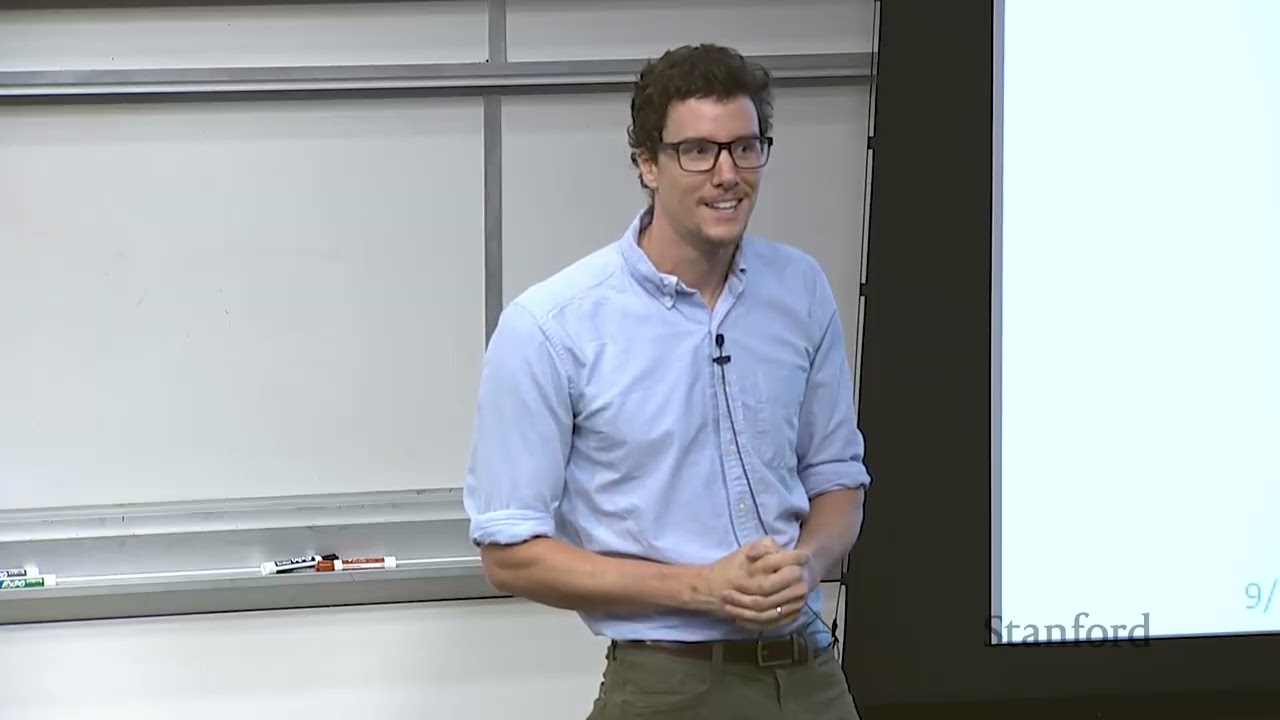
Dr. Benoit Landry introduces the Robot Operating System (ROS) as the foundational middleware for Stanford's AA274A course, emphasizing that its publisher-subscriber architecture is essential across modern robotics research and industry. (0:05)
The ROS Master acts strictly as a centralized matchmaking registry for establishing peer-to-peer TCP connections between nodes and does not route sensor or message payloads itself. (23:21)
ROS achieves multi-language integration and software portability via the Catkin build system and URDF kinematic modeling, enabling identical code stacks to run across Gazebo simulations and physical platforms like the TurtleBot. (69:42)
Despite the emergence of ROS 2, AA274A selected ROS 1 (Kinetic) due to over a decade of community package maturity, documentation stability, and proven pedagogical reliability. (72:20)
Detailed notes
## Background
Published on YouTube by Stanford Online on October 23, 2026, this video features a guest lecture from the Autumn 2019 edition of Stanford's AA274A course, Principles of Robotic Autonomy. Presented by Dr. Benoit Landry—then a doctoral researcher under Professor Marco Pavone and later a Research Scientist at Google DeepMind—the lecture serves as a comprehensive introduction and live technical demonstration of the Robot Operating System (ROS) used throughout the curriculum.
## TL;DR
Dr. Benoit Landry introduces the architecture and operational paradigm of the Robot Operating System (ROS), explaining how robotics software manages complexity through modularity and the Publisher-Subscriber design pattern. He outlines the mechanics of core ROS primitives, including the ROS Master, nodes, topics, custom messages, and Catkin workspace conventions, contrasting asynchronous pub-sub architectures with procedural scripts. Through command-line diagnostics and live multi-node computer vision pipelines, Landry demonstrates how hardware drivers and algorithms communicate peer-to-peer across distributed networks. Finally, the lecture explores foundational robotics tools, including launch file composition, URDF robot modeling, and physics-based simulation in Gazebo, emphasizing software parity between simulated environments and physical hardware.
## Atmosphere & style
The lecture carries an engaging, approachable academic vibe, blending rigorous software engineering theory with the pragmatic candor of an experienced roboticist who knows what breaks in the real world. Landry's speaking style is conversational and self-deprecating—humorously advising students that live demos never work moments before troubleshooting a webcam driver on stage. Watching the presentation feels like sitting in an intimate, high-level graduate lab session where complex concepts like peer-to-peer transport layers and asynchronous callbacks are demystified through interactive terminal commands and relatable engineering analogies.
## Bulletin
- [00:05](https://www.youtube.com/watch?v=vEDeUdZ-jnQ&t=5s) Dr. Benoit Landry introduces the Robot Operating System (ROS) as the foundational middleware for Stanford's AA274A course, emphasizing that its publisher-subscriber architecture is essential across modern robotics research and industry.
- [23:21](https://www.youtube.com/watch?v=vEDeUdZ-jnQ&t=1401s) The ROS Master acts strictly as a centralized matchmaking registry for establishing peer-to-peer TCP connections between nodes and does not route sensor or message payloads itself.
- [01:09:42](https://www.youtube.com/watch?v=vEDeUdZ-jnQ&t=4182s) ROS achieves multi-language integration and software portability via the Catkin build system and URDF kinematic modeling, enabling identical code stacks to run across Gazebo simulations and physical platforms like the TurtleBot.
- [01:12:20](https://www.youtube.com/watch?v=vEDeUdZ-jnQ&t=4340s) Despite the emergence of ROS 2, AA274A selected ROS 1 (Kinetic) due to over a decade of community package maturity, documentation stability, and proven pedagogical reliability.
## Key takeaways
- [01:33](https://www.youtube.com/watch?v=vEDeUdZ-jnQ&t=93s) Robotics software architecture is inherently multi-process and complex, contrasting sharply with the isolated, single-script pipelines typical of standard machine learning courses.
- [03:49](https://www.youtube.com/watch?v=vEDeUdZ-jnQ&t=229s) The Publisher-Subscriber pattern decouples system components across named topics, enabling flexible many-to-many communication and isolated node lifecycles.
- [10:28](https://www.youtube.com/watch?v=vEDeUdZ-jnQ&t=628s) ROS dominates the robotics landscape not due to raw computation speed, but because of its extensive ecosystem of mature developer tooling, drivers, visualizers, and reusable packages.
- [17:40](https://www.youtube.com/watch?v=vEDeUdZ-jnQ&t=1060s) Physical hardware drivers (LiDAR, cameras, IMUs) and high-level algorithmic modules (planners, dynamics models) are abstracted identically as standard ROS nodes.
- [19:50](https://www.youtube.com/watch?v=vEDeUdZ-jnQ&t=1190s) Nodes publish at independently determined rates limited only by computational overhead and bandwidth; ROS does not throttle publishing frequencies globally.
- [23:21](https://www.youtube.com/watch?v=vEDeUdZ-jnQ&t=1401s) The ROS Master only coordinates connection establishment between publishers and subscribers; topic data flows directly over peer-to-peer TCP links without master bottlenecking.
- [26:56](https://www.youtube.com/watch?v=vEDeUdZ-jnQ&t=1616s) Simulation and operational time synchronization requires rospy.Rate rather than native Python sleep utilities to support accelerated, decelerated, or paused clock rates.
- [32:15](https://www.youtube.com/watch?v=vEDeUdZ-jnQ&t=1935s) Production robotics code predominantly utilizes object-oriented class wrappers to maintain internal state across asynchronous subscriber callbacks and synchronous publisher loops.
- [34:08](https://www.youtube.com/watch?v=vEDeUdZ-jnQ&t=2048s) Essential command-line diagnostic tools including rostopic list, echo, and hz allow immediate inspection of communication health and node frequency bottlenecks.
- [48:08](https://www.youtube.com/watch?v=vEDeUdZ-jnQ&t=2888s) XML launch files executed via roslaunch streamline multi-node deployment, namespace isolation, and dynamic parameter configuration in complex robotics stacks.
- [58:20](https://www.youtube.com/watch?v=vEDeUdZ-jnQ&t=3500s) Catkin workspaces enforce standardized directory structures and dependencies across languages, requiring executable script permissions for Python nodes run via rosrun.
- [01:07:43](https://www.youtube.com/watch?v=vEDeUdZ-jnQ&t=4063s) Unified Robot Description Format (URDF) defines robots as kinematic chains of links and joints, allowing control code to be reused across different robot geometries.
- [01:09:42](https://www.youtube.com/watch?v=vEDeUdZ-jnQ&t=4182s) High-fidelity simulation through Gazebo preserves code parity, ensuring software verified in simulation can deploy directly onto physical robots without architectural rewrites.
## Detailed walkthrough
### [00:05](https://www.youtube.com/watch?v=vEDeUdZ-jnQ&t=5s) Course Introduction to the Robot Operating System (ROS)
Professor Marco Pavone opens the lecture by introducing ROS, the Robot Operating System. ROS serves as the software environment used throughout the quarter to incrementally build and architect the students' full autonomous stack. Emphasizing its pervasive reach across the field, Pavone observes: “If uh you will eventually become a roboticist and have a career in robotics, the chances that you will be using ROS will be extremely high.” A primary objective of the course is ensuring students become thoroughly familiar with this system.
Pavone hands the floor over to guest lecturer Dr. Benoit Landry, a senior PhD student in Pavone's lab and a seasoned veteran in ROS. Landry will provide an overview of what ROS fundamentally is and run a live demonstration. Throughout upcoming lab sections, students will gain progressively deeper exposure to the framework until they can assemble and deploy their own autonomous stacks directly onto the physical robotic platforms used in the class.
[01:33](https://www.youtube.com/watch?v=vEDeUdZ-jnQ&t=93s) The Reality and Complexity of Robotics Software
Taking the podium, Landry points out that this session differs noticeably from the rest of the course. While Professor Pavone typically focuses on foundational algorithms, this lecture is dedicated squarely to software architecture. Landry acknowledges that students are still shopping for classes, but warns that mastering robotics software engineering is indispensable.
Writing software for robotics is notoriously difficult. Landry shows a photograph from the DARPA Robotics Challenge of a team teleoperating the humanoid Atlas robot. The control room is packed with personnel monitoring at least eight visible monitors—and likely many more off-camera—just to ensure the robot performs basic operations such as climbing stairs without falling or colliding with objects.
Landry reassures students that although this course involves the most intricate software they have ever encountered—far more complex than the self-contained, single-script assignments typical of introductory machine learning courses like CS 229—the teaching staff will guide them step by step through managing that complexity.
```mermaid
flowchart LR
accTitle: Single-Script vs Robotics Architecture Complexity
accDescr: Diagram contrasting self-contained ML scripts with the multi-module interconnected architecture used in robotics stacks.
subgraph ML["CS 229 / Standard ML"]
Script["Single Script"] --> Lib["Single Library"]
end
[03:49](https://www.youtube.com/watch?v=vEDeUdZ-jnQ&t=229s) Modularity and the Publisher-Subscriber Design Pattern
To handle the immense complexity of robotic systems, roboticists rely heavily on modularity: breaking down what would otherwise be a monolithic, unwieldy program into independent, decoupled components. This decomposition follows established software design patterns—reusable, general solutions to recurring architectural problems. In robotics, the dominant pattern is the Publisher-Subscriber (pub-sub) model.
Under pub-sub, components interact through named buses known as *topics*. Landry compares topics to vintage internet chat rooms or modern Slack channels. Any given module can act as a publisher (broadcasting data onto a topic) or a subscriber (registering to receive all incoming data broadcast to that topic). When asked by a student whether multiple clients can publish to the same topic simultaneously, Landry clarifies that although simple diagrams often show one publisher feeding multiple subscribers, the pub-sub pattern fully supports many-to-many communication where arbitrary numbers of nodes can publish to and subscribe from the exact same topic.
```mermaid
flowchart TD
accTitle: Publisher-Subscriber Architecture Pattern
accDescr: Flowchart showing multiple publishers broadcasting messages to a central topic and multiple subscribers receiving them.
subgraph Publishers["Publishing Nodes"]
P1["Sensor Node A"]
P2["Sensor Node B"]
end
subgraph Transport["Named Topic Bus"]
T["Topic: /sensor_data"]
end
P1 -->|"publish message"| T
P2 -->|"publish message"| T
T -->|"deliver message"| S1
T -->|"deliver message"| S2
T -->|"deliver message"| S3
```
- **Everyday analogies of pub-sub**: Online forums/threads (e.g., Reddit), group mailing lists (such as a Stanford cycling club or volleyball club list, where any subscriber receives emails sent to the list address), and chat channels.
- **Alternative architectural patterns**:
- *Request-reply*: Synchronous client-server querying.
- *Data binding / Shared state*: Shared memory or objects, analogous to a shared physical chalkboard in a corridor where everyone reads and writes directly in place.
Landry stresses that even if students forget the exact commands and syntax shown later, the single most critical conceptual takeaway is understanding the pub-sub architecture, because ROS is fundamentally an implementation of that exact pattern.
[08:47](https://www.youtube.com/watch?v=vEDeUdZ-jnQ&t=527s) What ROS Actually Is: Pub/Sub Core vs. Everyday Ecosystem
At its absolute most basic, pedantic definition, ROS is simply an implementation of the publisher/subscriber (pub/sub) software design pattern. It was built specifically tailored to robotics and is network-aware, but beyond that, it is essentially just an engineered realization of that design pattern.
```mermaid
flowchart LR
accTitle: Two Definitions of ROS
accDescr: Diagram contrasting the strict technical definition of ROS as a pub/sub implementation with the everyday industry definition encompassing tools and packages.
subgraph Strict["Strict Academic Definition"]
A["Network-Aware Pub/Sub Core"]
end
subgraph Practical["Everyday Practical Ecosystem"]
B["Pub/Sub Transport"]
C["Robotics Tooling<br/>(e.g., Visualizers)"]
D["Popular Community Packages<br/>(OpenCV, OpenSLAM Wrappers)"]
B --- C
C --- D
end
```
In everyday practice, roboticists mean something much broader when they say they are using ROS. Because this course is intentionally practical, Dr. Landry clarifies that "ROS" commonly refers not just to the underlying transport implementation, but to the entire ecosystem and rich suite of developer tools and popular packages that have evolved around it.
- **Strict definition:** An implementation of the pub/sub architectural pattern geared toward robotics.
- **Practical definition:** The transport layer plus the vast suite of shared tools, visualization utilities, and community-maintained packages.
- **Alternatives:** ROS is not the only implementation available. For instance, LCM (Lightweight Communications and Marshalling) provides a more lightweight messaging layer, whereas Drake serves as an alternative geared more toward the simulation and tooling side.
[10:28](https://www.youtube.com/watch?v=vEDeUdZ-jnQ&t=628s) Why ROS Dominates Industry and Academia
Dr. Landry stresses that ROS did not become the industry standard because it is magically faster or relies on secret parallel-processing tricks. Its dominance rests on purely pragmatic, down-to-earth engineering factors:
1. **Avoiding wheel reinvention:** Developing foundational infrastructure—such as a reliable 3D visualizer—can easily consume half of a robotics startup's seed funding. Leveraging existing, battle-tested software lets engineers focus on novel autonomy algorithms instead.
2. **Software maturity:** ROS has been around long enough that its stability, quirks, and design patterns are well understood.
3. **Open-source community adoption:** Top roboticists worldwide build their systems on ROS and distribute their research as open-source packages, offering a massive pool of freely accessible, ready-to-run code.
Addressing why the course teaches ROS specifically, Dr. Landry explains that it directly prepares students for reality:
> “I can at least vouch for the fact that if you're going to work on a real robot, you will maybe not use ROS, but you will almost almost guarantee that you will work on something that you will use something that is very similar to ROS.”
Learning ROS serves as an insurance policy. It gives students an intuitive structural mental model that transfers immediately to proprietary or adjacent robotic middleware. Furthermore, ROS has extensive documentation, online discussion forums, and full textbooks written by experts from Stanford and beyond—a luxury that alternative, niche frameworks do not share.
[13:00](https://www.youtube.com/watch?v=vEDeUdZ-jnQ&t=780s) Origins: STAIR, Willow Garage, and the OSRF
The roots of ROS tie closely back to Stanford University, emerging in part from the STAIR (Stanford Artificial Intelligence Robot) project. However, the pivotal engine behind ROS was Willow Garage, the influential robotics incubator funded by Scott Hassan.
Willow Garage operated much like an ambitious, mission-driven startup that functioned practically like a non-profit in its immense service to the robotics community. They produced groundbreaking hardware, notably the PR2 robot—an iconic, two-armed mobile manipulation platform humorously described as looking "kind of like a fridge" with arms, which was revolutionary for its era and remains a capable platform. Today, the modern spiritual and direct descendant of Willow Garage is the Open Source Robotics Foundation (OSRF), based in the Bay Area, which manages and funds continuous development for ROS, Gazebo simulation, and associated core tools.
Beyond its own codebase, ROS integrates effortlessly with premier computer vision and mapping libraries. Rather than rewriting algorithms from scratch, developers frequently use standard ROS wrappers around widely used libraries like OpenCV and OpenSLAM.
[15:00](https://www.youtube.com/watch?v=vEDeUdZ-jnQ&t=900s) Core Architectural Primitives: Master, Nodes, and Topics
When looking at actual ROS source code, the system strips away high-level abstraction and reduces to two fundamental elements: the **ROS Master** and **Nodes**.
```mermaid
flowchart TD
accTitle: ROS Node Communication Flow
accDescr: Graph illustrating how ROS nodes communicate by publishing and subscribing to topics using standardized messages.
subgraph Processes["Independent OS Processes"]
NodePub["Publisher Node<br/>(e.g., Camera / Sensor Driver)"]
NodeSub["Subscriber Node<br/>(e.g., Planner / Edge Detection)"]
end
- **Nodes:** A node is an individual operating system process that executes computation. In practice, it is often just a standalone Python script running a `main()` function or a compiled C++ binary executing a specific robotics algorithm. If someone asks you to explain your robot's software architecture, describing the graph of distinct nodes and their roles is usually sufficient to explain the entire system.
- **Topics and Messages:** Nodes interact over named communication buses called topics, adhering strictly to the pub/sub paradigm. The data exchanged over these topics are structured message abstractions representing physical or computational states, including camera video streams, laser scan ranges, vehicle pose estimates, edge detection outputs, or motor actuation commands.
- **System Tooling and Sections:** Interacting with ROS involves dedicated command-line utilities. Dr. Landry notes that students will install the software suite—much like installing standard desktop applications—and get hands-on experience running nodes and managing topics during their upcoming class sections on Monday.
[17:40](https://www.youtube.com/watch?v=vEDeUdZ-jnQ&t=1060s) Abstracting Sensors, Actuators, and Algorithms into Nodes
To run an individual node in ROS, you use the command `rosrun`, passing it the package name (such as a navigation package) and the specific node name (such as a LiDAR driver). These nodes provide a clean mechanism to break a complex robotic architecture into modular subcomponents. This decomposition applies directly to physical sensors. On a complex humanoid platform like the Boston Dynamics Atlas robot—even older versions—there are numerous onboard sensors: fisheye cameras, LiDAR, inertial measurement units (IMUs), and strain gauges in the feet for measuring contact pressure. In software, every single one of these physical sensors can be abstracted as its own dedicated node. The same principle applies to actuators; an individual motor in the robot can also run as an independent ROS node.
```mermaid
flowchart LR
accTitle: Abstraction of Hardware and Software into ROS Nodes
accDescr: Diagram illustrating how physical sensors, actuators, and abstract algorithms are all treated symmetrically as independent ROS nodes.
subgraph Hardware["Physical World (Hardware)"]
Sensors["Sensors<br/>(LiDAR, IMU, Camera)"]
Actuators["Actuators<br/>(Motors)"]
end
subgraph Software["Computation (Software)"]
Algorithms["Algorithms<br/>(Dynamics Model, Motion Planning)"]
end
This abstraction layer becomes especially powerful because it treats hardware and abstract software symmetrically. A node does not have to represent physical equipment; it can simply execute an algorithm, such as a forward dynamics model that predicts state propagation or a high-level motion planning algorithm. This means components running physical motor drivers sit alongside purely algorithmic nodes in the exact same overarching system architecture. As Dr. Benoit Landry highlights:
> “So it's pretty awesome. Now you have like this architecture that has both parts that are abstract and parts that are actually like physical real world components that are talking to each other.”
- Running nodes via the CLI follows the pattern: `rosrun <package_name> <node_name>`.
- In the class, students interact with practical hardware drivers including LiDAR, cameras for image data, and IMUs for odometry (measuring linear acceleration and angular velocity).
- Dr. Landry jokes about hardware availability: “And especially LiDAR, cuz that's super expensive and then somehow Professor Pavone has some that you guys can use.”
---
[19:50](https://www.youtube.com/watch?v=vEDeUdZ-jnQ&t=1190s) Synchronization, Node Independence, and Publishing Rates
A student raises an architectural question: if nodes operate like individual, independently running scripts—one predicting dynamics and another reading sensor data—how do they communicate and stay synchronized while executing simultaneously? Dr. Landry explains that the publish-subscribe (pub/sub) pattern is specifically designed to handle this decoupling. A forward dynamics simulator can loop continuously; as long as its inputs (such as incoming state estimates or sensor measurements) and outputs (future trajectory rollouts) are mapped to explicit topics, nodes do not need to explicitly manage each other's execution lifecycles. While edge cases where one node blocks waiting for data from another require careful engineering, pub/sub provides the standard primitives to manage these interactions.
Another student asks whether ROS artificially limits or throttles topic publishing frequencies. Dr. Landry clarifies that while network bandwidth and host CPU speeds act as natural physical bottlenecks, ROS itself does not throttle node publication rates by default. Instead, publication frequency is explicitly configured by the developer inside the node's code (for instance, commanding a loop rate of 1 Hz or higher):
> “So, the node just decide like I'm going to publish this at like a hertz 1 hertz and then and then the other ones can can I mean that that might be good or bad depending on kind of what you need that that node to be doing. Um, but yeah, it's basically up to you like as a designer.”
---
[23:21](https://www.youtube.com/watch?v=vEDeUdZ-jnQ&t=1401s) ROS Master: Facilitator, Not Communication Bottleneck
Moving beyond individual nodes, Dr. Landry introduces the ROS Master. The Master is not part of the abstract mathematical formulation of publish-subscribe messaging; rather, it is a practical coordination process that must be running whenever a ROS stack is active. Dr. Landry compares its role to an administrator managing a forum, Slack workspace, or mailing list. Only a single ROS Master is needed per network to coordinate all nodes, publishers, and subscribers.
A pervasive misconception—even among experienced roboticists—is that all message data flows through the ROS Master. Dr. Landry emphasizes that the Master does not route message traffic; it merely introduces the publisher and subscriber nodes to each other by exchanging endpoint metadata, sets up direct peer-to-peer TCP connections between them, and then backs off completely:
> “And that that's like important. Basically like what ROS master is going to do is going to set up the topic. So, if you have a node that's subscribing and a node is publishing, it is going to set them up on some topic. Uh and if you want to you know the know the details that's like it's really just putting like a TCP connections between the two, but it's going to connect them and then it's basically going to back off.”
Dr. Landry warns that students invariably fall into this trap during their projects:
> “You'll be like, 'Oh, it's cuz my master is like the ball neck or something.' Like, all the networking is trying to go through ROS master and ROS master is too slow. And it it's not what's happening. Like, ROS master is just like setting up connections and then backing off.”
```mermaid
flowchart TD
accTitle: ROS Master Peer-to-Peer Connection Handshake
accDescr: Sequence showing how ROS Master negotiates communication between publisher and subscriber before stepping aside for direct TCP transmission.
subgraph DirectStream["Step 2: Direct Communication"]
Pub ===>|"Direct Peer-to-Peer TCP Stream (Master Backs Off)"| Sub
end
```
When asked where the ROS Master should reside physically—onboard the robot or on a remote workstation—Dr. Landry notes that while theoretically arbitrary, practical robotic constraints matter: robots frequently crash or suffer power cuts, so running the ROS Master on an offboard, stable machine avoids restarting the entire communication backbone every time the robot reboots. Finally, addressing why the Master must remain an active process rather than a one-time startup script, Dr. Landry explains that dynamic robotics environments require it: nodes constantly appear, disappear, and rejoin the network at runtime.
[26:09](https://www.youtube.com/watch?v=vEDeUdZ-jnQ&t=1569s) Why the ROS Master is Essential for Dynamic Nodes
Dr. Benoit Landry explains the practical necessity of the ROS Master by considering dynamic operational shifts in autonomous systems. In an autonomous vehicle, for instance, operating modes change on the fly: while cruising on the highway, the vehicle may not actively run pedestrian detection, but once it transitions to a stop sign in an urban setting, it needs to launch a dedicated pedestrian tracking node. That newly initialized node must immediately locate and register with the system so it can inform the path planner about people nearby. Because nodes dynamically come and go online throughout operation, a centralized lookup service is indispensable. As Dr. Landry emphasizes:
> "ROS won't even let you run without ROS master, so you'll you'll need it."
He summarizes that the fundamental practical reason for the master's existence is simply that “nodes kind of appear and disappear all the time.”
[26:56](https://www.youtube.com/watch?v=vEDeUdZ-jnQ&t=1616s) Anatomy of a Python Publisher Node
Transitioning to code, Dr. Landry notes that while ROS provides libraries for C++ and even languages like Julia, students in the course will be writing ROS code in Python using `rospy`. Sending data out across a system comes down to instantiating a publisher, packaging data into a message object, and publishing that message onto a designated topic.
```mermaid
flowchart TD
accTitle: Python ROS Publisher Node Flow
accDescr: Diagram showing the initialization and execution loop of a basic ROS publisher node.
subgraph Setup["Node Setup"]
A["rospy.init_node('talker', anonymous=True)"] --> B["rospy.Publisher('chatter', String, queue_size=10)"]
B --> C["rospy.get_param('~rate') / rospy.Rate(10)"]
end
subgraph Loop["Execution Loop"]
D{"rospy.is_shutdown()?"} -- No --> E["Construct message (std_msgs/String)"]
E --> F["pub.publish(message)"]
F --> G["rospy.loginfo(...)"]
G --> H["rate.sleep()"]
H --> D
end
Setup --> Loop
```
Dr. Landry walks through a minimal `talker` script line by line:
- **Node Initialization:** Calling `init_node` registers the Python script as an official ROS node named `talker`. The `anonymous=True` flag automatically appends numbers to the node name so multiple instances can run simultaneously without naming collisions.
- **Publisher Instantiation:** Creating the publisher requires specifying a topic name (`chatter`), the message type (`String`), and a `queue_size`. Dr. Landry highlights that `String` here is not a native Python string, but a message type imported from ROS's `std_msgs` library.
- **Queue Size and Buffering:** The `queue_size` defines how many outgoing messages to buffer if network bottlenecks occur or data is produced faster than it can be transmitted. When the buffer limit is exceeded, older messages are dropped.
- **Publishing Rate and Clocks:** Instead of relying on native Python functions like `import time` and `time.sleep()`, developers must use `rospy.Rate`. Dr. Landry clarifies that while real-world systems often align with wall-clock time, robotic simulators frequently run slower or faster than real time:
> "And the reason for that is the reason we want to use the raw straight is because you might actually connect this to for example a simulator."
> "Uh and if that's the case, then you want to make sure that all the other nodes that are like talking to your simulator are using the same like time."
- **Logging and Publishing:** The script generates message payloads—which in production might be structured objects or dictionaries containing IMU, accelerometer, or gyroscope measurements—calls `pub.publish()`, logs data via `rospy.loginfo` (the ROS equivalent of a print statement), and sleeps until the next cycle.
[32:15](https://www.youtube.com/watch?v=vEDeUdZ-jnQ&t=1935s) Code Architecture, Class Wrappers, and Event Loops
Addressing a student question regarding whether production ROS nodes are typically implemented as procedural functions or structured as classes, Dr. Landry points out that the procedural script is kept minimal purely for instructional clarity. In real-world robotic systems, class wrappers are the norm:
> "I don't know. I mean that's like very much like a I guess a style thing, but like 80% of the time I I have some sort of class wrapper."
Class-based nodes are especially practical when a single node acts as both a subscriber and a publisher. A class allows a node to listen to incoming sensor topics, store state within internal member variables, run computations like trajectory or path planning over that internal state, and subsequently publish output commands at a fixed loop rate.
Another student asks whether calling `rate.sleep()` is standard practice or if state machines and interrupt-driven structures are favored. Dr. Landry explains that it depends on the task: periodic tasks (such as a controller publishing motor commands at a fixed rate) require `rospy.Rate.sleep()`, whereas reactive tasks (such as running computer vision models whenever a new camera frame arrives) are event-driven subscriber callbacks. In the course's final project stack, students will encounter a mix of both paradigms.
[34:08](https://www.youtube.com/watch?v=vEDeUdZ-jnQ&t=2048s) Command-Line Tools for Topic Inspection
To inspect nodes and their communication on a running system, ROS includes several essential command-line diagnostics:
- `rostopic list`: Enumerates all active topics currently running on the ROS graph.
- `rostopic echo <topic>`: Prints the live stream of messages published onto a specific topic directly to the terminal.
- `rostopic hz <topic>`: Monitors and reports the actual publishing frequency of a topic, an indispensable tool for debugging execution rates during the course's final project.
[34:29](https://www.youtube.com/watch?v=vEDeUdZ-jnQ&t=2069s) Debugging Topics, ROS Master Registration, and Node Rates
Dr. Benoit Landry highlights how command-line diagnostic tools save engineers from baffling debugging mysteries: “you'll be like why is my state estimation all wrong? And then you'll find out that your lidar is sending you measurement at like point 01 hertz. So you get one every What is that? 10 seconds? Or no, 100 seconds? So, yeah, that's probably why.” While students may not remember every command immediately, the slide references provide essential diagnostic commands for tracking down communication bottlenecks.
```mermaid
flowchart TD
accTitle: ROS Node Registration and Parameter Lookup
accDescr: Diagram illustrating how a node initializes, registers with ROS Master, and looks up parameter values.
subgraph MasterProcess["Central Coordinator"]
M["ROS Master"]
P[("Parameter Server / Dictionary")]
end
subgraph NodeInit["Node Startup (rospy.init_node)"]
N["New Node Process"]
N -->|"1. Register node name (check anonymous ID)"| M
N -->|"2. Look up 'rate' parameter (with fallback default)"| P
P -->|"3. Return rate value"| N
N -->|"4. Construct Rate object using ROS clock"| R["rospy.Rate"]
end
```
When an audience member asks where exactly the ROS master was involved in the code shown on the previous slide, Landry clarifies that master is not run within that script. The script merely executes `rospy.init_node()`, which behind the scenes contacts the already running ROS master to register the process as an active node. A student then asks about defining rates and the two arguments passed into the `rospy.get_param()` call. Landry explains that `rospy.Rate` is distinct from a native Python system timer because it hooks into the simulated ROS clock rather than the system wall clock. The call to `rospy.get_param('rate', default_val)` acts identically to querying a Python dictionary: it checks the central ROS master parameter server for a parameter named `'rate'`, and if that key does not exist, it falls back to the provided default value.
Another student asks what the `anonymous` parameter does in node initialization. Landry explains that ROS master enforces unique node names across the entire computational graph. If `anonymous=True`, ROS automatically appends a unique random identifier to the node name, enabling multiple instances of the same script to run simultaneously without conflict. Conversely, “if you set anonymous to false, ROS is going to the ROS master is going to make sure that like no node has the same name. Uh and it'll like basically, if you create a second node that has the same name as a node that already exists, it will uh kill the like older one.” He reassures the class not to panic over memorizing exact API syntax, as the basic publisher-subscriber template is extensively documented online and usually the first result when searching.
- `rospy.init_node()` communicates directly with the ROS master under the hood to register node identity.
- Centralized parameter storage on ROS master acts like a shared dictionary accessible across nodes.
- `rospy.Rate` respects the ROS clock rather than standard wall-clock time, ensuring simulation compatibility.
- Setting `anonymous=False` causes ROS master to terminate any older pre-existing node bearing the exact same name when a new one starts.
---
[37:38](https://www.youtube.com/watch?v=vEDeUdZ-jnQ&t=2258s) Subscriber Anatomy and the Callback Mechanism
Turning to message reception, Landry walks through creating a ROS subscriber, noting that while the subscriber script is structurally shorter, its execution flow is conceptually more subtle than a publisher. A subscriber declaration takes the topic name (such as `'chatter'`), the expected message type (such as `String`), and a callback function. The developer's primary responsibility is implementing this callback. Rather than writing an explicit `while` loop with timed sleeps, subscriber nodes hand execution over to `rospy.spin()`, which yields the thread to ROS to process incoming messages continuously.
```mermaid
flowchart LR
accTitle: Subscriber Callback Execution Flow
accDescr: Pipeline showing an incoming topic message triggering a callback via rospy.spin.
subgraph PublisherNode["Publisher"]
P["Publisher on 'chatter'"]
end
P -->|"String message"| S
S --> SP
SP -->|"Invoke on message arrival"| CB
```
Landry observes that callback-driven architectures break the need for an explicit looping frequency: “If you're running a subscriber, maybe not. Maybe all you want to do is do something every time you get a message.” Once registered, every time a new message arrives on the subscribed topic, `rospy.spin()` automatically triggers the callback and passes the message object as its argument. Within the callback body, the raw payload is retrieved directly from attributes like `message.data`. Landry jokingly warns against naming the callback function literally `callback` in practice, despite the generic slide example, as doing so leads to unnecessary confusion.
A student asks whether a message processed out of the callback enters a queue. Landry clarifies that publishers possess send queues, while subscribers also support optional queue size parameters to manage inbound traffic. Another student asks why a queue would ever be necessary if the listener simply processes messages as they arrive without a fixed rate. Landry points out that incoming execution is not instantaneous:
> “so you know, in this case it's just like printing a message every time, right? But the message you might get might be like, ‘Hey, solve this optimization problem.’ And maybe this optimization problem takes like 10 minutes. Uh and then maybe like the whoever's sending you these problems is like sending them to you at like every 5 minutes. Uh so you're kind of stuck, right? Now you're solving these problems and you're just like kind of piling them up uh and and like not solving them in time.”
Addressing another audience question about publisher-subscriber rate mismatches (e.g., publishing at 700 Hz while the consumer runs much slower), Landry explains that subscriber queues can be configured to drop stale backlogged data and process only the newest available message. He notes that modern middleware like ROS 2 introduces even more advanced quality-of-service queue handling because managing backlog latency is critical in real-world robotics. He quips, “Hopefully you design fast algorithms uh the way Professor Pavone is going to teach you to and that never happens.”
- A subscriber definition requires the topic name, message data type, and callback function identifier.
- `rospy.spin()` keeps the node alive and actively listening without requiring an explicit manual `while` loop.
- Incoming messages pass directly into the callback parameter, exposing internal fields such as `msg.data`.
- Long-running callbacks (such as slow trajectory optimization routines) cause incoming message queues to overflow if publication frequency outpaces execution time.
- Configuring queue policies allows nodes to discard outdated historical messages in favor of the latest state measurements.
---
[42:28](https://www.youtube.com/watch?v=vEDeUdZ-jnQ&t=2548s) Live Demonstration: Launching the ROS Master with roscore
Transitioning from slides to practical demonstration, Landry opens a terminal window to show how the system operates in real time. He enlarges the font size on his display so the audience can read the shell output clearly.
Landry begins by executing `roscore`. He explains that running `roscore` launches the ROS master process, which acts as the mandatory central discovery service that all nodes, publishers, subscribers, and parameter requests rely upon to coordinate communication.
[43:09](https://www.youtube.com/watch?v=vEDeUdZ-jnQ&t=2589s) Live Demo: Running the Talker, ROS Topic CLI Tools, and the Listener
Dr. Benoit Landry moves into a live terminal demonstration of the basic talker and listener nodes discussed earlier. Launching the master node via `roscore` displays system parameters directly in the console. Because no custom `rate` parameter has been defined yet on the parameter server, any newly initialized node falls back to the default value coded into the script. The console output also shows the active ROS distribution—which in this environment is ROS Kinetic, as verified with the course teaching assistants.
After checking the core parameters, Landry launches the talker node script, which begins logging output and broadcasting messages over the network at its default rate of 1 Hz. Before launching the consumer node, he inspects the live system using command-line introspection utilities. Running `rostopic list` shows the active topics: standard system logging topics like `/rosout` and `/rosout_agg` (which can be ignored for now), and the custom `/chatter` topic created by the talker. He then uses `rostopic hz /chatter` to verify publishing frequency, which reports an average rate of 1.0 Hz alongside statistics such as standard deviation. Finally, running the listener node displays the incoming messages arriving in real time at the expected 1 Hz cadence.
```mermaid
flowchart LR
accTitle: Talker and Listener Architecture
accDescr: The talker publishes string messages to the chatter topic, monitored by rostopic tools, and received by the listener.
subgraph Publisher ["Publisher Node"]
T["Talker Node<br>(talker.py)"]
end
subgraph Topic ["ROS Topic"]
C["/chatter<br>(1 Hz rate)"]
end
subgraph Subscribers ["Subscribers & Tools"]
L["Listener Node<br>(listener.py)"]
H["rostopic hz<br>(Stats & Frequency)"]
end
T -->|"publishes"| C
C -->|"subscribes"| L
C -.->|"monitors"| H
```
[45:38](https://www.youtube.com/watch?v=vEDeUdZ-jnQ&t=2738s) Execution Methods, Logging Differences, and Epoch Timestamps
A student asks whether nodes must always be launched using `rosrun` or if the Python script can simply be invoked directly from the command line. Landry explains that for Python scripts, either method works, though subtleties exist depending on the language. A key difference lies in standard output handling: executing a Python script directly prints standard `print` statements straight to the terminal screen, whereas launching nodes via `rosrun` causes standard output to be captured by the ROS logging system unless explicit ROS logging methods (such as `rospy.loginfo`) are used.
Another student questions why the printed timestamps begin with a large integer starting around 15. Landry clarifies that this represents Unix epoch time—the total count of seconds elapsed since January 1, 1970. He jokes about his own English phrasing before explaining that the absolute date is rarely what matters in autonomy:
> “Like, you never really care whether your robot is knows that it's like Tuesday morning. What you care about is that it knows that it's 5 seconds after the last lidar measurement.”
Landry concludes the demo by emphasizing that despite its simplicity, this node-and-topic pattern is the foundation of complex robotics:
> “This sounds like so simple and silly, but like this is it. Like, this is how you build really, really complicated things.”
He highlights that problem sets and final projects simply scale this mechanic—one node communicates with another over well-defined message interfaces, making complex systems tractable and understandable for human developers.
[48:08](https://www.youtube.com/watch?v=vEDeUdZ-jnQ&t=2888s) Managing System Complexity with ROS Launch Files
As a robotic stack grows to include dozens of simultaneous nodes, manually invoking each script via the terminal becomes tedious and error-prone. To solve this, ROS utilizes `.launch` files—structured XML documents that declare how to boot an entire autonomy pipeline in a single command (`roslaunch`). A launch file specifies the nodes to execute, the packages they belong to, the actual executable or script type, screen output capture settings, and global or private parameters.
Landry walks through a minimal launch file example. Within the XML structure, a `<param>` tag overrides the talker’s `rate` parameter, assigning it an integer value of 5:
- Specifying `<param name="rate" value="5" />` dynamically updates the ROS parameter server upon launch.
- When `talker.py` boots via this launch file, it pulls the value from the parameter server, immediately running at 5 Hz instead of falling back to its 1 Hz script default.
- By defining nodes, namespaces, and configurations in launch files, students can orchestrate complete multi-node architectures for projects and robot bring-up without writing repetitive shell scripts.
To illustrate a more realistic robotics application, Landry introduces a pipeline containing four distinct nodes working together to perform real-time camera edge detection:
1. **Camera Driver Node:** Interfaces with the physical hardware (the laptop’s built-in webcam) and publishes raw video frames, demonstrating how hardware drivers are abstracted as standard ROS nodes.
2. **Edge Detection Node:** An algorithmic software node implementing computer vision edge-detection filtering, consuming raw camera frames and publishing processed edge maps.
3. **Raw Camera GUI Node:** A graphical interface node (such as `image_view`) that subscribes to the raw video topic to display the live camera feed.
4. **Processed Output GUI Node:** A second graphical interface node that subscribes to the edge-detector output topic to visualize the filtered results.
Landry highlights that in robotics, one rarely writes every algorithm from scratch; the ROS ecosystem provides well-tested implementations of hardware drivers, vision algorithms, and visualization tools, allowing developers to connect modular components into an integrated pipeline.
[52:10](https://www.youtube.com/watch?v=vEDeUdZ-jnQ&t=3130s) Visualizing Multi-Node Pipelines with rqt_graph
When running multiple nodes across a robotic system, visualizing the connections between them can become challenging to track mentally. To address this, ROS provides a graphical utility called `rqt_graph`, which introspects the running system and dynamically generates an architectural diagram showing all active nodes and topics. Dr. Benoit Landry demonstrates a sample camera pipeline with four distinct nodes. At the source is the `usb_cam` camera driver node, which captures images and publishes them over the topic `/usb_cam/image_raw`. This topic feeds into two separate subscribers concurrently: a basic viewer node (`image_view`) that displays the raw feed directly on the screen, and an edge detection processing node (`edge_detection`).
```mermaid
flowchart LR
accTitle: ROS Camera and Edge Detection Architecture
accDescr: Pipeline showing camera driver publishing raw image data to a viewer and an edge detection node, which feeds an edge viewer.
subgraph Drivers["Input Stage"]
CAM["usb_cam<br>(Camera Driver)"]
end
subgraph Topics["Message Topics"]
RAW["/usb_cam/image_raw"]
EDGE["/edge_detection/image"]
end
subgraph Nodes["Processing & Display"]
VIEW1["image_view<br>(Raw Viewer)"]
DETECT["edge_detection<br>(OpenCV / Edge)"]
VIEW2["image_view<br>(Edge Viewer)"]
end
CAM --> RAW
RAW --> VIEW1
RAW --> DETECT
DETECT --> EDGE
EDGE --> VIEW2
```
The edge detection node runs an algorithm over the incoming raw stream, identifies image edges, and republishes the processed output onto a distinct topic called `edge_detection/image`. A fourth node, another instance of `image_view`, subscribes to that topic to render the edge-detected results. Landry emphasizes that while this example uses cameras, it represents the exact design pattern students will use repeatedly throughout the course:
> "Like this is you're going to do a ton of those. Like this is going to be like your sensors, could be your IMU data, and then this is going to be like maybe a little visualizer you're going to build, and this is going to be like your state estimator, and then that's going to go to like your path planner."
- Topics allow multiple independent subscribers (e.g., visualizers and processing algorithms) to read the same raw sensor stream simultaneously without interfering with each other.
- The `rqt_graph` tool automatically reflects running publishers, subscribers, and intermediate conversion pathways in real time.
---
[53:45](https://www.youtube.com/watch?v=vEDeUdZ-jnQ&t=3225s) Live Demo Attempt and Launch File Composition
Landry attempts to demonstrate the pipeline live in the terminal while `roscore` is active. He switches to full screen to show how to manually run a single node using `rosrun usb_cam usb_cam_node`, noting that the `usb_cam` package is an open-source driver package easily found online. However, launching the node immediately runs into an unexpected crash. Landry pauses, realizes the hardware driver faulted from a previous run, and jokingly advises the room about live presentations:
> "Yeah, don't do live demos. They never work."
Rather than burning class time debugging device drivers, Landry pivots to explaining how all four nodes can be configured and launched simultaneously using an XML-based launch file. A student asks about the structure of the launch file, specifically how one launch file can incorporate another. Landry explains that launch files support nesting: developers can write a master launch file that includes third-party or subsystem launch files, forming a modular hierarchy across a robotics stack.
```mermaid
flowchart TD
accTitle: Launch File Hierarchy
accDescr: Structure of a top-level launch file importing a subsystem launch file and standalone nodes.
TOP["Top-Level master.launch"]
SUB["<include file='.../usb_cam.launch'>"]
P1["Override: video_device"]
N1["<node name='edge_detection'>"]
N2["<node name='image_view' (raw)>"]
N3["<node name='image_view' (processed)>"]
TOP --> SUB
SUB --> P1
TOP --> N1
TOP --> N2
TOP --> N3
```
- Nested launch files prevent duplicating effort; for complex hardware setups with 16 cameras and dozens of width, height, and format settings, developers can simply `<include>` the driver maintainer's file.
- Parent launch files can override default arguments defined in child launch files (for example, remapping the camera device index argument `/dev/video0`).
- A student asks whether node-level launch parameters share the same space as the ROS Master parameter server discussed earlier; Landry clarifies that while all parameters technically reside centrally in ROS Master, parameters defined inside a `<node>` tag are usually namespaced with a prefix (such as `/image_view_2/autosize`), representing a soft scoping mechanism.
---
[58:20](https://www.youtube.com/watch?v=vEDeUdZ-jnQ&t=3500s) Catkin Workspaces and Package Structure
Turning to ROS project management, Landry introduces the `catkin` workspace. To newcomers writing Python scripts, the rigid directory structure of ROS can feel unnecessarily cumbersome, but Landry points out that the build system was designed to support mixed-language environments:
> "It feels like you should be able to just be able to write your Python scripts and you should just be able to run them. It's kind of true, uh but keep in mind that ROS is also built to to support all these different languages, uh including C++ and C++ needs to be compiled."
Catkin acts as a CMake-based build system wrapper that indexes dependencies, compiles C++ binaries, generates message header files, and organizes source packages so executables can find one another. Within the primary workspace folder, developers maintain a `src` directory containing individual ROS packages created using utilities like `catkin_create_pkg`.
```mermaid
flowchart TD
accTitle: Catkin Package Directory Layout
accDescr: Typical directory tree of a Catkin package within a Catkin workspace.
WS["catkin_ws/"]
SRC_ROOT["src/"]
PKG["my_robot_package/"]
CMAKE["CMakeLists.txt"]
XML["package.xml"]
CFG["config/"]
INC["include/ (C++ headers)"]
CPPSRC["src/ (C++ source files)"]
SCRIPTS["scripts/ (Python executables)"]
LAUNCH["launch/ (.launch XML files)"]
MSG["msg/ (custom message definitions)"]
- `scripts/`: Holds standalone executable Python files that act as nodes.
- `src/` (inside a package): Houses C++ source code that must be compiled via Catkin.
- `include/`: Holds C++ header files.
- `launch/`: Contains `.launch` XML files used to boot multiple nodes and set parameters together.
- `msg/`: Stores language-independent custom message definition files.
- `CMakeLists.txt` and `package.xml`: Configuration files defining build rules, metadata, and dependencies (such as `rospy`, `roscpp`, or `std_msgs`) used by the Catkin toolchain.
[01:01:22](https://www.youtube.com/watch?v=vEDeUdZ-jnQ&t=3682s) Executable Scripts and ROS Package Structure
When running ROS nodes, users often ask whether Python files require building or conversion. Dr. Landry confirms that Python scripts run directly without any compilation or translation step: “Right. Yeah. There's no like conversion.” However, he highlights a classic pitfall that virtually every student encounters when running their first nodes using `rosrun`:
> “And something that will happen to you, I promise, we've thought this for a couple years now. You will run like rosrun package name like AA274 turtlebot and then you will try to run your script name which is just like you'll just add it a file there talker.py and it won't run. And you won't know why. It won't find it. It'll be like, 'Hey, this doesn't exist.' You have to go in there and make it executable.”
When ROS cannot find a script that visibly exists in the directory, the root cause is almost always missing execution permissions. Running a single shell command (such as `chmod +x <filename>`) solves the problem, and students are urged to keep this troubleshooting step in mind throughout the class assignments.
A student asks about the boundary between a node and a package. Dr. Landry explains that structuring code into packages is fundamentally a software engineering decision. Within robotics, engineers typically define packages around specific "capabilities"—a widely used term that generally signifies a coherent, reusable abstraction for a robot function, such as state estimation. Inside an estimation package, several related nodes will live together.
Packages sit inside a catkin workspace's `src` folder. ROS launch files also reside within packages, but a powerful feature of launch files is cross-package referencing. A launch file in an estimation package can automatically locate and run a separate sensor driver package, launch its lidar driver node, and then launch the remaining estimation stack (like an Unscented Kalman Filter, or UKF).
```mermaid
flowchart TD
accTitle: ROS Workspace Package and Launch Relationship
accDescr: Diagram illustrating workspace structure and cross-package launch references between estimation and sensor packages.
subgraph PkgEst["estimation package"]
EstLaunch["ukf.launch"]
UKFNode["ukf_node.py (executable)"]
EstLaunch -->|"finds and includes"| LidarLaunch
EstLaunch --> UKFNode
end
end
```
- When using `rosrun <package_name> <script_name>`, the Python script file must have execute permissions granted (`chmod +x`), or ROS will report that the target file does not exist.
- Capabilities serve as natural boundaries for packages (e.g., sensor drivers, localization, path planning).
- Launch files within one package can discover and invoke nodes and launch files from other installed packages using the `$(find <package_name>)` XML syntax.
[01:04:31](https://www.youtube.com/watch?v=vEDeUdZ-jnQ&t=3871s) Debugging Tools and Custom Message Definitions
Robotics debugging introduces complexity far beyond standard isolated scripting. As Dr. Landry points out:
> “Debugging there's all the things that ROS does. Oh, it's hard. It's harder than debugging your you know, self-contained Python script. But there's a lot of tools to help you do that.”
To manage this, ROS provides graphical logging tools such as `rqt_console`, which receives and filters structured logging messages (distinguishing critical runtime errors from routine info). These tools mirror what operations engineers monitor when tracking issues across multi-sensor setups, such as discovering mid-operation that a lidar or USB camera has dropped offline. Additionally, students are strongly encouraged to become proficient with Python's interactive debugger, `pdb`, to step through code line by line.
Dr. Landry also discusses how message definitions operate across mixed-language environments. Because ROS natively supports C++, Python, Java, and Julia, messages cannot simply be represented as native Python classes. Instead, developers define messages using a simple, language-agnostic interface description syntax. ROS build tools then parse these definitions and generate language-specific boilerplate classes automatically:
- **Message Definition Example**: A `Student.msg` file containing fields like `string first_name`, `string last_name`, `uint8 age`, and `float32 grade`.
- **Code Generation**: Build tools convert `.msg` files directly into native classes across all supported runtime targets (Python classes, C++ headers, Java objects).
- **Communication Paradigms**: While publish/subscribe represents roughly 95% of ROS real-world communication, ROS also supports alternatives such as services (request/response) and action servers for specific architectural needs.
[01:07:43](https://www.youtube.com/watch?v=vEDeUdZ-jnQ&t=4063s) Modeling Robots with URDF and Kinematic Chains
A foundational tool in modern robotics is the Universal Robot Description Format (URDF). Dr. Landry describes this format as an underappreciated feat of robot modeling. URDF represents robots as kinematic chains structured as trees of rigid "links" connected by movable "joints":
> “It's actually possible for almost all robots with some exception obviously to write like all your robots as something called like a kinematic chain... you will have a bunch of links that have joints in between them. So, basically just think of like a joint is like your elbow and then the links is like your forearm and your upper arm.”
Because complex humanoids like Boston Dynamics' Atlas, mobile bases like Clearpath's Jackal, or Stanford research platforms can all be serialized into this standardized XML schema, code reuse across simulation and hardware becomes straightforward. An algorithm tested on a simulated differential-drive robot can be transferred to a completely different platform simply by swapping the URDF model in the autonomy stack.
[01:09:42](https://www.youtube.com/watch?v=vEDeUdZ-jnQ&t=4182s) Robot Modeling with URDF and Gazebo Simulation
Dr. Benoit Landry explains that Unified Robot Description Format (URDF) files provide a comprehensive foundation for modeling robotic systems, capturing everything from kinematics to dynamics directly within a single specification. He encourages students to browse online repositories for creative and unusual URDF models crafted by the community. Pointing to robot examples on display, he notes the PR2 originally developed by Willow Garage. These URDF files can be loaded directly into Gazebo, a dynamic robot simulator. Although the Gazebo team is somewhat particular about pointing out that Gazebo is technically separate from ROS itself, Landry remarks that the two tools are deeply integrated in practice and universally paired across the robotics ecosystem.
Landry highlights two vital benefits of using a high-fidelity simulator like Gazebo:
1. **Physics simulation:** It enables students to test physical dynamics, verifying that motion planning and path-following controllers behave correctly prior to physical deployment.
2. **Software environment parity:** It mirrors the exact operational software environment used on real hardware, preventing unnecessary redesigns.
```mermaid
flowchart LR
accTitle: ROS Stack Architecture in Simulation vs Hardware
accDescr: Diagram illustrating how the identical ROS control stack interfaces interchangeably with Gazebo simulation or physical robot hardware.
As Landry emphasizes, the true value of Gazebo lies in seamless code reuse between virtual models and actual machines: “If it works in simulation, but now to make it work on the real robot you have to rewrite everything from scratch, the simulation really gave you very little.” By structuring Gazebo to run against the identical ROS stack—sharing the exact same nodes and published messages—students can port their software directly over to the TurtleBot without modification, saving weeks of development time. Landry jokes with the class that while they are certainly welcome to come into the physical lab, testing heavily from home in Gazebo is essential: “If it doesn't work in simulation, it's probably not going to work on the real robot. And then if it works in simulation, it might work on the real robot.”
[01:12:20](https://www.youtube.com/watch?v=vEDeUdZ-jnQ&t=4340s) Documentation Resources and the Status of ROS 2
When tackling more complex ROS topics such as the `tf` transform library, Landry points students to the wealth of existing documentation across the internet. ROS has accumulated extensive reference material including the official ROS Wiki, GitHub package READMEs, and Stack Overflow discussions. He also reminds students to rely on the course teaching assistants, all of whom possess substantial ROS experience.
Addressing the broader evolution of the platform, Landry notes that ROS has been around since 2007—over a decade, which represents an eternity in software engineering. This longevity prompted a ground-up overhaul in the form of ROS 2. While acknowledging the exciting advancements coming out of ROS 2, Landry explains why the course deliberately sticks with ROS 1: “The class is, you know, super honest like very careful at using cutting edge things, but he also doesn't want to you know, make you guys use something that isn't super mature.” Consequently, the course remains on the proven, stable release while advising students to keep an eye on ROS 2 for future work.
- ROS development originally started in 2007, spanning more than twelve years of software maturity by 2019.
- ROS 2 represents a major architectural overhaul, but its ecosystem had not yet reached full feature parity across all essential libraries at the time.
[01:13:18](https://www.youtube.com/watch?v=vEDeUdZ-jnQ&t=4398s) Course Logistics and the Stanford Robotics Seminar
Landry wraps up the session by laying out upcoming milestones and announcements. Problem Set 1 (PSet 1) is scheduled for release that Friday, giving students through the following week to work through initial setup routines and basic robot simulation.
Finally, Landry pitches the Stanford Robotics Seminar for students interested in discovering research applications beyond coursework:
- **Schedule:** Meets every Friday at 11:00 AM.
- **Academic credit:** Offers 1 unit of credit for attendance.
- **Perks:** Casual atmosphere with complimentary food provided.
- **Networking:** Serves as a gateway to explore cutting-edge research topics and connect with prospective faculty advisors.
## Notable quotes
> [01:09:42](https://www.youtube.com/watch?v=vEDeUdZ-jnQ&t=4182s) If it doesn't work in simulation, it's probably not going to work on the real robot. And then if it works in simulation, it might work on the real robot. — Dr. Benoit Landry
> [01:09:42](https://www.youtube.com/watch?v=vEDeUdZ-jnQ&t=4182s) If it works in simulation, but now to make it work on the real robot you have to rewrite everything from scratch, the simulation really gave you very little. — Dr. Benoit Landry
## Mentioned
Professor Marco Pavone, Dr. Benoit Landry, Scott Hassan, ROS, Robot Operating System, ROS 2, ROS Kinetic, rospy, roscpp, roscore, rostopic, rosrun, roslaunch, rqt_graph, rqt_console, usb_cam, image_view, catkin, Catkin workspace, catkin_create_pkg, CMake, pdb, URDF, Stanford University, DARPA Robotics Challenge, Boston Dynamics Atlas, Clearpath Jackal, PR2, Willow Garage, Open Source Robotics Foundation, OSRF, STAIR, Gazebo, TurtleBot, LCM, Drake, OpenCV, OpenSLAM, Google DeepMind, Apple, Stanford Robotics Seminar
## Video description
For more information about Stanford’s graduate programs, visit: https://online.stanford.edu/graduate-education
Guest Lecture — The Robot Operating System (ROS)
Note: This lecture was recorded as part of the 2019 edition of the course. Course content, structure, assignments, and other materials may have changed since this recording. The course links below point to the most recent edition and may therefore differ from what is presented in the video.
Read the companion textbook, Principles of Robot Autonomy, free online: https://porabook.com
Follow along with the latest course schedule and syllabus: https://stanfordasl.github.io/PoRA-I
Speaker: Dr. Benoit Landry, Research Scientist at Google DeepMind
Dr. Benoit Landry is a Research Scientist at Google DeepMind. Prior to joining Google DeepMind, he led a machine learning and robotics research team at Apple. Dr. Landry received his Ph.D. in Aeronautics and Astronautics from Stanford University in 2021, where he worked with Professor Marco Pavone, and his Bachelor of Science and Master of Engineering in Electrical Engineering and Computer Science from the Massachusetts Institute of Technology in 2015. His research focuses on machine learning, optimization, and control theory, with particular emphasis on planning and control for autonomous robotic systems. He has been recognized as a Siebel Scholar and received the Stanford Robotics Center Fellowship supported by FANUC. He also co-founded the Stanford Robotics Seminar and helped develop and teach Stanford’s Principles of Robotic Autonomy course.
Full playlist: https://www.youtube.com/playlist?list=PLR9iNyexfIkk
[69:42] Dr. Benoit Landry: If it doesn't work in simulation, it's probably not going to work on the real robot. And then if it works in simulation, it might work on the real robot.
[69:42] Dr. Benoit Landry: If it works in simulation, but now to make it work on the real robot you have to rewrite everything from scratch, the simulation really gave you very little.
Original transcript
[0:05] So today we're going to talk about Ross,
[0:08] the Robot Operating System. This is the
[0:11] software environment in a way that we'll
[0:14] be using in this class to architect the
[0:17] autonomous stack that we will be
[0:19] incrementally building throughout the
[0:21] quarter. I cannot under emphasize or
[0:24] over emphasize actually the importance
[0:26] of Ross in the robotics community. If uh
[0:30] you will eventually become a roboticist
[0:32] and have a career in robotics, the
[0:34] chances that you will be using Ross will
[0:36] be extremely high.
[0:37] And one of That's one of the main
[0:39] objective of this class is for you to
[0:40] familiarize with the
[0:42] with Ross, the Robot Operating System.
[0:45] So the lecture today is going to be
[0:46] given by one of the PhD student in my
[0:48] lab, Benoît.
[0:50] He's a
[0:51] senior PhD student in my lab. He's a
[0:54] veteran in Ross, in the Robot Operating
[0:56] System. So he's first going to give you
[0:59] overview of what Ross is really what
[1:03] Ross really is. He's going to give you a
[1:06] demonstration of
[1:09] of Ross.
[1:10] And of course in the following weeks, by
[1:12] attending the sections, you will become
[1:15] increasingly more exposed to Ross to the
[1:16] level that you'll be able to build your
[1:19] own autonomous stack in Ross and finally
[1:21] deploy it on on the robotic platform
[1:23] that we will be using in this class.
[1:26] So any questions before we start?
[1:31] No? Good.
[1:33] >> Oh, okay. Thank you, Marcus.
[1:36] Um
[1:37] Yeah.
[1:39] >> Okay.
[1:40] Huh. Nice.
[1:42] Haven't done a CPD before, so
[1:44] Um cool. So yeah, so today we're going
[1:46] to talk about the Robot Operating
[1:48] System. And that's a bit of a different
[1:49] lecture than what you're going to do for
[1:51] the rest of the quarter. So in case I
[1:52] know you guys are still kind of, you
[1:54] know, shopping around for classes and
[1:55] everything.
[1:56] So this this might be just slightly
[1:57] different than the rest of the quarter,
[1:59] but it's still very important class. The
[2:00] reason is because most of the classes
[2:02] that that Professor Pavone is going to
[2:04] teach are about algorithms, and today
[2:06] we're talking about software, not
[2:07] necessarily algorithms in general. Um
[2:10] and so, we'll dive in.
[2:13] Uh so, writing software for robotics uh
[2:15] turns out it's actually an extremely
[2:16] complicated task. This is a picture I
[2:18] really like. Uh it is actually from the
[2:21] DARPA uh
[2:22] Robotics Challenge which happened a
[2:23] couple of years ago, and this is the
[2:25] team that is operating a robot that is
[2:27] the Atlas robot. It's actually the the
[2:29] humanoid robot that you see there, uh
[2:31] and there's a whole bunch of people in
[2:32] the room, and they're all kind of
[2:34] monitoring. You can see I think there's
[2:35] what, eight screens over there, uh and I
[2:37] promise you they're all needed, and
[2:38] there's probably more screens that
[2:39] you're not seeing uh that that are doing
[2:42] different things. And that's just to
[2:43] basically get that robot not to do
[2:45] anything that complicated. It's
[2:46] probably, you know, trying to like walk
[2:48] upstairs or doing like just not hitting
[2:51] things. Um so, [clears throat] it
[2:53] actually it's very complicated to run
[2:55] robots, and it's obviously very
[2:56] complicated to write software that runs
[2:58] robots. Uh and so,
[3:00] >> [clears throat]
[3:01] >> uh and and something to keep in mind is
[3:02] that
[3:03] uh and and one of the reason we're
[3:04] emphasizing this is actually that
[3:06] uh you will write, you know, real
[3:07] robotics software in this class over the
[3:09] quarter, and uh this is probably going
[3:12] to be the class where you're going to
[3:13] interact with software that's the most
[3:15] complicated you've ever seen. Uh it
[3:17] doesn't mean it's going to be
[3:18] overwhelming. It we have like we're
[3:19] going to take you through it, and uh
[3:21] there's there's a Professor Pavone has
[3:23] kind of, you know, uh uh
[3:26] has an expertise now in like taking
[3:27] people through kind of the process of
[3:29] learning this, uh but but it's it's
[3:31] probably way more complicated than
[3:33] software you interacted with in, you
[3:34] know, CS 229 and ML where, you know,
[3:36] everything was self-contained in one
[3:37] little script, and you're just running
[3:38] it, and it kind of works. Uh and it
[3:40] might depend on one library. Here,
[3:42] you're going to have a lot of moving
[3:43] parts, uh and it's going to be just a
[3:45] little bit more complicated, uh but
[3:46] we're going to teach you the tools of
[3:47] how to deal with that.
[3:49] So, in general, uh how people deal with
[3:51] the complexity of robotics uh system is
[3:55] with a very popular strategy which is
[3:56] modularity.
[3:58] So basically the idea is is pretty
[4:00] simple is that you know we're going to
[4:01] basically break down this very
[4:03] complicated system instead of you know
[4:04] writing it as one big program we're
[4:06] going to build it we're going to break
[4:07] it down in kind of separate little
[4:08] modules.
[4:10] And the way that we're going to do this
[4:11] is by following something called a
[4:12] design pattern. So I don't know who here
[4:15] has taken I guess principle of software
[4:16] engineering or or a class like that that
[4:18] probably is taught at Stanford. That
[4:21] define what a design pattern is. So
[4:23] there's this
[4:24] you know definition that I stole from
[4:25] Wikipedia which is is basically just a
[4:28] reusable solution. So just like a
[4:30] way of designing solution that is very
[4:32] very general and that can address kind
[4:35] of similar problems that keep coming up.
[4:37] So the problem that keeps coming up in
[4:38] robotics is that these
[4:41] these pieces of software are very
[4:42] complicated and so we've got to break
[4:43] them down in modules and then like the
[4:46] way to do that is we're going to use a
[4:47] specific design pattern.
[4:49] The specific design pattern that we're
[4:51] going to use here that we're going to
[4:53] talk about today is the pub sub design
[4:55] pattern. So what that means is basically
[4:57] we're going to take again our software
[4:59] we're going to break it down to
[5:00] different components
[5:01] and then what that design pattern is
[5:02] tell us to do is to basically define
[5:04] something called a topic. And what topic
[5:07] are is is a little bit you can think of
[5:09] chat rooms. I might be
[5:11] too old now to teach this but
[5:14] I don't know if you people still have
[5:15] chat or still remember what chat rooms
[5:16] were like but they're basically you know
[5:18] these like forum essentially where
[5:19] everyone could just you could go on a
[5:21] chat topic let's say cars and everyone
[5:22] could just write anything and then
[5:24] anyone who's following the topic cars
[5:25] could just get the post that someone
[5:27] else's is listening to. So we're going
[5:28] to define these topics
[5:30] and then each each of the modules now
[5:32] that we've broken down our software into
[5:34] can do one of two things. It can either
[5:36] publish to a topic so that means send a
[5:39] message on a topic or it can subscribe.
[5:41] So that means that it will say that
[5:43] anything anyone who's publishing
[5:45] anything on a specific topic I want to
[5:47] get a message from there. So, that's a
[5:49] design pattern that basically defines
[5:50] the design pattern. And that design
[5:52] pattern is something we call pub-sub.
[5:53] So, just a little diagram of that. Um
[5:56] the client are like those modules that
[5:58] I'm talking about. The topics are just
[6:00] kind of like this abstract idea, which
[6:02] are, you know, Slack channels would be a
[6:04] topic. Uh that might be the more modern
[6:06] equivalent that you guys would know. Uh
[6:07] and then the you know, the messages
[6:09] being passed passed around. Um there are
[6:12] many different ways of implementing this
[6:14] design pattern. Uh that's something to
[6:16] keep in mind. And you also already use
[6:19] uh
[6:19] pub-sub a lot uh every day. And you have
[6:22] a question?
[6:26] >> In practice, can multiple clients
[6:27] publish to the same topic?
[6:29] >> Yeah. Yeah, so the the in this specific
[6:32] example, you only have one client that
[6:33] publishes and two of them that are
[6:35] subscribing. But really, pub-sub allows
[6:37] like anyone to publish and anyone to
[6:38] subscribe. Um
[6:40] and so, there's already actually a very
[6:43] common example of pub-sub that you're
[6:44] already using every day. I don't know if
[6:46] someone can come up with an example.
[6:49] Is there something that I'm thinking
[6:50] about?
[6:52] Reddit would be Yeah, on a thread. That
[6:53] would probably be a good pub-sub. If you
[6:55] subscribe to a thread, uh
[6:57] yeah, the back.
[6:57] >> Are you giving this lecture?
[7:00] >> Interesting.
[7:02] Yeah, maybe. That would be That's an
[7:04] interesting example. Yeah, if I if maybe
[7:06] if I let everyone talk, uh then then it
[7:09] would be something like pub-sub. The
[7:10] thing I had in mind uh is is actually
[7:12] mailing lists. Uh you guys are probably
[7:14] signed up to like your volleyball club
[7:16] mailing list for or the Stanford like
[7:17] cycling mailing list or something.
[7:19] That's pub-sub. So, you have this topic
[7:21] that is a cycling mailing list, right?
[7:23] And then anyone can send an email to
[7:25] this and everyone else who subscribed to
[7:27] the like cycling mailing list will get a
[7:29] message that about like a bike that you
[7:31] want to sell or something like that. So,
[7:33] pub-sub is everywhere, uh not just in
[7:34] robotics, not just in ROS.
[7:37] Uh
[7:38] And there are alternative ways of
[7:39] obviously dealing with that modularity
[7:41] and that complexity. Uh there's
[7:43] different things. So, there's for
[7:44] example, you could do request-reply so
[7:47] that you could
[7:48] design or data binding so that you could
[7:51] have like a shared
[7:52] uh
[7:53] a shared uh
[7:55] basically object that, you know, you're
[7:56] sharing data over. So, you could think
[7:58] an example if we're taking the mailing
[7:59] list example and we're implementing it
[8:01] as with a data binding pattern, that
[8:02] would be we would have for example like
[8:03] a a chalkboard in a hallway and we're
[8:05] all writing things on it and then
[8:07] everyone is kind of seeing what everyone
[8:08] else is writing on it. So, that would be
[8:09] a different way of doing doing things
[8:11] than doing the pub/sub. Uh so, that's
[8:13] just something to keep in mind. That's
[8:14] like a choice that we're deciding to
[8:16] basically teach you is like pub/sub is
[8:18] is one one way of dealing with that
[8:20] complexity.
[8:22] Um and I
[8:23] let's just start on what is ROS, which
[8:25] is really what this lecture is about. Uh
[8:26] so, that sounds like a little maybe a
[8:28] little contrived way of of going about
[8:30] it. Um but, the thing to really
[8:33] understand and that's like really what I
[8:35] think if there's one thing you kind of
[8:36] have to remember from today, you're
[8:37] probably not going to remember the
[8:38] syntax that I'm going to show you, but
[8:40] just remember that what the pub/sub
[8:42] architecture is and then the fact that
[8:45] ROS, the Robot Operating System, is just
[8:47] an implement at at its core, at its most
[8:49] most basic definition, is an
[8:51] implementation of the pub/sub design
[8:53] pattern.
[8:54] So, it's really just a
[8:56] a very like someone basically took that
[8:57] design pattern and implemented it.
[8:59] Uh it's it's specifically geared to to
[9:01] robotics and it's network aware, but all
[9:03] of these are kind of like uh a little
[9:05] bit, you know, fuzzy things.
[9:08] Uh and then there's another thing to so,
[9:10] the the the part where it gets a little
[9:11] complicated is that, you know, if you're
[9:13] trying to be like very pedantic, that's
[9:15] like you'll say that it's just an
[9:16] implementation of pub/sub. Um but,
[9:18] usually in practice and as you know,
[9:19] this is a very practical class, so we're
[9:21] going to try to teach you a little bit
[9:22] also kind of what people mean when they
[9:24] say ROS. Uh they don't usually just mean
[9:26] the pub/sub implementation. They also
[9:28] usually mean the set of tools that
[9:30] people have developed over time that use
[9:33] ROS.
[9:34] Uh and by ROS like by that I mean that
[9:35] use like this pub/sub
[9:37] implementation. So when when people are
[9:39] saying well I'm using ROS, that may mean
[9:41] that they're using this pub sub
[9:42] implementation, but that probably also
[9:44] means that they're using some of the you
[9:45] know super popular packages that that
[9:47] are supported in ROS. So that's like you
[9:50] know the very kind of like everyday
[9:53] definition is this set of tools, but if
[9:55] you really want to be very strict about
[9:57] your definition is just an
[9:58] implementation of pub sub.
[10:02] Um and there are alternatives to ROS.
[10:05] Although I mean some of them will
[10:06] qualify as an alternative only for part
[10:07] of it. For example LCM is a more
[10:09] lightweight version. Drake is also an
[10:11] alternative more for like the tools
[10:12] part.
[10:14] And there's there's plenty of other
[10:15] other things to do. So ROS is not the
[10:17] only solution to to or the only
[10:20] implementation of this pub sub pattern
[10:21] or the or of these these alternative
[10:24] design pattern. But why why then is ROS
[10:26] so popular?
[10:28] For a couple of reasons. I mean it's not
[10:30] it's not that it's like faster or that
[10:32] it uses some magic you know parallel
[10:33] processing or anything like that.
[10:35] There's very kind of like down to earth
[10:36] reason why ROS is so popular in the
[10:37] industry.
[10:39] One of the one of them is just because
[10:41] people generally don't want to reinvent
[10:43] the wheel. So if someone has already
[10:46] done kind of a pretty good visualizer,
[10:48] it's probably a good idea to just use
[10:50] that instead of spending you know your
[10:52] like half of your seed fund
[10:54] to just develop that. So there's
[10:56] definitely just this kind of reusability
[10:58] part that people definitely bank on. ROS
[11:00] has been around for a while. That's one
[11:02] of the first one. And so maturity of the
[11:04] software is just you know it's a common
[11:05] thing that people will look for.
[11:08] And also it's just adoption essentially.
[11:11] There's a lot of like very good group of
[11:13] roboticists that use ROS. And so and
[11:16] they publish a lot of open source
[11:17] software. So software is just free for
[11:19] you to grab online.
[11:21] And so because of that it's it's it's
[11:23] nice to be able to use to basically you
[11:26] know leverage other people's work. And
[11:28] if they happen to have implemented
[11:29] everything on top of ROS then you can
[11:31] use that very easily.
[11:32] Uh
[11:33] but obviously we're not the here. Uh
[11:35] this is a class, so why are we using it?
[11:37] Um for a couple reasons. I mean,
[11:40] because it's used in industry, we'll use
[11:41] it here uh just because it prepares you
[11:43] pretty well. Uh I think to to kind of
[11:45] the reality that that is going to be
[11:46] there. I
[11:48] uh
[11:49] can at least vouch for the fact that if
[11:52] you're going to work on a real robot,
[11:54] you will maybe not use ROS, but you will
[11:57] almost almost guarantee that you will
[11:59] work on something that you will use
[12:00] something that is very similar to ROS.
[12:03] Uh and that's going to be like a very
[12:04] good thing for you to just kind of
[12:05] always fall back on on in terms of like
[12:07] what to expect, uh how things are
[12:08] generally designed. Uh
[12:11] and it's also just an interest policy
[12:13] for you. Uh we're just, you know,
[12:14] teaching you kind of the most popular
[12:16] thing, uh the most stable software,
[12:19] uh and and yeah, what's closest to
[12:21] basically an industry standard. It also
[12:22] means that there's a ton of resources
[12:24] online. So, we can only teach so much
[12:26] and and the TAs are are doing a great
[12:28] job in like bringing up material and
[12:30] putting material on the website, uh but
[12:31] that's going to be limited and you're
[12:33] going to have questions that are going
[12:33] to be outside of the scope of
[12:34] necessarily, you know, the notes that
[12:36] that Professor Pavone writes up. Uh but
[12:39] there's, you know, literally books uh
[12:41] that are written from people from
[12:42] Stanford and from outside of Stanford on
[12:44] on this topic. So, there's a ton of
[12:46] documentation. That's not necessarily
[12:47] true for all these other alternative
[12:49] framework that I that I talked about.
[12:52] Um is there questions before we go a
[12:54] little bit? This is kind of an overview
[12:56] of what ROS is.
[12:59] Cool. Okay. So, we're going to go a
[13:00] little bit more kind of concrete stuff
[13:02] about ROS. So, just real quick history.
[13:04] Uh
[13:05] so, ROS came out of Stanford, well, in
[13:07] part out of Stanford of the
[13:09] uh a project on the it's called the the
[13:11] STAIR robot. Uh but really kind of the
[13:14] people the main people is like a, you
[13:16] know, the the magic group of people is
[13:18] the Willow Garage group that was uh
[13:20] funded by uh Scott Hassan who um did a
[13:23] lot of awesome things, but one one
[13:25] probably one of the his biggest
[13:27] contribution to the field uh was
[13:28] definitely to start Willow Garage that
[13:31] that put a lot of things out there
[13:32] including the PR2 robot which you've
[13:34] probably seen before. It's I should have
[13:36] included a picture here but it's
[13:38] you know this it kind of looks like a
[13:39] fridge and it has two arms and it looks
[13:41] a little little uh
[13:43] uh clunky now but uh it is still is
[13:45] incredible back in the days and it's
[13:46] still in a pretty good platform. Uh but
[13:49] Willow Garage basically was kind of a
[13:50] startup but it is almost kind of a
[13:52] non-profit startup in the sense of if
[13:54] you look at everything that they've done
[13:55] for the community in general
[13:57] is pretty incredible. And now if there's
[14:00] kind of a descendant of what Willow
[14:01] Garage was is probably the open source
[14:04] robotic foundation which is actually in
[14:07] in the Bay Area and that's a non-profit
[14:09] that is basically trying to make sure
[14:10] that we're funding people that are
[14:12] developing for ROS and are developing
[14:13] tools for ROS and Gazebo um and things
[14:16] like that. So so Willow Garage is
[14:18] probably like kind of the you know magic
[14:20] word behind ROS if you have to to think
[14:22] of one and OSRF is the modern equivalent
[14:25] of this.
[14:27] Um cool. It also ROS has a lot of
[14:31] uh existing like existing project that
[14:33] it's integrating. Um so a lot of the
[14:36] things that you're probably using now if
[14:37] you're working like computer vision for
[14:38] example I I suspect a lot of the
[14:41] libraries that you're used to if you
[14:42] just look for like a ROS wrapper so it's
[14:44] a way of integrating whatever libraries
[14:46] you're working on like for example
[14:48] OpenCV or OpenSLAM if you're doing
[14:50] navigation a lot of them are
[14:53] people have spent time making sure that
[14:54] they are integrated with ROS very
[14:55] easily. Uh Okay in terms of actually now
[15:00] like if we're looking at what ROS code
[15:03] actually is uh
[15:05] then it's basically breaks down into
[15:06] components. So we had you know we had
[15:07] these like these nodes and these topics
[15:09] and those are kind of like abstract
[15:11] concept.
[15:12] This is more like what if you look at
[15:14] like the source code of ROS like this is
[15:17] what you'll you'll find.
[15:18] It's basically two things really. I mean
[15:20] the core of it is two things. So, master
[15:24] and nodes. So, the nodes are exactly
[15:27] what you'd expect from this pub-sub
[15:29] architecture. So, they're basically
[15:30] these modules that can either publish or
[15:32] subscribe to topics.
[15:35] And
[15:36] and they can they can they talk over
[15:38] these topics with these message
[15:40] abstractions, which are they can be for
[15:41] example they can represent camera images
[15:43] or laser scan data or motion control.
[15:47] And all the all of the things you're
[15:48] going to talk about in in 274
[15:50] essentially probably have like a message
[15:52] equivalent in ROS that you can go and
[15:55] find like a pose estimate or
[15:58] you know a an edge detection image. So,
[16:02] Yeah, so we'll do a little bit. I'll
[16:04] talk a little bit about master later.
[16:06] We'll dive in a little bit into what the
[16:08] nodes look like first. So,
[16:10] what's what's a node? So, node is is a
[16:13] process
[16:14] that runs on computation. I guess it's
[16:16] like the most general way of calling
[16:18] this a piece of software. But
[16:21] essentially [clears throat] you can
[16:21] think of it like if you're in Python
[16:23] it's really just kind of your little
[16:24] Python script with your main function,
[16:25] right? That's like what like a ROS node
[16:27] would look like. It's an individual
[16:29] process
[16:30] and it will run some algorithm. And and
[16:33] most likely it will run some of the
[16:34] algorithm that you that you've you'll
[16:35] learn in this class. It's the
[16:37] fundamental building block. So,
[16:38] basically if you have to tell me what
[16:40] your robot runs, you're probably going
[16:42] to describe it as like what your soft
[16:45] the software of your robot looks like,
[16:46] you'll probably describe it as just a
[16:47] bunch of nodes. And that'll basically be
[16:49] enough for me to understand what your
[16:51] robot how your robot is architectured.
[16:53] Can I again as a subscriber, as a
[16:55] publisher?
[16:58] Nodes again talk with each other over
[17:00] what we call topics, which is again
[17:02] that's referencing to this pub-sub
[17:03] design
[17:04] architecture.
[17:06] And the way to run it is there's
[17:07] specific commands. So, you as part of
[17:10] the workshop classes, so that's I think
[17:13] it's going to start tomorrow if I'm
[17:14] correct on you going to do the ROS
[17:16] workshops on Fridays?
[17:18] >> No, on Monday.
[17:19] >> Oh, Monday. Okay.
[17:20] >> No, the sections.
[17:21] >> Right, sections. Sorry. Oh, this class
[17:23] is like expanding every year. That's
[17:24] awesome.
[17:25] Uh so, uh the you're going to you're
[17:27] going to install the ROS package. So,
[17:29] you'll just
[17:30] um you're just going to install the
[17:31] software. You know, there's an installer
[17:32] online kind of like you have installed
[17:33] like Microsoft Word or whatever.
[17:35] Uh and then uh with that was going to
[17:37] come a bunch of commands that you can
[17:38] run. And And one of them is going to be
[17:40] for example rosrun. You're going to say
[17:42] a package, for example like my
[17:43] navigation package, and then a specific
[17:45] the name of the node that you want. So,
[17:47] let's say like a
[17:48] uh lidar uh driver. Like that could be a
[17:51] a node. Um and there's a specific
[17:53] command to initialize them. We'll go a
[17:54] little bit into code later so you get
[17:56] like an even more concrete idea of what
[17:58] ROS looks like. Uh but is it once you
[18:02] understand that like now these nodes uh
[18:04] can kind of give you this like nice
[18:06] little way of breaking down your system
[18:07] into these parts.
[18:09] Uh and so and uh that's like one example
[18:11] of the type of nodes that you'll have in
[18:13] like a system is going to be nodes that
[18:15] corresponds to specific sensors. So,
[18:16] like I said lidar. So, on the you know,
[18:18] on Atlas robot like this which is Oh,
[18:20] that's the old version. Um but you know,
[18:23] a giant robot it has a ton of sensors,
[18:24] right? Uh it has you know, a fish eye
[18:27] camera. It has a lidar. It has an IMU.
[18:31] Um
[18:32] and strain gauges for for pressure in
[18:34] the feet. Uh all these things basically
[18:36] in the software are can be all the
[18:38] individual sensors can be abstracted as
[18:40] nodes. Uh and then
[18:42] >> [clears throat]
[18:42] >> uh the same for actuators. So, a motor
[18:44] in Atlas
[18:46] uh if you're building your software with
[18:48] ROS would probably be a node, like an
[18:50] individual node.
[18:53] And that's also true. So, So, now uh and
[18:56] you know, a sensor can be a node, but
[18:57] that's also true of things that are a
[18:59] little more abstract. So, algorithms
[19:01] could be a node. So, now you'll you've
[19:03] learned uh I think you've you've done
[19:04] kind of you know, a
[19:06] uh a dynamics model for your robot. So,
[19:07] you might have a node that is actually
[19:09] just really good at at you know,
[19:10] predicting what the dynamics of your
[19:12] robot is well like simulating forward
[19:13] your your robot essentially. And that
[19:15] can also be a node. So it's kind of
[19:17] weird, right? You have this architecture
[19:18] that is just made out of node. Some of
[19:20] these nodes are running like a motion
[19:22] planning algorithm. That's pretty
[19:24] abstract.
[19:25] Uh and it's
[19:27] and then another node beside that
[19:29] that looks almost the same in your
[19:30] architecture is actually running like a
[19:32] piece of hardware, like a motor that's
[19:34] in the physical world. So it's pretty
[19:36] awesome. Now you have like this
[19:37] architecture that has both parts that
[19:39] are abstract and parts that are actually
[19:42] like physical real world components that
[19:43] are talking to each other. And it's like
[19:45] a very easy way to think about uh ROS
[19:47] gives you this kind of very easy way to
[19:48] think about like organize them together.
[19:50] >> Um you mentioned earlier we can think of
[19:52] nodes sort of as like uh individual
[19:54] scripts. Um but since they're running
[19:56] independently of each other, if you have
[19:57] one node for dynamics and one for
[19:59] sensors, how do they communicate with
[20:00] each other and make sure that they still
[20:02] run simultaneously?
[20:03] >> Yeah, that's a super good question. Um
[20:06] so that's where the the pub/sub really
[20:08] is what gives you kind of that ability,
[20:09] right? So you could think of like the
[20:11] the dynamics uh
[20:13] or if you have like a simulation
[20:15] uh that that simulates forward your
[20:17] dynamics of your robot node could just
[20:18] be basically running indefinitely, but
[20:20] all it needs maybe as input is like your
[20:22] current uh your some current sensor
[20:24] measurement of like where you are and
[20:25] then it rolls out, you know, the future
[20:27] prediction. Um so all it really needs to
[20:29] know is kind of what it subscribes to
[20:32] and then what it needs to publish. So as
[20:34] long as that's well established for each
[20:36] node, uh you don't necessarily have
[20:38] problem in synchronizing. But uh it is
[20:40] it it can be difficult to like
[20:42] synchronize obviously like sometimes
[20:44] you'll be well one node needs to
[20:45] communicate to another node that I need
[20:47] this piece of information you're not
[20:48] sending it. Uh and and this becomes like
[20:50] the art of, you know, engineering the
[20:52] system. Uh but in general like pub/sub
[20:54] has pretty good solutions for that.
[20:55] Yeah.
[20:56] >> So um is like the frequency of a topic
[20:59] limited by
[21:00] uh
[21:01] nodes or is there like a ROS also on ROS
[21:04] side frequency?
[21:05] >> Um so you definitely have like
[21:08] like your computer can only like run at
[21:10] a certain speed. Obviously, that's like
[21:11] an bottleneck at some point. But, yeah,
[21:13] individual node is basically going to
[21:14] decide and you'll see that in the code.
[21:16] That's like actually something that you
[21:17] set. Even like the most simplest
[21:19] node that you you can write that's like
[21:21] a something that you can set. So, the
[21:23] node just decide like I'm going to
[21:24] publish this at like a hertz 1 hertz and
[21:26] then and then the other ones can can I
[21:28] mean that that might be good or bad
[21:30] depending on kind of what you need that
[21:31] that node to be doing. Um, but yeah,
[21:33] it's basically up to you like as a
[21:34] designer.
[21:35] >> But, I mean there's ROS throttle limited
[21:37] or
[21:38] >> Thanks throttle different. Um,
[21:43] >> throttle
[21:43] >> Yeah, there's definitely yeah, there's a
[21:44] point at which point like the I mean
[21:46] it's mostly like your networking
[21:48] architecture that's not going to be able
[21:49] that's going to be a bottleneck, but
[21:50] there's nothing as far as I know there's
[21:51] no mechanism in ROS that throttles the
[21:53] individual nodes.
[21:54] Yep.
[21:55] >> So, in this schematic, white boxes the
[21:58] nodes and the green ones the topics or
[22:01] >> Oh,
[22:03] Yeah, good question. I'd say this is a
[22:06] little bit um,
[22:08] Yeah, I don't I wouldn't say this
[22:09] corresponds one-on-one to necessarily
[22:11] node and topic. Uh, it's more like the
[22:13] the white box would be nodes probably if
[22:15] you were to like design something. And
[22:17] then probably more like the blue arrows
[22:19] would be different topics. Uh, but yeah,
[22:22] I guess it's a little weird cuz they're
[22:23] also linked in the in the green cube.
[22:25] But, I wouldn't necessarily read too
[22:26] much into this diagram. It's just like
[22:28] to say that, you know, individual like
[22:29] algorithms are can be nodes and
[22:32] individual sensors can also be nodes.
[22:33] So, it's just kind of like this this
[22:35] very generic thing that that generalizes
[22:38] across both software and hardware.
[22:40] Um, some specific examples of this, you
[22:42] know, like very very concrete, you know,
[22:44] you can have a lidar one, you can have a
[22:46] lidar node, you can have a node that
[22:47] corresponds to a camera that's
[22:48] publishing your images. That's that's
[22:50] like the topic that's sending out is
[22:52] some some image topic. Uh, you can have
[22:55] you know, a some IMU that's sending out
[22:58] a dometry data. So, that's you know,
[22:59] acceleration
[23:01] and
[23:03] and you know, rate of rotation,
[23:05] lidar, so all these things are actually
[23:07] things you're going to deal with in this
[23:09] class. I think every single one of them.
[23:11] Yeah, that's kind of cool. Uh
[23:14] and especially lidar cuz that's super
[23:15] expensive and then somehow Professor
[23:17] Pavone has some that you guys can use.
[23:21] Yeah, okay. ROS master. So, that's
[23:23] basically it for node. Are there
[23:24] questions for nodes?
[23:27] We'll go into also like code
[23:29] and I go a little bit that might help
[23:31] make this more concrete. But, we're just
[23:32] going to talk about ROS master a little
[23:34] bit.
[23:35] So, ROS master doesn't really have an
[23:37] equivalent in the in the like if you
[23:39] think of this pub-sub design that we're
[23:41] talking about where we have these nodes
[23:43] and we have these topics, then ROS
[23:44] master is not really like a part of that
[23:46] architecture. It's just kind of a like
[23:48] necessary evil that a little bit of like
[23:50] once you actually start implementing
[23:51] this, someone has to manage the forum,
[23:54] someone has to manage the Slack channels
[23:55] basically or the mailing list. Uh so,
[23:58] you can think of that that's like that's
[23:59] what ROS master is. It's really just
[24:01] this process that basically you have to
[24:02] start every time you start your stack.
[24:05] And what it'll do is it'll it'll
[24:07] it'll coordinate the nodes. It'll
[24:09] coordinate the publisher and the
[24:10] subscriber.
[24:11] You always only need one on a network.
[24:13] So, as long as like you want to every
[24:15] node to talk to each other, one ROS
[24:17] master is enough. And something to to uh
[24:22] keep in mind so that's that that becomes
[24:23] like a pretty common pitfall in the way
[24:25] that I've had like very very
[24:27] um experienced robotics you know, make
[24:30] that mistake to think that the messages
[24:33] go through the ROS master. They don't.
[24:36] Uh and that that's like important.
[24:38] Basically like what ROS master is going
[24:39] to do is going to set up the topic. So,
[24:41] if you have a node that's subscribing
[24:42] and a node is publishing, it is going to
[24:44] set them up on some topic.
[24:46] Uh and if you want to you know the know
[24:48] the details that's like it's really just
[24:49] putting like a TCP connections between
[24:51] the two, but it's going to connect them
[24:53] and then it's basically going to back
[24:54] off. So, your ROS master yeah, that that
[24:57] will I promise you, this will like come
[24:58] up in your final project. You'll be
[25:00] like, "Oh, it's cuz my master is like
[25:01] the ball neck or something." Like, all
[25:03] the networking is trying to go through
[25:04] ROS master and ROS master is too slow.
[25:06] And it it's not what's happening. Like,
[25:08] ROS master is just like setting up
[25:09] connections and then backing off.
[25:12] Uh and then letting the nodes talk to
[25:13] each other.
[25:15] >> [clears throat]
[25:15] >> Yeah.
[25:16] >> Does it matter if you start the ROS
[25:17] master on a different computer or if you
[25:19] off computer?
[25:20] >> Yeah, good question. Um
[25:22] yeah, not really.
[25:23] >> Okay.
[25:23] >> You could do either. Uh
[25:25] like, I mean, the
[25:26] the only thing maybe that matters is
[25:28] that uh
[25:28] in reality your robot's probably going
[25:30] to crash a bunch. Um so, it can be nice
[25:33] to not have ROS master on the robot just
[25:35] so that that way it's always kind of
[25:36] running somewhere and you don't have to
[25:38] like restart it and everything. Uh but,
[25:39] that's a good very like in theory it
[25:41] doesn't matter in practice because
[25:42] robots crash all the time. Uh like, you
[25:44] might want to put it somewhere that's
[25:46] like safe. Uh
[25:47] yeah.
[25:49] >> All right, if it's just for initially
[25:51] connecting all the nodes, then why is it
[25:52] a process? Like, can't it just be an
[25:54] initialization sequence and then it's
[25:56] just done?
[25:57] >> Yeah. Um yeah, yeah, great question. Uh
[26:00] in theory you could. Uh the the thing is
[26:02] a lot of these
[26:04] um a lot a lot of these systems have
[26:06] nodes that will like appear and
[26:07] disappear
[26:08] at run time. So, as you're running your
[26:09] robot, like it might like, "Oh, actually
[26:11] I'm in this new mode of operation. Uh
[26:14] so, like maybe now I'm running, you
[26:15] know, I'm at like a I'm at a I'm like a
[26:17] self-driving car and I'm at a stop sign.
[26:20] Uh and now I want to start a node that's
[26:21] actually like tracking pedestrian." And
[26:23] that was not something I was doing
[26:24] before cuz I was on the highway. Uh and
[26:26] so, you're bringing up this node and
[26:27] then that node needs to make sure that
[26:28] it's telling your path planner that
[26:30] there are pedestrians around. Um so, for
[26:32] these types of reason that like nodes
[26:34] come in and out of the system online a
[26:36] whole bunch, uh
[26:38] in general like you'd want to have I
[26:40] mean, it won't ROS won't even let you
[26:41] run without ROS master, so you'll you'll
[26:43] need it. Um
[26:45] but but that's like that's the the
[26:47] practical reason for that. Uh just they
[26:49] the nodes kind of appear and disappear
[26:50] all the time.
[26:53] Is that good?
[26:54] Cool.
[26:56] Um okay, let's look at code.
[26:58] Code's fun. Um yeah, so this is a little
[27:01] bit like just you know the lines you're
[27:03] going to write this a whole bunch over
[27:04] the quarter. Uh basically that's what it
[27:06] looks like if you're in a node which and
[27:08] this class you guys are going to use
[27:09] Python. Um
[27:11] you but uh just for the record uh ROS
[27:14] also has you know C++ libraries. Uh it
[27:16] even has you know things like Julia
[27:18] libraries which uh I encourage you to
[27:20] look up. Uh but the Python uh
[27:23] the Python [clears throat] interface
[27:24] looks something like this. So on your
[27:25] Python script, you know, sending a
[27:27] message is as simple as uh making sure
[27:30] that you're creating a publisher
[27:32] and then uh you create a message which
[27:34] is basically going to look something
[27:35] like you know just creating like a
[27:36] Python object and putting like a string
[27:38] in it essentially. Uh and then you're
[27:40] going to use your publisher to publish
[27:41] the message. And then that's it. It's
[27:43] out on your topic and whoever is
[27:45] listening for for your trajectory that
[27:48] you've just generated is can receive it.
[27:51] Um
[27:52] cool. Let's look a little bit at what
[27:54] the talker would look like. Um
[27:57] so actually yeah, let's look over to the
[28:00] publisher and the subscriber first. So
[28:01] just going to go a little bit line by
[28:03] line on a publisher and subscriber and
[28:04] then we're going to actually run it. Um
[28:07] uh on on the soft top. So essentially
[28:09] it's just Python script. I'm sure I'm
[28:11] pretty sure Python is a pre-req for this
[28:14] class. So yeah, I can see you guys are
[28:17] giving me a thumbs up. Uh so you guys
[28:19] should all be able to also read this. Um
[28:21] but [clears throat]
[28:22] uh this is just a generic Python script
[28:23] that you guys
[28:24] um recognize and then so all all this is
[28:27] doing essentially uh you have you know
[28:29] your main function uh and then it's
[28:30] talking talker uh and then your talker
[28:33] now is a node that is we're going to
[28:35] make it explicitly a publisher. We could
[28:36] also make it a subscriber, but this
[28:38] particular node is going to be a
[28:40] publisher only um just for the sake of
[28:43] making this simple. So what this looks
[28:45] like. So the first thing we're going to
[28:46] do is just we're going to see that like
[28:48] hey, this Python script is
[28:50] is a node a ROS node. So, that's that
[28:52] basically what that first line is doing
[28:54] is basically just saying I'm a ROS node,
[28:56] I'm called talker. Um, you probably want
[28:58] to come up with better more more
[28:59] descriptive names than that when you're
[29:00] actually going to implement this.
[29:03] The anonymous keyword is basically
[29:06] is just basically that so that you could
[29:07] have multiple
[29:09] nodes with that name.
[29:11] ROS is going to make sure that basically
[29:12] like that doesn't conflict. Cuz
[29:14] otherwise each node has to have a
[29:15] different name if you set anonymous with
[29:18] false. You're going to create a
[29:18] publisher.
[29:20] The first argument here is basically
[29:21] just saying what the topic is. So, you
[29:24] know, that big like blue colon
[29:25] essentially like that has, you know,
[29:26] that's like the topic. That's like the
[29:28] Slack channel or the mailing list. So,
[29:30] in this case we're just going to be a
[29:31] topic chatter. It's going to be super
[29:33] interesting.
[29:34] And then the message type, so in that
[29:36] case it's a string. Something to notice,
[29:38] this is not a Python string object. It's
[29:41] a ROS message string. So, at the top we
[29:44] we actually imported something from the
[29:45] standard message library which is
[29:47] something that that comes with ROS. Um,
[29:49] and so it's basically saying okay, we're
[29:50] going to submit over chatter. We're
[29:52] going to submit we're going to be
[29:53] sending string type messages. And then
[29:56] we have a queue size which is basically
[29:58] just saying like
[30:00] that if for whatever [clears throat]
[30:01] reason for networking reason which is
[30:02] you know, to your point earlier if you
[30:03] ever get throttled, if you're kind of
[30:05] trying to send things too fast, that
[30:07] node is going to make sure that like
[30:08] okay, I might drop like the old messages
[30:10] messages and like at what point do I
[30:11] start dropping messages or at what point
[30:13] do I
[30:14] like how many do I keep you know, if I
[30:16] get a bottleneck from the network. Um,
[30:19] then it's going to get a param which is
[30:20] a parameter which is the rate at which
[30:22] it's going to publish. So, again to your
[30:24] point earlier that like that's actually
[30:25] a parameter. Then in that case that we
[30:27] made it that you can set it from
[30:28] somewhere else in your system, but that
[30:30] could also just be hard coded. Just
[30:31] basically saying ROS is going to run at
[30:33] this rate.
[30:34] This also maybe some of you would be
[30:36] tempted to implement this you know, like
[30:37] in terms of like oh, I want to run this
[30:39] loop and
[30:41] I mean you guys have done plenty of
[30:43] coding. You might be like, "Okay, I'm
[30:44] going to import like time and I'm going
[30:45] to, you know, have like a timer that
[30:47] starts and stops." You don't want to do
[30:48] that. And the reason for that is the
[30:50] reason we want to use the raw straight
[30:52] is because you might actually connect
[30:53] this to for example a simulator. Uh and
[30:56] your simulator might not be running in
[30:57] real time. So, it's a bit of like a
[31:00] subtle thing, but essentially like your
[31:01] simulator might be running like slower
[31:03] than real time or even faster.
[31:06] Uh and if that's the case, then you want
[31:07] to make sure that all the other nodes
[31:09] that are like talking to your simulator
[31:10] are using the same like time.
[31:13] Uh so, that's why ROS is kind of using
[31:14] its own clock essentially and that clock
[31:16] usually is, you know, the same as the
[31:18] clock on your wall, but um for some
[31:20] specific applications sometimes you want
[31:22] to make it run slower or faster in real
[31:25] time. Yep.
[31:27] >> What's the topic?
[31:29] >> Uh
[31:30] do you mean like which argument was it
[31:31] the topic? So, in that case it would be
[31:34] uh chatter.
[31:35] So, yeah, the first like argument of
[31:37] when you submit then you create a
[31:38] publisher is like what topic is going to
[31:40] publish on.
[31:41] Um
[31:42] and then we're just going to log some
[31:43] information. That's like essentially the
[31:45] equivalent of like your print line
[31:46] statement, right? Which you've probably
[31:47] done a whole bunch of.
[31:49] Uh and then all this is doing is going
[31:51] to put the message which in our case is
[31:53] also just a string.
[31:55] Um sometimes you might like have to like
[31:57] this message might actually be an object
[31:58] like a you know a dictionary, right?
[32:00] Which has like your IMU measurement in
[32:01] it, like your accelerometer measurement,
[32:03] your gyro measurement, and then you'll
[32:04] have to like fill all of these up. And
[32:06] then all you do is you publish it and
[32:07] then you wait for whatever amount of
[32:10] time that you need to wait and then you
[32:11] just repeat. And that's it. That's like
[32:12] anatomy of like a super simple node.
[32:15] Yep.
[32:15] >> So, is it standard to sort of construct
[32:17] these nodes just with the function as
[32:19] opposed to like actually creating an
[32:20] object that's of a certain class and
[32:22] giving it attributes?
[32:23] >> Um
[32:24] this is like as simple as you can do it.
[32:28] I would say that in practice, yeah,
[32:29] probably like
[32:31] I don't know. I mean that's like very
[32:32] much like a I guess a style thing, but
[32:34] like 80% of the time I I have some sort
[32:35] of class wrapper.
[32:37] Um
[32:38] some of the things that might happen is
[32:39] like for example like one one of these
[32:41] class might actually contain like a both
[32:43] a publisher and a subscriber. So it's
[32:44] one node but it can both publish and
[32:46] subscribe. And so like you might be
[32:47] subscribing to a topic, you want to
[32:49] store that in that class, and then maybe
[32:52] you're running some path planning
[32:53] algorithm that's using this data and
[32:54] then publishing it again at some rate.
[32:56] So it's actually yeah pretty common to
[32:58] like have some some class that wraps
[33:00] things.
[33:01] But yeah it's a it's a good point. It's
[33:02] a good way to organize your code too in
[33:04] general. But like for this it's just to
[33:06] make it simple basically. Yeah.
[33:09] >> We added ros rate dot sleep is like
[33:11] common practice or do we typically use
[33:13] like state machines to make sure that
[33:14] it's constantly checking for interrupts
[33:16] and stuff?
[33:16] >> Um
[33:17] >> [clears throat]
[33:18] >> Yeah so if you're it depends what you're
[33:20] writing.
[33:21] If you're doing anything that has to run
[33:23] at a certain rate then yeah doing this
[33:25] kind of like that this ros rate thing is
[33:28] probably the way to go.
[33:31] Sometimes so you'll see on the
[33:32] subscriber that I'll show I'll show next
[33:34] that's maybe more what kind of you have
[33:36] in mind where you'd have like an
[33:37] interrupt. Like you might want to just
[33:38] do something when you get a message.
[33:41] And then and then then that's like
[33:43] probably more like a subscriber. But
[33:45] yeah it depends what you're doing
[33:47] basically.
[33:48] I would say that's probably the most
[33:49] common version but it's an excellent
[33:51] point that some stuff you might not want
[33:53] to run at 10 hertz. Some stuff you might
[33:54] just want to run whenever you get an
[33:55] image in you want to run some some like
[33:58] computer vision on it. You will see in
[34:00] the stack that you use like the for the
[34:02] final project
[34:03] you'll have both of these things. Like
[34:05] they'll be all over the place.
[34:08] Cool. Um so okay we have this node
[34:11] that's publishing and uh
[34:14] uh
[34:15] there's a you know now you might want to
[34:17] know what it's publishing at what rate
[34:18] it's publishing. And so there's a bunch
[34:19] of tools that come with ROS to give to
[34:21] help you do that. So ros topic list, ros
[34:23] topic echo if you give the name of the
[34:24] topic will print it. Ros topic hertz
[34:27] super useful for your final project cuz
[34:29] you'll be like why is my state
[34:30] estimation all wrong? And then you'll
[34:32] find out that your lidar is sending you
[34:34] measurement at like point 01 hertz. So
[34:37] you get one every What is that? 10
[34:38] seconds? Or no, 100 seconds? So, yeah,
[34:41] that's probably why.
[34:43] And so, yeah, all of these are useful.
[34:44] Not you probably won't remember them
[34:46] now, but I'm just putting them here in
[34:47] the slides so you have them as a
[34:48] reference. There was a question in the
[34:50] back. Go ahead. Sure.
[34:52] >> On the previous slide, where exactly was
[34:54] the master being involved in that
[34:56] process?
[34:57] >> Nowhere here.
[34:59] Well,
[35:00] okay, so you'd start separately. This
[35:02] here, like the init node, is what like
[35:05] and like at the back is probably is
[35:07] talking to ROS master and like setting
[35:09] up the setting itself
[35:11] like registering itself as a node of the
[35:13] system.
[35:14] But there's not nowhere here that like
[35:15] you're you're running master.
[35:18] I'll I'll show you the demo, but you'll
[35:19] see like you start master separately and
[35:20] then you start your nodes essentially
[35:21] like the process. And then and they they
[35:24] like register themselves with master on
[35:25] that first
[35:27] Those are at the back.
[35:28] >> Is it possible to go over the
[35:30] >> [laughter]
[35:30] >> difference of defining rates and two
[35:32] arguments that go into the get parameter
[35:34] function in the definition of the rate?
[35:38] >> Yes.
[35:39] You mean this? Okay. So, to be clear
[35:42] like this could be
[35:45] Okay, so
[35:47] this is this is basically just to say
[35:48] you want to use like a ROS rate object.
[35:50] So that's like the what I was talking
[35:51] about like you might not want to use
[35:52] like a real
[35:54] real clock. You want to make sure that
[35:55] like you're saying I'm using the ROS
[35:57] clock. So that's why this is a different
[35:59] rate object. The top one essentially
[36:02] what it's saying is like look up for a
[36:03] parameter that's called rate. So you
[36:06] have like a central like ROS master also
[36:08] does a whole bunch of other little tasks
[36:10] to coordinate everyone. One of the thing
[36:11] it does is store parameters
[36:14] for your system. And so one of those
[36:15] parameters that you could store is like
[36:17] rate.
[36:18] And so what this is is if you've used
[36:19] dictionaries before,
[36:21] you know, this is literally like looking
[36:22] up a dictionary and telling you if you
[36:24] don't find that entry,
[36:26] uh back on this default value.
[36:29] Yeah.
[36:31] Uh-huh.
[36:32] >> What's anonymous?
[36:34] >> Uh so, that's uh what I was what I was
[36:36] saying earlier. Uh basically, if you
[36:38] have different node if you have
[36:39] different node that have uh the same
[36:41] name, but they're created as anonymous,
[36:44] um
[36:45] then ROS is going to be okay with it
[36:46] because it basically it'll add like uh
[36:48] unique ID to the end of each name of
[36:51] each node, and so they can run like with
[36:53] all the same name.
[36:54] Uh but otherwise, if you if you set
[36:56] anonymous to false, ROS is going to the
[36:58] ROS master is going to make sure that
[36:59] like no node has the same name. Uh and
[37:01] it'll like basically, if you create a
[37:03] second node that has the same name as a
[37:04] node that already exists, it will uh
[37:06] kill the like older one. Um yeah.
[37:10] Cool. Okay, if you have any questions
[37:11] also about the syntax,
[37:13] uh we should definitely like answer some
[37:15] of these questions, but also like don't
[37:16] don't like panic. Like all of this is
[37:19] super well documented. Um I think I just
[37:22] want to give you like an overview and
[37:23] everything, but I promise you this you
[37:25] know, this piece of code is like
[37:26] probably like the first thing that pops
[37:27] up on Google. So, it's like very easy to
[37:29] to find, and that's why like we have ROS
[37:31] in this class is because all of this
[37:33] syntax is like really easy to find
[37:35] online. Um cool.
[37:38] >> [clears throat]
[37:38] >> Okay, receiving message. Uh we're just
[37:40] going to go through this real quick, but
[37:41] basically it's pretty similar uh except
[37:43] we're going to use something called a
[37:44] callback for this. So, when you're going
[37:47] to create a subscriber, you're going to
[37:48] say uh you're going to give it uh a
[37:51] uh you're going to give it uh a topic
[37:53] name that it's subscribing to. So, in
[37:54] our case, chatter, right? If you
[37:56] remember, there was like the first
[37:57] argument of that that other function
[37:59] before where we were saying we're going
[38:00] to talk on the chatter topic. Uh now,
[38:03] this is the one that we're going to
[38:03] subscribe to. Uh we're going to say that
[38:05] we're expecting string uh type messages,
[38:09] and we're going to tell it, "Okay, once
[38:11] your subscriber, once you get a message
[38:13] of this type on this topic, this is the
[38:15] function that you should call with that
[38:17] message." So, that's the callback uh
[38:19] here. And then what you have to do as
[38:21] like the implementer of this is to
[38:23] implement the callback. So, in a more
[38:24] like
[38:26] concrete way what this looks like, um, a
[38:29] little a little smaller, but actually
[38:30] kind of more subtle. Like I think I
[38:32] think the
[38:33] the subscriber is actually a little more
[38:34] complicated to understand.
[38:36] Um,
[38:37] so we'll go through this as well. So,
[38:38] again, uh, so all this is doing
[38:40] basically is it's starting this this
[38:42] listener uh, topic.
[38:44] Uh,
[38:45] which is essentially a for In this case
[38:47] you're not going to have to have a for
[38:48] loop. Uh, this is what kind of this raw
[38:50] spider spin is going to do for you.
[38:52] Essentially it's going to implement this
[38:54] like this like
[38:55] continuous for loop at like that fixed
[38:57] rate that you had. You don't have to do
[38:59] that. Uh, you know, to your point
[39:00] earlier, do you always have to have a
[39:01] rate? If you're running a subscriber,
[39:03] maybe not. Maybe all you want to do is
[39:04] do something every time you get a
[39:05] message. Uh, so that's is what this
[39:07] would do. So, you'd in it you'd
[39:08] initialize a node, right? That's no
[39:10] different than our publisher because
[39:12] nodes are all the same and they all live
[39:14] in an equal world where they just have a
[39:16] name and they're anonymous or not.
[39:18] Um, they're going to you're going to
[39:19] define our subscriber. You're going to
[39:21] say, "Okay, this node has a this node is
[39:23] subscribed to a topic. Uh, in this case
[39:25] chatter." Again, like we said,
[39:27] the message type and what it's going to
[39:29] do once it gets one. And this is just
[39:30] like a print line. Uh,
[39:32] and now,
[39:33] uh, raw spider spin is basically going
[39:35] to say, "Okay, now just uh,
[39:37] send stuff." And and then if you ever
[39:39] get any messages on any of your
[39:41] subscriber that you've created, call the
[39:43] associated callback. So, the callback
[39:45] here, which is, you know, I guess called
[39:47] callback. It's a callback that's called
[39:49] a callback, which is probably a little
[39:51] annoying. Don't do that. That's going to
[39:52] be confusing for you. But, uh, all it's
[39:55] doing is like this message this callback
[39:57] just has to take a message and when it
[39:58] gets it, it prints it. Uh, that's it. No
[40:01] message contains like message of data
[40:02] that will just recover like the string
[40:04] that you had.
[40:05] Yeah.
[40:07] >> Oh, creates a message out of raw spider
[40:09] right from the callback and processes
[40:10] it. Does it add to that queue?
[40:12] >> Uh,
[40:13] yes, on the queue of the publisher. You
[40:14] can You can write queues for the
[40:16] subscriber.
[40:17] Um which I think is just like a like a
[40:20] not mandatory
[40:22] uh
[40:23] uh argument or yeah, optional argument.
[40:26] That's what I'll go for. Yeah. Um so
[40:28] yeah, there's a bunch of like queuing
[40:29] you can do between everything, uh but
[40:30] that's all like
[40:32] that's not like usually needed, uh but
[40:34] it's probably not going to be needed for
[40:36] you guys unless you're doing like super
[40:37] high rate things.
[40:39] Uh-huh.
[40:41] >> Messages if you're not explicitly
[40:42] defining a rate in which the the
[40:44] listener kind of listens to the to the
[40:46] messages that's going to be queued.
[40:49] >> Why would there be a queue?
[40:50] >> Yes, if you're not explicitly
[40:51] >> Yeah, so if your callback is taking more
[40:54] a lot of time,
[40:55] um so you know, in this case it's just
[40:57] like printing a message every time,
[40:58] right? But the message you might get
[41:00] might be like, "Hey, solve this
[41:01] optimization problem." And maybe this
[41:03] optimization problem takes like 10
[41:04] minutes. Uh and then maybe like the
[41:06] whoever's sending you these problems is
[41:07] like sending them to you at like every 5
[41:09] minutes. Uh so you're kind of stuck,
[41:11] right? Now you're solving these problems
[41:12] and you're just like kind of piling them
[41:13] up uh and and like not solving them in
[41:15] time.
[41:16] Uh and yeah, these problems come up all
[41:18] the time. That's like definitely
[41:19] something that you have to watch out for
[41:21] if like who's keeping up with what
[41:23] uh is the thing to monitor. But yeah,
[41:24] good question. Yep.
[41:27] >> register with the master because I don't
[41:29] see it show up anywhere afterwards.
[41:31] >> Correct. Yeah, you basically just have
[41:33] to do that once. Um they register it as
[41:35] like, "I am a node in the system. Listen
[41:38] to me if I'm trying to subscribe to
[41:39] things or publish things." But yeah,
[41:41] that's what that's like really what's
[41:43] differentiating this from like a regular
[41:45] Python script is really just making sure
[41:46] that like you're calling this like
[41:47] library thing, this library function
[41:49] that subscribes you. That that tells
[41:51] master that you exist as a node.
[41:54] Cool. Yep.
[41:55] >> So if you have a publisher that's
[41:56] publishing way faster than your
[41:58] subscriber
[41:59] >> Uh-huh.
[41:59] >> and you're publishing like 700 or
[42:01] something
[42:02] >> Uh-huh.
[42:02] >> you set it so that you can look at just
[42:04] the most recent thing.
[42:05] >> Yeah.
[42:05] >> Okay.
[42:06] >> Yeah, no, absolutely. You can have like,
[42:07] you know, you can make it drop a bunch
[42:08] of like the latest messages or drop like
[42:10] the oldest ones or all this queuing
[42:12] stuff. Um I'm going to give a quick note
[42:14] on like raw stew at the end. Uh but like
[42:16] people are getting pretty fancy about
[42:18] the way that they're handling this cuz
[42:19] it matters.
[42:20] Yeah, but hopefully you design fast
[42:22] algorithms uh the way Professor Pipitone
[42:25] is going to teach you to and that never
[42:27] happens.
[42:28] Uh okay, we're just going to run this to
[42:30] make this like very concrete. Uh so
[42:34] You guys see all of this? Yeah, we'll
[42:35] make this bigger.
[42:41] Okay.
[42:42] Um so the first thing we're going to do
[42:43] is we're just going to run raw score.
[42:46] >> [clears throat]
[42:46] >> Is that big enough or
[42:48] for people to see?
[42:52] I'll take that as a yes.
[42:57] Okay.
[42:58] Um
[42:59] Yeah, so this is this is it. Like this
[43:01] just run like raw score is master
[43:05] uh or like raw master. They're like the
[43:07] same thing essentially. So raw score uh
[43:09] is just like the one command. You launch
[43:11] this. This usually
[43:13] lives somewhere on your system. Here
[43:15] it's telling you for example
[43:17] uh the parameters that it has. Uh so as
[43:19] you can see we haven't defined a rate
[43:20] parameter. So if I were to initialize
[43:22] this
[43:23] um this note that we went through
[43:25] earlier, uh it would fall back on the
[43:28] default that we defined like that second
[43:29] argument. Um because the only parameters
[43:31] that it has is telling you which raw
[43:33] distribution you have. So that's like
[43:34] its version essentially. Uh it's using
[43:36] kinetic which the TA confirmed me that
[43:38] this is all that you guys are using.
[43:40] Uh and
[43:42] yeah, it's giving you a bunch of other
[43:43] information which is going to make more
[43:44] sense once you actually start using it.
[43:46] But essentially most of the time you're
[43:48] just going to be running this and you're
[43:49] going to make sure that you know some of
[43:50] these parameters kind of make sense to
[43:51] you.
[43:52] And then the second thing we're going to
[43:55] do
[43:56] Now we're going to go in
[44:04] Okay, so we have our listener and our
[44:07] talker, which are literally like the
[44:09] code that
[44:10] uh
[44:11] you know, we just went through.
[44:13] Cuz it's it's like word for word. Um
[44:15] so we're [clears throat] going to start
[44:16] our
[44:18] uh our talker.
[44:21] And so remember we had the still like
[44:23] print statement that was just logging
[44:25] information. Um and now it's just
[44:27] talking, it's just sending these
[44:28] messages at this 1 Hz rate. Uh before
[44:32] starting the subscriber, we're actually
[44:33] just going to use a tool that comes with
[44:35] ROS. So
[44:37] um we're [clears throat] going to run
[44:38] this thing called ROS topic list, which
[44:41] is going to give us the list of things
[44:42] that are being talked about, the list of
[44:44] topics that exist right now. So chatter,
[44:46] right, is the one we created earlier. Um
[44:49] there's also always ROS out and ROS out
[44:52] agg, which just ignore for now. Uh but
[44:54] chatter is like the one that we care
[44:55] about. Uh we can even say, "Okay, at
[44:58] what rate is this thing publishing at?"
[45:03] And it will tell us that, "Okay, it has
[45:06] rate 1 Hz." Um it even gives you a nice
[45:09] little statistics on the standard
[45:10] deviation and everything. So that's
[45:12] cool. So this is seems to be working. Uh
[45:14] and now we can run We'll run our
[45:16] listener
[45:17] um our listener
[45:19] node.
[45:26] So as you can see, we're getting the
[45:27] message that our other node was sending
[45:30] uh
[45:31] and it with the right message content
[45:33] content at about like 1 Hz as we wanted.
[45:36] Yep.
[45:38] >> Do you have to run ROS run or can you
[45:40] just run the script directly in the ROS
[45:42] run syntax?
[45:44] >> Yeah. Uh good question. For Python, you
[45:46] can do either.
[45:48] Um
[45:48] Yeah, it's a little like more
[45:50] complicated depending on which language
[45:51] you're using.
[45:53] Uh I Yeah, I didn't talk about ROS run
[45:56] uh too much details in the Yeah, but in
[45:58] case of Python script, you can do it
[46:00] that way. One thing you will notice uh
[46:03] that's like you will probably I don't
[46:05] know if you remember this but this is
[46:06] like an important little detail maybe.
[46:08] If you do a rossrun like this, your
[46:09] output
[46:11] isn't necessarily being captured. So, if
[46:13] you're doing like a print statement in
[46:15] your script, like this is probably it's
[46:17] probably going to show up. It should
[46:19] show up. If you're doing it through
[46:20] rossrun,
[46:22] uh
[46:23] it won't. Like like all the output gets
[46:25] captured by ROS essentially. So, you
[46:27] have then to use like the actual logging
[46:29] uh method. But, this is probably way
[46:31] more in the weeds than you need to like
[46:33] think about right now. Yeah.
[46:35] >> So, the time step, why is it starting
[46:36] with like a lot, you know, 15
[46:39] >> Yeah, this is like CPU time
[46:42] um
[46:42] which is they just have like this
[46:44] notation that, you know, it's like epoch
[46:46] which I think is start epoch or
[46:48] something. I'm not a native speaker.
[46:49] But,
[46:49] >> [laughter]
[46:50] >> uh it starts at like some date in 1970
[46:53] and it's counting like seconds since
[46:54] then or something like that. Uh
[46:57] It probably is the same. I don't know
[46:58] what GPS time is, but it probably is
[47:00] similar.
[47:01] Uh yeah. But, on CPU usually if you ask
[47:03] like a time, there's a there's a number
[47:05] that, you know, everyone just agreed
[47:07] that like time for computers start like
[47:09] January 1st, 1970 and that's like what
[47:12] this corresponds to. But, it doesn't
[47:13] really matter. Like, you never really
[47:14] care whether your robot is
[47:16] knows that it's like Tuesday morning.
[47:18] What you care about is that it knows
[47:19] that it's 5 seconds after the last lidar
[47:22] measurement. So, most of the time, you
[47:24] know, when you're looking at these time
[47:25] steps, you're looking at like relative
[47:26] time.
[47:28] Cool.
[47:29] So, does this demo kind of make sense?
[47:32] This sounds like so simple and silly,
[47:34] but like this is it. Like, this is how
[47:36] you build really, really complicated
[47:38] things.
[47:39] It's just like having these two nodes.
[47:41] And now, you know, piece at one is like
[47:43] one node and then like piece at two is
[47:44] like the other node and they can talk to
[47:45] each other and do really incredible
[47:47] things that make robotics very magical.
[47:50] But, yeah, under the hood like this is
[47:51] it. It's just like passing messages back
[47:53] and forth in a very efficient way and in
[47:55] a way that like makes it understandable
[47:58] for like you the human who's actually
[48:00] building this.
[48:02] Cool. All right, we're going to move on
[48:04] a little bit.
[48:08] Um cool. Okay, to your question at the
[48:11] back about whether you can use rosrun or
[48:14] just run the script. There's even
[48:16] another way that you can run this stuff.
[48:18] Uh
[48:18] so yeah, you will get lost in the other
[48:20] ways that you can start your system. And
[48:21] that's that's fine. Um but there are
[48:23] some ways that at some point, you know,
[48:24] you get so many nodes in your system uh
[48:26] that you need to start, you know, you
[48:28] have this like talker here and this
[48:29] listener and then you have maybe like 12
[48:30] other listeners that you need to start
[48:32] every time. So, it's kind of annoying if
[48:33] you have everyone that has to start, you
[48:35] know, their own little their own little
[48:37] uh node. So, ROS the ROS community
[48:39] developed the a lot of tools you know,
[48:40] help you deal with that complexity. Uh
[48:42] and one of them is these launch files.
[48:43] So, that's also something you'll deal a
[48:44] lot with in this class. It's basically
[48:46] this XML file uh basically like text,
[48:49] you know, just like very structured text
[48:51] uh that that tells you that will say
[48:53] that will basically tell you how to like
[48:55] boot up your entire robotic stack. So,
[48:57] we'll, you know, have a list of nodes
[48:59] that you want to start. Uh you can set
[49:01] some parameters in there. Uh you can set
[49:03] some uh a whole bunch of, you know,
[49:05] configuration things and rates of things
[49:07] uh and it all now comes on in one big uh
[49:11] XML file. And that's super useful
[49:12] because then you can, you know, once
[49:14] you're going to build your final project
[49:16] and have all this all these different
[49:18] things that you've implemented uh
[49:20] ideally, at the end of the day, you'll
[49:21] just be doing, you know, roslaunch on
[49:23] the robot uh and then you say, "Look at
[49:25] this file. It tells you every node that
[49:27] you have to start." and it starts them
[49:28] for you.
[49:30] So, useful thing and uh I'll show you a
[49:32] little bit
[49:33] uh
[49:34] kind of the syntax of what it looks
[49:35] like. So, this is like the simplest, you
[49:37] know, launch file that you could think
[49:38] of. It's just like an XML file. It tells
[49:40] you the name of the node uh that you're
[49:43] going to start. You're telling it which
[49:45] package to find it. We're going to talk
[49:46] about package a little bit later.
[49:48] Uh the type of node, so that's where you
[49:50] would like the actual script um
[49:53] that that starts.
[49:54] The output, so just saying like that's
[49:57] where
[49:58] you know, I was saying like the output
[49:59] gets captured or not. You can tell it,
[50:00] you know, print on the screen or you
[50:01] could tell it like print somewhere else.
[50:04] And then you can set some parameters,
[50:05] right? So, here we're actually setting
[50:07] our rate parameter to a value of five.
[50:10] So, if we were to run our talker
[50:13] through this launch file and not through
[50:15] just running Python like we did before,
[50:17] the parameter would get set through the
[50:19] launch file
[50:20] to be five and now our talker would run
[50:22] at five hertz instead of the one hertz
[50:24] default that it had.
[50:26] Cool.
[50:28] Okay. Yeah. We'll do We'll do a little
[50:30] like more fun example.
[50:33] I think the talker listener is like
[50:34] awesome, but I can appreciate that maybe
[50:36] it's not as awesome for everyone.
[50:39] But, let's look at like a slightly more
[50:41] complicated system. So, in this case,
[50:44] we're going to look at like a case where
[50:46] you're trying to do edge detection for
[50:48] for camera. So, that's actually an
[50:49] algorithm that you'll learn in this
[50:51] class that you'll figure out how to do
[50:52] some some edge detections
[50:55] in maps I think for lidar if that's
[50:57] still happening. There's a lot of things
[50:59] happening, so
[51:00] But, yeah. So, we're going to look at
[51:02] like what that would look like, you
[51:03] know, if you were to use instead of your
[51:04] own algorithm, you want to build this
[51:05] with, you know, tools that already
[51:06] exist. Like I said, a lot of this have
[51:08] already been implemented.
[51:09] A lot of really good implementation
[51:11] exists for the ROS
[51:12] environment and so it's it makes sense
[51:14] to try to reuse them. So, in our case,
[51:16] we're going to define four nodes. One of
[51:18] them is going to be a camera driver.
[51:20] Right? So, remember that like picture of
[51:21] Atlas with all the sensors and I was
[51:22] telling you like some of these sensors
[51:24] can just be nodes. We're going to do
[51:25] this here where our camera, so my webcam
[51:28] on this laptop is going to be a node.
[51:32] And then we're also going to do We're
[51:33] going to have an edge detection node.
[51:35] So, that's more like the second graph,
[51:36] right? With the green boxes and the like
[51:39] blue arrows where, you know, we're
[51:41] saying that
[51:42] like a piece of software can also be a
[51:44] node. So, that's what this edge
[51:45] detection is. It's really slowly just
[51:46] like some computer vision
[51:48] software algorithm that like you
[51:50] probably learned in in computer vision
[51:51] class or you're going to learn here. And
[51:52] then we're going to have two other nodes
[51:54] um which those are actually going to be
[51:56] gooey. So, one of them is going to show
[51:58] us what's the camera seeing.
[52:01] Uh so, it's going to
[52:02] and then the other one is going to show
[52:03] us what is the edge detection uh produce
[52:06] algorithm producing. So, there's a bunch
[52:08] of topics
[52:10] right? That connects those. And that's
[52:12] actually So, if we launch all of them,
[52:14] uh you kind of build this in your head
[52:16] and then you call this uh
[52:17] this utility [clears throat]
[52:19] uh little piece of code that's called
[52:21] RQT graph. ROS can actually generate
[52:23] this graph of what your nodes look like
[52:25] and what your topics look like. So, in
[52:27] this case, this is the camera driver
[52:30] node, right? Um and what this is
[52:33] actually doing is it's publishing over
[52:35] this
[52:36] uh this this publishing over different
[52:39] over this topic image raw. Uh so, USB
[52:41] cam image raw that is being subscribed
[52:43] to in image view.
[52:45] Um you can kind of ignore this part.
[52:47] It's like internally converting
[52:48] something. But essentially, this node is
[52:51] is uh subscribing to, you know, image
[52:52] raw that's coming from this node and
[52:55] just showing it to us. And then this
[52:57] other one, the edge detection, is
[52:59] subscribing to the exact same topic,
[53:01] right? They're both listening to the
[53:02] same topic. Uh but in this case, it's
[53:04] actually running an algorithm and then
[53:06] which is detecting edges uh in the image
[53:08] and then publishing on another topic
[53:10] called edge detection image to another
[53:13] node of our fourth node that is just
[53:15] like showing that image with edge
[53:17] detected. Does that architecture kind of
[53:19] make sense?
[53:21] Cool. Yeah. So, like this is you're
[53:24] going to do a ton of those. Like this is
[53:25] going to be like your sensors, could be
[53:27] your IMU data, and then this is going to
[53:29] be like maybe a little visualizer you're
[53:30] going to build, and this is going to be
[53:31] like your state estimator, and then
[53:33] that's going to go to like your path
[53:34] planner. Um
[53:36] So, yeah. This is very much like a
[53:38] condensed version of
[53:40] of uh
[53:41] >> [clears throat]
[53:42] >> what a lot of what you guys are going to
[53:43] do. Uh I'm actually going to run it
[53:45] here.
[53:47] So we still have our ROS core running,
[53:50] right?
[53:51] I'm going to like mix it up a little
[53:53] bit.
[53:54] What I'm going to do is I'm going to run
[53:55] this node
[53:56] which comes from
[53:58] I should also do this in full screen.
[54:02] Okay, can you guys still see at the
[54:03] bottom?
[54:04] I will read it out loud. So rosrun USB
[54:07] cam which is basically saying this
[54:09] package that you know you can just find
[54:11] online.
[54:13] You know that I downloaded yesterday and
[54:14] it you know just gives you like a driver
[54:16] for your camera. And then which node it
[54:18] has the USB cam node.
[54:20] So all this is going to do is run like
[54:22] like one that first node, right? The
[54:25] driver node.
[54:26] And so we're using
[54:28] And that's a problem.
[54:39] Okay, we have a bit of a bit of an
[54:41] issue. Uh This is interesting.
[54:50] Okay, I will we'll move on and try to
[54:53] get back to it. It looks like I've had a
[54:55] little issue in my driver node. Looks
[54:59] like it crashed last time we ran it.
[55:02] Yeah, don't do live demos. They never
[55:03] work.
[55:05] >> [laughter]
[55:05] >> Cool, we'll move on and we'll get back
[55:07] to it if we have time. But I don't want
[55:08] to waste our time debugging stuff. But
[55:10] essentially
[55:11] um
[55:13] uh
[55:15] Yeah, so this is all the launch file
[55:17] that we could run for this demo.
[55:24] So it would look something like this,
[55:25] right? So this is the four nodes that
[55:27] you're going to run. One of them is
[55:28] actually using like a another launch
[55:30] file in another package. And this is
[55:32] like the three other nodes. So it's like
[55:33] just you know the more exciting more
[55:35] complicated version of what you've seen
[55:37] before.
[55:39] >> Wait.
[55:40] >> Yeah.
[55:40] >> Can you go back?
[55:42] Can you say that again? Like what's the
[55:43] new file?
[55:45] >> Sure. Okay.
[55:46] Um so
[55:48] there's two ways, right, of writing
[55:49] these launch files. So, you can either
[55:51] include every node that you have, but
[55:53] then you can think of like there's
[55:54] sometimes where uh
[55:56] someone has actually already like
[55:58] written a launch file for a subsystem of
[56:00] your of your of your robotic stack. So,
[56:04] that subsystem can be launched with
[56:06] itself a launch file. And so, you can
[56:08] now have like you can build a hierarchy
[56:10] of launch files that uh each call each
[56:12] other. It's unlikely that you're going
[56:14] to do or maybe you will. Um
[56:16] >> using like open source code?
[56:20] >> You can. You can. Um so, I wasn't in
[56:22] this specific like what I was trying to
[56:23] run, uh but you certainly can. And uh
[56:28] but so but uh it's kind of up to you.
[56:30] Like the launch file their launch file
[56:31] might uh define some parameters, right?
[56:33] And we're actually overriding some of
[56:35] the parameters of their launch file. So,
[56:36] we're assuming like video devices,
[56:38] whatever argument we have defined at the
[56:39] top. So, it depends what you want to do.
[56:42] Uh and then yeah, sometimes it's just
[56:43] easier Some of these launch files are
[56:44] huge. Like some of them define like, you
[56:47] know, like the image width of every
[56:48] single like 16 cameras that you have. Um
[56:51] so, it's kind of nice to just be able to
[56:52] run someone else's launch file who went
[56:54] through like the
[56:55] pain painstaking
[56:57] uh like the really painful work of like
[56:59] writing it. Um and then but but uh
[57:01] sometimes it just makes sense to write
[57:02] everything from scratch from like the
[57:03] node.
[57:05] Mark that sure.
[57:07] Uh-huh.
[57:08] >> Uh earlier you mentioned that some
[57:09] parameters are stored for us in master
[57:11] and you get access to those. Are the
[57:12] parameters that we're changing here
[57:13] those same parameters or are they
[57:14] something else?
[57:16] >> Are they the same parameters? Sorry, can
[57:18] you repeat that question one more time?
[57:19] >> Uh you mentioned that like some things
[57:21] like the rate for example that you have
[57:22] in master and then you have access to
[57:24] those. Are these the same parameters
[57:25] that they're the ones that are in master
[57:27] like this team needs change at the
[57:29] global level?
[57:30] >> Yeah, it it's a good question. Yeah, it
[57:32] depends how you define them. They can be
[57:34] I mean they're like they're if you
[57:35] define any parameters here, some of them
[57:37] are
[57:39] um
[57:39] Yeah, it's a little subtle, but like
[57:41] there some of the parameters that you
[57:42] define inside like nodes, for example,
[57:46] will get like a prefix to them.
[57:49] Um they will still be accessible to
[57:51] everyone, but they're just kind of like
[57:52] an indicator that like this is for this
[57:55] node, so you might end up with a
[57:56] parameter that looks something like
[57:57] image view two {slash}
[58:00] uh
[58:01] {slash} like auto size or something. Um
[58:04] so it's a little there there are Yes,
[58:05] all the parameters like live at the same
[58:07] place in in the master, um but there's
[58:10] like a soft enforcement of some
[58:12] parameters living in one node or
[58:14] another.
[58:16] Cool. Okay. This is a launch file.
[58:19] Um
[58:20] Okay, developing with ROS.
[58:22] So ROS has a lot of development tools.
[58:24] Uh one thing that you will deal with is
[58:26] the catkin workspace.
[58:27] Uh
[58:28] what the catkin workspace means is uh so
[58:31] this seems more complicated than it
[58:33] feels like you need like it feels like
[58:34] you should be able to just be able to
[58:35] write your Python scripts and you should
[58:37] just be able to run them. It's kind of
[58:38] true,
[58:39] uh but keep in mind that ROS is also
[58:41] built to to support all these different
[58:43] languages, uh including C++ and C++
[58:46] needs to be compiled. And so they had to
[58:48] kind of build this Well, they didn't
[58:49] have to, but uh they decided to build
[58:51] this awesome tool which is called your
[58:53] catkin workspace. Uh the the the catkin,
[58:55] which is basically a wrapper for
[58:57] compiler, uh and then make sure and it
[58:59] just like organizes all your packages
[59:01] for you. Uh but you can think of like
[59:02] catkin workspace as just a nice way to
[59:04] organize your project so that compilers
[59:06] can find the different parts that you
[59:07] need. Uh
[59:08] and yeah, I mean those are like the
[59:09] commands that's going to look like.
[59:10] Basically like you'll create a directory
[59:11] Your your workspace is just a directory
[59:13] in your on your laptop or whatever.
[59:16] Uh and then you know, you'll go in your
[59:18] workspace and you can
[59:19] uh compile it. Uh compile like any of
[59:21] the the programs that are there.
[59:25] Cool. Um
[59:27] okay, the programs that are there are
[59:28] going to be in your workspace are going
[59:30] to be organized in packages. So, if you
[59:33] remember like this restaurant command,
[59:35] we had like restaurant package name and
[59:37] then node. So, you might have like
[59:39] restaurant like 8274 is maybe your
[59:42] package name and then you'll have like
[59:44] talker as like your node.
[59:46] Uh, and so like the package are
[59:49] uh, going to be structured in a specific
[59:50] way, which again feels overkill, but
[59:53] it's, you know, blame C++ for that. Uh,
[59:57] uh, but like you know, it's going to
[59:58] look something like this. So, you're
[59:59] going to have a a big folder where
[60:01] you'll have these files that you don't
[60:03] have to care about. They're like C make
[60:04] files. You're going to have usually a
[60:05] con- configuration folder that has a
[60:07] bunch of configs, uh, include files your
[60:09] header files in C++. Your scripts,
[60:11] that's probably the only one you care
[60:12] about. This little have like your Python
[60:14] scripts that are your nodes,
[60:16] essentially. So, you'll have your catkin
[60:18] workspace. Inside your catkin workspace,
[60:20] you'll have a source folder. Inside the
[60:21] source folder, you'll have your
[60:23] packages.
[60:24] And like in one of your package, you'll
[60:26] have a scripts folder.
[60:29] And then in that folder, you'll have
[60:31] finally your little Python script that
[60:33] is doing something.
[60:34] Uh, and that's true like now if you have
[60:35] like C++ source code, it's going to be
[60:37] like in the source folder. You'll have
[60:38] your launch file, which can be in your
[60:40] own launch folder. Uh, you'll have
[60:42] messages, so if you're defining new
[60:43] types of messages, uh, uh, then you can
[60:46] do that. And then, um,
[60:49] yeah, that one we're not going to talk
[60:50] about cuz it complicates a little bit.
[60:52] Uh,
[60:52] and yeah, [clears throat] you can, you
[60:53] know, ROS comes with a bunch of stuff.
[60:55] Uh, and for example, like comes with a
[60:56] nice little utility to create packages
[60:59] and tell you. So, what this does for
[61:00] example, it tells you like, "This is the
[61:02] name of what I'm trying to the package I
[61:04] want to create and these are the
[61:05] dependencies that it has." Uh,
[61:08] yeah.
[61:10] >> Is that auto in C++ or is that just
[61:12] where we would put the C++ files if we
[61:14] coded in C++?
[61:15] >> So, if you were to code in C++, you
[61:17] would put all your source in like the
[61:19] source folder.
[61:20] >> [snorts]
[61:20] >> And then, uh,
[61:22] catkin make it you'd don't have to like
[61:24] go out of that directory and then you
[61:26] run like catkin make and it'll find the
[61:28] project you have and it'll compile it.
[61:29] >> But if we write in Python, it'll run
[61:31] Python.
[61:32] >> Right. Yeah. There's no like conversion.
[61:36] Yeah.
[61:37] And something that will happen to you,
[61:40] uh
[61:41] I promise, we've thought this for a
[61:42] couple years now. You will run like
[61:45] rosrun package name like A274 turtlebot
[61:48] and then you will uh try to run your
[61:51] script name which is just like you'll
[61:53] you'll just add it a file there
[61:54] talker.py and it won't run.
[61:56] Uh and you won't know why. It won't find
[61:58] it. It'll be like, "Hey, this doesn't
[61:58] exist." You have to go in there and make
[62:00] it executable which uh you know, all the
[62:03] homework is going to walk you through
[62:04] how to do that but just keep that in
[62:06] mind. When it doesn't find it, make sure
[62:08] that your script is executable. Uh it's
[62:10] just like one command that you'll run
[62:11] with like that that file. Uh but
[62:13] remember this, it's going to come up.
[62:15] Yeah.
[62:17] >> Do you use it make functionality of node
[62:19] or a Python
[62:21] >> Yeah, good question. Yeah, no that's a
[62:23] great question. Um
[62:25] Like I mean so I think that's kind of
[62:27] like just a software engineering kind of
[62:29] decision on your end. Uh
[62:31] you know, the packages usually are at
[62:34] kind of the capability level. Uh people
[62:37] use capability in robotics a lot. I
[62:39] don't think I've ever heard it defined
[62:41] but I feel like we kind of all know what
[62:42] it means. Um so like you might have like
[62:44] an estimation package. Uh and that
[62:46] estimation package is you know, an
[62:47] abstraction of all your your estimation
[62:49] capability and then inside of that
[62:52] they're going you're going to have
[62:52] different nodes. Um but it's kind of up
[62:54] to you as to like what you think is a
[62:56] package. Usually it should just be like
[62:58] a pretty reusable, you know, set of
[62:59] tools that that like address like a
[63:01] specific need for for your robot. But
[63:05] but yeah, that's that's a little bit
[63:06] like project dependent. Hopefully that
[63:08] answers your question a little bit.
[63:09] Yeah.
[63:09] >> Wait, so the whole blue thing I can
[63:11] compare this package like
[63:13] a folder to this.
[63:15] >> Yeah, I know that would be a package.
[63:16] Yeah. Yeah, the blue thing would be your
[63:18] package.
[63:19] >> So like
[63:22] Yes. So, you have your workspace that
[63:25] usually has a source folder and inside
[63:26] that you'll have multiple blue things
[63:29] like this.
[63:32] Uh they're not You don't You don't
[63:34] necessarily need them, right? Like you
[63:35] could have a bunch of launch files.
[63:37] Um
[63:40] Yeah, you could have also each package
[63:42] like the So, the launch files are in
[63:43] packages. Um but something that's cool
[63:46] is that the launch file also knows how
[63:48] to find things in other packages. So,
[63:50] you could think of having
[63:52] uh you could hang out having like a
[63:54] package that is just like this is like
[63:55] sensor driver package. And it just has a
[63:57] bunch of nodes that are just like
[63:58] sensor drivers. And then you have
[64:00] another package that's like your
[64:01] estimation package. You have a launch
[64:02] file inside your estimation package that
[64:05] knows that like oh, if I want to run an
[64:07] UKF that is based off my lidar, like
[64:10] when I
[64:11] write this, right? It'll say find A274.
[64:15] It could be like find sensor driver
[64:17] package instead of A274 and then say
[64:20] like in that package there's a launch
[64:21] file that launched the that launches the
[64:23] lidar. So, I want you to go launch that
[64:25] and then
[64:26] uh and then launch the rest of the
[64:27] stuff.
[64:28] Yeah.
[64:29] Okay.
[64:31] Um yeah, we're just going to go through
[64:33] a couple of like tools I guess with the
[64:34] couple of minutes we have left uh that
[64:36] you might come up mostly as a reference.
[64:39] Uh this is like a lot of information.
[64:42] I [laughter] don't know like I don't
[64:43] think anyone expects you to retain all
[64:45] of this. Uh but it's just like hopefully
[64:47] this will be in the back of your mind
[64:49] when it comes up. Uh yeah, so debugging
[64:51] there's all the things that ROS does.
[64:53] Oh, it's hard. Um it's harder than
[64:56] debugging your you know, self-contained
[64:59] Python script. Uh but there's a lot of
[65:01] tools to help you do that. One of them
[65:03] is this console. Uh so, when we were
[65:05] doing the logging command, right? As I
[65:07] was saying it's kind of like a print
[65:09] uh statement, but it's a little more
[65:10] sophisticated than that. You can log it.
[65:12] You can also and look at them on this
[65:15] nice little GUI that's telling you
[65:16] whether something is very important or
[65:18] not important.
[65:20] Uh and you know, that's like the type of
[65:21] stuff that you know, these like 12
[65:22] people are in the room with the 12
[65:24] screens that we had earlier. They are
[65:26] probably looking at at some of these
[65:28] these tools to like make sure that like,
[65:29] oh, my lidar or my USB camera is not
[65:32] working now anymore for some reason.
[65:34] Um so that's like normal the type of
[65:35] stuff that you'll have. You also want to
[65:37] learn to use the debugger a lot. Um that
[65:40] might be something you've used before.
[65:41] So that just gives you a way of like
[65:43] stepping through your code line by line
[65:45] in the code. Uh PDB is awesome.
[65:47] Definitely learn to use it. Uh
[65:50] the other thing, write your own
[65:51] messages. There's a lot of of
[65:54] uh basic messages already exist in ROS.
[65:56] I don't think that I remember the class
[65:58] requiring you to write any custom one,
[66:00] but it might.
[66:01] Um
[66:02] So like I said, uh these these uh so ROS
[66:05] can support all these different
[66:06] languages, right? C++, Python, uh Java,
[66:10] like Julia. Uh and so but you need like
[66:13] all of that needs to be able to send
[66:14] these messages, right? So you have to
[66:15] have a way of now defining what a
[66:17] message is that is uh language agnostic.
[66:20] Essentially that doesn't depend on which
[66:21] language you're defining it in. So it
[66:23] cannot be just like a message cannot
[66:24] just be a Python class. So you have this
[66:27] other syntax that allows you to define
[66:29] objects, and then ROS comes with tools
[66:31] that, you know, if you define a message,
[66:33] let's say let's say we'll have a student
[66:34] message, then we'll have like a first
[66:36] name, a last name, age, grade. Uh
[66:38] and then you'll have these tools that
[66:40] will allow you to take this and then
[66:42] automatically generate the Python class
[66:43] that you need to send messages with it,
[66:45] automatically generate the C++ class
[66:47] that you need to send messages or or the
[66:49] Java
[66:51] um
[66:51] class or the Julia everything. So so
[66:54] that's what that's like one of the
[66:55] strength of of using this pub/sub thing
[66:57] too is that like it becomes like very
[66:58] language agnostic as long as you have
[67:00] these tools that that come with ROS that
[67:01] allow you to
[67:02] create use a syntax, create messages,
[67:04] and then just send them over any
[67:06] language. Um
[67:08] Yeah, okay. This is going to like muddy
[67:11] things a little bit. I said Ross is like
[67:13] just pub/sub. Some people like to use
[67:15] different things in pub/sub for specific
[67:17] application. Ross can also support that.
[67:20] Uh I would argue that like 95% of Ross
[67:22] usage is through pub/sub. So, I think
[67:25] it's still fair to say that Ross is
[67:26] basically pub/sub and that's what it was
[67:27] originally. But just keep in mind that
[67:29] like if you're thinking of it as a
[67:30] different design pattern
[67:32] uh than pub/sub, like Ross might support
[67:34] it. Just look into it uh and that might
[67:36] be something you want to you want to
[67:37] use.
[67:38] Um parameter server, I think we talked
[67:40] about it already.
[67:42] Uh
[67:43] Okay, this is something you will see
[67:45] also. I think probably under appreciated
[67:49] you know, feet of of uh I don't know,
[67:52] like tools or modeling, whatever you
[67:53] want to call it. Uh
[67:55] So, one way to describe your robot that
[67:57] is super powerful is as as these using
[68:01] these XML
[68:02] uh file that are called URDF files. So,
[68:05] turns out it's actually if you like
[68:06] think hard hard enough about it, it's
[68:08] actually possible for almost all robots
[68:11] with some exception obviously uh to
[68:14] write like all your robots as as
[68:15] something called like a kinematic chain.
[68:17] So, maybe some of you took uh Professor
[68:18] Khatib's class, which I think talks
[68:20] about this. Uh but like you'll basically
[68:22] think of like, you know, you will have a
[68:23] bunch of of uh links that have joints in
[68:26] between them. So, basically just think
[68:27] of like a joint is like uh you know,
[68:30] your elbow and then the links is like
[68:31] your forearm and your upper arm. Uh and
[68:34] so, like you have you can think of how
[68:36] and then it becomes [clears throat] kind
[68:37] of this tree structure, right? So, a
[68:38] robot like Atlas can actually be like
[68:40] described in just this pretty abstract
[68:42] way. Uh and turns out if you take this
[68:44] description and you put that in XML
[68:46] file, then that becomes like a super
[68:48] reusable way of modeling your robot. Um
[68:51] and that's super cool because now if
[68:54] someone is working on a different robot,
[68:56] so someone has like
[68:58] you know, they have like a Jackal robot,
[69:00] Jackal robot or whatever the Stanford
[69:02] robot is called. And maybe you have like
[69:04] software for it and you're running it in
[69:06] simulation and you have this description
[69:07] of the file. And then someone else comes
[69:09] around and is just like, "Ah, I wonder
[69:10] how my robot, you know, I have Atlas,
[69:12] it's like way bigger, maybe cooler." Uh
[69:16] and then you kind of want to know, you
[69:17] know, does the algorithm work well with
[69:19] on their robot?
[69:21] Uh there's a lot of things obviously
[69:22] that can go into it, but basically to
[69:23] get like their robot in simulation or
[69:25] even to get an understanding of their
[69:27] robot could literally just be to get
[69:29] their URDF. So, to get their URDF is
[69:32] this XML file. Uh that's what we call
[69:33] them, Universal Robot Description
[69:35] Format. So, this XML file that describes
[69:37] the robot. Uh and then you can like put
[69:39] that in your stack and then you have
[69:41] your simulation, uh you know,
[69:42] description of kinematics, dynamics, all
[69:44] this stuff can come out of just this
[69:46] file. So, look for cool URDF online.
[69:48] There's plenty of them. Uh people like
[69:50] come up with with weird ones all the
[69:51] time. Uh and that gives you like a way
[69:53] of modeling robots.
[69:55] Uh you will interact with Gazebo. So,
[69:57] those URDF file, right? Uh
[70:00] like describe robots. Like for example,
[70:02] this little
[70:03] I forgot how this guy is called, but you
[70:04] know, this little robot here. Um
[70:07] they can [clears throat] This is the PR2
[70:08] actually that I was talking about
[70:09] earlier from Willow Garage. Uh so, all
[70:11] these URDF describe robots and you can
[70:12] load them in a simulator that's called
[70:14] Gazebo. Gazebo is well integrated with
[70:16] ROS. Uh it's not ROS. They're kind of
[70:19] annoying about this, but but uh they're
[70:21] like very well integrated and basically
[70:23] everyone like puts them together. So, uh
[70:25] regardless of them liking it or not,
[70:27] they're kind of part of the ROS
[70:29] ecosystem. And you will use it and it's
[70:31] very a very powerful way of modeling
[70:33] your your system. The interesting thing,
[70:36] the thing that is
[70:37] uh there's two things I think that like
[70:39] matters a lot. So,
[70:41] one is that yes, you will get something
[70:43] that, you know, you will simulate the
[70:44] physics of your system. That's
[70:46] important. You're going to make sure
[70:47] that like your controller is working,
[70:48] that your path finding uh your path
[70:50] following controller is working. The
[70:52] other thing that's important of a
[70:53] simulator, like Gazebo, have a good
[70:55] simulator is not just that it simulates
[70:57] physics properly, but it's also that
[70:59] it's representative of the software
[71:01] environment that you will run your code
[71:03] in. So, and the reason why that matters
[71:06] is that because
[71:07] if you you'll you'll spend a bunch of
[71:10] time writing your code so that it works
[71:11] in simulation, and then if basically it
[71:13] works in simulation, but now to make it
[71:15] work on the real robot you have to
[71:17] rewrite everything from scratch,
[71:19] um
[71:19] I you know, the simulation really gave
[71:21] you very little. But if it the
[71:24] simulation is structured
[71:25] like Gazebo is so that you can run your
[71:28] ROS stack against the simulation, and
[71:31] then literally take the same code that's
[71:33] publishing the same messages the same
[71:35] node, and then just put that on the real
[71:36] robot, and then
[71:38] and the real robot knows how to you
[71:39] know, communicate with the same stack
[71:41] without changing anything, then you just
[71:42] save yourself like weeks of development,
[71:44] right? Um so, that's super cool, and
[71:47] you'll see that is true for the
[71:48] Trollbot. Basically,
[71:50] uh you'll have to do a lot of uh
[71:52] hardware, you know, development at the
[71:54] end of the project, but use Gazebo a
[71:56] lot. Like you you can work from home
[71:59] basically. I mean, you should come to
[72:00] the lab. I'm I'm not going to say people
[72:02] have to
[72:02] >> [laughter]
[72:02] >> come to the lab. But like you can save
[72:04] so much time by just making sure it
[72:06] works in simulation first. If it doesn't
[72:07] work in simulation,
[72:09] it's probably not going to work on the
[72:10] real robot. And then if it works in
[72:12] simulation, it might work on the real
[72:14] robot.
[72:15] Um so, yeah, keep that in mind. Use
[72:17] simulation, it's super powerful, it'll
[72:18] save you a bunch of time.
[72:20] Uh there's other stuff you'll hear about
[72:22] the transform library and stuff. Uh all
[72:25] these things
[72:26] go
[72:27] find information
[72:29] uh online. There's uh ROS has a wiki.
[72:31] GitHub is great. The readme pages of all
[72:33] these packages. Stack Overflow. Just
[72:35] Google things. Talk to TAs, they all
[72:38] know ROS very well. Um yeah, tons of
[72:40] resources. Quick note on ROS 2.
[72:43] So, ROS has been around since 2007.
[72:46] Uh that's more than a decade. It's like
[72:48] so much time in software
[72:51] uh land. So, ROS has actually done a
[72:53] rehaul like a overhaul of of everything
[72:56] recently in something called Ross 2. It
[72:58] doesn't support everything yet. So, the
[73:00] class is, you know, super honest like
[73:02] very careful at using cutting edge
[73:04] things, but he also doesn't want to
[73:06] you know, make you guys use something
[73:07] that isn't super mature. So, uh we're
[73:10] going to stay away from Ross 2 for now,
[73:11] but you know,
[73:12] >> [snorts]
[73:12] >> uh
[73:13] uh keep an eye out for that for it. It's
[73:16] it has a lot of cool things that are
[73:17] coming out.
[73:18] Um yeah, so just wrapping up uh real
[73:20] quick. Uh PSet 1 released Friday.
[73:23] Uh yeah, you'll have through next week
[73:26] you're going to work through basic
[73:27] simulation and the setup of all of this.
[73:29] Um and yeah, sign up for the seminar
[73:31] class as well, which is also Friday. If
[73:33] this is this class isn't going to teach
[73:35] you how to build robots. Now, if you
[73:36] want to get ideas on what research to do
[73:40] uh with all these skills, the Stanford
[73:42] Robotics Seminar runs every Friday at
[73:44] 11:00 a.m. And it's super casual. You
[73:47] get food.
[73:49] Um you get one credit to attend. And uh
[73:52] you get really good talks and research
[73:55] ideas and potential, you know, future
[73:57] advisors, who knows. Um so yeah, that's
[73:59] it.