HyperFrames Deploys Claude to Build Complete Videos from Screenshots
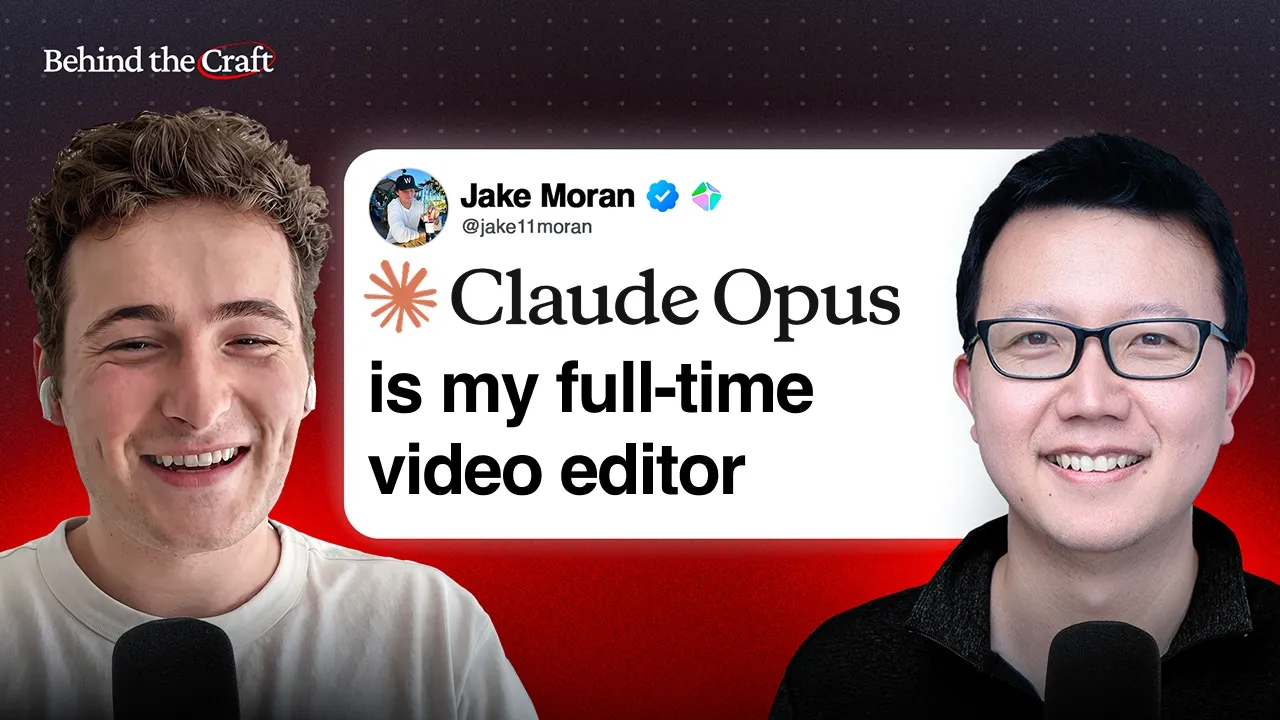
Peter Yang
AI video tools can automate timeline assembly, jump cuts, and style replication, shifting human production work entirely to conceptual direction, brand constraints, and frame-level annotations.
AI-assisted summary of How to Make Amazing Videos with Claude and HyperFrames | Jake Moran — original source. Check the original for full context.
Source published:
Key ideas
- HyperFrames leverages an HTML-based architecture that enables code-native AI agents like Claude to programmatically assemble product launch videos and rough cuts from raw footage and static screenshots. (0:00)
- Sub-second video trimming requires precise audio alignment; running NVIDIA's local 1 GB Parakeet speech-to-text model delivers the millisecond timestamp accuracy needed to prune pauses down to 250 milliseconds without clipping syllables. (6:14)
- Product launch videos achieve optimal viewer conversion by following a four-beat structure: the hook, context building, the payoff or call to action, and the brand reminder. (20:00)
- HyperFrames simplifies editing iteration by allowing users to draw feedback directly onto individual video frames, queuing visual corrections and notes for batch submission to Claude. (36:17)
Detailed notes
## Background Published by Peter Yang on YouTube on October 25, 2026, this episode features AI video expert Jake Moran explaining how to prompt Claude and HyperFrames to produce high-impact videos. The discussion focuses on workflows for product launches, long-form YouTube tutorials, and short-form social clips, detailing the core editorial terminology needed to direct generative models effectively.
## TL;DR Jake Moran outlines an end-to-end framework for AI-assisted video editing, combining reasoning models like Claude with HyperFrames and NVIDIA's Parakeet for millisecond-precise rough cuts. He demonstrates how to transform static screenshots into polished motion graphic launch videos using a four-part narrative structure, integrate synthetic HeyGen avatars, and automatically adapt brand palettes. The conversation covers advanced techniques for cloning visual pacing from short reference clips, utilizing in-frame visual drawing canvases for batch feedback, and segmenting long-form content to preserve token limits.
## Atmosphere & style The conversation is pragmatic, collegial, and deeply builder-focused, pairing Peter Yang's eager questions as a non-editor creator with Jake Moran's relaxed, technical fluency. It feels like an intimate screen-share workshop where practical editorial concepts—like whip pans, punch-ins, and easing curves—demystify what typically seems out of reach for non-specialists. The mood is energized by genuine surprise and excitement, especially when observing Claude make unprompted creative decisions like inserting Jake's digital twin or converting five-second reference videos into reusable programmatic templates.
## Bulletin - [00:00](https://www.youtube.com/watch?v=MC1g2fHYC88&t=0s) HyperFrames leverages an HTML-based architecture that enables code-native AI agents like Claude to programmatically assemble product launch videos and rough cuts from raw footage and static screenshots. - [06:14](https://www.youtube.com/watch?v=MC1g2fHYC88&t=374s) Sub-second video trimming requires precise audio alignment; running NVIDIA's local 1 GB Parakeet speech-to-text model delivers the millisecond timestamp accuracy needed to prune pauses down to 250 milliseconds without clipping syllables. - [20:00](https://www.youtube.com/watch?v=MC1g2fHYC88&t=1200s) Product launch videos achieve optimal viewer conversion by following a four-beat structure: the hook, context building, the payoff or call to action, and the brand reminder. - [36:17](https://www.youtube.com/watch?v=MC1g2fHYC88&t=2177s) HyperFrames simplifies editing iteration by allowing users to draw feedback directly onto individual video frames, queuing visual corrections and notes for batch submission to Claude.
## Key takeaways - [00:00](https://www.youtube.com/watch?v=MC1g2fHYC88&t=0s) Effective prompt-driven video editing relies on using standard editorial terminology—such as rough cuts, jump cuts, and punch-ins—to give the LLM clear structural context. - [02:30](https://www.youtube.com/watch?v=MC1g2fHYC88&t=150s) To achieve a tight rough cut, users should provide explicit thresholds, such as cutting thinking pauses to 0.25 seconds or less and dropping false starts to keep only final takes. - [04:45](https://www.youtube.com/watch?v=MC1g2fHYC88&t=285s) Punch-ins and alternating camera framings are used to mask the head-position shifts caused by jump cuts when silences or retakes are removed from a single continuous take. - [06:14](https://www.youtube.com/watch?v=MC1g2fHYC88&t=374s) Transcription drift is a major failure mode in automated video editing; low-latency local models like NVIDIA's Parakeet solve this by providing accurate word-level timestamps. - [08:40](https://www.youtube.com/watch?v=MC1g2fHYC88&t=520s) Camera zooms—whether continuous push-ins or abrupt cut-ins—serve as essential visual hooks within the opening seconds to draw viewers into the scene. - [10:00](https://www.youtube.com/watch?v=MC1g2fHYC88&t=600s) Because LLMs lack auditory perception to evaluate sound balance, prompts must explicitly set background audio ratios, such as keeping music volume at 10% of the spoken dialogue. - [13:37](https://www.youtube.com/watch?v=MC1g2fHYC88&t=817s) HyperFrames uses a storyboard mode to generate static keyframes first, allowing creators to inspect layout, composition, and tone before committing compute to a full motion render. - [20:39](https://www.youtube.com/watch?v=MC1g2fHYC88&t=1239s) Modern generative video workflows can fully synthesize on-screen talent by integrating digital avatars from tools like HeyGen directly via desktop app bridges or MCP connectors. - [22:20](https://www.youtube.com/watch?v=MC1g2fHYC88&t=1340s) Brand consistency requires explicit input; HyperFrames extracts color palettes and styling directly from website URLs or style guides to prevent AI agents from hallucinating random aesthetics. - [26:40](https://www.youtube.com/watch?v=MC1g2fHYC88&t=1600s) Pacing requirements differ fundamentally across platforms: short-form feeds demand constant kinetic cuts, whereas long-form educational videos succeed with an upfront table of contents and breathing room for the speaker. - [30:00](https://www.youtube.com/watch?v=MC1g2fHYC88&t=1800s) Five-second reference clips can be reverse-engineered by AI into underlying layout and motion code, enabling creators to clone dynamic editing styles while replacing the branding and assets. - [36:17](https://www.youtube.com/watch?v=MC1g2fHYC88&t=2177s) To prevent excessive token usage and slowdowns on videos longer than 30 minutes, editors should chunk the timeline into modular chapters rather than processing entire long-form recordings in a single pass. - [36:17](https://www.youtube.com/watch?v=MC1g2fHYC88&t=2177s) Successful compound prompts and workflow pipelines should be saved as reusable agent skills to maintain consistent editing formats across future video productions.
## Detailed walkthrough ### [00:00](https://www.youtube.com/watch?v=MC1g2fHYC88&t=0s) Teaser, Intro, and Video Editing 101 with AI
The conversation opens with a glimpse of an impressive AI-generated video created from minimal input: three simple screenshots that Claude expanded into a full video, populating it with synthetic people and even inserting Jake Moran's own AI avatar without being prompted. As Jake points out, Claude took the creative liberty entirely on its own: “That's my avatar as well. Yeah, and I didn't even ask for myself to be in there. That was actually Claude's discretion.”
Peter Yang introduces Jake as his go-to resource for AI video editing. Despite having edited videos for only six months, Jake has developed an efficient methodology using AI agents to generate product launch videos, talking-head YouTube episodes, and short-form content. Peter confesses that he is a complete novice when it comes to video editing terminology and asks Jake to establish the foundational concepts and vocabulary needed to instruct AI agents effectively.
Jake explains that video creation spans many formats—from marketing launch videos to long-form recorded podcasts that require extensive post-production cleanup. When a recording session finishes, the raw, uncut footage (the "raw takes" or rushes) is invariably longer, looser, and messier than the final intended product. AI models excel at compressing that raw footage into a tight, polished delivery, provided the user communicates in terms that the models understand natively.
```mermaid flowchart TD accTitle: Raw Footage Cleanup Flow accDescr: Pipeline showing how raw recorded takes are processed by an LLM agent into a polished cut using transcription and editing directives.
subgraph Ingestion ["1. Raw Ingestion"] A["Raw Takes / Rushes"] --> B["Transcription Model\n(Timestamps & Words)"] end
subgraph AgentPass ["2. LLM / Agent Editing Pass"] B --> C["Identify Artifacts\n(Filler Words, Pauses, Retakes)"] C --> D["Apply Directives\n(Cut pauses to <0.25s, drop duplicate takes)"] end
subgraph Assembly ["3. Visual Assembly"] D --> E["Rough Cut\n(Storyline Restored)"] E --> F["Pacing & Transitions\n(Jump Cuts, Punch-ins, Framing)"] end ```
- HyperFrames relies on an HTML-based architecture, which makes it particularly natural for code- and web-native AI agents to manipulate programmatically compared to legacy timeline software. - Speaking the standard editorial vocabulary ensures the LLM recognizes the exact intent immediately, preventing wasted tokens and expensive trial-and-error iterations.
---
[02:30](https://www.youtube.com/watch?v=MC1g2fHYC88&t=150s) Mastering the Rough Cut: Filler Words, Pauses, and Retakes
Jake breaks down the mechanics of assembling a "rough cut"—the critical early stage where mistakes, stumbles, and dead air are eliminated to re-establish a clear, engaging narrative arc. Because modern LLMs operate over detailed transcripts paired with accurate word-level and sentence-level timestamps, they can effortlessly identify common speech quirks such as verbal pauses, stutters, and duplicate attempts at saying the same line.
To get clean results on the first attempt, Jake emphasizes that vague prompts yield messy outputs. Instead, creators should provide granular instructions and exact thresholds. Users should explicitly tell the agent to strip out verbal crutches like "um" and "uh," trim long thinking pauses down to a tight duration (such as a quarter of a second or less), discard false starts, and retain only the final take when a speaker blunders and repeats themselves.
Jake stresses that context is the single most decisive factor when delegating video work to an LLM: “Basically, I think this is true with all things AI, but it's also especially true with video editing. Getting as much context into your prompt, into wherever you're asking things to be edited is the key to increasing quality and getting closer to what you're wanting.”
- **Filler Words:** Removing hesitations ("um," "ah," "like") that distract from the core argument. - **Micro-Pauses:** Pruning silence between phrases to roughly 0.25 seconds or less to maintain high-energy pacing. - **Retakes and Blunders:** Instructing the model to recognize repeated phrasing, drop the aborted attempt, and splice directly into the corrected delivery.
---
[04:45](https://www.youtube.com/watch?v=MC1g2fHYC88&t=285s) Jump Cuts, Punch-Ins, and Modern LLM Capabilities
When silence or duplicate words are cut out of a continuous camera take, the speaker's head will instantly shift position between frames. Jake explains that this visual jump is known as a jump cut. To make these jarring edits feel deliberate and visually dynamic rather than accidental, editors use "punch-ins"—zooming into the shot slightly or cutting between closer framing and wider framing to mask the stitch. Similarly, punching in can highlight an emphasized statement or introduce a visual shift that re-engages the viewer's focus.
Peter reflects on how tedious this used to be when done by hand, recalling how creators had to sit and manually cross-reference the video timeline against a text transcript to slice out dead air. He observes that recent frontier models have completely altered the speed of this workflow, allowing users to combine all these cleanup instructions—cutting filler words, eliminating repeated lines, applying jump cuts, and punching in—into a single compound prompt.
Jake agrees that this rapid automation has only become dependable over the preceding few months, driven by advances in high-end reasoning and multimodal models like Claude 3.5 Sonnet, OpenAI models, and Google's Gemini lineup, which can ingest large transcripts, handle spatial/temporal reasoning, and execute multi-part editing instructions in a single shot.
---
[06:14](https://www.youtube.com/watch?v=MC1g2fHYC88&t=374s) Parakeet: Accurate Local Transcription for Millisecond Cuts
While top-tier LLMs excel at creative and structural editing logic, their cuts depend entirely on the quality of the underlying audio timestamps. Jake highlights a hidden bottleneck: if a transcription engine provides sloppy or drift-prone timestamps, the agent will inevitably misjudge the audio boundaries and chop off the beginning or end of words.
To solve this, Jake relies on NVIDIA's Parakeet model, a locally hosted speech-to-text model that is approximately 1 GB in size. For short-form platforms like TikTok, YouTube Shorts, or Instagram Reels where breathless pacing is mandatory and pauses are shaved down to 250 milliseconds, microsecond precision is the difference between an edit that feels seamless and one that sounds broken.
Jake explains why transcription accuracy is the bedrock of automated editing: “So Parakeet for me works 98% of the time to getting the right amount of time in between words or whatever the case you need. It just allows the LLM to get really good timestamps, which is everything for these types of, let's say, recording cleanup.”
- **The Precision Problem:** Low-quality automated transcription generates loose timestamps; asking an LLM to cut tight silences against inaccurate timestamps clips the first or last syllable of neighboring words. - **Local Model Footprint:** At roughly 1 GB, Parakeet runs locally, offering low latency, zero external API costs, and high-fidelity timing for video editing pipelines. - **Pacing Demands:** Social video algorithms punish sluggish dead air, making sub-second cuts vital for viewer retention.
---
[08:00](https://www.youtube.com/watch?v=MC1g2fHYC88&t=480s) Sponsor Break: Wispr Flow
Peter shares a brief sponsorship message for Wispr Flow, an AI-powered voice dictation application that saves him at least three hours every week. Instead of typing out thoughts, users speak naturally, and the app automatically removes filler words, formats the sentences, and outputs clean, ready-to-use prose. Peter uses Wispr Flow across his daily workflow to draft newsletter editions, write detailed product specs, and answer messages on Slack, offering listeners six months free with his promo code.
---
[08:40](https://www.youtube.com/watch?v=MC1g2fHYC88&t=520s) Crafting the Hook: Zooms, Push-Ins, and Cut-Ins
Turning from cleanup to creative presentation, Peter asks Jake how to tackle the intro of a video. Jake notes that the terms "intro" and "hook" are often used interchangeably across the video production landscape. Regardless of what label an editor prefers, the fundamental objective remains identical: capture the audience's visual and intellectual attention within the first few seconds before they swipe away.
When working with talking-head footage, simple camera movement serves as one of the most reliable visual hooks available. Jake stresses the psychological impact of moving the frame: “I can't understate how powerful a zoom in is at the beginning of the video. It just leads your eye somewhere and kind of wraps you into the world.” Modern LLMs can be prompted to script and automate these zooms without manual keyframing.
Jake distinguishes between the primary zoom techniques editors use to frame an opening: - **Push-Ins:** A gradual, continuous camera motion that starts wider and steadily pushes forward closer to the subject's face, gently pulling the viewer into the scene. - **Cut-Ins:** An abrupt change in focal length where the camera cuts directly from a wide angle to a tight shot on a specific frame without any visible continuous zoom motion.
[10:00](https://www.youtube.com/watch?v=MC1g2fHYC88&t=600s) Hooks, Dynamic Transitions, and AI-Driven Sound Design
Jake Moran explains that dynamic camera and frame movements in video editing rely heavily on pacing curves. Rather than jarringly jumping between position frames, most creators utilize an easing curve that starts slow, ramps up in speed through the middle, and smooths out toward the end. Beyond camera motion, intros require B-roll to capture attention immediately. B-roll can serve multiple purposes: teasing topics discussed later in the video, presenting visually engaging eye candy, displaying a tutorial's table of contents, or showing speaker pedigree cards. Moran points out that established creators like Peter Yang often use pedigree overlays to signal authority and history to first-time viewers right away.
Transition choices further define a video's energy. Moran contrasts a standard cut (an abrupt swap from scene A to scene B) with a whip pan, where scene A snaps rapidly off-screen to the left while scene B whips in from the right. When Yang admits he does not always know when to choose a whip pan over a cut and asks if one can simply prompt Claude to pick from a list, Moran strongly encourages letting the LLM take the reins:
> “Leave it up to Claude, it's going to make the choice for you, and it'll probably be pretty solid.”
When it comes to audio, Claude 3 Opus can generate its own MIDI music tracks, hook into audio libraries, or accept local music files dropped directly into the chat prompt. However, Moran cautions that language models cannot actually listen to audio, making balance a common failure mode where background music overpowers the dialogue. To prevent this, he explicitly instructs the agent to keep music levels at 10% of the A-roll voiceover volume. Yang adds that prompting the AI to snap cuts directly to the beat of the music elevates the edit to a professional level.
- **Easing Curves:** Motion graphics feel natural when movement accelerates in the middle and softens at the endpoints rather than moving linearly. - **B-Roll Varieties:** Used for visual pacing, previewing upcoming segments, providing structured tables of contents, or establishing social proof with credential overlays. - **Whip Pans:** Directional blur transitions that maintain high kinetic energy between disparate scenes. - **Audio Prompting:** Always specify explicit volume ratios (e.g., “keep it at 10% of the volume of my A-roll”) because LLMs have no auditory perception to judge loudness balance automatically.
---
[13:37](https://www.youtube.com/watch?v=MC1g2fHYC88&t=817s) Demo: Building a Feature Launch Video from Three Screenshots
Moran walks through a concrete demo showing how he produced a launch video for HyperFrames' native background-removal tool. Rather than assembling complex timelines manually, he built the entire motion graphic sequence inside the HyperFrames desktop app starting from just three static assets: a screenshot of the app's studio interface and two reference images for the hook. Instead of specifying millisecond durations, cut points, or technical editing jargon, he wrote a high-level narrative prompt focused on the product storyline, relying on Claude to handle the graphic composition and pacing.
```mermaid flowchart TD accTitle: AI Video Creation from Assets to Render accDescr: Workflow showing how three screenshots and a story idea turn into a storyboard and final video build via Claude.
subgraph Inputs ["1. Input Assets & Story"] A["3 Static Screenshots"] B["Core Storyline & Slack Hook Asset"] end
subgraph Prompting ["2. LLM Orchestration"] C["High-Level Narrative Prompt<br/>(No complex jargon)"] D["Claude 3 Opus Agent"] end
subgraph Iteration ["3. Review & Render"] E["Still-Frame Storyboard"] F["Targeted Prompt Adjustments"] G["Full Motion Graphics Render"] end
A --> C B --> C C --> D D --> E E -->|"Inspect & refine frames"| F F --> D E -->|"Approved"| G ```
Moran highlights a fundamental truth about AI-assisted video editing: the creator still carries the burden of taste, conceptual direction, and the core premise:
> “The biggest bummer I think for people still today with editing with AI is that you actually, you probably do still need your idea, right?”
In this instance, inspiration struck when an engineer on Moran's team posted a Slack demo featuring an image of a basketball player with the background cleanly removed. Moran grabbed that exact asset, dropped it into the chat, and drafted a script conveying that complex background extraction was now "just a prompt away."
To avoid the lengthy wait times of rendering full motion passes, Moran leverages HyperFrames' storyboard mode. The model generates static keyframes representing the video's chronological beats first. This review layer allows him to evaluate layout, composition, and visual tone, requesting style adjustments on still frames before burning computational time on a full video render.
---
[18:41](https://www.youtube.com/watch?v=MC1g2fHYC88&t=1121s) Guidelines for Fast-Turnaround Feature Launch Videos
Yang asks Moran for his general framework when producing product launch videos, which typically run between 30 and 45 seconds to highlight a problem and its resolution. Moran clarifies that his launch videos are rarely sweeping, documentary-style founder stories or grandiose funding announcements. Instead, they are rapid-response feature releases tailored for specific user workflows.
At an early-stage startup, engineering moves faster than conventional video production schedules. Moran routinely receives Slack messages at 5:00 PM from engineers saying a feature is completed and asking if they can announce it the next morning. Because the target audience only needs to understand a focused utility, Moran aims for concise videos running between 30 seconds and roughly a minute. Every video opens with an immediate, visually gripping hook—such as the basketball visual used in the background removal demo—before efficiently demonstrating the specific workflow improvement.
[20:00](https://www.youtube.com/watch?v=MC1g2fHYC88&t=1200s) Structuring Launch Videos into Four Core Beats
Jake breaks down the mental framework he uses when structuring product launch videos. He thinks about them in four essential sections: the hook, context building, the payoff or call to action (CTA), and the brand reminder. The hook needs to be the single most engaging element that grabs the viewer's attention right away. From there, the video transitions into explaining how the product actually works in context, followed by demonstrating the ultimate payoff for the end user. Finally, the video loops back around to pricing or practical details, reminding the audience of who made the tool:
> "I normally think about it in four sections, hook, kind of like the context building, maybe the call to action or the output, and then coming back around to like, hey, here's our brand."
```mermaid flowchart LR accTitle: Four-Part Product Launch Video Framework accDescr: A linear four-stage workflow showing how Jake structures product launch videos.
A["1. The Hook<br/>(Most engaging element)"] --> B["2. Context Building<br/>(How to use the product)"] B --> C["3. The Payoff / CTA<br/>(Value to user & outcome)"] C --> D["4. Brand Reminder<br/>(Pricing, details & brand identity)"] ```
[20:39](https://www.youtube.com/watch?v=MC1g2fHYC88&t=1239s) Using HeyGen Avatars and Claude's Unprompted Decision
Peter points out a video clip showing a massive grid wall of talking avatars and asks whether Claude generated the human figures directly or if Jake used HeyGen. Jake explains that as a HeyGen employee who was with the company long before starting HyperFrames, he prefers not being on camera and lacks direct access to an army of creators. Rather than spending hours scouring TikTok or Instagram for sample footage, he simply asked Claude to generate different digital personas through HeyGen:
> "In this case like we see later in this video right we have this crazy grid wall of video examples I could have pulled these from online I lazy And I just asked Claude to use HeyGen to generate different characters and then have them speak a couple clips."
When Peter asks if anyone in the clip is real—even noticing Jake's likeness in the center—Jake reveals that every single person, including himself, is an avatar. Intriguingly, Jake had not even prompted Claude to insert his personal digital twin:
> "Yeah, and I didn't even ask for myself to be in there. That was actually Claude's discretion."
Jake notes that if a creator already has raw footage, they can just drop it in. To connect models without leaving the editing environment, HyperFrames incorporates direct integrations: - The HyperFrames desktop app features native direct connections to generative AI models. - When running workflows through the Claude desktop application or code editors like Codex, users connect external generators (HeyGen for avatars, Suno for audio, or various image generation tools) using CLI or Model Context Protocol (MCP) servers.
```mermaid flowchart TD accTitle: External Generative Tools Integration accDescr: Diagram showing how external tools like HeyGen and Suno integrate into editing workflows via app or MCP.
subgraph Native["HyperFrames Desktop App"] Direct["Direct Native Integrations"] end
subgraph External["Third-Party AI Editors (Claude Desktop / Codex)"] Bridge["CLI / MCP Connector"] end
Direct --> Models["Generative Models<br/>(HeyGen avatars, Suno audio, ImageGen)"] Bridge --> Models ```
[22:20](https://www.youtube.com/watch?v=MC1g2fHYC88&t=1340s) Maintaining Visual Brand Consistency
Peter asks how creators can guarantee that AI agents keep brand colors, fonts, and styling consistent from one cut to another instead of hallucinating random aesthetics. Jake highlights a feature they built into HyperFrames that automatically derives an entire brand kit directly from a user's website. Alternatively, users can upload a brand guidelines PDF or an asset folder.
Jake cautions that failing to supply concrete brand context leads to unpredictable results:
> "If you just say my brand, probably nine times out of 10, you're going to get some crazy colors and an imagined surface."
Inside HyperFrames, brand kit detection happens natively, whereas creators working in generalist LLM setups must explicitly feed style guides and color codes into the prompt context.
[23:28](https://www.youtube.com/watch?v=MC1g2fHYC88&t=1408s) Editing Peter's Talking-Head Video Down from Raw Footage
The conversation shifts from short launch promos to long-form tutorials. Jake reveals that he took a raw, unedited 20-minute and 30-second episode recorded by Peter and put it through the AI pipeline. The resulting polished video came out to 18 minutes and 11 seconds.
Jake explains that the 2-minute-and-19-second reduction stemmed from using an automated transcription pass to strip out pauses, duplicate takes, and verbal flubs. Depending on how messy the unscripted recording is, the cut-down ratio can vary widely:
> "Maybe I've recorded for eight minutes before and because I was sloppy and didn't have a script and whatever, the finished output of what I actually needed was only a minute, right? That's that you never really know it just depends on how let's say clean you were through the creation process there"
Beyond pruning filler, Jake focused on building an engaging intro hook reel that introduced the video's core topics.
[25:00](https://www.youtube.com/watch?v=MC1g2fHYC88&t=1500s) Building the Intro Reel with Screenshots and High-Taste Motion Graphics
Jake plays the custom intro reel he generated for Peter's video. Peter praises the inclusion of an upfront table of contents:
> "I like listing the use cases because then people actually want to watch you see all 10."
Jake explains that the layout came from giving Claude reference screenshots rather than coding animations by hand. Peter had previously shared two video styles he admired. Jake took screenshots of those hooks, fed them into Claude, described how the apps and ideas should be showcased, and instructed the agent to skin the visual assets using Peter's signature channel palette (the "Behind the Craft" brand colors).
Peter and Jake then discuss finding the right balance for on-screen motion graphics so visual clutter does not distract from the person talking. Jake notes that the frontier models naturally lean toward understated design:
> "Let the A-roll do the work, right? At the end of the day, you want to learn from the speaker."
- Intro reels for educational content work best when they present an explicit table of contents or numbered list to drive retention. - AI agents translate visual concepts reliably when prompted with screenshot references paired with explicit color schemes. - Models like Claude tend to stay conservative with animation density, helping avoid over-edited, hyperactive visuals unless explicitly pushed.
[26:40](https://www.youtube.com/watch?v=MC1g2fHYC88&t=1600s) Social Feeds vs. Long-Form YouTube Editing and the Power of Energy Prompts
Peter brings up creator Paul Lipsky, who recently created a talking-head video covering a blog post for Muse Wonder. Lipsky merely sat in front of the lens and talked; he provided Claude with a link to the blog post along with raw assets, and the model handled the rest—generating text overlays, inserting relevant screen captures, and highlighting the specific interface elements that corresponded to what he was explaining. Peter reflects:
> "I think that's the dream of a content creator you can just yap to the camera And then Claude will add all the screen shares and everything for you."
Jake agrees and contrasts the editing demands of different video formats: - **TikTok and Instagram Reels (Short-Form):** Require constant motion, frequent cuts, and heavy on-screen assets to halt rapid thumb-scrolling. - **YouTube (Long-Form):** Relies heavily on the title and thumbnail to secure the initial click, after which viewers appreciate cleaner pacing that lets the speaker teach without visual bombardment.
Jake highlights that current frontier models—such as Claude, Astra, and Gemini—excel at inferring context from external URLs and raw assets. The secret to steering their editorial intuition lies in prompting for emotional pace:
> "Describing the energy is so valuable to the agent."
Before HyperFrames introduced its latest visual style tools, Jake had to manually slow down reference clips frame by frame and write detailed prompt descriptions to get the model to imitate a creator's hook. Supplying direct blog links, sample assets, and descriptive "energy terms" now bridges that gap in a fraction of the time.
[30:00](https://www.youtube.com/watch?v=MC1g2fHYC88&t=1800s) Reverse-Engineering Video Styles and AI Split Screens
Copying a visual style or kinetic effect from another creator used to be a frustrating, labor-intensive chore because of the dozens of minute details that make it work—such as the exact way text animates onto the screen or how background removal isolates a subject so secondary graphics can slip behind them. Jake explains that social media algorithms on X and Instagram are currently pushing a clear convergence toward specific editing hooks and kinetic effects. To solve this, HyperFrames added native style-cloning support: a user can drop in a short five-second reference clip, prompt the model on what specific elements to tweak, and receive a newly generated scene that borrows the structural mechanics while completely transforming the branding, typography, and color palette. Jake points out that even a fast-paced hook usually boils down to roughly ten discreet visual actions, making reference-based generation far more reliable than starting from a blank page.
```mermaid flowchart LR accTitle: Reverse-Engineering Video Style Workflow accDescr: A process showing how reference footage is uploaded, reverse-engineered into code, and customized with new assets. subgraph Input ["1. Reference Input"] A["Upload 5s Reference Video"] end subgraph Deconstruct ["2. AI Analysis"] B["HyperFrames Reverse-Engineers Layout & Motion to Code"] end subgraph Transform ["3. Customization"] C["Apply Custom Brand Kit & Colors"] D["Inject AI-Generated B-Roll / Talking Head"] E["Add Dynamic Captions & Split-Screen"] end A --> B B --> C B --> D B --> E ```
For experienced video editors who have refined their visual identity over years, this approach serves as a bridge into AI-assisted workflows. A creator can feed their existing library of finished videos into the model to deconstruct their formats into reusable, referenceable code templates. Peter notes that this also pairs naturally with modern split-screen setups, where an AI can automatically generate ambient B-roll footage (such as an airplane flying overhead) on one side while syncing speech and captions on the other. Jake highlights that the entire production chain—from the visuals to the talking head itself—is becoming radically hands-off: “If you don't want to record, you don't have to. If you do want to record, do it.”
- Creators can use screenshots, previous video files, or shared HyperFrames project code as direct visual references. - Reference clips are deconstructed into underlying code, allowing full parameter adjustments to fonts, colors, and motion graphics. - AI split-screen generation eliminates manual B-roll searching by prompting generative video or directing an agent to retrieve stock footage.
[32:55](https://www.youtube.com/watch?v=MC1g2fHYC88&t=1975s) Product Launch "Moments" in the HyperFrames Desktop App
Beyond short-form social clips, Jake highlights how HyperFrames streamlines structured product launch videos using an internal concept called "moments." Because high-converting launch videos generally adhere to a four-part structure—the hook, the proof, the turn, and the payoff—the HyperFrames desktop application hosts a curated catalog of pre-built moments demonstrating how other successful launches executed each stage. Rather than hunting through GitHub repositories or scrolling through old X threads to find specific animation assets, users can browse visually, pick the pacing and layout they want, and map their own brand kit onto the template.
Jake references an internal guide where he outlines the three primary ways to prompt an AI agent when repurposing these launch moments: taking the structural energy of a clip, having the agent make the template entirely their own, or chaining multiple distinct moments together to serve an entirely new narrative arc. Peter recalls the friction of earlier setups where he had to dig up Jake’s Claude avatar typing code from a raw GitHub repo just to get the agent to understand the visual context. Jake explains that making these assets visually browseable inside a desktop app was essential, arguing that because video is an innately visual medium, users need to see and assemble reference components directly rather than relying on abstract text files or hidden repositories.
[36:17](https://www.youtube.com/watch?v=MC1g2fHYC88&t=2177s) Frame Annotation Feedback, Video Blur, and Long-Form Chunking
Addressing the everyday reality of AI editing, Peter brings up the frustration of iteration: while models occasionally hit a "one-shot" generation, fine-tuning edits using chat messages is tedious. Previously, Jake found himself scrambling to pause previews, memorize timestamps, and frantically type descriptive notes into Claude Chat like "at this moment I said this" to point out mistakes. To solve this, HyperFrames added an in-frame visual canvas where users can pause, draw directly onto the video frame to highlight an element, type an edit note, and queue up multiple annotations before submitting them to the model in a single batch.
```mermaid flowchart TD accTitle: HyperFrames Visual Feedback Loop accDescr: The loop of pausing video, drawing on-frame corrections, queuing notes, and batch-submitting to the agent. A["Review Video Preview"] --> B["Pause at Specific Frame"] B --> C["Draw Annotation Directly on Screen"] C --> D["Add Contextual Text Note"] D --> E["Queue Feedback Items"] E --> F["Batch Submit to AI Agent / Opus"] F --> A ```
Peter shares two practical production tips from his own setup: 1. **Automated PII blurring**: He created a custom agent skill called "video blur" that scans frame-by-frame across software screen recordings to blur out personal identifiable information (PII), sensitive emails, and names. 2. **Chunking long-form content**: For videos exceeding 30 to 60 minutes, Peter breaks the timeline into distinct segmented chapters before editing. Asking an LLM to reprocess a full 60-minute file to modify a small tweak at the 30-minute mark wastes thousands of tokens; editing isolated clips and having the agent stitch the finished segments together is significantly cheaper and faster.
Jake agrees, emphasizing that creators with recurring formats should always save successful prompts as persistent skills: “Once you nail that, just create a skill or similar. And all that is, is asking at the end of this session, hey, let's remember exactly what the steps here are so that I can reference it later for when I'm creating more videos, especially if you're somebody that has a consistent format that you use.”
[39:46](https://www.youtube.com/watch?v=MC1g2fHYC88&t=2386s) Democratization of Video and Wrapping Up
Peter and Jake reflect on how rapidly multimodal AI tools are lowering the barrier to high-quality video production. While expert human video editors will still hold an edge on high-end creative nuance, generative workflows now give average creators and product builders the ability to produce compelling, highly polished assets without deep technical expertise. Peter argues that dynamic video remains the most potent medium for communicating ideas online, half-jokingly pointing out that AI-generated rap battles—like the viral AI feud between ChatGPT and rival models—have emerged as an unexpectedly effective storytelling format that hooks audiences instantly with generative music and dynamic lyrics.
Jake shares where creators can access the software and connect with him: - **Desktop Application**: HyperFrames Studio is downloadable at `hyperframes.dev`. It is currently available for macOS and Linux, with a Windows release fully built and pending store approval. - **Open-Source Code**: Users can explore their open-source tooling under the `hyperframes` repository. - **Social Media**: Jake can be reached on X at `@jake11moran`.
Peter concludes the session by noting how inspiring the live demos were, committing to incorporating the tool's visual annotation, moment libraries, and reverse-engineering techniques directly into his own upcoming content pipeline.
## Notable quotes > [13:37](https://www.youtube.com/watch?v=MC1g2fHYC88&t=817s) The biggest bummer I think for people still today with editing with AI is that you actually, you probably do still need your idea, right? — Jake Moran
> [08:40](https://www.youtube.com/watch?v=MC1g2fHYC88&t=520s) I can't understate how powerful a zoom in is at the beginning of the video. It just leads your eye somewhere and kind of wraps you into the world. — Jake Moran
> [25:00](https://www.youtube.com/watch?v=MC1g2fHYC88&t=1500s) Let the A-roll do the work, right? At the end of the day, you want to learn from the speaker. — Jake Moran
> [02:30](https://www.youtube.com/watch?v=MC1g2fHYC88&t=150s) Getting as much context into your prompt, into wherever you're asking things to be edited is the key to increasing quality and getting closer to what you're wanting. — Jake Moran
## Mentioned Jake Moran, Peter Yang, Paul Lipsky, Claude, Claude 3.5 Sonnet, Claude 3 Opus, HyperFrames, HyperFrames Studio, Parakeet, NVIDIA, HeyGen, Suno, Wispr Flow, OpenAI, Google Gemini, Astra, Codex, Muse Wonder, Slack, TikTok, YouTube Shorts, Instagram Reels, X
## Video description Jake is my go-to expert for creating and editing videos with AI. In our episode, he demoed how he prompts Claude and HyperFrames to make incredible videos for product launches, long-form tutorials, and shorts. We also covered the key terms that you need to learn to guide AI to make the right edits.
Jake and I talked about:
(00:00) Video editing 101 to get Claude to make what you want (06:14) Parakeet: A free local model for accurate cuts (08:40) Hook viewers with zooms, B-roll, and whip pans (13:37) Demo: A launch video built from three screenshots (18:41) Launch videos in 4 parts: Hook, context, payoff, brand (20:39) Claude added Jake’s AI avatar without being asked (23:28) Jake’s AI edit of my raw YouTube video (29:25) How to copy any video’s style using AI (36:17) Draw feedback on the frame instead of typing
Thanks to our sponsors:
Wispr Flow: 4x faster than typing with your voice https://ref.wisprflow.ai/peteryang
📌 Get the takeaways: https://creatoreconomy.so/p/how-to-make-amazing-videos-with-claude-and-hyperframes-jake-moran
Where to find Jake:
X: https://x.com/jake11moran HyperFrames: https://hyperframes.dev Parakeet: https://build.nvidia.com/nvidia/parakeet-tdt-0_6b-v2/modelcard
Subscribe to this channel - more interviews coming soon!
[Source](https://www.youtube.com/watch?v=MC1g2fHYC88)