HAVN HS 360 Erases Vertical GPU Heat Penalty in $200 Lab Test
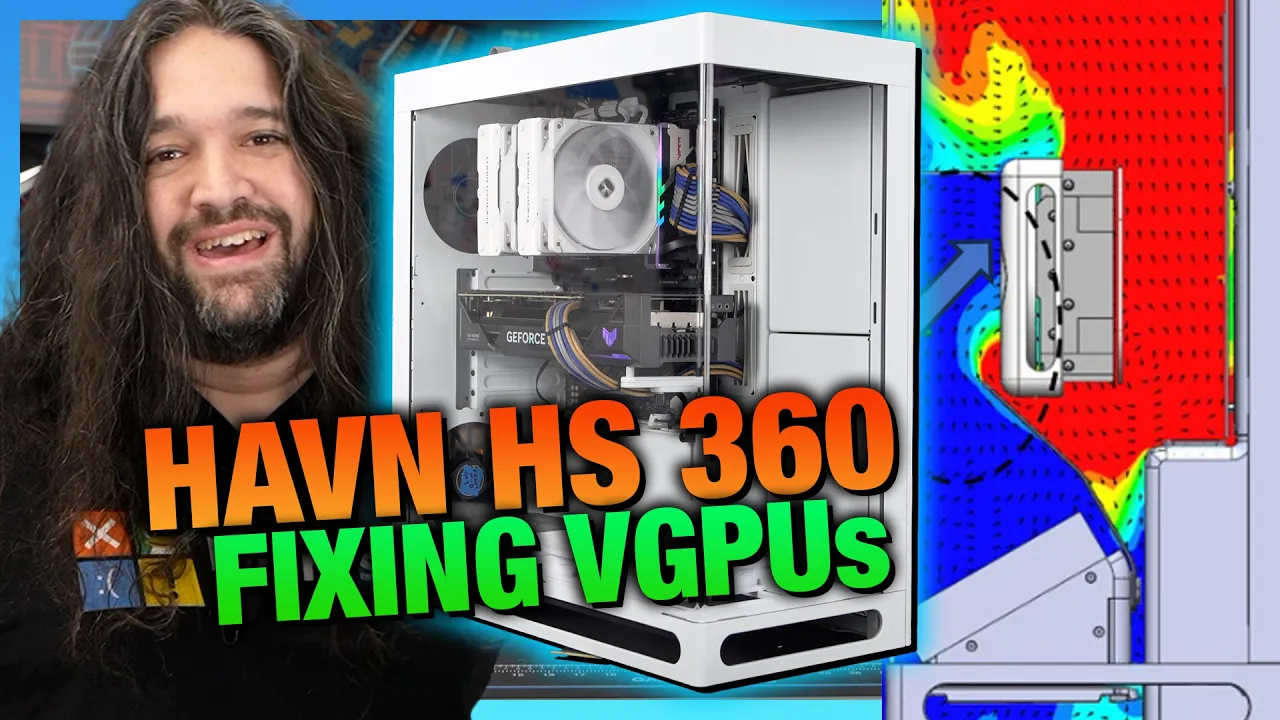
Fixing the Vertical GPU Problem | HAVN HS 360 Case Review, Thermals, & Benchmarks — Gamers Nexus

Gamers Nexus

Gamers Nexus testing confirms HAVN's dual-glass airflow duct pulls vertical graphics card temperatures within one degree of horizontal mounting, overcoming a chronic chassis design flaw despite steep $200 pricing.

AI-assisted summary of Fixing the Vertical GPU Problem | HAVN HS 360 Case Review, Thermals, & Benchmarks — original source. Check the original for full context.

Source published:

Key ideas

  • The HAVN HS 360 launches at $200 for the base model and $280 for the vertical GPU (VGPU) kit—substantially above Computex targets due to rising costs and a cooling DIY market. (0:02)
  • HAVN's new dual-sheet glass ducting successfully fixes vertical GPU thermal penalties, trailing horizontal mounting by only 1.0°C (43.5°C vs. 42.5°C over ambient). (19:00)
  • Quality control issues emerged during testing, with two out of four review samples arriving with broken side panel push-pin ball snaps and no spares in the box. (11:14)
  • The fanless chassis design features only 120mm fan mounts, requiring a standardized transplant setup that achieved 39 dBA and mid-pack thermal results matching the Fractal North XL. (13:58)

Detailed notes

## Background Published by Gamers Nexus on YouTube on October 29, 2026, this video reviews the HAVN HS 360 computer chassis. According to the page description, the review evaluates the case's thermal performance, acoustics, and build quality, with a specific focus on testing whether its secondary glass sheet successfully solves the thermal penalties of vertical GPU mounting in an increasingly expensive and difficult DIY PC market.

## TL;DR Gamers Nexus thoroughly analyzes the HAVN HS 360, a more compact successor to the HS 420 featuring an innovative dual-pane glass airflow guide designed to isolate vertical GPU exhaust. Thermal benchmarking reveals that HAVN's ducting mechanism genuinely works, narrowing the vertical mounting penalty to within a single degree of horizontal intake baselines. However, overall cooling performance sits squarely in the middle of the pack—favoring GPUs while struggling slightly on CPU thermals—and quality control issues surfaced with broken panel snaps out of the box. Ultimately, while Patrick Lathan and Steve Burke praise the chassis for its meticulous engineering, anti-vibration damping, and refined aesthetics, its steep price increase to $200 for the base model and $280 for the vertical GPU kit makes it a tough sell in a sluggish PC DIY market.

## Atmosphere & style The presentation carries Gamers Nexus's trademark dry wit, analytical precision, and no-nonsense consumer advocacy, opening with sharp satire regarding modern tech privacy before diving into engineering schematics. Steve Burke delivers an exhaustive, data-heavy breakdown punctuated by deadpan humor—such as reading Patrick's unvarnished verdict directly off the notepad and riffing on rising PC component costs. The mood balances deep appreciation for clever mechanical craftsmanship with blunt, unsparing critique of quality control flaws and broader macroeconomic market pressures.

## Bulletin - [00:02](https://www.youtube.com/watch?v=OgHTveiHy4Y&t=2s) The HAVN HS 360 launches at $200 for the base model and $280 for the vertical GPU (VGPU) kit—substantially above Computex targets due to rising costs and a cooling DIY market. - [19:00](https://www.youtube.com/watch?v=OgHTveiHy4Y&t=1140s) HAVN's new dual-sheet glass ducting successfully fixes vertical GPU thermal penalties, trailing horizontal mounting by only 1.0°C (43.5°C vs. 42.5°C over ambient). - [11:14](https://www.youtube.com/watch?v=OgHTveiHy4Y&t=674s) Quality control issues emerged during testing, with two out of four review samples arriving with broken side panel push-pin ball snaps and no spares in the box. - [13:58](https://www.youtube.com/watch?v=OgHTveiHy4Y&t=838s) The fanless chassis design features only 120mm fan mounts, requiring a standardized transplant setup that achieved 39 dBA and mid-pack thermal results matching the Fractal North XL.

## Key takeaways - [00:02](https://www.youtube.com/watch?v=OgHTveiHy4Y&t=2s) Chassis pricing pressures reflect a broader DIY market contraction, forcing the HS 360 to launch at $200 base and $280 for the VGPU variant instead of earlier $150 and $230 targets. - [03:59](https://www.youtube.com/watch?v=OgHTveiHy4Y&t=239s) The HS 360 is roughly 19.4% smaller and 29.5% lighter than the HS 420, featuring a tighter glass bend radius to reduce optical distortion. - [03:59](https://www.youtube.com/watch?v=OgHTveiHy4Y&t=239s) A rotatable sheet metal plate provides back-connect motherboard support without turning the motherboard tray into a flimsy, over-perforated surface. - [06:39](https://www.youtube.com/watch?v=OgHTveiHy4Y&t=399s) The dual-sheet glass airflow system couples a lower intake ramp with an upper magnetic divider that seals directly against the GPU cooler shroud. - [06:39](https://www.youtube.com/watch?v=OgHTveiHy4Y&t=399s) Installing the vertical GPU completely blocks access to the motherboard's bottom edge connectors, necessitating all wiring to be finalized beforehand. - [11:14](https://www.youtube.com/watch?v=OgHTveiHy4Y&t=674s) Transitioning from magnetic side-panel closures to push-pin ball snaps resulted in a 50% out-of-the-box failure rate across four sample units. - [11:14](https://www.youtube.com/watch?v=OgHTveiHy4Y&t=674s) Storage is restricted to two modular cages that share mounting space with side intake fans, leaving only a single dedicated drive spot behind the motherboard tray if fans are installed. - [11:14](https://www.youtube.com/watch?v=OgHTveiHy4Y&t=674s) Extensive rubber dampening pads across metal contact points throughout the chassis effectively eliminate resonant vibration and panel rattles. - [13:58](https://www.youtube.com/watch?v=OgHTveiHy4Y&t=838s) Thermal benchmarking required an ad-hoc standardized five-fan layout because the case rails exclusively support 120mm fans with no 140mm accommodation. - [18:08](https://www.youtube.com/watch?v=OgHTveiHy4Y&t=1088s) Bottom intake fan arrangements heavily favor GPU cooling, while side-mounted intake fans optimize CPU thermals at the expense of graphics temperatures. - [19:00](https://www.youtube.com/watch?v=OgHTveiHy4Y&t=1140s) The vertical GPU dual-glass ducting prevents thermal penalties, recording 43.5°C over ambient compared to 45.9°C over ambient when running the vertical mount without guides. - [20:16](https://www.youtube.com/watch?v=OgHTveiHy4Y&t=1216s) Under full fan speed, the HS 360 registers 39 dBA and achieves mid-tier GPU cooling comparable to the Corsair FRAME 4000D and Fractal North XL. - [20:16](https://www.youtube.com/watch?v=OgHTveiHy4Y&t=1216s) CPU thermal performance remains near the bottom of competitive charts even in the optimal side-intake configuration, trailing high-airflow mesh designs. - [22:27](https://www.youtube.com/watch?v=OgHTveiHy4Y&t=1347s) Noise-normalized testing at 27 dBA placed the HS 360 at 44.7°C over ambient, closely tracking the Lian Li Lancool 217 Infinite while trailing the Hyte X50. - [28:51](https://www.youtube.com/watch?v=OgHTveiHy4Y&t=1731s) Chassis manufacturers continue to deliver high-quality mechanical engineering, but sales remain constrained by external DIY market pressures and platform costs.

## Detailed walkthrough ### [00:02](https://www.youtube.com/watch?v=OgHTveiHy4Y&t=2s) HAVN HS 360 Review and the State of the DIY Market

Steve Burke opens with a sharp bit of perspective on why reviewing computer chassis remains a refreshing palate cleanser amidst wider industry nonsense:

> “In between covering how the tech companies have lost their minds and how everyone else is trying to turn all the devices you buy into spy devices, sometimes we review computer cases. They're nice because they're made out of metal and glass. And so far, no one's figured out how to make metal and glass have a privacy policy that involves spying on everything you do.”

The HAVN HS 360 serves as the direct successor to the HS 420, an enclosure Gamers Nexus previously evaluated quite favorably. HAVN carries over its strong mechanical engineering, such as using pill-shaped ventilated cutouts everywhere to let the system breathe. The support structures behind these grills are explicitly aligned with the dead zone created by fan hubs, opening up clear, unrestricted airflow paths where the actual fan blades spin. This thoughtful design extends to the side panel, which consists of a single massive perforated sheet with well-positioned center grill points.

```mermaid flowchart TD accTitle: HAVN HS 360 Structural Ventilation Architecture accDescr: Diagram showing how structural grill supports align over fan hubs to maximize blade airflow.

subgraph Exterior["Ventilated Side & Panel Framework"] Pill["Pill-shaped ventilation ports"] GrillSupport["Structural support bars"] end

subgraph FanZones["Fan Aerodynamic Zones"] Hub["Fan motor hub (Dead zone)"] Blades["Fan blade sweep area (Active airflow)"] end

GrillSupport -->|"Strategically aligned with"| Hub Pill -->|"Unobstructed opening over"| Blades ```

However, market conditions have degraded significantly since Gamers Nexus first looked at the chassis at Computex earlier in the year. Back then, HAVN projected price targets around $150 for the base model and $230 for the vertical GPU (VGPU) model—aligning with the original pricing tier of the HS 420. Instead, macroeconomic pressures and lower sales volumes across the DIY space pushed prices higher:

- **Base model price:** $200 (up from the original $150 target, matching the launch price of the older HS 420, which itself has since crept up). - **VGPU kit model price:** $280 (up from $230, landing $10 higher than the HS 420 VGPU launched at).

Steve quips about the aggressive $200 baseline becoming an industry-wide tax:

> “That's right. That's the new mandatory price if you launch a computer case right now because no one buys them. So, need to make up for the lack of volume with, you know, money.”

While acknowledging that HAVN is merely reacting to a harsh DIY landscape—a downturn Gamers Nexus forecasted in its documentary *Collapse of Computing*—the pricing undeniably places the HS 360 into a fiercely competitive tier alongside high-end options from Fractal, Lian Li, Cooler Master, and Hyte.

[03:59](https://www.youtube.com/watch?v=OgHTveiHy4Y&t=239s) HS 360 Basics, Sizing, and Build Quality

The HS 360 is pitched directly at builders who admired the distinctive aesthetic of the HS 420 but wanted a more manageable footprint. HAVN calculates that the HS 360 features a 19.4% smaller volume and is 29.5% lighter than the HS 420. Visually, it retains the signature style established by HAVN's engineering team, which features former Fractal Design talent—including personnel who contributed to the Fractal Torrent.

Externally, the case shrinks the glass panel's bend radius compared to the wide, sweeping curve on the HS 420. HAVN advertises that this tighter bend reduces optical distortion for a cleaner panoramic view inside, though Gamers Nexus notes the wider curve on the 420 gave it character and likely helped manufacturing yields. Drive support is slightly trimmed: the HS 360 features larger drive cages, but only two of them.

```mermaid flowchart LR accTitle: Base vs VGPU Edition Component Breakdown accDescr: Flowchart illustrating the tooling shared across models and specific modular swaps for the VGPU SKU.

subgraph Shared["Standard Chassis Tooling"] Frame["Chassis body & frame"] Tray["Motherboard tray with reversible plate"] Glass["Panoramic curved front/side glass"] end

subgraph BaseSKU["Base Model ($200)"] BaseBrk["Flat bottom fan bracket (Radiator friendly)"] BaseHold["Shroud-braced GPU support"] end

subgraph VGPUSKU["VGPU Model ($280)"] AngledBrk["Angled bottom intake bracket"] Riser["PCIe Gen 5.0 riser cable"] GlassDuo["Lower airflow guide + Upper divider"] end

Shared --> BaseSKU Shared --> VGPUSKU ```

The difference between the $200 base variant and the $280 VGPU edition comes down entirely to modular add-ons rather than structural chassis changes: - **Base variant:** Includes a standard flat bottom fan bracket and a GPU support post that braces against the lower shroud. Fan mounts on the top and bottom align symmetrically, enabling custom liquid-cooling loops to run straight, parallel vertical hard tubes between radiators without any compound bends. - **VGPU variant:** Replaces the horizontal rear expansion slots with a vertical mount, bundles a PCIe Gen 5.0 riser cable, installs an angled lower fan bracket, and includes the modular glass ducting kit. HAVN intends to sell all of these individual accessories separately as well.

Motherboard tray support tackles the industry's recent push toward back-connect (BTF/Project Stealth) motherboards. Rather than stamping a perforated mess into the sheet metal, HAVN implemented a sensible middle ground:

> “The Frame 4000D is a good case overall, but it's also a good example of the cheese grater of support. The HS 360 is one of the better built compromises we've seen that's trying to do it all.”

The HS 360 uses a rotatable metal plate at the edge of the tray to reposition cutouts cleanly, avoiding the flimsy, heavily skeletonized trays found in many competing universal cases.

[06:39](https://www.youtube.com/watch?v=OgHTveiHy4Y&t=399s) Vertical GPU Dividers and Installation Quirks

On the HS 420 VGPU, HAVN supplied a single lower glass deflector plate intended to scoop air into the graphics card while stopping hot exhaust from looping back into the fans. While the engineering theory and manufacturer CFD simulations looked promising, real-world testing on the HS 420 showed little thermal benefit. With the HS 360, HAVN doubled down on the concept by implementing a two-part glass system: 1. **Glass Airflow Guide (Lower):** Directs incoming cool air up from the angled base fans. 2. **Glass Divider (Upper):** Sits directly against the GPU cooler using a magnetic mount and cushioned contact feet, physically walling off the GPU's intake chamber from its hot exhaust side.

To match diverse hardware aesthetics, the kit includes six swappable rubber contact feet (two white, two gray, two black). Gamers Nexus notes the upper divider seats best against cards with flat, squared-off cooler shrouds; contoured cards—such as the ASUS TUF Gaming model used on the test bench—leave minor air gaps along the contact edge. Furthermore, the mount must be physically set to accommodate the glass divider, essentially locking the vertical bracket into a single ideal mounting position rather than an adjustable depth slider.

Installing hardware inside the VGPU version demands strict planning. When mounted, the vertical GPU completely walls off the bottom headers and edge connectors of the motherboard. Steve stresses that users must fully finalize all front-panel wiring, fan connections, and lower headers before locking the vertical GPU bracket into place.

Additional mechanical and hardware details noted during assembly include: - **Rear fan bracket:** Redesigned so cooling fans can be mounted and removed entirely from the rear exterior of the chassis, eliminating the need to fit screwdrivers inside cramped interior gaps. - **Angled bottom bracket:** Designed exclusively for cooling fans; attempting to sandwich a liquid-cooling radiator down there breaks the designed clearances. - **Bottom fan screws:** HAVN includes radiator-style thread screws with unusually tight tolerances for the bottom fan mount. If a fan's mounting holes have previously been opened up or scarred by aggressive self-tapping fan screws, threading HAVN's included screws requires unusual amounts of muscle. - **Manual illustration discrepancies:** The diagrams in HAVN's manual wildly distort the scale of the screws relative to the physical fasteners in the bag, making initial fastener identification confusing. - **Cable management:** The case retains the clean channel routing of the line, and HAVN resolved the humorously misspelled routing instructions stamped on the earlier BF 360 chassis. Access around the EPS 12V CPU power cutouts at the top remains spacious, with only minor cable routing caveats that follow in testing.

[09:48](https://www.youtube.com/watch?v=OgHTveiHy4Y&t=588s) Cable Management, Grommets, and Structural Panel Tweaks

The internal routing of the HAVN HS 360 requires cables to bend back at sharp angles to clear the top of the motherboard, though this proves to be a non-issue when using back-connect motherboards. The distinctive cable grommets mirror those found on the HS 420. They maintain a sleek, clean look when empty, although threading cables through them causes the parallel silicone lines to flex visibly. Plastic clips are provided to help tidy up this displacement. All silicone inserts are molded to clip securely into corresponding metal tabs and cutouts on the chassis. While this design ensures the assembly holds together solidly, the trade-off is that removing an insert leaves a glaringly obvious empty void in the frame.

HAVN implemented several refined mechanical adjustments to the side panel mounting mechanism. The glass panel continues to slide into position using a smooth roller mechanism, but the alignment tab seated near the front I/O now incorporates a riveted reinforcement. Although this tab is not a load-bearing element under normal use, it keeps the panel tracking straight during installation and removal. A discrete rubber grip added to the front edge of the glass makes removal far more intuitive once the protective factory warning stickers are peeled off. Furthermore, the roller tracks have been broadened so that users no longer need millimeter-precise alignment to slide the glass on. HAVN also asserts that the top overhang has been structurally bolstered, quoting an “approximately 36% increase in structural strength.” Steve Burke welcomed the unprovoked reinforcement, remarking:

> “We didn't really have any complaints there on the HS420, but we'll take an unforced improvement anytime a company wants to offer one.”

[11:14](https://www.youtube.com/watch?v=OgHTveiHy4Y&t=674s) Panel Snaps Quality Control Defect and Drive Mounting

A contentious change is the migration from magnetic closures to push-pin ball snaps on the solid side panels. Out of a four-sample review pool provided by HAVN, two arrived with broken retention snaps out of the box. Steve emphasized that a 50% failure rate across four units—an unusually large sample batch for a case review—points to an issue far deeper than rough transit handling:

> “Thankfully, all panels can be secured with optional screws, but two out of four samples having the same problem is dire. This seems to go beyond a shipping issue and to us indicates a QC oversight.”

The accessory kit also omits spare snaps, a standard courtesy that certain competitors provide.

Storage mounting inside the HS 360 is oddly engineered. The chassis includes two modular drive bays positioned across the side fan bracket, alongside a third standalone mounting footprint located behind the motherboard tray. Each cage accommodates either a single 3.5-inch drive or two 2.5-inch drives, built from a multi-piece stack featuring a plastic floor, a metal insert, and an outer decorative shroud. These aesthetic metal covers cannot be remounted empty; moving a drive bay to the motherboard tray leaves the side mount visually incomplete unless an extra bay is purchased or the outer covers are removed entirely. Furthermore, filling the side mounts with cooling fans restricts the chassis to that single rear drive location. While the drives themselves do not feature direct silicone grommets, HAVN isolated the side brackets and the motherboard tray location with rubber dampeners. Continuing their trend from the HS 420, HAVN heavily lined metal-on-metal chassis contact points with rubber pads to eliminate vibration rattle—a premium touch Steve lauded as rare among modern case manufacturers.

```mermaid flowchart TD accTitle: HAVN HS 360 Storage Layout Trade-Offs accDescr: Diagram illustrating storage cage distribution and layout conflicts with cooling fans.

subgraph SideMount["Side Bracket (Shared Mount)"] A["2x Modular Drive Bays<br>(Plastic Base + Metal Shell)"] B["Alternative: 120mm Fans / Radiator / Screen"] end

subgraph RearTray["Motherboard Backing"] C["1x Open Drive Mount Footprint"] end

A -.->|"If side fans are installed"| C A -.->|"Bay moved to rear"| D["Outer Decorative Shell Must Be Removed"] ```

- **Horizontal GPU Bracket**: Carried over identically from the HS 420; solidly anchored to the PSU shroud, but cannot adjust outward beyond approximately 28 cm, causing extra-long cards to overhang unsupported. - **VESA Accessory Mount**: Included in the accessory kit to allow small display installations on the side bracket, though no panel display is bundled. - **Parts Compatibility**: Due to frame tweaks, almost zero parts swap natively between the HS 420 and HS 360, though the magnetic airflow divider will be retailed separately and fits the HS 420.

[13:58](https://www.youtube.com/watch?v=OgHTveiHy4Y&t=838s) Thermal Configuration and Fan Setup Challenges

Like the HS 420, the HS 360 ships without pre-installed fans, introducing significant benchmarking hurdles. Steve pointed out that testing fanless cases quickly turns into an arms race of min-maxing configurations. Usually, Gamers Nexus standardizes fanless chassis benchmarks by borrowing fans from the Antec Flux or Flux Pro—two chart-topping performers that represent a realistic high-end fan transplant. However, because the HS 360’s chassis rails exclusively fit 120mm fans and lack 140mm mounting points, Gamers Nexus had to create an ad-hoc hybrid cluster of 120mm fans pulled across both the Flux and Flux Pro.

```mermaid flowchart LR accTitle: HS 360 Standardized Baseline Fan Layout accDescr: Flowchart showing the five-fan baseline layout used for thermal benchmarking.

subgraph Intake["Intake Airflow"] BTM["3x 120mm Reverse Blade Fans<br>(Bottom Shroud / Floor)"] R_BTM["1x 120mm Fan<br>(Rear Bottom / PCIe Level)"] end

subgraph Exhaust["Exhaust Airflow"] R_TOP["1x 120mm Fan<br>(Rear Top / CPU Level)"] end

BTM --> GPU["Graphics Card"] R_BTM --> GPU GPU --> CPU["CPU Cooler Area"] CPU --> R_TOP ```

The baseline layout utilizes five total 120mm fans: three reverse-blade intake fans along the bottom chamber floor, one intake fan positioned at the lower rear PCIe area, and one traditional exhaust fan mounted at the upper rear behind the CPU cooler. The lower rear intake position proves remarkably effective. Prior airflow testing on cases like the NZXT H5 demonstrated that negative pressure naturally forces intake drafts inward through vented rear PCIe slots because of GPU fan suction. Actively pushing fresh air into that lower rear mount substantially feeds the card.

The case contains 11 fan mounts total, with the manual advising a baseline layout of at least eight fans. Gamers Nexus biased fan positioning per the manual’s instructions: bottom fans were shifted rearward toward the GPU, while side-bracket fans were pushed upward toward the CPU socket.

- **Testing Constraints**: Facing an atypical all-120mm fan design, Gamers Nexus conducted seven discrete internal test configurations across three days to dissect the thermal impact of the vertical GPU (VGPU) kit and its accompanying glass airflow dividers.

[18:08](https://www.youtube.com/watch?v=OgHTveiHy4Y&t=1088s) Thermal Benchmarks: Full-Speed Intra-HAVN GPU Performance

The thermal evaluation opens with an isolated look at the internal HAVN testing matrix, which amassed nearly 20 data points across the HS 420 and HS 360 before paring the chart down for broader market comparisons. In the HS 360's internal showdown, the top-performing configuration for graphics cooling occurred when fans were arrayed strictly as bottom intakes. Blowing unobstructed cool air upward directly into the horizontal graphics card's heatsink yielded the absolute lowest temperatures.

Conversely, vertical mounting inherently penalizes graphics thermals due to proximity restrictions and airflow obstruction caused by glass panels. As Steve explained, vertical GPU brackets inherently enter the testing at a disadvantage:

> “The VGPU kit should always underperform a horizontally mounted GPU just because glass generally worsens access to air.”

[19:00](https://www.youtube.com/watch?v=OgHTveiHy4Y&t=1140s) Vertical GPU Thermals and Air Guide Testing

HAVN’s dual-sheet glass ducting system proves genuinely capable of mitigating the severe thermal penalty typically imposed by placing a graphics card right up against a solid glass side panel. When tested in a bottom intake configuration with both air guides installed, the vertical GPU setup recorded a result just one degree worse than the 42.5°C over ambient achieved by a standard horizontal mount using the exact same fan layout. Steve Burke awards credit where it is due: “This time at least, HAVN has managed to counteract the vertical GPU's performance costs in our setup when running both guides.” This marks a clear step forward from the earlier HS 420, where the vertical airflow apparatus was an admirable concept that fell short in execution.

Methodically stripping away the modular guides illustrates exactly how much work the ducting is doing. Removing only the bottom flow guide caused the GPU temperature to climb to 44.2°C over ambient. Reversing that setup—removing the top guide while retaining the bottom—worsened performance further to 45.4°C over ambient. When both guides were completely discarded, the vertical GPU drifted up to 45.9°C over ambient under identical conditions. Switching to a side intake arrangement degraded GPU thermals as well, landing at 45.0°C over ambient—measurably behind the 42.5°C baseline of the bottom intake setup. While HAVN's larger HS 420 charted lower temperatures overall, Steve cautions that the cases cannot be compared directly due to disparities in fan quantities and sizes. Similarly, the HAVN BF 360 Flow is equipped with high-performance factory fans, making it an alternative for buyers who want straight performance while maintaining HAVN's distinct aesthetic.

```mermaid flowchart TD accTitle: HAVN HS 360 Vertical GPU Air Guide Thermal Comparison accDescr: Step-by-step impact of removing airflow guides on GPU delta T over ambient. subgraph Guides["GPU Delta T Over Ambient"] H["Horizontal Mount: 42.5°C"] G2["Vertical + Both Guides: 43.5°C"] G_top["Vertical + Top Guide Only: 44.2°C"] G_bot["Vertical + Bottom Guide Only: 45.4°C"] G0["Vertical + No Guides: 45.9°C"] end H -->|"+1.0°C penalty"| G2 G2 -->|"Remove bottom guide"| G_top G_top -->|"Swap to bottom guide only"| G_bot G_bot -->|"Remove all guides"| G0 ```

- Horizontal GPU mount (bottom intake baseline): 42.5°C over ambient - Vertical GPU mount with dual air guides: ~43.5°C over ambient (+1.0°C over horizontal) - Vertical GPU with bottom guide removed (top guide only): 44.2°C over ambient - Vertical GPU with top guide removed (bottom guide only): 45.4°C over ambient - Vertical GPU without any air guides: 45.9°C over ambient - Side intake GPU configuration: 45.0°C over ambient

[20:16](https://www.youtube.com/watch?v=OgHTveiHy4Y&t=1216s) Full Speed GPU and CPU Competitive Benchmarks

When stacked against the broader PC case market with fans running at maximum speed, the HAVN HS 360's best GPU result—achieved in a horizontal orientation—lands squarely in the middle of the pack. Because the case does not ship with stock fans, Gamers Nexus selected a layout comparable to what they ran in the Hyte X50 and the standard Antec Flux, intentionally avoiding throwing $200 worth of exotic fans into the chassis just to inflate scores. In this trim, the HS 360 registered 39 dBA and produced thermals comparable to the Fractal North XL and the Corsair FRAME 4000D RS ARGB. The HS 360 ran noticeably quieter than the Hyte X50 Air due to the latter's aggressive mesh perforations, but their thermal results were within margin of error at 42.5°C and 42.1°C over ambient, respectively. This middle-of-the-road showing is respectable, though it relies on dedicating bottom intakes directly to the graphics card and tuning the rear exhaust fans specifically to assist the chassis.

Turning to the processor, the HS 360 flips priorities: CPU thermals are best served by side intake rather than bottom intake. With side intake fans blasting directly across the motherboard chamber, the CPU registered 46.8°C over ambient. Removing the internal guides from this configuration led to a slight degradation in CPU thermals. Shifting the intake down to the bottom without guides raised CPU thermals to 48.0°C over ambient, and running bottom intake with only the top guide disrupted airflow paths enough to push the CPU to 48.8°C over ambient.

Even in its ideal side intake configuration, the HS 360 ranks near the bottom of the competitive CPU thermal chart, trailing the Hyte X50 by several degrees. Steve emphasizes that while users could theoretically spend days fine-tuning fan positions and running A/B tests, that holds true for every case on the chart, and years of lab testing prove that blindly stuffing every fan slot often hurts rather than helps performance. Ultimately, the HS 360's internal geometry makes it a far friendlier out-of-the-box platform for cooling a GPU than a CPU.

- Full-speed acoustic output: 39 dBA - GPU thermal rivals: Matches Fractal North XL and Corsair FRAME 4000D RS ARGB - Comparison to Hyte X50 Air: 42.5°C (HS 360) vs. 42.1°C (X50 Air), within margin of error - CPU side intake (best configuration): 46.8°C over ambient - CPU bottom intake without guides: 48.0°C over ambient - CPU bottom intake with top guide only: 48.8°C over ambient

[22:27](https://www.youtube.com/watch?v=OgHTveiHy4Y&t=1347s) Noise-Normalized Performance in the Anechoic Chamber

To eliminate acoustic variables and establish an even playing field, the HS 360 was evaluated inside Gamers Nexus’s hemi-anechoic chamber. Fan speeds were calibrated so the entire system generated precisely 27 dBA at a 1-meter distance. Under these standardized acoustics, the HS 360 turns in an acceptable, though unremarkable, mid-tier result.

Running the GPU-favored bottom intake setup, the case posted 44.7°C over ambient. That positions the HS 360 right alongside the Lian Li Lancool 217 Infinite and slightly behind the Fractal North XL. By contrast, the Hyte X50 running a similar fan arrangement achieved 43.7°C over ambient, reaping the thermal benefits of an enclosure that Steve describes as being essentially as much hole as it is metal.

- Noise-normalized testing standard: 27 dBA at a distance of 1 meter in a hemi-anechoic chamber - Noise-normalized GPU thermal result (bottom intake): 44.7°C over ambient - Competitive standing: Comparable to Lian Li Lancool 217 Infinite; trails Fractal North XL - Hyte X50 noise-normalized comparison: 43.7°C over ambient (1.0°C cooler than the HS 360)

[23:05](https://www.youtube.com/watch?v=OgHTveiHy4Y&t=1385s) Build Quality, Patrick's Verdict, and Market Realities

Reviewing the HS 360 was a collaborative effort between Steve and Patrick Lathan: Steve handled airflow layout analysis, thermal testing, and benchmarking, while Patrick managed chassis teardown, assembly, and mechanical build notes. Steve decided to read Patrick’s unedited, raw summary bullet point directly to the audience rather than polishing it: “This is a nice case.” Steve jokes that fireworks must be going off and champagne corks popping in HAVN's Taipei headquarters over the glowing five-word assessment, suggesting they frame it on their office wall.

Humor aside, both reviewers agree that HAVN's core strength lies in obsessive attention to detail and exceptional build quality rather than raw thermal dominance. The chassis incorporates anti-vibration rubber damping so thoroughly that there is virtually no bare metal-on-metal contact anywhere, completely eliminating chassis rattles and annoying resonant hums. Stamped elements like the rear HAVN branding are clean, color coordination across materials is tight, and structural support struts on the perforated panels are deliberately aligned over fan hubs—dead zones for airflow—rather than obstructing the active fan blades. HAVN also deserves immense credit for designing a vertical GPU glass duct that actually matches horizontal performance.

The biggest hurdle for the HS 360 is pricing. In the current market, $200 has unfortunately become the new $130 to $150 tier for premium PC enclosures—a price tag Steve jokingly contextualizes against skyrocketing memory costs by remarking that it might only represent half the cost of a 16 GB RAM kit. For consumers prioritizing pure cooling capability over aesthetics, the market offers several compelling alternatives: - **Antec Flux and Flux Pro:** Excellent performance for those preferring a conventional layout. - **Hyte X50 Air and X50 Glass:** Quirky, highly perforated cases that deliver strong thermal benchmarks alongside high build quality. - **Fractal Meshify 3 Ambience Pro ARGB:** A longstanding lab favorite combining distinct aesthetics with strong thermal performance. - **Cooler Master HAF II 500:** Built like a giant tank and sits at the absolute top of the thermal charts, though targeting a completely different aesthetic than HAVN's sleek panoramic glass.

[28:51](https://www.youtube.com/watch?v=OgHTveiHy4Y&t=1731s) State of Case Reviews and the DIY PC Market

Steve reflects on returning to chassis evaluations, noting that while covering enclosures feels a bit like an old-school throwback for Gamers Nexus, maintaining sharp testing methodologies and continuing to evolve case benchmarks remains a core priority. Despite the shifting tech landscape, the team remains as invested in chassis engineering as ever, proud of running seven distinct configurations across just a couple of days to produce thorough empirical data. The underlying engineering from case manufacturers remains genuinely compelling, even if external economic pressures cast a shadow over the market.

The broader DIY PC ecosystem faces severe headwinds that disproportionately impact component manufacturers. Steve points out that case makers are currently suffering diminished sales figures not due to a lack of innovation or poor designs, but because overall system building has become prohibitively expensive for everyday consumers. This affordability crisis stems largely from macroeconomic factors and supply pressures generated outside the traditional desktop PC sphere. As Steve summarizes: “The companies are still putting out interesting stuff. It's just unfortunate that they're getting crushed right now in sales numbers because of the lack of PC building affordability.” He notes that relief remains largely dependent on factors beyond the control of case vendors, concluding: “That is in the hands of the big AI companies and the memory companies.”

- Gamers Nexus evaluated seven different hardware and airflow configurations within a two-day testing sprint to thoroughly map the enclosure's thermal behavior. - PC DIY sales volumes continue to be suppressed by skyrocketing platform and component costs driven by AI industry demand and memory pricing.

## Notable quotes > [18:08](https://www.youtube.com/watch?v=OgHTveiHy4Y&t=1088s) The VGPU kit should always underperform a horizontally mounted GPU just because glass generally worsens access to air. — Steve Burke

> [19:00](https://www.youtube.com/watch?v=OgHTveiHy4Y&t=1140s) This time at least, HAVN has managed to counteract the vertical GPU's performance costs in our setup when running both guides. — Steve Burke

## Mentioned HAVN, HAVN HS 360, HAVN HS 360 VGPU, HAVN HS 420, HAVN HS 420 VGPU, HAVN BF 360 Flow, Steve Burke, Patrick Lathan, Gamers Nexus, ID-Cooling Frozn A620 SLK, Cooler Master HAF II 500, Corsair Warthog, Corsair FRAME 4000D RS ARGB, Fractal Summit, Fractal Torrent, Fractal Pop 2 Vision, Fractal North XL, Fractal Meshify 3 Ambience Pro RGB, Fractal Design, Hyte X50, Hyte X50 Air, Hyte X50 Glass, Lian Li O11 Vision Compact, Lian Li Lancool 207, Lian Li Lancool 217 Infinite, Antec Flux, Antec Flux Pro, NZXT H5, ASUS TUF Gaming, Computex, Collapse of Computing

## Video description Sponsor: ID-Cooling Frozn A620 SLK on Amazon https://geni.us/Vc8Zi This review of the HAVN HS 360 case analyzes thermal performance, acoustics, and build quality. We previously reviewed HAVN's HS 420, which we tested overall positively; however, at the time, we found its vertical GPU solution to be only partially effective. Now, the HS 360 adds a second glass sheet to help trap and direct air to the GPU. The HS 360 is shipping into a bad PC DIY market, unfortunately, but remains an interesting test subject for vertical GPU thermals. Competition is stiff from Cooler Master, Lian Li, Fractal, Hyte, and others in the $200 range.

Read our CASE MEGA CHARTS page: https://gamersnexus.net/megacharts/cases Watch our Cooler Master HAF II 500 review: https://www.youtube.com/watch?v=9xuK_-RBuPA

RELATED PRODUCTS [Affiliate Links]

HAVN HS 360 on Amazon: https://geni.us/BtbaEC HAVN HS 360 VGPU on Amazon: https://geni.us/6fD99XA Corsair Warthog on Amazon: https://geni.us/6Iizt95 Fractal Summit on Amazon: https://geni.us/IWVxy Cooler Master HAF II 500 on Amazon: https://geni.us/iNYDYB HAVN BF 360 Flow on Amazon: https://geni.us/PRsOyke Hyte X50 on Amazon: https://geni.us/CEBL Fractal Torrent on Amazon: https://geni.us/A2S4z Fractal Pop 2 Vision on Amazon: https://geni.us/maKH1H Lian Li O11 Vision Compact on Amazon: https://geni.us/S0Wl Fractal Meshify 3 Ambience Pro RGB on Amazon: https://geni.us/BjOq5 Antec Flux Pro on Amazon: https://geni.us/CaPv Lian Li Lancool 207 on Amazon: https://geni.us/HILbWU Corsair FRAME 4000D RS ARGB on Amazon: https://geni.us/mfBx6F

TIMESTAMPS

00:00 - HAVN HS 360 Case Review 03:59 - HS 360 Basics and Build Quality 06:39 - Vertical GPU Dividers 09:32 - Cable Management and Details 13:58 - Thermal Testing 18:08 - GPU Thermals: HAVN Full Speed 20:16 - GPU Thermals: Full Speed Competitive 21:17 - CPU Thermals: HAVN Full Speed 21:58 - CPU Thermals: Full Speed Competitive 22:27 - GPU Thermals: Noise-Normalized 23:05 - Conclusion

The best way to support our work is through our store: https://store.gamersnexus.net/

Like our content? Please consider becoming our Patron to support us: http://www.patreon.com/gamersnexus

** Please like, comment, and subscribe for more! **

Links to Amazon and Newegg are typically monetized on our channel (affiliate links) and may return a commission of sales to us from the retailer. This is unrelated to the product manufacturer. Any advertisements or sponsorships are disclosed within the video ("this video is brought to you by") and above the fold in the description. We do not ever produce paid content or "sponsored content" (meaning that the content is our idea and is not funded externally aside from whatever ad placement is in the beginning) and we do not ever charge manufacturers for coverage.

Follow us in these locations for more gaming and hardware updates:

t: http://www.twitter.com/gamersnexus f: http://www.facebook.com/gamersnexus w: http://www.gamersnexus.net/

Our policies, processes, and ethics statements relating to review samples, advertising, travel, errors, and more are transparently and publicly available on this page: https://gamers.nexus/ethics-statements

Steve Burke: Writing, Host, Test Lead Patrick Lathan: Testing, Writing Mike Gaglione: Editing, Camera Vitalii Makhnovets: Editing Andrew Coleman: Camera Tannen Williams: Camera

[Source](https://www.youtube.com/watch?v=OgHTveiHy4Y)

中文简报

HAVN HS 360消除显卡竖装散热劣势:200美元机箱实测 Gamers Nexus测试证实,HAVN的双层玻璃气流导管可将显卡竖装温度控制在与横装相差仅1度以内,克服了机箱设计的长期缺陷,但其200美元的售价依然偏高。 Gamers Nexus对HAVN HS 360进行了深入评测。作为HS 420更为紧凑的后续产品,该机箱采用了创新的双层玻璃导风结构,旨在隔离竖装显卡的排气。散热基准测试表明,HAVN的风道设计确实有效,将竖装带来的散热劣势缩减至与横装进风基准相差不到1度的水平。然而,其整体散热表现仅处于中等水平——在有利于显卡散热的同时,CPU温度表现略显挣扎——且在开箱时出现了侧板卡扣断裂的品控问题。最终,尽管Patrick Lathan和Steve Burke称赞了该机箱精良的工程设计、减震缓冲以及精致的外观,但基础款200美元、竖装显卡套件版280美元的大幅涨价,使其在低迷的DIY PC市场上难以脱颖而出。 HAVN HS 360基础款售价200美元,垂直显卡(VGPU)套件版售价280美元,由于成本上涨和DIY市场降温,这一价格大幅高于Computex公布的目标价。 (0:02) HAVN全新的双层玻璃风道成功解决了显卡竖装的散热劣势,相比横装仅高出1.0°C(高于环境温度43.5°C对比42.5°C)。 (19:00) 测试过程中出现了品控问题,四台送测样品中有两台开箱即出现侧板按压式球头卡扣损坏,且包装内未附带备用件。 (11:14) 这款无自带风扇的机箱仅配备120mm风扇安装位,在使用标准化移植配置测试时,噪音达到39 dBA,散热表现处于中游,与Fractal North XL相当。 (13:58)

Reading summary

Gamers Nexus finds that the HAVN HS 360 features standout mechanical engineering and successfully neutralizes the traditional vertical GPU thermal penalty using a dual-glass ducting system, but its premium pricing and fanless retail package place it into a harsh, highly competitive enthusiast market. Market Pressures and Elevated Chassis Pricing (0:02) The HS 360 arrives as a smaller follow-up to the HS 420, reducing chassis volume by 19.4% and mass by 29.5%. However, macroeconomic pressures and contracting DIY sales volumes pushed launch pricing well past the initial Computex targets of $150 for the base model and $230 for the vertical GPU (VGPU) kit. Instead, the base SKU launched at $200, and the VGPU model landed at $280. Steve Burke notes that low component sales volumes have turned $200 into a de facto baseline for new enthusiast chassis releases, forcing the HS 360 to compete directly against premium alternatives from Fractal, Lian Li, Cooler Master, and Hyte. Dual-Glass Ducting Resolves Vertical GPU Deficit (19:00) Vertical GPU configurations traditionally suffer thermal penalties because positioning card intakes flush against solid glass restricts incoming airflow. HAVN addressed this with a two-part glass ducting kit: an angled lower guide scooping fresh intake air from the bottom fan rail, and an upper magnetic divider equipped with rubber contact feet that walls off the GPU intake from its hot exhaust chamber. When tested with both guides installed and a bottom-intake fan layout, the vertical GPU registered a thermal delta over ambient of approximately 43.5°C—trailing an identical horizontal orientation (42.5°C) by only 1.0°C. In testing, removing the guides demonstrated their measurable contribution to thermal management. Running the vertical GPU with only the top guide raised temperatures to 44.2°C over ambient, running only the bottom guide hit 45.4°C, and removing both guides degraded performance to 45.9°C over ambient. Gamers Nexus verified that the modular duct effectively mitigates the standard thermal penalty of a vertical GPU mount, correcting the ineffective single-plate design previously evaluated on the HS 420. Thermal Benchmarks and Fanless Limitations (13:58) Because the HS 360 ships without stock fans and relies strictly on 120mm mounting rails, Gamers Nexus benchmarked the enclosure using a standardized five-fan hybrid configuration derived from the Antec Flux series (three bottom intakes, one lower rear intake, and one upper rear exhaust). At full fan speed generating 39 dBA, the HS 360's horizontal GPU performance (42.5°C over ambient) tied the Hyte X50 Air (42.1°C) within margin of error and matched the Fractal North XL and Corsair FRAME 4000D. In noise-normalized testing at 27 dBA at 1 meter, the HS 360 produced 44.7°C over ambient on the GPU, landing near the Lian Li Lancool 217 Infinite while trailing the Hyte X50 by 1.0°C. CPU cooling performance proved less competitive. Processors preferred a side-intake fan arrangement (46.8°C over ambient) over bottom intakes (48.0°C), but even in its best configuration, the chassis ranked near the bottom of the comparative CPU cooling charts. Gamers Nexus emphasizes that the interior architecture naturally favors graphics card intake over CPU heat dissipation. Mechanical Refinements and Quality Control Flaws (6:39) The HS 360 demonstrates meticulous mechanical damping, using rubber isolated contact points across sheet-metal interfaces to eliminate chassis rattle and alignment ribs that hide behind fan motor dead zones. Tooling conveniences include a redesigned rear fan bracket accessible from the chassis exterior and a reversible plate on the motherboard tray that cleanly supports back-connect motherboards without excess perforations. However, quality control presented a major defect: two of the four review units supplied by HAVN arrived with broken push-pin panel retention ball snaps out of the box, with no replacement snaps bundled in the accessory kit. Internal space management introduces further trade-offs. Installing the vertical GPU completely blocks physical access to the bottom motherboard headers, requiring builders to finalize all front-panel connections prior to seating the riser assembly. Storage versatility is also constrained: the chassis provides only two modular drive cages alongside a rear tray mount, and mounting side intake fans leaves the build with only a single usable drive bay behind the motherboard. Gamers Nexus concludes that the HAVN HS 360 succeeds as an exceptionally detailed, premium enclosure that successfully solves vertical graphics card cooling. However, buyers must factor in the cost of providing their own fans, and the chassis remains held back by high entry pricing and panel snap quality control oversights in an already cost-burdened PC building market.

Source quotes

[18:08] Steve Burke: The VGPU kit should always underperform a horizontally mounted GPU just because glass generally worsens access to air. [19:00] Steve Burke: This time at least, HAVN has managed to counteract the vertical GPU's performance costs in our setup when running both guides.

Original transcript

[0:02] In between covering how the tech [0:03] companies have lost their minds [0:05] and how everyone else is trying to turn [0:07] all the devices you buy into spy [0:09] devices, sometimes we review computer [0:12] cases. They're nice because they're made [0:14] out of metal and glass. And so far, no [0:17] one's figured out how to make metal and [0:19] glass have a privacy policy that [0:21] involves spying on everything you do. [0:23] This is the Haven HS 360. It's a good [0:26] break from everything else we're doing. [0:28] The Haven 360 follows the HS420, which [0:31] we reviewed relatively positively in the [0:33] past. Very unique case, just like the [0:35] 420 was, but they've improved it in a [0:37] few places. It lands kind of in the [0:40] middle of the stack for a lot of the [0:41] competitive thermal performance, but [0:43] they've done some really interesting [0:44] things on the GPU side. So, this case [0:47] they've done really well to have these [0:48] pill-shaped uh ventilated ports [0:51] everywhere in a way that allows the case [0:54] to breathe and keeps the support [0:56] structures specifically positioned to [0:59] try to overlap with the fan hub, which [1:01] is a dead zone on fans. So, it's not [1:02] that useful. And getting the structural [1:05] support to overlap that hub gives more [1:08] actual room for flow where the blades [1:10] align, which is something that they did [1:12] really well in the past cases. Also, the [1:13] same goes for the huge side panel. It's [1:16] just one giant perforated panel uh with [1:19] wellpositioned center points on the [1:22] grill for it. For the rest, the [1:25] mechanical work that Haven's been doing [1:28] has been excellent. Uh that started with [1:30] the 420 and included the BF360. Now, the [1:34] HS360 cost the same. That is a really [1:38] bad idea. I should not put that there. [1:40] That's It's going to cost a lot more if [1:42] that falls. The HS360 costs the same as [1:45] every other computer case these days, [1:48] $200. [1:49] That's right. That's the new mandatory [1:52] price if you launch a computer case [1:54] right now because [1:57] no one buys them. So, need to make up [1:59] for the lack of volume with, you know, [2:03] money. And we saw this case at Comp [2:05] Computex earlier this year, and we're [2:07] told a possible price was $150 for the [2:10] basic model and $230 for the one with [2:12] the vertical GPU, matching the current [2:15] price cap for the HS420 models. Well, [2:17] that was then and this is now. Times [2:18] have continued to change, and not in [2:21] good ways. So, it's higher. Now, they [2:25] are at $200 for the base model, and the [2:28] vertical GPU model is $280. [2:32] So, um, congratulations on your tax [2:35] bracket. I guess I don't they've they [2:39] look, man, it's been a it it's been a [2:43] hell of a year for PCDIY, but we did [2:46] publish a documentary called Collapse of [2:49] Computing uh earlier this year that I'm [2:52] going to say called it. Anyway, uh the [2:55] base model of the HS3 cost the same as [2:58] the HS420 did at its launch. Good news [3:00] for Haven, the HS420 has also gone up in [3:03] price, so they've maintained the price [3:04] gap. Uh, the VGPU version actually cost [3:08] $10 more though than the HS420s VGPU [3:11] version did at launch and it's not [3:14] Haven's fault that things are the way [3:16] they are, but things are the way they [3:18] are and their case is priced [3:22] accordingly. Uh, anyway, it's a pretty [3:25] cool case. case reviews are at this [3:27] point. I've seen many of you say that [3:29] case reviews are a comfort food type of [3:32] video. So, here you go. Before that, [3:34] this video is brought to you by ID [3:36] Cooling and the Frozen A620 sleek CPU [3:38] air cooler, an update to the A620 that [3:41] we tested previously and found to be a [3:42] good performer years ago, but now with [3:44] improved installation features that make [3:46] it easier to install with the central [3:48] fan in place. The sleek edition also has [3:51] a matte blackout design for the nonRGB [3:54] Blackout enthusiast. Learn more about [3:56] the new A620 Sleek from ID Cooling at [3:58] the link in the description below. But [4:00] anyway, this has a VGPU kit. The VGPU [4:03] kit has two glass flow guides separate [4:06] from the HS420 single glass flow guide. [4:09] So, Haven literally doubled down on it, [4:12] and it worked, which is pretty [4:14] interesting to see. So, the HS360 is a [4:16] direct response to customers who liked [4:18] the HS420, but wanted something smaller. [4:20] That's basically what this case is. The [4:22] role was somewhat filled by the BF360 [4:24] and the BF360 Flow which we overall [4:26] liked. But the HS360 looks basically [4:29] exactly like the 420 and that's the [4:31] objective. There are incremental [4:33] improvements we'll go over but the point [4:35] is that the 360 is to quote them quote [4:38] 19.4% smaller volume and 29.5% lighter [4:41] than the 420. End quote by Haven's math. [4:44] Visually Haven has done well to continue [4:46] offering sort of a striking design to [4:48] it. And it makes sense because Haven has [4:50] former Fractal Design people at it. Uh [4:53] including, if my memory serves me [4:55] correctly, one of the people who worked [4:57] on the Torrent, which of course remains [4:59] one of the best cases we've ever tested [5:01] on our charts. Uh and you see some of [5:03] that design come through from that era [5:05] of Fractal in Haven. We don't need to [5:08] spend much more time on the case's [5:09] appearance because it's designed to look [5:10] just like the HS420 case that's been out [5:12] for 2 years and we already covered [5:14] pretty heavily. The drive cages are [5:15] bigger and there are only two of them. [5:17] and Haven decreased the bend radius on [5:19] the glass panel versus the 420. Haven [5:21] pitches this as a feature that reduces [5:22] quote visual distortion for a clearer [5:24] and more seamless panoramic view. End [5:26] quote. But that's a matter of taste. The [5:28] wider curve on the HS420 is part of the [5:30] case's character. It probably also helps [5:32] with yields and cost. The differences [5:34] between the base model and the VGPU are [5:37] the same as they were for the HS420 and [5:39] its two models. The bottom fan bracket, [5:41] the glass air deflectors, and the GPU [5:43] support are the only differences. The [5:45] overall case tooling and structure are [5:47] the same. The base model includes a GPU [5:49] support that braces against the shroud [5:50] at the bottom of the case, while the [5:52] VGPU model has a vertical GPU bracket [5:54] that replaces the rear PCIe slots. The [5:57] VGPU's riser cable is PCIe Gen 5.0. As [6:01] with the last model, Haven will sell all [6:03] of the individual parts. At GN, we [6:05] aren't deeply invested in back connect [6:07] hardware. Most of the cases we've [6:08] reviewed with do-it- all support have [6:10] flimsy skeletonized motherboard trays [6:12] that include multiple sets of cutouts. [6:14] The Frame 4000D is a good case overall, [6:17] but it's also a good example of the [6:18] cheese graater of support. The HS360 is [6:21] one of the better built compromises [6:23] we've seen that's trying to do it all. [6:25] It has a metal plate at the edge of the [6:27] motherboard that can be rotated to [6:28] reposition the cutouts. It doesn't [6:30] seamlessly blend with the tray, but it's [6:32] a cleaner way of doing it than doing two [6:34] sets of cutouts, and it does help with [6:37] not being as much of that cheese grater [6:39] aesthetic. As we showed in 3D animations [6:41] previously, the HS420 VGPU comes with a [6:45] glass air deflector plate that's [6:46] intended to move the air around the side [6:48] of the GPU and into the intake fans [6:51] while preventing hot exhaust from [6:53] recirculating. Haven provided a bunch of [6:55] testing and flow simulations to back [6:57] this claim up. We did our own animations [6:59] showing the theory, but our practical [7:02] realorld testing didn't show much of a [7:04] difference back then. We have to respect [7:06] that Haven has responded by trying to [7:08] force it into practicality, too. They're [7:10] doubling down by adding another piece of [7:12] glass in the HS360 that further directs [7:15] air flow. In official Haven terminology, [7:17] the lower piece is the glass airflow [7:19] guide, and the upper piece is the [7:21] divider. And as a spoiler alert, it does [7:24] actually seem to work this time. We'll [7:25] talk about that in the thermal testing. [7:27] The divider has a magnet on one side and [7:29] rests against the GPU cooler. It works [7:31] best with big flat square cornered GPUs [7:35] and our ASUS tough card leaves some gaps [7:37] due to its uneven surface. Also, because [7:40] the placement of the divider is [7:41] determined by the shape of the GPU, some [7:44] GPU shapes may make positioning [7:45] difficult. The divider contacts the GPU [7:48] with two rubber feet. The kit comes with [7:51] a set of six, two each in white, gray, [7:53] and black to match a variety of GPU [7:55] colors. Haven notes that the rear fan [7:57] brackets have been redesigned to allow [7:59] removal from the outside of the case [8:01] rather than needing to put a screwdriver [8:03] on the inside. The best radiator mounts [8:05] are in the top and bottom of the base [8:07] model or just the top in the VGPU model. [8:10] That's because its bottom bracket is [8:12] angled and can't mount radiators or at [8:14] least not with really going outside of [8:16] its intended use case. Haven aligned the [8:19] top and bottom fan mounts in the base [8:21] model so that hard tubes can drop [8:23] straight down from one to the other [8:25] without any bends, which would give it a [8:27] really clean look for high-end builds. [8:29] The side mount works for radiators, too, [8:31] but removing the drive mounts changes [8:33] the way the case looks and makes it feel [8:35] more familiar to other fish tanks. The [8:37] vertical GPU mount can be loosened to [8:39] adjust the distance to the side panel, [8:41] but this is intended for getting the GPU [8:43] lined up exactly with the glass pieces. [8:45] So, there's really only one correct [8:47] position. Even with the GPU moved all [8:49] the way towards the side panel, the GPU [8:51] completely blocks the bottom edge of the [8:53] motherboard. So, every other part of the [8:55] build should be completely finalized [8:56] before installing the VGPU kit. You'll [8:59] find it a lot easier. The VGPU kit [9:01] includes a full set of radiator style [9:02] screws for attaching fans to the bottom [9:04] mount. These screws have extremely tight [9:06] tolerances relative to the holes in a [9:08] normal case fan to the extent that if [9:10] the fans have ever been used with [9:12] selftapping screws, Haven screws may [9:14] need to be installed with some force. We [9:16] double checked the manual to make sure [9:17] we weren't missing something. But when [9:19] we found the relevant page, the one [9:21] diagram of the screw, as they call it, [9:23] was significantly larger than the actual [9:26] hardware, which is repeated with other [9:28] screws shown in the manual. Something [9:30] was lost in translation to the visuals [9:32] here. Cable management is still good, [9:34] but without the recommended typo of the [9:38] BF360. They fixed that, so that's a [9:41] positive. Without the spelling to [9:42] complain about this time, the only issue [9:44] we really had was with the EPS 12volt [9:46] cables, which have excellent access, but [9:48] need to be bent back at a sharp angle to [9:51] get up and over the motherboard. It's [9:52] not really an issue with the back [9:54] connect boards, though. The unusual [9:55] cable grommets match the HS420. They [9:58] still look great when there are no [9:59] cables routed through them, although use [10:01] means the parallel lines obviously bend [10:03] with cables. The plastic clips at least [10:05] help with this. All of the silicone [10:07] inserts are molded so that they can [10:09] fasten onto tabs and holes in the metal [10:11] of the case, with the downside being [10:13] that they can't be removed without [10:14] making it really obvious that a piece is [10:16] missing. But when it's all put together, [10:18] it's held together very well. So that's [10:19] the upside. There have been some small [10:21] tweaks to the way the side panel [10:22] connects. It still slides down into [10:24] place on a mechanically well-designed [10:26] set of rollers, but the tab that slots [10:28] in next to the front IO now has a [10:31] riveted reinforcement. This isn't a [10:33] loadbearing part 99.9% of the time, but [10:36] it needs to stay straight while the [10:38] panel is sliding on and off, and this [10:40] does seem to help. There's also a rubber [10:42] grip at the front of the glass, which [10:44] makes removing it more intuitive after [10:46] the grip here when removing the panel [10:48] stickers have been peeled off. The [10:50] channels for the rollers have been [10:51] redesigned so that the panel doesn't [10:53] need to be as precisely lined up for [10:55] installation. And Haven claims to have [10:57] reinforced the overhang for quote an [10:59] approximately 36% increase in structural [11:01] strength. End quote. We didn't really [11:03] have any complaints there on the HS420, [11:05] but we'll take an unforced improvement [11:07] anytime a company wants to offer one. [11:09] That's a good attitude towards design, [11:11] and it's something that we've liked with [11:12] these cases. One change that we're not [11:14] as happy about is the move from magnets [11:16] to snaps for the non-glass side panels. [11:18] In particular, the back panels on two of [11:20] our HS360 samples, even went overboard [11:23] and sent us four, had broken snaps. So, [11:26] we have a 50% defect rate out of the box [11:28] against a sample size of four, which is [11:30] abnormally large for a review set. [11:34] Thankfully, all panels can be secured [11:36] with optional screws, but two out of [11:38] four samples having the same problem is [11:40] dire. This seems to go beyond a shipping [11:42] issue and to us indicates a QC [11:45] oversight. The accessory kit doesn't [11:47] include any spares either, which some [11:49] competitors have included in the past. [11:50] The drive cages are a bit mystifying. [11:52] The HS360 has two included storage bays [11:55] installed on the side fan mount and a [11:58] third open slot behind the motherboard [11:59] tray. Each storage bay can fit one 3 and [12:02] 1/2 in drive or two 2 and 1/2 in drives. [12:04] The bays consist of a plastic bottom, a [12:07] metal insert, and a decorative metal [12:09] shell. The decorative shells can't be [12:11] installed without storage bays inside. [12:13] So, if a storage bay is moved to the [12:15] third location, at least one of the [12:17] shells has to be taken out or a third [12:19] storage bay purchased. Also, if the side [12:22] mounts are used for fans, the location [12:24] behind the motherboard tray is the only [12:26] drive mount, limiting options [12:28] significantly. It all works fine. It's [12:30] just a complicated way to mount a couple [12:32] of drives, and it does mix up your [12:34] options depending on what you're [12:35] planning to do with that side mount. [12:36] There are two separate mounting methods [12:37] for putting the bays on the side mount [12:39] or the optional third mount behind the [12:41] motherboard tray. There's no vibration [12:43] damping directly for the drives, but the [12:45] side fan bracket uses rubber as does the [12:47] optional mount. As with the previous [12:49] cases, Aven has gone completely [12:51] overboard in a good way with insulating [12:54] every possible metal-tometal contact [12:56] point with rubber to prevent rattling. [12:58] There's nothing really new here for [13:00] Haven, but it's something Haven does [13:01] that almost none of its competitors do. [13:04] We've continued to appreciate this [13:05] attention to detail from the company, [13:07] and we're happy to see that they haven't [13:09] cut this corner. It's a small one, too, [13:12] uh, to save a few pennies because [13:13] probably a lot of people wouldn't [13:14] notice, but the people in our audience [13:16] definitely would, and it's a nice detail [13:18] to add. The GPS support included with [13:20] the base model hasn't really changed [13:22] from the HS420, so we'll make the same [13:24] note that we did last time. The support [13:26] is sturdy and well supported against the [13:29] power supply shroud, but it can't be [13:30] adjusted out any further than the end of [13:32] the shroud. Anything longer than [13:34] approximately 28 cm will overhang the [13:36] support. The side mount can also be used [13:38] for a screen. All HS360s include a vasa [13:41] mount in the accessory kit, but not a [13:43] screen. As a side effect of all the [13:45] little changes and improvements, there [13:47] are basically zero interchangeable parts [13:49] between the HS420 and HS360. The [13:51] magnetic airflow divider will, however, [13:53] be sold separately and will fit inside [13:55] an HS420. Time to talk thermals and [13:58] noise. So, like its predecessor HS420, [14:01] the HS360 doesn't include any fans. That [14:03] always makes our lives a little [14:05] difficult for determining the testing [14:06] configuration. Uh cuz you could minmax [14:10] all these cases all day long and it just [14:12] becomes an arm race. So we try to find a [14:13] middle ground. The BF360 flow is easier [14:16] that included fans. That means it's also [14:18] not comparable by I guess fan type and [14:21] size to this one. But this one's [14:22] different from both of them because this [14:24] is all 120s in this case. And uh that [14:28] obviously eliminates a lot of options if [14:29] we wanted to use 140s for testing [14:31] because they don't fit. So, we usually [14:34] borrow fans from the Anttech Flux Pro or [14:36] the Anttech Flux when we do testing on [14:38] cases that don't include any fans. The [14:40] reason for this is because those are two [14:42] of the best performing cases on our [14:44] charts and because those are reasonable [14:46] fan configurations that you could put in [14:48] anything. You just move them around a [14:50] little bit. So, basically, it gives us a [14:52] sort of pseudo fan normalized option if [14:55] we want to transplant those fans into [14:57] something without any. The problem is [14:58] that this case doesn't have 140 slots. [15:01] So, we had to use a mixture of 120s from [15:04] the Flux and the Flux Pro, which kind of [15:07] defeats the purpose. It's not a set of [15:09] fans that came with any specific case. [15:11] It's not completely random, at least, [15:13] but still, we stuck with the Anttech [15:15] fans since they're generally [15:16] representative of what a case comes with [15:18] in a mainstream high performance [15:20] solution. The baseline configuration we [15:22] settled on was three reverse blade [15:24] intake fans on the bottom, another [15:26] intake fan at the rear bottom, which is [15:29] a unique fan position for the HS360, [15:33] and an exhaust fan at the rear top. This [15:35] is pretty important. This is actually [15:36] key for the HS420 and the HS360. Now, [15:41] where obviously you've noticed they have [15:42] these two fan spots. Uh, typically you [15:44] get the one right behind the CPU tower [15:46] cooler, but not this bottom one. So, the [15:49] bottom fan, as we showed in the HS420 [15:51] review previously, worked actually [15:53] pretty damn well as an intake fan [15:55] because actually, if you look at some of [15:58] our negative pressure case tests, like [16:00] on the old NDX H5, you'll notice that in [16:03] flow testing, air tends to come in [16:05] through the bottom PCIe slot covers [16:07] anyway if they're perforated because the [16:10] GPU fan is right next to that that hole. [16:13] And so normally the GPU fan is going to [16:15] generate uh enough force to pull the air [16:19] through the rear PCIe slot covers and it [16:23] acts as intake regardless. But shoving a [16:25] fan there, as we showed with the 420, [16:27] tends to benefit the GPU pretty well. [16:29] The HS360 has a total of 11 available [16:32] fan mounts, and the manual doesn't show [16:34] any specific recommended configurations [16:36] with fewer than eight fans, but we [16:38] oriented the fans we installed as [16:40] recommended. The side and bottom fan [16:42] mounts in the Baze model case have some [16:44] wiggle room for fan positioning. [16:46] Following the manual, we pushed the side [16:48] fans up and towards the top of the case [16:50] to bias them towards the CPU and the [16:52] bottom fans back and towards the rear of [16:55] the case to bias them towards the GPU. [16:57] All that to say, unfortunately, because [16:59] this case is all 120s and it also [17:02] doesn't include fans, it doesn't quite [17:04] match any of the now three different [17:07] standardized fan configurations that we [17:09] have established. It is a totally unique [17:11] new one. So to handle that, we ran seven [17:16] test configurations on just this one [17:18] case with this set of fans to understand [17:22] one specific thing, which is how the [17:24] different uh VGPU kits and the glass [17:27] that they have to insert above or below [17:30] the card, how all that impacts [17:32] performance specific to this case in [17:34] addition to these configurations tested [17:37] competitively versus the others. Um, [17:39] just for some context here, these showed [17:41] up late for us and so we had a couple of [17:44] days to actually get this testing fully [17:47] complete. I think we spent about 3 days [17:49] on it uh beginning the day they showed [17:51] up until just before the review was [17:54] filmed. Um, so we got a lot done with [17:56] seven configs and we're feeling pretty [17:58] good about what we're representing from [18:00] a pure sort of looking at how does the [18:01] KS do against itself standpoint. Uh, and [18:04] then we've also still got the [18:05] competitive charts for you. So, let's [18:07] get into the thermal benchmarks. We'll [18:09] start with full speed thermals targeting [18:10] the GPU. This first chart only shows [18:13] Haven because we have nearly 20 entries [18:15] for it, and we'll have to remove most of [18:17] these to make space for the competitive [18:19] chart to have alternative cases. We'll [18:20] do that in a moment. First though, we'll [18:22] study Haven's performance [18:23] characteristics. Because Haven's own [18:25] cases don't always define fans. And [18:27] because they sometimes only support 120 [18:30] or only support 140 mounts in some [18:32] spots, there's really no way to [18:33] perfectly match each of Haven's [18:35] offerings. We still have enough to work [18:36] with, though. The HS360 is the new one. [18:39] With the huge amount of configurations [18:40] we tested at seven for just this one [18:42] review in just the couple days that we [18:44] had to work on it, the best performer [18:46] for the GPU was with the fans installed [18:49] as bottom intake. That makes sense given [18:51] they're pointed straight into the GPU. [18:52] The VGPU kit should always underperform [18:55] a horizontally mounted GPU just because [18:57] glass generally worsens access to air. [19:00] However, Haven has done excellently to [19:02] combat the downsides of a glass side [19:04] panel near a vertical GPU with its full [19:07] VGPU kit. It actually works. Credit to [19:09] them. The bottom intake setup with two [19:11] air guides is only one degree worse than [19:13] the 42.5 degree over ambient result of [19:16] the horizontal configuration with the [19:18] same fan layout. Sticking with that, if [19:19] we remove the bottom flow guide, the [19:21] case falls to 44.2° over ambient. [19:24] Removing the top guide, but keeping the [19:26] bottom, it's now at 45.4° over ambient. [19:29] Without any air guides at all, it tested [19:31] at 45.9° with all other factors the [19:34] same. The guides are absolutely working [19:37] this time. The HS420 wasn't a bad [19:39] attempt, but didn't really do what they [19:41] planned. This time at least, Haven has [19:43] managed to counteract the vertical GPU's [19:45] performance costs in our setup when [19:48] running both guides. The side intake [19:50] setup had the GP at 45°, so notably [19:52] worse than the 42.5 of the bottom and [19:55] date configuration. And of no surprise, [19:57] Haven's HS420 generally performed better [19:59] in this chart, but that's because the [20:01] configurations aren't directly [20:02] comparable. We had more fans available [20:04] and of different sizes. The BF360 Flow [20:07] had its own fans, so it's also not [20:10] directly comparable, but remains a great [20:12] case if you want just straight up [20:13] performance as a focus while sticking [20:15] with Haven's looks. Here's the [20:16] competitive chart for full speed [20:18] thermals when looking at the GPU. The [20:20] Haven HS360's best result for the GPU, [20:22] which is horizontally mounted, has it in [20:24] the middle of the chart. Again, we were [20:26] left to our own devices for the fans. [20:28] And for these tests, we generally try [20:29] not to throw $200 of fans into a case [20:31] and double its cost. with what we chose, [20:34] which is most similar to what we ran in [20:36] the height x50 or even to the Anttech uh [20:39] Flux nonpro. The system ran at 39 dBA [20:43] and with thermals comparable to the [20:44] North XL and 4000D RS ARGB. Not bad, but [20:49] not impressive. The noise level was [20:51] quieter than the X50 Air, mostly thanks [20:53] to how perforated the height case is, [20:55] but the two are thermally very similar [20:57] at 42.1 and 42.5. They're with an error. [21:00] Overall, it's an okay showing for the [21:02] HS360 in the same way the nonpro is an [21:05] okay showing for Anttech, but that's if [21:08] the HS360 is running a bottom intake [21:10] configuration to benefit the GPU. This [21:13] is also with the rear fans configured to [21:14] benefit the HS360. So, it's fine. Back [21:18] to Haven only. Here's the CPU thermals [21:20] chart with full speeds. CPU thermals [21:22] have the HS360 with side intake [21:24] performing the best, which also makes [21:25] sense when given the option of bottom or [21:27] side only. The balance obviously would [21:30] be to do some of both. We've done that [21:32] testing in the past with the HS420. So [21:34] if you're curious about the impact in a [21:35] comparable way, you can check that [21:36] review. But this is already seven [21:38] configurations tested in just a few [21:40] days. So we're off to a decent start. [21:42] Side intake had the CPU at 46.8° over [21:45] ambient. Removing the guides worsened [21:47] performance slightly. Moving to bottom [21:49] intake without guides put us at 48°. And [21:52] running bottom intake with the top guide [21:54] only had an impact on flow [21:55] characteristics that pushed it to 48.8. [21:57] 8. Unfortunately, the HS360 falls toward [22:00] the bottom of the chart for CPU [22:02] thermals, even with the better [22:03] performing side intake configuration. [22:05] The comparable X50 bests the setup by a [22:08] few degrees. You could spend a lot of [22:10] time tuning this and AB testing fans [22:12] around the case, but you could also do [22:14] that for any case on this chart. What [22:16] we've shown over the years is that [22:18] filling every slot also doesn't benefit [22:20] performance, so it does require tuning. [22:22] In this instance, the takeaway is that [22:23] the HS360 gives you a better starting [22:25] point with the GPU than it does with the [22:27] CPU. The best way to deal with the fans [22:29] here is to noise normalize. So, for [22:31] this, we tested with the HS360 in our [22:33] Hemi Anooic chamber and configured it [22:35] such that the case ran at 27 dBA from 1 [22:37] meter away with our fan configuration. [22:40] Just like every other case we've tested, [22:42] the HS360 fares okay here. It's not bad, [22:45] but it's not a chart topper. The bottom [22:47] intake configuration, which favored the [22:49] GPU, ran 44.7 degrees over ambient when [22:52] noise normalized. That has it around the [22:54] Lancool 217 Infinite and behind the [22:57] North XL. The X50 and its similar fan [23:00] configuration ran at 43.7, benefited by [23:03] basically being a case that's as much [23:05] whole as it is metal. So, Patrick and I [23:07] split this review up. We both covered [23:09] some different parts of it. Um, I [23:11] focused on a lot of the layout, the [23:13] thermals. I wrote all that section and [23:16] uh, and looked at, you know, the stuff I [23:17] normally look at, which is the [23:18] benchmarking process. Patrick did a lot [23:20] of work on the assembly, the build [23:22] notes, things that he's very familiar [23:24] with from reviewing the HS420. Um, I [23:27] think was about two years ago or [23:28] something like that. So, just reading [23:30] his his raw notes for me as bullet [23:33] points. I'll read you the first one. [23:35] This is the This is the Steve processed [23:38] this into something for the audience, [23:39] but I'm not going to do that this time. [23:40] No, I'm going to read you what he wrote, [23:42] which is, and this is a quote, "This is [23:46] a nice case." [23:48] So, it's like fireworks just went off at [23:52] the Haven office. They're like popping [23:54] champagne bottles. [23:57] It's about as straightforward as you can [23:59] get. That's How many words we got there? [24:00] One, two, three, four, five. [24:03] That's a solid five words for Haven's [24:06] conclusion to put I hope they put that [24:08] on the wall in their Taipei office so I [24:09] could see it next time I visit. Um I [24:11] agree with them. I mean I think Haven [24:13] has consistently shown a really good [24:16] attention to detail. They have not [24:18] consistently shown or really shown and [24:20] maybe the BF360 flow a little bit, but [24:23] they haven't consistently shown that [24:24] they are able to be the best thermal [24:27] performers. A lot of that has to do with [24:29] the fan configurations and we really [24:31] only have one good representation of [24:32] that which is the BF360 flow because it [24:34] comes with fans and they went really [24:37] tryh hard mode with those and in a good [24:38] way. We actually did fan testing on [24:40] those specific with our fan testing [24:42] machine and so they're pretty damn good. [24:44] So uh they don't have a lot for thermal [24:47] performance benchmarks as they've sort [24:49] of uh fully envisioned the case with its [24:51] own fans and everything but where they [24:53] have done it they've done overall okay. [24:55] Um, where they do excellently though is [24:58] with the build quality and the attention [25:01] to detail. So all these rubber grommets [25:02] that are all over the place. These [25:04] things, they basically have no single [25:07] spot where metal touches metal without [25:09] something to damp the contact between. [25:11] So um, we haven't picked up any [25:13] obnoxious vibrations or anything like [25:15] that, any rattling noises. They've done [25:17] well with the color coordination, the [25:20] stamping of things like the Haven logo [25:21] on the back of the case is very clean. [25:24] Um and then the sort of wherewithal [25:29] to make sure that on their perforated [25:30] panels they're positioned the structural [25:33] the struts the supports such that they [25:36] wherever possible at least overlap the [25:38] hub of the fan again a dead zone rather [25:41] than somewhere you want to actually pull [25:43] the air through. So Haven has [25:45] consistently demonstrated a a really [25:49] good attention to all those things uh [25:52] despite their competitors being [25:54] generally superior in pure thermal [25:56] performance when you look at the fans [25:58] that are included. So in other words, [26:00] that is my version of let me just read [26:04] you the quote again from Patrick. [26:07] This is a nice case. [26:12] His is a little bit shorter, a little [26:14] more efficient. Uh, we do give Haven the [26:17] full credit for creating an air guide [26:20] system with the two sheets of glass that [26:22] actually works. They're damn near the [26:26] same as horizontal GPU performance like [26:29] this, but with a vertical GPU, which is [26:31] really impressive when you have a glass [26:32] sheet for the side panel not far away. [26:35] So, they've done well to overcome that. [26:37] The price is the biggest challenge with [26:39] this. A lot of the good cases we're [26:41] reviewing right now are $200 plus [26:43] dollars. 200 seems to be the new like [26:46] $150 $130 case. Unfortunately, [26:50] I I don't know. Like if you look at it [26:53] as a percentage of your RAM cost, [26:56] not bad. It's like couple percent 5% you [27:01] know maybe if you're if you're uh just [27:04] going for good old [27:06] 16 gigabytes or something [27:09] maybe like is it half I don't know [27:12] might be might be 50% maybe a little [27:14] better than that of the cost of the RAM [27:16] but it's really not far off I it's [27:20] anyway it's expensive as a case [27:23] regardless but this is also what all [27:25] their competition's priced at Now there [27:27] are better options if you want pure [27:29] thermal performance. So uh things to [27:32] look at might be if you want like a very [27:34] sort of normal looking case in terms of [27:36] older style layout. The anti- flux and [27:39] flux pro remain good options there. If [27:41] you want something a little a little [27:42] weird and out there but that performs [27:44] really well and also has good attention [27:46] to detail. The height x50 air we liked. [27:49] The height x50 with the glass is also [27:52] good. And then from the Fractal side, uh [27:55] the Meshifi 3, I think it's called the [27:57] Ambience Pro ARGB, the one we reviewed, [28:00] is still one of our favorite cases from [28:02] the past year or two, just because it [28:04] does a really good job of sort of [28:07] providing good performance, but also [28:09] having a really unique look that's not [28:11] too out there. Um, so a lot of good [28:13] options out there. Cooler Mash if you [28:15] want something that basically looks like [28:16] a gigantic tank has their new half to [28:18] 500 and that is the top performer on our [28:21] charts from a pure performance [28:22] standpoint but it is nothing like this [28:24] from a look standpoint. So uh that's [28:26] really more of a youth to figure out [28:28] what you want to look at on or next to [28:30] your desk. Well that's it for this one. [28:31] We've got the mega charts on gamers [28:34] access.net. So if you want to see the [28:36] charts for all of the cases that we've [28:38] tested with the exception of the most [28:40] recent review or two, you can go there. [28:42] And then of course you want the most [28:43] recent one, you've got them in this [28:44] video. So thanks for watching and [28:47] subscribe for more. Go to [28:48] store.gamersac.net to support this kind [28:49] of content directly or [28:51] patreon.com/gamersac. [28:53] I hope this stuff's fun for you to see [28:54] the occasional like case review. Uh it's [28:57] definitely an oldtime sake thing right [28:59] now, but you know, we also like to stay [29:00] sharp on this stuff and keep improving [29:02] advancing what we're doing for case [29:04] testing. And um yeah, we're we're still [29:07] interested in it just as ever. And I [29:10] think for seven configurations tested in [29:12] a couple days, we're pretty happy with. [29:15] So, uh, definitely it's still every bit [29:19] as interesting. The companies are still [29:21] putting out interesting stuff. It's just [29:22] unfortunate that they're they're getting [29:24] crushed right now in sales numbers [29:28] because of the lack of PC building [29:30] affordability. Um, but that is in the [29:33] hands of the big AI companies and the [29:35] memory companies. So, that's it for this [29:36] one. Thanks for watching. See you all [29:38] next time.