Roberts Shows Browser Web APIs Drive Concurrency Outside Chrome V8
JSConf
Because JavaScript engines execute strictly on a single call stack, developers must offload slow tasks through browser Web APIs to prevent synchronous code from blocking the render loop.
AI-assisted summary of What the heck is the event loop anyway? | Philip Roberts | JSConf EU — original source. Check the original for full context.
Source published:
Key ideas
- The core JavaScript runtime (such as V8) contains only a call stack and a memory heap; essential asynchronous APIs like setTimeout, DOM manipulation, and XMLHttpRequest are provided externally by the browser environment as Web APIs. (2:40)
- The event loop acts as a coordinator between the task queue and the call stack, pushing a waiting callback onto the stack only after the stack has completely emptied. (12:19)
- Timers like setTimeout specify a minimum time to execution rather than a guaranteed time, meaning a zero-millisecond timer simply defers execution until ongoing synchronous execution finishes. (14:55)
- Browser rendering targets 16.6ms intervals (60 fps) and takes priority over task queue callbacks, but synchronous blocking operations prevent repaints entirely, freezing the UI. (22:15)
Detailed notes
## Background Published by the JSConf channel on YouTube on October 9, 2014, this presentation features Philip Roberts demystifying the core mechanics of JavaScript. According to the video description, the talk tackles ubiquitous buzzwords like "event-loop," "non-blocking," and "asynchronous callbacks" using visual tools and hacks to build an intuitive mental model of how JavaScript actually runs.
## TL;DR Roberts clarifies JavaScript's execution model by separating the V8 engine—which contains only a single-threaded call stack and a memory heap—from the surrounding browser architecture of Web APIs, the task queue, and the event loop. He demonstrates how long-running synchronous code monopolizes the stack and freezes UI repainting, contrasting this with asynchronous APIs that offload work so the main thread stays unblocked. The event loop acts as the coordinator, waiting until the call stack is completely clear before pushing completed callbacks from the task queue back onto the stack. Using his custom interactive visualization tool, Loupe, Roberts illustrates concepts like `setTimeout(..., 0)`, the 16.6ms browser rendering cycle, and the necessity of debouncing high-frequency events to maintain fluid performance.
## Atmosphere & style The presentation is refreshingly humble, humorous, and engaging, beginning with a spontaneous audience stretch and Roberts candidly admitting that he did not truly understand JavaScript's inner workings despite years as a professional engineer. His delivery is animated and self-deprecating, laughing about the ordeal of building a bespoke simulator after breaking hundreds of Keynote transitions. Watching the session feels like sitting down with a clever, pragmatic peer who strips away computer science pretense, transforming notoriously murky browser mechanics into vivid, accessible visual demonstrations.
## Bulletin - [02:40](https://www.youtube.com/watch?v=8aGhZQkoFbQ&t=160s) The core JavaScript runtime (such as V8) contains only a call stack and a memory heap; essential asynchronous APIs like setTimeout, DOM manipulation, and XMLHttpRequest are provided externally by the browser environment as Web APIs. - [12:19](https://www.youtube.com/watch?v=8aGhZQkoFbQ&t=739s) The event loop acts as a coordinator between the task queue and the call stack, pushing a waiting callback onto the stack only after the stack has completely emptied. - [14:55](https://www.youtube.com/watch?v=8aGhZQkoFbQ&t=895s) Timers like setTimeout specify a minimum time to execution rather than a guaranteed time, meaning a zero-millisecond timer simply defers execution until ongoing synchronous execution finishes. - [22:15](https://www.youtube.com/watch?v=8aGhZQkoFbQ&t=1335s) Browser rendering targets 16.6ms intervals (60 fps) and takes priority over task queue callbacks, but synchronous blocking operations prevent repaints entirely, freezing the UI.
## Key takeaways - [02:40](https://www.youtube.com/watch?v=8aGhZQkoFbQ&t=160s) JavaScript execution engines like Google Chrome's V8 contain only a memory heap and a single call stack, omitting native event loops or timer APIs. - [04:16](https://www.youtube.com/watch?v=8aGhZQkoFbQ&t=256s) JavaScript is single-threaded and executes one stack frame at a time using a Last-In, First-Out (LIFO) call stack structure. - [06:35](https://www.youtube.com/watch?v=8aGhZQkoFbQ&t=395s) Exceeding call stack limits through infinite recursion triggers browser errors to halt runaway execution before system resources collapse. - [07:18](https://www.youtube.com/watch?v=8aGhZQkoFbQ&t=438s) Synchronous blocking operations monopolize the call stack and completely freeze the browser, halting user interactions, UI repainting, and element selection. - [12:19](https://www.youtube.com/watch?v=8aGhZQkoFbQ&t=739s) Browser concurrency is achieved by delegating operations like network requests, DOM events, and timers to background Web APIs outside the JavaScript thread. - [13:15](https://www.youtube.com/watch?v=8aGhZQkoFbQ&t=795s) Completed asynchronous Web API tasks push their callbacks into the task queue rather than modifying the active call stack directly. - [13:40](https://www.youtube.com/watch?v=8aGhZQkoFbQ&t=820s) The primary role of the event loop is to check whether the call stack is empty and, if so, transfer the first waiting callback from the task queue onto the stack. - [14:55](https://www.youtube.com/watch?v=8aGhZQkoFbQ&t=895s) Using `setTimeout(fn, 0)` is a deliberate pattern to defer execution until all synchronous operations currently on the call stack have cleared. - [18:50](https://www.youtube.com/watch?v=8aGhZQkoFbQ&t=1130s) Timer delays represent a minimum time before execution rather than an exact schedule, as queued callbacks must wait for preceding callbacks and stack frames to finish. - [21:10](https://www.youtube.com/watch?v=8aGhZQkoFbQ&t=1270s) Callbacks can be synchronous (like Array.prototype.forEach running immediately on the stack) or asynchronous (deferred through the task queue). - [22:15](https://www.youtube.com/watch?v=8aGhZQkoFbQ&t=1335s) Browsers attempt to repaint the screen every 16.6 milliseconds (60 frames per second), but a blocked call stack delays the render loop. - [23:45](https://www.youtube.com/watch?v=8aGhZQkoFbQ&t=1425s) Chunking long-running computational work into asynchronous timeouts allows the call stack to clear between steps, enabling smooth 60fps UI repaints. - [24:35](https://www.youtube.com/watch?v=8aGhZQkoFbQ&t=1475s) High-frequency DOM events such as scrolling can saturate the task queue with rapid callbacks, causing UI stutter unless managed through debouncing. - [25:45](https://www.youtube.com/watch?v=8aGhZQkoFbQ&t=1545s) Roberts constructed the Loupe visualizer by parsing JavaScript with Esprima, injecting artificial blocking loops into the AST, and isolating execution in a Web Worker.
## Detailed walkthrough ### [00:01](https://www.youtube.com/watch?v=8aGhZQkoFbQ&t=1s) Introduction and the 18-Month Journey
The session is introduced as the final talk before the afternoon break at JSConf EU. Philip Roberts, introduced as working at &yet and hailing from Edinburgh, Scotland, takes the stage in a packed room. To shake off the awkwardness, he asks the audience to join him in a quick stretch: "I needed to stretch, so I look less weird." He frames the central question of his presentation: what actually is the event loop inside JavaScript?
Roberts explains that he works for &yet, an American development shop specializing in real-time web technologies. He shares that roughly 18 months prior, despite being a paid professional JavaScript developer, he had an unsettling realization: “I thought to myself how does, like JavaScript actually work? And I wasn't entirely sure.” He had heard terms like Google Chrome's V8 runtime, single-threaded execution, and callbacks, but he did not deeply understand how those concepts functioned together. When he began researching, standard explanations described JavaScript as a single-threaded concurrent language equipped with a call stack, an event loop, a callback queue, and other APIs. Because he did not have a formal computer science degree, these buzzwords felt opaque. When he investigated V8's source code directly to see these components in action, he discovered that V8 contained only a call stack and a heap—the event loop, callback queue, and Web APIs were entirely absent. It took him 18 months of reading, experimenting, and building mental models to demystify how these systems truly interact.
- Philip Roberts works at &yet, a development shop focused on real-time web products. - The talk aims to help both newcomers understand why JavaScript relies so heavily on callbacks and give experienced engineers a clearer picture of their runtime environment.
[02:40](https://www.youtube.com/watch?v=8aGhZQkoFbQ&t=160s) The Runtime vs. The Bigger Picture
Roberts reveals the internal anatomy of a typical JavaScript engine like Chrome's V8. At its core, the runtime provides two primary constructs: the memory heap (where memory allocation occurs) and the call stack (where stack frames reside to track execution). However, cloning the V8 codebase and searching for everyday primitives like `setTimeout`, DOM APIs, or HTTP requests yields zero results. They simply do not exist inside V8 itself.
```mermaid flowchart TD accTitle: JavaScript Browser Runtime Architecture accDescr: Diagram illustrating the separation between the V8 runtime, browser Web APIs, callback queue, and event loop.
subgraph Browser ["Web Browser Environment"] subgraph V8 ["V8 Runtime"] Heap["Memory Heap\n(Allocation)"] Stack["Call Stack\n(Stack Frames)"] end
subgraph WebAPIs ["Web APIs (Provided by Browser)"] DOM["DOM (document)"] Ajax["AJAX (XMLHttpRequest)"] Timer["Timers (setTimeout)"] end
Queue["Callback Queue\n(onClick, onLoad, onDone)"] Loop["Event Loop"] end
Stack -->|"calls Web API"| WebAPIs WebAPIs -->|"pushes callback"| Queue Queue -->|"monitored by"| Loop Loop -->|"pushes callback when empty"| Stack ```
This realization leads Roberts to the broader architectural reality of the browser environment. The V8 engine does not operate in isolation; it sits alongside browser-provided Web APIs (such as the DOM, `XMLHttpRequest`, and timer methods), the callback queue, and the event loop. While developers often hear these phrases tossed around interchangeably, understanding how each part coordinates is essential for understanding JavaScript execution.
[04:16](https://www.youtube.com/watch?v=8aGhZQkoFbQ&t=256s) How the Call Stack Works
Roberts begins from the fundamentals: JavaScript is a single-threaded runtime with a single call stack, meaning it can execute only one piece of code at a time. The call stack operates as a Last-In, First-Out (LIFO) data structure that keeps track of the program's execution point: stepping into a function pushes a stack frame onto the stack, while returning from a function pops the top frame off.
```mermaid flowchart TD accTitle: Call Stack Execution Order accDescr: Step-by-step visual of stack frames pushing and popping during execution of printSquare.
subgraph Step1 ["1. Initial Call"] S1["printSquare(4)"] M1["main()"] S1 --- M1 end
subgraph Step2 ["2. Push square"] Q2["square(4)"] S2["printSquare(4)"] M2["main()"] Q2 --- S2 --- M2 end
subgraph Step3 ["3. Push multiply"] U3["multiply(4, 4)"] Q3["square(4)"] S3["printSquare(4)"] M3["main()"] U3 --- Q3 --- S3 --- M3 end
subgraph Step4 ["4. Log Result"] L4["console.log(16)"] S4["printSquare(4)"] M4["main()"] L4 --- S4 --- M4 end
Step1 --> Step2 --> Step3 --> Step4 ```
To demonstrate, he steps through a simple script containing three functions: - `multiply(a, b)`: Returns the product of two numbers. - `square(n)`: Calls `multiply(n, n)`. - `printSquare(n)`: Invokes `square(n)` and then logs the output via `console.log`.
When this file executes: 1. The global wrapper (`main` / anonymous function) is pushed onto the stack. 2. The runtime reaches the top-level call `printSquare(4)`, pushing `printSquare` onto the stack. 3. Inside `printSquare`, it calls `square(4)`, pushing `square` onto the stack. 4. `square` calls `multiply(4, 4)`, pushing `multiply` onto the stack. 5. `multiply` executes its return statement and pops off. 6. Execution resumes in `square`, which finishes and pops off. 7. `printSquare` continues and calls `console.log`, which pushes onto the stack, logs the value, and pops off implicitly upon reaching the end of the function block. 8. Finally, `printSquare` and `main` pop off, leaving the stack clear.
Roberts points out that developers regularly encounter the call stack through stack traces. When a chain of function calls like `baz()` calling `bar()`, which calls `foo()`, encounters an uncaught error, Chrome prints the full hierarchy: `foo`, `bar`, `baz`, down to the anonymous `main` function. Similarly, infinite recursion demonstrates "blowing the stack": calling a recursive function `foo()` with no base case rapidly pushes frames until the browser intervenes. As Roberts notes, “ultimately Chrome says, you probably didn't mean to call foo 16,000 times recursively, I'll just kill things for you and you can figure out where your bug lies, right.”
[07:18](https://www.youtube.com/watch?v=8aGhZQkoFbQ&t=438s) The Danger of Blocking the Stack
Once call stack mechanics are established, Roberts poses the critical issue: what happens when code running on the stack is slow? The developer community frequently discusses "blocking," but there is no strict technical boundary for what qualifies as blocking—it simply refers to any slow operation occupying the stack. Operations like `console.log` are fast, whereas looping from one to ten billion, processing heavy images, or waiting on network operations are slow.
To illustrate, Roberts presents a hypothetical scenario using a synchronous network request like `getSynchronous('foo.com')`. If network requests operated synchronously on a single-threaded stack: 1. The program calls `getSync` and is forced to wait while the physical network round-trip completes. 2. The computer remains frozen on that stack frame until the response arrives. 3. If an application makes multiple sequential synchronous requests, each one forces the thread to sit idle. 4. If a network request hangs or fails entirely, the thread is blocked indefinitely, with Roberts joking: “Wait, and, I mean, this network request might never finish, so... yeah, I guess I'll go home.”
In multi-threaded environments like Ruby, a thread can block while other threads handle work. But in a single-threaded runtime running inside a browser, blocking has severe consequences for the user interface. Roberts demonstrates this with a browser-based demo where synchronous behavior is simulated using a five-second `while` loop. While the loop executes, the browser window locks up entirely: the UI cannot re-render, clicks fail to register, and even the visual pressed state of the "Run" button fails to render. When the stack finally clears, the browser frantically catches up with all the backlog user interactions at once. “That's because if that call stack has things on it... the browser can't do anything else. It can't render, it can't run any other code, it's stuck.” To deliver responsive 60fps web applications, developers cannot leave heavy tasks sitting on the stack.
[10:22](https://www.youtube.com/watch?v=8aGhZQkoFbQ&t=622s) Asynchronous Callbacks and Browser Concurrency
The web platform's answer to this bottleneck is asynchronous callbacks. Instead of blocking the single thread on long-running tasks, almost all browser and Node.js APIs are designed asynchronously: code initiates a task, supplies a callback function, and continues executing without waiting for the task to finish.
Roberts illustrates this with a classic snippet: - `console.log('hi')` runs immediately. - `setTimeout(function() { console.log('there'); }, 5000)` is invoked. - `console.log('JSConfEU')` runs immediately afterward.
When this script runs, the output prints "hi", followed by "JSConfEU", and then five seconds later prints "there". Viewed purely through the lens of a single call stack, this behavior appears magical: `setTimeout` executes, does not log immediately, disappears from the stack, and then five seconds later its callback suddenly materializes on top of the stack.
This dynamic reveals why the common explanation of JavaScript is incomplete. As Roberts puts it: “Right, so I've been kind of partially lying to you and telling you that JavaScript can only do one thing at one time. That's true the JavaScript runtime can only do one thing at one time.” The runtime cannot run concurrent timers or network requests while processing other code. The actual mechanism that makes concurrency possible is that the browser environment comprises far more than just the JavaScript runtime itself.
[12:19](https://www.youtube.com/watch?v=8aGhZQkoFbQ&t=739s) The Browser Environment, Web APIs, and the Event Loop
Philip Roberts expands the mental model of the runtime beyond just the V8 engine and its single call stack. While JavaScript execution is single-threaded, the browser provides Web APIs that effectively act as separate threads you can make calls to. This is where concurrency actually enters the picture. For developers coming from a backend background, he points out that the architectural diagram looks virtually identical in Node.js, where C++ APIs replace Web APIs and thread management is hidden under the hood by C++.
```mermaid flowchart TD accTitle: JavaScript Runtime and Browser Architecture accDescr: Diagram showing how the call stack interacts with Web APIs, the task queue, and the event loop.
subgraph V8 ["V8 Runtime"] Stack["Call Stack"] end
subgraph Browser ["Browser Environment"] WebAPIs["Web APIs\n(DOM, setTimeout, XHR)"] TaskQueue["Task / Callback Queue"] end
EventLoop(("Event Loop"))
Stack -->|"Offload async task"| WebAPIs WebAPIs -->|"Push callback on complete"| TaskQueue TaskQueue -->|"Wait until Stack is empty"| EventLoop EventLoop -->|"Push callback"| Stack ```
Walking through the execution trace of an asynchronous snippet, running `console.log("hi")` pushes it directly onto the stack and outputs to the console. When `setTimeout` is invoked with a callback function and a delay, the runtime interacts with the browser's Web APIs. Because `setTimeout` is provided by the browser environment rather than living in the V8 engine source code, the browser registers the timer and manages the countdown independently. This allows the initial `setTimeout` call to finish immediately and pop off the stack, followed by `console.log("JSConfEU")`. Once the five-second countdown finishes, the Web API cannot simply force the callback directly onto the execution stack: “Now the web API can't just start modifying your code, it can't chuck stuff onto the stack when it's ready if it did it would appear randomly in the middle of your code so this is where the task queue or callback queue kicks in.”
Any completed Web API task pushes its associated callback function onto the task queue. At this stage, the event loop performs its role: “The event loops job is to look at the stack and look at the task queue. If the stack is empty it takes the first thing on the queue and pushes it on to the stack which effectively run it.” With the stack clear, the event loop notices the waiting callback in the queue, moves it back into JavaScript territory on the call stack, executes `console.log("there")`, and clears the stack.
[14:55](https://www.youtube.com/watch?v=8aGhZQkoFbQ&t=895s) Demystifying `setTimeout(..., 0)` and Asynchronous Requests
Roberts addresses a common source of confusion for developers encountering asynchronous JavaScript: the `setTimeout(fn, 0)` pattern. Developers often wonder why anyone would wrap execution in a timer set to zero milliseconds if the goal is to run it immediately. He explains that `setTimeout(..., 0)` is designed to defer execution until the call stack has completely cleared of ongoing synchronous operations.
```mermaid flowchart TD accTitle: setTimeout Zero Execution Lifecycle accDescr: Trace of setTimeout zero executing through Web APIs and the task queue while the stack clears.
subgraph Stack1 ["1. Stack Processing"] ST["setTimeout(cb, 0)"] LogHi["console.log('hi')"] LogEU["console.log('JSConfEU')"] end
subgraph API ["2. Web API"] Timer["Timer (0ms) completes immediately"] end
subgraph Queue ["3. Task Queue"] CB["Callback cb() waits in queue"] end
subgraph Stack2 ["4. Stack Cleared"] RunCB["cb() -> console.log('there')"] end
ST -->|"Hand off"| Timer Timer -->|"Enqueue"| CB LogHi --> LogEU LogEU -->|"Stack empty"| RunCB CB -.->|"Pushed by Event Loop"| RunCB ```
Even with a zero-millisecond delay, the timer hands the callback off to the browser Web API, which immediately finishes and pushes the callback into the task queue. Because the event loop must wait until the stack is empty, subsequent synchronous statements—such as logging "hi" and "JSConfEU"—execute and pop off first. Only after the main stack is empty can the event loop step in to push the queued callback onto the stack. Roberts emphasizes that this pattern applies identically to AJAX requests: the code handling an `XMLHttpRequest` resides in the browser's Web APIs rather than the JavaScript runtime itself, allowing the stack to continue running uninterrupted while network operations take place.
[16:58](https://www.youtube.com/watch?v=8aGhZQkoFbQ&t=1018s) Live Visualization with Loupe and Callback Mechanics
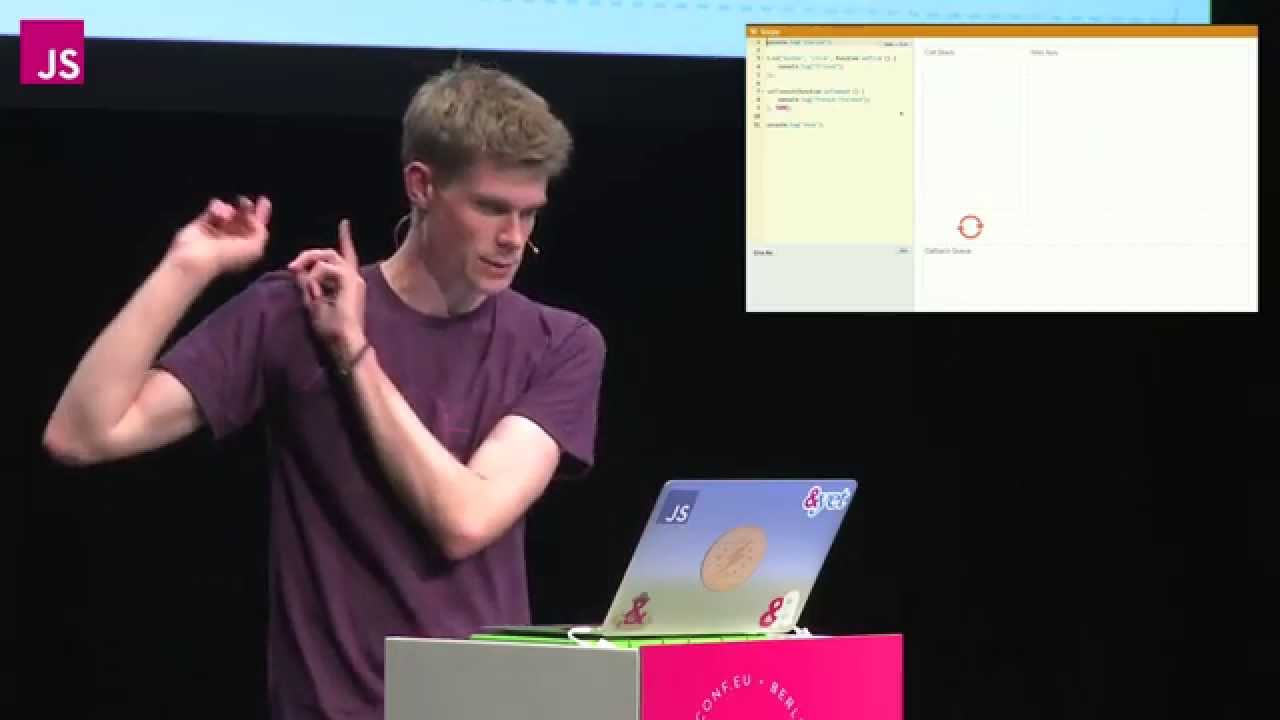
To make these mechanics tangible, Roberts reveals a tool he built called **Loupe**. He explains with a laugh that he originally wrote the talk for Scotland JS using roughly 500 animated Keynote transitions; after breaking half the slides, he “could not be bothered to redo all the slides because it was a total pain in the ass in keynote to do it so I took much easier route of writing a tool that can visualize the JavaScript Runtime at Runtime, and it's called Loupe.” Using Loupe, he demonstrates DOM event listeners and multiple `setTimeout` timers side by side.
When an event listener is added, it sits waiting in the Web API container until an interaction occurs. Clicking a button triggers the Web API to place the click callback onto the task queue. Roberts illustrates this by rapidly clicking a button dozens of times, showing that user interactions do not interrupt running code; each click callback merely appends to the queue and waits its turn.
He then shows four sequential calls to `setTimeout` configured with a 1000-millisecond delay. As the timers complete, their callbacks stack up in the queue. Because the event loop can only process them one at a time as the stack clears, the fourth callback ends up waiting well past its specified 1-second threshold. As Roberts notes, this demonstrates that `setTimeout` provides “not a guaranteed time to execution, it's a minimum time to execution, just like setTimeout zero doesn't run the code immediately it runs the code next-ish, sometime, right?”
Roberts also clarifies a fundamental terminology distinction regarding the word "callback": - **Synchronous callbacks**: Functions supplied as parameters to other functions that run immediately within the current call stack context (such as the standard `Array.prototype.forEach`). - **Asynchronous callbacks**: Functions passed to APIs that yield control, complete out-of-band, and are subsequently placed onto the callback queue to run in a future event loop tick.
[22:15](https://www.youtube.com/watch?v=8aGhZQkoFbQ&t=1335s) Rendering Constraints, UI Blocking, and Flooding the Queue
Moving beyond simple execution traces, Roberts turns on an experimental feature he built to simulate browser repainting and rendering. While JavaScript runs, the browser aims to repaint the screen roughly every 16.6 milliseconds to achieve a smooth 60 frames per second. However, rendering cannot take place while synchronous JavaScript code occupies the call stack: “It has to wait till the stack is clear. The difference is that the render is given a higher priority than your callback, every 16 milliseconds it's going to queue a rend, wait till the stack is clear before it can actually do that render.”
```mermaid flowchart TD accTitle: Browser Render Loop Interaction accDescr: How synchronous blocking versus asynchronous chunking affects the browser render interval.
subgraph Sync ["Synchronous Array Processing"] LongStack["Stack Occupied by Slow Loop"] BlockedRender["Render Tick (16.6ms) BLOCKED"] LongStack -.->|"Prevents"| BlockedRender end
subgraph Async ["Asynchronous Chunking"] Task1["Stack: Process Item 1"] Yield1["Stack Empties"] RenderPass["Render Executes Smoothly"] Task2["Stack: Process Item 2"] Task1 --> Yield1 Yield1 --> RenderPass RenderPass --> Task2 end ```
When code executes a slow, synchronous loop over an array, the call stack remains monopolized. During this period, the browser render is completely blocked—the user interface freezes, text cannot be selected, and UI buttons stop responding. By contrast, refactoring slow operations into asynchronous chunks using deferred timeouts yields the stack back to the browser between items, affording the render process an opportunity to intervene and update the screen. Roberts notes that this is the core reasoning behind common advice: “When people say don't block the event loop, this is exactly what they're talking about. They're saying don't put shitty slow code on the stack because when you do that the browser can't do what it needs to do, create a nice fluid UI.”
He concludes the segment by warning that blocking the stack is not the only way to ruin UI performance. Inefficient event listeners, such as unthrottled DOM `scroll` handlers, fire continuously—often every 16 milliseconds. If a heavy callback is attached directly to window scrolling, rapid scrolling floods the task queue with hundreds of callbacks that each take time to execute, creating a massive backlog that stalls responsiveness even when individual execution frames appear brief.
- Screen repainting targets roughly 16.6 ms intervals (60 fps), which is the fastest the browser repaints if unconstrained. - The render queue takes precedence over standard callbacks once the call stack empties. - Intensive operations such as image processing or excessive DOM animations become sluggish whenever code monopolies the call stack or over-saturates the task queue.
[25:35](https://www.youtube.com/watch?v=8aGhZQkoFbQ&t=1535s) Debouncing Callbacks and Under the Hood of the Visualization Tool
Philip Roberts wraps up the practical implications of event queue congestion by addressing high-frequency events like scrolling. When an application floods the task queue with rapid callbacks, it can completely choke responsiveness and stutter rendering. Roberts explains that developers can mitigate this by debouncing: “all these callbacks, there's way you can debounce that to basically say okay, we're going to queue up all those events, but let's do the slow work every few seconds or until the user stops scrolling for some amount of time I think that's basically it.”
He then shifts behind the scenes to briefly address how his interactive visualization tool—which runs user-submitted JavaScript live on screen—actually operates under the hood. Acknowledging that it could easily be an entirely separate presentation, Roberts pulls back the curtain on the hack: “There's a whole other talk in how the hell this works.” The code provided in the simulator runs at runtime, but to make the execution visible to the human eye, it passes through Esprima, an open-source JavaScript parser. Roberts programmatically instruments the code by inserting artificial delay loops into the abstract syntax tree—injecting a half-second `while` loop at each step to produce a slow-motion playback effect. The instrumented code is then shipped off to execute inside a Web Worker, allowing the main thread to capture and render the step-by-step movement of functions moving between the call stack, Web APIs, task queue, and event loop.
Closing his presentation, Roberts expresses his excitement about the visualization architecture, inviting anyone interested to come talk with him afterward because he thinks “it's kind of neat,” before thanking the conference audience to enthusiastic applause.
```mermaid flowchart LR accTitle: Loupe Visualizer Runtime Architecture accDescr: Flow diagram showing how Philip Roberts instruments and slows down code execution using Esprima and Web Workers to drive the UI visualization.
subgraph Instrumentation ["Code Instrumentation"] Code["Input Code"] --> Parser["Esprima Parser"] Parser --> Inject["Inject 0.5s While Loops"] end
subgraph Execution ["Execution & Display"] Inject --> Worker["Web Worker Runtime"] Worker --> UI["Visualizer UI\n(Stack, Web APIs, Task Queue)"] end ```
- **Debouncing:** Queues up frequent stream events (such as window scroll listeners) but delays expensive computations until a specified interval has elapsed or user activity pauses. - **Parsing with Esprima:** Uses the Esprima JavaScript parser to analyze the source code and insert artificial half-second blocking delays so the execution steps can be observed in slow motion. - **Web Worker isolation:** Offloads the execution of the slowed-down code to a background Web Worker, allowing the browser's main thread to safely visualize the runtime state.
## Notable quotes > [12:19](https://www.youtube.com/watch?v=8aGhZQkoFbQ&t=739s) The event loops job is to look at the stack and look at the task queue. If the stack is empty it takes the first thing on the queue and pushes it on to the stack which effectively run it. — Philip Roberts
## Mentioned &yet, Esprima, Google Chrome, JSConf EU, Loupe, Node.js, Philip Roberts, Ruby, Scotland JS, V8
## Video description JavaScript programmers like to use words like, “event-loop”, “non-blocking”, “callback”, “asynchronous”, “single-threaded” and “concurrency”.
We say things like “don’t block the event loop”, “make sure your code runs at 60 frames-per-second”, “well of course, it won’t work, that function is an asynchronous callback!”
If you’re anything like me, you nod and agree, as if it’s all obvious, even though you don’t actually know what the words mean; and yet, finding good explanations of how JavaScript actually works isn’t all that easy, so let’s learn!
With some handy visualisations, and fun hacks, let’s get an intuitive understanding of what happens when JavaScript runs.
Transcript: http://2014.jsconf.eu/speakers/philip-roberts-what-the-heck-is-the-event-loop-anyway.html
License: For reuse of this video under a more permissive license please get in touch with us. The speakers retain the copyright for their performances.
[Source](https://www.youtube.com/watch?v=8aGhZQkoFbQ)