Light Years Ahead | The 1969 Apollo Guidance Computer
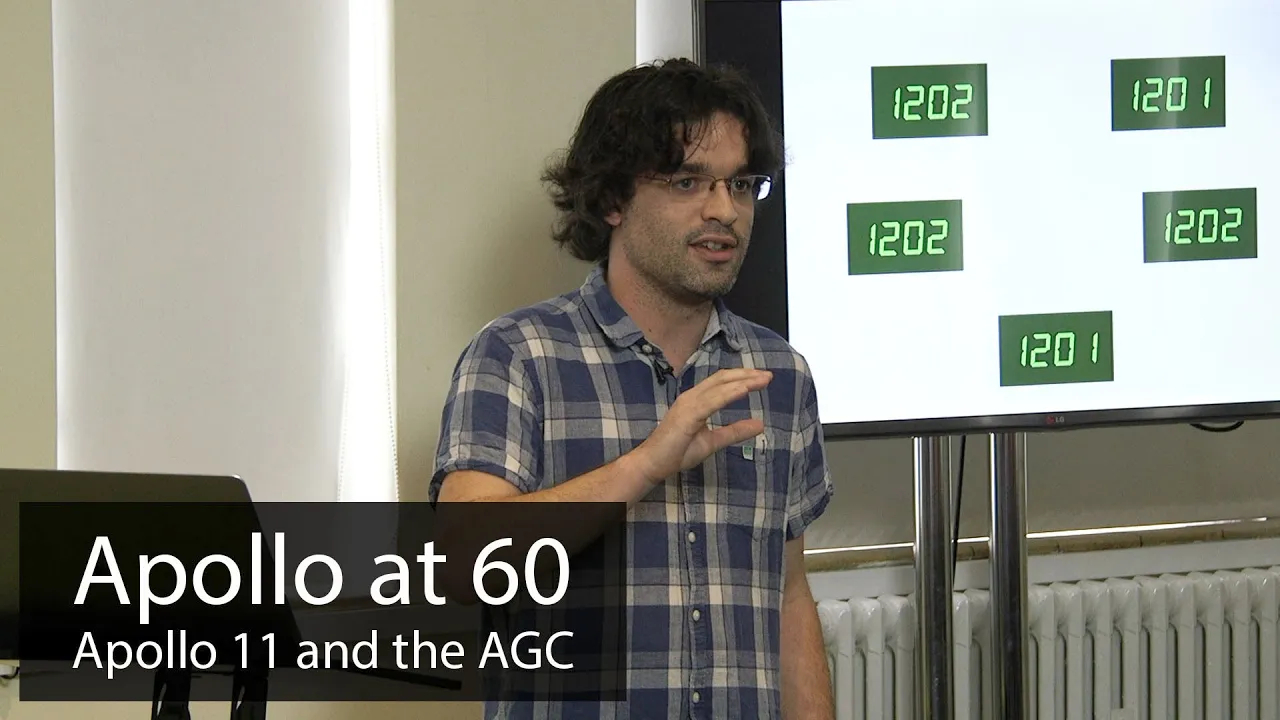
Light Years Ahead | The 1969 Apollo Guidance Computer — TNMoC

TNMoC

AI-assisted summary of Light Years Ahead | The 1969 Apollo Guidance Computer — original source. Check the original for full context.

Source published:

Key ideas

  • Robert Wills refutes the persistent historical myth that Neil Armstrong disconnected a failing Apollo Guidance Computer to land manually, demonstrating that Armstrong instead switched to Program 66 (P66), a fly-by-wire rate-damping mode that kept AGC software between the hand controller and thrusters. (0:05)
  • The AGC operated under severe hardware constraints: occupying 1 cubic foot and drawing 55 watts, it ran on 2,048 words of magnetic core RAM and 36,000 words of hand-woven core rope ROM, consuming roughly 60% of total US integrated circuit production in 1963. (4:49)
  • The 1201 and 1202 alarms were triggered when an out-of-phase power supply defect in the rendezvous radar generated spurious interrupts, inflating baseline CPU load to 95% and causing the AGC's seven-job buffer to overflow when Buzz Aldrin requested repeated DSKY display updates. (47:37)
  • Rather than crashing, the Luminary operating system successfully protected critical flight guidance through deterministic restarts and state checkpointing via phase tables, purging low-priority display tasks and resuming guidance within milliseconds. (40:55)

Detailed notes

## Background Published by The National Museum of Computing (TNMOC) on YouTube on February 4, 2020, this presentation features engineer Robert Wills examining the Apollo Guidance Computer (AGC). The talk explores the hardware, real-time operating system architecture, and fault-tolerant design principles that enabled the Apollo 11 Lunar Module to land safely despite multiple in-flight computer alarms.

## TL;DR Wills debunks the popular myth that Neil Armstrong disconnected a malfunctioning computer to hand-fly the Apollo 11 lunar touchdown, demonstrating how the AGC functioned as intended throughout the descent. He details the spacecraft's extreme physical and memory constraints, including 2,048 words of RAM and hand-woven core rope ROM, alongside the pioneering software architecture developed by Margaret Hamilton's team at MIT. The presentation breaks down the descent pipeline step-by-step from Program 63 to touchdown, explaining how cooperative multitasking, job prioritization, and checkpoint restarts absorbed an unexpected electrical radar defect and continuous display requests. Wills concludes by explaining how these 1960s fault-tolerant computing concepts established modern software engineering standards and remain embedded in mission-critical infrastructure today.

## Atmosphere & style The presentation carries the warm, engaging energy of an enthusiast sharing deep domain expertise with an appreciative museum audience. Wills balances technical rigor with conversational dry humor, using relatable comparisons to bridge vintage embedded systems and modern networking hardware. The pacing shifts smoothly from meticulous explanations of register-level operations to a gripping, moment-by-moment reconstruction of the Apollo 11 descent, creating a compelling mix of historical reverence and engineering analysis.

## Bulletin - [00:05](https://www.youtube.com/watch?v=B1J2RMorJXM&t=5s) Robert Wills refutes the persistent historical myth that Neil Armstrong disconnected a failing Apollo Guidance Computer to land manually, demonstrating that Armstrong instead switched to Program 66 (P66), a fly-by-wire rate-damping mode that kept AGC software between the hand controller and thrusters. - [04:49](https://www.youtube.com/watch?v=B1J2RMorJXM&t=289s) The AGC operated under severe hardware constraints: occupying 1 cubic foot and drawing 55 watts, it ran on 2,048 words of magnetic core RAM and 36,000 words of hand-woven core rope ROM, consuming roughly 60% of total US integrated circuit production in 1963. - [47:37](https://www.youtube.com/watch?v=B1J2RMorJXM&t=2857s) The 1201 and 1202 alarms were triggered when an out-of-phase power supply defect in the rendezvous radar generated spurious interrupts, inflating baseline CPU load to 95% and causing the AGC's seven-job buffer to overflow when Buzz Aldrin requested repeated DSKY display updates. - [40:55](https://www.youtube.com/watch?v=B1J2RMorJXM&t=2455s) Rather than crashing, the Luminary operating system successfully protected critical flight guidance through deterministic restarts and state checkpointing via phase tables, purging low-priority display tasks and resuming guidance within milliseconds.

## Key takeaways - [00:05](https://www.youtube.com/watch?v=B1J2RMorJXM&t=5s) The popular narrative that Neil Armstrong took purely manual control away from a failing computer is inaccurate; the landing relied on fly-by-wire software throughout descent. - [04:49](https://www.youtube.com/watch?v=B1J2RMorJXM&t=289s) AGC design pioneered early microelectronics, utilizing roughly 5,500 three-input NOR gates across flat-pack integrated circuits, micro-welded logic modules, and wire-wrapped backplanes. - [08:29](https://www.youtube.com/watch?v=B1J2RMorJXM&t=509s) Memory architecture was split into 2,000 words of erasable magnetic core RAM and 36,000 words of hand-woven core rope ROM manufactured by Raytheon textile workers. - [16:25](https://www.youtube.com/watch?v=B1J2RMorJXM&t=985s) The Lunar Module's descent profile was split into three automated programs: P63 for high-altitude braking, P64 for approach and visual redesignation, and P66 for terminal vertical descent. - [28:03](https://www.youtube.com/watch?v=B1J2RMorJXM&t=1683s) During P64, hand-controller inputs did not directly fire thrusters; instead, controller clicks incrementally redesignated the computer's stored target landing coordinates. - [36:08](https://www.youtube.com/watch?v=B1J2RMorJXM&t=2168s) To execute complex vector and matrix orbital mechanics on a 15-bit machine without floating-point hardware, MIT built a custom virtual machine interpreter operating alongside fast native code. - [39:36](https://www.youtube.com/watch?v=B1J2RMorJXM&t=2376s) The Luminary operating system enforced a strict hard limit of seven concurrent active jobs due to memory constraints, allocating dedicated core set work areas in erasable RAM. - [40:55](https://www.youtube.com/watch?v=B1J2RMorJXM&t=2455s) System resilience relied on deterministic software restarts across four graded recovery tiers (including POODOO and Fresh Start) rather than letting corrupted processes attempt self-recovery. - [42:47](https://www.youtube.com/watch?v=B1J2RMorJXM&t=2567s) Phase-table checkpointing preserved calculated flight parameters across restarts, allowing the AGC to skip redundant calculations and maintain continuous vehicle control. - [43:57](https://www.youtube.com/watch?v=B1J2RMorJXM&t=2637s) A cooperative multitasking model checked a NEWJOB flag every 20 milliseconds, backed by a 640-millisecond hardware watchdog timer to prevent software deadlocks. - [47:37](https://www.youtube.com/watch?v=B1J2RMorJXM&t=2857s) The Apollo 11 alarms stemmed from an electrical phase mismatch in the rendezvous radar power supply interface that stole clock cycles, pushing landing CPU load from 80% to 95%. - [50:08](https://www.youtube.com/watch?v=B1J2RMorJXM&t=3008s) Buzz Aldrin's VERB 16 NOUN 68 display command added an extra 10% processing load, pushing total demand to 105% and overflowing the seven-job allocation buffer into a 1202 alarm. - [58:32](https://www.youtube.com/watch?v=B1J2RMorJXM&t=3512s) Guidance officer Steve Bales gave the critical 'Go' call after recognizing from pre-flight simulations that alarm 1202 indicated CPU cycle starvation rather than corrupted navigational vectors. - [58:32](https://www.youtube.com/watch?v=B1J2RMorJXM&t=3512s) Margaret Hamilton's engineering leadership at MIT formalized software engineering as a rigorous, safety-critical discipline centered on asynchronous architecture and priority scheduling. - [01:12:39](https://www.youtube.com/watch?v=B1J2RMorJXM&t=4359s) An entirely automated touchdown via Program 65 was technically supported, but following P65 on Apollo 11 would have landed the Lunar Module directly into a hazardous boulder field. - [01:18:00](https://www.youtube.com/watch?v=B1J2RMorJXM&t=4680s) Weight restrictions prevented a redundant AGC on the Lunar Module; backup abort capability was provided by a simpler Abort Guidance System (AGS) requiring manual coordinate entry.

## Detailed walkthrough ### [00:05](https://www.youtube.com/watch?v=B1J2RMorJXM&t=5s) Introduction and the Myth of Armstrong's Manual Landing

The speaker, Robert Wills, is an engineer at Cisco in Harpenden, where he writes software for core Internet routers. Introducing him, the host notes his decade-long fascination with the Apollo Guidance Computer (AGC) and frames the central drama: the final descent fifty years earlier, in July 1969, when the mission hung by a thread during three nail-biting seconds. Taking the stage, Wills recounts the harrowing descent of July 20, 1969. Neil Armstrong and Buzz Aldrin were inside the Lunar Module, descending rapidly through 30,000 feet above the lunar surface, when the AGC suddenly flashed a 1202 program alarm and restarted. Armstrong, keeping his characteristic composure with only a trace of urgency, radioed Mission Control in Houston for guidance. Three seconds later, Houston called back with a "go."

The trouble was far from over. A 1201 alarm soon followed, followed by another, and another, and another—five alarms and system restarts in total during the Apollo 11 descent, with the final restart hitting just 2,000 feet above the cratered surface. At the time, contemporary press outlets romanticized the scene, sensationalizing how Armstrong supposedly wrestled control away from a crippled, dying computer to pull off a miracle landing. Wills forcefully dispels this narrative: “Yes Neil Armstrong was an outstanding and brilliant pilot but the Apollo guidance computer worked flawlessly in this mission and every other mission that it flew.” The system survived because of pioneering fault-tolerant design principles that still underpin modern high-reliability engineering.

```mermaid flowchart TD accTitle: Apollo 11 Alarm and Go Sequence accDescr: Sequence of events during the lunar descent when computer alarms occurred.

subgraph Descent["Descent Phase"] A["Altitude: 30,000 ft<br>Rapid descent"] --> B["1202 Program Alarm<br>Computer restarts"] end

subgraph Decision["Mission Control Response"] B --> C["Armstrong radios Houston<br>Cool, calm, collected"] C --> D["Houston evaluates: 3-second delay"] D --> E["Houston issues GO"] end

subgraph FinalApproach["Subsequent Failures"] E --> F["Further 1201 & 1202 alarms<br>Total of 5 restarts"] F --> G["Final restart at 2,000 ft<br>Flawless landing achieved"] end ```

- Five total program alarms (1202 and 1201) struck during the Apollo 11 powered descent. - The final computer restart took place merely 2,000 feet above the Moon's surface. - The presentation's roadmap: introducing the hardware, walking through the lunar descent, examining fault-tolerant software design principles, and finally demonstrating how the AGC saved the mission rather than sabotaging it.

---

[03:40](https://www.youtube.com/watch?v=B1J2RMorJXM&t=220s) Working on Edge Routers and Bringing Vintage Machines to Life

Reflecting on his background, Wills describes his day job in Cisco's service provider business unit. For ten years, he has designed software for enterprise- and carrier-grade routers—monolithic pieces of equipment deployed deep inside data centers or at the core of national telecommunications networks. Because millions of users depend on them without ever seeing them, these routers must achieve extraordinarily high availability. This provides a direct conceptual line to the AGC's mission-critical design.

Outside of work, Wills focuses on computing history with a firm philosophy: historic hardware should not simply sit behind glass gathering dust. “In my spare time I absolutely love the history of computing and I believe that old computers should not sit on a shelf and gather dust where they should be plugged in switched on brought to life and demonstrated in the context with which they were designed to be used.” While running original hardware in an actual spacecraft is rarely possible, simulating or emulating its full operational context on screen bridges that gap.

---

[04:49](https://www.youtube.com/watch?v=B1J2RMorJXM&t=289s) Physical Constraints and Revolutionary Integrated Circuits

Designed by the MIT Instrumentation Laboratory under the very first contract NASA awarded for the Apollo program—signed just six weeks after the program began—the AGC was the digital brain of the spacecraft. It ran guidance, navigation, and control for every flight phase: Earth orbit insertion, translunar injection, lunar orbit capture, lunar landing, lunar liftoff, spacecraft rendezvous, trans-Earth injection, and atmospheric reentry. Identical computer hardware was installed in both the Command Module (the mothership) and the Lunar Module, differentiated entirely by the software loaded into them.

To make the trip feasible, the computer had to fit unprecedented physical constraints. It weighed a mere 32 kilograms, consumed only 55 watts of power, and took up exactly one cubic foot of volume. Wills emphasizes that mass was penalized three times over: “You pay for the weight three times: you pay to get it off the Earth, you pay to land it on the Moon, and you pay to get it off again.” While popular folklore mocks its processing throughput of 50,000 to 100,000 instructions per second by comparing it to an ordinary pocket calculator, Wills dismisses that comparison as “a load of rubbish.”

```mermaid flowchart LR accTitle: AGC Module Assembly Architecture accDescr: Structural build-up from single NOR gates to the finished computer backplane.

subgraph Logic["Silicon Level"] A["3-Input NOR Gate<br>(single logic type)"] B["Dual NOR IC<br>(2 gates per flat-pack)"] A --> B end

subgraph Assembly["Mechanical Level"] C["Welded Module<br>(interconnected ICs)"] D["Computer Tray<br>(26 modules on backplane)"] B --> C C --> D end ```

The AGC was constructed almost entirely out of a single fundamental building block: the 3-input NOR gate. By interconnecting roughly 5,500 of these simple gates, MIT engineers synthesised every register, ALU component, and control line in the machine. Packaged as flat-pack integrated circuits carrying two NOR gates each, the computer required just under 3,000 ICs. Adopting silicon microchips in the early 1960s was a daring gamble; in 1963 alone, MIT consumed roughly 60% of the entire United States manufacturing output of integrated circuits solely for the AGC project. Rather than relying on solder joints, which could crack under launch vibrations, connections were welded into structural modules. Twenty-six of these modules plugged into a wired wire-wrapped backplane that routed signals across the entire unit.

- Weight: 32 kg (70.5 lbs). - Power draw: 55 watts. - Volume: 1 cubic foot (approx. 28 liters). - Performance: 50,000 to 100,000 instructions per second (0.05 to 0.1 MIPS). - Component count: ~5,500 3-input NOR gates packaged in ~2,800 to 3,000 dual-gate integrated circuits. - Solderless construction: micro-welded logic modules seated into a wire-wrapped pin backplane.

---

[08:29](https://www.youtube.com/watch?v=B1J2RMorJXM&t=509s) Memory Architecture, Core Rope Weaving, and Machine Quirks

Memory on the AGC was split into two distinct tiers: 1. **Erasable Memory (RAM):** A bank of magnetic core memory offering just 2,000 words. This volatile space held runtime state, current position, velocity vectors, landing coordinates, and attitude variables. 2. **Fixed Memory (ROM):** A high-density core rope memory array holding 36,000 words for the operating system and flight programs.

The core rope ROM was physically woven by female factory workers at Raytheon, nicknamed "LOLs" (Little Old Ladies). A magnified view shows fine copper wires threaded through tiny ferrite rings. Passing a wire through a given ring registered as a logical 1; bypassing it registered as a logical 0. The source code listing was translated directly into a wiring loom, leaving zero margin for manual error during assembly.

Despite its modest component count, the AGC offered advanced hardware features, including a real-time clock, hardware interrupts, parity checking, and an array of input/output interfaces. However, its low-level architecture featured unusual quirks that would baffle a contemporary developer: - **15-bit Word Size:** Constrained basic numerical precision and range. - **Ones' Complement Arithmetic:** Integer values were represented in ones' complement, creating two distinct values for zero: positive zero (`+0`) and negative zero (`-0`). As Wills remarks, this system is abandoned in modern machines “for obvious reasons.” - **No Floating-Point Hardware:** All arithmetic had to be calculated using scaled integers, though this fixed-point discipline actually provided deterministic bounds. - **Memory-Mapped Operations:** The instruction set lacked dedicated utility opcodes, such as a bitwise shift. To shift a word one bit to the left, the software wrote the value into address 20; reading back from location 20 automatically returned the bit-shifted result. - **No Stack:** The architecture had no hardware stack, forcing programmers to manually juggle subroutine linkage through registers in an unforgiving, non-standard instruction set.

[11:52](https://www.youtube.com/watch?v=B1J2RMorJXM&t=712s) The DSKY and Spacecraft Input/Output

Robert Wills introduces the computer's input and output systems, focusing primarily on the Display and Keyboard unit known as the DSKY (pronounced "dis-key"). The DSKY served as the primary interface between the crew and the Apollo Guidance Computer (AGC). The unit featured numerical display lines on the top right, a specialized keypad at the bottom for data entry, and warning/indicator lights on the upper left. Communication with the system operated on a strict "verb/noun" syntax, allowing astronauts to request specific actions (verbs) regarding particular parameters or data sets (nouns). Beyond the DSKY, the spacecraft contained a wide variety of human interface hardware, such as the flight director attitude indicator (FDAI, commonly referred to as the "8-ball"), discrete indicator lamps, and hand controllers.

Wills emphasizes that I/O extended far beyond crew interfaces. The AGC was continually engaged in telemetry, radioing operational data back to Mission Control in Houston and processing incoming updates. Critically, physical spacecraft control elements functioned directly as computational I/O. The computer actively throttled and directed the descent rocket engine while sampling an array of specialized instrumentation across the vehicle. As Wills highlights: “So one of the things that the guidance computer is really good at, because it had to be, was input and output.”

```mermaid flowchart TD accTitle: AGC Input and Output Architecture accDescr: Displays the Apollo Guidance Computer at the center communicating with the DSKY, telemetry, instruments, and propulsion systems.

subgraph Crew["Crew Interface"] DSKY["DSKY Display & Keypad<br/>(Verb/Noun Interface)"] FlightControls["8-Ball Indicator Lamps<br/>& Hand Controllers"] end

subgraph Computer["Processing Unit"] AGC["Apollo Guidance Computer<br/>(AGC)"] end

subgraph Telemetry["Ground Link"] Houston["Mission Control Houston<br/>(Uplink & Downlink)"] end

subgraph Vehicle["Spacecraft Actuation & Sensors"] Sensors["Specialized Flight Instruments<br/>(IMU, Radar, Contact Probes)"] Engines["Descent Engine & RCS Thrusters"] end

DSKY <--> AGC FlightControls --> AGC Houston <--> AGC Sensors --> AGC AGC --> Engines ```

[13:12](https://www.youtube.com/watch?v=B1J2RMorJXM&t=792s) Anatomy of the Lunar Module: Propulsion and Guidance

Turning to the landing itself, Wills breaks down the core hardware components of the Lunar Module (LM). Bringing the vehicle down from orbit required a large, throttleable descent rocket engine to deliver the massive counter-thrust needed to bleed off orbital velocity. For attitude control, the craft relied on Reaction Control System (RCS) thrusters: four separate quads mounted on the vehicle's exterior corners. Each quad consisted of four tiny thrusters—one pointing up, one down, and two projecting outward at right angles—enabling the computer to execute delicate pulses of thrust to reorient the spacecraft around any axis.

Navigational awareness depended on the Inertial Measurement Unit (IMU), an extraordinary spherical assembly containing three concentric rings (gimbals) that rotated freely around a central "stable member." Mounted orthogonally upon this inner member were three gyroscopes, which held the platform in an absolute, fixed orientation in space regardless of how the surrounding vehicle tumbled or yawed. Angular sensors mounted to the gimbal rings measured the spacecraft's relative orientation against this stable core, while three internal accelerometers—comparable to modern smartphone sensors, though vastly more sophisticated for their era—measured acceleration across three axes to derive instantaneous velocity and position. Other landing inputs included the landing radar for altitude, surface contact probes hanging from the landing footpads, the forward-facing crew window, and the AGC acting as the central nexus tying the systems together.

- **Descent Engine:** Primary propulsion source used to counteract orbital speed and control vertical descent rate. - **RCS Thrusters:** Four external quads used for three-axis vehicle steering via fine-tuned thruster squirts. - **Inertial Measurement Unit (IMU):** Gimbaled sphere with a gyro-stabilized inner platform and three accelerometers measuring orientation, acceleration, velocity, and position. - **Landing Radar:** Directly measured true vehicle altitude and descent rate relative to lunar terrain. - **Lunar Contact Probes:** Mechanical wands suspended from landing pads to sense touchdown.

[16:25](https://www.youtube.com/watch?v=B1J2RMorJXM&t=985s) The Three Phases of Lunar Descent: P63, P64, and P66

Wills condenses hundreds of hours of NASA astronaut landing training into a concise, two-minute operational overview. The landing profile began from the "descent orbit"—a label Wills notes is somewhat misleading: “Now this is a really misleading name, because the descent orbit doesn't actually take you down to the surface of the Moon.” The descent orbit was a closed ellipse whose lowest point (perilune) sat roughly 9 nautical miles (around 50,000 feet) above the surface; left untouched, a craft could orbit within it indefinitely. Reaching the surface required a complex sequence of maneuvers broken into three distinct program phases:

1. **P63 – The Braking Phase:** Initiated at perilune (50,000 feet altitude) while travelling at an orbital speed of roughly 1,670 meters per second. The large descent engine fired continuously to absorb the spacecraft's forward momentum and shed altitude. By the close of P63, altitude dropped to approximately 8,000 feet and forward velocity fell to 210 meters per second. 2. **P64 – The Approach Phase:** Throughout the initial burn, the astronauts were essentially on their backs with the descent engine pointed forward, leaving their windows facing the black sky. P64 began with a crucial pitchover maneuver, swinging the vehicle upright so the crew could look out the window at the impending landing terrain. During P64, the crew and AGC worked together to observe and fine-tune the targeted touchdown footprint. 3. **P66 – The Final Phase:** Initiated around 200 feet above the surface as the lander positioned itself directly over the site. The objective in P66 was to cancel all lateral or horizontal drift and establish a smooth, strictly vertical descent to ensure a safe, upright touchdown.

[19:39](https://www.youtube.com/watch?v=B1J2RMorJXM&t=1179s) Countdown to Ignition and the 10-Percent Trim Burn

Wills rewinds the timeline to walk through the exact keystrokes and system responses occurring inside the cockpit ten minutes before powered descent initiation. Sitting in the descent orbit, the astronauts loaded the landing software using DSKY command `VERB 37 ENTER 63 ENTER` (load Program 63). With the target coordinates already stored, the AGC calculated the exact ignition time and displayed a countdown via `VERB 06 NOUN 61`, displaying a readout of 600 seconds until engine start.

At 100 seconds to ignition, the AGC illuminated the `KEY REL` (Key Release) light on the DSKY to signal an incoming request. Pressing the key revealed `VERB 50 NOUN 18`, asking the crew's permission to orient the spacecraft into the backward-facing braking attitude. The crew confirmed by pressing `PROCEED`, and the autopilot fired the RCS thrusters to bring the vehicle into orientation. Next, the computer performed "ullage"—a deliberate pulse from the RCS thrusters that shoved the vehicle forward, forcing floating propellant to settle cleanly at the bottom of the fuel tanks so the descent engine would ignite without air pockets.

At five seconds to ignition, the DSKY flashed `VERB 99 NOUN 62`, which Wills describes with humor: “Now, every Apollo astronaut can tell you what Verb 99 Noun 62 means: it means, are you sure you want to land on the moon?” The astronaut had five seconds to hit `PRO` (Proceed) to validate the computer's authority to light the rocket. Upon ignition, the software executed a clever engineering sequence that Wills calls his absolute favorite bit of the software: the AGC lit the engine at a mere 10% thrust for the first 30 seconds. This low thrust allowed the computer to sense whether the engine's push was inducing any unwanted vehicle spin. If drift was detected, the computer actively swiveled the engine on its mechanical gimbals to align the thrust vector perfectly through the spacecraft's shifting center of gravity before throttling up to full power.

[24:07](https://www.youtube.com/watch?v=B1J2RMorJXM&t=1447s) Program 63: Guidance Calculations and Radar Incorporation

After approximately thirty seconds of gently firing and swiveling the descent engine to verify trim and stop any residual spinning, the Apollo Guidance Computer (AGC) ramps up the throttle. Wills points out that, for reasons he invites the audience to ask about during the Q&A, full thrust on the descent engine is calibrated to 94%. This burn is far more than simply lighting a massive rocket engine and hoping for the best; throughout the descent, the AGC executes continuous, sophisticated guidance equations. The computer balances two key locations in its memory: the programmed "desired landing site" (shown in green) and the "projected landing site" (shown in blue), which is where the spacecraft will impact based on current position, velocity, and extrapolated orbital mechanics. As Wills explains, “the computer's whole reason for existence is to steer the spacecraft to try and move that projected landing sites towards the desired landing site.”

```mermaid flowchart TD accTitle: AGC Navigation and Landing Radar Incorporation accDescr: Flowchart showing how the AGC blends IMU inertial data with landing radar measurements during Program 63.

subgraph S1["High Altitude (>40,000 ft)"] IMU["Inertial Measurement Unit (IMU)"] -->|"Inertial drift during acceleration"| NAV["AGC State Vector"] NAV -->|"Signals uncertainty"| DISK["DSKY Lights: ALT & VEL"] end

subgraph S2["Radar Acquisition (40,000 ft)"] LR["Landing Radar Lock"] -->|"Direct altitude measurement"| RADAR_DATA["Radar Altitude"] DISK -.->|"Lights extinguished"| CREW["Crew Alerted"] CREW -->|"Input V06 N63"| COMPARE["Compare IMU vs Radar (~1,000 ft delta)"] COMPARE -->|"Input V57"| INCORP["Incorporate Radar into State Vector"] INCORP --> STEER["Guidance Steers Out Discrepancy"] end ```

At the start of Program 63 (P63), the Lunar Module (LM) is still far too high for the landing radar to detect the lunar terrain. The computer relies entirely on dead reckoning from the Inertial Measurement Unit (IMU). While exceptionally precise, the IMU gradually drifts and loses accuracy during accelerated flight—and “nothing says accelerated flights like having a massive rocket engine lit up your backside.” To inform the crew of this mounting state uncertainty, the AGC illuminates the `ALT` (altitude) and `VEL` (velocity) status lamps on the DSKY.

At approximately 40,000 feet, the landing radar achieves lock on the lunar surface. Once valid echoes return, the AGC extinguishes the altitude and velocity lights. The astronauts have been waiting tensely for this moment and execute **Verb 06 Noun 63** to inspect the delta between where the drifting IMU calculations assumed the spacecraft was and the true radar measurement. At 40,000 feet, discrepancies of 1,000 feet are common. While a 1,000-foot error is negligible high above the surface, it becomes fatal during touchdown. Once the crew confirms the discrepancy is within acceptable bounds, they enter **Verb 57** to command the computer to "incorporate" the radar updates. The AGC merges the radar data into its navigation state vector and progressively adjusts the vehicle's trajectory to null out the altitude discrepancy.

[28:03](https://www.youtube.com/watch?v=B1J2RMorJXM&t=1683s) Program 64: Pitch-Over, the Window Reticle, and Landing Redesignation

Toward the conclusion of Program 63, the computer throttles down the descent engine thrust at a precisely calculated moment to stay on its planned trajectory profile. Upon dropping to 8,000 feet, the computer automatically transitions into Program 64 (P64). The spacecraft executes a dramatic pitch-over maneuver, rotating the LM into a more upright attitude so the crew can look through the triangular cockpit windows directly at the fast-approaching lunar terrain.

During P64, the crew and the AGC cooperate to fine-tune the touchdown location using a surprisingly simple visual aid: - The commander's forward window is etched with a dual-grid reticle known as the Landing Point Designator (LPD), marked with horizontal and vertical axes resembling school graph paper. - The DSKY displays **Verb 06 Noun 64**, presenting coordinates corresponding to these reticle markings (for example, showing a `5` on the top register and a `40` on the right). - Buzz Aldrin reads these numbers aloud into the intercom (`5`, `40`), prompting Neil Armstrong to trace 5 ticks horizontally and 40 ticks vertically across the window markings. - The intersection denotes an imaginary "red dot" where the AGC's guidance algorithms currently project the spacecraft will touch down.

```mermaid flowchart LR accTitle: Program 64 versus Program 66 Control Hierarchy accDescr: Diagram contrasting P64 supervisory guidance with P66 direct manual attitude rate control.

subgraph P64["Program 64: Supervisory Redesignation"] HC1["Hand Controller Click"] -->|"Offsets Target"| DES["Desired Landing Site"] DES --> GUID["Guidance Algorithms"] GUID --> LOW1["Attitude Control Software"] LOW1 --> RCS1["RCS Thrusters"] end

subgraph P66["Program 66: Manual Attitude Control"] HC2["Hand Controller Input"] -->|"Direct Deflection"| LOW2["Rate Command / Attitude Hold"] LOW2 --> RCS2["RCS Thrusters"] end ```

If Armstrong spots craters, boulders, or unsuitable topography at that projected spot, he does not fly the ship by raw manual deflection. Instead, clicking his hand controller inputs an incremental offset to the computer's stored desired landing site. The guidance algorithms recompute the trajectory and autonomously steer the spacecraft toward the revised coordinates, causing the apparent landing point in the window to shift across the LPD grid. As Wills highlights, throughout P64 the hand controller is isolated from the reaction control jets by layers of software: “the hand controller doesn't directly steer the spaceship it moves the desired landing sites and then the guidance algorithms will calculate how the spacecraft should be steered to achieve that.”

[31:35](https://www.youtube.com/watch?v=B1J2RMorJXM&t=1895s) Program 66: Manual Terminal Descent and Touchdown

Once the Lunar Module is hovering near the designated touchdown footprint, Armstrong shifts the Primary Guidance and Navigation System (PGNS) mode switch from `AUTO` to `ATT HOLD` (attitude hold). This action commands the AGC into Program 66 (P66), transitioning the spacecraft into semi-manual terminal descent. The supervisory guidance algorithms are decoupled, and the hand controller is patched directly into the attitude control and steering software. Armstrong now controls vehicle attitude rates directly, though Wills stresses this is still fly-by-wire: “it's not total manual control at all times there is code running in between Armstrong's hand controller and the thrusters.”

In the final moments, the exhaust plume kicks up a blinding cloud of lunar regolith, obscuring any direct visual reference outside the triangular window. Armstrong shifts his instrument scan inside to two primary cockpit gauges driven by the AGC: - **The Flight Director Attitude Indicator (FDAI or "8-ball"):** Displays the module’s pitch, roll, and yaw attitude relative to the local vertical, allowing the pilot to confirm the craft is upright. - **The Cross-Pointer Indicator:** Displays forward/backward and lateral velocities, ensuring the spacecraft does not drift horizontally across the surface prior to engine cutoff.

Wills notes that flying these needles closely mirrors an instrument landing in dense terrestrial fog. As the descent stage feet brush the ground, 5.6-foot sensing probes projecting downward make contact, tripping a circuit that illuminates the blue `CONTACT` indicator on the instrument panel. The crew immediately slaps the descent engine stop pushbutton, breathes a huge sigh of relief, and touchdown is complete.

[33:37](https://www.youtube.com/watch?v=B1J2RMorJXM&t=2017s) The Gravity of Program Alarms and the Perils of Aborting

Transitioning from the landing profile demo to the historical Apollo 11 flight, Wills addresses the infamous diagnostic alarms: “The 1202 alarm was nothing to laugh about if you're in the spaceship itself.” In modern consumer technology, unexpected software errors might trigger an annoying dialog box, an old-school crash dialog, or a dreaded Blue Screen of Death. Inside a landing spacecraft descending toward the Moon, however, an unexpected computer fault threatened mission termination or loss of crew.

While the astronauts maintained the option to abort, initiating an abort was technically hazardous, highly destructive, and entirely irreversible: - Pressing the abort stage button instantly detonated four pyrotechnic bolts holding the two stages together, separating the descent stage from the ascent stage. - A fifth pyrotechnic fired an explosive guillotine blade through the dense umbilical harness, severing all electrical wiring, mechanical links, and fluid conduits connecting the modules. - Because the descent stage and its throttling engine were permanently discarded, the crew had only one chance; they could never re-attempt a landing. - It created an immediate orbital rendezvous crisis for Michael Collins orbiting overhead in the Command Module *Columbia*, who would have to solve complex emergency orbital mechanics calculations to rescue them from an off-nominal ascent orbit.

Because an abort carried tremendous risk to life and national prestige, deciding how to handle the sudden 1202 and 1201 alarms was a monumental operational dilemma. Wills sets up the next phase of the lecture by transitioning into the internal architecture of the Lunar Module’s onboard flight program, *Luminary*, which handled guidance, navigation, autopilot, and thruster control across every critical flight regime. Wills prefaces this dive into software engineering by joking that it might be a “slightly drier ten minutes of the talk,” asking the audience to bear with the technical architecture before returning to the nail-biting cockpit drama of Apollo 11.

[36:08](https://www.youtube.com/watch?v=B1J2RMorJXM&t=2168s) Operating System Foundations and Principle 1: The Interpreter

The Apollo Guidance Computer was responsible for orchestrating every crucial phase of the lunar mission: executing the burn into the elliptical descent orbit, managing the entire powered landing sequence, blasting the ascent stage back off the lunar surface, and rendezvousing with the Command Module in orbit. While executing these high-stakes maneuvers, the AGC was simultaneously throttling the descent engine, firing the Reaction Control System (RCS) thrusters, refreshing numeric readouts on the DSKY, driving the FDAI "eight-ball" attitude indicator and cross-pointer displays, and processing raw radar returns and Inertial Measurement Unit (IMU) telemetry. To manage this massive multitasking workload, the MIT Instrumentation Laboratory developed a simple real-time operating system from scratch as the core of the Luminary software.

```mermaid flowchart TD accTitle: AGC Dual-Language Software Execution Architecture accDescr: Diagram showing how Luminary splits fast hardware tasks in basic machine code from complex math executed by the Interpreter.

subgraph NativeCode["Native Basic Machine Language"] A["Time-Critical Tasks<br/>(RCS thrusters, IMU reads)"] B["Interpreter Engine<br/>(Core runtime)"] end

subgraph InterpretedCode["Interpreted Virtual Machine"] C["High-Level Guidance Algorithms<br/>(P63, P64 trajectory & target math)"] D["Complex Features<br/>(Matrices, Vectors, Stacks, Array Indexing)"] end

NativeCode -->|"Runs fast every millisecond"| Hardware["AGC Hardware & Actuators"] InterpretedCode -->|"Executes slowly every 1 to 3 seconds"| B ```

The first key design principle behind the operating system was the use of a higher-level language via an on-board software Interpreter. The native instruction set of the AGC was exceedingly primitive, making the translation of intricate celestial guidance algorithms into raw machine code exceptionally difficult and error-prone. Furthermore, the computer’s native 15-bit integers lacked the numerical precision required to calculate pinpoint orbital trajectories and steer the spacecraft. The Interpreter created a virtual machine on top of the hardware, providing powerful mathematical primitives:

- **Vector and Matrix Operations**: Enabled direct mathematical calculations essential for navigation and coordinate frame transformations without writing hundreds of low-level assembly instructions. - **Advanced Language Features**: Supported call stacks for structured programming and array indexing. - **Extended Arithmetic Precision**: Provided double-precision (30-bit) and triple-precision (45-bit) integer operations to accurately compute landing sites and attitude adjustments. - **Code Density**: Because a single interpreted instruction performed the work of dozens of machine instructions, complex algorithms occupied far less of the precious, hard-wired core rope memory.

The central trade-off was raw performance: the Interpreter was notoriously slow. To resolve this, Luminary used a hybrid design. Time-critical tasks that demanded immediate responses—such as pulsing the RCS thrusters and sampling accelerometer pulses—along with the Interpreter engine itself, were written in native low-level assembly. The heavy mathematical guidance algorithms were written in interpreted code. As Robert Wills pointed out, this architectural compromise worked seamlessly: “those guidance algorithms only had to recalculate stuff every second or every three seconds so it didn't matter if they ran slowly.”

---

[39:36](https://www.youtube.com/watch?v=B1J2RMorJXM&t=2376s) Principle 2: Divide the System into Jobs

To maintain smooth concurrent execution across disparate spacecraft subsystems, the operating system partitioned workloads into discrete "jobs," each assigned a single well-defined responsibility analogous to distinct applications on a modern smartphone. These included specialized software routines: - **`READACCS`**: Routinely sampled the IMU accelerometers to compute spacecraft velocity, position vectors, and state estimation. - **Digital Autopilot (DAP)**: A dedicated suite of jobs responsible for attitude control and jet firing commands. - **`PINBALL`**: The charmingly named interface program responsible for servicing the DSKY display and processing keypad button pushes. - **Mission Programs**: High-level sequence jobs such as P63 (Braking Phase) and P64 (Approach Phase), running alongside dozens of background routines.

Every active job was allocated a dedicated, private working memory block—known as a core set or work area—to store intermediate variables and scratchpad calculations. Because erasable RAM was extremely scarce, the operating system was hard-capped to support a strict maximum of seven concurrent jobs. Wills emphasized the extreme discipline required for this constraint: “and they very carefully really carefully designed the system so you would never have more than seven jobs running at the same time.”

---

[40:55](https://www.youtube.com/watch?v=B1J2RMorJXM&t=2455s) Principle 3: Restarts on Failure

Addressing software reliability from the perspective of an experienced engineer, Wills highlighted an inevitable reality of complex software: rare, unpredictable edge cases will eventually bypass validation testing. Testing reliably eliminates blatant coding errors and structural flaws, but the subtle "one-in-a-million" timing coincidences and unexpected execution paths can only surface under live operational conditions.

When anomalous system conditions occur, attempting to let an already corrupted process diagnose and fix itself is dangerous: “If your software has failed it cannot be trusted to recover itself it's failed so all bets are off.” Instead, the AGC’s operating system relied on immediate, deterministic restarts. By flushing transient state and restarting the software, transient hardware glitches or timing collisions would clear, allowing the software to make a clean second attempt.

The computer supported graded tiers of recovery depending on the severity of the malfunction: - **Individual Job Restart**: Terminating and re-initializing only the specific software routine that reported an error. - **Job Group Restart**: Flushing a coordinated family of interdependent background tasks. - **POODOO (System Restart)**: A sweeping software restart that cleared all transient job queues while strictly preserving critical navigation data, including state vectors, target landing coordinates, and spacecraft attitude. - **Fresh Start**: The most drastic hardware-level reset, cycling the computer's core state and restarting software execution from an absolute blank slate.

---

[42:47](https://www.youtube.com/watch?v=B1J2RMorJXM&t=2567s) Principle 4: Checkpoint Your Good States

While software restarts prevent permanent system lockups, blindly resetting a task discards its computational progress. To prevent critical routines from starting over from scratch, the AGC implemented state checkpointing (phase tables). Whenever a job reached a logically consistent milestone, it committed its calculated parameters to designated erasable memory locations.

For instance, an intensive navigation routine gathering IMU pulses would perform its complex coordinate reductions and, upon producing an authoritative new state vector, immediately checkpoint that result. If an unexpected restart occurred an instant later, the reinitialized job bypassed the redundant calculations, read the checkpointed data from memory, and resumed work right where it left off. If the underlying data itself was suspect, higher-level resets such as POODOO or a Fresh Start wiped out the saved checkpoints, forcing the guidance software to rebuild its state cleanly.

---

[43:57](https://www.youtube.com/watch?v=B1J2RMorJXM&t=2637s) Principle 5: Hardware Monitors the Software

Rather than utilizing modern preemptive scheduling, where an external clock interrupt forcefully preempts running code, the AGC relied on cooperative multitasking. Under this model, running jobs voluntarily yielded control to higher-priority tasks waiting in the executive queue:

```mermaid flowchart TD accTitle: Cooperative Multitasking and Hardware Watchdog Flow accDescr: Flowchart illustrating the AGC cooperative multitasking check of NEWJOB and the 640ms hardware reset fallback.

subgraph JobExecution["Running Job Loop"] Run["Execute Job Instructions"] --> Check{"Check NEWJOB<br/>(Every 20 ms)"} Check -->|"NEWJOB is empty"| Run Check -->|"NEWJOB has value"| Yield["Yield Control to Waiting Job"] end

subgraph HardwareWatchdog["Hardware Fail-Safe"] Timer["Hardware Watchdog Timer"] Timer -->|"No NEWJOB check within 640 ms"| Reset["Hardware Computer Reset"] end

Run -.->|"Pet the watchdog"| Timer ```

To coordinate this, jobs checked a shared system variable named `NEWJOB`. If `NEWJOB` remained blank, the current task continued running uninterrupted; if `NEWJOB` contained a pending job address, the active task immediately yielded execution. MIT's programming standards strictly mandated that developers insert explicit `NEWJOB` checks throughout their code every 20 milliseconds.

While cooperative multitasking is often criticized in modern software engineering because a single poorly written loop can freeze the entire machine, it was ideal for Apollo. The entire flight program was authored by a single, tightly knit team working toward one unified objective, making cooperative control flows simpler to analyze and verify than arbitrary preemptive context switches.

To safeguard against the fatal flaw of cooperative multitasking—an infinite loop that never checks `NEWJOB`—the AGC incorporated a dedicated hardware watchdog timer. If an abnormal program flow blocked execution and failed to sample `NEWJOB` within 640 milliseconds, the hardware stepped in, bypassed the software entirely, and forced a hardware reset to restore system responsiveness.

---

[46:17](https://www.youtube.com/watch?v=B1J2RMorJXM&t=2777s) Principle 6: Send Telemetry

While the astronaut crew monitored descent rates and altitudes via the DSKY’s two-digit Verb and Noun codes and three numeric register rows, this display provided only a narrow window into the computer's operational health. To verify system integrity in real time, the AGC continuously broadcast detailed telemetry to the ground via a dedicated radio downlink:

- **Downlink Contents**: Periodic bursts of roughly 100 internal parameters, encompassing real-time state vectors, velocity profiles, designated landing coordinates, active program identifiers, and the exact count and identity of running jobs. - **Ground Support Infrastructure**: In Mission Control at Houston, a specialized team of flight controllers and backroom computer engineers monitored this downlink stream continuously throughout the flight to detect subtle anomalies before they could threaten the crew.

In summarizing the software philosophy that made the lunar landing possible, Wills recapped the core tenets: write complex guidance mathematics using an interpreter; divide the system into discrete, bounded jobs; automatically restart software upon failure so transient issues clear themselves; checkpoint verified states to preserve progress; verify task switching with hardware watchdog monitoring; and constantly stream telemetry to Mission Control.

[47:37](https://www.youtube.com/watch?v=B1J2RMorJXM&t=2857s) The Rendezvous Radar Hardware Bug and Baseline System Load

Landing on the Moon was by far the most computationally demanding phase of the entire flight. The landing software alone pushed the Apollo Guidance Computer (AGC) to roughly an 80% processing load, which Wills points out is “really quite close to the wire” for any engineer. That left a narrow safety margin, but under nominal conditions, the AGC could handle it. The critical problem lay in a secondary sensor: the rendezvous radar. While utterly useless for the descent itself, the rendezvous radar was vital for the return journey, where it would track and locate the Command Module in lunar orbit.

```mermaid flowchart TD accTitle: AGC Computational Load Breakdown accDescr: Stacked breakdown showing how the landing software, rendezvous radar bug, and Buzz Aldrin's request pushed the AGC over capacity.

subgraph Nominal ["Normal Landing Phase"] L["Landing Software (P63): ~80% Load"] end

subgraph RadarBug ["Hardware Defect"] R["Rendezvous Radar Bug: +15% Load<br/>(Constant stream: 'I can't see anything')"] end

subgraph TotalBaseline ["Running Baseline"] B["Combined Load: ~95%<br/>(Computer staggers along safely)"] end

subgraph OverloadEvent ["The Trigger"] V["Verb 16 Noun 68 Display Routine: +10% Load"] O["Total Load: ~105% (OVERLOAD)<br/>Jobs buffer exceeds capacity (8th job fails)"] end

L --> B R --> B B --> V V --> O ```

Unknown to mission planners, the rendezvous radar contained an obscure hardware defect that had never surfaced during ground testing. In flight, this bug caused the radar to barrage the computer with an unceasing stream of spurious data interrupts. Wills compares the behavior to “having a really annoying friend tap you on the shoulder, you turn round, and they've got nothing to say, and they keep doing it.” Processing these empty signals placed an unanticipated 15% load on the computer. Adding 80% and 15% yielded a 95% total load. Even with this defect silently consuming cycles, the AGC was able to stagger on without any outward sign of distress during the descent orbit insertion and the initial stages of Program 63 (P63).

[50:08](https://www.youtube.com/watch?v=B1J2RMorJXM&t=3008s) Buzz Aldrin's Display Routine and the 1202/1201 Alarms

The fragile equilibrium broke because Buzz Aldrin, eager for situational awareness during descent, called up an auxiliary monitoring routine by keying `VERB 16 NOUN 68` into the DSKY (Display and Keyboard). This command asked the AGC to continuously recalculate and refresh landing parameters on the display. Wills emphasizes that this was a completely valid procedure that Aldrin had practiced hundreds of times in simulation. However, servicing the live display updates required roughly an additional 10% processor load, pushing the cumulative demand to 105%.

```mermaid flowchart TD accTitle: AGC Job Queue Overflow and Recovery Cycle accDescr: Sequence showing how an overloaded job buffer triggered restart alarms while protecting mission-critical processes.

A["Overload: Jobs accumulate faster than execution rate"] --> B["Core Sets fill up: 7 jobs scheduled"] B --> C["8th job arrives with no free memory set"] C --> D["Program Alarm triggered: 1202 / 1201"] D --> E["Computer initiates software restart"] E --> F["Crucial landing & thruster autopilot tasks reloaded from checkpoints"] E --> G["Low-priority tasks dropped: Verb 16 Noun 68 cancelled"] G --> H["Load drops below 100%: AGC recovers and flight continues"] ```

Over a couple of seconds, the AGC experienced a slow-motion buffer overflow. With incoming tasks arriving faster than the processor could dispatch them, the executive queue filled up. The computer successfully scheduled seven jobs, but when it attempted to allocate memory for an eighth job, there was simply no free storage set remaining. This condition tripped the 1202 program alarm. On the flight deck, Aldrin saw the red `PROG` warning annunciator illuminate, followed instantly by the `RESTART` light.

- To inspect the error code, Aldrin keyed in `VERB 05 NOUN 09`, displaying the alarm code `1202` alongside restart code `3`. - The operating system wiped low-priority tasks from the queue while instantly restoring critical navigation and thruster control from memory checkpoints. - Because the restart logic deliberately discarded the low-priority `VERB 16 NOUN 68` job, the processor load dropped back down to 95%, allowing the spacecraft to fly normally. - Annoyed that his data display had disappeared, Aldrin re-entered `VERB 16 NOUN 68`, reproducing the exact same 10% load spike and triggering an identical restart with a 1201 alarm. - Aldrin attempted the command a third time, triggering a third alarm before finally making the connection; as Wills recounts, Aldrin sheepishly reported over the loop, “It seems to happen when we have a 1668 come up,” after which he kept his hands off the keyboard.

[54:44](https://www.youtube.com/watch?v=B1J2RMorJXM&t=3284s) High Gate, Program 64, and the Shift to Program 66

While the first three alarms occurred well above 25,000 feet—giving Houston and the crew ample time to analyze telemetry—the final two alarms erupted at barely 2,000 feet above the lunar terrain during Program 64 (P64). In P64, the AGC was actively calculating the redesigned landing trajectories and steering commands while tracking the landing point reticle as Neil Armstrong shifted the target site using his hand controller. This complex mathematical modeling naturally elevated the baseline processing workload, causing the computer to saturate its buffers and trigger two more restarts entirely on its own, without any crew input on the DSKY.

The mystery of why the alarms abruptly ceased shortly before touchdown comes down to the flight modes. Popular lore often claims that Armstrong boldly disconnected the computer to fly manually, but Wills corrects this: “he didn't seize manual control at all.” Armstrong had grown uncomfortable with the boulder-strewn crater field the computer was targeting and was distracted by the recurring alarms. Consequently, he intervened earlier than planned by switching into Program 66 (P66). In P66, the hand controller bypassed the high-level trajectory-planning algorithms and interfaced directly with the low-level rate-damping software. Armstrong maintained direct control over attitude and vertical descent velocity, which dramatically reduced the AGC's computational burden and eliminated the overloads for the final touchdown.

- **Design Principles in Action During Landing:** - **Restart on Failure:** Cleared out the congested task queues without crashing the hardware or halting thruster execution. - **Job Priority Queuing:** Preserved vital stability loops and guidance routines while dumping non-critical display tasks. - **Checkpointing Good State:** Allowed the autopilot to reboot, look at its preserved state vector, recognize it was landing, and pick up without losing spacecraft orientation. - **Downlink Telemetry:** Broadcast internal diagnostic vectors to mission controllers in Houston, verifying that primary flight guidance was operating properly despite display dropouts.

[58:32](https://www.youtube.com/watch?v=B1J2RMorJXM&t=3512s) Honoring the Key Contributors: Steve Bales and Margaret Hamilton

Wills closes the landing account by spotlighting two figures among the 400,000 people who built Apollo. The first is Steve Bales, the 26-year-old guidance officer (GUIDO) in Mission Control. When the alarms flashed, Bales recognized the 1202 code from a simulation run just days prior, understood that it simply indicated CPU cycle starvation rather than a corrupt navigation state, and promptly called "Go." Bales later accepted the NASA Group Achievement Award on behalf of the operations team, celebrated in the words of President Richard Nixon: “this is the young man when the computer seemed to be confused and when he could have said stop or he could have said wait, said go.”

The second figure is Margaret Hamilton, director of the Software Engineering Division at the MIT Instrumentation Laboratory. Hamilton's team pioneered asynchronous real-time software, priority scheduling, and fault-tolerant architecture that allowed the AGC to shed lower-priority tasks when overloaded. Her engineering leadership laid the foundation for modern software engineering; for her work on the Apollo program and lifetime contributions to robust computing, Hamilton was awarded the Presidential Medal of Freedom in 2016.

[59:52](https://www.youtube.com/watch?v=B1J2RMorJXM&t=3592s) Modern Software Foundations and Opening Q&A

Robert Wills ties the pioneering resilience techniques developed for the Apollo Guidance Computer back to modern engineering practices. He explains that the principles of robust software design now underpin critical everyday infrastructure, including the high-end routers he works on professionally. These modern networking devices encounter all sorts of unpredictable, edge-case conditions—such as corrupted or bizarre packets, anomalous user configurations, or hot-patching system code live in production without dropping an ongoing flow of packet traffic. Reflecting on this evolution, Wills remarks: “Using all of these techniques on modern software in 2019 isn't quite as cool as Apollo, but it's still really awesome.”

```mermaid flowchart TD accTitle: Apollo Engineering Principles Applied to Modern Routers accDescr: Flow diagram showing how Apollo-era software principles handle modern edge cases like anomalous packets and live patching.

subgraph ApolloFoundations["Apollo Foundations"] A["Pioneering Fault-Tolerant Principles"] end

subgraph ModernApplication["Modern Infrastructure (High-End Routers)"] B["Anomalous or Malformed Packets"] C["Unusual User Configurations"] D["Live Code Hot-Fixing without Traffic Loss"] end

A --> ModernApplication ```

The audience Q&A begins with an attendee asking about the visual graticule painted onto the Lunar Module's window, wondering how an astronaut could rely on it without their eye position throwing off parallax alignment. Wills clarifies that the window was double- or triple-glazed, featuring alignment crosses on two separate panes of glass. Armstrong simply aligned his viewpoint until the two crosses overlapped into a single mark before sighting through them, an optical parallax-elimination method still standard in aircraft cockpits today.

[01:01:17](https://www.youtube.com/watch?v=B1J2RMorJXM&t=3677s) AGC Evolution Across Missions and Margaret Hamilton's Famous Photo

An audience member asks about the deployment and role of the AGC across the earlier test missions, from Apollo 1 through Apollo 10. Wills explains that getting off the Earth did not use this computer at all; the Saturn V launch vehicle had its own dedicated computer system inside the instrument unit ring to control launch trajectory. Regarding the Apollo Guidance Computer itself, the hardware underwent two major revisions: Block I and Block II. Block I was an earlier, more primitive machine that flew unmanned tests and was evaluated for early flights, but the escalating complexity of the software requirements around 1963–1964 made it clear that Block I was insufficient, forcing an extensive redesign for Block II to support the lunar missions.

Another audience member asks whether the famous photograph of Margaret Hamilton standing next to a stack of binders as tall as herself represented the actual lunar landing program code. Wills recounts his own curiosity about that picture, explaining that an interview with Margaret Hamilton clarified the backstory: NASA or the press office came to her office requesting a promotional photograph, and staff simply rounded up whatever binders of printed source code they could lay their hands on. While the stack contains Apollo source code listings, it likely represents multiple copies or listings of different modules rather than a single landing routine, which alone would likely fit inside a single volume.

[01:03:34](https://www.youtube.com/watch?v=B1J2RMorJXM&t=3814s) Landing Automation (P65 vs. P66) and Safety-Critical Engineering

Addressing the final landing sequence, Wills clarifies the role of program P65 versus P66 and highlights an engineering culture clash. In theory, the Lunar Module was fully capable of setting itself down on the surface automatically via P65. However, there was persistent tension between the astronauts and the software engineers and mathematicians. The astronauts insisted on manual control all the way down, whereas the engineers advocated for pure automation. The compromise reflected orbital reality: humans possess very poor intuitive grasp of orbital mechanics, so the AGC handled the complex trajectory burns during the initial descent, leaving the final touchdowns to manual astronaut handling. As Wills notes: “P65 in theory could get you down to the ground automatically, but the astronauts always took over and switched to P66, which was just: let me do it please.”

When an audience member working in safety-critical software asks how Apollo's software methodologies map to modern standards, Wills points to Margaret Hamilton's seminal contributions. Prior to Apollo, programming was largely viewed as an ad-hoc, uncontrolled craft—a "Wild West." Hamilton pushed to formalize software development as a rigorous engineering discipline. While contemporary engineers initially ridiculed the idea, her rigorous process controls, automated testing routines, and hard real-time paradigms proved indispensable for flight safety.

[01:06:42](https://www.youtube.com/watch?v=B1J2RMorJXM&t=4002s) Extreme Memory Constraints and the Rendezvous Radar Controversy

A listener raises the difficulty of developing safety-critical software within just 2,048 words of RAM, asking how programmers avoided catastrophic memory overflows. Wills explains that the development trade-offs differed fundamentally from modern patterns: - Software engineers had to aggressively share memory locations between entirely different routines, mathematically proving that no two variables mapped to the same address could ever be needed at the same time. - While modern engineers would view sharing mutable memory locations across subsystems as dangerous practice, the small, highly cohesive engineering team mitigated errors through constant communication and rigorous code review.

Sheridan Williams, a museum volunteer who witnessed the Apollo 11 landing at age 21 and attended the Apollo 17 launch, brings up an explanation given to him years earlier by a NASA staff member: that the 1201 and 1202 alarms were triggered simply because the crew forgot to turn off the rendezvous radar. Wills strongly rejects this oversimplification, emphasizing: “I cannot fathom a world where an astronaut would have just forgotten to turn the radar off and that's the end of the story—that doesn't make sense to me.”

Wills details the technical reality behind the event: - A genuine hardware design defect existed in the rendezvous radar power supply interface, creating an out-of-phase reference voltage that overwhelmed the computer's counter registers with phantom pulse interrupts. - Under typical conditions, leaving the radar on 99 times out of 100 caused no operational issue, which is why the behavior rarely surfaced during simulation runs. - Post-flight checklist instructions requiring the radar to be turned off were a procedural operational workaround designed to mask the known underlying electrical flaw, rather than the primary cause of the computer alarms.

[01:10:51](https://www.youtube.com/watch?v=B1J2RMorJXM&t=4251s) Memory Constraints and Radar I/O Telemetry

An audience member observes that because early systems had such limited memory to begin with, fitting code into restricted space was in some ways less jarring back then than it seems to modern developers, who can easily throw megabytes of RAM at basic software. Robert Wills agrees that software engineering habits have drastically changed: “I could not write a hello world that took less than 100 kilobytes.”

The discussion turns back to the Apollo 11 rendezvous radar issue and whether ground telemetry allowed Mission Control in Houston to detect the system overload while it was occurring. Wills explains that, in his view, Houston could not have directly observed the overload mechanism because of how the computer's input/output system functioned. The radar delivered its "no-data" signals by literally pausing the central computer clock, handing off the data, and restarting execution. To the computer, it was as if it had been cryogenically frozen and thawed out with zero awareness of elapsed clock cycles. Because the hardware I/O intervention happened at such a primitive level, ground controllers had no visibility into the stolen cycles until program alarms flared.

```mermaid flowchart TD accTitle: Radar Interface Mechanism on AGC accDescr: Flowchart showing how the rendezvous radar stole cycles by pausing the CPU clock to inject null data. subgraph RadarSub["Radar Interface"] R["Rendezvous Radar"] -->|"Sends null data"| PS["Hardware Strobe / Pause"] end subgraph CPUState["AGC Processing"] PS -->|"Freezes clock cycles"| HLT["CPU Halted (Unaware)"] HLT -->|"Transfers data"| RES["CPU Resumed"] RES -->|"Stolen duty cycles"| OVL["Core Executive Overload & 1202 Alarms"] end ```

[01:12:39](https://www.youtube.com/watch?v=B1J2RMorJXM&t=4359s) Program P65, Boulder Fields, and Production Units

Asked whether fully automatic touchdown program P65 would have worked despite the radar overload, Wills explains that technical capability was overshadowed by physical geography: “if they'd done a P65, they'd have landed in a boulder field.” He cautions that popular history frequently conflates the computer overload alarms with Neil Armstrong manually taking over to fly past the crater boulder field, whereas those were two distinct occurrences during the final minutes of descent.

When asked about the total number of physical AGC units manufactured, Wills estimates that, including ground prototypes and development units, production reached the low hundreds (around 100 to 200). Each lunar mission carried two AGCs aboard the spacecraft stack—one in the Command Module and one in the Lunar Module, the latter of which was discarded upon lunar ascent and crashed. Wills notes with regret that most surviving flight and test computers were scrapped or melted down for precious metals after the program ended, making authentic AGC hardware extraordinarily rare today.

[01:13:54](https://www.youtube.com/watch?v=B1J2RMorJXM&t=4434s) Decoding "POODOO" and Cosmic Ray Hardening

An audience member asks about the origins of the famous term "POODOO" (often associated with system aborts and core dumps). Delighted by the question, Wills points to the Display and Keyboard (DSKY) interface. On the DSKY, the program indicator displayed the current routine number. The idle baseline state—analogous to a blank desktop where no user software runs—was designated Program 00, nicknamed "P00" or pronounced phonetically as "poo." When a severe error forced the system to terminate all active routines and flush the core memory, the machine reverted to its idle desktop mode, leaving behind only "P00," leading engineers to christen the recovery event a "POODOO."

```mermaid flowchart LR accTitle: AGC POODOO Flow accDescr: Flow diagram showing how critical memory saturation triggers a restart back to idle Program 00. A["Active Descents (P63/P64)"] -->|"CPU Overload / Core Saturation"| B["Software Restart"] B -->|"Purges active job tables"| C["Program 00 / Idle Desktop ('POODOO')"] C -->|"Re-initializes phase vector"| D["Resume Landing Guidance"] ```

Addressing the hardware bug on subsequent flights, Wills notes that Apollo 12 bypassed the problem by explicitly requiring the rendezvous radar power switch to remain in the correct mode. Regarding radiation resilience: - Memory was constructed from magnetic core rope and ferrite cores, which offered inherent immunity to electromagnetic interference and radiation. - Parity-checking logic permeated the digital circuits, validating every word pulled from memory so that bit flips caused by cosmic rays would trigger a clean restart rather than silent numerical corruption. - Even though Apollo flew during a period of solar maximum (where increased solar wind actually deflected galactic cosmic rays), the system was deliberately hardened to ensure electrical robustness in deep space.

[01:16:30](https://www.youtube.com/watch?v=B1J2RMorJXM&t=4590s) Processing Power Fallacies and Abort Redundancy

Wills tackles the popular trope that the Apollo Guidance Computer is less powerful than an everyday pocket calculator. He argues that comparing processing power via clock rates or byte counts misses the point: “the real power of the computer comes from the ingenuity that was used to make it special for the actual mission so it's sort of like apples and oranges.” The AGC featured custom, highly tailored instruction sets and dedicated hardware interfaces that no desktop device or pocket calculator matches.

On the topic of onboard hardware redundancy, the Lunar Module did not carry a duplicate primary computer due to strict weight budgets. Instead, it was outfitted with the Abort Guidance System (AGS)—a separate, substantially simpler backup computer. Buzz Aldrin’s landing checklist required him to continually read numerical state vectors off the primary DSKY and punch them manually into the AGS. In the event of an engine abort: - The AGS could fire the explosive pyrotechnic staging guillotine to sever the Lunar Module descent stage. - The AGS fired the ascent propulsion system to steer the crew safely back into lunar orbit, leaving navigational reconciliation for later.

[01:18:44](https://www.youtube.com/watch?v=B1J2RMorJXM&t=4724s) Development Simulations and Concluding Remarks

Wills is asked whether MIT engineers tested software against physical hardware or built digital emulators. He confirms that the MIT Instrumentation Laboratory utilized both techniques. The historical archive contains hundreds of thousands of pages of detailed test transcripts and run logs showing simulated landings against dynamic mathematical models of the Lunar Module and its Inertial Measurement Unit (IMU).

Remarking on these historical records, Wills states: “the level of testing that they did for the software is comparable to the testing you would do for say an aeroplane software today.” While he admits he would give his right arm to recover the original MIT flight simulation software code, the historical evidence proves it was rigorously tested under conditions that mirror modern avionics validation. The session concludes with the host thanking Robert Wills for his presentation, followed by enthusiastic applause from the audience.

## Notable quotes > [05:31](https://www.youtube.com/watch?v=B1J2RMorJXM&t=331s) You pay for the weight three times: you pay to get it off the Earth, you pay to land it on the Moon, and you pay to get it off again. — Robert Wills

> [01:53](https://www.youtube.com/watch?v=B1J2RMorJXM&t=113s) Neil Armstrong was an outstanding and brilliant pilot but the Apollo guidance computer worked flawlessly in this mission and every other mission that it flew. — Robert Wills

> [32:09](https://www.youtube.com/watch?v=B1J2RMorJXM&t=1929s) it's not total manual control at all times there is code running in between Armstrong's hand controller and the thrusters. — Robert Wills

> [40:55](https://www.youtube.com/watch?v=B1J2RMorJXM&t=2455s) If your software has failed it cannot be trusted to recover itself it's failed so all bets are off. — Robert Wills

## Mentioned Apollo 11, Apollo Guidance Computer (AGC), Robert Wills, Neil Armstrong, Buzz Aldrin, Michael Collins, Steve Bales, Margaret Hamilton, Richard Nixon, Cisco, MIT Instrumentation Laboratory, NASA, Raytheon, Command Module, Command Module Columbia, Lunar Module (LM), DSKY, Inertial Measurement Unit (IMU), Flight Director Attitude Indicator (FDAI), Primary Guidance and Navigation System (PGNS), Landing Point Designator (LPD), Luminary, Abort Guidance System (AGS), Saturn V, Sheridan Williams, READACCS, Digital Autopilot (DAP), PINBALL, POODOO, NEWJOB

## Video description Half a century ago, on 20 July 1969, Neil Armstrong was in the final stages of the lunar descent, just a few thousand feet above the surface, when suddenly his on-board computer indicated a critical alarm. For three nail-biting seconds it looked as if the mission would have to be aborted. However, Armstrong was given a "go" to continue, and after several more alarms the Eagle touched down safely on the Moon.

Robert Wills introduces the amazing hardware and software that made up the Apollo Guidance Computer, walks you through the landing procedure step-by-step, and talks about the pioneering design principles that were used to make the landing software robust against any failure. He also explains the problems that occurred during the Apollo 11 landing, and shows you how the Apollo Guidance Computer played its part in saving the mission.

Chapters: 00:00 Welcome to TNMOC and introduction 04:50 The Apollo Guidance Computer, AGC 19:36 Demo 13:08 How to land on the moon 47:53 The eventful landing 1:00:37 Questions and answers

Recorded: 26th October, 2019.

[Source](https://www.youtube.com/watch?v=B1J2RMorJXM)

中文简报

遥遥领先:1969年阿波罗制导计算机 Wills驳斥了广泛流传的谣言,即尼尔·阿姆斯特朗曾因计算机故障而切断其连接以手动操纵阿波罗11号登月,并证明阿波罗制导计算机(AGC)在整个下降过程中均按预期运行。他详细介绍了航天器极端的物理与内存限制,包括2,048字的RAM和手工编织的磁芯线圈ROM,以及玛格丽特·汉密尔顿团队在麻省理工学院开创的软件架构。演讲逐步拆解了从程序63到着陆的下降流程,解释了协作式多任务处理、作业优先级划分和检查点重启机制如何化解了意外的雷达电气缺陷以及持续的显示请求。Wills最后指出,这些20世纪60年代的容错计算概念奠定了现代软件工程的标准,并至今仍内置于关键任务基础设施中。 Robert Wills驳斥了长期存在的历史谣言,即尼尔·阿姆斯特朗断开故障的阿波罗制导计算机以进行手动着陆;他指出阿姆斯特朗实际上是切换到了程序66(P66),该模式是一种电传操纵角速率阻尼模式,在手控手柄与推力器之间始终保持AGC软件的介入。 (0:05) AGC在极其严苛的硬件限制下运行:体积仅1立方英尺,功耗55瓦,依托2,048字的磁芯RAM和36,000字的手工编织磁芯线圈ROM运行,并在1963年消耗了全美约60%的集成电路产量。 (4:49) 当会合雷达中异相电源缺陷产生虚假中断时,触发了1201和1202警报,导致基准CPU负载飙升至95%,并在巴兹·奥尔德林反复请求更新DSKY显示屏时,致使AGC的七作业缓冲区溢出。 (47:37) Luminary操作系统并未崩溃,而是通过确定性重启以及借助相位表进行状态检查点记录,成功保护了关键的飞行制导,清除了低优先级的显示任务,并在数毫秒内恢复制导。 (40:55)

Reading summary

Software engineer Robert Wills argues that the Apollo Guidance Computer did not fail during the Apollo 11 lunar descent; rather, its pioneering fault-tolerant architecture and real-time operating system operated as intended under an unforeseen hardware-induced processing overload. Hardware Constraints and Architecture (4:49) The Apollo Guidance Computer (AGC) was built under severe physical limitations, weighing 32 kilograms, occupying one cubic foot, and drawing 55 watts of power. Because mass was penalized at launch, lunar landing, and lunar ascent, the design required extreme silicon efficiency. MIT achieved this by constructing the logic out of roughly 5,500 identical three-input NOR gates packaged in dual-gate flat-packs. Memory was partitioned into 2,000 words of volatile magnetic core RAM and 36,000 words of high-density core rope ROM physically woven by Raytheon workers. Real-Time Software Principles (36:08) To coordinate complex navigation and spacecraft control alongside human input, MIT developed a dedicated real-time operating system grounded in six core tenets. Computation was divided into an interpreter for high-level matrix math alongside native code for time-critical routines like thruster firing. Tasks were compartmentalized into discrete jobs, capped at a maximum of seven concurrent processes. MIT relied on cooperative multitasking, requiring developers to insert job yield checks every 20 milliseconds, backed by a 640-millisecond hardware watchdog timer to prevent freezes. The Origin of the 1202 Alarms (47:37) During the Apollo 11 descent, the baseline flight software consumed approximately 80% of CPU capacity. An undocumented hardware power-supply defect in the rendezvous radar generated spurious, out-of-phase reference signals that stole another 15% of processing duty cycles by repeatedly pausing the computer clock. When Buzz Aldrin requested real-time parameter recalculation via DSKY Verb 16 Noun 68, the system required an additional 10% load, driving aggregate processor demand to roughly 105%. Fault Tolerance in Flight Execution (50:08) Faced with incoming tasks accumulating faster than execution capacity, the operating system exhausted its memory core sets when attempting to schedule an eighth concurrent job. This memory saturation triggered the 1202 and 1201 program alarms, prompting automatic software restarts. Rather than failing, the system dropped auxiliary background routines, including the live DSKY display task, while preserving critical navigation states and autopilot loops from checkpointed memory. In Mission Control, 26-year-old guidance officer Steve Bales recognized that the alarms indicated task delays rather than navigational corruption and issued a 'go' call. Dispelling the Manual Intervention Myth (54:44) Wills rejects the popular narrative that Neil Armstrong wrestled control away from a dying computer to land manually. Armstrong switched from supervisory automatic guidance (P64) into semi-manual attitude hold (P66) to steer away from a hazardous boulder-strewn crater field, not because the computer failed. Program 66 maintained active fly-by-wire computer stabilization between Armstrong's hand controller and the reaction control thrusters. By bypassing the heavy trajectory recalculation routines of P64, the switch dropped computational load and eliminated the alarms entirely before touchdown. Wills emphasizes that modern mission-critical infrastructure, including enterprise telecommunications routers, still relies on the fault recovery and priority scheduling principles formalized by Margaret Hamilton and the Apollo team. He notes that while testing logs prove the software was rigorously validated against dynamic models, authentic AGC hardware remains exceptionally rare because most units were discarded during flight or scrapped after the program ended.

精炼阅读摘要

思科工程师罗伯特·威尔斯(Robert Wills)指出,阿波罗11号登月期间出现的1202与1201程序警报并非计算机故障,阿姆斯特朗也没有强行夺过所谓“濒死”计算机的控制权,该机依靠开创性的容错与作业优先级设计成功保障了登月安全。 登月神话解构与真实险情 (0:05) 流行文化常将阿波罗11号登月浪漫化为阿姆斯特朗与失灵的计算机抗争并凭借纯手动奇迹着陆。威尔斯依据工程事实驳斥了这一说法:阿波罗制导计算机(AGC)在整个任务中均正常工作,阿姆斯特朗绝未夺过完全手动的控制权。着陆期间系统的确在30,000英尺至2,000英尺之间相继触发了五次警报并发生重启,但每次都依靠预设容错机制恢复。当时若选择中止任务,就必须引爆爆炸螺栓、以断线断管的爆炸闸刀永久抛弃下降级并进入高风险轨道对接,因此地面控制中心与机组成员必须承受巨大压力继续下降。 极端严苛的硬件约束与架构设计 (4:49) AGC由麻省理工学院仪器实验室设计,必须在32千克重量、55瓦功耗和1立方英尺体积内完成全阶段制导。威尔斯指出航天任务中“重量需要付出三次代价”(离地、着陆与返航),因此硬件主要基于约5,500个3输入NOR门芯片构建。其内存分为存放在磁芯内存中的2,000字可擦除内存(RAM)以及由工厂女工手工编织在磁芯线圈中的36,000字只读内存(ROM)。该机采用15位字长与反码算术(存在+0与-0),缺乏浮点硬件与专门的移位指令,需要借助特定内存映射实现位移;同时配备了硬件中断、奇偶校验及实时时钟,以满足多任务并发的工程需求。 Luminary实时操作系统的六大容错原则 (36:08) 为在极其有限的资源下同时处理姿态控制、数据显示、雷达采样及引擎节流,MIT为其自研操作系统确立了六项核心原则。第一,使用软件解释器运行复杂的矩阵与矢量导航算法,底层的Native机器码则留给毫秒级时序任务;第二,将系统解耦为最多7个独立作业(Job),并分配专用的工作内存块;第三,面对突发异常时实行确定性重启(如局部作业重启或保留关键导航状态矢量的POODOO系统重启),而非让受损程序自诊断;第四,利用相位表(Phase Tables)在一致性节点对有效状态进行检查点记录,确保重启后直接恢复进度;第五,依靠协作式多任务与640毫秒硬件看门狗定时器防止无限循环死锁;第六,持续向休斯敦地面控制中心下传包含上百个关键内部参数的遥测数据流。 过载警报的物理诱因与系统自愈 (47:37) 1202与1201警报的根源是一起未在地面测试中暴露的硬件缺陷:交会雷达电源接口存在相位差电压问题,使其在下降过程中持续发送“未探测到目标”的虚假脉冲,以硬件级暂停时钟的方式盗取了约15%的计算周期。此时着陆程序P63本身已占用约80%负荷,导致系统基准负载高达约95%。当巴兹·奥尔德林调用VERB 16 NOUN 68刷新监控数据时,新增的10%负荷突破了100%极限。任务作业队列在尝试分配第8个任务时耗尽内存而溢出,触发重启警报。得益于Margaret Hamilton团队开创的优先级调度,系统在重启瞬间果断丢弃了奥尔德林的低优先级显示任务,无缝保留并恢复了姿态稳定与制导核心回路,化解了计算危机。 着陆程序切换与工程遗产落地 (54:44) 在进入P64接近段后,阿姆斯特朗透过舷窗标线(LPD)观察到计算机正引导致其飞向布满巨石的弹坑区。为避开危险地貌,他主动将制导系统切入P66半手动姿态保持模式。威尔斯强调,P66依然是线控飞行系统,手柄输入仅绕过了上层轨迹规划而直接对接下层角速率阻尼软件;这一切换大幅卸下了计算机的轨迹计算负担,使得警报彻底平息。这一任务展示了以Steve Bales和Margaret Hamilton为代表的工程师所奠定的高可靠性实时架构。这套针对突发错误重启、状态保存与优先级保障的工程原则,如今依然被广泛应用在现代电信核心路由器及关键工业基础设施中。 威尔斯指出,将AGC与现代袖珍计算器的纯算力简单对比毫无意义,其价值在于为特定关键任务高度定制的系统工程智慧。尽管现代开发不再面临2,000字的极端内存限制,但在不可预测的恶劣环境下构建具备抗冲击能力、自愈恢复与确定性优先级的安全关键软件,其核心设计范式至今未变。

Detailed notes — zh

## Background 本内容由国家计算博物馆(TNMoC)于 2020 年 2 月 4 日发布在 YouTube 平台上。视频记录了思科软件工程师罗伯特·威尔斯(Robert Wills)于 2019 年 10 月 26 日进行的技术演讲,内容围绕 1969 年阿波罗 11 号登月期间机载计算机突发 1202 警报的历史时刻展开,系统剖析了阿波罗制导计算机(AGC)的软硬件架构与先驱性的容错设计。 ## TL;DR 演讲全面解构了阿波罗制导计算机(AGC)在登月任务中扮演的核心角色及其底层的技术实现。威尔斯首先介绍了 AGC 仅用约 5,500 个 NOR 门、磁芯绳内存以及 55 瓦超低功耗构建的非凡硬件形态,随后详细拆解了登月动力下降过程中的 P63、P64 与 P66 阶段及宇航员人机交互逻辑。紧接着,他深度剖析了登月舱飞行软件 Luminary 遵循的高级解释器、任务划分、故障自动重启与检查点等六大高可靠性设计原则。最后,演讲澄清了阿波罗 11 号降落时 1201/1202 警报的真正诱因——交会对接雷达隐蔽的硬件设计缺陷叠加奥尔德林的操作引发了 CPU 算力过载,但正是卓越的软件韧性调度架构最终拯救了登月任务。 ## Atmosphere & style 整场讲座洋溢着资深工程师对硬核技术史的极度痴迷与严谨敬畏,威尔斯的讲解深入浅出且风趣幽默,经常用生动形象的比喻将晦涩的底层架构讲得引人入胜。现场氛围既有复盘阿波罗 11 号惊魂三秒时的紧迫窒息感,也有剖析优雅工程设计时的顿悟与赞叹。听众与讲者之间频繁碰撞出高水平的工程共鸣,散发着经典计算机黄金年代特有的浪漫主义情怀与科学求真探索的厚重质感。 ## Bulletin - [04:49](https://www.youtube.com/watch?v=B1J2RMorJXM&t=289s) 阿波罗制导计算机(AGC)整机仅重 32 公斤、功耗 55 瓦,1963 年其采购量占到了全美集成电路(IC)总产量的 60%,整机逻辑完全仅由约 5,500 个 3 输入或非门(NOR gate)构建。 - [47:37](https://www.youtube.com/watch?v=B1J2RMorJXM&t=2857s) 登月舱在阿波罗 11 号降落阶段遭遇的 1201 与 1202 程序警报,根本原因并非宇航员失误,而是会合雷达罕见的硬件供电相位设计缺陷额外吞噬了 15% 的 CPU 周期,致使任务数超过 7 个的核心上限。 - [36:08](https://www.youtube.com/watch?v=B1J2RMorJXM&t=2168s) 由玛格丽特·汉密尔顿领导开发的 Luminary 实时操作系统凭借“故障即重启”、“状态检查点”及“优先级任务丢弃”等先驱设计,在系统超载时果断舍弃低优先级的刷新请求,力保飞行动力控制不中断。 - [31:35](https://www.youtube.com/watch?v=B1J2RMorJXM&t=1895s) 阿姆斯特朗并未完全脱离计算机进行纯手动着陆,而是切入 P66 半自动悬停模式绕过高负载轨迹解算,在底层代码协助姿态稳定的同时避开了布满巨石的西坑。 ## Key takeaways - [00:05](https://www.youtube.com/watch?v=B1J2RMorJXM&t=5s) 媒体所谓“阿姆斯特朗在计算机彻底崩溃后单枪匹马力挽狂澜”的说法是历史误读,AGC 软硬件在整个登月任务乃至所有飞行任务中均表现得极其可靠与坚韧。 - [08:29](https://www.youtube.com/watch?v=B1J2RMorJXM&t=509s) AGC 硬件体积仅 1 立方英尺,可擦除内存(RAM)仅有 2,000 个字,用于保存飞行状态变量;而 36,000 字的只读程序则由雷神公司女工手工穿线编织成磁芯绳内存(Core Rope Memory)。 - [08:29](https://www.youtube.com/watch?v=B1J2RMorJXM&t=509s) 系统底层架构充斥着极度受限且特殊的时代特征:15 位反码存储系统(包含正负双零)、缺少原生浮点数、无硬件调用栈,甚至需要通过将数值写入特定内存地址来实现移位等基础指令。 - [11:52](https://www.youtube.com/watch?v=B1J2RMorJXM&t=712s) 飞船推进系统与多维传感器被计算机直接视作 I/O 设备,宇航员通过采用“动词-名词”(Verb-Noun)命令架构的 DSKY 人机界面与计算机进行双向交互。 - [16:25](https://www.youtube.com/watch?v=B1J2RMorJXM&t=985s) 动力下降流程被严谨划分为制动段(P63)、进场接近段(P64)和悬停最终段(P66),计算机通过在内存中持续将“推算着陆点”逼近“期望着陆点”来规划闭环制导轨迹。 - [20:03](https://www.youtube.com/watch?v=B1J2RMorJXM&t=1203s) P63 点火前 30 秒故意仅维持 10% 初始推力,以此动态检测自旋力矩并通过发动机万向节微调喷口角度,校准推力线分毫不差地穿透飞船重心。 - [28:03](https://www.youtube.com/watch?v=B1J2RMorJXM&t=1683s) 在 P64 阶段,宇航员通过舷窗蚀刻刻度网格(着陆点标定器 LPD)结合双层玻璃重叠消除视差,并通过拨动手柄控制器在上层算法中实时重选期望落点。 - [33:37](https://www.youtube.com/watch?v=B1J2RMorJXM&t=2017s) 触发登月舱中止程序是一项代价极高且不可逆的操作,系统会引爆 4 枚火工螺栓并通过断头台切刀斩断所有管线彻底抛弃降落级,上升段只有唯一一次逃逸对接生还机会。 - [37:01](https://www.youtube.com/watch?v=B1J2RMorJXM&t=2221s) Luminary 系统引入了基于虚拟指令集的解释器,突破 15 位字长限制支持高精度向量与矩阵运算,并以底层机器码与上层解释执行的混合架构平衡了效率与存储空间。 - [44:02](https://www.youtube.com/watch?v=B1J2RMorJXM&t=2642s) 系统依靠协作式多任务运行且设置了 7 个并发任务的物理内存硬限制,若任何任务死锁超过 640 毫秒未发起 NEWJOB 调度检查,专用硬件看门狗将强行介入重置。 - [50:08](https://www.youtube.com/watch?v=B1J2RMorJXM&t=3008s) 阿波罗 11 号 1202 警报爆发的导火索是基础登月负载(80%)叠加雷达硬件干扰(15%)后,奥尔德林键入 V16 N68 额外索取了 10% 的算力,导致 CPU 瞬间突破 100% 负荷极限。 - [53:00](https://www.youtube.com/watch?v=B1J2RMorJXM&t=3180s) 报警发生后,系统的故障分级重启机制主动杀死了低优先级的 V16 N68 界面刷新任务,核心制导计算依靠先前被打上安全标记的检查点(Checkpoint)无缝恢复。 - [56:58](https://www.youtube.com/watch?v=B1J2RMorJXM&t=3418s) 地面飞控官史蒂夫·贝尔斯(Steve Bales)敏锐洞察了 1202 警报的底层机理并果断给出“继续(Go)”指令,而玛格丽特·汉密尔顿所奠基的高可靠软件工程架构是保障任务成功的最核心幕后基石。 - [01:16:30](https://www.youtube.com/watch?v=B1J2RMorJXM&t=4590s) 登月舱因严苛的质量限制并未配备双 AGC 硬件热备,而是采用了一台功能极简的备用中止制导系统(AGS),仅用于在主计算机彻底死机时触发分离逃离月面。 - [01:16:30](https://www.youtube.com/watch?v=B1J2RMorJXM&t=4590s) 单纯将 AGC 的时钟主频与现代计算器对比是毫无意义的伪命题,AGC 展现的是在极端资源受限条件下高度专用的软硬件协同设计与极高密度的实时控制工程奇迹。 ## Detailed walkthrough ### [00:05](https://www.youtube.com/watch?v=B1J2RMorJXM&t=5s) 引言与阿波罗 11 号登月惊魂时刻 演讲由国家计算博物馆(TNMOC)的主持人拉开序幕,向大家介绍了主讲人罗伯特·威尔斯(Robert Wills)。威尔斯是思科(Cisco)在哈彭登(Harpenden)的软件工程师,日常工作是为互联网核心路由器编写软件。但他个人对计算历史、对过去人们究竟如何使用计算机有着极其浓厚的兴趣,近十年来持续痴迷于研究阿波罗制导计算机(Apollo Guidance Computer, AGC),至今仍不断从中发现新的细节。 威尔斯将观众的思绪拉回 50 年前的 1969 年 7 月 20 日。当时,尼尔·阿姆斯特朗(Neil Armstrong)和巴兹·奥尔德林(Buzz Aldrin)正驾驶着阿波罗 11 号的登月舱,处在月表上方 30,000 英尺的高空快速下落。一切看似顺利,机载计算机却突然触发了 1202 程序报警(Program Alarm),系统随之重启。一向沉着冷静的阿姆斯特朗立刻呼叫休斯敦地面控制中心,声音中带着一丝紧迫感,请求对该报警进行评估。休斯敦在令人屏息的 3 秒内完成研判并给出“继续(Go)”指令,但紧接着 1201 报警接踵而至,整个下降过程中系统累计发生了 5 次程序报警与重启,最后一次竟发生在距离月面仅 2,000 英尺的绝命高度。 当时的大众媒体铺天盖地宣称,是阿姆斯特朗在机载计算机彻底瘫痪故障的情况下单枪匹马夺过手动控制权、力挽狂澜创造了登月奇迹。对此,威尔斯斩钉截铁地予以驳斥:“Yes, Neil Armstrong was an outstanding and brilliant pilot, but the Apollo Guidance Computer worked flawlessly in this mission and every other mission that it ran.”(“是的,尼尔·阿姆斯特朗是一位杰出而精湛的飞行员,但阿波罗制导计算机不仅在这次任务中,在它执行过的每一次任务中都运行得完美无瑕。”)之所以能做到这一点,全赖于其先驱性的软硬件设计原则,这些原则让系统无论遭遇何种意外都能维持强韧的容错能力。 ```mermaid flowchart TD accTitle: Apollo 11 Lunar Descent Timeline accDescr: High-level sequence of events during the Apollo 11 descent showing the altitude drops and computer alarms. subgraph Descent["下降阶段与报警事件"] A["30,000 英尺高度下降"] --> B["突发 1202 程序报警与系统重启"] B --> C["休斯敦经 3 秒研判:下达继续指令 (Go)"] C --> D["接连发生 1201 等后续报警与重启"] D --> E["2,000 英尺高度发生第 5 次报警"] E --> F["鹰号平稳降落月表"] end ``` - **演讲者背景**:思科服务提供商业务单元(Service Provider Business Unit)软件工程师,负责数据中心及国家级骨干网核心路由器的高可用软件开发。 - **媒体误区**:当时新闻报道将登月完全描绘为阿姆斯特朗绕过故障计算机的个人英雄主义壮举,掩盖了计算机依靠韧性架构拯救任务的技术真相。 - **本场主线**:介绍 AGC 硬件、详解登月全流程操作、剖析容错软件设计哲学,最后重新复盘 1201/1202 警报的底层真相。 --- ### [04:49](https://www.youtube.com/watch?v=B1J2RMorJXM&t=289s) 阿波罗制导计算机(AGC)的物理形态与革命性硬件 在麻省理工学院仪器实验室(MIT Instrumentation Laboratory)立项研发的 AGC,是 NASA 在阿波罗计划启动仅仅六周后签署发包的第一份正式合同。NASA 极其敏锐地意识到,必须依靠一台机载计算机来统管阿波罗任务几乎全部的制导、导航与控制(GNC)。无论是地球入轨、地月转移、月球轨道注入、月面着陆、月面起飞上升、两舱太空交会对接,还是最终返回地球大气层再入,全部依托这台计算机。指令舱(Command Module)与登月舱(Lunar Module)安装了完全相同的物理硬件,只是分别刷入了适配各自飞行阶段的不同软件。 在那个大型机占据整间机房、功耗惊人且依赖庞大冷却装置的时代,AGC 的物理参数堪称技术奇迹。整机重量仅为 32 公斤(70 磅),这在航天工程中意义非凡——因为质量成本需要在发射离地、月面软着陆以及月面起飞上升中“支付三次”。整机功耗仅有 55 瓦,威尔斯每次做演讲都不得不反复核查这个数字以确信其真实性;体积也仅有 1 立方英尺。其运算速度约为每秒 5 万到 10 万条指令(50–100 kIPS),正是这一数值让后世产生了“现代口袋计算器算力都远超登月计算机”的流行说法,威尔斯直斥这种比较纯属“一派胡言(a load of rubbish)”。 在芯片与制造工艺上,AGC 采用了全定制架构,整机逻辑完全仅由一种最简单的基础逻辑门——**3 输入或非门(3-input NOR gate)**搭建而成。通过将约 5,500 个 NOR 门互连,工程师构建出了所需的一切数字逻辑电路。为了实现极高的集成度与可靠性,团队开创性地采用了集成电路(IC),每个芯片封装了 2 个 NOR 门,整台计算机共使用了略低于 3,000 块集成电路。在 1963 年,整个美国 60% 的集成电路产量全部被 MIT 采购用于 AGC 的开发。各个芯片之间放弃了传统的锡焊方式,而是直接点焊(welded)成一个个独立功能模块,26 个模块插接在一块底板(Backplane)上,由底板背后密集的导线完成模块间信号互连。 - **质量**:32 公斤(约 70 磅)。航天器每增加一千克质量,都会呈指数级推高燃料消耗与发射成本。 - **能耗与体积**:55 瓦超低功耗;1 立方英尺紧凑外壳,无需庞大的外置冷却循环。 - **集成电路垄断**:1963 年全美 IC 产能的 60% 供给阿波罗制导计算机,开辟了半导体规模化工业应用的先河。 - **结构形式**:26 个焊接固态模块通过高可靠底板插槽集成。 --- ### [08:29](https://www.youtube.com/watch?v=B1J2RMorJXM&t=509s) 内存架构、磁芯线缆编织与奇特的指令集 AGC 的内存空间极其严苛且高度分工。它的可擦除内存(Erasable Memory,相当于现代的 RAM)仅有 2,000 个字(words),用来存放所有的状态变量,诸如飞船当前的三维坐标、速度向量、预计着陆点以及各类飞行参数;这意味着系统内存里最多同时容纳 2,000 个数值。固定内存(Fixed Memory,相当于 ROM)则有 36,000 个字,用来存放操作系统的全部程序指令。 固定内存的设计极为精巧与震撼——它采用了磁芯绳内存(Core Rope Memory)。在高倍放大镜下可以看到极细的铜导线穿行在一个个环形磁芯之间。粗略来说,一根导线穿过磁芯就代表二进制的“1”,绕开磁芯则代表“0”。雷神公司(Raytheon)的女工们面对着写满汇编代码的程序清单,用双手小心翼翼地拿针牵引铜线穿过微型磁芯,将代码一行行人工“编织”成了不可磨灭的固化内存,整个过程绝不允许哪怕一个比特的穿线错误。 ```mermaid flowchart LR accTitle: Core Rope Memory Principle accDescr: Logical representation of core rope memory where a wire passing through a core represents 1 and bypassing represents 0. subgraph CoreRope["磁芯绳内存物理编织原理"] W1["铜导线穿过磁芯"] -->|"感应耦合"| B1["逻辑 '1'"] W2["铜导线绕开磁芯"] -->|"无耦合"| B0["逻辑 '0'"] end ``` 尽管底层仅由数千个基础 NOR 门拼凑,AGC 的功能配置却出奇完备:具备硬件实时时钟(RTC)、中断处理机制、奇偶校验(Parity Checking)以及极其广泛的输入输出(I/O)外设连接能力。但它在软件工程视角下也充斥着各种极具时代特色的怪异设计: 1. **15 位字长**:能表示的数值范围较小。 2. **反码整数(Ones' Complement)**:运算采用反码,导致系统在数学上同时存在“+0”和“-0”两种状态,这种特性在如今的计算机系统中已绝迹。 3. **无原生浮点数支持**:所有计算必须以定点整数完成,但工程实践证明这反而保证了严格的确定性。 4. **无调用栈(No Stack)**:没有现代处理器必备的堆栈概念。 5. **通过特殊内存地址实现功能**:系统为了精简指令种类,将许多控制逻辑映射到了特定内存地址中。比如想要把一个数字向左移位(Shift Left),CPU 没有专门的移位指令,程序员只需把数值写入第 20 号特殊内存单元,读取出来的数值就已经被硬件奇迹般地左移了一位。 威尔斯感叹,如果把 AGC 这套怪异且受限的指令集扔给今天的系统工程师,他们恐怕抓破脑袋都很难想象该如何用它编写出复杂的飞行控制软件。 - **RAM 规模**:2,000 字可擦除内存(保存关键状态与动态变量)。 - **ROM 规模**:36,000 字固定内存(雷神女工手工穿线编织)。 - **硬件特性**:内置硬件时钟中断、硬件奇偶校验位、广泛外设数据总线。 - **架构怪癖**:15 位反码存储系统(包含正负双零)、特殊地址映射移位计算、无硬件堆栈设计。 ### [11:52](https://www.youtube.com/watch?v=B1J2RMorJXM&t=712s) AGC 的输入输出系统与 DSKY 交互界面 宇航员与阿波罗导航计算机(AGC)进行交互的最核心设备是名为 DSKY(Display and Keyboard,发音为“dis-key”)的人机界面。DSKY 的右上角是一组用于显示数值的数字显示器,底部是一个用于输入操作指令与数据的数字键盘,而左上方则布置了一组用于指示各类状态的警示灯与提示灯。在人机交互逻辑上,DSKY 创新性地采用了极其直观的“动词-名词”(Verb-Noun)格式,宇航员通过组合动作动词与参数名词来向计算机下达指令或提取数据显示。除 DSKY 外,飞船驾驶舱内还布满了各式各样的交互控制设备,包括被称为“8号球”(8-ball)的飞行姿态指示器、警报指示灯以及手动操纵杆。 与现代意义上的计算机外设不同,阿波罗飞船上的“输入/输出”(I/O)概念非常庞大而直接。AGC 不仅需要通过无线电与休斯敦地面控制中心实现双向遥测和数据上行,还将飞船上的众多核心动力与测量设备直接视作自己的 I/O 设备。主火箭发动机本身就是计算机直接接管的输出设备,而飞船上搭载的各种高度定制化的专用传感器则是其输入源。Robert Wills 评价道:“因此,导航计算机真正擅长的事情之一——也是它必须擅长的事情——就是输入和输出。” - **DSKY 核心构成**:右上角数字读出窗口、底部输入小键盘、左上角状态指示灯组。 - **交互指令结构**:采用“动词(Verb)+ 名词(Noun)”命令格式(如载入程序、查询参数、请求许可)。 - **多样化外部 I/O**:休斯敦双向无线电数据链路、下降级主火箭发动机(可控推力与万向节)、飞行姿态球(8-ball)、姿态操纵杆及各类飞行传感器。 --- ### [13:08](https://www.youtube.com/watch?v=B1J2RMorJXM&t=788s) 登月飞船的机械与传感器架构 要完成登月任务,首先必须建立一套完整的飞船硬件系统。飞船的底部装有一台巨大的主火箭发动机,它提供减速所需的强劲反向推力,负责将登月舱从绕月轨道中减速并平稳送向月球表面。然而,仅有主发动机无法在太空中灵活调整飞行姿态,因此飞船的四个角上分别安装了四组被称为 RCS(Reaction Control System,反应控制系统)的四联姿态控制喷管(每个喷管组包含朝上、朝下及两个呈直角向外喷射的小型推进器)。AGC 可以通过向这些小喷管发出微量脉冲喷气,极其精准地将飞船指向任意所需方向。 在飞船的数据获取方面,最关键的传感器是惯性测量单元(IMU)。IMU 是一个极为精密的球形机械装置,内部嵌套着三个可以相互自由旋转的同心环万向节,其核心是一块“稳定平台”(stable member)。该平台上正交安装了三个陀螺仪,依靠陀螺效应使其在惯性空间中永远保持绝对固定;当飞船在太空中随意翻转时,万向环上的传感器便可测量外壳相对于稳定平台的旋转角度,从而计算出飞船的即时指向。稳定平台上同时还配有三个正交加速度计,用于感知三个轴向的加速度,由此即可积分推算出飞船的绝对位置与飞行速度。除此之外,飞船还配备了用于实时测量月表对地高度与速度的着陆雷达、用于最终接地感应的登月触地探针(位于着陆支脚下方),以及供宇航员观察地貌的舷窗,而串联并掌控这一切的核心中枢,正是阿波罗导航计算机。 ```mermaid flowchart TD accTitle: 登月舱硬件系统结构 accDescr: 展示了以阿波罗导航计算机为核心连接输入传感器与输出动力系统的架构 subgraph Sensors["输入设备与传感器"] IMU["惯性测量单元 (IMU)<br/>三轴陀螺仪与加速度计"] LR["着陆雷达<br/>测算相对高度与对地速度"] Sensors_Other["登月触地探针 / 舷窗目测"] end subgraph Control["核心计算与控制中枢"] AGC["阿波罗导航计算机 (AGC)"] DSKY["DSKY 键盘显示器"] end subgraph Actuators["执行动力与姿态控制"] DPS["下降推进系统 (DPS)<br/>主火箭减速发动机"] RCS["RCS 反应控制喷管<br/>4组4联姿态控制推进器"] end Sensors --> AGC DSKY <--> AGC AGC --> Actuators ``` - **RCS 喷管布局**:四角各有一套四联装喷管(向上、向下、两向水平外喷),通过微小冲量提供全姿态机动。 - **IMU 内部构造**:三层同心万向环保护中心“稳定平台”,内置三个相互垂直的陀螺仪以锁定空间绝对基准,附带三轴加速度计测量运动。 - **其他关键装备**:着陆雷达(探测实际离地高)、舷窗(人工目视落点)、着陆支架探针(接触月面瞬间切断推力)。 --- ### [16:25](https://www.youtube.com/watch?v=B1J2RMorJXM&t=985s) 登月三部曲:P63、P64 与 P66 阶段分解 在向观众讲解登月控制逻辑前,Robert Wills 开玩笑说,他必须把 NASA 数百小时的宇航员训练课程浓缩成一段两分钟的极简速成班。登月任务的关键起点被称为“下降轨道”(descent orbit),但这其实是一个极具欺骗性的命名:“这个名字其实非常具有误导性,因为下降轨道实际上根本不会把你带到月球表面。”下降轨道本质上是一条近月点约 9 海里(约 50,000 英尺)、远月点更高的椭圆停泊轨道;如果什么都不做,登月舱完全可以沿着这条轨道无休止地转下去。真正的登月考验,是从飞船运行到 9 海里近月点那一刻起,执行一系列由 AGC 自动控制的高难度减速与降落机动。 整个动力下降程序在 AGC 内部被清晰地划分为三个连续的程序阶段:P63、P64 和 P66。第一阶段是 P63 制动阶段(Braking Phase),目标是尽可能快地消除飞船巨大的轨道水平初速度并降低高度。飞船进入该阶段时处于高度 50,000 英尺、速度高达每秒 1,670 米的极速状态;通过点燃强力主发动机逆向反推减速,到了 P63 结束时,飞船高度骤降至 8,000 英尺,速度也减至每秒 210 米。紧随其后的是 P64 进场接近阶段(Approach Phase)。此前由于发动机向前反推,宇航员基本处于“平躺仰卧”姿态,视线朝向太空,完全看不见前方的月面;P64 一启动,飞船立刻执行前俯仰动作(Pitchover),机头抬起朝向月表,让宇航员能从舷窗中直接看清预定落区,此时宇航员可以与计算机协同修正目标着陆点。当飞船降至距地面约 200 英尺并基本悬停在落区正上方时,系统切入 P66 最终阶段(Final Phase),其目标是消除所有前后左右的横向漂移速度,实现完全垂直、轻柔的触地着陆。 | 飞行阶段 | 程序代号 | 初始状态(高度 / 速度) | 结束状态(高度 / 速度) | 核心任务与飞行姿态 | |:--- |:--- |:--- |:--- |:--- | | **制动阶段** (Braking) | **P63** | 50,000 英尺 (9 海里)<br/>1,670 m/s | 约 8,000 英尺<br/>约 210 m/s | 发动机全向减速,大量消除轨道水平速度并下落高度;宇航员处于仰卧视野盲区 | | **接近阶段** (Approach) | **P64** | 约 8,000 英尺<br/>约 210 m/s | 约 200 英尺<br/>低速盘旋 | 执行俯仰机动(Pitchover)露出舷窗,宇航员与计算机协同重选与微调着陆场坪 | | **最终阶段** (Final) | **P66** | 约 200 英尺<br/>低速 | 0 英尺(触地)<br/>0 m/s 相对速度 | 消除所有横向及前后漂移分量,保持稳定纯垂直下降率,轻柔落月 | --- ### [20:03](https://www.youtube.com/watch?v=B1J2RMorJXM&t=1203s) 点火前夕:DSKY 指令交互与 10% 初始推力之谜 为了让听众切身感受登月时的紧张与精密,Robert Wills 将时钟倒拨回点火机动开始前 10 分钟。此时登月舱正滑行在下降轨道的预定位置,两名宇航员在 DSKY 键盘上输入 `VERB 37 ENTER 63 ENTER`,指示 AGC 载入 P63 制动着陆程序。计算机早已预先设定好了月表落点坐标,并会根据当前轨道精确逆算出点火的具体时刻。载入完成后,计算机屏幕上跳出 `V06 N61`(显示机动参数),其中最让宇航员心跳加速的数字是第二行显示的“距点火倒计时秒数”(Time until ignition),此时显示为 600 秒。 倒计时推进至点火前 100 秒,AGC 产生了一条紧急请求,DSKY 面板上的 `KEY REL`(释放键盘)指示灯随即亮起。宇航员按下该键查看系统请求,显示屏赫然跳出 `V50 N18`,这代表计算机在正式“请求允许调整飞船姿态”。因为在 P63 点火前,飞船必须背朝月表翻转,使大发动机喷口朝向飞行前方;宇航员确认参数安全后按下了 `PROCEED`(继续)键,AGC 便自主接管 RCS 喷管将飞船调转至精确的减速姿态。紧接着,计算机自动触发名为“沉底推进”(Ullage)的程序:利用 RCS 喷管轻微向前喷射推力给飞船一个微小的加速度脉冲,使失重漂浮在燃料箱内的液体推进剂依靠惯性“沉”到底部出油口,以确保火箭发动机在极度恶劣的真空点火时一次成功,Robert Wills 赞叹道:“他们确实把每一样事情都考虑到了。” 当倒计时仅剩 5 秒时,DSKY 面板上开始高频闪烁著名的 `V99 N62` 指令代码。Wills 幽默地解释道:“每一位阿波罗宇航员都能脱口而出 `Verb 99 Noun 62` 的含义,它的意思就是:‘你确定你真的想降落到月球上吗?’”在短短 5 秒钟内,宇航员必须冷静地伸手按下 `PROCEED` 键,以此向计算机赋予最高点火授权。 倒计时归零,计算机启动了主发动机。然而,软件在一开始并没有全推力开火,而是做了一件让 Wills 痴迷不已的操作:“第一件事就是我在这整套软件里最喜欢的部分,当我发现它时,它让我开心了整整一年。”在发动机点火后的前 30 秒内,计算机仅保持微弱的 10% 推力,其真正目的是:高精度实时检测这微弱的推力是否会导致飞船产生意外的自旋力矩;一旦发现飞船发生偏转,AGC 便会操纵液压万向节微调主发动机喷口的倾角,直到推力线分毫不差地穿透整个飞船的物理重心,确保随后全油门狂飙时飞船航向固若金汤。 - **点火倒计时 10 分钟**:宇航员键入 `V37 E 63 E` 载入 P63,屏幕以 `V06 N61` 报告点火倒计时(显示 600 秒)。 - **点火倒计时 100 秒**:`KEY REL` 灯亮,宇航员释放键盘调出 `V50 N18`,宇航员确认按下 `PROCEED`,计算机全自动调姿仰卧。随后自动执行 RCS 沉底推进(Ullage),消除燃料箱失重气泡。 - **点火倒计时 5 秒**:屏幕闪烁 `V99 N62`(终极登月确认请求),宇航员按 `PROCEED` 给予点火授权。 - **点火前 30 秒(10% 推力自检)**:以极低推力测量飞船是否自旋,通过微调发动机喷管万向节(Gimbal)角度,校准发动机推力轴心完全对准飞船质心。 ### [24:07](https://www.youtube.com/watch?v=B1J2RMorJXM&t=1447s) P63 制动段:双着陆点与制导算法 在主发动机温柔点火并轻微摆动喷管约 30 秒后,制导计算机确认状态正常,随即大幅推升推力至 94%(在阿波罗系统的工程定义中,该工况即代表全推力)。登月过程绝非盲目点燃发动机然后听天由命,计算机在整个着陆过程中全程运行着精密的制导计算。 ```mermaid flowchart TD accTitle: AGC Guidance Calculation Concept accDescr: Diagram illustrating how the AGC compares projected and desired landing sites to adjust spacecraft trajectory. subgraph Sites["着陆点计算"] D["预设期望着陆点<br/>(Desired Landing Site)"] P["实时推算着陆点<br/>(Projected Landing Site)"] end subgraph Sensors["测量输入"] IMU["惯性测量单元 (IMU)"] LR["着陆雷达 (Landing Radar)"] end subgraph Guidance["制导与控制回路"] OM["轨道力学外推算法"] Steer["姿态调整与推力控制指令"] end Sensors --> OM OM --> P P -.->|"制导闭环持续逼近"| D D --> Steer P --> Steer ``` 计算机在内存中始终实时维护着两个关键坐标点:一个是程序预先设定的“期望着陆点”(Desired Landing Site),该点后续可由宇航员手动调整移动;另一个是计算机依据当前位置、速度及轨道力学外推得出的“预测着陆点”(Projected Landing Site)。Robert Wills 形象地阐明了制导计算机的核心使命:“计算机存在的全部意义,就是操纵航天器,努力将那个预测着陆点移向期望着陆点。” - 发动机在 P63 开始阶段先轻微点火摆动喷头 30 秒进行自检,确认无误后推力爬升至 94%。 - 预测着陆点由实时状态矢量结合天体轨道动力学算法外推计算得出。 --- ### [25:33](https://www.youtube.com/watch?v=B1J2RMorJXM&t=1533s) 雷达锁定与数据校正:Verb 63 与 Verb 57 在 P63 程序初期,由于登月舱距月表太高,着陆雷达无法探测到地面,计算机唯一的数据来源是惯性测量单元(IMU)。IMU 虽然精度极高,但在剧烈加速飞行阶段会不可避免地积累测量漂移与误差,正如讲者幽默指出的,“没有什么比屁股后面点燃一台巨型火箭发动机更能体现‘加速飞行’了”。为了提示宇航员当前推算位置存在漂移,DSKY 界面上的高度(Altitude)与速度(Velocity)警示灯会持续点亮。 下降至距月面约 40,000 英尺时,着陆雷达终于成功捕获月表信号,上述两盏指示灯随即熄灭。宇航员此时会立刻在 DSKY 上键入 `Verb 63 Noun 63`,调出 IMU 推算高度与雷达实测高度之间的偏差值。在 40,000 英尺的高空,出现大约 1,000 英尺的高度误差是相当普遍的现象。宇航员目测确认读数合理后,键入 `Verb 57`(即 Incorporate 指令),授权计算机将高精度的雷达数据与现存 IMU 数据相融合,进而让制导系统在接下来的航程中逐步修正航迹偏差。 - 在 40,000 英尺高度前,导航完全依赖 IMU 盲推,DSKY 点亮 Altitude/Velocity 灯提示数据未经雷达校核。 - 宇航员输入 `Verb 63 Noun 63` 对比雷达数据与推算数据的差距;确认无误后输入 `Verb 57` 完成数据融合。 --- ### [28:03](https://www.youtube.com/watch?v=B1J2RMorJXM&t=1683s) P64 进近阶段:舷窗刻度与着陆点标定器(LPD) 随着 P63 程序末期计算时间节点的到来,推力自动下调,登月舱在下降至 8,000 英尺时自动转入 P64 进近程序。航天器首先执行俯仰机动(Pitch-over),将原本几乎水平减速的姿态转向接近垂直,使机组能够直视月表。在 P64 阶段,计算机与宇航员开始协同微调着陆区域。 登月舱没有现代化的液晶平显,工程师采用了一种巧妙而朴素的交互方式:在阿姆斯特朗面前的舷窗上蚀刻了类似学校坐标纸的双轴十字刻度。DSKY 屏幕此时显示 `Verb 06 Noun 64`,顶行数字(如 5)指示横向刻度,右侧读数(如 40)指示纵向刻度。巴兹·奥尔德林在舱内持续口播读数,阿姆斯特朗则在窗玻璃刻度交叉点上脑补出一个“虚拟红点”——那就是计算机制导系统决意着陆的位置。 ``` 舷窗着陆点标定器 (LPD) 示意 +-------------------------+ | | | | | | | 40 |---+---+---*---+---+ | <-- * 视线交汇处(计算机计算落点) | | | | | | | 20 |---+---+---+---+---+ | | | | | | | | +---+---+---+---+---+-----+ 1 2 3 4 5 ^ 横向刻度 (DSKY 顶行显示) ``` 如果阿姆斯特朗发现该坐标布满巨石或地形凶险,他只需扳动手柄控制器。每拨动一下手柄,就会修改计算机内存中的“期望着陆点”,制导算法随即计算新的航迹并调整姿态,引导航天器飞向新目标,舷窗上的虚拟瞄准点也会随之跳动漂移。 - 8,000 英尺高度触发俯仰机动,露出舷窗视野并切入 P64。 - 手柄并不是直接转动喷嘴舵面,而是通过上层制导算法修改目标着陆点,再由底层姿态控制软件驱动反应控制推进器(RCS)。 --- ### [31:35](https://www.youtube.com/watch?v=B1J2RMorJXM&t=1895s) P66 半自动降落与盲降触地 当登月舱抵达目标区域正上方附近时,阿姆斯特朗将主控制模式开关从 AUTO(自动)拨至 ATT HOLD(姿态保持),系统自动切换至 P66 程序。此时手柄控制器从高阶制导算法中脱开,直接连接到转向控制软件,阿姆斯特朗的手动输入转化为纯粹的姿态转向指令,但正如 Robert Wills 强调指出的:“我想说明的是,这绝非全程完全的手动控制,在阿姆斯特朗的手柄控制器与推进器之间,始终运行着软件代码。” 登月舱极度接近月表时,下降发动机喷流扬起遮天蔽日的月尘,舷窗外完全失去能见度。阿姆斯特朗转为纯仪表盲降,全神贯注盯住由制导计算机驱动的两个核心仪表: 1. **姿态指引仪(FDAI,俗称 8-Ball)**:确保航天器姿态完全水平垂直,没有危险的倾角; 2. **十字交叉指针表(Cross Pointer Display)**:指示前后、左右方向的漂移速度,防止触地时发生侧向倾翻。 当着陆架探针触及月表时,仪表板上的蓝色“Contact”指示灯亮起,宇航员随即关闭发动机,宣告登月成功。 --- ### [33:37](https://www.youtube.com/watch?v=B1J2RMorJXM&t=2017s) 致命的 1202 警报与代价沉重的中止程序 在演示完理想的登月流程后,演讲转向了阿波罗 11 号险象环生的现实状况。在下降关键阶段突然弹出的“1202 计算机程序警报”,在当时无异于现代操作系统的蓝屏死机或致命崩溃。Robert Wills 严肃地指出:“如果你身处太空舱内,1202 警报绝非儿戏。” 宇航员虽然拥有随时按下中止(Abort)按钮的选项,但在实际操作中,中止降落是一项极度凶险且代价高昂的抉择: - **政治与经济代价**:耗资数亿美元乃至数十亿美元的国家级工程功亏一篑,国家威望遭受重创。 - **不可逆的机械破坏**:一旦触发中止,4 枚爆炸螺栓会瞬间引爆炸开降落级,第 5 个火工装置会驱动一把断头式切刀将级间所有通信与电气线缆彻底切断。降落级被丢弃后,登月舱上升级只有一次生还机会,绝不可能重来。 - **极高难度的轨道救援**:指令舱中的迈克尔·柯林斯必须在未按计划的非标准轨道上解决极其复杂的轨道动力学追逐计算,前往搭救两名宇航员。 正因为中止程序的不可逆与高风险,面对 1202 报警时系统究竟发生了什么、计算机软件是如何在危急关头拯救任务的,成为阿波罗软件工程历史上最值得深究的篇章。登月舱软件代号为“Luminary”,它肩负着掌控整个任务周期的重任,其架构设计展现了惊人的容错性。 - 登月舱中止程序需引爆 4 枚火工螺栓分离级段,并触发切刀斩断所有线缆,机械过程不可逆。 - 登月舱车载飞行软件命名为 Luminary,负责登月舱所有飞行阶段的制导与控制。 ### [36:08](https://www.youtube.com/watch?v=B1J2RMorJXM&t=2168s) 登月舱计算机的任务负荷与 Luminary 实时操作系统 阿波罗制导计算机(AGC)在整个登月任务中承担了核心职责:它控制飞船进入椭圆下降轨道、管理着陆过程的所有关键动作、引导上升段离开月球表面,并最终指挥飞船与指令舱完成轨道会合。在执行这些高层制导任务的同时,AGC 还在以微秒级的节奏控制巨大的下降级火箭引擎、点动反推控制系统(RCS)推进器、刷新 DSKY(显示与键盘单元)屏幕、驱动姿态指示球(8-ball)与十字交叉指引仪(cross-pointer display),并实时读取惯性测量单元(IMU)和着陆雷达的数据。 为了在极其有限的硬件上并发完成上述所有复杂操作,开发团队从零编写了一套非常紧凑的实时操作系统,该系统构成了登月舱软件 Luminary 的核心。讲者 Robert Wills 强调,为了确保这套系统在严苛的飞行环境下万无一失,工程师们确立了六项至关重要的软件设计原则。 ```mermaid flowchart TD accTitle: AGC Luminary 实时多任务管理架构 accDescr: 展示了AGC如何同时处理多种高低层任务,以及操作系统设计的六大原则。 subgraph Tasks["AGC 并发管理任务"] T1["发动机与 RCS 控制"] T2["IMU 与雷达数据采集"] T3["DSKY / 姿态指示球更新"] T4["制导与轨道计算 (P63, P64)"] end subgraph Principles["Luminary 实时操作系统六大可靠性原则"] P1["1. 采用高级语言 (解释器)"] P2["2. 系统划分为 Jobs (最多7个)"] P3["3. 故障即重启 (多级重启机制)"] P4["4. 状态检查点 (Checkpoint)"] P5["5. 硬件监控软件 (协作调度/看门狗)"] P6["6. 遥测回传休斯敦 (全量状态监控)"] end Tasks --> Principles ``` --- ### [37:01](https://www.youtube.com/watch?v=B1J2RMorJXM&t=2221s) 原则一:使用高级语言(解释器机制) AGC 的原生机器指令极其原始且难以使用,要将复杂的登月制导算法直接翻译成底层机器码,不仅极易出错,而且 AGC 的 15 位字长整数也无法提供制导计算所需的数值精度。针对这一矛盾,软件团队开发了一个名为“解释器”(Interpreter)的虚拟执行环境。该解释器提供了一套功能更强大的虚拟指令集,原生支持矩阵运算与向量运算,提供了数组索引功能,并引入了堆栈结构,从而使开发人员能够写出结构清晰、可读性强的模块化代码。 解释器还突破了 15 位原生字长的物理限制,引入了双精度和三精度整数运算,为计算着陆坐标及飞船姿态转向提供了必需的精确度。更重要的是,高级指令集大幅提高了代码密度,单条高级指令即可完成大量操作,极大地节约了极其宝贵的磁芯内存空间。然而,解释器的代价在于执行速度极为缓慢。因此,Luminary 采用了动静结合的混合架构:对时间敏感的底层任务(如控制推进器点火、读取 IMU 数据)以及解释器本身均采用原始的底层机器语言编写,以保证极高的执行效率;而那些涉及复杂数学计算的制导算法(如每 1 到 3 秒才需重新计算一次着陆轨迹),则全部交由解释器执行。 --- ### [39:36](https://www.youtube.com/watch?v=B1J2RMorJXM&t=2376s) 原则二:将系统划分为任务(Jobs 与 7 个任务核心限制) AGC 需要同时处理多维度的操作,因此工程师将系统划分为离散的“任务”(Jobs),每个任务仅负责单一功能,其形态类似于现代手机上的各类独立应用程序。例如,名为 `READACCS`(Read Accelerometers)的任务专门负责读取 IMU 轴向加速度计数据,并解算出飞船的当前空间位置与速度;一套庞大的专用任务群协同运行以驱动数字自动驾驶仪(Digital Autopilot);还有一个被赋予童趣名称的任务叫 `PINBALL`,专职刷新 DSKY 屏幕上的数值显示;此外还有负责高层飞行阶段逻辑的 `P63`、`P64` 等任务。 系统对内存进行了严格的物理分割。每个任务都分配有一小块专属的暂存内存区域(Erasable Memory),用于在执行数学运算时存放中间推导步骤与临时数据。由于硬件资源极度紧张,系统的总内存容量仅允许同时存在 7 个活动任务(7 core sets)。Robert Wills 郑重提醒听众: > “If you remember one thing, remember this: each job had a small area of memory that it could use for sort of temporary storage... and there was enough memory to have seven jobs on the go at any one time.” 开发团队通过精密严苛的调用逻辑和时序规划,确保系统在任何工作负载下都不会突破“并发任务上限为 7”这条红线。 --- ### [40:55](https://www.youtube.com/watch?v=B1J2RMorJXM&t=2455s) 原则三:遭遇故障即刻重启(多级恢复机制) 作为一名资深软件工程师,Robert Wills 指出,所有软件系统遭遇意外故障都是不可避免的客观规律。这类故障并非源于程序员的粗心或低级编程 Bug(常规错误在地面测试中早已被筛除),而是由概率仅为“百万分之一”的极罕见外部事件(Once in a blue moon)所引发的异常执行路径: > “If your software has failed, it cannot be trusted to recover itself: it's failed, so all bets are off.” 面对这种局面,最安全的设计并非让陷入混乱的程序尝试“自愈”,而是果断对其进行系统重启。这样做的基本逻辑在于:引发异常的瞬态外部条件极有可能在重启过程中自行消失,软件得以在新状态下重试并恢复正常运行。 AGC 的操作系统支持多种粒度的分级重启方案: - **单任务重启**:仅杀死并重启发生异常的具体任务。 - **任务组重启**:重启某个相关联的功能模块集合。 - **阶段性全局重启(POODOO)**:重启除核心制导参数之外的所有任务,但严格保留飞船当前空间位置、速度矢量与预定着陆坐标等核心关键数据。 - **冷启动(Fresh Start)**:相当于硬件层面的彻底断电并重新通电开机。 --- ### [42:52](https://www.youtube.com/watch?v=B1J2RMorJXM&t=2572s) 原则四:对良好状态设置检查点(Checkpoints) 虽然故障重启是消除异常的利器,但粗暴的重置会彻底丢失任务已经处理好的中间计算数据。为了化解这一问题,Luminary 引入了检查点(Checkpoint)机制:当某个任务的运行推进到一个稳定、合理的业务节点时,它会主动将当前的有效状态存入受保护的非易失区域。 以读取 IMU 数据并计算空间坐标的任务为例,该任务在完成一系列繁琐的数据滤波与积分推算后,一旦得出合理的坐标解,就会立即对该结果打上检查点。如果该任务随后遭遇系统重启,它无需从头重新采样与长周期计算,而是直接读回上一次成功保存的检查点数据,从已知的安全状态无缝继续执行。如果发生检查点本身已受污染或数据出现矛盾的极端情况,系统会升级到 POODOO 或 Fresh Start 等更严厉的全局重启级别,直接将受损的检查点擦除,使整个计算链条重置为完全干净的初始状态。 --- ### [44:02](https://www.youtube.com/watch?v=B1J2RMorJXM&t=2642s) 原则五:硬件主动监控软件(协作式多任务与 640ms 看门狗) 为了在单核处理器上制造多个程序并发运行的系统效果,AGC 采用了与现代抢占式系统完全不同的“协作式多任务”(Cooperative Multitasking)机制。在协作调度模式下,运行中的任务必须在执行过程中主动、显式地检查是否存在优先级更高的待运行任务;若有其他任务挂起等待,当前任务必须主动交出 CPU 控制权。在 AGC 代码中,这一机制由名为 `NEWJOB` 的特定全局变量实现: - 任务在执行时,必须周期性检查 `NEWJOB` 内存单元。 - 若 `NEWJOB` 为空(无新就绪任务),当前任务可继续占用 CPU 运行。 - 一旦 `NEWJOB` 被写入了新任务的请求标志,当前任务必须立刻主动让出执行资源。 阿波罗的软件编码规范明确要求,所有任务代码必须在每隔 **20 毫秒**的执行逻辑中显式插入一次针对 `NEWJOB` 的检查指令。虽然这种机制高度依赖开发人员的自觉性,但由于整个系统是由同一个高素质团队专门为单一特定航天任务编写的闭环软件,这种协作设计不仅行之有效,而且极大地降低了调度器实现的复杂度。 针对“任务陷入死循环导致无法检查 `NEWJOB`”的致命死锁风险,AGC 设计了专门的硬件兜底方案:计算机硬件层面直接监控对 `NEWJOB` 的访问时序。一旦软件因死锁或挂起长达 **640 毫秒**仍未发起对 `NEWJOB` 的检查,硬件看门狗电路将强行切断并重置计算机,彻底杜绝系统永久假死的风险。 --- ### [46:20](https://www.youtube.com/watch?v=B1J2RMorJXM&t=2780s) 原则六:高频遥测回传休斯敦地面站 登月舱内的宇航员主要通过 DSKY 界面观察系统运行,但 DSKY 界面极其精炼,一次仅能显示 Verb(动词)、Noun(名词)代码以及三组有限的数值,这对座舱驾驶而言已经足够,但对于研判复杂的系统级深层健康状态却远远不够。 为了解决信息不对称问题,AGC 会周期性地将自身内部状态打包为遥测数据帧(Telemetry)发回地球。每一次遥测下行包含约 100 个详细状态参数,涵盖飞船当前精确空间位置、运行速度、预定着陆点矢量、当前激活的制导主程序编号以及正在运行的并发任务数量等底层关键信息。在休斯敦地面指挥中心(Mission Control),有一支由工程师组成的专属技术团队全天候紧盯这些下行遥测数据,监控计算机的负荷指标,确保机载系统始终处于正常可控状态。 ```mermaid flowchart LR accTitle: AGC 与地面遥测数据流 accDescr: 展示了AGC内部生成遥测参数并通过无线电下传至休斯敦地面监控团队的流程。 subgraph Spacecraft["登月舱 (LM)"] AGC["阿波罗制导计算机 (AGC)"] DSKY["宇航员 DSKY\n(精简三组数值)"] AGC -->|"简要数据显示"| DSKY end subgraph Ground["休斯敦地面中心"] Team["AGC 专家监控团队\n(实时监测计算机负荷与运行状态)"] end AGC -->|"无线电遥测: 每周期约 100 项状态参数\n(位置、速度、任务数、程序号)"| Team ``` ### [47:37](https://www.youtube.com/watch?v=B1J2RMorJXM&t=2857s) 会合雷达的隐形硬件缺陷与超载计算 ```mermaid flowchart TD accTitle: Apollo 11 AGC CPU Load Breakdown accDescr: 登月舱计算机 CPU 负载分解图,展示正常登月、会合雷达硬件错误以及巴兹·奥尔德林输入指令导致的负载累加过程。 subgraph Normal["正常登月核心负载"] Base["P63 动力下降导航算法<br>80% CPU 负载"] end subgraph Bug["雷达硬件缺陷"] Radar["会合雷达数据泛滥<br>+15% CPU 负载"] end subgraph Overload["奥尔德林额外请求"] V16N68["Verb 16 Noun 68 数据刷新<br>+10% CPU 负载"] end Total["总 CPU 负载达到 105%<br>任务队列爆满 (触发 1202 警报)"] Base --> Total Radar --> Total V16N68 --> Total ``` 在深入阿波罗 11 号座舱内部之前,演讲者先指出了登月舱上一个常被忽略的硬件:会合雷达(Rendezvous Radar)。在飞船向月表下降着陆的过程中,这个雷达完全派不上用场,甚至可以说“毫无用处”;但当宇航员结束月面任务重新起飞时,它却是用来与环月轨道上的指令舱(Command Module)对接的核心仪器。复杂的登月制导是整个飞行任务中对处理器计算能力要求最高的一段,当时阿波罗制导计算机(AGC)的基础负载已经高达大约 80%。对任何系统工程师来说,80% 的日常负载都已经是极其危险、贴近红线的边缘。 然而问题在于,会合雷达潜藏着一个在地面所有测试中从未被发现的硬件 Bug。登月本身就是百万分之一概率的复杂事件,而在真正的降落过程中,系统不幸触发了这个硬件缺陷。该缺陷导致会合雷达以极高的频率向计算机疯狂发送毫无意义的数据流,仿佛在不停大喊“我什么也看不见”。演讲者打了个生动的比方:这就像有一个极其讨厌的朋友不断拍你的肩膀,等你转过身看他时,他却根本无话可说,而且还不停地重复拍你。 - 会合雷达的数据干扰额外占用了计算机 15% 的 CPU 负载。 - 基础登月任务负载(80%)加上雷达干扰(15%)达到了 95%,虽然接近极限,但计算机依然在勉强维持稳定运转。 - 在进入下降轨道以及初期执行 P63 程序时,宇航员甚至没有意识到任何异常,因为 95% 的负载仍在计算机的处理上限之内。 --- ### [50:08](https://www.youtube.com/watch?v=B1J2RMorJXM&t=3008s) 巴兹·奥尔德林的指令与 1202 警报爆发 打破这微弱平衡的关键变量是巴兹·奥尔德林(Buzz Aldrin)。当时奥尔德林正为即将踏上月球而极度兴奋,于是在 DSKY 键盘上输入了 `Verb 16 Noun 68`(简称 V16 N68)指令。该指令的含义是请求计算机在显示器上调出额外的着陆制导辅助数据,并要求后台以极高频率持续重新计算并刷新屏幕。虽然演讲者在这里打趣了奥尔德林,但这完全是一项合规操作,他在地面模拟训练中曾执行过数百次,从未出现过任何问题。 然而,为了响应这一持续刷新的请求,AGC 必须额外启动一段任务代码,这立刻给 CPU 增加了约 10% 的负载。80% + 15% + 10% 达到了 105%,计算机彻底超载。在短短几秒钟内,系统如同慢动作跌倒一般崩溃:任务堆积如山,超负荷的 CPU 根本无法及时调度处理。当调度列表中塞满了 7 个任务、试图分配第 8 个任务时,由于核心内存已没有多余空间存储该任务,系统崩溃了——这就是著名的“1202 程序警报”(1202 Program Alarm)。 此时奥尔德林刚输入完指令,正搓着手期待见证历史,却在几秒后看到了登月时最不愿看到的两个警报灯亮起:首先是“PROG”(程序警报灯),紧接着是闪烁的“RESTART”(重启灯)。为了快速诊断,奥尔德林立刻键入 `Verb 05 Noun 09` 查询警报详情,屏幕显示发生了 1202 警报,且重启类型代码为 3。然而,飞船并没有因此失控坠毁,系统瞬间恢复自愈,航天器平稳飞行。 - 系统重启机制起到了决定性作用:计算机在触发 1202 警报后立刻重启了部分软件以求自愈,但**关键在于它并未恢复奥尔德林请求的 V16 N68 任务**,因为该任务的优先级不够高。 - 随着该任务被系统主动丢弃,额外的 10% 负载瞬间消失,CPU 负载重新回落到 95% 的安全线内,飞船得以继续受控下降。 --- ### [53:00](https://www.youtube.com/watch?v=B1J2RMorJXM&t=3180s) 接二连三的警报与 P64/P66 降噪转机 戏剧性的一幕随之发生:奥尔德林并不知道背后的负载冲突,他发现自己刚调出的着陆数据在屏幕上消失了,取而代之的是令人心烦的程序警报代码。于是他再次伸手,又敲了一遍 `Verb 16 Noun 68`。果不其然,那段 10% 负载的代码再次启动,几秒后任务队列再度塞满,触发了极为相似的“1201 程序警报”。计算机再次自动重启、主动丢弃他的请求、恢复核心飞行程序。然而奥尔德林依然没有领会系统的“暗示”,第三次输入了该指令,再次引发了同样的警报。在真实的任务录音中,有一个极其精彩的顿悟时刻,奥尔德林有些不好意思、语气尴尬地向休斯敦汇报:“看来每当我们调出 1668 的时候,这情况就会发生。”演讲者打趣道,从那一刻起,奥尔德林绝对是老老实实把手垫在屁股底下坐着,再也不敢碰 DSKY 键盘一下了。 ```mermaid flowchart LR accTitle: Program Alarm Sequence in Apollo 11 accDescr: 阿波罗 11 号降落过程中的五次程序警报分布及 P66 消除警报的原因。 subgraph HighAltitude["高空阶段 (>25,000 英尺)"] A1["第一次 1202 警报<br>(输入 V16 N68)"] --> A2["第二次 1201 警报<br>(重复输入 V16 N68)"] A2 --> A3["第三次 1202 警报<br>(第三次输入 V16 N68)"] end subgraph LowAltitude["低空阶段 (约 2,000 英尺)"] P64["进入 P64 进场制导<br>(重绘着陆点,计算量天然增加)"] --> A4["第四、五次警报<br>(无需手动操作自发超载)"] end subgraph Landing["最终降落阶段"] P66["阿姆斯特朗提早进入 P66<br>(手控连接底层代码,负载骤降)"] --> NormalEnd["警报彻底消失<br>平稳着陆月球"] end HighAltitude --> LowAltitude LowAltitude --> Landing ``` 阿波罗 11 号在降落过程中一共遭遇了五次程序警报。前三次都发生在一万英尺以上的高空(超过 25,000 英尺),地面和宇航员还有足够的时间去判断其严重性。然而,最后两次警报发生在距离月表仅约 2,000 英尺的极低高度,处于 P64 程序阶段。在 P64 阶段中,计算机需要根据阿姆斯特朗操纵手柄的动作不断重新解算落点、重新绘制虚构的红点并调整姿态,算法计算量急剧增加。在雷达硬件 Bug 的拖累下,即使奥尔德林不再乱动键盘,计算机也因天然的高负荷陷入了超载。 而最终让警报彻底平息的,是阿姆斯特朗(Neil Armstrong)所谓的“英雄式手动接管”。演讲者纠正道,阿姆斯特朗并没有完全关闭计算机进行纯手动飞行,而是提前切换到了 P66 悬停着陆程序。因为当时计算机指引的落点布满巨石,宇航员被频繁的报警分散了精力,阿姆斯特朗希望尽快平移寻找平整场地。在 P66 模式下,手柄直接与非常底层的姿态控制代码对接,跳过了复杂的自动轨道重构计算,整个系统的 CPU 负载由此大幅下降。虽然阿姆斯特朗当时并不知道这一切换的软件后果,但这客观上让计算机彻底走出了超载泥潭,迎来了平稳着陆。 --- ### [56:58](https://www.youtube.com/watch?v=B1J2RMorJXM&t=3418s) 容错软件架构与阿波罗团队的幕后功臣 阿波罗 11 号惊心动魄的几分钟,完美验证了麻省理工学院(MIT)团队所贯彻的开创性软件工程设计原则: - **故障自动重启(Restart on failure)**:当遭遇内存溢出或超载时,系统能够迅速重启出问题的软件切片,从而实现自愈,而不是整机死机。 - **任务分级调度(Divide your system into jobs)**:系统根据重要程度对任务进行调度。当重启发生时,保证登月舱姿态控制和制导的核心算法绝对不中断,而像奥尔德林的辅助数据刷新等非核心任务则被直接舍弃。 - **状态检查点保存(Checkpoint your good state)**:即使自动驾驶仪的代码段被重置,它也能立刻从检查点读取历史状态(“我们在干什么?在登月;落点在哪?在检查点里记录着”),从而无缝衔接上一瞬间的状态继续控制。 - **遥测数据下传(Telemetry)**:虽然宇航员在狭小的座舱内排查警报异常艰难,但 AGC 源源不断下传的遥测数据让休斯敦飞控中心能够实时确认系统的核心飞行程序依然在完美工作,从而给出了继续着陆的决定性指令。 在参与阿波罗计划的 40 万人中,演讲者特别致敬了两位关键人物。第一位是地面飞控官史蒂夫·贝尔斯(Steve Bales)。在理查德·尼克松(Richard Nixon)总统的授奖致辞中,他是“那位在计算机似乎陷入混乱、本可以说‘中止’或‘等待’,却毅然说出‘继续推进(GO)’的年轻人”。正是贝尔斯准确洞悉了 1202 警报背后的技术机理,断定飞船依然处于正常受控状态,系统在当前逻辑下完全可以自我恢复。 另一位则是领导 MIT 团队编写出全部阿波罗机载软件的玛格丽特·汉密尔顿(Margaret Hamilton)。正是她倡导的高可靠、强鲁棒性以及容错软件设计体系,在关键时刻拯救了整个登月任务。汉密尔顿因此在 2016 年被授予美国平民最高荣誉——总统自由勋章(Presidential Medal of Freedom),表彰她为航天事业以及整个现代软件工程学科所奠定的基石。 > “在尼克松总统的话中:‘这就是那位年轻人在计算机似乎陷入混乱、本可以说中止或等待时,说出了继续推进的人。’正是史蒂夫·贝尔斯理解了 1202 警报的技术内涵。”(“In the words of Nixon: 'This is the young man when the computer seemed to be confused and when he could have said stop or he could have said wait said go.' It was Steve Bales who understood the technical meaning of the 1202 alarm.” —— Robert Wills) ### [59:52](https://www.youtube.com/watch?v=B1J2RMorJXM&t=3592s) 现代软件工程的基石与问答环节开启 演讲者 Robert Wills 总结道,阿波罗制导计算机(AGC)所采用的这些开创性技术,如今已经构成了我们日常生活中各类高可靠性、高鲁棒性软件的基础。他以自己所从事的工作为例,指出即便是开发顶级的网络路由器(Routers),系统也会面临各种意想不到的极端情况:网络中可能会突然收到一条格式异常的“坏数据包”,或者用户在后台输入了极其罕见的配置指令,甚至客户要求在完全不中断实时网络流量的情况下对运行中的代码进行热修复(hotfix)。虽然在 2019 年将这些技术应用在现代路由器上“并不像阿波罗登月那样酷炫,但它依然非常了不起”。随着演讲正文的结束,现场响起了掌声,讲座随即进入听众提问互动环节。 第一位听众提出了一个关于登月舱舷窗刻度线(graticule)的视差问题:在许多阿波罗纪录片和影像资料中,都能看到登月舱舷窗上画有用于瞄准的刻度网格;但如果宇航员的头部位置稍微移动,视线角度就会改变,他们究竟是如何消除这种视差影响的?Robert Wills 解释说,登月舱的舷窗采用了双层或三层玻璃设计,其中两个玻璃层表面分别印有十字瞄准线。当指挥官阿姆斯特朗(Neil Armstrong)向外观察月面目标时,他必须调整自己的头部位置,直到视线中前后两块玻璃上的十字线完全重合重叠在一起,这样就锁定了唯一的视线基准轴。Wills 补充道,这种双重对准消除视差的方法,在现代飞机的驾驶舱仪表和瞄准系统中也是非常普遍的标准做法。 ### [01:01:17](https://www.youtube.com/watch?v=B1J2RMorJXM&t=3677s) AGC 在早期任务中的演进与 Margaret Hamilton 的代码之塔 随后一位听众提问,阿波罗计划早在 20 世纪 60 年代初就已启动,而在阿波罗 1 号到阿波罗 10 号这些不执行登月降落的飞行测试中,这套计算机系统到底处于什么开发阶段?又发挥了什么作用?Robert Wills 坦言自己没有阿波罗早期各次任务计算机配置的绝对精准清单,但他明确指出了一点:这台计算机完全不负责把航天员送出地球大气层,因为土星 5 号(Saturn V)火箭内部装有一台完全独立的专用制导仪表环计算机(IU),负责火箭起飞入轨阶段的控制。就阿波罗制导计算机本身而言,它经历了两次重大版本迭代:Block I 和 Block II。Block I 机器更为原始,曾用于早期的无人及有人近地轨道试飞(可能包括阿波罗 8 号的部分早期验证);但到了 1963 或 1964 年前后,随着登月任务对软件需求复杂度的急剧膨胀,工程师们意识到 Block I 的硬件能力已无法满足实际需要,因此必须对其进行推倒重来式的大幅修改,进而研发出了最终带领人类降落月球的 Block II 系统。 接着,观众针对此前 PPT 中展示的一张经典历史照片发问——那张照片里,软件工程先驱玛格丽特·汉密尔顿(Margaret Hamilton)站在一摞与她身高相当的代码打印纸旁,那厚厚的活页夹到底是不是就是登月着陆程序?Wills 笑着透露了他两个月前专门查证的一个幕后趣事:汉密尔顿在一次访谈中回忆,当时摄影师突然走进办公室要求给她拍一张宣传照,现场工作人员便手忙脚乱地顺手抓起手头能找到的所有源代码打印纸摞在了一起。因此那厚厚的一大摞其实包含了好几份代码的重复备份,实际上登月着陆相关的程序代码完全可以放进其中单独的一个文件夹里。 ```mermaid flowchart TD accTitle: 阿波罗制导计算机演进与分工示意 accDescr: 展示土星5号与阿波罗指令/登月舱计算机的分工,以及Block I到Block II的演变。 subgraph Launch["运载与发射控制"] S5["土星5号专用制导计算机 (IU)"] -->|"负责起飞与近地入轨"| Orbit["进入地球轨道"] end subgraph AGC["阿波罗制导计算机 (AGC)"] B1["Block I 架构<br>(功能原始 / 早期测试试飞)"] Req["1963-1964年<br>软件需求急剧膨胀"] B2["Block II 架构<br>(重构硬件与指令集,支持登月任务)"] B1 --> Req Req --> B2 B2 -->|"运行登月着陆软件 (P63-P67)"| LunarLanding["阿波罗登月舱降落"] end ``` ### [01:03:34](https://www.youtube.com/watch?v=B1J2RMorJXM&t=3814s) P65 全自动着陆与宇航员与工程师的“控制权之争” 另一位听众将话题引向了登月下降程序中的 P65。Wills 确认,从理论设计上讲,阿波罗登月舱完全具备全自动在月球表面降落的能力,而实现这一过程的正是程序 P65。P65 被设计用来接管下降轨道的最后一段直冲月表的着陆过程。然而,这段程序的背后其实折射出了阿波罗计划中一段极具戏剧性的技术哲学冲突——宇航员与地面工程师、数学家之间长期的“控制权之争”。“宇航员们希望能够一路手动驾驶飞船直到月球表面,而工程师们则希望整个降落过程彻底全自动化。”Wills 指出,这种对立最终促成了他们在屏幕上展示的折中方案: - **客观生理局限**:人类大脑并不擅长在几秒钟内凭直觉计算和调整复杂的轨道动力学与轨道力学,因此计算密集、极其反直觉的大部分下降阶段必须完全交由计算机掌舵。 - **折中妥协产物**:工程师让计算机负责绝大部分下降航段,但在最后的几百英尺,系统将控制权交还给宇航员手动操作。 - **实战结果**:尽管 P65 在理论上能够将登月舱完全自动送上月面,但在实际阿波罗登月任务中,宇航员无一例外都在临近着陆时手动切入 P66 悬停与着陆程序,“宇航员总是接管控制并切换到 P66,意思就是‘行了,后面请让我自己来飞’。” ### [01:04:37](https://www.youtube.com/watch?v=B1J2RMorJXM&t=3877s) 软件工程概念的诞生与极端资源限制下的内存复用 一位从事现代安全关键系统(Safety-critical software)开发的听众提问:AGC 的架构在当时或现在是否被视作安全关键系统?当年所采用的开发模型和软件生命周期,与当今业界成熟的安全关键开发流程相比有何异同?Wills 首先谦虚地声明,自己的职业生涯主要集中在软实时、非安全关键系统上,现场从事硬核安全关键开发的同行可能更有发言权;但他坚定地认为:“这绝对是一个硬实时系统,而且是极其关键的安全关键系统。” 随后,Wills 探讨了玛格丽特·汉密尔顿对计算机行业的划时代贡献:在阿波罗计划之前,软件开发就像是狂野西部(Wild West),缺乏严格的工程控制与规程标准;而汉密尔顿不仅在麻省理工学院(MIT)团队中率先推行系统性的工程控制流程,更是首创并坚持提出了“软件工程”(Software Engineering)这一专业术语。Wills 谈道:“她意识到这必须被定义为一门工程学科;当时很多人当面嘲笑她这种说法,但她最终拿出了无可置辩的实际成果。” 紧接着,有听众提出在仅有 2000 个字的极小 RAM 容量限制下,开发人员到底是如何保证内存不被耗尽且逻辑通过严格测试的。Wills 解释说,当时的工程妥协手段在今天看来几乎是不可思议的: - 为了能放下所有的状态变量,工程师不得不在程序中让不同的变量在不同时间段共享同一块 RAM 物理地址。 - 软件编写者必须通过数学和逻辑演算向自己严格证明:两个变量绝不可能在同一瞬间被并发访问。 - “在今天我们肯定会觉得‘这简直太疯狂了,直接给系统加点 RAM 就行了,何必去冒复用同一块内存的风险’;但在当时,为了把一切塞进机器,他们必须采用这种非常手段。” - 他同时指出,MIT 的软件团队规模小且高度紧密,工程师之间随时保持面对面沟通,这种无缝的团队协同从根本上保证了在残酷的资源限制下,软件依然没有出现内存越界的系统性灾难。 ### [01:08:19](https://www.youtube.com/watch?v=B1J2RMorJXM&t=4099s) 1202 警报是宇航员粗心忘关雷达吗?历史悬案的硬件真相 最后,现场一位在 1969 年阿波罗 11 号登月时年满 21 岁、曾亲眼目睹阿波罗 17 号发射的老计算机人提出了一个尖锐问题:多年后他遇到 NASA 的工作人员,对方给出了一个极其简单的说法,称当年阿波罗 11 号降落时之所以报警(1201/1202),只是因为宇航员在操作中“忘记关闭交会对接雷达”而已;历史真相难道真的就这么简单低级吗? Robert Wills 对这种普遍流传的“宇航员失误论”表达了强烈而明确的反驳。他说这个说法多年来一直让他深感困扰:考虑到阿波罗任务背后数以万计的人员投入以及详尽到极致的规程训练,“在阿波罗所有的周密筹划下,我无法想象宇航员会在明知该关掉雷达的情况下,故意或疏忽把它开着;这种解释从来就说不通,我向来无法苟同。” ```mermaid flowchart TD accTitle: 对接雷达引发计算机过载的根本原因机理 accDescr: 对比传统流传的宇航员失误论与实际存在的硬件相差设计缺陷。 subgraph PopularMyth["流传的浅层说法 (宇航员背锅论)"] M1["宇航员'忘记'关闭对接雷达"] --> M2["雷达向系统发送大量数据导致过载"] end subgraph RealCause["深层工程真相 (硬件设计缺陷)"] H1["对接雷达存在罕见的硬件电源异相缺陷<br>(800 Hz 供电相位角差)"] H2["雷达被误认为处于跟踪锁定状态"] H3["以最高频率向计算机猛烈发送中断请求"] Workaround["事后应对策略:在检查单上硬性补丁<br>'必须手动切断雷达开关'"] H1 --> H2 H2 --> H3 H3 -->|"吞噬 15% 关键 CPU 周期"| Alarm["触发 1201 / 1202 警报"] H1 -.->|"作为硬件缺陷的临时变通手段"| Workaround end ``` Wills 指出,真正的核心诱因是雷达系统本身存在一个隐蔽的硬件设计缺陷(涉及供电电源相位角同步问题,即 800 Hz 交流电源相位失步导致接口疯狂发出假计数): - 这一罕见的硬件 Bug 在事后被彻底查清并证实存在。 - 在地面模拟器与日常飞行训练中,宇航员即便 99 次开启对接雷达,也绝不会触发警报,因为该硬件 Bug 的触发具有高度偶发性。 - 所谓的“把关闭雷达写进操作规程”,本质上是地面工程团队在无法迅速重新制造硬件的情况下,为了规避该硬件 Bug 而临时制定的变通操作指南(Workaround),绝非导致系统故障的根本原因。 - Wills 斩钉截铁地总结道:“我实在无法理解一个宇航员仅仅是因为‘忘了关雷达’就引发了这一切的世界,这在逻辑上根本说不通。”随后,现场另一位老工程师也补充插话,表示自己在 1967 年编写第一行代码时,当时的程序员确实早已对这种极端严苛的硬件限制习以为常。 ### [01:10:51](https://www.youtube.com/watch?v=B1J2RMorJXM&t=4251s) 现代软件膨胀与雷达中断引发的系统“冷冻” 观众席有人感慨,在那个时代计算机本身的内存就极其狭小,因此从某种角度来看,“把所有程序都塞进去”并不像现代人想象中那样是一种反直觉的挑战,因为当时的程序员根本无法像今天这样随意挥霍资源,比如动辄引入庞大的框架或依赖。演讲者 Robert Wills 极为赞同这一观察,笑着感叹道:“我们甚至已经几乎忘记了该怎么写软件,或者说从某种意义上讲,我们现在已经写不出那样的软件了;我现在要是写一个 Hello World 程序,体积都很难做到 100 KB 以下。”(“...we've almost forgotten how to write or in some sense we're unable to write software yeah I could not write a hello world that took less than 100 kilobytes.”) 随后讨论转向阿波罗 11 号降落时的交会对接雷达(Rendezvous Radar)过载问题。观众询问休斯敦地面控制中心是否能通过遥测数据(Telemetry)实时看到这些涌入的数据流,进而在地面进行调试,还是说地面也完全蒙在鼓里。Robert Wills 解释称,根据他的推测(尽管缺乏确凿的文献记录),休斯敦地面人员当时极大概率是看不到这一底层细节的。原因在于阿波罗导引计算机(AGC)处理雷达输入/输出(I/O)的方式极其怪异:雷达通过一种底层硬件中断机制强行“暂停”计算机的时钟。雷达迅速将“当前未追踪到目标”的数据塞入计算机,随后再恢复时钟运转。这种 I/O 机制对于计算机而言,就像是“先被低温冷冻、随后又被解冻唤醒”,计算机自身甚至完全不知道自己曾经被中途暂停过,因此地面遥测很难捕捉到这种极低级别的硬件级偷周期现象。 ```mermaid flowchart LR accTitle: 交会对接雷达对 AGC 的底层硬件中断机制 accDescr: 展示雷达通过暂停时钟向计算机注入空数据并恢复运行的特殊I/O流程 subgraph RadarAction ["雷达端动作"] R1["雷达产生数据<br/>(无目标/空数据)"] R2["向 CPU 触发暂停信号"] end subgraph CPUState ["AGC 计算机内部状态"] C1["计算机时钟被瞬间暂停<br/>(系统处于'冷冻'状态)"] C2["接收 I/O 数据"] C3["时钟恢复运行<br/>(系统未察觉时间流逝)"] end R1 --> R2 R2 --> C1 C1 --> C2 C2 --> C3 ``` - 现代软件开发普遍依赖庞大运行库,动辄消耗上百 KB 甚至更多内存,反观 AGC 当年必须在极度受限的空间内精简每一字节。 - 雷达向 AGC 传输空数据时采用底层抢占时钟周期的机制,导致 CPU 运行频率被无形中拖慢达 15% 左右。 - 由于这种暂停机制发生在时钟硬件层级,休斯敦地面遥测无法直接看到该硬件偷周期的诊断信息。 --- ### [01:12:39](https://www.youtube.com/watch?v=B1J2RMorJXM&t=4359s) P65 程序、巨石阵与制造数量:区分历史的误解 现场有人提问,如果阿姆斯特朗当时任由计算机自动执行 P65(全自动着陆程序),飞船是否能成功着陆。Robert Wills 回应道,虽然技术上程序或许能完成接地,但实际上阿波罗 11 号注定会坠毁或受损,因为自动导引算法正将他们直接带向一片布满巨石的撞击坑(即西坑,West Crater)。他特别强调,大众在回顾历史时经常把两件完全独立的事情混为一谈:“人们把计算机故障与阿姆斯特朗没有降落在巨石阵这两件事混为一谈,而它们其实是截然不同的两码事,却经常被揉在一起说。”(“...people conflate the computer issues with Armstrong not landing in a boulder field and those are two completely different things that often get conflated together...”)报警是由雷达偷周期引发的算力过载,而飞向巨石坑则是由于早期轨道测算偏差导致的物理着陆点漂移。 随后观众询问 AGC 究竟总共生产了多少台实体机器。Robert Wills 指出,每次登月任务中显然都会配备两台 AGC(指令舱与登月舱各一台,其中指令舱计算机会返回地球)。如果将所有地面测试机、原型机以及各个批次的硬件全部算在内,总制造量也仅在“低百位数”左右,大约 100 到 200 台之间。令人痛心的是,这批见证航天史的珍贵计算设备在任务结束后大部分被直接送去熔炼拆解与报废,导致存世的原装硬件如今在世界范围内极其罕见。 - 登月舱阿波罗 11 号若不切换至人工干预半自动程序(P66),原本将按照自动程序坠入布满巨石的 West Crater。 - 计算机警报(1201/1202 报警)与地形危险属于两个并发但互不相关的独立问题。 - AGC 的实际总制造量(含工程样机与测试件)大约在 100 至 200 台之间,绝大多数退役后均被销毁。 --- ### [11:13:54](https://www.youtube.com/watch?v=B1J2RMorJXM&t=40434s) 为何叫“POOH”?以及阿波罗 12 号的硬件修复与抗辐射设计 当观众问及为什么系统重启后的待机状态会被称为“POOH”时,Robert 幽默地赞叹提问者是他“最喜欢的人”,因为观众恰好问到了他讲座前提议大家发问的彩蛋问题。他调出 DSKY(显示/键盘单元)界面解释道,显示器顶部的两位数字代表当前正在运行的程序编号。在现代电脑上,如果关掉所有窗口,屏幕上剩下的就是桌面;而在 DSKY 上,当计算机没有任何活动任务、处于闲置待机状态时,显示的正是“Program 00”。工程师和宇航员便形象地将其戏称为“POOH”(由 P00 谐音而来)。当计算机发生 1201 或 1202 报警并执行热重启(Restart)时,它会瞬间清除所有非核心后台任务,界面的程序编号也会立刻归零跳回桌面,这一过程就被称为“POOH-ing”。 针对后续阿波罗 12 号是否修复了雷达硬件缺陷的问题,Robert 证实阿波罗 12 号采取了最直接的规避手段——确保雷达开关在着陆期间保持完全关闭状态。随后现场探讨了计算机在太空环境中应对宇宙射线(Cosmic Rays)的防护能力。观众指出,阿波罗任务期间正值太阳活动活跃期,这在客观上有助于阻挡部分银河宇宙射线,但仍存在单粒子翻转风险。Robert Wills 说明,AGC 具有专门的抗辐射硬化(Radiation Hardening)设计,并且硬件全链路实现了奇偶校验(Parity Checking)。每次从磁芯内存读取数据时,系统都会核对奇偶校验位;一旦发生射线轰击导致的数据翻转错误,AGC 会立即强制系统重启以保安全。同时,由于磁芯内存(Core Memory)本身具备极强的抗电磁干扰特性,加上奇偶校验逻辑延伸至大部分数字逻辑电路,极大地提升了系统在严苛辐射环境下的稳定性。 - **POOH 的起源**:源自待机程序编号“Program 00”,代表系统的闲置“桌面”状态。 - **阿波罗 12 号的应对策略**:直接通过操作规程明确要求在动力下降期间关闭雷达开关,杜绝干扰信号输入。 - **容错与抗辐射**:采用磁芯存储器本身的物理抗干扰特性结合全面的硬件奇偶校验;若检测到位翻转错误,计算机立即触发重启自我纠正。 --- ### [01:16:30](https://www.youtube.com/watch?v=B1J2RMorJXM&t=4590s) 算力误区剖析与登月舱的“断头台”备用应急计算机 针对流传甚广的“登月计算机算力不如现代口袋计算器”这一常见论调,观众请 Robert 阐述现代视角下的真实对比。Robert 强调,单纯用时钟频率来衡量 AGC 是毫无意义的,因为两者完全是不同维度的产物:“仅仅用计算机的时钟频率来作为对比其性能的方式是毫无意义的,因为这台计算机真正的力量源泉,在于为了这项任务量身定制时所展现出的超绝精巧设计;这根本就是把苹果和橙子放在一起比。”(“...saying using the clock speed of the computer a way of comparing its power is meaningless because the real power of the computer comes from the ingenuity it was used to make it special for the actual mission so it's sort of like apples and oranges.”)你几乎找不到任何现代通用机器能在如此苛刻的硬件限制下提供同等密度的专用实时控制与输入/输出通道。 在谈到硬件冗余时,观众询问登月舱内是否有备用硬件。Robert 解释称,登月舱内只有**一台**主 AGC,其机载硬件并没有双机热备,因为飞船载荷和空间极度有限。不过,登月舱配备了一台由 TRW 开发的辅助中止制导系统(AGS, Abort Guidance System),这是一台体积小得多的极简计算机。在着陆动力下降过程中,巴兹·奥尔德林(Buzz Aldrin)的重要任务之一就是眼睛盯着 DSKY 上的读数,并手动将关键数据按键输入到这台备用计算机中。这台备用机功能极为单一,一旦主系统彻底崩溃并决定中止任务,它唯一能做的事情就是引爆爆炸螺栓(即俗称的“断头台”分离装置,切断上下级连接管线),点燃上升段发动机将宇航员强行带离月球表面,其余的轨道交会计算只能留到后续在太空中再去解决。 ```mermaid flowchart TD accTitle: 登月舱制导系统的双层应急架构 accDescr: 展示主导引计算机AGC与人工中继至辅助中止计算机AGS的架构关系 subgraph PrimaryLoop ["主制导系统 (Primary)"] AGC["主计算机 AGC<br/>(负责复杂导航与全自动/半自动降落)"] DSKY["显示/键盘单元 DSKY<br/>(实时显示位置与速度读数)"] AGC --> DSKY end subgraph ManualBridge ["人工中继"] Buzz["宇航员 Buzz Aldrin<br/>(手动抄录并按键输入数据)"] DSKY -.->|"人工读取"| Buzz end subgraph BackupLoop ["应急中止系统 (AGS)"] AGS["极简应急计算机 AGS<br/>(仅支持紧急中止与起飞功能)"] Guillotine["触发'断头台'分离与上升段点火<br/>(直接逃离月球表面)"] Buzz -.->|"手动录入"| AGS AGS --> Guillotine end ``` - **算力对比谬误**:AGC 是深度定制的实时控制机,不能仅凭主频或内存大小与现代袖珍计算器作简单数值比较。 - **单一主控**:登月舱重量极其受限,舱内无法容纳双重 AGC 冗余。 - **AGS 应急中止**:奥尔德林必须人工同步参数到备用计算机;备用机仅用于激活“断头台”(切断电缆管路)并执行逃逸上升点火。 --- ### [01:18:44](https://www.youtube.com/watch?v=B1J2RMorJXM&t=4724s) MIT 的软硬件仿真体系与讲座落幕 在问答的最后阶段,现场深入讨论了 1960 年代麻省理工学院(MIT)在研发 AGC 时采用的仿真方法。观众指出,AGC 的硬件架构与传感器输入输出、实时行为绑定得如此紧密,进行软件仿真必定极其艰难。Robert 解释说,当时 MIT 既使用了纯软件仿真,也使用了包含硬件在环(Hardware-in-the-loop)的混合仿真平台。他兴奋地分享道,阿波罗计划留下了数十万页详尽的技术文档、测试日志和仿真运行记录,这简直是一座巨大的历史宝库。 在这些文档中,包含大量计算机模拟登月下降过程的原始数据与记录。MIT 当时构建了能够极其精细地模拟惯性测量单元(IMU)等各种复杂传感器物理特性的仿真系统,用以在地面测试 AGC 软件代码的鲁棒性。Robert 甚至半开玩笑地感叹:“哪怕要我用右臂去换,我都渴望能弄到一份当年那套仿真软件的代码,不过目前据我所知还没有人找得到它。”(“I would give my right arm for a copy of that simulation software but so far to my knowledge no one's found it...”)他总结道,阿波罗团队在 1960 年代对这套机载软件进行的仿真与严苛测试,其测试深度和严谨程度完全不亚于当今现代商用客机飞行控制系统的测试水准。 最后,主持人在观众热烈的掌声中向 Robert Wills 的精彩分享表达感谢,Robert 也由衷感谢全场观众的到来,并表示能与如此多志同道合的爱好者共同探讨这一段非凡的历史与技术是他莫大的荣幸。全场在雷鸣般的掌声中落下帷幕。 - MIT 团队当年为阿波罗软件开发了包含精确 IMU 传感器建模的高精度软硬件测试环境。 - 历史档案中有数以万页记录着详尽的登月仿真运行数据,但核心仿真程序代码本身目前尚未公开存世。 - 1969 年 AGC 软件所接受的严苛验证与测试覆盖度,已具备当代高可靠性航空电子航电软件工程的标准雏形。 ## Notable quotes > [40:55](https://www.youtube.com/watch?v=B1J2RMorJXM&t=2455s) If your software has failed, it cannot be trusted to recover itself: it's failed, so all bets are off. — Robert Wills > [00:05](https://www.youtube.com/watch?v=B1J2RMorJXM&t=5s) Yes, Neil Armstrong was an outstanding and brilliant pilot, but the Apollo Guidance Computer worked flawlessly in this mission and every other mission that it ran. — Robert Wills > [01:16:30](https://www.youtube.com/watch?v=B1J2RMorJXM&t=4590s) saying using the clock speed of the computer a way of comparing its power is meaningless because the real power of the computer comes from the ingenuity it was used to make it special for the actual mission so it's sort of like apples and oranges. — Robert Wills ## Mentioned Apollo Guidance Computer, AGC, Robert Wills, Neil Armstrong, Buzz Aldrin, Michael Collins, Margaret Hamilton, Steve Bales, Richard Nixon, 国家计算博物馆, TNMOC, NASA, 麻省理工学院仪器实验室, MIT, 雷神公司, 思科, TRW, Luminary, DSKY, IMU, RCS, AGS, 土星5号, West Crater ## Video description Half a century ago, on 20 July 1969, Neil Armstrong was in the final stages of the lunar descent, just a few thousand feet above the surface, when suddenly his on-board computer indicated a critical alarm. For three nail-biting seconds it looked as if the mission would have to be aborted. However, Armstrong was given a "go" to continue, and after several more alarms the Eagle touched down safely on the Moon. Robert Wills introduces the amazing hardware and software that made up the Apollo Guidance Computer, walks you through the landing procedure step-by-step, and talks about the pioneering design principles that were used to make the landing software robust against any failure. He also explains the problems that occurred during the Apollo 11 landing, and shows you how the Apollo Guidance Computer played its part in saving the mission. Chapters: 00:00 Welcome to TNMOC and introduction 04:50 The Apollo Guidance Computer, AGC 19:36 Demo 13:08 How to land on the moon 47:53 The eventful landing 1:00:37 Questions and answers Recorded: 26th October, 2019. [Source](https://www.youtube.com/watch?v=B1J2RMorJXM)

Source quotes

[40:55] Robert Wills: If your software has failed, it cannot be trusted to recover itself: it's failed, so all bets are off. [0:05] Robert Wills: Yes, Neil Armstrong was an outstanding and brilliant pilot, but the Apollo Guidance Computer worked flawlessly in this mission and every other mission that it ran. [76:30] Robert Wills: saying using the clock speed of the computer a way of comparing its power is meaningless because the real power of the computer comes from the ingenuity it was used to make it special for the actual mission so it's sort of like apples and oranges.

Source quotes

[5:31] Robert Wills: You pay for the weight three times: you pay to get it off the Earth, you pay to land it on the Moon, and you pay to get it off again. [1:53] Robert Wills: Neil Armstrong was an outstanding and brilliant pilot but the Apollo guidance computer worked flawlessly in this mission and every other mission that it flew. [32:09] Robert Wills: it's not total manual control at all times there is code running in between Armstrong's hand controller and the thrusters. [40:55] Robert Wills: If your software has failed it cannot be trusted to recover itself it's failed so all bets are off.

Original transcript

[0:05] I'd like to welcome our speaker Robert [0:08] wills he's an engineer at Cisco and [0:11] HAARP ndon and he writes software for [0:14] Internet reuters has a keen interest in [0:17] the history of computing and users and [0:19] what they actually did with the [0:20] computers and has been fascinated by the [0:22] Apollo guidance computer for the last [0:25] ten years and is still learning things [0:27] about it today he's going to tell us [0:29] about the final stages of the lunar [0:32] descent which was fifty years ago in [0:36] July and the three nail-biting seconds [0:42] in which it appeared that the mission [0:44] would have to be aborted so without [0:46] further ado Robert Wales July the 20th [0:58] 1969 Neil Armstrong and Buzz Aldrin were [1:02] in the lunar lander 30,000 feet above [1:05] the surface and descending rapidly all [1:09] seemed to be going well when suddenly [1:11] the on-board computer indicated a 1202 [1:14] program alarm and the computer restarted [1:18] Neil Armstrong as ever remained cool [1:22] calm and collected and radioed Houston [1:26] with just a hint of urgency in his voice [1:28] asking for an update on that 1202 alarm [1:32] three seconds later Houston came back [1:35] and gave Armstrong the go to continue [1:38] shortly after another program Aladdin [1:41] occurred this time at 12:01 and another [1:44] and another and another in total during [1:49] the Apollo 11 descent there were five [1:51] program alarms and restarts the last one [1:54] just 2,000 feet above the moon's surface [1:57] there could not be a worse time in the [2:00] flight to have computer problems now at [2:04] the time the press gleefully reported [2:07] how Armstrong seized manual control from [2:10] a crippled and failing onboard computer [2:13] and managed to heroically and [2:14] single-handedly land the spaceship on [2:17] the surface of the Moon [2:18] to all odds nothing could be further [2:22] from the truth yes Neil Armstrong was an [2:26] outstanding and brilliant pilot but the [2:29] Apollo guidance computer worked [2:31] flawlessly in this mission and every [2:34] other mission that Italy this was thanks [2:38] to pioneering hardware and software [2:40] design principles which were used to [2:43] make the system robust against any [2:45] failure no matter what happened and [2:48] those design principles although pretty [2:51] revolutionary at the time now form the [2:53] basis of all sorts of highly reliable [2:55] software that we use every day so in [3:00] this presentation I'd like to use the [3:02] story of Apollo 11 to tell you a bit [3:04] about the Apollo guidance computer so [3:07] I'll start by actually introducing the [3:09] computer to you and then I'll walk you [3:11] through in detail how you land on the [3:14] moon and I'll show you the computer and [3:16] the role that it played in doing the [3:19] landing next I'll talk about some of [3:22] those revolutionary design principles [3:24] that we use to make the software robust [3:26] and then finally once we've got all that [3:28] backgrounds I'll go back over the Apollo [3:31] 11 landing and we'll get to the bottom [3:33] of those program alarms and I will show [3:35] you that the Apollo guidance computer [3:36] save the mission rather than ruining it [3:40] first they're a little bit about me so [3:42] as we said in the introduction I've been [3:45] working at Cisco for the last 10 years [3:46] in the service provider business unit so [3:49] we we write software for really [3:53] top-of-the-range readers that you [3:54] wouldn't normally see these things sits [3:56] in the core of like a data center or a [3:58] whole country's network and so it's [4:02] really important that these Reuters are [4:04] very reliable and so there's a lot of [4:07] links between the things that I do as [4:09] part of my job and some of the topics [4:11] and I'm going to be talking about today [4:12] in my spare time I absolutely love the [4:16] history of computing and I believe that [4:18] old computers should not sit on a shelf [4:20] and gather dust where they should be [4:22] plugged in switched on brought to life [4:25] and demonstrated in the context with [4:28] which they were designed to be used or [4:30] if you don't have an Apollo [4:32] computer and a spaceship handy at least [4:35] try and demonstrate it on the screen and [4:37] I spent 10 years researching the Apollo [4:39] guidance computer it's my favorite for [4:41] all sorts of reasons not least the story [4:44] I'm going to tell you today [4:49] ok so first let me introduce you to this [4:52] amazing machine so there it is on the [4:55] screen and it was designed at the MIT [4:58] instrumentation laboratory it was [5:00] actually the first contract that NASA [5:02] awarded as part of the Apollo program so [5:05] just six weeks into the Apollo program [5:07] starting NASA awarded this contract and [5:10] they realized that some sort of on-board [5:12] computer would be needed and it was [5:16] responsible for almost all of the [5:19] guidance navigation and control of the [5:21] Apollo missions so it managed it got got [5:25] you into orbit around the earth it got [5:27] you to the moon it got you into orbit [5:29] around the moon it got you down onto the [5:32] surface it get you back off again it [5:35] managed to rendezvous the two ships back [5:37] together it got the whole caboodle back [5:39] to earth and it managed to reentry the [5:43] same hardware but running different [5:45] software was used in both the command [5:48] module so that's the mothership and the [5:50] lunar module that's the thing that [5:51] landed on the moon it weighed only 32 [5:57] kilograms this is really important [6:00] because you pay for the weight three [6:02] times you pay to get it off the earth [6:05] you pay to land it on the moon and you [6:08] pay to get it off again it consumed only [6:12] 55 watts and every time I give this [6:14] presentation I double check that number [6:16] because I just don't believe it and it [6:19] occupied only one cubic foot now in an [6:23] era where most computers occupied entire [6:26] rooms consumed vast amounts of power and [6:29] required huge amounts of cooling I think [6:32] those three numbers are truly remarkable [6:34] and it ran at between 50 and 100 [6:38] thousand instructions per second this is [6:40] where the claim comes from that there's [6:43] more power in your pocket calculator [6:45] than Nepal [6:45] guidance computer that as you'll see is [6:48] a load of rubbish so getting a little [6:54] bit more techie now it was built [6:56] completely from scratch from one type of [7:01] logic gate the three input nor gate so [7:04] this is the simplest possible logic gate [7:06] you could ever think of and they were [7:09] able to connect about five and a half [7:12] thousand of these logic gates together [7:13] and it turns out that you can connect [7:16] them together to make any digital [7:17] circuit you can think of now it was it [7:22] was actually built from integrated [7:23] circuits and so you had two of those [7:26] logic gates on each integrated circuit [7:28] and so the computer was made up of just [7:31] under 3000 integrated circuits now the [7:35] choice to use integrated circuits was [7:37] itself really ahead of its time for [7:40] example in 1963 [7:43] 60% of the United States entire [7:47] integrated circuit production went to [7:49] MIT for the Apollo guidance computer so [7:52] that's how radical it was that they were [7:54] using integrated circuits did they [7:57] solder them together [7:58] oh no they welded them together to form [8:01] these modules and then 26 modules [8:04] plugged in to a backplane and the [8:06] backplane connected all the modules [8:08] together and made the final computer [8:11] there's a slightly bigger picture of the [8:14] tray with some modules and plugged into [8:17] it and there's a picture of the other [8:19] side that's the backplane those blue [8:22] lines you can see a little wires that [8:23] are connecting all the modules together [8:29] in terms of memory there was a really [8:33] really tiny amount of memory in the [8:36] computer so there were 2,000 words of a [8:39] raisable memory what we would call RAM [8:41] and that's where variables would be [8:43] stored so in English that means you can [8:46] store 2,000 different numbers in your [8:48] computer for example you might store [8:50] where you are you might store where [8:53] you're going to be landing you might [8:54] store various other bits of information [8:56] like your speed so you can store just [8:59] two [8:59] thousand of those numbers which believe [9:01] me is not very much and it had 36 [9:05] thousand words a fixed memory what we [9:08] would call ROM and that's where the [9:10] program was stored and so more in [9:14] English again that means you can store [9:15] 36 thousand instructions in your [9:17] computer so really not very much of [9:20] either of those things now the fixed [9:23] memory is pretty cool so it's actually [9:26] here on the slide and you can see [9:28] there's these very thin copper wires [9:30] this is all magnified these very thin [9:32] copper wires going through these rings [9:34] and roughly speaking if a wire went [9:37] through a ring that was a 1 and if it [9:40] didn't that was a 0 and so the software [9:43] was literally woven together to form the [9:47] fixed memory there's a picture of an [9:51] engineer at Raytheon she effectively has [9:54] the program listing in front of her and [9:57] she is very carefully weaving those tiny [9:59] copper wires through the even tinier [10:02] rings to translate the program into the [10:06] fixed memory that the computer can then [10:07] read you wouldn't want to make a mistake [10:10] there would you now given it was made up [10:15] of only five-and-a-half logic gates it [10:17] was surprisingly feature full it had a [10:19] real time clock interrupts parity [10:22] checking and extensive input and output [10:24] connectivity but it also had some quirks [10:28] it had a 15 bit word size what that [10:31] means is it the numbers it can store and [10:34] not very big it used ones complement for [10:37] integers which will shock any [10:39] mathematician because you can have two [10:41] different values for 0 positive 0 and [10:44] minus 0 and believe me this is not using [10:46] any computer system today for obvious [10:48] reasons it had no floating-point numbers [10:52] so you can have anything with a decimal [10:54] point everything had to be a whole [10:56] number but actually it turns out that's [10:58] not too bad you can work with that and [11:00] in many ways that's preferable and [11:04] instead of having lots of different [11:07] instructions it did quite a lot with [11:09] these weird memory locations so for [11:11] example [11:12] than a special instruction to shift a [11:14] number one place to the left which turns [11:17] out to be a really useful thing to be [11:18] able to do in a computer rather than a [11:20] special instruction to do that you would [11:22] write your number into the special [11:24] location 20 and then magically when you [11:26] read it back again you get the number [11:28] shifted one place to the left so that [11:31] was kind of another quirk of the [11:32] instructions as we've seen it had a very [11:35] tiny amount of memory it had no stack [11:38] and a bizarre and awkward instruction [11:40] set if you gave a modern day systems [11:44] engineer the Apollo guidance computer z' [11:46] instructions they would be really [11:48] scratching their heads to try and figure [11:49] out how to use those instructions to [11:52] make a program ok let's talk about IO so [11:59] this thing on the screen called the disk [12:01] e was the main way that the astronauts [12:04] interacted with the guidance computer [12:06] and you can see it's got a display on [12:09] the top right they can show you some [12:10] numbers it's got a keypad at the bottom [12:13] for entering some data and on the top [12:15] left you can just about see it's got [12:17] some special lights the disk e used a [12:21] verb noun format for entering commands [12:23] and displaying data and there are many [12:26] other human interface devices present in [12:28] the spaceship for example the 8-ball [12:30] indicator lamps and hand controllers and [12:32] I will show you all of this later on the [12:37] computer could also radio data back to [12:39] Houston and receive data from Houston [12:42] and of course a spaceship has lots of [12:45] very exciting ia for example a rocket [12:48] engine is IO the computer is able to [12:50] control the rocket engine it's also able [12:53] to read data from lots of specialized [12:55] instruments which again I'll talk about [12:57] later so one of the things that the [13:00] guidance computer is really good at [13:02] because it had to be was input and [13:04] output okay so that's the computer now [13:12] I'd like to talk to you a bit about how [13:14] they landed on the moon with Apollo [13:17] first of all we're going to need a [13:19] spaceship so here's our spaceship and [13:22] the first thing that we need is a beer [13:25] rocket engine and that rocket engine [13:27] will give us lots of thrust and we'll [13:29] use that for us to slow ourselves down [13:31] that will take us out of orbit and [13:34] gently onto the surface so there's our [13:37] big rocket engine however we also need [13:40] to be able to steer and that's the job [13:42] of these little RCS thrusters the RCS [13:45] thrusters allow the computer to steer [13:47] the spacecraft in any direction the main [13:53] source of data is this thing called the [13:55] IMU the IMU can tell you which way the [13:59] spacecraft is pointing and it can tell [14:02] you which way the spacecraft is [14:03] accelerating and with those bits of [14:06] information you can calculate the [14:08] position and the speed there's also the [14:12] landing radar which uses radar to [14:14] measure the height of the spaceship [14:16] above the moon's surface there's the [14:20] window the window is very important I'll [14:22] have a lot to say about that later on [14:25] the feet of the spacecraft are these [14:28] little probes called the lunar contact [14:29] probes and in the middle tying [14:33] everything together sits our best friend [14:35] the Apollo guidance computer so that's [14:38] our spaceship I'll just talk very [14:41] quickly about a couple of things that [14:44] will be less familiar to you first the [14:46] RCS thrusters so on four corners of the [14:49] spacecraft are these quads of RCS [14:53] thrusters one pointing up one pointing [14:56] down and two pointing out at right [14:58] angles and the computer can give little [15:01] squirts of thrust through these tiny [15:04] thrusters and using those little squirts [15:07] it can steer the spacecraft in any [15:10] direction the computer once T the other [15:13] thing worth talking about quickly is the [15:15] IMU the IMU was a remarkable piece of [15:19] engineering it was a sphere and inside [15:23] the sphere were two three sorry [15:25] concentric rings which could rotate [15:28] around each other and then right in the [15:31] middle of the IMU was something called a [15:33] stable member the stable member had [15:36] three gyroscopes on it [15:38] mounted at right angles to each other [15:40] and because they were gyroscopes that [15:44] keeps the stable member completely fixed [15:47] in space so the spacecraft can move [15:49] around however it likes and the stable [15:51] member stays completely in the same [15:53] place now there are sensors on the [15:57] concentric wings and you can use those [15:59] sensors to see how the spacecraft has [16:02] turned around the stable member which is [16:05] always fixed and so by taking those [16:08] measurements you can measure which way [16:09] the spacecraft is pointing and there [16:11] were also three accelerometers a bit [16:13] like in your phone that can measure the [16:15] acceleration in three directions okay so [16:21] that's enough about the spaceship that's [16:23] all you need to know about that next I [16:25] need to give you a two minute course I [16:27] need to condense hundreds of hours of [16:29] nasa training into two minutes and tell [16:31] you how they landed on the moon so let [16:34] me set the scene for you we're coming [16:37] into the mission at the point where the [16:39] astronauts are in what was called the [16:41] descent orbit now this is a really [16:44] misleading name because the descent [16:46] orbit doesn't actually take you down to [16:48] the surface of the Moon the descent [16:50] orbit is an ellipse and the lowest [16:52] points of the descent orbit is nine [16:55] nautical miles above the surface and the [16:58] lunar module called quite happily go [17:00] round around that descent orbit forever [17:02] and ever in order to land on the moon we [17:07] need to execute a series of maneuvers [17:10] starting from that lowest point in the [17:12] orbit and those maneuvers will take us [17:15] out of orbit and gently down onto the [17:17] surface those maneuvers are the hardest [17:22] bits of the landing and that's the thing [17:24] I'm going to be talking about today now [17:27] that comes in three phases the first is [17:31] p63 the braking phase now the aim of p63 [17:36] is to slow the spacecraft down and as [17:40] the spacecraft slows down it will also [17:42] lose lots of height so the spacecraft [17:45] starts nine nautical miles or fifty [17:47] thousand feet above the surface and it's [17:50] going really fast [17:52] 1670 meters per second during p63 we [17:58] fire that massive rocket engine that [18:00] slows us down we lose most of our height [18:03] so at the end of P 63 we're much lower [18:06] we're only 8,000 feet above the surface [18:08] and we're going much slower 210 meters [18:11] per second so that's P 63 next is P 64 [18:17] the approach phase now up until this [18:20] point the astronauts broadly speaking [18:22] are on their backs with the rocket [18:24] engine pointing out in front of them and [18:26] they can't really see where they're [18:27] going so the first thing that happens at [18:30] the start of P 64 is that pitchover [18:33] maneuver and that allows the astronauts [18:35] to see forward out of the window to see [18:38] where they're going to be landing which [18:40] is kind of useful during p 64 the [18:44] astronauts and the computer work [18:47] together to fine-tune the landing site [18:51] finally when the lunar module is about [18:55] 200 feet off the ground and it's [18:56] basically above the landing site we [18:59] enter p 66 the final phase the aim of p [19:02] 66 is to touch down nice and gently [19:06] vertically and without any side to side [19:09] or Falls or backwards movement so that's [19:13] the three landing phases p 63 the [19:16] braking phase where we slow down and [19:18] lose most of our heights p 64 the [19:22] approach phase where the astronauts and [19:24] the computer work together to fine-tune [19:27] the landing sites and p 66 the final [19:30] phase where we want to touch down in a [19:32] nice and gentle manner okay so that's [19:37] that's how they did it now I'd like to [19:39] rewind the clock and show you the [19:42] computer in action doing it stuff now [19:45] there's quite a lot of detail here and [19:47] you don't need to remember any of the [19:49] detail to enjoy to enjoy the rest of the [19:51] talk I just want to sort of demonstrate [19:54] to you the sort of things that the [19:56] astronauts and the computer we're doing [19:58] so you get a flavor for what's happening [20:03] okay so let's rewind the clock we're [20:07] back in the descent orbit and we're [20:10] about ten minutes before we're due to [20:12] start at the landing maneuver and the [20:16] astronauts have the disk key in front of [20:18] the room remember that's the main way [20:19] that they interact with the computer and [20:21] the first thing they need to do is load [20:23] the landing software so to do that they [20:25] type in verb 37 which means please load [20:29] this program and then they type in the [20:32] program number so program 63 they press [20:36] ENTER and the computer loads the landing [20:39] software now the computer has been [20:43] programmed ahead of time with where the [20:46] landing site should be and the computer [20:49] calculates at exactly what time it needs [20:51] to start firing the rocket engine to [20:54] start that landing maneuver so the [20:57] computer displays that to the astronauts [20:59] using verb 6 noun 61 which means I have [21:02] some information about the landing to [21:04] show you and the most interesting number [21:07] if you're excited about getting to the [21:08] surface is the second one the time until [21:10] ignition so here it's saying it's 600 [21:13] seconds before the computers calculated [21:16] that we need to light the engine okay so [21:22] fast-forward we're now a hundred seconds [21:25] before ignition and the computer has an [21:27] important message [21:28] so to signal that to the astronauts it [21:31] illuminates the key release light on the [21:33] disk II the astronauts can view that [21:36] message by pressing the key release [21:38] button and the message is verb 50 noun [21:42] 18 well what does that mean well that is [21:45] the computer asking permission to [21:48] maneuver the spacecraft now if you [21:52] remember at the start of P 63 we need [21:55] the spacecraft sort of on its back with [21:57] the rocket engine pointing out in front [21:58] of it and so the computer is asking [22:00] permission to do that if the astronauts [22:03] are happy they press the proceed key and [22:07] then the computer automatically [22:09] maneuvers the spacecraft so it's [22:12] pointing the right way [22:15] the next thing the computer does is [22:17] called Alec and it fires a little jolt [22:21] through some of the RCS thrusters and [22:23] that jolt settles the rocket fuel in the [22:27] bottom of the fuel tanks so that the [22:29] rocket engine will ignite cleanly first [22:31] time so they really did think of [22:33] everything [22:34] now wine for the clock again we're now [22:38] five seconds before ignition and the [22:40] computer flashes verb 99 now and 62 now [22:46] every Apollo astronauts can tell you [22:48] what verb 99 noun 62 means it means are [22:53] you sure you want to land on the moon so [22:59] the astronauts have five seconds to [23:01] calmly reach over and press the proceed [23:04] key to authorize the computer to perform [23:07] the landing so we're all ready to go [23:12] just to remind you where in our descent [23:16] orbit we're now at the lowest point and [23:18] it's exactly the right time the computer [23:20] is going to start the landing maneuvers [23:22] so here we go well we know how this [23:24] works it starts with P 63 and the first [23:28] thing the computer does is my favorite [23:30] bit of the whole software and it made my [23:33] year when I found out about it it lights [23:37] the rocket engine it's a very measly 10% [23:40] thrust so barely noticeable thrust and [23:43] it does that for 30 seconds and what on [23:47] earth is it doing well the computer is [23:51] measuring to see whether that thrust [23:54] causes the spaceship to spin around and [23:57] if the spacecraft starts spinning the [24:00] computer swivels the rocket engine to [24:03] make sure that the thrust acts perfectly [24:06] through the center of gravity and that [24:07] will stop the spinning [24:09] so after about 30 seconds of sort of [24:12] sort of gently firing the engine and [24:14] gently swiveling the rocket engine once [24:16] the computer is happy it ramps up the [24:19] thrust [24:19] oh yeah there's my swiveling everyone [24:22] that's exciting [24:24] and there we are so the computers ramped [24:27] up the thrust and for reasons you can [24:29] ask me in the Q&A full thrust is 94% now [24:35] this is not just a question a fire a [24:38] massive rocket engine and hope for the [24:40] best throughout the entire landing the [24:43] computer is running sophisticated [24:45] guidance calculations and it always has [24:48] two points in mind the first one in [24:51] green is the desired landing site so [24:55] that's the landing site that's been [24:56] programmed into the computer and that [24:58] desired landing site can actually move [25:00] as I'll show you later the other one is [25:03] the projected landing site in blue and [25:06] that's where the computer thinks it's [25:08] going to land based on its current [25:10] position its current speed and doing [25:13] some orbital mechanics to extrapolate [25:15] the trajectory and the the computer's [25:17] whole reason for existence is to steer [25:20] the spacecraft to try and move that [25:23] projected landing sites towards the [25:25] desired landing site so sophisticated [25:27] stuff okay again don't worry about the [25:33] details just enjoy the computer doing [25:35] it's amazing things at the start of p63 [25:39] the landing radar is too high above the [25:42] surface to be able to to out to see the [25:44] surface so the only source of data the [25:47] computer has is from the IMU now the IMU [25:51] is extremely accurate but it loses [25:54] accuracy during accelerated flight and [25:57] of course nothing says accelerated [25:58] flights like having a massive rocket [26:00] engine lit up your backside so the [26:04] computer signals to the astronauts that [26:07] it doesn't know exactly where it is or [26:08] exactly how fast it's going by [26:10] illuminating the altitude and velocity [26:12] lights on the disk II okay we're still [26:17] in P 63 but we're now a bit lower with [26:19] 40,000 feet above the mean at which [26:22] point we're low enough that the landing [26:23] radar can lock onto the surface and [26:25] start providing data to the guidance [26:27] computer so when that happens the [26:30] computer clears those two lights and the [26:33] astronauts are eagerly waiting for this [26:36] moment [26:38] it happens they type in verb six now 63 [26:43] which means please show me the [26:46] discrepancy between how high you thought [26:49] you were based on the inaccurate data [26:51] from the IMU and how high you actually [26:54] are based on the very accurate [26:56] measurement from the landing radar and [26:58] it was common 40,000 feet above the [27:01] surface for there to be a thousand feet [27:04] discrepancy between where the computer [27:06] thought it was and where it actually is [27:08] now obviously when you're 40 down the [27:10] feet above the moon a thousand feet here [27:12] or there doesn't make much of a [27:13] difference but as you start getting [27:15] lower you really want to start using the [27:17] more accurate numbers so the astronauts [27:20] kind of check this data they sort of [27:22] make sure it looks vaguely okay and if [27:24] they're happy they do something called [27:26] incorporating to incorporate they type [27:30] in verb 57 which means you guessed it [27:33] please incorporate and the guidance [27:35] computer will then merge the very [27:39] accurate height information from the [27:41] landing radar with the information it [27:43] already has from the IMU to get a much [27:45] more accurate position and then over [27:49] time the guidance computer will steer [27:51] the spacecraft to correct for any [27:53] discrepancy now that it knows exactly [27:55] where it is okay through a model halfway [28:03] through the landing now towards the end [28:05] of P 63 the computer automatically ramps [28:08] down the thrust to precisely calculate a [28:10] time to keep the spacecraft on the [28:12] trajectory and then when it reaches [28:15] 8,000 feet it automatically enters [28:17] program 64 that's the next bit of the [28:20] landing well we know what happens from [28:22] our two minutes NASA training the first [28:24] thing that computer does is it does that [28:26] pitch over maneuver to get the [28:28] spacecraft sort of more vertical now if [28:34] you remember during P 64 the astronauts [28:38] and the computer work together to [28:41] fine-tune the landing site so the [28:44] computer needs some way of telling the [28:46] astronauts exactly where it's going to [28:49] land it needs a very surface [28:51] to get a device yes it's the window the [28:56] window has these two axes marked on it [28:58] like that [28:59] a bit like graph paper in school and [29:02] during program 64 the computer shows [29:06] verb 6 noun 64 and that means I'm [29:11] telling you where you're going to land [29:12] and it works like this you see that 5 on [29:16] the top row of the disk e that tells [29:19] Armstrong to look 5 along the horizontal [29:21] axis in the wind day and that 40 on the [29:26] right-hand side tells Armstrong to look [29:29] 40 up the vertical axis and so Armstrong [29:32] then imagines a red dots looking out the [29:34] window and that red dot is the computer [29:37] telling Armstrong exactly where and the [29:41] spacecraft is going to land so [29:44] throughout this part of the landing [29:46] birds will be calling out the numbers [29:48] like 5 40 an Armstrong will be looking [29:52] out the window using those axes to [29:55] imagine the red dot and he can see oh [29:57] that's where we're going to land okay [30:03] what happens if I was drawing doesn't [30:04] like the look of where the computers [30:06] going to land well he can move his hand [30:09] controller and if he moves his hand [30:11] controller that moves the desired [30:13] landing site and then the guidance a [30:17] Graydon's will steer the spacecraft to [30:19] move the projected landing sites towards [30:21] the new desired landing site and it was [30:25] common throughout P 64 for that [30:27] imaginary red dot to move around the [30:29] window [30:30] especially if Armstrong was using his [30:32] hand controller to change the landing [30:33] site so bursts might be saying 5:45 5:45 [30:38] 0 etc and Armstrong all the time is [30:41] using his hand controller to fine-tune [30:44] the landing site if he wants team [30:51] throughout program 64 the hand [30:55] controller is connected to these very [30:59] sophisticated guidance algorithms [31:02] because the the hand controller doesn't [31:05] direct [31:05] steer the spaceship it moves the desired [31:07] landing sites and then the guidance [31:09] algorithms will calculate how the [31:11] spacecraft should be steered to achieve [31:13] that and then those steering commands go [31:16] down to the much lower level attitude [31:18] control software which takes those [31:20] steering commands and turns those into [31:22] commands that get given to the thrusters [31:24] so there's a lot of sophisticated code [31:27] between the hand controller and the [31:28] thrusters once the lunar module is [31:35] pretty much above the landing sites [31:38] Armstrong moves that pings mode switch [31:40] from auto to attitude hold and roughly [31:43] speaking that automatically puts the [31:46] computer into program 66 at which point [31:49] the hand controller is disconnected from [31:52] the sophisticated guidance algorithms [31:54] and instead is plugged directly into the [31:56] steering software so that means that [31:59] when he moves his hand controller rather [32:01] than changing the landing site he's [32:04] directly steering the spacecraft so it's [32:07] a much more - Rhett relationship of [32:10] control in the final stages of the [32:12] landing but the point I want to make is [32:16] that it's not total manual control at [32:19] all times there is code running in [32:21] between Armstrong's hand controller and [32:24] the thrusters finally once the lunar [32:30] module is really close to the ground [32:31] lots of dust gets kicked up and [32:33] Armstrong can no longer see out the [32:35] window [32:36] so he looks at two instruments inside [32:38] the cockpit both controlled by the [32:41] guidance computer the first is the [32:44] 8-ball and that tells him is the [32:47] spacecraft the right way up and the [32:50] other one is the cross pointer display [32:51] which tells him is there any [32:53] side-to-side or forwards and backwards [32:55] speed and Ultron looks at these two [32:58] instruments to make sure the spacecraft [33:00] is completely vertical and isn't sort of [33:02] shifting side to side or forwards or [33:04] backwards and this is very similar to [33:07] how a pilot would land an aircraft in [33:09] the fog finally you remember these [33:13] little probes on the feet of the [33:15] spacecraft well once they touch the [33:17] ground a blue [33:18] contact light illuminates in the cockpit [33:20] the astronauts quickly switch off the [33:23] engine breathe a sigh of relief and [33:26] that's how you land on the moon and [33:28] that's my demonstration of the Apollo [33:31] guidance computer however what about [33:37] those pesky programmer labs well in [33:40] modern Tate like that's a serious [33:42] problem that's a bit like seeing that or [33:48] if you're a few a little bit more [33:50] old-school something like that or worst [33:55] of all that [34:04] the 1202 alarm was nothing to laugh [34:07] about if you're in the spaceship itself [34:10] now of course they always have the [34:13] option of aborting but an abort was by [34:16] no means a trivial thing obviously you [34:18] lose billions of dollars that have been [34:20] spent on there or at least hundreds of [34:22] millions on the mission you lose a huge [34:25] amount of national pride and your own [34:27] pride but aside from all of that it's [34:31] actually technically very difficult to [34:33] abort so if they push the abort button [34:35] for pyrotechnic bolts who would have [34:39] exploded they would have separated the [34:42] lunar module into - so the whole descent [34:44] stage would have come away just leaving [34:46] the ascent stage a fifth pyrotechnic [34:49] would have fired which would have fired [34:51] a guillotine across all of the cables [34:54] connecting the two stages together so [34:57] it's completely separating the [34:58] spacecraft in two so you sort of you [35:02] could only abort one see if you nanami [35:03] can't have another go and then of course [35:06] Mike Collins in the command module has a [35:09] very big orbital mechanics problem to [35:11] solve because he has to go and pick up [35:12] his friends so an abort was a completely [35:16] non-trivial and not safe thing to do so [35:19] the question of what we do about the [35:22] tower - alarm was a very serious one and [35:25] so that's what I'd like to talk about in [35:27] the latter half of the presentation so [35:30] first I want to talk a bit about the [35:33] mission software and they will leak back [35:36] into the cockpit and get to the bottom [35:38] of those program alarms first though a [35:41] little bit about the software now this [35:43] is a sort of a slightly drier ten [35:46] minutes of the talk but just bear with [35:48] me let me say what I've got to say and [35:50] then we'll jump back into the spaceship [35:52] and have fun for the last 15 minutes the [35:56] software in the lunar module was called [35:58] luminary and I hope in my demo I've [36:01] persuaded you it was a sophisticated [36:03] piece of kit it controlled all phases of [36:06] the mission so it got the lunar module [36:08] into that elliptical descent orbit it [36:11] managed all of the landing that's the [36:13] stuff I've just been talking about [36:15] it got you off the moon again and it got [36:17] you rendezvous back with the command [36:19] module so it did everything and as we've [36:23] seen it controlled that massive rocket [36:25] engine it fired the RCS thrusters it was [36:28] updating information on the disk II it [36:30] was moving the eight ball in the cross [36:32] pointer display reading data from the [36:34] IMU in the landing radar doing all sorts [36:37] of things all at the same time so it ran [36:40] a very simple real-time operating system [36:42] that they wrote from scratch as part of [36:45] luminary and I want to very quickly talk [36:48] about six design principles that they [36:50] used in that real-time operating system [36:53] to make it reliable oh I always forget [36:57] this bit the source of luminaries very [36:59] one get hurt yes very good okay number [37:01] one use a high-level language so as I [37:06] said towards the start the Apollo [37:08] guidance computer z' instructions were [37:10] very primitive and difficult to use and [37:13] that meant that you had these [37:15] complicated guidance algorithms and it [37:18] was difficult to translate those into [37:20] code that was correct [37:22] also the 15 bit integers the the small [37:26] numbers that the computer can store were [37:28] not big enough to give the kind of [37:30] accurate precision that the guidance [37:32] computer needed so their solution to [37:36] this was something called the [37:37] interpreter this provided a sort of [37:41] virtual set of instructions that were [37:44] much more powerful so for example they [37:47] gave you matrix and vector operations [37:49] which are really useful if you're doing [37:51] guidance calculations they gave you such [37:54] luxuries as being able to index into an [37:55] array and they gave you a stack which is [37:58] good for writing much more structured [38:01] readable code it got round the 15 bit [38:06] word size by giving you double and [38:07] triple position integers so it gave you [38:10] much bigger numbers to work with and [38:11] that gave you the accuracy that you [38:14] really needed for those calculations you [38:17] know working out the landing site and [38:19] how you should steer the spacecraft etc [38:22] it also meant that the same algorithm [38:25] took up a lot less space because each [38:28] instead [38:28] action did a lot more things for you so [38:30] you needed few of them to get the job [38:31] done and if you remember there wasn't [38:34] very much memory so if your program took [38:36] up less space that was a really good [38:38] thing it also made it easier to write [38:42] correct code because the instructions [38:43] were easier to use but the downside of [38:46] the interpreter was it ran really slowly [38:48] so the final software was a blend of [38:51] both things the really time critical [38:55] stuff like controlling the thrusters or [38:57] reading data from the IMU that had to be [39:00] done all the time and in a really timely [39:02] manner those were written in they're [39:05] difficult to use low-level language and [39:08] the interpreter itself had to be written [39:10] in the difficult to use language as well [39:12] but then all of thirst deluxe [39:15] guidance algorithms that were doing [39:17] complicated maths were written in the [39:20] interpreter and they could do that [39:22] because those guidance algorithms only [39:25] had to recalculate stuff every second or [39:28] every three seconds so it didn't matter [39:30] if they ran slowly number two divided [39:36] your system into jobs the guidance [39:40] computer was doing lots of things sort [39:43] of all at the same time and so they [39:46] split the system up into jobs where each [39:49] job did one thing a bit like different [39:51] apps on your phone so for example there [39:55] was a job called read acts which read [39:57] data from the IMU and used that to [40:00] calculate the position and the speed of [40:02] the spacecraft there was a whole suite [40:04] of jobs used to implement the digital [40:06] autopilot [40:07] there was a charmingly named job called [40:10] pinball and pinball updated the numbers [40:13] on the disk II there were jobs for the [40:15] high-level tasks like P 63 P 64 etcetera [40:19] and tens of other jobs that I haven't [40:22] even included here if you remember one [40:26] thing remember this each job had a small [40:29] area of memory that it could use for [40:31] sort of temporary storage a bit like if [40:33] it was doing some calculations it had [40:34] some space where it could sort of show [40:36] it's working and there was enough memory [40:39] to have seven jobs on [40:41] go at any one time and they very [40:45] carefully really carefully designed the [40:48] system so you would never have more than [40:50] seven jobs running at the same time [40:55] number three restarts on failure [40:59] now speaking is a grey-haired software [41:03] engineer it is a sad fact of life that [41:06] all software will encounter failures now [41:09] I'm not talking about bugs where the [41:12] programmer misunderstood what the [41:14] program should do or the programmer was [41:16] lazy those things would be caught much [41:19] earlier during testing I'm talking about [41:22] one in a million once in a blue moon [41:25] kind of events that are really rare and [41:28] those really rare events can trigger [41:31] unusual code flows through the software [41:34] that can cause the software to fail if [41:36] you sort of didn't think about that [41:38] eventualities and you often wouldn't [41:42] find these things during testing because [41:44] they only happen one in a million times [41:46] so you'd have to be really lucky during [41:48] testing to hit the error condition if [41:52] your software has failed it cannot be [41:56] trusted to recover itself it's failed so [41:59] all bets are off so instead you restart [42:02] the bit of software that's failed and [42:04] the hope is that if you restart the [42:06] software whatever transient condition [42:09] was happening that caused it to fail [42:10] will have gone away the software can [42:13] have another go and hopefully this time [42:15] it will work and the system will recover [42:19] the gun's computer provided several [42:21] levels of restart so you could restart [42:24] just the failed job you could restart a [42:26] group of jobs you could restart [42:28] everything but leave vital information [42:30] like where you are and where you're [42:32] landing intact [42:33] that was called a pudy you cannot you [42:36] can ask about in the Q&A as well or you [42:39] could literally switch the hardware off [42:41] and back on again that was called a [42:42] fresh start [42:47] okay we're halfway through so bear with [42:49] me on the design principles number four [42:52] checkpoint you're good States so [42:56] restarting is great but you lose [42:59] whatever it was that your job was doing [43:02] so when your job reaches a sensible [43:06] points called a checkpoint it can save [43:09] that point for later [43:11] and then if the job gets restarted it [43:15] can read in what it saved and pick up [43:17] from where it left off for example if [43:20] you're the job that reads loads of data [43:23] from the IMU and then eventually [43:24] calculates the position you'll be doing [43:27] lots of calculations and then eventually [43:29] you'll get a result and so once you have [43:32] a sensible results you might check point [43:34] that so that if your job gets restarted [43:37] you can read in the position that you're [43:39] not calculated and pick up from there [43:42] you might say what happens if the [43:44] checkpoint is bad and the in that case [43:47] the more draconian restarts like the PD [43:49] and the Fresh Start would clear out the [43:51] checkpoint so jobs would have to sort of [43:53] do more work to get back up and running [43:55] but they would at least be starting from [43:57] a blank slate number five Hardware [44:02] monitors the software and this is the [44:03] most techie one the guns computer to [44:08] kind of make it look like lots of things [44:10] we're running at the same time it used [44:12] cooperative multitasking and this is [44:14] different to most modern software [44:16] systems with cooperative multitasking if [44:19] you're a job and you're running then [44:22] every so often you have to explicitly [44:25] check to see if there's another job [44:27] that's waiting to run and if there is [44:29] you have to give up control to the job [44:32] that's waiting and in the guns computer [44:36] code the way you did that was your job [44:38] had to check a special variable called [44:41] new job if new job didn't have anything [44:44] in it then your job could continue [44:45] running happily if new job had a value [44:49] in it then you had to immediately give [44:51] up control to whoever was waiting and [44:53] the sort of coding guidelines for Apollo [44:56] whether a job had to write code to check [45:00] this new job [45:01] every 20 milliseconds so there'd be [45:04] explicit checks sprinkled through the [45:06] code to check new job you might say oh [45:10] isn't this a bit rubbish because you [45:11] have to add these checks into your code [45:13] and it relies on actually people doing [45:15] the checks in the first place but bear [45:17] in mind this software was all written by [45:19] one team everyone was on the same side [45:22] and the software has a very specific [45:24] well-defined purpose so in those [45:28] situations it's actually simpler to [45:30] reason about this kind of multitasking [45:32] and besides it was the only feasible way [45:35] of doing it now you might ask but what [45:40] happens if for some reason a job hangs [45:43] so it gets in some infinite leap and [45:45] never ever checks a new job again well [45:47] in that case even if lots of jobs are [45:49] waiting they'll never get to run because [45:51] new job never ever gets checked well the [45:55] solution to this is in the hardware so [45:58] the hardware knows about the new job [46:00] special variable and so if the software [46:03] gets stuck and never checked new job [46:05] again then the hardware will reset the [46:09] computer itself after 640 milliseconds [46:13] so that's how the system stopped hanging [46:17] and finally number 6 Center lemma tree [46:20] so in the demo I was showing you the [46:23] disk II and if you remember it's like [46:25] verb noun and three numbers so that's [46:27] enough for the astronauts but that it's [46:30] quite a primitive way of understanding [46:32] what's going on Houston needed a lot [46:35] more information so the guns computer [46:38] would periodically send its internal [46:41] state back to earth and that would be [46:43] about 100 numbers giving the state of [46:46] the computer for example where it is how [46:50] fast it's going the desired at the where [46:53] it's going to land the current program [46:55] that's running the number of jobs etc [46:58] etc so loads of information and then [47:02] back in Houston there was an entire team [47:04] of people completely dedicated to [47:07] looking after the guidance computer and [47:09] they would all day stare at this [47:11] telemetry to make sure that the system [47:13] was working properly [47:16] so just to sum up use a high-level [47:19] language so that complicated algorithms [47:21] are easy to write divide your system [47:24] into jobs where each job just does one [47:26] thing if software fails restart it [47:29] hopefully whatever caused it to fail [47:31] will have gone away we can have another [47:32] game checkpoint you're good state so [47:35] that if you get restarted you can pick [47:37] up from a good place where you left off [47:39] Hardware monitors the software to make [47:42] sure the system doesn't hang and send [47:44] telemetry about your system to a group [47:47] of experts who can understand it and [47:49] make sure it's working okay so now I'd [47:56] like to jump back into the cockpit and [47:58] explain those pesky program alarms first [48:02] they I've lied to you there was an extra [48:05] radar on the spaceship called the [48:07] rendezvous radar and the rendezvous [48:12] radar was completely useless when you [48:16] were landing on the moon utterly useless [48:18] but when you were taking off again the [48:20] rendezvous radar is what was used to [48:23] find the command module and I should say [48:26] in this section I am making a couple of [48:28] simplifications but I'm telling it [48:30] better than most people do so you'll [48:31] still get the better story in the master [48:34] now [48:36] we've seen as all it's complicated [48:38] software running that's doing all this [48:40] landing stuff and it was actually the [48:41] most processor intensive part of the [48:43] flight so put the computer under about [48:45] an 80% laid which for any engineer [48:49] that's really quite close to the wire [48:51] but that's okay the problem was the [48:55] rendezvous radar had a hardware bug that [48:58] they never found during testing but well [49:01] landing on the moon is a [49:02] one-in-a-million event and so sure [49:04] enough join them real landing they hit [49:06] the hardware bug the hardware bug meant [49:10] that the rendezvous radar sent a stream [49:12] of data to the computer and the stream [49:15] of data was I can't see anything [49:18] I can't see anything I can't see [49:20] anything I can't see anything it's a bit [49:23] like having a really annoying friend tap [49:25] you on the shoulder [49:27] you turn round and they've got nothing [49:29] to say and they keep doing it this [49:32] Hardware Berg puts the computer under a [49:36] 15% so it puts an extra 15% load on the [49:39] computer now 80 plus 15 is 95 percent [49:43] even I can do that so actually that's [49:46] fine [49:47] this is Hardware Berg but the computer [49:49] can still stagger on it's totally fine [49:51] and this meant that when they were in [49:53] the descent orbit and actually even in [49:55] the first bits of p63 they didn't notice [49:59] that anything was wrong because the [50:01] computer was just about able to handle [50:03] the load so what changed well what [50:08] changed was Buzz Aldrin Buzz Aldrin was [50:12] clearly very excited to be getting down [50:14] onto the mean and so he typed in verb 16 [50:18] now 68 into the computer that means [50:24] please show me some extra information [50:26] about the landing and please constantly [50:30] recalculate that and update the display [50:32] now I'm making fun of Buzz here but this [50:35] was a completely this was a perfectly [50:38] fine thing for him to do and he'd done [50:40] it in training hundreds of times without [50:42] any problem however in order to handle [50:49] that request an extra bit of code gets [50:51] started to handle the verb 16 noun 68 [50:55] tasks and that puts the computer under [50:58] an extra 10% load so now the computer is [51:01] overloaded it's only slightly overloaded [51:05] but it is overloaded and so over a [51:08] course of a couple of seconds it falls [51:10] over in slow motion like this the jobs [51:14] pile up and the computer because it's [51:18] overloaded can't quite dispatch them [51:21] quickly enough and so seven jobs get [51:25] scheduled and when it comes to the 8th [51:28] job that should never happen there's a [51:30] problem there's no memory to store that [51:34] job and that's what the 1202 program [51:37] alarm means [51:40] so what does berthsy well he's keyed in [51:43] verb 16-ounce 68 and he's studying the [51:45] dis key and rubbing his hands he's going [51:46] to have his place in history and then a [51:48] couple of Sen seconds later he sees two [51:51] lights that you never want to see when [51:55] you're landing on the moon the first is [51:58] the program alarm lights followed [52:01] rapidly by the restart light now birds [52:05] needs to diagnose this pretty sharpish [52:07] to do that he types in verb 9 and verb 5 [52:11] now 9 which means please show me the [52:15] program alarms so the computer says that [52:18] a 1202 alarm has happened and that 3 is [52:22] the restart type but the system recovers [52:26] and the spaceship keeps flying so how [52:29] did that work well if you remember [52:32] that's the situation we got to there's [52:34] the extra bit of code running Buzzy's [52:36] 1668 with the extra 10% load the 1282 [52:41] happens the computer restarts various [52:44] bits to try and recover but crucially it [52:47] doesn't restart the thing that birds [52:49] asked for because it's considered not [52:51] important enough and so that extra load [52:54] goes away the computers no longer [52:56] overloaded and the spaceship keeps on [52:59] flying [53:00] so that's the first 1202 alarm but birds [53:05] of course is really annoyed because he's [53:08] last 4 verse 16 mound 68 and it's gone [53:11] from the disk II he's to Scott this [53:13] pesky program lab instead so he reaches [53:16] over he types in verse 16 now 68 again [53:20] sure enough the same thing happens this [53:23] extra bit of code gets started and it's [53:26] the same as before it puts a 10% load on [53:28] the computer the system slowly falls [53:31] over once it gets to shelling the eighth [53:34] job then a program alarm gets triggered [53:37] the very similar 1201 alarm once again [53:40] the computer restarts bits of the [53:42] software to desperately try and recover [53:43] it doesn't restart the thing that buzz [53:46] asked for because it's considered not [53:48] important enough the system recovers so [53:52] that's the second program alarm [53:53] but buzz you just can't take the hint [53:59] he keys in verb 16 968 again that [54:03] triggers the third alarm in exactly the [54:05] same way now is this brilliant moment in [54:08] the mission recording where the penny [54:10] slowly drops and buzz realizes the [54:13] connection and he's slightly sheepish [54:15] she says it seems to happen when we have [54:17] a 1668 come up now from that point I can [54:23] assure you that buzz is sat on his hands [54:27] he's not touching the disky again he is [54:30] he he never types in verb 16 now 68 [54:33] again because he correctly realizes that [54:36] for whatever reason it's causing these [54:38] issues even though the spaceship is [54:40] still flying okay so that's a half of [54:44] the story but there were five program [54:47] alarms in total the last two happened [54:52] much later in the mission so the firstly [54:55] I should say were all more than 25,000 [54:58] feet up so I mean that's bad that they [55:01] happened but when you're 25 thousand [55:03] feet er you've got plenty of time to [55:04] diagnose the problem and figure out [55:06] whether it's safe the last to happen [55:09] 2,000 feet above the surface a lot later [55:11] during P 64 why did they happen well we [55:16] know how P 64 works that's the computer [55:19] calculating the imaginary red dots [55:21] Armstrong's moving the hand controller [55:23] to change the landing site the computers [55:25] doing all sorts of calculations to [55:27] figure out how the spaceship should be [55:29] steered it's naturally just doing more [55:34] work and so the load that the software [55:36] is under naturally increases and the [55:38] computer together with the hardware [55:40] Burgh naturally overloads itself without [55:43] any intervention from buzz so the fact [55:46] that P 64 is more complicated than P 63 [55:49] causes the last two program alarms but [55:53] there's one final mystery why was it [55:56] that when Armstrong heroic Lee seized [55:58] manual control why did the program alarm [56:00] stop well that's simple he didn't cease [56:05] manual control at all we [56:07] what he did he entered p66 so that he [56:10] had much more direct steering of the [56:12] spacecraft and he actually entered p66 [56:15] early because he wasn't he really wasn't [56:18] happy with where the spaceship was [56:20] landing they were quite distracted by [56:22] the program alarms and he wanted to [56:23] rapidly take control of the spaceship [56:26] and rapidly reposition it so he entered [56:28] p66 early and we know what happens when [56:32] you enter p66 the hand controller [56:35] connects to the much lower level code [56:37] which naturally reduces the load that [56:39] the computer is under so Armstrong by [56:42] entering P 66 reduces the load he [56:44] doesn't know that that's going to happen [56:46] but the load reduces and that's why no [56:49] more program alarms were seen during the [56:51] very very final stages at the landing so [56:58] just to go back to those design [56:59] principles how did they help well we [57:01] start on failure these program alarms [57:04] happened bits of the software where we [57:07] started and that allowed the computer to [57:10] recover divide your system into jobs [57:13] that meant that even though some bits of [57:17] the software were being restarted the [57:19] really crucial landing software [57:22] particularly the software that kept the [57:24] spaceship stable always kept running and [57:26] it also meant that non-essential things [57:29] like buzzes 1668 were not restarted [57:34] checkpoint you're good state so even [57:38] though some bits of the autopilot was [57:41] actually restarted the autopilot was [57:43] using checkpoint so it would the [57:45] autopilot would start up and it would [57:47] say well what am I supposed to be doing [57:48] and it would look at its checkpoint and [57:49] it would say oh we're landing on the [57:52] moon where we lad Big O here it's at the [57:55] checkpoint where are we oh it's here in [57:57] the checkpoint so even though the the [58:00] autopilot was restarted it could sort of [58:02] recover roughly from where it was and [58:05] finally send telemetry back to earth so [58:08] I hope I've persuaded you even [58:10] diagnosing the program alarm was a real [58:12] faff but the fact that the computer was [58:14] sending lots of information back to [58:16] Houston gave Houston the authority and [58:18] the confidence to give Armstrong the [58:21] go to continue because in in Houston [58:23] with the telemetry they could see that [58:25] the the flying bit of the software was [58:27] all still working so wrapping up I'd [58:32] like to pick out two people from the [58:34] 400,000 who worked on the Apollo [58:36] projects the first is Steve bales he [58:40] accepted the nasa group achievement [58:42] award on behalf of the entire apollo 11 [58:45] mission operations team this is a much [58:47] more sort of exciting award than you'd [58:49] first think from the name in the words [58:52] of Nixon this is the young man when the [58:56] computer seemed to be confused and when [58:59] he could have said stop or he could have [59:02] said wait said go it was Steve bales who [59:07] understood the technical meaning of the [59:09] 1202 alarm [59:10] it was he who recognized that the [59:12] spaceship was still flying correctly and [59:14] it was he who realized that the system [59:17] in this exact situation would recover [59:20] and finally Margaret Hamilton who led [59:24] the team MIT who developed all of this [59:27] amazing software and she finally [59:29] received the US Presidential Medal of [59:31] Freedom in 2016 for her work on Apollo [59:34] and her entire career developing [59:38] reliable robust fault tolerant software [59:41] and this is the highest civilian award [59:43] you can get in the United States and [59:48] finally just tying it back to modern day [59:52] so these pioneering techniques I've [59:55] taught about now form the foundation of [59:58] all sorts of robust software that we use [60:00] every day such as the top-of-the-range [60:03] Reuters that I work on for example there [60:07] are all sorts of weird things that can [60:09] happen to these Reuters maybe a [60:10] particularly weird or bad packet gets [60:13] sent maybe the user enters some unusual [60:16] configuration perhaps the customer wants [60:19] to hotfix the code without interrupting [60:22] the flow of traffic using all of these [60:24] techniques on modern software in 2019 [60:27] isn't quite as cool as Apollo but it's [60:30] still really awesome so thank you very [60:33] much for listening [60:34] and I will take any questions if we have [60:36] time I've seen the graticule on the [60:50] window in lots of Apollo films and what [60:54] I've always wondered is surely it [60:56] matters where your head is and how did [60:58] they manage that so the wind day was [61:01] either double or triple glazed and on [61:03] two of the panels was a across so [61:07] Armstrong would make sure that he was [61:09] looking out so that the two crosses [61:11] merged together and again that's that's [61:15] common in aircraft cockpits today as [61:17] well the Apollo program started in the [61:24] early 60s [61:25] and I'm wondering this computer system [61:28] you vote you focused a lot on the [61:29] descent but from Apollo 1 to Apollo 10 [61:33] where they were just attempting to [61:35] travel to the moon but not it's not land [61:37] what stage was this computer system [61:40] developed and what part did it play if [61:43] any in the in Apollo 1 to 10 I don't [61:47] have a precise answer to that so the one [61:50] thing the computer didn't do was getting [61:52] you off the earth there was a separate [61:54] computer in the Saturn 5 rocket that did [61:56] that so they're kind of very early stuff [61:58] of let's just get off the earth they [61:59] didn't need this computer for there were [62:01] two sort of major major iterations of [62:07] this computer block one and block 2 [62:09] block 2 was the computer that got you to [62:12] the moon block one was a more primitive [62:14] machine I suspect that they flew some [62:17] block ones during some of the early [62:20] Apollo's possibly Apollo 8 but one of [62:23] the problems they had was that the [62:25] requirements of the software kept [62:27] getting more complex and so they [62:29] realized in the sixty three or four that [62:32] the block one machine wasn't going to [62:33] cut it and so they had to redo a lot of [62:36] things for the block team so it did fly [62:38] some of the early missions but I don't [62:40] know exactly which good question in the [62:43] descent programs you had p63 yeah [62:48] and what's right one that mother slight [62:50] question was that in the first picture [62:52] will that stack of books was that the [62:55] program for the the landing this is [62:58] actually a that that picture that [63:00] picture so this is so I've I I've often [63:03] wondered them out this picture and two [63:04] months ago I thought I must finally [63:06] research it I read an interview with [63:07] Margaret Hamilton this they basically [63:12] came into the office they said we'd like [63:14] a picture of you and they grabbed any [63:16] copy of the source code they could so so [63:19] this is the source code but it's [63:21] probably more than one copy I think I [63:24] would imagine Lee when he would would [63:25] fit into one of those binders but I'm [63:27] not completely sure so yes yes every day [63:34] I spent p65 so in principle the lunar [63:37] module could land itself on the mean and [63:39] that was that was the role of p65 pieces [63:43] if I was the automatic last bit of the [63:46] descent one of the really interesting [63:48] things about the whole computers in the [63:52] palo thing was there was some tension [63:54] between the astronauts and the engineers [63:58] and mathematicians the astronauts wanted [64:00] to be able to fly the ship manually all [64:02] the way down the engineers wanted the [64:04] whole thing to be completely automated [64:05] and the compromise was what i displayed [64:08] on the screen it turns out that humans [64:12] are not very good at doing the orbital [64:13] mechanics intuitively so the computer is [64:16] better at flying most of the descent but [64:19] then the sort of the compromise was that [64:20] the astronauts would do the last bit so [64:22] p65 [64:23] in theory could get you down to the [64:25] ground automatically but the astronauts [64:26] always took over and switch to p66 which [64:30] was just let me do it please thanks you [64:37] mentioned about the person with the [64:38] development the techniques that they [64:40] used to develop this so how would it you [64:43] know obviously I work in a world of [64:44] safety critical software nowadays so I [64:46] presume this would either at the time or [64:49] at least so nowadays thinking would be [64:50] regarded as sort of safety critical [64:52] don't know whether it would or not you [64:53] can maybe answer that and then how would [64:56] the sort of techniques they use to [64:57] develop it in terms of like them [64:59] development models and lifestyle [65:01] because that they used compared with how [65:03] you develop safety critical software [65:05] today my so my career is based on soft [65:12] real-time systems non safety critical [65:14] systems I don't know a huge amount about [65:17] safety critical software so I'd be [65:19] interested in talking to you afterwards [65:21] to get your views on it [65:22] however I think this was definitely a [65:26] hard real-time system and pretty [65:29] safety-critical you would be a better [65:34] judge of whether the techniques I talked [65:36] about would apply today actually in [65:39] broad in broad terms would you agree or [65:41] would you disagree [65:53] yeah so one of one of Margaret [65:56] Hamilton's contributions to the project [65:58] was developing was turning the software [66:02] development process into a sort of [66:03] engineering process and starting to put [66:06] some of those processes that you've been [66:08] talking about because before then it was [66:12] much more of a sort of Wild West less [66:15] controlled environment for writing [66:17] programs so she she recognized that this [66:20] this really had to be described as an [66:22] engineering discipline and a lot of [66:24] people laughed in her face when she said [66:26] that but she did get results so I think [66:28] that I think that the Apollo project [66:33] among others was the start of these [66:35] rigorous processes but clearly they've [66:37] been evolved over time hey you might [66:42] have the answer might be the same as the [66:43] last one but um you mentioned at the [66:45] start will these limitations there [66:47] compute ads specifically I'm thinking [66:49] like Ram yeah the idea of writing a [66:51] program now with 2000 words of RAM in [66:53] space was kind of terrifying so how did [66:57] the programmers it ensure that they kind [66:59] of weren't violating those restrictions [67:00] and just more general like how do they [67:02] do rigorous testing to make sure that [67:04] the program like will pass through the [67:06] program where it's safe yeah [67:11] the set of trade-offs they made when [67:13] writing the software was a bit different [67:15] compared to modern day so for example in [67:18] order to make in order to have enough [67:21] space for all of the variables if you [67:22] remember I said there's room for two [67:24] thousand variables in RAM they had to [67:27] reuse the same memory location for [67:29] different variables and they would sort [67:31] of prove to themselves that you'd never [67:33] you'd never need both uses of the memory [67:37] location at the same time nowadays we'd [67:39] be like that's completely crazy just put [67:41] more RAM in the system and don't don't [67:43] take the risk of reusing the same bit of [67:45] RAM but back then they had to do various [67:48] things like that in order to make [67:50] everything fit on the flip side I think [67:55] it was a it was it was quite a small and [67:58] close-knit team of software engineers [68:00] they were doing lots of talking to each [68:01] other and often in software the trick is [68:04] for all your engineers to be talking to [68:06] each other so that everyone's on the [68:07] same page so I think but by really [68:11] keeping it close NIT they made sure that [68:13] even though they were making compromises [68:15] the the system would still fit the [68:19] constraints yes Sheridan William someone [68:25] the volunteers here I was 21 when the [68:27] Apollo 9 to 11 landed on the moon I'm [68:31] very envious and I actually saw Apollo [68:34] 17 takeoff as well went to see that [68:37] obviously I was incredibly incredibly [68:39] interested in the whole thing specially [68:41] is my degrees in computer science as [68:43] well but when I met someone from NASA [68:46] probably a few years after 1969 they [68:50] just gave me the simple answer that what [68:51] went wrong was because they forgot to [68:53] turn the docking radar off was it just [68:56] that simple so this this this is all [69:00] this so say yes you were saying that [69:03] that the the issue was that they forgot [69:06] to turn the radar off and this has [69:09] always bugged me because I've thought [69:10] that I've thought that there's if you [69:14] look at all of the things all of the [69:17] planning that went into Apollo I cannot [69:19] imagine a situation where an astronaut [69:22] would have deliberately left the raid [69:26] switched switched on when it should have [69:29] been switched off it just that's never [69:31] made sense to me and I've never been [69:32] happy with that explanation so my take [69:35] on it is that there was this rare [69:38] hardware bug which definitely that was [69:40] definitely found they definitely figured [69:42] that hardware bug out so that was [69:44] definitely a thing and the workaround [69:46] was to add an item to the checklist [69:48] saying make sure this radar is switched [69:51] off so my take on it is that it was a [69:53] workaround to get around this hardware [69:55] bug rather than the actual course 99 [69:59] times out of 100 they could have left [70:01] the radar switched on which they [70:03] probably did during training and there [70:05] would never been a problem because the [70:07] hardware Burgh would not be triggered [70:19] well it's it's a difficult story to tell [70:24] accurately it's a difficult theme to get [70:25] to the bottom of because there are [70:27] conflicting sources of information but I [70:30] cannot fathom a world where an astronaut [70:33] would have just forgotten to turn the [70:34] radar off and that's the end of the [70:35] story that doesn't make sense to me [70:39] just one further observation on the on [70:42] the constraints I think I wrote my first [70:45] bit of code in about 1967 and you know [70:49] we were used to the fact that we had [70:51] very small memory in the first place so [70:54] the whole piece about you know fitting [70:56] everything in in some senses was less of [70:59] a challenge that it might look at from [71:00] today's perspective because we certainly [71:02] couldn't do what you described which was [71:04] we're just Excel or ramen you know so [71:06] well yes that's that's a really good [71:08] point we've thought we've almost [71:09] forgotten how to write or in some sense [71:11] we're unable to write software yeah I [71:13] could not write a hello world that took [71:15] less than 100 kilobytes [71:18] I was just gonna go back to the the [71:22] radar issue and he was saying that the [71:24] the one of the points was the telemetry [71:27] yes who stand see that this information [71:30] coming in and so could they could they [71:32] debug the problem from from from the [71:35] from the ground or were they unaware [71:37] that that that information was [71:39] overloading the system I'm that's a [71:42] that's a good question my belief but [71:47] without any evidence is that Houston [71:49] couldn't see this was happening and the [71:52] reason why is because the way that the [71:56] the way that the radar feeds information [72:01] to the computer is by pausing the [72:03] computer so stopping the computer [72:08] running very quickly giving the I can't [72:11] see anything data to the computer and [72:12] then starting the computer again it was [72:14] a very weird way of doing IO and because [72:17] it basically paused the computers clock [72:20] from the computers point of view it was [72:23] like it the computer had been [72:24] cryogenically frozen then defrosted the [72:26] computer woke up again and had no idea [72:28] had been paused so because the ia was so [72:32] low level and so weird [72:33] I don't think Houston would have named [72:36] [Music] [72:39] yeah so the question was if they did a [72:47] p65 would it have worked I don't know [72:52] although actually if they've done a P 65 [72:55] they'd have landed in their boulder [72:56] field so because and that's the that's [73:02] the that's the other complicated bit of [73:04] the story people conflate the computer [73:07] issues with Armstrong not landing in a [73:10] boulder field and those are two [73:11] completely different things that often [73:13] get completed completed together do you [73:17] know how many actual physical instances [73:20] of the computer there were how many did [73:22] they build there was obviously two for [73:28] each missions in the moon [73:29] one of which came back [73:31] I think it's it's like in total even [73:35] test units it's the low hundreds 100 200 [73:39] most of them tragically got melted down [73:42] and scrapped so nowadays they are [73:45] incredibly rare yeah why is the thing [73:54] called poo do you are my favorite person [74:03] so I love it when people ask the [74:07] questions you tell her to ask them to [74:09] our so let me just get a picture the [74:10] disk gate so we can see on the disk II [74:13] the top number is the program number [74:15] okay and you know like you know like on [74:21] your computer if you turn on your [74:22] computer you might have programs running [74:25] but if nothing's running it's just like [74:27] the desktop and the equivalent on the [74:29] disk II was something called program [74:31] zero and that would just mean the [74:32] computer isn't really doing anything and [74:34] that was cool poo because it was like [74:36] program zero so they they nicknamed it [74:39] poo and so when the computer did that [74:42] kind of restart it closed down all the [74:45] program so it closed down all the apps [74:47] and what was left was just the desktop [74:49] poo so that was called a Pudi so it's [74:56] because they nicknamed the idle state [74:58] poo for program zero [75:07] can I also just say no one's ever asked [75:10] me that question even though I said ask [75:11] me the question so that's a great great [75:13] shout I love it I'm assuming they fixed [75:15] it for Apollo 12 the hardware book so [75:18] for Apollo 12 the workaround was was [75:21] make sure the radar switched off okay [75:24] and also did they actually know about [75:26] sort of cosmic ray hits during computers [75:29] because even though they they were they [75:31] were actually flying through a time when [75:33] the Sun was very active so that would [75:35] actually keep a lot of the galactic [75:36] cosmic rays away but I just wondered if [75:39] they knew about them the computer was [75:43] definitely engineered to be sort of [75:46] radiation hardened and it used parity [75:48] checking so whenever it read numbers [75:50] from memory it would it would sort of [75:52] check to see sort of have these been [75:55] affected by external radiation and I [75:58] think that the hope was that those those [76:01] parity checks and the radiation [76:02] hardening would be good enough and if a [76:04] party error occurred the computer would [76:06] do a restart just going to say that's [76:10] cool memory isn't it which is naturally [76:14] resistant to electromagnetic [76:16] interference [76:17] yes interestingly the parity sort of [76:20] calculation permeated through a lot of [76:22] the digital circuits so I wonder whether [76:24] they were also trying to protect the [76:25] actual digital logic from being flipped [76:28] as well but anything that forces James [76:30] and so the question I have you mentioned [76:33] that a common fallacy is that people [76:35] assume that it's sort of less powerful [76:36] than the the calculator in your pocket [76:38] was the terminology used do you one sort [76:40] of give your version of what's actually [76:42] true Lex or what in modern terms what is [76:45] the the relative power what what can we [76:48] compare it to if if the calculator [76:50] example is is so far off the problem is [76:53] you can't you can't really compare it to [76:56] any other machine because it had such a [77:00] special purpose it was made for just one [77:03] thing you'd struggle to find another [77:07] machine with that amount of iron for [77:09] example and my point was more that [77:13] saying saying using the clock speed of [77:17] the computer [77:18] a way of comparing its power is [77:19] meaningless because the real power of [77:22] the computer comes from the ingenuity it [77:25] was used to make it special for the [77:27] actual mission so it's sort of like [77:29] apples and oranges yes going back to [77:35] number of units built was there any [77:38] redundancy built into the actual kit [77:40] that was on board there there was only [77:48] one computer so that wasn't redundant I [77:55] am trying to remember if there was more [77:58] than one IMU there were certainly things [78:02] that weren't redundant and there was [78:03] only one computer they could only afford [78:04] one computer but if if during the lunar [78:08] descent or any other stage they wanted [78:11] to abort than a separate much smaller [78:13] computer would take over and during the [78:16] landing one of Buzzy's jobs was to [78:18] manually read numbers from the disk II [78:21] and type it up in type it into the spare [78:23] computer but the spare computer was a [78:25] lot simpler all it could do was um do [78:28] the guillotine and then sort of take you [78:30] away from the moon and then you'd sort [78:33] of fix everything else later [78:44] I'm just wondering during development [78:46] did they have a software emulation or [78:49] something of this back on the MIT people [78:52] were they working on hardware they they [78:55] had both and but presumably I was really [78:59] quite difficult because as you said the [79:01] hardware so intimately tied to the [79:03] inputs and outputs and the real-time [79:05] behavior must be very different yes [79:16] anything about how we do things today so [79:20] [Music] [79:21] one of the lovely things about this [79:24] computer is there are hundreds of [79:25] thousands of pages of documentation and [79:27] test logs and all sorts of things so [79:29] it's a real treasure trove one of the [79:31] things I found a huge numbers of pages [79:33] of the results of doing simulations so [79:37] they would simulate running the computer [79:39] landing on the mean so they clearly had [79:41] the capability to simulate things like [79:44] the IMU in a sophisticated way to test [79:47] the software I would I would give my [79:51] right arm for a copy of that simulation [79:52] software but so far to my knowledge no [79:55] one's found it but my understanding is [79:57] they did do extremely sophisticated [79:58] simulations and your other question was [80:02] how does that tie in to today yes yes we [80:11] do we yeah we would run software [80:15] simulations and hardware simulations [80:18] yeah I would say that the the level of [80:25] testing that they did for the software [80:28] is comparable to the testing you would [80:29] do for say an aeroplane software today [80:31] like it was very well tested [80:38] great excellent well once again I'd like [80:46] to thank Robert for an absolutely [80:49] fascinating talk and could I say thank [80:52] you very much for coming it's a real [80:53] pleasure to be able to talk about [80:54] something that I'm really interested in [80:56] so agree for people who look into status [81:01] [Applause]