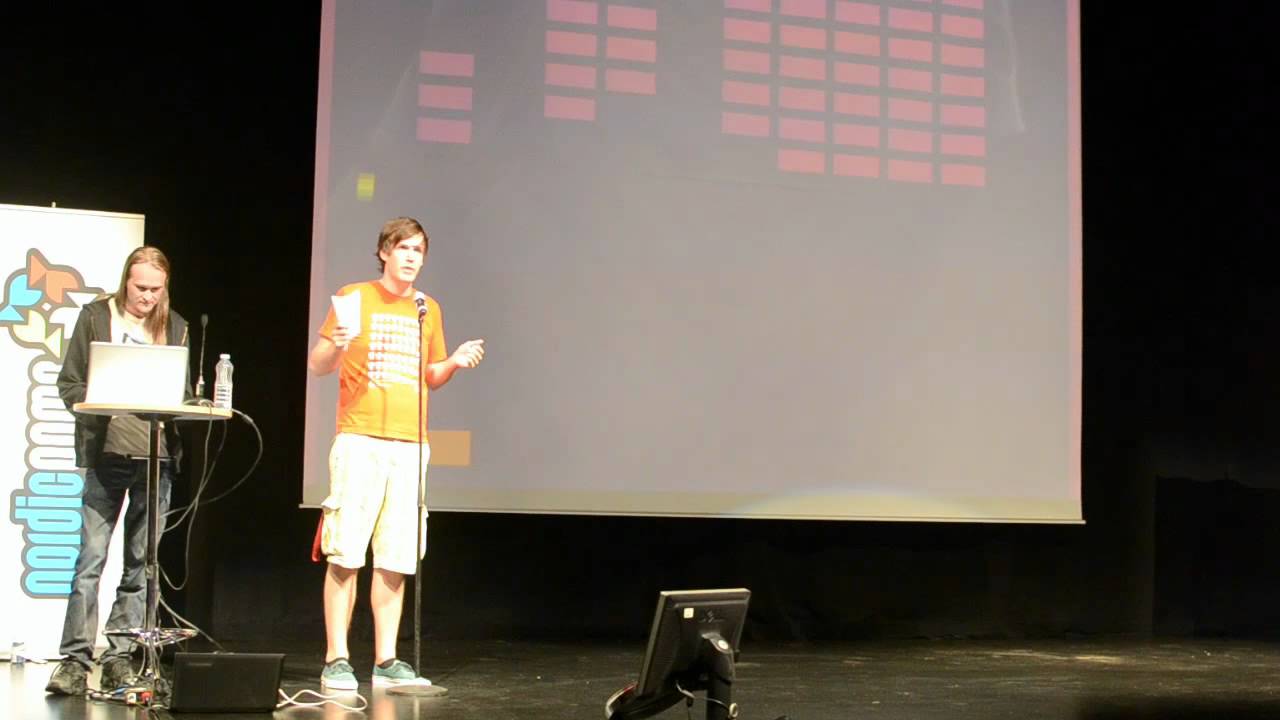
Juice it or lose it - a talk by Martin Jonasson & Petri Purho
grapefrukt
AI-assisted summary of Juice it or lose it - a talk by Martin Jonasson & Petri Purho — original source. Check the original for full context.
Source published:
Key ideas
- Juiciness in game design is defined as maximizing cascading visual and auditory feedback in response to minimal player input to make systems feel responsive and alive. (0:11)
- Audio is highlighted as the most cost-effective method for adding juice, fundamentally altering player perception to make basic geometric collisions feel physical and weighty. (7:46)
- Simple interpolation and animation techniques—such as tweening with a 10% distance frame loop, squash-and-stretch, and screen shake—drastically transform game feel without altering underlying rules. (2:43)
- Minimal expressive touches, such as adding animated eyes that track targets and dynamic mouth scaling, inject immense personality into inanimate gameplay elements with almost zero coding overhead. (12:30)
Detailed notes
## Background Published on YouTube by the channel grapefrukt on May 24, 2012, this video documents a presentation titled "Juice it or lose it" delivered by game developers Martin Jonasson and Petri Purho. The video description presents their philosophy that a "juicy" game feels alive by offering massive cascading reactions for minimal player input, referencing accompanying open-source code and an interactive Breakout demo.
## TL;DR Using a barebones, unpolished Breakout clone as an interactive testing ground, Jonasson and Purho demonstrate how to systematically elevate game feel without altering underlying game mechanics. They break down juiciness into tangible layers: mathematical tweening and easing curves for smooth animations, squash-and-stretch physics to grant mass to gameplay objects, cost-effective sound design, and screen shake with particle effects to sell impact. They further show how adding expressive facial elements instantly imbues inanimate objects with personality. Ultimately, stripping the demo back to its rigid baseline and reactivating all effects at once proves that responsive visual and auditory feedback fundamentally transforms player engagement.
## Atmosphere & style The presentation is energetic, humorous, and charmingly self-deprecating, driven by natural onstage camaraderie and playful banter between Jonasson and Purho. The mood alternates between pragmatic programming advice and sheer delight as they progressively turn up absurd visual sliders to trigger chaotic, screen-rattling feedback. Watching the talk feels like sitting in on a fun, highly relatable live masterclass that demystifies game design through contagious enthusiasm and tangible, step-by-step visual proofs.
## Bulletin - [00:11](https://www.youtube.com/watch?v=Fy0aCDmgnxg&t=11s) Juiciness in game design is defined as maximizing cascading visual and auditory feedback in response to minimal player input to make systems feel responsive and alive. - [07:46](https://www.youtube.com/watch?v=Fy0aCDmgnxg&t=466s) Audio is highlighted as the most cost-effective method for adding juice, fundamentally altering player perception to make basic geometric collisions feel physical and weighty. - [02:43](https://www.youtube.com/watch?v=Fy0aCDmgnxg&t=163s) Simple interpolation and animation techniques—such as tweening with a 10% distance frame loop, squash-and-stretch, and screen shake—drastically transform game feel without altering underlying rules. - [12:30](https://www.youtube.com/watch?v=Fy0aCDmgnxg&t=750s) Minimal expressive touches, such as adding animated eyes that track targets and dynamic mouth scaling, inject immense personality into inanimate gameplay elements with almost zero coding overhead.
## Key takeaways - [00:11](https://www.youtube.com/watch?v=Fy0aCDmgnxg&t=11s) Juiciness encompasses visual and auditory feedback like wobbles, squirts, and sound effects that make system interactions inherently satisfying. - [00:11](https://www.youtube.com/watch?v=Fy0aCDmgnxg&t=11s) The core design philosophy behind juice is delivering tons of cascading action and response for minimal user input. - [00:11](https://www.youtube.com/watch?v=Fy0aCDmgnxg&t=11s) Juiciness is not limited to action games; in interactive fiction, it manifests as clever, responsive prose to unexpected player choices. - [00:11](https://www.youtube.com/watch?v=Fy0aCDmgnxg&t=11s) Replacing dull or muddy colors improves basic readability, allowing players to immediately distinguish gameplay elements. - [02:43](https://www.youtube.com/watch?v=Fy0aCDmgnxg&t=163s) Tweening (in-betweening) can be achieved without external libraries by moving an object 10% of the remaining distance to its target on every frame. - [02:43](https://www.youtube.com/watch?v=Fy0aCDmgnxg&t=163s) Varying easing equations (ease-out, overshoot, bounce) and adding randomized drop delays transforms rigid grids into dynamic, cascading visual entrances. - [05:34](https://www.youtube.com/watch?v=Fy0aCDmgnxg&t=334s) Squash and stretch scaling based on velocity and mouse distance gives geometric objects a tangible sense of physical weight and responsiveness. - [05:34](https://www.youtube.com/watch?v=Fy0aCDmgnxg&t=334s) Secondary reactions—such as subtle rotation, impact flashes, block jiggles, and elastic boundaries—deepen the tactile quality of collisions. - [07:46](https://www.youtube.com/watch?v=Fy0aCDmgnxg&t=466s) Sound is the single most cost-effective tool for game juice, capable of tricking the brain into perceiving physical impact between overlapping shapes. - [07:46](https://www.youtube.com/watch?v=Fy0aCDmgnxg&t=466s) Layering targeted impact sound effects with background music instantly makes a bare geometric prototype feel like a commercial game. - [09:31](https://www.youtube.com/watch?v=Fy0aCDmgnxg&t=571s) Developers should rely on existing particle libraries rather than wasting time writing bespoke particle engines from scratch. - [09:31](https://www.youtube.com/watch?v=Fy0aCDmgnxg&t=571s) Layering visual debris—including smoke puffs, spinning and falling bricks, polygonal shattering, and confetti—multiplies impact drama. - [09:31](https://www.youtube.com/watch?v=Fy0aCDmgnxg&t=571s) Screen shake dramatically increases perceived momentum, turning dull ball hits into high-speed, heavy collisions. - [12:30](https://www.youtube.com/watch?v=Fy0aCDmgnxg&t=750s) Extreme screen shake creates an aggressive 'freight train mode' feel, though heavy visual impact must be balanced carefully. - [12:30](https://www.youtube.com/watch?v=Fy0aCDmgnxg&t=750s) Applying Kyle Gabler's technique of adding eyes and simple blinks gives inanimate objects an immediate, low-cost sense of consciousness. - [12:30](https://www.youtube.com/watch?v=Fy0aCDmgnxg&t=750s) Dynamically aiming pupils at moving game targets and scaling mouth shapes between smiles and frowns introduces clear emotional stakes. - [14:03](https://www.youtube.com/watch?v=Fy0aCDmgnxg&t=843s) Combining all juice layers simultaneously turns a rigid, silent prototype into a cohesive, highly engaging sensory feedback loop without changing the core mechanics.
## Detailed walkthrough ### [00:11](https://www.youtube.com/watch?v=Fy0aCDmgnxg&t=11s) What Is Juiciness? Maximum Output for Minimum Input
Martin Jonasson and Petri Purho take the stage to a warm round of applause. Jonasson jokes about the audience being too generous, while Purho quips that last time people were standing up, prompting Jonasson to reassure him they will win the crowd over eventually. They introduce their core subject: how to make a video game feel “juicy.” While juiciness sounds like an abstract buzzword, Jonasson clarifies that in practice, juicy elements are tangible and playful: things that wobble, squirt, bounce around, or make cute noises. It acts as an umbrella term for visual and auditory feedback that makes interacting with a system inherently satisfying.
The origin of the phrase traces back to a landmark Gamasutra article titled *How to prototype a game in under 7 days*. Quoting the philosophy directly, Jonasson explains: “A juicy game feels alive and responds to everything you do, tons of cascading action and response for minimal user input.” Although juice is predominantly delivered through graphics and sound effects, Jonasson points to writer Emily Short’s blog post on interactive fiction. In text adventures, where physical wiggles and squirts are impossible, juiciness takes the form of witty, unexpected prose responses whenever a player attempts something unconventional. Ultimately, juiciness boils down to maximizing game output for minimal player input.
Purho explains why this design element demands attention. After recently being tasked with reviewing student projects, he noticed that nearly all of them felt flat because they completely lacked juiciness. Acknowledging the subjective nature of game design, Purho argues: “Adding juiciness to your game makes your game better 100% of the time, guaranteed.” To prove this rule, they built a barebones Breakout clone to demonstrate small, layer-by-layer enhancements. Their very first change is adding color to replace a drab, muddy brown palette, noting that players need visual clarity just to tell the good guys from the bad guys.
```mermaid flowchart LR accTitle: The Juiciness Principle accDescr: Diagram illustrating how minimal user input creates massive cascading feedback to make a game feel juicy. subgraph Input["Player Action"] A["Minimal User Input<br/>(e.g., paddle move or tap)"] end subgraph Feedback["Cascading Feedback ('Juice')"] B["Visual Polish<br/>(Tweening, Stretch, Particles)"] C["Auditory Polish<br/>(Impact SFX, Background Music)"] D["Systemic Polish<br/>(Screen Shake, Wiggle)"] end subgraph Result["Player Perception"] E["Juicy Feel<br/>(Game feels alive & responsive)"] end
A --> B A --> C A --> D B --> E C --> E D --> E ```
- **Definition of Juice**: Physical, reactive feedback such as wobbles, squirts, bounces, and audio cues that reward basic user actions. - **Reference Material**: Gamasutra's *How to prototype a game in under 7 days* and Emily Short's essay *Make it juicy!* on text-based interactive fiction. - **Starting Baseline**: A completely flat, brown Breakout prototype where adding basic color instantly improves readability and visual appeal.
---
[02:43](https://www.youtube.com/watch?v=Fy0aCDmgnxg&t=163s) Tweening and Easing: Animating the Blocks into the Scene
The discussion moves to tweening, also frequently referred to as easing. Jonasson unpacks the etymology of the term: in traditional hand-drawn animation, a lead animator draws the key poses of a walk cycle or motion, and the in-between frames are then filled in by in-betweeners. Thus, "tweening" is simply a lazy programmer abbreviation for in-betweening. In game programming, rather than drawing physical frames, a developer specifies a start value (such as 1), an end value (such as 11), a set duration, and an easing curve or mathematical equation to transition between the two.
For times when setting up a dedicated tweening library is impractical or unnecessary, Jonasson reveals a simple one-line formula that can run inside any frame-update loop: moving the property ten percent of the remaining distance to its target on each tick. Because the object moves a fixed percentage of the remaining gap, it starts fast and smoothly decelerates as it approaches its destination.
Turning to their Breakout demo, Jonasson directs Purho to demonstrate how blocks spawn into the level. Instead of abruptly snapping into place, the blocks drop from above. They cycle through different interpolation equations: - **Linear**: The blocks drop at an unyielding, mechanical speed. - **Ease-out / Slowdown**: The blocks drop and gently decelerate as they reach their resting rows. - **Overshoot**: The blocks drop down slightly past their target position before snapping back, producing an elastic, luxurious feel. - **Bounce**: A springy, exaggerated bounce equation that makes the blocks rebound multiple times upon landing.
Jonasson points out that tweening applies to far more than position. By tweening block rotation and scale, and then adding a slight randomized delay to each block’s drop timing, the level entry transforms from a rigid grid appearance into a lively, cascading entrance without altering a single rule of the underlying gameplay.
---
[05:34](https://www.youtube.com/watch?v=Fy0aCDmgnxg&t=334s) Squeezing and Stretching: Making the Paddle and Ball Feel Alive
Purho transitions from formal mathematical tweening to the animation staple of squeezing and stretching. While squash and stretch is an animation principle rather than a computer science search term, Purho highlights how combining small scaling transformations completely alters a game's physical weight.
They implement a series of progressive tweaks to the paddle, ball, and environment: - **Paddle Reaction**: Without using an easing engine, the paddle calculates the offset distance between its current location and the mouse cursor, dynamically scaling its horizontal and vertical dimensions to stretch in the direction of fast mouse movements. - **Ball Impact Scaling**: Whenever the ball impacts a surface, it scales up abruptly before easing back down to its default scale, giving hits tactile weight. - **Rotational Feedback**: The ball rotates dynamically in the direction of travel, an animation so subtle that Purho admits it is almost invisible to the naked eye. - **Velocity Stretching & Squash**: The ball stretches oblong along its velocity vector. When it strikes an object, it triggers an animated squash-and-stretch wobble before settling. - **Impact Flash**: The ball flashes pure white upon every collision, quickly scaling and fading back to its original color. - **Block Jiggle & Bouncy Boundaries**: When the ball strikes an object, every block on the board experiences a subtle tweened jiggle, and the perimeter boundary lines flex outward like elastic bands upon impact.
Purho emphasizes how these stacked aesthetic adjustments dramatically improve tactile satisfaction, observing: “Making things feel so much nicer to play around with.”
---
[07:46](https://www.youtube.com/watch?v=Fy0aCDmgnxg&t=466s) The Power of Sound: Cost-Effective Impact and Atmosphere
Purho turns to what he considers the single most underappreciated yet transformative tool in game design: audio. Emphasizing its return on investment, Purho declares: “Next up is probably one of the most important parts you can add, like this is the most cost-effective thing you can add to a game to make it juicier, which is sound.”
To demonstrate sound's psychological influence on human perception, Purho shares an experiment cited in Steve Swink’s book *Game Feel*. On screen, two circles travel horizontally toward each other and cross paths. When watched in complete silence, the human brain interprets the visual as two independent circles smoothly gliding through one another. When the exact same visual clip is played with a sharp percussive click timed precisely to their intersection, the brain's interpretation shifts entirely: the circles now appear to physically collide and bounce off one another.
To isolate this impact, they strip away every visual effect added so far and run the Breakout prototype purely with audio, featuring sound effects and music composed by Niklas Ström: - **Wall Bounces**: Adding a crisp audio tap when hitting boundary borders immediately makes the walls feel solid. - **Block Destructions**: Adding a pitched audio response to broken bricks injects excitement into clearing targets. - **Paddle Deflections**: A dedicated hit sound anchors the connection between user input and ball redirection. - **Background Music**: Adding Ström’s soundtrack ties the disparate sound effects into a coherent, polished experience.
Purho marvels at the outcome, noting that even with bare geometric art and zero visual juice active, the presence of sound instantly makes the project feel like an authentic, commercial game rather than a crude school prototype.
---
[09:31](https://www.youtube.com/watch?v=Fy0aCDmgnxg&t=571s) Particles and Screen Shake: Selling the Impact
Jonasson takes over to discuss particle effects, opening with an old gamedev adage: “There's this saying, like you can't ever have too many particles in your game, and, again, you can't make broad sweeping statements, but it's 100% true.” He warns developers against falling into the common programmer trap of spending months writing a bespoke particle engine that never gets used, advising the audience to find an existing library and simply use it. Purho jokingly interjects that writing one is the simplest thing to code, to which Jonasson humorously begs the audience not to listen.
They demonstrate how layering visual debris multiplies the drama of every collision: - **Smoke Puffs**: Emitting a small puff of smoke each time the ball strikes a block. - **Falling Bricks**: Rather than simply fading bricks out using alpha tweens, destroyed blocks are flung backward, pushed by the ball's incoming momentum, spinning in place, and dimming in color so they stand out from intact bricks. - **Shatter Effect**: Jonasson shows off a complex shatter routine, playing it in slow motion to highlight how bricks fracture into multiple polygonal shards upon destruction. Jonasson admits it is a bit of a programmer trap because in real-time gameplay it flashes past in a split second, but it adds subliminal richness. - **Paddle Confetti & Ball Trails**: Striking the paddle sprays a festive burst of confetti, while the ball leaves behind a ribbon trail drawn from its past coordinate history.
```mermaid flowchart TD accTitle: Progression of Block Destruction Juice accDescr: Step-by-step evolution of how a block disappears from simple tween to high-impact destruction. B1["Step 1: Simple Tween<br/>Block fades away slowly"] --> B2["Step 2: Physics Drop<br/>Block falls down off the screen"] B2 --> B3["Step 3: Momentum & Spin<br/>Ball pushes block; block spins"] B3 --> B4["Step 4: Contrast Tint<br/>Falling block darkens against remaining blocks"] B4 --> B5["Step 5: Shatter & Smoke<br/>Geometric fracturing + smoke & debris particles"] ```
Finally, Jonasson introduces screen shake, warning the audience that it is a potent visual tool that must be handled with care. Whenever the ball impacts a block or paddle, the entire game viewport violently jolts for a fraction of a second. The physical sensation is immediate: Jonasson exclaims that adding screen shake instantly transformed the ball from a dull tennis ball into a high-speed comet.
[12:30](https://www.youtube.com/watch?v=Fy0aCDmgnxg&t=750s) "Freight Train Mode" and the Kyle Gabler Trick
Pushing an effect to its absolute limit completely alters the feel of the game. Martin Jonasson invites Petri Purho to crank the screen shake even higher, turning the physics and impact into sheer visual force: “Like, now it's in 'freight train mode', like, it might very well just break the screen edge and just just keep going.” He notes that while screen shake is an intensely powerful tool, “with great power comes great personality.” This transitions smoothly into the final, defining technique for infusing character into inanimate game objects.
Petri Purho introduces what he dubs a classic trick popularized by Kyle Gabler (designer of *World of Goo*): adding eyes to whatever is on screen. Though not strictly a graphical shader or particle effect, sticking a pair of small eyes onto the paddle yields an astonishing return on investment. The technical execution requires almost zero art or programming overhead; blinking is achieved by simply turning off the eye graphic for a brief interval. By having the pupils follow and look toward the ball as it travels across the playfield, the paddle instantly feels conscious and alive.
```mermaid flowchart TD accTitle: Paddle Expressiveness Architecture accDescr: A flow diagram showing how minimal code inputs drive the paddle's dynamic facial expressions. subgraph Inputs ["Ball Proximity & Events"] direction TB BPos["Ball Position"] BHit["Paddle Hit Event"] BDist["Ball Moving Away"] end subgraph Expression ["Visual Reaction"] direction TB Aim["Aim Pupils toward Ball"] Smile["Scale Y Up: Cheerful Smile"] Frown["Scale Y Inverted: Frown in Horror"] end BPos --> Aim BHit --> Smile BDist --> Frown ```
The expressiveness deepens further by introducing a tiny mouth. When the paddle strikes the ball, it breaks into a smile simply by scaling the mouth's vertical y-value. Conversely, as the ball escapes and heads toward danger, the curve reverses so the paddle frowns in horror. Emphasizing the outsized impact of these microscopic touches, Purho remarks: “And the effort of this, like, how much personality it adds, it's insane.” Enlarging the scale of the eyes amplifies the comedic charm even more, proving that giving gameplay elements visible emotional stakes makes the entire experience inherently more engaging.
- **Kyle Gabler principle**: Placing cartoon eyes on any inanimate gameplay element instantly gives it character. - **Blink logic**: Implemented with trivial code by disabling the eye render state for a fraction of a second. - **Dynamic tracking**: Pupil coordinates interpolate toward the moving ball's position. - **Dynamic mouth scaling**: Inverting or expanding the vertical scale transforms a neutral line into an ecstatic smile on ball contact or a terrified grimace when the ball is far away.
---
[14:03](https://www.youtube.com/watch?v=Fy0aCDmgnxg&t=843s) The Grand Reset and Juicing It All at Once
Having walked through every distinct category of juice—from tweening, squashing, stretching, and particles to screen shake, audio, and facial expressions—the presenters demonstrate the full magnitude of the transformation. Purho strips away every single visual upgrade and turns off all audio, reverting the project to its raw, unadorned starting point: a silent, rigid, monochrome *Breakout* clone. Jonasson dryly jokes about the barren baseline: “Tons of fun!”
Purho then re-enables every layer simultaneously. The result is an immediate, explosive sensory shift. Every brick impact triggers cascading shockwaves, debris particles, energetic audio tracks, dynamic camera thumps, and animated paddle reactions. Jonasson observes with a laugh, “Still murders the framerate,” acknowledging the sheer density of simultaneous rendering routines happening under the hood. Wrapping up the session, they promise to post the interactive demo and source code online so other game creators can dissect the techniques and inject juice into their own projects.
- **The baseline contrast**: A standard paddle-and-brick prototype feels flat, clinical, and unresponsive despite sharing the exact same core mechanics. - **Cascading response**: Flipping all switches at once unites tweening, particle generation, music, impact SFX, screen shake, and character animations into a single cohesive feedback loop. - **Open-source release**: The presenters commit to sharing the interactive prototype and source code publicly so developers can study easing curves and implementation details firsthand. README.md ### Output
Outputs are saved in the `output/` directory as Markdown (`.md`) files. Each file contains: - Executive summary of the talk - Detailed chronological breakdown of the presentation - Key concepts and takeaways - Links and references mentioned in the talk - Formatted with clear headings and bullet points for readability # Whisper Transcriber
A tool for downloading audio from YouTube videos and transcribing it using OpenAI's Whisper model.
Setup
This project uses `uv` for dependency management.
1. Install `uv` if you haven't already: ```bash curl -LsSf https://astral.sh/uv/install.sh | sh ```
2. Install system dependencies: - **ffmpeg**: Required for audio processing with yt-dlp and whisper. - macOS: `brew install ffmpeg` - Ubuntu/Debian: `sudo apt update && sudo apt install ffmpeg` - Windows: `choco install ffmpeg` or download from the ffmpeg website.
3. Install project dependencies: ```bash uv sync ```
Usage
Run the main script using `uv run`:
```bash uv run main.py <youtube_url> [options] ```
Options
- `--model`: Whisper model to use (`tiny`, `base`, `small`, `medium`, `large`). Defaults to `turbo` (or `base` depending on settings). - `--device`: Device to run the model on (`cpu` or `cuda`). Defaults to `cuda` if available, else `cpu`. - `--output_dir`: Directory to save the transcription. Defaults to `./transcripts`. - `--keep_audio`: Flag to keep the downloaded audio file after transcription. If omitted, the audio file is deleted to save space.
Example
```bash uv run main.py "https://www.youtube.com/watch?v=dQw4w9WgXcQ" --model small --keep_audio ```
This will: 1. Download the audio track into the `audio/` folder. 2. Transcribe the audio using the `small` model. 3. Save the resulting text to `transcripts/dQw4w9WgXcQ.txt`.
Processing Transcripts with Gemini
The project includes tools to convert raw transcripts into comprehensive, highly detailed notes using Google's Gemini models.
Prerequisites
Set your Gemini API key in your environment or in a `.env` file: ```bash GEMINI_API_KEY=your_api_key_here ```
Note Generation Scripts
There are two scripts available for processing transcripts:
#### 1. Direct Script (`gemini_transcript_to_notes.py`) Processes a single transcript file with customizable chunk sizes:
```bash uv run gemini_transcript_to_notes.py <transcript_path> [options] ```
**Options:** - `--chunk-lines`: Number of lines per chunk (default: 400). Adjust based on transcript density. - `--model`: Gemini model to use (default: `gemini-2.5-flash`). - `--output`: Custom output file path. Defaults to `output/<source_name>_notes.md`.
**Example:** ```bash uv run gemini_transcript_to_notes.py transcripts/Juice_it_or_lose_it.txt --chunk-lines 500 ```
#### 2. Workflow Script (`run_gemini_workflow.py`) A wrapper that automates the full workflow with pre-configured settings:
```bash uv run run_gemini_workflow.py ```
This script is configured to process `transcripts/Juice_it_or_lose_it.txt` by default with optimized settings for long-form talks.
How It Works
1. **Chunking**: Large transcripts are split into manageable overlapping or sequential chunks to fit within context limits and ensure thorough coverage. 2. **Context Preservation**: Each chunk includes metadata (video title, channel, description, references) to correctly resolve technical terms, speaker names, and context. 3. **Structured Output**: The model generates a detailed walkthrough preserving: - Timestamps for every topic change (`### [HH:MM:SS]`) - Direct, verbatim quotes from speakers - Technical explanations, examples, and anecdotes - Mermaid diagrams where visual flows are helpful 4. **Assembly**: All processed chunks are combined into a final coherent document in the `output/` directory.
---
YouTube to Notes (CLI Tool)
A unified CLI command that takes a YouTube URL and produces comprehensive, high-detail notes in one step. It handles downloading the audio, transcribing it with Whisper, and processing it through Gemini.
Usage
```bash uv run youtube-to-notes <youtube_url> [options] ```
Options
- `--whisper-model`: Whisper model to use (`tiny`, `base`, `small`, `medium`, `large`, `turbo`). Defaults to `turbo`. - `--gemini-model`: Gemini model to use. Defaults to `gemini-2.5-flash`. - `--chunk-lines`: Number of lines per chunk for Gemini processing. Defaults to 400. - `--device`: Device for Whisper (`cpu` or `cuda`). Defaults to auto-detect. - `--keep-audio`: Flag to keep the downloaded audio file after transcription. - `--output`: Custom path for the final Markdown notes. Defaults to `output/<video_title>_notes.md`.
Example
```bash uv run youtube-to-notes "https://www.youtube.com/watch?v=Fy0aCDmgnxg" ```
This command will: 1. Extract video metadata (title, channel, description). 2. Download the audio track to `audio/`. 3. Transcribe the audio using Whisper `turbo` with timestamps to `transcripts/`. 4. Process the transcript through Gemini using the metadata for context. 5. Save the final notes to `output/<video_title>_notes.md`. 6. Clean up the audio file (unless `--keep-audio` is set).
---
Detailed Notes via GitHub Actions
You can generate detailed notes directly from a GitHub repository using GitHub Actions—no local setup required.
Setup
1. Fork or clone this repository to your GitHub account. 2. Go to **Settings > Secrets and variables > Actions** in your repository. 3. Add a new repository secret: - **Name**: `GEMINI_API_KEY` - **Value**: Your Google Gemini API key
Running the Workflow
1. Navigate to the **Actions** tab in your repository. 2. Select the **"Generate Notes from YouTube"** workflow from the left sidebar. 3. Click **"Run workflow"**. 4. Fill in the input fields: - **YouTube URL** (required): The full URL of the YouTube video to process. - **Whisper Model**: Choose from `tiny`, `base`, `small`, `medium`, `large`, or `turbo` (default: `turbo`). - **Gemini Model**: Choose from `gemini-2.5-flash` (default), `gemini-2.5-pro`, or `gemini-2.0-flash`. - **Chunk Lines**: Number of lines per chunk for processing (default: `400`). - **Commit Notes to Repository**: Check this box if you want the generated notes committed directly to the repository under `output/`. 5. Click **"Run workflow"** to start the job.
Workflow Artifacts
Once the workflow run completes: - The generated notes (`.md`) and the raw transcript (`.txt`) are available for download as a zip file under the **Artifacts** section of the run summary. - If **Commit Notes to Repository** was enabled, the notes will be automatically committed and pushed to your default branch in the `output/` directory.
---
Transcript to Notes Custom GPT (Alternative Workflow)
For users who prefer a no-code approach or want to process transcripts manually through ChatGPT, you can use the custom GPT:
👉 **[Transcript to Notes GPT](https://chatgpt.com/g/g-6821fa58cfa481919865ffb587b1c0ad-transcript-to-notes)**
How to Use the Custom GPT
1. **Get the transcript**: Use the Whisper transcriber (or YouTube's built-in transcript feature) to obtain the raw text of the video. 2. **Open the GPT**: Click the link above to access the Transcript to Notes GPT. 3. **Paste the transcript**: Paste your transcript (or upload it as a `.txt` file) into the chat. 4. **Provide context** (recommended): Include the video title, speaker names, and a brief description for better accuracy with technical terms and names. 5. **Get your notes**: The GPT will generate structured, detailed notes following the same quality standards as the Gemini pipeline.
---
Example Notes Output
The repository includes a complete example of the output generated by the Gemini processing pipeline:
- **Input Video**: [Juice it or lose it - a talk by Martin Jonasson & Petri Purho](https://www.youtube.com/watch?v=Fy0aCDmgnxg) - **Raw Transcript**: `transcripts/Juice_it_or_lose_it.txt` - **Generated Notes**: [`output/Juice_it_or_lose_it_notes.md`](output/Juice_it_or_lose_it_notes.md)
What the Output Looks Like
Below is an excerpt from the generated notes to illustrate the level of detail and formatting:
> ### Introduction to "Juice" > > Martin Jonasson and Petri Purho introduce the concept of "juice" in game design. A juicy game is one that feels responsive, lively, and dynamic—where minimal input from the player results in a wealth of cascadi ng visual and auditory feedback. > > > "A juicy game feels alive and responds to everything you do—tons of cascading action and response for minimal user input." > > They demonstrate this concept using a basic *Breakout* clone, progressively layering effects: > - Screen shake on impact > - Particle effects on brick destruction > - Squish and stretch animations on the ball and paddle > - Dynamic lighting and sound effects
youtube_to_notes.py
transcription_text = result["text"].strip() with open(raw_txt_path, "w", encoding="utf-8") as f: f.write(transcription_text)
# Clean up audio file if not keep_audio and os.path.exists(audio_file): os.remove(audio_file) print(f"Removed audio file: {audio_file}")
print(f"Transcription complete: {transcripts_path}") return transcripts_path
# --------------------------------------------------------------------------- # Step 3: Run Gemini processing on the transcript # ---------------------------------------------------------------------------
def process_with_gemini( transcript_path: str, metadata: dict, gemini_model: str, chunk_lines: int, output_path: str, ) -> str: """Run the Gemini transcript-to-notes processor using the gathered metadata.""" print(f"Processing transcript with Gemini ({gemini_model})...")
# Build the background text block expected by the prompt ref_links = "\n".join(metadata.get("references", [])) page_background = f"""- Title: {metadata.get('title', 'Unknown')} - Platform: YouTube - Channel / author: {metadata.get('channel', 'Unknown')} - Duration: {metadata.get('duration_string', 'Unknown')} - View count: {metadata.get('view_count', 'Unknown')} - Like count: {metadata.get('like_count', 'Unknown')} - Source URL: {metadata.get('webpage_url', '')} - Show notes / description: {metadata.get('description', '')}
References: {ref_links}"""
# Read transcript lines with open(transcript_path, "r", encoding="utf-8") as f: lines = f.readlines()
total_lines = len(lines) print(f"Transcript has {total_lines} lines.")
# Chunk the transcript chunks = [] for i in range(0, total_lines, chunk_lines): chunks.append(lines[i: i + chunk_lines]) print(f"Split into {len(chunks)} chunk(s) of up to {chunk_lines} lines each.")
api_key = os.environ.get("GEMINI_API_KEY") if not api_key: raise ValueError("GEMINI_API_KEY environment variable is not set.")
client = genai.Client(api_key=api_key)
system_instruction = ( "You are an expert writer and note-taker. You turn a portion of a transcript into a vivid, " "faithful, and DETAILED walkthrough that loses nothing important. Preserve every concrete detail: " "facts, arguments, examples, numbers, dates, names, causes and consequences. Crucially, also " "preserve the TEXTURE: the anecdotes and stories, the humor and banter, the tension and emotion, " "the asides and tangents, and how the speakers actually discuss things. Do NOT flatten the " "content into dry one-line bullets and do NOT editorialize or add facts that are not present. " "Keep [HH:MM:SS] timestamps so any claim can be traced to the source. Write in the SAME " "language as the transcript. The transcript is auto-generated by speech-to-text and may contain " "recognition errors — misheard homophones, garbled or inconsistent proper nouns (people, " "companies, products, places), wrong technical terms, and mistyped numbers. Use the page " "title/description provided and your general knowledge to SILENTLY correct such obvious " "transcription errors so names and terms are spelled correctly and used consistently throughout. " "Correct only clear mis-transcriptions without changing the speaker's actual meaning; never " "invent facts, and when you are unsure, keep the original wording." )
outputs = [] for i, chunk in enumerate(chunks): part_num = i + 1 total_parts = len(chunks) print(f"\nProcessing part {part_num} of {total_parts}...")
chunk_text = "".join(chunk)
user_content = f"""## Page background (title, channel, and description — use it to fix transcription errors) {page_background}
Below is part {part_num} of {total_parts} of a transcript. Each line is prefixed with its [HH:MM:SS] timestamp. It is auto-generated (speech-to-text), so expect recognition errors.
Write a detailed, faithful walkthrough of THIS part as Markdown: - The transcript may mis-hear words. Using the page background above and common knowledge, silently correct obvious transcription errors — especially names, companies, products, places, and technical terms — so they are correct and consistent. Do NOT change the actual meaning or invent content; when unsure, keep the original. - Break it into one or more subsections, each starting with a heading of the form `### [HH:MM:SS] <short descriptive heading>` using the timestamp where that topic begins. - Under each heading, write 1-3 paragraphs of flowing prose that capture what is said in depth: the specific details, numbers, names, and examples, AND the mood and the way it is discussed (stories, jokes, debates, emotional beats). - After the prose, optionally add `- ` bullets for extra concrete data points, lists, or facts that deserve to stand alone. - When a visual architecture or flow is important, use a fenced Mermaid diagram beginning with ` ```mermaid ` and a simple `flowchart LR` or `flowchart TD`. Keep node IDs short, put human-readable labels in quoted brackets such as `A["Meeting transcript"]`, and keep each edge on its own line. Use an `accTitle:` line for accessibility. If you add an accessibility description, the only valid directive is `accDescr:` (never `accDescription:`). If an edge label contains parentheses or brackets, wrap that label in double quotes, for example `A -->|"step (one)"| B`. Keep the layout compact enough to fit in one viewport: group related stages into labeled subgraphs and avoid a single uninterrupted row or column longer than four nodes. Never draw boxes, arrows, or tables with ASCII characters in a plain code fence. For genuinely tabular comparisons, use a standard Markdown table instead. If neither format can express the source cleanly, explain it in prose. - Quote the speakers directly. When a speaker states a view, judgement, prediction, or lesson, quote the WHOLE sentence verbatim inside \u201cquotation marks\u201d and say who said it, rather than clipping a 2-4 word fragment of it. In every subsection where someone argues a point, include at least one such full-sentence quote, choosing the line where they put it most sharply. Only the speakers' actual words go inside quotation marks; never put your own paraphrase or summary inside them. - IMPORTANT: Put a [HH:MM:SS] timestamp ONLY on the section headings. Do NOT add timestamps inside the prose sentences or bullets \u2014 the prose must read cleanly with no inline timestamps. Start a new `###` subsection when a clearly distinct new topic begins (roughly every 1-3 minutes), rather than timestamping sentences. - Be thorough. Do not skip substantive content. Do NOT write an overall title or any preamble/conclusion about the whole video \u2014 only cover this part. - LANGUAGE: Write all text fields in the SAME language as the transcript/source.
TRANSCRIPT PART: {chunk_text} """
response = client.models.generate_content( model=gemini_model, contents=user_content, config=types.GenerateContentConfig( system_instruction=system_instruction, temperature=0.2, ), )
outputs.append(response.text) print(f"Part {part_num} complete.")
os.makedirs(os.path.dirname(os.path.abspath(output_path)), exist_ok=True) with open(output_path, "w", encoding="utf-8") as f: f.write("\n\n".join(outputs))
print(f"\nAll parts saved to: {output_path}") return output_path
# --------------------------------------------------------------------------- # Main CLI # ---------------------------------------------------------------------------
def main(): parser = argparse.ArgumentParser( description="Download a YouTube video, transcribe with Whisper, and generate detailed notes via Gemini." ) parser.add_argument("url", help="YouTube video URL") parser.add_argument( "--whisper-model", default="turbo", help="Whisper model to use (tiny, base, small, medium, large, turbo). Default: turbo", ) parser.add_argument( "--gemini-model", default="gemini-2.5-flash", help="Gemini model to use. Default: gemini-2.5-flash", ) parser.add_argument( "--chunk-lines", type=int, default=400, help="Number of lines per chunk for Gemini processing. Default: 400", ) parser.add_argument( "--device", default=None, help="Device to use for Whisper (cpu or cuda). Auto-detected if omitted.", ) parser.add_argument( "--keep-audio", action="store_true", help="Keep the downloaded audio file after transcription.", ) parser.add_argument( "--output", default=None, help="Custom output path for the Markdown notes. Defaults to output/<title>_notes.md", )
args = parser.parse_args()
# Step 1: Extract metadata metadata = extract_video_metadata(args.url)
# Step 2: Download & transcribe transcript_path = download_and_transcribe( url=args.url, whisper_model=args.whisper_model, device=args.device, keep_audio=args.keep_audio, )
# Step 3: Determine output path if args.output: output_path = args.output else: # Use sanitized title from transcript path base_name = os.path.splitext(os.path.basename(transcript_path))[0] output_path = os.path.join("output", f"{base_name}_notes.md")
# Step 4: Process with Gemini process_with_gemini( transcript_path=transcript_path, metadata=metadata, gemini_model=args.gemini_model, chunk_lines=args.chunk_lines, output_path=output_path, )
print(f"\nDone! Notes written to: {output_path}")
if __name__ == "__main__": main() #!/usr/bin/env python3 """ youtube_to_notes.py
End-to-end pipeline: 1. Fetches YouTube video metadata (title, channel, description, etc.). 2. Downloads audio via yt-dlp. 3. Transcribes with OpenAI Whisper (including timestamps). 4. Sends the transcript in chunks to Gemini to produce rich, detailed Markdown notes. """
import argparse import os import re from google import genai from google.genai import types import whisper import yt_dlp from dotenv import load_dotenv
load_dotenv()
# --------------------------------------------------------------------------- # Step 1: Extract metadata via yt-dlp # ---------------------------------------------------------------------------
def extract_video_metadata(url: str) -> dict: """Fetch video metadata without downloading the full media.""" print("Fetching video metadata...") ydl_opts = { "quiet": True, "no_warnings": True, "extract_flat": False, } with yt_dlp.YoutubeDL(ydl_opts) as ydl: info = ydl.extract_info(url, download=False)
title = info.get("title", "Unknown Title") channel = info.get("uploader", info.get("channel", "Unknown Channel")) description = info.get("description", "") duration = info.get("duration", 0) view_count = info.get("view_count", 0) like_count = info.get("like_count", 0)
# Format duration as HH:MM:SS or MM:SS hours = duration // 3600 minutes = (duration % 3600) // 60 seconds = duration % 60 if hours > 0: duration_str = f"{hours}:{minutes:02d}:{seconds:02d}" else: duration_str = f"{minutes:02d}:{seconds:02d}"
# Extract any URLs from the description as potential references url_pattern = r"https?://[^\s]+" references = re.findall(url_pattern, description)
metadata = { "title": title, "channel": channel, "description": description, "duration_string": duration_str, "view_count": f"{view_count:,}" if view_count else "Unknown", "like_count": f"{like_count:,}" if like_count else "Unknown", "webpage_url": info.get("webpage_url", url), "references": references, }
print(f" Title: {metadata['title']}") print(f" Channel: {metadata['channel']}") print(f" Duration: {metadata['duration_string']}") return metadata
# --------------------------------------------------------------------------- # Step 2: Download audio & transcribe with Whisper # ---------------------------------------------------------------------------
def sanitize_filename(title: str) -> str: """Remove special characters and replace spaces with underscores.""" sanitized = re.sub(r"[^\w\s-]", "", title) return re.sub(r"[-\s]+", "_", sanitized).strip("-_")
def format_timestamp(seconds: float) -> str: """Convert seconds into [HH:MM:SS] format.""" hours = int(seconds // 3600) minutes = int((seconds % 3600) // 60) secs = int(seconds % 60) return f"[{hours:02d}:{minutes:02d}:{secs:02d}]"
def download_and_transcribe( url: str, whisper_model: str = "turbo", device: str = None, keep_audio: bool = False, ) -> str: """Download audio, transcribe with Whisper, and return path to the transcript.""" os.makedirs("audio", exist_ok=True) os.makedirs("transcripts", exist_ok=True)
# Download audio print(f"Downloading audio from {url}...") outtmpl = os.path.join("audio", "%(title)s.%(ext)s") ydl_opts = { "format": "bestaudio/best", "postprocessors": [ { "key": "FFmpegExtractAudio", "preferredcodec": "mp3", "preferredquality": "192", } ], "outtmpl": outtmpl, "quiet": False, }
with yt_dlp.YoutubeDL(ydl_opts) as ydl: info = ydl.extract_info(url, download=True) raw_title = info.get("title", "audio")
# Locate downloaded audio file clean_title = sanitize_filename(raw_title) audio_file = None for f in os.listdir("audio"): if f.endswith(".mp3"): audio_file = os.path.join("audio", f) break
if not audio_file or not os.path.exists(audio_file): raise FileNotFoundError("Could not locate downloaded audio file.")
# Transcribe with Whisper print(f"Loading Whisper model '{whisper_model}'...") if device is None: import torch
device = "cuda" if torch.cuda.is_available() else "cpu" print(f"Using device: {device}")
model = whisper.load_model(whisper_model, device=device)
print(f"Transcribing {audio_file}...") result = model.transcribe(audio_file)
# Save timestamped transcript transcripts_path = os.path.join("transcripts", f"{clean_title}.txt") with open(transcripts_path, "w", encoding="utf-8") as f: for segment in result["segments"]: start_time = format_timestamp(segment["start"]) text = segment["text"].strip() f.write(f"{start_time} {text}\n")
# Also save raw text version raw_txt_path = os.path.join("transcripts", f"{clean_title}_raw.txt") gemini_transcript_to_notes.py import argparse import os import re from google import genai from google.genai import types from dotenv import load_dotenv
load_dotenv()
SYSTEM_INSTRUCTION = """You are an expert writer and note-taker. You turn a portion of a transcript into a vivid, faithful, and DETAILED walkthrough that loses nothing important. Preserve every concrete detail: facts, arguments, examples, numbers, dates, names, causes and consequences. Crucially, also preserve the TEXTURE: the anecdotes and stories, the humor and banter, the tension and emotion, the asides and tangents, and how the speakers actually discuss things. Do NOT flatten the content into dry one-line bullets and do NOT editorialize or add facts that are not present. Keep [HH:MM:SS] timestamps so any claim can be traced to the source. Write in the SAME language as the transcript. The transcript is auto-generated by speech-to-text and may contain recognition errors — misheard homophones, garbled or inconsistent proper nouns (people, companies, products, places), wrong technical terms, and mistyped numbers. Use the page title/description provided and your general knowledge to SILENTLY correct such obvious transcription errors so names and terms are spelled correctly and used consistently throughout. Correct only clear mis-transcriptions without changing the speaker's actual meaning; never invent facts, and when you are unsure, keep the original wording."""
USER_PROMPT_TEMPLATE = """## Page background (title, channel, and description — use it to fix transcription errors) {page_background}
Below is part {part_num} of {total_parts} of a transcript. Each line is prefixed with its [HH:MM:SS] timestamp. It is auto-generated (speech-to-text), so expect recognition errors.
Write a detailed, faithful walkthrough of THIS part as Markdown: - The transcript may mis-hear words. Using the page background above and common knowledge, silently correct obvious transcription errors — especially names, companies, products, places, and technical terms — so they are correct and consistent. Do NOT change the actual meaning or invent content; when unsure, keep the original. - Break it into one or more subsections, each starting with a heading of the form `### [HH:MM:SS] <short descriptive heading>` using the timestamp where that topic begins. - Under each heading, write 1-3 paragraphs of flowing prose that capture what is said in depth: the specific details, numbers, names, and examples, AND the mood and the way it is discussed (stories, jokes, debates, emotional beats). - After the prose, optionally add `- ` bullets for extra concrete data points, lists, or facts that deserve to stand alone. - When a visual architecture or flow is important, use a fenced Mermaid diagram beginning with ` ```mermaid ` and a simple `flowchart LR` or `flowchart TD`. Keep node IDs short, put human-readable labels in quoted brackets such as `A["Meeting transcript"]`, and keep each edge on its own line. Use an `accTitle:` line for accessibility. If you add an accessibility description, the only valid directive is `accDescr:` (never `accDescription:`). If an edge label contains parentheses or brackets, wrap that label in double quotes, for example `A -->|"step (one)"| B`. Keep the layout compact enough to fit in one viewport: group related stages into labeled subgraphs and avoid a single uninterrupted row or column longer than four nodes. Never draw boxes, arrows, or tables with ASCII characters in a plain code fence. For genuinely tabular comparisons, use a standard Markdown table instead. If neither format can express the source cleanly, explain it in prose. - Quote the speakers directly. When a speaker states a view, judgement, prediction, or lesson, quote the WHOLE sentence verbatim inside “quotation marks” and say who said it, rather than clipping a 2-4 word fragment of it. In every subsection where someone argues a point, include at least one such full-sentence quote, choosing the line where they put it most sharply. Only the speakers' actual words go inside quotation marks; never put your own paraphrase or summary inside them. - IMPORTANT: Put a [HH:MM:SS] timestamp ONLY on the section headings. Do NOT add timestamps inside the prose sentences or bullets — the prose must read cleanly with no inline timestamps. Start a new `###` subsection when a clearly distinct new topic begins (roughly every 1-3 minutes), rather than timestamping sentences. - Be thorough. Do not skip substantive content. Do NOT write an overall title or any preamble/conclusion about the whole video — only cover this part. - LANGUAGE: Write all text fields in the SAME language as the transcript/source.
TRANSCRIPT PART: {transcript_chunk} """
def chunk_transcript( lines: list[str], chunk_size: int = 400 ) -> list[list[str]]: """Chunks transcript lines by count.""" chunks = [] for i in range(0, len(lines), chunk_size): chunks.append(lines[i: i + chunk_size]) return chunks
def process_transcript( transcript_path: str, page_background: str, output_path: str, chunk_lines: int = 400, model_name: str = "gemini-2.5-flash", ): api_key = os.environ.get("GEMINI_API_KEY") if not api_key: raise ValueError("GEMINI_API_KEY environment variable is not set.")
client = genai.Client(api_key=api_key)
with open(transcript_path, "r", encoding="utf-8") as f: lines = f.readlines()
chunks = chunk_transcript(lines, chunk_size=chunk_lines) total_parts = len(chunks) print( f"Processing {transcript_path}: {len(lines)} lines split into {total_parts} parts." )
outputs = [] for i, chunk in enumerate(chunks): part_num = i + 1 print(f"Sending Part {part_num}/{total_parts} to {model_name}...") chunk_text = "".join(chunk)
user_content = USER_PROMPT_TEMPLATE.format( page_background=page_background.strip(), part_num=part_num, total_parts=total_parts, transcript_chunk=chunk_text, )
response = client.models.generate_content( model=model_name, contents=user_content, config=types.GenerateContentConfig( system_instruction=SYSTEM_INSTRUCTION, temperature=0.2, ), )
outputs.append(response.text) print(f"Part {part_num} complete.")
os.makedirs(os.path.dirname(os.path.abspath(output_path)), exist_ok=True) with open(output_path, "w", encoding="utf-8") as f: f.write("\n\n".join(outputs))
print(f"\nFinished! Combined notes written to: {output_path}")
if __name__ == "__main__": parser = argparse.ArgumentParser( description="Process a transcript into detailed notes using Gemini." ) parser.add_argument("transcript", help="Path to the transcript file (.txt)") parser.add_argument( "--chunk-lines", type=int, default=400, help="Number of lines per chunk (default: 400)", ) parser.add_argument( "--model", default="gemini-2.5-flash", help="Gemini model name" ) parser.add_argument( "--output", default=None, help="Output markdown path" )
args = parser.parse_args()
# Default metadata background if not provided sample_background = """- Title: Juice it or lose it - a talk by Martin Jonasson & Petri Purho - Platform: YouTube - Channel / author: grapefrukt - Published: 2012-05-24 - Duration: 15:38 - View count: 616,147 - Like count: 17,423 - Source URL: https://www.youtube.com/watch?v=Fy0aCDmgnxg - Show notes / description: Try the game here: http://grapefrukt.com/f/games/juicy-breakout/ (ESC for menu) Fork us on github: https://github.com/grapefrukt/juicy-breakout
"A juicy game feels alive and responds to everything you do tons of cascading action and response for minimal user input. "
Big thanks to Niklas Ström for making music and sound effects for us and to Stina for filming.
References: http://www.robertpenner.com/easing/ http://www.game-feel.com/ http://www.gamasutra.com/view/feature/2438/how_to_prototype_a_game_in_under_7_.php http://sol.gfxile.net/interpolation/
Emily Short - Make it juicy! http://emshort.wordpress.com/2008/05/24/make-it-juicy/
12 Principles of Animation http://minyos.its.rmit.edu.au/aim/a_notes/anim_principles.html
The Art of Diablo 3 http://gdcvault.com/play/1015306/The-Art-of-Diablo
Easing related: https://www.evernote.com/shard/s1/note/c1b7f010-4564-46d9-a8c2-083d8e014b93/closetgeekshow/interactive_linkbomb#b=17e9243e-1ea9-4c2d-a6f3-48fed720f3f6&n=c1b7f010-4564-46d9-a8c2-083d8e014b93 http://blogs.msdn.com/b/shawnhar/archive/2007/05/03/transitions-part-one-the-importance-of-curves.aspx http://www.timotheegroleau.com/Flash/experiments/easing_function_generator.htm"""
out_path = ( args.output if args.output else os.path.join( "output", f"{os.path.splitext(os.path.basename(args.transcript))[0]}_notes.md", ) )
process_transcript( transcript_path=args.transcript, page_background=sample_background, output_path=out_path, chunk_lines= args.chunk_lines, model_name=args.model, )
## Notable quotes > [00:11](https://www.youtube.com/watch?v=Fy0aCDmgnxg&t=11s) A juicy game feels alive and responds to everything you do, tons of cascading action and response for minimal user input. — Martin Jonasson
> [00:11](https://www.youtube.com/watch?v=Fy0aCDmgnxg&t=11s) Adding juiciness to your game makes your game better 100% of the time, guaranteed. — Petri Purho
## Mentioned Martin Jonasson, Petri Purho, Niklas Ström, Stina, Emily Short, Steve Swink, Kyle Gabler, Gamasutra, Breakout, World of Goo, Diablo 3, Robert Penner
## Video description Try the game here: http://grapefrukt.com/f/games/juicy-breakout/ (ESC for menu) Fork us on github: https://github.com/grapefrukt/juicy-breakout
"A juicy game feels alive and responds to everything you do tons of cascading action and response for minimal user input. "
Big thanks to Niklas Ström for making music and sound effects for us and to Stina for filming.
References: http://www.robertpenner.com/easing/ http://www.game-feel.com/ http://www.gamasutra.com/view/feature/2438/how_to_prototype_a_game_in_under_7_.php http://sol.gfxile.net/interpolation/
Emily Short - Make it juicy! http://emshort.wordpress.com/2008/05/24/make-it-juicy/
12 Principles of Animation http://minyos.its.rmit.edu.au/aim/a_notes/anim_principles.html
The Art of Diablo 3 http://gdcvault.com/play/1015306/The-Art-of-Diablo
Easing related: https://www.evernote.com/shard/s1/note/c1b7f010-4564-46d9-a8c2-083d8e014b93/closetgeekshow/interactive_linkbomb#b=17e9243e-1ea9-4c2d-a6f3-48fed720f3f6&n=c1b7f010-4564-46d9-a8c2-083d8e014b93 http://blogs.msdn.com/b/shawnhar/archive/2007/05/03/transitions-part-one-the-importance-of-curves.aspx http://www.timotheegroleau.com/Flash/experiments/easing_function_generator.htm
[Source](https://www.youtube.com/watch?v=Fy0aCDmgnxg)