Bret Victor Urges Technologists to Abandon Craft for Moral Principles
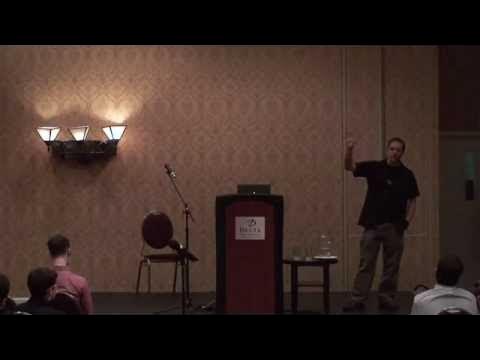
Rui Oliveira
Severing a creator's immediate connection to their medium strangles ideas before they mature, turning tool design into an ethical duty rather than a business opportunity.
AI-assisted summary of Bret Victor - Inventing on Principle — original source. Check the original for full context.
Source published:
Key ideas
- Bret Victor challenges conventional career advice by advocating for discovering and following a guiding principle—a fundamental belief about what is necessary, important, and right—rather than merely pursuing passion or mastering a craft. (0:07)
- Victor's foundational principle is that creators need an immediate connection to what they are creating, demonstrating through prototypes that removing the compile-run delay across code, circuit design, and animation unlocks entirely new creative discoveries. (1:12)
- The presentation frames technological invention as a form of social activism: rather than viewing broken tools as market opportunities, technologists can identify invisible cultural wrongs and fight them through principled invention, exemplified by Larry Tesler's crusade against software modes. (35:39)
- Victor identifies three distinct career paths in technology—the Craftsman, the Problem Solver, and the Principle-Driven Pioneer—urging creators to develop actionable, binary principles that objectively evaluate whether work is right or wrong. (47:40)
Detailed notes
## Background This talk, titled "Bret Victor - Inventing on Principle," was published on YouTube by Rui Oliveira on February 22, 2012. The video has a run time of 54 minutes and 20 seconds, with no additional show notes or description provided on the page.
## TL;DR Bret Victor challenges the conventional career advice of following one's passion, advocating instead for dedicating one's work to a guiding moral principle. He presents his own core belief—that creators require an immediate connection to what they are making—and substantiates it through revolutionary prototypes spanning live code execution, dynamic game design, algorithm visualization, active circuit analysis, and performance-based animation. Victor contrasts this principled inventor archetype with traditional craftsmen and problem solvers, examining historical pioneers like Larry Tesler, Douglas Engelbart, Alan Kay, and Richard Stallman who identified invisible cultural wrongs and fought to overturn them through invention.
## Atmosphere & style The presentation carries a quiet, mesmerizing intensity, combining deadpan wit with the moral gravity of a manifesto. As Victor seamlessly builds and manipulates jaw-dropping interactive prototypes live on stage, the audience is pulled from awe at the software mechanics into deep philosophical reflection on human potential and systemic limitations. The emotional arc transitions from technical delight to a poignant sense of ethical urgency, leaving listeners feeling challenged to re-examine their own life trajectories and awaken from passive career defaults.
## Bulletin - [00:07](https://www.youtube.com/watch?v=PUv66718DII&t=7s) Bret Victor challenges conventional career advice by advocating for discovering and following a guiding principle—a fundamental belief about what is necessary, important, and right—rather than merely pursuing passion or mastering a craft. - [01:12](https://www.youtube.com/watch?v=PUv66718DII&t=72s) Victor's foundational principle is that creators need an immediate connection to what they are creating, demonstrating through prototypes that removing the compile-run delay across code, circuit design, and animation unlocks entirely new creative discoveries. - [35:39](https://www.youtube.com/watch?v=PUv66718DII&t=2139s) The presentation frames technological invention as a form of social activism: rather than viewing broken tools as market opportunities, technologists can identify invisible cultural wrongs and fight them through principled invention, exemplified by Larry Tesler's crusade against software modes. - [47:40](https://www.youtube.com/watch?v=PUv66718DII&t=2860s) Victor identifies three distinct career paths in technology—the Craftsman, the Problem Solver, and the Principle-Driven Pioneer—urging creators to develop actionable, binary principles that objectively evaluate whether work is right or wrong.
## Key takeaways - [00:07](https://www.youtube.com/watch?v=PUv66718DII&t=7s) Following a guiding principle offers a transformative alternative to conventional career advice about following passion or mastering a predefined craft. - [01:12](https://www.youtube.com/watch?v=PUv66718DII&t=72s) Creators need an immediate connection to their work; any delay or hidden state between making a decision and seeing its effect snuffs out fragile creative ideas. - [02:32](https://www.youtube.com/watch?v=PUv66718DII&t=152s) Traditional programming severs creative connection by forcing developers into a blind cycle of text editing, mental simulation, and delayed compilation. - [04:06](https://www.youtube.com/watch?v=PUv66718DII&t=246s) Direct visual manipulation and instantaneous feedback allow artists and engineers to discover unexpected behaviors and iterate rapidly. - [07:18](https://www.youtube.com/watch?v=PUv66718DII&t=438s) Bidirectional inspection between code and rendered canvas eliminates the cognitive overhead of mentally tracking which line of syntax produces which output. - [11:23](https://www.youtube.com/watch?v=PUv66718DII&t=683s) Designing dynamic systems embedded in time requires mapping time to space, allowing creators to see past and future trajectories simultaneously. - [16:24](https://www.youtube.com/watch?v=PUv66718DII&t=984s) The idea of skilled software engineers as people who are 'good at playing computer' is a failure of tooling; computers should execute code live and reveal state automatically. - [23:11](https://www.youtube.com/watch?v=PUv66718DII&t=1391s) Electrical schematic capture and modern programming environments still suffer from obsolete historical constraints inherited from paper sketches, punch cards, and teletypes. - [29:06](https://www.youtube.com/watch?v=PUv66718DII&t=1746s) Replacing discrete keyframe interpolation with direct performance interfaces enables creators to capture physical intuition and nuanced timing in digital media. - [35:39](https://www.youtube.com/watch?v=PUv66718DII&t=2139s) Principle-driven inventors do not treat broken tools as commercial opportunities or research topics; they see them as moral wrongs and assume personal responsibility to correct them. - [38:08](https://www.youtube.com/watch?v=PUv66718DII&t=2288s) Larry Tesler's creation of modeless text editing (including cut, copy, and paste) was not an incremental technical feat, but an activist campaign against an accepted cultural wrong. - [42:05](https://www.youtube.com/watch?v=PUv66718DII&t=2525s) Pioneers like Douglas Engelbart, Alan Kay, and Richard Stallman were driven by grand moral and social principles rather than the pursuit of software features or gadgets. - [47:40](https://www.youtube.com/watch?v=PUv66718DII&t=2860s) Technology careers broadly fall into three archetypes: the Craftsman (honing a skill), the Problem Solver (addressing field-defined issues), and the Principle-Driven Pioneer (fighting for an unrecognized cause). - [50:02](https://www.youtube.com/watch?v=PUv66718DII&t=3002s) Finding a personal principle requires broad experimentation across varied disciplines, using different experiences as diagnostic mirrors to analyze what one genuinely cares about. - [51:38](https://www.youtube.com/watch?v=PUv66718DII&t=3098s) Actionable guiding principles must avoid vague platitudes like 'make things simple' and instead provide sharp, objective tests that unambiguously cleave design decisions into right and wrong.
## Detailed walkthrough ### [00:07](https://www.youtube.com/watch?v=PUv66718DII&t=7s) Following a Principle Instead of Passion
Bret Victor opens his talk by setting expectations with deadpan humor, contrasting his presentation with the preceding session: unlike that speaker, he has no prizes to hand out, announcing instead, “I'm just going to tell you how to live your life.” He explains that early in a career, people receive endless advice about “following your passion” or “doing something you love.” Victor advocates for an entirely different path: discovering and following a guiding principle—a fundamental belief about what is necessary, important, and right—and using that principle to direct all of one's life's work.
He outlines the talk in three distinct parts: 1. The personal principle that guides his own creative and technical work, illustrated through concrete software prototypes. 2. The lives and motivations of other historical figures who lived by distinct guiding principles. 3. A reflective takeaway intended to prompt the audience to consider their own core beliefs and choose how they wish to direct their careers.
As Victor emphasizes: > “I'm going to talk about something kind of different I'm going to talk about following a principle finding a guiding principle for your work something you believe is important and necessary and right and using that to guide what you do.”
---
[01:12](https://www.youtube.com/watch?v=PUv66718DII&t=72s) The Core Principle: An Immediate Connection for Creators
Victor grounds his philosophy in the primacy of ideas. To him, bringing ideas into the world is among the most essential human activities. In the form of great art, literature, inventions, or scientific discoveries, ideas take on independent lives that lend meaning to the human experience. Having spent years designing, using, and meditating on creative software, Victor has sought to understand the ideal environment required for ideas to take root and flourish.
This obsession crystallized into a single foundational principle: > “Creators need an immediate connection to what they're creating so that's my principle creators need an immediate connection to what they create and what I mean by that is when you're making something if you make a change or you make a decision you need to see the effect of that immediately there can't be a delay and there can't be anything hidden readers have to be able to see what they're doing.”
```mermaid flowchart LR accTitle: Immediate Connection vs Traditional Loop accDescr: Comparison between the disconnected edit-compile-run cycle and the immediate connection model.
subgraph Traditional["Traditional Edit-Compile Cycle (Broken Connection)"] direction TB T1["Mental Model / Imagination"] -->|"Blind Code Edit"| T2["Text Editor"] T2 -->|"Wait: Compile & Run"| T3["Rendered Output"] T3 -.->|"Delayed Correction"| T1 end
subgraph Immediate["Victor's Principle (Immediate Connection)"] direction TB I1["Creator Mind"] <-->|"Continuous Direct Feedback"| I2["Code & Visual Sync"] end ```
---
[02:32](https://www.youtube.com/watch?v=PUv66718DII&t=152s) The Flaw in Conventional Coding
Victor examines traditional programming through the lens of this principle. Under standard conditions, a developer writes lines of code inside a plain text editor, laboriously simulating the program's execution inside their head. To see what actually happens, the programmer must break concentration, invoke a compiler or runtime, and inspect the resulting output. Victor demonstrates this using a standard JavaScript program rendering a landscape with mountains and a tree onto an HTML5 canvas.
Whenever an artist-programmer notices an error or conceives of an adjustment, they must context-switch back to the code, modify the syntax blindly, recompile, rerun, and check the output again. Because the vast majority of time is spent typing invisibly in a text editor without continuous sensory feedback from the canvas, the tool fundamentally severs the creative connection. To resolve this violation, Victor built a custom coding environment side-by-side with the rendering canvas, ensuring absolute synchrony: any modification typed into the code updates the drawing instantly with zero compile-run overhead.
---
[04:06](https://www.youtube.com/watch?v=PUv66718DII&t=246s) Direct Manipulation and Serendipitous Discovery
Once visual feedback becomes instantaneous, the interaction model can expand beyond typing characters on a keyboard. Victor demonstrates how numeric parameters can be adjusted dynamically: pointing a cursor at an integer controlling the length of the tree branches and holding down the Control key turns the value into a dial. Dragging the value up and down allows him to watch the branches stretch and contract in real time, enabling him to converge visually on an aesthetically pleasing balance.
This live manipulation exposes unforeseen phenomena that could never emerge from static compilation. Victor inspects a `for` loop that draws 16 pink blossoms onto each branch. As he scrubs the blossom count up and down around 20, the rapid movement produces a shimmering, organic vibration across the canvas that resembles wind rustling through foliage.
Reflecting on this unexpected discovery, Victor underscores the role of continuous feedback in artistic insight: > “How would I ever have discovered that if I had to compile and run between every change so much of art so much of creation is Discovery and you can't discover anything if you can't see what you're doing.”
---
[05:31](https://www.youtube.com/watch?v=PUv66718DII&t=331s) Live Autocomplete and Color Modification
Victor demonstrates that adding new code should be just as immediate as tweaking numbers. Moving to the end of his `drawSky` function, he intends to paint a sun. As soon as he begins typing `context.fill`, a specialized autocomplete menu surfaces available drawing primitives (`fillCircle`, `fillRect`, `fillText`). Rather than forcing the programmer to memorize API documentation or guess the behavior from a function signature, cycling through the autocomplete items immediately renders the visual result directly on the canvas preview.
After selecting `fillCircle`, he interactively adjusts the $X$ and $Y$ coordinates alongside the radius. When specifying color with `context.fillStyle`, the editor defaults to white. By holding Control over the color token, a visual color palette pops up. While browsing yellow hues for the sun, Victor notices that the initial pure white circle against the blue sky unexpectedly looked like a moon. Shifting the surrounding sky color to black instantly transforms the setting into a nighttime scene—an effortless creative pivot triggered purely by seeing the unintended intermediate state.
As Victor notes: > “Hey look it's nighttime so having this immediate connection allows ideas to surface and develop in ways that would be impossible before.”
---
[07:18](https://www.youtube.com/watch?v=PUv66718DII&t=438s) Bidirectional Navigation Between Code and Canvas
Even with live execution, a cognitive barrier persists: developers still have to mentally track which line of text produces which visual artifact. To eliminate this mental mapping, Victor implements bidirectional inspection using the Option key: - **Code to Canvas:** Holding down the Option key turns the mouse cursor into a magnifying glass. Scrubbing down lines in a function selectively highlights the exact graphical element drawn by that line on the canvas—such as differentiating between two identical calls to `drawMountain`. - **Canvas to Code:** Hovering the magnifying glass over any pixel in the rendering causes the editor to instantly jump to and highlight the exact line of source code responsible for drawing that pixel (e.g., jumping from the mountain, to the tree, to an individual blossom).
This tight two-way correspondence turns navigation into an effortless visual gesture. Victor shows how rapidly he can tweak an entire composition: clicking the sun to enlarge its radius, jumping straight to the tree to elevate its base, and clicking the mountain to alter its ridge line within fractions of a second.
Victor states the critical stakes of immediate iteration: > “If there's any delay in that feedback loop between thinking of something and seeing it and building on it then there's there's whole world of ideas which which will just never be these are thoughts that we can't think.”
---
[09:33](https://www.youtube.com/watch?v=PUv66718DII&t=573s) The Fragility of Ideas and Moral Conviction
Victor shifts from software mechanics to the deeper emotional rationale behind his work. Ideas, he explains, do not arrive fully formed; they begin as tiny, fragile intuitions that need an environment where a creator can patiently nurse, protect, and guide their development. When a creative environment introduces lag or opacity, these fragile concepts are snuffed out before they ever have the chance to mature.
For Victor, fixing tools is not a matter of usability conventions: > “And because ideas are so precious to me when I see this principle violated when I see ideas stillborn or stunted because the Creator couldn't see what they're doing I feel that's wrong and not wrong in the sense of violating some UI guideline or going against some best practice but wrong in a deeper sense than that.”
---
[10:22](https://www.youtube.com/watch?v=PUv66718DII&t=622s) Bringing Immediate Connection to Interactivity and State
Recognizing that the static landscape drawing had no persistent state, time, or user input, Victor turns to the challenge of applying his principle to dynamic systems. To demonstrate this, he brings up a playable 2D platforming game.
The screen shows a small player character who runs around the platforms, jumps, and dies upon hazards, with the physics, collision logic, and motion code displayed directly beside the game view. In the lower corner sits an immobile turtle character whose behavioral logic is incomplete. Victor announces that he will live-code the turtle's movement across the level by writing an update expression for each clock tick—setting `turtle.x += turtle.direction * (1/60) * speed`—setting up a demonstration of how live state, historical time scrubbing, and interactive debugging can obey the same absolute law of immediate connection.
[11:23](https://www.youtube.com/watch?v=PUv66718DII&t=683s) Controlling and Visualizing Time in Game Design
Bret Victor continues tweaking his platformer game live on screen. Inspecting an enemy turtle's behavior, he shows how tweaking the speed variable changes everything: a positive value makes it walk forward, zero freezes it, and a negative value makes it walk backwards. He notes that while these are mechanics he could reuse for other enemies, "Turtles are supposed to be slow," so he settles on an appropriate walking pace. Higher up in the script, collision logic dictates that when the player character lands on the turtle, the player receives an upward vertical velocity bounce while the turtle is temporarily stomped flat before getting back up.
```mermaid flowchart LR accTitle: Mapping Time to Space in Platformer Jump Tuning accDescr: Diagram illustrating how interactive timeline scrubbing and trajectory path visualization solve design blindness. subgraph Iteration["Traditional Live Tuning"] A["Pause Game State"] --> B["Scrub Timeline Slider"] B --> C["Simulate Ahead with Recorded Inputs"] end subgraph Spatialization["Mapping Time to Space"] C --> D["Toggle Motion Path Trail"] D --> E["Past Path (Where He's Been)"] D --> F["Future Path (Where He's Going)"] F --> G["Tweak Bounce Code in Real Time"] G --> H["Visual Arc Aligns Directly with Passage"] end ```
The design problem arises when Victor tests the level design: he wants the player to bounce off the turtle directly into a narrow lower passageway to solve puzzles elsewhere before returning for the star, rather than overshooting onto the high platform above. The turtle is initially too bouncy. Victor lowers the bounce parameter in code, but now it is underpowered. Even though live code editing eliminates recompilation and restarting, he still cannot directly observe whether the jump clears the obstacle.
To resolve this blind spot, Victor pauses gameplay and demonstrates a scrubber interface that rewinds through time. Because previous keyboard strokes are preserved, the engine can re-simulate the player's path forward using the updated logic. Yet Victor rejects this as insufficient: "This is not good enough. I need to be able to see changes immediately. I need to be able to see immediately whether or not my bounciness is correct. None of this stuff. And if you have a process in time and you want to see changes immediately, you have to map time to space."
Victor enables a trajectory path button. With time mapped directly to space, the screen renders two paths: a trailing line showing where the avatar has already traveled, and a projected forward path visualizing the character's exact future trajectory based on recorded inputs. As he drags the bounce variable in the code editor, the spatialized future arc bends dynamically on screen. He dials it until the curve slips precisely into the lower slot, hits play, and the avatar lands the maneuver effortlessly. He emphasizes:
> “If you're designing something embedded in time, you need to be able to control time. You need to be able to see across time; otherwise you're designing blind.”
[14:38](https://www.youtube.com/watch?v=PUv66718DII&t=878s) Immediate Feedback and Game Mechanic Discovery
With direct control over variables and mechanics, Victor shows how fast prototyping turns into gameplay invention. By dialing the gravity constant slightly into negative values, the character floats off the ground, allowing him to balance mid-air through micro-adjustments. He points out that this single manipulation could form the entire core mechanic of an independent game. In fact, tinkering with almost any isolated statement yields viable design concepts.
As a demonstration, Victor comments out the line handling leftward movement; the character can only step right. While seemingly trivial or silly, he points out that indie designer Terry Cavanagh built the acclaimed title *Don't Look Back* around that exact restriction. Cavanagh explored another mechanic in his hit platformer *VVVVVV* (spelled as the letter V six times), where jumping is omitted entirely in favor of inverting gravity so the player falls upward toward the ceiling or downward to the floor. Victor recreates this behavior on screen, sketching out inverted terrain challenges where obstacles must be cleared by flipping gravity back and forth. Immediate manipulation of code parameters exposes rich gameplay possibilities that would otherwise remain hidden behind slow compile-and-test loops.
- In Terry Cavanagh's *Don't Look Back*, directional movement limitations form an expressive narrative and gameplay mechanic. - Cavanagh's *VVVVVV* strips out the jump button, basing the entire puzzle-platforming challenge on gravity inversion between floors and ceilings.
[16:24](https://www.youtube.com/watch?v=PUv66718DII&t=984s) Abstract Programming and the Myth of "Playing Computer"
Victor shifts focus from visual graphics and game design to abstract algorithmic programming. Both the recursive art tree and the platformer level were naturally visual domains where code mapped cleanly to pictures on screen. To test whether his core principle holds for purely symbolic logic, he examines how developers implement generic data structures and algorithms, taking binary search as a baseline case.
He gives a brief refresher on the mechanics of binary search: given a sorted array and a target key, the algorithm tracks two pointers—the lower and upper bounds of the search space. By inspecting the midpoint of this window, the search discards half the remaining candidates each step depending on whether the middle item is larger or smaller than the key, narrowing until the item is located.
``` Binary Search Mental Model: Array: [ A, B, C, D, E, F ] Indices: 0 1 2 3 4 5 ^ Mid (Subdivide range based on comparison) ```
Looking at conventional syntax on a screen, Victor laments that ordinary source code displays only syntax keywords like `array`, concealing the underlying data structures. Programmers are forced to execute mental models of array indices, state flags, and step-by-step memory updates:
> “And to a large extent, the people that we consider to be skilled software engineers are just those people that are really good at playing computer. But if we're writing our code on a computer, why are we simulating what a computer would do in our head? Why isn't the computer just do it and show us?”
[18:04](https://www.youtube.com/watch?v=PUv66718DII&t=1084s) Writing Binary Search Without a Blindfold
Victor demonstrates a coding environment designed around instant state inspection. Declaring a function signature `binarySearch(key, array)`, the environment immediately prompts the programmer on the right half of the canvas: provide concrete example inputs so the computer can execute the logic live. He provides an array `['A', 'B', 'C', 'D', 'E', 'F']` and sets the target search key to `'D'`.
As he writes each line of code, the right side displays the evaluated values alongside the symbolic statements: 1. Setting `low = 0` displays `low = 0`. 2. Setting `high = array.length - 1` immediately evaluates to `high = 5`. 3. Calculating the midpoint with `mid = (low + high) / 2` instantly outputs `2.5`.
Because `2.5` is an invalid array index, Victor catches the bug the moment he finishes typing it. He wraps the expression in `Math.floor(...)` to yield index `2`, remarking: “I caught that bug literally the second I typed it, instead of writing the entire function and 20 unit tests.”
Victor pastes in the comparison conditional: because the midpoint element (`'C'`) is smaller than the key (`'D'`), the display highlights the active execution branch adjusting `low = mid + 1`. He verifies alternative branches by momentarily altering the search key to smaller values or directly to `'C'`, observing the return statement execute on the very first probe.
```mermaid flowchart TD accTitle: Iteration Columns for Binary Search Execution accDescr: Columns showing the concrete variable values across the three execution iterations of binary search. subgraph Iteration1["Iteration 1 (Mid: C)"] I1A["low = 0, high = 5"] --> I1B["mid = 2 ('C')"] I1B --> I1C["'C' < 'D' -> low = 3"] end subgraph Iteration2["Iteration 2 (Mid: E)"] I2A["low = 3, high = 5"] --> I2B["mid = 4 ('E')"] I2B --> I2C["'E' > 'D' -> high = 3"] end subgraph Iteration3["Iteration 3 (Match Found)"] I3A["low = 3, high = 3"] --> I3B["mid = 3 ('D')"] I3B --> I3C["Match found -> return 3"] end Iteration1 --> Iteration2 Iteration2 --> Iteration3 ```
Wrapping the body inside a loop (`while (true)`), the environment unrolls the loop into three side-by-side vertical columns: - **Column 1:** The window spans indices 0 through 5. The value `'C'` is too small, pushing `low` up to 3. - **Column 2:** The narrowed window spans indices 3 through 5. The value at index 4 (`'E'`) is too large, pulling `high` down to 3. - **Column 3:** `low` and `high` converge at index 3 (`'D'`), hitting the return statement and terminating the search.
When Victor alters the test key to `'G'`, an element absent from the array, the loop columns run off indefinitely without returning. Inspecting the runaway columns, he pinpoints the exact iteration where the algorithm fails: an iteration where `low` exceeds `high`, signaling that the search range has collapsed. Seeing the invalid state directly on screen, he changes the loop condition to `while (low <= high)` and appends a sentinel return value for missing keys. The view snaps to three clean iterations followed by the failure sentinel. Victor describes this experience as writing algorithms without a blindfold, reiterating that while this software conference setting inspired programming demonstrations, his principle extends far beyond software into every medium of creative work.
[23:11](https://www.youtube.com/watch?v=PUv66718DII&t=1391s) Visualizing Circuit Dynamics: Replacing Hidden Voltages with Live Data
Bret Victor turns to electrical engineering to demonstrate that the need for immediate connection spans far beyond software. Finishing the drawing of a schematic on screen, he sets a value to 1.2 and jokes, “and now we have a working circuit I mean I assume it's a working circuit I don't actually see anything working here.” This highlights a shared flaw between writing code and schematic capture: the practitioner is trapped working inside a static representation, completely divorced from the underlying data. In electrical circuits, the variables are the voltages across wires changing over time. On a physical lab bench, an engineer would at least probe individual nodes using an oscilloscope or observe physical outputs like blinking LEDs.
```mermaid flowchart TD accTitle: Evolution of Circuit Representations accDescr: Transitions from static schematics to real-time interactive data-driven representations.
subgraph Step1["Static Schematic"] A["Squiggly Symbols<br/>No visible data"] end
subgraph Step2["Probed Waveforms"] B["Voltage Plots at Nodes<br/>Oscilloscope traces"] C["Ghosting Comparisons<br/>Drag parameter slider"] end
subgraph Step3["Data-Dense Representation"] D["Components as Current Plots<br/>Badges identify type"] E["Simultaneous View<br/>Voltage + Current over time"] end
Step1 --> Step2 --> Step3 ```
To eliminate the mental simulation of invisible electrons, Victor expands the circuit view to display voltage waveforms at every single node simultaneously. Instead of forcing the engineer to imagine circuit behavior, the environment exposes the dynamic data directly: - **Direct scrubbing and live simulation**: Users can run the simulation in real time or simply scrub the cursor across waveforms to inspect behavior at specific temporal moments. - **Node comparison through ghosting**: Mousing over any node casts a semi-transparent shadow (ghost waveform) over all other node plots, allowing instant differential comparisons across the entire topology. - **Immediate change feedback**: Dragging a slider on a 70k resistor updates all circuit waveforms in real time, leaving a ghosted trace of the previous waveform behind to visually highlight the difference before and after the change. As Victor summarizes: “Two golden rules of information design show the data show comparisons that's all I'm doing here.”
[26:32](https://www.youtube.com/watch?v=PUv66718DII&t=1592s) Rethinking the Medium: From Paper Symbols to Active Data
Displaying voltage alone remains inadequate because analog engineering fundamentally revolves around the interplay between two distinct data types: voltage and current. Victor takes the schematic interface a step further by spreading the elements out and replacing every passive component symbol with a live plot of the current flowing through it over time. Each component is represented as a blue box containing its current waveform, tagged with a small icon badge in the corner indicating whether it is a resistor, capacitor, or transistor.
```mermaid flowchart LR accTitle: Historical Constraints on Programming Representations accDescr: Diagram tracing historical hardware constraints to modern programming paradigms.
subgraph PunchCards["1950s Punch Cards"] A["FORTRAN & ALGOL"] --> B["Batch processing<br/>Submit cards & wait"] end
subgraph Teletypes["1970s Teletypes"] C["C & Unix<br/>Ritchie & Thompson"] --> D["Typewriter that types back<br/>Terminal consoles & REPLs"] end
subgraph Modern["Present Day Problem"] B -.-> E["Baked-in assumption:<br/>Code is static text"] D -.-> E end ```
Victor argues that traditional schematic drawings—full of squiggly lines—exist only because they were convenient to sketch with pencil on paper:
> “So when you have a new medium you have to rethink these things you have to think how can this new medium allow us a more immediate connection to what we're making how can this new medium allows to work in such a way we can see what we're doing and it's really the same situation with programming.”
He traces the limitations of modern software development back to obsolete hardware environments: - **FORTRAN and ALGOL (Late 1950s)**: Built around punched cards, where programmers handed stacks of cards to machine operators and waited hours for results. The concept of interactivity simply did not exist, cementing the idea that a program is merely a static textual manifest submitted to a compiler. - **C and Unix (Teletype Era)**: Dennis Ritchie and Ken Thompson designed C using teletypes—essentially electronic typewriters with no visual displays. Modern terminal emulators, shell consoles, and REPLs (read-eval-print loops) remain direct descendants of these physical teletype constraints, mistaking command-line turn-taking for true interactivity.
[29:06](https://www.youtube.com/watch?v=PUv66718DII&t=1746s) Breaking the Keyframe Paradigm: Animation via Tactile Performance
Victor shifts focus to creative arts to demonstrate that the principle of immediate connection applies far beyond engineering. In traditional digital animation tools such as Adobe Flash, animating an object—like an autumn leaf drifting down from a tree—relies on keyframing. The animator manually defines static positions at discrete intervals (e.g., placing the leaf at frame 20, then frame 40) and assigns an interpolation tween to connect the dots. The workflow forces the artist to guess blindly in time and space, resulting in unnatural, rigid motion: “and it looks ridiculous it looks like billiar balls bouncing back and forth.”
While a human can effortlessly express the gentle, floating flutter of a falling leaf using their hand, mouse-driven keyframe interfaces provide no mechanism to capture that physical intuition. To overcome this, Victor presents a custom multi-touch iPad tool designed for performing animation live like a musical instrument: - **Bimanual control**: The performer operates with both hands simultaneously, selecting active layers with the left thumb while guiding on-screen movement and trajectories with the right hand. - **Layered multi-pass recording**: The trajectory of the leaf is recorded in real time on the first pass; scrubbing backward, Victor introduces a rotation widget to layer in natural rocking and an impromptu mid-air flip that “felt right in the moment it wasn't even planned.” - **Coordinated scene camera motion**: To pan across the canvas, Victor groups foreground, mid-ground, and background layers into a single list, assigns a horizontal dragging constraint, and reduces background sensitivity to create dynamic parallax depth. - **Intuitive temporal pacing**: Pauses and transitions are executed by feel rather than frame counting: “I don't know how many frames I waited I don't know how long it was I went when it felt right.” - **Character puppetry**: Scrubbing to the landing point, he animates a rabbit hopping away across a winter landscape, toggling between distinct poses in sync with the hop trajectory.
Victor completed the entire finished animation in just two minutes, illustrating the power of immediate connection when software enables artists to perform their intent directly into the medium.
[34:16](https://www.youtube.com/watch?v=PUv66718DII&t=2056s) Trapped Ideas and the Guiding Principle
Bret Victor recalls an animation project featuring a leaf falling from a tree, describing how he spent an entire day in Adobe Flash trying to keyframe the leaf's movement without success. That failure marked the end of the project: while he still keeps the storyboards and occasionally plays the music he composed for it, the animation itself remains permanently trapped in his head. This experience leads him to reflect on the millions of creative works, life-saving scientific discoveries, and world-changing inventions that remain similarly locked inside millions of human minds because creators lack an environment that provides immediate feedback. Ideas cannot simply emerge fully formed; they must be grown and nurtured, and when tools sever the creator's immediate connection to their work, these ideas either fail to emerge at all or emerge stunted.
```mermaid flowchart TD accTitle: Ideas Stunted by Disconnected Tools accDescr: Diagram showing how creative and critical ideas become locked in the mind when tools lack immediate connection versus how they flourish with immediate feedback.
subgraph Problem["Without Immediate Connection"] A["Idea in Creator's Mind"] --> B["Opaque / Indirect Tool"] B --> C["Idea Stunted or Locked in Head"] end
subgraph Solution["With Immediate Connection"] D["Idea in Creator's Mind"] --> E["Environment with Immediate Feedback"] E --> F["Idea Matures and Flourishes"] end ```
Every prototype and demonstration shown throughout the talk emerged directly from recognizing violations of this single principle—that creators need an immediate connection to what they are making—and attempting to resolve them. Victor explains that he was simply following this guiding compass wherever it pointed.
- The inability to keyframe a falling leaf in Flash caused an entire creative project to be abandoned, leaving only storyboards and musical recordings behind. - Victor asserts that artistic projects, world-changing inventions, and life-saving scientific discoveries share the same fundamental requirement: they must be grown within an environment that allows immediate nurturing. - As Bret Victor explains his methodology: “So I have this principle that creators need an immediate connection, and all of those demos that I just showed you simply came from me looking around, noticing places where that principle was violated, then trying to fix that.”
[35:39](https://www.youtube.com/watch?v=PUv66718DII&t=2139s) Not Opportunity, but Responsibility
Victor addresses the deeper motivation behind his work: why he adopts this principle in the first place. When he witnesses a tool constraining a creator or forcing an idea to be compromised, he does not view that breakdown as a commercial or academic opening—he does not see an opportunity to launch a startup, design a product, publish research, or simply enjoy making things. Instead, he views ideas as inherently precious. Seeing them die causes genuine pain, appearing not merely as an inconvenience but as an injustice and a moral wrong. If there is anything he can do to correct it, he considers it an ethical duty rather than an entrepreneurial prospect.
```mermaid flowchart LR accTitle: Technologist Motivations Comparison accDescr: Flowchart contrasting opportunistic motives with principle-driven responsibility when encountering broken tools.
subgraph Typical["Opportunistic Mindset"] V1["Tool Flaw / Inefficiency"] --> O1["Start a Business"] V1 --> O2["Build a Product"] V1 --> O3["Academic Research"] end
subgraph Activist["Principle-Driven Mindset"] V2["Creator Constrained / Idea Dies"] --> M["Moral Wrong / Injustice"] M --> R["Personal Responsibility: Fight by Inventing"] end ```
He emphasizes that words such as *injustice*, *responsibility*, and *moral wrong* rarely surface in technical communities. Instead, they are traditionally reserved for social causes such as fighting censorship, gender discrimination, or environmental destruction. When people observe civil rights violations, they do not interpret them as business opportunities; rather, historical activists dedicated their entire lives to combating those wrongs. Victor argues that this activist lifestyle should not be restricted to social organizing: technologists can similarly recognize an unacknowledged wrong, articulate a vision of a better reality, and dedicate their careers to fighting for a principle through invention.
- Traditional technical motives dismissed by Victor: starting a business, shipping a product, publishing research papers, or the hedonistic "joy of making things." - Victor distinguishes conventional social activism from technical activism: social reformers typically fight by organizing, whereas technologists can fight by inventing. - As Bret Victor summarizes his moral stance: “I see a tragedy, to me it feels like a moral wrong, it feels like an injustice, and if I think there's anything I can do about it, I feel it's my responsibility to do so—not opportunity, but responsibility.”
[38:08](https://www.youtube.com/watch?v=PUv66718DII&t=2288s) Larry Tesler and the Fight Against Modes
To illustrate what it looks like to live by a technical principle, Victor turns to Larry Tesler and his work during the mid-1970s at Xerox PARC. At that time, personal computing was nascent, yet Tesler and his colleagues foresaw its transformative power to alter human thought and daily life. However, software interfaces of that era were strictly modal. In a typical text editor, a user could not simply type text onto the screen like on a typewriter; they had to navigate command mode, enter insert mode with keys like `I` or append mode with `A`, press `Escape` to return to command mode, or press `M` to enter a dedicated move mode. Tesler pioneered software user studies and observed that even after weeks of training, many people could never grow comfortable using computers.
```mermaid flowchart TD accTitle: Larry Tesler's Modeless Text Editing Paradigm accDescr: Contrast between modal editing workflows and Tesler's modeless Gypsy interface.
subgraph Modal["Early 1970s Modal Interface"] CMD["Command Mode"] -->|"press 'i'"| INS["Insert Mode"] INS -->|"press 'Esc'"| CMD CMD -->|"press 'm'"| MOV["Move Mode"] end
subgraph Modeless["Tesler's Modeless Paradigm (Gypsy)"] TYP["Typing always inserts text ('W' always produces 'W')"] SEL["Modeless Selection (Click and Drag)"] CCP["Universal Cut, Copy, and Paste"] end ```
Believing that the complexity of modes posed an existential threat to the dream of personal computing, Tesler adopted the personal mission and principle: *No person should be trapped in a mode*. Tesler campaigned under the slogan “Don't mode me in,” which he wore printed on his T-shirt. This conviction led directly to his creation of the Gypsy text editor, which established modern document editing: - Typing directly placed characters onto the screen via an insertion point (typing `W` always produced the character `W`). - Selecting text occurred modelessly by clicking and dragging across characters, mirroring a physical highlighter. - Manipulating content was achieved by inventing the commands cut, copy, and paste, liberating users from rigid mode-switching.
Tesler found that people who had never encountered a computer before could become proficient with Gypsy within roughly thirty minutes. His modeless paradigm spread throughout the desktop user interface then being developed at Xerox PARC, ultimately becoming an invisible foundation of modern computing. Tesler's personal identity remained inextricably linked to this battle: his car license plate read "NO MODES" for over thirty years, his personal website is `nomodes.com`, and his Twitter handle was `@nomodes`.
- Larry Tesler pioneered the formal methodology of software user testing while at Xerox PARC in the mid-1970s. - With Gypsy, novices achieved operational comfort on a computer in approximately half an hour. - As Bret Victor notes of Tesler's uncompromising commitment: “Larry made it his personal mission to eliminate modes from software, and he formed a principle: no person should be trapped in a mode.”
[42:05](https://www.youtube.com/watch?v=PUv66718DII&t=2525s) Inventing Cultural Change vs. Accumulating Technology
Victor challenges the superficial historical framing that merely credits Larry Tesler with inventing cut, copy, and paste or solving a technical puzzle. Unlike Thomas Edison—who stumbled onto audio recording technology, built the phonograph, and subsequently drafted an ad hoc list of use cases without cultural intent—Tesler acted in direct response to a cultural condition. Furthermore, framing Tesler's work as merely "solving the problem of modeless text manipulation" misses the mark because that problem existed exclusively inside Tesler's head. For the rest of the computing community, modes were accepted as natural and inevitable, no more problematic than having two arms.
```mermaid flowchart LR accTitle: Accidental Invention versus Principled Invention accDescr: Comparing the technology-first approach of Thomas Edison with the principle-first approaches of Elizabeth Cady Stanton and Larry Tesler.
subgraph Edison["Edison: Technology-First"] E1["Stumbles on Audio Tech"] --> E2["Builds Phonograph"] --> E3["Invents Use Cases to Patent"] end
subgraph Principled["Tesler & Stanton: Principle-First"] P1["Recognizes Invisible Wrong"] --> P2["Envisions Transformed World"] --> P3["Fights Cultural Status Quo"] end ```
Tesler’s true accomplishment was recognizing an unacknowledged wrong embedded in the culture and fighting to dismantle it. Victor compares Tesler's trajectory directly to that of suffragist Elizabeth Cady Stanton: 150 years earlier, Stanton insisted that women had a right to vote at a time when society deemed the idea absurd and regarded disenfranchisement as an invisible, natural fact of life. While Victor disclaims any comparison between the societal magnitude of women's suffrage and text editing, he insists their underlying operational architectures were identical: both individuals identified an accepted wrong, envisioned a world without it, and dedicated themselves to a principle—Stanton fighting by organizing, and Tesler fighting by inventing.
Victor connects this principle-driven drive to Douglas Engelbart, who invented interactive computing—placing dynamic text on screens, navigating information non-linearly, manipulating on-screen elements, and creating the mouse—at a time when real-time interaction was virtually non-existent. Engelbart was not motivated by gadgets; his explicit, foundational goal was to augment the human intellect to help mankind solve urgent global crises by enabling knowledge workers to harness collective intelligence.
- The conventional historical narrative reduces Tesler to the inventor of cut, copy, and paste, obscuring his activist motivation. - Elizabeth Cady Stanton serves as an analogy for recognizing invisible cultural wrongs and enduring public skepticism to establish a new norm. - Douglas Engelbart entered the computing field solely on the hunch that digital machines could realize his grand vision of augmenting human intellect to address humanity's most pressing problems. - As Bret Victor captures the essence of this principled posture: “Both of them recognized a cultural wrong, they envisioned a world without that wrong, and they dedicated themselves to fighting for a principle: she fought by organizing, he fought by inventing.”
[45:25](https://www.youtube.com/watch?v=PUv66718DII&t=2725s) Alan Kay and Richard Stallman: Computing as Literacy and Freedom
Bret Victor turns to two monumental figures in computer science whose careers were defined not by narrow technical domains, but by crusading moral visions. First is Alan Kay, who ran the Learning Research Group at Xerox PARC. Kay’s lab was responsible for the modern graphical desktop interface—introducing concepts like overlapping windows, icons, and command menus—as well as pioneering object-oriented programming with Smalltalk. Victor highlights that Kay's driving ambition was never simply about making better computers. Quoting Kay directly, Victor describes his overarching goal: “His goal and I quote was to amplify human reach and bring new ways of thinking to a faltering civilization that desperately needed it.”
Kay chose to pursue this civilizational intervention through children. Influenced heavily by child development theorists like Jean Piaget, Maria Montessori, and Jerome Bruner, Kay believed that if children became fluent in computing—treating programming as a fundamental literacy on par with reading and writing—they would grow into adults equipped with new modes of critical thought, resulting in a fundamentally more enlightened society. Everything Kay invented emerged as a direct consequence of following that pedagogical principle.
Victor then contrasts Kay with Richard Stallman, perhaps the most prominent figure in software activism. Stallman founded the GNU Project (which forms the core utilities of modern Linux operating systems) and the Free Software Foundation, wrote GCC and the GNU General Public License (GPL), and authored numerous foundational tools. Stallman’s guiding principle is that software must be free, as in freedom of speech, not price. Stallman views software freedom not as a technical preference or business model, but strictly as a matter of moral right and wrong, maintaining an uncompromising stance in his life to defend that boundary. Both Kay and Stallman dedicate their lives to fighting against a mainstream authority that fails to recognize the systemic wrongs they perceive, continuing to battle because the world remains far from their ideals.
- **Alan Kay at Xerox PARC**: Desktop GUI (windows, icons, menus), object-oriented programming (Smalltalk). - **Kay's pedagogical roots**: Adopted theories from Jean Piaget, Maria Montessori, and Jerome Bruner on how children construct mental models. - **Richard Stallman**: Founder of GNU Project and Free Software Foundation; author of GCC, GPL; champion of software freedom as an absolute moral mandate.
---
[47:40](https://www.youtube.com/watch?v=PUv66718DII&t=2860s) Three Paths: The Craftsman, the Problem Solver, and the Principle-Driven Pioneer
Victor makes it clear that he is neither commanding nor advising everyone in the audience to adopt an activist lifestyle. Rather, his point is that choosing to live by a principle is a genuine option that nobody talks about—especially within technology. Society and career counselors push individuals to define themselves entirely by a craft or a skill set: you pick a major in college, receive a job title like "software engineer," and specialize into roles like "database engineer" or "front-end engineer," executing whatever tasks are handed to you. That path—the path of the Craftsman—focuses on honing a skill toward personal excellence, and it is honorable and valuable.
The second familiar archetype is the Problem Solver, exemplified by academic researchers and commercial entrepreneurs. In this model, fields exist with established lists of open problems or market needs; the individual selects a problem, works on it, publishes or ships a solution, and moves on to the next. But Victor argues that innovators like Larry Tesler do not fit into either category. When Tesler attacked software modes at Xerox PARC, there was no recognized field of "user experience design" to contribute to, nor was he tackling an open industry problem; the problem existed only in Tesler's own head because no one else realized modes were harmful.
```mermaid flowchart TD accTitle: Three Life Paths in Technology accDescr: Diagram contrasting the Craftsman, Problem Solver, and Principle-Driven life paths.
subgraph Craftsman["1. The Craftsman (Most Common)"] C1["Defined by a Skill"] --> C2["Pursues Mastery & Excellence"] C2 --> C3["e.g., Front-end Engineer, Database Specialist"] end
subgraph ProblemSolver["2. The Problem Solver"] P1["Defined by the Field's Needs"] --> P2["Picks Known Open Problems"] P2 --> P3["e.g., Academics, Startup Entrepreneurs"] end
subgraph PrincipleDriven["3. Principle-Driven (Activist)"] PR1["Defined by an Underlying Cause"] --> PR2["Identifies Unseen Systemic Wrongs"] PR2 --> PR3["e.g., Larry Tesler, Alan Kay, Richard Stallman"] end ```
Victor argues that labeling Larry Tesler simply as a "computer scientist" or "UX designer" misses his true historical impact. Drawing a sharp historical parallel, Victor observes: “I'm sure if you look at Wikipedia it'll say that he's a computer scientist or user experience something, but to me that's like saying Elizabeth Cady Stanton was a community organizer; no, Elizabeth Cady Stanton established the principle of women's suffrage, that's who she was, that was the identity she chose, and Larry Tesler established the principle of modelessness.”
---
[50:02](https://www.youtube.com/watch?v=PUv66718DII&t=3002s) Self-Discovery and the Search for a Guiding Principle
Discovering one's guiding principle is not an instantaneous event; it is an arduous, reflective process of self-discovery that can take years. Victor shares his personal journey, revealing that it took him an entire decade—his entire twenties—before he could articulate the principle that guided his work. When he was younger, he felt a deep internal pressure to live according to a principle, but he caught only isolated glimmers of what mattered to him without seeing the larger unifying picture, an experience he found intensely distressing.
To break through that ambiguity, Victor engaged in a wide variety of activities: making different kinds of artifacts, studying disparate fields, and gathering a broad corpus of life experiences. He used these diverse encounters as diagnostic mirrors to analyze his own reactions, asking himself whether a domain resonated with him, repelled him, or left him indifferent. By looking for the common thread in the things that provoked strong reactions, he gradually uncovered what he truly cared about. He warns that confining oneself too early to a single narrow technical specialty makes it much harder to gather the wide range of experiences necessary to find one's principle.
> “What I had to do was just do a lot of things: make many things, make many types of things, study many things, experience many many things, and use all these experiences as ways of analyzing myself.” — Bret Victor
---
[51:38](https://www.youtube.com/watch?v=PUv66718DII&t=3098s) Formulating Actionable Principles: Tesler's Modelessness and Victor's Immediacy
Victor cautions that a principle cannot just be a vague platitude or warm sentiment. In modern technology culture, people constantly profess desires to "make software easier to use," "delight users," or "make things simple." While well-intentioned, these phrases are useless as guiding principles because they offer no concrete criteria for decision-making. A genuine principle must embody a sharp, specific insight that objectively cleaves the world into right and wrong.
| Vague Good Intention | Actionable Guiding Principle | Objective Test Applied to Work | |:--- |:--- |:--- | | "Make software simple" | **Larry Tesler**: *No person should be trapped in a mode.* | Watch a user editing text and ask: *Is this person currently in a mode?* If yes, the software is wrong and must change. | | "Creators need powerful tools" | **Bret Victor**: *Creators need an immediate connection to what they create.* | Watch a programmer write a line of code and ask: *Did they immediately see the effect of that change?* If no, the environment is wrong and must change. |
Victor explains that every live coding, animation, and circuit simulation demonstration presented in his talk was not conceived as a one-off software gimmick. Each prototype was the direct, inevitable outcome of strictly applying his test: if a creator changes a value and cannot immediately see the result, the system is fundamentally broken. When a principle provides a binary, objective test, it illuminates the designer's path and removes uncertainty about whether the work being done is right.
> “Larry Tesler likes simplicity, but his principle was the specific nugget of insight: no person should be trapped in a mode.” — Bret Victor
---
[53:18](https://www.youtube.com/watch?v=PUv66718DII&t=3198s) The Choice to Wake Up: A Call to Action
Victor concludes his address by reminding the audience of the fundamental autonomy every individual possesses over their life and career. While default paths exist—drifting along, accepting established job descriptions, and sleepwalking through a career by taking the world as it currently is—no one is obligated to settle for them.
He challenges the room to look closely at the world, detect the systemic wrongs that others simply take for granted, and construct a proactive vision for what a better world ought to look like. Victor leaves the audience with a direct call to personal reflection:
> “So after this talk, I'd like you to take a little time and think about what matters to you, what you believe in, and what you might fight for. Thank you.” — Bret Victor
## Notable quotes > [11:23](https://www.youtube.com/watch?v=PUv66718DII&t=683s) If you're designing something embedded in time, you need to be able to control time. You need to be able to see across time; otherwise you're designing blind. — Bret Victor
> [51:38](https://www.youtube.com/watch?v=PUv66718DII&t=3098s) Larry Tesler likes simplicity, but his principle was the specific nugget of insight: no person should be trapped in a mode. — Bret Victor
## Mentioned Bret Victor, Terry Cavanagh, Dennis Ritchie, Ken Thompson, Larry Tesler, Thomas Edison, Elizabeth Cady Stanton, Douglas Engelbart, Alan Kay, Jean Piaget, Maria Montessori, Jerome Bruner, Richard Stallman, Xerox PARC, Adobe, Free Software Foundation, Don't Look Back, VVVVVV, Gypsy, Smalltalk, GNU Project, GCC, GNU General Public License (GPL), FORTRAN, ALGOL, C, Unix, Adobe Flash
[Source](https://www.youtube.com/watch?v=PUv66718DII)