Media Molecule Scraps Dreams Engine for Custom Point-Splat Rasterizer
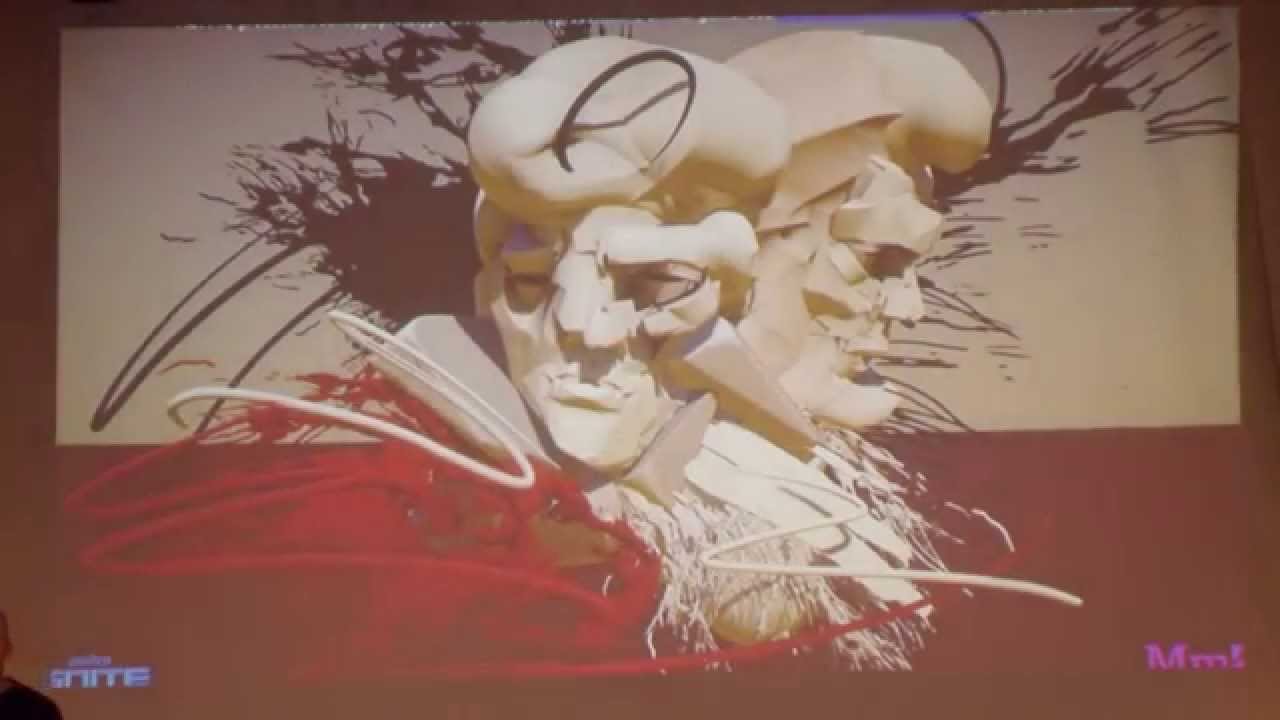
Alex Evans at Umbra Ignite 2015: Learning From Failure — Media Molecule

Media Molecule

Media Molecule abandoned two years of voxel and polygon rendering to build an atomic software splat engine after realizing conventional geometry pipelines could not deliver both intuitive distance-field sculpting and a painterly aesthetic.

AI-assisted summary of Alex Evans at Umbra Ignite 2015: Learning From Failure — original source. Check the original for full context.

Source published:

Key ideas

  • Media Molecule built Dreams around Constructive Solid Geometry and signed distance fields, completely eliminating imported polygon meshes, pre-baked UV maps, and traditional 3D texture pipelines. (0:09)
  • After two years of R&D across marching cubes, dual contouring, GigaVoxels, and froxels, Alex Evans scrapped the engine to implement a compute-based point splat renderer that matched concept art brushwork. (21:26)
  • The final engine encodes geometry as vector-quantized point hierarchies consuming roughly 4.5 bytes per splat, rasterized purely through PS4 compute shader atomic operations. (22:51)
  • Stylized rendering shortcuts—such as jittering splats for bokeh depth of field and tracing a single occlusion ray per pixel resolved via TAA—bypassed heavy post-process blur passes while maintaining performance. (25:04)

Detailed notes

## Background This presentation was published on YouTube by Media Molecule on October 2, 2015. It features technical director Alex Evans delivering an adapted version of his SIGGRAPH 2015 talk in Helsinki at Umbra Ignite, reflecting on the four-year journey and technical dead ends involved in discovering the custom engine for Dreams.

## TL;DR Alex Evans details Media Molecule's unconventional engineering journey to build Dreams on the PlayStation 4 without traditional polygon meshes, textures, or UV maps, starting with mathematical signed distance fields and Constructive Solid Geometry. After experimenting with and discarding polygonal dual contouring, order-independent transparency, fuzzy voxels, and froxel-based concentric shell lighting due to crippling performance and visual mismatches, the team hit an artistic and technical dead end. Evans ultimately compromised with art director Karim Hourani by ditching standard pipelines in favor of a vector-quantized point splat engine running entirely through custom compute-shader software rasterization. Paired with imperfect shadow maps, circle-of-confusion bokeh jitter, and single-ray ambient occlusion smoothed by temporal anti-aliasing, this splat architecture realized both the game's distinctive painterly aesthetic and its strict 60 Hz performance budget.

## Atmosphere & style The presentation is candid, breezy, and disarmingly self-deprecating, driven by Evans's energetic, fast-talking enthusiasm and old-school demoscene sensibility. While tackling complex rendering math and architectural failure modes, the tone remains lighthearted, punctuated by wry jokes about broken shader compilers, slide clicker malfunctions, and personal prejudices against graphics techniques. Underneath the humor lies a palpable, authentic emotional arc of creative exhaustion and eventual breakthrough, giving viewers the intimate feeling of an honest postmortem shared over drinks rather than a sanitized corporate keynote.

## Bulletin - [00:09](https://www.youtube.com/watch?v=u9KNtnCZDMI&t=9s) Media Molecule built Dreams around Constructive Solid Geometry and signed distance fields, completely eliminating imported polygon meshes, pre-baked UV maps, and traditional 3D texture pipelines. - [21:26](https://www.youtube.com/watch?v=u9KNtnCZDMI&t=1286s) After two years of R&D across marching cubes, dual contouring, GigaVoxels, and froxels, Alex Evans scrapped the engine to implement a compute-based point splat renderer that matched concept art brushwork. - [22:51](https://www.youtube.com/watch?v=u9KNtnCZDMI&t=1371s) The final engine encodes geometry as vector-quantized point hierarchies consuming roughly 4.5 bytes per splat, rasterized purely through PS4 compute shader atomic operations. - [25:04](https://www.youtube.com/watch?v=u9KNtnCZDMI&t=1504s) Stylized rendering shortcuts—such as jittering splats for bokeh depth of field and tracing a single occlusion ray per pixel resolved via TAA—bypassed heavy post-process blur passes while maintaining performance.

## Key takeaways - [00:09](https://www.youtube.com/watch?v=u9KNtnCZDMI&t=9s) Dreams was engineered around complete in-engine user-generated content on PS4, driven by a tight team of roughly 20 developers out of Media Molecule's 50-person studio. - [02:23](https://www.youtube.com/watch?v=u9KNtnCZDMI&t=143s) The authoring pipeline relies on signed distance fields and minimal Constructive Solid Geometry operations, making freeform organic sculpting immediately accessible to non-technical creators. - [05:22](https://www.youtube.com/watch?v=u9KNtnCZDMI&t=322s) Animating signed distance fields by re-evaluating CSG edit lists frame-by-frame produced fluid topological morphing, but caused an exponential computational bottleneck on complex assets. - [06:53](https://www.youtube.com/watch?v=u9KNtnCZDMI&t=413s) Evaluating billions of virtual voxels required a stack of around 40 compute shaders using adaptive hierarchical space partitioning near surface boundaries. - [09:00](https://www.youtube.com/watch?v=u9KNtnCZDMI&t=540s) Adopting the L-infinity maximum norm simplified Euclidean distance calculations and accelerated voxelization while preserving smooth shape blending. - [10:30](https://www.youtube.com/watch?v=u9KNtnCZDMI&t=630s) Polygonization algorithms like Marching Cubes and Dual Contouring failed due to excessive wireframe densities, non-manifold topology, or persistent self-intersections. - [15:31](https://www.youtube.com/watch?v=u9KNtnCZDMI&t=931s) The 18-month 'brick engine' prototype using 8x8x8 voxel blocks and parallax occlusion mapping proved structurally solid, but order-independent transparency was too slow and visually glitchy for soft volume edges. - [19:42](https://www.youtube.com/watch?v=u9KNtnCZDMI&t=1182s) Hierarchical froxels combined with concentric compute-shader lighting shells eliminated pipeline stalls for up to four lights, but the architecture ran 4x to 10x too slow and failed on off-screen lights. - [21:26](https://www.youtube.com/watch?v=u9KNtnCZDMI&t=1286s) A creative impasse between sterile digital visuals and painterly concept art drove Evans to abandon the polygonal froxel engine in favor of point splats. - [22:51](https://www.youtube.com/watch?v=u9KNtnCZDMI&t=1371s) Scene geometry is organized into nested point-cloud hierarchies, where 4x4x4 distance field voxels yield compressed splats rasterized via software compute shaders rather than the fixed-function triangle pipe. - [25:04](https://www.youtube.com/watch?v=u9KNtnCZDMI&t=1504s) Scattering splats along a circle of confusion achieved natural bokeh depth of field within a single Z-buffer, avoiding conventional screen-space post-processing artifacts. - [25:04](https://www.youtube.com/watch?v=u9KNtnCZDMI&t=1504s) Coarse Imperfect Shadow Maps and noisy single-ray-per-pixel ambient occlusion were filtered into clean gradients using temporal anti-aliasing (TAA). - [26:40](https://www.youtube.com/watch?v=u9KNtnCZDMI&t=1600s) Dynamic ambient occlusion was further augmented with coarse background voxel ray checks inspired by The Tomorrow's Children and Q-Games' graphics architecture. - [28:05](https://www.youtube.com/watch?v=u9KNtnCZDMI&t=1685s) Point-jittering techniques failed when applied to motion blur due to temporal occlusion across frames, forcing the engine to retain a traditional post-process blur pass. - [29:06](https://www.youtube.com/watch?v=u9KNtnCZDMI&t=1746s) If point-splat rendering had failed, the production fallback was the polygonal 'brick engine,' which would have produced a standard Unreal-style aesthetic at the expense of Dreams' distinct visual identity.

## Detailed walkthrough ### [00:09](https://www.youtube.com/watch?v=u9KNtnCZDMI&t=9s) Introduction and the Philosophy of Dreams

Alex Evans opens the presentation with light self-deprecating humor, struggling momentarily with the conference laptop before launching into his slides. He explains that this talk is a slightly adapted version of a presentation he gave at SIGGRAPH two weeks earlier, urging anyone who has already seen it to think up vicious questions for the Q&A at the end. The session is intentionally fast-paced and candid, designed to walk the audience through four years of research and development at Media Molecule—specifically focusing on the countless dead ends, failed experiments, and thrown-away tech. Evans emphasizes that he hopes highlighting his mistakes will inspire other developers to do things better in their own work.

He cues up the game trailer for *Dreams*, talking over the footage to explain the premise of the project. *Dreams* is built entirely around user-generated content: everything shown in the trailer was constructed inside a PlayStation 4 using either a DualShock 4 or PlayStation Move controller. Crucially, the engine does not rely on conventional 3D game assets—there are no pre-baked texture maps, polygon meshes, or traditional imported 3D models. The development journey required Media Molecule to discover an engine, an authoring toolset, and an artistic direction simultaneously. Evans points out that Media Molecule is a relatively small studio of around 50 people split across two projects, with roughly 20 developers dedicated to *Dreams*. The game rejects the paradigm of collaging pre-made assets, aiming instead to let users sculpt everything from a tiny fingernail up to a sprawling city. Reflecting on the process of designing an engine around this vision, Evans remarks: “And really this is about the mixture between tech direction and art direction. Like, you can't just have a tech, um, plan. You have to have a kind of art plan as well.”

- *Dreams* development team size: approximately 20 people within Media Molecule's 50-person studio. - Target hardware and control schemes: PlayStation 4 using standard DualShock 4 controllers or PlayStation Move motion controllers. - Core design constraint: zero imported meshes, textures, or traditional polygon models; everything is authored and rendered on-console. - Production context: public debut occurred at E3 2015, with an upcoming showing scheduled for Paris Games Week.

---

[02:23](https://www.youtube.com/watch?v=u9KNtnCZDMI&t=143s) Signed Distance Fields and Constructive Solid Geometry

Evans credits the foundational research to his colleagues Anton Kirczenow and Simon Brunet, noting that he himself works on the tech roughly half-time. Anton began prototyping almost four years prior using a DirectX framework on PC, experimenting with mathematical signed distance fields—a technique popular in the demoscene and on platforms like ShaderToy. In simple terms, a distance field is an implicit function where any point in space evaluates whether it is inside, outside, or on a surface, and how far away that surface lies. Evans fell in love with the concept because of how radically different it was from standard polygon pipelines, deciding it would serve as the core mathematical foundation for all geometry in *Dreams*.

The entire creation pipeline in *Dreams* is represented as an ordered list of what Evans calls "edits." Users construct models using simple geometric primitives—such as cones, cubes, spheres, and splines—evaluated through distance fields. Instead of standard polygon modeling, the system uses pure Constructive Solid Geometry (CSG), restricted to a strictly minimal feature set: additive shapes, subtractive cutouts, and color assignment. Crucially, the engine supports smooth blends ("soft adds" and "soft subtracts"), creating organic joins between primitives. Although the team initially intended to implement ZBrush-style surface sculpting tools such as pushing, pulling, and smudging, they never got around to building them—a limitation Evans describes as a blessing in disguise for technical feasibility. The workflow proved remarkably intuitive; even non-technical QA testers could sculpt immediately without worrying about polygon counts, topology, or UV unwrapping. Evans demonstrates this using a time-lapse of a sculpt called "Dad's Head," constructed from 8,274 individual edits, followed by an improvised session that morphs from random primitive additions and subtractions into a creature resembling a "strange fat butter puppy." As Evans describes the creative impact: “And the explosion of creativity you get from having that immediacy is is is the foundation of dreams.”

- Core mathematical primitive: signed distance fields representing distance to surfaces without explicit vertex topology. - Supported CSG operations: addition, subtraction, coloring, and soft blending (smooth unions/differences). - Sculpt complexity example: the "Dad's Head" character bust comprised 8,274 edits. - User experience benefits: eliminated vertex manipulation, polygon limits, and UV mapping, lowering the technical barrier for artists and QA staff.

---

[05:22](https://www.youtube.com/watch?v=u9KNtnCZDMI&t=322s) Animation Experiments and the Scalability Crisis

Once the team verified that static distance-field sculptures worked, they confronted the challenge of motion. Because the project's art direction had not yet crystallized, Evans and his team explored multiple conflicting animation avenues. One test involved converting distance-field assets into low-polygon meshes and applying standard skeletal deformation. Another, more radical approach bypassed skeletal rigging altogether: animating the transformations of the underlying CSG edits themselves and re-evaluating the entire mesh from scratch every single frame. This produced a bizarre, fluid visual signature with dynamic topological changes impossible in standard polygon pipelines.

While re-evaluating hundreds of edits in real time worked in controlled PC prototypes, it posed a catastrophic scalability barrier for real-world scenes containing thousands of edits, such as the 8,000-edit character sculpts. To make matters more daunting for the engine team, Media Molecule's artists became enamored with the tactile claymation aesthetic of Czech filmmaker and animator Jan Švankmajer, whose work relies on continuous physical manipulation and shifting forms. When the artists attempted to animate by cycling through historical sculpting edits frame-by-frame like stop-motion clay, the studio loved the aesthetic, but Evans was terrified by the processing implications. Looking back at his reaction to the team's demands, Evans admits: “And you know when I saw this everyone fell in love with it but as an engine programmer that was my reaction.”

- Animation prototypes explored: deforming low-poly output meshes versus re-evaluating entire CSG edit lists per frame. - Scalability bottleneck: per-frame recalculation scaled poorly as edit lists grew from hundreds to thousands. - Stylistic influence: the claymation stop-motion work of Czech animator Jan Švankmajer inspired artists to demand continuous topological morphing.

---

[06:53](https://www.youtube.com/watch?v=u9KNtnCZDMI&t=413s) Voxel Evaluation and Hierarchical Space Partitioning

To translate raw CSG edit lists into something the console could display, the team constructed an evaluation pipeline based on compute shaders. The architecture routed the edit lists through an intricate stack of roughly 40 compute shaders—a system Evans jokingly terms a "compute shader of doom" and a nightmare to debug on early PS4 development hardware—yielding an intermediate sparse distance field before final screen rendering. The target evaluation space was chosen as a $1,000 \times 1,000 \times 1,000$ voxel grid. Evaluating tens of thousands of edits across a billion uniform voxels would require tens or hundreds of billions of evaluations per frame, making brute-force sampling impossible.

```mermaid flowchart TD accTitle: CSG Edit List to Sparse Distance Field Pipeline accDescr: Pipeline showing how CSG edits pass through compute shaders into a hierarchical sparse distance field before rendering.

subgraph Input ["Authoring Input"] A["CSG Edit List\n(Adds, Subtracts, Colors)"] end

subgraph Compute ["Compute Shader Pipeline"] B["Compute Shaders of Doom\n(~40 Compute Shaders)"] C{"Hierarchical Spatial Splitting\n(1000^3 Virtual Grid)"} end

subgraph Output ["Target Representation"] D["Sparse Distance Field\n(Refined Near Surface Only)"] E["Screen Rendering"] end

A --> B B --> C C -->|"Refine surface cells"| D D --> E ```

To solve this, the engine employs hierarchical spatial subdivision, splitting space adaptively and only refining the voxel grid near actual geometry surfaces. Evans emphasizes that precision during this spatial splitting step is critical: over-subdividing wastes computational budget on empty air, while under-subdividing creates visible gaps and holes in the geometry. Evans reflects on this delicate balance: “If you split too much, you won't end up doing too much work. If you split not enough, you get holes in the surface.” He notes that keeping the CSG toolkit simple—avoiding ZBrush-style warping or smearing—was the only reason this hierarchical evaluation remained tractable. He touches on the mathematical challenges of computing distance norms, contrasting the straightforward Euclidean $L_2$ norm calculations for simple shapes like spheres and boxes against the steep mathematical complexity of computing exact distance fields for shapes like squashed ellipsoids.

- Target evaluation resolution: virtual $1,000 \times 1,000 \times 1,000$ voxel bounding volume (1 billion voxels). - Compute shader complexity: an interconnected pipeline of approximately 40 compute shaders evaluated the CSG data on PS4. - Spatial subdivision strategy: hierarchical tree structures that only allocate and refine cells intersecting the surface boundary. - Mathematical constraints: Euclidean $L_2$ norms are trivial for primitives like spheres or boxes, but become mathematically complex for squashed shapes such as ellipsoids.

[09:00](https://www.youtube.com/watch?v=u9KNtnCZDMI&t=540s) Max-Norm Distance Fields and Edit Visualization

Alex Evans recounts the technical challenges of working with distance fields, noting that colleague Anton advanced the state of the art (referencing several ShaderToy demos included in his slide links). To overcome the computational cost, Evans drew upon a paper titled *Efficient Max-Norm Distance Computation and Reliable Voxelization*. Instead of standard Euclidean distance, the technique relies on the maximum norm ($L_\infty$), which calculates distance as the largest single component of displacement along the cardinal axes (up/down, left/right, front/back). Evans compares this to measuring distances in Manhattan grid fashion, but even simpler. While using the max-norm generates flat facets, it drastically simplifies and accelerates computation. Smooth blending is achieved through an accompanying soft-blending equation.

```mermaid flowchart LR accTitle: Max-Norm Voxelization and Overlap Visualization accDescr: Pipeline showing inputs combined via max-norm distance field and tracked per pixel for shader performance. subgraph Math["Field Evaluation"] A["CSG Edits / Shapes"] --> B["Max-Norm L∞ Distance"] B --> C["Smooth Blending Equation"] end subgraph Profiling["Shader Cost Visualization"] C --> D["Track Contributing Edits per Point"] D --> E["Blue: 1 Edit (Fast)"] D --> F["Yellow/Red: Overlaps (Slow)"] end ```

To make the evaluation performant on hardware, the team visualized the number of contributing edits for every point across a surface. In areas where shapes intersect, multiple operations must be evaluated simultaneously. Evans credits Media Molecule engineer Simon Brown for his rigorous work testing and hardening the platform's toolchain:

> “And at this point, I have to give credit to Simon Brown, who basically spent a long time breaking Sony's PlayStation shader compilers. And for the benefit, much benefit of other teams, he fixed all the compiler bugs before they went out to the third parties.”

The shader diagnostics mapped performance to color: single-edit surfaces showed as blue (“maximal Simon happiness”), while overlapping regions requiring multiple evaluations shifted through yellow into red (“sad Simon, sad PlayStation 4”).

[10:30](https://www.youtube.com/watch?v=u9KNtnCZDMI&t=630s) The Polygon Problem: Dual Contouring and Manifold Meshes

Turning to meshing and rendering, Evans reviews slides prepared by Anton (jokingly referred to as containing Borat-style “cultural learnings”). The team initially tested Marching Cubes on models composed of several hundred edits, but the generated wireframes were excessively dense. To solve this, Anton investigated Dual Contouring, which can adapt mesh resolution through an octree while preserving sharp edges without inflating polygon counts.

However, Dual Contouring struggled with geometric ambiguity: the algorithm could not reliably determine whether features should be hard or soft, creating an automated version of smoothing group artifacts that degraded visual quality and taxed the PlayStation 4. Worse, the process generated self-intersections that broke lighting calculations. The team spent a month implementing a follow-up paper, *Intersection-Free Contouring on an Octree Grid*, which eliminated self-intersections but produced non-manifold (non-watertight) meshes. When they subsequently tried *Manifold Dual Contouring*, the added topological complexity caused the self-intersections to return.

- **Marching Cubes outcome**: Generated excessively dense, subpixel wireframe meshes from only a few hundred constructive solid geometry edits. - **Dual Contouring tradeoffs**: Preserved sharp features with octree LODs, but introduced self-intersecting geometry and surface ambiguity. - **Academic literature rabbit hole**: *Intersection-Free Contouring* resolved self-intersections at the expense of manifold topology; *Manifold Dual Contouring* restored watertight meshes but reintroduced self-intersections.

[12:31](https://www.youtube.com/watch?v=u9KNtnCZDMI&t=751s) Abandoning Polygons for Fuzzy Voxels

Evans plays a short audio-video clip from a studio Q&A where a colleague asks him directly if he likes polygons, to which he replies:

> “No, I do not like polygons. Polygons are actually the best representation of a flat surface, right? They are super awesome way of defining a 2D manifold in 3D space, but they make my head hurt for all the reasons I just went through.”

Watching Media Molecule artists work, Evans observed that they rarely created flat planes or hard geometric cuts; instead, they built crinkly, bumpy, organic surfaces by stacking circular and square CSG edits using subpixel polygons. This aesthetic prompted him to revisit a 2008/2009 graphics paper based on fuzzy voxels treated as semitransparent gas clouds. Rather than using conventional ray marching, the paper rendered screen-aligned polygon slice sheets cut through volume textures.

```mermaid flowchart TD accTitle: Evolution of Volume Rendering Approaches accDescr: Progression from 2008 fuzzy voxel slicing through GigaVoxels to Evans' hybrid Brick Engine. subgraph EarlyVoxel["Fuzzy Voxels (2008 Paper)"] A["Screen-Aligned Slice Sheets"] --> B["Pre-filtered 3D Texture Mipmaps"] B --> C["Order-Independent Transparency (Heavy Fillrate)"] end subgraph Giga["GigaVoxels"] D["Sparse Octree of 8x8x8 Bricks"] --> E["Single Continuous Static Mesh"] end subgraph Hybrid["Alex Evans' Brick Engine"] C -.-> G["Hybrid Concept"] E -.-> G G --> H["LOD-Sized GPU Rasterized Cubes"] H --> I["Parallax Occlusion Mapping (POM)"] end ```

The fuzzy voxel paper offered two major advantages: pre-filtered 3D level of detail (preventing thin geometric features from vanishing at distance, akin to 3D mipmaps) and inherent support for multiple overlapping objects via order-independent transparency (OIT). However, it suffered from severe fill-rate consumption and required complex geometry shaders (which Evans streamlined in his SIGGRAPH notes). While later research like *GigaVoxels* solved sparse hierarchical storage and lighting, it merged everything into a single massive static world structure, making it impractical for interactive video games requiring instanced, dynamic objects.

[15:31](https://www.youtube.com/watch?v=u9KNtnCZDMI&t=931s) The Brick Engine and the 18-Month OIT Rabbit Hole

Seeking a middle ground between fuzzy voxels and GigaVoxels, Evans developed what the studio called the "brick engine," which served as the primary internal artist engine for nearly two years. The system divided models into $8 \times 8 \times 8$ voxel blocks. Instead of ray marching directly from the camera through a monolithic volume tree, the PlayStation 4 GPU rasterized LOD-adapted bounding cubes, ensuring each rendered cube maintained a consistent screen-space footprint. Surface detail was rendered across these cubes using parallax occlusion mapping (POM).

```mermaid flowchart LR accTitle: Dual-Phase Ray Evaluation in the Brick Engine accDescr: A conceptual ray hits fuzzy surface layers first before encountering a solid POM interior core. R["Eye Ray"] --> A["Accumulate Fuzzy Boundary"] A -->|"Store Sample List"| B["Deferred Fuzz Layer"] R --> C["Solid Core Hit"] C -->|"Hard Depth Output"| D["Parallax Occlusion Depth"] ```

While the brick engine was robust enough for production testing, Evans felt it compromised the visual vision: POM output standard per-pixel depth values, causing surfaces to look like untextured polygon assets rather than soft, volumetric material. To recapture the creamy appearance of volume-filtered edges, Evans embarked on an 18-month research detour exploring order-independent transparency. His architecture evaluated volume bricks by casting rays that accumulated a thin, fuzzy translucent perimeter into a sample list while resolving solid inner cores via hard depth outputs. Close-up, this gave overlapping objects (such as intersecting colored arches) a creamy, perfectly antialiased boundary without hard polygon seams.

[18:01](https://www.youtube.com/watch?v=u9KNtnCZDMI&t=1081s) The Pitfalls of Fuzzy Cubes and Order-Independent Transparency

Continuing from his experiments with dense geometric models, Alex Evans demonstrates an approach utilizing precomputed, prefiltered levels of detail (LODs). When rendered, this system yielded an anti-aliased look straight out of the box without requiring any post-processing passes. However, technical issues quickly cropped up during implementation. Evans attempted to show a close-up of the effect on his presentation slides, only to find PowerPoint failing to replicate the zoom effect he had prepared on a Mac. Behind the scenes, the engine struggled with order-independent transparency. He tried rendering fuzzy cubes to represent the geometry, but the system persistently generated visual artifacts. Evans sought a sweet spot that was simultaneously fast, accurate, and produced artifacts that were artistically benign, but the engine reliably produced errors that the studio's artists noticed immediately.

This failure marked another low point in the engine's development. Recapping the wreckage of their research so far, Evans notes that traditional polygons were too hard for their freeform editing goals, volumetric billboards consumed far too much fill rate, GigaVoxels only scaled to a single object, and his own hybrid fuzzy cube structure proved far too slow and complex. In spite of the setbacks, Evans emphasizes that being a small, indie-scale team afforded them the freedom to keep failing and iterating. As Alex Evans reflects on their persistence, “And I think that's the spirit of game development, right? Especially when you're smaller, we're a small studio. It's a super indie thing that was referred to earlier. You can afford to keep trying.”

- **LOD Filtering**: Generated clean anti-aliasing inherently without requiring temporal or spatial post-processing anti-aliasing passes. - **Order-Independent Transparency (OIT)**: Proved too computationally expensive to run within frame budgets while remaining artifact-free. - **Techniques Ruled Out**: - Polygons: Infeasible for intuitive, fluid CSG-style sculpting. - Volumetric Billboards: Crippled by excessive fill-rate demands. - GigaVoxels: Limited scalability, viable only for a single isolated asset. - Hybrid Cubes: Excessively slow and plagued by visual glitches.

---

[19:42](https://www.youtube.com/watch?v=u9KNtnCZDMI&t=1182s) Hierarchical Froxels and Concentric Shell Lighting

Moving past cubes, Evans pivoted to an architecture based on hierarchical "froxels"—frustum-aligned voxels. This data structure, which also became the foundation of the volumetric rendering technology presented by DICE's Frostbite team at the same SIGGRAPH conference, allowed the engine to dynamically refine froxel resolution wherever characters or detailed geometry appeared in the view frustum. By adaptively subdividing the volume, the engine achieved smooth, artifact-free geometric overlaps at a much more stable framerate than earlier iterations.

```mermaid flowchart TD accTitle: Froxel Lighting Pipeline accDescr: Dynamic froxel refinement around geometry feeding into parallel concentric compute shader shells. subgraph Refinement["Froxel Refinement"] A["View Frustum"] --> B["Hierarchical Froxels"] B --> C["Adaptive Sub-division Around Geometry"] end subgraph Lighting["Concentric Shell Lighting"] C --> D["Dispatch Compute Shaders in Concentric Shells"] D --> E["Interleave 4 On-Screen Lights in Parallel"] E --> F["Smooth Penumbras & Volumetrics (No GPU Stalls)"] end ```

To light these froxels, Evans drew inspiration from a classic 2001 demoscene technique: radial blurs computed from the center outward with a single bilinear texture tap. Translating this trick into 3D compute shaders, he dispatched work in concentric spherical shells radiating outward from each light source. While standard GPU wisdom warned that dispatching dependent concentric shells would cause catastrophic pipeline stalls, Evans worked around the bottleneck by slotting four separate light calculations together in parallel, effectively hiding the latency and yielding soft penumbras. Despite the clever trick, the system hit a wall: it only functioned for lights positioned within the screen boundaries, and the performance fell drastically short of real-time targets. As Alex Evans confesses regarding the math, “Basically, it was four times too slow if I'm optimistic. And it was 10 times too slow if I'm realistic.”

- **Froxel Representation**: Frustum-space voxels subdivided adaptively near characters to eliminate aliasing and boundary seams. - **Demoscene-Inspired Blur**: Adapted 2001-era 2D radial blur techniques to radiate outward in 3D concentric shells from light origins. - **Latency Hiding**: Avoided compute shader pipeline bubbles by processing four independent light dispatches simultaneously. - **Bottlenecks**: Lighting broke down completely for off-screen lights, and rendering ran between 4× and 10× too slow for 60 Hz console performance.

---

[21:26](https://www.youtube.com/watch?v=u9KNtnCZDMI&t=1286s) The Showdown: Throwing Out the Engine for Splats

Two years into engine development, Evans found himself at rock bottom. The team was wrestling with immense technical complexity, yet the visuals on the PlayStation 4 looked virtually indistinguishable from an untextured scene in Unreal Engine. The tools were unforgiving, requiring exceptional sculpting skill just to make a scene look passably decent. At the same time, art director Karim Hourani and concept artist John Eckersley were producing concept paintings that possessed a loose, handcrafted, painterly aesthetic that looked nothing like the rigid, semi-photorealistic output of the engine.

This aesthetic divergence sparked an intense confrontation between Evans and the art director. Evans tried to defend the programmer's traditional role of loosely translating concept art into functional game assets, but Karim rejected the compromise and demanded that the screen output match the physical brushwork of the concept art literally. Realizing his technical approach had lost touch with the project's creative soul, Evans made the drastic choice to scrap everything they had built over the previous two years—retaining only the underlying signed distance field evaluator. Overcoming his own long-standing professional prejudice against point splats, Evans agreed to build a pure splat renderer. Recalling his skepticism and surrender, Alex Evans remarks, “And we went with a splat engine, which I hate. I hate splats. My whole prejudice welled up, all right? These things suck. But, I gave Karim the benefit of the doubt. I was at rock bottom anyway.”

- **Project Timeline**: Over two years of R&D had elapsed without a distinct visual identity or usable performance profile. - **The Visual Disconnect**: Sculpting in the engine felt unforgiving, yielding clean, untextured digital clay rather than the lush, expressive brushwork seen in concept art. - **Scrapped Architecture**: Threw away the froxel system, lighting passes, and hybrid volume pipelines, preserving only the procedural distance field evaluator.

---

[22:51](https://www.youtube.com/watch?v=u9KNtnCZDMI&t=1371s) Vector Quantization, Atomic Software Rendering, and the Point Hierarchy

Returning to the procedural evaluator, the engine began generating 4×4×4 voxel blocks representing signed distance fields. For every single voxel surface, the system spawned a single splat. To manage memory footprints, Evans grouped these splats into clusters of 256, inserted them into a bounding volume hierarchy (BVH), and applied vector quantization. This compression strategy reduced the cost down to roughly 4.5 bytes per splat, allowing scenes to render millions of surface points simultaneously without blowing past the PlayStation 4's memory constraints.

```mermaid flowchart LR accTitle: Point Cloud Hierarchy in Dreams accDescr: Hierarchical breakdown of scene geometry from distance fields to nested point clouds. A["Evaluator: 4x4x4 SDF Blocks"] --> B["1 Splat per Surface Voxel"] B --> C["Clusters of 256 Splats in BVH"] C --> D["Vector Quantization: ~4.5 Bytes/Splat"] D --> E["PS4 Compute Software Rasterizer"] E --> F["Hierarchical Cloud of Point Clouds"] ```

Rather than feeding these points into the GPU's fixed-function triangle rasterizer, programmer Simon wrote a pure software rasterizer leveraging the atomic compute units on the PS4. To Evans's delight as an old-school demoscene coder, they were rendering millions of sub-pixel splats entirely in software compute shaders. When the team experimented with drawing these splats as slightly enlarged, textured quads, an unexpected visual breakthrough occurred: the overlapping quads naturally took on the appearance of physical brushstrokes. This accidental aesthetic matched the studio's concept paintings, prompting the team to formalize Dreams' geometry into a nested hierarchy: scenes are composed of clouds of objects, which are made of clouds of points, where each point can expand into another point cloud with arbitrary surface displacement.

- **Storage Footprint**: Vector-quantized splat clusters consumed roughly 4.5 bytes per splat. - **Custom Rasterizer**: Completely bypassed the PS4's hardware triangle pipeline in favor of a software rasterizer built around GPU atomic operations. - **Procedural Nesting**: Objects exist as nested point clouds; distant elements collapse to single pixels, while close-up elements expand into displaced clusters of textured splats.

---

[25:04](https://www.youtube.com/watch?v=u9KNtnCZDMI&t=1504s) Jittered Bokeh, Imperfect Shadow Maps, and Temporal Denoising

With the splat rendering core established, Evans tackled post-effects and lighting. For depth of field, instead of executing a standard post-process blur, he took advantage of the point-based representation by randomly jittering the splats directly on-screen according to a circle of confusion. This generated circular bokeh highlights without any of the edge bleeding or occlusion artifacts that typically afflict screen-space post-processing. For lighting, Evans implemented Imperfect Shadow Maps (ISM), rendering low-detail paraboloid projection depth maps from splat clusters. Because the entire game already possessed a stylized, painterly aesthetic, any shadowing inaccuracies or low-resolution artifacts blended into the art direction, yielding stable shadows and volumetric light rays at low computational cost.

To complete the rendering pipeline, Evans added specular highlights with an underlying red tone to give materials a warm, painterly sheen. For ambient occlusion, the engine traced a single ray per pixel toward the sky to check for occlusion. While an unfilleted single-ray pass generated extreme high-frequency white noise, passing the noisy buffer through temporal anti-aliasing (TAA) turned the output into clean, soft ambient shadowing. Finally, Evans added a coarse scene voxelization pass inspired by Q-Games' graphics architecture, rounding out the rendering foundation. Pointing to the transformation brought by temporal filtering, Alex Evans notes, “We basically trace one ray per pixel to the sky with occlusion. It looks like total garbage, but when you throw it through TAA, you get this beautiful, beautiful, creamy result.”

- **Bokeh Depth of Field**: Computed by scattering splats on-screen along a circle of confusion, eliminating haloing and occlusion artifacts. - **Imperfect Shadow Maps (ISM)**: Relied on low-resolution paraboloid depth projections; inaccuracies were visually masked by the painterly brushstroke aesthetic. - **Specular Shading**: Layered with a distinct red underlay to simulate traditional oil and acrylic painting techniques. - **Single-Ray Ambient Occlusion**: Traced 1 occlusion ray per pixel, using temporal anti-aliasing (TAA) accumulation to resolve white noise into smooth gradients. - **Inspiration**: Real-time voxelization techniques influenced by Q-Games' technical work.

[26:40](https://www.youtube.com/watch?v=u9KNtnCZDMI&t=1600s) Ambient Occlusion, Final Visuals, and Closing Reflections

Alex Evans explains an ambient occlusion technique inspired by the game *The Tomorrow's Children*. He describes implementing a binary system he refers to as "Minecraft style." The engine maintains a Minecraft-like voxelization behind the visible scene and intersects rays against this voxel structure on their path toward the sky. On the presentation slide, the comparison is shown side-by-side: the right half relies entirely on screen-space ambient occlusion, whereas the left half is completely dynamic, intersecting both the underlying voxels and the Z-buffer. Following this technical breakdown, Evans shows several polished non-programmer art slides so the audience can take a visual breath.

Reflecting on the core motivation behind his research, Evans explains that he was determined to find an engine approach that fused a truly unique art style with the technical foundation that began with Anton Kirchengast’s signed distance field sculpting. While the journey was fraught with dead ends and severe difficulties, Evans emphasizes that being transparent about failures is critical if it inspires other developers to explore unconventional technical directions. As Evans put it: “The point of all of this is basically that I was hell-bent on finding something that married an art style that stood apart and a technical plan which began with Anton's distance field sculpting.” He notes that modern hardware and compute shaders harbor vast amounts of untapped potential waiting to be unlocked, and he closes his presentation by thanking the artists and engineers who contributed to the project.

```mermaid flowchart LR accTitle: Dreams Occlusion and Ray Tracing accDescr: Ray casting pipeline intersecting both screen-space depth and background voxelization.

subgraph Geometry["Scene Representation"] ZB["Z-Buffer Screen Space"] VX["Minecraft-style Voxels"] end

subgraph RayCasting["Occlusion Evaluation"] RAY["Rays Cast Toward Sky"] end

subgraph Output["Image Comparison"] SS["Right: Screen-Space Only"] DYN["Left: Fully Dynamic Ambient Occlusion"] end

ZB --> RAY VX --> RAY RAY --> DYN ZB --> SS ```

- Ray intersections against voxel approximations provide dynamic sky occlusion without relying purely on local screen-space depth buffer information. - The overarching goal of the project was uniting distinctive aesthetic goals with Anton Kirchengast's original distance field sculpting prototype. - Evans expressed strong optimism about the future of compute shaders on current hardware platforms.

---

[28:05](https://www.youtube.com/watch?v=u9KNtnCZDMI&t=1685s) Q&A: Motion Blur and Point Jittering

The session opens for questions from the audience, with Evans jokingly urging the crowd to “Be mean,” before adjusting to, “Don’t be too mean. Be like half mean.” An audience member asks whether the engine's point-splatting approach could be adapted for motion blur, given how well depth of field worked.

Evans struggles momentarily with the slide remote while navigating back through his deck, noting how painfully slow the slides change. He explains candidly that motion blur was tested, but it completely failed to produce acceptable visuals. With depth of field, scattering points across the circle of confusion works well because points naturally occlude one another within a single Z-buffer. Motion blur requires a fundamentally different model: each distinct moment in time requires its own Z-buffer, which must then be averaged together. Evans tried the naive approach of jittering splat points across time within the same buffer, but the visual result looked poor. Consequently, Media Molecule discarded that approach in favor of traditional post-process motion blur.

- Scatter-based depth of field relies on self-occlusion in a unified Z-buffer, an assumption that breaks down under temporal blur. - Time-jittered point splats produced visual artifacts rather than smooth motion trails. - The production engine relies on standard post-process motion blur rather than point-distribution temporal filtering.

---

[29:06](https://www.youtube.com/watch?v=u9KNtnCZDMI&t=1746s) Q&A: The Bricks Fallback, Studio Stakes, and Simon's Partnership

Kimo from game studio Mountain Sheep asks Evans what would have happened to the game if he had failed to find a working point-cloud rendering technique. Evans responds that had the effort completely failed, the team would have fallen back on the "bricks engine"—the traditional polygonal voxel pipeline that resembled a standard Unreal Engine look. Evans admits that while the game still would have been fine thanks to server architecture and strong content creation across the studio, abandoning the signature look would have been a personal heartbreak, noting: “And the game would have been fine. I think someone else made the point that in the end it's not tech that saved your game... But I would have died inside.”

Evans clarifies that the project has not crossed the finish line yet and could still face hurdles, but highlights how crucial his collaboration with his colleague Simon was in reaching a viable solution. Evans characterizes himself as a fast-and-loose programmer who hacks away at the keyboard to get immediate visuals on screen, whereas Simon—originally from Sony—provided the vital, disciplined counterweight. Evans jokingly describes him as "the meticulous German engineer who’s English," crediting their combined dynamic as the primary reason the engine found its technical footing so quickly. With the Q&A concluded, Evans calls for "beer time," bringing the session to a close.

- The official fallback plan was the "bricks engine," a polygonal renderer yielding a conventional, Unreal-style appearance. - Evans acknowledges that technology alone does not make a game successful; gameplay, content, and infrastructure are equally essential. - Simon, an ex-Sony graphics engineer, provided methodical rigor that balanced Evans’s rapid, experimental coding style.

## Notable quotes > [00:09](https://www.youtube.com/watch?v=u9KNtnCZDMI&t=9s) Like, you can't just have a tech, um, plan. You have to have a kind of art plan as well. — Alex Evans

> [25:04](https://www.youtube.com/watch?v=u9KNtnCZDMI&t=1504s) We basically trace one ray per pixel to the sky with occlusion. It looks like total garbage, but when you throw it through TAA, you get this beautiful, beautiful, creamy result. — Alex Evans

## Mentioned Alex Evans, Anton Kirczenow, Simon Brunet, Simon Brown, Karim Hourani, John Eckersley, Jan Švankmajer, Kimo, Media Molecule, Sony, PlayStation 4, DualShock 4, PlayStation Move, Dreams, Unreal Engine, The Tomorrow's Children, Q-Games, Mountain Sheep, SIGGRAPH, E3 2015, Paris Games Week, ShaderToy, DirectX, ZBrush, DICE Frostbite

## Video description Alex went to Helsinki recently and presented his Siggraph 2015 talk to the good folks there. Listen as Alex discusses the journey - including the failures - of 'finding' the Dreams engine.

Read more: http://www.mediamolecule.com/blog/article/siggraph_2015

Find out more about Dreams at: http://dreams.mediamolecule.com

Follow us on twitter: http://twitter.com/mediamolecule

[Source](https://www.youtube.com/watch?v=u9KNtnCZDMI)

中文简报

Media Molecule弃用原引擎,转为定制点形Splat光栅化器 Media Molecule在意识到传统几何管线无法同时兼顾直观的距离场雕刻与绘画美学风格后,放弃了两年的体素与多边形渲染研发,转而构建原子化软件splat引擎。 Alex Evans详细讲述了Media Molecule为PlayStation 4打造《Dreams》的独特工程历程,该作完全摒弃了传统多边形网格、纹理或UV贴图,而是从数学符号距离场和构造实体几何起步。在因严重性能瓶颈和视觉不符而先后尝试并放弃了多边形对偶轮廓法、顺序无关透明度、模糊体素以及基于froxel的同心壳层光照后,团队遭遇了艺术与技术的死胡同。Evans最终与艺术总监Karim Hourani达成折中方案,彻底摒弃标准管线,采用完全通过定制计算着色器进行软件光栅化的矢量量化点形splat引擎。结合不完美的阴影贴图、弥散圆散景抖动以及经由时间性抗锯齿平滑的单射线环境光遮蔽,该splat架构不仅实现了游戏独特的绘画风格美学,也达成了严格的60 Hz性能指标。 Media Molecule围绕构造实体几何与符号距离场构建《Dreams》,彻底移除了导入的多边形网格、预烘焙UV贴图和传统3D纹理管线。 (0:09) 在对移动立方体、对偶轮廓法、GigaVoxels和froxels进行了两年的研发后,Alex Evans推倒了原有引擎,转而实现基于计算着色器的点形splat渲染器,以契合概念艺术的笔触风格。 (21:26) 最终引擎将几何体编码为矢量量化的点层次结构,每个splat大约占用4.5字节,纯粹通过PS4计算着色器的原子操作进行光栅化。 (22:51) 风格化渲染捷径(例如通过抖动splat产生散景景深,以及每像素仅追踪一条遮蔽射线并通过TAA解析)绕过了繁重的后处理模糊通道,同时保持了性能。 (25:04)

Reading summary

Alex Evans outlines Media Molecule's four-year research and development effort to build the engine for Dreams, detailing how repeated technical failures across polygon meshing and volumetric rendering prompted a pivot to an atomic compute point-splat architecture that unified hardware constraints with a painterly aesthetic. The Intuitive Foundation of Distance Fields (2:23) To enable PlayStation 4 players to sculpt assets without technical barriers such as polygon budgets, UV unwrapping, or pre-baked textures, Media Molecule based Dreams on mathematical signed distance fields (SDF) and Constructive Solid Geometry (CSG). Championed by researchers Anton Kirczenow and Simon Brunet, this model represented geometry as an ordered list of simple mathematical primitives evaluated via addition, subtraction, coloring, and soft blending. Restricting authoring tools to pure CSG rather than freeform vertex smearing kept evaluation tractable and allowed non-technical users to build complex models, such as an 8,274-edit character bust. The Limits of Polygons and Volumetric Approximations (10:30) Translating procedural distance fields into real-time interactive geometry exposed severe technical bottlenecks. Standard polygon extraction techniques proved unusable: Marching Cubes generated excessively dense wireframes from modest edit counts, while Dual Contouring suffered from topological ambiguities, self-intersections, and non-manifold surfaces. When Evans attempted to bypass polygons through volumetric representations—including screen-aligned fuzzy voxels, GigaVoxels, and a hybrid "brick engine" of 8x8x8 voxel blocks using parallax occlusion mapping—the system bogged down in complex order-independent transparency (OIT) artifacts, heavy fill-rate demands, and performance deficits. Subsequent experiments with frustum-aligned "froxels" and demoscene-inspired concentric light shells produced clean penumbras but ran between four and ten times too slow for real-time console budgets. The Splat Engine and Atomic Software Rasterization (21:26) Two years into development, Evans reached an impasse when the engine's output looked like conventional digital clay rather than the expressive, handcrafted brushwork demanded by art director Karim Hourani. Overcoming his personal aversion to point splats, Evans scrapped the froxel and hybrid pipelines, retaining only the underlying SDF evaluator. The revised architecture evaluated 4x4x4 voxel blocks into single surface splats grouped into 256-splat clusters and compressed via vector quantization to approximately 4.5 bytes per splat. Instead of relying on the console's fixed-function triangle pipeline, engineer Simon Brown authored a software rasterizer using PS4 GPU atomic compute units. Rendering these splats as slightly enlarged, textured quads created an accidental painterly aesthetic that matched concept art, establishing a nested hierarchy where objects are represented as clouds of points. Exploiting Painterly Stylization for Lighting and Effects (25:04) The splat-based representation allowed the engine to replace heavy post-processing passes with lightweight approximations whose visual imperfections complemented the art direction. Depth of field was computed by scattering splats on-screen along a circle of confusion, producing circular bokeh without post-process edge bleeding. For shadows, Evans implemented low-detail Imperfect Shadow Maps (ISM) using paraboloid projections, where low-resolution artifacts were masked by the scene's brushstroke texture. Ambient occlusion combined a single occlusion ray per pixel directed toward the sky—intersecting both screen-space depth and a background voxelization inspired by The Tomorrow's Children—with temporal anti-aliasing (TAA) to resolve white noise into smooth gradients. Conversely, applying point scattering to motion blur failed due to temporal occlusion conflicts across frame buffers, requiring a return to standard post-process motion blur. Evans emphasized that the engine succeeded because the team prioritized uniting a distinct visual identity with an unconventional technical pipeline rather than conforming to standard polygon paradigms. While a fallback "brick engine" existed to salvage the project in a conventional polygonal style, Evans maintained that embracing failure, rapid iteration, and disciplined engineering partnership was necessary to unlock the PlayStation 4's compute potential.

精炼阅读摘要

Media Molecule联合创始人Alex Evans回顾了《Dreams》历时四年的研发历程,阐述了团队如何抛弃传统的多边形与纹理贴图管线,转向以有向距离场与计算着色器为基础的点图元渲染架构。他指出,技术的探索必须与独特的艺术风格深度契合,即便面临漫长的技术死胡同,独立规模团队的快速试错也是最终突破的关键。 摆脱多边形:有向距离场与CSG实时建模 (2:23) 《Dreams》的核心目标是实现完全由用户在PlayStation 4控制台上生成的交互式内容,彻底剔除外部导入的预烘焙贴图和传统多边形资产。研发团队最初由Anton Kirczenow等人在PC端探索基于数学公式的有向距离场(Signed Distance Fields, SDF),并将该隐式函数确立为游戏几何生成的数学基石。用户通过球体、立方体、圆锥和样条曲线等基本几何图元,仅借助加法、减法、着色与平滑过渡(soft blend)等基础构造实体几何(CSG)操作,即可实时塑造复杂资产,无需面对顶点布线、面数限制或UV展开等技术门槛。例如测试角色胸像“Dad's Head”完全由8,274次离散几何编辑堆叠而成。 网格化瓶颈与体积渲染的死胡同 (10:30) 为了将数以千计的CSG编辑转化为屏幕画面,团队首先尝试了多边形网格提取算法。然而,传统的Marching Cubes会生成密集到亚像素级的庞大线框;随后引入的Dual Contouring虽然保留了锐利边缘并支持八叉树细节层次(LOD),却带来了几何自相交、光照破损以及无法判定硬边与软边的歧义。团队在学术文献中辗转测试了无自相交网格算法与流形双轮廓算法,但两者在消除自相交与维持流形水密结构之间不可兼得。在动画层面,艺术家受定格黏土动画启发,要求逐帧重新计算数千次SDF编辑,导致算力彻底无法承受扩展需求。 体素架构探寻:从砖块引擎到视锥体素 (15:31) 在彻底放弃多边形之后,团队转向了体素渲染方案。受早期模糊体素论文启发,Evans开发了由8×8×8体素块组成的“砖块引擎”(Brick Engine),结合视差遮蔽映射(POM)并作为内部主力工具维持了近18个月。然而该方案的像素深度输出导致表面缺乏体积柔和度,Evans尝试引入顺序无关半透明(OIT)来混合柔和边缘,却遭遇了高昂的填充率开销与无法消除的视觉瑕疵。随后团队又转向视锥对齐体素(Froxels)架构,并利用来自演示场景的同心球壳技术发射计算着色器以模拟柔和半影,但这套系统不仅对屏幕外的光源彻底失效,整体渲染速度也比实时目标慢了4到10倍,导致画面缺乏辨识度且耗费硬件算力。 风格化突围:量化点云与原子计算光栅化 (22:51) 在经历两年的开发瓶颈后,技术团队与艺术总监Karim Hourani爆发冲突,后者坚持要求游戏画面还原概念图的手绘笔触感。Evans决定推倒两年来积累的渲染上层,仅保留SDF评估器,全面转向纯点喷溅(Splat)架构。SDF评估器生成的4×4×4体素块在每个表面体素处产生一个喷溅点,并以256个为一组归入包围体积层次结构(BVH)中;通过矢量量化压缩,每个喷溅点的内存占用被降至约4.5字节。工程师Simon随后利用PS4计算单元的原子操作编写了纯软件计算着色器光栅化器,绕开硬件三角形流水线。当这些亚像素点以带有纹理的放大四边形绘制时,彼此交叠的形态自然呈现出类似物理油画笔触的视觉效果,确立了“场景即点云的集合”的层级结构。 画意光影管线:点抖动景深与时域降噪 (25:04) 基于点喷溅的几何特性,团队重构了后处理与光照体系。针对景深效果,管线直接依据弥散圆在屏幕空间对点进行随机抖动,依靠单一Z缓冲区的自身遮挡自然形成散景,彻底避免了传统屏幕空间景深的边缘溢色瑕疵(尽管该逻辑在时域运动模糊中因需要多重历史深度而失效,不得不退回传统后处理)。光照方面,引擎利用非完美阴影贴图(ISM)渲染低分辨率抛物面深度,低精度的瑕疵被手绘风完全掩盖;环境光遮蔽则通过每像素向天空投射单根光线求交,并结合时域抗锯齿(TAA)将噪点平滑为柔和过渡。此外,引擎还结合了粗糙体素化求交与带有红色底蕴的高光着色,强化了传统画作的质感。 Evans强调,该项目在PS4硬件上尚有未解决的挑战,如果点云方案失败,团队原本的保底方案是退回传统类虚幻风格的砖块引擎。但他认为游戏技术绝不能脱离艺术方向独立存在,即便历经多次推倒重来,坦诚面对技术试错并利用现代计算着色器的潜力去实现不可替代的视觉风格,才是技术创新的核心意义。

Detailed notes — zh

## Background 该视频由游戏工作室 Media Molecule 于 2015 年 10 月 2 日发布在 YouTube 频道上。视频记录了开发者 Alex Evans 在赫尔辛基 Umbra Ignite 2015 活动中的技术演讲,内容基于他此前在 SIGGRAPH 2015 上的分享,系统回顾了为游戏《Dreams》研发全新底层渲染引擎过程中所经历的种种失败尝试与最终的技术突破。 ## TL;DR 在长达四年的研发历程中,Media Molecule 团队为了实现让玩家在 PS4 上自由创作且摆脱多边形、UV 和纹理贴图的愿景,围绕符号距离场(SDF)展开了深入探索。团队先后遭遇了 CSG 实时形变导致的算力爆炸、等值面提取论文陷入非流形与自相交的死胡同、长达 18 个月的顺序无关半透明(OIT)画质妥协,以及 Froxels 体积光照引发的严重性能过载。在与艺术总监的手绘概念图发生激烈碰撞后,Alex 最终抛弃了接近常规写实风格的砖块引擎,转向基于距离场衍生体素块的极限制内存压缩 Splat 图元,并结合 PS4 纯软件原子光栅化与 TAA 降噪,成功走出了一条兼具油画手绘美感与极低建模门槛的全新渲染管线。 ## Atmosphere & style 现场氛围极其轻松幽默、反叛且充满极客特有的真诚自嘲。Alex Evans 以快节奏且不加掩饰的坦率风格娓娓道来,不仅毫不避讳地用粗口调侃自己在面对算力瓶颈时的崩溃,还把搞垮着色器编译器的同事与严谨如德国工程师的伙伴编成生动的段子。整场演讲没有传统商业宣讲的浮夸包装,反而像是一场在酒吧里与同行推杯换盏的技术复盘,充满了在无数次绝望返工中撞破技术南墙的浪漫主义色彩。 ## Bulletin - [00:09](https://www.youtube.com/watch?v=u9KNtnCZDMI&t=9s) Media Molecule 核心仅约 20 人的开发团队为《Dreams》彻底抛弃了多边形、网格与纹理贴图,在 PS4 上纯粹基于手柄输入与距离场构建资产管线。 - [10:33](https://www.youtube.com/watch?v=u9KNtnCZDMI&t=633s) 在经历 Dual Contouring 拓扑陷阱与长达 18 个月的顺序无关半透明(OIT)研发死胡同后,团队果断推翻原有渲染器,转向油画笔触风格的点云/泼溅图元(Splat)。 - [22:40](https://www.youtube.com/watch?v=u9KNtnCZDMI&t=1360s) 通过聚类与向量量化,团队将单个 Splat 压缩至约 4.5 字节,并利用 PS4 的原子操作单元构建纯软件光栅化器,完全绕开传统三维硬件三角形管线。 - [25:07](https://www.youtube.com/watch?v=u9KNtnCZDMI&t=1507s) 手绘笔触风格为引擎带来了技术红利,景深随机抖动、不完全阴影图以及基于 TAA 降噪的极低成本 AO 替代了高开销的常规后处理。 ## Key takeaways - [00:09](https://www.youtube.com/watch?v=u9KNtnCZDMI&t=9s) 技术方案必须与美术方案深度绑定,《Dreams》抛弃预制模型与传统网格,致力于以极低门槛服务玩家生成内容(UGC)。 - [02:23](https://www.youtube.com/watch?v=u9KNtnCZDMI&t=143s) 距离场(SDF)与极简构造实体几何(CSG,仅加、减、软加与着色)奠定了无需考虑拓扑与 UV 的自由建模基础。 - [04:58](https://www.youtube.com/watch?v=u9KNtnCZDMI&t=298s) 受定格黏土动画启发而尝试的逐帧图元变换与模型重建方案,在面对上万图元时遭遇无法逾越的算力扩展瓶颈。 - [06:53](https://www.youtube.com/watch?v=u9KNtnCZDMI&t=413s) 由 40 多个 Compute Shader 构成的管线利用层次化空间剖分,在 1000³ 逻辑体素空间中生成稀疏距离场以避免过载。 - [10:33](https://www.youtube.com/watch?v=u9KNtnCZDMI&t=633s) 多边形提取算法在学术界陷入循环:Dual Contouring 的尖锐边缘容易自相交,修补自相交又会破坏流形,迫使团队彻底告别多边形。 - [15:31](https://www.youtube.com/watch?v=u9KNtnCZDMI&t=931s) 折中的“积木引擎”虽然维持了 1-2 年开发,但光栅化立方体结合视差遮挡映射(POM)的硬表面质感违背了最初的梦幻触感追求。 - [18:01](https://www.youtube.com/watch?v=u9KNtnCZDMI&t=1081s) 长达 18 个月尝试顺序无关半透明(OIT)与模糊体素累加的努力以失败告终,无法在实时帧率下消除穿帮瑕疵。 - [19:37](https://www.youtube.com/watch?v=u9KNtnCZDMI&t=1177s) 基于视锥体体素(Froxels)与同心球计算着色器的光照实验虽然实现了惊艳的半影,但性能超标 4 到 10 倍且无法处理离屏光源。 - [21:26](https://www.youtube.com/watch?v=u9KNtnCZDMI&t=1286s) 写实生硬的渲染风格与 UGC 所需的低创作门槛相冲突,艺术总监对手绘油画笔触的坚持促成了除求值器外全部代码的推倒重来。 - [22:40](https://www.youtube.com/watch?v=u9KNtnCZDMI&t=1360s) 依靠每组 256 个图元的聚类与向量量化,Splat 内存压缩至 4.5 字节,并通过 PS4 计算单元原子操作实现纯软件光栅化。 - [25:07](https://www.youtube.com/watch?v=u9KNtnCZDMI&t=1507s) 油画笔触的美术风格巧妙掩盖了底层走样,使弥散圆随机抖动景深、低精度不完全阴影图以及单光线 TAA 环境光遮蔽成为可能。 - [27:54](https://www.youtube.com/watch?v=u9KNtnCZDMI&t=1674s) 由于不同时间步需要独立 Z-buffer 造成巨大开销,基于几何散射的运动模糊彻底失败,最终回退至传统后处理运动模糊。 - [29:06](https://www.youtube.com/watch?v=u9KNtnCZDMI&t=1746s) 激进技术探索的突破依赖团队互补:Alex 天马行空的快速试错与 Simon 严谨细致的工程素养构成了攻坚的关键支撑。 ## Detailed walkthrough ### [00:09](https://www.youtube.com/watch?v=u9KNtnCZDMI&t=9s) 开场:四年研发中的“失败之作”与《Dreams》的愿景 在赫尔辛基的 Umbra Ignite 演讲现场,Alex Evans 以一段关于自己“不会用电脑”的玩笑轻松开场。他向观众说明,这次分享是他两周前在 SIGGRAPH 演讲的精简剪辑版。演讲的节奏会非常快,风格也较为实验性,他半开玩笑地建议大家“放松视线、拿杯啤酒”,因为接下来的核心内容是回顾团队过去四年研发过程中遭遇的种种惨痛失败,以及那些不得不彻底推倒重来的技术方案。Alex Evans 坦言,如果观众在看到这些失败尝试后会觉得“Alex 太差劲了,我能做得比这更好”,并以此作为灵感起点,那这场演讲的目的就达到了。 随后他展示了正在开发的游戏《Dreams》(梦想世界)。这是一款主打用户生成内容(UGC)的作品,预告片中展示的一切场景、角色和道具,均是在 PS4 主机上仅使用 DualShock 手柄(或部分使用 PlayStation Move 手柄)完全从零创建出来的。这套系统彻底抛弃了传统游戏开发中的纹理贴图、多边形网格和现成 3D 模型;玩家既不需要拼接预制资产,也无需导入外部模型,而是能够在一个完全由社区驱动的生态中,创造出从指甲盖大小的微观细节到庞大宏伟城市的一切。Alex 强调,Media Molecule 当时是个约 50 人的小型工作室,同时并行两个项目,而《Dreams》核心团队实际上仅有约 20 人。这一路探索不仅是在写渲染引擎,更是在同步摸索美术风格与工具链。 Alex Evans 在谈到技术方向与艺术风格的磨合时总结道:“You can't just have a tech, um, plan. You have to have a kind of art plan as well.”(“你不能只有技术方案,你还必须同时拥有一套相契合的美术方案。”) - 团队规模:Media Molecule 全公司约 50 人,分布在两个项目上;《Dreams》的核心开发团队仅约 20 人。 - 输入与平台:完全运行于 PS4 主机,完全依赖手柄输入(DualShock 控制器或 PS Move 控制器)。 - 资产管线特征:无纹理(no textures)、无网格(no meshes)、无传统导入模型(no models),纯粹依赖即时构建与程序化表达。 --- ### [02:23](https://www.youtube.com/watch?v=u9KNtnCZDMI&t=143s) 距离场与构造实体几何(CSG)的萌芽 《Dreams》核心渲染与建模理念的奠定,归功于团队中的 Anton 和 Simon(Alex 自嘲自己只是“半职”参与)。大约四年前,Anton 在 PC 平台上使用 DirectX 编写了一个原型,通过距离场(Distance Fields,SDF)进行造型实验。在 ShaderToy 和 DemoScene 圈子中,距离场技术早已备受青睐,但将其作为一整款主机商业游戏从底层到顶层的绝对支柱,在业界几乎前所未见。 系统的几何表达完全由一份“编辑指令列表”(Edit List)构成。艺术家或玩家通过最基础的柏拉图几何图元(如圆锥、样条曲线等基本体)开始构建,每个图元在数学上均由距离场函数表达。由于不存在多边形拓扑的限制,团队实现了一套极简但极为强大的构造实体几何(CSG)体系。当时他们只支持加(Add)、减(Subtract)和着色(Color),并加入了能够产生平滑过渡边缘的“柔和相加”(Soft Add)。虽然美术人员最初十分渴望像 ZBrush 那样拥有推拉、抹平、涂抹表面的雕刻画笔,但团队当时并未腾出手实现,而事后证明,这种极其严苛的功能克制反倒成为了系统能够跑通的关键。 对于距离场,Alex 现场做了一个简单的调查并通俗解释道:“Distance field's basically really simple idea. It's like for every point in space, how far am I from the surface? Am I inside or am I outside?”(“距离场其实是个极其简单的概念:空间中的每一个点,距离表面到底有多远?我究竟是在模型内部还是外部?这就是它的核心思想。”) 这种摆脱多边形、顶点和 UV 展开的创作方式带来了难以置信的自由度。就连开发团队内部的 QA 质检人员也发现,摆脱传统拓扑的束缚后,建模门槛被极大地降低了。在展示的演示视频中,一个名为“Dad's Head”(父亲的头部)的角色雕塑仅仅使用了 8,274 次编辑操作,就刻画出了极为生动复杂的人脸结构。 ```mermaid flowchart LR accTitle: CSG Distance Field Edit Pipeline accDescr: Basic distance field primitives are combined via CSG operations into an edit list. subgraph Primitives["基础图元"] P1["球体 / 立方体"] P2["圆锥 / 样条曲线"] end subgraph Operations["极简 CSG 操作"] OP1["布尔相加 (Add)"] OP2["布尔相减 (Subtract)"] OP3["平滑融合 (Soft Add)"] OP4["表面着色 (Color)"] end subgraph Output["造型结果"] OUT["无拓扑限制的<br/>符号距离场实体"] end Primitives --> Operations Operations --> Output ``` - 距离场基础操作:仅支持布尔相加(Add)、布尔相减(Subtract)、柔和融合(Soft Add)以及着色(Color)。 - 雕塑案例:展示的高精度半身像“Dad's Head”仅包含 8,274 个编辑步骤。 - 创作体验:无需考虑 UV、法线、布线与拓扑结构,支持随时推翻或从简单几何体即兴发挥。 --- ### [04:58](https://www.youtube.com/watch?v=u9KNtnCZDMI&t=298s) 动态形变的试验与动画师的“黏土噩梦” 静态雕塑跑通后,团队面临的核心挑战是如何让这些距离场模型动起来。当时项目的美术风格完全处于未知状态,技术团队尝试了多种极端的分支路线:一种是将其转化为低多边形网格后应用常规的骨骼或晶格形变;另一种则激进得多——直接对每一个基础编辑图元的位置进行空间变换,然后在每一帧从零重新计算并生成整套网格模型。后一种做法打破了传统多边形游戏拓扑不可变的天花板,带来了令人惊叹的全新视觉质感。 在早期 PC 原型中,包含数百个图元的简单场景尚能在每一帧实时完成几何体重建。然而,这一算法在计算复杂度上根本无法扩展,面对成千上万个图元构成的复杂场景(如包含 8,000 多个图元的 Dad's Head),全量实时重建完全是一场灾难。雪上加霜的是,工作室的美术师们被捷克著名定格动画大师杨·史云梅耶(Jan Švankmajer)的定格黏土动画深深吸引,执意要求实现那种每一帧都在不断增删、修改形体的黏土逐帧动态效果。 当美术师在引擎中将 Dad's Head 的历史构建过程以延时播放的方式做成变形动画并惊艳全场时,作为引擎架构师的 Alex Evans 却感到了极大的性能恐惧。在谈及当时工程师团队的绝望情绪时,Alex 引用了他唯一会说的一个芬兰语单词爆粗调侃道:“And you know when I saw this everyone fell in love with it but as an engine programmer that was my reaction.”(“你知道当大家看到这个效果时全都爱死它了,但作为一名引擎程序员,我的第一反应是彻底崩溃了。”) - 动态实验方案一:对距离场实体生成的网格进行常规低多边形网格变形。 - 动态实验方案二:逐帧直接变换图元(Edits)并全量从零重构模型,可实现无固定拓扑的自由形变。 - 美术灵感源头:捷克动画大师 Jan Švankmajer 的黏土动画风格。 - 计算扩展瓶颈:全量逐帧重算在数百个图元下尚可运行,但扩展至上万图元时无法维持实时帧率。 --- ### [06:53](https://www.youtube.com/watch?v=u9KNtnCZDMI&t=413s) “末日计算着色器”与空间八叉树划分 为了将庞大的编辑列表(Edit List)真正转化为屏幕上的像素,技术团队构建了一套由多达 40 个 Compute Shader 串联而成的庞大 GPU 管线。Alex 将这套系统戏称为“末日计算着色器”(Compute Shader of Doom)。在早期 PlayStation 硬件环境极其缺乏调试工具的恶劣条件下,这堆着色器流水线简直就是“调试地狱”,但它的终极目标是输出一份精炼、高效的“稀疏距离场”(Sparse Distance Field)。 在具体实现中,整个求值过程被映射到一个逻辑分辨率为 $1000 \times 1000 \times 1000$ 的体素空间中。如果盲目地用 10 亿个体素去和数万乃至数十万个编辑图元做遍历求值,计算量将飙升至数百亿甚至数万亿次,GPU 根本不可能承受。因此,系统必须采用层次化的空间划分策略,只在物体几何表面附近的区域进行细分,并在空间深处或远离表面的虚空中保持粗粒度。 ```mermaid flowchart TD accTitle: Dreams Evaluation Pipeline Architecture accDescr: Pipeline from raw edit list through compute shaders and sparse spatial partitioning. A["编辑指令列表<br/>(Edit List)"] --> B["末日计算着色器管线<br/>(40+ Compute Shaders)"] B --> C{"层次化空间剖分<br/>(1000³ 逻辑空间)"} C -->|"表面附近"| D["局部高精度细分"] C -->|"远离表面 / 内部"| E["粗粒度剪枝跳过"] D --> F["稀疏距离场 (Sparse Distance Field)"] E --> F F --> G["最终着色与呈现系统"] ``` Alex 强调,这套划分系统对精度的要求极端苛刻:如果细分过度,计算量会失控;如果细分不足,几何表面就会出现穿孔裂缝。正因如此,此前没有贸然引入 ZBrush 风格的推拉和涂抹笔刷成了不幸中的万幸——简单的 CSG 加减运算使得精确判断空间体素是否相交成为可能。 在讲解距离算法的数学背景时,Alex 提到如果从严格的数学角度出发,计算需要采用欧几里得范数(即基于勾股定理的 $L_2$ 距离范数)。虽然点到球体、立方体的距离公式十分直观简单,但在面对拉伸变形后的椭球体等复杂形体时,精确求解欧几里得距离的代数复杂度便会急剧攀升。 - 空间逻辑网格:基于 $1000 \times 1000 \times 1000$ 的十亿级体素逻辑坐标系进行层次化构建。 - GPU 管线架构:包含多达 40 个串联的 Compute Shader,负责图元剔除、空间细分与距离场烘焙。 - 空间细分策略的权衡(Trade-off): - 细分过多:导致计算负载超标,GPU 掉帧; - 细分过少:导致体素漏判,模型表面出现破洞。 - 数学计算挑战:在距离场中使用严格的 $L_2$ 距离范数(欧氏距离)对规则几何体较为简单,但面对任意椭球体和自由曲线图元时会面临复杂的代数求解问题。 ### [09:00](https://www.youtube.com/watch?v=u9KNtnCZDMI&t=540s) 距离计算、着色器编译与有向距离场编辑评估 为了解决平滑与精确体素化的数学难题,团队深入研究了有向距离场(SDF)的各种度量方式。普通的距离计算在三维空间中十分棘手,但团队受到了一篇名为《高效最大范数距离计算与可靠体素化》(Efficient Max Norm Distance Computation and Reliable Voxelization)的学术论文启发。Alex Evans 解释说,最大范数(Max Norm)的测距方式就像在纽约街头测距一样,但甚至比那更直接:它只看你在上下、左右、前后三个维度中,哪一个方向移动的距离最大,就取该最大值作为距离。虽然这种度量会产生部分平坦特征,但它极大地简化了所有的数学推导和计算流程,并结合简单的数学公式实现了极具美感且平滑的过渡效果。 ```mermaid flowchart LR accTitle: 编辑评估着色器性能热力图 accDescr: 展示不同数量编辑操作在着色器中产生的负载颜色与性能评估。 subgraph ColorMapping["编辑贡献与性能可视化"] A["1 次编辑 (蓝色)"] -->|"单次计算,极速"| B["Simon 快乐度拉满"] C["2 次编辑交汇"] -->|"交织区域,计算增加"| D["负载开始爬升"] E["多次编辑 (黄色至红色)"] -->|"过载状态"| F["Simon 与 PS4 陷入痛苦"] end ``` 这种渲染管线性能优化的核心原则在于追踪“每个表面点到底受到了多少次编辑操作的影响”。团队通过热力图进行可视化诊断:较深的颜色代表运算极快,而黄色甚至红色则代表多个物体相交处需要叠加计算大量编辑。Alex Evans 在此特别向团队成员 Simon Brown 致敬,调侃他当时花了极长时间把索尼 PlayStation 4 的着色器编译器“彻底搞垮”,但在 PS4 编译器正式推向第三方开发者之前,Simon 把所有的编译器 Bug 全都揪出并修复了。在热力图中,“蓝色代表极速,也就是让 Simon 最开心的状态,因为只有一次编辑介入;而随着颜色逐渐变黄变红,就变成了 Simon 伤心、PlayStation 4 也伤心的痛苦状态”。 ### [10:33](https://www.youtube.com/watch?v=u9KNtnCZDMI&t=633s) 对偶等值面提取的死循环:从 Marching Cubes 到网格流形陷阱 当渲染这些几何体时,引擎团队的 Anton 介入并分享了他那份自嘲为“文化学习”(Cultural Learnings,借用电影《波拉特》的梗)的幻灯片。最初使用传统的 Marching Cubes 算法时,一个仅由几百次编辑构成的简单模型,在切换到线框模式(Wireframe)后,三角面密集到了令人瞠目的程度。为了解决网格过密并保留尖锐边缘,Anton 转向了对偶等值面提取(Dual Contouring)。该技术理论上具有两大优势: - 能够利用八叉树(Octree)动态降低网格分辨率。 - 能够在不产生荒谬多边形数量的前提下保留硬表面(Sharp Features)边缘特征。 ```mermaid flowchart TD accTitle: 网格提取算法的技术死循环 accDescr: 展示团队在尝试解决尖锐边缘与自相交问题时陷入的论文循环。 subgraph MeshPipeline["提取算法演进与冲突"] DC["对偶等值面提取\n(Dual Contouring)"] -->|"产生自相交与法线混乱"| IFC["八叉树无相交等值面提取\n(Intersection-Free Contouring)"] IFC -->|"破坏闭合性,产生非流形网格"| MDC["流形对偶等值面提取\n(Manifold Dual Contouring)"] MDC -->|"复杂度暴增且重新引入自相交"| LoopBack["陷入死循环 / 彻底放弃多边形"] end ``` 然而,实践中该算法遭遇了严重的工程灾难。面对较硬的几何网格时,算法无法自主判定某处究竟该硬还是该软,犹如让美术人员极其痛苦的平滑组(Smoothing Groups)噩梦,强行自动化该流程连 PS4 芯片也无法承受。更致命的是,它还会产生几何自相交(Self-intersections),彻底摧毁光照计算。虽然学术界紧接着推出了《八叉树网格上的无相交等值面提取》(Intersection-Free Contouring on an Octree Grid)论文,团队也投入整整一个月实现它,结果却发现该算法生成的网格不再是水密闭合的流形(Manifold)。随后同一批学者又发表了极其复杂的《流形对偶等值面提取》(Manifold Dual Contouring),虽然挽回了流形结构,却把之前解决的几何自相交问题又原封不动地带了回来,让整个尝试陷入了原地打转的死胡同。 - 传统 Marching Cubes 生成的网格过于密集,几何顶点完全失控。 - 对偶等值面提取在硬表面判定上存在歧义,在低多边形下光照极易破损。 - 团队消耗数月追踪学术界最新论文,最终发现修补方案往往以引入旧缺陷为代价。 ### [12:31](https://www.youtube.com/watch?v=u9KNtnCZDMI&t=751s) 彻底告别多边形:模糊体素与屏幕对齐切片 在经历网格提取算法的折磨后,Alex Evans 播放了一段 Media Molecule 工作室为 Q&A 录制的惊喜视频,片中同事询问他是否喜欢多边形。Alex Evans 毫不掩饰地直抒胸臆: > “Polygons are actually the best representation of a flat surface, right? They are super awesome way of defining a 2D manifold in 3D space, but they make my head hurt for all the reasons I just went through.” 美术人员的实际工作习惯进一步坚定了 Alex 抛弃多边形的决心。在录屏演示中,美术人员雕刻的模型充满了亚像素级(Sub-pixel)的微小多边形编辑,画面中完全不存在任何纯平的表面,到处都是凹凸不平、褶皱粗糙的有机形态。大家真正趋之若鹜的正是这种富有触感的细节,既非机械冰冷的生硬切角,也不是松软无力的团块。 受 2008 至 2009 年间发表的一篇体素论文启发,Alex 萌生了一种全新型独立游戏引擎的设想。那篇论文摒弃了坚硬几何体的概念,将体素视为“模糊体素”(Fuzzy Voxels)或微小气体云。不同于常规光线步进(Ray Marcher),该技术在空间中切出与屏幕完全对齐的多边形薄片进行纹理渲染。该方案不仅无需担心物体变钝变肉,还通过类似三维贴图 Mipmap 的机制实现了极度平滑的预滤波 LOD(细节层次),细小特征在远处也绝不会凭空消隐。更独特的是,该方案通过几何着色器原生支持多个重叠物体的顺序无关半透明(Order Independent Transparency, OIT),尽管它严重透支了显卡的填充率(Fill Rate)。随后原作者团队进一步发展出稀疏体积的 GigaVoxels 算法,但 GigaVoxels 把整个世界打包为单一巨大的静态网格,对充满独立活动物体的动态游戏世界而言毫无实用价值。 ### [15:31](https://www.youtube.com/watch?v=u9KNtnCZDMI&t=931s) “积木引擎”的兴衰与 18 个月的半透明研发弯路 为了融合两篇经典论文的长处并适配游戏需求,Alex Evans 构建了一个折中方案,在内部被命名为“积木引擎”(Brick Engine)。该架构放弃了全场景单一网格,将模型拆分成类似 GigaVoxels 的 $8 \times 8 \times 8$ 体素块。但与其在视线方向进行高开销的光线追踪,积木引擎选择让 GPU 直接光栅化渲染这群自适应 LOD 的微型立方体(在屏幕上保持几乎一致的像素大小),接着在立方体表面使用经过实战检验的视差遮挡映射(Parallax Occlusion Mapping, POM),实现粗糙凹凸的表面细节。 ```mermaid flowchart TD accTitle: 积木引擎渲染与半透明探寻流程 accDescr: 描绘从光栅化立方体到视差映射,再到尝试累加模糊值的算法演化。 subgraph BrickEngineArch["积木引擎 (Brick Engine) 架构"] A["8x8x8 体素块划分"] --> B["GPU 光栅化屏幕等大微型立方体"] B --> C["视差遮挡映射 (POM) 计算硬表面深度"] C -->|"缺陷:丢失烟雾微观质感,外观如同未上色多边形"| D["陷入 18 个月 OIT 探索"] end subgraph OITPipeline["模糊累加列表 (Fuzz List) 探索"] D --> E["光线穿过体素块"] E --> F["撞击实心核心: 输出硬表面"] E --> G["沿途累加外围模糊: 输出至 Fuzz List"] F & G --> H["实现无接缝奶油般平滑重叠与完美 LOD"] end ``` 这个引擎在 Media Molecule 内部存活并交付给美术团队使用了整整一到两年,所有的测试原型都基于它搭建。然而,Alex 始终无法释怀它的致命妥协:由于 POM 技术最终只能输出每个像素的单一坚硬深度,原版论文那种如梦似幻、仿佛所有物体都由雾气凝结而成的奶油般预滤波质感彻底丢失了。渲染结果看起来与普通且未经贴图的多边形无异,这让他陷入了困惑:“既然费尽周折搞体素最终只得到了像多边形一样的硬表面,那我们为什么还要折腾体素?” 为了找回那种梦幻的触感,Alex 彻底陷入了长达 18 个月的顺序无关半透明(OIT)技术泥潭。他的理论假设构想非常清晰:光线穿过这些微小体素积木时,若击中实心核心则输出常规硬表面深度;而在穿透边缘表层的过程中沿途累加微光模糊值,写入一个链表结构(Fuzz List)延后着色。在近距离观察时,该算法展现了惊人的视觉表现:LOD 过渡浑然天成,当蓝色拱形与灰色拱形发生物理穿插时,交界处没有任何僵硬的多边形穿帮接缝,边缘完全被一层极薄的柔和雾气所包裹融为一体。这种迥异于多边形工业质感的渲染特质,让 Alex 在技术挑战面前感到无比兴奋。 ### [18:01](https://www.youtube.com/watch?v=u9KNtnCZDMI&t=1081s) 模糊立方体与顺序无关透明度的折戟 在展示密集几何模型的渲染样例时,Alex Evans 指出这种方法本质上是在利用预计算、预滤波的 LOD。渲染出来的画面具有极其平滑且无锯齿的外观,甚至完全不需要任何后处理抗锯齿步骤。然而,当他试图在引擎中完整实现这一套机制时,却遇到了巨大瓶颈。屏幕上充斥着程序员调试用的“模糊立方体”,伴随而来的是层出不穷的渲染瑕疵。他花了大量时间试图寻找一种既快速又精确的方案,并希望即便产生不可避免的技术瑕疵,这些瑕疵也能呈现出某种艺术美感。但事实证明,无论怎样调整,画面中总会出现让美术人员一眼就能识破的视觉破绽。Alex Evans 始终无法找到以足够高的速度实现顺序无关透明度(Order Independent Transparency, OIT)的有效解法。 回顾这一阶段的技术探索,他梳理了一连串惨痛的失败记录:“Polygons too hard. Um volumetric billboards too too much fill rate. Uh gigavoxels is only one object. Uh Alex hybrid thing cube thing is too slow, too hard.” 多边形方案难以应对海量生成需求,体积公告板(Volumetric Billboards)消耗过多填充率,GigaVoxels 只能支持单一物体,而他自己折腾的混合立方体方案又太慢太难。 - **LOD 预滤波优势**:几何模型通过预滤波能够原生获得极佳的抗锯齿效果,省去了后处理走样的烦恼。 - **OIT 算法困境**:在保证性能实时运行的前提下,无法消除半透明重叠时的渲染瑕疵,严重通不过美术团队的验收标准。 - **独立团队试错心态**:作为规模较小的团队,Alex 认为不断试错正是游戏开发的精髓,唯有持续迭代才能让玩家生成内容(UGC)的核心体验真正出彩。 ### [19:37](https://www.youtube.com/watch?v=u9KNtnCZDMI&t=1177s) 截头体体素与同心球计算着色器的极速探索 在放弃之前的方案后,Alex Evans 转向了视锥体空间中的体素结构——即截头体体素(Froxels,Frustum Voxels)。该系统的核心构想是在视锥体内进行层次化细分:只要检测到画面中有角色存在,引擎就会在局部进一步细化 Froxels,逐层深入,直到产生柔和细腻的重叠效果。这种结构运行速度更快且更为稳定,不会产生之前的视觉瑕疵。这一数据结构与 DICE 在 Frostbite 引擎中展示的体积渲染技术思路高度契合,也是现代体积光照的重要基石之一。 在获得 Froxels 表达后,Alex 并未直接将其可视化,而是借鉴了 2001 年左右 Demoscene 社区的单次双线性采样径向模糊(Radial Blur)技巧,将其拓展至 3D 空间。他通过 Compute Shader 从每个光源向外发射同心球壳进行逐层调度。尽管同行普遍告诫这种逐层推进的方式会导致严重的管线停顿(GPU Stalls),但他巧妙地将四个光源并行处理,把它们的工作负载穿插拼合在一起,成功抹平了流水线停滞。这套系统能为最多四个光源渲染出极其惊艳的光照半影效果,但致命缺陷在于它只能处理屏幕内的光源,且性能表现极其残酷。 ```mermaid flowchart TD accTitle: Froxels 渲染与同心球调度流程 accDescr: 视锥体空间体素生成到光照着色器调度的管线流程 subgraph FrustumSpace ["视锥体空间表示"] A["检测场景中的角色与几何体"] --> B["动态细化截头体体素 (Froxels)"] B --> C["生成多层级无走样体素结构"] end subgraph ComputeDispatch ["同心球并行计算着色器"] C --> D["从光源中心向外发射同心球壳"] D --> E["并行调度 4 个屏幕内光源"] E --> F["交错填充任务消除流水线气泡"] end subgraph Evaluation ["评估与瓶颈"] F --> G["获得高质量光源半影与柔和体积光"] G --> H["致命瓶颈: 性能超标 4 到 10 倍且不支持离屏光源"] end ``` - **算法性能落差**:虽然呈现出了出色的半影和柔和过渡,但系统开销完全失控;乐观估计超标 4 倍,现实评估其实慢了整整 10 倍。 - **光源范围受限**:由于依赖屏幕空间视锥体切片,系统完全无法有效应对视野外的光源(Off-screen Lights)。 ### [21:26](https://www.youtube.com/watch?v=u9KNtnCZDMI&t=1286s) 跌入谷底与艺术总监的正面对决 研发推进到两年多时,技术团队陷入了真正的泥潭。更令 Alex 沮丧的是,历经千辛万苦在 PS4 上跑出来的画面,看起来竟然和未贴图的虚幻引擎(Unreal Engine)毫无二致。虽然虚幻引擎极其优秀,但 Media Molecule 既没有对应的大型制作工具链,又必须依托玩家生成内容(UGC)的自由度,这种生硬写实的风格让普通的创作变得极其苛刻——玩家必须拥有极其顶尖的雕塑技巧,才能在引擎里捏出看得过去的模型。 与此同时,艺术总监 Karim Aïnouz 和艺术家 John Eckersley 绘制的概念图却展现出完全不同的风貌。那些充满笔触感、浪漫灵动的画作与屏幕上冷冰冰的技术渲染截然相反,团队内部的张力随之爆发。在一次摊牌式的争论中,Karim 指着概念图要求画面必须达到一模一样的效果,而 Alex 起初还试图以程序员的常规思维解释技术转译的落差:“He's like, 'Alex, I want it to look like that.' And I'm like, 'Yes, Karim. We all interpret uh that's our job as programmers to interpret concept paintings and turn them into an engine.' He's like, 'No, I want it to look like that.'” 当意识到 Karim 是字面意思上要求引擎直接呈现出那种如同纯手绘油画般的笔触质感时,Alex 感受到了巨大的震动。团队随即痛下决心,除了距离场计算核心(Evaluator)之外,果断抛弃了之前积累的全部渲染代码。 - **研发时间节点**:此时项目已持续开发超过两年,团队仍未找到画风与技术的结合点。 - **UGC 的容错率矛盾**:平滑写实的三维形体对普通玩家的建模水平要求过高,完全违背了降低创作门槛的初衷。 - **审美分歧激化**:概念画作与实机渲染完全脱节,迫使技术团队彻底推倒重来。 ### [22:40](https://www.youtube.com/watch?v=u9KNtnCZDMI&t=1360s) 拥抱泼溅图元:基于距离场的点云与 PS4 软件渲染 出于以往对“泼溅图元”(Splat)这种技术的排斥心理,Alex 最初极度抵触这个方向,但在身处绝境的关头,他决定完全信任 Karim 的直觉。团队重新利用原有的距离场求值核心,输出 4x4x4 的体素块,并决定对每个体素生成一个细微的 Splat。为了控制内存占用,Alex 将这些图元打包进每组 256 个的聚类结构中,置入层次包围盒(BVH),并利用向量量化技术对位置与属性进行极限制压缩,最终压缩至每个 Splat 仅需约 4.5 个字节。 有了极其紧凑的内存开销,引擎可以挥霍式地同屏绘制数百万个像素级 Splat。西蒙(Simon)利用 PlayStation 4 的原子操作单元(Atomic Units)从底层编写了一套纯软件光栅化引擎,完全跳过了 GPU 传统的硬件三角形处理管线,这让出身 Demoscene 的 Alex 感到无比振奋。当团队进一步尝试使用带有笔触纹理的小四边形面片(Retro Quads)来替代单一像素点时,一种令人惊叹的油画笔触效果跃然而出。艺术团队当即拍板,确定这就是《Dreams》苦苦追寻的标志性视觉语言。 ```mermaid flowchart LR accTitle: Splat 压缩与多层级点云管线 accDescr: 距离场体素生成、压缩打包至多层级点云渲染的架构 subgraph Compression ["数据生成与压缩"] A["距离场求值器<br/>(4x4x4 体素块)"] --> B["每个体素派生 1 个 Splat 图元"] B --> C["256 个图元聚合为 Cluster"] C --> D["向量量化与 BVH 构建<br/>(单图元仅占 4.5 字节)"] end subgraph Hierarchy ["多层级点云表示"] D --> E["场景对象构成的点云"] E --> F["单个对象解析为次级点云"] F --> G["近景展开为带笔触的微型点云/四边形"] end subgraph Rasterizer ["PS4 软件光栅化"] G --> H["利用 PS4 硬件原子操作单元"] H --> I["完全绕过三维三角形管线"] end ``` - **单图元内存压缩**:采用聚类与向量量化,将每个 Splat 的内存控制在 4.5 字节左右,使同屏数百万图元的绘制成为可能。 - **纯软件光栅化**:依托 PS4 计算单元的原子操作自研光栅化器,完全避开固定硬件光栅化流程。 - **分层点云结构**:场景由“点云构成的点云,再细分为点云”组成;远处简化为单像素,近处则投射出带有纹理与任意置换偏移的微型画笔笔触。 ### [25:07](https://www.youtube.com/watch?v=u9KNtnCZDMI&t=1507s) 画风带来的技术红利:景深、不完全阴影图与 TAA 降噪 画风转向手绘笔触后,诸多困扰技术团队的经典难题反而迎刃而解。在实现景深(Depth of Field, DoF)时,Alex 放弃了常规的后处理模糊滤波,转而直接在绘制阶段依据弥散圆(Circle of Confusion, CoC)对屏幕上的点进行随机抖动。这种方法不仅直接消除了前景物体在后处理模糊时常见的遮挡边缘瑕疵,还自然产生出极其华丽的圆形焦外光斑(Bokeh)。 在光照与阴影方面,团队引入了“不完全阴影图”(Imperfect Shadow Maps)。既然整体模型已经由无数离散的 Splat 构成,系统便不再追求高精度的连续阴影映射,而是通过抛物面投影(Paraboloid Views)高速投射一批低精度的近似阴影,快速获得柔和的投影与丁达尔丁达尔光(God Rays)。艺术风格的笔触本身掩盖了底层走样,使得渲染瑕疵与画面融为一体。随后,Alex 引入了时序抗锯齿(Temporal Anti-Aliasing, TAA):场景中每个像素仅朝天空追踪一条带有遮挡测试的光线,原本充满极端噪点的白色噪波画面,在经过 TAA 的时域累积后,瞬间变成了极其细腻、奶油般丝滑的环境光遮蔽(AO)过渡。在展示的最后阶段,Alex 又结合受 Q-Games 启发的技术对场景进行体素化全局处理,标志着《Dreams》引擎的渲染技术栈终于从连番失败中彻底成型。 - **抖动景深机制**:通过在光栅化阶段对点元施加 CoC 随机抖动生成景深,完全避免了后处理双边滤波的遮挡伪影。 - **不完全阴影图**:借助抛物面视口投射低开销点阵阴影,完美契合油画笔触,并原生支持体积丁达尔光。 - **单光线极低成本 AO**:每像素仅追踪一条指向天空的光线,完全依靠 TAA 的时域滤波将原始白噪声重建成高质量的环境光遮蔽。 ### [26:40](https://www.youtube.com/watch?v=u9KNtnCZDMI&t=1600s) 全局光照方案、艺术总结与演讲致谢 Alex Evans 介绍了他们借鉴游戏《明日之子》(The Tomorrow's Children)所采用的环境光遮蔽与光线求交方案。他将其形容为一种类似 Minecraft 风格的二值化体素结构(binary voxelization)。在场景背后存在一个体素化的世界,当光线射向天空时,算法会与这些体素进行求交测试。在展示的对比画面中,右半部分仅采用屏幕空间(screen space)技术,而左半部分则是完全动态的,光线同时与体素数据及 Z-buffer 进行碰撞求交。随后,他展示了一批由专业美术人员制作的精美最终渲染图,打趣说这能让大家从之前粗糙的“程序员艺术”(programmer art)中缓口气。 在总结这场探索历程的初衷时,Alex 强调自己一直执着于寻找一种能将独特艺术风格与技术路线紧密结合的方案,而这一路线始于 Anton 早期关于有向距离场(distance field)的雕刻尝试。他承认这条道路极其艰难,充满弯路,但他坚信把这些失败与教训完整分享出来的价值:“The point of all of this is basically that I was hell-bent on finding something that married an art style that stood apart and a technical plan which began with Anton's distance field sculpting. And it turned out that that journey was super difficult, but I feel like along the way if I can share with you all the failures of it, maybe it will spawn interesting directions.” 他认为现代硬件与 compute shaders 中蕴藏着巨大的未开发潜力,希望借此激励更多开发者勇于探索这些不落窠臼的冷门方向(left-field ways)。演讲结束时,他向所有参与编写代码和创作艺术资产的团队成员表达了诚挚感谢。 ```mermaid flowchart LR accTitle: 光照求交管线对比 accDescr: 对比屏幕空间方案与结合体素及Z-buffer的完全动态求交方案 subgraph ScreenSpace["屏幕空间方案(画面右侧)"] SS["纯屏幕空间追踪 (Screen Space)"] end subgraph DynamicVoxel["动态求交方案(画面左侧)"] Ray["光线投射 (Rays to Sky)"] Vox["Minecraft 风格二值体素"] ZB["深度缓冲 (Z-buffer)"] Ray --> Vox Ray --> ZB end ``` - 光线求交结合了底层简化的二值体素表示与屏幕当前帧的 Z-buffer,摆脱了纯屏幕空间遮挡的视角限制。 - 整个渲染引擎架构的萌芽源自团队成员 Anton 对有向距离场雕刻工具的研发。 - Alex 坚信现代计算着色器(compute shaders)与当代主机硬件仍有巨大的潜力尚未被常规渲染管线所挖掘。 --- ### [27:54](https://www.youtube.com/watch?v=u9KNtnCZDMI&t=1674s) 问答环节:景深 vs 运动模糊的技术取舍 进入问答阶段,Alex 幽默地让台下观众提问时“狠一点(be mean)”,随后又改口说“别太狠,半狠(half mean)就行”。第一位观众提问:既然演讲中展示的点云散射方案在景深(depth of field)上表现出色,那么该方案如何处理运动模糊(motion blur)? 在翻找幻灯片的过程中,Alex 忍不住抱怨翻页系统的迟缓。他坦率承认运动模糊的尝试彻底搞砸了:“motion blur sucked and the reason is because motion blur requires you to... with depth of field all of the scattered points are kind of it's good that they occlude each other within the same Z-buffer... Whereas with motion blur, what you actually want is you want each instance of time to have its own Z buffer and then you want to average them.” 他解释道,景深效果之所以自然,是因为所有散射的点在同一个 Z-buffer 内相互遮挡正好符合物理规律;然而对于运动模糊,理论上需要在时间轴上的每个离散瞬间都拥有独立的 Z-buffer,最后再进行平均混合。他曾尝试过在时间维度上抖动采样点(jittering points in time)这种简单粗暴的方案,但视觉效果非常糟糕。因此,团队最终放弃了基于几何图元的运动模糊,转而回退到传统的后处理运动模糊(traditional post motion blur)管线。 --- ### [29:06](https://www.youtube.com/watch?v=u9KNtnCZDMI&t=1746s) 备选方案、团队互补与谢幕 来自 Mountain Sheep 的观众 Kimo 向 Alex 抛出了一个核心问题:如果在经历了无数次失败后,团队最终没有找到这套基于点和体素的全新点云渲染方案,结果会怎样? Alex 思考后坦言,如果那样,他们很可能会选择之前研发的“砖块引擎”(Bricks engine)。那套方案的渲染风格非常接近虚幻引擎(Unreal Engine),整体表现中规中矩,游戏依然能够顺利上线并运转良好。他赞同业界的一种普遍观点,即技术本身并不能拯救一款游戏,真正让游戏大放异彩的是有趣的设计与内容;但从个人情感上讲,他坦率地直言自己的执念:“I think someone else made the point that in the end it's not tech that saved your game. You know, it's got to be fun and you say it's the content will sing. You know, I'm also working on the servers and there are other people making great stuff. But I would have died inside.” 随后他谈到项目能够最终突破的关键变量——搭档 Simon。Alex 形容自己是一个天马行空、凭直觉快速写代码在屏幕上捣鼓效果的极客,而来自索尼的 Simon 则像是他的完美反义词:“And Simon having Simon is really the opposite of me. Like I'm the sort of fast and loose guy who hits the keyboard and makes something on the screen. And then I found this guy Simon who's amazing... he's like the meticulous German engineer who's English.” 这种严谨细致与激进探索相结合的工程互补,成为团队迅速拨开迷雾、找到最终解决方案的核心原因。最后,在全场掌声与主持人“该喝啤酒了(beer time)”的轻松提议中,演讲圆满结束。 - 备选方案:若激进探索失败,项目将退守至视觉风格类似 Unreal Engine 的“砖块引擎”(Bricks engine)。 - 人员协作:Alex 的随性快速试错与 Simon 极其严谨细致的工程素养形成互补,构成了技术攻关的坚实支撑。 ## Notable quotes > [00:09](https://www.youtube.com/watch?v=u9KNtnCZDMI&t=9s) You can't just have a tech, um, plan. You have to have a kind of art plan as well. — Alex Evans ## Mentioned Alex Evans, Anton, Simon Brown, Karim Aïnouz, John Eckersley, Kimo, Jan Švankmajer, Media Molecule, Sony, PlayStation 4, PlayStation Move, DualShock, Dreams, The Tomorrow's Children, Q-Games, DICE, Frostbite, Unreal Engine, Minecraft, ZBrush, DirectX, SIGGRAPH, Umbra Ignite, Mountain Sheep, ShaderToy ## Video description Alex went to Helsinki recently and presented his Siggraph 2015 talk to the good folks there. Listen as Alex discusses the journey - including the failures - of 'finding' the Dreams engine. Read more: http://www.mediamolecule.com/blog/article/siggraph_2015 Find out more about Dreams at: http://dreams.mediamolecule.com Follow us on twitter: http://twitter.com/mediamolecule [Source](https://www.youtube.com/watch?v=u9KNtnCZDMI)

Source quotes

[0:09] Alex Evans: You can't just have a tech, um, plan. You have to have a kind of art plan as well.

Source quotes

[0:09] Alex Evans: Like, you can't just have a tech, um, plan. You have to have a kind of art plan as well. [25:04] Alex Evans: We basically trace one ray per pixel to the sky with occlusion. It looks like total garbage, but when you throw it through TAA, you get this beautiful, beautiful, creamy result.

Original transcript

[0:09] Hey everybody. Uh [0:12] See if I can remember how to use a [0:13] computer. [0:16] Uh [0:17] I don't know how to use a computer. [0:20] Oh, I thought we had the PowerPoint [0:21] open, but we don't. [0:23] Open. [0:25] That looks like my name. [0:27] F5. [0:28] I can use a computer. Great. Um this is [0:31] a little bit of an experimental style of [0:33] work uh of talk. Um I gave this talk at [0:35] Siggraph. This is an edited version 2 [0:37] weeks ago. Um so if you've seen it [0:38] before, please work on some really nasty [0:40] questions for me at the end. Um I'm [0:42] going to go super fast, so defocus your [0:44] eyes, grab a beer, and um relax because [0:47] basically the idea is I just want to [0:48] take you through a story of the last 4 [0:50] years of R&D, and all of the stuff that [0:52] we had to throw away that basically went [0:53] horribly wrong. [0:54] Um and so it's really a kind of vibe [0:57] where you you just want to if you guys [0:59] see something here which you think is [1:00] interesting, and you can say, "Well, [1:01] Alex sucks. I could do that better." and [1:03] maybe that's an inspirational starting [1:05] point for you, then I'm happy. [1:07] Uh this has audio, but I'm going to talk [1:08] over it. Um [1:10] if you can do that. So, this is the [1:12] spoiler part of the talk where this is [1:14] the game Dreams. It's a user-generated [1:15] content game. Everything you see in this [1:17] trailer was uh made entirely on the PS4 [1:20] using a DualShock controller, in some [1:22] cases a Move controller, but there's no [1:24] textures, there's no models, there's no [1:25] meshes. Everything has to be built on [1:27] the PS4 and then rendered. And uh part [1:30] of our journey was basically finding um [1:33] an art style at the same time as finding [1:35] a tool set at the same time as finding [1:37] an engine. And um we're kind of small [1:38] studio, uh 50 people on two projects. [1:41] So, Dreams is currently about 20 people. [1:44] And um it's user-generated content all [1:46] the way down, right? So, this it's not [1:47] about collaging pre-made assets. It's [1:49] about a community of people making [1:51] things from the tiniest single, you [1:53] know, fingernail up to gigantic cities. [1:56] Um [1:57] and really this is about the mixture [1:59] between tech direction and art [2:00] direction. Like, you can't just have a [2:02] tech, um, plan. You have to have a kind [2:05] of art plan as well. And it took me a [2:06] long time to realize that. Um, so this [2:09] is the result that we showed at E3 this [2:10] year. Um, and we'll be showing more in [2:12] Paris Games Week in a month. So, I'm [2:13] kind of stressed about that, but [2:15] excited, too. Um, [2:17] so it's very trippy. [2:20] And, yeah, I hope it looks beautiful. [2:23] So, where we began was, um, uh, I'm [2:26] presenting the work, I should say, of [2:27] three really talented guys, uh, two or [2:30] three. Uh, I'm sort of half-time. And [2:32] then there's Anton, uh, and Simon. So, [2:35] really those guys deserve a lot of the [2:37] credit. [2:38] Uh, so Anton began, uh, in a Direct X [2:41] prototype, and you can mute the audio on [2:42] this one, sorry, cuz he talks over me [2:44] and I'm I'm more important than Anton. [2:45] So, shush, Anton. [2:47] Uh, so he was doing this experiment on [2:48] PC, and this is like nearly 4 years ago. [2:50] Uh, and he's just experimenting with [2:52] distance fields. So, if you've ever [2:53] looked on ShaderToy or the demo scene, [2:54] distance fields are all the rage. And [2:56] the idea is this is the foundation that [2:58] turned out to be how we make everything [3:00] in, uh, the game Dreams. [3:03] So, we build everything out of lists of [3:05] what I call edits. And, uh, the Here [3:07] they are. These are the primitives that [3:08] you get. These are the effectively the [3:10] the platonic pieces. You've got kind of [3:12] splines and cones and stuff. And each of [3:14] those is defined via a mathematical [3:16] function called a distance field. Um, [3:19] and this is kind of awesome because [3:21] there are no polygons, and it means you [3:22] can do real CSG. So, we [3:24] The only operation we support, and this [3:26] is awesome how reductive it is, and it's [3:28] just because we never got further than [3:29] this. We we started with, "Okay, we're [3:31] going to have a list of these things, [3:33] and you can add them, and you can [3:34] subtract them, and you can color them." [3:36] So, for example, you can take a cube and [3:37] a sphere, and you can add them together, [3:40] and you can even soft add them together, [3:41] which kind of produces these kind of [3:43] nice soft, um, [3:45] uh, [3:46] joins, which is lovely. Uh, and turns [3:48] out to be very powerful. And originally [3:50] we were going to do kind of ZBrush type [3:51] stuff where you can push and pull and [3:53] and smudge the surface, but actually it [3:55] turns out that we never got round to it [3:56] and it's just as well for reasons that [3:58] I'll get to in a minute. So, there's the [4:00] distance field of the hard um [4:02] surface. Does everyone in the audience [4:04] familiar with distance fields? Kind of [4:05] hands up, down. [4:07] Kind of 50/50. Distance field's [4:09] basically really simple idea. It's like [4:11] for every point in space, how far am I [4:13] from the surface? Am I inside or am I [4:14] outside? That's the idea. Um it's very [4:16] unusual to do a game this way and I and [4:19] that's what I love so much. Like, [4:20] "Awesome, let's do a game based on [4:21] this." And there's the soft version. You [4:23] can see the the nice curves. And it [4:25] turns out that with surprisingly few uh [4:27] of these edits, and here we're just [4:28] playing back um [4:30] one by one uh the edits, you can [4:32] actually get amazingly awesome results [4:34] and um [4:36] in the hands of a talented artist [4:37] especially, but actually we found that [4:38] our QA team found it much less [4:40] intimidating than polygons and vertices [4:42] and UV coordinates and all that [4:43] So, um I think this guy's [4:46] called Dad's Head. He's 8,274 [4:49] edits. And and and it's really freeing [4:52] that you don't have to think about [4:53] topology. You don't even have to think [4:54] about what you're going to model. You [4:55] start with one thing and and and you end [4:57] up in another. [4:58] Uh come on, video. I forgot to trim this [5:01] video. Sorry. [5:03] Da da da. Okay, so here's some more [5:04] stuff. And basically they're just [5:06] improvising. They're just playing [5:07] around, adding, subtracting, really [5:09] simple shapes. And now look, it looks [5:11] like a dog. Okay, no, maybe it looks [5:12] like a uh [5:14] strange fat butter puppy. I don't know. [5:16] And and and the explosion of creativity [5:19] you get from having that immediacy is is [5:21] is the foundation of dreams. [5:22] Um and all of these images you're seeing [5:24] here are rendered with um [5:26] uh polygons. And we needed to make them [5:27] move. So, we did some tests and [5:29] basically at this point we had no idea [5:30] what the art style of the game was. So, [5:32] we were experimenting with like [5:33] deforming low polygon meshes. Maybe we [5:35] can take these distance field pieces and [5:38] deform them in simple ways. [5:40] Um [5:41] or maybe uh we can actually [5:43] move the edits themselves around and [5:45] just recalculate the entire mesh and you [5:48] get all this kind of really novel kind [5:50] of look which which you don't get in [5:51] traditional games where the topology can [5:54] change and you can do all these [5:55] different things. The that's that's a 3D [5:58] Studio Max render and here it is running [6:00] on a PC prototype where each individual [6:04] edit and there's maybe a few hundred in [6:05] this scene is being recalculated every [6:07] single frame from scratch. So the [6:09] problem with that is if as the number of [6:10] edits grows [6:12] it doesn't scale up right. It's a bit [6:15] scary if you have a thousand edits or [6:17] 8,000 like that head. And of course the [6:19] artist wanted to do this [6:21] which is they were inspired by I think [6:23] it's Czech [6:24] famous filmmaker and animator called Jan [6:25] Svankmajer. [6:27] And he basically does claymation by [6:30] constantly editing and changing. So we [6:32] did this in our engine. We just tried [6:34] like basically playing back the same [6:36] sort of time lapse that you saw with [6:37] that dad's head character but using it [6:39] for animation. And you know when I saw [6:42] this everyone fell in love with it but [6:43] as an engine programmer that was my [6:45] reaction. Um [6:47] and [6:48] so that's the only word of finish that I [6:50] know. Um and uh [6:53] so the first plan was you take this edit [6:55] list just to give you an orientation [6:57] here. You take some kind of crazy [6:58] computer shader of doom and it's [7:00] actually 40 computer shaders in a [7:02] gigantic [7:04] pile of you know hell [7:06] very hard to debug on early PlayStation [7:08] hardware but you end up with this [7:10] beautiful sparse distance field and then [7:11] somehow we're going to draw it on the [7:13] screen. And a lot of this talk is about [7:15] finding how to draw that [7:17] on the screen and it was very [7:18] hard to do. [7:19] Um [7:21] Okay. So the idea is okay you've got [7:23] edits you're going to evaluate them in a [7:25] kind of voxel space and we picked a [7:27] thousand by a thousand by a thousand. So [7:29] hey it's easy you take say [7:31] a thousand cube grid and you take your [7:33] 10,000 edits or 100,000 edits. The only [7:35] problem with that is [7:37] um [7:38] that's kind of like how many that's like [7:40] a billion hundred billion, some very [7:44] very large number of things. So the idea [7:46] is that you split up space [7:47] hierarchically and you only refine it [7:49] near the surfaces. And I'm going to skim [7:51] over the details, but again, uh because [7:53] I gave this talk at SIGGRAPH, there are [7:54] actually much more detailed slides [7:55] online that still aren't as detailed as [7:58] some people would like, but it's kind of [7:59] mystery and you can maybe find your own [8:01] way, which is even cooler than this. [8:03] And one of the things that we were [8:04] really struggling with is you have to be [8:05] super accurate about where you split and [8:07] where you don't split. If you split too [8:09] much, you won't end up doing too much [8:10] work. If you split not enough, you get [8:12] holes in the surface. [8:14] And this turned out to be key to making [8:16] the the the thing fast and look good. [8:20] Um [8:20] and that's why I mentioned that we [8:21] didn't do the ZBrush brush features that [8:23] all the artists wanted like pushing and [8:25] pulling and blurring. If we'd done those [8:27] things, this step would have been way [8:29] way way harder. But because we had such [8:31] a simple set of operations, add, [8:33] subtract, [8:35] uh blurry add and subtract, that was it. [8:37] This step uh was was tractable. [8:40] And a little bit of tech here that I'm [8:41] going to go super fast. Basically, there [8:43] are different distances you can use. If [8:45] you're a mathematician, you can use the [8:46] L2 distance norm, which is basically a [8:48] way of saying distances, you know, like [8:50] from here to here is the Pythagoras [8:52] theorem. But the problem is distance is [8:54] to a square is easy, distance to a [8:55] sphere is easy, but distance to a a [8:58] circle ellipsoid thing is completely [9:00] hellish. It's oh no level. And um Anton [9:03] actually did advance the state of the [9:05] art. There are some ShaderToys in the [9:06] links that you can look at. But [9:08] basically, it turns out that there's [9:09] this awesome paper called Efficient Max [9:11] Norm Distance Computation and Reliable [9:13] Voxelization. And I was like, that is [9:15] awesome. We'll take that. So use the Max [9:17] Norm, which basically is how you'd [9:19] measure distances in New York. You [9:21] basically say, oh it's Well, it's not [9:22] even that, actually. It's just the [9:23] distance is how far you have to go up or [9:25] down or left or right or front and back, [9:27] whichever's the biggest. And it turns [9:29] out that that gives you flat bits, but [9:30] it makes everything easier. [9:32] Moving on. [9:33] Soft bits, you do that with this little [9:35] equation. Beautiful. [9:37] Uh this visualization is how many edits [9:41] are contributing to every point on the [9:43] surface. So, this is the foundation of [9:46] making this fast. You want to have dark [9:48] colors, meaning it's fast, but you don't [9:50] want to miss out anything. So, basically [9:52] you can see that where these two objects [9:54] intersect, we need two edits to be [9:55] calculated. [9:57] And at this point, I have to give credit [9:58] to Simon Brown, [10:00] uh who basically spent a long time [10:01] breaking Sony's PlayStation uh shader [10:04] compilers. And for the benefit much [10:06] benefit of uh other teams, he fixed all [10:09] the compiler bugs before they went out [10:10] to the third parties. So, thank you, [10:12] Simon. Um and this is visualizing how [10:15] many edits are um contributing. And blue [10:18] is awesome. Blue is maximal Simon [10:20] happiness. Only one edit. And then as [10:22] they get more and more um [10:24] yellow into red, then it's kind of like [10:26] sad Simon, sad PlayStation 4. Um [10:30] So, how do you render the output of this [10:32] thing? [10:33] Uh and then at this point, Anton stepped [10:34] in. And this is his slide deck. So, he [10:36] called it cultural learnings, where you [10:38] can read. Um He's not Borat, but he [10:40] sounds like Borat sometimes. [10:42] Uh [10:43] So, this is marching cubes. That's a a [10:47] model that someone built as a Let me see [10:49] if I can read how many edits it is. [10:51] It's not actually many edits. A few [10:52] hundred edits, I think. And then if I [10:54] make it wireframe, did you spot that? [10:56] That's wireframe. That's not wireframe. [10:58] So, the problem is the the meshes are a [11:00] little bit dense, to say the least. So, [11:03] he looked into um dual contouring, [11:06] uh which is a technique with links in [11:07] the in the slide notes. Um [11:10] which is about kind of [11:13] being able to preserve sharp edges. So, [11:14] there are two things that are cool about [11:15] dual contouring. You can basically drop [11:17] resolution using a octree, [11:19] but you can also preserve sharp [11:21] features. And he was really keen that we [11:23] could get kind of [11:25] hard edge modeling without having to [11:26] have a ridiculous poly count. It turns [11:28] out that there are a bunch of problems [11:30] here. So, when you start looking at [11:32] harder meshes like this one, [11:34] it can't decide. The algorithm can't [11:35] decide, is it hard or is it soft? It's [11:37] like smoothing groups and it's every [11:38] artist knows that that's a sucky [11:40] experience. And it's like trying to [11:42] automate that and it's sucky for the PS4 [11:44] as well. So, even with high um poly [11:47] count meshes, it's still kind of not [11:48] perfect. [11:49] And um [11:51] so, even worse, it introduces [11:53] intersections, which messes up your [11:55] lighting. So, there's a paper, don't [11:57] don't worry, academia to the rescue, [11:59] called intersection free contouring on [12:01] an octree grid. And this basically [12:03] promises to solve all of the [12:05] self-intersections. And we're like, [12:06] brilliant, okay, we'll spend a month [12:07] implementing that. But alas, [12:10] uh once you do that, [12:12] uh it's no longer manifold, so your mesh [12:15] is no longer a nice watertight mesh. So, [12:16] don't worry, the same authors went ahead [12:18] and made another paper called manifold [12:20] dual contouring, which is incredibly [12:21] complicated and brings back your lovely [12:24] manifold meshes, but actually it brings [12:26] back the intersections again. So, [12:27] basically [12:28] uh [12:31] that. Okay, the next slide has audio and [12:33] I won't talk over it. So, uh audio guy, [12:35] if you can [12:37] get ready on the fader. [12:41] Nope, try again. [12:43] Audio? [12:50] No, I do not like polygons. And uh they [12:52] filmed that Media Molecule filmed that [12:54] for a Q&A that I was doing and basically [12:56] they said, we have a question from [12:57] someone as a surprise. And uh then they [12:59] they they put that up and it kind of [13:00] amuses me that they got her to say, do [13:02] you like polygons? No, I don't like [13:03] polygons. Polygons are actually the best [13:06] representation of a flat surface, right? [13:09] They are super awesome way of defining a [13:12] a 2D manifold in 3D space, but they make [13:14] my head hurt for all the reasons I just [13:16] went through. [13:18] Uh so, no, I don't like polygons. [13:19] They're hard. And also, I was [13:21] mesmerized, this is a long time lapse [13:22] that I won't have time to show you all [13:24] of, but basically I was mesmerized by [13:25] the fact that the artists, and this is a [13:27] polymesh, but the polygons are subpixel, [13:30] and he's basically going in and doing [13:31] these edits, these circles and squares [13:33] and whatnot, and there are no flat [13:36] surfaces, right? Everything is kind of [13:37] bumpy and crinkly and and messed up, and [13:40] these are the kind of assets that [13:41] everyone was gravitating towards. They [13:43] weren't big flat surfaces with hard [13:45] cuts, and it wasn't that kind of blobby [13:47] soft look. It was a very kind of [13:49] crinkly, crazy [13:52] thing. I wonder if I can actually skip [13:53] forward. I can't. Never mind. I was [13:55] inspired by this paper, which is [13:58] actually from 2008 or 2009. [14:01] And it's super awesome. I actually think [14:03] an amazing indie game could be made with [14:04] this paper, so [14:06] I didn't manage it, but it's great. It's [14:08] really, really simple, and it's from [14:11] 2008, so it's easy to do now fast. And [14:13] the idea is everything is voxels, [14:15] but they're fuzzy voxels. They're like [14:17] little clouds of gas. It's like writing [14:18] a ray marcher, but instead they actually [14:20] use sheets of polygons, and they render [14:22] sheets of polygons aligned with the [14:23] screen cut through your texture. And [14:25] they don't answer lighting, they don't [14:27] answer a bunch of questions, but they [14:28] did have some cool contributions around [14:31] level of detail. [14:33] You get these beautiful pre-filtered [14:34] LODs, so it's not about things like, you [14:36] know, going all blobby. It actually [14:38] filters it. It's like a texture mipmap, [14:40] but in 3D. And they actually have a nice [14:42] way of doing it so that thin features [14:43] don't disappear. And then the other [14:45] completely unique feature of this engine [14:48] is that they support multiple [14:50] overlapping objects, which is [14:51] effectively order independent [14:52] transparency. Um [14:54] but it burns lots of fill rate, and the [14:56] paper spends ages on this complicated [14:58] geometry shader. And if you read my [14:59] Siggraph slides, I've included a bunch [15:01] of slides on how to do it way simpler [15:03] than the paper, but I won't go into that [15:05] today. [15:06] So, the same authors of that went on to [15:08] do fantastic work on gigavoxels, which [15:11] if you've looked at it is a similar [15:13] idea. It's voxels all all over the [15:14] place, but they went sparse. They only [15:16] have voxels where they need them. [15:18] Um and they tackled lighting and and [15:20] normals and filtering and stuff. [15:22] However, they've lost something crucial [15:24] for a game, which is now they're in a [15:25] single gigantic mesh. [15:28] Right? There's only one model in the [15:29] world, and that's pretty useless for a [15:30] game. [15:31] So, my idea was if we're going to drop [15:33] polygons, but we're inspired by those [15:35] two papers, we can do something in [15:37] between, a hybrid. So, I call it the [15:38] brick engine. And I couldn't find many [15:40] screenshots, so I apologize. I'm going [15:42] to flip back and forth. [15:43] Basically, that's the result I want, [15:45] sort of baby child mapped onto a [15:48] uh [15:49] half bucket. Interesting programmer art. [15:52] Uh the idea is that you break it into 8 [15:54] by 8 by 8 voxel blocks, just like uh [15:56] Gigavoxels did. [15:58] But instead of directly tracing eye rays [16:00] through them, you actually use the GPU [16:02] to just rasterize little cubes. So, each [16:03] of those little pinky greeny things is [16:05] cubes. And they're actually LOD adapted [16:07] as well. So, if you look on the screen, [16:09] every single one is about the same size. [16:10] I've basically smoothly cut through the [16:13] tree of Gigavoxel bricks. [16:15] Um [16:16] and the net result is that you can [16:18] basically do parallax occlusion mapping, [16:20] which is a tried and true technique, to [16:22] go from the surface of those cubes to [16:24] your nice bumpy surface. And I was like, [16:26] this is going to be awesome. And in [16:28] fact, this is the engine that I I I [16:30] threw over the fence to the artists for [16:32] over a year or year or two. And for the [16:34] longest time they were using it, and we [16:35] called it the brick engine. [16:37] And so, all the models and all the tests [16:39] we were doing were using using this [16:40] engine. However, we'd lost something in [16:43] the in the translation, and that is I'd [16:45] lost that lovely creamy pre-filtered [16:47] that that everything is made of fog kind [16:50] of look. [16:51] Because I was just using [16:52] um parallax occlusion mapping, which [16:54] basically outputs a depth per pixel, a [16:56] traditional hard soft, you know, hard [16:58] surface. [16:59] And when you look at images like this, [17:01] they look cool, but they actually just [17:02] look like untextured poly models. And [17:04] there was this thing bugging me of like, [17:06] why are we doing all this voxel stuff [17:08] if, you know, we're just getting poly [17:09] models? Uh and I really wanted to go [17:12] into OIT, and I basically went down a [17:13] one 18 one year 18-month rabbit hole [17:16] looking for a way to do order [17:18] independent transparency. [17:20] My idea was that you trace rays [17:22] conceptually through these little [17:23] bricks. If you hit something solid, a [17:26] solid core, you output it hard, like I [17:28] was doing, but along the way you [17:30] accumulate fuzz, and you output it into [17:32] a little list. And now you have a list [17:34] of fuzz, and you just need to deal with [17:35] the fuzz [17:36] uh later. And so, I had these kind of [17:38] images that were coming out, and it [17:39] looks super cool close-up because one, [17:42] you get perfect LOD. Two, when things [17:44] overlap, so that blue arch and the gray [17:46] arch are overlapping. And if you look [17:47] close-up on the slides, you'll see that [17:49] they have this super creamy overlap. [17:52] There's no hard edge, and that's because [17:53] they're effectively covered in a in a [17:55] thin layer of fuzz. It was just so [17:57] compelling to me and so different from [17:58] polygons. I was super excited. Uh and [18:01] here's another example where you have a [18:02] very kind of dense geometrical model, [18:04] and those are effectively the [18:05] precomputed, prefiltered LODs. And [18:08] that's what it looks like when it's [18:09] rendered. You get this beautiful, [18:10] beautiful um [18:12] anti-aliased look with no need to do [18:14] post-process anti-aliasing. It's already [18:17] Let me do a zoom in. Oh, PowerPoint [18:18] hasn't taken my zoom. [18:21] That was done on a Mac, and on a Mac you [18:22] get this awesome zoom in the But no. [18:25] Um [18:26] So, I spent ages trying to implement it. [18:28] So, I had my fuzzy cubes, like [18:30] programmers have on the screen, and I [18:32] kept getting artifacts. And basically, I [18:33] go into it a bit more in the notes, but [18:35] I was trying to find a way that was both [18:37] fast and accurate and [18:41] uh artistically the artifacts that it [18:43] would have to unavoidably have would be [18:45] artistic. But it turned out that no [18:47] matter no matter how hard I tried, I'd [18:49] get these like little fuck-ups that were [18:52] always visible to artists immediately, [18:54] and I couldn't find a way basically to [18:56] do order independent transparency fast [18:58] enough. So, at this point in failure [19:00] land, and again, please take one of [19:02] these techniques and make them good. [19:04] Polygons too hard. Um volumetric [19:07] billboards too too much fill rate. Uh [19:09] gigavoxels is only one object. Uh [19:13] Alex hybrid thing cube thing is too [19:15] slow, too hard. [19:17] So, basically [19:19] Oh dear. [19:21] Um but never mind, we just try again. [19:23] And I think that's the spirit of game [19:24] development, right? Especially when [19:25] you're smaller, we're a small studio. [19:27] It's a super indie thing that was [19:28] referred to earlier. You can afford to [19:30] keep trying. Uh and especially if it [19:32] allows your product, in this case user [19:34] generated content all the way down to [19:35] really shine. Okay, I'm going to [19:37] accelerate a little bit. I'm not going [19:38] to talk about this engine. It was super [19:40] awesome. [19:41] Uh [19:42] the idea was that you do hierarchical [19:43] things in froxel space. And froxels are [19:46] basically voxels in frustum space. It [19:48] sounds like a movie. Um [19:50] you have these lovely characters here, [19:52] and wherever you notice that there are [19:53] characters, you refine your froxels, and [19:55] you keep going and keep going and keep [19:56] going until you get the same beautiful [19:59] creamy overlaps that you got before, but [20:01] now it's actually faster and more [20:02] stable. [20:04] There are no artifacts. [20:05] And I realized that you get this awesome [20:07] data structure, which is actually the [20:08] foundation of Frostbite's new volumetric [20:10] work, also shown at Siggraph, and I [20:12] recommend reading it. [20:13] Uh where once you have a froxel [20:14] representation, so here's this lady, and [20:16] she's covered in froxels, you never [20:18] directly visualize the froxels, but what [20:20] you do is you rip off the demo scene of [20:22] about 2001, [20:24] where everyone was doing that radial [20:26] blur with one bilinear tap, and you but [20:28] you have to process the pixels from the [20:31] center out. Okay, so let's rip that off. [20:33] Uh and do it in 3D. So, basically, I [20:35] actually dispatch compute shaders in [20:38] concentric shells radiating out from [20:40] each light. And everyone says don't do [20:42] this because you'll have stalls between [20:44] each one, but you do, but what you do is [20:46] you do four lights in parallel, and you [20:48] slot them all together, so all the all [20:49] of the stalls go away, and it's actually [20:52] pretty quick. And so, you get really [20:54] nice uh penumbras, you get awesome [20:56] lighting from up to four lights, but it [20:59] only works for on-screen lights. At this [21:01] point, I was super happy, and I thought [21:03] I was just going to figure out the last [21:04] few problems like off-screen lights and [21:07] the last bit of performance, which was [21:09] um um [21:10] uh [21:11] No. [21:13] Basically, it was four times too slow if [21:15] I'm optimistic. And it was 10 times too [21:16] slow if I'm realistic. So, uh [21:19] uh I thought maybe I could just keep [21:22] battling, and I kept saying to the [21:23] producers, "I'm going to just keep [21:24] going." And then I hit rock bottom. [21:26] Basically, this is the list you've seen [21:27] before, and everything I'm trying and [21:29] we're like 2 years plus into this. [21:33] And this is the kicker, and this is [21:34] where the art direction is so important, [21:36] and I'd forgotten the art direction. The [21:37] game didn't even look that different [21:39] from untextured Unreal Engine. But, I [21:41] love Unreal Engine. It's a looks [21:42] beautiful engine. And we don't have all [21:44] the tools, and we only have [21:45] user-generated content, and [21:49] So, [21:50] at this point I talked to the art [21:51] director, and there was this tension [21:53] growing, right? This is what was coming [21:54] out of the PS4 screen, beautiful stuff, [21:56] great artists, but it was very [21:58] unforgiving. You had to be a great [21:59] sculptor to get good results. [22:01] Meanwhile, they were drawing pictures [22:03] like this, right? Concept art. Cuz this [22:05] is Karim's art director, and John [22:07] Ackersley did this painting, I think. Uh [22:10] amazing artists. And they were painting [22:12] these paintings that looked absolutely [22:13] nothing like the game. And I had this [22:16] showdown with Karim, right? Where he's [22:18] like, "Alex, I want it to look like [22:19] that." And I'm like, "Yes, Karim. We all [22:21] interpret [22:22] uh that's our job as programmers to [22:24] interpret concept paintings and turn [22:26] them into an engine." He's like, "No, I [22:27] want it to look like that." And I was [22:29] like, "You mean you want it to look like [22:31] that?" He's like, "Yes, that painting." [22:32] And I was like, "Oh, shit." So, we threw [22:35] everything away apart from the [22:37] evaluator, the thing that calculated the [22:39] voxels. [22:40] And we went with a splat engine, which I [22:42] hate. I hate splats. My whole prejudice [22:44] welled up, all right? I These things [22:47] suck. But, I gave Karim the benefit of [22:49] the doubt. I was at rock bottom anyway. [22:51] And so, we went back to the evaluator, [22:53] right? And we're spitting out these 4 by [22:54] 4 by 4 blocks of voxels, distance field [22:57] actually. I call them voxels, and [22:59] they're kind of distances. [23:01] And what we do is we decide that we're [23:02] going to spawn a splat, a little, you [23:04] know, splat on the screen every single [23:07] voxel, just one. [23:09] Then I cluster them into little groups [23:11] of 256, and I shove them into a bounding [23:13] volume hierarchy, and I use these little [23:15] clusters to do vector quantization to [23:17] compress it, which basically means [23:20] not so much memory. [23:22] Uh, 4 bytes per You basically get 4 and [23:24] 1/2 bytes per [23:26] splat, so we can have loads. [23:29] And I immediately drew a big field full [23:31] of um uh that's actually a character [23:33] called Crystal. I know she's got no eyes [23:35] in that, but I just like, "Yes, I can [23:36] draw millions of them." And these are [23:37] single pixel splats. So, my goal wasn't [23:40] gigantic retro, you know, huge quads. I [23:42] was going for like individual pixels. [23:44] There's another shot where it looks like [23:46] a poly model again, but they are [23:47] actually individual dots. And uh we [23:49] wrote an engine, or Simon wrote an [23:51] engine, which basically uses the atomic [23:52] unit on the PlayStation 4, and I was [23:54] super happy cuz we're not even using the [23:55] triangle hardware. This is pure software [23:57] engine. My inner demo scene, I was like [24:00] overjoyed. [24:01] And this is called the tight end. These [24:02] are all modeled. Uh but then we just [24:05] tried experimenting with doing those [24:06] kind of retro quads with textures on. [24:09] And we found we got this beautiful [24:10] painterly look, and Chris was like, [24:12] "That! Yes, that!" And I conceded that [24:15] actually it was working well. [24:16] So, we ended up with um [24:19] uh [24:19] where we've ended up with, and the thing [24:21] that produced the trailer that you saw [24:22] at the beginning, we're coming to the [24:23] end now, is that we have a a cloud of [24:25] objects, right? A scene is made up of a [24:27] cloud of objects like this girl and this [24:28] boy standing in a scene. And each of [24:30] those objects is actually a cloud of [24:32] points generated from those distance [24:33] field data. [24:35] And when those points are far away, [24:36] they're just one pixel, but when they [24:38] get close to the camera, or if you've [24:39] chosen to make them big, each of those [24:41] is then actually rendered as another [24:43] cloud of points. Now, in the E3 trailer, [24:45] we used these mini cloud of points, [24:47] which were just flat. They were like [24:48] quads, textured quads, because this [24:50] pipeline was only half written. But [24:53] awesomely, for the next trailer, what [24:54] we'll be able to have arbitrary [24:56] displacement on every single point [24:57] cloud. So, basically, Dreams is [24:59] rendering a cloud of point clouds of [25:01] point clouds, I think. I think that's [25:03] right. [25:04] Um anyway. So, last experiment we did [25:07] was to try depth of field, and I'm like, [25:09] "Well, I'm drawing all these points onto [25:10] the screen. What if I just randomly [25:12] jitter them by a circle of confusion?" [25:14] There's no post-process blurring going [25:15] on here, but you get this beautiful [25:17] circular bokeh, and it has none of the [25:19] occlusion artifacts that you normally [25:20] get. So, that's the depth of field we're [25:21] sticking with [25:23] so far. [25:24] So, the final pipeline looks like that. [25:26] I put some lights in. We used imperfect [25:28] shadow maps, which are a great paper [25:30] that I encourage you to check out. And [25:31] basically, the idea is, once [25:32] everything's made out of splats, you [25:34] don't try and do good quality shadow [25:36] maps. You just basically blast a bunch [25:37] of little ones with hemispherical uh [25:39] actually paraboloid views, which are [25:41] visualized here. And you get shadows, [25:43] and you get god rays. And it works [25:44] really well. Um it's a painterly style [25:47] anyway, so no one can really see where [25:48] your bugs are. So, perfect shadow maps [25:50] are super awesome. [25:52] And this was the first time I added [25:53] specular to the game. And this is [25:54] programmer art, or rather, I took one [25:56] model by somebody, and I applied this [25:58] painterly effect with a red underlay, [26:00] and I was like, "Maybe this is actually [26:02] going to be okay. Maybe we're at the end [26:04] of the journey." Um [26:06] I hope so. Um [26:08] We added um [26:09] very simple um [26:11] ambient occlusion. Um and at this point, [26:13] I discovered temporal anti-aliasing. And [26:15] if you haven't put this into your [26:16] engine, you will have heard about it. [26:18] Try it. Basically, we are feeding white [26:20] noise into TAA. We basically trace one [26:22] ray per pixel to the sky with occlusion. [26:25] It looks like total garbage, but when [26:27] you throw it through TAA, you get this [26:29] beautiful, beautiful, creamy result. [26:31] Then, I voxelized the scene, because why [26:33] not? [26:34] And you can see the voxelization over [26:35] the thing. This was inspired by um the Q [26:37] games. [26:39] I always call it Void Star, but it's [26:40] called Tomorrow's Children. [26:42] Uh I do a binary I call it Minecraft [26:44] style. Imagine that there was a [26:45] Minecraft style voxelization behind [26:47] behind there, and we actually intersect [26:49] our rays on the way to the sky. And that [26:51] gives you the left half of the image. [26:53] So, the right half is screen space only [26:55] and the left half is completely dynamic [26:57] hitting the voxels as well as the [26:58] Z-buffer. [26:59] Um so, some final pictures that aren't [27:02] programmer art so you can just kind of [27:04] breathe. [27:05] What is the point of all of this? The [27:07] point of all of this is basically that [27:11] I was hell-bent on finding something [27:13] that married an art style that stood [27:15] apart and a technical plan which began [27:18] with Anton's uh distance field [27:20] sculpting. And it turned out that that [27:22] journey was super difficult, but I feel [27:24] like along the way I if I can share with [27:27] you all the failures of it, um maybe it [27:30] will spawn interesting directions. Maybe [27:32] um more people will be inspired to go [27:34] these kind of left-field ways. And I [27:36] really feel like there's massive [27:37] untapped potential in these compute [27:39] shaders and um [27:40] hardware that we have these days. So, um [27:43] that's the end and uh thank you to those [27:45] guys who made the artwork and wrote [27:47] code. [27:48] Thank you. [27:54] Do we have time for a question? [27:59] Thank you, Alex. [28:01] Uh [28:02] yeah, questions. [28:05] Be mean. [28:07] Don't be too mean. Be like half mean. [28:13] There's somebody. He's running. [28:16] Ooh, the mic is going somewhere. Sorry. [28:19] Um [28:20] I really love the depth of field, but [28:21] how about motion blur? Did you [28:23] Good question. Um yeah, I tried motion [28:25] blur. Uh I mean I well, [28:28] Oh, why is it so slow going backwards [28:30] between slides, right? It's so crazy. Um [28:33] motion blur sucked and the reason is [28:34] because motion blur requires you to [28:38] uh with depth of field all of the [28:39] scattered points are kind of it's good [28:41] that they occlude each other within the [28:42] same Z-buffer if you see what I mean. [28:45] Whereas with motion blur, what you [28:46] actually want is you want each instance [28:47] of time to have its own Z buffer and [28:49] then you want to average them. Sorry if [28:50] you know that already. [28:52] But that's what I tried and it didn't [28:53] look good. At least I tried the the [28:54] naive thing of jittering the points in [28:56] time. [28:57] So we actually just do [28:58] naive post Well, not naive, traditional [29:02] post motion blur. [29:06] And somebody over here [29:09] Hello. [29:14] Um hi, it's Kimo from Mountain Sheep. Um [29:18] what if you hadn't found the solution? [29:20] Um [29:22] good question. [29:24] We probably would have gone with the [29:25] bricks engine, [29:26] which is the one that looks like on [29:27] real engine. [29:29] And the game would have been fine. I [29:30] think someone else made the point that [29:32] in the end it's not tech that saved your [29:34] game. You know, it's got to be fun and [29:35] you say it's the content will sing. You [29:37] know, I'm also working on the servers [29:38] and there are other people making great [29:39] stuff. [29:40] But I would have died inside. [29:42] So but it didn't hang basically on your [29:46] success. [29:47] Yeah, I mean we have [29:49] the Yeah, we haven't succeeded yet. Like [29:50] maybe it will suck but but but yes, [29:52] thank you. I mean yeah. [29:54] And Simon having Simon is really the [29:57] opposite of me. Like I'm the sort of [29:58] fast and loose guy who who like hits the [30:00] keyboard and makes something on the [30:02] screen. And then I found this guy Simon [30:04] who's amazing from He was originally at [30:06] Sony and he [30:07] he's like the meticulous German engineer [30:10] who's English. But yeah, anyway. So he [30:12] he he's like a counterpoint and that was [30:15] a big big factor in in finding a way [30:17] quicker to the to the solution. So we [30:19] were lucky there, I think. [30:21] Cheers. [30:26] I think that's that's beer time, I [30:28] think, to be fair to everybody. [30:30] Thank you, Alex. Very very impressive, [30:32] Bob. [30:34] Thank you. [30:45] Mhm.