Facebook's Hunt Replaces Web Templates With Virtual DOM in React
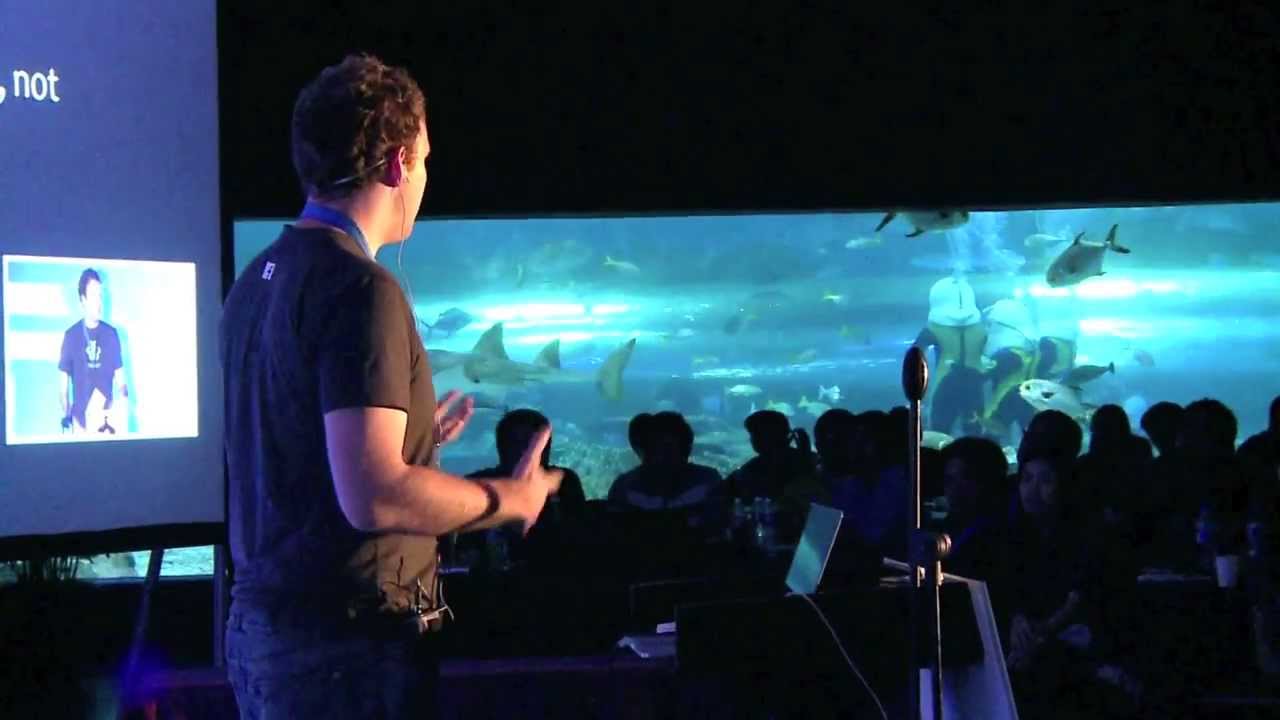
Pete Hunt: React - Rethinking Best Practices (updated) - JSConf.Asia 2013 — JSConf

JSConf

Re-rendering interfaces through an in-memory virtual DOM prevents layout thrashing and eliminates mutable bugs because traditional templates merely separate technologies rather than concerns.

AI-assisted summary of Pete Hunt: React - Rethinking Best Practices (updated) - JSConf.Asia 2013 — original source. Check the original for full context.

Source published:

Key ideas

  • React rejects traditional template-based separation of concerns, arguing that splitting HTML templates and JavaScript display logic merely separates technologies while breaking module cohesion. (5:18)
  • The framework models UI components as idempotent functions that conceptually re-render the entire application upon any data change, emulating the deterministic simplicity of 1990s server-rendered architectures. (16:55)
  • To achieve 60 FPS performance and avoid costly layout thrashing on the native DOM, React introduces an in-memory Virtual DOM that diffs updates and flushes batched mutations to the browser. (22:23)
  • Isomorphic JavaScript rendering in Node.js allows React to emit static HTML for fast initial loads and SEO, hydrating existing DOM elements with event listeners on the client without recreation. (30:41)
  • The presentation debuts the React Chrome Developer Tools, enabling developers to inspect and manipulate semantic component hierarchies rather than navigating raw browser DOM trees. (35:17)

Detailed notes

## Background Published on YouTube by JSConf on January 3, 2014, this talk features Pete Hunt speaking at JSConf.Asia 2013 in the Philippines. Hunt, a member of the React core team at Facebook and engineer on Instagram.com, addresses the initial skepticism surrounding React's open-source release by exploring three controversial design decisions: abandoning templates in favor of components, full-page re-rendering semantics, and an in-memory Virtual DOM architecture.

## TL;DR Pete Hunt defends React's unconventional architectural philosophy by reframing common front-end practices through classical software engineering principles. Rather than splitting markup and display logic across different file types—which he argues separates technologies rather than concerns—React unifies them into cohesive, reusable JavaScript components. Hunt explains that treating UI components as idempotent functions and re-rendering on data updates radically simplifies mental models, while the in-memory Virtual DOM ensures high performance by eliminating layout thrashing and batching real DOM mutations. The presentation demonstrates 60 FPS mobile performance, touches on isomorphic server-side rendering, and concludes with an unveiling of the original React Chrome Developer Tools.

## Atmosphere & style The presentation carries the measured, persuasive tone of an engineer defending a radical paradigm against an initially hostile and skeptical industry. Hunt maintains a calm, dryly humorous demeanor, acknowledging early disbelief with slides of cynical tweets before methodically dismantling front-end dogmas using computer science fundamentals. The energy is intellectually clarifying and confident, shifting from pragmatic architectural debate to palpable excitement during live performance demos and the reveal of the Chrome DevTools extension.

## Bulletin - [05:18](https://www.youtube.com/watch?v=DgVS-zXgMTk&t=318s) React rejects traditional template-based separation of concerns, arguing that splitting HTML templates and JavaScript display logic merely separates technologies while breaking module cohesion. - [16:55](https://www.youtube.com/watch?v=DgVS-zXgMTk&t=1015s) The framework models UI components as idempotent functions that conceptually re-render the entire application upon any data change, emulating the deterministic simplicity of 1990s server-rendered architectures. - [22:23](https://www.youtube.com/watch?v=DgVS-zXgMTk&t=1343s) To achieve 60 FPS performance and avoid costly layout thrashing on the native DOM, React introduces an in-memory Virtual DOM that diffs updates and flushes batched mutations to the browser. - [30:41](https://www.youtube.com/watch?v=DgVS-zXgMTk&t=1841s) Isomorphic JavaScript rendering in Node.js allows React to emit static HTML for fast initial loads and SEO, hydrating existing DOM elements with event listeners on the client without recreation. - [35:17](https://www.youtube.com/watch?v=DgVS-zXgMTk&t=2117s) The presentation debuts the React Chrome Developer Tools, enabling developers to inspect and manipulate semantic component hierarchies rather than navigating raw browser DOM trees.

## Key takeaways - [00:19](https://www.youtube.com/watch?v=DgVS-zXgMTk&t=19s) React was open-sourced in May 2013 as a focused view-layer library designed to drop into existing stacks, despite initial skepticism from the web community. - [03:43](https://www.youtube.com/watch?v=DgVS-zXgMTk&t=223s) Software maintainability is evaluated by coupling and cohesion; cascading changes across files indicate fragile, tightly coupled architectures. - [05:18](https://www.youtube.com/watch?v=DgVS-zXgMTk&t=318s) Templates and display logic are inherently coupled because both exist to translate application state into DOM structures; separating them into different files sacrifices cohesion. - [07:35](https://www.youtube.com/watch?v=DgVS-zXgMTk&t=455s) Templating languages and HTML directives reinvent programming language mechanics poorly, whereas React components leverage native JavaScript loops, scope, and composition. - [13:12](https://www.youtube.com/watch?v=DgVS-zXgMTk&t=792s) React components avoid XSS vulnerabilities by using programmatic DOM constructors that automatically escape data rather than concatenating raw HTML strings. - [15:13](https://www.youtube.com/watch?v=DgVS-zXgMTk&t=913s) JSX provides an optional, compile-time syntax extension that gives designers template-like syntax while maintaining the full computational power of JavaScript. - [16:55](https://www.youtube.com/watch?v=DgVS-zXgMTk&t=1015s) Frontend bugs largely stem from managing mutable state over time; React counters this by re-rendering declarative component trees whenever data changes. - [20:36](https://www.youtube.com/watch?v=DgVS-zXgMTk&t=1236s) Mutable state is strictly isolated through methods like getInitialState, and updates are centralized through setState to eliminate complex change-tracking listeners. - [22:23](https://www.youtube.com/watch?v=DgVS-zXgMTk&t=1343s) Direct native DOM manipulation causes performance bottlenecks; React resolves this by diffing an in-memory Virtual DOM and batch-applying minimal DOM operations. - [23:51](https://www.youtube.com/watch?v=DgVS-zXgMTk&t=1431s) React's architecture mirrors 3D game engines like Doom 3, using components to produce an intermediate scene representation (the Virtual DOM) that is rendered out to the browser. - [25:31](https://www.youtube.com/watch?v=DgVS-zXgMTk&t=1531s) A synthetic event system provides cross-browser event normalization down to IE8 and reduces memory overhead through automated event delegation at the root. - [29:11](https://www.youtube.com/watch?v=DgVS-zXgMTk&t=1751s) Virtual DOM reconciliation is fast enough to achieve a fluid 60 FPS on mobile hardware without relying on native CSS transitions or overflow scrolling. - [30:41](https://www.youtube.com/watch?v=DgVS-zXgMTk&t=1841s) Server-side rendering with Node.js solves crawler SEO limitations and delivers fast first-page paints before client-side scripts hydrate the DOM. - [32:44](https://www.youtube.com/watch?v=DgVS-zXgMTk&t=1964s) Decoupling components from the DOM allows alternative targets like HTML5 Canvas and SVG, off-thread rendering inside Web Workers, and fast unit testing without headless browsers. - [37:04](https://www.youtube.com/watch?v=DgVS-zXgMTk&t=2224s) React provides lifecycle methods such as componentDidMount and componentWillUnmount to seamlessly integrate with legacy codebases and jQuery plugins.

## Detailed walkthrough ### [00:19](https://www.youtube.com/watch?v=DgVS-zXgMTk&t=19s) Challenging Conventional Wisdom and Rethinking Best Practices

Pete Hunt opens his presentation by introducing React, a JavaScript library developed at Facebook that had been open-sourced earlier that year in May at JSConf US. React's debut was not met with universal applause; rather, as Hunt recalls with dry humor, the community initially met it with disbelief and sarcastic reactions. Displaying a slide of a famously skeptical tweet from the launch, Hunt points out that it was decidedly not intended as a compliment. React defied long-standing front-end conventions, prompting developers to recoil at first glance. Rather than asking for blind acceptance, Hunt asks the audience to withhold judgment and give the concepts an open mind for just five minutes, emphasizing that React is not an untested academic experiment, but a proven tool running major production applications across large engineering teams at Facebook and Instagram.

Hunt clarifies that the objective of his talk is not to provide a basic step-by-step coding tutorial on how to construct a React app, since developers can easily access guides, docs, and videos online for that. Instead, his focus is on the fundamental design decisions that shape React: explaining why Facebook engineered it this way, what problems it solves, and how engineers can adopt those architectural insights in their own codebases even if they never use React itself. At its core, React is a library for creating user interfaces, which specifically means rendering UI and handling browser events. In traditional architectural terms, it occupies the "V" in MVC (or doubles as the controller depending on how one defines the term). A key design requirement was seamless interoperability: React was specifically designed to drop gracefully into existing technology stacks, allowing teams to adopt it incrementally on small features and gradually expand its footprint as they saw results.

- React was publicly open-sourced in May 2013 at JSConf US to widespread developer skepticism. - It is deployed heavily across production codebases at Facebook and Instagram. - React positions itself strictly as a UI library (the "View" in MVC) rather than a monolithic full-stack framework. - Pete Hunt urged the audience: “So we basically challenged some kind of conventional wisdom with React, so as we talk about it, I'd appreciate it if you gave it five minutes.”

[01:51](https://www.youtube.com/watch?v=DgVS-zXgMTk&t=111s) Three Core Themes and the Question of Separation of Concerns

Hunt outlines the roadmap for the rest of his talk, which centers around three controversial topics. The first is an architectural prerequisite: combining DOM generation directly with display logic inside components rather than relying on a traditional templating system. The second topic examines React's high-level application design, specifically the radical idea of re-rendering the entire application whenever data changes to make development predictable and enjoyable. The third topic covers React's unique ground-up implementation, including its custom, lightweight virtual representation of the DOM and event handling system.

Transitioning to the first topic—building components instead of templates—Hunt surveys the room, noting that virtually everyone has built user interfaces with JavaScript and that many rely on client-side templating libraries such as Handlebars, or use similar template systems on the server. To the traditional front-end mindset, mixing markup and display logic inside a component sounds like an unforgivable anti-pattern. Developers defend templates primarily on the grounds of "separation of concerns," where a templating engine accepts a data structure, merges it with an HTML document annotated with special directives, and outputs static markup. However, Hunt challenges whether developers actually understand what they mean when they invoke that phrase. He contends that "concerns" is an ambiguous, ill-defined catchphrase in web development, and suggests evaluating software design through established software engineering metrics: coupling and cohesion.

- The talk covers three key areas: discarding templates in favor of components, full re-rendering on data updates, and a custom virtual DOM implementation. - Templating engines typically combine raw data structures with marked-up HTML strings to generate static DOM output. - Pete Hunt noted, “Separation of concerns really isn't a specific term, right, like what are concerns, it's very ill-defined.”

[03:43](https://www.youtube.com/watch?v=DgVS-zXgMTk&t=223s) Coupling, Cohesion, and the Pain of Cascading Changes

Hunt turns to formal software engineering definitions to explain what makes software maintainable. Coupling refers to the degree of mutual interdependence between different modules in a program. In day-to-day software development, bugs or features that can be resolved within a single function or class are straightforward: an engineer diagnoses the issue, writes a fix, perhaps adds a unit test, and moves forward. The real operational nightmares arise when touching one module triggers a ripple effect across multiple unrelated files. Hunt labels these "cascading changes," identifying them as the telltale symptom of tight coupling, which quickly turns large codebases into an unmaintainable mess.

The second critical metric is cohesion: the degree to which elements inside a single module genuinely belong together. Hunt points out that an engineering team could build the most decoupled system imaginable, but if the boundaries of those modules do not align with clear functional responsibilities, the architecture remains unmaintainable. When functionality is fragmented across disparate files, developers waste hours hunting through the system just to figure out where a specific change must be implemented.

```mermaid flowchart TD accTitle: Coupling and Cohesion Dynamics accDescr: Flowchart contrasting the behavior of tightly coupled cascading changes with cohesive isolated modules. subgraph TightlyCoupled["Tight Coupling: Cascading Changes"] A["Change in Module A"] -->|"Forces updates"| B["Module B (Broken State)"] B -->|"Forces updates"| C["Module C (Broken State)"] end subgraph HighCohesion["High Cohesion: Localized Updates"] D["Focused Component Module"] -->|"Encapsulates"| E["Self-Contained Logic & View"] E -->|"Safe, localized edits"| F["Single Unit Test Verification"] end ```

- Low coupling minimizes cascading changes across unrelated program files. - High cohesion ensures that related responsibilities and data stay packaged together within sensible module boundaries. - Pete Hunt explained, “The really painful bugs and features are the ones that you have to make changes to multiple modules, so we like to call these cascading changes, and they're a symptom of tight coupling.”

[05:18](https://www.youtube.com/watch?v=DgVS-zXgMTk&t=318s) Separating Technologies vs. Separating Concerns

Hunt takes aim at the sacred cow of web development: the belief that putting markup in an HTML template file and display logic in a JavaScript file achieves true separation of concerns. This paradigm encompasses not only traditional string-based templates but also HTML directive frameworks like AngularJS. On the surface, placing display logic in a `.js` file and markup in a `.html` template feels clean—developers assume that behavioral updates happen in JavaScript while visual design changes occur in the template. Hunt argues this is a profound misunderstanding because an invisible, tight coupling always exists between the template and its controller.

To illustrate, Hunt uses the example of building a zebra-striped table with alternating row colors. To alternate colors, the developer often has to calculate row styling inside the display logic and pass that information via a view model into the template. The moment the visual presentation changes, the developer is forced to edit both the template and the JavaScript view model to keep the data contract in sync. Because display logic and markup both exist to manipulate and render DOM nodes based on application state, they are inherently coupled. However, because they are doing the exact same job—transforming application state into DOM structures—they are naturally cohesive. By splitting them into separate files based purely on language syntax, developers are not separating concerns at all; they are merely separating technologies, and doing so at the cost of cohesion.

```mermaid flowchart TD accTitle: Coupling in Traditional Web Templates accDescr: Flowchart contrasting separated technologies with shared DOM responsibilities. subgraph TechSplit["Separation of Technologies"] A["Display Logic (JavaScript)"] B["Template Markup (HTML)"] A <-->|"Implicit coupling via view model"| B end subgraph SharedRole["Shared Cohesive Purpose"] C["DOM Data Structures"] A -->|"Manipulates"| C B -->|"Renders to"| C end ```

- Display logic and markup are inherently tightly coupled through the shared view model and DOM state. - Templates and JavaScript display logic share high cohesion because both exist to translate state into DOM nodes. - Pete Hunt asserted, “So what we're actually doing when we're using templates and display logic and separating those out, we're separating technologies, not concerns.”

[07:35](https://www.youtube.com/watch?v=DgVS-zXgMTk&t=455s) The Limitations of Underpowered Templates and Reinvented Languages

Because template systems separate technologies rather than concerns, they deliberately restrict the developer to an underpowered, domain-specific syntax. Hunt uses Handlebars—which he acknowledges as a high-quality, performant library—to illustrate the architectural limitations of templates. When developers attempt to reuse markup in Handlebars, they rely on "partials," such as an avatar or profile picture component used across a social network. The partial is effectively copy-pasted into the parent template at execution, automatically inheriting all variables in the parent's ambient scope. This creates invisible dependencies: modifying a partial requires manually inspecting every single call site in the application to ensure required variables exist and naming collisions do not occur. Similarly, control-flow helpers like `{{#each}}` break down whenever an engineer needs non-trivial iteration, such as rendering two distinct elements per item, exposing the rigid ceiling of a language that lacks the full capabilities of JavaScript.

The alternative approach popular in the ecosystem—augmenting HTML documents with custom directives, as seen in AngularJS—suffers from an even more insidious flaw. By attempting to make static documents interactive, framework authors are effectively attempting to invent an entirely new programming language on top of HTML. However, because they do not openly admit they are designing a programming language, they end up reinventing basic language mechanics that already exist in JavaScript. Displaying an excerpt from the AngularJS directive documentation, Hunt highlights the dense array of bespoke concepts and vocabulary terms developers must memorize just to replicate scoping, binding, and execution flows that are already built-in, native features of JavaScript.

- Handlebars partials introduce fragile implicit scope dependencies across call sites. - Templating helpers like `{{#each}}` lack the expressive power of standard language loops and conditionals. - HTML directives effectively invent an ad-hoc, incomplete programming language embedded in markup attributes. - Pete Hunt observed, “Now the problem with this is that the way that people are building these abstractions on the web today, they don't accept that they're building a new programming language, so you have to invent a lot of new concepts that are slightly incompatible with, you know, a real programming language that we have today, JavaScript.”

[10:32](https://www.youtube.com/watch?v=DgVS-zXgMTk&t=632s) Rethinking Concerns: Components Over Framework Language

Pete Hunt argues that contemporary frameworks and libraries make the mistake of dictating how developers ought to separate concerns. In reality, developers do not think of their applications in terms of models, views, and controllers; they think in concepts native to the product itself, such as user profiles, navigation bars, and timeline posts. Because of this mismatch, Hunt insists that a framework should merely supply tools to express the application in the language of its own problem domain.

React’s answer to this challenge is the component: a highly cohesive, loosely coupled building block for user interfaces. Instead of relying on a restricted templating language, React merges DOM generation with display logic, giving developers the uninhibited power of JavaScript. Reusing code or handling events does not require inventing new abstractions like partials; it simply means writing a regular JavaScript function. As a result, developers can immediately run linters, write unit tests, and leverage existing JavaScript tooling. Composition becomes the primary architectural mechanism, allowing developers to construct rich interfaces out of smaller, reusable components, while keeping the door open for standard JavaScript expressions inside the display layer.

As Pete Hunt states: > “So we think that the framework of the library you're using should just give you tools for you to express your program in the language of your problem domain, rather than the language of the framework itself.”

- React components unify DOM generation and display logic into a single cohesive unit. - Code reuse relies on standard JavaScript functions rather than specialized framework concepts like template partials. - Components are composable, reusable, and unit-testable because they operate as isolated units.

[13:12](https://www.youtube.com/watch?v=DgVS-zXgMTk&t=792s) Combating Spaghetti Code and XSS Risks

Addressing engineers with backgrounds in legacy systems, Hunt tackles the immediate skepticism that combining markup generation with logic inevitably leads to spaghetti code. He clarifies that React does not advocate a return to obsolete practices like calling database queries directly inside rendering routines. Instead, the burden falls on professional discipline: developers must keep components small and restrict them strictly to display logic. Any language or library can be abused into spaghetti code, so engineers must use sound design principles.

Another common fear is security, specifically cross-site scripting (XSS). Early templating solutions gained favor precisely because concatenating raw HTML strings invited injection vulnerabilities—a rogue user-supplied string could insert a script tag, steal session cookies, and impersonate the user. React mitigates this risk by never manipulating raw strings. Instead, it uses `React.DOM`, an API that builds a programmatic representation of the DOM. For instance, invoking `React.DOM.a` takes an attributes object (such as an `href` pointing to an Instagram profile) followed by child nodes or text. Crucially, this library automatically escapes all data passed into it, preventing injection by default.

When confronting the spaghetti code debate, Pete Hunt puts the responsibility directly on the engineer: > “So my answer to kind of asking about spaghetti code when we combine DOM generation and display logic is just don't write spaghetti code, keep your components small and only put display logic in components.”

[15:13](https://www.youtube.com/watch?v=DgVS-zXgMTk&t=913s) JSX: Bridging Designers and JavaScript

Writing raw functional calls like `React.DOM.a(...)` works well for programmatic logic, but it creates friction with visual designers. Designers excel in Photoshop and HTML mockups, but they have no interest in maintaining nested JavaScript function calls; conversely, engineers do not want to spend hours fine-tuning CSS box shadows when they could hand off a nearly finished interface for pixel-pushing. To bridge this divide, the React team built JSX, an optional syntax extension that brings familiar HTML-like syntax directly into JavaScript files.

Hunt emphasizes that JSX is completely decoupled from React's core requirements: developers can use React without JSX, and JSX can even be adapted for tools outside of React. The JSX preprocessor simply translates XML-style markup into identical `React.DOM` function invocations under the hood. This offers teams the readability and accessibility of conventional templates alongside the computational power and functional programming paradigms of JavaScript.

As Pete Hunt characterizes the compromise: > “So we like to think of it like this: the accessibility of templates and the power of JavaScript.”

```mermaid flowchart LR accTitle: JSX Compilation Flow accDescr: Diagram showing how JSX expressions transform into React.DOM function calls and finally into safe DOM representations. subgraph Authoring["Authoring Phase"] A["JSX Syntax<br/>(HTML-like tags)"] end subgraph Transformation["Compilation"] B["React.DOM Calls<br/>(Pure JavaScript)"] end subgraph Output["Runtime Engine"] C["Virtual DOM Tree<br/>(Escaped & Sanitized)"] end

A -->|"JSX Compiler"| B B -->|"Execution"| C ```

[16:55](https://www.youtube.com/watch?v=DgVS-zXgMTk&t=1015s) Re-rendering and Managing State Over Time

Transitioning to React's most controversial and defining mechanism, Hunt highlights the fundamental headache of frontend engineering: state. Unlike backend systems where code typically takes inputs, returns outputs, and satisfies deterministic unit tests, frontends deal with unpredictable user inputs, heterogeneous runtimes, and a massive mutable DOM. The ultimate culprit behind interface bugs is mutable data changing over time.

To reinforce this point, Hunt references computer scientist Edsger W. Dijkstra, who observed that human minds are well-equipped to reason about static relations, but struggle significantly to track processes that evolve across time. Dijkstra argued that software should minimize the conceptual gap between static code and dynamic runtime execution. Hunt maps this insight onto server-rendered architectures circa 1999: in early PHP workflows, adding a to-do item did not require searching the DOM for every counter or list element to mutate them individually. The client submitted the item, the server wrote to the database, queried the new state, and re-rendered the entire page from scratch at that single point in time.

React adopts that exact conceptual model on the client. When data changes, React reruns the render methods and conceptually throws out the old view representation to compute a new one. React components act as idempotent functions mapping dynamic state into a predictable UI snapshot, making them dramatically simpler to reason about, maintain, and unit test without fragile end-to-end DOM scripting. Hunt then introduces a clicker component to demonstrate this re-render concept in action.

Quoting Edsger W. Dijkstra on human cognition and system state, Pete Hunt reads: > “Our intellectual powers are rather geared to master static relations and our power to visualize processes involving in time are relatively poorly developed.”

Pete Hunt summarizes the core philosophy of React components: > “Said another way, React components are just idempotent functions that describe your UI at any point in time, just like a server-rendered app.”

- Frontend complexity stems from mutable state and data changing over time across asynchronous events. - Server-rendered web apps from the late 1990s avoided mutation tracking by regenerating the complete page response per request. - React treats UI components as idempotent functions: given the current input state, they produce the entire corresponding UI representation.

[20:36](https://www.youtube.com/watch?v=DgVS-zXgMTk&t=1236s) Isolating State and Declarative Updates

Pete Hunt walks through the architectural philosophy behind React's component state. Examining a counter component, he emphasizes that nowhere in the code does an engineer search the DOM to manually replace an element's text. Instead, the `render` method declaratively describes what the component should look like at any point in time. It avoids prescribing both an initial state and a distinct sequence of manual mutation instructions; `render` is simply called whenever data changes. Addressing the common engineering adage, Pete acknowledges that while data changing over time is a notorious source of bugs, dynamic applications fundamentally require state. React's solution is to isolate that mutable state as tightly as possible. In the example shown, the sole piece of mutable data is an explicit `count` variable initialized to zero.

Predicting how an application evolves over time becomes straightforward because state transitions are concentrated. Developers debugging an unfamiliar codebase do not need to trace complex event graphs; they can simply search for `setState` to locate every single state mutation point. By re-rendering whenever data changes, the interface is guaranteed to remain synchronized without relying on computed properties, change-tracking listeners, two-way data binding, or expensive model dirty checking.

Pete Hunt summarizes the shift in mental model: “Nowhere do we search for this DOM node and rewrite the count; we declaratively say, hey, this render method says what this component should look like.”

- Mutable state is isolated down to explicit properties declared in methods like `getInitialState`. - State transitions are consolidated entirely around calls to `setState`. - Eliminates manual change-tracking registrations, computed binding plumbing, and dirty-checking loops.

[22:23](https://www.youtube.com/watch?v=DgVS-zXgMTk&t=1343s) The Cost of Real DOM and the Virtual DOM Solution

Re-rendering entire views upon every single change initially strikes developers as a terrible idea. If an application were to tear down and reconstruct the real browser DOM on every keystroke or update, severe user-experience penalties would follow immediately. Form focus would be destroyed, in-progress comment text would vanish, scroll positions would reset, and pages would suffer from flashes of unstyled content (FOUC). Furthermore, manipulating the native browser DOM is inherently slow.

To overcome the performance wall of the native browser DOM while preserving the simplicity of a re-render paradigm, React introduces the Virtual DOM. The Virtual DOM is an in-memory representation of the UI tree optimized for minimal memory footprint and raw execution speed. During an update cycle, React re-invokes the component's `render` method to generate a new Virtual DOM subtree. It compares this new tree with the previous Virtual DOM tree, calculates the minimal set of DOM operations required to reconcile the two, queues those changes, and batch-executes them against the real DOM in a single pass.

Pete Hunt explains the necessity of the abstraction: “We built a virtual DOM which makes re-rendering on every change really, really fast.”

```mermaid flowchart TD accTitle: React Virtual DOM Reconciliation Flow accDescr: Flowchart illustrating how state changes trigger render, Virtual DOM tree diffing, and batched real DOM mutations.

subgraph StateUpdate ["1. State & Render"] A["setState called"] --> B["Generate new Virtual DOM subtree"] end

subgraph Reconciliation ["2. Reconciliation"] B --> C["Diff new Virtual DOM against previous tree"] C --> D["Compute minimal set of DOM mutations"] end

subgraph BrowserExecution ["3. Browser Mutation"] D --> E["Queue operations"] E --> F["Batch flush to native browser DOM"] end ```

[23:51](https://www.youtube.com/watch?v=DgVS-zXgMTk&t=1431s) Comparing React to the Doom 3 Engine

To demystify how this architecture works under the hood, Pete compares React directly to modern game engine architecture, citing online write-ups detailing the design of the *Doom 3* engine. A 3D game engine continuously processes input without micro-managing individual pixel changes manually across frames.

In *Doom 3*, the front end ingests world state—user inputs and environmental variables—and runs game logic determining physics, movement, weapons, and open doors. This pipeline outputs a "scene intermediate representation," describing abstractly what exists in the world (such as an enemy positioned at specific XYZ coordinates with a door opened exactly 50 percent). The rendering engine back end consumes this intermediate representation, converts it into low-level OpenGL draw calls, and flushes them to the graphics hardware.

React mirrors this exact separation of concerns. Instead of game state and user controller inputs, React takes component state and browser events. Instead of game logic and 3D level scripts, developers write React components expressing business logic. These components render to an intermediate representation—the Virtual DOM. Finally, React’s reconciliation back end diffs that intermediate tree, calculates the minimal mutations, and flushes native DOM operations to the browser window rather than dispatching raw OpenGL commands to a GPU.

Pete Hunt highlights the parallel between the game engine pipeline and web UI: “Rather than game logic and 3D levels, we have your React components that you've described—that's the business logic of your application that renders to this virtual DOM.”

[25:31](https://www.youtube.com/watch?v=DgVS-zXgMTk&t=1531s) Layout Thrashing, Batching, and Synthetic Events

Pete dispels the notion that React relies on unexplainable magic, remarking that fundamentally slow algorithmic operations cannot be magically cured by a framework. He compares hand-tuning DOM updates to writing raw assembly language instead of relying on a C compiler: while hand-written assembly can theoretically beat a compiler, maintaining hand-optimized DOM mutations across large teams and massive codebases is nearly impossible.

The primary bottleneck in web applications is layout thrashing. When JavaScript modifies the DOM and immediately reads back layout geometry (such as measuring element heights or offsets), the browser is forced to halt execution and synchronously recalculate styles and geometry. Interleaving DOM reads and DOM writes causes severe cascading reflows. Because React completely mediates UI changes through an in-memory Virtual DOM, it schedules reads and writes globally, batching operations together so that DOM thrashing is structurally prevented.

Beyond layout batching, the Virtual DOM enables performance optimizations through React's synthetic event system: - **Automatic Event Delegation:** Instead of binding discrete listeners to every node in a massive data table, React binds a single event listener at the root container. - **In-Memory Dispatch:** Capture and bubble phases are reimplemented entirely inside JavaScript by inspecting event targets against the Virtual DOM. - **Cross-Browser Parity:** The custom implementation normalizes behavior across platforms, delivering full W3C-compliant HTML5 event handling even in legacy browsers like Internet Explorer 8 (IE8). - **Escape Hatches:** For rare performance bottlenecks, React offers lifecycle hooks (such as custom update methods) that allow developers to bypass reconciliation on static subtrees with a single line of code, often yielding tenfold speedups.

Discussing manual performance optimizations versus React's scheduling, Pete Hunt notes: “React operates only on a virtual DOM, it can manage those reads and writes for you, so it basically optimizes globally for your application all of your reads and writes and batches them together, and because of this, we usually beat manual DOM operations.”

[29:11](https://www.youtube.com/watch?v=DgVS-zXgMTk&t=1751s) 60 FPS Mobile Performance Demo

Pete stresses that Facebook evaluates UI performance strictly by the metric of dropped frames. Modern user experiences, especially on mobile devices where web traffic is expanding rapidly, must sustain a fluid 60 frames per second (FPS). If an abstraction cannot hit 60 FPS on mobile hardware, Pete asserts that it is not worth adopting.

To prove the efficiency of the Virtual DOM diff engine, he demonstrates an interactive mobile menu running smoothly at 60 FPS. Every frame must execute its full cycle in under 10 milliseconds to maintain that threshold:

- **Full Frame Re-rendering:** React computes a Virtual DOM diff, reconciles the changes, and flushes updates to the browser DOM on every single `requestAnimationFrame`. - **Zero CSS Shortcuts:** The demo deliberately avoids native CSS animations, CSS transitions, and native `overflow: scroll`. - **Physics via JavaScript:** The application integrates the Zynga Scroller library to capture raw touch events and calculate scroll positions in JavaScript. - **Complex Visuals:** Touch coordinates directly update React state, driving real-time 3D transforms alongside a simulated frosted-glass overlay effect that animates two layered content surfaces—one clear and one blurred—entirely via declarative code.

Affirming the team's commitment to high frame rates, Pete Hunt emphasizes: “At the end of the day, we really, really value performance, and we look at performance in terms of dropped frames; you can do all of this at 60 frames per second, even on a mobile device.”

[30:41](https://www.youtube.com/watch?v=DgVS-zXgMTk&t=1841s) Declarative Performance and Isomorphic JavaScript

Pete Hunt emphasizes that high performance should never require abandoning reactive data flow. While traditional frameworks often force developers to step outside their reactive or data-binding systems to squeeze out performance for demanding interactions, React is built to make that unnecessary. Declarative code remains maintainable and pleasant to write, and React strives to keep that style performant enough for real-world interactions.

Beyond client-side UI, running React on the server via Node.js opens up powerful possibilities—a concept increasingly known as "isomorphic JavaScript." Standard client-rendered applications face severe search engine optimization problems: when Googlebot crawls a page, it typically encounters a mostly empty HTML skeleton with a few script tags, leading to poor search ranking. Common workarounds involve detecting the crawler and rendering through headless browsers like PhantomJS, but this approach is computationally prohibitive at scale because spinning up a full DOM environment for every crawl request is expensive.

React sidesteps this penalty while simultaneously improving the experience for human users. By executing component logic in Node.js, React can spit out a static HTML string directly to the client. The browser displays this markup immediately, giving the user instant visual content. When the client-side JavaScript finishes downloading and executing, React inspects the existing DOM markup:

> “I don't need to generate any Dom nodes I just need to attach my event listeners and get started so you get a really fast initial page page load experience which is great”

```mermaid flowchart TD accTitle: Isomorphic Rendering Flow in React accDescr: Diagram showing how React renders static HTML on the server and attaches event listeners on the client without recreating DOM nodes.

subgraph Server["Server (Node.js)"] A["React Component"] -->|"renderToString()"| B["Static HTML Document"] end

subgraph Client["Client Browser"] B -->|"Fast Initial Load"| C["Rendered DOM"] D["React Client JS Bundle"] -->|"renderComponent()"| E{"Examine Existing Markup"} C -.-> E E -->|"Match found: Hydrate & attach listeners"| F["Fully Interactive App"] end ```

[32:44](https://www.youtube.com/watch?v=DgVS-zXgMTk&t=1964s) Alternative Targets: Canvas, Web Workers, and Painless Testing

Because React compiles components to an abstract virtual DOM rather than manipulating the browser DOM directly, it gains architectural leverage that traditional template engines cannot match:

- **Subtree Optimization on Navigation:** Because React understands the high-level semantic language of an application, switching major views (for instance, navigating from News Feed to a user Profile) allows React to recognize that a top-level component type changed and apply an optimized batch-clearing strategy to swap large subtrees. - **Painless Unit Testing:** Components are completely decoupled from browser APIs. Developers do not need to orchestrate heavy headless browser suites like Selenium or WebDriver just to test business logic; they can simply execute a component in a test runner, render it to a string with given properties, and run standard string or data assertions. - **Rendering to Non-DOM Targets:** Pete highlights work done by his colleague Sebastian Markbåge, who built SVG, VML, and HTML5 Canvas support for React. Instead of targeting browser DOM primitives, an alternate virtual DOM implementation targets canvas drawing contexts, enabling teams to build interactive graphics, charts, and data visualizations using the exact same declarative component paradigm used for typical web UI. - **Off-Thread UI Execution via Web Workers:** Pete describes an experimental branch of React—implemented in roughly 100 lines of code—that runs an entire application inside a Web Worker. By serializing native browser events from the main UI thread into the worker and piping back an abstracted description of DOM mutations, the heavy computation of view logic is offloaded from the UI thread, potentially unlocking stutter-free interactions.

[35:17](https://www.youtube.com/watch?v=DgVS-zXgMTk&t=2117s) Summary and the Announcement of React Chrome Developer Tools

Pete summarizes the core philosophy of React down to three foundational pillars: 1. **Build components, not templates.** 2. **Render, don't mutate.** 3. **The virtual DOM is simple and fast.**

Following the original announcement open-sourcing React at JSConf US earlier that year, Pete reveals a new release for the JSConf.Asia audience: the React Chrome Developer Tools extension. While the standard Chrome DevTools Elements panel displays raw, noisy, deeply nested HTML markup that obscures application intent, the React tab exposes the actual component tree—displaying semantic structures like `ImageBlockLayout` or `Story`.

Developers can inspect properties directly in the sidebar. For instance, toggling a component prop like `viewerHasLiked` from `false` to `true` immediately updates the live UI by displaying the filled heart icon and appending the user's name to the list of likes, demonstrating how React's declarative state guarantees that the interface remains synchronized.

> “React guarantees that your app is consistent”

[37:04](https://www.youtube.com/watch?v=DgVS-zXgMTk&t=2224s) Q&A: Web Components, Transitions, jQuery Integration, and Mobile

The presentation concludes with audience questions on architecture, ecosystem compatibility, and Facebook's roadmaps:

- **React vs. Web Components:** When asked how React compares to the emerging Web Components specification, Pete notes that Web Components encompasses several changing standards (such as Shadow DOM, which React could potentially utilize), but historically lacked deep focus on composability and nuanced parent-child data flow. He highlights a core philosophical contrast: > “Web components fully embraces the Dom and adds new apis react kind of hates the Dom and puts it away in its own little corner and um we only interact with it um through message passing basically” By insulating itself from the DOM, React can easily render server-side for fast, non-blocking page loads, a problem that Web Components had not yet solved. - **Handling UI Transitions:** In response to a question about CSS and render transitions, Pete mentions `ReactTransitionGroup`. Modeled similarly to AngularJS's `ngAnimate`, it monitors when children enter or leave a list, automatically managing transition CSS classes to make fade-ins, slide-ins, or custom JavaScript DOM transition states simple. - **Interoperability with Legacy Code and jQuery Plugins:** When asked whether an external script (such as a jQuery plugin) modifying class names on a React-managed DOM node causes conflicts, Pete explains that React was built from the start to integrate with legacy software. React provides Objective-C/Cocoa-inspired lifecycle hooks: - `componentDidMount`: Fires when the element is placed into the page and the raw DOM node exists; this is where developers instantiate jQuery plugins. - `componentDidUpdate`: Fires after props or state change, allowing developers to notify the jQuery plugin of updated data. - `componentWillUnmount`: Fires right before removal, providing a hook to cleanly teardown and destroy the plugin instance. - **Facebook Mobile and Instagram:** Asked whether React's mobile rendering performance hints at a revamp of Facebook's hybrid mobile applications, Pete clarifies that he does not work on the Facebook mobile site team and cannot speak to their roadmap, though he notes React is already deployed heavily across all web properties on instagram.com.

## Notable quotes > [05:18](https://www.youtube.com/watch?v=DgVS-zXgMTk&t=318s) So what we're actually doing when we're using templates and display logic and separating those out, we're separating technologies, not concerns. — Pete Hunt

> [16:55](https://www.youtube.com/watch?v=DgVS-zXgMTk&t=1015s) React components are just idempotent functions that describe your UI at any point in time, just like a server-rendered app. — Pete Hunt

## Mentioned Pete Hunt, Edsger W. Dijkstra, Sebastian Markbåge, React, Facebook, Instagram, Handlebars, AngularJS, JSX, Doom 3, Node.js, Zynga Scroller, PhantomJS, Web Components, React Chrome Developer Tools, jQuery

## Video description Announcement of the React Chrome Developer Tools http://facebook.github.io/react/blog/2014/01/02/react-chrome-developer-tools.html

"React, the new open-source JS library from Facebook and Instagram, is a different way to write JavaScript apps. When it was introduced at JSConf US in May, the audience was shocked by some of its design principles. One sarcastic tweet from an audience member ended up describing React's philosophy quite accurately: https://twitter.com/cowboy/status/339858717451362304 At Facebook and Instagram, we're trying to push the limits of what's possible on the web with React. My talk will start with a brief introduction to the framework, and then dive into three controversial topics: Throwing out the notion of templates and building views with JavaScript, 're-rendering' your entire application when your data changes, and a lightweight implementation of the DOM and events."

Pete is a member of the React core team at Facebook and also the sole engineer on Instagram.com. He has also designed and implemented the video encode backend infrastructure for Facebook and Instagram and computer vision infrastructure and general front-end web engineering for Facebook photos. Pete likes to play guitar and rock climbing when he is not hacking.

JSConf.Asia is the JavaScript, web and mobile developer conference for Asia. Hotel H2O and Manila Ocean Park, Philippines - 28 + 29 November 2013.

Source: http://2013.jsconf.asia/blog/2013/10/31/jsconfasia-2013-pete-hunt-react-rethinking-best-practices Slides: http://www.slideshare.net/floydophone/react-preso-v2

License: For reuse of this video under a more permissive license please get in touch with us. The speakers retain the copyright for their performances.

[Source](https://www.youtube.com/watch?v=DgVS-zXgMTk)

中文简报

Facebook工程师Hunt在React中用虚拟DOM取代Web模板 通过内存中的虚拟DOM重新渲染界面可防止布局抖动并消除可变状态引起的错误,因为传统模板仅仅分开了技术而非关注点。 Pete Hunt通过经典软件工程原理解构常见的前端实践,为React非传统的架构哲学进行辩护。他认为将标记和展示逻辑拆分到不同文件类型中只是隔离了技术而非关注点,而React则将它们统一为内聚且可复用的JavaScript组件。Hunt解释称,将UI组件视作幂等函数并在数据更新时重新渲染,能够从根本上简化心智模型,同时内存中的虚拟DOM通过消除布局抖动并批处理实际DOM变更来确保高性能。演讲还展示了60 FPS的移动端性能,提及了同构服务端渲染,并以首次亮相的React Chrome开发者工具作为结尾。 React摒弃了传统基于模板的关注点分离,认为拆分HTML模板与JavaScript展示逻辑仅仅是隔离了技术,同时破坏了模块的内聚性。 (5:18) 该框架将UI组件建模为幂等函数,在概念上于任何数据变更时重新渲染整个应用程序,模拟了1990年代服务端渲染架构的确定性简洁优势。 (16:55) 为了实现60 FPS的性能并避免原生DOM上昂贵的布局抖动,React引入了内存中的虚拟DOM,通过比对更新并将变更批量刷新至浏览器。 (22:23) Node.js中的同构JavaScript渲染使React能够输出静态HTML以实现快速首屏加载与SEO优化,并在客户端为既有DOM元素注水绑定事件监听器而无需重新创建。 (30:41) 本次演讲首次展示了React Chrome开发者工具,使开发者能够检查并操作语义化的组件层级结构,而无需在浏览器原生DOM树中摸索。 (35:17)

Reading summary

Pete Hunt argues that conventional front-end practices misinterpret separation of concerns by separating technologies rather than functional units, proposing that combining component-based architecture, declarative re-rendering, and a virtual DOM simplifies state management and improves application performance. Replacing Templates with Cohesive Components (5:18) Hunt challenges the traditional division between HTML templates and JavaScript display logic, arguing that it separates technologies rather than concerns. Because display logic and markup both transform application state into DOM structures, they share high cohesion and inherent tight coupling. Splitting them into separate files—such as pairing an HTML template with a JavaScript view model—forces developers to manage cascading changes across multiple files for basic visual updates, such as alternating table row colors. Expressive JavaScript Over Constrained Template Syntaxes (7:35) Templating systems like Handlebars introduce implicit scope dependencies via partials and hit expressive limits with basic control-flow helpers like loop constructs. Similarly, Hunt asserts that augmenting HTML with custom directives, as seen in AngularJS, effectively attempts to reinvent programming language mechanics such as scoping and binding directly inside markup attributes. By unifying markup generation and display logic within JavaScript components, developers retain access to standard language features, unit testing tools, and linters. To bridge designer collaboration without compromising security or writing nested function calls, React uses JSX as an optional syntax that compiles into programmatic `React.DOM` calls, which automatically sanitize inputs to prevent cross-site scripting. Declarative Re-rendering and Isolated State (16:55) Frontend complexity primarily arises from mutable state changing across time, which Hunt connects to Edsger W. Dijkstra's observation that human cognition struggles to track time-dependent processes. Traditional workflows rely on manual mutation tracking, computed properties, or two-way data binding. React replaces this model by treating components as idempotent functions that render the entire UI snapshot for a given state, echoing late-1990s server-rendered architectures. Mutable state is explicitly isolated and updated exclusively via `setState`, ensuring predictable state transitions and eliminating manual DOM lookups. Reconciliation, Batching, and the Virtual DOM (22:23) Tearing down and rebuilding native browser DOM nodes on every update causes severe performance bottlenecks, including layout thrashing, lost form focus, and reset scroll positions. React resolves this with an in-memory Virtual DOM. Drawing a direct parallel to the Doom 3 game engine—which transforms high-level game logic into an intermediate scene representation before issuing OpenGL draw calls—React compiles component state into a virtual tree, computes the minimal diff against the prior tree, and batches updates to the native DOM in a single pass. This architecture prevents layout thrashing by globally managing read and write operations, and is complemented by a synthetic event system that delegates events to the root and normalizes behavior across browsers down to IE8. Isomorphic Rendering and Architecture Beyond the DOM (30:41) Because React abstracts UI into an intermediate representation, it enables isomorphic execution in Node.js. Server-side rendering outputs static HTML for rapid initial loads and straightforward search engine indexing, allowing the client-side JavaScript to later attach event listeners directly to existing markup without reconstructing DOM nodes. Furthermore, decoupling components from the native browser DOM facilitates fast unit testing without headless browsers like Selenium, allows offloading UI computations to Web Workers, and permits alternative rendering targets such as HTML5 Canvas. For legacy integration, lifecycle hooks (`componentDidMount`, `componentDidUpdate`, `componentWillUnmount`) allow safe interoperation with existing jQuery plugins and external scripts. Hunt frames React's model—build components rather than templates, re-render rather than mutate, and reconcile via a virtual DOM—as an architectural paradigm that trades DOM-centric conventions for predictability and testability. While React isolates the browser DOM, questions remain regarding how it will interact long-term with evolving browser standards like Web Components, which seek to solve UI composition by expanding native DOM APIs rather than abstracting away from them.

精炼阅读摘要

Facebook 工程师 Pete Hunt 在 JSConf.Asia 2013 上提出,React 打破了传统前端开发的思维定式,通过将标记与展示逻辑封装进高内聚组件,并借助虚拟 DOM 在数据变化时执行整体重渲染,显著降低了大型应用的状态维护复杂度与级联变更风险。 组件化替代模板以重塑关注点分离 (1:51) 传统前端开发常把在 HTML 中写模板、在 JavaScript 中写展示逻辑视作关注点分离的标准实践。Pete Hunt 指出,这实际上只是“技术的物理分离”而非“关注点的分离”。因为模板与视图模型之间存在不可避免的隐式紧耦合,一旦界面改动,开发者往往必须同步修改两处文件。由于生成标记与处理逻辑的根本目的都是把应用状态转化为 DOM 结构,两者本质上高度内聚。若仅按文件后缀将其割裂,不仅会破坏模块内聚性,还极易引发跨文件的级联变更。 此外,Handlebars 等传统模板引擎的 partials 机制容易引入隐式作用域依赖,而 AngularJS 等采用 HTML 自定义指令的方案,在 Hunt 看来则是在 HTML 之上重新发明一套并不完备的新语言。React 提倡使用“组件”替代“模板”,将 DOM 生成与展示逻辑合并于标准的 JavaScript 中。为了兼顾代码安全与设计人员的协作习惯,React 借助自动转义防范 XSS 漏洞,并提供可选的 JSX 语法糖,在保留 JavaScript 编程表达力的同时维持类似 HTML 的直观结构。 将 UI 视作幂等函数以简化状态管理 (16:55) 前端界面缺陷的核心根源在于随时间变化的可变状态。Hunt 引用计算机科学家 Edsger W. Dijkstra 的观点指出,人脑善于理解静态关系,却极难推演复杂的时序演变。早期服务器端渲染(如 1999 年代 PHP 架构)在数据变动时直接抛弃旧视图并重新输出整页,因此避免了局部变更追踪的复杂性。React 将这一设计引入客户端,把 UI 组件抽象为幂等函数:在任意时间点,组件根据当前传入的状态,声明式地生成与之对应的完整界面结构,免去了开发者手动查找 DOM 节点并逐一修改的步骤。 为了收敛可变状态的副作用,React 强调将状态严格隔离在少数明确的属性中,并把所有状态迁移统一收归至 setState 调用。这种模式消除了双向数据绑定、计算属性监听以及脏检查循环等复杂机制。在大型代码库中进行调试时,维护人员只需追踪 setState 的调用位置即可理清状态链路,确保界面表现与数据始终保持同步。 虚拟 DOM 与批处理消除重渲染性能瓶颈 (22:23) 若直接在真实浏览器 DOM 上执行“整页销毁并重建”,会导致表单焦点丢失、正在输入的文本消失、滚动条重置以及页面样式闪烁(FOUC),且原生 DOM 操作非常耗时。为了化解这一矛盾,React 构建了轻量级的内存中虚拟 DOM 树。在组件更新阶段,React 会生成新的虚拟 DOM 子树,并与旧树进行高效比较(Diff),计算出最小化的变更集,最后批量提交至真实 DOM 一次性更新。 Hunt 将 React 的这套运行架构类比于《毁灭战士 3》(Doom 3)游戏引擎:前端组件将业务逻辑计算为抽象的中间表示(虚拟 DOM),再由底层的协调引擎生成最低开销的原生变更指令。这种间接层有效规避了因交错读写 DOM 导致的布局抖动(Layout Thrashing),因为 React 会在全局调度并合并读写操作。此外,React 还配套了合成事件系统,通过在根节点集中委托监听并在内存中重写捕获与冒泡机制,不仅节省了大量监听器开销,还为 IE8 等旧版浏览器提供了标准一致的 HTML5 事件表现。在移动端交互测试中,借助逐帧虚拟 DOM 比较与渲染,应用仍能稳定维持在 60 FPS。 同构渲染与跨平台抽象带来的架构收益 (30:41) 脱离对原生浏览器 DOM 细节的强依赖,使 React 具备了传统模板系统难以比拟的架构通用性。在搜索引擎优化与首屏性能方面,React 可运行于 Node.js 环境实现同构渲染:服务器直接将组件渲染成静态 HTML 字符串返回给客户端,使爬虫能够抓取内容,用户也能即时看到首屏;待客户端脚本加载完成后,React 仅需“注水”挂载事件监听器,无需重复创建 DOM 节点,避免了使用 PhantomJS 等无头浏览器渲染带来的高昂计算成本。 该抽象层还大幅简化了单元测试。开发者无需启动庞大的浏览器驱动测试套件,即可在 Node.js 中将组件渲染为纯字符串进行逻辑断言。更进一步,虚拟 DOM 的底层输出端能够被自由替换——通过对接 HTML5 Canvas、SVG 或 VML,同一套组件范式可直接用于高性能图表与数据可视化绘制;Facebook 甚至通过约 100 行代码的实验分支,实现了将整个视图计算放入 Web Worker 中执行,仅向主线程发送序列化变更描述,彻底将耗时的视图逻辑移出 UI 线程。 针对与 Web Components 标准的对比,Pete Hunt 强调 Web Components 选择全面拥抱并扩展 DOM API,而 React 的理念则倾向于隔离 DOM 并将其限制在消息传递层面。在生态兼容上,React 通过提供生命周期钩子以平滑集成 jQuery 插件等遗留代码,并在大会上发布了 React Chrome 开发者工具以直观调试组件树;但在 Facebook 移动端技术栈重构的具体路线图上,演讲者未作进一步明确说明。

Detailed notes — zh

## Background 本内容由 JSConf 于 2014 年 1 月 3 日发布在 YouTube 上,记录了 2013 年 11 月在菲律宾举行的 JSConf.Asia 2013 大会演讲。视频由 Facebook 和 Instagram 的 React 核心团队成员 Pete Hunt 主讲,简介中介绍了本次分享针对前端社区争议焦点的回应,并宣布了 React Chrome 开发者工具的发布。 ## TL;DR Pete Hunt 在演讲中系统性反思了前端开发长期以来的“最佳实践”,指出传统模板技术只是硬性拆分了 HTML 与 JS 技术形态,反而破坏了展示逻辑与结构的真正高内聚。React 提出以组件为核心抽象,摒弃脆弱的模板与复杂的双向数据绑定,转而采用类似 1999 年服务端全量渲染的声明式心智模型。借助内存中极轻量的虚拟 DOM 与高效的 Diff 算法,React 在兼顾批量更新性能与规避布局抖动的同时,实现了跨浏览器合成事件、Node.js 同构服务端渲染以及跨平台渲染等多项架构突破。 ## Atmosphere & style Pete Hunt 的演讲风格坦诚、幽默且极具工程思辨色彩,开场便毫不避讳地引用社区当年的尖锐嘲讽化解尴尬,以务实的态度恳请开发者放下成见。整场分享逻辑紧密层层递进,既有对计算机科学先驱理论与游戏引擎架构的高屋建瓴剖析,又有移动端 60 FPS 流畅交互与 DevTools 实机演示的硬核落地。现场氛围从最初的审慎怀疑逐渐转变为对新架构可能性的赞叹与深度共鸣,是一场极具开创性与启发性的前端技术经典布道。 ## Bulletin - [00:01](https://www.youtube.com/watch?v=DgVS-zXgMTk&t=1s) Pete Hunt 在 JSConf.Asia 2013 剖析了 React 的核心设计哲学:主张构建高度内聚的组件而非功能孱弱的模板,彻底打破传统 MVC 将展示技术与逻辑生硬拆分的假象。 - [16:51](https://www.youtube.com/watch?v=DgVS-zXgMTk&t=1011s) React 提出“每次数据变更都全量重新渲染整个应用”的思维模型,借鉴类似 1999 年服务端渲染的幂等函数理念,从而抹平了手动维护可变状态在时间轴上演变的复杂心智负担。 - [22:23](https://www.youtube.com/watch?v=DgVS-zXgMTk&t=1343s) 底层通过类游戏引擎架构的虚拟 DOM 与全自动批量 DOM 读写调度,从根本上杜绝了大型项目协作中的布局抖动(Layout Thrashing),并在移动端达成了 60 FPS 的流畅度。 - [30:41](https://www.youtube.com/watch?v=DgVS-zXgMTk&t=1841s) 虚拟 DOM 抽象使 React 原生支持在 Node.js 中进行同构渲染(SSR),既彻底解决了客户端 SPA 的 SEO 与首屏加载痛点,又极大简化了免真实浏览器环境的单元测试。 - [35:17](https://www.youtube.com/watch?v=DgVS-zXgMTk&t=2117s) Facebook 在演讲现场重磅发布了 React Chrome 开发者工具,允许开发者直接检视语义化组件树并在 DevTools 中实时调试数据驱动的 UI 状态。 ## Key takeaways - [00:01](https://www.youtube.com/watch?v=DgVS-zXgMTk&t=1s) React 的定位极其聚焦:它只是构建用户界面的库(主要是 MVC 中的 View 甚至部分 Controller),并具备对老旧技术栈强大的渐进式兼容能力。 - [02:39](https://www.youtube.com/watch?v=DgVS-zXgMTk&t=159s) 衡量架构设计的黄金标准是“降低耦合度”与“提高内聚度”;传统模板方案并未真正分离关注点,只是机械地分离了技术形态。 - [05:18](https://www.youtube.com/watch?v=DgVS-zXgMTk&t=318s) 展示逻辑与标记结构本质上高度内聚(如斑马纹表格需要两端同步计算),强行拆分反而会催生跨文件的隐式强耦合与级联变更。 - [07:35](https://www.youtube.com/watch?v=DgVS-zXgMTk&t=455s) 传统模板系统(如 Handlebars Partial)与在 HTML 中生造指令(如 AngularJS)的做法,本质上是发明了功能阉割的伪语言,不如直接借助图灵完备的 JavaScript 原生抽象。 - [10:32](https://www.youtube.com/watch?v=DgVS-zXgMTk&t=632s) 关注点应按业务领域概念(如导航栏、用户信息)划分为内聚、可组合的 React 组件,组合能力是构建大型 UI 应用的最高优先级。 - [15:20](https://www.youtube.com/watch?v=DgVS-zXgMTk&t=920s) JSX 仅仅是可选的语法糖,它被编译为底层的 React.DOM 函数调用对象,既赋予了类似 HTML 的直观性,又从机制上自动转义防止了 XSS 攻击。 - [16:51](https://www.youtube.com/watch?v=DgVS-zXgMTk&t=1011s) 前端 UI 开发的万恶之源是“随时间推移不断变化的数据”;React 将组件视为幂等函数,每次数据变动都重新计算整个 UI 描述,使单元测试与心智负担显著降低。 - [20:36](https://www.youtube.com/watch?v=DgVS-zXgMTk&t=1236s) React 严格收拢可变状态,所有状态迁移显式收敛于 setState,无需依赖计算属性、脏检查或复杂的变更追踪机制。 - [22:23](https://www.youtube.com/watch?v=DgVS-zXgMTk&t=1343s) 虚拟 DOM 的运行模型类似于《毁灭战士 3》(Doom 3)等 3D 游戏引擎:由业务逻辑生成轻量中间表示,再由后端 Diff 引擎统一刷新到底层展示层。 - [25:31](https://www.youtube.com/watch?v=DgVS-zXgMTk&t=1531s) 虚拟 DOM 的核心收益并非“单次操作比手写更快”,而是能在大型团队协作下统一批量调度 DOM 读写,天然免疫因交替读写导致的浏览器布局抖动(Layout Thrashing)。 - [27:35](https://www.youtube.com/watch?v=DgVS-zXgMTk&t=1655s) React 自主实现了 W3C 标准的顶层合成事件委托机制,大幅减少了内存开销,同时抹平了包括 IE8 在内的跨浏览器兼容性差异。 - [27:35](https://www.youtube.com/watch?v=DgVS-zXgMTk&t=1655s) 基于 requestAnimationFrame 的移动端演示证明,纯粹依靠 React 状态驱动与虚拟 DOM Diff,在不使用 CSS 动画的情况下同样能稳定跑满 60 FPS。 - [30:41](https://www.youtube.com/watch?v=DgVS-zXgMTk&t=1841s) 同构 JavaScript 支持在 Node.js 服务端将组件预先渲染为静态 HTML,客户端直接挂载事件监听器,同时兼顾了首屏即时呈现与搜索引擎 SEO 爬取。 - [32:44](https://www.youtube.com/watch?v=DgVS-zXgMTk&t=1964s) 虚拟 DOM 作为与浏览器解耦的抽象层,带来了跨介质渲染潜力(如 Canvas、SVG、VML),并成功验证了将主应用移入 Web Worker 运行的架构可能性。 - [37:08](https://www.youtube.com/watch?v=DgVS-zXgMTk&t=2228s) Web Components 拥抱 DOM 并添加 API,而 React 则将 DOM 隔离在角落通过消息通信;这种设计哲学让 React 能够轻松做到跨端与非阻塞的服务端渲染。 - [37:08](https://www.youtube.com/watch?v=DgVS-zXgMTk&t=2228s) React 通过明确的生命周期方法(如 componentDidMount、componentWillUnmount)完美兼容 jQuery 等遗留 DOM 插件的挂载与销毁。 ## Detailed walkthrough ### [00:01](https://www.youtube.com/watch?v=DgVS-zXgMTk&t=1s) 重新思考前端传统智慧与 React 的定位 Pete Hunt 登台介绍 React,这是一座由 Facebook 和 Instagram 共同打造并维护的开源 JavaScript 代码库。回顾 2013 年 5 月在 JSConf US 首次对外宣布开源时的场景,他直言当时社区的反应充满了冷嘲热讽与怀疑。台下观众的一条推文甚至尖锐讽刺其设计,Pete 幽默地澄清说:“This tweet was was not a compliment.”(这条推特绝不是在夸我们)。然而,正是因为 React 大胆挑战了前端领域一系列被奉为圭臬的传统智慧,他恳请在场的听众先放下成见,给 React 五分钟的时间。在 Facebook 和 Instagram,React 已经深入应用在多支大型团队操盘的大规模产品中,并且实打实地验证了其有效性与高可维护性。Pete 强调,本场分享并不打算照本宣科地去教大家怎样写 React 入门代码或搭建应用——官方网站上已经有大量的教程和视频资源——他更想把焦点放在架构设计背后的权衡决策上:为什么当时会做出这些看似离经叛道的选择?哪怕听众最终选择不用 React,这些系统层面的思考方式也能迁移到各自的工程实践中。 在界定 React 的本质时,Pete 将其定义为“用于构建用户界面的库”(a library for creating user interfaces)。具体来说,它的核心职责非常聚焦:渲染 UI 并对浏览器中的事件作出响应。如果对照传统的 MVC 架构,你可以将其视为其中的 V(View);而根据每个人对 MVC 边界的不同理解,它在某种程度上也承担了 Controller 的职能。最重要的一点是,React 的设计极其注重对现有技术栈的包容与兼容。React 早期在 Facebook 内部的一系列成功范例,全都是由老项目在非常小、极其局部的功能点上引入 React 开始的;随着时间的推移,工程师们尝到了甜头,才逐步将其推广到更大规模的业务模块中。 - **演讲路线规划**: 1. **构建组件而非模板(Building Components, Not Templates)**:剖析为何 React 选择将 DOM 生成与展示逻辑紧密结合,彻底放弃独立的模板系统。 2. **React 的核心设计模型(React's Design)**:阐述数据每次变化时都“重新渲染(re-render)整个应用”的思维模型,以及它如何让应用开发变得极其简单直观。 3. **独特的底层实现(Unique Implementation)**:揭秘 React 从零构建的全新 JavaScript 架构与虚拟 DOM 机制。 --- ### [02:39](https://www.youtube.com/watch?v=DgVS-zXgMTk&t=159s) 关注点分离的迷思:耦合度与内聚度 在讨论组件化之前,Pete 带领大家审视目前几乎所有做过前端 UI 的开发者都绕不开的“客户端模板库”(如 Handlebars)以及服务端模板方案。人们普遍信奉使用模板的第一大理由就是“关注点分离”(Separation of Concerns)。传统的模板语言接收一个纯数据结构,将其与带有特殊占位符/指令的 HTML 文档拼接融合,最终吐出静态的 HTML 标记。然而,所谓的“关注点”从来都是一个模糊不清、界定极其宽泛的词汇。为了拨开迷雾,Pete 引入了经典软件工程中的两个度量基准:**降低耦合度(Coupling)** 与 **提高内聚度(Cohesion)**。 Pete 结合日常业务开发的实际痛点进行了透彻对比:平时最容易修复的 Bug 或最轻松开发的新功能,往往都严格限制在某一个函数或类内部。开发者定位到核心逻辑,修补完毕,补上单测,代码就可以安全上线。真正让人焦头烂额、苦不堪言的改动,永远是那些改了一处就必须连带改动其他多个模块的“级联变更”(cascading changes)——这正是模块间**紧耦合**的典型症状。Pete 指出:“If I want to make a change to some piece of functionality do I have to make a change to this module and does it affect all the other modules requiring me to make changes to them and that's what makes software really hard to maintain.”(如果我想修改某项功能,不仅要改动当前模块,还会波及所有其他模块并强迫其连带修改,这就是软件难以维护的根源)。 另一方面,**内聚度**衡量的是同一个模块内部各元素之间彼此归属、协同工作的紧密程度。如果一个架构无论拆得多么解耦,但每个拆分出来的模块职责不明、逻辑东拼西西凑,那不仅无法提升可维护性,反而会让开发者在定位修改点时茫然失措,因为相关的业务关注点被机械地散落到了工程各处。 ```mermaid flowchart TD accTitle: 软件工程质量的核心维度 accDescr: 展示松耦合与高内聚如何影响前端模块的可维护性 subgraph Coupling["耦合度 (Coupling)"] direction TB C1["低耦合:模块独立<br/>局部修改不扩散"] C2["紧耦合:级联变更 (Cascading)<br/>牵一发而动全身"] end subgraph Cohesion["内聚度 (Cohesion)"] direction TB H1["高内聚:逻辑高度集中<br/>要素因相同目标紧密组合"] H2["低内聚:逻辑支离破碎<br/>业务关切散落在各处文件"] end C1 --> O["优质架构:易定位、易维护、高鲁棒性"] H1 --> O ``` --- ### [05:18](https://www.youtube.com/watch?v=DgVS-zXgMTk&t=318s) 模板制造的假象:分离的是技术,而非关注点 基于对耦合度与内聚度的拆解,Pete 抛出了一个让习惯了模板开发的工程师感到震惊的论点:传统的模板方案(以及类似 AngularJS 那样试图在 HTML 标记中注入指令来激活文档的方案),实际上是在助长极其糟糕的关注点分离。传统认知通常认为:将展示逻辑(Display Logic)写在 JavaScript 文件里,将页面结构标记(Markup)放在单独的模板文件中,是理所应当的解耦;改业务交互时去改 JS,改视觉外观时去改模板。但 Pete 犀利地指出,这完全是一种根本性的认知误区。 展示逻辑与模板之间存在着天然、牢不可破的隐式耦合。以日常开发中常见的“斑马纹数据表格(Zebra striped table)”为例,要实现行背景色交替变换,开发者通常必须在 Controller 或展示逻辑层算出行颜色,将其塞进 View Model 传递给模板。这时,如果你想修改表格渲染的规则,你根本不可能只改动模板文件;你必须时刻保证展示逻辑里的 View Model 数据与模板内部对字段的预期保持步调一致。Pete 直言:“We're separating technologies not concerns.”(我们本质上只是把不同的技术形态硬性拆开了,根本没有分离关注点)。展示逻辑和标记语言不可避免地紧密耦合,因为它们最终的目标一模一样:将交互状态反映到 DOM 树上。模板生成 HTML,浏览器解析为 DOM,展示逻辑接着去操纵这些 DOM——两者处理的是同一种数据结构,行使的是同一种业务职责,它们在本质上是**高度内聚**的。 ```mermaid flowchart LR accTitle: 模板方案与技术/关注点分离的差异 accDescr: 阐释模板机制中表面分离技术实则紧密隐式耦合的内在联系 subgraph Traditional["传统模板开发模型(假解耦)"] JS["展示逻辑 (JavaScript)<br/>生成 ViewModel / 绑定事件"] TPL["模板标记 (HTML 扩展)<br/>解析变量 / 吐出静态 DOM"] JS <-->|"隐式强耦合<br/>(例如斑马纹表格行逻辑)"| TPL end subgraph Reality["本质事实:职责高度内聚"] DOM["共同目标:生成并控制 DOM 数据结构"] end Traditional --> Reality ``` - **斑马纹表格的耦合例证**:不仅要修改标记层的展示,还必须同步在 JS 代码中计算 `isEven` / `color` 状态,违背了“只改样式找模板”的初衷。 - **职责完全重叠**:模板产出初始 DOM,JS 逻辑持续修改同一批 DOM,二者本应属于同一个高度内聚的单元。 --- ### [07:35](https://www.youtube.com/watch?v=DgVS-zXgMTk&t=455s) 弱抽象的陷阱与 AngularJS 指令的代价 将展示技术与逻辑强行割裂带来的另一大严重恶果,是这些模板技术被“故意设计得功能孱弱”(deliberately underpowered)。为了说明这一点,Pete 特意以当时最流行、运行速度极快的优秀开源模板引擎 Handlebars 为例。这类模板引擎普遍陷入了“原始抽象(primitive abstractions)”的泥潭: - **Handlebars 的 Partial(局部模板)**:在社交网络中,如果要复用一个头像(profile pic)组件,模板通常提供 Partial 机制。但 Partial 本质上相当于把一小段标记代码复制粘贴进来,它会自动继承当前父级作用域下的全部变量。这就引入了大量的隐式依赖(implicit dependencies)。如果 Partial 内部悄悄读取了某个外部变量,当需要改动这个 Partial 时,工程师必须逐一翻查全局所有调用该 Partial 的地方,逐个确认上下文是否依然兼容。 - **简陋的流程控制(如 `each`)**:模板语言提供的循环控制极为僵化。一旦业务需求发生细微变化——比如遍历序列时想改变遍历策略,或者想在特定元素位置交错插入两个标记片段——受限于模板极其贫瘠的语法,开发者便寸步难行。Pete 强调,模板系统故意裁剪了语法能力,使工程师失去了完整图灵完备编程语言的控制力。 更严重的问题出现在类似 AngularJS 这样试图“通过向 HTML 添加指令(directives)将其唤醒并赋予交互”的方案中。Pete 直言,这种在 HTML 文档中发明新语法来表达程序语义的做法,本质上是在**凭空发明一种全新的编程语言**。然而这套抽象的创造者们并不愿意正视“自己在开发新语言”这一事实。结果就是,他们不得不生造出一大堆全新的专有名词和特有概念。这些概念与现成的 JavaScript 原生特性存在各种微妙的不兼容,给前端开发者带来了巨大的认知负担。Pete 展示了 AngularJS 官方文档中关于 Directive 的定义,上面充斥着大量密密麻麻的新造名词,而这些概念在真实的 JavaScript 中早已存在原生对应物。开发人员在写这类框架时,不仅没有降低心智成本,反而在被迫学习一套繁琐、人造且功能妥协的伪语言系统。 - **隐式作用域继承**:Handlebars 的局部模板(Partial)透传全部父级作用域,极易破坏局部封装性,造成难以排查的暗度陈仓式依赖。 - **孱弱的模板流程控制**:无法原生支持多标记插入、定制条件判断与原生数组高级操作。 - **AngularJS 指令的人造概念膨胀**:在 HTML 之上强行叠加指令语义,表面是标记扩展,实为半生不熟的“新语言”,不仅破坏开发者的直觉,更凭空增加了学习与维护开销。 ### [10:32](https://www.youtube.com/watch?v=DgVS-zXgMTk&t=632s) 用组件重新定义“关注点分离” Pete Hunt 探讨了传统前端框架在设计哲学上的一个根本误区:市面上的许多框架和库总是试图强行替开发者定义如何进行“关注点分离(separation of concerns)”,硬套 MVC(Model-View-Controller)模式。然而,实际开发中没有人会把自己的产品拆成抽象的模型、视图和控制器去思考;现实业务中的概念是“用户个人资料(user profile)”、“导航栏(navigation bar)”以及“时间线上的动态(post on a timeline)”。他认为,框架的作用应当是提供工具,让开发者能够用自身业务领域的语言去表达程序,而不是被迫迁就框架自身的抽象语言。 为了解决这个问题,React 团队提出的核心抽象是 **React 组件(React component)**。组件是一个高度内聚(highly cohesive)的 UI 构建块,同时与其他组件保持松散耦合(loosely coupled)。传统观念认为将 DOM 生成与驱动它的展示逻辑放在一起违背了分离原则,但 Pete 指出,通过让组件拥有 JavaScript 的完整表达能力,开发者实际上能以更贴合应用真实需求的方式来分离关注点,彻底摆脱羸弱模板语言的束缚。 ```mermaid flowchart TD accTitle: React 组件模型与传统 MVC 的对比 accDescr: 对比了传统 MVC 模式与 React 基于业务领域的组件内聚模式。 subgraph Traditional["传统框架思维:按技术角色切分"] M["Model (数据模型)"] V["View (模板/标记)"] C["Controller (控制器)"] end subgraph ReactModel["React 思维:按业务领域内聚与组合"] direction TB App["应用业务领域"] Nav["NavigationBar 组件<br/>(DOM + 展示逻辑)"] Profile["UserProfile 组件<br/>(DOM + 展示逻辑)"] Feed["TimelinePost 组件<br/>(DOM + 展示逻辑)"] App --> Nav App --> Profile App --> Feed end ``` - **JavaScript 原生手段替代伪抽象**:在 React 中复用逻辑或处理事件时,不需要学习“局部模板(partial)”之类的特殊框架概念,写一个普通的 JavaScript 函数并直接调用即可。 - **现代化工具链加持**:普通函数可以直接使用现有的成熟 JavaScript 工具生态进行 Lint 检查、编写单元测试。 - **组合性(Composition)**:Pete 强调,在 Facebook 开发大型应用的早期经验表明,**组件的组合能力是构建应用过程中最重要的事情**——将小组件组合成大组件,并在全局灵活复用。 - **表达力(Expressivity)**:展示层可以直接使用完整的 JavaScript 表达式。开发者不应该为了给列表项从 0 开始的索引加 1 这类简单计算,而在模板语言里大费周折。 - **组件的核心特质**:高复用性(reusable)、可组合(composable),且由于属于隔离单元(isolated units),具备天然的易测试性(unit testable)。 --- ### [13:12](https://www.youtube.com/watch?v=DgVS-zXgMTk&t=792s) 破除对“意大利面条式代码”与 XSS 安全漏洞的疑虑 将展示逻辑与标记生成混在同一个地方,难免会引发许多有老旧代码或 PHP 历史包袱开发者的担忧,大家最害怕的就是退回“面条代码(spaghetti code)”。Pete 澄清,React 绝不是主张开发者退回在渲染数据表格的过程中随手调用 `mysql_fetch_row` 的原始时代,那显然是个极其糟糕的主意。对于如何避免面条代码,他的回答非常务实:保持组件短小,且只在组件内放置展示逻辑。 关于工程规范与自律,Pete Hunt 直言: > “No matter what framework, library, toolkit, or language you're using, you can write spaghetti code in it. Just take action to use good design principles and avoid it.” 针对安全领域的跨站脚本攻击(XSS)隐患,Pete 说明了模板早期的优势在于避免直接拼接 HTML 字符串。如果靠手动拼接字符串生成标记,一旦不慎拼入未经转义的用户输入,就可能注入带有恶意的 `<script>` 标签,导致用户 Cookie 被盗甚至被黑客冒名发帖。React 完全杜绝了字符串拼接的方式,而是通过类似 `React.DOM` 的辅助工具生成内存中的虚拟 DOM 节点表示。例如构建一个链接时,调用 `React.DOM.a({ href: '...' }, 'content')`,第一个参数是与 HTML 属性对应的 JavaScript 普通对象,第二个参数是子元素或文本内容;所有动态内容都会被自动转义,从机制上根除了 XSS 风险。 --- ### [15:20](https://www.youtube.com/watch?v=DgVS-zXgMTk&t=920s) JSX 语法糖:兼顾模板直观性与 JS 编程能力 虽然通过嵌套调用 `React.DOM.*` 函数能完全保证安全并构建出虚拟表示,但对现实协作并不友好。Pete 分享了与设计师合作的切身体验:设计师精通 Photoshop,也能制作精美的 HTML 原型,但面对深层嵌套的 JavaScript 函数调用代码时会彻底失去维护意愿;而作为工程师,自己也不愿意花整整四个小时去微调组件的 `box-shadow`。理想的工作流是工程师先把结构搭好 90%,剩下的像素级微调交给设计师来“像素推拉(pixel pushing)”。 为了打通与设计师的协作鸿沟,React 团队推出了可选的语法扩展 **JSX**。关于 JSX 的定位与特性,关键事实包括: - **完全双向解耦与可选**:使用 React 绝非强制绑定 JSX,没有 JSX 也能纯用 JS 函数编写;反过来,JSX 也可以脱离 React 单独用于其他场景。 - **透明的编译转换**:JSX 仅仅是一种语法糖,工具会把类似 HTML 的标签语法直接转换成等价的 `React.DOM.*` 函数调用形式。 - **核心价值主张**:既拥有模板语言的易读性与低门槛(accessibility),又保留了 JavaScript 语言的完整计算与抽象能力(power)。 --- ### [16:51](https://www.youtube.com/watch?v=DgVS-zXgMTk&t=1011s) 状态之恶与“每次数据变更都全量重渲染” 进入演讲最核心也最富争议的部分,Pete 提出了 React 最酷、最有趣的特质:**在每次数据更新时,重新渲染整个应用**。在前端开发中,导致构建 UI 极其艰难的根本元凶正是“状态(State)”。在后端开发中,逻辑通常可以通过单元测试严谨验证,一旦测试失败就代表明确的 Bug;但在前端 UI 中,面对形态各异的异构运行环境、庞大而可变的真实 DOM 树、不可预测的用户交互输入,以及随时间不断变化的数据,状态极易发生混乱。Pete 总结道:“数据随时间推移而改变(data changing over time),是一切万恶之源。” 为了论证这一观点,Pete 引用了计算机科学家艾兹格·迪科斯彻(Edsger W. Dijkstra)的名言: > “Our intellectual powers are rather geared to master static relations and our power to visualize processes evolving in time are relatively poorly developed.” Pete 解释,人类的大脑可以轻松理解一个输入确定、输出明确的无状态函数,但如果要求我们脑内追踪一个变量在时间线上经历多次调用、被各处代码反复修改的过程,程序很快就会超出大脑的负荷。因此,迪科斯彻建议尽最大努力缩短“静态程序”与“动态执行过程”之间的概念差距,而这正是函数式响应式编程(Functional Reactive Programming, FRP)的核心倡导。 ```mermaid flowchart LR accTitle: 传统命令式 DOM 局部更新与 React 幂等函数渲染模型的对比 accDescr: 对比了手动维护多处 DOM 节点变化的命令式模式,以及 React 输入数据直接映射 UI 的纯函数模式。 subgraph Imperative["传统模式 (命令式演变)"] DataChange["数据随时间变更"] --> Find1["查找 DOM 节点 A 并更新"] DataChange --> Find2["查找 DOM 节点 B 并更新"] DataChange --> Find3["处理边缘状态不同步问题"] end subgraph ReactWay["React 模式 (类似 1999 年服务端渲染)"] direction TB State["当前状态数据 (Inputs)"] Render["Render 幂等纯函数"] VirtualView["全新 UI 描述 (Outputs)"] State --> Render --> VirtualView end ``` Pete 风趣地回顾了 1999 年的服务端开发体验:在那个编写 PHP 脚本的年代,即便代码混乱,心智模型却出奇地简单。如果你向待办清单添加一项任务,你完全不需要追踪当前页面上哪几处显示了待办总数并手动更新 DOM;浏览器只需将表单提交到服务端,后端将数据写入数据库,然后重新查库并**将整个页面全量渲染**出来。这种将时间维度的复杂变动坍缩到“单一时间点”的模型极大地降低了心智负担。 React 借鉴的正是这种服务端渲染理念:每当数据发生改变,组件无需小心翼翼地做局部补丁,而是直接抛弃旧的展示结构,重新执行 `render` 方法计算出全新表示。从本质上说,**React 组件就是一个描述特定时间点 UI 状态的幂等函数(idempotent functions)**。这一特性带来了巨大的工程红利:单元测试变得无比轻松,测试代码不再需要写成“先点击 A,再点击 B,然后断言 DOM 某个属性是否变了”,测试人员只需给组件灌入输入数据,断言输出的组件渲染结果是否符合预期即可。最后,Pete 拿出了一个计数器(Clicker)组件的代码实例,准备向观众展示这一模型在代码层面的具体运行方式。 ### [20:36](https://www.youtube.com/watch?v=DgVS-zXgMTk&t=1236s) 声明式渲染与可变状态的严格隔离 在深入探讨组件更新机制时,Pete Hunt 指出代码中没有任何一处需要手动去查找 DOM 节点并改写其中的计数值。传统的 UI 编程往往要求开发者分别定义初始状态以及每一次数据变化时细致的更新步骤,而 React 则采取了完全不同的声明式思路:组件的 `render` 方法只负责单纯描述当前状态下 UI 应该呈现的模样。尽管在软件工程领域普遍认为“可变状态或随时间变化的数据是万恶之源”,但在构建交互式应用时状态又不可或缺,因此 React 采取的核心策略是将可变状态尽可能隔离在极小的范围内。 Pete Hunt 强调,应用中唯一的可变数据就是初始值为零的 `count`,这种精简的设计让代码一目了然。更为关键的是状态随时间发生迁移的方式:开发者若想排查状态变化引起的缺陷,不再需要在整个代码库中大海捞针,只需全局搜索 `setState` 这一关键字,即可立刻掌握所有发生状态转移的场景。React 在无需引入双向数据绑定、计算属性监听或复杂脏检查机制的前提下,确保了界面始终与数据保持同步,彻底淘汰了繁琐的手动 DOM 操作。 针对这一机制,Pete Hunt 总结道:“渲染函数只是在数据发生变化时被调用,它并不声明‘这是初始状态,而这是更新该状态的方法’,你不需要去追踪每一个渲染了该计数的地方,它始终能够保证是最新的。” - **单一状态源**:组件内部仅维护极其精细的最小化状态(如 `count`),大幅降低了心智负担。 - **显式状态转移**:所有状态变更均收拢于显式的 `setState` 调用,使状态流向清晰可控。 - **免除黑魔法机制**:无需依赖计算属性、变更追踪监听器或耗费性能的 Model 脏检查。 ### [22:23](https://www.youtube.com/watch?v=DgVS-zXgMTk&t=1343s) 虚拟 DOM 与类游戏引擎架构 如果每次数据发生改变都对真实的浏览器 DOM 进行全量重新渲染,直觉上似乎是一个极其糟糕的做法。如果在真实 DOM 上反复销毁并重建节点,用户在输入框中打字的内容会被冲掉,页面滚动位置会丢失,甚至会导致无样式内容闪烁(FOUC),性能开销也无法承受。为了解决这一矛盾,React 构建了一个轻量且对内存占积极度优化的虚拟 DOM(Virtual DOM)。每次触发更新时,React 会重新执行 `render` 生成一棵新的虚拟 DOM 子树,随后将其与旧树进行差异比对(Diff),精准计算出使 UI 同步所需的最小 DOM 操作集合,并将这些操作压入队列中择机批量执行。 为了更形象地解释这套机制,Pete Hunt 将其类比为 3D 游戏引擎的架构设计,特别是《毁灭战士 3》(Doom 3)的技术实现。在游戏引擎中,由输入事件和世界状态驱动游戏逻辑,生成描述场景中实体坐标与物体状态的中间表示(Scene Intermediate Representation),再由渲染后端转化为 OpenGL 指令刷新至显卡;React 也是同样的模式,由应用状态和浏览器事件驱动组件逻辑,生成作为中间表示的虚拟 DOM,最后由 Diff 后端计算出极简的 DOM 补丁刷新至浏览器。 Pete Hunt 在阐述这套设计哲学的底层逻辑时指出:“我们无法直接对真实的浏览器 DOM 这样做,所以我们构建了一个虚拟 DOM,使得每次数据变更时的重新渲染都变得极其迅速。” ```mermaid flowchart TD accTitle: 游戏引擎与 React 架构对比 accDescr: 对比 Doom 3 游戏引擎渲染流程与 React 虚拟 DOM 渲染流程的对应关系 subgraph GameEngine["Doom 3 游戏引擎架构"] GE_State["世界状态 & 输入事件"] --> GE_Logic["游戏业务逻辑\n(规则/物理/武器)"] GE_Logic --> GE_Scene["场景中间表示\n(物体位置/门开度)"] GE_Scene --> GE_Backend["渲染引擎后端\n(生成 OpenGL 指令)"] GE_Backend --> GE_HW["显卡 (GPU)"] end subgraph ReactArch["React 架构"] R_State["应用状态 & 浏览器事件"] --> R_Logic["React 组件逻辑\n(声明式 UI 描述)"] R_Logic --> R_VDom["虚拟 DOM\n(轻量级 UI 树)"] R_VDom --> R_Diff["Diff 计算与批处理\n(最小 DOM 操作队列)"] R_Diff --> R_Browser["浏览器 DOM"] end ``` ### [25:31](https://www.youtube.com/watch?v=DgVS-zXgMTk&t=1531s) 规避布局抖动与批量读写优化 虚拟 DOM 之所以具备极高的运行速度,关键在于 JavaScript 对象的计算速度远快于直接操作 DOM 的代价。除了少数例外情况,频繁触碰原生 DOM 都会付出高昂的性能代价,例如新增节点会导致浏览器重新计算样式,甚至引发层叠式的回流。尽管 React 并非无所不能,无法让本质上缓慢的操作凭空加速,但其最大的工程价值在于能够开箱即用地区分并合并 DOM 操作,在大型团队协作和复杂项目规模下提供远优于手写代码的平均性能。 在大型项目中,手动优化 DOM 面临的最大挑战是“布局抖动”(Layout Thrashing)。当开发者向 DOM 写入属性后立刻读取尺寸相关属性(如测量高度),浏览器为了返回精确数值会被迫立刻执行重排重绘;若紧接着再次写入,就会引发新一轮的布局震荡。在多人协作的大规模应用中,几乎不可能靠人工规范去协调全局统一读取再统一写入。而 React 由于完全代理了虚拟 DOM,能够在全局层面统一调度所有的读写时机并将操作打包批处理,从而天然规避了布局抖动。 Pete Hunt 客观地分析了框架的性能边界:“请记住,React 并不是魔法,也不是万灵丹,它不会突然让本质上很慢的操作变快,这就好比只要你用汇编语言编写,总是能击败 C 语言编译器一样。” - **DOM 成本瓶颈**:原生 DOM 操作伴随样式重算与连锁回流,虚拟 DOM 计算将耗时压缩在纯 JavaScript 内存运算中。 - **布局抖动防治**:自动排队并合并读写流程,从架构层面避免了交替读写造成的反复重排。 - **开箱即用的高底线**:无需开发者花费精力编写复杂的手工优化代码,即可在大型团队协作中维持稳定的高性能。 ### [27:35](https://www.youtube.com/watch?v=DgVS-zXgMTk&t=1655s) 合成事件委托与 60FPS 极速渲染演示 除了批处理 DOM 操作,React 还内建了高效的性能策略,其中最典型的便是虚拟事件系统。传统的事件监听若在数据表格的每个按钮上单独绑定,会占用大量内存;常规的高性能实践是手动做事件委托,在容器层监听并判断事件目标。React 在底层完全用 JavaScript 自主实现了符合 W3C 标准的捕获与冒泡机制,直接在顶层节点实现全自动的事件委托,同时抹平了跨浏览器差异,甚至让 Internet Explorer 8 也能无缝支持现代 HTML5 事件规范。针对需要压榨极限性能的特殊场景,React 也留出了自定义更新钩子,只需一行代码即可让组件跳过不必要的 Diff 比对,轻松实现数倍的性能提升。 在衡量性能优劣时,团队关注的核心指标是“丢帧”(Dropped Frames)。Pete Hunt 指出,现代前端特别是移动端设备,必须保证应用稳定运行在 60 FPS 之下。为了展示 React 极限性能,他演示了一个运行在移动端且不依赖任何 CSS 动画或原生溢出滚动的交互案例:通过集成 Zynga Scroller 库捕获触摸位置,在每一个 `requestAnimationFrame`(必须在 10 毫秒内完成)中触发状态变更,由 React 实时执行虚拟 DOM Diff 计算并刷新视图。 在介绍这个极具说服力的案例时,Pete Hunt 强调了团队对流畅度的严苛追求:“归根结底,我们极其看重性能,并且是以丢帧的角度来审视性能的,即便在移动设备上,你也能以每秒 60 帧的速率完成这一切。” - **顶层事件委托**:纯 JavaScript 实现冒泡捕获机制,单点挂载监听,大幅缩减事件监听器内存开销。 - **跨平台一致性**:向下兼容至 IE8,屏蔽各浏览器的原生事件模型缺陷与兼容性差异。 - **60 FPS 流畅交互演示**: - 完全由 `requestAnimationFrame` 驱动,单帧计算与渲染时间严格控制在 10 毫秒以内。 - 弃用 CSS 动画与 Transition,纯粹借助 React 状态更新驱动 3D 变换。 - 运用双层内容叠加技术(一层模糊、一层清晰)模拟高难度的毛玻璃遮罩渲染效果。 ### [30:41](https://www.youtube.com/watch?v=DgVS-zXgMTk&t=1841s) 性能的追求与同构 JavaScript(Node.js 服务端渲染) Pete Hunt 强调,React 对高性能的追求并不意味着在遇到高频交互时必须放弃响应式数据流。在其他库中,当开发者需要极致性能时,往往被迫跳出响应式数据流或数据绑定系统去手动操作;而使用 React,高性能是内置的目标:“writing your code in a declarative style is just really nice(以声明式风格编写代码体验极佳)”。随后,他转向 React 的另一个强大特性:能够在 Node.js 环境中运行。如今人们常将其称为“同构 JavaScript”(isomorphic JavaScript)。 这种服务端运行能力解决了客户端单页应用(SPA)长期以来的痛点。纯客户端渲染的 UI 面对搜索引擎爬虫极不友好:当 Google 抓取页面时,看到的只是几乎空白的 HTML 和几个 `<script>` 标签,导致搜索排名极低。许多团队被迫采取昂贵的融通方案——检测到 Googlebot 时,在服务器端启动 PhantomJS(无头 WebKit)把页面跑一遍再返回 HTML。但 Pete 指出,这种方案无法大规模扩展,为每个请求启动一个完整的 DOM 成本极其昂贵,更关键的是普通终端用户完全享受不到这种好处。 ```mermaid flowchart TD accTitle: React 服务端渲染与客户端 Hydration 流程 accDescr: 展示 React 在 Node.js 中生成静态 HTML 并由客户端接管事件的过程 subgraph Server["服务端 (Node.js)"] A["React 组件"] -->|"renderToString"| B["生成静态 HTML 字符串"] end subgraph Network["网络传输"] B -->|"首屏即时呈现"| C["客户端浏览器"] end subgraph Client["客户端 (浏览器)"] C --> D["加载 JS 脚本"] D --> E["renderComponent() 校验已有 DOM"] E --> F["直接绑定事件监听器 (无需重建 DOM)"] end ``` React 的解法让首屏体验与 SEO 双赢: - 服务端生成静态 HTML 发送给客户端,用户几乎能在首屏到达时立刻看到内容并开始交互。 - 客户端 JavaScript 加载并执行 `renderComponent` 时,React 会检查现有 DOM,发现已经在服务端渲染完成,因此无需重复创建 DOM 节点,只需挂载事件监听器即可开始工作。 ### [32:44](https://www.youtube.com/watch?v=DgVS-zXgMTk&t=1964s) 虚拟 DOM 带来的架构红利:优化、测试、多端渲染与 Web Worker 由于 React 并不是直接渲染到真实的浏览器 DOM,而是渲染到一个虚拟 DOM(Virtual DOM),并且组件本身构成了应用的领域语言,React 能够借此实施多种深度架构优化。例如在页面导航时(从 Newsfeed 切换到个人资料页),React 可以根据高层组件类型的变化,采用整块清理并替换子树的高效策略,这是紧密耦合在 DOM 上的传统模板引擎无法获知的上下文信息。 不仅如此,脱离真实 DOM 让单元测试变得极其廉价与轻松。开发者只需在 Node 中传入一组属性(props),将 React 组件渲染成纯字符串并编写断言即可,完全不再依赖 Selenium 或 WebDriver 等沉重、脆弱的浏览器自动化环境。 此外,虚拟 DOM 的抽象层使 React 具备了跨介质渲染的能力: - **Canvas / SVG / VML**:同事 Sebastian 已经为 React 构建了针对 SVG、VML 和 Canvas 的支持。一套组件声明范式,既能驱动网页交互 UI,也能驱动新闻网站中高度动态的数据可视化图表。 - **Web Worker 实验**:Pete 透露他写过一个仅约 100 行代码的实验分支,将整个 React 应用放在 Web Worker 中运行。主线程与 Worker 之间仅传递两样东西:主线程将序列化后的浏览器事件发给 Worker,Worker 将 DOM 操作的描述信息(diff 操作)发回主线程并在 UI 线程统一执行,从而极大解放主线程压力,让交互更流畅。 ### [35:17](https://www.youtube.com/watch?v=DgVS-zXgMTk&t=2117s) 核心总结与重磅发布:React 开发者工具(React Dev Tools) Pete 对整场演讲的核心思想进行了精炼的四句总结: 1. **Build components, not templates**(构建组件,而非模板) 2. **Render, don't mutate**(重新渲染,而非就地突变) 3. **The virtual DOM is simple and fast**(虚拟 DOM 既简单又快速) 随后他带来了一项重磅发布:继在 JSConf US 宣布 React 开源之后,Facebook 正式在 JSConf.Asia 上宣布即将开源 **React Chrome 开发者工具(React Dev Tools)**。该扩展允许开发者在 Chrome Web Inspector 中直接检视虚拟 DOM 树,将混乱无序的底层 HTML 标签转换回业务组件的语义结构(例如直接看到 `ImageBlockLayout` 或 `Story` 组件)。 在演示中,Pete 展示了在右侧检查面板中将 `viewerHasLiked` 属性从 `false` 手动改为 `true` 的效果:UI 上的点赞小心心立刻亮起,同时当前用户的名字也会立刻追加到点赞列表之中。Pete 指出,这正是数据流自顶向下重新渲染的威力:“react guarantees that your app is consistent(React 保证你的应用状态始终是一致的)”。 ### [37:08](https://www.youtube.com/watch?v=DgVS-zXgMTk&t=2228s) 问答环节:对比 Web Components、过渡动画、jQuery 遗留代码集成与移动端应用 演讲结束后,现场观众提出了四个极具深度的问题: - **关于与 Web Components 的对比**: Pete 解释称 Web Components 是一个庞大且不断变动的规范集合。React 极其看重组件的深度可组合性(composability)以及父子之间的数据传递,而 Web Components 当时在这方面的探索尚不深入。两者在哲学上对 DOM 的看法截然相反:“Web components fully embraces the DOM and adds new APIs; React kind of hates the DOM and puts it away in its own little corner(Web Components 完全拥抱 DOM 并为其添加新 API;而 React 某种程度上很厌恶 DOM,把它关在自己的小角落里,基本只通过消息传递与它互动)”。正因这种隔离,React 才能轻松实现服务端渲染,而 Web Components 尚未解决服务端非阻塞渲染的问题。 - **关于渲染过渡与动画效果(Transitions)**: 针对 CSS 动画与组件过渡,React 提供了 `ReactTransitionGroup` 组件。它能够监听子元素的增删状态,默认行为与 AngularJS 的 `ngAnimate` 类似,通过自动添加 CSS class 类名来实现淡入淡出;开发者也可以重写该逻辑来自定义 DOM 状态过渡。 - **关于与 jQuery 等非 React 遗留代码的共存与集成**: 观众提问若有 jQuery 插件直接在 DOM 上增删 class,React 重新渲染时是否会发生冲突。Pete 表示 React 从第一天起就必须考虑兼容 Facebook 的遗留代码。React 提供了一套类似 Objective-C Cocoa API 的生命周期钩子(lifecycle hooks): - 在 `componentDidMount` 中挂载并初始化 jQuery 插件(此时真实 DOM 节点已就绪)。 - 在 `componentDidUpdate` 中捕获新数据并同步通知 jQuery 插件更新。 - 在 `componentWillUnmount` 中销毁 jQuery 插件,避免内存泄漏。 - **关于移动端 Facebook Hybrid 应用的规划**: 被问及 React 是否会用于 Facebook 新一代移动混合应用时,Pete 坦承自己不在 Facebook 移动站点团队,不便评价其路线图;但他确认 React 已经在整个 Instagram 网页版(instagram.com)中得到了全面而深入的应用。全场在热烈的掌声中向 Pete 致谢结束。 ## Notable quotes > [05:18](https://www.youtube.com/watch?v=DgVS-zXgMTk&t=318s) We're separating technologies not concerns. — Pete Hunt > [25:31](https://www.youtube.com/watch?v=DgVS-zXgMTk&t=1531s) React 并不是魔法,也不是万灵丹,它不会突然让本质上很慢的操作变快,这就好比只要你用汇编语言编写,总是能击败 C 语言编译器一样。 — Pete Hunt > [37:08](https://www.youtube.com/watch?v=DgVS-zXgMTk&t=2228s) Web components fully embraces the DOM and adds new APIs; React kind of hates the DOM and puts it away in its own little corner — Pete Hunt > [13:12](https://www.youtube.com/watch?v=DgVS-zXgMTk&t=792s) No matter what framework, library, toolkit, or language you're using, you can write spaghetti code in it. Just take action to use good design principles and avoid it. — Pete Hunt ## Mentioned Pete Hunt, Facebook, Instagram, React, JSConf, Handlebars, AngularJS, Edsger W. Dijkstra, Doom 3, Zynga Scroller, Node.js, Googlebot, PhantomJS, Selenium, WebDriver, Sebastian, React Chrome Developer Tools, Web Components, jQuery, Cocoa ## Video description Announcement of the React Chrome Developer Tools http://facebook.github.io/react/blog/2014/01/02/react-chrome-developer-tools.html "React, the new open-source JS library from Facebook and Instagram, is a different way to write JavaScript apps. When it was introduced at JSConf US in May, the audience was shocked by some of its design principles. One sarcastic tweet from an audience member ended up describing React's philosophy quite accurately: https://twitter.com/cowboy/status/339858717451362304 At Facebook and Instagram, we're trying to push the limits of what's possible on the web with React. My talk will start with a brief introduction to the framework, and then dive into three controversial topics: Throwing out the notion of templates and building views with JavaScript, 're-rendering' your entire application when your data changes, and a lightweight implementation of the DOM and events." Pete is a member of the React core team at Facebook and also the sole engineer on Instagram.com. He has also designed and implemented the video encode backend infrastructure for Facebook and Instagram and computer vision infrastructure and general front-end web engineering for Facebook photos. Pete likes to play guitar and rock climbing when he is not hacking. JSConf.Asia is the JavaScript, web and mobile developer conference for Asia. Hotel H2O and Manila Ocean Park, Philippines - 28 + 29 November 2013. Source: http://2013.jsconf.asia/blog/2013/10/31/jsconfasia-2013-pete-hunt-react-rethinking-best-practices Slides: http://www.slideshare.net/floydophone/react-preso-v2 License: For reuse of this video under a more permissive license please get in touch with us. The speakers retain the copyright for their performances. [Source](https://www.youtube.com/watch?v=DgVS-zXgMTk)

Source quotes

[5:18] Pete Hunt: We're separating technologies not concerns. [25:31] Pete Hunt: React 并不是魔法,也不是万灵丹,它不会突然让本质上很慢的操作变快,这就好比只要你用汇编语言编写,总是能击败 C 语言编译器一样。 [37:08] Pete Hunt: Web components fully embraces the DOM and adds new APIs; React kind of hates the DOM and puts it away in its own little corner [13:12] Pete Hunt: No matter what framework, library, toolkit, or language you're using, you can write spaghetti code in it. Just take action to use good design principles and avoid it.

Source quotes

[5:18] Pete Hunt: So what we're actually doing when we're using templates and display logic and separating those out, we're separating technologies, not concerns. [16:55] Pete Hunt: React components are just idempotent functions that describe your UI at any point in time, just like a server-rendered app.

Original transcript

[0:01] [Music] [0:10] [Music] [0:19] so today I'm going to talk about react [0:22] uh which is a a JavaScript library that [0:24] I work on and we announced uh the open [0:27] sourcing at JSC confus in May and we got [0:31] some sarcastic reactions to it uh th [0:35] this tweet was was not a compliment um [0:39] so we basically challenged some kind of [0:42] conventional wisdom with react so um as [0:46] we talk about it I'd appreciate it if [0:48] you gave it five minutes we've used this [0:50] for a lot of big applications on big [0:52] teams and it's worked really well for us [0:55] so I'm going to focus not on kind of [0:57] teaching you how to use react and build [1:00] applications with it because you can go [1:01] online and look at our tutorials and our [1:03] videos um I'm going to instead focus on [1:05] the design decisions behind um what we [1:08] did why we did that um and you know even [1:10] if you don't use react maybe you can can [1:13] take those decisions and apply them to [1:14] your own [1:16] projects so react we call it a library [1:20] for creating user [1:22] interfaces um to get more specific that [1:24] means that we render your UI and we [1:26] respond to to events in the browser you [1:29] can think of it as the v in MVC you [1:32] might want to think of it as the [1:33] controller as well depending on your [1:35] definition of MVC but there's a big [1:37] focus on playing nicely with your stack [1:39] whatever it is so a lot of the early [1:41] react success stories were existing [1:44] projects that dropped it in on a small [1:45] part of their app and they started using [1:47] it for more and more of their [1:48] application as time went [1:51] on so we're going to talk about a couple [1:53] things today the first is that I'm going [1:56] to um focus on some prerequisites so we [2:00] like to combine the Dom generation and [2:02] display logic rather than using a [2:03] templating system and a lot of people [2:05] don't agree with that and I wanted to [2:07] explain why we think that that's a great [2:09] idea then I'm going to go into react's [2:12] design so what makes building [2:14] applications with react really really [2:16] fun and easy and um the the core idea [2:19] there is we basically render the app [2:21] every time the data [2:23] changes and finally what a lot of people [2:26] are really interested in is our unique [2:28] implementation so we've built this [2:30] JavaScript library from the ground up [2:32] using a lot of different ideas um than [2:34] other libraries so I'd like to talk [2:35] about that [2:36] too so let's dive into the first thing [2:39] which is building components and not [2:41] templates so I'm sure everyone here has [2:44] built a UI with JavaScript before right [2:46] everyone um has anybody used a a client [2:49] Side templating Library like handlebars [2:52] is a really high quality one um a lot of [2:55] people use them on the server as [2:57] well um so cynically we like to think of [3:00] of components as mixing markup and [3:02] display logic uh but we do like [3:05] separation of concerns right that's kind [3:06] of the number one reason for using a [3:08] template so a templating language [3:10] basically takes in a data structure um [3:13] and combines it with an HTML document [3:15] marked up with some special directives [3:17] and spits out some static [3:20] markup um but separation of concerns um [3:23] really isn't a specific term right like [3:27] what are concerns they're it's very IL [3:28] defined so I'd like to kind of zoom in [3:30] on this definition and talk about [3:32] coupling and cohesion so these are terms [3:35] from software engineering uh and we're [3:38] talking about reducing coupling and [3:40] increasing [3:43] cohesion so coupling is the degree to [3:45] which each module in a program relies on [3:48] the other modules in a program so um [3:51] think about the really annoying bugs or [3:54] features that you had to build in your [3:56] day-to-day like work usually the ones [3:59] that are cons um constrained to a single [4:00] function are pretty easy to deal with [4:02] right you go in you isolate where the [4:04] problem is you fix that function or that [4:06] class and you move on with your life [4:09] maybe add a unit test too to make sure [4:11] that it doesn't happen [4:12] again um the really painful bugs and [4:16] features are the ones that um you have [4:19] to make changes to multiple modules so [4:21] we like to call these cascading changes [4:23] and they're a symptom of um tight [4:26] coupling so kind of the way I think of [4:29] coupling is is that if I want to make a [4:30] change to some piece of functionality do [4:33] I have to make a change to this module [4:34] and does it affect all the other modules [4:36] requiring me to make changes to them and [4:39] that's what makes software really hard [4:40] to [4:41] maintain um another term that we like to [4:44] think about is cohesion so cohesion is [4:47] the degree to which elements of a module [4:48] belong together so you can have the most [4:51] decoupled [4:52] architecture um ever but if those [4:55] modules don't really make sense in terms [4:57] of the functionality that they contain [4:59] um it's also not going to be [5:00] maintainable because it's going to be [5:02] hard for you to figure out um you know [5:04] where to make the change because those [5:05] concerns are kind of spread all over [5:07] your [5:14] program [5:16] oops [5:18] so uh I think that templates en courage [5:20] a really poor separation of concerns and [5:23] it's not just templates it's anything [5:24] that really tries to mark up an HTML [5:27] document and you know make it alot and [5:30] and really make it interactive um so [5:32] angularjs style directives also fall [5:34] into this category um and why would I [5:38] say that because obviously when you [5:40] create a template and you have your [5:41] display logic in one file and your [5:43] markup in another file that seems like a [5:45] reasonable separation of concerns right [5:47] when I want to change the way that the [5:49] application behaves I go to the [5:50] Javascript file with the display logic [5:52] and when I want to change the way that [5:54] it looks I go into the template and [5:55] change the template [5:57] right um It's actually kind of a [6:00] misunderstanding because there is an [6:02] implicit coupling between that display [6:04] logic and the template so the template's [6:06] always going to need to read some data [6:07] from JavaScript right JavaScript fetches [6:10] from the server tells the template what [6:12] to do and then the template renders it [6:14] however imagine that I wanted to [6:16] implement a zebra striped table so it's [6:19] a data table with alternating row colors [6:22] um with a template um a lot of times you [6:24] have to pass along that um row color in [6:27] your view model which is the piece of [6:28] data that you're you're controller or [6:30] your display logic passes to your [6:33] template now if you want to change the [6:35] way that that template renders you can't [6:37] actually only change the template [6:38] anymore because you have to make sure [6:40] that the data in your view model is [6:42] synced between the template and the [6:44] display logic um so we actually like to [6:47] think of display logic and markup as [6:49] inevitably tightly coupled because you [6:52] basically need to update the Dom somehow [6:55] and you need to to somehow couple the [6:57] state of the Dom with your display logic [7:00] uh but the good news is is that they're [7:02] actually highly cohesive because they're [7:03] doing the same thing right so think [7:06] about what your template does your [7:09] template generates HTML the browser [7:11] parses the HTML um into Dom nodes then [7:15] your display logic just manipulates Dom [7:18] nodes so they're doing basically the [7:20] same thing they're both rendering the UI [7:22] um to Dom data [7:24] structures so what we're actually doing [7:26] when we're using templates and display [7:27] logic and separating those out we're [7:29] separating Technologies not [7:32] concerns um and the problem with this is [7:35] that the Technologies um that we're [7:37] we're separating are deliberately [7:43] underpowered so I'm going to pick on [7:46] handlebars for a second which is an [7:48] extremely popular um open source [7:50] JavaScript templating solution and it's [7:52] a great one it's really fast it solves a [7:55] lot of people's use cases but it falls [7:57] into the the common trap of templates um [8:00] which is you rely on primitive [8:01] abstractions um so for example if you [8:04] want to reuse a template um the kind of [8:07] standard way to do it in handlebars is [8:09] to use something called a [8:10] partial and a partial is a is a mini [8:13] template that you can include in other [8:15] templates so think of if you wanted a [8:18] profile pick component on a social [8:20] network um and you reuse it all over the [8:22] place you would use a partial to [8:23] implement that now the problem is you're [8:26] basically copying and pasting in uh this [8:28] partial into a template and it gets all [8:30] of the variables that the parent has in [8:32] the in the current [8:34] scope this is a whole bunch of implicit [8:36] dependencies now so because the the [8:39] child template or the partial may be [8:40] reading from any one of these variables [8:43] you have to go track down every single [8:44] call site that the partial is being used [8:47] in order to make sure um that it's you [8:50] know being updated correctly when you [8:51] want to make a change to the [8:53] partial and another symptom is is [8:55] relying on kind of flow control [8:56] abstractions like each so um each [9:00] basically iterates through each item of [9:02] a sequence and emits some markup in a [9:04] traditional templating [9:06] language what if you want to kind of [9:09] change the way that you iterate over the [9:10] list or what if you want to insert two [9:12] pieces of markup um where the templating [9:14] language only thought you would want to [9:16] do um one per list item it's it's just [9:19] difficult to deal with because you don't [9:21] have the power of a full programming [9:22] language you have a the power of a [9:24] template language which is deliberately [9:26] underpowered [9:29] so there are some other symptoms um of [9:31] this I talked about um marking up an [9:34] HTML document with directives to bring [9:38] it to life now in order to do that [9:41] you're basically trying to create a a [9:44] new way to express program semantics in [9:46] a document so you're kind of like [9:48] creating a new programming language now [9:51] the problem with this is that the way [9:52] that that people are building these [9:53] abstractions on the web today they don't [9:56] accept that they're building a new [9:57] programming language so you have to [9:59] invent a lot of new Concepts that are [10:01] slightly incompatible with you know a [10:03] real programming language that we have [10:05] today JavaScript so um angular is hugely [10:09] popular these days so I obviously have [10:10] to pick on them and i' I've pulled this [10:13] out of the angular directive stcs which [10:15] is the way that you mark up a an HTML [10:17] document um and you know connect it with [10:19] the JavaScript part of angular and I've [10:22] highlighted all of the new Concepts that [10:24] they had to create that are already in [10:26] JavaScript and that you have to learn [10:29] so there's a lot [10:32] there and the point of all this is that [10:36] a lot of the ways that we build [10:37] applications [10:38] today the the Frameworks and libraries [10:40] we we use um try to tell you how to [10:43] separate your concerns for you um but we [10:46] don't think that the framework can do [10:47] that like your application you don't [10:49] think of your application in terms of [10:51] models views and controllers you think [10:53] of your application in terms of user [10:55] profiles and navigation bars and um you [10:58] know post post on a timeline or [11:00] something like that so we think that the [11:02] framework of the library you're using um [11:05] should just give you tools for you to [11:06] express your program in the language of [11:09] your problem domain um rather than the [11:11] language of the framework [11:14] itself so the tool that we came up with [11:16] was a react component and it's a highly [11:19] cohesive building block um for building [11:22] uis and that is Loosely coupled with [11:23] other [11:25] components and so with react even though [11:28] we're combining the Dom generation part [11:30] of your UI and the display logic that [11:33] drives it we can actually separate our [11:35] concerns in a a way that matches your [11:37] application better um by using [11:39] components with the full power of [11:41] JavaScript rather than relying on a [11:43] crippled templating language to do it [11:45] for [11:46] you so here's a a very very um quick [11:50] example of of some react code like I [11:52] said this isn't a tutorial um I we're [11:55] not going to Dive In Too Deep but I just [11:57] want to point out some things with react [12:00] when you want to reuse some code and you [12:02] know or handle an event or something [12:04] like that we don't create a new type of [12:06] abstraction for you you don't have to [12:08] create a partial or something you create [12:10] a JavaScript function and you call the [12:12] function and the best part about that is [12:14] that you can then lint the function or [12:15] you can unit test the function and you [12:17] can take advantage of all of the great [12:18] tooling that JavaScript has [12:21] today another thing that's really [12:22] important to note is composition so one [12:25] of the things that we identified [12:26] building large apps early on is that [12:28] composition is pretty much the most [12:30] important thing when building [12:32] applications so being able to reuse [12:34] components and build components out of [12:35] other [12:36] components and finally I've highlighted [12:39] expressivity so you can actually use [12:41] regular JavaScript Expressions inside of [12:44] your display layer because sometimes you [12:46] actually need the full power of [12:47] JavaScript to do it you shouldn't have [12:49] to jump through hoops to add one to a [12:51] zero index you know a list item or [12:55] something um so anyway the important [12:57] takeaways are that components are [13:00] reusable and they're composable and [13:03] they're unit testable because they're [13:06] isolated [13:12] units so if you're used to building [13:15] templates and if you have a lot of [13:17] experience on Legacy code or Legacy PHP [13:20] code bases like I do you're probably [13:22] concerned about spaghetti code so we're [13:26] not advocating going back to the world [13:27] where we call like my SQL fetch Row in [13:30] the middle of your data table rendering [13:31] code that's a terrible idea um So my [13:34] answer to kind of asking about spaghetti [13:36] code when we combine Dom generation and [13:38] display logic is just don't write [13:40] spaghetti code keep your components [13:44] small and only put display logic in [13:47] components we're all you know Engineers [13:50] here working on the web and with great [13:52] power comes great [13:54] responsibility no matter what framework [13:56] Library toolkit or language you're using [13:58] you can write spaghetti code in it just [14:02] take action to to use good design [14:04] principles and avoid [14:06] it another thing you're you might be [14:08] concerned about is security specifically [14:10] cross- site scripting vulnerabilities so [14:12] one of the main advantages of templates [14:14] early on was that you weren't generating [14:16] markup and strings and generating markup [14:18] and strings is is pretty dangerous [14:20] because you might accidentally [14:21] concatenate a user provided variable and [14:24] that um might contain you know a script [14:27] tag that then steals someone else's Cod [14:29] keys and then can post on their behalf [14:30] it's pretty [14:32] dangerous so we're not building you know [14:34] strings of markup with react we have a [14:36] small Library called react Dom that [14:39] generates a representation of the Dom [14:41] for you so if I wanted to to create a [14:44] link for example I call react Dom a [14:47] which stands for an a tag for link the [14:50] first argument is equivalent to the HTML [14:54] arguments or attributes and you just [14:57] pass it in as a regular JavaScript [14:58] object so right here here it's a link to [14:59] my Instagram account and then the second [15:02] parameter is you know an array or [15:04] another uh react component or string [15:06] that represents what should be contained [15:09] within uh this [15:13] tag and that Library automatically [15:16] escapes everything for you so if you put [15:17] you know HTML in there it'll be [15:20] escaped so we want to generate this Dom [15:23] representation with a bunch of functions [15:25] that look like uh this right if you work [15:28] with design and I've I've worked with [15:30] designers they really don't want to do [15:31] this um they they get they're really [15:33] good at Photoshop and and you know [15:35] working on HTML mockups but they don't [15:36] really want to maintain all of this [15:39] code at the same time I don't want to [15:41] spend four hours tweaking the Box shadow [15:44] of my my components I just want to get [15:46] like 90% of the way there then let the [15:48] designer like pixel push so working with [15:50] designers is really important so we [15:52] built an optional syntax extension [15:54] called jsx that lets you use an HTML [15:56] like syntax uh with react [16:00] so one thing that's important to note is [16:02] that this is completely optional and you [16:03] don't need to use this to use react and [16:06] the same is true the other way around so [16:09] jsx can be used outside of react if you [16:11] want to so what jsx will do is it'll [16:13] take an expression like this embedded in [16:15] a regular Javascript file and it will [16:18] translate it for you to this the exact [16:20] same code that I showed on the previous [16:22] slide and with jsx we found that it's [16:25] very easy for designers and people of [16:27] all backgrounds to um contribute rute [16:29] code to react based [16:31] projects so we like to think of it like [16:33] this the accessibility of templates and [16:36] the power of [16:38] JavaScript you can go in and the code [16:40] looks familiar but you can use all the [16:42] powerful JavaScript abstractions that [16:44] you're used to do all the functional [16:45] programming you [16:48] want all right so I've talked about have [16:51] I convinced you guys the templates are a [16:53] bad idea I hope so we're going to move [16:55] on so um the next thing we're going to [16:58] talk about is what makes react really [16:59] cool and really interesting and really [17:01] fun to use and um that's rendering the [17:04] entire application on every [17:09] update so we built a lot of [17:12] applications and we identified that [17:15] state is what makes building uis [17:17] particularly hard so if you've worked on [17:19] anything in the back end before a lot of [17:21] times you can kind of unit test your [17:23] code and it feels really solid and then [17:25] you ship it and then the unit test break [17:26] and that's a real failure um but with UI [17:29] there's a lot of variables and a lot of [17:31] state and a lot of relying on like does [17:33] this UI feel right or does it look right [17:36] and this is you know there's a lot of [17:38] stuff going on here there's lots of UI [17:39] elements the the fact that we are [17:41] pushing to you know heterogeneous [17:43] environments is um is also hard having a [17:46] big mutable Dom that you have to keep [17:48] track of is also very difficult and [17:50] there's user input that you might not [17:52] expect that kind of thing in particular [17:56] data changing over time is the root of [17:58] all evil [17:59] that's what we've identified [18:02] anyway um we're not the first people to [18:04] come up with this though some famous [18:05] computer scientists agree dystra says [18:09] our intellectual powers are rather [18:10] geared to master static relations and [18:12] our power to visualize processes [18:14] involving in time are relatively poorly [18:17] developed so what he's saying here is [18:20] that we can understand how a single [18:22] function works right we can look at the [18:23] inputs and we can look at the outputs [18:24] and we can figure it out but when we [18:27] call this function over time and we set [18:30] variables that might change in ways that [18:31] we don't expect it's very hard for us to [18:33] keep that program in our [18:34] head so for that reason we should do our [18:37] utmost to shorten the conceptual gap [18:39] between the static program and the [18:41] dynamic process to make the [18:42] correspondence between the program and [18:44] the process as trivial as [18:46] possible what D is saying here is make [18:50] programs that execute over time make [18:52] them look like item potent functions [18:55] that execute at a single point in time [18:58] he's making an argum for functional [18:59] reactive [19:01] programming so if we like turn it back [19:03] to 1999 we were writing that PHP [19:05] spaghetti code that executed on the [19:07] server everything was actually easier [19:09] right if I wanted to submit um you know [19:13] a new Todo item to my to-do list I [19:16] didn't have to keep track of every place [19:17] where I put the the number of to-do [19:19] items in the list in my dom and update [19:21] each of those when it changed I simply [19:23] submitted to the server the the server [19:25] rote it into the database then selected [19:28] all the the information out of the [19:29] database again and rendered the whole [19:31] page conceptually it's really simple to [19:33] manage data changing over time um since [19:36] you just re-render the entire page and [19:38] it's very easy to visualize that because [19:39] that process is a single point in time [19:42] rather than evolving over a point of [19:44] time so react borrows that um so when [19:48] your data changes we render the entire [19:50] component we throw out your old um [19:52] representation we call all your render [19:54] methods again and we have your new [19:56] representation [19:59] said another way react components are [20:01] just item potent functions that describe [20:03] your UI at any point in time just like a [20:05] server rendered [20:07] app um and because of this they're [20:09] actually you get this nice side effect [20:11] of being really easy to unit test you [20:13] don't have to write code that you know [20:16] clicks on this then clicks on that and [20:17] then Updates this and then asserting on [20:20] the Dom because react just takes some [20:23] inputs and provides some outputs and the [20:25] the system handles the rest so let me [20:27] show you what I mean here here's another [20:29] uh little code sample this is a clicker [20:31] component where basically all you do is [20:33] when you click this link um it [20:34] increments a count and displays the [20:36] count so the first thing that you you [20:40] want to keep in mind is that nowhere do [20:42] we search for this Dom node and and [20:45] rewrite the count we declaratively say [20:47] hey this render method says what this [20:49] component should look like um and it [20:51] doesn't say here's the initial State and [20:52] here's how to update that state it's [20:54] just render is called whenever the data [20:56] changes and we said that that [20:59] um mutable state is is the root of all [21:01] evil or data changing over time is the [21:02] root of all evil um but we do need [21:05] mutable state in our applications what [21:07] react does is it isolates it as much as [21:09] possible so you can see right here the [21:11] only piece of mutable State we have is [21:13] this thing called count and the initial [21:15] value is zero it's very simple to read [21:17] and we've we kind of highlight it um in [21:19] the way that we've designed the [21:20] framework then another important thing [21:22] to know is not only what is the the [21:24] minimal representation of the state but [21:26] how does that state transition over time [21:29] and so all you do is search for the word [21:30] set State and you know all of the places [21:33] where your state will [21:34] transition um we make this very very [21:37] explicit um so when you go in and reread [21:39] your code and try to find a bug it's [21:41] very clear all the places that you need [21:43] to [21:45] look and so by rendering you know every [21:48] time the data changes it's very simple [21:49] you don't have to track down every [21:51] single place where that count is [21:52] rendered um it's always guaranteed to be [21:54] up to date and we do it without setting [21:57] up magical data by so nowhere did we set [22:00] up a computed property nowhere did we [22:02] you know register things for change [22:04] tracking or or set up some sort of data [22:07] binding um we do it without expensive [22:09] model dirty checking we're just [22:11] rendering um and of course no more [22:13] explicit Dom [22:15] operations everything is [22:17] declarative everything is [22:23] declarative it seems like a pretty bad [22:25] idea right because it seems is really [22:28] expensive to be calling these render [22:30] methods over and over and if we destroy [22:33] the Dom every time the data changes if [22:35] you're in the middle of typing a comment [22:37] your text is going to be uh lost or your [22:40] scroll Position will be lost or you're [22:42] going to get that flash of unstyled [22:43] content every time the data changes and [22:46] it's just going to be really um not [22:48] performant um so we can't do this to the [22:51] real browser Dom we can't be [22:54] rendering so what we did is we built a [22:56] virtual Dom which makes re-rendering on [22:58] every change really really [23:01] fast I talked about a lot of reasons why [23:04] we can't just do this rendering but we [23:06] can render to the virtual Dom and it's [23:09] optimized for memory footprint and um [23:11] and just high performance so I'm going [23:13] to talk to you a little bit about um [23:15] what happens behind the scenes when we [23:16] do that [23:18] update so on every update we generate a [23:21] new virtual Dom subtree this basically [23:24] means that we call um that render method [23:27] again and we take the the return result [23:29] or the return value then we take the old [23:32] return value and we diff it with the new [23:34] return value um by doing that we can [23:37] compute the minimal set of Dom [23:39] operations needed to bring the the UI up [23:42] to date and then we put those into a [23:44] queue and then when the time is right we [23:47] batch execute all of that the operations [23:49] in the queue at [23:51] once there's any game developers in the [23:54] audience um you will understand that [23:56] this is a lot like a game engine so [23:58] there's a great series of blog posts [24:00] online about how the Doom 3 engine [24:03] works so at a very high level um you've [24:06] got something called A World state which [24:08] is basically a series of of of user [24:10] input events and um the current state of [24:13] the world that gets dumped into the game [24:15] logic or the front end of Doom 3 which [24:18] basically says here are the rules here's [24:20] how people move around in the [24:21] environment um here's how doors work [24:23] here's the set of weapons you can use [24:26] then that generates something called a [24:27] scene intermediate [24:29] representation which is a description of [24:31] of what the user should see so the user [24:32] should see um you know this enemy at [24:35] this XYZ cordinate um at this point in [24:37] the map and the the door should be 50% [24:40] of the way [24:41] open then that goes to the back end of [24:44] the rendering engine which generates [24:45] openg GL operations and flushes those to [24:48] the graphics [24:49] card make [24:51] sense here's react's [24:54] architecture uh we have application [24:56] State and browser events so that get [24:58] initial State method and then we have [25:00] events coming in from the browser you [25:02] know clicks or or key presses or [25:04] whatever then rather than game logic and [25:07] and you know 3D um levels we have your [25:10] react components that you've described [25:12] that's the business logic of your [25:14] application that renders to this virtual [25:17] Dom then we do that diff on the back end [25:19] and we compute the minimal set of Dom [25:21] operations and then we flush that at the [25:23] appropriate time to the browser rather [25:25] than openg GL operations to a graphics [25:27] card [25:31] and this is actually really fast and one [25:34] of the reasons this is really fast is [25:35] because JavaScript is extremely [25:37] performant relative to the Dom so every [25:39] time you touch the Dom um with a few [25:42] exceptions um you're paying you know a [25:44] pretty heavy price so if you add a Dom [25:46] node you have to recal the style um and [25:48] that can cause cascading changes um so [25:51] the fact that react computes minimal Dom [25:54] operations um really saves you a lot of [25:56] performance [25:58] now keep in mind that react is not magic [26:01] and not a silver bullet here so react [26:04] will not suddenly make fundamentally [26:06] slow operations faster um this is kind [26:08] of equivalent to you know you can always [26:11] beat a c compiler if you write an [26:13] assembler but the fact is is that you [26:15] can write code with react and out of the [26:17] box it'll be pretty performant um and [26:20] one of the real advantages here is that [26:22] we batch read and writes for optimal Dom [26:24] performance so if you're doing manual [26:27] Dom operations to really squeeze that [26:29] last ounce of performance out of the Dom [26:31] um it's very hard to do that at [26:34] scale and by scale I mean for a big [26:37] application worked on with lots of [26:38] people and the reason for that is that [26:40] there's a phenomenon called layout [26:42] thrashing so I'm not sure if um this is [26:46] there's there's a couple great blog [26:47] posts about this but basically when you [26:50] write to the Dom and then you read [26:51] certain properties off of the Dom so you [26:53] measure the height of something that [26:55] forces the browser to basically update [26:57] the Dom compute where all of the the [26:59] rectangles are and then return the [27:01] measurements for you and then if you [27:03] write uh to the Dom again it may trigger [27:05] an additional layout thrash so if you're [27:08] doing manual Dom operations it's very [27:09] hard for you to basically enforce that [27:11] hey we should do all of our reads [27:13] together globally and then we should do [27:14] all of our Dom rights together globally [27:16] and we should not thrash but what react [27:18] does is since react um operates only on [27:20] a virtual Dom it can manage those reads [27:22] and rights for you so it's basically [27:24] optimizes globally for your application [27:27] all of your reads and rights and batches [27:28] them together and because of this um we [27:31] usually beat manual Dom [27:33] operations um and there's some other [27:36] cool performance tricks in there as well [27:38] so if you're familiar with a technique [27:40] called event delegation um it's a way to [27:42] manage memory of event listeners so [27:45] imagine you have a big data table with a [27:47] a button on each on each [27:50] line the naive way to to listen to a [27:52] click event on those buttons is to add [27:54] an event listener for every button [27:56] however you have to pay a little bit of [27:57] a memory penalty for each event listener [27:59] you add so the high performance way to [28:01] do it is to add a single click listener [28:03] on the whole table and then when that [28:05] gets a click event look at the event [28:07] Target and figure out which button was [28:09] clicked with react we have a full [28:11] virtual Dom and a full um virtual event [28:14] system so we implemented bubbling and [28:16] capturing ourselves in JavaScript you [28:18] can go see it on GitHub and um we do [28:21] this top level event delegation for free [28:23] and because we have our own [28:25] implementation of of events you actually [28:28] get full w3c spec HTML 5 events as far [28:32] back as IE8 which is pretty [28:35] cool so let's say that react react is [28:39] pretty fast for most applications um but [28:41] sometimes you really need to squeeze [28:43] that last ounce of performance out so we [28:45] have some hooks for custom updates where [28:48] you can tell react hey um this part of [28:51] my application is going to be largely [28:52] static so don't even worry about [28:53] managing it um normally for most [28:56] applications we don't need to use this [28:59] um but if you do uh it's usually these [29:01] methods are usually about one line of [29:02] code and they can get you know a 10 [29:04] times speed up depending on on what kind [29:06] of um application you're [29:09] doing but at the end of the day we [29:11] really really value performance and we [29:13] look at performance in terms of dropped [29:14] frames so you can do all of this at 60 [29:17] frames per second um even on a mobile [29:20] device and for us you know mobile is is [29:23] really where a lot of the growth is [29:24] these days and so if it doesn't work on [29:26] mobile then you know it's not worth [29:30] doing so I'm going to show you a little [29:32] video um demonstrating reacts [29:34] performance um this example is also on [29:38] GitHub what I'm going to show you is [29:40] react doing this uh virtual Dom diff and [29:43] rendering and flushing every single [29:45] request animation frame which means that [29:47] realistically it has to execute in under [29:49] 10 [29:50] milliseconds I want to point out that [29:52] there's not a single CSS animation or [29:54] transition in this and there's no [29:56] overflow scrolling so what react is [29:58] doing is there's a great Library called [30:00] Zinga scroller which can interpret touch [30:01] events and then give you the scroll [30:03] position and what react is doing is [30:06] taking that scroll position um updating [30:08] a state variable and then doing that [30:10] virtual Dom diff and [30:11] rendering [30:13] so I don't really use PowerPoint that [30:15] much but I hope it [30:18] works [30:20] um so this is a a left nav remember [30:22] there's no um CSS animations we're [30:26] actually animating [30:28] uh two content areas one that's that's [30:30] blurred and one that is not blurred to [30:32] simulate a frosted glass overlay effect [30:35] and we're doing um kind of some 3D [30:37] transforms there um but we're writing it [30:39] all in a a very declarative style so [30:41] it's not like oh this interaction needs [30:44] to be high performance so we can't use [30:46] um you know our reactive data flow the [30:48] point is that while you can do this in [30:50] in any Library you usually have to step [30:51] outside of the the reactive flow or the [30:53] data binding system but with react um [30:56] this is the level of performance we [30:57] really strive for um and it makes you [31:00] know creating these sorts of [31:01] applications a lot easier because it's [31:03] declar writing your code in a [31:04] declarative style um is just really [31:08] nice so there's some other fun things [31:10] that we can [31:11] do uh we can run in [31:13] nodejs and this is actually really [31:16] really interesting I think so I think [31:19] that the the term that people are using [31:20] now is called um isomorphic JavaScript [31:23] but basically there's a little bit of a [31:25] problem when you do a lot of client [31:27] rendered UI [31:29] that when Google hits your page it [31:30] doesn't really see any content it just [31:32] sees a mostly empty HTML page with some [31:34] script tags in [31:36] it and then it ranks you really low on [31:39] on the search results so what a lot of [31:41] people are doing these days is basically [31:43] if they see googlebot they'll render [31:45] their page in something like phantomjs [31:47] which is a headless version of webkit [31:49] and then they'll send um down an HTML [31:52] document just to [31:54] Google the problem is you can't do that [31:56] at scale it cost a lot it's just booting [31:59] up a Dom for every web request is is [32:01] really [32:02] expensive um and you also kind of can't [32:05] benefit from from giving that same [32:08] experience to your end [32:09] users so if you were to send down a [32:12] static HTML page to your end users they [32:15] could start interacting with your page [32:16] immediately and then when the JavaScript [32:18] boots up um it would respond to [32:20] interactions and that's what what react [32:22] can do so react can generate a static [32:24] HTML file send it down to the client and [32:28] then when you call that render component [32:29] method it'll look at the Mark or it [32:31] it'll look at the Dom and say hey it [32:33] looks like I rendered this on the server [32:35] I don't need to generate any Dom nodes I [32:37] just need to attach my event listeners [32:38] and get started so you get a really fast [32:41] initial page page load experience which [32:43] is [32:44] great we can do some other cool things [32:46] too so since you're not rendering to a [32:48] Dom you're rendering to a virtual Dom [32:50] and the things that you're rendering um [32:52] are components that represent the [32:54] language of your application we can do [32:56] some optimizations based on how your [32:58] component structure is changing so for [33:01] example if you click on a button that [33:03] navigates you from say your timeline or [33:05] Newsfeed or sorry from your newsfeed um [33:08] to your profile page we can say look and [33:10] say hey a highle component type is [33:12] changing we should probably use a [33:15] certain strategy for clearing out a [33:17] large subtree of Dom and replace it with [33:19] this other other [33:21] one um and we get that rich information [33:24] because you're building with components [33:25] not building with templates that are [33:26] tied to the Dom [33:28] I mentioned this before um when we were [33:30] talking about modular components but you [33:32] get testability for free what I mean by [33:35] this is since we don't depend on the Dom [33:39] you can simply fire up a react component [33:41] and render it to a string with a certain [33:42] set of properties and then you know [33:44] write your assertions on that you don't [33:47] have to do like a selenium or web driver [33:49] um kind of setup to get that that rich [33:52] testing because again we're we're very [33:54] very divorced from the browser [33:57] um my colleague Sebastian who's sitting [33:59] over there did some great work with [34:00] building um SBG vml and canvas support [34:03] for react as well so um like I said we [34:07] render to a virtual Dom not a browser [34:09] Dom so we can have a new virtual Dom [34:11] implementation that represents the [34:13] canvas rather than the Dom Primitives so [34:15] you can use react to build not only the [34:18] rich interactive UI of your web app but [34:20] also Drive the same interactive charts [34:21] or Graphics that you know maybe you're [34:24] you're a newspaper and you want to do a [34:25] visual a data visualization or something [34:28] um just one Paradigm works works on [34:31] multiple ways to [34:33] render um and I have an experimental [34:35] branch that runs your whole application [34:37] in a web worker again virtual Dom and [34:40] virtual event system means that we can [34:41] swap out all of this stuff and run it in [34:43] in Alien environment so this this Branch [34:45] was about 100 lines of code and all that [34:48] we had to do was basically serialize the [34:50] browser events from the UI thread to the [34:53] web worker and then send the Dom [34:56] operations from the [34:58] or a description of the Dom operations [34:59] from the web worker to the UI thread and [35:02] then update in the UI [35:04] thread now I'm not sure if this is a [35:07] good idea but it's interesting anyway [35:10] and um it has the promise of maybe you [35:12] know reducing the amount of work on the [35:13] UI thread and having more responsive [35:15] browser [35:17] interactions all right so let's review [35:20] kind of what I've talked [35:22] about build components not [35:26] templates render [35:28] don't [35:30] mutate the virtual Dom is simple and [35:33] it's [35:35] fast and there's one other [35:38] thing so we announced um that we were [35:40] open sourcing react at JS comp [35:43] us and this is our first time at jsom [35:46] Asia so we wanted to announce something [35:48] here too so we're going we basically are [35:51] on the verge of open sourcing our react [35:53] Dev tools which lets you inspect this [35:56] virtual Dom represent presentation in [35:58] the Chrome web [35:59] inspector and we'll be giving demos of [36:02] this you know after I guess after the [36:04] talk or something just go find [36:06] us so here are the the Chrome Dev tools [36:08] that you know and love and if we zoom in [36:11] on the bottom [36:13] here you see some markup and it's it's a [36:16] little bit [36:17] unwieldy so when you switch to the react [36:21] tab now we see the language of our [36:23] application here so as a as a developer [36:26] I can go in and say oh you know there's [36:28] my image block layout or there's my [36:30] story and then if I were to change um [36:33] that property on the right hand side [36:35] viewer has liked from false to true that [36:37] little heart would show up on the um on [36:40] the UI indicating that I liked it and my [36:42] name would also be added to the list of [36:44] people that like the photo because react [36:47] guarantees that your app is [36:50] consistent so um that's about all I have [36:53] to say today I really appreciate you [36:55] guys having me and I hope that this was [36:57] was help helpful [36:59] [Applause] [37:04] thanks all right so does anyone have any [37:08] questions uh hi um how does this compare [37:11] to web [37:12] components um that's a great question so [37:16] web components is a a big constantly [37:18] changing um [37:20] specification and [37:24] it's there's there's a lot to say about [37:26] it um one of the things that we focus on [37:28] a lot is composability so really really [37:30] deep um building components out of other [37:33] components and I don't think that [37:35] historically web components has been uh [37:37] focusing on that aspect um and there's a [37:39] lot of nuance there so data flow between [37:41] um you know a parent component and a [37:43] child component additionally web [37:46] components is a bunch of different [37:47] Technologies um so Shadow domom is one [37:50] big part of web components and that's a [37:52] that's a really interesting important [37:53] part of of kind of pushing the web [37:55] forward and that's something that we [37:56] could take advantage of um one kind of [37:59] philosophical difference between web [38:01] components and react is kind of how we [38:04] perceive the Dom so web components fully [38:07] Embraces the Dom and adds new [38:10] apis react kind of hates the Dom and [38:13] puts it away in its own little corner [38:15] and um we only interact with it um [38:18] through message passing basically um and [38:22] one kind of advantage of that is that we [38:23] can do things like render on the server [38:25] and get a faster initial page load [38:26] experience I don't think that web [38:28] components has solved the problem of [38:29] rendering on the server um and basically [38:32] doing a non-blocking like page [38:35] experience is there any way of doing [38:37] transitions between um [38:40] renders um so like CSS animations yeah [38:43] any kind of transition so we have um a [38:46] component called react transition group [38:48] actually that will look at kind of how [38:50] its children are changing so if you add [38:52] a list item for example um you can [38:54] Implement a custom transition Behavior [38:56] so the default one that we have behaves [38:58] a lot like um an animation library for [39:00] angular called NG animate so it will add [39:02] CSS classes for you so it makes it kind [39:04] of trivial to add um kind of fade in [39:07] behaviors and that kind of thing um you [39:09] can override that behavior and have [39:11] custom transitions between Dom States if [39:13] you'd like [39:14] though hi um I was wondering if you have [39:17] non-react code running on the page like [39:19] you have a jQuery plugin that goes and [39:20] adds a class to a Dom element directly [39:23] um and then a react thing reenders how [39:26] does it figure out or does it figure out [39:29] uh that it should leave that class there [39:31] or does it say oh the diff is that class [39:33] was removed um this is a great question [39:35] so react kind of from day one had to [39:38] interoperate with with Legacy code so we [39:40] have a set of life cycle hooks that [39:42] basically you know they look a little [39:44] bit like The Objective C Coco API so um [39:46] we have component did Mount and [39:48] component will unmount which basically [39:50] tells um they fire when the component is [39:53] initialized on the page and there's a [39:54] Dom note available and they fire when [39:56] it's about to be destroyed [39:58] so what you can do is in um you render a [40:00] div for example as a react component and [40:02] then in component did Mount you boot up [40:04] your jQuery plug in um and then we have [40:06] another hook that says component did [40:08] update which means there's new data [40:09] available so then you can Bridge from [40:11] the react um the new data that react has [40:13] gotten and tell jQuery hey the data has [40:15] changed and then in component will on [40:17] Mount you just destroy your your um your [40:19] jQuery [40:20] plugin um maybe this seems like a really [40:23] obvious question but if this um renders [40:25] really fast on mobile does that mean [40:27] it's going to be uh find its way into a [40:30] new like reborn Facebook hybrid [40:33] application um I don't work on the the [40:36] Facebook mobile site team so I I don't [40:39] know what their road map is um it it's [40:42] used all over instagram.com though like [40:44] the web [40:47] properties thank you Pete big hands for [40:50] Pete please